EP3264248B1 - Informationsverarbeitungsverfahren, endgerät und computerspeichermedium - Google Patents
Informationsverarbeitungsverfahren, endgerät und computerspeichermedium Download PDFInfo
- Publication number
- EP3264248B1 EP3264248B1 EP16852992.3A EP16852992A EP3264248B1 EP 3264248 B1 EP3264248 B1 EP 3264248B1 EP 16852992 A EP16852992 A EP 16852992A EP 3264248 B1 EP3264248 B1 EP 3264248B1
- Authority
- EP
- European Patent Office
- Prior art keywords
- skill
- release
- range
- skill release
- virtual joystick
- Prior art date
- Legal status (The legal status is an assumption and is not a legal conclusion. Google has not performed a legal analysis and makes no representation as to the accuracy of the status listed.)
- Active
Links
Images






Classifications
-
- A—HUMAN NECESSITIES
- A63—SPORTS; GAMES; AMUSEMENTS
- A63F—CARD, BOARD, OR ROULETTE GAMES; INDOOR GAMES USING SMALL MOVING PLAYING BODIES; VIDEO GAMES; GAMES NOT OTHERWISE PROVIDED FOR
- A63F13/00—Video games, i.e. games using an electronically generated display having two or more dimensions
- A63F13/40—Processing input control signals of video game devices, e.g. signals generated by the player or derived from the environment
- A63F13/42—Processing input control signals of video game devices, e.g. signals generated by the player or derived from the environment by mapping the input signals into game commands, e.g. mapping the displacement of a stylus on a touch screen to the steering angle of a virtual vehicle
-
- G—PHYSICS
- G06—COMPUTING OR CALCULATING; COUNTING
- G06F—ELECTRIC DIGITAL DATA PROCESSING
- G06F3/00—Input arrangements for transferring data to be processed into a form capable of being handled by the computer; Output arrangements for transferring data from processing unit to output unit, e.g. interface arrangements
- G06F3/01—Input arrangements or combined input and output arrangements for interaction between user and computer
- G06F3/03—Arrangements for converting the position or the displacement of a member into a coded form
- G06F3/033—Pointing devices displaced or positioned by the user, e.g. mice, trackballs, pens or joysticks; Accessories therefor
- G06F3/0354—Pointing devices displaced or positioned by the user, e.g. mice, trackballs, pens or joysticks; Accessories therefor with detection of two-dimensional [2D] relative movements between the device, or an operating part thereof, and a plane or surface, e.g. 2D mice, trackballs, pens or pucks
- G06F3/03547—Touch pads, in which fingers can move on a surface
-
- A—HUMAN NECESSITIES
- A63—SPORTS; GAMES; AMUSEMENTS
- A63F—CARD, BOARD, OR ROULETTE GAMES; INDOOR GAMES USING SMALL MOVING PLAYING BODIES; VIDEO GAMES; GAMES NOT OTHERWISE PROVIDED FOR
- A63F13/00—Video games, i.e. games using an electronically generated display having two or more dimensions
- A63F13/20—Input arrangements for video game devices
- A63F13/21—Input arrangements for video game devices characterised by their sensors, purposes or types
- A63F13/214—Input arrangements for video game devices characterised by their sensors, purposes or types for locating contacts on a surface, e.g. floor mats or touch pads
-
- A—HUMAN NECESSITIES
- A63—SPORTS; GAMES; AMUSEMENTS
- A63F—CARD, BOARD, OR ROULETTE GAMES; INDOOR GAMES USING SMALL MOVING PLAYING BODIES; VIDEO GAMES; GAMES NOT OTHERWISE PROVIDED FOR
- A63F13/00—Video games, i.e. games using an electronically generated display having two or more dimensions
- A63F13/20—Input arrangements for video game devices
- A63F13/21—Input arrangements for video game devices characterised by their sensors, purposes or types
- A63F13/214—Input arrangements for video game devices characterised by their sensors, purposes or types for locating contacts on a surface, e.g. floor mats or touch pads
- A63F13/2145—Input arrangements for video game devices characterised by their sensors, purposes or types for locating contacts on a surface, e.g. floor mats or touch pads the surface being also a display device, e.g. touch screens
-
- A—HUMAN NECESSITIES
- A63—SPORTS; GAMES; AMUSEMENTS
- A63F—CARD, BOARD, OR ROULETTE GAMES; INDOOR GAMES USING SMALL MOVING PLAYING BODIES; VIDEO GAMES; GAMES NOT OTHERWISE PROVIDED FOR
- A63F13/00—Video games, i.e. games using an electronically generated display having two or more dimensions
- A63F13/25—Output arrangements for video game devices
-
- A—HUMAN NECESSITIES
- A63—SPORTS; GAMES; AMUSEMENTS
- A63F—CARD, BOARD, OR ROULETTE GAMES; INDOOR GAMES USING SMALL MOVING PLAYING BODIES; VIDEO GAMES; GAMES NOT OTHERWISE PROVIDED FOR
- A63F13/00—Video games, i.e. games using an electronically generated display having two or more dimensions
- A63F13/40—Processing input control signals of video game devices, e.g. signals generated by the player or derived from the environment
- A63F13/42—Processing input control signals of video game devices, e.g. signals generated by the player or derived from the environment by mapping the input signals into game commands, e.g. mapping the displacement of a stylus on a touch screen to the steering angle of a virtual vehicle
- A63F13/426—Processing input control signals of video game devices, e.g. signals generated by the player or derived from the environment by mapping the input signals into game commands, e.g. mapping the displacement of a stylus on a touch screen to the steering angle of a virtual vehicle involving on-screen location information, e.g. screen coordinates of an area at which the player is aiming with a light gun
-
- A—HUMAN NECESSITIES
- A63—SPORTS; GAMES; AMUSEMENTS
- A63F—CARD, BOARD, OR ROULETTE GAMES; INDOOR GAMES USING SMALL MOVING PLAYING BODIES; VIDEO GAMES; GAMES NOT OTHERWISE PROVIDED FOR
- A63F13/00—Video games, i.e. games using an electronically generated display having two or more dimensions
- A63F13/55—Controlling game characters or game objects based on the game progress
-
- G—PHYSICS
- G06—COMPUTING OR CALCULATING; COUNTING
- G06F—ELECTRIC DIGITAL DATA PROCESSING
- G06F3/00—Input arrangements for transferring data to be processed into a form capable of being handled by the computer; Output arrangements for transferring data from processing unit to output unit, e.g. interface arrangements
- G06F3/01—Input arrangements or combined input and output arrangements for interaction between user and computer
- G06F3/048—Interaction techniques based on graphical user interfaces [GUI]
- G06F3/0481—Interaction techniques based on graphical user interfaces [GUI] based on specific properties of the displayed interaction object or a metaphor-based environment, e.g. interaction with desktop elements like windows or icons, or assisted by a cursor's changing behaviour or appearance
- G06F3/04817—Interaction techniques based on graphical user interfaces [GUI] based on specific properties of the displayed interaction object or a metaphor-based environment, e.g. interaction with desktop elements like windows or icons, or assisted by a cursor's changing behaviour or appearance using icons
-
- G—PHYSICS
- G06—COMPUTING OR CALCULATING; COUNTING
- G06F—ELECTRIC DIGITAL DATA PROCESSING
- G06F3/00—Input arrangements for transferring data to be processed into a form capable of being handled by the computer; Output arrangements for transferring data from processing unit to output unit, e.g. interface arrangements
- G06F3/01—Input arrangements or combined input and output arrangements for interaction between user and computer
- G06F3/048—Interaction techniques based on graphical user interfaces [GUI]
- G06F3/0484—Interaction techniques based on graphical user interfaces [GUI] for the control of specific functions or operations, e.g. selecting or manipulating an object, an image or a displayed text element, setting a parameter value or selecting a range
-
- G—PHYSICS
- G06—COMPUTING OR CALCULATING; COUNTING
- G06F—ELECTRIC DIGITAL DATA PROCESSING
- G06F3/00—Input arrangements for transferring data to be processed into a form capable of being handled by the computer; Output arrangements for transferring data from processing unit to output unit, e.g. interface arrangements
- G06F3/01—Input arrangements or combined input and output arrangements for interaction between user and computer
- G06F3/048—Interaction techniques based on graphical user interfaces [GUI]
- G06F3/0487—Interaction techniques based on graphical user interfaces [GUI] using specific features provided by the input device, e.g. functions controlled by the rotation of a mouse with dual sensing arrangements, or of the nature of the input device, e.g. tap gestures based on pressure sensed by a digitiser
- G06F3/0488—Interaction techniques based on graphical user interfaces [GUI] using specific features provided by the input device, e.g. functions controlled by the rotation of a mouse with dual sensing arrangements, or of the nature of the input device, e.g. tap gestures based on pressure sensed by a digitiser using a touch-screen or digitiser, e.g. input of commands through traced gestures
- G06F3/04883—Interaction techniques based on graphical user interfaces [GUI] using specific features provided by the input device, e.g. functions controlled by the rotation of a mouse with dual sensing arrangements, or of the nature of the input device, e.g. tap gestures based on pressure sensed by a digitiser using a touch-screen or digitiser, e.g. input of commands through traced gestures for inputting data by handwriting, e.g. gesture or text
-
- G—PHYSICS
- G06—COMPUTING OR CALCULATING; COUNTING
- G06F—ELECTRIC DIGITAL DATA PROCESSING
- G06F3/00—Input arrangements for transferring data to be processed into a form capable of being handled by the computer; Output arrangements for transferring data from processing unit to output unit, e.g. interface arrangements
- G06F3/01—Input arrangements or combined input and output arrangements for interaction between user and computer
- G06F3/048—Interaction techniques based on graphical user interfaces [GUI]
- G06F3/0487—Interaction techniques based on graphical user interfaces [GUI] using specific features provided by the input device, e.g. functions controlled by the rotation of a mouse with dual sensing arrangements, or of the nature of the input device, e.g. tap gestures based on pressure sensed by a digitiser
- G06F3/0488—Interaction techniques based on graphical user interfaces [GUI] using specific features provided by the input device, e.g. functions controlled by the rotation of a mouse with dual sensing arrangements, or of the nature of the input device, e.g. tap gestures based on pressure sensed by a digitiser using a touch-screen or digitiser, e.g. input of commands through traced gestures
- G06F3/04886—Interaction techniques based on graphical user interfaces [GUI] using specific features provided by the input device, e.g. functions controlled by the rotation of a mouse with dual sensing arrangements, or of the nature of the input device, e.g. tap gestures based on pressure sensed by a digitiser using a touch-screen or digitiser, e.g. input of commands through traced gestures by partitioning the display area of the touch-screen or the surface of the digitising tablet into independently controllable areas, e.g. virtual keyboards or menus
-
- G—PHYSICS
- G06—COMPUTING OR CALCULATING; COUNTING
- G06F—ELECTRIC DIGITAL DATA PROCESSING
- G06F3/00—Input arrangements for transferring data to be processed into a form capable of being handled by the computer; Output arrangements for transferring data from processing unit to output unit, e.g. interface arrangements
- G06F3/01—Input arrangements or combined input and output arrangements for interaction between user and computer
- G06F3/048—Interaction techniques based on graphical user interfaces [GUI]
- G06F3/0487—Interaction techniques based on graphical user interfaces [GUI] using specific features provided by the input device, e.g. functions controlled by the rotation of a mouse with dual sensing arrangements, or of the nature of the input device, e.g. tap gestures based on pressure sensed by a digitiser
- G06F3/0489—Interaction techniques based on graphical user interfaces [GUI] using specific features provided by the input device, e.g. functions controlled by the rotation of a mouse with dual sensing arrangements, or of the nature of the input device, e.g. tap gestures based on pressure sensed by a digitiser using dedicated keyboard keys or combinations thereof
- G06F3/04895—Guidance during keyboard input operation, e.g. prompting
-
- G—PHYSICS
- G06—COMPUTING OR CALCULATING; COUNTING
- G06F—ELECTRIC DIGITAL DATA PROCESSING
- G06F2203/00—Indexing scheme relating to G06F3/00 - G06F3/048
- G06F2203/048—Indexing scheme relating to G06F3/048
- G06F2203/04808—Several contacts: gestures triggering a specific function, e.g. scrolling, zooming, right-click, when the user establishes several contacts with the surface simultaneously; e.g. using several fingers or a combination of fingers and pen
Definitions
- the present disclosure relates to information exchange technologies, and in particular, to an information processing method, a terminal, and a computer storage medium.
- a processor of an intelligent terminal has an increasingly high processing capability, so that many applications that implement control based on man-machine interaction appear on a large screen or a super screen.
- multiple users may run different interaction modes by creating groups in one-to-one, one-to-many, and many-to-many forms, to obtain different interaction results.
- information exchange may be performed between the different groups, and different interaction results are obtained according to a response to information exchange; and by means of control processing in man-machine interaction, information exchange may further be performed between group members in a same group, and different interaction results are obtained according to a response to information exchange.
- US6587131B1 discloses a system and method for assisting the user to operate a pointer so as to move the pointer onto a desired object by the pointing device.
- US2015/0182856A1 allows a touch screen device to operate as a gamepad for a video game running on a separate gaming device.
- embodiments of the present invention intends to provide an information processing method, a terminal, and a computer storage medium, so as to resolve at least a problem in the existing technology, so that a target object to which a released skill is directed can be located accurately and rapidly, a misoperation is avoided, and a processing speed of interaction processing also increases as locating accuracy is improved.
- the scope of the present invention is as defined in the appended claims.
- An embodiment of the present invention provides an information processing method, a software application being executed on a processor of a terminal and rendering being performed on a display of the terminal, to obtain a graphical user interface, the processor, the graphical user interface, and the software application being implemented in a game system, and the method including:
- An embodiment of the present invention further provides a terminal, a software application being executed on a processor of the terminal and rendering being performed on a display of the terminal, to obtain a graphical user interface, the processor, the graphical user interface, and the software application being implemented in a game system, and the terminal further including:
- An embodiment of the present invention further provides a terminal, the terminal including: a display and a processor; the display being configured to: execute a software application on the processor of the terminal and then perform rendering on the software application, to obtain a graphical user interface; and the graphical user interface being configured to facilitate control processing in man-machine interaction; the processor being configured to perform the information processing method in any one of the foregoing solutions; and the processor, the graphical user interface, and the software application being implemented in a game system.
- An embodiment of the present invention further provides a computer storage medium, a computer executable instruction being stored in the computer storage medium, and the computer executable instruction being configured to perform the information processing method in any one of the foregoing solutions.
- a software application is executed on a processor of a terminal and rendering is performed on a display of the terminal, to obtain a graphical user interface, the processor, the graphical user interface, and the software application are implemented in a game system, and the method includes: performing rendering in the graphical user interface, to obtain at least one virtual resource object; performing rendering in the graphical user interface, to obtain a skill release supplementary control object when detecting a skill release trigger gesture on at least one skill object located in at least one skill operation area in the graphical user interface, the skill release supplementary control object including a skill release control halo object and a virtual joystick object located within a radiation range of the skill release control halo object; controlling, when detecting a drag operation on the virtual joystick object, a skill release location of the skill object to be correspondingly adjusted in the graphical user interface; and determining whether the virtual joystick object is out of a threshold range, selecting, when the virtual joystick object is not out of the threshold range, from at
- a target character object is selected and located by determining whether a virtual joystick object touched by a user finger is out of a threshold range; a user finger release gesture is captured when a determining result is that the virtual joystick object touched by the user finger is not out of the threshold range; and a target character object satisfying a first preset policy is selected from at least one character object within a skill releasable range of a skill object according to a detected release operation of a drag operation, and a skill release operation is performed on the target character object.
- a target object to which a released skilled is directed can be located accurately and rapidly, a misoperation is avoided, and a processing speed of interaction processing increases because of accurate locating.
- FIG. 1 is a schematic diagram of various hardware entities that perform information exchange according to an embodiment of the present invention.
- FIG. 1 includes: one or more servers, where a server 11 in FIG. 1 is only an example, terminal devices 21 to 25, and a network 31.
- the network 31 includes network entities such as a router and a gateway, which are not shown in the figure.
- the terminal devices 21 to 25 perform information exchange with the server by using a wired network or a wireless network, so as to download an application and/or an application update data packet and/or application related data information or service information from the server 11.
- a type of the terminal device is shown in FIG.
- the terminal 1 includes a mobile phone (the terminal 23), a tablet computer or a PDA (the terminal 25), a desktop computer (the terminal 22), a PC (the terminal 24), an all-in-one PC (the terminal 21), and other types.
- Various applications for example, an application having an entertainment function (such as a video application, an audio play application, a game application, or reading software) or an application having a serving function (such as a map navigation application, or a group purchasing application), required by a user are installed in the terminal device.
- an entertainment function such as a video application, an audio play application, a game application, or reading software
- a serving function such as a map navigation application, or a group purchasing application
- a game scene is used as an example.
- the terminal devices 21 to 25 download, by using the network 31, a game application and/or a game application update data packet and/or game application related data information or service information from the server 11 according to a requirement.
- a skill release supplementary control object is obtained through rendering in the graphical user interface when a skill release trigger gesture on at least one skill object located in at least one skill operation area in the game interface is detected, the skill release supplementary control object including a skill release control halo object and a virtual joystick object located within a radiation range of the skill release control halo object; a skill release location of the skill object is controlled to be correspondingly adjusted in the graphical user interface when a drag operation on the virtual joystick object is detected; and it is determined whether the virtual joystick object is out of a threshold range, a target character object satisfying a first preset policy is selected from at least one character object within a skill releasable range of the skill object according to a detected release operation of the drag operation when the virtual joystick object is not out of the threshold range, and a skill release operation is performed on the target character object.
- a target character object can be selected and located by determining whether a virtual joystick object touched by a user finger is out of a threshold range, so that a user can be facilitated to respond rapidly in an information exchange process, thereby avoiding a response time wasted by the user for searching a graphical user interface.
- a target object to which a released skilled is directed can be located accurately and rapidly, a misoperation is avoided, and a processing speed of interaction processing increases because of accurate locating.
- FIG. 1 is only an example of a system architecture for implementing the embodiments of the present invention, and the embodiments of the present invention are not limited to the system architecture in FIG. 1 . Based on the system architecture, various embodiments of the present invention are provided.
- This embodiment of the present invention provides an information processing method.
- a software application is executed on a processor of a terminal and rendering is performed on a display of the terminal, to obtain a graphical user interface.
- the processor, the graphical user interface, and the software application are implemented in a game system.
- the method includes the following steps: Step 101: Perform rendering in the graphical user interface, to obtain at least one virtual resource object.
- the virtual resource object is covered in various types of objects in the graphical user interface.
- a user avatar icon for representing a user an object for representing a building, a tree, tower defense, or the like in a background
- an object for representing a status (such as a blood value or a vitality value) of the user an object for representing a skill, equipment, or the like of the user
- a direction button object for controlling a change of a location of the user a rendering object used during skill release by the user, and the like shall all fall within the protection scope of the "virtual resource object" of the embodiments of the present invention.
- Step 102 Perform rendering in the graphical user interface, to obtain a skill release supplementary control object when detecting a skill release trigger gesture on at least one skill object located in at least one skill operation area in the graphical user interface, the skill release supplementary control object including a skill release control halo object and a virtual joystick object located within a radiation range of the skill release control halo object.
- rendering may be performed at a preset location in the graphical user interface, to obtain the skill release supplementary control object, so as to display the skill release supplementary control object at a default fixed location.
- the skill release supplementary control object can appear at the preset location, that is, the default fixed location, so that a user can be facilitated to respond rapidly in an information exchange process, thereby avoiding a response time wasted by the user for searching the graphical user interface.
- a first location may be obtained with a touch or a slide of a finger, and rendering is performed at the first location in the graphical user interface, to obtain the skill release supplementary control object, so as to display the skill release supplementary control object at a changeable location with a touch or a slide of the finger.
- the skill release supplementary control object can appear at a changeable location with a touch or a slide of the finger.
- a requirement of a user having a habit of rapidly performing skill release by a slide of the finger which is different from a requirement of a user having a habit of performing skill release at a fixed location and aiming in a stable control area to perform skill release, can be well met, so that the user is facilitated to respond rapidly in an information exchange process, thereby avoiding a response time wasted by the user for searching the graphical user interface.
- the first manner is used as an example.
- a skill release operation gesture applied to a skill object 1 is obtained, and rendering is performed, to obtain a skill release supplementary control object.
- the skill release supplementary control object includes a skill release control halo object 41 and a virtual joystick object 42.
- a skill release control operation is subsequently triggered, so that a location of the skill release control halo object 41 remains unchanged, and a skill releasable range specified by a skill indicator object 43 is completely covered by an area in which the skill release control halo object 41 is located.
- the skill release control halo object 41 may have a shape of a wheel and may be referred to as a wheel; the virtual joystick object 42 may have an annular shape or a ring shape and may be referred to as a joystick; and the skill indicator object 43 may have a shape of a wheel, and may be referred to as a skill indicator.
- the skill release control halo object and the virtual joystick object used in this specification are only examples of a skill release controller object and a joystick object.
- a skill release controller object and a joystick object that are obtained by performing rendering in a graphical user interface include, but are not limited to, a shape of a wheel, an annular shape, a ring shape, and other shapes, as long as objects that may be configured to implement skill control can be implemented.
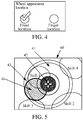
- FIG. 4 is a schematic diagram of a system setting interface.
- a UI shown in FIG. 3 is obtained by performing rendering subsequently.
- a center of the joystick deviates from a center of the wheel, and the skill release control operation is triggered, so that the location of the wheel remains unchanged, and the skill releasable range specified by the skill indicator is completely covered by the area in which the wheel is located.
- the skill indicator is an indicator on which rendering is performed to supplement the user to aim or be used for another purpose.
- the skill releasable range specified by the skill indicator object is completely covered by the area in which the skill release control halo object is located.
- Step 103 Control, when detecting a drag operation on the virtual joystick object, a skill release location of the skill object to be correspondingly adjusted in the graphical user interface.
- Step 104 Determine whether the virtual joystick object is out of a threshold range, select, when the virtual joystick object is not out of the threshold range, from at least one character object within a skill releasable range of the skill object according to a detected release operation of the drag operation, a target character object having the highest priority and satisfying a first preset policy, and perform a skill release operation on the target character object.
- FIG. 5 shows an example of the threshold range.
- the virtual joystick object 42 partially overlaps a threshold range 44, and is not out of the threshold range.
- a user finger release gesture is captured, and a subsequent step is performed, to select, from the at least one character object within the skill releasable range, a character object satisfying the first preset policy as the target character object having the highest priority.
- the performing a skill release operation on the target character object may be: performing the skill release operation on the target character object within the skill releasable range according to a release location and/or direction of the skill object that is obtained by dragging the virtual joystick object to move by a skill release operation gesture.
- a target character object is selected and located by determining whether a virtual joystick object touched by a user finger is out of a threshold range; a user finger release gesture is captured when a determining result is that the virtual joystick object touched by the user finger is not out of the threshold range; and a character object satisfying a first preset policy as a target character object having the highest priority is selected from at least one character object within a skill releasable range, and a skill release operation is performed on the target character object within the skill releasable range according to a release location and/or direction of a skill object that is obtained through movement of the virtual joystick object with a skill release operation gesture.
- a target object to which a released skilled is directed can be located accurately and rapidly, a misoperation is avoided, and a processing speed of interaction processing increases because of accurate locating.
- This embodiment of the present invention provides an information processing method.
- the method is applied to an electronic device, the electronic device includes a display unit, and the display unit includes a display area.
- the method includes the following steps: Step 201: Perform rendering in a graphical user interface, to obtain at least one virtual resource object.
- the virtual resource object is covered in various types of objects in the graphical user interface.
- a user avatar icon for representing a user an object for representing a building, a tree, tower defense, or the like in a background
- an object for representing a status (such as a blood value or a vitality value) of the user an object for representing a skill, equipment, or the like of the user
- a direction button object for controlling a change of a location of the user a rendering object used during skill release by the user, and the like shall all fall within the protection scope of the "virtual resource object" of the embodiments of the present invention.
- Step 202 Perform rendering in the graphical user interface, to obtain a skill release supplementary control object when detecting a skill release trigger gesture on at least one skill object located in at least one skill operation area in the graphical user interface, the skill release supplementary control object including a skill release control halo object and a virtual joystick object located within a radiation range of the skill release control halo object.
- rendering may be performed at a preset location in the graphical user interface, to obtain the skill release supplementary control object, so as to display the skill release supplementary control object at a default fixed location.
- the skill release supplementary control object can appear at the preset location, that is, the default fixed location, so that a user can be facilitated to respond rapidly in an information exchange process, thereby avoiding a response time wasted by the user for searching the graphical user interface.
- a first location may be obtained with a touch or a slide of a finger, and rendering is performed at the first location in the graphical user interface, to obtain the skill release supplementary control object, so as to display the skill release supplementary control object at a changeable location with a touch or a slide of the finger.
- the skill release supplementary control object can appear at a changeable location with a touch or a slide of the finger.
- a requirement of a user having a habit of rapidly performing skill release by a slide of the finger which is different from a requirement of a user having a habit of performing skill release at a fixed location and aiming in a stable control area to perform skill release, can be well met, so that the user is facilitated to respond rapidly in an information exchange process, thereby avoiding a response time wasted by the user for searching the graphical user interface.
- the first manner is used as an example.
- a skill release operation gesture applied to a skill object 1 is obtained, and rendering is performed, to obtain a skill release supplementary control object.
- the skill release supplementary control object includes a skill release control halo object 41 and a virtual joystick object 42.
- a skill release control operation is subsequently triggered, so that a location of the skill release control halo object 41 remains unchanged, and a skill releasable range specified by a skill indicator object 43 is completely covered by an area in which the skill release control halo object 41 is located.
- the skill release control halo object 41 may have a shape of a wheel and may be referred to as a wheel; the virtual joystick object 42 may have an annular shape or a ring shape and may be referred to as a joystick; and the skill indicator object 43 may have a shape of a wheel, and may be referred to as a skill indicator.
- the skill release control halo object and the virtual joystick object used in this specification are only examples of a skill release controller object and a joystick object.
- a skill release controller object and a joystick object that are obtained by performing rendering in a graphical user interface include, but are not limited to, a shape of a wheel, an annular shape, a ring shape, and other shapes, as long as objects that may be configured to implement skill control can be implemented.
- FIG. 4 is a schematic diagram of a system setting interface.
- a UI shown in FIG. 3 is obtained by performing rendering subsequently.
- a center of the joystick deviates from a center of the wheel, and the skill release control operation is triggered, so that the location of the wheel remains unchanged, and the skill releasable range specified by the skill indicator is completely covered by the area in which the wheel is located.
- the skill releasable range specified by the skill indicator object is completely covered by the area in which the skill release control halo object is located.
- Step 203 Control, when detecting a drag operation on the virtual joystick object, a skill release location of the skill object to be correspondingly adjusted in the graphical user interface.
- Step 204 Determine, when detecting that the virtual joystick object moves with a skill release operation gesture, whether the virtual joystick object touched by a user finger is out of a threshold range, capture a user finger release gesture when the virtual joystick object is not out of the threshold range, and discard performing a skill release operation on a target character object within a skill releasable range, and display first prompt information if the target character object is not found from the skill releasable range.
- FIG. 5 shows an example of the threshold range.
- the virtual joystick object 42 partially overlaps a threshold range 44, and is not out of the threshold range.
- the user finger release gesture is captured, and a subsequent step is performed, to select, from at least one character object within the skill releasable range, a character object satisfying a first preset policy as the target character object having the highest priority.
- the first prompt information is used to represent that there is no selectable target character object within the skill releasable range.
- a target character object is selected and located by determining whether a virtual joystick object touched by a user finger is out of a threshold range; a user finger release gesture is captured when a determining result is that the virtual joystick object touched by the user finger is not out of the threshold range; and performing a skill release operation on the target character object within a skill releasable range is discarded, and first prompt information is displayed if the target character object is not found from the skill releasable range, where the first prompt information is used to represent that there is no selectable target character object within the skill releasable range.
- a target object to which a released skilled is directed can be located accurately and rapidly, a skill release operation is discarded if the target object is not found, which can avoid a misoperation, determining and detection are performed subsequently (as described in the subsequent Embodiment 3) to redetermine the target object, and a processing speed of interaction processing increases because of accurate locating.
- This embodiment of the present invention provides an information processing method.
- the method is applied to an electronic device, the electronic device includes a display unit, and the display unit includes a display area.
- the method includes the following steps: Step 301: Perform rendering in a graphical user interface, to obtain at least one virtual resource object.
- the virtual resource object is covered in various types of objects in the graphical user interface.
- a user avatar icon for representing a user an object for representing a building, a tree, tower defense, or the like in a background
- an object for representing a status (such as a blood value or a vitality value) of the user an object for representing a skill, equipment, or the like of the user
- a direction button object for controlling a change of a location of the user a rendering object used during skill release by the user, and the like shall all fall within the protection scope of the "virtual resource object" of the embodiments of the present invention.
- Step 302 Perform rendering in the graphical user interface, to obtain a skill release supplementary control object when detecting a skill release trigger gesture on at least one skill object located in at least one skill operation area in the graphical user interface, the skill release supplementary control object including a skill release control halo object and a virtual joystick object located within a radiation range of the skill release control halo object.
- rendering may be performed at a preset location in the graphical user interface, to obtain the skill release supplementary control object, so as to display the skill release supplementary control object at a default fixed location.
- the skill release supplementary control object can appear at the preset location, that is, the default fixed location, so that a user can be facilitated to respond rapidly in an information exchange process, thereby avoiding a response time wasted by the user for searching the graphical user interface.
- a first location may be obtained with a touch or a slide of a finger, and rendering is performed at the first location in the graphical user interface, to obtain the skill release supplementary control object, so as to display the skill release supplementary control object at a changeable location with a touch or a slide of the finger.
- the skill release supplementary control object can appear at a changeable location with a touch or a slide of the finger.
- a requirement of a user having a habit of rapidly performing skill release by a slide of the finger which is different from a requirement of a user having a habit of performing skill release at a fixed location and aiming in a stable control area to perform skill release, can be well met, so that the user is facilitated to respond rapidly in an information exchange process, thereby avoiding a response time wasted by the user for searching the graphical user interface.
- the first manner is used as an example.
- a skill release operation gesture applied to a skill object 1 is obtained, and rendering is performed, to obtain a skill release supplementary control object.
- the skill release supplementary control object includes a skill release control halo object 41 and a virtual joystick object 42.
- a skill release control operation is subsequently triggered, so that a location of the skill release control halo object 41 remains unchanged, and a skill releasable range specified by a skill indicator object 43 is completely covered by an area in which the skill release control halo object 41 is located.
- the skill release control halo object 41 may have a shape of a wheel and may be referred to as a wheel; the virtual joystick object 42 may have an annular shape or a ring shape and may be referred to as a joystick; and the skill indicator object 43 may have a shape of a wheel, and may be referred to as a skill indicator.
- the skill release control halo object and the virtual joystick object used in this specification are only examples of a skill release controller object and a joystick object.
- a skill release controller object and a joystick object that are obtained by performing rendering in a graphical user interface include, but are not limited to, a shape of a wheel, an annular shape, a ring shape, and other shapes, as long as objects that may be configured to implement skill control can be implemented.
- FIG. 4 is a schematic diagram of a system setting interface.
- a UI shown in FIG. 3 is obtained by performing rendering subsequently.
- a center of the joystick deviates from a center of the wheel, and the skill release control operation is triggered, so that the location of the wheel remains unchanged, and the skill releasable range specified by the skill indicator is completely covered by the area in which the wheel is located.
- the skill releasable range specified by the skill indicator object is completely covered by the area in which the skill release control halo object is located.
- Step 303 Control, when detecting a drag operation on the virtual joystick object, a skill release location of the skill object to be correspondingly adjusted in the graphical user interface.
- Step 304 Determine whether the virtual joystick object is out of a threshold range, and perform rendering in the graphical user interface, to obtain a supplementary skill indicator object when the virtual joystick object is out of the threshold range, where a skill releasable range specified by the supplementary skill indicator object is a searching range of a first character object.
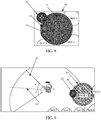
- FIG. 8 shows an example of the threshold range.
- the virtual joystick object 42 is located at an edge of the skill release control halo object 41, and is out of a threshold range 44
- the supplementary skill indicator object includes a fan-shaped indicator object (which may also have another shape in addition to the fan shape, such as an annular shape or a square shape), the fan-shaped indicator object is different from the skill indicator object 43 mentioned above, and has a smaller attack range, so as to specify a target character object having the highest priority within a skill releasable range (also referred to as a searching range or an enemy searching range subsequently) specified by the fan-shaped indicator object.
- a skill releasable range also referred to as a searching range or an enemy searching range subsequently
- Step 305 Capture a user finger release gesture, and select, from at least one first character object within the searching range, a first character object satisfying a second preset policy as a target character object having the highest priority; and perform a skill release operation on the target character object.
- the skill release operation is performed on the target character object according to a release location and/or direction of the skill object that is obtained by dragging the virtual joystick object to move by the skill release operation gesture.
- a target character object is selected and located by determining whether a virtual joystick object touched by a user finger is out of a threshold range; rendering is performed in a graphical user interface, to obtain a supplementary skill indicator object when a determining result is that the virtual joystick object touched by the user finger is out of the threshold range, where a skill releasable range specified by the supplementary skill indicator object is a searching range of a first character object; and a user finger release gesture is captured, and a first character object satisfying a second preset policy as the target character object having the highest priority is selected from at least one first character object within the searching range; and a skill release operation is performed on the target character object within the searching range.
- a target object to which a released skilled is directed can be located accurately and rapidly, a misoperation is avoided, and a processing speed of interaction processing increases because of accurate locating.
- a skill release control halo object such as a wheel
- a virtual joystick object such as a joystick
- a target is automatically searched for within a skill releasable range centering around a player character target (or a release target is searched for in a direction of a connection line from a center of the wheel to the joystick).
- release is not performed and a prompt is given.
- a skill indicator having a fan shape or another shape is displayed.
- the performing rendering in the graphical user interface, to obtain a supplementary skill indicator object includes: obtaining a first relative direction formed by the virtual joystick object relative to a center of the skill release control halo object, and generating, in the first relative direction, a first target selection direction line by using a connection line to a center point of the skill indicator object; and centering around the first target selection direction line, forming the supplementary skill indicator object based on positive and negative offsets plus a preset angle.
- a skill release operation gesture applied to a skill object 1 is obtained, and rendering is performed, to obtain a skill release supplementary control object.
- the skill release supplementary control object includes a skill release control halo object 41 and a virtual joystick object 42.
- a skill release control operation is subsequently triggered, so that a location of the skill release control halo object 41 remains unchanged, and a skill releasable range specified by a skill indicator object 43 is completely covered by an area in which the skill release control halo object 41 is located.
- the skill release control halo object 41 may have a shape of a wheel and may be referred to as a wheel; the virtual joystick object 42 may have an annular shape or a ring shape and may be referred to as a joystick; and the skill indicator object 43 may have a shape of a wheel, and may be referred to as a skill indicator.
- Rendering is performed in the graphical user interface, to obtain a supplementary skill indicator object when the virtual joystick object touched by a user finger is out of the threshold range, such as a fan-shaped indicator object 45 in FIG. 9 .
- the fan-shaped indicator object 45 has a first target selection direction line 451. Centering around the first target selection direction line 451, the fan-shaped indicator object 45 is formed based on positive and negative offsets plus a preset angle a. In FIG. 9 , a person f1 is a member of our side.
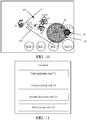
- the method further includes: refreshing the first relative direction to a second relative direction each time it is detected that a location of the virtual joystick object changes relative to the center of the skill release control halo object, and generating, in the second relative direction, a second target selection direction line by using a connection line to the center point of the skill indicator object; and selecting a first character object whose vertical distance to the second target selection direction line is the shortest as the target character object having the highest priority, and highlighting the target character object, to redetermine and refresh the target character object each time the virtual joystick object moves, and highlight a new target character object obtained through refreshing.
- a skill release operation gesture applied to a skill object 1 is obtained, and rendering is performed, to obtain a skill release supplementary control object.
- the skill release supplementary control object includes a skill release control halo object 41 and a virtual joystick object 42.
- a skill release control operation is subsequently triggered, so that a location of the skill release control halo object 41 remains unchanged, and a skill releasable range specified by a skill indicator object 43 is completely covered by an area in which the skill release control halo object 41 is located.
- the fan-shaped indicator object 45 has the second target selection direction line 452 obtained through refreshing. Centering around the second target selection direction line 452, the fan-shaped indicator object 45 is formed based on positive and negative offsets plus the preset angle a.
- the personnel f1 is a member of our side, and persons g1 and g2 are members of enemy.
- the different interaction modes include a versus mode between multiple online users, and further include an offline versus mode without an Internet connection.
- the versus mode between multiple users and the offline versus mode without an Internet connection are both applicable to the UIs shown in FIG. 3 , FIG. 5 , FIG. 8, FIG. 9 , and FIG. 10 .
- the UIs shown in FIG. 3 , FIG. 5 , FIG. 8, FIG. 9 , and FIG. 10 are obtained through rendering by a processor of a terminal device, which is specifically an image processor. This is only a specific example.
- the specific example is applicable to different personnel deployment scenarios in a game, for example, numbers of deployed persons of two parties are 1 to 1, 3 to 3, or 5 to 5, and is also applicable to scenarios in which numbers of deployed persons of two parties are different in a game, for example, a scenario in which numbers of deployed persons are 40 to 20 or 30 to 60, to run a mode in a game in which a skill release location and direction are determined by using a wheel at a fixed location.
- the multiple users are grouped into different groups, each group includes at least one group member, and the different groups are marked as at least a first group (for example, our group) and a second group (for example, an opponent group).
- the selecting, from at least one first character object within the searching range, a first character object satisfying a second preset policy as the target character object having the highest priority includes: selecting, when the searching range includes multiple first character objects, a first character object whose vertical distance to the first target selection direction line is the shortest as the target character object having the highest priority, and highlighting the target character object.
- the method further includes: performing rendering in the graphical user interface, to obtain a supplementary skill indicator object when a determining result is that the virtual joystick object touched by a user finger is out of the threshold range, where a skill releasable range specified by the supplementary skill indicator object is a searching range of a first character object; and capturing a user finger release gesture, and discarding performing the skill release operation on the target character object within the searching range, and displaying second prompt information if the first character object used as the target character object is not found from the searching range, where the second prompt information is used to represent that there is no selectable target character object within the searching range.
- This embodiment of the present invention provides a terminal.
- a software application is executed on a processor of the terminal and rendering is performed on a display of the terminal, to obtain a graphical user interface.
- the processor, the graphical user interface, and the software application are implemented in a game system.
- the terminal further includes:
- the virtual resource object is covered in various types of objects in the graphical user interface.
- a user avatar icon for representing a user an object for representing a building, a tree, tower defense, or the like in a background
- an object for representing a status (such as a blood value or a vitality value) of the user
- an object for representing a skill, equipment, or the like of the user an object for representing a skill, equipment, or the like of the user
- a direction button object for controlling a change of a location of the user
- a rendering object used during skill release by the user shall all fall within the protection scope of the "virtual resource object" of the embodiments of the present invention.
- rendering may be performed at a preset location in the graphical user interface, to obtain the skill release supplementary control object, so as to display the skill release supplementary control object at a default fixed location.
- the skill release supplementary control object can appear at the preset location, that is, the default fixed location, so that a user can be facilitated to respond rapidly in an information exchange process, thereby avoiding a response time wasted by the user for searching the graphical user interface.
- a first location may be obtained with a touch or a slide of a finger, and rendering is performed at the first location in the graphical user interface, to obtain the skill release supplementary control object, so as to display the skill release supplementary control object at a changeable location with a touch or a slide of the finger.
- the skill release supplementary control object can appear at a changeable location with a touch or a slide of the finger.
- a requirement of a user having a habit of rapidly performing skill release by a slide of the finger which is different from a requirement of a user having a habit of performing skill release at a fixed location and aiming in a stable control area to perform skill release, can be well met, so that the user is facilitated to respond rapidly in an information exchange process, thereby avoiding a response time wasted by the user for searching the graphical user interface.
- the first manner is used as an example.
- a skill release operation gesture applied to a skill object 1 is obtained, and rendering is performed, to obtain a skill release supplementary control object.
- the skill release supplementary control object includes a skill release control halo object 41 and a virtual joystick object 42.
- a skill release control operation is subsequently triggered, so that a location of the skill release control halo object 41 remains unchanged, and a skill releasable range specified by a skill indicator object 43 is completely covered by an area in which the skill release control halo object 41 is located.
- the skill release control halo object 41 may have a shape of a wheel and may be referred to as a wheel; the virtual joystick object 42 may have an annular shape or a ring shape and may be referred to as a joystick; and the skill indicator object 43 may have a shape of a wheel, and may be referred to as a skill indicator.
- the skill release control halo object and the virtual joystick object used in this specification are only examples of a skill release controller object and a joystick object.
- a skill release controller object and a joystick object that are obtained by performing rendering in a graphical user interface include, but are not limited to, a shape of a wheel, an annular shape, a ring shape, and other shapes, as long as objects that may be configured to implement skill control can be implemented.
- FIG. 4 is a schematic diagram of a system setting interface.
- a UI shown in FIG. 3 is obtained by performing rendering subsequently.
- a center of the joystick deviates from a center of the wheel, and the skill release control operation is triggered, so that the location of the wheel remains unchanged, and the skill releasable range specified by the skill indicator is completely covered by the area in which the wheel is located.
- the skill releasable range specified by the skill indicator object is completely covered by the area in which the skill release control halo object is located.
- FIG. 5 shows an example of the threshold range.
- the virtual joystick object 42 partially overlaps a threshold range 44, and is not out of the threshold range.
- a user finger release gesture is captured, and a subsequent step is performed, to select, from the at least one character object within the skill releasable range, a character object satisfying the first preset policy as the target character object having the highest priority.
- FIG. 8 shows an example of the threshold range.
- the virtual joystick object 42 is located at an edge of the skill release control halo object 41, and is out of the threshold range 44
- the supplementary skill indicator object includes a fan-shaped indicator object (which may also have another shape in addition to the fan shape, such as an annular shape or a square shape), the fan-shaped indicator object is different from the skill indicator object 43 mentioned above, and has a smaller attack range, so as to specify a target character object having the highest priority within a skill releasable range (also referred to as a searching range or an enemy searching range subsequently) specified by the fan-shaped indicator object.
- a skill releasable range also referred to as a searching range or an enemy searching range subsequently
- a skill release operation gesture applied to a skill object 1 is obtained, and rendering is performed, to obtain a skill release supplementary control object.
- the skill release supplementary control object includes a skill release control halo object 41 and a virtual joystick object 42.
- a skill release control operation is subsequently triggered, so that a location of the skill release control halo object 41 remains unchanged, and a skill releasable range specified by a skill indicator object 43 is completely covered by an area in which the skill release control halo object 41 is located.
- a fan-shaped indicator object 45 has the second target selection direction line 452 obtained through refreshing. Centering around the second target selection direction line 452, the fan-shaped indicator object 45 is formed based on positive and negative offsets plus a preset angle a.
- the terminal further includes: a skill release cancellation unit, configured to: capture a user finger release gesture when a determining result is that the virtual joystick object touched by a user finger is not out of the threshold range, and discard performing the skill release operation on the target character object within the skill releasable range, and display first prompt information if the target character object is not found from the skill releasable range, where the first prompt information is used to represent that there is no selectable target character object within the skill releasable range.
- a skill release cancellation unit configured to: capture a user finger release gesture when a determining result is that the virtual joystick object touched by a user finger is not out of the threshold range, and discard performing the skill release operation on the target character object within the skill releasable range, and display first prompt information if the target character object is not found from the skill releasable range, where the first prompt information is used to represent that there is no selectable target character object within the skill releasable range.
- the terminal further includes:
- the second rendering unit is further configured to:
- the skill release unit is further configured to: select, when the searching range includes multiple first character objects, a first character object whose vertical distance to the first target selection direction line is the shortest as the target character object having the highest priority, and highlight the target character object.
- the terminal further includes: a refreshing unit, configured to: refresh the first relative direction to a second relative direction each time it is detected that a location of the virtual joystick object changes relative to the center of the skill release control halo object, and generate, in the second relative direction, a second target selection direction line by using a connection line to the center point of the skill indicator object; and select a first character object whose vertical distance to the second target selection direction line is the shortest as the target character object having the highest priority, and highlight the target character object, to redetermine and refresh the target character object each time the virtual joystick object moves, and highlight a new target character object obtained through refreshing.
- a refreshing unit configured to: refresh the first relative direction to a second relative direction each time it is detected that a location of the virtual joystick object changes relative to the center of the skill release control halo object, and generate, in the second relative direction, a second target selection direction line by using a connection line to the center point of the skill indicator object; and select a first character object whose vertical distance to the second target
- the terminal further includes: a skill release unit, configured to: perform rendering in the graphical user interface, to obtain a supplementary skill indicator object when a determining result is that the virtual joystick object touched by a user finger is out of the threshold range, where a skill releasable range specified by the supplementary skill indicator object is a searching range of a first character object; and capture a user finger release gesture, and discard performing the skill release operation on the target character object within the searching range, and display second prompt information if the first character object used as the target character object is not found from the searching range, where the second prompt information is used to represent that there is no selectable target character object within the searching range.
- a skill release unit configured to: perform rendering in the graphical user interface, to obtain a supplementary skill indicator object when a determining result is that the virtual joystick object touched by a user finger is out of the threshold range, where a skill releasable range specified by the supplementary skill indicator object is a searching range of a first character object; and capture a user finger
- the terminal includes: a display 61 and a processor 62.
- the display 61 is configured to: execute a software application on the processor of the terminal and then perform rendering on the software application, to obtain a graphical user interface.
- the graphical user interface is configured to facilitate control processing in man-machine interaction.
- the processor 62 is configured to perform the information processing method in the embodiments of the present invention.
- the processor, the graphical user interface, and the software application are implemented in a game system.
- the terminal further includes: a memory 63, an input device 64 (for example, a peripheral device such as a collection device including a camera, a microphone, and a headset; a mouse, a joystick, or a desktop computer keyboard; or a physical keyboard or a touchscreen on a notebook computer or a tablet computer), an output device 65 (for example, an audio output device or a video output device including a speaker, a headset, and the like), a bus 66, and a networking device 67.
- an input device 64 for example, a peripheral device such as a collection device including a camera, a microphone, and a headset; a mouse, a joystick, or a desktop computer keyboard; or a physical keyboard or a touchscreen on a notebook computer or a tablet computer
- an output device 65 for example, an audio output device or a video output device including a speaker, a headset, and the like
- a bus 66 for example, a networking device 67.
- the processor 62, the memory 63, the input device 64, the display 61, and the networking device 67 are connected by using the bus 66, and the bus 66 is used for data transmission and communication between the processor 62, the memory 63, the display 61, and the networking device 67.
- the input device 64 is mainly configured to obtain an input operation of a user, and the input device 64 may vary with the terminal.
- the input device 64 may be an input device such as a mouse or a keyboard; when the terminal is portable device such as a smartphone or a tablet computer, the input device 64 may be a touchscreen.
- the networking device 67 is used by multiple terminals and a server to connect and upload and download data by using a network, and used by multiple terminals to connect and perform data transmission by using a network.
- the server may be formed by a cluster system, and to implement functions of various units, the functions may be combined or functions of the units are separately provided in an electronic device.
- Either the terminal or the server at least includes a database for storing data and a processor for data processing, or includes a storage medium disposed in the server or a storage medium that is disposed separately.
- a microprocessor for data processing, during processing, a microprocessor, a central processing unit (CPU), a digital signal processor (DSP), or a field programmable gate array (FPGA) may be used for implementation.
- the storage medium includes an operation instruction, the operation instruction may be computer executable code, and steps in the procedure of the information processing method in the embodiments of the present invention are implemented by using the operation instruction.
- This embodiment of the present invention provides a computer storage medium.
- a computer executable instruction is stored in the computer storage medium, and the computer executable instruction is configured to perform the information processing method in the embodiments of the present invention.
- This application scenario is related to Multiplayer Online Battle Arena Games (MOBA).
- MOBA Multiplayer Online Battle Arena Games
- UI layer that is, an icon in a graphical user interface
- skill indicator a special effect, a halo, or an operation used to supplement skill release
- lens which may be understood as a camera in the game
- mini map a scaled-down version of a large map, which may be understood as a radar map, where information and locations of two parties are displayed in the map
- wheel a halo displayed above a skill key when the skill key is pressed
- virtual joystick a control for an operation and locating in the wheel.
- FIG. 14 is a schematic flowchart of specific interaction in an information processing method in this application scenario.
- a terminal 1, a terminal 2, and a server are included.
- the user 1 performs triggering and control by using the terminal 1, and the user 2 performs triggering and control by using the terminal 2; and the method includes the following steps:
- step 11 to step 16 are included.
- Step 11 The user 1 triggers a game system by using the terminal 1, and registers identity authentication information, where the identity authentication information may be a user name and a password.
- Step 12 The terminal 1 transmits the obtained identity authentication information to the server 3, and the server 3 performs identity authentication, and returns a first graphical user interface to the terminal 1 after the identity authentication succeeds, where the first graphical user interface includes a virtual resource object.
- Step 13 A specified virtual resource object (such as an SMS message object in FIG. 3 ) can respond based on a touch operation of the user 1, and performs a series of virtual operations in step 14 to step 17.
- a specified virtual resource object such as an SMS message object in FIG. 3
- Step 14 Perform rendering in the graphical user interface, to obtain a skill release supplementary control object when detecting a skill release trigger gesture on at least one skill object located in at least one skill operation area in the graphical user interface, the skill release supplementary control object including a skill release control halo object and a virtual joystick object located within a radiation range of the skill release control halo object.
- the skill releasable range specified by the skill indicator object is completely covered by the area in which the skill release control halo object is located.
- Step 15 Control, when detecting a drag operation on the virtual joystick object, a skill release location of the skill object to be correspondingly adjusted in the graphical user interface.
- Step 16 Determine whether the virtual joystick object is out of a threshold range, select, when the virtual joystick object is not out of the threshold range, from at least one character object within a skill releasable range of the skill object according to a detected release operation of the drag operation, a target character object satisfying a first preset policy, and perform a skill release operation on the target character object.
- Step 17 Synchronize an execution result obtained by performing step 14 to step 16 to the server, or instantly transfer the execution result to the terminal 2 by using the server, or directly forward the execution result to the terminal 2, so that the user 2 that logs in to the game system by using the terminal 2 can respond to the virtual operation of the user 1, so as to implement interaction between multiple terminals.
- interaction between two terminals is used as an example, and during an actual operation, interaction between multiple terminals may be not limited to interaction between the two terminals in this example.
- step 21 to step 26 are included for the user 1.
- Step 21 The user 2 triggers the game system by using the terminal 2, and registers identity authentication information, where the identity authentication information may be a user name and a password.
- Step 22 The terminal 1 transmits the obtained identity authentication information to the server 3, and the server 3 performs identity authentication, and returns a second graphical user interface to the terminal 2 after the identity authentication succeeds, where the second graphical user interface includes a virtual resource object.
- Step 23 A specified virtual resource object (such as an SMS message object in FIG. 3 ) can respond based on a touch operation of the user 2, and performs a series of virtual operations in step 24 to step 27.
- a specified virtual resource object such as an SMS message object in FIG. 3
- Step 24 Perform rendering in the graphical user interface, to obtain a skill release supplementary control object when detecting a skill release trigger gesture on at least one skill object located in at least one skill operation area in the graphical user interface, the skill release supplementary control object including a skill release control halo object and a virtual joystick object located within a radiation range of the skill release control halo object.
- the skill releasable range specified by the skill indicator object is completely covered by the area in which the skill release control halo object is located.
- Step 25 Control, when detecting a drag operation on the virtual joystick object, a skill release location of the skill object to be correspondingly adjusted in the graphical user interface.
- Step 26 Determine whether the virtual joystick object is out of a threshold range, select, when the virtual joystick object is not out of the threshold range, from at least one character object within a skill releasable range of the skill object according to a detected release operation of the drag operation, a target character object satisfying a first preset policy, and perform a skill release operation on the target character object.
- Step 27 Synchronize an execution result obtained by performing step 24 to step 26 to the server, or instantly transfer the execution result to the terminal 1 by using the server, or directly forward the execution result to the terminal 1, so that the user 1 that logs in to the game system by using the terminal 1 can respond to the virtual operation of the user 2, so as to implement interaction between multiple terminals.
- interaction between two terminals is used as an example, and during an actual operation, interaction between multiple terminals may be not limited to interaction between the two terminals in this example.
- Step 30 An optional step: Synchronize or transfer, after receiving a first man-machine interaction execution result obtained by step 14 to step 17 and/or a second interaction execution result obtained by step 24 to step 27, the first man-machine interaction execution result and/or the second interaction execution result to corresponding terminals.
- the disclosed device and method may be implemented in other manners.
- the described device embodiments are merely examples.
- the unit division is merely logical function division and may be other division during actual implementation.
- multiple units or components may be combined or integrated into another system, or some features may be ignored or not performed.
- the displayed or discussed mutual couplings or direct couplings or communication connections between constituent parts may be implemented through some interfaces.
- the indirect couplings or communication connections between the devices or units may be implemented in electronic, mechanic, or other forms.
- the units described as separate parts may or may not be physically separate, and parts displayed as units may or may not be physical units, may be located in one location, or may be distributed on multiple network units. Some or all of the units may be selected according to actual needs to achieve the objectives of the solutions of the embodiments.
- the functional units in the embodiments of the present invention may all be integrated into one processing unit, or each of the units may exist separately, or two or more units are integrated into one unit, and the integrated unit may be implemented in a form of hardware, or may be implemented in a form of hardware in addition to a software functional unit.
- the program may be stored in a computer-readable storage medium. When the program runs, the steps of the method embodiments are performed.
- the foregoing storage medium includes: any medium that can store program code, such as a portable storage device, a read-only memory (ROM), a random access memory (RAM), a magnetic disk, or an optical disc.
- the integrated unit when the integrated unit is implemented in a form of a software functional module and sold or used as an independent product, the integrated unit may be stored in a computer-readable storage medium.
- the computer software product is stored in a storage medium, and includes several instructions for instructing a computer device (which may be a personal computer, a server, or a network device) to perform all or some of the steps of the methods described in the embodiments of the present invention.
- the foregoing storage medium includes: any medium that can store program code, such as a portable storage device, a ROM, a RAM, a magnetic disk, or an optical disc.
- a target character object is selected and located by determining whether a virtual joystick object touched by a user finger is out of a threshold range; a user finger release gesture is captured when a determining result is that the virtual joystick object touched by the user finger is not out of the threshold range; and a target character object satisfying a first preset policy is selected from at least one character object within a skill releasable range of a skill object according to a detected release operation of a drag operation, and a skill release operation is performed on the target character object.
- a target object to which a released skilled is directed can be located accurately and rapidly, a misoperation is avoided, and a processing speed of interaction processing increases because of accurate locating.
Landscapes
- Engineering & Computer Science (AREA)
- Multimedia (AREA)
- Human Computer Interaction (AREA)
- General Engineering & Computer Science (AREA)
- Theoretical Computer Science (AREA)
- Physics & Mathematics (AREA)
- General Physics & Mathematics (AREA)
- User Interface Of Digital Computer (AREA)
- Position Input By Displaying (AREA)
Claims (12)
- Informationsverarbeitungsverfahren, wobei eine Software-Anwendung auf einem Prozessor eines Endgeräts ausgeführt wird und Rendern auf einer Anzeige des Endgeräts durchgeführt wird, um eine grafische Benutzeroberfläche zu erhalten, wobei der Prozessor, die grafische Benutzeroberfläche und die Software-Anwendung in einem Spielsystem implementiert sind, das Verfahren umfassend:Durchführen von Rendern in der grafischen Benutzeroberfläche, um mindestens ein virtuelles Ressourcenobjekt (101) zu erhalten, wobei das virtuelle Ressourcenobjekt ein Fähigkeitsobjekt und ein ergänzendes Fähigkeitsfreigabe-Steuerobjekt umfasst;Durchführen von Rendern in der grafischen Benutzeroberfläche, um das ergänzende Fähigkeitsfreigabe-Steuerobjekt zu erhalten, wenn eine Fähigkeitsfreigabe-Auslösungsgeste an mindestens einem Fähigkeitsobjekt detektiert wird, das sich in mindestens einem Fähigkeitsbetriebsbereich in der grafischen Benutzeroberfläche befindet, wobei das ergänzende Fähigkeitsfreigabe-Steuerobjekt ein überkopfmarkiertes Fähigkeitsfreigabe-Steuerobjekt und ein virtuelles Joystick-Objekt umfasst, das sich in einem Wirkungsbereich des überkopfmarkierten Fähigkeitsfreigabe-Steuerobjekts (102) befindet, wobei das überkopfmarkierte Fähigkeitsfreigabe-Steuerobjekt zwei Schwellenbereiche aufweist;Steuern, wenn ein Ziehvorgang an dem virtuellen Joystick-Objekt detektiert wird, einer Fähigkeitsfreigabestelle des Fähigkeitsobjekts, sodass sie in der grafischen Benutzeroberfläche (103) entsprechend eingestellt wird;Bestimmen, ob das virtuelle Joystick-Objekt, das mit einem Finger eines Benutzers berührt wird, außerhalb eines Schwellenbereichs ist, der der innerste Bereich der zwei Schwellenbereiche ist;wenn das virtuelle Joystick-Objekt nicht außerhalb des Schwellenbereichs ist, Erfassen einer Freigabegeste durch den Finger eines Benutzers, Auswählen aus mindestens einem Charakterobjekt innerhalb eines Fähigkeitsfreigabebereichs des Fähigkeitsobjekts eines Zielcharakterobjekts, das eine erste voreingestellte Richtlinie erfüllt, und Durchführen eines Fähigkeitsfreigabevorgangs an dem Zielcharakterobjekt innerhalb des Fähigkeitsfreigabebereichs, wobei das Auswählen und Durchführen gemäß der Fähigkeitsfreigabestelle des Fähigkeitsobjekts erfolgt, das durch Bewegen des virtuellen Joysticks mit der Fähigkeitsfreigabe-Auslösungsgeste erhalten wird;wenn ein Bestimmungsergebnis ist, dass das virtuelle Joystick-Objekt, das mit einem Finger eines Benutzers berührt wird, außerhalb des Schwellenbereichs ist:Durchführen von Rendern in der grafischen Benutzeroberfläche, um ein ergänzendes Fähigkeitsindikatorobjekt zu erhalten, wobei ein freigebbarer Fähigkeitsbereich, der durch den ergänzenden Fähigkeitsindikator spezifiziert ist, durch einen Suchbereich eines dritten Charakters (f1) bestimmt ist,Erfassen einer Freigabegeste durch einen Finger eines Benutzers,Auswählen aus mindestens zwei ersten Charakterobjekten (g1, g2) innerhalb des freigebbaren Fähigkeitsbereichs eines ersten Charakterobjekts, das eine zweite voreingestellte Richtlinie erfüllt, als das Zielcharakterobjekt undDurchführen des Fähigkeitsfreigabevorgangs an dem Zielcharakterobjekt innerhalb des freigebbaren Fähigkeitsbereichs, wobei das Auswählen und Durchführen gemäß der Fähigkeitsfreigabestelle des Fähigkeitsobjekts erfolgt, die durch Bewegen des virtuellen Joysticks mit der Fähigkeitsfreigabe-Auslösungsgeste erhalten wird.
- Verfahren nach Anspruch 1, wobei das Verfahren ferner umfasst:
wenn das Bestimmungsergebnis ist, dass das virtuelle Joystick-Objekt, das mit einem Finger eines Benutzers berührt wird, nicht außerhalb des Schwellenbereichs ist:Erfassen einer Freigabegeste durch einen Finger eines Benutzers, Verwerfen einer Durchführung des Fähigkeitsfreigabevorgangs an dem Zielcharakterobjekt innerhalb des freigebbaren Fähigkeitsbereichs, und Anzeigen erster Aufforderungsinformationen, wenn das Zielcharakterobjekt nicht in dem freigebbaren Fähigkeitsbereich gefunden wird, wobeidie ersten Aufforderungsinformationen verwendet werden um darzustellen, dass es kein wählbares Zielcharakterobjekt innerhalb des freigebbaren Fähigkeitsbereichs gibt. - Verfahren nach Anspruch 1, wobei das Verfahren ferner umfasst:
wenn das Bestimmungsergebnis ist, dass das virtuelle Joystick-Objekt, das mit einem Finger eines Benutzers berührt wird, außerhalb des Schwellenbereichs ist:Erhalten einer ersten relativen Richtung, die durch das virtuelle Joystick-Objekt relativ zu einem Mittelpunkt des überkopfmarkierten Fähigkeitsfreigabe-Steuerobjekts gebildet wird, und Erzeugen, in der ersten relativen Richtung, einer ersten Zielauswahlrichtungslinie unter Verwendung einer Verbindungslinie zu einem Mittelpunkt des Fähigkeitsindikatorobjekts; undBilden des ergänzenden Fähigkeitsindikatorobjekts, zentriert um die erste Zielauswahllinie basierend auf positivem und negativem Versatz plus einem voreingestellten Winkel. - Verfahren nach Anspruch 3, wobei das Verfahren ferner umfasst:
wenn das Bestimmungsergebnis ist, dass das virtuelle Joystick-Objekt, das mit einem Finger eines Benutzers berührt wird, außerhalb des Schwellenbereichs ist:
Auswählen, wenn der Suchbereich mehrere erste Charakterobjekte umfasst, eines ersten Charakterobjekts, dessen vertikale Distanz zu der ersten Zielauswahlrichtungslinie die kürzeste ist, als das Zielcharakterobjekt und Hervorheben des Zielcharakterobjekts. - Verfahren nach Anspruch 4, wobei das Verfahren ferner umfasst:
wenn das Bestimmungsergebnis ist, dass das virtuelle Joystick-Objekt, das mit einem Finger eines Benutzers berührt wird, außerhalb des Schwellenbereichs ist:Auffrischen der ersten relativen Richtung zu einer zweiten relativen Richtung immer dann, wenn detektiert wird, dass sich eine Stelle des virtuellen Joystick-Objekts relativ zum Mittelpunkt des überkopfmarkierten Fähigkeitsfreigabe-Steuerobjekts ändert, und Erzeugen, in der zweiten relativen Richtung, einer zweiten Zielauswahlrichtungslinie unter Verwendung einer Verbindungslinie zu dem Mittelpunkt des Fähigkeitsindikatorobjekts; undAuswählen eines ersten Charakterobjekts, dessen vertikale Distanz zu der zweiten Zielauswahlrichtungslinie die kürzeste ist, als das Zielcharakterobjekt, und Hervorheben des Zielcharakterobjekts, um das Zielcharakterobjekt immer dann erneut zu bestimmen und aufzufrischen, wenn sich das virtuelle Joystick-Objekt bewegt, und Hervorheben eines neuen Zielcharakterobjekts, das durch Auffrischen erhalten wird. - Verfahren nach Anspruch 1, wobei das Verfahren ferner umfasst:
wenn das Bestimmungsergebnis ist, dass das virtuelle Joystick-Objekt, das mit einem Finger eines Benutzers berührt wird, außerhalb des Schwellenbereichs ist:Erfassen einer Freigabegeste durch einen Finger eines Benutzers, Verwerfen einer Durchführung des Fähigkeitsfreigabevorgangs an dem Zielcharakterobjekt innerhalb des freigebbaren Fähigkeitsbereichs und Anzeigen zweiter Aufforderungsinformationen, wenn das erste Charakterobjekt, das als das Zielcharakterobjekt verwendet wird, nicht in dem freigebbaren Fähigkeitsbereich gefunden wird,wobeidie zweiten Aufforderungsinformationen verwendet werden um darzustellen, dass es kein wählbares Zielcharakterobjekt innerhalb des freigebbaren Fähigkeitsbereichs gibt. - Endgerät, wobei eine Software-Anwendung auf einem Prozessor des Endgeräts ausgeführt wird und Rendern auf einer Anzeige des Endgeräts durchgeführt wird, um eine grafische Benutzeroberfläche zu erhalten, wobei der Prozessor, die grafische Benutzeroberfläche und die Software-Anwendung in einem Spielsystem implementiert sind, und das Endgerät ferner umfassend:eine erste Rendering-Einheit (51), die konfiguriert ist, Rendern in der grafischen Benutzeroberfläche durchzuführen, um mindestens ein virtuelles Ressourcenobjekt zu erhalten, wobei das virtuelle Ressourcenobjekt ein Fähigkeitsobjekt und ein ergänzendes Fähigkeitsfreigabe-Steuerobjekt umfasst;eine erste Detektionseinheit (52), die konfiguriert ist zum: Durchführen von Rendern in der grafischen Benutzeroberfläche, um das ergänzende Fähigkeitsfreigabe-Steuerobjekt zu erhalten, wenn eine Fähigkeitsfreigabe-Auslösungsgeste an mindestens einem Fähigkeitsobjekt detektiert wird, das sich in mindestens einem Fähigkeitsbetriebsbereich in der grafischen Benutzeroberfläche befindet, wobei das ergänzende Fähigkeitsfreigabe-Steuerobjekt ein überkopfmarkiertes Fähigkeitsfreigabe-Steuerobjekt und ein virtuelles Joystick-Objekt umfasst, das sich in einem Wirkungsbereich des überkopfmarkierten Fähigkeitsfreigabe-Steuerobjekts befindet, wobei das überkopfmarkierte Fähigkeitsfreigabe-Steuerobjekt zwei Schwellenbereiche aufweist;eine zweite Detektionseinheit (53), die konfiguriert ist zum: Steuern, wenn ein Ziehvorgang an dem virtuellen Joystick-Objekt detektiert wird, einer Fähigkeitsfreigabestelle des Fähigkeitsobjekts, sodass sie in der grafischen Benutzeroberfläche entsprechend eingestellt wird;eine Fähigkeitsfreigabeeinheit (54), die konfiguriert ist zum: Bestimmen, ob das virtuelle Joystick-Objekt, das mit einem Finger eines Benutzers berührt wird, außerhalb eines Schwellenbereichs ist, der der innerste Bereich der zwei Schwellenbereiche ist;wenn das virtuelle Joystick-Objekt nicht außerhalb des Schwellenbereichs ist:Erfassen einer Freigabegeste durch den Finger eines Benutzers,Auswählen aus mindestens einem Charakterobjekt in einem Fähigkeitsfreigabebereich des Fähigkeitsobjekts eines Zielcharakterobjekts, das eine erste voreingestellte Richtlinie erfüllt, undDurchführen eines Fähigkeitsfreigabevorgangs an dem Zielcharakterobjekt innerhalb des Fähigkeitsfreigabebereichs, wobei das Auswählen und Durchführen gemäß der Fähigkeitsfreigabestelle des Fähigkeitsobjekts erfolgt, das durch Bewegen des virtuellen Joystickobjekts mit der Fähigkeitsfreigabe-Auslösungsgeste erhalten wird;eine zweite Rendering-Einheit, die konfiguriert ist zum:
wenn ein Bestimmungsergebnis ist, dass das virtuelle Joystick-Objekt, das mit einem Finger eines Benutzers berührt wird, außerhalb des Schwellenbereichs ist:Durchführen von Rendern in der grafischen Benutzeroberfläche, um ein ergänzendes Fähigkeitsindikatorobjekt zu erhalten, wobei ein freigebbarer Fähigkeitsbereich, der durch den ergänzenden Fähigkeitsindikator spezifiziert ist, durch einen Suchbereich eines ersten Charakters (f1) bestimmt ist; undeine zweite Fähigkeitsfreigabeeinheit (54), die konfiguriert ist zum:
wenn das Bestimmungsergebnis ist, dass das virtuelle Joystick-Objekt, das mit einem Finger eines Benutzers berührt wird, außerhalb des Schwellenbereichs ist:Erfassen einer Freigabegeste durch einen Finger eines Benutzers,Auswählen aus mindestens zwei ersten Charakterobjekten (g1, g2) innerhalb des Suchbereichs eines ersten Charakterobjekts, das eine zweite voreingestellte Richtlinie erfüllt, als das Zielcharakterobjekt undDurchführen des Fähigkeitsfreigabevorgangs an dem Zielcharakterobjekt innerhalb des freigebbaren Fähigkeitsbereichs, wobei das Auswählen und Durchführen gemäß der Fähigkeitsfreigabestelle des Fähigkeitsobjekts erfolgt, die durch Bewegen des virtuellen Joysticks mit der Fähigkeitsfreigabe-Auslösungsgeste erhalten wird. - Endgerät nach Anspruch 7, wobei das Endgerät ferner umfasst:
eine Fähigkeitsfreigabeaufhebungseinheit, die konfiguriert ist zum:
wenn das Bestimmungsergebnis ist, dass das virtuelle Joystick-Objekt, das mit einem ersten Finger eines Benutzers berührt wird, nicht außerhalb des Schwellenbereichs ist:
Erfassen einer Freigabegeste durch einen Finger eines Benutzers, Verwerfen einer Durchführung des Fähigkeitsfreigabevorgangs an dem Zielcharakterobjekt innerhalb des freigebbaren Fähigkeitsbereichs, und Anzeigen erster Aufforderungsinformationen, wenn das Zielcharakterobjekt nicht in dem freigebbaren Fähigkeitsbereich gefunden wird, wobei die ersten Aufforderungsinformationen verwendet werden um darzustellen, dass es kein wählbares Zielcharakterobjekt innerhalb des freigebbaren Fähigkeitsbereichs gibt. - Endgerät nach Anspruch 7, wobei die zweite Rendering-Einheit ferner konfiguriert ist zum:
wenn das Bestimmungsergebnis ist, dass das virtuelle Joystick-Objekt, das mit einem Finger eines Benutzers berührt wird, außerhalb des Schwellenbereichs ist:Erhalten einer ersten relativen Richtung, die durch das virtuelle Joystick-Objekt relativ zu einem Mittelpunkt des überkopfmarkierten Fähigkeitsfreigabe-Steuerobjekts gebildet wird, und Erzeugen, in der ersten relativen Richtung, einer ersten Zielauswahlrichtungslinie unter Verwendung einer Verbindungslinie zu einem Mittelpunkt des Fähigkeitsindikatorobjekts; undBilden des ergänzenden Fähigkeitsindikatorobjekts, zentriert um die erste Zielauswahlrichtungslinie basierend auf positivem und negativem Versatz plus einem voreingestellten Winkel. - Endgerät nach Anspruch 9, wobei die zweite Fähigkeitsfreigabeeinheit (54) ferner konfiguriert ist zum:
Auswählen, wenn der freigebbare Fähigkeitsbereich mehrere erste Charakterobjekte umfasst, eines ersten Charakterobjekts, dessen vertikale Distanz zu der ersten Zielauswahlrichtungslinie die kürzeste ist, als das Zielcharakterobjekt, und Hervorheben des Zielcharakterobjekts. - Endgerät nach Anspruch 10, wobei das Endgerät ferner umfasst:
eine Auffrischungseinheit, die konfiguriert ist zum:
wenn das Bestimmungsergebnis ist, dass das virtuelle Joystick-Objekt, das mit einem Finger eines Benutzers berührt wird, außerhalb des Schwellenbereichs ist:
Auffrischen der ersten relativen Richtung zu einer zweiten relativen Richtung immer dann, wenn detektiert wird, dass sich eine Stelle des virtuellen Joystick-Objekts relativ zum Mittelpunkt des überkopfmarkierten Fähigkeitsfreigabe-Steuerobjekts ändert, und Erzeugen, in der zweiten relativen Richtung, einer zweiten Zielauswahlrichtungslinie unter Verwendung einer Verbindungslinie zu dem Mittelpunkt des Fähigkeitsindikatorobjekts; und Auswählen eines ersten Charakterobjekts, dessen vertikale Distanz zu der zweiten Zielauswahlrichtungslinie die kürzeste ist, als das Zielcharakterobjekt, und Hervorheben des Zielcharakterobjekts, um das Zielcharakterobjekt immer dann erneut zu bestimmen und aufzufrischen, wenn sich das virtuelle Joystick-Objekt bewegt, und Hervorheben eines neuen Zielcharakterobjekts, das durch Auffrischen erhalten wird. - Computerspeichermedium, wobei eine computerausführbare Anweisung in dem Computerspeichermedium gespeichert ist und die computerausführbare Anweisung konfiguriert ist, das Informationsverarbeitungsverfahren nach einem der Ansprüche 1 bis 6 durchzuführen.
Applications Claiming Priority (2)
| Application Number | Priority Date | Filing Date | Title |
|---|---|---|---|
| CN201510654167.4A CN105194873B (zh) | 2015-10-10 | 2015-10-10 | 一种信息处理方法、终端及计算机存储介质 |
| PCT/CN2016/083208 WO2017059684A1 (zh) | 2015-10-10 | 2016-05-24 | 一种信息处理方法、终端及计算机存储介质 |
Publications (3)
| Publication Number | Publication Date |
|---|---|
| EP3264248A1 EP3264248A1 (de) | 2018-01-03 |
| EP3264248A4 EP3264248A4 (de) | 2018-12-05 |
| EP3264248B1 true EP3264248B1 (de) | 2020-09-23 |
Family
ID=54943034
Family Applications (1)
| Application Number | Title | Priority Date | Filing Date |
|---|---|---|---|
| EP16852992.3A Active EP3264248B1 (de) | 2015-10-10 | 2016-05-24 | Informationsverarbeitungsverfahren, endgerät und computerspeichermedium |
Country Status (9)
| Country | Link |
|---|---|
| US (2) | US10444871B2 (de) |
| EP (1) | EP3264248B1 (de) |
| JP (1) | JP6620169B2 (de) |
| KR (1) | KR102041170B1 (de) |
| CN (2) | CN105194873B (de) |
| AU (1) | AU2016336603B2 (de) |
| CA (1) | CA2981553C (de) |
| MY (1) | MY187968A (de) |
| WO (1) | WO2017059684A1 (de) |
Families Citing this family (111)
| Publication number | Priority date | Publication date | Assignee | Title |
|---|---|---|---|---|
| CN105194873B (zh) * | 2015-10-10 | 2019-01-04 | 腾讯科技(成都)有限公司 | 一种信息处理方法、终端及计算机存储介质 |
| CN105335065A (zh) * | 2015-10-10 | 2016-02-17 | 腾讯科技(深圳)有限公司 | 一种信息处理方法、终端及计算机存储介质 |
| CN106959812A (zh) * | 2016-01-11 | 2017-07-18 | 北京英雄互娱科技股份有限公司 | 用于人机交互的方法和装置 |
| US10203860B2 (en) * | 2016-03-18 | 2019-02-12 | Ebay Inc. | Graphical user interface element adjustment |
| CN106237615A (zh) * | 2016-07-22 | 2016-12-21 | 广州云火信息科技有限公司 | 多单位元素技能操作方式 |
| CN106492457A (zh) * | 2016-10-20 | 2017-03-15 | 北京乐动卓越科技有限公司 | 一种全3d动作手机游戏战斗交互系统的实现方法及装置 |
| CN106422329A (zh) * | 2016-11-01 | 2017-02-22 | 网易(杭州)网络有限公司 | 游戏操控方法和装置 |
| JP6143934B1 (ja) * | 2016-11-10 | 2017-06-07 | 株式会社Cygames | 情報処理プログラム、情報処理方法、及び情報処理装置 |
| CN106354418B (zh) * | 2016-11-16 | 2019-07-09 | 腾讯科技(深圳)有限公司 | 一种基于触摸屏的操控方法和装置 |
| CN106843722B (zh) * | 2016-12-26 | 2019-12-31 | 上海莉莉丝网络科技有限公司 | 一种用于触控终端的触摸控制方法以及触摸控制装置 |
| CN106657127B (zh) * | 2017-01-05 | 2020-09-08 | 腾讯科技(深圳)有限公司 | 一种信息处理方法、装置及服务器 |
| JP6850884B2 (ja) | 2017-01-05 | 2021-03-31 | テンセント・テクノロジー・(シェンジェン)・カンパニー・リミテッド | 情報処理方法及び装置 |
| CN107132979A (zh) * | 2017-03-14 | 2017-09-05 | 网易(杭州)网络有限公司 | 在移动设备游戏中精确选择目标的交互方法、装置及计算机可读存储介质 |
| CN107050862B (zh) * | 2017-05-19 | 2018-06-15 | 网易(杭州)网络有限公司 | 游戏场景的显示控制方法及系统、存储介质 |
| JP7053652B2 (ja) | 2017-05-19 | 2022-04-12 | ネットイース(ハンジョウ)ネットワーク カンパニー,リミテッド | ゲームシーンの表示制御方法及びシステム、記憶媒体 |
| CN107174824B (zh) * | 2017-05-23 | 2021-01-15 | 网易(杭州)网络有限公司 | 特效信息处理方法、装置、电子设备及存储介质 |
| CN107193479B (zh) | 2017-05-26 | 2018-07-10 | 网易(杭州)网络有限公司 | 信息处理方法、装置、电子设备及存储介质 |
| US10413814B2 (en) * | 2017-06-09 | 2019-09-17 | Supercell Oy | Apparatus and method for controlling user interface of computing apparatus |
| CN107391000B (zh) * | 2017-06-09 | 2022-08-05 | 网易(杭州)网络有限公司 | 信息处理方法及装置、存储介质、电子设备 |
| CN107168611B (zh) * | 2017-06-16 | 2018-12-28 | 网易(杭州)网络有限公司 | 信息处理方法、装置、电子设备及存储介质 |
| CN107301012B (zh) * | 2017-06-19 | 2020-11-06 | 上海逗屋网络科技有限公司 | 用于显示应用中操作指令的描述信息的方法与设备 |
| CN107450812A (zh) * | 2017-06-26 | 2017-12-08 | 网易(杭州)网络有限公司 | 虚拟对象控制方法及装置、存储介质、电子设备 |
| CN107376339B (zh) | 2017-07-18 | 2018-12-28 | 网易(杭州)网络有限公司 | 在游戏中锁定目标的交互方法及装置 |
| CN107398071B (zh) * | 2017-07-19 | 2021-01-26 | 网易(杭州)网络有限公司 | 游戏目标选择方法及装置 |
| CN107362535B (zh) * | 2017-07-19 | 2019-04-26 | 腾讯科技(深圳)有限公司 | 游戏场景中的目标对象锁定方法、装置及电子设备 |
| CN107551537B (zh) * | 2017-08-04 | 2020-12-01 | 网易(杭州)网络有限公司 | 一种游戏中虚拟角色的控制方法及装置、存储介质、电子设备 |
| CN107583271B (zh) * | 2017-08-22 | 2020-05-22 | 网易(杭州)网络有限公司 | 在游戏中选择目标的交互方法和装置 |
| CN107694089B (zh) * | 2017-09-01 | 2019-02-12 | 网易(杭州)网络有限公司 | 信息处理方法、装置、电子设备及存储介质 |
| CN107596688B (zh) * | 2017-09-25 | 2020-11-10 | 网易(杭州)网络有限公司 | 技能释放控制方法及装置、存储介质、处理器和终端 |
| CN107754305A (zh) * | 2017-10-13 | 2018-03-06 | 网易(杭州)网络有限公司 | 信息处理方法及装置、存储介质、电子设备 |
| CN107930105A (zh) * | 2017-10-23 | 2018-04-20 | 网易(杭州)网络有限公司 | 信息处理方法及装置、存储介质、电子设备 |
| CN112698781B (zh) * | 2017-11-03 | 2022-06-07 | 腾讯科技(深圳)有限公司 | 虚拟环境中的目标定位方法、装置、介质及电子设备 |
| CN107899246B (zh) * | 2017-11-10 | 2020-11-20 | 网易(杭州)网络有限公司 | 信息处理方法、装置、电子设备及存储介质 |
| CN107837529B (zh) | 2017-11-15 | 2019-08-27 | 腾讯科技(上海)有限公司 | 一种对象选择方法、装置、终端和存储介质 |
| CN107899242A (zh) * | 2017-11-17 | 2018-04-13 | 杭州电魂网络科技股份有限公司 | 技能命中判断方法及装置 |
| CN108196765A (zh) * | 2017-12-13 | 2018-06-22 | 网易(杭州)网络有限公司 | 显示控制方法、电子设备及存储介质 |
| CN108144293B (zh) * | 2017-12-15 | 2022-05-13 | 网易(杭州)网络有限公司 | 信息处理方法、装置、电子设备及存储介质 |
| CN108245888A (zh) * | 2018-02-09 | 2018-07-06 | 腾讯科技(深圳)有限公司 | 虚拟对象控制方法、装置及计算机设备 |
| CN108543308B (zh) * | 2018-02-27 | 2020-08-04 | 腾讯科技(深圳)有限公司 | 虚拟场景中的虚拟对象的选择方法和装置 |
| CN108553892B (zh) * | 2018-04-28 | 2021-09-24 | 网易(杭州)网络有限公司 | 虚拟对象控制方法、装置、存储介质及电子设备 |
| CN108635854A (zh) * | 2018-05-08 | 2018-10-12 | 网易(杭州)网络有限公司 | 技能释放控制方法及装置、存储介质、电子设备 |
| CN109550239B (zh) * | 2018-09-20 | 2023-02-10 | 厦门吉比特网络技术股份有限公司 | 一种游戏的瞄准器控制方法和装置 |
| CN109513209B (zh) * | 2018-11-22 | 2020-04-17 | 网易(杭州)网络有限公司 | 虚拟对象处理方法及装置、电子设备以及存储介质 |
| CN109568954B (zh) * | 2018-11-30 | 2020-08-28 | 广州要玩娱乐网络技术股份有限公司 | 兵种切换显示方法、装置、存储介质和终端 |
| CN109758764B (zh) * | 2018-12-11 | 2023-02-03 | 网易(杭州)网络有限公司 | 一种游戏技能控制的方法及装置、电子设备、存储介质 |
| CN109568939B (zh) * | 2018-12-12 | 2022-09-13 | 网易(杭州)网络有限公司 | 一种游戏信息处理方法和装置、电子设备、存储介质 |
| CN109568957B (zh) * | 2019-01-10 | 2020-02-07 | 网易(杭州)网络有限公司 | 游戏中的显示控制方法、装置、存储介质、处理器及终端 |
| CN109800047B (zh) * | 2019-01-18 | 2022-03-18 | 网易(杭州)网络有限公司 | 游戏中技能的切换方法及装置、存储介质及电子设备 |
| US10786734B2 (en) * | 2019-02-20 | 2020-09-29 | Supercell Oy | Method for facilitating user interactions in gaming environment |
| CN109771941B (zh) * | 2019-03-13 | 2022-08-05 | 网易(杭州)网络有限公司 | 游戏中虚拟对象的选择方法及装置、设备和介质 |
| CN109999493B (zh) * | 2019-04-03 | 2022-04-15 | 网易(杭州)网络有限公司 | 游戏中的信息处理方法、装置、移动终端及可读存储介质 |
| CN110064193A (zh) * | 2019-04-29 | 2019-07-30 | 网易(杭州)网络有限公司 | 游戏中虚拟对象的操控控制方法、装置和移动终端 |
| KR102106273B1 (ko) * | 2019-05-02 | 2020-05-04 | 엔엑스엔 주식회사 | 게임 캐릭터 조작 방법 |
| CN110119481A (zh) * | 2019-05-10 | 2019-08-13 | 福建工程学院 | 植株试管检索方法及系统 |
| CN110124323B (zh) * | 2019-05-17 | 2022-09-27 | 罗圣博 | 一种在足球应用中执行足球技能的方法与设备 |
| CN117531196A (zh) * | 2019-07-19 | 2024-02-09 | 腾讯科技(深圳)有限公司 | 多人在线对战程序中的提醒信息发送方法、装置及终端 |
| CN112306592B (zh) * | 2019-08-01 | 2023-07-18 | 腾讯科技(深圳)有限公司 | 消息的处理方法和装置、存储介质及电子装置 |
| CN110523085A (zh) * | 2019-08-30 | 2019-12-03 | 腾讯科技(深圳)有限公司 | 虚拟对象的控制方法、装置、终端及存储介质 |
| CN110559658B (zh) * | 2019-09-04 | 2020-07-28 | 腾讯科技(深圳)有限公司 | 信息交互方法、装置、终端以及存储介质 |
| CN111135561B (zh) * | 2019-12-26 | 2023-08-25 | 北京像素软件科技股份有限公司 | 游戏角色显示方法、装置、存储介质和电子设备 |
| KR20210091502A (ko) * | 2020-01-14 | 2021-07-22 | 주식회사 엔씨소프트 | 콘텐츠 내 오브젝트 선택 장치 및 선택 방법 |
| CN111324253B (zh) * | 2020-02-12 | 2021-08-03 | 腾讯科技(深圳)有限公司 | 虚拟物品交互方法、装置、计算机设备及存储介质 |
| CN111282266B (zh) * | 2020-02-14 | 2021-08-03 | 腾讯科技(深圳)有限公司 | 三维虚拟环境中的技能瞄准方法、装置、终端及存储介质 |
| CN111481932B (zh) * | 2020-04-15 | 2022-05-17 | 腾讯科技(深圳)有限公司 | 虚拟对象的控制方法、装置、设备和存储介质 |
| CN111494937B (zh) * | 2020-04-17 | 2022-04-01 | 腾讯科技(深圳)有限公司 | 虚拟对象的控制、信息同步方法、装置、设备及介质 |
| CN111530075B (zh) * | 2020-04-20 | 2022-04-05 | 腾讯科技(深圳)有限公司 | 虚拟环境的画面显示方法、装置、设备及介质 |
| CN111589128B (zh) | 2020-04-23 | 2022-02-18 | 腾讯科技(深圳)有限公司 | 基于虚拟场景的操作控件显示方法及装置 |
| CN111589129B (zh) * | 2020-04-24 | 2023-08-15 | 腾讯科技(深圳)有限公司 | 虚拟对象的控制方法、装置、设备及介质 |
| CN111589112B (zh) * | 2020-04-24 | 2021-10-22 | 腾讯科技(深圳)有限公司 | 界面显示方法、装置、终端及存储介质 |
| CN111589133B (zh) | 2020-04-28 | 2022-02-22 | 腾讯科技(深圳)有限公司 | 虚拟对象控制方法、装置、设备及存储介质 |
| CN111589135B (zh) * | 2020-04-28 | 2022-03-04 | 腾讯科技(深圳)有限公司 | 虚拟对象的控制方法、装置、终端及存储介质 |
| CN111589114B (zh) | 2020-05-12 | 2023-03-10 | 腾讯科技(深圳)有限公司 | 虚拟对象的选择方法、装置、终端及存储介质 |
| CN111672101B (zh) * | 2020-05-29 | 2023-04-07 | 腾讯科技(深圳)有限公司 | 虚拟场景中的虚拟道具获取方法、装置、设备及存储介质 |
| CN111672119B (zh) * | 2020-06-05 | 2023-03-10 | 腾讯科技(深圳)有限公司 | 瞄准虚拟对象的方法、装置、设备及介质 |
| CN111672115B (zh) * | 2020-06-05 | 2022-09-23 | 腾讯科技(深圳)有限公司 | 虚拟对象控制方法、装置、计算机设备及存储介质 |
| CN111672116B (zh) * | 2020-06-05 | 2022-10-21 | 腾讯科技(深圳)有限公司 | 控制虚拟对象释放技能的方法、装置、终端及存储介质 |
| CN111672114B (zh) | 2020-06-05 | 2022-03-18 | 腾讯科技(深圳)有限公司 | 目标虚拟对象确定方法、装置、终端及存储介质 |
| CN111672118B (zh) * | 2020-06-05 | 2022-02-18 | 腾讯科技(深圳)有限公司 | 虚拟对象的瞄准方法、装置、设备及介质 |
| CN111672103B (zh) * | 2020-06-05 | 2021-10-29 | 腾讯科技(深圳)有限公司 | 虚拟场景中的虚拟对象控制方法、计算机设备及存储介质 |
| CN111672113B (zh) * | 2020-06-05 | 2022-03-08 | 腾讯科技(深圳)有限公司 | 虚拟对象的选择方法、装置、设备及存储介质 |
| CN111803932A (zh) * | 2020-07-22 | 2020-10-23 | 网易(杭州)网络有限公司 | 一种游戏中虚拟角色的技能释放方法、终端及存储介质 |
| CN112044069B (zh) * | 2020-09-10 | 2023-02-03 | 腾讯科技(深圳)有限公司 | 虚拟场景中的对象提示方法、装置、设备及存储介质 |
| US11731037B2 (en) * | 2020-09-11 | 2023-08-22 | Riot Games, Inc. | Rapid target selection with priority zones |
| EP4026595B1 (de) * | 2020-11-13 | 2026-04-15 | Tencent Technology (Shenzhen) Company Limited | Steuerungsverfahren und -vorrichtung für virtuelle objekte, speichermedium und elektronische vorrichtung |
| CN112494955B (zh) | 2020-12-22 | 2023-10-03 | 腾讯科技(深圳)有限公司 | 虚拟对象的技能释放方法、装置、终端及存储介质 |
| CN112698780A (zh) * | 2020-12-29 | 2021-04-23 | 贵阳动视云科技有限公司 | 一种虚拟摇杆控制方法及装置 |
| CN112717403B (zh) * | 2021-01-22 | 2022-11-29 | 腾讯科技(深圳)有限公司 | 虚拟对象的控制方法、装置、电子设备及存储介质 |
| CN112870717A (zh) * | 2021-03-12 | 2021-06-01 | 北京格瑞拉科技有限公司 | 一种虚拟操作对象的控制方法、装置及存储介质 |
| CN113244621B (zh) * | 2021-05-07 | 2024-05-28 | 网易(杭州)网络有限公司 | 一种游戏中的信息处理方法、装置、电子设备及存储介质 |
| CA3160509A1 (en) | 2021-05-14 | 2022-11-14 | Tencent Technology (Shenzhen) Company Limited | Virtual object control method, apparatus, device, and computer-readable storage medium |
| CN113181649B (zh) * | 2021-05-31 | 2023-05-16 | 腾讯科技(深圳)有限公司 | 虚拟场景中召唤对象的控制方法、装置、设备及存储介质 |
| CN113304478B (zh) * | 2021-06-22 | 2022-07-29 | 腾讯科技(深圳)有限公司 | 技能指示器的控制方法和装置、存储介质及电子设备 |
| CN113440852B (zh) * | 2021-07-08 | 2022-07-29 | 腾讯科技(深圳)有限公司 | 虚拟场景中虚拟技能的控制方法、装置、设备及存储介质 |
| CN115703011B (zh) * | 2021-08-05 | 2025-09-26 | 腾讯科技(深圳)有限公司 | 虚拟世界中的声音提示方法、装置、设备及存储介质 |
| CN113694511B (zh) * | 2021-08-10 | 2024-07-19 | 网易(杭州)网络有限公司 | 虚拟角色控制方法、装置及电子设备 |
| CN113633995A (zh) * | 2021-08-10 | 2021-11-12 | 网易(杭州)网络有限公司 | 游戏的交互控制方法、装置、设备及存储介质 |
| CN113577765B (zh) * | 2021-08-20 | 2023-06-16 | 腾讯科技(深圳)有限公司 | 用户界面的显示方法、装置、设备及存储介质 |
| CN113713372B (zh) * | 2021-09-09 | 2024-02-09 | 腾讯科技(深圳)有限公司 | 虚拟角色的控制方法和装置、存储介质及电子设备 |
| CN114115528B (zh) * | 2021-11-02 | 2024-01-19 | 深圳市雷鸟网络传媒有限公司 | 虚拟对象控制方法、装置、计算机设备和存储介质 |
| CN114712859B (zh) * | 2022-03-02 | 2025-10-21 | 网易(杭州)网络有限公司 | 技能伤害范围的确定方法、装置和电子设备 |
| CN114768248B (zh) * | 2022-04-25 | 2025-11-04 | 网易(杭州)网络有限公司 | 技能的显示控制方法、装置、电子设备及存储介质 |
| CN115040868B (zh) * | 2022-06-16 | 2025-06-20 | 网易(杭州)网络有限公司 | 提示信息生成方法、区域调整方法以及装置 |
| CN115193064B (zh) * | 2022-07-12 | 2025-02-18 | 上海网之易璀璨网络科技有限公司 | 虚拟对象的控制方法、装置、存储介质及计算机设备 |
| CN115837160B (zh) * | 2022-09-08 | 2026-03-13 | 北京字跳网络技术有限公司 | 一种交互控制方法、装置、计算机设备及存储介质 |
| CN117753007A (zh) * | 2022-09-23 | 2024-03-26 | 腾讯科技(深圳)有限公司 | 虚拟场景的互动处理方法、装置、电子设备及存储介质 |
| CN115501600B (zh) * | 2022-09-28 | 2023-07-14 | 广州三七极耀网络科技有限公司 | 游戏内人机角色的控制方法、系统、装置及介质 |
| US12327094B2 (en) * | 2022-12-08 | 2025-06-10 | Lemon Inc. | Visual scripting program with selectable reroute node icon |
| CN115970287A (zh) * | 2023-01-05 | 2023-04-18 | 北京字跳网络技术有限公司 | 一种虚拟对象控制方法、装置、计算机设备及存储介质 |
| CN116712725A (zh) * | 2023-02-21 | 2023-09-08 | 网易(杭州)网络有限公司 | 一种游戏中信息处理方法、装置、设备及介质 |
| CN116531757B (zh) * | 2023-03-21 | 2025-10-21 | 网易(杭州)网络有限公司 | 游戏的操作控制方法、装置和电子设备 |
| WO2025084480A1 (ko) * | 2023-10-20 | 2025-04-24 | 주식회사 엔씨소프트 | 가상 공간에 기반하는 게임 서비스를 제공하기 위한 전자 장치, 방법 및 비-일시적 컴퓨터 판독 가능 저장 매체 |
Family Cites Families (29)
| Publication number | Priority date | Publication date | Assignee | Title |
|---|---|---|---|---|
| US7469381B2 (en) * | 2007-01-07 | 2008-12-23 | Apple Inc. | List scrolling and document translation, scaling, and rotation on a touch-screen display |
| JP3477675B2 (ja) * | 1999-06-04 | 2003-12-10 | インターナショナル・ビジネス・マシーンズ・コーポレーション | ポインタ操作の補助方法 |
| JP3910890B2 (ja) * | 2002-08-21 | 2007-04-25 | 株式会社バンダイナムコゲームス | ゲームシステム、プログラム及び情報記憶媒体 |
| US7231609B2 (en) * | 2003-02-03 | 2007-06-12 | Microsoft Corporation | System and method for accessing remote screen content |
| US9146585B2 (en) * | 2010-10-01 | 2015-09-29 | Z124 | Dual-screen view in response to rotation |
| US20070064004A1 (en) * | 2005-09-21 | 2007-03-22 | Hewlett-Packard Development Company, L.P. | Moving a graphic element |
| JP4871373B2 (ja) * | 2009-06-19 | 2012-02-08 | 任天堂株式会社 | 情報処理システムおよび情報処理装置 |
| CN101630224A (zh) * | 2009-08-14 | 2010-01-20 | 宇龙计算机通信科技(深圳)有限公司 | 一种界面上控件图标的处理方法、系统及触摸终端 |
| US9262073B2 (en) | 2010-05-20 | 2016-02-16 | John W. Howard | Touch screen with virtual joystick and methods for use therewith |
| JP2011250874A (ja) * | 2010-05-31 | 2011-12-15 | Nintendo Co Ltd | 情報処理プログラム、情報処理装置、情報処理システム及び情報処理方法 |
| JP2012018657A (ja) * | 2010-06-11 | 2012-01-26 | Nintendo Co Ltd | 情報処理端末、情報処理システム、情報処理プログラム |
| US9191768B2 (en) * | 2011-02-24 | 2015-11-17 | Panasonic Intellectual Property Management Co., Ltd. | Diffracted sound reduction device, diffracted sound reduction method, and filter coefficient determination method |
| CN103620669A (zh) * | 2011-03-31 | 2014-03-05 | 泰特里斯控股有限责任公司 | 用于对象操作的系统和方法 |
| US9868062B2 (en) * | 2012-03-13 | 2018-01-16 | Sony Interactive Entertainment America Llc | System, method, and graphical user interface for controlling an application on a tablet |
| KR20130105044A (ko) * | 2012-03-16 | 2013-09-25 | 삼성전자주식회사 | 터치 스크린 단말기의 사용자 인터페이스 방법 및 장치 |
| JP5480347B2 (ja) | 2012-08-31 | 2014-04-23 | 株式会社スクウェア・エニックス | ビデオゲーム処理装置、およびビデオゲーム処理プログラム |
| CN103809888B (zh) * | 2012-11-12 | 2016-12-21 | 北京三星通信技术研究有限公司 | 移动终端及其操控方法 |
| CN104995592B (zh) * | 2013-02-19 | 2020-10-02 | 索尼电脑娱乐公司 | 信息处理设备和信息处理方法 |
| US9227141B2 (en) | 2013-12-31 | 2016-01-05 | Microsoft Technology Licensing, Llc | Touch screen game controller |
| AU2015241900B2 (en) * | 2014-04-04 | 2017-09-28 | Colopl, Inc. | User interface program and game program |
| CN104076986B (zh) * | 2014-07-25 | 2015-12-09 | 上海逗屋网络科技有限公司 | 一种用于多点触摸终端的触摸控制方法与设备 |
| CN104267904A (zh) * | 2014-09-26 | 2015-01-07 | 深圳市睿德网络科技有限公司 | 一种具有触摸屏虚拟单位控制的方法及移动终端 |
| CN104750419A (zh) * | 2015-04-07 | 2015-07-01 | 上海雪宝信息科技有限公司 | 一种用于在触摸终端上操作对象的方法与设备 |
| CN104898953B (zh) * | 2015-06-16 | 2016-10-26 | 深圳市腾讯计算机系统有限公司 | 基于触控屏的操控方法和装置 |
| CN104915117B (zh) * | 2015-06-16 | 2017-03-22 | 深圳市腾讯计算机系统有限公司 | 控制与虚拟目标进行交互的方法和装置 |
| CN104922906B (zh) * | 2015-07-15 | 2018-09-04 | 网易(杭州)网络有限公司 | 动作执行方法和装置 |
| CN105335064B (zh) * | 2015-09-29 | 2017-08-15 | 腾讯科技(深圳)有限公司 | 一种信息处理方法和终端 |
| CN105194873B (zh) * | 2015-10-10 | 2019-01-04 | 腾讯科技(成都)有限公司 | 一种信息处理方法、终端及计算机存储介质 |
| JP7110573B2 (ja) * | 2017-09-29 | 2022-08-02 | 京セラドキュメントソリューションズ株式会社 | 情報処理装置、情報処理プログラム及び情報処理方法 |
-
2015
- 2015-10-10 CN CN201510654167.4A patent/CN105194873B/zh active Active
- 2015-10-10 CN CN201810194078.XA patent/CN108355348B/zh active Active
-
2016
- 2016-05-24 WO PCT/CN2016/083208 patent/WO2017059684A1/zh not_active Ceased
- 2016-05-24 KR KR1020177035373A patent/KR102041170B1/ko active Active
- 2016-05-24 JP JP2017554809A patent/JP6620169B2/ja active Active
- 2016-05-24 EP EP16852992.3A patent/EP3264248B1/de active Active
- 2016-05-24 CA CA2981553A patent/CA2981553C/en active Active
- 2016-05-24 AU AU2016336603A patent/AU2016336603B2/en active Active
- 2016-05-24 MY MYPI2017703921A patent/MY187968A/en unknown
-
2017
- 2017-09-29 US US15/720,432 patent/US10444871B2/en active Active
-
2019
- 2019-09-04 US US16/560,772 patent/US11003261B2/en active Active
Non-Patent Citations (1)
| Title |
|---|
| None * |
Also Published As
| Publication number | Publication date |
|---|---|
| WO2017059684A1 (zh) | 2017-04-13 |
| KR20180005222A (ko) | 2018-01-15 |
| CN105194873B (zh) | 2019-01-04 |
| CN108355348A (zh) | 2018-08-03 |
| MY187968A (en) | 2021-11-03 |
| CA2981553C (en) | 2019-11-19 |
| JP2018517449A (ja) | 2018-07-05 |
| US20180024660A1 (en) | 2018-01-25 |
| CN108355348B (zh) | 2021-01-26 |
| CA2981553A1 (en) | 2017-04-13 |
| EP3264248A4 (de) | 2018-12-05 |
| KR102041170B1 (ko) | 2019-11-06 |
| US10444871B2 (en) | 2019-10-15 |
| US11003261B2 (en) | 2021-05-11 |
| AU2016336603B2 (en) | 2019-06-13 |
| EP3264248A1 (de) | 2018-01-03 |
| JP6620169B2 (ja) | 2019-12-11 |
| US20190391676A1 (en) | 2019-12-26 |
| AU2016336603A1 (en) | 2017-11-09 |
| CN105194873A (zh) | 2015-12-30 |
Similar Documents
| Publication | Publication Date | Title |
|---|---|---|
| US11003261B2 (en) | Information processing method, terminal, and computer storage medium | |
| CA2981554C (en) | Information processing method, terminal, and computer storage medium | |
| US10864441B2 (en) | Information processing method, terminal, and computer storage medium | |
| US10434403B2 (en) | Information processing method, terminal, and computer storage medium | |
| EP3273334B1 (de) | Informationsverarbeitungsverfahren, endgerät und computerspeichermedium | |
| CN113082712B (zh) | 虚拟角色的控制方法、装置、计算机设备和存储介质 | |
| CN105148517B (zh) | 一种信息处理方法、终端及计算机存储介质 | |
| US10398977B2 (en) | Information processing method, terminal, and computer storage medium |
Legal Events
| Date | Code | Title | Description |
|---|---|---|---|
| STAA | Information on the status of an ep patent application or granted ep patent |
Free format text: STATUS: THE INTERNATIONAL PUBLICATION HAS BEEN MADE |
|
| PUAI | Public reference made under article 153(3) epc to a published international application that has entered the european phase |
Free format text: ORIGINAL CODE: 0009012 |
|
| STAA | Information on the status of an ep patent application or granted ep patent |
Free format text: STATUS: REQUEST FOR EXAMINATION WAS MADE |
|
| 17P | Request for examination filed |
Effective date: 20170926 |
|
| AK | Designated contracting states |
Kind code of ref document: A1 Designated state(s): AL AT BE BG CH CY CZ DE DK EE ES FI FR GB GR HR HU IE IS IT LI LT LU LV MC MK MT NL NO PL PT RO RS SE SI SK SM TR |
|
| AX | Request for extension of the european patent |
Extension state: BA ME |
|
| RIN1 | Information on inventor provided before grant (corrected) |
Inventor name: WANG, HAOSU |
|
| A4 | Supplementary search report drawn up and despatched |
Effective date: 20181025 |
|
| RIC1 | Information provided on ipc code assigned before grant |
Ipc: A63F 13/42 20140101ALI20181020BHEP Ipc: A63F 13/2145 20140101ALI20181020BHEP Ipc: A63F 13/25 20140101ALI20181020BHEP Ipc: A63F 13/426 20140101ALI20181020BHEP Ipc: G06F 3/0484 20130101AFI20181020BHEP |
|
| DAV | Request for validation of the european patent (deleted) | ||
| DAX | Request for extension of the european patent (deleted) | ||
| GRAP | Despatch of communication of intention to grant a patent |
Free format text: ORIGINAL CODE: EPIDOSNIGR1 |
|
| STAA | Information on the status of an ep patent application or granted ep patent |
Free format text: STATUS: GRANT OF PATENT IS INTENDED |
|
| INTG | Intention to grant announced |
Effective date: 20200507 |
|
| RIN1 | Information on inventor provided before grant (corrected) |
Inventor name: WANG, HAOSU |
|
| GRAS | Grant fee paid |
Free format text: ORIGINAL CODE: EPIDOSNIGR3 |
|
| GRAA | (expected) grant |
Free format text: ORIGINAL CODE: 0009210 |
|
| STAA | Information on the status of an ep patent application or granted ep patent |
Free format text: STATUS: THE PATENT HAS BEEN GRANTED |
|
| AK | Designated contracting states |
Kind code of ref document: B1 Designated state(s): AL AT BE BG CH CY CZ DE DK EE ES FI FR GB GR HR HU IE IS IT LI LT LU LV MC MK MT NL NO PL PT RO RS SE SI SK SM TR |
|
| REG | Reference to a national code |
Ref country code: GB Ref legal event code: FG4D |
|
| REG | Reference to a national code |
Ref country code: CH Ref legal event code: EP |
|
| REG | Reference to a national code |
Ref country code: IE Ref legal event code: FG4D |
|
| REG | Reference to a national code |
Ref country code: DE Ref legal event code: R096 Ref document number: 602016044713 Country of ref document: DE Ref country code: AT Ref legal event code: REF Ref document number: 1317062 Country of ref document: AT Kind code of ref document: T Effective date: 20201015 |
|
| PG25 | Lapsed in a contracting state [announced via postgrant information from national office to epo] |
Ref country code: FI Free format text: LAPSE BECAUSE OF FAILURE TO SUBMIT A TRANSLATION OF THE DESCRIPTION OR TO PAY THE FEE WITHIN THE PRESCRIBED TIME-LIMIT Effective date: 20200923 Ref country code: HR Free format text: LAPSE BECAUSE OF FAILURE TO SUBMIT A TRANSLATION OF THE DESCRIPTION OR TO PAY THE FEE WITHIN THE PRESCRIBED TIME-LIMIT Effective date: 20200923 Ref country code: SE Free format text: LAPSE BECAUSE OF FAILURE TO SUBMIT A TRANSLATION OF THE DESCRIPTION OR TO PAY THE FEE WITHIN THE PRESCRIBED TIME-LIMIT Effective date: 20200923 Ref country code: BG Free format text: LAPSE BECAUSE OF FAILURE TO SUBMIT A TRANSLATION OF THE DESCRIPTION OR TO PAY THE FEE WITHIN THE PRESCRIBED TIME-LIMIT Effective date: 20201223 Ref country code: NO Free format text: LAPSE BECAUSE OF FAILURE TO SUBMIT A TRANSLATION OF THE DESCRIPTION OR TO PAY THE FEE WITHIN THE PRESCRIBED TIME-LIMIT Effective date: 20201223 Ref country code: GR Free format text: LAPSE BECAUSE OF FAILURE TO SUBMIT A TRANSLATION OF THE DESCRIPTION OR TO PAY THE FEE WITHIN THE PRESCRIBED TIME-LIMIT Effective date: 20201224 |
|
| REG | Reference to a national code |
Ref country code: AT Ref legal event code: MK05 Ref document number: 1317062 Country of ref document: AT Kind code of ref document: T Effective date: 20200923 |
|
| PG25 | Lapsed in a contracting state [announced via postgrant information from national office to epo] |
Ref country code: LV Free format text: LAPSE BECAUSE OF FAILURE TO SUBMIT A TRANSLATION OF THE DESCRIPTION OR TO PAY THE FEE WITHIN THE PRESCRIBED TIME-LIMIT Effective date: 20200923 Ref country code: RS Free format text: LAPSE BECAUSE OF FAILURE TO SUBMIT A TRANSLATION OF THE DESCRIPTION OR TO PAY THE FEE WITHIN THE PRESCRIBED TIME-LIMIT Effective date: 20200923 |
|
| REG | Reference to a national code |
Ref country code: NL Ref legal event code: MP Effective date: 20200923 |
|
| REG | Reference to a national code |
Ref country code: LT Ref legal event code: MG4D |
|
| PG25 | Lapsed in a contracting state [announced via postgrant information from national office to epo] |
Ref country code: EE Free format text: LAPSE BECAUSE OF FAILURE TO SUBMIT A TRANSLATION OF THE DESCRIPTION OR TO PAY THE FEE WITHIN THE PRESCRIBED TIME-LIMIT Effective date: 20200923 Ref country code: SM Free format text: LAPSE BECAUSE OF FAILURE TO SUBMIT A TRANSLATION OF THE DESCRIPTION OR TO PAY THE FEE WITHIN THE PRESCRIBED TIME-LIMIT Effective date: 20200923 Ref country code: PT Free format text: LAPSE BECAUSE OF FAILURE TO SUBMIT A TRANSLATION OF THE DESCRIPTION OR TO PAY THE FEE WITHIN THE PRESCRIBED TIME-LIMIT Effective date: 20210125 Ref country code: RO Free format text: LAPSE BECAUSE OF FAILURE TO SUBMIT A TRANSLATION OF THE DESCRIPTION OR TO PAY THE FEE WITHIN THE PRESCRIBED TIME-LIMIT Effective date: 20200923 Ref country code: CZ Free format text: LAPSE BECAUSE OF FAILURE TO SUBMIT A TRANSLATION OF THE DESCRIPTION OR TO PAY THE FEE WITHIN THE PRESCRIBED TIME-LIMIT Effective date: 20200923 Ref country code: LT Free format text: LAPSE BECAUSE OF FAILURE TO SUBMIT A TRANSLATION OF THE DESCRIPTION OR TO PAY THE FEE WITHIN THE PRESCRIBED TIME-LIMIT Effective date: 20200923 |
|
| PG25 | Lapsed in a contracting state [announced via postgrant information from national office to epo] |
Ref country code: IS Free format text: LAPSE BECAUSE OF FAILURE TO SUBMIT A TRANSLATION OF THE DESCRIPTION OR TO PAY THE FEE WITHIN THE PRESCRIBED TIME-LIMIT Effective date: 20210123 Ref country code: PL Free format text: LAPSE BECAUSE OF FAILURE TO SUBMIT A TRANSLATION OF THE DESCRIPTION OR TO PAY THE FEE WITHIN THE PRESCRIBED TIME-LIMIT Effective date: 20200923 Ref country code: ES Free format text: LAPSE BECAUSE OF FAILURE TO SUBMIT A TRANSLATION OF THE DESCRIPTION OR TO PAY THE FEE WITHIN THE PRESCRIBED TIME-LIMIT Effective date: 20200923 Ref country code: AL Free format text: LAPSE BECAUSE OF FAILURE TO SUBMIT A TRANSLATION OF THE DESCRIPTION OR TO PAY THE FEE WITHIN THE PRESCRIBED TIME-LIMIT Effective date: 20200923 Ref country code: AT Free format text: LAPSE BECAUSE OF FAILURE TO SUBMIT A TRANSLATION OF THE DESCRIPTION OR TO PAY THE FEE WITHIN THE PRESCRIBED TIME-LIMIT Effective date: 20200923 |
|
| REG | Reference to a national code |
Ref country code: DE Ref legal event code: R097 Ref document number: 602016044713 Country of ref document: DE |
|
| PG25 | Lapsed in a contracting state [announced via postgrant information from national office to epo] |
Ref country code: SK Free format text: LAPSE BECAUSE OF FAILURE TO SUBMIT A TRANSLATION OF THE DESCRIPTION OR TO PAY THE FEE WITHIN THE PRESCRIBED TIME-LIMIT Effective date: 20200923 |
|
| PLBE | No opposition filed within time limit |
Free format text: ORIGINAL CODE: 0009261 |
|
| STAA | Information on the status of an ep patent application or granted ep patent |
Free format text: STATUS: NO OPPOSITION FILED WITHIN TIME LIMIT |
|
| PG25 | Lapsed in a contracting state [announced via postgrant information from national office to epo] |
Ref country code: SI Free format text: LAPSE BECAUSE OF FAILURE TO SUBMIT A TRANSLATION OF THE DESCRIPTION OR TO PAY THE FEE WITHIN THE PRESCRIBED TIME-LIMIT Effective date: 20200923 Ref country code: DK Free format text: LAPSE BECAUSE OF FAILURE TO SUBMIT A TRANSLATION OF THE DESCRIPTION OR TO PAY THE FEE WITHIN THE PRESCRIBED TIME-LIMIT Effective date: 20200923 |
|
| 26N | No opposition filed |
Effective date: 20210624 |
|
| PG25 | Lapsed in a contracting state [announced via postgrant information from national office to epo] |
Ref country code: IT Free format text: LAPSE BECAUSE OF FAILURE TO SUBMIT A TRANSLATION OF THE DESCRIPTION OR TO PAY THE FEE WITHIN THE PRESCRIBED TIME-LIMIT Effective date: 20200923 |
|
| REG | Reference to a national code |
Ref country code: CH Ref legal event code: PL |
|
| PG25 | Lapsed in a contracting state [announced via postgrant information from national office to epo] |
Ref country code: LI Free format text: LAPSE BECAUSE OF NON-PAYMENT OF DUE FEES Effective date: 20210531 Ref country code: LU Free format text: LAPSE BECAUSE OF NON-PAYMENT OF DUE FEES Effective date: 20210524 Ref country code: MC Free format text: LAPSE BECAUSE OF FAILURE TO SUBMIT A TRANSLATION OF THE DESCRIPTION OR TO PAY THE FEE WITHIN THE PRESCRIBED TIME-LIMIT Effective date: 20200923 Ref country code: CH Free format text: LAPSE BECAUSE OF NON-PAYMENT OF DUE FEES Effective date: 20210531 |
|
| REG | Reference to a national code |
Ref country code: BE Ref legal event code: MM Effective date: 20210531 |
|
| PG25 | Lapsed in a contracting state [announced via postgrant information from national office to epo] |
Ref country code: IE Free format text: LAPSE BECAUSE OF NON-PAYMENT OF DUE FEES Effective date: 20210524 |
|
| PG25 | Lapsed in a contracting state [announced via postgrant information from national office to epo] |
Ref country code: FR Free format text: LAPSE BECAUSE OF NON-PAYMENT OF DUE FEES Effective date: 20210531 |
|
| PG25 | Lapsed in a contracting state [announced via postgrant information from national office to epo] |
Ref country code: BE Free format text: LAPSE BECAUSE OF NON-PAYMENT OF DUE FEES Effective date: 20210531 |
|
| PG25 | Lapsed in a contracting state [announced via postgrant information from national office to epo] |
Ref country code: HU Free format text: LAPSE BECAUSE OF FAILURE TO SUBMIT A TRANSLATION OF THE DESCRIPTION OR TO PAY THE FEE WITHIN THE PRESCRIBED TIME-LIMIT; INVALID AB INITIO Effective date: 20160524 |
|
| PG25 | Lapsed in a contracting state [announced via postgrant information from national office to epo] |
Ref country code: NL Free format text: LAPSE BECAUSE OF NON-PAYMENT OF DUE FEES Effective date: 20200923 Ref country code: CY Free format text: LAPSE BECAUSE OF FAILURE TO SUBMIT A TRANSLATION OF THE DESCRIPTION OR TO PAY THE FEE WITHIN THE PRESCRIBED TIME-LIMIT Effective date: 20200923 |
|
| PG25 | Lapsed in a contracting state [announced via postgrant information from national office to epo] |
Ref country code: MK Free format text: LAPSE BECAUSE OF FAILURE TO SUBMIT A TRANSLATION OF THE DESCRIPTION OR TO PAY THE FEE WITHIN THE PRESCRIBED TIME-LIMIT Effective date: 20200923 |
|
| PG25 | Lapsed in a contracting state [announced via postgrant information from national office to epo] |
Ref country code: MT Free format text: LAPSE BECAUSE OF FAILURE TO SUBMIT A TRANSLATION OF THE DESCRIPTION OR TO PAY THE FEE WITHIN THE PRESCRIBED TIME-LIMIT Effective date: 20200923 |
|
| PGFP | Annual fee paid to national office [announced via postgrant information from national office to epo] |
Ref country code: DE Payment date: 20250402 Year of fee payment: 10 |
|
| PG25 | Lapsed in a contracting state [announced via postgrant information from national office to epo] |
Ref country code: TR Free format text: LAPSE BECAUSE OF FAILURE TO SUBMIT A TRANSLATION OF THE DESCRIPTION OR TO PAY THE FEE WITHIN THE PRESCRIBED TIME-LIMIT Effective date: 20200923 |
|
| PGFP | Annual fee paid to national office [announced via postgrant information from national office to epo] |
Ref country code: GB Payment date: 20260316 Year of fee payment: 11 |