WO2022190757A1 - 取引支援システム、取引支援システムのコンピュータプログラム、及び取引支援システムの制御方法 - Google Patents
取引支援システム、取引支援システムのコンピュータプログラム、及び取引支援システムの制御方法 Download PDFInfo
- Publication number
- WO2022190757A1 WO2022190757A1 PCT/JP2022/005279 JP2022005279W WO2022190757A1 WO 2022190757 A1 WO2022190757 A1 WO 2022190757A1 JP 2022005279 W JP2022005279 W JP 2022005279W WO 2022190757 A1 WO2022190757 A1 WO 2022190757A1
- Authority
- WO
- WIPO (PCT)
- Prior art keywords
- service
- user
- information
- supplier
- request
- Prior art date
- Legal status (The legal status is an assumption and is not a legal conclusion. Google has not performed a legal analysis and makes no representation as to the accuracy of the status listed.)
- Ceased
Links
Images






Classifications
-
- G—PHYSICS
- G06—COMPUTING OR CALCULATING; COUNTING
- G06Q—INFORMATION AND COMMUNICATION TECHNOLOGY [ICT] SPECIALLY ADAPTED FOR ADMINISTRATIVE, COMMERCIAL, FINANCIAL, MANAGERIAL OR SUPERVISORY PURPOSES; SYSTEMS OR METHODS SPECIALLY ADAPTED FOR ADMINISTRATIVE, COMMERCIAL, FINANCIAL, MANAGERIAL OR SUPERVISORY PURPOSES, NOT OTHERWISE PROVIDED FOR
- G06Q30/00—Commerce
- G06Q30/06—Buying, selling or leasing transactions
- G06Q30/0601—Electronic shopping [e-shopping]
- G06Q30/0641—Electronic shopping [e-shopping] utilising user interfaces specially adapted for shopping
-
- G—PHYSICS
- G06—COMPUTING OR CALCULATING; COUNTING
- G06Q—INFORMATION AND COMMUNICATION TECHNOLOGY [ICT] SPECIALLY ADAPTED FOR ADMINISTRATIVE, COMMERCIAL, FINANCIAL, MANAGERIAL OR SUPERVISORY PURPOSES; SYSTEMS OR METHODS SPECIALLY ADAPTED FOR ADMINISTRATIVE, COMMERCIAL, FINANCIAL, MANAGERIAL OR SUPERVISORY PURPOSES, NOT OTHERWISE PROVIDED FOR
- G06Q10/00—Administration; Management
- G06Q10/06—Resources, workflows, human or project management; Enterprise or organisation planning; Enterprise or organisation modelling
- G06Q10/063—Operations research, analysis or management
- G06Q10/0631—Resource planning, allocation, distributing or scheduling for enterprises or organisations
-
- G—PHYSICS
- G06—COMPUTING OR CALCULATING; COUNTING
- G06Q—INFORMATION AND COMMUNICATION TECHNOLOGY [ICT] SPECIALLY ADAPTED FOR ADMINISTRATIVE, COMMERCIAL, FINANCIAL, MANAGERIAL OR SUPERVISORY PURPOSES; SYSTEMS OR METHODS SPECIALLY ADAPTED FOR ADMINISTRATIVE, COMMERCIAL, FINANCIAL, MANAGERIAL OR SUPERVISORY PURPOSES, NOT OTHERWISE PROVIDED FOR
- G06Q10/00—Administration; Management
- G06Q10/06—Resources, workflows, human or project management; Enterprise or organisation planning; Enterprise or organisation modelling
- G06Q10/063—Operations research, analysis or management
- G06Q10/0631—Resource planning, allocation, distributing or scheduling for enterprises or organisations
- G06Q10/06315—Needs-based resource requirements planning or analysis
-
- G—PHYSICS
- G06—COMPUTING OR CALCULATING; COUNTING
- G06Q—INFORMATION AND COMMUNICATION TECHNOLOGY [ICT] SPECIALLY ADAPTED FOR ADMINISTRATIVE, COMMERCIAL, FINANCIAL, MANAGERIAL OR SUPERVISORY PURPOSES; SYSTEMS OR METHODS SPECIALLY ADAPTED FOR ADMINISTRATIVE, COMMERCIAL, FINANCIAL, MANAGERIAL OR SUPERVISORY PURPOSES, NOT OTHERWISE PROVIDED FOR
- G06Q10/00—Administration; Management
- G06Q10/06—Resources, workflows, human or project management; Enterprise or organisation planning; Enterprise or organisation modelling
- G06Q10/063—Operations research, analysis or management
- G06Q10/0639—Performance analysis of employees; Performance analysis of enterprise or organisation operations
- G06Q10/06395—Quality analysis or management
-
- G—PHYSICS
- G06—COMPUTING OR CALCULATING; COUNTING
- G06Q—INFORMATION AND COMMUNICATION TECHNOLOGY [ICT] SPECIALLY ADAPTED FOR ADMINISTRATIVE, COMMERCIAL, FINANCIAL, MANAGERIAL OR SUPERVISORY PURPOSES; SYSTEMS OR METHODS SPECIALLY ADAPTED FOR ADMINISTRATIVE, COMMERCIAL, FINANCIAL, MANAGERIAL OR SUPERVISORY PURPOSES, NOT OTHERWISE PROVIDED FOR
- G06Q10/00—Administration; Management
- G06Q10/10—Office automation; Time management
- G06Q10/103—Workflow collaboration or project management
-
- G—PHYSICS
- G06—COMPUTING OR CALCULATING; COUNTING
- G06Q—INFORMATION AND COMMUNICATION TECHNOLOGY [ICT] SPECIALLY ADAPTED FOR ADMINISTRATIVE, COMMERCIAL, FINANCIAL, MANAGERIAL OR SUPERVISORY PURPOSES; SYSTEMS OR METHODS SPECIALLY ADAPTED FOR ADMINISTRATIVE, COMMERCIAL, FINANCIAL, MANAGERIAL OR SUPERVISORY PURPOSES, NOT OTHERWISE PROVIDED FOR
- G06Q20/00—Payment architectures, schemes or protocols
- G06Q20/08—Payment architectures
- G06Q20/10—Payment architectures specially adapted for electronic funds transfer [EFT] systems; specially adapted for home banking systems
- G06Q20/102—Bill distribution or payments
-
- G—PHYSICS
- G06—COMPUTING OR CALCULATING; COUNTING
- G06Q—INFORMATION AND COMMUNICATION TECHNOLOGY [ICT] SPECIALLY ADAPTED FOR ADMINISTRATIVE, COMMERCIAL, FINANCIAL, MANAGERIAL OR SUPERVISORY PURPOSES; SYSTEMS OR METHODS SPECIALLY ADAPTED FOR ADMINISTRATIVE, COMMERCIAL, FINANCIAL, MANAGERIAL OR SUPERVISORY PURPOSES, NOT OTHERWISE PROVIDED FOR
- G06Q30/00—Commerce
- G06Q30/02—Marketing; Price estimation or determination; Fundraising
- G06Q30/0281—Customer communication at a business location, e.g. providing product or service information, consulting
-
- G—PHYSICS
- G06—COMPUTING OR CALCULATING; COUNTING
- G06Q—INFORMATION AND COMMUNICATION TECHNOLOGY [ICT] SPECIALLY ADAPTED FOR ADMINISTRATIVE, COMMERCIAL, FINANCIAL, MANAGERIAL OR SUPERVISORY PURPOSES; SYSTEMS OR METHODS SPECIALLY ADAPTED FOR ADMINISTRATIVE, COMMERCIAL, FINANCIAL, MANAGERIAL OR SUPERVISORY PURPOSES, NOT OTHERWISE PROVIDED FOR
- G06Q30/00—Commerce
- G06Q30/02—Marketing; Price estimation or determination; Fundraising
- G06Q30/0283—Price estimation or determination
-
- G—PHYSICS
- G06—COMPUTING OR CALCULATING; COUNTING
- G06Q—INFORMATION AND COMMUNICATION TECHNOLOGY [ICT] SPECIALLY ADAPTED FOR ADMINISTRATIVE, COMMERCIAL, FINANCIAL, MANAGERIAL OR SUPERVISORY PURPOSES; SYSTEMS OR METHODS SPECIALLY ADAPTED FOR ADMINISTRATIVE, COMMERCIAL, FINANCIAL, MANAGERIAL OR SUPERVISORY PURPOSES, NOT OTHERWISE PROVIDED FOR
- G06Q30/00—Commerce
- G06Q30/06—Buying, selling or leasing transactions
-
- G—PHYSICS
- G06—COMPUTING OR CALCULATING; COUNTING
- G06Q—INFORMATION AND COMMUNICATION TECHNOLOGY [ICT] SPECIALLY ADAPTED FOR ADMINISTRATIVE, COMMERCIAL, FINANCIAL, MANAGERIAL OR SUPERVISORY PURPOSES; SYSTEMS OR METHODS SPECIALLY ADAPTED FOR ADMINISTRATIVE, COMMERCIAL, FINANCIAL, MANAGERIAL OR SUPERVISORY PURPOSES, NOT OTHERWISE PROVIDED FOR
- G06Q30/00—Commerce
- G06Q30/06—Buying, selling or leasing transactions
- G06Q30/0601—Electronic shopping [e-shopping]
-
- G—PHYSICS
- G06—COMPUTING OR CALCULATING; COUNTING
- G06Q—INFORMATION AND COMMUNICATION TECHNOLOGY [ICT] SPECIALLY ADAPTED FOR ADMINISTRATIVE, COMMERCIAL, FINANCIAL, MANAGERIAL OR SUPERVISORY PURPOSES; SYSTEMS OR METHODS SPECIALLY ADAPTED FOR ADMINISTRATIVE, COMMERCIAL, FINANCIAL, MANAGERIAL OR SUPERVISORY PURPOSES, NOT OTHERWISE PROVIDED FOR
- G06Q30/00—Commerce
- G06Q30/06—Buying, selling or leasing transactions
- G06Q30/0601—Electronic shopping [e-shopping]
- G06Q30/0621—Electronic shopping [e-shopping] by configuring or customising goods or services
-
- G—PHYSICS
- G06—COMPUTING OR CALCULATING; COUNTING
- G06Q—INFORMATION AND COMMUNICATION TECHNOLOGY [ICT] SPECIALLY ADAPTED FOR ADMINISTRATIVE, COMMERCIAL, FINANCIAL, MANAGERIAL OR SUPERVISORY PURPOSES; SYSTEMS OR METHODS SPECIALLY ADAPTED FOR ADMINISTRATIVE, COMMERCIAL, FINANCIAL, MANAGERIAL OR SUPERVISORY PURPOSES, NOT OTHERWISE PROVIDED FOR
- G06Q30/00—Commerce
- G06Q30/06—Buying, selling or leasing transactions
- G06Q30/0601—Electronic shopping [e-shopping]
- G06Q30/0633—Managing shopping lists, e.g. compiling or processing purchase lists
-
- G—PHYSICS
- G06—COMPUTING OR CALCULATING; COUNTING
- G06Q—INFORMATION AND COMMUNICATION TECHNOLOGY [ICT] SPECIALLY ADAPTED FOR ADMINISTRATIVE, COMMERCIAL, FINANCIAL, MANAGERIAL OR SUPERVISORY PURPOSES; SYSTEMS OR METHODS SPECIALLY ADAPTED FOR ADMINISTRATIVE, COMMERCIAL, FINANCIAL, MANAGERIAL OR SUPERVISORY PURPOSES, NOT OTHERWISE PROVIDED FOR
- G06Q50/00—Information and communication technology [ICT] specially adapted for implementation of business processes of specific business sectors, e.g. utilities or tourism
- G06Q50/04—Manufacturing
-
- G—PHYSICS
- G06—COMPUTING OR CALCULATING; COUNTING
- G06T—IMAGE DATA PROCESSING OR GENERATION, IN GENERAL
- G06T17/00—Three-dimensional [3D] modelling for computer graphics
-
- Y—GENERAL TAGGING OF NEW TECHNOLOGICAL DEVELOPMENTS; GENERAL TAGGING OF CROSS-SECTIONAL TECHNOLOGIES SPANNING OVER SEVERAL SECTIONS OF THE IPC; TECHNICAL SUBJECTS COVERED BY FORMER USPC CROSS-REFERENCE ART COLLECTIONS [XRACs] AND DIGESTS
- Y02—TECHNOLOGIES OR APPLICATIONS FOR MITIGATION OR ADAPTATION AGAINST CLIMATE CHANGE
- Y02P—CLIMATE CHANGE MITIGATION TECHNOLOGIES IN THE PRODUCTION OR PROCESSING OF GOODS
- Y02P90/00—Enabling technologies with a potential contribution to greenhouse gas [GHG] emissions mitigation
- Y02P90/30—Computing systems specially adapted for manufacturing
Definitions
- the present invention relates to a transaction support system, a computer program for the transaction support system, and a control method for the transaction support system, which determine requirements for providing services and support establishment of transactions between suppliers and users.
- Patent Document 1 discloses an automatic quotation system.
- the shape recognition processing unit recognizes the shape of the item described in the shape data input by the user.
- the display information processing unit acquires selectable manufacturing conditions based on the type of item input by the user and the shape of the recognized item.
- the display processing section displays the outline of the recognized item in the item shape display section in the display screen, and displays the manufacturing conditions in the manufacturing condition selection section. The user selects an arbitrary manufacturing condition from among the manufacturing conditions displayed in the manufacturing condition selection section. Then, the user selects the estimation start section displayed on the display section to cause the automatic estimation system to start estimation processing.
- the services that the supplier can provide may not match the services that the user requests.
- a user seeking a product manufacturing service searches for a supplier
- the supplier replies to the user whether or not the product can be manufactured according to the presented product specifications.
- the supplier may ask the user for further information in order to determine whether the product can be manufactured.
- the user has to search for a new supplier. Then, the user repeatedly presents information to the supplier until a supplier who can provide the desired service is found. Therefore, the user had to repeat the same work.
- a transaction support system establishes provision requirements for providing the service between a supplier who provides the service and a user who requests the provision of the service, and the supplier and the user wherein a service candidate group including a plurality of services that can be provided to the user is associated with service information of each service used in selecting the service.
- an information item setting means for setting, for each service included in the service candidate group, an information item required by the supplier to determine the provision requirements; and the service information.
- service selection means for selecting, from the service candidate group, the service to be provided in response to the user's request, using selection information acquired based on the user's instruction; and corresponding to the selected service.
- request acquisition means for acquiring, based on the user's instruction, request information for specifying the user's request for the information item set as a request; and determining the provision requirement based on the acquired request information. and a confirmation means.
- a computer program of a transaction support system is provided with a computer, and determines provision requirements for providing the service between a supplier who provides the service and a user who requests the provision of the service.
- a computer program of a transaction support system for assisting establishment of a transaction between the supplier and the user, wherein the service candidate group including a plurality of services that can be provided to the user by the computer; Service setting means for setting service information of each service used for service selection in association with each other; The service provided in response to the user's request is selected from the service candidate group by using information item setting means set for each service, the service information, and selection information acquired based on the user's instruction.
- service selection means for selection ; request acquisition means for acquiring request information for specifying the user's request for the information item set corresponding to the selected service based on the user's instruction; It functions as determination means for determining the provision requirements based on the acquired request information.
- a control method for a transaction support system includes a computer, and establishes provision requirements for providing the service between a supplier who provides the service and a user who requests the provision of the service. 1.
- Request information for specifying the user's request for the correspondingly set information item is acquired based on the user's instruction, and the provision requirement is determined based on the acquired request information.
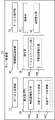
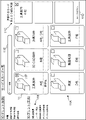
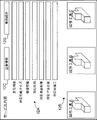
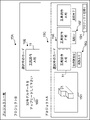
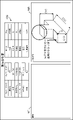
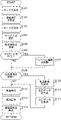
- Schematic diagram showing the overall configuration of a transaction support system Schematic block diagram of a transaction support system. Schematic block diagram of a server control unit. Schematic diagram showing a service card list screen. Schematic diagram showing a service content screen. Schematic diagram showing a supplier screen. Schematic diagram showing an example screen. Schematic diagram showing a project list screen. Schematic diagram showing a project details screen. Schematic diagram showing an article image screen. Schematic diagram showing an item list screen. Schematic diagram showing an item detail screen. Schematic diagram showing a product specification. Flowchart of transaction support flow.
- FIG. 1 shows an example of a transaction support system 100 for supporting establishment of a transaction between a supplier and a user.
- the transaction support system 100 establishes the provision requirements (eg, product specifications acceptable to the supplier) for providing services between the suppliers who provide the services and the users who request the provision of the services.
- provision requirements eg, product specifications acceptable to the supplier
- transactions include agreements to provide services, such as agreements to provide services such as manufacturing, processing, data generation, or measurement.
- Transactions also include agreements to provide other work related to the provision of services, such as quoting, writing specifications, or referrals.
- the user When establishing a transaction without using the transaction support system 100, the user searches for a supplier who can provide the service by introduction from an acquaintance or searching on the Internet. At this time, since the supply capability of each supplier is unknown, the user spends a lot of time narrowing down the suppliers that can provide the desired service from among the plurality of suppliers found. For example, there are only a few suppliers who can mass-produce products in small quantities (eg, 100 or more and less than 10,000). Specifically, a supplier that provides a service for manufacturing prototypes may not have facilities for mass-producing products, or may not be able to maintain the quality of mass-produced products.
- suppliers that provide services for mass-producing products may end up costing more if they produce a small amount of products, or they may not be able to produce them in a short period of time. Further, some suppliers do not have the facilities to manufacture products according to the product specifications desired by users.
- the transaction support system 100 the service requested by the user and the service that the supplier can provide can be matched through the information items described later.
- the service that the supplier can provide matches the service that the user requires, which simplifies the coordination work for establishing a transaction and prevents the discovery of a mismatch after the transaction is completed.
- the transaction support system 100 will be described below with reference to FIG.
- the transaction support system 100 is configured as a network system or a client server system. However, the transaction support system 100 may be composed of a single server device.
- the transaction support system 100 also includes a transaction support server 20 and a user terminal 40 and a supplier terminal 60 as clients communicably connected to the transaction support server 20 via a network 50 .
- the user terminal 40 and the supplier terminal 60 are computer devices capable of network connection.
- the user terminal 40 includes various devices capable of network connection, such as a stationary computer device 41 or a mobile terminal 42 such as a smart phone.
- supplier terminal 60 includes a device such as computer equipment 61 or mobile terminal 62 .
- the transaction support server 20 is configured as one logical server device by combining server units 21 as a plurality of computers. However, the transaction support server 20 may be composed of a single server unit 21 . Alternatively, the transaction support server 20 may be logically configured using cloud computing. The transaction support server 20 may receive user identification information identifying the user from the user terminal 40 and authenticate the user. Further, the transaction support server 20 may receive supplier identification information for identifying the supplier from the supplier terminal 60 and authenticate it.
- the transaction support server 20 may store various data uploaded by the authenticated user or supplier. In this case, the transaction support server 20 may provide the stored data to the user terminal 40 and the supplier terminal 60 . In addition, the transaction support server 20 may perform processing such as arranging for the service ordered by the user, delivering the product, and billing for the provision of the service, in response to the transaction for which the provision requirements have been determined. The transaction support server 20 may then collect fees from the user for the provision of services by the supplier. Furthermore, the transaction support server 20 may collect fees for using the transaction support system 100 from users or suppliers.
- the network 50 is configured so that the user terminal 40 and the supplier terminal 60 can be connected to the transaction support server 20 respectively.
- network 50 is configured to implement network communications using the TCP/IP protocol.
- the LAN 52 connects the transaction support server 20 and the Internet 51 .
- An Internet 51 as a WAN and a LAN 52 are connected via a router 53 .
- the user terminal 40 and the supplier terminal 60 are also configured to be connected to the Internet 51 .
- the network 50 may be a dedicated line, a telephone line, an in-house network, a mobile communication network, other communication lines, or a combination thereof, and may be wired or wireless.
- the server units 21 of the transaction support server 20 may be interconnected by the Internet 51 instead of or in addition to the LAN 52 .
- the user terminal 40 and the supplier terminal 60 are equipped with various types of computer software so that the user and the supplier can enjoy the support provided by the transaction support server 20.
- the user terminal 40 and the supplier terminal 60 are provided with a display unit, which is a display device such as a display or a touch panel, or are wired or wirelessly connected to the display unit.
- the user terminal 40 and the supplier terminal 60 may be various computer devices such as a book-type personal computer or a portable tablet terminal device.
- the transaction support server 20 guides through the user terminal 40 and the supplier terminal 60 various procedures necessary for establishing a transaction between the supplier and the user.
- the transaction support server 20 is configured as a web server that displays various web pages on the user terminal 40 and the supplier terminal 60 according to access from the user terminal 40 and the supplier terminal 60 .
- a case where the user terminal 40 and the supplier terminal 60 use web browsers to display web pages will be described below as an example.
- the transaction support server 20 guides the following procedures. First, the user accesses a web page provided by the transaction support server 20 from the user terminal 40 . Then, the transaction support server 20 authenticates the user terminal 40 using the user information stored for each user, such as the user identification information and password acquired in advance. In addition, the transaction support server 20 presents a service candidate group including a plurality of services that can be provided to the user. Each service constituting the service candidate group is associated with service information of each service used for service selection. As an example, the transaction support server 20 selects a virtual card (hereinafter also referred to as a "service card") associated with service information via card identification information for identifying each card, as a service constituting the service candidate group. , are displayed side by side on the display unit of the user terminal 40 .
- a virtual card hereinafter also referred to as a "service card”
- the user finds the service card corresponding to the desired service from among the displayed service candidates.
- the transaction support server 20 causes at least part of the service information to be displayed.
- the service information includes content information indicating the content of the service associated with the service card, supplier information for allowing the user to understand the supplier providing each service, and case information indicating examples of services provided by the supplier. contains.
- the user uses the service information to select a service card corresponding to the desired service.
- the designation by the user means, in addition to designation by operation via an input device such as a touch operation or a click operation on an icon or the like, designation by voice input or the like, or when the system is accompanied by some user operation. Includes automatic designations.
- the transaction support server 20 selects a service card and associates it with the user information.
- transaction support server 20 stores card identification information in association with user identification information. Then, when the user performs an operation to use the selected service card, the transaction support server 20 selects the selected service card as at least one project of a unit for managing a plurality of processes (or tasks) for determining provision requirements. include in one.
- the transaction support server 20 may include the service card in a newly created project, or may include the service card in an already created project.
- the transaction support server 20 displays the information items required by the supplier to determine the provision requirements. Information items are set corresponding to each service card included in the selected project, that is, each selected service.
- the user inputs request information (for example, product specifications) for specifying the user's request to the information item. Then, the user performs an operation of requesting the supplier for an estimate. Also, the transaction support server 20 saves the request information and notifies the supplier that the quotation has been requested.
- the supplier confirms the notification from the transaction support server 20 and accesses the web page provided by the transaction support server 20 from the supplier terminal 60. Then, the transaction support server 20 authenticates the supplier terminal 60 using supplier information stored for each supplier, such as previously acquired supplier identification information and password. In addition, the transaction support server 20 causes the display unit of the supplier terminal 60 to display a project list including the project for which an estimate has been requested. When the supplier selects a project for which an estimate has been requested, the transaction support server 20 displays the request information entered by the user. The supplier then confirms the requested information, enters an estimate, and replies to the user. In addition, the transaction support server 20 stores the contents of the quotation and notifies the user that the quotation has been answered. If necessary, the user or the supplier can communicate with each other using a communication function, which will be described later.
- the transaction support server 20 includes a server control unit 23 that controls the transaction support server 20, and a server memory 22 that is an example of storage means that stores the support program PG.
- the server control unit 23 is configured as a computer that combines a processor that executes various kinds of arithmetic processing and operation control according to a predetermined program and other peripheral devices.
- the transaction support server 20 also includes a server communication unit 27 that is an example of a communication device that transmits and receives data to and from the user terminal 40 and the supplier terminal 60 .
- a cloud-type database may function as the storage means.
- the processor of the server control unit 23 is a CPU (Central Processing Unit) or MPU (Micro-Processing Unit), and controls the entire transaction support server 20 based on a program stored in the server memory 22. At the same time, it also controls various processes in an integrated manner.
- the server memory 22 is a computer-readable non-temporary storage medium.
- the storage medium includes RAM (Random Access Memory), which is the system work memory for the processor to operate, ROM (Read Only Memory), HDD (Hard Disc Drive), and SSD (Solid State Drive) for storing programs and system software. ) and other storage devices.
- the processor executes processing operations such as various calculations, controls, and determinations according to a support program PG, which is an example of a computer program stored in a ROM or HDD.
- the support program PG causes the server control unit 23, which is an example of a computer, to function as each functional unit.
- the server control unit 23 is wired or wirelessly connected to an interface including a keyboard or various switches for inputting predetermined commands and data.
- a monitor for displaying the input state, setting state, measurement results, and various information of the device is connected to the server control unit 23 by wire or wirelessly.
- the server control unit 23 can be used for portable recording media such as CDs (Compact Discs), DVDs (Digital Versatile Discs), CF (Compact Flash) cards, USB (Universal Serial Bus) memories, or servers on the Internet. Control can also be performed according to a program stored in an external storage medium.
- the server control unit 23 includes a service setting unit 31 as an example of service setting means, an information item setting unit 32 as an example of information item setting means, a service selection unit 33 as an example of service selection means, and a request acquisition means.
- a request acquisition unit 34 which is an example
- a confirmation unit 36 which is an example of confirmation means.
- the request acquisition unit 34 includes an article image presentation unit 34A that is an example of an article image presentation unit, an annotation data generation unit 34B that is an example of an annotation data generation unit, and an annotation data acquisition unit that is an example of an annotation data acquisition unit. 34C and.
- the confirmation section 36 includes a communication section 36A, which is an example of communication means, and an annotation image presentation section 36B, which is an example of an annotation image presentation means.
- the server control unit 23 includes a management unit 37 as an example of management means, and an information presentation unit 38 as an example of information presentation means for presenting various information to the user or supplier.
- the unit 36B, the management unit 37, and the information presentation unit 38 function as functional units when the server control unit 23 executes the support program PG.
- Each functional unit is a logical device realized by cooperation of computer hardware and software. Note that at least part of the functional units can also be provided in the user terminal 40 or the supplier terminal 60 . Furthermore, at least part of the functional units may be provided in an external computer device. In this case, the programs of each device cooperate to function as a support program PG.
- the service setting unit 31 sets a service candidate group including a plurality of services that can be provided to the user in association with service information of each service used for service selection.
- the service setting unit 31 sets a service candidate group composed of services input by a supplier or an administrator of the transaction support server 20 in association with service information.
- a user can select a service using the service information by referring to the service information.
- AI created by machine learning can automatically select a service by referring to service information based on information obtained from the user (for example, keywords used for searches, past transaction history, etc.).
- the service setting unit 31 sets information for the user to understand each service as service information.
- the supplier sends services to be included in the service candidate group and service information corresponding to the services to the transaction support server 20 via the supplier terminal 60 .
- the service setting unit 31 sets the service as a part of the service candidate group in association with the received service information.
- the service setting unit 31 sets the service card 11 (FIG. 4) as a medium indicating information for allowing the user to grasp each service.
- the information for allowing the user to grasp each service may be a service name, an image, or a character string indicating an overview of each service.
- the service selection unit 33 presents at least some of the services included in the service candidate group to the user as options for service selection.
- the service selection unit 33 presents the user with a service card 11 indicating each service constituting the service candidate group.
- FIG. 4 is a service card list screen as an example of presentation of options by the service selection unit 33 .
- the service selection unit 33 may present a plurality of images or service names corresponding to the services side by side as information for allowing the user to grasp each service.
- the service candidate group includes goods-related services that require supplier work related to goods, such as manufacturing, processing, data creation, or measurement. Goods-related services also include goods manufacturing services that require the manufacture of goods by a supplier as work.
- the service candidate group may also include other services such as specification creation or introduction.
- the service card list screen is displayed on the display unit of the user terminal 40.
- a card column 11A in which a plurality of service cards 11 are displayed side by side is provided on the service card list screen.
- six service cards 11 are arranged in three horizontal and two vertical, but five or less or seven or more service cards 11 may be displayed.
- the user can display more service cards 11 by scrolling or the like.
- the service cards 11 may be displayed in a vertical line, a horizontal line, or arranged in another manner such as a random arrangement.
- the service card list screen is also provided with a category column 11B for displaying categories.
- the category column 11B is displayed on the left side of the card column 11A.
- examples of major categories such as "3D printing (materials)" and “3D printing (methods)" and examples of medium categories such as "metal” and "thermal fusion lamination” are provided. is displayed.
- the service card 11 includes an image related to the service, specific information for specifying the service (for example, service name or service identification information for identifying the service), the name of the supplier who provides the service, an outline of the service, and the service information. Categories and the like may be included.
- an image of a tool which is an example of an image related to a service, and a character string such as "prototype tool" as a service name or service category are displayed.
- company names from company A to company F are displayed as the names of the suppliers.
- a plurality of suppliers may provide services corresponding to one service card 11 .
- the example of FIG. 4 shows that A company and C company cooperate to provide a jig manufacturing service. Also, different suppliers may provide the same or similar services. In the example of FIG. 4, it is shown that company A and company F provide tool trial production services.
- card data 24 as an example of service information is stored in the server memory 22 (Fig. 2).
- the card data 24 includes content information 24A indicating the content of the service associated with the service card, supplier information 24B for allowing the user to grasp the supplier providing each service, and case information indicating examples of services provided by the supplier. Contains 24C.
- the content information 24A, the case information 24C and the supplier information 24B are associated with each other via the service card 11.
- content information 24A, case information 24C, and supplier information 24B are stored in association with card identification information.
- the card data 24 also includes various information necessary to display the service card 11, such as images related to services, the structure of the service card, and the display position of the service card.
- the content information 24A is displayed by the information presentation unit 38.
- the information presentation unit 38 causes the display unit of the user terminal 40 to display a web page corresponding to the operation.
- the information presentation unit 38 may display the web page as a new web page, or may display the web page side by side or superimposed on the same screen as the displayed web page.
- FIG. 5 shows a service content screen, which is an example of presentation of the content information 24A when the tool prototyping (company A) in FIG. 4 is selected.
- the service content screen is provided with a content column 12A for displaying details of the service content.
- FIG. 5 shows a service content screen, which is an example of presentation of the content information 24A when the tool prototyping (company A) in FIG. 4 is selected.
- the service content screen is provided with a content column 12A for displaying details of the service content.
- main application and “supportable size” are displayed in the content column 12A.
- images 12B of prototype tools A to C are displayed below the content column 12A.
- the service content screen is provided with a supplier icon 12C for displaying the supplier information 24B and a case icon 12D for displaying the case information 24C.
- FIG. 6 shows a supplier screen displaying supplier information 24B about company A.
- FIG. Supplier screen displays company information such as company name, location, business hours, company profile, number of employees, equipment owned, company structure, representative name, company history, business content, policy, and contact information.
- a column 13A is provided.
- FIG. 6 below the company information column 13A, there are provided a case icon 13B for displaying case information 24C and a card icon 13C for displaying content information 24A.
- the information presentation unit 38 displays the service content screen (FIG. 5).
- FIG. 7 shows a case screen displaying case information 24C about the tool prototype (A company).
- the example screen is provided with an example content column 14A for displaying the content of the example such as the processing method and application.
- images 14B of prototype tools A and B are displayed on the left side of the case content column 14A.
- the example screen is provided with a card icon 14C for displaying content information 24A and a supplier icon 14D for displaying supplier information 24B.
- the information presentation unit 38 displays the example screen (FIG. 7).
- the information presentation unit 38 displays the supplier screen (FIG. 6).
- the information item setting unit 32 sets information items required by the supplier to determine provision requirements for each service included in the service candidate group. For example, the information item setting unit 32 sets information items based on instructions from the supplier who provides the service. Specifically, the information item setting unit 32 sets information items input by the supplier or the administrator of the transaction support server 20 as items for which the user can upload, input, or select data. For example, the requirement data 26 stored in the server memory 22 includes information item data 26A indicating information items of each service. Each information item is included in the information item data 26A in association with the card identification information and the supplier identification information. The supplier can determine whether or not the provision requirements can be met based on the information input or selected by the user for the information item. This eliminates the need for the supplier to repeatedly request information from the user. Therefore, it is possible to reduce the number of times of communication between the supplier and the user, simplify the adjustment work for closing the transaction, and prevent discrepancies from being discovered after the closing of the transaction.
- the supplier sends an information item corresponding to the service to the transaction support server 20 via the supplier terminal 60.
- the information item setting unit 32 associates the received information items with the card identification information, sets them for each service, and includes them in the information item data 26A.
- information items include the user's name, contact information, name of person in charge, desired price, desired delivery date, size, tolerance, color, shape, quantity, service category, application, construction method, material, processing details, and whether post-processing is required. , details of post-treatment, presence/absence of pre-treatment, details of pre-treatment, equipment used for processing and the like.
- the user can enter or select the desired quantity of items via a pull-down or input device.
- users can also upload three-dimensional (3D) model data, two-dimensional (2D) model data, etc. for information items.
- the information item setting unit 32 sets model data for specifying the product and Set work conditions that specify the work conditions that the supplier should perform.
- the information item setting unit 32 sets information items for uploading model data such as 3D or 2D model data.
- the request acquisition unit 34 acquires data uploaded to the information item set by the information item setting unit 32 as request information.
- the information item setting unit 32 sets, as working conditions, for example, an article manufacturing or processing method, a measurement method, an article material, the presence or absence of post-processing, the presence or absence of post-processing, an apparatus used for manufacturing or processing the article, and set items such as measurement equipment.
- the information item setting unit 32 sets manufacturing conditions to be instructed for manufacturing the product as work conditions.
- the information item setting unit 32 sets manufacturing conditions such as the method of manufacturing or processing the article, the material of the article, the presence or absence of post-processing, the presence or absence of post-processing, and the equipment used for manufacturing or processing the article as work condition items. set.
- FIG. 8 is a project list screen displayed when the user has completed the selection of the service card 11 .
- the project list screen displays a new project column 15A for displaying newly created projects.
- An upload column 15B is displayed as an information item set for uploading data.
- the upload column 15B there are displayed characters "please upload 3D model data" to prompt the user to upload.
- a user can upload desired data by a drag operation and a drop operation, an operation of specifying a file, or the like.
- the user selects that there is no upload data by not uploading data.
- the upload field 15B may not be displayed.
- the project list screen displays an existing project column 15C that displays projects that have already been created.
- a plurality of existing projects constituting the past request history can be displayed in the existing project column 15C, and the user can display a desired project by scrolling operation or the like.
- thumbnail images 15D of model data uploaded by the user are displayed in the existing project column 15C.
- a selection card column 15E for displaying the service card 11 selected by the user and associated with the project is displayed.
- a status column 15F indicating the status corresponding to each service card 11 selected in the project is displayed.
- the status is "determining specifications” indicating that the work is in the process of finalizing the provision requirements and before requesting an estimate
- the status is "estimating” indicating that a request for an estimate has been made.
- the status of "estimation completed” indicating that the estimation has been completed.
- the status column 15F may display other statuses such as a service request status or a service completion status (for example, product received status).
- Each status may be indicated by an image, or may be indicated by a change in the display mode of the service card 11 (for example, a change in color, density, size, or brightness).
- a message status column 15G indicating the status of a message using a communication function, which will be described later, is displayed. If there is a message that the user has not viewed, the message status column 15G displays the characters "unread". When the user has viewed all messages, no characters are displayed in the message status column 15G. Alternatively, the word "read” may be displayed in the message status field 15G when the user has viewed all messages.
- the status of the message may be indicated by an image, or may be indicated by a change in the display mode of the service card 11 (for example, change in color, density, size, or brightness).
- FIG. 9 shows the project details screen when project A is selected.
- An information item column 16A is displayed on the project details screen, and the set information items are included in the information item column 16A.
- the information item column 16A displays items such as quantity, service category, application, construction method, material, presence/absence of post-processing, presence/absence of post-processing, and working conditions such as equipment.
- Information items other than the work conditions include contact information, requester name, project identification information (for example, management number or project ID) for identifying the requested project, and product model number.
- the service selection unit 33 selects a service to be provided according to the user's request from the service candidate group. Further, the service selection unit 33 selects a service using service information and selection information acquired based on a user's instruction. Specifically, the service selection unit 33 presents at least some of the services included in the service candidate group to the user as options for service selection. At this time, the service selection unit 33 uses the service information so that the service information is presented to the user in association with the presentation of the options. For example, the service selection unit 33 uses the service information so that the service information is displayed on part of the service card 11 . The service selection unit 33 presents the service information to the user by displaying the service information on a part of the service card 11 .
- the service selection unit 33 acquires service identification information that identifies the service selected by the user as selection information.
- the service identification information is card identification information that identifies the service card 11 .
- the service selection unit 33 acquires the card identification information of the designated service card 11 and selects a service. Then, the service selection unit 33 causes the server memory 22 to store the card identification information of the designated service card 11 .
- the user refers to the service information and designates the service card 11 found.
- the service card 11 is provided with a check box 11F, and when the user designates the service card 11, the check box 11F is checked. Then, the service selection unit 33 displays an image simulating the selected service card 11 in the selection card field 11C. Then, the service selection unit 33 acquires the card identification information of the service card 11 in the selected card column 11C.
- the service selection unit 33 may select a service according to service specifying information specified by AI's selection. In this case, the service selection unit 33 does not have to present the service card 11 as an option to the user. For example, AI may specify a service by a keyword entered by the user in the search box 11E without the service card 11 being presented. Alternatively, the user may log into the transaction support system 100 and the AI may specify the service using the user's information (for example, past transaction history) while the service card 11 is not presented. When the AI identifies the service card 11, the service selection unit 33 displays an image simulating the selected service card 11 in the selected card field 11C. Then, the service selection unit 33 acquires the card identification information of the service card 11 in the selected card column 11C.
- AI may specify a service by a keyword entered by the user in the search box 11E without the service card 11 being presented.
- the user may log into the transaction support system 100 and the AI may specify the service using the user's information (for example, past transaction history) while the service card 11 is not presented
- the management unit 37 When the selection of the service card is completed, the user designates the card confirmation icon 11D on the service card list screen. Then, according to the specification of the card confirmation icon 11D, the management unit 37 generates a project in association with the selection of the service by the service selection unit 33.
- the management unit 37 causes the server memory 22 to store the card identification information in association with the project identification information that identifies the project. This will include the selected service in the spawned project.
- the management unit 37 may associate the service selected by the service selection unit 33 with the existing project that has already been created.
- the request acquisition unit 34 acquires request information based on a user's instruction.
- the request information is information for specifying the user's request for information items set corresponding to the service selected by the service selection unit 33 .
- the request information is upload data specified by the user on the project list screen (FIG. 8).
- the requested information is information (for example, product specifications) indicated by the user selecting or inputting information items on the project details screen (FIG. 9).
- the user's instruction is not limited to an instruction by an upload, selection, or input operation.
- the user's instruction may be an instruction by an operation in which the user confirms information automatically selected or input by the system or information that is initially set.
- the request acquisition unit 34 acquires model data and work conditions based on user instructions. For example, the request acquisition unit 34 acquires 3D or 2D model data uploaded via the project list screen and work conditions selected or input via the project detail screen as request information.
- the work conditions are information that designates the conditions of work that the supplier should perform on the goods.
- the work conditions are manufacturing conditions such as a manufacturing method.
- the request acquisition unit 34 includes an article image presenting unit 34A that presents the user with an article image representing an article based on the model data.
- the article image presenting section 34A causes the display section of the user terminal 40 to display an article image indicated by the 2D model data.
- the request acquisition unit 34 acquires three-dimensional model data as model data
- the article image presenting unit 34A presents an image of an article observed from a predetermined viewpoint in the 3D model data as an article image.
- a model display column 16B is displayed on the left side of the information item column 16A in FIG.
- a 3D model 16C is displayed in the model display field 16B.
- the user can change the viewpoint for observing the 3D model 16C by specifying the viewpoint icon 16D in the model display field 16B.
- the viewpoint from which the 3D model 16C is observed may be changed by the user's operation of moving the 3D model 16C.
- the article image presenting unit 34A presents to the user an article image representing the article observed from a predetermined viewpoint based on the model data. Also, when the viewpoint is changed, the article image presenting unit 34A presents to the user an article image representing the article observed from the changed viewpoint.
- the note data generation unit 34B displays the article image screen shown in FIG.
- the article image screen includes an annotation tool 17E as a function provided by the annotation data generation unit 34B.
- the user can change the viewpoint for observing the 3D model 17C by specifying the viewpoint icon 17H.
- the article image presenting unit 34A presents the article image viewed from the changed viewpoint to the user.
- the annotation tool 17E for example, a capture icon included in the annotation tool 17E
- the article image presentation unit 34A saves the annotation image 17D and displays the thumbnail image 17I of the annotation image 17D. Thereafter, when the user designates the thumbnail image 17I of the note image 17D, the article image presenting section 34A displays the note image 17D.
- the request acquisition unit 34 includes an annotation data generation unit 34B and an annotation data acquisition unit 34C.
- the annotation data generation unit 34B generates annotation data for displaying an annotation image 17D in which annotation information is written for the article image presented by the article image presentation unit 34A, based on the user's instruction.
- Annotation information is information indicating a user's request regarding at least part of the work conditions.
- the annotation data acquisition unit 34C also acquires annotation data generated by the annotation data generation unit 34B.
- an image display column 17B is displayed on the left side of the information item column 17A in FIG.
- a 3D model 17C is displayed in the image display column 17B.
- the user adds annotation information using the annotation tool 17E and the editing tool 17F as functions provided by the annotation data generation unit 34B.
- the note data generator 34B displays the note tool 17E and the editing tool 17F on the article image screen, and the user specifies each icon of the tool to add note information. After that, the user captures or retrieves the image, and the annotation data generator 34B generates annotation data.
- the annotation tools 17E add rectangle elements, add text, add circle or ellipse elements, add line elements, add arrow elements, change colors, delete elements, and capture or retrieve images. be able to.
- the note data generation unit 34B can add a title to the note image 17D including the article image and the note information and store it in the server memory 22 .
- the note image 17D may be attached to a message created by the communication function provided by the communication section 36A. In this case, when the annotation image 17D is captured or extracted, the annotation data generation unit 34B causes the communication unit 36A to attach the annotation image 17D to the message.
- the editing tool 17F is used to delete the design and manufacturing information, switch between display and non-display of the design and manufacturing information, collectively add dimensions, add dimensions individually, set the origin, change the font size, and create a 2D drawing. be able to.
- the design/manufacturing information is information for use in designing or manufacturing, such as dimensions, origins, and tolerances.
- circle elements, arrow elements, and text are added.
- the user can inform the supplier of the position and direction in which the load is applied by means of the text "Load is applied in the direction indicated by the arrow" and the arrow element.
- the user can tell the supplier the position of the surface to be machined by means of the circle element.
- the user may be able to change the viewpoint by specifying the viewpoint icon 17H in the image display field 17B.
- the article image presenting unit 34A re-presents the image of the article observed from another viewpoint.
- the user designates the capture icon of the annotation tool 17E.
- the annotation data generation unit 34B generates annotation data for displaying the annotation image 17D including annotation information such as each element.
- the annotation data generation unit 34B generates annotation data so as to include viewpoint information specifying the viewpoint.
- the annotation data generation unit 34B stores the generated annotation data in the server memory 22.
- FIG. Since the annotation data includes the viewpoint information, when the supplier views the annotation image 17D, the annotation image 17D can be displayed from the same viewpoint as that of the user.
- a status column 17J is displayed below the image creation icon 17G, and a character string "Determining specifications" is displayed as the status corresponding to the service card 11 of the selected project.
- a request icon 17K for requesting a quote from the supplier is displayed below the status column 17J. The user designates the request icon 17K to request an estimate from the supplier.
- a note program different from the support program PG may cause the user terminal control unit 45 or the server control unit 23 to function as the article image presentation unit 34A or the note data generation unit 34B.
- the article image presentation unit 34A or the note data generation unit 34B may be provided in an external server different from the transaction support server 20.
- the note data acquisition unit 34C acquires the note data generated by the note data generation unit 34B from the external server.
- the determination unit 36 determines provision requirements for the supplier to provide the service. For example, when the user completes the input of the request information, the determination unit 36 notifies the supplier terminal 60 of the supplier associated with the project via the service card 11 of a determination request for determining the provision requirements. .
- the confirmation request can be notified to the supplier terminal 60 by a message by the communication function provided by the communication section 36A or other communication means such as e-mail.
- the supplier refers to the request information, prepares the content of the quotation, and operates the quotation reply to the user. Then, the determination unit 36 notifies the user terminal 40 of the quotation reply.
- the user downloads and confirms, for example, a written estimate as a response to the confirmation request from the transaction support server 20 on the user terminal 40 . Then, when the user confirms the contents of the quotation included in the quotation and performs a confirmation operation such as confirmation of requirements or ordering, the confirmation unit 36 confirms the supply requirements and saves confirmation information in the server memory 22 .
- the confirmation unit 36 notifies the supplier terminal 60 of a request for quotation as a confirmation request. Further, the determination unit 36 may notify the supplier terminal 60 of the project identification information of the project corresponding to the request for quotation. If there are multiple suppliers associated with the project, the determination unit 36 notifies the supplier terminals 60 of the multiple suppliers of the determination request.
- the supplier can confirm the notification by logging into the transaction support system 100 via the supplier terminal 60.
- FIG. 11 shows an item list screen displayed when logging into the transaction support system 100 .
- a number column 18A is displayed on the case list screen, and a support case column 18B and an estimate case column 18C are displayed below the number column 18A in FIG.
- the supplier can then check the quotation field 18C to confirm the notification.
- a plurality of projects may be displayed in the support item column 18B and the estimate item column 18C, and the supplier can display a desired project on the item list screen by scrolling or the like.
- the number of projects for which the supplier has not responded to the estimate the number of projects for which the estimate work is in progress, the number of projects for which the supply requirements have been confirmed and the request has been received from the user, and the number of projects from the user Displays the number of projects for which the delivery date has not been confirmed after receiving a request.
- the project for which support work occurred after the service was provided and the case item corresponding to the project are displayed.
- the project item includes information related to the project such as the name of the client and the content of the service such as "prototype tool”.
- the project item also includes the current status 18D of the project.
- statuses of "shipped”, “specification in progress”, “quotation in progress”, and “quotation completed” are displayed as the status 18D.
- a supplier chat icon 18E and information indicating whether or not there is an unread message (for example, "unread” characters displayed when there is an unread message) are displayed.
- the supplier can use the communication function provided by the communication section 36A by specifying the supplier chat icon 18E.
- the project item includes a data download icon 18F for downloading model data and a specification download icon 18G for downloading specifications.
- the supplier can download the model data uploaded by the user from the transaction support server 20 to the supplier terminal 60 by designating the data download icon 18F.
- the supplier can specify the specification download icon 18G to download the specification prepared by the supplier or the transaction support system 100 from the transaction support server 20 to the supplier terminal 60.
- FIG. Also, in FIG. 11, an answer icon 18H is displayed on the right side of each project. The supplier can specify the reply icon 18H to create a reply to the support request.
- a current status 18D, a supplier chat icon 18E, information indicating the presence or absence of unread messages, a data download icon 18F, a specification download icon 18G, and an answer icon 18H are also displayed in the quotation item column 18C.
- item items corresponding to the project in the estimate item field 18C include the estimate receipt date, estimate reply date, elapsed time, and the like.
- the confirmation unit 36 notifies the supplier of the confirmation request by displaying the project in the quotation item column 18C. Note that the confirmation unit 36 may notify the confirmation request by another notification method in addition to or in place of the quotation item column 18C.
- the supplier can specify the reply icon 18H to create a reply to the quotation request as a confirmation request.
- the supplier can create a reply on the project details screen shown in FIG.
- the determination unit 36 displays the item details screen, and displays the request information column 19A on the item details screen.
- the determination unit 36 presents the request information acquired by the request acquisition unit 34 to the supplier by displaying it in the request information column 19A.
- the user selects or inputs request information for information items required by the supplier to determine the supply requirements.
- the supplier can guide the user to select or enter the information they require. As a result, the supplier can reduce the possibility of inquiring the user.
- a project content column 19B indicating the content of the project is displayed on the upper right side.
- the supplier can check the project content column 19B to recognize the project status and the like.
- an attached data download icon 19C for downloading data attached to the message, for example, an article image attached by the communication section 36A is displayed.
- the supplier can download the attached data from the transaction support server 20 to the supplier terminal 60 by designating the attached data download icon 19C.
- an input column 19D is displayed for the supplier to enter the content of the estimate.
- the determination unit 36 causes the input field 19D to display items for the supplier to input the content of the estimate.
- the supplier inputs the unit price of the goods, the number of actual working days as the time required for delivery, and necessary remarks as the contents of the estimate.
- the quantity is entered when there is a unit price corresponding to the quantity. For example, if the unit price differs between 1 to 5 pieces and 5 or more pieces, the supplier inputs the quantity. In the example of FIG. 12, the unit price and actual working days are entered only for quantity 1.
- the input field 19D may be configured to input the unit price and the number of actual working days for each of multiple types of quantity conditions or ranges.
- the supplier can enter a character string indicating an answer, question, proposal, or the like to the user in the remarks column 19H.
- the supplier can input the quantity, unit price, actual working days, etc. in a manner that specifies the range.
- the number of working days may vary in the expected period of time until it can be provided.
- the supplier can enter a range, such as 5 to 6 days. As a result, even if there is a range in the content to be input, the estimate can be input without notifying the user of the range.
- an icon column 19E is displayed at the bottom of FIG.
- the supplier can display a preview of the quotation on the display unit of the supplier terminal 60, for example.
- the supplier performs an operation of replying to the user on the screen (not shown) on which the contents of the quotation are displayed.
- the determination unit 36 stores the quotation as the contents of the quotation and the product specifications indicating the supply requirements in the server memory 22 and notifies the user terminal 40 of the quotation reply.
- the determination unit 36 determines provision requirements based on an instruction to determine requirements from at least one of the user and the supplier. Then, the determination unit 36 stores the determined information indicating the determined provision requirements in the predetermined server memory 22 so that the user and the supplier can confirm it. For example, in order to reply to a quotation reply, the user downloads the quotation and product specifications from the transaction support server 20 to the user terminal 40 and confirms them. Then, the user confirms the quotation and the product specifications, and performs a confirmation operation as an instruction to confirm the requirements. In response to the confirming operation, the confirming unit 36 confirms the supply requirements and stores the product specifications as confirmation information indicating the confirmed supply requirements in the server memory 22 so that the user and the supplier can confirm them. In addition, the determination unit 36 stores the quotation in the server memory 22 together with the product specifications so that the user and the supplier can check it.
- the user may upload or attach the corrected quotation or product specifications to the message as requested information.
- the revised quotation or product specification is acquired by the request acquisition unit 34 and presented to the supplier by the determination unit 36 in the same manner as other request information.
- the supplier downloads and confirms the corrected quotation or product specification from the transaction support server 20 at the supplier terminal 60 .
- the supplier confirms the revised quotation or product specification, and performs a confirmation operation as an instruction to confirm the requirements.
- the confirmation unit 36 saves the product specification as confirmation information indicating the determined provision requirements in the server memory 22 so that the user and the supplier can confirm it.
- the determination unit 36 stores the quotation in the server memory 22 together with the product specifications so that the user and the supplier can check it.
- the determination unit 36 includes an annotation image presenting unit 36B that presents an annotation image 17D (FIG. 10) based on the acquired annotation data to the supplier. For example, in FIG. 12, a note data field 19F is displayed below the attached data download icon 19C. The supplier designates a thumbnail image representing the annotation image 17D displayed in the annotation data field 19F. Then, the annotation image presenting unit 36B presents the annotation image 17D to the supplier by causing the display unit of the supplier terminal 60 to display the annotation image 17D. At this time, the note image 17D presented by the note image presentation unit 36B is displayed after being edited by the user on the article image screen shown in FIG.
- the annotation image presentation unit 36B presents the annotation image 17D from the viewpoint corresponding to the viewpoint information included in the annotation data stored in the server memory 22 to the supplier.
- the annotation image presenting unit 36B refers to the viewpoint information of the annotation data, and presents the annotation image 17D so as to include the article image viewed from the viewpoint specified by the viewpoint information.
- Note image 17D includes information added by editing by the user, such as added elements and text. Therefore, the note image presenting section 36B displays these pieces of information simultaneously with the article image.
- the note data field 19F also includes an add icon 19G for adding the note image 17D to the product specification.
- the determination unit 36 adds the note image 17D to the product specification.
- the determination unit 36 stores the product specification in the server memory 22 so that the note image 17D is included in the note image column 19R at the bottom of the product specification in FIG.
- the note image 17D stored in the server memory 22 is attached to the product specification.
- the supplier may select the note image 17D to be attached to the product specification.
- the product specification is data indicating working conditions, and may be a name such as article specification, specification, manufacturing specification, or processing specification.
- the product specification includes a project content column 19S showing provision requirements and project content, and a remarks column 19T.
- the remarks column 19T shows the content of the remarks that the supplier has entered in the input column 19D of the item detail screen (FIG. 12).
- the annotation image presenting unit 36B can change the presentation mode of the annotation image 17D so that the article is displayed from a viewpoint different from the viewpoint information included in the annotation data based on the supplier's instructions. good too.
- the annotation image presenting unit 36B displays a viewpoint icon 16D as shown in FIG. 9 together with the annotation image 17D.
- the supplier can change the viewpoint by specifying the viewpoint icon 16D.
- the annotation image presentation unit 36B displays an article image of the article observed from the changed viewpoint.
- the presentation mode of the information added by editing by the user may be changed.
- the annotation image presentation unit 36B may change the position or posture of the element, or hide the element.
- the annotation image presentation unit 36B may not display the arrow element, or may change the position or posture of the element.
- the note data generator 34B may create new note data and store it in the server memory 22, or may overwrite the note data.
- the annotation image presenting unit 36B presents the annotation image 17D from the viewpoint corresponding to the viewpoint information included in the annotation data to the supplier.
- the determination unit 36 has a communication unit 36A that provides a communication function (also referred to as a communication function in this specification) for adjusting provision requirements based on request information.
- 36 A of communication parts provide a communication function with respect to a user and the supplier set corresponding to the selected service.
- a communication function is the ability to send text, voice, images or other data to and from a user and a supplier.
- a user chat icon 16F is displayed at the bottom of the project details screen shown in FIG.
- the communication section 36A displays the user chat area 17L for inputting or uploading data to be transmitted from the user to the supplier.
- the communication section 36A displays a user chat area 17L as shown in FIG.
- the user chat area 17L includes a user message field 17M, a user chat tool 17N, a user topic tool 17P, and a user transmission icon 17Q.
- the user can enter a message in the user message field 17M, and the message entered by the supplier is displayed in the user message field 17M. This allows the supplier and the user to communicate with each other.
- the user can also use the user chat tool 17N to select data to attach to a message, capture or retrieve and save an article image, and launch an annotation tool 17E. Additionally, the user can create new topics using the User Topic Tool 17P.
- 36 A of communication parts display the message of a user and a supplier for every topic. Thus, suppliers and users can interact with messages on a topic basis. After creating the message, the user designates the user transmission icon 17Q, and the communication section 36A transmits the message to the supplier.
- the supplier chat icon 18E is displayed.
- the communication section 36A displays the supplier chat area 19L for inputting or uploading data to be transmitted from the supplier to the user.
- the communication section 36A displays the supplier chat area 19L as shown in FIG.
- supplier chat area 19L includes supplier message field 19M, supplier chat tool 19N, supplier topic tool 19P, and supplier send icon 19Q.
- supplier can enter a message in the supplier message field 19M, and the message entered by the user is displayed in the supplier message field 19M. This allows the supplier and the user to communicate with each other.
- the supplier can use the supplier chat tool 19N to select data and attach it to the message.
- suppliers can create new topics using supplier topic tools 19P.
- 36 A of communication parts display the message of a user and a supplier for every topic. Then, when the message is created, the supplier designates the supplier transmission icon 19Q, and the communication section 36A transmits the message to the user.
- the communication unit 36A activates the communication function so as to give the supplier an opportunity to present the acceptance condition to the user. offer.
- a question message about the delivery date input by the user and an answer message input by the supplier are displayed in the supplier message column 19M.
- "one week” is the supplier's acceptance condition
- the communication unit 36A transmits a message including the acceptance condition to the user.
- the communication section 36A gives the supplier an opportunity to present the acceptance conditions to the user.
- the delivery date includes the actual working days described above.
- the quotation as the acceptance condition includes quantity, unit price, quality, total amount, etc.
- the communication section 36A sends a message containing the quotation to the user.
- the communication unit 36A may send the message to the user by attaching data indicating the content of the delivery date or the content of the estimate to the message.
- the mutual communication of messages by the communication unit 36A may be performed directly between the user terminal 40 and the supplier terminal 60 in real time, or may be performed via the transaction support server 20.
- FIG. A communication program different from the support program PG may cause the user terminal control section 45 or the server control section 23 to function as the communication section 36A.
- communication section 36A may be provided in an external server different from transaction support server 20 . In this case, the intercommunication of messages takes place via an external server.
- the management unit 37 generates a project in association with service selection by the service selection unit 33 .
- the management unit 37 separately manages communication via the communication unit 36A for each project so that each of the user and the supplier can select a project and communicate with each other.
- the management unit 37 generates the project data 25 ( FIG. 2 ), assigns the project identification information, and stores it in the server memory 22 .
- the management unit 37 then includes the message data 25E in the project data 25 together with the request information 25A, the fixed information 25B, the model data 25C, and the note data 25D.
- the management unit 37 includes the above item items in the project data 25 as the contents of the project.
- the communication section 36A uses the project identification information of the selected project to refer to the message data 25E included in the project data 25. Thereby, 36 A of communication parts can show a user and a supplier the message produced in the selected project. Also, when a user or a supplier creates a new message, the management unit 37 stores it in the server memory 22 by including it in the message data 25E. Thereby, the management unit 37 manages communication separately for each project.
- the server memory 22 stores a support program PG, card data 24, project data 25, and requirement data 26.
- FIG. The card data 24 is created by the supplier or the manager of the transaction support server 20, and includes content information 24A, supplier information 24B, and case information 24C in the example of FIG.
- the project data 25 also includes request information 25A, fixed information 25B, model data 25C, note data 25D, and message data 25E.
- the requirement data 26 includes information item data 26A.
- the user terminal 40 includes a user terminal control section 45 that controls the user terminal 40, and a user terminal memory 44 that is an example of a user terminal storage section that stores a control program (not shown).
- the user terminal control unit 45 is configured as a computer that combines a processor that executes various kinds of arithmetic processing and operation control according to a predetermined program and other peripheral devices.
- the user terminal 40 also includes a user terminal display 46, which is an example of a display section for displaying web pages generated by the transaction support server 20.
- the user terminal 40 includes a user terminal communication unit 47, which is an example of a communication device that transmits and receives data to and from the transaction support server 20.
- the user terminal 40 may directly transmit/receive data to/from the supplier terminal 60 through the user terminal communication unit 47 .
- the user terminal 40 also includes an input unit (not shown), which is an example of an input device including a keyboard or various switches for inputting commands and data.
- a display unit such as a touch panel may function as the input unit.
- the supplier terminal 60 includes a supplier terminal control section 65 that controls the supplier terminal 60, and a supplier terminal memory 64 that is an example of a supplier terminal storage section that stores a control program (not shown).
- the supplier terminal control unit 65 is configured as a computer that combines a processor that executes various kinds of arithmetic processing and operation control according to a predetermined program and other peripheral devices.
- the supplier terminal 60 also includes a supplier terminal display 66, which is an example of a display section that displays a web page generated by the transaction support server 20. FIG.
- the supplier terminal 60 includes a supplier terminal communication unit 67, which is an example of a communication device that transmits and receives data to and from the transaction support server 20.
- the supplier terminal 60 may directly transmit/receive data to/from the user terminal 40 through the supplier terminal communication unit 67 .
- the supplier terminal 60 also has an input unit (not shown), which is an example of an input device including a keyboard or various switches for inputting commands and data.
- a display unit such as a touch panel may function as the input unit.
- the user terminal control unit 45 and the supplier terminal control unit 65 are similar to the server control unit 23 in that they are configured as computers including processors such as CPUs. Also, the user terminal memory 44 and the supplier terminal memory 64 are similar to the server memory 22 in that they are configured as computer-readable non-temporary storage media including ROMs, HDDs, or the like. Therefore, detailed descriptions of the user terminal control unit 45 and the supplier terminal control unit 65, and the user terminal memory 44 and the supplier terminal memory 64 are omitted.
- the supplier or the administrator of the transaction support server 20 inputs information items for each set service card 11 .
- the information item setting unit 32 sets the input information item as an item for which the user can input or select request information (S102). Thereby, the information item setting unit 32 sets an information item for each service included in the service candidate group.
- the service selection unit 33 displays a service candidate group including a plurality of service cards 11 on the service card list screen (FIG. 4) of the web page accessed by the user (S103). Thereby, the service selection unit 33 presents each service included in the service candidate group to the user as an option for service selection.
- the user searches using keywords or refers to the service content screen (Fig. 5), supplier screen (Fig. 6), or example screen (Fig. 7) displayed by designating the service card 11. Then, the user selects the service card 11 corresponding to the desired service from among the plurality of service cards 11 presented. According to the selection, the service selection unit 33 acquires service identification information (for example, card identification information) that identifies the service selected by the user. Then, the service selection unit 33 selects the service specified by the service specifying information from the service candidate group (S104).
- service identification information for example, card identification information
- the management unit 37 When the selection of the service card is completed, the user designates the card confirmation icon 11D on the service card list screen. Then, the management unit 37 generates a project in association with the service selection by the service selection unit 33 . This will include the selected service in the project. Then, a project list screen ( FIG. 8 ) including the projects generated by the management unit 37 is displayed on the user terminal 40 . Furthermore, when the user selects a project on the project list screen, a project details screen (FIG. 9) is displayed. The user uploads 3D model data on the project list screen and selects or inputs request information for information items displayed on the project detail screen.
- the request acquisition unit 34 acquires the request information based on the user's instruction by acquiring the 3D model data and the information selected or input by the user (S105). This facilitates communication between users and suppliers. If the user wishes to communicate with the supplier (YES in S106), the user designates the user chat icon 16F on the project details screen. Then, the communication section 36A activates the communication function (S107) and displays the user chat area 17L (FIG. 10). When the user inputs a message and designates the user transmission icon 17Q, the communication section 36A transmits the message to the supplier.
- the article image presentation unit 34A displays an article image screen (FIG. 10).
- the article image screen includes an annotation tool 17E as a function provided by the annotation data generation unit 34B.
- the user changes the viewpoint for observing the 3D model 17C.
- the article image presentation unit 34A displays the article image observed from the changed viewpoint (S109).
- the user adds necessary elements using the annotation tool 17E.
- the user operates the annotation tool 17E to capture or extract an image, and the annotation data generation unit 34B generates annotation data for displaying the annotation image 17D (S110).
- the annotation data acquisition unit 34C acquires the generated annotation data (S111).
- the communication with the supplier and the creation of the note image 17D can be arbitrarily performed by the user. Either the communication using the communication function or the creation of the annotation data may be performed first.
- the confirmation unit 36 notifies the supplier terminal 60 of the request for quotation as a confirmation request (S112).
- the supplier grasps the project for which the estimate has been requested on the item list screen (FIG. 11). Then, the supplier designates the answer icon 18H, and the confirmation unit 36 displays the item details screen (FIG. 12).
- the request information column 19A is displayed on the item detail screen, and the supplier is prevented from requesting further information from the user. This allows the supplier to present the user's exact requirements with minimal processing.
- the note image presenting unit 36B presents the note image 17D.
- the supplier can also communicate with the user using the supplier chat area 19L.
- the supplier enters the content of the estimate via the input field 19D. Additionally, the supplier may specify an add icon 19G to add an annotation image 17D to the product specification.
- the supplier performs an operation of replying the quotation to the user.
- the determination unit 36 stores the quotation as the contents of the quotation and the product specifications indicating the supply requirements in the server memory 22, and notifies the user terminal 40 of the quotation reply (S113).
- the user downloads the quotation and product specifications from the transaction support server 20 to the user terminal 40 and confirms them. If there is no problem, the user performs a confirmation operation as an instruction to confirm the requirements.
- the determination unit 36 determines the provision requirements (S114), and stores the product specifications as determination information indicating the determined provision requirements in the server memory 22 so that the user and the supplier can confirm them. This ends the processing.
- the confirmation operation by the user may be an operation of ordering the provision of the service. The operation can be performed on an order screen (not shown) displayed by the confirmation unit 36 .
- the transaction support system 100 it is possible to match the service requested by the user with the service that the supplier can provide.
- the service that the supplier can provide matches the service that the user requires, which simplifies the coordination work for establishing a transaction and prevents the discovery of a mismatch after the transaction is completed.
- each functional unit included in the transaction support server 20 may be provided in at least one of the user terminal 40 and the supplier terminal 60.
- the request acquisition unit 34 may be provided in the user terminal 40 , and the user terminal 40 may transmit the acquired request information to the transaction support server 20 or the supplier terminal 60 .
- the supplier terminal 60 may be provided with the confirmation unit 36 , and the supplier terminal memory 64 may store the confirmation information indicating the determined supply requirement in the supplier terminal memory 64 . In this case, the supplier terminal 60 may transmit the confirmation information to the transaction support server 20 or the supplier terminal 60 .
- the support program PG and the control program of at least one of the user terminal 40 and the supplier terminal 60 work together to function as a computer program for the transaction support system 100 .
- the transaction support system 100 is composed of the transaction support server 20 and at least one of the user terminal 40 and the supplier terminal 60 .
- the transaction support server 20 may further have a function of automatically creating quotation content.
- the supplier can check the estimate created by this function, make necessary corrections, and then reply to the estimate.
- an article may be an article configured by combining a plurality of parts, or an integrated article. Also, the article may be an assembly such as a module or unit that is incorporated into a finished product to exhibit its function.
- a server device for determining provision requirements for providing the service between a supplier who provides the service and a user who requests the provision of the service, and for assisting establishment of a transaction between the supplier and the user.
Landscapes
- Business, Economics & Management (AREA)
- Engineering & Computer Science (AREA)
- Strategic Management (AREA)
- Accounting & Taxation (AREA)
- Human Resources & Organizations (AREA)
- Finance (AREA)
- Economics (AREA)
- Physics & Mathematics (AREA)
- Theoretical Computer Science (AREA)
- General Physics & Mathematics (AREA)
- Development Economics (AREA)
- General Business, Economics & Management (AREA)
- Marketing (AREA)
- Entrepreneurship & Innovation (AREA)
- Tourism & Hospitality (AREA)
- Game Theory and Decision Science (AREA)
- Quality & Reliability (AREA)
- Operations Research (AREA)
- Educational Administration (AREA)
- Primary Health Care (AREA)
- General Health & Medical Sciences (AREA)
- Health & Medical Sciences (AREA)
- Manufacturing & Machinery (AREA)
- Computer Graphics (AREA)
- Geometry (AREA)
- Software Systems (AREA)
- Data Mining & Analysis (AREA)
- Management, Administration, Business Operations System, And Electronic Commerce (AREA)
Priority Applications (4)
| Application Number | Priority Date | Filing Date | Title |
|---|---|---|---|
| KR1020237008347A KR20230048137A (ko) | 2021-03-12 | 2022-02-10 | 거래 지원 시스템, 거래 지원 시스템의 컴퓨터 프로그램이 기억된 기억매체, 및 거래 지원 시스템의 제어 방법 |
| CN202280006317.9A CN116171454A (zh) | 2021-03-12 | 2022-02-10 | 交易辅助系统、交易辅助系统的计算机程序以及交易辅助系统的控制方法 |
| DE112022000107.0T DE112022000107T5 (de) | 2021-03-12 | 2022-02-10 | Transaktionsassistenzsystem, computerprogramm für transaktionsassistenzsystem und verfahren zur steuerung eines transaktionsassistenzsystems |
| US18/044,543 US20230334597A1 (en) | 2021-03-12 | 2022-02-10 | Transaction assistance system, computer program for transaction assistance system, and method of control for transaction assistance system |
Applications Claiming Priority (2)
| Application Number | Priority Date | Filing Date | Title |
|---|---|---|---|
| JP2021-039925 | 2021-03-12 | ||
| JP2021039925A JP7465235B2 (ja) | 2021-03-12 | 2021-03-12 | 取引支援システム、取引支援システムのコンピュータプログラム、及び取引支援システムの制御方法 |
Publications (1)
| Publication Number | Publication Date |
|---|---|
| WO2022190757A1 true WO2022190757A1 (ja) | 2022-09-15 |
Family
ID=83227572
Family Applications (1)
| Application Number | Title | Priority Date | Filing Date |
|---|---|---|---|
| PCT/JP2022/005279 Ceased WO2022190757A1 (ja) | 2021-03-12 | 2022-02-10 | 取引支援システム、取引支援システムのコンピュータプログラム、及び取引支援システムの制御方法 |
Country Status (6)
| Country | Link |
|---|---|
| US (1) | US20230334597A1 (https=) |
| JP (3) | JP7465235B2 (https=) |
| KR (1) | KR20230048137A (https=) |
| CN (1) | CN116171454A (https=) |
| DE (1) | DE112022000107T5 (https=) |
| WO (1) | WO2022190757A1 (https=) |
Families Citing this family (2)
| Publication number | Priority date | Publication date | Assignee | Title |
|---|---|---|---|---|
| JP2025151547A (ja) * | 2024-03-28 | 2025-10-09 | 株式会社ミスミ | 製造支援システム、制御プログラム、制御方法及び端末装置 |
| JP2026057307A (ja) * | 2024-09-20 | 2026-04-02 | 株式会社ミスミ | 取引支援システム、取引支援方法、プログラム |
Citations (3)
| Publication number | Priority date | Publication date | Assignee | Title |
|---|---|---|---|---|
| JP2001357245A (ja) * | 2000-04-10 | 2001-12-26 | Portal Corp | 電子商取引仲介方法、システム及びデータベース |
| US20010056379A1 (en) * | 2000-04-10 | 2001-12-27 | Kazuya Fujinaga | Electronic commerce broking system |
| JP2018025950A (ja) * | 2016-08-09 | 2018-02-15 | 株式会社ミスミ | 自動見積方法、サーバ及び自動見積システム |
Family Cites Families (13)
| Publication number | Priority date | Publication date | Assignee | Title |
|---|---|---|---|---|
| JP3619643B2 (ja) * | 1997-10-01 | 2005-02-09 | 株式会社アマダ | インターネットを利用した板金加工の受発注システム |
| JP2001306632A (ja) | 2000-04-24 | 2001-11-02 | Abnet Corp | 住宅設計・見積支援装置及び方法並びに施工工務店支援方法 |
| JP2001357241A (ja) | 2000-06-15 | 2001-12-26 | Mori Seiki Co Ltd | ネットワークを介した加工仲介システム |
| JP2002056049A (ja) * | 2000-08-08 | 2002-02-20 | Maeda Corp | 作業者マッチングシステム、方法、及びこれを用いた建築リテールシステム |
| CN1392988A (zh) | 2000-09-22 | 2003-01-22 | 本田技研工业株式会社 | 零件维护材料检索系统和服务器、用户终端、及用于该系统的记录介质 |
| US7904348B2 (en) | 2004-05-05 | 2011-03-08 | Eplus Systems, Inc. | System and method for eCatalog supplier portal |
| US9269102B2 (en) | 2009-05-21 | 2016-02-23 | Nike, Inc. | Collaborative activities in on-line commerce |
| AU2014232218B2 (en) | 2013-03-15 | 2019-12-19 | Bushel Stop, Inc. | Method and system for designing goods |
| JP5753621B1 (ja) | 2014-09-19 | 2015-07-22 | 株式会社ミスミ | 自動見積り方法、サーバ、及び、自動見積りシステム。 |
| CN108074034B (zh) * | 2016-11-18 | 2023-07-18 | 株式会社倍乐生思泰服务 | 服务辅助装置、服务辅助方法以及程序 |
| JP7163104B2 (ja) * | 2018-08-23 | 2022-10-31 | 株式会社日立製作所 | サプライチェーン業務プロセス最適化装置およびサプライチェーン業務支援方法 |
| JP7302244B2 (ja) * | 2019-04-05 | 2023-07-04 | コベルコ建機株式会社 | スキル情報提示システム及びスキル情報提示方法 |
| JP2021039925A (ja) | 2019-09-05 | 2021-03-11 | 東京エレクトロン株式会社 | プラズマプローブ装置、プラズマ処理装置及び制御方法 |
-
2021
- 2021-03-12 JP JP2021039925A patent/JP7465235B2/ja active Active
-
2022
- 2022-02-10 WO PCT/JP2022/005279 patent/WO2022190757A1/ja not_active Ceased
- 2022-02-10 KR KR1020237008347A patent/KR20230048137A/ko active Pending
- 2022-02-10 CN CN202280006317.9A patent/CN116171454A/zh not_active Withdrawn
- 2022-02-10 US US18/044,543 patent/US20230334597A1/en active Pending
- 2022-02-10 DE DE112022000107.0T patent/DE112022000107T5/de active Pending
-
2024
- 2024-03-29 JP JP2024055377A patent/JP7737499B2/ja active Active
- 2024-03-29 JP JP2024055391A patent/JP7737500B2/ja active Active
Patent Citations (4)
| Publication number | Priority date | Publication date | Assignee | Title |
|---|---|---|---|---|
| JP2001357245A (ja) * | 2000-04-10 | 2001-12-26 | Portal Corp | 電子商取引仲介方法、システム及びデータベース |
| US20010056379A1 (en) * | 2000-04-10 | 2001-12-27 | Kazuya Fujinaga | Electronic commerce broking system |
| JP2018025950A (ja) * | 2016-08-09 | 2018-02-15 | 株式会社ミスミ | 自動見積方法、サーバ及び自動見積システム |
| WO2018030070A1 (ja) * | 2016-08-09 | 2018-02-15 | 株式会社ミスミ | 自動見積方法、サーバ及び自動見積システム |
Also Published As
| Publication number | Publication date |
|---|---|
| CN116171454A (zh) | 2023-05-26 |
| US20230334597A1 (en) | 2023-10-19 |
| JP7465235B2 (ja) | 2024-04-10 |
| JP2022139505A (ja) | 2022-09-26 |
| KR20230048137A (ko) | 2023-04-10 |
| DE112022000107T5 (de) | 2023-05-11 |
| JP2024083395A (ja) | 2024-06-21 |
| JP2024083394A (ja) | 2024-06-21 |
| JP7737500B2 (ja) | 2025-09-10 |
| JP7737499B2 (ja) | 2025-09-10 |
Similar Documents
| Publication | Publication Date | Title |
|---|---|---|
| JP5161267B2 (ja) | 画面カスタマイズ支援システム、画面カスタマイズ支援方法、および画面カスタマイズ支援プログラム | |
| EP3907682A1 (en) | Digital workspace sharing over one or more display clients and authorization protocols for collaboration systems | |
| JP7737500B2 (ja) | 取引支援システム、取引支援システムのコンピュータプログラム、及び取引支援システムの制御方法 | |
| US20190102472A1 (en) | Systems and methods for generating a resource preview in a communication session | |
| US11750672B2 (en) | Digital workspace sharing over one or more display clients in proximity of a main client | |
| JP2002169986A (ja) | 商談仲介装置、商談仲介方法及び商談仲介プログラムを記憶したコンピュータが読み取り可能な記憶媒体 | |
| JP4793819B2 (ja) | 情報管理システム、情報管理方法及び情報管理プログラム | |
| KR102581333B1 (ko) | 향상된 온라인 리서치를 위한 시스템 및 방법 | |
| JP7658041B1 (ja) | 情報処理システム、情報処理方法及びプログラム | |
| JP7297003B2 (ja) | 支援システム、支援システムのコンピュータプログラム、及び支援システムの制御方法 | |
| JP7399430B2 (ja) | 知財情報管理システム、及び知財情報管理システムの知財情報提供方法 | |
| JP7337314B2 (ja) | 情報処理方法、情報処理システムおよびプログラム | |
| JP2002133264A (ja) | 商品情報提示方法及び装置 | |
| JP2022071904A (ja) | 建築物イメージ共有システム | |
| CN113438147A (zh) | 一种群组管理方法及装置 | |
| JP5226889B2 (ja) | インターネットを用いて特許調査の仲介を行うためのサーバ機、サーバ機の情報開示方法、及び記録媒体 | |
| KR20150045319A (ko) | 태그 편집 방법, 이를 수행하는 웹 서버, 웹 클라이언트 및 웹 시스템 | |
| US20250245628A1 (en) | Time/date adjustment apparatus, time/date adjustment method, and storage medium storing program | |
| JP2004172838A (ja) | 情報処理装置、情報処理システム、共有資料の作成方法、及びそのプログラム | |
| KR20000054063A (ko) | 인터넷 미팅 방법 및 인터넷 미팅 웹사이트에서 선물 판매방법 | |
| CA3222519A1 (en) | Advanced platform for hosting physical and virtual events | |
| JP2025146641A (ja) | 検索システム、プログラム、検索方法、および顧客選定システム | |
| JP2002304552A (ja) | 商品情報管理方法、商品管理サーバ、媒体及びプログラム | |
| EP3180755A2 (en) | Method of making suggestions on products, services or content based on plans, activities and user profile | |
| JP2013149142A (ja) | 情報処理装置、コンテンツ管理方法及びプログラム |
Legal Events
| Date | Code | Title | Description |
|---|---|---|---|
| 121 | Ep: the epo has been informed by wipo that ep was designated in this application |
Ref document number: 22766722 Country of ref document: EP Kind code of ref document: A1 |
|
| ENP | Entry into the national phase |
Ref document number: 20237008347 Country of ref document: KR Kind code of ref document: A |
|
| 122 | Ep: pct application non-entry in european phase |
Ref document number: 22766722 Country of ref document: EP Kind code of ref document: A1 |