WO2024024079A1 - 表示制御装置及び表示制御方法 - Google Patents
表示制御装置及び表示制御方法 Download PDFInfo
- Publication number
- WO2024024079A1 WO2024024079A1 PCT/JP2022/029276 JP2022029276W WO2024024079A1 WO 2024024079 A1 WO2024024079 A1 WO 2024024079A1 JP 2022029276 W JP2022029276 W JP 2022029276W WO 2024024079 A1 WO2024024079 A1 WO 2024024079A1
- Authority
- WO
- WIPO (PCT)
- Prior art keywords
- display
- content
- combination
- display control
- control device
- Prior art date
- Legal status (The legal status is an assumption and is not a legal conclusion. Google has not performed a legal analysis and makes no representation as to the accuracy of the status listed.)
- Ceased
Links
Images


Classifications
-
- B—PERFORMING OPERATIONS; TRANSPORTING
- B29—WORKING OF PLASTICS; WORKING OF SUBSTANCES IN A PLASTIC STATE IN GENERAL
- B29C—SHAPING OR JOINING OF PLASTICS; SHAPING OF MATERIAL IN A PLASTIC STATE, NOT OTHERWISE PROVIDED FOR; AFTER-TREATMENT OF THE SHAPED PRODUCTS, e.g. REPAIRING
- B29C45/00—Injection moulding, i.e. forcing the required volume of moulding material through a nozzle into a closed mould; Apparatus therefor
- B29C45/17—Component parts, details or accessories; Auxiliary operations
- B29C45/1774—Display units or mountings therefor; Switch cabinets
-
- G—PHYSICS
- G06—COMPUTING OR CALCULATING; COUNTING
- G06F—ELECTRIC DIGITAL DATA PROCESSING
- G06F3/00—Input arrangements for transferring data to be processed into a form capable of being handled by the computer; Output arrangements for transferring data from processing unit to output unit, e.g. interface arrangements
- G06F3/01—Input arrangements or combined input and output arrangements for interaction between user and computer
- G06F3/048—Interaction techniques based on graphical user interfaces [GUI]
- G06F3/0484—Interaction techniques based on graphical user interfaces [GUI] for the control of specific functions or operations, e.g. selecting or manipulating an object, an image or a displayed text element, setting a parameter value or selecting a range
- G06F3/04847—Interaction techniques to control parameter settings, e.g. interaction with sliders or dials
-
- G—PHYSICS
- G09—EDUCATION; CRYPTOGRAPHY; DISPLAY; ADVERTISING; SEALS
- G09G—ARRANGEMENTS OR CIRCUITS FOR CONTROL OF INDICATING DEVICES USING STATIC MEANS TO PRESENT VARIABLE INFORMATION
- G09G5/00—Control arrangements or circuits for visual indicators common to cathode-ray tube indicators and other visual indicators
- G09G5/14—Display of multiple viewports
-
- B—PERFORMING OPERATIONS; TRANSPORTING
- B29—WORKING OF PLASTICS; WORKING OF SUBSTANCES IN A PLASTIC STATE IN GENERAL
- B29C—SHAPING OR JOINING OF PLASTICS; SHAPING OF MATERIAL IN A PLASTIC STATE, NOT OTHERWISE PROVIDED FOR; AFTER-TREATMENT OF THE SHAPED PRODUCTS, e.g. REPAIRING
- B29C45/00—Injection moulding, i.e. forcing the required volume of moulding material through a nozzle into a closed mould; Apparatus therefor
- B29C45/17—Component parts, details or accessories; Auxiliary operations
- B29C45/76—Measuring, controlling or regulating
- B29C2045/7606—Controlling or regulating the display unit
-
- G—PHYSICS
- G06—COMPUTING OR CALCULATING; COUNTING
- G06F—ELECTRIC DIGITAL DATA PROCESSING
- G06F2203/00—Indexing scheme relating to G06F3/00 - G06F3/048
- G06F2203/048—Indexing scheme relating to G06F3/048
- G06F2203/04803—Split screen, i.e. subdividing the display area or the window area into separate subareas
Definitions
- the present invention relates to a display control device and a display control method.
- Japanese Unexamined Patent Publication No. 2001-145947 discloses a display device in which the display screen of an injection molding machine display is divided into two to provide two screen areas.
- the present invention aims to solve the above-mentioned problems.
- a first aspect of the present invention is a display control device that controls a display device that displays one of a plurality of contents having information regarding molding in each of a plurality of display areas
- the display control device is a registration unit that registers one or more combinations of the content to be simultaneously displayed in each of two or more display areas among the plurality of display areas in registration information stored in a storage unit; and a content display unit that selects one of the combinations registered in the registration information and displays the content in each of the display areas according to the selected combination.
- a second aspect of the present invention is a display control method for controlling a display device that displays one of a plurality of contents having information regarding molding in each of a plurality of display areas, the display control method a registration step of registering one or more combinations of the content to be displayed in each of two or more display areas among the plurality of display areas in registration information stored in a storage unit; , a content display step of selecting one of the combinations registered in the registration information and displaying the content in each of the display areas according to the selected combination.
- the burden on the user can be reduced when the display on the display screen is switched.
- FIG. 1 is a block diagram of an injection molding machine.
- FIG. 2 is a diagram showing an example of a display screen of a display device.
- FIG. 3 is a diagram showing a combination selection window.
- FIG. 4 is a diagram showing an example of a display screen of the display device.
- FIG. 5 is a diagram showing combinations associated with the first selection button.
- FIG. 6 is a diagram showing combinations associated with the second selection button.
- FIG. 7 is a diagram showing combinations associated with the third selection button.
- FIG. 8 is a diagram showing a combination registration window and a content selection window.
- FIG. 9 is a diagram showing the combination registration window.
- FIG. 10 is a flowchart showing display control processing executed in the display control device.
- FIG. 11 is a diagram showing a combination registration window and a content selection window.
- FIG. 12 is a diagram showing a combination registration window and a content selection window.
- FIG. 13 is a diagram showing a combination selection window.
- FIG. 1 is a block diagram of an injection molding machine 10. As shown in FIG. The injection molding machine 10 has an input device 12, a display device 14, a storage device 16, and a display control device 18.
- the input device 12 is a touch panel of a touch panel display.
- the display device 14 is a liquid crystal display of a touch panel display.
- the input device 12 may be, for example, a keyboard, a pointing device, etc. instead of a touch panel.
- the display device 14 may be, for example, an organic electroluminescent display instead of a liquid crystal display.
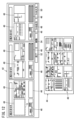
- FIG. 2 is a diagram showing an example of the display screen 20 of the display device 14.
- the display screen 20 is divided into four display areas 22.
- the four display areas 22 are a first display area 22a, a second display area 22b, a third display area 22c, and a fourth display area 22d.
- Content having information regarding molding is displayed in each of the four display areas 22.
- the contents include, for example, information regarding automatic mold thickness, information regarding automatic purge, information regarding process monitoring, information regarding production management, information regarding injection measurement, information regarding mold operation eject, and the like.
- content A is displayed in the first display area 22a.
- Content B is displayed in the second display area 22b.
- Content C is displayed in the third display area 22c.
- Content D is displayed in the fourth display area 22d.
- a plurality of contents are prepared to be displayed in each of the display areas 22.
- the content displayed in each display area 22 can be switched to another content.
- the storage device 16 is a hard disk, solid state drive, or the like.
- the storage device 16 stores a molding condition file having information on molding conditions set in the injection molding machine 10, and the like.
- the display control device 18 controls the display device 14 to display content in each of the display areas 22.
- the display control device 18 includes a calculation section 24 and a storage section 26.
- the calculation unit 24 is, for example, a processor such as a CPU (Central Processing Unit) or a GPU (Graphics Processing Unit).
- the calculation unit 24 includes a registration unit 28 and a content display unit 30.
- the registration unit 28 and the content display unit 30 are realized by the calculation unit 24 executing a program stored in the storage unit 26 .
- At least a portion of the registration unit 28 and the content display unit 30 may be realized by an integrated circuit such as an ASIC (Application Specific Integrated Circuit) or an FPGA (Field-Programmable Gate Array).
- At least a portion of the registration section 28 and the content display section 30 may be realized by an electronic circuit including a discrete device.
- the storage unit 26 is composed of a volatile memory (not shown) and a nonvolatile memory (not shown), which are computer readable storage media.
- the volatile memory is, for example, RAM (Random Access Memory).
- Examples of nonvolatile memory include ROM (Read Only Memory) and flash memory. Data etc. are stored in volatile memory, for example. Programs, tables, maps, etc. are stored in, for example, non-volatile memory.
- At least a portion of the storage unit 26 may be included in the above-described processor, integrated circuit, or the like. At least a portion of the storage unit 26 may be installed in a device connected to the display control device 18 via a network.
- the display control device 18 can output information to a storage medium 19 external to the display control device 18.
- the display control device 18 can input information from a storage medium 19 external to the display control device 18 .
- the registration unit 28 registers a combination of contents to be simultaneously displayed in each of the display areas 22 in the registration information.
- the registration unit 28 registers one or more combinations in registration information.
- the registration information is stored in the storage unit 26.
- the content display unit 30 selects one combination from among the content combinations registered in the registration information.
- the content display unit 30 displays content in each of the display areas 22 according to the selected content combination.
- a switch/registration button 32 is displayed on the display screen 20.
- a combination selection window 34 is displayed on the display screen 20 (FIG. 3).
- operating the switching/registration button 32 refers to an operation of tapping the position on the display screen 20 where the switching/registration button 32 is displayed.
- operating the switching/registration button 32 means moving the mouse cursor to the switching/registration button 32 and clicking it.
- FIG. 3 is a diagram showing the combination selection window 34.
- the combination selection window 34 displays a cancel button 36, a registration button 38, and a combination selection button 40.
- the combination selection window 34 closes.
- the registration button 38 will be explained in detail later.
- three combination selection buttons 40 are displayed in the combination selection window 34.
- the three combination selection buttons 40 are a first selection button 40a, a second selection button 40b, and a third selection button 40c.
- the content displayed in each of the first display area 22a and the second display area 22b is switched.
- FIG. 4 is a diagram showing an example of the display screen 20 of the display device 14.
- the display on the display screen 20 switches from FIG. 2 to FIG. 4.
- the content displayed in the first display area 22a is switched from content A to content E.
- the content displayed in the second display area 22b is switched from content B to content F.
- a combination name is displayed on each of the combination selection buttons 40.
- the combination name is a name given to each content combination registered in the registration information by the registration unit 28.
- Combination A is given “setup screen” as the combination name.
- Combination B is given a "mass production screen” as the combination name.
- Combination C is given "condition setting screen” as the combination name.
- the combination name may be given any name by the user.
- Each of the combination selection buttons 40 is associated with a content combination corresponding to a combination name.
- FIG. 5 is a diagram showing combination A (“setup screen”) linked to the first selection button 40a.
- combination A a combination of content E to be displayed in the first display area 22a and content F to be displayed in the second display area 22b is registered in the registration information.
- the display in the first display area 22a is switched to content E. Further, the display in the second display area 22b is switched to the content F.
- the content to be displayed in the third display area 22c and the content to be displayed in the fourth display area 22d are not registered.
- the same content C as the content displayed in the third display area 22c of FIG. 2 is displayed in the third display area 22c.
- the same content D as the content displayed in the fourth display area 22d in FIG. 2 is displayed in the fourth display area 22d.
- FIG. 6 is a diagram showing combination B ("mass production screen") linked to the second selection button 40b.
- combination B a combination of content G to be displayed in the first display area 22a, content H to be displayed in the second display area 22b, and content I to be displayed in the third display area 22c is registered in the registration information.
- the display in the first display area 22a is switched to content G. Furthermore, the display in the second display area 22b switches to content H. Furthermore, the display in the third display area 22c is switched to content I.
- the display in the fourth display area 22d does not change.
- FIG. 7 is a diagram showing the combination C (“condition setting screen”) linked to the third selection button 40c.
- combination C content J to be displayed in the first display area 22a
- content K to be displayed in the second display area 22b content L to be displayed in the third display area 22c
- content M to be displayed in the fourth display area 22d The combination with is registered in the registration information.
- the display in the first display area 22a is switched to content J. Furthermore, the display in the second display area 22b is switched to content K. Further, the display in the third display area 22c is switched to the content L. Furthermore, the display in the fourth display area 22d is switched to content M.
- the registration unit 28 sets a combination of contents to be displayed in each of the display areas 22 based on information input by the user.
- the registration unit 28 registers the set content combination in registration information.
- a combination registration window 42 and a content selection window 44 are displayed on the display screen 20.
- FIG. 8 is a diagram showing the combination registration window 42 and content selection window 44.
- the combination registration window 42 displays a display area selection button 46, a file output button 48, a file input button 50, a completion button 52, and a delete button 54.
- Each of the display area selection buttons 46 is associated with a first display area 22a, a second display area 22b, a third display area 22c, and a fourth display area 22d for each content combination.
- the display area selection button 46 By operating the display area selection button 46, the user can select the display area 22 corresponding to the display area selection button 46.
- the content selection window 44 displays content selection buttons 49 corresponding to each content that can be displayed in the selected display area 22.
- the content name is displayed on the content selection button 49.
- a content name is assigned to each content.
- the user operates the display area selection button 46 surrounded by a square S with two-dot chain lines in FIG. Thereafter, the user operates a content selection button 49 surrounded by a square T with two-dot chain lines.
- content N (“peripheral device”) is set in the first display area 22a of combination A.
- the registration unit 28 When the user operates the file output button 48, the registration unit 28 outputs the registration information to the storage medium 19 (FIG. 1) external to the display control device 18.
- the registration unit 28 sets a combination of contents to be displayed in each of the display areas 22 based on information input from the storage medium 19.
- the registration unit 28 registers the set content combination in the registration information.
- FIG. 9 is a diagram showing the combination registration window 42.
- the display of the combination registration window 42 switches from the display shown in FIG. 8 to the display shown in FIG. 9.
- the combination registration window 42 displays a combination deletion button 56, a content deletion button 58, and a completion button 60.
- the content deletion button 58 When the user operates the content deletion button 58, the content included in the combination registered in the registration information is deleted from the combination for each content.
- FIG. 10 is a flowchart showing display control processing executed in the display control device 18. The display control process is repeatedly executed at a predetermined period.
- step S1 the content display unit 30 determines whether the switch/registration button 32 has been operated. If the switching/registration button 32 is operated, the process moves to step S2. If the switching/registration button 32 is not operated, the display control process ends.
- step S2 the content display unit 30 displays the combination selection window 34 on the display device 14. After that, the process moves to step S3.
- step S3 the content display unit 30 determines whether the combination selection button 40 has been operated. If the combination selection button 40 is operated, the process moves to step S4. If the combination selection button 40 is not operated, the process moves to step S5.
- step S4 the content display unit 30 displays content in each of the display areas 22 based on the combination linked to the operated combination selection button 40. Thereafter, the display control process ends.
- step S5 the registration unit 28 determines whether the registration button 38 has been operated. If the registration button 38 is operated, the process moves to step S6. If the registration button 38 has not been operated, the process moves to step S8.
- step S6 the registration unit 28 causes the display device 14 to display the combination registration window 42.
- step S7 the registration unit 28 sets a combination of contents to be displayed in each of the display areas 22 based on information input by the user.
- the registration unit 28 registers the set combination in registration information. Thereafter, the display control process ends.
- step S8 the registration unit 28 determines whether the cancel button 36 has been operated. If the cancel button 36 is operated, the process moves to step S9. If the cancel button 36 is not operated, the display control process ends.
- step S9 the content display section 30 closes the combination selection window 34. Thereafter, the display control process ends.
- the registration unit 28 may perform the following process instead of the process in step S7.
- the registration unit 28 sets a combination of contents to be displayed in each of the display areas 22 based on information input from the storage medium 19. Further, the registration unit 28 registers the set combination in registration information.
- the registration unit 28 registers in the registration information a combination of contents to be simultaneously displayed in each of two or more display areas 22 among the plurality of display areas 22.
- One or more combinations are registered in the registration information.
- the content display unit 30 selects one combination from among the content combinations registered in the registration information.
- the content display unit 30 displays content in each of the display areas 22 according to the selected combination.
- the display control device 18 can reduce the user's work burden when the contents of the plurality of display areas 22 are switched.
- the registration unit 28 causes the display device 14 to display the content name corresponding to each content.
- the registration unit 28 sets a combination of contents to be displayed in each of the display areas 22 based on the content names selected by the user.
- the registration unit 28 registers the set content combination in registration information. Thereby, the display control device 18 can make the user easily understand the contents of the content based on the content name.
- the registration unit 28 deletes the registration for each combination of content registered in the registration information. Furthermore, the display control device 18 can reduce the user's work burden when deleting the registration of a combination.
- the registration unit 28 deletes each content included in the content combination registered in the registration information from the combination. Therefore, the display control device 18 can reduce the user's work burden when deleting content from a combination.
- the registration unit 28 sets a combination name for each content combination registered in the registration information. Therefore, the display control device 18 can make the user easily understand the contents of the combination based on the combination name.
- the registration unit 28 sets a combination of contents to be displayed in each of the display areas 22 based on information input from a storage medium 19 external to the display control device 18. .
- the registration unit 28 registers the set content combination in registration information. This eliminates the need for the user to input information when the registration unit 28 sets a content combination. As a result, the display control device 18 can reduce the user's work burden when setting the combination of content to be displayed in each of the display areas 22.
- the registration unit 28 outputs the registration information to the storage medium 19 external to the display control device 18. This allows the registration information output to the external storage medium 19 to be used in another device. As a result, the display control device 18 can reduce the user's work burden when the user uses registered information on another device.
- the content display unit 30 selects a combination of content to be displayed in each of the display areas 22 based on information input by the user. Thereby, the display control device 18 can display a combination of contents desired by the user in each of the display areas 22.
- the content display unit 30 selects a combination of content to be displayed in each of the display areas 22 based on the combination name selected by the user. Thereby, the display control device 18 can make the user easily understand the contents of the content combination based on the combination name.
- FIG. 11 is a diagram showing the combination registration window 42 and content selection window 44.
- the registration unit 28 causes the content selection window 44 to display a content selection button 49, as shown in FIG.
- the registration unit 28 causes these content selection buttons 49 to display content names.
- the registration unit 28 causes the content selection window 44 to display content names in a list format.
- the user selects the content name displayed in list format. This makes it easier for the user to find the content name corresponding to the desired content. As a result, the display control device 18 can reduce the user's work burden when selecting the content desired by the user.
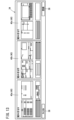
- FIG. 12 is a diagram showing the combination registration window 42 and content selection window 44.
- the registration unit 28 causes the content selection window 44 to display a content selection button 49, as shown in FIG.
- the registration unit 28 causes these content selection buttons 49 to display content names.
- the registration unit 28 causes the content selection button 49 to display a content image.
- the content image is an image that imitates the display content of the content.
- the user can recognize the display content of the content from the content image. Therefore, the user can easily search for the content selection button 49 corresponding to the desired content. Thereby, the display control device 18 can reduce the user's work burden when selecting the content desired by the user.
- FIG. 13 is a diagram showing the combination selection window 34.
- the content display unit 30 displays a combination name on the combination selection button 40, as shown in FIG.
- the content display section 30 causes the combination selection button 40 to display a combination image, as shown in FIG.
- the combined image is an image that imitates the content displayed in each of the display areas 22.
- the user can recognize the content included in the combination from the combined image. Therefore, the user can easily search for the combination selection button 40 that corresponds to the desired combination of contents. Thereby, the display control device 18 can reduce the burden of work on the user when selecting a combination of contents desired by the user.
- the content display unit 30 selects a combination of content to be displayed in each of the display areas 22 based on information input by the user.
- the content display section 30 may select a combination of content to be displayed in each of the display areas 22 based on the state of the injection molding machine 10.
- the state of the injection molding machine 10 is, for example, an alarm state or a mass production state.
- the mass production state refers to a state in which the injection molding machine 10 completes the dumping and the injection molding machine 10 molds a product.
- the display control device 18 can display content according to the state of the injection molding machine 10 in each of the display areas 22.
- the content display unit 30 sets the combination of content to be displayed in each of the display areas 22 based on information input by the user.
- the content display unit 30 may set the combination of content to be displayed in each of the display areas 22 based on information included in the molding condition file.
- the molding condition file has information on molding conditions corresponding to the mold attached to the injection molding machine 10. Further, the molding condition file has information regarding the combination of contents displayed in each of the display areas 22. A combination of contents corresponding to molding conditions is set in advance and saved in a molding condition file. The molding condition file is stored in the storage device 16 (FIG. 1).
- the injection molding machine 10 reads the molding condition file stored in the storage device 16.
- the injection molding machine 10 sets molding conditions based on the information in the molding condition file.
- the registration unit 28 acquires information regarding the combination of contents included in the read molding condition file.
- the registration unit 28 sets a combination of contents to be displayed in each of the display areas 22 based on the acquired information regarding the combination of contents.
- the registration unit 28 registers the set combination in registration information.
- the registration unit 28 can register the combination of contents corresponding to the molding conditions in the registration information.
- the display control device 18 can display content corresponding to the molding conditions set in the injection molding machine 10 in each of the display areas 22.
- a display control device (18) that controls a display device (14) that displays one of a plurality of contents having information regarding molding in each of a plurality of display areas (22), the display control device registers one or more of the combinations of the content to be simultaneously displayed in each of two or more of the plurality of display areas in the registration information stored in the storage unit (26). a registration unit (28) for selecting one of the combinations registered in the registration information, and a content display unit (28) for displaying the content in each of the display areas according to the selected combination; 30). Thereby, the display control device can reduce the burden of the user's work when the contents of a plurality of display areas are switched.
- the registration unit causes the display device to display a content name corresponding to each of the contents or a content image corresponding to each of the contents, and the content name selected by the user;
- the combination of the content to be displayed in each of the two or more display areas may be set based on the content image selected by the user, and the set combination may be registered in the registration information.
- the display control device can make the user easily understand the contents of the content based on the content name or the content image.
- the registration unit may delete the registration of each of the combinations registered in the registration information. Thereby, the display control device can reduce the user's work burden when deleting the registration of a combination.
- the registration unit may delete each content included in the combination registered in the registration information from the combination. Thereby, the display control device can reduce the user's work burden when deleting content from a combination.
- the registration unit may set a combination name for each of the combinations registered in the registration information. Thereby, the display control device can make the user easily understand the contents of the combination based on the combination name.
- the registration unit is configured to register two or more of the display areas based on information input from a storage medium (19) external to the display control device or information input by a user.
- the combination of the contents to be displayed on each may be set, and the set combination may be registered in the registration information.
- the display control device reduces the burden of work on the user when setting a combination of contents to be displayed in each display area. It can be reduced.
- the display control device can set the content combination desired by the user.
- the registration unit may output the registration information to a storage medium external to the display control device.
- the display control device can reduce the user's work burden when the user uses registered information on another device.
- each of the molding condition files having information on the molding conditions of the injection molding machine (10) includes information regarding the combination, and when the molding condition file is read in the injection molding machine,
- the registration unit sets the combination of the content to be displayed in each of the two or more display areas based on information regarding the combination included in the read molding condition file, and the registration unit sets the combination of the content to be displayed in each of the two or more display areas. It may also be registered in the registration information.
- the display control device can display content corresponding to the molding conditions set in the injection molding machine in each of the display areas.
- the content display section may select the combination based on information input by the user or the state of the injection molding machine.
- the display control device can display a combination of contents desired by the user in each of the display areas. Further, the display control device can display a combination of contents in each display area depending on the state of the injection molding machine.
- the content display section displays a combination name corresponding to each of the combinations registered in the registration information or a combination image corresponding to each of the combinations registered in the registration information.
- the content display unit may select the combination based on the combination name selected by the user or the combination image selected by the user. Thereby, the display control device can make the user easily understand the contents of the content combination based on the combination name or the combination image.
- the state of the injection molding machine may be an alarm state or a state in which a product is molded.
- the display control device can display content according to the state of the injection molding machine in each display area.
- a display control method for controlling a display device that displays one of a plurality of contents having information regarding molding in each of a plurality of display areas comprising: a registration step of registering one or more combinations of the content to be displayed in each of the two or more display areas in registration information stored in a storage unit; The method further comprises a content display step of selecting one of the combinations and displaying the content in each of the display areas according to the selected combination. This can reduce the user's work burden when the content in multiple display areas is switched.
- the registration step causes the display device to display a content name corresponding to each of the contents or a content image corresponding to each of the contents, and the content name selected by the user;
- the combination of the content to be displayed in each of the two or more display areas may be set based on the content image selected by the user, and the set combination may be registered in the registration information. . This allows the user to easily understand the content based on the content name or content image.
- the registration step may delete the registration of each combination registered in the registration information. Thereby, when deleting the registration of a combination, the user's work burden can be reduced.
- the registration step may delete each content included in the combination registered in the registration information from the combination. Thereby, when deleting content from a combination, the user's work burden can be reduced.
Landscapes
- Engineering & Computer Science (AREA)
- Theoretical Computer Science (AREA)
- General Engineering & Computer Science (AREA)
- Physics & Mathematics (AREA)
- General Physics & Mathematics (AREA)
- Human Computer Interaction (AREA)
- Computer Hardware Design (AREA)
- Manufacturing & Machinery (AREA)
- Mechanical Engineering (AREA)
- Injection Moulding Of Plastics Or The Like (AREA)
- User Interface Of Digital Computer (AREA)
Abstract
Description
[射出成形機の構成]
図1は、射出成形機10のブロック図である。射出成形機10は、入力装置12、表示装置14、記憶装置16及び表示制御装置18を有する。
表示領域22の各々に表示されるコンテンツの切り替え方法について説明する。本実施形態の表示制御装置18では、ユーザが1回のコンテンツ切替操作を行うことにより、2以上の表示領域22の各々に表示されるコンテンツを同時に切り替えることが可能である。
組み合せの登録方法について説明する。本実施形態の表示制御装置18では、登録部28は、ユーザにより入力される情報に基づいて、表示領域22の各々に表示されるコンテンツの組み合せを設定する。登録部28は、設定したコンテンツの組み合せを登録情報に登録する。
図10は、表示制御装置18において実行される表示制御処理を示すフローチャートである。表示制御処理は、所定の周期で繰り返し実行される。
従来、ユーザが表示領域22に表示されるコンテンツを切り替える場合、ユーザは、表示領域22の各々に対して、個別にコンテンツを切り替える操作を行う必要があった。そのため、複数の表示領域22の各々に表示されるコンテンツが切り替えられる場合において、ユーザの作業の負担が大きい問題がある。
図11は、組み合せ登録ウインドウ42及びコンテンツ選択ウインドウ44を示す図である。
図12は、組み合せ登録ウインドウ42及びコンテンツ選択ウインドウ44を示す図である。
図13は、組み合せ選択ウインドウ34を示す図である。
第1実施形態の表示制御装置18では、コンテンツ表示部30は、ユーザにより入力される情報に基づいて、表示領域22の各々に表示させるコンテンツの組み合せを選択する。これに対し、コンテンツ表示部30は、射出成形機10の状態に基づいて、表示領域22の各々に表示させるコンテンツの組み合せを選択してもよい。
上記実施形態から把握しうる発明について、以下に記載する。
16…記憶装置 18…表示制御装置
19…記憶媒体 22…表示領域
26…記憶部 28…登録部
30…コンテンツ表示部
Claims (15)
- 複数の表示領域(22)の各々に、成形に関する情報を有する複数のコンテンツのうち1つの前記コンテンツを表示する表示装置(14)を制御する表示制御装置(18)であって、
複数の前記表示領域のうち2つ以上の前記表示領域の各々に同時に表示させる前記コンテンツの組み合せについて、1つ又は複数の当該組み合せを、記憶部(26)に記憶される登録情報に登録する登録部(28)と、
前記登録情報に登録された前記組み合せの中から1つの前記組み合せを選択し、選択した前記組み合せにしたがって、前記表示領域の各々に前記コンテンツを表示させるコンテンツ表示部(30)と、
を有する、表示制御装置。 - 請求項1に記載の表示制御装置において、
前記登録部は、
前記コンテンツの各々に対応するコンテンツ名称、又は、前記コンテンツの各々に対応するコンテンツ画像を前記表示装置に表示させ、
ユーザにより選択された前記コンテンツ名称、又は、前記ユーザにより選択された前記コンテンツ画像に基づいて、2つ以上の前記表示領域の各々に表示させる前記コンテンツの前記組み合せを設定し、設定した前記組み合せを前記登録情報に登録する、表示制御装置。 - 請求項1又は2に記載の表示制御装置において、
前記登録部は、前記登録情報に登録された前記組み合せについて、前記組み合せ毎に登録を削除する、表示制御装置。 - 請求項1~3のいずれか1項に記載の表示制御装置において、
前記登録部は、前記登録情報に登録された前記組み合せに含まれる前記コンテンツについて、前記コンテンツ毎に前記組み合せから削除する、表示制御装置。 - 請求項1~4のいずれか1項に記載の表示制御装置において、
前記登録部は、前記登録情報に登録された前記組み合せの各々に対して組み合せ名称を設定する、表示制御装置。 - 請求項1~5のいずれか1項に記載の表示制御装置において、
前記登録部は、前記表示制御装置の外部の記憶媒体(19)から入力される情報、又は、ユーザにより入力される情報に基づいて、2つ以上の前記表示領域の各々に表示させる前記コンテンツの前記組み合せを設定し、設定した前記組み合せを前記登録情報に登録する、表示制御装置。 - 請求項1~6のいずれか1項に記載の表示制御装置において、
前記登録部は、前記登録情報を、前記表示制御装置の外部の記憶媒体に出力する、表示制御装置。 - 請求項1~7のいずれか1項に記載の表示制御装置において、
射出成形機(10)の成形条件の情報を有する成形条件ファイルの各々に、前記組み合せに関する情報が含まれ、
前記射出成形機において前記成形条件ファイルが読み込まれた場合、前記登録部は、読み込まれた前記成形条件ファイルに含まれる前記組み合せに関する情報に基づいて、2つ以上の前記表示領域の各々に表示させる前記コンテンツの前記組み合せを設定し、設定した前記組み合せを前記登録情報に登録する、表示制御装置。 - 請求項1~8のいずれか1項に記載の表示制御装置において、
前記コンテンツ表示部は、ユーザにより入力される情報、又は、射出成形機の状態に基づいて、前記組み合せを選択する、表示制御装置。 - 請求項1~9のいずれか1項に記載の表示制御装置において、
前記コンテンツ表示部は、前記登録情報に登録された前記組み合せの各々に対応する組み合せ名称、又は、前記登録情報に登録された前記組み合せの各々に対応する組み合せ画像を前記表示装置に表示させ、
前記コンテンツ表示部は、ユーザにより選択された前記組み合せ名称、又は、前記ユーザにより選択された前記組み合せ画像に基づいて、前記組み合せを選択する、表示制御装置。 - 請求項9に記載の表示制御装置において、
前記射出成形機の状態は、アラーム状態、又は、製品を成形する状態である、表示制御装置。 - 複数の表示領域の各々に、成形に関する情報を有する複数のコンテンツのうち1つの前記コンテンツを表示する表示装置を制御する表示制御方法であって、
複数の前記表示領域のうち2つ以上の前記表示領域の各々に表示させる前記コンテンツの組み合せについて、1つ又は複数の当該組み合せを、記憶部に記憶される登録情報に登録する登録ステップと、
前記登録情報に登録された前記組み合せの中から1つの前記組み合せを選択し、選択した前記組み合せにしたがって、前記表示領域の各々に前記コンテンツを表示させるコンテンツ表示ステップと、
を有する、表示制御方法。 - 請求項12に記載の表示制御方法において、
前記登録ステップは、
前記コンテンツの各々に対応するコンテンツ名称、又は、前記コンテンツの各々に対応するコンテンツ画像を前記表示装置に表示させ、
ユーザにより選択された前記コンテンツ名称、又は、前記ユーザにより選択された前記コンテンツ画像に基づいて、2つ以上の前記表示領域の各々に表示させる前記コンテンツの前記組み合せを設定し、設定した前記組み合せを前記登録情報に登録する、表示制御方法。 - 請求項12又は13に記載の表示制御方法において、
前記登録ステップは、前記登録情報に登録された前記組み合せについて、前記組み合せ毎に登録を削除する、表示制御方法。 - 請求項12~14のいずれか1項に記載の表示制御方法において、
前記登録ステップは、前記登録情報に登録された前記組み合せに含まれる前記コンテンツについて、前記コンテンツ毎に前記組み合せから削除する、表示制御方法。
Priority Applications (4)
| Application Number | Priority Date | Filing Date | Title |
|---|---|---|---|
| CN202280098432.3A CN119585097A (zh) | 2022-07-29 | 2022-07-29 | 显示控制装置及显示控制方法 |
| PCT/JP2022/029276 WO2024024079A1 (ja) | 2022-07-29 | 2022-07-29 | 表示制御装置及び表示制御方法 |
| JP2024536724A JPWO2024024079A1 (ja) | 2022-07-29 | 2022-07-29 | |
| DE112022007274.1T DE112022007274T5 (de) | 2022-07-29 | 2022-07-29 | Anzeigesteuervorrichtung und Anzeigesteuerverfahren |
Applications Claiming Priority (1)
| Application Number | Priority Date | Filing Date | Title |
|---|---|---|---|
| PCT/JP2022/029276 WO2024024079A1 (ja) | 2022-07-29 | 2022-07-29 | 表示制御装置及び表示制御方法 |
Publications (1)
| Publication Number | Publication Date |
|---|---|
| WO2024024079A1 true WO2024024079A1 (ja) | 2024-02-01 |
Family
ID=89705893
Family Applications (1)
| Application Number | Title | Priority Date | Filing Date |
|---|---|---|---|
| PCT/JP2022/029276 Ceased WO2024024079A1 (ja) | 2022-07-29 | 2022-07-29 | 表示制御装置及び表示制御方法 |
Country Status (4)
| Country | Link |
|---|---|
| JP (1) | JPWO2024024079A1 (ja) |
| CN (1) | CN119585097A (ja) |
| DE (1) | DE112022007274T5 (ja) |
| WO (1) | WO2024024079A1 (ja) |
Citations (5)
| Publication number | Priority date | Publication date | Assignee | Title |
|---|---|---|---|---|
| JP2004160958A (ja) * | 2002-11-08 | 2004-06-10 | Mitsubishi Heavy Ind Ltd | 射出成形のマンマシン・インタフェース、及び、射出成形の安定化方法 |
| JP2013202855A (ja) * | 2012-03-27 | 2013-10-07 | Sumitomo Heavy Ind Ltd | 射出成形機及び情報表示方法 |
| JP2014148088A (ja) * | 2013-02-01 | 2014-08-21 | Japan Steel Works Ltd:The | 射出成形機の画面 |
| WO2014192048A1 (ja) * | 2013-05-31 | 2014-12-04 | 三菱重工プラスチックテクノロジー株式会社 | 射出成形機の制御装置、及び、画面表示方法 |
| JP2022031472A (ja) * | 2019-11-08 | 2022-02-18 | 株式会社日本製鋼所 | 射出成形機、射出成形機の表示方法および射出成形機の表示装置の表示方法 |
-
2022
- 2022-07-29 WO PCT/JP2022/029276 patent/WO2024024079A1/ja not_active Ceased
- 2022-07-29 CN CN202280098432.3A patent/CN119585097A/zh active Pending
- 2022-07-29 DE DE112022007274.1T patent/DE112022007274T5/de active Pending
- 2022-07-29 JP JP2024536724A patent/JPWO2024024079A1/ja active Pending
Patent Citations (5)
| Publication number | Priority date | Publication date | Assignee | Title |
|---|---|---|---|---|
| JP2004160958A (ja) * | 2002-11-08 | 2004-06-10 | Mitsubishi Heavy Ind Ltd | 射出成形のマンマシン・インタフェース、及び、射出成形の安定化方法 |
| JP2013202855A (ja) * | 2012-03-27 | 2013-10-07 | Sumitomo Heavy Ind Ltd | 射出成形機及び情報表示方法 |
| JP2014148088A (ja) * | 2013-02-01 | 2014-08-21 | Japan Steel Works Ltd:The | 射出成形機の画面 |
| WO2014192048A1 (ja) * | 2013-05-31 | 2014-12-04 | 三菱重工プラスチックテクノロジー株式会社 | 射出成形機の制御装置、及び、画面表示方法 |
| JP2022031472A (ja) * | 2019-11-08 | 2022-02-18 | 株式会社日本製鋼所 | 射出成形機、射出成形機の表示方法および射出成形機の表示装置の表示方法 |
Also Published As
| Publication number | Publication date |
|---|---|
| CN119585097A (zh) | 2025-03-07 |
| JPWO2024024079A1 (ja) | 2024-02-01 |
| DE112022007274T5 (de) | 2025-04-30 |
Similar Documents
| Publication | Publication Date | Title |
|---|---|---|
| KR920004773B1 (ko) | 정보처리 장치 | |
| JPH10307574A (ja) | グラフ表示機能付き電子計算機 | |
| JP5488058B2 (ja) | グラフ表示装置及びプログラム | |
| JP2011118493A (ja) | プラント監視制御システム | |
| US10044888B2 (en) | Image forming apparatus and control method thereof | |
| JP2506120B2 (ja) | 画像表示方法 | |
| JP4198004B2 (ja) | 画像分類プログラム、画像分類装置 | |
| WO2024024079A1 (ja) | 表示制御装置及び表示制御方法 | |
| JPS6162128A (ja) | 階層型メニユ−表示制御方式 | |
| JPH06337768A (ja) | 階層構造データの表示システム及び表示方法 | |
| JP2006227721A (ja) | パラメータ設定支援装置およびパラメータの表示方法 | |
| JP7553584B2 (ja) | データ作成装置およびデータ作成システム | |
| JP2859214B2 (ja) | 簡易化機能選択メニュー方式 | |
| KR101886986B1 (ko) | 엔지니어링 툴 프로그램 및 엔지니어링 툴 | |
| JP3732776B2 (ja) | 電子測定装置 | |
| JP4217638B2 (ja) | 操作ガイダンス生成装置及び操作ガイダンス生成プログラム | |
| JP2013030146A (ja) | 数式入力装置及びプログラム | |
| JPH08179749A (ja) | グラフ表示装置 | |
| US5136506A (en) | System for controlling the display of data related to the status of input data including prevention of status data updates if the speed at which data is input exceeds an established limit | |
| JPH0417002A (ja) | シーケンス・プログラムのサーチ方式 | |
| JP2002054953A (ja) | 測定装置 | |
| JPS63233816A (ja) | 射出成形機の成形デ−タ設定・表示方式 | |
| JPH06168001A (ja) | 画像表示による制御データの設定,変更装置 | |
| JPH06214710A (ja) | タブレットメニューの登録方法 | |
| JPH02111995A (ja) | 複数カーソルによる入力データ処理表示方法 |
Legal Events
| Date | Code | Title | Description |
|---|---|---|---|
| 121 | Ep: the epo has been informed by wipo that ep was designated in this application |
Ref document number: 22953167 Country of ref document: EP Kind code of ref document: A1 |
|
| WWE | Wipo information: entry into national phase |
Ref document number: 2024536724 Country of ref document: JP |
|
| WWE | Wipo information: entry into national phase |
Ref document number: 112022007274 Country of ref document: DE |
|
| WWE | Wipo information: entry into national phase |
Ref document number: 202280098432.3 Country of ref document: CN |
|
| WWP | Wipo information: published in national office |
Ref document number: 202280098432.3 Country of ref document: CN |
|
| WWP | Wipo information: published in national office |
Ref document number: 112022007274 Country of ref document: DE |
|
| 122 | Ep: pct application non-entry in european phase |
Ref document number: 22953167 Country of ref document: EP Kind code of ref document: A1 |