WO2017149602A1 - 情報処理装置、情報処理方法、プログラム、記憶媒体 - Google Patents
情報処理装置、情報処理方法、プログラム、記憶媒体 Download PDFInfo
- Publication number
- WO2017149602A1 WO2017149602A1 PCT/JP2016/056056 JP2016056056W WO2017149602A1 WO 2017149602 A1 WO2017149602 A1 WO 2017149602A1 JP 2016056056 W JP2016056056 W JP 2016056056W WO 2017149602 A1 WO2017149602 A1 WO 2017149602A1
- Authority
- WO
- WIPO (PCT)
- Prior art keywords
- image
- video
- thumbnail
- thumbnail image
- moving image
- Prior art date
- Legal status (The legal status is an assumption and is not a legal conclusion. Google has not performed a legal analysis and makes no representation as to the accuracy of the status listed.)
- Ceased
Links
Images





Classifications
-
- H—ELECTRICITY
- H04—ELECTRIC COMMUNICATION TECHNIQUE
- H04N—PICTORIAL COMMUNICATION, e.g. TELEVISION
- H04N21/00—Selective content distribution, e.g. interactive television or video on demand [VOD]
- H04N21/20—Servers specifically adapted for the distribution of content, e.g. VOD servers; Operations thereof
- H04N21/25—Management operations performed by the server for facilitating the content distribution or administrating data related to end-users or client devices, e.g. end-user or client device authentication, learning user preferences for recommending movies
- H04N21/258—Client or end-user data management, e.g. managing client capabilities, user preferences or demographics, processing of multiple end-users preferences to derive collaborative data
-
- G—PHYSICS
- G06—COMPUTING OR CALCULATING; COUNTING
- G06F—ELECTRIC DIGITAL DATA PROCESSING
- G06F16/00—Information retrieval; Database structures therefor; File system structures therefor
Definitions
- the present invention relates to an information processing apparatus, an information processing method, a program, and a storage medium, for example, a technique for presenting a moving image on a web page as a thumbnail image.
- thumbnail image corresponding to the moving image content is often displayed.
- the user can know the content of the video, for example, what kind of product the video is, and can be used as a judgment material for whether or not to play the video. obtain.
- Patent Document 1 describes that thumbnails corresponding to the content of a moving image are generated by automatically selecting an image (frame) in the moving image.
- Japanese Patent Application Laid-Open No. H10-228707 describes that thumbnail display control is performed based on whether or not a document is an important page.
- thumbnail image When a moving image is presented as a thumbnail image, the phenomenon that the moving image is easily reproduced or is not easily reproduced occurs depending on the thumbnail image. It can be considered that the thumbnail image itself has a variety of functions for attracting moving image reproduction. That is, if a thumbnail image with a high appeal to the user is used for a moving image, the reproduction frequency of the moving image increases. However, if a thumbnail image with a low appeal power is used, the thumbnail image is hardly reproduced. On the other hand, what kind of thumbnail image the user wants to play a moving image is different for each individual user. Therefore, it is difficult to determine what image should be used as a thumbnail image when a moving image is posted on a web page.
- an object of the present invention is to perform thumbnail display suitable for each individual user while making it possible to use a thumbnail having a high function of attracting moving image reproduction as much as possible.
- the information processing apparatus is a browsing status management for storing and managing browsing status for each user for a web page with a moving image that uses a thumbnail image corresponding to the moving image content as a moving image presenting image that presents a reproducible moving image. And when a browsing of the target web page is requested by the terminal device, a thumbnail image to be used as a video presentation image is selected according to the past browsing status of the accessing user according to the request, and the web page A display control unit that is set as a video presentation image in the image, and a determination unit that determines, for each video, a thumbnail image that is presumed to have a high attracting function for a video playback operation among a plurality of corresponding thumbnail images. .
- the presentation control unit selects an initial thumbnail image as a moving image presentation image when the access user performs the first thumbnail image viewing for each moving image during the determination period, and the accessing user performs the second and subsequent thumbnail image viewing.
- the thumbnail image presented at the time of playing the movie is selected as a movie presentation image, and the accessing user can view thumbnail images for the second and subsequent times.
- the accessing user determines that the moving image has not been reproduced in the past, at least a thumbnail image other than the initial thumbnail image is selected as a moving image presentation image.
- the thumbnail image determined by the determination unit is selected as the video presentation image, and the access user has determined that the video has been played back in the past
- the thumbnail image presented at the time of reproducing the moving image is selected as the moving image presenting image. That is, when a moving image is presented as a thumbnail image on a web page, a thumbnail image to be a moving image presenting image is selected and set for each user, for each period, and depending on whether or not the user reproduces the moving image.
- the browsing status management unit presents, as a browsing status for each user, at least whether or not a thumbnail image is browsed on a web page, whether or not a video is played, and when a video is played, for each video. It is desirable to manage the thumbnail images. That is, the presence / absence of browsing of thumbnail images on the web page, the presence / absence of moving image reproduction, and the thumbnail image presented at the time of moving image reproduction are managed for each combination of the user and the moving image.
- the determination unit counts, for each moving image, the number of times that the moving image has been reproduced in the determination period for each of the presented thumbnail images, and proceeds to a moving image reproduction operation based on the counted result. It is conceivable to determine a thumbnail image that is presumed to have a high attracting function. The number of playback operations for each thumbnail image is counted from the time when the moving image is posted on the web page until the determination period elapses. This is because the counting result is considered to directly indicate the reproduction attraction function of each thumbnail.
- the determination unit is a terminal device used for browsing a thumbnail image that is presumed to have a high attracting function to a moving image reproduction operation among a plurality of corresponding thumbnail images for each moving image.
- the presentation control unit determines whether the access user uses the device type used for browsing the web page. It is conceivable that the thumbnail image determined by the section is selected as the moving image presentation image.
- the thumbnail image attraction function is determined for each device type (for example, type 1 device: smartphone, type 2 device: PC, etc.).
- thumbnail image having a high attracting function in the first type device and a thumbnail image having a high attracting function in the second type device are determined. Then, after the determination period has elapsed, when a web page access request is made, the thumbnail images are selectively used according to the device type of the terminal device.
- the determination period may be a predetermined period from the start of moving image posting on a web page. By passing through the initial determination period, the determination unit determines a high thumbnail that is presumed to have a high function for attracting a moving image reproduction operation.
- the determination period is set a plurality of times regularly or irregularly for each moving image.
- the determination period is set several times such as every several months.
- the presentation control unit is a case where, for each video, an access user is to browse thumbnail images for the second time or later in the determination period, and the access user has not played back a video in the past.
- the video is a product introduction video
- the thumbnail image corresponding to the video content includes an image or text generated on the product page of the product introduced by the video It is possible.
- a frame of a moving image may be taken out, or a material of a product page may be used.
- the information processing method is an information processing method executed by the information processing apparatus, targeting a web page with a moving image using a thumbnail image corresponding to the moving image content as a moving image presenting image for presenting a reproducible moving image
- a browsing status management step for storing and managing each browsing status and browsing of the target web page
- a moving image presentation image is set according to the past browsing status of the accessing user related to the request. It is presumed that the presentation control step of selecting a thumbnail image and setting it as the moving image presentation image on the web page and the function of attracting the moving image reproduction operation among a plurality of corresponding thumbnail images for each moving image are high.
- a determination step of determining a thumbnail image, and in the presentation control step, for each moving image, an access user is determined during the determination period.
- the user selects the initial thumbnail image as the video presentation image, and the access user views the thumbnail image for the second time or later, and the access user has played the video in the past. If it is determined that the thumbnail image that was presented at the time of the video playback is selected as the video presentation image and the access user is to view the thumbnail image for the second time or later, the access user has not played back the video in the past.
- a program according to the present invention is a program that causes an information processing apparatus to execute the processing of each step as the information processing method.
- a storage medium according to the present invention is a storage medium storing the above program. The above information processing apparatus is realized by these programs and storage media.
- the present invention since a moving image is presented to a user who has already reproduced a certain moving image by a thumbnail image at the time of reproduction, it is easy to recognize that the moving image has already been viewed. For unreproduced users, the use of thumbnails with a high function for attracting moving image reproduction increases the possibility of reproduction. Thus, the reproduction of moving images can be promoted, and the provision of information to the user can be activated.
- Product Product that is the subject of commercial transactions on the electronic commerce system. This includes not only products as physical items but also products as various services.
- Video For example, video content that is posted on a website provided by an electronic commerce system, such as a video that introduces a product. The video on the web page is presented as a thumbnail image except during playback. In addition, it is only an example shown as embodiment about making the moving image regarding goods into object. It is also known that when the video posting area is displayed on the screen in the browser, the thumbnail state automatically shifts from the thumbnail state to the video playback state. Not subject.
- the object to be processed is to start moving image reproduction by a user operation.
- FIG. 1 shows a configuration example of a network system that functions as an EC (electronic commerce) system that realizes a virtual shopping street in which a plurality of stores open.
- the EC system according to the present embodiment enables an electronic commerce server (hereinafter referred to as “EC server”) 3, a plurality of store terminals 4, and a plurality of user terminals 5 to communicate with each other via a network 1. It is connected.
- the EC server 3 can access the electronic commerce database 6.
- database is referred to as “DB”.
- the EC server 3 is given as an example of the information processing apparatus as claimed in the claims of the present invention.
- the EC server 3 is realized by one or a plurality of information processing apparatuses. Therefore, the information processing apparatus according to the claims of the present invention is realized by one information processing apparatus or a plurality of information processing apparatuses in cooperation.
- the configuration of the network 1 is assumed.
- the Internet, intranet, extranet, LAN (Local Area Network), CATV (Community Antenna TeleVision) communication network, virtual private network, telephone line network, mobile communication network, satellite communication network, etc. are assumed.
- the Various examples of transmission media constituting all or part of the network 1 are also envisaged.
- IEEE Institute of Electrical and Electronics Engineers 1394, USB (Universal Serial Bus), power line carrier, telephone line etc. wired, infrared such as IrDA (Infrared Data Association), Bluetooth (registered trademark), 802.11 wireless It can also be used by radio such as a mobile phone network, satellite line, and digital terrestrial network.
- the EC server 3 is a virtual shopping mall server that functions as a portal for a virtual shopping mall, for example.
- the EC server 3 executes processing based on the processing request received from the store terminal 4 or the user terminal 5. For example, providing search pages for products and services to users, providing store pages for each store, searching for products and services according to user searches, displaying a list of search results, advertising on each page, and recommended products for users Etc., processing related to product purchase, store management, user management, etc.
- the store terminal 4 is shown as an information processing device used at a store opening a store in a virtual shopping mall.
- the store terminal 4 is used for registering information on products sold in the virtual shopping mall in the electronic commerce DB 6 via the EC server 3.
- a dedicated screen provided from the EC server 3 is displayed on the display unit of the store terminal 4.
- the person in charge of the store registers product information and the like in the electronic commerce DB 6 via this dedicated screen.
- the user terminal 5 is shown as an information processing apparatus operated by a user who purchases goods and services using a virtual shopping mall.
- the user terminal 5 is realized by an information processing apparatus such as a personal computer, a mobile phone, or a portable information terminal.
- the EC server 3 starts an HTTP (Hypertext Transfer Protocol) daemon.
- the store terminal 4 or the user terminal 5 starts a browser, and the store terminal 4 or the user terminal 5 transmits a processing request (HTTP request) to the EC server 3 via the browser.
- HTTP request a processing request
- HTTP response a processing result corresponding to the processing request is transmitted to the store terminal 4 or the user terminal 5.
- page data described in a web page description language is transmitted to the store terminal 4 or the user terminal 5.
- the web page (screen) based on a processing result is displayed on the display part of the shop terminal 4 or the user terminal 5.
- the EC server 3 provides a web page as a virtual shopping mall to the user terminal 5 through such operations, and performs product search, product presentation, advertisement presentation, settlement processing, etc. in response to a request from the user terminal 5.
- the EC server 3 performs the same operation on the store terminal 4 as well, providing a product registration page, registering a product in response to a request from the store terminal 4, and the like.
- Information necessary for the EC server 3 to perform these processes is stored in the electronic commerce DB 6.
- a user DB 6a a store DB 6b, a product DB 6c, an advertisement DB 6d, a moving image DB 6e, and a user behavior DB 6f are shown.
- DBs necessary for functioning as a portal of a virtual shopping mall.
- data related to users who use the virtual shopping mall is registered. For example, for each registered user, a user ID (identification) which is user identification information, a login password, an address, a name, attribute information such as sex and age, payment information, an e-mail address, and the like are registered.
- data relating to the history of transactions performed in the virtual shopping mall is registered as the purchase history of each user. For example, for each user ID, the product ID of the purchased product, information about the product, the purchase store, the purchase date and time, the purchase price, and the like are registered. Furthermore, browsing history of each user, favorite registration information, and the like are also stored.
- the store DB 6b data related to stores that open in the virtual shopping mall is registered. For example, for each store, store ID, name, address, telephone number as store identification information, link information (URL (Uniform Resource Locator)) to a web page (store page) related to the store, and the like are registered. Data related to products handled in the virtual shopping mall is registered in the product DB 6c. For example, in the product table 6b, for each product (including services), a product ID as product identification information, a store ID of a store selling the product, a product category, a name, a price, a stock, a web page (product) Link information (URL) to (page) is registered.
- Advertisement information registered by the store is registered in the advertisement DB 6d.
- Each advertisement information is associated with an advertisement image such as a product or a store photo or logo, text information as an advertisement text, a keyword for selecting an advertisement, a URL link, performance information, and advertisement unit price information.
- the performance information includes the display count (impression), click count, CTR (Click Through Rate), access count, conversion count, CVR (Conversion Rate), merchandise sales value, and the like.
- the EC server 3 can display the advertisement image and text selected from the advertisement DB 6d on various web pages.
- the moving image DB 6e is a DB that stores various moving image contents to be posted on a web page and related information.
- the moving image is, for example, a product moving image, an advertising moving image, a news moving image, an entertainment moving image, or the like, which is presented on a web page and can be arbitrarily reproduced by a user.
- the user behavior DB 6f is a DB that manages the browsing behavior of each user with respect to each moving image. The moving image DB 6e and the user behavior DB 6f will be described later with specific examples.
- FIG. 2 shows a hardware configuration of the information processing apparatus that constitutes the EC server 3, the store terminal 4, and the user terminal 5 shown in FIG.
- Each device shown as the EC server 3, the store terminal 4, and the user terminal 5 can be realized as a computer device as shown in FIG. 2 capable of information processing and information communication.
- a CPU (Central Processing Unit) 101 of a computer apparatus performs various processes according to a program stored in a ROM (Read Only Memory) 102 or a program loaded from a storage unit 108 to a RAM (Random Access Memory) 103. Execute the process.
- the RAM 103 also appropriately stores data necessary for the CPU 101 to execute various processes.
- the CPU 101, ROM 102, and RAM 103 are connected to each other via a bus 104.
- An input / output interface 105 is also connected to the bus 104.
- the input / output interface 105 includes an input unit 106 including a keyboard, a mouse, and a touch panel, a display including an LCD (Liquid Crystal Display), a CRT (Cathode Ray Tube) and an organic EL (Electroluminescence) panel, and an output including a speaker.
- a storage unit 108 configured by a unit 107, an HDD (Hard Disk Drive), a flash memory device, and the like, and a communication unit 109 that performs communication processing and inter-device communication via the network 1 are connected.
- a media drive 110 is also connected to the input / output interface 105 as necessary, and a removable medium 111 such as a magnetic disk, an optical disk, a magneto-optical disk, or a semiconductor memory is appropriately mounted, and information can be written to the removable medium 111. Reading is performed.
- a removable medium 111 such as a magnetic disk, an optical disk, a magneto-optical disk, or a semiconductor memory is appropriately mounted, and information can be written to the removable medium 111. Reading is performed.
- the information processing apparatus that constitutes the EC server 3, the store terminal 4, and the user terminal 5 is not limited to a single computer apparatus as shown in FIG. 2, and a plurality of computer apparatuses are systemized. May be.
- the plurality of computer devices may be systemized by a LAN or the like, or may be arranged at a remote place by a VPN using the Internet or the like.
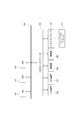
- FIG. 3 shows a functional configuration as the EC server 3 including one or a plurality of information processing apparatuses.
- the EC server 2 only functions related to moving image presentation on a web page are shown. For example, when a moving image is presented on a store page, a product page for purchasing individual products, a product introduction page for introducing one or more products, etc., this is a function for performing processing related to the moving image presentation.
- Each function is a function realized by processing executed by the CPU 101 in accordance with the program in the information processing apparatus. However, all or a part of the processing described below may be realized by hardware. Further, when each function is realized by software, each function need not be realized by an independent program. Processing of a plurality of functions may be executed by one program, or one function may be realized by cooperation of a plurality of program modules.
- the EC server 3 includes a browsing status management unit 3a, a presentation control unit 3b, and a determination unit 3c.
- the browsing status management unit 3a stores and manages the browsing status of each user for a web page with a moving image using a thumbnail image corresponding to the moving image content as a moving image presenting image for presenting a reproducible moving image. Specifically, for each logged-in user, in response to browsing a web page with a video, for each video, whether or not the thumbnail image displayed as the video presentation image is viewed, whether or not the video is played, and the thumbnail image during playback Manage etc.
- the presentation control unit 3b selects a thumbnail image to be a moving image presenting image according to the past browsing status of the accessing user according to the request. Then, processing for setting the moving image presentation image on the web page is performed.
- the determination unit 3c performs a process of determining a thumbnail image that is presumed to have a high attracting function for a moving image reproduction operation among a plurality of corresponding thumbnail images in a predetermined determination period set for each moving image.
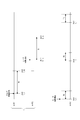
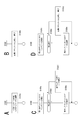
- FIG. 4A is an example in which the determination period TH is 30 days from the web page publication for each moving image. Assuming that a certain moving image (moving image ID: mvID1) is started to be posted on a web page on July 1, 2015, the determination period TH is 30 days until July 30, 2015. In addition, if a certain moving image (moving image ID: mvID2) is started to be posted on a web page on August 15, 2015, the determination period TH is 30 days until September 14, 2015.
- the determination period is a predetermined period from the start of moving image posting on the web page.
- FIG. 4B is an example in which a determination period TH is provided for every fixed period, for example. For example, one week from January 1 every year is set as the determination period TH.
- the determination period TH may be set at other intervals, such as setting the determination period TH every six months, or may be set irregularly.
- the manager of the EC server 3 may arbitrarily set the period, or in the case of a movie on the store page, the store staff may arbitrarily set the determination period.
- the determination period TH may be set only once at the beginning of posting as shown in FIG. 4A, and for another certain moving image, it may be set a plurality of times as shown in FIG. 4B.
- the thumbnail image that presents the moving image on the web page is not fixed to one.
- a plurality of thumbnail images are prepared for one moving image.
- a new thumbnail image may be generated whenever necessary.
- the determination period TH is a period for estimating which thumbnail image has the highest attracting function for moving image reproduction among a plurality of thumbnail images for one moving image. “High attraction function” means, for example, a thumbnail image that is easily clicked to reproduce a moving image.
- the thumbnail image presents the content of the moving image to the user in a state before reproduction. Therefore, the degree of the user's desire to click differs depending on the image content. Therefore, the determination period TH is a process for determining a thumbnail image that appeals most to the user.
- the thumbnail image clicked by the largest number of users is estimated as a thumbnail image having a high reproduction attraction function.
- the moving image is presented with the determined thumbnail image.
- the thumbnail images that the user wants to play back the video are not necessarily the same for each user.
- a moving image is presented to a user who has already been reproduced with a thumbnail image when the user reproduces it.
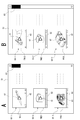
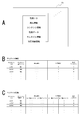
- FIG. 5 shows a moving image presentation mode on a web page.
- FIG. 5A shows that a thumbnail image TM1 is displayed in a moving image posting area 60 in a certain web page 50, and that a moving image can be reproduced.
- a playback button 61 is displayed on the thumbnail image TM1, and the user can play back a moving image by clicking the playback button 61.
- the moving image posting area 60 is provided with various controls for pause, sound volume, display mode, and the like, and a control unit 62 that presents the moving image progress status.
- FIG. 5B shows a state in which the thumbnail image TM2 is used even though the same moving image is posted on the same web page 50. That is, the thumbnail image is changed to a different one.
- thumbnail images are presented for one moving image in this way depending on the situation.
- a user browses the web page 50 of FIG. 5A and sees the thumbnail image TM1, but does not perform a moving image playback operation.
- a moving image is presented with a different thumbnail image TM2 as shown in FIG. 5B.
- a certain user browses the web page 50 of FIG. 5A, performs a moving image reproduction operation on the thumbnail image TM1, and browses the moving image.
- a moving image is presented using the thumbnail image TM1 of FIG. 5A, that is, without changing the thumbnail image.
- FIG. 6 shows an example in which a plurality of moving images are posted on a certain web page 51.
- a moving image is posted for each product.
- each moving image is presented by thumbnail images TM11, TM21, TM31 in each moving image posting area 60-1, 60-2, 60-3.
- the screen is scrolled by operating the scroll bar 63 so that other moving images are also presented as thumbnail images.
- FIG. 6B shows that the moving image posting regions 60-1 and 60-3 use different thumbnail images TM12 and TM32, and the moving image posting region 60-2 uses the same thumbnail image TM21, as compared with FIG. 6A. ing.
- thumbnail images may be used for each moving image, or the same thumbnail image may be used.
- a user who browses the web page 51 of FIG. 6A reproduces and browses the moving image in the moving image posting area 60-2.
- the presentation state is as shown in FIG. 6B.
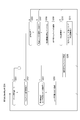
- the moving image DB 6e stores a large number of moving images to be posted on various web pages provided by the EC server 3. As shown in FIG. 7A, for example, a moving image ID, product information, content information, moving image data, thumbnail information, and determination period information are registered for each moving image.
- the moving image ID is identification information of each moving image.
- the product information is various attribute information of a product such as a product genre, a sub genre, a manufacturer, and a price of the product introduced / advertised by the moving image. This is information provided when the moving image is a product moving image.
- the content information is video data information. For example, playback time, number of scenes, number of cuts, resolution, editing information, and the like are included.
- the moving image data is data to be displayed as an actual moving image.
- As the thumbnail information one or a plurality of thumbnail images (still images) generated as thumbnail images of the moving image data and information related to the respective thumbnail images are stored.
- the determination period information is information on the determination period TH set for the moving image.
- thumbnail information An example of the contents of the thumbnail information is shown in FIG. 7B.
- thumbnail information a thumbnail ID, thumbnail image data, the number of times of reproduction, a determination result, and initial thumbnail setting information are registered for each thumbnail image.
- the thumbnail ID is identification information for identifying each of a plurality of thumbnail images set for the moving image.
- the thumbnail image data is still image data as an actual thumbnail image.
- thumbnail images TM1, TM2, As the number of times of reproduction, the number of times of moving image reproduction by the thumbnail image is registered. In the present embodiment, the number of reproductions is the number of users. When the same user plays a plurality of times, it is counted as one time.
- the determination result is information indicating a thumbnail image that is determined to have the highest reproduction attraction function by the determination in the determination period TH.
- the thumbnail image TM3 (thumbnail ID: tmTD13) is described as “1” with the highest reproduction attraction function.
- the initial thumbnail setting information is information for designating a thumbnail image to be used initially for the moving image. This may be determined by the administrator of the EC server 3 or may be a thumbnail generated first. Alternatively, a thumbnail image selected at random may be used as the initial thumbnail.
- the thumbnail image TM1 (thumbnail ID: tmTD11) is described as “1” as being set as the initial thumbnail.
- a plurality of thumbnail images generated according to one moving image may be prepared and registered in advance, or may be generated as needed.
- one frame of moving image data is extracted and generated.
- thumbnail images may be generated from other than moving images. For example, in the case of a product introduction video, an image of the product is often posted on the product page of the product. By generating thumbnail images using these product images, it is possible to obtain thumbnail images that well express the features of the products.
- not only images but also text data of product pages may be extracted to generate thumbnail images using characters.
- FIG. 7C shows another example of thumbnail information.
- the device type is the device type of the user terminal that has played the moving image.
- the first type device is set to a portable small display device such as a smartphone
- the second type device is set to a desktop / laptop / tablet type or the like, such as a computer device of a relatively large display.
- the type may be portable device / non-portable device.
- the appealing power of the thumbnail image to the user may change.
- the initial thumbnail is common regardless of the device type, but an initial thumbnail may be set for each device type.
- the user behavior DB 6f is provided for managing the browsing status of each user who has logged into the web service provided by the EC server 3.
- FIG. 8 shows an example of user behavior information about a certain user stored in the user behavior DB 6f. Such user behavior information is stored for each individual user.
- the user is specified by the user ID. This user ID can be associated with the user ID in the user DB 6a or have a corresponding relationship so that each user registered in the user DB 6a can be associated with the user behavior information in the user behavior DB 6f.
- a moving image that has been in a state that the user can view is registered.
- “Being able to browse” means that the user has browsed the web page on which the video is posted, or browsed the web page and viewed the thumbnail image (the thumbnail on the browser of the user terminal 5). The image is displayed.
- a moving image ID, a page ID, a thumbnail viewing flag, a reproduction flag, a reproduction thumbnail, a presented thumbnail, and the like are stored.
- the page ID is an ID of a web page on which a moving image with the moving image ID is posted.
- the ID of each web page may be registered.
- the thumbnail viewing flag is a flag indicating whether or not the user has viewed the thumbnail of the moving image even once.
- all the registered thumbnail browsing flags are turned on. In that case, this information is not necessarily required.
- the reproduction flag is a flag indicating whether or not the user has reproduced the moving image.
- the reproduction thumbnail is information for storing a thumbnail image presented when the user reproduces the moving image.
- the presented thumbnail is information that stores a certain thumbnail image that has been presented to the user regarding the moving image.
- the EC server 3 stores and manages the browsing status for each user for a web page with a moving image using a thumbnail image corresponding to the moving image content as a moving image presenting image for presenting a reproducible moving image by the user behavior DB 6f. To do.
- the user accesses the web page provided by the EC server 3 from the user terminal 5 and performs login processing.
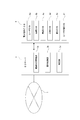
- the user terminal 5 transmits login request information to the EC server 3 in step S1, and the EC server 3 performs login processing in step S21. For example, new user registration or authentication processing of already registered users is performed.
- a user using the user terminal 5 can browse an arbitrary web page, search for a product, and the like by an operation on a website displayed on the user terminal 5.
- a case where the user terminal 5 requests the EC server 3 to access a web page with a moving image, for example, a product page or a product introduction page is shown in step S2.
- the EC server 3 transmits the requested web page data.
- the process of selecting the thumbnail image is performed (S22).
- web page data is generated and transmitted to the user terminal 5 (S23).
- the requested web page is displayed on the browser.
- the screens as shown in FIGS. 5 and 6 are displayed.
- the user can browse the web page and browse the thumbnail image of the moving image posted at that time (S3).
- a moving image can be reproduced and viewed by a reproducing operation.
- the EC server 3 While the web page is being browsed on the user terminal 5, the EC server 3 detects the behavior (browsing status) of the logged-in user by the function of the browsing status management unit 3a, and registration / update to the user behavior DB 6f is performed. Performed (S24).
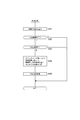
- step S101 the EC server 3 (presentation control unit 3b) selects a moving image to be subjected to thumbnail selection processing.
- the EC server 3 presents control unit 3b
- step S ⁇ b> 101 when a certain web page is requested from the user terminal 5, one of one or more videos posted on the web page is selected in step S ⁇ b> 101.
- step S101 In the case of a request for a web page on which a plurality of moving images are posted, each of the moving images is selected in step S101 and the process of FIG. 10 is performed.
- step S102 the EC server 3 acquires thumbnail information and determination period information from the moving image DB 6e. That is, the moving image DB 6e is searched by the moving image ID for the moving image to be processed in step S101, and the thumbnail information and the determination period information about the moving image are confirmed.
- step S ⁇ b> 103 the EC server 3 acquires user behavior information of the current access user, that is, in this case, the logged-in user who uses the user terminal that has requested the web page.
- the user action information registered in the user action DB 6f is acquired by the user ID of the access user.
- step S104 the EC server 3 checks whether or not the current time is the determination period TH for the moving image to be processed. This is determined by comparing the determination period information acquired in step S102 with the current date and time information. If the current time is during the determination period TH, the EC server 3 proceeds to step S105.
- step S105 the EC server 3 confirms whether or not the access user has browsed the thumbnail image of the moving image. Judgment is made based on whether or not the moving image to be processed is registered corresponding to the access user in the user behavior DB 6f. In some cases, the thumbnail viewing flag may be confirmed. When the access user browses the current web page for the first time, it may be estimated that the thumbnail image of the moving image to be processed has not been browsed.
- the thumbnail browsing flag may be confirmed. Even if this web page is viewed for the first time, the same video may be posted on other web pages, and in this case, the access user may have viewed the thumbnail image of the video to be processed. possible. Judgment may be made in consideration of such matters, or may be ignored.
- the EC server 3 proceeds from step S105 to S106, and selects the initial thumbnail set for the moving image.
- step S112 the EC server 3 sets the selected thumbnail image as a moving image presentation image. The selection result is reflected in the web page generation process in step S23 of FIG. 9, so that web page data using the initial thumbnail is provided to the user terminal 5.
- step S105 determines in step S105 that the accessing user has already viewed the thumbnail image of the moving image
- the process proceeds to step S107, and whether or not the accessing user has been reproduced (viewed) for the moving image. Check. This confirms the reproduction flag of the user behavior information.
- the EC server 3 proceeds from step S107 to S109, and selects a thumbnail image at the time of reproduction. That is, a thumbnail image stored as a thumbnail at the time of reproduction in the user action information is selected.
- step S112 the EC server 3 sets the selected thumbnail image as a moving image presentation image. This selection result is reflected in the web page generation process in step S23 of FIG. 9, so that the thumbnail image that was used when the user played the movie in the past was used again as the movie presentation image. Is provided to the user terminal 5.
- step S108 selects a thumbnail image other than the initial thumbnail.
- FIG. 11A shows an example in which thumbnail images other than the initial thumbnail are selected at random (S108a). That is, one of the plurality of thumbnail images prepared for the moving image stored as thumbnail information in the moving image DB 6e is selected except for the initial thumbnail.
- FIG. 11B shows an example in which a new thumbnail image is generated (S108b). That is, a thumbnail image is generated using frame extraction from moving image data or an image or text data on a product page, and this is selected as the current thumbnail image.
- the newly generated thumbnail image is desirably registered in the thumbnail information of the moving image DB 6e.
- the registration may be deleted. This is because the number of registered thumbnail images is not increased unnecessarily.
- a newly created thumbnail image may be registered in the moving image DB 6e on the condition that a reproduction operation has been performed.
- FIG. 11C is an example of selecting a thumbnail image that has not been presented to the user as far as possible with respect to the moving image.
- the EC server 3 extracts thumbnail images other than the presented thumbnail images. This is a process of extracting those registered as thumbnail images used for the moving image in the moving image DB 6e but not registered as thumbnails already presented to the access user in the user action DB 6f.
- the EC server 3 confirms whether or not the corresponding thumbnail exists. If one or more thumbnail images are extracted as not yet presented to the access user, one of them is selected in step S108e. In this case, it may be selected at random or, for example, the first thumbnail image extracted may be selected. In any case, a thumbnail image that has not been presented to the user in the past is selected.
- the EC server 3 proceeds to step S108f and selects one of the plurality of thumbnail images registered in the moving image DB 6e. To do. It may be selected randomly or in a certain order. In this case, the thumbnail image has been presented to the user (or estimated to have been presented) at least once in the past.
- FIG. 11D shows an example in which a thumbnail image that is not necessarily presented in the past is selected for the moving image.
- Steps S108c, S108d, and S108e are the same as in FIG. 11C.
- the EC server 3 proceeds to step S108g and newly generates a thumbnail image. That is, a thumbnail image is generated using frame extraction from moving image data or an image or text data on a product page, and this is selected as the current thumbnail image.
- the registration of the newly generated thumbnail image is the same as in the case of FIG. 11B.
- the thumbnail image selected in any of steps S108e and S108g is a thumbnail image that has not been presented to the user in the past.
- step S108 of FIG. 10 the EC server 3 selects at least thumbnail images other than the initial thumbnail as in the above example.
- the EC server 3 sets the selected thumbnail image as a moving image presentation image.
- a thumbnail image other than the initial thumbnail preferably a thumbnail image that the user has not seen in the past, was used as the moving image presentation image.
- Web page data is provided to the user terminal 5.
- the EC server 3 proceeds from step S104 to S110, and confirms whether or not the access user has been reproduced (viewed) for the moving image by the reproduction flag of the user behavior information. If the access user determines that the moving image has been reproduced, the EC server 3 proceeds from step S110 to step S109, and selects a thumbnail image at the time of reproduction. That is, a thumbnail image stored as a thumbnail at the time of reproduction in the user action information is selected.
- step S111 selects a thumbnail image corresponding to the determination process.
- This is a process of selecting a thumbnail image determined to have the highest reproduction attraction function, which is shown as a determination result in FIG. 7B. That is, from the results in the determination period TH, a determination process described later is performed, and a thumbnail having a high reproduction attraction function is determined and registered as a determination result. Therefore, a thumbnail image is selected using the determination result. .
- the EC server 3 sets the selected thumbnail image as a moving image presentation image. The selection result is reflected in the web page generation process in step S23 of FIG. Therefore, for the user terminal 5 of the access user who has not played back the processing target moving image in the past, the web page data in which the thumbnail image that is generally estimated to have a high playback attraction function is used as the moving image presentation image. Is provided.
- step S111 it is determined whether the user terminal 5 that is currently requesting a web page is a first type device or a second type device. Then, according to the determined device type of the access user's terminal, the determination result is referred to, and the thumbnail image determined to have the highest reproduction attraction function is selected. For example, according to the example of FIG. 7C, if the accessing user is using the first type device, the thumbnail image TM3 is selected, and if the second type device is used, the thumbnail image TM2 is selected. It will be to.
- the EC server 3 detects the operation status of the user when providing a web page with a moving image to the user terminal 5, and registers or updates the user behavior DB 6f as necessary.
- the EC server 3 performs the process shown in FIG. 12 while a certain access user is browsing the web page with video. That is, the EC server 3 monitors whether or not browsing of the web page has been completed in step S201, and monitors whether or not the user has viewed the thumbnail image of the moving image posted on the web page in step S202. It is monitored whether or not the user has performed a moving image playback operation.
- Whether or not the thumbnail image is viewed in step S202 is determined based on whether or not the thumbnail image is displayed on the browser screen of the user terminal 5. For example, when the display as shown in FIG. 5A is performed, it is determined that the thumbnail image TM1 has been browsed. When the display as shown in FIG. 6A is performed, it is determined that the thumbnail images TM11, TM21, and TM31 have been browsed, but other thumbnail images that are not displayed on the screen (thumbnail images displayed by scroll operations) are displayed. Suppose you have not browsed yet.
- the EC server 3 may acquire information on the range being displayed on the web page in the browser running on the user terminal 5.
- the EC server 3 When it is detected that a certain thumbnail image has been browsed, the EC server 3 performs the processing of steps S204 to S206 corresponding to each thumbnail image.
- step S204 the EC server 3 confirms whether or not the moving image presented by the browsed thumbnail image is registered in the user behavior DB 6f corresponding to the access user. If not registered, the EC server 3 adds a new moving image to the user behavior information as shown in FIG. 8 for the accessing user in step S205. That is, the video ID, page ID, thumbnail viewing flag (ON), playback flag (OFF at this time), playback thumbnail (not applicable at this time), presented thumbnail (thumbnail ID of the thumbnail image being displayed at this time) Is newly registered.
- the EC server 3 updates the information of the presented thumbnail in step S206. That is, the thumbnail ID of the thumbnail image displayed this time is updated to be added as a presented thumbnail.
- the EC server 3 proceeds from step S203 to S207, and first, whether or not the moving image is played for the first time for the user. Confirm. This is a process of confirming the playback flag for the moving image in the user action information of the access user. If it is not the first playback, there is no need to update the user behavior information. If it is the first playback, the EC server 3 updates the playback flag of the corresponding moving image to ON in the user behavior information in step S208. In step S209, the EC server 3 registers the thumbnail ID of the thumbnail image used for presenting the moving image this time as a playback thumbnail in the user behavior information.
- step S210 the EC server 3 confirms whether or not the reproduced moving image is a moving image that is currently in the determination period TH. If it is during the determination period, information on the number of times of reproduction (see FIG. 7B) is updated in the moving image DB 6e. That is, when a certain moving image is reproduced for the first time by the current access user, the number of times of the reproduction invitation of the moving image by the current thumbnail image is counted.
- the current playback is counted as the number of playbacks of the device of the corresponding type according to the device used by the current access user.
- the user behavior information in the user behavior DB 6f and the thumbnail information in the moving image DB 6e are sequentially updated.
- FIG. 13 A modification of the browsing status management process is shown in FIG. This is a simplified version of steps S202, S204, S205, and S206 in FIG. That is, in the case where a web page with a moving image is displayed on the user terminal 5, in step S210 in FIG. 13, necessary updates regarding thumbnail images posted on the web page are collectively performed. Specifically, it is presumed that all thumbnail images posted on the web page have been browsed, and the processing of step S205 or S206 in FIG. 12 is performed on the thumbnail image or the moving image presented by the thumbnail image. . That is, it is processing that is considered to be displayed regardless of whether or not it is actually displayed on the browser screen of the user terminal 5.
- step S201 it is monitored in step S203 whether or not a moving image playback operation has been performed. If a playback operation has been performed, the processing in steps S207 to S211 is performed. Do. This is the same as FIG.
- the browsing status management process can be simplified, and the server load can be reduced in a situation where a large number of users browse web pages.
- step S301 a moving image to be subjected to determination processing is selected. For example, each moving image registered in the moving image DB 6e is sequentially selected, and the processing of FIG. 14 is performed for each.
- the EC server 3 confirms whether or not the determination period has ended in step S302. If the determination period has not ended, the processing of FIG. 14 is finished for the moving image, and the processing of the next moving image is started. If the determination period has ended for the moving image selected as the determination processing target, it is checked in step S303 whether the determination processing has been completed. This can be done by checking whether or not the determination result is registered as thumbnail information of the moving image DB 6e.
- step S301 If the moving image selected in step S301 ends the determination period TH and the determination process has not been completed, the EC server 3 performs a process of determining a thumbnail having a high reproduction attraction function in step S304. For this purpose, the number of reproductions for each thumbnail image stored as shown in FIG. 7B is confirmed, and the thumbnail image with the largest number of reproductions is determined to have the highest reproduction attraction function. In step S305, the determination result information is updated so as to indicate a thumbnail image having a high reproduction attraction function. This completes the determination process for one moving image.
- the information on the number of times of reproduction becomes a measured value only in the determination period by performing zero reset at the start of one determination period TH (see steps S210 and S211 in FIG. 12). However, zero reset is not necessary. In this case, when a plurality of determination periods TH are provided, the total number of reproductions is obtained.
- the determination result may be registered for each device type.
- the thumbnail image having the highest playback attraction function in the first type device is determined, and referring to the number of playbacks on the second type device, What is necessary is just to determine the thumbnail image with the highest reproduction attraction function in the two types of devices and register each as a determination result.
- the EC server 3 (information processing apparatus) stores a browsing situation for each user for a web page with a moving image using a thumbnail image corresponding to the moving image content as a moving image presenting image for presenting a reproducible moving image. It has a browsing status management unit 3a to manage. Further, when browsing of the target web page is requested by the user terminal 5, a thumbnail image to be used as a moving image presentation image is selected according to the past browsing status of the accessing user according to the request, and the web page The presentation control unit 3b is set for the moving image presentation image.
- a determination unit 3c determines a thumbnail image that is presumed to have a high attracting function for moving image reproduction operation among a plurality of corresponding thumbnail images. Then, the EC server 3 (presentation control unit 3b) performs thumbnail selection for each moving image as follows (see FIG. 10).
- the moving image during the determination period TH when the access user views the first thumbnail image, the initial thumbnail image is selected as the moving image presentation image (S106).
- the thumbnail presentation image S109.
- the determination unit 3c selects the thumbnail image determined in the determination processing of FIG. 14 as the moving image presentation image (S111). . If the access user determines that the moving image has been reproduced in the past for the moving image after the determination period TH has elapsed, the thumbnail image presented at the time of reproducing the moving image is selected as the moving image presentation image (S109).
- thumbnail image as a moving image presenting image is selected and set for each user, for each period, and depending on whether or not the user reproduces the moving image.
- the moving image is always displayed as a thumbnail image at the time of reproduction. Therefore, since the thumbnail image is familiar, it is easy to recognize that the video has been viewed. If you want to watch it again, it's easy to find the video.
- a moving image is presented with a different thumbnail at the next opportunity.
- the initial thumbnail for example, the initial thumbnail
- the initial thumbnail may not have appealed to the user, so it is possible to present a video with a different thumbnail and increase the possibility that the user is interested in the image. It is.
- by replacing the thumbnail image it is a process to test whether or not the reproduction attraction function is enhanced for the user. Since at least a thumbnail image that has not been played back is replaced with another thumbnail image, there is an effect that an unplayed user can trigger a moving image playback operation. For the user, the thumbnail image changes every time the user visits the web page until playback, thereby producing an effect of creating a fresh page feeling.
- FIGS. 11B, 11C, and 11D it is desirable to make it as shown in FIGS. 11B, 11C, and 11D. That is, for each video, in the determination period TH, when the access user views the thumbnail image for the second time or later, and the access user determines that the video has not been played back in the past, the access user has not
- the presented thumbnail image is preferentially selected as a moving image presentation image.
- the user who has not played back the video is presented with a thumbnail image that is neither the initial thumbnail image nor the thumbnail image presented so far as much as possible, thereby creating an opportunity for the video playback operation.
- changing the thumbnail image creates the possibility of attracting the user's interest and makes it easier to play back the moving image.
- the operation invitation function is The video is presented as a thumbnail image (high). It is estimated that the user who did not perform the moving image reproduction operation while viewing the thumbnail image during the determination period TH did not pay attention to the thumbnail image or was not interested in the thumbnail image. Therefore, a moving image is introduced with popular thumbnail images that are generally highly attractive to reproduction, that is, thumbnail images determined by the determination process. This increases the possibility of moving image playback.
- a user who visits the web page for the first time after the elapse of the determination period TH is presented with a moving image with a thumbnail image determined to have the highest reproduction attraction.
- the moving image reproduction is promoted by presenting the moving image with a thumbnail image that is generally estimated to be received.
- the moving image presentation method effectively uses the moving image posting area as the screen area of the web page displayed on the user terminal 5, and there is also an effect of realizing effective use of a display device having a limited display area.
- the EC server 3 (browsing status management unit 3a) according to the embodiment has, as the browsing status for each user, at least the presence / absence of browsing thumbnail images on a web page, the presence / absence of video playback, and the time of video playback for each video.
- the thumbnail images that were presented are stored and managed. Whether or not the thumbnail image is browsed on the web page is managed by the presence or absence of a moving image entry in the user behavior information or the thumbnail view flag.
- the presence / absence of moving image reproduction is a reproduction flag, and the thumbnail image presented at the time of moving image reproduction is managed as reproduction thumbnail information.
- the EC server 3 (determination unit 3c) counts the number of times that a moving image has been played in the determination period for each moving image for each thumbnail image that has been presented, and invites the moving image to a replay operation based on the counted result.
- a thumbnail image that is estimated to be high is determined (see FIG. 14). For example, when the number of playback operations performed for each thumbnail image is counted from the time when the video is posted on the web page until the determination period has passed, the count result directly indicates the function of inviting playback of each thumbnail. it is conceivable that.
- the EC server 3 may perform such determination for each device type, and determine and register a thumbnail image having a high reproduction attraction function for each device type. It is assumed that the thumbnail images that are easily clicked differ depending on the device type as the user terminal 5, that is, the difference in the screen size and the usage environment (used on the desktop / used by carrying). Accordingly, it is conceivable that thumbnails having a high reproduction attraction function are different for each device type. Therefore, it is preferable to perform the determination for each device type.
- the device type used by the user is detected, and the thumbnail image determined according to the device type is selected, so that the thumbnail image with a high reproduction attraction function can be used. Can be presented, and can be easily clicked (video playback).
- determining the determination period TH to be a predetermined period from the start of moving image posting on the web page, it is possible to determine a thumbnail image having a high reproduction attraction function as early as possible. That is, it is possible to determine a thumbnail image that can be easily clicked on a user who is not watching a moving image as early as possible and use it as a moving image presentation image. This promotes video playback.
- the thumbnail image at the time of playback operation is selected as the video presentation image, so that the user is mistaken for a different video. There is no.
- the determination period may not be fixed. For example, when one of the thumbnail images reaches a predetermined number of times for a certain moving image, the determination period of the moving image may be ended. Alternatively, the determination period may be ended when the total value of the total number of reproductions reaches a predetermined number.
- the moving image is described as an example of a product introduction moving image.
- the thumbnail image corresponding to the moving image content may include an image generated using an image or text posted on the product page of the product introduced by the moving image.
- thumbnails to be compared can be generated based on product image size, character arrangement, and the like. Further, by using such thumbnail images, it is possible to determine the tendency of a thumbnail image having a high operation attracting function, and it is possible to contribute to subsequent thumbnail image setting and creation of a product page.
- the present invention is not limited to the EC system of the embodiment, and can be applied when a moving image is posted on a web page, particularly when a moving image is presented as a thumbnail image.
- a web page of a service that provides video content for a fee or free of charge a web page of a service that provides a news video, and the like that provide a web page that allows a user to view a video in response to a user request (playback operation)
- the present invention can be widely applied in the system.
- the program according to the embodiment is a program that causes an information processing apparatus (CPU or the like) to execute processing of the EC server 3.
- the program according to the embodiment is a browsing status management procedure for storing and managing browsing status for each user for a web page with a moving image using a thumbnail image corresponding to the moving image content as a moving image presenting image that presents a reproducible moving image. 12 or 13) is executed by the information processing apparatus.
- the program selects a thumbnail image as a moving image presentation image according to the browsing status of the accessing user related to the request,
- the information processing apparatus is caused to execute a presentation control procedure (FIGS.
- the program causes the information processing apparatus to execute a determination procedure (FIG. 14) for determining a thumbnail image that is presumed to have a high attracting function for a moving image reproduction operation among a plurality of corresponding thumbnail images for each moving image.
- a determination procedure for each moving image, when the access user views the first thumbnail image during the determination period, the initial thumbnail image is selected as the moving image presentation image, and the access user performs the second and subsequent thumbnail image viewing.
- the thumbnail image presented at the time of playing the movie is selected as a movie presentation image, and the accessing user can view thumbnail images for the second and subsequent times.
- the information processing apparatus is caused to execute processing for selecting at least a thumbnail image other than the initial thumbnail image as a moving image presentation image.
- the thumbnail image determined by the determination unit is selected as the video presentation image, and the access user determines that the video has been played back in the past causes the information processing apparatus to execute a process of selecting a thumbnail image presented at the time of reproducing the moving image as a moving image presentation image.
- the information processing apparatus as the EC server 3 described above can be realized by such a program.
- a program can be stored in advance in an HDD as a storage medium built in a device such as a computer device, a ROM in a microcomputer having a CPU, or the like.
- a removable storage medium such as a semiconductor memory, memory card, optical disk, magneto-optical disk, or magnetic disk.
- Such a removable storage medium can be provided as so-called package software.
- such a program can be installed from a removable storage medium to a personal computer or the like, or can be downloaded from a download site via a network such as a LAN or the Internet.
Landscapes
- Engineering & Computer Science (AREA)
- Databases & Information Systems (AREA)
- Theoretical Computer Science (AREA)
- Data Mining & Analysis (AREA)
- Physics & Mathematics (AREA)
- General Engineering & Computer Science (AREA)
- General Physics & Mathematics (AREA)
- Computer Graphics (AREA)
- Multimedia (AREA)
- Signal Processing (AREA)
- Two-Way Televisions, Distribution Of Moving Picture Or The Like (AREA)
- User Interface Of Digital Computer (AREA)
Abstract
ウェブページ上で商品紹介等のための動画コンテンツをサムネイル画像により提示する。この場合に、判定期間では、アクセスユーザが初回のサムネイル画像閲覧となる場合は、初期サムネイル画像を動画提示画像とする。アクセスユーザが2回目以降のサムネイル画像閲覧となる場合であって過去に動画再生をした場合は、動画再生時に提示していたサムネイル画像を動画提示画像とし、動画未再生なら初期サムネイル画像以外のサムネイル画像を動画提示画像とする。判定期間を経過した後は、アクセスユーザが過去に動画未再生と判断した場合は、判定期間に判定した再生誘致機能が高いサムネイル画像を動画提示画像とし、アクセスユーザが過去に動画再生した動画については、その動画再生時に提示していたサムネイル画像を動画提示画像とする。
Description
本発明は情報処理装置、情報処理方法、プログラム、記憶媒体に関し、例えばウェブページ上の動画をサムネイル画像により提示する技術に関する。
インターネットによりユーザが閲覧可能なウェブページとしては、動画を掲載しているページがある。例えばいわゆるウェブショップなどの仮想店舗や仮想マーケットなどでは、商品の紹介に動画を用いることも増えている。
ウェブページでの動画掲載領域には、動画内容に対応したサムネイル画像を表示することが多い。動画再生前に提示させている画像をサムネイル画像とすることにより、ユーザは、動画内容、例えばどのような商品についての動画なのかを知ることができ、動画を再生させるか否かの判断材料となり得る。
上記特許文献1には、動画内容に応じたサムネイルを、動画内の画像(フレーム)を自動選択して生成することが記載されている。
上記特許文献2には、文書について重要ページか否かでサムネイルの表示可否を制御することが記載されている。
ウェブページでの動画掲載領域には、動画内容に対応したサムネイル画像を表示することが多い。動画再生前に提示させている画像をサムネイル画像とすることにより、ユーザは、動画内容、例えばどのような商品についての動画なのかを知ることができ、動画を再生させるか否かの判断材料となり得る。
上記特許文献1には、動画内容に応じたサムネイルを、動画内の画像(フレーム)を自動選択して生成することが記載されている。
上記特許文献2には、文書について重要ページか否かでサムネイルの表示可否を制御することが記載されている。
動画をサムネイル画像で提示する場合、サムネイル画像によって、動画再生が行われやすかったり、なかなか再生されなかったり、という事象が発生する。これはサムネイル画像自体に、動画再生への誘致機能の多寡があると考えることができる。
即ち、動画について、ユーザへのアピール力が高いサムネイル画像を用いると、その動画の再生頻度が高くなるが、アピール力が低いサムネイル画像を用いると、あまり再生されなくなる。
一方で、どのようなサムネイル画像であると動画を再生してみたくなるか、ということはユーザ個人毎に異なる。
そのためウェブページに動画を掲載する場合に、どのような画像をサムネイル画像として用いるのが良いかを決めることは困難である。
即ち、動画について、ユーザへのアピール力が高いサムネイル画像を用いると、その動画の再生頻度が高くなるが、アピール力が低いサムネイル画像を用いると、あまり再生されなくなる。
一方で、どのようなサムネイル画像であると動画を再生してみたくなるか、ということはユーザ個人毎に異なる。
そのためウェブページに動画を掲載する場合に、どのような画像をサムネイル画像として用いるのが良いかを決めることは困難である。
そこで本発明では、なるべく動画再生への誘致機能の高いサムネイルを用いることができるようにしつつ、ユーザ個人毎に適したサムネイル表示が行われるようにすることを目的とする。
本発明に係る情報処理装置は、再生可能な動画を提示する動画提示画像として動画内容に応じたサムネイル画像を用いる動画付きのウェブページを対象として、ユーザ毎の閲覧状況を記憶管理する閲覧状況管理部と、端末装置によって対象のウェブページの閲覧が要求された際に、当該要求に係るアクセスユーザの過去の閲覧状況に応じて、動画提示画像とするサムネイル画像を選択して、当該ウェブページ上での動画提示画像に設定する提示制御部と、動画毎に、対応する複数のサムネイル画像のうちで動画再生操作への誘致機能が高いと推定されるサムネイル画像を判定する判定部と、を備える。前記提示制御部は、動画毎に、判定期間では、アクセスユーザが初回のサムネイル画像閲覧となる場合は、初期サムネイル画像を動画提示画像として選択し、アクセスユーザが2回目以降のサムネイル画像閲覧となる場合であって、そのアクセスユーザが過去に動画再生をしたと判断したときは、その動画再生時に提示していたサムネイル画像を動画提示画像として選択し、アクセスユーザが2回目以降のサムネイル画像閲覧となる場合であって、そのアクセスユーザが過去に動画未再生と判断したときは、少なくとも前記初期サムネイル画像以外のサムネイル画像を動画提示画像として選択する。前記判定期間を経過した後は、アクセスユーザが過去に動画未再生と判断した場合は、前記判定部が判定したサムネイル画像を動画提示画像として選択し、アクセスユーザが過去に動画再生したと判断した場合は、その動画再生時に提示していたサムネイル画像を動画提示画像として選択する。
即ちウェブページ上で動画をサムネイル画像により提示する場合に、ユーザ毎、期間毎、ユーザの動画再生の有無に応じて、動画提示画像とするサムネイル画像を選択設定する。
即ちウェブページ上で動画をサムネイル画像により提示する場合に、ユーザ毎、期間毎、ユーザの動画再生の有無に応じて、動画提示画像とするサムネイル画像を選択設定する。
上記の情報処理装置においては、前記閲覧状況管理部は、ユーザ毎の閲覧状況として、動画毎に、少なくとも、ウェブページでのサムネイル画像の閲覧の有無、動画再生の有無、及び動画再生時に提示していたサムネイル画像を管理することが望ましい。
即ちウェブページでのサムネイル画像の閲覧の有無、動画再生の有無、及び動画再生時に提示していたサムネイル画像を、ユーザ及び動画の組み合わせ毎に管理する。
即ちウェブページでのサムネイル画像の閲覧の有無、動画再生の有無、及び動画再生時に提示していたサムネイル画像を、ユーザ及び動画の組み合わせ毎に管理する。
上記の情報処理装置においては、前記判定部は、動画毎に、前記判定期間において動画再生が行われた回数を、提示していたサムネイル画像毎に計数し、計数結果に基づいて動画再生操作への誘致機能が高いと推定されるサムネイル画像を判定することが考えられる。
ウェブページに動画を掲載してから判定期間を経過するまでに、サムネイル画像毎に再生操作が行われた回数を計数する。計数結果は、直接的に各サムネイルの再生誘致機能を示すものと考えられるためである。
ウェブページに動画を掲載してから判定期間を経過するまでに、サムネイル画像毎に再生操作が行われた回数を計数する。計数結果は、直接的に各サムネイルの再生誘致機能を示すものと考えられるためである。
上記の情報処理装置においては、前記判定部は、動画毎に、対応する複数のサムネイル画像のうちで動画再生操作への誘致機能が高いと推定されるサムネイル画像を、閲覧に用いられた端末装置のデバイス種別毎に判定する。前記提示制御部は、動画毎に、前記判定期間を経過した後において、アクセスユーザが過去に動画未再生と判断した場合は、当該アクセスユーザがウェブページ閲覧に用いているデバイス種別において、前記判定部が判定したサムネイル画像を動画提示画像として選択することが考えられる。
デバイス種別(例えば第1種デバイス:スマートフォン、第2種デバイス:PC等の種別)毎にサムネイル画像の誘致機能の判定を行う。例えば第1種デバイスにおいて誘致機能の高いサムネイル画像、第2種デバイスにおいて誘致機能の高いサムネイル画像を判定する。そして判定期間経過後は、ウェブページアクセス要求の際に、その端末装置のデバイス種別に応じてサムネイル画像を使い分けるようにする。
デバイス種別(例えば第1種デバイス:スマートフォン、第2種デバイス:PC等の種別)毎にサムネイル画像の誘致機能の判定を行う。例えば第1種デバイスにおいて誘致機能の高いサムネイル画像、第2種デバイスにおいて誘致機能の高いサムネイル画像を判定する。そして判定期間経過後は、ウェブページアクセス要求の際に、その端末装置のデバイス種別に応じてサムネイル画像を使い分けるようにする。
上記の情報処理装置においては、前記判定期間は、ウェブページへの動画掲載開始から所定の期間とすることが考えられる。
掲載当初の判定期間を経ることで、判定部により、動画再生操作への誘致機能が高いと推定される高いサムネイルが判定されるようにする。
掲載当初の判定期間を経ることで、判定部により、動画再生操作への誘致機能が高いと推定される高いサムネイルが判定されるようにする。
上記の情報処理装置においては、動画毎に、前記判定期間を、定期的又は不定期で複数回設定することが考えられる。
例えば判定期間を数ヶ月おきに設定するなど、複数回設定する。
例えば判定期間を数ヶ月おきに設定するなど、複数回設定する。
上記の情報処理装置においては、前記提示制御部は、動画毎に、前記判定期間において、アクセスユーザが2回目以降のサムネイル画像閲覧となる場合であって、そのアクセスユーザが過去に動画未再生と判断したときは、当該アクセスユーザに対して未提示のサムネイル画像を優先的に動画提示画像として選択することが考えられる。
即ち未再生のユーザには、なるべく初期サムネイル画像でもなく、前回までに提示したサムネイル画像でもないサムネイル画像により、動画を提示する。
即ち未再生のユーザには、なるべく初期サムネイル画像でもなく、前回までに提示したサムネイル画像でもないサムネイル画像により、動画を提示する。
上記の情報処理装置においては、動画は商品紹介動画であり、動画内容に応じたサムネイル画像としては、動画が紹介する商品の商品ページに掲載された画像又はテキストを用いて生成されたものを含むことが考えられる。
サムネイル画像は、動画のフレームを取り出しても良いが、商品ページの素材を用いてもよい。
サムネイル画像は、動画のフレームを取り出しても良いが、商品ページの素材を用いてもよい。
本発明にかかる情報処理方法は、情報処理装置が実行する情報処理方法として、再生可能な動画を提示する動画提示画像として動画内容に応じたサムネイル画像を用いる動画付きのウェブページを対象として、ユーザ毎の閲覧状況を記憶管理する閲覧状況管理ステップと、端末装置によって対象のウェブページの閲覧が要求された際に、当該要求に係るアクセスユーザの過去の閲覧状況に応じて、動画提示画像とするサムネイル画像を選択して、当該ウェブページ上での動画提示画像に設定する提示制御ステップと、動画毎に、対応する複数のサムネイル画像のうちで動画再生操作への誘致機能が高いと推定されるサムネイル画像を判定する判定ステップとを行うとともに、前記提示制御ステップでは、動画毎に、判定期間では、アクセスユーザが初回のサムネイル画像閲覧となる場合は、初期サムネイル画像を動画提示画像として選択し、アクセスユーザが2回目以降のサムネイル画像閲覧となる場合であって、そのアクセスユーザが過去に動画再生をしたと判断したときは、その動画再生時に提示していたサムネイル画像を動画提示画像として選択し、アクセスユーザが2回目以降のサムネイル画像閲覧となる場合であって、そのアクセスユーザが過去に動画未再生と判断したときは、少なくとも前記初期サムネイル画像以外のサムネイル画像を動画提示画像として選択し、前記判定期間を経過した後は、アクセスユーザが過去に動画未再生と判断した場合は、前記判定部が判定したサムネイル画像を動画提示画像として選択し、アクセスユーザが過去に動画再生したと判断した場合は、その動画再生時に提示していたサムネイル画像を動画提示画像として選択する。
この情報処理方法を実行することで、動画を提示するサムネイル画像をユーザに応じて最適化できる。
本発明に係るプログラムは、上記の情報処理方法としての各ステップの処理を情報処理装置に実行させるプログラムである。
本発明に係る記憶媒体は、上記のプログラムを記憶した記憶媒体である。これらのプログラムや記憶媒体により上記の情報処理装置を実現する。
この情報処理方法を実行することで、動画を提示するサムネイル画像をユーザに応じて最適化できる。
本発明に係るプログラムは、上記の情報処理方法としての各ステップの処理を情報処理装置に実行させるプログラムである。
本発明に係る記憶媒体は、上記のプログラムを記憶した記憶媒体である。これらのプログラムや記憶媒体により上記の情報処理装置を実現する。
本発明によれば、或る動画について再生済のユーザに対しては、再生時のサムネイル画像によって当該動画が提示されるため、既に視聴したものであることを認識しやすい。未再生のユーザには、動画再生への誘致機能の高いサムネイルが用いられることで、再生される可能性を高めるようにしている。これらにより動画再生を促進し、ユーザへの情報提供を活発化できる。
以下、実施の形態を次の順序で説明する。
<1.全体構成>
<2.ECサーバ、動画提示態様、及びデータベース>
<3.ユーザ端末とECサーバの処理例>
<4.サムネイル選択処理>
<5.閲覧状況管理処理>
<6.判定処理>
<7.まとめ及び変形例>
<8.プログラム及び記憶媒体>
なお実施の形態で用いる主な語句については、以下の意味となる。
・ユーザ:電子商取引システムを利用して商品の閲覧、購入等を行うユーザを指す。特に「アクセスユーザ」とは、端末装置を使用してウェブサイトにアクセスし閲覧を行うユーザとして、サムネイル画像選択処理の対象としているユーザを指すものとする。
・商品:電子商取引システム上で商取引の対象とされている商品である。物理的な品物としての商品だけでなく各種サービスとしての商品も含む。
・動画:例えば電子商取引システムが提供するウェブサイトに掲載される動画コンテンツであり、例えば商品を紹介する動画などである。ウェブページ上の動画は、再生中以外はサムネイル画像により提示される。なお商品に関する動画を対象とすることは実施の形態として示す一例に過ぎない。
なお、ブラウザにおいて動画掲載領域が画面上に表示されると自動的にサムネイル状態から動画再生状態に移行するものも知られているが、そのような表示方式を採るものは本実施の形態では処理対象としてしない。あくまでユーザ操作により動画再生が開始されるものを処理対象とする。
<1.全体構成>
<2.ECサーバ、動画提示態様、及びデータベース>
<3.ユーザ端末とECサーバの処理例>
<4.サムネイル選択処理>
<5.閲覧状況管理処理>
<6.判定処理>
<7.まとめ及び変形例>
<8.プログラム及び記憶媒体>
なお実施の形態で用いる主な語句については、以下の意味となる。
・ユーザ:電子商取引システムを利用して商品の閲覧、購入等を行うユーザを指す。特に「アクセスユーザ」とは、端末装置を使用してウェブサイトにアクセスし閲覧を行うユーザとして、サムネイル画像選択処理の対象としているユーザを指すものとする。
・商品:電子商取引システム上で商取引の対象とされている商品である。物理的な品物としての商品だけでなく各種サービスとしての商品も含む。
・動画:例えば電子商取引システムが提供するウェブサイトに掲載される動画コンテンツであり、例えば商品を紹介する動画などである。ウェブページ上の動画は、再生中以外はサムネイル画像により提示される。なお商品に関する動画を対象とすることは実施の形態として示す一例に過ぎない。
なお、ブラウザにおいて動画掲載領域が画面上に表示されると自動的にサムネイル状態から動画再生状態に移行するものも知られているが、そのような表示方式を採るものは本実施の形態では処理対象としてしない。あくまでユーザ操作により動画再生が開始されるものを処理対象とする。
<1.全体構成>
図1に複数の店舗が出店する仮想的な商店街を実現するEC(electronic commerce:電子商取引)システムとして機能するネットワークシステムの構成例を示している。
図1に示すように、本実施の形態に係るECシステムは、電子商取引サーバ(以下「ECサーバ」という)3、複数の店舗端末4、複数のユーザ端末5がネットワーク1により相互に通信可能に接続されている。またECサーバ3は電子商取引データベース6にアクセス可能とされている。
なお、以下では「データベース」を「DB」と表記する。
また実施の形態においては、本発明請求項にいう情報処理装置の例として、ECサーバ3を挙げる。ECサーバ3は1又は複数の情報処理装置によって実現されるものであり、従って本発明請求項にいう情報処理装置は、1つの情報処理装置或いは複数の情報処理装置が連携して実現される。
図1に複数の店舗が出店する仮想的な商店街を実現するEC(electronic commerce:電子商取引)システムとして機能するネットワークシステムの構成例を示している。
図1に示すように、本実施の形態に係るECシステムは、電子商取引サーバ(以下「ECサーバ」という)3、複数の店舗端末4、複数のユーザ端末5がネットワーク1により相互に通信可能に接続されている。またECサーバ3は電子商取引データベース6にアクセス可能とされている。
なお、以下では「データベース」を「DB」と表記する。
また実施の形態においては、本発明請求項にいう情報処理装置の例として、ECサーバ3を挙げる。ECサーバ3は1又は複数の情報処理装置によって実現されるものであり、従って本発明請求項にいう情報処理装置は、1つの情報処理装置或いは複数の情報処理装置が連携して実現される。
ネットワーク1の構成は多様な例が想定される。例えば、インターネット、イントラネット、エキストラネット、LAN(Local Area Network)、CATV(Community Antenna TeleVision)通信網、仮想専用網(Virtual Private Network)、電話回線網、移動体通信網、衛星通信網等が想定される。
またネットワーク1の全部又は一部を構成する伝送媒体についても多様な例が想定される。例えばIEEE(Institute of Electrical and Electronics Engineers)1394、USB(Universal Serial Bus)、電力線搬送、電話線等の有線でも、IrDA(Infrared Data Association)のような赤外線、ブルートゥース(登録商標)、802.11無線、携帯電話網、衛星回線、地上波デジタル網等の無線でも利用可能である。
またネットワーク1の全部又は一部を構成する伝送媒体についても多様な例が想定される。例えばIEEE(Institute of Electrical and Electronics Engineers)1394、USB(Universal Serial Bus)、電力線搬送、電話線等の有線でも、IrDA(Infrared Data Association)のような赤外線、ブルートゥース(登録商標)、802.11無線、携帯電話網、衛星回線、地上波デジタル網等の無線でも利用可能である。
ECサーバ3は、例えば仮想商店街のポータルとして機能する仮想商店街サーバである。ECサーバ3は、店舗端末4やユーザ端末5から受信した処理要求に基づく処理を実行する。例えばユーザへの商品やサービスの検索ページの提供、各店舗に対する店舗ページの提供、ユーザの検索に応じた商品やサービスの検索、検索結果一覧表示、各ページでの広告やユーザへのお勧め商品等の表示、商品購入に関する処理、店舗管理、ユーザ管理などを行う。
店舗端末4は、仮想商店街に出店する店舗側で使用される情報処理装置として示している。店舗端末4は仮想商店街で販売する商品の情報等を、ECサーバ3を介して電子商取引DB6に登録することなどに用いられる。例えば、ECサーバ3から提供される専用画面が店舗端末4の表示部に表示される。店舗の担当者はこの専用画面を介して商品の情報等を電子商取引DB6に登録する。
ユーザ端末5は、仮想商店街を利用して商品やサービスの購入を行うユーザによって操作される情報処理装置として示している。ユーザ端末5は例えばパーソナルコンピュータ、携帯電話機、又は携帯情報端末等の情報処理装置により実現される。
本実施の形態の場合、例えば、ECサーバ3ではHTTP(Hypertext Transfer Protocol)デーモンが起動される。また店舗端末4又はユーザ端末5ではブラウザが起動され、店舗端末4又はユーザ端末5からは、ブラウザを介して処理要求(HTTPリクエスト)がECサーバ3に送信される。ECサーバ3からは、上記の処理要求に対応する処理結果(HTTPレスポンス)が店舗端末4又はユーザ端末5に送信される。例えば、ウェブページ記述言語で記述されたページデータが店舗端末4又はユーザ端末5に送信される。そして、このページデータに基づいて、処理結果に基づくウェブページ(画面)が店舗端末4又はユーザ端末5の表示部に表示される。
ECサーバ3はこのような動作によりユーザ端末5に仮想商店街としてのウェブページを提供し、またユーザ端末5からの要求に応じた商品検索、商品提示、広告提示、決済処理等を行う。またECサーバ3は店舗端末4に対しても同様の動作で、商品登録ページの提供や、店舗端末4からの要求に応じた商品登録などを行う。
ECサーバ3はこのような動作によりユーザ端末5に仮想商店街としてのウェブページを提供し、またユーザ端末5からの要求に応じた商品検索、商品提示、広告提示、決済処理等を行う。またECサーバ3は店舗端末4に対しても同様の動作で、商品登録ページの提供や、店舗端末4からの要求に応じた商品登録などを行う。
ECサーバ3がこれらの処理を行うために電子商取引DB6に必要な情報が格納される。図ではDBの例として、ユーザDB6a、店舗DB6b、商品DB6c、広告DB6d、動画DB6e、ユーザ行動DB6fを示している。もちろんこれ以外にも仮想商店街のポータルとして機能するために必要なDBが各種存在する。
ユーザDB6aには、仮想商店街を利用するユーザに関するデータが登録される。例えば登録されたユーザ毎に、ユーザ識別情報であるユーザID(identification)、ログインのパスワード、住所、氏名、性別や年齢等の属性情報、決済情報、電子メールアドレスなどが登録される。また各ユーザの購入履歴として、仮想商店街で行われた取引の履歴に関するデータが登録される。例えばユーザID毎に、購入商品の商品ID及び商品に関する情報、購入店舗、購入日時、購入価格等が登録される。さらに各ユーザの閲覧履歴、お気に入り登録情報なども記憶される。
店舗DB6bには、仮想商店街に出店している店舗に関するデータが登録される。例えば各店舗について、店舗識別情報としての店舗ID、名称、住所、電話番号、及び店舗に関するウェブページ(店舗ページ)へのリンク情報(URL(Uniform Resource Locator))などが登録される。
商品DB6cには、仮想商店街で取り扱っている商品に関するデータが登録される。例えば商品テーブル6bには、各商品(サービスも含む)について、商品識別情報としての商品ID、当該商品を販売する店舗の店舗ID、商品のカテゴリー、名称、価格、在庫、商品に関するウェブページ(商品ページ)へのリンク情報(URL)などが登録される。
商品DB6cには、仮想商店街で取り扱っている商品に関するデータが登録される。例えば商品テーブル6bには、各商品(サービスも含む)について、商品識別情報としての商品ID、当該商品を販売する店舗の店舗ID、商品のカテゴリー、名称、価格、在庫、商品に関するウェブページ(商品ページ)へのリンク情報(URL)などが登録される。
広告DB6dには、店舗によって登録された広告情報が登録されている。各広告情報としては、商品や店舗の写真やロゴなどの広告画像、広告文としてのテキスト情報、広告を選択するためのキーワード、URLリンク、実績情報、広告単価情報などが紐づけられている。実績情報とは、表示回数(インプレッション)、クリック回数、CTR(Click Through Rate)、アクセス数、コンバージョン数、CVR(Conversion Rate)、商品売上値などである。
ECサーバ3は、広告DB6dから選択した広告画像やテキストを各種ウェブページ上で表示させることができる。
ECサーバ3は、広告DB6dから選択した広告画像やテキストを各種ウェブページ上で表示させることができる。
動画DB6eは、ウェブページ上に掲載する各種の動画コンテンツ及びその関連情報を格納したDBである。動画とは、例えば商品動画、広告動画、ニュース動画、エンタテイメント動画等であって、ウェブページ上で提示され、ユーザが任意に再生させることができるものである。
ユーザ行動DB6fは、各動画に対する各ユーザの閲覧行動を管理するDBである。
動画DB6e及びユーザ行動DB6fについては、具体例を挙げて後述する。
ユーザ行動DB6fは、各動画に対する各ユーザの閲覧行動を管理するDBである。
動画DB6e及びユーザ行動DB6fについては、具体例を挙げて後述する。
続いて図1に示したECサーバ3、店舗端末4、ユーザ端末5を構成する情報処理装置のハードウエア構成を図2に示す。ECサーバ3、店舗端末4、ユーザ端末5として示した各装置は、情報処理および情報通信が可能な図2に示すようなコンピュータ装置として実現できる。
図2において、コンピュータ装置のCPU(Central Processing Unit)101は、ROM( Read Only Memory)102に記憶されているプログラム、または記憶部108からRAM( Random Access Memory )103にロードされたプログラムに従って各種の処理を実行する。RAM103にはまた、CPU101が各種の処理を実行する上において必要なデータなども適宜記憶される。
CPU101、ROM102、およびRAM103は、バス104を介して相互に接続されている。このバス104には、入出力インターフェース105も接続されている。
入出力インターフェース105には、キーボード、マウス、タッチパネルなどよりなる入力部106、LCD(Liquid Crystal Display)、CRT(Cathode Ray Tube)、有機EL(Electroluminescence)パネルなどよりなるディスプレイ、並びにスピーカなどよりなる出力部107、HDD(Hard Disk Drive)やフラッシュメモリ装置などより構成される記憶部108、ネットワーク1を介しての通信処理や機器間通信を行う通信部109が接続されている。
入出力インターフェース105にはまた、必要に応じてメディアドライブ110が接続され、磁気ディスク、光ディスク、光磁気ディスク、或いは半導体メモリなどのリムーバブルメディア111が適宜装着され、リムーバブルメディア111に対する情報の書込や読出が行われる。
CPU101、ROM102、およびRAM103は、バス104を介して相互に接続されている。このバス104には、入出力インターフェース105も接続されている。
入出力インターフェース105には、キーボード、マウス、タッチパネルなどよりなる入力部106、LCD(Liquid Crystal Display)、CRT(Cathode Ray Tube)、有機EL(Electroluminescence)パネルなどよりなるディスプレイ、並びにスピーカなどよりなる出力部107、HDD(Hard Disk Drive)やフラッシュメモリ装置などより構成される記憶部108、ネットワーク1を介しての通信処理や機器間通信を行う通信部109が接続されている。
入出力インターフェース105にはまた、必要に応じてメディアドライブ110が接続され、磁気ディスク、光ディスク、光磁気ディスク、或いは半導体メモリなどのリムーバブルメディア111が適宜装着され、リムーバブルメディア111に対する情報の書込や読出が行われる。
このようなコンピュータ装置では、通信部109による通信によりデータやプログラムのアップロード、ダウンロードが行われる。またコンピュータ装置はリムーバブルメディア111を介したデータやプログラムの受け渡しが可能である。
CPU101が各種のプログラムに基づいて処理動作を行うことで、ECサーバ3、店舗端末4、ユーザ端末5としての必要な情報処理や通信が実行される。
なお、ECサーバ3、店舗端末4、ユーザ端末5を構成する情報処理装置は、図2のようなコンピュータ装置が単一で構成されることに限らず、複数のコンピュータ装置がシステム化されて構成されてもよい。複数のコンピュータ装置は、LAN等によりシステム化されていてもよいし、インターネット等を利用したVPN等により遠隔地に配置されたものでもよい。
CPU101が各種のプログラムに基づいて処理動作を行うことで、ECサーバ3、店舗端末4、ユーザ端末5としての必要な情報処理や通信が実行される。
なお、ECサーバ3、店舗端末4、ユーザ端末5を構成する情報処理装置は、図2のようなコンピュータ装置が単一で構成されることに限らず、複数のコンピュータ装置がシステム化されて構成されてもよい。複数のコンピュータ装置は、LAN等によりシステム化されていてもよいし、インターネット等を利用したVPN等により遠隔地に配置されたものでもよい。
<2.ECサーバ、動画提示態様、及びデータベース>
図3に1又は複数の情報処理装置で構成されるECサーバ3としての機能構成を示す。ここではECサーバ2として、ウェブページ上での動画提示に関する機能のみを示している。例えば店舗ページ、個々の商品の購入を行う商品ページ、1又は複数の商品を紹介する商品紹介ページ等において、動画を提示する場合に、その動画提示に関する処理を行う機能である。各機能は、情報処理装置においてCPU101でプログラムに応じて実行される処理により実現される機能である。但し以下説明する全部又は一部の各構成の処理をハードウエアにより実現してもよい。
また各機能をソフトウエアで実現する場合に、各機能がそれぞれ独立したプログラムで実現される必要はない。1つのプログラムにより複数の機能の処理が実行されてもよいし、1つの機能が複数のプログラムモジュールの連携で実現されてもよい。
ECサーバ3は、閲覧状況管理部3a、提示制御部3b、判定部3cを有する。
図3に1又は複数の情報処理装置で構成されるECサーバ3としての機能構成を示す。ここではECサーバ2として、ウェブページ上での動画提示に関する機能のみを示している。例えば店舗ページ、個々の商品の購入を行う商品ページ、1又は複数の商品を紹介する商品紹介ページ等において、動画を提示する場合に、その動画提示に関する処理を行う機能である。各機能は、情報処理装置においてCPU101でプログラムに応じて実行される処理により実現される機能である。但し以下説明する全部又は一部の各構成の処理をハードウエアにより実現してもよい。
また各機能をソフトウエアで実現する場合に、各機能がそれぞれ独立したプログラムで実現される必要はない。1つのプログラムにより複数の機能の処理が実行されてもよいし、1つの機能が複数のプログラムモジュールの連携で実現されてもよい。
ECサーバ3は、閲覧状況管理部3a、提示制御部3b、判定部3cを有する。
閲覧状況管理部3aは、再生可能な動画を提示する動画提示画像として、動画内容に応じたサムネイル画像を用いる動画付きのウェブページを対象として、ユーザ毎の閲覧状況を記憶管理する。具体的には、ログインしたユーザ毎に、動画付きのウェブページ閲覧に応じて、動画毎に、動画提示画像として表示されているサムネイル画像の閲覧の有無、動画再生の有無、再生時のサムネイル画像等を管理する。
提示制御手段3bは、ユーザ端末5によって動画付きの対象のウェブページの閲覧が要求された際に、当該要求に係るアクセスユーザの過去の閲覧状況に応じて、動画提示画像とするサムネイル画像を選択して、当該ウェブページ上での動画提示画像に設定する処理を行う。
判定部3cは、動画毎に設定される所定の判定期間において、対応する複数のサムネイル画像のうちで動画再生操作への誘致機能が高いと推定されるサムネイル画像を判定する処理を行う。
判定部3cは、動画毎に設定される所定の判定期間において、対応する複数のサムネイル画像のうちで動画再生操作への誘致機能が高いと推定されるサムネイル画像を判定する処理を行う。
これらの機能により実現する本実施の形態の動画提示に関する動作を説明しておく。
まず判定期間について図4で説明する。ウェブページに掲載する各動画については、判定期間を設け、判定期間と、判定期間経過後ではサムネイル画像選択処理が異なるようにする。
図4Aは、各動画について、ウェブページ掲載から30日を判定期間THとする例である。ある動画(動画ID:mvID1)については、2015年7月1日にウェブページに掲載を開始したとすると、2015年7月30日までの30日間を判定期間THとする。またある動画(動画ID:mvID2)については、2015年8月15日にウェブページに掲載を開始したとすると、2015年9月14日までの30日間を判定期間THとする。このように判定期間は、ウェブページへの動画掲載開始から所定の期間とすることが考えられる。
図4Bは、例えば一定期間毎に判定期間THを設ける例である。例えば毎年1月1日から1週間を判定期間THとする。もちろん半年ごとに判定期間THを設けるなど、他の間隔で判定期間THを設定してもよいし、或いは不定期に設定してもよい。ECサーバ3の管理者が期間を任意に設定してもよいし、店舗ページの動画の場合は、店舗スタッフが判定期間を任意に設定できるようにしてもよい。
また、或る動画については判定期間THを図4Aのように掲載当初の1回だけ設定し、他の或る動画については図4Bのように複数回設定するようにしてもよい。
まず判定期間について図4で説明する。ウェブページに掲載する各動画については、判定期間を設け、判定期間と、判定期間経過後ではサムネイル画像選択処理が異なるようにする。
図4Aは、各動画について、ウェブページ掲載から30日を判定期間THとする例である。ある動画(動画ID:mvID1)については、2015年7月1日にウェブページに掲載を開始したとすると、2015年7月30日までの30日間を判定期間THとする。またある動画(動画ID:mvID2)については、2015年8月15日にウェブページに掲載を開始したとすると、2015年9月14日までの30日間を判定期間THとする。このように判定期間は、ウェブページへの動画掲載開始から所定の期間とすることが考えられる。
図4Bは、例えば一定期間毎に判定期間THを設ける例である。例えば毎年1月1日から1週間を判定期間THとする。もちろん半年ごとに判定期間THを設けるなど、他の間隔で判定期間THを設定してもよいし、或いは不定期に設定してもよい。ECサーバ3の管理者が期間を任意に設定してもよいし、店舗ページの動画の場合は、店舗スタッフが判定期間を任意に設定できるようにしてもよい。
また、或る動画については判定期間THを図4Aのように掲載当初の1回だけ設定し、他の或る動画については図4Bのように複数回設定するようにしてもよい。
本実施の形態の場合、1つの動画に関しては、その動画をウェブページ上で提示するサムネイル画像を1つに固定しない。1つの動画に対して複数のサムネイル画像を用意する。或いは必要に応じて都度、新たにサムネイル画像を生成してもよい。
判定期間THは、1つの動画について、複数のサムネイル画像のうちでどのサムネイル画像が最も動画再生への誘致機能が高いかを推定するための期間である。「誘致機能が高い」とは、例えば動画再生のためのクリック等がされやすいサムネイル画像、ということである。サムネイル画像は、再生前の状態で動画内容をユーザに提示するものであるため、その画像内容によって、ユーザがクリックしたくなる度合いは異なる。そこで最もユーザにアピールするサムネイル画像を判定するための処理を行うのが判定期間THである。最も単純には、最も多数のユーザにクリックされた(動画再生が行われた)サムネイル画像を、再生誘致機能が高いサムネイル画像と推定する。
そして判定期間THが経過した後は、その判定したサムネイル画像で動画が提示されるようにする。
但し、動画を再生してみたくなるサムネイル画像は、個々のユーザによって必ずしも同一ではない。上記のように再生誘致機能が高いと判定されるサムネイル画像でなくとも動画再生を行うことも当然あり得る。また1回再生させて動画閲覧を行ったユーザが、再度その動画を見たいと思った場合に、サムネイル画像が変わっていると、同じ動画を探しにくくなる。そこで判定期間THであるか否かにかかわらず、再生済みのユーザには、そのユーザが再生させた時のサムネイル画像で動画を提示する。
判定期間THは、1つの動画について、複数のサムネイル画像のうちでどのサムネイル画像が最も動画再生への誘致機能が高いかを推定するための期間である。「誘致機能が高い」とは、例えば動画再生のためのクリック等がされやすいサムネイル画像、ということである。サムネイル画像は、再生前の状態で動画内容をユーザに提示するものであるため、その画像内容によって、ユーザがクリックしたくなる度合いは異なる。そこで最もユーザにアピールするサムネイル画像を判定するための処理を行うのが判定期間THである。最も単純には、最も多数のユーザにクリックされた(動画再生が行われた)サムネイル画像を、再生誘致機能が高いサムネイル画像と推定する。
そして判定期間THが経過した後は、その判定したサムネイル画像で動画が提示されるようにする。
但し、動画を再生してみたくなるサムネイル画像は、個々のユーザによって必ずしも同一ではない。上記のように再生誘致機能が高いと判定されるサムネイル画像でなくとも動画再生を行うことも当然あり得る。また1回再生させて動画閲覧を行ったユーザが、再度その動画を見たいと思った場合に、サムネイル画像が変わっていると、同じ動画を探しにくくなる。そこで判定期間THであるか否かにかかわらず、再生済みのユーザには、そのユーザが再生させた時のサムネイル画像で動画を提示する。
図5にウェブページでの動画提示態様を示している。図5Aは、或るウェブページ50において動画掲載領域60に、サムネイル画像TM1が表示されて、動画が再生できることがユーザに提示されている。このサムネイル画像TM1上には再生ボタン61が表示され、ユーザはこの再生ボタン61のクリックにより動画を再生させることができる。
また動画掲載領域60には、一時停止、音量、ディスプレイモード等のための各種操作子や動画進行状況を提示するコントロール部62が設けられている。
一方、図5Bは、同じウェブページ50において、同じ動画が掲載されているのにサムネイル画像TM2が用いられている状態を示している。つまりサムネイル画像が違うものに変更された状態である。本実施の形態では、状況に応じて、このように1つの動画に対して異なるサムネイル画像を提示するようにする。
例えば或るユーザが、図5Aのウェブページ50を閲覧し、サムネイル画像TM1を見たが、動画再生操作を行わなかったとする。その場合、そのユーザが、再び当該ウェブページ50を閲覧したときは、図5Bのように異なるサムネイル画像TM2で動画を提示する。
一方、或るユーザが、図5Aのウェブページ50を閲覧し、サムネイル画像TM1に対して動画再生操作を行い、動画を閲覧したとする。その場合、そのユーザが、再び当該ウェブページ50を閲覧したときは、図5Aのサムネイル画像TM1を用いて、つまりサムネイル画像を変更せずに、動画を提示する。
また動画掲載領域60には、一時停止、音量、ディスプレイモード等のための各種操作子や動画進行状況を提示するコントロール部62が設けられている。
一方、図5Bは、同じウェブページ50において、同じ動画が掲載されているのにサムネイル画像TM2が用いられている状態を示している。つまりサムネイル画像が違うものに変更された状態である。本実施の形態では、状況に応じて、このように1つの動画に対して異なるサムネイル画像を提示するようにする。
例えば或るユーザが、図5Aのウェブページ50を閲覧し、サムネイル画像TM1を見たが、動画再生操作を行わなかったとする。その場合、そのユーザが、再び当該ウェブページ50を閲覧したときは、図5Bのように異なるサムネイル画像TM2で動画を提示する。
一方、或るユーザが、図5Aのウェブページ50を閲覧し、サムネイル画像TM1に対して動画再生操作を行い、動画を閲覧したとする。その場合、そのユーザが、再び当該ウェブページ50を閲覧したときは、図5Aのサムネイル画像TM1を用いて、つまりサムネイル画像を変更せずに、動画を提示する。
図6は或るウェブページ51に、複数の動画が掲載される例を示している。例えば多数の商品を紹介するウェブページにおいて、商品毎に動画を掲載するような場合である。
図6Aのように、各動画掲載領域60-1、60-2、60-3には、サムネイル画像TM11,TM21,TM31によって各動画が提示されている。なお、より多数の動画を掲載する場合、スクロールバー63の操作により画面をスクロールさせることで、他の動画もサムネイル画像によって提示される状態となる。
図6Bは、図6Aと比較して、動画掲載領域60-1,60-3は、異なるサムネイル画像TM12,TM32を用い、動画掲載領域60-2は同じサムネイル画像TM21を用いている様子を示している。このように、同じウェブページ51上でも、複数の動画が掲載される場合、動画毎に、異なるサムネイル画像を用いたり、同じサムネイル画像を用いたりすることがある。例えば図6Aのウェブページ51を閲覧した或るユーザが、動画掲載領域60-2の動画を再生させ、閲覧したとする。そのユーザが再度、当該ウェブページ51を閲覧したときは、図6Bのような提示状態とする。
図6Aのように、各動画掲載領域60-1、60-2、60-3には、サムネイル画像TM11,TM21,TM31によって各動画が提示されている。なお、より多数の動画を掲載する場合、スクロールバー63の操作により画面をスクロールさせることで、他の動画もサムネイル画像によって提示される状態となる。
図6Bは、図6Aと比較して、動画掲載領域60-1,60-3は、異なるサムネイル画像TM12,TM32を用い、動画掲載領域60-2は同じサムネイル画像TM21を用いている様子を示している。このように、同じウェブページ51上でも、複数の動画が掲載される場合、動画毎に、異なるサムネイル画像を用いたり、同じサムネイル画像を用いたりすることがある。例えば図6Aのウェブページ51を閲覧した或るユーザが、動画掲載領域60-2の動画を再生させ、閲覧したとする。そのユーザが再度、当該ウェブページ51を閲覧したときは、図6Bのような提示状態とする。
このような提示制御を行うための動画DB6e、ユーザ行動DBのデータ内容の例を説明する。
動画DB6eに記憶される情報例を図7に示す。
動画DB6eには、ECサーバ3が提供する各種のウェブページに掲載する多数の動画が格納されている。
そして1つの動画毎に、図7Aに示すように、例えば動画ID、商品情報、コンテンツ情報、動画データ、サムネイル情報、判定期間情報が登録されている。
動画DB6eに記憶される情報例を図7に示す。
動画DB6eには、ECサーバ3が提供する各種のウェブページに掲載する多数の動画が格納されている。
そして1つの動画毎に、図7Aに示すように、例えば動画ID、商品情報、コンテンツ情報、動画データ、サムネイル情報、判定期間情報が登録されている。
動画IDは、個々の動画の識別情報である。
商品情報は、当該動画が紹介・宣伝する商品の商品ジャンル、サブジャンル、メーカー、価格など商品の各種属性情報である。なお、これは動画が商品動画の場合に設けられる情報である。
コンテンツ情報は、動画データの情報である。例えば再生時間、シーン数、カット数、解像度、編集情報などが含まれる。
動画データは、実際の動画映像として表示させるデータである。
サムネイル情報としては、当該動画データのサムネイル画像として生成された1又は複数のサムネイル画像(静止画)や、それらの各サムネイル画像に関連する情報が記憶される。
判定期間情報は、その動画について設定された判定期間THの情報である。
商品情報は、当該動画が紹介・宣伝する商品の商品ジャンル、サブジャンル、メーカー、価格など商品の各種属性情報である。なお、これは動画が商品動画の場合に設けられる情報である。
コンテンツ情報は、動画データの情報である。例えば再生時間、シーン数、カット数、解像度、編集情報などが含まれる。
動画データは、実際の動画映像として表示させるデータである。
サムネイル情報としては、当該動画データのサムネイル画像として生成された1又は複数のサムネイル画像(静止画)や、それらの各サムネイル画像に関連する情報が記憶される。
判定期間情報は、その動画について設定された判定期間THの情報である。
サムネイル情報の内容の例を図7Bに示す。
サムネイル情報としては、サムネイル画像毎に、サムネイルID、サムネイル画像データ、再生回数、判定結果、初期サムネイル設定情報が登録される。
サムネイルIDは、その動画について設定された複数のサムネイル画像の個々を識別する識別情報である。
サムネイル画像データは、実際のサムネイル画像としての静止画データである。説明上、便宜的にサムネイル画像TM1,TM2・・・等として示している。
再生回数は、そのサムネイル画像によって動画再生が行われた回数が登録される。なお、本実施の形態では、再生回数とはユーザ数とする。同じユーザが複数回再生させた場合は1回とカウントする。
判定結果は、上述の判定期間THでの判定によって、最も再生誘致機能が高いと判定されたサムネイル画像を示す情報である。例えば図の例では、サムネイル画像TM3(サムネイルID:tmTD13)が、最も再生誘致機能が高いものとされて「1」と記述される。
初期サムネイル設定情報は、その動画について初期的に用いるサムネイル画像を指定する情報である。これはECサーバ3の管理者が決めてもよいし、最初に生成したサムネイルとしてもよい。或いはランダムに選択されたサムネイル画像が初期サムネイルとされてもよい。図7Bではサムネイル画像TM1(サムネイルID:tmTD11)が、初期サムネイルに設定されたものとして「1」と記述されている。
サムネイル情報としては、サムネイル画像毎に、サムネイルID、サムネイル画像データ、再生回数、判定結果、初期サムネイル設定情報が登録される。
サムネイルIDは、その動画について設定された複数のサムネイル画像の個々を識別する識別情報である。
サムネイル画像データは、実際のサムネイル画像としての静止画データである。説明上、便宜的にサムネイル画像TM1,TM2・・・等として示している。
再生回数は、そのサムネイル画像によって動画再生が行われた回数が登録される。なお、本実施の形態では、再生回数とはユーザ数とする。同じユーザが複数回再生させた場合は1回とカウントする。
判定結果は、上述の判定期間THでの判定によって、最も再生誘致機能が高いと判定されたサムネイル画像を示す情報である。例えば図の例では、サムネイル画像TM3(サムネイルID:tmTD13)が、最も再生誘致機能が高いものとされて「1」と記述される。
初期サムネイル設定情報は、その動画について初期的に用いるサムネイル画像を指定する情報である。これはECサーバ3の管理者が決めてもよいし、最初に生成したサムネイルとしてもよい。或いはランダムに選択されたサムネイル画像が初期サムネイルとされてもよい。図7Bではサムネイル画像TM1(サムネイルID:tmTD11)が、初期サムネイルに設定されたものとして「1」と記述されている。
なお1つの動画に応じて生成されるサムネイル画像は、予め複数用意して登録しておいてもよいし、随時生成してもよい。
サムネイル画像は、動画内容に即した画像とするためには、例えば動画データの1フレームを抽出して生成することが考えられる。例えば動画データにおいてシーンチェンジが生じた箇所を判定して、そのシーンチェンジ後のx番目のフレームを抽出するというような手法をとれば、それぞれ画像の内容が異なる複数のサムネイル画像を生成することができる。フレーム抽出方式については多様な技術が公知である。
また、動画以外からサムネイル画像を生成してもよい。例えば商品紹介用の動画の場合、その商品の商品ページに、当該商品の画像が掲載されていることが多い。それらの商品画像を用いてサムネイル画像を生成することで、商品の特徴をよく表現するサムネイル画像とすることができる。もちろん画像だけでなく、商品ページのテキストデータを抽出して、文字によるサムネイル画像を生成してもよい。
サムネイル画像は、動画内容に即した画像とするためには、例えば動画データの1フレームを抽出して生成することが考えられる。例えば動画データにおいてシーンチェンジが生じた箇所を判定して、そのシーンチェンジ後のx番目のフレームを抽出するというような手法をとれば、それぞれ画像の内容が異なる複数のサムネイル画像を生成することができる。フレーム抽出方式については多様な技術が公知である。
また、動画以外からサムネイル画像を生成してもよい。例えば商品紹介用の動画の場合、その商品の商品ページに、当該商品の画像が掲載されていることが多い。それらの商品画像を用いてサムネイル画像を生成することで、商品の特徴をよく表現するサムネイル画像とすることができる。もちろん画像だけでなく、商品ページのテキストデータを抽出して、文字によるサムネイル画像を生成してもよい。
ところで、図7Cにサムネイル情報の他の例を示している。
これは、再生回数と判定情報をデバイス種別毎に記憶するようにした例である。この例では第1種デバイスと第2種デバイスの2種類に分けた例としているが、もちろん3種類以上に分けてもよい。
デバイス種別とは、動画再生が行われたユーザ端末のデバイス種別である。例えば第1種デバイスはスマートフォン等の携帯型の小型ディスプレイデバイス、第2種デバイスは、デスクトップ/ラップトップ/タブレット型等で比較的大型のディスプレイのコンピュータ装置などのように種別を設定する。
或いは携帯型デバイス/非携帯型デバイスというような種別でもよい。
動画を見るディスプレイのサイズや、視聴環境によっては、サムネイル画像のユーザへのアピール力は変わることが考えられるため、これらに応じて再生回数を調べ、判定を行うことが好適と考えられる。そこでこの例のように再生回数と判定情報をデバイス種別毎に分けて管理することも好適である。
なお、図7Cでは初期サムネイルはデバイス種別に関わらず共通としているが、デバイス種別毎に初期サムネイルを設定してもよい。
これは、再生回数と判定情報をデバイス種別毎に記憶するようにした例である。この例では第1種デバイスと第2種デバイスの2種類に分けた例としているが、もちろん3種類以上に分けてもよい。
デバイス種別とは、動画再生が行われたユーザ端末のデバイス種別である。例えば第1種デバイスはスマートフォン等の携帯型の小型ディスプレイデバイス、第2種デバイスは、デスクトップ/ラップトップ/タブレット型等で比較的大型のディスプレイのコンピュータ装置などのように種別を設定する。
或いは携帯型デバイス/非携帯型デバイスというような種別でもよい。
動画を見るディスプレイのサイズや、視聴環境によっては、サムネイル画像のユーザへのアピール力は変わることが考えられるため、これらに応じて再生回数を調べ、判定を行うことが好適と考えられる。そこでこの例のように再生回数と判定情報をデバイス種別毎に分けて管理することも好適である。
なお、図7Cでは初期サムネイルはデバイス種別に関わらず共通としているが、デバイス種別毎に初期サムネイルを設定してもよい。
次にユーザ行動DB6fの例について図8で説明する。
ユーザ行動DB6fは、ECサーバ3が提供するウェブサービスにログインしたユーザ毎の閲覧状況を管理するために設けられている。
図8は、ユーザ行動DB6fに記憶される、或る一人のユーザについてのユーザ行動情報の例を示している。このようなユーザ行動情報がユーザ個人毎に記憶される。
まずユーザIDによりユーザが特定される。このユーザIDは、ユーザDB6aにおけるユーザIDと共通化、或いは対応関係を持たせるようにすることで、ユーザDB6aに登録された各ユーザとユーザ行動DB6fのユーザ行動情報を紐づけることができる。
ユーザ行動DB6fは、ECサーバ3が提供するウェブサービスにログインしたユーザ毎の閲覧状況を管理するために設けられている。
図8は、ユーザ行動DB6fに記憶される、或る一人のユーザについてのユーザ行動情報の例を示している。このようなユーザ行動情報がユーザ個人毎に記憶される。
まずユーザIDによりユーザが特定される。このユーザIDは、ユーザDB6aにおけるユーザIDと共通化、或いは対応関係を持たせるようにすることで、ユーザDB6aに登録された各ユーザとユーザ行動DB6fのユーザ行動情報を紐づけることができる。
ユーザIDに対応して、そのユーザが閲覧できる状況となったことのある動画が登録される。「閲覧できる状況となったことがある」とは、その動画が掲載されたウェブページを閲覧した状態、もしくはそのウェブページを閲覧し、かつサムネイル画像を閲覧した(ユーザ端末5のブラウザ上でサムネイル画像が表示された)状態である。
各動画について、動画ID、ページID、サムネイル閲覧フラグ、再生フラグ、再生時サムネイル、提示済みサムネイル等が記憶される。
各動画について、動画ID、ページID、サムネイル閲覧フラグ、再生フラグ、再生時サムネイル、提示済みサムネイル等が記憶される。
動画IDにより個々の動画が示される。ページIDとは、その動画IDの動画が掲載されたウェブページのIDである。或る動画が複数のウェブページに掲載される場合、それぞれのウェブページのIDが登録されるようにすればよい。
サムネイル閲覧フラグは、当該ユーザが、その動画のサムネイルを一度でも閲覧したか否かを示すフラグである。後述の処理例では、ユーザがサムネイル閲覧を行うことに応じて、その動画がユーザ行動DB6fに登録される処理例としているため、登録されたサムネイル閲覧フラグは全てONとなる。その場合、この情報は必ずしも必要ではない。ウェブページに掲載する動画を全て予め登録しておくような場合、サムネイル閲覧フラグを設けることが必要になる。
なお、ウェブページを閲覧した段階で、そのウェブページに掲載された全ての動画について、サムネイル閲覧済みと判断してもよいが、例えば図6のようなウェブページの場合、ウェブページを閲覧してもスクロールさせなければサムネイルが見られない場合もある。そこで、厳密には、実際にサムネイル画像がユーザに対して表示されたか否かを基準とすることが好ましい。しかしECサーバ3の処理負担を考慮すれば、必ずしも厳密に行う必要はない。
なお、ウェブページを閲覧した段階で、そのウェブページに掲載された全ての動画について、サムネイル閲覧済みと判断してもよいが、例えば図6のようなウェブページの場合、ウェブページを閲覧してもスクロールさせなければサムネイルが見られない場合もある。そこで、厳密には、実際にサムネイル画像がユーザに対して表示されたか否かを基準とすることが好ましい。しかしECサーバ3の処理負担を考慮すれば、必ずしも厳密に行う必要はない。
再生フラグは、当該ユーザがその動画を再生させたか否かを示すフラグである。
再生時サムネイルは、ユーザが動画再生をさせた際に提示していたサムネイル画像を記憶する情報である。
提示済サムネイルは、当該ユーザに対して当該動画について提示したことの或るサムネイル画像を記憶した情報である。
再生時サムネイルは、ユーザが動画再生をさせた際に提示していたサムネイル画像を記憶する情報である。
提示済サムネイルは、当該ユーザに対して当該動画について提示したことの或るサムネイル画像を記憶した情報である。
ECサーバ3は、このようなユーザ行動DB6fにより、再生可能な動画を提示する動画提示画像として動画内容に応じたサムネイル画像を用いる動画付きのウェブページを対象として、ユーザ毎の閲覧状況を記憶管理する。
<3.ユーザ端末とECサーバの処理例>
続いて図9でシステム動作概要を説明する。これはユーザ端末5とECサーバ3の間で行われる主なやりとりの過程での各処理を示したものである。
続いて図9でシステム動作概要を説明する。これはユーザ端末5とECサーバ3の間で行われる主なやりとりの過程での各処理を示したものである。
ユーザは、ECサーバ3の提供する電子商取引サービスを利用する場合、ユーザ端末5からECサーバ3が提供するウェブページにアクセスし、ログイン処理を行う。ユーザ端末5はステップS1でログイン要求情報をECサーバ3に送信し、ECサーバ3側ではステップS21でログイン処理を行う。例えば新規ユーザ登録や、既に登録されているユーザの認証処理などが行われる。
ユーザ端末5を使用するユーザ(ログイン状態のユーザ)は、ユーザ端末5で表示されるウェブサイト上の操作により、任意のウェブページを閲覧したり、商品の検索等を行うことができる。
図ではステップS2としてユーザ端末5がECサーバ3に対して、例えば商品ページや商品紹介ページなどであって、動画付きのウェブページへのアクセスを要求した場合を示している。
図ではステップS2としてユーザ端末5がECサーバ3に対して、例えば商品ページや商品紹介ページなどであって、動画付きのウェブページへのアクセスを要求した場合を示している。
ECサーバ3はこれに応じて要求されたウェブページのデータを送信するのであるが、この場合に動画付きのページであることに応じて、提示制御部3bの機能により、その動画を提示するためのサムネイル画像を選択する処理を行う(S22)。そして選択されたサムネイルを用いて(ページデータ上の画像参照リンクを設定して)ウェブページデータを生成し、ユーザ端末5に送信する(S23)。
これによりユーザ端末5では、要求したウェブページがブラウザ上で表示される。例えば図5,図6で示したような画面が表示される。ユーザはそのウェブページを閲覧し、その際に掲載されている動画のサムネイル画像を閲覧できることになる(S3)。もちろん再生操作により動画を再生させ、閲覧することもできる。
ユーザ端末5においてウェブページの閲覧が行われている間、ECサーバ3では閲覧状況管理部3aの機能により、当該ログインユーザの挙動(閲覧状況)が検出され、ユーザ行動DB6fへの登録/更新が行われる(S24)。
これによりユーザ端末5では、要求したウェブページがブラウザ上で表示される。例えば図5,図6で示したような画面が表示される。ユーザはそのウェブページを閲覧し、その際に掲載されている動画のサムネイル画像を閲覧できることになる(S3)。もちろん再生操作により動画を再生させ、閲覧することもできる。
ユーザ端末5においてウェブページの閲覧が行われている間、ECサーバ3では閲覧状況管理部3aの機能により、当該ログインユーザの挙動(閲覧状況)が検出され、ユーザ行動DB6fへの登録/更新が行われる(S24)。
<4.サムネイル選択処理>
以上の図9のステップS22として示したサムネイル選択処理の例を図10で説明する。
ECサーバ3(提示制御部3b)はステップS101で、サムネイル選択処理の対象とする動画を選択する。図9で説明したように、ユーザ端末5から或るウェブページが要求された際であるため、そのウェブページに掲載されている1又は複数の動画の1つをステップS101で選択することになる。複数の動画が掲載されたウェブページの要求の場合は、それらの各動画のそれぞれについて、ステップS101で選択して図10の処理を行っていくことになる。
以上の図9のステップS22として示したサムネイル選択処理の例を図10で説明する。
ECサーバ3(提示制御部3b)はステップS101で、サムネイル選択処理の対象とする動画を選択する。図9で説明したように、ユーザ端末5から或るウェブページが要求された際であるため、そのウェブページに掲載されている1又は複数の動画の1つをステップS101で選択することになる。複数の動画が掲載されたウェブページの要求の場合は、それらの各動画のそれぞれについて、ステップS101で選択して図10の処理を行っていくことになる。
ステップS102でECサーバ3は、サムネイル情報と判定期間情報を動画DB6eから取得する。つまりステップS101で処理対象とした動画について動画IDにより、動画DB6eを検索して、その動画についてのサムネイル情報と判定期間情報を確認する。
またステップS103でECサーバ3は、今回のアクセスユーザ、つまりこの場合は、ウェブページ要求を行ったユーザ端末を使用しているログインユーザの、ユーザ行動情報を取得する。当該アクセスユーザのユーザIDにより、ユーザ行動DB6fに登録されたユーザ行動情報を取得するものである。
またステップS103でECサーバ3は、今回のアクセスユーザ、つまりこの場合は、ウェブページ要求を行ったユーザ端末を使用しているログインユーザの、ユーザ行動情報を取得する。当該アクセスユーザのユーザIDにより、ユーザ行動DB6fに登録されたユーザ行動情報を取得するものである。
ステップS104でECサーバ3は、現在が、処理対象の動画についての判定期間THであるか否かを確認する。これはステップS102で取得した判定期間情報と現在日時情報を照合して判断する。
そして現在が判定期間TH中であればECサーバ3はステップS105に進む。
ステップS105でECサーバ3は、アクセスユーザが、当該動画のサムネイル画像を閲覧済みであるか否かを確認する。処理対象の動画がユーザ行動DB6fにおいて当該アクセスユーザに対応して登録されているか否かで判断する。サムネイル閲覧フラグを確認する場合もある。
アクセスユーザが、今回のウェブページを初めて閲覧する場合は、処理対象の動画のサムネイル画像を閲覧したことがないと推定してもよい。
一方、アクセスユーザが、今回のウェブページを閲覧するのが初めてではない場合は、処理対象の動画のサムネイル画像を閲覧したことがあると推定してもよいが、上述のようにウェブページが表示されても画面上での表示範囲の都合で、実際にサムネイル画像が表示されるに至っていない場合もある。そのような点も加味してサムネイル閲覧フラグが更新されている場合は、サムネイル閲覧フラグを確認するとよい。
また、今回のウェブページを初めて閲覧する場合でも、他のウェブページに同一の動画を掲載することもあり、その場合、アクセスユーザが、処理対象の動画のサムネイル画像を閲覧したことがある場合もあり得る。このようなことを考慮して判断してもよいし、無視してもよい。
そして現在が判定期間TH中であればECサーバ3はステップS105に進む。
ステップS105でECサーバ3は、アクセスユーザが、当該動画のサムネイル画像を閲覧済みであるか否かを確認する。処理対象の動画がユーザ行動DB6fにおいて当該アクセスユーザに対応して登録されているか否かで判断する。サムネイル閲覧フラグを確認する場合もある。
アクセスユーザが、今回のウェブページを初めて閲覧する場合は、処理対象の動画のサムネイル画像を閲覧したことがないと推定してもよい。
一方、アクセスユーザが、今回のウェブページを閲覧するのが初めてではない場合は、処理対象の動画のサムネイル画像を閲覧したことがあると推定してもよいが、上述のようにウェブページが表示されても画面上での表示範囲の都合で、実際にサムネイル画像が表示されるに至っていない場合もある。そのような点も加味してサムネイル閲覧フラグが更新されている場合は、サムネイル閲覧フラグを確認するとよい。
また、今回のウェブページを初めて閲覧する場合でも、他のウェブページに同一の動画を掲載することもあり、その場合、アクセスユーザが、処理対象の動画のサムネイル画像を閲覧したことがある場合もあり得る。このようなことを考慮して判断してもよいし、無視してもよい。
アクセスユーザが、当該動画のサムネイル画像を閲覧済みではないと判断した場合は、ECサーバ3はステップS105からS106に進み、当該動画について設定された初期サムネイルを選択する。そしてステップS112でECサーバ3は、選択したサムネイル画像を動画提示画像とする。この選択結果が図9のステップS23のウェブページ生成処理に反映されることで、初期サムネイルが用いられたウェブページデータがユーザ端末5に提供される。
ECサーバ3がステップS105において、当該動画のサムネイル画像をアクセスユーザが閲覧済みであると判断した場合は、ステップS107に進み、当該動画についてアクセスユーザが再生済み(閲覧済み)であるか否かを確認する。これはユーザ行動情報の再生フラグを確認する。
アクセスユーザが動画再生済みであると判断した場合は、ECサーバ3はステップS107からS109に進み、再生時のサムネイル画像を選択する。即ちユーザ行動情報において再生時サムネイルとして記憶されているサムネイル画像を選択する。
そしてステップS112でECサーバ3は、選択したサムネイル画像を動画提示画像とする。この選択結果が図9のステップS23のウェブページ生成処理に反映されることで、過去にユーザが動画再生させたときに用いられていたサムネイル画像が、再び動画提示画像として用いられたウェブページデータがユーザ端末5に提供される。
アクセスユーザが動画再生済みであると判断した場合は、ECサーバ3はステップS107からS109に進み、再生時のサムネイル画像を選択する。即ちユーザ行動情報において再生時サムネイルとして記憶されているサムネイル画像を選択する。
そしてステップS112でECサーバ3は、選択したサムネイル画像を動画提示画像とする。この選択結果が図9のステップS23のウェブページ生成処理に反映されることで、過去にユーザが動画再生させたときに用いられていたサムネイル画像が、再び動画提示画像として用いられたウェブページデータがユーザ端末5に提供される。
アクセスユーザが動画未再生と判断した場合は、ECサーバ3はステップS107からS108に進み、初期サムネイル以外のサムネイル画像を選択する。
この場合の選択処理例を図11に示す。
図11Aは、初期サムネイル以外のサムネイル画像をランダムに選択する例である(S108a)。即ち動画DB6eにおいてサムネイル情報として記憶されている、当該動画について用意されている複数のサムネイル画像のうちで、初期サムネイルを除いて1つを選択する。
この場合の選択処理例を図11に示す。
図11Aは、初期サムネイル以外のサムネイル画像をランダムに選択する例である(S108a)。即ち動画DB6eにおいてサムネイル情報として記憶されている、当該動画について用意されている複数のサムネイル画像のうちで、初期サムネイルを除いて1つを選択する。
図11Bは、新たにサムネイル画像を生成する例である(S108b)。即ち動画データからのフレーム抽出や、或いは商品ページにおける画像やテキストデータを用いてサムネイル画像を生成し、それを今回のサムネイル画像として選択する。
なお新規生成したサムネイル画像は、動画DB6eのサムネイル情報に登録することが望ましい。特に、そのサムネイル画像によってユーザが動画再生操作を行った場合は、今後、そのユーザに対しては当該サムネイル画像を用いるために、登録することが必要である。但し、ユーザがそのサムネイル画像による動画提示の際に再生操作を行わなかった場合、当該登録を削除してもよい。登録されるサムネイル画像の数をむやみに増やさないためである。或いは、新規作成したサムネイル画像については、再生操作が行われたことを条件に、動画DB6eに登録するようにしてもよい。
なお新規生成したサムネイル画像は、動画DB6eのサムネイル情報に登録することが望ましい。特に、そのサムネイル画像によってユーザが動画再生操作を行った場合は、今後、そのユーザに対しては当該サムネイル画像を用いるために、登録することが必要である。但し、ユーザがそのサムネイル画像による動画提示の際に再生操作を行わなかった場合、当該登録を削除してもよい。登録されるサムネイル画像の数をむやみに増やさないためである。或いは、新規作成したサムネイル画像については、再生操作が行われたことを条件に、動画DB6eに登録するようにしてもよい。
図11Cは、そのユーザに対して、その動画に関して、なるべく過去に提示していないサムネイル画像を選択する例である。
まずステップS108cでECサーバ3は、提示済みサムネイル画像以外のサムネイル画像を抽出する。これは、動画DB6eにおいて当該動画に用いるサムネイル画像として登録されているもののうちで、ユーザ行動DB6fにおいて当該アクセスユーザへの提示済みサムネイルとして登録されていないものを抽出する処理となる。
ステップS108dでECサーバ3は、該当するサムネイルが存在するか否かを確認する。1又は複数のサムネイル画像が、まだ当該アクセスユーザに対しては未提示であるとして抽出された場合は、ステップS108eで、そのうちの1つを選択する。この場合ランダムに選択してもよいし、例えば抽出されたうちの先頭のサムネイル画像を選択してもよい。いずれにしても、過去にそのユーザに提示されていないサムネイル画像が選択される。
まずステップS108cでECサーバ3は、提示済みサムネイル画像以外のサムネイル画像を抽出する。これは、動画DB6eにおいて当該動画に用いるサムネイル画像として登録されているもののうちで、ユーザ行動DB6fにおいて当該アクセスユーザへの提示済みサムネイルとして登録されていないものを抽出する処理となる。
ステップS108dでECサーバ3は、該当するサムネイルが存在するか否かを確認する。1又は複数のサムネイル画像が、まだ当該アクセスユーザに対しては未提示であるとして抽出された場合は、ステップS108eで、そのうちの1つを選択する。この場合ランダムに選択してもよいし、例えば抽出されたうちの先頭のサムネイル画像を選択してもよい。いずれにしても、過去にそのユーザに提示されていないサムネイル画像が選択される。
一方、用意されているサムネイル画像が全て当該アクセスユーザに対しては提示済みとなっていた場合は、ECサーバ3はステップS108fに進み、動画DB6eに登録された複数のサムネイル画像の1つを選択する。ランダムに選択してもよいし、或る順番でもよい。この場合は、過去に1度以上、そのユーザに提示された(又は提示されたと推定された)サムネイル画像となる。
図11Dはそのユーザに対して、その動画に関して、必ず過去に提示していないサムネイル画像を選択する例である。ステップS108c、S108d、S108eは図11Cと同様である。
この場合、用意されているサムネイル画像が全て当該アクセスユーザに対しては提示済みとなっていた場合は、ECサーバ3はステップS108gに進み、新たにサムネイル画像を生成する。即ち動画データからのフレーム抽出や、或いは商品ページにおける画像やテキストデータを用いてサムネイル画像を生成し、それを今回のサムネイル画像として選択する。
なお新規生成したサムネイル画像の登録については図11Bの場合と同様である。
この図11Dの場合、ステップS108e、S108gのいずれで選択されたサムネイル画像も、過去にそのユーザに提示されていないサムネイル画像となる。
この場合、用意されているサムネイル画像が全て当該アクセスユーザに対しては提示済みとなっていた場合は、ECサーバ3はステップS108gに進み、新たにサムネイル画像を生成する。即ち動画データからのフレーム抽出や、或いは商品ページにおける画像やテキストデータを用いてサムネイル画像を生成し、それを今回のサムネイル画像として選択する。
なお新規生成したサムネイル画像の登録については図11Bの場合と同様である。
この図11Dの場合、ステップS108e、S108gのいずれで選択されたサムネイル画像も、過去にそのユーザに提示されていないサムネイル画像となる。
図10のステップS108においてECサーバ3は、以上の例のように、少なくとも初期サムネイル以外のサムネイル画像を選択する。
そしてECサーバ3はステップS112で、選択したサムネイル画像を動画提示画像とする。この選択結果が図9のステップS23のウェブページ生成処理に反映されることで、少なくとも初期サムネイル以外のサムネイル画像、望ましくは過去にユーザが見たことないサムネイル画像が、動画提示画像として用いられたウェブページデータがユーザ端末5に提供される。
そしてECサーバ3はステップS112で、選択したサムネイル画像を動画提示画像とする。この選択結果が図9のステップS23のウェブページ生成処理に反映されることで、少なくとも初期サムネイル以外のサムネイル画像、望ましくは過去にユーザが見たことないサムネイル画像が、動画提示画像として用いられたウェブページデータがユーザ端末5に提供される。
現在が判定期間THではなければ、ECサーバ3はステップS104からS110に進み、ユーザ行動情報の再生フラグにより、当該動画についてアクセスユーザが再生済み(閲覧済み)であるか否かを確認する。
アクセスユーザが動画再生済みであると判断した場合は、ECサーバ3はステップS110からS109に進み、再生時のサムネイル画像を選択する。即ちユーザ行動情報において再生時サムネイルとして記憶されているサムネイル画像を選択する。
アクセスユーザが動画再生済みであると判断した場合は、ECサーバ3はステップS110からS109に進み、再生時のサムネイル画像を選択する。即ちユーザ行動情報において再生時サムネイルとして記憶されているサムネイル画像を選択する。
ステップS110でアクセスユーザが動画未再生と判断した場合は、ECサーバ3はステップS111に進み、判定処理に応じたサムネイル画像を選択する。
これは図7Bの判定結果として示されている、最も再生誘致機能が高いと判定されたサムネイル画像を選択する処理となる。
つまり判定期間THにおける実績から、後述の判定処理が行われて、再生誘致機能が高いサムネイルが判定され、判定結果として登録されているため、その判定結果を用いてサムネイル画像を選択することになる。
そしてステップS112でECサーバ3は、選択したサムネイル画像を動画提示画像とする。この選択結果が図9のステップS23のウェブページ生成処理に反映される。従って当該処理対象の動画の再生を過去に行っていないアクセスユーザのユーザ端末5に対しては、一般的に再生誘致機能が高いと推定されるサムネイル画像が動画提示画像として用いられたウェブページデータが提供される。
これは図7Bの判定結果として示されている、最も再生誘致機能が高いと判定されたサムネイル画像を選択する処理となる。
つまり判定期間THにおける実績から、後述の判定処理が行われて、再生誘致機能が高いサムネイルが判定され、判定結果として登録されているため、その判定結果を用いてサムネイル画像を選択することになる。
そしてステップS112でECサーバ3は、選択したサムネイル画像を動画提示画像とする。この選択結果が図9のステップS23のウェブページ生成処理に反映される。従って当該処理対象の動画の再生を過去に行っていないアクセスユーザのユーザ端末5に対しては、一般的に再生誘致機能が高いと推定されるサムネイル画像が動画提示画像として用いられたウェブページデータが提供される。
ところで図7Cにデバイス種別毎に判定結果を記憶する例を挙げた。この管理方式を採る場合、ステップS111で選択するサムネイル画像を、デバイス種別に応じた判定結果を参照することが好適である。
即ちステップS111では、現在ウェブページを要求してきているユーザ端末5が、第1種デバイスであるか、第2種デバイスであるかを判定する。そして判定したアクセスユーザの使用端末のデバイス種別に応じて、判定結果を参照し、最も再生誘致機能が高いと判定されたサムネイル画像を選択する。例えば図7Cの例に沿えば、アクセスユーザが第1種デバイスを使用していたのであれば、サムネイル画像TM3を選択し、第2種デバイスを使用していたのであれば、サムネイル画像TM2を選択するということになる。
即ちステップS111では、現在ウェブページを要求してきているユーザ端末5が、第1種デバイスであるか、第2種デバイスであるかを判定する。そして判定したアクセスユーザの使用端末のデバイス種別に応じて、判定結果を参照し、最も再生誘致機能が高いと判定されたサムネイル画像を選択する。例えば図7Cの例に沿えば、アクセスユーザが第1種デバイスを使用していたのであれば、サムネイル画像TM3を選択し、第2種デバイスを使用していたのであれば、サムネイル画像TM2を選択するということになる。
<5.閲覧状況管理処理>
次に、図9のステップS24として示した閲覧状況管理処理の例を図12で説明する。
ECサーバ3(閲覧状況管理部3a)は、ユーザ端末5に動画付きウェブページを提供している際に、ユーザの操作状況を検知し、必要に応じてユーザ行動DB6fの登録や更新を行う。
次に、図9のステップS24として示した閲覧状況管理処理の例を図12で説明する。
ECサーバ3(閲覧状況管理部3a)は、ユーザ端末5に動画付きウェブページを提供している際に、ユーザの操作状況を検知し、必要に応じてユーザ行動DB6fの登録や更新を行う。
或るアクセスユーザが動画付きウェブページを閲覧している期間、ECサーバ3は図12の処理を行う。即ちECサーバ3は、ステップS201でウェブページの閲覧を終了したか否かを監視し、ステップS202でそのウェブページに掲載した動画のサムネイル画像をユーザが閲覧したか否かを監視し、ステップS203でユーザが動画再生操作を行ったか否かを監視している。
ステップS202のサムネイル画像の閲覧の判断は、そのサムネイル画像が、ユーザ端末5のブラウザ画面上に表出されたか否かで判断する。
例えば図5Aのような表示が行われた場合、サムネイル画像TM1が閲覧されたと判断する。また図6Aのような表示が行われた場合、サムネイル画像TM11、TM21、TM31は閲覧されたと判断するが、画面に表示されていない他のサムネイル画像(スクロール操作で表出されるサムネイル画像)については、まだ閲覧されていないものとする。
なおECサーバ3はユーザ端末5において起動しているブラウザにおいて当該ウェブページにおける表示中の範囲の情報を取得すればよい。
例えば図5Aのような表示が行われた場合、サムネイル画像TM1が閲覧されたと判断する。また図6Aのような表示が行われた場合、サムネイル画像TM11、TM21、TM31は閲覧されたと判断するが、画面に表示されていない他のサムネイル画像(スクロール操作で表出されるサムネイル画像)については、まだ閲覧されていないものとする。
なおECサーバ3はユーザ端末5において起動しているブラウザにおいて当該ウェブページにおける表示中の範囲の情報を取得すればよい。
或るサムネイル画像が閲覧済みの状態となったことを検知したら、ECサーバ3は、そのそれぞれのサムネイル画像に対応してステップS204~S206の処理を行う。
まずステップS204でECサーバ3は、その閲覧済みとなったサムネイル画像が提示する動画が、そのアクセスユーザに対応してユーザ行動DB6fに登録されているか否かを確認する。
登録されていなければECサーバ3はステップS205で、そのアクセスユーザについての図8のようなユーザ行動情報に、新たな動画を追加エントリする。即ち動画ID、ページID、サムネイル閲覧フラグ(ON)、再生フラグ(この時点ではOFF)、再生時サムネイル(この時点では該当なし)、提示済みサムネイル(このときに表示中のサムネイル画像のサムネイルID)を新規登録する。
すでにその動画が、そのアクセスユーザに対応してユーザ行動DB6fに登録されている場合は、ECサーバ3はステップS206で、提示済みサムネイルの情報の更新を行う。つまり今回表示させているサムネイル画像のサムネイルIDを、提示済みサムネイルとして追加するように更新する。
まずステップS204でECサーバ3は、その閲覧済みとなったサムネイル画像が提示する動画が、そのアクセスユーザに対応してユーザ行動DB6fに登録されているか否かを確認する。
登録されていなければECサーバ3はステップS205で、そのアクセスユーザについての図8のようなユーザ行動情報に、新たな動画を追加エントリする。即ち動画ID、ページID、サムネイル閲覧フラグ(ON)、再生フラグ(この時点ではOFF)、再生時サムネイル(この時点では該当なし)、提示済みサムネイル(このときに表示中のサムネイル画像のサムネイルID)を新規登録する。
すでにその動画が、そのアクセスユーザに対応してユーザ行動DB6fに登録されている場合は、ECサーバ3はステップS206で、提示済みサムネイルの情報の更新を行う。つまり今回表示させているサムネイル画像のサムネイルIDを、提示済みサムネイルとして追加するように更新する。
或るサムネイル画像で提示される或る動画について再生操作が行われた場合は、ECサーバ3は、ステップS203からS207に進み、まず、当該ユーザにとって、その動画が初めての再生となるか否かを確認する。これは当該アクセスユーザのユーザ行動情報においてその動画について再生フラグを確認する処理となる。
初めての再生でなければ、特にユーザ行動情報の更新は必要ない。
初めての再生である場合は、ECサーバ3はステップS208で、ユーザ行動情報上で、該当の動画の再生フラグをONに更新する。
またステップS209でECサーバ3は、今回の動画提示用に使用していたサムネイル画像のサムネイルIDを、ユーザ行動情報における再生時サムネイルとして登録する。
またステップS210でECサーバ3は、再生された動画が、現在が判定期間TH中となっている動画であるか否かを確認する。そして判定期間中であれば、動画DB6eにおいて再生回数の情報(図7B参照)を更新する。即ち今回のアクセスユーザによる或る動画についての初めての再生の際に、その動画についての今回のサムネイル画像による再生誘致の実績回数としてカウントする。
なお、図7Cのようにデバイス種別毎に再生回数を管理する場合は、今回のアクセスユーザの使用デバイスに応じて、該当する種別のデバイスの再生回数として今回の再生をカウントする。
初めての再生でなければ、特にユーザ行動情報の更新は必要ない。
初めての再生である場合は、ECサーバ3はステップS208で、ユーザ行動情報上で、該当の動画の再生フラグをONに更新する。
またステップS209でECサーバ3は、今回の動画提示用に使用していたサムネイル画像のサムネイルIDを、ユーザ行動情報における再生時サムネイルとして登録する。
またステップS210でECサーバ3は、再生された動画が、現在が判定期間TH中となっている動画であるか否かを確認する。そして判定期間中であれば、動画DB6eにおいて再生回数の情報(図7B参照)を更新する。即ち今回のアクセスユーザによる或る動画についての初めての再生の際に、その動画についての今回のサムネイル画像による再生誘致の実績回数としてカウントする。
なお、図7Cのようにデバイス種別毎に再生回数を管理する場合は、今回のアクセスユーザの使用デバイスに応じて、該当する種別のデバイスの再生回数として今回の再生をカウントする。
このような処理が行われることで、ユーザ行動DB6fのユーザ行動情報や、動画DB6eにおけるサムネイル情報が逐次更新されていく。
閲覧状況管理処理の変形例を図13に示す。これは、図12におけるステップS202,S204,S205,S206の処理を簡略化したものである。
即ちユーザ端末5において動画付きのウェブページを表示させた場合は、図13のステップS210において、当該ウェブページに掲載したサムネイル画像に関して必要な更新をまとめて行ってしまう例である。具体的には、当該ウェブページに掲載されたサムネイル画像については、全て閲覧済みと推定し、そのサムネイル画像又はサムネイル画像が提示する動画について、図12のステップS205又はS206の処理を行うようにする。つまり、実際にユーザ端末5のブラウザ画面上に表示されたか否かに関わらず、表示されたとみなす処理である。
そしてステップS201でウェブページの閲覧が終了と判断されるまでは、ステップS203で動画の再生操作が行われたか否かを監視し、再生操作が行われた場合に、ステップS207~S211の処理を行う。これは図12と同様である。
このような処理を採用することで、閲覧状況管理処理を簡略化でき、非常に多数のユーザによるウェブページ閲覧が行われる状況においてサーバ負荷を軽減できる。
即ちユーザ端末5において動画付きのウェブページを表示させた場合は、図13のステップS210において、当該ウェブページに掲載したサムネイル画像に関して必要な更新をまとめて行ってしまう例である。具体的には、当該ウェブページに掲載されたサムネイル画像については、全て閲覧済みと推定し、そのサムネイル画像又はサムネイル画像が提示する動画について、図12のステップS205又はS206の処理を行うようにする。つまり、実際にユーザ端末5のブラウザ画面上に表示されたか否かに関わらず、表示されたとみなす処理である。
そしてステップS201でウェブページの閲覧が終了と判断されるまでは、ステップS203で動画の再生操作が行われたか否かを監視し、再生操作が行われた場合に、ステップS207~S211の処理を行う。これは図12と同様である。
このような処理を採用することで、閲覧状況管理処理を簡略化でき、非常に多数のユーザによるウェブページ閲覧が行われる状況においてサーバ負荷を軽減できる。
<6.判定処理>
次に、判定期間THに測定した再生回数に基づいて、最も再生誘致機能が高いサムネイル画像を判定する処理を図14で説明する。
ECサーバ3(判定部3c)は、例えば逐次、各動画を対象として図14の処理を行って判定結果を動画DB6eにおけるサムネイル情報に登録する。
次に、判定期間THに測定した再生回数に基づいて、最も再生誘致機能が高いサムネイル画像を判定する処理を図14で説明する。
ECサーバ3(判定部3c)は、例えば逐次、各動画を対象として図14の処理を行って判定結果を動画DB6eにおけるサムネイル情報に登録する。
まずステップS301で、判定処理の対象とする動画を選択する。例えば動画DB6eに登録されている各動画を順次選択して、それぞれについて図14の処理を行う。
判定処理の対象として選択した動画については、ECサーバ3はステップS302で判定期間が終了しているか否かを確認する。判定期間が終了していなければ、その動画について図14の処理を終え、次の動画の処理に移る。
判定処理対象として選択した動画について判定期間が終了していた場合は、ステップS303で判定処理済みであるか否かを確認する。これは動画DB6eのサムネイル情報として判定結果が登録されているか否かを確認すればよい。
判定処理の対象として選択した動画については、ECサーバ3はステップS302で判定期間が終了しているか否かを確認する。判定期間が終了していなければ、その動画について図14の処理を終え、次の動画の処理に移る。
判定処理対象として選択した動画について判定期間が終了していた場合は、ステップS303で判定処理済みであるか否かを確認する。これは動画DB6eのサムネイル情報として判定結果が登録されているか否かを確認すればよい。
なお、図4Bで述べたように、判定期間THが複数設定される場合がある。2回目以降の判定期間が開始される場合は、その際にサムネイル情報における判定結果がクリアされるようにするとよい。
ステップS301で選択した動画が、判定期間THを終了し、かつ判定処理済みでなければ、ECサーバ3はステップS304で実際に再生誘致機能が高いサムネイルを判定する処理を行う。
このために図7Bのように記憶されている各サムネイル画像についての再生回数を確認し、最も再生回数が多いサムネイル画像を最も再生誘致機能が高いと判定する。
そしてステップS305で、その再生誘致機能が高いサムネイル画像を示すように判定結果の情報を更新する。
以上で1つの動画についての判定処理を終える。
このために図7Bのように記憶されている各サムネイル画像についての再生回数を確認し、最も再生回数が多いサムネイル画像を最も再生誘致機能が高いと判定する。
そしてステップS305で、その再生誘致機能が高いサムネイル画像を示すように判定結果の情報を更新する。
以上で1つの動画についての判定処理を終える。
なお再生回数の情報は、1回の判定期間THの開始の際にゼロリセットされるようにすることで、判定期間のみの計測値となる(図12のステップS210,S211参照)。但しゼロリセットしなくてもよい。その場合は、複数回の判定期間THが設けられる場合は、通算の再生回数となる。
ところで図7Cのようにデバイス種別毎に判定結果を登録する場合もある。その場合は、第1種デバイスでの再生回数を参照して、第1種デバイスにおいて最も再生誘致機能が高いサムネイル画像を判定し、また、第2種デバイスでの再生回数を参照して、第2種デバイスにおいて最も再生誘致機能が高いサムネイル画像を判定して、それぞれ判定結果として登録すればよい。
<7.まとめ及び変形例>
以上の実施の形態によれば次のような効果が得られる。
実施の形態のECサーバ3(情報処理装置)は、再生可能な動画を提示する動画提示画像として動画内容に応じたサムネイル画像を用いる動画付きのウェブページを対象として、ユーザ毎の閲覧状況を記憶管理する閲覧状況管理部3aを有する。また、ユーザ端末5によって対象のウェブページの閲覧が要求された際に、当該要求に係るアクセスユーザの過去の閲覧状況に応じて、動画提示画像とするサムネイル画像を選択して、当該ウェブページ上での動画提示画像に設定する提示制御部3bを有する。また、動画毎に、対応する複数のサムネイル画像のうちで動画再生操作への誘致機能が高いと推定されるサムネイル画像を判定する判定部3cを備えている。
そしてECサーバ3(提示制御部3b)は動画毎に、次のようにサムネイル選択を行う(図10参照)。
判定期間TH中の動画については、アクセスユーザが初回のサムネイル画像閲覧となる場合は、初期サムネイル画像を動画提示画像として選択する(S106)。
判定期間TH中の動画について、アクセスユーザが2回目以降のサムネイル画像閲覧となる場合であって、そのアクセスユーザが過去に動画再生をしたと判断したときは、その動画再生時に提示していたサムネイル画像を動画提示画像として選択する(S109)。
判定期間TH中の動画について、アクセスユーザが2回目以降のサムネイル画像閲覧となる場合であって、そのアクセスユーザが過去に動画未再生と判断したときは、少なくとも初期サムネイル画像以外のサムネイル画像を動画提示画像として選択する(S108)。 判定期間THを経過した後の動画については、アクセスユーザが過去に動画未再生と判断した場合は、判定部3cが図14の判定処理で判定したサムネイル画像を動画提示画像として選択する(S111)。
判定期間THを経過した後の動画について、アクセスユーザが過去に動画再生したと判断した場合は、その動画再生時に提示していたサムネイル画像を動画提示画像として選択する(S109)。
以上の実施の形態によれば次のような効果が得られる。
実施の形態のECサーバ3(情報処理装置)は、再生可能な動画を提示する動画提示画像として動画内容に応じたサムネイル画像を用いる動画付きのウェブページを対象として、ユーザ毎の閲覧状況を記憶管理する閲覧状況管理部3aを有する。また、ユーザ端末5によって対象のウェブページの閲覧が要求された際に、当該要求に係るアクセスユーザの過去の閲覧状況に応じて、動画提示画像とするサムネイル画像を選択して、当該ウェブページ上での動画提示画像に設定する提示制御部3bを有する。また、動画毎に、対応する複数のサムネイル画像のうちで動画再生操作への誘致機能が高いと推定されるサムネイル画像を判定する判定部3cを備えている。
そしてECサーバ3(提示制御部3b)は動画毎に、次のようにサムネイル選択を行う(図10参照)。
判定期間TH中の動画については、アクセスユーザが初回のサムネイル画像閲覧となる場合は、初期サムネイル画像を動画提示画像として選択する(S106)。
判定期間TH中の動画について、アクセスユーザが2回目以降のサムネイル画像閲覧となる場合であって、そのアクセスユーザが過去に動画再生をしたと判断したときは、その動画再生時に提示していたサムネイル画像を動画提示画像として選択する(S109)。
判定期間TH中の動画について、アクセスユーザが2回目以降のサムネイル画像閲覧となる場合であって、そのアクセスユーザが過去に動画未再生と判断したときは、少なくとも初期サムネイル画像以外のサムネイル画像を動画提示画像として選択する(S108)。 判定期間THを経過した後の動画については、アクセスユーザが過去に動画未再生と判断した場合は、判定部3cが図14の判定処理で判定したサムネイル画像を動画提示画像として選択する(S111)。
判定期間THを経過した後の動画について、アクセスユーザが過去に動画再生したと判断した場合は、その動画再生時に提示していたサムネイル画像を動画提示画像として選択する(S109)。
この構成により、ウェブページ上で動画をサムネイル画像により提示する場合に、ユーザ毎、期間毎、ユーザの動画再生の有無に応じて、動画提示画像とするサムネイル画像を選択設定することとなる。これにより動画再生の促進に適切なサムネイル画像が自動設定され、かつユーザ毎の適応ができるという効果がある。
具体的には、まず、判定期間THであるか否かにかかわらず、動画を再生させて閲覧したユーザに対しては、それ以降、必ずその再生時のサムネイル画像で動画が示される。従って見覚えのあるサムネイル画像であることで、見終わった動画であることが認識しやすい。またもう一度見たい場合にも、その動画を探しやすい。
また、判定期間THにおいて、サムネイル画像を見たのに(見たと推定されるのに)動画再生を行っていないユーザに対しては、次の機会には異なるサムネイルによって動画が提示される。これは、最初のサムネイル(例えば初期サムネイル)が、そのユーザにとってはアピール力がなかったという可能性もあるため、異なるサムネイルで動画を提示し、ユーザが興味を持つ画像である可能性を高めるものである。換言すればサムネイル画像を代えることで、そのユーザに対しては、再生誘致機能が高くなるかどうかを試す処理となる。少なくとも再生されなかったサムネイル画像に代えるため、別のサムネイル画像により、未再生ユーザが動画再生操作を行うきっかけを作る効果がある。
またユーザにとっては、再生するまでは、ウェブページに訪れる度にサムネイル画像が変わることで、新鮮なページ感を演出できるという効果もある。
またユーザにとっては、再生するまでは、ウェブページに訪れる度にサムネイル画像が変わることで、新鮮なページ感を演出できるという効果もある。
なお、この場合に、図11B、図11C、図11Dのようにすることが望ましい。即ち、動画毎に、判定期間THにおいて、アクセスユーザが2回目以降のサムネイル画像閲覧となる場合であって、そのアクセスユーザが過去に動画未再生と判断したときは、当該アクセスユーザに対して未提示のサムネイル画像を優先的に動画提示画像として選択する。即ち未再生のユーザには、なるべく初期サムネイル画像でもなく、前回までに提示したサムネイル画像でもないサムネイル画像により、動画を提示することで、動画再生操作へのきっかけを作る。つまりサムネイル画像を変えることで、ユーザの興味を引きつける可能性をつくり、動画再生がされやすいようにする。
また判定期間経過後においては、判定期間THに動画を見ていないユーザや、判定期間経過後に初めてウェブページを閲覧したユーザには、再生操作誘致機能が最も高いと推定される(操作誘致機能が高い)サムネイル画像で動画が提示される。
判定期間THにサムネイル画像を見たのに動画再生操作を行わなかったユーザは、サムネイル画像に注目しなかったか、或いはサムネイル画像に興味が持てなかったことが推定される。そこで一般的に再生誘致性の高い人気のあるサムネイル画像、つまり判定処理で判定されたサムネイル画像で動画を紹介する。これにより動画再生が行われる可能性を高める。
また判定期間THの経過後に初めてそのウェブページを訪れたユーザにも、再生誘致性が最も高いと判定されたサムネイル画像で動画を提示する。つまり一般受けすると推定されるサムネイル画像で動画を提示することで、動画再生を促進する。
判定期間THにサムネイル画像を見たのに動画再生操作を行わなかったユーザは、サムネイル画像に注目しなかったか、或いはサムネイル画像に興味が持てなかったことが推定される。そこで一般的に再生誘致性の高い人気のあるサムネイル画像、つまり判定処理で判定されたサムネイル画像で動画を紹介する。これにより動画再生が行われる可能性を高める。
また判定期間THの経過後に初めてそのウェブページを訪れたユーザにも、再生誘致性が最も高いと判定されたサムネイル画像で動画を提示する。つまり一般受けすると推定されるサムネイル画像で動画を提示することで、動画再生を促進する。
これらの結果、或る動画について再生済のユーザに対しては、再生時のサムネイル画像によって当該動画が提示されるため、既に視聴したものであることを認識しやすい。未再生のユーザには、動画再生への誘致機能の高いサムネイルが用いられることで、再生される可能性を高めるようにしている。これらにより動画再生を促進し、ユーザへの情報提供を活発化できる。
さらにはユーザ端末5で表示されるウェブページの画面領域として、動画掲載領域を有効に利用した動画提示方式となり、限られた表示面積を持つ表示デバイスの有効利用を実現するという効果もある。
さらにはユーザ端末5で表示されるウェブページの画面領域として、動画掲載領域を有効に利用した動画提示方式となり、限られた表示面積を持つ表示デバイスの有効利用を実現するという効果もある。
また実施の形態のECサーバ3(閲覧状況管理部3a)は、ユーザ毎の閲覧状況として、動画毎に、少なくとも、ウェブページでのサムネイル画像の閲覧の有無、動画再生の有無、及び動画再生時に提示していたサムネイル画像を記憶管理している。ウェブページでのサムネイル画像の閲覧の有無は、ユーザ行動情報への動画のエントリの有無、又はサムネイル閲覧フラグにより管理している。また動画再生の有無は再生フラグで、動画再生時に提示していたサムネイル画像については再生サムネイルの情報として管理している。
これによりサムネイル画像選択に必要なユーザの閲覧状況の判定ができ、ユーザに応じたサムネイル画像選択が可能となる。
これによりサムネイル画像選択に必要なユーザの閲覧状況の判定ができ、ユーザに応じたサムネイル画像選択が可能となる。
またECサーバ3(判定部3c)は、動画毎に、判定期間において動画再生が行われた回数を、提示していたサムネイル画像毎に計数し、計数結果に基づいて動画再生操作への誘致機能が高いと推定されるサムネイル画像を判定している(図14参照)。
例えばウェブページに動画を掲載してから判定期間を経過するまでに、サムネイル画像毎に再生操作が行われた回数を計数すると、その計数結果は、直接的に各サムネイルの再生誘致機能を示すものと考えられる。従って再生回数により、どのサムネイル画像が動画再生操作への誘致機能が高いか、つまり動画再生をユーザにアピールする機能の高いサムネイルかを容易に判定できる。
またECサーバ3(判定部3c)は、このような判定をデバイス種別毎に行って、デバイス種別毎に再生誘致機能の高いサムネイル画像を判定・登録してもよい。
ユーザ端末5としてのデバイス種別、即ち画面サイズの違いや、使用環境(デスクトップで使用/携帯して使用)により、クリックされやすいサムネイル画像が異なることが想定される。従ってデバイス種別毎に、再生誘致機能の高いサムネイルが異なることが考えられるため、デバイス種別毎に判定を行うことが好適である。そしてその場合は、ウェブページ要求がされたときにユーザが使用しているデバイス種別を検出し、そのデバイス種別に応じて判定したサムネイル画像を選択することで、再生誘致機能の高いサムネイル画像により動画を提示でき、クリック(動画再生)されやすくできる。
例えばウェブページに動画を掲載してから判定期間を経過するまでに、サムネイル画像毎に再生操作が行われた回数を計数すると、その計数結果は、直接的に各サムネイルの再生誘致機能を示すものと考えられる。従って再生回数により、どのサムネイル画像が動画再生操作への誘致機能が高いか、つまり動画再生をユーザにアピールする機能の高いサムネイルかを容易に判定できる。
またECサーバ3(判定部3c)は、このような判定をデバイス種別毎に行って、デバイス種別毎に再生誘致機能の高いサムネイル画像を判定・登録してもよい。
ユーザ端末5としてのデバイス種別、即ち画面サイズの違いや、使用環境(デスクトップで使用/携帯して使用)により、クリックされやすいサムネイル画像が異なることが想定される。従ってデバイス種別毎に、再生誘致機能の高いサムネイルが異なることが考えられるため、デバイス種別毎に判定を行うことが好適である。そしてその場合は、ウェブページ要求がされたときにユーザが使用しているデバイス種別を検出し、そのデバイス種別に応じて判定したサムネイル画像を選択することで、再生誘致機能の高いサムネイル画像により動画を提示でき、クリック(動画再生)されやすくできる。
判定期間THは、ウェブページへの動画掲載開始から所定の期間とすることで、なるべく早い段階で、再生誘致機能の高いサムネイル画像を判定できる。つまり、動画を見ていないユーザに対してなるべく早い段階で、クリックされやすいサムネイル画像を判定し、動画提示画像として用いることができる。これにより動画再生を促進する。
また動画毎に、前記判定期間を、定期的又は不定期で複数回設定してもよい。例えば判定期間を数ヶ月おきに設定するなど、複数回設定する。
判定期間を複数回設けることで、クリックされやすいサムネイル画像を時期に応じて判定できる。
なお、2回目以降の判定期間であっても、既に動画再生しているユーザに対しては、再生操作時のサムネイル画像が動画提示画像として選択されることで、そのユーザが異なる動画と間違うことはない。
一方で、動画について使用する複数のサムネイル画像を変更するという考え方もある。サムネイルTM1~TMnを全て(或いは一部)変更する場合、それらについて判定期間をやり直すことで、その後に動画提示画像のユーザ毎の最適化ができる。
なお、判定期間は固定的でなくてもよい。例えば或る動画について、いずれかのサムネイル画像の1つが所定回数に達したら、その動画の判定期間を終了するものとしてもよい。或いは再生回数全体の合計値が所定回数に達したら、判定期間を終了するものとしてもよい。
また動画毎に、前記判定期間を、定期的又は不定期で複数回設定してもよい。例えば判定期間を数ヶ月おきに設定するなど、複数回設定する。
判定期間を複数回設けることで、クリックされやすいサムネイル画像を時期に応じて判定できる。
なお、2回目以降の判定期間であっても、既に動画再生しているユーザに対しては、再生操作時のサムネイル画像が動画提示画像として選択されることで、そのユーザが異なる動画と間違うことはない。
一方で、動画について使用する複数のサムネイル画像を変更するという考え方もある。サムネイルTM1~TMnを全て(或いは一部)変更する場合、それらについて判定期間をやり直すことで、その後に動画提示画像のユーザ毎の最適化ができる。
なお、判定期間は固定的でなくてもよい。例えば或る動画について、いずれかのサムネイル画像の1つが所定回数に達したら、その動画の判定期間を終了するものとしてもよい。或いは再生回数全体の合計値が所定回数に達したら、判定期間を終了するものとしてもよい。
また実施の形態では、動画は商品紹介動画である例で述べた。この場合、動画内容に応じたサムネイル画像としては、動画が紹介する商品の商品ページに掲載された画像又はテキストを用いて生成されたものを含むようにしてもよい。
商品ページの画像/テキスト素材を用いたサムネイル画像の場合、商品画像のサイズ、文字配列などで、比較対象となるサムネイルを生成できる。
またこのようなサムネイル画像を用いれば、操作誘致機能が高いサムネイル画像がどういう傾向のものかを判断でき、その後のサムネイル画像設定や、商品ページの作成に寄与できる。
商品ページの画像/テキスト素材を用いたサムネイル画像の場合、商品画像のサイズ、文字配列などで、比較対象となるサムネイルを生成できる。
またこのようなサムネイル画像を用いれば、操作誘致機能が高いサムネイル画像がどういう傾向のものかを判断でき、その後のサムネイル画像設定や、商品ページの作成に寄与できる。
本発明は実施の形態のECシステムに限られず、ウェブページ上に動画を掲載する場合,特にサムネイル画像により動画を提示する場合に適用できる。
例えば動画コンテンツを有料又は無料で視聴提供するサービスのウェブページ、ニュース動画を提供するサービスのウェブページなどであって、ユーザの要求(再生操作)に応じて動画を視聴させるウェブページの提供を行うシステムにおいて本発明は広く適用できる。
例えば動画コンテンツを有料又は無料で視聴提供するサービスのウェブページ、ニュース動画を提供するサービスのウェブページなどであって、ユーザの要求(再生操作)に応じて動画を視聴させるウェブページの提供を行うシステムにおいて本発明は広く適用できる。
<8.プログラム及び記憶媒体>
実施の形態のプログラムは、ECサーバ3の処理を情報処理装置(CPU等)に実行させるプログラムである。
実施の形態のプログラムは、再生可能な動画を提示する動画提示画像として動画内容に応じたサムネイル画像を用いる動画付きのウェブページを対象として、ユーザ毎の閲覧状況を記憶管理する閲覧状況管理手順(図12又は図13)を情報処理装置に実行させる。
またプログラムは、ユーザ端末5によって対象のウェブページの閲覧が要求された際に、当該要求に係るアクセスユーザの過去の閲覧状況に応じて、動画提示画像とするサムネイル画像を選択して、当該ウェブページ上での動画提示画像に設定する提示制御手順(図10,図11)を情報処理装置に実行させる。
またプログラムは、動画毎に、対応する複数のサムネイル画像のうちで動画再生操作への誘致機能が高いと推定されるサムネイル画像を判定する判定手順(図14)を情報処理装置に実行させる。
さらに提示制御手順では、動画毎に、判定期間では、アクセスユーザが初回のサムネイル画像閲覧となる場合は、初期サムネイル画像を動画提示画像として選択し、アクセスユーザが2回目以降のサムネイル画像閲覧となる場合であって、そのアクセスユーザが過去に動画再生をしたと判断したときは、その動画再生時に提示していたサムネイル画像を動画提示画像として選択し、アクセスユーザが2回目以降のサムネイル画像閲覧となる場合であって、そのアクセスユーザが過去に動画未再生と判断したときは、少なくとも前記初期サムネイル画像以外のサムネイル画像を動画提示画像として選択する処理を情報処理装置に実行させる。また判定期間を経過した後は、アクセスユーザが過去に動画未再生と判断した場合は、判定部が判定したサムネイル画像を動画提示画像として選択し、アクセスユーザが過去に動画再生したと判断した場合は、その動画再生時に提示していたサムネイル画像を動画提示画像として選択する処理を情報処理装置に実行させる。
実施の形態のプログラムは、ECサーバ3の処理を情報処理装置(CPU等)に実行させるプログラムである。
実施の形態のプログラムは、再生可能な動画を提示する動画提示画像として動画内容に応じたサムネイル画像を用いる動画付きのウェブページを対象として、ユーザ毎の閲覧状況を記憶管理する閲覧状況管理手順(図12又は図13)を情報処理装置に実行させる。
またプログラムは、ユーザ端末5によって対象のウェブページの閲覧が要求された際に、当該要求に係るアクセスユーザの過去の閲覧状況に応じて、動画提示画像とするサムネイル画像を選択して、当該ウェブページ上での動画提示画像に設定する提示制御手順(図10,図11)を情報処理装置に実行させる。
またプログラムは、動画毎に、対応する複数のサムネイル画像のうちで動画再生操作への誘致機能が高いと推定されるサムネイル画像を判定する判定手順(図14)を情報処理装置に実行させる。
さらに提示制御手順では、動画毎に、判定期間では、アクセスユーザが初回のサムネイル画像閲覧となる場合は、初期サムネイル画像を動画提示画像として選択し、アクセスユーザが2回目以降のサムネイル画像閲覧となる場合であって、そのアクセスユーザが過去に動画再生をしたと判断したときは、その動画再生時に提示していたサムネイル画像を動画提示画像として選択し、アクセスユーザが2回目以降のサムネイル画像閲覧となる場合であって、そのアクセスユーザが過去に動画未再生と判断したときは、少なくとも前記初期サムネイル画像以外のサムネイル画像を動画提示画像として選択する処理を情報処理装置に実行させる。また判定期間を経過した後は、アクセスユーザが過去に動画未再生と判断した場合は、判定部が判定したサムネイル画像を動画提示画像として選択し、アクセスユーザが過去に動画再生したと判断した場合は、その動画再生時に提示していたサムネイル画像を動画提示画像として選択する処理を情報処理装置に実行させる。
このようなプログラムにより上述したECサーバ3としての情報処理装置を実現できる。
そしてこのようなプログラムはコンピュータ装置等の機器に内蔵されている記憶媒体としてのHDDや、CPUを有するマイクロコンピュータ内のROM等に予め記憶しておくことができる。あるいはまた、半導体メモリ、メモリカード、光ディスク、光磁気ディスク、磁気ディスクなどのリムーバブル記憶媒体に、一時的あるいは永続的に格納(記憶)しておくことができる。またこのようなリムーバブル記憶媒体は、いわゆるパッケージソフトウェアとして提供することができる。
また、このようなプログラムは、リムーバブル記憶媒体からパーソナルコンピュータ等にインストールする他、ダウンロードサイトから、LAN、インターネットなどのネットワークを介してダウンロードすることもできる。
そしてこのようなプログラムはコンピュータ装置等の機器に内蔵されている記憶媒体としてのHDDや、CPUを有するマイクロコンピュータ内のROM等に予め記憶しておくことができる。あるいはまた、半導体メモリ、メモリカード、光ディスク、光磁気ディスク、磁気ディスクなどのリムーバブル記憶媒体に、一時的あるいは永続的に格納(記憶)しておくことができる。またこのようなリムーバブル記憶媒体は、いわゆるパッケージソフトウェアとして提供することができる。
また、このようなプログラムは、リムーバブル記憶媒体からパーソナルコンピュータ等にインストールする他、ダウンロードサイトから、LAN、インターネットなどのネットワークを介してダウンロードすることもできる。
1 ネットワーク、3 ECサーバ、5 ユーザ端末、6e 動画DB、6f ユーザ行動DB
Claims (11)
- 再生可能な動画を提示する動画提示画像として動画内容に応じたサムネイル画像を用いる動画付きのウェブページを対象として、ユーザ毎の閲覧状況を記憶管理する閲覧状況管理部と、
端末装置によって対象のウェブページの閲覧が要求された際に、当該要求に係るアクセスユーザの過去の閲覧状況に応じて、動画提示画像とするサムネイル画像を選択して、当該ウェブページ上での動画提示画像に設定する提示制御部と、
動画毎に、対応する複数のサムネイル画像のうちで動画再生操作への誘致機能が高いと推定されるサムネイル画像を判定する判定部と、
を備え、
前記提示制御部は、動画毎に、
判定期間では、
アクセスユーザが初回のサムネイル画像閲覧となる場合は、初期サムネイル画像を動画提示画像として選択し、
アクセスユーザが2回目以降のサムネイル画像閲覧となる場合であって、そのアクセスユーザが過去に動画再生をしたと判断したときは、その動画再生時に提示していたサムネイル画像を動画提示画像として選択し、
アクセスユーザが2回目以降のサムネイル画像閲覧となる場合であって、そのアクセスユーザが過去に動画未再生と判断したときは、少なくとも前記初期サムネイル画像以外のサムネイル画像を動画提示画像として選択し、
前記判定期間を経過した後は、
アクセスユーザが過去に動画未再生と判断した場合は、前記判定部が判定したサムネイル画像を動画提示画像として選択し、
アクセスユーザが過去に動画再生したと判断した場合は、その動画再生時に提示していたサムネイル画像を動画提示画像として選択する
情報処理装置。 - 前記閲覧状況管理部は、ユーザ毎の閲覧状況として、
動画毎に、少なくとも、ウェブページでのサムネイル画像の閲覧の有無、動画再生の有無、及び動画再生時に提示していたサムネイル画像を管理する
請求項1に記載の情報処理装置。 - 前記判定部は、動画毎に、前記判定期間において動画再生が行われた回数を、提示していたサムネイル画像毎に計数し、計数結果に基づいて動画再生操作への誘致機能が高いと推定されるサムネイル画像を判定する
請求項1に記載の情報処理装置。 - 前記判定部は、動画毎に、対応する複数のサムネイル画像のうちで動画再生操作への誘致機能が高いと推定されるサムネイル画像を、閲覧に用いられた端末装置のデバイス種別毎に判定し、
前記提示制御部は、動画毎に、
前記判定期間を経過した後において、
アクセスユーザが過去に動画未再生と判断した場合は、当該アクセスユーザがウェブページ閲覧に用いているデバイス種別において、前記判定部が判定したサムネイル画像を動画提示画像として選択する
請求項1に記載の情報処理装置。 - 前記判定期間は、ウェブページへの動画掲載開始から所定の期間とする
請求項1に記載の情報処理装置。 - 動画毎に、前記判定期間を、定期的又は不定期で複数回設定する
請求項1に記載の情報処理装置。 - 前記提示制御部は、動画毎に、
前記判定期間において、
アクセスユーザが2回目以降のサムネイル画像閲覧となる場合であって、そのアクセスユーザが過去に動画未再生と判断したときは、当該アクセスユーザに対して未提示のサムネイル画像を優先的に動画提示画像として選択する
請求項1に記載の情報処理装置。 - 動画は商品紹介動画であり、
動画内容に応じたサムネイル画像としては、動画が紹介する商品の商品ページに掲載された画像又はテキストを用いて生成されたものを含む
請求項1に記載の情報処理装置。 - 情報処理装置が実行する情報処理方法として、
再生可能な動画を提示する動画提示画像として動画内容に応じたサムネイル画像を用いる動画付きのウェブページを対象として、ユーザ毎の閲覧状況を記憶管理する閲覧状況管理ステップと、
端末装置によって対象のウェブページの閲覧が要求された際に、当該要求に係るアクセスユーザの過去の閲覧状況に応じて、動画提示画像とするサムネイル画像を選択して、当該ウェブページ上での動画提示画像に設定する提示制御ステップと、
動画毎に、対応する複数のサムネイル画像のうちで動画再生操作への誘致機能が高いと推定されるサムネイル画像を判定する判定ステップと、
を行うとともに、
前記提示制御ステップでは、動画毎に、
判定期間では、
アクセスユーザが初回のサムネイル画像閲覧となる場合は、初期サムネイル画像を動画提示画像として選択し、
アクセスユーザが2回目以降のサムネイル画像閲覧となる場合であって、そのアクセスユーザが過去に動画再生をしたと判断したときは、その動画再生時に提示していたサムネイル画像を動画提示画像として選択し、
アクセスユーザが2回目以降のサムネイル画像閲覧となる場合であって、そのアクセスユーザが過去に動画未再生と判断したときは、少なくとも前記初期サムネイル画像以外のサムネイル画像を動画提示画像として選択し、
前記判定期間を経過した後は、
アクセスユーザが過去に動画未再生と判断した場合は、前記判定部が判定したサムネイル画像を動画提示画像として選択し、
アクセスユーザが過去に動画再生したと判断した場合は、その動画再生時に提示していたサムネイル画像を動画提示画像として選択する
情報処理方法。 - 再生可能な動画を提示する動画提示画像として動画内容に応じたサムネイル画像を用いる動画付きのウェブページを対象として、ユーザ毎の閲覧状況を記憶管理する閲覧状況管理手順と、
端末装置によって対象のウェブページの閲覧が要求された際に、当該要求に係るアクセスユーザの過去の閲覧状況に応じて、動画提示画像とするサムネイル画像を選択して、当該ウェブページ上での動画提示画像に設定する提示制御手順と、
動画毎に、対応する複数のサムネイル画像のうちで動画再生操作への誘致機能が高いと推定されるサムネイル画像を判定する判定手順と、
を情報処理装置に実行させるとともに、
前記提示制御手順では、動画毎に、
判定期間では、
アクセスユーザが初回のサムネイル画像閲覧となる場合は、初期サムネイル画像を動画提示画像として選択し、
アクセスユーザが2回目以降のサムネイル画像閲覧となる場合であって、そのアクセスユーザが過去に動画再生をしたと判断したときは、その動画再生時に提示していたサムネイル画像を動画提示画像として選択し、
アクセスユーザが2回目以降のサムネイル画像閲覧となる場合であって、そのアクセスユーザが過去に動画未再生と判断したときは、少なくとも前記初期サムネイル画像以外のサムネイル画像を動画提示画像として選択し、
前記判定期間を経過した後は、
アクセスユーザが過去に動画未再生と判断した場合は、前記判定部が判定したサムネイル画像を動画提示画像として選択し、
アクセスユーザが過去に動画再生したと判断した場合は、その動画再生時に提示していたサムネイル画像を動画提示画像として選択する処理を、
情報処理装置に実行させるプログラム。 - 再生可能な動画を提示する動画提示画像として動画内容に応じたサムネイル画像を用いる動画付きのウェブページを対象として、ユーザ毎の閲覧状況を記憶管理する閲覧状況管理手順と、
端末装置によって対象のウェブページの閲覧が要求された際に、当該要求に係るアクセスユーザの過去の閲覧状況に応じて、動画提示画像とするサムネイル画像を選択して、当該ウェブページ上での動画提示画像に設定する提示制御手順と、
動画毎に、対応する複数のサムネイル画像のうちで動画再生操作への誘致機能が高いと推定されるサムネイル画像を判定する判定手順と、
を情報処理装置に実行させるとともに、
前記提示制御手順では、動画毎に、
判定期間では、
アクセスユーザが初回のサムネイル画像閲覧となる場合は、初期サムネイル画像を動画提示画像として選択し、
アクセスユーザが2回目以降のサムネイル画像閲覧となる場合であって、そのアクセスユーザが過去に動画再生をしたと判断したときは、その動画再生時に提示していたサムネイル画像を動画提示画像として選択し、
アクセスユーザが2回目以降のサムネイル画像閲覧となる場合であって、そのアクセスユーザが過去に動画未再生と判断したときは、少なくとも前記初期サムネイル画像以外のサムネイル画像を動画提示画像として選択し、
前記判定期間を経過した後は、
アクセスユーザが過去に動画未再生と判断した場合は、前記判定部が判定したサムネイル画像を動画提示画像として選択し、
アクセスユーザが過去に動画再生したと判断した場合は、その動画再生時に提示していたサムネイル画像を動画提示画像として選択する処理を、
情報処理装置に実行させるプログラムを記憶した記憶媒体。
Priority Applications (2)
| Application Number | Priority Date | Filing Date | Title |
|---|---|---|---|
| PCT/JP2016/056056 WO2017149602A1 (ja) | 2016-02-29 | 2016-02-29 | 情報処理装置、情報処理方法、プログラム、記憶媒体 |
| JP2016531724A JP6074551B1 (ja) | 2016-02-29 | 2016-02-29 | 情報処理装置、情報処理方法、プログラム、記憶媒体 |
Applications Claiming Priority (1)
| Application Number | Priority Date | Filing Date | Title |
|---|---|---|---|
| PCT/JP2016/056056 WO2017149602A1 (ja) | 2016-02-29 | 2016-02-29 | 情報処理装置、情報処理方法、プログラム、記憶媒体 |
Publications (1)
| Publication Number | Publication Date |
|---|---|
| WO2017149602A1 true WO2017149602A1 (ja) | 2017-09-08 |
Family
ID=57937551
Family Applications (1)
| Application Number | Title | Priority Date | Filing Date |
|---|---|---|---|
| PCT/JP2016/056056 Ceased WO2017149602A1 (ja) | 2016-02-29 | 2016-02-29 | 情報処理装置、情報処理方法、プログラム、記憶媒体 |
Country Status (2)
| Country | Link |
|---|---|
| JP (1) | JP6074551B1 (ja) |
| WO (1) | WO2017149602A1 (ja) |
Cited By (1)
| Publication number | Priority date | Publication date | Assignee | Title |
|---|---|---|---|---|
| JP2021071802A (ja) * | 2019-10-29 | 2021-05-06 | 株式会社 From Japan | 商品表示装置、商品表示プログラムおよび商品表示方法 |
Families Citing this family (4)
| Publication number | Priority date | Publication date | Assignee | Title |
|---|---|---|---|---|
| JP2024514484A (ja) * | 2021-04-02 | 2024-04-02 | ループ ナウ テクノロジーズ インコーポレイテッド | ブラウザ内のインラインフレームベースの動画のレンダリング |
| JP7269684B1 (ja) | 2022-03-25 | 2023-05-09 | 有恒産業株式会社 | オンラインモールシステム、オンラインモール運営方法、およびコンピュータプログラム |
| JP7164253B1 (ja) | 2022-03-25 | 2022-11-01 | 有恒産業株式会社 | オンラインモールシステム、オンラインモール運営方法、およびコンピュータプログラム |
| JP7518124B2 (ja) * | 2022-04-20 | 2024-07-17 | ソフトバンク株式会社 | 画像処理装置、プログラム、及び画像処理方法 |
Citations (3)
| Publication number | Priority date | Publication date | Assignee | Title |
|---|---|---|---|---|
| JP2002016903A (ja) * | 2000-06-29 | 2002-01-18 | Fujitsu Ltd | データ配信装置 |
| JP2011130279A (ja) * | 2009-12-18 | 2011-06-30 | Sony Corp | コンテンツ提供サーバ、コンテンツ再生装置、コンテンツ提供方法、コンテンツ再生方法、プログラムおよびコンテンツ提供システム |
| JP2014072811A (ja) * | 2012-09-28 | 2014-04-21 | Toshiba Corp | 記録再生装置及び記録再生方法 |
-
2016
- 2016-02-29 JP JP2016531724A patent/JP6074551B1/ja active Active
- 2016-02-29 WO PCT/JP2016/056056 patent/WO2017149602A1/ja not_active Ceased
Patent Citations (3)
| Publication number | Priority date | Publication date | Assignee | Title |
|---|---|---|---|---|
| JP2002016903A (ja) * | 2000-06-29 | 2002-01-18 | Fujitsu Ltd | データ配信装置 |
| JP2011130279A (ja) * | 2009-12-18 | 2011-06-30 | Sony Corp | コンテンツ提供サーバ、コンテンツ再生装置、コンテンツ提供方法、コンテンツ再生方法、プログラムおよびコンテンツ提供システム |
| JP2014072811A (ja) * | 2012-09-28 | 2014-04-21 | Toshiba Corp | 記録再生装置及び記録再生方法 |
Cited By (2)
| Publication number | Priority date | Publication date | Assignee | Title |
|---|---|---|---|---|
| JP2021071802A (ja) * | 2019-10-29 | 2021-05-06 | 株式会社 From Japan | 商品表示装置、商品表示プログラムおよび商品表示方法 |
| WO2021085456A1 (ja) * | 2019-10-29 | 2021-05-06 | 株式会社 From Japan | 商品表示装置、商品表示プログラムおよび商品表示方法 |
Also Published As
| Publication number | Publication date |
|---|---|
| JP6074551B1 (ja) | 2017-02-01 |
| JPWO2017149602A1 (ja) | 2018-03-15 |
Similar Documents
| Publication | Publication Date | Title |
|---|---|---|
| US9066130B1 (en) | Standardizing video content for use in generating an advertising overlay | |
| US9674576B2 (en) | Methods and systems of providing a supplemental experience based on concurrently viewed content | |
| US8306859B2 (en) | Dynamic configuration of an advertisement | |
| US20110289533A1 (en) | Caching data in a content system | |
| JP6074551B1 (ja) | 情報処理装置、情報処理方法、プログラム、記憶媒体 | |
| WO2015198376A1 (ja) | 情報処理装置、情報処理方法、プログラム、記憶媒体 | |
| US11019300B1 (en) | Providing soundtrack information during playback of video content | |
| JP5078132B2 (ja) | コンテンツ配信システム | |
| US20110113438A1 (en) | Method and system of displaying information of specific interest to a user on a television | |
| TW201635214A (zh) | 資訊處理方法、記憶媒體、資訊處理裝置 | |
| WO2014002318A1 (ja) | 情報処理装置、情報処理方法及び情報処理プログラム | |
| CN107124639B (zh) | 信息处理设备和信息处理方法 | |
| JP2013191102A (ja) | 生成装置、配信装置、生成方法、配信方法、制御プログラム、および記録媒体 | |
| JPWO2003060731A1 (ja) | コンテンツ配信装置およびコンテンツ作成方法 | |
| TWI554964B (zh) | 資訊處理裝置、資訊處理方法、及記憶媒體 | |
| JP2017146430A (ja) | 情報表示プログラム、情報表示装置、情報表示方法および配信装置 | |
| TW201533681A (zh) | 交互式網路廣告聯播系統及其方法與內儲交互式網路廣告聯播處理程式之電腦程式產品 | |
| JP6524321B1 (ja) | コンテンツサービスを提供するためのシステム、方法、及びプログラム | |
| CN111090808A (zh) | 页面信息推送方法、装置、服务器和计算机可读存储介质 | |
| JP2020042769A (ja) | コンテンツサービスを提供するためのシステム、方法、及びプログラム | |
| JP6186540B1 (ja) | 情報処理装置、情報処理方法、プログラム、記憶媒体 | |
| CN113498610B (zh) | 接收装置 | |
| JP6979790B2 (ja) | 選択装置、選択方法および選択プログラム | |
| JP2020043553A (ja) | 情報表示プログラム、情報表示装置、情報表示方法および配信装置 | |
| CN102369047A (zh) | 用于赞助识别的系统和方法 |
Legal Events
| Date | Code | Title | Description |
|---|---|---|---|
| ENP | Entry into the national phase |
Ref document number: 2016531724 Country of ref document: JP Kind code of ref document: A |
|
| NENP | Non-entry into the national phase |
Ref country code: DE |
|
| 121 | Ep: the epo has been informed by wipo that ep was designated in this application |
Ref document number: 16892447 Country of ref document: EP Kind code of ref document: A1 |
|
| 122 | Ep: pct application non-entry in european phase |
Ref document number: 16892447 Country of ref document: EP Kind code of ref document: A1 |