US9479663B2 - Information processing apparatus, method for controlling information processing apparatus, and storage medium - Google Patents
Information processing apparatus, method for controlling information processing apparatus, and storage medium Download PDFInfo
- Publication number
- US9479663B2 US9479663B2 US14/091,158 US201314091158A US9479663B2 US 9479663 B2 US9479663 B2 US 9479663B2 US 201314091158 A US201314091158 A US 201314091158A US 9479663 B2 US9479663 B2 US 9479663B2
- Authority
- US
- United States
- Prior art keywords
- saving mode
- power saving
- screen
- wireless communication
- printing apparatus
- Prior art date
- Legal status (The legal status is an assumption and is not a legal conclusion. Google has not performed a legal analysis and makes no representation as to the accuracy of the status listed.)
- Expired - Fee Related
Links
Images



Classifications
-
- H—ELECTRICITY
- H04—ELECTRIC COMMUNICATION TECHNIQUE
- H04N—PICTORIAL COMMUNICATION, e.g. TELEVISION
- H04N1/00—Scanning, transmission or reproduction of documents or the like, e.g. facsimile transmission; Details thereof
- H04N1/00885—Power supply means, e.g. arrangements for the control of power supply to the apparatus or components thereof
- H04N1/00904—Arrangements for supplying power to different circuits or for supplying power at different levels
-
- G—PHYSICS
- G06—COMPUTING OR CALCULATING; COUNTING
- G06F—ELECTRIC DIGITAL DATA PROCESSING
- G06F3/00—Input arrangements for transferring data to be processed into a form capable of being handled by the computer; Output arrangements for transferring data from processing unit to output unit, e.g. interface arrangements
- G06F3/12—Digital output to print unit, e.g. line printer, chain printer
- G06F3/1201—Dedicated interfaces to print systems
- G06F3/1202—Dedicated interfaces to print systems specifically adapted to achieve a particular effect
- G06F3/1218—Reducing or saving of used resources, e.g. avoiding waste of consumables or improving usage of hardware resources
- G06F3/1221—Reducing or saving of used resources, e.g. avoiding waste of consumables or improving usage of hardware resources with regard to power consumption
-
- G—PHYSICS
- G06—COMPUTING OR CALCULATING; COUNTING
- G06F—ELECTRIC DIGITAL DATA PROCESSING
- G06F3/00—Input arrangements for transferring data to be processed into a form capable of being handled by the computer; Output arrangements for transferring data from processing unit to output unit, e.g. interface arrangements
- G06F3/12—Digital output to print unit, e.g. line printer, chain printer
- G06F3/1201—Dedicated interfaces to print systems
- G06F3/1223—Dedicated interfaces to print systems specifically adapted to use a particular technique
- G06F3/1236—Connection management
-
- G—PHYSICS
- G06—COMPUTING OR CALCULATING; COUNTING
- G06F—ELECTRIC DIGITAL DATA PROCESSING
- G06F3/00—Input arrangements for transferring data to be processed into a form capable of being handled by the computer; Output arrangements for transferring data from processing unit to output unit, e.g. interface arrangements
- G06F3/12—Digital output to print unit, e.g. line printer, chain printer
- G06F3/1201—Dedicated interfaces to print systems
- G06F3/1278—Dedicated interfaces to print systems specifically adapted to adopt a particular infrastructure
- G06F3/1285—Remote printer device, e.g. being remote from client or server
-
- H—ELECTRICITY
- H04—ELECTRIC COMMUNICATION TECHNIQUE
- H04N—PICTORIAL COMMUNICATION, e.g. TELEVISION
- H04N1/00—Scanning, transmission or reproduction of documents or the like, e.g. facsimile transmission; Details thereof
- H04N1/00885—Power supply means, e.g. arrangements for the control of power supply to the apparatus or components thereof
- H04N1/00888—Control thereof
- H04N1/00891—Switching on or off, e.g. for saving power when not in use
-
- H—ELECTRICITY
- H04—ELECTRIC COMMUNICATION TECHNIQUE
- H04W—WIRELESS COMMUNICATION NETWORKS
- H04W52/00—Power management, e.g. Transmission Power Control [TPC] or power classes
- H04W52/02—Power saving arrangements
- H04W52/0209—Power saving arrangements in terminal devices
- H04W52/0212—Power saving arrangements in terminal devices managed by the network, e.g. network or access point is leader and terminal is follower
- H04W52/0216—Power saving arrangements in terminal devices managed by the network, e.g. network or access point is leader and terminal is follower using a pre-established activity schedule, e.g. traffic indication frame
-
- Y02B60/1271—
-
- Y02B60/50—
-
- Y—GENERAL TAGGING OF NEW TECHNOLOGICAL DEVELOPMENTS; GENERAL TAGGING OF CROSS-SECTIONAL TECHNOLOGIES SPANNING OVER SEVERAL SECTIONS OF THE IPC; TECHNICAL SUBJECTS COVERED BY FORMER USPC CROSS-REFERENCE ART COLLECTIONS [XRACs] AND DIGESTS
- Y02—TECHNOLOGIES OR APPLICATIONS FOR MITIGATION OR ADAPTATION AGAINST CLIMATE CHANGE
- Y02D—CLIMATE CHANGE MITIGATION TECHNOLOGIES IN INFORMATION AND COMMUNICATION TECHNOLOGIES [ICT], I.E. INFORMATION AND COMMUNICATION TECHNOLOGIES AIMING AT THE REDUCTION OF THEIR OWN ENERGY USE
- Y02D10/00—Energy efficient computing, e.g. low power processors, power management or thermal management
-
- Y—GENERAL TAGGING OF NEW TECHNOLOGICAL DEVELOPMENTS; GENERAL TAGGING OF CROSS-SECTIONAL TECHNOLOGIES SPANNING OVER SEVERAL SECTIONS OF THE IPC; TECHNICAL SUBJECTS COVERED BY FORMER USPC CROSS-REFERENCE ART COLLECTIONS [XRACs] AND DIGESTS
- Y02—TECHNOLOGIES OR APPLICATIONS FOR MITIGATION OR ADAPTATION AGAINST CLIMATE CHANGE
- Y02D—CLIMATE CHANGE MITIGATION TECHNOLOGIES IN INFORMATION AND COMMUNICATION TECHNOLOGIES [ICT], I.E. INFORMATION AND COMMUNICATION TECHNOLOGIES AIMING AT THE REDUCTION OF THEIR OWN ENERGY USE
- Y02D30/00—Reducing energy consumption in communication networks
- Y02D30/70—Reducing energy consumption in communication networks in wireless communication networks
Definitions
- the present invention relates to an information processing apparatus, a method for controlling the information processing apparatus, and a storage medium.
- FIG. 1 illustrates processing performed when the power saving mode is disabled.
- FIG. 1 illustrates a printing apparatus as an example of an information processing apparatus with a wireless LAN.
- a wireless communication unit of the printing apparatus is always in an Awake state, or in a power-supplied state.
- the wireless communication unit is in the Awake state, the printing apparatus can transmit data to an external device such as server or receive data transmitted from an external device by use of wireless communication.
- an access point When an access point receives data addressed to the printing apparatus from an external device ( 101 ), the access point transmits the data to the printing apparatus ( 102 ).
- the access point transmits a signal called beacon at constant intervals to a peripheral device, and the data transmission illustrated at 102 of FIG. 1 is performed irrespective of the beacon intervals.
- the wireless communication unit repeats a transition between the Awake state and a Doze state.
- the Doze state is a state in which power supplying to the wireless communication unit is blocked or reduced, and when the wireless communication unit is in the Doze state, the printing apparatus cannot transmit data to an external device or receive data transmitted from an external device by use of wireless communication.
- the wireless communication unit intermittently transitions from the Doze state to the Awake state in synchronization with the beacon intervals of the access point ( 201 to 203 ).
- the access point which receives data (data addressed to the printing apparatus) transmitted from the external device uses information such as Traffic Indication Message (TIM) or Delivery Traffic Indication Message (DTIM) to notify, to the printing apparatus, that the data addressed to the printing apparatus is present ( 204 , 205 ).
- TIM is directed for notifying, to the printing apparatus, that data addressed to the printing apparatus is present.
- DTIM is a type of TIM, and indicates that data to be transmitted is for multicast or broadcast.
- the printing apparatus which transitions to the Awake state at timing 206 in FIG. 2 receives TIM notified at timing 205 .
- the printing apparatus requests the access point to transmit the data ( 207 ).
- the access point which receives the request at timing 207 transmits data 1 to the printing apparatus ( 208 ).
- the wireless communication unit transitions from the Awake state to the Doze state under a condition that data is not transmitted nor received between the printing apparatus and the access point in the Awake state for a predetermined time (half the beacon interval, for example).
- a predetermined time 209 elapses after the printing apparatus receives the data 1
- the wireless communication unit transitions from the Awake state to the Doze state ( 210 ).
- the wireless communication unit intermittently transitions from the Doze state to the Awake state in synchronization with the beacon intervals of the access point similarly as at 201 to 203 .
- the condition that the wireless communication unit transitions from the Awake state to the Doze state is not limited to an elapse of the predetermined time 209 .
- the wireless communication unit may transition from the Awake state to the Doze state under a condition that no accumulation of data addressed to the printing apparatus is confirmed by the beacon.
- the power saving mode of the wireless LAN is enabled thereby to reduce power consumption of the wireless communication unit.
- a communication delay easily occurs when the printing apparatus receives data (such as print data) transmitted from the access point. The reason why a delay easily occurs will be described with reference to FIG. 3 .
- FIG. 3 illustrates an example in which a large amount of data is divided into data 1 , data 2 , and data 3 to be transmitted.
- the access point receives the data 1 transmitted from the external device at 301 .
- the power saving mode is disabled, the access point can immediately start to transmit the data 1 to the printing apparatus, but the power saving mode is enabled, and thus the access point waits until a next beacon timing and then transmits the data 1 to the printing apparatus. That is, a communication delay with time 302 occurs unlike when the power saving mode is disabled.
- the wireless communication unit of the printing apparatus which has completely received the data 1 transitions from the Awake state to the Doze state at timing 303 if data is not transmitted nor received for a predetermined time. If a timing when the access point receives the data 2 from the information processing apparatus is later than 303 as illustrated in FIG. 3 , the access point waits until a next beacon timing and then transmits the data 2 to the printing apparatus. That is, a communication delay with time 304 occurs also when the access point transmits the data 2 to the printing apparatus. A communication delay with time 305 similarly occurs also when the access point transmits the data 3 to the printing apparatus.
- FIG. 3 illustrates the example in which a large amount of data is divided into three items of data, but the number of items of divided data to be actually transmitted is enormous, and thus a communication delay is more conspicuous.
- Japanese Patent Application Laid-Open No. 2009-071385 discusses therein a communication terminal device for disabling a power saving mode of a wireless LAN on receiving streaming data such as moving images or sounds.
- the communication terminal device discussed in Japanese Patent Application Laid-Open No. 2009-071385 disables the power saving mode of the wireless LAN on receiving streaming data such as moving images or sounds, thereby preventing a communication delay with 304 or 305 of FIG. 3 from occurring.
- the communication terminal device discussed in Japanese Patent Application Laid-Open No. 2009-071385 can prevent a communication delay from occurring on receiving streaming data such as moving images or sounds in the power saving mode of the wireless LAN.
- the communication terminal device discussed in Japanese Patent Application Laid-Open No. 2009-071385 disables the power saving mode on receiving streaming data, and thus cannot prevent a communication delay illustrated at 302 of FIG. 3 from occurring.
- the communication terminal device discussed in Japanese Patent Application Laid-Open No. 2009-071385 cannot disable the power saving mode if the received data is not streaming data such as moving images or sounds, even if a communication delay easily occurs in the data received in the communication terminal device.
- the present invention features, among other things, preventing a communication delay which easily occurs when a power saving mode is enabled.
- an information processing apparatus for use with a wireless communication unit capable of making wireless communication with an external device, includes a display unit configured to display a screen, and a determination unit configured to, when the display unit displays the screen, determine whether to enable or disable a power saving mode of the wireless communication unit based on a type of the screen.
- FIG. 1 is a diagram illustrating processing performed when a power saving mode is disabled in the related art.
- FIG. 2 is a diagram illustrating processing performed when the power saving mode is enabled in the related art.
- FIG. 3 is a diagram for describing an occurrence of a communication delay.
- FIG. 4 is a diagram illustrating a communication system.
- FIG. 5 is a diagram illustrating a hardware structure of a printing apparatus.
- FIG. 6 is a diagram illustrating a menu screen.
- FIG. 7 is a diagram illustrating a copy screen.
- FIGS. 8A, 8B, 8C, and 8D are diagrams illustrating a cloud print screen.
- FIGS. 9A and 9B are diagrams illustrating a maintenance screen.
- FIGS. 10A and 10B are diagrams illustrating a setting screen.
- FIG. 11 is a diagram illustrating a management table.
- FIG. 12 is a flowchart illustrating processing performed when the printing apparatus displays a screen thereon.
- FIG. 13 is a diagram illustrating switching of a power saving mode between enabled and disabled.
- FIGS. 14A and 14B are diagrams illustrating screen information.
- the communication system 400 includes a printing apparatus 401 , a server 402 , and an access point 403 .
- the printing apparatus 401 and the server 402 can make wireless communication via the access point 403 .
- the server 402 can transmit print data or a maintenance moving image to the printing apparatus 401 via the access point 403 .
- the printing apparatus 401 is a multifunction peripheral having a copy function, a print function, a scan function, and a transmission function.
- the present exemplary embodiment will be described using a multifunction peripheral as an example, but the printing apparatus 401 is not limited to a multifunction peripheral.
- the printing apparatus 401 does not need to have all the above functions, and may be a printer having only the printer function. Alternatively, the printing apparatus 401 may have other functions.
- the printing apparatus 401 is an exemplary information processing apparatus including a wireless communication unit, and the information processing apparatus including a wireless communication unit may be a personal computer (PC), not limited to a printing apparatus.
- PC personal computer
- the printing apparatus 401 includes a control unit 500 , an operation unit 520 , a printer 530 , a scanner 540 , a wired communication unit 550 , and a wireless communication unit 560 .
- a central processing unit (CPU) 501 of the control unit 500 reads a control program stored in a read only memory (ROM) 502 to control the entire operations of the printing apparatus 401 .
- a random access memory (RAM) 503 is used as a temporary storage area such as main memory or work area for the CPU 501 .
- a nonvolatile random access memory (NVRAM) 504 is a nonvolatile memory and stores various items of information therein.
- a hard disk drive (HDD) 505 is used as a storage area for storing font data, emulation program and form data therein.
- One CPU 501 in the printing apparatus 401 uses one memory (the RAM 503 or the HDD 505 ) to perform each processing illustrated in a flowchart described below, but may employ other form. For example, a plurality of CPUs or a plurality of RAMs or HDDs may cooperate thereby to perform each processing illustrated in the flowchart described below.
- An operation unit interface (I/F) 506 connects the operation unit 520 and the control unit 500 .
- the control unit 500 and the operation unit 520 exchange data via the operation unit I/F 506 .
- the operation unit 520 is provided with a liquid crystal display unit having a touch panel function, a keyboard, or the like. A user can input an instruction into the printing apparatus 401 via the operation unit 520 .
- a printer I/F 507 connects the printer 530 and the control unit 500 .
- the control unit 500 and the printer 530 exchange data via the printer I/F 507 .
- the printer 530 performs print processing based on print data received from the server 402 or an external PC, or image data generated by the scanner 540 .
- a scanner I/F 508 connects the scanner 540 and the control unit 500 .
- the control unit 500 and the scanner 540 exchange data via the scanner I/F 508 .
- the scanner 540 reads an original thereby to generate image data.
- a wired communication unit I/F 509 connects the wired communication unit 550 and the control unit 500 .
- the control unit 500 and the wired communication unit 550 exchange data via the wired communication unit I/F 509 .
- the wired communication unit 550 is connected with a LAN cable (not illustrated) thereby to communicate with an external device on a network.
- a wireless communication unit I/F 510 connects the wireless communication unit 560 and the control unit 500 .
- the control unit 500 and the wireless communication unit 560 exchange data via the wireless communication unit I/F 510 .
- the wireless communication unit 560 can make wireless communication with an external device on a network via the access point 403 .
- a power control unit 511 controls power supplying from a power supply (not illustrated) to the respective units (the control unit 500 , the operation unit 520 , the printer 530 , the scanner 540 , the wired communication unit 550 , and the wireless communication unit 560 ) of the printing apparatus 401 .
- the wireless communication unit 560 of the printing apparatus 401 has a power saving mode.
- the power saving mode is disabled, the wireless communication unit 560 is always in an Awake state or a state in which power is being supplied from the power control unit 511 .
- the wireless communication unit 560 is in the Awake state, the printing apparatus 401 can transmit data to an external device or receive data transmitted from an external device by use of wireless communication.
- the wireless communication unit 560 repeats a transition between the Awake state and a Doze state.
- the Doze state is a state in which power supplying from the power control unit 511 to the wireless communication unit 560 is blocked or reduced.
- the wireless communication unit 560 is in the Doze state, the printing apparatus 401 cannot transmit data to an external device or receive data transmitted from an external device by use of wireless communication.
- the wireless communication unit 560 of the printing apparatus 401 transitions from the Doze state to the Awake state in synchronization with the beacon intervals of the access point 403 . Power consumption of the wireless communication unit 560 of the printing apparatus 401 can be further reduced when the power saving mode is enabled than when the power saving mode is disabled.
- the screens to be displayed on the operation unit 520 of the printing apparatus 401 will be described below with reference to FIGS. 6 to 10 .
- Each screen in FIGS. 6 to 10 is displayed based on image data previously stored in the HDD 505 of the printing apparatus 401 .
- the operation unit 520 is configured of a touch panel, and the user can select a desired button or item through a touch operation.
- FIG. 6 illustrates a menu screen 600 .
- the menu screen 600 displays buttons 601 to 605 thereon, and the user selects a desired button thereby to use a function provided by the printing apparatus 401 .
- the user selects the button 601 on the menu screen 600 .
- the operation unit 520 displays a copy screen 700 illustrated in FIG. 7 thereon.
- the user can perform copy setting such as color print setting, staple setting, or two-sided print setting on the copy screen 700 .
- the printing apparatus 401 performs copying based on the copy setting.
- the operation unit 520 displays the menu screen 600 thereon, and when the user selects a button 702 , the operation unit 520 displays a screen one screen before the currently-displayed screen thereon.
- the cloud print function of the printing apparatus 401 is directed for acquiring print data previously stored in the server 402 and performing printing based on the acquired print data.
- a cloud print screen 800 illustrated in FIG. 8A is displayed.
- a list 803 displays print data previously stored in the server 402 therein.
- Four items of print data including print data 804 , 805 , 806 , and 807 are stored in the server 402 on the cloud print screen 800 .
- the printing apparatus 401 acquires the user-selected print data from the server 402 via the access point 403 , and performs printing based on the acquired print data.
- the printing apparatus 401 When the user selects desired print data such as the print data 805 and selects the print button 808 , the printing apparatus 401 starts to acquire the print data 805 , and the operation unit 520 displays a cloud print screen 810 illustrated in FIG. 8B thereon.
- a screen 811 indicates getting print data 805 .
- the printing apparatus 401 When the printing apparatus 401 completely acquires the print data, the printing apparatus 401 starts to print the print data 805 , and the operation unit 520 displays a cloud print screen 820 illustrated in FIG. 8C thereon.
- a screen 821 indicates printing the print data 805 .
- the operation unit 520 displays a cloud print screen 830 illustrated in FIG. 8D thereon.
- the operation unit 520 displays the menu screen 600 thereon, and when the user selects a button 802 , the operation unit 520 displays a screen one screen before the currently-displayed screen.
- the operation unit 520 displays a maintenance screen 900 illustrated in FIG. 9A thereon.
- the maintenance screen 900 displays therein three items (items 903 to 905 ) including toner replacement, jam (paper jam) removal, and calibration.
- the operation unit 520 displays thereon a maintenance moving image corresponding to the selected maintenance item.
- a maintenance screen 910 illustrated in FIG. 9B is displayed when the user selects the item 903 of “toner replacement” on the maintenance screen 900 .
- a screen 911 displays therein the maintenance moving image for describing a toner replacement procedure.
- the maintenance moving image displayed in the screen 911 is displayed based on moving image data acquired by the printing apparatus 401 from the server 402 .
- the user uses a seek bar 912 thereby to adjust a reproduction position of the maintenance moving image.
- the user selects a pause button 913 , the user can pause the maintenance moving image displayed in the screen 911 at a desired reproduction position.
- the operation unit 520 displays the menu screen 600 thereon, and when the user selects a button 902 , the operation unit 520 displays a screen displayed one screen before the currently-displayed screen thereon.
- the operation unit 520 displays a setting screen 1000 illustrated in FIG. 10A thereon.
- the user can perform various settings on the printing apparatus 401 on the setting screen 1000 .
- the operation unit 520 displays a network setting screen (not illustrated) thereon.
- the user can set an IPv4 address and an IPv6 address of the printing apparatus 401 on the network setting screen.
- the operation unit 520 displays an address book setting screen thereon, and when the user selects a button 1006 , the operation unit 520 displays another network setting screen thereon.
- the operation unit 520 displays a setting screen 1010 illustrated in FIG. 10B thereon.
- the setting screen 1010 is used by the user to designate to enable or disable the power saving mode of the wireless LAN.
- the power saving mode is enabled in the printing apparatus 401 .
- the power saving mode is disabled in the printing apparatus 401 .
- the operation unit 520 displays the menu screen 600 thereon, and when the user selects a button 1002 , the operation unit 520 displays a screen one screen before the currently-displayed screen thereon.
- the operation unit 520 displays a history screen (not illustrated) thereon. Histories of various jobs (such as print job) performed in the printing apparatus 401 are displayed on the history screen.
- the screens to be displayed on the operation unit 520 of the printing apparatus 401 have been described above with reference to FIG. 6 to FIGS. 10A and 10B .
- the present exemplary embodiment is characterized in that when the operation unit 520 displays thereon a specific screen in which data for which a communication delay easily occurs is expected to be received, the power saving mode is disabled.
- the operation unit 520 displays the cloud print screen 800 illustrated in FIG. 8A thereon
- the printing apparatus 401 is expected to receive a large amount of print data from the server 402 , and thus the printing apparatus 401 disables the power saving mode of the wireless LAN.
- the operation unit 520 displays the maintenance screen illustrated in FIG. 9A or 9B thereon, the printing apparatus 401 is expected to receive a large amount of moving image data from the server 402 , and thus the printing apparatus 401 disables the power saving mode of the wireless LAN.
- a management table 1100 illustrated in FIG. 11 indicates whether the power saving mode needs to be disabled for each screen displayed on the operation unit 520 .
- the management table 1100 is stored in the HDD 505 of the printing apparatus 401 . According to the present exemplary embodiment, the management table 1100 is assumed to be previously stored in the HDD 505 from the shipment of the product.
- the cloud print screen described in FIGS. 8A to 8D and the maintenance screen described in FIGS. 9A and 9B need to be switched to the power saving mode disabled for management.
- the printing apparatus 401 is expected to receive a large amount of data from the server 402 , and the power saving mode is desirably disabled to prevent a communication delay which easily occurs when the power saving mode is enabled.
- a cloud print screen for the management table 1100 is not limited to the cloud print screen 800 in FIG. 8A , and is assumed to include the cloud print screens 810 , 820 , and 830 .
- a maintenance screen for the management table 1100 is not limited to the maintenance screen 900 , and is assumed to include the maintenance screen 910 or a maintenance moving image (maintenance moving image for jam removal or calibration) of other than toner replacement.
- a copy screen for the management table 1100 is not limited to the copy screen 700 in FIG. 7 , and is assumed to include a setting screen (not illustrated) for selecting a color or selecting paper for the copy function.
- a setting screen for the management table 1100 is not limited to the setting screen in FIG. 10A , and is assumed to include the setting screen 1010 or a setting screen of other than the power saving mode.
- the management table 1100 manages the cloud print screen and the maintenance screen as the screens with which the printing apparatus may receive data transmitted from an external device, or the screens for which the power saving mode is to be disabled.
- the management table 1100 manages the menu screen, the copy screen, the setting screen, and the history screen as the screens for which the power saving mode is enabled or disabled in response to a user's designation on the setting screen 1010 .
- the processing performed by the printing apparatus 401 when the operation unit 520 displays a screen thereon will be described below with reference to the flowchart of FIG. 12 .
- the CPU 501 of the printing apparatus 401 develops and executes a program stored in a memory such as the ROM 502 into the RAM 503 thereby to perform each step illustrated in the flowchart of FIG. 12 . It is assumed that the printing apparatus 401 is previously set by the user as to whether to enable or disable the power saving mode on the setting screen 1010 in FIG. 10B .
- the NVRAM 504 of the printing apparatus 401 stores the setting therein.
- step S 1201 the operation unit 520 displays the menu screen 600 of FIG. 6 thereon.
- step S 1202 the CPU 501 determines whether a screen displayed on the operation unit 520 transitions. For example, when the user selects any of the buttons 601 to 605 on the menu screen 600 , in step S 1202 , the CPU 501 determines that a screen transitions. The CPU 501 determines that a screen transitions (YES in step S 1202 ), and then the processing proceeds to step S 1203 . On the other hand, the CPU 501 does not determine that a screen transitions (NO in step S 1202 ), and then the processing proceeds to step S 1209 .
- step S 1203 the operation unit 520 changes a screen to be displayed based on a user's selection.
- step S 1204 the CPU 501 determines whether a changed screen is to be used to disable the power saving mode. According to the present exemplary embodiment, the CPU 501 determines whether a changed screen is to be used to disable the power saving mode based on a type of the changed screen and the management table 1100 in FIG. 11 . When the changed screen is managed as “necessary” in the management table 1100 , or is the cloud print screen or the maintenance screen, the CPU 501 determines that the changed screen is to be used to disable the power saving mode (YES in step S 1204 ), and then the processing proceeds to step S 1205 .
- step S 1204 the CPU 501 determines that the changed screen is not to be used to disable the power saving mode (NO in step S 1204 ), and the processing proceeds to step S 1207 .
- Step S 1205 the CPU 501 determines whether the “power saving mode enabled” is set by the user. If the user enables the power saving mode on the setting screen 1010 in FIG. 10B , in step S 1205 , the CPU 501 determines that the “power saving mode enabled” is set by the user (YES in step S 1205 ), and the processing proceeds to step S 1206 . In step S 1206 , the CPU 501 disables the power saving mode, and the processing proceeds to step S 1209 . When the CPU 501 disables the power saving mode in step S 1206 , the wireless communication unit 560 notifies, to the access point 403 , that the power saving mode is disabled.
- step S 1205 the CPU 501 determines that the “power saving mode enabled” is not set by the user (NO in step S 1205 ), and the processing proceeds to step S 1209 .
- Step S 1207 the CPU 501 determines whether the “power saving mode enabled” is set by the user. If the user enables the power saving mode on the setting screen 1010 in FIG. 10B , in step S 1207 , the CPU 501 determines that the “power saving mode enabled” is set by the user (YES in step S 1207 ), and the processing proceeds to step S 1208 . In step S 1208 , the CPU 501 enables the power saving mode, and the processing proceeds to step S 1209 . When the user enables the power saving mode in step S 1208 , the wireless communication unit 560 notifies, to the access point 403 , that the power saving mode is enabled.
- step S 1207 the CPU 501 determines that the “power saving mode enabled” is not set by the user (NO in step S 1207 ), and the processing proceeds to step S 1209 .
- Step S 1209 will be described below.
- the CPU 501 determines whether the printing apparatus 401 is turned OFF by a power supply button (not illustrated). When the CPU 501 determines that the printing apparatus 401 is turned OFF in step S 1209 (YES in step S 1209 ), the printing apparatus 401 is powered off and the processing ends as illustrated in the flowchart. On the other hand, the CPU 501 determines that the printing apparatus 401 is not turned OFF in step S 1209 (NO in step S 1209 ), and then the processing returns to step S 1202 .
- the power saving mode can be temporarily disabled. This will be described in detail with reference to FIG. 13 .
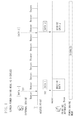
- FIG. 13 illustrates processing performed when the user sets the “power saving mode enabled” and the operation unit 520 displays the menu screen 600 thereon.
- the power saving mode is disabled based on the change in screen at timing 1302 .
- the printing apparatus 401 receives print data (which is divided into data 1 , data 2 , and data 3 in FIG. 13 ) transmitted from the server 402 via the access point 403 , the power saving mode is disabled. Therefore, the communication delays with time 302 , time 304 , and time 305 described in FIG. 3 can be prevented from occurring.
- step S 1208 in FIG. 12 the power saving mode is enabled based on the change in screen at timing 1304 .
- the power saving mode in the printing apparatus 401 can be temporarily changed to be disabled, thereby reducing power consumption in the wireless communication unit 560 of the printing apparatus 401 .
- the power saving mode is kept disabled while the printing apparatus 401 is receiving print data from the server 402 .
- the power saving mode is switched to enabled when the printing apparatus 401 completely receives the print data.
- the operation unit 520 of the printing apparatus 401 When the operation unit 520 of the printing apparatus 401 has a web browsing function, the operation unit 520 can display thereon a screen based on screen information of a HyperText Markup Language (HTML) file or the like acquired from the server 402 . Therefore, a method for switching the power saving mode between disabled and enabled based on screen information acquired from the server 402 will be described according to a third exemplary embodiment.
- HTML HyperText Markup Language
- the structure of the communication system according to the present exemplary embodiment is similar as that according to the first exemplary embodiment, and thus will be described with reference to the same drawings as in the first exemplary embodiment.
- the present exemplary embodiment is different from the first exemplary embodiment in that the operation unit 520 of the printing apparatus 401 has the web browsing function, and the operation unit 520 displays thereon various screens described in FIGS. 6 to 10A and 10B based on the screen information of an HTML file or the like acquired from the server 402 .
- FIGS. 14A and 14B illustrate exemplary screen information acquired by the printing apparatus 401 from the server 402 .
- Screen information 1400 illustrated in FIG. 14A is directed for displaying the menu screen 600 .
- Screen information illustrated in FIG. 14B is directed for displaying the cloud print screen 800 .
- the screen information acquired from the server 402 contains a unique tag ⁇ power_save>.
- the unique tag is used as identification information to be referred to when the printing apparatus 401 disables or enables the power_saving mode.
- the printing apparatus 401 can switch the power saving mode between disabled and enabled based on the screen information acquired from the server 402 . Thereby, a communication delay which easily occurs when the power saving mode is enabled can be prevented as in the first exemplary embodiment.
- Embodiments of the present invention can also be realized by a computer of a system or apparatus that reads out and executes computer executable instructions recorded on a storage medium (e.g., non-transitory computer-readable storage medium) to perform the functions of one or more of the above-described embodiment(s) of the present invention, and by a method performed by the computer of the system or apparatus by, for example, reading out and executing the computer executable instructions from the storage medium to perform the functions of one or more of the above-described embodiment(s).
- the computer may comprise one or more of a central processing unit (CPU), micro processing unit (MPU), or other circuitry, and may include a network of separate computers or separate computer processors.
- the computer executable instructions may be provided to the computer, for example, from a network or the storage medium.
- the storage medium may include, for example, one or more of a hard disk, a random-access memory (RAM), a read only memory (ROM), a storage of distributed computing systems, an optical disk (such as a compact disc (CD), digital versatile disc (DVD), or Blu-ray Disc (BD)TM), a flash memory device, a memory card, and the like.
Landscapes
- Engineering & Computer Science (AREA)
- Theoretical Computer Science (AREA)
- General Engineering & Computer Science (AREA)
- Signal Processing (AREA)
- Physics & Mathematics (AREA)
- General Physics & Mathematics (AREA)
- Human Computer Interaction (AREA)
- Multimedia (AREA)
- Computer Networks & Wireless Communication (AREA)
- Accessory Devices And Overall Control Thereof (AREA)
- Power Sources (AREA)
- Mobile Radio Communication Systems (AREA)
Applications Claiming Priority (2)
| Application Number | Priority Date | Filing Date | Title |
|---|---|---|---|
| JP2012-261312 | 2012-11-29 | ||
| JP2012261312A JP6198385B2 (ja) | 2012-11-29 | 2012-11-29 | 情報処理装置、情報処理装置の制御方法、及びプログラム |
Publications (2)
| Publication Number | Publication Date |
|---|---|
| US20140146336A1 US20140146336A1 (en) | 2014-05-29 |
| US9479663B2 true US9479663B2 (en) | 2016-10-25 |
Family
ID=50773029
Family Applications (1)
| Application Number | Title | Priority Date | Filing Date |
|---|---|---|---|
| US14/091,158 Expired - Fee Related US9479663B2 (en) | 2012-11-29 | 2013-11-26 | Information processing apparatus, method for controlling information processing apparatus, and storage medium |
Country Status (2)
| Country | Link |
|---|---|
| US (1) | US9479663B2 (enExample) |
| JP (1) | JP6198385B2 (enExample) |
Families Citing this family (6)
| Publication number | Priority date | Publication date | Assignee | Title |
|---|---|---|---|---|
| JP6066694B2 (ja) * | 2012-11-29 | 2017-01-25 | キヤノン株式会社 | 情報処理装置、情報処理装置の制御方法及びプログラム |
| JP6103997B2 (ja) * | 2013-03-14 | 2017-03-29 | キヤノン株式会社 | 印刷装置及びその制御方法、プログラム |
| JP6492642B2 (ja) * | 2014-12-25 | 2019-04-03 | ブラザー工業株式会社 | 画像形成装置、画像形成システム、及びプログラム |
| JP6463163B2 (ja) * | 2015-02-16 | 2019-01-30 | キヤノン株式会社 | 通信装置及びその制御方法、並びにプログラム |
| JP6530634B2 (ja) * | 2015-04-22 | 2019-06-12 | キヤノン株式会社 | 情報処理装置及びその制御方法、並びにプログラム |
| JP7631045B2 (ja) * | 2021-03-12 | 2025-02-18 | キヤノン株式会社 | 画像形成システム |
Citations (5)
| Publication number | Priority date | Publication date | Assignee | Title |
|---|---|---|---|---|
| JP2002178604A (ja) | 2000-12-18 | 2002-06-26 | Ricoh Co Ltd | 印刷システム |
| JP2002300175A (ja) | 2001-04-03 | 2002-10-11 | Matsushita Electric Ind Co Ltd | 無線通信システム |
| JP2009071385A (ja) | 2007-09-10 | 2009-04-02 | Panasonic Corp | 通信端末装置、パワーセーブモード制御システム及びパワーセーブモード制御方法 |
| JP2011254205A (ja) | 2010-06-01 | 2011-12-15 | Oki Data Corp | 画像形成装置及び画像形成システム |
| US20120274973A1 (en) * | 2011-04-28 | 2012-11-01 | Brother Kogyo Kabushiki Kaisha | Image forming apparatus and image reading apparatus |
Family Cites Families (6)
| Publication number | Priority date | Publication date | Assignee | Title |
|---|---|---|---|---|
| JP3521313B2 (ja) * | 2001-01-31 | 2004-04-19 | ブラザー工業株式会社 | 電子装置、通信装置、および記憶媒体 |
| JP2004187002A (ja) * | 2002-12-03 | 2004-07-02 | Sony Corp | 無線通信端末、通信制御方法及び通信制御プログラム |
| JP5187085B2 (ja) * | 2008-09-09 | 2013-04-24 | 株式会社リコー | 画像形成処理システム、画像形成処理システムの制御方法及びこれに用いられる遠隔操作プログラム |
| JP2010124331A (ja) * | 2008-11-20 | 2010-06-03 | Toshiba Corp | 映像処理装置、および映像処理装置の映像処理方法 |
| JP4816734B2 (ja) * | 2009-01-26 | 2011-11-16 | ブラザー工業株式会社 | 通信装置 |
| JP2011248734A (ja) * | 2010-05-28 | 2011-12-08 | Oki Data Corp | 電子装置及び電子システム |
-
2012
- 2012-11-29 JP JP2012261312A patent/JP6198385B2/ja not_active Expired - Fee Related
-
2013
- 2013-11-26 US US14/091,158 patent/US9479663B2/en not_active Expired - Fee Related
Patent Citations (5)
| Publication number | Priority date | Publication date | Assignee | Title |
|---|---|---|---|---|
| JP2002178604A (ja) | 2000-12-18 | 2002-06-26 | Ricoh Co Ltd | 印刷システム |
| JP2002300175A (ja) | 2001-04-03 | 2002-10-11 | Matsushita Electric Ind Co Ltd | 無線通信システム |
| JP2009071385A (ja) | 2007-09-10 | 2009-04-02 | Panasonic Corp | 通信端末装置、パワーセーブモード制御システム及びパワーセーブモード制御方法 |
| JP2011254205A (ja) | 2010-06-01 | 2011-12-15 | Oki Data Corp | 画像形成装置及び画像形成システム |
| US20120274973A1 (en) * | 2011-04-28 | 2012-11-01 | Brother Kogyo Kabushiki Kaisha | Image forming apparatus and image reading apparatus |
Also Published As
| Publication number | Publication date |
|---|---|
| US20140146336A1 (en) | 2014-05-29 |
| JP2014106884A (ja) | 2014-06-09 |
| JP6198385B2 (ja) | 2017-09-20 |
Similar Documents
| Publication | Publication Date | Title |
|---|---|---|
| US9335957B2 (en) | Communication apparatus and method for controlling the same, and storage medium | |
| US9252847B2 (en) | Communication apparatus, method and storage medium for short range communication | |
| US20140146336A1 (en) | Information processing apparatus, method for controlling information processing apparatus, and storage medium | |
| US10248185B2 (en) | Information processing apparatus control method of information processing apparatus and storage medium | |
| US9846560B2 (en) | Information processing apparatus capable of selecting among a plurality of power saving modes using a simple operation, and control method and storage medium therefor | |
| US9377980B2 (en) | Host apparatus and server connected to image forming apparatus to perform pull printing, and printing method thereof | |
| EP2544085A2 (en) | Printing apparatus, program, printing system and printing method | |
| US20140173315A1 (en) | Information processing apparatus operable in power saving mode and method for controlling the same | |
| JP6253277B2 (ja) | 画像形成装置 | |
| JP5701041B2 (ja) | サーバ装置、画像処理システム、サーバ装置の制御方法、及びプログラム | |
| JP6218515B2 (ja) | 画像形成装置、画像形成装置の制御方法、及びプログラム | |
| WO2013175728A1 (en) | Image forming apparatus, method for controlling image forming apparatus, and program | |
| US10209664B2 (en) | Printing system including printing apparatus and printing control apparatus | |
| JP2015022634A (ja) | 端末装置、画像形成システム及びプログラム | |
| US8390839B2 (en) | Image formation system, information processor, and computer-readable recording medium to select apparatus for executing process | |
| US9122973B2 (en) | Data transmission apparatus, method for controlling data transmission apparatus, and storage medium | |
| US20130275793A1 (en) | Image forming apparatus, method for controlling image forming apparatus, and a system | |
| US9612645B2 (en) | Information processing apparatus, control method for information processing apparatus, and storage medium for reducing power consumption in response to a transition | |
| JP2015104897A (ja) | 画像処理装置、画像処理装置の制御方法、およびプログラム | |
| CN108255438B (zh) | 具备时刻信息比较功能的打印机 | |
| US20150186080A1 (en) | Image Forming Apparatus That Selects Appropriate Power Saving Mode for Each Time Slot | |
| US9197778B2 (en) | Method for reducing communication delay in printing apparatus having a wireless LAN capability | |
| JP6761582B2 (ja) | 画像形成システム | |
| JP2015141554A (ja) | 画像処理装置 | |
| US9247091B2 (en) | Image forming apparatus, control method for image forming apparatus, and program that stop supply of power to a printer unit and supply of power to a scanner unit based on elapsed times |
Legal Events
| Date | Code | Title | Description |
|---|---|---|---|
| AS | Assignment |
Owner name: CANON KABUSHIKI KAISHA, JAPAN Free format text: ASSIGNMENT OF ASSIGNORS INTEREST;ASSIGNOR:YAGI, YUICHI;REEL/FRAME:032873/0344 Effective date: 20131114 |
|
| ZAAA | Notice of allowance and fees due |
Free format text: ORIGINAL CODE: NOA |
|
| ZAAB | Notice of allowance mailed |
Free format text: ORIGINAL CODE: MN/=. |
|
| ZAAA | Notice of allowance and fees due |
Free format text: ORIGINAL CODE: NOA |
|
| STCF | Information on status: patent grant |
Free format text: PATENTED CASE |
|
| MAFP | Maintenance fee payment |
Free format text: PAYMENT OF MAINTENANCE FEE, 4TH YEAR, LARGE ENTITY (ORIGINAL EVENT CODE: M1551); ENTITY STATUS OF PATENT OWNER: LARGE ENTITY Year of fee payment: 4 |
|
| FEPP | Fee payment procedure |
Free format text: MAINTENANCE FEE REMINDER MAILED (ORIGINAL EVENT CODE: REM.); ENTITY STATUS OF PATENT OWNER: LARGE ENTITY |
|
| LAPS | Lapse for failure to pay maintenance fees |
Free format text: PATENT EXPIRED FOR FAILURE TO PAY MAINTENANCE FEES (ORIGINAL EVENT CODE: EXP.); ENTITY STATUS OF PATENT OWNER: LARGE ENTITY |
|
| STCH | Information on status: patent discontinuation |
Free format text: PATENT EXPIRED DUE TO NONPAYMENT OF MAINTENANCE FEES UNDER 37 CFR 1.362 |
|
| FP | Lapsed due to failure to pay maintenance fee |
Effective date: 20241025 |