WO2017149746A1 - 情報処理装置、情報処理方法、プログラム、記憶媒体 - Google Patents
情報処理装置、情報処理方法、プログラム、記憶媒体 Download PDFInfo
- Publication number
- WO2017149746A1 WO2017149746A1 PCT/JP2016/056745 JP2016056745W WO2017149746A1 WO 2017149746 A1 WO2017149746 A1 WO 2017149746A1 JP 2016056745 W JP2016056745 W JP 2016056745W WO 2017149746 A1 WO2017149746 A1 WO 2017149746A1
- Authority
- WO
- WIPO (PCT)
- Prior art keywords
- web page
- thumbnail image
- thumbnail
- moving image
- scrolling
- Prior art date
- Legal status (The legal status is an assumption and is not a legal conclusion. Google has not performed a legal analysis and makes no representation as to the accuracy of the status listed.)
- Ceased
Links
Images







Classifications
-
- G—PHYSICS
- G06—COMPUTING OR CALCULATING; COUNTING
- G06F—ELECTRIC DIGITAL DATA PROCESSING
- G06F3/00—Input arrangements for transferring data to be processed into a form capable of being handled by the computer; Output arrangements for transferring data from processing unit to output unit, e.g. interface arrangements
- G06F3/01—Input arrangements or combined input and output arrangements for interaction between user and computer
- G06F3/048—Interaction techniques based on graphical user interfaces [GUI]
- G06F3/0484—Interaction techniques based on graphical user interfaces [GUI] for the control of specific functions or operations, e.g. selecting or manipulating an object, an image or a displayed text element, setting a parameter value or selecting a range
-
- G—PHYSICS
- G06—COMPUTING OR CALCULATING; COUNTING
- G06F—ELECTRIC DIGITAL DATA PROCESSING
- G06F13/00—Interconnection of, or transfer of information or other signals between, memories, input/output devices or central processing units
-
- G—PHYSICS
- G06—COMPUTING OR CALCULATING; COUNTING
- G06F—ELECTRIC DIGITAL DATA PROCESSING
- G06F3/00—Input arrangements for transferring data to be processed into a form capable of being handled by the computer; Output arrangements for transferring data from processing unit to output unit, e.g. interface arrangements
- G06F3/01—Input arrangements or combined input and output arrangements for interaction between user and computer
- G06F3/048—Interaction techniques based on graphical user interfaces [GUI]
- G06F3/0484—Interaction techniques based on graphical user interfaces [GUI] for the control of specific functions or operations, e.g. selecting or manipulating an object, an image or a displayed text element, setting a parameter value or selecting a range
- G06F3/0485—Scrolling or panning
-
- G—PHYSICS
- G09—EDUCATION; CRYPTOGRAPHY; DISPLAY; ADVERTISING; SEALS
- G09G—ARRANGEMENTS OR CIRCUITS FOR CONTROL OF INDICATING DEVICES USING STATIC MEANS TO PRESENT VARIABLE INFORMATION
- G09G5/00—Control arrangements or circuits for visual indicators common to cathode-ray tube indicators and other visual indicators
Definitions
- the present invention relates to an information processing apparatus, an information processing method, a program, and a storage medium, for example, a technique for presenting a moving image on a web page as a thumbnail image.
- thumbnail images When a video on a web page is presented as a thumbnail image according to the content of the video, the user can guess what the content of the video is based on the thumbnail image, for example, what kind of product is the video, and whether to play the video. It can be used as a judgment material. Therefore, the use of thumbnail images is suitable as a method for reproducing a moving image that is of interest to the user. However, if the user does not pay attention to the thumbnail image in the web page in the first place, the content of the moving image is not interested, and the moving image may not even be noticed on the web page. Therefore, it is important to direct the user's interest to the thumbnail image itself as an image for presenting a moving image. Therefore, an object of the present invention is to perform display such that a user pays attention to thumbnail images as much as possible when browsing a web page.
- a web page data generation unit that generates the web page data that causes the terminal device to execute a display control process for visually recognizing a change in a thumbnail image; and the terminal device that requests the web page data generated by the web page data generation unit
- a web page transmission unit for transmitting to the web page. That is, when a moving image is presented as a thumbnail image on a web page, if the web page is scrolled, the change of the thumbnail image is made visible to the user.
- the display control process it is conceivable to perform a process of changing the sharpness of the thumbnail image according to scrolling. For example, as the scroll progresses, the resolution of the thumbnail image, the degree of focus, the degree of mosaic, and the like are changed.
- a thumbnail image is generated from one frame in the corresponding moving image.
- the thumbnail image is generated from the frame of the moving image in which the thumbnail image is generated according to the scroll position. It is conceivable to perform processing for switching to a low-speed playback image. That is, a low-speed playback moving image is used as an image for displaying a moving image instead of a thumbnail image as a still image.
- each thumbnail image is displayed for at least a predetermined time.
- a predetermined time for example, 1 second.
- the information processing method according to the present invention When the information processing method according to the present invention is scrolled as web page data for causing the terminal device to display a web page with a video that presents a reproducible video as a thumbnail image on the terminal device, In response to scrolling, a procedure for generating the web page data for causing the terminal device to execute a display control process for visually recognizing a change in the thumbnail image, and a procedure for transmitting the generated web page data to the requesting terminal device are executed.
- Information processing method By executing this information processing method, the user is presented with a state in which the thumbnail image for presenting the moving image is changed according to scrolling when browsing the web page.
- a program according to the present invention is a program that causes an information processing apparatus to execute the processing of each step as the information processing method.
- a storage medium according to the present invention is a storage medium storing the above program. The above information processing apparatus is realized by these programs and storage media.
- thumbnail image that presents a moving image on a web page changes according to scrolling, so that the user can easily catch the eye.
- the reproduction of moving images can be promoted, and the provision of information to the user can be activated.
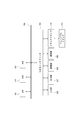
- FIG. 1 It is a block diagram of the outline
- Video For example, video content that is posted on a website provided by an electronic commerce system, such as a video that introduces a product.
- the video on the web page is presented as a thumbnail image except during playback.
- the object to be processed is to start moving image reproduction (reproduction at normal speed) by a user operation.
- -Scroll position This is the display position of the web page whose position fluctuates due to the scroll operation, but is mainly used to indicate the position in the display screen of the moving image posting area in the web page.
- FIG. 1 shows a configuration example of a network system that functions as an EC (electronic commerce) system that realizes a virtual shopping street in which a plurality of stores open.
- the EC system according to the present embodiment enables an electronic commerce server (hereinafter referred to as “EC server”) 3, a plurality of store terminals 4, and a plurality of user terminals 5 to communicate with each other via a network 1. It is connected.
- the EC server 3 can access the electronic commerce database 6.
- database is referred to as “DB”.
- the EC server 3 is given as an example of the information processing apparatus as claimed in the claims of the present invention.
- the EC server 3 is realized by one or a plurality of information processing apparatuses. Therefore, the information processing apparatus according to the claims of the present invention is realized by one information processing apparatus or a plurality of information processing apparatuses in cooperation.
- the configuration of the network 1 is assumed.
- the Internet, intranet, extranet, LAN (Local Area Network), CATV (Community Antenna TeleVision) communication network, virtual private network, telephone line network, mobile communication network, satellite communication network, etc. are assumed.
- the Various examples of transmission media constituting all or part of the network 1 are also envisaged.
- IEEE Institute of Electrical and Electronics Engineers 1394, USB (Universal Serial Bus), power line carrier, telephone line etc. wired, infrared such as IrDA (Infrared Data Association), Bluetooth (registered trademark), 802.11 wireless It can also be used by radio such as a mobile phone network, satellite line, and digital terrestrial network.
- the EC server 3 is a virtual shopping mall server that functions as a portal for a virtual shopping mall, for example.
- the EC server 3 executes processing based on the processing request received from the store terminal 4 or the user terminal 5. For example, providing search pages for products and services to users, providing store pages for each store, searching for products and services according to user searches, displaying search result lists, providing product pages, advertising and users on each page Display recommended products, process related to product purchase, store management, user management, etc.
- the store terminal 4 is shown as an information processing device used at a store opening a store in a virtual shopping mall.
- the store terminal 4 is used for registering information on products sold in the virtual shopping mall in the electronic commerce DB 6 via the EC server 3.
- a dedicated screen provided from the EC server 3 is displayed on the display unit of the store terminal 4.
- the person in charge of the store registers product information and the like in the electronic commerce DB 6 via this dedicated screen.
- the user terminal 5 is shown as an information processing apparatus operated by a user who purchases goods or services using a virtual shopping mall.
- the user terminal 5 is a computer device provided with a web browser.
- Examples of the user terminal 5 include a high-function mobile phone (smart phone), a mobile phone, a personal digital assistant (PDA), and a portable or stationary personal computer (PC). It is not limited.
- the user terminal 5 requests a web page or predetermined processing by transmitting an HTTP (Hypertext Transfer Protocol) request to the EC server 3 or the like. Further, the user terminal 5 receives the web page (web page data) sent in response to the HTTP request and displays it by the web browser. Thereby, the user can browse and operate a desired web page.
- HTTP Hypertext Transfer Protocol
- the EC server 3 starts an HTTP daemon.
- the store terminal 4 or the user terminal 5 starts a browser, and the store terminal 4 or the user terminal 5 transmits a processing request (HTTP request) to the EC server 3 via the browser.
- a processing result (HTTP response) corresponding to the processing request is transmitted to the store terminal 4 or the user terminal 5.
- page data described in a web page description language is transmitted to the store terminal 4 or the user terminal 5.
- the web page (screen) based on a processing result is displayed on the display part of the shop terminal 4 or the user terminal 5.
- the EC server 3 provides a web page as a virtual shopping mall to the user terminal 5 through such operations, and performs product search, product presentation, advertisement presentation, settlement processing, etc. in response to a request from the user terminal 5.
- the EC server 3 performs the same operation on the store terminal 4 as well, providing a product registration page, registering a product in response to a request from the store terminal 4, and the like.
- Information necessary for the EC server 3 to perform these processes is stored in the electronic commerce DB 6.
- a user DB 6a a store DB 6b, a product DB 6c, an advertisement DB 6d, and a moving image DB 6e are shown.
- DBs necessary for functioning as a portal of a virtual shopping mall.
- data related to users who use the virtual shopping mall is registered. For example, for each registered user, a user ID (identification) which is user identification information, a login password, an address, a name, attribute information such as sex and age, payment information, an e-mail address, and the like are registered.
- data relating to the history of transactions performed in the virtual shopping mall is registered as the purchase history of each user. For example, for each user ID, the product ID of the purchased product, information about the product, the purchase store, the purchase date and time, the purchase price, and the like are registered. Furthermore, browsing history of each user, favorite registration information, and the like are also stored.
- the store DB 6b data related to stores that open in the virtual shopping mall is registered. For example, for each store, store ID, name, address, telephone number as store identification information, link information (URL (Uniform Resource Locator)) to a web page (store page) related to the store, and the like are registered. Data related to products handled in the virtual shopping mall is registered in the product DB 6c. For example, in the product table 6b, for each product (including services), a product ID as product identification information, a store ID of a store selling the product, a product category, a name, a price, a stock, a web page (product) Link information (URL) to (page) is registered.
- Advertisement information registered by the store is registered in the advertisement DB 6d.
- Each advertisement information is associated with an advertisement image such as a product or a store photo or logo, text information as an advertisement text, a keyword for selecting an advertisement, a URL link, performance information, and advertisement unit price information.
- the performance information includes the display count (impression), click count, CTR (Click Through Rate), access count, conversion count, CVR (Conversion Rate), merchandise sales value, and the like.
- the EC server 3 can display the advertisement image and text selected from the advertisement DB 6d on various web pages.
- the moving image DB 6e is a DB that stores various moving image contents to be posted on a web page and related information.
- the moving image is, for example, a product moving image, an advertising moving image, a news moving image, an entertainment moving image, or the like, which is presented on a web page and can be arbitrarily reproduced by a user.
- the moving image DB 6e will be described later with a specific example.
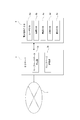
- FIG. 2 shows a hardware configuration of the information processing apparatus that constitutes the EC server 3, the store terminal 4, and the user terminal 5 shown in FIG.
- Each device shown as the EC server 3, the store terminal 4, and the user terminal 5 can be realized as a computer device as shown in FIG. 2 capable of information processing and information communication.
- a CPU (Central Processing Unit) 101 of a computer apparatus performs various processes according to a program stored in a ROM (Read Only Memory) 102 or a program loaded from a storage unit 108 to a RAM (Random Access Memory) 103. Execute the process.
- the RAM 103 also appropriately stores data necessary for the CPU 101 to execute various processes.
- the CPU 101, ROM 102, and RAM 103 are connected to each other via a bus 104.
- An input / output interface 105 is also connected to the bus 104.
- the input / output interface 105 includes an input unit 106 including a keyboard, a mouse, and a touch panel, a display including an LCD (Liquid Crystal Display), a CRT (Cathode Ray Tube) and an organic EL (Electroluminescence) panel, and an output including a speaker.
- a storage unit 108 configured by a unit 107, an HDD (Hard Disk Drive), a flash memory device, and the like, and a communication unit 109 that performs communication processing and inter-device communication via the network 1 are connected.
- a media drive 110 is also connected to the input / output interface 105 as necessary, and a removable medium 111 such as a magnetic disk, an optical disk, a magneto-optical disk, or a semiconductor memory is appropriately mounted, and information can be written to the removable medium 111. Reading is performed.
- a removable medium 111 such as a magnetic disk, an optical disk, a magneto-optical disk, or a semiconductor memory is appropriately mounted, and information can be written to the removable medium 111. Reading is performed.
- the information processing apparatus that constitutes the EC server 3, the store terminal 4, and the user terminal 5 is not limited to a single computer apparatus as shown in FIG. 2, and a plurality of computer apparatuses are systemized. May be.
- the plurality of computer devices may be systemized by a LAN or the like, or may be arranged at a remote place by a VPN using the Internet or the like.
- FIG. 3 shows a functional configuration as the EC server 3 including one or a plurality of information processing apparatuses.
- the EC server 2 only a function for providing a web page for presenting a moving image is shown.
- a store page For example, a product page for purchasing individual products, a product introduction page for introducing one or a plurality of products, etc., and a web page providing function for moving images.
- Each function is a function realized by processing executed by the CPU 101 in accordance with the program in the information processing apparatus. However, all or a part of the processing described below may be realized by hardware. Further, when each function is realized by software, each function need not be realized by an independent program. Processing of a plurality of functions may be executed by one program, or one function may be realized by cooperation of a plurality of program modules.
- the EC server 3 includes a web page data generation unit 3a and a web page transmission unit 3b.
- the web page data generation unit 3a generates web page data that causes the user terminal 5 to execute a process related to a thumbnail image that presents a moving image, as web page data for displaying the web page on the user terminal 5.
- the process related to the thumbnail image is a display control process for allowing the user to visually recognize a change in the thumbnail image in accordance with the scroll when the web page is scrolled on the browser of the user terminal 5.
- the web page transmitting unit 3b transmits the web page data generated by the web page data generating unit 3a to the requesting user terminal 5.
- a moving image posted on a web page is presented as a thumbnail image.
- thumbnail images are displayed except during playback.
- the “movement” of the thumbnail image is visually recognized along with the scrolling.
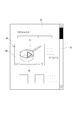
- FIG. 4 shows a moving image presentation mode on a web page.
- the thumbnail image TM1 is displayed in the moving image posting area 60, and it is presented to the user that the moving image can be reproduced.
- a playback button 61 is displayed on the thumbnail image TM1, and the user can play back a moving image by clicking the playback button 61.
- the moving image posting area 60 is provided with various controls for pause, sound volume, display mode, and the like, and a control unit 62 that presents the moving image progress status.
- a scroll bar 51 is prepared on the web page 50, and the user can browse the entire page including a portion not yet displayed by performing a scroll operation.
- the thumbnail image TM1 is changed according to the scroll.
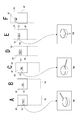
- FIG. 5A a plurality of thumbnail images TM1 to TM5 are prepared for the moving image, and the thumbnail images TM1 ⁇ TM2 ⁇ TM3 ⁇ TM4 ⁇ TM5 are switched in the order of scrolling.
- the angle of the product image changes and the change of the pseudo-moving thumbnail image is visually recognized.
- FIG. 5B is an example in which the sharpness of an image is changed by mosaic processing for one thumbnail image TM1.
- the thumbnail image TM1 is normally displayed initially, but as the scrolling progresses, the mosaic TM1 ⁇ TM1-2 ⁇ TM1-3 ⁇ TM1-4 shown in FIG. 5B is displayed.
- the roughness of the process is changed to reduce the sharpness of the image.
- the user visually recognizes the state in which the thumbnail image TM1 becomes difficult to see as the user scrolls.
- the thumbnail images are changed in the reverse order.
- the thumbnail image TM5 ⁇ TM4 ⁇ TM3 ⁇ TM2 ⁇ TM1 is switched in the reverse scrolling, and the thumbnail image TM1 is fixed in the state of returning to the original scroll position as shown in FIG.
- the thumbnail image gradually becomes clear by scrolling in the reverse direction, and the thumbnail image TM1 becomes the clearest in a state where the original scroll position is returned as shown in FIG.
- the thumbnail image in the web page is impressed on the user by causing the thumbnail image to change according to the scroll.
- the thumbnail image in the web page is impressed on the user by causing the thumbnail image to change according to the scroll.
- FIG. 5A When switching a plurality of thumbnail images as shown in FIG. 5A, if the images are continuous in time series, pseudo-moving image display and flip-flop cartoon display are performed according to the scroll. Of course, images having no continuity may be switched, and in this case, the user will observe a state where the images are switched at high speed.
- image processing that causes the focus to be blurred may be performed.
- the color of the thumbnail image may be changed.
- the saturation is reduced so that it is close to monochrome from a normal color, or the color is changed so that the color of a specific color becomes strong.
- the luminance may be changed, and the contrast and sharpness may be changed.
- image parameters such as color, brightness, contrast, and sharpness are changed in a complex manner.
- thumbnail images whose parameters are changed in advance may be prepared and sequentially selected and displayed.
- parameters for displaying on the web page may be changed.
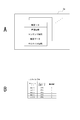
- the moving image DB 6e stores a large number of moving images to be posted on various web pages provided by the EC server 3. For each moving image, for example, a moving image ID, product information, content information, moving image data, and thumbnail information are registered as shown in FIG. 6A.
- the moving image ID is identification information of each moving image.
- the product information is various attribute information of a product such as a product genre, a sub genre, a manufacturer, and a price of the product introduced / advertised by the moving image. This is information provided when the moving image is a product moving image.
- the content information is video data information. For example, playback time, number of scenes, number of cuts, resolution, editing information, and the like are included.
- the moving image data is data to be displayed as an actual moving image.
- As the thumbnail information one or a plurality of thumbnail images (still images) generated as thumbnail images of the moving image data and information related to the respective thumbnail images are stored.
- FIG. 6B shows an example in which a plurality of thumbnail images TM1 to TM5 are prepared for one moving image as shown in FIG. 5A.
- thumbnail information a thumbnail ID is assigned to each thumbnail image, and order information is registered.
- the thumbnail ID is identification information for identifying each of a plurality of thumbnail images set for the moving image.
- the order information is information in which the order of switching is set when the thumbnail images TM1 to TM5 are switched and displayed as described above.
- the image data itself as the thumbnail image can be generated by extracting one frame of the moving image data, for example, in order to make the image conform to the moving image content.
- a thumbnail image can be generated by extracting the x-th frame of moving image data and converting the resolution of the frame.
- Various techniques are known for the frame extraction method.
- a plurality of continuous thumbnail images TM1 to TM5 as shown in FIG. 5A are extracted from a certain frame of a moving image at a predetermined frame interval (for example, 30 frame intervals), and the resolution of each frame is converted. Can be considered.
- thumbnail images having different contents can be generated.
- thumbnail images may be generated from other than moving images. For example, in the case of a product introduction video, an image of the product is often posted on the product page of the product. By generating thumbnail images using these product images, it is possible to obtain thumbnail images that well express the features of the products. Of course, not only images but also text data of product pages may be extracted to generate thumbnail images using characters.
- the EC server 3 may provide the information of the moving image DB 6e to the user terminal 5 together with the web page transmission, or may sequentially transmit the information in response to a request from the user terminal 5.
- thumbnail display operation of first embodiment A thumbnail display operation according to the first embodiment will be described.
- thumbnail images are switched and displayed according to a scroll position (position on the browser screen of the moving image posting area 60 by scrolling).
- FIG. 7 shows the display position of the moving image posting area 60 on a certain web page 50.
- the display range DP is a range that is actually displayed on the browser of the user terminal 5 and is being visually recognized by the user.
- the position Rp position in the scroll direction
- the reference position P1 as shown in the figure.
- the position Rp of the moving image posting area 60 is the position of the upper side in this example, but this is an example.
- the position Rp may be the center position in the vertical direction of the moving image posting region 60 or may be the position of the lower side.
- a certain reference position may be set.
- the reference position P1 is shown as a display position in the first view for explanation, and the reference position P1 does not need to be fixedly set. Depending on the layout of the web page 50, the reference position P1 is a different position.
- the moving image posting area 60 When scrolling is performed in the forward direction from the state of the first view display, the content below the web page 50 appears on the display screen. In response to this, the moving image posting area 60 gradually moves upward on the screen. If scrolling is continued, the position Rp of the moving image posting area 60 sequentially passes through the change positions P2, P3, P4, and P5 in the course of the movement. Each of the change positions P2, P3, P4, and P5 is set in advance as, for example, a position on the browser (a fixed position within the display range DP). Each time the position Rp of the moving image posting area 60 reaches the change positions P2, P3, P4, P5, the thumbnail image is changed. In the case of the figure, the thumbnail image TM1 was initially displayed. However, as shown by the broken line, when the moving image posting area 60 moves to the upper part of the screen, it is switched to the thumbnail image TM5.
- FIG. 8A shows the state of the web page 50 in the first view display, in which a line or the like of the web page 50 is displayed, and the moving image posting area 60 is also included therein. At this time, the thumbnail image TM1 is displayed in the moving image posting area 60.
- FIG. 8B shows a certain point in time when the web page 50 is scrolled and the position of the moving image posting area 60 (the position of the moving image posting area 60 is the position Rp in FIG. 7; the same applies hereinafter) exceeds the change position P2. Yes.
- FIG. 8C shows a certain point in time when the web page 50 is further scrolled and the position of the moving image posting area 60 exceeds the change position P3.
- the thumbnail image TM3 is displayed in the moving image posting area 60.
- FIG. 8D shows a certain point in time when the web page 50 is further scrolled and the position of the moving image posting region 60 exceeds the change position P4.
- the thumbnail image TM4 is displayed in the moving image posting area 60.
- FIG. 8E shows a certain point in time when the web page 50 is further scrolled and the position of the moving image posting region 60 exceeds the change position P5.
- the thumbnail image TM5 is displayed in the moving image posting area 60.
- the moving image posting area 60 is outside the display range DP as shown in FIG. 8F.
- the thumbnail images TM1 to TM5 are switched in the process of moving the position Rp of the moving image posting area 60 within the displayed range by scrolling. It feels like TM1 has started moving. Which change position (P2 to P5) and in which order the thumbnail images are switched may be determined according to the order information (see FIG. 6B) for each thumbnail image in the moving image DB 6e.
- the moving image posting area 60 may be a web page 50 in which the moving image posting area 60 is not displayed. That is, the moving image posting area 60 appears by scrolling. In this case, it is conceivable to perform control as shown in FIG.
- FIG. 9A shows an example in which the moving image posting area 60 is not displayed in the first view display state of the web page 50.
- the page portion within the display range DP advances as shown in FIG. 9B ⁇ FIG. 9C ⁇ FIG. 9D ⁇ FIG. 9E ⁇ FIG. 9F, so that the video posting region 60 appears within the display range DP. come.
- the thumbnail image TM1 is displayed in the moving image posting region 60 up to FIG. 9G. Therefore, the thumbnail image TM1 appears without change and is visually recognized by the user.
- the position of the moving image posting area 60 exceeds the change position P2.
- FIG. 9H shows a certain point in time when the position of the moving image posting area 60 exceeds the change position P2.
- the thumbnail image TM2 is displayed in the moving image posting area 60.
- FIGS. 9I, 9J, and 9K similarly to FIGS. 8C, 8D, and 8E, the thumbnail images TM3, TM4, and TM5 are switched every time the change positions P3, P4, and P5 are reached. Go.
- the moving image posting area 60 moves out of the display range DP with the thumbnail image TM5 as shown in FIG. 9L.
- the thumbnail image TM1 with the heading order information is used as it is until the change position P2 on the screen is reached. Then, the thumbnail images are changed in order as they are scrolled upward and moved out of the screen. That is, in either case of FIG. 8 or FIG. 9, the thumbnail image TM1 is initially displayed, but when the scroll image starts to move out of the display range DP by scrolling, the thumbnail image TM1 changes.
- the reverse change is performed. That is, when the backward scrolling is performed from FIG. 8F and the position (Rp) of the moving image posting area 60 reaches the change position P5 in the process of proceeding from FIG. 8E to FIG. 8D, the thumbnail image TM5 is switched to the thumbnail image TM4. Further, every time the change position P4, P3, P2 is reached, the thumbnail image TM3 ⁇ TM2 ⁇ TM1 is changed. Since the page top has been reached at the stage of FIG. 8A, no further reverse scrolling is possible. Accordingly, the display of the moving image posting area 60 returns to the state of the first thumbnail image TM1 by scrolling in the reverse direction.
- the moving image posting region 60 when the moving image posting region 60 is displayed in the first view, or when the moving image posting region 60 appears by forward scrolling.
- the initial thumbnail image TM1 is left as it is.
- the display changes in accordance with the progress of the forward scroll toward the outside of the display range DP. Depending on the reverse scroll after such a change has occurred, the display is changed so that the change is restored. After returning to the first thumbnail image TM1, the thumbnail image TM1 is maintained even if the backward scroll is performed.
- FIGS. 10 and 11 show processing according to the first embodiment, that is, processing executed by the user terminal 5 that displays the web page 50.
- FIG. the EC server 3 of this example generates web page data that causes the user terminal 5 to execute the processes shown in FIGS. 10 and 11, and sends the web page data to the requesting user terminal 5. To send. 10 and 11, only the control of the thumbnail image of the web page 50 is shown.
- the user terminal 5 executes various processes not shown and mentioned as processes related to the browsing of the web page 50. Become.
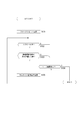
- step S101 in FIG. 10 the user terminal 5 performs first view display control for the requested web page 50. That is, the web page 50 transmitted from the EC server 3 is displayed. Thereafter, the user terminal 5 performs thumbnail display control of the moving image posting area 60 on the web page 50 based on a program described in a programming language such as JavaScript (Javascript: registered trademark).
- JavaScript Javascript: registered trademark
- step S102 the user terminal 5 monitors whether scrolling is in progress. That is, it is monitoring whether the screen of the web page 50 is scrolled according to the user's scroll operation. Further, the user terminal 5 monitors whether or not the browsing of the web page 50 is finished in step S104. When the browsing of the web page 50 is finished, the processing of FIG. 10 is finished.
- step S103 determines whether or not the moving image posting area 60 has reached the change position. That is, it is whether or not the position Rp of the moving image posting area 60 has reached any of the change positions P2 to P5.
- the process of step S105 is not performed. Only when it is detected that one of the change positions P2 to P5 has been reached, the user terminal 5 performs a display image display change process in step S105.
- the first to fifth thumbnail images in FIG. 11 are the thumbnail images in which the order information (see FIG. 6B) is registered as the first to fifth in the moving image DB 6e, or different image parameter settings are given. Indicates the thumbnail image.
- the first to fifth thumbnail images correspond to the thumbnail images TM1 to TM5 in the case of FIG. 5A.
- the first to fifth thumbnail images are thumbnail images TM1, TM1-1, TM1-2, TM1-3, and TM1-4.
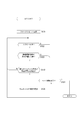
- step S151 the user terminal 5 determines whether the current scroll is a forward scroll or a reverse scroll and branches the process. In the case of forward scrolling, it is determined in steps S152 to S155 whether the reached change position is any of the change positions P2 to P5. When it is detected that the position Rp of the moving image posting area 60 has reached the change position P2, the user terminal 5 performs a process of changing the thumbnail image to the second thumbnail image in step S156. When it is detected that the position Rp of the moving image posting area 60 has reached the change position P3, the user terminal 5 performs a process of changing the thumbnail image to the third thumbnail image in step S157.
- the user terminal 5 When it is detected that the position Rp of the moving image posting area 60 has reached the change position P4, the user terminal 5 performs a process of changing the thumbnail image to the fourth thumbnail image in step S158. When it is detected that the position Rp of the moving image posting area 60 has reached the change position P5, the user terminal 5 performs a process of changing the thumbnail image to the fifth thumbnail image in step S159.
- step S161 to S164 it is determined in steps S161 to S164 whether the reached change position is any of the change positions P2 to P5.
- the user terminal 5 performs a process of changing the thumbnail image to the fourth thumbnail image in step S168.
- the user terminal 5 performs a process of changing the thumbnail image to the third thumbnail image in step S167.
- the user terminal 5 performs a process of changing the thumbnail image to the second thumbnail image in step S166.
- the user terminal 5 performs a process of changing the thumbnail image to the first thumbnail image in step S165.
- the display operation described with reference to FIGS. 8 and 9 is performed.
- the display state of the thumbnail image changes every time the user browsing the web page 50 performs a forward scroll operation to bring the position Rp of the moving image posting area 60 to the change positions P2, P3, P4, and P5.
- the thumbnail image changes like a pseudo moving image, and the sharpness, hue, brightness, etc. change. This increases the possibility that the user will pay attention to the thumbnail image during the scrolling process.
- step S110 the user terminal 5 determines whether or not the display state of the current thumbnail image has exceeded a predetermined time. For example, when a certain thumbnail image is switched to the current thumbnail image, it is determined whether or not a predetermined time or more has elapsed from the time of the switching to the present. Further, when the current thumbnail image appears by scrolling, it is determined whether or not a predetermined time or more has elapsed since the time when it appeared in the display range DP. For this determination, the user terminal 5 performs a time count using a thumbnail image switching time or an output current time as a trigger.
- the predetermined time may be determined assuming a time required for a person to recognize one image. For example, about 1 second can be considered.
- step S105 for example, the thumbnail image display change process is performed in the above-described process of FIG. Therefore, in the case of the second embodiment, even when the position Rp of the moving image posting area 60 reaches any of the change positions P2 to P5, the display state of the thumbnail images so far is longer than the predetermined time. Only the display state is changed. Therefore, for example, when quick scrolling is performed, the thumbnail image TM1 is changed to TM4 and the like, and it may be outside the display range DP as it is. For example, this is a case where the display state of the thumbnail image TM1 is not less than a predetermined time for the first time when the change position P4 is reached.
- Thumbnail display operation of third embodiment> a low-speed playback of a moving image (playback at a playback speed less than 1 ⁇ speed) or a very low-speed playback (for example, playback at a playback speed of 1/2 ⁇ speed or less) is executed along with scrolling. This is an example in which a low-speed playback video is used as a thumbnail.
- FIG. 13A shows a state where the range including the moving image posting area 60 in the web page 50 is within the display range DP.
- a thumbnail image TM1 is displayed in the moving image posting area 60.
- the change start position P2m shown in FIG. 7 is set in the display range DP. This change start position P2m is a position at which low-speed moving image playback is started.
- FIG. 13B shows a state in which the position (Rp) of the moving image posting area 60 has exceeded the change start position P2m by forward scrolling.
- the moving image low speed reproduction is started from the time when the moving image posting region 60 reaches the change start position P2m. Therefore, the reproduced image MV is used as a thumbnail image at the time of FIG. 13B. Thereafter, the reproduced image MV is displayed while the scrolling proceeds as shown in FIGS. 13C, 13D, and 13E.
- the moving image posting area 60 is outside the display range DP.
- the reproduced image MV is displayed.
- the playback image MV is displayed while the scroll in the reverse direction as in FIGS. 13H, 13I, and 13J is performed.
- the original thumbnail image TM1 is switched.
- 13K and 13L show a state in which the thumbnail image TM1 is displayed in the moving image posting area 60. If the backward scrolling is further performed, the moving image posting area 60 moves below the display range DP and then outside the display range DP. In this case, for example, the thumbnail image TM1 may be left as it is. It is done.
- the EC server 3 generates web page data that causes the user terminal 5 to execute the processing illustrated in FIG. 14, and transmits the web page data to the requesting user terminal 5. Sometimes the following processing is performed.
- step S201 in FIG. 14 the user terminal 5 performs first view display control for the requested web page 50. That is, the web page 50 transmitted from the EC server 3 is displayed. Thereafter, the user terminal 5 performs thumbnail display control of the moving image posting area 60 based on a program described in the web page 50.
- step S202 the user terminal 5 monitors whether forward scrolling is being performed. That is, it is monitoring whether or not the screen of the web page 50 is scrolled forward in accordance with the user's scroll operation. Further, the user terminal 5 monitors whether or not reverse scrolling is being performed in step S203. That is, it is monitoring whether or not the screen of the web page 50 is scrolled in the reverse direction according to the scroll operation of the user. Further, the user terminal 5 monitors whether or not browsing of the web page 50 has been completed in step S204. When the browsing of the web page 50 is finished, the processing of FIG. 14 is finished.
- step S202 the user terminal 5 proceeds from step S202 to S205, and determines whether or not the position Rp of the moving image posting area 60 has reached the change start position P2m.
- the process of step S206 is not performed.
- the user terminal 5 When the user terminal 5 detects that the moving image posting area 60 has reached the change start position P2m by forward scrolling, the user terminal 5 performs a process of starting moving image low speed reproduction in step S206.
- the user terminal 5 communicates with the EC server 3 as necessary, receives each frame data of the moving image data, and displays it on the web page 50.
- the moving image low speed reproduction started here is to reproduce the moving image itself at a speed slower than the normal speed, and the reproduction start frame is not necessarily limited. For example, low-speed playback may be started from the first frame of the moving image, or may be started from an arbitrary frame in the middle of the moving image.
- the moving image reproduction be started from the frame (or the next frame) that is the basis of the thumbnail image TM1. That is, the frame number of the moving image from which the thumbnail image TM1 is generated is stored. For example, a frame number is registered as thumbnail information of the moving image DB 6e.
- step S206 low-speed playback is executed using the frame or the next frame as a playback start position. Then, it is possible to realize a display that shows the user as if the thumbnail image TM1 started to move slowly in response to scrolling.
- the user terminal 5 or the EC server 3 always performs a process of storing the current frame number after starting the moving image low-speed playback. This is for determining the start position of reverse playback during reverse scrolling.
- step S207 it is determined whether or not the moving image posting area 60 has reached the outside of the display range DP due to the progress of the forward scroll. Display control is not particularly performed during a period in which the moving image posting area 60 has not reached the display range DP or a period in which the video posting area 60 has not yet appeared in the display range DP. If the moving image posting area 60 has reached the outside of the display range DP due to forward scrolling and is no longer displayed, the process of the user terminal 5 proceeds to step S208 and ends the moving image low speed reproduction.
- step S210 When reverse scrolling is being performed, the user terminal 5 proceeds from step S203 to step S210, and first determines whether or not the current scroll position is in a range beyond the change start position P2m. That is, whether or not the moving image posting region 60 is backward scrolling after the change start position P2m by forward scrolling and has not yet returned to the change start position P2m. If this is not the case, the thumbnail image TM1 is displayed in the moving image posting area 60, or the thumbnail image TM1 remains outside the display range DP. In these cases, no display control is performed.
- step S211 When the current reverse scroll is performed in a range beyond the change start position P2m, the process of the user terminal 5 proceeds to step S211 and detects that the moving image posting area 60 has reached the display range DP. Processing branches depending on whether or not The user terminal only when it is detected that the moving image posting region 60 is within the display range DP at the start of reverse scrolling, or when it is detected that the moving image posting region 60 has entered the display range DP by reverse scrolling.
- step S212 proceeds to step S212, and the low-speed reverse reproduction of the moving image from the frame of the last frame number stored in the low-speed reproduction is started. That is, the reproduction is started so that the low speed reproduction performed by the forward scroll is similarly rewound at a low speed.
- step S211 The process of the user terminal 5 proceeds from step S211 to S213 except for the above-described low-speed reverse playback start time. Then, it is determined whether or not the position Rp of the moving image posting area 60 has reached the change start position P2m (that is, has returned to the change start position P2m). When the moving image posting area 60 is outside the display range DP, or when it is within the display range DP but has not reached the change start position P2m, steps S212 and S214 are not performed.
- the user terminal 5 terminates the moving image low speed reverse reproduction and switches to the thumbnail image TM1 in step S214.
- the display operation described with reference to FIG. 13 is performed by the above processing. That is, after the moving image posting area 60 reaches the change start position P2m by forward scrolling, the low-speed playback image is displayed instead of the thumbnail image TM1 until it is outside the display range DP. In this case, since it is possible to give the user an impression that the thumbnail image TM1 has started to move in response to scrolling, it is possible to attract interest in the thumbnail image and the moving image itself.
- a display is made such that a moving image that has progressed at a low speed playback returns to the frame of the thumbnail image TM1, which is also suitable for attracting the user's interest.
- forward scrolling and backward scrolling are only performed by user operations, and the scrolling speed is not constant.
- the scroll speed is not necessarily the same as that during forward scrolling, and therefore, the start frame of low-speed playback may not return or may go too far.
- the low-speed playback and the low-speed reverse playback are used instead of the thumbnail images to give a visual effect as if the thumbnail images started to move, and therefore it is not necessary to strictly manage the playback position.
- the playback image MV is played back at a low speed. It is also conceivable to perform high-speed reproduction (reproduction at a speed exceeding 1 ⁇ speed) instead of low-speed reproduction. In the case of high-speed playback, it is possible to attract the user's interest in the thumbnail image and eventually the moving image by giving a visual effect that the thumbnail image TM1 moves quickly.
- low-speed or high-speed variable-speed playback images are used instead of the thumbnail images TM1 and are intended to interest the user at the time prior to video playback. It is desirable not to use reproduction).
- playback audio is also output during video playback, but it is preferable not to execute audio output during variable speed playback video instead of thumbnail images.
- the process according to the embodiment is intended only for moving images that are reproduced when the user performs a reproduction operation, and not for moving images that are automatically reproduced on the screen. This is because outputting the sound before the user performs the reproduction operation may cause the user to feel bothersome. From another viewpoint, in order not to reproduce sound, it is usually appropriate to perform variable speed reproduction in which sound is muted, and the processing becomes easy.
- the start frame of the low-speed reverse reproduction of the moving image at the time of reverse scrolling is not necessarily limited.
- low-speed reverse playback may be started from the end frame of the moving image, or may be started from an arbitrary frame in the middle of the moving image.
- low speed playback and high speed playback in the normal playback progress direction may be performed instead of low speed reverse playback.
- the EC server 3 (information processing apparatus) according to the embodiment, when scrolling is performed as web page data for causing the user terminal 5 to display a web page with a moving image that presents a reproducible moving image as a thumbnail image.
- the web page data generating unit 3a for generating web page data for causing the user terminal 5 to execute a display control process for visually recognizing a change in the thumbnail image according to the scroll, and the web page data generated by the web page data generating unit 3a.
- a web page transmitting unit 3b that transmits the request to the user terminal 5.
- the moving picture presentation method is enhanced with the display effect of the moving picture posting area 60, and there is an effect of realizing effective use of a display device having a limited display area. .
- the thumbnail image is changed when moving toward the top of the screen by forward scrolling, so that the thumbnail image that has been stopped until then starts to move.
- Visual effects can be given.
- the thumbnail image TM1 that appears in the state of a still image is an operation that changes when the thumbnail image TM is further displaced upwards by forward scrolling, thereby increasing the appeal to the user. be able to.
- FIGS. 9A to 9F when the moving image posting area 60 appears in the display range DP by forward scrolling, the thumbnail image TM1 is not changed. Is also possible.
- a process of switching and displaying a plurality of thumbnail images TM1 to TM5 as a plurality of images forming a pseudo moving image according to scrolling is performed.
- a pseudo moving image is obtained by switching a plurality of thumbnail images of images that change in time series with the progress of scrolling. Display, for example, flip-cartoon display.
- the process of changing the definition of the thumbnail image according to the scrolling is performed. For example, as the scroll progresses, the resolution of the thumbnail image, the degree of focus, the degree of mosaic, and the like are changed. The user's attention can be drawn by the change in the sharpness of the thumbnail image.
- the possibility of moving image reproduction is improved by motivating the thumbnail image to be sharpened by adjusting the scroll position like a game. For example, if the sharpness is the highest at the reference position P1 and the sharpness decreases as the scroll movement in the vertical direction increases, the user's willingness to adjust the scroll position and view the thumbnail can be stimulated.
- processing to change any of the color, brightness, contrast, and sharpness of thumbnail images according to scrolling By changing one or more of the color, brightness, contrast, and sharpness as the thumbnail image parameters as the scroll progresses, the user's attention can be drawn by the change in the appearance of the thumbnail image. In this case, it is also possible to prepare only one thumbnail image and change the display parameters.
- the thumbnail image TM1 is generated from one frame in the corresponding moving image, and the thumbnail image TM1 corresponds to the scroll position, that is, the moving image posting area 60 reaches the change start position P2m.
- the low-speed playback image from the frame of the moving image is switched and displayed. That is, a very low speed reproduction moving image is used instead of the thumbnail image TM1.
- a very low speed reproduction moving image is used instead of the thumbnail image TM1.
- thumbnail images for example, TM1 to TM5 are switched and displayed according to the scroll position.
- the change of the thumbnail image is visually recognized by the user by an easy process of selecting the corresponding thumbnail image according to the positional relationship between the scroll position, that is, the position on the screen of the moving image posting area 60 and the change positions P2 to P5. Can be recognized.
- the order of change of thumbnail images in accordance with the forward and reverse scrolls becomes the forward and reverse directions. Therefore, the thumbnail image changed by the forward scroll is displayed so as to return by the backward scroll, and the appeal to the user can be enhanced. Further, the display can be changed according to the scroll amount.
- the number of thumbnail images is only an example. The number of thumbnail images used may be 4 or less or 6 or more.
- the switching timing is controlled so that one thumbnail image is displayed for at least a predetermined time. That is, the displayed thumbnail image is displayed for at least a predetermined time (for example, 1 second).
- a predetermined time for example, 1 second.
- the mode of change of the thumbnail image according to the scroll is not limited to the example of the embodiment, but various.
- an example in which the thumbnail image is changed only in the case of forward scrolling and not changed as a fixed thumbnail image in the case of backward scrolling can be considered.
- the reverse is also possible. It is also conceivable that when the moving image posting region 60 appears in the display range DP by scrolling, the thumbnail image appears while changing.
- the present invention is not limited to the EC system of the embodiment, and can be applied when a moving image is posted on a web page, particularly when a moving image is presented as a thumbnail image.
- a web page of a service that provides video content for a fee or free of charge a web page of a service that provides a news video, and the like that provide a web page that allows a user to view a video in response to a user request (playback operation)
- the present invention can be widely applied in the system.
- the program according to the embodiment is a program that causes an information processing apparatus (CPU or the like) to execute processing of the EC server 3.
- the program according to the embodiment when scrolling is performed as web page data for causing a terminal device to display a web page with a video that presents a reproducible video as a thumbnail image.
- the information processing apparatus as the EC server 3 described above can be realized by such a program.
- a program can be stored in advance in an HDD as a storage medium built in a device such as a computer device, a ROM in a microcomputer having a CPU, or the like.
- a removable storage medium such as a semiconductor memory, memory card, optical disk, magneto-optical disk, or magnetic disk.
- Such a removable storage medium can be provided as so-called package software.
- such a program can be installed from a removable storage medium to a personal computer or the like, or can be downloaded from a download site via a network such as a LAN or the Internet.
Landscapes
- Engineering & Computer Science (AREA)
- Theoretical Computer Science (AREA)
- General Engineering & Computer Science (AREA)
- Physics & Mathematics (AREA)
- General Physics & Mathematics (AREA)
- Human Computer Interaction (AREA)
- Computer Hardware Design (AREA)
- User Interface Of Digital Computer (AREA)
- Information Transfer Between Computers (AREA)
Abstract
ウェブページ上で商品紹介等のための動画コンテンツをサムネイル画像により提示する。この場合に、ウェブページのスクロールに応じてサムネイル画像の変化を視認させる表示制御処理が端末装置において実行されるようにしたウェブページデータを生成、送信する。例えばスクロールに応じてサムネイル画像を切り替えたり、画像処理効果を変化させる。これによりスクロールに応じてサムネイルが動くように視認されるようにして、ユーザの注意を引きつける可能性を高める。
Description
本発明は情報処理装置、情報処理方法、プログラム、記憶媒体に関し、例えばウェブページ上の動画をサムネイル画像により提示する技術に関する。
インターネットによりユーザが閲覧可能なウェブページとしては、動画を掲載しているページがある。例えばいわゆるウェブショップなどの仮想店舗や仮想マーケットなどでは、商品の紹介に動画を用いることも増えている。またウェブページでの動画掲載領域には、動画内容に対応したサムネイル画像を表示することが多い。
上記特許文献1には、スクロールにより動画再生枠が画面内の所定位置に到達したら動画再生を開始する技術が開示されている。
上記特許文献2には、スクロールしている間、広告の面積を拡大させて詳しい情報や画像などを見せることが開示されている。
上記特許文献1には、スクロールにより動画再生枠が画面内の所定位置に到達したら動画再生を開始する技術が開示されている。
上記特許文献2には、スクロールしている間、広告の面積を拡大させて詳しい情報や画像などを見せることが開示されている。
ウェブページ上の動画を、動画内容に応じたサムネイル画像で提示すると、ユーザはサムネイル画像によって動画内容がどういうものか、例えばどういう商品を紹介する動画であるかを推測でき、動画を再生させるか否かの判断材料となり得る。
従ってサムネイル画像を用いることは、ユーザに興味のある動画を再生させるようにする手法として好適である。
しかし、そもそもユーザがウェブページ内のサムネイル画像自体を注視しなければ、動画内容に興味が引かれることもなく、また動画がそのウェブページに掲載されていることさえ気づかない場合もある。従って動画を提示する画像としてのサムネイル画像自体へのユーザの関心を向けることが重要となる。
そこで本発明では、ウェブページ閲覧時に、なるべくサムネイル画像に対してユーザが注視するような表示を行うことを目的とする。
従ってサムネイル画像を用いることは、ユーザに興味のある動画を再生させるようにする手法として好適である。
しかし、そもそもユーザがウェブページ内のサムネイル画像自体を注視しなければ、動画内容に興味が引かれることもなく、また動画がそのウェブページに掲載されていることさえ気づかない場合もある。従って動画を提示する画像としてのサムネイル画像自体へのユーザの関心を向けることが重要となる。
そこで本発明では、ウェブページ閲覧時に、なるべくサムネイル画像に対してユーザが注視するような表示を行うことを目的とする。
本発明に係る情報処理装置は、再生可能な動画をサムネイル画像で提示する動画付きのウェブページを端末装置に表示させるためのウェブページデータとして、スクロールが行われた場合に、スクロールに応じて、サムネイル画像の変化を視認させる表示制御処理を前記端末装置に実行させる前記ウェブページデータを生成するウェブページデータ生成部と、前記ウェブページデータ生成部が生成した前記ウェブページデータを要求元の端末装置に送信するウェブページ送信部とを備える。
即ちウェブページ上で動画をサムネイル画像により提示する場合に、そのウェブページのスクロールが行われた場合、サムネイル画像の変化をユーザに視認させるようにする。
即ちウェブページ上で動画をサムネイル画像により提示する場合に、そのウェブページのスクロールが行われた場合、サムネイル画像の変化をユーザに視認させるようにする。
上記の情報処理装置においては、前記表示制御処理では、スクロールに応じて、疑似動画を形成する複数の画像としての複数のサムネイル画像を切り替えて表示させる処理を行うことが考えられる。
即ち、スクロールの進行に伴ってサムネイル画像が変化していくようにユーザに視認させる場合に、時系列的に変化する画像の複数のサムネイル画像をスクロールの進行に伴って切り替えていくことで疑似動画的な表示、例えばパラパラ漫画的な表示を行う。
即ち、スクロールの進行に伴ってサムネイル画像が変化していくようにユーザに視認させる場合に、時系列的に変化する画像の複数のサムネイル画像をスクロールの進行に伴って切り替えていくことで疑似動画的な表示、例えばパラパラ漫画的な表示を行う。
上記の情報処理装置においては、 前記表示制御処理では、スクロールに応じて、サムネイル画像の鮮明度を変化させる処理を行うことが考えられる。
例えばスクロールの進行に伴ってサムネイル画像の解像度、フォーカス具合、モザイク化の度合い等を変化させる。
例えばスクロールの進行に伴ってサムネイル画像の解像度、フォーカス具合、モザイク化の度合い等を変化させる。
上記の情報処理装置においては、 前記表示制御処理では、スクロールに応じて、サムネイル画像の色彩、輝度、コントラスト、シャープネスのいずれかを変化させる処理を行うことが考えられる。
例えばスクロールの進行に伴ってサムネイル画像のパラメータとして色彩、輝度、コントラスト、シャープネスのいずれか1つ或いは複数を変化させる。
例えばスクロールの進行に伴ってサムネイル画像のパラメータとして色彩、輝度、コントラスト、シャープネスのいずれか1つ或いは複数を変化させる。
上記の情報処理装置においては、サムネイル画像が、対応する動画内の1フレームから生成されており、前記表示制御処理では、サムネイル画像を、スクロール位置に応じて、サムネイル画像を生成した動画のフレームからの低速再生画像に切り替えて表示させる処理を行うことが考えられる。
即ち低速再生の動画を静止画としてのサムネイル画像の代わりに動画提示のための画像として用いる。
即ち低速再生の動画を静止画としてのサムネイル画像の代わりに動画提示のための画像として用いる。
上記の情報処理装置においては、前記表示制御処理では、スクロール位置に応じて、異なるサムネイル画像を表示させることが考えられる。
サムネイル画像の変化を視認させる表示制御として、複数のサムネイル画像を用意し、それをスクロール位置毎に切り替えて表示するようにする。
サムネイル画像の変化を視認させる表示制御として、複数のサムネイル画像を用意し、それをスクロール位置毎に切り替えて表示するようにする。
上記の情報処理装置においては、前記表示制御処理では、スクロールに応じてサムネイル画像を切り替える場合に、1つのサムネイル画像が少なくとも所定時間以上、表示されるように切替タイミングを制御することが考えられる。
サムネイル画像の変化を視認させるために複数のサムネイル画像を切り替える場合に、各サムネイル画像がそれぞれ少なくとも所定時間(例えば1秒など)、表示されるようにする。
サムネイル画像の変化を視認させるために複数のサムネイル画像を切り替える場合に、各サムネイル画像がそれぞれ少なくとも所定時間(例えば1秒など)、表示されるようにする。
本発明に係る情報処理方法は、情報処理装置が、再生可能な動画をサムネイル画像で提示する動画付きのウェブページを端末装置に表示させるためのウェブページデータとして、スクロールが行われた場合に、スクロールに応じて、サムネイル画像の変化を視認させる表示制御処理を前記端末装置に実行させる前記ウェブページデータを生成する手順と、生成した前記ウェブページデータを要求元の端末装置に送信する手順を実行する情報処理方法である。
この情報処理方法を実行することで、ウェブページ閲覧時に、動画を提示するサムネイル画像がスクロールに応じて変化される状態をユーザに提示する。
本発明に係るプログラムは、上記の情報処理方法としての各ステップの処理を情報処理装置に実行させるプログラムである。
本発明に係る記憶媒体は、上記のプログラムを記憶した記憶媒体である。
これらのプログラムや記憶媒体により上記の情報処理装置を実現する。
この情報処理方法を実行することで、ウェブページ閲覧時に、動画を提示するサムネイル画像がスクロールに応じて変化される状態をユーザに提示する。
本発明に係るプログラムは、上記の情報処理方法としての各ステップの処理を情報処理装置に実行させるプログラムである。
本発明に係る記憶媒体は、上記のプログラムを記憶した記憶媒体である。
これらのプログラムや記憶媒体により上記の情報処理装置を実現する。
本発明によれば、ウェブページ上で或る動画を提示するサムネイル画像が、スクロールに応じて変化することで、ユーザの目に止まり易くなる。これらにより動画再生を促進し、ユーザへの情報提供を活発化できる。
以下、実施の形態を次の順序で説明する。
<1.全体構成>
<2.ECサーバ、動画提示態様、及びデータベース>
<3.第1の実施の形態のサムネイル表示動作>
<4.第2の実施の形態のサムネイル表示動作>
<5.第3の実施の形態のサムネイル表示動作>
<6.まとめ及び変形例>
<7.プログラム及び記憶媒体>
なお実施の形態で用いる主な語句については、以下の意味となる。
・ユーザ:電子商取引システムを利用して商品の閲覧、購入等を行うユーザを指す。
・商品:電子商取引システム上で商取引の対象とされている商品である。物理的な品物としての商品だけでなく各種サービスとしての商品も含む。
・動画:例えば電子商取引システムが提供するウェブサイトに掲載される動画コンテンツであり、例えば商品を紹介する動画などである。ウェブページ上の動画は、再生中以外はサムネイル画像により提示される。なお商品に関する動画を対象とすることは実施の形態として示す一例に過ぎない。
なお、ブラウザにおいて動画掲載領域が画面上に表示されると自動的にサムネイル状態から動画再生状態に移行するものも知られているが、そのような表示方式を採るものは本実施の形態では処理対象としてしない。あくまでユーザ操作により動画再生(通常速度での再生)が開始されるものを処理対象とする。
・スクロール位置:スクロール操作によって位置が変動するウェブページの表示位置であるが、主にウェブページ内の動画掲載領域の表示画面内の位置を指す場合に用いる。
<1.全体構成>
<2.ECサーバ、動画提示態様、及びデータベース>
<3.第1の実施の形態のサムネイル表示動作>
<4.第2の実施の形態のサムネイル表示動作>
<5.第3の実施の形態のサムネイル表示動作>
<6.まとめ及び変形例>
<7.プログラム及び記憶媒体>
なお実施の形態で用いる主な語句については、以下の意味となる。
・ユーザ:電子商取引システムを利用して商品の閲覧、購入等を行うユーザを指す。
・商品:電子商取引システム上で商取引の対象とされている商品である。物理的な品物としての商品だけでなく各種サービスとしての商品も含む。
・動画:例えば電子商取引システムが提供するウェブサイトに掲載される動画コンテンツであり、例えば商品を紹介する動画などである。ウェブページ上の動画は、再生中以外はサムネイル画像により提示される。なお商品に関する動画を対象とすることは実施の形態として示す一例に過ぎない。
なお、ブラウザにおいて動画掲載領域が画面上に表示されると自動的にサムネイル状態から動画再生状態に移行するものも知られているが、そのような表示方式を採るものは本実施の形態では処理対象としてしない。あくまでユーザ操作により動画再生(通常速度での再生)が開始されるものを処理対象とする。
・スクロール位置:スクロール操作によって位置が変動するウェブページの表示位置であるが、主にウェブページ内の動画掲載領域の表示画面内の位置を指す場合に用いる。
<1.全体構成>
図1に複数の店舗が出店する仮想的な商店街を実現するEC(electronic commerce:電子商取引)システムとして機能するネットワークシステムの構成例を示している。
図1に示すように、本実施の形態に係るECシステムは、電子商取引サーバ(以下「ECサーバ」という)3、複数の店舗端末4、複数のユーザ端末5がネットワーク1により相互に通信可能に接続されている。またECサーバ3は電子商取引データベース6にアクセス可能とされている。
なお、以下では「データベース」を「DB」と表記する。
また実施の形態においては、本発明請求項にいう情報処理装置の例として、ECサーバ3を挙げる。ECサーバ3は1又は複数の情報処理装置によって実現されるものであり、従って本発明請求項にいう情報処理装置は、1つの情報処理装置或いは複数の情報処理装置が連携して実現される。
図1に複数の店舗が出店する仮想的な商店街を実現するEC(electronic commerce:電子商取引)システムとして機能するネットワークシステムの構成例を示している。
図1に示すように、本実施の形態に係るECシステムは、電子商取引サーバ(以下「ECサーバ」という)3、複数の店舗端末4、複数のユーザ端末5がネットワーク1により相互に通信可能に接続されている。またECサーバ3は電子商取引データベース6にアクセス可能とされている。
なお、以下では「データベース」を「DB」と表記する。
また実施の形態においては、本発明請求項にいう情報処理装置の例として、ECサーバ3を挙げる。ECサーバ3は1又は複数の情報処理装置によって実現されるものであり、従って本発明請求項にいう情報処理装置は、1つの情報処理装置或いは複数の情報処理装置が連携して実現される。
ネットワーク1の構成は多様な例が想定される。例えば、インターネット、イントラネット、エキストラネット、LAN(Local Area Network)、CATV(Community Antenna TeleVision)通信網、仮想専用網(Virtual Private Network)、電話回線網、移動体通信網、衛星通信網等が想定される。
またネットワーク1の全部又は一部を構成する伝送媒体についても多様な例が想定される。例えばIEEE(Institute of Electrical and Electronics Engineers)1394、USB(Universal Serial Bus)、電力線搬送、電話線等の有線でも、IrDA(Infrared Data Association)のような赤外線、ブルートゥース(登録商標)、802.11無線、携帯電話網、衛星回線、地上波デジタル網等の無線でも利用可能である。
またネットワーク1の全部又は一部を構成する伝送媒体についても多様な例が想定される。例えばIEEE(Institute of Electrical and Electronics Engineers)1394、USB(Universal Serial Bus)、電力線搬送、電話線等の有線でも、IrDA(Infrared Data Association)のような赤外線、ブルートゥース(登録商標)、802.11無線、携帯電話網、衛星回線、地上波デジタル網等の無線でも利用可能である。
ECサーバ3は、例えば仮想商店街のポータルとして機能する仮想商店街サーバである。ECサーバ3は、店舗端末4やユーザ端末5から受信した処理要求に基づく処理を実行する。例えばユーザへの商品やサービスの検索ページの提供、各店舗に対する店舗ページの提供、ユーザの検索に応じた商品やサービスの検索、検索結果一覧表示、商品ページの提供、各ページでの広告やユーザへのお勧め商品等の表示、商品購入に関する処理、店舗管理、ユーザ管理などを行う。
店舗端末4は、仮想商店街に出店する店舗側で使用される情報処理装置として示している。店舗端末4は仮想商店街で販売する商品の情報等を、ECサーバ3を介して電子商取引DB6に登録することなどに用いられる。例えば、ECサーバ3から提供される専用画面が店舗端末4の表示部に表示される。店舗の担当者はこの専用画面を介して商品の情報等を電子商取引DB6に登録する。
ユーザ端末5は、仮想商店街を利用して商品やサービスの購入を行うユーザによって操作される情報処理装置として示している。このユーザ端末5は、ウェブブラウザを備えたコンピュータ装置とされている。ユーザ端末5としては、例えば高機能携帯電話機(スマートフォン)や携帯電話機、携帯情報端末(PDA)、携帯型又は据置型のパーソナルコンピュータ(PC)などが挙げられるが、ユーザ端末4の種類はこれらに限定されない。
ユーザ端末5は、HTTP(Hypertext Transfer Protocol)リクエストをECサーバ3等に送信することでウェブページや所定の処理を要求する。またユーザ端末5は、HTTPリクエストに応じて送られてきたウェブページ(ウェブページデータ)を受信してウェブブラウザにより表示する。これにより、ユーザは所望のウェブページを閲覧したり操作したりすることができる。
ユーザ端末5は、HTTP(Hypertext Transfer Protocol)リクエストをECサーバ3等に送信することでウェブページや所定の処理を要求する。またユーザ端末5は、HTTPリクエストに応じて送られてきたウェブページ(ウェブページデータ)を受信してウェブブラウザにより表示する。これにより、ユーザは所望のウェブページを閲覧したり操作したりすることができる。
本実施の形態の場合、例えば、ECサーバ3ではHTTPデーモンが起動される。また店舗端末4又はユーザ端末5ではブラウザが起動され、店舗端末4又はユーザ端末5からは、ブラウザを介して処理要求(HTTPリクエスト)がECサーバ3に送信される。ECサーバ3からは、上記の処理要求に対応する処理結果(HTTPレスポンス)が店舗端末4又はユーザ端末5に送信される。例えば、ウェブページ記述言語で記述されたページデータが店舗端末4又はユーザ端末5に送信される。そして、このページデータに基づいて、処理結果に基づくウェブページ(画面)が店舗端末4又はユーザ端末5の表示部に表示される。
ECサーバ3はこのような動作によりユーザ端末5に仮想商店街としてのウェブページを提供し、またユーザ端末5からの要求に応じた商品検索、商品提示、広告提示、決済処理等を行う。またECサーバ3は店舗端末4に対しても同様の動作で、商品登録ページの提供や、店舗端末4からの要求に応じた商品登録などを行う。
ECサーバ3はこのような動作によりユーザ端末5に仮想商店街としてのウェブページを提供し、またユーザ端末5からの要求に応じた商品検索、商品提示、広告提示、決済処理等を行う。またECサーバ3は店舗端末4に対しても同様の動作で、商品登録ページの提供や、店舗端末4からの要求に応じた商品登録などを行う。
ECサーバ3がこれらの処理を行うために電子商取引DB6に必要な情報が格納される。図ではDBの例として、ユーザDB6a、店舗DB6b、商品DB6c、広告DB6d、動画DB6eを示している。もちろんこれ以外にも仮想商店街のポータルとして機能するために必要なDBが各種存在する。
ユーザDB6aには、仮想商店街を利用するユーザに関するデータが登録される。例えば登録されたユーザ毎に、ユーザ識別情報であるユーザID(identification)、ログインのパスワード、住所、氏名、性別や年齢等の属性情報、決済情報、電子メールアドレスなどが登録される。また各ユーザの購入履歴として、仮想商店街で行われた取引の履歴に関するデータが登録される。例えばユーザID毎に、購入商品の商品ID及び商品に関する情報、購入店舗、購入日時、購入価格等が登録される。さらに各ユーザの閲覧履歴、お気に入り登録情報なども記憶される。
店舗DB6bには、仮想商店街に出店している店舗に関するデータが登録される。例えば各店舗について、店舗識別情報としての店舗ID、名称、住所、電話番号、及び店舗に関するウェブページ(店舗ページ)へのリンク情報(URL(Uniform Resource Locator))などが登録される。
商品DB6cには、仮想商店街で取り扱っている商品に関するデータが登録される。例えば商品テーブル6bには、各商品(サービスも含む)について、商品識別情報としての商品ID、当該商品を販売する店舗の店舗ID、商品のカテゴリー、名称、価格、在庫、商品に関するウェブページ(商品ページ)へのリンク情報(URL)などが登録される。
商品DB6cには、仮想商店街で取り扱っている商品に関するデータが登録される。例えば商品テーブル6bには、各商品(サービスも含む)について、商品識別情報としての商品ID、当該商品を販売する店舗の店舗ID、商品のカテゴリー、名称、価格、在庫、商品に関するウェブページ(商品ページ)へのリンク情報(URL)などが登録される。
広告DB6dには、店舗によって登録された広告情報が登録されている。各広告情報としては、商品や店舗の写真やロゴなどの広告画像、広告文としてのテキスト情報、広告を選択するためのキーワード、URLリンク、実績情報、広告単価情報などが紐づけられている。実績情報とは、表示回数(インプレッション)、クリック回数、CTR(Click Through Rate)、アクセス数、コンバージョン数、CVR(Conversion Rate)、商品売上値などである。
ECサーバ3は、広告DB6dから選択した広告画像やテキストを各種ウェブページ上で表示させることができる。
ECサーバ3は、広告DB6dから選択した広告画像やテキストを各種ウェブページ上で表示させることができる。
動画DB6eは、ウェブページ上に掲載する各種の動画コンテンツ及びその関連情報を格納したDBである。動画とは、例えば商品動画、広告動画、ニュース動画、エンタテイメント動画等であって、ウェブページ上で提示され、ユーザが任意に再生させることができるものである。動画DB6eについては、具体例を挙げて後述する。
続いて図1に示したECサーバ3、店舗端末4、ユーザ端末5を構成する情報処理装置のハードウエア構成を図2に示す。ECサーバ3、店舗端末4、ユーザ端末5として示した各装置は、情報処理および情報通信が可能な図2に示すようなコンピュータ装置として実現できる。
図2において、コンピュータ装置のCPU(Central Processing Unit)101は、ROM( Read Only Memory)102に記憶されているプログラム、または記憶部108からRAM( Random Access Memory )103にロードされたプログラムに従って各種の処理を実行する。RAM103にはまた、CPU101が各種の処理を実行する上において必要なデータなども適宜記憶される。
CPU101、ROM102、およびRAM103は、バス104を介して相互に接続されている。このバス104には、入出力インターフェース105も接続されている。
入出力インターフェース105には、キーボード、マウス、タッチパネルなどよりなる入力部106、LCD(Liquid Crystal Display)、CRT(Cathode Ray Tube)、有機EL(Electroluminescence)パネルなどよりなるディスプレイ、並びにスピーカなどよりなる出力部107、HDD(Hard Disk Drive)やフラッシュメモリ装置などより構成される記憶部108、ネットワーク1を介しての通信処理や機器間通信を行う通信部109が接続されている。
入出力インターフェース105にはまた、必要に応じてメディアドライブ110が接続され、磁気ディスク、光ディスク、光磁気ディスク、或いは半導体メモリなどのリムーバブルメディア111が適宜装着され、リムーバブルメディア111に対する情報の書込や読出が行われる。
CPU101、ROM102、およびRAM103は、バス104を介して相互に接続されている。このバス104には、入出力インターフェース105も接続されている。
入出力インターフェース105には、キーボード、マウス、タッチパネルなどよりなる入力部106、LCD(Liquid Crystal Display)、CRT(Cathode Ray Tube)、有機EL(Electroluminescence)パネルなどよりなるディスプレイ、並びにスピーカなどよりなる出力部107、HDD(Hard Disk Drive)やフラッシュメモリ装置などより構成される記憶部108、ネットワーク1を介しての通信処理や機器間通信を行う通信部109が接続されている。
入出力インターフェース105にはまた、必要に応じてメディアドライブ110が接続され、磁気ディスク、光ディスク、光磁気ディスク、或いは半導体メモリなどのリムーバブルメディア111が適宜装着され、リムーバブルメディア111に対する情報の書込や読出が行われる。
このようなコンピュータ装置では、通信部109による通信によりデータやプログラムのアップロード、ダウンロードが行われる。またコンピュータ装置はリムーバブルメディア111を介したデータやプログラムの受け渡しが可能である。
CPU101が各種のプログラムに基づいて処理動作を行うことで、ECサーバ3、店舗端末4、ユーザ端末5としての必要な情報処理や通信が実行される。
なお、ECサーバ3、店舗端末4、ユーザ端末5を構成する情報処理装置は、図2のようなコンピュータ装置が単一で構成されることに限らず、複数のコンピュータ装置がシステム化されて構成されてもよい。複数のコンピュータ装置は、LAN等によりシステム化されていてもよいし、インターネット等を利用したVPN等により遠隔地に配置されたものでもよい。
CPU101が各種のプログラムに基づいて処理動作を行うことで、ECサーバ3、店舗端末4、ユーザ端末5としての必要な情報処理や通信が実行される。
なお、ECサーバ3、店舗端末4、ユーザ端末5を構成する情報処理装置は、図2のようなコンピュータ装置が単一で構成されることに限らず、複数のコンピュータ装置がシステム化されて構成されてもよい。複数のコンピュータ装置は、LAN等によりシステム化されていてもよいし、インターネット等を利用したVPN等により遠隔地に配置されたものでもよい。
<2.ECサーバ、動画提示態様、及びデータベース>
図3に1又は複数の情報処理装置で構成されるECサーバ3としての機能構成を示す。ここではECサーバ2として、動画提示を行うウェブページの提供のための機能のみを示している。例えば店舗ページ、個々の商品の購入を行う商品ページ、1又は複数の商品を紹介する商品紹介ページ等であって、動画を掲載したウェブページの提供機能である。
各機能は、情報処理装置においてCPU101でプログラムに応じて実行される処理により実現される機能である。但し以下説明する全部又は一部の各構成の処理をハードウエアにより実現してもよい。
また各機能をソフトウエアで実現する場合に、各機能がそれぞれ独立したプログラムで実現される必要はない。1つのプログラムにより複数の機能の処理が実行されてもよいし、1つの機能が複数のプログラムモジュールの連携で実現されてもよい。
ECサーバ3は、ウェブページデータ生成部3a、ウェブページ送信部3bを有する。
図3に1又は複数の情報処理装置で構成されるECサーバ3としての機能構成を示す。ここではECサーバ2として、動画提示を行うウェブページの提供のための機能のみを示している。例えば店舗ページ、個々の商品の購入を行う商品ページ、1又は複数の商品を紹介する商品紹介ページ等であって、動画を掲載したウェブページの提供機能である。
各機能は、情報処理装置においてCPU101でプログラムに応じて実行される処理により実現される機能である。但し以下説明する全部又は一部の各構成の処理をハードウエアにより実現してもよい。
また各機能をソフトウエアで実現する場合に、各機能がそれぞれ独立したプログラムで実現される必要はない。1つのプログラムにより複数の機能の処理が実行されてもよいし、1つの機能が複数のプログラムモジュールの連携で実現されてもよい。
ECサーバ3は、ウェブページデータ生成部3a、ウェブページ送信部3bを有する。
ウェブページデータ生成部3aは、ウェブページをユーザ端末5に表示させるためのウェブページデータとして、動画を提示するサムネイル画像に関する処理をユーザ端末5に実行させるウェブページデータを生成する。サムネイル画像に関する処理とは、そのウェブページにおいてユーザ端末5のブラウザ上でスクロールが行われた場合に、スクロールに応じて、サムネイル画像の変化をユーザに視認させる表示制御処理である。
ウェブページ送信部3bは、ウェブページデータ生成部3aが生成したウェブページデータを要求元のユーザ端末5に送信する。
ウェブページ送信部3bは、ウェブページデータ生成部3aが生成したウェブページデータを要求元のユーザ端末5に送信する。
このようなECサーバ3が提供するウェブページにおける本実施の形態の動画提示に関する動作を説明しておく。
本実施の形態では、ウェブページ上に掲載された動画をサムネイル画像により提示する。ユーザは、サムネイル画像等により動画に興味をもった場合、再生操作を行うことで、その動画を閲覧することができる。
従って再生中以外は、サムネイル画像が表示されることになるが、ウェブページのスクロールが行われた場合、そのスクロールに伴って、サムネイル画像の「動き」が視認されるようにする。
本実施の形態では、ウェブページ上に掲載された動画をサムネイル画像により提示する。ユーザは、サムネイル画像等により動画に興味をもった場合、再生操作を行うことで、その動画を閲覧することができる。
従って再生中以外は、サムネイル画像が表示されることになるが、ウェブページのスクロールが行われた場合、そのスクロールに伴って、サムネイル画像の「動き」が視認されるようにする。
図4にウェブページでの動画提示態様を示している。或るウェブページ50において動画掲載領域60に、サムネイル画像TM1が表示されて、動画が再生できることがユーザに提示されている。このサムネイル画像TM1上には再生ボタン61が表示され、ユーザはこの再生ボタン61のクリックにより動画を再生させることができる。
また動画掲載領域60には、一時停止、音量、ディスプレイモード等のための各種操作子や動画進行状況を提示するコントロール部62が設けられている。ウェブページ50にはスクロールバー51が用意され、ユーザはスクロール操作を行うことで、まだ表示されていない部分を含めてページ全体を閲覧していくことができる。
また動画掲載領域60には、一時停止、音量、ディスプレイモード等のための各種操作子や動画進行状況を提示するコントロール部62が設けられている。ウェブページ50にはスクロールバー51が用意され、ユーザはスクロール操作を行うことで、まだ表示されていない部分を含めてページ全体を閲覧していくことができる。
ここで或るユーザが、図4のウェブページ50を閲覧した際に、サムネイル画像TM1で示される動画に対して再生操作を行わずにページをスクロールさせたとする。その場合に、スクロールに応じて、サムネイル画像TM1が変化されるようにする。
例えば図5Aのように、当該動画について複数のサムネイル画像TM1~TM5を用意しておき、スクロールの進行に従って、これらのサムネイル画像TM1→TM2→TM3→TM4→TM5という順番に切り替えられるようにする。すると、この図5Aの場合、商品の画像の角度が変化して擬似動画的なサムネイル画像の変化が視認される。
例えば図5Aのように、当該動画について複数のサムネイル画像TM1~TM5を用意しておき、スクロールの進行に従って、これらのサムネイル画像TM1→TM2→TM3→TM4→TM5という順番に切り替えられるようにする。すると、この図5Aの場合、商品の画像の角度が変化して擬似動画的なサムネイル画像の変化が視認される。
また図5Bは、1つのサムネイル画像TM1について、モザイク処理により画像の鮮明度を変化させる例である。例えば図4のように当初は通常にサムネイル画像TM1を表示させるが、スクロールの進行に伴って、図5Bに示す画像TM1-1→TM1-2→TM1-3→TM1-4というように、モザイク処理の粗さを変化させ、画像の鮮明度を落としていく。ユーザは、スクロールに従ってサムネイル画像TM1が見えにくくなっていくような状態を視認することになる。
またこれらのスクロールの後、逆方向にスクロールがされた場合には、逆の順序でサムネイル画像を変化させるようにもする。図5Aの場合、逆方向のスクロールでサムネイル画像TM5→TM4→TM3→TM2→TM1という順番で切り替わって、図4のように元のスクロール位置に戻った状態で、サムネイル画像TM1で固定される。
図5Bの場合、逆方向のスクロールでサムネイル画像が徐々に鮮明になっていき、図4のように元のスクロール位置に戻った状態で、サムネイル画像TM1が最も鮮明になる。
図5Bの場合、逆方向のスクロールでサムネイル画像が徐々に鮮明になっていき、図4のように元のスクロール位置に戻った状態で、サムネイル画像TM1が最も鮮明になる。
以上は一例であるが、スクロールに応じてサムネイル画像の変化を生じさせることで、ウェブページ内のサムネイル画像をユーザに印象づけるようにする。
図5Aのように複数のサムネイル画像を切り替える場合、時系列的に連続するような画像とすれば、スクロールに応じて疑似動画的な表示、パラパラ漫画的な表示が行われる。もちろん連続性のない画像を切り替えてもよく、その場合、ユーザには画像の切替が高速に行われるような状態が観測されることになる。
図5Bのように鮮明度を変化させる場合、モザイクの粗さを変化させるほか、例えばフォーカスがぼけていくような画像処理を施したものとしてもよい。
またさらに、サムネイル画像の色彩を変化させてもよい。例えば通常のカラーからモノクロに近いように彩度を落としていったり、特定の色の色味が強くなるように変化させる。
また、輝度を変化させてもよいし、コントラスト、シャープネスを変化させてもよい。
また、色彩、輝度、コントラスト、シャープネス等の画像パラメータを複合的に変化させた画像を順次提示していくことも考えられる。
これら鮮明度を変化させたり、輝度、色彩等を変化させる場合、予め、それらのパラメータを変化させた複数のサムネイル画像を用意して、順次選択して表示させるようにしてもよいし、1つのサムネイル画像TM1について、ウェブページ上で表示させるときのパラメータを変更していくようにしてもよい。
図5Aのように複数のサムネイル画像を切り替える場合、時系列的に連続するような画像とすれば、スクロールに応じて疑似動画的な表示、パラパラ漫画的な表示が行われる。もちろん連続性のない画像を切り替えてもよく、その場合、ユーザには画像の切替が高速に行われるような状態が観測されることになる。
図5Bのように鮮明度を変化させる場合、モザイクの粗さを変化させるほか、例えばフォーカスがぼけていくような画像処理を施したものとしてもよい。
またさらに、サムネイル画像の色彩を変化させてもよい。例えば通常のカラーからモノクロに近いように彩度を落としていったり、特定の色の色味が強くなるように変化させる。
また、輝度を変化させてもよいし、コントラスト、シャープネスを変化させてもよい。
また、色彩、輝度、コントラスト、シャープネス等の画像パラメータを複合的に変化させた画像を順次提示していくことも考えられる。
これら鮮明度を変化させたり、輝度、色彩等を変化させる場合、予め、それらのパラメータを変化させた複数のサムネイル画像を用意して、順次選択して表示させるようにしてもよいし、1つのサムネイル画像TM1について、ウェブページ上で表示させるときのパラメータを変更していくようにしてもよい。
このようなサムネイル表示制御を行うための動画DB6eのデータ内容の例を説明する。
動画DB6eに記憶される情報例を図6に示す。
動画DB6eには、ECサーバ3が提供する各種のウェブページに掲載する多数の動画が格納されている。
そして1つの動画毎に、図6Aに示すように、例えば動画ID、商品情報、コンテンツ情報、動画データ、サムネイル情報が登録されている。
動画DB6eに記憶される情報例を図6に示す。
動画DB6eには、ECサーバ3が提供する各種のウェブページに掲載する多数の動画が格納されている。
そして1つの動画毎に、図6Aに示すように、例えば動画ID、商品情報、コンテンツ情報、動画データ、サムネイル情報が登録されている。
動画IDは、個々の動画の識別情報である。
商品情報は、当該動画が紹介・宣伝する商品の商品ジャンル、サブジャンル、メーカー、価格など商品の各種属性情報である。なお、これは動画が商品動画の場合に設けられる情報である。
コンテンツ情報は、動画データの情報である。例えば再生時間、シーン数、カット数、解像度、編集情報などが含まれる。
動画データは、実際の動画映像として表示させるデータである。
サムネイル情報としては、当該動画データのサムネイル画像として生成された1又は複数のサムネイル画像(静止画)や、それらの各サムネイル画像に関連する情報が記憶される。
商品情報は、当該動画が紹介・宣伝する商品の商品ジャンル、サブジャンル、メーカー、価格など商品の各種属性情報である。なお、これは動画が商品動画の場合に設けられる情報である。
コンテンツ情報は、動画データの情報である。例えば再生時間、シーン数、カット数、解像度、編集情報などが含まれる。
動画データは、実際の動画映像として表示させるデータである。
サムネイル情報としては、当該動画データのサムネイル画像として生成された1又は複数のサムネイル画像(静止画)や、それらの各サムネイル画像に関連する情報が記憶される。
サムネイル情報の内容の例を図6Bに示す。この図6Bは、図5Aのように複数のサムネイル画像TM1~TM5を1つの動画に対して用意する場合の例を示している。
サムネイル情報としては、サムネイル画像毎に、サムネイルIDが付されるとともに、順序情報が登録される。
サムネイルIDは、その動画について設定された複数のサムネイル画像の個々を識別する識別情報である。
順序情報は、上述のようにサムネイル画像TM1~TM5を切り替えて表示させる場合に、切り替える順番を設定した情報である。
サムネイル情報としては、サムネイル画像毎に、サムネイルIDが付されるとともに、順序情報が登録される。
サムネイルIDは、その動画について設定された複数のサムネイル画像の個々を識別する識別情報である。
順序情報は、上述のようにサムネイル画像TM1~TM5を切り替えて表示させる場合に、切り替える順番を設定した情報である。
サムネイル画像としての画像データ自体は、動画内容に即した画像とするためには、例えば動画データの1フレームを抽出して生成することが考えられる。
例えば動画データのx番目のフレームを抽出し、そのフレームの解像度を変換してサムネイル画像を生成することができる。フレーム抽出方式については多様な技術が公知である。
また図5Aのような連続的な複数のサムネイル画像TM1~TM5は、動画の或るフレームから所定フレーム間隔(例えば30フレーム間隔)などでフレームを抽出していって、それぞれのフレームの解像度を変換して作成することが考えられる。
また、特に疑似動画的な表示を目的としなければ、動画データにおいてシーンチェンジが生じた箇所を判定して、そのシーンチェンジ後のx番目のフレームを抽出するというような手法をとれば、それぞれ画像の内容が異なる複数のサムネイル画像を生成することができる。
また、動画以外からサムネイル画像を生成してもよい。例えば商品紹介用の動画の場合、その商品の商品ページに、当該商品の画像が掲載されていることが多い。それらの商品画像を用いてサムネイル画像を生成することで、商品の特徴をよく表現するサムネイル画像とすることができる。もちろん画像だけでなく、商品ページのテキストデータを抽出して、文字によるサムネイル画像を生成してもよい。
例えば動画データのx番目のフレームを抽出し、そのフレームの解像度を変換してサムネイル画像を生成することができる。フレーム抽出方式については多様な技術が公知である。
また図5Aのような連続的な複数のサムネイル画像TM1~TM5は、動画の或るフレームから所定フレーム間隔(例えば30フレーム間隔)などでフレームを抽出していって、それぞれのフレームの解像度を変換して作成することが考えられる。
また、特に疑似動画的な表示を目的としなければ、動画データにおいてシーンチェンジが生じた箇所を判定して、そのシーンチェンジ後のx番目のフレームを抽出するというような手法をとれば、それぞれ画像の内容が異なる複数のサムネイル画像を生成することができる。
また、動画以外からサムネイル画像を生成してもよい。例えば商品紹介用の動画の場合、その商品の商品ページに、当該商品の画像が掲載されていることが多い。それらの商品画像を用いてサムネイル画像を生成することで、商品の特徴をよく表現するサムネイル画像とすることができる。もちろん画像だけでなく、商品ページのテキストデータを抽出して、文字によるサムネイル画像を生成してもよい。
ECサーバ3は、このような動画DB6eの情報を、ウェブページ送信とともにユーザ端末5に提供してもよいし、逐次ユーザ端末5からの要求に応じて送信してもよい。
<3.第1の実施の形態のサムネイル表示動作>
第1の実施の形態のサムネイル表示動作について説明する。この例では、ウェブページのスクロールが行われる際に、スクロール位置(スクロールによる動画掲載領域60のブラウザ画面上における位置)に応じて、サムネイル画像を切り替えて表示させる例である。
第1の実施の形態のサムネイル表示動作について説明する。この例では、ウェブページのスクロールが行われる際に、スクロール位置(スクロールによる動画掲載領域60のブラウザ画面上における位置)に応じて、サムネイル画像を切り替えて表示させる例である。
図7は或るウェブページ50における動画掲載領域60の表示位置を示している。表示範囲DPは、ユーザ端末5のブラウザ上で実際に表示されて、ユーザが視認している範囲とする。
ユーザ端末5がウェブページ50の表示を要求し、最初にそのウェブページ50がユーザ端末5に表示された時点の表示(ファーストビュー表示)において、動画掲載領域60の位置Rp(スクロール方向の位置)が、図のように基準位置P1であったとする。なお、動画掲載領域60の位置Rpは、この例では、その上辺の位置としているが、これは一例である。位置Rpは、動画掲載領域60の上下方向の中央の位置としてもよいし、下辺の位置としてもよい。或る1つの基準となる位置が設定されれば良い。
なお基準位置P1は、ファーストビューにおける表示位置として説明上、示しているものであって、基準位置P1が固定的に設定される必要はない。ウェブページ50のレイアウトによっては、基準位置P1は異なる位置となる。
ユーザ端末5がウェブページ50の表示を要求し、最初にそのウェブページ50がユーザ端末5に表示された時点の表示(ファーストビュー表示)において、動画掲載領域60の位置Rp(スクロール方向の位置)が、図のように基準位置P1であったとする。なお、動画掲載領域60の位置Rpは、この例では、その上辺の位置としているが、これは一例である。位置Rpは、動画掲載領域60の上下方向の中央の位置としてもよいし、下辺の位置としてもよい。或る1つの基準となる位置が設定されれば良い。
なお基準位置P1は、ファーストビューにおける表示位置として説明上、示しているものであって、基準位置P1が固定的に設定される必要はない。ウェブページ50のレイアウトによっては、基準位置P1は異なる位置となる。
このようなファーストビュー表示の状態から順方向にスクロールが行われていくと、当該ウェブページ50の下方の内容が表示画面に現れてくる。これに応じて、動画掲載領域60は徐々に画面の上方に移動する。
スクロールが継続されると、その移動の過程で、動画掲載領域60の位置Rpは、変化位置P2,P3,P4,P5を順次通過する。
この変化位置P2,P3,P4,P5のそれぞれは、例えばブラウザ上の位置(表示範囲DP内の固定の位置)として、予め設定しておく。そして動画掲載領域60の位置Rpが変化位置P2,P3,P4,P5に到達する度に、サムネイル画像を変更する。図の場合、最初にサムネイル画像TM1が表示されていたが、破線で示すように動画掲載領域60が画面上方に移動した時点では、サムネイル画像TM5に切り替わっている。
スクロールが継続されると、その移動の過程で、動画掲載領域60の位置Rpは、変化位置P2,P3,P4,P5を順次通過する。
この変化位置P2,P3,P4,P5のそれぞれは、例えばブラウザ上の位置(表示範囲DP内の固定の位置)として、予め設定しておく。そして動画掲載領域60の位置Rpが変化位置P2,P3,P4,P5に到達する度に、サムネイル画像を変更する。図の場合、最初にサムネイル画像TM1が表示されていたが、破線で示すように動画掲載領域60が画面上方に移動した時点では、サムネイル画像TM5に切り替わっている。
図8で詳しく述べる。
図8において破線がウェブページ50の範囲としている。ウェブページ50において表示範囲DP内の部分が、ユーザに表示されている部分とする。
図8Aはウェブページ50のファーストビュー表示の状態で、ウェブページ50の線等部分が表示されており、その中に動画掲載領域60も含まれている。このとき、動画掲載領域60にはサムネイル画像TM1が表示されている。
図8Bは、ウェブページ50のスクロールが行われ、動画掲載領域60の位置(動画掲載領域60の位置とは図7における位置Rp;以下同様)が変化位置P2を越えた或る時点を示している。このとき動画掲載領域60にはサムネイル画像TM2が表示されている。
図8Cは、さらにウェブページ50のスクロールが行われ、動画掲載領域60の位置が変化位置P3を越えた或る時点を示している。このとき動画掲載領域60にはサムネイル画像TM3が表示されている。
図8Dは、さらにウェブページ50のスクロールが行われ、動画掲載領域60の位置が変化位置P4を越えた或る時点を示している。このとき動画掲載領域60にはサムネイル画像TM4が表示されている。
図8Eは、さらにウェブページ50のスクロールが行われ、動画掲載領域60の位置が変化位置P5を越えた或る時点を示している。このとき動画掲載領域60にはサムネイル画像TM5が表示されている。
その後スクロールが続けられると、図8Fのように動画掲載領域60は表示範囲DP外となる。
図8において破線がウェブページ50の範囲としている。ウェブページ50において表示範囲DP内の部分が、ユーザに表示されている部分とする。
図8Aはウェブページ50のファーストビュー表示の状態で、ウェブページ50の線等部分が表示されており、その中に動画掲載領域60も含まれている。このとき、動画掲載領域60にはサムネイル画像TM1が表示されている。
図8Bは、ウェブページ50のスクロールが行われ、動画掲載領域60の位置(動画掲載領域60の位置とは図7における位置Rp;以下同様)が変化位置P2を越えた或る時点を示している。このとき動画掲載領域60にはサムネイル画像TM2が表示されている。
図8Cは、さらにウェブページ50のスクロールが行われ、動画掲載領域60の位置が変化位置P3を越えた或る時点を示している。このとき動画掲載領域60にはサムネイル画像TM3が表示されている。
図8Dは、さらにウェブページ50のスクロールが行われ、動画掲載領域60の位置が変化位置P4を越えた或る時点を示している。このとき動画掲載領域60にはサムネイル画像TM4が表示されている。
図8Eは、さらにウェブページ50のスクロールが行われ、動画掲載領域60の位置が変化位置P5を越えた或る時点を示している。このとき動画掲載領域60にはサムネイル画像TM5が表示されている。
その後スクロールが続けられると、図8Fのように動画掲載領域60は表示範囲DP外となる。
このように、スクロールにより動画掲載領域60の位置Rpが表示されている範囲内で移動されていく過程で、サムネイル画像TM1~TM5が切り替えられることで、ユーザにとっては、スクロール操作を行ったらサムネイル画像TM1が動き出したように感じられる。どの各変化位置(P2~P5)でどの順番でサムネイル画像を切り替えるかは、動画DB6eの各サムネイル画像についての順番情報(図6B参照)に従えばよい。
ところで、ファーストビュー表示状態では、動画掲載領域60が表示されないウェブページ50の場合もある。即ちスクロールによって動画掲載領域60が出現してくる場合である。この場合は、図9のように制御することが考えられる。
図9Aは、ウェブページ50のファーストビュー表示の状態で、動画掲載領域60が表示されない例を示している。スクロールが行われることで、図9B→図9C→図9D→図9E→図9Fのように表示範囲DP内となるページ部分が進行することで、動画掲載領域60が表示範囲DP内にあらわれてくる。この図では図9Gまでの動画掲載領域60は、サムネイル画像TM1が表示されているものとしている。従って、サムネイル画像TM1がそのまま変化せずに出現し、ユーザに視認される。
さらに図9Gからスクロールが進むと、動画掲載領域60の位置が変化位置P2を越える。図9Hは動画掲載領域60の位置が変化位置P2を越えた或る時点を示している。このとき動画掲載領域60にはサムネイル画像TM2が表示されている。以降、図9I、図9J、図9Kは、上述の図8C、図8D、図8Eと同様に、変化位置P3,P4,P5に到達する毎に、サムネイル画像TM3,TM4,TM5が切り替えられていく。
さらにスクロールが進むと、動画掲載領域60は図9Lのようにサムネイル画像TM5のまま、表示範囲DP外に移動する。
さらに図9Gからスクロールが進むと、動画掲載領域60の位置が変化位置P2を越える。図9Hは動画掲載領域60の位置が変化位置P2を越えた或る時点を示している。このとき動画掲載領域60にはサムネイル画像TM2が表示されている。以降、図9I、図9J、図9Kは、上述の図8C、図8D、図8Eと同様に、変化位置P3,P4,P5に到達する毎に、サムネイル画像TM3,TM4,TM5が切り替えられていく。
さらにスクロールが進むと、動画掲載領域60は図9Lのようにサムネイル画像TM5のまま、表示範囲DP外に移動する。
このように、スクロールにより動画掲載領域60が出現する場合、画面上の変化位置P2に達するまでは、順番情報が先頭のサムネイル画像TM1がそのまま用いられる。そしてスクロールで上方へ画面外に向かって移動されるに従って、サムネイル画像が順番に変化される。
つまり図8、図9のいずれの場合も、当初はサムネイル画像TM1が表示されるが、スクロールによって表示範囲DPから外れる方向に移動され始めると、そのサムネイル画像TM1が変化するような動作となる。
つまり図8、図9のいずれの場合も、当初はサムネイル画像TM1が表示されるが、スクロールによって表示範囲DPから外れる方向に移動され始めると、そのサムネイル画像TM1が変化するような動作となる。
なお図8,図9は、図5Aのように擬似的な動画を表示させる場合を例にして説明したが、図5Bのように鮮明度を変化させることや、ボケ状態、輝度、色彩等を変化させる場合も同様である。つまり動画掲載領域60が変化位置P2,P3,P4,P5に到達する毎に、サムネイル画像を切り替えていくか、或いはサムネイル画像TM1の表示のためのパラメータを変化させることで、ユーザにサムネイル画像の変化を視認させる。
さらに、以上では順方向のスクロール(ページを読み進める方向へのスクロール)の場合を述べたが、逆方向(ページの先頭に向かう)スクロールの場合には、逆の変化を行わせる。即ち、図8Fから逆方向スクロールが行われて、図8E→図8Dと進む過程で、動画掲載領域60の位置(Rp)が変化位置P5に達したら、サムネイル画像TM5をサムネイル画像TM4に切り替える。さらに変化位置P4,P3,P2と到達する毎に、サムネイル画像TM3→TM2→TM1と変化させる。図8Aの段階でページトップに達しているため、それ以上の逆方向スクロールはできない。従って逆方向のスクロールで、動画掲載領域60の表示は最初のサムネイル画像TM1の状態に戻る。
また、図9の場合、逆方向スクロールが図9L→図9K→図9J→図9I→図9H→図9Gと進行していく過程で、動画掲載領域60の位置が変化位置P5,P4,P3,P2に到達する毎に、サムネイル画像がTM5→TM4→TM3→TM2→TM1と変化されていく。その後、さらに逆方向スクロールが行われると、図9F→図9E→図9Dのようにサムネイル画像TM1のまま動画掲載領域60が移動され、図9C~図9Aのように動画掲載領域60は表示範囲DP外となる。図9Aの段階でページトップに達しているため、それ以上の逆方向スクロールはできない。
以上のように、逆方向スクロールによってサムネイル画像が元の状態に戻っていき、さらに、戻った後はそのまま表示範囲DP外に移動する。
以上のように、逆方向スクロールによってサムネイル画像が元の状態に戻っていき、さらに、戻った後はそのまま表示範囲DP外に移動する。
従って図8、図9の例で示した第1の実施の形態の場合は、まず、ファーストビューで動画掲載領域60が表示される場合や、順方向スクロールで動画掲載領域60が出現する場合は、当初は最初のサムネイル画像TM1のままとされる。そして表示範囲DP外に向かって順方向スクロールが進行することに応じて表示が変化する。そのような変化が生じた後の逆方向スクロールによっては、変化が元に戻っていくように表示を変化させる。最初のサムネイル画像TM1に戻った後は、さらに逆方向スクロールが行われても、サムネイル画像TM1のままとされる。
図10、図11に第1の実施の形態の処理、即ちウェブページ50を表示させるユーザ端末5が実行する処理例を示す。なお上述したように、本例のECサーバ3は、これら図10及び図11に示す処理をユーザ端末5に実行させるウェブページデータを生成し、該ウェブページデータを要求元のユーザ端末5に対して送信するものである。なお図10,図11では、ウェブページ50のサムネイル画像の制御のみを示しているが、もちろんウェブページ50の閲覧にかかる処理として、図示及び言及しない多様な処理をユーザ端末5は実行することになる。
図10のステップS101でユーザ端末5は、要求したウェブページ50についてのファーストビュー表示制御を行う。即ちECサーバ3から送信されてきたウェブページ50を表示する。以降、ユーザ端末5は、ウェブページ50に例えばJavaScript(ジャヴァスクリプト:登録商標)等のプログラミング言語で記述されたプログラムに基づいて動画掲載領域60のサムネイル表示制御を行う。
ユーザ端末5はステップS102でスクロール中であるか否かを監視する。即ちユーザのスクロール操作に従って、ウェブページ50の画面をスクロールさせているか否かの監視である。
またユーザ端末5はステップS104でウェブページ50の閲覧を終了したか否かを監視している。ウェブページ50の閲覧を終了した場合は、当該図10の処理を終える。
またユーザ端末5はステップS104でウェブページ50の閲覧を終了したか否かを監視している。ウェブページ50の閲覧を終了した場合は、当該図10の処理を終える。
順方向又は逆方向のスクロールが行われているときは、ユーザ端末5はステップS102からS103に進み、動画掲載領域60が変化位置に到達したか否かを判断する。即ち動画掲載領域60の位置Rpが、変化位置P2~P5のいずれかに到達したか否かである。動画掲載領域60が表示範囲DP外にあるときや、表示範囲DP内ではあるが変化位置P2~P5に到達していない場合はステップS105の処理を行わない。
変化位置P2~P5のいずれかに到達したことを検出した際のみ、ユーザ端末5はステップS105でサムネイル画像の表示変更の処理を行う。
変化位置P2~P5のいずれかに到達したことを検出した際のみ、ユーザ端末5はステップS105でサムネイル画像の表示変更の処理を行う。
このステップS105のサムネイル画像の表示変更処理の詳細を図11に示す。
なお、図11における第1~第5サムネイル画像とは、動画DB6eにおいて順序情報(図6B参照)が1番目~5番目として登録された各サムネイル画像であったり、或いは異なる画像パラメータの設定が与えられたサムネイル画像を指す。
例えば第1~第5サムネイル画像とは、図5Aの場合、サムネイル画像TM1~TM5に相当する。図5Bの例でいえば、第1~第5サムネイル画像とは、サムネイル画像TM1、TM1-1、TM1-2、TM1-3、TM1-4となる。
なお、図11における第1~第5サムネイル画像とは、動画DB6eにおいて順序情報(図6B参照)が1番目~5番目として登録された各サムネイル画像であったり、或いは異なる画像パラメータの設定が与えられたサムネイル画像を指す。
例えば第1~第5サムネイル画像とは、図5Aの場合、サムネイル画像TM1~TM5に相当する。図5Bの例でいえば、第1~第5サムネイル画像とは、サムネイル画像TM1、TM1-1、TM1-2、TM1-3、TM1-4となる。
まずユーザ端末5はステップS151で現在のスクロールが順方向スクロールか逆方向スクロールかを判断して処理を分岐する。
順方向スクロールの場合、ステップS152~S155により、到達した変化位置が変化位置P2~P5のいずれであるかを判断する。
動画掲載領域60の位置Rpが変化位置P2に到達したことを検知した場合、ユーザ端末5はステップS156で、サムネイル画像を第2サムネイル画像に変更する処理を行う。
動画掲載領域60の位置Rpが変化位置P3に到達したことを検知した場合、ユーザ端末5はステップS157で、サムネイル画像を第3サムネイル画像に変更する処理を行う。
動画掲載領域60の位置Rpが変化位置P4に到達したことを検知した場合、ユーザ端末5はステップS158で、サムネイル画像を第4サムネイル画像に変更する処理を行う。
動画掲載領域60の位置Rpが変化位置P5に到達したことを検知した場合、ユーザ端末5はステップS159で、サムネイル画像を第5サムネイル画像に変更する処理を行う。
順方向スクロールの場合、ステップS152~S155により、到達した変化位置が変化位置P2~P5のいずれであるかを判断する。
動画掲載領域60の位置Rpが変化位置P2に到達したことを検知した場合、ユーザ端末5はステップS156で、サムネイル画像を第2サムネイル画像に変更する処理を行う。
動画掲載領域60の位置Rpが変化位置P3に到達したことを検知した場合、ユーザ端末5はステップS157で、サムネイル画像を第3サムネイル画像に変更する処理を行う。
動画掲載領域60の位置Rpが変化位置P4に到達したことを検知した場合、ユーザ端末5はステップS158で、サムネイル画像を第4サムネイル画像に変更する処理を行う。
動画掲載領域60の位置Rpが変化位置P5に到達したことを検知した場合、ユーザ端末5はステップS159で、サムネイル画像を第5サムネイル画像に変更する処理を行う。
逆方向スクロールの場合、ステップS161~S164により、到達した変化位置が変化位置P2~P5のいずれであるかを判断する。
動画掲載領域60の位置Rpが変化位置P5に到達したことを検知した場合、ユーザ端末5はステップS168で、サムネイル画像を第4サムネイル画像に変更する処理を行う。
動画掲載領域60の位置Rpが変化位置P4に到達したことを検知した場合、ユーザ端末5はステップS167で、サムネイル画像を第3サムネイル画像に変更する処理を行う。
動画掲載領域60の位置Rpが変化位置P3に到達したことを検知した場合、ユーザ端末5はステップS166で、サムネイル画像を第2サムネイル画像に変更する処理を行う。
動画掲載領域60の位置Rpが変化位置P2に到達したことを検知した場合、ユーザ端末5はステップS165で、サムネイル画像を第1サムネイル画像に変更する処理を行う。
動画掲載領域60の位置Rpが変化位置P5に到達したことを検知した場合、ユーザ端末5はステップS168で、サムネイル画像を第4サムネイル画像に変更する処理を行う。
動画掲載領域60の位置Rpが変化位置P4に到達したことを検知した場合、ユーザ端末5はステップS167で、サムネイル画像を第3サムネイル画像に変更する処理を行う。
動画掲載領域60の位置Rpが変化位置P3に到達したことを検知した場合、ユーザ端末5はステップS166で、サムネイル画像を第2サムネイル画像に変更する処理を行う。
動画掲載領域60の位置Rpが変化位置P2に到達したことを検知した場合、ユーザ端末5はステップS165で、サムネイル画像を第1サムネイル画像に変更する処理を行う。
以上の処理により、図8や図9で説明した表示動作が行われる。例えばウェブページ50を閲覧しているユーザが順方向スクロール操作を行って、動画掲載領域60の位置Rpを変化位置P2,P3,P4,P5に到達させる毎に、サムネイル画像の表示状態が変化する。例えばサムネイル画像が疑似動画的に変化したり、鮮明度、色合い、輝度等が変化する。これによりユーザが、スクロールの過程でサムネイル画像に注目する可能性が高まる。
<4.第2の実施の形態のサムネイル表示動作>
第2の実施の形態の処理例を図12で説明する。
スクロールの速度は、ユーザの操作によるものとなる。例えばスクロールバー51で操作を行う場合、非常に速く操作するユーザもいる。
この場合に、第1の実施の形態のように変化位置P2~P5でサムネイル画像を変化させるだけでは、各サムネイル画像が見づらくなる。また速いスクロールをされた場合、動画掲載領域60もそれだけ速く表示範囲DP外に達してしまうため、あまり多数のサムネイル画像を変化させても、逆に見づらくなるということも想定される。
そこで第2の実施の形態では、1つのサムネイル画像は、必ず一定時間以上は表示されるようにしたものである。
第2の実施の形態の処理例を図12で説明する。
スクロールの速度は、ユーザの操作によるものとなる。例えばスクロールバー51で操作を行う場合、非常に速く操作するユーザもいる。
この場合に、第1の実施の形態のように変化位置P2~P5でサムネイル画像を変化させるだけでは、各サムネイル画像が見づらくなる。また速いスクロールをされた場合、動画掲載領域60もそれだけ速く表示範囲DP外に達してしまうため、あまり多数のサムネイル画像を変化させても、逆に見づらくなるということも想定される。
そこで第2の実施の形態では、1つのサムネイル画像は、必ず一定時間以上は表示されるようにしたものである。
図12のユーザ端末5の処理において図10と同一の処理は同一のステップ番号を付して説明を省略する。
図10と異なる点は、ステップS103で動画掲載領域60の位置Rpが変化位置P2~P5のいずれかに到達した際に、ステップS110の判断を行うことである。
ステップS110でユーザ端末5は、現在のサムネイル画像の表示状態が所定時間以上経過しているか否かを判断する。
例えば或るサムネイル画像から現在のサムネイル画像に切り替えられた場合は、その切り変えられた時点から現在までの時間が所定時間以上経過しているか否かを判断する。また、現在のサムネイル画像がスクロールにより出現した場合は、表示範囲DP内に出現した時点から現在までの時間が所定時間以上経過しているか否かを判断する。
なお、この判断のためにユーザ端末5では、サムネイル画像の切り替え時点又は出現時点をトリガとしてのタイムカウントを行っている。
所定時間とは、人が1つの画像を認識するのに必要な時間を想定して決めるとよい。例えば1秒程度が考えられる。
図10と異なる点は、ステップS103で動画掲載領域60の位置Rpが変化位置P2~P5のいずれかに到達した際に、ステップS110の判断を行うことである。
ステップS110でユーザ端末5は、現在のサムネイル画像の表示状態が所定時間以上経過しているか否かを判断する。
例えば或るサムネイル画像から現在のサムネイル画像に切り替えられた場合は、その切り変えられた時点から現在までの時間が所定時間以上経過しているか否かを判断する。また、現在のサムネイル画像がスクロールにより出現した場合は、表示範囲DP内に出現した時点から現在までの時間が所定時間以上経過しているか否かを判断する。
なお、この判断のためにユーザ端末5では、サムネイル画像の切り替え時点又は出現時点をトリガとしてのタイムカウントを行っている。
所定時間とは、人が1つの画像を認識するのに必要な時間を想定して決めるとよい。例えば1秒程度が考えられる。
そしてユーザ端末5の処理は、ステップS110で所定時間以上経過していると判断した場合のみ、ステップS105に進む。ステップS105では、例えば上述の図11の処理でサムネイル画像の表示変更の処理を行う。
従ってこの第2の実施の形態の場合、動画掲載領域60の位置Rpが変化位置P2~P5のいずれかに到達しても、それまでのサムネイル画像の表示状態が所定時間以上となっている場合のみ、表示状態が変更される。従って例えば素早いスクロールが行われた場合は、サムネイル画像TM1→TM4などと変化され、そのまま表示範囲DP外となるようなことも生じる。例えば変化位置P4に到達したときに初めてサムネイル画像TM1の表示状態が所定時間以上となったような場合である。
従ってこの第2の実施の形態の場合、動画掲載領域60の位置Rpが変化位置P2~P5のいずれかに到達しても、それまでのサムネイル画像の表示状態が所定時間以上となっている場合のみ、表示状態が変更される。従って例えば素早いスクロールが行われた場合は、サムネイル画像TM1→TM4などと変化され、そのまま表示範囲DP外となるようなことも生じる。例えば変化位置P4に到達したときに初めてサムネイル画像TM1の表示状態が所定時間以上となったような場合である。
<5.第3の実施の形態のサムネイル表示動作>
第3の実施の形態は、スクロールに伴って、動画の低速再生(1倍速未満の再生速度の再生)や、極低速再生(例えば1/2倍速以下の再生速度の再生)を実行させ、その低速再生動画をサムネイルとして利用する例である。
第3の実施の形態は、スクロールに伴って、動画の低速再生(1倍速未満の再生速度の再生)や、極低速再生(例えば1/2倍速以下の再生速度の再生)を実行させ、その低速再生動画をサムネイルとして利用する例である。
図13でサムネイル画像の変化を説明する。
図13Aは、ウェブページ50内の動画掲載領域60を含む範囲が表示範囲DP内となっている様子を示している。動画掲載領域60にはサムネイル画像TM1が表示されている。
表示範囲DPには、図7に示す変化開始位置P2mが設定されているとする。この変化開始位置P2mは、動画低速再生を開始させる位置である。
図13Aは、ウェブページ50内の動画掲載領域60を含む範囲が表示範囲DP内となっている様子を示している。動画掲載領域60にはサムネイル画像TM1が表示されている。
表示範囲DPには、図7に示す変化開始位置P2mが設定されているとする。この変化開始位置P2mは、動画低速再生を開始させる位置である。
図13Bは、順方向スクロールによって動画掲載領域60の位置(Rp)が変化開始位置P2mを越えた状態を示している。動画掲載領域60が変化開始位置P2mに到達した時点から動画低速再生が開始される。従って図13Bの時点では再生画像MVがサムネイル画像として用いられている。
以降図13C、図13D、図13Eとスクロールが進む間も、再生画像MVが表示される。図14Fの段階で動画掲載領域60は表示範囲DP外となる。
以降図13C、図13D、図13Eとスクロールが進む間も、再生画像MVが表示される。図14Fの段階で動画掲載領域60は表示範囲DP外となる。
その後、逆方向スクロールによって図13Gのように動画掲載領域60が表示範囲DP内に現れるときは、再生画像MVが表示されている。そのまま図13H、図13I、図13Jと逆方向スクロールが行われる間も、再生画像MVが表示される。その後、動画掲載領域60が変化開始位置P2mに到達すると、元のサムネイル画像TM1に切り替えられる。図13K、図13Lは動画掲載領域60にサムネイル画像TM1が表示されている状態を示している。
なお、さらに逆方向スクロールが行われると、動画掲載領域60は表示範囲DPの下方に移動して、その後表示範囲DP外となるが、その際は、例えばサムネイル画像TM1のままとすることが考えられる。
なお、さらに逆方向スクロールが行われると、動画掲載領域60は表示範囲DPの下方に移動して、その後表示範囲DP外となるが、その際は、例えばサムネイル画像TM1のままとすることが考えられる。
このような第3の実施の形態の処理例を図14で説明する。
ECサーバ3は、図14に示す処理をユーザ端末5に実行させるウェブページデータを生成し、該ウェブページデータを要求元のユーザ端末5に対して送信することで、ユーザ端末5ではウェブページ閲覧時に以下の処理を実行することになる。
ECサーバ3は、図14に示す処理をユーザ端末5に実行させるウェブページデータを生成し、該ウェブページデータを要求元のユーザ端末5に対して送信することで、ユーザ端末5ではウェブページ閲覧時に以下の処理を実行することになる。
図14のステップS201でユーザ端末5は、要求したウェブページ50についてのファーストビュー表示制御を行う。即ちECサーバ3から送信されてきたウェブページ50を表示する。以降はユーザ端末5は、ウェブページ50に記述されたプログラムに基づいて動画掲載領域60のサムネイル表示制御を行う。
ユーザ端末5はステップS202で順方向スクロール中であるか否かを監視する。即ちユーザのスクロール操作に従って、ウェブページ50の画面を順方向スクロールさせているか否かの監視である。
またユーザ端末5はステップS203で逆方向スクロール中であるか否かを監視する。即ちユーザのスクロール操作に従って、ウェブページ50の画面を逆方向スクロールさせているか否かの監視である。
またユーザ端末5はステップS204でウェブページ50の閲覧を終了したか否かを監視している。ウェブページ50の閲覧を終了した場合は、当該図14の処理を終える。
またユーザ端末5はステップS203で逆方向スクロール中であるか否かを監視する。即ちユーザのスクロール操作に従って、ウェブページ50の画面を逆方向スクロールさせているか否かの監視である。
またユーザ端末5はステップS204でウェブページ50の閲覧を終了したか否かを監視している。ウェブページ50の閲覧を終了した場合は、当該図14の処理を終える。
順方向スクロールが行われているときは、ユーザ端末5はステップS202からS205に進み、動画掲載領域60の位置Rpが変化開始位置P2mに到達したか否かを判断する。動画掲載領域60が表示範囲DP外にあるときや、表示範囲DP内ではあるが変化開始位置P2mに到達していない場合は、ステップS206の処理を行わない。
順方向スクロールにより動画掲載領域60が変化開始位置P2mに到達したことを検出した際には、ユーザ端末5はステップS206で動画低速再生を開始させる処理を行う。ユーザ端末5は必要に応じてECサーバ3と通信を行い、動画データの各フレームデータを受信し、ウェブページ50上で表示させる。
ここで開始させる動画低速再生は、その動画自体を通常速度よりも遅い速度で再生させるものであり、その再生開始フレームは、必ずしも限定されない。例えば動画の先頭フレームから低速再生を開始させても良いし、動画の途中の任意のフレームから開始させてもよい。
ここで開始させる動画低速再生は、その動画自体を通常速度よりも遅い速度で再生させるものであり、その再生開始フレームは、必ずしも限定されない。例えば動画の先頭フレームから低速再生を開始させても良いし、動画の途中の任意のフレームから開始させてもよい。
但し、望ましくは、サムネイル画像TM1の元となったフレーム(もしくはその次のフレーム)から動画再生を開始させると良い。即ちサムネイル画像TM1を生成元となった動画のフレームナンバを記憶しておく。例えば動画DB6eのサムネイル情報として、フレームナンバを登録しておく。そしてステップS206では、そのフレームもしくは次のフレームを再生開始位置として低速再生を実行させる。
すると、サムネイル画像TM1が、スクロールに応じてゆっくり動き出したかのようにユーザに見せる表示を実現できる。
すると、サムネイル画像TM1が、スクロールに応じてゆっくり動き出したかのようにユーザに見せる表示を実現できる。
なおユーザ端末5もしくはECサーバ3は、動画低速再生を開始した以降は、常に現在のフレームナンバを記憶する処理を行うようにする。これは逆方向スクロール時のリバース再生の開始位置を決めるためである。
順方向スクロール中であって、動画掲載領域60が変化開始位置P2mに到達したことを検知したとき以外は、ユーザ端末5の処理はステップS207に進む。ステップS207では、動画掲載領域60が順方向スクロールの進行によって表示範囲DP外に到達したか否かを判断する。
動画掲載領域60が、表示範囲DP外に到達していない期間や、そもそもまだ表示範囲DPに現れていない期間は、特に表示制御は行わない。
動画掲載領域60が、順方向スクロールによって表示範囲DP外に達し、表示されなくなった場合は、ユーザ端末5の処理はステップS208に進み、動画低速再生を終了させる。
動画掲載領域60が、表示範囲DP外に到達していない期間や、そもそもまだ表示範囲DPに現れていない期間は、特に表示制御は行わない。
動画掲載領域60が、順方向スクロールによって表示範囲DP外に達し、表示されなくなった場合は、ユーザ端末5の処理はステップS208に進み、動画低速再生を終了させる。
逆方向スクロールが行われているときは、ユーザ端末5はステップS203からS210に進み、まず現在のスクロール位置が、変化開始位置P2mを越えた範囲であるか否かを判断する。つまり順方向スクロールによって動画掲載領域60が変化開始位置P2mを越えて後に行われる逆方向スクロールであって、まだ変化開始位置P2mまで戻っていない状態であるか否かである。
これに該当しない場合は、動画掲載領域60にサムネイル画像TM1が表示されている状態、もしくはサムネイル画像TM1のままで表示範囲DP外となっている状態である。それらの場合は、特に表示制御は行わない。
これに該当しない場合は、動画掲載領域60にサムネイル画像TM1が表示されている状態、もしくはサムネイル画像TM1のままで表示範囲DP外となっている状態である。それらの場合は、特に表示制御は行わない。
現在の逆方向スクロールが、変化開始位置P2mを越えた範囲で行われているときは、ユーザ端末5の処理はステップS211に進み、動画掲載領域60が表示範囲DP内に到達していると検知したか否かで処理を分岐する。逆方向スクロールの開始時点で動画掲載領域60が表示範囲DP内にあると検知したとき、又は逆方向スクロールによって動画掲載領域60が表示範囲DP内に入ってきたことを検知したときのみ、ユーザ端末5の処理はステップS212に進み、低速再生の際に記憶した最後のフレームナンバのフレームからの動画の低速リバース再生を開始させる。
つまり、順方向スクロールによって行われた低速再生が、同じく低速で巻き戻されるような再生を開始させる。
つまり、順方向スクロールによって行われた低速再生が、同じく低速で巻き戻されるような再生を開始させる。
上記の低速リバース再生開始時点以外は、ユーザ端末5の処理はステップS211からS213に進む。そして動画掲載領域60の位置Rpが変化開始位置P2mに到達したか(つまり変化開始位置P2mまで戻ったか)否かを判断する。動画掲載領域60が表示範囲DP外にあるときや、表示範囲DP内ではあるが変化開始位置P2mに到達していない場合は、ステップS212やS214は行わない。
逆方向スクロールにより動画掲載領域60が変化開始位置P2mに到達したことを検出した際には、ユーザ端末5はステップS214で動画低速リバース再生を終了させ、サムネイル画像TM1に切り替える処理を行う。
以上の処理により図13で説明したような表示動作が行われる。
即ち順方向スクロールによって動画掲載領域60が変化開始位置P2mに達した後は、表示範囲DP外となるまでの間、サムネイル画像TM1に代えて低速再生画像が表示される。この場合、サムネイル画像TM1がスクロールに応じて動き出したかのような印象をユーザに与えることができるため、サムネイル画像や動画自体への関心を喚起できる。
即ち順方向スクロールによって動画掲載領域60が変化開始位置P2mに達した後は、表示範囲DP外となるまでの間、サムネイル画像TM1に代えて低速再生画像が表示される。この場合、サムネイル画像TM1がスクロールに応じて動き出したかのような印象をユーザに与えることができるため、サムネイル画像や動画自体への関心を喚起できる。
またその後に逆方向スクロールが行われると、低速再生で進行した動画が、サムネイル画像TM1のフレームまで戻るような表示が行われ、これもユーザの関心を引きつけることに好適となる。
なお、順方向スクロールや逆方向スクロールはあくまでもユーザ操作によって行われるもので、スクロール速度も一定していない。逆方向スクロールのときに低速リバース再生画像を行っても、スクロール速度が順方向スクロールのときと必ずしも同じではないので、低速再生の開始フレームまでは戻らない、或いは行き過ぎることもある。しかしながら、この場合の低速再生や低速リバース再生は、あくまでもサムネイル画像の代わりに用いて、あたかもサムネイル画像が動き出したかのような視覚効果を与えるものであるため、再生位置を厳密に管理する必要はない。
なお、順方向スクロールや逆方向スクロールはあくまでもユーザ操作によって行われるもので、スクロール速度も一定していない。逆方向スクロールのときに低速リバース再生画像を行っても、スクロール速度が順方向スクロールのときと必ずしも同じではないので、低速再生の開始フレームまでは戻らない、或いは行き過ぎることもある。しかしながら、この場合の低速再生や低速リバース再生は、あくまでもサムネイル画像の代わりに用いて、あたかもサムネイル画像が動き出したかのような視覚効果を与えるものであるため、再生位置を厳密に管理する必要はない。
図13,図14の説明では、再生画像MVは、低速再生としたが、低速再生の再生速度は多様に考えられる。
また低速再生ではなく、高速再生(1倍速を越える速度での再生)を行うようにすることも考えられる。
高速再生の場合、サムネイル画像TM1が素早く動くような視覚効果を与えることで、サムネイル画像、ひいては動画へのユーザの関心を引くことができる。
但し本実施の形態では、低速又は高速の変速再生画像を、あくまでサムネイル画像TM1の代わりとして用いて、動画再生前の時点でユーザに関心を持たせることを目的とするため、通常再生(1倍速再生)を用いるようにはしないことが望ましい。
また通常、動画再生のときは再生音声も出力されるが、サムネイル画像に代える変速再生動画の際は、音声出力を実行させないことが好適である。あくまで実施の形態の処理は、ユーザが再生操作を行った際に再生される動画を対象とし、画面上で自動的に再生される動画を対象とするものではない。ユーザが再生操作を行う前に音声を出力させることは、ユーザにとって煩わしく感じさせる恐れもあるためである。
またこれを別の視点で見れば、音声再生をさせないためにも、通常は音声がミュートされる変速再生とすることが適しており、処理も容易となる。
また低速再生ではなく、高速再生(1倍速を越える速度での再生)を行うようにすることも考えられる。
高速再生の場合、サムネイル画像TM1が素早く動くような視覚効果を与えることで、サムネイル画像、ひいては動画へのユーザの関心を引くことができる。
但し本実施の形態では、低速又は高速の変速再生画像を、あくまでサムネイル画像TM1の代わりとして用いて、動画再生前の時点でユーザに関心を持たせることを目的とするため、通常再生(1倍速再生)を用いるようにはしないことが望ましい。
また通常、動画再生のときは再生音声も出力されるが、サムネイル画像に代える変速再生動画の際は、音声出力を実行させないことが好適である。あくまで実施の形態の処理は、ユーザが再生操作を行った際に再生される動画を対象とし、画面上で自動的に再生される動画を対象とするものではない。ユーザが再生操作を行う前に音声を出力させることは、ユーザにとって煩わしく感じさせる恐れもあるためである。
またこれを別の視点で見れば、音声再生をさせないためにも、通常は音声がミュートされる変速再生とすることが適しており、処理も容易となる。
また上記例では、逆方向スクロールの際の動画の低速リバース再生の開始フレームは、必ずしも限定されない。例えば動画の終端フレームから低速リバース再生を開始させても良いし、動画の途中の任意のフレームから開始させてもよい。
さらには、逆方向スクロールの場合に低速リバース再生ではなく、通常の再生進行方向での低速再生や高速再生が行われるようにしてもよい。
さらには、逆方向スクロールの場合に低速リバース再生ではなく、通常の再生進行方向での低速再生や高速再生が行われるようにしてもよい。
<6.まとめ及び変形例>
以上の実施の形態によれば次のような効果が得られる。
実施の形態のECサーバ3(情報処理装置)は、再生可能な動画をサムネイル画像で提示する動画付きのウェブページをユーザ端末5に表示させるためのウェブページデータとして、スクロールが行われた場合に、スクロールに応じて、サムネイル画像の変化を視認させる表示制御処理をユーザ端末5に実行させるウェブページデータを生成するウェブページデータ生成部3aと、ウェブページデータ生成部3aが生成したウェブページデータを要求元のユーザ端末5に送信するウェブページ送信部3bとを備える。
即ちウェブページ上で動画をサムネイル画像により提示する場合に、そのウェブページのスクロールが行われた場合、サムネイル画像の変化をユーザに視認させるようにしている。
人間はページ内の動く部分、変化する部分に傾向がある。そこでサムネイル画像の変化により、ユーザに視覚的に動画掲載をアピールし、情報量の多い動画再生を促すことができる。つまりウェブページ上で或る動画を提示するサムネイル画像が、スクロールに応じて変化することで、ユーザの目に止まり易くなる。これらにより動画再生を促進し、ユーザへの情報提供を活発化できる
またユーザにとっては、スクロールに応じて、サムネイル画像の変化を認識することになるため、新鮮なページ感を演出できるという効果もある。
さらにはユーザ端末5で表示されるウェブページの画面領域として、動画掲載領域60の表示効果を高めた動画提示方式となり、限られた表示面積を持つ表示デバイスの有効利用を実現するという効果もある。
以上の実施の形態によれば次のような効果が得られる。
実施の形態のECサーバ3(情報処理装置)は、再生可能な動画をサムネイル画像で提示する動画付きのウェブページをユーザ端末5に表示させるためのウェブページデータとして、スクロールが行われた場合に、スクロールに応じて、サムネイル画像の変化を視認させる表示制御処理をユーザ端末5に実行させるウェブページデータを生成するウェブページデータ生成部3aと、ウェブページデータ生成部3aが生成したウェブページデータを要求元のユーザ端末5に送信するウェブページ送信部3bとを備える。
即ちウェブページ上で動画をサムネイル画像により提示する場合に、そのウェブページのスクロールが行われた場合、サムネイル画像の変化をユーザに視認させるようにしている。
人間はページ内の動く部分、変化する部分に傾向がある。そこでサムネイル画像の変化により、ユーザに視覚的に動画掲載をアピールし、情報量の多い動画再生を促すことができる。つまりウェブページ上で或る動画を提示するサムネイル画像が、スクロールに応じて変化することで、ユーザの目に止まり易くなる。これらにより動画再生を促進し、ユーザへの情報提供を活発化できる
またユーザにとっては、スクロールに応じて、サムネイル画像の変化を認識することになるため、新鮮なページ感を演出できるという効果もある。
さらにはユーザ端末5で表示されるウェブページの画面領域として、動画掲載領域60の表示効果を高めた動画提示方式となり、限られた表示面積を持つ表示デバイスの有効利用を実現するという効果もある。
また第1、第2、第3の実施の形態のように、順方向スクロールで、画面上部に向かって移動するときにサムネイル画像を変化させることで、それまで止まっていたサムネイル画像が動き出すような視覚効果を与えることができる。つまり常時変化するわけではなく、静止画像の状態で出現したサムネイル画像TM1が、さらに順方向スクロールで画面上方に変位していく際に変化するという動作であることで、ユーザへのアピール力を強めることができる。
なお、例えば図9A~図9Fのように順方向スクロールで動画掲載領域60が表示範囲DPに現れてくるときには、サムネイル画像TM1が変化しない例としたが、この場合も、変化させるようにすることも考えられる。
なお、例えば図9A~図9Fのように順方向スクロールで動画掲載領域60が表示範囲DPに現れてくるときには、サムネイル画像TM1が変化しない例としたが、この場合も、変化させるようにすることも考えられる。
また実施の形態では、スクロールに応じて、疑似動画を形成する複数の画像としての複数のサムネイル画像TM1~TM5を切り替えて表示させる処理を行う。
即ち、スクロールの進行に伴ってサムネイル画像が変化していくようにユーザに視認させる場合に、時系列的に変化する画像の複数のサムネイル画像をスクロールの進行に伴って切り替えていくことで疑似動画的な表示、例えばパラパラ漫画的な表示を行う。
このようにサムネイル画像を動的に表示することで、ユーザに対する動画掲載のアピール性を高めることができる。加えて、擬似的な動画によりスクロールの過程で動画内容を大まかに紹介することで、ユーザの興味をより強く喚起し、動画再生の可能性を高めることが期待される。
即ち、スクロールの進行に伴ってサムネイル画像が変化していくようにユーザに視認させる場合に、時系列的に変化する画像の複数のサムネイル画像をスクロールの進行に伴って切り替えていくことで疑似動画的な表示、例えばパラパラ漫画的な表示を行う。
このようにサムネイル画像を動的に表示することで、ユーザに対する動画掲載のアピール性を高めることができる。加えて、擬似的な動画によりスクロールの過程で動画内容を大まかに紹介することで、ユーザの興味をより強く喚起し、動画再生の可能性を高めることが期待される。
またスクロールに応じて、サムネイル画像の鮮明度を変化させる処理を行うことも述べた。例えばスクロールの進行に伴ってサムネイル画像の解像度、フォーカス具合、モザイク化の度合い等を変化させる。
サムネイル画像の鮮明度の変化によりユーザの注意を引くことができる。
またサムネイル画像の鮮明化をゲーム感覚でスクロール位置を調整するような動機付けを行うことで、動画再生の可能性を向上させることが期待できる。例えば基準位置P1の時に最も鮮明とし、上下方向へのスクロール移動が大きくなるほど、鮮明度が低下するようにすれば、スクロール位置を調整してサムネイルを見ようというユーザの意欲を刺激できる。
サムネイル画像の鮮明度の変化によりユーザの注意を引くことができる。
またサムネイル画像の鮮明化をゲーム感覚でスクロール位置を調整するような動機付けを行うことで、動画再生の可能性を向上させることが期待できる。例えば基準位置P1の時に最も鮮明とし、上下方向へのスクロール移動が大きくなるほど、鮮明度が低下するようにすれば、スクロール位置を調整してサムネイルを見ようというユーザの意欲を刺激できる。
またスクロールに応じて、サムネイル画像の色彩、輝度、コントラスト、シャープネスのいずれかを変化させる処理を行うことを述べた。スクロールの進行に伴ってサムネイル画像のパラメータとして色彩、輝度、コントラスト、シャープネスのいずれか1つ或いは複数を変化させることで、サムネイル画像の見た目の変化によりユーザの注意を引くことができる。この場合、サムネイル画像としては1つだけ用意して、その表示の際のパラメータを変化させるという処理も可能である。
また第3の実施の形態では、サムネイル画像TM1を対応する動画内の1フレームから生成されたものとし、サムネイル画像TM1を、スクロール位置に応じて、即ち動画掲載領域60が変化開始位置P2mに達したか否かに応じて、動画のフレームからの低速再生画像に切り替えて表示させる。即ち極低速の再生動画をサムネイル画像TM1の代わりとして用いる。
このようにすると、スクロールに応じてサムネイル画像TM1がゆっくり動くような表示が可能となる。これにより動画に対するユーザの注意を引きつけることができ、動画再生の可能性を高めることが期待される。
このようにすると、スクロールに応じてサムネイル画像TM1がゆっくり動くような表示が可能となる。これにより動画に対するユーザの注意を引きつけることができ、動画再生の可能性を高めることが期待される。
また第1の実施の形態では、スクロール位置に応じて、異なるサムネイル画像(例えばTM1~TM5)を切り替えて表示させる。
この場合、スクロール位置、即ち動画掲載領域60の画面上の位置と変化位置P2~P5の位置関係に応じて対応するサムネイル画像を選択するという容易な処理でサムネイル画像の変化をユーザに視覚的に認識させることができる。
またスクロール位置に対応することで、順方向、逆方向のスクロールに応じてサムネイル画像の変化の順が、順方向、逆方向となる。従って、順方向スクロールで変化したサムネイル画像が逆方向スクロールで戻っていくような表示となり、ユーザへのアピール性を高めることができる。
またスクロール量に応じた表示の変化を行うことができる。
実施の形態では5つのサムネイル画像TM1~TM5を切り替える例を挙げたが、5つとしたのは一例にすぎない。用いるサムネイル画像の数は4個以下でも6個以上でもよい。
この場合、スクロール位置、即ち動画掲載領域60の画面上の位置と変化位置P2~P5の位置関係に応じて対応するサムネイル画像を選択するという容易な処理でサムネイル画像の変化をユーザに視覚的に認識させることができる。
またスクロール位置に対応することで、順方向、逆方向のスクロールに応じてサムネイル画像の変化の順が、順方向、逆方向となる。従って、順方向スクロールで変化したサムネイル画像が逆方向スクロールで戻っていくような表示となり、ユーザへのアピール性を高めることができる。
またスクロール量に応じた表示の変化を行うことができる。
実施の形態では5つのサムネイル画像TM1~TM5を切り替える例を挙げたが、5つとしたのは一例にすぎない。用いるサムネイル画像の数は4個以下でも6個以上でもよい。
また第2の実施の形態では、スクロールに応じてサムネイル画像を切り替える場合に、1つのサムネイル画像が少なくとも所定時間以上、表示されるように切替タイミングを制御している。つまり表示されたサムネイル画像は、少なくとも所定時間(例えば1秒など)表示されるようにする。
各サムネイル画像のそれぞれをユーザに視認させ、画像内容をわかりやすくする。これによりサムネイル画像により提示されている動画の内容もユーザにわかりやすくできる。
各サムネイル画像のそれぞれをユーザに視認させ、画像内容をわかりやすくする。これによりサムネイル画像により提示されている動画の内容もユーザにわかりやすくできる。
スクロールに応じたサムネイル画像の変化の態様は実施の形態の例に限らず多様である。
例えば順方向スクロールの場合のみサムネイル画像を変化させ、逆方向スクロールの場合は固定のサムネイル画像として変化させない例も考えられる。その逆でもよい。
また、スクロールによって動画掲載領域60が表示範囲DPに現れるときに、サムネイル画像が変化しながら出現するようにすることも考えられる。
例えば順方向スクロールの場合のみサムネイル画像を変化させ、逆方向スクロールの場合は固定のサムネイル画像として変化させない例も考えられる。その逆でもよい。
また、スクロールによって動画掲載領域60が表示範囲DPに現れるときに、サムネイル画像が変化しながら出現するようにすることも考えられる。
本発明は実施の形態のECシステムに限られず、ウェブページ上に動画を掲載する場合,特にサムネイル画像により動画を提示する場合に適用できる。
例えば動画コンテンツを有料又は無料で視聴提供するサービスのウェブページ、ニュース動画を提供するサービスのウェブページなどであって、ユーザの要求(再生操作)に応じて動画を視聴させるウェブページの提供を行うシステムにおいて本発明は広く適用できる。
例えば動画コンテンツを有料又は無料で視聴提供するサービスのウェブページ、ニュース動画を提供するサービスのウェブページなどであって、ユーザの要求(再生操作)に応じて動画を視聴させるウェブページの提供を行うシステムにおいて本発明は広く適用できる。
<8.プログラム及び記憶媒体>
実施の形態のプログラムは、ECサーバ3の処理を情報処理装置(CPU等)に実行させるプログラムである。
実施の形態のプログラムは、再生可能な動画をサムネイル画像で提示する動画付きのウェブページを端末装置に表示させるためのウェブページデータとして、スクロールが行われた場合に、スクロールに応じて、サムネイル画像の変化を視認させる表示制御処理を前記端末装置に実行させる前記ウェブページデータを生成するステップと、生成した前記ウェブページデータを要求元の端末装置に送信するステップと、を情報処理装置に実行させるプログラムである。
実施の形態のプログラムは、ECサーバ3の処理を情報処理装置(CPU等)に実行させるプログラムである。
実施の形態のプログラムは、再生可能な動画をサムネイル画像で提示する動画付きのウェブページを端末装置に表示させるためのウェブページデータとして、スクロールが行われた場合に、スクロールに応じて、サムネイル画像の変化を視認させる表示制御処理を前記端末装置に実行させる前記ウェブページデータを生成するステップと、生成した前記ウェブページデータを要求元の端末装置に送信するステップと、を情報処理装置に実行させるプログラムである。
このようなプログラムにより上述したECサーバ3としての情報処理装置を実現できる。
そしてこのようなプログラムはコンピュータ装置等の機器に内蔵されている記憶媒体としてのHDDや、CPUを有するマイクロコンピュータ内のROM等に予め記憶しておくことができる。あるいはまた、半導体メモリ、メモリカード、光ディスク、光磁気ディスク、磁気ディスクなどのリムーバブル記憶媒体に、一時的あるいは永続的に格納(記憶)しておくことができる。またこのようなリムーバブル記憶媒体は、いわゆるパッケージソフトウェアとして提供することができる。
また、このようなプログラムは、リムーバブル記憶媒体からパーソナルコンピュータ等にインストールする他、ダウンロードサイトから、LAN、インターネットなどのネットワークを介してダウンロードすることもできる。
そしてこのようなプログラムはコンピュータ装置等の機器に内蔵されている記憶媒体としてのHDDや、CPUを有するマイクロコンピュータ内のROM等に予め記憶しておくことができる。あるいはまた、半導体メモリ、メモリカード、光ディスク、光磁気ディスク、磁気ディスクなどのリムーバブル記憶媒体に、一時的あるいは永続的に格納(記憶)しておくことができる。またこのようなリムーバブル記憶媒体は、いわゆるパッケージソフトウェアとして提供することができる。
また、このようなプログラムは、リムーバブル記憶媒体からパーソナルコンピュータ等にインストールする他、ダウンロードサイトから、LAN、インターネットなどのネットワークを介してダウンロードすることもできる。
1 ネットワーク、3 ECサーバ、3a ウェブページデータ生成部、3b ウェブページ送信部、5 ユーザ端末、6e 動画DB
Claims (10)
- 再生可能な動画をサムネイル画像で提示する動画付きのウェブページを端末装置に表示させるためのウェブページデータとして、スクロールが行われた場合に、スクロールに応じて、サムネイル画像の変化を視認させる表示制御処理を前記端末装置に実行させる前記ウェブページデータを生成するウェブページデータ生成部と、
前記ウェブページデータ生成部が生成した前記ウェブページデータを要求元の端末装置に送信するウェブページ送信部と、を備える
情報処理装置。 - 前記表示制御処理では、スクロールに応じて、疑似動画を形成する複数の画像とされた複数のサムネイル画像を切り替えて表示させる処理を行う
請求項1に記載の情報処理装置。 - 前記表示制御処理では、スクロールに応じて、サムネイル画像の鮮明度を変化させる処理を行う
請求項1に記載の情報処理装置。 - 前記表示制御処理では、スクロールに応じて、サムネイル画像の色彩、輝度、コントラスト、シャープネスのいずれかを変化させる処理を行う
請求項1に記載の情報処理装置。 - サムネイル画像が、対応する動画内の1フレームから生成されており、
前記表示制御処理では、サムネイル画像を、スクロール位置に応じて、前記サムネイル画像を生成した動画のフレームからの低速再生画像に切り替えて表示させる処理を行う
請求項1に記載の情報処理装置。 - 前記表示制御処理では、スクロール位置に応じて、異なるサムネイル画像を表示させる
請求項1に記載の情報処理装置。 - 前記表示制御処理では、スクロールに応じてサムネイル画像を切り替える場合に、1つのサムネイル画像が少なくとも所定時間以上、表示されるように切替タイミングを制御する
請求項1に記載の情報処理装置。 - 情報処理装置が実行する情報処理方法として、
再生可能な動画をサムネイル画像で提示する動画付きのウェブページを端末装置に表示させるためのウェブページデータとして、スクロールが行われた場合に、スクロールに応じて、サムネイル画像の変化を視認させる表示制御処理を前記端末装置に実行させる前記ウェブページデータを生成する手順と、
生成した前記ウェブページデータを要求元の端末装置に送信する手順を実行する
情報処理方法。 - 再生可能な動画をサムネイル画像で提示する動画付きのウェブページを端末装置に表示させるためのウェブページデータとして、スクロールが行われた場合に、スクロールに応じて、サムネイル画像の変化を視認させる表示制御処理を前記端末装置に実行させる前記ウェブページデータを生成するステップと、
生成した前記ウェブページデータを要求元の端末装置に送信するステップと、
を情報処理装置に実行させるプログラム。 - 再生可能な動画をサムネイル画像で提示する動画付きのウェブページを端末装置に表示させるためのウェブページデータとして、スクロールが行われた場合に、スクロールに応じて、サムネイル画像の変化を視認させる表示制御処理を前記端末装置に実行させる前記ウェブページデータを生成するステップと、
生成した前記ウェブページデータを要求元の端末装置に送信するステップと、
を情報処理装置に実行させるプログラムを記憶した記憶媒体。
Priority Applications (2)
| Application Number | Priority Date | Filing Date | Title |
|---|---|---|---|
| PCT/JP2016/056745 WO2017149746A1 (ja) | 2016-03-04 | 2016-03-04 | 情報処理装置、情報処理方法、プログラム、記憶媒体 |
| JP2017508116A JP6186540B1 (ja) | 2016-03-04 | 2016-03-04 | 情報処理装置、情報処理方法、プログラム、記憶媒体 |
Applications Claiming Priority (1)
| Application Number | Priority Date | Filing Date | Title |
|---|---|---|---|
| PCT/JP2016/056745 WO2017149746A1 (ja) | 2016-03-04 | 2016-03-04 | 情報処理装置、情報処理方法、プログラム、記憶媒体 |
Publications (1)
| Publication Number | Publication Date |
|---|---|
| WO2017149746A1 true WO2017149746A1 (ja) | 2017-09-08 |
Family
ID=59678212
Family Applications (1)
| Application Number | Title | Priority Date | Filing Date |
|---|---|---|---|
| PCT/JP2016/056745 Ceased WO2017149746A1 (ja) | 2016-03-04 | 2016-03-04 | 情報処理装置、情報処理方法、プログラム、記憶媒体 |
Country Status (2)
| Country | Link |
|---|---|
| JP (1) | JP6186540B1 (ja) |
| WO (1) | WO2017149746A1 (ja) |
Cited By (1)
| Publication number | Priority date | Publication date | Assignee | Title |
|---|---|---|---|---|
| WO2025025992A1 (zh) * | 2023-07-31 | 2025-02-06 | 华为技术有限公司 | 界面图像处理方法、电子设备和存储介质 |
Citations (5)
| Publication number | Priority date | Publication date | Assignee | Title |
|---|---|---|---|---|
| JP2008067009A (ja) * | 2006-09-06 | 2008-03-21 | Nikon Corp | 画像再生装置及び撮像装置 |
| JP2014049095A (ja) * | 2012-09-04 | 2014-03-17 | Yahoo Japan Corp | 情報処理装置、サーバ装置、情報処理方法及びコンピュータプログラム |
| US20150153910A1 (en) * | 2013-12-03 | 2015-06-04 | Google Inc. | Dyanmic thumbnail representation for a video playlist |
| JP2015210510A (ja) * | 2014-04-30 | 2015-11-24 | ヤフー株式会社 | 配信装置、表示制御装置、表示制御方法および表示制御プログラム |
| JP5830153B1 (ja) * | 2014-10-31 | 2015-12-09 | ヤフー株式会社 | 情報表示装置、配信装置、情報表示方法および情報表示プログラム |
Family Cites Families (1)
| Publication number | Priority date | Publication date | Assignee | Title |
|---|---|---|---|---|
| JP5785351B1 (ja) * | 2015-02-27 | 2015-09-30 | 楽天株式会社 | 情報処理装置、情報処理方法、プログラム、記憶媒体 |
-
2016
- 2016-03-04 WO PCT/JP2016/056745 patent/WO2017149746A1/ja not_active Ceased
- 2016-03-04 JP JP2017508116A patent/JP6186540B1/ja active Active
Patent Citations (5)
| Publication number | Priority date | Publication date | Assignee | Title |
|---|---|---|---|---|
| JP2008067009A (ja) * | 2006-09-06 | 2008-03-21 | Nikon Corp | 画像再生装置及び撮像装置 |
| JP2014049095A (ja) * | 2012-09-04 | 2014-03-17 | Yahoo Japan Corp | 情報処理装置、サーバ装置、情報処理方法及びコンピュータプログラム |
| US20150153910A1 (en) * | 2013-12-03 | 2015-06-04 | Google Inc. | Dyanmic thumbnail representation for a video playlist |
| JP2015210510A (ja) * | 2014-04-30 | 2015-11-24 | ヤフー株式会社 | 配信装置、表示制御装置、表示制御方法および表示制御プログラム |
| JP5830153B1 (ja) * | 2014-10-31 | 2015-12-09 | ヤフー株式会社 | 情報表示装置、配信装置、情報表示方法および情報表示プログラム |
Cited By (1)
| Publication number | Priority date | Publication date | Assignee | Title |
|---|---|---|---|---|
| WO2025025992A1 (zh) * | 2023-07-31 | 2025-02-06 | 华为技术有限公司 | 界面图像处理方法、电子设备和存储介质 |
Also Published As
| Publication number | Publication date |
|---|---|
| JPWO2017149746A1 (ja) | 2018-03-08 |
| JP6186540B1 (ja) | 2017-08-23 |
Similar Documents
| Publication | Publication Date | Title |
|---|---|---|
| US11438665B2 (en) | User commentary systems and methods | |
| US20100312596A1 (en) | Ecosystem for smart content tagging and interaction | |
| JP5977450B2 (ja) | 情報処理装置、情報処理方法及び情報処理プログラム | |
| CN110929139B (zh) | 搜索推荐方法及装置 | |
| CN104216885B (zh) | 静态和动态推荐理由自动结合的推荐系统及方法 | |
| JP5235240B1 (ja) | 情報処理装置、情報処理方法及び情報処理プログラム | |
| JP6074551B1 (ja) | 情報処理装置、情報処理方法、プログラム、記憶媒体 | |
| JP5789734B1 (ja) | 情報処理方法、プログラム、記憶媒体、情報処理装置 | |
| JP5785351B1 (ja) | 情報処理装置、情報処理方法、プログラム、記憶媒体 | |
| JP7044674B2 (ja) | 情報表示プログラム、情報表示装置、情報表示方法および配信装置 | |
| CN107683472A (zh) | 显示搜索信息的方法、设备及计算机程序 | |
| JP6186540B1 (ja) | 情報処理装置、情報処理方法、プログラム、記憶媒体 | |
| TW201635210A (zh) | 資訊處理裝置、資訊處理方法、記憶媒體 | |
| JP6584459B2 (ja) | 情報表示プログラム、情報表示装置、情報表示方法および配信装置 | |
| JP6695833B2 (ja) | 情報表示プログラム、情報表示装置、情報表示方法および配信装置 | |
| CN111970563B (zh) | 视频处理方法、装置和电子设备 | |
| JP6580095B2 (ja) | 情報表示プログラム、情報表示装置、情報表示方法および配信装置 | |
| AU2017200755A1 (en) | User commentary systems and methods | |
| JP5890081B1 (ja) | 情報処理装置、情報処理方法、プログラム、記憶媒体 | |
| CN120104818A (zh) | 一种信息展示方法、装置、电子设备以及存储介质 | |
| CN114764486A (zh) | 信息输出方法、装置、电子设备、介质及程序产品 | |
| JP6085727B1 (ja) | 情報処理装置、情報処理方法、プログラム、記憶媒体 | |
| JP2018198003A (ja) | 選択装置、選択方法および選択プログラム |
Legal Events
| Date | Code | Title | Description |
|---|---|---|---|
| ENP | Entry into the national phase |
Ref document number: 2017508116 Country of ref document: JP Kind code of ref document: A |
|
| NENP | Non-entry into the national phase |
Ref country code: DE |
|
| 121 | Ep: the epo has been informed by wipo that ep was designated in this application |
Ref document number: 16892586 Country of ref document: EP Kind code of ref document: A1 |
|
| 122 | Ep: pct application non-entry in european phase |
Ref document number: 16892586 Country of ref document: EP Kind code of ref document: A1 |