US6049335A - Graphics editing device which displays only candidate commands at a position adjacent to a selected graphic element and method therefor - Google Patents
Graphics editing device which displays only candidate commands at a position adjacent to a selected graphic element and method therefor Download PDFInfo
- Publication number
- US6049335A US6049335A US08/884,169 US88416997A US6049335A US 6049335 A US6049335 A US 6049335A US 88416997 A US88416997 A US 88416997A US 6049335 A US6049335 A US 6049335A
- Authority
- US
- United States
- Prior art keywords
- graphic
- menu
- commands
- display
- command
- Prior art date
- Legal status (The legal status is an assumption and is not a legal conclusion. Google has not performed a legal analysis and makes no representation as to the accuracy of the status listed.)
- Expired - Lifetime
Links
Images



Classifications
-
- G—PHYSICS
- G06—COMPUTING OR CALCULATING; COUNTING
- G06F—ELECTRIC DIGITAL DATA PROCESSING
- G06F3/00—Input arrangements for transferring data to be processed into a form capable of being handled by the computer; Output arrangements for transferring data from processing unit to output unit, e.g. interface arrangements
- G06F3/01—Input arrangements or combined input and output arrangements for interaction between user and computer
- G06F3/048—Interaction techniques based on graphical user interfaces [GUI]
- G06F3/0481—Interaction techniques based on graphical user interfaces [GUI] based on specific properties of the displayed interaction object or a metaphor-based environment, e.g. interaction with desktop elements like windows or icons, or assisted by a cursor's changing behaviour or appearance
- G06F3/0482—Interaction with lists of selectable items, e.g. menus
Definitions
- the present invention relates to a graphic editing apparatus which displays a menu of graphic editing commands, and a method therefor.
- a menu of graphic editing commands is displayed and a user chooses an item displayed in the menu so that an edit command of the selected item is carried out.
- CAD system CAD system functions in an easy manner.
- a conventional graphic editing apparatus is equipped with a number of edit commands and a display area on a screen for the commands is limited, the menus of these commands are organized in a hierarchical structure.
- a user moves a mouse cursor to a menu display area and selects one of the menu items with the mouse so that a desired command is selected.
- the user specifies a target graphic element to be edited and calls for execution of the selected command on the edit target graphic element by using the mouse, whereby graphics editing such as move, rotate and deform is performed.
- the present invention solves the above-mentioned problem. Therefore, it is an object of the present invention to offer a graphic editing apparatus in which selection of a graphic command from a menu is easy.
- a graphic editing apparatus includes: cursor moving means for moving a cursor in accordance with an input operation; graphic presence decision means for deciding whether a graphic element is present at a moved cursor position; command menu memory means for storing a menu of graphic editing commands for each graphic element; menu reading means for reading a command menu which corresponds to a graphic element when it is decided that a graphic element is present; command menu display means for displaying a command menu which is read; menu item selecting means for selecting a menu item which is displayed at the moved cursor position in accordance with an input operation; and command executing means for executing a graphic editing command of the selected menu item.
- cursor moving means for moving a cursor in accordance with an input operation
- graphic presence decision means for deciding whether a graphic element is present at a moved cursor position
- command menu memory means for storing a menu of graphic editing commands for each graphic element
- menu reading means for reading a command menu which corresponds to a graphic element when it is decided that a graphic element is present
- command menu display means for displaying a command menu which is read at the moved cursor position
- menu item selecting means for selecting a menu item which is displayed at the moved cursor position in accordance with an input operation
- command executing means for executing a graphic editing command of the selected menu item.
- the first apparatus when a user moves the cursor, a command menu which corresponds to a graphic element which is located at the cursor position is displayed.
- the display menu items are prepared in advance. Hence, it is possible to limit the commands corresponding to these items to only those which are necessary in relation to the graphic element which is located at the cursor position.
- the amount of cursor movement is held to a minimum.
- FIG. 1 is a schematic view showing an example of a menu in a conventional apparatus
- FIGS. 2(A) and 2(B) are views of examples 1 and 2 respectively in the conventional apparatus of FIG. 1, FIG. 2(A) showing an example of a Top Menu and a Basic Graphic Drawing and FIG. 2(B) schematically showing a Top Menu and a Dimension Line.Symbol as a symbol menu;
- FIGS. 3(A) and 3(B) are views of examples 3 and 4, respectively in the conventional apparatus of FIG. 1, FIG. 3(A) showing the details of a Top Menu and a File and FIG. 3(B) schematically showing a Top Menu and a Document Processing;
- FIG. 4 is a view showing a basic structure of the present invention.
- FIG. 5 is an explanatory diagram showing a structure according to a first embodiment of the present invention.
- FIG. 6 is an explanatory diagram of tables each showing contents of a hard disk device of FIG. 5;
- FIG. 7 is an explanatory diagram of a menu display screen
- FIG. 8 is a flowchart for explaining the steps performed the first embodiment
- FIG. 9 is an explanatory diagram showing a structure according to a second embodiment of the present invention.
- FIGS. 10(A), 10(B) and 10(C) are flowcharts for explaining the steps performed by principal parts of the second embodiment of FIG. 9.
- FIG. 1 is a view showing an example of a conventional menu.
- reference numeral 31 indicates a top menu and reference numeral 32 indicates a command menu.
- the top menu is constructed as a symbol menu and includes symbols icons (1) Graphic Draw, (2) Dimension Line, (3) File, (4) Character, (5) Analysis, (6) Changeable and (7) Tool.
- the command menu 32 for example, a Basic Graphic Drawing menu, includes the commands of Line Create (546), Offset (596), Character (572), Outer Shape Edit (622) . . . outer shape line create, Detailed View (262), Cutting (740), Window-to-Window Copy (220), Rounding (622) . . . outer shape line create, Line Type Change (58), Delete (434), Circle Create (144), Free Curved Line (812), Hatching (476), Projected Line (694), Assembly Develop (37) . . . graphic operation, Cut and Paste (408) . . . partial graphic edit, graphic magnify and reduce, Bevelling (622) . . . outer shape line create, multi-window (separate volume service command) . . . overlapped screen, and Move (864).
- the command menus tend to be organized in a hierarchical structure.
- Examples 1 and 2 of the menus are shown in FIGS. 2(A) and 2(B), respectively.
- FIG. 2(A) following the top menu 31, the respective Basic Graphic Drawing items are displayed as the command menu 32. Index numbers are also displayed and explanations of some items are added.
- the multi-windows are overlapping screens on which separate volume service commands, which form an on-line optional manual (or handbook) regarding the service command which can be manipulated by means of a multi-window and form a separate volume type such as a magazine, are referred to.
- FIG. 2(B) the top menu and the command menu Dimension Line.Symbol are shown (only the title is displayed).
- the contents of the document processing command menu are shown in FIG. 3(B). That is, the file menu includes:
- document processing is divided into alphanumeric processing, Japanese processing and the like in FIG. 3(B).
- a user moves the mouse cursor to a menu display area and clicks the mouse at one of the menu items and selects the menu items until a desired command is selected. Having selected the desired command, the user specifies an edit target graphic element to be edited and instructs execution of the selected command using the mouse, whereby graphics editing, such as move, rotate and deform, is performed.
- An object of the present invention is therefore to offer a graphic edit apparatus in which selection of a graphic command from a menu is easy.
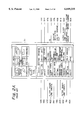
- FIG. 5 is a view showing a structure according to the first embodiment of the present invention.
- FIG. 5 explains the structure of the embodiment in which a mouse 200 and a keyboard 202 are operated by a user. Outputs of the mouse 200 and the keyboard 202 are given to an input control unit 206 of a processing device 204. The input control unit 206 transmits the outputs to a main control unit 208.
- an output control unit 212 controls a display 214 and the mouse cursor displayed on the screen of the display 214 is moved in accordance with an operation of the mouse 200.
- a graphic element decision unit 216 decides whether a graphic element such as a straight line or a circular arc, is present in an area which is indicated by the current position of the mouse cursor.
- a menu table control unit 218 is informed of a processing result (decision result) which is yielded by the graphic element decision unit 216.
- the menu table control unit 218 accesses a hard disk 220 and refers to a graphic element decision table 300, a menu control table 302 and a display order control table 304 of FIG. 6, in this order.
- the graphic element decision table 300 of the hard disk 220 stores a list of basic graphic elements (i.e., line segments, circular arcs, dimension lines, curved lines, etc.). The number of a graphic element which is present in an area indicated by the current position of the mouse cursor is read.
- the menu control table 302 stores a plurality of graphic editing commands in correspondence to the numbers of the respective graphic elements stored in the graphic element decision table 300 (stored therein are only candidate commands which will be executed following movement of the mouse cursor to a graphic element which corresponds to the number). All commands which correspond to graphic element numbers read in reference to the graphic element decision table 300 are read.
- the display order control table 304 stores data regarding the order of display of the respective commands which correspond to the graphic element numbers. From the display order control table 304, control data are read which indicate a display order of the commands corresponding to the graphic element numbers found in reference to the graphic element decision table 300.
- the menu table control unit 218 sorts the commands read from the menu control table 302 in accordance with the data read from the display order control table 304.
- the main control unit 208 is informed of the result of the processing.
- the main control unit 208 sends a control instruction calling for the content received from the menu table control unit 218 to the output control unit 212.
- commands which correspond to a graphic element present in an area indicated by the current position of the mouse cursor are displayed as a menu on the display 214 in the order which is instructed by the display order control table 304 (FIG. 7).
- the corresponding content of the display order control table 304 are updated (the display order of the commands selected by the user is advanced) and the command of the selected item is carried out.
- FIG. 7 shows an editing work area 101, a menu area 102, a graphic element 103, a cursor 104 and a command menu 105 which is temporarily displayed as a pop up menu on the display screen in response to an instruction from an operator.
- Step 500 a process is performed for checking whether a mode for automatically displaying a command menu at the position of the mouse cursor is set.
- Step 502 If setting of the mode is confirmed (YES at Step 500), whether the mouse cursor has been moved is checked (Step 502). If movement of the mouse cursor is confirmed (MOVEMENT at Step 502), a decision is made whether a graphic element is present in an area indicated by the current position of the mouse cursor (Step 504).
- Step 504 If it is decided that a graphic element is present at this step (PRESENT at Step 504), the graphic element decision table 300 is referenced and the number which is assigned to the graphic element is read (Step 506).
- menu control table 302 is referenced and all the commands which correspond to the graphic element having the same number as was found in reference to the graphic element decision table 300, are read (Step 508).
- the display order control table 304 is referenced and corresponding data are read. Using the data thus read, the commands (which were read from the menu control table 302) are sorted (Step 510).
- the display order control table 304 is updated (i.e., the display order of the commands selected by the user is advanced) (Step 516), followed by the command of the selected item specified (Step 518) and the command is executed (Step 520).
- confirmation and selection of a command to be executed are easy and the amount of movement of the mouse cursor is held to a minimum necessary amount. This makes graphics editing efficient and greatly reduces the burden on a user.
- FIG. 9 shows a second embodiment of the present invention.
- FIG. 9 is different from FIG. 5 in that a common table is provided in the memory unit 210, the graphic element decision unit 216 and the menu table control unit 218 are arranged in an opposite positional relationship and a control bus 220 is linked between a common table 211 of the memory unit 210, the main control unit 208, the graphic element decision unit 216 and the menu table control unit 218.
- FIGS. 10(A), 10(B) and 10(C) are flowcharts showing the operations between the principal parts of FIG. 9.
- Step 8 when the input control unit 206 starts operating (S0), an output of the menu display process (S16) performed by the output control unit 212 or in the alternative, a NO output of the main control unit 208 to determine whether a graphic element is present at specific coordinates X, Y, (Step 8) is given to the input control unit 206 (Step 1).
- Step 2 a decision is made whether the automatic display menu mode has been invoked or not. If NO at Step 2, regular CAD processing is carried out (Step 21) while if YES at Step 2, it is checked whether the menu is displayed or not. If the result of the decision is YES, selection from the automatic display menu is performed (Step 22).
- Step 4 input by means of the mouse or the keyboard is selected. Input using the keyboard is performed if keyboard input is selected (Step 23) while if the mouse input has been selected, a determination is made whether the mouse button is pushed (Step 5). If the mouse button has been pushed, regular mouse processing such as display of a menu and instruction of coordinates is performed (Step 24). If the mouse button has not been pushed, the mouse cursor position (X, Y coordinates) is withdrawn and temporarily stored (Step 6).
- Step 6 the data withdrawn at Step 6 is addressed and the X, Y coordinates are retrieved (Step 7), followed by a decision whether a graphic element is present at the specific coordinates X, Y. If NO, the sequence returns to (Step 1) of the input control unit 206. If YES, the graphic element is given to the graphic element decision unit 216, as shown in FIG. 10(C), and management of the number of the graphic element is performed (Step 9).
- the numbers are preliminarily designated as a line segment (1), a circular arc (2), a character (3), a dimension line (4), a curved line (5) and a point (6), and used in the menu control table and the display order control table in a manner as shown in FIG. 6.
- the number management data used at Step 9 are addressed and sent to the menu table control unit 218 so that the graphic element number is retrieved first (Step 10) and a display menu character stream is retrieved next (Step 11). Following this, display menus are counted (Step 12) and the display menu information is withdrawn to the main control unit 208 once it is saved (Step 13).
- the main control unit 208 retrieves the display menu information in accordance with an address (Step 14), and the menu display order is created (Step 15).
- the created data are then sent to the output control unit 212 so that the menu is formally displayed (Step 16).
- the output of this menu display processing returns to Step 1 of the input control unit 206 again and the subsequent steps are again repeated.
- selection of a command is performed in an easy manner due to automatic display of a command menu which corresponds to a graphic element which is displayed at the current cursor position, and the current menu is displayed at the cursor position so that the cursor needs be moved by a minimum necessary amount to perform selection from the menu.
- a burden on a user is largely reduced and the drawing efficiency is dramatically enhanced.
Landscapes
- Engineering & Computer Science (AREA)
- General Engineering & Computer Science (AREA)
- Theoretical Computer Science (AREA)
- Human Computer Interaction (AREA)
- Physics & Mathematics (AREA)
- General Physics & Mathematics (AREA)
- Processing Or Creating Images (AREA)
- Digital Computer Display Output (AREA)
Priority Applications (1)
| Application Number | Priority Date | Filing Date | Title |
|---|---|---|---|
| US08/884,169 US6049335A (en) | 1992-07-06 | 1997-06-27 | Graphics editing device which displays only candidate commands at a position adjacent to a selected graphic element and method therefor |
Applications Claiming Priority (4)
| Application Number | Priority Date | Filing Date | Title |
|---|---|---|---|
| JP17867492A JP3258379B2 (ja) | 1992-07-06 | 1992-07-06 | メニュー表示装置 |
| JP4-178674 | 1992-07-06 | ||
| US8635093A | 1993-07-06 | 1993-07-06 | |
| US08/884,169 US6049335A (en) | 1992-07-06 | 1997-06-27 | Graphics editing device which displays only candidate commands at a position adjacent to a selected graphic element and method therefor |
Related Parent Applications (1)
| Application Number | Title | Priority Date | Filing Date |
|---|---|---|---|
| US8635093A Continuation | 1992-07-06 | 1993-07-06 |
Publications (1)
| Publication Number | Publication Date |
|---|---|
| US6049335A true US6049335A (en) | 2000-04-11 |
Family
ID=16052580
Family Applications (1)
| Application Number | Title | Priority Date | Filing Date |
|---|---|---|---|
| US08/884,169 Expired - Lifetime US6049335A (en) | 1992-07-06 | 1997-06-27 | Graphics editing device which displays only candidate commands at a position adjacent to a selected graphic element and method therefor |
Country Status (2)
| Country | Link |
|---|---|
| US (1) | US6049335A (ja) |
| JP (1) | JP3258379B2 (ja) |
Cited By (23)
| Publication number | Priority date | Publication date | Assignee | Title |
|---|---|---|---|---|
| US6304790B1 (en) * | 1997-10-23 | 2001-10-16 | Fujitsu Limited | System design/evaluation CAD system and program storage medium |
| RU2192046C1 (ru) * | 2001-09-24 | 2002-10-27 | Баранов Александр Анатольевич | Способ компьютерного проектирования конструкций и технологий изготовления многопараметрических изделий |
| US20040021647A1 (en) * | 2002-07-30 | 2004-02-05 | Microsoft Corporation | Enhanced on-object context menus |
| US20050039141A1 (en) * | 2003-08-05 | 2005-02-17 | Eric Burke | Method and system of controlling a context menu |
| US20050210412A1 (en) * | 2000-02-11 | 2005-09-22 | Microsoft Corporation | Unified navigation shell user interface |
| US20060055670A1 (en) * | 2004-09-14 | 2006-03-16 | Adam Castrucci | Interactive object property region for graphical user interface |
| US20060072009A1 (en) * | 2004-10-01 | 2006-04-06 | International Business Machines Corporation | Flexible interaction-based computer interfacing using visible artifacts |
| US20060095856A1 (en) * | 2004-11-01 | 2006-05-04 | Nec Corporation | Portable terminal and display data editing method for the same |
| US20090284549A1 (en) * | 2008-05-15 | 2009-11-19 | Microsoft Corporation | Configurable view on data models |
| US20090287724A1 (en) * | 2008-05-15 | 2009-11-19 | Microsoft Corporation | Data Viewer Management |
| USD673168S1 (en) * | 2011-01-31 | 2012-12-25 | Microsoft Corporation | Display screen with animated graphical user interface |
| USD673972S1 (en) * | 2011-01-31 | 2013-01-08 | Microsoft Corporation | Display screen with graphical user interface |
| USD674813S1 (en) | 2011-01-31 | 2013-01-22 | Microsoft Corporation | Display screen with graphical user interface |
| USD675222S1 (en) * | 2011-01-31 | 2013-01-29 | Microsoft Corporation | Display screen with animated graphical user interface |
| USD675223S1 (en) | 2011-01-31 | 2013-01-29 | Microsoft Corporation | Display screen with animated graphical user interface |
| USD675638S1 (en) | 2011-01-31 | 2013-02-05 | Microsoft Corporation | Display screen with animated graphical user interface |
| USD681659S1 (en) * | 2012-03-23 | 2013-05-07 | Microsoft Corporation | Display screen with graphical user interface |
| US20130187856A1 (en) * | 2010-10-15 | 2013-07-25 | Zuken Inc. | Input information processing system, input information processing method, program and computer-readable recording medium |
| US20140033112A1 (en) * | 2004-06-29 | 2014-01-30 | Acd Systems International Inc. | Management of multiple window panels with a graphical user interface |
| USD715815S1 (en) * | 2011-11-21 | 2014-10-21 | Google Inc. | Portion of a display panel with a user interface |
| USD743978S1 (en) * | 2012-11-08 | 2015-11-24 | Uber Technologies, Inc. | Display screen of a computing device with a computer-generated electronic panel for providing confirmation for a service request |
| US20170075704A1 (en) * | 2000-06-21 | 2017-03-16 | Microsoft Technology Licensing, Llc | Task-Sensitive Methods and Systems for Displaying Command Sets |
| US10114532B2 (en) * | 2013-12-06 | 2018-10-30 | Google Llc | Editing options for image regions |
Families Citing this family (3)
| Publication number | Priority date | Publication date | Assignee | Title |
|---|---|---|---|---|
| US7003363B1 (en) * | 2000-10-06 | 2006-02-21 | Dassault Systemes | Freeform modeling method and system |
| US7210107B2 (en) * | 2003-06-27 | 2007-04-24 | Microsoft Corporation | Menus whose geometry is bounded by two radii and an arc |
| US20130325413A1 (en) * | 2012-06-01 | 2013-12-05 | Parametric Technology Corporation | Results-based tool selection, diagnosis, and help system for a feature-based modeling environment |
Citations (18)
| Publication number | Priority date | Publication date | Assignee | Title |
|---|---|---|---|---|
| JPS6055472A (ja) * | 1983-09-06 | 1985-03-30 | Canon Inc | 文書処理方法 |
| JPS60147823A (ja) * | 1984-01-11 | 1985-08-03 | Seiko Instr & Electronics Ltd | コマンド入力方式 |
| JPS6272059A (ja) * | 1985-09-23 | 1987-04-02 | インタ−ナショナル ビジネス マシ−ンズ コ−ポレ−ション | 混合オブジエクト文書の編集方法 |
| JPS6273327A (ja) * | 1985-09-27 | 1987-04-04 | Toshiba Corp | ワ−クステ−シヨン |
| US4679137A (en) * | 1985-04-30 | 1987-07-07 | Prometrix Corporation | Process control interface system for designer and operator |
| US4723211A (en) * | 1984-08-30 | 1988-02-02 | International Business Machines Corp. | Editing of a superblock data structure |
| US4823283A (en) * | 1986-10-14 | 1989-04-18 | Tektronix, Inc. | Status driven menu system |
| US4868766A (en) * | 1986-04-02 | 1989-09-19 | Oce-Nederland B.V. | Method of generating and processing models of two-dimensional or three-dimensional objects in a computer and reproducing the models on a display |
| US4896291A (en) * | 1988-05-20 | 1990-01-23 | International Business Machines Corporation | Valuator menu for use as a graphical user interface tool |
| US5038401A (en) * | 1989-04-05 | 1991-08-06 | Pioneer Electronic Corporation | Transmitter for remote control with operation switches having changeably displayed forms |
| EP0464742A2 (en) * | 1990-07-02 | 1992-01-08 | Xerox Corporation | Graphics display system with improved dynamic menu selection |
| US5208910A (en) * | 1990-04-19 | 1993-05-04 | International Business Machines | Menu driven and method system for informing which past selections have caused disabled actions |
| US5287514A (en) * | 1990-01-08 | 1994-02-15 | Microsoft Corporation | Method and system for customizing a user interface in a computer system |
| US5347628A (en) * | 1990-01-18 | 1994-09-13 | International Business Machines Corporation | Method of graphically accessing electronic data |
| US5450539A (en) * | 1992-07-09 | 1995-09-12 | Apple Computer, Inc. | Apparatus and method of dynamically displaying a graphic button on a monitor |
| US5459831A (en) * | 1992-01-10 | 1995-10-17 | International Business Machines Corporation | Method for selecting graphical objects in quadrants with a cursor |
| US5496177A (en) * | 1993-03-23 | 1996-03-05 | International Business Machines Corporation | Method and apparatus for presenting new computer software functions to a user based upon actual usage |
| US5589856A (en) * | 1993-04-29 | 1996-12-31 | International Business Machines Corporation | System & method for dynamically labeled touch sensitive buttons in a digitizing display |
-
1992
- 1992-07-06 JP JP17867492A patent/JP3258379B2/ja not_active Expired - Lifetime
-
1997
- 1997-06-27 US US08/884,169 patent/US6049335A/en not_active Expired - Lifetime
Patent Citations (19)
| Publication number | Priority date | Publication date | Assignee | Title |
|---|---|---|---|---|
| JPS6055472A (ja) * | 1983-09-06 | 1985-03-30 | Canon Inc | 文書処理方法 |
| JPS60147823A (ja) * | 1984-01-11 | 1985-08-03 | Seiko Instr & Electronics Ltd | コマンド入力方式 |
| US4723211A (en) * | 1984-08-30 | 1988-02-02 | International Business Machines Corp. | Editing of a superblock data structure |
| US4679137A (en) * | 1985-04-30 | 1987-07-07 | Prometrix Corporation | Process control interface system for designer and operator |
| JPS6272059A (ja) * | 1985-09-23 | 1987-04-02 | インタ−ナショナル ビジネス マシ−ンズ コ−ポレ−ション | 混合オブジエクト文書の編集方法 |
| US4815029A (en) * | 1985-09-23 | 1989-03-21 | International Business Machines Corp. | In-line dynamic editor for mixed object documents |
| JPS6273327A (ja) * | 1985-09-27 | 1987-04-04 | Toshiba Corp | ワ−クステ−シヨン |
| US4868766A (en) * | 1986-04-02 | 1989-09-19 | Oce-Nederland B.V. | Method of generating and processing models of two-dimensional or three-dimensional objects in a computer and reproducing the models on a display |
| US4823283A (en) * | 1986-10-14 | 1989-04-18 | Tektronix, Inc. | Status driven menu system |
| US4896291A (en) * | 1988-05-20 | 1990-01-23 | International Business Machines Corporation | Valuator menu for use as a graphical user interface tool |
| US5038401A (en) * | 1989-04-05 | 1991-08-06 | Pioneer Electronic Corporation | Transmitter for remote control with operation switches having changeably displayed forms |
| US5287514A (en) * | 1990-01-08 | 1994-02-15 | Microsoft Corporation | Method and system for customizing a user interface in a computer system |
| US5347628A (en) * | 1990-01-18 | 1994-09-13 | International Business Machines Corporation | Method of graphically accessing electronic data |
| US5208910A (en) * | 1990-04-19 | 1993-05-04 | International Business Machines | Menu driven and method system for informing which past selections have caused disabled actions |
| EP0464742A2 (en) * | 1990-07-02 | 1992-01-08 | Xerox Corporation | Graphics display system with improved dynamic menu selection |
| US5459831A (en) * | 1992-01-10 | 1995-10-17 | International Business Machines Corporation | Method for selecting graphical objects in quadrants with a cursor |
| US5450539A (en) * | 1992-07-09 | 1995-09-12 | Apple Computer, Inc. | Apparatus and method of dynamically displaying a graphic button on a monitor |
| US5496177A (en) * | 1993-03-23 | 1996-03-05 | International Business Machines Corporation | Method and apparatus for presenting new computer software functions to a user based upon actual usage |
| US5589856A (en) * | 1993-04-29 | 1996-12-31 | International Business Machines Corporation | System & method for dynamically labeled touch sensitive buttons in a digitizing display |
Non-Patent Citations (6)
| Title |
|---|
| Borland Quattro User s Guide, 1987, pp. 18 20, 152. * |
| Borland Quattro User's Guide, 1987, pp. 18-20, 152. |
| IBM Technical Disclosure Bulletin; Menus Optimized for Performance and Ease of Use; vol. 25; No. 7A; Dec. 1982; pp. 3246 3248. * |
| IBM Technical Disclosure Bulletin; Menus Optimized for Performance and Ease of Use; vol. 25; No. 7A; Dec. 1982; pp. 3246-3248. |
| Microsoft, Windows 3.0 User s Guide, 1990, pp.27 28. * |
| Microsoft, Windows 3.0 User's Guide, 1990, pp.27-28. |
Cited By (40)
| Publication number | Priority date | Publication date | Assignee | Title |
|---|---|---|---|---|
| US6304790B1 (en) * | 1997-10-23 | 2001-10-16 | Fujitsu Limited | System design/evaluation CAD system and program storage medium |
| US20050210412A1 (en) * | 2000-02-11 | 2005-09-22 | Microsoft Corporation | Unified navigation shell user interface |
| US20170075704A1 (en) * | 2000-06-21 | 2017-03-16 | Microsoft Technology Licensing, Llc | Task-Sensitive Methods and Systems for Displaying Command Sets |
| RU2192046C1 (ru) * | 2001-09-24 | 2002-10-27 | Баранов Александр Анатольевич | Способ компьютерного проектирования конструкций и технологий изготовления многопараметрических изделий |
| US7058902B2 (en) * | 2002-07-30 | 2006-06-06 | Microsoft Corporation | Enhanced on-object context menus |
| US20040021647A1 (en) * | 2002-07-30 | 2004-02-05 | Microsoft Corporation | Enhanced on-object context menus |
| US7581194B2 (en) | 2002-07-30 | 2009-08-25 | Microsoft Corporation | Enhanced on-object context menus |
| US20060200780A1 (en) * | 2002-07-30 | 2006-09-07 | Microsoft Corporation | Enhanced on-object context menus |
| US20050039141A1 (en) * | 2003-08-05 | 2005-02-17 | Eric Burke | Method and system of controlling a context menu |
| US7721228B2 (en) * | 2003-08-05 | 2010-05-18 | Yahoo! Inc. | Method and system of controlling a context menu |
| US20140033112A1 (en) * | 2004-06-29 | 2014-01-30 | Acd Systems International Inc. | Management of multiple window panels with a graphical user interface |
| US9563332B2 (en) * | 2004-06-29 | 2017-02-07 | Acd Systems International Inc. | Context-sensitive display bar |
| US20060055670A1 (en) * | 2004-09-14 | 2006-03-16 | Adam Castrucci | Interactive object property region for graphical user interface |
| US8056008B2 (en) * | 2004-09-14 | 2011-11-08 | Adobe Systems Incorporated | Interactive object property region for graphical user interface |
| US20060072009A1 (en) * | 2004-10-01 | 2006-04-06 | International Business Machines Corporation | Flexible interaction-based computer interfacing using visible artifacts |
| EP1653336A3 (en) * | 2004-11-01 | 2007-01-03 | Nec Corporation | Portable terminal and display data editing method for the same |
| CN1770782B (zh) * | 2004-11-01 | 2011-06-15 | 日本电气株式会社 | 便携式终端及其显示数据编辑方法 |
| US8060838B2 (en) | 2004-11-01 | 2011-11-15 | Nec Corporation | Portable terminal and display data editing method for the same |
| US8914745B2 (en) | 2004-11-01 | 2014-12-16 | Lenovo Innovations Limited (Hong Kong) | Portable terminal and display data editing method for the same |
| US20060095856A1 (en) * | 2004-11-01 | 2006-05-04 | Nec Corporation | Portable terminal and display data editing method for the same |
| US20090284549A1 (en) * | 2008-05-15 | 2009-11-19 | Microsoft Corporation | Configurable view on data models |
| US8140581B2 (en) | 2008-05-15 | 2012-03-20 | Microsoft Corporation | Configurable view on data models |
| US8140593B2 (en) | 2008-05-15 | 2012-03-20 | Microsoft Corporation | Data viewer management |
| US20090287724A1 (en) * | 2008-05-15 | 2009-11-19 | Microsoft Corporation | Data Viewer Management |
| US9557828B2 (en) * | 2010-10-15 | 2017-01-31 | Zuken Inc. | Input information processing system, input information processing method, program and computer-readable recording medium |
| US20130187856A1 (en) * | 2010-10-15 | 2013-07-25 | Zuken Inc. | Input information processing system, input information processing method, program and computer-readable recording medium |
| USD673168S1 (en) * | 2011-01-31 | 2012-12-25 | Microsoft Corporation | Display screen with animated graphical user interface |
| USD675223S1 (en) | 2011-01-31 | 2013-01-29 | Microsoft Corporation | Display screen with animated graphical user interface |
| USD673972S1 (en) * | 2011-01-31 | 2013-01-08 | Microsoft Corporation | Display screen with graphical user interface |
| USD675638S1 (en) | 2011-01-31 | 2013-02-05 | Microsoft Corporation | Display screen with animated graphical user interface |
| USD674813S1 (en) | 2011-01-31 | 2013-01-22 | Microsoft Corporation | Display screen with graphical user interface |
| USD675222S1 (en) * | 2011-01-31 | 2013-01-29 | Microsoft Corporation | Display screen with animated graphical user interface |
| USD715815S1 (en) * | 2011-11-21 | 2014-10-21 | Google Inc. | Portion of a display panel with a user interface |
| USD722608S1 (en) | 2012-03-23 | 2015-02-17 | Microsoft Corporation | Display screen with graphical user interface |
| USD716833S1 (en) | 2012-03-23 | 2014-11-04 | Microsoft Corporation | Display screen with graphical user interface |
| USD681658S1 (en) * | 2012-03-23 | 2013-05-07 | Microsoft Corporation | Display screen with graphical user interface |
| USD681659S1 (en) * | 2012-03-23 | 2013-05-07 | Microsoft Corporation | Display screen with graphical user interface |
| USD743978S1 (en) * | 2012-11-08 | 2015-11-24 | Uber Technologies, Inc. | Display screen of a computing device with a computer-generated electronic panel for providing confirmation for a service request |
| USD774521S1 (en) | 2012-11-08 | 2016-12-20 | Uber Technologies, Inc. | Display screen of a computing device with a computer-generated electronic panel for providing confirmation of a service request |
| US10114532B2 (en) * | 2013-12-06 | 2018-10-30 | Google Llc | Editing options for image regions |
Also Published As
| Publication number | Publication date |
|---|---|
| JP3258379B2 (ja) | 2002-02-18 |
| JPH0628443A (ja) | 1994-02-04 |
Similar Documents
| Publication | Publication Date | Title |
|---|---|---|
| JP3258379B2 (ja) | メニュー表示装置 | |
| EP0163032B1 (en) | Method of, and system for, controlling a view of window information on a display | |
| JP4616424B2 (ja) | コンピュータ表示画面上におけるメニュー項目の表示方法 | |
| US4862389A (en) | Information processor with multi-window display function | |
| USRE42509E1 (en) | Document processing to permit sharing of content by plural documents | |
| KR920001696B1 (ko) | 멀티윈도우표시제어장치를 갖추고 있는 데이터처리장치 | |
| US5598522A (en) | Command processing system used under graphical user interface utilizing pointing device for selection and display of command with execution of corresponding process | |
| US6546558B1 (en) | Visual scenario editor for editing links between presentation screens in a multi-media application | |
| JPH10214171A (ja) | 情報処理装置 | |
| JPH01200412A (ja) | ステートメント挿入方法 | |
| JPH01205273A (ja) | 図面管理方法及び装置 | |
| EP0361870A2 (en) | Document creation system | |
| JP3984634B2 (ja) | コンピュータ装置、プログラム実行方法、表示要素編集装置、及び表示要素編集方法 | |
| JPH0816518A (ja) | 情報処理装置 | |
| JP2656489B2 (ja) | 図面管理方法および装置 | |
| JP3137412B2 (ja) | 参照図の出力尺度切替方法 | |
| JPH06149962A (ja) | メニュー表示方式 | |
| JPH05107086A (ja) | プロセス表示装置 | |
| JPH08115192A (ja) | データ編集処理方法及びそのシステム | |
| JPH07282003A (ja) | 編集メニュー表示装置及び方法 | |
| JP3011050B2 (ja) | ポインティング確認方式 | |
| JPH10240960A (ja) | 図形選択方法 | |
| JPH0962749A (ja) | 表形式エディタ | |
| JPH07325612A (ja) | 数値制御装置 | |
| JP3158526B2 (ja) | 機能指示方法および情報処理装置 |
Legal Events
| Date | Code | Title | Description |
|---|---|---|---|
| STCF | Information on status: patent grant |
Free format text: PATENTED CASE |
|
| FEPP | Fee payment procedure |
Free format text: PAYOR NUMBER ASSIGNED (ORIGINAL EVENT CODE: ASPN); ENTITY STATUS OF PATENT OWNER: LARGE ENTITY |
|
| CC | Certificate of correction | ||
| FPAY | Fee payment |
Year of fee payment: 4 |
|
| FPAY | Fee payment |
Year of fee payment: 8 |
|
| FPAY | Fee payment |
Year of fee payment: 12 |