EP2806343A2 - Verfahren und benutzereinheit zur informationssuche - Google Patents
Verfahren und benutzereinheit zur informationssuche Download PDFInfo
- Publication number
- EP2806343A2 EP2806343A2 EP12768545.1A EP12768545A EP2806343A2 EP 2806343 A2 EP2806343 A2 EP 2806343A2 EP 12768545 A EP12768545 A EP 12768545A EP 2806343 A2 EP2806343 A2 EP 2806343A2
- Authority
- EP
- European Patent Office
- Prior art keywords
- information
- letter
- display area
- information display
- user
- Prior art date
- Legal status (The legal status is an assumption and is not a legal conclusion. Google has not performed a legal analysis and makes no representation as to the accuracy of the status listed.)
- Ceased
Links
Images


Classifications
-
- G—PHYSICS
- G06—COMPUTING OR CALCULATING; COUNTING
- G06F—ELECTRIC DIGITAL DATA PROCESSING
- G06F3/00—Input arrangements for transferring data to be processed into a form capable of being handled by the computer; Output arrangements for transferring data from processing unit to output unit, e.g. interface arrangements
- G06F3/01—Input arrangements or combined input and output arrangements for interaction between user and computer
- G06F3/048—Interaction techniques based on graphical user interfaces [GUI]
- G06F3/0481—Interaction techniques based on graphical user interfaces [GUI] based on specific properties of the displayed interaction object or a metaphor-based environment, e.g. interaction with desktop elements like windows or icons, or assisted by a cursor's changing behaviour or appearance
- G06F3/0482—Interaction with lists of selectable items, e.g. menus
-
- G—PHYSICS
- G06—COMPUTING OR CALCULATING; COUNTING
- G06F—ELECTRIC DIGITAL DATA PROCESSING
- G06F3/00—Input arrangements for transferring data to be processed into a form capable of being handled by the computer; Output arrangements for transferring data from processing unit to output unit, e.g. interface arrangements
- G06F3/01—Input arrangements or combined input and output arrangements for interaction between user and computer
- G06F3/048—Interaction techniques based on graphical user interfaces [GUI]
- G06F3/0481—Interaction techniques based on graphical user interfaces [GUI] based on specific properties of the displayed interaction object or a metaphor-based environment, e.g. interaction with desktop elements like windows or icons, or assisted by a cursor's changing behaviour or appearance
- G06F3/0483—Interaction with page-structured environments, e.g. book metaphor
-
- G—PHYSICS
- G06—COMPUTING OR CALCULATING; COUNTING
- G06F—ELECTRIC DIGITAL DATA PROCESSING
- G06F3/00—Input arrangements for transferring data to be processed into a form capable of being handled by the computer; Output arrangements for transferring data from processing unit to output unit, e.g. interface arrangements
- G06F3/01—Input arrangements or combined input and output arrangements for interaction between user and computer
- G06F3/048—Interaction techniques based on graphical user interfaces [GUI]
- G06F3/0484—Interaction techniques based on graphical user interfaces [GUI] for the control of specific functions or operations, e.g. selecting or manipulating an object, an image or a displayed text element, setting a parameter value or selecting a range
- G06F3/04842—Selection of displayed objects or displayed text elements
-
- G—PHYSICS
- G06—COMPUTING OR CALCULATING; COUNTING
- G06F—ELECTRIC DIGITAL DATA PROCESSING
- G06F3/00—Input arrangements for transferring data to be processed into a form capable of being handled by the computer; Output arrangements for transferring data from processing unit to output unit, e.g. interface arrangements
- G06F3/01—Input arrangements or combined input and output arrangements for interaction between user and computer
- G06F3/048—Interaction techniques based on graphical user interfaces [GUI]
- G06F3/0487—Interaction techniques based on graphical user interfaces [GUI] using specific features provided by the input device, e.g. functions controlled by the rotation of a mouse with dual sensing arrangements, or of the nature of the input device, e.g. tap gestures based on pressure sensed by a digitiser
- G06F3/0488—Interaction techniques based on graphical user interfaces [GUI] using specific features provided by the input device, e.g. functions controlled by the rotation of a mouse with dual sensing arrangements, or of the nature of the input device, e.g. tap gestures based on pressure sensed by a digitiser using a touch-screen or digitiser, e.g. input of commands through traced gestures
Definitions
- the present invention relates to the field of communications technologies, and in particular, to an information searching method and a terminal.
- a terminal With continuous development of communications technologies, a terminal is becoming increasingly powerful and can store more and more information, such as contact information or file information. An increase in information brings much inconvenience for information searching. Searching for contact information stored in a terminal is used as an example. There are various manners of searching for a contact in a terminal having an address book. The following is a commonly-used and user-friendly searching manner at present.
- the middle and left areas of a screen are a contact information display area, and the right area is a letter index area.
- the system searches for information, in the address book, about the first contact which takes the target letter as an initial, and performs, starting from the information about the contact, displaying in the contact information display area.
- the finger may move away from the target letter, and a target contact can be searched for in the contact information display area.
- the inventor finds that at least the following problem exists in the prior art: When a target contact is selected in a contact information display area, if a finger touches another letter in a letter index area by accident, a target letter needs to be reselected in the letter index area, which brings much inconvenience for the operation.
- Embodiments of the present invention provide an information searching method and a terminal, addressing a problem of operation inconvenience in an information searching process.
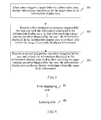
- An embodiment of the present invention provides an information searching method, as shown in FIG. 2 , including the following steps:
- the user may first find, in the letter index area, a target letter corresponding to target information.
- the user triggers the target letter, and the information summarized by the target letter is displayed piece by piece in the information display area, where the letter index area is used to display index letters, and the information display area is used to display information to be searched for.
- the information summarized by the target letter may be information whose initial is the target letter, may also be information whose filename contains the target letter, and may also be information whose file contains the target letter.
- This embodiment of the present invention does not limit thereto.
- the user may trigger the first specified operation, so as to lock the content displayed in the information display area, so that the information displayed in the information display area is only limited to the information summarized by the target letter, making it convenient for the user to search for the target information.
- the information searching method After a user triggers a target letter in a letter index area, information summarized by the target letter is displayed in an information display area; and after a first specified operation triggered by the user is received, the information displayed in the information display area is locked, so that after the information display area receives a page-turning operation triggered by the user, the information display area performs display switching only within a range currently displayed. This avoids the occurrence of an unnecessary operation of reselecting the target letter in the letter index area because a finger touches another index letter by accident when the user selects target information in the information display area, which makes an operation more humanized.
- an embodiment of the present invention provides another information searching method, as shown in FIG. 3 , including the following steps:
- a mobile phone interface when a contact is being searched for, includes a letter index area and a contact information display area, where the information summarized by the target letter in this embodiment may refer to information about a contact whose initial is the target letter.
- the user may first find an initial of a target contact, that is, the target letter, in the letter index area, and the user triggers the target letter.
- the target letter is zoomed in at the same time; when the user triggers the target letter in the letter index area, and after the user triggers the target letter in the letter index area, information about a contact whose initial is the target letter is displayed in the contact information display area, where the letter index area is used to display index letters of a contact, and the contact information display area is used to display information about a contact to be searched for.
- the user may trigger the first specified operation to lock the content displayed in the contact information display area of a mobile phone screen, so that the contact information displayed in the contact information display area is only limited to the information about the contacts who take the target letter as the initial, so as to make it convenient for the user to search for the target contact and reduce repetitive operations caused by a misoperation. Even if the misoperation occurs, the content displayed in the contact information display area is transformed only within the contacts who take the target letter as the initial.
- the first specified operation may be at least one of the following operations: double tapping the target letter, and touching and holding the target letter. That is, when triggering the target letter in the letter index area, the user double taps the target letter, touches and holds the target letter, or touches and holds the target letter while double tapping the target letter.
- the first specified operation may also be at least one of the following operations: when the user triggers the target letter in the letter index area, tapping the target letter zoomed in, double tapping the target letter zoomed in, and touching and holding the target letter zoomed in.
- the user may perform the second specified operation.
- the mobile phone receives the second specified operation triggered by the user and unlocks the content displayed in the contact information display area, so that after the contact information display area receives the page-turning operation triggered by the user, the contact information display area performs display switching within the range of all contact information.
- the second specified operation may be at least one of the following operations: double tapping the letter index area or any blank area, and touching and holding the letter index area or any blank area.
- the information searching method After a user triggers a target letter in a letter index area, information summarized by the target letter is displayed in an information display area; and a first specified operation triggered by the user is received, and the information displayed in the information display area is locked, so that after the information display area receives a page-turning operation triggered by the user, the information display area performs display switching only within the range of currently displayed information. This avoids the occurrence of an unnecessary operation of reselecting the target letter in the letter index area because a finger touches another index letter by accident when the user selects target information in the information display area, which makes an operation more humanized.
- a type of a terminal is not limited in this embodiment of the present invention, and may be a mobile terminal, such as a mobile phone and a computer tablet.
- An embodiment of the present invention further provides a terminal, as shown in FIG. 4 , including a first displaying unit 41 and a locking unit 42.
- the first displaying unit 41 is configured to, after a user triggers a target letter in a letter index area, display information summarized by the target letter in an information display area, where the letter index area is used to display index letters, and the information display area is used to display information to be searched for.
- the locking unit 42 is configured to receive a first specified operation triggered by the user and lock the information displayed in the information display area, so that after the information display area receives a page-turning operation triggered by the user, the information display area performs display switching only within the range of currently displayed information.
- a first displaying unit displays information summarized by the target letter in an information display area;
- a locking unit receives a first specified operation triggered by the user and locks information displayed in the information display area, so that after the information display area receives a page-turning operation triggered by the user, the information display area performs display switching only within the range of currently displayed information. This avoids the occurrence of an unnecessary operation of reselecting the target letter in the letter index area because a finger touches another index letter by accident when the user selects target information in the information display area, which makes an operation more humanized.
- an embodiment of the present invention further provides another terminal, as shown in FIG. 5 , including a first displaying unit 51, a locking unit 52, and an unlocking unit 53.
- the first displaying unit 51 is configured to, after a user triggers a target letter in a letter index area, display information summarized by the target letter in an information display area, where the letter index area is used to display index letters of information, and the information display area is used to display information to be searched for.
- the locking unit 52 is configured to receive a first specified operation triggered by the user and lock the information displayed in the information display area, so that after the information display area receives a page-turning operation triggered by the user, the information display area performs display switching only within the range of currently displayed information.
- the first specified operation received by the locking unit may include at least one of the following operations: double tapping the target letter, and touching and holding the target letter.
- the unlocking unit 53 is configured to receive a second specified operation triggered by the user and unlock the information displayed in the information display area, so that after the information display area receives the page-turning operation triggered by the user, the information display area performs display switching within the range of all information.
- the second specified operation received by the unlocking unit may include at least one of the following operations: double tapping the letter index area or any blank area, and touching and holding the letter index area or any blank area.
- the terminal may further contain:
- the first specified operation received by the locking unit includes at least one of the following operations: tapping the target letter zoomed in, double tapping the target letter zoomed in, and touching and holding the target letter zoomed in.
- a displaying unit displays information summarized by the target letter in an information display area;
- a locking unit receives a first specified operation triggered by the user and locks the information displayed in the information display area, so that after the information display area receives a page-turning operation triggered by the user, the information display area performs display switching only within the range of currently displayed information. This avoids the occurrence of an unnecessary operation of reselecting the target letter in the letter index area because a finger touches another index letter by accident when the user selects target information in the information display area, which makes an operation more humanized.
- the present invention may be implemented by software in addition to necessary universal hardware or by hardware only. In most circumstances, the former is a preferred implementation manner. Based on such an understanding, the technical solutions of the present invention essentially or the part contributing to the prior art may be implemented in a form of a software product.
- the software product is stored in a readable storage medium, such as a floppy disk, a hard disk, or an optical disc of a computer, and includes several instructions for instructing a computer device (which may be a personal computer, a server, a network device, or the like) to perform the methods described in the embodiments of the present invention.
Landscapes
- Engineering & Computer Science (AREA)
- General Engineering & Computer Science (AREA)
- Theoretical Computer Science (AREA)
- Human Computer Interaction (AREA)
- Physics & Mathematics (AREA)
- General Physics & Mathematics (AREA)
- User Interface Of Digital Computer (AREA)
- Telephone Function (AREA)
Applications Claiming Priority (2)
| Application Number | Priority Date | Filing Date | Title |
|---|---|---|---|
| CN2012100500963A CN103294331A (zh) | 2012-02-29 | 2012-02-29 | 一种信息查找方法和终端 |
| PCT/CN2012/076813 WO2012136164A2 (zh) | 2012-02-29 | 2012-06-13 | 一种信息查找方法和终端 |
Publications (2)
| Publication Number | Publication Date |
|---|---|
| EP2806343A2 true EP2806343A2 (de) | 2014-11-26 |
| EP2806343A4 EP2806343A4 (de) | 2014-12-24 |
Family
ID=46969606
Family Applications (1)
| Application Number | Title | Priority Date | Filing Date |
|---|---|---|---|
| EP12768545.1A Ceased EP2806343A4 (de) | 2012-02-29 | 2012-06-13 | Verfahren und benutzereinheit zur informationssuche |
Country Status (5)
| Country | Link |
|---|---|
| US (1) | US20150026640A1 (de) |
| EP (1) | EP2806343A4 (de) |
| JP (1) | JP5968471B2 (de) |
| CN (1) | CN103294331A (de) |
| WO (1) | WO2012136164A2 (de) |
Families Citing this family (5)
| Publication number | Priority date | Publication date | Assignee | Title |
|---|---|---|---|---|
| US10915698B2 (en) * | 2013-12-31 | 2021-02-09 | Barnes & Noble College Booksellers, Llc | Multi-purpose tool for interacting with paginated digital content |
| US10331777B2 (en) | 2013-12-31 | 2019-06-25 | Barnes & Noble College Booksellers, Llc | Merging annotations of paginated digital content |
| CN103984467A (zh) * | 2014-03-18 | 2014-08-13 | 深圳市艾优尼科技有限公司 | 一种终端界面的操作方法以及终端 |
| WO2018101694A1 (en) | 2016-11-29 | 2018-06-07 | Samsung Electronics Co., Ltd. | Electronic apparatus and method for summarizing content |
| CN107728894A (zh) * | 2017-09-29 | 2018-02-23 | 珠海市魅族科技有限公司 | 一种可操作对象的选择方法及装置、终端和可读存储介质 |
Family Cites Families (24)
| Publication number | Priority date | Publication date | Assignee | Title |
|---|---|---|---|---|
| US5446882A (en) * | 1992-10-02 | 1995-08-29 | Apple Computer, Inc. | Interface for a computerized database having card and list views |
| JP3528226B2 (ja) * | 1994-02-22 | 2004-05-17 | 株式会社デンソー | 車載用情報入力表示装置 |
| JPH09152955A (ja) * | 1995-11-30 | 1997-06-10 | Hitachi Ltd | 携帯情報通信端末装置 |
| JP3338353B2 (ja) * | 1997-12-01 | 2002-10-28 | 三洋電機株式会社 | 電話機 |
| US7092511B1 (en) * | 1997-12-01 | 2006-08-15 | Sanyo Electric Co., Ltd. | Telephone for retrieving memory content through simple operation |
| JP3906044B2 (ja) * | 2001-08-22 | 2007-04-18 | 三洋電機株式会社 | 携帯電子機器 |
| US20060242599A1 (en) * | 2005-04-22 | 2006-10-26 | Creative Technology Ltd. | Improvements in and Relating to Searching on a User Interface |
| JP4664775B2 (ja) * | 2005-08-30 | 2011-04-06 | クラリオン株式会社 | ナビゲーション装置 |
| US7958456B2 (en) * | 2005-12-23 | 2011-06-07 | Apple Inc. | Scrolling list with floating adjacent index symbols |
| US20070132789A1 (en) * | 2005-12-08 | 2007-06-14 | Bas Ording | List scrolling in response to moving contact over list of index symbols |
| US20080086699A1 (en) * | 2006-10-09 | 2008-04-10 | Mika Antikainen | Fast input component |
| US7877707B2 (en) * | 2007-01-06 | 2011-01-25 | Apple Inc. | Detecting and interpreting real-world and security gestures on touch and hover sensitive devices |
| US20080270347A1 (en) * | 2007-04-30 | 2008-10-30 | Wei Zhou | Method and apparatus for facilitating improved navigation through a list |
| JP2010066805A (ja) * | 2008-09-08 | 2010-03-25 | Sony Corp | 再生装置及び表示方法 |
| KR101620874B1 (ko) * | 2009-05-19 | 2016-05-13 | 삼성전자주식회사 | 목록 검색 방법 및 이를 지원하는 휴대 단말기 |
| CN101957708A (zh) * | 2009-07-14 | 2011-01-26 | 金宝电子工业股份有限公司 | 防止电子字典误动作的方法 |
| US20110055753A1 (en) * | 2009-08-31 | 2011-03-03 | Horodezky Samuel J | User interface methods providing searching functionality |
| US20110214162A1 (en) * | 2010-02-26 | 2011-09-01 | Nokia Corporation | Method and appartus for providing cooperative enablement of user input options |
| CN101907974A (zh) * | 2010-07-30 | 2010-12-08 | 宇龙计算机通信科技(深圳)有限公司 | 一种触摸屏的操作管理方法及触摸屏终端 |
| CN101938568B (zh) * | 2010-09-21 | 2013-12-25 | 宇龙计算机通信科技(深圳)有限公司 | 一种信息定位方法、系统及移动终端 |
| JP2011048848A (ja) * | 2010-10-27 | 2011-03-10 | Kyocera Corp | 入力装置および入力装置の制御方法 |
| KR101726606B1 (ko) * | 2010-11-18 | 2017-04-13 | 삼성전자주식회사 | 휴대 단말기의 정보 표시 방법 및 장치 |
| CN102176196B (zh) * | 2011-03-22 | 2013-01-16 | 董浩亮 | 兼有模糊路径输入和局部键盘放大功能的触摸屏输入系统 |
| CN102281352B (zh) * | 2011-07-29 | 2014-02-26 | 华为技术有限公司 | 联系人列表显示方法及终端 |
-
2012
- 2012-02-29 CN CN2012100500963A patent/CN103294331A/zh active Pending
- 2012-06-13 WO PCT/CN2012/076813 patent/WO2012136164A2/zh not_active Ceased
- 2012-06-13 EP EP12768545.1A patent/EP2806343A4/de not_active Ceased
- 2012-06-13 JP JP2014559056A patent/JP5968471B2/ja active Active
-
2014
- 2014-08-19 US US14/462,629 patent/US20150026640A1/en not_active Abandoned
Also Published As
| Publication number | Publication date |
|---|---|
| JP5968471B2 (ja) | 2016-08-10 |
| WO2012136164A3 (zh) | 2012-11-29 |
| US20150026640A1 (en) | 2015-01-22 |
| EP2806343A4 (de) | 2014-12-24 |
| CN103294331A (zh) | 2013-09-11 |
| JP2015517131A (ja) | 2015-06-18 |
| WO2012136164A2 (zh) | 2012-10-11 |
Similar Documents
| Publication | Publication Date | Title |
|---|---|---|
| KR102024422B1 (ko) | 파일 폴더 내의 파일을 오픈하기 위한 방법 및 단말기 | |
| EP2872979B1 (de) | Ansichtsmodus schalter einer grafischen benutzerschnittstelle | |
| RU2625948C2 (ru) | Способ для добавления верхнего индекса приложения и устройство | |
| EP3979055B1 (de) | Verfahren und vorrichtung zur verarbeitung von anwendungsassoziationen | |
| EP2854380A1 (de) | Verfahren zum schnellen betrieb einer datei eines smartphones und smartphone | |
| US20080040665A1 (en) | Method and system for displaying, locating and browsing data files | |
| US20160334989A1 (en) | Display Control Method and System for a Touchscreen Interface | |
| EP2752744A1 (de) | Bogenmenüindexanzeigeverfahren und zugehörige vorrichtung | |
| EP2806343A2 (de) | Verfahren und benutzereinheit zur informationssuche | |
| US9569099B2 (en) | Method and apparatus for displaying keypad in terminal having touch screen | |
| US20130263013A1 (en) | Touch-Based Method and Apparatus for Sending Information | |
| CN104238927B (zh) | 智能终端应用程序的控制方法和装置 | |
| EP2902897B1 (de) | Wortverarbeitungsverfahren und vorrichtung für eine intelligente berührungsbildschirmvorrichtung | |
| CN102045450A (zh) | 一种保护手机信息安全的方法 | |
| KR20190040997A (ko) | 그룹을 생성하기 위한 방법 및 디바이스 | |
| CN114327726B (zh) | 显示控制方法、装置、电子设备及存储介质 | |
| CN108762604A (zh) | 一种显示方法、装置及电子设备 | |
| US9959010B1 (en) | Method for displaying information, and terminal equipment | |
| CN112306256A (zh) | 应用程序切换处理方法、装置和电子设备 | |
| WO2017075710A1 (en) | Word typing touchscreen keyboard | |
| US9722669B2 (en) | Information processing apparatus, control method therefor, and computer-readable storage medium | |
| CN113589987A (zh) | 一种文件夹的显示方法、装置及计算机设备 | |
| JP2015041245A (ja) | 電子機器、画像表示制御方法および車載システム | |
| WO2017201995A1 (zh) | 终端的操作方法及装置 | |
| CN106095279A (zh) | 一种功能屏蔽方法及装置 |
Legal Events
| Date | Code | Title | Description |
|---|---|---|---|
| PUAI | Public reference made under article 153(3) epc to a published international application that has entered the european phase |
Free format text: ORIGINAL CODE: 0009012 |
|
| 17P | Request for examination filed |
Effective date: 20140822 |
|
| AK | Designated contracting states |
Kind code of ref document: A2 Designated state(s): AL AT BE BG CH CY CZ DE DK EE ES FI FR GB GR HR HU IE IS IT LI LT LU LV MC MK MT NL NO PL PT RO RS SE SI SK SM TR |
|
| A4 | Supplementary search report drawn up and despatched |
Effective date: 20141126 |
|
| RIC1 | Information provided on ipc code assigned before grant |
Ipc: G06F 3/048 20130101AFI20141120BHEP |
|
| DAX | Request for extension of the european patent (deleted) | ||
| RAP1 | Party data changed (applicant data changed or rights of an application transferred) |
Owner name: HUAWEI DEVICE (DONGGUAN) CO., LTD. |
|
| 17Q | First examination report despatched |
Effective date: 20190111 |
|
| RAP1 | Party data changed (applicant data changed or rights of an application transferred) |
Owner name: HUAWEI DEVICE CO., LTD. |
|
| REG | Reference to a national code |
Ref country code: DE Ref legal event code: R003 |
|
| STAA | Information on the status of an ep patent application or granted ep patent |
Free format text: STATUS: THE APPLICATION HAS BEEN REFUSED |
|
| 18R | Application refused |
Effective date: 20201110 |