WO2023083369A1 - 信息处理方法、装置、电子设备和存储介质 - Google Patents
信息处理方法、装置、电子设备和存储介质 Download PDFInfo
- Publication number
- WO2023083369A1 WO2023083369A1 PCT/CN2022/131908 CN2022131908W WO2023083369A1 WO 2023083369 A1 WO2023083369 A1 WO 2023083369A1 CN 2022131908 W CN2022131908 W CN 2022131908W WO 2023083369 A1 WO2023083369 A1 WO 2023083369A1
- Authority
- WO
- WIPO (PCT)
- Prior art keywords
- department
- control
- organizational
- pattern
- displayed
- Prior art date
- Legal status (The legal status is an assumption and is not a legal conclusion. Google has not performed a legal analysis and makes no representation as to the accuracy of the status listed.)
- Ceased
Links
Images




Classifications
-
- G—PHYSICS
- G06—COMPUTING OR CALCULATING; COUNTING
- G06Q—INFORMATION AND COMMUNICATION TECHNOLOGY [ICT] SPECIALLY ADAPTED FOR ADMINISTRATIVE, COMMERCIAL, FINANCIAL, MANAGERIAL OR SUPERVISORY PURPOSES; SYSTEMS OR METHODS SPECIALLY ADAPTED FOR ADMINISTRATIVE, COMMERCIAL, FINANCIAL, MANAGERIAL OR SUPERVISORY PURPOSES, NOT OTHERWISE PROVIDED FOR
- G06Q10/00—Administration; Management
- G06Q10/10—Office automation; Time management
- G06Q10/105—Human resources
-
- G—PHYSICS
- G06—COMPUTING OR CALCULATING; COUNTING
- G06F—ELECTRIC DIGITAL DATA PROCESSING
- G06F3/00—Input arrangements for transferring data to be processed into a form capable of being handled by the computer; Output arrangements for transferring data from processing unit to output unit, e.g. interface arrangements
- G06F3/01—Input arrangements or combined input and output arrangements for interaction between user and computer
- G06F3/048—Interaction techniques based on graphical user interfaces [GUI]
- G06F3/0481—Interaction techniques based on graphical user interfaces [GUI] based on specific properties of the displayed interaction object or a metaphor-based environment, e.g. interaction with desktop elements like windows or icons, or assisted by a cursor's changing behaviour or appearance
-
- G—PHYSICS
- G06—COMPUTING OR CALCULATING; COUNTING
- G06F—ELECTRIC DIGITAL DATA PROCESSING
- G06F3/00—Input arrangements for transferring data to be processed into a form capable of being handled by the computer; Output arrangements for transferring data from processing unit to output unit, e.g. interface arrangements
- G06F3/01—Input arrangements or combined input and output arrangements for interaction between user and computer
- G06F3/048—Interaction techniques based on graphical user interfaces [GUI]
- G06F3/0484—Interaction techniques based on graphical user interfaces [GUI] for the control of specific functions or operations, e.g. selecting or manipulating an object, an image or a displayed text element, setting a parameter value or selecting a range
- G06F3/0486—Drag-and-drop
Definitions
- the present disclosure relates to the field of computer technology, and in particular to an information processing method, device, electronic equipment and storage medium.
- Organizational structure including the superior-subordinate relationship between departments, as well as the personnel in the department, within the enterprise, sometimes it is necessary to adjust the organizational structure, change the organizational structure's superior-subordinate relationship, the departments in the organizational structure, and the personnel in the department.
- the present disclosure provides an information processing method, device, electronic equipment and storage medium.
- the present disclosure adopts the following technical solutions.
- the present disclosure provides an information processing method, including:
- an adjustment interface of the organizational structure is displayed on the display interface, the adjustment interface displays a pattern of an organizational department in the organizational structure, and the pattern is displayed according to the superior-subordinate relationship of the organizational department;
- the processing flow of the first processing item is triggered in response to the third operation event.
- the present disclosure provides an information processing device, including:
- the display unit is configured to display an adjustment interface of the organizational structure on the display interface in response to the first operation event, the adjustment interface displays patterns of organizational departments in the organizational structure, and the patterns are performed according to the superior-subordinate relationship of the organizational departments show;
- control unit configured to generate a first processing item for adjusting the organizational structure in response to a second operation event based on the pattern
- the processing unit triggers the processing flow of the first processing item in response to the third operation event.
- the present disclosure provides an electronic device comprising: at least one memory and at least one processor;
- the memory is used to store program codes
- the processor is used to call the program codes stored in the memory to execute the above method.
- the present disclosure provides a computer-readable storage medium, the computer-readable storage medium is used to store program code, and when the program code is executed by a processor, the processor is prompted to execute the above-mentioned method.
- the present disclosure provides an information processing method, including: in response to a first operation event, displaying an adjustment interface of an organizational structure on a display interface, where the adjustment interface displays a pattern of an organizational department in the organizational structure, and the pattern is in accordance with the organization Displaying the superior-subordinate relationship of the department; in response to the second operation event based on the pattern, generating a first processing item for adjusting the organizational structure; in response to the third operation event, triggering the processing of the first processing item process.
- the embodiments of the present disclosure can facilitate the adjustment of the organizational structure.
- Fig. 1 is a flowchart of an information processing method according to an embodiment of the present disclosure.
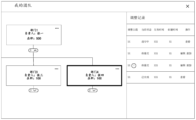
- FIG. 2 is a schematic diagram of an adjustment interface according to an embodiment of the disclosure.
- Fig. 3 is a schematic diagram of an adjustment interface according to an embodiment of the present disclosure.
- FIG. 4 to FIG. 6 are schematic diagrams illustrating effects of a guidance interface according to an embodiment of the present disclosure.
- FIG. 7 is a schematic diagram of an adjustment interface according to an embodiment of the disclosure.
- Fig. 8 is a schematic diagram of an interface for creating a new subordinate department according to an embodiment of the present disclosure.
- Fig. 9 is a schematic diagram of an adjustment interface and an information interface according to an embodiment of the present disclosure.
- Fig. 10 is a schematic diagram of an adjustment interface and an information interface according to an embodiment of the present disclosure.
- Fig. 11 is a schematic diagram of an adjustment interface and an information interface according to an embodiment of the present disclosure.
- Fig. 12 is a schematic diagram of an editing interface according to an embodiment of the present disclosure.
- Fig. 13 is a schematic diagram of an adjustment interface and an information interface according to an embodiment of the present disclosure.
- FIG. 14 to FIG. 15 are schematic diagrams of adjusting an organizational structure by dragging a pattern according to an embodiment of the present disclosure.
- Fig. 16 is a schematic diagram of an organizational structure of an embodiment of the present disclosure.
- FIG. 17 is a schematic diagram of adjusting the organizational structure by dragging subordinate departments according to an embodiment of the present disclosure.
- Fig. 18 is a schematic diagram of controls associated with patterns of an organizational structure according to an embodiment of the present disclosure.
- Fig. 19 is a schematic diagram of saving processing items according to an embodiment of the present disclosure.
- FIG. 20 is a schematic display diagram of transaction processing according to an embodiment of the present disclosure.
- FIG. 21 is a schematic diagram of a prompt during transaction processing according to an embodiment of the present disclosure.
- Fig. 22 is a schematic display diagram of batch transaction processing according to an embodiment of the present disclosure.
- Fig. 23 is a schematic diagram of displaying adjustment content according to an embodiment of the present disclosure.
- Fig. 24 is a schematic display of a submission interface according to an embodiment of the present disclosure.
- Fig. 25 is a schematic display of a conflict information interface according to an embodiment of the present disclosure.
- Fig. 26 is a schematic display diagram of a processing item interface according to an embodiment of the present disclosure.
- Fig. 27 is a schematic display diagram of a processing item interface according to an embodiment of the present disclosure.
- Fig. 28 is a schematic diagram of displaying a conflict information interface according to an embodiment of the present disclosure.
- Fig. 29 is a schematic display diagram of a processing item status interface according to an embodiment of the present disclosure.
- Fig. 30 is a schematic display of a processing flow of an embodiment of the present disclosure.
- Fig. 31 is a schematic display of a processing item status interface according to an embodiment of the present disclosure.
- Fig. 32 is a schematic structural diagram of an electronic device according to an embodiment of the present disclosure.
- the term “comprise” and its variations are open-ended, ie “including but not limited to”.
- the term “based on” is “based at least in part on”.
- the term “one embodiment” means “at least one embodiment”; the term “another embodiment” means “at least one further embodiment”; the term “some embodiments” means “at least some embodiments.” Relevant definitions of other terms will be given in the description below.
- FIG. 1 is a flowchart of an information processing method in an embodiment of the present disclosure, including the following steps.
- the first operation event may include one or more operations
- the adjustment interface displays the pattern of the organizational department in the organizational structure.
- the pattern of the organizational department may be, for example, a card of the organizational department, or an icon of the organizational department, etc.
- the pattern is displayed according to the superior-subordinate relationship of the organizational department.
- the pattern of the organizational department can be displayed in a tree structure diagram, and the adjustment interface can be the interface displayed after a specific control is triggered.
- the organizational structure is adjusted based on the pattern, so that the association relationship of the organizational structure and the adjusted association relationship can be reflected intuitively, so that the adjustment of the organizational structure is clearer and the result is more intuitive.
- the first processing item is the adjustment content of the organizational structure in this adjustment, including the adjustment of the organizational department and the adjustment of the department members.
- the adjustment of the department members can also be expressed as the change of the department members.
- the adjustment of the organization department can be Including changes to the superior-subordinate relationship of organizational departments, deactivation and activation of organizational departments, etc.
- S13 Trigger the processing flow of the first processing item in response to the third operation event.
- the processing flow of the first processing item may include one or more nodes, and different nodes correspond to different processing personnel.
- a third operation event may consist of one or more operations.
- the first operation event may include first processing the "personnel management" control, and then triggering the "organizational structure” control. After clicking "initiate adjustment", at this time
- the adjustment interface displays the tree structure diagram of the organizational structure.
- the tree structure diagram is generated according to the superior-subordinate relationship of the organizational structure.
- the pattern in Figure 2 is a card, and each card corresponds to an organizational department.
- the information of the corresponding organizational department can be displayed in the pattern , such as name, person in charge, number of employees, etc.
- the number of subordinate departments will be displayed in the associated area of the pattern, and controls can be displayed in the associated area to expand or hide subordinate departments.
- the pattern of the organization department By operating the pattern of the organization department, the first processing item is generated, and the adjustment of the organization department and the adjustment of the department members are recorded in the first processing item, but the first processing item is not implemented immediately, but needs to be approved. , so the third operation event needs to be executed to trigger the processing flow of the first processing item, such as the approval process. After the processing process is completed, it is determined whether to execute the first processing item according to the processing result, that is, whether to adjust the organizational structure according to the first processing item .
- organizational departments have different states, including deactivated state, enabled state, etc., and only the pattern of the currently enabled organizational department is displayed on the adjustment interface.
- the enabled state indicates that the organizational department is operating normally and has not been disabled. process or planning.
- the current user can adjust the superior-subordinate relationship or members of the organization department based on the pattern displayed in the organization adjustment interface. Therefore, it is necessary to ensure that the current user has the authority to adjust, so the adjustment interface only displays organizations within the scope of the current user's authority. department.
- the patterns in the display interface are displayed in the form of a tree structure diagram according to the superior-subordinate relationship of the organizational departments. This can clearly show the superior-subordinate relationship of organizational departments.
- the adjustment interface has a search control, which is used to search according to the organizational department or the person in charge.
- the search for the organizational department or the person in charge is supported, and the scope of the search includes the newly added or The changed organizational unit.
- a guide interface when the user opens the adjustment page of the organization structure for the first time, a guide interface is displayed, and the guide interface is used to display the operation mode of the adjustment page of the organization structure.
- a guide interface when the user enters the adjustment interface of the organizational structure for the first time, a guide interface needs to be displayed to inform the user how to operate, and a user only displays the guide interface once, as shown in Figures 4 to 6, the guide interface can be composed of one or multiple interfaces, in which the guidance interface can display how to adjust the superior department to which the organization department belongs, and how to change the organization department to which the department members (employees) of the organization department belong.
- generating a first processing item for adjusting the organizational structure includes: in response to a trigger operation on the first control of the first pattern, creating a first The pattern corresponds to the subordinate department of the organization department and displays the pattern of the created subordinate department.
- the control of "create a subordinate department" that is, the first control, can create a subordinate department under the organizational department corresponding to the pattern by triggering the first control.
- the first control if the organizational department corresponding to the first pattern satisfies the first preset condition, the first control is displayed; otherwise, the first control is not displayed or the first control cannot be triggered.
- the first preset condition includes at least one of the following: the organization unit is enabled, the organization unit has no future deactivation version, and the organization unit is not in the deactivation process.
- the available first control needs to be satisfied when the above three conditions are met at the same time. If the organizational department corresponding to the first pattern is not currently in the enabled state, the first control is hidden. The enabled state is different from the disabled state, which means The organization department is running normally.
- the first control can be grayed out and cannot be triggered.
- a prompt message can be displayed, for example, the department has been deactivated on ⁇ deactivated version effective date ⁇ , and a new sub-department cannot be created.
- the organization department corresponding to the first pattern is in the deactivation processing process, it indicates that it is currently being applied for deactivation. At this time, the first control cannot be triggered, and the first control can be grayed out.
- a prompt message can be displayed, for example, the department is in the deactivation process, and the initiator is "initiator name link", please complete the process first, and then create a new department. That is, a link to contact the initiator of the deactivation processing process may be displayed in the prompt information, and the initiator can be contacted by triggering the link.
- an interface for creating a new subordinate department is displayed, in which the name of the organization department, the person in charge, the type of the organization department, the description of the organization department, and the organization department are displayed.
- the name of the organization department, the person in charge, the type of the organization department, the description of the organization department, and the organization department are displayed.
- confidentiality after entering the corresponding content, confirm to create a new subordinate department.
- the pattern of the newly created lower-level department is displayed on the far right of the lower layer of the pattern of its parent department, and marked, and the mark is used to identify the department as a newly created organizational department.
- an information interface of the organization department corresponding to the triggered pattern is displayed; the information interface displays information of the organization department corresponding to the pattern.
- the pattern can be triggered by clicking on an area other than the option control "" in the pattern (for example, clicking on the pattern of department 4 in Fig. 9), and the department's information interface can be called out at this time, and the On one side of the adjustment interface, such as the right side (refer to the right part of Figure 9), you can view the specific content of the organization department through the drawing, so as to facilitate reference when adjusting the organization structure.
- the basic information of the organizational department includes one or more of the department name of the organizational department, the superior department, the person in charge of the department, the department type, whether it is a confidential department, and the description information of the organizational department.
- the department members of an organization department and the employees belonging to the organization department do not include the department members of the organization department at the next level, and the subordinate departments include the direct subordinate departments of the organization department, and may also include the indirect subordinate departments.
- Organization members and subordinate departments can be located in two sub-interfaces in the information interface.
- the two sub-interfaces have corresponding signs (members and subordinate departments shown in FIG. 9 ), and the corresponding sub-interfaces are displayed by triggering the corresponding signs.
- the displayed information of department members can include name, job number, email address, direct superior, sequence, level, work location, entry date, etc., and the displayed information can be customized, and only one or several of them can be displayed. Sorting by name, as shown in Figure 9, shows that there is a search control to search for department members according to one or several conditions in the employee's name, direct superior, sequence, level, work location or personnel type.
- the subordinate departments displayed on the information interface are the directly subordinate departments that are enabled, excluding the sub-departments of different levels, and the subordinate departments that were added, deactivated, or changed to the organizational department in the first processing item this time.
- the information interface can display one or more of the name, code, department head, superior department, description, status, department type, and confidentiality of the subordinate department, and one or several of them can be customized.
- the associated logo is displayed, and the logo is used to indicate that the subordinate department is the subordinate department handled in the first processing item.
- a second control is displayed on the information interface, and the second control is used to edit basic information after being triggered.
- the second control is, for example, "Edit” displayed to the right of "Basic Information” in the upper right corner of FIG. 9, and the basic information can be edited by triggering the second control. If the subordinate department displayed on the information interface satisfies the second preset condition, the second control is displayed; otherwise, the second control is not displayed or the second control cannot be triggered; the second preset condition includes at least one of the following: the subordinate department is in an enabled state , The lower-level department is not in the process of deactivation, and the lower-level department is not in the process of change.
- the second control if the sub-department is currently deactivated, the second control cannot be triggered, and the second control can be grayed out.
- the control logo hovers over the second control it will display a reminder that the sub-department has been deactivated prompt information. If the subordinate department is in the deactivation process, it indicates that the subordinate department has been applied for deactivation. At this time, the second control is unavailable and can be grayed out.
- a prompt message can be displayed , for example, to display that the subordinate department is in the process of deactivation, and the prompt information may have controls or links for contacting the initiator of the deactivation process.
- the subordinate department if the subordinate department is in the process of change processing, it indicates that the subordinate department is being changed, such as changing its superior-subordinate relationship. At this time, the second control is unavailable and can be grayed out, and when the mouse hovers over the second When the control is on, a prompt message is displayed, which is used to prompt that the subordinate department is in the process of changing the processing item, and the prompt message may display a control or a link for contacting the initiator of the change processing item. In some embodiments of the present disclosure, among the subordinate departments displayed on the information interface, the subordinate departments adjusted in the first processing item are preferentially displayed.
- a third control associated with department members is displayed on the information interface, and the third control is used to perform transaction processing on the associated department members.
- the area corresponding to the "Operation" column on the right side of the members in the member list displayed on the information interface displays "change", that is, the third control, by triggering the third control , and perform transaction processing on the corresponding department members.
- Transaction processing refers to changing the information of the department members in the organizational structure, such as changing the organizational department they belong to.
- multiple department members displayed on the information interface can be selected, and when multiple department members are selected, a control for performing batch transaction processing on the selected multiple department members is displayed, that is, The "batch edit" shown in Figure 10 performs unified transaction processing on the selected department members after the control is triggered, thereby improving processing efficiency.
- the members who are in the transaction state are displayed first.
- the transaction state means that the department member has undergone transaction processing, and the transaction processing is in progress In, not yet completed.
- a label for identifying the department member as a transaction is displayed at the associated position of the department member.
- the information interface displays a fourth control associated with the lower-level department, and the fourth control is used to edit the associated lower-level department after being triggered.
- the fourth control is, for example, the "edit” operation displayed on the right side of each department displayed in the "subordinate department" in Figure 11. After the fourth control is triggered, as shown in Figure 12, an editing interface is displayed for Make edits to organizational units.
- the lower-level departments displayed on the information interface can be selected. If at least two lower-level departments displayed on the information interface are selected, a fifth control is displayed, and the fifth control is used to be triggered Then perform batch editing on the selected subordinate departments ("batch editing" button in Figure 13). In this embodiment, when at least two lower-level departments are selected, the fifth control may be displayed; otherwise, the fifth control may not be displayed, and a pop-up window for batch editing will appear after the fifth control is triggered. In some embodiments, if the selected subordinate department satisfies the second preset condition, the fifth control is displayed; otherwise, the fifth control is not displayed or the fifth control cannot be triggered.
- the second preset condition includes at least one of the following: the lower-level department is enabled, the lower-level department is not in the process of deactivation, and the lower-level department is not in the process of changing.
- the fifth control if the subordinate department is currently deactivated, the fifth control cannot be triggered, and the fifth control can be grayed out. When the control logo hovers over the fifth control, it will display a reminder that the subordinate department has been deactivated prompt information. If the subordinate department is in the process of deactivation, it indicates that the subordinate department has been applied for deactivation. At this time, the fifth control is unavailable and can be grayed out.
- a prompt message can be displayed , for example, to display that the subordinate department is in the process of deactivation, and the prompt information may have controls or links for contacting the initiator of the deactivation process.
- the prompt information may display a control or link for contacting the initiator of the changing processing item.
- the subordinate departments adjusted in the first processing item are preferentially displayed.
- the pop-up window of batch editing is displayed, if the verification is passed, the pop-up window is closed, and the information interface is refreshed, and a prompt message can be issued.
- generating a first processing item for adjusting the organizational structure includes: in response to dragging the first pattern under the second pattern, dragging the first pattern The corresponding organization department is adjusted to be the subordinate department of the organization department corresponding to the second pattern.
- the first pattern and the second pattern can be arbitrary patterns, please refer to Figure 14 and Figure 15, in Figure 14, the pattern of department 4 is dragged by the control mark (the mouse in the figure can also be touched and dragged) Go to the bottom of the pattern of department 3, the dragged pattern and the dragged pattern will be displayed differently from other patterns when dragging, and then as shown in Figure 15, the dragged pattern will be displayed under the dragged pattern , thus completing the adjustment of the superior-subordinate relationship of the organizational department.
- the first pattern and the second pattern may be patterns of any organizational department.
- At least one of the following is satisfied, otherwise the dragging fails, or the dragging fails and the corresponding first prompt message is displayed; the organizational department corresponding to the first pattern is in the enabled state, and the organizational department corresponding to the first pattern Not the root node organization department, the organization department corresponding to the first pattern is not in the process of changing, the organization department corresponding to the first pattern is not in the deactivation process, the organization department corresponding to the second pattern is enabled, and the organization department corresponding to the second pattern
- the organizational department is not the immediate superior department of the organizational department corresponding to the first drawing, and the organizational department corresponding to the second drawing is not a subordinate department of the organizational department corresponding to the first drawing; the current user has the first authority on the department corresponding to the second drawing.
- verification is required when dragging.
- the department corresponding to the dragged pattern needs to be in the enabled state, not the root node department, and there is no ongoing change process or deactivation process.
- the dragged pattern corresponds to the The department needs to be in the enabled state, and it is not the direct superior department of the department corresponding to the dragged pattern, nor its direct or indirect subordinate department, because in addition to the organization department corresponding to the dragged pattern, the organization department corresponding to the dragged pattern
- the lower-level department is still the lower-level department of the corresponding organization department of the dragged pattern.
- the organization department corresponding to the dragged pattern is the lower-level department of the organization department corresponding to the dragged pattern, a loop will be formed in the relationship between the upper and lower levels.
- an error will be reported if the department corresponding to the dragged pattern or the department corresponding to the dragged pattern has been deactivated. If the current user does not have the first authority to the organization department corresponding to the dragged pattern, An error will be reported. If the organization department corresponding to the dragged pattern is the root node department, that is, the direct or indirect superior department of all other organization departments, an error will be reported. If the organization department is in the process of deactivation or change processing, a prompt message will be displayed. And the displayed prompt information has a link or control for contacting the process initiator.
- a first mark is displayed in the associated area of the first pattern, and the first mark is used to identify the The organizational department corresponding to a pattern has changed. Specifically, please refer to FIG. 15 , “Change” is displayed on the top of department 4, that is, the first mark, and the first mark is used to explain that the pattern is changed to this position this time.
- the pattern processed by the first processing item has an associated identifier, which is used to identify the type of adjustment processing it performs, for example, "new" above the pattern of department 5 in FIG.
- generating the first processing item for adjusting the organizational structure includes: in response to dragging the lower-level department displayed on the information interface to the third pattern, Adjust the dragged lower-level department to the lower-level department of the organization department corresponding to the third pattern.
- the sub-departments of organized departments are displayed in the information interface, and one or more sub-departments in the information interface can be dragged to the pattern of the adjustment interface, and the third pattern can be any The pattern of the organizational department, by dragging the subordinate department displayed on the information interface, can also realize the adjustment of the superior-subordinate relationship of the department in the organizational structure.
- the dragging fails, or the dragging fails and a corresponding second prompt message is displayed: the dragged lower-level department is enabled, and the dragged lower-level department is not disabled In the processing process, the dragged subordinate department is not in the change process; the organization department corresponding to the third drawing is enabled, the organization department corresponding to the third drawing is not the direct superior of the dragged subordinate department, and the organization corresponding to the third drawing A department that is not a subdivision of the subdivision being towed.
- the third preset The set conditions include at least one of the following: the organization department corresponding to the third pattern is not in the deactivation process, and the organization department corresponding to the third pattern will not have a deactivated version in the future.
- a check is performed after dragging to see if the above conditions are met, and if not, an error will be reported, and it can be determined that the dragging failed.
- a sixth control for enabling an organizational unit, a seventh control for deactivating an organizational unit, and an eighth control for deleting an organizational unit are displayed in the pattern or an associated area of the pattern. at least one.
- the seventh control "Deactivate Department” and the eighth control "Delete Department” are displayed, so that the organization department and department corresponding to the pattern can be deleted. Deactivate the org unit corresponding to the pattern.
- the sixth control it is used to enable the organizational department corresponding to the pattern. If the organizational department corresponding to the pattern is in the deactivated state, the sixth control will be displayed, otherwise it will not be displayed, because for the department in the enabled state, there is no need to display the sixth control. controls.
- the seventh control is displayed; otherwise, the seventh control is not displayed or the seventh control is unavailable, wherein the fourth preset condition includes at least one of the following : The organization department is enabled, the organization department is not in the deactivation process, the organization department is not in the change process, the organization department does not have a version enabled in the future, the organization department does not have any subordinate departments currently or in the future, and the organization department does not currently or in the future There are no active members and organizational departments in the state of change.
- the seventh control if the organizational department corresponding to the pattern is in the deactivated state, the seventh control is not displayed; if the organizational department corresponding to the pattern is in the deactivation process, the seventh control is unavailable, and when the control logo hovers over the first When the control is on, a prompt message is displayed, and the prompt message may display a control or a link for contacting the initiator of the deactivation process. In some embodiments, if the organization department corresponding to the pattern is in the process of changing the process, the seventh control is unavailable, and when the control logo hovers over the seventh control, a prompt message will be displayed, and the prompt message may display information for contacting the process process of the change A control or link for the originator of the .
- the seventh control is unavailable, and a prompt message will be issued when the control logo hovers over the seventh control.
- personnel changes that is, there are department members who are transferring out or transferring in
- the seventh control is unavailable, and when the control logo hovers over the seventh control, the information used to contact the initiator of the personnel change processing process is displayed. controls or links.
- a pop-up window will be displayed for confirmation.
- the eighth control if the organizational department corresponding to the pattern satisfies the fifth preset condition, the eighth control is displayed; otherwise, the eighth control is not displayed or the eighth control is unavailable, wherein the eighth control includes at least the following One item: The organization department is newly created in the first processing item, the organization department has no subordinate departments, and there is no department member in the organization department. In some embodiments, if the organization department is not the newly created organization department in the first processing item, the eighth control is not displayed; if the organization department has subordinate departments or employees transferred in, the eighth control is unavailable, and it is displayed in When the control logo hovers over the eighth control, a prompt message is displayed.
- the change state means that the department member is in the process of transaction processing, such as changing the organization department to which it belongs, including transferring in and out of the organization department, position change etc.
- the first processing item for adjusting the organizational structure is saved in real time or periodically. In some embodiments, the adjustments made to the organizational structure will be saved in the backend to prevent data loss.
- a saving interface for saving the first processing item is displayed.
- a save interface will be displayed to determine whether to keep this adjustment, that is, whether to keep the first processing item, and the first processing item can be named to be What is saved may be the first processing item that has not started the processing flow, and it may be saved in the cloud.
- a fourth prompt message is displayed.
- a pop-up window will prompt that the first processing item has been saved, and he can view and continue editing at a predetermined location after exiting.
- a continuation processing interface is displayed, and the continuation processing interface is used to determine whether to continue to execute the first processing item.
- a pop-up window will inform that there are unfinished processing items, and the unfinished processing items can be processed according to the last time. The exit time is named, and the user can choose to continue the last processing item through this pop-up window, so as to continue to adjust the organizational structure.
- the information interface of the corresponding organizational goal is displayed, and the information interface of the organizational department displays department members.
- Department members have an associated third control, and the third control is used to perform transaction processing on associated department members.
- the third control may be “change” in the column “Operation” displayed on the information interface in FIG. 20.
- FIG. Transaction processing interface where you can select the immediate superior, department and position for department members.
- department members have an associated ninth control, and the ninth control is used to select the associated department member. After the ninth control is selected, a tenth control is displayed, and the tenth control is used to select the selected The department members associated with the ninth control perform transaction processing.
- the ninth control can be the option box on the left side of the department member displayed in the information interface, and the corresponding department member can be selected through the option box, and the " "Batch Edit", that is, the tenth control, through which the selected department members are uniformly processed, as shown in Figure 21, which shows the display interface for batch transaction processing, as shown in the figure, there are unmovable department members , a prompt message will be displayed, and a control is provided to only change the department members that can be moved, so as to reduce the user's operations, and there is no need to go back and select department members again.
- Fig. 22 Li Yi, Li Er, Li San and Li Si are selected, and unified transaction processing is performed on them.
- the dragged department member is subjected to transaction processing according to the organization department associated with the dragged pattern.
- the organization department to which the department member belongs can be adjusted by dragging the department member on the information interface, for example, adjusted to the organization department corresponding to the dragged pattern.
- the associated third control is displayed, otherwise the third control is hidden or the third control is unavailable; the sixth preset condition includes at least one of the following Items: Department members have no change processing items, no resignation processing items, and no post-holding items that have not yet taken effect.
- prompt information will be displayed, and a contact control or link of the originator of the corresponding processing item will be displayed in the prompt information.
- the associated ninth control is displayed, otherwise the ninth control is hidden or the ninth control is unavailable; the sixth preset condition includes at least one of the following Items: Department members have no change processing items, department members have no resignation processing items, and department members have no post-holding items that have not yet taken effect.
- the fifth prompt message is displayed and no transaction processing is performed.
- prompt information will be displayed, and a contact control or link of the originator of the corresponding processing item will be displayed in the prompt information.
- the sixth prompt message is displayed and no transaction processing is performed.
- the seventh preset condition includes at least one of the following: the organization department associated with the dragged pattern is enabled, the organization department associated with the dragged pattern is not the current organization department of the dragged department member, The organization department associated with the dragged pattern has no deactivated version in the future, and the organization department associated with the dragged pattern has no deactivation processing items.
- the seventh preset condition is not met, an error is reported.
- a transaction mark is displayed in the associated area of the department member on the information interface to identify that the department member has made the transaction.
- a prompt window will be displayed to inform the department personnel who cannot handle the transaction, and display the information for other departments.
- the method further includes: displaying an adjustment record page in response to a trigger operation on the eleventh control, and adjusting the record page The content of the adjustment made in the first processing item is displayed in .
- the eleventh control may be the "next step" shown in the upper right corner of Figure 18.
- the eleventh control By triggering the eleventh control, it indicates that the first processing item has been generated, but before starting to process the first processing item , that is, before starting the processing flow of the first processing item, it is necessary to check and confirm the first processing item, so at this time, as shown in Figure 23, the adjustment content in the first processing item will be displayed, including the adjustment to the organization department And adjustments to department personnel, adjustments include changes.
- the adjustment content performed in the first processing item displayed on the adjustment record page includes: at least one of the adjustment records of the organizational department and the transaction records of department members; the adjustment records of the organizational department include : At least one of adjustment type, department name, superior department, person in charge, code, department description, confidentiality status, edit control, and removal control; in the adjustment record of the organization department, when the adjustment type is change, it will display before and after the change For the information without number, it can be displayed in one line without change. The changed content can be highlighted.
- the corresponding operation controls will be displayed according to the adjustment type of the adjustment record of the organization department. For the newly created organization department, the edit control and the remove control will be displayed.
- the remove control can be displayed instead of Edit control.
- the adjustment records of the organization department they can be sorted according to the order in which the adjustment type is new, deactivated, and changed. If they are of the same adjustment type, they can be sorted according to the operation time.
- an editing interface of the organization department is displayed, for example, the interface shown in FIG. 12 , so as to edit the organization department.
- the remove control is triggered, the corresponding adjustment record (that is, the adjustment content for adjusting the organization department) is removed.
- the eighth preset condition includes: the organization department is a newly created organization department and the organization department There is a subordinate department, the organization department is a newly created organization department, and the organization department has department members that have been transferred in through a change.
- a department is both a superior and a subordinate to another organizational unit, creating a loop in the subordinate-subordinate relationship.
- the newly created organizational department refers to the newly created organizational department in the first processing item.
- the eighth preset condition when the eighth preset condition is not met, a prompt message will be issued, and the prompt message may indicate that the trigger cannot be triggered. The reason for removing the control.
- the transaction record of the department member includes: at least one of name, pre-transaction information, post-transaction information, edit control and removal control.
- the transaction records of department members are displayed in two lines, which respectively display the information before and after the transaction. After the edit control is triggered, the transaction processing interface as shown in FIG. 20 may be displayed, so as to modify the transaction processing of the department members.
- the removal control of the transaction record is unavailable, because at this time the organizational department to which the department member originally belonged is deactivated.
- triggering the processing flow of the first processing item in response to the third operation event includes: displaying a submission interface in response to a trigger operation on the eleventh control, and displaying a submission interface in response to a confirmation operation on the submission interface , to trigger the processing flow of the first processing item; at least one of the following items is displayed on the submission interface: subject name, effective time, and adjustment reason.
- subject name e.g., the eleventh control
- adjustment reason e.g., you can click "Submit" in the upper right corner, that is, the eleventh control, and the submission interface as shown in Figure 24 will pop up, which is used to submit a processing request for the first processing item.
- the submission interface names the first processing item, and fills in the effective time of the first processing item and the adjustment reason for the adjustment, so that the personnel at each node of the processing flow can handle it.
- a conflict information interface is displayed, and the conflicting adjustment content is displayed on the conflict information interface.
- the first processing item will be checked to determine whether there is a conflict in the adjustment content, and if there is a conflict, as shown in Figure 25
- the conflicting adjustment content can be displayed, prompt information can be displayed on the conflict information interface, and a control for removing all conflicting adjustment content can be displayed on the conflict information interface; after the control is triggered, all conflicting adjustment content was removed.
- the adjustment content displayed in the conflict information interface has at least one of an associated control for editing the adjustment content and a control for removing the adjustment content, through which the conflicting adjustment content can be modified Remove to pass validation. If the verification is successful, a prompt message will be displayed.
- after triggering the processing flow of the first processing item further includes: in response to the trigger operation on the twelfth control, displaying a processing item interface, and the processing item interface displays a record of processing items initiated by the current user .
- the user can click "Adjustment Records" on the upper right of the associated page in the "Organizational Structure” shown in Figure 2 to display the processing item interface shown on the right side of Figure 26, where Displays the processing items associated with the current user, which can display the subject name, current status, effective time, creation time and associated operations of the processing items.
- the processing items displayed in the processing item interface are displayed according to the current state
- a prompt mark is displayed.
- the prompt mark is an exclamation mark displayed in the processing item association area. Circle, through the prompt mark to inform the user that there is a conflict in the processing item and needs to be modified, otherwise the object passes the verification.
- a prompt message can be displayed, and the prompt message can be Tell the number of conflicts, and also show how to resolve the conflicts.
- a processing item with a conflict when its associated control for editing the processing item is triggered, as shown in FIG. to remove all conflicting controls.
- the processing item status interface displays at least one of the following: processing item summary information, Controls for undoing processing items, controls for viewing the processing flow, controls for viewing the processing results of each node in the processing flow, adjustment records in processing items, controls for editing adjustment records, and controls for removing adjustment records .
- the processing flow is taken as an example of approval.
- the processing item status interface is displayed in the form of a card, in which the effective time of the processing item, adjustment reason, and approval content can be displayed.
- the approval content can display Approval summary, including the number of department adjustments and department member changes, as well as the current approval status, and provides a control to cancel the processing item. This control is only displayed when the processing process of the processing item is in the approval process. If the processing process of the processing item has not Initiated or ended, it will not be displayed, and a control for viewing the approval form can also be provided.
- triggering the processing flow of the first processing item includes: determining the lowest-level public department involved in the first processing item, and configuring the processing flow based on the lowest-level public department; wherein, the lowest-level public department is The lowest-level organizational unit involved in the first transaction.
- the processing process of the processing flow involves the lowest public department, and the determination method is as follows: a) determine the department adjusted in the first processing item, b) determine the department before and after the personnel change processing, and combine the departments determined in a and b
- the lowest-level public sector in the department is the lowest-level public sector, and the processing flow is configured based on the lowest-level public sector. For example, the lowest-level public sector can be processed first.
- the display interface of the processing flow is displayed, in which the basic information of the processing item, the adjustment content involved, the processing nodes that have been performed, and the processing results are displayed. , so that it is convenient for the current user to process the processing flow.
- the processing flow of the first processing item after triggering the processing flow of the first processing item, it further includes: in response to the processing result of the first processing item, sending a notification message to the originator of the first processing item, and the notification message is received View the details of the processing result after triggering.
- a notification message is sent to the originator of the first processing item to inform him that he has not passed, and after the notification message is triggered, you can view the specific details of the failure.
- a notification message can also be sent. The notification message can inform the summary information of the adjustment content of the first processing item. After the notification message is triggered, check the details.
- the processing flow of the first processing item is passed, but some of the adjustment content is executed After the failure, send a notification message to inform it that the adjustment content execution failed, and view the details after being triggered.
- the adjustment content execution failure is due to conflicts. Once you view the details, you can highlight the conflicting adjustment content , specifically as shown in FIG. 31 , an indicator is displayed in the associated area of the adjustment content that failed to be executed, and the reason for the execution failure is displayed after the indicator is triggered.
- the present disclosure also proposes an information processing device, including:
- the display unit is configured to display the adjustment interface of the organizational structure on the display interface in response to the first operation event, and the adjustment interface displays the pattern of the organizational department in the organizational structure, and the pattern is displayed according to the superior-subordinate relationship of the organizational department;
- control unit configured to generate a first processing item for adjusting the organizational structure in response to a second pattern-based operation event
- the processing unit triggers the processing flow of the first processing item in response to the third operation event.
- the adjustment interface only displays the patterns of the organizational departments that are currently enabled; the adjustment interface only displays the organizational departments within the scope of the current user's authority; The relationship is displayed in the form of a tree structure diagram; the pattern displays the name of the corresponding organizational department, the person in charge, and the number of department members; the adjustment interface has a search control for searching according to the organizational department or person in charge.
- the display unit is further configured to display a guide interface when the user opens the adjustment page of the organization structure for the first time, and the guide interface is used to display the operation mode of the adjustment page of the organization structure.
- generating a first processing item for adjusting the organizational structure includes: in response to a trigger operation on the first control of the first pattern, creating an organization corresponding to the first pattern Sub-department of the department and display the pattern of the created sub-department.
- the first control if the organizational department corresponding to the first pattern satisfies the first preset condition, the first control is displayed; otherwise, the first control is not displayed or the first control cannot be triggered.
- the first preset condition includes at least one of the following: the organization unit is enabled, the organization unit has no future deactivation version, and the organization unit is not in the deactivation process.
- the information interface of the organization department corresponding to the triggered pattern is displayed; the information interface displays the information of the organization department corresponding to the pattern.
- At least one of the following is displayed on the information interface: basic information of the organizational department, department members of the organizational department, and subordinate departments of the organizational department.
- At least one of the following is satisfied:
- the third control associated with department members is displayed on the information interface, and the third control is used to perform transaction processing on the associated department members;
- the members in the state of abnormality are displayed first;
- the lower-level departments displayed on the information interface the lower-level departments that have been adjusted in the first processing item are displayed first;
- the information interface displays a fourth control associated with the lower-level department, and the fourth control is used to edit the associated lower-level department after being triggered;
- a fifth control is displayed, and the fifth control is used to edit the selected sub-departments in batches after being triggered.
- At least one of the following is satisfied:
- the second control is displayed; otherwise, the second control is not displayed or the second control cannot be triggered;
- the fifth control is displayed; otherwise, the fifth control is not displayed or the fifth control cannot be triggered.
- the second preset condition includes at least one of the following: the lower-level department is enabled, the lower-level department is not in the process of deactivation, and the lower-level department is not in the process of changing.
- generating the first processing item for adjusting the organizational structure includes: in response to dragging the first pattern to the second pattern, dragging the organizational department corresponding to the first pattern Adjust to the subordinate department of the organization department corresponding to the second pattern.
- At least one of the following is satisfied, otherwise the dragging fails, or the dragging fails and the corresponding first prompt message is displayed;
- the organization department corresponding to the first pattern is enabled, the organization department corresponding to the first pattern is not the root node organization department, the organization department corresponding to the first pattern is not in the process of changing, and the organization department corresponding to the first pattern is not in the deactivation process process,
- the organizational department corresponding to the second pattern is in the active state, the organizational department corresponding to the second pattern is not the direct superior department of the organizational department corresponding to the first pattern, and the organizational department corresponding to the second pattern is not a subordinate department of the organizational department corresponding to the first pattern;
- the current user has the first authority with respect to the organizational department corresponding to the second pattern.
- the display unit is also used to display the first mark in the associated area of the first pattern after adjusting the organizational department corresponding to the first pattern to the subordinate department of the organizational department corresponding to the second pattern, and the first mark is used to identify The organizational department corresponding to the first pattern has changed.
- generating the first processing item for adjusting the organizational structure includes: in response to dragging the subordinate department displayed on the information interface to the third pattern, the dragged The lower-level department is adjusted to be the lower-level department of the organization department corresponding to the third pattern.
- At least one of the following is satisfied, otherwise the dragging fails, or the dragging fails and a corresponding second prompt message is displayed:
- the dragged sub-department is enabled, the dragged sub-department is not in the deactivation process, and the dragged sub-department is not in the change process;
- the organization department corresponding to the third pattern is activated, the organization department corresponding to the third pattern is not the direct superior of the dragged subordinate department, and the organization department corresponding to the third pattern is not a subordinate department of the dragged subordinate department.
- control unit is further configured to, after dragging the subordinate department to the organizational department corresponding to the third pattern, determine that the organizational department corresponding to the third pattern satisfies the third preset condition, otherwise, send a third prompt message;
- the third preset condition includes at least one of the following: the organization department corresponding to the third pattern is not in the deactivation process, and the organization department corresponding to the third pattern will not have a deactivated version in the future.
- At least one of a sixth control for enabling an organizational unit, a seventh control for deactivating an organizational unit, and an eighth control for deleting an organizational unit is displayed in the drawing or an associated area of the drawing.
- the display unit is also used to: if the organizational department corresponding to the pattern is in a deactivated state, display the sixth control, otherwise not display it;
- the display unit is also used to display the seventh control if the organizational department corresponding to the pattern satisfies the fourth preset condition, otherwise, the seventh control is not displayed or the seventh control is unavailable, wherein the fourth preset Conditions include at least one of the following: the organization unit is enabled, the organization unit is not in the deactivation process, the organization unit is not in the change process, the organization unit does not have a version enabled in the future, the organization unit currently and will not have any child departments enabled in the future, The organization department has no current and future active members, and there are no members in the state of change in the organization department;
- the display unit is also used to display the eighth control if the organizational department corresponding to the pattern satisfies the fifth preset condition, otherwise, the eighth control is not displayed or the eighth control is unavailable, wherein the eighth control includes At least one of the following: the organization department is newly created in the first processing item, the organization department has no subordinate departments, and there is no department member in the organization department in a transaction state.
- control unit is also used to: save the first processing item for adjusting the organizational structure in real time or periodically;
- the display unit is also used to display a saving interface for saving the first processing item if the user quits the adjustment of the organizational structure before saving the first processing item;
- the display unit is further configured to: display a fourth prompt message if the user quits the adjustment of the organizational structure after the user saves the first processing item;
- the display unit is also used for: if the adjustment of the organizational structure is exited abnormally, when entering the adjustment interface of the organizational structure again, display a continuation processing interface, and the continuation processing interface is used to determine whether to continue to execute the first processing item.
- the information interface of the corresponding organizational goal is displayed, and the information interface of the organizational department displays department members, and at least one of the following is satisfied:
- Department members have an associated third control, and the third control is used to perform transaction processing on associated department members;
- the ninth control is used to select the associated department members. After the ninth control is selected, the tenth control is displayed. The tenth control is used to perform transaction handling;
- control unit performs transaction processing on the dragged department member according to the organization department associated with the dragged pattern.
- At least one of the following is satisfied:
- the display unit is also used to display the associated third control if the department member meets the sixth preset condition, otherwise the third control is hidden or the third control is unavailable;
- the display unit is also used to display the associated ninth control if the department member satisfies the sixth preset condition, otherwise the ninth control is hidden or the ninth control is unavailable;
- the display unit is also used for: after the tenth control is triggered, if the selected ninth control does not satisfy the sixth preset condition, then display the fifth prompt message and do not perform transaction processing;
- the display unit is also used for: if the department associated with the dragged pattern does not meet the seventh preset condition, display a sixth prompt message and not perform transaction processing.
- the sixth preset condition includes at least one of the following: department members have no change handling items, department members have no resignation handling items, and department members have no ineffective appointment items;
- the seventh preset condition includes at least one of the following: the organization department associated with the dragged pattern is enabled, the organization department associated with the dragged pattern is not the current organization department of the dragged department member, The organization department associated with the dragged pattern has no deactivated version in the future, and the organization department associated with the dragged pattern has no deactivation processing items.
- the display unit is further configured to: display an adjustment record page in response to a trigger operation on the eleventh control, The adjustment record page displays the adjustment content performed in the first processing item.
- the adjustment content performed in the first processing item displayed on the adjustment record page includes: at least one of the adjustment records of the organizational department and the transaction records of department members;
- the adjustment record of the organizational department includes: at least one of adjustment type, department name, superior department, person in charge, code, department description, confidentiality status, edit control, and remove control;
- the transaction record of the department member includes: at least one of name, pre-transaction information, post-transaction information, edit control and removal control.
- At least one of the following is satisfied:
- the eighth preset condition includes: the organization department is a newly created organization department and the organization department has subordinate departments, organizations The department is a newly created organizational department and the organizational department has department members transferred in through a change, the superior department before the organizational department adjustment has been deactivated, and the organizational department's superior-subordinate relationship forms a closed loop after the adjustment record is removed;
- triggering the processing flow of the first processing item includes: in response to a trigger operation on the eleventh control, displaying a submission interface, and in response to a confirmation operation on the submission interface, triggering the first The process of handling matters;
- At least one of the following items is displayed on the submission interface: subject name, effective time, and reason for adjustment.
- the display unit is further configured to display a conflict information interface after triggering the processing flow of the first processing item, if there is conflicting adjustment content in the first processing item, and display the conflicting adjustment content on the conflict information interface.
- the conflict information interface displays controls for removing all conflicting adjustments
- the adjustment content displayed in the conflict information interface has associated at least one of a control for editing the adjustment content and a control for removing the adjustment content.
- the display unit is further configured to display a processing item interface in response to a trigger operation on the twelfth control after the processing flow of the first processing item is triggered, and the processing item record initiated by the current user is displayed in the processing item interface.
- At least one of the following is satisfied:
- the processing items displayed in the processing item interface display at least one of a control for viewing the processing items, a control for editing the processing items, and a control for deleting the processing items according to the current status;
- the display unit is further configured to: display the processing item status interface after the control for viewing the processing items displayed in the processing item interface is triggered;
- the processing item status interface displays at least one of the following: processing item summary information, a control for undoing a processing item, a control for viewing the processing flow, a control for viewing the processing results of each node in the processing flow, and an adjustment record in the processing item , a control to edit an adjustment record, and a control to remove an adjustment record.
- triggering the processing flow of the first processing item includes:
- the lowest-level public sector is the lowest-level organizational sector involved in the first processing item.
- control unit is further configured to: after triggering the processing flow of the first processing item, send a notification message to the originator of the first processing item in response to the processing result of the first processing item, and the notification message is triggered View the processing result details later.
- the device since it basically corresponds to the embodiment of the method, for relevant parts, please refer to part of the description of the embodiment of the method.
- the device embodiments described above are merely illustrative, and the modules described as separate modules may or may not be separate. Part or all of the modules can be selected according to actual needs to achieve the purpose of the solution of this embodiment. It can be understood and implemented by those skilled in the art without creative effort.
- the present disclosure also provides an electronic device and a computer-readable storage medium, which will be described below.
- FIG. 32 it shows a schematic structural diagram of an electronic device (such as a terminal device or a server) 800 suitable for implementing an embodiment of the present disclosure.
- the terminal equipment in the embodiment of the present disclosure may include but not limited to such as mobile phone, notebook computer, digital broadcast receiver, PDA (personal digital assistant), PAD (tablet computer), PMP (portable multimedia player), vehicle terminal (such as mobile terminals such as car navigation terminals) and fixed terminals such as digital TVs, desktop computers and the like.
- the electronic device shown in the figure is just an example, and should not limit the functions and application scope of the embodiments of the present disclosure.
- the electronic device 800 may include a processing device (such as a central processing unit, a graphics processing unit, etc.) 801, which may be loaded into a random access memory (RAM) 803 according to a program stored in a read-only memory (ROM) 802 or loaded from a storage device 808 Various appropriate actions and processing are performed by the program. In the RAM 803, various programs and data necessary for the operation of the electronic device 800 are also stored.
- the processing device 801, the ROM 802, and the RAM 803 are connected to each other through a bus 804.
- An input/output (I/O) interface 805 is also connected to the bus 804 .
- the following devices can be connected to the I/O interface 805: input devices 806 including, for example, a touch screen, touchpad, keyboard, mouse, camera, microphone, accelerometer, gyroscope, etc.; including, for example, a liquid crystal display (LCD), speaker, vibration an output device 807 such as a computer; a storage device 808 including, for example, a magnetic tape, a hard disk, etc.; and a communication device 809.
- the communication means 809 may allow the electronic device 800 to communicate with other devices wirelessly or by wire to exchange data. While the electronic device 800 is shown with various means, it is to be understood that implementing or having all the means shown is not a requirement. More or fewer means may alternatively be implemented or provided.
- embodiments of the present disclosure include a computer program product, which includes a computer program carried on a computer-readable medium, where the computer program includes program codes for executing the methods shown in the flowcharts.
- the computer program may be downloaded and installed from a network via communication means 809, or from storage means 808, or from ROM 802.
- the processing device 801 When the computer program is executed by the processing device 801, the above-mentioned functions defined in the methods of the embodiments of the present disclosure are performed.
- the computer-readable medium mentioned above in the present disclosure may be a computer-readable signal medium or a computer-readable storage medium or any combination of the two.
- a computer readable storage medium may be, for example, but not limited to, an electrical, magnetic, optical, electromagnetic, infrared, or semiconductor system, device, or device, or any combination thereof. More specific examples of computer-readable storage media may include, but are not limited to, electrical connections with one or more wires, portable computer diskettes, hard disks, random access memory (RAM), read-only memory (ROM), erasable Programmable read-only memory (EPROM or flash memory), optical fiber, portable compact disk read-only memory (CD-ROM), optical storage device, magnetic storage device, or any suitable combination of the above.
- a computer-readable storage medium may be any tangible medium that contains or stores a program that can be used by or in conjunction with an instruction execution system, apparatus, or device.
- a computer-readable signal medium may include a data signal propagated in baseband or as part of a carrier wave carrying computer-readable program code therein. Such propagated data signals may take many forms, including but not limited to electromagnetic signals, optical signals, or any suitable combination of the foregoing.
- a computer-readable signal medium may also be any computer-readable medium other than a computer-readable storage medium, which can transmit, propagate, or transmit a program for use by or in conjunction with an instruction execution system, apparatus, or device .
- Program code embodied on a computer readable medium may be transmitted by any appropriate medium, including but not limited to wires, optical cables, RF (radio frequency), etc., or any suitable combination of the above.
- the client and the server can communicate using any currently known or future network protocols such as HTTP (HyperText Transfer Protocol, Hypertext Transfer Protocol), and can communicate with digital data in any form or medium
- HTTP HyperText Transfer Protocol
- the communication eg, communication network
- Examples of communication networks include local area networks (“LANs”), wide area networks (“WANs”), internetworks (e.g., the Internet), and peer-to-peer networks (e.g., ad hoc peer-to-peer networks), as well as any currently known or future developed network of.
- the above-mentioned computer-readable medium may be included in the above-mentioned electronic device, or may exist independently without being incorporated into the electronic device.
- the above-mentioned computer-readable medium carries one or more programs, and when the above-mentioned one or more programs are executed by the electronic device, the electronic device is made to execute the above-mentioned method of the present disclosure.
- Computer program code for carrying out the operations of the present disclosure can be written in one or more programming languages, or combinations thereof, including object-oriented programming languages—such as Java, Smalltalk, C++, and conventional Procedural Programming Language - such as "C" or a similar programming language.
- the program code may execute entirely on the user's computer, partly on the user's computer, as a stand-alone software package, partly on the user's computer and partly on a remote computer or entirely on the remote computer or server.
- the remote computer can be connected to the user computer through any kind of network, including a local area network (LAN) or a wide area network (WAN), or it can be connected to an external computer (such as through an Internet service provider). Internet connection).
- LAN local area network
- WAN wide area network
- Internet service provider such as AT&T, MCI, Sprint, EarthLink, MSN, GTE, etc.
- each block in a flowchart or block diagram may represent a module, program segment, or portion of code that contains one or more logical functions for implementing specified executable instructions.
- the functions noted in the block may occur out of the order noted in the figures. For example, two blocks shown in succession may, in fact, be executed substantially concurrently, or they may sometimes be executed in the reverse order, depending upon the functionality involved.
- each block of the block diagrams and/or flowchart illustrations, and combinations of blocks in the block diagrams and/or flowchart illustrations can be implemented by a dedicated hardware-based system that performs the specified functions or operations , or may be implemented by a combination of dedicated hardware and computer instructions.
- the units involved in the embodiments described in the present disclosure may be implemented by software or by hardware. Wherein, the name of a unit does not constitute a limitation of the unit itself under certain circumstances.
- FPGAs Field Programmable Gate Arrays
- ASICs Application Specific Integrated Circuits
- ASSPs Application Specific Standard Products
- SOCs System on Chips
- CPLD Complex Programmable Logical device
- a machine-readable medium may be a tangible medium that may contain or store a program for use by or in conjunction with an instruction execution system, apparatus, or device.
- a machine-readable medium may be a machine-readable signal medium or a machine-readable storage medium.
- a machine-readable medium may include, but is not limited to, electronic, magnetic, optical, electromagnetic, infrared, or semiconductor systems, apparatus, or devices, or any suitable combination of the foregoing.
- machine-readable storage media would include one or more wire-based electrical connections, portable computer discs, hard drives, random access memory (RAM), read only memory (ROM), erasable programmable read only memory (EPROM or flash memory), optical fiber, compact disk read only memory (CD-ROM), optical storage, magnetic storage, or any suitable combination of the foregoing.
- RAM random access memory
- ROM read only memory
- EPROM or flash memory erasable programmable read only memory
- CD-ROM compact disk read only memory
- magnetic storage or any suitable combination of the foregoing.
- an information processing method including:
- an adjustment interface of the organizational structure is displayed on the display interface, the adjustment interface displays a pattern of an organizational department in the organizational structure, and the pattern is displayed according to the superior-subordinate relationship of the organizational department;
- the processing flow of the first processing item is triggered in response to the third operation event.
- an information processing method including:
- the adjustment interface only displays organizational departments within the scope of the current user's authority
- the pattern in the display interface is displayed in the form of a tree structure diagram according to the superior-subordinate relationship of the organizational department;
- the design shows the name of the corresponding organizational department, the person in charge, and the number of department members;
- search control in the adjustment interface, which is used to search according to organizational department or person in charge.
- an information processing method including:
- a guide interface is displayed, and the guide interface is used to display the operation mode of the adjustment page of the organizational structure.
- an information processing method including:
- a first processing item for adjusting the organizational structure including:
- a subordinate department of the organizational department corresponding to the first pattern is created and a pattern of the created subordinate department is displayed.
- an information processing method including:
- the first control is displayed; otherwise, the first control is not displayed or the first control cannot be triggered.
- an information processing method including:
- the first preset condition includes at least one of the following: the organization department is enabled, the organization department has no future deactivation version, and the organization department is not in the deactivation process.
- an information processing method including:
- the pattern If the pattern is triggered, display the information interface of the organization department corresponding to the triggered pattern; the information interface displays the information of the organization department corresponding to the pattern.
- an information processing method including:
- At least one of the following is displayed in the information interface:
- the basic information of the organizational department the department members of the organizational department, and the subordinate departments of the organizational department.
- an information processing method including:
- a second control is displayed in the information interface, and the second control is used to edit the basic information after being triggered;
- a third control associated with department members is displayed in the information interface, and the third control is used to perform transaction processing on the associated department members;
- the members in the abnormal state are preferentially displayed;
- the lower-level departments displayed on the information interface the lower-level departments that have been adjusted in the first processing item are preferentially displayed;
- the information interface displays a fourth control associated with the subordinate department, and the fourth control is used to edit the associated subordinate department after being triggered;
- a fifth control is displayed, and the fifth control is used to perform batch editing on the selected lower-level departments after being triggered.
- an information processing method including:
- the second control is displayed; otherwise, the second control is not displayed or the second control cannot be triggered;
- the fifth control is displayed; otherwise, the fifth control is not displayed or the fifth control cannot be triggered.
- an information processing method including:
- the second preset condition includes at least one of the following: the lower-level department is in an enabled state, the lower-level department is not in the process of deactivation, and the lower-level department is not in the process of change.
- an information processing method including:
- a first processing item for adjusting the organizational structure including:
- the organization department corresponding to the first pattern is adjusted to be a subordinate department of the organization department corresponding to the second pattern.
- an information processing method including:
- the organization department corresponding to the first pattern is enabled, the organization department corresponding to the first pattern is not the root node organization department, the organization department corresponding to the first pattern is not in the process of changing, and the organization department corresponding to the first pattern is not in the deactivation process process,
- the organizational department corresponding to the second pattern is in the active state, the organizational department corresponding to the second pattern is not the direct superior department of the organizational department corresponding to the first pattern, and the organizational department corresponding to the second pattern is not a subordinate department of the organizational department corresponding to the first pattern;
- the current user has the first authority on the organizational department corresponding to the second pattern.
- an information processing method including:
- a first mark is displayed in the associated area of the first pattern, and the first mark is used to indicate that the organizational department corresponding to the first pattern has changed.
- an information processing method including:
- a first processing item for adjusting the organizational structure including:
- the dragged lower-level department is adjusted to be the lower-level department of the organizational department corresponding to the third pattern.
- an information processing method including:
- the dragged sub-department is enabled, the dragged sub-department is not in the deactivation process, and the dragged sub-department is not in the change process;
- the organizational department corresponding to the third pattern is enabled, the organizational department corresponding to the third pattern is not the direct superior of the dragged subordinate department, and the organizational department corresponding to the third pattern is not a subordinate department of the dragged subordinate department .
- an information processing method including:
- the third preset condition includes at least one of the following: the organizational department corresponding to the third pattern is not in the deactivation process, and the organizational department corresponding to the third pattern will not have a deactivated version in the future.
- an information processing method including:
- At least one of a sixth control for enabling an organizational unit, a seventh control for deactivating an organizational unit, and an eighth control for deleting an organizational unit is displayed in the drawing or an associated area of the drawing.
- an information processing method including:
- the sixth control is displayed, otherwise it is not displayed;
- the seventh control is displayed, otherwise, the seventh control is not displayed or the seventh control is unavailable, wherein the fourth preset condition includes the following At least one of: the organizational unit is enabled, the organizational unit is not in the deactivation process, the organizational unit is not in the change process, the organizational unit does not have a future enabled version, the organizational unit is currently and will not have any child departments enabled in the future, the organizational unit is currently In the future, there will be no active members and no members in the state of change in the organization department;
- the eighth control is displayed, otherwise, the eighth control is not displayed or the eighth control is unavailable, wherein the eighth control includes at least one of the following Item: the organization department is newly created in the first processing item, the organization department has no subordinate departments, and the organization department has no transaction status.
- an information processing method including:
- the first processing item for adjusting the organizational structure is saved in real time or at regular intervals;
- a saving interface for saving the first processing item is displayed;
- a continuation processing interface is displayed, and the continuation processing interface is used to determine whether to continue to execute the first processing item.
- an information processing method including:
- the information interface corresponding to the organizational goal is displayed, and the information interface of the organizational department displays department members, and at least one of the following is satisfied:
- the department members have an associated third control, and the third control is used to perform transaction processing on the associated department members;
- the department member has an associated ninth control, the ninth control is used to select the associated department member, and after the ninth control is selected, a tenth control is displayed, and the tenth control is used to control the selected
- the department members associated with the ninth control handle the transaction;
- the dragged department member is moved according to the organization department associated with the dragged pattern.
- an information processing method which satisfies at least one of the following:
- the sixth prompt message will be displayed and no transaction processing will be performed.
- an information processing method including:
- the sixth preset condition includes at least one of the following: the department member has no change handling matter, the department member has no resignation handling matter, and the department member has no ineffective appointment matter;
- the seventh preset condition includes at least one of the following: the organization department associated with the dragged pattern is enabled, and the organization department associated with the dragged pattern is not the current organization department of the dragged department member , The organization department associated with the dragged pattern has no deactivation version in the future, and the organization department associated with the dragged pattern has no deactivation processing items.
- an information processing method including:
- the method further includes:
- an adjustment record page is displayed, and the adjustment record page displays the adjustment content performed in the first processing item.
- an information processing method including:
- the adjustment content performed in the first processing item displayed on the adjustment record page includes: at least one of the adjustment records of the organizational department and the transaction records of department members;
- the adjustment record of the organizational department includes: at least one of adjustment type, department name, superior department, person in charge, code, department description, confidentiality status, edit control, and remove control;
- the transaction records of the department members include: at least one of name, pre-transaction information, post-transaction information, edit control and removal control.
- an information processing method including:
- the eighth preset condition includes: the organization department is newly created The organization department and the organization department has subordinate departments, the organization department is a newly created organization department and the organization department has the department members transferred in, the superior department before the adjustment of the organization department has been deactivated, and the adjustment record is removed Afterwards, the superior-subordinate relationship of the organizational department forms a closed loop;
- the department member corresponding to the transaction record originally belongs to an organizational department that is deactivated in the first processing item, the removal control of the transaction record is unavailable.
- an information processing method including:
- triggering the processing flow of the first processing item including:
- At least one of the following items is displayed on the submission interface: subject name, effective time, and adjustment reason.
- an information processing method including:
- a conflict information interface is displayed, and the conflicting adjustment content is displayed on the conflict information interface.
- an information processing method including:
- the conflict information interface displays controls for removing all conflicting adjustment content
- the adjustment content displayed in the conflict information interface has associated at least one of a control for editing the adjustment content and a control for removing the adjustment content.
- an information processing method including:
- the method further includes: displaying a processing item interface in response to a trigger operation on the twelfth control, where the processing item record initiated by the current user is displayed in the processing item interface.
- an information processing method including:
- the processing items displayed in the processing item interface display at least one of a control for viewing the processing items, a control for editing the processing items, and a control for deleting the processing items according to the current status;
- an information processing method including:
- the processing item status interface is displayed;
- the processing item status interface displays at least one of the following:
- an information processing method including:
- Triggering the processing flow of the first processing item includes:
- the lowest-level public department is the lowest-level organizational department involved in the first processing item.
- an information processing method including:
- a notification message is sent to the originator of the first processing item, and the details of the processing result can be checked after the notification message is triggered.
- an information processing device including:
- the display unit is configured to display an adjustment interface of the organizational structure on the display interface in response to the first operation event, the adjustment interface displays patterns of organizational departments in the organizational structure, and the patterns are performed according to the superior-subordinate relationship of the organizational departments show;
- control unit configured to generate a first processing item for adjusting the organizational structure in response to a second operation event based on the pattern
- the processing unit triggers the processing flow of the first processing item in response to the third operation event.
- an electronic device including:
- the at least one memory is used for storing program codes
- the at least one processor is used for invoking the program codes stored in the at least one memory to execute any one of the methods described above.
- a computer-readable storage medium the computer-readable storage medium is used for storing program code, and when the program code is executed by a processor, the processor Execute the method above.
Landscapes
- Engineering & Computer Science (AREA)
- Theoretical Computer Science (AREA)
- Business, Economics & Management (AREA)
- General Engineering & Computer Science (AREA)
- Human Resources & Organizations (AREA)
- Physics & Mathematics (AREA)
- General Physics & Mathematics (AREA)
- Strategic Management (AREA)
- Entrepreneurship & Innovation (AREA)
- Human Computer Interaction (AREA)
- Data Mining & Analysis (AREA)
- Economics (AREA)
- Marketing (AREA)
- Operations Research (AREA)
- Quality & Reliability (AREA)
- Tourism & Hospitality (AREA)
- General Business, Economics & Management (AREA)
- User Interface Of Digital Computer (AREA)
- Management, Administration, Business Operations System, And Electronic Commerce (AREA)
Abstract
本公开提供一种信息处理方法、装置、电子设备和存储介质。本公开提供一种信息处理方法,包括:响应于第一操作事件,在显示界面显示组织架构的调整界面,所述调整界面中显示有组织架构中组织部门的图样,所述图样按照所述组织部门的上下级关系进行显示;响应于基于所述图样的第二操作事件,生成对所述组织架构进行调整的第一处理事项;响应于第三操作事件,触发所述第一处理事项的处理流程。本公开实施例能够方便对组织架构进行调整。
Description
相关申请的交叉引用
本申请基于申请号为202111350473.0、申请日为2021年11月15日,名称为“信息处理方法、装置、电子设备和存储介质”的中国专利申请提出,并要求该中国专利申请的优先权,上述中国专利申请的公开内容全文以引入方式并入本文。
本公开涉及计算机技术领域,尤其涉及一种信息处理方法、装置、电子设备和存储介质。
组织架构,包括部门之间的上下级关系,以及部门中的人员,在企业内部,有时需要对组织架构进行调整,改变组织架构的上下级关系、组织架构中的部门以及部门中的人员。
发明内容
本公开提供一种信息处理方法、装置、电子设备和存储介质。
本公开采用以下的技术方案。
在一些实施例中,本公开提供一种信息处理方法,包括:
响应于第一操作事件,在显示界面显示组织架构的调整界面,所述调整界面中显示有组织架构中组织部门的图样,所述图样按照所述组织部门的上下级关系进行显示;
响应于基于所述图样的第二操作事件,生成对所述组织架构进行调整的第一处理事项;
响应于第三操作事件,触发所述第一处理事项的处理流程。
在一些实施例中,本公开提供一种信息处理装置,包括:
显示单元,用于响应于第一操作事件,在显示界面显示组织架构的调整界面,所述调整界面中显示有组织架构中组织部门的图样,所述图样按照所述组织部门的上下级关系进行显示;
控制单元,用于响应于基于所述图样的第二操作事件,生成对所述组织架构进行调整的第一处理事项;
处理单元,响应于第三操作事件,触发所述第一处理事项的处理流程。
在一些实施例中,本公开提供一种电子设备,包括:至少一个存储器和至少一个处理器;
其中,存储器用于存储程序代码,处理器用于调用所述存储器所存储的程序代码执行上述的方法。
在一些实施例中,本公开提供一种计算机可读存储介质,所述计算机可读存储介质用于存储程序代码,所述程序代码在被处理器运行时,促使所述处理器执行上述方法。
本公开提供一种信息处理方法,包括:响应于第一操作事件,在显示界面显示组织架构的调整界面,所述调整界面中显示有组织架构中组织部门的图样,所述图样按照所述组织部门的上下级关系进行显示;响应于基于所述图样的第二操作事件,生成对所述组织架构进行调整的第一处理事项;响应于第三操作事件,触发所述第一处理事项的处理流程。本公开实施例能够方便对组织架构进行调整。
结合附图并参考以下具体实施方式,本公开各实施例的上述和其他特征、优点及方面将变得更加明显。贯穿附图中,相同或相似的附图标记表示相同或相似的元素。应当理解附图是示意性的,元件和元素不一定按照比例绘制。
图1是本公开实施例的一种信息处理方法的流程图。
图2是本公开实施例的一种调整界面的示意图。
图3是本公开实施例的一种调整界面的示意图。
图4至图6是本公开实施例的一种引导界面的效果示意图。
图7是本公开实施例的一种调整界面的示意图。
图8是本公开实施例的一种新建下级部门的界面的示意图。
图9是本公开实施例的一种调整界面和信息界面的示意图。
图10是本公开实施例的一种调整界面和信息界面的示意图。
图11是本公开实施例的一种调整界面和信息界面的示意图。
图12是本公开实施例的一种编辑界面的示意图。
图13是本公开实施例的一种调整界面和信息界面的示意图。
图14至图15是本公开实施例的一种通过拖曳图样调整组织架构的示意图。
图16是本公开实施例的一种组织架构的示意图。
图17是本公开实施例的一种通过拖曳下级部门调整组织架构的示意图。
图18是本公开实施例的一种组织架构的图样关联的控件的示意图。
图19是本公开实施例的一种处理事项的保存示意图。
图20是本公开实施例的一种异动处理的显示示意图。
图21是本公开实施例的一种异动处理时的提示示意图。
图22是本公开实施例的一种批量异动处理的显示示意图。
图23是本公开实施例的一种调整内容的显示示意图。
图24是本公开实施例的一种提交界面的显示示意图。
图25是本公开实施例的一种冲突信息界面的显示示意图。
图26是本公开实施例的一种处理事项界面的显示示意图。
图27是本公开实施例的一种处理事项界面的显示示意图。
图28是本公开实施例的一种冲突信息界面的显示示意图。
图29是本公开实施例的一种处理事项状态界面的显示示意图。
图30是本公开实施例的一种处理流程的显示示意图。
图31是本公开实施例的一种处理事项状态界面的显示示意图。
图32是本公开实施例的电子设备的结构示意图。
下面将参照附图更详细地描述本公开的实施例。虽然附图中显示了本公开的某些实施例,然而应当理解的是,本公开可以通过各种形式来实现,而且不应该被解释为限于这里阐述的实施例,相反提供这些实施例是为了更加透彻和完整地理解本公开。应当理解的是,本公开的附图及实施例仅用于示例性作用,并非用于限制本公开的保护范围。
应当理解,本公开的方法实施方式中记载的各个步骤可以按和/或并行执行。此外,方法实施方式可以包括附加的步骤和/或省略执行示出的步骤。本公开的范围在此方面不受限制。
本文使用的术语“包括”及其变形是开放性包括,即“包括但不限于”。术语“基于”是“至少部分地基于”。术语“一个实施例”表示“至少一个实施例”;术语“另一实施例”表示“至少一个另外的实施例”;术语“一些实施例”表示“至少一些实施例”。其他术语的相关定义将在下文描述中给出。
需要注意,本公开中提及的“第一”、“第二”等概念仅用于对不同的装置、模块或单元进行区分,并非用于限定这些装置、模块或单元所执行的功能的顺序或者相互依存关系。
需要注意,本公开中提及的“一个”的修饰是示意性而非限制性的,本领域技术人员应当理解,除非在上下文另有明确指出,否则应该理解为“一个或多个”。
本公开实施方式中的多个装置之间所交互的消息或者信息的名称仅用于说明性的目的,而并不是用于对这些消息或信息的范围进行限制。
以下将结合附图,对本公开实施例提供的方案进行详细描述。
在企业内部,希望在一次组织架构调整中,能够便捷的对组织架构进行例如新增、编辑、停用组织部门等操作,在组织架构的调整过程中更改部门成员所属的部门、直属上级和职务等,并且希望能够在调整后能够对调整进行审批追踪,以及可以查阅组织架构调整的全部变更项。
如图1所示,图1是本公开实施例的信息处理方法的流程图,包括如下步骤。
S11:响应于第一操作事件,在显示界面显示组织架构的调整界面。
一些实施例中,第一操作事件可以包括一个或多个操作,调整界面中显示有组织架构中组织部门的图样,组织部门的图样例如可以是组织部门的卡片,或者是组织部门的图标等,图样按照组织部门的上下级关系进行显示,组织部门的图样可以采用树状结构图进行显示,调整界面可以是在特定的控件被触发后所显示的界面。
S12:响应于基于图样的第二操作事件,生成对组织架构进行调整的第一处理事项。
一些实施例中,基于图样,对组织架构进行调整,从而可以直观的反映组织架构的关联关系以及调整之后的关联关系,使得组织架构的调整更加清楚,并且结果更加直观。第一处理事项也就是本次调整中组织架构的调整内容,包括对组织部门的调整以及对部门成员的调整,对部门成员的调整也可以表述为对部门成员的变更,对组织部门的调整可以包括对组织部门的上下级关系的变更,对组织部门的停用、启用等。
S13:响应于第三操作事件,触发第一处理事项的处理流程。
一些实施例中,第一处理事项的处理流程可以包括一个或多个节点,不同的节点对应有不同的处理人员。第三操作事件可以由一个或多个操作组成。
以下结合附图对本公开实施例进行进一步说明,如图2所示,第一操作事件可以包括先处理“人员管理”控件,然后触发“组织架构”控件,在点击“发起调整”,此时在调整界面显示组织架构的树状结构图,树状结构图按照组织架构的上下级关系生成,图2中的图样为卡片,每一个卡片对应一个组织部门,图样中可以显示对应的组织部门的信息,例如名称、负责人、在职人数等,如果组织部门具有下级部门,则在图样的关联区域显示下级部门的个数,并且关联区可以显示控件,用于展开下级部门或收起隐藏下级部门。通过对组织部门的图样进行操作,从而生成第一处理事项,第一处理事项中记录对组织部门的调整以及对部门成员的调整,但第一处理事项并不是立即施行,而是需要进行审批处理,因此需要执行第三操作事件,触发第一处理事项的处理流程,例如审批流程,在处理流程结束后根据处理结果确定是否执行第一处理事项,即是否根据第一处理事项对组织架构进行调整。
一些实施例中,组织部门具有不同的状态,包括停用状态、启用状态等,在调整界面只显示当前处于启用状态的组织部门的图样,启用状态表明该组织部门正常运行,没有被停用的处理流程或规划。当前用户可以基于组织调整界面中所显示的图样,对组织部门的上下级关系,或者成员进行调整,因此需要保证当前用户,具有能够调整的权限,因此调整界面只显示当前用户权限范围内的组织部门。一些实施例中,如图3所示,显示界面中图样按照组织部门的上下级关系,以树状结构图的形式进行显示。这样能够较为清楚的显示组织部门的上下级关系。一些实施例中,图样中显示有对应的组织部门的名称、负责人、部门成员数等信息。一些实施例中,所述调整界面中具有搜索控件,用于根据组织部门或负责人进行搜索,本实施例中,支持搜索组织部门或负责人,搜索的范围包括第一处理事项中新增或变更的组织部门。
在本公开的一些实施例中,在用户第一次打开组织架构的调整页面时,显示引导界面,引导界面用于展示组织架构的调整页面的操作方式。一些实施例中,用户第一次进入组织架构的调整界面时, 需要显示引导界面从而告知用户如何进行操作,一个用户仅显示一次引导界面,如图4至图6所示,引导界面可以由一个或多个界面组成,在引导界面中可以显示如何对组织部门所属的上级部门进行调整,如何变更组织部门的部门成员(员工)所属的组织部门。
在本公开的一些实施例中,响应于基于图样的第二操作事件,生成对组织架构进行调整的第一处理事项,包括:响应于对第一图样的第一控件的触发操作,创建第一图样对应的组织部门的下级部门并显示所创建的下级部门的图样。一些实施例中,如图7所述,作为卡片的图案样中显示有选项控件,显示为图7中图样右上方的“…”,在其被触发后如图7所示,显示了多个选项,其中“新建下级部门”的控件,即第一控件,通过触发第一控件就可以在图样对应的组织部门下创建下级部门。
在本公开的一些实施例中,若第一图样对应的组织部门满足第一预设条件,显示第一控件,否则,不显示第一控件或第一控件不可触发。一些实施例中第一预设条件包括如下的至少一项:组织部门处于启用状态、组织部门没有未来停用版本、组织部门未处于停用处理流程中。一些实施例中,需要同时满足上述三个条件才显示可用的第一控件,如果第一图样对应的组织部门当前不处于启用状态,则隐藏第一控件,启用状态是区别于停用状态,表示组织部门正常运行,如果第一图样对应的组织部门未来有停用版本,即第一图样对应的组织部门未来会被停用,在第一控件可以置灰,不可触发,当控制标识悬停在第一控件上时可以显示提示信息,例如该部门在{停用版本生效日期}已停用,无法新建下级部门。当第一图样对应的组织部门处于停用处理流程中,表明其当前正在被申请停用,此时第一控件不可触发,可以将第一控件置灰,当控制标识悬停在第一控件上时可以显示提示信息,例如该部门在停用流程中,发起人为“发起人姓名链接”请先完成该流程,再新建部门。即提示信息中可以显示联系停用处理流程的发起人的链接,通过触发该链接从而联系发起人。
在本公开的一些实施例中,如图8所示,在第一控件被触发后,显示新建下级部门的界面,其中显示组织部门名称、负责人、组织部门类型、组织部门描述,以及组织部门是否保密的选项,在输入对应的内容后,确认新建下级部门。一些实施例中,新建的下级部门的图样,显示在其上级部门的图样的下层的最右侧,并标记,标记用于标识该部门为新建的组织部门。
在本公开的一些实施例中,若图样被触发,显示被触发的图样对应的组织部门的信息界面;信息界面显示有图样对应的组织部门的信息。一些实施例中,如图9所示,可以通过点击图样中除了选项控件“…”以外的区域来触发图样(例如点击图9中部门4的图样),此时呼出部门的信息界面,可以展示在调整界面的一侧,例如右侧(参考图9右侧部分),这样可以通过图样查看组织部门的具体内容,以方便进行组织架构的调整时进行参考。
在本公开的一些实施例中,信息界面中显示有如下的至少一项:组织部门的基本信息、组织部门的部门成员、组织部门的下级部门。一些实施例中,如图9,组织部门的基本信息包括组织部门的部门名称、上级部门、部门负责人、部门类型、是否为保密部门以及对于组织部门的描述信息中的一个或多个。组织部门的部门成员及归属于该组织部门的员工,不包含隔级下级的组织部门的部门成员,下级部门包括组织部门的直接下级部门,也可以包括间接下级部门。组织成员和下级部门可以位于信息界面中两个子界面,两个子界面分别具有对应的标识(图9中显示的成员和下级部门),通过触发对应的标识显示对应的子界面。所显示的部门成员的信息可以包括姓名、工号、邮箱、直属上级、序列、级别、工作地点、入职日期等,并且所显示的信息可以自定义,只显示其中的一项或几项,可以按照姓名排序,如图9所示,显示有搜索控件可以根据员工的姓名、直属上级、序列、级别、工作地点或人员类型中的一项或几项条件进行对部门成员的搜索。信息界面中所显示的下级部门为处于启用状态的直接下级部门,不含隔级下级部门,以及本次第一处理事项中新增、停用、变更到该组织部门的下级部门。信息界面中可以显示下级部门的名称、编码、部门负责人、上级部门、描述、状态、部门类型、是否保密中的一项或几项,可以自定义显示其中的一项或几项,当下级部门中有第一处理事项中新增、变更、停用等处理的下级部门时,显示关联的标识,该标识用于表示该下级部门为第一处理事项中处理的下级部门。
在本公开的一些实施例中,信息界面中显示有第二控件,第二控件用于在被触发后对基本信息进行编辑。一些实施例中,第二控件例如为图9中右上角“基本信息”右边显示的“编辑”,通过触发第二控件能够对基本信息进行编辑。若信息界面显示的下级部门满足第二预设条件,显示第二控件,否则,不显示第二控件或第二控件不可触发;第二预设条件包括如下的至少一项:下级部门处于启用状态、下级部门未处于停用处理事项中、下级部门未处于变更处理事项中。一些实施例中,如果下级部门当前已停用,则第二控件不可触发,可以将第二控件置灰,当控制标识悬停在第二控件上时,显示用于提示该下级部门已经停用的提示信息。如果该下级部门处于停用处理事项中,标识该下级部门已经被申请停用,此时第二控件不可用,可以置灰,在控制标识悬停在该第二控件上时,可以显示提示信息,例如显示该下级部门处于停用流程中,提示信息中可以具有用于联系停用流程的发起人的控件或链接。一些实施例中,如果下级部门处于变更处理事项中,表明正在对该下级部门进行变更,例如改变其上下级关系,此时第二控件不可用,可以置灰,并且在鼠标悬停在第二控件上时显示提示信息,用于提示该下级部门正处于变更处理事项中,并且提示信息中可以显示用于联系变更处理事项的发起人的控件或链接。在本公开的一些实施例中,信息界面所显示的下级部门中,优先显示在第一处理事项中进行了调整的下级部门。
在本公开的一些实施例中,信息界面中显示有与部门成员关联的第三控件,第三控件用于对关联的部门成员进行异动处理。一些实施例中,如果图9所示,在信息界面所显示的成员列表中的成员的右侧“操作”一栏对应的区域显示有“异动”,即第三控件,通过触发该第三控件,将对应的部门成员进行异动处理,异动处理是指变更该部门成员在组织架构中的信息,例如变更归属的组织部门。一些实施例中,如图10所示,可以对信息界面所显示的多个部门成员进行选取,当选取了多个部门成员后,显示对选取的多个部门成员进行批量异动处理的控件,即图10中所显示的“批量编辑”,在触发该控件后对选中的部门成员进行统一的异动处理,从而提高处理效率。
在本公开的一些实施例中,在信息界面中显示的成员中,优先显示处于异动状态的成员,一些实施例中,异动状态是指该部门成员被进行了异动处理,且该异动处理正在进行中,尚未完成。一些实施例中,如果部门成员是第一处理事项中调整转入的,则在部门成员的关联位置显示用于标识部门成员为异动的标签。
在本公开的一些实施例中,信息界面显示有与下级部门关联的第四控件,第四控件用于被触发后对关联的下级部门进行编辑。一些实施例中,在图样中也具有用于编辑对应的组织部门的控件。第四控件例如是图11中“下级部门”中所显示的各个部门的右侧所显示的“编辑”操作,在触发了第四控件后,如图12所示,显示出编辑界面,用于对组织部门进行编辑。
在本公开的一些实施例中,如图13所示,可以选中信息界面所显示的下级部门,若信息界面显示的至少两个下级部门被选中,显示第五控件,第五控件用于被触发后对被选中的下级部门进行批量编辑(图13中的“批量编辑”按钮)。本实施例中,当选中了至少两个下级部门时,可以显示第五控件,否则可以不显示第五控件,当第五控件被触发后出现批量编辑的弹窗。一些实施例中,若被选中的下级部门满足第二预设条件,显示第五控件,否则,不显示第五控件或第五控件不可触发。一些实施例中,第二预设条件包括如下的至少一项:下级部门处于启用状态、下级部门未处于停用处理事项中、下级部门未处于变更处理事项中。一些实施例中,如果下级部门当前已停用,则第五控件不可触发,可以将第五控件置灰,当控制标识悬停在第五控件上时,显示用于提示该下级部门已经停用的提示信息。如果该下级部门处于停用处理事项中,标识该下级部门已经被申请停用,此时第五控件不可用,可以置灰,在控制标识悬停在该第五控件上时,可以显示提示信息,例如显示该下级部门处于停用流程中,提示信息中可以具有用于联系停用流程的发起人的控件或链接。一些实施例中,如果下级部门处于变更处理事项中,表明正在对该下级部门进行变更,此时第五控件不可用,可以置灰,并且在鼠标悬停在第五控件上时显示提示信息,用于提示该下级部门正处于变更处理事项中,并且提示信息中可以显示用于联系变更处理事项的发起人的控件或链接。在本公开的一些实施例中,信息界面所显示 的下级部门中,优先显示在第一处理事项中进行了调整的下级部门。在显示批量编辑的弹窗后,如果通过校验,则关闭弹窗,并刷新信息界面,并且可以发出提示信息。
在本公开的一些实施例中,响应于基于图样的第二操作事件,生成对组织架构进行调整的第一处理事项,包括:响应于将第一图样拖曳至第二图样下,将第一图样对应的组织部门调整为第二图样对应的组织部门的下级部门。一些实施例中,第一图样和第二图样可以是任意图样,请参考图14和图15,在图14中,部门4的图样被控制标识(图中的鼠标,也可以触控拖曳)拖曳到部门3的图样的下方,在拖曳时被拖曳的图样和被拖曳至的图样都会区别于其他图样进行显示,然后如图15所示,在被拖曳到的图样的下方,显示被拖曳的图样,这样完成了对组织部门的上下级关系调整。第一图样和第二图样可以是任意组织部门的图样。
在本公开的一些实施例中,满足如下的至少一项,否则拖曳失败,或者拖曳失败并显示对应的第一提示信息;第一图样对应的组织部门处于启用状态、第一图样对应的组织部门不是根节点组织部门、第一图样对应的组织部门不处于变更处理流程中、第一图样对应的组织部门不处于停用处理流程、第二图样对应的组织部门处于启用状态、第二图样对应的组织部门不是第一图样对应的组织部门的直接上级部门、第二图样对应的组织部门不是第一图样对应的组织部门的下级部门;当前用户具有关于第二图样对应的部门的第一权限。一些实施例中,在进行拖曳时需要进行验证,被拖曳的图样对应的部门需要处于启用状态、不是根节点部门并且没有进行中的变更处理流程和停用处理流程,被拖曳至的图样对应的部门需要处于启用状态、并且不是被拖曳的图样对应的部门的直接上级部门、也不是其直接或间接下级部门,因为除了被拖曳的图样对应的组织部门外,被拖曳的图样对应的组织部门的下级部门仍然是被拖曳的图样的对应的组织部门的下级部门,如果被拖曳到的图样对应的组织部门是被拖曳的图样对应的组织部门的下级部门,会导致上下级关系形成回环。一些实施例中,如果被拖曳的图样对应的部门、或被拖曳到的图样对应的部门已经停用,则报错,如果当前用户不具有对被拖曳到的图样对应的组织部门的第一权限,则报错,如果被拖曳的图样对应的组织部门是根节点部门,即为所有其他组织部门的直接或间接上级部门,则报错,如果组织部门处于停用或变更处理流程中,则显示提示信息,并且所显示的提示信息中具有用于联系流程发起人的链接或控件。
在本公开的一些实施例中,将第一图样对应的组织部门调整为第二图样对应的组织部门的下级部门之后,在第一图样的关联区域显示第一标记,第一标记用于标识第一图样对应的组织部门发生了变更。具体的,请参考图15,在部门4的上方显示了“变更”,即第一标记,通过第一标记用于说明该图样为本次变更到该位置的。一些实施例中,如图16所示,第一处理事项所处理的图样具有关联的标识,用于标识其进行的调整处理类型,例如图16中部门5的图样上方的“新建”,表示该部门5是在第一处理事项中新建的组织部门,以及部门4上方的“停用”,在图16中部门4的图样上显示有“停用”,即部门4被停用,此时无法将其他图样拖曳到停用的部门对应的图样下。
在本公开的一些实施例中,响应于基于图样的第二操作事件,生成对组织架构进行调整的第一处理事项,包括:响应于将信息界面所显示的下级部门拖曳至第三图样下,将被拖曳的下级部门调整为第三图样对应的组织部门的下级部门。一些实施例中,请参考图17,在信息界面中显示有组织部门的下级部门,可以将其中一个或多个信息界面中的下级部门拖曳到调整界面的图样下,第三图样可以是任一组织部门的图样,通过拖曳信息界面所显示的下级部门也可以实现对组织架构中部门的上下级关系的调整。
在本公开的一些实施例中,满足如下的至少一项,否则拖曳失败、或者拖曳失败并显示对应的第二提示信息:被拖曳的下级部门处于启用状态、被拖曳的下级部门不处于停用处理流程中、被拖曳的下级部门不处于变更处理流程中;第三图样对应的组织部门处于启用状态、第三图样对应的组织部门不是被拖曳的下级部门的直接上级、第三图样对应的组织部门不是被拖曳的下级部门的下级部门。一些实施例中,在将信息界面的下级部门进行拖曳时需要按照上方规则进行验证,如果不满足上方规则,则拖曳失败,无法对组织架构进行调整,并可以显示提示信息。
在本公开的一些实施例中,在将下级部门拖曳至第三图样对应的组织部门下后,确定第三图样对应的组织部门满足第三预设条件,否则发出第三提示信息;第三预设条件包括如下的至少一项:第三图样对应的组织部门未处于停用处理流程中、第三图样对应的组织部门未来没有停用版本。一些实施例中,在拖曳后进行校验,是否满足上述条件,若不满足则报错,并且可以判定为拖曳失败。
在本公开的一些实施例中,在图样或图样的关联区域中显示用于启用组织部门的第六控件、用于停用组织部门的第七控件以及用于删除组织部门的第八控件中的至少一个。一些实施例中,请参考图18,在图样中的选项控件“…”被触发后,显示第七控件“停用部门”和第八控件“删除部门”,从而能够删除图样对应的组织部门和停用图样对应的组织部门。其中,对于第六控件,其用于启用图样对应的组织部门,若图样对应的组织部门处于停用状态,则显示第六控件,否则不显示,因为对于处于启用状态的部门,无需显示第六控件。
一些实施例中,若图样对应的组织部门满足第四预设条件,则显示第七控件,否则,不显示第七控件或第七控件不可用,其中,第四预设条件包括如下至少一项:组织部门处于启用状态、组织部门没有处于停用处理流程中、组织部门没有处于变更处理流程中、组织部门未来没有启用版本、组织部门当前和未来没有启用的下级部门、组织部门当前和未来没有在职成员、组织部门中没有处于异动状态的成员。一些实施例,如果图样对应的组织部门处于停用状态,则不显示第七控件,如果图样对应的组织部门处于停用处理流程中,则第七控件不可用,并且在控制标识悬停在第七控件上时显示提示信息,提示信息中可以显示有用于联系停用处理流程的发起人的控件或链接。一些实施例中,如果图样对应的组织部门处于变更处理流程,则第七控件不可用,并且控制标识悬停在第七控件上时,显示提示信息,提示信息中可以显示有用于联系变更处理流程的发起人的控件或链接。一些实施例中,如果图样对应部门未来有启用版本、或者有启用的下级部门或者有在职员工,则第七控件不可用,并在控制标识悬停在第七控件上时发出提示信息,当有人员异动时,即有进行中的转出或转入的部门成员,则第七控件不可用,并且在控制标识悬停在第七控件上时,显示用于联系人员异动处理流程的发起人的控件或链接。一些实施例中,在第七控件被触发后,会显示弹窗进行确认。
在本公开的一些实施例中,若图样对应的组织部门满足第五预设条件,则显示第八控件,否则,不显示第八控件或第八控件不可用,其中,第八控件包括如下至少一项:组织部门是第一处理事项中新建的、组织部门没有下级部门、组织部门中没有异动状态的部门成员。一些实施例中,如果组织部门不是第一处理事项中新建的组织部门,则第八控件不显示,如果组织部门有下级部门或有移动转入的员工,则第八控件不可用,并其在控制标识悬停在第八控件上时显示提示信息,一些实施例中,异动状态是指该部门成员处于异动处理事项中,例如变更其所属的组织部门,包括转入和转出组织部门、职务变更等。
在本公开的一些实施例中,对组织架构进行调整的第一处理事项实时保存或定时保存。一些实施例中,对组织架构进行的调整事项会在后端进行保存,以防止数据丢失。
在本公开的一些实施例中,用户未保存第一处理事项前,若退出对组织架构的调整,显示用于保存第一处理事项的保存界面。一些实施例中,如图19所示,在退出对组织架构的调整时,会显示保存界面确定是否保留此次调整,即是否保留第一处理事项,并且可以对第一处理事项进行命名,被保存的可以是尚未开始处理流程的第一处理事项,其可以保存在云端。
在本公开的一些实施例中,在用户保存了第一处理事项后,若退出对组织架构的调整,显示第四提示信息。一些实施例中,在用户对第一处理事项进行了保存后,如果退出调整,则会弹窗提示,可以提示第一处理事项已经保存,退出后可在预定位置查看并继续编辑。
在本公开的一些实施例中,若异常退出对组织架构的调整,在再次进入组织架构的调整界面时,显示继续处理界面,继续处理界面用于确定是否继续执行第一处理事项。一些实施例中,在用户打开组织架构的调整页面时,如果存在未提交也未主动保存的处理事项,则会弹窗告知存在未完成的处理 事项,并且可以将未完成的处理事项按照上次退出的时间命名,用户可以通过该弹窗选择继续上一次的处理事项,从而继续对组织架构进行调整。
在本公开的一些实施例中,图样被触发后显示对应的组织目标的信息界面,组织部门的信息界面中显示有部门成员。部门成员具有关联第三控件,第三控件用于对关联的部门成员进行异动处理。一些实施例中,如图20所示,第三控件可以是图20中信息界面所显示的“操作”一栏的“异动”,在触发了第三控件后,如图20所示,显示人员异动的处理界面,其中可以为部门成员选择直属上级、所属部门和职务。
在本公开的一些实施例中,部门成员具有关联的第九控件,第九控件用于选取关联的部门成员,在第九控件被选中后,显示第十控件,第十控件用于对被选中的第九控件关联的部门成员进行异动处理。一些实施例中,如图10所示,第九控件可以是信息界面中所显示的部门成员左侧的选项框,通过选项框选取对应的部门成员,此时可以显示图10中所示的“批量编辑”,即第十控件,通过第十控件对所选中的部门成员进行统一的异动处理,如图21所示,其显示了批量异动处理的显示界面,如图其中存在不可移动的部门成员,会显示提示信息,并提供只对可进行移动的部门成员进行异动的控件,从而减少用户的操作,无需返回重新选取部门成员。图22中李一、李二、李三和李四被选中,对其进行统一的异动处理。
在本公开的一些实施例中,若将部门成员拖曳到所显示的图样下,根据被拖曳到的图样关联的组织部门对被拖曳的部门成员进行异动处理。一些实施例中,可以通过拖曳信息界面的部门成员的方式,对部门成员所属的组织部门进行调整,例如调整为其所拖曳到的图样对应的组织部门下。
在本公开的一些实施例中,若部门成员满足第六预设条件,则显示关联的第三控件,否则隐藏第三控件、或第三控件不可用;第六预设条件包括如下的至少一项:部门成员没有异动处理事项、没有离职处理事项、没有未生效的任职事项。一些实施例中,如果不满足第六预设条件,则会显示提示信息,提示信息中会显示对应处理事项的发起人的联系控件或链接。
在本公开的一些实施例中,若部门成员满足第六预设条件,则显示关联的第九控件,否则隐藏第九控件、或第九控件不可用;第六预设条件包括如下的至少一项:部门成员没有异动处理事项、部门成员没有离职处理事项、部门成员没有未生效的任职事项。在本公开的一些实施例中,在第十控件被触发后,若被选中的第九控件不满足第六预设条件,则显示第五提示信息且不进行异动处理。一些实施例中,如果不满足第六预设条件,则会显示提示信息,提示信息中会显示对应处理事项的发起人的联系控件或链接。
在本公开的一些实施例中,若被拖曳到的图样关联的部门不满足第七预设条件,则显示第六提示信息且不进行异动处理。第七预设条件包括如下的至少一项:被拖曳到的图样所关联的组织部门处于启用状态、被拖曳到的图样所关联的组织部门不是被拖曳的部门成员的当前所属的组织部门、被拖曳到的图样所关联的组织部门未来没有停用版本、被拖曳到的图样所关联的组织部门没有停用处理事项。一些实施例中,如果不满足第七预设条件,则报错。
一些实施例中,在对部门成员进行异动处理后,在信息界面的部门成员的关联区域显示异动标记,用于标识该部门成员进行了异动。
一些实施例中,如图21所示,当准备进行异动处理的部门成员中具有不可进行移动处理的部门成员,则显示提示窗口,告知不可进行异动处理的部门人员,并显示用于对其他部门成员进行异动处理的控件。
一些实施例中,在生成对组织架构进行调整的第一处理事项之后,在响应于第三操作事件之前,还包括:响应于对第十一控件的触发操作,显示调整记录页面,调整记录页面中显示有第一处理事项中所进行的调整内容。一些实施例中,第十一控件可以是图18右上角所显示的“下一步”,通过触发第十一控件,表明已经生成了第一处理事项,但在开始对第一处理事项进行处理前,即开始第一处理 事项的处理流程前,还需要对第一处理事项进行检查确认,所以此时,如图23所示,将显示第一处理事项中的调整内容,包括对组织部门的调整以及对部门人员的调整,调整包括变更。
一些实施例中,如图23所示,调整记录页面显示的第一处理事项中所进行的调整内容包括:组织部门的调整记录以及部门成员的异动记录中的至少一个;组织部门的调整记录包括:调整类型、部门名称、上级部门、负责人、编码、部门描述、保密状态、编辑控件、移除控件中的至少一个;组织部门的调整记录中,当调整类型为变更时,会显示变更前后的信息,对于无编号的内容,可以一行显示无变化。对于变更的内容,可以高亮显示。一些实施例中,根据组织部门的调整记录的调整类型会显示对应的操作控件,对于新建的组织部门,会显示编辑控件和移除控件,对于停用的组织部门可以显示移除控件而不显示编辑控件。对于组织部门的调整记录,可以按照调整类型为新建、停用、变更的顺序进行排序,为同一调整类型时,按照操作时间排序。在编辑控件被触发后,显示组织部门的编辑界面,例如可以是图12所示的界面,从而对组织部门进行编辑。在移除控件被触发后,移除对应的调整记录(即对组织部门进行调整的调整内容)。一些实施例中,若调整记录对应的组织部门满足第八预设条件,则组织部门的调整记录中的移除控件不可用;第八预设条件包括:组织部门为新建的组织部门且组织部门具有下级部门、组织部门为新建的组织部门且组织部门具有异动转入的部门成员、组织部门调整前的上级部门已经停用、移除调整记录后组织部门的上下级关系形成闭环,即一个组织部门既是另一个组织部门的上级也是其下级,导致上下级关系形成了循环。一些实施例中,新建的组织部门是指在第一处理事项中新建的组织部门,一些实施例中,在不满足第八预设条件时,会发出提示信息,在提示信息中可以显示无法触发移除控件的原因。
一些实施例中,部门成员的异动记录包括:姓名、异动前信息、异动后信息、编辑控件和移除控件中的至少一个。一些实施例中,如图23所示,部门成员的异动记录显示为两行,分别显示异动前和异动后的信息。在编辑控件被触发后,可以显示如图20中所显示的异动处理界面,从而对部门成员的异动处理进行修改。一些实施例中,若异动记录对应的部门成员,原先所属的组织部门在第一处理事项中被停用,则异动记录的移除控件不可用,因为此时部门成员原先所归属的组织部门被停用,不允许部门成员转入,而如果移动记录被移除,则需要将该部门成员转入原组织部门,导致了矛盾,因此此时移除控件不可用,如果控制标识悬停在移除控件上,可以显示提示信息,用于提示移除控件不可用的原因。
在本公开的一些实施例中,响应于第三操作事件,触发第一处理事项的处理流程,包括:响应于对第十一控件的触发操作,显示提交界面,响应于对提交界面的确认操作,触发第一处理事项的处理流程;提交界面中显示有如下的至少一项:主题名称、生效时间、调整原因。一些实施例中,如图24所示,可以点击右上角的“提交”,即第十一控件,弹出如图24所示的提交界面,用于提交对第一处理事项的处理请求,可以在提交界面对第一处理事项进行命名,并填写该第一处理事项的生效时间以及进行调整的调整原因,以方便处理流程的各节点人员对其进行处理。
在本公开的一些实施例中,触发第一处理事项的处理流程之后,若第一处理事项中存在冲突的调整内容,显示冲突信息界面,在冲突信息界面展示冲突的调整内容。一些实施例中,在提交了对第一处理事项的处理请求后,即触发了处理流程后,会对第一处理事项进行校验,确定调整内容中是否存在冲突,如果存在冲突,如图25所示,则可以显示冲突的调整内容,可以在冲突信息界面显示提示信息,可以在冲突信息界面显示用于移除全部冲突的调整内容的控件;在该控件被触发后,冲突的调整内容全部被移除。一些实施例中,冲突信息界面中所显示的调整内容具有关联的用于编辑调整内容的控件和用于移除调整内容的控件中的至少一个,通过这些控件可以对冲突的调整内容进行修改后移除,以通过校验。如果校验成功,则会显示提示信息。
在本公开的一些实施例中,触发第一处理事项的处理流程之后,还包括:响应于对第十二控件的触发操作,显示处理事项界面,处理事项界面中显示有当前用户发起处理事项记录。一些实施例中,如图26所示,用户可以点击图2所示的“组织架构”中关联页面右上方的“调整记录”,从而显示如 图26中右侧所显示的处理事项界面,其中显示了当前用户关联的处理事项,其中可以显示处理事项的主题名称、当前状态、生效时间、创建时间和关联操作,其中,处理事项界面中所显示的处理事项,依据所处的当前状态,显示有用于查看处理事项的控件、用于编辑处理事项的控件和用于删除处理事项的控件中的至少一个;对于进行中和已完成的处理事项,可以显示用于查看处理事项的控件,而对于待提交的处理事项,可以提供用于编辑处理事项的控件可以用于删除处理事项的控件。一些实施例中,如图26所示,若处理事项界面所显示的处理事项中具有冲突的调整内容,显示提示标识,在图26中,提示标识为处理事项关联区域中显示的带有叹号的圆圈,通过提示标识告知用户该处理事项中具有冲突,需要进行修改,否则物体通过校验,一些实施例中,如图27所示,在提示标识被触发后,可以显示提示信息,提示信息可以告知冲突的个数,也可以显示如何解决冲突。一些实施例中,对于具有冲突的处理事项,当其关联的用于编辑处理事项的控件被触发后,如图28所示,可以显示冲突信息界面,显示冲突的调整内容,其中还可以提供用于移除所有冲突的控件。
在本公开的一些实施例中,处理事项界面中所显示的用于查看处理事项的控件被触发后,显示处理事项状态界面;处理事项状态界面显示有如下的至少一个:处理事项摘要信息、用于撤销处理事项的控件、用于查看处理流程的控件、用于查看处理流程各节点处理结果的控件、处理事项中的调整记录、用于编辑调整记录的控件、用于移除调整记录的控件。一些实施例中,以处理流程为审批为例,如图29所示,采用卡片的形式显示处理事项状态界面,其中可以显示有处理事项的生效时间、调整原因以及审批内容,审批内容中可以显示审批摘要,包括部门调整和部门成员异动的个数,以及当前的审批状态,并提供撤销处理事项的控件,该控件只在处理事项的处理流程处于审批中才显示,如果处理事项的处理流程尚未发起或已经结束,则不显示,还可以提供用于查看审批单的控件。
在本公开的一些实施例中,触发第一处理事项的处理流程,包括:确定第一处理事项中所涉及的最低层级公共部门,基于最低层级公共部门配置处理流程;其中,最低层级公共部门为第一处理事项中涉及到的层级最低的组织部门。一些实施例中,处理流程的处理过程涉及最低公共部门,确定的方式如下:a)确定第一处理事项中调整的部门,b)确定人员异动处理前后的部门,将a和b中确定的这些部门中层级最低的公共部门作为最低层级公共部门,基于最低层级公共部门配置处理流程,例如可以先从最低层级公共部门开始进行处理。
一些实施例中,请参考图30,以处理流程为审批流程为例,显示了处理流程的显示界面,其中会显示处理事项的基本信息、涉及到的调整内容、已经进行的处理节点和处理结果,从而方便当前用户对处理流程进行处理。
在本公开的一些实施例中,触发第一处理事项的处理流程之后,还包括:响应于产生了第一处理事项的处理结果,向第一处理事项的发起人发送通知消息,通知消息在被触发后查看处理结果详情。一些实施例中,如果第一处理事项未通过,则向第一处理事项的发起人发送通知消息,告知其未通过,并且通知消息在被触发后可以查看具体未通过的详情,在第一处理事项通过后,也可以发送通知消息,通知消息中可以告知第一处理事项的调整内容的摘要信息,在通知消息被触发后查看详情,在第一处理事项的处理流程通过,但部分调整内容执行失败后,发送通知消息,告知其调整内容执行失败,并且在被触发后查看详情,一些实施例中,调整内容执行失败是因为存在冲突,一次你可以在查看详情时将冲突的调整内容突出显示,具体如图31所示,在执行失败的调整内容的关联区域显示标识,并在标识被触发后显示执行失败的原因。
本公开还提出一种信息处理装置,包括:
显示单元,用于响应于第一操作事件,在显示界面显示组织架构的调整界面,调整界面中显示有组织架构中组织部门的图样,图样按照组织部门的上下级关系进行显示;
控制单元,用于响应于基于图样的第二操作事件,生成对组织架构进行调整的第一处理事项;
处理单元,响应于第三操作事件,触发第一处理事项的处理流程。
一些实施例中,满足如下的至少一项:在调整界面只显示当前处于启用状态的组织部门的图样;调整界面只显示当前用户权限范围内的组织部门;显示界面中图样按照组织部门的上下级关系,以树状结构图的形式进行显示;图样中显示有对应的组织部门的名称、负责人、部门成员数;调整界面中具有搜索控件,用于根据组织部门或负责人进行搜索。
一些实施例中,显示单元还用于在用户第一次打开组织架构的调整页面时,显示引导界面,引导界面用于展示组织架构的调整页面的操作方式。
一些实施例中,响应于基于图样的第二操作事件,生成对组织架构进行调整的第一处理事项,包括:响应于对第一图样的第一控件的触发操作,创建第一图样对应的组织部门的下级部门并显示所创建的下级部门的图样。
一些实施例中,若第一图样对应的组织部门满足第一预设条件,显示第一控件,否则,不显示第一控件或第一控件不可触发。
一些实施例中,第一预设条件包括如下的至少一项:组织部门处于启用状态、组织部门没有未来停用版本、组织部门未处于停用处理流程中。
一些实施例中,若图样被触发,显示被触发的图样对应的组织部门的信息界面;信息界面显示有图样对应的组织部门的信息。
一些实施例中,信息界面中显示有如下的至少一项:组织部门的基本信息、组织部门的部门成员、组织部门的下级部门。
一些实施例中,满足如下的至少一项:
信息界面中显示有第二控件,第二控件用于在被触发后对基本信息进行编辑;
信息界面中显示有与部门成员关联的第三控件,第三控件用于对关联的部门成员进行异动处理;
在信息界面中显示的成员中,优先显示处于异动状态的成员;
信息界面所显示的下级部门中,优先显示在第一处理事项中进行了调整的下级部门;
信息界面显示有与下级部门关联的第四控件,第四控件用于被触发后对关联的下级部门进行编辑;
若信息界面显示的至少两个下级部门被选中,显示第五控件,第五控件用于被触发后对被选中的下级部门进行批量编辑。
一些实施例中,满足如下的至少一项:
若信息界面显示的下级部门满足第二预设条件,显示第二控件,否则,不显示第二控件或第二控件不可触发;
若被选中的下级部门满足第二预设条件,显示第五控件,否则,不显示第五控件或第五控件不可触发。
一些实施例中,第二预设条件包括如下的至少一项:下级部门处于启用状态、下级部门未处于停用处理事项中、下级部门未处于变更处理事项中。
一些实施例中,响应于基于图样的第二操作事件,生成对组织架构进行调整的第一处理事项,包括:响应于将第一图样拖曳至第二图样下,将第一图样对应的组织部门调整为第二图样对应的组织部门的下级部门。
一些实施例中,满足如下的至少一项,否则拖曳失败,或者拖曳失败并显示对应的第一提示信息;
第一图样对应的组织部门处于启用状态、第一图样对应的组织部门不是根节点组织部门、第一图样对应的组织部门不处于变更处理流程中、第一图样对应的组织部门不处于停用处理流程、
第二图样对应的组织部门处于启用状态、第二图样对应的组织部门不是第一图样对应的组织部门的直接上级部门、第二图样对应的组织部门不是第一图样对应的组织部门的下级部门;
当前用户具有关于第二图样对应的组织部门的第一权限。
一些实施例中,显示单元还用于将第一图样对应的组织部门调整为第二图样对应的组织部门的下级部门之后,在第一图样的关联区域显示第一标记,第一标记用于标识第一图样对应的组织部门发生了变更。
一些实施例中,响应于基于图样的第二操作事件,生成对组织架构进行调整的第一处理事项,包括:响应于将信息界面所显示的下级部门拖曳至第三图样下,将被拖曳的下级部门调整为第三图样对应的组织部门的下级部门。
一些实施例中,满足如下的至少一项,否则拖曳失败、或者拖曳失败并显示对应的第二提示信息:
被拖曳的下级部门处于启用状态、被拖曳的下级部门不处于停用处理流程中、被拖曳的下级部门不处于变更处理流程中;
第三图样对应的组织部门处于启用状态、第三图样对应的组织部门不是被拖曳的下级部门的直接上级、第三图样对应的组织部门不是被拖曳的下级部门的下级部门。
一些实施例中,控制单元还用于,在将下级部门拖曳至第三图样对应的组织部门下后,确定第三图样对应的组织部门满足第三预设条件,否则发出第三提示信息;
第三预设条件包括如下的至少一项:第三图样对应的组织部门未处于停用处理流程中、第三图样对应的组织部门未来没有停用版本。
一些实施例中,在图样或图样的关联区域中显示用于启用组织部门的第六控件、用于停用组织部门的第七控件以及用于删除组织部门的第八控件中的至少一个。
一些实施例中,显示单元还用于:若图样对应的组织部门处于停用状态,则显示第六控件,否则不显示;
一些实施例中,显示单元还用于:若图样对应的组织部门满足第四预设条件,则显示第七控件,否则,不显示第七控件或第七控件不可用,其中,第四预设条件包括如下至少一项:组织部门处于启用状态、组织部门没有处于停用处理流程中、组织部门没有处于变更处理流程中、组织部门未来没有启用版本、组织部门当前和未来没有启用的下级部门、组织部门当前和未来没有在职成员、组织部门中没有处于异动状态的成员;
一些实施例中,显示单元还用于:若图样对应的组织部门满足第五预设条件,则显示第八控件,否则,不显示第八控件或第八控件不可用,其中,第八控件包括如下至少一项:组织部门是第一处理事项中新建的、组织部门没有下级部门、组织部门中没有异动状态的部门成员。
一些实施例中,控制单元还用于:对组织架构进行调整的第一处理事项实时保存或定时保存;
一些实施例中,显示单元还用于:在用户未保存第一处理事项前,若退出对组织架构的调整,显示用于保存第一处理事项的保存界面;
一些实施例中,显示单元还用于:在用户保存了第一处理事项后,若退出对组织架构的调整,显示第四提示信息;
一些实施例中,显示单元还用于:若异常退出对组织架构的调整,在再次进入组织架构的调整界面时,显示继续处理界面,继续处理界面用于确定是否继续执行第一处理事项。
一些实施例中,图样被触发后显示对应的组织目标的信息界面,组织部门的信息界面中显示有部门成员,且满足如下的至少一项:
部门成员具有关联第三控件,第三控件用于对关联的部门成员进行异动处理;
部门成员具有关联的第九控件,第九控件用于选取关联的部门成员,在第九控件被选中后,显示第十控件,第十控件用于对被选中的第九控件关联的部门成员进行异动处理;
若将部门成员拖曳到所显示的图样下,控制单元根据被拖曳到的图样关联的组织部门对被拖曳的部门成员进行异动处理。
一些实施例中,满足如下的至少一项:
显示单元还用于:若部门成员满足第六预设条件,则显示关联的第三控件,否则隐藏第三控件、或第三控件不可用;
显示单元还用于:若部门成员满足第六预设条件,则显示关联的第九控件,否则隐藏第九控件、或第九控件不可用;
显示单元还用于:在第十控件被触发后,若被选中的第九控件不满足第六预设条件,则显示第五提示信息且不进行异动处理;
显示单元还用于:若被拖曳到的图样关联的部门不满足第七预设条件,则显示第六提示信息且不进行异动处理。
一些实施例中,第六预设条件包括如下的至少一项:部门成员没有异动处理事项、部门成员没有离职处理事项、部门成员没有未生效的任职事项;
第七预设条件包括如下的至少一项:被拖曳到的图样所关联的组织部门处于启用状态、被拖曳到的图样所关联的组织部门不是被拖曳的部门成员的当前所属的组织部门、被拖曳到的图样所关联的组织部门未来没有停用版本、被拖曳到的图样所关联的组织部门没有停用处理事项。
一些实施例中,在生成对组织架构进行调整的第一处理事项之后,在响应于第三操作事件之前,显示单元还用于:响应于对第十一控件的触发操作,显示调整记录页面,调整记录页面中显示有第一处理事项中所进行的调整内容。
一些实施例中,调整记录页面显示的第一处理事项中所进行的调整内容包括:组织部门的调整记录以及部门成员的异动记录中的至少一个;
组织部门的调整记录包括:调整类型、部门名称、上级部门、负责人、编码、部门描述、保密状态、编辑控件、移除控件中的至少一个;
部门成员的异动记录包括:姓名、异动前信息、异动后信息、编辑控件和移除控件中的至少一个。
一些实施例中,满足如下的至少一项:
若调整记录对应的组织部门满足第八预设条件,则组织部门的调整记录中的移除控件不可用;第八预设条件包括:组织部门为新建的组织部门且组织部门具有下级部门、组织部门为新建的组织部门且组织部门具有异动转入的部门成员、组织部门调整前的上级部门已经停用、移除调整记录后组织部门的上下级关系形成闭环;
若异动记录对应的部门成员,原先所属的组织部门在第一处理事项中被停用,则异动记录的移除控件不可用。
一些实施例中,响应于第三操作事件,触发第一处理事项的处理流程,包括:响应于对第十一控件的触发操作,显示提交界面,响应于对提交界面的确认操作,触发第一处理事项的处理流程;
提交界面中显示有如下的至少一项:主题名称、生效时间、调整原因。
一些实施例中,显示单元还用于触发第一处理事项的处理流程之后,若第一处理事项中存在冲突的调整内容,显示冲突信息界面,在冲突信息界面展示冲突的调整内容。
一些实施例中,冲突信息界面显示有用于移除全部冲突的调整内容的控件;
冲突信息界面中所显示的调整内容具有关联的用于编辑调整内容的控件和用于移除调整内容的控件中的至少一个。
一些实施例中,显示单元还用于触发第一处理事项的处理流程之后,响应于对第十二控件的触发操作,显示处理事项界面,处理事项界面中显示有当前用户发起的处理事项记录。
一些实施例中,满足如下的至少一个:
处理事项界面中所显示的处理事项,依据所处的当前状态,显示有用于查看处理事项的控件、用于编辑处理事项的控件和用于删除处理事项的控件中的至少一个;
若处理事项界面所显示的处理事项中具有冲突的调整内容,显示提示标识。
一些实施例中,显示单元还用于:处理事项界面中所显示的用于查看处理事项的控件被触发后,显示处理事项状态界面;
处理事项状态界面显示有如下的至少一个:处理事项摘要信息、用于撤销处理事项的控件、用于查看处理流程的控件、用于查看处理流程各节点处理结果的控件、处理事项中的调整记录、用于编辑调整记录的控件、用于移除调整记录的控件。
一些实施例中,触发第一处理事项的处理流程,包括:
确定第一处理事项中所涉及的最低层级公共部门,基于最低层级公共部门配置处理流程;
其中,最低层级公共部门为第一处理事项中涉及到的层级最低的组织部门。
一些实施例中,控制单元还用于:触发第一处理事项的处理流程之后,响应于产生了第一处理事项的处理结果,向第一处理事项的发起人发送通知消息,通知消息在被触发后查看处理结果详情。
对于装置的实施例而言,由于其基本对应于方法实施例,所以相关之处参见方法实施例的部分说明即可。以上所描述的装置实施例仅仅是示意性的,其中所述作为分离模块说明的模块可以是或者也可以不是分开的。可以根据实际的需要选择其中的部分或者全部模块来实现本实施例方案的目的。本领域普通技术人员在不付出创造性劳动的情况下,即可以理解并实施。
以上,基于实施例和应用例说明了本公开的方法及装置。此外,本公开还提供一种电子设备及计算机可读存储介质,以下说明这些电子设备和计算机可读存储介质。
下面参考图32,其示出了适于用来实现本公开实施例的电子设备(例如终端设备或服务器)800的结构示意图。本公开实施例中的终端设备可以包括但不限于诸如移动电话、笔记本电脑、数字广播接收器、PDA(个人数字助理)、PAD(平板电脑)、PMP(便携式多媒体播放器)、车载终端(例如车载导航终端)等等的移动终端以及诸如数字TV、台式计算机等等的固定终端。图中示出的电子设备仅仅是一个示例,不应对本公开实施例的功能和使用范围带来任何限制。
电子设备800可以包括处理装置(例如中央处理器、图形处理器等)801,其可以根据存储在只读存储器(ROM)802中的程序或者从存储装置808加载到随机访问存储器(RAM)803中的程序而执行各种适当的动作和处理。在RAM803中,还存储有电子设备800操作所需的各种程序和数据。处理装置801、ROM 802以及RAM 803通过总线804彼此相连。输入/输出(I/O)接口805也连接至总线804。
通常,以下装置可以连接至I/O接口805:包括例如触摸屏、触摸板、键盘、鼠标、摄像头、麦克风、加速度计、陀螺仪等的输入装置806;包括例如液晶显示器(LCD)、扬声器、振动器等的输出装置807;包括例如磁带、硬盘等的存储装置808;以及通信装置809。通信装置809可以允许电子设备800与其他设备进行无线或有线通信以交换数据。虽然图中示出了具有各种装置的电子设备800,但是应理解的是,并不要求实施或具备所有示出的装置。可以替代地实施或具备更多或更少的装置。
特别地,根据本公开的实施例,上文参考流程图描述的过程可以被实现为计算机软件程序。例如,本公开的实施例包括一种计算机程序产品,其包括承载在计算机可读介质上的计算机程序,该计算机程序包含用于执行流程图所示的方法的程序代码。在这样的实施例中,该计算机程序可以通过通信装置809从网络上被下载和安装,或者从存储装置808被安装,或者从ROM 802被安装。在该计算机程序被处理装置801执行时,执行本公开实施例的方法中限定的上述功能。
需要说明的是,本公开上述的计算机可读介质可以是计算机可读信号介质或者计算机可读存储介质或者是上述两者的任意组合。计算机可读存储介质例如可以是——但不限于——电、磁、光、电磁、红外线、或半导体的系统、装置或器件,或者任意以上的组合。计算机可读存储介质的更具体的例子可以包括但不限于:具有一个或多个导线的电连接、便携式计算机磁盘、硬盘、随机访问存储器(RAM)、只读存储器(ROM)、可擦式可编程只读存储器(EPROM或闪存)、光纤、便携式紧凑磁盘只读存储器(CD-ROM)、光存储器件、磁存储器件、或者上述的任意合适的组合。在本公开中,计算机可读存储介质可以是任何包含或存储程序的有形介质,该程序可以被指令执行系统、装置或者器件使用 或者与其结合使用。而在本公开中,计算机可读信号介质可以包括在基带中或者作为载波一部分传播的数据信号,其中承载了计算机可读的程序代码。这种传播的数据信号可以采用多种形式,包括但不限于电磁信号、光信号或上述的任意合适的组合。计算机可读信号介质还可以是计算机可读存储介质以外的任何计算机可读介质,该计算机可读信号介质可以发送、传播或者传输用于由指令执行系统、装置或者器件使用或者与其结合使用的程序。计算机可读介质上包含的程序代码可以用任何适当的介质传输,包括但不限于:电线、光缆、RF(射频)等等,或者上述的任意合适的组合。
在一些实施方式中,客户端、服务器可以利用诸如HTTP(HyperText Transfer Protocol,超文本传输协议)之类的任何当前已知或未来研发的网络协议进行通信,并且可以与任意形式或介质的数字数据通信(例如,通信网络)互连。通信网络的示例包括局域网(“LAN”),广域网(“WAN”),网际网(例如,互联网)以及端对端网络(例如,ad hoc端对端网络),以及任何当前已知或未来研发的网络。
上述计算机可读介质可以是上述电子设备中所包含的;也可以是单独存在,而未装配入该电子设备中。
上述计算机可读介质承载有一个或者多个程序,当上述一个或者多个程序被该电子设备执行时,使得该电子设备执行上述的本公开的方法。
可以以一种或多种程序设计语言或其组合来编写用于执行本公开的操作的计算机程序代码,上述程序设计语言包括面向对象的程序设计语言—诸如Java、Smalltalk、C++,还包括常规的过程式程序设计语言—诸如“C”语言或类似的程序设计语言。程序代码可以完全地在用户计算机上执行、部分地在用户计算机上执行、作为一个独立的软件包执行、部分在用户计算机上部分在远程计算机上执行、或者完全在远程计算机或服务器上执行。在涉及远程计算机的情形中,远程计算机可以通过任意种类的网络——包括局域网(LAN)或广域网(WAN)—连接到用户计算机,或者,可以连接到外部计算机(例如利用因特网服务提供商来通过因特网连接)。
附图中的流程图和框图,图示了按照本公开各种实施例的系统、方法和计算机程序产品的可能实现的体系架构、功能和操作。在这点上,流程图或框图中的每个方框可以代表一个模块、程序段、或代码的一部分,该模块、程序段、或代码的一部分包含一个或多个用于实现规定的逻辑功能的可执行指令。也应当注意,在有些作为替换的实现中,方框中所标注的功能也可以以不同于附图中所标注的顺序发生。例如,两个接连地表示的方框实际上可以基本并行地执行,它们有时也可以按相反的顺序执行,这依所涉及的功能而定。也要注意的是,框图和/或流程图中的每个方框、以及框图和/或流程图中的方框的组合,可以用执行规定的功能或操作的专用的基于硬件的系统来实现,或者可以用专用硬件与计算机指令的组合来实现。
描述于本公开实施例中所涉及到的单元可以通过软件的方式实现,也可以通过硬件的方式来实现。其中,单元的名称在某种情况下并不构成对该单元本身的限定。
本文中以上描述的功能可以至少部分地由一个或多个硬件逻辑部件来执行。例如,非限制性地,可以使用的示范类型的硬件逻辑部件包括:现场可编程门阵列(FPGA)、专用集成电路(ASIC)、专用标准产品(ASSP)、片上系统(SOC)、复杂可编程逻辑设备(CPLD)等等。
在本公开的上下文中,机器可读介质可以是有形的介质,其可以包含或存储以供指令执行系统、装置或设备使用或与指令执行系统、装置或设备结合地使用的程序。机器可读介质可以是机器可读信号介质或机器可读储存介质。机器可读介质可以包括但不限于电子的、磁性的、光学的、电磁的、红外的、或半导体系统、装置或设备,或者上述内容的任何合适组合。机器可读存储介质的更具体示例会包括基于一个或多个线的电气连接、便携式计算机盘、硬盘、随机存取存储器(RAM)、只读存储器(ROM)、可擦除可编程只读存储器(EPROM或快闪存储器)、光纤、便捷式紧凑盘只读存储器(CD-ROM)、光学储存设备、磁储存设备、或上述内容的任何合适组合。
根据本公开的一个或多个实施例,提供了一种信息处理方法,包括:
响应于第一操作事件,在显示界面显示组织架构的调整界面,所述调整界面中显示有组织架构中组织部门的图样,所述图样按照所述组织部门的上下级关系进行显示;
响应于基于所述图样的第二操作事件,生成对所述组织架构进行调整的第一处理事项;
响应于第三操作事件,触发所述第一处理事项的处理流程。
根据本公开的一个或多个实施例,提供了一种信息处理方法,包括:
满足如下中的至少一项:
在所述调整界面只显示当前处于启用状态的组织部门的图样;
所述调整界面只显示当前用户权限范围内的组织部门;
所述显示界面中所述图样按照所述组织部门的上下级关系,以树状结构图的形式进行显示;
所述图样中显示有对应的组织部门的名称、负责人、部门成员数;
所述调整界面中具有搜索控件,用于根据组织部门或负责人进行搜索。
根据本公开的一个或多个实施例,提供了一种信息处理方法,包括:
在用户第一次打开所述组织架构的调整页面时,显示引导界面,所述引导界面用于展示所述组织架构的调整页面的操作方式。
根据本公开的一个或多个实施例,提供了一种信息处理方法,包括:
响应于基于所述图样的第二操作事件,生成对所述组织架构进行调整的第一处理事项,包括:
响应于对第一图样的第一控件的触发操作,创建所述第一图样对应的组织部门的下级部门并显示所创建的下级部门的图样。
根据本公开的一个或多个实施例,提供了一种信息处理方法,包括:
若所述第一图样对应的组织部门满足第一预设条件,显示所述第一控件,否则,不显示所述第一控件或所述第一控件不可触发。
根据本公开的一个或多个实施例,提供了一种信息处理方法,包括:
所述第一预设条件包括如下的至少一项:所述组织部门处于启用状态、所述组织部门没有未来停用版本、所述组织部门未处于停用处理流程中。
根据本公开的一个或多个实施例,提供了一种信息处理方法,包括:
若所述图样被触发,显示被触发的图样对应的组织部门的信息界面;所述信息界面显示有所述图样对应的组织部门的信息。
根据本公开的一个或多个实施例,提供了一种信息处理方法,包括:
所述信息界面中显示有如下的至少一项:
所述组织部门的基本信息、所述组织部门的部门成员、所述组织部门的下级部门。
根据本公开的一个或多个实施例,提供了一种信息处理方法,包括:
满足如下的至少一项:
所述信息界面中显示有第二控件,所述第二控件用于在被触发后对所述基本信息进行编辑;
所述信息界面中显示有与部门成员关联的第三控件,所述第三控件用于对关联的部门成员进行异动处理;
在所述信息界面中显示的成员中,优先显示处于异动状态的成员;
所述信息界面所显示的所述下级部门中,优先显示在所述第一处理事项中进行了调整的所述下级部门;
所述信息界面显示有与所述下级部门关联的第四控件,所述第四控件用于被触发后对关联的下级部门进行编辑;
若所述信息界面显示的至少两个下级部门被选中,显示第五控件,所述第五控件用于被触发后对被选中的下级部门进行批量编辑。
根据本公开的一个或多个实施例,提供了一种信息处理方法,包括:
满足如下的至少一项:
若所述信息界面显示的下级部门满足第二预设条件,显示所述第二控件,否则,不显示所述第二控件或所述第二控件不可触发;
若被选中的下级部门满足第二预设条件,显示所述第五控件,否则,不显示所述第五控件或所述第五控件不可触发。
根据本公开的一个或多个实施例,提供了一种信息处理方法,包括:
所述第二预设条件包括如下的至少一项:所述下级部门处于启用状态、所述下级部门未处于停用处理事项中、所述下级部门未处于变更处理事项中。
根据本公开的一个或多个实施例,提供了一种信息处理方法,包括:
响应于基于所述图样的第二操作事件,生成对所述组织架构进行调整的第一处理事项,包括:
响应于将第一图样拖曳至第二图样下,将所述第一图样对应的组织部门调整为所述第二图样对应的组织部门的下级部门。
根据本公开的一个或多个实施例,提供了一种信息处理方法,包括:
满足如下的至少一项,否则拖曳失败,或者拖曳失败并显示对应的第一提示信息;
第一图样对应的组织部门处于启用状态、第一图样对应的组织部门不是根节点组织部门、第一图样对应的组织部门不处于变更处理流程中、第一图样对应的组织部门不处于停用处理流程、
第二图样对应的组织部门处于启用状态、第二图样对应的组织部门不是第一图样对应的组织部门的直接上级部门、第二图样对应的组织部门不是第一图样对应的组织部门的下级部门;
当前用户具有关于所述第二图样对应的组织部门的第一权限。
根据本公开的一个或多个实施例,提供了一种信息处理方法,包括:
将所述第一图样对应的组织部门调整为所述第二图样对应的组织部门的下级部门之后,
在所述第一图样的关联区域显示第一标记,所述第一标记用于标识所述第一图样对应的组织部门发生了变更。
根据本公开的一个或多个实施例,提供了一种信息处理方法,包括:
响应于基于所述图样的第二操作事件,生成对所述组织架构进行调整的第一处理事项,包括:
响应于将信息界面所显示的下级部门拖曳至第三图样下,将被拖曳的下级部门调整为所述第三图样对应的组织部门的下级部门。
根据本公开的一个或多个实施例,提供了一种信息处理方法,包括:
满足如下的至少一项,否则拖曳失败、或者拖曳失败并显示对应的第二提示信息:
被拖曳的下级部门处于启用状态、被拖曳的下级部门不处于停用处理流程中、被拖曳的下级部门不处于变更处理流程中;
所述第三图样对应的组织部门处于启用状态、所述第三图样对应的组织部门不是被拖曳的下级部门的直接上级、所述第三图样对应的组织部门不是被拖曳的下级部门的下级部门。
根据本公开的一个或多个实施例,提供了一种信息处理方法,包括:
在将所述下级部门拖曳至所述第三图样对应的组织部门下后,确定所述第三图样对应的组织部门满足第三预设条件,否则发出第三提示信息;
所述第三预设条件包括如下的至少一项:所述第三图样对应的组织部门未处于停用处理流程中、所述第三图样对应的组织部门未来没有停用版本。
根据本公开的一个或多个实施例,提供了一种信息处理方法,包括:
在所述图样或所述图样的关联区域中显示用于启用组织部门的第六控件、用于停用组织部门的第七控件以及用于删除组织部门的第八控件中的至少一个。
根据本公开的一个或多个实施例,提供了一种信息处理方法,包括:
满足如下的至少一项
若图样对应的组织部门处于停用状态,则显示所述第六控件,否则不显示;
若图样对应的组织部门满足第四预设条件,则显示所述第七控件,否则,不显示所述第七控件或所述第七控件不可用,其中,所述第四预设条件包括如下至少一项:组织部门处于启用状态、组织部门没有处于停用处理流程中、组织部门没有处于变更处理流程中、组织部门未来没有启用版本、组织部门当前和未来没有启用的下级部门、组织部门当前和未来没有在职成员、组织部门中没有处于异动状态的成员;
若图样对应的组织部门满足第五预设条件,则显示所述第八控件,否则,不显示所述第八控件或所述第八控件不可用,其中,所述第八控件包括如下至少一项:组织部门是所述第一处理事项中新建的、组织部门没有下级部门、组织部门中没有异动状态的部门成员。
根据本公开的一个或多个实施例,提供了一种信息处理方法,包括:
满足如下的至少一项:
对所述组织架构进行调整的第一处理事项实时保存或定时保存;
在用户未保存所述第一处理事项前,若退出对所述组织架构的调整,显示用于保存所述第一处理事项的保存界面;
在用户保存了所述第一处理事项后,若退出对所述组织架构的调整,显示第四提示信息;
若异常退出对所述组织架构的调整,在再次进入组织架构的调整界面时,显示继续处理界面,所述继续处理界面用于确定是否继续执行所述第一处理事项。
根据本公开的一个或多个实施例,提供了一种信息处理方法,包括:
所述图样被触发后显示对应的所述组织目标的信息界面,所述组织部门的信息界面中显示有部门成员,且满足如下的至少一项:
所述部门成员具有关联第三控件,所述第三控件用于对关联的部门成员进行异动处理;
所述部门成员具有关联的第九控件,所述第九控件用于选取关联的部门成员,在所述第九控件被选中后,显示第十控件,所述第十控件用于对被选中的第九控件关联的部门成员进行异动处理;
若将所述部门成员拖曳到所显示的图样下,根据被拖曳到的图样关联的组织部门对被拖曳的部门成员进行异动处理。
根据本公开的一个或多个实施例,提供了一种信息处理方法,满足如下的至少一项:
若所述部门成员满足第六预设条件,则显示关联的所述第三控件,否则隐藏所述第三控件、或所述第三控件不可用;
若所述部门成员满足第六预设条件,则显示关联的所述第九控件,否则隐藏所述第九控件、或所述第九控件不可用;
在所述第十控件被触发后,若被选中的第九控件不满足第六预设条件,则显示第五提示信息且不进行异动处理;
若被拖曳到的图样关联的部门不满足第七预设条件,则显示第六提示信息且不进行异动处理。
根据本公开的一个或多个实施例,提供了一种信息处理方法,包括:
所述第六预设条件包括如下的至少一项:所述部门成员没有异动处理事项、部门成员没有离职处理事项、部门成员没有未生效的任职事项;
所述第七预设条件包括如下的至少一项:被拖曳到的图样所关联的组织部门处于启用状态、被拖曳到的图样所关联的组织部门不是被拖曳的部门成员的当前所属的组织部门、被拖曳到的图样所关联的组织部门未来没有停用版本、被拖曳到的图样所关联的组织部门没有停用处理事项。
根据本公开的一个或多个实施例,提供了一种信息处理方法,包括:
在生成对所述组织架构进行调整的第一处理事项之后,在响应于第三操作事件之前,还包括:
响应于对第十一控件的触发操作,显示调整记录页面,所述调整记录页面中显示有所述第一处理事项中所进行的调整内容。
根据本公开的一个或多个实施例,提供了一种信息处理方法,包括:
所述调整记录页面显示的所述第一处理事项中所进行的调整内容包括:组织部门的调整记录以及部门成员的异动记录中的至少一个;
所述组织部门的调整记录包括:调整类型、部门名称、上级部门、负责人、编码、部门描述、保密状态、编辑控件、移除控件中的至少一个;
所述部门成员的异动记录包括:姓名、异动前信息、异动后信息、编辑控件和移除控件中的至少一个。
根据本公开的一个或多个实施例,提供了一种信息处理方法,包括:
满足如下的至少一项:
若所述调整记录对应的所述组织部门满足第八预设条件,则所述组织部门的调整记录中的移除控件不可用;所述第八预设条件包括:所述组织部门为新建的组织部门且所述组织部门具有下级部门、所述组织部门为新建的组织部门且所述组织部门具有异动转入的部门成员、所述组织部门调整前的上级部门已经停用、移除调整记录后组织部门的上下级关系形成闭环;
若所述异动记录对应的部门成员,原先所属的组织部门在所述第一处理事项中被停用,则所述异动记录的移除控件不可用。
根据本公开的一个或多个实施例,提供了一种信息处理方法,包括:
响应于第三操作事件,触发所述第一处理事项的处理流程,包括:
响应于对第十一控件的触发操作,显示提交界面,响应于对所述提交界面的确认操作,触发第一处理事项的处理流程;
所述提交界面中显示有如下的至少一项:主题名称、生效时间、调整原因。
根据本公开的一个或多个实施例,提供了一种信息处理方法,包括:
触发所述第一处理事项的处理流程之后,若所述第一处理事项中存在冲突的调整内容,显示冲突信息界面,在所述冲突信息界面展示冲突的调整内容。
根据本公开的一个或多个实施例,提供了一种信息处理方法,包括:
所述冲突信息界面显示有用于移除全部冲突的调整内容的控件;
所述冲突信息界面中所显示的调整内容具有关联的用于编辑调整内容的控件和用于移除调整内容的控件中的至少一个。
根据本公开的一个或多个实施例,提供了一种信息处理方法,包括:
触发所述第一处理事项的处理流程之后,还包括:响应于对第十二控件的触发操作,显示处理事项界面,所述处理事项界面中显示有当前用户发起的处理事项记录。
根据本公开的一个或多个实施例,提供了一种信息处理方法,包括:
满足如下的至少一个:
所述处理事项界面中所显示的处理事项,依据所处的当前状态,显示有用于查看处理事项的控件、用于编辑处理事项的控件和用于删除处理事项的控件中的至少一个;
若所述处理事项界面所显示的处理事项中具有冲突的调整内容,显示提示标识。
根据本公开的一个或多个实施例,提供了一种信息处理方法,包括:
所述处理事项界面中所显示的用于查看处理事项的控件被触发后,显示处理事项状态界面;
所述处理事项状态界面显示有如下的至少一个:
处理事项摘要信息、用于撤销处理事项的控件、用于查看处理流程的控件、用于查看处理流程各节点处理结果的控件、处理事项中的调整记录、用于编辑调整记录的控件、用于移除调整记录的控件。
根据本公开的一个或多个实施例,提供了一种信息处理方法,包括:
触发所述第一处理事项的处理流程,包括:
确定所述第一处理事项中所涉及的最低层级公共部门,基于所述最低层级公共部门配置所述处理流程;
其中,所述最低层级公共部门为所述第一处理事项中涉及到的层级最低的组织部门。
根据本公开的一个或多个实施例,提供了一种信息处理方法,包括:
触发所述第一处理事项的处理流程之后,还包括:
响应于产生了所述第一处理事项的处理结果,向所述第一处理事项的发起人发送通知消息,所述通知消息在被触发后查看所述处理结果详情。
根据本公开的一个或多个实施例,提供了一种信息处理装置,包括:
显示单元,用于响应于第一操作事件,在显示界面显示组织架构的调整界面,所述调整界面中显示有组织架构中组织部门的图样,所述图样按照所述组织部门的上下级关系进行显示;
控制单元,用于响应于基于所述图样的第二操作事件,生成对所述组织架构进行调整的第一处理事项;
处理单元,响应于第三操作事件,触发所述第一处理事项的处理流程。
根据本公开的一个或多个实施例,提供了一种电子设备,包括:
至少一个存储器和至少一个处理器;
其中,所述至少一个存储器用于存储程序代码,所述至少一个处理器用于调用所述至少一个存储器所存储的程序代码执行上述中任一项所述的方法。
根据本公开的一个或多个实施例,提供了一种计算机可读存储介质,所述计算机可读存储介质用于存储程序代码,所述程序代码在被处理器运行时,促使所述处理器执行上述方法。
以上描述仅为本公开的较佳实施例以及对所运用技术原理的说明。本领域技术人员应当理解,本公开中所涉及的公开范围,并不限于上述技术特征的特定组合而成的技术方案,同时也应涵盖在不脱离上述公开构思的情况下,由上述技术特征或其等同特征进行任意组合而形成的其它技术方案。例如上述特征与本公开中公开的(但不限于)具有类似功能的技术特征进行互相替换而形成的技术方案。
此外,虽然采用特定次序描绘了各操作,但是这不应当理解为要求这些操作以所示出的特定次序或以顺序次序执行来执行。在一定环境下,多任务和并行处理可能是有利的。同样地,虽然在上面论述中包含了若干具体实现细节,但是这些不应当被解释为对本公开的范围的限制。在单独的实施例的上下文中描述的某些特征还可以组合地实现在单个实施例中。相反地,在单个实施例的上下文中描述的各种特征也可以单独地或以任何合适的子组合的方式实现在多个实施例中。
尽管已经采用特定于结构特征和/或方法逻辑动作的语言描述了本主题,但是应当理解所附权利要求书中所限定的主题未必局限于上面描述的特定特征或动作。相反,上面所描述的特定特征和动作仅仅是实现权利要求书的示例形式。
Claims (37)
- 一种信息处理方法,其特征在于,包括:响应于第一操作事件,在显示界面显示组织架构的调整界面,所述调整界面中显示有组织架构中组织部门的图样,所述图样按照所述组织部门的上下级关系进行显示;响应于基于所述图样的第二操作事件,生成对所述组织架构进行调整的第一处理事项;响应于第三操作事件,触发所述第一处理事项的处理流程。
- 根据权利要求1所述的方法,其特征在于,满足如下中的至少一项:在所述调整界面只显示当前处于启用状态的组织部门的图样;所述调整界面只显示当前用户权限范围内的组织部门;所述显示界面中所述图样按照所述组织部门的上下级关系,以树状结构图的形式进行显示;所述图样中显示有对应的组织部门的名称、负责人、部门成员数;所述调整界面中具有搜索控件,用于根据组织部门或负责人进行搜索。
- 根据权利要求1所述的方法,其特征在于,在用户第一次打开所述组织架构的调整页面时,显示引导界面,所述引导界面用于展示所述组织架构的调整页面的操作方式。
- 根据权利要求1所述的方法,其特征在于,响应于基于所述图样的第二操作事件,生成对所述组织架构进行调整的第一处理事项,包括:响应于对第一图样的第一控件的触发操作,创建所述第一图样对应的组织部门的下级部门并显示所创建的下级部门的图样。
- 根据权利要求4所述的方法,其特征在于,若所述第一图样对应的组织部门满足第一预设条件,显示所述第一控件,否则,不显示所述第一控件或所述第一控件不可触发。
- 根据权利要求5所述的方法,其特征在于,所述第一预设条件包括如下的至少一项:所述组织部门处于启用状态、所述组织部门没有未来停用版本、所述组织部门未处于停用处理流程中。
- 根据权利要求1所述的方法,其特征在于,若所述图样被触发,显示被触发的图样对应的组织部门的信息界面;所述信息界面显示有所述图样对应的组织部门的信息。
- 根据权利要求7所述的方法,其特征在于,所述信息界面中显示有如下的至少一项:所述组织部门的基本信息、所述组织部门的部门成员、所述组织部门的下级部门。
- 根据权利要求8所述的方法,其特征在于,满足如下的至少一项:所述信息界面中显示有第二控件,所述第二控件用于在被触发后对所述基本信息进行编辑;所述信息界面中显示有与部门成员关联的第三控件,所述第三控件用于对关联的部门成员进行异动处理;在所述信息界面中显示的成员中,优先显示处于异动状态的成员;所述信息界面所显示的所述下级部门中,优先显示在所述第一处理事项中进行了调整的所述下级部门;所述信息界面显示有与所述下级部门关联的第四控件,所述第四控件用于被触发后对关联的下级部门进行编辑;若所述信息界面显示的至少两个下级部门被选中,显示第五控件,所述第五控件用于被触发后对被选中的下级部门进行批量编辑。
- 根据权利要求9所述的方法,其特征在于,满足如下的至少一项:若所述信息界面显示的下级部门满足第二预设条件,显示所述第二控件,否则,不显示所述第二控件或所述第二控件不可触发;若被选中的下级部门满足第二预设条件,显示所述第五控件,否则,不显示所述第五控件或所述第五控件不可触发。
- 根据权利要求10所述的方法,其特征在于,所述第二预设条件包括如下的至少一项:所述下级部门处于启用状态、所述下级部门未处于停用处理事项中、所述下级部门未处于变更处理事项中。
- 根据权利要求1所述的方法,其特征在于,响应于基于所述图样的第二操作事件,生成对所述组织架构进行调整的第一处理事项,包括:响应于将第一图样拖曳至第二图样下,将所述第一图样对应的组织部门调整为所述第二图样对应的组织部门的下级部门。
- 根据权利要求12所述的方法,其特征在于,满足如下的至少一项,否则拖曳失败,或者拖曳失败并显示对应的第一提示信息;第一图样对应的组织部门处于启用状态、第一图样对应的组织部门不是根节点组织部门、第一图样对应的组织部门不处于变更处理流程中、第一图样对应的组织部门不处于停用处理流程、第二图样对应的组织部门处于启用状态、第二图样对应的组织部门不是第一图样对应的组织部门的直接上级部门、第二图样对应的组织部门不是第一图样对应的组织部门的下级部门;当前用户具有关于所述第二图样对应的组织部门的第一权限。
- 根据权利要求12所述的方法,其特征在于,将所述第一图样对应的组织部门调整为所述第二图样对应的组织部门的下级部门之后,在所述第一图样的关联区域显示第一标记,所述第一标记用于标识所述第一图样对应的组织部门发生了变更。
- 根据权利要求1所述的方法,其特征在于,响应于基于所述图样的第二操作事件,生成对所述组织架构进行调整的第一处理事项,包括:响应于将信息界面所显示的下级部门拖曳至第三图样下,将被拖曳的下级部门调整为所述第三图样对应的组织部门的下级部门。
- 根据权利要求15所述的方法,其特征在于,满足如下的至少一项,否则拖曳失败、或者拖曳失败并显示对应的第二提示信息:被拖曳的下级部门处于启用状态、被拖曳的下级部门不处于停用处理流程中、被拖曳的下级部门不处于变更处理流程中;所述第三图样对应的组织部门处于启用状态、所述第三图样对应的组织部门不是被拖曳的下级部门的直接上级、所述第三图样对应的组织部门不是被拖曳的下级部门的下级部门。
- 根据权利要求16所述的方法,其特征在于,在将所述下级部门拖曳至所述第三图样对应的组织部门下后,确定所述第三图样对应的组织部门满足第三预设条件,否则发出第三提示信息;所述第三预设条件包括如下的至少一项:所述第三图样对应的组织部门未处于停用处理流程中、所述第三图样对应的组织部门未来没有停用版本。
- 根据权利要求1所述的方法,其特征在于,在所述图样或所述图样的关联区域中显示用于启用组织部门的第六控件、用于停用组织部门的第七控件以及用于删除组织部门的第八控件中的至少一个。
- 根据权利要求18所述的方法,其特征在于,满足如下的至少一项若图样对应的组织部门处于停用状态,则显示所述第六控件,否则不显示;若图样对应的组织部门满足第四预设条件,则显示所述第七控件,否则,不显示所述第七控件或所述第七控件不可用,其中,所述第四预设条件包括如下至少一项:组织部门处于启用状态、组织部门没有处于停用处理流程中、组织部门没有处于变更处理流程中、组织部门未来没有启用版本、组织 部门当前和未来没有启用的下级部门、组织部门当前和未来没有在职成员、组织部门中没有处于异动状态的成员;若图样对应的组织部门满足第五预设条件,则显示所述第八控件,否则,不显示所述第八控件或所述第八控件不可用,其中,所述第八控件包括如下至少一项:组织部门是所述第一处理事项中新建的、组织部门没有下级部门、组织部门中没有异动状态的部门成员。
- 根据权利要求1所述的方法,其特征在于,满足如下的至少一项:对所述组织架构进行调整的第一处理事项实时保存或定时保存;在用户未保存所述第一处理事项前,若退出对所述组织架构的调整,显示用于保存所述第一处理事项的保存界面;在用户保存了所述第一处理事项后,若退出对所述组织架构的调整,显示第四提示信息;若异常退出对所述组织架构的调整,在再次进入组织架构的调整界面时,显示继续处理界面,所述继续处理界面用于确定是否继续执行所述第一处理事项。
- 根据权利要求1所述的方法,其特征在于,所述图样被触发后显示对应的所述组织目标的信息界面,所述组织部门的信息界面中显示有部门成员,且满足如下的至少一项:所述部门成员具有关联第三控件,所述第三控件用于对关联的部门成员进行异动处理;所述部门成员具有关联的第九控件,所述第九控件用于选取关联的部门成员,在所述第九控件被选中后,显示第十控件,所述第十控件用于对被选中的第九控件关联的部门成员进行异动处理;若将所述部门成员拖曳到所显示的图样下,根据被拖曳到的图样关联的组织部门对被拖曳的部门成员进行异动处理。
- 根据权利要求21所述的方法,其特征在于,满足如下的至少一项:若所述部门成员满足第六预设条件,则显示关联的所述第三控件,否则隐藏所述第三控件、或所述第三控件不可用;若所述部门成员满足第六预设条件,则显示关联的所述第九控件,否则隐藏所述第九控件、或所述第九控件不可用;在所述第十控件被触发后,若被选中的第九控件不满足第六预设条件,则显示第五提示信息且不进行异动处理;若被拖曳到的图样关联的部门不满足第七预设条件,则显示第六提示信息且不进行异动处理。
- 根据权利要求22所述的方法,其特征在于,所述第六预设条件包括如下的至少一项:所述部门成员没有异动处理事项、所述部门成员没有离职处理事项、所述部门成员没有未生效的任职事项;所述第七预设条件包括如下的至少一项:被拖曳到的图样所关联的组织部门处于启用状态、被拖曳到的图样所关联的组织部门不是被拖曳的部门成员的当前所属的组织部门、被拖曳到的图样所关联的组织部门未来没有停用版本、被拖曳到的图样所关联的组织部门没有停用处理事项。
- 根据权利要求1所述的方法,其特征在于,在生成对所述组织架构进行调整的第一处理事项之后,在响应于第三操作事件之前,还包括:响应于对第十一控件的触发操作,显示调整记录页面,所述调整记录页面中显示有所述第一处理事项中所进行的调整内容。
- 根据权利要求24所述的方法,其特征在于,所述调整记录页面显示的所述第一处理事项中所进行的调整内容包括:组织部门的调整记录以及部门成员的异动记录中的至少一个;所述组织部门的调整记录包括:调整类型、部门名称、上级部门、负责人、编码、部门描述、保密状态、编辑控件、移除控件中的至少一个;所述部门成员的异动记录包括:姓名、异动前信息、异动后信息、编辑控件和移除控件中的至少一个。
- 根据权利要求25所述的方法,其特征在于,满足如下的至少一项:若所述调整记录对应的所述组织部门满足第八预设条件,则所述组织部门的调整记录中的移除控件不可用;所述第八预设条件包括:所述组织部门为新建的组织部门且所述组织部门具有下级部门、所述组织部门为新建的组织部门且所述组织部门具有异动转入的部门成员、所述组织部门调整前的上级部门已经停用、移除调整记录后组织部门的上下级关系形成闭环;若所述异动记录对应的部门成员,原先所属的组织部门在所述第一处理事项中被停用,则所述异动记录的移除控件不可用。
- 根据权利要求1所述的方法,其特征在于,响应于第三操作事件,触发所述第一处理事项的处理流程,包括:响应于对第十一控件的触发操作,显示提交界面,响应于对所述提交界面的确认操作,触发第一处理事项的处理流程;所述提交界面中显示有如下的至少一项:主题名称、生效时间、调整原因。
- 根据权利要求1所述的方法,其特征在于,触发所述第一处理事项的处理流程之后,若所述第一处理事项中存在冲突的调整内容,显示冲突信息界面,在所述冲突信息界面展示冲突的调整内容。
- 根据权利要求28所述的方法,其特征在于,所述冲突信息界面显示有用于移除全部冲突的调整内容的控件;所述冲突信息界面中所显示的调整内容具有关联的用于编辑调整内容的控件和用于移除调整内容的控件中的至少一个。
- 根据权利要求1所述的方法,其特征在于,触发所述第一处理事项的处理流程之后,还包括:响应于对第十二控件的触发操作,显示处理事项界面,所述处理事项界面中显示有当前用户发起的处理事项记录。
- 根据权利要求30所述的方法,其特征在于,满足如下的至少一个:所述处理事项界面中所显示的处理事项,依据所处的当前状态,显示有用于查看处理事项的控件、用于编辑处理事项的控件和用于删除处理事项的控件中的至少一个;若所述处理事项界面所显示的处理事项中具有冲突的调整内容,显示提示标识。
- 根据权利要求30所述的方法,其特征在于,所述处理事项界面中所显示的用于查看处理事项的控件被触发后,显示处理事项状态界面;所述处理事项状态界面显示有如下的至少一个:处理事项摘要信息、用于撤销处理事项的控件、用于查看处理流程的控件、用于查看处理流程各节点处理结果的控件、处理事项中的调整记录、用于编辑调整记录的控件、用于移除调整记录的控件。
- 根据权利要求1所述的方法,其特征在于,触发所述第一处理事项的处理流程,包括:确定所述第一处理事项中所涉及的最低层级公共部门,基于所述最低层级公共部门配置所述处理流程;其中,所述最低层级公共部门为所述第一处理事项中涉及到的层级最低的组织部门。
- 根据权利要求1所述的方法,其特征在于,触发所述第一处理事项的处理流程之后,还包括:响应于产生了所述第一处理事项的处理结果,向所述第一处理事项的发起人发送通知消息,所述通知消息在被触发后查看所述处理结果详情。
- 一种信息处理装置,包括:显示单元,用于响应于第一操作事件,在显示界面显示组织架构的调整界面,所述调整界面中显示有组织架构中组织部门的图样,所述图样按照所述组织部门的上下级关系进行显示;控制单元,用于响应于基于所述图样的第二操作事件,生成对所述组织架构进行调整的第一处理事项;处理单元,响应于第三操作事件,触发所述第一处理事项的处理流程。
- 一种电子设备,包括:至少一个存储器和至少一个处理器;其中,所述至少一个存储器用于存储程序代码,所述至少一个处理器用于调用所述至少一个存储器所存储的程序代码执行权利要求1至34中任一项所述的方法。
- 一种计算机可读存储介质,所述计算机可读存储介质用于存储程序代码,所述程序代码在被处理器运行时,促使所述处理器执行权利要求1至34中任一项所述的方法。
Priority Applications (1)
| Application Number | Priority Date | Filing Date | Title |
|---|---|---|---|
| US18/710,154 US20250045699A1 (en) | 2021-11-15 | 2022-11-15 | Information processing method and apparatus, electronic device, and storage medium |
Applications Claiming Priority (2)
| Application Number | Priority Date | Filing Date | Title |
|---|---|---|---|
| CN202111350473.0 | 2021-11-15 | ||
| CN202111350473.0A CN114047852A (zh) | 2021-11-15 | 2021-11-15 | 信息处理方法、装置、电子设备和存储介质 |
Publications (1)
| Publication Number | Publication Date |
|---|---|
| WO2023083369A1 true WO2023083369A1 (zh) | 2023-05-19 |
Family
ID=80209281
Family Applications (1)
| Application Number | Title | Priority Date | Filing Date |
|---|---|---|---|
| PCT/CN2022/131908 Ceased WO2023083369A1 (zh) | 2021-11-15 | 2022-11-15 | 信息处理方法、装置、电子设备和存储介质 |
Country Status (3)
| Country | Link |
|---|---|
| US (1) | US20250045699A1 (zh) |
| CN (1) | CN114047852A (zh) |
| WO (1) | WO2023083369A1 (zh) |
Families Citing this family (2)
| Publication number | Priority date | Publication date | Assignee | Title |
|---|---|---|---|---|
| CN114047852A (zh) * | 2021-11-15 | 2022-02-15 | 北京字跳网络技术有限公司 | 信息处理方法、装置、电子设备和存储介质 |
| CN115495169B (zh) * | 2022-09-21 | 2023-05-12 | 昆仑数智科技有限责任公司 | 数据获取、页面生成方法、装置、设备及可读存储介质 |
Citations (6)
| Publication number | Priority date | Publication date | Assignee | Title |
|---|---|---|---|---|
| TWI237781B (en) * | 2001-11-01 | 2005-08-11 | Get Man Consultants | Automatic assessment processing system of job position and method thereof |
| CN109299909A (zh) * | 2018-08-18 | 2019-02-01 | 深圳市策维软件技术有限公司 | 一种组织架构管理装置和方法 |
| CN112926214A (zh) * | 2021-03-12 | 2021-06-08 | 杭州电子科技大学 | 一种面向跨界服务可持续变更的组织架构建模方法 |
| CN113255302A (zh) * | 2021-06-22 | 2021-08-13 | 金蝶软件(中国)有限公司 | 组织架构图操作方法、计算机设备及计算机存储介质 |
| CN113362021A (zh) * | 2021-05-31 | 2021-09-07 | 珠海大横琴科技发展有限公司 | 组织管理方法及装置、电子设备、存储介质 |
| CN114047852A (zh) * | 2021-11-15 | 2022-02-15 | 北京字跳网络技术有限公司 | 信息处理方法、装置、电子设备和存储介质 |
Family Cites Families (9)
| Publication number | Priority date | Publication date | Assignee | Title |
|---|---|---|---|---|
| US5878400A (en) * | 1996-06-17 | 1999-03-02 | Trilogy Development Group, Inc. | Method and apparatus for pricing products in multi-level product and organizational groups |
| JP2000322473A (ja) * | 1999-05-06 | 2000-11-24 | Fuji Xerox Co Ltd | 情報管理方法および装置 |
| US8478616B2 (en) * | 2004-10-29 | 2013-07-02 | FrontRange Solutions USA Inc. | Business application development and execution environment |
| US9804747B2 (en) * | 2008-09-30 | 2017-10-31 | Microsoft Technology Licensing, Llc | Techniques to manage access to organizational information of an entity |
| US9064339B2 (en) * | 2011-06-28 | 2015-06-23 | Salesforce.Com, Inc. | Computer implemented systems and methods for providing a mobile social enterprise interface |
| US10685328B2 (en) * | 2015-03-03 | 2020-06-16 | Adp, Llc | Dynamic nodes for managing organization structure |
| CN109165929A (zh) * | 2018-09-05 | 2019-01-08 | 深圳市策维软件技术有限公司 | 一种个人事件记录器和记录方法 |
| CN111861396A (zh) * | 2020-07-22 | 2020-10-30 | 中国科学技术大学 | 一种运营活动投放管理系统 |
| CN113157980B (zh) * | 2021-03-24 | 2023-06-13 | 浙江数链科技有限公司 | 数据同步方法、装置、设备和存储介质 |
-
2021
- 2021-11-15 CN CN202111350473.0A patent/CN114047852A/zh active Pending
-
2022
- 2022-11-15 US US18/710,154 patent/US20250045699A1/en active Pending
- 2022-11-15 WO PCT/CN2022/131908 patent/WO2023083369A1/zh not_active Ceased
Patent Citations (6)
| Publication number | Priority date | Publication date | Assignee | Title |
|---|---|---|---|---|
| TWI237781B (en) * | 2001-11-01 | 2005-08-11 | Get Man Consultants | Automatic assessment processing system of job position and method thereof |
| CN109299909A (zh) * | 2018-08-18 | 2019-02-01 | 深圳市策维软件技术有限公司 | 一种组织架构管理装置和方法 |
| CN112926214A (zh) * | 2021-03-12 | 2021-06-08 | 杭州电子科技大学 | 一种面向跨界服务可持续变更的组织架构建模方法 |
| CN113362021A (zh) * | 2021-05-31 | 2021-09-07 | 珠海大横琴科技发展有限公司 | 组织管理方法及装置、电子设备、存储介质 |
| CN113255302A (zh) * | 2021-06-22 | 2021-08-13 | 金蝶软件(中国)有限公司 | 组织架构图操作方法、计算机设备及计算机存储介质 |
| CN114047852A (zh) * | 2021-11-15 | 2022-02-15 | 北京字跳网络技术有限公司 | 信息处理方法、装置、电子设备和存储介质 |
Also Published As
| Publication number | Publication date |
|---|---|
| US20250045699A1 (en) | 2025-02-06 |
| CN114047852A (zh) | 2022-02-15 |
Similar Documents
| Publication | Publication Date | Title |
|---|---|---|
| US11176331B2 (en) | Contextual communication and service interface | |
| CN111857794B (zh) | 机器人可扩展性基础设施 | |
| CA2861676C (en) | Presenting metadata from multiple perimeters | |
| WO2023040948A1 (zh) | 信息的处理方法、装置、终端和存储介质 | |
| CN115086305B (zh) | 信息处理方法、装置、电子设备和存储介质 | |
| WO2024131595A1 (zh) | 数据处理方法、装置、电子设备及存储介质 | |
| WO2023185983A1 (zh) | 信息处理方法、装置、电子设备和存储介质 | |
| US20250045699A1 (en) | Information processing method and apparatus, electronic device, and storage medium | |
| CN114331331A (zh) | 信息处理方法、装置、电子设备和存储介质 | |
| JP2023093354A (ja) | ロボットをスケジューリングするためのクラウドトリガ | |
| CN114764282B (zh) | 信息处理方法、装置、终端和存储介质 | |
| US20250244975A1 (en) | Using generative ai to make a natural language interface | |
| US11695825B1 (en) | SaaS application recommendation, approval, and fulfillment in a SaaS management platform | |
| CN117234588A (zh) | 信息处理方法、装置、电子设备和存储介质 | |
| US11689485B1 (en) | Techniques for configuring communication process flow actions | |
| CN115809858A (zh) | 一种信息处理方法、装置及设备 | |
| CN115358873A (zh) | 一种业务场景配置系统、方法、电子设备及存储介质 | |
| US20150100615A1 (en) | Drag and drop of a uri to link resources | |
| US20250245672A1 (en) | Adjusting incident priority | |
| WO2024240016A1 (zh) | 信息处理方法、装置、电子设备和存储介质 | |
| WO2023011526A1 (zh) | 实现群组管理的方法、装置、电子设备和存储介质 | |
| US20230214264A1 (en) | Systems and methods for completing tasks | |
| CN116974577A (zh) | 数据处理方法、装置及电子设备 | |
| CN114461127A (zh) | 信息显示方法、装置、电子设备和计算机可读存储介质 | |
| CN114741017A (zh) | 一种小组件处理方法、装置、设备及介质 |
Legal Events
| Date | Code | Title | Description |
|---|---|---|---|
| 121 | Ep: the epo has been informed by wipo that ep was designated in this application |
Ref document number: 22892161 Country of ref document: EP Kind code of ref document: A1 |
|
| WWE | Wipo information: entry into national phase |
Ref document number: 18710154 Country of ref document: US |
|
| 32PN | Ep: public notification in the ep bulletin as address of the adressee cannot be established |
Free format text: NOTING OF LOSS OF RIGHTS PURSUANT TO RULE 112(1) EPC (EPO FORM 1205A DATED 12.09.2024) |
|
| 122 | Ep: pct application non-entry in european phase |
Ref document number: 22892161 Country of ref document: EP Kind code of ref document: A1 |