US20200042274A1 - Electronic device and method for executing application using both display of electronic device and external display - Google Patents
Electronic device and method for executing application using both display of electronic device and external display Download PDFInfo
- Publication number
- US20200042274A1 US20200042274A1 US16/527,892 US201916527892A US2020042274A1 US 20200042274 A1 US20200042274 A1 US 20200042274A1 US 201916527892 A US201916527892 A US 201916527892A US 2020042274 A1 US2020042274 A1 US 2020042274A1
- Authority
- US
- United States
- Prior art keywords
- electronic device
- display
- application
- user
- response
- Prior art date
- Legal status (The legal status is an assumption and is not a legal conclusion. Google has not performed a legal analysis and makes no representation as to the accuracy of the status listed.)
- Abandoned
Links
Images




Classifications
-
- G—PHYSICS
- G06—COMPUTING OR CALCULATING; COUNTING
- G06F—ELECTRIC DIGITAL DATA PROCESSING
- G06F3/00—Input arrangements for transferring data to be processed into a form capable of being handled by the computer; Output arrangements for transferring data from processing unit to output unit, e.g. interface arrangements
- G06F3/14—Digital output to display device ; Cooperation and interconnection of the display device with other functional units
- G06F3/1423—Digital output to display device ; Cooperation and interconnection of the display device with other functional units controlling a plurality of local displays, e.g. CRT and flat panel display
- G06F3/1431—Digital output to display device ; Cooperation and interconnection of the display device with other functional units controlling a plurality of local displays, e.g. CRT and flat panel display using a single graphics controller
-
- G—PHYSICS
- G06—COMPUTING OR CALCULATING; COUNTING
- G06F—ELECTRIC DIGITAL DATA PROCESSING
- G06F3/00—Input arrangements for transferring data to be processed into a form capable of being handled by the computer; Output arrangements for transferring data from processing unit to output unit, e.g. interface arrangements
- G06F3/14—Digital output to display device ; Cooperation and interconnection of the display device with other functional units
- G06F3/1423—Digital output to display device ; Cooperation and interconnection of the display device with other functional units controlling a plurality of local displays, e.g. CRT and flat panel display
- G06F3/1438—Digital output to display device ; Cooperation and interconnection of the display device with other functional units controlling a plurality of local displays, e.g. CRT and flat panel display using more than one graphics controller
-
- G—PHYSICS
- G06—COMPUTING OR CALCULATING; COUNTING
- G06F—ELECTRIC DIGITAL DATA PROCESSING
- G06F3/00—Input arrangements for transferring data to be processed into a form capable of being handled by the computer; Output arrangements for transferring data from processing unit to output unit, e.g. interface arrangements
- G06F3/01—Input arrangements or combined input and output arrangements for interaction between user and computer
- G06F3/048—Interaction techniques based on graphical user interfaces [GUI]
- G06F3/0481—Interaction techniques based on graphical user interfaces [GUI] based on specific properties of the displayed interaction object or a metaphor-based environment, e.g. interaction with desktop elements like windows or icons, or assisted by a cursor's changing behaviour or appearance
-
- G—PHYSICS
- G06—COMPUTING OR CALCULATING; COUNTING
- G06F—ELECTRIC DIGITAL DATA PROCESSING
- G06F3/00—Input arrangements for transferring data to be processed into a form capable of being handled by the computer; Output arrangements for transferring data from processing unit to output unit, e.g. interface arrangements
- G06F3/01—Input arrangements or combined input and output arrangements for interaction between user and computer
- G06F3/048—Interaction techniques based on graphical user interfaces [GUI]
- G06F3/0484—Interaction techniques based on graphical user interfaces [GUI] for the control of specific functions or operations, e.g. selecting or manipulating an object, an image or a displayed text element, setting a parameter value or selecting a range
- G06F3/04845—Interaction techniques based on graphical user interfaces [GUI] for the control of specific functions or operations, e.g. selecting or manipulating an object, an image or a displayed text element, setting a parameter value or selecting a range for image manipulation, e.g. dragging, rotation, expansion or change of colour
-
- G—PHYSICS
- G06—COMPUTING OR CALCULATING; COUNTING
- G06F—ELECTRIC DIGITAL DATA PROCESSING
- G06F3/00—Input arrangements for transferring data to be processed into a form capable of being handled by the computer; Output arrangements for transferring data from processing unit to output unit, e.g. interface arrangements
- G06F3/01—Input arrangements or combined input and output arrangements for interaction between user and computer
- G06F3/048—Interaction techniques based on graphical user interfaces [GUI]
- G06F3/0484—Interaction techniques based on graphical user interfaces [GUI] for the control of specific functions or operations, e.g. selecting or manipulating an object, an image or a displayed text element, setting a parameter value or selecting a range
- G06F3/0486—Drag-and-drop
-
- G—PHYSICS
- G06—COMPUTING OR CALCULATING; COUNTING
- G06F—ELECTRIC DIGITAL DATA PROCESSING
- G06F3/00—Input arrangements for transferring data to be processed into a form capable of being handled by the computer; Output arrangements for transferring data from processing unit to output unit, e.g. interface arrangements
- G06F3/01—Input arrangements or combined input and output arrangements for interaction between user and computer
- G06F3/048—Interaction techniques based on graphical user interfaces [GUI]
- G06F3/0487—Interaction techniques based on graphical user interfaces [GUI] using specific features provided by the input device, e.g. functions controlled by the rotation of a mouse with dual sensing arrangements, or of the nature of the input device, e.g. tap gestures based on pressure sensed by a digitiser
- G06F3/0488—Interaction techniques based on graphical user interfaces [GUI] using specific features provided by the input device, e.g. functions controlled by the rotation of a mouse with dual sensing arrangements, or of the nature of the input device, e.g. tap gestures based on pressure sensed by a digitiser using a touch-screen or digitiser, e.g. input of commands through traced gestures
-
- G—PHYSICS
- G06—COMPUTING OR CALCULATING; COUNTING
- G06F—ELECTRIC DIGITAL DATA PROCESSING
- G06F3/00—Input arrangements for transferring data to be processed into a form capable of being handled by the computer; Output arrangements for transferring data from processing unit to output unit, e.g. interface arrangements
- G06F3/01—Input arrangements or combined input and output arrangements for interaction between user and computer
- G06F3/048—Interaction techniques based on graphical user interfaces [GUI]
- G06F3/0487—Interaction techniques based on graphical user interfaces [GUI] using specific features provided by the input device, e.g. functions controlled by the rotation of a mouse with dual sensing arrangements, or of the nature of the input device, e.g. tap gestures based on pressure sensed by a digitiser
- G06F3/0488—Interaction techniques based on graphical user interfaces [GUI] using specific features provided by the input device, e.g. functions controlled by the rotation of a mouse with dual sensing arrangements, or of the nature of the input device, e.g. tap gestures based on pressure sensed by a digitiser using a touch-screen or digitiser, e.g. input of commands through traced gestures
- G06F3/04883—Interaction techniques based on graphical user interfaces [GUI] using specific features provided by the input device, e.g. functions controlled by the rotation of a mouse with dual sensing arrangements, or of the nature of the input device, e.g. tap gestures based on pressure sensed by a digitiser using a touch-screen or digitiser, e.g. input of commands through traced gestures for inputting data by handwriting, e.g. gesture or text
-
- G—PHYSICS
- G06—COMPUTING OR CALCULATING; COUNTING
- G06F—ELECTRIC DIGITAL DATA PROCESSING
- G06F3/00—Input arrangements for transferring data to be processed into a form capable of being handled by the computer; Output arrangements for transferring data from processing unit to output unit, e.g. interface arrangements
- G06F3/14—Digital output to display device ; Cooperation and interconnection of the display device with other functional units
- G06F3/1423—Digital output to display device ; Cooperation and interconnection of the display device with other functional units controlling a plurality of local displays, e.g. CRT and flat panel display
-
- G—PHYSICS
- G06—COMPUTING OR CALCULATING; COUNTING
- G06F—ELECTRIC DIGITAL DATA PROCESSING
- G06F3/00—Input arrangements for transferring data to be processed into a form capable of being handled by the computer; Output arrangements for transferring data from processing unit to output unit, e.g. interface arrangements
- G06F3/14—Digital output to display device ; Cooperation and interconnection of the display device with other functional units
- G06F3/1454—Digital output to display device ; Cooperation and interconnection of the display device with other functional units involving copying of the display data of a local workstation or window to a remote workstation or window so that an actual copy of the data is displayed simultaneously on two or more displays, e.g. teledisplay
-
- G—PHYSICS
- G09—EDUCATION; CRYPTOGRAPHY; DISPLAY; ADVERTISING; SEALS
- G09G—ARRANGEMENTS OR CIRCUITS FOR CONTROL OF INDICATING DEVICES USING STATIC MEANS TO PRESENT VARIABLE INFORMATION
- G09G5/00—Control arrangements or circuits for visual indicators common to cathode-ray tube indicators and other visual indicators
- G09G5/12—Synchronisation between the display unit and other units, e.g. other display units, video-disc players
-
- G—PHYSICS
- G06—COMPUTING OR CALCULATING; COUNTING
- G06F—ELECTRIC DIGITAL DATA PROCESSING
- G06F2203/00—Indexing scheme relating to G06F3/00 - G06F3/048
- G06F2203/048—Indexing scheme relating to G06F3/048
- G06F2203/04806—Zoom, i.e. interaction techniques or interactors for controlling the zooming operation
-
- G—PHYSICS
- G09—EDUCATION; CRYPTOGRAPHY; DISPLAY; ADVERTISING; SEALS
- G09G—ARRANGEMENTS OR CIRCUITS FOR CONTROL OF INDICATING DEVICES USING STATIC MEANS TO PRESENT VARIABLE INFORMATION
- G09G2340/00—Aspects of display data processing
- G09G2340/04—Changes in size, position or resolution of an image
- G09G2340/045—Zooming at least part of an image, i.e. enlarging it or shrinking it
-
- G—PHYSICS
- G09—EDUCATION; CRYPTOGRAPHY; DISPLAY; ADVERTISING; SEALS
- G09G—ARRANGEMENTS OR CIRCUITS FOR CONTROL OF INDICATING DEVICES USING STATIC MEANS TO PRESENT VARIABLE INFORMATION
- G09G2370/00—Aspects of data communication
- G09G2370/12—Use of DVI or HDMI protocol in interfaces along the display data pipeline
Definitions
- FIG. 3A is a diagram of an electronic device and external display, according to an embodiment
- FIG. 5A is a diagram of an example in which an electronic device outputs a first UI and a second UI obtained from an application to a display of the electronic device and an external display, respectively, according to an embodiment
- FIG. 6 is a flowchart of a method of identifying, by an electronic device, a second UI based on information related to an external display, according to an embodiment
- FIG. 10 is a flowchart of a method of executing, by an electronic device, an event defined in an application in response to a user input, according to an embodiment
- FIG. 12A is a diagram of another example of outputting, by an electronic device, a plurality of UIs obtained from an application to a display of the electronic device and an external display, according to an embodiment
- FIG. 16B is a diagram of an example in which the electronic device executes the application executed in any one of the plurality of displays in another display, according to an embodiment
- FIG. 17B is a diagram of an example in which the electronic device adjusts the UI of the one or more running applications in response to the connection with the external display, according to an embodiment
- FIG. 18D is a diagram of another example in which the electronic device adjusts the UI of the one or more running applications in response to the connection with the external display, according to an embodiment
- a or B at least one of A or/and B,” or “one or more of A or/and B” as used herein include all possible combinations of items enumerated with them.
- “A or B,” “at least one of A and B,” or “at least one of A or B” means (1) including at least one A, (2) including at least one B, or (3) including both at least one A and at least one B.
- first and second may use corresponding components regardless of importance or an order and are used to distinguish a component from another without limiting the components. These terms may be used for the purpose of distinguishing one element from another element.
- a first user device and a second user device indicates different user devices regardless of the order or importance.
- a first element may be referred to as a second element without departing from the scope the disclosure, and similarly, a second element may be referred to as a first element.
- an element for example, a first element
- another element for example, a second element
- the element may be directly coupled with/to another element, and there may be an intervening element (for example, a third element) between the element and another element.
- an intervening element for example, a third element
- the electronic device may be a home appliance.
- the home appliance may include at least one of, for example, a television, a digital video disk (DVD) player, an audio, a refrigerator, an air conditioner, a vacuum cleaner, an oven, a microwave oven, a washing machine, an air cleaner, a set-top box, a home automation control panel, a security control panel, a TV box (e.g., Samsung HomeSyncTM, Apple TVTM, or Google TVTM), a game console (e.g., XboxTM and PlayStationTM), an electronic dictionary, an electronic key, a camcorder, and an electronic photo frame.
- a television e.g., a digital video disk (DVD) player
- an audio e.g., a refrigerator, an air conditioner, a vacuum cleaner, an oven, a microwave oven, a washing machine, an air cleaner, a set-top box, a home automation control panel, a security control panel, a TV box (e.g., Samsung HomeSyncTM, Apple TVTM, or
- FIG. 1 is a block diagram illustrating an electronic device 101 in a network environment 100 according to various embodiments.
- the electronic device 101 in the network environment 100 may communicate with an electronic device 102 via a first network 198 (e.g., a short-range wireless communication network), or an electronic device 104 or a server 108 via a second network 199 (e.g., a long-range wireless communication network).
- the electronic device 101 may communicate with the electronic device 104 via the server 108 .
- the electronic device 101 may include a processor 120 , memory 130 , an input device 150 , a sound output device 155 , a display device 160 , an audio module 170 , a sensor module 176 , an interface 177 , a haptic module 179 , a camera module 180 , a power management module 188 , a battery 189 , a communication module 190 , a subscriber identification module (SIM) 196 , or an antenna module 197 .
- at least one (e.g., the display device 160 or the camera module 180 ) of the components may be omitted from the electronic device 101 , or one or more other components may be added in the electronic device 101 .
- the input device 150 may receive a command or data to be used by other component (e.g., the processor 120 ) of the electronic device 101 , from the outside (e.g., a user) of the electronic device 101 .
- the input device 150 may include, for example, a microphone, a mouse, a keyboard, or a digital pen (e.g., a stylus pen).
- the interface 177 may support one or more specified protocols to be used for the electronic device 101 to be coupled with the external electronic device (e.g., the electronic device 102 ) directly (e.g., wiredly) or wirelessly.
- the interface 177 may include, for example, a high definition multimedia interface (HDMI), a universal serial bus (USB) interface, a secure digital (SD) card interface, or an audio interface.
- HDMI high definition multimedia interface
- USB universal serial bus
- SD secure digital
- the communication module 190 may support establishing a direct (e.g., wired) communication channel or a wireless communication channel between the electronic device 101 and the external electronic device (e.g., the electronic device 102 , the electronic device 104 , or the server 108 ) and performing communication via the established communication channel.
- the communication module 190 may include one or more communication processors that are operable independently from the processor 120 (e.g., the application processor (AP)) and supports a direct (e.g., wired) communication or a wireless communication.
- AP application processor
- the signal or the power may then be transmitted or received between the communication module 190 and the external electronic device via the selected at least one antenna.
- another component e.g., a radio frequency integrated circuit (RFIC)
- RFIC radio frequency integrated circuit
- Various embodiments as set forth herein may be implemented as software including one or more instructions that are stored in a storage medium that is readable by a machine.
- a processor of the machine may invoke at least one of the one or more instructions stored in the storage medium, and execute it, with or without using one or more other components under the control of the processor. This allows the machine to be operated to perform at least one function according to the at least one instruction invoked.
- the one or more instructions may include a code generated by a complier or a code executable by an interpreter.
- the machine-readable storage medium may be provided in the form of a non-transitory storage medium.
- the middleware 144 can provide various functions to the application 146 in order to allow the application 146 to efficiently use a function or information provided from one or more resources.
- the middleware 144 includes at least one of an application manager 201 , a window manager 203 , a multimedia manager 205 , a resource manager 207 , a power manager 209 , a database manager 211 , a package manager 213 , a connectivity manager 215 , a notification manager 217 , a location manager 219 , a graphic manager 221 , a security manager 223 , a telephony manager 225 , or a voice recognition manage 227 .
- the application manager 201 can manage the life cycle of the application 146 .
- the window manager 203 can manage a GUI resource used in a screen.
- the multimedia manager 205 can recognize a format for playing various media files and encode or decode a media file by using the codec in a corresponding format.
- the resource manager 207 can manage a source code of the application 146 or a memory space of the memory 130 .
- the power manager 209 can manage the capacity, temperature or power of the battery 189 and provide power information for an operation of the electronic device.
- the power manager 209 can operate together with a basic input/output system (BIOS).
- BIOS basic input/output system
- the electronic device 120 may include a display 320 which is controlled by the processor 120 to visually provide UI to a user.
- the display 320 may correspond at least a part of the display device 160 of FIG. 1 .
- the display 320 may have at least a part exposed to the outside through a housing of the electronic device 101 .
- the display 320 may visually output information to the user by using at least one of an organic light emitting diode (OLED), a liquid crystal display (LCD), and a light emitting diode (LED).
- OLED organic light emitting diode
- LCD liquid crystal display
- LED light emitting diode
- the electronic device 101 may be directly connected with an external electronic device (e.g., the external display 310 ) through an interface 177 .
- the interface 177 may include an HDMI, a USB interface.
- the processor 120 , the memory 130 , the display 320 , and the interface 177 may be operatively coupled to one another.
- the processor 120 , the memory 130 , the display 320 , and the interface 177 may be electrically connected with one another by a communication bus.
- FIGS. 5A, 5B, and 5C illustrate the connection between the electronic device 101 and the external display 310 based on the embodiment illustrated in FIG. 3A
- various embodiments are not limited to the embodiment of FIGS. 5A, 5B, and 5C .
- the electronic device 101 and the external display 310 may operate similarly to those of FIGS. 5A, 5B, and 5C .
- the electronic device may obtain information related to the external display from a display manager, which is a process or middleware executed by the operating system, at step 610 .
- the display manager may be included as a part of the graphic manager 221 of FIG. 2 .
- the information related to the external display may include a value related to at least one of a size of the external display, a resolution of the external display, and pixel per inch (ppi) of the external display.
- the electronic device may output a UI for providing a user experience related to a touch sensor coupled to the display on the display of the electronic device.
- the UI outputted based on the touch mode launcher 760 may provide usability similar to a smartphone or a smart pad to the user.
- the electronic device may output a UI for providing a user experience related to a keyboard or a mouse on the external display.
- the UI outputted based on the desktop mode launcher 750 may provide usability similar to a desktop PC to the user.
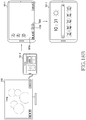
- FIG. 9A is a diagram of an example in which, in response to a user input, an electronic device changes a magnification of a multimedia content displayed on a first UI while maintaining a magnification of a multimedia content displayed on a second UI, according to an embodiment.
- FIG. 9B is a diagram of an example in which, in response to the user input, the electronic device changes the magnification of the multimedia content displayed on the first UI while maintaining the magnification of the multimedia content displayed on the second UI, according to an embodiment.
- FIG. 9C is a diagram of an example in which, in response to the user input, the electronic device changes the magnification of the multimedia content displayed on the first UI while maintaining the magnification of the multimedia content displayed on the second UI, according to an embodiment.
- FIG. 9A is a diagram of an example in which, in response to a user input, an electronic device changes a magnification of a multimedia content displayed on a first UI while maintaining a magnification of a multimedia content displayed on
- the electronic device 101 may output a first UI and a second UI obtained from a running application to the display of the electronic device 101 and the external display 310 , respectively.
- the operation of the electronic device 101 obtaining the first UI and the second UI to be outputted to the display of the electronic device 101 and the external display 310 , respectively, from one application, may be performed based on at least one of step 810 of FIG. 8 , step 460 of FIG. 4 , or the steps of FIG. 6 .
- the electronic device 101 may output a visual object 903 which is displayed on the second UI outputted on the external display 310 to change the size of the second UI to any one of designated sizes.
- the visual object 903 may include at least one of a minimize button to reduce the size of the second UI to a minimum size guaranteeing usability, a maximize button to enlarge the size of the second UI to the full size of the external display 310 , an exit button to exit from the second UI or the application, and a restore button to restore a state of the second UI or the application to a previous state before a final user input.
- the electronic device 101 may output a part 960 of the multimedia content outputted through the second UI through the first UI as shown in FIG. 9D . Since the user increases the distance between the two fingers, the magnification of the multimedia content outputted through the first UI may increase. In addition, since the user moves the two fingers in one direction, a part of the multimedia content outputted through the first UI may be moved based on the moving direction of the two fingers.
- the electronic device may execute an event corresponding to the identified user input in each of the first UI and the second UI at step 1020 .
- the electronic device may execute an event corresponding to the user input among a plurality of events related to the first UI defined in the application.
- the electronic device may change the user input identified through the first UI based on the second UI and then may execute an event corresponding to the changed user input among a plurality of events related to the second UI defined in the application.
- FIG. 11A is a diagram of an example in which, in response to a user input identified in any one of a first UI and a second UI, an electronic device changes a display of a multimedia content displayed on the first UI and the second UI in common, according to an embodiment.
- FIG. 11B is a diagram of an example in which, in response to the user input identified in any one of the first UI and the second UI, the electronic device changes the display of the multimedia content displayed on the first UI and the second UI in common, according to an embodiment.
- the electronic device 101 of FIGS. 11A and 11B may be related to the electronic device 101 of FIGS. 1 and 3A . Operations of the electronic device 101 of FIGS. 11A and 11B may be related to at least one of the steps of FIG. 10 .
- An external display of the FIGS. 11A and 11B may be related to the external display 310 of FIGS. 3A and 3B .
- the electronic device may output a first UI and a second UI identified from a running application to the display of the electronic device and the external display, respectively.
- Step 1310 may be performed based on step 460 of FIG. 4 .
- the electronic device may output visual object related to the identified message to the display of the electronic device and the external display, respectively, at step 1330 .
- the visual objects may be floated on the first UI and the second UI and outputted.
- the sizes of the visual objects may correspond to the respective sizes of the display of the electronic device and the external display.
- the electronic device may shift a focus in the application and another application.
- the focus indicates an application to process a user input, and, in response to the third UI or the fourth UI identified from another application being outputted, the focus of the electronic device may be shifted from the application related to the first UI and the second UI to another application outputting the third UI or the fourth UI.
- the electronic device may process the user input based on another application.
- FIG. 14B illustrates an example in which, in response to the user input related to the visual object 1410 outputted in the display of the electronic device 101 , the electronic device 101 outputs the UI identified from another application in the display of the electronic device 101 .
- the operation of FIG. 14B may be performed based on step 1340 and step 1350 of FIG. 13 .
- the electronic device 101 may change the first UI identified from the application and outputted in the display of the electronic device 101 to a third UI 1430 identified from another application.
- the third UI 1430 may be generated based on at least one of the size, resolution of the display of the electronic device 101 , and the operation mode (e.g., the touch mode) related to the display of the electronic device 101 .
- the electronic device may execute a specific application among the applications installed in the electronic device in a second display among the plurality of displays.
- the electronic device may output a UI identified from the specific application on the second display.
- the second display may correspond to an external display connected with the electronic device.
- the electronic device may determine whether the application selected by the user corresponds to the specific application executed in the second display at step 1540 .
- the electronic device may terminate the specific application which is running in the second display at step 1570 .
- the specific application is terminated, data or context which is accumulated while the specific application is executed in the second display may be stored in the electronic device.
- the electronic device may change the UI outputted in the second display from the UI identified from the specific application to the UI identified from the operating system of the electronic device (e.g., the home screen or the desktop screen).
- the electronic device 101 may output a message 1620 related to a display shift of the first application executed in the external display 310 from the external display 310 to the display of the electronic device 101 .
- the electronic device 101 may output the message 1620 in the display of the electronic device 101 based on step 1550 of FIG. 15 . While the message 1620 is being outputted, the electronic device 101 may continue outputting the UI 1600 identified from the first application in the external display 310 .
- the electronic device 101 may output the UI (e.g., the desktop screen) identified from the operating system of the electronic device 101 and including the list of applications installed in the electronic device 101 in the external display 310 .
- the electronic device 310 may execute the selected application in the external display 310 .
- the electronic device 101 may perform the operation of shifting the first application running in the display of the electronic device 101 to the external display 310 based on the steps of FIG. 15 .
- FIG. 17A illustrates an example of a UI outputted by the electronic device 101 operating in the dual mode in response to a connection with the external display 310
- FIG. 17B illustrates another example of the UI outputted by the electronic device 101 operating in the dual mode in response to the connection with the external display 310 .
- FIG. 17A a situation when the external display 310 is connected with the electronic device 101 executing a first application, and a situation before the connection are illustrated.
- the electronic device 101 may output a UI 1700 (e.g., a desktop screen identified from the operating system of the electronic device 101 ) different from the UI outputted on the display of the electronic device 101 on the external display 310 based on the dual mode.
- the UI 1700 outputted through the external display 310 may include a list of applications installed in the electronic device 101 .
- the electronic device 101 may output the list of one or more applications running in the desktop mode in a partial region 1710 of the UI 1700 . Since the first application is executed based on the touch mode in the display of the electronic device 101 , the electronic device 101 may not output a visual object (e.g., an icon or a preview of the first application) corresponding to the first application in the partial region.
- the electronic device 101 may execute the application based on the desktop mode. In this case, the electronic device 101 may output a visual object corresponding to the application running based on the desktop mode in the partial region 1710 of the external display 310 .
- the electronic device 101 may maintain the display of the first application executed on the display of the electronic device 101 .
- the electronic device 101 may stop displaying the second application executed in the external display 310 .
- the UI 1720 identified from the second application may not be shifted from the external display 310 to the display of the electronic device 101 .
- the electronic device 101 may change the state of the second application to an inactivation state, such as a pause state or an idle state.
- the electronic device 101 may output a visual object 1730 corresponding to the second application (e.g., an icon or a preview of the second application) in the partial region 1710 of the external display 310 .
- the electronic device 101 may output the UI 1720 related to the second application in the external display 310 again.
- the electronic device 101 - 1 may switch between the touch mode and the desktop mode while the electronic device 101 - 1 is not connected with the external display 310 .
- the electronic device 101 - 1 operating in the touch mode and executing the first application may change the operation mode from the touch mode to the desktop mode based on a user input. After being changed to the desktop mode, the electronic device 101 - 1 may output a UI identified from the operating system and based on the desktop mode (e.g., a desktop screen).
- the electronic device 101 - 1 may output the list of all applications running in the electronic device 101 - 1 in the partial region 1810 of the desktop screen identified from the operating system and outputted in the display of the electronic device 101 - 1 . All of the application running in the electronic device 101 - 1 based on the touch mode, and the application based on the desktop mode may be included in the list outputted in the partial region 1810 .
- a UI outputted in the display of the electronic device 101 - 1 may be changed from a UI based on the touch mode to a UI based on the desktop mode.
- FIG. 21 is a flowchart of a method performed when an electronic device is connected with an external display, according to an embodiment.
- the electronic device 101 - 1 may determine an image to be outputted to the external display 310 based on the desktop mode.
- the electronic device 101 - 1 may independently obtain an image to be outputted to the external display 310 and an image to be outputted to the display of the electronic device 101 - 1 .
- the electronic device 101 - 1 may determine an image to be outputted to the external display 310 based on a mirroring mode.
- the electronic device may determine an image scaled from an image to be outputted to the display of the electronic device 101 - 1 as an image to be outputted to the external display 310 .
- the user may switch the operation mode of the electronic device 101 - 1 between the touch mode and the desktop mode ( 2160 , 2170 ).
Landscapes
- Engineering & Computer Science (AREA)
- Theoretical Computer Science (AREA)
- General Engineering & Computer Science (AREA)
- Physics & Mathematics (AREA)
- General Physics & Mathematics (AREA)
- Human Computer Interaction (AREA)
- Computer Graphics (AREA)
- Multimedia (AREA)
- Computer Hardware Design (AREA)
- User Interface Of Digital Computer (AREA)
- Telephone Function (AREA)
Priority Applications (1)
| Application Number | Priority Date | Filing Date | Title |
|---|---|---|---|
| US17/747,450 US12493439B2 (en) | 2018-07-31 | 2022-05-18 | Electronic device and method for executing application using both display of electronic device and external display |
Applications Claiming Priority (2)
| Application Number | Priority Date | Filing Date | Title |
|---|---|---|---|
| KR10-2018-0089606 | 2018-07-31 | ||
| KR1020180089606A KR102693268B1 (ko) | 2018-07-31 | 2018-07-31 | 전자 장치의 디스플레이 및 외부 디스플레이 전부를 이용하여 어플리케이션을 실행하기 위한 전자 장치 및 방법 |
Related Child Applications (1)
| Application Number | Title | Priority Date | Filing Date |
|---|---|---|---|
| US17/747,450 Continuation US12493439B2 (en) | 2018-07-31 | 2022-05-18 | Electronic device and method for executing application using both display of electronic device and external display |
Publications (1)
| Publication Number | Publication Date |
|---|---|
| US20200042274A1 true US20200042274A1 (en) | 2020-02-06 |
Family
ID=67658352
Family Applications (2)
| Application Number | Title | Priority Date | Filing Date |
|---|---|---|---|
| US16/527,892 Abandoned US20200042274A1 (en) | 2018-07-31 | 2019-07-31 | Electronic device and method for executing application using both display of electronic device and external display |
| US17/747,450 Active 2039-09-01 US12493439B2 (en) | 2018-07-31 | 2022-05-18 | Electronic device and method for executing application using both display of electronic device and external display |
Family Applications After (1)
| Application Number | Title | Priority Date | Filing Date |
|---|---|---|---|
| US17/747,450 Active 2039-09-01 US12493439B2 (en) | 2018-07-31 | 2022-05-18 | Electronic device and method for executing application using both display of electronic device and external display |
Country Status (3)
| Country | Link |
|---|---|
| US (2) | US20200042274A1 (de) |
| EP (1) | EP3608765B1 (de) |
| KR (1) | KR102693268B1 (de) |
Cited By (19)
| Publication number | Priority date | Publication date | Assignee | Title |
|---|---|---|---|---|
| US11120765B1 (en) * | 2020-09-21 | 2021-09-14 | Motorola Mobility Llc | Automatic input style selection or augmentation for an external display device |
| CN113835765A (zh) * | 2021-09-22 | 2021-12-24 | 联想(北京)有限公司 | 一种屏幕显示的控制方法及电子设备 |
| CN114115770A (zh) * | 2020-08-31 | 2022-03-01 | 华为终端有限公司 | 显示控制的方法及相关装置 |
| CN114201097A (zh) * | 2020-09-16 | 2022-03-18 | 华为技术有限公司 | 一种多应用程序之间的交互方法 |
| US11283912B2 (en) * | 2017-06-16 | 2022-03-22 | Huawei Technologies Co., Ltd. | Display method and device |
| CN114816692A (zh) * | 2021-01-29 | 2022-07-29 | Oppo广东移动通信有限公司 | 投屏显示方法、装置、移动终端及存储介质 |
| CN115696532A (zh) * | 2023-01-03 | 2023-02-03 | 博信通信股份有限公司 | 一种基站设备管控方法、装置、智能电源控制器和介质 |
| US20230043742A1 (en) * | 2021-08-06 | 2023-02-09 | Beijing Xiaomi Mobile Software Co., Ltd. | Display control method and system, mobile terminal, and storage medium |
| US20230091674A1 (en) * | 2021-09-22 | 2023-03-23 | Lenovo (Beijing) Limited | Control method and control device |
| JP2023042839A (ja) * | 2021-09-15 | 2023-03-28 | レノボ・シンガポール・プライベート・リミテッド | 情報処理システム及び情報処理方法 |
| US20230136873A1 (en) * | 2021-11-01 | 2023-05-04 | Lenovo (Beijing) Limited | Display control method, display apparatus |
| US20240098171A1 (en) * | 2022-09-20 | 2024-03-21 | Motorola Mobility Llc | Electronic Devices and Corresponding Methods for Redirecting User Interface Controls During Multi-User Contexts |
| US20240319947A1 (en) * | 2022-02-07 | 2024-09-26 | Samsung Electronics Co., Ltd. | Electronic device for controlling external display device, and operation method thereof |
| US20250045008A1 (en) * | 2023-08-03 | 2025-02-06 | Motorola Mobility Llc | Automatic input style selection for an external display device |
| US12260146B2 (en) | 2022-09-15 | 2025-03-25 | Samsung Electronics Co., Ltd. | Wearable device for providing information about an application through an external display and method of controlling the wearable device |
| US12260145B1 (en) | 2022-09-09 | 2025-03-25 | Apple Inc. | Transfer of the display of content between devices with animation |
| US12423248B2 (en) | 2023-07-05 | 2025-09-23 | Motorola Mobility Llc | Automatic input style selection for a connected device |
| US12430090B2 (en) * | 2023-12-22 | 2025-09-30 | Motorola Mobility Llc | Virtual view of a device based on device contextual state |
| US12481251B2 (en) | 2022-09-20 | 2025-11-25 | Motorola Mobility Llc | Electronic devices and corresponding methods for redirecting user interface controls during accessibility contexts |
Families Citing this family (1)
| Publication number | Priority date | Publication date | Assignee | Title |
|---|---|---|---|---|
| USD900135S1 (en) * | 2017-09-27 | 2020-10-27 | Toyota Research Institute, Inc. | Vehicle display screen or portion thereof with a graphical user interface |
Citations (5)
| Publication number | Priority date | Publication date | Assignee | Title |
|---|---|---|---|---|
| US20050015731A1 (en) * | 2003-07-15 | 2005-01-20 | Microsoft Corporation | Handling data across different portions or regions of a desktop |
| US20120038679A1 (en) * | 2010-08-13 | 2012-02-16 | Lg Electronics Inc. | Mobile terminal, display device and controlling method thereof |
| US20120084793A1 (en) * | 2010-10-01 | 2012-04-05 | Imerj, Llc | Cross-environment event notification |
| US20140359493A1 (en) * | 2013-05-30 | 2014-12-04 | Samsung Electronics Co., Ltd. | Method, storage medium, and electronic device for mirroring screen data |
| US20150339005A1 (en) * | 2014-05-23 | 2015-11-26 | Wistron Corp. | Methods for handling applications running in the extend mode and tablet computers using the same |
Family Cites Families (35)
| Publication number | Priority date | Publication date | Assignee | Title |
|---|---|---|---|---|
| US5250929A (en) * | 1991-07-29 | 1993-10-05 | Conference Communications, Inc. | Interactive overlay-driven computer display system |
| US5818425A (en) | 1996-04-03 | 1998-10-06 | Xerox Corporation | Mapping drawings generated on small mobile pen based electronic devices onto large displays |
| WO2002067102A1 (fr) * | 2001-02-22 | 2002-08-29 | Fujitsu Limited | Processeur de données, logique de commande de l'affichage du processeur de données, support d'enregistrement, et logiciel |
| US20130076592A1 (en) * | 2011-09-27 | 2013-03-28 | Paul E. Reeves | Unified desktop docking behavior for visible-to-visible extension |
| US7899915B2 (en) * | 2002-05-10 | 2011-03-01 | Richard Reisman | Method and apparatus for browsing using multiple coordinated device sets |
| US8117554B1 (en) | 2006-04-25 | 2012-02-14 | Parallels Holdings, Ltd. | Seamless integration of non-native widgets and windows with dynamically scalable resolution into native operating system |
| US8063890B2 (en) | 2007-05-15 | 2011-11-22 | Wacom Co., Ltd. | Device, method, and computer readable medium for mapping a graphics tablet to an associated display |
| JP4995056B2 (ja) | 2007-12-06 | 2012-08-08 | キヤノン株式会社 | 画像表示装置、その制御方法、及びプログラム |
| JP4636136B2 (ja) | 2008-07-11 | 2011-02-23 | ソニー株式会社 | 情報処理装置、情報処理方法、情報処理システム及びプログラム |
| WO2011049881A2 (en) * | 2009-10-19 | 2011-04-28 | Barnes & Noble, Inc. | Apparatus and method for control of multiple displays from a single virtual frame buffer |
| US8789131B2 (en) * | 2010-05-14 | 2014-07-22 | Lg Electronics Inc. | Electronic device and method of sharing contents thereof with other devices |
| US11068149B2 (en) * | 2010-06-09 | 2021-07-20 | Microsoft Technology Licensing, Llc | Indirect user interaction with desktop using touch-sensitive control surface |
| US20120050183A1 (en) | 2010-08-27 | 2012-03-01 | Google Inc. | Switching display modes based on connection state |
| US20140055400A1 (en) * | 2011-05-23 | 2014-02-27 | Haworth, Inc. | Digital workspace ergonomics apparatuses, methods and systems |
| US9075561B2 (en) * | 2011-07-29 | 2015-07-07 | Apple Inc. | Systems, methods, and computer-readable media for managing collaboration on a virtual work of art |
| US11750673B2 (en) * | 2011-08-01 | 2023-09-05 | Spring Design, Inc. | User interface content state synchronization across devices |
| KR101869095B1 (ko) | 2011-08-23 | 2018-06-19 | 삼성전자주식회사 | 휴대단말기의 표시 방법 및 장치 |
| US8842057B2 (en) | 2011-09-27 | 2014-09-23 | Z124 | Detail on triggers: transitional states |
| JP5137150B1 (ja) | 2012-02-23 | 2013-02-06 | 株式会社ワコム | 手書き情報入力装置及び手書き情報入力装置を備えた携帯電子機器 |
| US9632648B2 (en) * | 2012-07-06 | 2017-04-25 | Lg Electronics Inc. | Mobile terminal, image display device and user interface provision method using the same |
| US9360997B2 (en) * | 2012-08-29 | 2016-06-07 | Apple Inc. | Content presentation and interaction across multiple displays |
| KR102131646B1 (ko) * | 2013-01-03 | 2020-07-08 | 삼성전자주식회사 | 디스플레이장치 및 그 제어방법 |
| KR102189679B1 (ko) * | 2013-07-12 | 2020-12-14 | 삼성전자주식회사 | 외부 기기에 디스플레이된 정보와 관련된 기능을 실행하는 휴대용 기기, 휴대용 기기에서 외부 기기에 디스플레이된 정보와 관련된 기능을 실행하는 방법 및 컴퓨터 판독 가능한 기록 매체 |
| KR102183413B1 (ko) * | 2013-08-30 | 2020-11-26 | 삼성전자주식회사 | 콘텐트 표현 방법 및 시스템 |
| US20150077635A1 (en) | 2013-09-18 | 2015-03-19 | Htc Corporation | Method for outputting multiple multimedia tracks along multiple processing paths from a portable electronic device |
| KR20160031724A (ko) | 2014-09-15 | 2016-03-23 | 엘지전자 주식회사 | 스크린 미러링 방법 및 이를 위한 디바이스 |
| EP3217679B1 (de) * | 2014-11-05 | 2020-05-13 | LG Electronics Inc. | Bildausgabevorrichtung, mobiles endgerät und steuerungsverfahren dafür |
| KR20160061133A (ko) | 2014-11-21 | 2016-05-31 | 삼성전자주식회사 | 이미지 표시 방법 및 그 전자 장치 |
| CN106055190B (zh) * | 2015-04-16 | 2021-03-09 | 三星电子株式会社 | 用于经由显示器的部分提供信息的设备和方法 |
| US20170228137A1 (en) * | 2016-02-05 | 2017-08-10 | Prysm, Inc. | Local zooming of a workspace asset in a digital collaboration environment |
| KR20170096408A (ko) * | 2016-02-16 | 2017-08-24 | 삼성전자주식회사 | 어플리케이션을 표시하는 방법 및 이를 지원하는 전자 장치 |
| US11283912B2 (en) | 2017-06-16 | 2022-03-22 | Huawei Technologies Co., Ltd. | Display method and device |
| KR102418297B1 (ko) | 2017-11-01 | 2022-07-08 | 삼성전자주식회사 | 보안 알림을 제공하는 전자 장치 및 제어 방법 |
| KR102492560B1 (ko) | 2017-12-12 | 2023-01-27 | 삼성전자주식회사 | 전자 장치 및 그의 입력 제어 방법 |
| FR3083041B1 (fr) * | 2018-06-21 | 2023-05-12 | Amadeus Sas | Synchronisation d'afficheurs inter-dispositifs |
-
2018
- 2018-07-31 KR KR1020180089606A patent/KR102693268B1/ko active Active
-
2019
- 2019-07-31 EP EP19189440.1A patent/EP3608765B1/de active Active
- 2019-07-31 US US16/527,892 patent/US20200042274A1/en not_active Abandoned
-
2022
- 2022-05-18 US US17/747,450 patent/US12493439B2/en active Active
Patent Citations (5)
| Publication number | Priority date | Publication date | Assignee | Title |
|---|---|---|---|---|
| US20050015731A1 (en) * | 2003-07-15 | 2005-01-20 | Microsoft Corporation | Handling data across different portions or regions of a desktop |
| US20120038679A1 (en) * | 2010-08-13 | 2012-02-16 | Lg Electronics Inc. | Mobile terminal, display device and controlling method thereof |
| US20120084793A1 (en) * | 2010-10-01 | 2012-04-05 | Imerj, Llc | Cross-environment event notification |
| US20140359493A1 (en) * | 2013-05-30 | 2014-12-04 | Samsung Electronics Co., Ltd. | Method, storage medium, and electronic device for mirroring screen data |
| US20150339005A1 (en) * | 2014-05-23 | 2015-11-26 | Wistron Corp. | Methods for handling applications running in the extend mode and tablet computers using the same |
Cited By (31)
| Publication number | Priority date | Publication date | Assignee | Title |
|---|---|---|---|---|
| US11283912B2 (en) * | 2017-06-16 | 2022-03-22 | Huawei Technologies Co., Ltd. | Display method and device |
| US11693496B2 (en) | 2017-06-16 | 2023-07-04 | Huawei Technologies Co., Ltd. | Display method and device |
| CN114115770A (zh) * | 2020-08-31 | 2022-03-01 | 华为终端有限公司 | 显示控制的方法及相关装置 |
| CN114201097A (zh) * | 2020-09-16 | 2022-03-18 | 华为技术有限公司 | 一种多应用程序之间的交互方法 |
| WO2022057852A1 (zh) * | 2020-09-16 | 2022-03-24 | 华为技术有限公司 | 一种多应用程序之间的交互方法 |
| US11594193B2 (en) | 2020-09-21 | 2023-02-28 | Motorola Mobility Llc | Automatic input style selection or augmentation for an external display device |
| US12125456B2 (en) | 2020-09-21 | 2024-10-22 | Motorola Mobility Llc | Automatic input style selection or augmentation for an external display device |
| US11120765B1 (en) * | 2020-09-21 | 2021-09-14 | Motorola Mobility Llc | Automatic input style selection or augmentation for an external display device |
| CN114816692A (zh) * | 2021-01-29 | 2022-07-29 | Oppo广东移动通信有限公司 | 投屏显示方法、装置、移动终端及存储介质 |
| US12474886B2 (en) | 2021-01-29 | 2025-11-18 | Guangdong Oppo Mobile Telecommunications Corp., Ltd,. | Screen-projection displaying method, apparatus, mobile terminal, and program product |
| EP4287013A4 (de) * | 2021-01-29 | 2024-07-24 | Guangdong Oppo Mobile Telecommunications Corp., Ltd. | Bildschirmprojektionsanzeigeverfahren und -vorrichtung, mobiles endgerät, speichermedium und programmprodukt |
| CN115705229A (zh) * | 2021-08-06 | 2023-02-17 | 北京小米移动软件有限公司 | 显示控制方法和系统、移动终端、存储介质 |
| US20230043742A1 (en) * | 2021-08-06 | 2023-02-09 | Beijing Xiaomi Mobile Software Co., Ltd. | Display control method and system, mobile terminal, and storage medium |
| US11714591B2 (en) * | 2021-08-06 | 2023-08-01 | Beijing Xiaomi Mobile Software Co., Ltd. | Display control method and system, mobile terminal, and storage medium |
| JP2023042839A (ja) * | 2021-09-15 | 2023-03-28 | レノボ・シンガポール・プライベート・リミテッド | 情報処理システム及び情報処理方法 |
| US20230091674A1 (en) * | 2021-09-22 | 2023-03-23 | Lenovo (Beijing) Limited | Control method and control device |
| CN113835765A (zh) * | 2021-09-22 | 2021-12-24 | 联想(北京)有限公司 | 一种屏幕显示的控制方法及电子设备 |
| US20230136873A1 (en) * | 2021-11-01 | 2023-05-04 | Lenovo (Beijing) Limited | Display control method, display apparatus |
| US12260147B2 (en) * | 2021-11-01 | 2025-03-25 | Lenovo (Beijing) Limited | Display control method, display apparatus |
| US12474880B2 (en) * | 2022-02-07 | 2025-11-18 | Samsung Electronics Co., Ltd. | Electronic device for controlling external display device, and operation method thereof |
| US20240319947A1 (en) * | 2022-02-07 | 2024-09-26 | Samsung Electronics Co., Ltd. | Electronic device for controlling external display device, and operation method thereof |
| US12260145B1 (en) | 2022-09-09 | 2025-03-25 | Apple Inc. | Transfer of the display of content between devices with animation |
| US12260146B2 (en) | 2022-09-15 | 2025-03-25 | Samsung Electronics Co., Ltd. | Wearable device for providing information about an application through an external display and method of controlling the wearable device |
| US20240098171A1 (en) * | 2022-09-20 | 2024-03-21 | Motorola Mobility Llc | Electronic Devices and Corresponding Methods for Redirecting User Interface Controls During Multi-User Contexts |
| US12481251B2 (en) | 2022-09-20 | 2025-11-25 | Motorola Mobility Llc | Electronic devices and corresponding methods for redirecting user interface controls during accessibility contexts |
| US12289423B2 (en) * | 2022-09-20 | 2025-04-29 | Motorola Mobility Llc | Electronic devices and corresponding methods for redirecting user interface controls during multi-user contexts |
| CN115696532A (zh) * | 2023-01-03 | 2023-02-03 | 博信通信股份有限公司 | 一种基站设备管控方法、装置、智能电源控制器和介质 |
| US12423248B2 (en) | 2023-07-05 | 2025-09-23 | Motorola Mobility Llc | Automatic input style selection for a connected device |
| US12229468B1 (en) * | 2023-08-03 | 2025-02-18 | Motorola Mobility Llc | Automatic input style selection for an external display device |
| US20250045008A1 (en) * | 2023-08-03 | 2025-02-06 | Motorola Mobility Llc | Automatic input style selection for an external display device |
| US12430090B2 (en) * | 2023-12-22 | 2025-09-30 | Motorola Mobility Llc | Virtual view of a device based on device contextual state |
Also Published As
| Publication number | Publication date |
|---|---|
| EP3608765C0 (de) | 2024-11-27 |
| KR102693268B1 (ko) | 2024-08-08 |
| EP3608765B1 (de) | 2024-11-27 |
| KR20200014128A (ko) | 2020-02-10 |
| US20220276820A1 (en) | 2022-09-01 |
| US12493439B2 (en) | 2025-12-09 |
| EP3608765A1 (de) | 2020-02-12 |
Similar Documents
| Publication | Publication Date | Title |
|---|---|---|
| US12493439B2 (en) | Electronic device and method for executing application using both display of electronic device and external display | |
| US11442580B2 (en) | Screen configuration method, electronic device, and storage medium | |
| US20240118781A1 (en) | Method of processing content and electronic device thereof | |
| CN107924314B (zh) | 用于执行应用的设备和方法 | |
| US9952711B2 (en) | Electronic device and method of processing screen area of electronic device | |
| KR102311221B1 (ko) | 오브젝트 운용 방법 및 이를 지원하는 전자 장치 | |
| US10416843B2 (en) | Electronic device and method of controlling object in electronic device | |
| US10268364B2 (en) | Electronic device and method for inputting adaptive touch using display of electronic device | |
| CN108463799B (zh) | 电子设备的柔性显示器及其操作方法 | |
| US10489048B2 (en) | Electronic device and control method of electronic device | |
| US20200257411A1 (en) | Method for providing user interface related to note and electronic device for the same | |
| US10338954B2 (en) | Method of switching application and electronic device therefor | |
| US9965178B2 (en) | Method and electronic device that controls a touch screen based on both a coordinate of a gesture performed thereon and a tilt change value | |
| KR20160011915A (ko) | 화면 제어 방법 및 이를 사용하는 전자 장치 | |
| US20150370317A1 (en) | Electronic device and method for controlling display | |
| CN112347048B (zh) | 电子装置及其共享数据的方法 | |
| CN107037966A (zh) | 感测输入的压力的电子设备和用于操作电子设备的方法 | |
| US20170017359A1 (en) | Electronic device for displaying image and control method thereof | |
| US20190294287A1 (en) | User interface providing method using pressure input and electronic device implementing same | |
| US20160343116A1 (en) | Electronic device and screen display method thereof | |
| CN107924285B (zh) | 电子设备及其操作方法 | |
| KR102526860B1 (ko) | 전자 장치 및 전자 장치 제어 방법 | |
| US20160100100A1 (en) | Method for Configuring Screen, Electronic Device and Storage Medium | |
| US11061544B2 (en) | Method and electronic device for processing input |
Legal Events
| Date | Code | Title | Description |
|---|---|---|---|
| AS | Assignment |
Owner name: SAMSUNG ELECTRONICS CO., LTD., KOREA, REPUBLIC OF Free format text: ASSIGNMENT OF ASSIGNORS INTEREST;ASSIGNORS:PARK, KYUNGBAE;KOO, HYEWON;KIM, MINCHUL;AND OTHERS;REEL/FRAME:049985/0488 Effective date: 20190710 |
|
| STPP | Information on status: patent application and granting procedure in general |
Free format text: DOCKETED NEW CASE - READY FOR EXAMINATION |
|
| STPP | Information on status: patent application and granting procedure in general |
Free format text: NON FINAL ACTION MAILED |
|
| STPP | Information on status: patent application and granting procedure in general |
Free format text: RESPONSE TO NON-FINAL OFFICE ACTION ENTERED AND FORWARDED TO EXAMINER |
|
| STPP | Information on status: patent application and granting procedure in general |
Free format text: FINAL REJECTION MAILED |
|
| STPP | Information on status: patent application and granting procedure in general |
Free format text: DOCKETED NEW CASE - READY FOR EXAMINATION |
|
| STPP | Information on status: patent application and granting procedure in general |
Free format text: NON FINAL ACTION MAILED |
|
| STPP | Information on status: patent application and granting procedure in general |
Free format text: FINAL REJECTION MAILED |
|
| STPP | Information on status: patent application and granting procedure in general |
Free format text: DOCKETED NEW CASE - READY FOR EXAMINATION |
|
| STPP | Information on status: patent application and granting procedure in general |
Free format text: NON FINAL ACTION MAILED |
|
| STPP | Information on status: patent application and granting procedure in general |
Free format text: RESPONSE TO NON-FINAL OFFICE ACTION ENTERED AND FORWARDED TO EXAMINER |
|
| STPP | Information on status: patent application and granting procedure in general |
Free format text: FINAL REJECTION MAILED |
|
| STCB | Information on status: application discontinuation |
Free format text: ABANDONED -- FAILURE TO RESPOND TO AN OFFICE ACTION |