JP2011123700A - Settlement service evaluation system - Google Patents
Settlement service evaluation system Download PDFInfo
- Publication number
- JP2011123700A JP2011123700A JP2009281247A JP2009281247A JP2011123700A JP 2011123700 A JP2011123700 A JP 2011123700A JP 2009281247 A JP2009281247 A JP 2009281247A JP 2009281247 A JP2009281247 A JP 2009281247A JP 2011123700 A JP2011123700 A JP 2011123700A
- Authority
- JP
- Japan
- Prior art keywords
- work
- procedure
- information
- settlement
- item
- Prior art date
- Legal status (The legal status is an assumption and is not a legal conclusion. Google has not performed a legal analysis and makes no representation as to the accuracy of the status listed.)
- Pending
Links
- 238000011156 evaluation Methods 0.000 title claims abstract description 344
- 238000000034 method Methods 0.000 claims abstract description 743
- 238000012937 correction Methods 0.000 claims abstract description 285
- 238000012545 processing Methods 0.000 claims abstract description 140
- 230000008569 process Effects 0.000 claims abstract description 13
- 238000004364 calculation method Methods 0.000 claims abstract description 8
- 239000000463 material Substances 0.000 claims description 702
- 230000005540 biological transmission Effects 0.000 claims description 156
- 239000013077 target material Substances 0.000 claims description 146
- 230000001364 causal effect Effects 0.000 claims description 73
- 238000012790 confirmation Methods 0.000 claims description 64
- 238000000605 extraction Methods 0.000 claims description 18
- 239000000284 extract Substances 0.000 claims description 10
- 238000013475 authorization Methods 0.000 claims description 3
- 230000003111 delayed effect Effects 0.000 description 105
- 238000007726 management method Methods 0.000 description 47
- 238000010586 diagram Methods 0.000 description 27
- 238000012546 transfer Methods 0.000 description 15
- 230000007812 deficiency Effects 0.000 description 8
- 238000002360 preparation method Methods 0.000 description 8
- 238000012795 verification Methods 0.000 description 8
- 239000002989 correction material Substances 0.000 description 6
- 238000013500 data storage Methods 0.000 description 6
- 230000006870 function Effects 0.000 description 6
- 238000012986 modification Methods 0.000 description 6
- 230000004048 modification Effects 0.000 description 6
- 238000004891 communication Methods 0.000 description 5
- 230000001934 delay Effects 0.000 description 5
- 230000015654 memory Effects 0.000 description 5
- 238000003825 pressing Methods 0.000 description 5
- 230000010365 information processing Effects 0.000 description 2
- 230000003287 optical effect Effects 0.000 description 2
- 230000004044 response Effects 0.000 description 2
- 238000012552 review Methods 0.000 description 2
- 230000008859 change Effects 0.000 description 1
- 238000013479 data entry Methods 0.000 description 1
- 230000000694 effects Effects 0.000 description 1
- 230000001737 promoting effect Effects 0.000 description 1
- 238000012797 qualification Methods 0.000 description 1
- 239000004065 semiconductor Substances 0.000 description 1
Images






Landscapes
- Management, Administration, Business Operations System, And Electronic Commerce (AREA)
Abstract
Description
本発明は、コンピュータを利用して各決算期における決算業務を処理した各作業者の業績を評価する決算業務評価システムに関する。 The present invention relates to a settlement operation evaluation system that evaluates the performance of each worker who has processed a settlement operation in each settlement period using a computer.
連結対象の企業が所有する情報処理装置から当該企業の財務会計情報を取得する財務会計情報手段と、ネットワークを介して企業間に伝達される取引情報を格納する外部のデータベースへ検索要求を発行して連結対象の企業の取引情報であって連結科目に該当する取引情報を取得する取引情報手段と、連結対象の企業が所有する情報処理装置から当該企業の取引情報以外の情報であって連結科目に該当する取引外情報を取得する取引外情報手段と、複数企業に亘る連結決算の要求を受信したときに、連結対象企業の財務会計情報の同一連結科目の金額を加算の対象とし、取得した取引情報の連結科目に該当する取引金額を減算の対象とするとともに、取得した取引外情報の連結科目に該当する金額を減算の対象とし、財務会計情報の各連結科目について上記の加減算を行った結果をまとめて連結決算書を作成する連結決算書作成手段とを有する電子連結サーバ装置がある(特許文献1参照)。 Issue a search request to the financial accounting information means that obtains the financial accounting information of the company from the information processing device owned by the company to be consolidated, and the external database that stores the transaction information transmitted between the companies via the network Transaction information means for acquiring the transaction information corresponding to the consolidated item, and information other than the transaction information of the company from the information processing device owned by the consolidated company, and the consolidated item Acquired the amount of the same consolidated item in the financial accounting information of the consolidated company when the non-transactional information means that obtains the non-transactional information that falls under and the request for consolidated settlement of accounts across multiple companies was received. The transaction amount corresponding to the consolidated item of transaction information is subject to subtraction, and the amount corresponding to the consolidated item of acquired non-transaction information is subject to subtraction, and each consolidated department of financial accounting information For there is an electronic connection server device and a connecting Financial Statements creating means for creating a consolidated financial statements summarizes the results of addition and subtraction of the (see Patent Document 1).
前記特許公報1に開示の電子連結サーバ装置は、企業間で交わされる取引情報と各企業個別の財務会計情報と取引外情報とから連結決算処理を行うから、連結決算書作成のための作業数を削減することができる。しかし、この電子連結サーバ装置は、決算業務を処理した各作業者の業績を各作業者毎に評価する手段がなく、決算業務の難易度や処理の遅延、処理の正確性に応じて各作業者の業績評価を行うことはできず、決算業務を各作業者の人事評価に結び付けることができない。
Since the electronically linked server device disclosed in the above-mentioned
本発明の目的は、決算業務を処理した各作業者の業績を評価することができ、決算業務を人事評価に結び付けることができる決算業務評価システムを提供することにある。 An object of the present invention is to provide a settlement business evaluation system that can evaluate the performance of each worker who has processed a settlement business and can link the settlement business to personnel evaluation.
前記課題を解決するための本発明の前提は、コンピュータを利用して各決算期における決算業務を処理した各作業者の業績を評価する決算業務評価システムである。 The premise of the present invention for solving the above-mentioned problem is a settlement business evaluation system that evaluates the performance of each worker who has processed the settlement business in each settlement period using a computer.
前記前提における本発明の特徴は、コンピュータが、決算業務の処理に必要な各種複数の手続単位を格納する手続単位格納手段と、それら手続単位の処理に必要な各種複数の作業項目を各手続単位毎に区分して格納する作業項目格納手段と、それら手続単位毎に決定される所定の係数を各手続単位毎に区分して格納する係数格納手段と、それら作業項目を処理する作業者を各作業項目毎に区分して格納する作業者格納手段と、各作業者に付けられた評価点に手続単位毎の係数を掛け合わせて各作業者毎の補正評価点を算出する補正評価点算出手段とを有することにある。 The feature of the present invention in the above premise is that the computer stores procedure unit storage means for storing a plurality of procedure units necessary for the settlement operation processing, and a plurality of work items required for processing of these procedure units for each procedure unit. Work item storage means for storing and dividing for each procedure unit, coefficient storage means for storing and storing predetermined coefficients determined for each procedure unit for each procedure unit, and workers for processing these work items. Worker storage means for storing each work item separately, and correction evaluation point calculation means for calculating a correction evaluation score for each worker by multiplying an evaluation score given to each worker by a coefficient for each procedure unit It is in having.
本発明の一例としては、コンピュータが、それら作業項目の作業完了予定日時を各作業項目毎に区分して格納する作業完了予定日時格納手段と、作業項目の作業完了予定日時を参照しつつ、それら作業項目の処理の遅延を認定する遅延認定手段と、遅延認定手段によって作業項目の遅延を認定した場合、遅延を認定した作業項目の遅延をその作業項目を処理した作業者の業績評価に加える遅延評価手段とを含む。 As an example of the present invention, the computer refers to the work completion scheduled date and time storage means for storing the work completion scheduled date and time of these work items separately for each work item, and referring to the work completion scheduled date and time of the work items. A delay certifying means that certifies a delay in processing a work item, and a delay that adds the delay of a work item that has been certified for delay to the performance evaluation of the worker who processed the work item when the delay qualification means certifies the delay of the work item. Evaluation means.
本発明の他の一例として、遅延認定手段では、遅延を認定した各作業項目のその遅延の程度に応じた点数を補正評価点から減算する。 As another example of the present invention, the delay recognition means subtracts a score corresponding to the degree of delay of each work item whose delay is recognized from the correction evaluation score.
本発明の他の一例として、遅延認定手段では、作業項目の作業完了予定日時を参照しつつ、その作業項目の作業開始日時が作業完了予定日時を越えても入力されない場合、その作業項目の遅延を認定する。 As another example of the present invention, when the delay authorization unit refers to the work completion scheduled date and time of the work item and the work start date and time of the work item exceeds the scheduled work completion date and time, the delay is not delayed. Certify.
本発明の他の一例としては、コンピュータが、それら作業項目を処理する際に必要な作業注意事項が存在する場合、その作業注意事項を各作業項目毎に区分して格納する作業注意事項格納手段と、作業注意事項に対する確認有り情報を各作業項目毎に区分して格納する確認有り情報第1格納手段とを含み、遅延認定手段では、作業注意事項の確認有り情報を参照しつつ、その作業項目の作業注意事項に対する確認有り情報が作業完了予定日時を越えても入力されない場合、その作業項目の遅延を認定する。 As another example of the present invention, when there are work precautions necessary when the computer processes these work items, the work precaution storage means for storing the work precautions for each work item. And confirmation confirmed information first storage means for storing the confirmed information for the work precautions for each work item, and the delay certifying means refers to the work precaution confirmed information while performing the work. If the information with confirmation for the work precautions of an item is not entered even after the scheduled work completion date and time, the delay of the work item is recognized.
本発明の他の一例としては、コンピュータが、それら作業項目の処理に必要な場合に記載される作業伝達事項が存在する場合、その作業伝達事項を各作業項目毎に区分して格納する作業伝達事項格納手段と、作業伝達事項に対する確認有り情報を各作業項目毎に区分して格納する回答有り情報第2格納手段とを含み、遅延認定手段では、作業伝達事項の確認有り情報を参照しつつ、その作業項目の作業伝達事項に対する確認有り情報が作業完了予定日時を越えても入力されない場合、その作業項目の遅延を認定する。 As another example of the present invention, when there are work transmission items described when the computer is necessary for processing the work items, the work transmission items are stored by dividing the work transmission items for each work item. Information storage means and second information storage means for answering that stores information on confirmation of work transmission items for each work item. The delay certification means refers to information on confirmation of work transmission items. If the confirmed information for the work transmission item of the work item is not input even after the scheduled work completion date and time, the delay of the work item is recognized.
本発明の他の一例としては、コンピュータが、手続単位毎に作成された各種複数の決算資料を各手続単位毎に区分して格納する決算資料格納手段と、決算資料どうしをそれら手続単位の処理順位に従って上位から下位に向かって一連につなげることから作られた資料階層構造を格納する資料階層構造格納手段と、作成した決算資料に過誤があり、その過誤を修正した場合、その過誤修正回数を各決算資料毎に格納する修正回数格納手段と、過誤を含むそれら決算資料の中から過誤の元となった原因資料を認定する原因資料認定手段と、原因資料の過誤の修正をその原因資料を作成した作業者の業績評価に加える修正評価手段とを含む。 As another example of the present invention, a computer stores settlement material storing means for storing a plurality of various settlement materials created for each procedure unit for each procedure unit, and processing the settlement materials for each procedure unit. If there is an error in the material hierarchy structure storage means for storing the material hierarchy structure created by connecting them in a series from the top to the bottom according to the order, and the prepared financial statements, if the error is corrected, the number of error corrections A means of storing the number of corrections stored for each accounting document, a causal material certifying method for certifying the causal material that caused the error from those accounting data including errors, and a correction of the cause data And a correction evaluation means to be added to the performance evaluation of the created worker.
本発明の他の一例として、修正評価手段では、原因資料の修正の程度に応じた点数を補正評価点から減算する。 As another example of the present invention, the correction evaluation means subtracts a score corresponding to the degree of correction of the cause material from the correction evaluation score.
本発明の他の一例としては、コンピュータが、過誤を含む決算資料が直近下位の階層に渡す提出資料である場合、その提出資料を基準としてその提出資料の影響を受ける下位階層の対象資料を資料階層構造に基づいて抽出する対象資料第1抽出手段と、提出資料の影響を受ける下位階層の対象資料が属する各手続単位に第1過誤情報を下位に向かって各1階層ずつ個別に伝達する第1過誤情報伝達手段と、提出資料を含む各対象資料のうちの過誤が修正された資料が属する各手続単位に第1修正済情報を下位に向かって各1階層ずつ個別に伝達する第1修正済情報伝達手段とを含み、原因資料認定手段では、提出資料を原因資料と認定する。 As another example of the present invention, when a financial statement material containing an error is a submitted material to be passed to the nearest lower hierarchy, the computer uses the lower hierarchy subject material affected by the submitted material as a reference. First target information extracting means for extracting based on the hierarchical structure, and first error information individually transmitted to each procedural unit in the lower order to each procedure unit to which the lower layer target material affected by the submitted material belongs. 1st error information transmission means and 1st correction which transmits 1st corrected information to each procedural unit to which each of the target materials including submitted materials is corrected. The cause information recognition means recognizes the submitted material as cause information.
本発明の他の一例としては、コンピュータが、過誤を含む決算資料が同一階層に渡す提出資料である場合、その提出資料を基準としてその提出資料の影響を受ける同一階層の対象資料を資料階層構造に基づいて抽出する対象資料第2抽出手段と、提出資料の影響を受ける同一階層の対象資料が属する各手続単位に第2過誤情報を同一階層に向かって各1つずつ個別に伝達する第2過誤情報伝達手段と、提出資料を含む各対象資料のうちの過誤が修正された資料が属する各手続単位に第2修正済情報を同一階層に向かって各1つずつ個別に伝達する第2修正済情報伝達手段とを含み、原因資料認定手段では、提出資料を原因資料と認定する。 As another example of the present invention, when a financial statement material containing errors is a submitted material to be passed to the same level, the computer applies the target material of the same level affected by the submitted material based on the submitted material as a data hierarchical structure. Second extraction means for extracting the target material based on the second error information individually to each procedural unit to which the target material of the same hierarchy affected by the submitted material belongs, one by one toward the same hierarchy Error correction means and second correction to transmit second corrected information individually to each procedural unit to which the corrected material of each target material including submitted materials belongs, one by one toward the same hierarchy The cause information recognition means recognizes the submitted material as cause information.
本発明の他の一例としては、コンピュータが、過誤を含む決算資料が直近上位の階層から受け取った受領資料である場合、その受領資料を基準としてその受領資料の作成に関係した上位階層の対象資料を資料階層構造に基づいて抽出する対象資料第3抽出手段と、受領資料の作成に関係した上位階層の対象資料が属する各手続単位に第3過誤情報を上位に向かって各1階層ずつ個別に伝達する第3過誤情報伝達手段と、第3過誤情報を上位に向かって各1階層ずつ個別に伝達した結果、過誤の元となった上位階層の提出資料が発見された場合、その提出資料を基準としてその提出資料の影響を受ける下位階層の対象資料を資料階層構造に基づいて抽出する対象資料第4抽出手段と、提出資料の影響を受ける下位階層の対象資料が属する各手続単位に第4過誤情報を下位に向かって各1階層ずつ個別に伝達する第4過誤情報伝達手段と、提出資料を含む各対象資料のうちの過誤が修正された資料が属する各手続単位に第3修正済情報を下位に向かって各1階層ずつ個別に伝達する第3修正済情報伝達手段とを含み、原因資料認定手段では、過誤の元となった上位階層の提出資料を原因資料と認定する。 As another example of the present invention, when the financial statement material containing the error is a received material received from the most recent upper layer, the target material of the upper layer related to the creation of the received material on the basis of the received material The target material third extraction means for extracting the information based on the material hierarchical structure, and the third error information to each procedural unit belonging to each procedural unit to which the higher-level target material related to the creation of the received material belongs, one layer at a time When the third level error information transmission means to transmit and the third level error information are individually transmitted to the upper level one by one for each layer, if the upper level submission material that caused the error is found, As a standard, the target material fourth extraction means to extract the target material of the lower hierarchy affected by the submitted material based on the material hierarchical structure, and each procedure to which the target material of the lower hierarchy affected by the submitted material belongs The fourth error information transmission means for individually transmitting the fourth error information to each lower level in the lower level, and each procedure unit to which the error corrected material of each target material including the submitted material belongs 3 The third corrected information transmission means that individually conveys the corrected information to the lower level one by one, and the cause information certifying means certifies the submitted material of the upper hierarchy that caused the error as the cause information. To do.
本発明の他の一例としては、コンピュータが、過誤を含む決算資料が直近の同一階層から受け取った受領資料である場合、その受領資料を基準としてその受領資料の作成に関係した同一階層の対象資料を資料階層構造に基づいて抽出する対象資料第5抽出手段と、受領資料の作成に関係した同一階層の対象資料が属する各手続単位に第5過誤情報を同一階層に向かって各1つずつ個別に伝達する第5過誤情報伝達手段と、第5過誤情報を上位に向かって各1階層ずつ個別に伝達した結果、過誤の元となった上位階層の提出資料が発見された場合、その提出資料を基準としてその提出資料の影響を受ける同一階層の対象資料を資料階層構造に基づいて抽出する対象資料第5抽出手段と、提出資料の影響を受ける同一階層の対象資料が属する各手続単位に第6過誤情報を同一階層に向かって各1つずつ個別に伝達する第6過誤情報伝達手段と、提出資料を含む各対象資料のうちの過誤が修正された資料が属する各手続単位に第4修正済情報を同一階層に向かって各1つずつ個別に伝達する第4修正済情報伝達手段とを含み、原因資料認定手段では、過誤の元となった上位階層の提出資料を原因資料と認定する。 As another example of the present invention, in the case where the computer has received financial data containing errors from the most recent same level, the target data of the same level related to the creation of the received data based on the received data 5th extraction means for extracting material based on the material hierarchy, and 5th error information individually for each procedural unit to which the material of the same level related to the creation of the received material belongs. When the fifth level error information transmission means for transmitting to the first level and the fifth level error information are individually transmitted to the upper level individually, if the upper level submitted material that caused the error is found, the submitted material Based on the above, the fifth target extraction means to extract the target material affected by the submitted material based on the material hierarchical structure, and each hand to which the target material affected by the submitted material belongs The sixth error information transmission means for individually transmitting the sixth error information to the same hierarchy one by one for each unit, and each procedural unit to which the corrected material of each target material including the submitted material belongs 4th corrected information transmission means for individually transmitting each of the 4th corrected information toward the same level, and the cause information certifying means uses the higher level submitted material that caused the error as the cause information. Certify.
請求項1に対応:本発明にかかる決算業務評価システムによれば、各作業者が処理する各手続単位の難易度によって各評価点に掛け合わされる係数が異なり、各作業者に付けられた評価点に手続単位毎の係数を掛け合わせて各作業者毎の補正評価点を算出するから、各手続単位の難易度を考慮して各作業者の決算業務を評価することができ、難易度を考慮することで決算業務の業績評価を公平に行うことができる。この決算業務評価システムは、補正評価点によって各作業者の決算業務を客観的に評価することができ、決算業務の補正評価点を利用して決算業務の業績を各作業者の人事評価に結び付けることができる。 Corresponding to Claim 1: According to the settlement business evaluation system according to the present invention, the coefficient multiplied to each evaluation point differs depending on the difficulty of each procedure unit processed by each worker, and the evaluation given to each worker The correction score for each worker is calculated by multiplying the point by the coefficient for each procedure unit, so that each operator's accountability can be evaluated in consideration of the difficulty level of each procedure unit. By considering this, it is possible to fairly evaluate the performance of the settlement work. This settlement work evaluation system can objectively evaluate each worker's settlement work based on the corrected evaluation point, and uses the revised evaluation point of the settlement work to link the performance of the settlement work to the personnel evaluation of each worker. be able to.
請求項2に対応:作業項目の作業完了予定日時を参照しつつ、それら作業項目の処理の遅延を認定し、作業項目の遅延を認定した場合、遅延を認定した作業項目の遅延をその作業項目を処理した作業者の業績評価に加える決算業務評価システムは、各作業項目の処理遅延を考慮して各作業者の決算業務を評価することができ、作業項目の処理遅延を無視することによる決算業務の業績評価の不公平を防ぐことができる。この決算業務評価システムは、作業項目の処理遅延を含めて各作業者の決算業務を評価することができ、決算業務の業績を各作業者の人事評価に結び付けることができる。 Corresponding to Claim 2: Referencing the work completion scheduled date and time of the work item, when the delay of the processing of the work item is recognized and the delay of the work item is recognized, the delay of the work item for which the delay is recognized is the work item. The account settlement evaluation system that adds to the performance evaluation of the worker who processed the process can evaluate each worker's settlement work in consideration of the processing delay of each work item, and the settlement by ignoring the processing delay of the work item. Unfairness in business performance evaluation can be prevented. This settlement work evaluation system can evaluate each worker's settlement work including work item processing delays, and can link the performance of the settlement work to the personnel evaluation of each worker.
請求項3に対応:遅延を認定した各作業項目のその遅延の程度に応じた点数を補正評価点から減算する決算業務評価システムは、遅延の程度に応じた点数を補正評価点から減算することで、各作業者の補正評価点が下がるから、作業項目の遅延の評価を点数として表すことができ、作業項目の処理遅延を考慮して各作業者の決算業務の業績を公平に評価することができる。 Corresponding to Claim 3: The settlement business evaluation system that subtracts the score corresponding to the degree of delay of each work item that has been certified from the corrected evaluation score, subtracts the score corresponding to the degree of delay from the corrected evaluation score. Since each worker's correction evaluation score is lowered, the evaluation of the work item delay can be expressed as a score, and the performance of each worker's settlement work should be evaluated fairly considering the processing delay of the work item. Can do.
請求項4に対応:作業項目の作業完了予定日時を参照しつつ、その作業項目の作業開始日時が作業完了予定日時を越えても入力されない場合、その作業項目の遅延を認定する決算業務評価システムは、各作業項目の遅延の認定基準を明確にすることができるから、各作業項目の処理遅延を考慮して各作業者の決算業務を公平かつ正確に評価することができ、作業項目の処理遅延を無視することによる評価の不公平を防ぐことができる。この決算業務評価システムは、作業項目の処理遅延を含めて各作業者の決算業務を評価することができ、決算業務の業績を各作業者の人事評価に結び付けることができる。 Corresponding to Claim 4: When the work start date / time of the work item is not entered even if the work start date / time exceeds the planned work completion date / time while referring to the work completion scheduled date / time of the work item, the settlement work evaluation system for authorizing the delay of the work item Since it is possible to clarify the criteria for determining the delay of each work item, it is possible to fairly and accurately evaluate each worker's closing operations in consideration of the processing delay of each work item. It can prevent the unfairness of evaluation by ignoring the delay. This settlement work evaluation system can evaluate each worker's settlement work including work item processing delays, and can link the performance of the settlement work to the personnel evaluation of each worker.
請求項5に対応:作業項目の作業注意事項に対する確認有り情報を参照しつつ、その作業項目の作業注意事項に対する確認有り情報が作業完了予定日時日を越えても入力されない場合、その作業項目の遅延を認定する決算業務評価システムは、各作業項目の遅延の認定基準を明確にすることができるから、各作業注意事項に対する確認遅延を考慮して各作業者の決算業務を公平かつ正確に評価することができ、作業注意事項の確認遅延を無視することによる評価の不公平を防ぐことができる。この決算業務評価システムは、作業注意事項の確認遅延を含めて各作業者の決算業務を評価することができ、決算業務の業績を各作業者の人事評価に結び付けることができる。 Corresponding to Claim 5: If the information with confirmation for the work precautions of the work item is not entered even if it exceeds the scheduled work completion date and time while referring to the information with confirmation for the work precautions of the work item, The settlement operation evaluation system that certifies delays can clarify the criteria for determining the delay of each work item, so that each worker's settlement operations are evaluated fairly and accurately in consideration of the confirmation delay for each work precaution. It is possible to prevent unfairness of evaluation due to ignoring the delay in confirming the work precautions. This settlement work evaluation system can evaluate each worker's settlement work including a delay in confirming the work precautions, and can link the performance of the settlement work to the personnel evaluation of each worker.
請求項6に対応:作業項目の作業伝達事項に対する確認有り情報を参照しつつ、その作業項目の作業伝達事項に対する確認有り情報が作業完了予定日時を越えても入力されない場合、その作業項目の遅延を認定する決算業務評価システムは、各作業項目の遅延の認定基準を明確にすることができるから、各作業伝達事項に対する確認遅延を考慮して各作業者の決算業務を公平かつ正確に評価することができ、作業伝達事項の確認遅延を無視することによる評価の不公平を防ぐことができる。この決算業務評価システムは、作業伝達事項の確認遅延を含めて各作業者の決算業務を評価することができ、決算業務の業績を各作業者の人事評価に結び付けることができる。 Corresponding to Claim 6: When the information with confirmation for the work transmission item of the work item is not inputted even after the scheduled work completion date and time while referring to the information with confirmation for the work transmission item of the work item, the delay of the work item The system for appraisal of settlement work can certify the delay criteria for each work item, so that each worker's settlement work can be evaluated fairly and accurately considering the confirmation delay for each work transmission item. It is possible to prevent unfairness of evaluation due to ignoring the confirmation delay of work transmission matters. This settlement operation evaluation system can evaluate each worker's settlement operation including a delay in confirming work transfer items, and can link the performance of the settlement operation to the personnel evaluation of each worker.
請求項7に対応:手続単位毎に作成された過誤を含むそれら決算資料の中から過誤の元となった原因資料を認定し、原因資料の過誤の修正をその原因資料を作成した作業者の業績評価に加える決算業務評価システムは、手続単位毎に作成された原因資料の修正を考慮して各作業者の決算業務を公平に評価することができ、決算資料の修正を無視することによる評価の不公平を防ぐことができる。この決算業務評価システムは、決算資料の修正の有無を含めて各作業者の決算業務を評価することができ、決算業務の業績を各作業者の人事評価に結び付けることができる。 Corresponding to Claim 7: The author of the cause document that caused the error from those financial statements including errors prepared for each procedural unit, and corrected the cause document The settlement operation evaluation system added to the performance evaluation can evaluate each worker's settlement operation fairly considering the revision of the cause document created for each procedure unit, and the evaluation by ignoring the revision of the settlement document Can prevent injustice. This settlement operation evaluation system can evaluate each worker's settlement operation including whether or not the settlement document is corrected, and can link the performance of the settlement operation to the personnel evaluation of each worker.
請求項8に対応:原因資料の修正の程度に応じた点数を補正評価点から減算する決算業務評価システムは、原因資料の修正の程度に応じた点数を補正評価点から減算することで、各作業者の補正評価点が下がるから、原因資料の修正に対する評価を点数として表すことができ、原因資料の修正の有無を考慮して各作業者の決算業務の業績を公平に評価することができる。 Corresponding to Claim 8: The settlement business evaluation system that subtracts the score according to the degree of correction of the cause material from the correction evaluation point, subtracts the score according to the degree of correction of the cause material from the correction evaluation point, Since the correction evaluation score of the worker is lowered, the evaluation of the correction of the causal material can be expressed as a score, and the performance of each worker's settlement work can be evaluated fairly considering the correction of the causal material. .
請求項9に対応:過誤を含む決算資料が直近下位の階層に渡す提出資料である場合、その提出資料を原因資料と認定しつつ、その提出資料の影響を受ける下位階層の対象資料を資料階層構造に基づいて抽出するとともに、その提出資料の影響を受ける下位階層の対象資料が属する各手続単位に第1過誤情報を下位に向かって各1階層ずつ個別に伝達し、提出資料を含む各対象資料のうちの過誤が修正された資料が属する各手続単位に第1修正済情報を下位に向かって各1階層ずつ個別に伝達する決算業務評価システムは、手続単位毎に作成された原因資料の修正を考慮して各作業者の決算業務を公平に評価することができ、決算資料の修正を無視することによる評価の不公平を防ぐことができる。この決算業務評価システムは、決算資料の修正の有無を含めて各作業者の決算業務を評価することができ、決算業務の業績を各作業者の人事評価に結び付けることができる。決算業務評価システムは、各手続単位毎に作成される上位の決算資料に過誤が含まれる場合であっても、その過誤を有する上位の決算資料の影響を受ける下位の決算資料を確実に把握することができ、上位の決算資料の過誤のみならず、過誤を有する上位の決算資料が原因となって生じた下位の決算資料の過誤を容易に修正することができる。この決算業務評価システムは、過誤を有する上位の決算資料の影響を受ける下位の決算資料の修正漏れを確実に防ぐことができ、各階層の決算資料の不備を防ぐことができる。 Corresponding to Claim 9: If the financial statement material containing errors is a submitted material to be passed to the latest lower level, the lower level subject material affected by the submitted material is identified as the source material while the submitted material is recognized as the cause material Each target that includes submitted materials is extracted based on the structure, and the first error information is communicated individually to each procedural unit to which the lower-level subject material affected by the submitted material belongs. The financial statement business evaluation system that individually transmits the first revised information to each procedural unit to which the material in which the error in the material has been corrected belongs to the lower level is the source of the causal material created for each procedural unit. It is possible to evaluate each worker's settlement work fairly considering the revision, and to prevent unfair evaluation due to ignoring the revision of the settlement document. This settlement operation evaluation system can evaluate each worker's settlement operation including whether or not the settlement document is corrected, and can link the performance of the settlement operation to the personnel evaluation of each worker. The settlement business evaluation system reliably grasps lower-level settlement materials that are affected by the higher-level settlement materials that have the errors even if the higher-level settlement materials created for each procedure unit contain errors. In addition, it is possible to easily correct not only errors in the higher-level financial statements but also errors in the lower-level financial statements caused by the higher-level financial statements having errors. This settlement operation evaluation system can surely prevent omissions in correction of lower-level settlement materials affected by erroneous upper-layer settlement materials, and can prevent deficiencies in settlement materials at each level.
請求項10に対応:過誤を含む決算資料が同一階層に渡す提出資料である場合、その提出資料を原因資料と認定しつつ、その提出資料の影響を受ける同一階層の対象資料を資料階層構造に基づいて抽出するとともに、その提出資料の影響を受ける同一階層の対象資料が属する各手続単位に第2過誤情報を同一階層に向かって各1つずつ個別に伝達し、提出資料を含む各対象資料のうちの過誤が修正された資料が属する各手続単位に第2修正済情報を同一階層に向かって各1つずつ個別に伝達する決算業務評価システムは、手続単位毎に作成された原因資料の修正を考慮して各作業者の決算業務を公平に評価することができ、決算資料の修正を無視することによる評価の不公平を防ぐことができる。この決算業務評価システムは、決算資料の修正の有無を含めて各作業者の決算業務を評価することができ、決算業務の業績を各作業者の人事評価に結び付けることができる。決算業務評価システムは、各手続単位毎に作成される決算資料に過誤が含まれる場合であっても、その過誤を有する決算資料の影響を受ける同一階層の決算資料を確実に把握することができ、過誤を有する決算資料が原因となって生じた同一階層の決算資料の過誤を容易に修正することができる。この決算資料修正促進システムは、過誤を有する決算資料の影響を受ける同一階層の決算資料の修正漏れを確実に防ぐことができ、各同一階層の決算資料の不備を防ぐことができる。 Corresponding to Claim 10: If the financial statements including errors are submitted materials that are handed over to the same level, the submitted material is recognized as the cause material, and the subject material at the same level affected by the submitted material is made into a material hierarchy structure. Each of the target materials including the submitted materials is extracted based on the information, and the second error information is individually transmitted to each procedural unit to which the target materials of the same level affected by the submitted materials belong. The financial statement business evaluation system that individually transmits the second corrected information to each procedural unit to which the material in which the error is corrected belongs to the same hierarchy one by one. It is possible to evaluate each worker's settlement work fairly considering the revision, and to prevent unfair evaluation due to ignoring the revision of the settlement document. This settlement operation evaluation system can evaluate each worker's settlement operation including whether or not the settlement document is corrected, and can link the performance of the settlement operation to the personnel evaluation of each worker. Even if there are errors in the financial statements prepared for each procedural unit, the financial statement evaluation system can reliably grasp the financial reports in the same hierarchy that are affected by the erroneous financial statements. Thus, it is possible to easily correct an error in the same level account settlement material caused by an error account document having an error. This settlement material revision promotion system can surely prevent omission of revision of settlement materials in the same hierarchy affected by erroneous settlement materials, and can prevent deficiencies in settlement materials in each same hierarchy.
請求項11に対応:過誤を含む決算資料が直近上位の階層から受け取った受領資料である場合、その受領資料の作成に関係した上位階層の対象資料を前記資料階層構造に基づいて抽出し、受領資料の作成に関係した上位階層の対象資料が属する各手続単位に第3過誤情報を上位に向かって各1階層ずつ個別に伝達するとともに、過誤の原因となった上位階層の提出資料が発見された場合、その提出資料を原因資料と認定しつつ、その提出資料の影響を受ける下位階層の対象資料を資料階層構造に基づいて抽出し、その提出資料の影響を受ける下位階層の対象資料が属する各手続単位に第4過誤情報を下位に向かって各1階層ずつ個別に伝達し、提出資料を含む各対象資料のうちの過誤が修正された資料が属する各手続単位に第3修正済情報を下位に向かって各1階層ずつ個別に伝達する決算業務評価システムは、手続単位毎に作成された原因資料の修正を考慮して各作業者の決算業務を公平に評価することができ、決算資料の修正を無視することによる評価の不公平を防ぐことができる。この決算業務評価システムは、決算資料の修正の有無を含めて各作業者の決算業務を評価することができ、決算業務の業績を各作業者の人事評価に結び付けることができる。決算業務評価システムは、下位の決算資料において過誤が発見された場合であっても、その下位の決算資料から遡って過誤の原因となった上位の決算資料を特定することができ、下位の決算資料の過誤の原因となった上位の決算資料の過誤を容易に修正することができる。決算資料修正促進システムは、過誤を有する上位の決算資料の影響を受ける下位の決算資料を確実に把握することができ、上位の決算資料の過誤のみならず、過誤を有する上位の決算資料が原因となって生じた下位の決算資料の過誤を容易に修正することができる。この決算資料修正促進システムは、過誤を有する上位の決算資料の影響を受ける下位の決算資料の修正漏れを確実に防ぐことができ、各階層の決算資料の不備を防ぐことができる。 Corresponding to Claim 11: If the financial statement material including the error is a received material received from the most recent upper layer, the upper layer target material related to the creation of the received material is extracted based on the material hierarchical structure and received. The third error information is communicated individually to each procedural unit to which the target material of the higher hierarchy related to the creation of the material belongs, one by one for each higher hierarchy, and the higher-level submission material that caused the error is discovered. If the submitted document is recognized as the cause document, the lower-level target material affected by the submitted material is extracted based on the data hierarchy structure, and the lower-level target material affected by the submitted material belongs. The fourth error information is communicated to each procedural unit individually, one level down, and the third corrected information is sent to each procedural unit to which the material in which the error has been corrected among the target materials including the submitted material belongs. The financial statement business evaluation system, which communicates one level at a time toward each position, can fairly evaluate the financial statements of each worker considering the revision of the cause data created for each procedure unit. This can prevent unfairness of evaluation due to ignoring the correction of. This settlement operation evaluation system can evaluate each worker's settlement operation including whether or not the settlement document is corrected, and can link the performance of the settlement operation to the personnel evaluation of each worker. Even if an error is found in a lower-level closing data, the closing business evaluation system can identify the higher-level closing material that caused the error retroactively from the lower-level closing data. It is possible to easily correct an error in the higher-level financial statements that caused the error in the document. The financial statement revision promotion system can reliably grasp lower-level financial statements that are affected by higher-ranking financial statements that have errors, and not only errors in higher-level financial statements but also higher-level financial statements that have errors It is possible to easily correct errors in the lower-level financial statements that occurred. This settlement material revision promotion system can surely prevent omission of revision of lower-layer settlement materials affected by erroneous upper-layer settlement materials, and can prevent deficiencies in settlement materials at each level.
請求項12に対応:過誤を含む決算資料が直近の同一階層から受け取った受領資料である場合、その受領資料の作成に関係した同一階層の対象資料を資料階層構造に基づいて抽出し、受領資料の作成に関係した同一階層の対象資料が属する各手続単位に第5過誤情報を同一階層に向かって各1つずつ個別に伝達するとともに、過誤の原因となった上位階層の提出資料が発見された場合、その提出資料を原因資料と認定しつつ、その提出資料の影響を受ける同一階層の対象資料を資料階層構造に基づいて抽出し、その提出資料の影響を受ける同一階層の対象資料が属する各手続単位に第6過誤情報を同一階層に向かって各1つずつ個別に伝達し、提出資料を含む各対象資料のうちの過誤が修正された資料が属する各手続単位に第4修正済情報を同一階層に向かって各1つずつ個別に伝達する決算業務評価システムは、手続単位毎に作成された原因資料の修正を考慮して各作業者の決算業務を公平に評価することができ、決算資料の修正を無視することによる評価の不公平を防ぐことができる。この決算業務評価システムは、決算資料の修正の有無を含めて各作業者の決算業務を評価することができ、決算業務の業績を各作業者の人事評価に結び付けることができる。決算業務評価システムは、所定の決算資料において過誤が発見された場合であっても、その決算資料の過誤の原因となった同一階層の決算資料を特定することができ、その決算資料の過誤の原因となった同一階層の決算資料の過誤を容易に修正することができる。決算資料修正促進システムは、過誤を有する決算資料の影響を受ける同一階層の決算資料を確実に把握することができ、所定の決算資料の過誤のみならず、過誤を有する決算資料が原因となって生じた同一階層の決算資料の過誤を容易に修正することができる。この決算資料修正促進システムは、過誤を有する決算資料の影響を受ける同一階層の決算資料の修正漏れを確実に防ぐことができ、各同一階層の決算資料の不備を防ぐことができる。 Corresponding to Claim 12: If the financial statements including errors are the received materials received from the latest same level, the target materials of the same level related to the creation of the received materials are extracted based on the material hierarchy structure, and the received materials The fifth error information is individually communicated to each procedural unit to which the target material of the same hierarchy related to the creation of the document belongs, and one higher-level submission material that caused the error is found. If the submitted document is recognized as the cause document, the subject material at the same level affected by the submitted material is extracted based on the document hierarchy structure, and the subject material at the same level affected by the submitted material belongs. The sixth error information is individually transmitted to each procedural unit one by one toward the same level, and the fourth corrected information is assigned to each procedural unit to which the corrected material of each target material including the submitted material belongs. The The settlement work evaluation system that communicates each one individually to the first level can evaluate each worker's settlement work fairly considering the correction of the cause data created for each procedure unit. It can prevent unfairness of evaluation due to ignoring correction of materials. This settlement operation evaluation system can evaluate each worker's settlement operation including whether or not the settlement document is corrected, and can link the performance of the settlement operation to the personnel evaluation of each worker. Even if an error is found in a given financial statement, the financial statement evaluation system can identify the financial statement in the same hierarchy that caused the error in the financial statement. It is possible to easily correct an error in the financial statements of the same hierarchy that caused the cause. The financial statement data correction promotion system can reliably grasp the financial data in the same hierarchy that is affected by erroneous financial results, not only due to errors in the prescribed financial data, but also due to erroneous financial materials. It is possible to easily correct an error in the financial data of the same hierarchy that occurs. This settlement material revision promotion system can surely prevent omission of revision of settlement materials in the same hierarchy affected by erroneous settlement materials, and can prevent deficiencies in settlement materials in each same hierarchy.
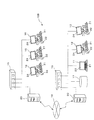
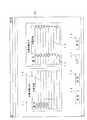
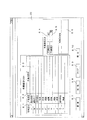
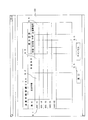
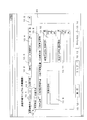
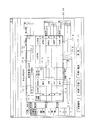
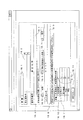
決算業務評価システムの一例を示す概略構成図である図1や決算業務評価システムの他の一例を示す概略構成図である図2等の添付の図面を参照し、本発明にかかる決算業務評価システムの詳細を説明すると、以下のとおりである。この決算業務評価システム10A,10Bは、管理用コンピュータ11と複数の業務用コンピュータ12〜16とデータベース17とから形成されている。決算業務評価システム10A,10Bは、企業会計または官庁会計の各決算期の決算手続を処理した各作業者の業績を評価するとともに、決算手続において処理が必要な各種複数の手続単位の下に作成される各種複数の決算資料に生じた過誤を伝達し、それによって決算資料の過誤修正を促進するとともに、各決算資料における修正漏れを防ぐ。
With reference to the attached drawings such as FIG. 1 which is a schematic configuration diagram showing an example of a settlement business evaluation system and FIG. 2 which is a schematic configuration diagram showing another example of a settlement business evaluation system, the settlement business evaluation system according to the present invention The details will be described as follows. The settlement
図1のシステム10Aでは、それらコンピュータ11〜13とデータベース17とによってローカルエリアネットワーク(有線LANまたは無線LAN)が構築されている。図2のシステム10Bでは、それらコンピュータ11〜16やデータベース17がセグメント単位の複数のローカルエリアネットワークを構築し、それらネットワークがインターネット18を介して互いに接続される。ネットワークには、それらコンピュータ11〜16やデータベース17の他に、ハブ19とサーバ20とが設置されている。管理用コンピュータ11は、決算期における決算手続を監視する管理者(作業者)が管理、使用し、業務用コンピュータ12〜16は、管理用コンピュータ11の管理下に置かれ、決算手続を担当する複数の作業者が管理、使用する。
In the
データベース17には、手続ファイルや作業項目ファイル、資料マスタ、作業者マスタ、休日マスタが作られている。データベース17は、決算業務に関する各種データをそれらファイルに格納し、決算資料名や資料コード番号(資料識別子)を資料マスタに格納するとともに、作業者名や作業者ID番号(作業者識別子)を作業者マスタに格納し、休日(年月日)や休日名を休日マスタに格納する。データベース17は、各コンピュータ11〜16からのデータ転送指令に基づいて各種データや資料名(資料コード番号を含む)、作業者名(作業者ID番号を含む)、休日(休日名を含む)をコンピュータ11〜16に転送し、コンピュータ11〜16からのデータ格納指令に基づいて各種データや資料名、作業者名、休日を格納する。
In the
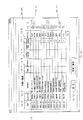
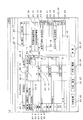
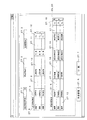
資料マスタには、図3に示すように、資料名とそれら資料名を特定する資料コード番号とが格納されている。資料マスタでは、新たな資料名を追加し、既存の資料名を変更または削除することができる。資料名には、図示のそれらの他に、決算手続に必要なすべてのそれらが含まれる。作業者マスタには、図示はしていないが、作業者名とそれら作業者名を特定する作業者ID番号とが格納されている。作業者マスタでは、新たな作業者名を追加し、既存の作業者名を変更または削除することができる。休日マスタには、図示はしていないが、休日とその休日の休日名とが格納されている。休日マスタでは、新たな休日を追加し、既存の休日を変更または削除することができる。 As shown in FIG. 3, the material master stores material names and material code numbers for identifying the material names. In the material master, a new material name can be added, and an existing material name can be changed or deleted. In addition to those shown in the figure, the material name includes all those necessary for the settlement procedure. Although not shown, the worker master stores worker names and worker ID numbers that identify the worker names. In the worker master, a new worker name can be added, and the existing worker name can be changed or deleted. Although not shown, the holiday master stores a holiday and a holiday name of the holiday. In the holiday master, a new holiday can be added and an existing holiday can be changed or deleted.
サーバ20は、ホスト名とそのホスト名に割り当てるIPアドレスとの対応付けを設定するDNSサーバ機能、ホームページを公開するために必要なWebサーバ機能、他のコンピュータや他のサーバからの要求を受け付けて各種情報を読み書きする機能を提供するデータベースサーバ機能、電子メールの送受信用のメールサーバ機能、作成された文章や画像等のデータをすべて保存してそれらのデータを検索可能にするドキュメントサーバ機能等を有する。
The
ローカルエリアネットワークは、企業の1つの社屋内や官庁の1つの庁舎内に構築される場合、または、各所に建設された企業の複数の社屋どうしの間や各所に建設された官庁の複数の庁舎どうしの間に構築される場合がある。なお、図1では、ネットワークにおいて1つの管理用コンピュータ11と2つの業務用コンピュータ12,13とを図示しているが、コンピュータの個数に特に限定はなく、2つ以上の管理用コンピュータと3つ以上の業務用コンピュータとからネットワークが構築されていてもよい。また、図2では、2つのネットワークを図示しているが、ネットワークの数に特に限定はなく、3つ以上のネットワークがインターネット18を介して接続される態様であってもよい。
A local area network is built in one company's office or in one government office, or between office buildings built in various places, or in several government office buildings built in various places. May be built between. 1 shows one
管理用コンピュータ11およびそれら業務用コンピュータ12〜16は、中央処理部(CPUまたはMPU)とメモリ(記憶部)とを有し、大容量ハードディスクを内蔵している。それらコンピュータ11〜16やデータベース17は、インターフェイス(有線または無線)を介してハブ19に接続されている。図1,2ではデータベース17がそれらコンピュータ11〜16とは別に設置されているが、管理用コンピュータ11のハードディスクにデータベース17が設定される場合もある。
The
管理用コンピュータ11や業務用コンピュータ12〜16には、プライベートIPアドレスやMACアドレスが設定されており、それらアドレス情報に基づいて各コンピュータ11〜16を個別に特定することができる。管理用コンピュータ11や業務用コンピュータ12〜16には、通信ポートが内蔵され、キーボード21やマウス22等の入力装置、ディスプレイ23,24やプリンタ(図示せず)等の出力装置がインターフェイスを介して接続されている。管理用コンピュータ11や業務用コンピュータ12〜16は、サーバ20を介してインターネット18に接続可能であり、ネットワーク間において決算手続に関する各種データや決算資料を送受信可能である。ネットワーク内では、管理用コンピュータ11や業務用コンピュータ12〜16どうしで決算手続に関する各種データや決算資料を送受信可能である。
Private IP addresses and MAC addresses are set in the
管理用コンピュータ11や業務用コンピュータ12〜16のメモリには、決算業務評価アプリケーションが格納されている。決算業務評価アプリケーションは、それを記憶したCD−ROM等の光ディスク(記憶媒体)からコンピュータ11〜16のメモリにインストールされる。なお、記憶媒体には、光ディスクの他に半導体メモリや磁気ディスクを使用することもできる。管理用コンピュータ11や業務用コンピュータ12〜16の中央処理部は、オペレーティングシステムによる制御に基づいて、メモリに格納された決算業務評価アプリケーションを起動し、そのアプリケーションに従って以下の各手段を実行する。
A settlement business evaluation application is stored in the memory of the
管理用コンピュータ11の中央処理部は、決算手続の手続期間(決算期)に処理を要する主要手続の各種複数の手続単位を特定する手続コード番号(手続単位識別子)を生成し、生成した手続コード番号をそれら手続単位に設定し、各手続単位(格納日時を含む)を手続コード番号とともにデータベース17の手続ファイルに格納する手続単位格納手段を実行する。それら手続単位は、手続コード番号によって特定される。それら手続単位は、その処理順位が予め決定されており、その上位から下位に向かって一連につながる手続単位階層構造を形成する。
The central processing unit of the
コンピュータ11の中央処理部は、それら手続単位を処理する作業者(格納日時を含む)を各手続単位毎に区分した状態(手続単位を特定する手続コード番号に作業者を特定する作業者ID番号(作業者識別子)を関連付けた状態)でデータベース17の手続ファイルに格納する手続作業者格納手段を実行する。各作業者は、作業者ID番号によって特定される。作業者識別子には、作業者ID番号の他に、作業者の暗証番号やその他の識別符号を利用することもできる。
The central processing unit of the
コンピュータ11の中央処理部は、それら手続単位の手続完了予定日時を各手続単位毎に区分した状態(手続コード番号に関連付けた状態)でデータベース17の手続ファイルに格納する手続完了予定日時格納手段を実行する。コンピュータ11〜16の中央処理部は、それら手続単位の処理開始日時である手続開始日時を各手続単位毎に区分した状態(手続コード番号に関連付けた状態)でデータベース17の手続ファイルに格納する手続開始日時格納手段を実行し、それら手続単位の処理完了日時である手続完了日時を各手続単位毎に区分した状態(手続コード番号に関連付けた状態)でデータベース17の手続ファイルに格納する手続完了日時格納手段を実行する。コンピュータ11〜16の中央処理部は、それら手続単位の手続進捗データ(格納日時を含む)を各手続単位毎に区分した状態(手続コード番号に関連付けた状態)でデータベース17の手続ファイルに格納する手続進捗データ格納手段を実行する。
The central processing unit of the
コンピュータ11の中央処理部は、決算手続の手続単位を処理する際に作成される新たな決算資料(提出資料)に用いる各種複数の決算資料(受領資料)(格納日時を含む)を各手続単位毎に区分した状態(手続コード番号に関連付けるとともに、受領資料を特定する受領資料コード番号(受領資料識別子)を設定した状態)でデータベース17の手続ファイルに格納する決算資料(受領資料)格納手段を実行する。コンピュータ11の中央処理部は、所定の手続単位の処理の下に作成される各種複数の決算資料(提出資料)(格納日時を含む)を各手続単位毎に区分した状態(手続コード番号に関連付けるとともに、提出資料を特定する提出資料コード番号(提出資料識別子)を設定した状態)でデータベース17の手続ファイルに格納する決算資料(提出資料)格納手段を実行する。
The central processing unit of the
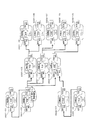
受領資料は、直近上位の手続単位の作業者が作成した決算資料であり、その直近上位の手続単位の処理の後に直近下位の手続単位を処理する作業者が受け取る決算資料である。受領資料を受け取った作業者は、その直近上位の手続単位において作成された受領資料(決算資料)を用いて新たな決算資料(提出資料)を作成する。提出資料は、所定の手続単位の作業者が作成した決算資料であり、直近下位の手続単位を処理する作業者に渡す決算資料である。それら決算資料(受領資料、提出資料)は、手続単位の処理順位に従ってその作成順番が予め決められ、その上位から下位に向かって一連につながる階層構造を形成する。コンピュータ11の中央処理部は、各決算資料どうしを各手続単位の処理順位に従って(各決算資料の作成順番に従って)その上位から下位に向かって一連につなげることから作られた資料階層構造(格納日時を含む)をデータベース17の手続ファイルに格納する資料階層構造格納手段を実行する。
The received material is a settlement material created by the worker of the most recent procedural unit, and is a settlement material received by the worker who processes the latest procedural unit after the processing of the most recently procedural unit. The worker who has received the receipt material creates a new settlement document (submission document) using the receipt document (financial report material) created in the most recent procedural unit. The submitted material is a settlement material created by a worker of a predetermined procedure unit, and is a settlement material that is handed over to a worker who processes the lowest-order procedure unit. These settlement materials (received materials and submitted materials) are created in advance according to the processing order of the procedure units, and form a hierarchical structure that is connected in series from the top to the bottom. The central processing unit of the
コンピュータ11の中央処理部は、各手続単位の処理に必要な各種複数の作業項目(格納日時を含む)をその処理順に番号(順番)付けた状態(作業項目の処理順番を示す順番フラグ(順番識別子)を設定した状態)であって、各手続単位毎に区分した状態(作業項目を特定する作業項目コード(作業項目識別子)を生成し、各手続単位を特定する手続コード番号と生成した作業項目コード番号とに関連付けた状態)でデータベース17の作業項目ファイルに格納する作業項目格納手段を実行する。それら作業項目は、手続コード番号と作業項目コード番号とによって特定され、順番フラグによって処理順番が特定される。コンピュータ11の中央処理部は、それら作業項目を処理する作業者(格納日時を含む)を各作業項目毎に区分した状態(手続コード番号と作業項目コード番号とに各作業者を特定する作業者ID番号を関連付けた状態)でデータベース17の作業項目ファイルに格納する項目作業者格納手段を実行する。
The central processing unit of the
コンピュータ11の中央処理部は、それら手続単位毎に決定される所定の係数(格納日時を含む)を各手続単位毎に区分した状態(手続コード番号に関連付けた状態)でデータベース17の手続ファイルに格納する係数格納手段を実行する。コンピュータ11の中央処理部は、各作業者に付けられた評価点に手続単位毎の係数を掛け合わせて各作業者毎の補正評価点を算出する補正評価点算出手段を実行し、算出した補正評価点(格納日時を含む)を各手続単位毎であって各作業者毎に区分した状態(手続コード番号と作業者ID番号とに関連付けた状態)でデータベース17の手続ファイルに格納する補正評価点格納手段を実行する。
The central processing unit of the
コンピュータ11の中央処理部は、それら作業項目の作業完了予定日時を各作業項目毎に区分した状態(手続コード番号と作業項目コード番号とに関連付けた状態)でデータベース17の作業項目ファイルに格納する作業完了予定日時格納手段を実行する。コンピュータ11〜16の中央処理部は、それら作業項目の処理開始日時である作業開始日時を各作業項目毎に区分した状態(手続コード番号と作業項目コード番号とに関連付けた状態)でデータベース17の作業項目ファイルに格納する作業開始日時格納手段を実行し、それら作業項目の処理完了日時である作業完了日時を各作業項目毎に区分した状態(手続コード番号と作業項目コード番号とに関連付けた状態)でデータベース17の作業項目ファイルに格納する作業完了日時格納手段を実行する。コンピュータ11〜16の中央処理部は、それら作業項目の作業進捗データ(格納日時を含む)を各作業項目毎に区分した状態(手続コード番号と作業項目コード番号とに関連付けた状態)でデータベース17の作業項目ファイルに格納する作業進捗データ格納手段を実行する。
The central processing unit of the
コンピュータ11〜16の中央処理部は、それら作業項目を処理する際に必要な作業注意事項が存在する場合、その作業注意事項(格納日時を含む)を各作業項目毎に区分した状態(手続コード番号と作業項目コード番号とに関連付けた状態)でデータベース17の作業項目ファイルに格納する作業注意事項格納手段を実行し、作業注意事項に対する確認有り情報(格納日時を含む)を各作業項目毎に区分した状態(手続コード番号と作業項目コード番号とに関連付けた状態)でデータベース17の作業項目ファイルに格納する確認有り情報第1格納手段を実行する。
The central processing unit of the
コンピュータ11〜16の中央処理部は、それら作業項目の処理に必要な場合に記載される作業伝達事項(格納日時を含む)を各作業項目毎に区分した状態(手続コード番号と作業項目コード番号とに関連付けた状態)でデータベース17の作業項目ファイルに格納する作業伝達事項格納手段を実行する。作業伝達事項には、それら作業項目の処理に必要な注意事項、それら作業項目の処理に必要な質問事項、それら作業項目の処理に必要な要望事項、それら伝達事項の記入者、それら伝達事項の記入日が含まれ、注意事項や要望事項に対する確認有り情報、質問事項に対する回答事項(確認有り情報)、それら回答事項の回答者、それら回答事項の回答日等が含まれる。伝達事項が質問事項である場合、その伝達事項を質問事項と判断するための質問事項フラグ(質問事項識別子)が設定される。
The central processing unit of the
コンピュータ11〜16の中央処理部は、作業伝達事項に対する確認有り情報(質問事項に対する回答有り情報を含む)(格納日時を含む)を各作業項目毎に区分した状態(手続コード番号と作業項目コード番号とに関連付けた状態)でデータベース17の作業項目ファイルに格納する確認有り情報第2格納手段を実行し、作成した決算資料に過誤があり、その過誤を修正した場合、その過誤修正回数(格納日時を含む)を各決算資料毎に区分した状態(手続コード番号と受領資料コード番号または提出資料コード番号とに関連付けた状態)で手続ファイルに格納する修正回数格納手段を実行する。
The central processing unit of the
コンピュータ11〜16の中央処理部は、過誤を含むそれら決算資料の中から過誤の元となった原因資料(最初に誤りが生じた決算資料)を認定する原因資料認定手段を実行し、認定した原因資料(格納日時を含む)を各手続単位毎であって各決算資料毎に区分した状態(手続コード番号に関連付けるとともに、受領資料コード番号または提出資料コード番号を設定した状態)で手続ファイルに格納する原因資料格納手段を実行する。コンピュータ11の中央処理部は、原因資料を作成した手続単位の処理に必要な各作業項目に該原因資料の過誤の修正に対する評価を加える修正回数評価手段を実行する。修正評価手段では、原因資料の個数や原因資料の修正回数を手続単位毎に出力するとともに、原因資料を作成した手続単位の作業者に付けられた点数から原因資料の個数や修正回数に応じた点数を減算し、最終評価点を算出する。コンピュータ11の中央処理部は、算出した最終評価点を各手続単位毎であって各作業者毎に区分した状態(手続コード番号と作業者ID番号とに関連付けた状態)でデータベース17の手続ファイルに格納する(最終評価点格納手段)を実行する。
The central processing unit of the
コンピュータ11の中央処理部は、作業項目の作業完了予定日時を参照しつつ、それら作業項目の処理の遅延を認定する遅延認定手段を実行し、遅延と認定した遅延作業項目を各手続単位毎であって各作業者毎に区分した状態(手続コード番号と作業項目コード番号と作業者ID番号とに関連付けるとともに、遅延フラグを設定した状態)でデータベース17の作業項目ファイルに格納する遅延作業項目格納手段を実行する。コンピュータ11の中央処理部は、遅延判断手段によって作業項目の遅延を認定した場合、遅延を認定した各作業項目にその遅延に対する評価を加える遅延評価手段を実行する。遅延評価手段では、遅延作業項目の個数や遅延時間を各作業項目毎に出力するとともに、作業者に付けられた点数から遅延作業項目の個数や遅延時間に応じた点数を減算し、最終評価点を算出する。コンピュータ11の中央処理部は、算出した最終評価点を各手続単位毎であって各作業者毎に区分した状態(手続コード番号と作業者ID番号とに関連付けた状態)でデータベース17の手続ファイルに格納する(最終評価点格納手段)を実行する。
The central processing unit of the
コンピュータ11〜16の中央処理部は、過誤を含む決算資料が直近下位の階層に渡す提出資料(決算資料)である場合、その提出資料を基準としてその提出資料の過誤の影響を受ける下位階層の対象資料(決算資料)を資料階層構造に基づいて抽出する対象資料第1抽出手段を実行し、過誤を含む提出資料の影響を受ける下位階層の対象資料が属する各手続単位に対し、提出資料の過誤を示す第1過誤情報を下位に向かって各1階層ずつ個別に伝達する第1過誤情報伝達手段を実行する。コンピュータ11〜16の中央処理部は、提出資料を含む各対象資料のうちの過誤が修正された資料が属する各手続単位に対し、資料の修正済を示す第1修正済情報を下位に向かって各1階層ずつ個別に伝達する第1修正済情報伝達手段を実行する。この場合、原因資料認定手段では、提出資料を原因資料と認定する。
The central processing unit of the
コンピュータ11〜16の中央処理部は、過誤を含む決算資料が同一階層に渡す提出資料(決算資料)である場合、その提出資料を基準としてその提出資料の過誤の影響を受ける同一階層の対象資料(決算資料)を資料階層構造に基づいて抽出する対象資料第2抽出手段を実行し、過誤を含む提出資料の影響を受ける同一階層の対象資料が属する各手続単位に対し、提出資料の過誤を示す第2過誤情報を同一階層に向かって各1つずつ個別に伝達する第2過誤情報伝達手段を実行する。コンピュータ11〜16の中央処理部は、提出資料を含む各対象資料のうちの過誤が修正された資料が属する各手続単位に対し、資料の修正済を示す第2修正済情報を同一階層に向かって各1つずつ個別に伝達する第2修正済情報伝達手段を実行する。この場合、原因資料認定手段では、提出資料を原因資料と認定する。
The central processing unit of the computers 11-16, if the financial statements containing errors are submitted materials to be passed to the same level (financial data), subject materials of the same level that are affected by the errors of the submitted materials based on the submitted materials Execute the target material second extraction means to extract (financial materials) based on the material hierarchy, and submit errors in the submitted materials to each procedural unit to which the target materials in the same hierarchy affected by the submitted materials including errors Second error information transmission means for individually transmitting the second error information shown toward the same level is executed. The central processing unit of the
コンピュータ11〜16の中央処理部は、過誤を含む決算資料が直近上位の階層から受け取った受領資料(決算資料)である場合、その受領資料を基準としてその受領資料の作成に関係した上位階層の対象資料(決算資料)を資料階層構造に基づいて抽出する対象資料第3抽出手段を実行し、過誤を含む受領資料の作成に関係した上位階層の対象資料が属する各手続単位に対し、受領資料の過誤を示す第3過誤情報を上位に向かって各1階層ずつ個別に伝達する第3過誤情報伝達手段を実行する。
The central processing unit of the
コンピュータ11〜16の中央処理部は、第3過誤情報伝達手段によって過誤を含む上位階層の提出資料(決算資料)が発見された場合、その提出資料を基準としてその提出資料の過誤の影響を受ける下位階層の対象資料(決算資料)を資料階層構造に基づいて抽出する対象資料第4抽出手段を実行し、過誤を含む提出資料の影響を受ける下位階層の対象資料が属する各手続単位に対し、原因資料の過誤を示す第4過誤情報を下位に向かって各1階層ずつ個別に伝達する第4過誤情報伝達手段とを実行する。さらに、提出資料を含む各対象資料のうちの過誤が修正された資料が属する各手続単位に対し、資料の修正済を示す第3修正済情報を下位に向かって各1階層ずつ個別に伝達する第3修正済情報伝達手段を実行する。この場合、原因資料認定手段では、過誤の元となった上位階層の提出資料を原因資料と認定する。
The central processing unit of the
コンピュータ11〜16の中央処理部は、過誤を含む決算資料が直近の同一階層から受け取った受領資料(決算資料)である場合、その受領資料を基準としてその受領資料の作成に関係した同一階層の対象資料を資料階層構造に基づいて抽出する対象資料第5抽出手段を実行し、過誤を含む受領資料の作成に関係した同一階層の対象資料が属する各手続単位に対し、受領資料の過誤を示す第5過誤情報を同一階層に向かって各1つずつ個別に伝達する第5過誤情報伝達手段を実行する。
The central processing unit of the
コンピュータ11〜16の中央処理部は、第5過誤情報を上位に向かって各1階層ずつ個別に伝達した結果、過誤の元となった上位階層の提出資料(決算資料)が発見された場合、その提出資料を基準としてその提出資料の過誤の影響を受ける同一階層の対象資料(決算資料)を資料階層構造に基づいて抽出する対象資料第5抽出手段を実行し、過誤を含む提出資料の影響を受ける同一階層の対象資料が属する各手続単位に対し、提出資料の過誤を示す第6過誤情報を同一階層に向かって各1つずつ個別に伝達する第6過誤情報伝達手段を実行する。さらに、提出資料を含む各対象資料のうちの過誤が修正された資料が属する各手続単位に対し、資料の修正済を示す第4修正済情報を同一階層に向かって各1つずつ個別に伝達する第4修正済情報伝達手段を実行する。この場合、原因資料認定手段では、過誤の元となった上位階層の提出資料を原因資料と認定する。
When the central processing unit of the
コンピュータ11〜16の中央処理部は、必要に応じて記載される各決算資料に関する資料修正情報(格納日時を含む)を各手続単位毎に区分した状態(手続コード番号に関連付けるとともに、受領資料フラグまたは提出資料フラグを設定した状態)でデータベース17の手続ファイルに格納する資料修正情報格納手段を実行する。資料修正情報には、決算資料の修正要(過誤箇所、修正内容、修正理由、修正箇所、コメント等)を示す修正要情報、決算資料の修正不要(修正不要理由、修正不要箇所、コメント等)を示す修正不要情報、決算資料の修正済(修正理由、修正済箇所、コメント等)を示す修正済情報、修正作業者、コメント記入者、資料伝達情報の記入日等が含まれる。
The central processing unit of the
コンピュータ11〜16の中央処理部は、手続コード番号(手続名識別子)に基づいて、主要手続の手続単位をデータベース17から受け取り、ディスプレイ23,24やプリンタ等の出力装置を介して手続単位を出力する手続単位出力手段を実行し、手続コード番号と作業者ID番号(作業者識別子)とに基づいて作業者データ(作業者名)をデータベース17から受け取り、出力装置を介して作業者データを手続単位毎に出力する手続作業者出力手段を実行する。
Based on the procedure code number (procedure name identifier), the central processing unit of the
コンピュータ11〜16の中央処理部は、手続コード番号に基づいて、各手続単位の手続完了予定日時をデータベース17から受け取り、出力装置を介して手続完了予定日時を各手続単位毎に出力する手続完了予定日時出力手段を実行し、手続コード番号に基づいて、各手続単位の手続完了日時をデータベース17から受け取り、出力装置を介して手続完了日時を各手続単位毎に出力する手続完了日時出力手段を実行する。さらに、手続コード番号に基づいて、主要手続の手続単位の手続進捗データをデータベース17から受け取り、出力装置を介して手続単位の手続進捗データを各手続単位毎に出力する手続進捗データ出力手段を実行する。
The central processing unit of the
コンピュータ11〜16の中央処理部は、手続コード番号と作業項目コード番号(作業項目識別子)とに基づいて、作業項目をデータベース17から受け取り、出力装置を介して作業項目を各手続単位毎に出力する作業項目出力手段を実行し、手続コード番号と作業項目コード番号と作業者ID番号とに基づいて作業者データ(作業者名)をデータベース17から受け取り、出力装置を介して作業者データを各作業項目毎に出力する作業作業者出力手段を実行する。
The central processing unit of the
コンピュータ11〜16の中央処理部は、手続コード番号と作業項目コード番号とに基づいて、作業項目の作業完了予定日時をデータベース17から受け取り、出力装置を介して作業項目の作業完了予定日時を各作業項目毎に出力する作業完了予定日時出力手段を実行し、手続コード番号と作業項目コード番号とに基づいて、作業項目の作業完了日時をデータベース17から受け取り、出力装置を介して作業項目の作業完了日時を各作業項目毎に出力する作業完了日時出力手段を実行する。さらに、手続コード番号と作業項目コード番号とに基づいて、作業項目の作業進捗データをデータベース17から受け取り、出力装置を介して作業項目の作業進捗データを各作業項目毎に出力する作業進捗データ出力手段を実行する。コンピュータ11〜16の中央処理部は、手続コード番号と作業者ID番号とに基づいて、補正評価点や最終評価点をデータベース17から受け取り、出力装置を介して補正評価点や最終評価点を各手続単位毎であって各作業者毎に出力する評価点出力手段を実行する。
Based on the procedure code number and the work item code number, the central processing unit of the
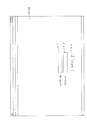
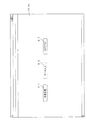
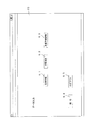
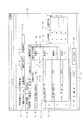
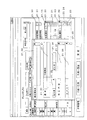
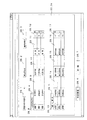
図4は、ディスプレイ23,24に表示された決算業務促進システム10A,10Bの認証画面の一例を示す図であり、図5は、初期画面の一例を示す図である。図6は、データ入力選択画面の一例を示す図である。なお、それら図や後記する各図の表示エリアや入力エリアでは具体的な文字や数字、記号の図示を部分的に省略する。管理用コンピュータ11および業務用コンピュータ12〜16を起動させると、コンピュータ11〜16に接続されたディスプレイ23,24に決算業務促進アプリケーションを示すアイコン(図示せず)が表示される。そのアイコンを押すと、それらコンピュータ11〜16に接続されたディスプレイ23,24に決算業務促進システム10A,10Bの認証画面が表示される。
FIG. 4 is a diagram illustrating an example of an authentication screen of the settlement
なお、図2に示すように、ネットワークどうしがインターネット18を介して接続される場合、業務用コンピュータ12〜16がインターネット18に接続した後、サーバ20を介して管理用コンピュータ11にアクセスする。管理用コンピュータ11にアクセスすると、決算業務促進アプリケーションを示すアイコンが管理コンピュータ11から業務用コンピュータ12〜16に転送され、そのアイコンを押すと、システム10Bの認証画面が業務用コンピュータ12〜16のディスプレイ24に表示される。
As shown in FIG. 2, when the networks are connected via the
認証画面には、図4に示すように、ユーザ名の入力エリア4.1、パスワードの入力エリア4.2、ログインボタン4.3が表示される。管理者または業務作業者は、キーボード21を利用してそれら入力エリア4.1,4.2にユーザ名およびパスワードを入力した後、ログインボタン4.3を押す。コンピュータ11〜16は、入力されたユーザ名およびパスワードをメモリに格納されたそれらと比較し、ユーザ名およびパスワードの正誤を判断する。ユーザ名およびパスワードが正しくパスワード認証の結果が可である場合、コンピュータ11〜16は、決算業務促進システム10A,10Bの使用を許可し、図5に示す初期画面をディスプレイ23,24に表示する。
As shown in FIG. 4, a user name input area 4.1, a password input area 4.2, and a login button 4.3 are displayed on the authentication screen. The administrator or business worker uses the
管理用コンピュータ11の初期画面には、作業管理ボタン5.1、データ入力ボタン5.2、ログアウトボタン5.3が表示される。業務用コンピュータ12〜16の初期画面には、作業管理ボタン5.1、ログアウトボタン5.3のみが表示され、データ入力ボタン5.2は表示されない。なお、ユーザ名やパスワードが誤っていてパスワード認証の結果が不可である場合、コンピュータ11〜16は、システム10A,10Bの使用を禁止し、使用不可メッセージをディスプレイ23,24に表示する(図示せず)。ログアウトボタン5.3を押すと、このシステム10A,10Bからログアウトすることができる。
On the initial screen of the
各種データをデータベース17に格納する場合は、初期画面のデータ入力ボタン5.2を押す。各種データの入力作業は、管理用コンピュータ11のみで行うことができる。データ入力ボタン5.2を押すと、図6のデータ入力選択画面がディスプレイ23に表示される。データ入力選択画面には、主要手続ボタン6.1、作業項目ボタン6.2、決算手続詳細ボタン6.3、戻るボタン6.4、ログアウトボタン6.5が表示される。戻るボタン6.4を押すと、図5の初期画面に戻る。
In order to store various data in the
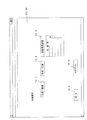
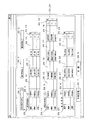
図7は、主要手続リスト画面の一例を示す図である。主要手続の一覧を表示するには、図6のデータ入力選択画面の主要手続ボタン6.1を押す。主要手続ボタン6.1を押すと、図7の主要手続リスト画面がディスプレイ23に表示される。主要手続リスト画面には、図7に示すように、番号表示エリア7.1、主要手続表示エリア7.2、番号入力エリア7.3、主要手続入力エリア7.4、更新ボタン7.5、削除ボタン7.6、クリアボタン7.7、戻るボタン7.8が表示される。 FIG. 7 is a diagram illustrating an example of a main procedure list screen. To display a list of main procedures, the main procedure button 6.1 on the data input selection screen of FIG. 6 is pressed. When the main procedure button 6.1 is pressed, the main procedure list screen shown in FIG. On the main procedure list screen, as shown in FIG. 7, a number display area 7.1, a main procedure display area 7.2, a number input area 7.3, a main procedure input area 7.4, an update button 7.5, A delete button 7.6, a clear button 7.7, and a return button 7.8 are displayed.
主要手続の各データが既にデータベース17の手続ファイルに格納されている場合、図示はしていないが、主要手続の番号が番号表示エリア7.1に表示され、その番号の主要手続が主要手続表示エリア7.2に表示される。図7の主要手続リスト出力画面において、主要手続データを削除するには、主要手続リストの主要手続表示エリア7.2に表示された主要手続のうちの削除する主要手続を反転させて指定した後、削除ボタン7.6を押す。削除ボタン7.6を押すと、指定した主要手続データがデータベース17の手続ファイルから削除される。戻るボタン7.8を押すと、図6のデータ入力選択画面に戻る。
When each data of the main procedure is already stored in the procedure file of the
新たな主要手続を入力するには、番号入力エリア7.3に主要手続を特定する番号を入力し(番号入力エリア7.3のプルダウンリストから番号を指定することもできる)、主要手続入力エリア7.4に主要手続を入力した後(主要手続入力エリア7.4のプルダウンリストから所定の主要手続を指定することもできる)、更新ボタン7.5を押す。更新ボタン7.5を押すと、主要手続データ(番号(手続コード番号)、主要手続)がデータベース17に転送され、主要手続データ(格納日時を含む)がデータベース17の手続ファイルに格納される。なお、各主要手続はそれらに設定された各番号に関連付けられて格納される。クリアボタン7.7を押すと、入力エリアに入力された主要手続データが消去され、データの入力を初めからやり直す。
To enter a new main procedure, enter a number that identifies the main procedure in the number input area 7.3 (you can also specify a number from the pull-down list in the number input area 7.3). After inputting the main procedure in 7.4 (a predetermined main procedure can be designated from the pull-down list in the main procedure input area 7.4), the update button 7.5 is pressed. When the update button 7.5 is pressed, main procedure data (number (procedure code number), main procedure) is transferred to the
主要手続には、現金、預金、売掛金、棚卸資産・貯蔵品、前渡金、前払費用、未収入金、立替金、仮払金、有形・無形固定資産、投資有価証券、敷金、保証金、買掛金、借入金、未払金、未払費用、前受金、預り金、仮受金、企業の概況、事業の状況等がある。なお、主要手続はそれらに限定されず、決算に必要なあらゆる主要手続が含まれる。 Major procedures include cash, deposits, accounts receivable, inventories and supplies, advance payments, prepaid expenses, accounts receivable, advances, temporary deposits, tangible and intangible fixed assets, investment securities, security deposits, guarantees, accounts payable, borrowings, accounts payable , Accrued expenses, advance deposits, deposits, provisional deposits, company overview, business conditions, etc. The main procedures are not limited to these, and include all the main procedures necessary for settlement.
図8は、作業項目リスト画面の一例を示す図である。なお、作業項目リストの作業項目は、標準の作業を示す。作業の一覧を表示するには、図6のデータ入力選択画面の作業項目ボタン6.2を押す。作業項目ボタン6.2を押すと、図8の作業項目リスト画面がディスプレイ23に表示される。作業項目リスト画面には、図8に示すように、作業区分表示エリア8.1、作業項目表示エリア8.2、作業説明表示エリア8.3、作業区分入力エリア8.4、作業項目入力エリア8.5、作業説明入力エリア8.6、更新ボタン8.7、削除ボタン8.8、クリアボタン8.9、戻るボタン8.10が表示される。 FIG. 8 is a diagram illustrating an example of a work item list screen. The work item in the work item list indicates standard work. To display the work list, the work item button 6.2 on the data input selection screen in FIG. 6 is pressed. When the work item button 6.2 is pressed, the work item list screen shown in FIG. As shown in FIG. 8, the work item list screen includes a work category display area 8.1, a work item display area 8.2, a work explanation display area 8.3, a work category input area 8.4, and a work item input area. 8.5, an operation description input area 8.6, an update button 8.7, a delete button 8.8, a clear button 8.9, and a return button 8.10 are displayed.
主要手続の処理に必要な作業項目に関する各作業項目データが既にデータベース17の作業項目ファイルに格納されている場合、作業の区分が作業区分表示エリア8.1に表示され、作業項目が作業項目表示エリア8.2に表示されるとともに、図示はしていないが、作業説明が作業説明表示エリア8.3に表示される。図8の作業項目リスト画面において、作業項目データを削除するには、作業項目リストの各表示エリア8.1〜8.3に表示された作業項目のうちの削除する作業項目を反転させて指定した後、削除ボタン8.8を押す。削除ボタン8.8を押すと、指定した作業項目データがデータベース17の作業項目ファイルから削除される。戻るボタン8.10を押すと、図6のデータ入力選択画面に戻る。
When the work item data related to the work items necessary for processing the main procedure is already stored in the work item file of the
新たな作業項目を入力するには、作業区分入力エリア8.4に作業の区分を入力し(作業区分入力エリア8.4のプルダウンリストから区分を指定することもできる)、作業項目入力エリア8.5に作業項目を入力するとともに(作業項目入力エリア8.5のプルダウンリストから所定の作業項目を指定することもできる)、作業説明入力エリア8.6に作業説明を入力した後、更新ボタン8.7を押す。更新ボタン8.7を押すと、作業項目データ(作業区分、作業項目、作業説明)がデータベース17に転送され、作業項目データ(格納日時を含む)がデータベース17の作業項目ファイルに格納される。なお、各作業項目はそれらに設定された各番号に関連付けられて格納される。クリアボタン8.9を押すと、入力エリアに入力された作業項目データが消去され、データの入力を初めからやり直す。
In order to input a new work item, a work category is input in the work category input area 8.4 (a category can also be designated from the pull-down list of the work category input area 8.4), and the work
作業項目には、(A)提出依頼、(B)資料入手、(C)要件確認、(D)作成、(E)照合、(F)確認、(G)起票、(H)記帳、(I)検証、(J)承認、(K)資料保管、(L)準備等があり、作業種類には、実施、再鑑、承認等がある。なお、作業項目はそれらに限定されず、主要手続の処理に必要なあらゆる作業項目が含まれる。作業種類はそれらに限定されず、作業項目の処理に必要なあらゆる作業種類が含まれる。 Work items include (A) submission request, (B) material acquisition, (C) requirement confirmation, (D) creation, (E) verification, (F) confirmation, (G) drafting, (H) bookkeeping, ( I) Verification, (J) Approval, (K) Material storage, (L) Preparation, etc. Work types include implementation, reexamination, approval, etc. The work items are not limited to these, and include all work items necessary for processing the main procedure. The work types are not limited to these, and include all work types necessary for processing work items.
作業項目の提出依頼における説明の一例としては、「他の部署または他の会社等に対し、手元にない情報の提出を依頼すること」があり、作業項目の資料入手における説明の一例としては、「他の部署または他の会社等から必要な情報を入手すること」がある。作業項目の要件確認における説明の一例としては、「入手した情報が正当な手続を経て作成されたものか、また、要件を充足しているかを確かめること」があり、作業項目の作成における説明の一例としては、「情報を利用し易くするために様式を加工・調整すること」がある。作業項目の照合における説明の一例としては、「ある情報を整合する他の情報と比較すること」があり、作業項目の確認における説明の一例としては、「作業の結果が意図したとおりであることを作業者が確かめること」がある。 As an example of the explanation in the work item submission request, there is "requesting other departments or other companies to submit information that is not at hand", and as an example of explanation in the work item document acquisition, “Obtaining necessary information from other departments or companies”. An example of the explanation in the work item requirement confirmation is “to confirm whether the obtained information has been created through legitimate procedures and whether the requirement is satisfied”. As an example, there is “processing / adjusting styles to make information easy to use”. An example of the explanation in the collation of work items is “compare certain information with other matching information”, and an example of explanation in the confirmation of work items is “the result of the work is as intended. That the worker can confirm.
作業項目の起票における説明の一例としては、「仕訳を作成し、その仕訳が適正であることを作業者が確かめること」があり、作業項目の記帳における説明の一例としては、「仕訳を会計帳簿に登録し、記帳が適正であることを作業者が確かめること」がある。作業項目の検証における説明の一例としては、「検証者が、作業者がした作業の結果を、作業者が実施したのと同水準で確かめること」があり、作業項目の承認における説明の一例としては、「権限者が作業者および検証者の作業内容と作業結果とを適正と認めること」がある。作業項目の資料保管における説明の一例としては、「作業で使用した資料を所定のファイル・場所に収納・保管すること」があり、作業項目の準備における説明の一例としては、「作業に必要な情報を手元に置くこと」がある。 An example of a work item draft is “Create a journal and make sure that the journal is correct”. An example of a work item book description is “Account accounting. There are times when an operator registers in the book and confirms that the book is correct. As an example of the explanation in the verification of the work item, there is “the verifier confirms the result of the work performed by the worker at the same level as that performed by the worker”. “The authorized person recognizes the work contents and work results of the worker and the verifier as appropriate”. An example of the explanation of the work item document storage is “store and store the materials used in the work in a predetermined file / location”, and an example of the explanation of the work item preparation is “necessary for work”. “Keeping information at hand”.
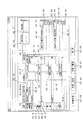
図9は、決算手続詳細リスト出力画面の一例を示す図であり、図10は、作業概要を入力する決算手続マニュアル表示画面の一例を示す図である。決算手続詳細リストを表示するには、主要手続データを入力し、作業項目データを入力した後、図6のデータ入力選択画面の決算手続詳細ボタン6.3を押す。決算手続詳細ボタン6.3を押すと、図9の決算手続詳細リスト出力画面がディスプレイ23に表示される。 FIG. 9 is a diagram illustrating an example of a settlement procedure detail list output screen, and FIG. 10 is a diagram illustrating an example of a settlement procedure manual display screen for inputting a work summary. In order to display the settlement procedure detail list, the main procedure data is entered, the work item data is entered, and then the settlement procedure detail button 6.3 on the data input selection screen in FIG. 6 is pressed. When the settlement procedure detail button 6.3 is pressed, the settlement procedure detail list output screen shown in FIG.
決算手続詳細リスト出力画面には、図9に示すように、番号表示エリア9.1、主要手続表示エリア9.2、手続単位表示エリア9.3、開示書類表示エリア9.4、実行ボタン9.5、キャンセルボタン9.6が表示される。主要手続の手続単位に関する作業概要の詳細データが既にデータベース17の手続ファイルや作業項目ファイルに格納されている場合、図示はしていないが、各主要手続の手続単位を特定する番号(連番)が番号表示エリア9.1に表示され、その連番の主要手続が主要手続表示エリア9.2に表示されるとともに、その連番の手続単位が手続単位表示エリア9.3に表示され、開示書類表示エリア9.4に開示書類が表示される。なお、開示書類には、有価証券報告書、四半期報告書、決算短信、計算書類等がある。キャンセルボタン9.6を押すと、図6のデータ入力選択画面に戻る。
As shown in FIG. 9, the settlement procedure details list output screen includes a number display area 9.1, a main procedure display area 9.2, a procedure unit display area 9.3, a disclosure document display area 9.4, and an
特定の主要手続の手続単位に関連する作業概要や作業手順を入力するには、図9の決算手続詳細リスト出力画面に表示された主要手続のうちの所定の主要手続の手続単位を反転させて指定し、実行ボタン9.5を押す(または手続名をダブルクリックする)。実行ボタン9.5を押すと、図10の決算手続マニュアル表示画面(作業概要)がディスプレイ23に表示される。なお、決算手続詳細リスト出力画面に番号や主要手続の手続単位が1つも表示されていない場合も、実行ボタン9.5を押すと、図10の決算手続マニュアル表示画面(作業概要)が表示される。 To input the work summary and work procedure related to the procedure unit of a specific main procedure, reverse the procedure unit of the specified main procedure among the main procedures displayed on the settlement procedure detail list output screen of FIG. Specify and press the execution button 9.5 (or double-click the procedure name). When the execute button 9.5 is pressed, the settlement procedure manual display screen (work summary) shown in FIG. Note that even if no number or procedure unit of the main procedure is displayed on the settlement procedure details list output screen, pressing the execution button 9.5 will display the settlement procedure manual display screen (work summary) in FIG. The
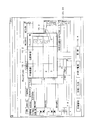
決算手続マニュアル表示画面には、図10に示すように、連番自動設定エリア10.1、主要手続表示エリア10.2、主要手続番号表示エリア10.3、手続単位表示エリア10.4、係数入力エリア10.5、作業概要タブ10.6、作業手順タブ10.7、開示書類選択エリア10.8、作業目的入力エリア10.9、使用する資料(受領資料)入力エリア10.10、作成する資料(提出資料)入力エリア10.11、実行ボタン10.12、クリアボタン10.13、キャンセルボタン10.14が表示される。主要手続番号表示エリアには、指定された主要手続の番号が表示される。キャンセルボタン10.14を押すと、図9の決算手続詳細リスト出力画面に戻る。 In the closing procedure manual display screen, as shown in FIG. 10, a serial number automatic setting area 10.1, a main procedure display area 10.2, a main procedure number display area 10.3, a procedure unit display area 10.4, a coefficient Input area 10.5, work summary tab 10.6, work procedure tab 10.7, disclosure document selection area 10.8, work purpose input area 10.9, materials to be used (received materials) input area 10.10, creation A material (submission material) input area 10.11, an execution button 10.12, a clear button 10.13, and a cancel button 10.14 are displayed. In the main procedure number display area, the number of the designated main procedure is displayed. When a cancel button 10.14 is pressed, the screen returns to the settlement procedure detailed list output screen of FIG.
手続単位表示エリア10.4に所定の主要手続の手続単位(手続名)を入力し、または、手続単位表示エリア10.4のプルダウンリストから手続単位を選択すると、主要手続の番号にそれにつながる新たな番号が自動的に生成され、生成された番号がつながる連番が主要手続と手続単位とに設定されるとともに、その連番が連番自動設定エリア10.1に表示される。主要手続とそれの手続単位とは連番(主要手続および手続単位を特定するための連番表示エリア10.1に表示された手続コード番号:手続単位識別子)によって特定される。 Entering a procedure unit (procedure name) for a prescribed main procedure in the procedure unit display area 10.4 or selecting a procedure unit from the pull-down list in the procedure unit display area 10.4 will result in a new number associated with the main procedure number. Serial numbers are automatically generated, serial numbers connected to the generated numbers are set as main procedures and procedure units, and the serial numbers are displayed in the automatic serial number setting area 10.1. The main procedure and its procedural unit are specified by a serial number (procedure code number displayed in the serial number display area 10.1 for specifying the main procedure and the procedural unit: a procedural unit identifier).
次に、係数入力エリア10.5に手続単位の難易度から決定した係数を入力、または、係数入力エリア10.5のプルダウンリストから係数を選択する。開示書類選択エリア10.8においてその主要手続の手続単位の開示書類を選択し、作業目的入力エリア10.9に作業目的を入力する。さらに、使用する資料入力エリア10.10に使用する資料を入力(複数入力可)、または、使用する資料入力エリア10.10のプルダウンリストから使用する資料を選択(複数選択可)し、作成する資料入力エリア10.11に作成する資料を入力(複数入力可)、または、作成する資料入力エリア10.11のプルダウンリストから作成する資料を選択(複数選択可)した後、実行ボタン10.12を押す。 Next, the coefficient determined from the difficulty level of the procedure unit is input to the coefficient input area 10.5, or the coefficient is selected from the pull-down list in the coefficient input area 10.5. In the disclosure document selection area 10.8, the disclosure document of the procedure unit of the main procedure is selected, and the work purpose is input in the work purpose input area 10.9. Further, a material to be used is input to the material input area 10.10 to be used (multiple input is possible), or a material to be used is selected from the pull-down list of the material input area 10.10. Enter the material to be created in the material input area 10.11 (multiple inputs are allowed), or select the material to be created from the pull-down list in the material input area 10.11 to be created (multiple selections are allowed), and then execute button 10.12 Press.
実行ボタン10.12を押すと、使用する資料(資料名および資料コード番号)が資料マスタからコンピュータ11に転送されるとともに、作成する資料(資料名および資料コード番号)が資料マスタからコンピュータ11に転送され、図示はしていないが、作業概要確認画面がディスプレイ23に表示される。作業概要確認画面には、入力した各データが表示された入力エリア10.1〜10.11の他に、YESボタン、NOボタンが表示される。NOボタンを押すと、作業概要データ(主要手続、手続単位、係数、開示書類、作業目的、使用する資料、作成する資料)の格納は行われず、図9の決算手続詳細リスト出力画面に戻る。
When the execute button 10.12 is pressed, the material (material name and material code number) to be used is transferred from the material master to the
作業概要確認画面において、YESボタンを押すと、作業概要データがデータベース17に転送され、作業概要データ(格納日時を含む)がそれを特定(識別)するための連番に関連付けられた状態でデータベース17の手続ファイルに格納される(手続単位格納手段)。なお、使用する資料(資料名および資料コード番号)は、連番に関連付けられるとともに、受領資料フラグ(受領資料識別子)が設定された状態でデータベース17の手続ファイルに格納される(受領資料格納手段)。作成する資料(資料名および資料コード番号)は、連番に関連付けられるとともに、提出資料フラグ(提出資料識別子)が設定された状態でデータベース17の手続ファイルに格納される(提出資料格納手段)。図10の決算手続マニュアル(作業概要)表示画面において、クリアボタン10.13を押すと、各入力エリア10.1〜10.11に入力された作業概要データが消去され、データの入力を初めからやり直す。
When the YES button is pressed on the work summary confirmation screen, the work summary data is transferred to the
作業概要データは、複数のそれらが各主要手続の手続単位毎に順に格納される。したがって、手続単位の順位がそれに設定された連番によって決定され、それら手続単位がその上位から下位に向かって一連につながる手続単位階層構造を形成する。さらに、それら決算資料(受領資料、提出資料)の作成順番が手続単位の処理順位に従って決定され、それら決算資料がその上位から下位に向かって一連につながる資料階層構造を形成する。各決算資料どうしを各手続単位の処理順位に従って(各決算資料の作成順番に従って)その上位から下位に向かって一連につなげることから作られた資料階層構造(格納日時を含む)は、データベース17の手続ファイルに格納される(資料階層構造格納手段)。 A plurality of work summary data are stored in order for each procedure unit of each main procedure. Accordingly, the order of the procedure units is determined by the serial numbers set therein, and a procedure unit hierarchical structure is formed in which the procedure units are connected in series from the upper level to the lower level. Further, the order in which the settlement materials (reception materials and submission materials) are created is determined in accordance with the processing order of the procedure units, and a material hierarchy is formed in which the settlement materials are connected in a series from the top to the bottom. The data hierarchy structure (including the storage date and time) created by linking each financial document according to the processing order of each procedural unit (according to the order in which each financial document is created) Stored in the procedure file (material hierarchical structure storage means).
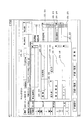
図11は、作業手順を入力する決算手続マニュアル表示画面の他の一例を示す図である。作業概要データの主要手続の手続単位に関連する作業手順データを入力するには、作業概要データを入力した後、図10の決算手続マニュアル(作業概要)表示画面の作業手順タブ10.6を押す。作業手順タブ10.6を押すと、作業手順データを入力するための図11の決算手続マニュアル表示画面がディスプレイ23に表示される。
FIG. 11 is a diagram showing another example of a settlement procedure manual display screen for inputting work procedures. To enter work procedure data related to the procedure unit of the main procedure of the work summary data, after entering the work summary data, press the work procedure tab 10.6 on the settlement procedure manual (work summary) display screen of FIG. . When the work procedure tab 10.6 is pressed, the settlement procedure manual display screen of FIG. 11 for inputting work procedure data is displayed on the
決算手続マニュアル(作業手順)表示画面には、図11に示すように、連番が表示された連番表示エリア11.1、主要手続が表示された主要手続表示エリア11.2、主要手続番号が表示された主要手続番号表示エリア11.3、手続単位が表示された手続単位表示エリア11.4、作業概要タブ11.5、作業手順タブ11.6、作業順番表示エリア11.7、作業区分入力エリア11.8、作業者入力エリア11.9、作業タイトル入力エリア11.10、作業内容入力エリア11.11、作業基準日入力エリア11.12、作業完了予定日時入力エリア11.13、作業注意事項の作業順番入力エリア11.14、作業注意事項入力エリア11.15、実行ボタン11.16、クリアボタン11.17、キャンセルボタン11.18が表示される。キャンセルボタン11.18を押すと、図10の決算手続マニュアル表示画面(作業概要)に戻る。 As shown in FIG. 11, the settlement procedure manual (work procedure) display screen has a serial number display area 11.1 in which serial numbers are displayed, a main procedure display area 11.2 in which main procedures are displayed, and a main procedure number. Main procedure number display area 11.3 displaying the procedure unit, procedure unit display area 11.4 displaying the procedure unit, work summary tab 11.5, work procedure tab 11.6, work order display area 11.7, work Section input area 11.8, worker input area 11.9, work title input area 11.10, work content input area 11.11, work reference date input area 11.12, work completion scheduled date and time input area 11.13, Work order input area 11.14 for work precautions, work precaution input area 11.15, execute button 11.16, clear button 11.17, cancel button 11.18 It is displayed. When the cancel button 11.18 is pressed, the screen returns to the settlement procedure manual display screen (work outline) shown in FIG.
作業区分入力エリア11.8のプルダウンリストから1番目に処理を行う作業の作業区分を指定すると、指定した作業区分とその作業区分の作業項目(作業項目説明を含む)とがデータベース17の作業項目ファイルから転送され、作業区分と作業項目とが作業区分入力エリア11.8に表示されるとともに、作業順番表示エリア11.7にその作業区分の作業順番(1)が表示される。2番目に処理を行う作業の作業区分を指定すると、指定した作業区分と作業項目とがデータベース17の作業項目ファイルから転送され、作業区分と作業項目とが作業区分入力エリア11.8に表示されるとともに、作業順番表示エリア11.7にその作業区分の作業順番(2)が表示される。このように、作業区分を順次指定するとその作業区分に作業順番(1〜N)が付与され、作業区分や作業項目の作業順番が決定される。
When the work category of the work to be processed first from the pull-down list in the work category input area 11.8 is designated, the designated work category and the work items of the work category (including the work item description) are the work items in the
次に、作業区分の予定作業項目を担当する作業者を作業者入力エリア11.9のプルダウンリストから指定すると、指定した作業者データ(作業者ID番号を含む)がデータベース17の作業者マスタから転送され、作業者が作業者入力エリア11.9に表示される。作業タイトル入力エリア11.10に作業タイトルを入力し、作業内容入力エリア11.11に指定した作業項目の作業内容を入力し、作業基準日入力エリア11.12に日数を入力し、作業完了予定日時入力エリア11.13に作業完了予定日時を入力する。さらに、各作業項目に作業注意事項がある場合、作業注意事項の作業順番入力エリア11.14のプルダウンリストから注意事項に対応する作業項目の作業順番を選択し、作業注意事項入力エリア21.15に作業順番入力エリア11.14において指定した作業順番の作業項目の作業注意事項を入力する。
Next, when the worker in charge of the scheduled work item of the work category is designated from the pull-down list in the worker input area 11.9, the designated worker data (including the worker ID number) is transferred from the worker master in the
各入力エリア11.8〜11.15にデータを入力した後、実行ボタン11.16を押す。実行ボタン11.16を押すと、図示はしていないが、作業手順確認画面がディスプレイ23に表示される。作業手順確認画面には、入力した各データが表示された入力エリア11.1〜11.15の他に、YESボタン、NOボタンが表示される。NOボタンを押すと、作業手順データ(作業順番、作業区分、作業項目、作業作業者、作業タイトル、作業内容、作業基準日、作業完了予定日時、作業注意事項)の格納は行われず、図10の決算手続マニュアル表示画面(作業概要)に戻る。なお、図11の決算手続マニュアル表示画面において、クリアボタン11.17を押すと、各入力エリア11.8〜11.15に入力された作業手順データが消去され、データの入力を初めからやり直す。 After inputting data in each of the input areas 11.8 to 11.15, the execution button 11.16 is pressed. When the execute button 11.16 is pressed, a work procedure confirmation screen is displayed on the display 23 (not shown). On the work procedure confirmation screen, a YES button and a NO button are displayed in addition to the input areas 11.1 to 11.15 in which each input data is displayed. When the NO button is pressed, the work procedure data (work order, work classification, work item, work worker, work title, work content, work base date, work completion scheduled date and time, work precautions) is not stored, and FIG. Return to the settlement procedure manual display screen (work summary). When the clear button 11.17 is pressed on the settlement procedure manual display screen shown in FIG. 11, the work procedure data input to the input areas 11.8 to 11.15 is erased, and the data input is started again from the beginning.
作業手順確認画面において、YESボタンを押すと、作業手順データのうちの作業項目データ(作業順番、作業区分、作業項目、作業タイトル、作業内容、作業基準日、作業完了予定日時、作業注意事項)がデータベース17に転送され、作業項目データ(格納日時を含む)がそれを特定(識別)するための連番(手続コード番号)と作業順番(作業項目コード番号)とに関連付けられた状態(たとえば、連番0001−01(手続コード番号)に作業順番1(作業項目コード番号)をつなげた0001−01−1、連番0001−01に作業順番2(作業項目コード番号)をつなげた0001−01−2等に関連付けた状態)でデータベース17の作業項目ファイルに格納される(作業項目格納手段)。
When the YES button is pressed on the work procedure confirmation screen, work item data (work order, work category, work item, work title, work content, work base date, work completion scheduled date, work precautions) in the work procedure data Is transferred to the
作業手順データの格納は、各予定作業項目毎(図11には、(A)提出依頼、(B)資料入手、(C)要件確認、(D)作成の4つが図示されているが、図示はしていないが、その後に(E)照合、(F)確認、(G)起票、(H)記帳、(I)検証、(J)承認、(K)資料保管、(L)準備が続く)に行われる。なお、作業タイトルには、基礎資料の準備、起票元資料作成、仕訳伝票起票、仕訳伝票の再鑑、仕訳伝票の承認、開示項目の重要性判定資料作成、開示文案の元資料用意、開示文案作成、開示文案の再鑑、開示文案の承認等がある。 The work procedure data is stored for each scheduled work item (FIG. 11 shows (A) submission request, (B) material acquisition, (C) requirement confirmation, and (D) creation. (E) verification, (F) confirmation, (G) drafting, (H) bookkeeping, (I) verification, (J) approval, (K) material storage, (L) preparation (Continued). For work titles, basic material preparation, drafting source material creation, journal entry drafting, journal entry slip review, journal entry slip approval, disclosure item importance judgment material creation, disclosure document draft source preparation, Disclosure document drafting, disclosure draft review, disclosure draft approval, etc.
作業者入力エリア11.9に表示された作業者データ(作業者ID番号)(格納日時を含む)は、データベース17に転送され、連番と作業順番とに関連付けられた状態(たとえば、0001−01−1や0001−01−2に関連付けた状態)でデータベース17の作業項目ファイルに格納される(作業者格納手段)。作業者データの格納は、作業項目データの格納と同様に、各作業項目毎に行われる。なお、作業者入力エリア11.9に表示された作業者データ(格納日時を含む)は、データベース17に転送され、連番に関連付けられた状態で手続ファイルに格納される(手続作業者格納手段)。
The worker data (worker ID number) (including the storage date and time) displayed in the worker input area 11.9 is transferred to the
作業手順データにおける作業基準日は、決算日の翌日から起算する日数(休日を除く営業日)であり、たとえば、作業基準日が3日であり、決算日が3月31日とすると、その基準日に対応する予定作業項目の終了日が4月3日となる(4月1日〜3日までに休日がない場合)。したがって、作業順番1の提出依頼(作業項目)の基準日が2であり、作業完了予定日時が4月2日午前10:00とすると、作業順番1の提出依頼の作業を4月2日午前10:00までに行うことになる。作業順番2の資料入手(作業項目)の基準日が2であり、作業完了予定日時が4月2日午前11:00すると、作業順番2の資料入手の作業を4月2日午前11:00までに行うことになる。また、作業順番3の要件確認(作業項目)の基準日が2であり、作業完了予定日時が4月2日午後1:00とすると、作業順番3の要件確認の作業を4月2日午後1:00までに行うことになる。さらに、作業順番4の作成(作業項目)の基準日が4であり、作業完了予定日時が4月4日午前10:00すると、作業順番4の作成の作業を4月4日午前10:00までに行うことになる。上記作業基準日と作業完了予定日時とから割り出された各作業項目の作業完了予定日時データ(格納日時を含む)は、データベース17に転送され、連番と作業順番とに関連付けられた状態でデータベース17の作業項目ファイルに格納される(作業完了予定日時格納手段)。作業完了予定日時の格納は、作業項目データの格納と同様に、各作業項目毎に行われる。
The work base date in the work procedure data is the number of days (business days excluding holidays) calculated from the next day of the settlement date. For example, if the work base date is 3 days and the settlement date is March 31, the standard The end date of the scheduled work item corresponding to the day is April 3 (when there is no holiday between April 1st and 3rd). Therefore, if the reference date of the
コンピュータ11の中央処理部は、それら作業基準日を参照しつつ、最も基準日が小さい作業順番の作業項目の基準日から算出した作業の最終日を手続単位表示エリア11.4に表示された手続単位の手続開始予定日時と決定する。また、それら作業基準日を参照しつつ、最も基準日が大きい作業順番の作業項目の基準日から算出した作業の最終日を手続単位表示エリア11.4に表示された手続単位の手続完了予定日時と決定する。具体的には、作業順番1の提出依頼(作業項目)の基準日が2であり、もっとも小さいから、その基準日に対応する作業項目の終了日である4月2日の就業開始時間(たとえば、午前9:00)が手続単位表示エリア11.4に表示された手続単位の手続開始予定日時となる。さらに、作業順番4の作成(作業項目)の基準日が4であり、もっとも大きいから、その基準日に対応する作業項目の終了日である4月4日の就業終了時間(たとえば、午後5:00)までが手続単位表示エリア11.4に表示された手続単位の手続完了予定日時となる。
The central processing unit of the
各作業項目の作業基準日から算出された各手続単位の手続開始予定日時(格納日時を含む)は、データベース17に転送され、連番に関連付けられた状態でデータベース17の手続ファイルに格納される(手続開始予定日時格納手段)。また、各作業項目の作業基準日から算出された各手続単位の手続完了予定日時は、データベース17に転送され、連番に関連付けられた状態でデータベース17の手続ファイルに格納される(手続完了予定日時格納手段)。
The scheduled start date / time (including the storage date / time) of each procedure unit calculated from the work reference date of each work item is transferred to the
図12は、作業管理選択画面の一例を示す図であり、図13は、手続一覧表の一例を示す図である。図14は、作業一覧表の一例を示す図である。このシステム10A,10Bでは、管理用コンピュータ11において各種データを入力し、それらデータがデータベース17に格納された後、ディスプレイ23,24に手続一覧表や作業一覧表を表示させることができる。コンピュータ11〜16のディスプレイ23,24に表示された図5の初期画面において作業管理ボタン5.1を押すと、図12の作業管理選択画面が表示される。
FIG. 12 is a diagram illustrating an example of a work management selection screen, and FIG. 13 is a diagram illustrating an example of a procedure list. FIG. 14 is a diagram illustrating an example of a work list. In the
作業管理選択画面には、図12に示すように、手続一覧表ボタン12.1、作業一覧表ボタン12.2、決算業務評価ボタン12.3、戻るボタン12.4、ログアウトボタン12.5が表示される。戻るボタン12.4を押すと、図5の初期画面に戻る。手続一覧表ボタン12.1を押すと、データベース17から手続一覧表に対応する各種データが転送され、図13の手続一覧表がコンピュータ11〜16のディスプレイ23,24に表示される。
On the work management selection screen, as shown in FIG. 12, a procedure list button 12.1, a work list button 12.2, a settlement work evaluation button 12.3, a return button 12.4, and a logout button 12.5 are displayed. Is displayed. When the return button 12.4 is pressed, the initial screen shown in FIG. 5 is restored. When the procedure list button 12.1 is pressed, various data corresponding to the procedure list are transferred from the
手続一覧表には、連番表示エリア13.1、主要手続表示エリア13.2、手続単位表示エリア13.3、係数表示エリア13.4、作業者表示エリア13.5、手続単位の手続完了予定日時表示エリア13.6、手続単位の手続完了日時表示エリア13.7、手続単位の作業項目総数表示エリア13.8、手続単位の手続進捗状況表示エリア13.9、CL(チェックリスト:手続単位・作業項目詳細リスト)ボタン13.10、過誤情報表示マーク13.11、戻るボタン13.12、作業一覧表ボタン13.13が表示される。戻るボタン13.12を押すと、図12の作業管理選択画面に戻る。 The procedure list includes serial number display area 13.1, main procedure display area 13.2, procedure unit display area 13.3, coefficient display area 13.4, worker display area 13.5, procedure unit procedure completion Scheduled date / time display area 13.6, Procedure completion date / time display area 13.7 for procedure unit, Total work item display area 13.8 for procedure unit, Procedure progress status display area 13.9 for procedure unit, CL (check list: procedure Unit / work item detail list) button 13.10, error information display mark 13.11, back button 13.12, and work list button 13.13 are displayed. When the return button 13.12 is pressed, the screen returns to the work management selection screen shown in FIG.
コンピュータ11〜16のデータ転送指令にしたがって、作業概要データ(連番、主要手続、手続単位、係数)がデータベース17の手続ファイルから転送され、各主要手続の手続単位に設定された連番が連番表示エリア13.1に表示され、その連番に対応する主要手続が主要手続表示エリア13.2に表示されるとともに、その連番に対応する手続単位が手続単位表示エリア13.3に表示され、連番に対応する手続単位毎の係数が係数表示エリア13.4に表示される(手続単位出力手段)。連番に設定された作業者ID番号に基づいて作業者データ(作業者名)がデータベース17の手続ファイルから転送され、各手続単位毎の作業者データ(図示せず)が作業者表示エリア13.4に表示される(手続作業者出力手段)。
In accordance with the data transfer command of the
連番に基づいて各手続単位の手続完了予定日時が特定され、各手続単位の手続完了予定日時がデータベース17の手続ファイルから転送され、手続単位の手続完了予定日時(図示せず)が手続完了予定日時表示エリア13.6に表示される(手続完了予定日時出力手段)。連番に基づいて各手続単位の手続完了日時が特定され、各手続単位の手続完了日時がデータベース17の手続ファイルから転送され、手続単位の手続完了日時(図示せず)が手続完了日時表示エリア13.7に表示される(手続完了日時出力手段)。連番に基づいて各手続単位の処理に必要な作業項目の作業項目総数が特定され、作業項目総数がデータベース17の作業項目ファイルから転送され、各手続単位の処理に必要な作業項目総数が作業項目総数表示エリア13.8に表示される。
The scheduled procedure completion date and time of each procedure unit is specified based on the serial number, the scheduled procedure completion date and time of each procedure unit is transferred from the procedure file in the
手続進捗データがデータベース17に格納されている場合は、連番に基づいて各手続単位の手続進捗データが特定され、各手続単位の手続進捗データがデータベース17の手続ファイルから転送され、手続単位の手続進捗データが手続進捗状況表示エリア13.9に表示される(手続進捗データ出力手段)。手続進捗状況表示エリア13.9には、手続単位の現在の進捗状況である完了、遅延完了、遅延、未着手、作業中、遅延作業中のいずれかのメッセージが表示される。図113の手続一覧表は、プリンタから出力することができる。各手続単位において作成された決算資料に過誤がある場合、連番に基づいて過誤を含む決算資料(手続単位)が特定され、過誤を含む決算資料(手続単位)にその過誤を示す過誤情報表示マーク13.11が表示される(過誤情報出力手段)。
When the procedure progress data is stored in the
コンピュータ11〜16は、手続単位の手続完了予定日時を参照しつつ、その手続単位の手続開始日時が手続完了予定日時を越えても入力されない場合、その手続単位を遅延手続と認定し、その手続単位に遅延情報を設定するとともに、その手続単位の遅延メッセージを手続進捗状況表示エリアに表示(出力)する(手続進捗データ出力手段)。コンピュータ11〜16は、手続単位の手続完了予定日時を参照しつつ、その手続単位の手続完了日時が手続完了予定日時までに入力された場合、その手続単位を完了手続と認定し、その手続単位に完了情報を設定するとともに、その手続単位の完了メッセージを手続進捗状況表示エリアに表示(出力)する(手続進捗データ出力手段)。さらに、手続単位の手続完了予定日時を参照しつつ、その手続単位の手続完了日時が完了予定日時を越えて入力された場合、その手続単位を遅延完了手続と認定し、その手続単位に遅延完了情報を設定するとともに、その手続単位の遅延完了メッセージを手続進捗状況表示エリアに表示(出力)する(手続進捗データ出力手段)。
If the computer 11-16 refers to the scheduled procedure completion date and time of the procedural unit and the procedure start date and time of the procedural unit is not entered even if it exceeds the scheduled procedure completion date and time, the computer determines that the procedural unit is a delayed procedure and The delay information is set for each unit, and the delay message for the procedure unit is displayed (output) in the procedure progress display area (procedure progress data output means). When the
コンピュータ11〜16は、手続単位の手続完了予定日時を参照しつつ、その手続単位の手続開始日時が手続完了予定日時までに入力されない場合、その手続単位を未着手手続と認定し、その手続単位に未着手情報を設定するとともに、その手続単位の未着手メッセージを手続進捗状況表示エリアに表示(出力)する(手続進捗データ出力手段)。コンピュータ11〜16は、手続単位の手続完了予定日時を参照しつつ、その手続単位の手続開始日時が手続完了予定日時までに入力された場合、その手続単位を作業中手続と認定し、その手続単位に作業中情報を設定するとともに、その手続単位の作業中メッセージを手続進捗状況表示エリアに表示(出力)する(手続進捗データ出力手段)。さらに、手続単位の手続完了予定日時を参照しつつ、その手続単位の手続開始日時が手続完了予定日時までに入力され、かつ、その手続単位の手続完了日時が手続完了予定日時を越えても入力されない場合、その手続単位を遅延作業中手続と認定し、その手続単位に遅延作業中を設定するとともに、その手続単位の遅延作業中メッセージを手続進捗状況表示エリアに表示(出力)する(手続進捗データ出力手段)。
If the
コンピュータ11〜16のディスプレイ23,24に表示された図5の初期画面において作業管理ボタン5.1を押し、図12の作業管理選択画面を表示させた後、作業一覧表ボタン12.2を押すと、データベース17から作業一覧表に対応する各種データが転送され、図14の作業一覧表がコンピュータ11〜16のディスプレイ23,24に表示される。
Press the work management button 5.1 on the initial screen of FIG. 5 displayed on the
作業一覧表には、連番表示エリア14.1、手続単位表示エリア14.2、作業順番表示エリア14.3、作業項目表示エリア14.4、作業内容表示エリア14.5、作業者表示エリア14.6、作業項目の作業進捗状況表示エリア14.7、作業項目の作業完了予定日時表示エリア14.8、作業項目の作業完了日時表示エリア14.9、CL(チェックリスト:手続単位・作業項目詳細リスト)ボタン14.10、過誤情報表示マーク14.11、戻るボタン14.12、手続一覧表ボタン14.13が表示される。戻るボタン14.12を押すと、図12の作業管理選択画面に戻る。手続一覧表ボタン14.13を押すと、図13の手続一覧表が表示される。 The work list includes a serial number display area 14.1, a procedure unit display area 14.2, a work order display area 14.3, a work item display area 14.4, a work content display area 14.5, and a worker display area. 14.6, work item work progress status display area 14.7, work item scheduled work completion date and time display area 14.8, work item work completion date and time display area 14.9, CL (check list: procedure unit / work Item detail list) button 14.10, error information display mark 14.11, return button 14.12, and procedure list button 14.13 are displayed. When the return button 14.12 is pressed, the screen returns to the work management selection screen shown in FIG. When the procedure list button 14.13 is pressed, the procedure list shown in FIG. 13 is displayed.
コンピュータ11〜16のデータ転送指令にしたがって、作業項目データ(連番、手続単位、作業順番、作業項目、作業内容)がデータベース17の作業項目ファイルから転送され、各作業項目に設定された連番が連番表示エリア14.1に表示され、その連番に対応する手続単位が手続単位表示エリア14.2に表示される。さらに、連番に対応する作業順番が作業順番表示エリア14.3に表示され、連番に対応する作業項目が作業項目表示エリア14.4に表示されるとともに、その作業項目の作業内容が作業内容表示エリア14.5に表示される(作業項目出力手段)。連番に設定された作業者ID番号に基づいて作業者データ(作業者名)がデータベース17の作業項目ファイルから転送され、各作業項目毎の作業者データ(図示せず)が作業者表示エリア14.6に表示される(作業作業者出力手段)。
The work item data (serial number, procedure unit, work order, work item, work content) is transferred from the work item file in the
作業進捗データがデータベース17に格納されている場合は、連番と作業順番とに基づいて各作業項目の作業進捗データ(作業進捗状況、作業完了日時)が特定され、各作業項目の作業進捗データがデータベース17の作業項目ファイルから転送され、各作業項目の作業進捗データが作業進捗状況表示エリア14.7や作業完了日時表示エリア14.9に表示される(作業進捗データ出力手段)。また、連番と作業順番とに基づいて各作業項目の作業完了予定日時が特定され、各作業項目の作業完了予定日時がデータベース17の作業項目ファイルから転送され、各作業項目の作業完了予定日時(図示せず)が作業予定日時表示エリア14.8に表示される(作業完了予定日時出力手段)。作業進捗状況表示エリア14.7には、各作業項目の現在の作業進捗状況である完了、遅延完了、遅延、未着手、作業中、遅延作業中のいずれかのメッセージが表示され、作業完了日時表示エリア14.9には、作業項目が完了している場合に各作業項目の完了日時(図示せず)が表示される。連番に基づいて過誤を含む決算資料(手続単位)が特定され、過誤を含む決算資料(手続単位)にその過誤を示す過誤情報表示マーク14.11が表示される(過誤情報出力手段)。
When the work progress data is stored in the
図15は、チェックリスト出力画面(手続単位・作業項目詳細表示出力画面)の一例を示す図であり、図16,17は、チェックリスト出力画面の他の一例を示す図である。図13,14の手続一覧表または作業一覧表においてCL(チェックリスト)ボタンを押すと、そのCLボタンに対応する作業項目のチェックリストがディスプレイ23,24に表示される。
FIG. 15 is a diagram illustrating an example of a check list output screen (procedure unit / work item detail display output screen), and FIGS. 16 and 17 are diagrams illustrating other examples of the check list output screen. When a CL (check list) button is pressed in the procedure list or work list of FIGS. 13 and 14, a check list of work items corresponding to the CL button is displayed on the
図15のチェックリスト出力画面には、連番表示エリア15.1、手続単位表示エリア15.2、主要手続表示エリア15.3、作業順番表示エリア15.4、作業注意事項マーク表示エリア15.5、作業伝達事項マーク表示エリア15.6、作業項目表示エリア15.7、作業タイトル表示エリア15.8、作業内容表示エリア15.9、作業完了予定日時表示エリア15.10、作業完了日時表示エリア15.11、作業者名表示エリア15.12、作業進捗状況表示エリア15.13、作業開始ボタン15.14、作業完了ボタン15.15、修正資料名表示エリア15.16、修正回数表示エリア15.17、使用する資料表示エリア15.18、使用資料(受領資料)修正送信ボタン15.19、使用資料チェックボックス15.20、作成する資料表示エリア15.21、作成資料(提出資料)修正送信ボタン15.22、作成資料修正済送信ボタン15.23、作成資料チェックボックス15.24、作業管理ボタン15.25、手続一覧表ボタン15.26、作業一覧表ボタン15.27、更新ボタン15.28が表示される。
15 includes a serial number display area 15.1, a procedure unit display area 15.2, a main procedure display area 15.3, a work order display area 15.4, a work precaution
コンピュータ11〜16のデータ転送指令にしたがって、作業概要データ(連番、主要手続、手続単位)がデータベース17の手続ファイルから転送され、各手続単位に設定された連番が連番表示エリア15.1に表示され、その連番に対応する主要手続(図示せず)が主要手続表示エリア15.3に表示されるとともに、その主要手続に対応する手続単位(図示せず)が手続単位表示エリア15.2に表示される(手続単位出力手段)。作業項目データ(連番、作業順番、作業項目、作業内容)がデータベース17の作業項目ファイルから転送され、各作業項目に設定された連番が連番表示エリア15.1に表示され、連番に対応する作業順番が作業順番表示エリア15.4に表示される。
In accordance with the data transfer command of the
連番と作業順番とに基づいて各作業項目の作業注意事項の有無が判断され、注意事項の有無が作業注意事項マーク表示エリア15.5に表示される。注意事項有りの場合は、作業注意事項マーク表示エリア15.5に●が表示され、注意事項無しの場合は、作業注意事項マーク表示エリア15.5に○が表示される。連番と作業順番とに基づいて各作業項目の作業伝達事項の有無が判断され、伝達事項の有無が作業伝達事項マーク表示エリア15.6に表示される。伝達事項有りの場合は、作業伝達事項マーク表示エリア15.6に●が表示され、伝達事項無しの場合は、作業伝達事項マーク表示エリア15.6に○が表示される。 The presence / absence of work precautions for each work item is determined based on the serial number and the work order, and the presence / absence of precautions is displayed in the work precaution mark display area 15.5. When there is a precaution, ● is displayed in the work precaution mark display area 15.5, and when there is no precaution, ○ is displayed in the work precaution mark display area 15.5. The presence / absence of a work transmission item for each work item is determined based on the serial number and the work order, and the presence / absence of a transmission item is displayed in the work transmission item mark display area 15.6. When there is a transmission item, ● is displayed in the work transmission item mark display area 15.6, and when there is no transmission item, a circle is displayed in the work transmission item mark display area 15.6.
さらに、連番に対応する作業項目が作業項目表示エリア15.7に表示され、その作業項目の作業タイトルが作業タイトル表示エリア15.8に表示され、その作業項目の作業内容が作業内容表示エリア15.9に表示される(作業項目出力手段)。連番に設定された作業者ID番号に基づいて作業者データ(作業者名)がデータベース17の作業項目ファイルから転送され、各作業項目毎の作業者データ(図示せず)が作業者表示エリア15.13に表示される(作業作業者出力手段)。
Further, the work item corresponding to the serial number is displayed in the work item display area 15.7, the work title of the work item is displayed in the work title display area 15.8, and the work content of the work item is displayed in the work content display area. 15.9 (work item output means). Worker data (worker name) is transferred from the work item file in the
作業進捗データがすでに作業項目ファイルに格納されている場合は、連番と作業順番とに基づいて各作業項目の作業進捗データ(作業進捗状況、作業完了日時)が特定され、各作業項目の作業進捗データがデータベース17の作業項目ファイルから転送され、各作業項目の作業進捗データが作業進捗状況表示エリア15.13や作業完了日時表示エリア15.11に表示される(作業進捗データ出力手段)。また、連番と作業順番とに基づいて各作業項目の作業完了予定日時が特定され、作業項目の作業完了予定日時がデータベース17の作業項目ファイルから転送され、各作業項目の作業完了予定日時(図示せず)が作業完了予定日時表示エリア15.10に表示される(作業完了予定日時出力手段)。作業進捗状況表示エリア15.13には、各作業項目の現在の作業進捗状況である完了、遅延完了、遅延、未着手、作業中、遅延作業中のいずれかのメッセージが表示され、作業完了日時表示エリア15.11には、作業項目が完了している場合に各作業項目の完了日時(図示せず)が表示される。
If work progress data is already stored in the work item file, the work progress data (work progress status, work completion date and time) of each work item is identified based on the serial number and work order, and the work of each work item The progress data is transferred from the work item file in the
連番と受領資料フラグとに基づいて各手続項目において使用する決算資料(受領資料)が特定され、各受領資料がデータベース17の手続ファイルから転送され、受領資料が資料表示エリア15.18に表示される(受領資料出力手段)。また、連番と提出資料フラグとに基づいて各手続項目において作成する決算資料(提出資料)が特定され、各提出資料がデータベース17の手続ファイルから転送され、提出資料が資料表示エリア15.21に表示される(提出資料出力手段)。その手続単位において作成された決算資料のうち、既に修正済のそれがある場合は、その修正済の資料名が修正資料表示エリア15.16に表示され、その資料の修正回数が修正回数表示エリア15.17に表示される(修正回数出力手段)。
Based on the serial number and the received material flag, the settlement material (received material) to be used in each procedure item is specified, each received material is transferred from the procedure file of the
各作業者(管理者を含む)は、各作業項目の作業を行う場合、作業開始予定日時を確認しつつ、作業開始ボタン15.14を押した後、実際の作業に取り掛かる。たとえば、作業順番1の提出依頼に取り掛かる場合、作業順番1に対応する作業開始ボタン15.14を押す。作業開始ボタン15.14を押すと、コンピュータ11〜16は、その日時(年月日、時分)を作業順番1の提出依頼の作業開示日時として認識する。作業順番1の提出依頼の作業開示日時は、連番と作業順番とに関連付けられた状態でデータベース17の作業項目ファイルに格納される(作業開始日時格納手段)。
When each worker (including the manager) performs the work of each work item, the worker starts the actual work after pressing the work start button 15.14 while confirming the scheduled work start date and time. For example, when a submission request for
各作業者(管理者を含む)は、各作業項目の処理が完了した場合、作業完了ボタン15.15を押し、作業項目の処理完了を確定する。たとえば、作業順番1の提出依頼の処理が完了した場合、作業順番1に対応する作業完了ボタン15.15を押す。作業完了ボタン15.15を押すと、図示はしていないが、作業完了確認画面が図15のチェックリスト出力画面に重ねて表示される。その状態で更新ボタン15.28を押すと、コンピュータ11〜16は、その日時(年月日、時分)を作業順番1の提出依頼の作業完了日時として認識する。作業順番1の提出依頼の作業完了日時は、連番と作業順番とに関連付けられた状態でデータベース17の作業項目ファイルに格納される(作業完了日時格納手段)。また、それら作業項目の作業進捗データ(完了、遅延完了、未着手、作業中、遅延作業中)が連番と作業順番とに関連付けられた状態でデータベース17の作業項目ファイルに格納される(作業進捗データ格納手段)。作業完了日時は、作業完了日時表示エリア15.9に表示される(作業完了日時出力手段)。
Each worker (including the manager) presses the work completion button 15.15 to confirm the completion of the processing of the work item when the processing of each work item is completed. For example, when the processing of the submission request in the
手続単位の処理に必要な作業項目のうちの1つの作業項目の作業開始ボタン15.14が押されると、コンピュータ11〜16は、その日時(年月日、時分)を手続単位の手続開示日時として認識する。手続単位の手続開示日時は、連番に関連付けられた状態でデータベース17の手続ファイルに格納される(手続開始日時格納手段)。手続単位の処理に必要なすべての作業項目の作業完了ボタン15.13が押されると、コンピュータ11〜16は、その日時(年月日、時分)を各手続単位の手続完了日時として認識する。各手続単位の手続完了日時は、連番に関連付けられた状態でデータベース17の手続ファイルに格納される(手続完了日時格納手段)。また、各手続単位の手続進捗データ(完了、遅延完了、未着手、作業中、遅延作業中)が連番に関連付けられた状態でデータベース17の手続ファイルに格納される(手続進捗データ格納手段)。
When the work start button 15.14 of one work item among the work items necessary for processing of the procedure unit is pressed, the
図15のチェックリスト出力画面において、作業注意事項マーク表示エリア15.5の●を押すと、図16のチェックリスト出力画面がディスプレイに23,24に表示される。図16のチェックリスト出力画面には、図15のチェックリスト出力画面に重ねて注意事項出力画面が表示される。注意事項出力画面には、作業順番表示エリア16.1、注意事項表示エリア16.2、確認チェックボックス16.3が表示される。作業順番表示エリア16.1には、図11の作業手続マニュアルにおいて入力された注意事項に対応する作業項目の作業順番が表示され、注意事項表示エリア16.2には、各作業項目の注意事項が表示される。確認チェックボックス16.3にチェックマークを入れ、更新ボタン16.4を押すと、その注意事項の確認有り情報がデータベース17に転送され、確認有り情報(格納日時を含む)が連番と作業順番とに関連付けられた状態でデータベース17の作業項目ファイルに格納される(確認有り情報格納手段)。なお、チェックボックス16.3にチェックマークが表示されていれば、注意事項の確認有りとなり、チェックボックス16.3にチェックマークが表示されていなければ、注意事項の確認無しとなる。
In the check list output screen of FIG. 15, when the ● in the work precaution mark display area 15.5 is pressed, the check list output screen of FIG. In the check list output screen of FIG. 16, a precautions output screen is displayed over the check list output screen of FIG. A work order display area 16.1, a notice display area 16.2, and a confirmation check box 16.3 are displayed on the notice output screen. The work order display area 16.1 displays the work order of work items corresponding to the precautions input in the work procedure manual of FIG. 11, and the precaution display area 16.2 includes precautions for each work item. Is displayed. When a check mark is entered in the confirmation check box 16.3 and the update button 16.4 is pressed, the information with confirmation of the notice is transferred to the
図15のチェックリスト出力画面において、作業伝達事項マーク表示エリア15.6の●や○を押すと、図17のチェックリスト出力画面がディスプレイに23,24に表示される。図17のチェックリスト出力画面には、図15のチェックリスト出力画面に重ねて伝達事項入出力画面が表示される。伝達事項入出力画面には、連番(図示せず)が表示された連番表示エリア17.1、手続単位(図示せず)が表示された手続単位表示エリア17.2、作業順番入出力エリア17.3、作業項目表示エリア17.4、伝達区分入出力エリア17.5、記入者入出力エリア17.6、記入日入出力エリア17.7、伝達内容入出力エリア17.8、伝達状態入出力エリア17.9、クリアボタン17.10が表示される。作業項目に対応する作業伝達事項が既に入力されている場合は、各入出力エリア17.3〜17.9に伝達事項に関するデータが表示される。 In the check list output screen of FIG. 15, when the ● or ○ in the work transmission item mark display area 15.6 is pressed, the check list output screen of FIG. In the check list output screen of FIG. 17, a transmission item input / output screen is displayed so as to overlap the check list output screen of FIG. On the transmission item input / output screen, a serial number display area 17.1 in which serial numbers (not shown) are displayed, a procedure unit display area 17.2 in which procedure units (not shown) are displayed, and a work order input / output Area 17.3, work item display area 17.4, transmission category input / output area 17.5, writer input / output area 17.6, entry date input / output area 17.7, transmission content input / output area 17.8, transmission A status input / output area 17.9 and a clear button 17.10 are displayed. When the work transmission item corresponding to the work item has already been input, data related to the transmission item is displayed in each of the input / output areas 17.3 to 17.9.
新たに伝達事項を入力するには、作業順番入出力エリア17.3のプルダウンリストから作業順番を選択して作業順番入出力エリア17.3に作業順番を入力し、伝達区分入出力エリア17.5のプルダウンリストから伝達区分(注意、要望、質問、回答)を選択して伝達区分入出力エリア17.5に伝達区分を入力し、記入者入出力エリア17.6のプルダウンリストから記入者を選択して記入者入出力エリア17.6に記入者を入力する。記入日入出力エリア17.7に記入日を入力し、伝達内容入出力エリア17.8に記入内容を入力し、伝達状態入出力エリア17.9のプルダウンリストから伝達状態(確認済み、回答済み、未確認、未回答)を選択して伝達状態入出力エリア17.9に伝達状態を入力する。それらを入力した後、更新ボタン17.11を押すと、図示はしていないが、伝達事項入力確認画面がディスプレイ23,24に表示される。伝達事項入力確認画面には、各データが入力された入力エリア17.3〜17.9の他に、YESボタン、NOボタンが表示される。NOボタンを押すと、伝達データ(伝達区分、記入者、記入日、記入内容、伝達状態)の格納は行われず、図15のチェックリスト出力画面に戻る。
In order to newly input a transmission item, a work order is selected from the pull-down list of the work order input / output area 17.3, the work order is input to the work order input / output area 17.3, and the transfer section input /
伝達事項入力確認画面において、YESボタンを押すと、伝達データに連番と作業順番とが設定されるとともに(伝達事項が質問事項である場合、その伝達事項を質問事項と判断するための質問フラグ(質問事項識別子)が設定される)、伝達データがデータベース17に転送され、伝達データ(格納日時を含む)が連番と作業順番とに関連付けられた状態でデータベース17の作業項目ファイルに格納される(作業伝達事項格納手段)。コンピュータ11〜16は、伝達状態データ(確認済み、未確認、回答済み、未回答)によって作業伝達事項に対する確認事項の有無を判断する(確認済みや回答済みは確認有りと判断し、未確認や未回答は確認無しと判断する)。伝達状態データ(確認済み、未確認、回答済み、未回答)(格納日時を含む)は、連番と作業順番とに関連付けられた状態でデータベース17の作業項目ファイルに格納される。確認有り情報(格納日時を含む)は、連番と作業順番とに関連付けられた状態でデータベース17の作業項目ファイルに格納される(確認有り情報第2格納手段)。
When the YES button is pressed on the message entry confirmation screen, a serial number and work order are set in the message data (if the message is a question item, a question flag for judging the item as a question item) (Question item identifier) is set), the transmission data is transferred to the
コンピュータ11〜16は、作業項目の作業完了予定日時を参照しつつ、その作業項目の作業開始日時が作業完了予定日時を越えても入力されない場合、その作業項目を遅延作業項目と認定し、その作業項目に遅延情報を設定するとともに、その作業項目の遅延メッセージを作業進捗状況表示エリア14.7、15.13に表示(出力)する(作業進捗データ出力手段)。コンピュータ11〜16は、作業項目を処理する際に必要な作業注意事項が存在する場合、作業項目の作業完了予定期日と確認有り情報とを参照しつつ、その作業項目の作業開始期日が作業完了予定期日を越えても入力されず、または、その作業項目の作業注意事項の確認有り情報が作業完了予定期日を越えても入力されない場合、その作業項目を遅延作業項目と認定し、その作業項目に遅延情報を設定するとともに、その作業項目の遅延メッセージを作業進捗状況表示エリア14.7、15.13に表示(出力)する(作業進捗データ出力手段)。
The
コンピュータ11〜16は、作業項目を処理する際に必要な作業注意事項が存在するとともに、作業伝達事項が存在する場合、作業項目の作業完了予定期日と確認有り情報とを参照しつつ、その作業項目の作業開始期日が作業完了予定期日を越えても入力されず、または、その作業項目の作業注意事項の確認有り情報が作業完了予定期日を越えても入力されず、または、その作業項目の作業伝達事項の確認有り情報が作業完了予定期日を越えても入力されない場合、その作業項目を遅延作業項目と認定し、その作業項目に遅延情報を設定するとともに、その作業項目の遅延メッセージを作業進捗状況表示エリア14.7、15.13に表示(出力)する(作業進捗データ出力手段)。
The
コンピュータ11〜16は、作業項目の完了予定期日を参照しつつ、その作業項目の作業完了期日が作業完了予定期日までに入力された場合、その作業項目を完了作業項目と認定し、その作業項目に完了情報を設定するとともに、その作業項目の完了メッセージを作業進捗状況表示エリア14.7、15.13に表示(出力)する(作業進捗データ出力手段)。コンピュータ11〜16は、作業項目を処理する際に必要な作業注意事項が存在する場合は、作業項目の作業完了予定期日と確認有り情報とを参照しつつ、その作業項目の作業完了期日が作業完了予定期日までに入力され、かつ、その作業項目の作業注意事項の確認有り情報が作業完了予定期日までに入力された場合、その作業項目を完了作業項目と認定し、その作業項目に完了情報を設定するとともに、その作業項目の完了メッセージを作業進捗状況表示エリア14.7、15.13に表示(出力)する(作業進捗データ出力手段)。
The
コンピュータ11〜16は、作業項目を処理する際に必要な作業注意事項が存在するとともに、作業伝達事項が存在する場合、作業項目の作業完了予定期日と確認有り情報とを参照しつつ、その作業項目の作業完了期日が作業完了予定期日までに入力され、かつ、その作業項目の作業注意事項の確認有り情報が作業完了予定期日までに入力され、かつ、その作業項目の作業伝達事項の確認有り情報が作業完了予定期日までに入力された場合、その作業項目を完了作業項目と認定し、その作業項目に完了情報を設定するとともに、その作業項目の完了メッセージを作業進捗状況表示エリア14.7、15.13に表示(出力)する(作業進捗データ出力手段)。
The
コンピュータ11〜16は、作業項目の完了予定日時を参照しつつ、その作業項目の作業完了日時が作業完了予定日時を越えて入力された場合、その作業項目を遅延作業項目と認定し、その作業項目に遅延完了情報を設定するとともに、その作業項目の遅延完了メッセージを作業進捗状況表示エリア14.7、15.13に表示(出力)する(作業進捗データ出力手段)。コンピュータ11〜16は、作業項目を処理する際に必要な作業注意事項が存在する場合、作業項目の作業完了予定期日と確認有り情報とを参照しつつ、その作業項目の作業完了期日が作業完了予定期日を越えて入力され、または、その作業項目の作業注意事項の確認有り情報が作業完了予定期日を越えて入力された場合、その作業項目を遅延作業項目と認定し、その作業項目に遅延完了情報を設定するとともに、その作業項目の遅延完了メッセージを作業進捗状況表示エリア14.7、15.13に表示(出力)する(作業進捗データ出力手段)。
The
コンピュータ11〜16は、作業項目を処理する際に必要な作業注意事項が存在するとともに、作業伝達事項が存在する場合、作業項目の作業完了予定期日と確認有り情報とを参照しつつ、その作業項目の作業完了期日が作業完了予定期日を越えて入力され、または、その作業項目の作業注意事項の確認有り情報が作業完了予定期日を越えて入力され、または、その作業項目の作業伝達事項の確認有り情報が作業完了予定期日を越えて入力された場合、その作業項目を遅延作業項目と認定し、その作業項目に遅延完了情報を設定するとともに、その作業項目の遅延完了メッセージを作業進捗状況表示エリア14.7、15.13に表示(出力)する(作業進捗データ出力手段)。
The
コンピュータ11〜16は、作業項目の作業完了予定期日を参照しつつ、その作業項目の作業開始期日が作業完了予定期日までに入力されない場合、その作業項目を未着手作業項目と認定し、その作業項目に未着手情報を設定するとともに、その作業項目の作業未着手メッセージを作業進捗状況表示エリア14.7、15.13に表示(出力)する(作業進捗データ出力手段)。コンピュータ11〜16は、作業項目の作業完了予定期日を参照しつつ、その作業項目の作業開始期日が作業完了予定期日までに入力された場合、その作業項目を作業中作業項目と認定し、その作業項目に作業中情報を設定するとともに、その作業項目の作業中メッセージを作業進捗状況表示エリア14.7、15.13に表示(出力)する(作業進捗データ出力手段)。
When the
図18は、修正事項入力画面の一例を示す図であり、図19は、各決算資料階層構造の一例を示す図である。図20,21は、チェックリスト出力画面(手続単位・作業項目詳細表示出力画面)の他の一例を示す図である。図19の決算資料階層構造では、0001−01や0008−01の手続単位において作成される決算資料が元資料となり、その元資料を使用し、直近下位の手続単位(0001−02,0001−03,0001−04)や同一階層の手続単位(0007−01,0008−02)において新たな決算資料が作成される。なお、0001−04の手続単位で作成される決算資料は、0001−01および0008−01の手続単位で作成された2つの決算資料を使用して作成される。0001−02の手続単位で作成された決算資料を使用して0001−05や0001−06の手続単位において新たな決算資料が作成され、0001−03の手続単位で作成された決算資料を使用して0002−01や0002−02の手続単位において新たな決算資料が作成されるとともに、0001−04の手続単位で作成された決算資料を使用して0002−03の手続単位において新たな決算資料が作成される。 FIG. 18 is a diagram illustrating an example of a correction item input screen, and FIG. 19 is a diagram illustrating an example of each settlement material hierarchy structure. 20 and 21 are diagrams showing another example of the check list output screen (procedure unit / work item detail display output screen). In the settlement material hierarchical structure of FIG. 19, the settlement material created in the 0001-01 and 0008-01 procedure units is the source material, and the source material is used to create the nearest procedural unit (0001-02, 0001-03). , 0001-04) and new procedural materials are created in procedural units (0007-01, 0008-02) in the same hierarchy. Note that the settlement material created in the 0001-04 procedure unit is created using the two settlement materials created in the 0001-01 and 0008-01 procedure units. Using the financial statements prepared in the 0001-02 procedural unit, new financial documents are created in the 0001-05 and 0001-06 procedural units, and the financial statements prepared in the 0001-03 procedural unit are used. New settlement materials are created in the 0002-01 and 0002-02 procedure units, and new settlement materials are created in the 0002-03 procedure units using the settlement materials created in the 0001-04 procedure unit. Created.
図19の決算資料階層構造において、0001−01の手続単位を処理した作業者(管理者を含む)がその手続単位において作成した決算資料(提出資料)の過誤を発見した場合、図15のチェックリストの資料(提出資料)表示エリア15.21において、修正対象の決算資料の資料チェックボックス15.24にチェックマークを入れた後(複数指定可)、資料修正送信ボタン15.22を押す。資料修正送信ボタン15.22を押すと、コンピュータ11〜16は、図18の修正事項入力画面をディスプレイ23,24に表示する。
If the worker (including the manager) who processed the 0001-01 procedure unit found an error in the settlement material (submitted material) created in the procedure unit in the hierarchical structure of the account material shown in FIG. In the list material (submission material) display area 15.21, a check mark is put in the material check box 15.24 of the financial statement material to be corrected (multiple designation is possible), and then the material correction transmission button 15.22 is pressed. When the document correction transmission button 15.22 is pressed, the
図18の修正事項入力画面には、連番表示エリア18.1、修正資料名表示エリア18.2、修正作業者名入力エリア18.3、修正内容入力エリア18.4、応諾チェックボックス18.5、前の手続単位へ送信チェックボックス18.6、拒否チェックボックス18.7、コメント記入者入力エリア18.8、コメント入力エリア18.9、作業順番表示エリア18.10、作業項目表示エリア18.11、再度実施対象チェックボックス18.12、確定ボタン18.13が表示される。
18 includes a serial number display area 18.1, a correction material name display area 18.2, a correction operator name input area 18.3, a correction content input area 18.4, an
修正事項入力画面では、過誤を含む決算資料が属する手続単位を特定する連番が連番表示エリア18.1に表示され、修正する資料名が修正資料名表示エリア18.2に表示され、作業順番が作業順番表示エリア18.9に表示されるとともに、作業項目が作業項目表示エリア18.10される。作業者(管理者を含む)は、修正作業者名入力エリア18.3に修正作業者を入力し、修正内容入力エリア18.4に修正した内容を入力するとともに、修正に応じる場合は、応諾チェックボックス18.5にチェックマークを入れる。さらに、コメント記入者入力エリア18.8にコメント記入者を入力し、コメント入力エリア18.9にコメント(資料修正における注意事項、要望事項、質問事項、回答事項等)を入力するとともに、再度実施する作業項目に対応する再度実施対象チェックボックス18.12にチェックマークを入れた後、確定ボタン18.13を押す。 On the correction item input screen, the serial number that identifies the procedure unit to which the financial statements including the error belong is displayed in the serial number display area 18.1, and the name of the material to be corrected is displayed in the corrected material name display area 18.2. The order is displayed in the work order display area 18.9, and the work item is displayed in the work item display area 18.10. The worker (including the manager) inputs the correction worker in the correction worker name input area 18.3 and inputs the corrected content in the correction content input area 18.4. Check the check box 18.5. In addition, input the comment writer in the comment writer input area 18.8, and input comments (notes, requests, questions, answers, etc.) in the comment input area 18.9, and re-execute A check mark is put again in the execution target check box 18.12 corresponding to the work item to be pressed, and the confirm button 18.13 is pressed.
なお、前の手続単位へ送信チェックボックス18.6にチェックマークが入らない場合、コンピュータ11〜16は、その手続単位において作成された資料(提出資料)が過誤の元となったそれ(原因資料)と判断する。0001−01の手続単位を処理した作業者がその手続単位において作成した決算資料(提出資料)の過誤を発見した場合であり、0001−01の手続単位において作成された資料が過誤の元となったそれ(原因資料)となるから、送信チェックボックス18.6にチェックマークを入れない。また、資料の修正を不要と判断した場合は、拒否チェックボックス18.7にチェックマークを入れ、コメント記入者入力エリア18.8にコメント記入者を入力し、コメント入力エリア18.9にコメント(修正不要理由等)を入力した後、確定ボタン18.13を押す。
If the check box in the Send to previous procedural unit check box 18.6 is not checked, the
確定ボタン18.13を押すと、各表示エリアに表示された資料伝達情報(連番、修正資料名、作業順番、作業項目)(格納日時を含む)や各入力エリアに入力された資料伝達情報(修正作業者、修正内容、コメント記入者、コメント)(格納日時を含む)が連番に関連付けられるとともに、提出資料フラグ(提出資料識別子)が設定された状態でデータベース17の手続ファイルに格納される(資料伝達情報格納手段)。
When the confirm button 18.13 is pressed, the material transmission information (serial number, corrected material name, work order, work item) (including storage date and time) displayed in each display area and the material transmission information input in each input area (Correction worker, correction content, comment writer, comment) (including storage date and time) are associated with the serial number and stored in the procedure file of the
修正に応じる場合において確定ボタン18.13を押すと、コンピュータ11〜16は、図示はしていないが、再度実施対象チェックボックス18.12に入れられたチェックマークに対応する追加作業項目をチェックリストに追加する。具体的には、追加作業項目の作業順番を既に表示されている作業順番の最後から追加し、追加作業項目を既に表示されている作業項目の最後から追加する。より具体的には、図15のチェックリストにおいて、チェックマークに対応する追加作業項目(要件確認、作成、検証)の作業順番を作業順番表示エリア15.4に追加し、追加作業項目(要件確認、作成、検証)を作業項目表示エリア15.7に追加し、追加した追加作業項目の作業タイトル名を作業タイトル表示エリア15.8に追加するとともに、追加作業項目の作業内容を作業内容表示エリア15.9に追加し、追加作業項目の作業者を作業者名表示エリア15.12に追加する。なお、作業項目のすべての処理が完了していない場合は、作業項目のうちの処理が完了している項目の後に再度実施する追加作業項目を追加する。
When the confirmation button 18.13 is pressed in response to the correction, the
過誤を含む決算資料が直近下位の階層に渡す提出資料である場合、コンピュータ11〜16は、過誤を含む提出資料を基準としてその提出資料の影響を受ける下位階層の対象資料を資料階層構造に基づいて抽出する(対象資料第1抽出手段)。図17において過誤を含む提出資料(0001−01の手続単位で作成された決算資料)の影響を受ける下位階層の対象資料は、0001−02〜0001−06、0002−01〜0002−03の手続単位で作成される決算資料である。さらに、過誤を含む決算資料が同一階層に渡す提出資料である場合、コンピュータ11〜16は、過誤を含む提出資料を基準としてその提出資料の影響を受ける同一階層の対象資料を資料階層構造に基づいて抽出する(対象資料第2抽出手段)。図17において過誤を含む提出資料(0001−01の手続単位で作成された決算資料)の影響を受ける同一階層の対象資料は、0007−01の手続単位で作成される決算資料である。
If the financial statements containing errors are submitted materials that are handed over to the immediately lower hierarchy, the
コンピュータ11〜16は、提出資料の影響を受ける下位階層の対象資料が属する各手続単位に第1過誤情報を下位に向かって各1階層ずつ個別に伝達し(第1過誤情報伝達手段)、提出資料の影響を受ける同一階層の対象資料が属する各手続単位に第2過誤情報を同一階層に向かって各1つずつ個別に伝達する(第2過誤情報伝達手段)。過誤情報が送信された手続単位には、図13,14に示すように、CLボタン13.10,14.10の横に過誤情報表示マーク13.11,14.11が表示される。過誤情報が送られた直近下位(手続単位:0001−02、0001−03、0001−04)の作業者(管理者を含む)や過誤情報が送られた直近の同一階層(手続単位:0007−01)の作業者は、図13の手続一覧表や図14の作業一覧表に表示された過誤情報表示マーク13.11,14.11によって過誤情報有りを知ることができる。
The
なお、コンピュータ11〜16は、第1過誤情報伝達手段によって伝達された第1過誤情報の伝達先である下位階層の対象資料をデータベース17に転送し、それら対象資料を連番に関連付けるとともに、第1過誤情報フラグ(第1過誤情報識別子)を設定した状態でデータベース17の手続ファイルに格納する(対象資料第1格納手段)。さらに、第2過誤情報伝達手段によって伝達された第2過誤情報の伝達先である同一階層の対象資料をデータベース17に転送し、それら対象資料を連番に関連付けるとともに、第2過誤情報フラグ(第2過誤情報識別子)を設定した状態でデータベース17の手続ファイルに格納する(対象資料第3格納手段)。
The
直近下位または直近の同一階層(手続単位:0001−02、0001−03、0001−04、0007−01)の作業者が過誤情報表示マーク13.10,14.11に隣接するCLボタン13.10,14.10を押すと、図20のチェックリスト出力画面がディスプレイ23,24に表示される。図20のチェックリスト出力画面には、図15のそれに加え、使用資料修正済送信ボタン20.20、使用資料過誤情報表示エリア20.30、作成資料過誤情報表示エリア20.31が表示される。この場合、直近下位または直近の同一階層の作業者が受け取った決算資料(受領資料)に過誤が含まれるから、使用資料過誤情報表示エリア20.30のチェックボックスにチェックマークが表示される。なお、その手続単位において作成された決算資料のうち、既に修正済のそれがある場合は、その修正済の資料名が修正資料表示エリア20.16に表示され、その資料の修正回数が修正回数表示エリア20.17に表示される(修正回数出力手段)。 The CL button 13.10 adjacent to the error information display mark 13.10, 14.11 is displayed when the worker of the latest lower level or the latest same hierarchy (procedure unit: 0001-02, 0001-03, 0001-04, 0007-01) is displayed. , 14.10 is pressed, the check list output screen of FIG. In addition to that of FIG. 15, the checklist output screen of FIG. 20 displays a used material corrected transmission button 20.20, a used material error information display area 20.30, and a created material error information display area 20.31. In this case, since an error is included in the closing material (received material) received by the latest lower-level or the same level worker, a check mark is displayed in the check box of the used material error information display area 20.30. Note that if there are already revised financial statements prepared in the procedural unit, the revised material name is displayed in the revised material display area 20.16, and the number of revisions of the material is the number of revisions. It is displayed in the display area 20.17 (correction count output means).
直近下位または直近の同一階層の作業者が使用資料過誤情報表示エリア20.30のチェックボックスを押すと(チェックボックスをダブルクリック)、図21のチェックリスト出力画面がディスプレイ23,24に表示される。図21のチェックリスト出力画面には、図20のそれに重ねた状態で資料伝達情報出力画面が表示される。資料伝達情報出力画面には、修正資料名表示エリア21.32、連番表示エリア21.33、手続単位表示エリア21.34、記入者表示エリア21.35、記入日表示エリア21.36、修正内容表示エリア21.37、コメント表示エリア21.38が表示される。 When the operator at the nearest lower level or the nearest level presses the check box in the used material error information display area 20.30 (double-click the check box), the check list output screen of FIG. . On the checklist output screen of FIG. 21, the material transmission information output screen is displayed in a state superimposed on that of FIG. The document transmission information output screen includes a corrected document name display area 21.32, a serial number display area 21.33, a procedure unit display area 21.34, an entry display area 21.35, an entry date display area 21.36, and a modification A content display area 21.37 and a comment display area 21.38 are displayed.
資料伝達情報出力画面では、直近上位または直近の同一階層の決算資料名(受領資料名)が修正資料名表示エリア21.32に表示され、直近上位または直近の同一階層の手続単位の連番が連番表示エリア221.33に表示され、直近上位または直近の同一階層の手続単位が手続単位表示エリア21.34に表示される。さらに、直近上位または直近の同一階層の記入者が記入者表示エリア21.35に表示され、修正内容やコメントの記入日が記入日表示エリア21.36に表示され、図18の修正事項入力画面において入力された修正内容が修正内容表示エリア21.37に表示されるとともに、図18の修正事項入力画面において入力されたコメントがコメント表示エリア21.38に表示される。
In the document transmission information output screen, the name of the closing material (received material name) of the latest higher level or the latest same level is displayed in the revised material name display area 21.32, and the serial number of the procedure unit of the latest higher level or the latest same level is displayed. It is displayed in the serial number display area 221.33, and the procedure unit of the latest higher rank or the latest same hierarchy is displayed in the procedure unit display area 21.34. Furthermore, the most recent or the same level of the most recent entry is displayed in the entry display area 21.35, the correction content and the entry date of the comment are displayed in the entry date display area 21.36, and the correction item input screen of FIG. The correction content input in
第1過誤情報や第2過誤情報を受信した直近下位または直近の同一階層の作業者は、資料伝達情報出力画面を参酌しつつ、自己が作成する決算資料(提出資料)の修正の要否を決定する。直近下位または直近の同一階層の作業者は、図20や図21のチェックリスト出力画面のチェックリストの資料表示エリア20.22、21.22において、修正対象の決算資料の資料チェックボックス20.25、21.25にチェックマークを入れた後(複数指定可)、資料修正送信ボタン20.23、21.23を押す。 The worker at the nearest lower level or the same hierarchy who has received the first error information or the second error information, whether or not to correct the financial materials (submission materials) that he / she creates while referring to the material transmission information output screen decide. The worker at the nearest lower level or the same level in the hierarchy is the material check box 20.25 for the financial statements to be corrected in the checklist material display areas 20.22 and 21.22 on the checklist output screens of FIGS. After putting a check mark in 21.25 (multiple designation is possible), press the material correction transmission button 20.23, 21.23.
資料修正送信ボタン20.23、21.23を押すと、コンピュータ11〜16は、図18と同様の修正事項入力画面をディスプレイ23,24に表示する(図18参照)。作業者(管理者を含む)は、修正作業者名入力エリア18.2に修正作業者を入力し、修正内容入力エリア18.4に修正した内容を入力するとともに、修正に応じる場合は応諾チェックボックス18.5にチェックマークを入れる。さらに、コメント記入者入力エリア18.8にコメント記入者を入力し、コメント入力エリア18.9にコメントを入力するとともに、再度実施する作業項目に対応する再度実施対象チェックボックス18.12にチェックマークを入れた後、確定ボタン18.13を押す。なお、資料の修正を不要と判断した場合は、拒否チェックボックス18.7にチェックマークを入れ、コメント記入者入力エリア18.8にコメント記入者を入力し、コメント入力エリア18.9にコメントを入力した後、確定ボタン18.13を押す。
When the document correction transmission buttons 20.23 and 21.23 are pressed, the
確定ボタン18.13を押すと、各入力エリアに入力された資料伝達情報(格納日時を含む)が連番に関連付けられるとともに、提出資料フラグ(提出資料識別子)が設定された状態でデータベース17の手続ファイルに格納される(資料伝達情報格納手段)。修正に応じる場合において、コンピュータ11〜16は、再度実施対象チェックボックス18.12に入れられたチェックマークに対応する追加作業項目をチェックリストに追加する。具体的には、追加作業項目の作業順番を既に表示されている作業順番の最後から追加し、追加作業項目を既に表示されている作業項目の最後から追加する。作業項目のすべての処理が完了していない場合は、作業項目のうちの処理が完了している項目の後に再度実施する追加作業項目を追加する。
When the confirm button 18.13 is pressed, the material transmission information (including the storage date and time) input in each input area is associated with the serial number and the submission material flag (submission material identifier) is set in the
コンピュータ11〜16は、提出資料の影響を受ける下位階層の対象資料が属する各手続単位に第1過誤情報を下位に向かって各1階層ずつ個別に伝達し(第1過誤情報伝達手段)、提出資料の影響を受ける同一階層の対象資料が属する各手続単位に第2過誤情報を同一階層に向かって各1つずつ個別に伝達する(第2過誤情報伝達手段)する。過誤情報が送られた直近下位(手続単位:0001−05、0001−06、0002−01〜0002−03)の作業者(管理者を含む)は、図13の手続一覧表や図14の作業一覧表に表示された過誤情報表示マーク13.11,14.11によって過誤情報有りを知ることができる。以上の手続を繰り返すことで、過誤を含む提出資料の影響を受ける下位階層のすべての対象資料が属するすべての手続単位に第1過誤情報が伝達され、提出資料の影響を受ける同一階層のすべての対象資料が属するすべての手続単位に第2過誤情報が伝達される。
The
0001−01の手続単位を処理した作業者(管理者を含む)が提出資料を修正する場合、追加された作業項目(要件確認、作成、検証)の開始ボタンを押してそれら作業項目の処理を開始し、決算資料の修正を行い、追加された作業項目の処理が終了した場合(決算資料の修正が終了した場合)、完了ボタンを押す。コンピュータ11〜16は、追加されたすべての作業項目の開始ボタンが押されるとともに、追加されたすべての作業項目の完了ボタンが押された後、提出資料の修正が完了したものと判断し、過誤修正回数をデータベース17に転送し、過誤修正回数(修正資料名を含む)を連番に関連付けた状態でデータベース17の手続ファイルに格納する(修正回数格納手段)。提出資料を修正した作業者(管理者を含む)は、図15のチェックリストの資料表示エリア15.21において、修正済の決算資料の資料チェックボックス15.24にチェックマークを入れた後、資料修正済送信ボタン15.23を押す。資料修正済送信ボタン15.23を押すと、コンピュータ11〜16は、直近下位または直近の同一階層の対象資料が属する各手続単位に修正済情報(第1修正済情報、第2修正済情報)を伝達する。
When workers (including managers) who have processed the 0001-01 procedural unit modify the submitted material, press the start button for the added work item (requirements, creation, verification) to start processing those work items. Then, when the financial data is corrected and the processing of the added work item is completed (when the correction of the financial data is completed), the completion button is pressed. The
直近下位または直近の同一階層の作業者(管理者を含む)が対象資料(手続単位:0001−02、0001−03、0001−04、0007−01)を修正する場合、追加された作業項目の開始ボタンを押してそれら作業項目の処理を開始し、決算資料の修正を行い、追加された作業項目の処理が終了した場合(決算資料の修正が終了した場合)、完了ボタンを押す。コンピュータ11〜16は、追加されたすべての作業項目の開始ボタンが押されるとともに、追加されたすべての作業項目の完了ボタンが押された後、対象資料の修正が完了したものと判断し、過誤修正回数をデータベース17に転送し、過誤修正回数(修正資料名を含む)を連番に関連付けた状態でデータベース17の手続ファイルに格納する(修正回数格納手段)。対象資料を修正した作業者は、図20,21のチェックリストの資料表示エリア20.22、21.22において、修正済の決算資料の資料チェックボックス20.25、21.25にチェックマークを入れた後、資料修正済送信ボタン20.24、21.24を押す。資料修正済送信ボタン20.24、21.24を押すと、コンピュータ11〜16は、直近下位または直近の同一階層の対象資料が属する各手続単位に修正済情報(第1修正済情報、第2修正済情報)を伝達する。
When a worker (including an administrator) of the latest lower level or the same hierarchy modifies the target material (procedure unit: 0001-02, 0001-03, 0001-04, 0007-01), the added work item When the start button is pressed, the processing of these work items is started, the settlement material is corrected, and when the processing of the added work item is completed (when the correction of the settlement material is completed), the completion button is pressed. The
手続単位(0001−05、0001−06、0002−01〜0002−03)の作業者(管理者を含む)が対象資料を修正する場合、追加された作業項目の開始ボタンを押してそれら作業項目の処理を開始し、決算資料の修正を行い、追加された作業項目の処理が終了した場合(決算資料の修正が終了した場合)、完了ボタンを押す。コンピュータ11〜16は、追加されたすべての作業項目の開始ボタンが押されるとともに、追加されたすべての作業項目の完了ボタンが押された後、対象資料の修正が完了したものと判断し、過誤修正回数をデータベース17に転送し、過誤修正回数(修正資料名を含む)を連番に関連付けた状態でデータベース17の手続ファイルに格納する(修正回数格納手段)。対象資料を修正した作業者は、図20,21のチェックリストの資料表示エリア20.22、21.22において、修正済の決算資料の資料チェックボックス20.25、21.25にチェックマークを入れた後、資料修正済送信ボタン20.24、21.24を押す。
When a worker (including an administrator) of a procedure unit (0001-05, 0001-06, 0002-01 to 0002-03) modifies the target material, the start button of the added work item is pressed to When the processing is started, the financial statements are corrected, and the processing of the added work item is completed (when the correction of the financial statements is completed), the completion button is pressed. The
このように、コンピュータ11〜16は、提出資料を含む各対象資料のうちの過誤が修正された資料が属する各手続単位に第1修正済情報を下位に向かって各1階層ずつ個別に伝達し(第1修正済情報伝達手段)、提出資料を含む各対象資料のうちの過誤が修正された資料が属する各手続単位に第2修正済情報を同一階層に向かって各1つずつ個別に伝達する(第2修正済情報伝達手段)。なお、コンピュータ11〜16は、第1修正情報伝達手段によって伝達された第1修正情報の伝達先である下位階層の対象資料をデータベース17に転送し、それら対象資料を連番に関連付けるとともに、修正フラグ(修正識別子)を設定した状態でデータベース17の手続ファイルに格納する(対象資料第2格納手段)。さらに、第2修正情報伝達手段によって伝達された第2修正情報の伝達先である同一階層の対象資料をデータベース17に転送し、それら対象資料を連番に関連付けるとともに、修正フラグ(修正識別子)を設定した状態でデータベース17の手続ファイルに格納する(対象資料第4格納手段)。
As described above, the
決算資料修正促進システム10A,10Bは、過誤を含む決算資料が直近下位の階層に渡す提出資料である場合、その提出資料の影響を受ける下位階層の対象資料を抽出し、提出資料の影響を受ける下位階層の対象資料が属する各手続単位に第1過誤情報を下位に向かって各1階層ずつ伝達するから、決算手続において処理が必要な各種複数の手続単位の下に作成される上位の決算資料に過誤が含まれる場合であっても、過誤を有する上位の決算資料の影響を受ける下位の決算資料を確実に把握することができ、上位の決算資料の過誤のみならず、過誤を有する上位の決算資料が原因となって生じた下位の決算資料の過誤を容易に修正することができる。決算資料修正促進システム10A,10Bは、提出資料を含む各対象資料のうちの過誤が修正された資料が属する各手続単位に第1修正済情報を下位に向かって各1階層ずつ伝達するから、過誤を有する上位の決算資料の影響を受ける下位の決算資料の修正漏れを確実に防ぐことができ、各階層の決算資料の不備を防ぐことができる。
The settlement material
決算資料修正促進システム10A,10Bは、過誤を含む決算資料が同一階層に渡す提出資料である場合、その提出資料の影響を受ける同一階層の対象資料を抽出し、提出資料の影響を受ける同一階層の対象資料が属する各手続単位に第2過誤情報を同一階層に向かって各1つずつ伝達するから、決算手続において処理が必要な各種複数の手続単位の下に作成される決算資料に過誤が含まれる場合であっても、過誤を有する決算資料の影響を受ける同一階層の決算資料を確実に把握することができ、過誤を有する決算資料が原因となって生じた同一階層の決算資料の過誤を容易に修正することができる。決算資料修正促進システム10A,10Bは、提出資料を含む各対象資料のうちの過誤が修正された資料が属する各手続単位に第2修正済情報を同一階層に向かって各1つずつ伝達するから、過誤を有する決算資料の影響を受ける同一階層の決算資料の修正漏れを確実に防ぐことができ、各同一階層の決算資料の不備を防ぐことができる。
The settlement material
図22は、チェックリスト出力画面(手続単位・作業項目詳細表示出力画面)の他の一例を示す図であり、図23は、各決算資料階層構造を示す図17と同様の図である。図24は、修正事項入力画面の他の一例を示す図であり、図25,26は、チェックリスト出力画面の他の一例を示す図である。図23の決算資料階層構造において、0001−04の手続単位を処理した作業者(管理者を含む)がその手続単位において使用する決算資料(受領資料)の過誤を発見した場合、図22のチェックリストの資料(受領資料)表示エリア22.18において、修正対象の決算資料の資料チェックボックス22.20にチェックマークを入れた後(複数指定可)、資料修正送信ボタン22.19を押す。なお、その手続単位において作成された決算資料のうち、既に修正済のそれがある場合は、その修正済の資料名が修正資料表示エリア22.16に表示され、その資料の修正回数が修正回数表示エリア22.17に表示される(修正回数出力手段)。 FIG. 22 is a diagram showing another example of the check list output screen (procedure unit / work item detail display output screen), and FIG. 23 is a diagram similar to FIG. FIG. 24 is a diagram illustrating another example of the correction item input screen, and FIGS. 25 and 26 are diagrams illustrating other examples of the check list output screen. 23, when an operator (including an administrator) who has processed the 0001-04 procedure unit finds an error in the settlement material (received material) used in the procedure unit, the check in FIG. In the document (received material) display area 22.18 of the list, after checking the material check box 22.20 of the financial document to be corrected (multiple designation is possible), the user presses the material correction transmission button 22.19. In the case where there is an already revised financial document prepared in the procedural unit, the name of the revised material is displayed in the revised material display area 22.16, and the number of revisions of the material is the number of revisions. It is displayed in the display area 22.17 (correction count output means).
資料修正送信ボタン22.19を押すと、受領資料の過誤を発見した作業者(管理者を含む)のコンピュータ11〜16は、図24の修正事項入力画面をディスプレイ23,24に表示する。図24の修正事項入力画面には、連番表示エリア24.1、受領資料名表示エリア24.2、過誤発見者名入力エリア24.3、修正理由入力エリア24.4、送信チェックボックス24.5、非送信チェックボックス24.6、コメント記入者入力エリア24.7、コメント入力エリア24.8、確定ボタン24.9が表示される。
When the material correction transmission button 22.19 is pressed, the
修正事項入力画面では、過誤を発見した作業者によって作成される決算資料が属する手続単位を特定する連番が連番表示エリア24.1に表示され、受領資料の資料名が受領資料名表示エリア24.2に表示される。過誤を発見した作業者(管理者を含む)は、過誤発見者名入力エリア24.3に発見者を入力し、修正理由入力エリア24.4に修正すべき理由を入力するとともに(必須の入力事項ではない)、送信する場合は、送信チェックボックス24.5にチェックマークを入れる。さらに、コメント記入者入力エリア24.6にコメント記入者を入力し、コメント入力エリア24.7にコメント(資料修正における注意事項、要望事項、質問事項、回答事項等)を入力した後(必須の入力事項ではない)、確定ボタン24.9を押す。なお、過誤情報の送信を不要と判断した場合は、非送信チェックボックス24.6にチェックマークを入れ、コメント記入者入力エリア24.7にコメント記入者を入力し、コメント入力エリア24.8にコメント(修正不要理由等)を入力した後、確定ボタン24.9を押す。 On the correction item input screen, a serial number that identifies the procedure unit to which the financial statements created by the worker who has found the error belongs is displayed in the serial number display area 24.1, and the name of the received material is the received material name display area. 24.2. An operator who has found an error (including an administrator) inputs the discoverer in the error discoverer name input area 24.3 and inputs the reason for correction in the correction reason input area 24.4 (required input). If not, check the transmission check box 24.5. In addition, after inputting a comment writer in the comment writer input area 24.6 and entering comments (notes, requests, questions, answers, etc. in document correction) in the comment input area 24.7 (required) It is not an input item), and press the confirm button 24.9. If it is determined that transmission of error information is unnecessary, a check mark is put in the non-transmission check box 24.6, a comment writer is input in the comment writer input area 24.7, and the comment input area 24.8 is input. After entering a comment (reason for not requiring correction, etc.), press the confirm button 24.9.
確定ボタン24.9を押すと、各入力エリアに入力された資料伝達情報(修正理由、注意事項、要望事項、質問事項、回答事項、修正不要理由等)(格納日時を含む)が連番に関連付けられるとともに、受領資料フラグ(受領資料識別子)が設定された状態でデータベース17の手続ファイルに格納される(資料伝達情報格納手段)。 When the Confirm button 24.9 is pressed, the document transmission information (reasons for correction, notes, requests, questions, answers, reasons for unnecessary correction, etc.) (including the storage date and time) entered in each input area are serialized. In addition, the received material flag (received material identifier) is set and stored in the procedure file of the database 17 (material transmission information storage means).
過誤を含む決算資料が直近上位の階層から受け取った受領資料である場合、コンピュータ11〜16は、その受領資料を基準としてその受領資料の作成に関係した上位階層の対象資料を資料階層構造に基づいて抽出する(対象資料第3抽出手段)。図23において過誤を含む受領資料(0001−03の手続単位において発見された決算資料)の作成に関係した上位階層の対象資料は、0001−01の手続単位で作成された決算資料である。さらに、過誤を含む決算資料が直近の同一階層から受け取った受領資料である場合、コンピュータ11〜16は、その受領資料を基準としてその受領資料の作成に関係した同一階層の対象資料を資料階層構造に基づいて抽出する(対象資料第5抽出手段)。図23において過誤を含む受領資料(0008−02の手続単位において発見された決算資料)の作成に関係した同一階層の対象資料は、0008−01の手続単位で作成された決算資料である。
In the case where the financial statements including errors are the received materials received from the most recent upper layer, the
コンピュータ11〜16は、受領資料の作成に関係した上位階層の対象資料が属する各手続単位に第3過誤情報を上位に向かって各1階層ずつ個別に伝達し(第3過誤情報伝達手段)、受領資料の作成に関係した同一階層の対象資料が属する各手続単位に第5過誤情報を同一階層に向かって各1つずつ個別に伝達する(第5過誤情報伝達手段)。過誤情報が送信された直近上位または直近の同一階層の手続単位には、CLボタン13.10,14.10の横に過誤情報表示マーク13.11,14.11が表示される(図13,14援用)。過誤情報が送られた直近上位(手続単位:0001−01)の作業者(管理者を含む)や過誤情報が送られた直近の同一階層(手続単位:0008−01)の作業者は、援用する図13の手続一覧表や援用する図14の作業一覧表に表示された過誤情報表示マーク13.11,14.11によって過誤情報有りを知ることができる。
The
なお、コンピュータ11〜16は、第3過誤情報伝達手段によって伝達された第3過誤情報の伝達先である上位階層の対象資料をデータベース17に転送し、それら対象資料を連番に関連付けるとともに、第3過誤情報フラグ(第3過誤情報識別子)を設定した状態でデータベース17の手続ファイルに格納する(対象資料第5格納手段)。さらに、第5過誤情報伝達手段によって伝達された第5過誤情報の伝達先である同一階層の対象資料をデータベース17に転送し、それら対象資料を連番に関連付けるとともに、第5過誤情報フラグ(第5過誤情報識別子)を設定した状態でデータベース17の手続ファイルに格納する(対象資料第8格納手段)。
Note that the
直近上位または直近の同一階層(手続単位:0001−01、0008−01)の作業者が過誤情報表示マーク13.11,14.11に隣接するCLボタン13.10,14.10を押すと、図25のチェックリスト出力画面がディスプレイ23,24に表示される。図25のチェックリスト出力画面には、図22のそれに加え、使用資料過誤情報表示エリア25.30、作成資料過誤情報表示エリア25.31が表示される。この場合、直近上位または直近の同一階層の作業者が作成した決算資料(作成資料)に過誤が含まれるから、作成資料過誤情報表示エリア25.31のチェックボックスにチェックマークが表示される。なお、その手続単位において作成された決算資料のうち、既に修正済のそれがある場合は、その修正済の資料名が修正資料表示エリア25.16に表示され、その資料の修正回数が修正回数表示エリア25.17に表示される(修正回数出力手段)。
When an operator of the latest upper level or the latest level (procedure unit: 0001-01, 0008-01) presses the CL button 13.10, 14.10 adjacent to the error information display mark 13.11, 14.11, The check list output screen of FIG. 25 is displayed on the
直近上位または直近の同一階層の作業者が作成資料過誤情報表示エリア25.31のチェックボックスを押すと(チェックボックスをダブルクリック)、図26のチェックリスト出力画面がディスプレイ23,24に表示される。図26のチェックリスト出力画面には、図25のそれに重ねた状態で資料伝達情報出力画面が表示される。資料伝達情報出力画面には、修正資料名表示エリア26.32、連番表示エリア26.33、手続単位表示エリア26.34、記入者表示エリア26.35、記入日表示エリア26.36、修正理由表示エリア26.37、コメント表示エリア26.38が表示される。 When the operator at the nearest upper level or the nearest level presses the check box in the created material error information display area 25.31 (double-clicking the check box), the check list output screen of FIG. . On the check list output screen of FIG. 26, a material transmission information output screen is displayed in a state superimposed on that of FIG. The document transmission information output screen includes a corrected document name display area 26.32, a sequential number display area 26.33, a procedure unit display area 26.34, an entry display area 26.35, an entry date display area 26.36, and a modification A reason display area 26.37 and a comment display area 26.38 are displayed.
資料伝達情報出力画面では、直近下位または直近の同一階層が受け取った決算資料名(受領資料名)が修正資料名表示エリア26.32に表示され、直近下位または直近の同一階層の手続単位の連番が連番表示エリア26.33に表示され、直近下位または直近の同一階層の手続単位が手続単位表示エリア26.34に表示される。さらに、直近下位または直近の同一階層の記入者が記入者表示エリア26.35に表示され、修正理由やコメントの記入日が記入日表示エリア26.36に表示され、図24の修正事項入力画面において入力された修正理由が修正理由表示エリア26.37に表示されるとともに、コメントがコメント表示エリア26.38に表示される。 On the document transmission information output screen, the closing material name (received material name) received by the latest lower layer or the latest same layer is displayed in the modified material name display area 26.32, and the procedure unit of the latest lower layer or the latest same layer is displayed. The number is displayed in the serial number display area 26.33, and the procedure unit of the latest lower level or the nearest same hierarchy is displayed in the procedure unit display area 26.34. Further, the entry person of the latest lower level or the latest same level is displayed in the entry display area 26.35, the reason for correction and the entry date of the comment are displayed in the entry date display area 26.36, and the correction item input screen of FIG. The reason for correction entered in is displayed in the correction reason display area 26.37 and the comment is displayed in the comment display area 26.38.
第3過誤情報や第5過誤情報を受信した直近上位または直近の同一階層(手続単位:0001−01、0008−01)の作業者は、自己が作成した決算資料に過誤あると認め、それら決算資料が下位階層や同一階層の決算資料の過誤の原因となったかを判断するとともに、図26の資料伝達情報出力画面を参酌しつつ、自己が作成した決算資料(提出資料)の修正の要否を決定する(ここでは、(手続単位:0001−01、0008−01)の作業者が作成した決算資料が下位階層や同一階層の決算資料の過誤の原因となったものとする)。直近上位または直近の同一階層の作業者は、図26のチェックリスト出力画面のチェックリストの資料表示エリア26.22において、修正対象の決算資料(原因資料)の資料チェックボックス26.25にチェックマークを入れた後(複数指定可)、資料修正送信ボタン26.23を押す。 The worker of the most recent upper level or the same hierarchy (procedure unit: 0001-01, 0008-01) that has received the third error information or the fifth error information recognizes that there is an error in the financial statements prepared by him / her and accounts for them. Judgment whether or not the document has caused an error in the lower-level or the same-level account settlement material, and whether or not to correct the account settlement document (submission material) created by itself while referring to the document transmission information output screen of FIG. (Here, it is assumed that the settlement material created by the worker of (procedure units: 0001-01, 0008-01) causes an error in the settlement materials in the lower hierarchy or the same hierarchy). The worker at the nearest upper level or the same level in the hierarchy has a check mark in the material check box 26.25 of the accounting material to be corrected (cause material) in the checklist material display area 26.22 of the checklist output screen of FIG. After entering (multiple designation is possible), the material correction transmission button 26.23 is pushed.
資料修正送信ボタン26.23を押すと、コンピュータ11〜16は、図18と同様の修正事項入力画面をディスプレイ23,24に表示する(以下、図18を援用)。作業者(管理者を含む)は、修正作業者名入力エリア18.3に修正作業者を入力し、修正内容入力エリア18.4に修正した内容を入力するとともに、修正に応じる場合は応諾チェックボックス18.5にチェックマークを入れる。さらに、コメント記入者入力エリア18.8にコメント記入者を入力し、コメント入力エリア18.9にコメントを入力するとともに、再度実施する作業項目に対応する再度実施対象チェックボックス18.12にチェックマークを入れた後、確定ボタン18.13を押す。
When the document correction transmission button 26.23 is pressed, the
なお、0001−01や0008−01の手続単位において作成した決算資料(提出資料)が原因資料であり、0001−01や0008−01の手続単位において作成された資料が過誤の元となったそれとなるから、前の手続単位へ送信チェックボックス18.6にチェックマークを入れない。この場合、コンピュータ11〜16は、0001−01や0008−01の手続単位において作成された資料が過誤の元となったそれ(原因資料)と判断する。また、原因資料の修正を不要と判断した場合は、拒否チェックボックス18.7にチェックマークを入れ、コメント記入者入力エリア18.8にコメント記入者を入力し、コメント入力エリア18.9にコメント(修正不要理由等)を入力した後、確定ボタン18.13を押す。
In addition, financial statements materials (submission materials) created in the 0001-01 and 0008-01 procedural units are the cause materials, and materials created in the 0001-01 and 0008-01 procedural units are the source of errors. Therefore, the check mark is not put in the transmission check box 18.6 to the previous procedure unit. In this case, the
確定ボタン18.13を押すと、各表示エリアに表示された資料伝達情報(連番、修正資料名、作業順番、作業項目)(格納日時を含む)や各入力エリアに入力された資料伝達情報(修正作業者、修正内容、コメント記入者、コメント)(格納日時を含む)が連番に関連付けられるとともに、提出資料フラグ(提出資料識別子)が設定された状態でデータベース17の手続ファイルに格納される(資料伝達情報格納手段)。
When the confirm button 18.13 is pressed, the material transmission information (serial number, corrected material name, work order, work item) (including storage date and time) displayed in each display area and the material transmission information input in each input area (Correction worker, correction content, comment writer, comment) (including storage date and time) are associated with the serial number and stored in the procedure file of the
修正に応じる場合において確定ボタン18.13を押すと、コンピュータ11〜16は、図示はしていないが、再度実施対象チェックボックス18.12に入れられたチェックマークに対応する追加作業項目をチェックリストに追加する。具体的には、追加作業項目の作業順番を既に表示されている作業順番の最後から追加し、追加作業項目を既に表示されている作業項目の最後から追加する。より具体的には、図25,26のチェックリストにおいて、チェックマークに対応する追加作業項目の作業順番を作業順番表示エリア25.4に追加し、追加作業項目を作業項目表示エリア25.7に追加し、追加した追加作業項目の作業タイトル名を作業タイトル表示エリア25.8に追加するとともに、追加作業項目の作業内容を作業内容表示エリア25.9に追加し、追加作業項目の作業者を作業者名表示エリア25.12に追加する。作業項目のすべての処理が完了していない場合は、作業項目のうちの処理が完了している項目の後に再度実施する追加作業項目を追加する。
When the confirmation button 18.13 is pressed in response to the correction, the
第3過誤情報伝達手段によって過誤を含む上位階層の原因資料が発見された場合、コンピュータ11〜16は、その原因資料を基準としてその原因資料の影響を受ける下位階層の対象資料を資料階層構造に基づいて抽出する(対象資料第4抽出手段)。図23において過誤を含む提出資料(0001−01の手続単位で作成された決算資料)の影響を受ける下位階層の対象資料は、0001−02〜0001−06、0002−01〜0002−03の手続単位で作成される決算資料である。さらに、第5過誤情報伝達手段によって過誤を含む同一階層の原因資料が発見された場合、コンピュータ11〜16は、その原因資料を基準としてその原因資料の影響を受ける同一階層の対象資料を資料階層構造に基づいて抽出する(対象資料第5抽出手段)。図23において過誤を含む提出資料(0001−01の手続単位で作成された決算資料、0008−02の手続単位で作成された決算資料)の影響を受ける同一階層の対象資料は、0007−01の手続単位で作成される決算資料と0008−01の手続単位で作成される決算資料とである。
When a higher level causal material including an error is discovered by the third error information transmission means, the
コンピュータ11〜16は、原因資料の影響を受ける下位階層の対象資料が属する各手続単位に第4過誤情報を下位に向かって各1階層ずつ個別に伝達し(第4過誤情報伝達手段)、原因資料の影響を受ける同一階層の対象資料が属する各手続単位に第6過誤情報を同一階層に向かって各1つずつ個別に伝達する(第6過誤情報伝達手段)。過誤情報が送信された手続単位には、図13,14に示すように、CLボタン13.10,14.10の横に過誤情報表示マーク13.11,14.11が表示される。過誤情報が送られた直近下位(手続単位:0001−02、0001−03、0001−04)の作業者(管理者を含む)や過誤情報が送られた直近の同一階層(手続単位:0007−01、0008−02)の作業者は、図13の手続一覧表や図14の作業一覧表に表示された過誤情報表示マーク13.11,14.11によって過誤情報有りを知ることができる。
The
なお、コンピュータ11〜16は、第4過誤情報伝達手段によって伝達された第4過誤情報の伝達先である下位階層の対象資料をデータベース17に転送し、それら対象資料を連番に関連付けるとともに、第4過誤情報フラグ(第4過誤情報識別子)を設定した状態でデータベース17の手続ファイルに格納する(対象資料第6格納手段)。さらに、第6過誤情報伝達手段によって伝達された第6過誤情報の伝達先である同一階層の対象資料をデータベース17に転送し、それら対象資料を連番に関連付けるとともに、第6過誤情報フラグ(第6過誤情報識別子)を設定した状態でデータベース17の手続ファイルに格納する(対象資料第9格納手段)。
The
直近下位または直近の同一階層(手続単位:0001−02、0001−03、0001−04、0007−01、0008−02)の作業者が過誤情報表示マーク13.11,14.11に隣接するCLボタン13.10,14.10を押すと、図20と同様のチェックリスト出力画面がディスプレイ23,24に表示される(図20を参照)。図20のチェックリスト出力画面には、図15のそれに加え、使用資料修正済送信ボタン20.20、使用資料過誤情報表示エリア20.30、作成資料過誤情報表示エリア20.31が表示される。この場合、直近下位または直近の同一階層の作業者が受け取った決算資料(受領資料)に過誤が含まれるから、使用資料過誤情報表示エリア20.30のチェックボックスにチェックマークが表示される。
CL that the worker of the latest lower level or the latest same hierarchy (procedure unit: 0001-02, 0001-03, 0001-04, 0007-01, 0008-02) is adjacent to the error information display mark 13.11, 14.11. When the buttons 13.10 and 14.10 are pressed, a checklist output screen similar to that in FIG. 20 is displayed on the
直近下位または直近の同一階層の作業者が使用資料過誤情報表示エリア20.30のチェックボックスを押すと(チェックボックスをダブルクリック)、図21と同様のチェックリスト出力画面がディスプレイ23,24に表示される(図21参照)。図21のチェックリスト出力画面には、図20のそれに重ねた状態で資料伝達情報出力画面が表示される。資料伝達情報出力画面には、修正資料名表示エリア21.32、連番表示エリア21.33、手続単位表示エリア21.34、記入者表示エリア21.35、記入日表示エリア21.36、修正内容表示エリア21.37、コメント表示エリア21.38が表示される。 When an operator at the nearest lower level or the nearest level presses the check box in the used material error information display area 20.30 (double-click the check box), a check list output screen similar to FIG. (See FIG. 21). On the checklist output screen of FIG. 21, the material transmission information output screen is displayed in a state superimposed on that of FIG. The document transmission information output screen includes a corrected document name display area 21.32, a serial number display area 21.33, a procedure unit display area 21.34, an entry display area 21.35, an entry date display area 21.36, and a modification A content display area 21.37 and a comment display area 21.38 are displayed.
第4過誤情報や第6過誤情報を受信した直近下位または直近の同一階層の作業者は、資料伝達情報出力画面を参酌しつつ、自己が作成する決算資料(提出資料)の修正の要否を決定する。直近下位または直近の同一階層の作業者は、図20や図21のチェックリスト出力画面のチェックリストの資料表示エリア20.22、21.22において、修正対象の決算資料の資料チェックボックス20.25、21.25にチェックマークを入れた後(複数指定可)、資料修正送信ボタン20.23、21.23を押す。 Upon receiving the fourth error information or the sixth error information, the worker at the nearest lower level or the latest hierarchy should determine whether or not to correct the financial materials (submission materials) that he / she creates while referring to the material transmission information output screen. decide. The worker at the nearest lower level or the same level in the hierarchy is the material check box 20.25 for the financial statements to be corrected in the checklist material display areas 20.22 and 21.22 on the checklist output screens of FIGS. After putting a check mark in 21.25 (multiple designation is possible), press the material correction transmission button 20.23, 21.23.
資料修正送信ボタン20.23、21.23を押すと、コンピュータ11〜16は、図18と同様の修正事項入力画面をディスプレイ23,24に表示する(図18参照)。作業者(管理者を含む)は、修正作業者名入力エリア18.3に修正作業者を入力し、修正内容入力エリア18.4に修正した内容を入力するとともに、修正に応じる場合は応諾チェックボックス18.5にチェックマークを入れる。さらに、コメント記入者入力エリア18.8にコメント記入者を入力し、コメント入力エリア18.9にコメントを入力するとともに、再度実施する作業項目に対応する再度実施対象チェックボックス18.12にチェックマークを入れた後、確定ボタン18.13を押す。なお、資料の修正を不要と判断した場合は、拒否チェックボックス18.7にチェックマークを入れ、コメント記入者入力エリア18.8にコメント記入者を入力し、コメント入力エリア18.9にコメントを入力した後、確定ボタン18.13を押す。
When the document correction transmission buttons 20.23 and 21.23 are pressed, the
確定ボタン18.13を押すと、各入力エリアに入力された資料伝達情報(格納日時を含む)が連番に関連付けられるとともに、提出資料フラグ(提出資料識別子)が設定された状態でデータベース17の手続ファイルに格納される(資料伝達情報格納手段)。修正に応じる場合において、コンピュータ11〜16は、再度実施対象チェックボックス18.12に入れられたチェックマークに対応する追加作業項目をチェックリストに追加する。具体的には、追加作業項目の作業順番を既に表示されている作業順番の最後から追加し、追加作業項目を既に表示されている作業項目の最後から追加する。作業項目のすべての処理が完了していない場合は、作業項目のうちの処理が完了している項目の後に再度実施する追加作業項目を追加する。
When the confirm button 18.13 is pressed, the material transmission information (including the storage date and time) input in each input area is associated with the serial number and the submission material flag (submission material identifier) is set in the
コンピュータ11〜16は、原因資料の影響を受ける下位階層の対象資料が属する各手続単位に第4過誤情報を下位に向かって各1階層ずつ個別に伝達し(第4過誤情報伝達手段)、原因資料の影響を受ける同一階層の対象資料が属する各手続単位に第6過誤情報を同一階層に向かって各1つずつ個別に伝達する(第6過誤情報伝達手段)。過誤情報が送られた直近下位(手続単位:0001−05、0001−06、0002−01〜0002−03)の作業者(管理者を含む)は、図13の手続一覧表や図14の作業一覧表に表示された過誤情報表示マーク13.11,14.11によって過誤情報有りを知ることができる。以上の手続を繰り返すことで、過誤を含む原因資料の影響を受ける下位階層のすべての対象資料が属するすべての手続単位に第4過誤情報が伝達され、原因資料の影響を受ける同一階層のすべての対象資料が属するすべての手続単位に第6過誤情報が伝達される。
The
0001−01や0008−01の手続単位を処理した作業者(管理者を含む)が提出資料を修正する場合、追加された作業項目の開始ボタンを押してそれら作業項目の処理を開始し、決算資料の修正を行い、追加された作業項目の処理が終了した場合(決算資料の修正が終了した場合)、完了ボタンを押す。コンピュータ11〜16は、追加されたすべての作業項目の開始ボタンが押されるとともに、追加されたすべての作業項目の完了ボタンが押された後、提出資料の修正が完了したものと判断し、過誤修正回数をデータベース17に転送し、過誤修正回数を連番に関連付けた状態でデータベース17の手続ファイルに格納する(修正回数格納手段)。提出資料を修正した作業者(管理者を含む)は、図25,26のチェックリストの資料表示エリア25.22、26.22において、修正済の決算資料の資料チェックボックス25.25、26.25にチェックマークを入れた後、資料修正済送信ボタン25.24、26.24を押す。資料修正済送信ボタン25.24、26.24を押すと、コンピュータ11〜16は、直近下位または直近の同一階層の対象資料が属する各手続単位に修正済情報(第3修正済情報、第4修正済情報)を伝達する。
When workers (including managers) who have processed 0001-01 and 0008-01 procedure units modify submitted materials, they press the start button of the added work item to start processing those work items, and set up the closing material. When the processing of the added work item is completed (when the correction of financial statements is completed), the completion button is pressed. The
直近下位または直近の同一階層の作業者(管理者を含む)が対象資料(手続単位:0001−02、0001−03、0001−04、0007−01、0008−02)を修正する場合、追加された作業項目の開始ボタンを押してそれら作業項目の処理を開始し、決算資料の修正を行い、追加された作業項目の処理が終了した場合(決算資料の修正が終了した場合)、完了ボタンを押す。コンピュータ11〜16は、追加されたすべての作業項目の開始ボタンが押されるとともに、追加されたすべての作業項目の完了ボタンが押された後、対象資料の修正が完了したものと判断し、過誤修正回数をデータベース17に転送し、過誤修正回数を連番に関連付けた状態でデータベース17の手続ファイルに格納する(修正回数格納手段)。対象資料を修正した作業者は、図20,21のチェックリストの作成する資料表示エリア20.22、21.22において、修正済の決算資料の資料チェックボックス20.25、21.25にチェックマークを入れた後、資料修正済送信ボタン20.24、21.24を押す。資料修正済送信ボタン20.24、21.24を押すと、コンピュータ11〜16は、直近下位または直近の同一階層の対象資料が属する各手続単位に修正済情報(第3修正済情報、第4修正済情報)を伝達する。
It is added when a worker (including an administrator) at the nearest lower hierarchy or the latest hierarchy modifies the target material (procedure units: 0001-02, 0001-03, 0001-04, 0007-01, 0008-02). Press the start button for the selected work item to start processing those work items, correct the financial statements, and when the processing of the added work item is completed (when the correction of the financial statements is finished), press the Done button . The
手続単位(0001−05、0001−06、0002−01〜0002−03)の作業者(管理者を含む)が対象資料を修正する場合、追加された作業項目の開始ボタンを押してそれら作業項目の処理を開始し、決算資料の修正を行い、追加された作業項目の処理が終了した場合(決算資料の修正が終了した場合)、完了ボタンを押す。コンピュータ11〜16は、追加されたすべての作業項目の開始ボタンが押されるとともに、追加されたすべての作業項目の完了ボタンが押された後、対象資料の修正が完了したものと判断し、過誤修正回数をデータベース17に転送し、過誤修正回数を連番に関連付けた状態でデータベース17の手続ファイルに格納する(修正回数格納手段)。対象資料を修正した作業者は、図20,21のチェックリストの作成する資料表示エリア20.22、21.22において、修正済の決算資料の資料チェックボックス20.25、21.25にチェックマークを入れた後、資料修正済送信ボタン20.24、25.24を押す。
When a worker (including an administrator) of a procedure unit (0001-05, 0001-06, 0002-01 to 0002-03) modifies the target material, the start button of the added work item is pressed to When the processing is started, the financial statements are corrected, and the processing of the added work item is completed (when the correction of the financial statements is completed), the completion button is pressed. The
このように、コンピュータ11〜16は、原因資料を含む各対象資料のうちの過誤が修正された資料が属する各手続単位に第3修正済情報を下位に向かって各1階層ずつ個別に伝達し(第3修正済情報伝達手段)、原因資料を含む各対象資料のうちの過誤が修正された資料が属する各手続単位に第4修正済情報を同一階層に向かって各1つずつ個別に伝達する(第4修正済情報伝達手段)。なお、コンピュータ11〜16は、第3修正情報伝達手段によって伝達された第3修正情報の伝達先である下位階層の対象資料をデータベース17に転送し、それら対象資料を連番に関連付けるとともに、第3修正情報フラグ(第3修正情報識別子)を設定した状態でデータベース17の手続ファイルに格納する(対象資料第7格納手段)。さらに、第4修正情報伝達手段によって伝達された第4修正情報の伝達先である同一階層の対象資料をデータベース17に転送し、それら対象資料を連番に関連付けるとともに、第4修正情報フラグ(第4修正情報識別子)を設定した状態でデータベース17の手続ファイルに格納する(対象資料第10格納手段)。
As described above, the
決算資料修正促進システム10A,10Bは、過誤を含む決算資料が直近上位の階層から受け取った受領資料である場合、その受領資料の作成に関係した上位階層の対象資料を抽出し、受領資料の作成に関係した上位階層の対象資料が属する各手続単位に第3過誤情報を上位に向かって各1階層ずつ伝達するから、下位の決算資料において過誤が発見された場合であっても、その下位の決算資料から遡って過誤の原因となった上位の決算資料を特定することができ、下位の決算資料の過誤の原因となった上位の決算資料の過誤を容易に修正することができる。
The settlement material
決算資料修正促進システム10A,10Bは、第3過誤情報伝達手段によって過誤を含む上位階層の原因資料が発見された場合、その原因資料の影響を受ける下位階層の対象資料を抽出し、原因資料の影響を受ける下位階層の対象資料が属する各手続単位に第4過誤情報を下位に向かって各1階層ずつ伝達するから、過誤を有する上位の原因資料の影響を受ける下位の決算資料を確実に把握することができ、上位の原因資料の過誤のみならず、過誤を有する上位の原因資料が原因となって生じた下位の決算資料の過誤を容易に修正することができる。決算資料修正促進システム10A,10Bは、原因資料を含む各対象資料のうちの過誤が修正された資料が属する各手続単位に第3修正済情報を下位に向かって各1階層ずつ伝達するから、過誤を有する上位の原因資料の影響を受ける下位の決算資料の修正漏れを確実に防ぐことができ、各階層の決算資料の不備を防ぐことができる。
When the third-tier error information transmission means finds the cause data of the upper layer including the error, the settlement material
決算資料修正促進システム10A,10Bは、過誤を含む決算資料が直近の同一階層から受け取った受領資料である場合、その受領資料の作成に関係した同一階層の対象資料を抽出し、受領資料の作成に関係した同一階層の対象資料が属する各手続単位に第5過誤情報を同一階層に向かって各1つずつ伝達するから、所定の決算資料において過誤が発見された場合であっても、その決算資料の過誤の原因となった同一階層の決算資料を特定することができ、その決算資料の過誤の原因となった同一階層の決算資料の過誤を容易に修正することができる。
The settlement material
決算資料修正促進システム10A,10Bは、第5過誤情報伝達手段によって過誤を含む同一階層の原因資料が発見された場合、その原因資料の影響を受ける同一階層の対象資料を抽出し、原因資料の影響を受ける同一階層の対象資料が属する各手続単位に第6過誤情報を同一階層に向かって各1つずつ伝達から、過誤を有する決算資料の影響を受ける同一階層の決算資料を確実に把握することができ、所定の決算資料の過誤のみならず、過誤を有する決算資料が原因となって生じた同一階層の決算資料の過誤を容易に修正することができる。決算資料修正促進システム10A,10Bは、原因資料を含む各対象資料のうちの過誤が修正された資料が属する各手続単位に第4修正済情報を同一階層に向かって各1つずつ伝達するから、過誤を有する決算資料の影響を受ける同一階層の決算資料の修正漏れを確実に防ぐことができ、各同一階層の決算資料の不備を防ぐことができる。
If the cause data of the same hierarchy including the error is discovered by the fifth error information transmission means, the settlement material
図27は、決算業務評価表出力画面の一例を示す図である。図27の決算業務評価表は、遅延作業項目を考慮して最終評価点を算出した場合を示す。決算期における決算手続が終了した後、評価者(管理者)は各作業者の決算業務における評価を行い、各作業者毎に評価点(査定)を付ける。評価点は、図示はしていないが、入力装置を介してコンピュータ11に入力される。評価点(格納日時を含む)は、コンピュータ11からデータベース17に転送され、各手続単位毎であって各作業者毎に区分された状態(連番と作業順番と作業者ID番号とに関連付けられた状態)でデータベース17の手続ファイルに格納される。評価点は、たとえば、70点を中心として±5点の範囲(上限75点、下限65点)で設定される。なお、評価点に特に限定はなく、評価点を自由に決定することができる。
FIG. 27 is a diagram illustrating an example of a settlement work evaluation table output screen. 27 shows a case where the final evaluation score is calculated in consideration of the delayed work item. After the settlement procedure in the settlement period is completed, the evaluator (administrator) evaluates each worker in the settlement operation and attaches an evaluation point (assessment) to each worker. Although not shown, the evaluation score is input to the
図5の初期画面において作業管理ボタン5.1を押し、図12の作業管理選択画面を表示された後、作業管理選択画面において決算業務評価ボタン12.3を押す。決算業務評価ボタン12.3を押すと、作業者選択プルダウンリストが表示され、プルダウンリストから評価対象の作業者を選択する(評価対象作業者をダブルクリック)。評価対象作業者を選択すると、図27に示すように、その作業者の決算業務評価表出力画面がディスプレイ23,24に表示される。特定の作業者を選択せず、決算業務評価ボタン12.3を押すと、すべての作業者の決算業務評価表出力画面がディスプレイ23,24に順に表示される。
The work management button 5.1 is pressed on the initial screen of FIG. 5 to display the work management selection screen of FIG. 12, and then the settlement operation evaluation button 12.3 is pressed on the work management selection screen. When the settlement operation evaluation button 12.3 is pressed, an operator selection pull-down list is displayed, and an evaluation target worker is selected from the pull-down list (double-clicking the evaluation target worker). When an evaluation target worker is selected, as shown in FIG. 27, the operator's settlement work evaluation table output screen is displayed on the
図27の決算業務評価表出力画面には、評価対象者表示エリア27.1、補正評価点表示エリア27.2、最終評価点表示エリア27.3、処理手続単位表示エリア27.4、遅延作業項目表示エリア27.5、作業管理ボタン27.7、印刷ボタン27.7が表示される。処理手続単位表示エリア27.4には、連番表示エリア27.8、手続単位表示エリア27.9、主要手続表示エリア27.10、係数表示エリア27.11、CL(チェックリスト)ボタン27.12が表示される。遅延作業項目表示エリア27.5には、連番表示エリア27.13、手続単位表示エリア27.14、作業順番表示エリア27.15、作業項目表示エリア27.16、遅延時間表示エリア27.17、CLボタン27.18が表示される。作業管理ボタン27.6を押すと、図12の作業管理選択画面が表示される。印刷ボタン27.7を押すと、プリンタを介して図27の決算業務評価表が印刷される。
27, the evaluation target person display area 27.1, the corrected evaluation point display area 27.2, the final evaluation point display area 27.3, the processing procedure unit display area 27.4, the delay work An item display area 27.5, a work management button 27.7, and a print button 27.7 are displayed. The processing procedure unit display area 27.4 includes a serial number display area 27.8, a procedure unit display area 27.9, a main procedure display area 27.10, a coefficient display area 27.11, a CL (check list)
処理手続単位表示エリア27.4では、評価対象作業者が処理した手続単位の連番が連番表示エリア27.8に表示され、その連番に対応する手続単位が手続単位表示エリア27.9に表示されるとともに、その手続単位が属する主要手続が主要手続表示エリア27.10に表示され、その手続単位に設定された係数が係数表示エリア27.11に表示される。遅延作業項目表示エリア27.5では、遅延作業項目が属する手続単位の連番が連番表示エリア27.13に表示され、その連番に対応する手続単位が手続単位表示エリア27.14に表示され、遅延作業項目の作業順番が作業順番表示エリア27.15に表示されるとともに、その遅延作業項目が作業項目表示エリア27.16に表示され、その遅延作業項目の遅延時間が遅延時間表示エリア27.17に表示される。CLボタン27.12、27.18を押すと、処理手続単位表示エリア27.4や遅延作業項目表示エリア27.5に表示された各手続単位のチェックリスト(手続単位詳細・作業項目詳細リスト)が表示される。 In the processing procedure unit display area 27.4, the serial number of the procedure unit processed by the worker to be evaluated is displayed in the serial number display area 27.8, and the procedure unit corresponding to the serial number is the procedure unit display area 27.9. The main procedure to which the procedure unit belongs is displayed in the main procedure display area 27.10, and the coefficient set for the procedure unit is displayed in the coefficient display area 27.11. In the delayed work item display area 27.5, the sequence number of the procedure unit to which the delayed work item belongs is displayed in the sequence number display area 27.13, and the procedure unit corresponding to the sequence number is displayed in the procedure unit display area 27.14. The work order of the delayed work item is displayed in the work order display area 27.15, and the delayed work item is displayed in the work item display area 27.16. The delay time of the delayed work item is displayed in the delay time display area. 27.17. When the CL button 27.12, 27.18 is pressed, a check list (procedure unit details / work item details list) of each procedure unit displayed in the processing procedure unit display area 27.4 and the delayed work item display area 27.5 Is displayed.
入力装置を介して評価対象作業者の決算業務評価の指示が行われると、コンピュータ11は、その作業者が担当する手続単位の係数をデータベース17から受け取り、その作業者に付けられた評価点にデータベース17から受け取った係数を掛け合わせて作業者の補正評価点を算出する(補正評価点算出手段)。
When an evaluation target worker's settlement operation evaluation is instructed via the input device, the
各手続単位毎の係数は、手続単位の難易度によって決定され、たとえば、評価点を70点±5点とすると、0.93〜1.07の範囲、好ましくは、0.97〜1.04の範囲、より好ましくは、0.985〜1.025の範囲で設定する。評価対象作業者に付けられた評価点が70点とすると、係数が0.93〜1.07の範囲の場合は補正評価点が65.1〜74.9点となり、係数が0.97〜1.04の範囲の場合は補正評価点が67.9〜72.8点となる。さらに、係数が0.985〜1.025の範囲の場合は補正評価点が68.95〜71.75点となる。なお、係数は既述のそれに限定されず、係数を自由に設定することができる。 The coefficient for each procedural unit is determined by the degree of difficulty of the procedural unit. For example, if the evaluation score is 70 points ± 5 points, the range is 0.93 to 1.07, preferably 0.97 to 1.04. More preferably, it is set in the range of 0.985 to 1.025. Assuming that the evaluation score given to the evaluation subject worker is 70 points, when the coefficient is in the range of 0.93 to 1.07, the corrected evaluation score is 65.1 to 74.9 points, and the coefficient is 0.97 to In the case of a range of 1.04, the correction evaluation points are 67.9 to 72.8 points. Furthermore, when the coefficient is in the range of 0.985 to 1.025, the correction evaluation score is 68.95 to 71.75. The coefficient is not limited to that described above, and the coefficient can be set freely.
評価対象作業者が1つのみの手続単位を処理した場合、その手続単位に作業者の評価点を設定し、その評価点にその手続単位の係数を掛けて評価点の補正評価点を算出する。また、評価対象作業者が複数の手続単位を処理した場合、各手続単位毎に作業者の評価点を設定し、それら評価点に各手続単位毎の係数を掛けてそれら評価点毎の補正評価点を算出するとともに、それら補正評価点の合計を各手続単位の個数で除して平均値を算出し、その平均値を評価対象作業者の補正評価点とする。コンピュータ11は、算出した補正評価点(格納日時を含む)を各作業者毎(評価対象作業者毎)に区分した状態(作業者ID番号に関連付けた状態)でデータベース17の手続ファイルに格納する(補正評価点格納手段)。
When the evaluation target worker processes only one procedure unit, the worker's evaluation score is set for the procedure unit, and the evaluation score is multiplied by the coefficient of the procedure unit to calculate the corrected evaluation score. . In addition, when the evaluation target worker processes multiple procedure units, the worker's evaluation point is set for each procedure unit, and the evaluation score is multiplied by a coefficient for each procedure unit to make a correction evaluation for each evaluation unit. In addition to calculating the points, the average value is calculated by dividing the sum of the corrected evaluation points by the number of each procedure unit, and the average value is set as the corrected evaluation point of the worker to be evaluated. The
コンピュータ11は、遅延認定手段によって評価対象作業者の作業項目の遅延を認定した場合(遅延作業項目を認定した場合)、作業完了日時と作業完了予定日時との差を算出し、遅延作業項目の遅延時間を割り出す。さらに、遅延を認定した作業項目とその遅延時間とを評価対象作業者の決算業務評価表に表示するとともに、遅延を認定した各作業項目の遅延の程度に応じた点数を補正評価点から減算する(遅延評価手段)。その一例としては、遅延作業項目を各作業担当者毎であって各手続単位毎に表示し、遅延作業項目の遅延時間を各作業担当者毎であって各手続単位毎に表示するとともに、遅延した作業項目の個数によって補正評価点から所定の点数を減算する個数減算と、遅延した作業項目の遅延時間によって補正評価点から所定の点数を減算する時間減算とのうちの少なくとも一方を採用することができる。
The
補正評価点から作業項目の遅延の程度に応じた減算を行うことなく遅延作業項目を各作業担当者毎であって各手続単位毎に表示し、遅延作業項目の遅延時間を各作業担当者毎であって各手続単位毎に表示する場合、評価者(管理者)は、それらの遅延データ(各遅延作業項目および遅延時間)に基づいて各評価対象作業者の補正評価点を再評価し、再評価した評価点を最終評価点としてコンピュータに入力する。最終評価点(格納日時を含む)は、各作業者毎(評価対象作業者毎)に区分した状態(作業者ID番号に関連付けた状態)でデータベース17の手続ファイルに格納されるとともに、図27の決算業務評価表出力画面の最終評価点表示エリア27.3に表示される。
Delayed work items are displayed for each person in charge and for each procedure unit without subtraction according to the degree of work item delay from the correction evaluation score, and the delay time of the delayed work item is displayed for each person in charge. However, when displaying for each procedural unit, the evaluator (administrator) re-evaluates the corrected evaluation score of each evaluation target worker based on the delay data (delayed work items and delay times) The re-evaluated evaluation score is input to the computer as the final evaluation score. The final evaluation score (including the storage date and time) is stored in the procedure file of the
遅延作業項目の個数によって補正評価点から所定の点数を減算する場合、遅延作業項目の個数が一定数未満の場合と一定数以上の場合とに分け、減点する点数を設定することができる。コンピュータ11は、評価対象作業者の補正評価点をデータベース17から受け取り、遅延作業項目の個数に応じた点数をその補正評価点から減算して最終評価点を算出する(最終評価点算出手段)。
When a predetermined score is subtracted from the corrected evaluation score depending on the number of delayed work items, the number of points to be deducted can be set by dividing the number of delayed work items into less than a certain number and greater than a certain number. The
遅延作業項目の個数に応じた減点数は、たとえば、遅延作業項目の個数が1〜2個の場合、減点なしとし、遅延作業項目の個数が3〜4個の場合、減点数を0.4〜0.6とし、遅延作業項目の個数が5〜6個の場合、減点数を0.7〜0.9とし、遅延作業項目の個数が7個以上の場合、減点数を1.0とする。遅延作業項目の個数と減点数との関係は、データベース17の手続ファイルに格納される。なお、遅延作業項目の個数と減点数との関係を既述のそれに限定するものではなく、遅延作業項目の個数と減点数との関係を自由に設定することができる。
The deduction points corresponding to the number of delayed work items are, for example, no deduction when the number of delayed work items is 1-2, and the deduction number is 0.4 when the number of delayed work items is 3-4. When the number of delayed work items is 5 to 6, the deduction is 0.7 to 0.9, and when the number of delayed work items is 7 or more, the deduction is 1.0. To do. The relationship between the number of delayed work items and the deduction points is stored in the procedure file of the
手続単位の難易度を考慮した評価対象作業者の補正評価点が71.75点とすると、遅延作業項目の個数が1〜2個の場合は最終評価点数が71.75点となり、遅延作業項目の個数が3〜4個の場合は最終評価点数が71.15〜71.35点となる。遅延作業項目の個数が5〜6個の場合は最終評価点数が70.85〜71.05点となり、遅延作業項目の個数が7個以上の場合は70.75点となる。 If the corrected evaluation point of the evaluation subject worker considering the difficulty of the procedure unit is 71.75 points, when the number of delayed work items is 1 to 2, the final evaluation point is 71.75 points. In the case of 3 to 4, the final evaluation score is 71.15 to 71.35. When the number of delayed work items is 5 to 6, the final evaluation score is 70.85 to 71.05 points, and when the number of delayed work items is 7 or more, it is 70.75 points.
遅延作業項目の遅延時間によって補正評価点から所定の点数を減算する場合、遅延時間が一定時間未満の場合と一定時間以上の場合とに分け、減点する点数を設定することができる。コンピュータ11は、評価対象作業者の補正評価点をデータベース17から受け取り、遅延作業項目の遅延時間に応じた点数をその補正評価点から減算して最終評価点を算出する(最終評価点算出手段)。
When a predetermined score is subtracted from the correction evaluation score according to the delay time of the delayed work item, the score to be deducted can be set by dividing into a case where the delay time is less than a certain time and a case where the delay time is more than a certain time. The
遅延作業項目の遅延時間に応じた減点数は、たとえば、遅延時間が30分未満の場合、減点なしとし、遅延時間が30分以上60分未満の場合、減点数を0.4〜0.6とし、遅延時間が60分以上120分未満の場合、減点数を0.7〜0.9とし、遅延時間が120分以上の場合、減点数を1.0とする。遅延作業項目が複数ある場合の遅延時間は、それら遅延作業項目の遅延時間の合計とする。遅延作業項目の遅延時間と減点数との関係は、データベース17の手続ファイルに格納される。なお、遅延時間と減点数との関係を既述のそれに限定するものではなく、遅延時間と減点数との関係を自由に設定することができる。
For example, when the delay time is less than 30 minutes, the deduction points corresponding to the delay time of the delayed work item are set to no deduction, and when the delay time is 30 minutes or more and less than 60 minutes, the deduction points are 0.4 to 0.6. When the delay time is 60 minutes or more and less than 120 minutes, the deduction point is 0.7 to 0.9, and when the delay time is 120 minutes or more, the deduction point is 1.0. The delay time when there are a plurality of delayed work items is the sum of the delay times of those delayed work items. The relationship between the delay time of the delayed work item and the number of points deducted is stored in the procedure file of the
手続単位の難易度を考慮した評価対象作業者の補正評価点が71.75点とすると、遅延時間が30分未満の場合は最終評価点数が71.75点となり、遅延時間が30分以上60分未満の場合は最終評価点数が71.15〜71.35点となる。遅延時間が60分以上120分未満の場合は最終評価点数が70.85〜71.05点となり、遅延時間が120分以上の場合は70.75点となる。 Assuming that the corrected evaluation score of the evaluation subject worker considering the difficulty of the procedure unit is 71.75 points, if the delay time is less than 30 minutes, the final evaluation score is 71.75 points, and the delay time is 30 minutes or more 60 In the case of less than minutes, the final evaluation score is 71.15 to 71.35. When the delay time is 60 minutes or more and less than 120 minutes, the final evaluation score is 70.85 to 71.05 points, and when the delay time is 120 minutes or more, it is 70.75 points.
また、遅延作業項目の個数および遅延作業項目の遅延時間によって補正評価点から所定の点数を減算する場合であって、評価対象作業者の補正評価点が71.75点とすると、遅延作業項目数が1〜2個の場合かつ遅延時間が30分未満の場合は最終評価点数が71.75点となり、遅延作業項目数が3〜4個の場合かつ遅延時間が30分以上60分未満の場合は最終評価点数が70.95〜70.55点となる。遅延作業項目数が5〜6個の場合かつ遅延時間が60分以上120分未満の場合は最終評価点数が70.35〜69.95点となり、遅延作業項目数が7個以上の場合かつ遅延時間が120分個以上の場合は69.75点となる。コンピュータ11は、算出した最終評価点を各作業者毎(評価対象作業者毎)に区分した状態(作業者ID番号に関連付けた状態)でデータベース17の手続ファイルに格納する(最終評価点数格納手段)。
Further, in the case where a predetermined score is subtracted from the corrected evaluation score according to the number of delayed work items and the delay time of the delayed work item, and the corrected evaluation score of the evaluation target worker is 71.75 points, the number of delayed work items When the number is 1 to 2 and the delay time is less than 30 minutes, the final evaluation score is 71.75 points. When the number of delayed work items is 3 to 4 and the delay time is 30 minutes or more and less than 60 minutes Will have a final score of 70.95 to 70.55. When the number of delayed work items is 5 to 6 and the delay time is 60 minutes or more and less than 120 minutes, the final evaluation score is 70.35 to 69.95 points, and when the number of delayed work items is 7 or more and the delay If the time is 120 minutes or more, the score is 69.75. The
決算業務評価システム10A,10Bは、作業項目の遅延を認定した場合、遅延作業項目の個数に応じた点数を補正評価点から減算し、遅延作業項目の遅延時間に応じた点数を補正評価点から減算することで、各作業者の補正評価点が下がるから、遅延作業項目の個数や遅延時間に対する評価を点数として表すことができ、遅延作業項目の個数や遅延時間を考慮して各作業者の決算業務の業績を公平に評価することができる。決算業務評価システム10A,10Bは、作業項目の処理遅延を含めて各作業者の決算業務を評価することができ、決算業務の業績を各作業者の人事評価に結び付けることができる。
When the settlement
図28は、決算業務評価表出力画面の他の一例を示す図である。図28は、原因資料を考慮して最終評価点を算出する場合を示す。図28の決算業務評価表出力画面には、評価対象者表示エリア28.1、補正評価点表示エリア28.2、最終評価点表示エリア28.3、処理手続単位表示エリア28.4、修正資料表示エリア28.5、作業管理ボタン28.6、印刷ボタン28.7が表示される。処理手続単位表示エリア28.4には、連番表示エリア28.8、手続単位表示エリア28.9、主要手続表示エリア28.10、係数表示エリア28.11、CL(チェックリスト)ボタン28.12が表示される。修正資料表示エリア28.5には、連番表示エリア28.13、手続単位表示エリア28.14、修正資料名表示エリア28.15、修正回数表示エリア28.17、CLボタン28.17が表示される。作業管理ボタン28.6を押すと、図12の作業管理選択画面が表示される。印刷ボタン28.7を押すと、プリンタを介して図28の決算業務評価表が印刷される。
FIG. 28 is a diagram showing another example of the settlement work evaluation table output screen. FIG. 28 shows a case where the final evaluation score is calculated in consideration of the cause material. In the settlement work evaluation table output screen of FIG. 28, there are an evaluation subject display area 28.1, a corrected evaluation score display area 28.2, a final evaluation score display area 28.3, a processing procedure unit display area 28.4, and a revised document. A display area 28.5, a work management button 28.6, and a print button 28.7 are displayed. The processing procedure unit display area 28.4 includes a serial number display area 28.8, a procedure unit display area 28.9, a main procedure display area 28.10, a coefficient display area 28.11, a CL (check list)
処理手続単位表示エリア28.4では、評価対象作業者が処理した手続単位の連番が連番表示エリア28.8に表示され、その連番に対応する手続単位が手続単位表示エリア28.9に表示されるとともに、その手続単位が属する主要手続が主要手続表示エリア28.10に表示され、その手続単位に設定された係数が係数表示エリア28.11に表示される。修正資料表示エリア28.5では、修正資料が属する手続単位の連番が連番表示エリア28.13に表示され、その連番に対応する手続単位が手続単位表示エリア28.14に表示されるとともに、修正資料の修正資料名が修正資料名表示エリア28.15に表示され、その修正資料の修正回数が修正回数表示エリア28.16に表示される。CLボタン28.12、28.17を押すと、処理手続単位表示エリア28.4や修正資料表示エリア28.5に表示された各手続単位のチェックリスト(手続単位詳細・作業項目詳細リスト)が表示される。 In the processing procedure unit display area 28.4, the serial number of the procedure unit processed by the evaluation subject worker is displayed in the serial number display area 28.8, and the procedure unit corresponding to the serial number is displayed in the procedure unit display area 28.9. The main procedure to which the procedure unit belongs is displayed in the main procedure display area 28.10, and the coefficient set for the procedure unit is displayed in the coefficient display area 28.11. In the revised material display area 28.5, the sequential number of the procedure unit to which the revised material belongs is displayed in the sequential number display area 28.13, and the procedure unit corresponding to the sequential number is displayed in the procedure unit display area 28.14. At the same time, the name of the revised material is displayed in the revised material name display area 28.15, and the number of revisions of the revised material is displayed in the revision number display area 28.16. When the CL button 28.12, 28.17 is pressed, a check list (procedure unit detail / work item detail list) of each procedure unit displayed in the processing procedure unit display area 28.4 and the correction document display area 28.5 is displayed. Is displayed.
入力装置を介して評価対象作業者の決算業務評価の指示が行われると、コンピュータ11は、その作業者が担当する手続単位の係数をデータベース17から受け取り、その作業者に付けられた評価点にデータベース17から受け取った係数を掛け合わせて作業者の補正評価点を算出する(補正評価点算出手段)。コンピュータ11は、算出した補正評価点(格納日時を含む)を各作業者毎(評価対象作業者毎)に区分した状態(作業者ID番号に関連付けた状態)でデータベース17の手続ファイルに格納する(補正評価点格納手段)。
When an evaluation target worker's settlement operation evaluation is instructed via the input device, the
コンピュータ11は、原因資料認定手段によって過誤を含むそれら決算資料の中から過誤の元となった原因資料を認定した場合、修正した決算資料名(原因資料名)とその資料の過誤の修正回数とを評価対象作業者の決算業務評価表に表示するとともに、原因資料の修正の程度に応じた点数を補正評価点から減算する(修正評価手段)。その一例としては、修正資料名(原因資料名)を各作業担当者毎であって各手続単位毎に表示し、その修正回数を各作業担当者毎であって各手続単位毎に表示するとともに、原因資料の個数によって補正評価点から所定の点数を減算する個数減算と、原因資料の修正回数によって補正評価点から所定の点数を減算する回数減算とのうちの少なくとも一方を採用することができる。
When the cause data authorizing means certifies the cause data that has caused the error from among the account results materials including the error, the
補正評価点から原因資料の修正の程度に応じた減算を行うことなく修正資料名を各作業担当者毎であって各手続単位毎に表示し、原因資料の修正回数を各作業担当者毎であって各手続単位毎に表示する場合、評価者(管理者)は、それらの修正データ(原因資料の個数および修正回数)に基づいて各評価対象作業者の補正評価点を再評価し、再評価した評価点を最終評価点としてコンピュータに入力する。最終評価点(格納日時を含む)は、各作業者毎(評価対象作業者毎)に区分した状態(作業者ID番号に関連付けた状態)でデータベース17の手続ファイルに格納されるとともに、図28の決算業務評価表出力画面の最終評価点表示エリア28.3に表示される。
The name of the corrected material is displayed for each person in charge and for each procedure unit without subtraction according to the degree of correction of the cause data from the correction evaluation point, and the number of corrections of the cause data is displayed for each person in charge. Therefore, when displaying for each procedural unit, the evaluator (administrator) re-evaluates the corrected evaluation score of each evaluation target worker based on the correction data (number of causal materials and the number of corrections). The evaluated evaluation score is input to the computer as a final evaluation score. The final evaluation score (including the storage date and time) is stored in the procedure file of the
原因資料の個数によって補正評価点から所定の点数を減算する場合、原因資料の個数が一定数未満の場合と一定数以上の場合とに分け、減点する点数を設定することができる。コンピュータ11は、評価対象作業者の補正評価点をデータベース17から受け取り、原因資料の個数に応じた点数をその補正評価点から減算して最終評価点を算出する(最終評価点算出手段)。
When a predetermined score is subtracted from the corrected evaluation score depending on the number of causal materials, the number of causal materials can be divided into a case where the number is less than a certain number and a case where the number is greater than a certain number, and the points to be deducted can be set. The
原因資料の個数に応じた減点数は、たとえば、原因資料の個数が1個の場合、減点なしとし、原因資料の個数が2〜3個の場合、減点数を0.4〜0.6とし、原因資料の個数が4〜5個の場合、減点数を0.7〜0.9とし、原因資料の個数が6個以上の場合、減点数を1.0とする。原因資料の個数と減点数との関係は、データベース17の手続ファイルに格納される。なお、原因資料の個数と減点数との関係を既述のそれに限定するものではなく、原因資料の個数と減点数との関係を自由に設定することができる。
The number of points deducted according to the number of causal materials is, for example, that there is no deduction when the number of causal materials is 1, and the deduction is 0.4 to 0.6 when the number of causal materials is 2 to 3. When the number of causal materials is 4 to 5, the deduction points are 0.7 to 0.9, and when the number of causal materials is 6 or more, the deduction points are 1.0. The relationship between the number of causal materials and the deduction points is stored in the procedure file of the
手続単位の難易度を考慮した評価対象作業者の補正評価点が71.75点とすると、原因資料の個数が1個の場合は最終評価点数が71.75点となり、原因資料の個数が2〜3個の場合は最終評価点数が71.15〜71.35点となる。原因資料の個数が4〜5個の場合は最終評価点数が70.85〜71.05点となり、原因資料の個数が6個以上の場合は70.75となる。 Assuming that the corrected evaluation score of the evaluation subject worker considering the difficulty of the procedure unit is 71.75 points, when the number of causal materials is 1, the final evaluation score is 71.75 points, and the number of causal materials is 2. In the case of ˜3, the final evaluation score is 71.15 to 71.35. When the number of causal materials is 4 to 5, the final evaluation score is 70.85 to 71.05, and when the number of causal materials is 6 or more, it is 70.75.
原因資料の修正回数によって補正評価点から所定の点数を減算する場合、原因資料の修正回数が一定数未満の場合と一定数以上の場合とに分け、減点する点数を設定することができる。コンピュータ11は、評価対象作業者の補正評価点をデータベース17から受け取り、原因資料の修正回数に応じた点数をその補正評価点から減算して最終評価点を算出する(最終評価点算出手段)。
When a predetermined score is subtracted from the correction evaluation score according to the number of corrections of causal material, the number of points to be deducted can be set depending on whether the correction frequency of the causal material is less than a certain number or more than a certain number. The
原因資料の修正回数に応じた減点数は、たとえば、原因資料の修正回数が1回の場合、減点なしとし、原因資料の修正回数が2〜3回の場合、減点数を0.4〜0.6とし、原因資料の修正回数が4〜5回の場合、減点数を0.7〜0.9とし、原因資料の修正回数が6回以上の場合、減点数を1.0とする。原因資料が複数ある場合の修正回数は、それら原因資料の修正回数の合計とする。原因資料の修正回数と減点数との関係は、データベース17の手続ファイルに格納される。なお、原因資料の修正回数と減点数との関係を既述のそれに限定するものではなく、原因資料の修正回数と減点数との関係を自由に設定することができる。
The number of points deducted according to the number of corrections of the cause document is, for example, that there is no deduction when the number of corrections of the cause document is 1, and the number of deductions is 0.4 to 0 when the number of corrections of the cause document is 2-3. .6, when the number of corrections of the cause data is 4 to 5, the deduction is 0.7 to 0.9, and when the number of corrections of the cause data is 6 or more, the deduction is 1.0. The number of corrections when there are multiple causal documents is the total number of corrections for those causal documents. The relationship between the number of corrections of cause data and the number of points deducted is stored in the procedure file of the
手続単位の難易度を考慮した評価対象作業者の補正評価点が71.75点とすると、原因資料の修正回数が1回の場合は最終評価点数が71.75点となり、原因資料の修正回数が2〜3回の場合は最終評価点数が71.15〜71.35点となる。原因資料の修正回数が4〜5回の場合は最終評価点数が70.85〜71.05点となり、原因資料の修正回数が6回以上の場合は70.75点となる。 Assuming that the corrected evaluation score of the worker to be evaluated taking into account the difficulty of the procedural unit is 71.75 points, when the number of corrections of the cause material is 1, the final evaluation score is 71.75 points, and the number of corrections of the cause material Is 2 to 3 times, the final evaluation score is 71.15 to 71.35. When the number of corrections of the causal material is 4 to 5, the final evaluation score is 70.85 to 71.05 points, and when the number of corrections of the causal material is 6 times or more, the score is 70.75.
また、原因資料の個数および原因資料の修正回数によって補正評価点から所定の点数を減算する場合であって、評価対象作業者の補正評価点が71.75点とすると、原因資料の個数が1個かつ原因資料の修正回数が1回の場合は最終評価点数が71.75点となり、原因資料の個数が2〜3個かつ原因資料の修正回数が2〜3回の場合は最終評価点数が70.95〜70.55点となる。原因資料の個数が4〜5個かつ原因資料の修正回数が4〜5回の場合は最終評価点数が70.35〜69.95点となり、原因資料の個数が6個以上かつ原因資料の修正回数が6回以上の場合は69.75点となる。コンピュータ11は、算出した最終評価点を各作業者毎(評価対象作業者毎)に区分した状態(作業者ID番号に関連付けた状態)でデータベース17の手続ファイルに格納する(最終評価点数格納手段)。
In addition, when a predetermined score is subtracted from the corrected evaluation score according to the number of causal materials and the number of corrections of the causal material, and the correction evaluation score of the evaluation target worker is 71.75 points, the number of causal materials is 1. If the number of corrections of the cause and the cause document is one, the final evaluation score is 71.75, and if the number of the cause information is 2 to 3 and the correction number of the cause is 2 to 3, the final evaluation score is It becomes 70.95 to 70.55 points. If the number of causal materials is 4-5 and the number of corrections of causal materials is 4-5, the final evaluation score is 70.35-69.95, the number of causal materials is 6 or more and the causal material is corrected When the number of times is 6 times or more, it is 69.75 points. The
決算業務評価システム10A,10Bは、原因資料を認定した場合、原因資料の個数に応じた点数を補正評価点から減算し、原因資料の修正回数に応じた点数を補正評価点から減算することで、各作業者の補正評価点が下がるから、原因資料の個数や修正回数に対する評価を点数として表すことができ、原因資料の個数や修正回数を考慮して各作業者の決算業務の業績を公平に評価することができる。決算業務評価システム10A,10Bは、決算資料の修正を含めて各作業者の決算業務を評価することができ、決算業務の業績を各作業者の人事評価に結び付けることができる。
In the case of authorizing causal materials, the settlement
図29は、決算業務評価表出力画面の他の一例を示す図である。図29は、遅延作業項目と原因資料とを考慮して最終評価点を算出する場合を示す。図29の決算業務評価表出力画面には、評価対象者表示エリア29.1、補正評価点表示エリア29.2、最終評価点表示エリア29.3、処理手続単位表示エリア29.4、遅延作業項目表示エリア29.5、修正資料表示エリア29.6、作業管理ボタン29.7、印刷ボタン29.8が表示される。 FIG. 29 is a diagram showing another example of the settlement work evaluation table output screen. FIG. 29 shows a case where the final evaluation score is calculated in consideration of the delayed work item and the cause material. 29, the evaluation target person display area 29.1, the corrected evaluation point display area 29.2, the final evaluation point display area 29.3, the processing procedure unit display area 29.4, the delay work An item display area 29.5, a correction document display area 29.6, a work management button 29.7, and a print button 29.8 are displayed.
処理手続単位表示エリア29.4には、連番表示エリア29.9、手続単位表示エリア29.10、主要手続表示エリア29.11、係数表示エリア29.12、CL(チェックリスト)ボタン29.13が表示される。遅延作業項目表示エリア29.5には、連番表示エリア29.14、手続単位表示エリア29.15、作業順番表示エリア29.16、作業項目表示エリア29.17、遅延時間表示エリア29.18、CLボタン29.19が表示される。修正資料表示エリア29.6には、連番表示エリア29.20、手続単位表示エリア29.21、修正資料名表示エリア29.22、修正回数表示エリア29.23、CLボタン29.24が表示される。作業管理ボタン29.7を押すと、図12の作業管理選択画面が表示される。印刷ボタン29.8を押すと、プリンタを介して図29の決算業務評価表が印刷される。
The processing procedure unit display area 29.4 includes a sequential number display area 29.9, a procedure unit display area 29.10, a main procedure display area 29.11, a coefficient display area 29.12, a CL (check list)
処理手続単位表示エリア29.4では、評価対象作業者が処理した手続単位の連番が連番表示エリア29.9に表示され、その連番に対応する手続単位が手続単位表示エリア29.10に表示されるとともに、その手続単位が属する主要手続が主要手続表示エリア29.11に表示され、その手続単位に設定された係数が係数表示エリア29.12に表示される。遅延作業項目表示エリア29.5では、遅延作業項目が属する手続単位の連番が連番表示エリア29.14に表示され、その連番に対応する手続単位が手続単位表示エリア29.15に表示され、遅延作業項目の作業順番が作業順番表示エリア29.16に表示されるとともに、その遅延作業項目が作業項目表示エリア29.17に表示され、その遅延作業項目の遅延時間が遅延時間表示エリア29.18に表示される。 In the processing procedure unit display area 29.4, the serial number of the procedure unit processed by the evaluation subject worker is displayed in the serial number display area 29.9, and the procedure unit corresponding to the serial number is displayed in the procedure unit display area 29.10. The main procedure to which the procedure unit belongs is displayed in the main procedure display area 29.11, and the coefficient set for the procedure unit is displayed in the coefficient display area 29.12. In the delayed work item display area 29.5, the sequence number of the procedure unit to which the delayed work item belongs is displayed in the sequence number display area 29.14, and the procedure unit corresponding to the sequence number is displayed in the procedure unit display area 29.15. The work order of the delayed work item is displayed in the work order display area 29.16, and the delayed work item is displayed in the work item display area 29.17. The delay time of the delayed work item is displayed in the delay time display area. 29.18.
修正資料表示エリア29.6では、修正資料が属する手続単位の連番が連番表示エリア29.20に表示され、その連番に対応する手続単位が手続単位表示エリア29.21に表示され、修正資料の修正資料名が修正資料名表示エリア29.22に表示されるとともに、その修正資料の修正回数が修正回数表示エリア29.23に表示される。CLボタン29.13、29.19、29.24を押すと、処理手続単位表示エリア29.4や遅延作業項目表示エリア29.5、修正資料表示エリア29.6に表示された各手続単位のチェックリスト(手続単位詳細・作業項目詳細リスト)が表示される。 In the amendment document display area 29.6, the serial number of the procedure unit to which the amendment material belongs is displayed in the sequence number display area 29.20, and the procedure unit corresponding to the sequence number is displayed in the procedure unit display area 29.21. The revision material name of the revision material is displayed in the revision material name display area 29.22, and the number of revisions of the revision material is displayed in the revision number display area 29.23. When the CL button 29.13, 29.19, 29.24 is pressed, each procedure unit displayed in the processing procedure unit display area 29.4, the delayed work item display area 29.5, and the corrected document display area 29.6 is displayed. A check list (procedure unit detail / work item detail list) is displayed.
入力装置を介して評価対象作業者の決算業務評価の指示が行われると、コンピュータ11は、その作業者が担当する手続単位の係数をデータベース17から受け取り、その作業者に付けられた評価点にデータベース17から受け取った係数を掛け合わせて作業者の補正評価点を算出する(補正評価点算出手段)。コンピュータ11は、算出した補正評価点(格納日時を含む)を各作業者毎(評価対象作業者毎)に区分した状態(作業者ID番号に関連付けた状態)でデータベース17の手続ファイルに格納する(補正評価点格納手段)。
When an evaluation target worker's settlement operation evaluation is instructed via the input device, the
コンピュータ11は、遅延認定手段によって評価対象作業者の作業項目の遅延を認定した場合(遅延作業項目を認定した場合)、作業完了日時と作業完了予定日時との差を算出し、遅延作業項目の遅延時間を割り出す。さらに、遅延を認定した作業項目とその遅延時間とを評価対象作業者の決算業務評価表に表示するとともに、遅延を認定した各作業項目の遅延の程度に応じた点数を補正評価点から減算する(遅延評価手段)。さらに、原因資料認定手段によって過誤を含むそれら決算資料の中から過誤の元となった原因資料を認定した場合、修正した決算資料名(原因資料名)とその資料の過誤の修正回数とを評価対象作業者の決算業務評価表に表示するとともに、原因資料の修正の程度に応じた点数を補正評価点から減算する(修正評価手段)。
The
その一例としては、遅延作業項目を各作業担当者毎であって各手続単位毎に表示し、遅延作業項目の遅延時間を各作業担当者毎であって各手続単位毎に表示するとともに、修正資料名(原因資料名)を各作業担当者毎に表示し、その修正回数を各作業担当者毎であって各手続単位毎に表示する。さらに、遅延した作業項目の個数によって補正評価点から所定の点数を減算し、遅延した作業項目の遅延時間によって補正評価点から所定の点数を減算する。あわせて、修正資料の個数によって補正評価点から所定の点数を減算し、修正資料の修正回数によって補正評価点から所定の点数を減算する。 As an example, delayed work items are displayed for each work person and for each procedure unit, and the delay time of the delayed work item is displayed for each work person and for each procedure unit, and modified. The material name (cause material name) is displayed for each person in charge of work, and the number of corrections is displayed for each person in charge of work and for each procedure unit. Further, a predetermined score is subtracted from the correction evaluation point according to the number of delayed work items, and a predetermined score is subtracted from the correction evaluation score according to the delay time of the delayed work item. At the same time, a predetermined score is subtracted from the correction evaluation score according to the number of correction materials, and a predetermined score is subtracted from the correction evaluation score according to the number of correction materials.
遅延作業項目の個数および遅延時間によって補正評価点から所定の点数を減算する場合、遅延作業項目の個数が一定数未満の場合と一定数以上の場合とに分けるとともに、遅延時間が一定時間未満の場合と一定時間以上の場合とに分け、減点する点数を設定することができる。遅延作業項目の個数や遅延時間に応じた減点数は、たとえば、遅延作業項目の個数が1〜2個かつ遅延時間が30分未満の場合、減点なしとし、遅延作業項目の個数が3〜4個かつ遅延時間が30分以上60分未満の場合、減点数を0.8〜1.2とし、遅延作業項目の個数が5〜6個の場合かつ遅延時間が60分以上120分未満の場合、減点数を1.4〜1.8とし、遅延作業項目の個数が7個以上かつ遅延時間が120分個以上の場合、減点数を2.0とする。遅延作業項目が複数ある場合の遅延時間は、それら遅延作業項目の遅延時間の合計とする。遅延作業項目の個数や遅延時間と減点数との関係は、データベース17の手続ファイルに格納される。なお、個数や遅延時間と減点数との関係を既述のそれに限定するものではなく、個数や遅延時間と減点数との関係を自由に設定することができる。
When subtracting a predetermined score from the correction evaluation score based on the number of delayed work items and the delay time, the number of delayed work items is divided into a case where the number is less than a certain number and a case where the number is greater than a certain number, and the delay time is less than a certain time. The number of points to be deducted can be set according to the case and the case of a certain time or more. For example, when the number of delayed work items and the delay time are 1 to 2 and the delay time is less than 30 minutes, there is no deduction, and the number of delayed work items is 3 to 4. When the delay time is 30 minutes or more and less than 60 minutes, the deduction points are 0.8 to 1.2, when the number of delayed work items is 5 to 6, and when the delay time is 60 minutes or more and less than 120 minutes When the deduction points are 1.4 to 1.8, the number of delayed work items is 7 or more and the delay time is 120 minutes or more, the deduction points are 2.0. The delay time when there are a plurality of delayed work items is the sum of the delay times of those delayed work items. The number of delayed work items and the relationship between the delay time and the deduction points are stored in the procedure file of the
原因資料の個数および原因資料の修正回数によって補正評価点から所定の点数を減算する場合、原因資料の個数が一定数未満の場合と一定数以上の場合とに分けるとともに、原因資料の修正回数が一定数未満の場合と一定数以上の場合とに分け、減点する点数を設定することができる。原因資料の個数や修正回数に応じた減点数は、たとえば、原因資料の個数が1個かつ原因資料の修正回数が1回の場合、減点なしとし、原因資料の個数が2〜3個かつ原因資料の修正回数が2〜3回の場合、減点数を0.8〜1.2とし、原因資料の個数が4〜5個かつ原因資料の修正回数が4〜5回の場合、減点数を1.4〜1.8とし、原因資料の個数が6個以上かつ原因資料の修正回数が6回以上の場合、減点数を2.0とする。原因資料の個数や修正回数と減点数との関係は、データベース17の手続ファイルに格納される。なお、原因資料の個数や修正回数と減点数との関係を既述のそれに限定するものではなく、原因資料の個数や修正回数と減点数との関係を自由に設定することができる。コンピュータ11は、評価対象作業者の補正評価点をデータベース17から受け取り、遅延作業項目の個数および遅延時間に応じた点数をその補正評価点から減算し、原因資料の個数および修正回数に応じた点数をその補正評価点から減算して最終評価点を算出する(最終評価点算出手段)。
When subtracting a predetermined score from the correction evaluation score based on the number of causal materials and the number of corrections of the causal materials, the number of causal materials is divided into cases where the number of causal materials is less than a certain number and cases where the number of causes is corrected. The number of points to be deducted can be set according to the case of less than a certain number and the case of more than a certain number. For example, if the number of causal materials and the number of corrections is 1, the number of causal materials is 1 and the number of corrections of the causal materials is 1, the number of causal materials is 2 to 3 If the number of corrections is 2-3, the deduction will be 0.8-1.2. If the number of causes is 4-5 and the number of corrections is 4-5, the deduction will be When the number of causal materials is 6 or more and the number of corrections of causal materials is 6 or more, the deduction point is 2.0. The number of causal materials and the relationship between the number of corrections and the number of points deducted are stored in the procedure file of the
遅延作業項目の個数および遅延作業項目の遅延時間によって補正評価点から所定の点数を減算し、原因資料の個数および原因資料の修正回数によって補正評価点から所定の点数を減算する場合であって、評価対象作業者の補正評価点が71.75点とすると、遅延作業項目数が1〜2個の場合かつ遅延時間が30分未満の場合であって、原因資料の個数が1個かつ原因資料の修正回数が1回の場合は最終評価点数が71.75点となり、遅延作業項目数が3〜4個の場合かつ遅延時間が30分以上60分未満の場合であって、原因資料の個数が2〜3個かつ原因資料の修正回数が2〜3回の場合は最終評価点数が70.15〜69.35点となる。遅延作業項目数が5〜6個かつ遅延時間が60分以上120分未満の場合であって、原因資料の個数が4〜5個かつ原因資料の修正回数が4〜5回の場合は最終評価点数が68.95〜68.15点となり、遅延作業項目数が7個以上の場合かつ遅延時間が120分個以上の場合であって、原因資料の個数が6個以上かつ原因資料の修正回数が6回以上の場合は68.75点となる。コンピュータ11は、算出した最終評価点を各作業者毎(評価対象作業者毎)に区分した状態(作業者ID番号に関連付けた状態)でデータベース17の手続ファイルに格納する(最終評価点数格納手段)。
A predetermined score is subtracted from the correction evaluation point according to the number of delayed work items and the delay time of the delayed work item, and a predetermined score is subtracted from the correction evaluation score according to the number of cause materials and the number of corrections of the cause material, Assuming that the corrected evaluation score of the worker to be evaluated is 71.75, the number of delayed work items is 1 to 2 and the delay time is less than 30 minutes, and the number of causal materials is 1 and the causal material. If the number of corrections is one, the final evaluation score is 71.75 points, the number of delayed work items is 3 to 4, and the delay time is 30 minutes or more and less than 60 minutes. Is 2 to 3 and the number of corrections of the cause data is 2 to 3, the final evaluation score is 70.15 to 69.35. Final evaluation when the number of delayed work items is 5 to 6 and the delay time is 60 minutes or more and less than 120 minutes, the number of causal materials is 4 to 5 and the number of corrections of causal materials is 4 to 5 The number of points is 68.95 to 68.15, the number of delayed work items is 7 or more and the delay time is 120 minutes or more, the number of cause materials is 6 or more and the number of corrections of cause materials If it is 6 times or more, it will be 68.75 points. The
決算業務評価システム10A,10Bは、作業項目の遅延を認定し、原因資料を認定した場合、遅延作業項目の個数に応じた点数を補正評価点から減算し、遅延作業項目の遅延時間に応じた点数を補正評価点から減算するとともに、原因資料の個数に応じた点数を補正評価点から減算し、原因資料の修正回数に応じた点数を補正評価点から減算することで、各作業者の補正評価点が下がるから、遅延作業項目の個数や遅延時間に対する評価を点数として表すことができるとともに、原因資料の個数や修正回数に対する評価を点数として表すことができ、遅延作業項目の個数や遅延時間、原因資料の個数や修正回数を考慮して各作業者の決算業務の業績を公平に評価することができる。決算業務評価システム10A,10Bは、作業項目の処理遅延や決算資料の修正を含めて各作業者の決算業務を評価することができ、決算業務の業績を各作業者の人事評価に結び付けることができる。
The settlement
10A 決算業務促進システム
10B 決算業務促進システム
11 管理用コンピュータ
12〜16 業務用コンピュータ
17 データベース
23 ディスプレイ
24 ディスプレイ
10A Settlement
Claims (12)
前記コンピュータが、前記決算業務の処理に必要な各種複数の手続単位を格納する手続単位格納手段と、それら手続単位の処理に必要な各種複数の作業項目を各手続単位毎に区分して格納する作業項目格納手段と、それら手続単位毎に決定される所定の係数を各手続単位毎に区分して格納する係数格納手段と、それら作業項目を処理する作業者を各作業項目毎に区分して格納する作業者格納手段と、各作業者に付けられた評価点に前記手続単位毎の係数を掛け合わせて各作業者毎の補正評価点を算出する補正評価点算出手段とを有する決算業務評価システム。 In the settlement work evaluation system that evaluates the performance of each worker who processed the settlement work in each settlement period using a computer,
The computer stores procedure unit storage means for storing a plurality of procedure units necessary for processing the settlement operation, and stores a plurality of work items required for processing of the procedure units for each procedure unit. Work item storage means, coefficient storage means for storing predetermined coefficients determined for each procedure unit for each procedure unit, and workers for processing these work items for each work item Account work evaluation having worker storage means for storing, and corrected evaluation score calculation means for calculating a correction evaluation score for each worker by multiplying the evaluation score given to each worker by the coefficient for each procedure unit system.
Priority Applications (1)
| Application Number | Priority Date | Filing Date | Title |
|---|---|---|---|
| JP2009281247A JP2011123700A (en) | 2009-12-11 | 2009-12-11 | Settlement service evaluation system |
Applications Claiming Priority (1)
| Application Number | Priority Date | Filing Date | Title |
|---|---|---|---|
| JP2009281247A JP2011123700A (en) | 2009-12-11 | 2009-12-11 | Settlement service evaluation system |
Publications (1)
| Publication Number | Publication Date |
|---|---|
| JP2011123700A true JP2011123700A (en) | 2011-06-23 |
Family
ID=44287524
Family Applications (1)
| Application Number | Title | Priority Date | Filing Date |
|---|---|---|---|
| JP2009281247A Pending JP2011123700A (en) | 2009-12-11 | 2009-12-11 | Settlement service evaluation system |
Country Status (1)
| Country | Link |
|---|---|
| JP (1) | JP2011123700A (en) |
Cited By (2)
| Publication number | Priority date | Publication date | Assignee | Title |
|---|---|---|---|---|
| JP2018106306A (en) * | 2016-12-22 | 2018-07-05 | 任天堂株式会社 | Game development system |
| JPWO2021084763A1 (en) * | 2019-11-01 | 2021-05-06 |
Citations (8)
| Publication number | Priority date | Publication date | Assignee | Title |
|---|---|---|---|---|
| JPH06214905A (en) * | 1993-01-18 | 1994-08-05 | Mitsubishi Electric Corp | Electronic data processor |
| JPH08329375A (en) * | 1995-06-06 | 1996-12-13 | Hitachi Building Syst Eng & Service Co Ltd | Maintenance work support device |
| JPH11296578A (en) * | 1998-04-10 | 1999-10-29 | Japan Digital Laboratory Co Ltd | Accounting processor, transaction data input device, and regressive correcting method for error data |
| JP2002032225A (en) * | 2000-07-14 | 2002-01-31 | Fujitsu Ltd | Work result management device, work plan support device, and storage medium storing a program for causing a computer to perform processing in those devices |
| JP2002041289A (en) * | 2000-07-19 | 2002-02-08 | Hitachi Ltd | Deliverable management method and system |
| JP2002334192A (en) * | 2001-05-08 | 2002-11-22 | Hitachi Ltd | Information processing system |
| JP2004185346A (en) * | 2002-12-04 | 2004-07-02 | Hitachi Ltd | Project work support method and system |
| JP2006331341A (en) * | 2005-05-30 | 2006-12-07 | Mitsubishi Electric Corp | Business management device and business management system |
-
2009
- 2009-12-11 JP JP2009281247A patent/JP2011123700A/en active Pending
Patent Citations (8)
| Publication number | Priority date | Publication date | Assignee | Title |
|---|---|---|---|---|
| JPH06214905A (en) * | 1993-01-18 | 1994-08-05 | Mitsubishi Electric Corp | Electronic data processor |
| JPH08329375A (en) * | 1995-06-06 | 1996-12-13 | Hitachi Building Syst Eng & Service Co Ltd | Maintenance work support device |
| JPH11296578A (en) * | 1998-04-10 | 1999-10-29 | Japan Digital Laboratory Co Ltd | Accounting processor, transaction data input device, and regressive correcting method for error data |
| JP2002032225A (en) * | 2000-07-14 | 2002-01-31 | Fujitsu Ltd | Work result management device, work plan support device, and storage medium storing a program for causing a computer to perform processing in those devices |
| JP2002041289A (en) * | 2000-07-19 | 2002-02-08 | Hitachi Ltd | Deliverable management method and system |
| JP2002334192A (en) * | 2001-05-08 | 2002-11-22 | Hitachi Ltd | Information processing system |
| JP2004185346A (en) * | 2002-12-04 | 2004-07-02 | Hitachi Ltd | Project work support method and system |
| JP2006331341A (en) * | 2005-05-30 | 2006-12-07 | Mitsubishi Electric Corp | Business management device and business management system |
Non-Patent Citations (1)
| Title |
|---|
| 三菱オフィスコンピュータMELCOM80 DPS IV 工程管理システム 操作説明書 第2版, vol. 第2版, JPN6013056178, 20 June 1989 (1989-06-20), pages 37 - 46, ISSN: 0002679020 * |
Cited By (3)
| Publication number | Priority date | Publication date | Assignee | Title |
|---|---|---|---|---|
| JP2018106306A (en) * | 2016-12-22 | 2018-07-05 | 任天堂株式会社 | Game development system |
| JPWO2021084763A1 (en) * | 2019-11-01 | 2021-05-06 | ||
| JP7359218B2 (en) | 2019-11-01 | 2023-10-11 | 日本電信電話株式会社 | Management device, management method and management program |
Similar Documents
| Publication | Publication Date | Title |
|---|---|---|
| US11488269B2 (en) | Blockchain-based system and method for listing document transformation and accountability | |
| Gao et al. | Addressing project complexity: The role of contractual functions | |
| US20200117678A1 (en) | Document management system | |
| US20120296842A1 (en) | Documenting Processes of an Organization | |
| US20080071678A1 (en) | System and method for facilitating loan provision | |
| US12293309B2 (en) | Invoice classification and approval system | |
| US20110313795A1 (en) | System and method for electronic policyholder review using dynamic interviews | |
| US20160132807A1 (en) | Method for Managing Signing Agents | |
| WO2010078446A1 (en) | Computer-implemented method and system for posting journal entries to general ledger | |
| KR20130127751A (en) | A suit management system and method using hierarchy structure information, and computer-readable recording medium with program therefor | |
| US20160132818A1 (en) | Signing Agent Management Software | |
| JP5012453B2 (en) | Audit system, audit method and program | |
| JP7399484B2 (en) | Work support system and work support method | |
| US20240289887A1 (en) | Automated packet creation based on claim ingestion and validation | |
| US8234211B2 (en) | Digital lien service | |
| JP5578508B2 (en) | Earnings data revision promotion system | |
| JP2009086723A (en) | Due date management support processing system, due date management support processing method, and due date management support processing program | |
| JP2008250519A (en) | Business negotiation support system and business negotiation support server | |
| US20060004687A1 (en) | Web-based event correction and prevention system | |
| Fargher et al. | Toward Improved Internal Controls. | |
| JP2011090608A (en) | Account settlement business support system | |
| US20070005480A1 (en) | Equipment asset appraisal system | |
| JP6535849B2 (en) | Task processing support system, task processing support program and storage medium | |
| JP2011090459A (en) | Account settlement business promotion system | |
| JP2011090607A (en) | Account settlement business support system |
Legal Events
| Date | Code | Title | Description |
|---|---|---|---|
| A621 | Written request for application examination |
Free format text: JAPANESE INTERMEDIATE CODE: A621 Effective date: 20121115 |
|
| A977 | Report on retrieval |
Free format text: JAPANESE INTERMEDIATE CODE: A971007 Effective date: 20131031 |
|
| A02 | Decision of refusal |
Free format text: JAPANESE INTERMEDIATE CODE: A02 Effective date: 20140617 |