WO2022180894A1 - 触覚拡張情報処理システム、ソフトウエア、方法並びに記録媒体 - Google Patents
触覚拡張情報処理システム、ソフトウエア、方法並びに記録媒体 Download PDFInfo
- Publication number
- WO2022180894A1 WO2022180894A1 PCT/JP2021/031776 JP2021031776W WO2022180894A1 WO 2022180894 A1 WO2022180894 A1 WO 2022180894A1 JP 2021031776 W JP2021031776 W JP 2021031776W WO 2022180894 A1 WO2022180894 A1 WO 2022180894A1
- Authority
- WO
- WIPO (PCT)
- Prior art keywords
- action
- operator
- virtual
- motion
- information
- Prior art date
- Legal status (The legal status is an assumption and is not a legal conclusion. Google has not performed a legal analysis and makes no representation as to the accuracy of the status listed.)
- Ceased
Links
Images




Classifications
-
- G—PHYSICS
- G06—COMPUTING OR CALCULATING; COUNTING
- G06F—ELECTRIC DIGITAL DATA PROCESSING
- G06F3/00—Input arrangements for transferring data to be processed into a form capable of being handled by the computer; Output arrangements for transferring data from processing unit to output unit, e.g. interface arrangements
- G06F3/01—Input arrangements or combined input and output arrangements for interaction between user and computer
-
- G—PHYSICS
- G06—COMPUTING OR CALCULATING; COUNTING
- G06F—ELECTRIC DIGITAL DATA PROCESSING
- G06F3/00—Input arrangements for transferring data to be processed into a form capable of being handled by the computer; Output arrangements for transferring data from processing unit to output unit, e.g. interface arrangements
- G06F3/01—Input arrangements or combined input and output arrangements for interaction between user and computer
- G06F3/03—Arrangements for converting the position or the displacement of a member into a coded form
- G06F3/033—Pointing devices displaced or positioned by the user, e.g. mice, trackballs, pens or joysticks; Accessories therefor
- G06F3/0346—Pointing devices displaced or positioned by the user, e.g. mice, trackballs, pens or joysticks; Accessories therefor with detection of the device orientation or free movement in a three-dimensional [3D] space, e.g. 3D mice, 6-DOF [six degrees of freedom] pointers using gyroscopes, accelerometers or tilt-sensors
-
- G—PHYSICS
- G06—COMPUTING OR CALCULATING; COUNTING
- G06F—ELECTRIC DIGITAL DATA PROCESSING
- G06F3/00—Input arrangements for transferring data to be processed into a form capable of being handled by the computer; Output arrangements for transferring data from processing unit to output unit, e.g. interface arrangements
- G06F3/01—Input arrangements or combined input and output arrangements for interaction between user and computer
- G06F3/048—Interaction techniques based on graphical user interfaces [GUI]
- G06F3/0484—Interaction techniques based on graphical user interfaces [GUI] for the control of specific functions or operations, e.g. selecting or manipulating an object, an image or a displayed text element, setting a parameter value or selecting a range
-
- G—PHYSICS
- G06—COMPUTING OR CALCULATING; COUNTING
- G06T—IMAGE DATA PROCESSING OR GENERATION, IN GENERAL
- G06T19/00—Manipulating three-dimensional [3D] models or images for computer graphics
-
- G—PHYSICS
- G09—EDUCATION; CRYPTOGRAPHY; DISPLAY; ADVERTISING; SEALS
- G09G—ARRANGEMENTS OR CIRCUITS FOR CONTROL OF INDICATING DEVICES USING STATIC MEANS TO PRESENT VARIABLE INFORMATION
- G09G5/00—Control arrangements or circuits for visual indicators common to cathode-ray tube indicators and other visual indicators
Definitions
- the present invention relates to, for example, a tactile augmented information processing system, software, method, and recording medium, and in particular, promotes memory fixation in a tactile simulating manner while eliminating the need to use an additional device connected to a computer that simulates tactile sensation.
- Haptic augmented information processing system, software, method and recording medium suitable for
- APP application software
- games including games, present images and sounds as presentation content, and add operations to those images and sounds.
- real devices operating panels, controllers, handles, wheels, keyboards, mice, tablets, trackpads, etc.
- tactile sensations were used a lot.
- the content includes, for example, contents displayed by various (video) games and computer APPs (for example, payroll, factory production system, medical diagnosis support system, musical instrument performance simulation system, driving simulation system, language learning system, etc.) , tourism experience system, etc.).
- video for example, payroll, factory production system, medical diagnosis support system, musical instrument performance simulation system, driving simulation system, language learning system, etc.
- computer APPs for example, payroll, factory production system, medical diagnosis support system, musical instrument performance simulation system, driving simulation system, language learning system, etc.
- tourism experience system etc.
- HMDs head-mounted displays
- VR virtual reality
- AR augmented reality
- the user operates the object displayed in the virtual space displayed on the HMD with a hand or finger existing in the real space, thereby allowing the user to view the content presented by the computer.
- the wearer applies an operation (for example, Patent Document 1).
- Patent Document 1 discloses a technical idea regarding a game device capable of appropriately suppressing vibrations such as camera shake that can occur in objects.
- position information of a controller facing a display device is sequentially acquired with respect to arrangement information of an object to be controlled in a virtual space, and displacement amount of the controller is calculated based on the acquired position information.
- the displacement amount correction unit performs correction based on this, but there is no focus on the tactile sensation of the operator when operating the object.
- Patent Document 2 does not delve into the fundamental idea of simulating the sense of touch, and does not disclose the idea of substantially providing the sense of touch in the real space. In other words, it does not disclose the technical idea of how to establish the technical significance of simulating the sense of touch and how to use the laws of nature regarding this significance to create what kind of value.
- JP 2008-113845 A Japanese Patent No. 6419932
- the present invention provides a computer or game operation in a virtual space using, for example, an HMD, without using a special additional device connected to the computer.
- An object of the present invention is to provide a tactile augmented information processing system, software, method, and recording medium capable of substantially providing an internal tactile sensation.
- the inventor first started by digging deep into the technical idea of eliminating the need to use an additional device connected to a computer that simulates the sense of touch.
- the starting point was to define the technical significance of simulating the sense of touch.
- a computer system realizes strengthening the association formation (described later) between visual and/or auditory senses and tactile senses in the human brain, thereby promoting memory consolidation. I arrived at a technical idea using This point will be described in detail below.
- associative memory Associative memory or associative memory
- associative memory is important for organisms including humans.
- a simple example of associative learning is the famous Pavlovian dog.
- associative memory is formed by constructing high-level interrelationships among a large number of memories formed by association (for example, Non-Patent Document 1).
- association is supposed to learn the relationship between two different stimuli when given. That is, as an example, when operating a real keyboard, associative learning is established between the content displayed on the display (visual sense) and the button pressing operation (tactile sense). From this point of view, if we define the problem of the above-mentioned conventional technology from the point of view of the present invention, when operating the virtual keyboard displayed on the HMD, it is not possible to obtain the tactile sensation from the button pressing operation, so the associated learning is difficult. The present inventor discovered that the essence of the problem is that it is difficult to establish
- associative learning it is possible to acquire advantages such as a stronger memory for two stimuli, a faster response speed, a more reliable response, and the ability to respond unconsciously.
- being able to improve the response ability (performance) when the same stimulus is given is an improvement in game skills (for example, the ability to quickly and accurately return a desired action to a predetermined target), computer operation, etc. improvement of typing skills in , or improvement of operation skills of machinery in general (including vehicles such as passenger cars and aircraft, machine tools, construction/tool machines, etc.), improvement of operator's ability to operate in response to changes in display display display.
- the augmented haptic information processing system is worn by an operator located near an object having a physical substance, or is mounted near the operator.
- a display unit arranged in the display unit, a sensor capable of detecting an action of the operator on the object or an action associated with the object, and a display control unit that instructs or specifies content to be displayed on the display unit and determining virtual position information in the virtual space corresponding to the motion based on the motion performed by the operator with respect to the object in the virtual space corresponding to the target being detected as the detection motion, and detecting the motion.
- Acquiring action specifying information corresponding to the action based on a predetermined correspondence relationship between the movement specifying information and the action specifying information corresponding thereto, and storing the physical reaction force applied to the action by the object; and an associated memory formation promoting unit that causes the operator to form an associated memory with the memory related to the action specifying information.
- the sensor detects the action, and then the operator can superimpose the object on the object.
- Actions e.g. rightward or leftward arrows
- displayed objects in virtual space e.g.
- the associative memory formation promoting part detects the motion by opening the hand, stroking the palm, the back of the hand, or the pad of the finger, moving the hand up, down, left, or right, or rotating the hand.
- the virtual position information in the virtual space corresponding to the motion is determined, the motion specifying information corresponding to the motion is obtained from a predetermined correspondence table, and the physical physical given to the motion from the object
- the above action for example, fingertip rotation action
- the resulting event in the virtual space virtual space
- the operator/user will be able to master certain actions (such as game operations) to objects in the virtual space. .
- the associative memory formation promoting unit performs a specific action performed by the operator on the object or in relation to the object at a real position on the real space.
- a virtual operation target display for displaying the object defined for the specific action at a virtual position in the virtual space corresponding to the real position on the display unit when the sensor detects that the a control unit, based on the action given by the operator to the object in the real space corresponding to the action, and a virtual position in the virtual space corresponding to the real position information; an operating subject motion detection unit that obtains information and motion specifying information corresponding to the motion; It is good also as what is provided with a thing.
- the senor may have an imaging function.
- an imaging unit having an imaging function is further provided, and the associative memory formation promotion unit causes the operator to associate the object with or with the object.
- the imaging unit detects that a specific action is performed at a real position on the physical space, the object defined for the specific action is displayed on the virtual space corresponding to the real position on the display unit.
- a virtual operation target display control unit for displaying at a virtual position of , and real position information where the target object is located in the real space corresponding to the action from the action given to the object by the operator and the real position an operating subject motion detection unit that obtains virtual position information in the virtual space corresponding to the information and motion specifying information corresponding to the motion; and an object that exerts a physical reaction force on the operator.
- the display section may have a see-through mechanism.
- the see-through mechanism means that, in addition to the function of displaying image data generated by the program, the wearer can see through the physical entity facing the wearer through the display section by providing transparency. It means a thing equipped with a function that enables
- the display unit may be anything as long as it can form a virtual space for the user to recognize, such as a head mount A display or AR goggles are preferable, but a device for displaying an image such as a screen or a display may be arranged between the object and the user.
- the senor has at least one of an optical sensor, a magnetic sensor, a contact sensor, and a distance image sensor.
- the object has elasticity
- the memory related to the physical reaction force has the elasticity may be weighted.
- the object has hardness, elasticity, temperature, texture, etc. that provide a tactile sensation sufficient for forming the associative memory. or a combination thereof.
- it may be not only a horizontal surface, but also curved, uneven, or non-horizontal.
- the display further comprises an associative learning detection unit that detects progress of associative learning based on the detected hand or finger movement.
- the control unit may change the content, which is the operation target, according to the progress of the operation and/or the association learning on the virtual operation target detected by the association learning detection unit.
- an associative learning detection unit for measuring and estimating the progress of manipulation and/or associative learning with respect to the virtual operation target.
- the display control unit may change the content that is the operation target according to the progress of the operation and/or the association learning on the virtual operation target estimated by the association learning detection unit.
- the eleventh aspect even if the visual information and/or auditory information related to the content is changed according to the degree of progress of the federated learning estimated by the federated learning detection unit good.
- the estimation of the progress of the associated learning includes a learning curve, a typing error rate, a game winning/losing rate, a degree of progress of a predetermined series of actions, User's movement speed and reaction speed, correct answer rate, accuracy, perfection calculated by algorithm or variables to measure perfection (for example, player's openness in reversi), key press strength, keys At least one of finger shape change information and button pressing time information for determining pressing strength may be included.
- the display unit is a display installed in front of the operator's eyes, visual information related to the content is presented on the display, and the imaging is performed. Movement of the operator may be detected by the unit and/or the sensor.
- a method for augmented haptic information processing includes a display unit and a sensor capable of detecting the action of an operator located near an object having physical substance. and an information processing system comprising the display unit and the control unit for controlling the sensor, wherein the operator's action on the object or in association with the object is detected as a detection action.
- the controller adjusts the size of the object in the virtual space corresponding to the specific action, and adjusts the size of the object after the adjustment.
- the rear object is displayed on the display unit at a position identified by the virtual position information in the virtual space and superimposed on the real position information in the real space associated with the object; is detected as a motion given by the operator to the object in the virtual space, and the type of the detected motion and the real position information on the physical space related to the motion is specified by the control unit, and the object gives a physical reaction force against the motion to the operator at a position in the real space corresponding to the object in the virtual space, and the detected motion
- the control unit finds out the real position information on the physical space and identifies it with the virtual position information on the virtual space.
- the motion specifying information and the virtual position information corresponding to the motion are specified, and the first memory in which the operator perceives the physical reaction force given by the object to the motion and the motion specifying information are stored as the The operator may form an associative memory with the second memory perceived by the operator.
- a tactile augmented information processing method includes a display unit and a sensor capable of detecting the action of an operator located near an object having physical substance. and a control unit for controlling the display unit and the sensor, a first step of displaying content to be operated on the display unit; a second step of detecting spatial information about an entity with a certain physical entity; a third step of setting a virtual plane at the position detected in the second step; a fourth step of setting a physically operable range on the set virtual plane; and virtual buttons, game controllers, touch panels, discs, and operations within the operable range set in the fourth step.
- a haptic augmented information processing program is capable of detecting a motion of an operator located near a display unit and an object having physical substance.
- the sensor is used to notify the computer that the operator has performed an action on the object or in association with the object.
- a third means for acquiring action specifying information corresponding to the action based on a predetermined correspondence relationship between the detected action and the action specifying information corresponding thereto; and On the other hand, in order to cause the operator to form an associative memory between the memory related to the physical reaction force given by the object and the memory related to the action specifying information, substantially the same as when the physical reaction force is given. and fourth means for presenting to the operator the action specifying information or information obtained by processing the action specifying information at a given timing.
- the fourth means further instructs the computer, and further, the control unit to adjust the size of the object in the virtual space corresponding to the specific action.
- the adjusted object after adjustment is displayed on the display unit at a position identified by the virtual position information in the virtual space and superimposed on the real position information in the real space associated with the object.
- a motion given by the operator to the real object is detected as a motion given by the operator to the object in the virtual space, and a type of the detected motion and a reality related to the motion;
- the control unit identifies real position information in space, and the object gives a physical reaction force to the action to the operator at a position in the real space corresponding to the object in the virtual space;
- the controller determines the real position information on the physical space related to the detected motion and identifies it with the virtual position information on the virtual space, the motion corresponding to the type of the detected motion is performed.
- the action specifying information at approximately the same timing as the physical reaction force is applied so as to cause the operator to form an associated memory between the action specifying information and a second memory perceived by the operator;
- the information obtained by processing the action specifying information may be presented to the operator.
- a twentieth aspect of the present invention can be implemented as a recording medium storing the augmented haptic information processing program according to the eighteenth or nineteenth aspect.
- the display unit refers to a unit that allows the wearer or a person in the vicinity to form a virtual space in terms of recognition by displaying content. It is preferable to have a see-through mechanism and be able to display the supplied image in front of both eyes. It may be a device that can be viewed by opening or being transparent, or a device that displays an image such as a screen or a display that is simply arranged between the object and the user. may be
- a sensor that detects an object can detect the outline of a fixed object or the movement of a moving object.
- a unit for example, a TV camera
- the sensor may include a distance image sensor capable of obtaining a distance image by outputting the distance from the photographed image of the subject to the object in units of pixels.
- the senor for example, a TV camera, etc. captures an image of the outside world, acquires or processes distance information, acceleration information, etc., and uses the image display control unit or directly, head-mounted type It is configured so that it can be displayed on the display unit and the captured image can be stored or transmitted. may be placed.
- the display unit and sensor described above may be implemented as, for example, a head mounted display (HMD).
- the HMD preferably includes at least a display and a sensor (which may include an imaging unit (for example, a TV camera)), and more preferably includes a communication interface (I/F). Configured.
- the display control unit includes a communication I/F for exchanging signals with the display unit (for example, the display unit of the HMD when implemented as the HMD described above), a CPU for performing calculations, and a numerical calculation unit. It is configured with a GPU that performs high-speed processing, a memory in which the program and data being executed are placed, and an external storage device that saves the program and data. It comprises a program for controlling at least one of the CPU, GPU, communication I/F, and external storage device so as to transmit and instruct content information to be processed.
- the substantially flat portion is preferably a substantially horizontal surface of an object such as a desk, table, wooden box, cardboard box, flat plate, floor, sand, soil, water surface, cushion, chair, etc. Regardless of the type, it includes not only horizontal surfaces but also slightly inclined surfaces, surfaces with small steps and unevenness on the surface, and slightly curved surfaces.In addition to horizontal surfaces, walls and box-shaped surfaces It may be a side surface of an object, or a vertical or near-vertical surface such as one's own or another person's hand, leg, belly, or other person's back. Furthermore, an obstacle or the like may be installed within a range that does not interfere with the operation.
- the subject of operation instruction refers to a part of the body such as the fingers of the person who uses this system, or the operation unit held by the user, and the place where they are placed is detected and recognized by the sensor and the image display control unit. It is also an object capable of causing a sensor to detect motions thereof, that is, motions in the direction perpendicular to the substantially flat portion, or motions that move the substantially flat portion in the plane direction.
- a sensor e.g., a TV camera
- a substantially flat surface in front of the operator, and the operator's fingers, hands
- a virtual operation range is set by specifying a plurality of points on a substantially plane existing in the real space using a controller or an AR marker or the like placed in the real space.
- the operator's fingers and hands are displayed in addition to the virtual keyboard, virtual buttons, game images to be operated, etc. within the virtual operation range set in this way.
- the operator operates the virtual keyboard and virtual buttons on the screen of this HMD, but since the reality is a substantially flat surface that actually exists in the real space, the tactile feedback from it can be obtained without wearing a special device. , can be received as a realistic feeling, and by this, associative learning between visual sense and tactile sense such as game images can be performed, and associative memory can be constructed.
- an existing keyboard for forming an associative memory
- buttons and virtual keyboards can be placed anywhere within the virtual space's operating range, and even dynamically changed by the program. This makes it possible to implement even more complex games. For example, it is possible to change the controller depending on the operator's situation. This has been difficult to achieve with conventional game experience equipment with physical controllers. Furthermore, it is possible to change or adjust not only virtual buttons and virtual keyboards, but also all other virtual operation objects, and even the appearance and size of the user's hands (for example, animal hands, robot hands, etc.). , translucent hands, etc.).
- keyboards and buttons were mainly used as objects to be operated by the subject of operation instruction, but there are other objects such as sticks, levers, sliders, game controllers, touch panels, discs, wheels, handles, control panels, A mouse, a keyboard, a stringed instrument, a percussion instrument, or any other instrument that can be operated by an operator and whose movement can be detected by a TV camera or sensor can be used.
- haptic augmented information processing system for example, when operating a computer or game in a virtual space using an HMD or the like, without using a special additional device connected to the computer, Or, while reducing the number of additional devices, substantially providing tactile sensations in the real space, thereby promoting associative learning of visual and/or auditory and tactile sensations, and forming strong associative memories. becomes possible. Furthermore, it is also possible to monitor the progress of associative learning by detecting movements of fingers and hands.
- buttons and virtual keyboards be freely arranged and sized within the virtual space, but they can also be dynamically changed by a program without the operator's permission. program can be provided.
- a virtual touch display can be used as a virtual controller.
- the user can use a large size touch display in the virtual space, which in reality is very expensive.
- the size of the virtual keyboard it is possible to adjust the size of the virtual keyboard to an optimal size that exceeds the restrictions of the display size according to the size of the user's hand, etc., and it is also possible to arrange a large number of keys that exceed the physical restrictions. can.
- a virtual keyboard in conventional virtual or mixed reality software is a character that selects keys floating in the virtual space one by one with a laser (virtual laser pointer) that extends into the virtual space from the controller held by the user. Input method was the mainstream. However, in reality, operations performed by tapping the screen or keyboard with 10 fingers are performed with only two controllers on both hands, so simultaneous pressing of 3 or more keys cannot be performed, and input speed is slow. was a problem.
- the present invention it is possible to give the user's "collision determination" to the virtual keyboard or virtual touch panel a "collision" involving the substance of a real, substantially flat surface.
- the advantage of the virtual touch display in the present invention is added. This is because the number of simultaneous touches that can be performed on a real touch display differs depending on the performance of the pressure-sensitive sensor and the capacitive sensor, and the price and operability may differ accordingly. Multiple simultaneous touch processing (multiple collision processing) is no longer related to such sensor restrictions, and is replaced by the number of collision determination (object distance calculation) processing on software, so the number of simultaneous touches can be said to be virtually unlimited. From this point of view, it can be said that it will be possible to provide more complex operations and deeper experiences than ever before.
- multiple virtual touch displays can be arranged, and they can coexist with virtual buttons and virtual controllers.
- FIG. 1 is a configuration diagram mainly from the hardware side of a haptic augmented information processing system (for example, an image display system) according to an embodiment of the present invention
- FIG. 1 is a functional configuration diagram from the software side that configures an image display system according to an embodiment of the present invention
- FIG. 3 is a functional block diagram obtained by adding the configuration of an associated memory formation promoting unit 30 to the functional configuration diagram (functional block diagram) according to FIG. 2
- FIG. 4 is a conceptual block diagram showing an enlarged associative memory formation promoting unit 30 in FIG. 3 and conceptually illustrating how an associative memory is formed
- FIG. 4 is a conceptual block diagram showing an enlarged associative memory formation promoting unit 30 in FIG.
- FIG. 4 is a timing flowchart for explaining an operation defining a specific operation according to an embodiment of the present invention
- FIG. 4 is a conceptual perspective view for explaining actual movements of an operator in specific actions according to one embodiment of the present invention
- FIG. 4 is a conceptual perspective view for explaining actual movements of an operator in specific actions according to one embodiment of the present invention
- FIG. 4 is a conceptual perspective view for explaining actual movements of an operator in specific actions according to one embodiment of the present invention
- FIG. 4 is a conceptual perspective view for explaining actual movements of an operator in specific actions according to one embodiment of the present invention
- FIG. 4 is a conceptual diagram for explaining a learning progress estimation method according to an embodiment of the present invention
- 4 is a flowchart for explaining the operation of the image display system according to one embodiment of the present invention
- a haptic augmented information processing system for example, an image display system
- an image display system for example, an image display system
- the range necessary for the description to achieve the object of the present invention is schematically shown, and the range necessary for the description of the relevant part of the present invention is mainly described. It shall be based on a well-known technique.
- FIG. 1 is an overall hardware configuration diagram of a haptic augmented information processing system (for example, an image display system) 100 according to an embodiment of the present invention. It is a view in which a displayed image and a conceptual perspective view for explaining a range captured by a TV camera, which is one element of the same hardware, are arranged around, and in the same figure, the case where an HMD is used is exemplified. showing.
- the image display system 100 includes, in terms of hardware configuration, a display 6, a TV camera 7, a sensor 8, and an HMD 5 equipped with or incorporated with a communication I/F (interface) 9; It comprises an operation control unit 21 having a communication I/F 16, a CPU 17, a GPU 18, a memory 19, and an external storage device 20, which are connected to the HMD 5 via a communication I/F 9.
- An operation range on a substantially planar desk 1 (as an entity) is specified, and a virtual keyboard 2, a virtual button 3, and an operation instructing subject 4 (as an entity) (both hands are shown as an example) ) are shown.
- An operation instructing subject 4 (as an entity) can wear an HMD (head mounted display) 5 (as an entity).
- the virtual keyboard 2 and the virtual buttons 3 are virtual entities from the user's (wearer's) point of view.
- the user recognizes the electronic entity displayed as video data on the display, which is one piece of hardware, by operating another entity called wear, the entity appears as if it exists in the void. It is an object that can be recognized as if. Details of these technical features will be described later.
- the display 6 preferably has a see-through function.
- the display image displayed on the display 6 may be a see-through real image in which the front real space is seen through the see-through function, or may be an image captured by the TV camera 7. It may be a superimposed image obtained by superimposing a captured image displayed on the display 6 so as to be superimposed on the real space based on the obtained image data and the see-through real image. If the display 6 does not have a see-through function, the display image displayed on the display 6 may be image data captured by the TV camera 7 or processed data thereof.
- the substantially flat surface (which is the surface of the desk 1) is detected from the image captured by the TV camera 7, but alternatively may be detected by a sensor 8 with imaging capability.
- These signals that is, information related to moving images and/or still images captured by the TV camera 7 (or the sensor 8) and detection information detected by the sensor 8 are controlled via the communication I/F 9. sent to section 21.
- FIG. 1 An example of the screen displayed on the display 6 of the HMD 5 is shown as screen 10 (in FIG. 1).
- a virtual plane 12 is also displayed.
- An operation range is designated on this virtual plane 12, and a virtual keyboard 13 and virtual buttons 14 are displayed within the range, and furthermore, an operation instruction subject (both hands are shown as an example) that overlaps the virtual keyboard 13 and the virtual button ) on the real space is displayed.
- the mode in which the image 15 of the main subject of the operation instruction is displayed may be a real image (the above-mentioned see-through real image) captured visually by the wearer by the see-through mechanism of the HMD 5, or (the see-through function is absent or turned off).
- a real image for example, a virtualized image (the above-described captured image or Alternatively, it may be an image in which a real image perceived by the wearer's eyes and the virtualized image are superimposed (the superimposed image described above).
- Screen data related to the screen 10 displayed on the display 6 of the HMD 5 is generated by the operation control unit 21, sent to the communication I/F 9 of the HMD 5 through the communication I/F 16, and displayed. More specifically, for example, the CPU 17 or GPU 18 reads a certain program pre-stored in the external storage device 20 all at once or each time, stores it in the memory 19, and the CPU 17 or GPU 18 stores it in the memory 19.
- the screen data can be generated by reading the stored program and operating the corresponding hardware according to the program.
- the operation control unit 21 includes the CPU 17, the GPU 18, the memory 19, and the external storage device 20, and preferably also includes the communication I/F 16, but may be configured with additional necessary devices and components. may be
- FIG. 2 is a functional configuration diagram (functional block diagram) from the software aspect constituting the image display system according to one embodiment of the present invention.
- FIG. 10 is a functional configuration diagram showing a configuration of a part particularly related to motion of an operation instructing subject and progress estimation of association learning.
- functions constituting the software constituting the image display system may be other than those shown in FIG. , which may be omitted here.
- the motion control unit 21 includes, in terms of functional blocks, a space detection unit 2122, an operation range setting unit 2123, an operation detection unit 2124, and an operation instruction subject. , a motion detection unit 2125, a virtual operation target display control unit 2126, a display control unit 2127, a content display control unit 2128, and an associated learning progress detection unit 2129.
- the federated learning progress detector 2129 may be optional.
- the image signal (signal relating to the moving image information and/or the still image information) sent from the TV camera 7 of the HMD 5 is preprocessed by an algorithm described later. It is detected by the detection unit 2122 .
- the object detected by the space detection unit 2122 may be a space (three-dimensional object) such as a three-dimensional object.
- the space detection unit 2122 can specify which part of the image signal captured by the TV camera 7 forms a substantially flat surface.
- the space detection unit 2122 operates the hardware of the TV camera 7 and/or the sensor 8 and the hardware to detect a plane by a known plane detection algorithm based on the information obtained from the TV camera 7 and/or the sensor 8.
- the space detection unit 2122 performs, for example, a plane detection method (for example, Yamato Ideoka, Masuda Nitta, Kiyotaka Kato: "Face detection in range image using three-dimensional Hough transform” (Proceedings of the Japan Society for Precision Engineering Autumn Meeting Scientific Lecture Proceedings (2011)), but it is not limited to this.
- a plane detection method for example, Yamato Ideoka, Masuda Nitta, Kiyotaka Kato: "Face detection in range image using three-dimensional Hough transform" (Proceedings of the Japan Society for Precision Engineering Autumn Meeting Scientific Lecture Proceedings (2011), but it is not limited to this.
- the operation range is determined by the operation range designating unit 2123, whereby the subject of the operation instruction in the real space is associated with the virtual space, for example, as position information.
- This set of software components prepares the APP for operation.
- the operation range specifying unit 2123 determines the operation range, it may be specified by the operator, or may be physically specified in advance in the real space (for example, a marker in advance in the real space (for example, an AR The operation range may be specified by placing a marker)).
- the operation range specifying unit 2123 operates the (external) hardware such as the TV camera 7 and/or the sensor 8 to (Internal) computer resources (communication I/F 16, CPU 17, GPU 18) have a function of acquiring physical position information of a designated operation range and correlating (mapping processing) the acquired position information in the virtual space. , memory 19, and/or external storage device 20) and the above-mentioned hardware cooperate with each other.
- the operation detection unit 2124 operates hardware such as the TV camera 7 and/or the sensor 8, and detects an action, that is, an operation by an operation instructing subject obtained from the TV camera 7 and/or the sensor 8, for example, based on position information (
- the algorithm (software) that causes the computer resources to perform the function of detecting the operation by specifying the operation related to the operation through various information obtained as a result of the operation, including location information. It is realized by cooperating with hardware.
- the motion of the operation instruction subject is detected by the motion detection unit 2125 of the operation subject.
- the objects to be detected here include reaction time, reaction speed, time interval between key touches, key pressing strength, right or left arrow pressing, finger rotation, finger extension, finger thrust, and two or more fingers. Pinch the tips of the fingers together, create shapes such as circles and polygons with your fingers, hold your hands, open your hands, close your fingers, open your fingers, and rub your palms, backs of your hands, and pad of your fingers.
- At least one of a motion, a motion of moving a hand up, down, left and right, and a motion of rotating a hand can be included, and the reaction time, reaction speed, and key touch detected in relation to the specific motion can be included.
- Time interval, key press intensity, learning curve, typing error rate, game win/loss rate, progress of a series of prescribed actions, user's action speed and reaction speed, correct answer rate, accuracy, completeness calculated by algorithm Alternatively, it includes at least one of specific operation information such as a variable for determining the degree of perfection (for example, the degree of openness of the user's stroke in reversi) and finger shape change information for determining the key pressing strength.
- the detection can include detection for estimating the degree of progress of associated learning, but the detection function of the motion detection unit 2125 of the operating subject is not limited to these.
- the motion detection unit 2125 of the operating subject operates hardware such as the TV camera 7 and/or the sensor 8, and detects an action of an operation by the operating instruction subject obtained from the TV camera 7 and/or the sensor 8, for example, as an action related to the operation. It is detected as position information or the like, or as position information, time information, and pressure information obtained by adding pressing force information corresponding to the key pressing strength to these, and the detected information thus detected is used for each operation (for example, reaction, Action information for each key touch, key press, slider slide, touch panel flick, wheel rotation, action such as playing a musical instrument, etc. Algorithms (software) that cause computer resources to automatically identify as information such as movement proficiency, movement accuracy, movement perfection, degree of divergence from ideal movement, and the above hardware are realized by working together.
- a certain threshold is set for each type of detected information for each motion corresponding to each motion information, and the actually detected detection information
- a specific action indicates a specific action predefined on the system. For example, let's take the case where the specific action is defined as the action of "touching and stroking an object to form a circle”.
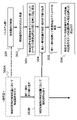
- FIG. 6 is a timing flowchart for explaining the operation that defines the specific operation according to one embodiment of the present invention
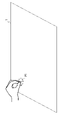
- FIGS. is a perspective view. As shown in FIG. 7, when an operator performs a specific action on a specific object (for example, the object "top surface of a desk” is substantially circled about a specific first position P1 as the center). (Step 301).
- the motion detection unit 2125 of the operating subject uses, for example, the following algorithm to systematically determine that an action of "stroking to form a circle", that is, a specific action, has been performed.
- the center point of the circle related to this specific action is determined using a known algorithm, and the determined center point of the circle, i.e., the specific first position P1, of the virtual controller (in the virtual space ) identifies the controller first position Z1 (FIG. 8) and displays it (step 303).
- steps 300B, 304 by, for example, a predefined number N (for example, "4" here) as the number of positions related to the specific motion
- N for example, "4" here
- Controller Nth position ZN (N may be 4, for example) is specified (identified)
- controller first positions Z1 (in virtual space) of the virtual controller to For example, the controller fourth position Z4 and a virtual plane (virtual plane 12 in FIG. 1) defined by Z1 to Z4 are displayed in the virtual space by the virtual operation target display control unit 2126 (FIG. 9).
- the algorithm for determining whether a specific action has been performed from the detection information described above can be realized, for example, by the following, but is not limited to this.
- the virtual operation target display control unit 2126 compares the position information related to the action of “stroking to form a circle” with the captured image in the real world, so that the “stroking to form a circle” is performed.
- the controller first position Z1 to controller Nth position ZN (N may be 4, for example) of the virtual controller (in the virtual space) are specified (identified) in the virtual space.
- the virtual operation target display control unit 2126 superimposes a specific function object having a specific function (for example, a game controller or a keyboard) on the real object.
- the size is displayed as a virtual world (step 305).
- the controller first position Z1 to (for example, the controller 4th position Z4 is identified, and a plane controller having the controller 1st position Z1 to the controller 4th position Z4 defined in this way, for example, as the four corners is identified and arranged in the virtual space, and displayed on the display 6. (Fig. 10).
- operation buttons B1 to B4 (corresponding to the virtual keyboard 13 and the virtual button 14 in FIG. 1) are defined, and each operation button is displayed in the virtual space.
- the position may be associated with the position on the physical space for identification.
- the above-mentioned specific function objects are not limited to game controllers, and examples include touch panels, track pads, touch displays, toggle switches, button switches, wheels, steering wheels, levers, Joysticks, discs, sliders, rotary bodies, control panels, work instruction devices, mice, keyboards, air hockey tables, whack-a-mole, musical instruments with keyboards such as pianos, stringed instruments such as guitars, musical instruments with striking surfaces such as drums, card games cards and play area, mahjong game tiles, board game pieces, etc., as long as it realizes the function of transmitting (inputting) the operator's intention or action to this system.
- the position information of the real object is used as a base.
- can be detected as motion information for each motion for example, a “reaction” motion, a “key touch” motion, a “key press” motion, etc.).
- the "specific action” is not limited to the action of "stroking to form a circle", and includes, for example, closing the finger, pressing and holding with the fingertip, tapping twice with the fingertip, pointing the finger in a specific direction, Any motion that can identify one or more points by a known algorithm, such as drawing a line with a fingertip or pointing with a controller, can be used.
- the operation to specify one or more points as described above is to specify a substantially plane and an operation target range or a safety confirmation range in it by continuing or combining (so-called “manual calibration", “clearance confirmation” ), but instead of that continuous action, for example, by tracing the periphery of the operation target range with a finger or stroking it with the palm, it is possible to specify an approximately plane and the operation target range at the same time with one action. good.
- This includes a step of processing the range detected as a result of stroking or tracing into a circular or polygonal range through a known algorithm, and a range adjustment of the operation unit to deal with detection accuracy (detection deviation or blurring). , the size, or the step of adjusting the starting position of the hit determination.
- a kick is defined as a specific preliminary action (user hits the hand any number of times, draws an arbitrary figure such as a circle in the air, emits a specific sound, makes the hand a specific shape, etc.). , then target the indexed target (by the user) as a specific object, and perform a specific post-action (which may be the same as the above-mentioned pre-action, clap the hand a different number of times than the pre-action, or perform a pre-action such as ⁇ in the air).
- Draw a figure different from the action, make a specific sound) is detected as a kick to complete the action of targeting a specific object, or while the previous action is continuing (for example, controller button, hand wave, index finger and thumb pinch), and the end of the pre-action (e.g., hand off button, hand still, hand open). ) or complete the object-viewing action upon detection of an action that triggers the completion of the pre-action (e.g., pressing another button, rotating the hand, pinching the middle finger and thumb).
- the target object is first placed in the virtual space.
- this adjusting action may include the action of designating one or more points, the action of targeting by the pre-action, the post-action, and the like.
- the above-mentioned actions performed with fingers and hands can be replaced by detecting actions of external devices (controllers, input devices based on them, or physical objects in a form that can detect actions, such as AR markers, etc.) and button input operations. can be done.
- the virtual operation target display control unit 2126 detects such a series of actions, it is not limited to detection via the above-described still image. Alternatively, detection may be performed by measuring a physical quantity other than a still image, such as a moving image, sound, vibration, or the like.
- an object in the real world (for example, a desk surface board, a cup/doll on a table, etc.) is regarded as a game controller, and a specific action (for example, "stroking to form a circle” action) is performed. I do.
- the real world object is regarded as matching the specific function object (for example, a game controller) in terms of position information, or the real world object and the virtual
- a base (or platform) is generated for linking with a specific functional object corresponding to this in the world, that is, for forming an associative memory, which will be described later.
- the wearer can use the game controller, touch panel, By realistically adding various operations to the above-mentioned objects in the real world, you can experience the feeling that your intention to operate is transmitted to the system side as if you were operating a work instruction device, a musical instrument, or a card or piece in a board game. It will be possible.
- the associative memory formation promotion part (to be described later) can also exhibit the effect of improving the precision and finesse of the above operations.
- an object in the real world can be used as a game controller, that is, a specific object with physical substance (which can be arbitrarily specified by the operator each time).
- a game controller that is, a specific object with physical substance (which can be arbitrarily specified by the operator each time).
- it can be regarded as an interface between the virtual world and the real world, such as a controller, and it is not the experience of operating in the void as before, but the reaction force of physical objects or the real experience accompanied by physical entities. will get In other words, it is possible to have an experience that brings a sense of touch into the virtual reality of the game.
- the associative memory formation promoting part will be described in detail later. Since it is possible to obtain physical feedback in the form of reaction force from the desk, the stimulation from this feedback is directly transmitted to the human nerves, increasing the sense of immersion.
- a specific object in the virtual world such as a controller
- a situation is first created as if the controller is possessed by such a physical object.
- game experience, performance experience, and work experience accompanied by physical feedback i.e., feeling a reaction force from a physical object, in other words, forming an associative memory, which will be described later
- learning and training experiences For example, if we define this from the perspective of the wearer during the progress of the game, it will be more realistic, especially when it is operated with a momentary intense movement, as if it were a sport (so-called E-sports).
- the operator/user can be given a sense of realism and a sense of immersion that has never been experienced before, and a greater sense of satisfaction.
- a user can use a desk or wall (furthermore, a cardboard box, a wooden box, a pillar, a musical instrument, a floor, a surface of water, a part of the body such as one's or another's belly, a doll, a fruit, etc.) as a "controller.” ”, and you will have a different (for example) gaming experience than before.
- game content for example, animal breeding games, farm management games, medieval immersive role-playing games, defense games, shooting games, music games, card games, puzzle games, mahjong games, board games, etc.
- game content for example, collars, farm equipment, facility models, swords and shields, triggers and firing buttons, musical instruments, cards and play mats, puzzle pieces, mahjong tiles, small items such as pieces, etc.
- game content for example, animal breeding games, farm management games, medieval immersive role-playing games, defense games, shooting games, music games, card games, puzzle games, mahjong games, board games, etc.
- swords and shields for example, collars, farm equipment, facility models, swords and shields, triggers and firing buttons, musical instruments, cards and play mats, puzzle pieces, mahjong tiles, small items such as pieces, etc.
- an object indicating the clearance confirmation result range or the processed range may be displayed.
- an obstacle object such as a fence or a signboard, or a warning object
- the above object indicating the safe range is processed and displayed according to the detection result when the user is about to go out of the safe range by mistake or when an operation outside the safe range is detected. It can be anything.
- the changed APP display screen detected by the operation detection unit 2124 and sent to the APP is sent to the content display control unit 2128 .
- the display of the APP is changed to reflect the degree of progress of joint learning (according to another embodiment of the present invention, which will be described later)
- information from the joint learning progress detection unit 2129 is used. good.
- the content display control unit 2128 controls the display 6 of the HMD 5, which is the hardware, to display the changed APP display screen. It is realized by cooperating with wear.
- the function of the federated learning progress detector 2129 according to another embodiment of the invention will be described later.
- Information including an image in the real space captured by the TV camera 7 of the HMD 5 is sent to the virtual operation target display control unit 2126, processed there, and then merged with the image from the content display control unit 2128 in the display control unit 2127. and sent to the HMD. Thereby, the necessary information is comprehensively displayed on the screen 10 of the HMD. If we define this from the viewpoint of the operator (wearer), we can say that it is a semi-real/semi-virtual space in which virtual objects are mixed in the real space, or a mixed reality space in which the real space and the virtual space are aligned and superimposed. is appearing in front of you.
- the virtual operation target display control unit 2126 pre-edits (for example, scales) the information including the image in the real space captured by the hardware of the TV camera 7 so as to be suitable for the image merge operation (to be described later). It is realized by the cooperation of the above-mentioned hardware and the above-mentioned computer resources with an algorithm (software) that causes the computer resources to perform the function of controlling the above-mentioned hardware and computer resources.
- the display control unit 2127 merges (combines) the image information edited by the virtual operation target display control unit 2126 and the image information from the content display control unit 2128 into combined image information. This is achieved by cooperation between an algorithm (software) that causes computer resources to perform the function of controlling display of image information on hardware such as the display 6 of the HMD 5 and the hardware.
- FIG. 3 is a functional block diagram obtained by adding the configuration of an associated memory formation promotion unit 30 to the functional configuration diagram (functional block diagram) according to FIG. 2, and FIGS. 30 is an enlarged view of the conceptual configuration block diagram conceptually depicting how an associative memory is formed.
- the associative memory formation promoting unit 30 is composed of an operating subject movement detecting unit 2125, a virtual operating target display control unit 2126, and a desk 1 (as an entity). (Strictly speaking, the reaction force given by the desk 1 to an action such as pushing down on the desk 1).
- the desk 1 is given as an example of a realistic (that is, having a physical substance) object, and such an object is not limited to a desk, but can be any other movable object. Even if it is (desktop light, document holder, chair, dining table, cardboard box, mahjong table, bed, sofa, flat plate, musical instrument, doll, vegetables, fruit, etc.), fixed objects (walls, handles, pillars, floors, etc.) or anything else (manipulator's hands, fingers, stomach, chest, other person's back, soil, water, etc.) that has physical substance, i.e., can give a reaction force. It doesn't matter which one.
- the operator 4 gives an action (stimulation action) S1 of pressing down on the desk 1 (strictly speaking, the operator 4, for example, the index finger 4a is in direct contact with the desk 1). ), the desk 1 instantaneously applies a reaction force S2 against S1 to the forefinger 4a. Then, the stimulation by this reaction force S2 is transmitted to the central nerves of the operator 4 via the peripheral nerve network of the operator 4 (event S3), resulting in a certain experience in the brain (for example, the action S1 is The experience of giving to things) S4 is formed as a memory. At this time, substantially concurrently, as shown in FIG.
- the action S1 is translated/information-converted as a specific input action (for example, the action of instructing the "controller” to move rightward) in an information-processing manner on this system, and this specific input action is reflected. (That is, for example, the object 1601 in the virtual space is moved to the position of the object 1603 by proceeding rightward by the "controller"). 4 sees this, a specific success experience (for example, the experience that the object 1601 was able to move to the position of the object 1603) S5 is formed as a memory in the brain.
- a specific input action for example, the action of instructing the "controller” to move rightward
- S5 is formed as a memory in the brain.
- an associativity S6 is formed between the memories of both S4 and S5 in the brain.
- an associated memory S6 of S4 and S5 is formed.
- the operator 4 visually recognizes that the result of translating/converting the action S1 as the specific input action is displayed on the display unit.
- S5 is formed as a memory
- the operator 4 confirms by auditory sense, olfactory confirmation
- a specific success experience S5 is triggered by any of the five human senses other than vision, such as the result of being confirmed by touch (the application of a specific stimulus), the result of being confirmed by taste, or any combination of these. It may be formed as a memory.
- the input action S1 is performed on the desk 1, which is a real object in which the object in the virtual space is embodied after recognizing that the input action S1 has been performed.
- a reaction force S2 from an object having a physical substance for example, a desk, a wall, one's other hand, desk 1, etc.
- S3 operator's brain
- the reaction force (strictly, feeling the reaction force) S2 and the output as a result of information processing with the previous input motion S1 as input is formed by viewing the image 10 displayed on the display unit (for example, the display 6). Since the memory S4 and the memory S5 are generated substantially at the same time, a causal relationship between the memory S4 and the memory S5 is recognized in the brain. Associative memory is formed. In other words, by superimposing the virtual space and the real space through the physical object, an associative memory unique to the present application is formed. When an input action S1 is performed on an object in the virtual space in the void as in the prior art, there is no reaction force as described above. .
- objects with elasticity, texture, temperature, and smell may be adopted.
- associative memory is formed with the addition of elasticity, texture, temperature, and smell, resulting in deeper and diverse associative memory, That is, there is a possibility that an associative memory in which memories related to elasticity, texture, temperature, and smell are added to the above-described associative memory.
- FIG. 11 is a conceptual diagram for explaining a learning progress estimation method according to an embodiment of the present invention. More specifically, the correspondence between learning progress and reaction time (reciprocal of proficiency).
- FIG. 4 is a diagram showing relationships; An example of a method for estimating the progress of federated learning will be described using a learning curve with reference to FIG. Actions such as button pressing are measured as reaction time from the presentation of a stimulus to the button being pressed. Generally, as shown in FIG.
- Non-Patent Document 2 by measuring the reaction time from the presentation of a certain stimulus to the pressing of a button, the operator's proficiency for actions related to such a stimulus can be estimated. . For example, by measuring the reaction time of pressing a button in a game, it is possible to determine whether the operator is at stage A (elementary stage of learning progress) or stage B (intermediate stage of learning progress). , or C stage (a stage where the learning progress is advanced). In other words, by focusing on the fact that it is possible to estimate proficiency by measuring the reaction time from the presentation of a stimulus to the pressing of a button, it is possible to estimate the progress of learning. It is possible to select the display method of corresponding contents.
- the estimation of progress and proficiency includes typing error rate, game win/loss rate, progress of pre-instructed (a series of) actions, user's action speed and reaction speed, quiz correct answer rate, action accuracy, degree of completion or degree of completion of actions calculated by algorithms (for example, the number of chains in puzzle games, the degree of openness in reversi, the number of listeners in mahjong games, etc.), using the above variables It is also possible to use other methods, such as the required score, key press intensity, and finger shape change information for finding it.
- FIG. 11 has been explained using a learning curve, but in addition to this, there is a typing error rate, a game winning/losing rate, a progress of a pre-instructed (a series of) actions, a user's action speed and reaction speed, a quiz correct answer rate, Accuracy of movement, degree of completion of movement calculated by algorithm or variables for obtaining degree of completion (for example, number of chains in puzzle games, degree of openness in reversi, number of listeners in mahjong games, etc.), using the above variables It is possible to use an index that is considered appropriate for APP, including the score obtained by pressing the key, information on changes in finger shape for obtaining it, or any combination thereof.
- an index that is considered appropriate for APP, including the score obtained by pressing the key, information on changes in finger shape for obtaining it, or any combination thereof.
- a currently widely used display may be used instead of the HMD 5.
- FIG. 12 is an example of a flowchart for explaining the operation of the image display system according to one embodiment of the present invention.
- a space including a substantially plane is displayed on the display screen including the HMD5 screen (step 601).
- an object having a substantially flat portion is detected by the space detection unit 2122 from the image captured by the TV camera 7 of the HMD 5, and a virtual plane is set at a predetermined position on the display screen 10 and displayed (step 603). ).
- the motion detection unit 2125 of the operating instruction subject detects the motion of the operating instruction subject specifying the operation range, and the operation range is determined on a substantially plane (step 605). Further, the virtual operation object display control unit 2126 displays a virtual operation object including a virtual keyboard and virtual buttons within the operation range (step 607).
- the content display control unit 2128 displays a screen (content) generated by application software including games and office software in the background of the virtual operation target (step 609).
- the operation of the operation instruction subject is given to the content, whereby the operation of the operation instruction subject is detected by the operation detection unit 2124 (step 611), and the operation of the operation instruction subject is transferred to the application software.
- the display content is changed by the content display control unit 2128 (step 613).
- the movement detection unit 2125 of the subject of the operation instruction detects the movement of the subject of the operation instruction with respect to the content (step 615).
- This motion detection is for obtaining the information necessary for estimating the progress of associative learning.
- the motion detection unit 2125 of the operation instruction subject detects the movement of the operation instruction subject
- the association learning progress detection unit 2129 detects the progress of the association learning (step 617), and the detected virtual operation target is operated and detected.
- a change occurs in the content to be operated (step 619), prompting the operator to perform the next operation.
- the program can also be used without the operator's permission (or without the operator's awareness). Since it can be changed dynamically, it becomes possible to provide programs such as complicated games that could not be realized so far.
- the user's motion target range will be within the range of the formed object. .
- inserting a safety range check ("clearance check” or "manual calibration") prevents unintended situations within the real range when the user operates in the virtual space. (e.g. knocking over a coffee cup placed on the edge of the desk) can be reduced.
- This effect can be further enhanced by combining means for displaying the confirmed safety range according to the user's operation (display of boundary lines, fences, etc.).
- the appearance (shape, layout, etc.) of the displayed operation target can also be changed according to the size of the operation target range.
- unintended changes in operability and visual discomfort due to differences in the size of the operation range specified by the user due to differences in the size of the real space, etc. can be further reduced, and content with a high degree of immersion can be created. can be provided.
- the description has been given mainly from the viewpoint of a tactile augmented information processing system as a memory fixation promotion system that does not require an additional device that simulates the tactile sense. or as a method for producing a specific effect by the functions detailed above, or as a recording medium on which the software is recorded.
- the tactile augmented information processing system which can be said to be a memory consolidation promoting system that does not require an additional device that simulates a tactile sense, there is no need to use an additional device that simulates a tactile sense.
- associative learning between visual, auditory and tactile senses is formed. Therefore, the present invention is useful in the information industry, the game industry, the music industry, the tourism industry, the construction industry, the equipment maintenance industry, the manufacturing industry, and the education and training industry, even from the perspective of being able to provide improved APP usage literacy. It has great industrial applicability and convenience in industry, medical industry, medical-related industry, and the like.
- Step 605 The operation range is determined on a substantially plane by the operation instruction subject's specifying operation of the operation range.
- Step 607 A virtual keyboard or a virtual Step 609 for displaying a virtual operation target including target buttons:
- a screen (content) generated by an APP including a game or office software is displayed around the virtual operation target, or at the position of the virtual operation target.
- Step 613 The operation of the operation instructing subject is transferred to the application software, and as a result, a change is given to the displayed content.
- Step 615 Movement of the operation instructing subject with respect to the content is detected.
- Step 617 Operation.
- Step 619 Motion of the instruction subject is detected, and progress of associative learning is detected: In accordance with the operation on the detected virtual operation target and/or the progress of associative learning, the content that is the operation target is changed to the next step.
- Step 2122 where the operator is prompted to perform an operation: space detection unit 2123: operation range setting unit 2124: operation detection unit 2125: motion detection unit 2126: virtual operation target display control unit 2127: display control unit 2128: content display Control unit 2129: Associative learning progress detection unit S1: (Stimulation) action S2: Reaction force from desk 1 to S1 S3: Stimulation by reaction force S2 is transmitted to the central nervous system via peripheral nerve network of operator 4 Event S4: Experiential memory of giving action S1 to a physical object S5: Experiential memory of being able to move object 601 to the position of object 603 in virtual space S6: Formed associativity, associative memory
Landscapes
- Engineering & Computer Science (AREA)
- Theoretical Computer Science (AREA)
- General Engineering & Computer Science (AREA)
- Physics & Mathematics (AREA)
- General Physics & Mathematics (AREA)
- Human Computer Interaction (AREA)
- Computer Hardware Design (AREA)
- Computer Graphics (AREA)
- Software Systems (AREA)
- Position Input By Displaying (AREA)
Priority Applications (1)
| Application Number | Priority Date | Filing Date | Title |
|---|---|---|---|
| JP2022506693A JPWO2022180894A1 (https=) | 2021-02-24 | 2021-08-30 |
Applications Claiming Priority (2)
| Application Number | Priority Date | Filing Date | Title |
|---|---|---|---|
| JP2021027536 | 2021-02-24 | ||
| JP2021-027536 | 2021-02-24 |
Publications (1)
| Publication Number | Publication Date |
|---|---|
| WO2022180894A1 true WO2022180894A1 (ja) | 2022-09-01 |
Family
ID=83048740
Family Applications (1)
| Application Number | Title | Priority Date | Filing Date |
|---|---|---|---|
| PCT/JP2021/031776 Ceased WO2022180894A1 (ja) | 2021-02-24 | 2021-08-30 | 触覚拡張情報処理システム、ソフトウエア、方法並びに記録媒体 |
Country Status (2)
| Country | Link |
|---|---|
| JP (1) | JPWO2022180894A1 (https=) |
| WO (1) | WO2022180894A1 (https=) |
Cited By (2)
| Publication number | Priority date | Publication date | Assignee | Title |
|---|---|---|---|---|
| WO2024075544A1 (ja) * | 2022-10-06 | 2024-04-11 | ソニーグループ株式会社 | 情報処理装置、情報処理方法およびプログラム |
| CN120523374A (zh) * | 2025-07-25 | 2025-08-22 | 南方科技大学 | 扩展现实设备的交互方法及系统 |
Citations (4)
| Publication number | Priority date | Publication date | Assignee | Title |
|---|---|---|---|---|
| JP2010067062A (ja) * | 2008-09-11 | 2010-03-25 | Ntt Docomo Inc | 入力システム及び入力方法 |
| JP2013114375A (ja) * | 2011-11-28 | 2013-06-10 | Seiko Epson Corp | 表示システム、及び操作入力方法 |
| WO2018146922A1 (ja) * | 2017-02-13 | 2018-08-16 | ソニー株式会社 | 情報処理装置、情報処理方法、及びプログラム |
| JP2020144233A (ja) * | 2019-03-06 | 2020-09-10 | 株式会社日立製作所 | 学習支援システム、学習支援装置及びプログラム |
-
2021
- 2021-08-30 JP JP2022506693A patent/JPWO2022180894A1/ja active Pending
- 2021-08-30 WO PCT/JP2021/031776 patent/WO2022180894A1/ja not_active Ceased
Patent Citations (4)
| Publication number | Priority date | Publication date | Assignee | Title |
|---|---|---|---|---|
| JP2010067062A (ja) * | 2008-09-11 | 2010-03-25 | Ntt Docomo Inc | 入力システム及び入力方法 |
| JP2013114375A (ja) * | 2011-11-28 | 2013-06-10 | Seiko Epson Corp | 表示システム、及び操作入力方法 |
| WO2018146922A1 (ja) * | 2017-02-13 | 2018-08-16 | ソニー株式会社 | 情報処理装置、情報処理方法、及びプログラム |
| JP2020144233A (ja) * | 2019-03-06 | 2020-09-10 | 株式会社日立製作所 | 学習支援システム、学習支援装置及びプログラム |
Cited By (2)
| Publication number | Priority date | Publication date | Assignee | Title |
|---|---|---|---|---|
| WO2024075544A1 (ja) * | 2022-10-06 | 2024-04-11 | ソニーグループ株式会社 | 情報処理装置、情報処理方法およびプログラム |
| CN120523374A (zh) * | 2025-07-25 | 2025-08-22 | 南方科技大学 | 扩展现实设备的交互方法及系统 |
Also Published As
| Publication number | Publication date |
|---|---|
| JPWO2022180894A1 (https=) | 2022-09-01 |
Similar Documents
| Publication | Publication Date | Title |
|---|---|---|
| Seinfeld et al. | User representations in human-computer interaction | |
| Martínez et al. | Identifying virtual 3D geometric shapes with a vibrotactile glove | |
| Cheng et al. | Sparse haptic proxy: Touch feedback in virtual environments using a general passive prop | |
| Rietzler et al. | Conveying the perception of kinesthetic feedback in virtual reality using state-of-the-art hardware | |
| Bowman et al. | 3d user interfaces: New directions and perspectives | |
| Mendes et al. | Mid-air interactions above stereoscopic interactive tables | |
| Orozco et al. | The role of haptics in games | |
| US8232989B2 (en) | Method and apparatus for enhancing control of an avatar in a three dimensional computer-generated virtual environment | |
| US9694283B2 (en) | Method and apparatus for tracking of a subject in a video game | |
| CN102430244B (zh) | 一种通过手指接触产生视觉上的人机互动的方法 | |
| Xavier et al. | Pseudo-haptics survey: Human-computer interaction in extended reality and teleoperation | |
| Deng et al. | Multimodality with eye tracking and haptics: a new horizon for serious games? | |
| WO2022180894A1 (ja) | 触覚拡張情報処理システム、ソフトウエア、方法並びに記録媒体 | |
| Maggiorini et al. | Evolution of game controllers: Toward the support of gamers with physical disabilities | |
| Richard et al. | Multivibes: What if your vr controller had 10 times more vibrotactile actuators? | |
| Hwang et al. | Enriching industrial training experience in virtual reality with pseudo-haptics and vibrotactile stimulation | |
| Ariza et al. | Ring-shaped haptic device with vibrotactile feedback patterns to support natural spatial interaction | |
| Freeman et al. | The role of physical controllers in motion video gaming | |
| Young et al. | Usability testing of video game controllers | |
| KR20150097050A (ko) | 박수 게임을 이용한 유아 및 발달장애 아동의 학습 시스템 | |
| Chien et al. | Gesture-based head-mounted augmented reality game development using leap motion and usability evaluation | |
| Chapoulie et al. | Finger-based manipulation in immersive spaces and the real world | |
| Ergun et al. | Embodiment in virtual reality and augmented reality games: an investigation on user interface haptic controllers | |
| Yusof et al. | Virtual Block Augmented Reality Game Using Freehand Gesture Interaction | |
| Chen et al. | CamTroller: An Auxiliary Tool for Controlling Your Avatar in PC Games Using Natural Motion Mapping |
Legal Events
| Date | Code | Title | Description |
|---|---|---|---|
| ENP | Entry into the national phase |
Ref document number: 2022506693 Country of ref document: JP Kind code of ref document: A |
|
| 121 | Ep: the epo has been informed by wipo that ep was designated in this application |
Ref document number: 21927990 Country of ref document: EP Kind code of ref document: A1 |
|
| NENP | Non-entry into the national phase |
Ref country code: DE |
|
| 122 | Ep: pct application non-entry in european phase |
Ref document number: 21927990 Country of ref document: EP Kind code of ref document: A1 |