EP1598735A1 - Verfahren und system zur steuerung vertikal beweglicher leisten für eine benutzeroberfläche - Google Patents
Verfahren und system zur steuerung vertikal beweglicher leisten für eine benutzeroberfläche Download PDFInfo
- Publication number
- EP1598735A1 EP1598735A1 EP03794677A EP03794677A EP1598735A1 EP 1598735 A1 EP1598735 A1 EP 1598735A1 EP 03794677 A EP03794677 A EP 03794677A EP 03794677 A EP03794677 A EP 03794677A EP 1598735 A1 EP1598735 A1 EP 1598735A1
- Authority
- EP
- European Patent Office
- Prior art keywords
- strip
- user
- graphic
- control element
- blinds
- Prior art date
- Legal status (The legal status is an assumption and is not a legal conclusion. Google has not performed a legal analysis and makes no representation as to the accuracy of the status listed.)
- Withdrawn
Links
Images

Classifications
-
- G—PHYSICS
- G06—COMPUTING OR CALCULATING; COUNTING
- G06F—ELECTRIC DIGITAL DATA PROCESSING
- G06F3/00—Input arrangements for transferring data to be processed into a form capable of being handled by the computer; Output arrangements for transferring data from processing unit to output unit, e.g. interface arrangements
- G06F3/01—Input arrangements or combined input and output arrangements for interaction between user and computer
- G06F3/048—Interaction techniques based on graphical user interfaces [GUI]
- G06F3/0481—Interaction techniques based on graphical user interfaces [GUI] based on specific properties of the displayed interaction object or a metaphor-based environment, e.g. interaction with desktop elements like windows or icons, or assisted by a cursor's changing behaviour or appearance
Definitions
- the invention herein refers to a control method and system for strips which are vertically displaceable like blinds for a user interface which is viewable via several viewing means of a processing device, for the integration of applications.
- each application integrated in a graphic operating system whether it be a system application or a non-system application, are represented by an icon which contains the access features of each of said applications, and to run the application, all the user has to do is activate said icon.
- said features it is important that the application's file name and location path are highlighted. All this implies a significant improvement for users, especially, as mentioned earlier, when running an application.
- a user does not need to know the path to locate the application or the name of said application he wishes to run, since all he has to do is double-click on the icon associated with the application, with a pointer controlled externally by a pointing device, such as a mouse.
- an application can also be accessed by selecting the application from a graphic menu incorporated in the operating system.
- Said graphic menu can basically be one of two clearly different types:
- the graphic operating system has also had to incorporate a structured "windows" system for organizing said icons, so that an icon, until now representing an application, can also represent a window integrating a specific set of applications.
- Each of said windows primarily comprises a frame which borders the whole window, for changing the size of the window, although it may not possible to change the size of the window due to certain technical requirements; a title bar, with the name of the associated window highlighted, and thus identifying it; a useful working area where applications icons are shown; a menu bar which includes all the possible actions that can be carried out in the window and the icons it contains; a button for closing the window; a button for generating a new contextual menu with the possible actions that can be carried out in the window; a button for maximizing the window; a button for minimizing the window; and a button for recuperating the original format of the window, excluding the maximize button, which cannot appear at the same time as the button for recuperating the original window format. It is also possible for none of said elements to be present or for other window elements to appear, such as a status bar or a tool bar, which are also known in said operating systems.
- Said icons can be organized in different windows using different criteria, depending on the programmer or user of said operating system. Whatever the criteria, an icon for opening a window which contains other icons must always be double-clicked. Double-clicking on one of said icons can also produce a new window with more icons, one of which can open another window with more icons, and so on.
- any application run by a user means that one or more windows must be opened, and the amount of information displayed on screen can interfere with the effective use of the operating system or integrated applications. If open windows are closed to remove some of the information displayed on screen, access to the applications is also closed, meaning that all the closed windows have to be reopened if the previous application, or another application integrated in the window of said previously running application, needs to be run again.
- Another inconvenience is that when an application is running, given that a new applications window opens in the operating system, in no way related to the environment to which it belongs, i.e., the window which opens is separate from the window in which the application icon is integrated, making the application completely isolated, for example, from other applications which may be associated with said application and which may be needed to maintain said relationship.
- operating systems provide the possibility of creating a direct access to an application from the desktop.
- the presence of a higher or lower number of direct accesses can lead to poor organization of said icons, making it very hard to find the desired application icon.
- the invention herein resolves all the aforementioned problems, providing new additional technical features, which will be described later.
- a feature of the invention the method for controlling strips which are vertically displaceable like blinds for a user interface, which is viewable via several viewing means of a processing unit, is characterized by the fact that it comprises the following steps:
- Each control element preferably has a left area for the user to completely open/close the strip which is vertically displaceable like blinds, a central area for selecting the tab, and a right area for the user to control the opening/closing of a tab.
- control element clearly defines the different areas it contains.
- Both the function of the left area and that of the right area of the control element basically depend on the situation in which the strip is at a given time. If the strip is closed, the user will activate the left area of the control element to completely open the tab, whereas if the strip is completely or partially open, the user will activate the right area of the control element to completely close the tab. But, if the strip is closed, the user will activate the right area of the control element to completely or partially open the tab, depending on the wishes or needs of the user, whereas if the strip is completely or partially open, the user will activate the right area of the control element to completely or partially open or close the tab, again depending on the wishes or needs of the user.
- step (C) includes the following sub-steps:
- the above-mentioned steps allow the strips to be opened, sliding their lower part via the viewing means, such as a computer screen, down to their lowest part of the viewing means, to show all the element integrated in the tab, which occupies most of the screen.
- the viewing means such as a computer screen
- Step (B) includes a sub-step in which the user, using the pointing device, places the pointer over the right area of the control element and for this, step (C) includes the following sub-steps:
- the strip is opened to the user's desired position. In this way, several strips can be open in different positions allowing direct access simultaneously to elements on different tabs.
- sub-step (C.3) would be as follows:
- This method can also include the following steps:
- any given strip can be accessed by activating the central area of its control element.
- the viewable information contained in the panel of the vertically-sliding strip selected is shown on the screen of the processing unit, and is partially or completely open.
- step (C) includes a sub-step, in which a second control element of the strip which is vertically displaceable like blinds is shown in the control elements bar of the graphic user interface.
- control element moves together with the strip to its lowest position, and a second control element of the strip is shown, which takes up no more screen space since it is in the same place as the control element of the tab, allowing further opportunities for activating said strip and the elements on its panel.
- the second control element of each of the strips which are vertically displaceable like blinds preferably includes a left area for generating a contextual menu of options available on the tab, and a remaining right area for selecting the tab.
- the second control elements also have clearly-defined areas which can be activated.
- This method also includes the following steps:
- the contextual menu is a drop-down menu in the left area of the second control element, via which the default options on the panel of the strip which is vertically displaceable like blinds can be accessed.
- the elements in use are also available, and can be brought to the forefront just by placing the pointer on the menu option and clicks on the predetermined button of the pointing device.
- the method also includes the following steps:
- Said action defined in the aforementioned steps is the same as the action for clicking on the central part of the control element of a tab.
- the ability to carry out this same action on different elements makes it more versatile and easy to use.
- At least one graphic element shown on the panel of the strip which is vertically displaceable like blinds is associated with an application.
- Types of integrated systems are productivity applications, including all those applications involving the productivity, for example, of a company; horizontal applications, including all those applications used for the management, for example, of a company; and sectorial applications, which include all those applications specific to the sector in which the company operates.
- Other applications can be integrated, such as those providing services to the users.
- the method also includes the following useful steps:
- the graphic user interface also includes a useful graphic button for automatically closing all the strips which are vertically displaceable like blinds which are open.
- the method for this includes the following steps:
- the application screen has a bar with the graphic buttons of the applications which are open on the same strip which is vertically displaceable like blinds.
- the method thus includes the following steps:
- the application screen also includes a useful graphic button for saving the application information.
- the information contained on screen can be stored without having to interact with the application that generated said information. It is a button which is external to the integrated application and, while running, belongs to the application screen.
- the method includes the following steps:
- control element of each strip which is vertically displaceable like blinds as well as the second control element of each strip which is vertically displaceable like blinds, are graphic buttons.
- the pointing device will preferably be a mouse.
- the system for strips which are vertically displaceable like blinds for a graphic user interface which are viewable via several viewing means of a processing unit, is characterized by the fact that each of the strips which are vertically displaceable like blinds is associated with a control element on a control elements bar on the graphic user interface shown via the viewing means, whose control elements are activated by a user to open and close said tabs, which, once open, have a panel which displays at least one graphic element which the user can activate.
- the system is designed as a system to improve user productivity, increasing his organizational ability and making the system more user friendly.
- Each control element has a left area for the user to completely open/close the strip which is vertically displaceable like blinds, a central area for selecting the tab, and a right area for the user to control the opening/closing of the tab.
- control element of the control elements bar associated with the strip is in the lowest part of the tab, outside said tab.
- the system when a strip is opened, the system has a second control element of said strip which occupies the position of the control element of the tab, in the control elements bar.
- Said second control element of each of the strips which are vertically displaceable like blinds includes a left area for generating a contextual menu of options available on the tab, and a remaining right area for selecting the tab.
- At least one graphic element shown on the panel of the strip which is vertically displaceable like blinds is associated with an application.
- Said application screen includes a bar for the graphic buttons of the applications which are running on the same tab, and a button for storing all the information of the application which is running.
- the graphic user interface shown via the view means of the processing unit includes a graphic button for automatically closing all the strips which are open.
- Another feature of the invention is that the panel of each of the strips which are vertically displaceable like blinds always remains active.
- control elements and the second control elements are graphic buttons
- the processing unit is a personal computer
- the viewing means are a personal computer screen
- the pointing device is a mouse connected to the personal computer
- the strip which is vertically displaceable like blinds are referred to as pull-down tabs.
- the system of strips which are vertically displaceable like blinds, object of the invention has a graphic user interface 1 comprising a graphic button 2 for closing the interface, a graphic button 3 for minimizing the interface 1 and a graphic button 4 for maximizing the interface. If the interface 1 has already been maximized, the button 4 for maximizing the interface is substituted by a graphic button for recuperating the size of the interface (not represented).
- the interface also comprises a bar 5 of graphic buttons 6 which identifies the system of pull-down strips of the invention, in its initial state, before a user activates said system, and a graphic button 7 for automatically closing all the pull-down strips which are open when the button is clicked on.
- Each graphic button 6 associated with a pull-down strip has a left area 8 for completely opening the pull-down strip on the computer screen, a right area 9 which is for the user to control the opening of the pull-down tab, and a central area 10 for selecting and viewing the pull-down strip in the foreground if completely or partially open.
- a pull-down strip 11 is shown with a graphic button 6 for partially or completely opening and closing the pull-down strip 11, a second graphic button 12, and a panel 13 where there are a number of graphic buttons 14 associated with applications available to the user.
- the second graphic button 12 of the pull-down strip 11 also has a left area 15 for generating a drop-down contextual menu which shows the same options 14 as those on the panel 13 and the options 14 of the panel 13 which are running; and a remaining right area 16 for selecting and viewing the pull-down strip 11 in the foreground.
- FIG 3 shows the graphic user interface 1 with various pull-down strips 11 open at the same time. As can be seen, there are two pull-down strips 11 which are completely open and one pull-down strip 11 which is partially open, which is in the foreground.
- the graphic buttons bar 5 has the second graphic button 12 for those pull-down strips which are completely or partially open. To access one of the completely open pull-down strips 11, all the user has to do is activate the central area 10 of the graphic button 6 of the pull-down strip 11, which is completely open, to bring it into the foreground, showing the information contained on its panel 13.
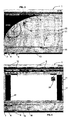
- FIG. 4 shows a pull-down strip 11 with an application running, such as a word-processing software package.
- Said application has an application screen 17 which occupies the whole surface of the partially open pull-down strip 11.
- Said application screen 17 has a bar 18 of graphic buttons 19 of the applications open on the pull-down strip 11. If various applications are running on the same pull-down strip 11, a button 19 appears for each application, and to access one of these applications, all that needs to be done is activate the graphic button 19 representing the application which is running.
- the application screen 17 also has a graphic button 20 for storing the information contained on said application screen 17. If the user activates said button 20, the information is automatically stored in a predefined place.
- This move also changes the graphic button 6, since its left area 8 is reconverted, so that instead of completely opening the pull-down strip 11, which serves no purpose in the given situation, it provides the option to completely close the pull-down strip 11, so that if the user places the pointer on said left area 8 of the graphic button 6 and clicks on the predetermined button of the mouse, the panel 13 of the pull-down strip 11 will be completely closed, returning to the original position of the pull-down strip 11 represented by the graphic button 6 on the bar 5 of graphic buttons 6. Furthermore, another event caused by the user's actions is the appearance of the second graphic button 12 of the pull-down strip 11 on the bar 5 of graphic buttons 6.
- a pull-down strip Once a pull-down strip is open, the user can activate one of the graphic icons 14 on the panel 13 of the pull-down strip 11 to open the desired application, associated with said graphic icon 14, and can work on it; he can activate the open pull-down strip 11; or he can activate any other pull-down strip 11 available in the system, activating, more specifically, its graphic button 6, given that the other remaining pull-down strips 11 are still in their initial position.
- the application screen 17 is automatically opened and occupies the whole surface of the panel 13 of the pull-down strip 11, whose application screen 17 has the bar 18 of graphic buttons 19 with the graphic button 19 of the application which is running. If the user runs more applications on the same pull-down strip 11, each of said applications will be represented by a graphic button 19 on the bar 18, thus enabling the user to access any of the applications which are running simply by placing the pointer on the button 19 of the desired application and clicks on the predetermined mouse button on said button 19, using the pointer. Each application screen 17 also shows the graphic button 20 for storing information generated by the application.
- the bar 18 of applications open on the application screen 17 also has a button 21 for automatically minimizing all the applications which are running on the pull-down tab, once again showing the graphic icons 14 on the panel 13 of the pull-down strip 11.
- the user decides to activate the open pull-down strip 11, he can do so by activating the graphic button 6 or the second graphic button 12. As described already, if the user activates the left area 8 of the graphic button 6 the pull-down strip 11 is completely closed, if the user activates the right area 9 of said button 6 the panel 13 of the pull-down strip 11 can be partially or completely closed, while if the user activates the central area 10 of the button 6, only the pull-down strip 11 is selected.
- a drop-down menu appears showing all the applications integrated in the panel 13 of the pull-down strip 11 and all the applications which are running in the pull-down tab, it being possible to open another application or open an application which is already running, via the same action as that for activating the graphic button 19 of the application on the bar 18.
- the same actions as those so far described for the first pull-down strip 11 should be followed.
- all the user needs to do is place the pointer over the central area of the graphic button and click on the predetermined mouse button to select the desired pull-down strip 11 and follow the relevant actions described earlier.
- the button 20 for automatically closing all the open pull-down strips 11 can also be used.
Landscapes
- Engineering & Computer Science (AREA)
- General Engineering & Computer Science (AREA)
- Theoretical Computer Science (AREA)
- Human Computer Interaction (AREA)
- Physics & Mathematics (AREA)
- General Physics & Mathematics (AREA)
- User Interface Of Digital Computer (AREA)
Applications Claiming Priority (1)
| Application Number | Priority Date | Filing Date | Title |
|---|---|---|---|
| PCT/ES2003/000061 WO2004070603A1 (es) | 2003-02-03 | 2003-02-03 | Procedimiento de control y sistema de bandas desplazables verticalmente a modo de persiana para una interfaz de usuario |
Publications (1)
| Publication Number | Publication Date |
|---|---|
| EP1598735A1 true EP1598735A1 (de) | 2005-11-23 |
Family
ID=32842950
Family Applications (1)
| Application Number | Title | Priority Date | Filing Date |
|---|---|---|---|
| EP03794677A Withdrawn EP1598735A1 (de) | 2003-02-03 | 2003-02-03 | Verfahren und system zur steuerung vertikal beweglicher leisten für eine benutzeroberfläche |
Country Status (3)
| Country | Link |
|---|---|
| EP (1) | EP1598735A1 (de) |
| AU (1) | AU2003215683A1 (de) |
| WO (1) | WO2004070603A1 (de) |
Family Cites Families (4)
| Publication number | Priority date | Publication date | Assignee | Title |
|---|---|---|---|---|
| US5371847A (en) * | 1992-09-22 | 1994-12-06 | Microsoft Corporation | Method and system for specifying the arrangement of windows on a display |
| US5956030A (en) * | 1993-06-11 | 1999-09-21 | Apple Computer, Inc. | Computer system with graphical user interface including windows having an identifier within a control region on the display |
| EP0717344B1 (de) * | 1994-12-13 | 2001-10-31 | Microsoft Corporation | Taskbar mit Startmenü |
| DE69805986T2 (de) * | 1997-03-28 | 2003-01-23 | Sun Microsystems Inc | Verfahren und vorrichtung zur konfigurierung von schiebefenstern |
-
2003
- 2003-02-03 AU AU2003215683A patent/AU2003215683A1/en not_active Abandoned
- 2003-02-03 WO PCT/ES2003/000061 patent/WO2004070603A1/es not_active Ceased
- 2003-02-03 EP EP03794677A patent/EP1598735A1/de not_active Withdrawn
Non-Patent Citations (1)
| Title |
|---|
| See references of WO2004070603A1 * |
Also Published As
| Publication number | Publication date |
|---|---|
| WO2004070603A1 (es) | 2004-08-19 |
| AU2003215683A1 (en) | 2004-08-30 |
Similar Documents
| Publication | Publication Date | Title |
|---|---|---|
| US5745718A (en) | Folder bar widget | |
| US5140678A (en) | Computer user interface with window title bar icons | |
| US7181698B2 (en) | Detachable tabs presenting accessed objects in a multi-tab interface | |
| US5673404A (en) | End-user customizable feedback display for windowed applications | |
| US7509348B2 (en) | Radially expanding and context-dependent navigation dial | |
| US5923328A (en) | Method and system for displaying a hierarchical sub-tree by selection of a user interface element in a sub-tree bar control | |
| RU2554395C2 (ru) | Система и способ для выбора вкладки в браузере с вкладками | |
| JP3084666B2 (ja) | コンピュータ・システムおよび階層選択メニュー表示方法 | |
| US5140677A (en) | Computer user interface with window title bar mini-icons | |
| US6072486A (en) | System and method for creating and customizing a deskbar | |
| US5602981A (en) | Quickselect icon button on a computer display which redisplays the last view style activated by the icon button | |
| EP1668449B1 (de) | Hierarchische mehrebenen-expandierungs- und -collabierungs-navigations-hilfe für hierarchische strukturen | |
| US5812132A (en) | Windowed computer display | |
| US5307086A (en) | Method of implementing a preview window in an object oriented programming system | |
| JP4307468B2 (ja) | スタート・メニュー付タスクバー | |
| US6262728B1 (en) | System and method for annotating a graphical user interface display in a computer-based system | |
| US7350154B2 (en) | Virtual desktop manager | |
| US5550969A (en) | Graphical method of indicating the position of and performing an operation on a plurality of selected objects in a computer system | |
| US5854629A (en) | Enhanced scrolling technique for context menus in graphical user interfaces | |
| US6014140A (en) | Method and system for locating and displaying the position of a cursor contained within a page of a compound document | |
| EP1278116A1 (de) | Benutzerschnittstelle | |
| US20040261039A1 (en) | Method and system for ordering on-screen windows for display | |
| JPH07200237A (ja) | データ処理システムにおける複数のアプリケーションの表示を操作する方法およびシステム | |
| US5959625A (en) | Method and system for facilitating navigation among software applications and improved screen viewing | |
| JPH0823803B2 (ja) | システムの挙動にアクセスする方法、アイコン表示装置及びデータ処理システム |
Legal Events
| Date | Code | Title | Description |
|---|---|---|---|
| PUAI | Public reference made under article 153(3) epc to a published international application that has entered the european phase |
Free format text: ORIGINAL CODE: 0009012 |
|
| 17P | Request for examination filed |
Effective date: 20040223 |
|
| AK | Designated contracting states |
Kind code of ref document: A1 Designated state(s): AT BE BG CH CY CZ DE DK EE ES FI FR GB GR HU IE IT LI LU MC NL PT SE SI SK TR |
|
| AX | Request for extension of the european patent |
Extension state: AL LT LV MK RO |
|
| RIN1 | Information on inventor provided before grant (corrected) |
Inventor name: DOMENECH RIERA, EUDALD |
|
| DAX | Request for extension of the european patent (deleted) | ||
| RAP1 | Party data changed (applicant data changed or rights of an application transferred) |
Owner name: POWEROFFICE, S.A. |
|
| 17Q | First examination report despatched |
Effective date: 20070822 |
|
| STAA | Information on the status of an ep patent application or granted ep patent |
Free format text: STATUS: THE APPLICATION IS DEEMED TO BE WITHDRAWN |
|
| 18D | Application deemed to be withdrawn |
Effective date: 20080103 |