EP1028584A1 - Automatic handling of scan orders - Google Patents
Automatic handling of scan orders Download PDFInfo
- Publication number
- EP1028584A1 EP1028584A1 EP00200429A EP00200429A EP1028584A1 EP 1028584 A1 EP1028584 A1 EP 1028584A1 EP 00200429 A EP00200429 A EP 00200429A EP 00200429 A EP00200429 A EP 00200429A EP 1028584 A1 EP1028584 A1 EP 1028584A1
- Authority
- EP
- European Patent Office
- Prior art keywords
- request
- scanner
- document
- digitised
- management unit
- Prior art date
- Legal status (The legal status is an assumption and is not a legal conclusion. Google has not performed a legal analysis and makes no representation as to the accuracy of the status listed.)
- Granted
Links
- 238000000034 method Methods 0.000 claims abstract description 31
- 230000004044 response Effects 0.000 claims abstract description 12
- 230000008569 process Effects 0.000 claims abstract description 10
- 238000004519 manufacturing process Methods 0.000 claims 1
- 238000010276 construction Methods 0.000 abstract 1
- 230000002452 interceptive effect Effects 0.000 abstract 1
- 238000007726 management method Methods 0.000 description 12
- 238000013500 data storage Methods 0.000 description 4
- 238000010586 diagram Methods 0.000 description 3
- 230000008859 change Effects 0.000 description 2
- 238000012790 confirmation Methods 0.000 description 2
- 230000006870 function Effects 0.000 description 2
- 230000009471 action Effects 0.000 description 1
- 230000004913 activation Effects 0.000 description 1
- 230000000903 blocking effect Effects 0.000 description 1
- 238000006243 chemical reaction Methods 0.000 description 1
- 230000001934 delay Effects 0.000 description 1
- 230000000694 effects Effects 0.000 description 1
- 238000005516 engineering process Methods 0.000 description 1
- 230000006872 improvement Effects 0.000 description 1
- 238000007689 inspection Methods 0.000 description 1
- 230000007257 malfunction Effects 0.000 description 1
- 239000002699 waste material Substances 0.000 description 1
Images


Classifications
-
- H—ELECTRICITY
- H04—ELECTRIC COMMUNICATION TECHNIQUE
- H04N—PICTORIAL COMMUNICATION, e.g. TELEVISION
- H04N1/00—Scanning, transmission or reproduction of documents or the like, e.g. facsimile transmission; Details thereof
- H04N1/32—Circuits or arrangements for control or supervision between transmitter and receiver or between image input and image output device, e.g. between a still-image camera and its memory or between a still-image camera and a printer device
- H04N1/32502—Circuits or arrangements for control or supervision between transmitter and receiver or between image input and image output device, e.g. between a still-image camera and its memory or between a still-image camera and a printer device in systems having a plurality of input or output devices
- H04N1/32507—Circuits or arrangements for control or supervision between transmitter and receiver or between image input and image output device, e.g. between a still-image camera and its memory or between a still-image camera and a printer device in systems having a plurality of input or output devices a plurality of input devices
-
- H—ELECTRICITY
- H04—ELECTRIC COMMUNICATION TECHNIQUE
- H04N—PICTORIAL COMMUNICATION, e.g. TELEVISION
- H04N1/00—Scanning, transmission or reproduction of documents or the like, e.g. facsimile transmission; Details thereof
- H04N1/00127—Connection or combination of a still picture apparatus with another apparatus, e.g. for storage, processing or transmission of still picture signals or of information associated with a still picture
- H04N1/00204—Connection or combination of a still picture apparatus with another apparatus, e.g. for storage, processing or transmission of still picture signals or of information associated with a still picture with a digital computer or a digital computer system, e.g. an internet server
- H04N1/00236—Connection or combination of a still picture apparatus with another apparatus, e.g. for storage, processing or transmission of still picture signals or of information associated with a still picture with a digital computer or a digital computer system, e.g. an internet server using an image reading or reproducing device, e.g. a facsimile reader or printer, as a local input to or local output from a computer
-
- H—ELECTRICITY
- H04—ELECTRIC COMMUNICATION TECHNIQUE
- H04N—PICTORIAL COMMUNICATION, e.g. TELEVISION
- H04N1/00—Scanning, transmission or reproduction of documents or the like, e.g. facsimile transmission; Details thereof
- H04N1/00912—Arrangements for controlling a still picture apparatus or components thereof not otherwise provided for
- H04N1/00954—Scheduling operations or managing resources
-
- H—ELECTRICITY
- H04—ELECTRIC COMMUNICATION TECHNIQUE
- H04N—PICTORIAL COMMUNICATION, e.g. TELEVISION
- H04N1/00—Scanning, transmission or reproduction of documents or the like, e.g. facsimile transmission; Details thereof
- H04N1/32—Circuits or arrangements for control or supervision between transmitter and receiver or between image input and image output device, e.g. between a still-image camera and its memory or between a still-image camera and a printer device
- H04N1/32502—Circuits or arrangements for control or supervision between transmitter and receiver or between image input and image output device, e.g. between a still-image camera and its memory or between a still-image camera and a printer device in systems having a plurality of input or output devices
- H04N1/32507—Circuits or arrangements for control or supervision between transmitter and receiver or between image input and image output device, e.g. between a still-image camera and its memory or between a still-image camera and a printer device in systems having a plurality of input or output devices a plurality of input devices
- H04N1/32512—Circuits or arrangements for control or supervision between transmitter and receiver or between image input and image output device, e.g. between a still-image camera and its memory or between a still-image camera and a printer device in systems having a plurality of input or output devices a plurality of input devices of different type, e.g. internal and external devices
-
- H—ELECTRICITY
- H04—ELECTRIC COMMUNICATION TECHNIQUE
- H04N—PICTORIAL COMMUNICATION, e.g. TELEVISION
- H04N1/00—Scanning, transmission or reproduction of documents or the like, e.g. facsimile transmission; Details thereof
- H04N1/32—Circuits or arrangements for control or supervision between transmitter and receiver or between image input and image output device, e.g. between a still-image camera and its memory or between a still-image camera and a printer device
- H04N1/32502—Circuits or arrangements for control or supervision between transmitter and receiver or between image input and image output device, e.g. between a still-image camera and its memory or between a still-image camera and a printer device in systems having a plurality of input or output devices
- H04N1/32523—Circuits or arrangements for control or supervision between transmitter and receiver or between image input and image output device, e.g. between a still-image camera and its memory or between a still-image camera and a printer device in systems having a plurality of input or output devices a plurality of output devices
-
- H—ELECTRICITY
- H04—ELECTRIC COMMUNICATION TECHNIQUE
- H04N—PICTORIAL COMMUNICATION, e.g. TELEVISION
- H04N1/00—Scanning, transmission or reproduction of documents or the like, e.g. facsimile transmission; Details thereof
- H04N1/00127—Connection or combination of a still picture apparatus with another apparatus, e.g. for storage, processing or transmission of still picture signals or of information associated with a still picture
- H04N1/00204—Connection or combination of a still picture apparatus with another apparatus, e.g. for storage, processing or transmission of still picture signals or of information associated with a still picture with a digital computer or a digital computer system, e.g. an internet server
-
- H—ELECTRICITY
- H04—ELECTRIC COMMUNICATION TECHNIQUE
- H04N—PICTORIAL COMMUNICATION, e.g. TELEVISION
- H04N2201/00—Indexing scheme relating to scanning, transmission or reproduction of documents or the like, and to details thereof
- H04N2201/0008—Connection or combination of a still picture apparatus with another apparatus
- H04N2201/0074—Arrangements for the control of a still picture apparatus by the connected apparatus
-
- H—ELECTRICITY
- H04—ELECTRIC COMMUNICATION TECHNIQUE
- H04N—PICTORIAL COMMUNICATION, e.g. TELEVISION
- H04N2201/00—Indexing scheme relating to scanning, transmission or reproduction of documents or the like, and to details thereof
- H04N2201/0077—Types of the still picture apparatus
- H04N2201/0081—Image reader
-
- H—ELECTRICITY
- H04—ELECTRIC COMMUNICATION TECHNIQUE
- H04N—PICTORIAL COMMUNICATION, e.g. TELEVISION
- H04N2201/00—Indexing scheme relating to scanning, transmission or reproduction of documents or the like, and to details thereof
- H04N2201/32—Circuits or arrangements for control or supervision between transmitter and receiver or between image input and image output device, e.g. between a still-image camera and its memory or between a still-image camera and a printer device
- H04N2201/3201—Display, printing, storage or transmission of additional information, e.g. ID code, date and time or title
- H04N2201/3212—Display, printing, storage or transmission of additional information, e.g. ID code, date and time or title of data relating to a job, e.g. communication, capture or filing of an image
- H04N2201/3218—Display, printing, storage or transmission of additional information, e.g. ID code, date and time or title of data relating to a job, e.g. communication, capture or filing of an image of a confirmation, acknowledgement or receipt
Definitions
- the invention relates to a system for generating digitised documents for a digital environment, comprising at least one scanner, provided with a local operator control unit.
- the invention also relates to a method for use in such system.
- a system of this kind is known from EP-A 0 757 311.
- a scanner is connected via a network to a digital environment.
- digital environment in this context denotes a set of digital data processing devices, such as computers and workstations, interconnected by a local network.
- a memory location in the digital environment is selected on an operator control panel of the local operator control unit of a scanner, i.e. an operator control unit present in the machine itself, said memory location being intended as a destination for a data file to be generated during the scanning, and a name is specified for the file.
- the said memory location is usually a directory in the memory of a computer connected to the scanner via the network.
- An improvement can be obtained by digitally transmitting to the scanner via the network a scan order which already contains the destination and name. These data can then be automatically taken over by the scanner so that the operator no longer has to take any further action.
- This solution has been embodied in an Océ-Technologies B.V. product known as the Océ 9800.
- a scan order is compiled by an external application, said scan order containing a specification of the required digital format of the data file for generation, a name for the same and the destination to which the file must be sent.
- a scan order to this kind blocks the scanner until the order has been executed. This can lead to delays, for example if the document for scanning is not yet directly available, because no other scan orders can be executed in the meantime. This obstructs efficient management, and it is therefore required so to compose a system that scan orders can be given from a workstation in the digital environment but do not have to be executed until everything is ready so to do.
- the system according to the preamble comprises a management unit connected to the scanner or scanners and provided with:
- a scan order can be transmitted via the network to a scanner, but is held there without blocking the scanner.
- An operator of a scanner observing that a scan order has arrived can then call the scan order up from the management unit and execute it at a time that suits him.
- the operator before accepting a specific scan order, the operator can first request information concerning the nature of the scan order.
- the central management unit is also provided with means for checking whether the requested digitised document is already available in a required digital form in a connected database. If that is the case, the management unit will simply send the data file concerned from the database to the applicant, without issuing a scan order. Of course the data file already available must have a format equal to the format specified by the applicant. If that is not the case, it may possibly be converted to the required format by the management unit, but if that leads to a loss of quality the management unit will make a scan order pending.
- the allocation means when allocating the said scan order prevent other scanners from accepting the request concerned for a digitised document.
- an order cannot be executed simultaneously by more than one scanner/operator due to a misunderstanding, thus obviating any waste of capacity and confusion.
- a request for a digitised document may contain a number of requirements which the applicant specifies of the scanning process or the result thereof.
- a first requirement is the form in which the data file for generation must be supplied, e.g. the digital format, and also the scanning resolution and colour or black/white.
- the management unit can be so constructed according to the invention that it passes the scan order only to those scanners capable of executing the order. Also, when the management unit in some way knows that a scan order consists of parts with different properties, e.g. a black/white document with some coloured sheets, the said unit can automatically divide it up into different sub-orders and make these pending at different suitable scanners.
- the applicant can also specify a precondition for the scanning process, e.g., that the result must be available before a specific time or date.
- the management unit can be so constructed that it can meet this outline specification, for example by making the scan order concerned pending with priority.
- Priority treatment can be imposed by the management unit by making solely the scan order concerned acceptable.
- Fig. 1 is a diagram showing a system according to the invention.
- the system comprises a number of workstations 1, 2 and 3 for users, a central management unit 4 for co-ordinating scan orders, hereinafter referred to as ScanRequestManager (SRM), and a number of scanners 5, 6 and 7.
- ScanRequestManager SRM
- the scanners are provided with their own operator control unit (not shown separately), equipped with operator control means such as keys 22, 23, 24 and a display 21, possibly in the form of an external operator control unit 6A, such as a PC. It is also possible to include in the system the scanner of a suitably equipped multifunctional digital copying machine. All these elements are interconnected by means of a local network (not shown), to which they are connected.
- the SRM 4 is a suitably programmed computer, e.g.
- Data storage 8 is intended for the storage of data relating to incoming scan orders
- data storage 9 is a large database in which a large number of digitised documents are stored. The latter can also be a unit located at a distance or even a set of local and external databases which are possibly also accessible to other users.
- the above-mentioned operator control means of the scanners used in this system comprise, for example, an operator control panel 20 having thereon a display 21, a start key 24 and operator control keys 22, 23.
- the scanners also have an inputting unit 25 for automatically separating and processing the sheets of a document.
- the scanners 5, 6, 7 and the SRM 4 belong to a service unit for the workstations and their users, and are disposed near one another, e.g. in a central reproduction department (diagrammatically indicated by the broken line 10) of an organisation.
- the invention can also be used in a small system comprising an SRM and, for example, one scanner disposed, for example, in a department secretariat.
- the SRM From their workstations (1, 2, 3) users can make a request for a specific digitised document, whereafter the request is handled automatically by the SRM 4. If the requested document is not yet available in the database 9 in a usable digital form, then the SRM converts the request to an order to scan the required document and to send the scanfile (the digital image data generated during the scanning) to a destination indicated by the applicant, usually his workstation. If required, a copy of the scanfile can default or optionally be stored in the database 9.
- a scan order is not sent direct to a specific scanner by the SRM 4; a message is instead sent to all the scanners to the effect that a scan order is waiting. This message is displayed on the display 21 of the scanners. An operator who sees this message can then actuate a specific scanner, call up the list of waiting orders, and choose and execute one of them. This will be described in detail with reference to Figs. 2A and 2B.
- the workstations 1, 2, 3 are provided with an application by means of which the user can compile a request for such a document by inputting a number of parameters which identify the document and the required format of the data file that represents the document and determine the destination address.
- the same application can be used then to send the request to the SRM 4.
- the SRM 4 first checks whether the requested document is already present in the database 9. If that is the case, the SRM calls the associated data file up from the storage unit and sends it to the required destination, possibly after first converting it to the required format.
- the SRM 4 interprets the request as an order to scan a physical document and send the scanfile to the indicated destination and/or store it in the database 9. The procedure is now as follows.
- the SRM 4 sends a request for scanning to each connected scanner.
- the SRM sends the request only to a limited group of scanners, e.g. those scanners which can carry out a scan process in accordance with the specifications in the request.
- the SRM is provided with a configuration file containing all the connected scanners, with their facilities and limitations. If required, a configuration file of this kind can be prepared automatically and updated by the SRM interrogating the connected scanners as to their facilities and status.
- a limitation can also be provided in the scanner group, for example by selecting only those scanners which are in the neighbourhood of the place where the document for scanning is kept, if this has been established.
- the scanners In response to the request for scanning, the scanners display a message indicating the scanning request.
- the said message does not yet give any details regarding the request, and all that is reported is the fact that a request is pending. It may be that there is more than one request pending at any time. In that case, the number can be displayed in the message on the displays at the scanners.
- An example of a message of this kind is shown in Fig. 3.
- An alternative manner of showing that the request for scanning is pending, is a central announcement by means of a signal which can be observed by an operator, e.g. a display or a warning tamp on a central location in the workroom where the scanners are situated or activation of a paging device such as a buzzer worn by the operator.
- a signal which can be observed by an operator, e.g. a display or a warning tamp on a central location in the workroom where the scanners are situated or activation of a paging device such as a buzzer worn by the operator.
- scanner A If an operator is available to execute a scan order, he actuates a key intended for the purpose on the operator control panel 20 of the scanner of his choice (hereinafter referred to as scanner A). In response to this, the operator control unit of scanner A sends a report to the SRM 4, which in response thereto transmits the details of the pending order to the scanner A. If there is more than one order pending, the details of all these orders are transmitted.
- the pending scan orders are then shown by the operator control unit of scanner A with some details in a list on the display, as shown in Fig. 4.
- This list is, for example, sorted by priority, time of arrival, or alphabetically in the name of the applicant, or by some other criterion.
- the top order in the list is preselected, and another order can be selected by means of the keys 22.
- the selected order is, for example, provided with a black frame as shown in Fig. 4, or can be distinguished in some other way from the other orders. If the list is too long to be fully displayed, the list can be scrolled during selection.
- the details shown in the list are intended to give the operator adequate details to make a choice.
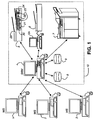
- the operator control unit of scanner A sends an acceptance signal to the SRM 4, which reserves the order for scanner A, i.e., no other scanner can accept this order. This is shown on the displays of the other scanners when they display a list of pending orders e.g. by the accepted order being displayed in grey instead of black characters, as shown in Fig. 5.
- the operator control unit of scanner A now shows on the display all the details of the order, including the scanner settings, see Fig. 6.
- the operator can then program the scanner, or else the scanner will automatically assume the settings. In the latter case, the operator can still change the settings by means of the keys 23. If necessary the operator can finally return the order to the SRM by actuating the key intended for the purpose.
- the operator can now place the intended document in the document input of the scanner A and actuate the start key 24, whereafter the scan order takes place automatically and in accordance with the indicated settings. After the scanning each sheet of the document scanner A sends the generated scanfile to the SRM, which provisionally stores it in its internal hard disk memory.
- scanner A When the complete document has been scanned, the operator control unit of scanner A requests, via a message on the display 21, confirmation from the operator that everything has progressed satisfactorily, see Fig. 7. When the operator has given the required confirmation, scanner A reports to SRM 4 that the order is completed and SRM 4 sends the complete scanfile to the intended destination and, if instructed to do so, stores it in the database 9. The SRM then reports the order as finished to the person giving the order and removes the order from queue.
- the SRM can implement a procedure for charging costs to the applicants account, an amount being debited, for example, per page.
- Scanner A notifies this to the SRM, and in the first case the SRM removes the scanfile from its internal hard disk memory, unblocks the order and reports it afresh generally on the displays of all the scanners. In the second case the SRM erases the scanfile from its memory and initialises the scanner afresh for the order.
- the SRM 4 can also impose a specific sequence of operations, by making just one pending order acceptable. For example, a "first in-first out" treatment can be selected in order to prevent that orders are left unserviced. Any time limit indicated in the request for a digitised document is taken into account by the SRM when determining a treatment sequence.
- the SRM 4 is also provided with a system administrator function by means of which it is possible for an operator to intervene in the procedure by means of the SRM operator control means, such as a mouse and keyboard, and, for example, a specific order can be treated with priority or blocks can be removed.
- This function can also be used to change parameters in the request for a digitised document, e.g. if during the handling of a scan order the operator discovers that the indicated name of the document is not (completely) correct.
- the SRM can divide a request for a digitised document into several scan orders.
- One reason may be that the requested document contains numerous pages while at the same time various scanners are unoccupied. It may also happen that inspection of the document for scanning shows that it contains parts which must be processed on different scanners, e.g. coloured and black/white document sections, or sheets of different formats. This can be signalled by the operator to the SRM, which then formulates different adapted scan orders. When the scanfiles of these different scan orders are supplied by the scanners, the SRM re-combines them to form a complete scanfile.
- both colour scanners and black/white scanners are connected, the black/white scanners being equipped with a simple colour CCD, which can detect that colour occurs in the scanned document but cannot supply scanned data of adequate quality. If during the scanning of a document it is found by the scanner that there are colour images in the document, the scanner reports this to the SRM. The latter then compiles a new scan order for the colour sections of the document and sends it to the colour scanners. The scanfiles of these parts of the document, after being delivered, are automatically substituted by the SRM for the parts delivered by the black/white scanner, and the assembled scanfile is sent to the intended destination by the SRM.
- Scan orders can also be formulated by an automatic system, e.g. for systematically digitising an existing paper archive.
- An administration computer can then automatically generate a list with all the documents for scanning and transmit it to the SRM 4, together with details concerning the required format and the destination, a digital archive. The final handling of the scan orders then proceeds completely as described hereinbefore.
Landscapes
- Engineering & Computer Science (AREA)
- Multimedia (AREA)
- Signal Processing (AREA)
- General Engineering & Computer Science (AREA)
- Computing Systems (AREA)
- Facsimiles In General (AREA)
- Information Retrieval, Db Structures And Fs Structures Therefor (AREA)
- Facsimile Scanning Arrangements (AREA)
Abstract
- inputting means for receiving, from the digital environment, a request for a digitised document
- warning means for indicating a request for a digitised document at at least one scanner
- receiving means for receiving from a scanner an acceptance of a request selected by means of the operator control unit
- allocation means whereby, in response to the said acceptance, a scan order for generation of the digitised document requested in the said request is allocated to the scanner which sent the acceptance.
Description
- The invention relates to a system for generating digitised documents for a digital environment, comprising at least one scanner, provided with a local operator control unit. The invention also relates to a method for use in such system.
- A system of this kind is known from EP-A 0 757 311. In this known system, a scanner is connected via a network to a digital environment. The term "digital environment" in this context denotes a set of digital data processing devices, such as computers and workstations, interconnected by a local network.
- To initiate a scanning process, a memory location in the digital environment is selected on an operator control panel of the local operator control unit of a scanner, i.e. an operator control unit present in the machine itself, said memory location being intended as a destination for a data file to be generated during the scanning, and a name is specified for the file. The said memory location is usually a directory in the memory of a computer connected to the scanner via the network.
- After an operator has selected the destination, he can start the actual scanning process, whereafter the generated image data are automatically transmitted by the scanner to the destination where they are stored under the given file name in the selected directory. One disadvantage of this procedure is that an order for the scanning of a specific document must first be communicated by an applicant to the scanner operator, who is frequently situated at a completely different place, the applicant also having to indicate a destination and a file name. The operator of the scanner must also locally input the said destination and name.
- An improvement can be obtained by digitally transmitting to the scanner via the network a scan order which already contains the destination and name. These data can then be automatically taken over by the scanner so that the operator no longer has to take any further action. This solution has been embodied in an Océ-Technologies B.V. product known as the Océ 9800. In this product, a scan order is compiled by an external application, said scan order containing a specification of the required digital format of the data file for generation, a name for the same and the destination to which the file must be sent.
- A scan order to this kind, however, blocks the scanner until the order has been executed. This can lead to delays, for example if the document for scanning is not yet directly available, because no other scan orders can be executed in the meantime. This obstructs efficient management, and it is therefore required so to compose a system that scan orders can be given from a workstation in the digital environment but do not have to be executed until everything is ready so to do.
- To this end, according to the invention, the system according to the preamble comprises a management unit connected to the scanner or scanners and provided with:
- inputting means for receiving, from the digital environment, a request for a digitised document
- warning means for indicating a request for a digitised document at at least one scanner
- receiving means for receiving from a scanner an acceptance of a request selected by means of the operator control unit
- allocation means whereby, in response to the said acceptance, a scan order for generation of the digitised document requested in the said request is allocated to the scanner which sent the acceptance.
- As a result, a scan order can be transmitted via the network to a scanner, but is held there without blocking the scanner. An operator of a scanner observing that a scan order has arrived can then call the scan order up from the management unit and execute it at a time that suits him.
- More particularly, according to one embodiment of the invention, before accepting a specific scan order, the operator can first request information concerning the nature of the scan order.
- In another embodiment of the invention, the central management unit is also provided with means for checking whether the requested digitised document is already available in a required digital form in a connected database. If that is the case, the management unit will simply send the data file concerned from the database to the applicant, without issuing a scan order. Of course the data file already available must have a format equal to the format specified by the applicant. If that is not the case, it may possibly be converted to the required format by the management unit, but if that leads to a loss of quality the management unit will make a scan order pending.
- In another embodiment of the present invention, the allocation means when allocating the said scan order prevent other scanners from accepting the request concerned for a digitised document. As a result, an order cannot be executed simultaneously by more than one scanner/operator due to a misunderstanding, thus obviating any waste of capacity and confusion.
- A request for a digitised document may contain a number of requirements which the applicant specifies of the scanning process or the result thereof. A first requirement is the form in which the data file for generation must be supplied, e.g. the digital format, and also the scanning resolution and colour or black/white. The management unit can be so constructed according to the invention that it passes the scan order only to those scanners capable of executing the order. Also, when the management unit in some way knows that a scan order consists of parts with different properties, e.g. a black/white document with some coloured sheets, the said unit can automatically divide it up into different sub-orders and make these pending at different suitable scanners.
- The applicant can also specify a precondition for the scanning process, e.g., that the result must be available before a specific time or date. According to the invention the management unit can be so constructed that it can meet this outline specification, for example by making the scan order concerned pending with priority. Priority treatment can be imposed by the management unit by making solely the scan order concerned acceptable.
- The invention will now be explained with reference to the accompanying drawings, and it should be noted that this explanation applies solely as one possible example and not as a limitation of the possible embodiments.
- In the drawings:
- Fig. 1 is a diagram showing a system according to the invention.
- Fig. 2, consisting of Figs. 2A and 2B, is a flow diagram of the procedure when filing and implementing a request for a digitised document.
- Figs. 3 to 7 are illustrations of messages on the display of a scanner during the execution of a scan order.
-
- Fig. 1 is a diagram showing a system according to the invention. The system comprises a number of workstations 1, 2 and 3 for users, a
central management unit 4 for co-ordinating scan orders, hereinafter referred to as ScanRequestManager (SRM), and a number ofscanners keys display 21, possibly in the form of an externaloperator control unit 6A, such as a PC. It is also possible to include in the system the scanner of a suitably equipped multifunctional digital copying machine. All these elements are interconnected by means of a local network (not shown), to which they are connected. The SRM 4 is a suitably programmed computer, e.g. a PC, and is connected todata storage 8 anddata storage 9, which can be accommodated in a hard disk unit in theSRM 4, or alternatively in a separate housing.Data storage 8 is intended for the storage of data relating to incoming scan orders,data storage 9 is a large database in which a large number of digitised documents are stored. The latter can also be a unit located at a distance or even a set of local and external databases which are possibly also accessible to other users. - The above-mentioned operator control means of the scanners used in this system comprise, for example, an
operator control panel 20 having thereon adisplay 21, astart key 24 andoperator control keys inputting unit 25 for automatically separating and processing the sheets of a document. - The
scanners - From their workstations (1, 2, 3) users can make a request for a specific digitised document, whereafter the request is handled automatically by the
SRM 4. If the requested document is not yet available in thedatabase 9 in a usable digital form, then the SRM converts the request to an order to scan the required document and to send the scanfile (the digital image data generated during the scanning) to a destination indicated by the applicant, usually his workstation. If required, a copy of the scanfile can default or optionally be stored in thedatabase 9. - A scan order is not sent direct to a specific scanner by the
SRM 4; a message is instead sent to all the scanners to the effect that a scan order is waiting. This message is displayed on thedisplay 21 of the scanners. An operator who sees this message can then actuate a specific scanner, call up the list of waiting orders, and choose and execute one of them. This will be described in detail with reference to Figs. 2A and 2B. - For the purpose of requesting a digitised document, the workstations 1, 2, 3 are provided with an application by means of which the user can compile a request for such a document by inputting a number of parameters which identify the document and the required format of the data file that represents the document and determine the destination address. The same application can be used then to send the request to the
SRM 4. - The following parameters should be input for example:
-
- Scan ticket
- Version (number)
-
- Person making the request
- (Name)
- Account ID
- (For payment or administration)
- Location
- -
- Telephone number
- -
- E-mail address
- -
-
- Document
- (Unique identification, e.g. number or place where kept)
- Pages requested
- (e.g.: all, 3- 10, summary)
- Type
- (e.g.: simplex, duplex, colour)
- Information relating to document storage
- (e.g.: none, 1 year; storage place)
-
- Type of order
- (e.g.: new, add to or over-write existing data file)
- File name
- (file name under which the scanfile must be supplied)
- Information relating to storage of the scanfile
- (e.g.: in database or not; length of time to be kept)
- Data format
- (e.g.:TIF, BMP)
- Version number
- (optional)
- Resolution
- (e.g.: 400 dpi, 600 dpi)
- Bit depth
- (e.g.: colour, grey values, black/white)
-
- Acknowledgement
- (Yes, no)
- To:
- (Any address to be notified of completion of the order)
- Message
- (Any message from the person making the request to the operator)
-
- Time limit
- (Yes: before (date), no)
- After the request has been compiled, it is sent to the
SRM 4 by means of the said application. - The
SRM 4 first checks whether the requested document is already present in thedatabase 9. If that is the case, the SRM calls the associated data file up from the storage unit and sends it to the required destination, possibly after first converting it to the required format. - If the required document is not already present in the
database 9 in the required digital form, and if it cannot be made from an existing document by conversion, theSRM 4 interprets the request as an order to scan a physical document and send the scanfile to the indicated destination and/or store it in thedatabase 9. The procedure is now as follows. - The
SRM 4 sends a request for scanning to each connected scanner. In an alternative embodiment the SRM sends the request only to a limited group of scanners, e.g. those scanners which can carry out a scan process in accordance with the specifications in the request. For this purpose the SRM is provided with a configuration file containing all the connected scanners, with their facilities and limitations. If required, a configuration file of this kind can be prepared automatically and updated by the SRM interrogating the connected scanners as to their facilities and status. A limitation can also be provided in the scanner group, for example by selecting only those scanners which are in the neighbourhood of the place where the document for scanning is kept, if this has been established. - In response to the request for scanning, the scanners display a message indicating the scanning request. The said message does not yet give any details regarding the request, and all that is reported is the fact that a request is pending. It may be that there is more than one request pending at any time. In that case, the number can be displayed in the message on the displays at the scanners. An example of a message of this kind is shown in Fig. 3.
- An alternative manner of showing that the request for scanning is pending, is a central announcement by means of a signal which can be observed by an operator, e.g. a display or a warning tamp on a central location in the workroom where the scanners are situated or activation of a paging device such as a buzzer worn by the operator.
- If an operator is available to execute a scan order, he actuates a key intended for the purpose on the
operator control panel 20 of the scanner of his choice (hereinafter referred to as scanner A). In response to this, the operator control unit of scanner A sends a report to theSRM 4, which in response thereto transmits the details of the pending order to the scanner A. If there is more than one order pending, the details of all these orders are transmitted. - The pending scan orders are then shown by the operator control unit of scanner A with some details in a list on the display, as shown in Fig. 4. This list is, for example, sorted by priority, time of arrival, or alphabetically in the name of the applicant, or by some other criterion.
- The top order in the list is preselected, and another order can be selected by means of the
keys 22. The selected order is, for example, provided with a black frame as shown in Fig. 4, or can be distinguished in some other way from the other orders. If the list is too long to be fully displayed, the list can be scrolled during selection. The details shown in the list are intended to give the operator adequate details to make a choice. - When the operator has made a choice, he actuates the middle key of the
keys 22. By this he accepts the order. In response, the operator control unit of scanner A sends an acceptance signal to theSRM 4, which reserves the order for scanner A, i.e., no other scanner can accept this order. This is shown on the displays of the other scanners when they display a list of pending orders e.g. by the accepted order being displayed in grey instead of black characters, as shown in Fig. 5. - In response to acceptance of an order, the operator control unit of scanner A now shows on the display all the details of the order, including the scanner settings, see Fig. 6. The operator can then program the scanner, or else the scanner will automatically assume the settings. In the latter case, the operator can still change the settings by means of the
keys 23. If necessary the operator can finally return the order to the SRM by actuating the key intended for the purpose. - The operator can now place the intended document in the document input of the scanner A and actuate the
start key 24, whereafter the scan order takes place automatically and in accordance with the indicated settings. After the scanning each sheet of the document scanner A sends the generated scanfile to the SRM, which provisionally stores it in its internal hard disk memory. - When the complete document has been scanned, the operator control unit of scanner A requests, via a message on the
display 21, confirmation from the operator that everything has progressed satisfactorily, see Fig. 7. When the operator has given the required confirmation, scanner A reports toSRM 4 that the order is completed andSRM 4 sends the complete scanfile to the intended destination and, if instructed to do so, stores it in thedatabase 9. The SRM then reports the order as finished to the person giving the order and removes the order from queue. - Simultaneously with the scanning of the document, the SRM can implement a procedure for charging costs to the applicants account, an amount being debited, for example, per page.
- If the operator concludes that there has been some malfunction during scanning, he can reject the entire order by means of
keys 23 beneath the display on theoperator control panel 20, or indicate that he wishes to retry the entire order immediately. Scanner A notifies this to the SRM, and in the first case the SRM removes the scanfile from its internal hard disk memory, unblocks the order and reports it afresh generally on the displays of all the scanners. In the second case the SRM erases the scanfile from its memory and initialises the scanner afresh for the order. - With the functionality indicated, the
SRM 4 can also impose a specific sequence of operations, by making just one pending order acceptable. For example, a "first in-first out" treatment can be selected in order to prevent that orders are left unserviced. Any time limit indicated in the request for a digitised document is taken into account by the SRM when determining a treatment sequence. - The
SRM 4 is also provided with a system administrator function by means of which it is possible for an operator to intervene in the procedure by means of the SRM operator control means, such as a mouse and keyboard, and, for example, a specific order can be treated with priority or blocks can be removed. This function can also be used to change parameters in the request for a digitised document, e.g. if during the handling of a scan order the operator discovers that the indicated name of the document is not (completely) correct. - If there is reason for the same, the SRM can divide a request for a digitised document into several scan orders. One reason may be that the requested document contains numerous pages while at the same time various scanners are unoccupied. It may also happen that inspection of the document for scanning shows that it contains parts which must be processed on different scanners, e.g. coloured and black/white document sections, or sheets of different formats. This can be signalled by the operator to the SRM, which then formulates different adapted scan orders. When the scanfiles of these different scan orders are supplied by the scanners, the SRM re-combines them to form a complete scanfile.
- In one particular embodiment of the system according to the invention, both colour scanners and black/white scanners are connected, the black/white scanners being equipped with a simple colour CCD, which can detect that colour occurs in the scanned document but cannot supply scanned data of adequate quality. If during the scanning of a document it is found by the scanner that there are colour images in the document, the scanner reports this to the SRM. The latter then compiles a new scan order for the colour sections of the document and sends it to the colour scanners. The scanfiles of these parts of the document, after being delivered, are automatically substituted by the SRM for the parts delivered by the black/white scanner, and the assembled scanfile is sent to the intended destination by the SRM.
- Scan orders can also be formulated by an automatic system, e.g. for systematically digitising an existing paper archive. An administration computer can then automatically generate a list with all the documents for scanning and transmit it to the
SRM 4, together with details concerning the required format and the destination, a digital archive. The final handling of the scan orders then proceeds completely as described hereinbefore. - Although the invention has been explained by reference to the above-described exemplified embodiments, it is not restricted thereto. It will be clear to the skilled person that other embodiments are possible within the scope of the following claims. The latter are considered as being within of the scope of the description of the patent.
Claims (33)
- A system for generating digitised documents for a digital environment, comprising
at least one scanner, provided with a local operator control unit,
and characterised by
a management unit connected to the scanner or scanners and provided with:inputting means for receiving, from the digital environment, a request for a digitised documentwarning means for indicating a request for a digitised document at at least one scannerreceiving means for receiving from a scanner an acceptance of a request selected by means of the operator control unitallocation means whereby, in response to the said acceptance, a scan order for generation of the digitised document requested in the said request is allocated to the scanner which sent the acceptance. - A system according to claim 1, wherein the said receiving means comprise:means for receiving from a first scanner an enquiry concerning information regarding the request or requests, if there are more than one,means for offering the requested information,means for receiving from a first scanner an acceptance of a request selected with the aid of the local operator control means of the first scanner.
- A system according to claim 1, wherein
the central management unit is also provide with means for checking whether the requested digitised document is already available in a required digital form in a connected database. - A system according to claim 1, wherein the said allocation means when allocating the said scan order prevent other scanners from accepting the request concerned for a digitised document.
- A system according to claim 1 or 2, wherein a request for a digitised document also contains a specification of required properties and format of said document.
- A system according to claim 5, wherein the management unit when allocating the said scan order automatically transmits to the accepting first scanner the specification associated with the relevant request.
- A system according to claim 5, wherein the management unit simultaneously with indicating that a request has been received for a digitised document automatically transmits to applicable scanners the specification associated with said request.
- A system according to claim 6 or 7, wherein a scanner is provided with means whereby after allocation of a scan order the scanning process for generating the required digitised document on the said first scanner is automatically adjusted in accordance with the said specification in the request.
- A system according to claim 1 or 2, wherein a request for a digitised document also contains a message to an operator of the scanners.
- A system according to claim 1, wherein a request for a digitised document also contains a precondition for processing.
- A system according to claim 10, wherein the precondition is used by the management unit as a contributory factor in indicating the received requests for a digitised document.
- A system according to claim 1, wherein a scanner is provided with a display and with means for indicating thereon a request for a digitised document.
- A system according to claim 1, wherein the management unit is provided with means for indicating a request for a digitised document in the form of a signal perceptible to an operator.
- A system according to claim 1, wherein the management unit is provided with means for indicating a request for a digitised document only to scanners which are capable of executing a scanning process in accordance with said request.
- A system according to claim 1, wherein the management unit is provided with means for automatically dividing a first request for a digitised document into a plurality of second requests with different specifications where required, for example in connection with the capabilities of the available scanners.
- A system according to claim 15, wherein the management unit is provided with means for assembling digitised partial documents generated in response to said second requests, to form a digitised document corresponding to the said first request.
- A management unit according to any one of claims 1 to 4, 14, 15 and 16.
- A method of making digitised documents available to a digital environment, comprising:receiving a request for a digitised document from the digital environment in a central management unitautomatically indicating from the said central management unit to one or more connected scanners that a request for a digitised document has been receivedselecting and accepting a said request with the aid of local operator control means of a first scannerin response to acceptance of a request automatically allocating a scan order by the said central management unit to the accepting first scanner for generation of the digitised document requested in the said request andexecuting the scan order on the said first scanner.
- A method according to claim 18, wherein the step of selecting and accepting a request comprises:enquiring, with the aid of the local operator control means of a first scanner, for information concerning the request or requests, if there are more than one,offering the requested information by the central management unit,selecting a request with the aid of the local operator control means of the first scanner andsending an acceptance of the selected request from the first scanner to the central management unit.
- A method according to claim 18, wherein in response to the reception of a request for a digitised document a check is first made whether the requested document is already available in a required digital form in a connected database.
- A method according to claim 18, wherein in allocating the said scan order other scanners are prevented from accepting the relevant request for a digitised document.
- A method according to claim 18 or 19, wherein a request for a digitised document also contains a specification concerning required properties and format of said document.
- A method according to claim 22, wherein on allocation of the said scan order the specification belonging to the associated request is automatically transmitted from the central management unit to the accepting first scanner.
- A method according to claim 22, wherein simultaneously with indicating that a request for a digitised document has been requested the specification belonging to said request is automatically transmitted to applicable scanners.
- A method according to claim 23 or 24, wherein after allocation of a scan order the scanning process for generating the required digitised document on the said first scanner is automatically adjusted in accordance with the said specification in the request.
- A method according to claim 18 or 19, wherein a request for a digitised document also contains a message to an operator of the scanner.
- A method according to claim 18, wherein a request for a digitised document also contains a precondition for processing.
- A method according to claim 27, wherein the said precondition is used by the management unit as a contributory factor in indicating the received requests for a digitised document.
- A method according to claim 18, wherein the indication that a request for a digitised document has been received is made in the form of a signal perceptible to an operator.
- A method according to claim 18, wherein the indication that a request for a digitised document has been received is made in the form of a message on a display on a scanner.
- A method according to claim 18, wherein a request for a digitised document is indicated only at scanners which are capable of executing a scanning process in accordance with said request.
- A method according to claim 18, wherein a first request for a digitised document is automatically divided by the said central management unit into a plurality of second requests with different specifications when so required, for example in connection with the capabilities of the available scanners.
- A method according to claim 32, wherein the central management unit assembles digitised part-documents generated in response to said second requests, to form a digitised document corresponding to the said first request.
Applications Claiming Priority (2)
| Application Number | Priority Date | Filing Date | Title |
|---|---|---|---|
| NL1011285A NL1011285C2 (en) | 1999-02-12 | 1999-02-12 | Automatic handling of scan jobs. |
| NL1011285 | 1999-02-12 |
Publications (2)
| Publication Number | Publication Date |
|---|---|
| EP1028584A1 true EP1028584A1 (en) | 2000-08-16 |
| EP1028584B1 EP1028584B1 (en) | 2007-05-16 |
Family
ID=19768650
Family Applications (1)
| Application Number | Title | Priority Date | Filing Date |
|---|---|---|---|
| EP00200429A Expired - Lifetime EP1028584B1 (en) | 1999-02-12 | 2000-02-08 | Automatic handling of scan orders |
Country Status (5)
| Country | Link |
|---|---|
| US (1) | US6970260B1 (en) |
| EP (1) | EP1028584B1 (en) |
| JP (1) | JP4578605B2 (en) |
| DE (1) | DE60034833T2 (en) |
| NL (1) | NL1011285C2 (en) |
Cited By (1)
| Publication number | Priority date | Publication date | Assignee | Title |
|---|---|---|---|---|
| EP1233607A3 (en) * | 2001-02-14 | 2004-12-22 | Eastman Kodak Company | Document scanning apparatus |
Families Citing this family (1)
| Publication number | Priority date | Publication date | Assignee | Title |
|---|---|---|---|---|
| JP2001345983A (en) * | 2000-06-05 | 2001-12-14 | Fuji Xerox Co Ltd | Image reader and its control method |
Citations (2)
| Publication number | Priority date | Publication date | Assignee | Title |
|---|---|---|---|---|
| EP0757311A1 (en) * | 1995-07-31 | 1997-02-05 | Canon Kabushiki Kaisha | Image processing apparatus |
| EP0884672A2 (en) * | 1997-06-09 | 1998-12-16 | Seiko Epson Corporation | Print data generation system and corresponding method for use with a printing system |
Family Cites Families (24)
| Publication number | Priority date | Publication date | Assignee | Title |
|---|---|---|---|---|
| JPH0415870A (en) * | 1990-05-10 | 1992-01-21 | Toshiba Corp | Picture information storage and retrieval device |
| JP3078002B2 (en) * | 1990-08-31 | 2000-08-21 | 株式会社東芝 | Image information processing device |
| JPH04205659A (en) * | 1990-11-30 | 1992-07-27 | Toshiba Corp | Electronic filing device |
| US5933580A (en) * | 1991-09-04 | 1999-08-03 | Canon Kabushiki Kaisha | Scanner printer server |
| JPH0793357A (en) * | 1993-09-24 | 1995-04-07 | Mitsubishi Electric Corp | Data input support system and data input method |
| JPH07147614A (en) * | 1993-11-22 | 1995-06-06 | Canon Inc | Image copying system |
| JP3257895B2 (en) * | 1994-04-01 | 2002-02-18 | キヤノン株式会社 | Scanner printer server system, automatic image transfer method, and scanner printer server |
| EP0971531B1 (en) * | 1994-04-19 | 2006-09-27 | Canon Kabushiki Kaisha | Network system in which a plurality of image processing apparatuses are connected |
| EP0729090A1 (en) * | 1995-01-06 | 1996-08-28 | Océ-Nederland B.V. | Printing device |
| JP3378720B2 (en) * | 1995-02-24 | 2003-02-17 | 株式会社リコー | Distributed processing system |
| JPH08289091A (en) * | 1995-04-14 | 1996-11-01 | Ricoh Co Ltd | Network scanner |
| JPH0937013A (en) * | 1995-07-25 | 1997-02-07 | Fujitsu Ltd | Image scanner and network connection method of image scanner |
| JP3402864B2 (en) * | 1995-08-08 | 2003-05-06 | キヤノン株式会社 | Image reading apparatus and control method thereof, image reading system and data processing method in the system |
| JPH0991102A (en) * | 1995-09-26 | 1997-04-04 | Ricoh Co Ltd | Print job execution result notification method in network system, scan condition setting method in network system, and network printing / scanning system |
| US5946457A (en) * | 1995-12-25 | 1999-08-31 | Sharp Kabushiki Kaisha | Image forming system having transfer device for communicating between image forming apparatus and image processing apparatus |
| JP3377151B2 (en) * | 1995-12-28 | 2003-02-17 | 株式会社リコー | Image reading device |
| JP3060956B2 (en) * | 1996-09-09 | 2000-07-10 | 富士ゼロックス株式会社 | Scan server |
| US5911044A (en) * | 1996-11-08 | 1999-06-08 | Ricoh Company, Ltd. | Network image scanning system which transmits image information from a scanner over a network to a client computer |
| US5862404A (en) * | 1997-02-12 | 1999-01-19 | Toshiba America Information Systems, Inc. | Network device discovery and status information distribution using independent information distribution processes |
| NL1005272C2 (en) * | 1997-02-14 | 1998-08-18 | Oce Tech Bv | Reproduction device for copying, scanning or printing image information with an improved operating interface. |
| JPH10336375A (en) * | 1997-05-29 | 1998-12-18 | Ricoh Co Ltd | Composite terminal device |
| JP3448186B2 (en) * | 1997-05-30 | 2003-09-16 | シャープ株式会社 | Image forming system |
| US6208436B1 (en) * | 1998-02-09 | 2001-03-27 | Hewlett-Packard Company | Use of a header page to provide scan control information for a scan |
| US6412022B1 (en) * | 1998-09-30 | 2002-06-25 | Hewlett-Packard Company | Simultaneous print and scan logical channel network multifunction peripheral |
-
1999
- 1999-02-12 NL NL1011285A patent/NL1011285C2/en not_active IP Right Cessation
-
2000
- 2000-02-08 EP EP00200429A patent/EP1028584B1/en not_active Expired - Lifetime
- 2000-02-08 JP JP2000031054A patent/JP4578605B2/en not_active Expired - Fee Related
- 2000-02-08 DE DE60034833T patent/DE60034833T2/en not_active Expired - Lifetime
- 2000-02-11 US US09/502,010 patent/US6970260B1/en not_active Expired - Fee Related
Patent Citations (2)
| Publication number | Priority date | Publication date | Assignee | Title |
|---|---|---|---|---|
| EP0757311A1 (en) * | 1995-07-31 | 1997-02-05 | Canon Kabushiki Kaisha | Image processing apparatus |
| EP0884672A2 (en) * | 1997-06-09 | 1998-12-16 | Seiko Epson Corporation | Print data generation system and corresponding method for use with a printing system |
Cited By (1)
| Publication number | Priority date | Publication date | Assignee | Title |
|---|---|---|---|---|
| EP1233607A3 (en) * | 2001-02-14 | 2004-12-22 | Eastman Kodak Company | Document scanning apparatus |
Also Published As
| Publication number | Publication date |
|---|---|
| DE60034833T2 (en) | 2008-01-31 |
| NL1011285C2 (en) | 2000-08-15 |
| EP1028584B1 (en) | 2007-05-16 |
| JP4578605B2 (en) | 2010-11-10 |
| US6970260B1 (en) | 2005-11-29 |
| DE60034833D1 (en) | 2007-06-28 |
| JP2000244699A (en) | 2000-09-08 |
Similar Documents
| Publication | Publication Date | Title |
|---|---|---|
| EP0944239B1 (en) | Digital copying apparatus with a personal data storage system | |
| EP0971531B1 (en) | Network system in which a plurality of image processing apparatuses are connected | |
| US5436730A (en) | Method of managing a proof approval process for proofing documents in a printing system | |
| US7215434B1 (en) | Automated scan processing | |
| JP3135094B2 (en) | Integrated business network system | |
| US5644404A (en) | Facsimile server system capable of recognizing at transmitting end an access to received facsimile data at receiving end | |
| US5396341A (en) | Data processing system | |
| EP0720086B1 (en) | Printing system for carrying out print jobs | |
| US5720014A (en) | Image processing apparatus connectable to an information processing terminal | |
| US5084770A (en) | Image communication apparatus | |
| US5153744A (en) | Image communication apparatus and image database system using the same | |
| US7512988B2 (en) | Data transmission apparatus and method for management of user identification data allocated to image data | |
| JP2014212575A (en) | Image processing system and image processing method and program thereof | |
| CN101184141B (en) | Method and system for providing secure facsimile transmission confirmation | |
| EP0932291A1 (en) | Network scanner system | |
| GB2312131A (en) | Broadcast transmission in a facsimile system | |
| US6229620B1 (en) | Image processing apparatus and method thereof | |
| EP0949806B1 (en) | Handling of security codes for digital image data files | |
| EP1028584B1 (en) | Automatic handling of scan orders | |
| US20030195926A1 (en) | Image forming system | |
| US6437882B1 (en) | Control apparatus for avoiding equipment abnormality | |
| US20060181732A1 (en) | Facsimile apparatus, and received-data processing method for use in said facsimile apparatus | |
| JP3585709B2 (en) | Facsimile device and computer device | |
| JPH09311748A (en) | Information processing method, information processing apparatus and information processing system | |
| JPH06133100A (en) | Message reply management method |
Legal Events
| Date | Code | Title | Description |
|---|---|---|---|
| PUAI | Public reference made under article 153(3) epc to a published international application that has entered the european phase |
Free format text: ORIGINAL CODE: 0009012 |
|
| AK | Designated contracting states |
Kind code of ref document: A1 Designated state(s): DE FR GB NL |
|
| AX | Request for extension of the european patent |
Free format text: AL;LT;LV;MK;RO;SI |
|
| 17P | Request for examination filed |
Effective date: 20010216 |
|
| AKX | Designation fees paid |
Free format text: DE FR GB NL |
|
| GRAP | Despatch of communication of intention to grant a patent |
Free format text: ORIGINAL CODE: EPIDOSNIGR1 |
|
| GRAS | Grant fee paid |
Free format text: ORIGINAL CODE: EPIDOSNIGR3 |
|
| GRAA | (expected) grant |
Free format text: ORIGINAL CODE: 0009210 |
|
| AK | Designated contracting states |
Kind code of ref document: B1 Designated state(s): DE FR GB NL |
|
| REG | Reference to a national code |
Ref country code: GB Ref legal event code: FG4D |
|
| REF | Corresponds to: |
Ref document number: 60034833 Country of ref document: DE Date of ref document: 20070628 Kind code of ref document: P |
|
| ET | Fr: translation filed | ||
| PLBE | No opposition filed within time limit |
Free format text: ORIGINAL CODE: 0009261 |
|
| STAA | Information on the status of an ep patent application or granted ep patent |
Free format text: STATUS: NO OPPOSITION FILED WITHIN TIME LIMIT |
|
| 26N | No opposition filed |
Effective date: 20080219 |
|
| REG | Reference to a national code |
Ref country code: FR Ref legal event code: PLFP Year of fee payment: 17 |
|
| PGFP | Annual fee paid to national office [announced via postgrant information from national office to epo] |
Ref country code: DE Payment date: 20160218 Year of fee payment: 17 |
|
| PGFP | Annual fee paid to national office [announced via postgrant information from national office to epo] |
Ref country code: NL Payment date: 20160224 Year of fee payment: 17 Ref country code: GB Payment date: 20160217 Year of fee payment: 17 Ref country code: FR Payment date: 20160218 Year of fee payment: 17 |
|
| REG | Reference to a national code |
Ref country code: DE Ref legal event code: R119 Ref document number: 60034833 Country of ref document: DE |
|
| REG | Reference to a national code |
Ref country code: NL Ref legal event code: MM Effective date: 20170301 |
|
| GBPC | Gb: european patent ceased through non-payment of renewal fee |
Effective date: 20170208 |
|
| PG25 | Lapsed in a contracting state [announced via postgrant information from national office to epo] |
Ref country code: NL Free format text: LAPSE BECAUSE OF NON-PAYMENT OF DUE FEES Effective date: 20170301 |
|
| REG | Reference to a national code |
Ref country code: FR Ref legal event code: ST Effective date: 20171031 |
|
| PG25 | Lapsed in a contracting state [announced via postgrant information from national office to epo] |
Ref country code: FR Free format text: LAPSE BECAUSE OF NON-PAYMENT OF DUE FEES Effective date: 20170228 Ref country code: DE Free format text: LAPSE BECAUSE OF NON-PAYMENT OF DUE FEES Effective date: 20170901 |
|
| PG25 | Lapsed in a contracting state [announced via postgrant information from national office to epo] |
Ref country code: GB Free format text: LAPSE BECAUSE OF NON-PAYMENT OF DUE FEES Effective date: 20170208 |