WO2021039314A1 - 店舗管理システム、店舗管理方法、コンピュータプログラム及び記録媒体 - Google Patents
店舗管理システム、店舗管理方法、コンピュータプログラム及び記録媒体 Download PDFInfo
- Publication number
- WO2021039314A1 WO2021039314A1 PCT/JP2020/029851 JP2020029851W WO2021039314A1 WO 2021039314 A1 WO2021039314 A1 WO 2021039314A1 JP 2020029851 W JP2020029851 W JP 2020029851W WO 2021039314 A1 WO2021039314 A1 WO 2021039314A1
- Authority
- WO
- WIPO (PCT)
- Prior art keywords
- priority
- store
- display
- setting
- management system
- Prior art date
- Legal status (The legal status is an assumption and is not a legal conclusion. Google has not performed a legal analysis and makes no representation as to the accuracy of the status listed.)
- Ceased
Links
Images





Classifications
-
- G—PHYSICS
- G06—COMPUTING OR CALCULATING; COUNTING
- G06Q—INFORMATION AND COMMUNICATION TECHNOLOGY [ICT] SPECIALLY ADAPTED FOR ADMINISTRATIVE, COMMERCIAL, FINANCIAL, MANAGERIAL OR SUPERVISORY PURPOSES; SYSTEMS OR METHODS SPECIALLY ADAPTED FOR ADMINISTRATIVE, COMMERCIAL, FINANCIAL, MANAGERIAL OR SUPERVISORY PURPOSES, NOT OTHERWISE PROVIDED FOR
- G06Q10/00—Administration; Management
- G06Q10/06—Resources, workflows, human or project management; Enterprise or organisation planning; Enterprise or organisation modelling
- G06Q10/063—Operations research, analysis or management
- G06Q10/0631—Resource planning, allocation, distributing or scheduling for enterprises or organisations
- G06Q10/06315—Needs-based resource requirements planning or analysis
-
- G—PHYSICS
- G06—COMPUTING OR CALCULATING; COUNTING
- G06F—ELECTRIC DIGITAL DATA PROCESSING
- G06F18/00—Pattern recognition
- G06F18/20—Analysing
- G06F18/24—Classification techniques
- G06F18/243—Classification techniques relating to the number of classes
- G06F18/2433—Single-class perspective, e.g. one-against-all classification; Novelty detection; Outlier detection
-
- G—PHYSICS
- G06—COMPUTING OR CALCULATING; COUNTING
- G06Q—INFORMATION AND COMMUNICATION TECHNOLOGY [ICT] SPECIALLY ADAPTED FOR ADMINISTRATIVE, COMMERCIAL, FINANCIAL, MANAGERIAL OR SUPERVISORY PURPOSES; SYSTEMS OR METHODS SPECIALLY ADAPTED FOR ADMINISTRATIVE, COMMERCIAL, FINANCIAL, MANAGERIAL OR SUPERVISORY PURPOSES, NOT OTHERWISE PROVIDED FOR
- G06Q10/00—Administration; Management
-
- G—PHYSICS
- G06—COMPUTING OR CALCULATING; COUNTING
- G06Q—INFORMATION AND COMMUNICATION TECHNOLOGY [ICT] SPECIALLY ADAPTED FOR ADMINISTRATIVE, COMMERCIAL, FINANCIAL, MANAGERIAL OR SUPERVISORY PURPOSES; SYSTEMS OR METHODS SPECIALLY ADAPTED FOR ADMINISTRATIVE, COMMERCIAL, FINANCIAL, MANAGERIAL OR SUPERVISORY PURPOSES, NOT OTHERWISE PROVIDED FOR
- G06Q30/00—Commerce
- G06Q30/06—Buying, selling or leasing transactions
-
- G—PHYSICS
- G06—COMPUTING OR CALCULATING; COUNTING
- G06T—IMAGE DATA PROCESSING OR GENERATION, IN GENERAL
- G06T7/00—Image analysis
- G06T7/0002—Inspection of images, e.g. flaw detection
-
- G—PHYSICS
- G06—COMPUTING OR CALCULATING; COUNTING
- G06V—IMAGE OR VIDEO RECOGNITION OR UNDERSTANDING
- G06V20/00—Scenes; Scene-specific elements
- G06V20/50—Context or environment of the image
- G06V20/52—Surveillance or monitoring of activities, e.g. for recognising suspicious objects
-
- G—PHYSICS
- G08—SIGNALLING
- G08B—SIGNALLING SYSTEMS, e.g. PERSONAL CALLING SYSTEMS; ORDER TELEGRAPHS; ALARM SYSTEMS
- G08B13/00—Burglar, theft or intruder alarms
- G08B13/18—Actuation by interference with heat, light, or radiation of shorter wavelength; Actuation by intruding sources of heat, light, or radiation of shorter wavelength
- G08B13/189—Actuation by interference with heat, light, or radiation of shorter wavelength; Actuation by intruding sources of heat, light, or radiation of shorter wavelength using passive radiation detection systems
- G08B13/194—Actuation by interference with heat, light, or radiation of shorter wavelength; Actuation by intruding sources of heat, light, or radiation of shorter wavelength using passive radiation detection systems using image scanning and comparing systems
- G08B13/196—Actuation by interference with heat, light, or radiation of shorter wavelength; Actuation by intruding sources of heat, light, or radiation of shorter wavelength using passive radiation detection systems using image scanning and comparing systems using television cameras
-
- G—PHYSICS
- G08—SIGNALLING
- G08B—SIGNALLING SYSTEMS, e.g. PERSONAL CALLING SYSTEMS; ORDER TELEGRAPHS; ALARM SYSTEMS
- G08B5/00—Visible signalling systems, e.g. visible personal calling systems or remote indication of seats occupied
- G08B5/22—Visible signalling systems, e.g. visible personal calling systems or remote indication of seats occupied using electric transmission; using electromagnetic transmission
- G08B5/36—Visible signalling systems, e.g. visible personal calling systems or remote indication of seats occupied using electric transmission; using electromagnetic transmission using visible light sources
- G08B5/38—Visible signalling systems, e.g. visible personal calling systems or remote indication of seats occupied using electric transmission; using electromagnetic transmission using visible light sources using flashing light
Definitions
- the present invention relates to a technical field of a store management system for managing a store, a store management method, a computer program, and a recording medium.
- Patent Document 1 discloses a technique for identifying a product displayed on a display shelf by capturing an image of a display shelf in a store.
- Patent Document 2 discloses a technique that utilizes preset priorities for each product category when monitoring a shortage of products.
- Patent Document 3 discloses a technique of acquiring images of a plurality of individual areas set in a store and displaying the images of the individual areas in descending order of priority.
- Patent Document 4 discloses a technique for generating and outputting a three-dimensional image according to a display priority.
- Patent Document 5 discloses a technique for capturing and displaying an image of a suspicious person.
- various information acquired from the captured image of the store may be divided into a plurality of items (for example, items corresponding to each of a plurality of product shelves) and displayed on a terminal or the like. These items are displayed in a list format on the display screen of the terminal, for example, but if the number of items is large, some items may not fit on the screen. Therefore, it is preferable that items that should be confirmed immediately (for example, items with a high degree of urgency such as "out of stock”) are displayed with priority over other items (for example, higher display).
- Patent Documents 1 to 3 describe a technique for identifying a product from a store image and a technique for setting a priority for each product, but it is assumed that each item is displayed in a preset priority. However, it is not always the optimal order for the user. That is, there is room for improvement in each of the above-mentioned patent documents in that a plurality of items are appropriately displayed.
- the present invention has been made in view of the above problems, and an object of the present invention is to provide a store management system, a store management method, a computer program, and a recording medium capable of appropriately displaying a plurality of information about a store. To do.
- One aspect of the store management system of the present invention is based on the first setting means for setting the first priority indicating the priority of display for a plurality of display items related to the store and the captured image of the store.
- a second setting means for setting a second priority different from the first priority a sorting means for sorting the plurality of display items based on the first priority and the second priority, and the plurality of sorting means. It is provided with a display means for displaying display items in the order in which they are sorted by the sort means.
- One aspect of the store management method of the present invention is based on the first setting step of setting the first priority indicating the priority of display for a plurality of display items related to the store and the captured image of the store.
- a second setting step of setting a second priority different from the first priority a sorting step of sorting the plurality of display items based on the first priority and the second priority, and the plurality of display items. It includes a display step of displaying display items in the order of sorting in the sort step.
- One aspect of the computer program of the present invention is the first setting step of setting a first priority indicating the priority of display for a plurality of display items related to the store, and the first setting step based on the captured image of the store.
- the computer is made to execute a display process of displaying the items in the order of sorting in the sorting process.
- the above-mentioned computer program is recorded.
- each one of the store management system, the store management method, the computer program, and the recording medium described above it is possible to appropriately display a plurality of information about the store.
- FIG. 1 is a block diagram showing an overall configuration of a store management system according to an embodiment.
- FIG. 2 is a block diagram showing a hardware configuration of the store management device according to the embodiment.
- the store management system 1 is a system applied to a store such as a convenience store, and its main components are a camera 10, a store management device 20, and a plurality of user terminals 30. It is configured with and.
- the camera 10 is configured to be able to take an image of the inside of the store or the periphery of the store.
- the camera 10 may be one that captures a moving image, or may be one that periodically captures a still image at a fixed cycle.
- a plurality of cameras 10 may be installed in one store. It is preferable that the camera 10 is installed so that a blind spot does not occur in the store, but when the monitoring target (in other words, the target related to the display item) by the store management system 1 is limited, the imaging range is limited. It may be limited.
- the captured image captured by the camera 10 is output to the store management device 20.
- the store management device 20 is configured as, for example, a management server.
- the store management device 20 acquires a plurality of display items related to the store from the captured image of the camera 10.
- the display items are, for example, items corresponding to each shelf in the store (for example, "shelf A”, “shelf B”, “shelf C”, etc.).
- the display items may be items corresponding to each store (for example, "store A”, "store B", "store C", etc.).
- the store management device 20 may correspond to a plurality of cameras 10. Further, the store management device 20 may correspond to a plurality of stores (in other words, cameras 10 installed in each of the plurality of stores).
- the store management device includes a first priority setting unit 210, a second priority setting unit 220, and a sort unit 230 as logical processing blocks for realizing the function.
- the first priority setting unit 210 is configured so that the first priority can be set for each of a plurality of display items related to the store acquired from the image captured by the camera 10.
- the "first priority" here is a parameter for determining the display order of a plurality of display items.
- the first priority may be set in advance according to, for example, the operation of the user (in other words, the user may arbitrarily set the first priority).
- the second priority setting unit 220 is configured so that the second priority can be set for each of a plurality of display items related to the store acquired from the image captured by the camera 10.
- the "second priority" here is a parameter for determining the display order of a plurality of display items as in the first priority, but is set under conditions different from the first priority.
- the second priority is set according to the captured image of the camera 10.
- the second priority setting unit 220 may set the second priority based on an abnormality (for example, a missing item, a foreign substance, a suspicious person, etc.) detected from the image captured by the camera 10.
- the sort unit 230 was acquired from the captured image of the camera 10 based on the first priority set by the first priority setting unit 210 and the second priority set by the second priority setting unit 220. Sort multiple display items related to the store. The specific sorting method in the sorting unit 230 will be described in detail later.
- the store management device 20 includes a CPU (Central Processing Unit) 11, a RAM (Random Access Memory) 12, a ROM (Read Only Memory) 13, and a storage device 14. I have.
- the store management device 20 may further include an input device 15 and an output device 16.
- the CPU 11, the RAM 12, the ROM 13, the storage device 14, the input device 15, and the output device 16 are connected via the data bus 17.
- the CPU 11 reads a computer program.
- the CPU 11 may read a computer program stored in at least one of the RAM 12, the ROM 13, and the storage device 14.
- the CPU 11 may read a computer program stored in a computer-readable recording medium using a recording medium reading device (not shown).
- the CPU 11 may acquire (that is, may read) a computer program from a device (not shown) arranged outside the store management device 20 via a network interface.
- the CPU 11 controls the RAM 12, the storage device 14, the input device 15, and the output device 16 by executing the read computer program.
- a functional block for rearranging and displaying a plurality of display items is realized in the CPU 11.
- the first priority setting unit 210, the second priority setting unit 220, and the sort unit 230 described above are realized in, for example, the CPU 11.
- the RAM 12 temporarily stores the computer program executed by the CPU 11.
- the RAM 12 temporarily stores data temporarily used by the CPU 11 when the CPU 11 is executing a computer program.
- the RAM 12 may be, for example, a D-RAM (Dynamic RAM).
- the ROM 13 stores a computer program executed by the CPU 11.
- the ROM 13 may also store fixed data.
- the ROM 13 may be, for example, a P-ROM (Programmable ROM).
- the storage device 14 stores data stored in the store management system 1 for a long period of time.
- the storage device 14 may operate as a temporary storage device of the CPU 11.
- the storage device 14 may include, for example, at least one of a hard disk device, a magneto-optical disk device, an SSD (Solid State Drive), and a disk array device.
- the input device 15 is a device that receives an input instruction from the user of the store management system 1.
- the input device 15 may include, for example, at least one of a keyboard, a mouse and a touch panel.
- the output device 16 is a device that outputs information about the store management system 1 to the outside.
- the output device 16 may be a display device capable of displaying information about the store management system 1.
- the user terminal 30 is a terminal owned by each user of the store management system 1 (for example, a store manager, a store staff, etc.), and is configured as, for example, a personal computer, a tablet, or a smartphone.
- the user terminal 30 is configured as a terminal capable of displaying a plurality of sorted display items in the store management device 20. Further, the user terminal 30 may be a terminal capable of executing an operation for setting the first priority.
- FIG. 3 is a flowchart showing the operation flow of the store management system according to the embodiment.
- the camera 10 first acquires an image of the store (step S101).
- the captured image acquired by the camera 10 is separated so as to correspond to a plurality of display items in the store.
- each of the plurality of isolated captured images is associated with each of the plurality of display items.
- an image of the shelf A in the store is associated with the display item “shelf A”.
- the image of the shelf B in the store is associated with the display item “shelf B”.
- the first priority setting unit 210 sets the first priority (step S102).
- the first priority is set according to, for example, a user operation.
- the first priority may be set in advance (in other words, before the image is acquired by the camera 10).
- the first priority setting unit 210 acquires the first priority by reading the preset (stored) first priority.
- the second priority setting unit 220 acquires the second priority (step S103).
- the second priority is set based on the captured image acquired by the camera 10. Specifically, the second priority is set based on the analysis result of the captured image corresponding to each display item. For example, the second priority of the display item "shelf A” is set based on the analysis result of the image captured by the shelf A. Similarly, the second priority of the display item “shelf B” is set based on the analysis result of the image captured by the shelf B.
- the sort unit 230 sorts a plurality of display items based on the first priority and the second priority (step S104). Then, the sort unit 230 outputs the rearranged plurality of display items to the user terminal 30 and displays them (step S105).
- the plurality of items are displayed in a list format on the display screen of the user terminal 30, for example. At this time, the user may specify the display item so that the captured image corresponding to the designated display item is displayed.
- the series of operations described above may be executed each time the captured image is acquired by the camera 10, or may be executed periodically at a predetermined cycle. Alternatively, it may be executed at the timing when the power of the user terminal 30 is turned on or at the timing when a plurality of display items are displayed on the user terminal 30.
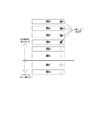
- FIG. 4 is a diagram showing a display example when the first priority and the second priority are not set.
- FIG. 5 is a diagram showing a display example when the first priority is set and the second priority is not set.
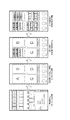
- FIG. 6 is a diagram showing a display example when the first priority and the second priority are set.
- FIG. 4 shows a display example in a state where the first priority and the second priority are not set (in other words, the first priority and the second priority are the same for all items).
- each item “shelf A” to "shelf H” is sorted in alphabetical order (here, in alphabetical order).
- the number of items that can be displayed on the user terminal 30 is "6". Therefore, "shelf A” to "shelf F” displayed at the upper level can be confirmed on the initial screen, but “shelf G” and “shelf H” displayed at the lower level cannot be confirmed on the initial screen. (You can't see it without scrolling down).
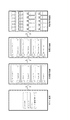
- FIG. 5 shows a display example in a state where the first priority is set but the second priority is not set.
- the first priority here is set by the user setting a favorite. Specifically, the first priority of the display item set as a favorite is set to be higher than the first priority of the display item not set as a favorite.
- the items of "shelf A”, “shelf C”, “shelf D”, and “shelf H” that have been set as favorites are “shelf B", “shelf E", and "shelf F” that have not been set as favorites. And it is displayed higher than "Shelves G".
- the “shelf H” that was not displayed on the initial screen at the time of FIG. 4 is displayed on the initial screen at the time of FIG. In this way, if the first priority is set by the favorite setting, it is possible to display the items to be made more conspicuous at the higher level.
- FIG. 6 shows a display example in a state where the first priority and the second priority are set. Specifically, an abnormality is detected from the captured images of "shelf D" and “shelf G", and the second priority of "shelf D” and “shelf G” is the other items “shelf A” and “shelf B”. , “Shelves C”, “Shelves E”, “Shelves F”, and “Shelves H” are set higher than the second priority.
- the sort unit 230 is set to give priority to the second priority over the first priority when the display order is rearranged using both the first priority and the second priority.
- the weight of the second priority is set to be larger than the weight of the first priority. Therefore, “shelf D" having both high first priority and second priority is displayed at the highest level, and “shelf G” having low first priority but high second priority is displayed second. There is. After that, “Shelves A”, “Shelves C”, and “Shelves H” with high first priority are displayed, and below that, “Shelves E” with low first priority and second priority, "Shelves F” is displayed.
- display items in which an abnormality is detected may be highlighted in addition to being displayed at a higher level.
- the colors of the items “shelf D" and “shelf G” may be changed to colors that are more prominent than the other items (for example, red or yellow).
- FIG. 7 is a table showing an example of a method of setting the second priority according to the abnormality type.
- the second priority may be set according to the type of detected abnormality. Specifically, when “foreign matter” is detected as an abnormality, the second priority is set to "high".
- the “foreign matter” here is an abnormality detected when there is something that should not be on the shelf (for example, other products or garbage). Since such anomalies have a relatively high degree of urgency, the display items are sorted into positions that are easily noticeable to the user by setting the second priority to "high”.
- the second priority is set to "medium”.
- the “out of stock” here is an abnormality detected when the products displayed on the shelves are missing or running low.
- the display items are sorted to a position that is slightly noticeable to the user by setting the second priority to "medium”. If no abnormality is detected, the second priority is set to "low", so that the display items are not sorted to a conspicuous position.
- the second priority may be set based not only on the type of abnormality described above but also on the occurrence time and number of occurrences of the abnormality. Specifically, when the occurrence time of the abnormality is early (in other words, a long time has passed since the occurrence), it is considered that the degree of urgency is relatively high, so that the second priority may be set high. Alternatively, even when the number of occurrences of an abnormality is large, it is considered that the degree of urgency is relatively high, so that the second priority may be set high.
- the similarity of the anomalies may be determined in order to prevent the same anomaly from being detected many times. Specifically, when the similarity of the detected plurality of abnormalities is equal to or higher than a predetermined threshold value, the abnormalities may be treated as being the same. By doing so, it is possible to prevent the second priority from becoming unreasonably high due to the same abnormality being detected many times.
- the similarity of the abnormality may be determined by, for example, comparing the similarity of the images captured by the camera 10.
- FIG. 8 is a diagram showing a display example when an alert for detecting a suspicious person is interrupted and displayed.
- an alert item may be interrupted and displayed in addition to the display items up to that point (that is, “shelf A” to “shelf H”). ..
- the alert of "suspicious person detection” is interrupted and displayed at the top.
- the "suspicious person detection” is an abnormality detected when a suspicious person exists in the store.
- Suspicious person detection is interrupted and displayed as an independent alert item because it is an abnormality that is not related to each item on the product display shelf.
- the second priority of the alert item of "suspicious person detection" is set to the highest and displayed at the highest level, but the second priority is appropriately set according to the type of abnormality and the like. Just do it. Therefore, for example, the interrupt display may be performed at the second or third position from the top. Further, when the alert items are interrupted and displayed, if the same abnormality is detected many times, a plurality of alert items may be interrupted and displayed. Therefore, when performing the interrupt display, it is preferable to perform the similarity determination of the above-mentioned abnormality or the like to prevent the same abnormality from being detected repeatedly.
- a plurality of display items in the store can be appropriately rearranged and displayed.
- two types of priorities that is, a first priority and a second priority
- the display items can be rearranged more appropriately. Therefore, the store information to be notified to the user can be presented in an easy-to-understand display mode.
- Example of store management system application a specific example of an application (for example, a smartphone application) used when using the store management system 1 according to the present embodiment will be described with reference to FIGS. 9 to 11. It is assumed that such an application is pre-installed on, for example, the above-mentioned user terminal 30 or the like.
- an application for example, a smartphone application
- FIG. 9 is a diagram showing an example of a screen transition flow in an application applied to the store management system according to the embodiment.
- a user who intends to use the store management system 1 inputs a preset "user name" and "password" on the login screen to log in to the application. Then, a store selection screen in which a plurality of store items (here, StoreA to F) are lined up is displayed on the display of the terminal. Subsequently, when a store is selected on the store selection screen (here, it is assumed that StoreC is selected), a shelf selection screen in which a plurality of shelf items (here, Shelf01 to 06) are lined up is displayed. When a shelf is selected on the shelf selection screen (here, it is assumed that Shelf03 is selected), an image of the selected shelf is displayed.
- StoreA to F a plurality of store items
- Shelf01 to 06 a plurality of shelf items
- the store management system 1 when using the store management system 1, it is possible to display the shelf image by logging in to the application and then selecting "store” and "shelf" in order.
- the store selection screen when using only one store, the store selection screen may be omitted and the shelf selection screen may be displayed immediately after login.
- the display items on the store selection screen and the display items on the shelf selection screen may be rearranged (that is, rearrangement using the first priority and the second priority). ..
- FIG. 10 is a diagram showing an example of a plurality of display functions in an application applied to the store management system according to the embodiment.
- the multiple display function for displaying a plurality of shelf images at the same time can be used.
- a plurality of display frames here, four of A to C
- the shelf image in the selected time zone of the selected store can be displayed in the selected frame.
- “store” and “time” for all the frames in this way it is possible to finally display the four shelf images at the same time. This makes it possible to check a plurality of shelf images at the same time.
- a plurality of shelf images may be displayed at the same time in different layouts.
- the state of the shelves can be compared between one store and another store. This makes it possible to confirm, for example, the difference in product arrangement from a good store.
- FIG. 11 is a diagram showing an example of another store comparison function in the application applied to the store management system according to the embodiment.
- Appendix 1 The store management system described in Appendix 1 is based on the first setting means for setting the first priority indicating the priority of display for a plurality of display items related to the store and the first image captured by the store.
- a second setting means for setting a second priority different from the priority, a sorting means for sorting the plurality of display items based on the first priority and the second priority, and the plurality of display items.
- a store management system characterized by including a display means for displaying the above in the order of sorting by the sorting means.
- Appendix 2 The store management system according to Appendix 2 is characterized in that the sorting means rearranges the plurality of display items by making the weight of the second priority larger than that of the first priority.
- Appendix 3 The store management system according to Appendix 3 is the store management system according to Appendix 1 or 2, wherein the first setting means sets the first priority according to a user's operation.
- the first setting means sets the first priority of the item selected by the user among the plurality of display items as the first priority of the item not selected by the user.
- the second setting means detects an abnormality in the store from the captured image, and sets the second priority of the item related to the abnormality among the plurality of display items.
- the store management system according to any one of Appendix 1 to 4, wherein the items not related to the abnormality are set to be higher than the second priority.
- the store management system according to Appendix 6 is characterized in that the second setting means sets the second priority based on at least one of the type of abnormality, the time of occurrence, and the number of occurrences of the abnormality.
- Appendix 7 In the store management system described in Appendix 7, the second setting means compares the similarity of abnormalities detected from the captured image, and treats those having the similarity equal to or higher than a predetermined threshold value as the same abnormality.
- Appendix 8 The store management system according to Appendix 8 is the store management according to any one of Appendix 1 to 7, wherein the plurality of display items are items corresponding to each of the product display shelves in the store. It is a system.
- Appendix 9 The store management method described in Appendix 9 is based on the first setting step of setting the first priority indicating the priority of display for a plurality of display items related to the store, and the first setting based on the captured image of the store.
- a second setting step of setting a second priority different from the priority a sorting step of sorting the plurality of display items based on the first priority and the second priority, and the plurality of display items.
- a store management method including a display process of displaying in the order of sorting in the sorting process.
- the computer program according to Appendix 10 has a first setting step of setting a first priority indicating a display priority for a plurality of display items related to a store, and the first priority based on an image captured by the store.
- a second setting step of setting a second priority different from the degree a sorting step of rearranging the plurality of display items based on the first priority and the second priority, and the plurality of display items.
- Appendix 11 The recording medium described in Appendix 11 is a recording medium characterized in that the computer program described in Appendix 10 is recorded.
- the present invention can be appropriately modified within the scope of claims and within the scope not contrary to the gist or idea of the invention that can be read from the entire specification, and the store management system, store management method, computer program and record accompanied by such changes.
- the medium is also included in the technical idea of the present invention.
Landscapes
- Engineering & Computer Science (AREA)
- Business, Economics & Management (AREA)
- Human Resources & Organizations (AREA)
- Theoretical Computer Science (AREA)
- Physics & Mathematics (AREA)
- General Physics & Mathematics (AREA)
- Economics (AREA)
- Strategic Management (AREA)
- Entrepreneurship & Innovation (AREA)
- Quality & Reliability (AREA)
- Marketing (AREA)
- General Business, Economics & Management (AREA)
- Operations Research (AREA)
- Tourism & Hospitality (AREA)
- Development Economics (AREA)
- Game Theory and Decision Science (AREA)
- Educational Administration (AREA)
- Computer Vision & Pattern Recognition (AREA)
- Accounting & Taxation (AREA)
- Finance (AREA)
- Data Mining & Analysis (AREA)
- Life Sciences & Earth Sciences (AREA)
- Artificial Intelligence (AREA)
- Bioinformatics & Cheminformatics (AREA)
- Bioinformatics & Computational Biology (AREA)
- Evolutionary Biology (AREA)
- Evolutionary Computation (AREA)
- General Engineering & Computer Science (AREA)
- Multimedia (AREA)
- Management, Administration, Business Operations System, And Electronic Commerce (AREA)
Priority Applications (2)
| Application Number | Priority Date | Filing Date | Title |
|---|---|---|---|
| JP2021542685A JP7589691B2 (ja) | 2019-08-28 | 2020-08-04 | 店舗管理システム、店舗管理方法、コンピュータプログラム及び記録媒体 |
| US17/638,473 US20220414569A1 (en) | 2019-08-28 | 2020-08-04 | Store management system, store management method, computer program and recording medium |
Applications Claiming Priority (2)
| Application Number | Priority Date | Filing Date | Title |
|---|---|---|---|
| JP2019155558 | 2019-08-28 | ||
| JP2019-155558 | 2019-08-28 |
Publications (1)
| Publication Number | Publication Date |
|---|---|
| WO2021039314A1 true WO2021039314A1 (ja) | 2021-03-04 |
Family
ID=74684690
Family Applications (1)
| Application Number | Title | Priority Date | Filing Date |
|---|---|---|---|
| PCT/JP2020/029851 Ceased WO2021039314A1 (ja) | 2019-08-28 | 2020-08-04 | 店舗管理システム、店舗管理方法、コンピュータプログラム及び記録媒体 |
Country Status (3)
| Country | Link |
|---|---|
| US (1) | US20220414569A1 (https=) |
| JP (1) | JP7589691B2 (https=) |
| WO (1) | WO2021039314A1 (https=) |
Cited By (1)
| Publication number | Priority date | Publication date | Assignee | Title |
|---|---|---|---|---|
| JP2023020357A (ja) * | 2021-07-30 | 2023-02-09 | 富士通株式会社 | 情報処理プログラム、情報処理方法、および情報処理装置 |
Families Citing this family (1)
| Publication number | Priority date | Publication date | Assignee | Title |
|---|---|---|---|---|
| US20230113506A1 (en) * | 2021-10-07 | 2023-04-13 | Shopify Inc. | Systems and methods for generating content for a user interface |
Citations (3)
| Publication number | Priority date | Publication date | Assignee | Title |
|---|---|---|---|---|
| JP2012074014A (ja) * | 2010-08-31 | 2012-04-12 | Ns Solutions Corp | 拡張現実提供システム、情報処理端末、情報処理装置、拡張現実提供方法、情報処理方法、及びプログラム |
| JP6376582B1 (ja) * | 2018-01-19 | 2018-08-22 | 株式会社 テクノミライ | デジタルセールス・プロフィットシステム、方法及びプログラム |
| WO2018175203A1 (en) * | 2017-03-21 | 2018-09-27 | Kellogg Company | Determining product placement compliance |
Family Cites Families (3)
| Publication number | Priority date | Publication date | Assignee | Title |
|---|---|---|---|---|
| US7620633B1 (en) * | 2005-11-14 | 2009-11-17 | Adobe Systems Incorporated | Methods and apparatus for prioritizing and sorting metadata to be displayed |
| US20100138281A1 (en) * | 2008-11-12 | 2010-06-03 | Yinying Zhang | System and method for retail store shelf stock monitoring, predicting, and reporting |
| JP5987040B2 (ja) | 2014-11-04 | 2016-09-06 | 三菱電機インフォメーションシステムズ株式会社 | データ表示装置及びデータ表示プログラム |
-
2020
- 2020-08-04 JP JP2021542685A patent/JP7589691B2/ja active Active
- 2020-08-04 WO PCT/JP2020/029851 patent/WO2021039314A1/ja not_active Ceased
- 2020-08-04 US US17/638,473 patent/US20220414569A1/en not_active Abandoned
Patent Citations (3)
| Publication number | Priority date | Publication date | Assignee | Title |
|---|---|---|---|---|
| JP2012074014A (ja) * | 2010-08-31 | 2012-04-12 | Ns Solutions Corp | 拡張現実提供システム、情報処理端末、情報処理装置、拡張現実提供方法、情報処理方法、及びプログラム |
| WO2018175203A1 (en) * | 2017-03-21 | 2018-09-27 | Kellogg Company | Determining product placement compliance |
| JP6376582B1 (ja) * | 2018-01-19 | 2018-08-22 | 株式会社 テクノミライ | デジタルセールス・プロフィットシステム、方法及びプログラム |
Cited By (3)
| Publication number | Priority date | Publication date | Assignee | Title |
|---|---|---|---|---|
| JP2023020357A (ja) * | 2021-07-30 | 2023-02-09 | 富士通株式会社 | 情報処理プログラム、情報処理方法、および情報処理装置 |
| JP7318680B2 (ja) | 2021-07-30 | 2023-08-01 | 富士通株式会社 | 情報処理プログラム、情報処理方法、および情報処理装置 |
| US12277756B2 (en) | 2021-07-30 | 2025-04-15 | Fujitsu Limited | Computer-readable recording medium, information processing method, and information processing apparatus |
Also Published As
| Publication number | Publication date |
|---|---|
| US20220414569A1 (en) | 2022-12-29 |
| JP7589691B2 (ja) | 2024-11-26 |
| JPWO2021039314A1 (https=) | 2021-03-04 |
Similar Documents
| Publication | Publication Date | Title |
|---|---|---|
| JP7416292B2 (ja) | 情報処理装置、情報処理システム、制御方法、及びプログラム | |
| US10884891B2 (en) | Interactive detection of system anomalies | |
| US20180191988A1 (en) | Manufacturing-state display system, manufacturing-state display method, and computer-readable recording medium | |
| JP2018120300A (ja) | 情報処理装置、情報処理方法およびプログラム | |
| JP2018173940A (ja) | 機械学習を用いたビデオ・フィードにおける自動化されたオブジェクト追跡 | |
| US10249033B1 (en) | User interface for managing defects | |
| Salmon et al. | A system for automated outbreak detection of communicable diseases in Germany | |
| JP2017526040A (ja) | システム活動に関する派生メトリックを相関付けるシステム及び方法 | |
| WO2021039314A1 (ja) | 店舗管理システム、店舗管理方法、コンピュータプログラム及び記録媒体 | |
| JP2024124461A (ja) | 画像処理装置、画像処理方法、及びプログラム | |
| JP2017067945A (ja) | 画像処理装置、画像処理方法、プログラムおよび記録媒体 | |
| US11086992B2 (en) | Scanning files using antivirus software | |
| US20220385602A1 (en) | Method of displaying similar chat rooms, method of displaying chat room group, and user terminal | |
| US20210225009A1 (en) | Object tracking device by analyzing an image, object tracking tracking method by analyzing an image, recording medium, and object tracking tracking system by analyzing an image | |
| KR101458555B1 (ko) | 전자의무기록 시스템 기반 이미지 데이터 표시 방법 및 시스템 | |
| CN106301817A (zh) | 一种配置信息的合规检测方法和装置 | |
| JP2025113251A5 (https=) | ||
| JP7295181B2 (ja) | 判定装置、プログラム、及び判定方法 | |
| TWI428772B (zh) | 技術文獻資料之管理系統及其方法 | |
| JP2009274795A (ja) | 昇降機監視装置 | |
| KR101458554B1 (ko) | 전자의무기록 시스템 기반 출력 데이터 제어 방법 및 장치 | |
| JP6877806B6 (ja) | 情報処理装置、プログラム及び情報処理方法 | |
| US20180241905A1 (en) | Image processing apparatus and non-transitory computer readable medium | |
| US9426051B2 (en) | Method and apparatus for facilitating remote health monitoring of a computerized healthcare system | |
| JP6571705B2 (ja) | 情報管理装置、情報管理方法及び情報管理プログラム |
Legal Events
| Date | Code | Title | Description |
|---|---|---|---|
| 121 | Ep: the epo has been informed by wipo that ep was designated in this application |
Ref document number: 20859599 Country of ref document: EP Kind code of ref document: A1 |
|
| ENP | Entry into the national phase |
Ref document number: 2021542685 Country of ref document: JP Kind code of ref document: A |
|
| NENP | Non-entry into the national phase |
Ref country code: DE |
|
| 122 | Ep: pct application non-entry in european phase |
Ref document number: 20859599 Country of ref document: EP Kind code of ref document: A1 |