JP2016118564A - Device, method, and graphical user interface for location-based data collection - Google Patents
Device, method, and graphical user interface for location-based data collection Download PDFInfo
- Publication number
- JP2016118564A JP2016118564A JP2016011341A JP2016011341A JP2016118564A JP 2016118564 A JP2016118564 A JP 2016118564A JP 2016011341 A JP2016011341 A JP 2016011341A JP 2016011341 A JP2016011341 A JP 2016011341A JP 2016118564 A JP2016118564 A JP 2016118564A
- Authority
- JP
- Japan
- Prior art keywords
- data
- location
- electronic document
- population control
- activation
- Prior art date
- Legal status (The legal status is an assumption and is not a legal conclusion. Google has not performed a legal analysis and makes no representation as to the accuracy of the status listed.)
- Pending
Links
Images


Classifications
-
- H—ELECTRICITY
- H04—ELECTRIC COMMUNICATION TECHNIQUE
- H04M—TELEPHONIC COMMUNICATION
- H04M1/00—Substation equipment, e.g. for use by subscribers
- H04M1/72—Mobile telephones; Cordless telephones, i.e. devices for establishing wireless links to base stations without route selection
- H04M1/724—User interfaces specially adapted for cordless or mobile telephones
- H04M1/72403—User interfaces specially adapted for cordless or mobile telephones with means for local support of applications that increase the functionality
-
- G—PHYSICS
- G06—COMPUTING OR CALCULATING; COUNTING
- G06F—ELECTRIC DIGITAL DATA PROCESSING
- G06F3/00—Input arrangements for transferring data to be processed into a form capable of being handled by the computer; Output arrangements for transferring data from processing unit to output unit, e.g. interface arrangements
- G06F3/01—Input arrangements or combined input and output arrangements for interaction between user and computer
- G06F3/048—Interaction techniques based on graphical user interfaces [GUI]
-
- G—PHYSICS
- G06—COMPUTING OR CALCULATING; COUNTING
- G06F—ELECTRIC DIGITAL DATA PROCESSING
- G06F40/00—Handling natural language data
- G06F40/10—Text processing
- G06F40/166—Editing, e.g. inserting or deleting
- G06F40/174—Form filling; Merging
-
- G—PHYSICS
- G06—COMPUTING OR CALCULATING; COUNTING
- G06F—ELECTRIC DIGITAL DATA PROCESSING
- G06F40/00—Handling natural language data
- G06F40/10—Text processing
- G06F40/166—Editing, e.g. inserting or deleting
- G06F40/177—Editing, e.g. inserting or deleting of tables; using ruled lines
- G06F40/18—Editing, e.g. inserting or deleting of tables; using ruled lines of spreadsheets
-
- H—ELECTRICITY
- H04—ELECTRIC COMMUNICATION TECHNIQUE
- H04W—WIRELESS COMMUNICATION NETWORKS
- H04W4/00—Services specially adapted for wireless communication networks; Facilities therefor
- H04W4/02—Services making use of location information
- H04W4/029—Location-based management or tracking services
Landscapes
- Engineering & Computer Science (AREA)
- Theoretical Computer Science (AREA)
- General Engineering & Computer Science (AREA)
- Physics & Mathematics (AREA)
- General Physics & Mathematics (AREA)
- Computational Linguistics (AREA)
- General Health & Medical Sciences (AREA)
- Health & Medical Sciences (AREA)
- Audiology, Speech & Language Pathology (AREA)
- Artificial Intelligence (AREA)
- Computer Networks & Wireless Communication (AREA)
- Signal Processing (AREA)
- Human Computer Interaction (AREA)
- User Interface Of Digital Computer (AREA)
- Telephone Function (AREA)
- Navigation (AREA)
- Controls And Circuits For Display Device (AREA)
Abstract
Description
本発明は、一般的に、電子的コンピューティング装置に係り、より詳細には、電子的ドキュメントにおける位置ベースデータ、センサ発生データ、及び数式の自動ポピュレーションを遂行するコンピューティング装置に係る。 The present invention relates generally to electronic computing devices, and more particularly to computing devices that perform automatic population of location-based data, sensor generated data, and mathematical expressions in electronic documents.
関連出願:本出願は、2009年12月16日に出願された米国特許出願第12/639,671号の優先権を主張する。 Related Application: This application claims priority to US patent application Ser. No. 12 / 639,671, filed Dec. 16, 2009.
コンピュータ及び他の電子的コンピューティング装置を使用して位置ベースデータを受け取ることが近年著しく増加している。位置ベースデータを決定し及び/又は受け取る能力を含む規範的なコンピューティング装置は、移動電話、ラップトップ及びタブレットコンピュータ、電子ブロックレーダー、消費者向け電子装置、パーソナルデジタルアシスタント、等を含む。 Receiving location-based data using computers and other electronic computing devices has increased significantly in recent years. Exemplary computing devices that include the ability to determine and / or receive location-based data include mobile phones, laptop and tablet computers, electronic block radar, consumer electronics, personal digital assistants, and the like.
多くのユーザは、位置ベースデータ及びセンサ発生データを決定し及び/又は受け取り、そしてそのデータを電子的ドキュメントに配置するために電子的コンピューティング装置に依存している。不都合なことに、位置ベースデータ及びセンサ発生データを電子的ドキュメントにおいてポピュレーションし及び記録するための既存の方法は、厄介であり且つ非効率的である。更に、既存の方法は、必要以上に長い時間をとり、従って、エネルギーを浪費する。このことは、特に、バッテリ作動装置において重要である。 Many users rely on electronic computing devices to determine and / or receive location-based data and sensor-generated data and place that data in an electronic document. Unfortunately, existing methods for populating and recording location-based data and sensor generated data in electronic documents are cumbersome and inefficient. Furthermore, existing methods take more time than necessary and thus waste energy. This is particularly important in battery operated devices.
従って、電子的ドキュメントにおいて位置ベースデータ、センサ発生データ及び数式の自動ポピュレーションを遂行するための、高速で、効率的な方法及びインターフェイスを備えたコンピューティング装置が要望される。そのような方法及びインターフェイスは、位置ベースデータ及びセンサ発生データのポピュレーションを行う従来の方法を補足し又はそれに置き換わるものである。又、そのような方法及びインターフェイスは、ユーザの認知負担を減少し、より効率的な人間/機械インターフェイスを生成する。バッテリ作動のコンピューティング装置では、そのような方法及びインターフェイスは、電力を保存すると共に、バッテリ充電間の期間を延長する。 Accordingly, there is a need for a computing device with a fast and efficient method and interface for performing automatic population of location-based data, sensor generated data and mathematical formulas in electronic documents. Such methods and interfaces supplement or replace conventional methods of populating position-based data and sensor generated data. Such methods and interfaces also reduce the user's cognitive burden and create a more efficient human / machine interface. In battery-powered computing devices, such methods and interfaces conserve power and extend the period between battery charges.
電子的コンピューティング装置のユーザインターフェイスに関連した前記欠点及び他の問題は、ここに開示する装置によって軽減され又は排除される。ある実施形態では、装置は、デスクトップコンピュータである。ある実施形態では、装置は、ポータブル(例えば、ノートブックコンピュータ、タブレットコンピュータ又はハンドヘルド装置)である。ある実施形態では、装置は、タッチパッドを有する。ある実施形態では、装置は、タッチ感知ディスプレイ(「タッチスクリーン」又は「タッチスクリーンディスプレイ」としても知られている)を有する。ある実施形態では、装置は、グラフィックユーザインターフェイス(GUI)、1つ以上のプロセッサ、メモリ及び1つ以上のモジュール、複数の機能を遂行するためにメモリに記憶されたプログラム又はインストラクションセットを有する。ある実施形態では、ユーザは、主として、タッチ感知表面上の指接触及びジェスチャーを通してGUIと相互作用する。ある実施形態では、機能は、画像編集、製図、プレゼンテーション、ワードプロセス、ウェブサイト生成、ディスクオーサリング、スプレッドシート作成、ゲームプレイ、電話、ビデオ会議、e−メール、インスタントメッセージング、トレーニングサポート、デジタル写真、デジタルビデオレコーディング、ウェブブラウジング、デジタル音楽再生、及び/又はデジタルビデオ再生を含む。これらの機能を遂行するための実行可能なインストラクションは、1つ以上のプロセッサで実行するように構成されたコンピュータ読み取り可能な記憶媒体又は他のコンピュータプログラム製品に含まれる。 The above disadvantages and other problems associated with the user interface of electronic computing devices are reduced or eliminated by the devices disclosed herein. In certain embodiments, the device is a desktop computer. In certain embodiments, the device is portable (eg, a notebook computer, tablet computer, or handheld device). In certain embodiments, the device has a touchpad. In some embodiments, the device has a touch-sensitive display (also known as a “touch screen” or “touch screen display”). In some embodiments, the apparatus has a graphic user interface (GUI), one or more processors, memory and one or more modules, a program or instruction set stored in the memory to perform multiple functions. In some embodiments, the user interacts with the GUI primarily through finger touches and gestures on the touch-sensitive surface. In one embodiment, the functions include image editing, drafting, presentation, word processing, website generation, disc authoring, spreadsheet creation, game play, telephone, video conferencing, email, instant messaging, training support, digital photography, Includes digital video recording, web browsing, digital music playback, and / or digital video playback. Executable instructions for performing these functions are included in a computer-readable storage medium or other computer program product that is configured to execute on one or more processors.
ある実施形態によれば、ディスプレイ及び1つ以上のユーザ入力装置を伴うコンピューティング装置に電子的ドキュメントを表示する間に方法が遂行される。その方法は、第1のデータポピュレーションコントロールのアクチベーションを検出し、第1のデータポピュレーションコントロールのアクチベーションを検出するのに応答して、電子的ドキュメントにおいて位置データソースから得たデータを含む第1の位置ベースデータをポピュレーションし、電子的ドキュメントにおいて第1の位置ベースデータをポピュレーションした後、第2のデータポピュレーションコントロールのアクチベーションを検出し、第2のデータポピュレーションコントロールのアクチベーションを検出するのに応答して、電子的ドキュメントにおいて1つ以上の数式及び第2の位置ベースデータをポピュレーションし、1つ以上の数式は、第1及び第2の位置ベースデータを使用して1つ以上の計算を遂行するものであり、そして第2の位置ベースデータは、位置データソースから得られたデータを含み、更に、第1及び第2の位置ベースデータの少なくとも1つと共に1つ以上の数式を使用して1つ以上の位置ベースメトリックを計算し、そして電子的ドキュメントにおいて1つ以上の計算された位置ベースメトリックを表示することを含む。 According to an embodiment, the method is performed while displaying an electronic document on a computing device with a display and one or more user input devices. The method detects activation of a first data population control and, in response to detecting activation of the first data population control, includes first data that includes data obtained from a location data source in an electronic document. After the first position-based data is populated and the first position-based data is populated in the electronic document, the activation of the second data population control is detected and the activation of the second data population control is detected. , Populate one or more mathematical formulas and second location-based data in the electronic document, the one or more mathematical formulas using the first and second location-based data. To perform calculations And the second location-based data includes data obtained from a location data source, and further includes one or more using one or more formulas with at least one of the first and second location-based data. And calculating one or more calculated position-based metrics in the electronic document.
ある実施形態によれば、コンピューティング装置は、ディスプレイと、1つ以上のユーザ入力装置と、1つ以上のプロセッサと、メモリと、1つ以上のプログラムとを備えている。1つ以上のプログラムは、メモリに記憶され、1つ以上のプロセッサにより実行されるように構成される。1つ以上のプログラムは、コンピューティング装置のディスプレイに電子的ドキュメントを表示する間に、第1のデータポピュレーションコントロールのアクチベーションを検出し、第1のデータポピュレーションコントロールのアクチベーションを検出するのに応答して、電子的ドキュメントにおいて位置データソースから得たデータを含む第1の位置ベースデータをポピュレーションし、電子的ドキュメントにおいて第1の位置ベースデータをポピュレーションした後、第2のデータポピュレーションコントロールのアクチベーションを検出し、第2のデータポピュレーションコントロールのアクチベーションを検出するのに応答して、電子的ドキュメントにおいて1つ以上の数式及び第2の位置ベースデータをポピュレーションし、1つ以上の数式は、第1及び第2の位置ベースデータを使用して1つ以上の計算を遂行するものであり、そして第2の位置ベースデータは、位置データソースから得られたデータを含み、更に、第1及び第2の位置ベースデータの少なくとも1つと共に1つ以上の数式を使用して1つ以上の位置ベースメトリックを計算し、そして電子的ドキュメントにおいて1つ以上の計算された位置ベースメトリックを表示するためのインストラクションを含む。 According to certain embodiments, a computing device comprises a display, one or more user input devices, one or more processors, memory, and one or more programs. The one or more programs are stored in the memory and configured to be executed by the one or more processors. One or more programs detect activation of the first data population control and respond to detecting activation of the first data population control while displaying the electronic document on the display of the computing device. And populating the electronic document with the first position-based data including data obtained from the position data source, and populating the electronic document with the first position-based data, and then the second data population control. , And in response to detecting the activation of the second data population control, the electronic document is populated with one or more mathematical formulas and second position-based data; The above formula performs one or more calculations using the first and second location-based data, and the second location-based data includes data obtained from a location data source, Further, calculating one or more position-based metrics using one or more formulas with at least one of the first and second position-based data, and one or more calculated position bases in the electronic document Includes instructions for displaying metrics.
ある実施形態によれば、ディスプレイと、1つ以上のユーザ入力装置と、メモリと、このメモリに記憶された1つ以上のプログラムを実行するための1つ以上のプロセッサとを含むコンピューティング装置のグラフィックユーザインターフェイスが提供される。グラフィックユーザインターフェイスは、電子的ドキュメント、第1のデータポピュレーションコントロール、及び第2のデータポピュレーションコントロールを含み、電子的ドキュメントは、コンピューティング装置のディスプレイに表示され、そしてグラフィックユーザインターフェイスは、第1のデータポピュレーションコントロールのアクチベーションを検出し、第1のデータポピュレーションコントロールのアクチベーションを検出するのに応答して、電子的ドキュメントにおいて位置データソースから得たデータを含む第1の位置ベースデータをポピュレーションし、電子的ドキュメントにおいて第1の位置ベースデータをポピュレーションした後、第2のデータポピュレーションコントロールのアクチベーションを検出し、第2のデータポピュレーションコントロールのアクチベーションを検出するのに応答して、電子的ドキュメントにおいて1つ以上の数式及び第2の位置ベースデータをポピュレーションし、1つ以上の数式は、第1及び第2の位置ベースデータを使用して1つ以上の計算を遂行するものであり、そして第2の位置ベースデータは、位置データソースから得られたデータを含み、更に、第1及び第2の位置ベースデータの少なくとも1つと共に1つ以上の数式を使用して1つ以上の位置ベースメトリックを計算し、そして電子的ドキュメントにおいて1つ以上の計算された位置ベースメトリックを表示するように構成される。 According to an embodiment, a computing device comprising a display, one or more user input devices, a memory, and one or more processors for executing one or more programs stored in the memory. A graphical user interface is provided. The graphic user interface includes an electronic document, a first data population control, and a second data population control, the electronic document is displayed on a display of the computing device, and the graphic user interface is the first In response to detecting activation of the first data population control and detecting activation of the first data population control, the first position-based data including data obtained from the position data source in the electronic document is populated. And the first position-based data is populated in the electronic document, then the activation of the second data population control is detected, and the first In response to detecting the activation of the data population control, the electronic document populates the electronic document with one or more formulas and second position-based data, wherein the one or more formulas include the first and second formulas The position-based data is used to perform one or more calculations, and the second position-based data includes data obtained from a position data source, and further includes first and second position-based data. One or more formulas are used to calculate one or more location-based metrics using at least one of the following and display the one or more calculated location-based metrics in an electronic document.
ある実施形態によれば、コンピュータ読み取り可能な記憶媒体は、1つ以上のプログラムを記憶しており、1つ以上のプログラムは、ディスプレイ及び1つ以上のユーザ入力装置を伴うコンピューティング装置により実行されたときに、そのコンピューティング装置が、ディスプレイに電子的ドキュメントを表示する間に、第1のデータポピュレーションコントロールのアクチベーションを検出し、第1のデータポピュレーションコントロールのアクチベーションを検出するのに応答して、電子的ドキュメントにおいて位置データソースから得たデータを含む第1の位置ベースデータをポピュレーションし、電子的ドキュメントにおいて第1の位置ベースデータをポピュレーションした後、第2のデータポピュレーションコントロールのアクチベーションを検出し、第2のデータポピュレーションコントロールのアクチベーションを検出するのに応答して、電子的ドキュメントにおいて1つ以上の数式及び第2の位置ベースデータをポピュレーションし、1つ以上の数式は、第1及び第2の位置ベースデータを使用して1つ以上の計算を遂行するものであり、そして第2の位置ベースデータは、位置データソースから得られたデータを含み、更に、第1及び第2の位置ベースデータの少なくとも1つと共に1つ以上の数式を使用して1つ以上の位置ベースメトリックを計算し、そして電子的ドキュメントにおいて1つ以上の計算された位置ベースメトリックを表示する、ようにさせるインストラクションを含む。 According to certain embodiments, a computer-readable storage medium stores one or more programs, the one or more programs being executed by a computing device with a display and one or more user input devices. The computing device detects activation of the first data population control and responds to detecting activation of the first data population control while displaying the electronic document on the display. The first location-based data including data obtained from the location data source in the electronic document, the first location-based data in the electronic document, and then the second data population control. Ak In response to detecting an activation and detecting activation of the second data population control, the electronic document is populated with one or more formulas and second position-based data, the one or more formulas being , Performing one or more calculations using the first and second position-based data, wherein the second position-based data includes data obtained from a position data source; And calculating one or more position-based metrics using one or more formulas along with at least one of the second position-based data and displaying the one or more calculated position-based metrics in the electronic document , Including instructions to make
ある実施形態によれば、コンピューティング装置は、ディスプレイと、1つ以上のユーザ入力装置と、コンピューティング装置のディスプレイに電子的ドキュメントを表示する手段とを備え、更に、コンピューティング装置のディスプレイに電子的ドキュメントを表示する間に、第1のデータポピュレーションコントロールのアクチベーションを検出する手段と、その第1のデータポピュレーションコントロールのアクチベーションを検出するのに応答して、電子的ドキュメントにおいて位置データソースから得たデータを含む第1の位置ベースデータをポピュレーションする手段と、電子的ドキュメントにおいて第1の位置ベースデータをポピュレーションした後、第2のデータポピュレーションコントロールのアクチベーションを検出する手段と、第2のデータポピュレーションコントロールのアクチベーションを検出するのに応答して、電子的ドキュメントにおいて1つ以上の数式及び第2の位置ベースデータをポピュレーションする手段であって、1つ以上の数式は、第1及び第2の位置ベースデータを使用して1つ以上の計算を遂行するものであり、そして第2の位置ベースデータは、位置データソースから得られたデータを含むものである手段と、第1及び第2の位置ベースデータの少なくとも1つと共に1つ以上の数式を使用して1つ以上の位置ベースメトリックを計算する手段と、電子的ドキュメントにおいて1つ以上の計算された位置ベースメトリックを表示する手段とを備えている。 According to an embodiment, a computing device comprises a display, one or more user input devices, and means for displaying an electronic document on the computing device display, and further comprising an electronic device on the computing device display. Means for detecting activation of the first data population control and displaying the activation of the first data population control from the location data source in the electronic document in response to detecting activation of the first data population control. Means for populating the first position-based data including the obtained data, and detecting the activation of the second data population control after populating the first position-based data in the electronic document; And means for populating one or more mathematical expressions and second position-based data in the electronic document in response to detecting activation of the second data population control. The formula is for performing one or more calculations using the first and second position-based data, and the second position-based data includes data obtained from a position data source; Means for calculating one or more position-based metrics using one or more formulas with at least one of the first and second position-based data, and one or more calculated position bases in the electronic document Means for displaying a metric.
ある実施形態によれば、コンピューティング装置に使用するための情報処理装置は、ディスプレイと、1つ以上のユーザ入力装置と、コンピューティング装置のディスプレイに電子的ドキュメントを表示する手段とを備え、更に、コンピューティング装置のディスプレイに電子的ドキュメントを表示する間に、第1のデータポピュレーションコントロールのアクチベーションを検出する手段と、その第1のデータポピュレーションコントロールのアクチベーションを検出するのに応答して、電子的ドキュメントにおいて位置データソースから得たデータを含む第1の位置ベースデータをポピュレーションする手段と、電子的ドキュメントにおいて第1の位置ベースデータをポピュレーションした後、第2のデータポピュレーションコントロールのアクチベーションを検出する手段と、第2のデータポピュレーションコントロールのアクチベーションを検出するのに応答して、電子的ドキュメントにおいて1つ以上の数式及び第2の位置ベースデータをポピュレーションする手段であって、1つ以上の数式は、第1及び第2の位置ベースデータを使用して1つ以上の計算を遂行するものであり、そして第2の位置ベースデータは、位置データソースから得られたデータを含むものである手段と、第1及び第2の位置ベースデータの少なくとも1つと共に1つ以上の数式を使用して1つ以上の位置ベースメトリックを計算する手段と、電子的ドキュメントにおいて1つ以上の計算された位置ベースメトリックを表示する手段とを備えている。 According to an embodiment, an information processing device for use in a computing device comprises a display, one or more user input devices, and means for displaying an electronic document on the display of the computing device, further Responsive to detecting the activation of the first data population control and means for detecting the activation of the first data population control while displaying the electronic document on the display of the computing device; Means for populating the first location-based data including data obtained from the location data source in the electronic document; and, after populating the first location-based data in the electronic document, a second data population controller. Means for detecting the activation of the second data population control and means for populating the electronic document with one or more mathematical expressions and second position-based data in response to detecting the activation of the second data population control. The one or more mathematical formulas perform one or more calculations using the first and second location based data, and the second location based data is data obtained from a location data source. Means for calculating one or more position-based metrics using one or more mathematical formulas with at least one of the first and second position-based data, and one or more in the electronic document Means for displaying the calculated position-based metric.
ある実施形態によれば、ディスプレイと、ユーザのジェスチャーを検出するための1つ以上のユーザ入力装置とを含むコンピューティング装置において方法が遂行される。この方法は、電子的ドキュメントを表示する間に、電子的ドキュメントにおいて、1つ以上の数式と、位置データソースから得たデータを含む第1の位置ベースデータとをポピュレーションし、1つ以上の数式は、位置ベースデータを使用して1つ以上の計算を遂行するものであり、第1の位置ベースデータは、第1の物理的位置に対応し、更に、少なくとも第1の位置ベースデータと共に1つ以上の数式を使用して1つ以上の位置ベースメトリックを計算し、そして電子的ドキュメントにおいて1つ以上の計算された位置ベースメトリックを表示することを含む。 According to an embodiment, the method is performed in a computing device that includes a display and one or more user input devices for detecting a user gesture. The method populates the electronic document with one or more mathematical expressions and first location-based data that includes data obtained from a location data source while displaying the electronic document. The mathematical formula performs one or more calculations using the position-based data, the first position-based data corresponding to the first physical position, and at least along with the first position-based data. Calculating one or more location-based metrics using one or more mathematical formulas and displaying the one or more calculated location-based metrics in an electronic document.
ある実施形態によれば、コンピューティング装置は、ディスプレイと、ユーザのジェスチャーを検出するための1つ以上のユーザ入力装置と、1つ以上のプロセッサと、メモリと、1つ以上のプログラムとを備えている。1つ以上のプログラムは、メモリに記憶され、そして1つ以上のプロセッサにより実行するように構成される。1つ以上のプログラムは、電子的ドキュメントを表示する間に、電子的ドキュメントにおいて、1つ以上の数式と、位置データソースから得たデータを含む第1の位置ベースデータとをポピュレーションし、1つ以上の数式は、位置ベースデータを使用して1つ以上の計算を遂行するものであり、第1の位置ベースデータは、第1の物理的位置に対応し、更に、少なくとも第1の位置ベースデータと共に1つ以上の数式を使用して1つ以上の位置ベースメトリックを計算し、そして電子的ドキュメントにおいて1つ以上の計算された位置ベースメトリックを表示するためのインストラクションを含む。 According to certain embodiments, a computing device comprises a display, one or more user input devices for detecting user gestures, one or more processors, memory, and one or more programs. ing. The one or more programs are stored in the memory and are configured to be executed by one or more processors. While the one or more programs display the electronic document, the electronic document populates the electronic document with one or more mathematical expressions and first location-based data including data obtained from the location data source. The one or more mathematical formulas perform one or more calculations using the position-based data, the first position-based data corresponding to the first physical position, and at least the first position. Including instructions for calculating one or more location-based metrics using one or more mathematical formulas with the base data and displaying the one or more calculated location-based metrics in an electronic document.
ある実施形態によれば、コンピュータ読み取り可能な記憶媒体は、1つ以上のプログラムを記憶しており、その1つ以上のプログラムは、ディスプレイと、ユーザのジェスチャーを検出するための1つ以上のユーザ入力装置とを含むコンピューティング装置によって実行されたときに、そのコンピューティング装置が、電子的ドキュメントを表示する間に、電子的ドキュメントにおいて、1つ以上の数式と、位置データソースから得たデータを含む第1の位置ベースデータとをポピュレーションし、1つ以上の数式は、位置ベースデータを使用して1つ以上の計算を遂行するものであり、第1の位置ベースデータは、第1の物理的位置に対応し、更に、少なくとも第1の位置ベースデータと共に1つ以上の数式を使用して1つ以上の位置ベースメトリックを計算し、そして電子的ドキュメントにおいて1つ以上の計算された位置ベースメトリックを表示するためのインストラクションを含む。 According to certain embodiments, a computer readable storage medium stores one or more programs, the one or more programs including a display and one or more users for detecting user gestures. When executed by a computing device including an input device, the computing device displays one or more mathematical expressions and data obtained from a location data source in the electronic document while the electronic device displays the electronic document. And including one or more mathematical expressions to perform one or more calculations using the position-based data, the first position-based data comprising: One or more position vectors corresponding to the physical position and further using one or more mathematical formulas together with at least the first position base data. The metric is calculated, and including instructions for displaying one or more computed position based metrics in electronic documents.
ある実施形態によれば、コンピューティング装置は、ディスプレイと、ユーザのジェスチャーを検出するための1つ以上のユーザ入力装置と、電子的ドキュメントを表示する間に、電子的ドキュメントにおいて、1つ以上の数式と、位置データソースから得たデータを含む第1の位置ベースデータとをポピュレーションする手段であって、1つ以上の数式は、位置ベースデータを使用して1つ以上の計算を遂行するものであり、且つ第1の位置ベースデータは、第1の物理的位置に対応するものであるような手段と、少なくとも第1の位置ベースデータと共に1つ以上の数式を使用して1つ以上の位置ベースメトリックを計算する手段と、電子的ドキュメントにおいて1つ以上の計算された位置ベースメトリックを表示する手段とを備えている。 According to an embodiment, the computing device includes one or more in the electronic document while displaying the electronic document with the display, the one or more user input devices for detecting the user's gesture. A means for populating a mathematical formula and first location-based data that includes data obtained from a location data source, wherein the one or more mathematical formulas perform one or more calculations using the location-based data. And the first position-based data is one or more using means and one or more mathematical formulas along with at least the first position-based data and the first position-based data corresponding to the first physical position. Means for calculating a plurality of position-based metrics and means for displaying one or more calculated position-based metrics in an electronic document. .
ある実施形態によれば、コンピューティング装置に使用するための情報処理装置は、ディスプレイと、ユーザのジェスチャーを検出するための1つ以上のユーザ入力装置と、電子的ドキュメントを表示する間に、電子的ドキュメントにおいて、1つ以上の数式と、位置データソースから得たデータを含む第1の位置ベースデータとをポピュレーションする手段であって、1つ以上の数式は、位置ベースデータを使用して1つ以上の計算を遂行するものであり、且つ第1の位置ベースデータは、第1の物理的位置に対応するものであるような手段と、少なくとも第1の位置ベースデータと共に1つ以上の数式を使用して1つ以上の位置ベースメトリックを計算する手段と、電子的ドキュメントにおいて1つ以上の計算された位置ベースメトリックを表示する手段とを備えている。 According to an embodiment, an information processing device for use in a computing device includes a display, one or more user input devices for detecting user gestures, and an electronic document while displaying an electronic document. Means for populating one or more mathematical formulas and first location-based data including data obtained from a location data source, wherein the one or more mathematical formulas use location-based data. Means for performing one or more calculations and the first position-based data corresponds to the first physical position; and at least one or more of the first position-based data together with the first position-based data Means for calculating one or more location-based metrics using mathematical formulas and one or more calculated location-based metrics in an electronic document; And means for displaying.
ある実施形態によれば、ディスプレイと、ユーザのジェスチャーを検出するための1つ以上のユーザ入力装置とを含むコンピューティング装置において方法が遂行される。この方法は、電子的ドキュメントを表示する間に、電子的ドキュメントにおいて、1つ以上の数式と、センサから得たデータを含む第1のセンサ発生データとをポピュレーションすることを含み、1つ以上の数式は、センサ発生データを使用して1つ以上の計算を遂行するものであり、センサは、加速度計、接近センサ、磁気メータ、光学的センサ、マイクロホン、温度計、サーモカップル、湿度計、電圧計、電流計、抵抗計、地震計、マイクロホン、及び速度計より成るグループから選択される。又、この方法は、少なくとも第1のセンサ発生データと共に1つ以上の数式を使用して1つ以上のメトリックを計算し、その1つ以上の計算されたメトリックを電子的ドキュメントにおいて表示し、少なくとも第1のセンサ発生データを、センサから得た現在のセンサ発生データで更新し、少なくとも現在のセンサ発生データと共に1つ以上の数式を使用して1つ以上のメトリックを再計算し、そしてその1つ以上の再計算されたメトリックを電子的ドキュメントにおいて表示することを含む。 According to an embodiment, the method is performed in a computing device that includes a display and one or more user input devices for detecting a user gesture. The method includes populating the electronic document with one or more mathematical expressions and first sensor-generated data that includes data obtained from the sensor while displaying the electronic document. The formula is to perform one or more calculations using sensor generated data, which can be accelerometer, proximity sensor, magnetometer, optical sensor, microphone, thermometer, thermocouple, hygrometer, Selected from the group consisting of voltmeters, ammeters, ohmmeters, seismometers, microphones, and speedometers. The method also calculates one or more metrics using one or more mathematical formulas with at least first sensor generated data, and displays the one or more calculated metrics in an electronic document, at least Updating the first sensor occurrence data with the current sensor occurrence data obtained from the sensor, recalculating one or more metrics using at least one formula together with at least the current sensor occurrence data, and Including displaying the one or more recalculated metrics in an electronic document.
ある実施形態によれば、コンピューティング装置は、ディスプレイと、ユーザのジェスチャーを検出するための1つ以上のユーザ入力装置と、1つ以上のプロセッサと、メモリと、1つ以上のプログラムとを備えている。1つ以上のプログラムは、メモリに記憶されて、1つ以上のプロセッサにより実行するように構成される。1つ以上のプログラムは、電子的ドキュメントを表示する間に、電子的ドキュメントにおいて、1つ以上の数式と、センサから得たデータを含む第1のセンサ発生データとをポピュレーションするためのインストラクションを含み、1つ以上の数式は、センサ発生データを使用して1つ以上の計算を遂行するものであり、センサは、加速度計、接近センサ、磁気メータ、光学的センサ、マイクロホン、温度計、サーモカップル、湿度計、電圧計、電流計、抵抗計、地震計、マイクロホン、及び速度計より成るグループから選択される。又、1つ以上のプログラムは、少なくとも第1のセンサ発生データと共に1つ以上の数式を使用して1つ以上のメトリックを計算し、その1つ以上の計算されたメトリックを電子的ドキュメントにおいて表示するためのインストラクションを含む。 According to certain embodiments, a computing device comprises a display, one or more user input devices for detecting user gestures, one or more processors, memory, and one or more programs. ing. One or more programs are stored in the memory and are configured to be executed by one or more processors. While the one or more programs display the electronic document, the one or more programs provide instructions for populating the electronic document with one or more mathematical expressions and first sensor generated data including data obtained from the sensor. Including one or more mathematical expressions that perform one or more calculations using sensor generated data, the sensors being accelerometers, proximity sensors, magnetometers, optical sensors, microphones, thermometers, thermometers Selected from the group consisting of couple, hygrometer, voltmeter, ammeter, ohmmeter, seismometer, microphone, and speedometer. The one or more programs also calculate one or more metrics using one or more mathematical formulas with at least the first sensor generation data and display the one or more calculated metrics in the electronic document. Instructions to do.
ある実施形態によれば、コンピュータ読み取り可能な記憶媒体は、1つ以上のプログラムを記憶しており、その1つ以上のプログラムは、ディスプレイと、ユーザのジェスチャーを検出するための1つ以上のユーザ入力装置とを含むコンピューティング装置によって実行されたとき、そのコンピューティング装置が、電子的ドキュメントを表示する間に、電子的ドキュメントにおいて、1つ以上の数式と、センサから得たデータを含む第1のセンサ発生データとをポピュレーションするようにさせるインストラクションを含み、1つ以上の数式は、センサ発生データを使用して1つ以上の計算を遂行するものであり、センサは、加速度計、接近センサ、磁気メータ、光学的センサ、マイクロホン、温度計、サーモカップル、湿度計、電圧計、電流計、抵抗計、地震計、マイクロホン、及び速度計より成るグループから選択される。又、1つ以上のプログラムは、コンピューティング装置が、少なくとも第1のセンサ発生データと共に1つ以上の数式を使用して1つ以上のメトリックを計算し、その1つ以上の計算されたメトリックを電子的ドキュメントにおいて表示するようにさせるインストラクションも含む。 According to certain embodiments, a computer readable storage medium stores one or more programs, the one or more programs including a display and one or more users for detecting user gestures. When executed by a computing device that includes an input device, the computing device includes a first that includes one or more mathematical expressions and data obtained from a sensor in the electronic document while displaying the electronic document. Including at least one instruction to populate the sensor-generated data, wherein the one or more mathematical expressions perform one or more calculations using the sensor-generated data, the sensor being an accelerometer, a proximity sensor , Magnetic meter, optical sensor, microphone, thermometer, thermocouple, hygrometer, voltmeter, Nagarekei, ohmmeter, seismometer, is selected microphone, and from the group consisting of speedometer. The one or more programs also cause the computing device to calculate one or more metrics using at least one mathematical formula with at least the first sensor generated data, and to calculate the one or more calculated metrics. It also includes instructions that cause it to be displayed in an electronic document.
ある実施形態によれば、コンピューティング装置は、ディスプレイと、ユーザのジェスチャーを検出するための1つ以上のユーザ入力装置と、電子的ドキュメントを表示する間に、電子的ドキュメントにおいて、1つ以上の数式と、センサから得たデータを含む第1のセンサ発生データとをポピュレーションするための手段とを備え、1つ以上の数式は、センサ発生データを使用して1つ以上の計算を遂行するものであり、センサは、加速度計、接近センサ、磁気メータ、光学的センサ、マイクロホン、温度計、サーモカップル、湿度計、電圧計、電流計、抵抗計、地震計、マイクロホン、及び速度計より成るグループから選択される。又、コンピューティング装置は、少なくとも第1のセンサ発生データと共に1つ以上の数式を使用して1つ以上のメトリックを計算する手段と、その1つ以上の計算されたメトリックを電子的ドキュメントにおいて表示する手段も備えている。 According to an embodiment, the computing device includes one or more in the electronic document while displaying the electronic document with the display, the one or more user input devices for detecting the user's gesture. And means for populating the first sensor generated data including data obtained from the sensor, wherein the one or more formulas perform one or more calculations using the sensor generated data. The sensor consists of accelerometer, proximity sensor, magnetometer, optical sensor, microphone, thermometer, thermocouple, hygrometer, voltmeter, ammeter, ohmmeter, seismometer, microphone, and speedometer Selected from group. The computing device also includes means for calculating one or more metrics using at least one mathematical formula with at least the first sensor generated data and displaying the one or more calculated metrics in the electronic document. It also has means to do.
ある実施形態によれば、コンピューティング装置に使用するための情報処理装置は、ディスプレイと、ユーザのジェスチャーを検出するための1つ以上のユーザ入力装置と、電子的ドキュメントを表示する間に、電子的ドキュメントにおいて、1つ以上の数式と、センサから得たデータを含む第1のセンサ発生データとをポピュレーションするための手段とを備え、1つ以上の数式は、センサ発生データを使用して1つ以上の計算を遂行するものであり、センサは、加速度計、接近センサ、磁気メータ、光学的センサ、マイクロホン、温度計、サーモカップル、湿度計、電圧計、電流計、抵抗計、地震計、マイクロホン、及び速度計より成るグループから選択される。又、情報処理装置は、少なくとも第1のセンサ発生データと共に1つ以上の数式を使用して1つ以上のメトリックを計算する手段と、その1つ以上の計算されたメトリックを電子的ドキュメントにおいて表示する手段も備えている。 According to an embodiment, an information processing device for use in a computing device includes a display, one or more user input devices for detecting user gestures, and an electronic document while displaying an electronic document. In a typical document comprising means for populating one or more mathematical formulas and first sensor generated data including data obtained from a sensor, the one or more mathematical formulas using the sensor generated data Performs one or more calculations, and sensors include accelerometers, proximity sensors, magnetometers, optical sensors, microphones, thermometers, thermocouples, hygrometers, voltmeters, ammeters, resistance meters, seismometers , Microphone, and speedometer. The information processing apparatus also includes means for calculating one or more metrics using at least one mathematical expression together with at least first sensor generation data and displaying the one or more calculated metrics in an electronic document. It also has means to do.
従って、電子的ドキュメントにおいて位置ベースデータ、センサ発生データ及び数式の自動ポピュレーションを遂行するための、高速で、効率的な方法及びインターフェイスを備えたコンピューティング装置が提供され、それにより、そのような装置で有効性、効率及びユーザ満足度が高められる。そのような方法及びインターフェイスは、電子的ドキュメントにおいて位置ベースデータ、センサ発生データ及び数式のポピュレーションを行う従来の方法を補足し及び/又はそれに置き換わるものである。 Accordingly, there is provided a computing device with a fast, efficient method and interface for performing automatic population of location-based data, sensor generated data and mathematical expressions in an electronic document, thereby providing such The device increases effectiveness, efficiency and user satisfaction. Such methods and interfaces supplement and / or replace conventional methods of populating location-based data, sensor generated data and mathematical formulas in electronic documents.
本発明の以上の実施形態及び付加的な実施形態を良く理解するため、全体を通して対応部分を同じ参照番号で示した添付図面を参照して実施形態の詳細な説明をする。 For a better understanding of the above and additional embodiments of the present invention, a detailed description of the embodiments will be given with reference to the accompanying drawings, wherein like reference numerals designate corresponding parts throughout.
添付図面に示した実施形態を以下に詳細に説明する。以下の詳細な説明において本発明を完全に理解するために多数の特定の細部について述べる。しかしながら、当業者であれば、これらの特定の細部なしに本発明を実施できることが明らかであろう。その他の点については、実施形態の観点を不必要に不明瞭にしないために、良く知られた方法、手順、コンポーネント、回路及びネットワークは、詳細に述べない。 Embodiments shown in the accompanying drawings will be described in detail below. In the following detailed description, numerous specific details are set forth in order to provide a thorough understanding of the present invention. However, it will be apparent to one skilled in the art that the present invention may be practiced without these specific details. In other instances, well-known methods, procedures, components, circuits, and networks have not been described in detail in order not to unnecessarily obscure aspects of the embodiments.
又、第1、第2、等の語は、ここでは、種々の要素を記述するのに使用されるが、これらの要素は、これらの語によって限定されないことも理解されたい。これらの語は、ある要素を別の要素と区別するためにだけ使用される。例えば、本発明の範囲から逸脱せずに、第1の接触を第2の接触と称してもよく、同様に、第2の接触を第1の接触と称してもよい。第1の接触及び第2の接触は、両方とも接触であるが、同じ接触ではない。 Also, although the terms first, second, etc. are used herein to describe various elements, it should also be understood that these elements are not limited by these words. These terms are only used to distinguish one element from another. For example, the first contact may be referred to as the second contact and, similarly, the second contact may be referred to as the first contact without departing from the scope of the present invention. The first contact and the second contact are both contacts, but not the same contact.
本発明の説明で使用される用語は、単に特定の実施形態を説明するためのものであり、本発明を何ら限定するものではない。本発明の説明及び特許請求の範囲で使用される単数形“a”“an”及び“the”は、特に明確な指示がない限り、複数形も含むものとする。又、ここで使用する「及び/又は」という語は、列挙された1つ以上の関連品目のいずれかの及び全ての考えられる組み合わせを指し及びそれらを包含するものと理解されたい。更に、本書で使用する「含む(include)」、「含んでいる(including)」、「備える(comprises)」及び/又は「備えている(comprising)」という語は、記述された特徴、整数、ステップ、動作、エレメント、及び/又はコンポーネントの存在を特定するが、1つ以上の他の特徴、整数、ステップ、動作、エレメント、コンポーネント、及び/又はそのグループの存在又は追加を除外するものではない。 The terminology used in the description of the present invention is merely for describing particular embodiments and is not intended to limit the present invention in any way. In the description of the invention and in the claims, the singular forms “a”, “an”, and “the” are intended to include the plural forms as well, unless expressly stated otherwise. Also, as used herein, the term “and / or” should be understood to refer to and encompass any and all possible combinations of one or more of the associated items listed. Further, as used herein, the terms “include”, “including”, “comprises” and / or “comprising” refer to the described feature, integer, Identify the presence of a step, action, element, and / or component, but do not exclude the presence or addition of one or more other features, integers, steps, actions, elements, components, and / or groups thereof .
ここで使用する「〜場合には(if)」という語は、状況に応じて、「〜ときには(when)」又は「〜際には(upon)」又は「決定に応答して」又は「検出に応答して」を意味するものと解釈される。同様に、「〜決定された場合には」又は「[記述された条件又は事象]が検出された場合には」という句は、状況に応じて、「決定する際に」又は「決定するのに応答して」又は「[記述された条件又は事象]を検出する際に」又は「[記述された条件又は事象]を検出するのに応答して」を意味するものと解釈される。 As used herein, the term “if” refers to “when” or “upon” or “in response to a decision” or “detection” depending on the situation. Is interpreted to mean “in response to”. Similarly, the phrases “when determined” or “when [stated condition or event] is detected” are used in the context of “when determining” or “determining” depending on the circumstances. "In response to detecting" or "in response to detecting [describing condition or event]" or "in response to detecting [describing condition or event]".
コンピューティング装置、そのような装置のユーザインターフェイス、及びそのような装置を使用するための関連プロセスについて述べる。ある実施形態では、コンピューティング装置は、他の機能、例えば、PDA、及び/又は音楽プレーヤ機能も含む移動電話のようなポータブル通信装置である。ポータブルの多機能装置の規範的実施形態は、カリフォルニア州クパチーノのアップル社から入手できるiPhone(登録商標)及びiPod Touch(登録商標)装置を含むが、これに限定されない。タッチ感知面(例えば、タッチスクリーンディスプレイ及び/又はタッチパッド)を伴うラップトップ又はタブレットコンピュータのような他のポータブル装置を使用することもできる。又、ある実施形態では、装置は、ポータブル通信装置ではなく、タッチ感知面(例えば、タッチスクリーンディスプレイ及び/又はタッチパッド)を伴うデスクトップコンピュータであることも理解されたい。 A computing device, the user interface of such a device, and related processes for using such a device are described. In some embodiments, the computing device is a portable communication device such as a mobile phone that also includes other functions, such as PDA and / or music player functions. Exemplary embodiments of portable multifunction devices include, but are not limited to, iPhone ™ and iPod Touch ™ devices available from Apple Inc. of Cupertino, California. Other portable devices such as laptops or tablet computers with touch-sensitive surfaces (eg, touch screen displays and / or touchpads) can also be used. It should also be understood that in some embodiments, the device is not a portable communications device, but a desktop computer with a touch-sensitive surface (eg, a touch screen display and / or touchpad).
以下の説明において、ディスプレイ及びタッチ感知面を含むコンピューティング装置について述べる。ある実施形態では、ここに述べるコンピューティング装置は、タッチスクリーンディスプレイを含む。しかしながら、コンピューティング装置は、1つ以上の他の物理的ユーザインターフェイス装置、例えば、物理的キーボード、マウス及び/又はジョイスティックを含むことを理解されたい。 In the following description, a computing device including a display and a touch-sensitive surface is described. In certain embodiments, the computing device described herein includes a touch screen display. However, it should be understood that the computing device includes one or more other physical user interface devices, such as a physical keyboard, mouse and / or joystick.
装置は、種々のアプリケーション、例えば、次のものの1つ以上、即ち製図アプリケーション、プレゼンテーションアプリケーション、ワードプロセスアプリケーション、ウェブサイト生成アプリケーション、ディスクオーサリングアプリケーション、スプレッドシートアプリケーション、ゲームアプリケーション、電話アプリケーション、ビデオ会議アプリケーション、e−メールアプリケーション、インスタントメッセージングアプリケーション、トレーニングサポートアプリケーション、写真管理アプリケーション、デジタルカメラアプリケーション、デジタルビデオカメラアプリケーション、ウェブブラウジングアプリケーション、デジタル音楽再生アプリケーション、及び/又はデジタルビデオプレーヤアプリケーションをサポートする。 The device may be a variety of applications, such as one or more of the following: drafting application, presentation application, word processing application, website generation application, disc authoring application, spreadsheet application, gaming application, telephone application, video conferencing application, Supports e-mail applications, instant messaging applications, training support applications, photo management applications, digital camera applications, digital video camera applications, web browsing applications, digital music playback applications, and / or digital video player applications To.
装置で実行される種々のアプリケーションは、少なくとも1つの普通の物理的ユーザインターフェイス装置、例えば、タッチ感知面を使用する。タッチ感知面の1つ以上の機能並びに装置に表示される対応情報は、あるアプリケーションから次のアプリケーションへ及び/又は各アプリケーション内で調整及び/又は変更されてもよい。このように、装置の普通の物理的アーキテクチャー(タッチ感知装置のような)は、直観的で且つ透過的なユーザインターフェイスで種々のアプリケーションをサポートすることができる。 Various applications running on the device use at least one common physical user interface device, such as a touch sensitive surface. One or more functions of the touch-sensitive surface and corresponding information displayed on the device may be adjusted and / or changed from one application to the next and / or within each application. In this way, the normal physical architecture of the device (such as a touch sensitive device) can support a variety of applications with an intuitive and transparent user interface.
ユーザインターフェイスは、1つ以上のソフトキーボード実施形態を含む。ソフトキーボード実施形態は、キーボードの表示アイコン上に標準(QWERTY)構成及び/又は非標準構成の記号を含み、これは、例えば、2006年7月24日に出願された“Keyboards For Portable Electronic Devices”と題する米国特許出願第11/459,606号、及び2006年7月24日に出願された“Touch Screen Keyboards For Portable Electronic Devices”と題する米国特許出願第11/459,615号に説明されており、これら特許出願の内容を参考としてここにそのまま援用する。キーボード実施形態は、タイプライター用のもののような既存の物理的キーボードにおけるキーの数に対して少数のアイコン(又はソフトキー)を含む。これは、ユーザがキーボードにおいて1つ以上のアイコン、ひいては、1つ以上の対応する記号を選択し易くする。このキーボード実施形態は、適応性のものである。例えば、表示アイコンは、1つ以上のアイコン及び/又は1つ以上の対応する記号を選択するようなユーザアクションに基づいて変更することができる。ポータブル装置における1つ以上のアプリケーションは、共通の及び/又は異なるキーボード実施形態を使用することができる。従って、使用されるキーボード実施形態は、少なくとも幾つかのアプリケーションに対して調整することができる。ある実施形態では、各ユーザに対して1つ以上のキーボード実施形態を調整することができる。例えば、各ユーザのワード使用履歴(辞書、俗語、個々の使用)に基づいて各ユーザに対して1つ以上のキーボード実施形態を調整することができる。1つ以上のアイコンを選択するとき、従って、ソフトキーボード実施形態を使用するときには1つ以上の記号を選択するときに、ユーザのエラーの確率を減少するために幾つかのキーボード実施形態を調整することができる。 The user interface includes one or more soft keyboard embodiments. The soft keyboard embodiment includes a standard (QWERTY) configuration and / or a non-standard configuration symbol on the display icon of the keyboard, which is, for example, “Keyboards For Portable Electronic Devices” filed on July 24, 2006. As described in US patent application Ser. No. 11 / 459,606 and US patent application Ser. No. 11 / 459,615 filed Jul. 24, 2006, entitled “Touch Screen Keyboards For Portable Electronic Devices”. The contents of these patent applications are incorporated herein by reference in their entirety. Keyboard embodiments include a small number of icons (or soft keys) for the number of keys in an existing physical keyboard, such as for a typewriter. This facilitates the user to select one or more icons and thus one or more corresponding symbols on the keyboard. This keyboard embodiment is adaptive. For example, the display icon can be changed based on a user action such as selecting one or more icons and / or one or more corresponding symbols. One or more applications in the portable device can use common and / or different keyboard embodiments. Thus, the keyboard embodiment used can be tailored for at least some applications. In some embodiments, one or more keyboard embodiments can be adjusted for each user. For example, one or more keyboard embodiments can be tailored for each user based on each user's word usage history (dictionary, slang, individual usage). When selecting one or more icons, and thus selecting one or more symbols when using a soft keyboard embodiment, adjust some keyboard embodiments to reduce the probability of user error. be able to.
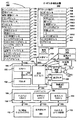
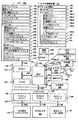
タッチ感知ディスプレイを伴うポータブル装置の実施形態に注意を向けることにする。図1A及び1Bは、ある実施形態によるタッチ感知ディスプレイ112を伴うポータブル多機能装置100を示すブロック図である。タッチ感知ディスプレイ112は、便宜上「タッチスクリーン」とも称され、又、タッチ感知ディスプレイシステムとしても知られ又はそのように称される。装置100は、メモリ102(1つ以上のコンピュータ読み取り可能な記憶媒体を含む)と、メモリコントローラ122と、1つ以上の処理ユニット(CPU)120と、周辺インターフェイス118と、RF回路108と、オーディオ回路110と、スピーカ111と、マイクロホン113と、入力/出力(I/O)サブシステム106と、他の入力又はコントロール装置116と、外部ポート124とを備えている。装置100は、1つ以上の光学的センサ164を含む。これらのコンポーネントは、1つ以上の通信バス又は信号ライン103を経て通信することができる。
Attention is directed to embodiments of portable devices with touch-sensitive displays. 1A and 1B are block diagrams illustrating a
装置100は、ポータブル多機能装置100の一例に過ぎず、そして装置100は、図示された以上又は以下のコンポーネントを有してもよく、2つ以上のコンポーネントを結合してもよく、或いはコンポーネントの異なる構成又は配列を有してもよいことが明らかであろう。図1及び1Bに示す種々のコンポーネントは、1つ以上の信号処理回路及び/又は特定用途向け集積回路を含めて、ハードウェア、ソフトウェア、又はその両方の組み合わせで具現化されてもよい。
The
メモリ102は、高速ランダムアクセスメモリを含んでもよく、又、不揮発性メモリ、例えば、1つ以上の磁気ディスク記憶装置、フラッシュメモリ装置、又は他の不揮発性ソリッドステートメモリデバイスを含んでもよい。装置100の他のコンポーネント、例えば、CPU120及び周辺インターフェイス118によるメモリ102へのアクセスは、メモリコントローラ122により制御することができる。
周辺インターフェイス118は、装置の入力及び出力周辺装置をCPU120及びメモリ102へ結合する。1つ以上のプロセッサ120は、メモリ102に記憶された種々のソフトウェアプログラム及び/又はインストラクションセットを走らせ又は実行し、装置100の種々の機能を遂行し、データを処理する。
ある実施形態では、周辺インターフェイス118、CPU120、及びメモリコントローラ122は、チップ104のような単一チップにおいて具現化される。他の実施形態では、それらは、個別のチップにおいて具現化されてもよい。
In some embodiments,
RF(高周波)回路108は、電磁信号とも称されるRF信号を受信し送信する。RF回路108は、電気信号を電磁信号へ及びその逆に変換し、そして電磁信号により通信ネットワーク及び他の通信装置と通信する。RF回路108は、これらの機能を遂行するための良く知られた回路を含み、これに限定されないが、アンテナシステム、RFトランシーバ、1つ以上の増幅器、チューナ、1つ以上の発振器、デジタル信号プロセッサ、CODECチップセット、加入者アイデンティティモジュール(SIM)カード、メモリ、等を含む。RF回路108は、ワールドワイドウェブ(WWW)とも称されるインターネットのようなネットワーク、イントラネット及び/又はワイヤレスネットワーク、例えば、セルラー電話ネットワーク、ワイヤレスローカルエリアネットワーク(LAN)、及び/又はメトロポリタンエリアネットワーク(MAN)、及び他の装置と、ワイヤレス通信により通信することができる。ワイヤレス通信は、複数の通信規格、プロトコル、及び技術のいずれかを使用し、これは、移動通信用のグローバルシステム(GSM(登録商標))、エンハンストデータGSM(登録商標)環境(EDGE)、高速ダウンリンクパケットアクセス(HSDPA)、ワイドバンドコード分割多重アクセス(W−CDMA)、コード分割多重アクセス(CDMA)、時分割多重アクセス(TDMA)、ブルーツース、ワイヤレスフィデリティ(Wi−Fi)(例えば、IEEE802.11a、IEEE802.11b、IEEE802.11g及び/又はIEEE802.11n)、ボイスオーバーインターネットプロトコル(VoIP)、Wi−MAX、e−メール用プロトコル(例えば、インターネットメッセージアクセスプロトコル(IMAP)及び/又はポストオフィスプロトコル(POP))、インスタントメッセージング(例えば、エクステンシブルメッセージング及びプレゼンスプロトコル(XMPP)、インスタントメッセージング及びプレゼンスレバレッジエクステンションのためのセッションイニシエーションプロトコル(SIMPLE)、インスタントメッセージング及びプレゼンスサービス(IMPS))、及び/又はショートメッセージングサービス(SMS)、或いは本出願の出願日にまだ開発されていない通信プロトコルを含む他の適当な通信プロトコルを含むが、それらに限定されない。
The RF (high frequency)
オーディオ回路110、スピーカ111、及びマイクロホン113は、ユーザと装置100との間のオーディオインターフェイスをなす。オーディオ回路110は、周辺インターフェイス118からオーディオデータを受信し、そのオーディオデータを電気的信号へ変換し、そしてその電気的信号をスピーカ111へ送信する。スピーカ111は、電気的信号を人間に聞こえる音波へ変換する。又、オーディオ回路110は、音波からマイクロホン113により変換された電気信号も受信する。オーディオ回路110は、電気信号をオーディオデータへ変換し、そのオーディオデータを処理のために周辺インターフェイス118へ送信する。オーディオデータは、周辺インターフェイス118によりメモリ102及び/又はRF回路108から検索され及び/又はそこへ送信される。ある実施形態では、オーディオ回路110は、ヘッドセットジャック(例えば、図2の212)も含む。ヘッドセットジャックは、オーディオ回路110と、取り外し可能なオーディオ入力/出力周辺装置、例えば、出力のみのヘッドホン、又は出力(例えば、片耳又は両耳用のヘッドホン)及び入力(例えば、マイクロホン)の両方を伴うヘッドセット、との間のインターフェイスをなす。
The
I/Oサブシステム106は、装置100の入力/出力周辺装置、例えば、タッチスクリーン112及び他の入力/出力装置116を、周辺インターフェイス118へ結合する。I/Oサブシステム106は、ディスプレイコントローラ156と、他の入力又はコントロール装置のための1つ以上の入力コントローラ160とを含む。1つ以上の入力コントローラ160は、他の入力又はコントロール装置116から電気信号を受信し/そこへ電気信号を送信する。他の入力/コントロール装置116は、物理的なボタン(例えば、プッシュボタン、ロッカーボタン、等)、ダイヤル、スライダースイッチ、ジョイスティック、クリックホイール、等を含む。ある別の実施形態では、入力コントローラ160は、次のいずれかに結合される(又はいずれにも結合されない)。即ち、キーボード、赤外線ポート、USBポート、及びマウスのようなポインタ装置。1つ以上のボタン(例えば、図2の208)は、スピーカ111及び/又はマイクロホン113のボリュームコントロールのためのアップ/ダウンボタンを含む。1つ以上のボタンは、プッシュボタン(例えば、図2の206)を含む。プッシュボタンを素早く押すと、タッチスクリーン112のロックが解離するか、又はタッチスクリーンにジェスチャーを使用して装置をアンロックするプロセスが開始し、これは、参考としてここに援用する2005年12月23日に出願された“Unlocking a Device by Performing Gestures on an Unlock Image”と題する米国特許出願第11/322,549号に説明されている。プッシュボタン(例えば、206)を長押しすると、装置100への電力をターンオン又はオフすることができる。ユーザは、1つ以上のボタンの機能をカスタマイズすることができる。タッチスクリーン112は、仮想又はソフトボタン及び1つ以上のソフトキーボードを具現化するのに使用される。
The I /
タッチ感知タッチスクリーン112は、装置とユーザとの間に入力インターフェイス及び出力インターフェイスを与える。ディスプレイコントローラ156は、タッチスクリーン112から電気信号を受信し/タッチスクリーン112へ電気信号を送信する。タッチスクリーン112は、ユーザに視覚出力を表示する。視覚出力は、グラフィック、テキスト、アイコン、ビデオ、及びその組み合わせを含む(総体的に「グラフィック」と称される)。ある実施形態では、視覚出力の幾つか又は全部がユーザインターフェイスオブジェクトに対応する。
Touch
タッチスクリーン112は、触覚及び/又は触感接触に基づいてユーザからの入力を受け容れるタッチ感知面、センサ、又はセンサのセットを有する。タッチスクリーン112及びディスプレイコントローラ156(並びに関連モジュール及び/又はメモリ102におけるインストラクションのセット)は、タッチスクリーン112上での接触(及び接触の移動又は切断)を検出し、そしてその検出された接触を、タッチスクリーンに表示されたユーザインターフェイスオブジェクト(例えば、1つ以上のソフトキー、アイコン、ウェブページ又は画像)との相互作用へと変換する。規範的実施形態では、タッチスクリーン112とユーザとの間の接触点は、ユーザの指に対応する。
タッチスクリーン112は、LCD(液晶ディスプレイ)技術、又はLPD(光放射ポリマーディスプレイ)技術を使用するが、他の実施形態では、他の表示技術が使用されてもよい。タッチスクリーン112及びディスプレイコントローラ156は、現在知られている又は今後開発される複数のタッチ感知技術のいずれかを使用して接触及びその移動又は切断を検出することができ、それらの技術は、容量性、抵抗性、赤外線、及び表面音波技術、並びに他の接近センサアレイ、又はタッチスクリーン112との1つ以上の接触点を決定するための他の要素を含むが、それに限定されない。規範的実施形態では、カリフォルニア州クパチーノのアップル社から入手できるiPhone(登録商標)及びiPod Touch(登録商標)に見られるような投影相互キャパシタンス感知技術が使用される。
The
タッチスクリーン112のある実施形態におけるタッチ感知ディスプレイは、各々参考としてここに援用する次の米国特許に説明されたマルチタッチ感知タブレットと同様である。第6,323,846号(ウェスターマン氏等)、第6,570,557号(ウェスターマン氏等)、及び/又は第6,677,932号(ウェスターマン氏)、及び/又は米国特許公告第2002/0015024A1号。しかしながら、タッチスクリーン112は、ポータブル装置100からの視覚出力を表示するが、タッチ感知タブレットは、視覚出力を与えない。
The touch sensitive display in certain embodiments of the
タッチスクリーン112のある実施形態におけるタッチ感知ディスプレイは、次の特許出願に説明されている。(1)2006年5月2日に出願された“Multipoint Touch Surface Controller”と題する米国特許出願第11/381,313号;(2)2004年5月6日に出願された“Multipoint Touch screen”と題する米国特許出願第10/840,862号;(3)2004年7月30日に出願された“Gestures For Touch Sensitive Input Devices”と題する米国特許出願第10/903,964号;(4)2005年1月31日に出願された“Gestures For Touch Sensitive Input Devices”と題する米国特許出願第11/048,264号;(5)2005年1月18日に出願された“Mode-Based Graphical User Interfaces For Touch Sensitive Input Devices”と題する米国特許出願第11/038,590号;(6)2005年9月16日に出願された“Virtual Input Device Placement On A Touch Screen User Interface”と題する米国特許出願第11/228,758号;(7)2005年9月16日に出願された“Operation Of A Computer With A Touch Screen Interface”と題する米国特許出願第11/228,700号;(8)2005年9月16日に出願された“Activating Virtual Keys Of A Touch-Screen Virtual Keyboard”と題する米国特許出願第11/228,737号;及び(9)2006年3月3日に出願された“Multi-Functional Hand-Held Device”と題する米国特許出願第11/367,749号。これらの特許出願は、全て、参考としてここにそのまま援用する。
The touch sensitive display in one embodiment of the
タッチスクリーン112は、解像度が100dpi以上である。規範的実施形態では、タッチスクリーンは、解像度が約160dpiである。ユーザは、適当な物体又は付属物、例えば、スタイラス、指、等を使用して、タッチスクリーン112に接触することができる。ある実施形態では、ユーザインターフェイスは、主として、指に基づく接触及びジェスチャーで機能するように設計され、これは、タッチスクリーンに対する指の接触面積が大きいためにスタイラスに基づく入力よりかなり精度が低い。ある実施形態では、装置は、指に基づく粗い入力を、正確なポインタ/カーソル位置、又はユーザが希望するアクションを遂行するためのコマンドへと変換する。
The
ある実施形態では、タッチスクリーンに加えて、装置100は、特定の機能をアクチベート又はデアクチベートするためのタッチパッド(図示せず)を備えている。ある実施形態では、タッチパッドは、タッチスクリーンとは異なり、視覚出力を表示しない装置のタッチ感知エリアである。タッチパッドは、タッチスクリーン112とは個別のタッチ感知面でもよいし、又はタッチスクリーンにより形成されたタッチ感知面の延長部でもよい。
In some embodiments, in addition to the touch screen,
ある実施形態では、装置100は、物理的又は仮想クリックホイールを入力コントロール装置116として含む。ユーザは、クリックホイールを回転するか又はクリックホイールとの接触点を移動することにより(例えば、接触点の移動量がクリックホイールの中心点に対するその角度変位により測定される場合に)、タッチスクリーン112に表示される1つ以上のグラフィックオブジェクト(例えば、アイコン)の間でナビゲートしそしてそれと相互作用することができる。又、クリックホイールは、表示されたアイコンの1つ以上を選択するのに使用されてもよい。例えば、ユーザは、クリックホイール又は関連ボタンの少なくとも一部分を押圧することができる。ユーザによりクリックホイールを経て与えられるユーザコマンド及びナビゲーションコマンドは、入力コントローラ160、並びにメモリ102におけるモジュール及び/又はインストラクションセットの1つ以上によって処理することができる。仮想クリックホイールの場合には、クリックホイール及びクリックホイールコントローラは、各々、タッチスクリーン112及びディスプレイコントローラ156の一部分である。仮想クリックホイールの場合、クリックホイールは、ユーザと装置との相互作用に応答してタッチスクリーンディスプレイに現れたり消えたりする不透明又は半透明のいずれかのオブジェクトである。ある実施形態では、仮想クリックホイールは、ポータブル多機能装置のタッチスクリーンに表示されて、タッチスクリーンとのユーザ接触により操作される。
In some embodiments,
又、装置100は、種々のコンポーネントに電力供給するための電源システム162も備えている。この電源システム162は、電源マネージメントシステム、1つ以上の電源(例えば、バッテリ、交流(AC))、再充電システム、停電検出回路、電力コンバータ又はインバータ、電力状態インジケータ(例えば、発光ダイオード(LED))、並びにポータブル装置における電力の発生、管理及び配電に関連した他のコンポーネントを備えている。
The
又、装置100は、1つ以上の光学的センサ164も備えている。図1A及び1Bは、I/Oサブシステム106における光学的センサコントローラ158に結合された光学的センサを示している。光学的センサ164は、電荷結合デバイス(CCD)又は相補的金属酸化物半導体(CMOS)ホトトランジスタを含む。光学的センサ164は、1つ以上のレンズを通して投影される環境からの光を受け取り、そしてその光を、画像を表すデータへと変換する。像形成モジュール143(カメラモジュールとも称される)に関連して、光学的センサ164は、静止画像又はビデオを捕獲することができる。ある実施形態では、光学的センサは、装置100の前方のタッチスクリーンディスプレイ112とは反対に、装置100の背面に配置され、タッチスクリーンディスプレイを静止画像及び/又はビデオ画像取得のためのビューファインダーとして使用できるようにしている。ある実施形態では、光学的センサが装置の前方に配置されて、ユーザの画像をビデオ会議のために得る一方、ユーザが他のビデオ会議参加者をタッチスクリーンディスプレイで見ることができるようにする。ある実施形態では、光学的センサ164の位置をユーザにより変更して(例えば、装置ハウジングにおいてレンズ及びセンサを回転することにより)、単一の光学的センサ164をビデオ会議と静止及び/又はビデオ画像取得の両方のためにタッチスクリーンディスプレイと共に使用できるようにする。
The
又、装置100は、1つ以上の接近センサ166も備えている。図1A及び1Bは、周辺インターフェイス118に結合された接近センサ166を示している。或いは又、接近センサ166は、I/Oサブシステム106の入力コントローラ160に結合されてもよい。接近センサ166は、参考としてここにそのまま援用する“Proximity Detector In Handheld Device”と題する米国特許出願第11/241,839号;“Proximity Detector In Handheld Device”と題する第11/240,788号;“Using Ambient Light Sensor To Augment Proximity Sensor Output”と題する第11/620,702号;“Automated Response To And Sensing Of User Activity In Portable Devices”と題する第11/586,862号;及び“Methods And Systems For Automatic Configuration Of Peripherals”と題する第11/638,251号に説明されたように機能する。ある実施形態では、接近センサは、多機能装置がユーザの耳の近くに置かれたとき(例えば、ユーザが電話コールを発信するとき)タッチスクリーン112をターンオフし、ディスエイブルする。
The
又、装置100は、1つ以上の加速度計168も備えている。図1A及び1Bは、周辺インターフェイス118に結合された加速度計168を示す。或いは又、加速度計168は、I/Oサブシステム106の入力コントローラ160に結合されてもよい。加速度計168は、参考としてここにそのまま援用する“Acceleration-based Theft Detection System for Portable Electronic Devices”と題する米国特許公告第2005/0190059号、及び“Methods And Apparatuses For Operating A Portable Device Based On An Accelerometer”と題する米国特許公告第2006/0017692号に説明されたように機能する。ある実施形態では、情報は、1つ以上の加速度計から受け取ったデータの分析に基づいて肖像ビュー又は風景ビューでタッチスクリーンディスプレイに表示される。
The
又、装置100は、磁気メータ169も備えている。図1A及び1Bは、周辺インターフェイス118に結合された磁気メータ169を示している。或いは又、磁気メータ169は、I/Oサブシステム106の入力コントローラ160に結合される。磁気メータは、方位情報と同様に、装置の配向を決定するのに使用される。
The
又、装置100は、GPS受信器170も備えている。図1A及び1Bは、周辺インターフェイス118に結合されたGPSを示している。或いは又、GPS170は、I/Oサブシステム106の入力コントローラ160に結合される。GPSは、装置の位置及び利用可能な全ての位置ベース情報を決定するのに使用される1つのコンポーネントであり、この情報を、GPSモジュール135を含む種々の用途で使用するために与える。
The
ある実施形態では、メモリ102に記憶されたソフトウェアコンポーネントは、オぺレーティングシステム126、通信モジュール(又はインストラクションセット)128、接触/運動モジュール(又はインストラクションセット)130、グラフィックモジュール(又はインストラクションセット)132、テキスト入力モジュール(又はインストラクションセット)134、グローバルポジショニングシステム(GPS)モジュール(又はインストラクションセット)135、及びアプリケーション(又はインストラクションセット)136を含む。
In some embodiments, software components stored in
オペレーティングシステム126(例えば、Darwin、RTXC、LINUX(登録商標)、OS X、WINDOWS(登録商標)、又は埋め込み型オペレーティングシステム、例えば、VxWorks)は、一般的なシステムタスク(例えば、メモリマネージメント、記憶装置制御、電力マネージメント、等)を制御し及び管理するための種々のソフトウェアコンポーネント及び/又はドライバを備え、そして種々のハードウェア及びソフトウェアコンポーネント間の通信を容易にする。 Operating system 126 (eg, Darwin, RTXC, LINUX®, OS X, WINDOWS®, or embedded operating system, eg, VxWorks) is a common system task (eg, memory management, storage device) Control, power management, etc.) with various software components and / or drivers for controlling and managing and facilitating communication between the various hardware and software components.
通信モジュール128は、1つ以上の外部ポート124を経て行われる他の装置との通信を容易にし、そしてRF回路108及び/又は外部ポート124により受け取られるデータを取り扱うための種々のソフトウェアコンポーネントも含む。外部ポート124(例えば、ユニバーサルシリアルバス(USB)、FIREWIRE、等)は、他の装置に直結されるか、又はネットワーク(例えば、インターネット、ワイヤレスLAN、等)を経て間接的に結合される。ある実施形態では、外部ポートは、iPod(アップル社の商標)装置に使用される30ピンコネクタと同じであるか、同様であるか、及び/又はそれに適合するマルチピン(例えば、30ピン)コネクタである。
接触/運動モジュール130は、タッチスクリーン112(ディスプレイコントローラ156に関連する)及び他のタッチ感知装置(例えば、タッチパッド又は物理的クリックホイール)との接触を検出することができる。接触/運動モジュール130は、接触が生じたかどうか決定し(例えば、指ダウン事象を検出し)、接触の移動があるかどうか決定しそしてタッチ感知面を横切る移動を追跡し(例えば、1つ以上の指ドラグ事象を検出し)、接触が止んだかどうか決定し(例えば、指アップ事象又は接触の切断を検出し)、等の、接触の検出に関連した種々のオペレーションを遂行するための種々のソフトウェアコンポーネントを含む。接触/運動モジュール130は、タッチ感知面から接触データを受け取る。一連の接触データにより表される接触点の移動を決定することは、接触点の速さ(大きさ)、速度(大きさと方向)、及び/又は加速度(大きさ及び/又は方向の変化)を決定することを含む。これらのオペレーションは、単一の接触(例えば、1つの指の接触)、又は複数の同時接触(例えば、「マルチタッチ」/複数の指の接触)に適用される。又、ある実施形態では、接触/運動モジュール130及びディスプレイコントローラ156がタッチパッド上の接触を検出する。ある実施形態では、接触/運動モジュール130及びコントローラ160がクリックホイール上の接触を検出する。
The contact /
接触/運動モジュール130は、ユーザにより入力されるジェスチャーを検出することができる。タッチ感知面上の異なるジェスチャーは、異なる接触パターンを有する。従って、特定の接触パターンを検出することによりジェスチャーを検出することができる。例えば、指タップジェスチャーを検出することは、指ダウン事象の検出に続いて、指ダウン事象と同じ位置(又は実質的に同じ位置)において(例えば、アイコンの位置において)指アップ事象を検出することを含む。別の例として、タッチ感知面上で指スワイプジェスチャーを検出することは、指ダウン事象の検出に続いて、1つ以上の指ドラグ事象を検出し、その後、指アップ事象を検出することを含む。
The contact /
グラフィックモジュール132は、表示されるグラフィックの輝度を変化させるコンポーネントを含めて、タッチスクリーン112又は他のディスプレイにグラフィックをレンダリングし表示するための種々の既知のソフトウェアコンポーネントを含む。ここで使用する「グラフィック」という語は、ユーザに表示できるオブジェクトを含み、テキスト、ウェブページ、アイコン(ソフトキーを含むユーザインターフェイスオブジェクトのような)、デジタル画像、ビデオ、アニメ、等を含むが、これに限定されない。
The
ある実施形態では、グラフィックモジュール132は、使用されるグラフィックを表すデータを記憶する。各グラフィックには、対応するコードが指定される。グラフィックモジュール132は、表示されるグラフィックを特定する1つ以上のコードを、必要に応じて、座標データ及び他のグラフィックプロパティデータと共に、アプリケーション、等から受け取り、そしてスクリーン画像データを発生して、ディスプレイコントローラ156へ出力する。
In some embodiments, the
グラフィックモジュール132のコンポーネントであるテキスト入力モジュール134は、種々のアプリケーション(例えば、連絡先137、e−メール140、IM141、ブラウザ147、及びテキスト入力を必要とする他のアプリケーション)においてテキストを入力するためのソフトキーボードを与える。
A
GPS受信器170に依存するGPSモジュール135は、装置の位置及び使用可能な全ての位置ベース情報を決定し、そしてこの情報を種々のアプリケーション(例えば、位置ベースダイヤルに使用するための電話138、写真/ビデオメタデータとしてのカメラ143、並びに天気ウィジット、ローカルイエローページウィジット、マップ/ナビゲーションウィジットのような位置ベースサービスを提供するアプリケーション、そしてワードプロセスモジュール384及びスプレッドシートモジュール390のような電子的ドキュメントの編集又は生成に適したアプリケーション又はウィジット)に使用するために与える。
The
アプリケーション136は、次のモジュール(又はインストラクションセット)、或いはそのサブセット又はスーパーセットを含む。
・連絡先モジュール137(アドレス帳又は連絡先リストとも称される);
・電話モジュール138;
・ビデオ会議モジュール139;
・e−メールクライアントモジュール140;
・インスタントメッセージング(IM)モジュール141;
・トレーニングサポートモジュール142;
・静止及び/又はビデオ画像のためのカメラモジュール143;
・画像マネージメントモジュール144;
・ビデオプレーヤモジュール145;
・音楽プレーヤモジュール146;
・ブラウザモジュール147;
・カレンダーモジュール148;
・ウィジットモジュール149、これは、天気ウィジット149−1、株ウィジット149−2、計算器ウィジット149−3、アラームクロックウィジット149−4、辞書ウィジット149−5、及びユーザにより得られる他のウィジット、並びにユーザ生成ウィジット149−6を含む;
・ユーザ生成ウィジット149−6を作るためのウィジット生成モジュール150;
・サーチモジュール151;
・ビデオ及び音楽プレーヤモジュール152、これは、ビデオプレーヤモジュール145及び音楽プレーヤモジュール146を合体したもの;
・ノートモジュール153;
・マップモジュール154;及び/又は
・オンラインビデオモジュール155。
The
A contact module 137 (also referred to as an address book or contact list);
A
An instant messaging (IM)
-
A
An
A
A
A
A video and
・
A
メモリ102に記憶される他のアプリケーション136は、例えば、他のワードプロセスアプリケーション、他の画像編集アプリケーション、製図アプリケーション、プレゼンテーションアプリケーション、JAVA(登録商標)イネーブルアプリケーション、暗号化、デジタルライツマネージメント、音声認識、及び音声複写を含む。
タッチスクリーン112、ディスプレイコントローラ156、接触モジュール130、グラフィックモジュール132、及びテキスト入力モジュール134に関連して、連絡先モジュール137は、アドレス帳又は連絡先リストを管理するのに使用され、これは、アドレス帳に名前(1つ又は複数)を追加すること、アドレス帳から名前(1つ又は複数)を削除すること、電話番号(1つ又は複数)、e−メールアドレス(1つ又は複数)、物理的アドレス(1つ又は複数)又は他の情報を名前に関連付けること、画像を名前に関連付けること、名前を分類し区分けすること、電話138、ビデオ会議139、e−メール140又はIM141による通信を開始し及び/又は容易にするために電話番号又はe−メールアドレスを与えること、等を含む。
In connection with the
RF回路108、オーディオ回路110、スピーカ111、マイクロホン113、タッチスクリーン112、ディスプレイコントローラ156、接触モジュール130、グラフィックモジュール132、及びテキスト入力モジュール134に関連して、電話モジュール138は、電話番号に対応するキャラクタのシーケンスを入力し、アドレス帳137の1つ以上の電話番号にアクセスし、入力された電話番号を変更し、各電話番号をダイヤルし、会話を行い、そして会話が完了したときに切断又はハングアップするのに使用される。上述したように、ワイヤレス通信は、複数の通信規格、プロトコル及び技術のいずれを使用してもよい。
In connection with the
RF回路108、オーディオ回路110、スピーカ111、マイクロホン113、タッチスクリーン112、ディスプレイコントローラ156、光学的センサ164、光学的センサコントローラ158、接触モジュール130、グラフィックモジュール132、テキスト入力モジュール134、連絡先リスト137、及び電話モジュール138に関連して、ビデオ会議モジュール139は、ユーザと1つ以上の他の参加者との間のビデオ会議を開始し、実行しそして終了するのに使用される。
RF回路108、タッチスクリーン112、ディスプレイコントローラ156、接触モジュール130、グラフィックモジュール132、及びテキスト入力モジュール134に関連して、e−メールクライアントモジュール140は、e−メールを生成し、送信し、受信し及び管理するのに使用される。画像マネージメントモジュール144に関連して、e−メールモジュール140は、カメラモジュール143で撮影された静止又はビデオ画像と共にe−メールを生成して送信するのを非常に容易にする。
In connection with the
RF回路108、タッチスクリーン112、ディスプレイコントローラ156、接触モジュール130、グラフィックモジュール132、及びテキスト入力モジュール134に関連して、インスタントメッセージングモジュール141は、インスタントメッセージに対応するキャラクタのシーケンスを入力し、以前に入力されたキャラクタを変更し、各インスタントメッセージを送信し(例えば、電話ベースのインスタントメッセージについてはショートメッセージサービス(SMS)又はマルチメディアメッセージサービス(MMS)プロトコルを使用して、或いはインターネットベースのインスタントメッセージについてはXMPP、SIMPLE、又はIMPSを使用して)、インスタントメッセージを受信し、そして受信したインスタントメッセージを見るのに使用される。ある実施形態では、送信及び/又は受信されるインスタントメッセージは、グラフィック、写真、オーディオファイル、ビデオファイルを含み、及び/又はMMS及び/又はエンハンストメッセージングサービス(EMS)でサポートされる他のアタッチメントも含む。ここで使用する「インスタントメッセージング」とは、電話ベースのメッセージ(例えば、SMS又はMMSを使用して送信されるメッセージ)と、インターネットベースのメッセージ(例えば、XMPP、SIMPLE又はIMPSを使用して送信されるメッセージ)の両方を指す。
In connection with the
RF回路108、タッチスクリーン112、ディスプレイコントローラ156、接触モジュール130、グラフィックモジュール132、テキスト入力モジュール134、GPSモジュール135、マップモジュール154、及び音楽プレーヤモジュール146に関連して、トレーニングサポートモジュール142は、トレーニング(例えば、時間、距離及び/又はカロリー燃焼目標をもつ)を生成し、トレーニングセンサ(スポーツ器具)と通信し、トレーニングセンサデータを受信し、トレーニングを監視するのに使用されるセンサを校正し、トレーニング用の音楽を選択して再生し、そしてトレーニングデータを表示し、記憶し及び送信するのに使用される。
In connection with the
タッチスクリーン112、ディスプレイコントローラ156、光学的センサ164、光学的センサコントローラ158、接触モジュール130、グラフィックモジュール132、及び画像マネージメントモジュール144に関連して、カメラモジュール143は、静止画像又はビデオ(ビデオストリームを含む)を捕獲してメモリ102へ記憶し、静止画像又はビデオの特性を変更し、又はメモリ102から静止画像又はビデオを削除するのに使用される。
In connection with the
タッチスクリーン112、ディスプレイコントローラ156、接触モジュール130、グラフィックモジュール132、テキスト入力モジュール134、及びカメラモジュール143に関連して、画像マネージメントモジュール144は、静止及び/又はビデオ画像をアレンジし、変更(例えば、編集)し、さもなければ、操作し、表示し、削除し、提示し(例えば、デジタルスライドショー又はアルバムで)、そして記憶するのに使用される。
In connection with
タッチスクリーン112、ディスプレイコントローラ156、接触モジュール130、グラフィックモジュール132、オーディオ回路110及びスピーカ111に関連して、ビデオプレーヤモジュール145は、ビデオを(例えば、タッチスクリーンに、又は外部ポート124を経て接続された外部ディスプレイに)表示し、提示し、さもなければ、再生するのに使用される。
In connection with the
タッチスクリーン112、ディスプレイシステムコントローラ156、接触モジュール130、グラフィックモジュール132、オーディオ回路110、スピーカ111、RF回路108、及びブラウザモジュール147に関連して、音楽プレーヤモジュール146は、録音された音楽及び1つ以上のファイルフォーマットで記憶された他のサウンドファイル、例えば、MP3又はAACファイルをユーザがダウンロードして再生できるようにする。ある実施形態では、装置100は、iPod(アップル社の商標)のような、MP3プレーヤの機能を含む。
In connection with the
RF回路108、タッチスクリーン112、ディスプレイシステムコントローラ156、接触モジュール130、グラフィックモジュール132、及びテキスト入力モジュール134に関連して、ブラウザモジュール147は、ウェブページ又はその一部分、並びにウェブページにリンクされたアタッチメント及び他のファイルをサーチし、それにリンクし、それを受信し及び表示することを含めて、インターネットをブラウズするのに使用される。
In conjunction with
RF回路108、タッチスクリーン112、ディスプレイシステムコントローラ156、接触モジュール130、グラフィックモジュール132、テキスト入力モジュール134、e−メールモジュール140、及びブラウザモジュール147に関連して、カレンダーモジュール148は、カレンダー及びカレンダーに関連したデータ(例えば、カレンダーエントリー、ツードゥ(to do)リスト、等)を生成し、表示し、変更し、そして記憶するのに使用される。
In conjunction with the
RF回路108、タッチスクリーン112、ディスプレイシステムコントローラ156、接触モジュール130、グラフィックモジュール132、テキスト入力モジュール134、及びブラウザモジュール147に関連して、ウィジットモジュール149は、ユーザによりダウンロードされて使用されるミニアプリケーション(例えば、天気ウィジット149−1、株ウィジット149−2、計算器ウィジット149−3、アラームクロックウィジット149−4、及び辞書ウィジット149−5)であるか、又はユーザにより生成されるミニアプリケーション(例えば、ユーザ生成ウィジット149−6)である。ある実施形態では、ウィジットは、HTML(ハイパーテキストマークアップ言語)ファイル、CSS(カスケーディングスタイルシート)ファイル、及びJavaScript(登録商標)ファイルを含む。ある実施形態では、ウィジットは、XML(エクステンシブルマークアップ言語)ファイル、及びJavaScript(登録商標)ファイル(例えば、Yahoo!ウィジット)を含む。
In conjunction with the
RF回路108、タッチスクリーン112、ディスプレイシステムコントローラ156、接触モジュール130、グラフィックモジュール132、テキスト入力モジュール134、及びブラウザモジュール147に関連して、ウィジット生成モジュール150は、ユーザによりウィジットを生成するのに使用される(例えば、ウェブページのユーザ指定部分をウィジットへと転化させる)。
In conjunction with the
タッチスクリーン112、ディスプレイシステムコントローラ156、接触モジュール130、グラフィックモジュール132、及びテキスト入力モジュール134に関連して、サーチモジュール151は、1つ以上のサーチ基準(例えば、1つ以上のユーザ指定サーチ用語)に一致するテキスト、音楽、サウンド、映像、ビデオ、及び又は他のファイルをメモリ102においてサーチするのに使用される。
In connection with
タッチスクリーン112、ディスプレイコントローラ156、接触モジュール130、グラフィックモジュール132、及びテキスト入力モジュール134に関連して、ノートモジュール153は、ノート、ツードゥリスト、等を生成し管理するのに使用される。
In conjunction with
RF回路108、タッチスクリーン112、ディスプレイシステムコントローラ156、接触モジュール130、グラフィックモジュール132、テキスト入力モジュール134、GPSモジュール135、及びブラウザモジュール147に関連して、マップモジュール154は、マップ及びマップに関連したデータ(例えば、運転方向、特定の場所又はその付近の店舗及び他の当該ポイントに関するデータ、及び場所に基づく他のデータ)を受け取り、表示し、変更し及び記憶するのに使用される。
In connection with
タッチスクリーン112、ディスプレイシステムコントローラ156、接触モジュール130、グラフィックモジュール132、オーディオ回路110、スピーカ111、RF回路108、テキスト入力モジュール134、e−メールクライアントモジュール140、及びブラウザモジュール147に関連して、オンラインビデオモジュール155は、ユーザが、アクセス、ブラウズ、受信(例えば、ストリーミング及び/又はダウンロードにより)、再生(例えば、タッチスクリーンに、又は外部ポート124を経て接続された外部ディスプレイに)を行えるようにし、更に、特定のオンラインビデオへのリンクと共にe−メールを送信し、その他、オンラインビデオをH.264のような1つ以上のファイルフォーマットで管理できるようにする。ある実施形態では、e−メールクライアントモジュール140ではなくインスタントメッセージングモジュール141を使用して、特定のオンラインビデオへのリンクを送信する。オンラインビデオアプリケーションの付加的な説明は、2007年6月20日に出願された“Portable Multifunction Device, Method, and Graphical User Interface for Playing Online Videos”と題する米国プロビジョナル特許出願第60/936,562号、及び2007年12月31日に出願された“Portable Multifunction Device, Method, and Graphical User Interface for Playing Online Videos”と題する米国特許出願第11/968,067号に見ることができ、それらの内容を参考としてここに援用する。
Online in connection with
上述したモジュール及びアプリケーションの各々は、上述した1つ以上の機能及びここに述べる方法(例えば、ここに述べるコンピュータ実施方法及び他の情報処理方法)を遂行するための実行可能なインストラクションのセットに対応する。これらのモジュール(即ち、インストラクションのセット)は、個別のソフトウェアプログラム、手順又はモジュールとして具現化される必要がなく、従って、これらモジュールの種々のサブセットを種々の実施形態において結合し、さもなければ、再アレンジすることができる。例えば、ビデオプレーヤモジュール145は、音楽プレーヤモジュール146と共に単一のモジュール(例えば、図1Bのビデオ及び音楽プレーヤモジュール152)へと結合することができる。ある実施形態では、メモリ102は、上述したモジュール及びデータ構造体のサブセットを記憶することができる。更に、メモリ102は、上述しなかった付加的なモジュール及びデータ構造体を記憶することもできる。
Each of the modules and applications described above corresponds to a set of executable instructions for performing one or more of the functions described above and the methods described herein (eg, computer-implemented methods and other information processing methods described herein). To do. These modules (i.e., sets of instructions) need not be embodied as separate software programs, procedures or modules, thus combining various subsets of these modules in various embodiments, Can be rearranged. For example, the
ある実施形態では、装置100は、その機能の既定セットの動作がタッチスクリーン112及び/又はタッチパッドを通して排他的に実行される装置である。タッチスクリーン及び/又はタッチパッドを装置100の動作のための一次入力/コントロール装置として使用することにより、装置100における物理的入力/コントロール装置(プッシュボタン、ダイヤル、等)の数を減少することができる。
In some embodiments, the
タッチスクリーン及び/又はタッチパッドを通して排他的に遂行される機能の既定セットは、ユーザインターフェイス間のナビゲーションを含む。ある実施形態では、タッチパッドは、ユーザがタッチすると、装置100を、装置100に表示されるユーザインターフェイスから、メイン、ホーム又はルートメニューへとナビゲートする。このような実施形態では、タッチパッドは、「メニューボタン」と称される。他の実施形態では、メニューボタンは、タッチパッドではなく、物理的なプッシュボタン又は他の物理的な入力/コントロール装置である。
The default set of functions performed exclusively through the touch screen and / or touch pad includes navigation between user interfaces. In some embodiments, the touchpad navigates the
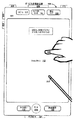
図2は、ある実施形態によるタッチスクリーン112を有するポータブル多機能装置100を示す。タッチスクリーンは、ユーザインターフェイス(UI)200内に1つ以上のグラフィックを表示する。この実施形態及び以下に述べる他の実施形態では、ユーザは、例えば、1本以上の指202(図には正しい縮尺率で描かれていない)又は1本以上のスタイラス(図には正しい縮尺率で描かれていない)でグラフィックに接触又はタッチすることにより、1つ以上のグラフィックを選択することができる。ある実施形態では、ユーザが1つ以上のグラフィックとの接触を切断したときに1つ以上のグラフィックの選択が行われる。ある実施形態では、接触は、装置100に接触する1つ以上のタップ、1つ以上のスワイプ(左から右、右から左、アップ方向及び/又はダウン方向)、及び/又は指の回転(右から左、左から右、アップ方向及び/又はダウン方向)のようなジェスチャーを含む。ある実施形態では、グラフィックとの偶発的な接触でグラフィックが選択されることはない。例えば、選択に対応するジェスチャーがタップであるときに、アプリケーションアイコンの上をスイープするスワイプジェスチャーでは、対応するアプリケーションが選択されることがない。
FIG. 2 illustrates a
又、装置100は、「ホーム」又はメニューボタン204のような1つ以上の物理的なボタンも含む。上述したように、メニューボタン204は、装置100で実行されるアプリケーションのセットにおいて任意のアプリケーション136へナビゲートするのに使用される。或いは又、ある実施形態では、メニューボタンは、タッチスクリーン112においてGUIのソフトキーとして具現化される。
The
一実施形態において、装置100は、タッチスクリーン112と、メニューボタン204と、装置をオン/オフし及び装置をロックするためのプッシュボタン206と、ボリューム調整ボタン208と、加入者アイデンティティモジュール(SIM)カードスロット210と、ヘッドセットジャック212と、ドッキング/充電外部ポート124とを備えている。プッシュボタン206は、これを押して、所定時間インターバル中、押圧状態に保持することにより装置の電源をターンオン/オフし、又、このボタンを押して、所定時間インターバルが経過する前に放すことにより装置をロックし、及び/又は装置をアンロックするか又はアンロックプロセスを開始するのに使用される。又、別の実施形態では、装置100は、マイクロホン113を通してある機能をアクチベート又はデアクチベートするために口頭入力を受け入れることもできる。
In one embodiment, the
図3は、ある実施形態によるディスプレイ及びタッチ感知面を伴う規範的多機能装置のブロック図である。装置300は、ポータブルである必要がない。ある実施形態では、装置300は、ラップトップコンピュータ、デスクトップコンピュータ、タブレットコンピュータ、マルチメディアプレーヤ装置、ナビゲーション装置、教育装置(子供の学習玩具)、ゲームシステム、又はコントロール装置(例えば、家庭用又は工業用コントローラ)である。装置300は、典型的に、1つ以上の処理ユニット(CPU)310と、1つ以上のネットワーク又は他の通信インターフェイス360と、メモリ370と、これらコンポーネントを相互接続する1つ以上の通信バス320とを備えている。通信バス320は、システムコンポーネント間を相互接続してそれらの間の通信を制御する回路(チップセットとも称される)を含む。装置300は、典型的にタッチスクリーンディスプレイであるディスプレイ340を含むユーザインターフェイス330を備えている。又、ユーザインターフェイス330は、キーボード及び/又はマウス(又は他のポインティング装置)350及びタッチパッド355も含む。メモリ370は、DRAM、SRAM、DDR RAMのような高速ランダムアクセスメモリ、又は他のランダムアクセスソリッドステートメモリ装置を含み、そして不揮発性メモリ、例えば、1つ以上の磁気ディスク記憶装置、光学ディスク記憶装置、フラッシュメモリ装置又は他の不揮発性ソリッドステート記憶装置を含む。メモリ370は、CPU310からリモート配置された1つ以上の記憶装置を任意に含んでもよい。ある実施形態では、メモリ370は、ポータブル多機能装置100(図1)のメモリ102に記憶されたプログラム、モジュール及びデータ構造と同様のプログラム、モジュール及びデータ構造、或いはそのサブセットを記憶する。更に、メモリ370は、ポータブル多機能装置100のメモリ102に存在しない付加的なプログラム、モジュール及びデータ構造を記憶する。例えば、装置300のメモリ370は、製図モジュール380、プレゼンテーションモジュール382、ワードプロセスモジュール384、ウェブサイト生成モジュール386、ディスクオーサリングモジュール388、及び/又はスプレッドシートモジュール390を記憶するが、ポータブル多機能装置100(図1)のメモリ102は、これらのモジュールを記憶しない。
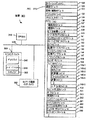
FIG. 3 is a block diagram of an exemplary multifunction device with a display and a touch-sensitive surface according to some embodiments. Device 300 need not be portable. In some embodiments, the device 300 is a laptop computer, desktop computer, tablet computer, multimedia player device, navigation device, educational device (children's learning toy), game system, or control device (eg, home or industrial). Controller). The device 300 typically has one or more processing units (CPUs) 310, one or more networks or
図3の上述した要素の各々は、上述したメモリ装置の1つ以上に記憶される。上述したモジュールの各々は、上述した機能を遂行するためのインストラクションのセットに対応する。上述したモジュール又はプログラム(即ち、インストラクションのセット)は、個別のソフトウェアプログラム、手順又はモジュールとして具現化されなくてもよく、従って、これらモジュールの種々のサブセットは、種々の実施形態において組み合わされるか、さもなければ、再アレンジされてもよい。ある実施形態では、メモリ370は、上述したモジュール及びデータ構造のサブセットを記憶する。更に、メモリ370は、上述しなかった付加的なモジュール及びデータ構造を記憶することもできる。 Each of the above-described elements of FIG. 3 is stored in one or more of the memory devices described above. Each of the modules described above corresponds to a set of instructions for performing the functions described above. The modules or programs described above (ie, a set of instructions) may not be embodied as separate software programs, procedures or modules, and thus various subsets of these modules may be combined in various embodiments, Otherwise, it may be rearranged. In some embodiments, the memory 370 stores a subset of the modules and data structures described above. In addition, the memory 370 can store additional modules and data structures not described above.
ポータブル多機能装置100において具現化されるユーザインターフェイス(UI)の実施形態について次に注目する。
Attention is now directed to embodiments of a user interface (UI) embodied in the
図4A及び4Bは、ある実施形態によるポータブル多機能装置100におけるアプリケーションのメニューのための規範的ユーザインターフェイスを示す。装置300でも同様のユーザインターフェイスが具現化される。ある実施形態では、ユーザインターフェイス400Aは、次の要素、或いはそのサブセット又はスーパーセットを含む。
●セルラー及びWi−Fi信号のような、ワイヤレス通信のための信号強度インジケータ402;
●時刻404;
●ブルーツースインジケータ405;
●バッテリ状態インジケータ406;
●次のような頻繁に使用するアプリケーションのためのアイコンを伴うトレイ408: ○逸したコール又はボイスメールメッセージの数のインジケータ414を含む電話138;
○未読e−メールの数のインジケータ410を含むe−メールクライアント140; ○ブラウザ147;及び
○音楽プレーヤ146;並びに
●次のような他のアプリケーションのためのアイコン:
○IM141;
○画像マネージメント144;
○カメラ143;
○ビデオプレーヤ145;
○天気149−1;
○株149−2;
○トレーニングサポート142;
○カレンダー148;
○計算器149−3;
○アラームクロック149−4;
○辞書149−5;及び
○ユーザ生成ウィジット149−6。
4A and 4B illustrate an example user interface for a menu of applications in the
A
●
●
A
A
O
○ IM141;
○
○ Weather 149-1;
○ Stock 149-2;
○
○
○ Calculator 149-3;
○ Alarm clock 149-4;
O Dictionary 149-5; and o User generated widget 149-6.
ある実施形態では、ユーザインターフェイス400Bは、次の要素、或いはそのサブセット又はスーパーセットを含む。
●上述した402、404、405、406、141、148、144、143、149−3、149−2、149−1、149−4、410、414、138、140及び147;
●マップ154;
●ノート153;
●以下に述べるように、装置100の設定及びその種々のアプリケーション136へのアクセスを与える設定412;
●iPod(アップル社の商標)モジュール152とも称されるビデオ及び音楽プレーヤモジュール152;及び
●YouTube(グーグル社の商標)モジュール155とも称されるオンラインビデオモジュール155。
In some embodiments,
● 402, 404, 405, 406, 141, 148, 144, 143, 149-3, 149-2, 149-1, 149-4, 410, 414, 138, 140 and 147 described above;
●
● Note 153;
A setting 412 that gives access to the settings of the
A video and
図4Cは、個別ディスプレイ(例えば、450)及びタッチ感知面(例えば、451)を伴う多機能装置の規範的なユーザインターフェイスを示す。以下に示す多数の例では、(図4A−4Bに装置10で示したように、タッチ感知面及びディスプレイが結合される場合に)タッチスクリーンディスプレイと言及されるが、ある実施形態では、図4Cに示すように、ディスプレイ及びタッチ感知面が個別である。ある実施形態では、タッチ感知面(例えば、図4Cの451)は、ディスプレイ(例えば、450)の主軸(例えば、図4Cの453)に対応する主軸(例えば、図4Cの452)を有する。これらの実施形態によれば、装置は、ディスプレイ上の各位置に対応する位置においてタッチ感知面451との接触(例えば、図4Cの460及び462)を検出する(例えば、図4Cでは、460は、468に対応し、そして462は、470に対応する)。このように、タッチ感知面(例えば、図4Cの451)上で装置により検出されるユーザ入力(例えば、接触460及び462)は、タッチ感知面及びディスプレイが個別であるときに多機能装置のディスプレイ(例えば、図4Cの450)上でユーザインターフェイスを操作するために装置により使用される。ここに述べる他のユーザインターフェイスにも同様の方法を使用できることを理解されたい。
FIG. 4C shows an exemplary user interface for a multifunction device with a separate display (eg, 450) and a touch sensitive surface (eg, 451). In the numerous examples given below, reference is made to a touch screen display (when the touch-sensitive surface and display are combined, as shown by the device 10 in FIGS. 4A-4B), but in some embodiments, FIG. As shown, the display and the touch sensitive surface are separate. In some embodiments, the touch-sensitive surface (eg, 451 in FIG. 4C) has a major axis (eg, 452 in FIG. 4C) that corresponds to the major axis (eg, 453 in FIG. 4C) of the display (eg, 450). According to these embodiments, the device detects contact (eg, 460 and 462 in FIG. 4C) with touch-
更に、以下の例では、主として、指入力(例えば、指接触、指タップジェスチャー、指スワイプジェスチャー)が言及されるが、ある実施形態では、1つ以上の指入力が、別の入力装置(例えば、マウスベース入力又はスタイラス入力)と置き換えられてもよいことを理解されたい。例えば、スワイプジェスチャーは、(例えば、接触に代わる)マウスクリックと、それに続く(例えば、接触の移動に代わる)スワイプ経路に沿ったカーソルの移動に置き換えられてもよい。別の例として、タップジェスチャーは、(例えば、接触を検出した後に、接触の検出を停止することに代わって)タップジェスチャーの位置の上にカーソルが配置される間にマウスをクリックすることに置き換えられてもよい。同様に、複数のユーザ入力が同時に検出されるときには、複数のコンピュータマウスが同時に使用されるか、又はマウス及び指接触が同時に使用されることを理解されたい。 Further, in the following examples, reference is primarily made to finger input (eg, finger touch, finger tap gesture, finger swipe gesture), but in one embodiment, one or more finger inputs are sent to another input device (eg, It should be understood that it may be replaced with mouse-based input or stylus input). For example, a swipe gesture may be replaced with a mouse click (eg, instead of touch) followed by a cursor movement along a swipe path (eg, instead of touch movement). As another example, a tap gesture is replaced by clicking the mouse while the cursor is positioned over the position of the tap gesture (eg, after detecting a contact, instead of stopping detecting the contact) May be. Similarly, it should be understood that when multiple user inputs are detected simultaneously, multiple computer mice are used simultaneously, or mouse and finger contact are used simultaneously.
ディスプレイ及びタッチ感知面を伴う多機能装置、例えば、装置300又はポータブル多機能装置100において具現化されるユーザインターフェイス(UI)及び関連プロセスの実施形態に、以下、注意を向けることにする。
Attention is now directed to embodiments of a user interface (UI) and associated processes embodied in a multi-function device with a display and touch-sensitive surface, eg, device 300 or portable
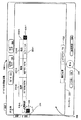
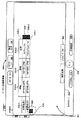
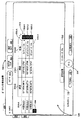
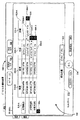
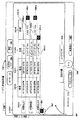
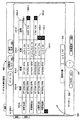
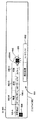
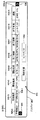
図5A−5Mは、ある実施形態による電子的ドキュメントにおける位置ベースデータ及び数式の自動ポピュレーションのための規範的ユーザインターフェイスを示す。これらの図におけるユーザインターフェイスは、図6A−6Bのプロセスを含めて、以下に述べるプロセスを例示するのに使用される。 FIGS. 5A-5M illustrate an example user interface for automatic population of location-based data and formulas in an electronic document according to an embodiment. The user interfaces in these figures are used to illustrate the processes described below, including the processes of FIGS. 6A-6B.
UI500A(図5A)は、コンピューティング装置、ここでは、タッチスクリーン112を伴うポータブル多機能装置100における規範的ユーザインターフェイスを示す。電子的ドキュメント500は、上述したアプリケーションモジュール、例えば、スプレッドシートモジュール390、ワードプロセスモジュール384、或いはユーザが位置ベースデータ及び数式の自動的ポピュレーションを行いたい場合に電子的ドキュメントを生成又は編集するための適当なアプリケーションモジュールにより、装置100のタッチスクリーン112に表示される。
又、UI500Aに示されたように、電子的ドキュメント500を生成し又は編集するための規範的ユーザインターフェイスは、装置100の現在位置がカリフォルニア州クパチーノであることを指示する現在位置印502を含む。
Also, as shown in
この例では、電子的ドキュメント500は、第1のデータポピュレーションコントロール504及び第2のデータポピュレーションコントロール506−1を含み、これらは、電子的ドキュメント500内のデータ行508に隣接している。電子的ドキュメント500に現在表示されたデータ行508は、ヘッダ行508−Aと、位置ベースデータで現在ポピュレーションされていない第1のデータ行508−1を含む。この規範的実施形態では、データ行508は、中間地点列510−Aと、緯度列510−Bと、経度列510−Cと、名前列510−Dを含む。
In this example,
又、UI500Aは、第1のデータポピュレーションコントロール504のアクチベーション512も示す。アクチベーション512の時間に、装置100は、現在位置印502で示すように、物理的にクパチーノに位置していることに注意されたい。
UI500B(図5B)は、UI500Aにおける第1のデータポピュレーションコントロール504のアクチベーション512を検出するのに応答して、データ行508−1は、位置データソースから得た位置ベースデータでポピュレーションされる。より詳細には、この例では、アクチベーション512の時間に装置100の位置、即ちクパチーノ、に対応する緯度、経度及び位置名情報は、各々、データ行508−1の緯度列510−B、経度列510−C、及び名前列510−Dにポピュレーションされる。更に、中間地点タグ「中間地点1」は、データ行508−1の中間地点列510−Aにポピュレーションされる。
In response to detecting
図面中には移動が示されていないが、UI500Bは、アクチベーション512の後、装置100が新たな地理的位置へ移動されたことを示し、即ち現在位置印502は、装置100の現在位置がテキサス州ビッグスプリングであることを示している。
Although no movement is shown in the drawing,
又、UI500Bは、第1のデータポピュレーションコントロール504の別のアクチベーション514も示している。アクチベーション514の時間に、装置100は、現在位置印502で示すように、ビッグスプリングに物理的に位置していることに注意されたい。
UI500C(図5C)に示すように、UI500Bにおける第1のデータポピュレーションコントロール504のアクチベーション514を検出するのに応答して、データ行508−2は、位置データソースから得た位置ベースデータでポピュレーションされる。より詳細には、この例では、アクチベーション514の時間に装置100の位置、即ちビッグスプリング、に対応する緯度、経度及び位置名情報は、各々、データ行508−2の緯度列510−B、経度列510−C、及び名前列510−Dにポピュレーションされる。更に、中間地点タグ「中間地点2」は、データ行508−2の中間地点列510−Aにポピュレーションされる。
As shown in
上述したように、図面中には移動が示されていないが、UI500Cは、アクチベーション514の後、装置100が新たな地理的位置へ移動されたことを示し、即ち現在位置印502は、装置100の現在位置がペンシルバニア州ピッツバーグであることを示している。
As described above, although movement is not shown in the drawing,
又、UI500Cは、第1のデータポピュレーションコントロール504の別のアクチベーション516も示している。アクチベーション516の時間に、装置100は、現在位置印502で示すように、ピッツバーグに物理的に位置していることに注意されたい。
UI500D(図5D)に示すように、UI500Cにおける第1のデータポピュレーションコントロール504のアクチベーション516を検出するのに応答して、データ行508−3は、位置データソースから得た位置ベースデータでポピュレーションされる。より詳細には、この例では、アクチベーション516の時間に装置100の位置、即ちピッツバーグ、に対応する緯度、経度及び位置名情報は、各々、データ行508−3の緯度列510−B、経度列510−C、及び名前列510−Dにポピュレーションされる。更に、中間地点タグ「中間地点3」は、データ行508−3の中間地点列510−Aにポピュレーションされる。
As shown in
又、UI500Dは、第2のデータポピュレーションコントロール506−1のアクチベーション518も示している。アクチベーション518の時間に、装置100は、現在位置印502で示すように、ピッツバーグに物理的に位置していることに注意されたい。
UI500E(図5E)に示すように、第2のデータポピュレーションコントロール506−1のアクチベーション518を検出するのに応答して、データ行508−1は、第2の位置ベースデータを含むように拡張される。この規範的な実施形態では、電子的ドキュメント500は、位置データソースから得た位置ベースデータを含むように拡張されるデータ行508を含むテーブルを有し、位置ベースデータは、第2のデータポピュレーションコントロールのアクチベーション(第2のデータポピュレーションコントロール506−1のアクチベーション518)の時間における装置100の位置に対応する。より詳細には、拡張されたデータ行508−1において、現在位置情報の形態の第2の位置ベースデータがポピュレーションされる(即ち、装置100の物理的位置、ピッツバーグ、がポピュレーションされる)。
In response to detecting
更に、ある実施形態は、第2のデータポピュレーションコントロールのアクチベーションを検出するのに応答してデータ行が拡張されたときに1つ以上の数式を電子的ドキュメントにおいてポピュレーションすることを含む。この例では、1つ以上の数式は、第1及び第2の位置ベースデータを使用して位置ベースメトリックの1つ以上の計算を遂行するためのもので、例えば、データ行508−1において中間地点1として記録された位置と、(現在位置印502で示される)装置100の現在位置との間の距離を計算する数式をデータ行508−1の距離列510−Eにポピュレーションする。
Further, some embodiments include populating one or more mathematical expressions in the electronic document when the data row is expanded in response to detecting activation of the second data population control. In this example, the one or more mathematical expressions are for performing one or more calculations of the position-based metric using the first and second position-based data, for example, intermediate in data row 508-1. Populate the distance column 510-E of the data row 508-1 with a formula that calculates the distance between the position recorded as
UI500Eのデータ行508−1に表示される位置ベースメトリックは、計算結果であり、即ちクパチーノとピッツバーグとの間の距離であるが、ある実施形態では、第2のデータポピュレーションコントロールのアクチベーションを検出するのに応答して数式がポピュレーションされたときに、計算結果に代わって数式が表示される。ある実施形態では、ユーザオプション(図示せず)を使用して、電子的ドキュメント500内に計算結果又は数式が表示されるように構成することができる。
The position-based metric displayed in the data line 508-1 of the
ここに開示する方法及び技術に従って多数の形式のデータ及び/又は数式が電子的ドキュメントにポピュレーションされる。図5A−5Jに提示される規範的なユーザインターフェイスは、中間地点間の距離の計算を示すが、位置データソースから収集できる適当なデータを使用してもよい。例えば、GPSシステムは、海抜、現在位置における地上高度、現在及び/又は平均地中速度、現在及び/又は平均空気中速度、2つの位置間の相対的高度差、2つの位置間の大円距離、ユーザ選択又はユーザ定義されたマップルートを使用する2つの位置間の距離、実際の移動ルートを使用する2つの位置間の距離、装置の移動方向、等を含めて、多数の位置ベースメトリックを計算するのに使用できる位置ベースデータを放出する。従って、位置データソースから放出される位置ベースデータは、種々の位置ベースメトリックを計算するのに使用される。 Numerous types of data and / or mathematical formulas are populated into electronic documents in accordance with the methods and techniques disclosed herein. The example user interface presented in FIGS. 5A-5J shows the calculation of the distance between waypoints, but any suitable data that can be collected from a location data source may be used. For example, the GPS system can determine the altitude, the ground altitude at the current position, the current and / or average ground speed, the current and / or average air speed, the relative height difference between the two positions, and the great circle distance between the two positions Multiple location-based metrics, including the distance between two locations using a user-selected or user-defined map route, the distance between two locations using the actual travel route, the direction of movement of the device, etc. Emits position-based data that can be used to calculate. Thus, the position-based data emitted from the position data source is used to calculate various position-based metrics.
この規範的実施形態では、電子的ドキュメント500は、第1のデータポピュレーションコントロール504及び個々の第2のデータポピュレーションコントロール506−Xを含み、ここで、“X”は、電子的ドキュメント500内に生成される各データ行に対応する。この例では、個々の第2のデータポピュレーションコントロールは、電子的ドキュメント500内の各データ行508に隣接し、即ちデータ行508−1は、そのデータ行508−1に隣接する第2のデータポピュレーションコントロール506−1を有し、データ行508−2は、そのデータ行508−2に隣接する第2のデータポピュレーションコントロール506−2を有し、等である。別の実施形態では、1つ以上の表示された計算された位置ベースメトリック、第2の位置ベースデータ、及び数式の更新を制御する単一の第2のデータポピュレーションコントロールが与えられる。
In this exemplary embodiment, the
又、UI500Eは、第2のデータポピュレーションコントロール506−2のアクチベーション520も示す。アクチベーション520の時間に、装置100は、現在位置印502で示すように、ピッツバーグに依然物理的に位置することに注意されたい。
UI500F(図5F)は、UI500Eにおけるデータ行508−1の拡張と同様に、第2のデータポピュレーションコントロール506−2のアクチベーション520を検出するのに応答して、データ行508−2は、1つ以上の数式及び第2の位置ベースデータを含むように拡張される。ここで、ピッツバーグの現在位置の第2の位置ベースデータ、及びビッグスプリングとピッツバーグとの間の距離の位置ベースメトリックがポピュレーションされる。
上述したように、図中には移動が示されていないが、UI500Fは、アクチベーション520の後に、装置100が新たな地理的位置へ移動したことを示し、即ち、現在位置印502は、装置100の現在位置がニューヨーク州ニューヨークであることを示している。現在位置印502の表示は、ある実施形態では、任意である。
As described above, although movement is not shown in the figure,
又、UI500Fは、第1のデータポピュレーションコントロール504の別のアクチベーション522も示す。アクチベーション522の時間に、装置100は、現在位置印502で示すように、ニューヨークに物理的に位置することに注意されたい。
The
UI500G(図5G)は、UI500Fにおける第1のデータポピュレーションコントロール504のアクチベーション522を検出するのに応答して、データ行508−4が、位置データソースから得た位置ベースデータでポピュレーションされることを示している。より詳細には、この例では、アクチベーション512の時間に装置100の位置、即ちニューヨーク、に対応する緯度、経度及び位置名情報は、各々、データ行508−4の緯度列510−B、経度列510−C、及び名前列510−Dにポピュレーションされる。更に、中間地点タグ「中間地点4」は、データ行508−4の中間地点列510−Aにポピュレーションされる。
In response to detecting
又、UI500Gは、第2のデータポピュレーションコントロール506−1の第2アクチベーション524も示す。
The UI 500G also shows the
UI500H(図5H)は、第2のデータポピュレーションコントロール506−1の第2のアクチベーション524を検出するのに応答して、データ行508−1が、そのアクチベーション524の時間に装置100の位置に対応する第2の位置ベースデータで更新されることを示している。より詳細には、拡張されたデータ行508−1において、現在位置情報の形態の第2の位置ベースデータがポピュレーションされる(即ち、装置100の物理的位置、即ちニューヨークがポピュレーションされる)。更に、データ行508−1における第1及び第2の位置ベースデータの少なくとも一方が変化しているので、列510−Eの位置ベースメトリックが、データ行508−1における更新された位置ベースデータを使用して再び計算される。従って、列510−Eにおける計算された位置ベースメトリックは、中間地点1、即ちクパチーノと、現在位置、即ちニューヨークとの間の距離を表わすように更新されそして表示される。
In response to detecting
UI500I−UI500J(図5I−5J)は、コンピューティング装置300のディスプレイ340における別の規範的なユーザインターフェイスを示す(明瞭化のため、コンピューティング装置300のディスプレイ340しか示されていない)。
UI 500I-UI 500J (FIGS. 5I-5J) shows another exemplary user interface on
UI500Iに示すように、上述したアプリケーションモジュール、例えば、スプレッドシートモジュール390、ワードプロセスモジュール384、又はユーザが位置ベースデータ及び数式を自動的にポピュレーションしたい場合に電子的ドキュメントを生成又は編集するのに適したアプリケーションモジュールにより、ディスプレイ340に電子的ドキュメント530が表示される。
As shown in UI 500I, the above-described application modules, such as
又、UI500Iは、電子的ドキュメント530を生成又は編集するための規範的ユーザインターフェイスが、コンピューティング装置300の現在位置がニューヨーク州ニューヨークであることを示す現在位置印532を含むことも示している。現在位置印532の表示は、ある実施形態では、任意である。
UI 500I also shows that an exemplary user interface for creating or editing
この例では、電子的ドキュメント530は、第1のデータポピュレーションコントロール534及び第2のデータポピュレーションコントロール536を含み、これらは、電子的ドキュメント530内のデータ行538に隣接したものである。電子的ドキュメント530に現在表示されるデータ行538は、ヘッダ行538−Aと、装置300がカリフォルニア州クパチーノに物理的に位置したときに記憶された位置ベースデータ(図示せず)で現在ポピュレーションされた第1のデータ行538−1を含む。この規範的実施形態では、データ行538は、中間地点列540−Aと、緯度列540−Bと、経度列540−Cと、名前列540−Dを含む。
In this example,
又、UI500Iは、第2のデータポピュレーションコントロール536の規範的アクチベーション542も示す。アクチベーション542は、タッチスクリーンディスプレイ上に接触点を形成し(接触点は、第2のデータポピュレーションコントロール536上にある)、マウスボタンクリックを使用して第2のデータポピュレーションコントロール536をアクチベートし、等を含む適当な方法でユーザにより達成される。
UI 500I also shows an
UI500Jは、UI500Iにおける第2のデータポピュレーションコントロール542のアクチベーション542を検出するのに応答して、データ行538−1が、1つ以上の数式及び第2の位置ベースデータを含むように拡張されることを示している。ここで、現在位置であるニューヨークの第2の位置ベースデータ、及びクパチーノとニューヨークとの間の距離540−Hの位置ベースメトリックがポピュレーションされる。
UI 500J is expanded so that data row 538-1 includes one or more mathematical formulas and second position-based data in response to detecting
UI500Jの規範的実施形態において、ヘッダ行538−Aは、拡張されたデータ行538−1の特徴を表わすように更新され、即ちデータ行538−1は、中間地点列540−A、開始緯度列540−B、開始経度列540−C、開始名前列540−D、終了緯度列540−E、終了経度列540−F、終了名前列540−G、及び距離列540−Hを含むことに注意されたい。 In the exemplary embodiment of UI 500J, header row 538-A is updated to represent the characteristics of expanded data row 538-1, ie, data row 538-1 is a midpoint column 540-A, a starting latitude column. Note that 540-B, start longitude column 540-C, start name column 540-D, end latitude column 540-E, end longitude column 540-F, end name column 540-G, and distance column 540-H are included. I want to be.
UI500K−UI500M(図5K−5M)は、コンピューティング装置300のディスプレイ340における別の規範的なユーザインターフェイスを示す(明瞭化のため、コンピューティング装置300のディスプレイ340しか示されていない)。
UI500Kに示すように、上述したアプリケーションモジュール、例えば、スプレッドシートモジュール390、ワードプロセスモジュール384、又はユーザが位置ベースデータ及び数式を自動的にポピュレーションしたい場合に電子的ドキュメントを生成又は編集するのに適したアプリケーションモジュールにより、ディスプレイ340に電子的ドキュメント550が表示される。
As shown in
又、UI500Kは、電子的ドキュメント550を生成又は編集するための規範的ユーザインターフェイスが、電子的ドキュメント550内でデータ行555に隣接したデータポピュレーションコントロール552を含むことも示している。電子的ドキュメント530に現在表示されるデータ行555は、ヘッダ行555hと、装置300がカリフォルニア州クパチーノに物理的に位置したときにデータポピュレーションコントロール552のアクチベーション554に応答して位置ベースデータでポピュレーションされた第1のデータ行555pを含む。この規範的実施形態では、データ行555は、位置列555−Aと、緯度列555−Bと、経度列555−Cと、方位列555−Dと、高度列555−Eを含む。より詳細には、この例では、アクチベーション554の時間における装置300の位置及び方位、即ちクパチーノ、に対応する場所名、緯度、経度、方位及び高度情報が、各々、位置列555−A、緯度列555−B、経度列555−C、方位列555−D、及び高度列555−Eにおいてポピュレーションされる。
図中に移動は示されていないが、UI500Lは、装置300が新たな地理的位置、即ちテキサス州ビッグスプリングへ移動されたことを示している。従って、装置300は、その現在の物理的位置が、UI500Kに示された第1の物理的位置であるクパチーノとは異なることを決定する。従って、装置300は、クパチーノに対応する位置ベースデータを、位置データソースから得た現在位置ベースデータ、特に、ビッグスプリングに対応するデータで更新する。次いで、装置は、現在位置ベースデータを使用して、555−Dに表示された方位のような、更新された位置ベースメトリックを再計算して表示する。
Although movement is not shown in the figure, UI 500L indicates that device 300 has been moved to a new geographic location, namely Big Spring, Texas. Accordingly, the device 300 determines that its current physical location is different from Cupertino, which is the first physical location shown in the
ある実施形態では、計算された位置ベースメトリックは、電子的ドキュメントにおいてポピュレーションするための予め計算された値として与えられ、例えば、コンパスアプリケーションプログラムは、電子的ドキュメントにおいてポピュレーションするための予め計算された方位メトリックを与える。従って、ある実施形態では、電子的ドキュメントは、ある位置ベースデータ及び/又は位置ベースメトリックをポピュレーションするための計算を行う必要がない。ある実施形態では、電子的ドキュメントにおいてポピュレーションされるデータは、位置とは独立したものであり、例えば、磁気メータ169からの磁気的な北に対応するデータが電子的ドキュメントにおいてポピュレーションされ、従って、ポピュレーションの前に計算を行う必要がない。
In certain embodiments, the calculated location-based metric is provided as a pre-calculated value for population in an electronic document, for example, a compass application program is pre-calculated for population in an electronic document. Give a heading metric. Thus, in some embodiments, the electronic document does not need to perform calculations to populate certain location-based data and / or location-based metrics. In some embodiments, the data populated in the electronic document is independent of position, for example, data corresponding to magnetic north from the
ある実施形態では、位置ベースメトリックの計算は、電子的ドキュメントに関連した機能により遂行され、例えば、スプレッドシートにおいて、移動距離が、装置の物理的位置に対応する位置ベースデータの更新に基づいて計算される。 In some embodiments, the calculation of position-based metrics is performed by a function associated with an electronic document, for example, in a spreadsheet, the distance traveled is calculated based on an update of position-based data corresponding to the physical position of the device. Is done.
UI500Mは、クパチーノからビッグスプリングへの移動と同様であるが、ビッグスプリングからピッツバーグへの移動に対する位置ベースデータの更新を示す。
この規範的実施形態には示されないが、合計移動距離のような他のメトリック又はここに述べる他のメトリックを再計算し、更新し及び/又は表示することができ、即ち位置データソースから与えられたデータをベースとし又はそれで計算される位置ベースメトリックを電子的ドキュメント550においてポピュレーションし、更新し及び/又は再計算することができる。
Although not shown in this exemplary embodiment, other metrics such as total travel distance or other metrics described herein can be recalculated, updated and / or displayed, i.e. provided by a location data source Location-based metrics that are based on or calculated from the collected data can be populated, updated and / or recalculated in the
ある実施形態では、更新された位置ベースメトリックの再計算及び表示がユーザの介入又は直接的なユーザ入力なしに行われることに注意されたい。むしろ、装置300が以前の位置とは異なる新たな位置へ移動されたとき、位置ベースデータの再計算及び更新表示が行われる。装置300が新たな位置へ来た後に、装置で実行されるソフトウェア及び/又はハードウェアの1つ以上の特徴は、装置が最後の物理的な位置とは異なる新たな物理的な位置にあることを決定する。装置が新たな物理的位置にあることを決定するのに応答して、装置は、新たな物理的位置に対応する更新された位置ベースデータをポピュレーションする。更新された位置ベースデータがスプレッドシートにおいてポピュレーションされる実施形態では、スプレッドシートアプリケーションが、新たな物理的位置に対応する更新された位置ベースデータに基づいて1つ以上の再計算を遂行する。 Note that in some embodiments, recalculation and display of updated location-based metrics occurs without user intervention or direct user input. Rather, when the device 300 is moved to a new location that is different from the previous location, recalculation and update display of location-based data is performed. After the device 300 has arrived at a new location, one or more features of the software and / or hardware executed on the device is that the device is in a new physical location that is different from the last physical location. To decide. In response to determining that the device is at the new physical location, the device populates the updated location-based data corresponding to the new physical location. In embodiments where the updated location-based data is populated in a spreadsheet, the spreadsheet application performs one or more recalculations based on the updated location-based data corresponding to the new physical location.
ある実施形態では、更新された位置ベースメトリックの再計算及び表示は、ユーザの介在又は直接的なユーザ入力なしに連続的に行われる。更新された位置ベースメトリックの再計算及び表示は、ユーザ入力とは独立した異なる事象の後に行うことができる。ユーザ入力とは独立したこれらの事象は、例えば、タイマーの時間切れ、装置位置変数を更新するソフトウェアルーチンの完了、装置がマップルートの選択された終点に対応する新たな位置に到着したという決定、等を含むが、これに限定されない。 In certain embodiments, recalculation and display of updated location-based metrics is performed continuously without user intervention or direct user input. The recalculation and display of updated location-based metrics can occur after different events that are independent of user input. These events independent of user input include, for example, timer expiration, completion of a software routine that updates device location variables, determination that the device has arrived at a new location corresponding to the selected endpoint of the map route, Etc., but is not limited to this.
更に、ここに開示される技術及び方法の幾つか又は全部を、位置ベースデータではないデータを放射するセンサ又はコンポーネントから放射されたデータ、又は位置ベースデータと、位置ベースデータではないデータの両方を放射するセンサ又はコンポーネントから放射されたデータの自動ポピュレーションに使用することができ、そのセンサ又はコンポーネントは、例えば、加速度計168、接近センサ166、磁気メータ169、光学センサ164、マイクロホン113、温度計、サーモカップル、湿度計、電圧計、電流計、抵抗計、地震計、マイクロホン、速度計、或いは任意の適当なセンサ、コンポーネント、又は適当なセンサ及びコンポーネントの組合せを含むが、それらに限定されない。
In addition, some or all of the techniques and methods disclosed herein may be used to generate data emitted from sensors or components that emit data that is not position-based data, or both position-based data and data that is not position-based data. It can be used for the automatic population of data emitted from radiating sensors or components, such as
ある実施形態によれば、ディスプレイと、ユーザのジェスチャーを検出するための1つ以上のユーザ入力装置とを含むコンピューティング装置において方法が遂行される。この方法は、電子的ドキュメント、例えば、スプレッドシートを表示する間に、電子的ドキュメントにおいて、1つ以上の数式と、センサから得たデータを含む第1のセンサ発生データとをポピュレーションすることを含み、1つ以上の数式は、センサ発生データを使用して1つ以上の計算を遂行するものであり、センサは、加速度計、接近センサ、磁気メータ、光学的センサ、マイクロホン、温度計、サーモカップル、湿度計、電圧計、電流計、抵抗計、地震計、マイクロホン、及び速度計より成るグループから選択される。又、この方法は、少なくとも第1のセンサ発生データと共に1つ以上の数式を使用して1つ以上のメトリックを計算し、その1つ以上の計算されたメトリックを電子的ドキュメントにおいて表示し、少なくとも第1のセンサ発生データを、センサから得た現在のセンサ発生データで更新し、少なくとも現在のセンサ発生データと共に1つ以上の数式を使用して1つ以上のメトリックを再計算し、そしてその1つ以上の再計算されたメトリックを電子的ドキュメントにおいて表示することを含む。ある実施形態では、この方法は、現在のセンサ発生データの更新を、タイマーの時間切れの検出に応答して遂行することを含む。ある実施形態では、この方法は、現在のセンサ発生データの更新を、センサ状態の変化の検出、例えば、磁気メータデータに基づく方位の変化の決定、温度計からの温度上昇の検出、等に応答して遂行することを含む。 According to an embodiment, the method is performed in a computing device that includes a display and one or more user input devices for detecting a user gesture. The method includes populating one or more mathematical expressions and first sensor generated data including data obtained from a sensor in an electronic document while displaying the electronic document, eg, a spreadsheet. Including one or more mathematical expressions that perform one or more calculations using sensor generated data, the sensors being accelerometers, proximity sensors, magnetometers, optical sensors, microphones, thermometers, thermometers Selected from the group consisting of couple, hygrometer, voltmeter, ammeter, ohmmeter, seismometer, microphone, and speedometer. The method also calculates one or more metrics using one or more mathematical formulas with at least first sensor generated data, and displays the one or more calculated metrics in an electronic document, at least Updating the first sensor occurrence data with the current sensor occurrence data obtained from the sensor, recalculating one or more metrics using at least one formula together with at least the current sensor occurrence data, and Including displaying the one or more recalculated metrics in an electronic document. In some embodiments, the method includes performing an update of current sensor occurrence data in response to detecting a timer expiration. In some embodiments, the method responds to updates of current sensor occurrence data in response to detecting sensor state changes, eg, determining orientation changes based on magnetometer data, detecting temperature rise from a thermometer, etc. And performing.
ここに述べる方法、プロセス及びユーザインターフェイスは、多数の目的で使用することができる。その非限定例は、出張する販売員又はトラック運転手により使用することを含む。これらの場合には、ここに述べる方法は、販売ルート又は配送ルートに関して移動を追跡するのに使用できる。例えば、トラックの運転手は、予定の各停車場に停車するときに、第1のデータポピュレーションコントロールをアクチベートし、これにより、予定の各停車場に対する中間地点をポピュレーションする(例えば、図5Aのアクチベーション512、図5Bのアクチベーション514及び図5Cのアクチベーション516は、第1のデータポピュレーションコントロール504の連続するアクチベーションを示し、これは、データ行508−1、508−2及び508−3に中間地点1、2及び3を各々生成する)。
The methods, processes and user interfaces described herein can be used for a number of purposes. Non-limiting examples include use by a traveling salesperson or truck driver. In these cases, the methods described herein can be used to track movement with respect to sales or delivery routes. For example, a truck driver activates a first data population control when stopping at each scheduled stop, thereby populating an intermediate point for each scheduled stop (eg, the activation of FIG. 5A). 512,
次いで、必要に応じて、トラック運転手は、望ましいデータ行に関連した第2のデータポピュレーションコントロールをアクチベートし、それにより、各中間地点及び例えば現在位置に関連した情報を発生することができる。これは、1つ以上の数式及び第2の位置ベースデータのポピュレーションを含むことができ、電子的ドキュメントが、計算された位置ベースメトリック、例えば、中間地点と現在位置との間の距離、以前に記録された中間地点間の距離、等を表示できるようにする。この解決策は、融通性を発揮する。例えば、ある実施形態では、ユーザは、第1及び第2の位置ベースデータの少なくとも1つと共にカスタマイズされた数式を使用してユーザ定義位置ベースメトリックを発生する計算を遂行するのに使用するために電子的ドキュメントに合体する慣習的数式を定義することができる。例えば、出張販売員は、第1及び第2の位置ベースデータに作用して、所得申告に使用する出張経費データを記録する数式を含むことを望む。トラック運転手は、貨物が積み込まれ又は荷降ろしされるときにその場所に停止した時間長さを記録する数式を定義することを望む。別の例として、長距離運転するユーザは、カスタマイズされた数式の助けで1つ以上の中間地点区画にわたる燃料効率又は平均燃費を決定することを望み、その数式は、自動的にポピュレーションされた位置ベースデータ及び/又はセンサ発生データ、並びにユーザ入力データ、例えば、中間地点停車場で乗物にどれほど多くの燃料が入れられたか指定するユーザ入力データ、中間地点停車場の位置に対応する位置ベースデータ、燃料消費センサからのセンサ発生データ、等に基づくメトリックを計算するものである。 Then, if necessary, the truck driver can activate a second data population control associated with the desired data row, thereby generating information associated with each waypoint and, for example, the current location. This can include a population of one or more mathematical formulas and second location-based data, where the electronic document is calculated based on a location-based metric, eg, the distance between the midpoint and the current location, It is possible to display the distance between intermediate points recorded in This solution is flexible. For example, in one embodiment, a user may use to perform a calculation that generates a user-defined location-based metric using a customized formula with at least one of first and second location-based data. It is possible to define customary mathematical formulas that merge into electronic documents. For example, a business trip salesperson wants to include a mathematical expression that acts on the first and second location-based data to record business trip expense data for use in income reporting. The truck driver wants to define a mathematical formula that records the length of time that the cargo has stopped at that location when the cargo is loaded or unloaded. As another example, a long-distance driving user wants to determine fuel efficiency or average fuel economy over one or more waypoint sections with the help of a customized formula that is automatically populated. Position-based data and / or sensor generation data, and user input data, for example, user input data specifying how much fuel has been put into the vehicle at the intermediate stop, position base data corresponding to the position of the intermediate stop, fuel A metric based on sensor generation data from the consumption sensor, etc. is calculated.
更に、ある実施形態では、規定の事象、例えば、タイマーの時間切れを検出した際に、位置ベースデータの自動ポピュレーションが行われる。ある実施形態では、別のプログラム内でユーザベース入力が検出された際に、位置ベースデータの自動ポピュレーションが行われる。ある実施形態では、第1又は第2のデータポピュレーションコントロールのアクチベーションとは独立してユーザ入力を検出した際に、例えば、装置100を振るユーザジェスチャーを加速度計168で検出した際に、位置ベースデータの自動ポピュレーションが行われる。ある実施形態では、装置の物理的位置の変化を検出した際に、位置ベースデータの自動ポピュレーションが行われる。ある実施形態では、規定の物理的位置における装置の到着を検出した際に、例えば、マップモジュール154によりマップされるルートの終点に装置があることを検出した際に、位置ベースデータの自動ポピュレーションが行われる。
Furthermore, in some embodiments, automatic population of location-based data is performed upon detecting a predefined event, such as a timer expiration. In one embodiment, automatic population of location-based data is performed when user-based input is detected in another program. In some embodiments, when user input is detected independently of activation of the first or second data population control, for example, when a user gesture that shakes the
ある実施形態では、ここに述べる技術で電子的ドキュメントにおいて生成され、ポピュレーションされ又は記憶されるデータは、ローカル記憶され、及び/又は1つ以上のデータネットワークを横切ってコンピューティングシステム又はサーバーへ記憶及び/又は更なる処理のために送信されることに注意されたい。ある実施形態では、リモートコンピューティングシステム又はサーバーは、クラウドコンピューティングアーキテクチャーを通してアクセスされる。クラウドコンピューティングは、インターネットを経てクライアント装置へサービスとして提供される、動的に拡張可能な、しばしばバーチャル化されるリソースを含む。これらのリソースは、データ記憶装置、クラウド内で実行されそしてエンドユーザの装置へサービスされるサービスアプリケーションとしてのソフトウェア、アタッチ型サービス、例えば、カリフォルニア州クパチーノのアップル社からのiTune(登録商標)、等を含む。 In certain embodiments, data generated, populated or stored in an electronic document with the techniques described herein is stored locally and / or stored across one or more data networks to a computing system or server. Note that and / or is sent for further processing. In some embodiments, the remote computing system or server is accessed through a cloud computing architecture. Cloud computing includes dynamically scalable, often virtualized resources that are provided as services to client devices over the Internet. These resources include data storage devices, software as service applications that run in the cloud and are serviced to end-user devices, attached services such as iTune® from Apple, Inc., Cupertino, California, etc. including.
ある実施形態では、装置300は、リモート提供ソフトウェアアプリケーションサービスを実行するためにクラウドを通してリモートコンピューティングシステムにアクセスする。 In certain embodiments, the device 300 accesses a remote computing system through the cloud to execute a remotely provided software application service.
ある実施形態では、装置300は、クラウドを通してリモートコンピューティングシステムにアクセスし、従って、ユーザは、位置ベースデータ、位置ベースメトリック、センサ発生データ、センサ発生データに基づくメトリック、及び電子的ドキュメントを記憶し、編集し、見、ロードし、セーブし、コピーし、別のユーザへ送信し、等を行うことができ、その電子的ドキュメントは、位置ベースデータ、位置ベースメトリック、センサ発生データ、及び/又は装置300で生成されたセンサ発生データに基づくメトリックを含むものである。 In some embodiments, the device 300 accesses a remote computing system through the cloud, so that a user stores location-based data, location-based metrics, sensor-generated data, metrics based on sensor-generated data, and electronic documents. Edit, view, load, save, copy, send to another user, etc., and the electronic document can be location based data, location based metric, sensor generated data, and / or A metric based on sensor generation data generated by the apparatus 300 is included.
ある実施形態では、装置300は、クラウドを通してリモートコンピューティングシステムにアクセスし、従って、ユーザは、位置ベースデータ、位置ベースメトリック、センサ発生データ、センサ発生データに基づくメトリック、及び電子的ドキュメントを使用するリモート提供ソフトウェアアプリケーションサービスを使用することができ、その電子的ドキュメントは、位置ベースデータ、位置ベースメトリック、センサ発生データ、及び/又は装置300で生成されたセンサ発生データに基づくメトリックを含むものである。 In some embodiments, the device 300 accesses a remote computing system through the cloud, so the user uses location-based data, location-based metrics, sensor-generated data, metrics based on sensor-generated data, and electronic documents. A remotely provided software application service can be used, the electronic document including position based data, position based metrics, sensor generated data, and / or metrics based on sensor generated data generated by the device 300.
図6A−6Bは、ある実施形態による電子的ドキュメントにおける位置ベースデータ及び数式の自動ポピュレーションの方法600を示すフローチャートである。この方法600は、ディスプレイ及びタッチ感知面を伴う多機能装置(例えば、図3の装置300又は図1Aのポータブル多機能装置100)のようなコンピューティング装置において遂行される。ある実施形態では、ディスプレイは、タッチスクリーンディスプレイであり、そしてディスプレイ上にタッチ感知面がある。ある実施形態では、ディスプレイは、タッチ感知面とは個別である。方法600の幾つかのオペレーションを結合することができ、及び/又は幾つかのオペレーションの順序を変更することができる。
6A-6B are flowcharts illustrating a
以下に述べるように、方法600は、電子的ドキュメントにおいて位置ベースデータ及び数式をポピュレーションする直観的な仕方を与える。この方法は、電子的ドキュメントにおいて位置ベースデータ及び数式をポピュレーションするときにユーザの認知負担を減少し、より効率的な人間/機械インターフェイスを生成する。バッテリ作動のコンピューティング装置では、ユーザは、電子的ドキュメントにおける位置ベースデータ及び数式をより迅速にポピュレーションし、電力をより効率的に保存して、バッテリ充電間の期間を延長できるようにする。
As described below, the
この方法は、ディスプレイ及び1つ以上のユーザ入力装置を伴うコンピューティング装置に電子的ドキュメントを表示する間に遂行される(例えば、電子的ドキュメント500が図5A−5Hに表示され、そして電子的ドキュメント530が図5I−5Jに表示されている)。1つ以上のユーザ入力装置は、1つ以上のマウス、キーボード、ペン及びスタイラス入力、タッチ感知面又はタッチスクリーンディスプレイ上の指接触、等を含む(例えば、図2のタッチスクリーン112、スタイラス203、図3のタッチパッド355、キーボード/マウス340、等、或いは適当な入力形態)。
This method is performed while displaying an electronic document on a computing device with a display and one or more user input devices (eg,
ある実施形態では、電子的ドキュメントは、スプレッドシートである(602)(例えば、図5Aの電子的ドキュメント530)。
In some embodiments, the electronic document is a spreadsheet (602) (eg,
ある実施形態では、1つ以上のユーザ入力装置は、タッチスクリーンディスプレイを含む(604)(例えば、図5Aのタッチスクリーン112)。
In some embodiments, the one or more user input devices include a touch screen display 604 (eg,
装置は、第1のデータポピュレーションコントロールのアクチベーションを検出する(606)(例えば、図5Aの第1のデータポピュレーションコントロール504)。
The device detects activation of the first data population control (606) (eg, first
第1のデータポピュレーションコントロールのアクチベーションを検出するのに応答して、装置は、位置データソースから得たデータを含む第1の位置ベースデータを電子的ドキュメントにおいてポピュレーションする(608)(例えば、図5Aの第1のデータポピュレーションコントロール504のアクチベーション512を検出するのに応答して、装置は、図1Aに示すGPSモジュール136のような位置データソースから導出された緯度、経度及び場所名データをデータ行508−1にポピュレーションする)。
In response to detecting activation of the first data population control, the device populates (608) first position-based data, including data obtained from the position data source, in the electronic document (eg, In response to detecting the
位置ベースデータは、多数のメトリックを含み、その幾つかは、位置データソースからの複数の位置ベースデータの読みを記憶及び処理することに基づいて計算される。位置ベースデータは、緯度、経度、海抜、現在位置における地上高度、現在及び/又は平均地中速度、現在及び/又は平均空気中速度、2つの位置間の相対的高度差、2つの位置間の大円距離、ユーザ選択又はユーザ定義されたマップルートを使用する2つの位置間の距離、実際の移動ルートを使用する2つの位置間の距離、等を含む。 Location based data includes a number of metrics, some of which are calculated based on storing and processing multiple location based data readings from a location data source. Position-based data includes latitude, longitude, sea level, ground altitude at the current position, current and / or average ground speed, current and / or average air speed, relative altitude difference between the two positions, and between the two positions. This includes a great circle distance, a distance between two locations using a user-selected or user-defined map route, a distance between two locations using an actual travel route, and so on.
ある実施形態では、位置データソースは、GPS受信器、セルラー電話トランシーバ、及びWiFiネットワークトランシーバより成るグループから選択された1つ以上のソースを含む(610)。例えば、装置は、2008年2月29日に出願された“Location Determination”と題する米国特許出願第12/040,283号;2008年4月15日に出願された“Location Determination Using Formula”と題する第12/103,330号;及び2008年5月16日に出願された“Location Determination”と題する第12/122,339号に説明されたように、GPS、近傍のWiFiベースステーション、及び/又は近傍のセルタワーから情報を受け取る。前記特許出願は、全て、参考としてここにそのまま援用される。 In some embodiments, the location data source includes one or more sources selected from the group consisting of a GPS receiver, a cellular telephone transceiver, and a WiFi network transceiver (610). For example, the apparatus is entitled US Patent Application No. 12 / 040,283 entitled “Location Determination” filed on February 29, 2008; “Location Determination Using Formula” filed on April 15, 2008. No. 12 / 103,330; and 12 / 122,339 entitled “Location Determination” filed May 16, 2008, GPS, a nearby WiFi base station, and / or Receive information from nearby cell towers. All of the above patent applications are incorporated herein by reference in their entirety.
更に、ある実施形態では、位置データソースは、これに限定されないが、コンパスアプリケーションプログラムを含めて、位置ベースデータ及び/又は位置ベースメトリックを与えることのできる他のアプリケーションプログラムである。ある実施形態では、電子的ドキュメントにおいてポピュレーションされるデータは、位置とは独立したものであり、例えば、磁気メータ169からの磁気的な北に対応するデータが電子的ドキュメントにおいてポピュレーションされ、従って、ポピュレーションの前に計算を行う必要がない。
Further, in some embodiments, the location data source is any other application program that can provide location-based data and / or location-based metrics, including but not limited to a compass application program. In some embodiments, the data populated in the electronic document is independent of position, for example, data corresponding to magnetic north from the
電子的ドキュメントにおいて第1の位置ベースデータがポピュレーションされた後に、装置は、第2のデータポピュレーションコントロールのアクチベーションを検出する(612)(例えば、図5、第2のデータポピュレーションコントロール506−1のアクチベーション518)。 After the first location-based data is populated in the electronic document, the device detects activation of the second data population control (612) (eg, FIG. 5, second data population control 506-). 1 activation 518).
ある実施形態では、第1及び第2のデータポピュレーションコントロールが電子的ドキュメント内にある(614)(例えば、図5Dにおいて、電子的ドキュメント500は、第1のデータポピュレーションコントロール504と、第2のデータポピュレーションコントロール506−1、506−2及び506−3を含む)。
In some embodiments, the first and second data population controls are in the electronic document (614) (eg, in FIG. 5D, the
第2のデータポピュレーションコントロールのアクチベーションを検出するのに応答して、装置は、電子的ドキュメントにおいて1つ以上の数式及び第2の位置ベースデータをポピュレーションし、ここで、1つ以上の数式は、第1及び第2の位置ベースデータを使用して1つ以上の計算を遂行するものであり、そして第2の位置ベースデータは、位置データソースから得られたデータを含む(例えば、図5Dの第2のデータポピュレーションコントロール506−1のアクチベーション518を検出するのに応答して、図5Eに示すように、データ行508−1は、1つ以上の数式、及び第2の位置ベースデータ、特に、クパチーノとピッツバーグとの間の距離の位置ベースメトリック、及びピッツバーグの緯度及び経度を含むように拡張される)。
In response to detecting the activation of the second data population control, the device populates the electronic document with one or more formulas and second position-based data, wherein the one or more formulas. Performs one or more calculations using the first and second location-based data, and the second location-based data includes data obtained from a location data source (eg, FIG. In response to detecting
ある実施形態では、第1及び第2の位置ベースデータは、緯度及び経度データを含む(618)(例えば、図5Eにおいて、データ行508−1は、各々、緯度及び経度データを列510−B及び510−Cに含む。データ行508−1におけるクパチーノの緯度及び経度データは、図5Aの第1のデータポピュレーションコントロール504のアクチベーション512によってポピュレーションされ、一方、データ行508−1におけるクパチーノの緯度及び経度データは、図5Dの第2のデータポピュレーションコントロール506−1のアクチベーション518によってポピュレーションされる)。
In some embodiments, the first and second location-based data includes latitude and longitude data 618 (eg, in FIG. 5E, data row 508-1 includes latitude and longitude data in columns 510-B, respectively. And 510-C. Cupertino's latitude and longitude data in data row 508-1 is populated by
装置は、第1及び第2の位置ベースデータの少なくとも1つと共に1つ以上の数式を使用して1つ以上の位置ベースメトリックを計算する(620)(例えば、図5Eにおいて、データ行508−2は、少なくとも、現在位置と、第1の位置ベースデータに対応する位置、即ち中間地点2、ビッグスプリングとの間の位置ベースメトリック、即ち距離を計算するための数式を含む)。 The apparatus calculates (620) one or more location-based metrics using one or more mathematical formulas with at least one of the first and second location-based data (eg, in FIG. 5E, data row 508- 2 includes at least a position-based metric between the current position and the position corresponding to the first position-based data, i.e., the intermediate point 2, the big spring, i.e., a formula for calculating the distance.
ある実施形態では、1つ以上の位置ベースメトリックは、第1及び第2の物理的位置間の距離に対応する計算された距離を含む(622)(例えば、図5Eにおいて、データ行508−2は、少なくとも、現在位置と、第1の位置ベースデータに対応する位置、即ち中間地点2、ビッグスプリングとの間の位置ベースメトリック、即ち距離を計算するための数式を含む)。 In some embodiments, the one or more location-based metrics include a calculated distance corresponding to the distance between the first and second physical locations (622) (eg, data row 508-2 in FIG. 5E). Includes at least a position-based metric between the current position and the position corresponding to the first position-based data, i.e., the intermediate point 2, the big spring, i.e., a formula for calculating the distance.
装置は、電子的ドキュメントにおいて1つ以上の計算された位置ベースメトリックを表示する(624)(例えば、図5Fは、中間地点2、ビッグスプリングと、位置、ピッツバーグとの間の計算された位置ベースメトリック、即ち距離を示す)。 The apparatus displays one or more calculated position-based metrics in the electronic document (624) (eg, FIG. 5F shows the calculated position base between waypoint 2, big spring, position, Pittsburgh. Metric, or distance).
ある実施形態において、装置は、第1のデータポピュレーションコントロールの連続するアクチベーションを検出し、この第1のデータポピュレーションコントロールの連続するアクチベーションを検出するのに応答して、装置は、電子的ドキュメントにおいて一連の中間地点記録をポピュレーションし、ここで、各中間地点記録は、第1のデータポピュレーションコントロールの各アクチベーションに対応し、又、各中間地点記録は、第1のデータポピュレーションコントロールの各アクチベーションの時間に現在位置に対応する位置データソースから得たデータを含む(626)(例えば、図5Aのアクチベーション512、図5Bのアクチベーション514、及び図5Cのアクチベーション516は、第1のデータポピュレーションコントロール504の連続するアクチベーションを示し、データ行508−1、508−2及び508−3には、位置データソースから得た位置ベースデータを含む各中間地点記録がポピュレーションされ、ここで、各中間地点記録は、第1のデータポピュレーションコントロールの各アクチベーションの時間に現在位置に対応する位置データソースから得たデータを含み、即ちデータ行508−1は、図5Aの第1のデータポピュレーションコントロールのアクチベーション512の時間に装置の現在位置502として指示されるクパチーノに対応する位置ベースデータを有し、データ行508−2は、図5Bの第1のデータポピュレーションコントロールのアクチベーション514の時間に装置の現在位置502として指示されるビッグスプリングに対応する位置ベースデータを有し、そしてデータ行508−3は、図5Cの第1のデータポピュレーションコントロールのアクチベーション516の時間に装置の現在位置502として指示されるピッツバーグに対応する位置ベースデータを有する)。
In some embodiments, the device detects successive activations of the first data population control, and in response to detecting the successive activations of the first data population control, the device receives the electronic document. A series of waypoint records, where each waypoint record corresponds to each activation of the first data population control, and each waypoint record is a first data population control of the first data population control. Data obtained from a position data source corresponding to the current position at the time of each activation 626 (e.g.,
ある実施形態において、装置は、第2のデータポピュレーションコントロールの第2のアクチベーションを検出し、この第2のデータポピュレーションコントロールの第2のアクチベーションを検出するのに応答して、電子的ドキュメントにおいて、第2のデータポピュレーションコントロールの第2のアクチベーションの時間における現在位置で少なくとも第2の位置ベースデータを更新する(628)(例えば、図5Gにおいて、第2のデータポピュレーションコントロール506−1をアクチベートし(524)、そして図5Hにおいて、アクチベーション524の時間における現在位置、即ちニューヨークを使用して、データ行508−1における第2の位置ベースデータを更新する)。
In some embodiments, the apparatus detects a second activation of the second data population control and, in response to detecting the second activation of the second data population control, in the electronic document Update at least the second position-based data with the current position at the second activation time of the second data population control (628) (eg, in FIG. 5G, the second data population control 506-1 is Activate (524), and in FIG. 5H, use the current position at the time of
図6Cは、ある実施形態による電子的ドキュメントにおける位置ベースデータ及び数式の自動ポピュレーションの方法650を示すフローチャートである。方法650は、ディスプレイ及びタッチ感知面を伴う多機能装置(例えば、図3の装置300、又は図1のポータブル多機能装置100)において遂行される。ある実施形態では、ディスプレイは、タッチスクリーンディスプレイであり、そしてそのディスプレイ上にタッチ感知面がある。ある実施形態では、ディスプレイは、タッチ感知面とは個別である。
FIG. 6C is a flowchart illustrating a
方法650の幾つかのオペレーションを結合することができ、及び/又は幾つかのオペレーションの順序を変更することができる。更に、方法650のオペレーションを、方法600の幾つかのオペレーションと結合することもでき、及び/又は幾つかの結合されたオペレーションの順序を変更することもできる。
Some operations of
以下に述べるように、方法650は、電子的ドキュメントにおいて位置ベースデータ及び数式を自動ポピュレーションする直観的な仕方を与える。この方法は、ユーザインターフェイスオブジェクトを操作するときにユーザの認知負担を減少し、より効率的な人間/機械インターフェイスを生成する。バッテリ作動のコンピューティング装置では、ユーザは、ユーザインターフェイスオブジェクトをより迅速に操作することができ、電力をより効率的に保存して、バッテリ充電間の期間を延長することができる。
As described below, the
方法650は、ディスプレイ及びユーザのジェスチャーを検出するための1つ以上のユーザ入力装置を伴うコンピューティング装置において遂行される(例えば、図5Aのポータブル多機能装置100、図3の装置300)。この装置は、ある実施形態では、スプレッドシートである電子的ドキュメント(例えば、電子的ドキュメント550)を表示する(652)。
The
装置が電子的ドキュメントを表示するときに、装置は、電子的ドキュメントにおいて、1つ以上の数式と、位置データソースから得たデータを含む第1の位置ベースデータをポピュレーションし(654)、ここで、1つ以上の数式は、位置ベースデータを使用して1つ以上の計算を遂行するものであり、そして第1の位置ベースデータは、第1の物理的位置に対応する(例えば、図5K、装置300の位置及び方位、即ちクパチーノに対応する場所名、緯度、経度、方位及び高度情報は、各々、位置列555−A、緯度列555−B、経度列555−C、方位列555−D、及び高度列555−Eにおいてポピュレーションされる)。 When the device displays an electronic document, the device populates (654) first location-based data in the electronic document, including one or more mathematical expressions and data obtained from a location data source, where And the one or more mathematical formulas perform one or more calculations using the position-based data, and the first position-based data corresponds to the first physical position (eg, FIG. 5K, the location and orientation of the apparatus 300, that is, the location name, latitude, longitude, orientation, and altitude information corresponding to Cupertino, are respectively a position column 555-A, a latitude column 555-B, a longitude column 555-C, and an orientation column 555 -D, and populated in altitude column 555-E).
装置は、少なくとも第1の位置ベースデータと共に1つ以上の数式を使用して1つ以上の位置ベースメトリックを計算する(656)(例えば、図5K、計算された位置ベースメトリック、例えば、555−Dに表示される方位は、第1の物理的位置であるクパチーノに対応する第1の位置ベースデータを使用して計算される)。 The apparatus calculates (656) one or more position-based metrics using one or more mathematical formulas along with at least the first position-based data (eg, FIG. 5K, calculated position-based metrics, eg, 555-). The orientation displayed in D is calculated using the first position-based data corresponding to the first physical position, Cupertino).
ある実施形態において、計算された位置ベースメトリックは、電子的ドキュメントにおいてポピュレーションするための予め計算された値として与えられ、例えば、コンパスアプリケーションプログラムは、電子的ドキュメントにおいてポピュレーションするための予め計算された方位メトリックを与える。従って、ある実施形態では、電子的ドキュメントは、ある位置ベースデータ及び/又は位置ベースメトリックをポピュレーションするために計算を遂行する必要がない。ある実施形態では、電子的ドキュメントにおいてポピュレーションされるデータは、位置とは独立したものであり、例えば、磁気メータ169からの磁気的な北に対応するデータが電子的ドキュメントにおいてポピュレーションされ、従って、ポピュレーションの前に計算を行う必要がない。
In some embodiments, the calculated location-based metric is provided as a pre-calculated value for population in an electronic document, for example, a compass application program is pre-calculated for population in an electronic document. Give a heading metric. Thus, in some embodiments, the electronic document need not perform calculations to populate certain location-based data and / or location-based metrics. In some embodiments, the data populated in the electronic document is independent of position, for example, data corresponding to magnetic north from the
ある実施形態において、1つ以上の位置ベースメトリックが、経度、緯度、方位及び高度より成るグループから選択される(658)(例えば、図5K、位置列555−A、緯度列555−B、経度列555−C、方位列555−D、及び高度列555−E)。 In some embodiments, one or more location-based metrics are selected 658 from the group consisting of longitude, latitude, orientation, and altitude (eg, FIG. 5K, location column 555-A, latitude column 555-B, longitude). Column 555-C, orientation column 555-D, and altitude column 555-E).
装置は、電子的ドキュメントにおいて1つ以上の計算された位置ベースメトリックを表示する(660)(例えば、図5K、計算された位置ベースメトリック、例えば、555−Dに表示される方位は、第1の物理的位置であるクパチーノに対応する第1の位置ベースデータを使用して計算される)。 The apparatus displays 660 one or more calculated position-based metrics in the electronic document (eg, FIG. 5K, the calculated position-based metric, eg, the orientation displayed in 555-D is the first Calculated using the first location-based data corresponding to Cupertino, which is the physical location of).
ある実施形態において、装置は、現在の物理的位置を決定し、現在の物理的位置が第1の物理的位置とは異なるとき、装置は、位置データソースから得た現在位置ベースデータで少なくとも第1の位置ベースデータを更新する。次いで、装置は、少なくとも現在位置ベースデータと共に1つ以上の数式を使用して1つ以上の位置ベースメトリックを再計算し、そして装置は、電子的ドキュメントにおいて1つ以上の再計算された位置ベースメトリックを表示する(662)(例えば、図5L、装置300は、その現在物理的位置であるビッグスプリングが、図5Kに示された第1の物理的位置であるクパチーノとは異なることを決定し、装置300は、クパチーノに対応する位置ベースデータを、位置データソースから得た現在位置ベースデータ、特に、ビッグスプリングに対応するデータで更新し、次いで、装置300は、現在位置ベースデータを使用して、その更新された位置ベースメトリック、例えば、555−Dに表示された方位を再計算しそして表示する)。 In some embodiments, the device determines a current physical location, and when the current physical location is different from the first physical location, the device is at least first based on current location based data obtained from a location data source. 1 position-based data is updated. The device then recalculates one or more location-based metrics using at least one formula with at least the current location-based data, and the device re-calculates one or more recalculated location bases in the electronic document. Display metrics (662) (eg, FIG. 5L, apparatus 300 determines that its current physical position, Big Spring, is different from Cupertino, the first physical position shown in FIG. 5K. , The device 300 updates the position base data corresponding to Cupertino with the current position base data obtained from the position data source, in particular the data corresponding to Big Spring, and then the device 300 uses the current position base data. Recalculate and display the updated position-based metric, eg, the orientation displayed in 555-D)
ある実施形態では、現在物理的位置の決定は、タイマーの時間切れを検出するのに応答して遂行される(664)。ある実施形態では、現在物理的位置の決定は、規定の物理的位置への到着を検出するのに応答して遂行される(666)。ある実施形態では、規定の物理的位置は、マップルートの終点に対応する(668)。 In some embodiments, the determination of the current physical location is performed in response to detecting a timer expiration (664). In some embodiments, the determination of the current physical location is performed 666 in response to detecting arrival at a specified physical location. In some embodiments, the defined physical location corresponds to the end of the map route (668).
一実施形態において、ディスプレイ及び1つ以上のユーザ入力装置を伴うコンピューティング装置に電子的ドキュメントを表示する間に、第1のデータポピュレーションコントロールのアクチベーションを検出し、第1のデータポピュレーションコントロールのアクチベーションを検出するのに応答して、電子的ドキュメントにおいて位置データソースから得たデータを含む第1の位置ベースデータをポピュレーションし、電子的ドキュメントにおいて第1の位置ベースデータをポピュレーションした後、第2のデータポピュレーションコントロールのアクチベーションを検出し、第2のデータポピュレーションコントロールのアクチベーションを検出するのに応答して、電子的ドキュメントにおいて1つ以上の数式及び第2の位置ベースデータをポピュレーションし、1つ以上の数式は、第1及び第2の位置ベースデータを使用して1つ以上の計算を遂行するものであり、そして第2の位置ベースデータは、位置データソースから得られたデータを含み、更に、第1及び第2の位置ベースデータの少なくとも1つと共に1つ以上の数式を使用して1つ以上の位置ベースメトリックを計算し、そして電子的ドキュメントにおいて1つ以上の計算された位置ベースメトリックを表示することを含む方法が提供される。ある実施形態では、前記方法は、更に、第1のデータポピュレーションコントロールの連続するアクチベーションを検出し、この第1のデータポピュレーションコントロールの連続するアクチベーションを検出するのに応答して、電子的ドキュメントにおいて一連の中間地点記録をポピュレーションし、ここで、各中間地点記録は、第1のデータポピュレーションコントロールの各アクチベーションに対応し、又、各中間地点記録は、第1のデータポピュレーションコントロールの各アクチベーションの時間に現在位置に対応する位置データソースから得たデータを含む。ある実施形態では、前記方法は、更に、第2のデータポピュレーションコントロールの第2のアクチベーションを検出し、この第2のデータポピュレーションコントロールの第2のアクチベーションを検出するのに応答して、電子的ドキュメントにおいて、第2のデータポピュレーションコントロールの第2のアクチベーションの時間における現在位置で少なくとも第2の位置ベースデータを更新することを含む。 In one embodiment, the activation of the first data population control is detected while the electronic document is displayed on a computing device with a display and one or more user input devices, and the first data population control of the first data population control is detected. In response to detecting the activation, after populating the first location-based data in the electronic document including data obtained from the location data source and populating the electronic document with the first location-based data, In response to detecting activation of the second data population control and detecting activation of the second data population control, the electronic document includes one or more mathematical expressions and a second position-based data. The one or more formulas are used to perform one or more calculations using the first and second position-based data, and the second position-based data is a position data source And further calculating one or more location-based metrics using one or more mathematical formulas with at least one of the first and second location-based data, and 1 in the electronic document A method is provided that includes displaying one or more calculated location-based metrics. In one embodiment, the method further detects a continuous activation of the first data population control and is responsive to detecting the continuous activation of the first data population control. A series of waypoint records, where each waypoint record corresponds to each activation of the first data population control, and each waypoint record is a first data population control of the first data population control. Includes data obtained from a location data source corresponding to the current location at the time of each activation. In some embodiments, the method further detects a second activation of the second data population control and is responsive to detecting the second activation of the second data population control. Updating at least the second location-based data with the current location at the time of the second activation of the second data population control.
一実施形態において、ディスプレイと、1つ以上のユーザ入力装置と、1つ以上のプロセッサと、メモリと、1つ以上のプログラムとを備え、1つ以上のプログラムは、メモリに記憶されて、1つ以上のプロセッサにより実行されるように構成されたコンピューティング装置が提供される。1つ以上のプログラムは、コンピューティング装置のディスプレイに電子的ドキュメントを表示する間に、第1のデータポピュレーションコントロールのアクチベーションを検出し、第1のデータポピュレーションコントロールのアクチベーションを検出するのに応答して、電子的ドキュメントにおいて位置データソースから得たデータを含む第1の位置ベースデータをポピュレーションし、電子的ドキュメントにおいて第1の位置ベースデータをポピュレーションした後、第2のデータポピュレーションコントロールのアクチベーションを検出し、第2のデータポピュレーションコントロールのアクチベーションを検出するのに応答して、電子的ドキュメントにおいて1つ以上の数式及び第2の位置ベースデータをポピュレーションし、1つ以上の数式は、第1及び第2の位置ベースデータを使用して1つ以上の計算を遂行するものであり、そして第2の位置ベースデータは、位置データソースから得られたデータを含み、更に、第1及び第2の位置ベースデータの少なくとも1つと共に1つ以上の数式を使用して1つ以上の位置ベースメトリックを計算し、そして電子的ドキュメントにおいて1つ以上の計算された位置ベースメトリックを表示するためのインストラクションを含む。ある実施形態において、1つ以上のプログラムは、第1のデータポピュレーションコントロールの連続するアクチベーションを検出し、この第1のデータポピュレーションコントロールの連続するアクチベーションを検出するのに応答して、電子的ドキュメントにおいて一連の中間地点記録をポピュレーションするためのインストラクションを含み、ここで、各中間地点記録は、第1のデータポピュレーションコントロールの各アクチベーションに対応し、又、各中間地点記録は、第1のデータポピュレーションコントロールの各アクチベーションの時間における現在位置に対応する位置データソースから得たデータを含む。ある実施形態では、1つ以上のプログラムは、更に、第2のデータポピュレーションコントロールの第2のアクチベーションを検出し、この第2のデータポピュレーションコントロールの第2のアクチベーションを検出するのに応答して、電子的ドキュメントにおいて、第2のデータポピュレーションコントロールの第2のアクチベーションの時間における現在位置で少なくとも第2の位置ベースデータを更新するためのインストラクションを含む。 In one embodiment, comprising a display, one or more user input devices, one or more processors, a memory, and one or more programs, the one or more programs stored in the memory, A computing device is provided that is configured to be executed by one or more processors. One or more programs detect activation of the first data population control and respond to detecting activation of the first data population control while displaying the electronic document on the display of the computing device. And populating the electronic document with the first position-based data including data obtained from the position data source, and populating the electronic document with the first position-based data, and then the second data population control. , And in response to detecting the activation of the second data population control, the electronic document is populated with one or more mathematical formulas and second position-based data; The above formula performs one or more calculations using the first and second location-based data, and the second location-based data includes data obtained from a location data source, Further, calculating one or more position-based metrics using one or more formulas with at least one of the first and second position-based data, and one or more calculated position bases in the electronic document Includes instructions for displaying metrics. In some embodiments, the one or more programs detect successive activations of the first data population control and in response to detecting the successive activations of the first data population control, Includes instructions for populating a series of waypoint records in the document, where each waypoint record corresponds to each activation of the first data population control, and each waypoint record includes a first Data from the location data source corresponding to the current location at the time of each activation of the data population control. In some embodiments, the one or more programs further detect a second activation of the second data population control and are responsive to detecting the second activation of the second data population control. And an instruction for updating at least the second position-based data in the electronic document with a current position at a second activation time of the second data population control.
一実施形態において、ディスプレイ及び1つ以上のユーザ入力装置を伴うコンピューティング装置に電子的ドキュメントを表示する間に、電子的ドキュメントにおいて、1つ以上の数式と、センサから得たデータを含む第1のセンサ発生データとをポピュレーションし、1つ以上の数式は、センサ発生データを使用して1つ以上の計算を遂行するためのものであり、更に、少なくとも第1のセンサ発生データと共に1つ以上の数式を使用して1つ以上のメトリックを計算し、そして電子的ドキュメントに1つ以上の計算されたメトリックを表示することを含む方法が提供される。ある実施形態では、この方法は、更に、現在センサ読みを決定し、その現在センサ読みが第1のセンサ発生データとは異なるとき、センサから得た現在センサ発生データで少なくとも第1のセンサ発生データを更新し、少なくとも現在センサ発生データと共に1つ以上の数式を使用して1つ以上のメトリックを再計算し、そして1つ以上の再計算されたメトリックを電子的ドキュメントに表示することも含む。 In one embodiment, while displaying an electronic document on a computing device with a display and one or more user input devices, the electronic document includes a first that includes one or more mathematical expressions and data obtained from a sensor. And the one or more formulas are for performing one or more calculations using the sensor generated data, and further comprising at least one of the first sensor generated data together with the first sensor generated data. A method is provided that includes calculating one or more metrics using the above formulas and displaying the one or more calculated metrics in an electronic document. In some embodiments, the method further determines a current sensor reading and, when the current sensor reading is different from the first sensor generated data, the current sensor generated data obtained from the sensor is at least a first sensor generated data. , Recalculate one or more metrics using at least one mathematical formula with at least current sensor generated data, and display the one or more recalculated metrics in an electronic document.
一実施形態において、ディスプレイと、1つ以上のユーザ入力装置と、1つ以上のプロセッサと、メモリと、1つ以上のプログラムとを備え、その1つ以上のプログラムは、メモリに記憶され、そして1つ以上のプロセッサにより実行するように構成されたコンピューティング装置が提供される。1つ以上のプログラムは、ディスプレイに電子的ドキュメントを表示する間に、電子的ドキュメントにおいて、1つ以上の数式と、センサから得たデータを含む第1のセンサ発生データとをポピュレーションし、1つ以上の数式は、センサ発生データを使用して1つ以上の計算を遂行するためのものであり、更に、少なくとも第1のセンサ発生データと共に1つ以上の数式を使用して1つ以上のメトリックを計算し、そして電子的ドキュメントに1つ以上の計算されたメトリックを表示するためのインストラクションを含む。ある実施形態では、コンピューティング装置は、更に、現在センサ読みを決定し、その現在センサ読みが第1のセンサ発生データとは異なるとき、センサから得た現在センサ発生データで少なくとも第1のセンサ発生データを更新し、少なくとも現在センサ発生データと共に1つ以上の数式を使用して1つ以上のメトリックを再計算し、そして1つ以上の再計算されたメトリックを電子的ドキュメントに表示するためのインストラクションを前記1つ以上のプログラムが含む。 In one embodiment, comprising a display, one or more user input devices, one or more processors, a memory, and one or more programs, the one or more programs stored in the memory, and A computing device is provided that is configured to be executed by one or more processors. The one or more programs populate the electronic document with one or more mathematical expressions and first sensor generated data including data obtained from the sensor while displaying the electronic document on the display. The one or more formulas are for performing one or more calculations using the sensor generated data, and further, using one or more formulas with at least the first sensor generated data. Includes instructions for calculating metrics and displaying one or more calculated metrics in an electronic document. In some embodiments, the computing device further determines a current sensor reading and, when the current sensor reading is different from the first sensor occurrence data, at least a first sensor occurrence with the current sensor occurrence data obtained from the sensor. Instructions for updating data, recalculating one or more metrics using at least one formula with at least current sensor generated data, and displaying the one or more recalculated metrics in an electronic document Are included in the one or more programs.
一実施形態において、ディスプレイ及び1つ以上のユーザ入力装置を伴うコンピューティング装置に電子的ドキュメントを表示する間に、第1のセンサデータポピュレーションコントロールのアクチベーションを検出し、第1のセンサデータポピュレーションコントロールのアクチベーションを検出するのに応答して、電子的ドキュメントにおいてセンサから得たデータを含む第1のセンサ発生データをポピュレーションし、電子的ドキュメントにおいて第1のセンサ発生データをポピュレーションした後、第2のセンサデータポピュレーションコントロールのアクチベーションを検出し、第2のデータポピュレーションコントロールのアクチベーションを検出するのに応答して、電子的ドキュメントにおいて1つ以上の数式及び第2のセンサ発生データをポピュレーションし、1つ以上の数式は、第1及び第2のセンサ発生データを使用して1つ以上の計算を遂行するものであり、そして第2のセンサ発生データは、センサから得られたデータを含み、更に、第1及び第2のセンサ発生データの少なくとも1つと共に1つ以上の数式を使用して1つ以上のメトリックを計算し、そして電子的ドキュメントにおいて1つ以上の計算されたメトリックを表示することを含む方法が提供される。 In one embodiment, the activation of the first sensor data population control is detected while the electronic document is displayed on a computing device with a display and one or more user input devices, and the first sensor data population is detected. In response to detecting the activation of the control, after populating the first sensor generated data including the data obtained from the sensors in the electronic document and populating the first sensor generated data in the electronic document, In response to detecting activation of the second sensor data population control and detecting activation of the second data population control, the one or more equations and the second sensor are detected in the electronic document. Populating the generated data, the one or more mathematical formulas perform one or more calculations using the first and second sensor generated data, and the second sensor generated data is derived from the sensor. Including the obtained data, and further calculating one or more metrics using one or more mathematical formulas with at least one of the first and second sensor generated data, and one or more in the electronic document A method is provided that includes displaying the calculated metric.
一実施形態において、ディスプレイと、1つ以上のユーザ入力装置と、1つ以上のプロセッサと、メモリと、1つ以上のプログラムとを備え、その1つ以上のプログラムは、メモリに記憶され、そして1つ以上のプロセッサにより実行するように構成されたコンピューティング装置が提供される。1つ以上のプログラムは、第1のセンサデータポピュレーションコントロールのアクチベーションを検出し、第1のセンサデータポピュレーションコントロールのアクチベーションを検出するのに応答して、電子的ドキュメントにおいてセンサから得たデータを含む第1のセンサ発生データをポピュレーションし、電子的ドキュメントにおいて第1のセンサ発生データをポピュレーションした後、第2のセンサデータポピュレーションコントロールのアクチベーションを検出し、第2のデータポピュレーションコントロールのアクチベーションを検出するのに応答して、電子的ドキュメントにおいて1つ以上の数式及び第2のセンサ発生データをポピュレーションし、1つ以上の数式は、第1及び第2のセンサ発生データを使用して1つ以上の計算を遂行するものであり、そして第2のセンサ発生データは、センサから得られたデータを含み、更に、第1及び第2のセンサ発生データの少なくとも1つと共に1つ以上の数式を使用して1つ以上のメトリックを計算し、そして電子的ドキュメントにおいて1つ以上の計算されたメトリックを表示するためのインストラクションを含む。 In one embodiment, comprising a display, one or more user input devices, one or more processors, a memory, and one or more programs, the one or more programs stored in the memory, and A computing device is provided that is configured to be executed by one or more processors. One or more programs detect activation of the first sensor data population control and, in response to detecting the activation of the first sensor data population control, obtain data from the sensor in the electronic document. After including the first sensor generation data including and populating the first sensor generation data in the electronic document, the activation of the second sensor data population control is detected and the second data population control Responsive to detecting the activation, the electronic document is populated with one or more mathematical expressions and second sensor generated data, the one or more mathematical expressions using the first and second sensor generated data. One or more The second sensor generation data includes data obtained from the sensor, and further uses one or more mathematical formulas along with at least one of the first and second sensor generation data. Includes instructions for calculating one or more metrics and displaying the one or more calculated metrics in an electronic document.
ある実施形態において、第1及び第2のデータポピュレーションコントロールは、電子的ドキュメント内にある。 In certain embodiments, the first and second data population controls are in an electronic document.
ある実施形態において、第1及び第2の位置ベースデータは、緯度及び経度データを含む。 In some embodiments, the first and second location-based data includes latitude and longitude data.
ある実施形態において、1つ以上の位置ベースメトリックは、第1及び第2の物理的位置間の距離に対応する計算された距離を含む。 In certain embodiments, the one or more position-based metrics include a calculated distance corresponding to a distance between the first and second physical positions.
ある実施形態において、位置データソースは、GPS受信器、セルラー電話トランシーバ、及びWiFiネットワークトランシーバより成るグループから選択された1つ以上のソースを含む。 In certain embodiments, the location data source includes one or more sources selected from the group consisting of a GPS receiver, a cellular telephone transceiver, and a WiFi network transceiver.
ある実施形態において、電子的ドキュメントは、スプレッドシートである。 In some embodiments, the electronic document is a spreadsheet.
ある実施形態において、ディスプレイは、タッチスクリーンディスプレイである。 In certain embodiments, the display is a touch screen display.
ある実施形態において、第1のデータポピュレーションコントロールは、タッチスクリーンディスプレイにユーザ入力装置として表示される。 In some embodiments, the first data population control is displayed as a user input device on the touch screen display.
ある実施形態において、第2のデータポピュレーションコントロールは、タッチスクリーンディスプレイにユーザ入力装置として表示される。 In some embodiments, the second data population control is displayed as a user input device on the touch screen display.
ある実施形態において、第1のデータポピュレーションコントロールのアクチベーションは、タッチ感知面において検出される。 In certain embodiments, activation of the first data population control is detected at the touch-sensitive surface.
ある実施形態において、第2のデータポピュレーションコントロールのアクチベーションは、タッチ感知面において検出される。 In certain embodiments, activation of the second data population control is detected at the touch-sensitive surface.
ある実施形態において、センサは、加速度計、接近センサ、磁気メータ、光学的センサ、マイクロホン、温度計、サーモカップル、湿度計、電圧計、電流計、抵抗計、地震計、マイクロホン、及び速度計より成るグループから選択される。 In some embodiments, the sensor is from an accelerometer, proximity sensor, magnetometer, optical sensor, microphone, thermometer, thermocouple, hygrometer, voltmeter, ammeter, ohmmeter, seismometer, microphone, and speedometer Selected from the group consisting of
ある実施形態において、現在物理的位置の決定は、タイマーの時間切れを検出するのに応答して遂行される。 In some embodiments, the determination of the current physical location is performed in response to detecting a timer expiration.
ある実施形態において、現在物理的位置の決定は、規定の物理的位置への到着を検出するのに応答して遂行される。 In some embodiments, the determination of the current physical location is performed in response to detecting arrival at a specified physical location.
ある実施形態において、規定の物理的位置は、マップルートの終点に対応する。 In certain embodiments, the defined physical location corresponds to the end point of the map route.
ある実施形態において、1つ以上の位置ベースメトリックは、緯度、経度、方位、及び高度より成るグループから選択される。 In some embodiments, the one or more location-based metrics are selected from the group consisting of latitude, longitude, orientation, and altitude.
上述した情報処理方法におけるステップは、汎用プロセッサのような情報処理装置、或いはASIC、FPGA、PLD又は他の適当なデバイスのような特定用途向けチップにおいて1つ以上の機能モジュールを実行することにより実施される。これらモジュール、これらモジュールの組合せ、及び/又はそれらと汎用ハードウェア(例えば、図1A、1B及び3を参照して上述した)との組合せも、全て本発明の保護の範囲内に包含される。 The steps in the information processing method described above are implemented by executing one or more functional modules in an information processing device such as a general purpose processor or a special purpose chip such as an ASIC, FPGA, PLD or other suitable device. Is done. These modules, combinations of these modules, and / or combinations thereof with general purpose hardware (eg, described above with reference to FIGS. 1A, 1B and 3) are all within the scope of protection of the present invention.
以上、特定の実施形態を参照して本発明を例示した。しかしながら、以上の説明は、本発明を余すところなく述べたものでも、又、ここに開示する正確な形態に限定するものでもない。以上の教示に鑑み、多数の変更や修正が考えられる。以上の実施形態は、本発明の原理及びその特定の用途を最良に説明するために選択されて記述されたものであり、従って、当業者であれば、本発明及び種々の実施形態を、意図された特定の用途に適するように種々変更して最良に利用することができよう。 The present invention has been illustrated above with reference to specific embodiments. However, the above description is not intended to be exhaustive or to limit the invention to the precise form disclosed herein. Many changes and modifications are possible in light of the above teaching. The above embodiments have been selected and described in order to best explain the principles of the invention and its particular application, and accordingly, those skilled in the art will recognize the invention and various embodiments. It may be best utilized with various modifications to suit the particular application.
100:ポータブル多機能装置
102:メモリ
103:通信バス又は信号ライン
106:I/Oサブシステム
108:RF回路
110:オーディオ回路
111:スピーカ
112:タッチ感知ディスプレイシステム
113:マイクロホン
116:他の入力コントロール装置
118:周辺インターフェイス
120:プロセッサ
122:コントローラ
124:外部ポート
126:オペレーティングシステム
128:通信モジュール
130:接触/運動モジュール
132:グラフィックモジュール
134:テキスト入力モジュール
135:GPSモジュール
136:アプリケーション
137:連絡先モジュール
138:電話モジュール
139:ビデオ会議モジュール
140:e−メールクライアントモジュール
141:インスタントメッセージングモジュール
142:トレーニングサポートモジュール
143:カメラモジュール
144:映像マネージメントモジュール
145:ビデオプレーヤモジュール
146:音楽プレーヤモジュール
147:ブラウジングモジュール
148:カレンダーモジュール
149:ウィジットモジュール
149−1:天気ウィジット
149−2:株ウィジット
149−3:計算器ウィジット
149−4:アラームクロックウィジット
149−5:辞書ウィジット
149−6:ユーザ生成ウィジット
150:ウィジット生成モジュール
151:サーチモジュール
152:ビデオ及び音楽プレーヤモジュール
153:ノートモジュール
154:マップモジュール
155:オンラインビデオモジュール
156:ディスプレイコントローラ
158:光学センサコントローラ
160:他の入力コントローラ
162:電源システム
164:光学的センサ
166:接近センサ
168:加速度計
169:磁気メータ
170:GPS
450:個別ディスプレイ
451:タッチ感知面
452:主軸
453:主軸
100: Portable multifunction device 102: Memory 103: Communication bus or signal line 106: I / O subsystem 108: RF circuit 110: Audio circuit 111: Speaker 112: Touch-sensitive display system 113: Microphone 116: Other input control device 118: Peripheral interface 120: Processor 122: Controller 124: External port 126: Operating system 128: Communication module 130: Contact / motion module 132: Graphic module 134: Text input module 135: GPS module 136: Application 137: Contact module 138 : Telephone module 139: Video conference module 140: E-mail client module 141: Instant Messaging module 142: Training support module 143: Camera module 144: Video management module 145: Video player module 146: Music player module 147: Browsing module 148: Calendar module 149: Widget module 149-1: Weather widget 149-2: Stock widget 149-3: Calculator widget 149-4: Alarm clock widget 149-5: Dictionary widget 149-6: User generated widget 150: Widget generation module 151: Search module 152: Video and music player module 153: Note module 154: Map Module 155: Online video module 156: Display controller 158: optical sensor controller 160: other input controller 162: power supply system 164: Optical sensor 166: proximity sensor 168: accelerometer 169: Magnetic Meter 170: GPS
450: Individual display 451: Touch sensing surface 452: Main axis 453: Main axis
Claims (38)
第1のデータポピュレーションコントロールのアクチベーションを検出する段階と、
前記第1のデータポピュレーションコントロールのアクチベーションを検出するのに応答して、前記電子的ドキュメントにおいて位置データソースから得たデータを含む第1の位置ベースデータをポピュレーションする段階と、
前記電子的ドキュメントにおいて第1の位置ベースデータをポピュレーションした後、第2のデータポピュレーションコントロールのアクチベーションを検出する段階と、
前記第2のデータポピュレーションコントロールのアクチベーションを検出するのに応答して、前記電子的ドキュメントにおいて1つ以上の数式及び第2の位置ベースデータをポピュレーションする段階であって、1つ以上の数式は、前記第1及び第2の位置ベースデータを使用して1つ以上の計算を遂行するものであり、そして前記第2の位置ベースデータは、位置データソースから得られたデータを含むものである段階と、
前記第1及び第2の位置ベースデータの少なくとも1つと共に1つ以上の数式を使用して1つ以上の位置ベースメトリックを計算する段階と、
前記電子的ドキュメントにおいて1つ以上の計算された位置ベースメトリックを表示する段階と、
を備えた方法。 While displaying an electronic document on a computing device with a display and one or more user input devices,
Detecting activation of the first data population control;
In response to detecting activation of the first data population control, populating first location-based data including data obtained from a location data source in the electronic document;
Detecting the activation of a second data population control after populating the first location-based data in the electronic document;
Populating one or more mathematical formulas and second location-based data in the electronic document in response to detecting activation of the second data population control, the one or more mathematical formulas Perform one or more calculations using the first and second position-based data, and the second position-based data includes data obtained from a position data source. When,
Calculating one or more location-based metrics using one or more formulas with at least one of the first and second location-based data;
Displaying one or more calculated location-based metrics in the electronic document;
With a method.
前記第1のデータポピュレーションコントロールの連続するアクチベーションを検出するのに応答して、前記電子的ドキュメントにおいて一連の中間地点記録をポピュレーションする段階と、
を更に備え、各中間地点記録は、前記第1のデータポピュレーションコントロールの各アクチベーションに対応し、更に、
各中間地点記録は、前記第1のデータポピュレーションコントロールの各アクチベーションの時間に現在位置に対応する位置データソースから得たデータを含む、請求項1に記載の方法。 Detecting successive activations of the first data population control;
Populating a series of waypoint records in the electronic document in response to detecting successive activations of the first data population control;
Each waypoint record corresponds to each activation of the first data population control, and
The method of claim 1, wherein each waypoint record includes data obtained from a location data source corresponding to a current location at the time of each activation of the first data population control.
前記第2のデータポピュレーションコントロールの第2のアクチベーションを検出するのに応答して、前記電子的ドキュメントにおいて、前記第2のデータポピュレーションコントロールの第2のアクチベーションの時間における現在位置で少なくとも第2の位置ベースデータを更新する段階と、
を更に備えた請求項1に記載の方法。 Detecting a second activation of the second data population control;
Responsive to detecting a second activation of the second data population control, at least a second current position in the electronic document at a second activation time of the second data population control. Updating location-based data for
The method of claim 1, further comprising:
1つ以上のユーザ入力装置と、
1つ以上のプロセッサと、
メモリと、
1つ以上のプログラムと、
を備え、前記1つ以上のプログラムは、前記メモリに記憶されて、前記1つ以上のプロセッサにより実行されるように構成され、前記1つ以上のプログラムは、コンピューティング装置のディスプレイに電子的ドキュメントを表示する間に、
第1のデータポピュレーションコントロールのアクチベーションを検出し、
前記第1のデータポピュレーションコントロールのアクチベーションを検出するのに応答して、前記電子的ドキュメントにおいて位置データソースから得たデータを含む第1の位置ベースデータをポピュレーションし、
前記電子的ドキュメントにおいて第1の位置ベースデータをポピュレーションした後に、第2のデータポピュレーションコントロールのアクチベーションを検出し、
前記第2のデータポピュレーションコントロールのアクチベーションを検出するのに応答して、前記電子的ドキュメントにおいて1つ以上の数式及び第2の位置ベースデータをポピュレーションし、1つ以上の数式は、第1及び第2の位置ベースデータを使用して1つ以上の計算を遂行するものであり、そして第2の位置ベースデータは、位置データソースから得られたデータを含むものであり、更に、
前記第1及び第2の位置ベースデータの少なくとも1つと共に1つ以上の数式を使用して1つ以上の位置ベースメトリックを計算し、そして
前記電子的ドキュメントにおいて1つ以上の計算された位置ベースメトリックを表示する、
ためのインストラクションを含むものである、コンピューティング装置。 Display,
One or more user input devices;
One or more processors;
Memory,
One or more programs,
And wherein the one or more programs are stored in the memory and configured to be executed by the one or more processors, the one or more programs being displayed on an electronic document on a display of a computing device. While displaying
Detecting activation of the first data population control,
In response to detecting activation of the first data population control, populates the electronic document with first location-based data including data obtained from a location data source;
Detecting the activation of a second data population control after populating the first location-based data in the electronic document;
Responsive to detecting activation of the second data population control, the electronic document is populated with one or more mathematical formulas and second position-based data, wherein the one or more mathematical formulas are: And performing the one or more calculations using the second position-based data, wherein the second position-based data includes data obtained from the position data source, and
Calculating one or more position-based metrics using one or more mathematical formulas with at least one of the first and second position-based data, and one or more calculated position bases in the electronic document View metrics,
A computing device that includes instructions for.
第1のデータポピュレーションコントロールの連続するアクチベーションを検出し、
前記第1のデータポピュレーションコントロールの連続するアクチベーションを検出するのに応答して、前記電子的ドキュメントにおいて一連の中間地点記録をポピュレーションする、
ためのインストラクションを更に含み、各中間地点記録は、前記第1のデータポピュレーションコントロールの各アクチベーションに対応し、更に、各中間地点記録は、前記第1のデータポピュレーションコントロールの各アクチベーションの時間における現在位置に対応する位置データソースから得たデータを含む、請求項12に記載のコンピューティング装置。 The one or more programs are:
Detecting successive activations of the first data population control;
Populating a series of waypoint records in the electronic document in response to detecting successive activations of the first data population control;
Each waypoint record corresponds to each activation of the first data population control, and each waypoint record is at a time of each activation of the first data population control. The computing device of claim 12, comprising data obtained from a location data source corresponding to a current location.
前記第2のデータポピュレーションコントロールの第2のアクチベーションを検出し、 前記第2のデータポピュレーションコントロールの第2のアクチベーションを検出するのに応答して、前記電子的ドキュメントにおいて、前記第2のデータポピュレーションコントロールの第2のアクチベーションの時間における現在位置で少なくとも第2の位置ベースデータを更新する、
ためのインストラクションを更に含む、請求項12に記載のコンピューティング装置。 The one or more programs are:
Detecting a second activation of the second data population control, and in response to detecting a second activation of the second data population control, in the electronic document, the second data Updating at least the second position-based data with the current position at the time of the second activation of the population control;
The computing device of claim 12, further comprising instructions for.
第1のデータポピュレーションコントロールのアクチベーションが検出され、
前記第1のデータポピュレーションコントロールのアクチベーションの検出に応答して、位置データソースから得たデータを含む第1の位置ベースデータが電子的ドキュメントにおいてポピュレーションされ、
前記電子的ドキュメントにおいて第1の位置ベースデータがポピュレーションされた後に、第2のデータポピュレーションコントロールのアクチベーションが検出され、
前記第2のデータポピュレーションコントロールのアクチベーションの検出に応答して、1つ以上の数式及び第2の位置ベースデータが電子的ドキュメントにおいてポピュレーションされ、1つ以上の数式は、第1及び第2の位置ベースデータを使用して1つ以上の計算を遂行するものであり、そして第2の位置ベースデータは、位置データソースから得られたデータを含み、更に、
前記第1及び第2の位置ベースデータの少なくとも1つと共に1つ以上の数式を使用して1つ以上の位置ベースメトリックが計算され、
1つ以上の計算された位置ベースメトリックが電子的ドキュメントに表示される、
ようにしたグラフィックユーザインターフェイス。 In a graphic user interface of a computing device comprising a display, one or more user input devices, a memory, and one or more processors for executing one or more programs stored in the memory, The graphical user interface comprises an electronic document with a first data population control and a second data population control, the electronic document being displayed on a display of a computing device;
The activation of the first data population control is detected,
In response to detecting activation of the first data population control, first location-based data including data obtained from a location data source is populated in an electronic document;
After the first position-based data is populated in the electronic document, activation of a second data population control is detected,
In response to detecting activation of the second data population control, one or more formulas and second position-based data are populated in the electronic document, and the one or more formulas are the first and second formulas. And performing the one or more calculations using the second position-based data, and the second position-based data includes data obtained from the position data source, and
One or more location-based metrics are calculated using one or more formulas along with at least one of the first and second location-based data;
One or more calculated location-based metrics are displayed in the electronic document;
Graphic user interface.
第1のデータポピュレーションコントロールのアクチベーションを検出し、
前記第1のデータポピュレーションコントロールのアクチベーションを検出するのに応答して、電子的ドキュメントにおいて位置データソースから得たデータを含む第1の位置ベースデータをポピュレーションし、
電子的ドキュメントにおいて第1の位置ベースデータをポピュレーションした後、第2のデータポピュレーションコントロールのアクチベーションを検出し、
前記第2のデータポピュレーションコントロールのアクチベーションを検出するのに応答して、電子的ドキュメントにおいて1つ以上の数式及び第2の位置ベースデータをポピュレーションし、
1つ以上の数式は、第1及び第2の位置ベースデータを使用して1つ以上の計算を遂行するものであり、そして
第2の位置ベースデータは、位置データソースから得られたデータを含み、更に、
前記第1及び第2の位置ベースデータの少なくとも1つと共に1つ以上の数式を使用して1つ以上の位置ベースメトリックを計算し、
電子的ドキュメントにおいて1つ以上の計算された位置ベースメトリックを表示する、ようにさせるインストラクションを含む、コンピュータ読み取り可能な記憶媒体。 One or more programs are stored, and when the one or more programs are executed by a computing device that includes a display and one or more user input devices, the device can display an electronic document on the display. While displaying
Detecting activation of the first data population control,
In response to detecting activation of the first data population control, populating first location-based data including data obtained from a location data source in an electronic document;
Detecting the activation of the second data population control after populating the first location-based data in the electronic document;
In response to detecting activation of the second data population control, populating the electronic document with one or more mathematical formulas and second position-based data;
The one or more mathematical formulas perform one or more calculations using the first and second location-based data, and the second location-based data includes data obtained from a location data source. Including,
Calculating one or more location-based metrics using one or more formulas along with at least one of the first and second location-based data;
A computer-readable storage medium comprising instructions for causing one or more calculated position-based metrics to be displayed in an electronic document.
1つ以上の数式と、位置データソースから得たデータを含む第1の位置ベースデータとを電子的ドキュメントにおいてポピュレーションする段階であって、1つ以上の数式は、位置ベースデータを使用して1つ以上の計算を遂行するものであり、そして第1の位置ベースデータは、第1の物理的位置に対応するものである段階と、
少なくとも第1の位置ベースデータと共に1つ以上の数式を使用して1つ以上の位置ベースメトリックを計算する段階と、
1つ以上の計算された位置ベースメトリックを電子的ドキュメントに表示する段階と、を備えた方法。 While displaying an electronic document on a computing device with a display and one or more user input devices,
Populating the electronic document with one or more mathematical formulas and first location-based data comprising data from a location data source, wherein the one or more mathematical formulas use the location-based data. Performing one or more calculations, and wherein the first location-based data corresponds to a first physical location;
Calculating one or more location-based metrics using one or more formulas with at least first location-based data;
Displaying one or more calculated location-based metrics in an electronic document.
前記現在の物理的位置が前記第1の物理的位置とは異なるときに、位置データソースから得た現在位置ベースデータで少なくとも第1の位置ベースデータ更新する段階と、
前記少なくとも現在位置ベースデータと共に1つ以上の数式を使用して1つ以上の位置ベースメトリックを再計算する段階と、
1つ以上の再計算された位置ベースメトリックを前記電子的ドキュメントに表示する段階と、
を更に含む請求項25に記載の方法。 Determining the current physical location;
Updating at least first position-based data with current position-based data obtained from a position data source when the current physical position is different from the first physical position;
Recalculating one or more location-based metrics using one or more mathematical formulas with the at least current location-based data;
Displaying one or more recalculated location-based metrics in the electronic document;
26. The method of claim 25, further comprising:
1つ以上のユーザ入力装置と、
1つ以上のプロセッサと、
メモリと、
1つ以上のプログラムと、
を備え、1つ以上のプログラムは、前記メモリに記憶され、そして前記1つ以上のプロセッサにより実行するように構成され、1つ以上のプログラムは、ディスプレイに電子的ドキュメントを表示する間に、
電子的ドキュメントにおいて、1つ以上の数式と、位置データソースから得たデータを含む第1の位置ベースデータとをポピュレーションし、
1つ以上の数式は、位置ベースデータを使用して1つ以上の計算を遂行するものであり、そして
第1の位置ベースデータは、第1の物理的位置に対応し、更に、
少なくとも第1の位置ベースデータと共に1つ以上の数式を使用して1つ以上の位置ベースメトリックを計算し、
1つ以上の計算された位置ベースメトリックを電子的ドキュメントに表示する、
ためのインストラクションを含む、コンピューティング装置。 Display,
One or more user input devices;
One or more processors;
Memory,
One or more programs,
One or more programs stored in the memory and configured to be executed by the one or more processors, wherein the one or more programs display an electronic document on a display,
In an electronic document, populate one or more mathematical formulas and first location-based data including data obtained from a location data source;
The one or more mathematical formulas perform one or more calculations using the position-based data, and the first position-based data corresponds to the first physical position, and
Calculating one or more position-based metrics using one or more mathematical formulas together with at least the first position-based data;
Display one or more calculated location-based metrics in an electronic document;
A computing device including instructions for.
現在の物理的位置を決定し、
前記現在の物理的位置が前記第1の物理的位置とは異なるときに、位置データソースから得た現在位置ベースデータで少なくとも第1の位置ベースデータを更新し、
前記少なくとも現在位置ベースデータと共に1つ以上の数式を使用して1つ以上の位置ベースメトリックを再計算し、
1つ以上の再計算された位置ベースメトリックを前記電子的ドキュメントに表示する、ためのインストラクションを含む、請求項31に記載のコンピューティング装置。 The one or more programs are:
Determine the current physical location,
Updating at least first position-based data with current position-based data obtained from a position data source when the current physical position is different from the first physical position;
Recalculating one or more location-based metrics using one or more formulas together with the at least current location-based data;
32. The computing device of claim 31, comprising instructions for displaying one or more recalculated location-based metrics in the electronic document.
電子的ドキュメントにおいて、1つ以上の数式と、センサから得たデータを含む第1のセンサ発生データとをポピュレーションする段階であって、1つ以上の数式は、前記センサ発生データを使用して1つ以上の計算を遂行するためのものである段階と、
前記少なくとも第1のセンサ発生データと共に1つ以上の数式を使用して1つ以上のメトリックを計算する段階と、
前記電子的ドキュメントに1つ以上の計算されたメトリックを表示する段階と、
を含む方法。 While displaying an electronic document on a computing device with a display and one or more user input devices,
In an electronic document, populating one or more mathematical formulas and first sensor generated data including data obtained from a sensor, the one or more mathematical formulas using the sensor generated data. A stage that is for performing one or more calculations;
Calculating one or more metrics using one or more mathematical formulas with the at least first sensor generation data;
Displaying one or more calculated metrics in the electronic document;
Including methods.
前記現在センサ読みが第1のセンサ発生データとは異なるとき、センサから得た現在センサ発生データで少なくとも第1のセンサ発生データを更新する段階と、
前記少なくとも現在センサ発生データと共に1つ以上の数式を使用して1つ以上のメトリックを再計算する段階と、
1つ以上の再計算されたメトリックを前記電子的ドキュメントに表示する段階と、
を更に含む請求項33に記載の方法。 Determining the current sensor reading;
When the current sensor reading is different from the first sensor occurrence data, updating at least the first sensor occurrence data with the current sensor occurrence data obtained from the sensor;
Recalculating one or more metrics using one or more mathematical formulas with the at least current sensor occurrence data;
Displaying one or more recalculated metrics in the electronic document;
34. The method of claim 33, further comprising:
1つ以上のユーザ入力装置と、
1つ以上のプロセッサと、
メモリと、
1つ以上のプログラムと、
を備え、前記1つ以上のプログラムは、前記メモリに記憶され、そして前記1つ以上のプロセッサにより実行するように構成され、前記1つ以上のプログラムは、ディスプレイに電子的ドキュメントを表示する間に、
電子的ドキュメントにおいて、1つ以上の数式と、センサから得たデータを含む第1のセンサ発生データとをポピュレーションし、1つ以上の数式は、センサ発生データを使用して1つ以上の計算を遂行するためのものであり、
少なくとも第1のセンサ発生データと共に1つ以上の数式を使用して1つ以上のメトリックを計算し、
前記電子的ドキュメントに1つ以上の計算されたメトリックを表示する、
ためのインストラクションを含む、コンピューティング装置。 Display,
One or more user input devices;
One or more processors;
Memory,
One or more programs,
And wherein the one or more programs are stored in the memory and configured to be executed by the one or more processors, the one or more programs being displayed on the display while the electronic document is being displayed. ,
In an electronic document, one or more mathematical formulas and first sensor generated data including data obtained from a sensor are populated, the one or more mathematical formulas using the sensor generated data to generate one or more calculations. Is to carry out
Calculating one or more metrics using one or more mathematical formulas together with at least the first sensor generation data;
Displaying one or more calculated metrics in the electronic document;
A computing device including instructions for.
現在センサ読みを決定し、
前記現在センサ読みが第1のセンサ発生データとは異なるとき、センサから得た現在センサ発生データで少なくとも第1のセンサ発生データを更新し、
少なくとも現在センサ発生データと共に1つ以上の数式を使用して1つ以上のメトリックを再計算し、
1つ以上の再計算されたメトリックを前記電子的ドキュメントに表示する、
ためのインストラクションを更に含む、請求項35に記載のコンピューティング装置。 The one or more programs are:
Determine the current sensor reading,
When the current sensor reading is different from the first sensor occurrence data, update at least the first sensor occurrence data with the current sensor occurrence data obtained from the sensor;
Recalculate one or more metrics using one or more mathematical formulas with at least the current sensor occurrence data,
Displaying one or more recalculated metrics in the electronic document;
36. The computing device of claim 35, further comprising instructions for.
第1のセンサデータポピュレーションコントロールのアクチベーションを検出する段階と、
前記第1のセンサデータポピュレーションコントロールのアクチベーションを検出するのに応答して、電子的ドキュメントにおいてセンサから得たデータを含む第1のセンサ発生データをポピュレーションする段階と、
前記電子的ドキュメントにおいて第1のセンサ発生データをポピュレーションした後に、第2のセンサデータポピュレーションコントロールのアクチベーションを検出する段階と、
前記第2のデータポピュレーションコントロールのアクチベーションを検出するのに応答して、電子的ドキュメントにおいて1つ以上の数式及び第2のセンサ発生データをポピュレーションする段階であって、1つ以上の数式は、前記第1及び第2のセンサ発生データを使用して1つ以上の計算を遂行するものであり、そして前記第2のセンサ発生データは、センサから得られたデータを含むものである段階と、
前記第1及び第2のセンサ発生データの少なくとも1つと共に1つ以上の数式を使用して1つ以上のメトリックを計算する段階と、
前記電子的ドキュメントにおいて1つ以上の計算されたメトリックを表示する段階と、を含む方法。 While displaying an electronic document on a computing device with a display and one or more user input devices,
Detecting activation of the first sensor data population control;
In response to detecting activation of the first sensor data population control, populating first sensor generated data including data obtained from sensors in an electronic document;
Detecting activation of a second sensor data population control after populating the first sensor generated data in the electronic document;
In response to detecting activation of the second data population control, populating the electronic document with one or more formulas and second sensor generated data, the one or more formulas being Performing one or more calculations using the first and second sensor generation data, and wherein the second sensor generation data includes data obtained from a sensor;
Calculating one or more metrics using one or more mathematical formulas with at least one of the first and second sensor generated data;
Displaying one or more calculated metrics in the electronic document.
1つ以上のユーザ入力装置と、
1つ以上のプロセッサと、
メモリと、
1つ以上のプログラムと、
を備え、前記1つ以上のプログラムは、前記メモリに記憶され、そして前記1つ以上のプロセッサにより実行するように構成され、前記1つ以上のプログラムは、
第1のセンサデータポピュレーションコントロールのアクチベーションを検出し、
前記第1のセンサデータポピュレーションコントロールのアクチベーションを検出するのに応答して、電子的ドキュメントにおいてセンサから得たデータを含む第1のセンサ発生データをポピュレーションし、
前記電子的ドキュメントにおいて第1のセンサ発生データをポピュレーションした後に、第2のセンサデータポピュレーションコントロールのアクチベーションを検出し、
前記第2のデータポピュレーションコントロールのアクチベーションを検出するのに応答して、前記電子的ドキュメントにおいて1つ以上の数式及び第2のセンサ発生データをポピュレーションし、1つ以上の数式は、前記第1及び第2のセンサ発生データを使用して1つ以上の計算を遂行するものであり、そして前記第2のセンサ発生データは、センサから得られたデータを含み、更に、
前記第1及び第2のセンサ発生データの少なくとも1つと共に1つ以上の数式を使用して1つ以上のメトリックを計算し、
前記電子的ドキュメントに1つ以上の計算されたメトリックを表示する、
ためのインストラクションを含む、コンピューティング装置。 Display,
One or more user input devices;
One or more processors;
Memory,
One or more programs,
Wherein the one or more programs are stored in the memory and configured to be executed by the one or more processors, the one or more programs comprising:
Detecting activation of the first sensor data population control,
In response to detecting activation of the first sensor data population control, populates first sensor generated data including data obtained from sensors in an electronic document;
Detecting a second sensor data population control activation after populating the first sensor generated data in the electronic document;
Responsive to detecting activation of the second data population control, the electronic document is populated with one or more equations and second sensor generated data, the one or more equations being Performing one or more calculations using the first and second sensor generation data, and the second sensor generation data includes data obtained from the sensors;
Calculating one or more metrics using one or more mathematical formulas along with at least one of the first and second sensor generated data;
Displaying one or more calculated metrics in the electronic document;
A computing device including instructions for.
Applications Claiming Priority (2)
| Application Number | Priority Date | Filing Date | Title |
|---|---|---|---|
| US12/639,671 US20110145739A1 (en) | 2009-12-16 | 2009-12-16 | Device, Method, and Graphical User Interface for Location-Based Data Collection |
| US12/639,671 | 2009-12-16 |
Related Parent Applications (1)
| Application Number | Title | Priority Date | Filing Date |
|---|---|---|---|
| JP2012544708A Division JP2013514535A (en) | 2009-12-16 | 2010-12-14 | Apparatus, method and graphic user interface for collecting position-based data |
Publications (1)
| Publication Number | Publication Date |
|---|---|
| JP2016118564A true JP2016118564A (en) | 2016-06-30 |
Family
ID=43821924
Family Applications (2)
| Application Number | Title | Priority Date | Filing Date |
|---|---|---|---|
| JP2012544708A Pending JP2013514535A (en) | 2009-12-16 | 2010-12-14 | Apparatus, method and graphic user interface for collecting position-based data |
| JP2016011341A Pending JP2016118564A (en) | 2009-12-16 | 2016-01-25 | Device, method, and graphical user interface for location-based data collection |
Family Applications Before (1)
| Application Number | Title | Priority Date | Filing Date |
|---|---|---|---|
| JP2012544708A Pending JP2013514535A (en) | 2009-12-16 | 2010-12-14 | Apparatus, method and graphic user interface for collecting position-based data |
Country Status (7)
| Country | Link |
|---|---|
| US (2) | US20110145739A1 (en) |
| EP (1) | EP2513819A2 (en) |
| JP (2) | JP2013514535A (en) |
| KR (1) | KR101445697B1 (en) |
| CN (1) | CN102725750B (en) |
| AU (1) | AU2010340101B2 (en) |
| WO (1) | WO2011084416A2 (en) |
Families Citing this family (24)
| Publication number | Priority date | Publication date | Assignee | Title |
|---|---|---|---|---|
| US8930498B2 (en) | 2010-03-31 | 2015-01-06 | Bank Of America Corporation | Mobile content management |
| US8554872B2 (en) * | 2010-03-31 | 2013-10-08 | Bank Of America Corporation | Integration of different mobile device types with a business infrastructure |
| US10226141B2 (en) | 2010-10-29 | 2019-03-12 | Peter Hollister Brewster | Drink lid arrangements and methods |
| US8876166B2 (en) * | 2010-10-29 | 2014-11-04 | Peter Hollister Brewster | Sanitizing lid and dispatch service thereof |
| US11730293B2 (en) | 2010-10-29 | 2023-08-22 | Mpd Ventures, Inc. | Drink lid arrangements and methods |
| US9898454B2 (en) | 2010-12-14 | 2018-02-20 | Microsoft Technology Licensing, Llc | Using text messages to interact with spreadsheets |
| US9811516B2 (en) * | 2010-12-14 | 2017-11-07 | Microsoft Technology Licensing, Llc | Location aware spreadsheet actions |
| US9129234B2 (en) | 2011-01-24 | 2015-09-08 | Microsoft Technology Licensing, Llc | Representation of people in a spreadsheet |
| US8971572B1 (en) | 2011-08-12 | 2015-03-03 | The Research Foundation For The State University Of New York | Hand pointing estimation for human computer interaction |
| GB2500879A (en) | 2012-03-29 | 2013-10-09 | Nokia Corp | A location shortcut used to enter location information into applications |
| US20140188367A1 (en) * | 2012-09-04 | 2014-07-03 | Recargo, Inc. | Displaying information associated with an electric vehicle |
| US9652562B2 (en) * | 2013-03-07 | 2017-05-16 | Ricoh Company, Ltd. | Proximal equipment data capture |
| US20140310619A1 (en) * | 2013-04-12 | 2014-10-16 | Microsoft Corporation | Signal capture controls in recalculation user interface |
| KR20150052481A (en) * | 2013-11-06 | 2015-05-14 | 삼성전자주식회사 | Contents display method and electronic device implementing the same |
| CN103605521A (en) * | 2013-11-21 | 2014-02-26 | 广州爱九游信息技术有限公司 | Method and device for realizing interface apposition |
| JP5945988B2 (en) * | 2014-11-17 | 2016-07-05 | 富士ゼロックス株式会社 | Terminal device, defect report system and program |
| CN107209976B (en) * | 2014-12-29 | 2019-10-15 | Invue安全产品公司 | Product display security system and method |
| CN105677629A (en) * | 2015-12-30 | 2016-06-15 | 联想(北京)有限公司 | Information processing method and electronic device |
| US10380512B2 (en) | 2016-03-11 | 2019-08-13 | Sap Se | Framework for hierarchy-based data processing |
| CN108132922B (en) * | 2016-12-01 | 2020-12-25 | 珠海金山办公软件有限公司 | Automatic filling method and device based on form |
| US20200158517A1 (en) * | 2017-01-19 | 2020-05-21 | Mindmaze Holding Sa | System, methods, device and apparatuses for preforming simultaneous localization and mapping |
| CN111400644B (en) * | 2020-03-17 | 2020-12-25 | 北京三维天地科技股份有限公司 | Calculation processing method for laboratory analysis sample |
| US12432523B2 (en) | 2022-05-09 | 2025-09-30 | Apple Inc. | Proactive provision of positioning information based on user context |
| US12625223B2 (en) | 2022-05-09 | 2026-05-12 | Apple Inc. | Proactive recording of locations for backtracking |
Citations (2)
| Publication number | Priority date | Publication date | Assignee | Title |
|---|---|---|---|---|
| JP2000180199A (en) * | 1998-12-21 | 2000-06-30 | Sharp Corp | Action history output device and computer-readable recording medium |
| JP2008082883A (en) * | 2006-09-27 | 2008-04-10 | Funai Electric Co Ltd | Gps distance measuring device |
Family Cites Families (50)
| Publication number | Priority date | Publication date | Assignee | Title |
|---|---|---|---|---|
| US3859005A (en) | 1973-08-13 | 1975-01-07 | Albert L Huebner | Erosion reduction in wet turbines |
| US4028308A (en) | 1974-03-28 | 1977-06-07 | Standard Oil Company (Indiana) | Poly(cyclohexanedimethylene dibromoterephthalate) |
| US4826405A (en) | 1985-10-15 | 1989-05-02 | Aeroquip Corporation | Fan blade fabrication system |
| US5067081A (en) * | 1989-08-30 | 1991-11-19 | Person Carl E | Portable electronic navigation aid |
| US5247611A (en) * | 1989-09-15 | 1993-09-21 | Emtek Health Care Systems, Inc. | Spreadsheet cell having multiple data fields |
| US6321158B1 (en) * | 1994-06-24 | 2001-11-20 | Delorme Publishing Company | Integrated routing/mapping information |
| US6236365B1 (en) * | 1996-09-09 | 2001-05-22 | Tracbeam, Llc | Location of a mobile station using a plurality of commercial wireless infrastructures |
| US20060033724A1 (en) * | 2004-07-30 | 2006-02-16 | Apple Computer, Inc. | Virtual input device placement on a touch screen user interface |
| US7663607B2 (en) * | 2004-05-06 | 2010-02-16 | Apple Inc. | Multipoint touchscreen |
| US7614008B2 (en) * | 2004-07-30 | 2009-11-03 | Apple Inc. | Operation of a computer with touch screen interface |
| IL137478A (en) * | 1998-01-26 | 2005-11-20 | Westerman Wayne | Method and apparatus for integrating manual input |
| US7844914B2 (en) * | 2004-07-30 | 2010-11-30 | Apple Inc. | Activating virtual keys of a touch-screen virtual keyboard |
| US6393346B1 (en) * | 1998-01-27 | 2002-05-21 | Computracker Corporation | Method of monitoring vehicular mileage |
| GB0021067D0 (en) * | 2000-08-25 | 2000-10-11 | Tendotcom Ltd | Data communications |
| US7688306B2 (en) | 2000-10-02 | 2010-03-30 | Apple Inc. | Methods and apparatuses for operating a portable device based on an accelerometer |
| US7218226B2 (en) * | 2004-03-01 | 2007-05-15 | Apple Inc. | Acceleration-based theft detection system for portable electronic devices |
| US8677505B2 (en) * | 2000-11-13 | 2014-03-18 | Digital Doors, Inc. | Security system with extraction, reconstruction and secure recovery and storage of data |
| US6741933B1 (en) * | 2000-12-27 | 2004-05-25 | Advanced Tracking Technologies, Inc. | Travel tracker |
| US6677932B1 (en) * | 2001-01-28 | 2004-01-13 | Finger Works, Inc. | System and method for recognizing touch typing under limited tactile feedback conditions |
| US6570557B1 (en) * | 2001-02-10 | 2003-05-27 | Finger Works, Inc. | Multi-touch system and method for emulating modifier keys via fingertip chords |
| US6826473B1 (en) * | 2002-02-08 | 2004-11-30 | Garmin Ltd. | PDA with integrated navigation functions and expense reporting |
| US7221287B2 (en) * | 2002-03-05 | 2007-05-22 | Triangle Software Llc | Three-dimensional traffic report |
| US7107285B2 (en) * | 2002-03-16 | 2006-09-12 | Questerra Corporation | Method, system, and program for an improved enterprise spatial system |
| US7020710B2 (en) | 2002-06-21 | 2006-03-28 | Thomson Licensing | Streaming media delivery on multicast networks for network and server bandwidth minimization and enhanced personalization |
| US11275405B2 (en) * | 2005-03-04 | 2022-03-15 | Apple Inc. | Multi-functional hand-held device |
| US20040056779A1 (en) * | 2002-07-01 | 2004-03-25 | Rast Rodger H. | Transportation signaling device |
| US6865476B1 (en) * | 2003-02-12 | 2005-03-08 | John B. Jokerst, Sr. | Nautical waypoints and routes data sets |
| US6708114B1 (en) * | 2003-05-06 | 2004-03-16 | Forestech Consulting, Inc. | Integrated forest data collection system and method |
| US7386392B1 (en) * | 2003-09-18 | 2008-06-10 | Garmin Ltd. | Methods, systems, and devices for condition specific alerts |
| JP2006003664A (en) | 2004-06-17 | 2006-01-05 | Hcx:Kk | Map display device and navigation device |
| US7653883B2 (en) * | 2004-07-30 | 2010-01-26 | Apple Inc. | Proximity detector in handheld device |
| US8381135B2 (en) * | 2004-07-30 | 2013-02-19 | Apple Inc. | Proximity detector in handheld device |
| US8959084B2 (en) * | 2005-07-13 | 2015-02-17 | Google Inc. | Identifying locations |
| US7688231B2 (en) * | 2005-08-29 | 2010-03-30 | Mrv Communications, Inc. | Transmission of pathological data patterns |
| US20070152980A1 (en) * | 2006-01-05 | 2007-07-05 | Kenneth Kocienda | Touch Screen Keyboards for Portable Electronic Devices |
| US7694231B2 (en) * | 2006-01-05 | 2010-04-06 | Apple Inc. | Keyboards for portable electronic devices |
| US7633076B2 (en) * | 2005-09-30 | 2009-12-15 | Apple Inc. | Automated response to and sensing of user activity in portable devices |
| US7657849B2 (en) * | 2005-12-23 | 2010-02-02 | Apple Inc. | Unlocking a device by performing gestures on an unlock image |
| US8279180B2 (en) * | 2006-05-02 | 2012-10-02 | Apple Inc. | Multipoint touch surface controller |
| US7522069B2 (en) * | 2006-07-27 | 2009-04-21 | Vmatter Holdings, Llc | Vehicle trip logger |
| US20080033652A1 (en) * | 2006-08-05 | 2008-02-07 | Patrick Hensley | Determining and displaying the geographic location of articles |
| US8006002B2 (en) * | 2006-12-12 | 2011-08-23 | Apple Inc. | Methods and systems for automatic configuration of peripherals |
| US7957762B2 (en) * | 2007-01-07 | 2011-06-07 | Apple Inc. | Using ambient light sensor to augment proximity sensor output |
| CN101583845B (en) * | 2007-01-10 | 2013-08-21 | 通腾科技股份有限公司 | Method of indicating traffic delays, computer program and navigation system therefor |
| US9933937B2 (en) * | 2007-06-20 | 2018-04-03 | Apple Inc. | Portable multifunction device, method, and graphical user interface for playing online videos |
| US8395547B2 (en) * | 2009-08-27 | 2013-03-12 | Hewlett-Packard Development Company, L.P. | Location tracking for mobile computing device |
| US8413039B2 (en) * | 2011-02-23 | 2013-04-02 | Io Services, Inc. | Computer-implemented system and method for conducting field inspections and generating reports |
| US9958272B2 (en) * | 2012-08-10 | 2018-05-01 | Telogis, Inc. | Real-time computation of vehicle service routes |
| WO2015116267A1 (en) | 2013-10-31 | 2015-08-06 | University Of Florida Research Foundation, Inc. | Substrates having an antireflection layer and methods of forming an antireflection layer |
| US12233908B2 (en) | 2022-10-17 | 2025-02-25 | Volkswagen Group of America Investments, LLC | Asymmetrical autonomous vehicle computing architecture |
-
2009
- 2009-12-16 US US12/639,671 patent/US20110145739A1/en not_active Abandoned
-
2010
- 2010-12-14 KR KR1020127018430A patent/KR101445697B1/en active Active
- 2010-12-14 AU AU2010340101A patent/AU2010340101B2/en not_active Ceased
- 2010-12-14 CN CN201080062589.8A patent/CN102725750B/en active Active
- 2010-12-14 JP JP2012544708A patent/JP2013514535A/en active Pending
- 2010-12-14 WO PCT/US2010/060264 patent/WO2011084416A2/en not_active Ceased
- 2010-12-14 EP EP10799169A patent/EP2513819A2/en not_active Ceased
-
2015
- 2015-02-26 US US14/632,928 patent/US20150365803A1/en not_active Abandoned
-
2016
- 2016-01-25 JP JP2016011341A patent/JP2016118564A/en active Pending
Patent Citations (2)
| Publication number | Priority date | Publication date | Assignee | Title |
|---|---|---|---|---|
| JP2000180199A (en) * | 1998-12-21 | 2000-06-30 | Sharp Corp | Action history output device and computer-readable recording medium |
| JP2008082883A (en) * | 2006-09-27 | 2008-04-10 | Funai Electric Co Ltd | Gps distance measuring device |
Also Published As
| Publication number | Publication date |
|---|---|
| CN102725750B (en) | 2016-04-27 |
| EP2513819A2 (en) | 2012-10-24 |
| KR20120104605A (en) | 2012-09-21 |
| US20110145739A1 (en) | 2011-06-16 |
| US20150365803A1 (en) | 2015-12-17 |
| AU2010340101B2 (en) | 2013-11-07 |
| WO2011084416A3 (en) | 2011-09-01 |
| CN102725750A (en) | 2012-10-10 |
| KR101445697B1 (en) | 2014-10-14 |
| AU2010340101A1 (en) | 2012-07-12 |
| JP2013514535A (en) | 2013-04-25 |
| WO2011084416A2 (en) | 2011-07-14 |
Similar Documents
| Publication | Publication Date | Title |
|---|---|---|
| AU2010340101B2 (en) | Device, method, and graphical user interface for location-based data collection | |
| US12393600B2 (en) | Multifunction device with integrated search and application selection | |
| US20220027039A1 (en) | Device, method, and graphical user interface for navigating and displaying content in context | |
| US8381125B2 (en) | Device and method for resizing user interface content while maintaining an aspect ratio via snapping a perimeter to a gridline | |
| US8358281B2 (en) | Device, method, and graphical user interface for management and manipulation of user interface elements | |
| US8464182B2 (en) | Device, method, and graphical user interface for providing maps, directions, and location-based information | |
| US9569102B2 (en) | Device, method, and graphical user interface with interactive popup views | |
| US8347238B2 (en) | Device, method, and graphical user interface for managing user interface content and user interface elements by dynamic snapping of user interface elements to alignment guides | |
| US8694902B2 (en) | Device, method, and graphical user interface for modifying a multi-column application | |
| US8631357B2 (en) | Dual function scroll wheel input | |
| JP6220958B2 (en) | Device, method and graphical user interface for managing simultaneously open software applications | |
| US8621391B2 (en) | Device, method, and computer readable medium for maintaining a selection order in a displayed thumbnail stack of user interface elements acted upon via gestured operations | |
| US20150020021A1 (en) | Device, Method, and Graphical User Interface for Scrolling a Multi-Section Document | |
| CN102763074A (en) | Automatic keyboard layout determination | |
| US20100273139A1 (en) | Method and system for providing an answer |
Legal Events
| Date | Code | Title | Description |
|---|---|---|---|
| A131 | Notification of reasons for refusal |
Free format text: JAPANESE INTERMEDIATE CODE: A131 Effective date: 20161114 |
|
| A977 | Report on retrieval |
Free format text: JAPANESE INTERMEDIATE CODE: A971007 Effective date: 20161116 |
|
| A601 | Written request for extension of time |
Free format text: JAPANESE INTERMEDIATE CODE: A601 Effective date: 20170214 |
|
| A601 | Written request for extension of time |
Free format text: JAPANESE INTERMEDIATE CODE: A601 Effective date: 20170413 |
|
| A521 | Request for written amendment filed |
Free format text: JAPANESE INTERMEDIATE CODE: A523 Effective date: 20170511 |
|
| A131 | Notification of reasons for refusal |
Free format text: JAPANESE INTERMEDIATE CODE: A131 Effective date: 20171106 |
|
| A02 | Decision of refusal |
Free format text: JAPANESE INTERMEDIATE CODE: A02 Effective date: 20180604 |