EP3739593B1 - Patientenanforderungssystem und -verfahren - Google Patents
Patientenanforderungssystem und -verfahren Download PDFInfo
- Publication number
- EP3739593B1 EP3739593B1 EP20174498.4A EP20174498A EP3739593B1 EP 3739593 B1 EP3739593 B1 EP 3739593B1 EP 20174498 A EP20174498 A EP 20174498A EP 3739593 B1 EP3739593 B1 EP 3739593B1
- Authority
- EP
- European Patent Office
- Prior art keywords
- patient
- request
- tablet computer
- screen
- requests
- Prior art date
- Legal status (The legal status is an assumption and is not a legal conclusion. Google has not performed a legal analysis and makes no representation as to the accuracy of the status listed.)
- Active
Links
Images




















Classifications
-
- G—PHYSICS
- G16—INFORMATION AND COMMUNICATION TECHNOLOGY [ICT] SPECIALLY ADAPTED FOR SPECIFIC APPLICATION FIELDS
- G16H—HEALTHCARE INFORMATICS, i.e. INFORMATION AND COMMUNICATION TECHNOLOGY [ICT] SPECIALLY ADAPTED FOR THE HANDLING OR PROCESSING OF MEDICAL OR HEALTHCARE DATA
- G16H40/00—ICT specially adapted for the management or administration of healthcare resources or facilities; ICT specially adapted for the management or operation of medical equipment or devices
- G16H40/60—ICT specially adapted for the management or administration of healthcare resources or facilities; ICT specially adapted for the management or operation of medical equipment or devices for the operation of medical equipment or devices
- G16H40/63—ICT specially adapted for the management or administration of healthcare resources or facilities; ICT specially adapted for the management or operation of medical equipment or devices for the operation of medical equipment or devices for local operation
-
- G—PHYSICS
- G06—COMPUTING OR CALCULATING; COUNTING
- G06F—ELECTRIC DIGITAL DATA PROCESSING
- G06F16/00—Information retrieval; Database structures therefor; File system structures therefor
- G06F16/90—Details of database functions independent of the retrieved data types
- G06F16/95—Retrieval from the web
- G06F16/957—Browsing optimisation, e.g. caching or content distillation
- G06F16/9577—Optimising the visualization of content, e.g. distillation of HTML documents
-
- G—PHYSICS
- G06—COMPUTING OR CALCULATING; COUNTING
- G06F—ELECTRIC DIGITAL DATA PROCESSING
- G06F3/00—Input arrangements for transferring data to be processed into a form capable of being handled by the computer; Output arrangements for transferring data from processing unit to output unit, e.g. interface arrangements
- G06F3/01—Input arrangements or combined input and output arrangements for interaction between user and computer
- G06F3/048—Interaction techniques based on graphical user interfaces [GUI]
- G06F3/0481—Interaction techniques based on graphical user interfaces [GUI] based on specific properties of the displayed interaction object or a metaphor-based environment, e.g. interaction with desktop elements like windows or icons, or assisted by a cursor's changing behaviour or appearance
- G06F3/04817—Interaction techniques based on graphical user interfaces [GUI] based on specific properties of the displayed interaction object or a metaphor-based environment, e.g. interaction with desktop elements like windows or icons, or assisted by a cursor's changing behaviour or appearance using icons
-
- G—PHYSICS
- G06—COMPUTING OR CALCULATING; COUNTING
- G06F—ELECTRIC DIGITAL DATA PROCESSING
- G06F3/00—Input arrangements for transferring data to be processed into a form capable of being handled by the computer; Output arrangements for transferring data from processing unit to output unit, e.g. interface arrangements
- G06F3/01—Input arrangements or combined input and output arrangements for interaction between user and computer
- G06F3/048—Interaction techniques based on graphical user interfaces [GUI]
- G06F3/0481—Interaction techniques based on graphical user interfaces [GUI] based on specific properties of the displayed interaction object or a metaphor-based environment, e.g. interaction with desktop elements like windows or icons, or assisted by a cursor's changing behaviour or appearance
- G06F3/0482—Interaction with lists of selectable items, e.g. menus
-
- G—PHYSICS
- G06—COMPUTING OR CALCULATING; COUNTING
- G06F—ELECTRIC DIGITAL DATA PROCESSING
- G06F3/00—Input arrangements for transferring data to be processed into a form capable of being handled by the computer; Output arrangements for transferring data from processing unit to output unit, e.g. interface arrangements
- G06F3/16—Sound input; Sound output
- G06F3/167—Audio in a user interface, e.g. using voice commands for navigating, audio feedback
-
- G—PHYSICS
- G16—INFORMATION AND COMMUNICATION TECHNOLOGY [ICT] SPECIALLY ADAPTED FOR SPECIFIC APPLICATION FIELDS
- G16H—HEALTHCARE INFORMATICS, i.e. INFORMATION AND COMMUNICATION TECHNOLOGY [ICT] SPECIALLY ADAPTED FOR THE HANDLING OR PROCESSING OF MEDICAL OR HEALTHCARE DATA
- G16H40/00—ICT specially adapted for the management or administration of healthcare resources or facilities; ICT specially adapted for the management or operation of medical equipment or devices
- G16H40/20—ICT specially adapted for the management or administration of healthcare resources or facilities; ICT specially adapted for the management or operation of medical equipment or devices for the management or administration of healthcare resources or facilities, e.g. managing hospital staff or surgery rooms
-
- G—PHYSICS
- G16—INFORMATION AND COMMUNICATION TECHNOLOGY [ICT] SPECIALLY ADAPTED FOR SPECIFIC APPLICATION FIELDS
- G16H—HEALTHCARE INFORMATICS, i.e. INFORMATION AND COMMUNICATION TECHNOLOGY [ICT] SPECIALLY ADAPTED FOR THE HANDLING OR PROCESSING OF MEDICAL OR HEALTHCARE DATA
- G16H40/00—ICT specially adapted for the management or administration of healthcare resources or facilities; ICT specially adapted for the management or operation of medical equipment or devices
- G16H40/60—ICT specially adapted for the management or administration of healthcare resources or facilities; ICT specially adapted for the management or operation of medical equipment or devices for the operation of medical equipment or devices
- G16H40/67—ICT specially adapted for the management or administration of healthcare resources or facilities; ICT specially adapted for the management or operation of medical equipment or devices for the operation of medical equipment or devices for remote operation
-
- G—PHYSICS
- G16—INFORMATION AND COMMUNICATION TECHNOLOGY [ICT] SPECIALLY ADAPTED FOR SPECIFIC APPLICATION FIELDS
- G16H—HEALTHCARE INFORMATICS, i.e. INFORMATION AND COMMUNICATION TECHNOLOGY [ICT] SPECIALLY ADAPTED FOR THE HANDLING OR PROCESSING OF MEDICAL OR HEALTHCARE DATA
- G16H80/00—ICT specially adapted for facilitating communication between medical practitioners or patients, e.g. for collaborative diagnosis, therapy or health monitoring
-
- H—ELECTRICITY
- H04—ELECTRIC COMMUNICATION TECHNIQUE
- H04W—WIRELESS COMMUNICATION NETWORKS
- H04W4/00—Services specially adapted for wireless communication networks; Facilities therefor
- H04W4/02—Services making use of location information
- H04W4/029—Location-based management or tracking services
-
- H—ELECTRICITY
- H04—ELECTRIC COMMUNICATION TECHNIQUE
- H04W—WIRELESS COMMUNICATION NETWORKS
- H04W4/00—Services specially adapted for wireless communication networks; Facilities therefor
- H04W4/30—Services specially adapted for particular environments, situations or purposes
- H04W4/33—Services specially adapted for particular environments, situations or purposes for indoor environments, e.g. buildings
Definitions
- US 2016/055299 A1 describes a request conveyance system including a software solution, or application, that provides a graphical user interface and associated administrative tools, via which administrators or other personnel who may not have technical expertise can design and deploy complex, multi-step clinical request response protocols.
- the request conveyance system may include a data center and end-user devices of various types, such as patient bedside tablets and provider devices.
- the patient bedside tablets may have software elements that enable patients to convey requests to care providers to the data center and to receive information related to those requests from the data center.
- the provider devices may have software that enables care providers to communicate with the data center.
- the data center may have software to manage the communication of patient requests from the patient bedside tablets to the provider devices.
- a patient bedside tablet may display a "food and drink” button, selection of which brings up a “food and drink” sub-screen at which the patient can choose either a "food” button or a “drinks” button.
- a request for food made on the patient bedside tablets may be routed by the system to a provider device at a meal kitchen somewhere remote from the patient floor, whereas a request for a drink made on the patient bedside tablets may be routed by the system to a provider device at a nursing aide on the hospital floor because water and juices can be gotten from a pantry on the patient floor.
- EP 2660744 A1 describes a computer-implemented method comprising providing a patient communication device through which a patient communicates a first message from a hospital bed.
- the first message is received at a central processing server.
- the first message is processed to identify an urgency level of the message.
- One or more additional messages are generated based on the first message.
- the one or more additional messages are transmitted to specific health care provider devices of specific health care providers who are expected to respond to the patient.
- a system 10 includes a tablet computer 12 coupled to a server 14 as shown in Fig. 1 .
- Tablet computer 12 is provided by a healthcare facility to a patient during their stay at the healthcare facility.
- tablet computer 12 is configured with patient engagement software to permit the patient to make specific requests to caregivers.
- Server 14 manages the routing of patient requests to other computer devices of the system 10.
- server 14 is a reverse proxy server available from NGINX of San Francisco, California.
- Fig. 1 shows a single tablet computer 12, system 10 includes a multitude of tablet computers 12 that are provided to the various patients at the healthcare facility.
- Tablet computer 12 is sometimes referred to herein as just tablet 12.
- the CMS 18 operates to organize content on a patient-by-patient basis, including a HIPAA disclaimer presented to the patient at first login, visiting hours, dining menus, TV channel listings, educational content via Health Wise 20.
- HealthWise 20 is a cloud-based health content and education provider of text and video materials. During the course of care and treatment, patients have access to a library of material from Health Wise 20to help the patient understand what to expect as part of the patient's care and recovery.
- Module 42 is used to obtain patient details for presentation in the patient engagement software of tablet computer 12 after login.
- the patient details is obtained by module 42 from a nurse call system database 44.
- the nurse call system is the NAVICARE ® nurse call system available from Hill-Rom Company, Inc. of Batesville, Indiana.
- Database 44 also has information regarding staff, alerts, and organization of system 10.
- Database 44 is coupled to or included in a nurse call enterprise server 46.
- Database 44 also receives information from a people Service Fabric micro service module 48 which interfaces with server 14.
- Module 48 is used to determine the list of available patients for impersonation by a care team member during authentication.
- Server 14 includes a Service Fabric guest application that manages the routing of patient RESTful requests over hypertext transfer protocol secure (HTTPS) to the associated Service Fabric micro service of modules 30, 32, 34, 36, 40, 42, 48, 50, 54.
- modules 30, 32, 34, 36, 40, 42, 48, 50, 54 may be stored in server 14 or in other servers of system 10.
- modules 30, 32, 34, 36, 40, 42, 48, 50, 54 are software modules that are distributed within computer devices such as servers in some embodiments of system 10.
- Database 44 may be stored in server 46 in some embodiments, and database 52 may be stored in the same server in which module 50 is stored in some embodiments.
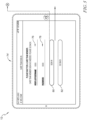
- a first set up screen 70 appears on tablet computer 12 upon initial startup and is used by a caregiver to begin the process of setting up the tablet 12 for use by a patient.
- Screen 70 has a get started button 72 that, when selected by the caregiver, causes a first sign in screen 74, shown in Fig. 3 , to appear on the tablet 12.
- Screen 74 includes a user name field 76 and a password field 78.
- Beneath fields 76, 78 are a sign in button 80 and a go back button 82.
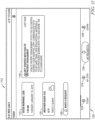
- a second sign in screen 84 appears on tablet 12 as shown in Fig. 4 .
- an error alert screen 88 appears on tablet 12 as shown in Fig. 6 .
- Screen 88 includes a text box 90 which includes a message warning the caregiver that incorrect credentials have been entered and informing the caregiver to try again.
- An OK button 92 is provided at the bottom of box 90 for selection by the caregiver to return back to screen 74 to make another attempt at entering the proper user name and password credentials.
- a patient selections screen 100 appears on the tablet 12 as shown in Fig. 9 .
- Screen 100 includes a listing 102 of the patients that are assigned to the caregiver. The caregiver can select a patient from listing 102 to which the tablet 12 is to be assigned, or the caregiver can select a search field 104 to cause a patient search screen 106 to appear on the tablet 12 as shown in Fig. 10 .
- Screen 106 includes a keyboard 108 that is used by the caregiver to enter a patient's name, or a portion thereof, in the search field 104 to search for a particular patient to which the tablet is to be assigned.
- a go button 110 is provided on keyboard 108 and is selected by the caregiver once the search string has been entered in field 104 to conduct the search for the desired patient.
- FIG. 12 an example of a second today screen that appears on the tablet 12 after the patient has used various features of the patient engagement software of the tablet 12.
- Screen 132 includes a requests in progress text box 134 that provides information about the requests that are in progress for the patient. Box 134 indicates that the patient has five requests in progress. Four of the requests have been submitted and one of the requests has been accepted. Box 134 contains icons indicating that the five requests are bathroom, ice chips, blanket, water, and juice. Beneath box 134, is an activity list 136 indicating that the patient used tablet 12 to participate in a phone call three hours ago, to participate in a video call five hours ago, and to receive a tweet message from UNC Health Care. Fig.
- FIG. 13 shows an expanded today screen 132' in which more information about newsfeeds of activity list 136 appears and can be viewed on the tablet 12 if the patient decides to scroll on the tablet 12.
- Screen 132' also has a text box 138 which indicates that an ice chips request was completed on January 10. The name of the caregiver who completed the ice chips request is also listed in box 138.
- Screens 112, 132, 132' of Figs. 11-13 respectively, appear on the tablet when today icon 122 of main menu 120 is selected.
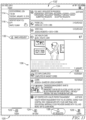
- FIG. 14 an example of a fist my stay page or screen 140 appears on the tablet 12 in response to the patient selecting the my stay button 124 on menu 120 at the bottom of the tablet 12.
- Screen 140 includes a my information text box 142 that includes the patient's name (Lida White in the illustrative example), sex (male or female), medical record number (MRN), and birthdate.
- Beneath box 142 is a my room text box 144 that includes the patient's room number and wing (Room 1185A in 4 West in the illustrative example), the name of the hospital or healthcare facility, and the room phone number.
- Screen 140 also includes first, second, and third my care team boxes 146, 148, 150 which lists the name and role of the caregivers assigned to the patient. Boxes 146, 148, 150 are updated when a caregiver shift ends and a new caregiver is assigned to the patient.
- Screen 140 also includes a table 152 with rows having arrow icons 154 that the patient can select to obtain more information about the particular item in each of the rows.
- table 152 includes the following text in the rows from top to bottom: Visitor Hours and Parking, cafeteria Menu, Hospital Activities, and TV Channel List.
- Fig. 15 shows an expanded my stay screen 140' in which a software information table 156 appears and can be viewed on the tablet 12 if the patient decides to scroll on the tablet 12.
- Table 156 also includes arrow icons 154 that the patient can select to obtain more information about the particular item in reach row of table 156.
- table 156 includes the following text in the rows from top to bottom: App Overview, Frequently Asked Questions, and Terms & Privacy.
- an in-progress requests text box 160 indicates that the patient does not have any in-progress requests that have been made previously and a completed requests text box 162 indicates that the patient does not have any completed requests that have been fulfilled by caregivers previously.
- a bathroom icon 164 that the patient selects to request assistance in going to the bathroom
- a water icon 166 that the patient selects to request water
- an ice chips icon 168 that the patient selects to request ice chips
- a pain icon 170 that the patient selects to request pain medication or other help in dealing with pain.
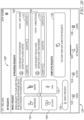
- FIG. 18 a first make a request screen 174 that appears on the display screen of tablet 12 in response to the patient selecting button 130 on any of the screens discussed above having button 130.
- Screen 174 includes a table 176 having rows that show a first menu of basic categories of requests.
- the rows of table 176 from top to bottom include the following basic request types or categories: pain and discomfort, food and beverage, personal care, comfort, and all requests.
- a down arrow icon 178 appears at the right side of the first four rows of table 176 and is selectable by the patient to see a second menu of request options.
- the second menu corresponds to specific patient requests that fall under the basic request category selected by the patient using the first menu of table 176.
- Screen 174 of Fig. 18 shows a set of twelve specific patient request icons on the second menu corresponding to the all requests basic category, thereby indicating that the patient needs to scroll on tablet 12 to uncover the remaining eight specific patient request icons.
- the twelve specific patient request icons appearing in the second menu of screen 174 include the four icons 164, 166, 168, 170 discussed previously, plus the following eight additional specific patient request icons: a something is beeping icon 182 that is selected by the patient when a piece of equipment in the patient room, such as an intravenous (IV) pump, starts beeping; a blanket icon 184 that the patient selects to request a blanket; a juice icon 186 that the patient selects to request juice; a lights off icon 188 that the patient selects to request that the room lights be turned off; a lights on icon 190 that the patient selects to request that the room lights be turned on; a question icon 192 that the patient selects to ask a question of a general nature not corresponding with any of the other icons of the second menu of screen
- the patient is able to select multiple ones of buttons 164, 166, 168, 170, 182, 184, 186, 188, 190, 192, 194, 196 on the second menu and then select the submit button 198 to submit the multiple specific patient requests simultaneously through system 10.
- the multiple number of simultaneous requests that can be made on screen 174 using tablet 12 is limited to a maximum number, such as five requests in the illustrative example. If the patient decides not to submit any specific patient requests while viewing screen 174, the patient selects the cancel button 200 to return back to the previous screen on which button 130 was originally selected.
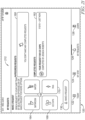
- Beneath table 176 of screen 202 the text "You have selected 2 of 5 requests" is displayed to indicate that the patient has selected two specific patient requests out of the five maximum possible patient requests that are permitted to be submitted simultaneously in the illustrative embodiment.
- An ice chips button 206 and a bathroom button 208 appears beneath the text to indicate which two requests have been made by the patient.
- a cancel icon 210 (illustratively, an " ⁇ ") appears in each button 206, 208 and is selectable to cancel the corresponding patient request while leaving the other patient requests active for submission. If the patient desires to cancel all listed requests, the patient selects cancel button 200. After the patient has made all of the desired specific patient request selections using the first menu of table 176 and the corresponding second menus, up to a maximum of five specific patient requests, the patient selects the submit button 198 to submit the multiple specific patient requests simultaneously through system 10.
- FIG. 20 another example of an in-progress requests screen 158" shows two requests appearing in corresponding in-progress requests text boxes 160.
- the two specific patient requests shown on screen 158" are for bathroom assistance and for ice chips, but neither of the requests have been completed.
- the status bar 172 of the upper text box 160 of screen 158" indicates via highlighting that the request for bathroom assistance has been submitted and accepted and the status bar 172 of the lower text box 160 of screen 158" indicates via highlighting that the request for ice chips has been submitted but not yet accepted.
- the upper text box 160 indicates the name of the caregiver that accepted the request (Gloria Carter in the illustrative example).
- the discussion above of screen 158 of Fig. 16 and of screen 158' of Fig. 17 is equally applicable to screen 158", except where noted otherwise, and similar reference numbers are used in each of these screens.
- the most recent patient request appears as the uppermost text box 160 and the oldest patient request appears as the lowermost text box 160 in the list of text boxes 160.
- the two patient requests were submitted separately by the patient and in particular, the bathroom request was submitted "just now” and the ice chips request was submitted "5 minutes ago.” If the patient submits multiple requests simultaneously, such as discussed above in connection with Figs. 18 and 19 , then an arbitrary listing scheme is used for the patient requests such as listing them alphabetically or listing them in the same order that the patient selected them using the first menu of table 176 and corresponding second menus as discussed above in connection with Figs. 18 and 19 .
- a completed requests screen 212 is shown in which completed requests text box 162 indicates that the patient request for ice chips has been completed.
- Text box 162 also indicates the name of the caregiver that completed the request (Jessica Roberts in the illustrative example). If multiple requests are completed, then all such completed requests appear in further text boxes 162 under the Completed Requests heading. In some embodiments, the most recent completed request appears as the uppermost text box 162 and the oldest completed request appears as the lowermost text box 162 in the list of text boxes 162.
- the list of completed requests shows all requests completed during a set period of time such as for a day or a shift or a predetermined rolling period of time (e.g., eight hours, four hours, etc.) at the discretion of the designer or programmer of system 10. After the set period of time, the completed requests are removed from the list.
- a set period of time such as for a day or a shift or a predetermined rolling period of time (e.g., eight hours, four hours, etc.) at the discretion of the designer or programmer of system 10.
- the available requests of the patient engagement software are based on first and second menus such as those discussed above.
- the first menu provides a list of basic request categories on the display screen of tablet 12. Selection of one of the choices from the first menu causes the second menu to appear on the display screen of tablet 12.
- the second menu includes specific patient requests that fall under the basic request category selected by the patient using the first menu.
- Table 1 below shows an alternative embodiment of first and second menus that are implements in the patient engagement software of tablet 12. In particular, Table 1 lists the request category (aka first menu) as the first column and lists the request item (aka second menu) as the second menu.
- tablets 12 are configured to receive voice commands from patients in connection with making specific patient requests.
- the may requests screen 158 includes a voice button 214 as shown in Fig. 22 .
- the remainder of screen 158 of Fig. 22 is the same a screen 158 of Fig. 16 and so the same reference numbers are used to denote like portions of Figs. 16 and 22 .
- the description above Fig. 16 is equally applicable to Fig. 22 except where noted otherwise (e.g., inclusion of button 214 on screen 158 of Fig. 22 ).
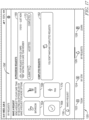
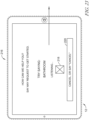
- the tablet 12 responds with a voice request screen 216 as shown in Fig. 23 .
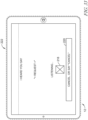
- Screen 216 includes the following text in the illustrative example: "How can we help you? Say any request to get started. Try saying Bathroom.” Beneath the text on screen 216, a listening icon 218 appears to indicate to the patient that the tablet 12 is listening for a patient request made by voice command. More particularly, after selection of button 214, a microphone of tablet 12 is activated to receive vocal input from the patient. Screen 216 also includes a cancel, or say "cancel" button 220. If the patient decides not to make any patient requests by voice, the patient can either select button 220 on the display screen of tablet 12 or say the word "cancel" to return back to screen 158 of Fig. 22 .
- a first voice confirmation screen 222 appears on tablet 12 as shown in Fig. 24 .
- Screen 222 includes the text "I heard you say ' ⁇ Request>'" with ⁇ Request> being a placeholder for the voice command that the patient actually stated.
- Screen also includes the listening icon 218 and the cancel, or say "cancel" button 220 that are used in the same manner as described in connection with screen 216 to return the patient back to screen 158 of Fig. 22 if the patient decides to cancel the patient request made by voice.
- Fig. 25 is a duplicate of Fig. 24 but is shown on the next drawing sheet for ease of reference.
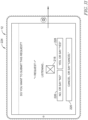
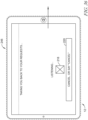
- screen 222 displays a second voice confirmation screen 224 as shown in Fig. 26 .
- Screen 224 includes the text "Do you want to submit this request?" and lists the " ⁇ Request>" that the patient verbally entered using tablet 12.
- Screen 224 also includes the listening icon 218 and cancel, or say "cancel” button 220 that are used in the same manner as described above.
- Screen 224 further includes a no, or say “no” button 226 and a yes, or say “yes” button 228.
- Button 226 can be selected by the patient if the patient does not wish to submit the request or the patient can simply say “no.”
- Button 228 can be selected by the patient if the patient does wish to submit the request or the patient can simply say "yes.”
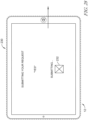
- Fig. 27 If the patient selects button 228 or says “yes” while viewing screen 224, then tablet 12 responds by displaying a submit voice request screen 230 as shown in Fig. 27 .
- Screen 230 includes the text "Submitting Your Request” and “Yes” to indicate to the patient that the yes selection or voice entry on screen 224 was successfully made.
- a submitting icon 232 also appears on screen 230 during the submission process.
- Fig. 28 is a duplicate of Fig. 27 but is shown on the next drawing sheet for ease of reference.
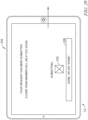
- tablet 12 displays a submitted screen 234 as shown in Fig. 29 .
- Screen 234 includes the text "Your Request Has Been Submitted" and "A care team member will help you soon.”
- Screen 234 also includes a submitted icon 236 to indicate to the patient that the request has been successfully submitted.
- Screen 234 further includes a done, or say “done” button 238.
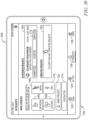
- the patient can either select button 238 or say “done” and tablet 12 responds with an in-progress voice requests screen 240 as shown in Fig. 30 .
- Screen 240 of Fig. 30 is substantially the same as screen 158 of Fig. 22 and so the same reference numbers are used where appropriate.
- text box 160 of screen 240 text appears to advise the patient of the in-progress request that was submitted using the voice entry screens of Figs. 23-29 .
- the progress bar 172 also appears in text box 160 of screen 240 with the word submitted highlighted.
- Fig. 31 is a duplicate of Fig. 26 but is shown on the next drawing sheet for ease of reference. If the patient selects button 226 or says “no" while viewing screen 224, then tablet 12 responds by displaying a discarded voice request screen 242 as shown in Fig. 32 . Screen 242 includes the text "Request Discarded” and "Ask for a request, or say 'Cancel' to close.” Screen 242 also displays the text "No" to indicate to the patient that the no selection or voice entry on screen 224 was successfully made.
- tablet 12 responds by displaying a new request screen 222' which is the same as screen 222 of Fig. 25 discussed above. If the patient navigates to screen 222' from screen 242 of Fig. 32 , then the patient is able to proceed as discussed above in connection with Figs. 25-30 . If the patient selects button 220 on screen 222' of Fig. 33 or says cancel while viewing screen 222', then tablet 12 responds by displaying a cancel screen as shown in Fig. 34 . Screen 244 includes the text "Taking you back to your requests . . .” and "Cancel" to indicate to the patient that the patient has successfully canceled the request while viewing screen 242 of Fig. 32 . After the canceling process is complete, tablet 12 returns to the my requests screen 158 of Fig. 22 .
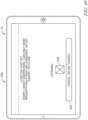
- a general request screen 248 includes text that appears on the display screen of tablet 12 if the request spoken by the patient is not recognized or understood by tablet 12.
- the screen 248 includes the following text: "Submit a general request? Sorry, I didn't understand. Do you want to submit a general request? Or, please try again.”
- the patient can select the no button 226 or cancel button 220, or say no or cancel, to notify the tablet 12 that the patient does not wish to submit a general request.
- the patient can select the yes button 228 or say yes to submit a general request from tablet 12 in system 10.
- Fig. 39 displays the following text: "Did you mean: Sorry, I didn't understand. Do you want to submit this request? Or, please try again” and then the request that the tablet 12 concludes is close to what was spoken by the patient is displayed.
- Fig. 39 illustratively uses the place holder text, " ⁇ Request>" for the request that the patient is believed to have intended, but in use a recognized request such as bathroom, ice chips, blanket, etc. appears on screen 250 in lieu of the illustrative place holder text.
- the patient can select the no button 226 or cancel button 220, or say no or cancel, to notify the tablet 12 that the patient does not wish to submit the request appearing on screen 250.
- the patient can select the yes button 228 or say yes to submit the request shown on screen 250.
- a no match screen 252 is displayed on tablet 12 as shown in Fig. 40 .
- Screen 252 of Fig. 40 includes the following text: "I can't do that yet. Again, I didn't understand. I can only send requests right now. Say a request, or say 'Cancel' to close.” The patient then has the option of making another attempt at saying a request or the patient can cancel by selecting button 220 or saying cancel.
- the patient engagement software implemented on tablet 12 as well as system 10, in general, are a practical application of a patient request system and method.
- the patient engagement software permits patients to make specific requests which increases caregiver productivity by eliminating extra time communicating with patients to obtain more information about the requests being made.
- the patient engagement software also increases patient satisfaction due to requests being responded to more quickly by caregivers and by providing status information regarding the progress of the patient requests being fulfilled.
- system 10 and the patient engagement software implemented on tablet 12 also serve as a practical application in assuring Medicaid/Medicare reimbursement rates are not decreased due to low patient satisfaction scores.
- the patient engagement software of tablet 12 enhances patient experience and satisfaction by providing the patient with a sense of control over their care, visibility to their care, reminders about health tasks, education, etc.
- System 10 operates as a practical application by giving patients the opportunity to become involved in steps that contribute to reducing their length of stay in a healthcare facility.
- the patient request system 10 is configured to provide patient requests to caregiver mobile devices equipped with the LINQ TM mobile application or similar such software developed under the VOALTE TM platform, each of the LINQ TM and VOALTE TM software being available from Hill-Rom Company, Inc. of Batesville, Indiana. Additional details of the mobile applications for providing alerts to mobile devices of caregivers in healthcare facilities can be found in U.S. Patent Application Publication No. 2019/0108908 A1 . The present disclosure contemplates that patient requests are displayed on caregiver mobile devices in a manner substantially similar to the manner in which alerts are displayed on mobile devices as shown in U.S. Patent Application Publication No. 2019/0108908 A1 .
- the patient engagement software (aka the patient engagement application or the iOS application or just the application) has two primary forms of configuration.
- the first is a minimal operational configuration from the Mobile Device Management (MDM) system 16.
- the second is a clinical and operational information configuration from the Content Management Solution (CMS) 18.
- CMS Content Management Solution
- the MDM 16 houses configuration related to the host and port on which the application at a customer site needs to connect in addition to customer identifying information needed to access the CMS 18. Without this information, the application does not have enough information to support user authentication or retrieve information needed by a patient.
- the CMS 18 contains clinical and operational information specific to a particular customer. While the CMS 18 contains information for multiple customers, the information is organized in a manner that allows the use of MDM provided data to access the relevant subset of information relevant to a patient.
- This patient information includes the HIPAA usage agreement presented during login, the available request types associated his nursing unit, the URL for weather information, Twitter feed information, and the URL for educational content.
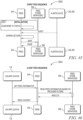
- FIG. 41 shows the interaction that occurs between the application 12 and modules 32, 34, 36, 40, 42, 48, which as shown in Fig. 1 , involves the use of server 14.
- the login sequence or model 254 takes advantage of care team network user credentials to initiate a session through patient impersonation.
- Fig. 41 there are two phases for authentication before a patient can use the application 12. The first involves the use of a caregiver's network credentials to perform initial authentication indicated by the heading [Caregiver login flow] in Fig. 41 .
- the caregiver selects a patient from a provided list in order to perform patient authentication as indicated by the heading [Patient impersonation flow] in Fig. 41 .
- the patient can continue to use the application 12 until his session is explicitly ended by a caregiver, the device runs out of power causing it to lose session information, or the application is explicitly closed (up-swipe in iOS). Because there is a desire to keep a patient logged into the application 12, there is no logout control available to the user. Instead, a caregiver must use her login credentials to initiate a patient logout. The flow is the same as the [Caregiver login flow] illustrated above. The only additional step includes a logout request in the application 12.
- a patient can initiate a request for help or assistance via an alert as discussed above.
- the alert (aka patient request) is transmitted to nurse call equipment and mobile care devices in and around a nursing unit as a means to advertise a patient's need. Once satisfied, the alert is cancelled.
- the patient is provided with an indication of progress on tablet 12 as also discussed above. Much like an order on Amazon or other online retailing site, the alert is shown via the patient engagement application on tablet 12 as created, in progress, and completed.
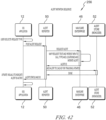
- FIG. 42 shows the interaction that occurs between the application 12 and alert reporter module 50, the NaviCare Enterprise server 46, and the alert store database 52, which involves the use of server 14 as shown in Fig. 1 .
- Elements related to nurse call devices and notification procedure processing are not included as they are internal to the behavior of the NaviCare Enterprise environment which is a pre-existing nurse call system available from Hill-Rom Company, Inc. of Batesville, Indiana as noted above.
- Information in the Alert Store database 52 provides referential information associated with the original POST (aka patient request). Specifically, a mapping between the NaviCare CallGUID and the networkId of the user in the POST. The networkId is needed because it is used by the Push service 30 during alert status updates to map to the APNS tokens 26.
- Fig. 43 shows an alert update sequence 258 as contemplated by the present application.
- Feed module 54 is a passive participant in this flow. Feed module 54 is shown diagrammatically in Fig. 43 because it is useful to know that the Feed module 54 receives a revised/embellished alert event rather than utilizing the raw alert event from the NaviCare nurse call system.
- voice communication is provided from a caregiver to a patient.
- voice communication is only supported in response to an alert (aka patient request).
- voice communication is able to be initiated from the caregiver to the patient (e.g., the patient's tablet 12 or an audio station in the room) at all times at the discretion of the caregiver.
- the processing flow associated with establishing voice communication is the same in all cases.
- video communication from caregivers to patients using tablets 12 is also provided for in system 10.
- Video conferencing for purposes of telemedicine is also contemplated for some embodiments of system 10 and tablet 12.
- tablets 12 assigned to patients for at-home use is within the scope of the present disclosure.
- Events are initiated from multiple sources within system 10 as noted above. A subset of these events are relevant to a patient and are to be communicated to the patient's tablet 12.
- the Information Feed 54 acts as a repository of historical event information for a tablet 12. These events include changes to alert status, care team assignment, audio call events, twitter feed updates, and weather updates. Within the feed, there are two primary processing models; event processing, and periodic polling. For those sources that are incapable of generating an event, a poll model is employed in order to obtain updates.
- the following five fields are shown with the following information and/or buttons in the respective fields: 1.
- Make a Request and Say a Request buttons (see Making a Request and Saying a Request below; the Make a Request button is similar to Make a Request button 130 of Figs. 11-13 but is selected to start the voice input process of Figs. 23-40 similar to voice button 214 of Fig. 22 ); 3.
- Icon buttons that activate the three other Tabs e.g., the My Stay icon 124, the My Request icon 126, and the Learn icon 128).
- the following steps are undertaken: 1. On the opening page of the Learn tab, locates the set of bookmarks (if any exist) in the Saved Articles & Videos section; 2. Tap a bookmark's Saved symbol; and 3. To confirm the deletion, tap Remove and the bookmark disappears immediately.
Landscapes
- Engineering & Computer Science (AREA)
- Health & Medical Sciences (AREA)
- Biomedical Technology (AREA)
- Theoretical Computer Science (AREA)
- Medical Informatics (AREA)
- General Health & Medical Sciences (AREA)
- General Engineering & Computer Science (AREA)
- Business, Economics & Management (AREA)
- Public Health (AREA)
- General Business, Economics & Management (AREA)
- Epidemiology (AREA)
- Primary Health Care (AREA)
- General Physics & Mathematics (AREA)
- Physics & Mathematics (AREA)
- Human Computer Interaction (AREA)
- Pathology (AREA)
- Computer Networks & Wireless Communication (AREA)
- Signal Processing (AREA)
- Databases & Information Systems (AREA)
- Audiology, Speech & Language Pathology (AREA)
- Multimedia (AREA)
- Data Mining & Analysis (AREA)
- Accommodation For Nursing Or Treatment Tables (AREA)
- Medical Treatment And Welfare Office Work (AREA)
Claims (13)
- Patientenanforderungssystem (10), umfassend:einen Tabletcomputer (12), der zur Eingabe von Patientenanforderungen konfiguriert ist;einen Server (14), der mit dem Tabletcomputer (12) gekoppelt ist, wobei der Server (14) zum Leiten von Patientenanforderungen von dem Tabletcomputer (12) zu einer oder mehr anderen Computervorrichtungen des Systems konfiguriert ist;eine Benachrichtigungsvorrichtung (40), die konfiguriert ist, um einer Pflegeperson eine Patientenanforderung von dem Tabletcomputer (12) anzuzeigen; undeine Ortsbestimmungsausrüstung, die zum Bestimmen eines Orts des Tabletcomputers (12) in einer Gesundheitseinrichtung funktionell ist,wobei der Tabletcomputer (12) zum Anzeigen eines ersten Menüs, das Grundanforderungskategorien für einen Patienten entspricht, als Reaktion auf die Auswahl einer Anforderung-stellen-Eingabe auf einem Vorgängerbildschirm des Tabletcomputers (12) konfiguriert ist, der Tabletcomputer (12) dabei zum Anzeigen eines zweiten Menüs konfiguriert ist, das spezifischen Patientenanforderungen entspricht, die unter die vom Patienten unter Verwendung des ersten Menüs ausgewählte Grundanforderungskategorie fallen,wobei das erste Menüs auf Basis des Orts geändert wird und, wenn bestimmt wird, dass der Tabletcomputer (12) sich in einer Entbindungsstation befindet ist, dann in dem ersten Menü eine Entbindungsstationsoption enthalten ist, und, wenn bestimmt wird, dass der Tabletcomputer (12) sich nicht in der Entbindungsstation befindet, dann die Entbindungsstationsoption aus dem ersten Menü weggelassen wird.
- Patientenanforderungssystem (10) nach Anspruch 1, wobei der Tabletcomputer (12) zum Anzeigen einer Liste spezifischer, vom Patienten gestellter Patientenanforderungen und eines Status jeder spezifischen Patientenanforderung konfiguriert ist.
- Patientenanforderungssystem (10) nach Anspruch 1 oder Anspruch 2, wobei die Ortsbestimmungsausrüstung einen oder mehr drahtlose Ortsbestimmungstransponder, wie etwa Hochfrequenzidentifikations- (RFID) -transponder, Ultra-Breitband-Transponder und Infrarot-Transponder, an dem Tabletcomputer (12) angebracht, umfasst.
- Patientenanforderungssystem (10) nach Anspruch 3, wobei die Ortsbestimmungsausrüstung ein Ortsbestimmungssystem umfasst, das Empfänger aufweist, wobei die ein oder mehr an dem Tabletcomputer (12) angebrachten drahtlosen Ortsbestimmungstransponder zum Senden von drahtlosen Signalen an die Empfänger konfiguriert sind und wobei das Ortsbestimmungssystem zum Verarbeiten des empfangenen Signals zum Bestimmen des Orts des Tabletcomputers (12) konfiguriert ist.
- Patientenanforderungssystem (10) nach einem der Ansprüche 1 bis 4, wobei das System eine Mehrzahl von Modulen umfasst, die Mehrzahl von Modulen dabei in dem Server (14) gespeichert ist oder in einem oder mehr anderen Servern des Systems gespeichert ist, und wobei der Server (14) zum Leiten von Patientenanforderungen an die Mehrzahl von Modulen konfiguriert ist.
- Patientenanforderungssystem (10) nach Anspruch 5, wobei die Mehrzahl von Modulen ein Benutzermanagementmodul (34) umfasst, das mit dem Server (14) gekoppelt ist und zum Einrichten einer Client-Sitzung für einen Benutzer des Tabletcomputers (12) konfiguriert ist, wobei die Mehrzahl von Modulen ferner ein Authentifizierungsmodul (36) und ein aktives Verzeichnis (38) einer Gesundheitseinrichtung umfasst; und wobei das Benutzermanagementmodul (34) zum Kommunizieren mit dem Authentifizierungsdienstmodul (36) zum Bereitstellen von Benutzerauthentifizierung für einen Benutzer des Tabletcomputers (12) über das aktive Verzeichnis (38) konfiguriert ist, das vom Authentifizierungsdienstmodul (36) verwendete aktive Verzeichnis (38) dabei zum Überprüfen, dass vom Benutzer des Tabletcomputers (12) bereitgestellte Anmeldedaten korrekt sind, konfiguriert ist.
- Patientenanforderungssystem (10) nach Anspruch 6, wobei das Benutzermanagementmodul (34) ferner zum Bestimmen eines Satzes verfügbarer Routen für Patientenanforderungen konfiguriert ist, das Benutzermanagementmodul (34) mit der Benachrichtigungsvorrichtung (40) gekoppelt ist und zum Bestimmen, welche Patientenanforderungen an die bzw. auf der Benachrichtigungsvorrichtung (40) übertragen und angezeigt werden, konfiguriert ist.
- Patientenanforderungssystem (10) nach Anspruch 7, wobei die Mehrzahl von Modulen ferner ein VolP-Modul (32) umfasst, das konfiguriert ist, um einen VoIP-Call-Server in Anspruch zu nehmen, um Push-Benachrichtigungen zum Aufbauen von Sprachanrufen an den Tabletcomputer (12) zu senden, und wobei das Benutzermanagementmodul (34) zum Kommunizieren mit dem VolP-Modul (32) konfiguriert ist.
- Patientenanforderungssystem (10) nach einem der Ansprüche 6 bis 8, wobei das System ferner ein Patientenmodul (42) umfasst, das mit dem Benutzermanagementmodul (34) gekoppelt ist, das Patientenmodul (42) dabei zum Erhalten von Patientendetails von einer Pflegerufsystem-Datenbank (44) konfiguriert ist, und wobei das Benutzermanagementmodul (34) zum Kommunizieren mit dem Patientenmodul (42) zum Erhalten von Patientendetails aus der Pflegerufdatenbank (44) zur Präsentation im Tabletcomputer (12) konfiguriert ist.
- Patientenanforderungssystem (10) nach einem der Ansprüche 5 bis 9, wobei die Mehrzahl von Modulen einen Pflegerufserver (46) umfasst, wobei die Mehrzahl von Modulen ein mit dem Pflegerufserver (46) gekoppeltes Alarmmeldermodul (50) umfasst und wobei der Server (14) zum Leiten von Patientenalarmen vom Tabletcomputer (12) zum Alarmmeldermodul (50) konfiguriert ist und das Alarmmeldermodul (50) zum Senden der Patientenalarme an den Pflegerufserver (46) zur Verarbeitung konfiguriert ist.
- Patientenanforderungssystem (10) nach Anspruch 10, wobei das System ferner eine Alarmspeicherdatenbank (52) umfasst, die mit dem Alarmmeldermodul (50) gekoppelt ist, das Alarmmeldermodul (50) dabei zum Speichern von Informationen über in dem System durch den Tabletcomputer (12) erzeugte Patientenalarme konfiguriert ist.
- Patientenanforderungssystem (10) nach einem der Ansprüche 5 bis 11, wobei das System ferner einen Ereignis-Bus (60) umfasst, der mit einem oder mehr der Mehrzahl von Modulen gekoppelt ist, der Ereignis-Bus (60) dabei zum Ankündigen von Aktualisierungen von den mit dem Ereignis-Bus (60) gekoppelten Modulen konfiguriert ist, und wobei die Mehrzahl von Modulen ferner ein Feed-Modul (54) umfasst, das zum Weiterleiten eines Ereignis-Streams zum Tabletcomputer (12) konfiguriert ist, das Feed-Modul (54) dabei mit dem Ereignis-Bus (60) gekoppelt ist und zum Überwachen auf Aktualisierungen in den mit dem Ereignis-Bus (60) gekoppelten Modulen und zum Weiterleiten der Aktualisierungen an den Tabletcomputer (12) konfiguriert ist.
- Patientenanforderungssystem (10) nach Anspruch 12, wobei das System ferner ein Push-Modul (30) umfasst, das mit dem Tabletcomputer (12) gekoppelt ist, das Push-Modul dabei zum Liefern von Push-Benachrichtigungen an den Tabletcomputer (12) konfiguriert ist, und wobei das Feed-Modul (30) mit dem Push-Modul (54) zum Liefern des Ereignis-Streams als asynchrone Ereignisse vom Push-Modul (54) zum Tabletcomputer (12) gekoppelt ist.
Applications Claiming Priority (2)
| Application Number | Priority Date | Filing Date | Title |
|---|---|---|---|
| US201962846828P | 2019-05-13 | 2019-05-13 | |
| US201962914753P | 2019-10-14 | 2019-10-14 |
Publications (2)
| Publication Number | Publication Date |
|---|---|
| EP3739593A1 EP3739593A1 (de) | 2020-11-18 |
| EP3739593B1 true EP3739593B1 (de) | 2025-03-19 |
Family
ID=70736602
Family Applications (1)
| Application Number | Title | Priority Date | Filing Date |
|---|---|---|---|
| EP20174498.4A Active EP3739593B1 (de) | 2019-05-13 | 2020-05-13 | Patientenanforderungssystem und -verfahren |
Country Status (3)
| Country | Link |
|---|---|
| US (2) | US11398305B2 (de) |
| EP (1) | EP3739593B1 (de) |
| CN (1) | CN111933304B (de) |
Families Citing this family (13)
| Publication number | Priority date | Publication date | Assignee | Title |
|---|---|---|---|---|
| US11398305B2 (en) | 2019-05-13 | 2022-07-26 | Hill-Rom Services, Inc. | Patient request system and method |
| US12170143B1 (en) | 2019-07-03 | 2024-12-17 | State Farm Mutual Automobile Insurance Company | Multi-sided match making platforms |
| US20250349419A1 (en) * | 2019-08-19 | 2025-11-13 | State Farm Mutual Automobile Insurance Company | Senior living engagement and care support platforms |
| US11425028B2 (en) * | 2020-04-28 | 2022-08-23 | Cisco Technology, Inc. | Priority based automated network selection for micro-services in service mesh |
| US11881219B2 (en) | 2020-09-28 | 2024-01-23 | Hill-Rom Services, Inc. | Voice control in a healthcare facility |
| US11935651B2 (en) | 2021-01-19 | 2024-03-19 | State Farm Mutual Automobile Insurance Company | Alert systems for senior living engagement and care support platforms |
| US20220245593A1 (en) | 2021-01-29 | 2022-08-04 | State Farm Mutual Automobile Insurance Company | Senior living engagement and care support platforms with chatbot and list integration |
| WO2023018390A1 (en) * | 2021-08-10 | 2023-02-16 | Kaya Kenan Evcan | Patient request system and method |
| US12599342B2 (en) | 2021-08-13 | 2026-04-14 | Hill-Rom Services, Inc. | Patient request system having patient falls risk notification and caregiver notes access |
| US11638564B2 (en) * | 2021-08-24 | 2023-05-02 | Biolink Systems, Llc | Medical monitoring system |
| US20250278430A1 (en) | 2021-10-29 | 2025-09-04 | State Farm Mutual Automobile Insurance Company | Systems and methods for relational video data storage |
| US12488884B2 (en) | 2023-08-07 | 2025-12-02 | Helen Now, LLC | Artificial intelligence-based medical patient service system and ecosystem |
| US20250258580A1 (en) * | 2024-02-13 | 2025-08-14 | Truist Bank | Customizable user interface for conrolling digital interaction |
Family Cites Families (53)
| Publication number | Priority date | Publication date | Assignee | Title |
|---|---|---|---|---|
| US5592153A (en) | 1993-11-30 | 1997-01-07 | Hill-Rom Company, Inc. | Hospital bed communication and control device |
| US5838223A (en) | 1993-07-12 | 1998-11-17 | Hill-Rom, Inc. | Patient/nurse call system |
| CA2125300C (en) | 1994-05-11 | 1999-10-12 | Douglas J. Ballantyne | Method and apparatus for the electronic distribution of medical information and patient services |
| US5877675A (en) | 1996-08-29 | 1999-03-02 | Jansys, Inc. | Wireless healthcare communication system |
| AU2001261198A1 (en) | 2000-05-05 | 2001-11-20 | Hill-Rom Services, Inc. | Patient point of care computer system |
| EP1421458B1 (de) | 2001-08-03 | 2010-04-07 | Hill-Rom Services, Inc. | Patienten-point-of-care-computersystem |
| WO2003042781A2 (en) | 2001-11-14 | 2003-05-22 | Denholm Enterprises, Inc. | Patient communication method and system |
| US6998978B2 (en) | 2004-04-29 | 2006-02-14 | International Business Machines Corporation | Method and apparatus for responding to medical alerts |
| US7962544B2 (en) * | 2004-05-25 | 2011-06-14 | Siemens Medical Solutions Usa, Inc. | Patient and device location dependent healthcare information processing system |
| US7319386B2 (en) | 2004-08-02 | 2008-01-15 | Hill-Rom Services, Inc. | Configurable system for alerting caregivers |
| US8347088B2 (en) * | 2005-02-01 | 2013-01-01 | Newsilike Media Group, Inc | Security systems and methods for use with structured and unstructured data |
| US8706515B2 (en) * | 2005-10-20 | 2014-04-22 | Mckesson Information Solutions Llc | Methods, systems, and apparatus for providing a notification of a message in a health care environment |
| US9361769B2 (en) | 2006-07-17 | 2016-06-07 | Eloquence Communications, Inc. | Method and system for advanced patient communication |
| US8183987B2 (en) | 2006-07-17 | 2012-05-22 | Patient Provider Communications, Inc. | Method and system for advanced patient communication |
| US20080168267A1 (en) * | 2007-01-09 | 2008-07-10 | Bolen Charles S | System and method for dynamically configuring a mobile device |
| US20080288279A1 (en) | 2007-05-14 | 2008-11-20 | Henley Terry L | Real-time interactive survey system and method |
| US20090319298A1 (en) * | 2008-06-19 | 2009-12-24 | Weiss Sanford B | Patient status and healthcare information communication system and method |
| US10213159B2 (en) | 2010-03-10 | 2019-02-26 | Sotera Wireless, Inc. | Body-worn vital sign monitor |
| US20110112866A1 (en) | 2009-11-12 | 2011-05-12 | Gerrans Lawrence J | System And Method For Monetized Electronic Mobile Commerce |
| US20110246231A1 (en) | 2010-03-31 | 2011-10-06 | Microsoft Corporation | Accessing patient information |
| JP6203634B2 (ja) * | 2010-04-09 | 2017-09-27 | ゾール メディカル コーポレイションZOLL Medical Corporation | Ems装置通信インタフェースのシステム及び方法 |
| US9492341B2 (en) | 2010-10-08 | 2016-11-15 | Hill-Rom Services, Inc. | Hospital bed with graphical user interface having advanced functionality |
| US20120166222A1 (en) | 2010-12-28 | 2012-06-28 | Cerner Innovation, Inc. | Consolidating information for management of anticoagulant patients |
| US20120169467A1 (en) | 2010-12-31 | 2012-07-05 | Condra David L | Patient alert management system |
| US20140330579A1 (en) | 2011-03-31 | 2014-11-06 | Healthspot, Inc. | Medical Kiosk and Method of Use |
| US8655680B2 (en) | 2011-06-20 | 2014-02-18 | Cerner Innovation, Inc. | Minimizing disruption during medication administration |
| JP5306488B2 (ja) * | 2012-01-06 | 2013-10-02 | 株式会社東芝 | 電子機器、コンテンツ表示システムおよび番組表表示制御方法 |
| EP2660744A1 (de) * | 2012-04-30 | 2013-11-06 | Patient Provider Communications Inc. | Verfahren und System für die erweiterte Patientenkommunikation |
| US8607388B1 (en) | 2012-07-10 | 2013-12-17 | Hill-Rom Services, Inc. | Patient-support apparatus having patient entertainment projector |
| WO2014018952A1 (en) * | 2012-07-27 | 2014-01-30 | Diagnotes, Inc. | System and method for management of patients and critical information |
| US20160055299A1 (en) * | 2013-02-15 | 2016-02-25 | Hill-Rom Services, Inc. | Workflow canvas for clinical applications |
| US10290071B2 (en) | 2013-03-29 | 2019-05-14 | Hill-Rom Services, Inc. | Universal caregiver interface |
| US10474808B2 (en) | 2013-03-29 | 2019-11-12 | Hill-Rom Services, Inc. | Hospital bed compatibility with third party application software |
| US10325102B2 (en) | 2013-05-23 | 2019-06-18 | yTrre, Inc. | Real-time customer experience management systems and methods |
| US20150012287A1 (en) | 2013-07-02 | 2015-01-08 | Subdirect, LLC | System for managing confidential information records and providing secondary content on a mobile computing device, and methods of using the same |
| US20160027289A1 (en) | 2014-07-23 | 2016-01-28 | Gregory W. Hargis | Communication system |
| US9489466B2 (en) | 2014-09-22 | 2016-11-08 | Peter Costantino | Transportation and resort infrastructure, and associated cutaneous information device and method |
| US9996789B2 (en) | 2015-09-21 | 2018-06-12 | Cutaneous Information Technologies Llc | Method and apparatus for manufacturing cutaneous information devices |
| US10083391B2 (en) | 2015-09-21 | 2018-09-25 | Cutaneous Information Technologies Llc | Visually, optically and electronically readable frangible device for affixation to the skin |
| CN105427217A (zh) * | 2014-12-17 | 2016-03-23 | 伊斯雷尔·巴肯 | 交互型图像电子医疗研究管理系统 |
| WO2017075496A1 (en) | 2015-10-29 | 2017-05-04 | Lai King Tee | A system and method for mobile platform designed for digital health management and support for remote patient monitoring |
| US10740439B2 (en) | 2015-12-31 | 2020-08-11 | Cerner Innovation, Inc. | Mobile application for medication reminders |
| US10068461B2 (en) | 2016-04-05 | 2018-09-04 | Hill-Rom Services, Inc. | Real-time patient experience monitoring system |
| US20180005335A1 (en) | 2016-04-19 | 2018-01-04 | John Parente | Video disposition instructions |
| WO2017213787A1 (en) * | 2016-06-06 | 2017-12-14 | Eloquence Communications, Inc. | A method and system for advanced patient communication |
| US20180211724A1 (en) * | 2016-11-11 | 2018-07-26 | Kevin Sunlin Wang | System and method for healthcare billing verification |
| US20180181719A1 (en) | 2016-12-28 | 2018-06-28 | Cerner Innovation, Inc. | Virtual healthcare personal assistant |
| CN106934222A (zh) * | 2017-02-27 | 2017-07-07 | 广州军区广州总医院 | 一种医患交互系统 |
| US12040060B2 (en) * | 2017-10-03 | 2024-07-16 | Zyter Inc. | Health care system to aid triage management |
| US10957445B2 (en) | 2017-10-05 | 2021-03-23 | Hill-Rom Services, Inc. | Caregiver and staff information system |
| CN108461159A (zh) * | 2018-03-13 | 2018-08-28 | 杭州朝诺盛庭科技有限公司 | 一种同时解决医护人员、患者信息诉求的电子显示系统 |
| US11728031B2 (en) * | 2018-10-12 | 2023-08-15 | Bfc Med Llc | Software application for patient care and related device, system, and method |
| US11398305B2 (en) | 2019-05-13 | 2022-07-26 | Hill-Rom Services, Inc. | Patient request system and method |
-
2020
- 2020-04-24 US US16/857,291 patent/US11398305B2/en active Active
- 2020-05-12 CN CN202010399144.4A patent/CN111933304B/zh active Active
- 2020-05-13 EP EP20174498.4A patent/EP3739593B1/de active Active
-
2022
- 2022-06-17 US US17/843,252 patent/US11817211B2/en active Active
Also Published As
| Publication number | Publication date |
|---|---|
| CN111933304B (zh) | 2024-08-27 |
| US11398305B2 (en) | 2022-07-26 |
| EP3739593A1 (de) | 2020-11-18 |
| US11817211B2 (en) | 2023-11-14 |
| US20200365264A1 (en) | 2020-11-19 |
| CN111933304A (zh) | 2020-11-13 |
| US20220328179A1 (en) | 2022-10-13 |
Similar Documents
| Publication | Publication Date | Title |
|---|---|---|
| US11817211B2 (en) | Patient request method | |
| US12599342B2 (en) | Patient request system having patient falls risk notification and caregiver notes access | |
| US11688511B2 (en) | Caregiver and staff information system | |
| US12367977B2 (en) | Software application for patient care and related device, system, and method | |
| US10658081B2 (en) | Patient device for advanced patient communication | |
| US11056235B2 (en) | Senior living engagement and care support platforms | |
| US10603792B2 (en) | Clinical workflows utilizing autonomous and semiautonomous telemedicine devices | |
| CN104883961B (zh) | 便于健康和安全管理的方法和设备 | |
| US20160027289A1 (en) | Communication system | |
| US20150154880A1 (en) | Healthcare management with a support network | |
| US20160284202A1 (en) | Method and system for advanced patient communication | |
| WO2007047052A2 (en) | Methods, systems, and apparatus for providing a notification of a message in a health care environment | |
| US20160055299A1 (en) | Workflow canvas for clinical applications | |
| JP2014057180A (ja) | 呼出システム | |
| US20260120862A1 (en) | Virtual care systems and methods | |
| US12243641B2 (en) | Senior living engagement and care support platforms with chatbot and list integration | |
| EP2660744A1 (de) | Verfahren und System für die erweiterte Patientenkommunikation | |
| JPH11296592A (ja) | 医療・介護支援システム | |
| WO2017213787A1 (en) | A method and system for advanced patient communication | |
| KR20030068529A (ko) | 인터넷을 이용한 산후조리 시스템 및 그 방법 |
Legal Events
| Date | Code | Title | Description |
|---|---|---|---|
| PUAI | Public reference made under article 153(3) epc to a published international application that has entered the european phase |
Free format text: ORIGINAL CODE: 0009012 |
|
| STAA | Information on the status of an ep patent application or granted ep patent |
Free format text: STATUS: THE APPLICATION HAS BEEN PUBLISHED |
|
| AK | Designated contracting states |
Kind code of ref document: A1 Designated state(s): AL AT BE BG CH CY CZ DE DK EE ES FI FR GB GR HR HU IE IS IT LI LT LU LV MC MK MT NL NO PL PT RO RS SE SI SK SM TR |
|
| AX | Request for extension of the european patent |
Extension state: BA ME |
|
| STAA | Information on the status of an ep patent application or granted ep patent |
Free format text: STATUS: REQUEST FOR EXAMINATION WAS MADE |
|
| 17P | Request for examination filed |
Effective date: 20210518 |
|
| RBV | Designated contracting states (corrected) |
Designated state(s): AL AT BE BG CH CY CZ DE DK EE ES FI FR GB GR HR HU IE IS IT LI LT LU LV MC MK MT NL NO PL PT RO RS SE SI SK SM TR |
|
| STAA | Information on the status of an ep patent application or granted ep patent |
Free format text: STATUS: EXAMINATION IS IN PROGRESS |
|
| 17Q | First examination report despatched |
Effective date: 20230103 |
|
| REG | Reference to a national code |
Ref country code: DE Ref legal event code: R079 Free format text: PREVIOUS MAIN CLASS: G16H0040200000 Ipc: G16H0040630000 Ref country code: DE Ref legal event code: R079 Ref document number: 602020047818 Country of ref document: DE Free format text: PREVIOUS MAIN CLASS: G16H0040200000 Ipc: G16H0040630000 |
|
| GRAP | Despatch of communication of intention to grant a patent |
Free format text: ORIGINAL CODE: EPIDOSNIGR1 |
|
| STAA | Information on the status of an ep patent application or granted ep patent |
Free format text: STATUS: GRANT OF PATENT IS INTENDED |
|
| RIC1 | Information provided on ipc code assigned before grant |
Ipc: G16H 40/20 20180101ALI20240319BHEP Ipc: H04W 4/33 20180101ALI20240319BHEP Ipc: H04W 4/029 20180101ALI20240319BHEP Ipc: G16H 40/67 20180101ALI20240319BHEP Ipc: G16H 40/63 20180101AFI20240319BHEP |
|
| INTG | Intention to grant announced |
Effective date: 20240404 |
|
| GRAJ | Information related to disapproval of communication of intention to grant by the applicant or resumption of examination proceedings by the epo deleted |
Free format text: ORIGINAL CODE: EPIDOSDIGR1 |
|
| STAA | Information on the status of an ep patent application or granted ep patent |
Free format text: STATUS: EXAMINATION IS IN PROGRESS |
|
| INTC | Intention to grant announced (deleted) | ||
| GRAP | Despatch of communication of intention to grant a patent |
Free format text: ORIGINAL CODE: EPIDOSNIGR1 |
|
| STAA | Information on the status of an ep patent application or granted ep patent |
Free format text: STATUS: GRANT OF PATENT IS INTENDED |
|
| GRAJ | Information related to disapproval of communication of intention to grant by the applicant or resumption of examination proceedings by the epo deleted |
Free format text: ORIGINAL CODE: EPIDOSDIGR1 |
|
| STAA | Information on the status of an ep patent application or granted ep patent |
Free format text: STATUS: EXAMINATION IS IN PROGRESS |
|
| GRAP | Despatch of communication of intention to grant a patent |
Free format text: ORIGINAL CODE: EPIDOSNIGR1 |
|
| STAA | Information on the status of an ep patent application or granted ep patent |
Free format text: STATUS: GRANT OF PATENT IS INTENDED |
|
| INTG | Intention to grant announced |
Effective date: 20240906 |
|
| INTC | Intention to grant announced (deleted) | ||
| INTG | Intention to grant announced |
Effective date: 20241008 |
|
| GRAS | Grant fee paid |
Free format text: ORIGINAL CODE: EPIDOSNIGR3 |
|
| GRAA | (expected) grant |
Free format text: ORIGINAL CODE: 0009210 |
|
| STAA | Information on the status of an ep patent application or granted ep patent |
Free format text: STATUS: THE PATENT HAS BEEN GRANTED |
|
| AK | Designated contracting states |
Kind code of ref document: B1 Designated state(s): AL AT BE BG CH CY CZ DE DK EE ES FI FR GB GR HR HU IE IS IT LI LT LU LV MC MK MT NL NO PL PT RO RS SE SI SK SM TR |
|
| REG | Reference to a national code |
Ref country code: GB Ref legal event code: FG4D |
|
| REG | Reference to a national code |
Ref country code: CH Ref legal event code: EP |
|
| REG | Reference to a national code |
Ref country code: DE Ref legal event code: R096 Ref document number: 602020047818 Country of ref document: DE |
|
| REG | Reference to a national code |
Ref country code: IE Ref legal event code: FG4D |
|
| PG25 | Lapsed in a contracting state [announced via postgrant information from national office to epo] |
Ref country code: RS Free format text: LAPSE BECAUSE OF FAILURE TO SUBMIT A TRANSLATION OF THE DESCRIPTION OR TO PAY THE FEE WITHIN THE PRESCRIBED TIME-LIMIT Effective date: 20250619 |
|
| PG25 | Lapsed in a contracting state [announced via postgrant information from national office to epo] |
Ref country code: FI Free format text: LAPSE BECAUSE OF FAILURE TO SUBMIT A TRANSLATION OF THE DESCRIPTION OR TO PAY THE FEE WITHIN THE PRESCRIBED TIME-LIMIT Effective date: 20250319 |
|
| REG | Reference to a national code |
Ref country code: LT Ref legal event code: MG9D |
|
| PG25 | Lapsed in a contracting state [announced via postgrant information from national office to epo] |
Ref country code: NO Free format text: LAPSE BECAUSE OF FAILURE TO SUBMIT A TRANSLATION OF THE DESCRIPTION OR TO PAY THE FEE WITHIN THE PRESCRIBED TIME-LIMIT Effective date: 20250619 |
|
| PG25 | Lapsed in a contracting state [announced via postgrant information from national office to epo] |
Ref country code: HR Free format text: LAPSE BECAUSE OF FAILURE TO SUBMIT A TRANSLATION OF THE DESCRIPTION OR TO PAY THE FEE WITHIN THE PRESCRIBED TIME-LIMIT Effective date: 20250319 |
|
| PG25 | Lapsed in a contracting state [announced via postgrant information from national office to epo] |
Ref country code: LV Free format text: LAPSE BECAUSE OF FAILURE TO SUBMIT A TRANSLATION OF THE DESCRIPTION OR TO PAY THE FEE WITHIN THE PRESCRIBED TIME-LIMIT Effective date: 20250319 |
|
| PG25 | Lapsed in a contracting state [announced via postgrant information from national office to epo] |
Ref country code: BG Free format text: LAPSE BECAUSE OF FAILURE TO SUBMIT A TRANSLATION OF THE DESCRIPTION OR TO PAY THE FEE WITHIN THE PRESCRIBED TIME-LIMIT Effective date: 20250319 Ref country code: GR Free format text: LAPSE BECAUSE OF FAILURE TO SUBMIT A TRANSLATION OF THE DESCRIPTION OR TO PAY THE FEE WITHIN THE PRESCRIBED TIME-LIMIT Effective date: 20250620 |
|
| REG | Reference to a national code |
Ref country code: NL Ref legal event code: MP Effective date: 20250319 |
|
| REG | Reference to a national code |
Ref country code: AT Ref legal event code: MK05 Ref document number: 1777676 Country of ref document: AT Kind code of ref document: T Effective date: 20250319 |
|
| PG25 | Lapsed in a contracting state [announced via postgrant information from national office to epo] |
Ref country code: NL Free format text: LAPSE BECAUSE OF FAILURE TO SUBMIT A TRANSLATION OF THE DESCRIPTION OR TO PAY THE FEE WITHIN THE PRESCRIBED TIME-LIMIT Effective date: 20250319 |
|
| PG25 | Lapsed in a contracting state [announced via postgrant information from national office to epo] |
Ref country code: SE Free format text: LAPSE BECAUSE OF FAILURE TO SUBMIT A TRANSLATION OF THE DESCRIPTION OR TO PAY THE FEE WITHIN THE PRESCRIBED TIME-LIMIT Effective date: 20250319 |
|
| PG25 | Lapsed in a contracting state [announced via postgrant information from national office to epo] |
Ref country code: SM Free format text: LAPSE BECAUSE OF FAILURE TO SUBMIT A TRANSLATION OF THE DESCRIPTION OR TO PAY THE FEE WITHIN THE PRESCRIBED TIME-LIMIT Effective date: 20250319 |
|
| PG25 | Lapsed in a contracting state [announced via postgrant information from national office to epo] |
Ref country code: PT Free format text: LAPSE BECAUSE OF FAILURE TO SUBMIT A TRANSLATION OF THE DESCRIPTION OR TO PAY THE FEE WITHIN THE PRESCRIBED TIME-LIMIT Effective date: 20250721 Ref country code: ES Free format text: LAPSE BECAUSE OF FAILURE TO SUBMIT A TRANSLATION OF THE DESCRIPTION OR TO PAY THE FEE WITHIN THE PRESCRIBED TIME-LIMIT Effective date: 20250319 |
|
| PG25 | Lapsed in a contracting state [announced via postgrant information from national office to epo] |
Ref country code: PL Free format text: LAPSE BECAUSE OF FAILURE TO SUBMIT A TRANSLATION OF THE DESCRIPTION OR TO PAY THE FEE WITHIN THE PRESCRIBED TIME-LIMIT Effective date: 20250319 Ref country code: IT Free format text: LAPSE BECAUSE OF FAILURE TO SUBMIT A TRANSLATION OF THE DESCRIPTION OR TO PAY THE FEE WITHIN THE PRESCRIBED TIME-LIMIT Effective date: 20250319 |
|
| PG25 | Lapsed in a contracting state [announced via postgrant information from national office to epo] |
Ref country code: AT Free format text: LAPSE BECAUSE OF FAILURE TO SUBMIT A TRANSLATION OF THE DESCRIPTION OR TO PAY THE FEE WITHIN THE PRESCRIBED TIME-LIMIT Effective date: 20250319 |
|
| PG25 | Lapsed in a contracting state [announced via postgrant information from national office to epo] |
Ref country code: EE Free format text: LAPSE BECAUSE OF FAILURE TO SUBMIT A TRANSLATION OF THE DESCRIPTION OR TO PAY THE FEE WITHIN THE PRESCRIBED TIME-LIMIT Effective date: 20250319 Ref country code: CZ Free format text: LAPSE BECAUSE OF FAILURE TO SUBMIT A TRANSLATION OF THE DESCRIPTION OR TO PAY THE FEE WITHIN THE PRESCRIBED TIME-LIMIT Effective date: 20250319 |
|
| PG25 | Lapsed in a contracting state [announced via postgrant information from national office to epo] |
Ref country code: RO Free format text: LAPSE BECAUSE OF FAILURE TO SUBMIT A TRANSLATION OF THE DESCRIPTION OR TO PAY THE FEE WITHIN THE PRESCRIBED TIME-LIMIT Effective date: 20250319 |
|
| PG25 | Lapsed in a contracting state [announced via postgrant information from national office to epo] |
Ref country code: SK Free format text: LAPSE BECAUSE OF FAILURE TO SUBMIT A TRANSLATION OF THE DESCRIPTION OR TO PAY THE FEE WITHIN THE PRESCRIBED TIME-LIMIT Effective date: 20250319 |
|
| PG25 | Lapsed in a contracting state [announced via postgrant information from national office to epo] |
Ref country code: IS Free format text: LAPSE BECAUSE OF FAILURE TO SUBMIT A TRANSLATION OF THE DESCRIPTION OR TO PAY THE FEE WITHIN THE PRESCRIBED TIME-LIMIT Effective date: 20250719 |
|
| REG | Reference to a national code |
Ref country code: DE Ref legal event code: R119 Ref document number: 602020047818 Country of ref document: DE |
|
| REG | Reference to a national code |
Ref country code: CH Ref legal event code: H13 Free format text: ST27 STATUS EVENT CODE: U-0-0-H10-H13 (AS PROVIDED BY THE NATIONAL OFFICE) Effective date: 20251223 |
|
| PG25 | Lapsed in a contracting state [announced via postgrant information from national office to epo] |
Ref country code: DK Free format text: LAPSE BECAUSE OF FAILURE TO SUBMIT A TRANSLATION OF THE DESCRIPTION OR TO PAY THE FEE WITHIN THE PRESCRIBED TIME-LIMIT Effective date: 20250319 |
|
| PG25 | Lapsed in a contracting state [announced via postgrant information from national office to epo] |
Ref country code: LU Free format text: LAPSE BECAUSE OF NON-PAYMENT OF DUE FEES Effective date: 20250513 |
|
| PG25 | Lapsed in a contracting state [announced via postgrant information from national office to epo] |
Ref country code: CH Free format text: LAPSE BECAUSE OF NON-PAYMENT OF DUE FEES Effective date: 20250531 |
|
| PLBE | No opposition filed within time limit |
Free format text: ORIGINAL CODE: 0009261 |
|
| STAA | Information on the status of an ep patent application or granted ep patent |
Free format text: STATUS: NO OPPOSITION FILED WITHIN TIME LIMIT |
|
| REG | Reference to a national code |
Ref country code: CH Ref legal event code: L10 Free format text: ST27 STATUS EVENT CODE: U-0-0-L10-L00 (AS PROVIDED BY THE NATIONAL OFFICE) Effective date: 20260128 |
|
| REG | Reference to a national code |
Ref country code: BE Ref legal event code: MM Effective date: 20250531 |
|
| PG25 | Lapsed in a contracting state [announced via postgrant information from national office to epo] |
Ref country code: MC Free format text: LAPSE BECAUSE OF FAILURE TO SUBMIT A TRANSLATION OF THE DESCRIPTION OR TO PAY THE FEE WITHIN THE PRESCRIBED TIME-LIMIT Effective date: 20250319 |
|
| 26N | No opposition filed |
Effective date: 20251222 |
|
| PGFP | Annual fee paid to national office [announced via postgrant information from national office to epo] |
Ref country code: GB Payment date: 20260317 Year of fee payment: 7 |
|
| PG25 | Lapsed in a contracting state [announced via postgrant information from national office to epo] |
Ref country code: DE Free format text: LAPSE BECAUSE OF NON-PAYMENT OF DUE FEES Effective date: 20251202 Ref country code: IE Free format text: LAPSE BECAUSE OF NON-PAYMENT OF DUE FEES Effective date: 20250513 |
|
| PG25 | Lapsed in a contracting state [announced via postgrant information from national office to epo] |
Ref country code: BE Free format text: LAPSE BECAUSE OF NON-PAYMENT OF DUE FEES Effective date: 20250531 |
|
| PG25 | Lapsed in a contracting state [announced via postgrant information from national office to epo] |
Ref country code: FR Free format text: LAPSE BECAUSE OF NON-PAYMENT OF DUE FEES Effective date: 20250519 |