EP3612927B1 - System und verfahren zur kontextbasierten interaktion für elektronische vorrichtungen - Google Patents
System und verfahren zur kontextbasierten interaktion für elektronische vorrichtungen Download PDFInfo
- Publication number
- EP3612927B1 EP3612927B1 EP18806641.9A EP18806641A EP3612927B1 EP 3612927 B1 EP3612927 B1 EP 3612927B1 EP 18806641 A EP18806641 A EP 18806641A EP 3612927 B1 EP3612927 B1 EP 3612927B1
- Authority
- EP
- European Patent Office
- Prior art keywords
- voice input
- electronic device
- user
- voice
- context
- Prior art date
- Legal status (The legal status is an assumption and is not a legal conclusion. Google has not performed a legal analysis and makes no representation as to the accuracy of the status listed.)
- Active
Links
Images




Classifications
-
- G—PHYSICS
- G06—COMPUTING OR CALCULATING; COUNTING
- G06F—ELECTRIC DIGITAL DATA PROCESSING
- G06F3/00—Input arrangements for transferring data to be processed into a form capable of being handled by the computer; Output arrangements for transferring data from processing unit to output unit, e.g. interface arrangements
- G06F3/16—Sound input; Sound output
- G06F3/167—Audio in a user interface, e.g. using voice commands for navigating, audio feedback
-
- G—PHYSICS
- G06—COMPUTING OR CALCULATING; COUNTING
- G06F—ELECTRIC DIGITAL DATA PROCESSING
- G06F3/00—Input arrangements for transferring data to be processed into a form capable of being handled by the computer; Output arrangements for transferring data from processing unit to output unit, e.g. interface arrangements
- G06F3/002—Specific input/output arrangements not covered by G06F3/01 - G06F3/16
- G06F3/005—Input arrangements through a video camera
-
- G—PHYSICS
- G06—COMPUTING OR CALCULATING; COUNTING
- G06F—ELECTRIC DIGITAL DATA PROCESSING
- G06F3/00—Input arrangements for transferring data to be processed into a form capable of being handled by the computer; Output arrangements for transferring data from processing unit to output unit, e.g. interface arrangements
- G06F3/01—Input arrangements or combined input and output arrangements for interaction between user and computer
- G06F3/017—Gesture based interaction, e.g. based on a set of recognized hand gestures
-
- G—PHYSICS
- G06—COMPUTING OR CALCULATING; COUNTING
- G06F—ELECTRIC DIGITAL DATA PROCESSING
- G06F3/00—Input arrangements for transferring data to be processed into a form capable of being handled by the computer; Output arrangements for transferring data from processing unit to output unit, e.g. interface arrangements
- G06F3/01—Input arrangements or combined input and output arrangements for interaction between user and computer
- G06F3/03—Arrangements for converting the position or the displacement of a member into a coded form
- G06F3/0304—Detection arrangements using opto-electronic means
-
- G—PHYSICS
- G06—COMPUTING OR CALCULATING; COUNTING
- G06F—ELECTRIC DIGITAL DATA PROCESSING
- G06F3/00—Input arrangements for transferring data to be processed into a form capable of being handled by the computer; Output arrangements for transferring data from processing unit to output unit, e.g. interface arrangements
- G06F3/01—Input arrangements or combined input and output arrangements for interaction between user and computer
- G06F3/03—Arrangements for converting the position or the displacement of a member into a coded form
- G06F3/033—Pointing devices displaced or positioned by the user, e.g. mice, trackballs, pens or joysticks; Accessories therefor
- G06F3/0346—Pointing devices displaced or positioned by the user, e.g. mice, trackballs, pens or joysticks; Accessories therefor with detection of the device orientation or free movement in a 3D space, e.g. 3D mice, 6-DOF [six degrees of freedom] pointers using gyroscopes, accelerometers or tilt-sensors
-
- G—PHYSICS
- G06—COMPUTING OR CALCULATING; COUNTING
- G06F—ELECTRIC DIGITAL DATA PROCESSING
- G06F3/00—Input arrangements for transferring data to be processed into a form capable of being handled by the computer; Output arrangements for transferring data from processing unit to output unit, e.g. interface arrangements
- G06F3/01—Input arrangements or combined input and output arrangements for interaction between user and computer
- G06F3/048—Interaction techniques based on graphical user interfaces [GUI]
- G06F3/0481—Interaction techniques based on graphical user interfaces [GUI] based on specific properties of the displayed interaction object or a metaphor-based environment, e.g. interaction with desktop elements like windows or icons, or assisted by a cursor's changing behaviour or appearance
- G06F3/0482—Interaction with lists of selectable items, e.g. menus
-
- G—PHYSICS
- G06—COMPUTING OR CALCULATING; COUNTING
- G06F—ELECTRIC DIGITAL DATA PROCESSING
- G06F3/00—Input arrangements for transferring data to be processed into a form capable of being handled by the computer; Output arrangements for transferring data from processing unit to output unit, e.g. interface arrangements
- G06F3/01—Input arrangements or combined input and output arrangements for interaction between user and computer
- G06F3/048—Interaction techniques based on graphical user interfaces [GUI]
- G06F3/0484—Interaction techniques based on graphical user interfaces [GUI] for the control of specific functions or operations, e.g. selecting or manipulating an object, an image or a displayed text element, setting a parameter value or selecting a range
- G06F3/04842—Selection of displayed objects or displayed text elements
-
- G—PHYSICS
- G06—COMPUTING OR CALCULATING; COUNTING
- G06F—ELECTRIC DIGITAL DATA PROCESSING
- G06F3/00—Input arrangements for transferring data to be processed into a form capable of being handled by the computer; Output arrangements for transferring data from processing unit to output unit, e.g. interface arrangements
- G06F3/01—Input arrangements or combined input and output arrangements for interaction between user and computer
- G06F3/048—Interaction techniques based on graphical user interfaces [GUI]
- G06F3/0484—Interaction techniques based on graphical user interfaces [GUI] for the control of specific functions or operations, e.g. selecting or manipulating an object, an image or a displayed text element, setting a parameter value or selecting a range
- G06F3/04845—Interaction techniques based on graphical user interfaces [GUI] for the control of specific functions or operations, e.g. selecting or manipulating an object, an image or a displayed text element, setting a parameter value or selecting a range for image manipulation, e.g. dragging, rotation, expansion or change of colour
-
- G—PHYSICS
- G06—COMPUTING OR CALCULATING; COUNTING
- G06F—ELECTRIC DIGITAL DATA PROCESSING
- G06F3/00—Input arrangements for transferring data to be processed into a form capable of being handled by the computer; Output arrangements for transferring data from processing unit to output unit, e.g. interface arrangements
- G06F3/01—Input arrangements or combined input and output arrangements for interaction between user and computer
- G06F3/048—Interaction techniques based on graphical user interfaces [GUI]
- G06F3/0487—Interaction techniques based on graphical user interfaces [GUI] using specific features provided by the input device, e.g. functions controlled by the rotation of a mouse with dual sensing arrangements, or of the nature of the input device, e.g. tap gestures based on pressure sensed by a digitiser
- G06F3/0488—Interaction techniques based on graphical user interfaces [GUI] using specific features provided by the input device, e.g. functions controlled by the rotation of a mouse with dual sensing arrangements, or of the nature of the input device, e.g. tap gestures based on pressure sensed by a digitiser using a touch-screen or digitiser, e.g. input of commands through traced gestures
- G06F3/04883—Interaction techniques based on graphical user interfaces [GUI] using specific features provided by the input device, e.g. functions controlled by the rotation of a mouse with dual sensing arrangements, or of the nature of the input device, e.g. tap gestures based on pressure sensed by a digitiser using a touch-screen or digitiser, e.g. input of commands through traced gestures for inputting data by handwriting, e.g. gesture or text
-
- G—PHYSICS
- G10—MUSICAL INSTRUMENTS; ACOUSTICS
- G10L—SPEECH ANALYSIS TECHNIQUES OR SPEECH SYNTHESIS; SPEECH RECOGNITION; SPEECH OR VOICE PROCESSING TECHNIQUES; SPEECH OR AUDIO CODING OR DECODING
- G10L15/00—Speech recognition
- G10L15/08—Speech classification or search
-
- G—PHYSICS
- G10—MUSICAL INSTRUMENTS; ACOUSTICS
- G10L—SPEECH ANALYSIS TECHNIQUES OR SPEECH SYNTHESIS; SPEECH RECOGNITION; SPEECH OR VOICE PROCESSING TECHNIQUES; SPEECH OR AUDIO CODING OR DECODING
- G10L15/00—Speech recognition
- G10L15/08—Speech classification or search
- G10L15/18—Speech classification or search using natural language modelling
- G10L15/1815—Semantic context, e.g. disambiguation of the recognition hypotheses based on word meaning
-
- G—PHYSICS
- G06—COMPUTING OR CALCULATING; COUNTING
- G06F—ELECTRIC DIGITAL DATA PROCESSING
- G06F2203/00—Indexing scheme relating to G06F3/00 - G06F3/048
- G06F2203/038—Indexing scheme relating to G06F3/038
- G06F2203/0381—Multimodal input, i.e. interface arrangements enabling the user to issue commands by simultaneous use of input devices of different nature, e.g. voice plus gesture on digitizer
-
- G—PHYSICS
- G10—MUSICAL INSTRUMENTS; ACOUSTICS
- G10L—SPEECH ANALYSIS TECHNIQUES OR SPEECH SYNTHESIS; SPEECH RECOGNITION; SPEECH OR VOICE PROCESSING TECHNIQUES; SPEECH OR AUDIO CODING OR DECODING
- G10L15/00—Speech recognition
- G10L15/22—Procedures used during a speech recognition process, e.g. man-machine dialogue
- G10L2015/226—Procedures used during a speech recognition process, e.g. man-machine dialogue using non-speech characteristics
- G10L2015/228—Procedures used during a speech recognition process, e.g. man-machine dialogue using non-speech characteristics of application context
Definitions
- One or more embodiments generally relate to content interaction and, in particular, to integrating contextual interaction with voice, gesture or devices.
- Voice interfaces capable of disambiguating voice input are known, e.g., patent application US2014/058584A1 .
- voice interfaces are often limited in scope and capabilities when compared to other modalities of interaction.
- One or more embodiments provide for improving, for example, an intelligent assistant's response to voice input based on contextual information provided by other mechanisms/modalities.
- Multiple advantages may be achieved by the context based interaction that include, but are not limited to the following: controlling a piece of content (e.g., a music file, video file, etc.) amidst a myriad of options (e.g., play, forward, pause, etc.), conditional individual selection, shortening navigation, disambiguation of voice command options, consolidation of actions to an item, transferring properties between items without knowing their details, disambiguating in large collections of content, allows on-screen user interface (UI) to interact with off screen UI/ processes, replacing multiple onscreen UIs, perform spatial tasks more efficiently, disambiguation of service to be used to complete an action, dynamic refinement of UI based on real-time voice and hover input, contextual query, conditional mass selection/ interaction, allows a more conversational interface using demonstratives (terms like 'this' or 'that'), use demonstratives to add
- voice inputs may be used to provide contextual information to support gesture inputs or controlling device inputs.
- Spatial context is a crucial component of most human to human interaction. For example, when a parent says "pick this up and put it over there," words such as 'this' and 'there' (i.e., demonstratives), serve as critical links in the child's understanding of the parent's intention and the objects to which they are targeted to.
- Voice interfaces of electronic devices can understand the action in the command (e.g., pick, put, etc.) based on natual language processing and understanding, but will have difficulty understanding the full intent of the command without spatial context.
- Voice interfaces can use speech synthesis to list the user's options, but they often end up being lengthy, cumbersome experiences rife with recall issues for the users. In other times, it may be difficult in distinguishing similar sounds and/or pronunciation.
- FIG. 1 is a schematic view of a communications system 10, in accordance with one embodiment.
- Communications system 10 may include a communications device that initiates an outgoing communications operation (transmitting device 12) and a communications network 110, which transmitting device 12 may use to initiate and conduct communications operations with other communications devices within communications network 110.
- communications system 10 may include a communication device that receives the communications operation from the transmitting device 12 (receiving device 11).
- communications system 10 may include multiple transmitting devices 12 and receiving devices 11, only one of each is shown in FIG. 1 to simplify the drawing.
- Communications network 110 may be capable of providing communications using any suitable communications protocol.
- communications network 110 may support, for example, traditional telephone lines, cable television, Wi-Fi (e.g., an IEEE 802.11 protocol), BLUETOOTH ® , high frequency systems (e.g., 900 MHz, 2.4 GHz, and 5.6 GHz communication systems), infrared, other relatively localized wireless communication protocol, or any combination thereof.
- the communications network 110 may support protocols used by wireless and cellular phones and personal email devices (e.g., a Blackberry ® ). Such protocols may include, for example, GSM, GSM plus EDGE, CDMA, quadband, and other cellular protocols.
- a long-range communications protocol can include Wi-Fi and protocols for placing or receiving calls using VOIP, LAN, WAN, or other TCP-IP based communication protocols.
- the transmitting device 12 and receiving device 11 when located within communications network 110, may communicate over a bidirectional communication path such as path 13, or over two unidirectional communication paths. Both the transmitting device 12 and receiving device 11 may be capable of initiating a communications operation and receiving an initiated communications operation.
- the transmitting device 12 and receiving device 11 may include any suitable device for sending and receiving communications operations.
- the transmitting device 12 and receiving device 11 may include, but are not limited to mobile telephone devices, television systems, cameras, camcorders, a device with audio video capabilities, tablets, wearable devices, smart appliances, smart picture frames, and any other device capable of communicating wirelessly (with or without the aid of a wireless-enabling accessory system) or via wired pathways (e.g., using traditional telephone wires).
- the communications operations may include any suitable form of communications, including for example, voice communications (e.g., telephone calls), data communications (e.g., e-mails, text messages, media messages), video communication, or combinations of these (e.g., video conferences).
- Both the transmitting device 12 ( FIG. 1 ) and receiving device 11 may include some or all of the features of the electronics device 120.
- the electronic device 120 may comprise a display 121, a microphone 122, an audio output 123, an input mechanism 124, communications circuitry 125, control circuitry 126, a camera 128, a context interaction app 129 (for contextual interaction with voice, gesture or devices, and for interacting with display devices 1-N 140), and any other suitable components.
- applications 1-N 127 are provided and may be obtained from a cloud or server 130, a communications network 110, etc., where N is a positive integer equal to or greater than 1.
- all of the applications employed by the audio output 123, the display 121, input mechanism 124, communications circuitry 125, and the microphone 122 may be interconnected and managed by control circuitry 126.
- a handheld music player capable of transmitting music to other tuning devices may be incorporated into the electronics device 120.
- the audio output 123 may include any suitable audio component for providing audio to the user of electronics device 120.
- audio output 123 may include one or more speakers (e.g., mono or stereo speakers) built into the electronics device 120.
- the audio output 123 may include an audio component that is remotely coupled to the electronics device 120.
- the audio output 123 may include a headset, headphones, or earbuds that may be coupled to communications device with a wire (e.g., coupled to electronics device 120 with a jack) or wirelessly (e.g., BLUETOOTH ® headphones or a BLUETOOTH ® headset).
- the display 121 may include any suitable screen or projection system for providing a display visible to the user.
- display 121 may include a screen (e.g., an LCD screen, LED screen, OLED screen, etc.) that is incorporated in the electronics device 120.
- display 121 may include a movable display or a projecting system for providing a display of content on a surface remote from electronics device 120 (e.g., a video projector).
- Display 121 may be operative to display content (e.g., information regarding communications operations or information regarding available media selections) under the direction of control circuitry 126.
- input mechanism 124 may be any suitable mechanism or user interface for providing user inputs or instructions to electronics device 120.
- Input mechanism 124 may take a variety of forms, such as a button, keypad, dial, a click wheel, mouse, visual pointer, remote control, one or more sensors (e.g., a camera or visual sensor, a light sensor, a proximity sensor, a capacitive hover sensor, etc., or a touch screen).
- the input mechanism 124 may include a multi-touch screen.
- communications circuitry 125 may be any suitable communications circuitry operative to connect to a communications network (e.g., communications network 110, FIG. 1 ) and to transmit communications operations and media from the electronics device 120 to other devices within the communications network.
- Communications circuitry 125 may be operative to interface with the communications network using any suitable communications protocol such as, for example, Wi-Fi (e.g., an IEEE 802.11 protocol), Bluetooth ® , high frequency systems (e.g., 900 MHz, 2.4 GHz, and 5.6 GHz communication systems), infrared, GSM, GSM plus EDGE, CDMA, quadband, and other cellular protocols, VOIP, TCP-IP, or any other suitable protocol.
- Wi-Fi e.g., an IEEE 802.11 protocol
- Bluetooth ® high frequency systems
- high frequency systems e.g., 900 MHz, 2.4 GHz, and 5.6 GHz communication systems
- infrared GSM, GSM plus EDGE, CDMA, quadband, and other cellular protocols
- communications circuitry 125 may be operative to create a communications network using any suitable communications protocol.
- communications circuitry 125 may create a short-range communications network using a short-range communications protocol to connect to other communications devices.
- communications circuitry 125 may be operative to create a local communications network using the Bluetooth ® protocol to couple the electronics device 120 with a Bluetooth ® headset.
- control circuitry 126 may be operative to control the operations and performance of the electronics device 120.
- Control circuitry 126 may include, for example, a processor, a bus (e.g., for sending instructions to the other components of the electronics device 120), memory, storage, or any other suitable component for controlling the operations of the electronics device 120.
- a processor may drive the display and process inputs received from the user interface.
- the memory and storage may include, for example, cache, Flash memory, ROM, and/or RAM/ DRAM.
- memory may be specifically dedicated to storing firmware (e.g., for device applications such as an operating system, user interface functions, and processor functions).
- memory may be operative to store information related to other devices with which the electronics device 120 performs communications operations (e.g., saving contact information related to communications operations or storing information related to different media types and media items selected by the user).
- control circuitry 126 may be operative to perform the operations of one or more applications implemented on the electronics device 120. Any suitable number or type of applications may be implemented. Although the following discussion will enumerate different applications, it will be understood that some or all of the applications may be combined into one or more applications.
- the electronics device 120 may include applications 1-N 127 including, but not limited to: an automatic speech recognition (ASR) application, OCR application, a dialog application, a map application, a media application (e.g., QuickTime, MobileMusic.app, or MobileVideo.app), social networking applications (e.g., FACEBOOK ® , INSTAGRAM ® , TWITTER ® , etc.), a calendaring application (e.g., a calendar for managing events, appointments, etc.), an Internet browsing application, etc.
- ASR automatic speech recognition
- the electronics device 120 may include a messaging application, an e-mail application, a voicemail application, an instant messaging application (e.g., for chatting), a videoconferencing application, a fax application, or any other suitable application for performing any suitable communications operation.
- a messaging application an e-mail application, a voicemail application, an instant messaging application (e.g., for chatting), a videoconferencing application, a fax application, or any other suitable application for performing any suitable communications operation.
- the electronics device 120 may include a microphone 122.
- electronics device 120 may include microphone 122 to allow the user to transmit audio (e.g., voice audio) for speech control and navigation of applications 1-N 127, during a communications operation or as a means of establishing a communications operation or as an alternative to using a physical user interface.
- the microphone 122 may be incorporated in the electronics device 120, or may be remotely coupled to the electronics device 120.
- the microphone 122 may be incorporated in wired headphones, the microphone 122 may be incorporated in a wireless headset, the microphone 122 may be incorporated in a remote control device, etc.
- the camera module 128 comprises one or more camera devices that include functionality for capturing still and video images, editing functionality, communication interoperability for sending, sharing, etc. photos/videos, etc.
- the context interaction app 129 comprises processes and/or programs for integrating contextual interaction with voice, gesture or devices for playing, manipulating, selecting, using, exploring, etc. content elements.
- the content elements may include: visual content, graphic images, video content, photos, music content, etc.
- the context interaction app 129 may include any of the processing for, but not limited to, the examples as described below.
- the electronics device 120 may include any other component suitable for performing a communications operation.
- the electronics device 120 may include a power supply, ports, or interfaces for coupling to a host device, a secondary input mechanism (e.g., an ON/OFF switch), or any other suitable component.
- a secondary input mechanism e.g., an ON/OFF switch
- classifications such as voice + gaze, etc.
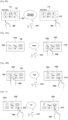
- FIG. 3 shows an example of controlling a content element amidst a myriad of options, according to some embodiments.
- the user can simply point to the content (with their hand/finger) that they are interested in playing and saying only "Play that one.”
- the context interaction processing e.g., using system 100 ( FIG. 2 ), device 120, context interaction app 129 or any combination thereof) correlates the gesture input with the voice input to determine the correct content to be selected and the action to be taken on the content.
- FIG. 2 system 100 ( FIG. 2 ), device 120, context interaction app 129 or any combination thereof
- a display 140 is shown with three content elements (e.g., videos, music files, etc.).
- the user points with a finger for gesture 305 at the content element 310 and speaks an utterance 315 "play that one.”
- the microphone e.g., microphone 122
- receives the utterance and a speech processing application determines the ambiguity of the terms "that one.”
- a typical system would have to query further as to which content element the user wants the "play” command to apply.
- the context interaction processing uses the additional context of the gesture 305 as captured by an input mechanism 124 in combination with the spoken ambiguity (utterance 315) to select content element 310 and play (action) the selected content element 310 on an electronic device 120.
- the context interaction processing determines that the gesture 305 is pointing toward the content element 310, and uses the determination as a selection, along with the action term "play" (determined by the utterance 315), and selects an app (e.g., an app from applications 1-N 127) to perform the action (e.g., a content player).
- an app e.g., an app from applications 1-N 127) to perform the action (e.g., a content player).
- Any media device contains several different types of content such as images, music, videos, etc. Depending on the content type, only a certain set of actions makes sense for that particular content type. For example, "play"-ing the content makes sense for music and video, but not for a photo or a document. Therefore, in some embodiments each content is mapped with a narrow set of commands that are relevant to that content type.
- each application can only play certain content types.
- the context interaction app 129 (or context interaction processing 3430) checks to see if this command matches with the set of commands supported by this content type. If it does, processing proceeds to accomplish that command using an application that supports the selected content type.
- the distance range of a microphone may be dynamically modified by altering its signal to noise ratio.
- a far-field microphone can be instantly switched to near-field mode, only picking up sounds within a smaller region.
- the electronic device 120 senses engagement by the user via a gesture input, it automatically switches to near-field mode, reducing the voice input range to a much smaller region and hence only picking up voice commands by the user who is in close proximity to the electronic device 120. This can allow the electronic device 120 to be used in moderately noisy or loud environments ranging from group home movie watching experiences to public spaces such as airports.
- a combination of face recognition, face identification, lip movement recognition, and posture recognition techniques may be used to identify if the voice commands being received are also from the user who is performing the gesture.
- these techniques can allow to associate voice input to the user who is performing the gesture and selectively process them, while ignoring the other user who might also be speaking but not necessarily directing commands to the device.
- the category of within device disambiguation refers to a class of techniques in which context is used to enhance voice input to improve interactions within a single display 140.
- voice input alone is inadequate/insufficient to control the display's 140 state.
- context may be achieved using additional modalities, resulting in an improved user experience.
- voice input may be of particular interest to users when they interact with computing devices 120 that they cannot or prefer not to touch directly. For example, when the user tries to follow digital recipes in the kitchen, or practice certain sports following digital instructions.
- FIG. 4 shows an example of a conditional individual selection, according to some embodiments.
- conditional selection is accomplished when considering both voice input and hover input (e.g., a gesture).
- voice input e.g., a gesture
- hover input e.g., a gesture
- a user's finger hovers gesture 405
- a specific object content element 310
- the computing device processes these conditional commands even before opening/activating/launching the chosen content, to display them in a manner desired by the user.
- the context interaction processing determines the action term "play” and the condition "starting at 30 minutes” to apply to the content element 310.
- the context interaction processing uses an input mechanism (e.g., input mechanism 124, FIG. 2 ) to identify what the gesture 405 is pointing at on the display 140) along with the action and condition to launch the content element 310 at the point 420 of the length of play for the content element 310 using a voice recognition process or application.
- FIG. 5 shows an example of shortening navigation, according to some embodiments.
- a user would step through multiple levels of menus to get down to the desired piece of content, which adds considerable number of steps and delay the selection process. Instead, users can use the processing described above to shorten navigation.
- the user can hover over the parent multi-hierarchical menu 510 that they are interested in and express the particular child/grandchild/great grandchild, etc., menu item that is associated with the content element 525 that they are interested in, and jump to selecting the specific content element 525 directly by providing an utterance 515 of "play the episode about whales, start at 30 seconds in.”
- the voice recognition process or application determines whether the specified content element 525 is in the multi-hierarchical menu 510 based on the gesture 505 pointing to the multi-hierarchical menu 510 (of the two available menus on the display 140) and a search within the multi-hierarchical menu 510 based on the terms "about whales.”
- the context interaction processing starts the appropriate app/application for playing the content element 525 at the point 520, which is 30 seconds from the start of the video.
- FIG. 6 shows an example of disambiguation of voice command options, according to some embodiments. This example shows how voice helps a user understand what she can do with a particular content element 310 shown on a display 140.
- an electronic device e.g., an electronic device 120
- the electronic device is able to use both the hover input (gesture 605) and the voice input (utterance 615) to determine that the user desires to see (or hear) options for only the object her finger(s) hovers over.
- the electronic device may not be able to understand the voice command, or might end up providing options available for the whole display 140 system instead of for the specific content (content element 310) desired.
- gestures more than hovering may be required for the electronic device to decide what the user's intention is.
- the options 620 pertaining to the content element 310 are displayed, the user may speak out the name of one of these options 620 to select them - for example, the user would stay on the play icon with gesture 605 and speak out "look up" to select that particular option. This reduces travel/movement of hands required for a set of operations. Alternatively, the user can choose to move their hands to hover over the 'look up' object and say "select" to invoke that option.
- FIG. 7 shows an example of consolidation of actions to an item, according to some embodiments.
- hover inputs using gesture 705 assists in mass editing of content elements 710 (shown on display 140) using a voice utterance 715.
- an electronic device e.g., electronic device 120, FIG. 2
- an electronic device is able to identify one specific object (content element 720) of multiple content elements 710 (e.g., a photo gallery) and apply one or more edits to it.
- the example utterance 715 includes the terms "make sepia rotate right and call this oldtime setting.”
- the voice recognition process or application determines the action words meanings (of "make sepia,” “rotate right,” and “call") and uses the gesture 705 (using input mechanism, e.g., input mechanism 124, FIG. 2 ) to determine the user's intent of selecting content element 720.
- the computing device is further able to save these editing steps as one template "oldtime setting.”
- the result of using the context interaction processing is that the content element 720 becomes content element 721 with the changes made (i.e., color is now sepia, and the content element is rotated to the right 90 degrees (e.g., default rotation).
- FIG. 8 shows another example of consolidation of actions to an item, according to some embodiments.
- the electronic device is able to understand that another object (content element 810) is the focus for the next voice command (utterance 815) based on the hover input (gesture 805), and applies the saved template of "oldtime setting" to the content element 810 to arrive at the modified content element 811 that now has the color sepia, and is rotated to the right.
- FIGS. 9A-B show an example of transferring properties between items (e.g., content elements) without knowing their details, according to some embodiments.
- the voice input utterance 915 identifies a command ("copy photo filter settings") and the hover input gesture 905 helps narrow down to which object the command should be applied.
- the display 140 includes multiple content elements 710, and the gesture 905 is pointing towards content element 720.
- the context interaction processing applies the voice utterance 916 of "paste photo filter settings" to the content element 810 selected by the hover gesture 906.
- the user is able to perform a copy of properties from content element 720 ( FIG. 9A ) to content element 810 without having to know the details involved in the setting.
- the context interaction processing uses the voice recognition processing or application to determine the term "settings" for the content element 720 (e.g., applied photo settings), for example from a photo gallery application. The context interaction processing then applies each of the settings to the content element 810 arriving at the modified content element 910.
- FIGS. 10A-B show an example of actions applied to multiple pieces of content 1010, according to some embodiments.
- the electronic device e.g., electronic device 120, FIG. 2
- the context interaction processing enters into a "Rotating" mode 1020.
- the hover input gesture 1005 assists the electronic device to determine a first object (content element 1030) for application of the subsequent voice command utterance 1016 "Right," which causes the first object to rotate to the right, shown as object 1031.
- FIG. 11 shows another example of actions applied to multiple pieces of content, according to some embodiments.
- another gesture 1006 hovers over a second object (content element 1012). While hovering a finger over the second object with gesture 1006, the electronic device is able to apply the subsequent voice command utterance 1017 "Left" to the second object and causes the second object to rotate to the left while in the rotating mode resulting in the modified second object 1013. That is, once the rotating mode (or any other mode, such as sizing, filtering, locating, etc.), uttered commands are recognized and interpreted as actions and applied using the gestures based on the input mechanism (e.g., input mechanism 124, FIG. 2 ) and context interaction processing recognizing the hover location relative to the displayed object.
- the input mechanism e.g., input mechanism 124, FIG. 2
- FIGS. 12A-B show an example of allowing an on-screen user interface (UI) to interact with off screen UI/processes, according to some embodiments.
- the context interaction processing provides that instead of having users navigate through multiple menus, hover input plus voice input allow continuous speech across an application.
- the electronic device e.g., an electronic device 120, FIG. 2
- the context interaction processing is able to add a track 1220 selected by the hover gesture 1205 from a first Album 1210 (first UI) to playlist "serene" 1230 using utterance 1215 of "add to playlist serene” and gesture 1206.
- first UI first UI
- the user does not need to repeat the command but can simplify the voice command (utterance 1217, "and this one") to add another track 1221 selected by the hover gesture 1207 from a second Album 1211 to the same (serene playlist 1230) playlist.
- FIGS. 13A-C show examples of performing spatial tasks efficiently, according to some embodiments.
- voice input along with the context provided by spatial input modalities such as hover input
- FIG. 13A shows the hover gesture 1305 along with voice utterance 1315 of "pickup" applied to a content element 1310 (e.g., a photograph) displayed on display 140.
- the context interaction processing provides for commands, such as Pick up, drag, Drop, drop here, etc. for providing the action of picking up, dragging and dropping/placing the content element 1310. That is, the context interaction processing provides for the determined intent of selecting, dragging and dropping of the content element 1310.
- the content element 1310 is linked to its position using the input mechanism (e.g., input mechanism, 124, FIG. 2 ) and the context interaction processing.
- the input mechanism e.g., input mechanism, 124, FIG. 2
- the context interaction processing e.g., the user provides the utterance 1316 "Drop" (or “drop it here,” etc.) and moves their hand away as gesture 1307 indicates, the content element 1310 is now anchored to that new position.
- the commands such as Pick Up, Then Drop (no Drag) voice utterances (utterance 1315 "pickup” and utterance 1316 “drop”) provides action for picking up and dropping photo on the display 140.
- the content element 1310 gains, for example, a highlight, but remains in place.
- the user moves their finger around hover to gesture 1308 (e.g., in the direction of arrow 1321) and once they find suitable location speaks the utterance 1316 "drop.”
- the content element 1310 then "teleports" to the new location.
- the context interaction processing provides for directional commands. As shown, the user points to an available space with gesture 1309 and uses voice utterance 1319 of "Dock photos here," which the electronic device 120 ( FIG. 2 ) using the context interaction processing moves the content elements 1311 (e.g., a group of photos, etc.) to a new location.
- the content elements 1311 e.g., a group of photos, etc.
- FIG. 14 shows an example of disambiguation of service used to complete an action, according to some embodiments.
- a hover input e.g., gesture 1405
- the electronic device 120 FIG. 1
- the electronic device will complete the action by picking one of the services that can achieve the action.
- the electronic device would pick the default application (e.g., Google Play) to play that track over other services such as SPOTIFY ® or AMAZON ® music.
- the user can instead hover over an icon for a compatible service (e.g., gesture 1405) and speak of an action (utterance 1415), which automatically gets channeled to the service hovered over.
- a compatible service e.g., gesture 1405
- an action e.g., speak of an action
- the context interaction processing causes the electronic device 120 ( FIG. 2 ) to play the track 1411 via the selected service 1410 instead of the default service or other service options.
- FIGS. 15A-D show examples of dynamic refinement of a UI based on real-time voice input, according to some embodiments.
- Every interface/modality has its own strength and weakness. Some interfaces/modalities are better at certain tasks than others.
- Hover/touch/pointing interfaces are screen space input modalities. These modalities are great at selection and disambiguation from choices available within that screen, but their effectiveness is often limited to those visible choices. Typically, these modalities will need to go through multiple menu items to get to choices that are not provided in the current page/screen.
- Voice input on the other hand is great for abstract starting points and are not limited by what could fit within a screen. Users can use a voice query to start interaction on elements that are not currently visible in a screen in a single step.
- dynamic refinement plays on the strength of each interface for rapid and intuitive interaction.
- the visual interface using the input mechanism (e.g., input mechanism 124, FIG. 2 ) and context interaction processing filters and reconfigures itself to elements that fit within the context of the command executed.
- the electronic device e.g., electronic device 120, FIG. 2
- the context interaction processing to identify cues such as music and Beyonce to reconfigure the visual interface to only show music albums 1511 by Beyonce.
- the user hovers with gesture 1505 over an album 1521 and says the utterance 1516 "play that," which evokes another tray of services 1512 to execute the action "play” with.
- the user can either walk away for the electronic device to select the default service to complete this action, or the user can hover over a service of choice (music service 1520) with gesture 1506 and say the utterance 1517 "On this.”
- a service of choice music service 1520
- the voice input serves as a catalyst for continuous refinement of the interface for better hover interaction.
- FIGS. 16A-B show examples of contextual queries, according to some embodiments.
- the electronic device e.g., electronic device 120, FIG. 2
- the user may use a pointing device, e.g., a mouse 1620 having a left and right click available for interaction.
- the right click on a mouse is used as a dedicated input to bring up a voice/speech artificial intelligence (AI) process to assist with directed content.
- AI voice/speech artificial intelligence
- the conventional response is to provide a menu of actions 1640 that can be taken to the object pointed to by the cursor as a result of mouse movements.
- the user there can be many actions for the user to choose.
- the electronic device is able to take immediate action without further user inputs.
- the mouse cursor 1605 is pointing to the word "Texas" on a display of information 1630 regarding Paris, Texas.
- the user performs right clicking 1621 on the mouse 1620 and provides the utterance 1625 of "how far away is it," which may also modify the mouse cursor color, shape, intensity, etc. to mouse cursor 1606.
- the context interaction processing may determine what is shown on the display 140 by knowing a search term that resulted in the display of the information 1630, using an optical character recognition (OCR) app, etc.
- OCR optical character recognition
- the context interaction processing causes the electronic device to determine how far away Paris, Texas is to the user's current location using a map app, distance app, Internet app, etc., to determine distance using either the user's known location, using the electronic device's IP address, etc., the display 1610 then shows the result 1631.
- FIG. 17 shows another example of a contextual query, according to some embodiments.
- the mouse cursor 1605 is used with voice to help resolve ambiguity, when one name ("Paris") may be mapped to various instances.
- the text 1630 pointed at by the mouse cursor 1605 helps the electronic device (e.g., electronic device 120, FIG. 2 ) using the context interaction processing understand that it is Paris in Texas of the U.S. that the user is interested in, instead of Paris, the capital city of France. That is, the context interaction processing can determine the displayed text and use that information to assist in determining the user's intent.
- a right click 1621 is made with the mouse cursor 1605 pointing to the information 1630.
- the mouse cursor changes to mouse cursor 1606 from the right click 1621, and the user issues the utterance 1626 of "How far away is PARIS.”
- the context interaction processing then provides the information 1632.
- the electronic device 120 FIG. 2 ) will still try to use the context of what is displayed on the screen to answer the query.
- FIG. 18 shows an example of a conditional mass selection/interaction, according to some embodiments.
- the conditional mass selection/interaction uses Voice + Pointer inputs.
- multiple objects e.g., music tracks/ files
- the voice input utterance 1805 enables the electronic device 120 ( FIG. 2 ) using the context interaction processing to enter into a "Selecting" mode 1810.
- the user is using a controlling device 1820 (e.g., a remote control) having a microphone selection 1821 and pointing element 1822 that invokes a pointer displayed on the display 140.
- the user may use the controlling device 1820 to point to one or more objects displayed.
- these objects that satisfy conditions laid out by the initial voice command become selected objects.
- the user provides the utterance 1805 of "Make selection, exclude blues.”
- the blues elements 1801 are desired to be excluded.
- the user points at the display 140 invoking the pointing element 1822 and makes a selection moving the pointer as shown by the pathway (dashed line) 1815.
- the selected elements are shown as 1802 outlined boxes while the blues elements 1801 are not selected.
- FIGS. 19A-B shows an example of providing a more conversational interface using demonstratives, according to some embodiments.
- the electronic device 120 FIG. 2
- the context interaction processing uses a pointing element 1822 of the controlling device 1820 to identify a part of visual information, upon which a subsequent voice command can further act.
- an object shown on the display 140 may include a person wearing a shirt 1910 on a video.
- the user says an utterance 1915 "pause” using the microphone selection 1821 of the controlling device 1820 to pause the video.
- the user points 1923 at the shirt 1910 with the pointing element 1822 and issues the utterance 1916 of "What is that.”
- the context interaction processing shows a display of the shirt 1911 with information 1930 about the shirt 1911.
- the electronic device and the context interaction processing identify the object (shirt 1910 shown on the display 140), performs a lookup or search for the object (e.g., using the Internet, a database of product placements, etc.) to recognize the object, and performs a further search if necessary to find further information.
- a lookup or search for the object e.g., using the Internet, a database of product placements, etc.
- FIG. 20 shows an example of using demonstratives to add contextual intelligence to various activities, according to some embodiments.
- the electronic device e.g., electronic device 120
- demonstratives may be used to add contextual intelligence to various activities such as selection, exclusion, assignment, query, etc.
- a collection of selectable objects e.g., content elements
- the user uses a controlling device 1820 with microphone selection 1821 and provides the utterance 2015 of "Select.”
- FIGS. 21A-B shows an example of selection of content but excluding elements from the selection in real time using voice control, according to some embodiments.
- the controlling device 1820 may be used to select a pathway 2123 with the utterance 2115 to combine the utterance 2915 of "Select” with the utterance 2115 of "This and This," the utterance 2116 of "Not this,” and the utterance 2117 of “and this and this and this.”
- the utterance 2116 excludes object 2101 along the pathway 2123.
- the final selection 2125 is then left on the display 140.
- FIG. 22 shows an example of uninterrupted, real-time modification of interaction properties, according to some embodiments.
- the electronic device e.g., electronic device 120
- the context interaction processing use Voice + Touch inputs.
- a drawing application executing on the electronic device is presented on the display 140.
- the user has drawn a curved line 2210 using the drawing application.
- the user wants to change, for example, both a drawing tool and painting color, they may achieve that by touching the screen with gesture 2205 at a position where they want to draw, and simultaneously issue the utterance 2215 stating "Water color brush RED.”
- the user does not have to go to separate pallets to change the color and the tool.
- the context interaction processing provides the drawing 2211 with the new color and different drawing shape as the user moves their finger with gesture 2206.
- FIGS. 23A-B shows an example of voice plus computer vision, according to some embodiments.
- the electronic device e.g., electronic device 120
- the context interaction processing use Voice + Vision inputs.
- context may be used to extend the concept to physical objects.
- the electronic device 120 then shows information 2320 as a series of recipe in text or videos that the user may select to view or watch.
- the electronic device 120 may make use of other information about the user such as history, location, items available in, for example, a smart refrigerator, upcoming events on a calendar application, etc., to appropriately adjust its recommendations to better suit the user's life.
- the electronic device 120 may use a combination of the list of objects detected in its view, their relative sizes and the context of the command to determine the most likely object that the user is directing their command to. In situations when multiple objects of varying types are visible in the view (e.g., carrots and tomatoes), the electronic device 120 may interact with the user via speech synthesis to disambiguate the selection.
- FIGS. 24A-B shows another example of voice plus computer vision, according to some embodiments.
- voice plus computer vision some embodiments may be used for online shopping. For example, if the user had just finished the last tea bag, they can point the box 2410 (or packaging) at a camera (e.g., camera 128) of an electronic device (e.g., electronic device 120) and say the utterance "add a couple of these to my AMAZON ® cart" or "Buy this" 2405.
- the context interaction processing performs label matching with AMAZON ® 's database, identifies the product and adds it to the cart. As shown, display 140 then displays the items purchased 2420 and provides further information 2406.
- natural language processing is used to determine how many (e.g., a couple) to add to the cart.
- the electronic device 120 may interact back and forth with the user via speech synthesis to obtain more exact details about the order such as desired date of delivery, address of delivery etc.
- FIGS. 25A-B shows yet another example of voice plus computer vision, according to some embodiments.
- a user may point to a brochure 2520 for a local museum exhibit and say the utterance of "add this to my calendar.”
- the electronic device e.g., electronic device 120, FIG. 2
- the context interaction processing performs OCR on the frame 2510 to read the text details on the brochure 2520, performs language processing to determine details 2525 such as time and date, and adds this event to the corresponding time and date in the calendar app of the electronic device or over multiple devices.
- the question might arise as to how does the electronic device 120 know when to use the camera for an input.
- FIG. 26 shows an example of tracked points using, for example, LEAP MOTION ® hand tracking, according to some embodiments.
- visual disambiguation for multiplicity of matches is performed using an electronic device and the context interaction processing.
- Classification based on part of the body e.g., hand 2600
- Classification based on part of the body is possible using computer vision to differentiate between different parts of the body such as the fingers (index 2610, middle 2615, ring 2620 and pinky 2625), thumb 2605, the palm position 2650 and the wrist position 2640.
- positions of different bones 2630 e.g., distal 2631, intermediate 2632, proximal 2633 and metacarpal 2634
- tip position 2611 and arm 2660 may be differentiated as well.
- FIGS. 27A-B shows an example of a detected device that overlaps with the palm/ fingers and another electronic device, according to some embodiments.
- the user is wearing a smart watch 2730 and holding an electronic device 120 (e.g., a smart phone), and says "order me this" (meant to buy the phone).
- the display 140, the smart watch 2730 and the electronic device 120 are smart devices, they might each be running an intelligent assistant of their own. As a result, they might all start listening to a user's voice command as they start speaking. But, only device 140 supports the usage of demonstratives such as 'this' due to the visual disambiguation it supports by combining voice with the camera.
- the voice command is only completed by device 140, whereas the other devices do not.
- the camera e.g., camera 128, FIG. 2
- the electronic device 120 e.g., a smart phone
- the specific case considered is that of a user wearing a smart watch 2730 and holding the electronic device 120 (e.g., a smart phone) in their hand and commanding to the device, for example "Can you order this?"
- the user needs to express to the context interaction processing that the item they are interested in ordering is the electronic device 120 (smart phone) and not the smart watch 2730.
- the context interaction processing detects the pointing direction 2745 of the index finger of the other hand 2740 and detects which item it points to/overlaps with and use that as a way of identifying the target item.
- FIGS. 28A-C shows an example of identifying all items in a scene and explicitly providing for selection or disambiguation, according to some embodiments.
- Some embodiments provide for explicit selection in a second action.
- the context interaction processing identifies all the items in a scene and explicitly allows for selection or disambiguation by the user in a second action via voice or other input modalities.
- the user is holding an electronic device 120 in their hand and is wearing a smart watch 2730.
- the context interaction processing using an electronic device e.g., electronic device 120, FIG. 2
- camera e.g., camera 128, determines the captured electronic device 120 (smart phone) and palm and fingers position 2720, and wrist position 2735 shown on display 140.
- the context interaction processing identifies the smart phone 2820 as a first object, and the smart watch 2830 as the second object as options 1 and 2.
- a voice utterance 2805 is received by the microphone (e.g., microphone 122).
- the utterance 2805 may be "select option 1.”
- the context interaction processing may then show option 1 including the smart phone 2820 and provides further selections 2840, for example in a shopping scenario, confirmed purchase.
- FIG. 29 shows an example of using voice input, along with two gestural input technologies, according to some embodiments.
- the electronic device e.g., electronic device 120
- the context interaction processing use Voice + Hover + touch inputs.
- two gestural input technologies provide additional context.
- One of the two gestural inputs serve as the primary input and other serves as the secondary input.
- a user views an object such as a video file, they can use the primary input - touch in this particular case to tap on a video on a touch screen and have it start playing.
- they can hover over the video and use voice in order to see more options for the tasks they can perform on it.
- hover + voice provides more information only when the user requests it, but does not get in the way when the user already knows what to do.
- a gesture 2905 e.g., touch on input mechanism (touch screen) 124, FIG. 2
- the content element may just be played based on gesture 2905, or the user may elect to issue an utterance 2915 of, for example, "options" along with a second gesture 2906 of hovering over the content element 2910.
- the result is displaying options 2920 associated with the content element 2910.
- FIG. 30 shows an example of disambiguation between multiple voice enabled devices, according to some embodiments.
- voice virtual
- FIG. 30 shows an example of disambiguation between multiple voice enabled devices, according to some embodiments.
- a block-to-speak model may be used for disambiguation among a cluster of displays.
- Each device in the cluster may be setup with an inexpensive sensor, such as Infra-red, time of flight, a camera, etc., that detects obstructions in the area immediately in front of the electronic device.
- the user performs an action - blocking 3005 the sensor (without touching) on a smart digital picture frame 3030 to engage with that electronic device and speak voice commands to the blocked device.
- Only the device that has its sensors blocked within a threshold e.g., one inch away, two inches away, five inches away, etc.
- the neighboring devices either do not listen or do not process the voice input even though they are close enough to hear the user. This example may be used as a way of targeting speech input to an intended device.
- Alternate embodiments may include other modalities such as touch or pointing with a remote control or controlling device maybe used as effective alternatives to blocking to achieve the same effect mentioned above.
- blocking a sensor of a display with pointing from afar may be employed to result in a point-to-speak interaction model.
- the user points their hands at an electronic device and starts speaking.
- the voice commands target the pointed to device. This may be achieved using, for example, a KINECT ® or similar type of camera that detects the human, their arm orientation and use that direction to determine which electronic device it is pointed to via a pre-calibrated map.
- the user issues an utterance of "load Anna's daughter pictures on this, this, and this" with each utterance of 'this' pointing to/blocking a different display in the cluster.
- the user provides an utterance of "this” with a gesture 3105 pointing to electronic device 3143, with a gesture 3106 pointing to electronic device 3144 and with a gesture 3107 pointing to electronic device 3145.
- the result is displaying the intended photos (e.g., of Anna's daughter) on the intended electronic devices (electronic devices 3143, 3144 and 3145).
- FIG. 32 shows a block diagram of a process 3200 for using demonstrables for cues, according to some embodiments.
- a sequence of logical steps provides cues to the voice assistant to use image data when appropriate.
- a user speaks a voice command (e.g., to an electronic device 120 ( FIG. 2 ) having a microphone 122) that is captured, sent to a natural language processing system (e.g., a voice recognition program, virtual agent, an artificial intelligence (AI) system, etc.), and a text transcription of the voice command is received by context interaction processing (e.g., using system 100 ( FIG. 2 ), device 120, context interaction app 129 or any combination thereof).
- a natural language processing system e.g., a voice recognition program, virtual agent, an artificial intelligence (AI) system, etc.
- context interaction processing e.g., using system 100 ( FIG. 2 ), device 120, context interaction app 129 or any combination thereof.
- the processed command is received back by the electronic device with tags (action, date, time, application to use, etc.).
- tags action, date, time, application to use, etc.
- the electronic device proceeds to execute the action.
- the subject of the command is a demonstrable such as "this" or "these,” it does not have sufficient information to execute the command (i.e., the electronic device knows what action to perform, but not on whom or what to perform it on).
- process 3200 resolves the ambiguity based on one of but not limited to, the following demonstrables (i.e., the electronic device knows the following demonstrables are the possible scenarios):
- the electronic device determines that context provided via the camera (e.g., camera 128) may be the option (i.e., the camera is the medium used for context).
- the electronic device using context interaction processing switches to the camera (unless an image is already captured) for an additional modality to resolve what 'this' means.
- the electronic device activates the camera (if no image is already present), takes a picture, scans for objects and identifies the objects. If the identified object is recognized (e.g., matches an element in a database, etc.) the electronic device executes the corresponding action for that object.
- FIG. 33 shows a block diagram of a process 3300 for context interaction, according to some embodiments.
- a voice input is received at an electronic device (e.g., electronic device 120, FIG. 2 ).
- an ambiguity of the voice input is determined (e.g., a voice utterance of "this" or “that”).
- the ambiguity is resolved based on contextual data (e.g., within device disambiguation: Voice + Hover, Voice + Cursor, Voice + Point, Voice + Touch, Voice + Show, or combinations thereof).
- the contextual data includes at least one of: an image (e.g., on a display 140), a non-voice input (e.g., a gesture, a pointer of a pointing device, a touch on a touch screen (e.g., input mechanism 124), or a combination thereof.
- a non-voice input e.g., a gesture, a pointer of a pointing device, a touch on a touch screen (e.g., input mechanism 124), or a combination thereof.
- the ambiguity relates to identification of an object or a position that the voice input applies to.
- the image may be captured by a camera (e.g., camera 128, FIG. 2 ) connected to the electronic device, displayed on a display device (e.g., display 140), or a combination thereof.
- the non-voice input may be sensed by at least one sensor (e.g., input mechanism 124) connected to the electronic device.
- process 3300 may further include resolving the ambiguity by determining identification of the object based on the image containing the object (e.g., captured by a camera 128), or the non-voice input indicating the object (e.g., a hand or finger gesture, a pointer from a pointing device, a touch, a hover, etc.).
- the ambiguity may include a demonstrative determiner (e.g., terms like 'this' or 'that', see, e.g., FIGS. 19A-B , FIG. 20 , FIG. 31 ), and the contextual data further includes information affecting an action applicable to the object (e.g., apply a setting, etc.).
- process 3300 may further include resolving the ambiguity by enabling the camera upon a determination that no non-voice input occurred (e.g., no occurrence of: the user providing context via voice + hover (hover-to-speak), the user providing context via voice + cursor, the user providing context via voice + point, the user providing context via voice + touch, etc.).
- no non-voice input occurred e.g., no occurrence of: the user providing context via voice + hover (hover-to-speak), the user providing context via voice + cursor, the user providing context via voice + point, the user providing context via voice + touch, etc.
- the object in process 3300 the object may be the electronic device (itself), and the electronic device adjusts an interface corresponding to the voice input with the ambiguity resolved.
- Process 3300 may include that the action applicable to the object includes: receiving information (e.g., information about the object from an Internet search), assisting with a purchase (e.g., finding the object or similar object for sale on-line, adding to a virtual shopping cart, etc.), calendaring an event (e.g., using a calendaring app on the electronic device(s)), applying features to content (e.g., applying settings, copying and pasting settings to an object, etc.), selecting at least one content associated with the object (e.g., selecting a photo from a gallery of photos, etc.), moving the object on a display (e.g., picking up, dragging, dropping, etc.), or a combination thereof.
- information e.g., information about the object from an Internet search
- assisting with a purchase e.g., finding the object or similar object for sale
- FIG. 34 is a high-level block diagram showing an information processing system comprising a computing system implementing one or more embodiments.
- the system 3400 includes one or more processors 3411 (e.g., ASIC, CPU, etc.), and may further include an electronic display device 3412 (for displaying graphics, text, and other data), a main memory 3413 (e.g., random access memory (RAM), cache devices, etc.), storage device 3414 (e.g., hard disk drive), removable storage device 3415 (e.g., removable storage drive, removable memory, a magnetic tape drive, optical disk drive, computer-readable medium having stored therein computer software and/or data), user interface device 3416 (e.g., keyboard, touch screen, keypad, pointing device), and a communication interface 3417 (e.g., modem, wireless transceiver (such as Wi-Fi, Cellular), a network interface (such as an Ethernet card), a communications port, or a PCMCIA slot and card).
- processors 3411 e.g., A
- the communication interface 3417 allows software and data to be transferred between the computer system and external devices through the Internet 3450, mobile electronic device 3451, a server 3452, a network 3453, etc.
- the system 3400 further includes a communications infrastructure 3418 (e.g., a communications bus, cross bar, or network) to which the aforementioned devices 3411 through 3417 are connected.
- a communications infrastructure 3418 e.g., a communications bus, cross bar, or network
- the information transferred via communications interface 3417 may be in the form of signals such as electronic, electromagnetic, optical, or other signals capable of being received by communications interface 3417, via a communication link that carries signals and may be implemented using wire or cable, fiber optics, a phone line, a cellular phone link, a radio frequency (RF) link, and/or other communication channels.
- signals such as electronic, electromagnetic, optical, or other signals capable of being received by communications interface 3417, via a communication link that carries signals and may be implemented using wire or cable, fiber optics, a phone line, a cellular phone link, a radio frequency (RF) link, and/or other communication channels.
- RF radio frequency
- the system 3400 further includes an image capture device 3420, such as a camera 128 ( FIG. 2 ), and an audio capture device 3419, such as a microphone 122 ( FIG. 2 ).
- the system 3400 may further include application processing or processors as MMS 3421, SMS 3422, email 3423, social network interface (SNI) 3424, audio/video (AV) player 3425, web browser 3426, image capture 3427, etc.
- the system 3400 includes context interaction processing 3430 that may implement processing similar as described regarding context interaction app 129 ( FIG. 2 ), processing for process 3200, and process 3300 as described above.
- the context interaction processing 3430 along with an operating system 3429 may be implemented as executable code residing in a memory of the system 3400.
- the context interaction processing 3430 may be provided in hardware, firmware, etc.
- main memory 3403, storage device 3404 and removable storage device 3405 may store instructions for the embodiments described above that may be executed by the one or more processors 3401.
- the aforementioned example architectures described above, according to said architectures can be implemented in many ways, such as program instructions for execution by a processor, as software modules, microcode, as computer program product on computer readable media, as analog/logic circuits, as application specific integrated circuits, as firmware, as consumer electronic devices, AV devices, wireless/wired transmitters, wireless/wired receivers, networks, multi-media devices, etc.
- embodiments of said Architecture can take the form of an entirely hardware embodiment, an entirely software embodiment or an embodiment containing both hardware and software elements.
- computer program medium “computer usable medium,” “computer readable medium”, and “computer program product,” are used to generally refer to media such as main memory, secondary memory, removable storage drive, a hard disk installed in hard disk drive. These computer program products are means for providing software to the computer system.
- the computer readable medium allows the computer system to read data, instructions, messages or message packets, and other computer readable information from the computer readable medium.
- the computer readable medium may include non-volatile memory, such as a floppy disk, ROM, flash memory, disk drive memory, a CD-ROM, and other permanent storage. It is useful, for example, for transporting information, such as data and computer instructions, between computer systems.
- Computer program instructions may be stored in a computer readable medium that can direct a computer, other programmable data processing apparatus, or other devices to function in a particular manner, such that the instructions stored in the computer readable medium produce an article of manufacture including instructions which implement the function/act specified in the flowchart and/ or block diagram block or blocks.
Landscapes
- Engineering & Computer Science (AREA)
- Theoretical Computer Science (AREA)
- General Engineering & Computer Science (AREA)
- Human Computer Interaction (AREA)
- Physics & Mathematics (AREA)
- General Physics & Mathematics (AREA)
- Multimedia (AREA)
- Audiology, Speech & Language Pathology (AREA)
- Health & Medical Sciences (AREA)
- General Health & Medical Sciences (AREA)
- Computational Linguistics (AREA)
- Acoustics & Sound (AREA)
- Artificial Intelligence (AREA)
- User Interface Of Digital Computer (AREA)
Claims (13)
- Verfahren, durchgeführt durch eine elektronische Vorrichtung (120), umfassend:Empfangen einer Spracheingabe eines Benutzers;Bestimmen, dass die Spracheingabe mehrdeutig ist, wenn die Spracheingabe einen demonstrativen Bestimmer beinhaltet, der ein Objekt angibt;wenn bestimmt wird, dass die Spracheingabe mehrdeutig ist, Auflösen von Mehrdeutigkeit in Bezug auf die Spracheingabe basierend auf Kontextdaten, beinhaltend ein Bild, welches das Objekt enthält, durch:Erhalten des Bildes, das zumindest ein Objekt enthält, unter Verwendung einer Kamera (128) der elektronischen Vorrichtung (120),Abtasten des erhaltenen Bildes nach Objekten,Identifizieren des Objekts anhand des erhaltenen Bildes, undErkennen des identifizierten Objekts basierend darauf, dass das identifizierte Objekt mit einem Element in einer Datenbank übereinstimmt;Bestimmen von Absicht des Benutzers assoziiert mit dem erkannten Objekt unter Verwendung von Schlüsselwörtern der Spracheingabe und Verarbeitung natürlicher Sprache; undDurchführen einer Handlung entsprechend der Spracheingabe basierend auf der bestimmten Absicht des Benutzers.
- Verfahren nach Anspruch 1, wobei die Kontextdaten ferner eine Nichtspracheingabe beinhalten und die Nichtspracheingabe zumindest eines von einem Zeiger einer Zeigevorrichtung, einer Berührungsgeste oder einer Kombination davon beinhaltet.
- Verfahren nach Anspruch 2, wobei die Nichtspracheingabe durch zumindest einen Sensor erfasst wird, der an die elektronische Vorrichtung (120) gekoppelt ist.
- Verfahren nach Anspruch 2, ferner umfassend:
Identifizieren des Objekts basierend auf der Nichtspracheingabe, die das Objekt angibt. - Verfahren nach Anspruch 4, wobei die Kontextdaten ferner Informationen beinhalten, die eine Handlung betreffen, die auf das Objekt anwendbar ist.
- Verfahren nach Anspruch 5, wobei die Handlung, die auf das Objekt anwendbar ist, zumindest eines von Folgendem umfasst: Empfangen von Informationen, Unterstützen eines Einkaufs, Eintragen eines Ereignisses, Anwenden von Merkmalen auf Inhalt, Auswählen von zumindest einem Inhalt assoziiert mit dem Objekt, Bewegen des Objekts auf einer Anzeige.
- Verfahren nach Anspruch 2, wobei, wenn das Objekt die elektronische Vorrichtung (120) ist, die elektronische Vorrichtung eine Schnittstelle entsprechend der Spracheingabe anpasst.
- Verfahren nach Anspruch 1, wobei das Bild auf einer Anzeigevorrichtung (140) angezeigt wird, die an die elektronische Vorrichtung (120) gekoppelt ist.
- Verfahren nach Anspruch 1, wobei das Identifizieren des Objekts entsprechend der Spracheingabe Aktivieren der Kamera bei einer Bestimmung, dass keine Nichtspracheingabe erfolgte, umfasst.
- Elektronische Vorrichtung (120), umfassend:eine Kamera (128);einen Speicher, der Anweisungen speichert; undzumindest einen Prozessor, der die Anweisungen ausführt, beinhaltend einen Prozess, der zu Folgendem konfiguriert ist:Empfangen einer Spracheingabe eines Benutzers;Bestimmen, dass die Spracheingabe mehrdeutig ist, wenn die Spracheingabe einen demonstrativen Bestimmer beinhaltet, der ein Objekt angibt; undwenn bestimmt wird, dass die Spracheingabe mehrdeutig ist, Auflösen von Mehrdeutigkeit in Bezug auf die Spracheingabe basierend auf Kontextdaten, beinhaltend ein Bild, welches das Objekt enthält, durch:Erhalten des Bildes, das zumindest ein Objekt enthält, unter Verwendung der Kamera (128),Abtasten des erhaltenen Bildes nach Objekten,Identifizieren des Objekts anhand des erhaltenen Bildes, undErkennen des identifizierten Objekts basierend darauf, dass das identifizierte Objekt mit einem Element in einer Datenbank übereinstimmt,Bestimmen von Absicht des Benutzers assoziiert mit dem identifizierten Objekt unter Verwendung von Schlüsselwörtern der Spracheingabe und Verarbeitung natürlicher Sprache, undDurchführen einer Handlung entsprechend der Spracheingabe basierend auf der bestimmten Absicht des Benutzers.
- Elektronische Vorrichtung nach Anspruch 10, wobei die elektronische Vorrichtung ausgelegt ist, um nach einem der Ansprüche 2 bis 9 zu arbeiten.
- Nichtflüchtiges prozessorlesbares Medium, das ein Programm beinhaltet, das, wenn durch einen Prozessor einer elektronischen Vorrichtung (120) ausgeführt, den Prozessor veranlasst, ein Verfahren durchzuführen, umfassend:Empfangen einer Spracheingabe eines Benutzers;Bestimmen, dass die Spracheingabe mehrdeutig ist, wenn die Spracheingabe einen demonstrativen Bestimmer beinhaltet, der ein Objekt angibt; undwenn bestimmt wird, dass die Spracheingabe mehrdeutig ist, Auflösen von Mehrdeutigkeit in Bezug auf die Spracheingabe basierend auf Kontextdaten, wobei die Kontextdaten ein Bild beinhalten, welches das Objekt enthält, durch:Erhalten des Bildes, das zumindest ein Objekt enthält, unter Verwendung einer Kamera (128) der elektronischen Vorrichtung (120),Abtasten des erhaltenen Bildes nach Objekten,Identifizieren des Objekts anhand des erhaltenen Bildes, undErkennen des identifizierten Objekts basierend darauf, dass das identifizierte Objekt mit einem Element in einer Datenbank übereinstimmt;Bestimmen von Absicht des Benutzers assoziiert mit dem identifizierten Objekt unter Verwendung von Schlüsselwörtern der Spracheingabe und Verarbeitung natürlicher Sprache; undDurchführen einer Handlung entsprechend der Spracheingabe basierend auf der bestimmten Absicht des Benutzers.
- Nichtflüchtiges prozessorlesbares Medium nach Anspruch 12, wobei das Programm ausgelegt ist, um nach einem der Ansprüche 2 bis 9 zu arbeiten.
Applications Claiming Priority (3)
| Application Number | Priority Date | Filing Date | Title |
|---|---|---|---|
| US201762509600P | 2017-05-22 | 2017-05-22 | |
| US15/857,301 US11221823B2 (en) | 2017-05-22 | 2017-12-28 | System and method for context-based interaction for electronic devices |
| PCT/KR2018/005851 WO2018217014A1 (en) | 2017-05-22 | 2018-05-23 | System and method for context based interaction for electronic devices |
Publications (4)
| Publication Number | Publication Date |
|---|---|
| EP3612927A1 EP3612927A1 (de) | 2020-02-26 |
| EP3612927A4 EP3612927A4 (de) | 2020-04-29 |
| EP3612927C0 EP3612927C0 (de) | 2024-11-27 |
| EP3612927B1 true EP3612927B1 (de) | 2024-11-27 |
Family
ID=64269658
Family Applications (1)
| Application Number | Title | Priority Date | Filing Date |
|---|---|---|---|
| EP18806641.9A Active EP3612927B1 (de) | 2017-05-22 | 2018-05-23 | System und verfahren zur kontextbasierten interaktion für elektronische vorrichtungen |
Country Status (4)
| Country | Link |
|---|---|
| US (1) | US11221823B2 (de) |
| EP (1) | EP3612927B1 (de) |
| KR (1) | KR102642668B1 (de) |
| WO (1) | WO2018217014A1 (de) |
Families Citing this family (57)
| Publication number | Priority date | Publication date | Assignee | Title |
|---|---|---|---|---|
| US8977255B2 (en) | 2007-04-03 | 2015-03-10 | Apple Inc. | Method and system for operating a multi-function portable electronic device using voice-activation |
| US8676904B2 (en) | 2008-10-02 | 2014-03-18 | Apple Inc. | Electronic devices with voice command and contextual data processing capabilities |
| DE112014000709B4 (de) | 2013-02-07 | 2021-12-30 | Apple Inc. | Verfahren und vorrichtung zum betrieb eines sprachtriggers für einen digitalen assistenten |
| US10170123B2 (en) | 2014-05-30 | 2019-01-01 | Apple Inc. | Intelligent assistant for home automation |
| US9715875B2 (en) | 2014-05-30 | 2017-07-25 | Apple Inc. | Reducing the need for manual start/end-pointing and trigger phrases |
| US9338493B2 (en) | 2014-06-30 | 2016-05-10 | Apple Inc. | Intelligent automated assistant for TV user interactions |
| US9886953B2 (en) | 2015-03-08 | 2018-02-06 | Apple Inc. | Virtual assistant activation |
| US10460227B2 (en) | 2015-05-15 | 2019-10-29 | Apple Inc. | Virtual assistant in a communication session |
| US10331312B2 (en) | 2015-09-08 | 2019-06-25 | Apple Inc. | Intelligent automated assistant in a media environment |
| US10747498B2 (en) | 2015-09-08 | 2020-08-18 | Apple Inc. | Zero latency digital assistant |
| US10586535B2 (en) | 2016-06-10 | 2020-03-10 | Apple Inc. | Intelligent digital assistant in a multi-tasking environment |
| US12197817B2 (en) | 2016-06-11 | 2025-01-14 | Apple Inc. | Intelligent device arbitration and control |
| DK201670540A1 (en) | 2016-06-11 | 2018-01-08 | Apple Inc | Application integration with a digital assistant |
| US11204787B2 (en) | 2017-01-09 | 2021-12-21 | Apple Inc. | Application integration with a digital assistant |
| DK201770429A1 (en) | 2017-05-12 | 2018-12-14 | Apple Inc. | LOW-LATENCY INTELLIGENT AUTOMATED ASSISTANT |
| DK179496B1 (en) | 2017-05-12 | 2019-01-15 | Apple Inc. | USER-SPECIFIC Acoustic Models |
| US10303715B2 (en) | 2017-05-16 | 2019-05-28 | Apple Inc. | Intelligent automated assistant for media exploration |
| US20190103111A1 (en) * | 2017-10-03 | 2019-04-04 | Rupert Labs Inc. ( DBA Passage AI) | Natural Language Processing Systems and Methods |
| WO2019133862A1 (en) * | 2017-12-29 | 2019-07-04 | Ebay Inc. | Computer vision for unsuccessful queries and iterative search |
| US10818288B2 (en) | 2018-03-26 | 2020-10-27 | Apple Inc. | Natural assistant interaction |
| US20210165825A1 (en) * | 2018-04-25 | 2021-06-03 | Sony Corporation | Information processing apparatus, information processing method, and program |
| DK180639B1 (en) | 2018-06-01 | 2021-11-04 | Apple Inc | DISABILITY OF ATTENTION-ATTENTIVE VIRTUAL ASSISTANT |
| US11172293B2 (en) * | 2018-07-11 | 2021-11-09 | Ambiq Micro, Inc. | Power efficient context-based audio processing |
| US11481189B2 (en) | 2018-08-17 | 2022-10-25 | The Toronto-Dominion Bank | Methods and systems for transferring a session between audible and visual interfaces |
| US10929098B2 (en) * | 2018-08-17 | 2021-02-23 | The Toronto-Dominion Bank | Methods and systems for conducting a session over audible and visual interfaces |
| CN110874176B (zh) * | 2018-08-29 | 2024-03-29 | 斑马智行网络(香港)有限公司 | 交互方法、存储介质、操作系统和设备 |
| US11462215B2 (en) | 2018-09-28 | 2022-10-04 | Apple Inc. | Multi-modal inputs for voice commands |
| CN109976515B (zh) * | 2019-03-11 | 2023-07-07 | 阿波罗智联(北京)科技有限公司 | 一种信息处理方法、装置、车辆及计算机可读存储介质 |
| US11348573B2 (en) | 2019-03-18 | 2022-05-31 | Apple Inc. | Multimodality in digital assistant systems |
| US11307752B2 (en) | 2019-05-06 | 2022-04-19 | Apple Inc. | User configurable task triggers |
| DK201970509A1 (en) | 2019-05-06 | 2021-01-15 | Apple Inc | Spoken notifications |
| CN110234032B (zh) | 2019-05-07 | 2022-02-25 | 百度在线网络技术(北京)有限公司 | 一种语音技能创建方法及系统 |
| WO2020247259A1 (en) * | 2019-06-04 | 2020-12-10 | Rovi Guides, Inc. | Methods and systems for facilitating application programming interface communications |
| US10990456B2 (en) | 2019-06-04 | 2021-04-27 | Rovi Guide, Inc. | Methods and systems for facilitating application programming interface communications |
| US11249823B2 (en) | 2019-06-04 | 2022-02-15 | Rovi Guides, Inc. | Methods and systems for facilitating application programming interface communications |
| US12139160B2 (en) | 2019-07-10 | 2024-11-12 | Lg Electronics Inc. | Vehicle control method and intelligent computing device for controlling vehicle |
| US11061638B2 (en) | 2019-09-17 | 2021-07-13 | The Toronto-Dominion Bank | Dynamically determining an interface for presenting information to a user |
| WO2021080748A1 (en) * | 2019-10-23 | 2021-04-29 | Zebra Technologies Corporation | System for facilitating customer interactions in fitting rooms |
| CN113051010B (zh) * | 2019-12-28 | 2023-04-28 | Oppo(重庆)智能科技有限公司 | 一种穿戴设备中应用画面调整方法及相关装置 |
| US11462220B2 (en) * | 2020-03-04 | 2022-10-04 | Accenture Global Solutions Limited | Infrastructure automation platform to assist in performing actions in response to tasks |
| US12301635B2 (en) | 2020-05-11 | 2025-05-13 | Apple Inc. | Digital assistant hardware abstraction |
| US11490204B2 (en) | 2020-07-20 | 2022-11-01 | Apple Inc. | Multi-device audio adjustment coordination |
| US11438683B2 (en) | 2020-07-21 | 2022-09-06 | Apple Inc. | User identification using headphones |
| US11836731B2 (en) * | 2021-03-16 | 2023-12-05 | Toshiba Global Commerce Solutions Holdings Corporation | Dynamically-tunable interventions for user transactions |
| US20220405317A1 (en) * | 2021-06-18 | 2022-12-22 | Google Llc | Remote Control Device with Environment Mapping |
| WO2023014893A1 (en) * | 2021-08-06 | 2023-02-09 | Apple Inc. | Multimodal assistant understanding using on-screen and device context |
| US12406664B2 (en) * | 2021-08-06 | 2025-09-02 | Apple Inc. | Multimodal assistant understanding using on-screen and device context |
| US12217000B1 (en) * | 2021-09-10 | 2025-02-04 | Tableau Software, LLC | Optimizing natural language analytical conversations using platform-specific input and output interface functionality |
| US12518092B2 (en) | 2021-10-15 | 2026-01-06 | Adeia Guides Inc. | Systems and methods to generate contextual based actions |
| US11929845B2 (en) * | 2022-01-07 | 2024-03-12 | International Business Machines Corporation | AI-based virtual proxy nodes for intent resolution in smart audio devices |
| CN118575204A (zh) * | 2022-01-25 | 2024-08-30 | 谷歌有限责任公司 | 防呆产品识别 |
| US12061842B2 (en) * | 2022-04-04 | 2024-08-13 | Snap Inc. | Wearable device AR object voice-based interaction |
| US11709653B1 (en) * | 2022-04-11 | 2023-07-25 | Google Llc | Contextual assistant using mouse pointing or touch cues |
| US12277635B1 (en) * | 2023-12-07 | 2025-04-15 | Google Llc | User verification of a generative response to a multimodal query |
| US12008451B1 (en) * | 2023-12-21 | 2024-06-11 | Ishita Agrawal | AI-assisted remote guidance using augmented reality |
| US12266065B1 (en) | 2023-12-29 | 2025-04-01 | Google Llc | Visual indicators of generative model response details |
| WO2025212940A1 (en) * | 2024-04-04 | 2025-10-09 | Google Llc | Management of application actions from a wearable device |
Family Cites Families (25)
| Publication number | Priority date | Publication date | Assignee | Title |
|---|---|---|---|---|
| JP3363283B2 (ja) * | 1995-03-23 | 2003-01-08 | 株式会社日立製作所 | 入力装置、入力方法、情報処理システムおよび入力情報の管理方法 |
| US7480864B2 (en) * | 2001-10-12 | 2009-01-20 | Canon Kabushiki Kaisha | Zoom editor |
| DE102008051757A1 (de) | 2007-11-12 | 2009-05-14 | Volkswagen Ag | Multimodale Benutzerschnittstelle eines Fahrerassistenzsystems zur Eingabe und Präsentation von Informationen |
| US20130275899A1 (en) * | 2010-01-18 | 2013-10-17 | Apple Inc. | Application Gateway for Providing Different User Interfaces for Limited Distraction and Non-Limited Distraction Contexts |
| US20140058584A1 (en) | 2009-03-18 | 2014-02-27 | Robert Bosch Gmbh | System And Method For Multimodal Interaction With Reduced Distraction In Operating Vehicles |
| US8359020B2 (en) | 2010-08-06 | 2013-01-22 | Google Inc. | Automatically monitoring for voice input based on context |
| US8473289B2 (en) | 2010-08-06 | 2013-06-25 | Google Inc. | Disambiguating input based on context |
| US20120257035A1 (en) | 2011-04-08 | 2012-10-11 | Sony Computer Entertainment Inc. | Systems and methods for providing feedback by tracking user gaze and gestures |
| WO2013101051A1 (en) * | 2011-12-29 | 2013-07-04 | Intel Corporation | Speech recognition utilizing a dynamic set of grammar elements |
| US9690465B2 (en) | 2012-06-01 | 2017-06-27 | Microsoft Technology Licensing, Llc | Control of remote applications using companion device |
| US9165406B1 (en) * | 2012-09-21 | 2015-10-20 | A9.Com, Inc. | Providing overlays based on text in a live camera view |
| US20140282273A1 (en) | 2013-03-15 | 2014-09-18 | Glen J. Anderson | System and method for assigning voice and gesture command areas |
| DK2808870T3 (en) * | 2013-05-30 | 2016-04-18 | Spotify Ab | Crowdsourcing remix rules for streamed music |
| US11138971B2 (en) * | 2013-12-05 | 2021-10-05 | Lenovo (Singapore) Pte. Ltd. | Using context to interpret natural language speech recognition commands |
| TWI585673B (zh) | 2014-06-24 | 2017-06-01 | 蘋果公司 | 輸入裝置與使用者介面互動 |
| US10317992B2 (en) | 2014-09-25 | 2019-06-11 | Microsoft Technology Licensing, Llc | Eye gaze for spoken language understanding in multi-modal conversational interactions |
| KR20160071732A (ko) | 2014-12-12 | 2016-06-22 | 삼성전자주식회사 | 음성 입력을 처리하는 방법 및 장치 |
| RU2601166C2 (ru) * | 2015-03-19 | 2016-10-27 | Общество с ограниченной ответственностью "Аби ИнфоПоиск" | Разрешение анафоры на основе технологии глубинного анализа |
| US10083688B2 (en) * | 2015-05-27 | 2018-09-25 | Apple Inc. | Device voice control for selecting a displayed affordance |
| GB201509387D0 (en) * | 2015-06-01 | 2015-07-15 | Apical Ltd | Method and apparatus for image processing (distance detection) |
| JP6645779B2 (ja) | 2015-09-11 | 2020-02-14 | 株式会社Nttドコモ | 対話装置および対話プログラム |
| KR101820291B1 (ko) * | 2016-01-15 | 2018-01-19 | 현대자동차주식회사 | 차량용 음성 인식 제어 장치 및 그 방법 |
| JP2017156511A (ja) * | 2016-03-01 | 2017-09-07 | ソニー株式会社 | 情報処理装置、情報処理方法、およびプログラム |
| EP4345831A3 (de) * | 2016-07-25 | 2024-04-24 | Magic Leap, Inc. | Bildgebungsmodifikation, anzeige und visualisierung mit brille der erweiterten und virtuellen realität |
| US10581938B2 (en) * | 2016-12-12 | 2020-03-03 | Walmart Apollo, Llc | Systems and methods for multi-modal synchronization and interaction |
-
2017
- 2017-12-28 US US15/857,301 patent/US11221823B2/en active Active
-
2018
- 2018-05-23 EP EP18806641.9A patent/EP3612927B1/de active Active
- 2018-05-23 WO PCT/KR2018/005851 patent/WO2018217014A1/en not_active Ceased
- 2018-05-23 KR KR1020197032144A patent/KR102642668B1/ko active Active
Also Published As
| Publication number | Publication date |
|---|---|
| KR102642668B1 (ko) | 2024-03-05 |
| KR20200000437A (ko) | 2020-01-02 |
| US11221823B2 (en) | 2022-01-11 |
| US20180336009A1 (en) | 2018-11-22 |
| EP3612927C0 (de) | 2024-11-27 |
| WO2018217014A1 (en) | 2018-11-29 |
| EP3612927A4 (de) | 2020-04-29 |
| EP3612927A1 (de) | 2020-02-26 |
Similar Documents
| Publication | Publication Date | Title |
|---|---|---|
| EP3612927B1 (de) | System und verfahren zur kontextbasierten interaktion für elektronische vorrichtungen | |
| US11353956B2 (en) | Methods of direct manipulation of multi-layered user interfaces | |
| US11632591B2 (en) | Recording and broadcasting application visual output | |
| US20250028396A1 (en) | Augmented reality hand gesture recognition systems | |
| US10936081B2 (en) | Occluded gesture recognition | |
| CN105320736B (zh) | 用于提供信息的装置和方法 | |
| JP6270982B2 (ja) | バックグラウンドタスク用の対話式入力 | |
| CN110134321B (zh) | 用于发送数据的方法和设备,以及接收数据的方法和设备 | |
| EP3321787B1 (de) | Verfahren zur bereitstellung einer anwendung und elektronische vorrichtung dafür | |
| US10795641B2 (en) | Information processing device and information processing method | |
| US10540005B2 (en) | Mobile terminal and control method therefor | |
| CN109766045B (zh) | 用于在触摸装置中操作功能的方法和设备 | |
| KR20210134675A (ko) | 사용자 시연을 통하여 명령들을 학습하고 실행 가능하게 하기 위한 방법 및 시스템 | |
| CN103634559A (zh) | 用于基于消息收发器的视频通话服务的移动设备和方法 | |
| JP2015522863A (ja) | コンテンツのオートネーミング遂行方法及びその装置、並びに記録媒体 | |
| CN108476339A (zh) | 一种遥控方法和终端 | |
| CN111490927A (zh) | 一种显示消息的方法、装置及设备 | |
| TWI554900B (zh) | 提供資訊的裝置與方法 | |
| CN117321575A (zh) | 自动向应用程序提供共享内容的设备、方法和图形用户界面 | |
| CN110543273A (zh) | 一种用于终端的分屏显示方法及装置 | |
| CN111190515A (zh) | 快捷面板操作方法、设备及可读存储介质 | |
| CN111324262A (zh) | 一种应用界面控制方法、装置、终端及介质 | |
| CN113495661A (zh) | 电子设备的显示方法、设备及计算机存储介质 | |
| CN119182967A (zh) | 针对视频的互动方法及装置 | |
| CN119225619A (zh) | 一种设备交互方法及装置、终端 |
Legal Events
| Date | Code | Title | Description |
|---|---|---|---|
| STAA | Information on the status of an ep patent application or granted ep patent |
Free format text: STATUS: THE INTERNATIONAL PUBLICATION HAS BEEN MADE |
|
| PUAI | Public reference made under article 153(3) epc to a published international application that has entered the european phase |
Free format text: ORIGINAL CODE: 0009012 |
|
| STAA | Information on the status of an ep patent application or granted ep patent |
Free format text: STATUS: REQUEST FOR EXAMINATION WAS MADE |
|
| 17P | Request for examination filed |
Effective date: 20191118 |
|
| AK | Designated contracting states |
Kind code of ref document: A1 Designated state(s): AL AT BE BG CH CY CZ DE DK EE ES FI FR GB GR HR HU IE IS IT LI LT LU LV MC MK MT NL NO PL PT RO RS SE SI SK SM TR |
|
| AX | Request for extension of the european patent |
Extension state: BA ME |
|
| A4 | Supplementary search report drawn up and despatched |
Effective date: 20200326 |
|
| RIC1 | Information provided on ipc code assigned before grant |
Ipc: G06F 3/0485 20130101ALI20200321BHEP Ipc: G10L 15/18 20130101ALI20200321BHEP Ipc: G06F 3/0484 20130101ALI20200321BHEP Ipc: G06F 3/0346 20130101ALI20200321BHEP Ipc: G06F 3/01 20060101ALI20200321BHEP Ipc: G06F 3/03 20060101ALI20200321BHEP Ipc: G06F 3/16 20060101AFI20200321BHEP Ipc: G06F 3/00 20060101ALI20200321BHEP Ipc: G06F 3/0488 20130101ALI20200321BHEP Ipc: G06F 3/0482 20130101ALI20200321BHEP Ipc: G10L 15/22 20060101ALI20200321BHEP |
|
| DAV | Request for validation of the european patent (deleted) | ||
| DAX | Request for extension of the european patent (deleted) | ||
| STAA | Information on the status of an ep patent application or granted ep patent |
Free format text: STATUS: EXAMINATION IS IN PROGRESS |
|
| 17Q | First examination report despatched |
Effective date: 20211124 |
|
| GRAP | Despatch of communication of intention to grant a patent |
Free format text: ORIGINAL CODE: EPIDOSNIGR1 |
|
| STAA | Information on the status of an ep patent application or granted ep patent |
Free format text: STATUS: GRANT OF PATENT IS INTENDED |
|
| INTG | Intention to grant announced |
Effective date: 20240708 |
|
| GRAS | Grant fee paid |
Free format text: ORIGINAL CODE: EPIDOSNIGR3 |
|
| GRAA | (expected) grant |
Free format text: ORIGINAL CODE: 0009210 |
|
| STAA | Information on the status of an ep patent application or granted ep patent |
Free format text: STATUS: THE PATENT HAS BEEN GRANTED |
|
| AK | Designated contracting states |
Kind code of ref document: B1 Designated state(s): AL AT BE BG CH CY CZ DE DK EE ES FI FR GB GR HR HU IE IS IT LI LT LU LV MC MK MT NL NO PL PT RO RS SE SI SK SM TR |
|
| REG | Reference to a national code |
Ref country code: GB Ref legal event code: FG4D |
|
| REG | Reference to a national code |
Ref country code: CH Ref legal event code: EP |
|
| REG | Reference to a national code |
Ref country code: IE Ref legal event code: FG4D |
|
| REG | Reference to a national code |
Ref country code: DE Ref legal event code: R096 Ref document number: 602018077038 Country of ref document: DE |
|
| U01 | Request for unitary effect filed |
Effective date: 20241206 |
|
| U07 | Unitary effect registered |
Designated state(s): AT BE BG DE DK EE FI FR IT LT LU LV MT NL PT RO SE SI Effective date: 20241219 |
|
| PG25 | Lapsed in a contracting state [announced via postgrant information from national office to epo] |
Ref country code: HR Free format text: LAPSE BECAUSE OF FAILURE TO SUBMIT A TRANSLATION OF THE DESCRIPTION OR TO PAY THE FEE WITHIN THE PRESCRIBED TIME-LIMIT Effective date: 20241127 Ref country code: IS Free format text: LAPSE BECAUSE OF FAILURE TO SUBMIT A TRANSLATION OF THE DESCRIPTION OR TO PAY THE FEE WITHIN THE PRESCRIBED TIME-LIMIT Effective date: 20250327 |
|
| PG25 | Lapsed in a contracting state [announced via postgrant information from national office to epo] |
Ref country code: ES Free format text: LAPSE BECAUSE OF FAILURE TO SUBMIT A TRANSLATION OF THE DESCRIPTION OR TO PAY THE FEE WITHIN THE PRESCRIBED TIME-LIMIT Effective date: 20241127 |
|
| PG25 | Lapsed in a contracting state [announced via postgrant information from national office to epo] |
Ref country code: NO Free format text: LAPSE BECAUSE OF FAILURE TO SUBMIT A TRANSLATION OF THE DESCRIPTION OR TO PAY THE FEE WITHIN THE PRESCRIBED TIME-LIMIT Effective date: 20250227 |
|
| PG25 | Lapsed in a contracting state [announced via postgrant information from national office to epo] |
Ref country code: GR Free format text: LAPSE BECAUSE OF FAILURE TO SUBMIT A TRANSLATION OF THE DESCRIPTION OR TO PAY THE FEE WITHIN THE PRESCRIBED TIME-LIMIT Effective date: 20250228 |
|
| PG25 | Lapsed in a contracting state [announced via postgrant information from national office to epo] |
Ref country code: PL Free format text: LAPSE BECAUSE OF FAILURE TO SUBMIT A TRANSLATION OF THE DESCRIPTION OR TO PAY THE FEE WITHIN THE PRESCRIBED TIME-LIMIT Effective date: 20241127 |
|
| PG25 | Lapsed in a contracting state [announced via postgrant information from national office to epo] |
Ref country code: RS Free format text: LAPSE BECAUSE OF FAILURE TO SUBMIT A TRANSLATION OF THE DESCRIPTION OR TO PAY THE FEE WITHIN THE PRESCRIBED TIME-LIMIT Effective date: 20250227 |
|
| U20 | Renewal fee for the european patent with unitary effect paid |
Year of fee payment: 8 Effective date: 20250523 |
|
| PG25 | Lapsed in a contracting state [announced via postgrant information from national office to epo] |
Ref country code: SM Free format text: LAPSE BECAUSE OF FAILURE TO SUBMIT A TRANSLATION OF THE DESCRIPTION OR TO PAY THE FEE WITHIN THE PRESCRIBED TIME-LIMIT Effective date: 20241127 |
|
| PGFP | Annual fee paid to national office [announced via postgrant information from national office to epo] |
Ref country code: GB Payment date: 20250422 Year of fee payment: 8 |
|
| PG25 | Lapsed in a contracting state [announced via postgrant information from national office to epo] |
Ref country code: SK Free format text: LAPSE BECAUSE OF FAILURE TO SUBMIT A TRANSLATION OF THE DESCRIPTION OR TO PAY THE FEE WITHIN THE PRESCRIBED TIME-LIMIT Effective date: 20241127 |
|
| PG25 | Lapsed in a contracting state [announced via postgrant information from national office to epo] |
Ref country code: CZ Free format text: LAPSE BECAUSE OF FAILURE TO SUBMIT A TRANSLATION OF THE DESCRIPTION OR TO PAY THE FEE WITHIN THE PRESCRIBED TIME-LIMIT Effective date: 20241127 |
|
| PLBE | No opposition filed within time limit |
Free format text: ORIGINAL CODE: 0009261 |
|
| STAA | Information on the status of an ep patent application or granted ep patent |
Free format text: STATUS: NO OPPOSITION FILED WITHIN TIME LIMIT |
|
| REG | Reference to a national code |
Ref country code: CH Ref legal event code: L10 Free format text: ST27 STATUS EVENT CODE: U-0-0-L10-L00 (AS PROVIDED BY THE NATIONAL OFFICE) Effective date: 20251008 |
|
| 26N | No opposition filed |
Effective date: 20250828 |
|
| REG | Reference to a national code |
Ref country code: CH Ref legal event code: H13 Free format text: ST27 STATUS EVENT CODE: U-0-0-H10-H13 (AS PROVIDED BY THE NATIONAL OFFICE) Effective date: 20251223 |
|
| PG25 | Lapsed in a contracting state [announced via postgrant information from national office to epo] |
Ref country code: CH Free format text: LAPSE BECAUSE OF NON-PAYMENT OF DUE FEES Effective date: 20250531 |
|
| PG25 | Lapsed in a contracting state [announced via postgrant information from national office to epo] |
Ref country code: MC Free format text: LAPSE BECAUSE OF FAILURE TO SUBMIT A TRANSLATION OF THE DESCRIPTION OR TO PAY THE FEE WITHIN THE PRESCRIBED TIME-LIMIT Effective date: 20241127 |