EP2480959B1 - Über ein zeige- oder eingabeperipheriegerät gesteuertes stationäres oder mobiles endgerät - Google Patents
Über ein zeige- oder eingabeperipheriegerät gesteuertes stationäres oder mobiles endgerät Download PDFInfo
- Publication number
- EP2480959B1 EP2480959B1 EP10755173.1A EP10755173A EP2480959B1 EP 2480959 B1 EP2480959 B1 EP 2480959B1 EP 10755173 A EP10755173 A EP 10755173A EP 2480959 B1 EP2480959 B1 EP 2480959B1
- Authority
- EP
- European Patent Office
- Prior art keywords
- pages
- page
- referred
- thumbnail
- double
- Prior art date
- Legal status (The legal status is an assumption and is not a legal conclusion. Google has not performed a legal analysis and makes no representation as to the accuracy of the status listed.)
- Active
Links
Images




Classifications
-
- G—PHYSICS
- G06—COMPUTING OR CALCULATING; COUNTING
- G06F—ELECTRIC DIGITAL DATA PROCESSING
- G06F3/00—Input arrangements for transferring data to be processed into a form capable of being handled by the computer; Output arrangements for transferring data from processing unit to output unit, e.g. interface arrangements
- G06F3/01—Input arrangements or combined input and output arrangements for interaction between user and computer
- G06F3/048—Interaction techniques based on graphical user interfaces [GUI]
- G06F3/0481—Interaction techniques based on graphical user interfaces [GUI] based on specific properties of the displayed interaction object or a metaphor-based environment, e.g. interaction with desktop elements like windows or icons, or assisted by a cursor's changing behaviour or appearance
- G06F3/0483—Interaction with page-structured environments, e.g. book metaphor
Definitions
- the present invention relates to a fixed or mobile terminal capable of being controlled by a pointing or input device.
- the invention lies in the field of HMIs (Human Machine Interfaces), applied to digital reading.
- HMIs Human Machine Interfaces
- Reading digital has the same requirements as handling the paper document.
- the reader should be able to leaf through, read in detail, and find their way around easily.
- Internet reading applications or services offer tools (zoom view, thumbnails) always presented in the margins of the document itself.
- the user experience remains very limited in the presentation of press / magazine / book content.
- the present invention aims to provide a fixed or mobile terminal whose challenge is to reproduce in terms of use the feeling of reading paper on screen, to develop new reading modes and to allow press groups to be able to dematerialize their publications without taking into account the material and technical constraints of the various reading terminals.
- a navigation reproducing a leafing sensation of a paper work a progressive zoom making it possible to point where the user wishes to read while maintaining optimal display quality, and a presentation in the form of a grid. of each page of the document, offering a global vision and making it possible to zoom in on any page.
- the navigation principle is based on these views linked together by a system of transitions calculated in real time, the passage from one view to another being transparent to the user. So we really have the feeling of being able to step back or advance at will, at any time, on any part of the document presented
- the main advantage of this solution is to present a digital publication as closely as possible to its paper equivalent, allowing navigation and ergonomics taking advantage of the dematerialization of the document presented to create new uses for reading.
- No existing solution offers unified navigation for reading, browsing and finding your way.
- the invention is designed to allow publishers and press groups to distribute a digital publication on any screen, while bringing together a community of readers around new uses of digital reading. The end user of our invention is therefore the reader, whatever it may be, wishing to consult any digital document on a screen.
- passage is meant an animation type transition (defined by the composition of a rotation and a translation variable over time) when changing the current single or double page.
- target page we mean a page of the leafing view which is defined as being either the current left page or the current right page depending on the positioning of the cursor or of the keyboard key pressed.
- the terminal according to the invention comprises several software means (ie applications) dedicated to the implementation of the invention.
- the terminal according to the invention comprises 3 modes of presentation of the same document on a screen, each mode having a different utility for meeting the needs of the reader: leafing through, reading, finding one's way.
- the “flipping” mode where the document is presented with a 100% zoom
- the “zoom” mode for a zoom level higher than 100%
- "railroad” mode for a zoom level below 100%.
- the default reading mode is flipping mode.
- the leafing mode offers the user a layout of the pages of the publication faithful to the appearance of the paper document, composed of two stacks of pages side by side ( figure 1 ).
- the left stack gathers the previous pages classified in ascending order
- the right stack gathers the following pages classified in descending order.
- the default view is therefore a double page composed of the two pages N-1 and N at the top of each stack ( figure 2 ).
- the navigation principle is to turn the pages from one pile to another to simulate the leafing of the document.
- the presentation of the pages is different when positioned on the first page ( figure 3 ) or on the last page of the document ( figure 4 ).
- One of the batteries must be empty, there is only one page on the screen notifying the beginning or the end of the document.
- the left stack presents the back N + 1
- the right stack presents the back N + 2 on the next page.
- the animation is inverted symmetrically with respect to the central axis of the double pages, starting the page movement of the left stack to go to the right stack.
- the default movement used is to move to the next page, i.e. turn the page from right to left.
- the display of the page in motion is calculated in real time, giving the illusion of literally pulling a corner of a page from one side to the other of the open document ( Figures 6 and 7 ).
- the animation of the page turn is managed by a graphic object independent of the stack structure of the pages. It is created on demand taking as parameters the front N and back N + 1 of the current page, and is deleted once the animation is finished. It is therefore an object called "transition" between two states, in this case between the display of a double page N-1 / N and the next double page N + 1 / N + 2 (see figure 6 ).
- This dissociation between display of pages and transition makes it possible to generate several transition objects at the same time, without having to wait for the end of an animation to generate a next one.
- Each transition object runs completely independently.
- multipage This principle of several page turning animations in parallel is called “multipage” and allows an infinite number of simultaneous transition objects. It is however limited to an arbitrary value (5 by default on a computer) calculated in correlation with the animation speed of the page turn, this in order to preserve the fluidity of the animation and the comfort of use of the application on terminals with reduced computing power.
- the page flip can be triggered and controlled in several ways depending on the pointing device used, we will detail here the use of the mouse (similar to a touch device) and if necessary the keys of the keyboard of a computer.
- the double pages displayed have hotspots that are invisible to the user, making it possible to restrict interaction to a part of the page. These areas generally cover the top and bottom corners as well as the outer side of the page, but their dimensions, shapes and positions can be changed if necessary.
- the user can click on a corner or edge of the page to trigger a linear animation running without interruption ( figure 9 ).
- the triggering can also be done by pressing the left and / or right arrow keys on the keyboard.
- the user can also pull on a corner of the page to control its movement and animation.
- the page corner follows the cursor movements as long as the user remains pressed on the mouse button ( figure 10 ).
- the application compares the location of the cursor with its initial position at the start of the animation of the page turn.
- the pages displayed are of fixed dimensions, calculated according to the resolution of the screen used.
- the aim of the zoom mode is to be able to enlarge the representation of the pages in order to read their content more precisely.
- the zoom mode resumes the double page presentation of the leafing mode, but includes only two graphic objects displaying high definition versions of pages N-1 and N of the document ( Figures 13 and 14 ).
- the notion of object stacks no longer exists in this mode.
- the presentation differs when positioned on the first page ( figure 15 ) or last page ( figure 16 ), a single page then being visible.
- the principle of using the zoom mode is to carry out movements of enlargement, shrinking and translation of a high definition version of the current double page.
- the manipulation can be done with any input device, however the use of a pointing device such as the mouse or a touch surface makes it possible to exploit all the functions of the zoom mode.
- a pointing device such as the mouse or a touch surface makes it possible to exploit all the functions of the zoom mode.
- the navigation is done by directing the cursor of the mouse towards a precise point ( figure 17 ), then using the mouse wheel to change the zoom level, forward or backward depending on the direction of rotation given to the wheel.
- the new zoom level is calculated in proportion to the force or the number of strokes.
- the zoom in results in an animation of enlargement of the double page, whose homothetic center is fixed on the position of the cursor when the event is triggered ( figure 18 ).
- Zooming out results in a narrowing animation of the double page, whose homothetic center is wedged on the center of the screen without taking into account the position of the cursor ( figure 19 ).
- the application offers several predefined zoom levels which can be triggered by a double click. These zoom levels can be configured differently depending on the document displayed to adapt the navigation to its format and content.
- the default behavior of the double-click is to zoom in to the next predefined zoom level or to the maximum authorized zoom level, using the mouse pointer as the homothetic center (see figure 18 ).
- the double page is reset to its initial position with a zoom value of 100%.
- Example sequence 100% zoom / 200% zoom / 400% zoom
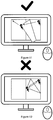
- the new zoom level and the homothetic center of the animation are calculated to display this part of the double page centered on the screen ( figure 20 ). If a second double-click is made consecutively on this same area, the double page returns to the center of the screen with a zoom value of 100% as when entering the zoom mode.
- the double page can be moved in any direction (within the limits of its dimensions) by keeping the mouse button pressed. This results in an animation calculated in real time, the double page following the movements of the cursor ( figure 21 ).
- the application considers that the page has been launched, and continues in the direction of the movement analyzed with a linear translation animation simulating a sliding and a deceleration of the double page ( figure 22 ).
- the high definition version consists of a lot of objects and does not allow fluid animations, the low definition version cannot be enlarged without loss of quality.
- the zoom mode therefore simultaneously uses the two versions of the pages by superimposing them, and alternating the display of one and the other according to the navigation.
- the low definition version is visible when entering 100% zoom mode, as well as for the duration of a zoom in or out animation to maintain fluidity of movement.
- the high definition version is recalculated each time a zoom animation ends, and displayed over the low definition version.
- the railway mode consists of all the pages of the document, presented in double pages and arranged in the form of a grid, allowing a complete vision of the whole of the document ( figure 23 ). Each element of this grid will be called a "cell”.
- a cell has at least a double page (except first and last) and the space required around the double page for a display identical to the leafing mode, that is to say centered and only on the screen with a zoom of 100% .
- the number of cells in this grid is determined from the number of pages in the document, taking into account the first and last pages to be presented separately.
- the distribution of these cells between lines and columns is determined by the aspect ratio of the application window.
- the railway mode uses the same navigation principle as the zoom mode, making it possible to carry out movements of enlargement, shrinking and translation of the grid.
- the aim is however different, the zoom mode being used to read with precision and the railway mode for an overall vision of the document.
- the manipulation can be done with any input device, however the use of a pointing device like the mouse or a tactile surface allows to exploit all the functions of the railroad mode.
- a pointing device like the mouse or a tactile surface allows to exploit all the functions of the railroad mode.
- the zoom level Upon entering railway mode, the zoom level is 100% and cannot be greater than this value without exiting railway mode. Navigation is done using the mouse wheel to modify the zoom level, forward or backward according to the direction of rotation given to the wheel, the new zoom level being calculated in proportion to the force or the number of strokes. scroll wheel.
- zooming out results in an animation of the narrowing of the grid, the homothetic center of which is fixed on the center of the screen without taking into account the position of the cursor ( figure 24 ).
- Zooming in railway mode is different from zooming mode. It results in an animation of enlargement of the grid, the homothetic center of which is wedged on the center of the cell above which the mouse cursor is located, or failing this the center of the cell closest to the cursor ( figure 25 ).
- the squared zoom level is used as a multiplier for this translation: the closer we get to 100%, the more pronounced the translation ( figure 27 ).
- the application allows automatic zooming on a cell, starting from the current zoom level whatever it is up to the 100% zoom level. This automatic zoom is triggered by positioning the mouse cursor over the target cell and then double-clicking on this cell ( figure 28 ).
- the animation of the progressive enlargement of the grid up to the zoom level of 100% is accompanied by a translation defined by the line going from the center of the target cell to the center of the screen ( see figure 26 ).
- the double-click event can only cause one type of animation towards 100% zoom, unlike the cycle of progressive zoom values in zoom mode.
- the manipulation of the railway mode uses the same principles and rules as the zoom mode: the grid can be moved in any direction (within the limits of its dimensions) by holding the mouse button pressed, and can be rested or launched by releasing the mouse button.
- the calculated translations are identical to the zoom mode, resulting in the hooking of the grid to the cursor of the mouse, then by a sliding and a deceleration of the grid ending the movement.
- zoom and railway modes allow you to freely resize or move graphic objects, which can lead to positioning too far outside the screen.
- zoom and railway modes define positioning constraints for the main graphic object, i.e. maximum coordinates assigned to the top, bottom, left and right edges ( figure 29 ) and applied in real time.
- the leafing mode does not allow resizing or moving the graphic object from the double page to the screen, and therefore does not include positioning constraints.
- the visual layout of the leafing mode is the basis for the entry and exit points of the zoom and railway modes, the double page being necessarily centered on the screen with a zoom level of 100%. This layout constant is ensured by the zoom animation calculations explained above, applying the rules necessary to tend towards a refocusing of the graphic object as the zoom level approaches 100%.
- the application When a zoom level higher than 100% is requested from the leafing mode, the application initializes the view of the zoom mode by duplicating the low definition versions of the current double page, and launching the loading of the high definition versions of these two pages. Without waiting for the at the end of the loading, the view of the zoom mode is displayed and the view of the leafing mode hidden.
- the zoom mode is then fully active, and the enlargement animation responding to the initial zoom in command is executed. Once the high definition versions have been loaded, the alternation process explained above between these two versions takes place.
- Reducing the zoom level to 100% is equivalent to exiting the zoom mode, which is executed by displaying the view of the flip mode and then hiding the view from the zoom mode.
- the leafing mode is then fully active, having not been modified in the meantime.
- the application When a zoom level lower than 100% is requested from the leafing mode, the application initializes the view of the railway mode by modifying its position, superimposing the current double page of the leafing mode with the corresponding double page on the grid . This position modification is done without animation immediately.
- the rail mode view is displayed and the page view is hidden.
- the railroad mode is then fully active, and the narrowing animation responding to the initial zoom out command is executed.
- the application then initializes the leafing mode view with the double page previously referred to in the railway view. This modification of the page stacks of the leafing mode is done without animation immediately.
- the view of the leafing mode is then displayed and the view of the railroad masked, ending the transition between the two modes.
- the leafing mode is then fully active, and the user can turn the pages again.
Landscapes
- Engineering & Computer Science (AREA)
- General Engineering & Computer Science (AREA)
- Theoretical Computer Science (AREA)
- Human Computer Interaction (AREA)
- Physics & Mathematics (AREA)
- General Physics & Mathematics (AREA)
- User Interface Of Digital Computer (AREA)
- Processing Or Creating Images (AREA)
- Input From Keyboards Or The Like (AREA)
Claims (4)
- Festes oder mobiles Terminal, das geeignet ist, von einem Zeige- oder Eingabe-Peripheriegerät gesteuert zu sein, dadurch gekennzeichnet, dass es umfasst:- Speichermittel, auf denen eine Vielzahl von Seiten gespeichert ist;- Anzeigemittel der Vielzahl der gespeicherten Seiten, die in Form eines Gitters, genannt Eisenbahn, angeordnet sind, wobei jedes Element der genannten Eisenbahn sich entweder aus der genannten Vorderseite oder der Rückseite einer als einfache Seite bezeichneten Seite, d. h. der Vorderseite einer Seite und der Rückseite einer anderen Seite zusammensetzt, die aneinander angefügt sind, bezeichnet als doppelte Seite, wobei die Gruppe der genannten Elemente standardmäßig in der aufsteigenden Richtung der Seiten angeordnet ist:- Anzeigemittel einer als Blättern bezeichneten Ansicht, die sich aus zwei Stapeln von Vorder- / Rückseiten, jeweils bezeichnet als linker Stapel und rechter Stapel und die jeweils in aufsteigender und absteigender Richtung angeordnet sind, oder aus einem einzigen Stapel, der alle Vorder- / Rückseiten enthält, zusammensetzt, die in der aufsteigender oder absteigenden Richtung angeordnet sind, wobei das Ganze zur Mehrzahl der gespeicherten Seiten gehört;- Steuermittel der genannten Anzeigemittel, umfassend:∘ Erkennungsmittel der Nutzerinteraktion mittels einer Maus und / oder einer Tastatur und / oder einem berührungssensitiven Peripheriegerät, umfassend das Erkennen der Positionierung und der Bewegungen eines Cursors, des Drucks und des Loslassens einer Taste, der Richtung und der Amplitude einer Rädchenbewegung und des einfachen Drucks, der durch eine oder mehrere Tasten einer Tastatur gleichzeitig gehalten oder wiederholt ist;∘ Erkennungsmittel der einfachen oder doppelten Zielseite der genannten Eisenbahn, die als eine der genannten einfachen oder doppelten Seiten in Abhängigkeit von der Erkennung der Positionierung des Cursors oder der Positionierung der genannten Eisenbahn am Bildschirm definiert ist;∘ Ausführungsmittel einer Animation, die einen vorderen oder hinteren Zoom simuliert, der aus einer Homothetie und / oder einer Translation der genannten Eisenbahn zusammengesetzt ist;∘ Abänderungsmittel der Animation, die einen vorderen oder hinteren Zoom simuliert, der aus eine Homothetie und / oder einer Translation der genannten Eisenbahn zusammengesetzt ist und die allmähliche Neuorientierung der genannten einfachen oder doppelten Zielseite der Eisenbahn in dem Maße zulassen, wie ihre jeweiligen Abmessungen sich zu den festen Abmessungen der genannten laufenden Seiten links und rechts von der Blätternansicht erstrecken∘ Anzeige- und Maskierungsmittel der genannten Eisenbahn und eine Blätternansicht, die einen unsichtbaren Übergang zum Nutzer per Überlagerung der genannten einfachen oder doppelten Zielseite und der genannten laufenden Seiten links und rechts, wenn ihre jeweiligen Abmessungen und Positionen identisch sind, mittels einer Überlagerung der genannten einfachen oder doppelten Zielseite der Eisenbahn und der genannten laufenden Seiten links und rechts der Blätternansicht gewährleisten;∘ beim Übergang, wobei die visuelle Anordnung des Blätternmodus als Grundlage für die Eingangs- und Ausgangspunkte des Eisenbahnmodus dient, wobei die einfache oder doppelte Seite obligatorisch am Bildschirm mit den festen Abmessungen zentriert ist.
- Festes oder mobiles Terminal gemäß dem voranstehenden Anspruch, dadurch gekennzeichnet, dass die genannten Steuermittel Erkennungsmittel der Änderung von laufenden Seiten durch den Nutzer in der genannten Blätternansicht und zur Änderung der Positionierung der genannten Eisenbahn umfassen, wenn diese maskiert ist, die das Fortsetzen der unsichtbaren Übergänge für den Nutzer durch Überlagern der neuen laufenden Seiten der genannten Blätternansicht mit der entsprechenden doppelten Seite der genannten Eisenbahn erlauben.
- Festes oder mobiles Terminal gemäß einem der voranstehenden Ansprüche, dadurch gekennzeichnet, dass die genannten Steuermittel Ausführungsmittel einer Zusammensetzung eines variablen Zentrums und Verhältnisses und / oder einer variablen Vektortranslation der genannten Eisenbahn umfassen, wobei diese Variationen entweder von der Positionierung des Cursors, der Richtung und der Amplitude der Rädchenbewegung, den Abmessungen und der Positionierung der genannten Eisenbahn oder von der Anzahl von aufeinanderfolgenden Drücken oder dem Halten des Drucks von einer oder mehreren gleichzeitigen Drücken der Tastatur, den Abmessungen und der Positionierung der genannten Eisenbahn abhängen.
- Festes oder mobiles Terminal gemäß einem der voranstehenden Ansprüche, dadurch gekennzeichnet, dass die genannten Steuermittel umfassen:- Mittel zum Übergehen der genannten aktuellen Seiten links und rechts, jeweils bezeichnet als Seiten N-1/N, zu den folgenden Seiten in dem rechten Stapel, bezeichnet als Seiten N+1/N+2, oder zu den voranstehenden Seiten in dem linken Stapel, bezeichnet als Seite N-3/N-2 in Abhängigkeit von dem Erkennen der Positionierung des Cursors auf den Druck der Maustaste, bezeichnet als ursprüngliche Position, und das Erkennen der Positionierung des Cursors beim Loslassen der Maustaste, bezeichnet als endgültige Position, oder dem Erkennen eines Tastendrucks der Tastatur;- Mittel zum Stoppen des Übergehens der genannten Seiten N-1/N zu den folgenden Seiten, bezeichnet als Seiten N+1/N+2 und Zurückkehren der folgenden Seiten, der genannten Seiten N+1/N+2, zu den laufenden Seiten, bezeichnet als Seiten N-1/N;- Mittel zum Stoppen des Übergehens der genannten Seiten N-1/N zu den voranstehenden Seiten, bezeichnet als Seiten N-3/N-2 und Zurückkehren der voranstehenden Seiten, bezeichnet als N-3/N-2, zu den laufenden Seiten, bezeichnet als Seiten N-1/N.
Applications Claiming Priority (2)
| Application Number | Priority Date | Filing Date | Title |
|---|---|---|---|
| FR0956577A FR2950446B1 (fr) | 2009-09-23 | 2009-09-23 | Terminal mobile a ecran tactile |
| PCT/EP2010/063850 WO2011036138A2 (fr) | 2009-09-23 | 2010-09-21 | Terminal fixe ou mobile pilote par un peripherique de pointage ou de saisie |
Publications (2)
| Publication Number | Publication Date |
|---|---|
| EP2480959A2 EP2480959A2 (de) | 2012-08-01 |
| EP2480959B1 true EP2480959B1 (de) | 2020-02-26 |
Family
ID=41683490
Family Applications (1)
| Application Number | Title | Priority Date | Filing Date |
|---|---|---|---|
| EP10755173.1A Active EP2480959B1 (de) | 2009-09-23 | 2010-09-21 | Über ein zeige- oder eingabeperipheriegerät gesteuertes stationäres oder mobiles endgerät |
Country Status (4)
| Country | Link |
|---|---|
| US (1) | US8982148B2 (de) |
| EP (1) | EP2480959B1 (de) |
| FR (1) | FR2950446B1 (de) |
| WO (1) | WO2011036138A2 (de) |
Families Citing this family (8)
| Publication number | Priority date | Publication date | Assignee | Title |
|---|---|---|---|---|
| US9557884B2 (en) | 2013-10-22 | 2017-01-31 | Linkedin Corporation | System for generating a user interface for a social network and method therefor |
| USD871420S1 (en) | 2014-11-26 | 2019-12-31 | Maria Francisca Jones | Display screen with animated graphical user interface |
| CN104461244A (zh) * | 2014-12-12 | 2015-03-25 | 深圳市财富之舟科技有限公司 | 一种智能手机的界面切换方法 |
| USD876479S1 (en) * | 2017-04-17 | 2020-02-25 | Samsung Display Co., Ltd. | Combined display device and screen with an icon |
| US10373364B2 (en) | 2017-05-17 | 2019-08-06 | Google Llc | Termination of animation |
| JP6711979B1 (ja) * | 2019-06-07 | 2020-06-17 | 株式会社セルシス | 書籍表示プログラム及び書籍表示装置 |
| CN112199058B (zh) * | 2020-10-22 | 2023-05-26 | 珠海奔图电子有限公司 | 图像处理方法及装置 |
| CN112433657B (zh) * | 2020-11-23 | 2022-03-29 | 掌阅科技股份有限公司 | 电子书的仿真翻页方法、电子设备及计算机存储介质 |
Family Cites Families (7)
| Publication number | Priority date | Publication date | Assignee | Title |
|---|---|---|---|---|
| US5900876A (en) * | 1995-04-14 | 1999-05-04 | Canon Kabushiki Kaisha | Information processing apparatus and method with display book page turning |
| US6486895B1 (en) * | 1995-09-08 | 2002-11-26 | Xerox Corporation | Display system for displaying lists of linked documents |
| US7139982B2 (en) * | 2000-12-21 | 2006-11-21 | Xerox Corporation | Navigation methods, systems, and computer program products for virtual three-dimensional books |
| EP1621988A3 (de) * | 2004-07-24 | 2012-04-04 | Samsung Electronics Co., Ltd | Graphische Benutzerschnittstelle mit dreidimensionaler Bewegung und Verfahren und Vorrichtung zu ihrer Bereitstellung |
| US7434174B2 (en) * | 2005-03-04 | 2008-10-07 | Microsoft Corporation | Method and system for zooming in and out of paginated content |
| JP2008234148A (ja) * | 2007-03-19 | 2008-10-02 | Ricoh Co Ltd | 文書表示装置、文書表示方法及び文書表示プログラム |
| US7956848B2 (en) * | 2007-09-04 | 2011-06-07 | Apple Inc. | Video chapter access and license renewal |
-
2009
- 2009-09-23 FR FR0956577A patent/FR2950446B1/fr not_active Expired - Fee Related
-
2010
- 2010-09-21 EP EP10755173.1A patent/EP2480959B1/de active Active
- 2010-09-21 US US13/395,504 patent/US8982148B2/en not_active Expired - Fee Related
- 2010-09-21 WO PCT/EP2010/063850 patent/WO2011036138A2/fr not_active Ceased
Non-Patent Citations (1)
| Title |
|---|
| None * |
Also Published As
| Publication number | Publication date |
|---|---|
| FR2950446A1 (fr) | 2011-03-25 |
| WO2011036138A3 (fr) | 2011-06-16 |
| EP2480959A2 (de) | 2012-08-01 |
| FR2950446B1 (fr) | 2011-11-11 |
| US20130033499A1 (en) | 2013-02-07 |
| WO2011036138A2 (fr) | 2011-03-31 |
| US8982148B2 (en) | 2015-03-17 |
Similar Documents
| Publication | Publication Date | Title |
|---|---|---|
| EP2480959B1 (de) | Über ein zeige- oder eingabeperipheriegerät gesteuertes stationäres oder mobiles endgerät | |
| EP2476042B1 (de) | Mobiles endgerät mit einem berührungsbildschirm zur anzeige von mehreren seiten | |
| KR102356269B1 (ko) | 터치 스크린 디스플레이를 구비한 휴대 기기 및 그 제어 방법 | |
| KR101693764B1 (ko) | 다수의 디스플레이 영역을 위한 사용자 인터페이스 | |
| US11928305B2 (en) | Techniques to modify content and view content on mobile devices | |
| US9400601B2 (en) | Techniques for paging through digital content on touch screen devices | |
| CN111666008B (zh) | 用于显示应用的用户终端设备及其方法 | |
| US7750825B2 (en) | System and method for navigation of display data | |
| US20060041847A1 (en) | Paged graphical user interface | |
| TW201137730A (en) | Gallery application for content viewing | |
| US20160028961A1 (en) | Visual Media Capture Device For Visual Thinking | |
| US20080215962A1 (en) | Pc-metadata on backside of photograph | |
| EP2476041B1 (de) | Mobiles endgerät mit einem berührungsbildschirm zur anzeige von seitenstapeln | |
| WO2020136311A1 (fr) | |interface tactile d'affichage et de manipulation d'un document et procédé de mise en œuvre | |
| KR102499899B1 (ko) | 이북 리더용 디바이스의 동작 방법, 어플리케이션 및 이북 리더용 디바이스 | |
| WO2013156735A2 (fr) | Procede de navigation dans un document numerique | |
| FR3065299A1 (fr) | Procede optimise de saisie de commandes, de caracteres et de designations. |
Legal Events
| Date | Code | Title | Description |
|---|---|---|---|
| PUAI | Public reference made under article 153(3) epc to a published international application that has entered the european phase |
Free format text: ORIGINAL CODE: 0009012 |
|
| 17P | Request for examination filed |
Effective date: 20120321 |
|
| AK | Designated contracting states |
Kind code of ref document: A2 Designated state(s): AL AT BE BG CH CY CZ DE DK EE ES FI FR GB GR HR HU IE IS IT LI LT LU LV MC MK MT NL NO PL PT RO SE SI SK SM TR |
|
| DAX | Request for extension of the european patent (deleted) | ||
| 17Q | First examination report despatched |
Effective date: 20130912 |
|
| APBK | Appeal reference recorded |
Free format text: ORIGINAL CODE: EPIDOSNREFNE |
|
| APBN | Date of receipt of notice of appeal recorded |
Free format text: ORIGINAL CODE: EPIDOSNNOA2E |
|
| APBR | Date of receipt of statement of grounds of appeal recorded |
Free format text: ORIGINAL CODE: EPIDOSNNOA3E |
|
| APAF | Appeal reference modified |
Free format text: ORIGINAL CODE: EPIDOSCREFNE |
|
| RAP1 | Party data changed (applicant data changed or rights of an application transferred) |
Owner name: MILIBRIS |
|
| APBT | Appeal procedure closed |
Free format text: ORIGINAL CODE: EPIDOSNNOA9E |
|
| GRAJ | Information related to disapproval of communication of intention to grant by the applicant or resumption of examination proceedings by the epo deleted |
Free format text: ORIGINAL CODE: EPIDOSDIGR1 |
|
| STAA | Information on the status of an ep patent application or granted ep patent |
Free format text: STATUS: GRANT OF PATENT IS INTENDED |
|
| GRAP | Despatch of communication of intention to grant a patent |
Free format text: ORIGINAL CODE: EPIDOSNIGR1 |
|
| RIC1 | Information provided on ipc code assigned before grant |
Ipc: G06F 3/0483 20130101ALI20190812BHEP Ipc: G06F 3/048 20130101AFI20190812BHEP |
|
| INTG | Intention to grant announced |
Effective date: 20190910 |
|
| GRAS | Grant fee paid |
Free format text: ORIGINAL CODE: EPIDOSNIGR3 |
|
| GRAA | (expected) grant |
Free format text: ORIGINAL CODE: 0009210 |
|
| STAA | Information on the status of an ep patent application or granted ep patent |
Free format text: STATUS: THE PATENT HAS BEEN GRANTED |
|
| AK | Designated contracting states |
Kind code of ref document: B1 Designated state(s): AL AT BE BG CH CY CZ DE DK EE ES FI FR GB GR HR HU IE IS IT LI LT LU LV MC MK MT NL NO PL PT RO SE SI SK SM TR |
|
| REG | Reference to a national code |
Ref country code: GB Ref legal event code: FG4D Free format text: NOT ENGLISH |
|
| REG | Reference to a national code |
Ref country code: CH Ref legal event code: EP |
|
| REG | Reference to a national code |
Ref country code: DE Ref legal event code: R096 Ref document number: 602010063236 Country of ref document: DE |
|
| REG | Reference to a national code |
Ref country code: AT Ref legal event code: REF Ref document number: 1238448 Country of ref document: AT Kind code of ref document: T Effective date: 20200315 |
|
| REG | Reference to a national code |
Ref country code: IE Ref legal event code: FG4D Free format text: LANGUAGE OF EP DOCUMENT: FRENCH |
|
| PG25 | Lapsed in a contracting state [announced via postgrant information from national office to epo] |
Ref country code: FI Free format text: LAPSE BECAUSE OF FAILURE TO SUBMIT A TRANSLATION OF THE DESCRIPTION OR TO PAY THE FEE WITHIN THE PRESCRIBED TIME-LIMIT Effective date: 20200226 Ref country code: NO Free format text: LAPSE BECAUSE OF FAILURE TO SUBMIT A TRANSLATION OF THE DESCRIPTION OR TO PAY THE FEE WITHIN THE PRESCRIBED TIME-LIMIT Effective date: 20200526 |
|
| REG | Reference to a national code |
Ref country code: NL Ref legal event code: MP Effective date: 20200226 |
|
| REG | Reference to a national code |
Ref country code: LT Ref legal event code: MG4D |
|
| PG25 | Lapsed in a contracting state [announced via postgrant information from national office to epo] |
Ref country code: GR Free format text: LAPSE BECAUSE OF FAILURE TO SUBMIT A TRANSLATION OF THE DESCRIPTION OR TO PAY THE FEE WITHIN THE PRESCRIBED TIME-LIMIT Effective date: 20200527 Ref country code: HR Free format text: LAPSE BECAUSE OF FAILURE TO SUBMIT A TRANSLATION OF THE DESCRIPTION OR TO PAY THE FEE WITHIN THE PRESCRIBED TIME-LIMIT Effective date: 20200226 Ref country code: BG Free format text: LAPSE BECAUSE OF FAILURE TO SUBMIT A TRANSLATION OF THE DESCRIPTION OR TO PAY THE FEE WITHIN THE PRESCRIBED TIME-LIMIT Effective date: 20200526 Ref country code: SE Free format text: LAPSE BECAUSE OF FAILURE TO SUBMIT A TRANSLATION OF THE DESCRIPTION OR TO PAY THE FEE WITHIN THE PRESCRIBED TIME-LIMIT Effective date: 20200226 Ref country code: IS Free format text: LAPSE BECAUSE OF FAILURE TO SUBMIT A TRANSLATION OF THE DESCRIPTION OR TO PAY THE FEE WITHIN THE PRESCRIBED TIME-LIMIT Effective date: 20200626 Ref country code: LV Free format text: LAPSE BECAUSE OF FAILURE TO SUBMIT A TRANSLATION OF THE DESCRIPTION OR TO PAY THE FEE WITHIN THE PRESCRIBED TIME-LIMIT Effective date: 20200226 |
|
| PG25 | Lapsed in a contracting state [announced via postgrant information from national office to epo] |
Ref country code: NL Free format text: LAPSE BECAUSE OF FAILURE TO SUBMIT A TRANSLATION OF THE DESCRIPTION OR TO PAY THE FEE WITHIN THE PRESCRIBED TIME-LIMIT Effective date: 20200226 |
|
| PG25 | Lapsed in a contracting state [announced via postgrant information from national office to epo] |
Ref country code: CZ Free format text: LAPSE BECAUSE OF FAILURE TO SUBMIT A TRANSLATION OF THE DESCRIPTION OR TO PAY THE FEE WITHIN THE PRESCRIBED TIME-LIMIT Effective date: 20200226 Ref country code: ES Free format text: LAPSE BECAUSE OF FAILURE TO SUBMIT A TRANSLATION OF THE DESCRIPTION OR TO PAY THE FEE WITHIN THE PRESCRIBED TIME-LIMIT Effective date: 20200226 Ref country code: RO Free format text: LAPSE BECAUSE OF FAILURE TO SUBMIT A TRANSLATION OF THE DESCRIPTION OR TO PAY THE FEE WITHIN THE PRESCRIBED TIME-LIMIT Effective date: 20200226 Ref country code: DK Free format text: LAPSE BECAUSE OF FAILURE TO SUBMIT A TRANSLATION OF THE DESCRIPTION OR TO PAY THE FEE WITHIN THE PRESCRIBED TIME-LIMIT Effective date: 20200226 Ref country code: SM Free format text: LAPSE BECAUSE OF FAILURE TO SUBMIT A TRANSLATION OF THE DESCRIPTION OR TO PAY THE FEE WITHIN THE PRESCRIBED TIME-LIMIT Effective date: 20200226 Ref country code: EE Free format text: LAPSE BECAUSE OF FAILURE TO SUBMIT A TRANSLATION OF THE DESCRIPTION OR TO PAY THE FEE WITHIN THE PRESCRIBED TIME-LIMIT Effective date: 20200226 Ref country code: LT Free format text: LAPSE BECAUSE OF FAILURE TO SUBMIT A TRANSLATION OF THE DESCRIPTION OR TO PAY THE FEE WITHIN THE PRESCRIBED TIME-LIMIT Effective date: 20200226 Ref country code: SK Free format text: LAPSE BECAUSE OF FAILURE TO SUBMIT A TRANSLATION OF THE DESCRIPTION OR TO PAY THE FEE WITHIN THE PRESCRIBED TIME-LIMIT Effective date: 20200226 Ref country code: PT Free format text: LAPSE BECAUSE OF FAILURE TO SUBMIT A TRANSLATION OF THE DESCRIPTION OR TO PAY THE FEE WITHIN THE PRESCRIBED TIME-LIMIT Effective date: 20200719 |
|
| REG | Reference to a national code |
Ref country code: AT Ref legal event code: MK05 Ref document number: 1238448 Country of ref document: AT Kind code of ref document: T Effective date: 20200226 |
|
| REG | Reference to a national code |
Ref country code: DE Ref legal event code: R097 Ref document number: 602010063236 Country of ref document: DE |
|
| PLBE | No opposition filed within time limit |
Free format text: ORIGINAL CODE: 0009261 |
|
| STAA | Information on the status of an ep patent application or granted ep patent |
Free format text: STATUS: NO OPPOSITION FILED WITHIN TIME LIMIT |
|
| PG25 | Lapsed in a contracting state [announced via postgrant information from national office to epo] |
Ref country code: IT Free format text: LAPSE BECAUSE OF FAILURE TO SUBMIT A TRANSLATION OF THE DESCRIPTION OR TO PAY THE FEE WITHIN THE PRESCRIBED TIME-LIMIT Effective date: 20200226 Ref country code: AT Free format text: LAPSE BECAUSE OF FAILURE TO SUBMIT A TRANSLATION OF THE DESCRIPTION OR TO PAY THE FEE WITHIN THE PRESCRIBED TIME-LIMIT Effective date: 20200226 |
|
| 26N | No opposition filed |
Effective date: 20201127 |
|
| PG25 | Lapsed in a contracting state [announced via postgrant information from national office to epo] |
Ref country code: PL Free format text: LAPSE BECAUSE OF FAILURE TO SUBMIT A TRANSLATION OF THE DESCRIPTION OR TO PAY THE FEE WITHIN THE PRESCRIBED TIME-LIMIT Effective date: 20200226 Ref country code: SI Free format text: LAPSE BECAUSE OF FAILURE TO SUBMIT A TRANSLATION OF THE DESCRIPTION OR TO PAY THE FEE WITHIN THE PRESCRIBED TIME-LIMIT Effective date: 20200226 |
|
| PG25 | Lapsed in a contracting state [announced via postgrant information from national office to epo] |
Ref country code: MC Free format text: LAPSE BECAUSE OF FAILURE TO SUBMIT A TRANSLATION OF THE DESCRIPTION OR TO PAY THE FEE WITHIN THE PRESCRIBED TIME-LIMIT Effective date: 20200226 |
|
| REG | Reference to a national code |
Ref country code: CH Ref legal event code: PL |
|
| PG25 | Lapsed in a contracting state [announced via postgrant information from national office to epo] |
Ref country code: LU Free format text: LAPSE BECAUSE OF NON-PAYMENT OF DUE FEES Effective date: 20200921 |
|
| PG25 | Lapsed in a contracting state [announced via postgrant information from national office to epo] |
Ref country code: CH Free format text: LAPSE BECAUSE OF NON-PAYMENT OF DUE FEES Effective date: 20200930 Ref country code: LI Free format text: LAPSE BECAUSE OF NON-PAYMENT OF DUE FEES Effective date: 20200930 Ref country code: IE Free format text: LAPSE BECAUSE OF NON-PAYMENT OF DUE FEES Effective date: 20200921 |
|
| PGFP | Annual fee paid to national office [announced via postgrant information from national office to epo] |
Ref country code: FR Payment date: 20210819 Year of fee payment: 12 |
|
| PGFP | Annual fee paid to national office [announced via postgrant information from national office to epo] |
Ref country code: BE Payment date: 20210820 Year of fee payment: 12 Ref country code: DE Payment date: 20210818 Year of fee payment: 12 Ref country code: GB Payment date: 20210820 Year of fee payment: 12 |
|
| PG25 | Lapsed in a contracting state [announced via postgrant information from national office to epo] |
Ref country code: TR Free format text: LAPSE BECAUSE OF FAILURE TO SUBMIT A TRANSLATION OF THE DESCRIPTION OR TO PAY THE FEE WITHIN THE PRESCRIBED TIME-LIMIT Effective date: 20200226 Ref country code: MT Free format text: LAPSE BECAUSE OF FAILURE TO SUBMIT A TRANSLATION OF THE DESCRIPTION OR TO PAY THE FEE WITHIN THE PRESCRIBED TIME-LIMIT Effective date: 20200226 Ref country code: CY Free format text: LAPSE BECAUSE OF FAILURE TO SUBMIT A TRANSLATION OF THE DESCRIPTION OR TO PAY THE FEE WITHIN THE PRESCRIBED TIME-LIMIT Effective date: 20200226 |
|
| PG25 | Lapsed in a contracting state [announced via postgrant information from national office to epo] |
Ref country code: MK Free format text: LAPSE BECAUSE OF FAILURE TO SUBMIT A TRANSLATION OF THE DESCRIPTION OR TO PAY THE FEE WITHIN THE PRESCRIBED TIME-LIMIT Effective date: 20200226 Ref country code: AL Free format text: LAPSE BECAUSE OF FAILURE TO SUBMIT A TRANSLATION OF THE DESCRIPTION OR TO PAY THE FEE WITHIN THE PRESCRIBED TIME-LIMIT Effective date: 20200226 |
|
| REG | Reference to a national code |
Ref country code: DE Ref legal event code: R119 Ref document number: 602010063236 Country of ref document: DE |
|
| GBPC | Gb: european patent ceased through non-payment of renewal fee |
Effective date: 20220921 |
|
| REG | Reference to a national code |
Ref country code: BE Ref legal event code: MM Effective date: 20220930 |
|
| PG25 | Lapsed in a contracting state [announced via postgrant information from national office to epo] |
Ref country code: FR Free format text: LAPSE BECAUSE OF NON-PAYMENT OF DUE FEES Effective date: 20220930 Ref country code: DE Free format text: LAPSE BECAUSE OF NON-PAYMENT OF DUE FEES Effective date: 20230401 |
|
| PG25 | Lapsed in a contracting state [announced via postgrant information from national office to epo] |
Ref country code: BE Free format text: LAPSE BECAUSE OF NON-PAYMENT OF DUE FEES Effective date: 20220930 |
|
| PG25 | Lapsed in a contracting state [announced via postgrant information from national office to epo] |
Ref country code: GB Free format text: LAPSE BECAUSE OF NON-PAYMENT OF DUE FEES Effective date: 20220921 |