EP2372525A2 - Terminal device - Google Patents
Terminal device Download PDFInfo
- Publication number
- EP2372525A2 EP2372525A2 EP11159871A EP11159871A EP2372525A2 EP 2372525 A2 EP2372525 A2 EP 2372525A2 EP 11159871 A EP11159871 A EP 11159871A EP 11159871 A EP11159871 A EP 11159871A EP 2372525 A2 EP2372525 A2 EP 2372525A2
- Authority
- EP
- European Patent Office
- Prior art keywords
- printer
- identification information
- specific
- server
- specific printer
- Prior art date
- Legal status (The legal status is an assumption and is not a legal conclusion. Google has not performed a legal analysis and makes no representation as to the accuracy of the status listed.)
- Granted
Links
Images


Classifications
-
- G—PHYSICS
- G06—COMPUTING OR CALCULATING; COUNTING
- G06F—ELECTRIC DIGITAL DATA PROCESSING
- G06F3/00—Input arrangements for transferring data to be processed into a form capable of being handled by the computer; Output arrangements for transferring data from processing unit to output unit, e.g. interface arrangements
- G06F3/12—Digital output to print unit, e.g. line printer, chain printer
- G06F3/1201—Dedicated interfaces to print systems
- G06F3/1278—Dedicated interfaces to print systems specifically adapted to adopt a particular infrastructure
- G06F3/1285—Remote printer device, e.g. being remote from client or server
- G06F3/1288—Remote printer device, e.g. being remote from client or server in client-server-printer device configuration
-
- G—PHYSICS
- G06—COMPUTING OR CALCULATING; COUNTING
- G06F—ELECTRIC DIGITAL DATA PROCESSING
- G06F3/00—Input arrangements for transferring data to be processed into a form capable of being handled by the computer; Output arrangements for transferring data from processing unit to output unit, e.g. interface arrangements
- G06F3/12—Digital output to print unit, e.g. line printer, chain printer
- G06F3/1201—Dedicated interfaces to print systems
- G06F3/1202—Dedicated interfaces to print systems specifically adapted to achieve a particular effect
- G06F3/1203—Improving or facilitating administration, e.g. print management
- G06F3/1205—Improving or facilitating administration, e.g. print management resulting in increased flexibility in print job configuration, e.g. job settings, print requirements, job tickets
-
- G—PHYSICS
- G06—COMPUTING OR CALCULATING; COUNTING
- G06F—ELECTRIC DIGITAL DATA PROCESSING
- G06F3/00—Input arrangements for transferring data to be processed into a form capable of being handled by the computer; Output arrangements for transferring data from processing unit to output unit, e.g. interface arrangements
- G06F3/12—Digital output to print unit, e.g. line printer, chain printer
- G06F3/1201—Dedicated interfaces to print systems
- G06F3/1223—Dedicated interfaces to print systems specifically adapted to use a particular technique
- G06F3/1224—Client or server resources management
- G06F3/1228—Printing driverless or using generic drivers
-
- G—PHYSICS
- G06—COMPUTING OR CALCULATING; COUNTING
- G06F—ELECTRIC DIGITAL DATA PROCESSING
- G06F3/00—Input arrangements for transferring data to be processed into a form capable of being handled by the computer; Output arrangements for transferring data from processing unit to output unit, e.g. interface arrangements
- G06F3/12—Digital output to print unit, e.g. line printer, chain printer
- G06F3/1201—Dedicated interfaces to print systems
- G06F3/1223—Dedicated interfaces to print systems specifically adapted to use a particular technique
- G06F3/1229—Printer resources management or printer maintenance, e.g. device status, power levels
- G06F3/1232—Transmitting printer device capabilities, e.g. upon request or periodically
-
- G—PHYSICS
- G06—COMPUTING OR CALCULATING; COUNTING
- G06F—ELECTRIC DIGITAL DATA PROCESSING
- G06F3/00—Input arrangements for transferring data to be processed into a form capable of being handled by the computer; Output arrangements for transferring data from processing unit to output unit, e.g. interface arrangements
- G06F3/12—Digital output to print unit, e.g. line printer, chain printer
- G06F3/1201—Dedicated interfaces to print systems
- G06F3/1223—Dedicated interfaces to print systems specifically adapted to use a particular technique
- G06F3/1237—Print job management
- G06F3/1244—Job translation or job parsing, e.g. page banding
- G06F3/1247—Job translation or job parsing, e.g. page banding by conversion to printer ready format
Definitions
- U.S. Patent Application Publication No. 2002/0024686 A1 discloses an art in which a user designates an IP address of a specific printer and a specific content for causing the specific printer to perform print via a specific screen displayed on a displaying unit of a terminal device.
- the terminal device sends the IP address of the specific printer and the specific content to a print server.
- the print server converts the specific content into print data having a format that the specific printer is capable of interpreting.
- the printer server sends the print data to the specific printer.
- the specific printer performs printing in accordance with the print data.
- the terminal device can cause the specific printer to perform printing without installing a printer driver in the terminal device for converting a print object content into print data.
- the print target content selected via the specific screen of the terminal device is a content outside of the terminal device and is not a content designated in accordance with the application program installed in the terminal device. That is, with the art disclosed in U.S. Patent Application Publication No. 2002/0024686 A1 , no consideration is given to causing a printer to perform printing of a file designated in accordance with the application program in the terminal device.
- a user is allowed to perform, on the first file which is the print target designated in accordance with the specific application program of the terminal device, the first operation in accordance with the same application program.
- the user accustomed with the specific application program e.g., word-processing software
- the identification information designation screen is displayed which enables the user to designate the specific printer identification information for identifying the specific printer to be performing print based on the first file.
- the terminal device supplies the specific printer identification information and first target data obtained based on the first file to the server.
- the server converts the first target data into first print data and sends the first print data to the specific printer.
- the specific printer performs print in accordance with the first print data. Consequently, the print of the first file (i.e., print of an image represented by the first file) is performed. According to the configuration described above, even without having to install a driver program for generating final first print data on which print is to be performed by the specific printer on the terminal device, the printer may be made to print the first file designated in accordance with the specific application program.
- the terminal device may further comprise a relation information acquiring unit.
- the relation information acquiring unit may be configured to supply the specific printer identification information to the server so as to acquire from the server specific printer relation information related to the specific printer identified by the specific printer identification information.
- the display controlling unit may further cause the displaying unit to display a confirmation screen indicating the specific printer relation information.
- the supplying unit may supply the specific printer identification information and the first target data to the server. According to the configuration described above, the user may confirm the specific printer relation information (i.e., the confirmation screen) related to the specific printer to be performing print based on the first file which is the print target before the specific printer identification information and the first target data are supplied to the server.
- the terminal device may further comprise a registering unit.
- the registering unit may be configured to register an association of the specific printer identification information and the specific printer relation information to a memory in a case where the user performs a third operation after displaying the confirmation screen. According to the configuration described above, the terminal device may use registered information.
- the user may perform, on the second file which is the print target designated in accordance with the specific application program of the terminal device, the fourth operation in accordance with the same application program.
- the user accustomed with the specific application program e.g., the word-processing software
- the terminal device may acquire registered specific printer relation information associated with registered specific printer relation information from the memory. Accordingly, the identification information designation screen for designating the printer relation information is not displayed. Therefore, the user may not once again designate the specific printer relation information via the identification information designation screen.
- the relation information acquiring unit may not newly acquire the specific printer relation information from the server.
- the display controlling unit may not cause the displaying unit to display the confirmation screen.
- the supplying unit may supply the specific printer identification information and the second target data to the server. According to the configuration described above, since acquisition of the specific printer relation information and display of the confirmation screen are not performed, the period of time between performing the fourth operation and the supplying of specific printer identification information and the second target data to the server can be reduced. Consequently, the period of time until printing of the second file (i.e., print of an image represented by the second file) is performed may be reduced.
- the first file may be a file displaying on the displaying unit when the user performs the first operation.
- a storage unit may be a non-transitory medium, such as static memory, non-volatile memory, volatile memory, a CD, a DVD, a hard drive, a flash drive and so on.
- a network system comprising the terminal device, the server and the printer is novel and useful.
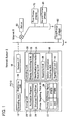
- Fig. 1 illustrates a configuration of a network system.
- Fig. 2 illustrates a flow chart of processes performed by a PC.
- Fig. 3 illustrates an example of a printer selection screen.
- Fig. 4 illustrates an example of a printer ID designation screen.
- Fig. 5 illustrates an example of a confirmation screen.
- Fig. 6 illustrates a sequence diagram of processes performed by respective devices in the network system.
- a network system 2 comprises a PC 10, a server 50, and a plurality of printers 70, 80, and 90.
- the PC 10 may be portable.
- the PC 10 is temporarily connected to a LAN 4.
- the PC 10 may be connected to the Internet 6 via the LAN 4.
- the server 50 is connected to the Internet 6. That is, the PC 10 is connected to and is capable of communicating with the server 50 via the LAN 4 and the Internet 6.
- the first printer 70 and the second printer 80 are connected to a LAN 8 different from the LAN 4.
- the first printer 70 and the second printer 80 are connected to and are capable of communicating with the server 50 via the LAN 8 and the Internet 6.
- the third printer 90 is connected to the LAN 4.
- the third printer 90 is connected to and is capable of communicating with the server 50 via the LAN 4 and the Internet 6.
- "PRI70”, "PRI80”, and "PRI90”" respectively indicated in the printers 70 to 90 are printer names such as node names of the respective printers 70 to 90.
- the server 50 acquires printer relation information and a printer ID 200 for each printer.
- the printer relation information includes model information such as model name of the printer, printer name information (node name information), and location information.
- the server 50 includes a printer driver for each printer model, and by acquiring printer model information from each of the first to third printers 70 to 90, the server 50 is able to determine data format information related to a data format which can be interpreted by each printer.
- the server 50 associates the various types of information (e.g., printer relation information, printer ID, and data format information) acquired from each printer and stores the associated information in a memory in the server 50 (S202).
- each of the printers 70 to 90 supply the printer ID and modified printer relation information to the server 50. Then, the server 50 updates the aforementioned various types of information of each printer 70 to 90 in the server 50.
- the PC 10 comprises an operating unit 12, a displaying unit 14, a network interface 16, a storing unit 20, and a controlling unit 30.
- the operating unit 12 includes a keyboard and a mouse.
- the displaying unit 14 is for displaying various information.
- the network interface 16 is used by the PC 10 to establish a wired or wireless connection to the LAN 4.
- the controlling unit 30 performs various processes in accordance with an application program 22 and a universal cloud driver 24 stored in the storing unit 20.
- a display controlling unit 32, an identification information acquiring unit 34, a supplying unit 36, a relation information acquiring unit 38, and a registering unit 40 are functioned as a result of the controlling unit 30 performing processes in accordance with the universal cloud driver 24.
- the storing unit 20 stores the application program 22 and the universal cloud driver 24 to be performed by the controlling unit 30.
- the user may install the application program 22 and the universal cloud driver 24 in the PC 10.
- the universal cloud driver 24 may be installed on the PC 10 from a computer readable medium storing the universal cloud driver 24 or from a driver distribution server on the Internet 6.
- a manufacturer or a provider of the PC 10 may pre-install the universal cloud driver 24 in the PC 10.
- methods such as installation from the non-transitory computer readable medium or the Internet and installation by the manufacturer or the provider of the PC 10 may similarly be used for the application program 22.
- the universal cloud driver 24 is a driver for converting the print target file (e.g., print object file) into target data (e.g., object data) such as EMF data (Enhanced Metafile Format data) having a format such that the server 50 is capable of interpreting the converted target data.
- target data e.g., object data
- EMF data Enhanced Metafile Format data
- the server 50 converts the target data generated by the universal cloud driver 24 into final print data having a format such that a printer is capable of interpreting the final print data. That is, the universal cloud driver 24 is not a driver unique to a printer of a specific model, but rather a universal driver which can be used for printing to be performed on printers of various models.
- the PC 10 supplies the converted target data to the server 50.
- the server 50 converts the target data into print data having the format such that the target printer is capable of interpreting the print data.
- the controlling unit 30 when a new printer ID 27 and a printer name 28 are associated with each other and registered in a printer registering table 26, the controlling unit 30 generates a dedicated cloud driver for the registered printer in accordance with the universal cloud driver 24.
- the storing unit 20 stores a certain cloud driver for the printer PRI70 and a certain cloud driver for the printer PRI90 in addition to the universal cloud driver 24.
- the application program 22 is known application software.
- the application program 22 may be text editing software such as word-processing software and spreadsheet software.
- the application program 22 may be mailer software for e-mails.
- the storing unit 20 also stores the printer registering table 26.
- the printer ID 27 and the printer name 28 are associated with each other and registered in the printer registering table 26.
- the printer ID 27 and the printer name 28 are associated with each other and registered in the printer registering table 26 for each of the first and third printer 70 and the third printer 90.
- the controlling unit 30 initiates the processes illustrated in Fig. 2 when an operation for activating the application program 22 is performed by the user on the operating unit 12.
- the controlling unit 30 activates the application program 22 (S12).
- the user may operate the application program 22 and then a file may be displayed in the display unit 14.
- a screen 100 represented by a file having a file name "AAA” is displayed on the displaying unit 14.
- the file with the file name "AAA” will be referred to as the "file AAA”.
- the screen 100 includes a display field 100a for displaying contents of data of the file AAA and an instruction input field 100b for inputting instructions to perform various commands in accordance with the application program 22.
- the user can edit data of the file AAA displayed in the display field 100a by operating the operating unit 12 in accordance with the application program 22.
- the controlling unit 30 monitors whether the printer designation operation is performed by the user (S18).
- the controlling unit 30 determines YES in S18 if the user selects the character string 108 indicating "new printer”.
- the controlling unit 30 determines NO in S18 if the user selects the character string 106 indicating one printer name (e.g., "PRI70") from one or more printer names 28 registered in the printer registering table 26.
- the controlling unit 30 proceeds to S20 if YES in S18, and to S19 if NO in S18.
- the controlling unit 30 activates the dedicated cloud driver of the printer selected by the user and proceeds to S38. While a detailed description will be given later, the dedicated cloud driver activated in S19 is generated in S37.
- the controlling unit 30 activates the universal cloud driver 24 and proceeds to S22.
- the controlling unit 30 performs the processes of S22 to S40 in accordance with the universal cloud driver 24.
- the display controlling unit 32 causes the displaying unit 14 to display a printer ID designation screen 110 as illustrated in Fig. 4 (S22).
- the user can input a printer ID in a field 112 of the printer ID designation screen 110.
- the user can operate an OK button 114.
- the printer ID may be adhered to a casing of a printer, and the user may input the printer ID by looking at the printer ID adhered to the printer by which the user desires to perform print.
- the identification information acquiring unit 34 acquires the printer ID designated by the user (S24).
- the identification information acquiring unit 34 acquires the printer ID inputted in the field 112 when the OK button 114 is operated.
- the relation information acquiring unit 38 supplies the printer ID acquired in S24 to the server 50 (S26).
- the server 50 upon acquiring the printer ID 204 supplied from the PC 10 in S26 in Fig. 2 , the server 50 supplies to the PC 10 printer relation information 206 (model information, printer name information, and location information) stored in the memory of the server 50 in association with the printer ID 204.
- printer relation information 206 model information, printer name information, and location information
- the relation information acquiring unit 38 acquires the printer relation information 206 from the server 50 (S28).
- the display controlling unit 32 causes the displaying unit 14 to display a confirmation screen 120 (S30).
- the confirmation screen 120 are displayed character strings corresponding to types of information contained in the printer relation information 206 acquired in S28. That is, a character string 122 corresponding to the model information, a character string 124 corresponding to the printer name information, and a character string 126 corresponding to the location information are displayed in the confirmation screen 120.
- a character string 122 corresponding to the model information a character string 124 corresponding to the printer name information
- a character string 126 corresponding to the location information are displayed in the confirmation screen 120.
- the confirmation screen 120 further includes three buttons, namely, a [print] button 128, a [register] button 130, and a [cancel] button 132.
- the controlling unit 30 monitors whether any button of the above three buttons 128 to 132 is operated by the user. As illustrated in Fig. 2 , the controlling unit 30 monitors whether or not the [print] button 128 is operated by the user (S32). If NO in S32, the process proceeds to S34. In S34, the controlling unit 30 monitors whether or not the [register] button 130 is operated by the user. If NO in S34, that means the [cancel] button 132 is operated by the user, the display controlling unit 32 closes the confirmation screen 120 displayed on the display unit 14 and terminates the process.
- the registering unit 40 registers a combination of the printer ID acquired in S24 and the printer name information among the printer relation information acquired in S28 in the printer registering table 26 (S36).
- the registering unit 40 generates a dedicated cloud driver for the printer registered in S36 (S37).
- the cloud driver generated in S37 is hereinafter referred to as a "specific cloud driver”.
- the specific cloud driver is activated in S19 described above if the printer registered in S36 is selected.
- the controlling unit 30 can identify the printer ID registered in the printer registering table 26 in combination with the printer name (e.g., "PRI70") designated in S18.
- the controlling unit 30 need not perform the processes of S22 to S30. After the process of S37 is completed, the controlling unit 30 returns to S32. Moreover, when the processes of S36 and S37 are being performed, the display controlling unit 32 maintains a state where the confirmation screen 120 is displayed on the displaying unit 14.
- the supplying unit 36 converts data of the file AAA displayed on the displaying unit 14 into the aforementioned target data (e.g., the object data) in response to a render instruction received from the application program 22.
- target data e.g., object data
- the supplying unit 36 converts the data of the file AAA into target data (e.g., object data) in accordance with the universal cloud driver 24 activated in S20.
- the process of S40 differs in content thereof between a case where the process of S 19 is performed and a case where the processes of S20 to S32 are performed.
- the supplying unit 36 sends to the server 50 the printer ID registered in the printer registering table 26 in combination with the printer name (e.g., "PRI70") designated in S18 and the target data generated in S38 in accordance with the dedicated cloud driver of the printer activated in S19.
- the printer name e.g., "PRI70”
- the supplying unit 36 sends to the server 50 the printer ID acquired in S24 and the target data generated in S38 in accordance with the universal cloud driver 24 activated in S20.
- the server 50 acquires the printer ID and the target data 208 supplied from the PC 10 in S40.
- the memory of the server 50 stores, for each of the printers 70, 80 and 90, the printer ID and data format information in combination with each other.
- the data format information may indicate a data format that the printer is capable of interpreting.
- the server 50 first identifies data format information associated with the printer ID acquired from the PC 10.
- the server 50 then converts the target data 208 acquired from the PC 10 into print data having a data format indicated by the data format information (S210).
- the server 50 stores a combination the generated print data and the printer ID in the memory of the server 50.
- the polling 212 includes a printer ID of a printer that is a sending source of the polling 212.
- the server 50 determines whether or not print data combined with the printer ID included in the polling 212 is stored in the memory of the server 50.
- the server 50 supplies information 214 indicating "job available" as a response to the polling 212 to the printer which is the sending source of the polling 212.
- the server 50 supplies information indicating "job not available" as a response to the polling 212 to the printer that is the sending source of the polling 212.
- the printer which is the sending source of the polling 212 Upon acquiring information 214 indicating "job available”, the printer which is the sending source of the polling 212 supplies a job request 216 including the printer's own printer ID to the server 50. On the other hand, upon acquiring information indicating "job not available", the printer which is the sending source of the polling 212 does not supply a job request 216 to the server 50.
- the server 50 Upon acquiring the job request 216, the server 50 supplies print data 218 (i.e., the print data generated in S210) associated with the printer ID included in the job request 216 to the printer which is the sending source of the job request 216. Accordingly, the printer which is the sending source of the job request 216 prints an image represented by the print data 218 (i.e., an image represented by the file AAA illustrated in Fig. 3 ) on a print medium (S220).
- print data 218 i.e., the print data generated in S210
- the printer which is the sending source of the job request 216 prints an image represented by the print data 218 (i.e., an image represented by the file AAA illustrated in Fig. 3 ) on a print medium (S220).
- the PC 10 supplies target data (e.g., object data) to the server 50 in accordance with the universal cloud driver 24 (refer to S40 in Fig. 2 ).
- target data e.g., object data
- the user can have a printer perform printing of the file AAA performed by the application program 22 (i.e., the file AAA displayed on the displaying unit 14).
- the server 50 converts the target data supplied from the PC 10 into print data having the format which can be interpreted by the printer identified by the printer ID supplied from the PC 10 (S210 in Fig. 6 ). Therefore, the PC 10 need not perform the conversion into print data having the format that the printer is capable of interpreting. That is, the PC 10 need not have a driver program for converting the file AAA, that is the print target, into the final print data.
- the PC 10 converts the file AAA into the target data (S38) and supplies the target data to the server 50 (S40). Therefore, the server 50 need not have an application program corresponding to the file AAA necessary for converting the file AAA into the target data.
- the PC 10 registers in the printer registering table 26 the combination of the printer ID and the printer relation information (S36). When a printer name of a registered printer is designated in S18, the PC 10 does not display the printer ID designation screen 110.
- the PC 10 supplies the printer ID registered in the printer registering table 26 in combination with the designated printer name to the server 50 (S50). According to the configuration described above, the user is not required to designate a printer ID when printing is to be performed by a printer already registered in the printer registering table 26.
- the PC 10 when a printer name of the registered printer is designated in S18, the PC 10 does not acquire printer information from the server 50 and does not display the confirmation screen 120. Accordingly, the period of time from the designation of the printer name by the user to the supplying of print data from the PC 10 to the server 50 can be reduced.
- the PC 10 converts the file AAA currently being performed by the application program 22 into the target data (S38) and supplies the target data to the server 50 (S40). Therefore, the user is not required to designate the print target file.
- the confirmation screen 120 is displayed on the displaying unit 14 to display (S30) before the target data is sent to the server 50.
- the user may confirm the printer relation information 206 before the printer ID and the target data are supplied to the server 50.
- PC 10 is an example of the "terminal device".
- the printer ID is an example of the "printer identification information”.
- the file AAA is an example of the "first file” and the "second file”.
- the print start operation and the operation for selecting the character string 108 indicating a "new printer” among the printer designation operation are examples of the "first operation”.
- the operation of the [print] button 128 on the confirmation screen 120 by the user is an example of the "second operation”
- the operation of the [register] button 130 on the confirmation screen 120 by the user is an example of the "third operation”.
- the print start operation and the operation for selecting the character string 106 indicating a registered printer name among the printer designation operation are examples of the "fourth operation".
- the printer name information among printer information acquired from the server 50 is an example of the "specific printer relation information”.
Landscapes
- Engineering & Computer Science (AREA)
- Theoretical Computer Science (AREA)
- Human Computer Interaction (AREA)
- Physics & Mathematics (AREA)
- General Engineering & Computer Science (AREA)
- General Physics & Mathematics (AREA)
- Accessory Devices And Overall Control Thereof (AREA)
Abstract
Description
- The present specification discloses a terminal device configured to connect with a server.
-
U.S. Patent Application Publication No. 2002/0024686 A1 discloses an art in which a user designates an IP address of a specific printer and a specific content for causing the specific printer to perform print via a specific screen displayed on a displaying unit of a terminal device. The terminal device sends the IP address of the specific printer and the specific content to a print server. The print server converts the specific content into print data having a format that the specific printer is capable of interpreting. The printer server sends the print data to the specific printer. The specific printer performs printing in accordance with the print data. According to the art described above, the terminal device can cause the specific printer to perform printing without installing a printer driver in the terminal device for converting a print object content into print data. - A user may desire to print a file designated in accordance with an application program (e.g., word-processing software, spreadsheet software, and mailer software of e-mails) installed on a terminal device (e.g., a file performed in accordance with the application program). For example, a known application program causes a screen presenting data included in a print target file to be displayed, causes a menu screen including a print button to be displayed on the screen, and enables the user to operate the print button. Therefore, the user accustomed to using the known application program normally desires printing of the print target file designated in accordance with the application program to be performed when an operation in accordance with the same application program (in the example described above, the operation of the print button) is performed.
- In the art disclosed in
U.S. Patent Application Publication No. 2002/0024686 A1 , the print target content selected via the specific screen of the terminal device is a content outside of the terminal device and is not a content designated in accordance with the application program installed in the terminal device. That is, with the art disclosed inU.S. Patent Application Publication No. 2002/0024686 A1 , no consideration is given to causing a printer to perform printing of a file designated in accordance with the application program in the terminal device. - The present specification discloses an art for performing printing of a print target file without installing a driver program in a terminal device for generating a print data to be processed by a printer. In particular, an art is provided which enables a user to perform, on a print target file designated in accordance with an application program of the terminal device, an operation for print in accordance with the same application program.
- The technique disclosed in the present specification is a terminal device configured to connect with a server. The server may acquire printer identification information for identifying a printer and target data of a print target from the terminal device, and convert the target data into print data having a format that the printer identified by the printer identification information is capable of interpreting. The terminal device may comprise a display controlling unit, an identification information acquiring unit, and a supplying unit. The display controlling unit may be configured to cause, in a case where a first operation in accordance with a specific application program installed in the terminal device on a first file designated in accordance with the specific application program is performed by a user, a displaying unit to display an identification information designation screen for designating printer identification information for identifying a printer to be performing print based on the first file. The identification information acquiring unit may be configured to acquire specific printer identification information designated by the user via the identification information designation screen. The supplying unit may be configured to supply the specific printer identification information and first target data to the server in order to cause the server to: (A) convert the first target data obtained based on the first file into first print data having a format that a specific printer identified by the specific printer identification information is capable of interpreting and (B) send the first print data to the specific printer.
- According to the configuration described above, a user is allowed to perform, on the first file which is the print target designated in accordance with the specific application program of the terminal device, the first operation in accordance with the same application program. For example, the user accustomed with the specific application program (e.g., word-processing software) may perform an operation for print that the user is familiar with. When the first operation is performed, the identification information designation screen is displayed which enables the user to designate the specific printer identification information for identifying the specific printer to be performing print based on the first file. Accordingly, the terminal device supplies the specific printer identification information and first target data obtained based on the first file to the server. The server converts the first target data into first print data and sends the first print data to the specific printer. As a result, the specific printer performs print in accordance with the first print data. Consequently, the print of the first file (i.e., print of an image represented by the first file) is performed. According to the configuration described above, even without having to install a driver program for generating final first print data on which print is to be performed by the specific printer on the terminal device, the printer may be made to print the first file designated in accordance with the specific application program.
- The terminal device may further comprise a relation information acquiring unit. The relation information acquiring unit may be configured to supply the specific printer identification information to the server so as to acquire from the server specific printer relation information related to the specific printer identified by the specific printer identification information. The display controlling unit may further cause the displaying unit to display a confirmation screen indicating the specific printer relation information. In a case where the user performs a second operation after displaying the confirmation screen, the supplying unit may supply the specific printer identification information and the first target data to the server. According to the configuration described above, the user may confirm the specific printer relation information (i.e., the confirmation screen) related to the specific printer to be performing print based on the first file which is the print target before the specific printer identification information and the first target data are supplied to the server.
- The terminal device may further comprise a registering unit. The registering unit may be configured to register an association of the specific printer identification information and the specific printer relation information to a memory in a case where the user performs a third operation after displaying the confirmation screen. According to the configuration described above, the terminal device may use registered information.
- In a case where the user performs a fourth operation in accordance with the specific application program on a second file designated in accordance with the specific application program, the fourth operation being an operation for selecting the registered specific printer relation information, the following operations may be performed. That is, the display controlling unit may not cause the displaying unit to display the identification information designation screen. The supplying unit may supply the specific printer identification information associated with the specific printer relation information selected by the fourth operation and second target data to the server in order to cause the server to: (C) convert the second target data obtained based on the second file into second print data having a format that the specific printer is capable of interpreting; and (D) send the second print data to the specific printer. According to the configuration described above, the user may perform, on the second file which is the print target designated in accordance with the specific application program of the terminal device, the fourth operation in accordance with the same application program. For example, the user accustomed with the specific application program (e.g., the word-processing software) may perform the operation for print that the user is familiar with. In the case where the fourth operation for selecting registered specific printer relation information is performed, the terminal device may acquire registered specific printer relation information associated with registered specific printer relation information from the memory. Accordingly, the identification information designation screen for designating the printer relation information is not displayed. Therefore, the user may not once again designate the specific printer relation information via the identification information designation screen.
- In a case where the user performs the fourth operation, the following operations may be performed. That is, the relation information acquiring unit may not newly acquire the specific printer relation information from the server. The display controlling unit may not cause the displaying unit to display the confirmation screen. The supplying unit may supply the specific printer identification information and the second target data to the server. According to the configuration described above, since acquisition of the specific printer relation information and display of the confirmation screen are not performed, the period of time between performing the fourth operation and the supplying of specific printer identification information and the second target data to the server can be reduced. Consequently, the period of time until printing of the second file (i.e., print of an image represented by the second file) is performed may be reduced.
- The specific printer relation information may include at least one of printer name information of the specific printer, model information of the specific printer, and location information of the specific printer.
- The first file may be a file displaying on the displaying unit when the user performs the first operation.
- Moreover, a method, a computer program, and a non-transitory computer readable medium storing the computer program for realizing the terminal device are also novel and useful. A storage unit may be a non-transitory medium, such as static memory, non-volatile memory, volatile memory, a CD, a DVD, a hard drive, a flash drive and so on. Furthermore, a network system comprising the terminal device, the server and the printer is novel and useful.
-
Fig. 1 illustrates a configuration of a network system. -
Fig. 2 illustrates a flow chart of processes performed by a PC. -
Fig. 3 illustrates an example of a printer selection screen. -
Fig. 4 illustrates an example of a printer ID designation screen. -
Fig. 5 illustrates an example of a confirmation screen. -
Fig. 6 illustrates a sequence diagram of processes performed by respective devices in the network system. - An embodiment will now be described with reference to the drawings. As illustrated in
Fig. 1 , anetwork system 2 comprises aPC 10, aserver 50, and a plurality ofprinters LAN 4. ThePC 10 may be connected to theInternet 6 via theLAN 4. Theserver 50 is connected to theInternet 6. That is, thePC 10 is connected to and is capable of communicating with theserver 50 via theLAN 4 and theInternet 6. The first printer 70 and thesecond printer 80 are connected to aLAN 8 different from theLAN 4. The first printer 70 and thesecond printer 80 are connected to and are capable of communicating with theserver 50 via theLAN 8 and theInternet 6. Thethird printer 90 is connected to theLAN 4. Thethird printer 90 is connected to and is capable of communicating with theserver 50 via theLAN 4 and theInternet 6. Moreover, "PRI70", "PRI80", and "PRI90"" respectively indicated in the printers 70 to 90 are printer names such as node names of the respective printers 70 to 90. - As illustrated in
Fig. 6 , from each of the first to third printers 70 to 90, theserver 50 acquires printer relation information and aprinter ID 200 for each printer. The printer relation information includes model information such as model name of the printer, printer name information (node name information), and location information. Theserver 50 includes a printer driver for each printer model, and by acquiring printer model information from each of the first to third printers 70 to 90, theserver 50 is able to determine data format information related to a data format which can be interpreted by each printer. For each of the first to third printers 70 to 90, theserver 50 associates the various types of information (e.g., printer relation information, printer ID, and data format information) acquired from each printer and stores the associated information in a memory in the server 50 (S202). Moreover, when power is turned on or when printer relation information is modified, each of the printers 70 to 90 supply the printer ID and modified printer relation information to theserver 50. Then, theserver 50 updates the aforementioned various types of information of each printer 70 to 90 in theserver 50. - The
PC 10 comprises an operatingunit 12, a displayingunit 14, anetwork interface 16, a storing unit 20, and a controllingunit 30. The operatingunit 12 includes a keyboard and a mouse. The displayingunit 14 is for displaying various information. Thenetwork interface 16 is used by thePC 10 to establish a wired or wireless connection to theLAN 4. The controllingunit 30 performs various processes in accordance with an application program 22 and auniversal cloud driver 24 stored in the storing unit 20. Adisplay controlling unit 32, an identificationinformation acquiring unit 34, a supplyingunit 36, a relationinformation acquiring unit 38, and a registeringunit 40 are functioned as a result of the controllingunit 30 performing processes in accordance with theuniversal cloud driver 24. - The storing unit 20 stores the application program 22 and the
universal cloud driver 24 to be performed by the controllingunit 30. The user may install the application program 22 and theuniversal cloud driver 24 in thePC 10. Theuniversal cloud driver 24 may be installed on thePC 10 from a computer readable medium storing theuniversal cloud driver 24 or from a driver distribution server on theInternet 6. In another embodiment, a manufacturer or a provider of thePC 10 may pre-install theuniversal cloud driver 24 in thePC 10. Moreover, methods such as installation from the non-transitory computer readable medium or the Internet and installation by the manufacturer or the provider of thePC 10 may similarly be used for the application program 22. - The
universal cloud driver 24 is a driver for converting the print target file (e.g., print object file) into target data (e.g., object data) such as EMF data (Enhanced Metafile Format data) having a format such that theserver 50 is capable of interpreting the converted target data. Theserver 50 converts the target data generated by theuniversal cloud driver 24 into final print data having a format such that a printer is capable of interpreting the final print data. That is, theuniversal cloud driver 24 is not a driver unique to a printer of a specific model, but rather a universal driver which can be used for printing to be performed on printers of various models. ThePC 10 supplies the converted target data to theserver 50. Then theserver 50 converts the target data into print data having the format such that the target printer is capable of interpreting the print data. While a detailed description will be given later, when anew printer ID 27 and aprinter name 28 are associated with each other and registered in a printer registering table 26, the controllingunit 30 generates a dedicated cloud driver for the registered printer in accordance with theuniversal cloud driver 24. In the present embodiment, the storing unit 20 stores a certain cloud driver for the printer PRI70 and a certain cloud driver for the printer PRI90 in addition to theuniversal cloud driver 24. - The application program 22 is known application software. For example, the application program 22 may be text editing software such as word-processing software and spreadsheet software. Alternatively, for example, the application program 22 may be mailer software for e-mails.
- The storing unit 20 also stores the printer registering table 26. The
printer ID 27 and theprinter name 28 are associated with each other and registered in the printer registering table 26. In the present embodiment, theprinter ID 27 and theprinter name 28 are associated with each other and registered in the printer registering table 26 for each of the first and third printer 70 and thethird printer 90. - Next, processes performed by the controlling
unit 30 of thePC 10 will be described with reference toFig. 2 . The controllingunit 30 initiates the processes illustrated inFig. 2 when an operation for activating the application program 22 is performed by the user on the operatingunit 12. The controllingunit 30 activates the application program 22 (S12). The user may operate the application program 22 and then a file may be displayed in thedisplay unit 14. In the example illustrated inFig. 3 , ascreen 100 represented by a file having a file name "AAA" is displayed on the displayingunit 14. In the following description, the file with the file name "AAA" will be referred to as the "file AAA". Thescreen 100 includes adisplay field 100a for displaying contents of data of the file AAA and aninstruction input field 100b for inputting instructions to perform various commands in accordance with the application program 22. The user can edit data of the file AAA displayed in thedisplay field 100a by operating the operatingunit 12 in accordance with the application program 22. - By further operating the operating
unit 12, the user can perform a menu selection operation for selecting a "file"menu 102 in theinstruction input field 100b. When the "file"menu 102 is selected by the user, the controllingunit 30 causes the displayingunit 14 to display amenu selection screen 103 in accordance with the application program 22. By operating the operatingunit 12, the user can select one of a plurality of items displayed in themenu selection screen 103. Then, the user can perform an item selection operation for selecting a [print]button 104 displayed in themenu selection screen 103. A combination of the menu selection operation and the item selection operation will be referred to as a "print start operation". - As illustrated in
Fig. 2 , the controllingunit 30 monitors whether the print start operation is performed by the user (S14). If the print start operation is performed (YES in S14), the controllingunit 30 causes the displayingunit 14 to display a printer designation screen 105 (S16) shown inFig. 3 in accordance with the application program 22. Theprinter designation screen 105 includescharacter strings 106 indicating one or more printer names 28 (i.e., "PRI70", "PRI90") registered in the printer registering table 26 andcharacter strings 108 of "new printer". The user can perform a printer designation operation for designating thecharacter string 106 indicating one printer name in theprinter designation screen 105 or thecharacter string 108 indicating "new printer". - As illustrated in
Fig. 2 , the controllingunit 30 monitors whether the printer designation operation is performed by the user (S18). The controllingunit 30 determines YES in S18 if the user selects thecharacter string 108 indicating "new printer". The controllingunit 30 determines NO in S18 if the user selects thecharacter string 106 indicating one printer name (e.g., "PRI70") from one ormore printer names 28 registered in the printer registering table 26. The controllingunit 30 proceeds to S20 if YES in S18, and to S19 if NO in S18. - In S19, the controlling
unit 30 activates the dedicated cloud driver of the printer selected by the user and proceeds to S38. While a detailed description will be given later, the dedicated cloud driver activated in S19 is generated in S37. In S20, the controllingunit 30 activates theuniversal cloud driver 24 and proceeds to S22. The controllingunit 30 performs the processes of S22 to S40 in accordance with theuniversal cloud driver 24. In S22, thedisplay controlling unit 32 causes the displayingunit 14 to display a printerID designation screen 110 as illustrated inFig. 4 (S22). By operating the operatingunit 12, the user can input a printer ID in afield 112 of the printerID designation screen 110. In addition, by operating the operatingunit 12 after designating the printer ID, the user can operate anOK button 114. Moreover, for example, the printer ID may be adhered to a casing of a printer, and the user may input the printer ID by looking at the printer ID adhered to the printer by which the user desires to perform print. - As illustrated in
Fig. 2 , when theOK button 114 is operated by the user, the identificationinformation acquiring unit 34 acquires the printer ID designated by the user (S24). The identificationinformation acquiring unit 34 acquires the printer ID inputted in thefield 112 when theOK button 114 is operated. Next, the relationinformation acquiring unit 38 supplies the printer ID acquired in S24 to the server 50 (S26). - As illustrated in
Fig. 6 , upon acquiring theprinter ID 204 supplied from thePC 10 in S26 inFig. 2 , theserver 50 supplies to thePC 10 printer relation information 206 (model information, printer name information, and location information) stored in the memory of theserver 50 in association with theprinter ID 204. - As illustrated in
Fig. 2 , the relationinformation acquiring unit 38 acquires theprinter relation information 206 from the server 50 (S28). Next, as illustrated inFig. 5 , thedisplay controlling unit 32 causes the displayingunit 14 to display a confirmation screen 120 (S30). - In the
confirmation screen 120 are displayed character strings corresponding to types of information contained in theprinter relation information 206 acquired in S28. That is, acharacter string 122 corresponding to the model information, acharacter string 124 corresponding to the printer name information, and acharacter string 126 corresponding to the location information are displayed in theconfirmation screen 120. By viewing theconfirmation screen 120 displayed on the displayingunit 14, the user can confirm a printer corresponding to the printer ID inputted in thefield 112 shown inFig. 4 . Theconfirmation screen 120 further includes three buttons, namely, a [print]button 128, a [register]button 130, and a [cancel]button 132. - The controlling
unit 30 monitors whether any button of the above threebuttons 128 to 132 is operated by the user. As illustrated inFig. 2 , the controllingunit 30 monitors whether or not the [print]button 128 is operated by the user (S32). If NO in S32, the process proceeds to S34. In S34, the controllingunit 30 monitors whether or not the [register]button 130 is operated by the user. If NO in S34, that means the [cancel]button 132 is operated by the user, thedisplay controlling unit 32 closes theconfirmation screen 120 displayed on thedisplay unit 14 and terminates the process. - If YES in S34, that means, the [register]
button 130 is operated by the user, the registeringunit 40 registers a combination of the printer ID acquired in S24 and the printer name information among the printer relation information acquired in S28 in the printer registering table 26 (S36). Next, the registeringunit 40 generates a dedicated cloud driver for the printer registered in S36 (S37). The cloud driver generated in S37 is hereinafter referred to as a "specific cloud driver". The specific cloud driver is activated in S19 described above if the printer registered in S36 is selected. By performing an operation in accordance with the specific cloud driver, the controllingunit 30 can identify the printer ID registered in the printer registering table 26 in combination with the printer name (e.g., "PRI70") designated in S18. Therefore, the controllingunit 30 need not perform the processes of S22 to S30. After the process of S37 is completed, the controllingunit 30 returns to S32. Moreover, when the processes of S36 and S37 are being performed, thedisplay controlling unit 32 maintains a state where theconfirmation screen 120 is displayed on the displayingunit 14. - On the other hand, if YES in S32, that means the [print]
button 128 is operated by the user, the supplyingunit 36 converts data of the file AAA displayed on the displayingunit 14 into the aforementioned target data (e.g., the object data) in response to a render instruction received from the application program 22. When the process of S19 is performed (i.e., when thecharacter string 106 indicating a printer already registered in the printer registering table 26 is designated in S18), in S38 the supplyingunit 36 converts the data of the file AAA into target data (e.g., object data) in accordance with the dedicated cloud driver of the printer activated in S19. On the other hand, when the processes of S20 to S32 are performed (i.e., when thecharacter string 108 indicating the "new printer" is designated in S18), in S38 the supplyingunit 36 converts the data of the file AAA into target data (e.g., object data) in accordance with theuniversal cloud driver 24 activated in S20. - The process of S40 differs in content thereof between a case where the process of S 19 is performed and a case where the processes of S20 to S32 are performed. When the process of S19 is performed, in S40 the supplying
unit 36 sends to theserver 50 the printer ID registered in the printer registering table 26 in combination with the printer name (e.g., "PRI70") designated in S18 and the target data generated in S38 in accordance with the dedicated cloud driver of the printer activated in S19. On the other hand, when S20 to S32 are performed, in S40 the supplyingunit 36 sends to theserver 50 the printer ID acquired in S24 and the target data generated in S38 in accordance with theuniversal cloud driver 24 activated in S20. - As illustrated in
Fig. 6 , theserver 50 acquires the printer ID and thetarget data 208 supplied from thePC 10 in S40. As described above, the memory of theserver 50 stores, for each of theprinters server 50 first identifies data format information associated with the printer ID acquired from thePC 10. Theserver 50 then converts thetarget data 208 acquired from thePC 10 into print data having a data format indicated by the data format information (S210). Next, theserver 50 stores a combination the generated print data and the printer ID in the memory of theserver 50. - Each of the
printers server 50 as to whether or not data to be processed by the printer is stored in the server 50 (polling 212). Thepolling 212 includes a printer ID of a printer that is a sending source of thepolling 212. Upon receiving thepolling 212, theserver 50 determines whether or not print data combined with the printer ID included in thepolling 212 is stored in the memory of theserver 50. When a positive result is obtained by the aforementioned determination process, theserver 50 supplies information 214 indicating "job available" as a response to thepolling 212 to the printer which is the sending source of thepolling 212. In addition, when a negative result is obtained by the determination process, theserver 50 supplies information indicating "job not available" as a response to thepolling 212 to the printer that is the sending source of thepolling 212. - Upon acquiring information 214 indicating "job available", the printer which is the sending source of the
polling 212 supplies a job request 216 including the printer's own printer ID to theserver 50. On the other hand, upon acquiring information indicating "job not available", the printer which is the sending source of thepolling 212 does not supply a job request 216 to theserver 50. - Upon acquiring the job request 216, the
server 50 supplies print data 218 (i.e., the print data generated in S210) associated with the printer ID included in the job request 216 to the printer which is the sending source of the job request 216. Accordingly, the printer which is the sending source of the job request 216 prints an image represented by the print data 218 (i.e., an image represented by the file AAA illustrated inFig. 3 ) on a print medium (S220). - The present embodiment has been described in detail. When the user performs the print start operation (i.e., the menu selection operation and the item selection operation) and the printer designation operation in accordance with the application program 22, the
PC 10 supplies target data (e.g., object data) to theserver 50 in accordance with the universal cloud driver 24 (refer to S40 inFig. 2 ). According to the configuration described above, by performing a familiar operation for print (i.e., the print start operation) and subsequently performing an operation according to a screen displayed on thedisplay unit 14, the user can have a printer perform printing of the file AAA performed by the application program 22 (i.e., the file AAA displayed on the displaying unit 14). - The
server 50 converts the target data supplied from thePC 10 into print data having the format which can be interpreted by the printer identified by the printer ID supplied from the PC 10 (S210 inFig. 6 ). Therefore, thePC 10 need not perform the conversion into print data having the format that the printer is capable of interpreting. That is, thePC 10 need not have a driver program for converting the file AAA, that is the print target, into the final print data. - In addition, the
PC 10 converts the file AAA into the target data (S38) and supplies the target data to the server 50 (S40). Therefore, theserver 50 need not have an application program corresponding to the file AAA necessary for converting the file AAA into the target data. - The
PC 10 registers in the printer registering table 26 the combination of the printer ID and the printer relation information (S36). When a printer name of a registered printer is designated in S18, thePC 10 does not display the printerID designation screen 110. ThePC 10 supplies the printer ID registered in the printer registering table 26 in combination with the designated printer name to the server 50 (S50). According to the configuration described above, the user is not required to designate a printer ID when printing is to be performed by a printer already registered in the printer registering table 26. - In addition, when a printer name of the registered printer is designated in S18, the
PC 10 does not acquire printer information from theserver 50 and does not display theconfirmation screen 120. Accordingly, the period of time from the designation of the printer name by the user to the supplying of print data from thePC 10 to theserver 50 can be reduced. - When the print start operation is performed by the user (YES in S14), the
PC 10 converts the file AAA currently being performed by the application program 22 into the target data (S38) and supplies the target data to the server 50 (S40). Therefore, the user is not required to designate the print target file. - If the printer ID acquired in S24 is supplied to the server 50 (S26), the
confirmation screen 120 is displayed on the displayingunit 14 to display (S30) before the target data is sent to theserver 50. According to the configuration described above, the user may confirm theprinter relation information 206 before the printer ID and the target data are supplied to theserver 50. - Moreover,
PC 10 is an example of the "terminal device". The printer ID is an example of the "printer identification information". The file AAA is an example of the "first file" and the "second file". The print start operation and the operation for selecting thecharacter string 108 indicating a "new printer" among the printer designation operation are examples of the "first operation". The operation of the [print]button 128 on theconfirmation screen 120 by the user is an example of the "second operation", and the operation of the [register]button 130 on theconfirmation screen 120 by the user is an example of the "third operation". The print start operation and the operation for selecting thecharacter string 106 indicating a registered printer name among the printer designation operation are examples of the "fourth operation". The printer name information among printer information acquired from theserver 50 is an example of the "specific printer relation information". -
- (1) The
confirmation screen 120 need not include the [print]button 128. For example, instead of the [print]button 128, theconfirmation screen 120 may include a [confirm] button which can be operated by the user. In this case, when the user operates the [confirm] button, thePC 10 may cause the displayingunit 14 to display a print instruction screen including a character string which inquires the user for permission to print and a [OK] button which can be operated by the user. When the user operates the [OK] button on the print instruction screen, thePC 10 may perform the processes of S38 and S40 inFig. 2 . In the present modification, the operation of the [OK] button on the print instruction screen by the user is an example of the "second operation". - Similarly, the
confirmation screen 120 need not include the [register]button 130. In this case, instead of the [register]button 130, theconfirmation screen 120 may include a [confirm] button which can be operated by the user. In this case, when the user operates the [confirm] button, thePC 10 may cause the displayingunit 14 to display a registration instruction screen including a character string which inquires the user for permission to register and a registration instruction screen including a [OK] button which can be operated by the user. When the user operates the [OK] button on the registration instruction screen, thePC 10 may perform the process of S36 inFig. 2 . In the present modification, the operation of the [OK] button on the registration instruction screen by the user is an example of the "third operation". -
- (2) The
PC 10 may supply the file AAA to theserver 50 instead of converting into the target data. Theserver 50 may have a program for converting the file AAA into print data. In the present modification, the file AAA is an example of the "first file", the "second file", the "first target data", and the "second target data". -
- (3) The
PC 10 may perform the processes of S38 and S40 on files other than the file currently being displayed on the displayingunit 14. For example, when the user performs the print start operation (S14) in a state where the application program 22 is being performed but no files are opened, thePC 10 may display a list of files which can be performed by the application program 22 on the displayingunit 14. ThePC 10 may further allow the user to select a specific file from the files in the list. ThePC 10 may perform the processes of S38 and S40 on a file designated by the user. -
- (4) The
PC 10 may be configured to supply only the target data to theserver 50 in S40. In this case, theserver 50 may supply print data to the printer identified by the printer ID supplied from thePC 10 in S24. -
- (5) The printer relation information may be information of one or two types among the three types of information described above. Alternatively, the printer information may include information other than the three types of information described above (e.g., an IP address of a printer).
-
- (6) The printer relation information registered in S36 may be the entire printer relation information acquired from the
server 50 in S28, or may be location information. The entire printer relation information acquired from theserver 50 in S28 may be registered in the printer registering table 26 and, instead of thecharacter strings 106 indicating the printer names, all printer relation information i.e., a printer name, a location, and a model name may be displayed. In this manner, by displaying all printer relation information when performing the print start operation, the user can select a printer based on more reliable information as to which printer can be selected without having to display theconfirmation screen 120. -
- (7) For registering the printer ID and the printer name information in the printer registering table 26, the user may input the printer ID and the printer name information into the
PC 10 by operating the operatingunit 12. When the printer ID and the printer name information are inputted by the user, the registeringunit 40 may register the printer ID and printer name information. In the present modification, the printer ID and the printer name information can be registered without communication between thePC 10 and theserver 50. -
- (8) The art according to the present embodiment can be applied not only to the
PC 10 but also to other terminal devices such as a PDA, a mobile phone, a smart phone and a tablet device. -
- (9) Instead of generating a dedicated cloud driver for each registered printer, when the print start operation is performed in
S 14, the controllingunit 30 may cause thedisplay unit 14 to display the printer designation screen 105 (S16) and activate theuniversal cloud driver 24. In addition, in S18 the controllingunit 30 may monitor whether the user performs a printer designation operation in accordance with theuniversal cloud driver 24. -
- (10) In the foregoing embodiment, each of
units 32 to 40 are functioned as a result of the controllingunit 30 performing the processes according to theuniversal cloud driver 24. Nevertheless, at least one of theunits 32 to 40 may alternately be functioned by a hardware resource such as a logic circuit.
Claims (10)
- A terminal device (10) configured to connect with a server (50), wherein the server (50) acquires printer identification information for identifying a printer (70, 80, 90) and target data of a print target from the terminal device (10), and converts the target data into print data having a format that the printer (70, 80, 90) identified by the printer identification information is capable of interpreting,
the terminal device (10) comprising:a display controlling unit (32) configured to cause, in a case where a first operation in accordance with a specific application program (22) installed in the terminal device (10) on a first file designated in accordance with the specific application program (22) is performed by a user, a displaying unit (14) to display an identification information designation screen (110) for designating printer identification information for identifying a printer (70, 80, 90) to be performing print based on the first file;an identification information acquiring unit (34) configured to acquire specific printer identification information designated by the user via the identification information designation screen (110); anda supplying unit (36) configured to supply the specific printer identification information and first target data to the server (50) in order to cause the server (50) to:(A) convert the first target data obtained based on the first file into first print data having a format that a specific printer (70, 80, 90) identified by the specific printer identification information is capable of interpreting; and(B) send the first print data to the specific printer (70, 80, 90). - The terminal device (10) as in claim 1, further comprising:a relation information acquiring unit (38) configured to supply the specific printer identification information to the server (50) so as to acquire from the server (50) specific printer relation information related to the specific printer (70, 80, 90) identified by the specific printer identification information,wherein the display controlling unit (32) further causes the displaying unit (14) to display a confirmation screen (120) indicating the specific printer relation information, andin a case where the user performs a second operation after displaying the confirmation screen (120), the supplying unit (36) supplies the specific printer identification information and the first target data.
- The terminal device (10) as in claim 2, further comprising:a registering unit (40) configured to register an association of the specific printer identification information and the specific printer relation information to a memory (20) in a case where the user performs a third operation after displaying the confirmation screen (120).
- The terminal device (10) as in claim 3, wherein
in a case where the user performs a fourth operation in accordance with the specific application program (22) on a second file designated in accordance with the specific application program (22), the fourth operation being an operation for selecting the registered specific printer relation information,
the display controlling unit (32) does not cause the displaying unit (14) to display the identification information designation screen (110), and
the supplying unit (36) supplies the specific printer identification information associated with the specific printer relation information selected by the fourth operation and second target data to the server (50) in order to cause the server (50) to:(C) convert the second target data obtained based on the second file into second print data having a format that the specific printer (70, 80, 90) is capable of interpreting; and(D) send the second print data to the specific printer (70, 80, 90). - The terminal device (10) as in claim 4, wherein
in the case where the user performs the fourth operation,
the relation information acquiring unit (38) does not newly acquire the specific printer relation information from the server (50),
the display controlling unit (32) does not cause the displaying unit (14) to display the confirmation screen (120), and
the supplying unit supplies the specific printer identification information and the second target data to the server. - The terminal device (10) as in any one of claims 2 to 5, wherein
the specific printer relation information includes at least one of printer name information of the specific printer (70, 80, 90), model information of the specific printer (70, 80, 90), and location information of the specific printer (70, 80, 90). - The terminal device (10) as in claim 1, further comprising
a registering unit (40) configured to register an association of the specific printer identification information and specific printer relation information related to the specific printer (70, 80, 90) to a memory,
wherein in a case where the user performs a fourth operation in accordance with the specific application program (22) on a second file designated in accordance with the specific application program (22), the fourth operation being an operation for selecting the registered specific printer relation information,
the display controlling unit (32) does not cause the displaying unit (14) to display the identification information designating screen (110), and
the supplying unit (36) supplies the specific printer identification information associated with the specific printer relation information selected by the fourth operation and second target data to the server (50) in order to cause the server (50) to:(C) convert the second target data acquired based on the second file to second print data having a format which the specific printer (70, 80, 90) is capable of interpreting; and(D) send the second print data to the specific printer (70, 80, 90). - The terminal device (10) as in any one of claims 1 to 7, wherein
the first file is a file displaying on the displaying unit (14) when the user performs the first operation. - A network system (2) comprising:a terminal device (10);a server (50) configured to connect with the terminal device (10); anda printer (70, 80, 90), whereinthe terminal device (10) comprises:a display controlling unit (32) configured to cause, in a case where a first operation in accordance with a specific application program (22) installed in the terminal device (10) on a first file designated in accordance with the specific application program (22) is performed by a user, a displaying unit (14) to display an identification information designation screen (110) for designating printer identification information for identifying a printer (70, 80, 90) to be performing print based on the first file;an identification information acquiring unit (34) configured to acquire specific printer identification information designated by the user via the identification information designation screen (110); anda supplying unit (36) configured to supply the specific printer identification information and first target data to the server (50) in order to cause the server (50) to:(A) convert the first target data obtained based on the first file into first print data having a format that a specific printer (70, 80, 90) identified by the specific printer identification information is capable of interpreting; and(B) send the first print data to the specific printer (70, 80, 90),the server (50) comprises:a converting unit configured to convert the first target data obtained based on the first file into first print data having the format that the specific printer (70, 80, 90) identified by the specific printer identification information is capable of interpreting; anda sending unit configured to the first print data to the specific printer (70, 80, 90), andthe printer (70, 80, 90) comprises:a printing unit configured to print an image represented by the print data.
- A computer program for a terminal device (10) configured to connect with a server (50), wherein the server (50) acquires printer identification information for identifying a printer (70, 80, 90) and target data of a print target from the terminal device (10), and converts the target data into print data having a format that the printer (70, 80, 90) identified by the printer identification information is capable of interpreting,
the computer program including instructions for ordering a computer mounted on the terminal device (10) to perform:causing, in a case where a first operation in accordance with a specific application program (22) installed in the terminal device (10) on a first file designated in accordance with the specific program (22) is performed by a user, a displaying unit (14) to display an identification information designation screen for designating printer identification information for identifying a printer (70, 80, 90) to be performing print based on the first file,acquiring specific printer identification information designated by the user via the identification information designation screen (110); andsupplying the specific printer identification information and first target data to the server (50) in order to cause the server (50) to:(A) convert the first target data obtained based on the first file into first print data having a format that a specific printer (70, 80, 90) identified by the specific printer (70, 80, 90) identification information, is capable of interpreting; and(B) send the first print data to the specific printer (70, 80, 90).
Applications Claiming Priority (1)
| Application Number | Priority Date | Filing Date | Title |
|---|---|---|---|
| JP2010077443A JP5152242B2 (en) | 2010-03-30 | 2010-03-30 | Terminal device and computer program |
Publications (3)
| Publication Number | Publication Date |
|---|---|
| EP2372525A2 true EP2372525A2 (en) | 2011-10-05 |
| EP2372525A3 EP2372525A3 (en) | 2013-05-29 |
| EP2372525B1 EP2372525B1 (en) | 2020-05-27 |
Family
ID=43971152
Family Applications (1)
| Application Number | Title | Priority Date | Filing Date |
|---|---|---|---|
| EP11159871.0A Active EP2372525B1 (en) | 2010-03-30 | 2011-03-25 | Terminal device |
Country Status (4)
| Country | Link |
|---|---|
| US (1) | US8830504B2 (en) |
| EP (1) | EP2372525B1 (en) |
| JP (1) | JP5152242B2 (en) |
| CN (1) | CN102207835B (en) |
Cited By (1)
| Publication number | Priority date | Publication date | Assignee | Title |
|---|---|---|---|---|
| EP2854022A1 (en) * | 2013-09-27 | 2015-04-01 | Oki Data Corporation | Image forming system and image forming apparatus |
Families Citing this family (18)
| Publication number | Priority date | Publication date | Assignee | Title |
|---|---|---|---|---|
| KR101923487B1 (en) | 2011-09-29 | 2018-11-30 | 삼성전자 주식회사 | Method and Apparatus for Providing Communication Connection Service |
| JP5906652B2 (en) * | 2011-10-11 | 2016-04-20 | 富士ゼロックス株式会社 | Information processing system, information processing apparatus, and information processing program |
| JP5780136B2 (en) * | 2011-11-30 | 2015-09-16 | ブラザー工業株式会社 | server |
| JP2013250760A (en) * | 2012-05-31 | 2013-12-12 | Brother Ind Ltd | Relay server |
| JP6115340B2 (en) * | 2012-08-29 | 2017-04-19 | 株式会社リコー | Information processing apparatus, print system, and program |
| US20140376034A1 (en) * | 2013-06-21 | 2014-12-25 | Hewlett-Packard Development Company, L.P. | Identification of printers |
| CN104754572A (en) * | 2013-12-25 | 2015-07-01 | 中兴通讯股份有限公司 | Data forwarding authentication device and equipment access method |
| CN103955347B (en) * | 2014-05-06 | 2017-02-15 | 丁四涛 | Network printing equipment, server, system and method |
| KR20170036650A (en) * | 2014-07-11 | 2017-04-03 | 에스프린팅솔루션 주식회사 | Cloud server, control device, output device, cloud system having the same, pairing method between devices |
| JP2016134007A (en) * | 2015-01-20 | 2016-07-25 | 株式会社リコー | Information processing system, information processing apparatus, device, information processing method, and program |
| JP6841052B2 (en) * | 2017-01-20 | 2021-03-10 | ブラザー工業株式会社 | Communication system and registration server |
| JP7058949B2 (en) * | 2017-05-17 | 2022-04-25 | キヤノン株式会社 | Information processing system, control method and its program |
| JP7087363B2 (en) * | 2017-12-01 | 2022-06-21 | 富士フイルムビジネスイノベーション株式会社 | Information processing equipment and programs |
| GB2605216B (en) * | 2018-11-30 | 2023-06-21 | Canon Kk | Information processing apparatus, control method, and program |
| CN111610940B (en) * | 2020-05-28 | 2023-09-26 | 上海汉图科技有限公司 | Control method, device, equipment and storage medium of printing equipment |
| CN114398086B (en) * | 2020-08-29 | 2022-11-25 | 华为技术有限公司 | Drive configuration management method, device, medium, equipment and system |
| CN113190190B (en) * | 2021-05-25 | 2024-03-29 | 西安雷风电子科技有限公司 | Printer setting modification method, device and system |
| CN116149578A (en) * | 2022-12-14 | 2023-05-23 | 厦门汉印电子技术有限公司 | A printer software generation method, device, terminal and storage medium |
Citations (1)
| Publication number | Priority date | Publication date | Assignee | Title |
|---|---|---|---|---|
| US20020024686A1 (en) | 2000-08-31 | 2002-02-28 | Ricoh Company, Ltd. | Information input/output system, method and terminal therefor |
Family Cites Families (14)
| Publication number | Priority date | Publication date | Assignee | Title |
|---|---|---|---|---|
| JPH08230285A (en) | 1994-12-06 | 1996-09-10 | Canon Inc | Information processing system, printing apparatus and method of the system |
| JP2001034433A (en) * | 1999-07-19 | 2001-02-09 | Fuji Xerox Co Ltd | Printing system and control method thereof |
| US20020120742A1 (en) | 2001-02-14 | 2002-08-29 | Cherry Darrel D. | Dynamic user interface for facilitating network device capability utilization |
| JP4464029B2 (en) * | 2001-04-19 | 2010-05-19 | キヤノン株式会社 | Information processing method, control program, information processing device, peripheral device, response method, proxy response device, and network system |
| JP3888452B2 (en) * | 2001-07-02 | 2007-03-07 | セイコーエプソン株式会社 | Printing method via network |
| JP3419404B2 (en) | 2002-01-24 | 2003-06-23 | セイコーエプソン株式会社 | A system that mediates printing on a network |
| JP4026126B2 (en) * | 2002-06-17 | 2007-12-26 | セイコーエプソン株式会社 | Server computer and printing system |
| JP2004046304A (en) * | 2002-07-09 | 2004-02-12 | Kyocera Mita Corp | Print system |
| KR100657325B1 (en) | 2005-07-05 | 2006-12-14 | 삼성전자주식회사 | A virtual driver of a server managing a plurality of image forming device drivers and a data output method thereof |
| JP4709125B2 (en) * | 2006-11-29 | 2011-06-22 | 株式会社沖データ | Information processing apparatus and print processing system |
| US9189192B2 (en) | 2007-03-20 | 2015-11-17 | Ricoh Company, Ltd. | Driverless printing system, apparatus and method |
| JP2009193163A (en) * | 2008-02-12 | 2009-08-27 | Ricoh Co Ltd | Image forming system, management apparatus, communication control apparatus, image forming method, and image forming program |
| JP4977643B2 (en) * | 2008-03-10 | 2012-07-18 | 株式会社リコー | Print item setting system, server apparatus, and print item setting method |
| JP4974950B2 (en) * | 2008-04-16 | 2012-07-11 | キヤノン株式会社 | Communication system, information processing apparatus, imaging apparatus, program |
-
2010
- 2010-03-30 JP JP2010077443A patent/JP5152242B2/en active Active
-
2011
- 2011-03-24 US US13/071,034 patent/US8830504B2/en active Active
- 2011-03-25 EP EP11159871.0A patent/EP2372525B1/en active Active
- 2011-03-29 CN CN201110082426.2A patent/CN102207835B/en active Active
Patent Citations (1)
| Publication number | Priority date | Publication date | Assignee | Title |
|---|---|---|---|---|
| US20020024686A1 (en) | 2000-08-31 | 2002-02-28 | Ricoh Company, Ltd. | Information input/output system, method and terminal therefor |
Cited By (2)
| Publication number | Priority date | Publication date | Assignee | Title |
|---|---|---|---|---|
| EP2854022A1 (en) * | 2013-09-27 | 2015-04-01 | Oki Data Corporation | Image forming system and image forming apparatus |
| US9158490B2 (en) | 2013-09-27 | 2015-10-13 | Oki Data Corporation | Image forming system and apparatus usable with the internet in a cloud printing arrangement |
Also Published As
| Publication number | Publication date |
|---|---|
| EP2372525B1 (en) | 2020-05-27 |
| US20110242598A1 (en) | 2011-10-06 |
| EP2372525A3 (en) | 2013-05-29 |
| JP5152242B2 (en) | 2013-02-27 |
| JP2011210033A (en) | 2011-10-20 |
| CN102207835B (en) | 2015-04-08 |
| US8830504B2 (en) | 2014-09-09 |
| CN102207835A (en) | 2011-10-05 |
Similar Documents
| Publication | Publication Date | Title |
|---|---|---|
| EP2372525B1 (en) | Terminal device | |
| US8804147B2 (en) | Semantic printing options | |
| US7231435B2 (en) | Network system, information processing apparatus, information processing method, and control program | |
| US9807260B2 (en) | Method and device for using cloud print service | |
| JP2022107793A (en) | Information processing apparatus, information processing apparatus control method, and print setting application | |
| JP5174268B1 (en) | Network system, client apparatus and method | |
| US20130021647A1 (en) | Information processing apparatus, method for controlling information processing apparatus, and computer program | |
| JP2017102901A (en) | Program, information processing apparatus, setting method, and information processing system | |
| JP2015001814A (en) | Information processor, method for controlling information processor and program | |
| EP3223139A1 (en) | Data processing apparatus and print system | |
| JP2015026215A (en) | Printing system and control method therefor, information processing apparatus and control method therefor, printing apparatus and control method therefor, and program | |
| JP4981936B2 (en) | Installation method of installer and printer driver | |
| JP7225848B2 (en) | Image processing program and information processing device | |
| JP2017151927A (en) | Information processing apparatus, control method, and program | |
| JP2016201001A (en) | Printer driver program | |
| JP6182198B2 (en) | Multifunction machine and control method | |
| JP5852215B2 (en) | MFP and program | |
| JP2007280360A (en) | Information processing apparatus capable of communicating with image forming apparatus | |
| JP2007069359A (en) | Image forming apparatus, control method therefor, program, and image forming system | |
| JP2015106314A (en) | Configuration management system, control method of configuration management system, and program | |
| JP2006268586A (en) | Processing mode designation information conversion program and method | |
| JP2012216064A (en) | Printing system, print execution device, printing method, print execution method, and print execution program | |
| JP2020016951A (en) | Information processing apparatus, control method, and program | |
| JP2015060291A (en) | Program, information processing apparatus and information processing system | |
| US11385848B2 (en) | Information processing apparatus and control method |
Legal Events
| Date | Code | Title | Description |
|---|---|---|---|
| PUAI | Public reference made under article 153(3) epc to a published international application that has entered the european phase |
Free format text: ORIGINAL CODE: 0009012 |
|
| AK | Designated contracting states |
Kind code of ref document: A2 Designated state(s): AL AT BE BG CH CY CZ DE DK EE ES FI FR GB GR HR HU IE IS IT LI LT LU LV MC MK MT NL NO PL PT RO RS SE SI SK SM TR |
|
| AX | Request for extension of the european patent |
Extension state: BA ME |
|
| PUAL | Search report despatched |
Free format text: ORIGINAL CODE: 0009013 |
|
| AK | Designated contracting states |
Kind code of ref document: A3 Designated state(s): AL AT BE BG CH CY CZ DE DK EE ES FI FR GB GR HR HU IE IS IT LI LT LU LV MC MK MT NL NO PL PT RO RS SE SI SK SM TR |
|
| AX | Request for extension of the european patent |
Extension state: BA ME |
|
| RIC1 | Information provided on ipc code assigned before grant |
Ipc: G06F 3/12 20060101AFI20130425BHEP |
|
| 17P | Request for examination filed |
Effective date: 20131129 |
|
| RBV | Designated contracting states (corrected) |
Designated state(s): AL AT BE BG CH CY CZ DE DK EE ES FI FR GB GR HR HU IE IS IT LI LT LU LV MC MK MT NL NO PL PT RO RS SE SI SK SM TR |
|
| STAA | Information on the status of an ep patent application or granted ep patent |
Free format text: STATUS: EXAMINATION IS IN PROGRESS |
|
| 17Q | First examination report despatched |
Effective date: 20171123 |
|
| GRAP | Despatch of communication of intention to grant a patent |
Free format text: ORIGINAL CODE: EPIDOSNIGR1 |
|
| STAA | Information on the status of an ep patent application or granted ep patent |
Free format text: STATUS: GRANT OF PATENT IS INTENDED |
|
| INTG | Intention to grant announced |
Effective date: 20200127 |
|
| GRAS | Grant fee paid |
Free format text: ORIGINAL CODE: EPIDOSNIGR3 |
|
| GRAA | (expected) grant |
Free format text: ORIGINAL CODE: 0009210 |
|
| STAA | Information on the status of an ep patent application or granted ep patent |
Free format text: STATUS: THE PATENT HAS BEEN GRANTED |
|
| AK | Designated contracting states |
Kind code of ref document: B1 Designated state(s): AL AT BE BG CH CY CZ DE DK EE ES FI FR GB GR HR HU IE IS IT LI LT LU LV MC MK MT NL NO PL PT RO RS SE SI SK SM TR |
|
| REG | Reference to a national code |
Ref country code: GB Ref legal event code: FG4D |
|
| REG | Reference to a national code |
Ref country code: CH Ref legal event code: EP |
|
| REG | Reference to a national code |
Ref country code: AT Ref legal event code: REF Ref document number: 1275241 Country of ref document: AT Kind code of ref document: T Effective date: 20200615 |
|
| REG | Reference to a national code |
Ref country code: DE Ref legal event code: R096 Ref document number: 602011067004 Country of ref document: DE |
|
| REG | Reference to a national code |
Ref country code: LT Ref legal event code: MG4D |
|
| PG25 | Lapsed in a contracting state [announced via postgrant information from national office to epo] |
Ref country code: LT Free format text: LAPSE BECAUSE OF FAILURE TO SUBMIT A TRANSLATION OF THE DESCRIPTION OR TO PAY THE FEE WITHIN THE PRESCRIBED TIME-LIMIT Effective date: 20200527 Ref country code: PT Free format text: LAPSE BECAUSE OF FAILURE TO SUBMIT A TRANSLATION OF THE DESCRIPTION OR TO PAY THE FEE WITHIN THE PRESCRIBED TIME-LIMIT Effective date: 20200928 Ref country code: FI Free format text: LAPSE BECAUSE OF FAILURE TO SUBMIT A TRANSLATION OF THE DESCRIPTION OR TO PAY THE FEE WITHIN THE PRESCRIBED TIME-LIMIT Effective date: 20200527 Ref country code: NO Free format text: LAPSE BECAUSE OF FAILURE TO SUBMIT A TRANSLATION OF THE DESCRIPTION OR TO PAY THE FEE WITHIN THE PRESCRIBED TIME-LIMIT Effective date: 20200827 Ref country code: GR Free format text: LAPSE BECAUSE OF FAILURE TO SUBMIT A TRANSLATION OF THE DESCRIPTION OR TO PAY THE FEE WITHIN THE PRESCRIBED TIME-LIMIT Effective date: 20200828 Ref country code: SE Free format text: LAPSE BECAUSE OF FAILURE TO SUBMIT A TRANSLATION OF THE DESCRIPTION OR TO PAY THE FEE WITHIN THE PRESCRIBED TIME-LIMIT Effective date: 20200527 Ref country code: IS Free format text: LAPSE BECAUSE OF FAILURE TO SUBMIT A TRANSLATION OF THE DESCRIPTION OR TO PAY THE FEE WITHIN THE PRESCRIBED TIME-LIMIT Effective date: 20200927 |
|
| REG | Reference to a national code |
Ref country code: NL Ref legal event code: MP Effective date: 20200527 |
|
| PG25 | Lapsed in a contracting state [announced via postgrant information from national office to epo] |
Ref country code: LV Free format text: LAPSE BECAUSE OF FAILURE TO SUBMIT A TRANSLATION OF THE DESCRIPTION OR TO PAY THE FEE WITHIN THE PRESCRIBED TIME-LIMIT Effective date: 20200527 Ref country code: RS Free format text: LAPSE BECAUSE OF FAILURE TO SUBMIT A TRANSLATION OF THE DESCRIPTION OR TO PAY THE FEE WITHIN THE PRESCRIBED TIME-LIMIT Effective date: 20200527 Ref country code: HR Free format text: LAPSE BECAUSE OF FAILURE TO SUBMIT A TRANSLATION OF THE DESCRIPTION OR TO PAY THE FEE WITHIN THE PRESCRIBED TIME-LIMIT Effective date: 20200527 Ref country code: BG Free format text: LAPSE BECAUSE OF FAILURE TO SUBMIT A TRANSLATION OF THE DESCRIPTION OR TO PAY THE FEE WITHIN THE PRESCRIBED TIME-LIMIT Effective date: 20200827 |
|
| REG | Reference to a national code |
Ref country code: AT Ref legal event code: MK05 Ref document number: 1275241 Country of ref document: AT Kind code of ref document: T Effective date: 20200527 |
|
| PG25 | Lapsed in a contracting state [announced via postgrant information from national office to epo] |
Ref country code: AL Free format text: LAPSE BECAUSE OF FAILURE TO SUBMIT A TRANSLATION OF THE DESCRIPTION OR TO PAY THE FEE WITHIN THE PRESCRIBED TIME-LIMIT Effective date: 20200527 Ref country code: NL Free format text: LAPSE BECAUSE OF FAILURE TO SUBMIT A TRANSLATION OF THE DESCRIPTION OR TO PAY THE FEE WITHIN THE PRESCRIBED TIME-LIMIT Effective date: 20200527 |
|
| PG25 | Lapsed in a contracting state [announced via postgrant information from national office to epo] |
Ref country code: IT Free format text: LAPSE BECAUSE OF FAILURE TO SUBMIT A TRANSLATION OF THE DESCRIPTION OR TO PAY THE FEE WITHIN THE PRESCRIBED TIME-LIMIT Effective date: 20200527 Ref country code: RO Free format text: LAPSE BECAUSE OF FAILURE TO SUBMIT A TRANSLATION OF THE DESCRIPTION OR TO PAY THE FEE WITHIN THE PRESCRIBED TIME-LIMIT Effective date: 20200527 Ref country code: CZ Free format text: LAPSE BECAUSE OF FAILURE TO SUBMIT A TRANSLATION OF THE DESCRIPTION OR TO PAY THE FEE WITHIN THE PRESCRIBED TIME-LIMIT Effective date: 20200527 Ref country code: ES Free format text: LAPSE BECAUSE OF FAILURE TO SUBMIT A TRANSLATION OF THE DESCRIPTION OR TO PAY THE FEE WITHIN THE PRESCRIBED TIME-LIMIT Effective date: 20200527 Ref country code: EE Free format text: LAPSE BECAUSE OF FAILURE TO SUBMIT A TRANSLATION OF THE DESCRIPTION OR TO PAY THE FEE WITHIN THE PRESCRIBED TIME-LIMIT Effective date: 20200527 Ref country code: AT Free format text: LAPSE BECAUSE OF FAILURE TO SUBMIT A TRANSLATION OF THE DESCRIPTION OR TO PAY THE FEE WITHIN THE PRESCRIBED TIME-LIMIT Effective date: 20200527 Ref country code: SM Free format text: LAPSE BECAUSE OF FAILURE TO SUBMIT A TRANSLATION OF THE DESCRIPTION OR TO PAY THE FEE WITHIN THE PRESCRIBED TIME-LIMIT Effective date: 20200527 Ref country code: DK Free format text: LAPSE BECAUSE OF FAILURE TO SUBMIT A TRANSLATION OF THE DESCRIPTION OR TO PAY THE FEE WITHIN THE PRESCRIBED TIME-LIMIT Effective date: 20200527 |
|
| PG25 | Lapsed in a contracting state [announced via postgrant information from national office to epo] |
Ref country code: SK Free format text: LAPSE BECAUSE OF FAILURE TO SUBMIT A TRANSLATION OF THE DESCRIPTION OR TO PAY THE FEE WITHIN THE PRESCRIBED TIME-LIMIT Effective date: 20200527 Ref country code: PL Free format text: LAPSE BECAUSE OF FAILURE TO SUBMIT A TRANSLATION OF THE DESCRIPTION OR TO PAY THE FEE WITHIN THE PRESCRIBED TIME-LIMIT Effective date: 20200527 |
|
| REG | Reference to a national code |
Ref country code: DE Ref legal event code: R097 Ref document number: 602011067004 Country of ref document: DE |
|
| PLBE | No opposition filed within time limit |
Free format text: ORIGINAL CODE: 0009261 |
|
| STAA | Information on the status of an ep patent application or granted ep patent |
Free format text: STATUS: NO OPPOSITION FILED WITHIN TIME LIMIT |
|
| 26N | No opposition filed |
Effective date: 20210302 |
|
| PG25 | Lapsed in a contracting state [announced via postgrant information from national office to epo] |
Ref country code: SI Free format text: LAPSE BECAUSE OF FAILURE TO SUBMIT A TRANSLATION OF THE DESCRIPTION OR TO PAY THE FEE WITHIN THE PRESCRIBED TIME-LIMIT Effective date: 20200527 |
|
| PG25 | Lapsed in a contracting state [announced via postgrant information from national office to epo] |
Ref country code: MC Free format text: LAPSE BECAUSE OF FAILURE TO SUBMIT A TRANSLATION OF THE DESCRIPTION OR TO PAY THE FEE WITHIN THE PRESCRIBED TIME-LIMIT Effective date: 20200527 |
|
| REG | Reference to a national code |
Ref country code: CH Ref legal event code: PL |
|
| REG | Reference to a national code |
Ref country code: BE Ref legal event code: MM Effective date: 20210331 |
|
| PG25 | Lapsed in a contracting state [announced via postgrant information from national office to epo] |
Ref country code: CH Free format text: LAPSE BECAUSE OF NON-PAYMENT OF DUE FEES Effective date: 20210331 Ref country code: LU Free format text: LAPSE BECAUSE OF NON-PAYMENT OF DUE FEES Effective date: 20210325 Ref country code: LI Free format text: LAPSE BECAUSE OF NON-PAYMENT OF DUE FEES Effective date: 20210331 Ref country code: IE Free format text: LAPSE BECAUSE OF NON-PAYMENT OF DUE FEES Effective date: 20210325 |
|
| PG25 | Lapsed in a contracting state [announced via postgrant information from national office to epo] |
Ref country code: BE Free format text: LAPSE BECAUSE OF NON-PAYMENT OF DUE FEES Effective date: 20210331 |
|
| PG25 | Lapsed in a contracting state [announced via postgrant information from national office to epo] |
Ref country code: HU Free format text: LAPSE BECAUSE OF FAILURE TO SUBMIT A TRANSLATION OF THE DESCRIPTION OR TO PAY THE FEE WITHIN THE PRESCRIBED TIME-LIMIT; INVALID AB INITIO Effective date: 20110325 Ref country code: CY Free format text: LAPSE BECAUSE OF FAILURE TO SUBMIT A TRANSLATION OF THE DESCRIPTION OR TO PAY THE FEE WITHIN THE PRESCRIBED TIME-LIMIT Effective date: 20200527 |
|
| P01 | Opt-out of the competence of the unified patent court (upc) registered |
Effective date: 20230529 |
|
| PG25 | Lapsed in a contracting state [announced via postgrant information from national office to epo] |
Ref country code: MK Free format text: LAPSE BECAUSE OF FAILURE TO SUBMIT A TRANSLATION OF THE DESCRIPTION OR TO PAY THE FEE WITHIN THE PRESCRIBED TIME-LIMIT Effective date: 20200527 |
|
| PG25 | Lapsed in a contracting state [announced via postgrant information from national office to epo] |
Ref country code: TR Free format text: LAPSE BECAUSE OF FAILURE TO SUBMIT A TRANSLATION OF THE DESCRIPTION OR TO PAY THE FEE WITHIN THE PRESCRIBED TIME-LIMIT Effective date: 20200527 |
|
| PG25 | Lapsed in a contracting state [announced via postgrant information from national office to epo] |
Ref country code: MT Free format text: LAPSE BECAUSE OF FAILURE TO SUBMIT A TRANSLATION OF THE DESCRIPTION OR TO PAY THE FEE WITHIN THE PRESCRIBED TIME-LIMIT Effective date: 20200527 |
|
| PGFP | Annual fee paid to national office [announced via postgrant information from national office to epo] |
Ref country code: GB Payment date: 20260211 Year of fee payment: 16 |
|
| PGFP | Annual fee paid to national office [announced via postgrant information from national office to epo] |
Ref country code: DE Payment date: 20260213 Year of fee payment: 16 |
|
| PGFP | Annual fee paid to national office [announced via postgrant information from national office to epo] |
Ref country code: FR Payment date: 20260209 Year of fee payment: 16 |