WO2024203182A1 - プログラム及び情報処理装置 - Google Patents
プログラム及び情報処理装置 Download PDFInfo
- Publication number
- WO2024203182A1 WO2024203182A1 PCT/JP2024/009142 JP2024009142W WO2024203182A1 WO 2024203182 A1 WO2024203182 A1 WO 2024203182A1 JP 2024009142 W JP2024009142 W JP 2024009142W WO 2024203182 A1 WO2024203182 A1 WO 2024203182A1
- Authority
- WO
- WIPO (PCT)
- Prior art keywords
- user
- game
- room
- virtual
- virtual space
- Prior art date
- Legal status (The legal status is an assumption and is not a legal conclusion. Google has not performed a legal analysis and makes no representation as to the accuracy of the status listed.)
- Ceased
Links
Images












Classifications
-
- A—HUMAN NECESSITIES
- A63—SPORTS; GAMES; AMUSEMENTS
- A63F—CARD, BOARD, OR ROULETTE GAMES; INDOOR GAMES USING SMALL MOVING PLAYING BODIES; VIDEO GAMES; GAMES NOT OTHERWISE PROVIDED FOR
- A63F13/00—Video games, i.e. games using an electronically generated display having two or more dimensions
- A63F13/50—Controlling the output signals based on the game progress
- A63F13/52—Controlling the output signals based on the game progress involving aspects of the displayed game scene
-
- A—HUMAN NECESSITIES
- A63—SPORTS; GAMES; AMUSEMENTS
- A63F—CARD, BOARD, OR ROULETTE GAMES; INDOOR GAMES USING SMALL MOVING PLAYING BODIES; VIDEO GAMES; GAMES NOT OTHERWISE PROVIDED FOR
- A63F13/00—Video games, i.e. games using an electronically generated display having two or more dimensions
- A63F13/40—Processing input control signals of video game devices, e.g. signals generated by the player or derived from the environment
- A63F13/42—Processing input control signals of video game devices, e.g. signals generated by the player or derived from the environment by mapping the input signals into game commands, e.g. mapping the displacement of a stylus on a touch screen to the steering angle of a virtual vehicle
-
- A—HUMAN NECESSITIES
- A63—SPORTS; GAMES; AMUSEMENTS
- A63F—CARD, BOARD, OR ROULETTE GAMES; INDOOR GAMES USING SMALL MOVING PLAYING BODIES; VIDEO GAMES; GAMES NOT OTHERWISE PROVIDED FOR
- A63F13/00—Video games, i.e. games using an electronically generated display having two or more dimensions
- A63F13/70—Game security or game management aspects
- A63F13/79—Game security or game management aspects involving player-related data, e.g. identities, accounts, preferences or play histories
- A63F13/795—Game security or game management aspects involving player-related data, e.g. identities, accounts, preferences or play histories for finding other players; for building a team; for providing a buddy list
-
- A—HUMAN NECESSITIES
- A63—SPORTS; GAMES; AMUSEMENTS
- A63F—CARD, BOARD, OR ROULETTE GAMES; INDOOR GAMES USING SMALL MOVING PLAYING BODIES; VIDEO GAMES; GAMES NOT OTHERWISE PROVIDED FOR
- A63F13/00—Video games, i.e. games using an electronically generated display having two or more dimensions
- A63F13/85—Providing additional services to players
- A63F13/87—Communicating with other players during game play, e.g. by e-mail or chat
-
- A—HUMAN NECESSITIES
- A63—SPORTS; GAMES; AMUSEMENTS
- A63F—CARD, BOARD, OR ROULETTE GAMES; INDOOR GAMES USING SMALL MOVING PLAYING BODIES; VIDEO GAMES; GAMES NOT OTHERWISE PROVIDED FOR
- A63F2300/00—Features of games using an electronically generated display having two or more dimensions, e.g. on a television screen, showing representations related to the game
- A63F2300/50—Features of games using an electronically generated display having two or more dimensions, e.g. on a television screen, showing representations related to the game characterized by details of game servers
- A63F2300/55—Details of game data or player data management
- A63F2300/5546—Details of game data or player data management using player registration data, e.g. identification, account, preferences, game history
- A63F2300/5566—Details of game data or player data management using player registration data, e.g. identification, account, preferences, game history by matching opponents or finding partners to build a team, e.g. by skill level, geographical area, background, play style
-
- A—HUMAN NECESSITIES
- A63—SPORTS; GAMES; AMUSEMENTS
- A63F—CARD, BOARD, OR ROULETTE GAMES; INDOOR GAMES USING SMALL MOVING PLAYING BODIES; VIDEO GAMES; GAMES NOT OTHERWISE PROVIDED FOR
- A63F2300/00—Features of games using an electronically generated display having two or more dimensions, e.g. on a television screen, showing representations related to the game
- A63F2300/60—Methods for processing data by generating or executing the game program
- A63F2300/6045—Methods for processing data by generating or executing the game program for mapping control signals received from the input arrangement into game commands
Definitions
- the present invention relates to a program and an information processing device, and in particular to a game matching service that uses a virtual space.
- Patent Document 1 There is a matching system that matches players for a competitive game run by an external service through a virtual space represented in two dimensions (Patent Document 1).
- the matching system described in Patent Document 1 also has a spectating function that allows other users who are not playing a competitive game to watch a competitive game that has been started using the matching system.
- the spectating function on the condition that an operation has been performed on a table in the virtual space used to match the competitive game, a transfer operation is performed to the connection destination of the external service for watching the competitive game, and the user can watch the competitive game.
- Patent document 2 also discloses a three-dimensional virtual space in which users can interact with each other through virtual characters.
- the present invention aims to provide a program and information processing device that improves operability when using a virtual space.
- the program of one aspect of the present invention is a program that causes a computer connected to a display device and a detection means for detecting a predetermined movement occurring in a main body including the display device to execute a display process for displaying on the display device a three-dimensional virtual space in which a virtual character associated with a user is movably arranged, a control process for controlling the display mode of at least one of the virtual character and the virtual space displayed on the display device by the display process, a trigger process for triggering the execution of a game in which the user and another user participate, on condition that a predetermined execution condition is satisfied in the virtual space, and a management process for managing the user's state, in which the user's state includes a first state in which the execution of a game in which the user participates is triggered and a second state in which it is not triggered, and the control process changes the display mode in response to the predetermined movement detected by the detection means when the user's state is in the second state, and does not change the display mode in response to the predetermined
- the present invention makes it possible to improve operability when using virtual space.
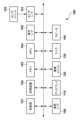
- FIG. 1 is a diagram illustrating a configuration of a matching system according to an embodiment and a modification of the present invention.
- FIG. 1 is a diagram illustrating a hardware configuration of a user terminal 100 according to the first embodiment and a modification of the present invention.
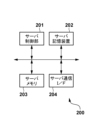
- FIG. 2 is a diagram illustrating a hardware configuration of a server 200 according to an embodiment and a modification of the present invention.
- FIG. 13 is a diagram illustrating an avatar used in a matching service according to an embodiment and a modification of the present invention.
- FIG. 1 illustrates an entrance room of a matching service according to an embodiment and a modification of the present invention.
- FIG. 13 shows an example of a screen displayed in relation to the selection of a destination battle room according to the embodiment and modified example of the present invention.
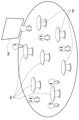
- FIG. 13 is a diagram illustrating a normal battle room of the matching service according to the embodiment and the modified example of the present invention.
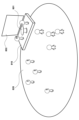
- FIG. 13 is a diagram illustrating a special match room of the matching service according to the embodiment and modified example of the present invention.
- FIG. 1 is a diagram for explaining matching in a battle room according to an embodiment and a modified example of the present invention;
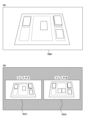
- FIG. 13 is a diagram illustrating a play screen of a fighting game according to an embodiment and a modified example of the present invention;
- FIG. 13 is a diagram illustrating a display in a special battle room according to an embodiment and a modified example of the present invention;
- FIG. 13 is a diagram illustrating an emote function of a matching service according to an embodiment and a modification of the present invention
- 1 is a flowchart illustrating an entrance process executed in the user terminal 100 according to an embodiment and a modification of the present invention
- 1 is a flowchart illustrating a monitor display process executed in the user terminal 100 according to an embodiment and a modification of the present invention
- FIG. 13 is a diagram illustrating a hardware configuration of a user terminal 100 according to a second embodiment of the present invention.
- FIG. 13 is a diagram for explaining each coordinate axis and rotation direction of a user terminal 100 when using a matching service according to a second embodiment of the present invention
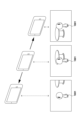
- FIG. 13 is a diagram illustrating a change in display mode in response to movement of a user terminal 100 according to a second embodiment of the present invention
- FIG. 11 is another diagram illustrating a change in display mode in response to movement of the user terminal 100 according to the second embodiment of the present invention
- FIG. 11 is yet another diagram illustrating a change in display mode in response to movement of the user terminal 100 according to the second embodiment of the present invention
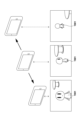
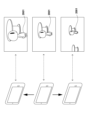
- FIG. 13 is a diagram illustrating an example of a change in display mode in response to turning of the user terminal 100 according to the second embodiment of the present invention
- FIG. 11 is another diagram illustrating a change in display mode in response to turning of the user terminal 100 according to the second embodiment of the present invention.
- 11 is a flowchart illustrating a display control process executed in the user terminal 100 according to the second embodiment of the present invention.
- the embodiment described below is an example of a matching system in which the present invention is applied to a system in which a server that accepts connections from information processing devices (user terminals) used by users provides a service that realizes matching for two-player competitive games provided by external services through a virtual space.
- the present invention can be applied to a system realized with any device configuration that can perform matching for games in which multiple users participate through a virtual space and trigger the execution of the game.
- the term "user” will be explained as referring to a user who uses the service (matching service) provided by the server 200 in this matching system.
- a user who has been matched in the virtual space and is currently playing a game will be referred to as a "player,” while a user who is not currently playing a game will be referred to as a "spectator.”
- FIG. 1 is a diagram showing the configuration of a matching system according to this embodiment.
- the matching system is configured so that a server 200 and multiple user terminals 100 can be connected for communication via a network 300.
- the server 200 provides a matching service that matches users of connected user terminals 100 as players of a competitive game realized by an external service, and triggers the execution of the competitive game.
- the external service is described as a service that supports the execution of a competitive game between remote players, and does not have a matching function of a free matching method that extracts and matches the appropriate number of players when providing the service.
- the external service is a service that realizes game play of a trading card game (TCG) in which the required number of players for the competitive game can use a video chat function using the camera and microphone of the user terminal 100 by accessing a room (connection destination) created by a host player using the user terminal 100, and the game progresses while players share the status of game items deployed in the environment (real world) in which the players are present.
- TCG trading card game
- the user terminal 100 can be a PC or a smartphone equipped with a camera and microphone.
- the user can use the service, which involves the display of a virtual space in which an avatar (operational avatar) corresponding to the user is placed.
- the matching service is a web service that can be accessed via a browsing application (hereinafter simply referred to as a browser), and service login is performed by completing a procedure related to user authentication on a specific web page.
- a browsing application hereinafter simply referred to as a browser
- service login is performed by completing a procedure related to user authentication on a specific web page.
- users can move the operational avatar placed in the virtual space, communicate with other users via the avatar (text chat, etc.), and be matched with opponents for competitive games provided by external services.
- Figure 2 is a block diagram illustrating the hardware configuration of the user terminal 100.
- the control unit 101 is a processor such as a CPU, and performs various controls including operational control of each piece of hardware equipped in the user terminal 100. Specifically, the control unit 101 performs the relevant controls by, for example, reading out the necessary programs stored in the storage device 102, expanding them in the memory 103, and executing them.
- the storage device 102 is a device capable of permanently storing information, such as a non-volatile memory or HDD. In addition to the operating system for operating the user terminal 100 and programs related to various applications, the storage device 102 stores parameter information required to realize various controls and various data used for display and communication functions related to the browser.
- the memory 103 is a storage device used for temporary data storage, such as a volatile memory. The memory 103 may be used not only as an area for expanding each program, but also as a storage area for temporarily storing data output during the operation of various hardware and various controls.
- the GPU 104 is a drawing device that executes various drawing processes related to the generation of display screens related to the user terminal 100.
- the GPU 104 also executes drawing processes for screens related to the virtual space presented to the browser while using the matching service.
- the GPU 104 includes a GPU memory (not shown), and develops various graphics data read from the storage device 102, and performs predetermined calculations to generate various images including screens.
- the screens and images generated by the GPU 104 are presented to the user by being displayed on, for example, a display 110 provided in the user terminal 100.
- the display 110 is a device for displaying information, such as a liquid crystal display, that is provided in the user terminal 100 or is detachably connected to the user terminal 100.
- the display 110 displays the screens generated by the GPU 104.
- the operation I/F 105 is a user interface provided in the user terminal 100 for accepting an operation input.
- the operation I/F 105 detects that an operation input has been made, it outputs a control signal corresponding to the operation input to the control unit 101.
- the operation I/F 105 includes, for example, an operation member such as a button provided on the exterior of the user terminal 100 and various sensors.
- the display 110 provided in the user terminal 100 of this embodiment is configured to be able to detect a touch input, and the operation I/F 105 includes a touch input detection sensor provided on the display 110.
- the communication I/F 106 is a communication interface with an external device provided to the user terminal 100.
- Information communication between the communication I/F 106 and the external device may be performed via a wide area network (WAN) such as the Internet, or via a LAN or the like.
- Information communication performed by the communication I/F 106 will be described as being performed wirelessly, but this does not exclude wired information communication.
- the imaging unit 120 is a unit that includes an imaging device having an imaging element such as a CCD or CMOS sensor. As will be described in detail later, the imaging unit 120 intermittently captures images of the game card placed in the imaging range by the user while a competitive game related to an external service is being played, and outputs the captured images.
- the microphone 130 is an audio input interface provided in the user terminal 100.
- the competitive game related to the external service triggered from the matching service is described as a TCG, so the microphone 130 acquires audio related to player declarations and the reading out of effects of game cards.
- the speaker 140 is an audio output interface provided in the user terminal 100. The speaker 140 outputs audio related to the matching service and audio related to the competitive game (opponent player declarations, sound effects, etc.).
- Figure 3 is a block diagram showing the hardware configuration of the server 200 according to this embodiment.
- the hardware configuration that realizes the same functions as the user terminal 100 will be prefixed with "server” to clearly distinguish it from the configuration of the user terminal 100.
- the server control unit 201 is a processor such as a CPU, and performs control related to the realization of various functions including operation control of each piece of hardware equipped in the server 200, user management related to the matching service, and a function for matching users. Specifically, the server control unit 201 performs the relevant control by, for example, reading out necessary programs stored in the server storage device 202, expanding them in the server memory 203, and executing them.
- the server storage device 202 is a device capable of permanently storing information, such as a non-volatile memory or HDD. In addition to the operating system for operating the server 200 and programs related to matching, the server storage device 202 stores parameter information required to realize various controls and various data required to provide the matching function.
- the server storage device 202 also has a database function for managing information on each player registered as a user of the matching system.
- the server memory 203 is a storage device used for temporary data storage, such as a volatile memory.
- the server memory 203 may be used not only as an area for expanding each program, but also as a storage area for temporarily storing data output during the operation of various hardware and various controls.
- the server communication I/F 204 is a communication interface with an external device provided to the server 200.
- Information communication between the server communication I/F 204 and the external device may be performed via a wide area network (WAN) such as the Internet, or via a LAN or the like.
- Information communication performed by the server communication I/F 204 may be performed either wired or wirelessly.
- the matching service can be used by each user by starting a browser on the user terminal 100 used by the user, accessing a web page related to the service, and logging in to the service. After logging in to the service, a virtual space expressed in three-dimensional computer graphics is displayed on each user terminal 100.
- each user is assigned a three-dimensional model avatar (hereinafter referred to as an operation avatar) as shown in FIG. 4 that is associated with the user.
- Each user can move the operation avatar associated with the user within the virtual space by performing operation input related to movement.
- the virtual space is constructed as, for example, a room-like three-dimensional space, and hereinafter, the virtual space is referred to as a "room".
- the operation avatar moves within the room in response to the operation input of the user.
- the room is constructed as a space with a certain degree of size, and in order to create the impression that the operation avatar is moving within the space, at least some of the elements (e.g., the torso) that make up the three-dimensional model of the operation avatar may be displayed moving up and down while the operation avatar is moving.
- the elements e.g., the torso
- the server 200 manages the user's avatar so that it is placed in only one virtual space at a time.
- the virtual space used in the matching service is roughly divided into an entrance room and a battle room. Matching between users is performed when an operational avatar is placed in a battle room. Since there is an upper limit to the number of avatars that can be placed and managed in one battle room, multiple battle rooms can be set up in parallel to accommodate simultaneous connections by many users. Therefore, the entrance room is provided as a virtual space for selecting a battle room in which to place an operational avatar. Movement (transition) between rooms is performed by sending a corresponding request from the user terminal 100 to the server 200 in response to an operation input related to the transition in each room, and the server 200 changes the management information of the user.
- a user is assigned to a specific room, and the state in which an operational avatar is placed in the three-dimensional space related to that room may be expressed as the user "entering" that room.
- each user can customize the appearance of the controlled avatar.
- the controlled avatar can have different drawing elements that make up its appearance, such as the avatar's color and the items worn on the head and torso.
- each user can change the appearance of the controlled avatar, for example by selecting an item to wear from a list of items they own.
- the server 200 While only one operational avatar is displayed in the entrance room, it is inefficient for the server 200 to provide and manage a separate virtual space (entrance room) for each user. Therefore, a display of a virtual space in which only one operational avatar is placed is provided for each user, but the server 200 manages the virtual space as a single entrance room including information on multiple users. In other words, the server 200 assigns the same entrance room to multiple users who log in to the service at the same time, but the display of the entrance room on each user terminal 100 does not share information on other users assigned to the same room, and provides the user with a virtual space in which only the operational avatar is displayed. Therefore, the entrance room does not provide a function for matching with other users, nor does it trigger the execution of a competitive game.
- the entrance room is set up as a closed space as shown in FIG. 5, for example.
- a window object 501 is placed in the entrance room, and the user can move the operational avatar to the vicinity of the window object 501 by performing an operational input related to movement.
- the display on the user terminal 100 is switched to a display related to the scenery outside the window (destination selection image 600) as shown in FIG. 6.
- the entrance room and the battle room are set up as separate facilities existing in a single vast game space, and it is possible to confirm a pseudo-overview of the game space through the window object 501 in the entrance room, as shown in FIG. 6.
- the destination selection image 600 includes an image of a facility that resembles a battle room, and the user can perform an operational input related to selecting the facility to move to, thereby sending a request to the server 200 to place the operational avatar in the battle room.
- the battle rooms include a "normal battle room” and a "special battle room,” which will be described later, and the user can select one of them from the destination selection image 600 displayed through the window object 501 in the entrance room to request the placement of the operational avatar in the corresponding virtual space. Each battle room is explained below.
- the normal battle room is a virtual space in the matching service where all users can make matches for general battle games. Unlike the entrance room, the normal battle room not only contains the player's avatar, but also the avatars of other users who have entered the same room. Users who enter a normal battle room can move their player avatar around the room by inputting movement-related controls.
- multiple table objects 701 are placed in the normal battle room, and a user wishing to be matched can carry out various procedures related to matching by moving the operating avatar close to the table object 701. Furthermore, when matching is established, the execution of a battle game related to an external service can be triggered. Additionally, a monitor object 702, which will be described later, is placed in the normal battle room, and interesting elements are presented that can be enjoyed by users who are in the room but are not matched.
- a special battle room is a virtual space in which only specific users invited by, for example, an administrator or event organizer can perform matching. Unlike a normal battle room, a special battle room is configured so that only one group of users (hereinafter referred to as the invited players) can perform matching. However, entry to a special battle room is not limited to the invited players, and other users can also enter. If a user other than the invited player enters a special battle room, that user will be treated as a spectator. In other words, a special battle room is a virtual space used for the purpose of allowing other users who have entered to watch a battle game played by invited players, such as an exhibition match.
- the special battle room is mainly divided into a stage 810 area where the inviting player's avatar can move, and a viewing floor 820 area where the spectator's avatar can move.
- the special battle room has a table object 801, which is the only one in the special battle room, arranged on the stage 810, and is controlled so that only the inviting player can move his/her operating avatar near the table object 801 and perform various procedures related to matching.
- a monitor object 802 is arranged on the stage 810 behind (farther from) the table object 801, and an interesting element that can be enjoyed by the spectator is presented in the same way as in the normal battle room.
- the server 200 manages information about the users to whom each room is assigned.
- operation inputs movement, matching requests, etc.
- the server 200 manages information about the users to whom each room is assigned.
- operation inputs movement, matching requests, etc.
- the server 200 manages information about the users to whom each room is assigned.
- operation inputs movement, matching requests, etc.
- the server 200 manages information about the users to whom each room is assigned.
- operation inputs movement, matching requests, etc.
- the server 200 of this embodiment is configured to be able to manage one or more rooms for each of the normal battle rooms and the special battle rooms.
- the matching service is configured to be able to provide multiple rooms as normal battle rooms, and multiple rooms as special battle rooms.
- rooms to distinguish between "normal battle rooms” and “special battle rooms” as types of virtual space, and "rooms” as unit virtual spaces that manage users in which avatars are placed, the latter will be referred to as "rooms.” That is, in the matching service, multiple rooms are provided as normal battle rooms, and multiple rooms are provided as special battle rooms.
- the destination selection image 600 is displayed in response to moving the operational avatar near the window object 501, and the user can make a request to place the operational avatar in the selected type of battle room.
- the user first selects whether the type of battle room they wish to enter is a normal battle room or a special battle room, and each battle room has multiple rooms.
- the matching service of this embodiment provides the following two types of placement request modes, and the user must select one of the modes as an option for the placement request.
- One aspect of the placement request is an automatic placement request that causes the server 200 to determine which room of the type of battle room the user will enter.
- the server 200 (the server control unit 201) selects one room to enter the user from among multiple rooms provided as battle rooms of the corresponding type, and guides the user to the selected room.
- the room to enter is preferentially selected from rooms that already have other users in them so that the user is given a good opportunity to match.
- the server 200 selects the room with the largest number of users in it as the room to enter the user who made the placement request.
- an upper limit is set for the number of users that can be managed (the number of avatars that can be placed) in each room, and the server 200 selects the room to enter, excluding rooms with the upper limit number of users in them. In this way, it is possible to reduce the number of situations in which a user enters a room but there are no/few other users who can be opponents. Furthermore, if there are no other users in any of the rooms, the user who made the placement request may be guided to a room that does not have any other users in it.
- the other type of placement request is a designated placement request, in which the user specifies the type of battle room and the room to enter.
- the designated placement request is sent to the server 200 on the condition that information specifying the destination room is also input into the user terminal 100. More specifically, designated placement requests include a placement request that specifies an existing room as the destination room, and a placement request that creates a new room and specifies that room as the destination room.
- Each room in the normal battle room and special battle room is set with identification information (room ID) to uniquely identify the room.
- the room ID is set when the room is created, and in this embodiment is text-type information.
- the creation of a battle room may be performed by the server 200 depending on the number of users currently logged in to the service, or may be performed based on a room creation request from a user (hereinafter referred to as a host) who plans and manages, for example, an individual tournament or event.
- a host a room creation request from a user who plans and manages, for example, an individual tournament or event.
- the room ID determined by the server 200 is used
- the room ID specified by the host is used.
- the room ID that can be set for a normal battle room is defined as an English word related to fruit (banana, melon, orange, etc.), and the room ID that can be set for a special battle room is defined as an English word related to animals (dog, cat, elephant, etc.).
- Such information on the text that can be specified as a room ID may be managed, for example, by referring to dictionary data that stores the relevant text.
- the server 200 when the server 200 generates a room without a host's generation request, it obtains text that is not currently being used from the relevant dictionary data and sets it as the room ID.
- a room with the text as the room ID is generated.
- Information on what rules text that can be set as a room ID may be presented to the user (host) on a menu screen or the like that is displayed in response to a specified placement request, including a new creation request.
- the server 200 when a designated arrangement request is received for a room that has already been created, i.e., a designated arrangement request that does not include a request to create a new room, the server 200 allows the user to enter the room with the room ID included in the designated arrangement request.
- the server 200 first confirms that a room with the room ID included in the designated arrangement request does not exist. If the room does not exist, the server 200 creates a room with the room ID set, on the condition that the room ID meets the rules defined for the selected type of battle room, and allows the user to enter the room. In this way, for example, when multiple people want to use a matching service, the user can create a room of their choice or enter a specific room rather than a room automatically selected by the server 200.
- a user who wants to wait for a challenge from another user moves the operation avatar to the vicinity of a table object 901 in the room, as shown in FIG. 9(a).
- the table object 901 becomes available for operation input by the user.
- a wait request is sent to the server 200, for example, after a confirmation display indicating a transition to a match waiting state.
- the wait request may include, for example, identification information (a combination of a room ID and a table ID) that uniquely identifies the table object 901, and identification information that uniquely identifies the user.
- the server 200 receives the wait request, it updates the status of the user to a match waiting state, and sends the information to the user terminals 100 of other users who are in the same room.
- the user's operational avatar is displayed attached to the table object 901 as shown in FIG. 9(b). This display continues until the user performs an operational input to cancel the standby state, or until the competitive game that was played due to the successful matching ends.
- the operational avatar of the user who is in the matching standby state is displayed without moving from the position of the table object 901 in the room.
- the operational avatar is controlled so that it does not move, even if the user performs an operational input to move the operational avatar.
- a table object 901 (hereinafter referred to as a waiting table) in which one user's avatar is present and in a matching waiting state is in a state in which other users can apply for a match. Therefore, a user who wishes to apply for a match can apply for a match to the user (hereinafter referred to as a waiting person) of the avatar who is already present at the waiting table (hereinafter referred to as a waiting avatar) by moving the operating avatar near the waiting table and performing an operation input for the waiting table.
- a waiting table in which one user's avatar is present and in a matching waiting state is in a state in which other users can apply for a match. Therefore, a user who wishes to apply for a match can apply for a match to the user (hereinafter referred to as a waiting person) of the avatar who is already present at the waiting table (hereinafter referred to as a waiting avatar) by moving the operating avatar near the waiting table and performing an operation input for the waiting table.
- a matching request is sent to the server 200, for example, after a confirmation display for making a match application.
- the matching request may include, for example, identification information that uniquely identifies the waiting table, identification information that uniquely identifies the waiting person, and identification information that uniquely identifies the applicant.
- the server 200 receives the matching request, it temporarily updates the applicant's status to a matching waiting state and transmits the information to the user terminal 100 of the other user who is in the same room.
- the applicant's operating avatar (hereinafter referred to as the application avatar) is displayed similarly seated at the waiting table, with the application avatar and the waiting avatar facing each other via the table object 901.
- the application avatar is displayed without moving from its position at the waiting table in the room.
- the application avatar is controlled so that it does not move, even if the applicant makes an operational input to move the application avatar.
- the server 200 sends an inquiry to the user terminal 100 of the waiting person as to whether or not to accept the challenge from the applicant.
- the waiting person can perform an operation input to accept/decline the challenge made by the applicant.
- the server 200 executes a process to match the waiting person with the applicant, and establishes a match.
- the server 200 then updates the status information managed for both people during the match. Furthermore, when a match is established, the waiting person and the applicant may be managed as "players.”
- Normal battle rooms are configured to allow matching between users who enter the same room using this procedure for table objects placed in the room. That is, in each normal battle room, matching can be performed simultaneously for up to the number of table objects placed in the room. In other words, in normal battle rooms, a user can cause the server 200 to execute matching-related processing by moving the operating avatar near a table object and performing operation input on that table object.
- the special battle room As described above, control is performed so that only specific users can perform matching. Therefore, in the special battle room, various requests related to matching from users made via a table object provided on the stage are possible on the condition that the users fulfill the conditions for participating in a battle game of an external service triggered by using the special battle room.
- the special battle room only users invited by, for example, a host can become players, so when a user brings an operating avatar close to a table object and makes a waiting for matching request or a matching request, it is determined whether or not the user is an invited user. The determination may be performed by the user terminal 100 used by the user, or may be performed by the server 200 that receives the request.
- the server 200 sends a request to create a connection destination for the match game to a game server (not shown) related to the external service, along with information about the two matched players (the waiting player and the applicant).
- the game server creates a connection destination for the new match game in response to the creation request, and returns the connection destination information to the server 200.
- the server 200 transmits the returned connection destination information to the user terminals 100 used by each player, along with a transfer command.
- a connection to the connection destination is triggered in the browser, and the display is switched from the matching service to the external service. In this way, each player can start a match game with the opponent player matched in the matching service, without having to directly register with the external service.
- the matching service login state is maintained even during the transition to the external service (while a competitive game in the external service is being played) so that each player can easily return to the matching service after finishing the match.
- a separate tab or separate window in the browser is opened to connect to the connection destination, and the tab is displayed primarily (selected as the display tab, or the separate window is displayed at the forefront), thereby achieving a temporary transition from the matching service to the external service.
- the tab related to the matching service exists even during the transition, each player can check the status of the room related to the matching service and the play screen of the competitive game related to the external service in parallel.
- the competitive game related to the external service in which the matching system of this embodiment matches players is a TCG.
- a TCG is played by each player constructing a deck using actual game cards, obtaining game cards from the shuffled deck to become their initial hand, and during a player's turn, adding game cards from the deck to their hand, placing cards from their hand on the field as necessary, declaring actions for the cards placed on the field, and performing various operations related to the resolution of the declaration. Therefore, in the progression of the competitive game, it is essential to be able to check the state of each player's field (game field). For this reason, a competitive game played using an external service progresses while each player shares with the other players images of their hands and audio of the declarations made by the players using a video chat function.
- the screen (play screen) displayed on the user terminal 100 used by the player during game play may display the actual live image 1001 captured by the user terminal 100 used by the opponent, as shown in FIG. 10(a), for example.
- the example in FIG. 10(a) shows a mode in which the image 1001 captured by the user terminal 100 used by the opponent is displayed as is on the full screen, but the play screen may also be configured by arranging frame images of the image 1001 together with a specified GUI.
- the display on the user terminal 100 used by each player returns to the matching service from the external service.
- Information (end information) regarding the end of the player's use of the external service may be sent from at least one of the players' user terminals 100 to the server 200, or may be sent directly to the server 200 from the game server related to the external service.
- the end information also includes information on the result (win or loss) of the competitive game.
- the server 200 sends information for displaying the result of the competitive game together with a display request to the user terminal 100 used by each player, in order to display the result of the competitive game to each player based on the received end information.
- the user terminal 100 of each player receives the information, it displays the result of the competitive game played using the external service.
- the server 200 when the server 200 receives information on the results of a match game played between players, it updates the status of the relevant user from matching to free.
- the avatar of each user whose status has been changed to free is released from its state of being attached to the table object, and becomes able to move around the match room in response to operational inputs made on the user terminal 100 used by that user, just as it was before the match waiting state was entered.
- One aspect of the spectating function that is made possible by using the matching service is performed using a monitor object placed in a battle room.
- At least one monitor object is a flat object placed in each room, and can be used for information display by applying different textures to its flat surface (hereinafter referred to as the information display section).
- the information display section of the monitor object displays play video of the battle game currently being played by the player in the room in which the monitor object is placed. That is, the server 200 sequentially receives information on the hand image of one player currently being matched in the room from a game server of an external service, and transmits the frame image as a texture to be displayed on the information display section to the user terminal 100 of the user currently in the room, thereby presenting it via the monitor object.
- the texture applied to the information display section may be a hand image focused on one player as shown in FIG. 10(a), or an image composed of hand images of both players in the battle as shown in FIG. 10(b).
- the video displayed in the information display section of the monitor object may be play footage of a game previously played by one of the users currently in the room, or play footage of a competitive game previously played (such as an event final) selected by the management, or it may be a portion of the play footage of the competitive game (e.g., an edited version of the highlights).
- an introductory video (PV) of the game content may be displayed.
- an avatar placed near the monitor object may be forcibly set and displayed in a mode for watching the monitor object while the footage is being displayed on the information display section of the monitor object.
- the camera parameters related to the rendering of the room may be changed and controlled so that the entire monitor object is displayed within the display range of the user terminal 100.
- the camera parameters may be changed by receiving an operation input on the operating avatar (returning to a state where the monitor object is not focused).
- the spectating mode may be different. That is, since a user who enters a special battle room as a spectator has the primary purpose of watching the game, at least while a triggered battle game is being played in the room, the operating avatar corresponding to the spectator may be forcibly set and displayed in a mode that allows the spectator to view monitor objects on the stage.
- the camera parameters related to the depiction of the room may be controlled so as to always include the operation avatar and the monitor object on the stage, as shown in FIG. 11.
- FIG. 11(a) shows a display during a period in which the operation avatar 1101 is being moved by the spectator. At this time, in order to clearly indicate the direction of movement, the operation avatar is temporarily released from viewing the monitor object. Also, the camera parameters are set so that the entire operation avatar and the monitor object are included in the display range in order to clearly indicate the destination.
- FIG. 11(b) shows a display during a period in which the operation avatar is not being moved by the spectator. At this time, the camera parameters are set so that only a part of the operation avatar 1101 is included, in order to make the information display portion of the monitor object easier to see.
- the matching service may be provided with a function for viewing the gameplay footage in full-screen display.
- the viewing function in full-screen display may be performed by temporarily transferring the user's user terminal 100 to an external service, or may be performed by displaying in full-screen frame images of the gameplay footage that the server 200 receives from a game server related to the external service and transfers to the user terminal 100.
- the viewing function in the full screen display may be such that, when the operating avatar is close to the monitor object beyond a predetermined distance, an operation input to the monitor object is accepted, and the operation input is used as a trigger to switch the display of the user terminal 100 to a full screen display of the play video.
- the play video presented using the monitor object is not necessarily the battle game that the user wants to watch.
- the display of the user terminal 100 of the user may be switched to a full screen display of the play video of the battle game related to the table object as a trigger to the user making an operation input to a table object with which a match has been established.
- the operating avatar of the user is controlled to be displayed to other users in a manner of viewing the table object, for example, in the vicinity of the table object.
- an effect may be applied in which an object related to the battle game (in this embodiment, a card object corresponding to the game card) is placed and displayed on a table object where a match has been made while the battle game is being played.
- an object related to the battle game in this embodiment, a card object corresponding to the game card
- Users of the matching service can include not only general users who are looking to match up for a competitive game related to an external service, but also users who are managing the service or event.
- Management users include, for example, staff who support users who are unfamiliar with using the service, and staff who monitor users who use the service inappropriately.
- management users are simply referred to as staff, and avatars operated by such users are referred to as staff avatars.
- avatars related to general users are referred to as general avatars.
- Staff and general users may be configured to be distinguishable by whether or not a staff attribute is attached to user information in a user DB (not shown) managed by server 200.
- a staff avatar When a staff member logs in to the service, a staff avatar will be placed in the entrance room, just like a general user. In the entrance room, it is possible to change the appearance of the staff avatar.
- the drawing elements that can be selected for the staff avatar's appearance are different from those of the general avatar (and cannot be selected by general users).
- staff can use a user interface to select the destination battle room.
- the user interface available to staff may be the same as that available to general users shown in FIG. 6, but since it is for management purposes, it may be configured to only allow designated placement requests, for example.
- the server 200 controls so that staff can enter the room even if the number of general users in that room has reached its upper limit. This is because there may be general users who want support even if the room is full.
- staff When entering each battle room, staff can move the staff avatar around the room by performing operation inputs related to movement. In battle rooms, staff are not given permission to use the battle game's matching function. This is achieved, for example, by controlling the system so that operation inputs related to a matching wait request are not accepted even if a staff avatar is placed near a table object, or by controlling the system so that matching processing based on matching requests from general users is not executed when a staff member is in a matching wait state due to maintenance.
- staff members are not given permission to use the matching function of the battle game, but are instead given permission to execute functions that are not given to general users.
- functions include, for example, the ability to force a specified general user out of the room, and the ability to guide general users to a waiting table.
- staff members may be given permission to execute a function that enables them to place staff avatars in the battle room in an invisible state.
- each battle room is configured to have a function available for communication between users currently in the room.
- the text chat function is realized by the server 200 acquiring text information (comment information) entered by a user who is currently in one of the battle rooms on the user terminal 100 that the user is using, and distributing (sharing) the comment information to each user terminal 100 so that it can be viewed by all users who are in the room.
- the history of comments made in the room is displayed in a text chat window or the like that is displayed together with the virtual space on each user terminal 100, and is configured so that each user who is in the room can view it.
- the comment history may be displayed via a monitor object arranged in the room.
- the most recent text may be displayed at the top and text that has been spoken for some time may be displayed at the bottom, and text beyond a certain number of lines may not be displayed, or may be displayed by scrolling.
- the text chat function is also available to staff, and can be used, for example, to alert general users in the same room and make necessary announcements. To prevent comments made by staff from being overlooked by general users, they are displayed at the top of the comment history displayed in the text chat window, etc., with priority.
- the emote display function is realized by the server 200 acquiring emote information (e.g., emoticons such as thumbs up and hearts) input by a user who is in one of the battle rooms on the user terminal 100 used by the user, and distributing (sharing) the emote information to the user terminal 100 so that the users who are in the same room can view it.
- emote information e.g., emoticons such as thumbs up and hearts
- the emote information is displayed in the form of a speech bubble with the emoticon above the head of the operation avatar of the user who input the emote, as shown in FIG. 12, for example.
- the display of the emote input by the user is limited to users whose avatars are located within a predetermined distance from the operation avatar corresponding to the user in the same room. That is, the server 200 identifies a user whose avatar is located within a predetermined distance from the current position (coordinates within the room) of the avatar operated by the user who input the emote, and shares and displays the emote information input to the user terminal 100 used by that user together with the information of the user who input the emote. Furthermore, the display of the emote information may be limited to a certain time period after the emote is input.
- control unit 101 determines whether or not an operational input related to a change in the appearance of the operational avatar has been made. If the control unit 101 determines that an operational input related to a change in the appearance of the operational avatar has been made, the process proceeds to S1302, and if it determines that an operational input related to a change in the appearance of the operational avatar has not been made, the process proceeds to S1303.
- control unit 101 changes the appearance of the operational avatar based on the operation input related to the appearance change that has been made. Also, under the control of the control unit 101, the GPU 104 draws the operational avatar with the changed appearance and displays it on the display 110.
- control unit 101 determines whether or not an operation input related to the movement of the operational avatar has been made. If the control unit 101 determines that an operation input related to the movement of the operational avatar has been made, the process proceeds to S1304, and if it determines that an operation input related to the movement of the operational avatar has not been made, the process returns to S1301.
- control unit 101 changes the placement position of the operational avatar based on the operation input related to the movement.
- control unit 101 determines whether the position of the operation avatar after the movement is within a predetermined distance from the window object. If the control unit 101 determines that the position of the operation avatar after the movement is within a predetermined distance from the window object, it moves the process to S1306, and if it determines that the position is not within the predetermined distance, it returns the process to S1301.
- the GPU 104 displays an image relating to the selection of the destination battle room on the display 110.
- control unit 101 determines whether or not an operational input has been made to select the destination battle room. If the control unit 101 determines that an operational input has been made to select the destination battle room, it moves the process to S1308, and if it determines that an operational input has not been made, it repeats the process of this step. Note that if an operational input has been made to end the display of the image related to the selection of the destination battle room, the control unit 101 returns the process to S1301.
- control unit 101 sends a placement request for the user to enter the battle room to the server 200 based on the operational input for selecting the destination battle room, and completes this entrance process.
- users can calmly set their appearance in a space where there are no avatars belonging to other users. They can also select the battle room they want to move to in an interesting way.
- control unit 101 extracts a room in which the user is currently present from among the rooms provided for the type of battle room specified by the automatic placement request.
- control unit 101 excludes rooms in which the upper limit number of users are present from the rooms extracted in S1401.
- control unit 101 selects the room with the largest number of users from among the rooms extracted after the exclusion in S1402, executes a process to allow the user who made the automatic placement request to enter that room, and then completes this guidance process.
- monitor display processing for presenting information to a monitor object in a battle room in the user terminal 100 of this embodiment will be described in detail with reference to the flowchart in Fig. 15.
- the processing corresponding to this flowchart can be realized by the control unit 101 reading out a corresponding processing program stored in, for example, the storage device 102, and executing the program by expanding it in the memory 103.
- this monitor display processing will be described as being started, for example, when the user's avatar is placed in a battle room (the user enters the room).
- the GPU 104 repeatedly executes processing for drawing a three-dimensional space related to the battle room, and a description of this processing will be omitted in the following flowchart.
- control unit 101 determines whether or not a currently matched user (player) with whom a match has been established in the table object is present in the room. If the control unit 101 determines that a currently matched player is present in the room, it moves the process to S1502, and if it determines that the currently matched player is not present, it repeats the process of this step.
- the GPU 104 sequentially applies frame images of the gameplay footage of the currently matched players as textures to the information display unit of the monitor object in the room, thereby displaying the monitor object on the display 110 in a manner that presents the gameplay footage.
- control unit 101 determines whether the room is a normal battle room or a special battle room. If the control unit 101 determines that the room is a normal battle room, it transfers the process to S1504, and if it determines that the room is a special battle room, it transfers the process to S1505.
- the GPU 104 changes the display mode of the avatar whose position is set near the monitor object to a mode in which the monitor object is viewed, and displays the drawn screen on the display 110.
- the GPU 104 under the control of the control unit 101, in S1505 changes the display mode of the avatar of the user classified as a spectator to a mode for observing monitor objects, and displays the rendered screen on the display 110.
- control unit 101 determines whether the competitive game being played by the currently matched players has ended. If the control unit 101 determines that the competitive game has ended, the process returns to S1501, and if it determines that the competitive game has not ended, the process of this step is repeated.
- the matching system of this embodiment can provide a highly convenient matching service that enhances the interest of users when using virtual space.
- the user terminal 100 is configured as an integrated unit with a display device (display 110) like a smartphone, and the movement occurring in the user terminal 100 is detected, and the display of the screen related to the matching service is controlled based on the detected movement.
- the user terminal 100 of this embodiment is configured so that the user can move the user terminal 100 itself, and input the movement of the operating avatar and changes to the camera parameters while using the matching service in accordance with the movement.
- Figure 16 shows the hardware configuration of the user terminal 100 according to this embodiment. Note that among the hardware configuration shown in Figure 16, the configuration described in the first embodiment above is given the same reference numerals and the description is omitted.
- the sensor unit 152 is a unit including a sensor that detects the movement of the user terminal 100.
- the sensor included in the sensor unit 152 may include, for example, a three-axis acceleration sensor or a three-axis angular velocity sensor. In the former case, as shown in FIG. 17(a), the acceleration occurring in each of the longitudinal direction, the lateral direction, and the direction perpendicular to these (normal direction) of the display 110 of the user terminal 100 can be detected. In the example of FIG.
- the user terminal 100 is shown in a horizontal position, and in this embodiment, the longitudinal direction of the display 110 is set to the x-axis, the lateral direction is set to the y-axis, and the normal direction is set to the z-axis, and the movement occurring in each direction can be derived from the output (acceleration) of the sensor unit 152.
- the rotation around the axis extending in the longitudinal direction of the display 110 of the user terminal 100, the rotation around the axis extending in the lateral direction, and the rotation around the axis extending in the normal direction can be detected.
- FIG. 17(b) the rotation around the axis extending in the longitudinal direction of the display 110 of the user terminal 100, the rotation around the axis extending in the lateral direction, and the rotation around the axis extending in the normal direction can be detected.
- the user terminal 100 is shown in a horizontal position, with rotation around the x-axis set as the pitch direction, rotation around the y-axis set as the yaw direction, and rotation around the z-axis set as the roll direction, and the angle of rotation in each direction can be derived from the output (angular velocity) of the sensor unit 152.
- the sensor I/F 151 is an interface that acquires the output of the sensor unit 152 and transmits it to the control unit 101.
- the sensor I/F 151 may also play a role in converting the output of the sensor unit 152 into a form compatible with the processing performed by the control unit 101.
- the movement operation input can be used to move the controlled avatar in various virtual spaces.
- the movement operation input can be used to change the posture of at least some parts of the controlled avatar, such as the head (face).
- the movement operation input can be used to change the camera parameters used for rendering in some virtual spaces (changing the camera position, line of sight direction, or distance between the camera and the controlled avatar). Alternatively, for example, by switching the input mode, it can be used for a number of operations in these aspects.
- the movement operation input is input based on the amount of movement of the user terminal 100 in each of the x-axis, y-axis, and z-axis directions from a position set as a reference position.
- a movement operation input involving movement in the x-axis direction is used to move the operation avatar 1801 horizontally in the left-right direction on the screen in the virtual space.
- a movement operation input involving movement in the z-axis direction is used to move the operation avatar 1901 in the depth direction of the screen in the virtual space.
- a movement operation input involving movement in the y-axis direction is used to change the distance between the operation avatar 2001 and the camera for depicting the virtual space.
- the change in the distance between the operation avatar 2001 and the camera changes the display size of the operation avatar 2001 on the screen depicting the virtual space.
- Movement operation input is input based on the amount of rotation (amount of rotation) of the user terminal 100 in each of the pitch and yaw directions from an attitude set as the reference attitude, for example.
- the matching service of this embodiment may not accept movement operation input.
- movement operation input involving rotation in the pitch direction is used to rotate the camera for rendering the virtual space in the pitch direction.
- movement operation input involving rotation in the yaw direction is similarly used to rotate the camera in the yaw direction.
- the camera's gaze point may be controlled to be fixed on the operational avatar, for example, so that the user does not lose sight of the operational avatar.
- the operational avatar's position in the virtual space may be kept fixed, and the entire body or head of the operational avatar may be controlled to rotate to follow the line of sight of the camera.
- the state change related to the operational avatar is transmitted to the server 200 via the communication I/F 106, and is also shared with the user terminals 100 of other users placed in the same normal battle room, for example. In this way, each user can check which direction the general avatar placed in the normal battle room is viewing.
- movement operation input related to the movement of the user terminal 100 is accepted only within a specified distance range from the reference position; in other words, a maximum amount of change (amount of movement) is set for the change in the display mode (such as movement of the operating avatar) caused by the movement operation input detected at one time.
- a maximum amount of change is set for the change in the display mode (such as movement of the operating avatar) caused by the movement operation input detected at one time.
- the change in the display mode caused by the operation input is limited to the maximum amount of change, and any movement exceeding that range is not reflected (is invalid).
- the user simply returns the user terminal 100 to the reference position again and then performs the movement operation input related to movement again.
- a movement operation input related to the rotation of the user terminal 100 is accepted only within a specified angle range from the reference attitude; in other words, a maximum amount of change (amount of rotation) is set for the change in the display mode (such as camera rotation) caused by the movement operation input detected at one time.
- a maximum amount of change is set for the change in the display mode (such as camera rotation) caused by the movement operation input detected at one time.
- the movement operation input detected at one time is a rotation that exceeds a specified angle range from the reference attitude
- the change in the display mode caused by the operation input is limited to the maximum amount of change, and any rotation that exceeds that range is not reflected (is invalid).
- the user can simply return the user terminal 100 to the reference attitude again and then perform the movement operation input related to rotation again.
- the sensor I/F 151 controls the sensor output whose absolute value of acceleration or angular velocity is below a predetermined lower threshold value not to be transmitted to the control unit 101 as a movement operation input.
- control unit 101 may control the movement operation input transmitted from the sensor I/F 151, whose amount of movement or amount of rotation is below the lower threshold value, not to be used for changing the display mode. Therefore, the movement operation input is used for processing the change in the display mode based on the values in the range from the lower threshold value to the upper threshold value for each of the movement and rotation.
- the movement operation input related to turning is reflected in the change in the display mode with the absolute value of the angle between the reference attitude and each axis in the range of 10 degrees to 45 degrees, and is controlled so as to cause a change in the display mode similar to that in the case of 45 degrees when the absolute value exceeds 45 degrees. Also, when the absolute value is less than 10 degrees, the input is controlled so as not to cause a change in the display mode.
- the normal operation input detected by the operation I/F 105 can be input while the user is viewing the screen (display 110) related to the matching service.
- the normal operation input is configured to be capable of causing a change in the display mode with an amount of change greater than the value range limited by the movement operation input.
- the change in the display mode in response to the normal operation input is configured to be capable of causing a change with an amount of change that exceeds the predetermined range set for the movement operation input.
- the display controls shown in Figures 18 to 22 are merely examples, and it goes without saying that the type of display control performed in response to each type of movement operation input can be changed depending on the embodiment.
- the changes in the display state that occur in response to each type of movement operation input are not limited to the states shown in the figures, and other types of changes may be configured to occur.
- the motion operation input may be controlled so that the display mode changes continuously during the period in which the absolute state of the user terminal 100 is detected intermittently and compared with the reference state to determine that an input has been made.
- the camera may be controlled to continue to rotate in the same direction during the period in which the user terminal 100 is in that state.
- the greater the amount of rotation (angle) of the user terminal 100 from the reference direction the greater the speed at which the display mode changes, i.e., the camera rotation speed may be controlled to increase.
- Such a change in the display mode of the matching service screen based on a movement operation input is controlled to be effective on the condition that the operation avatar of the user is placed in the virtual space and the execution of the game in which the user participates has not been triggered.
- the user can change the display mode by moving the user terminal 100 on the condition that the operation avatar is placed and displayed in the entrance room or the battle room and matching has not been established.
- the control unit 101 does not control the change in the display mode of the matching service screen in response to the movement operation input acquired by the sensor I/F 151 after matching is established for the user and the execution of the game in which the user participates is triggered.
- control unit 101 determines whether the operation input is related to the movement of the operational avatar or the change of camera parameters. If the control unit 101 determines that the operation input is related to the movement of the operational avatar or the change of camera parameters, it moves the process to S2302, and if it determines that the operation input is something other than the above, it completes this display control process.
- control unit 101 determines whether the operation input is a movement operation input. If the control unit 101 determines that the operation input is a movement operation input, the process proceeds to S2303. If the control unit 101 determines that the operation input is not a movement operation input (it is a normal operation input), the process proceeds to S2305.
- control unit 101 determines whether or not the execution of the fighting game has been triggered, i.e., whether or not the fighting game is currently being executed. If the control unit 101 determines that the execution of the fighting game has been triggered, it completes this display control process without executing the process of changing the display mode in response to the movement operation input that has been performed. If the control unit 101 determines that the execution of the fighting game has not been triggered, it moves the process to S2304.
- control unit 101 performs control to change the display mode of the virtual space including the operation avatar in accordance with the movement operation input, and completes this display control process. Note that the control unit 101 controls the amount of change in the display mode in accordance with the magnitude of the movement operation input.
- control unit 101 executes processing in S2305 to change the display mode in accordance with the normal operation input, and completes this display control processing. Note that although detailed processing is omitted in this flowchart, for normal operation input, it is sufficient to control so that the operating avatar is not moved after the matching standby state is entered as in the above-mentioned embodiment.
- the information processing device of this embodiment can improve operability when using a virtual space.
- Variation 1 described above describes a mode in which the display mode is controlled so as not to change in response to movement operation input when the operation avatar is placed in a special battle room, but the implementation of the present invention is not limited to this.
- the control unit 101 may perform control so as not to change the display mode in response to movement operation input.
- the way in which the user terminal 100 is held may change in order to input text, so the control unit 101 may perform control so as not to change the display mode in response to motion operation input while using the function.
- Variations 1 and 2 above have described various ways of disabling movement control input when the operational avatar is placed in a battle room, but such control may also be performed when the operational avatar is placed in an entrance room. For example, when selecting a battle room for which a placement request is made via a window object in the entrance room, control may be performed so that the display mode does not change in response to movement control input, or a similar control may be performed while using a function related to changing the appearance of the operational avatar.
- the matching service has been described as matching a competitive game related to one game content, but the implementation of the present invention is not limited to this.
- the user's decision in the entrance room as to which game content to request placement in the competitive room may be made, for example.
- each battle room has been described as primarily providing a matching function between users, a spectating function, and a communication function, but the implementation of the present invention is not limited to this.
- Each room may, for example, provide a function for selling/purchasing products related to the game content for which matching is provided.
- a function for selling/purchasing actual items (game cards) that can be used in the TCG may be provided.
- the selling/purchasing function may involve a payment procedure in the matching service, or may be indirectly provided by, for example, a function for transferring the user terminal 100 to the sales page of the relevant product on an EC site.
- the selling/purchasing function may be configured to become available when a user performs a purchasing operation on an object that has the appearance of a vending machine or the like that is placed in the battle room.
- related products do not have to be physical goods and may include, for example, in-game items or downloadable content.
- the entrance room has been described as a virtual space in which the user's avatar is placed alone, but the implementation of the present invention is not limited to this.
- the entrance room may be configured to place the avatars of multiple users.
- the room with the highest number of occupants among the rooms that have not yet reached the upper limit is selected as the destination, but the implementation of the present invention is not limited to this. It is sufficient that a room with a large number of occupants is selected with priority over a room with a small number of occupants, and the destination room may be selected from among rooms with a number of occupants exceeding a predetermined number.
- the competitive game of the external service for which matching is provided in the matching service is described as a TCG, but the implementation of the present invention is not limited to this.
- the game for which matching is provided may be a competitive game of another genre.
- the game for which matching is provided is not limited to a competitive game, such as a game in which cooperative play is performed, as long as it is configured to allow multiple users to participate.
- the game for which matching is provided does not need to be executed using an external service, and may be a game provided as one function of the matching service.
- procedures related to matching requests can be performed via a table object provided within the battle room, but the implementation of the present invention is not limited to this.
- procedures related to matching requests may be configured to be executable when an avatar is placed at a specific position provided within the room, without going through any object.
- the virtual space provided in the matching service has been described as a three-dimensional space represented by arranging three-dimensional models, but the implementation of the present invention is not limited to this.
- the present invention can also be applied to a two-dimensional space formed by arranging two-dimensional models.
- a program that causes a computer connected to a display device and a detection means for detecting a predetermined movement occurring in a main body including the display device to execute the following: a display process for displaying on the display device a three-dimensional virtual space in which a virtual character associated with a user is movably arranged; a control process for controlling the display mode of at least one of the virtual character and the virtual space displayed on the display device by the display process; a trigger process for triggering the execution of a game in which the user and other users participate, on condition that a predetermined execution condition is satisfied in the virtual space; and a management process for managing the state of the user, wherein the state of the user includes a first state in which the execution of the game in which the user participates has been triggered, and a second state in which it has not been triggered; and the control process changes the display mode in response to the predetermined movement detected by the detection means when the state of the user is in the second state, and does not change the display mode in response to the predetermined movement detected by the detection means
- the program described in (20) further causes the computer to execute a process for accepting a change in appearance of the virtual character corresponding to the user when the virtual character corresponding to the user is placed in a virtual space in which execution of the game is not triggered, and the control process does not change the display mode in response to the predetermined movement while the appearance of the virtual character corresponding to the user is being changed.
- An information processing device comprising a display device and a detection means for detecting a predetermined movement occurring in a main body including the display device, the information processing device comprising: a display means for displaying on the display device a three-dimensional virtual space in which a virtual character associated with a user is movably arranged; a control means for controlling a display mode of at least one of the virtual character and the virtual space displayed on the display device by the display means; a trigger means for triggering the execution of a game in which the user and another user participate, on condition that a predetermined execution condition is satisfied in the virtual space; and a management means for managing the state of the user, the state of the user including a first state in which the execution of the game in which the user participates is triggered and a second state in which it is not triggered; the control means changes the display mode in response to the predetermined movement detected by the detection means when the state of the user is in the second state, and does not change the display mode in response to the predetermined movement detected by the detection means when the state of
- 100 User terminal, 101: Control unit, 102: Storage device, 103: Memory, 104: GPU, 110: Display, 105: Operation I/F, 106: Communication I/F, 120: Imaging unit, 130: Microphone, 140: Speaker, 151: Sensor I/F, 152: Sensor unit, 200: Server, 201: Server control unit, 202: Server storage device, 203: Server memory, 204: Server communication I/F, 300: Network
Landscapes
- Engineering & Computer Science (AREA)
- Multimedia (AREA)
- Human Computer Interaction (AREA)
- Business, Economics & Management (AREA)
- Computer Security & Cryptography (AREA)
- General Business, Economics & Management (AREA)
- User Interface Of Digital Computer (AREA)
- Information Transfer Between Computers (AREA)
Abstract
【課題】仮想空間を利用時の興趣性を高める。【解決手段】プログラムは、表示装置と、当該表示装置を含む本体部に生じた所定の動きを検出する検出手段とが接続されたコンピュータに、利用者に対応付けられた仮想キャラクターが移動可能に配置された3次元の仮想空間を表示装置に表示する表示処理と、表示処理により表示装置に表示される仮想キャラクター及び仮想空間の少なくともいずれかの表示態様を制御する制御処理と、仮想空間において所定の実行条件が満たされたことを条件として、利用者と他の利用者とが参加するゲームの実行をトリガするトリガ処理と、利用者の状態を管理する管理処理と、を実行させるプログラムであって、利用者の状態は、当該利用者が参加するゲームの実行がトリガされている第1の状態と、トリガされていない第2の状態とを含み、制御処理は、利用者の状態が第2の状態である場合に、検出手段により検出された所定の動きに応じて表示態様を変化させ、利用者の状態が第1の状態である場合に、検出手段により検出された所定の動きに応じて表示態様を変化させない。
Description
本発明は、プログラム及び情報処理装置に関し、特に仮想空間を利用したゲームのマッチングサービスに関する。
外部サービスで実行される対戦ゲームに係るプレイヤのマッチングを、2次元に表現された仮想空間を介して行うマッチングシステムがある(特許文献1)。特許文献1に記載のマッチングシステムは、当該マッチングシステムを利用して開始された対戦ゲームについて、対戦ゲームを行っていない他の利用者による観戦を受け付ける観戦機能も有する。観戦機能によれば、対戦ゲームのマッチングに利用された仮想空間中のテーブルに対する操作がなされたことを条件として、当該対戦ゲームを観戦する外部サービスの接続先への転送動作が行われ、利用者は該当の対戦ゲームを観戦することができる。
また特許文献2には、仮想キャラクターを介して利用者同士が交流可能な3次元の仮想空間が開示されている。
ところで、3次元の仮想空間では様々な方向を見回したり移動したりすることができるため、特許文献1のようなマッチングシステムに適用した場合、利用者がマッチングの大気や観戦を行うために行うべき操作が煩雑になる可能性がある。即ち、2次元の仮想空間に比べてタッチ操作等の入力と仮想空間内での仮想キャラクターの進行方向等が変わり得るため、利用者が直感的に仮想キャラクター等を操作できない可能性があった。つまり、対戦ゲームのプレイヤ観戦を目的とした利用者に、本質的には対戦ゲームと無関係な操作への慣れを強いる可能性があった。
本発明は、仮想空間を利用時の操作性を高めるプログラム及び情報処理装置を提供することを目的とする。
本発明の一態様のプログラムは、表示装置と、当該表示装置を含む本体部に生じた所定の動きを検出する検出手段とが接続されたコンピュータに、利用者に対応付けられた仮想キャラクターが移動可能に配置された3次元の仮想空間を表示装置に表示する表示処理と、表示処理により表示装置に表示される仮想キャラクター及び仮想空間の少なくともいずれかの表示態様を制御する制御処理と、仮想空間において所定の実行条件が満たされたことを条件として、利用者と他の利用者とが参加するゲームの実行をトリガするトリガ処理と、利用者の状態を管理する管理処理と、を実行させるプログラムであって、利用者の状態は、当該利用者が参加するゲームの実行がトリガされている第1の状態と、トリガされていない第2の状態とを含み、制御処理は、利用者の状態が第2の状態である場合に、検出手段により検出された所定の動きに応じて表示態様を変化させ、利用者の状態が第1の状態である場合に、検出手段により検出された所定の動きに応じて表示態様を変化させない。
本発明によれば、仮想空間を利用時の操作性を高めることが可能となる。
[実施形態1] 以下、添付図面を参照して実施形態を詳しく説明する。なお、以下の実施形態は特許請求の範囲に係る発明を限定するものではなく、また実施形態で説明されている特徴の組み合わせの全てが発明に必須のものとは限らない。実施形態で説明されている複数の特徴のうち二つ以上の特徴は任意に組み合わされてもよい。また、同一若しくは同様の構成には同一の参照番号を付し、重複した説明は省略する。
以下に説明する一実施形態は、マッチングシステムの一例としての、利用者の使用する情報処理装置(利用者端末)からの接続を受け付けるサーバが、外部サービスにおいて提供される2人対戦の対戦ゲームについてのマッチングを仮想空間を介して実現するサービスを提供するシステムに、本発明を適用した例を説明する。しかし、本発明は、複数の利用者が参加するゲームについてのマッチングを仮想空間を介して行い、ゲームの実行をトリガすることが可能な任意の機器構成で実現されるシステムに適用可能である。
また、本明細書において、「利用者」とは、本マッチングシステムにおいてサーバ200が提供するサービス(マッチングサービス)を利用するユーザを指すものとして説明する。また便宜上、仮想空間においてマッチングが成立してゲームプレイ中となっている利用者を「プレイヤ」、対してゲームプレイ中でない利用者を「観戦者」として言及する場合がある。
《マッチングシステムの構成》 図1は、本実施形態に係るマッチングシステムの構成を示した図である。図示されるように、マッチングシステムでは、ネットワーク300を介することでサーバ200と複数の利用者端末100とが通信接続可能に構成されている。また本実施形態ではサーバ200は、接続中の利用者端末100の利用者を、外部サービスにより実現される対戦ゲームのプレイヤとしてマッチングし、対戦ゲームの実行をトリガするマッチングサービスを提供する。
以下では、外部サービスは、遠隔のプレイヤ間での対戦ゲームの実行を支援するサービスであり、サービス提供にあたり該当数のプレイヤを抽出してマッチングさせるフリーマッチング方式のマッチング機能を有していないサービスであるものとして説明する。本実施形態では、外部サービスは、ホストとなるプレイヤが作成したルーム(接続先)に対し、対戦ゲームに必要な人数のプレイヤが利用者端末100を用いてアクセスすることで、利用者端末100のカメラとマイクを利用したビデオチャット機能が利用可能となり、プレイヤの存在する環境(現実世界)において展開されたゲーム用物品の状況をプレイヤ間で共有しながら進行するトレーディングカードゲーム(TCG)のゲームプレイを実現するサービスであるものとする。このため、利用者端末100は、カメラとマイクを備えるPCやスマートフォンとすることができる。
詳細は後述するが、マッチングサービスの利用者は、使用する利用者端末100を使用してサービスログインすることで、該利用者に対応するアバタ(操作アバタ)が配置された仮想空間の表示を伴うサービスが利用可能となる。マッチングサービスは、ブラウジングアプリケーション(以下、単にブラウザと言及)を介して接続可能なWebサービスであり、サービスログインは特定のWebページにおいて利用者認証に係る手続きを完了することにより行われる。利用者は、各種操作入力を行うことで該仮想空間に配置された操作アバタを移動させ、他の利用者とアバタを介したコミュニケーション(テキストチャット等)を行い、そして外部サービスで提供される対戦ゲームについて対戦相手とマッチングすることができる。
〈利用者端末のハードウェア構成〉 続いて、図2を用いて利用者端末100のハードウェア構成を説明する。図2は、利用者端末100のハードウェア構成を例示したブロック図である。
制御部101は、CPU等のプロセッサであり、利用者端末100が備える各ハードウェアの動作制御を含む各種制御を行う。具体的には制御部101は、例えば記憶装置102に記憶されている必要なプログラムを読み出し、メモリ103に展開して実行することにより該当の制御を行う。
記憶装置102は、例えば不揮発性メモリやHDD等の、恒久的な情報記憶が可能な装置である。記憶装置102は、利用者端末100を動作させるためのオペレーティングシステムや各種アプリケーションに係るプログラムに加え、各種制御の実現に必要となるパラメータの情報や、ブラウザに係る表示や通信機能に用いられる各種データを記憶する。メモリ103は、例えば揮発性メモリ等の一時的なデータ記憶に使用される記憶装置である。メモリ103は、各プログラムの展開領域としてだけでなく、各種ハードウェアの動作や各種制御の過程で出力されたデータ等を一時的に記憶する格納領域としても用いられるものであってよい。
GPU104は、利用者端末100に係る表示画面の生成に係る、各種の描画処理を実行する描画装置である。GPU104は、マッチングサービスの利用中にブラウザに提示される仮想空間に係る画面の描画処理も実行する。GPU104は、不図示のGPUメモリを含み、記憶装置102から読み出された各種グラフィックスデータを展開し、所定の演算を行って画面をはじめとする各種の画像を生成する。GPU104により生成された画面や画像は、例えば利用者端末100が具備するディスプレイ110に表示されることで、利用者に提示される。ディスプレイ110は、例えば液晶ディスプレイ等の、利用者端末100が備える、あるいは利用者端末100に着脱可能に接続された情報表示を行う装置である。ディスプレイ110は、GPU104により生成された画面を表示する。
操作I/F105は、利用者端末100が備える操作入力を受け付けるユーザインタフェースである。操作I/F105は、操作入力がなされたことを検出すると、該操作入力に対応する制御信号を制御部101に出力する。1つの態様において、操作I/F105は、例えば利用者端末100の外装に設けられたボタン等の操作部材や各種センサ
等を含む。また本実施形態の利用者端末100が備えるディスプレイ110は、タッチ入力を検出可能に構成され、操作I/F105は、当該ディスプレイ110に設けられた、タッチ入力検出センサを含む。
等を含む。また本実施形態の利用者端末100が備えるディスプレイ110は、タッチ入力を検出可能に構成され、操作I/F105は、当該ディスプレイ110に設けられた、タッチ入力検出センサを含む。
通信I/F106は、利用者端末100が備える外部装置との通信インタフェースである。通信I/F106と外部装置との間の情報通信は、インターネット等の広域通信網(WAN)を介して行われるものであってもよいし、LAN等を介して行われるものであってもよい。通信I/F106が行う情報通信は、無線で行われるものとして説明するが、有線で行われる態様を除外するものではない。
撮像ユニット120は、例えばCCDやCMOSセンサ等の撮像素子を有する撮像装置を含んだユニットである。詳細は後述するが、撮像ユニット120は、外部サービスに係る対戦ゲームの実行中、利用者により撮像範囲に配置されたゲームカードを間欠的に撮像し、撮像画像を出力する。
マイク130は、利用者端末100が備える音声入力インタフェースである。本実施形態では、マッチングサービスからトリガされる外部サービスに係る対戦ゲームがTCGであるものとして説明するため、マイク130はプレイヤの宣言やゲームカードの効果の読み上げ等に係る音声を取得する。またスピーカ140は、利用者端末100が備える音声出力インタフェースである。スピーカ140は、マッチングサービスに係る音声や対戦ゲームに係る音声(対戦相手のプレイヤの宣言や効果音等)を出力する。
〈サーバのハードウェア構成〉 図3は、本実施形態に係るサーバ200のハードウェア構成を示したブロック図である。なお、以下の説明において、利用者端末100と同様の機能を実現するハードウェア構成については、利用者端末100の構成と峻別すべく「サーバ」の接頭文字を付すものとする。
サーバ制御部201は、CPU等のプロセッサであり、サーバ200が備える各ハードウェアの動作制御、マッチングサービスに係る利用者管理及び利用者同士のマッチング機能を含む各種機能の実現に係る制御を行う。具体的にはサーバ制御部201は、例えばサーバ記憶装置202に記憶されている必要なプログラムを読み出し、サーバメモリ203に展開して実行することにより該当の制御を行う。
サーバ記憶装置202は、例えば不揮発性メモリやHDD等の、恒久的な情報記憶が可能な装置である。サーバ記憶装置202は、サーバ200を動作させるためのオペレーティングシステムやマッチングに係るプログラムに加え、各種制御の実現に必要となるパラメータの情報や、マッチング機能の提供に必要な各種データを記憶する。またサーバ記憶装置202は、マッチングシステムの利用者として登録された各プレイヤの情報を管理するデータベース機能も具備するものとする。サーバメモリ203は、例えば揮発性メモリ等の一時的なデータ記憶に使用される記憶装置である。サーバメモリ203は、各プログラムの展開領域としてだけでなく、各種ハードウェアの動作や各種制御の過程で出力されたデータ等を一時的に記憶する格納領域としても用いられるものであってよい。
サーバ通信I/F204は、サーバ200が備える外部装置との通信インタフェースである。サーバ通信I/F204と外部装置との間の情報通信は、インターネット等の広域通信網(WAN)を介して行われるものであってもよいし、LAN等を介して行われるものであってもよい。サーバ通信I/F204が行う情報通信は、有線及び無線のいずれで行われるものであってもよい。
《マッチングサービスの概要》 以下、本実施形態のマッチングシステムで提供されるマッチングサービスの概要を、図面を参照して説明する。
上述したようにマッチングサービスは、各利用者が使用する利用者端末100においてブラウザを起動してサービスに係るWebページにアクセスし、サービスログインすることにより利用可能となる。サービスログインすると、各利用者端末100では3次元コンピュータグラフィックスで表現された仮想空間が表示される。仮想空間では、各利用者には、当該利用者に対応付けられた図4に示されるような3次元モデルのアバタ(以下、操作アバタとして言及)が割り当てられる。各利用者は、移動に係る操作入力を行うことで、自身に対応付けられた操作アバタを仮想空間内で移動させることができる。本実施形態では仮想空間は、例えば部屋状の3次元空間として構築され、以下では、仮想空間を「ルーム」として言及する。従って、操作アバタはルーム内を、利用者の操作入力に応じて移動する。ルームはある程度の広さをもった空間として構築され、その空間を操作アバタが移動していることを演出するために、操作アバタの移動中は、例えば操作アバタの3次元モデルを構成する少なくとも一部の要素(例えば胴体部)を上下動させる表示がなされるものであってもよい。
本実施形態のマッチングサービスでは、複数種類の仮想空間が設けられ、各利用者は用途に応じてその仮想空間を行き来して、サービス提供を受けることができる。即ち、利用者の操作アバタは、一時に1つの仮想空間にのみ配置されるようサーバ200において管理される。
マッチングサービスで使用される仮想空間は、大きく分けてエントランスルームと対戦ルームとなっている。利用者間のマッチングは、操作アバタを対戦ルームに配置しているときに行われる。1つの対戦ルーム内に配置して管理可能なアバタの数には上限数があるため、多数の利用者が同時接続した場合に対応可能なよう、対戦ルームは並行して複数設けられ得る。従って、エントランスルームは、操作アバタを配置させる対戦ルームを選択するための仮想空間として設けられている。ルーム間の移動(移行)は、各ルームにおいて移行に係る操作入力がなされたことに応じて対応する要求が利用者端末100からサーバ200に送信され、サーバ200において利用者の管理情報が変更されることにより行われる。以下の説明では、利用者は特定のルームに割り当てられ、当該ルームに係る3次元空間に操作アバタが配置された状態を、利用者が当該ルームに「入室」したと表現する場合がある。
〈エントランスルーム〉 エントランスルームでは、各利用者は、操作アバタの外観をカスタマイズすることができる。操作アバタは、例えばアバタの色、頭部・胴体部等に装着するアイテム等の外観を構成する描画要素を異ならせることが可能である。エントランスルームにて、各利用者は、例えば所有しているアイテムの一覧から装着させるアイテムを選択することで、操作アバタの外観を変更することができる。
操作アバタの外観変更の様子を他の利用者に見られることを好まない利用者もいるため、エントランスルームでは、利用者の使用する操作アバタ以外のアバタは表示されない。即ち、利用者は、他の利用者の目を気にすることなく落ち着いて操作アバタの外観を変更し、所望の外観とした上で操作アバタを対戦ルームに移動させることができる。
ところで、エントランスルームに表示される操作アバタは1体だが、サーバ200において利用者ごとに個別の仮想空間(エントランスルーム)を設けて管理することは非効率である。従って、各利用者には1体の操作アバタのみが配置される仮想空間の表示を提供するが、サーバ200における仮想空間の管理としては、1つのエントランスルームとして複数人の利用者の情報を含めて管理される。即ち、サーバ200は、同時期にサービスログインした複数の利用者に同一のエントランスルームを割り当てるが、各利用者端末100におけるエントランスルームの表示としては、同ルームに割り当てられた他の利用者の情報を共有することはせず、操作アバタのみが表示される仮想空間を利用者に提供する。故に、エントランスルームでは、他の利用者とのマッチングを行うような機能は提供されず、対戦ゲームの実行をトリガすることもない。
エントランスルームは、例えば図5に示されるような閉空間として設けられる。エントランスルームには、窓オブジェクト501が配置されており、利用者は移動に係る操作入力を行うことで操作アバタを窓オブジェクト501近傍に移動させることができる。操作アバタが窓オブジェクト501近傍(例えば所定の距離内)に配置されると、利用者端末100における表示は図6のような窓の外の風景に係る表示(行先選択画像600)に切り替えられる。本実施形態のマッチングサービスでは、エントランスルームと対戦ルームとは、1つの広大なゲーム空間中に存在する別々の施設という設定で設けられており、エントランスルームの窓オブジェクト501を介して、図6に示されるように疑似的にゲーム空間を一望した様子が確認可能となっている。
図示されるように、行先選択画像600には、対戦ルームを模した施設の画像が含まれており、利用者は移動先とする施設の選択に係る操作入力を行うことで、対戦ルームへの操作アバタの配置要求をサーバ200に送信することができる。本実施形態では対戦ルームには、後述の「通常対戦ルーム」と「特別対戦ルーム」が設けられており、利用者はエントランスルームの窓オブジェクト501を介して表示される行先選択画像600からそのいずれかを選択することで該当の仮想空間への操作アバタの配置要求を行うことができる。以下、各対戦ルームについて説明する。
(通常対戦ルーム) 通常対戦ルームは、マッチングサービスにおいて全利用者が一般に対戦ゲームに係るマッチングを行うことができる仮想空間である。エントランスルームと異なり、通常対戦ルーム内には操作アバタだけでなく、同一のルームに入室した他の利用者のアバタも配置される。通常対戦ルームに入室した利用者は、移動に係る操作入力によって操作アバタを当該通常対戦ルーム内で移動させることができる。
図7に示されるように、通常対戦ルームには複数のテーブルオブジェクト701が配置されており、マッチングを所望する利用者は、操作アバタをテーブルオブジェクト701の近傍に移動させることで、マッチングに係る各種手続きを行うことが可能となる。またマッチングが成立すると、外部サービスに係る対戦ゲームの実行をトリガすることができる。また通常対戦ルームには、後述するモニタオブジェクト702が配置されており、入室中のマッチングしていない利用者も楽しむことができる興趣要素の提示がなされる。
(特別対戦ルーム) 対して、特別対戦ルームは、例えば運営者やイベント主催者によって招待された特定の利用者のみがマッチングを行うことができる仮想空間である。通常対戦ルームとは異なり、特別対戦ルームでは1組の利用者(以下、招待プレイヤとして言及)のみがマッチングを行うことができるように構成される。しかしながら、特別対戦ルームへの入室は、当該招待プレイヤに限られるものではなく、他の利用者も可能となっている。招待プレイヤ以外の利用者が特別対戦ルームに入室する場合、当該利用者は観戦者として扱われる。即ち、特別対戦ルームは、エキシビションマッチ等の招待プレイヤにより行われる対戦ゲームを、入室したそれ以外の利用者が観戦する趣旨で用いられる仮想空間である。
従って、特別対戦ルームは、図8に示されるように主として招待プレイヤのアバタが移動可能なステージ810の領域と、観戦者のアバタが移動可能な観戦フロア820の領域とに分けられている。ステージ810には、特別対戦ルームに唯一のテーブルオブジェクト801が配置され、招待プレイヤのみが当該テーブルオブジェクト801近傍に操作アバタを移動させ、マッチングに係る各種手続きを行うことが可能に制御される。またステージ810上には、観戦フロア820からステージ810方向を見たときに、テーブルオブジェクト801よりも奥(遠方)にはモニタオブジェクト802が配置されており、通常対戦ルームと同様に観戦者も楽しむことができる興趣要素の提示がなされ
る。
る。
(エントランスルームからの移行) 続いて、エントランスルームから、これら通常対戦ルームや特別対戦ルームへの入室(ルームの移行)について説明する。
対戦ルームの各々は、複数名の利用者が同時に使用するものであるため、サーバ200において各ルームが割り当てられている利用者の情報が管理される。一方で、各対戦ルームについては、ルーム内の各利用者が利用者端末100において行った操作入力(移動やマッチング要求等)を取得し、同ルームの利用者に係る利用者端末100に共有する必要がある。故に、1つの対戦ルームに入室する利用者が多くなるほどこれら共有に係る処理負荷が増大するため、1つの対戦ルームに入室可能とする利用者の数には上限数を設ける必要がある。対して、例えば多くの利用者の利用が想定される時間帯やイベント開催時には、その上限数より多くの利用者が同時にマッチングサービス利用することが想定される。
従って、本実施形態のサーバ200では、通常対戦ルームと特別対戦ルームのそれぞれについて、1以上のルームを管理することが可能に構成される。換言すれば、マッチングサービスでは、通常対戦ルームとして複数のルームを設け、特別対戦ルームとして複数のルームを設けることが可能に構成される。以下、仮想空間の種類としての「通常対戦ルーム」や「特別対戦ルーム」と、アバタが配置される利用者を管理する単位仮想空間としての「ルーム」とを区別するべく、後者を「部屋」として言及する。即ち、マッチングサービスでは、通常対戦ルームとして複数の部屋が、特別対戦ルームとして複数の部屋がそれぞれ設けられる。
上述したようにエントランスルームでは、窓オブジェクト501の近傍に操作アバタを移動させたことに応じて表示される行先選択画像600から、利用者は選択した種類の対戦ルームへの操作アバタの配置要求を行うことができる。行先選択画像600では、利用者はまず入室を所望する対戦ルームの種類が通常対戦ルームと特別対戦ルームのいずれであるかを選択するが、各対戦ルームには複数の部屋が設けられている。このため、本実施形態のマッチングサービスでは配置要求の態様として以下の2種類が設けられ、利用者は配置要求のオプションとしていずれかの態様を選択する必要がある。
配置要求の態様の1つは、利用者が指定した種類の対戦ルームのうちのいずれの部屋に入室するかを、サーバ200に決定させる自動配置要求である。自動配置要求がなされると、サーバ200(のサーバ制御部201)は、該当の種類の対戦ルームとして設けられた複数の部屋のうちから利用者を入室させる1つの部屋を選択し、当該選択した部屋に利用者を案内する。入室させる部屋は、利用者にマッチングの機会が好適に与えられるよう、既に他の利用者を入室させている部屋が優先的に選択される。本実施形態では、サーバ200は、入室している利用者の数が最も多い部屋を、配置要求を行った利用者を入室させる部屋として選択する。ここで、各部屋には、管理可能な利用者の数(配置可能なアバタ数)に上限数が設定されており、サーバ200は、上限数の利用者が入室している部屋は除外して、入室させる部屋を選択する。このようにすることで、利用者が入室したものの対戦相手となり得る他の利用者が存在しない/少ない状況を少なくすることができる。なお、いずれの部屋にも利用者が入室していない状況では、配置要求を行った利用者は他の利用者が入室していない部屋に案内され得る。
配置要求の態様のもう1つは、利用者が対戦ルームの種類と入室するルームを指定する指定配置要求である。指定配置要求は、利用者端末100において入室先の部屋を指定する情報がさらに入力されることを条件として、サーバ200に送信される。より詳しくは指定配置要求には、既存の部屋を入室先として指定する配置要求と、新規の部屋を生成し、当該部屋を入室先として指定する配置要求とが含まれる。
通常対戦ルーム及び特別対戦ルームに設けられる各部屋には、当該部屋を一意に特定するための識別情報(部屋ID)が設定されている。部屋IDは、部屋生成の際に設定されるものであり、本実施形態ではテキスト型の情報となっている。ここで、対戦ルームに係る部屋の生成は、サービスログイン中の利用者数に応じてサーバ200が行うものであってもよいし、例えば個人の大会やイベントを企画運営する利用者(以下、ホストとして言及)からの部屋の生成要求に基づいて行われるものであってもよい。部屋IDは、前者の場合はサーバ200により決定されたものが使用され、後者の場合はホストにより指定されたものが使用される。
通常対戦ルームと特別対戦ルームとを容易に識別可能なよう、部屋IDとして設定可能なテキストにはそれぞれ異なるルールが定められる。一態様において、通常対戦ルームに設定可能な部屋IDは果物に関する英単語(banana、melon、orange等)で、特別対戦ルームに設定可能な部屋IDは動物に関する英単語(dog、cat、elephant等)として定められる。このような部屋IDとして指定可能なテキストの情報は、例えば該当のテキストを記憶した辞書データを参照して管理されればよい。当該態様では、ホストの生成要求によらずサーバ200が部屋を生成する際には、該当の辞書データのうちから現在使用されていないテキストを取得して部屋IDとして設定する。またホストの生成要求によって部屋が生成される際には、ホストにより部屋ID用に入力されたテキストが該当の種類の対戦ルームに係る辞書データに登録されている場合に、当該テキストを部屋IDとする部屋が生成される。どのようなルールに合致するテキストが部屋IDとして設定可能であるかの情報は、例えば、新規の作成要求を含む指定配置要求について表示されるメニュー画面等において、利用者(ホスト)に提示されればよい。
つまり、既に生成されている部屋についての指定配置要求、即ち、新規の部屋の生成要求を含まない指定配置要求を受信すると、サーバ200は、当該指定配置要求に含まれる部屋IDが設定された部屋に利用者を入室させる。対して、新規の部屋の生成要求を含む指定配置要求を受信すると、サーバ200は、まず当該指定配置要求に含まれる部屋IDが設定された部屋が存在しないことを確認する。そして該当の部屋が存在しない場合にサーバ200は、当該部屋IDが選択された種類の対戦ルームについて定められたルールを満たしていることを条件として、当該部屋IDを設定した部屋を生成し、利用者を入室させる。このようにすることで、例えば複数人でマッチングサービスを利用したい場合等において、利用者は任意の部屋を生成したり、サーバ200により自動で選択される部屋ではなく特定の部屋に入室したりすることができる。
(マッチング) 各対戦ルームでは、外部サービスに係る対戦ゲームについて、同一の部屋にアバタが配置された利用者同士をマッチングさせることができる(マッチング機能)。本実施形態のマッチングサービスでは、マッチングは、部屋内に配置されたテーブルオブジェクトを介して行うことができる。まず、通常対戦ルームの部屋でのマッチングについて図を参照して以下に説明する。
他の利用者からの対戦申込を待機したい利用者は、図9(a)に示されるように操作アバタを部屋内のテーブルオブジェクト901の近傍に移動させる。操作アバタがテーブルオブジェクト901の近傍に配置されると、当該テーブルオブジェクト901への利用者による操作入力が可能な状態となる。利用者の使用する利用者端末100においてテーブルオブジェクト901に対する操作入力がなされると、例えばマッチング待機状態に移行することの確認表示の後、待機要求がサーバ200に送信される。待機要求は、例えばテーブルオブジェクト901を一意に特定する識別情報(部屋IDとテーブルIDの組み合わせ)と、利用者を一意に特定する識別情報とを含むものであってよい。サーバ200は待機要求を受信すると、当該利用者の状態をマッチング待機状態に更新し、同一の部屋に入室している他の利用者の利用者端末100にその情報を送信する。
マッチング待機状態となると、利用者の操作アバタは、図9(b)に示されるように当該テーブルオブジェクト901に着いた状態で表示される。当該表示は、利用者が待機取り止めに係る操作入力を行うか、マッチング成立により実行された対戦ゲームが終了するまで継続される。即ち、マッチング待機状態となった利用者の操作アバタは、部屋においてテーブルオブジェクト901の位置から移動しない状態で表示される。マッチング待機状態では、利用者が操作アバタの移動に係る操作入力を行ったとしても、操作アバタは移動しないよう制御される。
1人の利用者のアバタが着いてマッチング待機状態となっているテーブルオブジェクト901(以下、待機中テーブルとして言及)は、他の利用者からの対戦申込が可能な状態となる。従って、対戦申込を行いたい利用者は、操作アバタを待機中テーブルの近傍に移動させて当該待機中に対する操作入力を行うことで、待機中テーブルに先に着いているアバタ(以下、待機アバタとして言及)の利用者(以下、待機者として言及)に対して対戦申込を行うことができる。具体的には、対戦申込を行う利用者(以下、申込者として言及)の使用する利用者端末100において待機中テーブルに対する操作入力がなされると、例えば対戦申込を行うことの確認表示の後、マッチング要求がサーバ200に送信される。マッチング要求は、例えば待機中テーブルを一意に特定する識別情報、待機者を一意に特定する識別情報、及び申込者を一意に特定する識別情報を含むものであってよい。サーバ200は、マッチング要求を受信すると、申込者の状態を一時的にマッチング待機状態に更新し、同一の部屋に入室している他の利用者の利用者端末100にその情報を送信する。
申込者がマッチング待機状態となると、図9(c)に示されるように申込者の操作アバタ(以下、申込アバタとして言及)が同様に待機中テーブルに着いた状態で表示され、申込アバタと待機アバタとがテーブルオブジェクト901を介して対向する状態となる。当該表示は、申込者が対戦申込の取り止めに係る操作入力を行うか、待機者による申込辞退に係る操作入力が行われるか、マッチング成立により実行された対戦ゲームが終了するまで継続される。即ち、マッチング待機状態となった申込アバタは、部屋において待機中テーブルの位置から移動しない状態で表示される。当該マッチング待機状態では、申込者が申込アバタの移動に係る操作入力を行ったとしても、申込アバタは移動しないよう制御される。
このようにして、テーブルオブジェクト901において待機アバタと申込アバタとが対向して着いた状態となると、待機者の利用者端末100に対して、申込者からの対戦申込を受けるか否かの問い合わせがサーバ200から送信される。待機者は、申込者によりなされた対戦申込について承諾/辞退に係る操作入力を行うことができる。待機者による対戦申込の承諾がなされると、サーバ200は、待機者と申込者とをマッチングさせる処理を実行し、マッチングを成立させる。そしてサーバ200は、両名について管理している状態の情報をマッチング中に更新する。またマッチングの成立により、待機者と申込者は「プレイヤ」として管理されてよい。
通常対戦ルームの部屋では、部屋内に配置されたテーブルオブジェクトにおいてこのような手順で、同一の部屋に入室した利用者同士のマッチングが可能に構成される。即ち、通常対戦ルームの各部屋では、最大で部屋に配置されたテーブルオブジェクトの数のマッチングを同時期に行うことができる。換言すれば、通常対戦ルームでは、利用者は、操作アバタをテーブルオブジェクトの近傍に移動させて当該テーブルオブジェクトに対する操作入力を行えば、サーバ200にマッチングに関する処理を実行させることができる。
対して、特別対戦ルームでは、上述し
たように特定の利用者のみがマッチングを行うことができるように制御される。従って、特別対戦ルームの部屋では、ステージ上に設けられたテーブルオブジェクトを介して行われる、利用者からのマッチングに係る各種要求は、特別対戦ルームを利用してトリガされる外部サービスの対戦ゲームの参加条件を、利用者が満たすことを条件として可能となる。換言すれば、特別対戦ルームでは例えば主催者等により招待された利用者のみがプレイヤになることができるため、利用者が操作アバタをテーブルオブジェクトに近接させ、マッチング待機要求あるいはマッチング要求を行う際に、招待された利用者であるか否かの判断がなされる。当該判断は、利用者の使用する利用者端末100において行われるものであってもよいし、要求を受信したサーバ200において行われるものであってもよい。
たように特定の利用者のみがマッチングを行うことができるように制御される。従って、特別対戦ルームの部屋では、ステージ上に設けられたテーブルオブジェクトを介して行われる、利用者からのマッチングに係る各種要求は、特別対戦ルームを利用してトリガされる外部サービスの対戦ゲームの参加条件を、利用者が満たすことを条件として可能となる。換言すれば、特別対戦ルームでは例えば主催者等により招待された利用者のみがプレイヤになることができるため、利用者が操作アバタをテーブルオブジェクトに近接させ、マッチング待機要求あるいはマッチング要求を行う際に、招待された利用者であるか否かの判断がなされる。当該判断は、利用者の使用する利用者端末100において行われるものであってもよいし、要求を受信したサーバ200において行われるものであってもよい。
従って、通常対戦ルームでのマッチングと特別対戦ルームでのマッチングは、後者が所定の参加条件を利用者が満たすことを条件として行われる一方で、前者がそのような条件によらずに行われる点で異なっている。
(対戦ゲーム) 各対戦ルームの部屋においてマッチングが成立すると、サーバ200は、外部サービスに係る不図示のゲームサーバに対して、マッチングが成立した2名のプレイヤ(待機者と申込者)の情報とともに対戦ゲームの接続先の作成要求を送信する。ゲームサーバは、作成要求に応じて新たな対戦ゲームに係る接続先を作成し、該接続先の情報をサーバ200に返送する。そして、サーバ200は、返送された接続先の情報を、各プレイヤの使用する利用者端末100に転送命令とともに送信する。転送命令を受信した利用者端末100では、ブラウザにおいて接続先への接続がトリガされ、表示がマッチングサービスから外部サービスに切り替えられる。このようにすることで、各プレイヤ自身が直接外部サービスに登録手続き等を行わなくとも、マッチングサービスにおいてマッチングされた対戦相手のプレイヤとの対戦ゲームを開始することができる。
本実施形態では、各プレイヤが対戦を終了した後にマッチングサービスに容易に復帰可能なよう、外部サービスに移行中(外部サービスにおける対戦ゲームの実行中)もマッチングサービスのログイン状態は保持される。より詳しくは、例えば各プレイヤの利用者端末100において外部サービスに係る接続先の情報が受信された場合には、ブラウザの別タブ(または別ウィンドウ)を開いて該接続先に接続が行われ、該タブが主として表示される(表示タブとして選択される、または別ウィンドウが最前に表示される)ことにより、マッチングサービスから外部サービスへの一時的な移行が実現される。このとき、マッチングサービスに係るタブは移行中も存在しているため、各プレイヤは、マッチングサービスに係る部屋の状況と外部サービスに係る対戦ゲームのプレイ画面とを並行して確認することもできる。
上述したように、本実施形態のマッチングシステムがプレイヤをマッチングする外部サービスに係る対戦ゲームは、TCGである。TCGは、簡易的には、各プレイヤが実物品であるゲームカードを用いてデッキを構築し、シャッフルしたデッキから初期手札となるゲームカードを取得し、プレイヤのターンにおいて、山札からゲームカードを手札に加えつつ、必要に応じて手札を場に配置したり、場に配置した手札の行動を宣言して宣言の解決に係る各種の操作を該当のプレイヤが行ったりしながら進行する。従って、対戦ゲームの進行にあたり、各プレイヤの場(ゲームフィールド)の様子を確認できることが必須となっている。このため、外部サービスを用いて実行される対戦ゲームは、ビデオチャット機能を利用して各プレイヤの手元を撮像した映像と、プレイヤが行った宣言の音声とが互いに共有されながら進行する。
ゲームプレイ中にプレイヤの使用する利用者端末100に表示される画面(プレイ画面)は、例えば図10(a)に示されるように、対戦相手の使用する利用者端末100で撮像された実写の映像1001そのものを表示するものであってよい。図10(a)の例では、対戦相手の使用する利用者端末100で撮像された映像1001をそのまま全画面表示する態様を示しているが、プレイ画面は、当該映像1001のフレーム画像を所定のGUIと共に配置して構成されるものであってもよい。
外部サービスに係る対戦ゲームが終了すると、各プレイヤの使用する利用者端末100の表示は、外部サービスからマッチングサービスに復帰する。プレイヤの外部サービスの利用が終了したことに関する情報(終了情報)は、少なくともいずれかのプレイヤの利用者端末100からサーバ200に送信されるものであってもよいし、外部サービスに係るゲームサーバからサーバ200に直接送信されるものであってもよい。当該終了情報には、対戦ゲームの結果(勝敗)の情報も含まれるものとする。サーバ200は、受信した終了情報に基づいて各プレイヤに対戦ゲームの結果表示を行うべく、対戦ゲームの結果表示用の情報を表示要求と共に各プレイヤの使用する利用者端末100に送信する。各プレイヤの利用者端末100は、当該情報を受信すると、外部サービスを利用して行われた対戦ゲームの結果表示を行う。
またサーバ200は、プレイヤ間で行われた対戦ゲームに係る結果情報を受信すると、該当の利用者の状態をマッチング中からフリー状態に更新する。フリー状態に変更された各利用者のアバタは、テーブルオブジェクトに着いた状態が解除され、マッチング待機状態となる前と同様に当該利用者の使用する利用者端末100においてなされた操作入力に応じて対戦ルームの部屋内を移動可能な状態となる。
(ゲーム観戦及び観戦演出) 本実施形態のマッチングサービスでは、対戦ルームの部屋に入室中、利用者がマッチングをしていなくとも楽しむことができる興趣要素として、当該部屋を介して実行された対戦ゲームの観戦に係る機能が提供される。
マッチングサービスを利用して可能となる観戦機能の一態様は、対戦ルームの部屋内に配置されたモニタオブジェクトを用いて行われる。モニタオブジェクトは、各部屋に少なくとも1つは配置された平板状のオブジェクトであり、その平面部(以下、情報表示部として言及)に適用するテクスチャを異ならせることで、情報表示に利用することができる。本実施形態のマッチングサービスでは、モニタオブジェクトの情報表示部には、当該モニタオブジェクトが配置された部屋内のプレイヤが現在実行中の対戦ゲームに係るプレイ映像が表示されるものとする。即ち、サーバ200は、当該部屋内のマッチング中である1人のプレイヤに係る手元映像の情報を外部サービスのゲームサーバから順次受信し、そのフレーム画像を情報表示部に表示するテクスチャとして、同部屋に入室中の利用者の利用者端末100に送信することで、モニタオブジェクトを介して提示することができる。ここで、情報表示部に適用されるテクスチャは、図10(a)に示したように1人のプレイヤにフォーカスした手元映像が用いられるものであってもよいし、図10(b)に示したように対戦中の両プレイヤの手元映像を含んで構成された画像が用いられるものであってもよい。
当該態様では、部屋内のいずれかのテーブルオブジェクトを用いて利用者同士のマッチングが行われ、現在対戦ゲームが実行中であることが必要になるが、モニタオブジェクトを用いて行われる情報表示はこれに限られるものではない。モニタオブジェクトの情報表示部に表示される映像は、部屋に入室中のいずれかの利用者について過去に実行されたゲームのプレイ映像や、運営によってセレクトされた過去に実行された対戦ゲーム(イベント決勝戦等)のプレイ映像であってもよく、また対戦ゲームのプレイ映像の一部(例えば注目部分等を編集したもの)であってもよい。あるいは、対戦ゲームのコンテンツを盛り上げるべく、当該ゲームコンテンツの紹介映像(PV)等を表示させるものとしてもよい。
また、特にプレイ映像を表示させる態様において、観戦の興趣性を各利用者に知らしめるべく、モニタオブジェクトの情報表示部への映像表示を行っている期間は、当該モニタオブジェクトの近傍に配置されたアバタを、モニタオブジェクトを観賞する態様に強制的に設定して表示させるようにしてもよい。
また、モニタオブジェクトを容易に確認可能にすべく、利用者がモニタオブジェクトに対する操作入力を行った場合には、利用者端末100の表示範囲に当該モニタオブジェクトの全体が含まれた状態で表示されるよう、部屋(3次元空間)の描画に係るカメラパラメータの変更制御がなされるようにしてもよい。この場合、モニタオブジェクトにフォーカスした表示から通常の表示に戻すためには、例えば操作アバタに対する操作入力を受け付けてカメラパラメータの変更がなされる(モニタオブジェクトにフォーカスしない態様に戻される)よう構成してもよい。
また特別対戦ルームのように、部屋に入室した利用者がプレイヤ(ステージにアバタを移動させてマッチング可能な利用者)と観戦者(観戦フロアのみでアバタが移動し、マッチング不可能な利用者)とに分類可能な態様では、その観戦態様は異ならせてよい。即ち、特別対戦ルームの部屋に観戦者として入室する利用者は、観戦が主たる目的であるため、少なくとも同部屋においてトリガされた対戦ゲームが実行中である期間は、観戦者に対応する操作アバタは、ステージ上のモニタオブジェクトを観賞する態様に強制的に設定されて表示されるものであってよい。
また観戦者の使用する利用者端末100において設定される、部屋の描画に係るカメラパラメータは、図11に示されるように、常に操作アバタとステージ上のモニタオブジェクトを含むように設定されるよう制御されてよい。図11(a)は、観戦者による操作アバタ1101の移動操作がなされている期間の表示である。このとき、移動方向を明示するために、操作アバタは一時的にモニタオブジェクトを観賞する態様が解除される。またカメラパラメータは、移動先を明示するために、操作アバタの全体とモニタオブジェクトとを表示範囲に含むように設定される。一方、図11(b)は、観戦者による操作アバタの移動操作がなされていない期間の表示である。このときカメラパラメータは、モニタオブジェクトの情報表示部が視認しやすいよう、操作アバタ1101の一部のみが含まれるよう設定される。
なお、モニタオブジェクトの情報表示部を介したプレイ映像の観賞は、例えばモニタオブジェクトの手前に配置された他の利用者のアバタ等による遮蔽が生じた場合に好適に観賞できないこともある。このため、より詳しく対戦ゲームの観賞を行いたい利用者のために、マッチングサービスは、プレイ映像を全画面表示にて観賞する機能を備えてもよい。当該全画面表示での観賞機能は、利用者の利用者端末100を外部サービスに一時的に移行させることにより行われるものであってもよいし、サーバ200が外部サービスに係るゲームサーバから受信して利用者端末100に転送しているプレイ映像のフレーム画像を全画面表示することにより行われるものであってもよい。
また当該全画面表示での観賞機能は、操作アバタがモニタオブジェクトに所定の距離を越えて近接している場合には、当該モニタオブジェクトに対する操作入力を受け付け、当該操作入力がなされたことを契機として、利用者端末100の表示をプレイ映像の全画面表示に切り替え可能としてもよい。また通常対戦ルームでは、複数のテーブルオブジェクトが配置されて対戦ゲームのマッチングが可能であるため、必ずしもモニタオブジェクトを用いて提示されるプレイ映像が利用者の観戦したい対戦ゲームであるとは限らない。このため、通常対戦ルームでは、利用者によりマッチングが成立したテーブルオブジェクトに対する操作入力がなされたことを契機として、当該利用者の利用者端末100の表示を、そのテーブルオブジェクトに係る対戦ゲームのプレイ映像の全画
面表示に切り替え可能としてもよい。この場合、利用者の操作アバタは、例えば当該テーブルオブジェクトの近傍において、当該テーブルオブジェクトを観賞する態様で他の利用者には表示されるよう制御される。
面表示に切り替え可能としてもよい。この場合、利用者の操作アバタは、例えば当該テーブルオブジェクトの近傍において、当該テーブルオブジェクトを観賞する態様で他の利用者には表示されるよう制御される。
また対戦ルームの部屋内での観戦をよりリアリティのある表現とすべく、例えばマッチングが成立したテーブルオブジェクトの上には、対戦ゲームの実行中、当該対戦ゲームに関連するオブジェクト(本実施形態ではゲームカードに対応するカードオブジェクト)を配置して表示する演出を適用してもよい。
(スタッフアバタ) マッチングサービスの利用者には、外部サービスに係る対戦ゲームのマッチングを目的とする一般利用者だけでなく、サービスやイベントの運営側の利用者を含むことができる。運営側の利用者には、例えばサービス利用に不慣れな利用者をサポートするスタッフや、不適切なサービス利用を行う利用者を取り締まるスタッフが含まれる。以下では、運営側の利用者を単にスタッフ、当該利用者が操作するアバタをスタッフアバタとして言及する。また、必要に応じて、一般利用者に係るアバタを一般アバタとして区別して言及する。スタッフと一般利用者とは、サーバ200において管理される不図示の利用者DBにおいて、利用者情報にスタッフ属性が付されているか否かによって判別可能に構成されるものであってよい。
スタッフがサービスログインを行った場合も、一般利用者と同様にエントランスルームにスタッフアバタが配置される。エントランスルームでは、スタッフアバタの外観を変更することが可能である。ここで、スタッフアバタは、対戦ルームにおいて一般アバタと識別可能であることが好適であるため、その外観として選択可能な描画要素(アバタの色、装着アイテム等)は一般アバタとは異なるもの(一般利用者が選択不可能なもの)となっている。
スタッフは、エントランスルームにおいてスタッフアバタを窓オブジェクトの近傍に移動させることで、移動先の対戦ルームを選択するユーザインタフェースを利用することができる。ここで、スタッフが利用可能なユーザインタフェースは、図6に示した一般利用者が利用可能なものと同様であってよいが、運営用途であるため例えば指定配置要求のみが可能に構成されるものであってもよい。スタッフにより特定の部屋IDの部屋に対する指定配置要求がなされた場合、サーバ200では、当該部屋に入室している一般利用者の数が上限数となっている状態であっても、スタッフの入室が可能に制御される。これは、部屋が満員の状態であっても、サポートを所望する一般利用者が存在し得ることに依る。
対戦ルームの各部屋に入室すると、スタッフは移動に係る操作入力を行うことで、スタッフアバタを部屋内で移動させることができる。対戦ルームの部屋では、スタッフには対戦ゲームのマッチング機能の利用権限が付与されない。これは例えば、スタッフアバタがテーブルオブジェクトの近傍に配置されたとしてもマッチング待機要求に係る操作入力が受け付けられないように制御したり、メンテナンスのためにスタッフがマッチング待機状態となった場合に一般利用者からのマッチング要求に基づくマッチング処理を実行しないよう制御したりすることにより実現される。
また対戦ルームの部屋では、スタッフには対戦ゲームのマッチング機能の利用権限が付与されない代わりに、一般利用者には与えられない機能の実行権限が与えられる。当該機能には、例えば指定した一般利用者を部屋から強制退出させる機能や、待機中テーブルに一般利用者を案内する機能を含む。また不適切なサービス利用を監視するためや、特別対戦ルームを用いて開催されるイベントの雰囲気を保つために、スタッフには、スタッフアバタを視認不可能な状態で対戦ルームの部屋に配置させることが可能な機能の実行権限が与えられてもよい。
(コミュニケーション機能) また対戦ルームの各部屋では、入室中の利用者間でコミュニケーションを行うための機能が利用可能に構成される。
コミュニケーション機能の1つは、テキストチャット機能である。テキストチャット機能は、対戦ルームの1つの部屋に入室中の利用者が、その使用する利用者端末100において入力したテキスト情報(発言情報)をサーバ200が取得し、同部屋に入室中の全利用者が閲覧可能なように当該発言情報を各利用者端末100に配信(共有)することにより実現される。部屋内でなされた発言履歴は、各利用者端末100において仮想空間と共に表示されるテキストチャットウィンドウ等に表示され、同部屋に入室中の各利用者が閲覧可能に構成される。あるいは、発言履歴は、部屋内に配置されたモニタオブジェクトを介して表示されるものであってもよい。発言履歴は、その全てを表示すると利用者端末100における閲覧性が悪くなるため、例えば新着のテキストを上部に、発言から時間が経過したテキストが順に下部に並び、所定行以降は表示されない、あるいはスクロールにより表示可能に構成されるものであってよい。
当該テキストチャット機能は、スタッフも利用可能に構成されており、例えば注意喚起や必要なアナウンス等を同部屋に入室中の一般利用者に通知するために用いることができる。スタッフによる発言は、一般利用者が看過してしまうことを防ぐため、テキストチャットウィンドウ等に表示される発言履歴において、最上部等に優先して表示される。
またコミュニケーション機能のもう1つは、エモート表示機能である。エモート表示機能は、対戦ルームの1つの部屋に入室中の利用者が、その使用する利用者端末100において入力したエモート情報(例えば、サムズアップやハート等の絵文字)をサーバ200が取得し、同部屋に入室中の利用者が閲覧可能なように当該エモート情報を該当の利用者端末100に配信(共有)することにより実現される。エモート情報の表示は、例えば図12に示されるように、エモート入力した利用者の操作アバタの頭上にその絵文字が吹き出しの態様で行われる。一方で、このような吹き出し表示は、部屋全体で行われて表示された場合には表示オブジェクトの増大によって演算負荷が過多になることが想定されるため、限定的に行われることが好ましい。本実施形態のマッチングサービスでは、利用者により入力されたエモートの表示は、同部屋の当該利用者に対応する操作アバタから所定の距離の範囲にアバタが配置されている利用者に限定して表示される。即ち、サーバ200は、エモート入力した利用者の操作アバタの現在位置(部屋内の座標)から所定の距離内に配置位置が含まれるアバタに対応する利用者を特定し、当該利用者の使用する利用者端末100に入力されたエモート情報を入力した利用者の情報と共に共有して表示させる。また、エモート情報の表示は、エモート入力してから一定時間以内に限定されるものであってよい。
《エントランス処理》 このような構成をもつ本実施形態の利用者端末100においてエントランスルームについて実行されるエントランス処理について、図13のフローチャートを用いて具体的な処理を説明する。該フローチャートに対応する処理は、制御部101が、例えば記憶装置102に記憶されている対応する処理プログラムを読み出し、メモリ103に展開して実行することにより実現することができる。なお、本エントランス処理は、例えば利用者端末100においてマッチングサービスのサービスログインが行われた際に開始されるものとして説明する。また本エントランス処理において、GPU104は、エントランスルームに係る3次元空間を描画する処理をくり返し実行するものとし、以下のフローチャートでは当該処理の説明は省略する。
S1301で、制御部101は、操作アバタの外観変更に係る操作入力がなされたか否かを判断する。制御部101は、操作アバタの外観変更に係る操作入力がなされたと判断した場合は処理をS1302に移し、なされていないと判断した場合は処理をS1303に移す。
S1302で、制御部101は、なされた外観変更に係る操作入力に基づいて操作アバタの外観を変更する。またGPU104は制御部101の制御の下、変更後の外観の操作アバタを描画してディスプレイ110に表示する。
S1303で、制御部101は、操作アバタの移動に係る操作入力がなされたか否かを判断する。制御部101は、操作アバタの移動に係る操作入力がなされたと判断した場合は処理をS1304に移し、なされていないと判断した場合は処理をS1301に戻す。
S1304で、制御部101は、移動に係る操作入力に基づいて操作アバタの配置位置を変更する。
S1305で、制御部101は、移動後の操作アバタの配置位置が窓オブジェクトから所定の距離以内であるか否かを判断する。制御部101は、移動後の操作アバタの配置位置が窓オブジェクトから所定の距離以内であると判断した場合は処理をS1306に移し、所定の距離以内ではないと判断した場合は処理をS1301に戻す。
S1306で、GPU104は制御部101の制御の下、移行先の対戦ルームの選択に係る画像をディスプレイ110に表示する。
S1307で、制御部101は、移行先の対戦ルームの選択に係る操作入力がなされたか否かを判断する。制御部101は、移行先の対戦ルームの選択に係る操作入力がなされたと判断した場合は処理をS1308に移し、なされていないと判断した場合は本ステップの処理をくり返す。なお、制御部101は、移行先の対戦ルームの選択に係る画像の表示終了に係る操作入力がなされた場合には、処理をS1301に戻すものとする。
S1308で、制御部101は、移行先の対戦ルームの選択に係る操作入力に基づいて、利用者の対戦ルームの入室に係る配置要求をサーバ200に送信して本エントランス処理を完了する。
このようにすることで、他の利用者に係るアバタのいない空間にて、利用者は外観の設定を落ち着いて行うことができる。また移動したい対戦ルームの選択を、興趣性を有する態様で行うことができる。
《案内処理》 次に、本実施形態のサーバ200で実行される利用者を対戦ルームに入室させる案内処理について、図14のフローチャートを用いて具体的な処理を説明する。該フローチャートに対応する処理は、サーバ制御部201が、例えばサーバ記憶装置202に記憶されている対応する処理プログラムを読み出し、サーバメモリ203に展開して実行することにより実現することができる。なお、本案内処理は、例えば自動配置要求を受信した際に開始されるものとして説明する。
S1401で、制御部101は、自動配置要求により指定された種類の対戦ルームについて設けられた部屋のうちから、利用者が入室中の部屋を抽出する。
S1402で、制御部101は、S1401において抽出した部屋のうちから上限数の利用者が入室している部屋を除外する。
S1403で、制御部101は、S1402における除外後の抽出した部屋のうちから、入室中の利用者の数が最も多い1つの部屋を選択し、当該部屋に自動配置要求を行った利用者を入室させる処理を実行して、本案内処理を完了する。
このようにすることで、マッチングが成立しやすい対戦ルームの部屋に利用者を案内することができる。
《モニタ表示処理》 続いて、本実施形態の利用者端末100において対戦ルームのモニタオブジェクトへの情報提示を行うモニタ表示処理について、図15のフローチャートを用いて具体的な処理を説明する。該フローチャートに対応する処理は、制御部101が、例えば記憶装置102に記憶されている対応する処理プログラムを読み出し、メモリ103に展開して実行することにより実現することができる。なお、本モニタ表示処理は、例えば対戦ルームの部屋に利用者の操作アバタが配置された(利用者が部屋に入室した)際に開始されるもの
として説明する。また本モニタ表示処理において、GPU104は、対戦ルームに係る3次元空間を描画する処理をくり返し実行するものとし、以下のフローチャートでは当該処理の説明は省略する。
として説明する。また本モニタ表示処理において、GPU104は、対戦ルームに係る3次元空間を描画する処理をくり返し実行するものとし、以下のフローチャートでは当該処理の説明は省略する。
S1501で、制御部101は、テーブルオブジェクトにおいてマッチングが成立した、マッチング中の利用者(プレイヤ)が部屋内に存在するか否かを判断する。制御部101は、マッチング中のプレイヤが部屋内に存在すると判断した場合は処理をS1502に移し、存在しないと判断した場合は本ステップの処理をくり返す。
S1502で、GPU104は制御部101の制御の下、部屋内のモニタオブジェクトの情報表示部に、マッチング中のプレイヤに係るプレイ映像のフレーム画像をテクスチャとして順次適用して描画することで、モニタオブジェクトをプレイ映像を提示する態様でディスプレイ110に表示させる。
S1503で、制御部101は、部屋が通常対戦ルームの部屋と特別対戦ルームの部屋のいずれであるかを判断する。制御部101は、部屋が通常対戦ルームの部屋であると判断した場合は処理をS1504に移し、特別対戦ルームの部屋であると判断した場合は処理をS1505に移す。
S1504で、GPU104は制御部101の制御の下、モニタオブジェクトの近傍に配置位置が設定されているアバタの表示態様を、当該モニタオブジェクトを観賞する態様に変更して描画した画面をディスプレイ110に表示する。
一方、S1503において部屋が特別対戦ルームの部屋であると判断された場合、GPU104は制御部101の制御の下、S1505で、観戦者に分類される利用者のアバタの表示態様を、モニタオブジェクトを観賞する態様に変更して描画した画面をディスプレイ110に表示する。
S1506で、制御部101は、マッチング中のプレイヤにより実行されていた対戦ゲームが終了したか否かを判断する。制御部101は、対戦ゲームが終了したと判断した場合は処理をS1501に戻し、終了していないと判断した場合は本ステップの処理をくり返す。
以上説明したように、本実施形態のマッチングシステムによれば、仮想空間を利用時の興趣性を高めた、利便性の高いマッチングサービスを提供することができる。
[実施形態2] 上述した実施形態では、操作I/F105が検出した操作部材への操作入力やディスプレイ110へのタッチ入力に応じて、各利用者へのマッチングサービスの各種機能の提供が行われるものとして説明した。一方で、各種の3次元の仮想空間における操作アバタやカメラパラメータの調整、即ち、操作アバタの移動や各種ルームを描画するカメラの位置及び姿勢の変更を、これらの操作入力のみに基づいて受け付けるとすると、利用者が直感的にマッチングサービスを利用できない可能性がある。つまり、3次元空間でアバタを所望の状態に遷移させるよう操作することや、3次元空間の所望する領域を観賞することは、このような空間を利用したゲーム等に不慣れな利用者にとって易しいものではなく、他の利用者との対戦ゲームを実行するまでに要する操作入力に煩わしさを感じさせる可能性があった。
本実施形態では、利用者がより直感的にサービス利用可能なよう、利用者端末100がスマートフォンのように表示装置(ディスプレイ110)と一体型に構成される態様において、当該利用者端末100に生じた動きを検出し、当該検出した動きによりマッチングサービスに係る画面の表示制御を行う。即ち、本実施形態の利用者端末100は、利用者が利用者端末100自体を動かすことで、マッチングサービスの利用中における操作アバタの移動やカメラパラメータの変更を当該動きに追従させて入力することが可能に構成される。
《利用者端末のハードウェア構成》 図16に、本実施形態に係る利用者端末100のハードウェア構成を示す。なお、図16に示すハードウェア構成のうち、上述した実施形態1で説明した構成については同一の参照番号を付して説明を省略する。
センサユニット152は、利用者端末100に生じた動きを検出するセンサを含んで構成されたユニットである。センサユニット152に含まれるセンサは、例えば3軸の加速度センサや3軸の角速度センサを含むことができる。前者の場合、図17(a)に示されるように、利用者端末100のディスプレイ110の長手方向、短手方向、及びこれらに直交する方向(法線方向)のそれぞれに生じた加速度を検出することができる。図17(a)の例では、利用者端末100は横位置に示されており、当該態様において、ディスプレイ110の長手方向がx軸、短手方向がy軸、法線方向がz軸に設定されており、センサユニット152の出力(加速度)から各方向に生じた移動を導出することができる。また後者の場合、図17(b)に示されるように、利用者端末100のディスプレイ110の長手方向に延びる軸周りの回転、短手方向に延びる軸周りの回転、法線方向に延びる軸周りの回転を検出することができる。図17(b)の例では、利用者端末100は横位置に示されており、x軸周りの回転がピッチ方向、y軸周りの回転がヨー方向、z軸周りの回転がロール方向に設定され、センサユニット152の出力(角速度)から各方向に生じた旋回の角度を導出することができる。センサI/F151は、センサユニット152の出力を取得して制御部101に伝送するインタフェースである。センサI/F151は、制御部101により行われる処理に適合した態様にセンサユニット152の出力を変換する役割を担ってもよい。
《利用者端末の動きに応じた表示制御》 以下、本実施形態の利用者端末100において、マッチングサービスの利用中の利用者端末100に生じた動きに基づいて行われる各種の表示制御について説明する。なお、本実施形態ではマッチングサービスの利用にあたり、利用者は利用者端末100が有する操作部材やタッチパネル等の操作I/F105が検出可能な操作入力に加えて、センサI/F151を介して取得される利用者端末100の動きを操作入力として用いることが可能であるものとする。以下、発明の理解を容易にすべく、前者の操作入力を「通常操作入力」、後者の操作入力を「動き操作入力」として必要に応じて峻別して言及する。
〈入力種類〉 一態様では、動き操作入力は、各種仮想空間における操作アバタの移動に用いることができる。また別の態様では、動き操作入力は、操作アバタの頭部(顔)等の少なくとも一部の部位の姿勢を変化させるために用いることができる。さらに別の態様では、動き操作入力は、一部の仮想空間における描画に用いられるカメラパラメータの変更(カメラの位置、視線方向やカメラと操作アバタとの距離の変更)に用いることもできる。あるいは、例えば入力モードを切り替えることで、これらの態様の複数の操作に用いることができる。
動き操作入力は、例えば基準位置として設定された位置から利用者端末100をx軸、y軸、z軸のそれぞれの方向に移動させた移動量に基づいて入力される。例えば、図18に示されるように、x軸方向の移動を伴う動き操作入力は、仮想空間において操作アバタ1801を画面内の左右方向に水平移動させるために用いられる。また例えば、図19に示されるように、z軸方向の移動を伴う動き操作入力は、仮想空間において操作アバタ1901を画面の奥行き方向に移動させるために用いられる。また例えば、図20に示されるように、y軸方向の移動を伴う動き操作入力は、仮想空間を描画するためのカメラについて、操作アバタ2001との距離を変更するために用いられる。図示されるように、操作アバタ2001とカメラとの距離が変化することで、仮想空間を描画した画面において操作アバタ2001の表示サイズが変化して提示される。
また動き操作入力は、例えば基準姿勢として設定された姿勢から利用者端末100をピッチ方向、ヨー方向のそれぞれの方向に旋回させた旋回量(回転量)に基づいて入力される。ロール方向については、利用者がディスプレイ110に表示された画面の観賞することを困難にし得るため、本実施形態のマッチングサービスでは動き操作入力を受け付けないものとしてよい。例えば、図21に示されるように、ピッチ方向の旋回を伴う動き操作入力は、仮想空間を描画するためのカメラをピッチ方向に旋回させるために用いられる。また例えば、図22に示されるように、ヨー方向の旋回を伴う動き操作入力は、同様にカメラをヨー方向に旋回させるために用いられる。
このような動き操作入力に基づいてカメラパラメータの変更が生じる場合には、利用者が操作アバタが見失わないよう、例えばカメラの注視点は操作アバタに固定されるよう制御されるものであってもよい。このとき、操作アバタの仮想空間における位置は固定のまま、操作アバタの全身または頭部をカメラの視線方向に追従させて旋回させるよう制御してもよい。当該操作アバタに係る状態変更は、通信I/F106を介してサーバ200に伝送され、例えば同一の通常対戦ルームに配置された他の利用者の利用者端末100にも共有される。このようにすることで、通常対戦ルームに配置された一般アバタがいずれの方向を観賞中であるかを各利用者が確認することが可能となる。
〈変化制限〉 ここで、利用者端末100そのものを動かすことによりなされる動き操作入力は、その動きの大きさによっては利用者がマッチングサービスに係る画面(ディスプレイ110)を視認しにくくなることが想定される。故に、マッチングサービスにて利用可能な動き操作入力については、その入力を受け付ける範囲(動きの量)に制限を設けてもよい。
例えば、利用者端末100の移動に係る動き操作入力は、基準位置からの所定の距離範囲内に限定して受け付けられる、即ち、一時に検出される当該動き操作入力に起因して生じる表示態様の変化(操作アバタの移動等)には最大の変化量(移動量)が定められているものとする。つまり、一時に検出された動き操作入力が基準位置から所定の距離範囲を超えた移動である場合には、当該操作入力に基づいて生じる表示態様の変化は最大の変化量分に制限され、当該範囲を超えた分の移動については反映されない(無効となる)。利用者は、当該最大の変化量以上に表示態様を変化させるためには、利用者端末100を再度基準位置に戻した後に、再度移動に係る動き操作入力を行えばよい。
また例えば、利用者端末100の旋回に係る動き操作入力は、基準姿勢からの所定の角度範囲内に限定して受け付けられる、即ち、一時に検出される当該動き操作入力に起因して生じる表示態様の変化(カメラの旋回等)には最大の変化量(旋回量)が定められているものとする。つまり、一時に検出された動き操作入力が基準姿勢から所定の角度範囲を超えた旋回である場合には、当該操作入力に基づいて生じる表示態様の変化は最大の変化量分に制限され、当該範囲を超えた分の旋回については反映されない(無効となる)。利用者は、当該最大の変化量以上に表示態様を変化させるためには、利用者端末100を再度基準姿勢に戻した後に、再度旋回に係る動き操作入力を行えばよい。
なお、マッチングサービスの利用時に利用者が利用者端末100を把持して使用することを想定すれば、利用者端末100に生じる多少の動きについては、動き操作入力として処理されないことが好ましい。即ち、マッチングサービスの利用中、手の震え等により利用者端末100は多少揺れ得るものであるため、このような動きをその都度動き操作入力として表示態様の変化を生じさせることは好ましくない。このため、センサI/F151は、加速度または角速度の絶対値が所定の下限閾値を下回るセンサ出力については、動き操作入力として制御部101に伝送しないよう制御する。あるいは、制御部101が、センサI/F151より伝送された動き操作入力のうち、移動量または旋回量が下限閾値を下回るものについ
ては、表示態様の変化に使用しないよう制御すればよい。従って、動き操作入力は、移動と旋回のそれぞれで下限閾値から上限閾値の範囲の値に基づいて、表示態様の変化の処理に用いられる。一態様において、旋回に係る動き操作入力は、各軸について基準姿勢となす角度の絶対値が10度以上45度以内の範囲にある場合にはその値で表示態様の変化に反映され、絶対値が45度を上回る場合には45度である場合と同様の表示態様の変化を生じさせるよう制御される。また絶対値が10度未満である場合には、表示態様の変化を生じさせないよう制御される。
ては、表示態様の変化に使用しないよう制御すればよい。従って、動き操作入力は、移動と旋回のそれぞれで下限閾値から上限閾値の範囲の値に基づいて、表示態様の変化の処理に用いられる。一態様において、旋回に係る動き操作入力は、各軸について基準姿勢となす角度の絶対値が10度以上45度以内の範囲にある場合にはその値で表示態様の変化に反映され、絶対値が45度を上回る場合には45度である場合と同様の表示態様の変化を生じさせるよう制御される。また絶対値が10度未満である場合には、表示態様の変化を生じさせないよう制御される。
対して、操作I/F105により検出される通常操作入力は、利用者がマッチングサービスに係る画面(ディスプレイ110)を視認した状態で入力可能である。このため、通常操作入力は、動き操作入力で制限される値範囲よりも大きな変更量の表示態様の変化を生じさせることが可能に構成されるものとする。換言すれば、通常操作入力に応じた表示態様の変化は、動き操作入力について定められた所定の範囲を上回る変化量の変化を生じさせることが可能に構成される。
また、図18~22に示した表示制御はあくまでも例示であり、各動き操作入力に応じてどのような表示制御が行われるかは実施態様に応じて変更可能であることは言うまでもない。即ち、各種類の動き操作入力に対して生じる表示態様の変化は、図示した態様に限られるものではなく、他の種類の変化が生じるよう構成されてもよいことは言うまでもない。
また上述した例では、利用者端末100の一時の移動または旋回によって動き操作入力が検出された後、再度基準位置または基準姿勢に復帰したことを条件として、追加の動き操作入力の検出が可能になるものとして説明したが、本発明の実施はこれに限られるものではない。動き操作入力は、利用者端末100の絶対的な状態が間欠的に検出され、基準の状態に比較して入力がなされていると判定する状態にある期間、表示態様の変化が連続的に生じるよう制御してもよい。例えば、利用者端末100が基準姿勢から正のヨー方向に旋回された状態にある場合、当該状態にある期間、カメラを同方向に旋回させ続けるよう制御してもよい。このとき、利用者端末100の基準方向からの旋回量(角度)の大きさが大きいほど、表示態様の変化速度を増大させる、即ち、カメラの旋回速度を増大させるよう制御してもよい。
〈変化条件〉 このような動き操作入力に基づくマッチングサービスの画面に係る表示態様の変化は、利用者に係る操作アバタが仮想空間に配置された状態であって、当該利用者が参加するゲームの実行がトリガされていない状態であることを条件として有効となるよう制御される。即ち、利用者は、操作アバタがエントランスルームまたは対戦ルームに配置されて表示されており、かつ、マッチングが成立していないことを条件として、利用者端末100を動かすことによりその表示態様を変化させることができる。これは、ゲームの実行がトリガされた後は、マッチングサービスの利用を継続(維持)した状態ではあるが、TCG等の対戦ゲームを開始するために利用者端末100が種々の状態に調整され得るため、その際に生じる挙動を動き操作入力として反映することが好ましくないことに依る。従って、制御部101は、利用者についてマッチングが成立し、当該利用者が参加するゲームの実行をトリガした後は、センサI/F151により取得された動き操作入力に応じた、マッチングサービスの画面に係る表示態様を変化させる制御を行わない。
《表示制御処理》 このような構成をもつ本実施形態の利用者端末100において操作アバタの表示中に実行される表示制御処理について、図23のフローチャートを用いて具体的な処理を説明する。該フローチャートに対応する処理は、制御部101が、例えば記憶装置102に記憶されている対応する処理プログラムを読み出し、メモリ103に展開して実行することにより実現することができる。なお、本表示制御処理は、例えば利用者端末100において操作アバタを配置した仮想空間(エントランスルーム、対戦ルーム)の表示中にいずれかの操作入力がなされたことが検出されたに開始されるものとして説明する。また本表示制御処理において、GPU104は、必要に応じて操作アバタを含んだ仮想空間を描画する処理をくり返し実行するものとし、以下のフローチャートでは当該処理の説明は省略する。
S2301で、制御部101は、なされた操作入力が操作アバタの移動またはカメラパラメータの変更に関する操作入力であるか否かを判断する。制御部101は、なされた操作入力が操作アバタの移動またはカメラパラメータの変更に関する操作入力であると判断した場合は処理をS2302に移し、それ以外の操作入力であると判断した場合は本表示制御処理を完了する。
S2302で、制御部101は、なされた操作入力が動き操作入力であるか否かを判断する。制御部101は、なされた操作入力が動き操作入力であると判断した場合は処理をS2303に移し、動き操作入力ではない(通常操作入力である)と判断した場合は処理をS2305に移す。
S2303で、制御部101は、対戦ゲームの実行がトリガされている状態か否か、即ち、対戦ゲームの実行中であるか否かを判断する。制御部101は、対戦ゲームの実行がトリガされている状態であると判断した場合は、なされた動き操作入力に応じて表示態様を変化させる処理を実行せずに本表示制御処理を完了する。また制御部101は、対戦ゲームの実行がトリガされている状態ではないと判断した場合は処理をS2304に移す。
S2304で、制御部101は、なされた動き操作入力に応じて操作アバタを含んだ仮想空間の表示態様を変化させるよう制御して本表示制御処理を完了する。なお、制御部101は、なされた動き操作入力の大きさに応じて表示態様の変化量を制御する。
一方、S2302においてなされた操作入力が動き操作入力ではないと判断した場合、制御部101はS2305で、なされた通常操作入力に応じて表示態様を変化させる処理を実行し、本表示制御処理を完了する。なお、本フローチャートでは詳細な処理の説明を省略するが、通常操作入力については、上述した実施形態のようにマッチング待機状態となった後は操作アバタを移動させないよう制御すればよい。
以上説明したように、本実施形態の情報処理装置によれば、仮想空間を利用時の操作性を高めることができる。
[変形例1] 上述した実施形態では、対戦ルームに操作アバタが配置されており、かつ、ゲームの実行がトリガされていない場合に、動き操作入力に応じて表示態様を変化させる制御が行われるものとして説明したが、本発明の実施はこれに限られるものではない。上述したように、特別対戦ルームは主として入室した利用者(観戦者)が招待プレイヤにより行われる対戦ゲームの観戦を目的とした対戦ルームであるため、観戦者の利用者端末100において提示される画面には、対戦ゲームに係るプレイ映像が提示されるモニタオブジェクトが含まれることが好ましい。即ち、特別対戦ルームにおいては、カメラパラメータはカメラの視線方向を当該特別対戦ルームに設けられたモニタオブジェクトに向けるよう制御することが好ましい。従って、制御部101は、通常対戦ルームでは動き操作入力に応じて表示態様を変化させる制御を行う一方で、特別対戦ルームでは動き操作入力に応じて表示態様を変化させない制御を行うものとしてもよい。
[変形例2] 上述した変形例1では、操作アバタが特別対戦ルームに配置されている場合に動き操作入力に応じて表示態様を変化させないよう制御する態様を説明したが、本発明の実施はこれに限られるものではない。例えば、操作アバタが通常対戦ルームに配置されている態様においても、利用者端末100において選択されているカメラパラメータからモニタオブジェクトにフォーカスして観賞中であると判定できる場合には、制御部101は、動き操作入力に応じて表示態様を変化させないよう制御してもよい。
この他、テキストチャット機能の利用中は、テキストを入力するために利用者端末100の持ち方が変更されることもあるため、制御部101は当該機能の利用中には動き操作入力に応じて表示態様を変化させないよう制御してもよい。
[変形例3] 上述した変形例1及び2では、操作アバタが対戦ルームに配置されている態様おいて動き操作入力を無効とする種々の態様を説明したが、このような制御は操作アバタがエントランスルームに配置されている態様でも行われるものであってよい。例えば、エントランスルームの窓オブジェクトを介して配置要求を行う対戦ルームを選択する際に、動き操作入力に応じて表示態様を変化させないよう制御してもよいし、操作アバタの外観変更に係る機能の利用中に同様の制御を行うようにしてもよい。
[実施形態3] 上述した実施形態ではマッチングサービスにおいて、1つのゲームコンテンツに係る対戦ゲームのマッチングを行うものとして説明したが、本発明の実施はこれに限られるものではない。マッチングシステムを用いてマッチング可能なゲームコンテンツの数は複数種類あってもよく、その場合、少なくとも各種対戦ルームはゲームコンテンツごとに設けられればよい。いずれのゲームコンテンツの対戦ルームへの配置要求を行うかは、例えば、エントランスルームにおいて利用者の意思によって決定されるものであってよい。
[変形例4] 上述した実施形態では、各対戦ルームの部屋は利用者同士のマッチング機能、観戦機能、コミュニケーション機能を主として提供するものとして説明したが、本発明の実施はこれに限られるものではない。各部屋では、例えばマッチングが提供されるゲームコンテンツの関連商品の販売/購入機能が提供されてもよい。例えば、上述したようにマッチングが提供される対戦ゲームがTCGである場合には、当該TCGにおいて使用可能な実物品(ゲームカード)の販売/購入機能が提供されるものであってよい。販売/購入機能は、マッチングサービスにおいて決済手続きがなされるものであってもよいし、例えばECサイトの該当商品の販売ページに利用者端末100を移行させる機能により間接的に提供されるものであってもよい。
販売/購入機能は、例えば対戦ルーム内に配置された自動販売機等の外観を有するオブジェクトに対して、利用者が購入操作を行ったことを契機として利用可能になるよう構成されればよい。
また関連商品は実物品である必要はなく、例えばゲーム内アイテムやダウンロードコンテンツ等を含むものであってもよい。
[変形例5] 上述した実施形態では、エントランスルームは利用者の操作アバタが単独で配置される仮想空間であるものとして説明したが、本発明の実施はこれに限られるものではない。例えばグループ利用等の態様において、エントランスルームには複数人の利用者のアバタが配置されるよう構成されてもよい。
[変形例6] 上述した実施形態では、エントランスルームにおいて窓オブジェクトの近傍に操作アバタが配置された場合に、対戦ルームを模した施設の画像が含まれる画像が、移行先の対戦ルームを選択するために提示されるものとして説明した。しかしながら、本発明の実施はこれに限られるものではなく、例えば該当の対戦ルームの3次元空間を描画した画像が含まれる画像を提示してもよい。
[変形例7] 上述した実施形態では、自動配置要求がなされた場合に、上限数に至っていない部屋のうちの入室者数が最も多い部屋が移行先として選択される態様を説明したが、本発明の実施はこれに限られるものではない。入室者数が少ない部屋よりも多い部屋が優先的に選択されるのであればよく、移行先の部屋は入室者数が所定数を上回る部屋のうちから選択されてもよい。
[変形例8] 上述した実施形態では、マッチングサービ
スにおいてマッチングが提供される外部サービスの対戦ゲームがTCGであるものとして説明したが、本発明の実施はこれに限られるものではない。マッチングが提供されるゲームは、他のジャンルの対戦ゲームであってもよい。またマッチングが提供されるゲームは、複数人の利用者を参加させることが可能に構成されたゲームであれば、協力プレイを行うゲーム等、対戦ゲームに限られるものではない。またマッチングが提供されるゲームは、外部サービスを利用して実行されるものである必要はなく、マッチングサービスの一機能として設けられたゲームであってもよい。
スにおいてマッチングが提供される外部サービスの対戦ゲームがTCGであるものとして説明したが、本発明の実施はこれに限られるものではない。マッチングが提供されるゲームは、他のジャンルの対戦ゲームであってもよい。またマッチングが提供されるゲームは、複数人の利用者を参加させることが可能に構成されたゲームであれば、協力プレイを行うゲーム等、対戦ゲームに限られるものではない。またマッチングが提供されるゲームは、外部サービスを利用して実行されるものである必要はなく、マッチングサービスの一機能として設けられたゲームであってもよい。
[変形例9] 上述した実施形態では、対戦ルームにおいてモニタオブジェクトの情報表示部に提示される映像が実写のプレイ映像であるものとして説明したが、本発明の実施はこれに限られるものではない。例えばゲームのジャンルや実行方法によっては、実写ではない映像をプレイ映像として提示することもできる。
[変形例10] 上述した実施形態では、対戦ルームの部屋内に設けられたテーブルオブジェクトを介してマッチング要求に関する手続きが可能であるものとして説明したが、本発明の実施はこれに限られるものではない。マッチング要求に関する手続きは、例えば任意のオブジェクトを介することなく、部屋内に設けられた特定の位置にアバタが配置されている場合に実行可能に構成されるものであってもよい。
[変形例11] 上述した実施形態及び変形例では、マッチングサービスにおいて提供される仮想空間が、3次元モデルを配置して表現される3次元空間であるものとして説明したが、本発明の実施はこれに限られるものではない。例えば、2次元モデルを配置して構成される2次元空間にも、本発明が適用可能であることは言うまでもない。
[実施形態のまとめ] 上記実施形態は以下のプログラム及び情報処理装置を少なくとも開示する。
(1) 表示装置と、当該表示装置を含む本体部に生じた所定の動きを検出する検出手段とが接続されたコンピュータに、 利用者に対応付けられた仮想キャラクターが移動可能に配置された3次元の仮想空間を前記表示装置に表示する表示処理と、 前記表示処理により前記表示装置に表示される前記仮想キャラクター及び前記仮想空間の少なくともいずれかの表示態様を制御する制御処理と、 前記仮想空間において所定の実行条件が満たされたことを条件として、前記利用者と他の利用者とが参加するゲームの実行をトリガするトリガ処理と、 前記利用者の状態を管理する管理処理と、を実行させるプログラムであって、 前記利用者の状態は、当該利用者が参加する前記ゲームの実行がトリガされている第1の状態と、トリガされていない第2の状態とを含み、 前記制御処理は、 前記利用者の状態が前記第2の状態である場合に、前記検出手段により検出された前記所定の動きに応じて前記表示態様を変化させ、 前記利用者の状態が前記第1の状態である場合に、前記検出手段により検出された前記所定の動きに応じて前記表示態様を変化させないプログラム。
(2) 前記所定の動きに応じた前記表示態様の変化は、前記利用者に対応する前記仮想キャラクターの少なくとも一部の姿勢を変化させることを含む(1)に記載のプログラム。
(3) 前記所定の動きに応じた前記表示態様の変化は、前記利用者に対応する前記仮想キャラクターを前記仮想空間において移動させることを含む(1)または(2)に記載のプログラム。
(4) 前記所定の動きに応じた前記表示態様の変化は、前記利用者に対応する前記仮想キャラクターの表示サイズを変化させることを含む(1)に記載のプログラム。
(5) 前記所定の動きに応じた前記表示態様の変化は、前記仮想空間を描画するカメラのカメラパラメータを変化させることを含む(1)または(4)に記載のプログラム。
(6) 前記制御処理は、前記検出手段により一時に検出された前記所定の動きに対して、所定の範囲内の変化量で前記表示態様を変化させる(1)乃至(5)のいずれか1つに記載のプログラム。
(7) 前記検出手段に依らない操作入力を取得する取得処理を前記コンピュータにさらに実行させ、 前記制御処理は、前記利用者の状態が前記第2の状態である場合に、前記取得処理により取得された前記操作入力に応じて前記表示態様を変化させ、 前記操作入力に応じた前記表示態様の変化は、前記所定の範囲を上回る変化量の変化を含む、(6)に記載のプログラム。
(8) 前記操作入力は、前記表示装置における前記利用者に対応する前記仮想キャラクターに対してなされたタッチ操作に基づいて取得される(7)に記載のプログラム。
(9) 前記所定の動きは、前記本体部の基準位置から所定距離範囲内での前記本体部の移動である(6)乃至(8)のいずれか1つに記載のプログラム。
(10) 前記所定の動きは、前記本体部の基準姿勢から所定角度範囲内での前記本体部の旋回である(6)乃至(8)のいずれか1つに記載のプログラム。
(11) 前記所定の動きは、前記本体部のピッチ方向及びヨー方向の旋回である(10)に記載のプログラム。
(12) 前記所定角度範囲は、1つの軸について10度以上45度以内である(10)または(11)に記載のプログラム。
(13) 前記検出手段は、前記所定の動きの有無を間欠的に検出し、 前記制御処理は、前記検出手段により前記所定の動きが検出されている期間、前記表示態様を連続的に変化させる(1)乃至(5)のいずれか1つに記載のプログラム。
(14) 前記制御処理は、前記所定の動きが大きいほど、前記表示態様の変化速度を増大させる(6)乃至(13)のいずれか1つに記載のプログラム。
(15) 前記利用者に対応する前記仮想キャラクターが移動可能な前記仮想空間は、複数種類設けられており、 前記制御処理は、前記利用者に対応する前記仮想キャラクターが所定の種類の前記仮想空間に配置されている場合には、前記所定の動きに応じて前記表示態様を変化させない、(3)に記載のプログラム。
(16) 前記制御処理は、前記利用者に対応する前記仮想キャラクターが所定の種類の前記仮想空間に配置されている場合には、当該仮想空間を描画するカメラの視線方向を、当該仮想空間内に配置された所定のオブジェクトに向けるように制御する(15)に記載のプログラム。
(17) 前記仮想空間には仮想モニタが配置され、 前記プログラムは、前記利用者が前記仮想モニタを観賞中であるか否かを判定する判定処理を前記コンピュータにさらに実行させ、 前記制御処理は、前記判定処理により前記利用者が前記仮想モニタを観賞中であると判定された場合に、前記所定の動きに応じて前記表示態様を変化させない、(1)乃至(16)のいずれか1つに記載のプログラム。
(18) 前記プログラムは、同一の前記仮想空間に前記仮想キャラクターが配置されている利用者間のチャット機能を提供する処理を前記コンピュータにさらに実行させ、 前記制御処理は、前記利用者が前記チャット機能を利用中である場合に、前記所定の動きに応じて前記表示態様を変化させない、(1)乃至(17)のいずれか1つに記載のプログラム。
(19) 前記利用者に対応する前記仮想キャラクターが移動可能な前記仮想空間は、複数設けられており、 複数の前記仮想空間には、前記ゲームの実行がトリガされる仮想空間と前記ゲームの実行がトリガされない仮想空間が含まれ、 前記ゲームの実行がトリガされる仮想空間の各々は、複数種類のゲームのいずれかがトリガ可能に設定され、 前記プログラムは、前記利用者に対応する前記仮想キャラクターが前記ゲームの実行がトリガされない仮想空間に配置されている場合に、前記ゲームの実行がトリガされる仮想空間のうちから移動先の仮想空間の選択を受け付ける処理を、前記コンピュータにさらに実行させる、(1)乃至(18)のいずれか1つに記載のプログラム。
(20) 前記制御処理は、前記利用者による前記移動先の仮想空間の選択中に、前記所定の動きに応じて前記表示態様を変化させない(19)に記載のプログラム。
(21) 前記利用者に対応する前記仮想キャラクターが前記ゲームの実行がトリガされない仮想空間に配置されている場合に、当該仮想キャラクターの外観変更を受け付ける処理を、前記コンピュータにさらに実行させ、 前記制御処理は、前記利用者に対応する前記仮想キャラクターの外観変更中、前記所定の動きに応じて前記表示態様を変化させない、(20)に記載のプログラム。
(22) 前記ゲームの実行がトリガされる仮想空間には、物品販売に係るオブジェクトが配置され、 前記プログラムは、前記利用者に対応する前記仮想キャラクターを介した、前記物品販売に係るオブジェクトに対する購入操作に応じて、当該仮想キャラクターが配置されている前記仮想空間に対応する種類のゲームに関連する物品を購入する処理を、前記コンピュータにさらに実行させる、(19)乃至(21)のいずれか1つに記載のプログラム。
(23) 前記ゲームは、前記利用者と前記他の利用者とが対戦する対戦ゲームであり、 前記仮想空間には、前記仮想キャラクターを介して前記対戦ゲームのマッチング要求が可能なオブジェクトが配置される、(1)乃至(22)のいずれか1つに記載のプログラム。
(24) 前記トリガ処理は、前記マッチング要求に係るマッチングの成立を条件として前記ゲームの実行をトリガする(23)に記載のプログラム。
(25) 表示装置と、当該表示装置を含む本体部に生じた所定の動きを検出する検出手段とを備える情報処理装置であって、 利用者に対応付けられた仮想キャラクターが移動可能に配置された3次元の仮想空間を前記表示装置に表示する表示手段と、 前記表示手段により前記表示装置に表示される前記仮想キャラクター及び前記仮想空間の少なくともいずれかの表示態様を制御する制御手段と、 前記仮想空間において所定の実行条件が満たされたことを条件として、前記利用者と他の利用者とが参加するゲームの実行をトリガするトリガ手段と、 前記利用者の状態を管理する管理手段と、を備え、 前記利用者の状態は、当該利用者が参加する前記ゲームの実行がトリガされている第1の状態と、トリガされていない第2の状態とを含み、 前記制御手段は、 前記利用者の状態が前記第2の状態である場合に、前記検出手段により検出された前記所定の動きに応じて前記表示態様を変化させ、 前記利用者の状態が前記第1の状態である場合に、前記検出手段により検出された前記所定の動きに応じて前記表示態様を変化させない情報処理装置。
[その他の実施形態] 発明は上記の実施形態に制限されるものではなく、発明の要旨の範囲内で、種々の変形・変更が可能である。
100:利用者端末、101:制御部、102:記憶装置、103:メモリ、104:GPU、110:ディスプレイ、105:操作I/F、106:通信I/F、120:撮像ユニット、130:マイク、140:スピーカ、151:センサI/F、152:センサユニット、200:サーバ、201:サーバ制御部、202:サーバ記憶装置、203:サーバメモリ、204:サーバ通信I/F、300:ネットワーク
Claims (25)
- 表示装置と、当該表示装置を含む本体部に生じた所定の動きを検出する検出手段とが接続されたコンピュータに、 利用者に対応付けられた仮想キャラクターが移動可能に配置された3次元の仮想空間を前記表示装置に表示する表示処理と、 前記表示処理により前記表示装置に表示される前記仮想キャラクター及び前記仮想空間の少なくともいずれかの表示態様を制御する制御処理と、 前記仮想空
間において所定の実行条件が満たされたことを条件として、前記利用者と他の利用者とが参加するゲームの実行をトリガするトリガ処理と、 前記利用者の状態を管理する管理処理と、を実行させるプログラムであって、 前記利用者の状態は、当該利用者が参加する前記ゲームの実行がトリガされている第1の状態と、トリガされていない第2の状態とを含み、 前記制御処理は、 前記利用者の状態が前記第2の状態である場合に、前記検出手段により検出された前記所定の動きに応じて前記表示態様を変化させ、 前記利用者の状態が前記第1の状態である場合に、前記検出手段により検出された前記所定の動きに応じて前記表示態様を変化させないプログラム。 - 前記所定の動きに応じた前記表示態様の変化は、前記利用者に対応する前記仮想キャラクターの少なくとも一部の姿勢を変化させることを含む請求項1に記載のプログラム。
- 前記所定の動きに応じた前記表示態様の変化は、前記利用者に対応する前記仮想キャラクターを前記仮想空間において移動させることを含む請求項1に記載のプログラム。
- 前記所定の動きに応じた前記表示態様の変化は、前記利用者に対応する前記仮想キャラクターの表示サイズを変化させることを含む請求項1に記載のプログラム。
- 前記所定の動きに応じた前記表示態様の変化は、前記仮想空間を描画するカメラのカメラパラメータを変化させることを含む請求項1に記載のプログラム。
- 前記制御処理は、前記検出手段により一時に検出された前記所定の動きに対して、所定の範囲内の変化量で前記表示態様を変化させる請求項1に記載のプログラム。
- 前記検出手段に依らない操作入力を取得する取得処理を前記コンピュータにさらに実行させ、 前記制御処理は、前記利用者の状態が前記第2の状態である場合に、前記取得処理により取得された前記操作入力に応じて前記表示態様を変化させ、 前記操作入力に応じた前記表示態様の変化は、前記所定の範囲を上回る変化量の変化を含む請求項6に記載のプログラム。
- 前記操作入力は、前記表示装置における前記利用者に対応する前記仮想キャラクターに対してなされたタッチ操作に基づいて取得される請求項7に記載のプログラム。
- 前記所定の動きは、前記本体部の基準位置から所定距離範囲内での前記本体部の移動である請求項6に記載のプログラム。
- 前記所定の動きは、前記本体部の基準姿勢から所定角度範囲内での前記本体部の旋回である請求項6に記載のプログラム。
- 前記所定の動きは、前記本体部のピッチ方向及びヨー方向の旋回である請求項10に記載のプログラム。
- 前記所定角度範囲は、1つの軸について10度以上45度以内である請求項10に記載のプログラム。
- 前記検出手段は、前記所定の動きの有無を間欠的に検出し、 前記制御処理は、前記検出手段により前記所定の動きが検出されている期間、前記表示態様を連続的に変化させる請求項1に記載のプログラム。
- 前記制御処理は、前記所定の動きが大きいほど、前記表示態様の変化速度を増大させる請求項6に記載のプログラム。
- 前記利用者に対応する前記仮想キャラクターが移動可能な前記仮想空間は、複数種類設けられており、 前記制御処理は、前記利用者に対応する前記仮想キャラクターが所定の種類の前記仮想空間に配置されている場合には、前記所定の動きに応じて前記表示態様を変化させない請求項3に記載のプログラム。
- 前記制御処理は、前記利用者に対応する前記仮想キャラクターが所定の種類の前記仮想空間に配置されている場合には、当該仮想空間を描画するカメラの視線方向を、当該仮想空間内に配置された所定のオブジェクトに向けるように制御する請求項15に記載のプログラム。
- 前記仮想空間には仮想モニタが配置され、 前記プログラムは、前記利用者が前記仮想モニタを観賞中であるか否かを判定する判定処理を前記コンピュータにさらに実行させ、 前記制御処理は、前記判定処理により前記利用者が前記仮想モニタを観賞中であると判定された場合に、前記所定の動きに応じて前記表示態様を変化させない請求項1に記載のプログラム。
- 前記プログラムは、同一の前記仮想空間に前記仮想キャラクターが配置されている利用者間のチャット機能を提供する処理を前記コンピュータにさらに実行させ、 前記制御処理は、前記利用者が前記チャット機能を利用中である場合に、前記所定の動きに応じて前記表示態様を変化させない請求項1に記載のプログラム。
- 前記利用者に対応する前記仮想キャラクターが移動可能な前記仮想空間は、複数設けられており、 複数の前記仮想空間には、前記ゲームの実行がトリガされる仮想空間と前記ゲームの実行がトリガされない仮想空間が含まれ、 前記ゲームの実行がトリガされる仮想空間の各々は、複数種類のゲームのいずれかがトリガ可能に設定され、 前記プログラムは、前記利用者に対応する前記仮想キャラクターが前記ゲームの実行がトリガされない仮想空間に配置されている場合に、前記ゲームの実行がトリガされる仮想空間のうちから移動先の仮想空間の選択を受け付ける処理を、前記コンピュータにさらに実行させる請求項1に記載のプログラム。
- 前記制御処理は、前記利用者による前記移動先の仮想空間の選択中に、前記所定の動きに応じて前記表示態様を変化させない請求項19に記載のプログラム。
- 前記利用者に対応する前記仮想キャラクターが前記ゲームの実行がトリガされない仮想空間に配置されている場合に、当該仮想キャラクターの外観変更を受け付ける処理を、前記コンピュータにさらに実行させ、 前記制御処理は、前記利用者に対応する前記仮想キャラクターの外観変更中、前記所定の動きに応じて前記表示態様を変化させない請求項20に記載のプログラム。
- 前記ゲームの実行がトリガされる仮想空間には、物品販売に係るオブジェクトが配置され、 前記プログラムは、前記利用者に対応する前記仮想キャラクターを介した、前記物品販売に係るオブジェクトに対する購入操作に応じて、当該仮想キャラクターが配置されている前記仮想空間に対応する種類のゲームに関連する物品を購入する処理を、前記コンピュータにさらに実行させる請求項19に記載のプログラム。
- 前記ゲームは、前記利用者と前記他の利用者とが対戦する対戦ゲームであり、 前記仮想空間には、前記仮想キャラクターを介して前記対戦ゲームのマッチング要求が可能なオブジェクトが配置される請求項1に記載のプログラム。
- 前記トリガ処理は、前記マッチング要求に係るマッチングの成立を条件として前記ゲームの実行をトリガする請求項23に記載のプログラム。
- 表示装置と、当該表示装置を含む本体部に生じた所定の動きを検出する検出手段とを備える情報処理装置であって、 利用者に対応付けられた仮想キャラクターが移動可能に配置された3次元の仮想空間を前記表示装置に表示する表示手段と、 前記表示手段により前記表示装置に表示される前記仮想キャラクター及び前記仮想空間の少なくともいずれかの表示態様を制御する制御手段と、 前記仮想空間において所定の実行条件が満たされたことを条件として、前記利用者と他の利用者とが参加するゲームの実行をトリガするトリガ手段と、 前記利用者の状態を管理する管理手段と、を備え、 前記利用者の状態は、当該利用者が参加する前記ゲームの実行がトリガされている第1の状態と、トリガされていない第2の状態とを含み、 前記制御手段は、 前記利用者の状態が前記第2の状態である場合に、前記検出手段により検出された前記所定の動きに応じて前記表示態様を変化させ、 前記利用者の状態が前記第1の状態である場合に、前記検出手段により検出された前記所定の動きに応じて前記表示態様を変化させない情報処理装置。
Applications Claiming Priority (2)
| Application Number | Priority Date | Filing Date | Title |
|---|---|---|---|
| JP2023053993A JP7527430B1 (ja) | 2023-03-29 | 2023-03-29 | プログラム及び情報処理装置 |
| JP2023-053993 | 2023-03-29 |
Publications (1)
| Publication Number | Publication Date |
|---|---|
| WO2024203182A1 true WO2024203182A1 (ja) | 2024-10-03 |
Family
ID=91103468
Family Applications (1)
| Application Number | Title | Priority Date | Filing Date |
|---|---|---|---|
| PCT/JP2024/009142 Ceased WO2024203182A1 (ja) | 2023-03-29 | 2024-03-08 | プログラム及び情報処理装置 |
Country Status (3)
| Country | Link |
|---|---|
| JP (1) | JP7527430B1 (ja) |
| CN (1) | CN118059473A (ja) |
| WO (1) | WO2024203182A1 (ja) |
Citations (11)
| Publication number | Priority date | Publication date | Assignee | Title |
|---|---|---|---|---|
| JP2010535364A (ja) * | 2007-03-01 | 2010-11-18 | ソニー コンピュータ エンタテインメント アメリカ リミテッド ライアビリテイ カンパニー | インタラクティブにユーザ制御されたアバターアニメーション |
| JP4796606B2 (ja) * | 2008-06-16 | 2011-10-19 | ヤフー株式会社 | 発言の表示態様を変更するチャットサーバ、チャットシステム、チャット方法 |
| JP2012212237A (ja) * | 2011-03-30 | 2012-11-01 | Namco Bandai Games Inc | 画像生成システム、サーバシステム、プログラム及び情報記憶媒体 |
| JP5232890B2 (ja) * | 2011-03-30 | 2013-07-10 | 株式会社コナミデジタルエンタテインメント | ゲーム装置、ゲーム装置の制御方法、及びプログラム |
| JP6215441B1 (ja) * | 2016-12-27 | 2017-10-18 | 株式会社コロプラ | 仮想空間を提供するための方法、当該方法をコンピュータに実現させるためのプログラム、および、コンピュータ装置 |
| JP6240353B1 (ja) * | 2017-03-08 | 2017-11-29 | 株式会社コロプラ | 仮想空間において情報を提供するための方法、そのためのプログラム、および、そのための装置 |
| JP2019141162A (ja) * | 2018-02-16 | 2019-08-29 | 株式会社カプコン | コンピュータシステム |
| JP6961190B2 (ja) * | 2019-03-29 | 2021-11-05 | 株式会社コロプラ | システム |
| JP7061649B2 (ja) * | 2020-08-27 | 2022-04-28 | 株式会社バンダイ | ゲーム観戦システム、プログラム、観戦端末及び接続装置 |
| JP7066354B2 (ja) * | 2017-08-22 | 2022-05-13 | 株式会社バンダイナムコエンターテインメント | プログラム及びゲームシステム |
| JP7133606B2 (ja) * | 2020-11-13 | 2022-09-08 | 株式会社バンダイ | マッチングシステム、プログラム、情報処理端末及びサーバ |
-
2023
- 2023-03-29 JP JP2023053993A patent/JP7527430B1/ja active Active
-
2024
- 2024-02-06 CN CN202410166729.XA patent/CN118059473A/zh active Pending
- 2024-03-08 WO PCT/JP2024/009142 patent/WO2024203182A1/ja not_active Ceased
Patent Citations (12)
| Publication number | Priority date | Publication date | Assignee | Title |
|---|---|---|---|---|
| JP2010535364A (ja) * | 2007-03-01 | 2010-11-18 | ソニー コンピュータ エンタテインメント アメリカ リミテッド ライアビリテイ カンパニー | インタラクティブにユーザ制御されたアバターアニメーション |
| JP4796606B2 (ja) * | 2008-06-16 | 2011-10-19 | ヤフー株式会社 | 発言の表示態様を変更するチャットサーバ、チャットシステム、チャット方法 |
| JP2012212237A (ja) * | 2011-03-30 | 2012-11-01 | Namco Bandai Games Inc | 画像生成システム、サーバシステム、プログラム及び情報記憶媒体 |
| JP5232890B2 (ja) * | 2011-03-30 | 2013-07-10 | 株式会社コナミデジタルエンタテインメント | ゲーム装置、ゲーム装置の制御方法、及びプログラム |
| JP6215441B1 (ja) * | 2016-12-27 | 2017-10-18 | 株式会社コロプラ | 仮想空間を提供するための方法、当該方法をコンピュータに実現させるためのプログラム、および、コンピュータ装置 |
| JP6240353B1 (ja) * | 2017-03-08 | 2017-11-29 | 株式会社コロプラ | 仮想空間において情報を提供するための方法、そのためのプログラム、および、そのための装置 |
| JP7066354B2 (ja) * | 2017-08-22 | 2022-05-13 | 株式会社バンダイナムコエンターテインメント | プログラム及びゲームシステム |
| JP2019141162A (ja) * | 2018-02-16 | 2019-08-29 | 株式会社カプコン | コンピュータシステム |
| JP6714625B2 (ja) * | 2018-02-16 | 2020-06-24 | 株式会社カプコン | コンピュータシステム |
| JP6961190B2 (ja) * | 2019-03-29 | 2021-11-05 | 株式会社コロプラ | システム |
| JP7061649B2 (ja) * | 2020-08-27 | 2022-04-28 | 株式会社バンダイ | ゲーム観戦システム、プログラム、観戦端末及び接続装置 |
| JP7133606B2 (ja) * | 2020-11-13 | 2022-09-08 | 株式会社バンダイ | マッチングシステム、プログラム、情報処理端末及びサーバ |
Also Published As
| Publication number | Publication date |
|---|---|
| CN118059473A (zh) | 2024-05-24 |
| JP2024142035A (ja) | 2024-10-10 |
| JP7527430B1 (ja) | 2024-08-02 |
Similar Documents
| Publication | Publication Date | Title |
|---|---|---|
| US20250352913A1 (en) | Information processing device, computer-readable storage medium, and match-making system | |
| JP7305599B2 (ja) | プログラム | |
| US20250360423A1 (en) | Information processing device, computer-readable storage medium, and match-making system | |
| JP7527430B1 (ja) | プログラム及び情報処理装置 | |
| JP7418629B1 (ja) | プログラム、サーバ及びマッチングシステム | |
| JP7418630B1 (ja) | プログラム、情報処理装置及びマッチングシステム | |
| JP7479554B1 (ja) | プログラム、情報処理装置、サーバ及び表示システム | |
| JP7522278B1 (ja) | プログラム、情報処理装置、マッチングサーバ及びマッチングシステム | |
| JP7772749B2 (ja) | プログラム、情報処理装置、マッチングサーバ及びマッチングシステム | |
| JP7513817B1 (ja) | プログラム、マッチングサーバ及びマッチングシステム | |
| JP7789108B2 (ja) | プログラム及びゲーム装置 | |
| US20260014480A1 (en) | Method and apparatus for controlling virtual object, device, medium, and product | |
| JP2025028683A (ja) | プログラム、マッチングサーバ及びマッチングシステム | |
| JP2021037302A (ja) | ゲームプログラム、方法、および情報処理装置 |
Legal Events
| Date | Code | Title | Description |
|---|---|---|---|
| 121 | Ep: the epo has been informed by wipo that ep was designated in this application |
Ref document number: 24779313 Country of ref document: EP Kind code of ref document: A1 |
|
| NENP | Non-entry into the national phase |
Ref country code: DE |
|
| 122 | Ep: pct application non-entry in european phase |
Ref document number: 24779313 Country of ref document: EP Kind code of ref document: A1 |