WO2017041632A1 - 显示页面中数据的转移方法及装置 - Google Patents
显示页面中数据的转移方法及装置 Download PDFInfo
- Publication number
- WO2017041632A1 WO2017041632A1 PCT/CN2016/096791 CN2016096791W WO2017041632A1 WO 2017041632 A1 WO2017041632 A1 WO 2017041632A1 CN 2016096791 W CN2016096791 W CN 2016096791W WO 2017041632 A1 WO2017041632 A1 WO 2017041632A1
- Authority
- WO
- WIPO (PCT)
- Prior art keywords
- button
- target
- data
- area
- target element
- Prior art date
- Legal status (The legal status is an assumption and is not a legal conclusion. Google has not performed a legal analysis and makes no representation as to the accuracy of the status listed.)
- Ceased
Links
Images




Classifications
-
- G—PHYSICS
- G06—COMPUTING OR CALCULATING; COUNTING
- G06F—ELECTRIC DIGITAL DATA PROCESSING
- G06F16/00—Information retrieval; Database structures therefor; File system structures therefor
-
- G—PHYSICS
- G06—COMPUTING OR CALCULATING; COUNTING
- G06F—ELECTRIC DIGITAL DATA PROCESSING
- G06F16/00—Information retrieval; Database structures therefor; File system structures therefor
- G06F16/90—Details of database functions independent of the retrieved data types
- G06F16/95—Retrieval from the web
- G06F16/958—Organisation or management of web site content, e.g. publishing, maintaining pages or automatic linking
- G06F16/986—Document structures and storage, e.g. HTML extensions
Definitions
- the present application relates to the field of computers, and in particular to a method and apparatus for transferring data in a display page.
- HTML5 HyperText Markup Language
- HTML5 does not support the movement of multiple DOMs. It can only move one by one DOM elements and move for a long time.
- HTML5 is not compatible with some browsers, such as IE6, IE7, IE8 and replacement browsers. Users want to use HTML5L to transfer DOM elements and update the browser version.
- the embodiment of the invention provides a method and a device for transferring data in a page, so as to at least solve the technical problem that the prior art has low efficiency in realizing element transfer in a page.
- a method for transferring data in a display page comprising: triggering a button press event of one or more source elements in a first area of a display page; acquiring according to a button press event Data associated with one or more source elements and buffering the data on one or more source elements within the first region; triggering a button lift event that displays a target element in the second region of the page; lifting up according to the button
- the event queries the source element corresponding to the target element, and obtains data cached on the source element corresponding to the target element; and caches the data on the source element corresponding to the target element on the target element.
- a device for displaying data in a page including: a first triggering unit, configured to trigger a button press to display one or more source elements in a first area of the page a lower event; an obtaining unit, configured to acquire data associated with one or more source elements according to a button press event, and cache the data on one or more source elements in the first region; the second trigger unit is configured to: Triggering a button up event of the target element in the second area of the display page; the query unit is configured to query the source element corresponding to the target element according to the button lift event, and obtain data cached on the source element corresponding to the target element a cache unit for caching data on a source element corresponding to the target element on the target element.
- a button press event that triggers one or more source elements in the first area of the display page is triggered; data associated with one or more source elements is acquired according to the button press event, and the data is cached.
- On one or more source elements in the first area; triggering a button lift event of the target element in the second area of the page; querying the source element corresponding to the target element according to the button lift event, and obtaining the cached The data on the source element corresponding to the target element; the way in which the data on the source element corresponding to the target element is cached on the target element solves the technical problem that the prior art has low efficiency in realizing element transfer in the page.
- FIG. 1 is a block diagram showing the hardware structure of a computer terminal for displaying a method for transferring data in a page according to an embodiment of the present invention
- FIG. 2 is a flowchart of an optional method for transferring data in a display page according to an embodiment of the present application
- FIG. 3 is a schematic diagram of a method for transferring data in a display page according to an embodiment of the present application
- FIG. 4 is a schematic diagram of an optional method for transferring data in a display page according to an embodiment of the present application
- FIG. 5 is a schematic diagram of an optional method for transferring data in a display page according to an embodiment of the present application.
- FIG. 6 is a schematic diagram of an optional method for transferring data in a display page according to an embodiment of the present application.
- FIG. 7 is a schematic structural diagram of a device for displaying data in a page according to an embodiment of the present application.
- FIG. 8 is a schematic structural diagram of an apparatus for transferring data in a display page according to an embodiment of the present application.
- FIG. 9 is a schematic structural diagram of an apparatus for transferring data in a display page according to an embodiment of the present application.
- FIG. 10 is a schematic structural diagram of an apparatus for transferring data in a display page according to an embodiment of the present application.
- FIG. 11 is a schematic structural diagram of an apparatus for transferring data in a display page according to an embodiment of the present application.
- FIG. 12 is a schematic structural diagram of an apparatus for transferring data in a display page according to an embodiment of the present application.
- FIG. 13 is a schematic structural diagram of an apparatus for transferring data in a display page according to an embodiment of the present application.
- FIG. 14 is a schematic structural diagram of an apparatus for transferring data in a display page according to an embodiment of the present application.
- 15 is a schematic structural diagram of an apparatus for transferring data in a display page according to an embodiment of the present application.
- FIG. 16 is a structural block diagram of a computer terminal according to an embodiment of the present application.
- DOM Document Object Model
- Mouse events The most commonly used events in Visual Basic programming. Most controls support mouse operations. Mouse events include: MouseDown and MouseUp. MouseDown is the event that occurs when the mouse is pressed. MouseUp occurs when the mouse is raised. event.
- Keyboard events events that are triggered when a key on the keyboard is pressed.
- the keyboard events are mainly the following:
- DIV container An element used to provide structure and background for block-level content within an HTML document. All content between the opening and closing tags of the DIV is used to form the block. The characteristics of the elements contained therein are controlled by the DIV tag.
- an embodiment for displaying a method of transferring data in a page there is also provided an embodiment for displaying a method of transferring data in a page, and it should be noted that the steps shown in the flowchart of the drawing may be in a computer system such as a set of computer executable instructions. The steps shown and described may be performed in a different order than the ones described herein, although the logical order is shown in the flowchart.
- FIG. 1 is a hardware structural block diagram of a computer terminal for displaying a data transfer method in a page according to an embodiment of the present application.
- computer terminal 10 may include one or more (only one shown) processor 102 (processor 102 may include, but is not limited to, a processing device such as a microprocessor MCU or a programmable logic device FPGA)
- processor 102 may include, but is not limited to, a processing device such as a microprocessor MCU or a programmable logic device FPGA)
- a memory 104 for storing data
- a transmission device 106 for communication functions.
- computer terminal 10 may also include more or fewer components than those shown in FIG. 1, or have a different configuration than that shown in FIG.
- the memory 104 can be used to store software programs and modules of the application software, such as program instructions/modules corresponding to the method for transferring data in the display page in the embodiment of the present application, and the processor 102 runs the software programs and modules stored in the memory 104. Thereby performing various functional applications and data processing, that is, implementing the vulnerability detection method of the above application.
- Memory 104 may include high speed random access memory, and may also include non-volatile memory such as one or more magnetic storage devices, flash memory, or other non-volatile solid state memory.
- memory 104 may further include memory remotely located relative to processor 102, which may be coupled to computer terminal 10 via a network. Examples of such networks include, but are not limited to, the Internet, intranets, local area networks, mobile communication networks, and combinations thereof.
- Transmission device 106 is for receiving or transmitting data via a network.
- the network specific examples described above may include a wireless network provided by a communication provider of the computer terminal 10.
- the transmission device 106 includes a Network Interface Controller (NIC) that can be connected to other network devices through a base station to communicate with the Internet.
- the transmission device 106 can be a Radio Frequency (RF) module for communicating with the Internet wirelessly.
- NIC Network Interface Controller
- RF Radio Frequency
- FIG. 2 is a flowchart of a method for transferring data in a page according to Embodiment 1 of the present application.
- the method for transferring data in the display page may include the following implementation steps:
- Step S21 triggering a button press event of one or more source elements in the first area in the display page.
- the display page may be a display page for developing a webpage in a browser.
- the source elements included in the first region may be stored in a source DIV container, and the source elements may be DOM elements.
- the DOM element in the first area is used to implement the display mode of the page element in the first area in the current display page.
- the user can edit the DOM element to implement the form, label style, structure or content of the first area.
- a button press event pre-bound to the source element can be triggered.
- the user wants to copy the content, structure or style of the note in the first area to another area, that is, the first needs to be
- the data of the DOM element in the area is transferred to the corresponding target DOM element in the other area.
- the user can trigger a button press event of the DOM1 element in the first area.
- the DOM1 element is any one of the source elements in the first area, for example, the above button press
- the event can be a mousedown event pre-bound on the DOM1 element.
- the present application can move to the source element to be copied by moving the mouse and/or the cursor on the keyboard, and at the moment when the button is pressed, triggering the button press event bound to the source DOM element. (eg mousedown).
- Step S23 Acquire data associated with one or more source elements according to a button press event, and cache the data on one or more source elements in the first region.
- step S23 of the present application after detecting that the user triggers a button press event of one or more source elements in the first area in the display page, the data associated with the source element triggered by the user may be acquired and acquired.
- the above-mentioned data associated with the user-triggered source element is cached on the source element triggered by the user.
- Step S25 triggering a button lift event of the target element in the second area in the display page.
- the target element included in the second area may be saved in a target DIV container, and the target element may be a DOM element, and the data associated with the source element in the first area is added to the second area by the user.
- the user may trigger the button lift event of the target element in the second area after triggering the button press event of the source element in the first area.
- the above button lifting event may be a mouseup bound to a target element in advance.
- the user may first add the data associated with the DOM1 element in the first area of the browser page to the DOM3 element in the second area. Triggering a button press event (such as mousedown) of the above DOM1 element, and then triggering a button lift event (such as mouseup) of the DOM3 element in the second area of the browser page, it should be noted that the above DOM3 element may be the first The target element in the second area.
- a button press event such as mousedown
- a button lift event such as mouseup
- the user may trigger a button press event of one or more source elements in the first area, or may trigger a button lift event of one or more target elements in the second area, that is, the solution may be implemented.
- Step S27 querying a source element corresponding to the target element according to the button lifting event, and acquiring data buffered on the source element corresponding to the target element.
- step S27 of the present application after the user sequentially triggers the button press event of the source element in the first region and the button lift event of the target element in the second region, the button lift event of the target element triggered by the user may be performed.
- the source element corresponding to the target element is queried, and the data cached in the source element in the above step S23 is obtained.
- a user moves a DOM element in a browser page as an example, after detecting that the user sequentially triggers a button press event of the DOM1 element in the first area and a button lift event of the DOM3 element in the second area, The button lift event of the DOM3 element queries the DOM1 element corresponding to the DOM3 element, and then obtains the data cached in the above DOM1 element.
- step S29 the data on the source element corresponding to the target element is cached on the target element.
- step S29 of the present application after the data cached in the source element in the first region is obtained, the data cached in the source element may be cached on the target element, thereby realizing the DOM element data between different regions. Transfer.
- the user moves the DOM element in the browser page as an example.
- the user wants to transfer the data associated with the DOM1 element in the DIV source container to the DOM3 element of the DIV target container, and the user can trigger and
- the DOM1 bound mouse down event (such as the mouseup event) transfers the data associated with the DOM1 element to DOM3.
- the solution may query the source element corresponding to the target element, and cache the cached data in the obtained source element in the target element.
- the one or more source elements in the first area may be triggered. Pressing a button press event, and after detecting that the button press event is triggered, the data related to the source element may be cached in the source element, and then the user triggers the button lift of the target element in the second region After the event, the solution may query the source element corresponding to the target element, and cache the cached data in the obtained source element in the target element.
- the solution provided by the embodiment of the present invention does not need to manually record the data from the source element that needs to be copied in the target element, and can simultaneously implement one or more source elements.
- Transfer to the target element the number of transfers is not limited, which not only realizes the automatic and batch completion of data transfer between elements in the page, and avoids the defect that the method for transferring element data provided by the prior art is inefficient.
- the developer can utilize the data transfer mechanism provided by the application, in which the data binding process of the source element is automatically completed after the trigger button press event is triggered, therefore, it can be guaranteed Accurately transfer the data associated with the source element to the target element. Therefore, the solution of the foregoing Embodiment 1 provided by the present application solves the technical problem that the prior art is inefficient in realizing element transfer in a page.
- buttons pressing event and the button lifting event can be triggered by using a button in a mouse or a keyboard.
- a button press event is triggered after the one or more elements in an area are above and the button of the mouse or the button of the keyboard is detected to be pressed.
- a user uses a mouse to complete a mobile DOM element in a browser page.
- the user may Move the mouse over the DOM1 element in the first area above and press the left button of the mouse (or other button such as right button or scroll wheel).
- the mouseup event of the left button is triggered. .
- the above-mentioned button press event of the present application can also be realized by a combination of a keyboard button and a button in the keyboard.
- the user can first press the TAB key, then press the direction control key in the keypad to move the mouse pointer to the DOM1 element of an area, and then press the Enter key to trigger the button down event of the DOM1 element.
- the manner for triggering a button press event in the present application is not limited to a mouse or a keyboard.
- an electrical signal collected by the touch screen can also be used to trigger a button press event. . That is, when it is detected that the user touches the A coordinate on the touch screen (the A coordinate is the DOM1 position and the coordinates of the page is displayed on the touch screen), the button press event of the DOM1 is triggered.
- the trigger button is raised. event.
- the following is an example of a scenario in which a user uses a mouse to complete a mobile DOM element in a browser page, and the user transfers the data associated with the DOM1 element of the first region in the browser page to the target element in the second region.
- the user can control the mouse or keyboard pointer to be above the DOM1 element and press the mouse or keyboard button, and then the user can move the mouse or keyboard pointer while keeping the mouse or keyboard button pressed. Go to the top of the DOM3 element in the second area, then release the mouse button (left button, right button, scroll wheel or other button) or the keyboard button, which triggers the button up event of the DOM3 element (such as the mouseup event).
- the manner for triggering the button up event in the present application is not limited to a mouse or a keyboard.
- the trigger signal lifting event can also be realized by an electrical signal collected by the touch screen. . That is, when the finger of the B coordinate placed on the touch screen (the B coordinate is the position where the DOM3 position displays the page on the touch screen) is detected, the button lifting event of the DOM3 element is triggered.
- the solution may further include:
- Step S24 in the state that the button of the mouse or the button of the keyboard is kept pressed, the pointer of the mouse or the keyboard is controlled to move to the second area in the display page; wherein, at any time, if the pointer of the mouse or the button is detected to move to Above the target element in the second area, and the button of the mouse or the button of the keyboard is raised, a button lift event triggering the target element in the second area is started.
- step S24 of the present application when the user moves the mouse pointer or the keyboard pointer over the source element in the first area, the mouse button or the keyboard button is pressed to trigger the keyboard press event, and the user keeps the mouse button or the keyboard button.
- the mouse pointer or the keyboard pointer In the pressed state, the mouse pointer or the keyboard pointer is moved to the top of the target element of the second area at any time, and then at any time, the mouse button or the keyboard button is released or raised to trigger the second area target.
- the button's button raises the event.
- Button press event (such as mousedown event)
- mouse pointer or keyboard pointer when the user keeps the mouse button or keyboard button pressed, at any time, move the mouse pointer or keyboard pointer to the top of the DOM3 element in the second area, and then at any time Release or raise the mouse button or keyboard button to trigger the button up event (mouseup) pre-bound with the DOM3 element.
- the solution can use the predefined mouse events (mousedown event, mouseup event) to drag and drop the data associated with the DOM element in the first area of the display page into the DOM element in the second area, so as to achieve Shows the transfer of data in the page.
- mouse events mousedown event, mouseup event
- any button on the keyboard may be used, preferably a shifit button.
- the solution may further include:
- Step S241 in a state that the button of the mouse or the button of the keyboard is kept pressed, the pointer of the mouse or the keyboard is controlled to move to the third area in the display page, wherein the third area is any other than the target element in the display page.
- a region, and a button lift event or a click event triggered in the third region cannot start querying the source element corresponding to the target element.
- step S241 of the present application after the user triggers the button press event in the source element in the first region, the user can also control the pointer of the mouse or the keyboard to move to the third region in the display page, in the third region.
- the pointer of the mouse or the keyboard cannot be above any target element in the second area. Therefore, when the user triggers any click event or button lift event in the third area, the source element corresponding to the target element cannot be started.
- Step S242 at any time, if it is detected that the pointer of the mouse or the button moves from the third area to the target element in the second area, and the button of the mouse or the button of the keyboard is lifted, the trigger triggers the second area.
- the button of the target element raises the event.
- step S242 of the present application when the user moves the mouse pointer or the keyboard pointer into the third area, although the user triggers any click event or button lift event in the third area, the query cannot be started corresponding to the target element.
- the source element the user can also release or raise the mouse or keyboard in the third area, triggering a button lift event of the target element in the second area.
- the user wants to transfer the data associated with the DOM1 element in the first area to the DOM3 element in the second area, and the user operates the mouse or the keyboard.
- Pointer when the mouse pointer is above DOM1, press the mouse or keyboard button, while the mouse or keyboard button is pressed, the user continues to operate the mouse or keyboard, and the mouse pointer or keyboard pointer is moved to the DOM element.
- the third area is located outside, optionally, as shown in FIG. 4, the third position is the border position of the display page, and when the mouse pointer is in the third area, although the user does not select the DOM3 element in the second area, However, the user can also release or raise the mouse or keyboard. At this time, the button lifting event of the DOM3 element in the second area is triggered.
- the solution may further include:
- Step S20 setting an attribute value of a drag-out attribute of each source element in the first area, and setting an attribute value of the drag-in attribute of each target element in the second area.
- the drag attribute value drag-out-name of each DOM element in the first area and the drag in the DOM element in the second area may be added in advance. Enter the attribute value of the attribute value drag-in-name, for example, set the drag-out-name of the DOM1 element in the first area to 0, and set the drag-in-name of DOM3 in the second area to 0.
- step S27 the source element corresponding to the target element is queried according to the button lifting event.
- the steps include:
- Step S271 if it is detected that the button lift event of the target element is triggered, the attribute value of the drag-in attribute of the target element is read.
- Step S272 determining a source element corresponding to the target element by finding a source element whose attribute value of the drag-out attribute is the same as the attribute value of the drag-in attribute of the target element.
- step S271 to S272 of the present application after detecting that the button lifting event of the target element of the second region is triggered, the drag-in attribute value of the target element is read, and then the dragging is performed in the first region.
- the attribute is the same as the source element dragged into the attribute value, and is determined to be the source element corresponding to the target element, and then proceeds to step S29.
- the drag-in attribute value of the DOM3 is read, and the drag-in attribute of the DOM3 is 0. Then, in the first area, the DOM1 element whose drag attribute value is also 0 is found, and it is determined that the DOM1 element in the first area corresponds to the DOM3 element in the second area.
- the drag attribute value of a single DOM element in the first area may be the same as the drag attribute value of the multiple DOM elements in the second area, and the DOM element in the second area
- the drag-in attribute value of a single DOM element may be the same as the drag-out attribute value of multiple DOM elements in the first area, that is, the scheme may also implement adding data associated with one DOM element in the first area to the second area at the same time.
- data associated with the plurality of DOM elements in the first area may also be simultaneously added to one DOM element in the second area.
- the method may further include:
- Step S231 if a drag action is detected on the source element of the cached data, the attribute value of the drag attribute of the source element in which the drag action occurs is set to true, wherein the attribute value of the dragged attribute is found. After the source element with the same attribute value as the drag attribute of the target element, if the attribute value of the drag attribute of the source element is true, it is determined that the attribute value of the drag attribute is the source corresponding to the target element. element.
- step S231 of the present application after the data is cached in the DOM element in the first area, if the user triggers a button press event of the DOM element in the first area and controls the mouse or the keyboard pointer to move, the user is If the DOM element in the first area is dragged, the drag attribute of the DOM element in the first area dragged by the user is set to True, after the plurality of DOM elements having the same attribute value of the drag-out attribute and the attribute value of the drag-in attribute of the DOM element in the second area are found in the first area in step S272, if one of the plurality of DOM elements is Or the drag attribute value of multiple DOM elements is true, and it is determined that the DOM element whose drag attribute value is true is the source element corresponding to the DOM element in the second area.
- the user controls the mouse or the keyboard pointer to be above the DOM1 element in the first area and presses the mouse or the keyboard to trigger the button press event of the DOM1 element of the first area. And operate the mouse or keyboard pointer to move, it means that the user dragged the DOM1 element, also indicates that the user is transferring the data associated with the DOM1 element.
- This scheme sets the drag attribute of the DOM1 element to true, and then the mouse or keyboard.
- the pointer is in the second area above the DOM3, the user releases or raises the mouse or keyboard to trigger the DOM3 button up event, and the program reads the DOM3 element's drag-in attribute value 0, and the first area query is dragged.
- a plurality of DOM elements with an attribute value of 0 are selected, and then a DOM1 element whose drag attribute value is dragable to true is obtained by dragging out multiple DOM elements whose attribute value is 0, and then determining that the DOM1 element corresponds to the DOM3 element, and then obtaining The data cached in the DOM1 element and cached on the DOM3 element.
- the solution may further include:
- step S30 the attribute value of the drag attribute of the source element is deleted, and the data cached on the source element is cleared.
- step S30 of the present application after the data associated with the DOM element in the first region is transferred to the DOM element in the second region, the scheme deletes the attribute value of the drag attribute of the DOM element in the first region and then Clear the data cached on the above DOM elements.
- the user moves the DOM element in the browser page as an example.
- the scheme registers the method C in the source DIV container in advance, and the method D in the target DIV container, that is, the Drop method, the Drag method. Used to add a drag-out-name attribute value of 0 to the DOM1 element in the source DIV container, and to bind the A event to the DOM1 element, ie a button press event (eg mousedown).
- the Drop method is used to add the drag-out-name attribute value 0 to the DOM3 of the target DIV container, and to bind the B to the DOM3 element, ie a button up event (eg mouseup).
- the solution may further include:
- Step S273 accessing the target server according to the element information of the target element.
- Step S274 receiving target data acquired by the target server according to the element information.
- Step S275 the target data and the data on the source element corresponding to the target element are all cached on the target element.
- the element information of the DOM element in the second area may be acquired and the target server is accessed through the element information, the target server The target data corresponding to the DOM element in the second area is stored.
- the solution may receive the target data fed back by the target server, and then the solution caches the foregoing.
- the data of the DOM element in the first region is then simultaneously cached on the DOM element in the second region along with the target data described above.
- the data associated with the DOM1 is used.
- the data DATA2 corresponding to the DOM3 element can be obtained from the target server according to the element information of the DOM3, and then the DATA1 and the DATA2 are simultaneously cached in the DOM3.
- the solution may further include:
- Step S276 rendering the target element in the second area of the display page.
- the solution may also be in the second
- the above target element is rendered in the area to generate an environment for binding the data to the target element. It should be noted that the embodiment uses the data of the source element to render the target element. Can solve the problem that html5 must have the same rendering data of the source element and the target element when dragging the DOM element.
- the solution may further include:
- Step S2751 the target data buffered on the target element and the data of the source element corresponding to the target element are packaged to generate update data of the target element.
- Step S2752 the update data of the target element is sent to the target server, and the previously saved target data in the target server is replaced.
- the target data DATA1 corresponding to the element information of the DOM3 element in the second region and the data DATA2 of the DOM1 element in the first region are all cached on the DOM3 element.
- the program can also package all the data cached on DOM3 and send it to the target server to replace the target data saved before the target server.
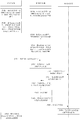
- the application scenario of the DOM element in the user transfer page is described in detail below with reference to FIG. 6, that is, the solution can transfer the data associated with the DOM1 in the source DIV container to the DOM3 of the target DIV container by the following steps.
- step A a drag-out-name value of 0 is added to the DOM1 in the source DIV container, and a button press event (for example, a mousedown event) is bound to the DOM1.
- a button press event for example, a mousedown event
- step B a drag-in-name value of 0 is added to the DOM3 in the target DIV container, and the DOM3 binding button is raised (for example, a mouseup event).
- step C the mousedown event is triggered, the associated data DATA1 of the DOM1 is obtained, the DATA1 is bound to the DOM1, and the attribute value of the DOM1 is set to true.
- step D the mouseup event is triggered, and the drag-in-name value of DOM3 is read as 0.
- Step E Find the DOM1 whose value of the drag-out-name is also 0 and the dragable is true in the source DIV container according to the value 0 of the drag-in-name.
- Step F sending DATA1 to the target DIV container.
- Step G obtain DATA1, and read element information of DOM3.
- Step H accessing the target server according to the element information of DOM3.
- step I the target server sends the DATA2 corresponding to the element information of the DOM3 to the target DIV container.
- Step J the target DIV container receives DATA1 and caches DATA1 and DATA2 in On the DOM3.
- step K the target DIV container renders DOM3 with DATA1 and DATA2.
- step L the target DIV container packages DATA1 and DATA3 to generate update data.
- step M the target DIV container sends update data to the target server.
- step N the target server replaces the previously saved data with the update data.
- Step O the source DIV container deletes the dragable attribute of DOM1, and cleans up the data cached on DOM1.
- the method according to the above embodiment can be implemented by means of software plus a necessary general hardware platform, and of course, by hardware, but in many cases, the former is A better implementation.
- the technical solution of the present application which is essential or contributes to the prior art, may be embodied in the form of a software product stored in a storage medium (such as ROM/RAM, disk,
- the optical disc includes a number of instructions for causing a terminal device (which may be a cell phone, a computer, a server, or a network device, etc.) to perform the methods of various embodiments of the present application.
- the device may include: a first trigger unit 51, an acquiring unit 53, a second trigger unit 55, a query unit 57, and a cache unit 59.
- the first triggering unit 51 is configured to trigger a button press event of displaying one or more source elements in the first area of the page; the obtaining unit 53 is configured to obtain one or more source elements according to the button press event The associated data is cached in one or more source elements in the first area; the second triggering unit 55 is configured to trigger a button up event of the target element in the second area of the display page; the query unit 57 And a method for querying a source element corresponding to the target element according to the button lift event, and acquiring data cached on the source element corresponding to the target element; and a cache unit 59, configured to cache the data on the source element corresponding to the target element On the target element.
- first triggering unit 51, the obtaining unit 53, the second triggering unit 55, the querying unit 57, and the buffering unit 59 correspond to steps S21 to S29 in the first embodiment, and the five units and corresponding
- the example implemented by the steps is the same as the application scenario, but is not limited to the content disclosed in the first embodiment. It should be noted that the above module can be operated as part of the device in the computer terminal 10 provided in the first embodiment.
- the solution may acquire data related to the source element and cache the data in the source element, and then trigger the second area in the user.
- the solution may query the source element corresponding to the target element, and obtain the data cached in the source element, and cache the data in the target element, and the user only It is necessary to trigger a preset button press event and a button lift event on the display interface to realize the transfer of data associated with the DOM element in the display page, and solve the technical problem that the prior art has low efficiency in realizing element transfer in the page.
- a button press event is triggered when the pointer of the mouse or keyboard is placed over one or more elements in the first area and the button of the mouse or the button of the keyboard is detected to be pressed.
- the button lifting event is triggered.
- the apparatus shown in FIG. 8 may further include: a first control unit 61, and a first activation unit 63.
- the first control unit 61 is configured to control the pointer of the mouse or the keyboard to move to the second area in the display page in a state that the button of the mouse or the button of the keyboard is kept pressed; the first starting unit 63 is configured to At any time, if it is detected that the pointer of the mouse or the button moves above the target element in the second area, and the button of the mouse or the button of the keyboard is raised, the button lifting event that triggers the target element in the second area is started. .
- the first control unit 61 is the first starting unit 63.
- the two units are the same as the examples and application scenarios implemented by the corresponding steps, but are not limited to the contents disclosed in the first embodiment. It should be noted that the above module can be operated as part of the device in the computer terminal 10 provided in the first embodiment.
- the foregoing apparatus may further include: a second control unit 71, the second Moving unit 73.
- the second control unit 71 is configured to control the pointer of the mouse or the keyboard to move to a third area in the display page in a state that the button of the mouse or the button of the keyboard is kept pressed, wherein the third area is displayed in the page. Any area other than the target element, and the button up event or click event triggered in the third area cannot initiate the query of the source element corresponding to the target element; the second starting unit 73 is used at any time if When it is detected that the pointer of the mouse or the button moves from the third area to the target element in the second area, and the button of the mouse or the button of the keyboard is raised, the button lifting event that triggers the target element in the second area is started. .
- the foregoing second control unit 71 and the second activation unit 73 correspond to steps S241 to S242 in the first embodiment, and the two units are the same as the examples and application scenarios implemented by the corresponding steps, but not It is limited to the content disclosed in the above embodiment 1. It should be noted that the above module can be operated as part of the device in the computer terminal 10 provided in the first embodiment.
- the foregoing apparatus may further include: a first setting unit 81.
- the first setting unit 81 is configured to set an attribute value of a drag-out attribute of each source element in the first area, and set an attribute value of the drag-in attribute of each target element in the second area.
- the first setting unit 81 corresponds to the step S20 in the first embodiment, and the foregoing unit is the same as the example and the application scenario implemented by the corresponding steps, but is not limited to the content disclosed in the first embodiment. It should be noted that the above module can be operated as part of the device in the computer terminal 10 provided in the first embodiment.
- the query unit 57 may include: a reading module 571, a determining module 572.
- the reading module 571 is configured to read an attribute value of the drag-in attribute of the target element if the button lift event of the target element is detected, and the determining module 572 is configured to search for the attribute value of the drag-out attribute.
- the source element that is the same as the attribute value of the drag attribute of the target element determines the source element corresponding to the target element.
- the foregoing reading module 571, the determining module 572 corresponds to the step S271 to the step S272 in the first embodiment, and the two modules are the same as the examples and application scenarios implemented by the corresponding steps, but are not limited to the above.
- the foregoing apparatus may further include: a second setting unit 91, and a processing unit 92.
- the second setting unit 91 is configured to: if the source element of the cached data is detected, the dragging occurs In the action, the attribute value of the drag attribute of the source element in which the drag action occurs is set to true, and the processing unit 92 is configured to find the attribute value of the drag-out attribute the same as the attribute value of the drag-in attribute of the target element. After the source element, if the attribute value of the drag attribute of the source element is true, it is determined that the attribute value of the drag attribute is the source element corresponding to the target element.
- the foregoing second setting unit 91 and the processing unit 92 correspond to step S231 in the first embodiment, and the foregoing units are the same as the examples and application scenarios implemented by the corresponding steps, but are not limited to the above-mentioned first embodiment. Public content. It should be noted that the above module can be operated as part of the device in the computer terminal 10 provided in the first embodiment.
- the foregoing apparatus may further include: a deleting unit 101.
- the deleting unit 101 is configured to delete the attribute value of the drag attribute of the source element, and clear the data cached on the source element.
- the above-mentioned deleting unit 101 corresponds to step S30 in the first embodiment, and the above-mentioned unit is the same as the example and the application scenario implemented by the corresponding steps, but is not limited to the content disclosed in the first embodiment. It should be noted that the above module can be operated as part of the device in the computer terminal 10 provided in the first embodiment.
- the foregoing apparatus may further include: an access unit 111, a receiving unit 113, and a storage unit 115.
- the access unit 111 is configured to access the target server according to the element information of the target element
- the receiving unit 113 is configured to receive the target data acquired by the target server according to the element information
- the storage unit 115 is configured to match the target data and the target element.
- the data on the source element is cached on the target element.
- the foregoing access unit 111, the receiving unit 113, and the storage unit 115 correspond to steps S273 to S275 in the first embodiment, and the three units are the same as the examples and application scenarios implemented by the corresponding steps, but not It is limited to the content disclosed in the above embodiment 1. It should be noted that the above module can be operated as part of the device in the computer terminal 10 provided in the first embodiment.
- the foregoing apparatus may further include: a rendering unit 121.
- the rendering unit 121 is configured to render the target element in the second area of the display page.
- the above-mentioned rendering unit 121 corresponds to step S276 in the first embodiment.
- the above-mentioned unit is the same as the example and application scenario implemented by the corresponding steps, but is not limited to the content disclosed in the first embodiment. It should be noted that the above modules can be operated as part of the device.
- the computer terminal 10 provided in the first embodiment.
- the foregoing apparatus may further include: an updating unit 131, and a replacing unit 133.
- the updating unit 131 is configured to package the target data cached on the target element and the data of the source element corresponding to the target element to generate update data of the target element, and the replacing unit 133 is configured to send the update data of the target element to the The target server, which replaces the previously saved target data in the target server.
- the updating unit 131 and the replacing unit 133 correspond to the steps S2751 to S2752 in the first embodiment, and the foregoing units are the same as the examples and application scenarios implemented by the corresponding steps, but are not limited to the foregoing embodiment 1.
- Embodiments of the present application may provide a computer terminal, which may be any one of computer terminal groups.
- the foregoing computer terminal may also be replaced with a terminal device such as a mobile terminal.
- the computer terminal may be located in at least one network device of the plurality of network devices of the computer network.
- the computer terminal may execute a program code for displaying the following steps in the method for transferring data in the page: triggering a button press event of displaying one or more source elements in the first area in the page; pressing according to the button The event acquires data associated with one or more source elements and caches the data on one or more source elements in the first region; triggering a button lift event of the target element in the second region of the display page; The event element is raised to query the source element corresponding to the target element, and the data cached on the source element corresponding to the target element is obtained; and the data on the source element corresponding to the target element is cached on the target element.
- FIG. 16 is a structural block diagram of a computer terminal according to an embodiment of the present application.
- the computer terminal A may include one or more (only one shown in the figure) processor 510, memory 530, and transmission device 550.
- the memory 530 can be used to store the software program and the module, such as the security vulnerability detection method and the program instruction/module corresponding to the device in the embodiment of the present application, and the processor 510 executes by executing the software program and the module stored in the memory 530.
- Memory 530 can include high speed random access memory, and can also include non-volatile memory, such as one or more magnetic storage devices, flash memory, or other non-volatile solid state memory.
- memory 530 can further include memory remotely located relative to processor 510, which can be connected to terminal A via a network. Examples of such networks include, but are not limited to, the Internet, intranets, local area networks, mobile communication networks, and combinations thereof.
- the transmission device 550 described above is for receiving or transmitting data via a network.
- Specific examples of the above network may include a wired network and a wireless network.
- the transmission device 550 includes a Network Interface Controller (NIC) that can be connected to other network devices and routers via a network cable to communicate with the Internet or a local area network.
- the transmission device 550 is a Radio Frequency (RF) module for communicating with the Internet wirelessly.
- NIC Network Interface Controller
- RF Radio Frequency
- the memory 530 is configured to store preset action conditions and information of the preset rights user, and an application.
- the processor 510 can call the information and the application stored by the memory 530 through the transmission device to perform the steps of: triggering a button press event of displaying one or more source elements in the first area in the page; acquiring according to the button press event Data associated with one or more source elements and buffering the data on one or more source elements within the first region; triggering a button lift event that displays a target element in the second region of the page; lifting up according to the button
- the event queries the source element corresponding to the target element, and obtains data cached on the source element corresponding to the target element; and caches the data on the source element corresponding to the target element on the target element.
- the processor 510 may further execute the following program code: when the pointer of the mouse or the keyboard is placed above one or more elements in the first area, and detecting that the button of the mouse or the button of the keyboard is pressed After the next, the button press event is triggered.
- the processor 510 may further execute the following program code: when the pointer of the mouse or the keyboard is placed above the target element in the second area, and after detecting that the button of the mouse or the button of the keyboard is raised, Trigger button raise event.
- the processor 510 may further execute the following program code: before triggering the button lifting event, the method further includes: controlling the pointer of the mouse or the keyboard while the button of the mouse or the button of the keyboard is kept pressed; Moving to a second area in the display page; wherein, at any time, if the mouse or button pointer is detected to move over the target element in the second area, and the mouse The button or keyboard button is raised, and a button lift event that triggers the target element in the second region is initiated.
- the processor 510 may further execute the following program code: before triggering the button lifting event, the method further includes: controlling the pointer of the mouse or the keyboard while the button of the mouse or the button of the keyboard is kept pressed; Move to the third area in the display page, wherein the third area is any area other than the target element in the display page, and the button lifting event or the click event triggered in the third area cannot start the query and the target
- the source element corresponding to the element at any time, if the pointer of the mouse or the button is detected to move from the third area to the top of the target element in the second area, and the button of the mouse or the button of the keyboard is raised, the triggering is started.
- the button lift event of the target element in the second area is if the pointer of the mouse or the button is detected to move from the third area to the top of the target element in the second area, and the button of the mouse or the button of the keyboard is raised, the triggering is started.
- the button lift event of the target element in the second area is if the point
- the processor 510 may further execute the following program code: before triggering a button press event of one or more source elements in the first area in the display page, the method further includes: setting the first area The attribute value of each source element is dragged out of the attribute, and the attribute value of the drag-in attribute of each target element in the second area is set; wherein, the step of querying the source element corresponding to the target element according to the button up event includes: If the button lift event of the target element is detected to be triggered, the attribute value of the drag attribute of the target element is read; by finding the source element whose attribute value of the drag attribute is the same as the attribute value of the drag attribute of the target element, Determine the source element that corresponds to the target element.
- the processor 510 may further execute the following program code: after the data is cached on the one or more source elements in the first area, the method further includes: if detecting that the source element of the cached data occurs When the drag action is performed, the attribute value of the drag attribute of the source element in which the drag action occurs is set to true, wherein the source value of the attribute value of the drag attribute is found to be the same as the attribute value of the drag attribute of the target element. After the element, if the attribute value of the drag attribute of the source element is true, it is determined that the attribute value of the drag attribute is the source element corresponding to the target element.
- the processor 510 may further execute the following steps: after the data on the source element corresponding to the target element is cached on the target element, the method further includes: deleting the attribute value of the drag attribute of the source element. And clear the data cached on the source element.
- the processor 510 may further execute the following steps: after acquiring the data cached on the source element corresponding to the target element, the method further includes: accessing the target server according to the element information of the target element; receiving the target server The target data obtained according to the element information; the target data and the data on the source element corresponding to the target element are all cached on the target element.
- the processor 510 may further execute the following program code: after acquiring the data cached on the source element corresponding to the target element, the method further includes: rendering the target element in the second area of the display page.
- the processor 510 may further execute the following steps: after the target data and the data on the source element corresponding to the target element are cached on the target element, the method further includes: buffering the target element The target data is packed with the data of the source element corresponding to the target element to generate update data of the target element; the update data of the target element is sent to the target server, and the previously saved target data in the target server is replaced.
- a solution for displaying a data transfer method in a page is provided. Pressing an event by triggering a button that displays one or more source elements in the first region of the page; acquiring data associated with one or more source elements based on the button press event, and caching the data in one of the first regions Or a plurality of source elements; triggering a button lifting event of the target element in the second area of the page; querying the source element corresponding to the target element according to the button lifting event, and obtaining the buffering on the source element corresponding to the target element
- the data on the source element corresponding to the target element is cached on the target element, thereby achieving the purpose of reducing the error rate of the form filling, thereby solving the technical problem that the prior art is inefficient in realizing element transfer in the page. .
- FIG. 16 is merely illustrative, and the computer terminal can also be a smart phone (such as an Android mobile phone, an iOS mobile phone, etc.), a tablet computer, an applause computer, and a mobile Internet device (MID). ), PAD and other terminal devices.
- Fig. 16 does not limit the structure of the above electronic device.
- computer terminal 10 may also include more or fewer components (such as a network interface, display device, etc.) than shown in FIG. 16, or have a different configuration than that shown in FIG.
- Embodiments of the present application also provide a storage medium.
- the foregoing storage medium may be used to save the data transfer method in the display page provided by the foregoing Embodiment 1.
- the foregoing storage medium may be located in any one of the computer terminal groups in the computer network, or in any one of the mobile terminal groups.
- the storage medium is configured to store program code for performing the following steps: triggering a button press event of displaying one or more source elements in the first area of the page; pressing according to the button The event acquires data associated with one or more source elements and caches the data on one or more source elements in the first region; triggering a button lift event of the target element in the second region of the display page; The event element is raised to query the source element corresponding to the target element, and the data cached on the source element corresponding to the target element is obtained; and the data on the source element corresponding to the target element is cached on the target element.
- any one of the above computer terminal groups can establish a communication relationship with the website server and the scanner, and the scanner can scan the value command of the web application executed by php on the computer terminal.
- the disclosed client may be implemented in other manners.
- the device embodiments described above are merely illustrative.
- the division of the unit is only a logical function division.
- multiple units or components may be combined or may be Integrate into another system, or some features can be ignored or not executed.
- the mutual coupling or direct coupling or communication connection shown or discussed may be an indirect coupling or communication connection through some interface, unit or module, and may be electrical or otherwise.
- the units described as separate components may or may not be physically separated, and the components displayed as units may or may not be physical units, that is, may be located in one place, or may be distributed to multiple network units. Some or all of the units may be selected according to actual needs to achieve the purpose of the solution of the embodiment.
- each functional unit in each embodiment of the present application may be integrated into one processing unit, or each unit may exist physically separately, or two or more units may be integrated into one unit.
- the above integrated unit can be implemented in the form of hardware or software. The implementation of the energy unit.
- the integrated unit if implemented in the form of a software functional unit and sold or used as a standalone product, may be stored in a computer readable storage medium.
- a computer readable storage medium A number of instructions are included to cause a computer device (which may be a personal computer, server or network device, etc.) to perform all or part of the steps of the methods described in various embodiments of the present application.
- the foregoing storage medium includes: a U disk, a Read-Only Memory (ROM), a Random Access Memory (RAM), a removable hard disk, a magnetic disk, or an optical disk, and the like. .
Landscapes
- Engineering & Computer Science (AREA)
- Theoretical Computer Science (AREA)
- Databases & Information Systems (AREA)
- Data Mining & Analysis (AREA)
- Physics & Mathematics (AREA)
- General Engineering & Computer Science (AREA)
- General Physics & Mathematics (AREA)
- User Interface Of Digital Computer (AREA)
- Information Retrieval, Db Structures And Fs Structures Therefor (AREA)
Abstract
本申请公开了一种显示页面中数据的转移方法及装置。其中,该方法包括:触发显示页面中第一区域内的一个或多个源元素的按键按下事件;根据按键按下事件获取与一个或多个源元素关联的数据,并将数据缓存在第一区域内的一个或多个源元素上;触发显示页面中第二区域内的目标元素的按键抬起事件;根据按键抬起事件查询与目标元素对应的源元素,并获取缓存在与目标元素对应的源元素上的数据;将与目标元素对应的源元素上的数据缓存在目标元素上。本申请解决了现有技术在实现页面中元素转移时效率低的技术问题。
Description
本申请涉及计算机领域,具体而言,涉及一种显示页面中数据的转移方法及装置。
开发人员在使用web开发平台时常常要进行重复设计,比如,在不同的区域中设计同样的表单、参照性表单、结构化数据录入表单,或者,开发人员希望将一个区域的结构、格局复制到另一个区域中,这就需要开发人员将相同的结构内容进行重复性的手动录入,但是手动的录入在工作量大的时候容易出错且不能满足不同区域数据之间的关联。
面对上述繁琐的工作量,开发人员可以选择使用HTML5,比如开发人员采用HTML5来对页面中的DOM元素进行拖放,即抓取对象以后拖到另一个位置,例如,首先在DOM元素的属性上加上draggable=true,然后在拖动的同时,通过在DOM元素上注册事件ondragstart来记录被拖动的元素,进而实现页面中不同区域间DOM元素的拖动。
需要说明的是,使用HTML5来对页面中的元素进行拖放会出现如下问题:
1)不能解决源元素和目标元素要求的渲染数据不一致的问题,即用户只能在渲染数据相同的两个DOM元素之间进行数据的转移。
2)HTML5不支持多个DOM的移动,只能对逐个DOM元素进行移动,移动时间较长。
3)HTML5对部分浏览器不兼容,比如IE6、IE7、IE8以及更替版本的浏览器,用户欲使用HTML5L来转移DOM元素还要更新浏览器的版本。
由上可知,针对上述现有技术在实现页面中元素转移时效率低的问题,目前尚未提出有效的解决方案。
发明内容
本发明实施例提供了一种显示页面中数据的转移方法及装置,以至少解决现有技术在实现页面中元素转移时效率低的技术问题。
根据本发明实施例的一个方面,提供了一种显示页面中数据的转移方法,包括:触发显示页面中第一区域内的一个或多个源元素的按键按下事件;根据按键按下事件获取与一个或多个源元素关联的数据,并将数据缓存在第一区域内的一个或多个源元素上;触发显示页面中第二区域内的目标元素的按键抬起事件;根据按键抬起事件查询与目标元素对应的源元素,并获取缓存在与目标元素对应的源元素上的数据;将与目标元素对应的源元素上的数据缓存在目标元素上。
根据本发明实施例的另一方面,还提供了一种显示页面中数据的转移装置,包括:第一触发单元,用于触发显示页面中第一区域内的一个或多个源元素的按键按下事件;获取单元,用于根据按键按下事件获取与一个或多个源元素关联的数据,并将数据缓存在第一区域内的一个或多个源元素上;第二触发单元,用于触发显示页面中第二区域内的目标元素的按键抬起事件;查询单元,用于根据按键抬起事件查询与目标元素对应的源元素,并获取缓存在与目标元素对应的源元素上的数据;缓存单元,用于将与目标元素对应的源元素上的数据缓存在目标元素上。
在本发明实施例中,采用触发显示页面中第一区域内的一个或多个源元素的按键按下事件;根据按键按下事件获取与一个或多个源元素关联的数据,并将数据缓存在第一区域内的一个或多个源元素上;触发显示页面中第二区域内的目标元素的按键抬起事件;根据按键抬起事件查询与目标元素对应的源元素,并获取缓存在与目标元素对应的源元素上的数据;将与目标元素对应的源元素上的数据缓存在目标元素上的方式,解决了现有技术在实现页面中元素转移时效率低的技术问题。
此处所说明的附图用来提供对本申请的进一步理解,构成本申请的一部分,本申请的示意性实施例及其说明用于解释本申请,并不构成对本申请的
不当限定。在附图中:
图1是根据本发明实施例的一种显示页面中数据的转移方法的计算机终端的硬件结构框图;
图2是根据本申请实施例的一种可选的显示页面中数据的转移方法的流程图;
图3是根据本申请实施例的显示页面中数据的转移方法的示意图;
图4是根据本申请实施例的一种可选的显示页面中数据的转移方法的示意图;
图5是根据本申请实施例的一种可选的显示页面中数据的转移方法的示意图;
图6是根据本申请实施例的一种可选的显示页面中数据的转移方法的示意图;
图7是根据本申请实施例的显示页面中数据的转移装置的结构示意图;
图8是根据本申请实施例的可选的显示页面中数据的转移装置的结构示意图;
图9是根据本申请实施例的可选的显示页面中数据的转移装置的结构示意图;
图10是根据本申请实施例的可选的显示页面中数据的转移装置的结构示意图;
图11是根据本申请实施例的可选的显示页面中数据的转移装置的结构示意图;
图12是根据本申请实施例的可选的显示页面中数据的转移装置的结构示意图;
图13是根据本申请实施例的可选的显示页面中数据的转移装置的结构示意图;
图14是根据本申请实施例的可选的显示页面中数据的转移装置的结构示意图;
图15是根据本申请实施例的可选的显示页面中数据的转移装置的结构示意图;以及
图16是根据本申请实施例的一种计算机终端的结构框图。
为了使本技术领域的人员更好地理解本申请方案,下面将结合本申请实施例中的附图,对本申请实施例中的技术方案进行清楚、完整地描述,显然,所描述的实施例仅仅是本申请一部分的实施例,而不是全部的实施例。基于本申请中的实施例,本领域普通技术人员在没有做出创造性劳动前提下所获得的所有其他实施例,都应当属于本申请保护的范围。
需要说明的是,本申请的说明书和权利要求书及上述附图中的术语“第一”、“第二”等是用于区别类似的对象,而不必用于描述特定的顺序或先后次序。应该理解这样使用的数据在适当情况下可以互换,以便这里描述的本申请的实施例能够以除了在这里图示或描述的那些以外的顺序实施。此外,术语“包括”和“具有”以及他们的任何变形,意图在于覆盖不排他的包含,例如,包含了一系列步骤或单元的过程、方法、系统、产品或设备不必限于清楚地列出的那些步骤或单元,而是可包括没有清楚地列出的或对于这些过程、方法、产品或设备固有的其它步骤或单元。
本申请中涉及到的名词解释如下:
DOM,文档对象模型(Document Object Model,简称DOM),是W3C组织推荐的处理可扩展标志语言的标准编程接口。
鼠标事件:是Visual Basic编程中最常用到的事件,多数控件都支持鼠标操作,鼠标事件主要包括:MouseDown以及MouseUp,其中,MouseDown为鼠标按下时发生的事件,MouseUp为鼠标抬起时发生的事件。
键盘事件:是在键盘的某个键按下去时触发的事件,键盘事件主要有以下几种:
(1)KeyDown:当键盘上某键被按下去时发生。
(2)KeyUp:键盘上的键抬起来时发生。
(3)KeyPree:此事件发生在键盘被按下后和字符被显示出来之前发生。
DIV容器(DIV标签):是用来为HTML文档内大块(block-level)的内容提供结构和背景的元素,DIV的起始标签和结束标签之间的所有内容都是用来构成这个块的,其中所包含元素的特性由DIV标签来控制。
实施例1
根据本申请实施例,还提供了一种显示页面中数据的转移方法的实施例,需要说明的是,在附图的流程图示出的步骤可以在诸如一组计算机可执行指令的计算机系统中执行,并且,虽然在流程图中示出了逻辑顺序,但是在某些情况下,可以以不同于此处的顺序执行所示出或描述的步骤。
本申请实施例一所提供的方法实施例可以在移动终端、计算机终端或者类似的运算装置中执行。以运行在计算机终端上为例,图1是本申请实施例的一种显示页面中数据的转移方法的计算机终端的硬件结构框图。如图1所示,计算机终端10可以包括一个或多个(图中仅示出一个)处理器102(处理器102可以包括但不限于微处理器MCU或可编程逻辑器件FPGA等的处理装置)、用于存储数据的存储器104、以及用于通信功能的传输装置106。本领域普通技术人员可以理解,图1所示的结构仅为示意,其并不对上述电子装置的结构造成限定。例如,计算机终端10还可包括比图1中所示更多或者更少的组件,或者具有与图1所示不同的配置。
存储器104可用于存储应用软件的软件程序以及模块,如本申请实施例中的显示页面中数据的转移方法对应的程序指令/模块,处理器102通过运行存储在存储器104内的软件程序以及模块,从而执行各种功能应用以及数据处理,即实现上述的应用程序的漏洞检测方法。存储器104可包括高速随机存储器,还可包括非易失性存储器,如一个或者多个磁性存储装置、闪存、或者其他非易失性固态存储器。在一些实例中,存储器104可进一步包括相对于处理器102远程设置的存储器,这些远程存储器可以通过网络连接至计算机终端10。上述网络的实例包括但不限于互联网、企业内部网、局域网、移动通信网及其组合。
传输装置106用于经由一个网络接收或者发送数据。上述的网络具体实例可包括计算机终端10的通信供应商提供的无线网络。在一个实例中,传输装置106包括一个网络适配器(Network Interface Controller,NIC),其可通过基站与其他网络设备相连从而可与互联网进行通讯。在一个实例中,传输装置106可以为射频(Radio Frequency,RF)模块,其用于通过无线方式与互联网进行通讯。
在上述运行环境下,本申请提供了如图2所示的显示页面中数据的转移方法。图2是根据本申请实施例一的显示页面中数据的转移方法的流程图。
如图2所示,显示页面中数据的转移方法可以包括如下实施步骤:
步骤S21,触发显示页面中第一区域内的一个或多个源元素的按键按下事件。
本申请上述步骤S21中,上述显示页面可以为浏览器中用于开发网页的一个显示页面。上述第一区域中所包含的源元素可以保存在源DIV容器中,上述源元素可以为DOM元素。第一区域中的DOM元素用于实现当前显示页面中第一区域内的页面元素的显示格局,比如,用户可以编辑DOM元素来实现第一区域的表单、标签的样式、结构或内容。当用户希望将第一区域中的源元素关联的数据进行转移时,可以触发预先绑定在源元素上的按键按下事件。
以用户在浏览器页面中移动DOM元素的场景为例,用户在使用浏览器平台进行网页开发时,希望将第一区域中便签的内容、结构或者样式复制到另外一个区域中,即需要将第一区域中的DOM元素的数据转移到另外区域中对应的目标DOM元素中。例如在图3所示的示例中,用户可以触发第一区域中的DOM1元素的按键按下事件,需要说明的是,上述DOM1元素为第一区域中任意一个源元素,例如,上述按键按下事件可以为预先绑定在DOM1元素上的mousedown事件。
此处需要说明的是,本申请可以通过移动鼠标和/或键盘上的光标移动至待复制的源元素之上,在按下按键的时刻,则触发绑定在源DOM元素的按键按下事件(例如mousedown)。
步骤S23,根据按键按下事件获取与一个或多个源元素关联的数据,并将数据缓存在第一区域内的一个或多个源元素上。
本申请上述步骤S23中,在检测到用户触发显示页面中第一区域内的一个或多个源元素的按键按下事件之后,可以获取与用户触发的源元素相关联的数据,并将获取到的上述与用户触发的源元素相关联的数据缓存在用户所触发的源元素上。
仍旧以用户在浏览器页面中移动DOM元素的场景为例,结合图3所示的示例,当检测到用户触发浏览器页面中第一区域中的DOM1的按键按下事件(例如mousedown)的时候,则根据DOM1的按键按下事件(例如mousedown)来获取与DOM1相关联的数据DATA1,然后将DATA1缓存在上述第一区域的DOM1上。
步骤S25,触发显示页面中第二区域内的目标元素的按键抬起事件。
本申请上述步骤S25中,上述第二区域中包含的目标元素可以保存在目标DIV容器,上述目标元素可以为DOM元素,在用户将第一区域中的源元素所关联的数据添加到第二区域中的目标元素的方案中,用户可以在触发第一区域中的源元素的按键按下事件之后,再触发上述第二区域中的目标元素的按键抬起事件。需要说明的是,上述按键抬起事件可以为预先绑定在目标元素上的mouseup。
仍旧以用户在浏览器页面中移动DOM元素的场景为例,在用户将浏览器页面中的第一区域中的DOM1元素关联的数据添加到第二区域中的DOM3元素中的方案中,用户可以先触发上述DOM1元素的按键按下事件(例如mousedown),然后再触发浏览器页面中的第二区域中的DOM3元素的按键抬起事件(例如mouseup),需要说明的是,上述DOM3元素可以为第二区域中的目标元素。
需要说明的是,用户可以触发第一区域中的一个或多个源元素的按键按下事件,也可以触发第二区域中的一个或多个目标元素的按键抬起事件,即本方案可以实现将源区域的多个源元素关联的数据批量的添加到目标区域中的多个目标元素中。
步骤S27,根据按键抬起事件查询与目标元素对应的源元素,并获取缓存在与目标元素对应的源元素上的数据。
本申请上述步骤S27中,在用户先后触发第一区域中的源元素的按键按下事件和第二区域中的目标元素的按键抬起事件之后,可以根据用户触发的目标元素的按键抬起事件来查询到与上述目标元素对应的源元素,并获取上述步骤S23中缓存在源元素中的数据。
仍旧以用户在浏览器页面中移动DOM元素的场景为例,在检测到用户先后触发第一区域中的DOM1元素的按键按下事件和第二区域中的DOM3元素的按键抬起事件之后,可以根据DOM3元素的按键抬起事件来查询与DOM3元素对应的元素即DOM1元素,然后获取缓存在上述DOM1元素中的数据。
步骤S29,将与目标元素对应的源元素上的数据缓存在目标元素上。
本申请上述步骤S29中,在获取到第一区域中缓存在源元素中的数据之后,可以将上述缓存在源元素中的数据缓存在上述目标元素上,这样实现了不同区域间DOM元素数据的转移。
仍旧以用户在浏览器页面中移动DOM元素的场景为例,如图3所示,用户希望将DIV源容器中的DOM1元素所关联的数据转移到DIV目标容器的DOM3元素中,用户可可以触发与DOM1绑定的鼠标按下事件(例如mouseup事件)将DOM1元素关联的数据转移到DOM3中。
由上可知,本申请上述实施例一所提供的方案中,如果用户希望将第一区域中源元素关联的数据添加到第二区域中的目标元素中,可以通过触发第一区域中的一个或多个源元素的按键按下事件,并在检测上述按键按下事件被触发之后,可以将与上述源元素相关的数据缓存在上述源元素中,然后,在用户触发了上述第二区域中的目标元素的按键抬起事件后,本方案可以查询到与上述目标元素对应的源元素,并将获取到的上述源元素中缓存的数据缓存在上述目标元素中。
本申请上述实施例一公开的方案中,如果用户希望将第一区域中源元素关联的数据添加到第二区域中的目标元素中,可以通过触发第一区域中的一个或多个源元素的按键按下事件,并在检测上述按键按下事件被触发之后,可以将与上述源元素相关的数据缓存在上述源元素中,然后,在用户触发了上述第二区域中的目标元素的按键抬起事件后,本方案可以查询到与上述目标元素对应的源元素,并将获取到的上述源元素中缓存的数据缓存在上述目标元素中。容易注意到,由于在上述将第一区域中的源元素转移到第二区域中的目标元素的过程中,只需要分别触发当前浏览器中支持的按键按下事件和按键抬起事件,就可以触发源元素中的数据进行转移,因此,通过本发明实施例所提供的方案,无需在目标元素中手动录入需要复制的来自于源元素中的数据,同时可以实现将一个或多个源元素一起转移至目标元素,转移的数量不受限制,这样不仅实现了可以自动、批量的完成页面中元素之间的数据转移,避免了现有技术提供的用于转移元素数据的方法效率低的缺陷,而且,在浏览器的网页开发环境中,开发人员可以利用本申请提供的数据转移机制,该机制中在触发按键按下事件之后,源元素的数据绑定过程是自动完成的,因此,可以保证准确的转移源元素所关联的数据至目标元素。由此,本申请提供的上述实施例一的方案解决了现有技术在实现页面中元素转移时效率低的技术问题。
此处需要说明的是,可以采用鼠标或键盘中按键来实现触发上述按键按下事件和按键抬起事件。在一种可选实施例中,当鼠标或键盘的指针放在第
一区域内的一个或多个元素的上方,并检测到鼠标的按键或键盘的按键被按下之后,触发按键按下事件。
下面就以用户在浏览器页面中使用鼠标来完成移动DOM元素的场景为例进行详细说明,在用户将浏览器页面中第一区域中的DOM1元素所关联的数据进行转移的方案中,用户可以将鼠标移到上述第一区域中的DOM1元素的上方,并按下鼠标的左键(或右键或滚轮等其他按键),此时触发该左键(或右键或滚轮等其他按键)的mouseup事件。
此处需要说明的是,本申请的上述按键按下事件还可以通过键盘按键以及键盘中按键的组合来实现。例如,用户可以先按动TAB键,然后按动小键盘中的方向控制键将鼠标指针移动到一区域的DOM1元素上,然后按动Enter键来触发DOM1元素的按键下事件。
此处还需要说明的是,本申请上述用于触发按键按下事件的方式不限于鼠标或键盘,例如,在触摸显示屏中,还可以通过触摸屏采集到的电信号来实现触发按键按下事件。即在检测到用户触摸触摸屏上的A坐标(A坐标为DOM1位置在触摸屏上显示页面的坐标),则触发DOM1的按键按下事件。
在本申请提供的一种可选实施例中,当鼠标或键盘的指针放在第二区域内的目标元素的上方,并检测到鼠标的按键或键盘的按键被抬起之后,触发按键抬起事件。
下面就以用户在浏览器页面中使用鼠标来完成移动DOM元素的场景为例进行详细说明,在用户将浏览器页面中第一区域的DOM1元素所关联的数据转移到第二区域中的目标元素DOM3的方案中,用户可以控制鼠标或键盘的指针处在DOM1元素的上方,并按下鼠标或键盘的按键,然后用户可以在保持鼠标或键盘按键按下的状态下将鼠标或键盘的指针移动到第二区域DOM3元素的上方,然后松开鼠标按键(左键、右键、滚轮或其他按键)或者键盘的按键,此时触发DOM3元素的按键抬起事件(例如mouseup事件)。
此处还需要说明的是,本申请上述用于触发按键抬起事件的方式不限于鼠标或键盘,例如,在触摸显示屏中,还可以通过触摸屏采集到的电信号来实现触发按键抬起事件。即在检测到用户放于触摸屏上的B坐标(B坐标为DOM3位置在触摸屏上显示页面的坐标)的手指松开时,则触发DOM3元素的按键抬起事件。
在本申请提供的一种可选实施例中,在步骤S25中触发显示页面中第二区域内的目标元素的按键抬起事件之前,本方案还可以包括:
步骤S24,在鼠标的按键或键盘的按键保持按下的状态下,控制鼠标或键盘的指针移动至显示页面中的第二区域;其中,在任意时刻,如果检测到鼠标或按键的指针移动至第二区域内的目标元素的上方,且鼠标的按键或键盘的按键被抬起,则启动触发第二区域内的目标元素的按键抬起事件。
本申请上述步骤S24中,用户在将鼠标指针或者键盘指针移到第一区域中的源元素的上方的时候,按下鼠标按键或者键盘按键以触发键盘按下事件,用户保持鼠标按键或键盘按键按下的状态,在任意时刻将鼠标指针或键盘指针移动到上述第二区域的目标元素的上方,然后在任意时刻,松开或抬起鼠标按键或者键盘的按键,以触发上述第二区域目标元素的按键抬起事件。
仍旧以用户在浏览器页面中移动DOM元素的场景为例,用户将鼠标指针或者键盘指针移动到第一区域中的DOM1元素上方的时候,按下鼠标按键或者键盘按键以触发与DOM1元素预先绑定的按键按下事件(例如mousedown事件),当用户保持鼠标按键或键盘按键按下的状态,在任意时刻,将鼠标指针或键盘指针移动到第二区域中的DOM3元素的上方,然后在任意时刻,松开或抬起鼠标按键或者键盘的按键以触发与DOM3元素预先绑定的按键抬起事件(mouseup),由此可知,用户通过控制鼠标拖拽的方式可以实现页面的不同区域间DOM元素的数据的转移。
由上可知,本方案可以借助预先定义的鼠标事件(mousedown事件、mouseup事件)将显示页面中第一区域内的DOM元素所关联的数据拖拽复制到第二区域中的DOM元素中,以实现显示页面中数据的转移。需要说明的是,如果要实现同时拖动转移多个DOM元素所关联的数据,可以借助键盘上的任意按键,优选为shifit键。
在本申请提供的一种可选实施例中,在步骤S25中触发显示页面中第二区域内的目标元素的按键抬起事件之前,本方案还可以包括:
步骤S241,在鼠标的按键或键盘的按键保持按下的状态下,控制鼠标或键盘的指针移动至显示页面中的第三区域,其中,第三区域为显示页面中除目标元素之外的任意一个区域,且在第三区域中触发的按键抬起事件或点击事件都无法启动查询与目标元素对应的源元素。
本申请上述步骤S241中,在用户触发了第一区域中的源元素中的按键按下事件之后,用户也可以控制鼠标或键盘的指针移动到显示页面中的第三区域,在上述第三区域中,鼠标或键盘的指针无法处于第二区域中任意一个目标元素的上方,因此,在用户在第三区域中触发任意点击事件或按键抬起事件均无法启动查询与目标元素对应的源元素。
步骤S242,在任意时刻,如果检测到鼠标或按键的指针从第三区域移动至第二区域内的目标元素的上方,且鼠标的按键或键盘的按键被抬起,则启动触发第二区域内的目标元素的按键抬起事件。
本申请上述步骤S242中,在用户将鼠标指针或键盘指针移动到上述第三区域中时,尽管在用户在第三区域中触发任意点击事件或按键抬起事件均无法启动查询与目标元素对应的源元素,用户同样可以在上述第三区域松开或抬起鼠标或键盘,则触发在第二区域内的目标元素的按键抬起事件。
仍旧以用户在浏览器页面中移动DOM元素的场景为例,如图4所示,用户希望将第一区域中的DOM1元素关联的数据转移到第二区域中的DOM3元素中,用户操作鼠标或者键盘指针,在鼠标指针处于DOM1上方的时候,按下鼠标或键盘的按键,在保持鼠标或键盘的按键被按下的状态下,用户继续操作鼠标或键盘,将鼠标指针或键盘指针移到了DOM元素之外的位置第三区域,可选地,如图4所示,第三位置为显示页面的边框位置,当鼠标指针处于第三区域的时候,尽管用户没有选中第二区域中的DOM3元素,但是用户同样可以松开或抬起鼠标或键盘,此时,则触发的第二区域内的DOM3元素的按键抬起事件。
在本申请提供的一种可选实施例中,步骤S21,触发显示页面中第一区域内的一个或多个源元素的按键按下事件之前,本方案还可以包括:
步骤S20,设置第一区域内的每一个源元素的拖出属性的属性值,并设置第二区域内的每一个目标元素的拖入属性的属性值。
本申请上述步骤S20中,在触发第一区域内的DOM元素之前,可以预先添加第一区域中每个DOM元素的拖出属性值drag-out-name以及第二区域中的DOM元素中的拖入属性值drag-in-name的属性值,例如,将第一区域中的DOM1元素的drag-out-name设置为0,将第二区域中的DOM3的drag-in-name设置为0。
可选地,步骤S27,根据按键抬起事件查询与目标元素对应的源元素的
步骤包括:
步骤S271,如果检测到目标元素的按键抬起事件被触发,则读取目标元素的拖入属性的属性值。
步骤S272,通过查找到拖出属性的属性值与目标元素的拖入属性的属性值相同的源元素,确定与目标元素对应的源元素。
本申请上述步骤S271至步骤S272中,在检测到第二区域的目标元素的按键抬起事件被触发之后,则读取上述目标元素的拖入属性值,然后在上述第一区域中查找拖出属性与上述拖入属性值相同的源元素,并确定其为与上述目标元素对应的源元素,然后继续执行步骤S29。
仍旧以用户在浏览器页面中移动DOM元素的场景为例,在检测到第二区域中的DOM3的按键抬起事件被触发之后,则读取DOM3的拖入属性值,DOM3的拖入属性为0,然后在第一区域中查找到拖出属性值也为0的DOM1元素,则确定第一区域中的DOM1元素为第二区域中的DOM3元素相对应。
这里需要说明的是,在本方案中,第一区域中的单个DOM元素的拖出属性值可以与第二区域中的多个DOM元素的拖入属性值相同,第二区域中的DOM元素的单个DOM元素的拖入属性值可由与第一区域中的多个DOM元素的拖出属性值相同,即本方案也可以实现将第一区域中的一个DOM元素关联的数据同时添加到第二区域中的多个DOM元素中,也可以把第一区域中的多个DOM元素关联的数据同时添加到第二区域中的一个DOM元素中。
可选地,在步骤S23将数据缓存在第一区域内的一个或多个源元素上之后,本方法还可以包括:
步骤S231,如果检测到缓存了数据的源元素发生了拖拽动作,则将发生了拖拽动作的源元素的拖拽属性的属性值设置为ture,其中,在查找到拖出属性的属性值与目标元素的拖入属性的属性值相同的源元素之后,如果源元素的拖拽属性的属性值为ture,则确定该拖拽属性的属性值为ture的源元素为与目标元素对应的源元素。
本申请上述步骤S231中,在将数据缓存在第一区域中的DOM元素中之后,如果用户触发了第一区域中DOM元素的按键按下事件并控制鼠标或键盘指针进行移动,则说明用户对上述第一区域中的DOM元素发生了拖拽,则将上述用户拖拽的第一区域中的DOM元素的拖拽属性dragable设置为
true,在步骤S272中在第一区域中查找到拖出属性的属性值与第二区域中DOM元素的拖入属性的属性值相同的多个DOM元素之后,如果上述多个DOM元素中的一个或多个DOM元素的拖拽属性值为true,则确定该拖拽属性值为true的DOM元素为第二区域中DOM元素对应的源元素。
仍旧以用户在浏览器页面中移动DOM元素的场景为例,用户控制鼠标或键盘指针处于第一区域中DOM1元素的上方并按下鼠标或键盘以触发第一区域的DOM1元素的按键按下事件,并操作鼠标或键盘指针进行移动,则说明用户对于DOM1元素进行了拖拽,也说明用户在转移DOM1元素关联的数据,本方案则将DOM1元素的拖拽属性设置为true,然后在鼠标或键盘指针处于第二区域中DOM3的上方,用户松开或抬起鼠标或键盘以触发DOM3的按键抬起事件,本方案则读取DOM3元素的拖入属性值0,并在第一区域查询得到拖出属性值为0的多个DOM元素,然后在拖出属性值为0的多个DOM元素中查询得到拖拽属性值dragable为true的DOM1元素,则确定DOM1元素为与DOM3元素对应,然后获取DOM1元素中缓存的数据,并将该数据缓存在DOM3元素上。
可选地,步骤S29,将与目标元素对应的源元素上的数据缓存在目标元素上之后,本方案还可以包括:
步骤S30,删除源元素的拖拽属性的属性值,并清除源元素上缓存的数据。
本申请上述步骤S30中,在将第一区域中的DOM元素关联的数据转移到第二区域中的DOM元素中之后,本方案则删除第一区域中DOM元素的拖拽属性dragable的属性值然后清除上述DOM元素上缓存的数据。
仍旧以用户在浏览器页面中移动DOM元素的场景为例,如图5所示,本方案预先在源DIV容器中注册方法C即Drag方法,在目标DIV容器注册方法D即Drop方法,该Drag方法用于给源DIV容器中的DOM1元素添加drag-out-name属性值0,以及给DOM1元素绑定A事件即按键按下事件(例如mousedown)。该Drop方法用于给目标DIV容器的DOM3添加drag-out-name属性值0,以及给DOM3元素绑定B即按键抬起事件(例如mouseup)。在用户触发源DIV容器中DOM1的mousedown事件时,读取DOM1元素所关联的数据DATA1,并将该数据DATA1缓存在源DIV容器的DOM1元素上,并给DOM1添加拖拽属性值:dragable=true。在用户触发目标
DIV容器中DOM3的mouseup事件时,读取DOM3的drag-in-name属性值0,并在源区域的一个或多个DOM中查找到drag-out-name属性值也为0并且dragable=true的DOM1,并确定该DOM1为与DOM3对应的DOM元素。然后读取上述DOM1中缓存(绑定)的数据,接着渲染目标区域DOM,并将读取到的DOM1中缓存的数据缓存(绑定)在目标DOM上。最后删除源区域DOM1的dragable属性,并清理缓存数据。
可选地,步骤S27中获取缓存在与目标元素对应的源元素上的数据之后,本方案还可以包括:
步骤S273,根据目标元素的元素信息访问目标服务器。
步骤S274,接收目标服务器根据元素信息获取到的目标数据。
步骤S275,将目标数据以及与目标元素对应的源元素上的数据都缓存在目标元素上。
本申请上述步骤S273至步骤S275中,在获取到缓存在第一区域中DOM元素的数据之后,可以获取第二区域中的DOM元素的元素信息并通过该元素信息来访问目标服务器,上述目标服务器则存储着与第二区域中的DOM元素对应的目标数据,本方案在根据第二区域中的DOM元素的元素信息访问目标服务器之后,可以接收目标服务器反馈的目标数据,然后本方案将上述缓存在第一区域中DOM元素的数据之后连同上述目标数据同时缓存在第二区域中的DOM元素上。
仍旧以用户在浏览器页面中移动DOM元素的场景为例,在用户将第一区域中的DOM1元素所关联的数据转移到第二区域中的DOM3元素中的方案中,在将DOM1所关联的数据DATA1缓存在DOM3元素上之后,还可以根据DOM3的元素信息去目标服务器中获取DOM3元素对应的数据DATA2,然后将DATA1连同DATA2同时缓存在DOM3中。
可选地,步骤S275,将目标数据以及与目标元素对应的源元素上的数据都缓存在目标元素上之后,本方案还可以包括:
步骤S276,在显示页面的第二区域中渲染目标元素。
本申请上述步骤S276中,在将第二区域中的目标元素对应的目标数据以及第一区域中的源元素上数据缓存在上述第二区域中的目标元素之后,本方案还可以在上述第二区域中渲染上述目标元素,以生成将数据绑定到上述目标元素的环境,需要说明的是,本实施例采用源元素的数据去渲染目标元
素,可以解决html5在实现DOM元素拖拽时源元素与目标元素的渲染数据必须相同的问题。
可选地,步骤S275,将目标数据以及与目标元素对应的源元素上的数据都缓存在目标元素上之后,本方案还可以包括:
步骤S2751,将目标元素上缓存的目标数据和与目标元素对应的源元素的数据进行打包,生成目标元素的更新数据。
步骤S2752,将目标元素的更新数据发送至目标服务器,替换目标服务器中之前保存的目标数据。
仍旧以用户在浏览器页面中移动DOM元素的场景为例,在将第二区域中DOM3元素的元素信息对应的目标数据DATA1以及第一区域中的DOM1元素的数据DATA2都缓存在上述DOM3元素上之后,本方案还可以将DOM3上缓存的所有数据进行打包更新数据并发送至目标服务器,以替换目标服务器之前保存的目标数据。
下面结合图6对用户转移页面中DOM元素这一应用场景进行详细描述,即本方案可以通过如下步骤来实现将源DIV容器中的DOM1关联的数据转移到目标DIV容器的DOM3中。
步骤A,给源DIV容器中的DOM1添加drag-out-name值0,给DOM1绑定按键按下事件(例如mousedown事件)。
步骤B,给目标DIV容器中的DOM3添加drag-in-name值0,给DOM3绑定按键抬起事件(例如mouseup事件)。
步骤C,触发mousedown事件,获取DOM1的关联数据DATA1,将DATA1绑定在DOM1上,将DOM1的属性值dragable设置为true。
步骤D,触发mouseup事件,读取DOM3的drag-in-name值0。
步骤E:根据drag-in-name的值0在源DIV容器中查找到drag-out-name的值也为0而且dragable为true的DOM1。
步骤F,向目标DIV容器发送DATA1。
步骤G,获取DATA1,读取DOM3的元素信息。
步骤H,根据DOM3的元素信息访问目标服务器。
步骤I,目标服务器向目标DIV容器发送DOM3的元素信息对应的DATA2。
步骤J,目标DIV容器接收DATA1,并将DATA1以及DATA2缓存在
DOM3上。
步骤K,目标DIV容器采用DATA1以及DATA2渲染DOM3。
步骤L,目标DIV容器将DATA1以及DATA3打包生成更新数据。
步骤M,目标DIV容器向目标服务器发送更新数据。
步骤N,目标服务器使用更新数据替换之前保存的数据。
步骤O,源DIV容器删除DOM1的dragable的属性,清理缓存在DOM1上的数据。
需要说明的是,对于前述的各方法实施例,为了简单描述,故将其都表述为一系列的动作组合,但是本领域技术人员应该知悉,本申请并不受所描述的动作顺序的限制,因为依据本申请,某些步骤可以采用其他顺序或者同时进行。其次,本领域技术人员也应该知悉,说明书中所描述的实施例均属于优选实施例,所涉及的动作和模块并不一定是本申请所必须的。
通过以上的实施方式的描述,本领域的技术人员可以清楚地了解到根据上述实施例的方法可借助软件加必需的通用硬件平台的方式来实现,当然也可以通过硬件,但很多情况下前者是更佳的实施方式。基于这样的理解,本申请的技术方案本质上或者说对现有技术做出贡献的部分可以以软件产品的形式体现出来,该计算机软件产品存储在一个存储介质(如ROM/RAM、磁碟、光盘)中,包括若干指令用以使得一台终端设备(可以是手机,计算机,服务器,或者网络设备等)执行本申请各个实施例的方法。
实施例2
根据本申请实施例,还提供了一种用于实施上述显示页面中数据的转移方法的显示页面中数据的转移装置,如图7所示,该装置可以包括:第一触发单元51,获取单元53,第二触发单元55,查询单元57,缓存单元59。
其中,第一触发单元51,用于触发显示页面中第一区域内的一个或多个源元素的按键按下事件;获取单元53,用于根据按键按下事件获取与一个或多个源元素关联的数据,并将数据缓存在第一区域内的一个或多个源元素上;第二触发单元55,用于触发显示页面中第二区域内的目标元素的按键抬起事件;查询单元57,用于根据按键抬起事件查询与目标元素对应的源元素,并获取缓存在与目标元素对应的源元素上的数据;缓存单元59,用于将与目标元素对应的源元素上的数据缓存在目标元素上。
此处需要说明的是,上述第一触发单元51,获取单元53,第二触发单元55,查询单元57,缓存单元59对应于实施例一中的步骤S21至步骤S29,五个单元与对应的步骤所实现的示例和应用场景相同,但不限于上述实施例一所公开的内容。需要说明的是,上述模块作为装置的一部分可以运行在实施例一提供的计算机终端10中。
由上可知,本申请上述实施例二所提供的方案中,如果用户希望将第一区域中源元素关联的数据添加到第二区域中的目标元素中,可以通过触发第一区域中的一个或多个源元素的按键按下事件,本方案在检测上述按键按下事件被触发之后,可以获取与上述源元素相关的数据并缓存在上述源元素中,然后,在用户触发了上述第二区域中的目标元素的按键抬起事件后,本方案可以查询到与上述目标元素对应的源元素,并获取在上述源元素中缓存的数据,并缓存在上述目标元素中,通过本方案,用户只需触发显示界面上预设的按键按下事件以及按键抬起事件即可以实现显示页面中DOM元素关联的数据的转移,解决了现有技术在实现页面中元素转移时效率低的技术问题。
可选地,当鼠标或键盘的指针放在第一区域内的一个或多个元素的上方,并检测到鼠标的按键或键盘的按键被按下之后,触发按键按下事件。
可选地,当鼠标或键盘的指针放在第二区域内的目标元素的上方,并检测到鼠标的按键或键盘的按键被抬起之后,触发按键抬起事件。
可选地,如图8所示上述装置还可以包括:第一控制单元61,第一启动单元63。
其中,第一控制单元61,用于在鼠标的按键或键盘的按键保持按下的状态下,控制鼠标或键盘的指针移动至显示页面中的第二区域;第一启动单元63,用于在任意时刻,如果检测到鼠标或按键的指针移动至第二区域内的目标元素的上方,且鼠标的按键或键盘的按键被抬起,则启动触发第二区域内的目标元素的按键抬起事件。
此处需要说明的是,上述第一控制单元61,第一启动单元63。对应于实施例一中的步骤S24,两个单元与对应的步骤所实现的示例和应用场景相同,但不限于上述实施例一所公开的内容。需要说明的是,上述模块作为装置的一部分可以运行在实施例一提供的计算机终端10中。
可选地,如图9所示,上述装置还可以包括:第二控制单元71,第二启
动单元73。
其中,第二控制单元71,用于在鼠标的按键或键盘的按键保持按下的状态下,控制鼠标或键盘的指针移动至显示页面中的第三区域,其中,第三区域为显示页面中除目标元素之外的任意一个区域,且在第三区域中触发的按键抬起事件或点击事件都无法启动查询与目标元素对应的源元素;第二启动单元73,用于在任意时刻,如果检测到鼠标或按键的指针从第三区域移动至第二区域内的目标元素的上方,且鼠标的按键或键盘的按键被抬起,则启动触发第二区域内的目标元素的按键抬起事件。
此处需要说明的是,上述第二控制单元71,第二启动单元73对应于实施例一中的步骤S241至步骤S242,两个单元与对应的步骤所实现的示例和应用场景相同,但不限于上述实施例一所公开的内容。需要说明的是,上述模块作为装置的一部分可以运行在实施例一提供的计算机终端10中。
可选地,如图10所示,上述装置还可以包括:第一设置单元81。
其中,第一设置单元81,用于设置第一区域内的每一个源元素的拖出属性的属性值,并设置第二区域内的每一个目标元素的拖入属性的属性值。
此处需要说明的是,上述第一设置单元81对应于实施例一中的步骤S20,上述单元与对应的步骤所实现的示例和应用场景相同,但不限于上述实施例一所公开的内容。需要说明的是,上述模块作为装置的一部分可以运行在实施例一提供的计算机终端10中。
可选地,查询单元57可以包括:读取模块571,确定模块572。
其中,读取模块571,用于如果检测到目标元素的按键抬起事件被触发,则读取目标元素的拖入属性的属性值;确定模块572,用于通过查找到拖出属性的属性值与目标元素的拖入属性的属性值相同的源元素,确定与目标元素对应的源元素。
此处需要说明的是,上述读取模块571,确定模块572对应于实施例一中的步骤S271至步骤S272,上述两个模块与对应的步骤所实现的示例和应用场景相同,但不限于上述实施例一所公开的内容。需要说明的是,上述模块作为装置的一部分可以运行在实施例一提供的计算机终端10中。
可选地,如图11所示,上述装置还可以包括:第二设置单元91,处理单元92。
其中,第二设置单元91用于如果检测到缓存了数据的源元素发生了拖
拽动作,则将发生了拖拽动作的源元素的拖拽属性的属性值设置为ture,处理单元92用于在查找到拖出属性的属性值与目标元素的拖入属性的属性值相同的源元素之后,如果源元素的拖拽属性的属性值为ture,则确定该拖拽属性的属性值为ture的源元素为与目标元素对应的源元素。
此处需要说明的是,上述第二设置单元91以及处理单元92对应于实施例一中的步骤S231,上述单元与对应的步骤所实现的示例和应用场景相同,但不限于上述实施例一所公开的内容。需要说明的是,上述模块作为装置的一部分可以运行在实施例一提供的计算机终端10中。
可选地,如图12所示,上述装置还可以包括:删除单元101。
其中,删除单元101,用于删除源元素的拖拽属性的属性值,并清除源元素上缓存的数据。
此处需要说明的是,上述删除单元101对应于实施例一中的步骤S30,上述单元与对应的步骤所实现的示例和应用场景相同,但不限于上述实施例一所公开的内容。需要说明的是,上述模块作为装置的一部分可以运行在实施例一提供的计算机终端10中。
可选地,如图13所示,上述装置还可以包括:访问单元111,接收单元113,存储单元115。
其中,访问单元111,用于根据目标元素的元素信息访问目标服务器;接收单元113,用于接收目标服务器根据元素信息获取到的目标数据;存储单元115,用于将目标数据以及与目标元素对应的源元素上的数据都缓存在目标元素上。
此处需要说明的是,上述访问单元111,接收单元113,存储单元115对应于实施例一中的步骤S273至步骤S275,三个单元与对应的步骤所实现的示例和应用场景相同,但不限于上述实施例一所公开的内容。需要说明的是,上述模块作为装置的一部分可以运行在实施例一提供的计算机终端10中。
可选地,如图14所示,上述装置还可以包括:渲染单元121。
其中,渲染单元121,用于在显示页面的第二区域中渲染目标元素。
此处需要说明的是,上述渲染单元121对应于实施例一中的步骤S276,上述单元与对应的步骤所实现的示例和应用场景相同,但不限于上述实施例一所公开的内容。需要说明的是,上述模块作为装置的一部分可以运行在实
施例一提供的计算机终端10中。
可选地,如图15所示,上述装置还可以包括:更新单元131,替换单元133。
其中,更新单元131,用于将目标元素上缓存的目标数据和与目标元素对应的源元素的数据进行打包,生成目标元素的更新数据;替换单元133,用于将目标元素的更新数据发送至目标服务器,替换目标服务器中之前保存的目标数据。
此处需要说明的是,上述更新单元131,替换单元133对应于实施例一中的步骤S2751至步骤S2752,上述单元与对应的步骤所实现的示例和应用场景相同,但不限于上述实施例一所公开的内容。需要说明的是,上述模块作为装置的一部分可以运行在实施例一提供的计算机终端10中。
实施例3
本申请的实施例可以提供一种计算机终端,该计算机终端可以是计算机终端群中的任意一个计算机终端设备。可选地,在本实施例中,上述计算机终端也可以替换为移动终端等终端设备。
可选地,在本实施例中,上述计算机终端可以位于计算机网络的多个网络设备中的至少一个网络设备。
在本实施例中,上述计算机终端可以执行显示页面中数据的转移方法中以下步骤的程序代码:触发显示页面中第一区域内的一个或多个源元素的按键按下事件;根据按键按下事件获取与一个或多个源元素关联的数据,并将数据缓存在第一区域内的一个或多个源元素上;触发显示页面中第二区域内的目标元素的按键抬起事件;根据按键抬起事件查询与目标元素对应的源元素,并获取缓存在与目标元素对应的源元素上的数据;将与目标元素对应的源元素上的数据缓存在目标元素上。
可选地,图16是根据本申请实施例的一种计算机终端的结构框图。如图16所示,该计算机终端A可以包括:一个或多个(图中仅示出一个)处理器510、存储器530、以及传输装置550。
其中,存储器530可用于存储软件程序以及模块,如本申请实施例中的安全漏洞检测方法和装置对应的程序指令/模块,处理器510通过运行存储在存储器530内的软件程序以及模块,从而执行各种功能应用以及数据处理,
即实现上述的系统漏洞攻击的检测方法。存储器530可包括高速随机存储器,还可以包括非易失性存储器,如一个或者多个磁性存储装置、闪存、或者其他非易失性固态存储器。在一些实例中,存储器530可进一步包括相对于处理器510远程设置的存储器,这些远程存储器可以通过网络连接至终端A。上述网络的实例包括但不限于互联网、企业内部网、局域网、移动通信网及其组合。
上述的传输装置550用于经由一个网络接收或者发送数据。上述的网络具体实例可包括有线网络及无线网络。在一个实例中,传输装置550包括一个网络适配器(Network Interface Controller,NIC),其可通过网线与其他网络设备与路由器相连从而可与互联网或局域网进行通讯。在一个实例中,传输装置550为射频(Radio Frequency,RF)模块,其用于通过无线方式与互联网进行通讯。
其中,具体地,存储器530用于存储预设动作条件和预设权限用户的信息、以及应用程序。
处理器510可以通过传输装置调用存储器530存储的信息及应用程序,以执行下述步骤:触发显示页面中第一区域内的一个或多个源元素的按键按下事件;根据按键按下事件获取与一个或多个源元素关联的数据,并将数据缓存在第一区域内的一个或多个源元素上;触发显示页面中第二区域内的目标元素的按键抬起事件;根据按键抬起事件查询与目标元素对应的源元素,并获取缓存在与目标元素对应的源元素上的数据;将与目标元素对应的源元素上的数据缓存在目标元素上。
可选的,上述处理器510还可以执行如下步骤的程序代码:当鼠标或键盘的指针放在第一区域内的一个或多个元素的上方,并检测到鼠标的按键或键盘的按键被按下之后,触发按键按下事件。
可选的,上述处理器510还可以执行如下步骤的程序代码:当鼠标或键盘的指针放在第二区域内的目标元素的上方,并检测到鼠标的按键或键盘的按键被抬起之后,触发按键抬起事件。
可选的,上述处理器510还可以执行如下步骤的程序代码:在触发按键抬起事件之前,方法还包括:在鼠标的按键或键盘的按键保持按下的状态下,控制鼠标或键盘的指针移动至显示页面中的第二区域;其中,在任意时刻,如果检测到鼠标或按键的指针移动至第二区域内的目标元素的上方,且鼠标
的按键或键盘的按键被抬起,则启动触发第二区域内的目标元素的按键抬起事件。
可选的,上述处理器510还可以执行如下步骤的程序代码:在触发按键抬起事件之前,方法还包括:在鼠标的按键或键盘的按键保持按下的状态下,控制鼠标或键盘的指针移动至显示页面中的第三区域,其中,第三区域为显示页面中除目标元素之外的任意一个区域,且在第三区域中触发的按键抬起事件或点击事件都无法启动查询与目标元素对应的源元素;在任意时刻,如果检测到鼠标或按键的指针从第三区域移动至第二区域内的目标元素的上方,且鼠标的按键或键盘的按键被抬起,则启动触发第二区域内的目标元素的按键抬起事件。
可选的,上述处理器510还可以执行如下步骤的程序代码:在触发显示页面中第一区域内的一个或多个源元素的按键按下事件之前,方法还包括:设置第一区域内的每一个源元素的拖出属性的属性值,并设置第二区域内的每一个目标元素的拖入属性的属性值;其中,根据按键抬起事件查询与目标元素对应的源元素的步骤包括:如果检测到目标元素的按键抬起事件被触发,则读取目标元素的拖入属性的属性值;通过查找到拖出属性的属性值与目标元素的拖入属性的属性值相同的源元素,确定与目标元素对应的源元素。
可选的,上述处理器510还可以执行如下步骤的程序代码:在将数据缓存在第一区域内的一个或多个源元素上之后,方法还包括:如果检测到缓存了数据的源元素发生了拖拽动作,则将发生了拖拽动作的源元素的拖拽属性的属性值设置为ture,其中,在查找到拖出属性的属性值与目标元素的拖入属性的属性值相同的源元素之后,如果源元素的拖拽属性的属性值为ture,则确定该拖拽属性的属性值为ture的源元素为与目标元素对应的源元素。
可选的,上述处理器510还可以执行如下步骤的程序代码:在将与目标元素对应的源元素上的数据缓存在目标元素上之后,方法还包括:删除源元素的拖拽属性的属性值,并清除源元素上缓存的数据。
可选的,上述处理器510还可以执行如下步骤的程序代码:在获取缓存在与目标元素对应的源元素上的数据之后,方法还包括:根据目标元素的元素信息访问目标服务器;接收目标服务器根据元素信息获取到的目标数据;将目标数据以及与目标元素对应的源元素上的数据都缓存在目标元素上。
可选的,上述处理器510还可以执行如下步骤的程序代码:在获取缓存在与目标元素对应的源元素上的数据之后,方法还包括:在显示页面的第二区域中渲染目标元素。
可选的,上述处理器510还可以执行如下步骤的程序代码:在将目标数据以及与目标元素对应的源元素上的数据都缓存在目标元素上之后,方法还包括:将目标元素上缓存的目标数据和与目标元素对应的源元素的数据进行打包,生成目标元素的更新数据;将目标元素的更新数据发送至目标服务器,替换目标服务器中之前保存的目标数据。
采用本申请实施例,提供了一种显示页面中数据的转移方法的方案。通过触发显示页面中第一区域内的一个或多个源元素的按键按下事件;根据按键按下事件获取与一个或多个源元素关联的数据,并将数据缓存在第一区域内的一个或多个源元素上;触发显示页面中第二区域内的目标元素的按键抬起事件;根据按键抬起事件查询与目标元素对应的源元素,并获取缓存在与目标元素对应的源元素上的数据;将与目标元素对应的源元素上的数据缓存在目标元素上,从而达到了降低表单填写的失误率的目的,进而解决了现有技术在实现页面中元素转移时效率低的技术问题。
本领域普通技术人员可以理解,图16所示的结构仅为示意,计算机终端也可以是智能手机(如Android手机、iOS手机等)、平板电脑、掌声电脑以及移动互联网设备(Mobile Internet Devices,MID)、PAD等终端设备。图16其并不对上述电子装置的结构造成限定。例如,计算机终端10还可包括比图16中所示更多或者更少的组件(如网络接口、显示装置等),或者具有与图16所示不同的配置。
本领域普通技术人员可以理解上述实施例的各种方法中的全部或部分步骤是可以通过程序来指令终端设备相关的硬件来完成,该程序可以存储于一计算机可读存储介质中,存储介质可以包括:闪存盘、只读存储器(Read-Only Memory,ROM)、随机存取器(Random Access Memory,RAM)、磁盘或光盘等。
实施例4
本申请的实施例还提供了一种存储介质。可选地,在本实施例中,上述存储介质可以用于保存上述实施例一所提供的显示页面中数据的转移方法
所执行的程序代码。
可选地,在本实施例中,上述存储介质可以位于计算机网络中计算机终端群中的任意一个计算机终端中,或者位于移动终端群中的任意一个移动终端中。
可选地,在本实施例中,存储介质被设置为存储用于执行以下步骤的程序代码:触发显示页面中第一区域内的一个或多个源元素的按键按下事件;根据按键按下事件获取与一个或多个源元素关联的数据,并将数据缓存在第一区域内的一个或多个源元素上;触发显示页面中第二区域内的目标元素的按键抬起事件;根据按键抬起事件查询与目标元素对应的源元素,并获取缓存在与目标元素对应的源元素上的数据;将与目标元素对应的源元素上的数据缓存在目标元素上。
此处需要说明的是,上述计算机终端群中的任意一个可以与网站服务器和扫描器建立通信关系,扫描器可以扫描计算机终端上php执行的web应用程序的值命令。
上述本申请实施例序号仅仅为了描述,不代表实施例的优劣。
在本申请的上述实施例中,对各个实施例的描述都各有侧重,某个实施例中没有详述的部分,可以参见其他实施例的相关描述。
在本申请所提供的几个实施例中,应该理解到,所揭露的客户端,可通过其它的方式实现。其中,以上所描述的装置实施例仅仅是示意性的,例如所述单元的划分,仅仅为一种逻辑功能划分,实际实现时可以有另外的划分方式,例如多个单元或组件可以结合或者可以集成到另一个系统,或一些特征可以忽略,或不执行。另一点,所显示或讨论的相互之间的耦合或直接耦合或通信连接可以是通过一些接口,单元或模块的间接耦合或通信连接,可以是电性或其它的形式。
所述作为分离部件说明的单元可以是或者也可以不是物理上分开的,作为单元显示的部件可以是或者也可以不是物理单元,即可以位于一个地方,或者也可以分布到多个网络单元上。可以根据实际的需要选择其中的部分或者全部单元来实现本实施例方案的目的。
另外,在本申请各个实施例中的各功能单元可以集成在一个处理单元中,也可以是各个单元单独物理存在,也可以两个或两个以上单元集成在一个单元中。上述集成的单元既可以采用硬件的形式实现,也可以采用软件功
能单元的形式实现。
所述集成的单元如果以软件功能单元的形式实现并作为独立的产品销售或使用时,可以存储在一个计算机可读取存储介质中。基于这样的理解,本申请的技术方案本质上或者说对现有技术做出贡献的部分或者该技术方案的全部或部分可以以软件产品的形式体现出来,该计算机软件产品存储在一个存储介质中,包括若干指令用以使得一台计算机设备(可为个人计算机、服务器或者网络设备等)执行本申请各个实施例所述方法的全部或部分步骤。而前述的存储介质包括:U盘、只读存储器(ROM,Read-Only Memory)、随机存取存储器(RAM,Random Access Memory)、移动硬盘、磁碟或者光盘等各种可以存储程序代码的介质。
以上所述仅是本申请的优选实施方式,应当指出,对于本技术领域的普通技术人员来说,在不脱离本申请原理的前提下,还可以做出若干改进和润饰,这些改进和润饰也应视为本申请的保护范围。
Claims (22)
- 一种显示页面中数据的转移方法,其特征在于,包括:触发显示页面中第一区域内的一个或多个源元素的按键按下事件;根据所述按键按下事件获取与所述一个或多个源元素关联的数据,并将所述数据缓存在所述第一区域内的所述一个或多个源元素上;触发所述显示页面中第二区域内的目标元素的按键抬起事件;根据所述按键抬起事件查询与所述目标元素对应的源元素,并获取缓存在与所述目标元素对应的源元素上的数据;将与所述目标元素对应的源元素上的数据缓存在所述目标元素上。
- 根据权利要求1所述的方法,其特征在于,当鼠标或键盘的指针放在所述第一区域内的一个或多个元素的上方,并检测到所述鼠标的按键或所述键盘的按键被按下之后,触发所述按键按下事件。
- 根据权利要求1所述的方法,其特征在于,当鼠标或键盘的指针放在所述第二区域内的所述目标元素的上方,并检测到所述鼠标的按键或所述键盘的按键被抬起之后,触发所述按键抬起事件。
- 根据权利要求3所述的方法,其特征在于,在触发所述按键抬起事件之前,所述方法还包括:在所述鼠标的按键或所述键盘的按键保持按下的状态下,控制所述鼠标或键盘的指针移动至所述显示页面中的所述第二区域;其中,在任意时刻,如果检测到所述鼠标或按键的指针移动至所述第二区域内的目标元素的上方,且所述鼠标的按键或所述键盘的按键被抬起,则启动触发所述第二区域内的目标元素的按键抬起事件。
- 根据权利要求3所述的方法,其特征在于,在触发所述按键抬起事件之前,所述方法还包括:在所述鼠标的按键或所述键盘的按键保持按下的状态下,控制所述鼠标或键盘的指针移动至所述显示页面中的第三区域,其中,所述第三区域为所述显示页面中除所述目标元素之外的任意一个区域,且在所述第三区域中触发的按键抬起事件或点击事件都无法启动查询与所述目标元素对应的源元素;在任意时刻,如果检测到所述鼠标或按键的指针从所述第三区域移动至所述第二区域内的目标元素的上方,且所述鼠标的按键或所述键盘的按键被抬起,则启动触发所述第二区域内的目标元素的按键抬起事件。
- 根据权利要求1至5中任意一项所述的方法,其特征在于,在触发显示页面中第一区域内的一个或多个源元素的按键按下事件之前,所述方法还包括:设置所述第一区域内的每一个源元素的拖出属性的属性值,并设置所述第二区域内的每一个目标元素的拖入属性的属性值;其中,根据所述按键抬起事件查询与所述目标元素对应的源元素的步骤包括:如果检测到所述目标元素的按键抬起事件被触发,则读取所述目标元素的拖入属性的属性值;通过查找到拖出属性的属性值与所述目标元素的拖入属性的属性值相同的源元素,确定与所述目标元素对应的源元素。
- 根据权利要求6所述的方法,其特征在于,在将所述数据缓存在所述第一区域内的所述一个或多个源元素上之后,所述方法还包括:如果检测到缓存了数据的源元素发生了拖拽动作,则将发生了所述拖拽动作的源元素的拖拽属性的属性值设置为ture,其中,在查找到拖出属性的属性值与所述目标元素的拖入属性的属性值相同的源元素之后,如果所述源元素的拖拽属性的属性值为ture,则确定所述拖拽属性的属性值为ture的源元素为与所述目标元素对应的源元素。
- 根据权利要求7所述的方法,其特征在于,在将与所述目标元素对应的源元素上的数据缓存在所述目标元素上之后,所述方法还包括:删除所述源元素的拖拽属性的属性值,并清除所述源元素上缓存的数据。
- 根据权利要求1所述的方法,其特征在于,在获取缓存在与所述目标元素对应的源元素上的数据之后,所述方法还包括:根据所述目标元素的元素信息访问目标服务器;接收所述目标服务器根据所述元素信息获取到的目标数据;将所述目标数据以及与所述目标元素对应的源元素上的数据都缓存在所述目标元素上。
- 根据权利要求1或9所述的方法,其特征在于,在获取缓存在与所述目标元素对应的源元素上的数据之后,所述方法还包括:在所述显示页面的第二区域中渲染所述目标元素。
- 根据权利要求9所述的方法,其特征在于,在将所述目标数据以及与所述目标元素对应的源元素上的数据都缓存在所述目标元素上之后,所述方法还包括:将所述目标元素上缓存的所述目标数据和与所述目标元素对应的所述源元素的数据进行打包,生成所述目标元素的更新数据;将所述目标元素的更新数据发送至所述目标服务器,替换所述目标服务器中之前保存的所述目标数据。
- 一种显示页面中数据的转移装置,其特征在于,包括:第一触发单元,用于触发显示页面中第一区域内的一个或多个源元素的按键按下事件;获取单元,用于根据所述按键按下事件获取与所述一个或多个源元素关联的数据,并将所述数据缓存在所述第一区域内的所述一个或多个源元素上;第二触发单元,用于触发所述显示页面中第二区域内的目标元素的按键抬起事件;查询单元,用于根据所述按键抬起事件查询与所述目标元素对应的源元素,并获取缓存在与所述目标元素对应的源元素上的数据;缓存单元,用于将与所述目标元素对应的源元素上的数据缓存在所述目标元素上。
- 根据权利要求12所述的装置,其特征在于,当鼠标或键盘的指针放在所述第一区域内的一个或多个元素的上方,并检测到所述鼠标的按键或所述键盘的按键被按下之后,触发所述按键按下事件。
- 根据权利要求12所述的装置,其特征在于,当鼠标或键盘的指针放在所述第二区域内的所述目标元素的上方,并检测到所述鼠标的按键或所述键盘的按键被抬起之后,触发所述按键抬起事件。
- 根据权利要求14所述的装置,其特征在于,所述装置还包括:第一控制单元,用于在所述鼠标的按键或所述键盘的按键保持按下的状态下,控制所述鼠标或键盘的指针移动至所述显示页面中的所述第二区域;第一启动单元,用于在任意时刻,如果检测到所述鼠标或按键的指针移动至所述第二区域内的目标元素的上方,且所述鼠标的按键或所述键盘的按键被抬起,则启动触发所述第二区域内的目标元素的按键抬起事件。
- 根据权利要求14所述的装置,其特征在于,所述装置还包括:第二控制单元,用于在所述鼠标的按键或所述键盘的按键保持按下的状态下,控制所述鼠标或键盘的指针移动至所述显示页面中的第三区域,其中,所述第三区域为所述显示页面中除所述目标元素之外的任意一个区域,且在所述第三区域中触发的按键抬起事件或点击事件都无法启动查询与所述目标元素对应的源元素;第二启动单元,用于在任意时刻,如果检测到所述鼠标或按键的指针从所述第三区域移动至所述第二区域内的目标元素的上方,且所述鼠标的按键或所述键盘的按键被抬起,则启动触发所述第二区域内的目标元素的按键抬起事件。
- 根据权利要求12至16中任意一项所述的装置,其特征在于,所述装置还包括:第一设置单元,用于设置所述第一区域内的每一个源元素的拖出属性的属性值,并设置所述第二区域内的每一个目标元素的拖入属性的属性值;其中,所述查询单元包括:读取模块,用于如果检测到所述目标元素的按键抬起事件被触发,则读取所述目标元素的拖入属性的属性值;确定模块,用于通过查找到拖出属性的属性值与所述目标元素的拖入属性的属性值相同的源元素,确定与所述目标元素对应的源元素。
- 根据权利要求17所述的装置,其特征在于,所述装置还包括:第二设置单元,用于如果检测到缓存了数据的源元素发生了拖拽动作,则将发生了所述拖拽动作的源元素的拖拽属性的属性值设置为ture,其中,所述装置还包括:处理单元,用于如果所述源元素的拖拽属性的属性值为ture,则确定所述拖拽属性的属性值为ture的源元素为与所述目标元素对应的源元素。
- 根据权利要求18所述的装置,其特征在于,所述装置还包括:删除单元,用于删除所述源元素的拖拽属性的属性值,并清除所述源元素上缓存的数据。
- 根据权利要求12所述的装置,其特征在于,所述装置还包括:访问单元,用于根据所述目标元素的元素信息访问目标服务器;接收单元,用于接收所述目标服务器根据所述元素信息获取到的目标数据;存储单元,用于将所述目标数据以及与所述目标元素对应的源元素上的数据都缓存在所述目标元素上。
- 根据权利要求12或20所述的装置,其特征在于,所述装置还包括:渲染单元,用于在所述显示页面的第二区域中渲染所述目标元素。
- 根据权利要求20所述的装置,其特征在于,所述装置还包括:更新单元,用于将所述目标元素上缓存的所述目标数据和与所述目标元素对应的所述源元素的数据进行打包,生成所述目标元素的更新数据;替换单元,用于将所述目标元素的更新数据发送至所述目标服务器,替换所述目标服务器中之前保存的所述目标数据。
Applications Claiming Priority (2)
| Application Number | Priority Date | Filing Date | Title |
|---|---|---|---|
| CN201510564253.6 | 2015-09-07 | ||
| CN201510564253.6A CN106503009B (zh) | 2015-09-07 | 2015-09-07 | 显示页面中数据的转移方法及装置 |
Publications (1)
| Publication Number | Publication Date |
|---|---|
| WO2017041632A1 true WO2017041632A1 (zh) | 2017-03-16 |
Family
ID=58239143
Family Applications (1)
| Application Number | Title | Priority Date | Filing Date |
|---|---|---|---|
| PCT/CN2016/096791 Ceased WO2017041632A1 (zh) | 2015-09-07 | 2016-08-25 | 显示页面中数据的转移方法及装置 |
Country Status (2)
| Country | Link |
|---|---|
| CN (1) | CN106503009B (zh) |
| WO (1) | WO2017041632A1 (zh) |
Cited By (2)
| Publication number | Priority date | Publication date | Assignee | Title |
|---|---|---|---|---|
| CN111913637A (zh) * | 2020-08-28 | 2020-11-10 | 平安国际智慧城市科技股份有限公司 | 组件操作控制方法、装置及存储介质 |
| CN114238057A (zh) * | 2021-12-21 | 2022-03-25 | 苏州万店掌网络科技有限公司 | 一种数据的监听方法及装置 |
Families Citing this family (4)
| Publication number | Priority date | Publication date | Assignee | Title |
|---|---|---|---|---|
| CN108932240B (zh) * | 2017-05-23 | 2020-11-17 | 华为技术有限公司 | 加快网络视图中光标移动的方法、装置、设备和存储介质 |
| CN111104109A (zh) * | 2018-10-29 | 2020-05-05 | 北京数聚鑫云信息技术有限公司 | 一种web页面上的右键菜单的处理方法、系统、介质和计算机设备 |
| CN109684400A (zh) * | 2018-12-29 | 2019-04-26 | 国网江苏省电力有限公司 | 一种基于rpa财务机器人的主数据管理自动化的方法 |
| CN110764674B (zh) * | 2019-09-12 | 2021-03-26 | 湖南新云网科技有限公司 | 一种用于电子白板的笔记图元擦除方法、系统及电子白板 |
Citations (4)
| Publication number | Priority date | Publication date | Assignee | Title |
|---|---|---|---|---|
| CN101697156A (zh) * | 2009-10-29 | 2010-04-21 | 孟智平 | 一种构造链式网页的方法及系统 |
| CN103777936A (zh) * | 2012-10-25 | 2014-05-07 | 金蝶软件(中国)有限公司 | Erp表单的可变用户级视图的实现方法及装置 |
| CN103902580A (zh) * | 2012-12-28 | 2014-07-02 | 腾讯科技(深圳)有限公司 | 一种实现网页内多元素拖动的方法和装置 |
| CN104133828A (zh) * | 2013-04-30 | 2014-11-05 | 奥多比公司 | 用于html文档的拖放剪贴板 |
Family Cites Families (8)
| Publication number | Priority date | Publication date | Assignee | Title |
|---|---|---|---|---|
| US7870502B2 (en) * | 2007-05-29 | 2011-01-11 | Microsoft Corporation | Retaining style information when copying content |
| CN101359285B (zh) * | 2007-08-02 | 2010-10-27 | 珠海金山软件有限公司 | 一种将控件插入到文档里的装置和方法 |
| US20090049375A1 (en) * | 2007-08-18 | 2009-02-19 | Talario, Llc | Selective processing of information from a digital copy of a document for data entry |
| CN101937310B (zh) * | 2010-09-06 | 2014-07-16 | 宇龙计算机通信科技(深圳)有限公司 | 文件复制方法及终端 |
| CN102479103A (zh) * | 2010-11-23 | 2012-05-30 | 金蝶软件(中国)有限公司 | 一种复制控件信息方法、装置、通信终端 |
| CN103500053A (zh) * | 2013-09-04 | 2014-01-08 | 上海软智信息科技有限公司 | 一种跨域数据交互方法和装置 |
| CN104346465A (zh) * | 2014-11-07 | 2015-02-11 | 北京奇虎科技有限公司 | 保存网页元素的方法、装置和浏览器客户端 |
| CN104615665B (zh) * | 2015-01-12 | 2018-06-19 | 华为技术有限公司 | 网页页面中信息显示控制方法及装置 |
-
2015
- 2015-09-07 CN CN201510564253.6A patent/CN106503009B/zh active Active
-
2016
- 2016-08-25 WO PCT/CN2016/096791 patent/WO2017041632A1/zh not_active Ceased
Patent Citations (4)
| Publication number | Priority date | Publication date | Assignee | Title |
|---|---|---|---|---|
| CN101697156A (zh) * | 2009-10-29 | 2010-04-21 | 孟智平 | 一种构造链式网页的方法及系统 |
| CN103777936A (zh) * | 2012-10-25 | 2014-05-07 | 金蝶软件(中国)有限公司 | Erp表单的可变用户级视图的实现方法及装置 |
| CN103902580A (zh) * | 2012-12-28 | 2014-07-02 | 腾讯科技(深圳)有限公司 | 一种实现网页内多元素拖动的方法和装置 |
| CN104133828A (zh) * | 2013-04-30 | 2014-11-05 | 奥多比公司 | 用于html文档的拖放剪贴板 |
Cited By (3)
| Publication number | Priority date | Publication date | Assignee | Title |
|---|---|---|---|---|
| CN111913637A (zh) * | 2020-08-28 | 2020-11-10 | 平安国际智慧城市科技股份有限公司 | 组件操作控制方法、装置及存储介质 |
| CN111913637B (zh) * | 2020-08-28 | 2024-01-02 | 平安国际智慧城市科技股份有限公司 | 组件操作控制方法、装置及存储介质 |
| CN114238057A (zh) * | 2021-12-21 | 2022-03-25 | 苏州万店掌网络科技有限公司 | 一种数据的监听方法及装置 |
Also Published As
| Publication number | Publication date |
|---|---|
| CN106503009B (zh) | 2019-12-06 |
| CN106503009A (zh) | 2017-03-15 |
Similar Documents
| Publication | Publication Date | Title |
|---|---|---|
| US10268658B2 (en) | Page loading method and system, and computer-readable storage medium | |
| WO2017041632A1 (zh) | 显示页面中数据的转移方法及装置 | |
| US9871903B2 (en) | Mobile computing terminal with more than one lock screen and method of using the same | |
| CN106294372B (zh) | 应用程序页面快速访问方法及应用其的移动终端 | |
| CN111259284B (zh) | 页面懒加载的方法和装置、存储介质和处理器 | |
| CN115174733B (zh) | 一种界面显示方法、装置及设备 | |
| JP6585832B2 (ja) | スマート・カード・リード/ライト方法及び装置 | |
| WO2018040943A1 (zh) | 显示数据的控制方法、装置和系统 | |
| CN107368580B (zh) | 一种网页显示方法及移动终端 | |
| CN112099706B (zh) | 页面展示方法、装置、电子设备及计算机可读存储介质 | |
| CN108416009A (zh) | 移动终端的文本检索方法、装置、存储介质及移动终端 | |
| WO2014071779A1 (zh) | 预打开网页的方法、装置及移动终端 | |
| CN107590228A (zh) | 一种页面内容处理方法及移动终端 | |
| CN106776821A (zh) | 一种相册生成方法及终端 | |
| US9619847B2 (en) | Method, device and terminal for acting on graphical objects displayed in a mobile application | |
| JP6555860B2 (ja) | 情報処理端末、制御方法及びプログラム | |
| KR102044614B1 (ko) | 입력방법 기반의 웹사이트 정보 제공방법 및 장치 | |
| CN106855885B (zh) | 一种浏览器的页面处理方法及终端 | |
| CN115509639A (zh) | 页面加载方法、装置、电子设备及计算机可读存储介质 | |
| JP2018081388A (ja) | プログラム、情報処理方法、および情報処理装置 | |
| WO2022127423A1 (zh) | 一种网页显示方法、装置、存储介质及电子设备 | |
| CN107040809A (zh) | 视频名称显示方法及移动终端 | |
| CN108135024B (zh) | 无线接入点的顺序处理方法、设备及计算机可读存储介质 | |
| JP6344994B2 (ja) | 情報処理端末、制御方法及びプログラム | |
| CN106383651B (zh) | 一种隐藏应用的开启方法及移动终端 |
Legal Events
| Date | Code | Title | Description |
|---|---|---|---|
| 121 | Ep: the epo has been informed by wipo that ep was designated in this application |
Ref document number: 16843570 Country of ref document: EP Kind code of ref document: A1 |
|
| NENP | Non-entry into the national phase |
Ref country code: DE |
|
| 122 | Ep: pct application non-entry in european phase |
Ref document number: 16843570 Country of ref document: EP Kind code of ref document: A1 |