JP7608872B2 - IMAGE ADJUSTMENT DEVICE, IMAGE FORMING DEVICE, IMAGE ADJUSTMENT METHOD, AND IMAGE ADJUSTMENT PROGRAM - Google Patents
IMAGE ADJUSTMENT DEVICE, IMAGE FORMING DEVICE, IMAGE ADJUSTMENT METHOD, AND IMAGE ADJUSTMENT PROGRAM Download PDFInfo
- Publication number
- JP7608872B2 JP7608872B2 JP2021031799A JP2021031799A JP7608872B2 JP 7608872 B2 JP7608872 B2 JP 7608872B2 JP 2021031799 A JP2021031799 A JP 2021031799A JP 2021031799 A JP2021031799 A JP 2021031799A JP 7608872 B2 JP7608872 B2 JP 7608872B2
- Authority
- JP
- Japan
- Prior art keywords
- image
- adjustment
- input
- recording medium
- adjustment value
- Prior art date
- Legal status (The legal status is an assumption and is not a legal conclusion. Google has not performed a legal analysis and makes no representation as to the accuracy of the status listed.)
- Active
Links
- 238000000034 method Methods 0.000 title claims description 90
- PWPJGUXAGUPAHP-UHFFFAOYSA-N lufenuron Chemical compound C1=C(Cl)C(OC(F)(F)C(C(F)(F)F)F)=CC(Cl)=C1NC(=O)NC(=O)C1=C(F)C=CC=C1F PWPJGUXAGUPAHP-UHFFFAOYSA-N 0.000 title 1
- 230000008569 process Effects 0.000 claims description 66
- 230000015572 biosynthetic process Effects 0.000 claims description 61
- 238000001514 detection method Methods 0.000 claims description 5
- 230000008859 change Effects 0.000 claims description 3
- 238000012546 transfer Methods 0.000 description 31
- 230000006870 function Effects 0.000 description 24
- 238000012545 processing Methods 0.000 description 18
- 230000032258 transport Effects 0.000 description 18
- 238000010586 diagram Methods 0.000 description 14
- 238000005259 measurement Methods 0.000 description 12
- 238000004140 cleaning Methods 0.000 description 6
- 238000004891 communication Methods 0.000 description 4
- 230000007246 mechanism Effects 0.000 description 4
- XAGFODPZIPBFFR-UHFFFAOYSA-N aluminium Chemical compound [Al] XAGFODPZIPBFFR-UHFFFAOYSA-N 0.000 description 2
- 229910052782 aluminium Inorganic materials 0.000 description 2
- 238000012937 correction Methods 0.000 description 2
- 238000005516 engineering process Methods 0.000 description 2
- 239000011521 glass Substances 0.000 description 2
- 239000000314 lubricant Substances 0.000 description 2
- 230000003287 optical effect Effects 0.000 description 2
- 238000007639 printing Methods 0.000 description 2
- 239000004065 semiconductor Substances 0.000 description 2
- 238000011144 upstream manufacturing Methods 0.000 description 2
- 239000003795 chemical substances by application Substances 0.000 description 1
- 239000003086 colorant Substances 0.000 description 1
- 238000000151 deposition Methods 0.000 description 1
- 238000013461 design Methods 0.000 description 1
- 238000010030 laminating Methods 0.000 description 1
- 239000004973 liquid crystal related substance Substances 0.000 description 1
- 230000002093 peripheral effect Effects 0.000 description 1
- 230000007723 transport mechanism Effects 0.000 description 1
Images


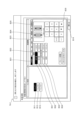


Landscapes
- Accessory Devices And Overall Control Thereof (AREA)
- Control Or Security For Electrophotography (AREA)
- Editing Of Facsimile Originals (AREA)
Description
本発明は、画像調整装置、画像形成装置、画像調整方法及び画像調整プログラムに関する。 The present invention relates to an image adjustment device, an image forming device, an image adjustment method, and an image adjustment program.
画像形成装置には、用紙(記録媒体)の表裏に形成される印刷用画像のシフト量(現在の位置からの移動量)や倍率などを調整する表裏調整機能を有しているものがある。表裏調整機能においては、手動調整が可能であり、この場合、ユーザーがシフト量や倍率などを入力すると、入力されたシフト量や倍率などに基づいて、印刷用画像を形成する(手動調整機能)。 Some image forming devices have a front-back adjustment function that adjusts the shift amount (amount of movement from the current position) and magnification of the print image formed on the front and back of the paper (recording medium). The front-back adjustment function allows manual adjustment, in which case, when the user inputs the shift amount, magnification, etc., the print image is formed based on the input shift amount, magnification, etc. (manual adjustment function).
また、表裏調整機能においては、自動調整も可能であり、この場合、用紙に形成された調整用マークの位置を検出し、検出された位置に基づいて、シフト量や倍率などを自動で調整して、印刷用画像を形成する(自動調整機能)。例えば、特許文献1においては、調整用マークの位置を検出し、検出された位置と調整用マークの設計位置とのずれ量を用いて、シフト量や倍率などを自動調整するようにしている。
The front/back adjustment function also allows for automatic adjustment, in which case the position of an adjustment mark formed on the paper is detected, and the shift amount, magnification, etc. are automatically adjusted based on the detected position to form an image to be printed (automatic adjustment function). For example, in
ユーザーは、形成される印刷用画像の形成位置を所望の位置に変更したい場合、上記の手動調整機能を用いて、形成される印刷用画像のシフト量を所望のシフト量に設定することになる。 If the user wishes to change the position at which the image to be printed is formed to a desired position, the user can use the manual adjustment function described above to set the shift amount of the image to be printed to the desired shift amount.
また、用紙は、種類によっては画像形成により縮んだり、用紙毎にサイズに誤差があったりする場合がある。このような場合、ユーザーは、画像形成時の用紙の縮みや用紙サイズの誤差に左右されずに、特定の大きさの印刷用画像を形成するため、上記の手動調整機能を用いて、形成される印刷用画像の倍率を所望の倍率に設定することになる。 Depending on the type of paper, it may shrink during image formation, or there may be size errors for each type of paper. In such cases, the user will use the manual adjustment function described above to set the magnification of the image to be printed to the desired magnification in order to form an image to be printed of a specific size without being affected by shrinkage of the paper during image formation or errors in paper size.
ところで、上記の自動調整機能を用いる場合でも、例えば、シフト量などについては、上記の手動調整機能を用いてユーザーが設定したシフト量などを使用したい場合がある。ところが、従来は、上記の手動調整機能を用いて、ユーザーが所望のシフト量を設定しても、その設定後に、上記の自動調整機能を用いると、検出された調整用マークの位置に基づいて、シフト量が自動調整されて、ユーザーが設定したシフト量から変更されていた。 Even when using the automatic adjustment function, there are cases where the user wishes to use the shift amount set by the user using the manual adjustment function. However, in the past, even if the user set a desired shift amount using the manual adjustment function, if the automatic adjustment function was used after the setting, the shift amount would be automatically adjusted based on the position of the detected adjustment mark, and would be changed from the shift amount set by the user.
また、上記の手動調整機能を用いて、ユーザーが所望の倍率を設定しても、その設定後に、上記の自動調整機能を用いると、検出された調整用マークの位置に基づいて、倍率が自動調整されて、ユーザーが設定した倍率から変更されていた。つまり、実際の用紙サイズに応じた(用紙の縮みや用紙サイズの誤差が考慮された)倍率に自動調整されていた。 In addition, even if a user sets a desired magnification using the manual adjustment function, if the automatic adjustment function is then used after that setting, the magnification is automatically adjusted based on the position of the detected adjustment mark, and is changed from the magnification set by the user. In other words, the magnification is automatically adjusted to match the actual paper size (taking into account paper shrinkage and paper size errors).
このように、上記の自動調整機能を用いる場合、ユーザーが入力した設定に関係なく、シフト量や倍率などを自動調整してしまうため、印刷用画像の形成態様(シフト量や倍率など)をユーザーの意図通りにできない場合があった。 As described above, when using the automatic adjustment function, the shift amount, magnification, etc. are automatically adjusted regardless of the settings entered by the user, so there are cases where the form of the print image (shift amount, magnification, etc.) cannot be formed as intended by the user.
本発明の目的は、画像の形成態様をユーザーの意図通りに調整可能な画像調整装置、画像形成装置、画像調整方法及び画像調整プログラムを提供することにある。 The object of the present invention is to provide an image adjustment device, an image forming device, an image adjustment method, and an image adjustment program that can adjust the image formation mode as intended by the user.
本発明に係る画像調整装置は、
画像の位置を移動させる移動量に関する第1の調整項目においてユーザーによる画像調整値の入力を受け付ける入力受付部と、
前記画像調整値の入力が受け付けられた前記第1の調整項目においては前記画像調整値に基づいて記録媒体に対する画像の形成態様を調整し、前記第1の調整項目とは異なる第2の調整項目においては記録媒体に形成された調整用画像の読取結果から自動調整される画像調整値に基づいて記録媒体に対する画像の形成態様を調整する調整部と、
を備え、
前記調整部は、前記画像の位置を移動させる移動量を調整して、前記形成態様を調整する。
また、本発明に係る画像調整装置は、
ユーザーによる画像調整値の入力を受け付ける入力受付部と、
前記入力受付部で受け付けられた前記画像調整値に基づいて記録媒体に対する画像の形成態様を調整する第1モードと、記録媒体に形成された調整用画像の読取結果に基づいて記録媒体に対する画像の形成態様を自動で調整する第1モードとは異なる第2モードとを有する調整部と、
を備え、
前記調整部は、前記第2モードが選択された場合であっても前記画像調整値が入力された場合には、前記入力受付部で受け付けられた前記画像調整値に基づいて、前記画像の位置を移動させる移動量、前記画像の倍率、前記画像の回転、前記画像の歪み、前記画像の傾き、又は、前記画像の曲がりを調整して、記録媒体に対する画像の形成態様を調整する。
また、本発明に係る画像調整装置は、
ユーザーによる画像調整値の入力を受け付ける入力受付部と、
前記画像調整値の入力が受け付けられた場合、記録媒体に形成された調整用画像の読取結果よりも前記画像調整値を優先して用いて、記録媒体に対する画像の形成態様を調整する調整部と、
を備え、
前記調整部は、前記画像の位置を移動させる移動量、前記画像の倍率、前記画像の回転、前記画像の歪み、前記画像の傾き、又は、前記画像の曲がりを調整して、前記形成態様を調整する。
また、本発明に係る画像調整装置は、
ユーザーによる画像調整値の入力を受け付ける入力受付部と、
前記画像調整値の入力が受け付けられた場合、記録媒体に形成された調整用画像の読取結果よりも前記画像調整値を優先して用いて、記録媒体に対する画像の形成態様を調整する調整部と、
を備え、
前記画像調整値は、前記画像の位置を移動させる移動量である。
また、本発明に係る画像調整装置は、
ユーザーによる画像調整値の入力を受け付ける入力受付部と、
前記画像調整値の入力が受け付けられた場合、記録媒体に形成された調整用画像の読取結果よりも前記画像調整値を優先して用いて、記録媒体に対する画像の形成態様を調整する調整部と、
を備え、
前記画像調整値は、前記画像の倍率である。
The image adjustment device according to the present invention comprises:
an input receiving unit that receives an input of an image adjustment value by a user for a first adjustment item related to an amount of movement of the position of the image;
an adjustment unit that adjusts the form of the image on the recording medium based on the image adjustment value for the first adjustment item for which the input of the image adjustment value is accepted, and adjusts the form of the image on the recording medium based on the image adjustment value that is automatically adjusted from the reading result of the adjustment image formed on the recording medium for a second adjustment item different from the first adjustment item;
Equipped with
The adjustment section adjusts the amount of movement of the position of the image to adjust the formation mode .
Further, the image adjustment device according to the present invention comprises:
an input receiving unit that receives an input of an image adjustment value by a user;
an adjustment unit having a first mode for adjusting a state of forming an image on a recording medium based on the image adjustment value received by the input receiving unit, and a second mode different from the first mode for automatically adjusting a state of forming an image on the recording medium based on a reading result of an adjustment image formed on the recording medium;
Equipped with
When the image adjustment value is input, even if the second mode is selected , the adjustment unit adjusts the amount of movement of the position of the image, the magnification of the image, the rotation of the image, the distortion of the image, the inclination of the image, or the curvature of the image based on the image adjustment value accepted by the input accepting unit, thereby adjusting the formation mode of the image on the recording medium.
Further, the image adjustment device according to the present invention comprises:
an input receiving unit that receives an input of an image adjustment value by a user;
an adjustment unit that, when an input of the image adjustment value is accepted, adjusts a formation state of the image on the recording medium by using the image adjustment value in preference to a reading result of an adjustment image formed on the recording medium;
Equipped with
The adjustment section adjusts the formation mode by adjusting an amount of movement of the position of the image, a magnification of the image, a rotation of the image, a distortion of the image, a tilt of the image, or a curvature of the image.
Further, the image adjustment device according to the present invention comprises:
an input receiving unit that receives an input of an image adjustment value by a user;
an adjustment unit that, when an input of the image adjustment value is accepted, adjusts a formation state of the image on the recording medium by using the image adjustment value in preference to a reading result of an adjustment image formed on the recording medium;
Equipped with
The image adjustment value is an amount by which the position of the image is moved.
Further, the image adjustment device according to the present invention comprises:
an input receiving unit that receives an input of an image adjustment value by a user;
an adjustment unit that, when an input of the image adjustment value is accepted, adjusts a formation state of the image on the recording medium by using the image adjustment value in preference to a reading result of an adjustment image formed on the recording medium;
Equipped with
The image adjustment value is a magnification of the image.
本発明に係る画像形成装置は、
上記の画像調整装置と、
前記形成態様を用いて、記録媒体に画像を形成する画像形成部と、
を備える。
The image forming apparatus according to the present invention comprises:
The image adjustment device;
an image forming unit that forms an image on a recording medium using the formation mode;
Equipped with.
本発明に係る画像調整方法は、
画像の位置を移動させる移動量に関する第1の調整項目においてユーザーによる画像調整値の入力を受け付け、
前記画像調整値の入力が受け付けられた前記第1の調整項目においては前記画像調整値に基づいて、前記画像の位置を移動させる移動量を調整して、記録媒体に対する画像の形成態様を調整し、前記第1の調整項目とは異なる第2の調整項目においては記録媒体に形成された調整用画像の読取結果から自動調整される画像調整値に基づいて記録媒体に対する画像の形成態様を調整する。
また、本発明に係る画像調整方法は、
ユーザーによる画像調整値の入力を受け付け、
入力が受け付けられた前記画像調整値に基づいて記録媒体に対する画像の形成態様を調整する第1モードと、記録媒体に形成された調整用画像の読取結果に基づいて記録媒体に対する画像の形成態様を自動で調整する第1モードとは異なる第2モードとのうち、前記第2モードが選択された場合であっても前記画像調整値が入力された場合には、入力が受け付けられた前記画像調整値に基づいて、前記画像の位置を移動させる移動量、前記画像の倍率、前記画像の回転、前記画像の歪み、前記画像の傾き、又は、前記画像の曲がりを調整して、記録媒体に対する画像の形成態様を調整する。
また、本発明に係る画像調整方法は、
ユーザーによる画像調整値の入力を受け付け、
記録媒体に形成された調整用画像の読取結果よりも前記画像調整値を優先して用いて、画像の位置を移動させる移動量、前記画像の倍率、前記画像の回転、前記画像の歪み、前記画像の傾き、又は、前記画像の曲がりを調整して、記録媒体に対する前記画像の形成態様を調整する。
また、本発明に係る画像調整方法は、
ユーザーによる画像調整値として、画像の位置を移動させる移動量の入力を受け付け、
記録媒体に形成された調整用画像の読取結果よりも前記画像調整値を優先して用いて、記録媒体に対する画像の形成態様を調整する。
また、本発明に係る画像調整方法は、
ユーザーによる画像調整値として、画像の倍率の入力を受け付け、
記録媒体に形成された調整用画像の読取結果よりも前記画像調整値を優先して用いて、記録媒体に対する画像の形成態様を調整する。
The image adjustment method according to the present invention comprises the steps of:
accepting an input of an image adjustment value by a user in a first adjustment item related to an amount of movement of the position of the image;
In the first adjustment item where the input of the image adjustment value is accepted , the amount of movement for moving the position of the image is adjusted based on the image adjustment value, thereby adjusting the form of the image formed on the recording medium, and in a second adjustment item different from the first adjustment item, the form of the image formed on the recording medium is adjusted based on an image adjustment value that is automatically adjusted from the reading result of the adjustment image formed on the recording medium.
Further, an image adjustment method according to the present invention includes the steps of:
Accepts user input of image adjustment values,
Among a first mode in which the form of an image formed on a recording medium is adjusted based on the image adjustment value whose input has been accepted, and a second mode different from the first mode in which the form of an image formed on a recording medium is automatically adjusted based on the reading result of an adjustment image formed on the recording medium, when the image adjustment value is input even if the second mode is selected , the amount of movement for moving the position of the image, the magnification of the image, the rotation of the image, the distortion of the image, the tilt of the image, or the curvature of the image is adjusted based on the image adjustment value whose input has been accepted, to adjust the form of the image formed on the recording medium.
Further, an image adjustment method according to the present invention includes the steps of:
Accepts user input of image adjustment values,
The image adjustment value is used with priority over the reading result of the adjustment image formed on the recording medium, and the amount of movement of the image position, the magnification of the image, the rotation of the image, the distortion of the image, the inclination of the image, or the curvature of the image is adjusted to adjust the formation mode of the image on the recording medium.
Further, an image adjustment method according to the present invention includes the steps of:
Accepting an input of an amount of movement for moving the position of the image as an image adjustment value by a user;
The image adjustment value is used preferentially over the result of reading the adjustment image formed on the recording medium, and the form of the image on the recording medium is adjusted.
Further, an image adjustment method according to the present invention includes the steps of:
Accepts input of image magnification as a user adjustment value,
The image adjustment value is used preferentially over the result of reading the adjustment image formed on the recording medium, and the form of the image on the recording medium is adjusted.
本発明に係る画像設定調整プログラムは、
コンピューターに、
画像の位置を移動させる移動量に関する第1の調整項目においてユーザーによる画像調整値の入力を受け付ける入力受付処理と、
前記画像調整値の入力が受け付けられた前記第1の調整項目においては前記画像調整値に基づいて、前記画像の位置を移動させる移動量を調整して、記録媒体に対する画像の形成態様を調整し、前記第1の調整項目とは異なる第2の調整項目においては記録媒体に形成された調整用画像の読取結果から自動調整される画像調整値に基づいて記録媒体に対する画像の形成態様を調整する調整処理と、
を実行させる。
また、本発明に係る画像設定調整プログラムは、
コンピューターに、
ユーザーによる画像調整値の入力を受け付ける入力受付処理と、
前記入力受付処理で受け付けられた前記画像調整値に基づいて記録媒体に対する画像の形成態様を調整する第1モードと、記録媒体に形成された調整用画像の読取結果に基づいて記録媒体に対する画像の形成態様を自動で調整する第1モードとは異なる第2モードとを有し、前記第2モードが選択された場合であっても前記画像調整値が入力された場合には、前記入力受付部で受け付けられた前記画像調整値に基づいて、前記画像の位置を移動させる移動量、前記画像の倍率、前記画像の回転、前記画像の歪み、前記画像の傾き、又は、前記画像の曲がりを調整して、記録媒体に対する画像の形成態様を調整する調整処理と、
を実行させる。
また、本発明に係る画像設定調整プログラムは、
コンピューターに、
ユーザーによる画像調整値の入力を受け付ける入力受付処理と、
前記画像調整値の入力が受け付けられた場合、記録媒体に形成された調整用画像の読取結果よりも前記画像調整値を優先して用いて、画像の位置を移動させる移動量、前記画像の倍率、前記画像の回転、前記画像の歪み、前記画像の傾き、又は、前記画像の曲がりを調整して、記録媒体に対する前記画像の形成態様を調整する調整処理と、
を実行させる。
また、本発明に係る画像設定調整プログラムは、
コンピューターに、
ユーザーによる画像調整値として、画像の位置を移動させる移動量の入力を受け付ける入力受付処理と、
前記画像調整値の入力が受け付けられた場合、記録媒体に形成された調整用画像の読取結果よりも前記画像調整値を優先して用いて、記録媒体に対する画像の形成態様を調整する調整処理と、
を実行させる。
また、本発明に係る画像設定調整プログラムは、
コンピューターに、
ユーザーによる画像調整値として、画像の倍率の入力を受け付ける入力受付処理と、
前記画像調整値の入力が受け付けられた場合、記録媒体に形成された調整用画像の読取結果よりも前記画像調整値を優先して用いて、記録媒体に対する画像の形成態様を調整する調整処理と、
を実行させる。
The image setting adjustment program according to the present invention is
On the computer,
an input receiving process for receiving an input of an image adjustment value by a user for a first adjustment item related to an amount of movement of the position of the image;
an adjustment process for adjusting an amount of movement for moving the position of the image based on the image adjustment value for the first adjustment item for which input of the image adjustment value has been accepted, thereby adjusting a state of formation of the image on a recording medium, and for a second adjustment item different from the first adjustment item, adjusting a state of formation of the image on a recording medium based on an image adjustment value that is automatically adjusted from a result of reading an adjustment image formed on the recording medium;
Execute the command.
Further, the image setting adjustment program according to the present invention comprises:
On the computer,
an input reception process for receiving an input of an image adjustment value by a user;
an adjustment process having a first mode for adjusting the manner in which an image is formed on a recording medium based on the image adjustment value received in the input receiving process, and a second mode different from the first mode for automatically adjusting the manner in which an image is formed on a recording medium based on a result of reading an adjustment image formed on the recording medium, and when the image adjustment value is input even when the second mode is selected, the adjustment process adjusts the amount of movement for moving the position of the image, the magnification of the image, the rotation of the image, the distortion of the image, the inclination of the image, or the curvature of the image based on the image adjustment value received by the input receiving unit to adjust the manner in which the image is formed on the recording medium;
Execute the command.
Further, the image setting adjustment program according to the present invention comprises:
On the computer,
an input reception process for receiving an input of an image adjustment value by a user;
an adjustment process in which, when the input of the image adjustment value is accepted, the image adjustment value is used preferentially over the result of reading the adjustment image formed on the recording medium, and the amount of movement of the image position, the magnification of the image, the rotation of the image, the distortion of the image, the inclination of the image, or the curvature of the image is adjusted to adjust the formation state of the image on the recording medium;
Execute the command.
Further, the image setting adjustment program according to the present invention comprises:
On the computer,
an input receiving process for receiving an input of an amount of movement for moving the position of the image as an image adjustment value input by a user;
an adjustment process for adjusting a state in which an image is formed on a recording medium by using the image adjustment value in preference to a result of reading the adjustment image formed on the recording medium when the input of the image adjustment value is accepted;
Execute the command.
Further, the image setting adjustment program according to the present invention comprises:
On the computer,
an input receiving process for receiving an input of an image magnification as an image adjustment value by a user;
an adjustment process for adjusting a state in which an image is formed on a recording medium by using the image adjustment value in preference to a result of reading the adjustment image formed on the recording medium when the input of the image adjustment value is accepted;
Execute the command.
本発明によれば、画像の形成態様をユーザーの意図通りに調整することができる。 The present invention allows the image formation mode to be adjusted as intended by the user.
以下、本発明の実施の形態について、図面を参照して詳細に説明する。 The following describes in detail the embodiments of the present invention with reference to the drawings.
図1は、本実施の形態に係る画像形成装置100の全体構成を概略的に示す図である。図2は、本実施の形態に係る画像形成装置100の制御系の主要部を示す図である。なお、下記の画像形成装置100の構成や仕様などは、本実施の形態の一例であり、以下の説明に限定されず、同様の周知の技術を任意に選択して、適宜に変更可能である。
Figure 1 is a diagram showing the overall configuration of an
画像形成装置100は、用紙(記録媒体)に画像を形成可能なものである。図1に示すように、画像形成装置100は、画像形成装置本体110、読取装置120(検出部)などを備える。
The
[画像形成装置本体]
画像形成装置本体110は、電子写真プロセス技術を利用した中間転写方式のカラー画像形成装置である。即ち、画像形成装置本体110は、感光体上に形成されたCMYKの各色トナー像を中間転写体に一次転写し、中間転写体上で4色のトナー像を重ね合わせた後、用紙に二次転写することにより、印刷用画像を形成する。なお、CMYKは、C(シアン)、M(マゼンタ)、Y(イエロー)、K(ブラック)のことである。
[Image forming apparatus body]
The image forming apparatus
また、画像形成装置本体110には、CMYKの4色に対応する感光体を中間転写体の走行方向に直列配置し、中間転写体に一回の手順で各色トナー像を順次転写させるタンデム方式が採用されている。
The image forming device
画像形成装置本体110は、図1に示すように、画像読取部10、操作表示部20、画像処理部30、画像形成部40、用紙搬送部50、定着部60などを備える。
As shown in FIG. 1, the image forming device
画像読取部10は、ADF(Auto Document Feeder)と称される自動原稿給紙装置11及び原稿画像走査装置12(スキャナー)などを備える。
The
自動原稿給紙装置11は、原稿トレイに載置された原稿を搬送機構により搬送して原稿画像走査装置12へ送り出す。自動原稿給紙装置11は、原稿トレイに載置された多数枚の原稿の画像(両面を含む)を連続して一挙に読み取ることができる。
The automatic document feeder 11 transports documents placed on a document tray using a transport mechanism and sends them to the document
原稿画像走査装置12は、自動原稿給紙装置11からコンタクトガラス上に搬送された原稿又はコンタクトガラス上に載置された原稿を光学的に走査し、原稿からの反射光をCCD(Charge Coupled Device)センサーに結像させ、原稿画像を読み取る。画像読取部10は、原稿画像走査装置12による読取結果に基づいて入力画像データを生成する。この入力画像データは、画像処理部30において所定の画像処理が施される。
The document
操作表示部20は、例えば、タッチパネル付の液晶ディスプレイ(LCD:Liquid Crystal Display)で構成され、表示部21及び操作部22として機能する。表示部21は、制御部70(図2を参照)から入力される表示制御信号に従って、各種操作画面、画像の状態表示、各機能の動作状況などの表示を行う。操作部22は、テンキー、スタートキーなどの各種操作キーを備え、ユーザーによる各種入力操作を受け付けて、操作信号を制御部70に出力する。
The
画像処理部30は、入力画像データに対して、初期設定又はユーザー設定に応じた画像処理を行う回路などを備える。画像処理が施された画像データに基づいて、画像形成部40が制御される。
The
画像形成部40は、画像処理部30からの画像データに基づいて、Y成分、M成分、C成分、K成分の各有色トナーによる画像を形成するための画像形成ユニット41Y、41M、41C、41K、中間転写ユニット42などを備える。
The
Y成分、M成分、C成分、K成分用の画像形成ユニット41Y、41M、41C、41Kは、同様の構成を有する。そのため、図1では、Y成分用の画像形成ユニット41Yの構成要素についてのみ符号を付し、他の画像形成ユニット41M、41C、41Kの構成要素については符号を省略する。
The
画像形成ユニット41は、露光装置411、現像装置412、感光体ドラム413、帯電装置414、ドラムクリーニングユニット415などを備える。
The
露光装置411は、例えば、半導体レーザーで構成され、感光体ドラム413に対して各色成分の画像に対応するレーザー光を照射する。レーザー光の照射により感光体ドラム413の電荷発生層で正電荷が発生し、電荷輸送層の表面まで輸送されると、感光体ドラム413の表面電荷(負電荷)が中和される。その結果、感光体ドラム413の表面には、周囲との電位差により各色成分の静電潜像が形成される。
The
現像装置412は、例えば、現像スリーブなどを有する二成分現像方式の現像装置である。現像装置412は、現像スリーブから感光体ドラム413の表面に各色成分のトナーを付着させることにより、静電潜像を可視化してトナー像を形成する。
The developing
感光体ドラム413は、例えば、アルミニウム製の導電性円筒体(アルミ素管)、アンダーコート層(UCL:Under Coat Layer)、電荷発生層(CGL:Charge Generation Layer)、電荷輸送層(CTL:Charge Transport Layer)などを備える。感光体ドラム413は、導電性円筒体の周面にアンダーコート層、電荷発生層、電荷輸送層を順次積層することで構成された光導電性を有する感光体である。感光体ドラム413は、例えば、負帯電型の有機感光体(OPC:Organic Photo-conductor)である。感光体ドラム413は、その駆動モーター(図示省略)に供給される駆動電流を制御部70(図2を参照)が制御することにより、一定の周速度(線速度)で回転される。
The
帯電装置414は、光導電性を有する感光体ドラム413の表面を一様に負極性に帯電させる。
The charging
ドラムクリーニングユニット415は、感光体ドラム413の表面に残存する転写残トナーをクリーニングブレードによりクリーニングする。なお、ドラムクリーニングユニット415は、感光体ドラム413に対するトナーの付着力を低減させる潤滑剤(滑剤)を、感光体ドラム413上に供給する滑剤供給装置を備えていてもよい。
The
中間転写ユニット42は、中間転写ベルト421、一次転写ローラー422、バックアップローラー423Aなどを含む複数の支持ローラー423、二次転写ローラー424などを備える。なお、中間転写ユニット42は、例えば、中間転写ベルト421の表面に摺接するベルトクリーニングブレードにより、二次転写後に中間転写ベルト421の表面に残留する転写残トナーを除去するベルトクリーニング装置を備えていてもよい。
The
中間転写ベルト421は、複数の支持ローラー423にループ状に張架され、支持ローラー423が回転することにより、中間転写ベルト421は矢印A方向に一定速度で走行する。一次転写ローラー422は、中間転写ベルト421を感光体ドラム413に圧接させている。これにより、感光体ドラム413から中間転写ベルト421へトナー像を転写する。二次転写ローラー424は、中間転写ベルト421を挟んでバックアップローラー423Aに圧接されている。これにより、中間転写ベルト421から用紙へトナー像を転写する。トナー像が転写された用紙は定着部60に向けて搬送される。なお、二次転写ローラー424に代えて、複数の支持ローラーに二次転写ベルトがループ状に張架されたベルト式の二次転写ユニットを採用してもよい。
The
用紙搬送部50は、給紙部51、排紙部52、搬送経路部53、反転機構部54などを備える。給紙部51を構成する3つの給紙トレイユニット51a~51cには、坪量やサイズなどに基づいて識別された用紙(規格用紙、特殊用紙)が予め設定された種類ごとに収容される。搬送経路部53は、レジストローラー対などの複数の搬送ローラー対を有する。
The
給紙トレイユニット51a~51cに収容されている用紙は、最上部から一枚ずつ送出され、搬送経路部53により画像形成部40に搬送される。このとき、レジストローラー対が配設されたレジストローラー部により、給紙された用紙の傾きが補正されると共に搬送タイミングが調整される。そして、画像形成部40、定着部60を経て画像形成された用紙は、排紙部52により機外に排紙される。用紙の両面に印刷用画像を形成する場合は、反転機構部54により用紙面を反転させて、再度、画像形成部40(二次転写ローラー424)へ用紙を搬送する。
The sheets of paper stored in the paper
定着部60は、トナー像が二次転写され、搬送されてきた用紙を定着ニップで加熱、加圧することにより、用紙にトナー像を定着させる。定着部60は、定着ローラー61、加圧ローラー62などを備える。定着ローラー61及び加圧ローラー62は、それらの間で用紙を挟持して搬送する定着ニップを形成している。なお、定着ローラー61に代えて、複数の支持ローラーに定着ベルトがループ状に張架されたベルト式の定着ユニットを採用してもよい。
The fixing
画像形成装置本体110は、上述した構成により、用紙の表裏に印刷用画像を形成する。また、画像形成装置本体110は、上述した構成により、用紙の表裏の余白領域に複数の調整用マーク(調整用画像)を形成する。例えば、用紙の表裏の余白領域において、用紙の四隅の近傍それぞれに十字形状の調整用マーク(トンボ)を画像形成する。このとき、調整用マークは、用紙のエッジを基準として当該エッジから所定距離だけ離れた位置となるように形成される。なお、調整用マークは、用紙の余白領域であれば、どこに形成されてもよい。
The image forming device
[読取装置]
読取装置120は、図1に示すように、画像形成装置100において、画像形成装置本体110より用紙搬送方向下流側に配置され、第1センサー121、第2センサー122などを備えている。読取装置120は、画像形成装置本体110により用紙の両面に調整用マークが形成された場合、第1センサー121及び第2センサー122で用紙の両面スキャン(読取り)を行って、調整用マークを検出可能な構成となっている。また、読取装置120は、第1センサー121及び第2センサー122で用紙端部(用紙サイズ)の検出も可能である。読取装置120による調整用マークや用紙端部の検出結果(読取結果)は、後述する記憶部82に記憶され、制御部70により利用される。
[Reading device]
As shown in Fig. 1, the
第1センサー121は、読取装置120内において、用紙搬送方向上流側に配置され、通過する用紙に対し下方から読み取りを行う。第1センサー121は、例えば、ラインスキャナなどの比較的高速で読み取りを行うことができる光学式センサーである。そのため、用紙端部などに形成された調整用マークを比較的高速で検出して、検出結果を出力することができる。また、第1センサー121は、用紙の幅方向の全体に渡る長さの光学式センサーである。そのため、用紙の幅方向の全体を読み取ることができる。
The
第2センサー122は、読取装置120内において、用紙搬送方向下流側に配置され、通過する用紙に対して上方から読み取りを行う。第2センサー122は、第1センサー121と同様に構成されている。
The
なお、第1センサー121と第2センサー122との位置関係は逆でもよく、読取装置120内において、第2センサー122を用紙搬送方向上流側に配置し、第1センサー121を用紙搬送方向下流側に配置してもよい。
The positional relationship between the
また、ここでは、第1センサー121と第2センサー122の2つのセンサーを設けているが、上述した反転機構部54と同等の機構を読取装置120に設ければ、これらのセンサーはいずれか一方を設ければよい。
In addition, here, two sensors, a
また、ここでは、読取装置120は、画像形成装置本体110とは別の独立した装置としているが、画像形成装置本体110の内部に設けるようにしてもよい。その場合、読取装置120は、画像形成装置本体110において、定着部60より用紙搬送方向下流側に配置される。
In addition, here, the
[制御部]
画像形成装置100は、図2に示すように、制御部70を備える。
[Control unit]
As shown in FIG. 2, the
制御部70は、コンピューターとして機能し、CPU(Central Processing Unit)71、ROM(Read Only Memory)72及びRAM(Random Access Memory)73などを備えている。CPU71は、ROM72から処理内容に応じたプログラムを読み出してRAM73に展開し、展開したプログラムと協働して画像形成装置100の各ブロックの動作を集中制御する。このとき、記憶部82に格納されているLUT(Look Up Table)などの各種データが参照される。記憶部82は、例えば、不揮発性の半導体メモリ(所謂、フラッシュメモリ)又はハードディスクドライブで構成される。
The
制御部70は、通信部81を介して、LAN(Local Area Network)又はWAN(Wide Area Network)などの通信ネットワークに接続された外部の装置(例えば、パーソナルコンピューター)との間で各種データの送受信を行う。制御部70は、例えば、外部の装置から送信された画像データを受信し、この画像データ(入力画像データ)に基づいて用紙に印刷用画像を形成する。通信部81は、例えば、LANカードなどの通信制御カードで構成される。
The
制御部70には、画像読取部10、操作表示部20、画像処理部30、画像形成部40、用紙搬送部50、定着部60が、それぞれ接続されている。また、制御部70には、読取装置120も接続されている。これらは、制御部70の指示に基づいて所定の処理を実行する。
The
[調整部]
画像形成装置100においては、上述した画像形成装置本体110、読取装置120を用いて、印刷用画像の形成態様を構成する調整項目の画像調整値を自動的に調整して、印刷用画像の形成態様を自動的に調整する調整部が構成されている。このように、調整部は、調整項目の画像調整値を自動的に調整する自動調整機能を有している。調整部で自動調整される調整項目の画像調整値としては、印刷用画像の位置を移動させる移動量(シフト量)、印刷用画像の倍率、印刷用画像の回転、印刷用画像の歪み、印刷用画像の傾き、又は、印刷用画像の曲がりなどがある。
[Adjustment section]
In the
調整部は、具体的には、用紙に形成された調整用マークを読取装置120の第1センサー121及び第2センサー122で検出する。制御部70は、例えば、シフト量を自動調整する場合には、検出された調整用マークの位置に基づいて、用紙端部からの距離を算出し、予め規定された用紙端部から調整用マークまでの距離と算出された距離との差分に基づいて、シフト量を自動的に調整する。そして、画像形成装置本体110は、自動調整されたシフト量を用いて、用紙に印刷用画像を形成する。
Specifically, the adjustment unit detects the adjustment mark formed on the paper using the
このように、調整部では、印刷用画像の調整項目の画像調整値を自動的に調整するが、印刷用画像の調整項目の画像調整値をユーザーが所望する値に設定したい場合がある。その場合、後述する図3及び図4に示す入力受付画面Sc1、Sc2を用いて、印刷用画像のシフト量、倍率などを所望の値に設定することができる(手動調整機能)。 In this way, the adjustment unit automatically adjusts the image adjustment values of the adjustment items of the image to be printed, but there are cases where the user wishes to set the image adjustment values of the adjustment items of the image to be printed to desired values. In such cases, the shift amount, magnification, etc. of the image to be printed can be set to desired values using the input reception screens Sc1 and Sc2 shown in Figures 3 and 4, which will be described later (manual adjustment function).
ところが、従来は、上記の手動調整機能を用いて、ユーザーが所望のシフト量や倍率を設定しても、その設定後に、上記の調整部を用いると、検出された調整用マークの位置に基づいて、シフト量や倍率が自動調整されていた。つまり、ユーザーによりが設定されたシフト量や倍率が、ユーザーの意図に反して変更されていた。 However, in the past, even if a user used the manual adjustment function to set a desired shift amount or magnification, if the adjustment unit was used after the setting, the shift amount or magnification would be automatically adjusted based on the position of the detected adjustment mark. In other words, the shift amount or magnification set by the user was changed against the user's will.
このように、上記の調整部を用いる場合、ユーザーが入力した設定に関係なく、シフト量や倍率などが自動調整されてしまうため、印刷用画像の形成態様をユーザーの意図通りにできない場合があった。 As described above, when using the adjustment unit, the shift amount, magnification, etc. are automatically adjusted regardless of the settings input by the user, so there are cases where the printing image cannot be formed as intended by the user.
そこで、本実施の形態において、画像形成装置100は、以下に説明する入力受付部と調整部とを有する画像調整装置を備える。画像調整装置は、後述の図7~図9で説明する画像調整方法(画像調整プログラム)を実行する。
In this embodiment, the
入力受付部は、ユーザーによる画像調整値の入力を受け付ける(入力受付処理)。入力受付部については、図3及び図4を参照して後述する。 The input reception unit receives input of image adjustment values by the user (input reception process). The input reception unit will be described later with reference to Figures 3 and 4.
調整部は、更に、画像調整値の入力が受け付けられた場合、用紙に形成された調整用マークの読取結果よりも、ユーザーに入力された画像調整値を優先して用いて、用紙に対する印刷用画像の形成態様を調整するよう構成されている(調整処理)。 The adjustment unit is further configured, when input of image adjustment values is accepted, to adjust the formation mode of the print image on the paper by using the image adjustment values input by the user in priority over the results of reading the adjustment marks formed on the paper (adjustment process).
このような入力受付部及び調整部は、制御部70の1つの機能として備えられている。例えば、入力受付部及び調整部は、制御部70で実行されるプログラムとして備えられている。
Such an input receiving unit and adjustment unit are provided as one function of the
[入力受付部及び手動調整]
制御部70(入力受付部)について、図3、図4を参照して以下に説明する。ここで、図3は、画像形成装置100において実行する表裏調整の手動調整を説明する図であって、倍率及びシフトの操作画面を示す図である。図4は、画像形成装置100において実行する表裏調整の手動調整を説明する図であって、歪みに関する調整項目の操作画面を示す図である。なお、図3及び図4中においては、画像調整値を表裏調整値と表示している。
[Input Reception Unit and Manual Adjustment]
The control unit 70 (input receiving unit) will be described below with reference to Fig. 3 and Fig. 4. Fig. 3 is a diagram for explaining manual adjustment of front and back adjustment performed in the
ユーザーが画像調整値としてのシフト量や倍率を入力する場合、制御部70(入力受付部)は、図3に示す操作画面Sc1をタッチパネルである操作表示部20に表示する。
When the user inputs a shift amount or magnification as an image adjustment value, the control unit 70 (input reception unit) displays the operation screen Sc1 shown in FIG. 3 on the
操作画面Sc1においては、トレイの設定が可能である。例えば、「トレイ1」と表示された操作領域B11にユーザーがタッチすると、画像調整値が入力可能なトレイとして、トレイ1が選択される。また、「トレイ2」と表示された操作領域B12にユーザーがタッチすると、画像調整値が入力可能なトレイとして、トレイ2が選択される。また、「トレイ3」と表示された操作領域B13にユーザーがタッチすると、画像調整値が入力可能なトレイとして、トレイ3が選択される。
In the operation screen Sc1, it is possible to set the tray. For example, when the user touches the operation area B11 that displays "
なお、図3においては、操作領域B11が選択され、操作領域B12、B13は選択されていない。このような選択状態であることを示すため、図3においては、操作領域B11が黒地に白字で表示され、操作領域B12、B13が白地に黒字で表示されている。 In FIG. 3, operation area B11 is selected, and operation areas B12 and B13 are not selected. To indicate this selected state, in FIG. 3, operation area B11 is displayed in white on a black background, and operation areas B12 and B13 are displayed in black on a white background.
操作画面Sc1においては、「オモテ」と表示された操作領域B21にユーザーがタッチしたため、画像調整値として、用紙の第1面であるオモテ面のシフト量や倍率の設定が可能である。ここでも、操作領域B21が選択された状態であることを示すため、図3においては、操作領域B21が黒地に白字で表示されている。 In the operation screen Sc1, the user has touched the operation area B21 that is displayed as "Front," so it is possible to set the shift amount and magnification of the front side, which is the first side of the paper, as image adjustment values. Again, to indicate that the operation area B21 is selected, in FIG. 3, the operation area B21 is displayed in white on a black background.
なお、「ウラ」と表示された操作領域B22にユーザーがタッチした場合には、画像調整値として、用紙の第2面であるウラ面のシフト量や倍率の設定が可能である。この場合の操作画面は、操作領域B21が白地に黒字で表示され、操作領域B22が黒地に白字で表示されることを除いて、図3に示す操作画面Sc1と同じである。 When the user touches the operation area B22 that displays "Back," the shift amount and magnification of the back side, which is the second side of the paper, can be set as image adjustment values. The operation screen in this case is the same as the operation screen Sc1 shown in FIG. 3, except that the operation area B21 is displayed in black letters on a white background, and the operation area B22 is displayed in white letters on a black background.
また、「歪み」と表示された操作領域B23にユーザーがタッチした場合には、画像調整値として、歪みに関する調整項目の設定が可能である。これは、図4を参照して説明を行う。また、「表裏差」と表示された操作領域B24にユーザーがタッチした場合には、シフト量や倍率などの画像調整値の表裏差の設定が可能である。また、「自動測定」と表示された操作領域B25にユーザーがタッチした場合には、印刷用画像の調整項目の自動調整のための自動測定の実行が可能である。これは、後述の図5を参照して説明を行う。 Furthermore, when the user touches the operation area B23 labeled "Distortion," it is possible to set adjustment items related to distortion as image adjustment values. This will be explained with reference to FIG. 4. When the user touches the operation area B24 labeled "Front/Back Difference," it is possible to set the front/back difference in image adjustment values such as the shift amount and magnification. When the user touches the operation area B25 labeled "Auto Measurement," it is possible to perform automatic measurement for automatically adjusting the adjustment items of the image to be printed. This will be explained with reference to FIG. 5, which will be described later.
操作画面Sc1において、「タテ倍」と表示された操作領域B31にユーザーがタッチすると、画像調整値として、印刷用画像の縦倍率について入力が可能となる。また、「ヨコ倍」と表示された操作領域B32にユーザーがタッチすると、画像調整値として、印刷用画像の横倍率について入力が可能となる。また、「上下」と表示された操作領域B33にユーザーがタッチすると、画像調整値として、印刷用画像の上下方向(通紙方向)のシフト量について入力が可能となる。また、「左右」と表示された操作領域B34にユーザーがタッチすると、画像調整値として、印刷用画像の左右方向(幅方向)のシフト量について入力が可能となる。 When the user touches operation area B31 marked "Vertical magnification" on operation screen Sc1, the vertical magnification of the image to be printed can be input as an image adjustment value. When the user touches operation area B32 marked "Horizontal magnification" the horizontal magnification of the image to be printed can be input as an image adjustment value. When the user touches operation area B33 marked "Top/Bottom," the amount of shift in the vertical direction (paper feed direction) of the image to be printed can be input as an image adjustment value. When the user touches operation area B34 marked "Left/Right," the amount of shift in the left/right direction (width direction) of the image to be printed can be input as an image adjustment value.
なお、図3においては、操作領域B31が選択され、操作領域B32~B34は選択されていない。このような選択状態であることを示すため、図3においては、操作領域B31が黒地に白字で表示され、操作領域B32~B34が白地に黒字で表示されている。 In FIG. 3, operation area B31 is selected, and operation areas B32 to B34 are not selected. To indicate this selected state, in FIG. 3, operation area B31 is displayed in white letters on a black background, and operation areas B32 to B34 are displayed in black letters on a white background.
そして、上記の印刷用画像の縦倍率、横倍率、上下方向のシフト量、左右方向のシフト量は、操作画面Sc1中の数値入力領域B35に表示された数値を示す領域や上矢印、下矢印を示す領域をユーザーがタッチすることで、入力することができる。 The vertical magnification, horizontal magnification, vertical shift amount, and horizontal shift amount of the above-mentioned print image can be input by the user touching the areas showing numerical values or the areas showing up and down arrows displayed in the numerical input area B35 on the operation screen Sc1.
そして、「閉じる」と表示された操作領域B14をユーザーがタッチすると、ユーザーに入力された印刷用画像の縦倍率、横倍率、上下方向のシフト量、左右方向のシフト量が設定されることになる。つまり、ユーザーの手動入力により、印刷用画像の縦倍率、横倍率、上下方向のシフト量、左右方向のシフト量が設定されることになる(手動調整)。 When the user touches the operation area B14 that displays "Close," the vertical magnification, horizontal magnification, vertical shift amount, and horizontal shift amount of the image to be printed input by the user are set. In other words, the vertical magnification, horizontal magnification, vertical shift amount, and horizontal shift amount of the image to be printed are set by manual input by the user (manual adjustment).
この設定後にユーザーが画像形成装置100に画像形成処理を実行させると、画像形成装置本体110は、手動入力された画像調整値を用いて、画像形成処理を実行する。例えば、画像形成装置本体110の画像形成部40は、手動入力されたシフト量に基づいて、印刷用画像をシフト(移動)することで、ユーザーの意図通りの印刷用画像を形成することができる。
After this setting, when the user causes the
ユーザーが、画像調整値として、歪みに関する調整項目を入力する場合、制御部70(入力受付部)は、図4に示す操作画面Sc2を操作表示部20に表示する。
When the user inputs an adjustment item related to distortion as an image adjustment value, the control unit 70 (input reception unit) displays the operation screen Sc2 shown in FIG. 4 on the
操作画面Sc2においても、トレイの設定が可能であり、これは、上述した操作画面Sc1と同じであるので、重複する説明は省略する。 Tray settings can also be made on operation screen Sc2, which is the same as operation screen Sc1 described above, so duplicate explanations will be omitted.
操作画面Sc2においては、「歪み」と表示された操作領域B23にユーザーがタッチしたため、画像調整値として、歪みに関する調整項目の設定が可能である。ここでも、操作領域B23が選択された状態であることを示すため、図4においては、操作領域B23が黒地に白字で表示されている。 In operation screen Sc2, the user touched operation area B23, which is displayed as "Distortion," so it is possible to set an adjustment item related to distortion as an image adjustment value. Again, to indicate that operation area B23 is selected, in FIG. 4, operation area B23 is displayed in white on a black background.
操作画面Sc2において、「オモテ」と表示された操作領域B41にユーザーがタッチすると、画像調整値として、用紙のオモテ面の歪みに関する調整項目の設定が可能である。また、「ウラ」と表示された操作領域B42にユーザーがタッチすると、画像調整値として、用紙のウラ面の歪みに関する調整項目の設定が可能である。 On the operation screen Sc2, when the user touches the operation area B41 marked "Front," the user can set an adjustment item related to the distortion on the front side of the paper as an image adjustment value. Also, when the user touches the operation area B42 marked "Back," the user can set an adjustment item related to the distortion on the back side of the paper as an image adjustment value.
なお、図4においては、操作領域B41が選択され、操作領域B42は選択されていない。このような選択状態であることを示すため、図4においては、操作領域B41が黒地に白字で表示され、操作領域B42が白地に黒字で表示されている。 In FIG. 4, operation area B41 is selected, and operation area B42 is not selected. To indicate this selected state, operation area B41 is displayed in white on a black background, and operation area B42 is displayed in black on a white background in FIG. 4.
また、操作画面Sc2において、「回転」と表示された操作領域B43にユーザーがタッチすると、印刷用画像の回転の画像調整値について入力が可能となる。また、「Skew」と表示された操作領域B44にユーザーがタッチすると、印刷用画像の傾きの画像調整値について入力が可能となる。また、「タテ台形」と表示された操作領域B45にユーザーがタッチすると、印刷用画像のタテ台形の画像調整値について入力が可能となる。また、「ヨコ台形」と表示された操作領域B46にユーザーがタッチすると、印刷用画像のヨコ台形の画像調整値について入力が可能となる。また、「曲がり」と表示された操作領域B47にユーザーがタッチすると、印刷用画像の曲がりの画像調整値について入力が可能となる。また、「曲がり位置」と表示された操作領域B48にユーザーがタッチすると、印刷用画像の曲がり位置の画像調整値について入力が可能となる。 In addition, on the operation screen Sc2, when the user touches the operation area B43 marked "Rotation", the image adjustment value for the rotation of the image to be printed can be input. When the user touches the operation area B44 marked "Skew", the image adjustment value for the tilt of the image to be printed can be input. When the user touches the operation area B45 marked "Vertical Trapezoid", the image adjustment value for the vertical trapezoid of the image to be printed can be input. When the user touches the operation area B46 marked "Horizontal Trapezoid", the image adjustment value for the horizontal trapezoid of the image to be printed can be input. When the user touches the operation area B47 marked "Bend", the image adjustment value for the bend of the image to be printed can be input. When the user touches the operation area B48 marked "Bend Position", the image adjustment value for the bend position of the image to be printed can be input.
なお、図4においては、操作領域B43が選択され、操作領域B44~B48は選択されていない。このような選択状態であることを示すため、図4においては、操作領域B43が黒地に白字で表示され、操作領域B44~B48が白地に黒字で表示されている。 In FIG. 4, operation area B43 is selected, and operation areas B44 to B48 are not selected. To indicate this selected state, in FIG. 4, operation area B43 is displayed in white on a black background, and operation areas B44 to B48 are displayed in black on a white background.
操作画面Sc2中の数値入力領域B49は、図3で示した操作画面Sc1中の数値入力領域B35と同じである。従って、数値入力領域B49に表示された数値を示す領域や上矢印、下矢印を示す領域をユーザーがタッチすることで、上述した画像調整値に数値を入力することができる。 The numeric input field B49 in the operation screen Sc2 is the same as the numeric input field B35 in the operation screen Sc1 shown in FIG. 3. Therefore, the user can input a numeric value into the image adjustment value described above by touching the area showing the numeric value or the area showing the up arrow or down arrow displayed in the numeric input field B49.
そして、「閉じる」と表示された操作領域B14をユーザーがタッチすると、ユーザーに入力された回転の画像調整値、傾きの画像調整値、タテ台形の画像調整値、ヨコ台形の画像調整値、曲がりの画像調整値、曲がり位置の画像調整値が設定されることになる。つまり、ユーザーの手動入力により、印刷用画像の回転の画像調整値、傾きの画像調整値、タテ台形の画像調整値、ヨコ台形の画像調整値、曲がりの画像調整値、曲がり位置の画像調整値が設定されることになる(手動調整)。 When the user touches the operation area B14 that displays "Close," the image adjustment values for rotation, tilt, vertical trapezoid, horizontal trapezoid, bend, and bend position input by the user are set. In other words, the image adjustment values for rotation, tilt, vertical trapezoid, horizontal trapezoid, bend, and bend position of the image to be printed are set by manual input by the user (manual adjustment).
この設定後にユーザーが画像形成装置100に画像形成処理を実行させると、画像形成装置本体110は、手動入力された画像調整値を用いて、画像形成処理を実行する。例えば、画像形成装置本体110の画像形成部40は、手動入力された回転の画像調整値に基づいて、印刷用画像を回転することで、ユーザーの意図通りの印刷用画像を形成することができる。
After this setting, when the user causes the
[調整部及び自動調整]
制御部70(調整部)について、図5、図6を参照して以下に説明する。ここで、図5は、画像形成装置100において実行する表裏調整の操作画面を示す図であって、全ての調整項目の画像調整値を自動調整する場合を示す図である。図6は、画像形成装置100において実行する表裏調整の操作画面を示す図であって、調整項目の画像調整値の一部を手動入力とし、それ以外を自動調整する場合を示す図である。なお、図5及び図6中においても、画像調整値を表裏調整値と表示している。
[Adjustment section and automatic adjustment]
The control unit 70 (adjustment unit) will be described below with reference to Fig. 5 and Fig. 6. Fig. 5 is a diagram showing an operation screen for front and back adjustment performed in the
制御部70(調整部)は、基本的には、調整用マークの読取結果を用いて、印刷用画像の調整項目の画像調整値を自動調整して、用紙に対する印刷用画像の形成態様を調整する(図5を参照)。更に、本実施の形態において、制御部70(調整部)は、画像調整値の入力が受け付けられた場合、調整用マークの読取結果よりも、手動入力された画像調整値を優先して用いて、用紙に対する印刷用画像の形成態様を調整するよう構成されている(図6を参照)。 The control unit 70 (adjustment unit) basically uses the results of reading the adjustment marks to automatically adjust the image adjustment values of the adjustment items of the image to be printed, and adjusts the manner in which the image to be printed is formed on the paper (see FIG. 5). Furthermore, in this embodiment, when the input of the image adjustment values is accepted, the control unit 70 (adjustment unit) is configured to adjust the manner in which the image to be printed is formed on the paper by using the manually input image adjustment values in preference to the results of reading the adjustment marks (see FIG. 6).
用紙に形成された調整用マークの読取結果を用いて、印刷用画像の調整項目の画像調整値を自動調整する場合について、図5を参照して説明を行う。 The following describes how to automatically adjust the image adjustment values of the adjustment items of the image to be printed using the results of reading the adjustment marks formed on the paper, with reference to Figure 5.
ユーザーが画像調整値を入力しなかった場合、「自動測定」と表示された操作領域B25にユーザーがタッチすると、制御部70(調整部)は、図5に示す操作画面Sc3を操作表示部20に表示する。例えば、ユーザーが、図3、図4に示した操作画面Sc1、Sc2を用いて画像調整値を入力しなかった場合、制御部70(調整部)は、操作画面Sc3を表示する。なお、ここでも、操作領域B25が選択された状態であることを示すため、図5においては、操作領域B25が黒地に白字で表示されている。
If the user does not input image adjustment values, when the user touches the operation area B25 displaying "Automatic Measurement", the control unit 70 (adjustment unit) displays the operation screen Sc3 shown in FIG. 5 on the
操作画面Sc3において、調整項目表示領域B51には、調整項目、オモテ面の画像調整値、ウラ面の画像調整値が表示されている。操作画面Sc3の場合、ユーザーが画像調整値を入力しなかったので、調整項目表示領域B51には、各調整項目のオモテ面の画像調整値及びウラ面の画像調整値として、例えば、画像形成装置100に予め設定された初期値が白地に黒字で示されている。
In operation screen Sc3, adjustment item display area B51 displays the adjustment item, the front side image adjustment value, and the back side image adjustment value. In the case of operation screen Sc3, since the user did not input an image adjustment value, adjustment item display area B51 displays, for example, the initial values preset in
そして、「印刷モードへ」と表示された操作領域B15をユーザーがタッチすると、画像形成装置100は、用紙の両面に調整用マークを形成し、読取装置120は、第1センサー121及び第2センサー122を用いて、用紙の両面の調整用マークを検出する。制御部70は、検出された調整用マークの位置に基づいて、調整項目の画像調整値を自動的に調整し、調整項目表示領域B51の画像調整値を更新する。そして、「閉じる」と表示された操作領域B14をユーザーがタッチすると、自動測定により更新された調整項目の画像調整値が設定されることになる(自動調整)。
When the user touches the operation area B15 that displays "Go to print mode", the
この設定後にユーザーが画像形成装置100に画像形成処理を実行させると、画像形成装置本体110は、自動測定により更新された調整項目の画像調整値を用いて、画像形成処理を実行する。例えば、画像形成装置本体110の画像形成部40は、自動測定により更新されたシフト量に基づいて、印刷用画像をシフト(移動)することで、印刷用画像を形成する。
After this setting, when the user causes the
なお、操作画面Sc3においても、トレイの設定が可能であり、これは、基本的には、上述した操作画面Sc1と同じであるが、操作画面Sc3において、ユーザーは、複数のトレイを選択可能である。例えば、操作画面Sc3において、「全トレイ」と表示された操作領域B1にユーザーがタッチすると、全トレイが選択され、「複数トレイ」と表示された操作領域B2にユーザーがタッチすると、複数のトレイが選択される。 Tray settings can also be made on operation screen Sc3, which is basically the same as operation screen Sc1 described above, but on operation screen Sc3, the user can select multiple trays. For example, on operation screen Sc3, when the user touches operation area B1 that displays "All Trays," all trays are selected, and when the user touches operation area B2 that displays "Multiple Trays," multiple trays are selected.
操作画面Sc3においては、一例として、ユーザーが、「複数トレイ」と表示された操作領域B2にタッチし、その後、「トレイ1」と表示された操作領域B11、「トレイ2」と表示された操作領域B12にタッチしている。そして、これらが選択された状態であることを示すため、図5においては、操作領域B2、B11及びB12が黒地に白字で表示されている。
As an example, on the operation screen Sc3, the user touches the operation area B2 that displays "Multiple Trays," and then touches the operation area B11 that displays "
用紙に形成された調整用マークの読取結果よりも、手動入力された画像調整値を優先して用いて、用紙に対する印刷用画像の形成態様を調整する場合について、図6を参照して説明を行う。 With reference to Figure 6, we will explain how to adjust the formation of an image to be printed on paper by using manually input image adjustment values in preference to the results of reading adjustment marks formed on the paper.
ユーザーが画像調整値を入力した後、「自動測定」と表示された操作領域B25にユーザーがタッチすると、制御部70(調整部)は、図6に示す操作画面Sc4を操作表示部20に表示する。例えば、ユーザーが、図3、図4に示した操作画面Sc1、Sc2を用いて画像調整値を入力した場合、制御部70(調整部)は、操作画面Sc4を表示する。なお、ここでも、操作領域B25が選択された状態であることを示すため、図6においては、操作領域B25が黒地に白字で表示されている。
After the user inputs the image adjustment values, when the user touches the operation area B25 displaying "Automatic Measurement", the control unit 70 (adjustment unit) displays the operation screen Sc4 shown in FIG. 6 on the
操作画面Sc4において、調整項目表示領域B51には、調整項目、オモテ面の画像調整値、ウラ面の画像調整値が表示されている。操作画面Sc4の場合、この操作画面Sc4に移行する前に、ユーザーが画像調整値を入力している。例えば、図3に示すように、操作画面Sc1において、縦倍率を「+1.00%」とユーザーが入力したものとする。すると、縦倍率の調整項目及び画像調整値については、ユーザーが入力したものであることを示すため、例えば、黒地に白字で示すようにしている。つまり、制御部70は、報知部として機能する操作表示部20を用いて、この画像調整値を優先して用いる旨をユーザーに報知するようにしている。
In operation screen Sc4, the adjustment item display area B51 displays the adjustment item, the image adjustment value for the front side, and the image adjustment value for the back side. In the case of operation screen Sc4, the user inputs the image adjustment value before moving to this operation screen Sc4. For example, as shown in FIG. 3, assume that the user inputs the vertical magnification as "+1.00%" in operation screen Sc1. Then, the adjustment item for the vertical magnification and the image adjustment value are shown in white on a black background, for example, to indicate that they were input by the user. In other words, the
なお、ここでは、制御部70は、操作表示部20を用いて、優先して用いる調整項目及び画像調整値を黒地に白字で示しているが、これに限らず、領域や文字を、他の色に変えたり、点滅させたりすることで、ユーザーに報知するようにしてもよい。更に、制御部70は、例えば、スピーカー(図示省略)を報知部として用いて、音声により、優先して用いる調整項目及び画像調整値を報知するようにしてもよい。
Note that here, the
ユーザーが画像調整値を入力しなかった項目については、調整項目表示領域B51において、各調整項目のオモテ面の画像調整値及びウラ面の画像調整値として、例えば、画像形成装置100に予め設定された初期値が白地に黒字で示されている。
For items for which the user has not input image adjustment values, the adjustment item display area B51 shows, for example, the initial values preset in the
そして、「印刷モードへ」と表示された操作領域B15をユーザーがタッチすると、画像形成装置100は、用紙の両面に調整用マークを形成し、読取装置120は、第1センサー121及び第2センサー122を用いて、用紙の両面の調整用マークを検出する。制御部70は、検出された調整用マークの位置に基づいて、ユーザーが入力した調整項目を除く調整項目について、画像調整値を自動的に調整し、調整項目表示領域B51の画像調整値を更新する。そして、「閉じる」と表示された操作領域B14をユーザーがタッチすると、ユーザーにより入力された調整項目の画像調整値及び自動測定により更新された調整項目の画像調整値が設定されることになる(一部自動調整)。
When the user touches the operation area B15 that displays "Go to print mode", the
この設定後にユーザーが画像形成装置100に画像形成処理を実行させると、画像形成装置本体110は、ユーザーにより入力された調整項目の画像調整値及び自動測定により更新された調整項目の画像調整値を用いて、画像形成処理を実行する。例えば、画像形成装置本体110の画像形成部40は、ユーザーにより入力されたシフト量に基づいて、印刷用画像をシフト(移動)し、また、自動測定により更新された回転の画像調整値に基づいて、印刷用画像を回転することで、印刷用画像を形成する。これにより、ユーザーの意図通りの印刷用画像を形成することができる。
When the user causes the
従来は、上記の手動調整機能を用いて、ユーザーが所望のシフト量や倍率を設定しても、その設定後に、自動調整機能を用いると、検出された調整用マークの位置に基づいて、シフト量や倍率が自動調整されていた。これに対し、本実施の形態では、図6を参照して説明したように、ユーザーにより入力された画像調整値を優先して用いるようにしているので、印刷用画像の形成態様をユーザーの意図通りに調整することができる。 Conventionally, even if a user sets a desired shift amount or magnification using the manual adjustment function described above, if the automatic adjustment function is used after the setting, the shift amount or magnification is automatically adjusted based on the position of the detected adjustment mark. In contrast, in this embodiment, as described with reference to FIG. 6, the image adjustment value input by the user is given priority, so that the formation mode of the print image can be adjusted as the user intends.
[画像形成処理中における画像調整方法]
以上の説明においては、画像形成装置100による画像形成処理前に印刷用画像の形成態様を調整していたが、画像形成処理中に印刷用画像の形成態様を調整するようにしてもよい。図7~図9を参照して、画像形成処理中における画像調整方法を説明する。
[Image Adjustment Method During Image Formation Processing]
In the above description, the formation mode of the image to be printed is adjusted before the image forming process by the
ここで、図7は、画像形成装置100において画像形成処理中に実行する画像調整方法を説明するフローチャートである。図8は、図7に示したフローチャートのステップS15で実行するサブルーチンを説明するフローチャートである。図9は、図7に示したフローチャートのステップS16で実行するサブルーチンを説明するフローチャートである。
Here, FIG. 7 is a flowchart explaining an image adjustment method executed during image formation processing in
画像形成装置100において、ユーザーが画像形成処理を開始する操作を実行すると、制御部70は、以下の手順を実行する。以下に説明する手順は、制御部70で実行される画像調整プログラムとして、記憶部82に格納されている。
When a user performs an operation to start an image formation process in the
(ステップS11)
制御部70は、調整停止モードが選択されているかどうかを確認する。調整停止モードが選択されていない場合(NO)、ステップS12へ進み、選択されている場合(YES)、ステップS19へ進む。
(Step S11)
The
調整停止モードは、図示は省略するが、例えば、操作画面において、調整停止モードと表示された操作領域をユーザーが選択することにより指示される。この調整停止モードは、制御部70(調整停止部)が、全ての調整項目について、調整部による自動調整を停止するモードである。この調整停止モードでは、後述のステップS19で説明するように、各調整項目に入力されている画像調整値を用いることになる。 Although not shown in the figure, the adjustment stop mode is instructed, for example, by the user selecting an operation area on the operation screen that displays "adjustment stop mode." This adjustment stop mode is a mode in which the control unit 70 (adjustment stop unit) stops automatic adjustment by the adjustment unit for all adjustment items. In this adjustment stop mode, the image adjustment values input for each adjustment item are used, as will be explained in step S19 below.
(ステップS12)
制御部70は、印刷用画像を形成する用紙に対する画像調整マークを画像形成装置本体110に形成させる。画像形成装置本体110は、例えば、印刷用画像を形成する用紙の表裏において、用紙端部の余白部分に画像調整マークを形成する。なお、印刷用画像を形成する用紙ではなく、印刷用画像を形成しない画像調整用の用紙に画像調整マークを形成してもよい。
(Step S12)
The
(ステップS13)
制御部70は、画像調整マークが形成された用紙を読取装置120に読み取らせる。このとき、読取装置120の第1センサー121及び第2センサー122は、用紙に形成された画像調整マークだけでなく、用紙端部も検出する。
(Step S13)
The
(ステップS14)
制御部70は、読取装置120(第1センサー121及び第2センサー122)の読取結果に基づいて、画像調整マークが形成された用紙の用紙サイズを求める。
(Step S14)
The
(ステップS15)
制御部70は、シフト量を設定するサブルーチンを実行する。シフト量を設定するサブルーチンについて、図8を参照して説明する。
(Step S15)
The
(ステップS151)
制御部70は、シフト量の入力があったかどうかを確認する。例えば、図3に示す操作画面Sc1において、「上下」と表示された操作領域B33がユーザーにタッチされて、上下方向のシフト量が入力された場合、シフト量の入力があったと判定する。また、図3に示す操作画面Sc1において、「左右」と表示された操作領域B34がユーザーにタッチされて、左右方向のシフト量が入力された場合、シフト量の入力があったと判定する。シフト量の入力があった場合(YES)、ステップS152へ進み、シフト量の入力がなかった場合(NO)、ステップS155へ進む。
(Step S151)
The
(ステップS152)
制御部70は、片面に対してのみシフト量が入力されたかどうかを確認する。例えば、以下に示す操作がユーザーによって行われた場合、片面に対してのみシフト量が入力されたと判定する。
(Step S152)
The
例えば、「オモテ」と表示された操作領域B21又は「ウラ」と表示された操作領域B22と、「上下」と表示された操作領域B33とがユーザーにタッチされて、オモテ面又はウラ面の一方に上下方向のシフト量が入力された場合である。また、「オモテ」と表示された操作領域B21又は「ウラ」と表示された操作領域B22と、「左右」と表示された操作領域B34とがユーザーにタッチされて、オモテ面又はウラ面の一方に左右方向のシフト量が入力された場合である。 For example, this is the case when the user touches the operation area B21 displayed as "Front" or the operation area B22 displayed as "Back" and the operation area B33 displayed as "Up/Down" and inputs a vertical shift amount to either the front or back surface. Also, this is the case when the user touches the operation area B21 displayed as "Front" or the operation area B22 displayed as "Back" and the operation area B34 displayed as "Left/Right" and inputs a horizontal shift amount to either the front or back surface.
そして、片面に対してのみシフト量が入力されたと判定された場合(ステップS152、YES)、ステップS153へ進む。一方、片面に対してのみシフト量が入力されたと判定されない場合(ステップS152、NO)、即ち、両面に対してシフト量が入力されたと判定された場合、ステップS154へ進む。 If it is determined that the shift amount has been input for only one side (step S152, YES), the process proceeds to step S153. On the other hand, if it is not determined that the shift amount has been input for only one side (step S152, NO), that is, if it is determined that the shift amount has been input for both sides, the process proceeds to step S154.
(ステップS153)
ステップS152において、片面に対してのみシフト量が入力されたと判定された場合、制御部70は、用紙の両面のシフト量として、入力された片面のシフト量を用いる。このとき、制御部70は、操作表示部20(報知部)において、入力された片面のシフト量を表示して、ユーザーに報知するようにしてもよい。
(Step S153)
If it is determined in step S152 that the shift amount has been input only for one side, the
(ステップS154)
ステップS152において、片面に対してのみシフト量が入力されたと判定されない場合、即ち、両面に対してシフト量が入力されたと判定された場合、制御部70は、用紙の両面のシフト量として、用紙の両面に対して各々入力されたシフト量を用いる。このとき、制御部70は、操作表示部20(報知部)において、入力された両面のシフト量を表示して、ユーザーに報知するようにしてもよい。
(Step S154)
In step S152, if it is not determined that the shift amount has been input for only one side, that is, if it is determined that the shift amount has been input for both sides, the
(ステップS155)
ステップS151において、シフト量の入力がなかったと判定された場合、制御部70は、読取装置120の読取結果に基づいて、用紙の両面のシフト量を自動で調整する。
(Step S155)
If it is determined in step S<b>151 that the shift amount has not been input, the
(ステップS16)
制御部70は、倍率を設定するサブルーチンを実行する。倍率を設定するサブルーチンについて、図9を参照して説明する。
(Step S16)
The
(ステップS161)
制御部70は、倍率の入力があったかどうかを確認する。例えば、図3に示す操作画面Sc1において、「タテ倍」と表示された操作領域B31がユーザーにタッチされて、縦倍率が入力された場合、倍率の入力があったと判定する。また、図3に示す操作画面Sc1において、「ヨコ倍」と表示された操作領域B32がユーザーにタッチされて、横倍率が入力された場合、倍率の入力があったと判定する。倍率の入力があった場合(YES)、ステップS162へ進み、倍率の入力がなかった場合(NO)、ステップS166へ進む。
(Step S161)
The
(ステップS162)
制御部70は、ユーザーにより設定された用紙サイズと、読取装置120の読取結果に基づいて求められた用紙サイズとを比較し、これらの用紙サイズが一致しているかどうかを確認する。用紙サイズが一致していない場合(NO)、ステップS163へ進み、用紙サイズが一致している場合(YES)、ステップS166へ進む。なお、ユーザーにより設定される用紙サイズは、画像形成処理前に、操作表示部20を用いて入力されている。この判定処理により、用紙サイズが一致していない場合には、以下に説明するように、ユーザーにより入力された倍率を優先して用いることになる。
(Step S162)
The
(ステップS163)
制御部70は、片面に対してのみ倍率が入力されたかどうかを確認する。例えば、以下に示す操作がユーザーによって行われた場合、片面に対してのみ倍率が入力されたと判定する。
(Step S163)
The
例えば、「オモテ」と表示された操作領域B21又は「ウラ」と表示された操作領域B22と、「タテ倍」と表示された操作領域B31とがユーザーにタッチされて、オモテ面又はウラ面の一方に縦倍率が入力された場合である。また、「オモテ」と表示された操作領域B21又は「ウラ」と表示された操作領域B22と「ヨコ倍」と表示された操作領域B32とがユーザーにタッチされて、オモテ面又はウラ面の一方に横倍率が入力された場合である。 For example, this is the case when the user touches the operation area B21 displayed as "Front" or the operation area B22 displayed as "Back" and the operation area B31 displayed as "Vertical magnification", and the vertical magnification is input to either the front or back surface. Also, this is the case when the user touches the operation area B21 displayed as "Front" or the operation area B22 displayed as "Back" and the operation area B32 displayed as "Horizontal magnification", and the horizontal magnification is input to either the front or back surface.
そして、片面に対してのみ倍率が入力されたと判定された場合(ステップS163、YES)、ステップS164へ進む。一方、片面に対してのみ倍率が入力されたと判定されない場合(ステップS163、NO)、即ち、両面に対して倍率が入力されたと判定された場合、ステップS165へ進む。 If it is determined that the magnification has been input for only one side (step S163, YES), the process proceeds to step S164. On the other hand, if it is not determined that the magnification has been input for only one side (step S163, NO), that is, if it is determined that the magnification has been input for both sides, the process proceeds to step S165.
(ステップS164)
ステップS163において、片面に対してのみ倍率が入力されたと判定された場合、制御部70は、用紙の両面の倍率として、入力された片面の倍率を用いる。このとき、制御部70は、操作表示部20(報知部)において、入力された片面の倍率を表示して、ユーザーに報知するようにしてもよい。
(Step S164)
If it is determined in step S163 that the magnification has been input only for one side, the
(ステップS165)
ステップS163において、片面に対してのみ倍率が入力されたと判定されない場合、即ち、両面に対して倍率が入力されたと判定された場合、制御部70は、用紙の両面の倍率として、用紙の両面に対して各々入力された倍率を用いる。このとき、制御部70は、操作表示部20(報知部)において、入力された両面の倍率を表示して、ユーザーに報知するようにしてもよい。
(Step S165)
In step S163, if it is not determined that the magnification has been input for only one side, that is, if it is determined that the magnification has been input for both sides, the
(ステップS166)
ステップS161において、倍率の入力がなかったと判定された場合、及び、ステップS162において、用紙サイズが一致していると判定された場合、制御部70は、読取装置120の読取結果に基づいて、用紙の両面の倍率を自動で調整する。
(Step S166)
If it is determined in step S161 that no magnification has been input, and if it is determined in step S162 that the paper size matches, the
なお、図9に示したサブルーチンにおいて、用紙サイズを比較しない場合、ステップS162は除いてもよい。その場合、図7に示したステップS14も除くようにすればよい。 In the subroutine shown in FIG. 9, if paper sizes are not compared, step S162 may be omitted. In that case, step S14 shown in FIG. 7 may also be omitted.
また、ユーザーが用紙に関する項目として、用紙プロファイルに含まれる用紙特性を設定した場合、制御部70は、設定された用紙特性に基づいて、画像形成処理により用紙サイズが変化する(縮む)と判定できる場合がある。その場合は、例えば、図9に示すステップS162とステップS163との間において、以下に説明する判定処理を実行してもよい。
In addition, if the user sets paper characteristics included in the paper profile as paper-related items, the
制御部70は、設定された用紙特性に基づいて、画像形成処理により用紙が縮むかどうかを判定し、用紙が縮むと判定された場合には、ステップS163へ進み、用紙が縮むと判定されなかった場合には、ステップS166へ進む。なお、ユーザーにより設定される用紙特性は、画像形成処理前に、操作表示部20を用いて入力されている。この判定処理により、画像形成処理により用紙が縮む場合には、ユーザーにより入力された調整項目を優先して用いることになる。
The
図7に示すフローチャートに戻り、以降のステップS17~S19を説明する。 Returning to the flowchart shown in Figure 7, we will now explain steps S17 to S19.
(ステップS17)
制御部70は、ユーザーにより入力された画像調整値、読取装置120の読取結果に基づいて自動調整された画像調整値を用いて、印刷用画像の回転、Skew、台形、曲がりの補正量を算出する。
(Step S17)
The
(ステップS18)
制御部70は、調整が必要な調整項目の画像調整値を自動で調整する。例えば、ユーザーにより入力された画像調整値や読取装置120の読取結果に基づいて自動調整された画像調整値により、印刷用画像の回転に調整が必要な場合、ステップS17で算出された補正量を用いて、印刷用画像の回転の画像調整値を調整し、更新する。他のSkew、台形、曲がりについても同様である。
(Step S18)
The
(ステップS19)
ステップS11において、調整停止モードが選択されていると判定された場合(YES)、制御部70は、各調整項目の画像調整値の自動調整は行わず、各調整項目に入力されている画像調整値を用いて、印刷用画像の形成態様を設定する。
(Step S19)
In step S11, if it is determined that the adjustment stop mode has been selected (YES), the
以上の手順により、印刷用画像の形成態様を調整する画像調整方法は終了する。この画像調整方法は、調整が必要な画像調整値をリアルタイムで自動調整する場合には、画像形成処理中において、用紙毎に行うようにしてもよい。また、これに限らず、例えば、一定の用紙処理枚数毎に行うようにしてもよいし、また、画像形成処理の開始直後のみ行うようにしてもよい。 The image adjustment method for adjusting the formation mode of the image to be printed is completed by the above steps. This image adjustment method may be performed for each sheet of paper during the image formation process when image adjustment values that require adjustment are automatically adjusted in real time. In addition, the method is not limited to this, and may be performed, for example, every time a certain number of sheets of paper are processed, or may be performed only immediately after the start of the image formation process.
そして、画像形成処理中において、画像形成装置本体110は、ユーザーにより入力された画像調整値や自動調整された画像調整値を用いて、用紙に対する印刷用画像の画像形成処理を実行する。例えば、画像形成装置本体110の画像形成部40は、ユーザーにより入力されたシフト量に基づいて、印刷用画像をシフト(移動)し、また、自動測定により更新された回転の画像調整値に基づいて、印刷用画像を回転することで、印刷用画像を形成する。これにより、ユーザーの意図通りの印刷用画像を形成することができる。
During the image formation process, the image forming device
以上説明したように、画像形成処理中において、当該処理前にユーザーに入力された調整項目については、入力された画像調整値を優先して用い、他の調整項目の画像調整値は自動測定により更新している。そのため、印刷用画像の形成態様をユーザーの意図通りに調整することができる。 As explained above, during image formation processing, for adjustment items that were input by the user before the processing, the input image adjustment values are used preferentially, and the image adjustment values for other adjustment items are updated through automatic measurement. Therefore, the formation mode of the image to be printed can be adjusted as intended by the user.
上記実施の形態では、何れも本発明を実施するにあたっての具体化の一例を示したものに過ぎず、これらによって本発明の技術的範囲が限定的に解釈されてはならないものである。即ち、本発明はその要旨、またはその主要な特徴から逸脱することなく、様々な形で実施することができる。 The above embodiments are merely examples of the implementation of the present invention, and the technical scope of the present invention should not be interpreted in a limiting manner based on them. In other words, the present invention can be implemented in various forms without departing from its gist or main features.
10 画像読取部
20 操作表示部
30 画像処理部
40 画像形成部
50 用紙搬送部
60 定着部
70 制御部
100 画像形成装置
110 画像形成装置本体
120 読取装置
121 第1センサー
122 第2センサー
REFERENCE SIGNS
Claims (26)
前記画像調整値の入力が受け付けられた前記第1の調整項目においては前記画像調整値に基づいて記録媒体に対する画像の形成態様を調整し、前記第1の調整項目とは異なる第2の調整項目においては記録媒体に形成された調整用画像の読取結果から自動調整される画像調整値に基づいて記録媒体に対する画像の形成態様を調整する調整部と、
を備え、
前記調整部は、前記画像の位置を移動させる移動量を調整して、前記形成態様を調整する、
画像調整装置。 an input receiving unit that receives an input of an image adjustment value by a user for a first adjustment item related to an amount of movement of the position of the image;
an adjustment unit that adjusts the form of the image on the recording medium based on the image adjustment value for the first adjustment item for which the input of the image adjustment value is accepted, and adjusts the form of the image on the recording medium based on the image adjustment value that is automatically adjusted from the reading result of the adjustment image formed on the recording medium for a second adjustment item different from the first adjustment item;
Equipped with
The adjustment unit adjusts the amount of movement of the position of the image to adjust the formation mode.
Image adjustment device.
請求項1に記載の画像調整装置。 the adjustment unit adjusts a formation mode of the image to be printed during image formation by the image forming apparatus;
The image adjustment device according to claim 1 .
前記入力受付部で受け付けられた前記画像調整値に基づいて記録媒体に対する画像の形成態様を調整する第1モードと、記録媒体に形成された調整用画像の読取結果に基づいて記録媒体に対する画像の形成態様を自動で調整する第1モードとは異なる第2モードとを有する調整部と、
を備え、
前記調整部は、前記第2モードが選択された場合であっても前記画像調整値が入力された場合には、前記入力受付部で受け付けられた前記画像調整値に基づいて、前記画像の位置を移動させる移動量、前記画像の倍率、前記画像の回転、前記画像の歪み、前記画像の傾き、又は、前記画像の曲がりを調整して、記録媒体に対する画像の形成態様を調整する、
画像調整装置。 an input receiving unit that receives an input of an image adjustment value by a user;
an adjustment unit having a first mode for adjusting a state of forming an image on a recording medium based on the image adjustment value received by the input receiving unit, and a second mode different from the first mode for automatically adjusting a state of forming an image on the recording medium based on a reading result of an adjustment image formed on the recording medium;
Equipped with
When the image adjustment value is input even if the second mode is selected , the adjustment unit adjusts the amount of movement of the position of the image, the magnification of the image, the rotation of the image, the distortion of the image, the inclination of the image, or the curvature of the image based on the image adjustment value accepted by the input acceptance unit, thereby adjusting the form of the image on the recording medium.
Image adjustment device.
前記画像調整値の入力が受け付けられた場合、記録媒体に形成された調整用画像の読取結果よりも前記画像調整値を優先して用いて、記録媒体に対する画像の形成態様を調整する調整部と、
を備え、
前記調整部は、前記画像の位置を移動させる移動量、前記画像の倍率、前記画像の回転、前記画像の歪み、前記画像の傾き、又は、前記画像の曲がりを調整して、前記形成態様を調整する、
画像調整装置。 an input receiving unit that receives an input of an image adjustment value by a user;
an adjustment unit that, when an input of the image adjustment value is accepted, adjusts a formation state of the image on the recording medium by using the image adjustment value in preference to a reading result of an adjustment image formed on the recording medium;
Equipped with
the adjustment unit adjusts the amount of movement of the position of the image, the magnification of the image, the rotation of the image, the distortion of the image, the inclination of the image, or the curvature of the image to adjust the formation mode.
Image adjustment device.
請求項4に記載の画像調整装置。 The image adjustment value is a movement amount for moving the position of the image.
5. The image adjustment device according to claim 4.
前記画像調整値の入力が受け付けられた場合、記録媒体に形成された調整用画像の読取結果よりも前記画像調整値を優先して用いて、記録媒体に対する画像の形成態様を調整する調整部と、
を備え、
前記画像調整値は、前記画像の位置を移動させる移動量である、
画像調整装置。 an input receiving unit that receives an input of an image adjustment value by a user;
an adjustment unit that, when an input of the image adjustment value is accepted, adjusts a formation state of the image on the recording medium by using the image adjustment value in preference to a reading result of an adjustment image formed on the recording medium;
Equipped with
The image adjustment value is a movement amount for moving the position of the image.
Image adjustment device.
請求項4に記載の画像調整装置。 The image adjustment value is a magnification of the image.
5. The image adjustment device according to claim 4.
前記画像調整値の入力が受け付けられた場合、記録媒体に形成された調整用画像の読取結果よりも前記画像調整値を優先して用いて、記録媒体に対する画像の形成態様を調整する調整部と、
を備え、
前記画像調整値は、前記画像の倍率である、
画像調整装置。 an input receiving unit that receives an input of an image adjustment value by a user;
an adjustment unit that, when an input of the image adjustment value is accepted, adjusts a formation state of the image on the recording medium by using the image adjustment value in preference to a reading result of an adjustment image formed on the recording medium;
Equipped with
The image adjustment value is a magnification of the image.
Image adjustment device.
前記入力受付部は、前記ユーザーによる前記記録媒体のサイズの入力を受け付け、
前記調整部は、前記検出部で検出された前記記録媒体のサイズと入力が受け付けられた前記記録媒体のサイズとが一致しない場合、前記読取結果よりも前記画像調整値としての前記画像の倍率を優先して用いて、前記形成態様を調整する、
請求項7又は8に記載の画像調整装置。 a detection unit for detecting a size of the recording medium,
the input receiving unit receives an input of a size of the recording medium by the user,
when the size of the recording medium detected by the detection unit does not match the size of the recording medium whose input has been accepted, the adjustment unit adjusts the formation mode by using the magnification of the image as the image adjustment value with priority over the reading result.
9. An image adjustment device according to claim 7 or 8.
前記調整部は、入力された前記記録媒体の特性に基づいて、画像形成により前記記録媒体のサイズが変化すると判定する場合、前記読取結果よりも前記画像調整値としての前記画像の倍率を優先して用いて、前記形成態様を調整する、
請求項7又は8に記載の画像調整装置。 the input receiving unit receives an input of characteristics of the recording medium by the user;
When the adjustment unit determines that the size of the recording medium will change due to image formation based on the input characteristics of the recording medium, the adjustment unit adjusts the formation mode by using the magnification of the image as the image adjustment value with priority over the reading result.
9. An image adjustment device according to claim 7 or 8.
請求項5から8のいずれか一項に記載の画像調整装置。 when an input of the image adjustment value for one of the first side and the second side of the recording medium is accepted, the adjustment unit adjusts the formation state by using the image adjustment value in preference to the reading result on both the first side and the second side.
9. An image adjustment device according to any one of claims 5 to 8.
請求項1から8のいずれか一項に記載の画像調整装置。 an adjustment stop unit that stops the adjustment of the formation mode using the reading result in response to an instruction from the user;
An image adjustment device according to any one of claims 1 to 8.
請求項1から12のいずれか一項に記載の画像調整装置。 a notification unit that notifies the user that the image adjustment value is to be used in preference to the reading result;
An image adjustment device according to any one of claims 1 to 12.
調整された前記形成態様となるように、記録媒体に画像を形成する画像形成部と、
を備える画像形成装置。 An image adjustment device according to any one of claims 1 to 13;
an image forming unit that forms an image on a recording medium so as to obtain the adjusted formation mode;
An image forming apparatus comprising:
前記画像調整値の入力が受け付けられた前記第1の調整項目においては前記画像調整値に基づいて、前記画像の位置を移動させる移動量を調整して、記録媒体に対する画像の形成態様を調整し、前記第1の調整項目とは異なる第2の調整項目においては記録媒体に形成された調整用画像の読取結果から自動調整される画像調整値に基づいて記録媒体に対する画像の形成態様を調整する、
画像調整方法。 accepting an input of an image adjustment value by a user in a first adjustment item related to an amount of movement of the position of the image;
In the first adjustment item for which an input of the image adjustment value is accepted , an amount of movement for moving the position of the image is adjusted based on the image adjustment value, thereby adjusting the form of the image formed on the recording medium, and in a second adjustment item different from the first adjustment item, the form of the image formed on the recording medium is adjusted based on an image adjustment value that is automatically adjusted from the result of reading an adjustment image formed on the recording medium.
Image adjustment methods.
請求項15に記載の画像調整方法。 Adjusting the formation mode of the image to be printed during image formation by the image forming apparatus;
The image adjustment method according to claim 15.
入力が受け付けられた前記画像調整値に基づいて記録媒体に対する画像の形成態様を調整する第1モードと、記録媒体に形成された調整用画像の読取結果に基づいて記録媒体に対する画像の形成態様を自動で調整する第1モードとは異なる第2モードとのうち、前記第2モードが選択された場合であっても前記画像調整値が入力された場合には、入力が受け付けられた前記画像調整値に基づいて、前記画像の位置を移動させる移動量、前記画像の倍率、前記画像の回転、前記画像の歪み、前記画像の傾き、又は、前記画像の曲がりを調整して、記録媒体に対する画像の形成態様を調整する、
画像調整方法。 Accepts user input of image adjustment values,
a first mode for adjusting the manner in which an image is formed on a recording medium based on the image adjustment value whose input has been accepted, and a second mode different from the first mode for automatically adjusting the manner in which an image is formed on a recording medium based on the result of reading an adjustment image formed on the recording medium, when the image adjustment value is input even if the second mode is selected , the amount of movement for moving the position of the image, the magnification of the image, the rotation of the image, the distortion of the image, the inclination of the image, or the curvature of the image is adjusted based on the image adjustment value whose input has been accepted, to adjust the manner in which the image is formed on the recording medium;
Image adjustment methods.
記録媒体に形成された調整用画像の読取結果よりも前記画像調整値を優先して用いて、画像の位置を移動させる移動量、前記画像の倍率、前記画像の回転、前記画像の歪み、前記画像の傾き、又は、前記画像の曲がりを調整して、記録媒体に対する前記画像の形成態様を調整する、
画像調整方法。 Accepts user input of image adjustment values,
using the image adjustment value with priority over the result of reading the adjustment image formed on the recording medium, adjusting the amount of movement of the position of the image, the magnification of the image, the rotation of the image, the distortion of the image, the inclination of the image, or the curvature of the image, thereby adjusting the formation mode of the image on the recording medium;
Image adjustment methods.
記録媒体に形成された調整用画像の読取結果よりも前記画像調整値を優先して用いて、記録媒体に対する画像の形成態様を調整する、
画像調整方法。 Accepting an input of an amount of movement for moving the position of the image as an image adjustment value by a user;
adjusting the image formation state on the recording medium by using the image adjustment value preferentially over the result of reading the adjustment image formed on the recording medium;
Image adjustment methods.
記録媒体に形成された調整用画像の読取結果よりも前記画像調整値を優先して用いて、記録媒体に対する画像の形成態様を調整する、
画像調整方法。 Accepts input of image magnification as a user adjustment value,
adjusting the image formation state on the recording medium by using the image adjustment value preferentially over the result of reading the adjustment image formed on the recording medium;
Image adjustment methods.
画像の位置を移動させる移動量に関する第1の調整項目においてユーザーによる画像調整値の入力を受け付ける入力受付処理と、
前記画像調整値の入力が受け付けられた前記第1の調整項目においては前記画像調整値に基づいて、前記画像の位置を移動させる移動量を調整して、記録媒体に対する画像の形成態様を調整し、前記第1の調整項目とは異なる第2の調整項目においては記録媒体に形成された調整用画像の読取結果から自動調整される画像調整値に基づいて記録媒体に対する画像の形成態様を調整する調整処理と、
を実行させる画像調整プログラム。 On the computer,
an input receiving process for receiving an input of an image adjustment value by a user for a first adjustment item related to an amount of movement of the position of the image;
an adjustment process for adjusting an amount of movement for moving the position of the image based on the image adjustment value for the first adjustment item for which input of the image adjustment value has been accepted, thereby adjusting a state of formation of the image on a recording medium, and for a second adjustment item different from the first adjustment item, adjusting a state of formation of the image on a recording medium based on an image adjustment value that is automatically adjusted from a result of reading an adjustment image formed on the recording medium;
Image adjustment program that executes
請求項21に記載の画像調整プログラム。 the adjustment process adjusts a formation mode of an image to be printed during image formation by an image forming apparatus;
22. The image adjustment program according to claim 21.
ユーザーによる画像調整値の入力を受け付ける入力受付処理と、
前記入力受付処理で受け付けられた前記画像調整値に基づいて記録媒体に対する画像の形成態様を調整する第1モードと、記録媒体に形成された調整用画像の読取結果に基づいて記録媒体に対する画像の形成態様を自動で調整する第1モードとは異なる第2モードとを有し、前記第2モードが選択された場合であっても前記画像調整値が入力された場合には、前記入力受付処理で受け付けられた前記画像調整値に基づいて、前記画像の位置を移動させる移動量、前記画像の倍率、前記画像の回転、前記画像の歪み、前記画像の傾き、又は、前記画像の曲がりを調整して、記録媒体に対する画像の形成態様を調整する調整処理と、
を実行させる画像調整プログラム。 On the computer,
an input reception process for receiving an input of an image adjustment value by a user;
an adjustment process having a first mode for adjusting the manner in which an image is formed on a recording medium based on the image adjustment value received in the input receiving process, and a second mode different from the first mode for automatically adjusting the manner in which an image is formed on a recording medium based on a result of reading an adjustment image formed on the recording medium, and when the image adjustment value is input even when the second mode is selected, the adjustment process adjusts the amount of movement for moving the position of the image, the magnification of the image, the rotation of the image, the distortion of the image, the inclination of the image, or the curvature of the image based on the image adjustment value received in the input receiving process to adjust the manner in which the image is formed on the recording medium;
Image adjustment program that executes
ユーザーによる画像調整値の入力を受け付ける入力受付処理と、
前記画像調整値の入力が受け付けられた場合、記録媒体に形成された調整用画像の読取結果よりも前記画像調整値を優先して用いて、画像の位置を移動させる移動量、前記画像の倍率、前記画像の回転、前記画像の歪み、前記画像の傾き、又は、前記画像の曲がりを調整して、記録媒体に対する前記画像の形成態様を調整する調整処理と、
を実行させる画像調整プログラム。 On the computer,
an input reception process for receiving an input of an image adjustment value by a user;
an adjustment process in which, when the input of the image adjustment value is accepted, the image adjustment value is used preferentially over the result of reading the adjustment image formed on the recording medium, and the amount of movement of the image position, the magnification of the image, the rotation of the image, the distortion of the image, the inclination of the image, or the curvature of the image is adjusted to adjust the formation state of the image on the recording medium;
Image adjustment program that executes
ユーザーによる画像調整値として、画像の位置を移動させる移動量の入力を受け付ける入力受付処理と、
前記画像調整値の入力が受け付けられた場合、記録媒体に形成された調整用画像の読取結果よりも前記画像調整値を優先して用いて、記録媒体に対する画像の形成態様を調整する調整処理と、
を実行させる画像調整プログラム。 On the computer,
an input receiving process for receiving an input of an amount of movement for moving the position of the image as an image adjustment value input by a user;
an adjustment process for adjusting a state in which an image is formed on a recording medium by using the image adjustment value in preference to a result of reading the adjustment image formed on the recording medium when the input of the image adjustment value is accepted;
Image adjustment program that executes
ユーザーによる画像調整値として、画像の倍率の入力を受け付ける入力受付処理と、
前記画像調整値の入力が受け付けられた場合、記録媒体に形成された調整用画像の読取結果よりも前記画像調整値を優先して用いて、記録媒体に対する画像の形成態様を調整する調整処理と、
を実行させる画像調整プログラム。 On the computer,
an input receiving process for receiving an input of an image magnification as an image adjustment value by a user;
an adjustment process for adjusting a state in which an image is formed on a recording medium by using the image adjustment value in preference to a result of reading the adjustment image formed on the recording medium when the input of the image adjustment value is accepted;
Image adjustment program that executes
Priority Applications (1)
| Application Number | Priority Date | Filing Date | Title |
|---|---|---|---|
| JP2021031799A JP7608872B2 (en) | 2021-03-01 | 2021-03-01 | IMAGE ADJUSTMENT DEVICE, IMAGE FORMING DEVICE, IMAGE ADJUSTMENT METHOD, AND IMAGE ADJUSTMENT PROGRAM |
Applications Claiming Priority (1)
| Application Number | Priority Date | Filing Date | Title |
|---|---|---|---|
| JP2021031799A JP7608872B2 (en) | 2021-03-01 | 2021-03-01 | IMAGE ADJUSTMENT DEVICE, IMAGE FORMING DEVICE, IMAGE ADJUSTMENT METHOD, AND IMAGE ADJUSTMENT PROGRAM |
Publications (2)
| Publication Number | Publication Date |
|---|---|
| JP2022133009A JP2022133009A (en) | 2022-09-13 |
| JP7608872B2 true JP7608872B2 (en) | 2025-01-07 |
Family
ID=83229355
Family Applications (1)
| Application Number | Title | Priority Date | Filing Date |
|---|---|---|---|
| JP2021031799A Active JP7608872B2 (en) | 2021-03-01 | 2021-03-01 | IMAGE ADJUSTMENT DEVICE, IMAGE FORMING DEVICE, IMAGE ADJUSTMENT METHOD, AND IMAGE ADJUSTMENT PROGRAM |
Country Status (1)
| Country | Link |
|---|---|
| JP (1) | JP7608872B2 (en) |
Citations (8)
| Publication number | Priority date | Publication date | Assignee | Title |
|---|---|---|---|---|
| JP2002135614A (en) | 2000-01-07 | 2002-05-10 | Sharp Corp | Image processing device |
| JP2005283675A (en) | 2004-03-26 | 2005-10-13 | Konica Minolta Business Technologies Inc | Image forming apparatus |
| JP2006159890A (en) | 2004-11-09 | 2006-06-22 | Fuji Xerox Co Ltd | Image forming apparatus |
| JP2012008478A (en) | 2010-06-28 | 2012-01-12 | Brother Ind Ltd | Image-forming device |
| JP2016173536A (en) | 2015-03-18 | 2016-09-29 | 富士ゼロックス株式会社 | Image forming apparatus |
| JP2018126896A (en) | 2017-02-07 | 2018-08-16 | コニカミノルタ株式会社 | Image forming system and program |
| JP2019040617A (en) | 2012-01-17 | 2019-03-14 | シャープ株式会社 | Image processing apparatus and image processing method |
| JP2020166677A (en) | 2019-03-29 | 2020-10-08 | キヤノン株式会社 | Image position setting device, its control method, and program |
-
2021
- 2021-03-01 JP JP2021031799A patent/JP7608872B2/en active Active
Patent Citations (8)
| Publication number | Priority date | Publication date | Assignee | Title |
|---|---|---|---|---|
| JP2002135614A (en) | 2000-01-07 | 2002-05-10 | Sharp Corp | Image processing device |
| JP2005283675A (en) | 2004-03-26 | 2005-10-13 | Konica Minolta Business Technologies Inc | Image forming apparatus |
| JP2006159890A (en) | 2004-11-09 | 2006-06-22 | Fuji Xerox Co Ltd | Image forming apparatus |
| JP2012008478A (en) | 2010-06-28 | 2012-01-12 | Brother Ind Ltd | Image-forming device |
| JP2019040617A (en) | 2012-01-17 | 2019-03-14 | シャープ株式会社 | Image processing apparatus and image processing method |
| JP2016173536A (en) | 2015-03-18 | 2016-09-29 | 富士ゼロックス株式会社 | Image forming apparatus |
| JP2018126896A (en) | 2017-02-07 | 2018-08-16 | コニカミノルタ株式会社 | Image forming system and program |
| JP2020166677A (en) | 2019-03-29 | 2020-10-08 | キヤノン株式会社 | Image position setting device, its control method, and program |
Also Published As
| Publication number | Publication date |
|---|---|
| JP2022133009A (en) | 2022-09-13 |
Similar Documents
| Publication | Publication Date | Title |
|---|---|---|
| JP5983686B2 (en) | Paper conveying apparatus and image forming apparatus | |
| US9618895B2 (en) | Image forming apparatus | |
| JP6003596B2 (en) | Image forming apparatus and image forming method | |
| US20170060042A1 (en) | Image forming system, image forming apparatus, and transfer condition changing method | |
| JP5900476B2 (en) | Image forming apparatus | |
| JP6852475B2 (en) | Image formation system, image formation method and equipment, job management method and job management program | |
| JP7608872B2 (en) | IMAGE ADJUSTMENT DEVICE, IMAGE FORMING DEVICE, IMAGE ADJUSTMENT METHOD, AND IMAGE ADJUSTMENT PROGRAM | |
| JP6728927B2 (en) | Image forming apparatus and image forming method | |
| US10437186B2 (en) | Fixing device and image forming apparatus | |
| JP6024690B2 (en) | Image forming system | |
| JP6201475B2 (en) | Image forming apparatus | |
| JP6855761B2 (en) | Fixing device, image forming device and pressure switching method | |
| JP2015049471A (en) | Image forming apparatus | |
| JP7351217B2 (en) | Image forming device and program | |
| JP6086103B2 (en) | Image forming apparatus | |
| JP5842797B2 (en) | Image forming apparatus and swing control method | |
| US10705473B2 (en) | Image forming apparatus and conveyance control method | |
| JP2018079991A (en) | Decurler, paper postprocessor, and image forming device | |
| JP2018043848A (en) | Sheet processing device and image formation system | |
| US20180224792A1 (en) | Image forming apparatus and conveyance speed control method | |
| JP5514757B2 (en) | Image forming apparatus | |
| US20230080509A1 (en) | Processing device and image forming system | |
| JP7206979B2 (en) | image forming device | |
| US10534305B2 (en) | Image forming apparatus and non-transitory recording medium storing computer readable program | |
| JP2018185361A (en) | Image forming apparatus and conveyance control method |
Legal Events
| Date | Code | Title | Description |
|---|---|---|---|
| A621 | Written request for application examination |
Free format text: JAPANESE INTERMEDIATE CODE: A621 Effective date: 20230822 |
|
| A977 | Report on retrieval |
Free format text: JAPANESE INTERMEDIATE CODE: A971007 Effective date: 20240529 |
|
| A131 | Notification of reasons for refusal |
Free format text: JAPANESE INTERMEDIATE CODE: A131 Effective date: 20240604 |
|
| A521 | Request for written amendment filed |
Free format text: JAPANESE INTERMEDIATE CODE: A523 Effective date: 20240802 |
|
| A131 | Notification of reasons for refusal |
Free format text: JAPANESE INTERMEDIATE CODE: A131 Effective date: 20240827 |
|
| A521 | Request for written amendment filed |
Free format text: JAPANESE INTERMEDIATE CODE: A523 Effective date: 20241023 |
|
| TRDD | Decision of grant or rejection written | ||
| A01 | Written decision to grant a patent or to grant a registration (utility model) |
Free format text: JAPANESE INTERMEDIATE CODE: A01 Effective date: 20241119 |
|
| A61 | First payment of annual fees (during grant procedure) |
Free format text: JAPANESE INTERMEDIATE CODE: A61 Effective date: 20241202 |
|
| R150 | Certificate of patent or registration of utility model |
Ref document number: 7608872 Country of ref document: JP Free format text: JAPANESE INTERMEDIATE CODE: R150 |