EP3701853B1 - Monitor, auf den monitor angewendetes anzeigeverfahren, anzeigevorrichtung und speichermedium - Google Patents
Monitor, auf den monitor angewendetes anzeigeverfahren, anzeigevorrichtung und speichermedium Download PDFInfo
- Publication number
- EP3701853B1 EP3701853B1 EP17929801.3A EP17929801A EP3701853B1 EP 3701853 B1 EP3701853 B1 EP 3701853B1 EP 17929801 A EP17929801 A EP 17929801A EP 3701853 B1 EP3701853 B1 EP 3701853B1
- Authority
- EP
- European Patent Office
- Prior art keywords
- display area
- function
- physiological data
- function information
- displaying
- Prior art date
- Legal status (The legal status is an assumption and is not a legal conclusion. Google has not performed a legal analysis and makes no representation as to the accuracy of the status listed.)
- Active
Links
Images




Classifications
-
- G—PHYSICS
- G06—COMPUTING OR CALCULATING; COUNTING
- G06F—ELECTRIC DIGITAL DATA PROCESSING
- G06F3/00—Input arrangements for transferring data to be processed into a form capable of being handled by the computer; Output arrangements for transferring data from processing unit to output unit, e.g. interface arrangements
- G06F3/01—Input arrangements or combined input and output arrangements for interaction between user and computer
- G06F3/048—Interaction techniques based on graphical user interfaces [GUI]
- G06F3/0481—Interaction techniques based on graphical user interfaces [GUI] based on specific properties of the displayed interaction object or a metaphor-based environment, e.g. interaction with desktop elements like windows or icons, or assisted by a cursor's changing behaviour or appearance
- G06F3/04812—Interaction techniques based on cursor appearance or behaviour, e.g. being affected by the presence of displayed objects
-
- A—HUMAN NECESSITIES
- A61—MEDICAL OR VETERINARY SCIENCE; HYGIENE
- A61B—DIAGNOSIS; SURGERY; IDENTIFICATION
- A61B5/00—Measuring for diagnostic purposes; Identification of persons
- A61B5/01—Measuring temperature of body parts ; Diagnostic temperature sensing, e.g. for malignant or inflamed tissue
-
- A—HUMAN NECESSITIES
- A61—MEDICAL OR VETERINARY SCIENCE; HYGIENE
- A61B—DIAGNOSIS; SURGERY; IDENTIFICATION
- A61B5/00—Measuring for diagnostic purposes; Identification of persons
- A61B5/02—Detecting, measuring or recording for evaluating the cardiovascular system, e.g. pulse, heart rate, blood pressure or blood flow
- A61B5/0205—Simultaneously evaluating both cardiovascular conditions and different types of body conditions, e.g. heart and respiratory condition
- A61B5/02055—Simultaneously evaluating both cardiovascular condition and temperature
-
- A—HUMAN NECESSITIES
- A61—MEDICAL OR VETERINARY SCIENCE; HYGIENE
- A61B—DIAGNOSIS; SURGERY; IDENTIFICATION
- A61B5/00—Measuring for diagnostic purposes; Identification of persons
- A61B5/02—Detecting, measuring or recording for evaluating the cardiovascular system, e.g. pulse, heart rate, blood pressure or blood flow
- A61B5/021—Measuring pressure in heart or blood vessels
-
- A—HUMAN NECESSITIES
- A61—MEDICAL OR VETERINARY SCIENCE; HYGIENE
- A61B—DIAGNOSIS; SURGERY; IDENTIFICATION
- A61B5/00—Measuring for diagnostic purposes; Identification of persons
- A61B5/02—Detecting, measuring or recording for evaluating the cardiovascular system, e.g. pulse, heart rate, blood pressure or blood flow
- A61B5/024—Measuring pulse rate or heart rate
-
- A—HUMAN NECESSITIES
- A61—MEDICAL OR VETERINARY SCIENCE; HYGIENE
- A61B—DIAGNOSIS; SURGERY; IDENTIFICATION
- A61B5/00—Measuring for diagnostic purposes; Identification of persons
- A61B5/145—Measuring characteristics of blood in vivo, e.g. gas concentration or pH-value ; Measuring characteristics of body fluids or tissues, e.g. interstitial fluid or cerebral tissue
- A61B5/1455—Measuring characteristics of blood in vivo, e.g. gas concentration or pH-value ; Measuring characteristics of body fluids or tissues, e.g. interstitial fluid or cerebral tissue using optical sensors, e.g. spectral photometrical oximeters
-
- A—HUMAN NECESSITIES
- A61—MEDICAL OR VETERINARY SCIENCE; HYGIENE
- A61B—DIAGNOSIS; SURGERY; IDENTIFICATION
- A61B5/00—Measuring for diagnostic purposes; Identification of persons
- A61B5/24—Detecting, measuring or recording bioelectric or biomagnetic signals of the body or parts thereof
- A61B5/316—Modalities, i.e. specific diagnostic methods
- A61B5/318—Heart-related electrical modalities, e.g. electrocardiography [ECG]
-
- A—HUMAN NECESSITIES
- A61—MEDICAL OR VETERINARY SCIENCE; HYGIENE
- A61B—DIAGNOSIS; SURGERY; IDENTIFICATION
- A61B5/00—Measuring for diagnostic purposes; Identification of persons
- A61B5/24—Detecting, measuring or recording bioelectric or biomagnetic signals of the body or parts thereof
- A61B5/316—Modalities, i.e. specific diagnostic methods
- A61B5/318—Heart-related electrical modalities, e.g. electrocardiography [ECG]
- A61B5/33—Heart-related electrical modalities, e.g. electrocardiography [ECG] specially adapted for cooperation with other devices
-
- A—HUMAN NECESSITIES
- A61—MEDICAL OR VETERINARY SCIENCE; HYGIENE
- A61B—DIAGNOSIS; SURGERY; IDENTIFICATION
- A61B5/00—Measuring for diagnostic purposes; Identification of persons
- A61B5/74—Details of notification to user or communication with user or patient; User input means
- A61B5/742—Details of notification to user or communication with user or patient; User input means using visual displays
-
- A—HUMAN NECESSITIES
- A61—MEDICAL OR VETERINARY SCIENCE; HYGIENE
- A61B—DIAGNOSIS; SURGERY; IDENTIFICATION
- A61B5/00—Measuring for diagnostic purposes; Identification of persons
- A61B5/74—Details of notification to user or communication with user or patient; User input means
- A61B5/742—Details of notification to user or communication with user or patient; User input means using visual displays
- A61B5/7445—Display arrangements, e.g. multiple display units
-
- A—HUMAN NECESSITIES
- A61—MEDICAL OR VETERINARY SCIENCE; HYGIENE
- A61B—DIAGNOSIS; SURGERY; IDENTIFICATION
- A61B5/00—Measuring for diagnostic purposes; Identification of persons
- A61B5/74—Details of notification to user or communication with user or patient; User input means
- A61B5/746—Alarms related to a physiological condition, e.g. details of setting alarm thresholds or avoiding false alarms
-
- A—HUMAN NECESSITIES
- A61—MEDICAL OR VETERINARY SCIENCE; HYGIENE
- A61B—DIAGNOSIS; SURGERY; IDENTIFICATION
- A61B5/00—Measuring for diagnostic purposes; Identification of persons
- A61B5/74—Details of notification to user or communication with user or patient; User input means
- A61B5/7475—User input or interface means, e.g. keyboard, pointing device, joystick
-
- A—HUMAN NECESSITIES
- A61—MEDICAL OR VETERINARY SCIENCE; HYGIENE
- A61B—DIAGNOSIS; SURGERY; IDENTIFICATION
- A61B5/00—Measuring for diagnostic purposes; Identification of persons
- A61B5/74—Details of notification to user or communication with user or patient; User input means
- A61B5/7475—User input or interface means, e.g. keyboard, pointing device, joystick
- A61B5/748—Selection of a region of interest, e.g. using a graphics tablet
- A61B5/7485—Automatic selection of region of interest
-
- G—PHYSICS
- G06—COMPUTING OR CALCULATING; COUNTING
- G06F—ELECTRIC DIGITAL DATA PROCESSING
- G06F3/00—Input arrangements for transferring data to be processed into a form capable of being handled by the computer; Output arrangements for transferring data from processing unit to output unit, e.g. interface arrangements
- G06F3/01—Input arrangements or combined input and output arrangements for interaction between user and computer
- G06F3/048—Interaction techniques based on graphical user interfaces [GUI]
- G06F3/0481—Interaction techniques based on graphical user interfaces [GUI] based on specific properties of the displayed interaction object or a metaphor-based environment, e.g. interaction with desktop elements like windows or icons, or assisted by a cursor's changing behaviour or appearance
- G06F3/04817—Interaction techniques based on graphical user interfaces [GUI] based on specific properties of the displayed interaction object or a metaphor-based environment, e.g. interaction with desktop elements like windows or icons, or assisted by a cursor's changing behaviour or appearance using icons
-
- G—PHYSICS
- G06—COMPUTING OR CALCULATING; COUNTING
- G06F—ELECTRIC DIGITAL DATA PROCESSING
- G06F3/00—Input arrangements for transferring data to be processed into a form capable of being handled by the computer; Output arrangements for transferring data from processing unit to output unit, e.g. interface arrangements
- G06F3/01—Input arrangements or combined input and output arrangements for interaction between user and computer
- G06F3/048—Interaction techniques based on graphical user interfaces [GUI]
- G06F3/0484—Interaction techniques based on graphical user interfaces [GUI] for the control of specific functions or operations, e.g. selecting or manipulating an object, an image or a displayed text element, setting a parameter value or selecting a range
- G06F3/0485—Scrolling or panning
-
- G—PHYSICS
- G06—COMPUTING OR CALCULATING; COUNTING
- G06F—ELECTRIC DIGITAL DATA PROCESSING
- G06F3/00—Input arrangements for transferring data to be processed into a form capable of being handled by the computer; Output arrangements for transferring data from processing unit to output unit, e.g. interface arrangements
- G06F3/01—Input arrangements or combined input and output arrangements for interaction between user and computer
- G06F3/048—Interaction techniques based on graphical user interfaces [GUI]
- G06F3/0484—Interaction techniques based on graphical user interfaces [GUI] for the control of specific functions or operations, e.g. selecting or manipulating an object, an image or a displayed text element, setting a parameter value or selecting a range
- G06F3/0486—Drag-and-drop
-
- G—PHYSICS
- G06—COMPUTING OR CALCULATING; COUNTING
- G06F—ELECTRIC DIGITAL DATA PROCESSING
- G06F3/00—Input arrangements for transferring data to be processed into a form capable of being handled by the computer; Output arrangements for transferring data from processing unit to output unit, e.g. interface arrangements
- G06F3/01—Input arrangements or combined input and output arrangements for interaction between user and computer
- G06F3/048—Interaction techniques based on graphical user interfaces [GUI]
- G06F3/0487—Interaction techniques based on graphical user interfaces [GUI] using specific features provided by the input device, e.g. functions controlled by the rotation of a mouse with dual sensing arrangements, or of the nature of the input device, e.g. tap gestures based on pressure sensed by a digitiser
- G06F3/0488—Interaction techniques based on graphical user interfaces [GUI] using specific features provided by the input device, e.g. functions controlled by the rotation of a mouse with dual sensing arrangements, or of the nature of the input device, e.g. tap gestures based on pressure sensed by a digitiser using a touch-screen or digitiser, e.g. input of commands through traced gestures
-
- G—PHYSICS
- G06—COMPUTING OR CALCULATING; COUNTING
- G06F—ELECTRIC DIGITAL DATA PROCESSING
- G06F3/00—Input arrangements for transferring data to be processed into a form capable of being handled by the computer; Output arrangements for transferring data from processing unit to output unit, e.g. interface arrangements
- G06F3/01—Input arrangements or combined input and output arrangements for interaction between user and computer
- G06F3/048—Interaction techniques based on graphical user interfaces [GUI]
- G06F3/0487—Interaction techniques based on graphical user interfaces [GUI] using specific features provided by the input device, e.g. functions controlled by the rotation of a mouse with dual sensing arrangements, or of the nature of the input device, e.g. tap gestures based on pressure sensed by a digitiser
- G06F3/0488—Interaction techniques based on graphical user interfaces [GUI] using specific features provided by the input device, e.g. functions controlled by the rotation of a mouse with dual sensing arrangements, or of the nature of the input device, e.g. tap gestures based on pressure sensed by a digitiser using a touch-screen or digitiser, e.g. input of commands through traced gestures
- G06F3/04883—Interaction techniques based on graphical user interfaces [GUI] using specific features provided by the input device, e.g. functions controlled by the rotation of a mouse with dual sensing arrangements, or of the nature of the input device, e.g. tap gestures based on pressure sensed by a digitiser using a touch-screen or digitiser, e.g. input of commands through traced gestures for inputting data by handwriting, e.g. gesture or text
-
- G—PHYSICS
- G06—COMPUTING OR CALCULATING; COUNTING
- G06F—ELECTRIC DIGITAL DATA PROCESSING
- G06F3/00—Input arrangements for transferring data to be processed into a form capable of being handled by the computer; Output arrangements for transferring data from processing unit to output unit, e.g. interface arrangements
- G06F3/01—Input arrangements or combined input and output arrangements for interaction between user and computer
- G06F3/048—Interaction techniques based on graphical user interfaces [GUI]
- G06F3/0487—Interaction techniques based on graphical user interfaces [GUI] using specific features provided by the input device, e.g. functions controlled by the rotation of a mouse with dual sensing arrangements, or of the nature of the input device, e.g. tap gestures based on pressure sensed by a digitiser
- G06F3/0488—Interaction techniques based on graphical user interfaces [GUI] using specific features provided by the input device, e.g. functions controlled by the rotation of a mouse with dual sensing arrangements, or of the nature of the input device, e.g. tap gestures based on pressure sensed by a digitiser using a touch-screen or digitiser, e.g. input of commands through traced gestures
- G06F3/04886—Interaction techniques based on graphical user interfaces [GUI] using specific features provided by the input device, e.g. functions controlled by the rotation of a mouse with dual sensing arrangements, or of the nature of the input device, e.g. tap gestures based on pressure sensed by a digitiser using a touch-screen or digitiser, e.g. input of commands through traced gestures by partitioning the display area of the touch-screen or the surface of the digitising tablet into independently controllable areas, e.g. virtual keyboards or menus
-
- G—PHYSICS
- G06—COMPUTING OR CALCULATING; COUNTING
- G06F—ELECTRIC DIGITAL DATA PROCESSING
- G06F9/00—Arrangements for program control, e.g. control units
- G06F9/06—Arrangements for program control, e.g. control units using stored programs, i.e. using an internal store of processing equipment to receive or retain programs
- G06F9/44—Arrangements for executing specific programs
-
- G—PHYSICS
- G06—COMPUTING OR CALCULATING; COUNTING
- G06F—ELECTRIC DIGITAL DATA PROCESSING
- G06F9/00—Arrangements for program control, e.g. control units
- G06F9/06—Arrangements for program control, e.g. control units using stored programs, i.e. using an internal store of processing equipment to receive or retain programs
- G06F9/44—Arrangements for executing specific programs
- G06F9/451—Execution arrangements for user interfaces
-
- G—PHYSICS
- G16—INFORMATION AND COMMUNICATION TECHNOLOGY [ICT] SPECIALLY ADAPTED FOR SPECIFIC APPLICATION FIELDS
- G16H—HEALTHCARE INFORMATICS, i.e. INFORMATION AND COMMUNICATION TECHNOLOGY [ICT] SPECIALLY ADAPTED FOR THE HANDLING OR PROCESSING OF MEDICAL OR HEALTHCARE DATA
- G16H10/00—ICT specially adapted for the handling or processing of patient-related medical or healthcare data
- G16H10/60—ICT specially adapted for the handling or processing of patient-related medical or healthcare data for patient-specific data, e.g. for electronic patient records
-
- G—PHYSICS
- G16—INFORMATION AND COMMUNICATION TECHNOLOGY [ICT] SPECIALLY ADAPTED FOR SPECIFIC APPLICATION FIELDS
- G16H—HEALTHCARE INFORMATICS, i.e. INFORMATION AND COMMUNICATION TECHNOLOGY [ICT] SPECIALLY ADAPTED FOR THE HANDLING OR PROCESSING OF MEDICAL OR HEALTHCARE DATA
- G16H40/00—ICT specially adapted for the management or administration of healthcare resources or facilities; ICT specially adapted for the management or operation of medical equipment or devices
- G16H40/60—ICT specially adapted for the management or administration of healthcare resources or facilities; ICT specially adapted for the management or operation of medical equipment or devices for the operation of medical equipment or devices
- G16H40/63—ICT specially adapted for the management or administration of healthcare resources or facilities; ICT specially adapted for the management or operation of medical equipment or devices for the operation of medical equipment or devices for local operation
-
- G—PHYSICS
- G06—COMPUTING OR CALCULATING; COUNTING
- G06F—ELECTRIC DIGITAL DATA PROCESSING
- G06F2203/00—Indexing scheme relating to G06F3/00 - G06F3/048
- G06F2203/048—Indexing scheme relating to G06F3/048
- G06F2203/04803—Split screen, i.e. subdividing the display area or the window area into separate subareas
Definitions
- a display interface of the monitor is at least divided into a region for displaying physiological data and a region for displaying other information.
- the monitor When the medical personnel configures parameters of certain physiological data on the display interface, the monitor will exhibit a corresponding parameter configuration interface on the display interface.
- WO 2017/059597 A1 describes medical intensive care system, method of displaying intensive care data, and intensive care data display device.
- the medical intensive care system comprises: signal sampling devices, configured to detect at least one physiological parameter and parameter data corresponding thereto.
- a display method applied to a monitor comprising:
- a display device applied to a monitor comprising: a first partition display module, a touch screen operation detection module, and a second partition display module, wherein
- a storage medium comprising a stored program, wherein when the program runs, a device where the storage medium is located is controlled to execute the display method applied to a monitor of any one of the above-mentioned technical solutions.
- a monitor, a display method applied to a monitor, a display device, and a storage medium provided by the present invention may switch the display interface from the first partition device to the second partition configuration when the first touch screen operation that meets the preset re-partitioning rule is detected. Since parameter configuration related data, physiological data and function button icons may be separately displayed in the second partition configuration, the problem that a parameter configuration interface blocks part or even all of the physiological data may be solved, thereby facilitating viewing monitoring data in real time by the medical personnel.
- connection or “coupling”, unless otherwise specified, includes both direct and indirect connections (couplings).
- Fig. 1 provides a structural embodiment of a monitoring and controlling instrument.
- the monitoring and controlling instrument comprises: at least one physiological data monitoring module 10, a memory 20, a touch display screen and a processor 30.
- a touch display screen is used as a display device.
- the touch display screen is used for displaying one or more of the above-mentioned physiological data, and may also receive the touch screen operation input by a user.
- the touch screen operation here may be a sliding operation input on the touch display screen, for example, one or more of gesture operations performed according to a predetermined rule such as a single-finger sliding operation, a multi-finger sliding operation, and a tapping operation.
- the touch display screen may also be used for receiving the touch screen operation under the control of the processor.
- a connection is established between the at least one physiological data monitoring module 10 and the memory 20, and between the memory 20 and the processor 30 via a bus system, which enables the memory to communicate with each physiological data monitoring module 10 and the processor 30, respectively.
- step S20 at least one physiological data is displayed in the first physiological data display area.
- the at least one physiological data may be obtained by the at least one physiological data monitoring module 10 of the monitor in Fig. 1 , or the at least one physiological data may be physiological data obtained after the processor processes the original physiological data obtained by the at least one physiological data monitoring module 10.
- step S30 data other than the at least one physiological data is displayed in the first function information display area.
- the first function information display area is used for displaying one or more of function configurations, function attributes, and function buttons of the monitor. Therefore, the data other than the at least one physiological data comprises, but is not limited to, one or more of patient information, alarm information, power information, volume information, wireless information, and attribute configuration buttons, which is not specifically limited in this embodiment.
- the first function information display area may display a function configuration window, through which the layout of the display interface, font size, display content of the display area, etc. may be adjusted.
- the first function information display area may also display the function attributes, and the function attributes comprise at least one or more of patient information, alarm information, power information, volume information, and wireless information, etc.
- the first function information display area may also display the function buttons, for example, at least one or more of a configuration button, a menu button, etc.
- the function buttons here are the result of a deep-level multi-level menu, and multiple steps are needed to complete the search for a certain function.
- step S40 the touch screen operation received by the touch display screen is detected.
- the touch display screen may determine touch points on the screen by detecting capacitance transformation, and the touch points based on the touch display screen are processed to form a touch trajectory, thereby determining a touch screen operation corresponding to the touch trajectory.
- the touch screen operation comprises one or more of the gesture operations performed according to the predetermined rule such as the single-finger sliding operation, the multi-finger sliding operation, and the tapping operation.
- step S50 a second partition configuration of the display interface is acquired if a first touch screen operation that meets a preset re-partitioning rule is detected, the second partition configuration comprising a second physiological data display area, a second function information display area, and a third function information display area.
- the display interface may be arranged as needed, that is, the re-partitioning rule may be preset according to the use occasion or mode setting of the monitor.
- the re-partitioning rule comprises the display position, display content, and other display parameters of the physiological data display area and function information display area after partitioning.
- the partitioned physiological data display area is arranged at the middle position.
- the re-partitioning rule is preset with a corresponding trigger operation and the triggered partition configuration.
- the trigger operation here may be the touch screen operation, such as one of the single-finger sliding operation, the multi-finger sliding operation, and the tapping operation.
- the physiological data display area in the second partition configuration may be used for displaying the physiological data monitored by the physiological data monitoring module 10 therein.
- the partitioned function information display area may not only be used to display the function information of the monitor, but also to display the function button icons therein.
- the function button icon here is a button icon predefined by the user as a hot key or other shortcut operation interface and is the result of a single-level menu, and only one step is needed to complete the search for a certain function.
- the function information is consistent with the function information disclosed in step S10 described above, including, but not limited to, one or more of patient information, alarm information, power information, volume information, attribute configuration buttons, and wireless information, which is not specifically limited in this embodiment.
- the second physiological data display area and the second function information display area in the second partition configuration may be the physiological data display area and the function information display area at the second moment for displaying the physiological data and the function information of the monitor obtained at the second moment.
- the second physiological data display area and the second function information display area in the second partition configuration may be the partition configuration of the display interface in a second state of the monitor, and the second state may be specifically a monitoring mode.
- the monitoring mode may be a first monitoring mode for a critically ill patient or a second monitoring mode for a sub-critically ill patient, etc.
- the second partition configuration at the second moment or in the second state since the display content of the first physiological data display area may be displayed in the second physiological data display area, the second partition configuration will not affect the continuity and effectiveness of the monitoring of the physiological indicators.
- the data in different physiological data display areas are continuously displayed, so that it is ensured that the monitor monitors in real time and continuously displays the physiological data.
- step S60 the at least one physiological data is displayed in the second physiological data display area.
- the at least one physiological data may be obtained by the at least one physiological data monitoring module 10 of the monitor in Fig. 1 , or the at least one physiological data may be physiological data obtained after the processor processes the original physiological data obtained by the at least one physiological data monitoring module 10.
- the textual/numerical information 1001 and the waveform data 1002 may be displayed in the second physiological data display area, or only the textual/numerical information 1001 is displayed in the second physiological data display area.
- step S70 data other than the at least one physiological data is displayed in the second function information display area.
- the second function information display area is used for displaying the function attributes of the monitor. Therefore, the data other than the at least one physiological data comprises, but is not limited to, one or more of patient information, alarm information, power information, volume information, wireless information, and attribute configuration buttons, which is not specifically limited in this embodiment.
- the second function information display area may display the function configuration window, through which the layout of the display interface, font size, display content of the display area, etc. may be adjusted.
- the second function information display area may also display the function attributes, and the function attributes comprise at least one or more of patient information, alarm information, power information, volume information, and wireless information, etc.
- step S80 at least one function button icon is displayed in the third function information display area, the function button icon being used for characterizing a corresponding function operation.
- the at least one function button icon comprises at least one soft button associated with the function operation.
- the function operation comprises: attribute configuration, interface configuration, alarm off, alarm on, measurement startup, shutdown, standby, etc.
- Each function button icon corresponds to one function operation, and the user taps the corresponding function button icon to enter the corresponding function operation interface or window, or the processor obtains the corresponding function instruction directly based on the user's tapping operation to perform the corresponding operation. For example, when the user taps the function button icon characterizing the alarm off, the monitor turns off the current alarm. When the user taps the function button icon characterizing the attribute configuration, the processor pops up an attribute configuration window or the function configuration window on the display interface.
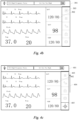
- the content displayed in the second function display area 201 comprises the content displayed in the first function display area.
- the second function display area 201 comprises a window popped up on the display interface therein, and this window comprises the above-mentioned attribute configuration window or the function configuration window, for example, the second function display area 201 in Fig. 4a comprises a pop-up window.
- the display of the second function display area 201 may not cover the display area of the physiological data by re-partitioning the display interface.
- the second physiological data display area displays the textual/numerical information related to the physiological data.
- the display related to the physiological data comprises the textual/numerical information (such as 1001 in Fig. 3 ) and the waveform data (such as 1002 in Fig. 3 ).
- the physiological parameters displayed in the second physiological data display area do not comprise the waveform data.
- the textual/numerical information comprises numerical information of basic parameters, for example, at least one of the ECG data, blood oxygen saturation data, body temperature data, respiratory data, heart rate data, and blood pressure data, etc.
- the second physiological data display area displays the textual/numerical information of the at least one physiological parameter, but does not display the waveform data.
- the second physiological data display area, the second function information display area, and the third function information display area are arranged side by side on the display interface.
- the second partition configuration is acquired, so that the processor forms an interface distribution as shown in Fig. 4b on the display interface.
- the second partition configuration comprises a second physiological data display area 302, a second function information display area 301 and a third function information display area 303.
- the second physiological data display area 302 displays textual/numerical information (such as 1001 in Fig. 3 ) and waveform data (such as 1002 in Fig. 3 ) of at least one physiological parameter.
- the content displayed in the second function information display area 301 comprises, but is not limited to, one or more of patient information, alarm information, power information, volume information, attribute configuration buttons, and wireless information, which is not specifically limited in this embodiment.
- a hidden display area for displaying the function button icons is displayed without covering the normal displayed physiological parameter display area, thereby ensuring that the user will not affect the real-time observation of the physiological parameters due to operations such as the adjustment of configurations or the appearance of alarm information during use.
- the above-mentioned method further comprises the following steps: after the first partition configuration of the display interface is acquired, acquiring the second partition configuration of the display interface if an alarm event is detected, the second partition configuration comprising a second physiological data display area, a second function information display area, and a third function information display area; displaying the at least one physiological data in the second physiological data display area; displaying data other than the at least one physiological data in the second function information display area; and displaying at least one function button icon in the third function information display area, the function button icon being used for characterizing a corresponding function operation.
- the alarm event comprises, but is not limited to, a physiological alarm and a technical alarm.
- the physiological alarm refers to an alarm issued when the physiological data monitoring module detects that the physiological data exceeds an alarm threshold, for example, an alarm issued when an ECG data monitoring module detects that the patient's heart rate exceeds 140 times/minute; and the technical alarm is an alarm event caused by a failure of some device in the monitor, for example, the ECG data monitoring module is short-circuited, and as another example, the memory has an insufficient storage space, etc.
- the above-mentioned steps are implemented by the processor running the program in the memory. Based on this embodiment, the re-acquisition of the partition configuration may be automatically triggered when the monitor automatically detects the alarm event, thereby changing the partition configuration of the touch display screen to the second partition configuration.
- the monitor displays the display interface as shown in Fig. 3
- the processor detects the alarm event
- the second partition configuration is automatically acquired and the display interface is adjusted to be under the display layout shown in Fig. 4b .
- the second physiological data display area displays the textual/numerical information and the waveform data of the at least one physiological parameter
- the content displayed in the second function information display area comprises, but is not limited to, one or more of patient information, alarm information, power information, volume information, attribute configuration buttons, and wireless information, which is not specifically limited in this embodiment.
- the related explanation of the function information display area mentioned in the foregoing may be referred to for details.
- the second function information display area does not display the pop-up window, for example, the above-mentioned attribute configuration window or the function configuration window.
- the above-mentioned method further comprises the following step: switching the display interface from the second partition configuration to the first partition configuration if the duration of the alarm event exceeding a first preset duration is detected and no other touch screen operation is detected within the first preset duration.
- the above-mentioned step is implemented by the processor running the program in the memory. Based on the monitoring of time, the layout of the display interface may be automatically adjusted.
- the above-mentioned step is implemented by the processor running the program in the memory.
- the second touch screen operation and/or the third touch screen operation may comprise at least one of gesture operations performed according to the predetermined rule such as the sliding operation, the single-finger sliding operation, the multi-finger sliding operation, and the tapping operation input on the touch display screen.
- the preset operation trajectory comprises a movement trajectory of the touch screen operation on the display interface at a position where an input portion (for example a user's finger) is in contact with a touch screen.
- the preset operation trajectory comprises, but is not limited to, a point contact, a linear movement trajectory, and a curved movement trajectory, etc.
- the first preset operation trajectory may be compared with the movement trajectory corresponding to the third touch screen operation input in the second physiological parameter display area or the second function information display area or in the entire display interface.
- the preset region may comprise any one of positions in the second physiological parameter display area or the second function information display area. Based on the monitoring of the touch screen operation, the layout of the display interface may be automatically adjusted.
- the above-mentioned steps are implemented by the processor running the program in the memory.
- the second preset operation trajectory in this embodiment comprises, but is not limited to, the point contact, the linear movement trajectory, and the curved movement trajectory, etc.
- the fourth touch screen operation may be a linear movement corresponding to the touch screen operation in the third function information display area at a position where the input portion is in contact with the touch screen, for example, a linear movement of the contact position of the input portion with the touch screen in the third function information display area 403 in a direction 404 indicated by an arrow in Fig. 4c .
- the second function information display area 401 is the second function information display area as mentioned above
- the second physiological parameter display area 402 is the second physiological parameter display area as mentioned above.
- the first part of the at least one function button icon is a combination of the function button icons as shown in a region 303 in Fig. 4b
- the second part of the at least one function button icon is a combination of the function button icons as shown in a region 403 in Fig. 4c
- the above-mentioned method further comprises the following steps: displaying a first part of the at least one function button icon in the third function information display area; and if a fifth touch screen operation for characterizing the movement of a target function button icon is detected in the third function display area, in response to the fifth touch screen operation, moving the target function button icon to a target position, and rearranging all the function button icons in the third function information area.
- the above-mentioned steps are implemented by the processor running the program in the memory.
- the above-mentioned method further comprises the following steps: after the second partition configuration of the display interface is acquired, acquiring a third partition configuration of the display interface if a sixth touch screen operation for characterizing the hiding of function buttons is detected, the third partition configuration comprising a third physiological data display area and a fourth function information display area; displaying the content displayed in the first physiological data display area in the third physiological data display area; and displaying the content displayed in the first function information display area in the fourth function information display area.
- the second function information display area comprises the foregoing pop-up window
- the third function information display area displays the textual/numerical information of the at least one physiological parameter instead, but does not display the waveform data.
- the window is suspended over part or all of a second physiological data display area 505, and the textual/numerical information of the at least one physiological parameter in the second physiological data display area 505 is extracted to be displayed in the third function information display area 502.
- the function button icons originally displayed in the third function information display area are collectively transparent or hidden.
- the triggering of the function button icons originally displayed in the third function information display area to be collectively transparent or hidden may be based on the sixth touch screen operation, for example, tapping a soft button 503 ( Fig. 4f ).
- tapping the soft button 503 the function button icons originally displayed in the third function information display area may be expanded and displayed, so as to switch between the display of the function button icons and the display of the textual/numerical information of the physiological parameters in the third function information display area.
- the function button icons originally displayed in the third function information display area are expanded and are formed in the third function information display area, and also the function button icons and the textual/numerical information of the physiological parameters are displayed, which is similar to the Fig. 4a .
- the above-mentioned steps are implemented by the processor running the program in the memory. Based on this embodiment, it is possible to hide the function buttons when the medical personnel does not need the function buttons to avoid occupying the display interface thereby.
- the processor detects a corresponding touch screen operation, for example, a touch screen operation for characterizing the hiding of the function buttons, the second partition configuration of the display interface is restored to the first partition configuration.
- an external expansion screen may be connected to the monitor.
- the external expansion screen is connected to the processor and may simultaneously display the content displayed in the display interface, of course, or simultaneously display for a certain display region, or display for function keys such as hidden function hot keys, which is not specifically limited in this embodiment and may be specifically configured according to actual needs.
- the monitor provided by the embodiments of the present invention may switch the display interface from the first partition device to the second partition configuration when the first touch screen operation that meets the preset re-partitioning rule is detected. Since parameter configuration related data, physiological data and function button icons may be separately displayed in the second partition configuration, the problem that a parameter configuration interface blocks part or even all of the physiological data may be solved, thereby facilitating viewing monitoring data in real time by the medical personnel.
- Fig. 5 provides a structural embodiment of a display device of a monitor, the display device comprising: a first partition display module 10, a touch screen operation detection module 20, and a second partition display module 30, wherein
- the specific execution process of the first partition display module 10 is consistent with that of steps S10 to S30 in the above-mentioned embodiments
- the specific execution process of the touch screen operation detection module 20 is consistent with that of step S40 in the above-mentioned embodiments
- the specific execution process of the second partition display module 30 is consistent with that of steps S50 to S80 in the above-mentioned embodiments, which is not described in this embodiment, please refer to the disclosure of the above-mentioned embodiments.
- the above-mentioned device further comprises the following module: a third partition display module for, after the first partition configuration of the display interface is acquired, acquiring the second partition configuration of the display interface if an alarm event is detected, the second partition configuration comprising a second physiological data display area, a second function information display area, and a third function information display area; displaying the at least one physiological data in the second physiological data display area; displaying data other than the at least one physiological data in the second function information display area; and displaying at least one function button icon in the third function information display area, the function button icon being used for characterizing a corresponding function operation.
- a third partition display module for, after the first partition configuration of the display interface is acquired, acquiring the second partition configuration of the display interface if an alarm event is detected, the second partition configuration comprising a second physiological data display area, a second function information display area, and a third function information display area; displaying the at least one physiological data in the second physiological data display area; displaying data other than the at least one physiological data in the second function information
- the above-mentioned device further comprises the following module: a first partition switching module for switching the display interface from the second partition configuration to the first partition configuration if the duration of the alarm event exceeding a first preset duration is detected and no other touch screen operation is detected within the first preset duration.
- the above-mentioned device further comprises the following module:
- the above-mentioned device further comprises the following module: a fourth partition display module for displaying a first part of the at least one function button icon in the third function information display area; and if a fourth touch screen operation that meets a second preset operation trajectory is detected in the third function information display area, in response to the fourth touch screen operation, displaying a second part of the at least one function button icon in the third function information display area.
- the above-mentioned device further comprises the following module: a fifth partition display module for displaying a first part of the at least one function button icon in the third function information display area; and if a fifth touch screen operation for characterizing the movement of a target function button icon is detected in the third function display area, in response to the fifth touch screen operation, moving the target function button icon to a target position, and rearranging all the function button icons in the third function information area.
- the above-mentioned device further comprises the following module: a sixth partition display module for, after the second partition configuration of the display interface is acquired, acquiring a third partition configuration of the display interface if a sixth touch screen operation for characterizing the hiding of function buttons is detected, the third partition configuration comprising a third physiological data display area and a fourth function information display area; displaying the content displayed in the second physiological data display area in the third physiological data display area; and displaying the content displayed in the second function information display area in the fourth function information display area.
- a sixth partition display module for, after the second partition configuration of the display interface is acquired, acquiring a third partition configuration of the display interface if a sixth touch screen operation for characterizing the hiding of function buttons is detected, the third partition configuration comprising a third physiological data display area and a fourth function information display area; displaying the content displayed in the second physiological data display area in the third physiological data display area; and displaying the content displayed in the second function information display area in the fourth function information display area.
- the display device applied to a monitor may switch the display interface from the first partition device to the second partition configuration when the first touch screen operation that meets the preset re-partitioning rule is detected. Since parameter configuration related data, physiological data and function button icons may be separately displayed in the second partition configuration, the problem that a parameter configuration interface blocks part or even all of the physiological data may be solved, thereby facilitating viewing monitoring data in real time by the medical personnel.
Landscapes
- Health & Medical Sciences (AREA)
- Engineering & Computer Science (AREA)
- Life Sciences & Earth Sciences (AREA)
- Physics & Mathematics (AREA)
- Biomedical Technology (AREA)
- Medical Informatics (AREA)
- Public Health (AREA)
- General Health & Medical Sciences (AREA)
- Theoretical Computer Science (AREA)
- General Engineering & Computer Science (AREA)
- Cardiology (AREA)
- Biophysics (AREA)
- Veterinary Medicine (AREA)
- Molecular Biology (AREA)
- Surgery (AREA)
- Animal Behavior & Ethology (AREA)
- Pathology (AREA)
- Heart & Thoracic Surgery (AREA)
- General Physics & Mathematics (AREA)
- Physiology (AREA)
- Human Computer Interaction (AREA)
- Software Systems (AREA)
- Pulmonology (AREA)
- Primary Health Care (AREA)
- Epidemiology (AREA)
- Business, Economics & Management (AREA)
- General Business, Economics & Management (AREA)
- Vascular Medicine (AREA)
- Spectroscopy & Molecular Physics (AREA)
- Optics & Photonics (AREA)
- Measuring And Recording Apparatus For Diagnosis (AREA)
- User Interface Of Digital Computer (AREA)
Claims (15)
- Ein Monitor, der Folgendes umfasst: mindestens ein Modul zur Überwachung physiologischer Daten (10), einen Speicher (20), einen Touchscreen-Bildschirm und einen Prozessor (30), wobei:das mindestens eine Modul (10) zur Überwachung von mindestens einem physiologischen Datenwert eines Patienten verwendet wird;der Speicher (20) zur Speicherung eines Programms und des mindestens einen physiologischen Datenwertes verwendet wird;der Touchscreen-Bildschirm verwendet wird, um eine Touchscreen-Bedienung unter der Kontrolle des Prozessors (30) zu empfangen; undder Prozessor (30) verwendet wird, um das Programm im Speicher (10) auszuführen und die folgenden Verfahren auszuführen:Abrufen einer ersten Partitionierungskonfiguration der Anzeigeoberfläche des Touchscreen-Bildschirms, wobei die erste Partitionierungskonfiguration einen ersten Anzeigebereich für physiologische Daten (101) und einen ersten Anzeigebereich für Funktionsinformationen (102) umfasst;Anzeigen des mindestens einen physiologischen Datenwertes im ersten Anzeigebereich für physiologische Daten (101);Anzeigen von ersten Funktionsinformationen des Monitors, die sich von dem mindestens einen physiologischen Datenwert unterscheiden, im ersten Anzeigebereich für Funktionsinformationen (102), wobei die ersten Funktionsinformationen eine oder mehrere der folgenden umfassen: Funktionskonfiguration, Funktionsattribut und Funktionstaste;Erkennen einer Touchscreen-Bedienung, die vom Touchscreen-Bildschirm empfangen wird; Wenn die erste Touchscreen-Bedienung eine voreingestellte Regel zur Neupartitionierung erfüllt:Abrufen einer zweiten Partitionierungskonfiguration der Anzeigeoberfläche und Wechseln der Anzeige der Anzeigeoberfläche von der ersten Partitionierungskonfiguration zur zweiten Partitionierungskonfiguration, wobei die zweite Partitionierungskonfiguration einen zweiten Anzeigebereich für physiologische Daten (202, 302, 402, 502), einen zweiten Anzeigebereich für Funktionsinformationen (201, 301, 401, 501) und einen dritten Anzeigebereich für Funktionsinformationen (203, 303, 403, 503) umfasst;Anzeigen des mindestens einen physiologischen Datenwertes im zweiten Anzeigebereich für physiologische Daten (202, 302, 402, 502);Anzeigen von zweiten Funktionsinformationen des Monitors, die sich von dem mindestens einen physiologischen Datenwert unterscheiden, im zweiten Anzeigebereich für Funktionsinformationen (201, 301, 401, 501), wobei die zweiten Funktionsinformationen eine oder mehrere der folgenden umfassen: Funktionskonfiguration, Funktionsattribut und Funktionstaste;Anzeigen von mindestens einem Funktionssymbol (405, 406, 407) im dritten Anzeigebereich für Funktionsinformationen (203, 303, 403, 503), wobei das Funktionssymbol (405, 406, 407) zur Darstellung einer entsprechenden Funktionsweise verwendet wird.
- Der Monitor nach Anspruch 1, wobei sich der dritte Anzeigebereich für Funktionsinformationen (203, 303, 403, 503) sich an einem Rand der Anzeigeoberfläche befindet.
- Der Monitor nach Anspruch 1 oder 2, wobei die Fläche des ersten Anzeigebereichs für physiologische Daten (101) größer ist als die des ersten Anzeigebereichs für Funktionsinformationen (102).
- Der Monitor nach einem der Ansprüche 1 bis 3, wobei die Fläche des zweiten Anzeigebereichs für physiologische Daten (202, 302, 402, 502) kleiner ist als die des ersten Anzeigebereichs für physiologische Daten (101).
- Der Monitor nach einem der Ansprüche 1 bis 4, wobei die Fläche des zweiten Anzeigebereichs für Funktionsinformationen (201, 301, 401, 501) gleich oder größer ist als die des ersten Anzeigebereichs für Funktionsinformationen (102).
- Der Monitor nach einem der Ansprüche 1 bis 5, wobei die Verteilung der Anzeigeoberfläche, die auf der Grundlage der zweiten Partitionierungskonfiguration erhalten wird, mindestens eine der folgenden Methoden verwendet:Der zweite Anzeigebereich für Funktionsinformationen umfasst ein Popup-Fenster, und der zweite Anzeigebereich für physiologische Daten (202, 302, 402, 502) zeigt textuelle/numerische Informationen von mindestens einem physiologischen Parameter an, jedoch keine Kurvenformdaten;Der zweite Anzeigebereich für physiologische Daten (202, 302, 402, 502) zeigt textuelle/numerische Informationen und/oder Kurvenformdaten von mindestens einem physiologischen Parameter an; undDer zweite Anzeigebereich für Funktionsinformationen (201, 301, 401, 501) umfasst ein Popup-Fenster, und der dritte Anzeigebereich für Funktionsinformationen (203, 303, 403, 503) zeigt stattdessen die textuelle/numerische Information des mindestens einen physiologischen Parameters an.
- Der Monitor nach einem der Ansprüche 1 bis 6, wobei der Prozessor (30) auch verwendet wird, um das Programm im Speicher (20) auszuführen, um die folgenden Verfahren auszuführen:
Wenn ein Alarmereignis erkannt wird:Wechseln der Anzeige der Anzeigeoberfläche von der ersten Partitionierungskonfiguration zur zweiten Partitionierungskonfiguration, wobei die zweite Partitionierungskonfiguration einen zweiten Anzeigebereich für physiologische Daten (202, 302, 402, 502), einen zweiten Anzeigebereich für Funktionsinformationen (201, 301, 401, 501) und einen dritten Anzeigebereich für Funktionsinformationen (203, 303, 403, 503) umfasst;Anzeigen des mindestens einen physiologischen Datenwertes im zweiten Anzeigebereich für physiologische Daten (202, 302, 402, 502);Anzeigen von Daten, die sich von dem mindestens einen physiologischen Datenwert unterscheiden, im zweiten Anzeigebereich für Funktionsinformationen (201, 301, 401, 501); undAnzeigen von mindestens einem Funktionssymbol (405, 406, 407) im dritten Anzeigebereich für Funktionsinformationen (203, 303, 403, 503), wobei das Funktionssymbol (405, 406, 407) zur Darstellung einer entsprechenden Funktionsweise verwendet wird. - Der Monitor nach Anspruch 7, wobei der Prozessor (30) auch verwendet wird, um das Programm im Speicher (20) auszuführen, um die folgenden Verfahren auszuführen:
Wechseln der Anzeigeoberfläche von der zweiten Partitionierungskonfiguration zur ersten Partitionierungskonfiguration, wenn die Dauer des Alarmereignisses eine erste voreingestellte Dauer überschreitet und innerhalb dieser Dauer keine Touchscreen-Bedienung erkannt wird. - Der Monitor nach einem der Ansprüche 1 bis 8, wobei der Prozessor (30) auch verwendet wird, um das Programm im Speicher (20) auszuführen, um die folgenden Verfahren auszuführen:
Wechseln der Anzeigeoberfläche von der zweiten Partitionierungskonfiguration zur ersten Partitionierungskonfiguration, wenn eine der folgenden Bedingungen erfüllt ist:keine andere Touchscreen-Bedienung wird innerhalb einer ersten voreingestellten Dauer erkannt;eine zweite Touchscreen-Bedienung wird in einer voreingestellten Region der Anzeigeoberfläche erkannt; undeine dritte Touchscreen-Bedienung, die einer ersten voreingestellten Bedienungstrajektorie entspricht, wird erkannt. - Der Monitor nach einem der Ansprüche 1 bis 9, wobei der Prozessor (30) auch verwendet wird, um das Programm im Speicher (20) zur Durchführung der folgenden Verfahren auszuführen:Anzeigen eines ersten Teils des mindestens einen Funktionssymbols (405, 406, 407) im dritten Anzeigebereich für Funktionsinformationen (203, 303, 403, 503); undwenn eine vierte Touchscreen-Bedienung, die einem zweiten voreingestellten Betriebsverlauf entspricht, im dritten Anzeigebereich für Funktionsinformationen (203, 303, 403, 503) erkannt wird, Anzeigen eines zweiten Teils des mindestens einen Funktionssymbols (405, 406, 407) im dritten Anzeigebereich für Funktionsinformationen (203, 303, 403, 503) als Reaktion auf die vierte Touchscreen-Bedienung.
- Der Monitor nach einem der Ansprüche 1 bis 10, wobei der Prozessor (30) auch verwendet wird, um das Programm im Speicher (20) zur Durchführung der folgenden Verfahren auszuführen:Anzeigen eines ersten Teils des mindestens einen Funktionssymbols (405, 406, 407) im dritten Anzeigebereich für Funktionsinformationen (203, 303, 403, 503); undwenn eine fünfte Touchscreen-Bedienung, die eine Bewegung (404) eines Ziel-Funktionssymbols (405, 406, 407) darstellt, im dritten Anzeigebereich für Funktionsinformationen (203, 303, 403, 503) erkannt wird, Verschieben des Ziel-Funktionssymbols (405, 406, 407) zu einer Zielposition und Neuordnung aller Funktionssymbole (405, 406, 407) im dritten Anzeigebereich für Funktionsinformationen (203, 303, 403, 503) als Reaktion auf die fünfte Touchscreen-Bedienung.
- Der Monitor nach einem der Ansprüche 1 bis 11, wobei der Prozessor (30) auch verwendet wird, um das Programm im Speicher (20) zur Durchführung der folgenden Verfahren auszuführen:
Wenn eine sechste Touchscreen-Bedienung erkannt wird, die das Ausblenden von Funktionssymbolen (405, 406, 407) darstellt:Wechseln der Anzeige der Anzeigeoberfläche von der ersten Partitionierungskonfiguration zur zweiten Partitionierungskonfiguration, wobei die dritte Partitionierungskonfiguration einen dritten Anzeigebereich für physiologische Daten und einen vierten Anzeigebereich für Funktionsinformationen umfasst;Anzeigen der Inhalte des zweiten Anzeigebereichs für physiologische Daten (202, 302, 402, 502) im dritten Anzeigebereich für physiologische Daten; undAnzeigen der Inhalte des zweiten Anzeigebereichs für Funktionsinformationen (201, 301, 401, 501) im vierten Anzeigebereich für Funktionsinformationen. - Der Monitor nach einem der Ansprüche 1 bis 12 mit einem externen Erweiterungsbildschirm, wobei dieser mit dem Prozessor (30) verbunden ist und zur gleichzeitigen Anzeige der Inhalte der Anzeigeoberfläche verwendet wird.
- Eine Anzeigemethode, die auf einem Monitor angewendet wird und Folgendes umfasst:Abrufen einer ersten Partitionierungskonfiguration (S10) auf einer Anzeigeoberfläche eines Touchscreen-Bildschirms des Monitors, wobei die erste Partitionierungskonfiguration einen ersten Anzeigebereich für physiologische Daten und einen ersten Anzeigebereich für Funktionsinformationen umfasst;Anzeigen von mindestens einem physiologischen Datenwert (S20) im ersten Anzeigebereich für physiologische Daten;Anzeigen von ersten Funktionsinformationen (S30), die sich von dem mindestens einen physiologischen Datenwert unterscheiden, im ersten Anzeigebereich für Funktionsinformationen, wobei die ersten Funktionsinformationen eine oder mehrere der folgenden umfassen: Funktionskonfiguration, Funktionsattribut und Funktionstaste;Erkennen einer Touchscreen-Bedienung (S40), die vom Touchscreen-Bildschirm empfangen wird;Wenn eine erste Touchscreen-Bedienung erkannt wird, die einer voreingestellten Regel zur Neupartitionierung entspricht:Abrufen einer zweiten Partitionierungskonfiguration (S50) der Anzeigeoberfläche und Wechseln der Anzeige von der ersten Partitionierungskonfiguration zur zweiten Partitionierungskonfiguration, wobei die zweite Partitionierungskonfiguration einen zweiten Anzeigebereich für physiologische Daten, einen zweiten Anzeigebereich für Funktionsinformationen und einen dritten Anzeigebereich für Funktionsinformationen umfasst;Anzeigen von mindestens einem physiologischen Datenwert (S60) im zweiten Anzeigebereich für physiologische Daten;Anzeigen von zweiten Funktionsinformationen (S70), die sich von dem mindestens einen physiologischen Datenwert unterscheiden, im zweiten Anzeigebereich für Funktionsinformationen, wobei die zweiten Funktionsinformationen eine oder mehrere der folgenden umfassen: Funktionskonfiguration, Funktionsattribut und Funktionstaste; undAnzeigen von mindestens einem Funktionssymbol (S80) im dritten Anzeigebereich für Funktionsinformationen, wobei das Funktionssymbol zur Darstellung einer entsprechenden Funktionsweise verwendet wird.
- Die Methode nach Anspruch 14 umfasst ferner:Nach dem Abrufen der ersten Partitionierungskonfiguration der Anzeigeoberfläche, wenn ein Alarmereignis erkannt wird: Abrufen der zweiten Partitionierungskonfiguration der Anzeigeoberfläche und Wechseln der Anzeige von der ersten Partitionierungskonfiguration zur zweiten Partitionierungskonfiguration, wobei die zweite Partitionierungskonfiguration einen zweiten Anzeigebereich für physiologische Daten, einen zweiten Anzeigebereich für Funktionsinformationen und einen dritten Anzeigebereich für Funktionsinformationen umfasst;Anzeigen von mindestens einem physiologischen Datenwert im zweiten Anzeigebereich für physiologische Daten;Anzeigen von Daten, die sich von dem mindestens einen physiologischen Datenwert unterscheiden, im zweiten Anzeigebereich für Funktionsinformationen; undAnzeigen von mindestens einem Funktionssymbol im dritten Anzeigebereich für Funktionsinformationen, wobei das Funktionssymbol zur Darstellung einer entsprechenden Funktionsweise verwendet wird.
Priority Applications (1)
| Application Number | Priority Date | Filing Date | Title |
|---|---|---|---|
| EP24220023.6A EP4513314A3 (de) | 2017-10-27 | 2017-10-27 | Monitor, auf den monitor angewendetes anzeigeverfahren, anzeigevorrichtung und speichermedium |
Applications Claiming Priority (1)
| Application Number | Priority Date | Filing Date | Title |
|---|---|---|---|
| PCT/CN2017/107923 WO2019080074A1 (zh) | 2017-10-27 | 2017-10-27 | 监护仪、应用于监护仪的显示方法、显示装置和存储介质 |
Related Child Applications (2)
| Application Number | Title | Priority Date | Filing Date |
|---|---|---|---|
| EP24220023.6A Division EP4513314A3 (de) | 2017-10-27 | 2017-10-27 | Monitor, auf den monitor angewendetes anzeigeverfahren, anzeigevorrichtung und speichermedium |
| EP24220023.6A Division-Into EP4513314A3 (de) | 2017-10-27 | 2017-10-27 | Monitor, auf den monitor angewendetes anzeigeverfahren, anzeigevorrichtung und speichermedium |
Publications (3)
| Publication Number | Publication Date |
|---|---|
| EP3701853A1 EP3701853A1 (de) | 2020-09-02 |
| EP3701853A4 EP3701853A4 (de) | 2021-11-03 |
| EP3701853B1 true EP3701853B1 (de) | 2025-03-05 |
Family
ID=66246067
Family Applications (2)
| Application Number | Title | Priority Date | Filing Date |
|---|---|---|---|
| EP24220023.6A Pending EP4513314A3 (de) | 2017-10-27 | 2017-10-27 | Monitor, auf den monitor angewendetes anzeigeverfahren, anzeigevorrichtung und speichermedium |
| EP17929801.3A Active EP3701853B1 (de) | 2017-10-27 | 2017-10-27 | Monitor, auf den monitor angewendetes anzeigeverfahren, anzeigevorrichtung und speichermedium |
Family Applications Before (1)
| Application Number | Title | Priority Date | Filing Date |
|---|---|---|---|
| EP24220023.6A Pending EP4513314A3 (de) | 2017-10-27 | 2017-10-27 | Monitor, auf den monitor angewendetes anzeigeverfahren, anzeigevorrichtung und speichermedium |
Country Status (4)
| Country | Link |
|---|---|
| US (1) | US11662875B2 (de) |
| EP (2) | EP4513314A3 (de) |
| CN (2) | CN116763270B (de) |
| WO (1) | WO2019080074A1 (de) |
Families Citing this family (10)
| Publication number | Priority date | Publication date | Assignee | Title |
|---|---|---|---|---|
| US9292656B2 (en) * | 2010-09-29 | 2016-03-22 | General Electric Company | Systems and methods for improved perinatal workflow |
| CN114521873B (zh) * | 2020-11-23 | 2025-09-19 | 深圳迈瑞生物医疗电子股份有限公司 | 体征参数测量方法及相关设备 |
| CN114544991B (zh) * | 2020-11-25 | 2025-12-09 | 深圳迈瑞生物医疗电子股份有限公司 | 一种样本分析装置及其控制方法 |
| CN114680841A (zh) * | 2020-12-29 | 2022-07-01 | 深圳迈瑞生物医疗电子股份有限公司 | 一种监护方法、设备及医疗中央站系统 |
| CN115756671A (zh) * | 2021-09-02 | 2023-03-07 | 深圳市理邦精密仪器股份有限公司 | 监护仪上快捷键的创建方法、监护仪及存储介质 |
| CN115868922B (zh) * | 2021-09-27 | 2025-12-09 | 康泰医学系统(秦皇岛)股份有限公司 | 触摸屏监护仪控制的方法及装置 |
| WO2023051650A1 (zh) * | 2021-09-28 | 2023-04-06 | 深圳迈瑞生物医疗电子股份有限公司 | 医用设备及其信息显示方法和界面的显示方法 |
| CN116849803A (zh) * | 2021-11-08 | 2023-10-10 | 深圳市精锋医疗科技股份有限公司 | 界面显示控制方法和装置、计算机设备和系统、及介质 |
| CN117379691B (zh) * | 2023-09-27 | 2024-11-08 | 深圳市思敏医疗科技有限公司 | 一种具有监护功能的除颤仪及其工作方法 |
| CN120371176A (zh) * | 2024-01-23 | 2025-07-25 | 通用电气精准医疗有限责任公司 | 用户界面显示方法、医疗设备以及非暂态计算机可读介质 |
Family Cites Families (19)
| Publication number | Priority date | Publication date | Assignee | Title |
|---|---|---|---|---|
| JP3682617B2 (ja) * | 1999-11-08 | 2005-08-10 | 日本光電工業株式会社 | 複数患者データの縦分割表示方式 |
| AU2002350108B2 (en) * | 2001-11-01 | 2008-09-11 | Scott Laboratories, Inc. | User interface for sedation and analgesia delivery systems and methods |
| WO2007060559A2 (en) * | 2005-11-23 | 2007-05-31 | Koninklijke Philips Electronics N.V. | Patient monitor with user-defined monitored parameters |
| US10702174B2 (en) * | 2007-06-27 | 2020-07-07 | Integra Lifesciences Corporation | Medical monitor user interface |
| US9265429B2 (en) * | 2009-09-18 | 2016-02-23 | Welch Allyn, Inc. | Physiological parameter measuring platform device supporting multiple workflows |
| US8471697B2 (en) * | 2009-12-23 | 2013-06-25 | Mindray Ds Usa, Inc. | Systems and methods for remote patient monitoring |
| US20120198341A1 (en) * | 2011-01-28 | 2012-08-02 | General Electric Company | System and Method of Automatic Scaling of Clinical Data for Varied Display Size |
| CN102129295A (zh) * | 2011-03-25 | 2011-07-20 | 深圳市理邦精密仪器股份有限公司 | 一种调整界面显示内容的方法和系统 |
| CA2835937A1 (en) * | 2011-05-15 | 2012-11-22 | Spacelabs Healthcare, Llc | User configurable central monitoring station |
| US20130109927A1 (en) * | 2011-10-28 | 2013-05-02 | Mindray Ds Usa, Inc. | Systems and methods for remote patient monitoring |
| CN102508663B (zh) * | 2011-11-08 | 2014-06-25 | 深圳市理邦精密仪器股份有限公司 | 一种多参数监护仪图形界面布局设置的装置和方法 |
| US11172890B2 (en) * | 2012-01-04 | 2021-11-16 | Masimo Corporation | Automated condition screening and detection |
| CN102743156A (zh) * | 2012-07-13 | 2012-10-24 | 深圳市邦健电子有限公司 | 监护仪的参数显示系统和方法 |
| CN106415559B (zh) * | 2014-05-30 | 2019-07-26 | 苹果公司 | 健康数据聚合器 |
| CN104305966B (zh) * | 2014-11-17 | 2017-01-25 | 江苏康尚生物医疗科技有限公司 | 一种监护仪的界面设置的方法及装置 |
| CN107847175B (zh) * | 2015-10-10 | 2021-05-28 | 深圳迈瑞生物医疗电子股份有限公司 | 医用监护系统、显示监护数据的方法和监护显示装置 |
| WO2017063199A1 (zh) * | 2015-10-16 | 2017-04-20 | 深圳迈瑞生物医疗电子股份有限公司 | 监护装置和监护信息显示方法 |
| CN205597907U (zh) * | 2016-03-30 | 2016-09-28 | 苏州贝莱弗医疗科技有限公司 | 一种生命体征监护仪 |
| CN106020664B (zh) * | 2016-05-11 | 2019-07-09 | 广东合晟网络科技有限公司 | 图像处理方法 |
-
2017
- 2017-10-27 CN CN202310711043.XA patent/CN116763270B/zh active Active
- 2017-10-27 EP EP24220023.6A patent/EP4513314A3/de active Pending
- 2017-10-27 CN CN201780096366.5A patent/CN111954486B/zh active Active
- 2017-10-27 WO PCT/CN2017/107923 patent/WO2019080074A1/zh not_active Ceased
- 2017-10-27 EP EP17929801.3A patent/EP3701853B1/de active Active
-
2020
- 2020-04-27 US US16/859,962 patent/US11662875B2/en active Active
Also Published As
| Publication number | Publication date |
|---|---|
| US20200257431A1 (en) | 2020-08-13 |
| EP3701853A1 (de) | 2020-09-02 |
| CN116763270B (zh) | 2025-11-07 |
| WO2019080074A1 (zh) | 2019-05-02 |
| EP4513314A3 (de) | 2025-03-26 |
| EP3701853A4 (de) | 2021-11-03 |
| CN116763270A (zh) | 2023-09-19 |
| EP4513314A2 (de) | 2025-02-26 |
| US11662875B2 (en) | 2023-05-30 |
| CN111954486A (zh) | 2020-11-17 |
| CN111954486B (zh) | 2023-07-04 |
Similar Documents
| Publication | Publication Date | Title |
|---|---|---|
| EP3701853B1 (de) | Monitor, auf den monitor angewendetes anzeigeverfahren, anzeigevorrichtung und speichermedium | |
| KR102716760B1 (ko) | 분할 화면을 제공하기 위한 객체를 표시하는 전자 장치 및 방법 | |
| EP2615525B1 (de) | Berührungsloser Betrieb von Vorrichtungen durch Verwendung von Tiefensensoren | |
| EP3342343B1 (de) | Hilfsvorrichtung und verfahren zur auswertung von röntgenbildern | |
| US11656757B2 (en) | Monitor and display screen switching method therefor | |
| EP3046018B1 (de) | Verfahren zur steuerung eines bildschirms und elektronische vorrichtung zur verarbeitung davon | |
| CN105144032B (zh) | 用于基于检测到的凝视的装置交互的系统和方法 | |
| KR102481632B1 (ko) | 전자 장치 및 전자 장치의 디스플레이를 이용한 적응적 터치 입력 방법 | |
| US10667766B2 (en) | Method and system for monitoring multiple patient parameters on a touchscreen | |
| CN108292194A (zh) | 用于显示数据的装置 | |
| CA2718441A1 (en) | Apparatus to create, save and format text documents using gaze control and method associated based on the optimized positioning of cursor | |
| KR20150024246A (ko) | 전자 장치에서 쿼지 사용자 인터페이스를 운용하기 위한 방법 및 시스템 | |
| CN103902157B (zh) | 一种信息处理方法和电子设备 | |
| KR20160098700A (ko) | 멀티 터치 입력을 처리하기 위한 전자 장치 및 그 동작 방법 | |
| CN111142706B (zh) | 一种医疗床移动方法、装置、设备及存储介质 | |
| CN112997136A (zh) | 一种应用于监护设备的界面操作方法及监护设备 | |
| EP3430994B1 (de) | Zeichenparameteranzeigeverfahren und -system | |
| KR101480429B1 (ko) | 전자의무기록 시스템 기반 오브젝트 정보 검색 방법 및 장치 | |
| CN119225873A (zh) | 监护系统及监护设备的界面的显示方法 | |
| EP4386521A1 (de) | Benutzerschnittstellensteuerung | |
| CN113805718A (zh) | 控制读写属性以避免弹出虚拟键盘的系统及方法 | |
| CN116820321A (zh) | 监护设备及功能按键区域的显示方法 | |
| CN115868922B (zh) | 触摸屏监护仪控制的方法及装置 | |
| CN119248113A (zh) | 显示方法、装置、设备、介质及产品 | |
| US20150305691A1 (en) | Method and magnetic resonance apparatus for image monitoring of a medical interventional procedure |
Legal Events
| Date | Code | Title | Description |
|---|---|---|---|
| STAA | Information on the status of an ep patent application or granted ep patent |
Free format text: STATUS: THE INTERNATIONAL PUBLICATION HAS BEEN MADE |
|
| PUAI | Public reference made under article 153(3) epc to a published international application that has entered the european phase |
Free format text: ORIGINAL CODE: 0009012 |
|
| STAA | Information on the status of an ep patent application or granted ep patent |
Free format text: STATUS: REQUEST FOR EXAMINATION WAS MADE |
|
| 17P | Request for examination filed |
Effective date: 20200428 |
|
| AK | Designated contracting states |
Kind code of ref document: A1 Designated state(s): AL AT BE BG CH CY CZ DE DK EE ES FI FR GB GR HR HU IE IS IT LI LT LU LV MC MK MT NL NO PL PT RO RS SE SI SK SM TR |
|
| AX | Request for extension of the european patent |
Extension state: BA ME |
|
| DAV | Request for validation of the european patent (deleted) | ||
| DAX | Request for extension of the european patent (deleted) | ||
| A4 | Supplementary search report drawn up and despatched |
Effective date: 20211001 |
|
| RIC1 | Information provided on ipc code assigned before grant |
Ipc: G06F 3/048 20130101ALI20210928BHEP Ipc: G01D 7/02 20060101ALI20210928BHEP Ipc: G06F 9/44 20180101ALI20210928BHEP Ipc: A61B 5/00 20060101AFI20210928BHEP |
|
| GRAP | Despatch of communication of intention to grant a patent |
Free format text: ORIGINAL CODE: EPIDOSNIGR1 |
|
| STAA | Information on the status of an ep patent application or granted ep patent |
Free format text: STATUS: GRANT OF PATENT IS INTENDED |
|
| RIC1 | Information provided on ipc code assigned before grant |
Ipc: G06F 3/048 20130101ALI20240930BHEP Ipc: G01D 7/02 20060101ALI20240930BHEP Ipc: G06F 9/44 20180101ALI20240930BHEP Ipc: A61B 5/00 20060101AFI20240930BHEP |
|
| INTG | Intention to grant announced |
Effective date: 20241017 |
|
| GRAS | Grant fee paid |
Free format text: ORIGINAL CODE: EPIDOSNIGR3 |
|
| GRAA | (expected) grant |
Free format text: ORIGINAL CODE: 0009210 |
|
| STAA | Information on the status of an ep patent application or granted ep patent |
Free format text: STATUS: THE PATENT HAS BEEN GRANTED |
|
| AK | Designated contracting states |
Kind code of ref document: B1 Designated state(s): AL AT BE BG CH CY CZ DE DK EE ES FI FR GB GR HR HU IE IS IT LI LT LU LV MC MK MT NL NO PL PT RO RS SE SI SK SM TR |
|
| REG | Reference to a national code |
Ref country code: GB Ref legal event code: FG4D |
|
| REG | Reference to a national code |
Ref country code: CH Ref legal event code: EP |
|
| REG | Reference to a national code |
Ref country code: IE Ref legal event code: FG4D |
|
| REG | Reference to a national code |
Ref country code: DE Ref legal event code: R096 Ref document number: 602017088234 Country of ref document: DE |
|
| P01 | Opt-out of the competence of the unified patent court (upc) registered |
Free format text: CASE NUMBER: APP_11843/2025 Effective date: 20250312 |
|
| REG | Reference to a national code |
Ref country code: NL Ref legal event code: FP |
|
| PG25 | Lapsed in a contracting state [announced via postgrant information from national office to epo] |
Ref country code: RS Free format text: LAPSE BECAUSE OF FAILURE TO SUBMIT A TRANSLATION OF THE DESCRIPTION OR TO PAY THE FEE WITHIN THE PRESCRIBED TIME-LIMIT Effective date: 20250605 |
|
| PG25 | Lapsed in a contracting state [announced via postgrant information from national office to epo] |
Ref country code: FI Free format text: LAPSE BECAUSE OF FAILURE TO SUBMIT A TRANSLATION OF THE DESCRIPTION OR TO PAY THE FEE WITHIN THE PRESCRIBED TIME-LIMIT Effective date: 20250305 |
|
| PG25 | Lapsed in a contracting state [announced via postgrant information from national office to epo] |
Ref country code: ES Free format text: LAPSE BECAUSE OF FAILURE TO SUBMIT A TRANSLATION OF THE DESCRIPTION OR TO PAY THE FEE WITHIN THE PRESCRIBED TIME-LIMIT Effective date: 20250305 |
|
| REG | Reference to a national code |
Ref country code: LT Ref legal event code: MG9D |
|
| PG25 | Lapsed in a contracting state [announced via postgrant information from national office to epo] |
Ref country code: NO Free format text: LAPSE BECAUSE OF FAILURE TO SUBMIT A TRANSLATION OF THE DESCRIPTION OR TO PAY THE FEE WITHIN THE PRESCRIBED TIME-LIMIT Effective date: 20250605 |
|
| PG25 | Lapsed in a contracting state [announced via postgrant information from national office to epo] |
Ref country code: HR Free format text: LAPSE BECAUSE OF FAILURE TO SUBMIT A TRANSLATION OF THE DESCRIPTION OR TO PAY THE FEE WITHIN THE PRESCRIBED TIME-LIMIT Effective date: 20250305 |
|
| PG25 | Lapsed in a contracting state [announced via postgrant information from national office to epo] |
Ref country code: LV Free format text: LAPSE BECAUSE OF FAILURE TO SUBMIT A TRANSLATION OF THE DESCRIPTION OR TO PAY THE FEE WITHIN THE PRESCRIBED TIME-LIMIT Effective date: 20250305 |
|
| PG25 | Lapsed in a contracting state [announced via postgrant information from national office to epo] |
Ref country code: GR Free format text: LAPSE BECAUSE OF FAILURE TO SUBMIT A TRANSLATION OF THE DESCRIPTION OR TO PAY THE FEE WITHIN THE PRESCRIBED TIME-LIMIT Effective date: 20250606 Ref country code: BG Free format text: LAPSE BECAUSE OF FAILURE TO SUBMIT A TRANSLATION OF THE DESCRIPTION OR TO PAY THE FEE WITHIN THE PRESCRIBED TIME-LIMIT Effective date: 20250305 |
|
| REG | Reference to a national code |
Ref country code: AT Ref legal event code: MK05 Ref document number: 1772120 Country of ref document: AT Kind code of ref document: T Effective date: 20250305 |
|
| PG25 | Lapsed in a contracting state [announced via postgrant information from national office to epo] |
Ref country code: SE Free format text: LAPSE BECAUSE OF FAILURE TO SUBMIT A TRANSLATION OF THE DESCRIPTION OR TO PAY THE FEE WITHIN THE PRESCRIBED TIME-LIMIT Effective date: 20250305 |
|
| PG25 | Lapsed in a contracting state [announced via postgrant information from national office to epo] |
Ref country code: SM Free format text: LAPSE BECAUSE OF FAILURE TO SUBMIT A TRANSLATION OF THE DESCRIPTION OR TO PAY THE FEE WITHIN THE PRESCRIBED TIME-LIMIT Effective date: 20250305 |
|
| PG25 | Lapsed in a contracting state [announced via postgrant information from national office to epo] |
Ref country code: PT Free format text: LAPSE BECAUSE OF FAILURE TO SUBMIT A TRANSLATION OF THE DESCRIPTION OR TO PAY THE FEE WITHIN THE PRESCRIBED TIME-LIMIT Effective date: 20250707 |
|
| PG25 | Lapsed in a contracting state [announced via postgrant information from national office to epo] |
Ref country code: PL Free format text: LAPSE BECAUSE OF FAILURE TO SUBMIT A TRANSLATION OF THE DESCRIPTION OR TO PAY THE FEE WITHIN THE PRESCRIBED TIME-LIMIT Effective date: 20250305 Ref country code: IT Free format text: LAPSE BECAUSE OF FAILURE TO SUBMIT A TRANSLATION OF THE DESCRIPTION OR TO PAY THE FEE WITHIN THE PRESCRIBED TIME-LIMIT Effective date: 20250305 |
|
| PG25 | Lapsed in a contracting state [announced via postgrant information from national office to epo] |
Ref country code: AT Free format text: LAPSE BECAUSE OF FAILURE TO SUBMIT A TRANSLATION OF THE DESCRIPTION OR TO PAY THE FEE WITHIN THE PRESCRIBED TIME-LIMIT Effective date: 20250305 |
|
| PG25 | Lapsed in a contracting state [announced via postgrant information from national office to epo] |
Ref country code: CZ Free format text: LAPSE BECAUSE OF FAILURE TO SUBMIT A TRANSLATION OF THE DESCRIPTION OR TO PAY THE FEE WITHIN THE PRESCRIBED TIME-LIMIT Effective date: 20250305 Ref country code: EE Free format text: LAPSE BECAUSE OF FAILURE TO SUBMIT A TRANSLATION OF THE DESCRIPTION OR TO PAY THE FEE WITHIN THE PRESCRIBED TIME-LIMIT Effective date: 20250305 |
|
| PG25 | Lapsed in a contracting state [announced via postgrant information from national office to epo] |
Ref country code: RO Free format text: LAPSE BECAUSE OF FAILURE TO SUBMIT A TRANSLATION OF THE DESCRIPTION OR TO PAY THE FEE WITHIN THE PRESCRIBED TIME-LIMIT Effective date: 20250305 |
|
| PG25 | Lapsed in a contracting state [announced via postgrant information from national office to epo] |
Ref country code: SK Free format text: LAPSE BECAUSE OF FAILURE TO SUBMIT A TRANSLATION OF THE DESCRIPTION OR TO PAY THE FEE WITHIN THE PRESCRIBED TIME-LIMIT Effective date: 20250305 |
|
| PG25 | Lapsed in a contracting state [announced via postgrant information from national office to epo] |
Ref country code: IS Free format text: LAPSE BECAUSE OF FAILURE TO SUBMIT A TRANSLATION OF THE DESCRIPTION OR TO PAY THE FEE WITHIN THE PRESCRIBED TIME-LIMIT Effective date: 20250705 |
|
| PGFP | Annual fee paid to national office [announced via postgrant information from national office to epo] |
Ref country code: NL Payment date: 20251021 Year of fee payment: 9 |
|
| REG | Reference to a national code |
Ref country code: DE Ref legal event code: R097 Ref document number: 602017088234 Country of ref document: DE |
|
| PGFP | Annual fee paid to national office [announced via postgrant information from national office to epo] |
Ref country code: DE Payment date: 20251021 Year of fee payment: 9 |
|
| PGFP | Annual fee paid to national office [announced via postgrant information from national office to epo] |
Ref country code: GB Payment date: 20251022 Year of fee payment: 9 |
|
| PLBE | No opposition filed within time limit |
Free format text: ORIGINAL CODE: 0009261 |
|
| STAA | Information on the status of an ep patent application or granted ep patent |
Free format text: STATUS: NO OPPOSITION FILED WITHIN TIME LIMIT |
|
| PG25 | Lapsed in a contracting state [announced via postgrant information from national office to epo] |
Ref country code: DK Free format text: LAPSE BECAUSE OF FAILURE TO SUBMIT A TRANSLATION OF THE DESCRIPTION OR TO PAY THE FEE WITHIN THE PRESCRIBED TIME-LIMIT Effective date: 20250305 |
|
| REG | Reference to a national code |
Ref country code: CH Ref legal event code: L10 Free format text: ST27 STATUS EVENT CODE: U-0-0-L10-L00 (AS PROVIDED BY THE NATIONAL OFFICE) Effective date: 20260114 |
|
| PGFP | Annual fee paid to national office [announced via postgrant information from national office to epo] |
Ref country code: FR Payment date: 20251030 Year of fee payment: 9 |
|
| 26N | No opposition filed |
Effective date: 20251208 |