EP2210183B1 - Managing updates to create a virtual machine facsimile - Google Patents
Managing updates to create a virtual machine facsimile Download PDFInfo
- Publication number
- EP2210183B1 EP2210183B1 EP08837457.4A EP08837457A EP2210183B1 EP 2210183 B1 EP2210183 B1 EP 2210183B1 EP 08837457 A EP08837457 A EP 08837457A EP 2210183 B1 EP2210183 B1 EP 2210183B1
- Authority
- EP
- European Patent Office
- Prior art keywords
- update
- machine
- software
- source machine
- files
- Prior art date
- Legal status (The legal status is an assumption and is not a legal conclusion. Google has not performed a legal analysis and makes no representation as to the accuracy of the status listed.)
- Active
Links
Images

Classifications
-
- G—PHYSICS
- G06—COMPUTING OR CALCULATING; COUNTING
- G06F—ELECTRIC DIGITAL DATA PROCESSING
- G06F8/00—Arrangements for software engineering
- G06F8/60—Software deployment
- G06F8/65—Updates
-
- G—PHYSICS
- G06—COMPUTING OR CALCULATING; COUNTING
- G06F—ELECTRIC DIGITAL DATA PROCESSING
- G06F9/00—Arrangements for program control, e.g. control units
- G06F9/06—Arrangements for program control, e.g. control units using stored programs, i.e. using an internal store of processing equipment to receive or retain programs
- G06F9/44—Arrangements for executing specific programs
- G06F9/455—Emulation; Interpretation; Software simulation, e.g. virtualisation or emulation of application or operating system execution engines
- G06F9/45533—Hypervisors; Virtual machine monitors
Definitions
- patches and updates include, but are not limited to, service packs, hot fixes, fixes for security issues, and fixes for bugs in the installed versions of the software.
- patches and updates sometimes affect the files in the defined set that need to be replaced during the creation of a virtual machine facsimile of the physical machine. Consequently, it may be critical to identify the updates that affected each file in the defined set of files in order to locate the correct version of the corresponding replacement file.
- the updates need to be downloaded from a repository of updates and examined to locate the replacement files.
- the appropriate replacement files need to be copied onto the virtual machine facsimile. Such a download and replacement process needs to be performed during every virtual machine facsimile creation.
- US 2005/160418 (A1 ) relates to a method and an apparatus that can update the software more promptly in an embedded system.
- the server receives a binary image of software version from the target system. Then it compares it with a binary image of the software to be downloaded. In a further step, it generates a changed binary image and position information data to be downloaded. Finally, the server downloads data to the target system.
- US 2007/006225 discloses a system and a method for converting a target computing device to a virtual machine.
- a data image of the target computer device is deployed on an instance of a virtual machine.
- the virtual machine is suggested to correspond to the physical and software assets of the target computing device.
- EP 1211596 (A1 ) relates to a process which is executed into a computer for automatically monitoring the hardware resources existing in said computer, comprising the steps of initiating an analysis step of the software configuration existing in the machine.
- the monitoring agent then causes the connection to a conformity server located on an Intranet or Internet network, and elaborates a request for the purpose of launching an analysis process of the hardware configuration for checking its adequacy to the software package.
- the evaluation of the ideal hardware configuration is performed in the conformity server which simultaneously receive, in addition to said software package representation, data representative of the hardware configuration of the machine. From that information, the conformity server derives an ideal hardware configuration for the purpose of comparing it to the actual hardware configuration.
- US2007006225 discloses a system and method for converting a target computing device to a virtual machine. An assessment of the physical and software assets of a target computing device are obtained. A data image of the target computing device is deployed on an instance of a virtual machine. The virtual machine is adjusted to correspond to the physical and software assets of the target computing device.
- US5845077 discloses a user which is allowed to access an update service at a remote location on which is stored a variety of computer software.
- an update service computer conducts an automatic inventory of the computer software on the user computer.
- the data collected from the inventory of the user computer software is then used to make comparisons to database entries from a data-base on the update service computer.
- the database entries contain information about computer software available on the update service computer.
- the comparison is conducted to identify software available from the remote update service that might be appropriate for installation on the user computer.
- the update service computer makes the computer software stored at the remote update service computer available to the user.
- Update technologies may be employed to automatically identify the updates installed on a physical machine prior to facsimile creation, to locate the update packages from an update server, and to download them to the machine performing the facsimile creation.
- the use of such update technologies enables precise identification of the updates that affect the defined set of files requiring replacement, and thus may minimize the number of updates that need to be downloaded.
- the desired set of replacement files may be extracted and cached to allow for their reuse during subsequent facsimile creations using either the same or a different physical or virtual machine as the source. Downloading a minimal set of updates and caching them for reuse may eliminate redundant downloads of updates and may result in a shorter time for facsimile creation.
- FIG. 1 is a flowchart of a process 10 for creating a virtual machine facsimile.
- a virtual machine facsimile may be created from a "source,” which may be a physical machine, a virtual machine that is currently running, or a pre-existing image (e.g., a virtual machine that is not currently running or a backup of a machine).
- the source may be examined to ascertain its hardware and software profiles.
- the term "profile" may refer to a set of hardware and/or software characteristics.
- the source may be examined to determine the version of the operating system installed on it, as well as the versions of any system or application software installed on it.
- the source may be examined to identify any software patches or updates that may have been installed.
- the source hardware may be examined to determine how much memory and processing power ( a.k.a., "CPU") the source has, how many network cards it has, what networks it may be connected to, the number, types, and sizes of disks it has, etc.
- the source is a pre-existing image
- the source may be represented by files on a data storage medium, rather than a running machine. Accordingly, the virtual machine configuration may be examined to ascertain the hardware and software profiles.
- the source is a physical machine or a virtual machine that is currently running, then the physical machine may be examined to ascertain its hardware and software profiles.
- update technologies may be employed to detect updates that may be currently installed on the physical or virtual machine for which the facsimile is being created.
- updates includes software patches.
- update technologies refers to the use of an "update manager” for version control of certain "managed" software components.
- FIG. 2 depicts an example update manager system 20.
- the update client 21 accesses the machine 22 that includes the managed software 23, i.e., the software the version of which the update manager 20 endeavors to keep current.
- the update client 21 will reside and run on the machine 22 on which the managed software 23 is installed.
- the update server 24 keeps track of the most current versions of any number of managed software components 25.
- the update server 24 is typically remote from the machine 22 on which the managed software 23 resides (i.e., the client machine).
- the update server 24 and the client machine 22 are typically interconnected via a network 26, such as the Internet. Examples of such an update server may include a Windows Update Server (WSUS) or a Microsoft Systems Management Server (SMS).
- WSUS Windows Update Server
- SMS Microsoft Systems Management Server
- FIG. 3 depicts a method 30 for using update technologies to detect updates as part of examining a source (at 12 in FIG. 1 ).
- an update client may be employed to examine the source to determine which versions of certain managed components the source includes. So that it may "know" which components are managed components, the update client may, at 31, maintain a list of managed components. Any or all of the software components residing on a source may be managed components.
- the update client may examine the source to determine which version of each managed component the source currently includes.
- the update client may store ( e.g., in memory on the source machine) the list of managed components and a version associated with each.
- the update client may examine the source to determine whether any updates have been applied to any of the managed components. If so, at 35, the update client may store an update identifier (e.g., version number) associated with the update and the managed component to which the update was applied.
- an update identifier e.g., version number
- an update client may be employed to examine the source to identify the most-current versions of certain managed software components installed on the source, including the most-current versions of any updates (including patches) that may be installed on the source.
- the use of update technologies to identify the updates currently installed on the source may reduce the number of files that need to be downloaded to make the captured image bootable.
- the source may be "imaged." How the source is imaged may depend on whether the source, itself, is an image.
- An "image” may be considered a set of files that replicate the contents ( e.g., the hardware and software profiles) of a physical machine.
- the source may be imaged by reading the set of files that form the image, and converting the format of any such files, if necessary, to generate a set of files in a desired file format.
- the physical machine may be imaged.
- the term "physical machine to be imaged" may refer to the physical machine that the virtual machine emulates.
- the captured image may be made "bootable.” That is, the image captured at 14 or 22 may be made compatible with the configuration emulated by the virtual server software that will be used to "run” the facsimile.
- FIG. 4 is a flowchart of an example process 40 for making a captured image bootable.
- the minimal list of updates (identified at 12 in FIG. 1 ) may be downloaded from the update server to the machine performing the facsimile creation process.
- Update technologies may be used to query, locate, and download the list of updates.
- the updates may be examined, at 42, to extract appropriate replacement files for each of the files that need to be replaced or added. These files may then be used to perform the replacement and render the virtual machine facsimile operational. It should be understood, of course, that existing files may be replaced, or new files added/installed (e.g., drivers for emulated devices).
- the extracted replacement files may be stored in a cache on the machine performing the facsimile creation process to be reused during future facsimile creation. This is an optimization that tends to ensure that each update is downloaded only once. Once all the required updates have been added to the cache, future facsimile creations can proceed without requiring any downloads.
- the virtual machine may be created and configured at 20. That is, the hard disks defined by the file set that forms the captured image may be logically assembled to form the virtual machine. The hard disks may be logically connected to one another, and the virtual machine may be started running. Thus, software and operating system update technologies may be employed for the process of creating a virtual machine facsimile of an existing physical or virtual machine.
- FIG. 5 shows an exemplary computing environment in which example embodiments and aspects may be implemented.
- the computing system environment 100 is only one example of a suitable computing environment and is not intended to suggest any limitation as to the scope of use or functionality. Neither should the computing environment 100 be interpreted as having any dependency or requirement relating to any one or combination of components illustrated in the exemplary operating environment 100.
- Examples of well known computing systems, environments, and/or configurations that may be suitable for use include, but are not limited to, personal computers, server computers, hand-held or laptop devices, multiprocessor systems, microprocessor-based systems, set top boxes, programmable consumer electronics, network PCs, minicomputers, mainframe computers, embedded systems, distributed computing environments that include any of the above systems or devices, and the like.
- Computer-executable instructions such as program modules, being executed by a computer may be used.
- program modules include routines, programs, objects, components, data structures, etc. that perform particular tasks or implement particular abstract data types.
- Distributed computing environments may be used where tasks are performed by remote processing devices that are linked through a communications network or other data transmission medium.
- program modules and other data may be located in both local and remote computer storage media including memory storage devices.
- an exemplary system includes a general purpose computing device in the form of a computer 110.
- Components of computer 110 may include, but are not limited to, a processing unit 120, a system memory 130, and a system bus 121 that couples various system components including the system memory to the processing unit 120.
- the processing unit 120 may represent multiple logical processing units such as those supported on a multi-threaded processor.
- the system bus 121 may be any of several types of bus structures including a memory bus or memory controller, a peripheral bus, and a local bus using any of a variety of bus architectures.
- ISA Industry Standard Architecture
- MCA Micro Channel Architecture
- EISA Enhanced ISA
- VESA Video Electronics Standards Association
- PCI Peripheral Component Interconnect
- the system bus 121 may also be implemented as a point-to-point connection, switching fabric, or the like, among the communicating devices.
- Computer 110 typically includes a variety of computer readable media.
- Computer readable media can be any available media that can be accessed by computer 110 and includes both volatile and nonvolatile media, removable and non-removable media.
- Computer readable media may comprise computer storage media and communication media.
- Computer storage media includes both volatile and nonvolatile, removable and non-removable media implemented in any method or technology for storage of information such as computer readable instructions, data structures, program modules or other data.
- Computer storage media includes, but is not limited to, RAM, ROM, EEPROM, flash memory or other memory technology, CDROM, digital versatile disks (DVD) or other optical disk storage, magnetic cassettes, magnetic tape, magnetic disk storage or other magnetic storage devices, or any other medium which can be used to store the desired information and which can accessed by computer 110.
- Communication media typically embodies computer readable instructions, data structures, program modules or other data in a modulated data signal such as a carrier wave or other transport mechanism and includes any information delivery media.
- modulated data signal means a signal that has one or more of its characteristics set or changed in such a manner as to encode information in the signal.
- communication media includes wired media such as a wired network or direct-wired connection, and wireless media such as acoustic, RF, infrared and other wireless media. Combinations of any of the above should also be included within the scope of computer readable media.
- the system memory 130 includes computer storage media in the form of volatile and/or nonvolatile memory such as read only memory (ROM) 131 and random access memory (RAM) 132.
- ROM read only memory
- RAM random access memory
- BIOS basic input/output system
- RAM 132 typically contains data and/or program modules that are immediately accessible to and/or presently being operated on by processing unit 120.
- FIG. 5 illustrates operating system 134, application programs 135, other program modules 136, and program data 137.
- the computer 110 may also include other removable/non-removable, volatile/nonvolatile computer storage media.
- FIG. 5 illustrates a hard disk drive 140 that reads from or writes to non-removable, nonvolatile magnetic media, a magnetic disk drive 151 that reads from or writes to a removable, nonvolatile magnetic disk 152, and an optical disk drive 155 that reads from or writes to a removable, nonvolatile optical disk 156, such as a CD ROM or other optical media.
- removable/non-removable, volatile/nonvolatile computer storage media that can be used in the exemplary operating environment include, but are not limited to, magnetic tape cassettes, flash memory cards, digital versatile disks, digital video tape, solid state RAM, solid state ROM, and the like.
- the hard disk drive 141 is typically connected to the system bus 121 through a non-removable memory interface such as interface 140, and magnetic disk drive 151 and optical disk drive 155 are typically connected to the system bus 121 by a removable memory interface, such as interface 150.
- hard disk drive 141 is illustrated as storing operating system 144, application programs 145, other program modules 146, and program data 147. Note that these components can either be the same as or different from operating system 134, application programs 135, other program modules 136, and program data 137. Operating system 144, application programs 145, other program modules 146, and program data 147 are given different numbers here to illustrate that, at a minimum, they are different copies.
- a user may enter commands and information into the computer 20 through input devices such as a keyboard 162 and pointing device 161, commonly referred to as a mouse, trackball or touch pad.
- Other input devices may include a microphone, joystick, game pad, satellite dish, scanner, or the like.
- These and other input devices are often connected to the processing unit 120 through a user input interface 160 that is coupled to the system bus, but may be connected by other interface and bus structures, such as a parallel port, game port or a universal serial bus (USB).
- a monitor 191 or other type of display device is also connected to the system bus 121 via an interface, such as a video interface 190.
- computers may also include other peripheral output devices such as speakers 197 and printer 196, which may be connected through an output peripheral interface 195.
- the computer 110 may operate in a networked environment using logical connections to one or more remote computers, such as a remote computer 180.
- the remote computer 180 may be a personal computer, a server, a router, a network PC, a peer device or other common network node, and typically includes many or all of the elements described above relative to the computer 110, although only a memory storage device 181 has been illustrated in FIG. 5 .
- the logical connections depicted in FIG. 5 include a local area network (LAN) 171 and a wide area network (WAN) 173, but may also include other networks.
- LAN local area network
- WAN wide area network
- Such networking environments are commonplace in offices, enterprise-wide computer networks, intranets and the Internet.
- the computer 110 When used in a LAN networking environment, the computer 110 is connected to the LAN 171 through a network interface or adapter 170. When used in a WAN networking environment, the computer 110 typically includes a modem 172 or other means for establishing communications over the WAN 173, such as the Internet.
- the modem 172 which may be internal or external, may be connected to the system bus 121 via the user input interface 160, or other appropriate mechanism.
- program modules depicted relative to the computer 110, or portions thereof may be stored in the remote memory storage device.
- FIG. 5 illustrates remote application programs 185 as residing on memory device 181. It will be appreciated that the network connections shown are exemplary and other means of establishing a communications link between the computers may be used.
Landscapes
- Engineering & Computer Science (AREA)
- Software Systems (AREA)
- General Engineering & Computer Science (AREA)
- Theoretical Computer Science (AREA)
- Computer Security & Cryptography (AREA)
- Physics & Mathematics (AREA)
- General Physics & Mathematics (AREA)
- Stored Programmes (AREA)
- Facsimiles In General (AREA)
Description
- Physical and virtual machines over their lifetime have their operating systems and applications periodically upgraded by the installation of patches and updates. Examples of such patches and updates include, but are not limited to, service packs, hot fixes, fixes for security issues, and fixes for bugs in the installed versions of the software. Such updates sometimes affect the files in the defined set that need to be replaced during the creation of a virtual machine facsimile of the physical machine. Consequently, it may be critical to identify the updates that affected each file in the defined set of files in order to locate the correct version of the corresponding replacement file.
- Once the relevant set of updates has been identified, the updates need to be downloaded from a repository of updates and examined to locate the replacement files. The appropriate replacement files need to be copied onto the virtual machine facsimile. Such a download and replacement process needs to be performed during every virtual machine facsimile creation.
- Current solutions for the replacement problem typically address it using a manual process to identify and download the relevant updates, and by building customized scripts to find and replace the affected files in the facsimile. Such a process requires a trial and error approach, as well as user intervention, to keep the scripts current as new updates are released for the operating system and the applications. This can be a tedious and repetitive task as new updates may be released frequently. Changing the replacement scripts often imposes an additional test burden to ensure that they continue to operate correctly.
-
US 2005/160418 (A1 ) relates to a method and an apparatus that can update the software more promptly in an embedded system. InUS 2005/160418 (A1 ), the server receives a binary image of software version from the target system. Then it compares it with a binary image of the software to be downloaded. In a further step, it generates a changed binary image and position information data to be downloaded. Finally, the server downloads data to the target system. -
US 2007/006225 (A1 ) discloses a system and a method for converting a target computing device to a virtual machine. A data image of the target computer device is deployed on an instance of a virtual machine. The virtual machine is suggested to correspond to the physical and software assets of the target computing device. -
EP 1211596 (A1 ) relates to a process which is executed into a computer for automatically monitoring the hardware resources existing in said computer, comprising the steps of initiating an analysis step of the software configuration existing in the machine. The monitoring agent then causes the connection to a conformity server located on an Intranet or Internet network, and elaborates a request for the purpose of launching an analysis process of the hardware configuration for checking its adequacy to the software package. The evaluation of the ideal hardware configuration is performed in the conformity server which simultaneously receive, in addition to said software package representation, data representative of the hardware configuration of the machine. From that information, the conformity server derives an ideal hardware configuration for the purpose of comparing it to the actual hardware configuration. -
US2007006225 (A1 ) discloses a system and method for converting a target computing device to a virtual machine. An assessment of the physical and software assets of a target computing device are obtained. A data image of the target computing device is deployed on an instance of a virtual machine. The virtual machine is adjusted to correspond to the physical and software assets of the target computing device. -
US5845077 (A ) discloses a user which is allowed to access an update service at a remote location on which is stored a variety of computer software. When a user accesses the remote update service, an update service computer conducts an automatic inventory of the computer software on the user computer. The data collected from the inventory of the user computer software is then used to make comparisons to database entries from a data-base on the update service computer. The database entries contain information about computer software available on the update service computer. The comparison is conducted to identify software available from the remote update service that might be appropriate for installation on the user computer. After the comparison is completed, the update service computer makes the computer software stored at the remote update service computer available to the user. - It is the object of the invention to provide a system and a method to provide means of forming an image of source machine that includes the most current version of a particular software component. This object is solved by the invention as claimed in the independent claims. Preferred embodiments are specified in the dependent claims.
- Existing update technologies may be employed to automatically identify the updates installed on a physical machine prior to facsimile creation, to locate the update packages from an update server, and to download them to the machine performing the facsimile creation. The use of such update technologies enables precise identification of the updates that affect the defined set of files requiring replacement, and thus may minimize the number of updates that need to be downloaded. Additionally, the desired set of replacement files may be extracted and cached to allow for their reuse during subsequent facsimile creations using either the same or a different physical or virtual machine as the source. Downloading a minimal set of updates and caching them for reuse may eliminate redundant downloads of updates and may result in a shorter time for facsimile creation.
-
-
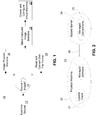
FIG. 1 is a flowchart of a process for creating a virtual machine facsimile. -
FIG. 2 depicts an example update manager system. -
FIG. 3 is a flowchart of a process for using update technologies to determine whether the updates or patches installed on a source machine need to be replaced during facsimile creation. -
FIG. 4 is a flowchart of a process for storing extracted replacement files in a cache to be reused during future facsimile creation. -
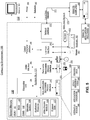
FIG. 5 is a block diagram of an example computing environment in which example embodiments and aspects may be implemented. -
FIG. 1 is a flowchart of aprocess 10 for creating a virtual machine facsimile. A virtual machine facsimile may be created from a "source," which may be a physical machine, a virtual machine that is currently running, or a pre-existing image (e.g., a virtual machine that is not currently running or a backup of a machine). - At 12, the source may be examined to ascertain its hardware and software profiles. As used herein, the term "profile" may refer to a set of hardware and/or software characteristics. For example, the source may be examined to determine the version of the operating system installed on it, as well as the versions of any system or application software installed on it. The source may be examined to identify any software patches or updates that may have been installed. The source hardware may be examined to determine how much memory and processing power (a.k.a., "CPU") the source has, how many network cards it has, what networks it may be connected to, the number, types, and sizes of disks it has, etc.
- If the source is a pre-existing image, then the source may be represented by files on a data storage medium, rather than a running machine. Accordingly, the virtual machine configuration may be examined to ascertain the hardware and software profiles.
- If the source is a physical machine or a virtual machine that is currently running, then the physical machine may be examined to ascertain its hardware and software profiles. As part of examining the source, at 12, update technologies may be employed to detect updates that may be currently installed on the physical or virtual machine for which the facsimile is being created. As used herein, the term "updates" includes software patches. The term "update technologies" refers to the use of an "update manager" for version control of certain "managed" software components.
-
FIG. 2 depicts an exampleupdate manager system 20. Theupdate client 21 accesses themachine 22 that includes the managedsoftware 23, i.e., the software the version of which theupdate manager 20 endeavors to keep current. Typically, theupdate client 21 will reside and run on themachine 22 on which the managedsoftware 23 is installed. - The
update server 24 keeps track of the most current versions of any number of managedsoftware components 25. Theupdate server 24 is typically remote from themachine 22 on which the managedsoftware 23 resides (i.e., the client machine). Theupdate server 24 and theclient machine 22 are typically interconnected via anetwork 26, such as the Internet. Examples of such an update server may include a Windows Update Server (WSUS) or a Microsoft Systems Management Server (SMS). -
FIG. 3 depicts amethod 30 for using update technologies to detect updates as part of examining a source (at 12 inFIG. 1 ). As shown inFIG. 3 , an update client may be employed to examine the source to determine which versions of certain managed components the source includes. So that it may "know" which components are managed components, the update client may, at 31, maintain a list of managed components. Any or all of the software components residing on a source may be managed components. - At 32, the update client may examine the source to determine which version of each managed component the source currently includes. At 33, the update client may store (e.g., in memory on the source machine) the list of managed components and a version associated with each.
- At 34, the update client may examine the source to determine whether any updates have been applied to any of the managed components. If so, at 35, the update client may store an update identifier (e.g., version number) associated with the update and the managed component to which the update was applied.
- Thus, an update client may be employed to examine the source to identify the most-current versions of certain managed software components installed on the source, including the most-current versions of any updates (including patches) that may be installed on the source. As will be described below, the use of update technologies to identify the updates currently installed on the source may reduce the number of files that need to be downloaded to make the captured image bootable.
- Description of a process for creating a virtual machine facsimile now continues with reference once again to
FIG. 1 . After the source is examined at 12, the source may be "imaged." How the source is imaged may depend on whether the source, itself, is an image. An "image" may be considered a set of files that replicate the contents (e.g., the hardware and software profiles) of a physical machine. - If, at 14, it is determined that the source is an image, then, at 22, the source may be imaged by reading the set of files that form the image, and converting the format of any such files, if necessary, to generate a set of files in a desired file format.
- If, at 14, it is determined that the source is not merely an image, and, therefore that the source is either a physical machine or a virtual machine that is currently running, then, at 16, the physical machine may be imaged. In this case, where the machine to be imaged is a virtual machine that is currently running, the term "physical machine to be imaged" may refer to the physical machine that the virtual machine emulates. Techniques for imaging a physical machine are well-known. Examples of such techniques are described and claimed in U.S. patent
US 7653794 B2, filed May 8, 2006 . - At 18, the captured image may be made "bootable." That is, the image captured at 14 or 22 may be made compatible with the configuration emulated by the virtual server software that will be used to "run" the facsimile.
-
FIG. 4 is a flowchart of anexample process 40 for making a captured image bootable. At 41, the minimal list of updates (identified at 12 inFIG. 1 ) may be downloaded from the update server to the machine performing the facsimile creation process. Update technologies may be used to query, locate, and download the list of updates. - The updates may be examined, at 42, to extract appropriate replacement files for each of the files that need to be replaced or added. These files may then be used to perform the replacement and render the virtual machine facsimile operational. It should be understood, of course, that existing files may be replaced, or new files added/installed (e.g., drivers for emulated devices). At 43, the extracted replacement files may be stored in a cache on the machine performing the facsimile creation process to be reused during future facsimile creation. This is an optimization that tends to ensure that each update is downloaded only once. Once all the required updates have been added to the cache, future facsimile creations can proceed without requiring any downloads.
- With reference again to
FIG. 1 , the virtual machine may be created and configured at 20. That is, the hard disks defined by the file set that forms the captured image may be logically assembled to form the virtual machine. The hard disks may be logically connected to one another, and the virtual machine may be started running. Thus, software and operating system update technologies may be employed for the process of creating a virtual machine facsimile of an existing physical or virtual machine. -
FIG. 5 shows an exemplary computing environment in which example embodiments and aspects may be implemented. Thecomputing system environment 100 is only one example of a suitable computing environment and is not intended to suggest any limitation as to the scope of use or functionality. Neither should thecomputing environment 100 be interpreted as having any dependency or requirement relating to any one or combination of components illustrated in theexemplary operating environment 100. - Numerous other general purpose or special purpose computing system environments or configurations may be used. Examples of well known computing systems, environments, and/or configurations that may be suitable for use include, but are not limited to, personal computers, server computers, hand-held or laptop devices, multiprocessor systems, microprocessor-based systems, set top boxes, programmable consumer electronics, network PCs, minicomputers, mainframe computers, embedded systems, distributed computing environments that include any of the above systems or devices, and the like.
- Computer-executable instructions, such as program modules, being executed by a computer may be used. Generally, program modules include routines, programs, objects, components, data structures, etc. that perform particular tasks or implement particular abstract data types. Distributed computing environments may be used where tasks are performed by remote processing devices that are linked through a communications network or other data transmission medium. In a distributed computing environment, program modules and other data may be located in both local and remote computer storage media including memory storage devices.
- With reference to
FIG. 5 , an exemplary system includes a general purpose computing device in the form of acomputer 110. Components ofcomputer 110 may include, but are not limited to, aprocessing unit 120, asystem memory 130, and a system bus 121 that couples various system components including the system memory to theprocessing unit 120. Theprocessing unit 120 may represent multiple logical processing units such as those supported on a multi-threaded processor. The system bus 121 may be any of several types of bus structures including a memory bus or memory controller, a peripheral bus, and a local bus using any of a variety of bus architectures. By way of example, and not limitation, such architectures include Industry Standard Architecture (ISA) bus, Micro Channel Architecture (MCA) bus, Enhanced ISA (EISA) bus, Video Electronics Standards Association (VESA) local bus, and Peripheral Component Interconnect (PCI) bus (also known as Mezzanine bus). The system bus 121 may also be implemented as a point-to-point connection, switching fabric, or the like, among the communicating devices. -
Computer 110 typically includes a variety of computer readable media. Computer readable media can be any available media that can be accessed bycomputer 110 and includes both volatile and nonvolatile media, removable and non-removable media. By way of example, and not limitation, computer readable media may comprise computer storage media and communication media. Computer storage media includes both volatile and nonvolatile, removable and non-removable media implemented in any method or technology for storage of information such as computer readable instructions, data structures, program modules or other data. Computer storage media includes, but is not limited to, RAM, ROM, EEPROM, flash memory or other memory technology, CDROM, digital versatile disks (DVD) or other optical disk storage, magnetic cassettes, magnetic tape, magnetic disk storage or other magnetic storage devices, or any other medium which can be used to store the desired information and which can accessed bycomputer 110. Communication media typically embodies computer readable instructions, data structures, program modules or other data in a modulated data signal such as a carrier wave or other transport mechanism and includes any information delivery media. The term "modulated data signal" means a signal that has one or more of its characteristics set or changed in such a manner as to encode information in the signal. By way of example, and not limitation, communication media includes wired media such as a wired network or direct-wired connection, and wireless media such as acoustic, RF, infrared and other wireless media. Combinations of any of the above should also be included within the scope of computer readable media. - The
system memory 130 includes computer storage media in the form of volatile and/or nonvolatile memory such as read only memory (ROM) 131 and random access memory (RAM) 132. A basic input/output system 133 (BIOS), containing the basic routines that help to transfer information between elements withincomputer 110, such as during start-up, is typically stored inROM 131.RAM 132 typically contains data and/or program modules that are immediately accessible to and/or presently being operated on by processingunit 120. By way of example, and not limitation,FIG. 5 illustratesoperating system 134,application programs 135,other program modules 136, andprogram data 137. - The
computer 110 may also include other removable/non-removable, volatile/nonvolatile computer storage media. By way of example only,FIG. 5 illustrates ahard disk drive 140 that reads from or writes to non-removable, nonvolatile magnetic media, amagnetic disk drive 151 that reads from or writes to a removable, nonvolatilemagnetic disk 152, and anoptical disk drive 155 that reads from or writes to a removable, nonvolatileoptical disk 156, such as a CD ROM or other optical media. Other removable/non-removable, volatile/nonvolatile computer storage media that can be used in the exemplary operating environment include, but are not limited to, magnetic tape cassettes, flash memory cards, digital versatile disks, digital video tape, solid state RAM, solid state ROM, and the like. Thehard disk drive 141 is typically connected to the system bus 121 through a non-removable memory interface such asinterface 140, andmagnetic disk drive 151 andoptical disk drive 155 are typically connected to the system bus 121 by a removable memory interface, such asinterface 150. - The drives and their associated computer storage media discussed above and illustrated in
FIG. 5 , provide storage of computer readable instructions, data structures, program modules and other data for thecomputer 110. InFIG. 5 , for example,hard disk drive 141 is illustrated as storingoperating system 144,application programs 145, other program modules 146, andprogram data 147. Note that these components can either be the same as or different fromoperating system 134,application programs 135,other program modules 136, andprogram data 137.Operating system 144,application programs 145, other program modules 146, andprogram data 147 are given different numbers here to illustrate that, at a minimum, they are different copies. A user may enter commands and information into thecomputer 20 through input devices such as a keyboard 162 andpointing device 161, commonly referred to as a mouse, trackball or touch pad. Other input devices (not shown) may include a microphone, joystick, game pad, satellite dish, scanner, or the like. These and other input devices are often connected to theprocessing unit 120 through auser input interface 160 that is coupled to the system bus, but may be connected by other interface and bus structures, such as a parallel port, game port or a universal serial bus (USB). Amonitor 191 or other type of display device is also connected to the system bus 121 via an interface, such as avideo interface 190. In addition to the monitor, computers may also include other peripheral output devices such asspeakers 197 andprinter 196, which may be connected through an outputperipheral interface 195. - The
computer 110 may operate in a networked environment using logical connections to one or more remote computers, such as aremote computer 180. Theremote computer 180 may be a personal computer, a server, a router, a network PC, a peer device or other common network node, and typically includes many or all of the elements described above relative to thecomputer 110, although only amemory storage device 181 has been illustrated inFIG. 5 . The logical connections depicted inFIG. 5 include a local area network (LAN) 171 and a wide area network (WAN) 173, but may also include other networks. Such networking environments are commonplace in offices, enterprise-wide computer networks, intranets and the Internet. - When used in a LAN networking environment, the
computer 110 is connected to theLAN 171 through a network interface or adapter 170. When used in a WAN networking environment, thecomputer 110 typically includes amodem 172 or other means for establishing communications over theWAN 173, such as the Internet. Themodem 172, which may be internal or external, may be connected to the system bus 121 via theuser input interface 160, or other appropriate mechanism. In a networked environment, program modules depicted relative to thecomputer 110, or portions thereof, may be stored in the remote memory storage device. By way of example, and not limitation,FIG. 5 illustratesremote application programs 185 as residing onmemory device 181. It will be appreciated that the network connections shown are exemplary and other means of establishing a communications link between the computers may be used. - Although the subject matter has been described in language specific to structural features and/or methodological acts, it is to be understood that the subject matter defined in the appended claims is not necessarily limited to the specific features or acts described above. Rather, the specific features and acts described above are disclosed as example forms of implementing the claims.
-
- 1. A method for creating a virtual facsimile of a source machine, the method comprising:
examining the source machine to ascertain a set of software characteristics associated with the source machine, wherein the set of software characteristics includes an identity of a software component installed on the source machine; determining an installed version of the software component, wherein the installed version of the software component is currently installed on the source machine; determining, from an update server, whether the installed version of the software component is a most current version of the software component; and forming an image of the source machine that includes the most current version of the software component. - 2. The method of example 1, further comprising: identifying an update to the software component, wherein the update is currently installed on the source machine; determining an installed version of the update, wherein the installed version of the update is currently installed on the source machine; determining, from the update server, whether the installed version of the update is a most current version of the update; and including the most current version of the update in the image of the source machine.
- 3. The method of example 1, further comprising making the image of the source machine bootable on a physical machine.
- 4. The method of example 3, further comprising creating a virtual machine on the physical machine.
- 5. The method of example 4, wherein creating the virtual machine comprises assembling a plurality of virtual hard disks, wherein each of the virtual hard disks is defined by a respective set of files, and at least one of the hard disks is defined by at least one file associated with the most current version of the software component.
- 6. The method of example 5, wherein assembling the hard disks comprises logically interconnecting the files that form the virtual hard disks.
- 7. The method of example 4, further comprising running the virtual machine on the physical machine.
- 8. The method of example 2, wherein including the most current version of the update in the image of the source machine comprises: examining a first set of files to determine whether any of the files in the first set is affected by the update, wherein the first set of files forms a software profile of the source machine; and forming a second set of files that includes at least one replacement file, the replacement file corresponding to a file from the first set that was affected by the update.
- 9. The method of example 8, further comprising downloading the replacement file from an update server.
- 10. The method of example 9, further comprising: storing the downloaded replacement file in a cache; retrieving the stored replacement file from the cache; and forming a second image of the physical machine that includes the replacement file retrieved from the cache.
- 11. A method for creating a virtual facsimile of a source machine, the method comprising:
- providing an identity of a software component installed on the source machine; identifying an update to the software component, wherein the update is currently installed on the source machine;
- determining an installed version of the update, wherein the installed version of the update is currently installed on the source machine; determining, from the update server, whether the installed version of the update is a most current version of the update; and forming an image of a source machine that includes the most current version of the update.
- 12. The method of example 11, further comprising: providing a first set of files that form a software profile of the source machine; examining the first set of files to determine whether any of the files in the first set is affected by the update; forming a second set of files that includes at least one replacement file, the replacement file corresponding to a file from the first set that was affected by the update.
- 13. The method of example 11, further comprising making the image of the source machine bootable on a physical machine.
- 14. The method of example 13, further comprising creating a virtual machine on the physical machine.
- 15. The method of example 14, wherein creating the virtual machine comprises assembling a plurality of virtual hard disks, wherein each of the virtual hard disks is defined by a respective set of files, and at least one of the hard disks is defined by at least one file associated with the most current version of the software component.
- 16. The method of example 15, wherein assembling the hard disks comprises logically interconnecting the files that form the virtual hard disks.
- 17. The method of example 14, further comprising running the virtual machine on the physical machine.
- 18. A method for creating a virtual facsimile of a source machine, the method comprising:
- downloading a from an update server a software update associated with a software component,
- wherein the software component is included in a software profile of the source machine; forming a first image of the source machine, wherein the software update forms part of a first image of the source machine; storing the software update in a cache; retrieving the software update from the cache; and forming a second image of the source machine, wherein the second image of the source machine includes the software update retrieved from the cache.
- 19. The method of example 18, further comprising: making the file retrieved from the cache bootable on a physical machine.
- 20. The method of example 19, further comprising running a virtual machine on the physical machine, wherein running the virtual machine comprises executing the file retrieved from the cache.
Claims (14)
- A method for creating a virtual facsimile of a source machine (22), the method comprising:examining (12) the source machine to ascertain a set of software characteristics associated with the source machine, wherein the set of software characteristics includes an identity of a plurality of software components (23) installed on the source machine,wherein the examining process further comprises using update technologies to detect updates, according to the following steps:using an update client (21) to maintain (31) a list of managed components (25), wherein at least one or more of the plurality of software components (23) residing on the source machine are managed components;examining (32) by the update client the source machine to determine which version of each of the one or more managed components the source machine currently includes;storing (33) by the update client the list of one or more managed components (25) and a version associated with each; andexamining (34) by the update client the source machine to determine whether updates have been applied to any of the one or more managed components, and if so, storing and updating (35) by the update client a version number associated with the updates and the corresponding managed components to which the updates were applied;imaging (14) the source machine to create a first image, said image comprising a set of files that replicate the contents of the source machine;characterized in that the method further comprisesmaking (18) the first image bootable by making the first image compatible with the configuration emulated by a virtual server software used to run the facsimile, wherein making the first image bootable comprisesdownloading (41) from an update server to a machine creating the virtual facsimile a list of the software updates determined by the update client, wherein the corresponding software components are included in a software profile of the source machine;extracting (42) replacement files from the software updates;modifying the first image, by performing replacements using the replacement files;storing (43) the software updates in a cache to be reused during future facsimile creation;retrieving the software updates from the cache; andforming a second image of the source machine, wherein the second image of the source machine includes the software updates retrieved from the cache.
- The method of claim 1, further comprising:identifying an update to the software component, wherein the update is currently installed on the source machine;determining (32) an installed version of the update, wherein the installed version of the update is currently installed on the source machine;determining (34), from the update server (24), whether the installed version of the update is a most current version of the update; andincluding the most current version of the update in the image of the source machine.
- The method of claim 1, further comprising making the image of the source machine bootable (18) on a physical machine (22).
- The method of claim 3, further comprising creating a virtual machine (20) on the physical machine.
- The method of claim 4, wherein creating the virtual machine comprises assembling a plurality of virtual hard disks, wherein each of the virtual hard disks is defined by a respective set of files, and at least one of the hard disks is defined by at least one file associated with the most current version of the software component.
- The method of claim 5, wherein assembling the hard disks comprises logically interconnecting the files that form the virtual hard disks.
- The method of claim 4, further comprising running the virtual machine on the physical machine.
- The method of claim 2, wherein including the most current version of the update in the image of the source machine comprises:examining a first set of files to determine whether any of the files in the first set is affected by the update, wherein the first set of files forms a software profile of the source machine; andforming a second set of files that includes at least one replacement file, the replacement file corresponding to a file from the first set that was affected by the update.
- The method of claim 8, further comprising downloading the replacement file from an update server.
- The method of claim 9, further comprising:storing the downloaded replacement file in a cache;retrieving the stored replacement file from the cache; andforming a second image of the physical machine that includes the replacement file retrieved from the cache.
- The method of claim 1, wherein the software component is an update, further comprising:providing an identity of a software component installed on the source machine; andidentifying an update to the software component, wherein the update is currently installed on the source machine;
- The method of claim 11, further comprising:providing a first set of files that form a software profile of the source machine;examining the first set of files to determine whether any of the files in the first set is affected by the update; andforming a second set of files that includes at least one replacement file, the replacement file corresponding to a file from the first set that was affected by the update.
- The method of claim 1, further comprising making the file retrieved from the cache bootable on a physical machine.
- The method of claim 13, further comprising running a virtual machine on the physical machine, wherein running the virtual machine comprises executing the file retrieved from the cache.
Applications Claiming Priority (2)
| Application Number | Priority Date | Filing Date | Title |
|---|---|---|---|
| US11/871,628 US8245217B2 (en) | 2007-10-12 | 2007-10-12 | Management of software and operating system updates required for the process of creating a virtual machine facsimile of an existing physical or virtual machine |
| PCT/US2008/079119 WO2009048894A2 (en) | 2007-10-12 | 2008-10-07 | Managing updates to create a virtual machine facsimile |
Publications (3)
| Publication Number | Publication Date |
|---|---|
| EP2210183A2 EP2210183A2 (en) | 2010-07-28 |
| EP2210183A4 EP2210183A4 (en) | 2011-03-09 |
| EP2210183B1 true EP2210183B1 (en) | 2018-08-01 |
Family
ID=40535445
Family Applications (1)
| Application Number | Title | Priority Date | Filing Date |
|---|---|---|---|
| EP08837457.4A Active EP2210183B1 (en) | 2007-10-12 | 2008-10-07 | Managing updates to create a virtual machine facsimile |
Country Status (5)
| Country | Link |
|---|---|
| US (2) | US8245217B2 (en) |
| EP (1) | EP2210183B1 (en) |
| JP (1) | JP5357885B2 (en) |
| CN (1) | CN101821727B (en) |
| WO (1) | WO2009048894A2 (en) |
Families Citing this family (32)
| Publication number | Priority date | Publication date | Assignee | Title |
|---|---|---|---|---|
| US8245217B2 (en) * | 2007-10-12 | 2012-08-14 | Microsoft Corporation | Management of software and operating system updates required for the process of creating a virtual machine facsimile of an existing physical or virtual machine |
| US8276137B2 (en) * | 2007-10-16 | 2012-09-25 | International Business Machines Corporation | Creating a virtual machine containing third party code |
| US9032390B2 (en) * | 2008-07-29 | 2015-05-12 | Qualcomm Incorporated | Framework versioning |
| JP5223596B2 (en) * | 2008-10-30 | 2013-06-26 | 富士通株式会社 | Virtual computer system and management method thereof, management program, recording medium, and control method |
| CN101989208A (en) * | 2009-08-04 | 2011-03-23 | 鸿富锦精密工业(深圳)有限公司 | Software updating method |
| JP2011076370A (en) * | 2009-09-30 | 2011-04-14 | Hitachi Solutions Ltd | Deployment system |
| US9552497B2 (en) * | 2009-11-10 | 2017-01-24 | Mcafee, Inc. | System and method for preventing data loss using virtual machine wrapped applications |
| US20110238980A1 (en) * | 2010-03-23 | 2011-09-29 | Fujitsu Limited | System and methods for remote maintenance in an electronic network with multiple clients |
| JP5403691B2 (en) * | 2010-05-12 | 2014-01-29 | Necシステムテクノロジー株式会社 | Virtual machine deployment method, deployment execution program, and deployment execution device |
| US8799422B1 (en) | 2010-08-16 | 2014-08-05 | Juniper Networks, Inc. | In-service configuration upgrade using virtual machine instances |
| US8819660B2 (en) * | 2011-06-29 | 2014-08-26 | Microsoft Corporation | Virtual machine block substitution |
| US8793535B2 (en) | 2011-07-21 | 2014-07-29 | Microsoft Corporation | Optimizing system usage when running quality tests in a virtual machine environment |
| US9152405B2 (en) | 2011-08-22 | 2015-10-06 | International Business Machines Corporation | Rapid provisioning of virtual machines based on multi-dimensional user request patterns in a cloud |
| WO2013035134A1 (en) * | 2011-09-08 | 2013-03-14 | 株式会社日立製作所 | Virtual computer provision system and provision method |
| US8843914B1 (en) | 2011-09-19 | 2014-09-23 | Amazon Technologies, Inc. | Distributed update service |
| US9021459B1 (en) | 2011-09-28 | 2015-04-28 | Juniper Networks, Inc. | High availability in-service software upgrade using virtual machine instances in dual control units of a network device |
| US8806266B1 (en) | 2011-09-28 | 2014-08-12 | Juniper Networks, Inc. | High availability using full memory replication between virtual machine instances on a network device |
| CN103034523B (en) * | 2011-10-05 | 2016-06-22 | 国际商业机器公司 | The method and system of maintenance for the model-driven of virtual unit |
| CN103186422A (en) * | 2011-12-28 | 2013-07-03 | 英业达股份有限公司 | Equivalent Migration Method of Operating System for Cloud Server System and Virtual Machine |
| US8943489B1 (en) * | 2012-06-29 | 2015-01-27 | Juniper Networks, Inc. | High availability in-service software upgrade using virtual machine instances in dual computing appliances |
| US9851980B1 (en) * | 2012-10-22 | 2017-12-26 | Amazon Technologies, Inc. | Distributed update service enabling update requests |
| US9342291B1 (en) | 2012-11-14 | 2016-05-17 | Amazon Technologies, Inc. | Distributed update service |
| CN103916434A (en) * | 2013-01-04 | 2014-07-09 | 中兴通讯股份有限公司 | Application installation method, device and system |
| WO2015100158A1 (en) * | 2013-12-23 | 2015-07-02 | The Trustees Of Columbia University In The City Of New York | Implementations to facilitate hardware trust and security |
| KR20150088059A (en) * | 2014-01-23 | 2015-07-31 | 삼성전자주식회사 | Method for managing application and an electronic device thereof |
| US10283091B2 (en) * | 2014-10-13 | 2019-05-07 | Microsoft Technology Licensing, Llc | Buffer optimization |
| JP5904514B1 (en) | 2014-10-28 | 2016-04-13 | インターナショナル・ビジネス・マシーンズ・コーポレーションInternational Business Machines Corporation | Method of automatically applying an update to a snapshot of a virtual machine, and its computer system and computer system program |
| US20160132420A1 (en) * | 2014-11-10 | 2016-05-12 | Institute For Information Industry | Backup method, pre-testing method for environment updating and system thereof |
| US20170300317A1 (en) * | 2016-03-24 | 2017-10-19 | Knight Point Systems, Inc. | System and method for patching software in a target computer system device |
| US11567754B2 (en) * | 2021-03-01 | 2023-01-31 | Vmware, Inc. | Techniques for non-disruptive operating system upgrade |
| CN113672261B (en) * | 2021-08-18 | 2025-01-28 | 西安万像电子科技有限公司 | Cloud software update method, electronic device and storage medium |
| CN114189512B (en) * | 2021-12-14 | 2023-07-14 | 南京欧珀软件科技有限公司 | Baseline code downloading method, device, terminal equipment and storage medium |
Citations (2)
| Publication number | Priority date | Publication date | Assignee | Title |
|---|---|---|---|---|
| US5845077A (en) * | 1995-11-27 | 1998-12-01 | Microsoft Corporation | Method and system for identifying and obtaining computer software from a remote computer |
| EP1211596A1 (en) * | 2000-11-30 | 2002-06-05 | Hewlett-Packard Company, A Delaware Corporation | Process and apparatus for automatically monitoring the hardware resources of a computer |
Family Cites Families (53)
| Publication number | Priority date | Publication date | Assignee | Title |
|---|---|---|---|---|
| US5257376A (en) * | 1990-09-04 | 1993-10-26 | International Business Machines Corporation | Method and apparatus for configuring a control program nucleus with a minimum impact on system availabiltiy |
| US6006034A (en) * | 1996-09-05 | 1999-12-21 | Open Software Associates, Ltd. | Systems and methods for automatic application version upgrading and maintenance |
| US6704933B1 (en) * | 1999-02-03 | 2004-03-09 | Masushita Electric Industrial Co., Ltd. | Program configuration management apparatus |
| US6405219B2 (en) * | 1999-06-22 | 2002-06-11 | F5 Networks, Inc. | Method and system for automatically updating the version of a set of files stored on content servers |
| US6772302B1 (en) * | 1999-11-12 | 2004-08-03 | International Business Machines Corporation | Virtual copy method for data spanning storage boundaries |
| US7216251B2 (en) * | 2000-02-19 | 2007-05-08 | Powerquest Corporation | Computer imaging recovery without a working partition or a secondary medium |
| JP2002007129A (en) * | 2000-06-20 | 2002-01-11 | Oki Electric Ind Co Ltd | Method for updating software and system for the same |
| US6557089B1 (en) * | 2000-11-28 | 2003-04-29 | International Business Machines Corporation | Backup by ID-suppressed instant virtual copy then physical backup copy with ID reintroduced |
| US7574481B2 (en) * | 2000-12-20 | 2009-08-11 | Microsoft Corporation | Method and system for enabling offline detection of software updates |
| US7246351B2 (en) * | 2001-02-20 | 2007-07-17 | Jargon Software | System and method for deploying and implementing software applications over a distributed network |
| GB0112781D0 (en) * | 2001-05-25 | 2001-07-18 | Global Continuity Plc | Method for rapid recovery from a network file server failure |
| US7155710B2 (en) * | 2001-06-08 | 2006-12-26 | Igt | Method and apparatus for gaming device software configuration |
| US8205193B2 (en) * | 2001-06-11 | 2012-06-19 | Hewlett-Packard Development Company, L.P. | Runtime updating of virtual machine class files |
| US6981250B1 (en) * | 2001-07-05 | 2005-12-27 | Microsoft Corporation | System and methods for providing versioning of software components in a computer programming language |
| US20030121024A1 (en) * | 2001-12-13 | 2003-06-26 | Microsoft Corporation | System and method for building a runtime image from components of a software program |
| US6732244B2 (en) * | 2002-01-22 | 2004-05-04 | International Business Machines Corporation | Instant virtual copy technique with expedited creation of backup dataset inventory from source dataset inventory |
| US7089547B2 (en) * | 2002-09-13 | 2006-08-08 | International Business Machines Corporation | Firmware updating |
| US7216343B2 (en) * | 2002-09-20 | 2007-05-08 | International Business Machines Corporation | Method and apparatus for automatic updating and testing of software |
| US20040064812A1 (en) * | 2002-09-30 | 2004-04-01 | Toshiba Tec Kabushiki Kaisha | System and method for updating software versions |
| US6996682B1 (en) * | 2002-12-27 | 2006-02-07 | Storage Technology Corporation | System and method for cascading data updates through a virtual copy hierarchy |
| US8209680B1 (en) * | 2003-04-11 | 2012-06-26 | Vmware, Inc. | System and method for disk imaging on diverse computers |
| US20050177829A1 (en) * | 2003-10-10 | 2005-08-11 | Vipul Vishwanath | Method of applying constraints against discovered attributes in provisioning computers |
| US7373451B2 (en) * | 2003-12-08 | 2008-05-13 | The Board Of Trustees Of The Leland Stanford Junior University | Cache-based system management architecture with virtual appliances, network repositories, and virtual appliance transceivers |
| KR100584448B1 (en) * | 2004-01-19 | 2006-05-26 | 삼성전자주식회사 | Remote software download method and system using binary location information |
| US7433899B2 (en) * | 2004-03-01 | 2008-10-07 | International Business Machines Corporation | Apparatus, system, and method for managing multiple copy versions |
| US7409510B2 (en) * | 2004-05-27 | 2008-08-05 | International Business Machines Corporation | Instant virtual copy to a primary mirroring portion of data |
| US7769720B2 (en) * | 2004-06-16 | 2010-08-03 | Hewlett-Packard Development Company, L.P. | Systems and methods for migrating a server from one physical platform to a different physical platform |
| US20060041881A1 (en) * | 2004-08-19 | 2006-02-23 | Adkasthala Bheema P | Universal upgrade architecture |
| CA2486103A1 (en) * | 2004-10-26 | 2006-04-26 | Platespin Ltd. | System and method for autonomic optimization of physical and virtual resource use in a data center |
| US7383406B2 (en) * | 2004-11-19 | 2008-06-03 | International Business Machines Corporation | Application transparent autonomic availability on a storage area network aware file system |
| US7849462B2 (en) * | 2005-01-07 | 2010-12-07 | Microsoft Corporation | Image server |
| US20060174074A1 (en) * | 2005-02-03 | 2006-08-03 | International Business Machines Corporation | Point-in-time copy operation |
| US20060184937A1 (en) * | 2005-02-11 | 2006-08-17 | Timothy Abels | System and method for centralized software management in virtual machines |
| US8370819B2 (en) * | 2005-03-25 | 2013-02-05 | Microsoft Corporation | Mechanism to store information describing a virtual machine in a virtual disk image |
| US7899788B2 (en) * | 2005-04-01 | 2011-03-01 | Microsoft Corporation | Using a data protection server to backup and restore data on virtual servers |
| US7716377B2 (en) * | 2005-05-25 | 2010-05-11 | Harris Steven T | Clustering server providing virtual machine data sharing |
| US7831820B2 (en) * | 2005-06-23 | 2010-11-09 | Microsoft Corporation | System and method for converting a target computing device to a virtual machine in response to a detected event |
| US20070006225A1 (en) * | 2005-06-23 | 2007-01-04 | Microsoft Corporation | System and method for converting a target computing device to a virtual machine |
| US7536585B1 (en) * | 2005-06-23 | 2009-05-19 | Hewlett-Packard Development Company, L.P. | Method of estimating storage system availability |
| US8601475B2 (en) * | 2005-08-02 | 2013-12-03 | Aol Inc. | Download and upload of email messages using control commands in a client/server web application |
| TW200745951A (en) | 2005-10-21 | 2007-12-16 | Vir2Us Inc | Computer security method having operating system virtualization allowing multiple operating system instances to securely share single machine resources |
| US7496613B2 (en) * | 2006-01-09 | 2009-02-24 | International Business Machines Corporation | Sharing files among different virtual machine images |
| US8127288B2 (en) * | 2006-01-17 | 2012-02-28 | International Business Machines Corporation | Installing and updating interpreted programming language applications using a designated virtual machine |
| US20070244700A1 (en) * | 2006-04-12 | 2007-10-18 | Jonathan Kahn | Session File Modification with Selective Replacement of Session File Components |
| US20070261045A1 (en) * | 2006-05-05 | 2007-11-08 | Dell Products L.P. | Method and system of configuring a directory service for installing software applications |
| US7653794B2 (en) | 2006-05-08 | 2010-01-26 | Microsoft Corporation | Converting physical machines to virtual machines |
| JP4222388B2 (en) * | 2006-07-10 | 2009-02-12 | ソニー株式会社 | Image management apparatus, image recording apparatus, imaging apparatus, image management system, image analysis information management method, and program |
| JP2008084029A (en) * | 2006-09-27 | 2008-04-10 | Hitachi Software Eng Co Ltd | Virtual machine management system |
| WO2008124560A1 (en) * | 2007-04-05 | 2008-10-16 | Sentillion, Inc. | Augmenting a virtual machine hosting environment from within a virtual machine |
| US20080301660A1 (en) * | 2007-05-30 | 2008-12-04 | Google Inc. | Maintaining Multiple Versions of a Software Application on a Device |
| US8205194B2 (en) * | 2007-06-29 | 2012-06-19 | Microsoft Corporation | Updating offline virtual machines or VM images |
| US8245217B2 (en) * | 2007-10-12 | 2012-08-14 | Microsoft Corporation | Management of software and operating system updates required for the process of creating a virtual machine facsimile of an existing physical or virtual machine |
| US8578376B2 (en) * | 2011-01-04 | 2013-11-05 | International Business Machines Corporation | Automatically and securely configuring and updating virtual machines |
-
2007
- 2007-10-12 US US11/871,628 patent/US8245217B2/en active Active
-
2008
- 2008-10-07 WO PCT/US2008/079119 patent/WO2009048894A2/en not_active Ceased
- 2008-10-07 CN CN2008801114394A patent/CN101821727B/en not_active Expired - Fee Related
- 2008-10-07 EP EP08837457.4A patent/EP2210183B1/en active Active
- 2008-10-07 JP JP2010528983A patent/JP5357885B2/en active Active
-
2012
- 2012-08-08 US US13/570,114 patent/US10114630B2/en active Active
Patent Citations (2)
| Publication number | Priority date | Publication date | Assignee | Title |
|---|---|---|---|---|
| US5845077A (en) * | 1995-11-27 | 1998-12-01 | Microsoft Corporation | Method and system for identifying and obtaining computer software from a remote computer |
| EP1211596A1 (en) * | 2000-11-30 | 2002-06-05 | Hewlett-Packard Company, A Delaware Corporation | Process and apparatus for automatically monitoring the hardware resources of a computer |
Also Published As
| Publication number | Publication date |
|---|---|
| WO2009048894A2 (en) | 2009-04-16 |
| US8245217B2 (en) | 2012-08-14 |
| CN101821727A (en) | 2010-09-01 |
| US20120304163A1 (en) | 2012-11-29 |
| US10114630B2 (en) | 2018-10-30 |
| JP5357885B2 (en) | 2013-12-04 |
| WO2009048894A3 (en) | 2009-06-18 |
| CN101821727B (en) | 2013-11-13 |
| US20090100418A1 (en) | 2009-04-16 |
| EP2210183A4 (en) | 2011-03-09 |
| JP2011501270A (en) | 2011-01-06 |
| EP2210183A2 (en) | 2010-07-28 |
Similar Documents
| Publication | Publication Date | Title |
|---|---|---|
| US8245217B2 (en) | Management of software and operating system updates required for the process of creating a virtual machine facsimile of an existing physical or virtual machine | |
| US11200047B2 (en) | Identifying versions of running programs using signatures derived from object files | |
| CN102521081B (en) | Repair destroyed software | |
| US8140907B2 (en) | Accelerated virtual environments deployment troubleshooting based on two level file system signature | |
| JP4524113B2 (en) | Software distribution method and system | |
| US9411621B2 (en) | Grouping and automatically propagating updates to equivalent online and offline virtual machines in a data center | |
| US9864793B2 (en) | Language tag management on international data storage | |
| US8291402B2 (en) | Using system fingerprints to accelerate package dependency resolution | |
| US8151256B2 (en) | Platform independent registry framework | |
| US20090222461A1 (en) | Method and system for separating file system metadata from other metadata in virtual machine image format | |
| CN107193607B (en) | Method and apparatus for updating code file, storage medium, processor, and terminal | |
| US9256509B1 (en) | Computing environment analyzer | |
| US11340881B2 (en) | Validation of desired software state image for hardware incompatibilities | |
| JP2002007129A (en) | Method for updating software and system for the same | |
| US9342784B1 (en) | Rule based module for analyzing computing environments | |
| US20230275931A1 (en) | Dynamic management of role-based access control systems | |
| CN119225925A (en) | Service management method, device, electronic device and storage medium | |
| US11573779B2 (en) | Creating and upgrading of solutions for deployment in a virtualized computing environment | |
| US12321738B2 (en) | Incremental image import process for supporting multiple upstream image repositories | |
| CN112114837A (en) | Firmware updating method and camera | |
| JP2003316581A (en) | Software installation device | |
| US8812458B2 (en) | Adaptive methodology for updating solution building block architectures and associated tooling | |
| CN115421785B (en) | Method, device and medium for transplanting application program | |
| US8805895B2 (en) | Adaptive methodology for updating solution building block architectures and designs | |
| US20250315236A1 (en) | Refining software package installation processes using configuration management files |
Legal Events
| Date | Code | Title | Description |
|---|---|---|---|
| PUAI | Public reference made under article 153(3) epc to a published international application that has entered the european phase |
Free format text: ORIGINAL CODE: 0009012 |
|
| 17P | Request for examination filed |
Effective date: 20100505 |
|
| AK | Designated contracting states |
Kind code of ref document: A2 Designated state(s): AT BE BG CH CY CZ DE DK EE ES FI FR GB GR HR HU IE IS IT LI LT LU LV MC MT NL NO PL PT RO SE SI SK TR |
|
| AX | Request for extension of the european patent |
Extension state: AL BA MK RS |
|
| A4 | Supplementary search report drawn up and despatched |
Effective date: 20110203 |
|
| RIC1 | Information provided on ipc code assigned before grant |
Ipc: G06F 9/455 20060101ALN20110128BHEP Ipc: G06F 9/445 20060101AFI20110128BHEP |
|
| 17Q | First examination report despatched |
Effective date: 20110926 |
|
| DAX | Request for extension of the european patent (deleted) | ||
| RAP1 | Party data changed (applicant data changed or rights of an application transferred) |
Owner name: MICROSOFT TECHNOLOGY LICENSING, LLC |
|
| GRAP | Despatch of communication of intention to grant a patent |
Free format text: ORIGINAL CODE: EPIDOSNIGR1 |
|
| RIC1 | Information provided on ipc code assigned before grant |
Ipc: G06F 9/455 20060101ALN20171002BHEP Ipc: G06F 9/445 20060101AFI20171002BHEP |
|
| INTG | Intention to grant announced |
Effective date: 20171102 |
|
| RIN1 | Information on inventor provided before grant (corrected) |
Inventor name: VARAVA, NATALYA, V. Inventor name: ROYT, SERGEY Inventor name: RAMAN, VENKATASUBRAHMANYAN Inventor name: FRIES, ROBERT, M. |
|
| GRAJ | Information related to disapproval of communication of intention to grant by the applicant or resumption of examination proceedings by the epo deleted |
Free format text: ORIGINAL CODE: EPIDOSDIGR1 |
|
| REG | Reference to a national code |
Ref country code: DE Ref legal event code: R079 Ref document number: 602008056282 Country of ref document: DE Free format text: PREVIOUS MAIN CLASS: G06F0015160000 Ipc: G06F0008650000 |
|
| INTC | Intention to grant announced (deleted) | ||
| RIC1 | Information provided on ipc code assigned before grant |
Ipc: G06F 8/65 20180101AFI20180122BHEP Ipc: G06F 9/455 20180101ALN20180122BHEP |
|
| GRAP | Despatch of communication of intention to grant a patent |
Free format text: ORIGINAL CODE: EPIDOSNIGR1 |
|
| INTG | Intention to grant announced |
Effective date: 20180305 |
|
| GRAS | Grant fee paid |
Free format text: ORIGINAL CODE: EPIDOSNIGR3 |
|
| GRAA | (expected) grant |
Free format text: ORIGINAL CODE: 0009210 |
|
| AK | Designated contracting states |
Kind code of ref document: B1 Designated state(s): AT BE BG CH CY CZ DE DK EE ES FI FR GB GR HR HU IE IS IT LI LT LU LV MC MT NL NO PL PT RO SE SI SK TR |
|
| REG | Reference to a national code |
Ref country code: GB Ref legal event code: FG4D |
|
| REG | Reference to a national code |
Ref country code: CH Ref legal event code: EP Ref country code: AT Ref legal event code: REF Ref document number: 1025080 Country of ref document: AT Kind code of ref document: T Effective date: 20180815 |
|
| REG | Reference to a national code |
Ref country code: IE Ref legal event code: FG4D |
|
| REG | Reference to a national code |
Ref country code: DE Ref legal event code: R096 Ref document number: 602008056282 Country of ref document: DE |
|
| REG | Reference to a national code |
Ref country code: FR Ref legal event code: PLFP Year of fee payment: 11 |
|
| REG | Reference to a national code |
Ref country code: NL Ref legal event code: FP |
|
| REG | Reference to a national code |
Ref country code: LT Ref legal event code: MG4D |
|
| REG | Reference to a national code |
Ref country code: AT Ref legal event code: MK05 Ref document number: 1025080 Country of ref document: AT Kind code of ref document: T Effective date: 20180801 |
|
| PG25 | Lapsed in a contracting state [announced via postgrant information from national office to epo] |
Ref country code: GR Free format text: LAPSE BECAUSE OF FAILURE TO SUBMIT A TRANSLATION OF THE DESCRIPTION OR TO PAY THE FEE WITHIN THE PRESCRIBED TIME-LIMIT Effective date: 20181102 Ref country code: SE Free format text: LAPSE BECAUSE OF FAILURE TO SUBMIT A TRANSLATION OF THE DESCRIPTION OR TO PAY THE FEE WITHIN THE PRESCRIBED TIME-LIMIT Effective date: 20180801 Ref country code: BG Free format text: LAPSE BECAUSE OF FAILURE TO SUBMIT A TRANSLATION OF THE DESCRIPTION OR TO PAY THE FEE WITHIN THE PRESCRIBED TIME-LIMIT Effective date: 20181101 Ref country code: LT Free format text: LAPSE BECAUSE OF FAILURE TO SUBMIT A TRANSLATION OF THE DESCRIPTION OR TO PAY THE FEE WITHIN THE PRESCRIBED TIME-LIMIT Effective date: 20180801 Ref country code: PL Free format text: LAPSE BECAUSE OF FAILURE TO SUBMIT A TRANSLATION OF THE DESCRIPTION OR TO PAY THE FEE WITHIN THE PRESCRIBED TIME-LIMIT Effective date: 20180801 Ref country code: FI Free format text: LAPSE BECAUSE OF FAILURE TO SUBMIT A TRANSLATION OF THE DESCRIPTION OR TO PAY THE FEE WITHIN THE PRESCRIBED TIME-LIMIT Effective date: 20180801 Ref country code: AT Free format text: LAPSE BECAUSE OF FAILURE TO SUBMIT A TRANSLATION OF THE DESCRIPTION OR TO PAY THE FEE WITHIN THE PRESCRIBED TIME-LIMIT Effective date: 20180801 Ref country code: NO Free format text: LAPSE BECAUSE OF FAILURE TO SUBMIT A TRANSLATION OF THE DESCRIPTION OR TO PAY THE FEE WITHIN THE PRESCRIBED TIME-LIMIT Effective date: 20181101 Ref country code: IS Free format text: LAPSE BECAUSE OF FAILURE TO SUBMIT A TRANSLATION OF THE DESCRIPTION OR TO PAY THE FEE WITHIN THE PRESCRIBED TIME-LIMIT Effective date: 20181201 |
|
| PG25 | Lapsed in a contracting state [announced via postgrant information from national office to epo] |
Ref country code: ES Free format text: LAPSE BECAUSE OF FAILURE TO SUBMIT A TRANSLATION OF THE DESCRIPTION OR TO PAY THE FEE WITHIN THE PRESCRIBED TIME-LIMIT Effective date: 20180801 Ref country code: HR Free format text: LAPSE BECAUSE OF FAILURE TO SUBMIT A TRANSLATION OF THE DESCRIPTION OR TO PAY THE FEE WITHIN THE PRESCRIBED TIME-LIMIT Effective date: 20180801 Ref country code: LV Free format text: LAPSE BECAUSE OF FAILURE TO SUBMIT A TRANSLATION OF THE DESCRIPTION OR TO PAY THE FEE WITHIN THE PRESCRIBED TIME-LIMIT Effective date: 20180801 |
|
| PG25 | Lapsed in a contracting state [announced via postgrant information from national office to epo] |
Ref country code: IT Free format text: LAPSE BECAUSE OF FAILURE TO SUBMIT A TRANSLATION OF THE DESCRIPTION OR TO PAY THE FEE WITHIN THE PRESCRIBED TIME-LIMIT Effective date: 20180801 Ref country code: RO Free format text: LAPSE BECAUSE OF FAILURE TO SUBMIT A TRANSLATION OF THE DESCRIPTION OR TO PAY THE FEE WITHIN THE PRESCRIBED TIME-LIMIT Effective date: 20180801 Ref country code: EE Free format text: LAPSE BECAUSE OF FAILURE TO SUBMIT A TRANSLATION OF THE DESCRIPTION OR TO PAY THE FEE WITHIN THE PRESCRIBED TIME-LIMIT Effective date: 20180801 Ref country code: CZ Free format text: LAPSE BECAUSE OF FAILURE TO SUBMIT A TRANSLATION OF THE DESCRIPTION OR TO PAY THE FEE WITHIN THE PRESCRIBED TIME-LIMIT Effective date: 20180801 |
|
| REG | Reference to a national code |
Ref country code: DE Ref legal event code: R097 Ref document number: 602008056282 Country of ref document: DE |
|
| PG25 | Lapsed in a contracting state [announced via postgrant information from national office to epo] |
Ref country code: SK Free format text: LAPSE BECAUSE OF FAILURE TO SUBMIT A TRANSLATION OF THE DESCRIPTION OR TO PAY THE FEE WITHIN THE PRESCRIBED TIME-LIMIT Effective date: 20180801 Ref country code: DK Free format text: LAPSE BECAUSE OF FAILURE TO SUBMIT A TRANSLATION OF THE DESCRIPTION OR TO PAY THE FEE WITHIN THE PRESCRIBED TIME-LIMIT Effective date: 20180801 |
|
| REG | Reference to a national code |
Ref country code: CH Ref legal event code: PL |
|
| PLBE | No opposition filed within time limit |
Free format text: ORIGINAL CODE: 0009261 |
|
| STAA | Information on the status of an ep patent application or granted ep patent |
Free format text: STATUS: NO OPPOSITION FILED WITHIN TIME LIMIT |
|
| REG | Reference to a national code |
Ref country code: BE Ref legal event code: MM Effective date: 20181031 |
|
| PG25 | Lapsed in a contracting state [announced via postgrant information from national office to epo] |
Ref country code: LU Free format text: LAPSE BECAUSE OF NON-PAYMENT OF DUE FEES Effective date: 20181007 Ref country code: MC Free format text: LAPSE BECAUSE OF FAILURE TO SUBMIT A TRANSLATION OF THE DESCRIPTION OR TO PAY THE FEE WITHIN THE PRESCRIBED TIME-LIMIT Effective date: 20180801 |
|
| 26N | No opposition filed |
Effective date: 20190503 |
|
| REG | Reference to a national code |
Ref country code: IE Ref legal event code: MM4A |
|
| PG25 | Lapsed in a contracting state [announced via postgrant information from national office to epo] |
Ref country code: BE Free format text: LAPSE BECAUSE OF NON-PAYMENT OF DUE FEES Effective date: 20181031 Ref country code: SI Free format text: LAPSE BECAUSE OF FAILURE TO SUBMIT A TRANSLATION OF THE DESCRIPTION OR TO PAY THE FEE WITHIN THE PRESCRIBED TIME-LIMIT Effective date: 20180801 Ref country code: LI Free format text: LAPSE BECAUSE OF NON-PAYMENT OF DUE FEES Effective date: 20181031 Ref country code: CH Free format text: LAPSE BECAUSE OF NON-PAYMENT OF DUE FEES Effective date: 20181031 |
|
| PG25 | Lapsed in a contracting state [announced via postgrant information from national office to epo] |
Ref country code: IE Free format text: LAPSE BECAUSE OF NON-PAYMENT OF DUE FEES Effective date: 20181007 |
|
| PG25 | Lapsed in a contracting state [announced via postgrant information from national office to epo] |
Ref country code: MT Free format text: LAPSE BECAUSE OF NON-PAYMENT OF DUE FEES Effective date: 20181007 |
|
| PG25 | Lapsed in a contracting state [announced via postgrant information from national office to epo] |
Ref country code: TR Free format text: LAPSE BECAUSE OF FAILURE TO SUBMIT A TRANSLATION OF THE DESCRIPTION OR TO PAY THE FEE WITHIN THE PRESCRIBED TIME-LIMIT Effective date: 20180801 |
|
| PG25 | Lapsed in a contracting state [announced via postgrant information from national office to epo] |
Ref country code: PT Free format text: LAPSE BECAUSE OF FAILURE TO SUBMIT A TRANSLATION OF THE DESCRIPTION OR TO PAY THE FEE WITHIN THE PRESCRIBED TIME-LIMIT Effective date: 20180801 |
|
| PG25 | Lapsed in a contracting state [announced via postgrant information from national office to epo] |
Ref country code: HU Free format text: LAPSE BECAUSE OF FAILURE TO SUBMIT A TRANSLATION OF THE DESCRIPTION OR TO PAY THE FEE WITHIN THE PRESCRIBED TIME-LIMIT; INVALID AB INITIO Effective date: 20081007 Ref country code: CY Free format text: LAPSE BECAUSE OF FAILURE TO SUBMIT A TRANSLATION OF THE DESCRIPTION OR TO PAY THE FEE WITHIN THE PRESCRIBED TIME-LIMIT Effective date: 20180801 |
|
| P01 | Opt-out of the competence of the unified patent court (upc) registered |
Effective date: 20230505 |
|
| PGFP | Annual fee paid to national office [announced via postgrant information from national office to epo] |
Ref country code: NL Payment date: 20250923 Year of fee payment: 18 |
|
| PGFP | Annual fee paid to national office [announced via postgrant information from national office to epo] |
Ref country code: GB Payment date: 20250923 Year of fee payment: 18 |
|
| PGFP | Annual fee paid to national office [announced via postgrant information from national office to epo] |
Ref country code: FR Payment date: 20250924 Year of fee payment: 18 |
|
| PGFP | Annual fee paid to national office [announced via postgrant information from national office to epo] |
Ref country code: DE Payment date: 20250923 Year of fee payment: 18 |