EP0511209B1 - Dateicharakterisierung für rechnerbetriebs- und dateiverwaltungssysteme - Google Patents
Dateicharakterisierung für rechnerbetriebs- und dateiverwaltungssysteme Download PDFInfo
- Publication number
- EP0511209B1 EP0511209B1 EP90911395A EP90911395A EP0511209B1 EP 0511209 B1 EP0511209 B1 EP 0511209B1 EP 90911395 A EP90911395 A EP 90911395A EP 90911395 A EP90911395 A EP 90911395A EP 0511209 B1 EP0511209 B1 EP 0511209B1
- Authority
- EP
- European Patent Office
- Prior art keywords
- file
- typing
- rule
- type
- stack
- Prior art date
- Legal status (The legal status is an assumption and is not a legal conclusion. Google has not performed a legal analysis and makes no representation as to the accuracy of the status listed.)
- Expired - Lifetime
Links
Images




















Classifications
-
- G—PHYSICS
- G06—COMPUTING OR CALCULATING; COUNTING
- G06F—ELECTRIC DIGITAL DATA PROCESSING
- G06F16/00—Information retrieval; Database structures therefor; File system structures therefor
- G06F16/10—File systems; File servers
Definitions
- the present invention relates to computer operating and file management systems, particularly to improvements in tools for such systems which enhance user productivity, system management and availability of such systems to a broader spectrum of user levels of expertise.
- a tool is a compact computer program or routine designed to do a specific task well.
- several tools can be linked together to perform more complex tasks.
- the present invention may be used with graphical user interfaces for use in computer systems of all types and sizes, including large scale mainframes, workstations and microcomputers, whether or not any of the computers are coupled together in a network.
- the present invention provides consistent characterization of system files, and the definition and design of the functionality and appearance of icons and symbols used with operating environment programs.
- microcomputer systems As more computing power is introduced into microprocessor technology and the cost- and size-per-bit of memory devices decreases, more sophisticated programs can be operated on smaller and more compact computer systems. Thus, stand alone microcomputer systems presently available are beginning to approach the speed and computing power, i.e. instruction through-put, of workstations, which, in turn, are beginning to rival main frame computers in their capacity for processing complex computing operations.
- PC-like workstation or workstation-like PC User acceptance of a PC-like workstation or workstation-like PC is influenced or impacted by the new user's initial impression of how easy or difficult it is to bring the system into productive use. If the system requires the user to learn a set of complex tasks and an array of non-intuitive command lines before he can be productive, he may feel that he is working for the machine rather than that the machine is working for him. Thus, presenting a "view" of the system and how it can be modified to suit the user's needs and preferences is generally regarded as more intuitive and less overwhelming than facing a set of complex input/output commands and procedures.
- a user-friendly, interactive, intuitive graphical user interface to powerful computer systems having extensive file and database management systems is advantageous for users at all levels. If such an interface provides an adaptive visual appearance and intuitive flow of information including icons for creating, accessing and manipulating system files, the entry-level (i.e. beginner) user will not be intimidated, the intermediate-level (i.e. average) user broadens his expertise faster, the advanced-level (i.e. expert) user becomes even more productive, and system administration becomes less complex and more efficient.
- a tool constructed according to the principles of the present invention assists the user in managing system files and the actions associated with them by a process called file typing. If used with a graphical user interface, the tool also provides the user with control of the appearance and functionality of file icons.
- test is a well known example of a conventional method used in UNIX Bourne Shell programming scripts.
- the procedure "test” is typically used within a Bourne Shell procedure to check files for certain attributes before they are accessed.
- Another example of a well known conventional file typing and characterization method is used in the Berkeley C Shell programming language.
- the Berkeley C Shell supports primary types that provide information about files within the UNIX file management system.
- the present invention is designed for use with powerful, flexible operating systems having the following fundamental characteristics:
- users can characterize system files, and their associated icons, according to their individual needs and preferences. The user may also determine the functionality of the icons he derives.
- file types include plain text files, formatted documents, directories, shell scripts, images, binary executables and the like. Every type of file is given an associated set of operations, often unique, that a user would most often want to perform with or on such files.
- the file type declarations and associated rules provide each type of file with potentially unique appearance and behavior customized to the needs and preferences of the user.
- icons are used to view file directories, work with existing files and run applications.
- icons may be newly created, copied, renamed, removed, printed, transferred or rearranged.
- icons may be used for printing the files generated using applications and transferring files to the workstations or various storage media such as tape.
- the tool of the present invention allows the user to use a mouse input device, cursor icons and pop-up menus to interact with the computer system to access sets of files and directories, set personal preferences for how the files and directories should be displayed, launch applications, use basic utility programs and organize files and directories.
- the present invention is implemented under the UNIX system.
- UNIX is highly regarded by experts in computer science as a simple, elegant operating and file management system for use on computers having different processing power, ranging from microprocessors to mainframes, and providing a common execution environment across all of them.
- Kernighan, B.W., and R. Pike "The UNIX Programming Environment,” Prentice-Hall, Englewood Cliffs, NJ 1984.
- IRIX The version of the UNIX system for which the preferred embodiment of the present invention is implemented is called "IRIX", developed and introduced by Silicon Graphics, Inc. IRIX is described in "The IRIX Programmer's Reference Manual,” Vols. I, II, III; “The IRIX System Adminstrator's Reference Manual”; The IRIX User's Reference Manual,” Vols. I, II; “IRIS-4D Programmers Guide,” Vols. I, II; “IRIS-4D System Administrator's Guide”; and “IRIS-4D User's Guide”, which are also incorporated by reference as if fully set forth herein.
- Figure 1 is a system block diagram of a computer system for use with a file typing process constructed according to the principles of the present invention.
- Figure 2 is a summary flow diagram for development of a compiled file of file typing rules according to the principles of the present invention.
- Figures 3A-3C, inclusive, is a summary flow diagram for defining file typing rules according to the principles of the present invention.
- FIG. 4A-4B inclusive, is a flow diagram of the executive program for typing a file according to the file typing process of the present invention.
- Figure 5 is a flow diagram of the executive program for closing a file according to the file typing process of the present invention.
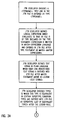
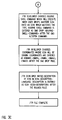
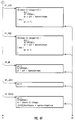
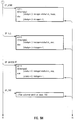
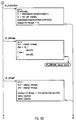
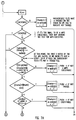
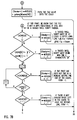
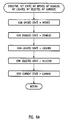
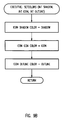
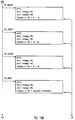
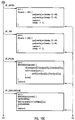
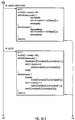
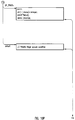
- FIG. 6A-6S inclusive, is a detailed flow diagram of the file typing process of the present invention.
- FIG. 7A-7C is a detailed flow diagram of the opcode "OP TAG" for the file typing process of the present invention.
- Figure 8A illustrates mapping icons to pixels using the bounds rule of the file typing process of the present invention.
- Figure 8B illustrates axes for 3-D icons using the style conventions of the file typing process of the present invention.
- Figure 9A is a flow diagram of the executive program for setting the state of icons, according to the present invention.
- Figure 9B is a flow diagram of the executive program for setting the colors of icons, according to the present invention.
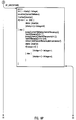
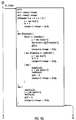
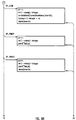
- Figures 10A-10P, inclusive, is a detailed flow diagram of the iconic rendering process of the present invention.
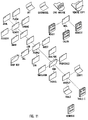
- Figure 11 is a face view of an iconic interface for a computer file system characterized by the file typing process of the present invention.
- a typical system for using the file typing process of the present invention includes main computing unit 101, keyboard 102, mouse input device 103 with related pad 104 and monitor 105 as shown in Figure 1.
- Operating environment programs in a simulated a desktop or other working area metaphor are displayed on the screen of display monitor 105.
- the file typing process of the present invention manages numerous varieties of system files and the actions associated with them. Every type of file, such as plain text files, formatted documents, directories, shell scripts, images and binary executables, is given an associated set of operations, often unique, that a user would most often want to perform on those files.
- the file type declarations and associated rules that give each type of file a unique appearance and behavior are collectively called file typing rules.
- File typing rules determine how a file of a particular type will appear in the operating environment, and also define what functions a user can perform on the file by double-clicking the mouse input device while the cursor is located on an associated icon or choosing menu items to manipulate the contents of the file.
- the operating environment may use the file typing rules to evaluate all files presented from system memory.
- File typing rules are also used to customize the look of the icons, modify what happens to the files the icons represent or to create unique icons when the user is developing an application and associated data file.
- command lines for accessing and acting on system files are represented by icons.
- Such command lines are invoked by the user acting upon the icons according to the present invention via the mouse device as if they had been typed in a shell.
- the present invention provides the user with graphical access for performing sophisticated operations on UNIX-based files.
- File typing rules are similar to shell scripts.
- Shell scripts are well known as files containing UNIX instructions for creating new UNIX commands. Many of the file typing rules are similar also to sets Bourne shell commands. C-shells, Bourne shells and shell scripts are familiar to those skilled in the use of the UNIX operating system.
- File typing rules comprise a type declaration, which identifies a unique file type, and a set of as many as seven rules following the declaration. All rules, including the type declaration, consist of a rule key followed by the rule itself. Rules may be multi-line, but continuation lines may not begin with any of the rule keys. A summary of rule keys, the associated rule and the function of the rule is provided in Table I.
- Numbers in match-expressions may be represented in either decimal, octal, or hexadecimal notation. These representations are given below: Representation Syntax decimal num octal Onum hexadecimal Oxnum
- Table II describes the set of valid match-expression functions.
- a match rule consists of a sequence of expressions, each of which checks a file for positive distinguishing characteristics.
- the most effective way to order these expressions in a single MATCH rule is to choose a set of expressions, each of which tests for a single characteristic, and conjoin them all using 'and' conditionals (&&)
- the order in which the expressions in a MATCH rule are conjoined may have an effect on the efficiency of the rule's evaluation.
- the user should always try to order the expressions so that the maximum number of files are 'weeded out' by the first expressions.
- the reason for this is that, as in the C language, && will stop evaluation as soon as one side of the conditional is found to be false. Therefore, as a rule of thumb, the more likely an expression is to be false, the further to the left of the MATCH rule you should place it.
- FTR files are scanned sequentially (see Section 2.10, "Comparing FTR Rules"), so if a type is defined with the following MATCH rule at the beginning of the FTR file, TYPE foo MATCH ascil; every text file in the system will be defined as a file of type 'foo'.
- tag (1) allows the user to inject a 32-bit tag safely into a shell script of MIPS executable, where it can be read by a MATCH rule using the tag match-expression function (see Section 1.3)
- IRIS IRIS Operating Environment
- Silicon Graphics, Inc. IRIS, including its icon-based interface called WorkSpace, is described in "Programming the IRIS WorkSpace”; “The Personal IRIS Owner's Guide”; and “The IRIS-4D Series Owner Guide”, which are also incorporated by reference as if fully set forth herein.
- the upper 16 bits of the tag number are reserved for vendor ID, for separate administration by the vendor.
- the lower 16 bits are for general use. Several uses values for the lower 16 bits have been defined, which Operating Environment recognizes:
- the CMD rules determine how an icon behaves when a user interacts with it, whether it is by clicking, dragging, or through menu selections.
- the icon description language is a restricted subset of the C programming language, including line and polygon drawing routines from any well-known graphics library routine.
- the description routine for a given icon is similar in structure to a C subroutine, but lacking the subroutine and variable declarations and the outermost enclosing brackets. The valid symbols and functions in the icon description language are described below.
- icon status variables are set by the operating environment, and may be used in an icon description routine: current disabled opened located selected
- the icon description functions comprise, for the most part, a very restricted subset of the C language version of a graphic library routine modified for 2-D drawing. Table III describes the set of valid icon description functions.
- iconcolor for drawing polygons that make up the "foreground" of the icon
- outlinecolor for outlining and linework
- shadowcolor for contrasting drop shadows.
- iconcolor is particularly useful, because it automatically changes to the calling application's preferred color conventions when a given icon is located, disabled, or selected.
- the various icon status variables are used to change the appearance of an icon when it is opened, located, selected, or disabled.
- the following code fragment illustrates how to draw an icon that changes appearance when it was opened:
- New FTR rules must be compiled from the FTR source files located in a set of directories in /usr/lib/filetype. Any time you add or change FTR rules (or print conversion rules) within these subdirectories, you must recompile the complete set of .ftr files. This is done by performing the following command line sequence: su cd /usr/lib/filetype make
- FTR source files in the following four directories are compiled in the order listed here:
- the default and system directories in /usr/lib/filetype are reserved. Developers and users should not place their .ftr files in these directories.
- the install directory should be used by applications developers and site maintainers for integrating their extensions.
- the local directory may be used by power end-users for personal customizations.
- Opcodes for the file typing process of the present invention are given in Appendix A. To assist in optimizing compilers, opcodes have been numbered sequentially so that the switch statement can be implemented as a jump table. Similarly, opcodes for rendering icons are given in Appendix B.
- the operating environment utilizing the file typing rules of the present invention provides an iconic interface to a UNIX-based file system, where users can easily find their data and run their applications in a visually organized environment.
- the user is presented with a central organizing window.
- This window is populated with a set of graphical icons, providing a summary overview of the file system.
- Path lines connect the icons together in a tree structure, revealing the underlying file hierarchy.
- Icon shapes indicate the type of file being represented (directory, executable, data file, etc.), and each icon is captioned with the name of its corresponding file.
- Typical file operations such as rename, move, copy, and remove can all be accomplished from the environment, using the mouse to select and drag icons and to invoke pop-up menu commands. Double-clicking an icon causes it to "Open", invoking the appropriate action assigned to that file type. For instance, Opening a text file's icon brings up the user's preferred text editor on that file. Similarly, Opening an executable file launches the selected application, and Opening a directory icon brings up a new window, presenting a directory view of its contents. The directory view shares the same iconic semantics as the environment providing a visual "cd; pwd; ls" to access the files within a given Unix directory.
- the iconic interface within the environment itself is implemented via an object-oriented toolkit, developed in C++.
- This toolkit provides a standard look and feel for the environment and a host of related system utilities, and may be written on top of any well-known graphics library routine to support high-performance dynamics in the interface.
- the environment interprets the contents of the file system via a File Typing Engine, which is driven from an external set of File Type Rules (FTRs).
- FTRs File Type Rules
- Each file node encountered in the file system is passed to the Typing Engine.
- the characteristics of that file are compared against each of the FTR criteria in turn, until a match is found and a Type is assigned. With the assigned Type comes a methodology for displaying and operating upon the Typed file.
- File typing is always conducted on-the-fly, directly out of the file system itself, to insure an accurate, current representation.
- icon positions and other viewing information not intrinsic to the file system itself are maintained by the operating environment in its own per-user database. This facility provides the user with continuity of operation from one session to the next.
- Icons are drawn using a small icon description language imbedded within the FTRs. While all icons may be described in 2D coordinates, projective geometry guidelines should be followed to establish a consistent 3D look across the operating environment.
- An isometric approximation is used as shown in Figure 8B, with the X and Y axes drawn at a slope of 1 pixel up, 2 pixels across, and a Z axis drawn vertically.
- the color variable "iconcolor" is preset when the icon is drawn, so that it accurately reflects the current state of the icon, whether quiet, locate highlighted, or select highlighted. Significant areas of an icon should be filled with "iconcolor" to enable the user to readily distinguish the icon's state.
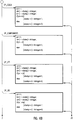
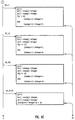
- the var structure is a typedef for a struct which can hold ints floats or up to 4 characters.
- the var structure is a typedef for a struct which can hold ints floats or up to 4 characters.
- Table I File Typing Rule Key Function TYPE declares a new type MATCH Lets WorkSpace determine if a file is of the declared type.
- LEGEND Provides a text description of the file type.
- SUPERTYPE Tells WorkSpace to treat the file as a subset of a another type under certain circumstances.
- SPECIALFILE Tells WorkSpace that the file typing rule is to be used only on non-plain files.
- CMD OPEN Defines a series of actions that occur when the mouse is double-clicked on an icon.
- CMD ALTOPEN Defines a series of actions that occur when the mouse is alt-double-clicked on an icon.
- CMD DROP Defines a series of actions that occur when you "drop" an icon on top of another.
- CMD PRINT Defines a series of actions that occur when you choose 'Print' from the WorkSpace or Directory View menus.
- MENUCMD Defines menu entries and actions that are inserted into the WorkSpace or Directory View menus when an icon is selected.
- BOUNDS Defines the coordinate space for the file type's icon.
- ICON Defines the appearance (geometry) of the file type's icon.
- Table II Function Syntax Definition ascii Returns TRUE if the first 512 bytes of the file are all printable ASCII characters.
- char ( n ) Returns the n th byte in the file as a signed character; range -128 to 127.
- dircontains ( "string” ) Returns TRUE if the file is a directory and contains the file named by string.
- glob ( "string” ) Returns TRUE if the file's name matches string; allows use of the following expansions in string for pattern matching: ⁇ ⁇ [ ] * ? and backslash (see sh (1) filename expansion).
- linkcount Returns the number of hard links to the file.
- long ( n ) Returns the n th byte in the file as a signed long integer; range -2 31 to 2 31 - 1.
- mode Returns the mode bits of the file (see chmod (1)).
- print ( expr or "string” ) Prints the value of the expression expr or string to stdout each time the rule is evaluated; used for debugging.
- short (n) Returns the n th byte of the file as a signed short integer; range -32768 to 32767. size Returns the size of the file in bytes.
- string ( n,m ) Returns a string from the file that is m bytes (characters) long, beginning at the n th byte of the file.
- uchar( n ) Returns the n th byte of the file as an unsigned character; range 0 to 255.
- tag Returns the specific WorkSpace application tag injected into an executable file by the tag injection tool (see tag (1) in Appendix D, "WorkSpace Man Pages").
- ushort( n ) Returns the n th byte of the file as an unsigned short integer; range 0 to 65535. Returns -1 if the file is not a tagged file.
Landscapes
- Engineering & Computer Science (AREA)
- Theoretical Computer Science (AREA)
- Data Mining & Analysis (AREA)
- Databases & Information Systems (AREA)
- Physics & Mathematics (AREA)
- General Engineering & Computer Science (AREA)
- General Physics & Mathematics (AREA)
- Information Retrieval, Db Structures And Fs Structures Therefor (AREA)
- Digital Computer Display Output (AREA)
Claims (37)
- Vorrichtung zum Charakterisieren von Dateien durch Untersuchen der Dateien zum Bestimmen von zugehöriger Information vor dem Verarbeiten der Dateien in einem Computersystem mit einem Betriebs- und Dateiverwaltungssystem, gekennzeichnet durch:- eine Dateiklassifizierungseinrichtung zum Definieren von Dateiklassifizierungsregeln entsprechend einer vorgewählten Befehlsstruktur einer Befehlsprogrammiersprache, welche eine Schnittstelle zu dem Betriebssystem bildet,- eine mit der Dateiklassifizierungseinrichtung gekoppelte Kompiliereinrichtung zum Kompilieren der Dateiklassifizierungsregeln,- eine mit der Kompiliereinrichtung gekoppelte Speichereinrichtung zum Speichern der kompilierten Dateiklassifizierungsregeln und- eine mit der Speichereinrichtung gekoppelte Verarbeitungseinrichtung zum Charakterisieren von Dateien entsprechend den Dateiklassifizierungsregeln auf Befehle hin, welche von dem Betriebs- und Dateiverwaltungssystem empfangen werden.
- Vorrichtung nach Anspruch 1, bei welcher das Computersystem weiterhin eine Graphikbeschreibungssprache zum Erzeugen von mehreren Icons enthält, welche eine graphische Benutzerschnittstelle bilden, welche die Operationen und Funktionen des Computersystems darstellt, und die Dateiklassifizierungseinrichtung eine Steuereinrichtung zum Steuern des Auftretens und der Funktionalität der Icons enthält.
- Vorrichtung nach Anspruch 1, bei der die Dateiklassifizierungseinrichtung umfaßt:- eine Dateityp-Datei,- eine Einrichtung zum Definieren von mehreren Dateitypen, wobei die definierten Dateitypen in der Dateityp-Datei gespeichert werden,- eine Einrichtung zum Definieren von mehreren Typdeklarationen in einer Dateityp-Datei, wobei jede der Typdeklarationen einem eindeutigen Dateityp zugeordnet ist und diesen identifiziert.
- Vorrichtung nach Anspruch 3, bei der die Dateiklassifizierungseinrichtung weiterhin eine Einrichtung zum Definieren von mehreren Sätzen von Dateiklassifizierungsregeln enthält, wobei jeder Satz von Dateiklassifizierungsregeln zumindest einem der definierten Dateitypen zugeordnet ist.
- Vorrichtung nach Anspruch 4, bei der jeder der Sätze von Dateiklassifizierungsregeln zumindest eine Regel enthält, welche dem zugeordneten Dateityp zugeordnet ist.
- Vorrichtung nach Anspruch 4, bei der jeder der Sätze von Dateiklassifizierungsregeln umfaßt:- eine der besagten Typdeklarationen, welche den zugeordneten Dateityp identifiziert, und- zumindest eine Dateiklassifizierungsregel, welche Dateifunktionen definiert, welche durch einen Benutzer ausführbar sind.
- Vorrichtung nach Anspruch 6, bei der jeder der Sätze von Dateiklassifizierungsregeln weiterhin mindestens eine Dateiklassifizierungsregel enthält, welche das Format des zugeordenten Dateityps definiert.
- Vorrichtung nach Anspruch 6, bei der jede der Dateiklassifizierungsregeln umfaßt:- einen Regel-Kennbegriff und- einen dem Regel-Kennbegriff folgenden Ausdruck, welcher die Dateiklassifizierungsregel definiert.
- Vorrichtung nach Anspruch 6, bei der jeder der Sätze von Dateiklassifizierungsregeln weiterhin zumindest eine Vergleichsregel enthält, wobei die Einrichtung zum Bestimmen des Dateityps einer Datei auf eine Benutzereingabe zum Ausführen der Vergleichsregel anspricht, wobei die Vergleichsregel einer Datei einen definierten Dateityp zuordnet.
- Vorrichtung nach Anspruch 9, bei der die Vergleichsregel einen logischen Ausdruck bildet, welcher einen Satz von Vergleichsfunktionen umfaßt, welche durch logische Operatoren verknüpft sind, wobei jede der Vergleichsfunktionen eine Datei hinsichtlich eines einzigen Unterscheidungsmerkmals des zugeordneten Dateityps für die Vergleichsregel überprüft, die Vergleichsregel den Wert "wahr" ergibt, wenn jede der Vergleichsfunktionen wahr ist, verglichen mit den entsprechenden Unterscheidungsmerkmalen einer überprüften Datei, wobei ein Dateityp einer überprüften Datei zugeordnet wird, wenn die zugehörige Vergleichsregel den Wert "wahr" ergibt.
- Vorrichtung nach Anspruch 10, bei der die Vergleichsfunktionen, welche die logischen Ausdrücke bilden, in einer vorbestimmten Abfolge von der linken Seite aus angeordnet sind, wobei eine Vergleichs funktion in der vorbestimmten Abfolge um so weiter links steht, je wahrscheinlicher es ist, daß die Vergleichsfunktion "falsch" ergibt, wenn man sie mit dem entsprechenden Unterscheidungsmerkmal einer überprüften Datei vergleicht.
- Vorrichtung nach Anspruch 9, bei der die Mehrzahl von Sätzen von Dateiklassifizierungsregeln in einer vorbestimmten Abfolge derart angeordnet ist, daß eine überprüfte Datei mit der Vergleichsregel jedes der Sätze von Dateiklassifizierungsregeln in der Reihenfolge der vorbestimmten Abfolge verglichen wird, wobei die Überprüfung der gerade überprüften Datei endet, sobald eine in der Sequenz vorgefundene Vergleichsregel den Wert "wahr" ergibt.
- Vorrichtung nach Anspruch 12, bei der die graphische Benutzerschnittstelle eine Icon-Schnittstelle zum Anzeigen von visuellen Bildern von ausgewählten Icons aus der Mehrzahl von Icons und zum Ermöglichen eines visuellen Überblicks über die Verwaltung des Dateisystems durch das Computersystem umfaßt.
- Vorrichtung nach Anspruch 13, bei der die Icon-Schnittstelle einen visuellen Überblick eines Dateiverwaltungssystems ermöglicht, welches von dem Computersystem verwendet wird.
- Vorrichtung nach Anspruch 13, bei der die Icon-Schnittstelle einen visuellen Überblick der Dateiverwaltungsfunktionen bietet, welche für einen Benutzer über eine Eingabeeinrichtung zugänglich sind.
- Vorrichtung nach Anspruch 13, bei der die visuellen Bilder der gewählten Icons in einer Baumstruktur angeordnet sind, welche die Hierarchie des Dateisystems darstellt.
- Vorrichtung nach Anspruch 13, bei der die Dateiklassifizierungsregeln eine Mehrzahl von Typdeklarationen enthalten, wobei jede der Typdeklarationen einen eindeutigen Dateityp identifiziert und zumindest ein Icon jedem der eindeutigen Dateitypen zugeordnet ist.
- Vorrichtung nach Anspruch 17, bei der die Dateiklassifizierungsregeln mehrere Regeln für die Icongrenzen enthalten, wobei jede Regel für die Icongrenze einem anderen Icon zugeordnet ist und jede Regel für die Icongrenze einen auswählbaren Koordinatenraum definiert, in dem das zugeordnete Icon angezeigt wird, und das zugeordnete Icon konsistent mit dem besagten definierten Koordinatenraum skaliert.
- Vorrichtung nach Anspruch 2, bei der die Graphikbeschreibungssprache auswählbare Sätze von Instruktionen zum Definieren und Erzeugen der Icons mit auswählbarer Größe, Form und Farbe enthält.
- Vorrichtung nach Anspruch 19, bei der die auswählbaren Sätze von Instruktionen Routinen enthalten, welche die Vordergrundfarbe des Icons, die Grenzfarbe des Icons und den Schattenkontrast definieren.
- Vorrichtung nach Anspruch 17, bei der eine Anzahl von Dateioperationen definiert sind, wobei jede der Dateioperationen zumindest einem der Icons zugeordnet ist.
- Vorrichtung nach Anspruch 17, bei der die Form des visuellen Bilds, welches ein Icon darstellt, repräsentativ für den eindeutigen Dateityp ist, welcher diesem zugeordnet ist.
- Vorrichtung nach Anspruch 21, bei welcher die Form des visuellen Bilds, welches ein Icon darstellt, repräsentativ für die zugeordnete definierte Dateioperation ist.
- Verfahren zum Charakterisieren von Dateien durch Untersuchen der Dateien zum Bestimmen von zugehöriger Information vor dem Verarbeiten der Dateien in einem Computersystem mit einem Betriebs- und Dateiverwaltungssystem, gekennzeichnet durch die folgenden Schritte:- Definieren von Dateiklassifizierungsregeln entsprechend einer vorbestimmten Befehlsstruktur einer Befehlsprogrammiersprache, welche eine Schnittstelle zu dem Betriebssystem bildet,- Kompilieren der Dateiklassifizierungsregeln,- Charakterisieren von Dateien entsprechend den kompilierten Dateiklassifizierungsregeln auf Befehle hin, welche von dem Betriebs- und Dateiverwaltungssystem empfangen werden.
- Verfahren nach Anspruch 24, bei welchem der Schritt des Definierens von Dateiklassifizierungsregeln die folgenden Schritte umfaßt:- Definieren einer Dateityp-Datei,- Definieren einer Mehrzahl von Dateitypen und- Definieren von mehreren Typdeklarationen, welche der definierten Mehrzahl von Dateitypen entsprechen, wobei jede der Typdeklarationen einen eindeutigen Dateityp identifiziert.
- Verfahren nach Anspruch 25, welches weiterhin den Schritt des Definierens von mehreren Sätzen von Dateiklassifizierungsregeln enthält, wobei jeder der Dateiklassifizierungsregelsätze zumindest einem der definierten Dateitypen zugeordnet ist.
- Verfahren nach Anspruch 26, bei dem jeder der Sätze von Dateiklassifizierungsregeln zumindest eine Regel enthält, welche dem definierten Dateityp zugeordnet ist.
- Verfahren nach Anspruch 26, bei dem jeder der Sätze von Dateiklassifizierungsregeln umfaßt:- eine der definierten Typdeklarationen, welche den zugeordneten Dateityp identifiziert, und- mindestens eine Dateiklassifizierungsregel, welche die durch einen Benutzer ausführbaren Dateifunktionen definiert.
- Verfahren nach Anspruch 28, bei dem jeder der definierten Sätze von Dateiklassifizierungsregeln weiterhin mindestens eine Dateiklassifizierungsregel enthält, welche das Format des zugeordneten Dateityps definiert.
- Verfahren nach Anspruch 24, bei dem der Schritt des Charakterisierens einer Datei die folgenden Schritte umfaßt:- Definieren zumindest einer Vergleichsregel und- Ausführen der Vergleichsregel, wobei die Vergleichsregel einer Datei einen definierten Dateityp zuordnet.
- Verfahren nach Anspruch 24, welches weiterhin die folgenden Schritte enthält:- Erzeugen von mehreren Icons, wodurch eine graphische Benutzerschnittstelle gebildet wird, welche Operationen und Funktionen des Computersystems darstellt, und- Zuordnen einer charakterisierten Datei zu einem Icon, wobei das Icon die zugeordnete charakterisierte Datei in der graphischen Schnittstelle repräsentiert.
- Verfahren nach Anspruch 31, welches den weiteren Schritt des Anzeigens von visuellen Bildern von ausgewählten Icons aus der Mehrzahl von Icons enthält.
- Verfahren nach Anspruch 32, bei der die visuellen Bilder der ausgewählten Icons in einer Baumstruktur angeordnet sind, welche die Hierarchie des Dateisystems darstellt.
- Verfahren nach Anspruch 32, bei der die definierten Dateiklassifizierungsregeln mehrere Typdeklarationen enthalten, wobei jede Typdeklaration einen eindeutigen Dateityp identifiziert und jedem der eindeutigen Dateitypen zumindest eines der Icons zugeordnet ist.
- Verfahren nach Anspruch 34, welches die folgenden zusätzlichen Schritte enthält:- Definieren von mehreren Dateioperationen- Zuordnen jeder der definierten Dateioperationen zu mindestens einem der Icons.
- Verfahren nach Anspruch 34, bei der die Form des visuellen Bildes, welches ein Icon darstellt, den zugeordneten eindeutigen Dateityp repräsentiert.
- Verfahren nach Anspruch 35, bei dem die Form des visuellen Bildes, welches ein Icon darstellt, die zugeordnete definierte Operation des Dateiverwaltungssystems repräsentiert.
Applications Claiming Priority (3)
| Application Number | Priority Date | Filing Date | Title |
|---|---|---|---|
| US389836 | 1989-08-01 | ||
| US07/389,836 US5226163A (en) | 1989-08-01 | 1989-08-01 | File characterization for computer operating and file management systems |
| PCT/US1990/004285 WO1991002309A1 (en) | 1989-08-01 | 1990-07-31 | File characterization for computer operating and file management systems |
Publications (2)
| Publication Number | Publication Date |
|---|---|
| EP0511209A1 EP0511209A1 (de) | 1992-11-04 |
| EP0511209B1 true EP0511209B1 (de) | 1997-06-18 |
Family
ID=23539920
Family Applications (1)
| Application Number | Title | Priority Date | Filing Date |
|---|---|---|---|
| EP90911395A Expired - Lifetime EP0511209B1 (de) | 1989-08-01 | 1990-07-31 | Dateicharakterisierung für rechnerbetriebs- und dateiverwaltungssysteme |
Country Status (6)
| Country | Link |
|---|---|
| US (1) | US5226163A (de) |
| EP (1) | EP0511209B1 (de) |
| JP (1) | JP2986209B2 (de) |
| AU (1) | AU6045090A (de) |
| DE (1) | DE69030958T2 (de) |
| WO (1) | WO1991002309A1 (de) |
Families Citing this family (41)
| Publication number | Priority date | Publication date | Assignee | Title |
|---|---|---|---|---|
| US5442742A (en) * | 1990-12-21 | 1995-08-15 | Apple Computer, Inc. | Method and apparatus for the manipulation of text on a computer display screen |
| GB2260205A (en) * | 1991-03-29 | 1993-04-07 | Toshiba Kk | Object selection method |
| CA2069355C (en) * | 1991-06-07 | 1998-10-06 | Robert C. Pike | Global user interface |
| US5596693A (en) * | 1992-11-02 | 1997-01-21 | The 3Do Company | Method for controlling a spryte rendering processor |
| US5572235A (en) * | 1992-11-02 | 1996-11-05 | The 3Do Company | Method and apparatus for processing image data |
| US5838389A (en) * | 1992-11-02 | 1998-11-17 | The 3Do Company | Apparatus and method for updating a CLUT during horizontal blanking |
| US5481275A (en) | 1992-11-02 | 1996-01-02 | The 3Do Company | Resolution enhancement for video display using multi-line interpolation |
| US5752073A (en) * | 1993-01-06 | 1998-05-12 | Cagent Technologies, Inc. | Digital signal processor architecture |
| US5598524A (en) * | 1993-03-03 | 1997-01-28 | Apple Computer, Inc. | Method and apparatus for improved manipulation of data between an application program and the files system on a computer-controlled display system |
| US5696915A (en) * | 1993-03-03 | 1997-12-09 | Apple Computer, Inc. | Method and apparatus for linking routines for different contexts |
| US5754178A (en) * | 1993-03-03 | 1998-05-19 | Apple Computer, Inc. | Method and apparatus for improved feedback during manipulation of data on a computer controlled display system |
| US6212577B1 (en) | 1993-03-03 | 2001-04-03 | Apple Computer, Inc. | Method and apparatus for improved interaction with an application program according to data types and actions performed by the application program |
| US5621878A (en) * | 1993-03-03 | 1997-04-15 | Apple Computer, Inc. | Method and apparatus or manipulating data from a suspended application program on a computer-controlled display system |
| US5530865A (en) * | 1993-03-03 | 1996-06-25 | Apple Computer, Inc. | Method and apparatus for improved application program switching on a computer-controlled display system |
| US5596702A (en) * | 1993-04-16 | 1997-01-21 | International Business Machines Corporation | Method and system for dynamically sharing user interface displays among a plurality of application program |
| DE69406280D1 (de) * | 1993-06-03 | 1997-11-20 | Taligent Inc | Platzobjekt anzeigesystem |
| US5969705A (en) * | 1993-06-28 | 1999-10-19 | Apple Computer, Inc. | Message protocol for controlling a user interface from an inactive application program |
| US6195095B1 (en) | 1994-09-20 | 2001-02-27 | International Business Machines Corporation | Method and apparatus for displaying attributes of a computer work station on a graphical user interface |
| US5644736A (en) * | 1995-05-25 | 1997-07-01 | International Business Machines Corporation | System and method for selecting components of a hierarchical file structure |
| US5671420A (en) * | 1995-06-28 | 1997-09-23 | Canon Information Systems, Inc. | Distribution diskette utility |
| DE69623227T2 (de) * | 1995-10-27 | 2003-04-17 | Ncr International, Inc. | Verfahren und System zur Berechnung von Dateinamen mit hoher Wahrscheinlichkeit der Eindeutigkeit |
| US5877775A (en) | 1996-08-08 | 1999-03-02 | Theisen; Karen E. | Method of generating a 3-D representation of a hierarchical data structure |
| US6061696A (en) * | 1997-04-28 | 2000-05-09 | Computer Associates Think, Inc. | Generating multimedia documents |
| JP3912895B2 (ja) * | 1998-04-15 | 2007-05-09 | 富士通株式会社 | 構造化データ管理システム、構造化データ管理プログラムを記録したコンピュータ読み取り可能な記録媒体、及び構造化データ管理方法 |
| US6801918B1 (en) * | 1998-04-23 | 2004-10-05 | Matsushita Electric Industrial Co., Ltd. | File management apparatus and file management method |
| US6721446B1 (en) * | 1999-04-26 | 2004-04-13 | Adobe Systems Incorporated | Identifying intrinsic pixel colors in a region of uncertain pixels |
| TW512318B (en) * | 2000-03-01 | 2002-12-01 | Matsushita Electric Industrial Co Ltd | AV data recorder and its method, disk recorded by AV data recorder and the method |
| US7107547B2 (en) * | 2000-05-31 | 2006-09-12 | Grady Smith | Method of graphically indicating patient information |
| US7739604B1 (en) | 2002-09-25 | 2010-06-15 | Apple Inc. | Method and apparatus for managing windows |
| GB2404317A (en) * | 2003-10-03 | 2005-01-26 | Sendo Int Ltd | Representing an application or data using a shell application |
| JP4449750B2 (ja) | 2005-01-07 | 2010-04-14 | トヨタ自動車株式会社 | 内燃機関の吸気装置 |
| US20060168528A1 (en) * | 2005-01-27 | 2006-07-27 | Microsoft Corporation | Method for arranging user interface glyphs on displays |
| GB2425204A (en) * | 2005-04-13 | 2006-10-18 | Hewlett Packard Development Co | Processing a publishable document |
| US20070204230A1 (en) * | 2006-02-27 | 2007-08-30 | Eastman Kodak Company | System and method for managing operator replaceable components |
| US20070214457A1 (en) * | 2006-03-10 | 2007-09-13 | Prabhakar Goyal | System and method for automated recovery of data in a batch processing system |
| US7904435B2 (en) * | 2006-03-10 | 2011-03-08 | Yahoo! Inc. | System and method for resource lock acquisition and reclamation in a network file system environment |
| US20070214142A1 (en) * | 2006-03-10 | 2007-09-13 | Prabhakar Goyal | System and method for providing transaction support across a plurality of data structures |
| CN101770470B (zh) * | 2008-12-31 | 2012-11-28 | 中国银联股份有限公司 | 一种文件类型识别分析方法及系统 |
| US9026510B2 (en) * | 2011-03-01 | 2015-05-05 | Vmware, Inc. | Configuration-less network locking infrastructure for shared file systems |
| KR101368024B1 (ko) * | 2012-03-29 | 2014-02-27 | 주식회사 엘지씨엔에스 | 스크립트 관리 방법, 이를 실행하는 스크립트 관리 서버 및 이를 저장한 기록 매체 |
| US10073978B2 (en) * | 2014-04-16 | 2018-09-11 | International Business Machines Corporation | Efficient modification and creation of authorization settings for user accounts |
Family Cites Families (1)
| Publication number | Priority date | Publication date | Assignee | Title |
|---|---|---|---|---|
| US4813013A (en) * | 1984-03-01 | 1989-03-14 | The Cadware Group, Ltd. | Schematic diagram generating system using library of general purpose interactively selectable graphic primitives to create special applications icons |
-
1989
- 1989-08-01 US US07/389,836 patent/US5226163A/en not_active Expired - Lifetime
-
1990
- 1990-07-31 WO PCT/US1990/004285 patent/WO1991002309A1/en not_active Ceased
- 1990-07-31 AU AU60450/90A patent/AU6045090A/en not_active Abandoned
- 1990-07-31 EP EP90911395A patent/EP0511209B1/de not_active Expired - Lifetime
- 1990-07-31 DE DE69030958T patent/DE69030958T2/de not_active Expired - Fee Related
- 1990-07-31 JP JP2510624A patent/JP2986209B2/ja not_active Expired - Lifetime
Non-Patent Citations (1)
| Title |
|---|
| Thomas, R. et al. "UNIX System V - Professionelles Programmieren" McGraw-Hill, 1987, pages 410-413 and 521-522 * |
Also Published As
| Publication number | Publication date |
|---|---|
| DE69030958T2 (de) | 1998-02-05 |
| JPH05505262A (ja) | 1993-08-05 |
| WO1991002309A1 (en) | 1991-02-21 |
| EP0511209A1 (de) | 1992-11-04 |
| US5226163A (en) | 1993-07-06 |
| AU6045090A (en) | 1991-03-11 |
| DE69030958D1 (de) | 1997-07-24 |
| JP2986209B2 (ja) | 1999-12-06 |
Similar Documents
| Publication | Publication Date | Title |
|---|---|---|
| EP0511209B1 (de) | Dateicharakterisierung für rechnerbetriebs- und dateiverwaltungssysteme | |
| US5189633A (en) | Apparatus and method for interactively manipulating mathematical equations | |
| US5019961A (en) | Computer apparatus and method for logical modelling | |
| EP0317480B1 (de) | Graphischer Menübaum | |
| KR100345460B1 (ko) | 컴퓨터 네트워크상의 스토리지 최적 제어 및 컴퓨터프로그램 전송을 위한 시스템 및 그 방법 | |
| Duncan | Advanced MS-DOS Programming | |
| US6714220B2 (en) | Interactive input with limit-value monitoring and on-line help for a palmtop device | |
| US6836878B1 (en) | Visual programming from a tree structure | |
| JP3565441B2 (ja) | データ処理システム | |
| Doleh et al. | SUI: a system independent user interface for an integrated scientific computing environment | |
| US5046024A (en) | Vector calculator apparatus for graphic waveform manipulation | |
| US6587121B1 (en) | Graphical table of contents for a help system | |
| Spinellis et al. | Lightweight Languages as Software Engineering Tools. | |
| Kamran et al. | Graphics programming independent of interaction techniques and styles | |
| Becker et al. | Design of the S system for data analysis | |
| US5199103A (en) | Vector calculator apparatus for graphic waveform manipulation | |
| Smith | GPL/I: a PL/I extension for computer graphics | |
| Korn et al. | Traversal-based visualization of data structures | |
| WO2003057428A1 (en) | A robot system and a method and a software product for the robot system | |
| Cameron | An abstract pretty printer | |
| Kazman et al. | An adaptable software architecture for rapidly creating information visualizations | |
| Leung et al. | Graph Tool-A Tool for Interactive Design and Manipulation of Graphs and Graph Algorithms. | |
| Alvisi et al. | A graphical interface for CHIP | |
| Bödi et al. | Intuitive user interfaces (IUI): a CASE starting point for design and programming | |
| Dragomirecky et al. | High-level graphical user interface management in the FACE synthesis environment |
Legal Events
| Date | Code | Title | Description |
|---|---|---|---|
| PUAI | Public reference made under article 153(3) epc to a published international application that has entered the european phase |
Free format text: ORIGINAL CODE: 0009012 |
|
| 17P | Request for examination filed |
Effective date: 19920214 |
|
| AK | Designated contracting states |
Kind code of ref document: A1 Designated state(s): DE FR GB IT |
|
| 17Q | First examination report despatched |
Effective date: 19950619 |
|
| GRAG | Despatch of communication of intention to grant |
Free format text: ORIGINAL CODE: EPIDOS AGRA |
|
| GRAH | Despatch of communication of intention to grant a patent |
Free format text: ORIGINAL CODE: EPIDOS IGRA |
|
| RAP1 | Party data changed (applicant data changed or rights of an application transferred) |
Owner name: SILICON GRAPHICS, INC. |
|
| GRAH | Despatch of communication of intention to grant a patent |
Free format text: ORIGINAL CODE: EPIDOS IGRA |
|
| GRAA | (expected) grant |
Free format text: ORIGINAL CODE: 0009210 |
|
| AK | Designated contracting states |
Kind code of ref document: B1 Designated state(s): DE FR GB IT |
|
| PG25 | Lapsed in a contracting state [announced via postgrant information from national office to epo] |
Ref country code: IT Free format text: LAPSE BECAUSE OF FAILURE TO SUBMIT A TRANSLATION OF THE DESCRIPTION OR TO PAY THE FEE WITHIN THE PRE;WARNING: LAPSES OF ITALIAN PATENTS WITH EFFECTIVE DATE BEFORE 2007 MAY HAVE OCCURRED AT ANY TIME BEFORE 2007. THE CORRECT EFFECTIVE DATE MAY BE DIFFERENT FROM THE ONE RECORDED.SCRIBED TIME-LIMIT Effective date: 19970618 |
|
| REF | Corresponds to: |
Ref document number: 69030958 Country of ref document: DE Date of ref document: 19970724 |
|
| ET | Fr: translation filed | ||
| PLBE | No opposition filed within time limit |
Free format text: ORIGINAL CODE: 0009261 |
|
| STAA | Information on the status of an ep patent application or granted ep patent |
Free format text: STATUS: NO OPPOSITION FILED WITHIN TIME LIMIT |
|
| 26N | No opposition filed | ||
| REG | Reference to a national code |
Ref country code: GB Ref legal event code: IF02 |
|
| PGFP | Annual fee paid to national office [announced via postgrant information from national office to epo] |
Ref country code: DE Payment date: 20070831 Year of fee payment: 18 |
|
| PGFP | Annual fee paid to national office [announced via postgrant information from national office to epo] |
Ref country code: GB Payment date: 20070727 Year of fee payment: 18 |
|
| REG | Reference to a national code |
Ref country code: FR Ref legal event code: CA |
|
| PGFP | Annual fee paid to national office [announced via postgrant information from national office to epo] |
Ref country code: FR Payment date: 20070717 Year of fee payment: 18 |
|
| GBPC | Gb: european patent ceased through non-payment of renewal fee |
Effective date: 20080731 |
|
| PG25 | Lapsed in a contracting state [announced via postgrant information from national office to epo] |
Ref country code: DE Free format text: LAPSE BECAUSE OF NON-PAYMENT OF DUE FEES Effective date: 20090203 |
|
| REG | Reference to a national code |
Ref country code: FR Ref legal event code: ST Effective date: 20090331 |
|
| PG25 | Lapsed in a contracting state [announced via postgrant information from national office to epo] |
Ref country code: GB Free format text: LAPSE BECAUSE OF NON-PAYMENT OF DUE FEES Effective date: 20080731 |
|
| PG25 | Lapsed in a contracting state [announced via postgrant information from national office to epo] |
Ref country code: FR Free format text: LAPSE BECAUSE OF NON-PAYMENT OF DUE FEES Effective date: 20080731 |