WO2024252655A1 - コンテンツ提案システム、および、コンテンツ提案方法 - Google Patents
コンテンツ提案システム、および、コンテンツ提案方法 Download PDFInfo
- Publication number
- WO2024252655A1 WO2024252655A1 PCT/JP2023/021465 JP2023021465W WO2024252655A1 WO 2024252655 A1 WO2024252655 A1 WO 2024252655A1 JP 2023021465 W JP2023021465 W JP 2023021465W WO 2024252655 A1 WO2024252655 A1 WO 2024252655A1
- Authority
- WO
- WIPO (PCT)
- Prior art keywords
- content
- question
- unit
- user
- context information
- Prior art date
- Legal status (The legal status is an assumption and is not a legal conclusion. Google has not performed a legal analysis and makes no representation as to the accuracy of the status listed.)
- Ceased
Links
Images










Classifications
-
- G—PHYSICS
- G06—COMPUTING OR CALCULATING; COUNTING
- G06F—ELECTRIC DIGITAL DATA PROCESSING
- G06F16/00—Information retrieval; Database structures therefor; File system structures therefor
- G06F16/90—Details of database functions independent of the retrieved data types
Definitions
- the technology disclosed in this specification relates to content suggestion technology.
- Design assets which are documents accumulated in the past within a particular organization, include development regulations, design guidelines, specifications or design documents for similar products, operating systems (OS), middleware, tips articles, how-to articles, issues, or defects.
- OS operating systems
- middleware tips articles, how-to articles, issues, or defects.
- a technology has been proposed that consolidates design assets managed separately in individual services into a single service to enable cross-sectional searches.
- a crawler-like technology that collects elements from sites that search engines use to determine search rankings is used to extract sentences from documents stored in each service. These are then stored in a database specialized for searching variable-length character strings.
- design asset content similar to the search query sentence is identified using a full-text search algorithm such as NGRAM, a method for dividing sentences at any number of characters, or TF-IDF, a method for evaluating the importance of words contained in a document.
- machine learning techniques for character strings such as Word2Vec, Doc2Vec, BERT, or GPT, are applied to obtain distributed representations of documents, that is, feature vectors.
- word2Vec Word2Vec
- Doc2Vec Doc2Vec
- BERT BERT
- GPT GPT
- search terms for document search are converted into feature vectors, and this is multiplied by the feature vectors of the documents to be searched to calculate the similarity between the search terms and the documents.
- weighting is performed using pre-learned document categories and inference results of the search term category, so that documents that belong to the same category as the category to which the search term is presumed to belong are ranked at the top of the search results. This makes it possible to provide the user with the search results they desire, regardless of their knowledge or skills.
- the technology disclosed in this specification has been made in consideration of the problems described above, and is a technology for obtaining appropriate content even when context information, which is information about the background to the need for content, is given and an appropriate question for obtaining the content cannot be thought of.
- the content proposal system which is a first aspect of the technology disclosed in the present specification, includes an input unit to which context information, which is information related to the background of the content, is input, a content proposal unit for extracting a question corresponding to the context information and further proposing the content corresponding to the question, a display unit for displaying the content, and a recording unit for recording the content, the question, and the context information in association with each other based on the content selection result displayed on the display unit.
- FIG. 1 is a diagram illustrating an example of the configuration of an intellectual property content proposal system according to an embodiment.
- FIG. 13 is a diagram illustrating an example of the configuration of an intellectual property content storage unit. 13 is a diagram illustrating an example of a data management configuration of a history storage unit.
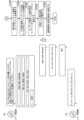
- FIG. 11 illustrates an example of data storage in a history storage unit; 11 is a flowchart showing an example of the operation of the design asset content proposal system. 11 is a flowchart showing an example of the operation of the design asset content proposal system. 11 is a flowchart showing an example of the operation of the design asset content proposal system. 11 is a flowchart showing an example of the operation of the design asset content proposal system. 1 is a flowchart showing an example of the operation of the design asset content proposal system. 1 is a flowchart showing an example of the operation of the design asset content proposal system.
- FIG. 11 is a flowchart showing an example of the operation of the design asset content proposal system.
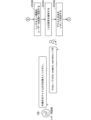
- FIG. 13 is a diagram showing an example of display of detailed information of an intellectual property content.
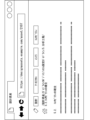
- FIG. 13 is a diagram showing an example of displaying other related design asset contents.
- 1 is a flowchart showing an example of the operation of the design asset content proposal system.
- 1 is a flowchart showing an example of the operation of the design asset content proposal system.
- 11 is a flowchart showing an example of the operation of the design asset content proposal system.
- 11 is a flowchart showing an example of the operation of the design asset content proposal system.
- 11 is a flowchart showing an example of the operation of the design asset content proposal system.
- 11 is a flowchart showing an example of the operation of the design asset content proposal system.
- 11 is a flowchart showing an example of the operation of the design asset content proposal system.
- FIG. 11 is a flowchart showing an example of the operation of the design asset content proposal system.
- FIG. 13 is a diagram showing a flow of converting a context information body and a question body into an n-dimensional feature vector.
- FIG. 13 is a diagram showing a flow of calculation of the degree of compatibility between a context information body and a question body.
- FIG. 13 is a diagram showing a flow of converting a content body and a question body into an n-dimensional feature vector.
- FIG. 13 is a diagram showing a flow of calculation of the degree of suitability for a content body and a question body.
- FIG. 2 is a diagram illustrating a schematic example of a hardware configuration when the content proposal system illustrated in the figure is actually operated.
- FIG. 2 is a diagram illustrating a schematic example of a hardware configuration when the content proposal system illustrated in the figure is actually operated.
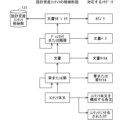
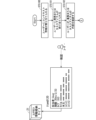
- FIG. 1 is a diagram showing an example of the configuration of an intellectual property content proposal system 1 according to this embodiment.
- the intellectual property content proposal system 1 shown in Fig. 1 is realized, for example, by using one or more servers or storages.
- the design asset content proposal system 1 is a device that, when given context information that serves as the background for searching design asset content, suggests design asset content that is likely to be necessary to the user without asking questions.
- the design asset content proposal system 1 includes a user dialogue unit 11, a context information text extraction unit 111, a dialogue recording unit 112, a content proposal unit 113, a design asset content display unit 12, a design asset content storage unit 131, a history storage unit 132, a question inference model 141, a content proposal model 142, and a learning unit 15.
- the learning unit 15 When the learning unit 15 is given two paired sentences or documents, it learns the sentences or documents in the form of questions and answers, and generates a trained model.
- the entity of the above trained model is a multi-layer neural network, such as BERT or GPT.
- a sentence or document is converted into an n-dimensional feature vector, and the similarity between sentences or documents can be expressed by calculating the distance between the feature vectors.
- the user dialogue unit 11 is a conversational interface that allows the design asset content proposal system 1 to dialogue with the user.
- the user dialogue unit 11 connects to an external chat service 22, thereby realizing conversational exchanges with the user via the chat service 22.
- the user dialogue unit 11 accepts from the user a context information ID, a question, feedback on useful design asset content, or information associated therewith. Then, as a response to the user, the user dialogue unit 11 presents, for example, a list of design asset content that matches the question, a feedback request on useful design asset content, or information associated therewith.
- the context information text extraction unit 111 receives the context information ID input by the user to the user dialogue unit 11, and extracts the context information text from the context information storage service 21 based on the context information ID.
- the context information storage service 21 may be, for example, an issue management system, a wiki service, a document management system, or a service for managing documents or document files.
- the context information ID is an ID of the context information derived from the context information storage service 21 that can uniquely identify the context information, and is expressed as a task ID, a URL, a file path, or a combination of these.
- the dialogue recording unit 112 records information acquired in response to operations performed by the user in the user dialogue unit 11 and the design asset content display unit 12. The dialogue recording unit 112 then stores the acquired information in the history storage unit 132.
- the information acquired in the dialogue between the user dialogue unit 11 and the user, which is recorded by the dialogue recording unit 112, is the context information ID, the context information text, the question text, the ID of the queried design asset content, and the ID of the design asset content that was given feedback as being useful.
- the information acquired in response to the operation performed by the user on the intellectual property content display unit 12 and recorded by the dialogue recording unit 112 is the ID of the intellectual property content inquired by the user.
- the content suggestion unit 113 uses the question inference model 141 and the content suggestion model 142 to identify design asset content that matches the context information body.
- the content suggestion unit 113 When the content suggestion unit 113 is given the context information text, it retrieves all user questions stored in the history storage unit 132. Then, the content suggestion unit 113 uses the question inference model 141 to calculate the degree of compatibility between the context information text and each user's question.
- the content suggestion unit 113 uses the content suggestion model 142 to calculate the degree of compatibility between each of the design asset contents stored in the design asset content storage unit 131 and the question.
- the content suggestion unit 113 proposes design asset content that is highly compatible with the question identified using the content suggestion model 142, together with the corresponding question, as design asset content that is useful for the main body of the context information.
- the design asset content display unit 12 displays questions posed by the user, displays detailed information about design asset content proposed by the content suggestion unit 113 based on context information and presented to the user by the user dialogue unit 11, or displays other design asset content related to the displayed design asset content, by searching using hierarchies and tags.
- FIG. 11 is a diagram showing an example of displaying detailed information about design asset content. As shown in the example in FIG. 11, tags related to the design asset content can be selected as detailed information about the design asset content.
- FIG. 12 is a diagram showing an example of displaying other related design asset content.
- a list of design asset content tagged with "Architecture” is displayed when "Architecture” is selected in FIG. 11.
- a typical implementation of the design asset content display unit 12 is a Wiki tool that allows content to be created, edited, and searched using a web browser.
- the design asset content storage unit 131 stores the content text of the design asset content together with multiple pieces of meta information that explain the characteristics of the design asset content.
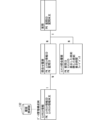
- FIG. 2 is a diagram showing an example of the configuration of the intellectual property content storage unit 131.
- examples of storage formats for intellectual property content include a document repository, a directory or hierarchy, a document, a chapter or section, and a content body.
- Examples of meta-information include a category, a document path, a document title, a chapter or section title, each sentence that makes up the content body, and a tag (content tag) assigned to the content.
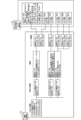
- FIG. 3 is a diagram showing an example of the data management configuration of the history storage unit 132.
- a typical data management structure of the history storage unit 132 is composed of four tables: a question table, an inquiry history table, a content inquiry history table, a feedback history table (not shown here), and a context information table.
- the relationships based on multiplicity between tables are, for example, 1:N between the context information table and the inquiry history table, 1:N between the question table and the inquiry history table, and 1:N between the question table and the content inquiry history table.
- the content inquiry history table also has a 1:N relationship with the design asset content (table) shown in Figure 2.
- the dialogue recording unit 112 tracks the operations performed by the user and the information acquired in response to the operations (i.e., information related to the intellectual property content selected and inquired by the user) and stores them in the history storage unit 132.
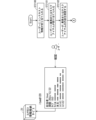
- FIG. 4 is a diagram showing an example of data storage in the history storage unit 132.
- FIG. 4 shows an example of the relationship between context information, inquiry history, questions, and feedback history in the history storage unit 132, and further shows an example of the relationship with each content ID in the intellectual property content storage unit 131.
- the question inference model 141 is a trained model that is generated by using the learning unit 15 to learn the question text and the context information text stored in the history storage unit 132 in the form of questions and answers.
- the content suggestion unit 113 uses the question inference model 141 to convert the question text and the context information text into an n-dimensional vector representation (question text vector and context information text vector), and calculates the degree of match between the question text and the context information text based on the vector distance between the question text vector and the context information text vector.
- the content proposal model 142 is a trained model that is generated by using the learning unit 15 to learn the question text stored in the history storage unit 132 and the content text stored in the design asset content storage unit 131 in the form of questions and answers.
- the content suggestion unit 113 uses the content suggestion model 142 to convert the question body and the content body into an n-dimensional vector representation (a question body vector and a content body vector), and calculates the compatibility between the question body and the content body based on the vector distance between the question body vector and the content body vector.
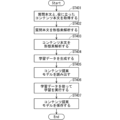
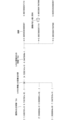
- Fig. 5 is a flow chart showing an example of the operation of the intellectual property content proposal system.
- the history storage unit 132 does not record the user's questions, the design asset content inquired by the user, or the design asset content that the user has provided feedback on as being useful, and this information cannot be used to create the content proposal model 142. Furthermore, the content proposal unit 113 cannot respond to the user's questions because the content proposal model 142 does not exist.
- step ST101 the content suggestion unit 113 acquires all registered content information from the design asset content storage unit 131.
- the content information consists of the content text and multiple pieces of meta information that explain the characteristics of the content.
- step ST102 the content suggestion unit 113 extracts the content text corresponding to the answer for each piece of content information acquired in step ST101.
- step ST103 the content suggestion unit 113 extracts meta information corresponding to the question (initial question) for each piece of content information acquired in step ST101.
- the meta information extracted as a question is not all of the meta information that constitutes the content information, but only meta information that is considered appropriate as a question.
- each sentence that makes up the content body refers to a sentence that has been extracted from the content body at the unit of a comma or line break.
- step ST104 the content suggestion unit 113 performs morphological analysis on the content body extracted in step ST102 and divides it into token units such as nouns or adjectives.
- step ST105 the content suggestion unit 113 performs morphological analysis on the meta information extracted in step ST103 and divides it into token units such as nouns or adjectives.
- steps ST104 and ST105 are necessary only for languages that require morphological analysis, such as Japanese.
- step ST106 the content suggestion unit 113 generates learning data consisting of question and answer pairs, using the content text in token units created in step ST104 as an answer and the meta information in token units created in step ST105 as a question (initial question).
- the format of the training data is in accordance with the algorithms that learn in the form of answers to known questions. For example, some algorithms require that in addition to the correct answers to questions, incorrect answers be specified. In this case, the incorrect answers can be prepared by randomly selecting content information from a large number of sources.
- step ST107 the learning unit 15 uses the learning data generated in step ST106 to perform learning in the form of answers to questions.
- the learning is performed by a known algorithm such as BERT or GPT.
- step ST108 the learning unit 15 saves the results of learning in step ST107 as a content proposal model 142.
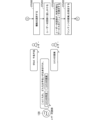
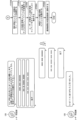
- Figures 6, 7, 8, 9, and 10 are flowcharts showing examples of the operation of the intellectual property content proposal system.
- step ST2100 when the user begins searching for design asset content using the design asset content proposal system 1, context information is assigned to the user.
- step ST2101 a task or a task item is assigned to the user on the context information storage service 21.
- This task or task item corresponds to the context information that serves as the background for searching the design asset content.
- the context information storage service 21 is typically a project management tool or a task management tool that allows the editing and viewing of work or task information using a web browser.
- step ST2102 the user to whom the task or work item has been assigned accesses the context information storage service 21 and checks the contents of the assigned task or work item.
- the user checks the person in charge, deadline, type, title, text, comments, etc. of Item #120.
- step ST2200 the user starts using the design asset content proposal system 1.
- the user accesses the chat service 22 using a web browser and engages in an interactive exchange in the user dialogue unit 11 on the chat service 22.
- the first thing a user does is select a feature.
- step ST2201 the user speaks to the user dialogue unit 11 to obtain information necessary for the work.
- an interactive session can be started by specifying the user interactive unit 11 with @ (at) bot and then saying "hello, hey.”
- the interactive session will automatically end if the user does not speak to the user interaction unit 11 for a certain period of time or if the user starts a new interactive session.
- step ST2202 the user dialogue unit 11 receives a trigger (for example, the above keyword) from the user to start an dialogue session and presents the user with a menu of available services.
- a trigger for example, the above keyword
- the two available services are "content identification” and “content suggestion.”
- step ST2203 in this embodiment, the user specifies "content identification.”
- content identification is a service that finds the necessary design asset content by repeating the user's question and the answer of the user dialogue unit 11 one or more times.
- step ST2300 when searching for design asset content, the user specifies the context information assigned to the user in step ST2100 to the user dialogue unit 11.
- step ST2301 the user interaction unit 11 requests the user to specify an ID for accessing the context information assigned to the user in step ST2100.
- the user specifies the method of accessing the work or task item assigned to the user by using a URL.
- the access method may be specified in other ways, for example, a simpler method of specifying only the ID of the work or task item, assuming that a method of accessing the information stored by the context information storage service 21 is already built into the design asset content proposal system 1, such as a database connection.
- the user dialogue unit 11 calls the context information text extraction unit 111, accesses the context information storage service 21, and obtains the context information text from the context information linked to the specified ID.
- step ST2400 the process of identifying the design asset content begins.
- step ST2401 the user dialogue unit 11 presents the user with categories for narrowing down the specific range of design asset content.
- the above categories are information that is preregistered in the design asset content storage unit 131, and are managed as meta information of the design asset content, an example of which is shown in Figure 2.
- step ST2402 the user selects whether or not to narrow down the specific range by category.
- the user responds to the user dialogue unit 11 with "all,” which corresponds to the case where the specific range is not narrowed down by category.
- step ST2403 the user dialogue unit 11 requests the user to input a question.
- step ST2404 the user inputs a question.
- the questions above are a list of words or a very short sentence of one or two lines that express the information the user wants to know.
- the user might enter a question such as "software testing” or "traceability.”
- a very short sentence of one or two lines for example, the user might enter a question such as "the process and style for reviewing the detailed design.”
- step ST2405 the user dialogue unit 11, having received the question from the user, passes (inputs) the question to the content suggestion unit 113, requesting a search for related content.
- the user dialogue unit 11 displays a message urging the user to wait for a while.
- step ST2406 the content proposal unit 113 uses the content proposal model 142 to start searching for design asset content that matches the above question.
- the content proposal unit 113 uses the content proposal model 142 to convert the question received from the user dialogue unit 11 into an n-dimensional feature vector. Also, the content proposal unit 113 uses the content proposal model 142 to convert the content text of the design asset content stored in the design asset content storage unit 131 into an n-dimensional feature vector.
- the content suggestion unit 113 converts the content text into an n-dimensional feature vector, targeting only the design asset content in the specified category.
- the content proposal model 142 may be used to calculate and store an n-dimensional feature vector of the content body of the intellectual property content stored in the intellectual property content storage unit 131 in advance, and the stored n-dimensional feature vector may be read out when calculating the degree of compatibility.
- the content suggestion unit 113 calculates the distance between the n-dimensional feature vector of the question and the n-dimensional feature vector of the content body of the design asset content, and considers the content body of the design asset content with a closer distance to be the design asset content with a higher suitability for the question, and the closer the distance, the higher the suitability.
- the content suggestion unit 113 sorts the design asset contents in order of closest distance (highest suitability) and passes them (outputs them) to the user dialogue unit 11.
- step ST2407 the user dialogue unit 11 presents the search results for design asset content to the user on the chat service 22.
- each row in the table can contain part of the content body as well as some meta information that is useful for identifying the content, such as the document in which the content is stored and the category to which the design asset content belongs.
- step ST2408 the user inquires about design asset content that the user finds useful from the content presented by the user dialogue unit 11. In other words, when design asset content that the user finds useful is presented, the user inquires about that design asset content.
- the cell of the content body in the table presented to the user by the user dialogue unit 11 in step ST2407 is a link to access the intellectual property content display unit 12, and by selecting this cell, the user can inquire about detailed information about the intellectual property content on a separate screen (see FIG. 11).
- the detailed information on the design asset content provided by the design asset content display unit 12 is hierarchically structured, such as "Design Assets/Guideline Repository/System Design Guidelines/5. Analysis Process/52. Establishment of Traceability," and this hierarchy is the same as the storage format of the design asset content shown in Figure 2. Based on this hierarchy, the user can inquire about the design asset content in the upper or lower hierarchical levels.
- multiple tags are associated with each design asset content, and by selecting a tag displayed in the detailed information of the design asset content shown in Figure 11, it is possible to inquire about other design asset content that has the same tag.
- the design asset content display unit 12 presents the user with a list of design asset contents tagged with "Architecture", as shown in the example in FIG. 12.
- Each item in the list of design asset content tagged with "architecture" presented by the design asset content display unit 12 is a link to detailed information about the design asset content, and the user can select design asset content of interest from the list and inquire about detailed information about that design asset content.
- the user can select "Next Page" to request the user dialogue unit 11 to present subsequent design asset content in order of suitability.
- step ST2409 the dialogue recording unit 112 tracks and records inquiries about design asset content by the user.
- step ST2408 the dialogue recording unit 112 tracks the operation in which the user inquires about the intellectual property content from the table presented on the chat service 22, and records it in the history storage unit 132.
- the time when the intellectual property content page is first displayed and closed, as well as the length of time that the intellectual property content page is displayed, are recorded.
- the display time is counted starting the moment the page is displayed and stopping the moment the page is hidden or closed.
- counting is restarted from the previous count value.
- the context information text obtained in step ST2302 is stored in the context information table of the history storage unit 132
- the question from the user obtained in step ST2404 is stored in the question table of the history storage unit 132
- the association between the question and the context information ID is stored in the inquiry history table of the history storage unit 132
- step ST2408 the association between the ID of the intellectual property content inquired by the user and the question, the time the page was displayed, the time the page was closed, and the display time of the page are stored in the content inquiry history table of the history storage unit 132.
- step ST2410 the user dialogue unit 11 monitors the user's operations such as inquiries about intellectual property content or selection of "next page," and waits a certain period of time until the user stops performing new operations.
- the waiting time is a configurable parameter, but as a guideline it is about 15 to 30 minutes.
- the waiting time when the waiting time has elapsed, the time at which any of the intellectual property content queried by the user, including hidden content, whose pages have not yet been closed, is closed is saved in the corresponding record of the content query history table in the history storage unit 132 as the time immediately after the waiting time has elapsed.
- step ST2500 the user dialogue unit 11 requests the user to provide feedback regarding the search for design asset content.
- step ST2501 the user dialogue unit 11 requests feedback from the user as to which design asset content was useful to the user in the content search based on this question.
- step ST2502 the user dialogue unit 11 retrieves a list of the intellectual property contents inquired by the user from the history storage unit 132 and presents it on the chat service 22.
- the design asset contents recorded in the history storage unit 132 in step ST2409 are presented in order of the longest display time, so that the design asset contents considered to be useful to the user are arranged at the top.
- step ST2503 the user selects the design asset content that was useful from the listed design asset content. In this case, multiple design asset contents can be selected. Then, when the user has finished selecting, he or she selects "Done" to notify the user dialogue unit 11 that the feedback is complete.
- step ST2504 the user dialogue unit 11 notifies the dialogue recording unit 112 of the selection results of the useful design asset content as fed back by the user.
- the dialogue recording unit 112 reflects the above feedback results in the records of the content inquiry history table in the history storage unit 132 recorded in step ST2409.
- FIG. 13 is a flowchart showing an example of the operation of the intellectual property content proposal system.
- learning is performed using the question text stored in the history storage unit 132 as the question and the context information text as the answer.
- the content suggestion unit 113 acquires all accumulated question texts and context information texts corresponding to the questions from the history storage unit 132.
- the context information texts corresponding to the question texts can be identified based on the inquiry history table in the history storage unit 132.
- step ST302 the content suggestion unit 113 performs morphological analysis on the question text acquired in step ST301 and divides it into token units such as nouns or adjectives.
- step ST303 the content suggestion unit 113 performs morphological analysis on the context information text acquired in step ST301 and divides it into token units such as nouns or adjectives.
- step ST304 the content suggestion unit 113 generates learning data consisting of question and answer pairs, using the token-based question text created in step ST302 as a question and the token-based context information text created in step ST303 as an answer.
- the format of the training data is in accordance with the algorithms that learn in the form of answers to known questions. For example, some algorithms require that in addition to the correct answers to questions, incorrect answers be specified. In this case, the incorrect answers can be prepared by randomly selecting content information from a large number of sources.
- step ST305 the learning unit 15 uses the learning data generated in step ST304 to perform learning in the form of answers to questions.
- the learning is performed by a known algorithm such as BERT or GPT.
- step ST306 the learning unit 15 saves the results learned in step ST305 as a question inference model 141.
- FIG. 14 is a flowchart showing an example of the operation of the intellectual property content proposal system.
- the content proposal model construction step is expected to be performed as additional learning for the content proposal model 142 constructed in the initial learning step described in FIG. 5.
- the content proposal model 142 may be constructed from scratch, separate from the initial learning. In that case, it is not necessary to execute step ST405 in FIG. 14.
- learning is performed using the question text stored in the history storage unit 132 as the question and the content text stored in the design asset content storage unit 131 as the answer.
- step ST401 the content suggestion unit 113 acquires all accumulated question texts from the history storage unit 132, and acquires all content texts that have been fed back as being useful for the aforementioned question texts from the intellectual property content storage unit 131.
- the content text that has been given feedback as being useful for the question text can be identified from the content query history table in the history storage unit 132.
- the content query history table has a storage column called feedback, and the content query history record for which the user provided feedback that the content was useful in step ST2503 of the question and answer step described above has a value indicating that the feedback was valid.
- step ST402 the content suggestion unit 113 performs morphological analysis on the question text acquired in step ST401 and divides it into token units such as nouns or adjectives.
- step ST403 the content suggestion unit 113 performs morphological analysis on the content text acquired in step ST401 and divides it into token units such as nouns or adjectives.
- step ST404 the content suggestion unit 113 generates learning data consisting of question and answer pairs, using the token-based question text created in step ST402 as a question and the token-based content text created in step ST403 as an answer.
- the format of the training data is in accordance with the algorithms that learn in the form of answers to known questions. For example, some algorithms require that in addition to the correct answers to questions, incorrect answers be specified. In this case, the incorrect answers can be prepared by randomly selecting content information from a large number of sources.
- step ST405 the content proposal unit 113 reads out the content proposal model 142 constructed in the initial learning step described in FIG. 5.
- step ST406 the learning unit 15 performs additional learning in the form of answers to questions using the learning data generated in step ST404 based on the content proposal model 142 read out in step ST405.
- the learning is performed using a known algorithm such as BERT or GPT.
- step ST407 the learning unit 15 overwrites and saves (updates) the results of learning in step ST406 as the content proposal model 142.
- Figures 15, 16, 17, 18, and 19 are flowcharts showing an example of the operation of the design asset content proposal system.
- step ST5100 when the user begins searching for design asset content using the design asset content proposal system 1, context information is assigned to the user.
- step ST5101 a task or a task item is assigned to the user on the context information storage service 21.
- This task or task item corresponds to the context information that serves as the background for searching the design asset content.
- the context information storage service 21 is typically a project management tool or a task management tool that allows the editing and viewing of work or task information using a web browser.
- step ST5102 the user to whom the task or work item has been assigned accesses the context information storage service 21 and checks the contents of the assigned task or work item.
- the user checks the person in charge, deadline, type, title, text, comments, etc. of Item #120.
- step ST5200 the user starts using the design asset content proposal system 1.
- the part that responds to the user is the user dialogue unit 11, which is connected to the chat service 22 and is typically realized as a chatbot.
- the user accesses the chat service 22 using a web browser and engages in an interactive exchange in the user interaction unit 11 on the chat service 22.
- the first thing a user does is select a feature.
- step ST5201 the user speaks to the user dialogue unit 11 to obtain information necessary for the work.
- an interactive session can be started by specifying the user interactive unit 11 with @ (at) bot and then saying "hello, hey.”
- the interactive session will automatically end if the user does not speak to the user interaction unit 11 for a certain period of time or if the user starts a new interactive session.
- step ST5202 the user dialogue unit 11 receives a trigger (for example, the above keyword) from the user to start an dialogue session and presents the user with a menu of available services.
- a trigger for example, the above keyword
- the two available services are "content identification” and "content suggestion.”
- step ST5203 in this embodiment, the user specifies "content proposal.”
- content proposal is a service in which the design asset content proposal system 1 proposes design asset content to the user simply by the subsequent presentation of a context information ID by the user.
- step ST5300 the user specifies the context information assigned to the user in step ST5100 to the user dialogue unit 11.
- step ST5301 the user interaction unit 11 requests the user to specify an ID for accessing the context information assigned to the user in step ST5100.
- the user specifies the method of accessing the work or task item assigned to the user by using a URL.
- the access method may be specified in other ways, for example, a simpler method of specifying only the ID of the work or task item, assuming that a method of accessing the information stored by the context information storage service 21 is already built into the design asset content proposal system 1, such as a database connection.
- the user dialogue unit 11 calls the context information text extraction unit 111, accesses the context information storage service 21, and obtains the context information text from the context information linked to the specified ID.
- step ST5400 proposal of design asset content begins.
- step ST5401 the user dialogue unit 11 presents the user with categories to narrow down the scope of ideas for the intellectual property content.
- the above categories are information that is preregistered in the design asset content storage unit 131, and are managed as meta information of the design asset content, an example of which is shown in Figure 2.
- step ST5402 the user selects whether or not to narrow down the specific range by category.
- the user responds to the user dialogue unit 11 with "all,” which corresponds to the case where the specific range is not narrowed down by category.
- step ST5403 the user dialogue unit 11 passes (inputs) the context information text acquired by the context information text extraction unit 111 to the content proposal unit 113, and requests content proposals.
- step ST5404 the content suggestion unit 113 uses the question inference model 141 to extract questions that match the questions in the main body of the context information passed from the user dialogue unit 11 in step ST5403 from among the user questions stored in the history storage unit 132.
- FIG. 20 is a diagram showing the flow of converting the context information body and the question body into an n-dimensional feature vector. For the sake of simplicity, FIG. 20 will be described assuming that there are a total of three questions stored in the history storage unit 132.
- the content suggestion unit 113 first performs morphological analysis on the context information text passed (input) from the user dialogue unit 11 and divides it into token units such as nouns or adjectives.
- the content suggestion unit 113 converts the context information text of each token into an n-dimensional feature vector using the question inference model 141.
- the content suggestion unit 113 extracts question texts from the question table in the history storage unit 132, performs morphological analysis on these question texts, and divides them into token units such as nouns or adjectives.
- the content suggestion unit 113 converts the question text in units of tokens into an n-dimensional feature vector using the question inference model 141.
- Figure 21 shows the flow of calculating the degree of compatibility between the context information text and the question text.
- the content suggestion unit 113 calculates the distance between the n-dimensional vector representation of the context information body and the n-dimensional vector representation of the question body, sorts the question bodies corresponding to the n-dimensional vector representations that are close in distance to the n-dimensional vector representation of the context information body in order of closeness of distance as questions with a high degree of compatibility with the context information, and passes the top x questions to the next step ST5405.
- the above x questions correspond to multiple questions that may be anticipated based on the context information, and by displaying multiple questions in this way, the options are expanded and the accuracy of question extraction is improved.
- top x is a configurable parameter, and in addition to the number of items, a threshold value for the distance between the n-dimensional vector representation of the context information body and the n-dimensional vector representation of the question body may also be set.
- step ST5405 the content suggestion unit 113 identifies the design asset content that corresponds to the question extracted in step ST5404.
- FIG. 22 is a diagram showing the flow of converting the content body and the question body into an n-dimensional feature vector. For the sake of simplicity, FIG. 22 will be described assuming that there are two pieces of design asset content stored in the design asset content storage unit 131 and two questions extracted in step ST5404.
- the content suggestion unit 113 extracts content bodies from the design asset content stored in the design asset content storage unit 131, performs morphological analysis on the content bodies, and divides them into token units such as nouns or adjectives.
- the content suggestion unit 113 converts the content text in units of tokens into an n-dimensional feature vector using the content suggestion model 142.
- the content suggestion unit 113 converts the question text in units of tokens into an n-dimensional feature vector using the content suggestion model 142.
- Figure 23 shows the flow of calculating the relevance of the content text and the question text.
- the content suggestion unit 113 calculates the distance between the n-dimensional vector representation of the content body and the n-dimensional vector representation of the question body, as shown in FIG. 23.
- step ST5406 the content suggestion unit 113 considers that the closer the distance between the n-dimensional vector representation of the content body calculated in step ST5405 and the n-dimensional vector representation of the question body, the higher the degree of match, sorts the question and content body pairs in order of closest distance, and returns the top x question and content body pairs to the user dialogue unit 11.
- top x is a configurable parameter, and in addition to the number of results, a threshold value for the distance between the n-dimensional vector representation of the content body and the n-dimensional vector representation of the question body may also be set.
- step ST5407 the user dialogue unit 11 presents the proposed design asset content to the user on the chat service 22, typically in a table format.
- the table presented lists around 10 pieces of design asset content. Each row in the table can contain parts of the question text and content text, as well as meta-information that is useful for identifying the content, such as the document in which the content is stored or the category to which the design asset content belongs.
- step ST5408 the user inquires about design asset content that is deemed useful from the table presented by the user dialogue unit 11 on the chat service 22.
- the method of displaying the design asset content is as shown in step ST2408.
- step ST5408 the dialogue recording unit 112 tracks the user's operation of inquiring about the design asset content from the table presented on the chat service 22, and records the operation in the history storage unit 132.
- the time when the intellectual property content page was first displayed and closed is recorded, along with the length of time the intellectual property content page is displayed.
- the display time is counted starting the moment the page is displayed and stopping the moment the page is hidden or closed. In addition, if the same intellectual property content page is displayed again, the count is restarted from the previous count value.
- the context information text obtained in step ST5302 is stored in the context information table of the history storage unit 132, the association between the question and the ID of the context information is stored in the inquiry history table of the history storage unit 132, and in step ST5408, the association between the ID of the intellectual property content inquired by the user and the question, the time the page was displayed, the time the page was closed, and the display time of the page are stored in the content inquiry history table of the history storage unit 132.
- the user questions recorded here are not those entered by the user, but are questions of existing users stored in the history storage unit 132, which have been inferred by the content suggestion unit 113 in step ST5404. These questions of existing users are paired with the corresponding intellectual property content in the table presented by the user dialogue unit 11 on the chat service 22 in step ST5407, so it is obvious how to identify the question that corresponds to the queried intellectual property content.
- step ST5410 the user dialogue unit 11 monitors the user's operations such as inquiries about intellectual property content or selection of "next page," and waits a certain period of time until the user stops performing new operations.
- the waiting time is a configurable parameter, but as a guideline it is about 15 to 30 minutes.
- the waiting time when the waiting time has elapsed, the time at which any of the intellectual property content queried by the user, including hidden content, whose pages have not yet been closed, is closed is saved in the corresponding record of the content query history table in the history storage unit 132 as the time immediately after the waiting time has elapsed.
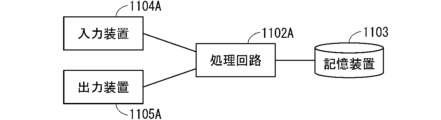
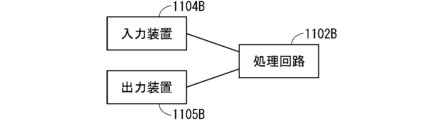
- ⁇ Hardware configuration of the content proposal system> 24 and 25 are diagrams each illustrating a schematic hardware configuration when the content proposal system exemplified in FIG. 1 is actually operated.
- a configuration illustrated in FIG. 1 is made up of multiple hardware configurations illustrated in FIG. 24 and FIG. 25; a configuration illustrated in FIG. 1 corresponds to a portion of a hardware configuration illustrated in FIG. 24 and FIG. 25; and further, multiple configurations illustrated in FIG. 1 are provided in a single hardware configuration illustrated in FIG. 24 and FIG. 25.
- FIG. 24 the hardware configuration for realizing the user dialogue unit 11, context information text extraction unit 111, dialogue recording unit 112, content suggestion unit 113, intellectual property content display unit 12, intellectual property content storage unit 131, history storage unit 132, learning unit 15, etc. in FIG. 1 is shown, which includes a processing circuit 1102A that performs calculations, a storage device 1103 that can store information, an input device 1104A that can input information such as a mouse, keyboard, touch panel, or various switches, and an output device 1105A that can output information such as a display, liquid crystal display device, or lamp (including cases where it is shared with the input device 1104A).
- a processing circuit 1102A that performs calculations
- a storage device 1103 that can store information
- an input device 1104A that can input information such as a mouse, keyboard, touch panel, or various switches
- an output device 1105A that can output information such as a display, liquid crystal display device, or lamp (including cases where it is shared with the input device 1104A).
- FIG. 25 the hardware configuration for realizing the user dialogue unit 11, context information text extraction unit 111, dialogue recording unit 112, content suggestion unit 113, intellectual property content display unit 12, intellectual property content storage unit 131, history storage unit 132, learning unit 15, etc. in FIG. 1 is shown, which includes a processing circuit 1102B that performs calculations, an input device 1104B that can input information such as a mouse, keyboard, touch panel, or various switches, and an output device 1105B (including cases where it is shared with the input device 1104B) that can output information such as a display, liquid crystal display device, or lamp.
- a processing circuit 1102B that performs calculations
- an input device 1104B that can input information such as a mouse, keyboard, touch panel, or various switches
- an output device 1105B including cases where it is shared with the input device 1104B
- a display liquid crystal display device, or lamp.
- the dialogue recording unit 112, the design asset content storage unit 131, and the history storage unit 132 are realized by the storage device 1103 or another storage device (not shown here).
- the storage device 1103 may be, for example, a hard disk drive (HDD), random access memory (RAM), read only memory (ROM), flash memory, erasable programmable read only memory (EPROM), electrically erasable programmable read-only memory (EEPROM), or other volatile or non-volatile semiconductor memory, a magnetic disk, a flexible disk, an optical disk, a compact disk, a mini disk, or a DVD, or any other memory device to be used in the future.
- HDD hard disk drive
- RAM random access memory
- ROM read only memory
- EPROM erasable programmable read only memory
- EEPROM electrically erasable programmable read-only memory
- the processing circuit 1102A may execute a program stored in the storage device 1103, an external CD-ROM, an external DVD-ROM, or an external flash memory. That is, the processing circuit 1102A may be, for example, a central processing unit (CPU), a microprocessor, a microcomputer, or a digital signal processor (DSP).
- CPU central processing unit
- DSP digital signal processor
- the processing circuit 1102A executes a program stored in the storage device 1103, an external CD-ROM, an external DVD-ROM, or an external flash memory
- the user dialogue unit 11, the context information text extraction unit 111, the content proposal unit 113, and the learning unit 15 are realized by software, firmware, or a combination of software and firmware in which the program stored in the storage device 1103 is executed by the processing circuit 1102A.
- the functions of the user dialogue unit 11, the context information text extraction unit 111, the content proposal unit 113, and the learning unit 15 may be realized, for example, by multiple processing circuits working together.
- the software and firmware may be written as a program and stored in the storage device 1103.
- the processing circuit 1102A realizes the above functions by reading and executing the program stored in the storage device 1103.
- the storage device 1103 may store a program that, when executed by the processing circuit 1102A, results in the above functions being realized.
- the processing circuit 1102B may also be dedicated hardware, i.e., a single circuit, a composite circuit, a programmed processor, a parallel programmed processor, an application specific integrated circuit (ASIC), a field-programmable gate array (FPGA), or a combination of these.
- dedicated hardware i.e., a single circuit, a composite circuit, a programmed processor, a parallel programmed processor, an application specific integrated circuit (ASIC), a field-programmable gate array (FPGA), or a combination of these.
- the processing circuit 1102B is dedicated hardware, the user dialogue unit 11, the context information text extraction unit 111, the content proposal unit 113, and the learning unit 15 are realized by the operation of the processing circuit 1102B. Note that the functions of the user dialogue unit 11, the context information text extraction unit 111, the content proposal unit 113, and the learning unit 15 may be realized by separate circuits or by a single circuit.
- the functions of the user dialogue unit 11, the context information text extraction unit 111, the content suggestion unit 113, and the learning unit 15 may be partially realized in a processing circuit 1102A that executes a program stored in a memory device 1103, and partially realized in a processing circuit 1102B that is dedicated hardware.
- the user dialogue unit 11 and the design asset content display unit 12 are realized by the input device 1104A or the input device 1104B.
- the user dialogue unit 11 and the design asset content display unit 12 are realized by the output device 1105A or the output device 1105B (which may be shared with the input device).
- the content proposal system includes an input unit, a content proposal unit 113, a display unit, and a recording unit.
- the input unit corresponds to at least one of the chat service 22 or the user dialogue unit 11, for example.
- the display unit corresponds to the intellectual property content display unit 12, for example.
- the recording unit corresponds to at least one of the dialogue recording unit 112 or the history storage unit 132, for example.
- Context information which is information related to the background of the content, is input to the input unit.
- the content proposal unit 113 extracts a question corresponding to the context information, and further proposes content corresponding to the question.
- the intellectual property content display unit 12 displays the content.
- the recording unit records the content, the question, and the context information in association with each other based on the selection result of the content displayed on the intellectual property content display unit 12.
- the content proposal system includes an input device 1104A and an output device 1105A.
- the content proposal system also includes a processing circuit 1102A that executes a program, and a storage device 1103 that stores the program to be executed. Then, the following operations are realized by the processing circuit 1102A executing the program.
- the context information of the content is input. Then, a question corresponding to the context information is extracted, and further, content corresponding to the question is suggested. Then, the content is displayed. Then, based on the selection result of the displayed content, the content, the question, and the context information are recorded in association with each other.
- the processing circuit 1102B which is a dedicated hardware, extracts a question that corresponds to the context information of the input content. It then suggests content that corresponds to the question. It then displays the content. Then, based on the selection result of the displayed content, it records the content, question, and context information in association with each other.
- the recording unit records the selected content from among the content displayed on the intellectual property content display unit 12 in association with the question and context information.
- information regarding the selected useful intellectual property content can be appropriately recorded.
- the recording unit records the content that is determined to be useful among the contents displayed on the intellectual property content display unit 12 in association with the question and the context information. With this configuration, it is possible to appropriately record information regarding useful intellectual property content that is feedback from the user.
- the content suggestion unit 113 extracts a question corresponding to the context information based on the question inference model.
- the question inference model is a trained model that has been trained in advance by the learning unit 15 using the context information as an answer to a question. With this configuration, a question can be extracted based on the context information using the question inference model.
- the question inference model is a trained model that infers possible questions based on context information, which has been trained in advance by the learning unit 15 using context information as an answer to a question.
- context information which has been trained in advance by the learning unit 15 using context information as an answer to a question.
- the content proposal unit 113 extracts content corresponding to a question based on a content proposal model.
- the content proposal model is a trained model that has been trained in advance by the learning unit 15 with the content as an answer to the question. With this configuration, the content proposal model can be used to extract content based on a question.
- the content proposal model is a trained model that is updated by the learning unit 15 learning content that is judged to be useful among the contents displayed on the intellectual property content display unit 12 as answers to questions.
- the content proposal model can be updated based on content that is judged to be useful (content that the user has given feedback that it was useful), thereby improving the accuracy of content proposals.
- the initial content proposal model is a trained model trained in advance by the learning unit 15 with the meta-information of the content as an initial question and the content as an answer to the initial question.
- context information which is information related to the background of the content
- a question corresponding to the context information is extracted, and content corresponding to the question is suggested.
- the content is then displayed. Then, based on the selection result of the displayed content, the content, the question, and the context information are associated and recorded.
- each of the components described in the above embodiments is assumed to be software or firmware, and also corresponding hardware, and in the case of software, it is referred to as, for example, a "unit,” and in the case of hardware, it is referred to as, for example, a "processing circuit.”
- 1 Design asset content proposal system 11 User dialogue unit, 12 Design asset content display unit, 15 Learning unit, 21 Context information storage service, 22 Chat service, 111 Context information text extraction unit, 112 Dialogue recording unit, 113 Content proposal unit, 131 Design asset content storage unit, 132 History storage unit, 141 Question inference model, 142 Content proposal model, 1102A Processing circuit, 1102B Processing circuit, 1103 Storage device, 1104A Input device, 1104B Input device, 1105A Output device, 1105B Output device.
Landscapes
- Engineering & Computer Science (AREA)
- Databases & Information Systems (AREA)
- Theoretical Computer Science (AREA)
- Data Mining & Analysis (AREA)
- Physics & Mathematics (AREA)
- General Engineering & Computer Science (AREA)
- General Physics & Mathematics (AREA)
- Information Retrieval, Db Structures And Fs Structures Therefor (AREA)
Abstract
コンテンツを得るための適切な質問が思いつかない場合でも、適切なコンテンツを得る。コンテンツ提案システムは、コンテンツの背景に関する情報であるコンテキスト情報が入力される入力部と、コンテキスト情報に対応する質問を抽出し、さらに、質問に対応するコンテンツを提案するためのコンテンツ提案部と、コンテンツを表示するための表示部と、表示部に表示されたコンテンツの選択結果に基づいて、コンテンツと質問とコンテキスト情報とを関連づけて記録するための記録部とを備える。
Description
本願明細書に開示される技術は、コンテンツの提案技術に関するものである。
ソフトウェア開発を実施する上で過去に蓄積された設計資産を活用して効率的に作業すること、過去に犯した過ちを繰り返さないことは非常に重要なテーマである。
特定の組織において過去に蓄積された文書である設計資産には、開発規約、設計ガイドライン、類似プロダクトの仕様書または設計書、operating system(OS)、ミドルウェア、Tips記事、Howto記事、課題、または、不具合などが含まれる。
これらの設計資産コンテンツは、文書ファイルまたはWebサイトのページとして作られており、文書管理サービス(sharepoint(登録商標)またはファイルサーバーなど)またはwikiサービス、課題管理サービスなどに蓄積されている。
このような個々のサービスにバラバラに管理されている設計資産を、1つのサービスに集約して横断的な検索を可能にする技術が提案されている。具体的には、検索エンジンが検索の順位を決めるための要素をサイトから収集するクローラーのような技術を用いて、個々のサービスに蓄積された文書から文を抽出する。そして、可変長の文字列の検索に特化したデータベースに格納する。そして、検索クエリ文が与えられると、任意の文字数で文章を分割する手法であるNGRAM、または、文書中に含まれる単語の重要度を評価する手法であるTF-IDFなどの全文検索アルゴリズムによって、検索クエリ文に類似する設計資産コンテンツを特定する。
一方で、Word2Vec、Doc2Vec、BERTまたはGPTなどの、文字列を対象とする機械学習技術を適用することで、文書の分散表現つまり特徴ベクトルを獲得する。そして、特徴ベクトル同士の計算によって類似度を計算することができるようにし、単に文字または単語の部分的な一致によらず、文または単語の意味を考慮した検索を可能とする方式の検討も活発に行われている。
たとえば、特許文献1では、文書検索のための検索語を特徴ベクトル化して、検索対象となる文書群の特徴ベクトルと掛け合わせることで検索語と文書群との間の類似度を算出する。これに加えて、あらかじめ学習しておいた文書のカテゴリと検索語のカテゴリの推論結果とを使って重み付けを行うことで、検索語が属すると推定されたカテゴリと同じカテゴリに属する文書が検索結果の上位に並ぶようにする。これによって、ユーザーの知識またはスキルに関わらず、ユーザーの所望の検索結果を提供することができる。
このような技術を活用することで、大量の文書から必要な情報を効率的に特定することができる。
しかしながら、従来の技術は、設計資産コンテンツの特定を実施する背景となる情報(以降、「コンテキスト情報」と記載)を扱っておらず、なぜ、どのような状況で設計資産コンテンツを探しているのかを考慮する仕組みを有していない。
開発業務における設計資産の特定のシナリオでは、設計資産コンテンツの探索を実施するメインアクタである開発担当者に対して、まず何らかの業務またはタスクが割り当てられる。これが設計資産コンテンツの探索を実施する背景となるコンテキスト情報である。開発担当者は、割り当てられた業務またはタスクを実行するために必要な情報を設計資産コンテンツの中から特定したいと望むはずだが、配属されて間もないような経験が浅い開発担当者では、コンテキスト情報に対して有効な質問が思いつかず、そもそも、どんな情報を探せばよいのかの当たりが付かない。
本願明細書に開示される技術は、以上に記載されたような問題を鑑みてなされたものであり、コンテンツが必要となる背景に関する情報であるコンテキスト情報が与えられた際に、コンテンツを得るための適切な質問が思いつかない場合でも、適切なコンテンツを得るための技術である。
本願明細書に開示される技術の第1の態様であるコンテンツ提案システムは、コンテンツの背景に関する情報であるコンテキスト情報が入力される入力部と、前記コンテキスト情報に対応する質問を抽出し、さらに、前記質問に対応する前記コンテンツを提案するためのコンテンツ提案部と、前記コンテンツを表示するための表示部と、前記表示部に表示された前記コンテンツの選択結果に基づいて、前記コンテンツと前記質問と前記コンテキスト情報とを関連づけて記録するための記録部とを備える。
本願明細書に開示される技術の少なくとも第1の態様によれば、コンテンツを得るための適切な質問が思いつかない場合でも、コンテキスト情報に基づいて抽出された質問からコンテンツが提案されるため、質問を介さずに適切なコンテンツを得ることができる。
また、本願明細書に開示される技術に関連する目的と、特徴と、局面と、利点とは、以下に示される詳細な説明と添付図面とによって、さらに明白となる。
以下、添付される図面を参照しながら実施の形態について説明する。以下の実施の形態では、技術の説明のために詳細な特徴なども示されるが、それらは例示であり、実施の形態が実施可能となるために、それらのすべてが必ずしも必須の特徴ではない。
なお、図面は概略的に示されるものであり、説明の便宜のため、適宜、構成の省略、または、構成の簡略化などが図面においてなされる。また、異なる図面にそれぞれ示される構成などの大きさおよび位置の相互関係は、必ずしも正確に記載されるものではなく、適宜変更され得るものである。また、断面図ではない平面図などの図面においても、実施の形態の内容を理解することを容易にするために、ハッチングが付される場合がある。
また、以下に示される説明では、同様の構成要素には同じ符号を付して図示し、それらの名称と機能とについても同様のものとする。したがって、それらについての詳細な説明を、重複を避けるために省略する場合がある。
また、本願明細書に記載される説明において、ある構成要素を「備える」、「含む」または「有する」などと記載される場合、特に断らない限りは、他の構成要素の存在を除外する排他的な表現ではない。
また、本願明細書に記載される説明において、「第1の」または「第2の」などの序数が使われる場合があっても、これらの用語は、実施の形態の内容を理解することを容易にするために便宜上使われるものであり、実施の形態の内容はこれらの序数によって生じ得る順序などに限定されるものではない。
<実施の形態>
以下、本実施の形態に関するコンテンツ提案システム、および、コンテンツ提案方法について説明する。
以下、本実施の形態に関するコンテンツ提案システム、および、コンテンツ提案方法について説明する。
<コンテンツ提案システムの構成について>
図1は、本実施の形態に関する設計資産コンテンツ提案システム1の構成の例を示す図である。図1に例が示される設計資産コンテンツ提案システム1は、たとえば、1台または複数台のサーバーまたはストレージを用いて実現される。
図1は、本実施の形態に関する設計資産コンテンツ提案システム1の構成の例を示す図である。図1に例が示される設計資産コンテンツ提案システム1は、たとえば、1台または複数台のサーバーまたはストレージを用いて実現される。
設計資産コンテンツ提案システム1は、設計資産コンテンツを探索する背景となるコンテキスト情報が与えられた際に、質問を介さずに、必要と思われる設計資産コンテンツをユーザーに提案する装置である。
図1に例が示されるように、設計資産コンテンツ提案システム1は、ユーザー対話部11と、コンテキスト情報本文抽出部111と、対話記録部112と、コンテンツ提案部113と、設計資産コンテンツ表示部12と、設計資産コンテンツ格納部131と、履歴格納部132と、質問推論モデル141と、コンテンツ提案モデル142と、学習部15とを備える。
学習部15は、ペアとなる2つの文または文書が与えられると、それらの文または文書を質問と回答という形式で学習し、学習済みモデルを生成する。
上記の学習済みモデルの実体は、たとえば、BERTまたはGPTなどに代表される多層ニューラルネットワークである。多層ニューラルネットワークでは、文または文書をn次元の特徴ベクトルに変換し、特徴ベクトル間の距離の計算によって文または文書間の類似度を表現することができる。
ユーザー対話部11は、設計資産コンテンツ提案システム1がユーザーと対話するための会話形式のインターフェイスである。ユーザー対話部11は、外部のチャットサービス22と接続することで、同チャットサービス22を介してユーザーとの会話形式のやり取りを実現する。
ユーザー対話部11は、ユーザーからコンテキスト情報ID、質問、役に立った設計資産コンテンツのフィードバック、または、これらに付随する情報を受け付ける。そして、ユーザー対話部11は、ユーザーに対する応答として、たとえば、質問に適合する設計資産コンテンツのリスト、役に立った設計資産コンテンツのフィードバックリクエスト、または、これらに付随する情報を提示する。
コンテキスト情報本文抽出部111は、ユーザー対話部11にユーザーから入力されたコンテキスト情報IDを受け取って、当該コンテキスト情報IDに基づいて、コンテキスト情報格納サービス21からコンテキスト情報本文を抽出する。
コンテキスト情報格納サービス21の実体は、たとえば、課題管理システム、wikiサービス、文書管理システム、文書または文書ファイルを管理するサービスなどである。
コンテキスト情報IDは、コンテキスト情報を一意に特定することが可能なコンテキスト情報格納サービス21由来のコンテキスト情報のIDであり、課題ID、URL、ファイルパスまたはこれらを組み合わせて表現される。
対話記録部112は、ユーザー対話部11および設計資産コンテンツ表示部12でユーザーが行った操作に伴って取得される情報を記録する。そして、対話記録部112は、取得した情報を履歴格納部132に保存する。
対話記録部112が記録する、ユーザー対話部11とユーザーとの対話に伴って取得される情報とは、コンテキスト情報ID、コンテキスト情報本文、質問本文、照会された設計資産コンテンツのID、役に立ったとフィードバックされた設計資産コンテンツのIDである。
対話記録部112が記録する、設計資産コンテンツ表示部12でユーザーが行った操作に伴って取得される情報とは、ユーザーが照会した設計資産コンテンツのIDである。
コンテンツ提案部113は、質問推論モデル141とコンテンツ提案モデル142を用いて、コンテキスト情報本文に適合する設計資産コンテンツを特定する。
コンテンツ提案部113は、コンテキスト情報本文が与えられると、履歴格納部132に格納されたすべてのユーザーの質問を取得する。そして、コンテンツ提案部113は、質問推論モデル141を使って、コンテキスト情報本文と、それぞれのユーザーの質問との適合度を計算する。
そして、コンテンツ提案部113は、質問推論モデル141を使って特定したコンテキスト情報本文との適合度の高い質問に対して、コンテンツ提案モデル142を使って、設計資産コンテンツ格納部131に格納されたそれぞれの設計資産コンテンツと質問との適合度を計算する。
これによって、コンテンツ提案部113は、コンテンツ提案モデル142を使って特定された質問との適合度の高い設計資産コンテンツを、対応する質問とともに、コンテキスト情報本文に対して役立つ設計資産コンテンツとして提案する。
設計資産コンテンツ表示部12は、ユーザーが提示した質問の表示、コンテキスト情報に基づいてコンテンツ提案部113が提案し、さらに、ユーザー対話部11によってユーザーに提示された設計資産コンテンツの詳細情報の表示、または、表示された設計資産コンテンツに関連するほかの設計資産コンテンツの表示を、階層とタグとによる検索によって実現する。
図11は、設計資産コンテンツの詳細情報の表示の例を示す図である。図11に例が示されるように、設計資産コンテンツの詳細情報として、当該設計資産コンテンツに関連するタグが選択可能となっている。
図12は、関連するほかの設計資産コンテンツの表示の例を示す図である。図12では、図11における「アーキテクチャ」が選択された場合に表示される、「アーキテクチャ」のタグが付けられた設計資産コンテンツの一覧が表示されている。
設計資産コンテンツ表示部12の典型的な実現形態は、Webブラウザを使ってコンテンツの作成、編集および検索ができるWikiツールである。
設計資産コンテンツ格納部131は、設計資産コンテンツのコンテンツ本文を、設計資産コンテンツの特徴を説明する複数のメタ情報とともに格納する。
図2は、設計資産コンテンツ格納部131の構成の例を示す図である。図2に例が示されるように、設計資産コンテンツの格納形態としては、たとえば、文書レポジトリ、ディレクトリまたは階層、文書、章または節、コンテンツ本文がある。また、メタ情報の一例としては、カテゴリ、文書パス、文書タイトル、章または節タイトル、コンテンツ本文を構成する各文、コンテンツに付与されたタグ(コンテンツタグ)などがある。
図3は、履歴格納部132のデータ管理構成の例を示す図である。図3に例が示されるように、履歴格納部132の典型的なデータ管理構造は、質問テーブル、問合せ履歴テーブル、コンテンツ照会履歴テーブル、フィードバック履歴テーブル(ここでは図示しない)、コンテキスト情報テーブルという4つのテーブルで構成される。
テーブル間の多重度による関係は、たとえば、コンテキスト情報テーブルと問合せ履歴テーブルとが1:N、質問テーブルと問合せ履歴テーブルとが1:N、質問テーブルとコンテンツ照会履歴テーブルとが1:Nである。
また、コンテンツ照会履歴テーブルは、図2に示された設計資産コンテンツ(テーブル)と1:Nの関係である。
対話記録部112が、ユーザーが行った操作、および操作に対応して取得された情報(すなわち、ユーザーが選択して照会した設計資産コンテンツに関する情報)を追跡して、履歴格納部132に格納する。
図4は、履歴格納部132のデータ格納の例を示す図である。図4においては、履歴格納部132におけるコンテキスト情報と、問合せ履歴と、質問と、フィードバック履歴との関係の例、さらには、設計資産コンテンツ格納部131におけるそれぞれのコンテンツIDとの関係の例が示されている。
図4において、履歴格納部132のコンテキスト情報本文など「*」で具体的な記載を省略している部分は、本来は、自然言語で記載された文である。また、図4において、設計資産コンテンツ格納部131の「<以下略>」の記載では、以降の具体的情報の記載を省略している。
質問推論モデル141は、学習部15を用いて、履歴格納部132に格納された質問本文とコンテキスト情報本文とを、質問および回答の形式で学習して生成された学習済みモデルである。
コンテンツ提案部113は、質問推論モデル141を使って、質問本文とコンテキスト情報本文とをn次元のベクトル表現(質問本文ベクトルおよびコンテキスト情報本文ベクトル)に変換し、質問本文ベクトルとコンテキスト情報本文ベクトルとのベクトル間の距離によって、質問本文とコンテキスト情報本文との適合度を計算する。
コンテンツ提案モデル142は、学習部15を用いて、履歴格納部132に格納された質問本文と、設計資産コンテンツ格納部131に格納されたコンテンツ本文とを、質問および回答の形式で学習して生成された学習済みモデルである。
コンテンツ提案部113は、コンテンツ提案モデル142を使って、質問本文とコンテンツ本文とをn次元ベクトル表現(質問本文ベクトルおよびコンテンツ本文ベクトル)に変換し、質問本文ベクトルとコンテンツ本文ベクトルとのベクトル間の距離によって、質問本文とコンテンツ本文との適合度を計算する。
<コンテンツ提案システムの動作について>
次に、図5を参照しつつ、設計資産コンテンツ提案システム1の初期学習ステップにおける動作を説明する。ここで、図5は、設計資産コンテンツ提案システムの動作の例を示すフローチャートである。
次に、図5を参照しつつ、設計資産コンテンツ提案システム1の初期学習ステップにおける動作を説明する。ここで、図5は、設計資産コンテンツ提案システムの動作の例を示すフローチャートである。
初期学習の段階では、履歴格納部132に、ユーザーの質問、ユーザーが照会した設計資産コンテンツ、および、ユーザーが役に立ったとフィードバックした設計資産コンテンツが記録されておらず、これらの情報を使ってコンテンツ提案モデル142を作成することができない。また、コンテンツ提案部113は、コンテンツ提案モデル142が存在しないためユーザーの質問に応答できない。
そこで、初期学習として、設計資産コンテンツ格納部131に格納された情報のみを使って、質問および回答の初期学習を実施してコンテンツ提案モデル142を作成する。そうすることによって、コンテンツ提案部113が、ユーザーの質問に応答することができるようにする。
まず、ステップST101で、コンテンツ提案部113が、設計資産コンテンツ格納部131から、登録されているすべてのコンテンツ情報を取得する。
コンテンツ情報は、図2に示されたように、コンテンツ本文と、コンテンツの特徴を説明する複数のメタ情報とで構成されている。
次に、ステップST102で、コンテンツ提案部113が、ステップST101で取得されたそれぞれのコンテンツ情報について、回答に対応するコンテンツ本文を抽出する。
同様に、ステップST103で、コンテンツ提案部113が、ステップST101で取得されたそれぞれのコンテンツ情報について、質問(初期質問)に対応するメタ情報を抽出する。
ここで、質問として抽出するメタ情報は、コンテンツ情報を構成するすべてのメタ情報ではなく、質問として適当と考えられるメタ情報のみを指定する。
たとえば、カテゴリ、文書タイトル、章または節タイトルは、コンテンツ本文に対する質問に含まれる情報を有していると考えられるため、質問として抽出する。また、コンテンツ本文を構成するそれぞれの文もコンテンツ本文に対する質問に含まれる情報を有していると考えられるため、質問として抽出する。
ここで、コンテンツ本文を構成するそれぞれの文とは、読点または改行の単位でコンテンツ本文から切り出された文のことである。
次に、ステップST104で、コンテンツ提案部113が、ステップST102で抽出されたコンテンツ本文を形態素解析して、名詞または形容詞などのトークンの単位に分割する。
また、ステップST105で、コンテンツ提案部113が、ステップST103で抽出されたメタ情報を形態素解析して、名詞または形容詞などのトークンの単位に分割する。
なお、ステップST104およびステップST105は、日本語などの形態素解析が必要な言語の場合にのみ必要なステップである。
次に、ステップST106で、コンテンツ提案部113が、ステップST104で作成されたトークン単位のコンテンツ本文を回答とし、ステップST105で作成されたトークン単位のメタ情報を質問(初期質問)として、質問と回答とのペアからなる学習データを生成する。
学習データの形式は、既知の質問に対する回答の形式で学習するアルゴリズムにしたがう。たとえば、一部のアルゴリズムでは、質問に対する正しい回答のほかに、誤った回答も指定する必要がある。この場合、誤った回答は、多数あるコンテンツ情報をランダムに選択することで用意することができる。
次に、ステップST107で、学習部15が、ステップST106で生成された学習データを使って、質問に対する回答形式の学習を実行する。当該学習は、たとえば、BERTまたはGPTなどの既知のアルゴリズムによって実施される。
次に、ステップST108で、学習部15が、ステップST107で学習した結果をコンテンツ提案モデル142として保存する。
次に、図6、図7、図8、図9、図10を参照しつつ、設計資産コンテンツ提案システム1の質問と回答ステップにおける動作を説明する。ここで、図6、図7、図8、図9、図10は、設計資産コンテンツ提案システムの動作の例を示すフローチャートである。
まず、ステップST2100で、ユーザーが設計資産コンテンツ提案システム1を用いる設計資産コンテンツの探索を始めるにあたって、ユーザーにコンテキスト情報が割り当てられる。
次に、ステップST2101で、コンテキスト情報格納サービス21上で、ユーザーに業務またはタスクアイテムが割り当てられる。この業務またはタスクアイテムが、設計資産コンテンツを探索する背景となるコンテキスト情報に相当する。
コンテキスト情報格納サービス21の実体は、典型的にはプロジェクト管理ツールまたはタスク管理ツールであり、Webブラウザを使って業務またはタスクの情報を、編集および閲覧することができるものである。
次に、ステップST2102で、業務またはタスクアイテムの割り当てを受けたユーザーが、コンテキスト情報格納サービス21にアクセスして、割り当てられた業務またはタスクアイテムの内容を確認する。図6においては、Item#120の、担当者、期限、タイプ、タイトル、本文、コメントなどをユーザーが確認する。
次に、ステップST2200で、ユーザーは設計資産コンテンツ提案システム1の利用を開始する。
ユーザーに対して応答するのは、チャットサービス22に接続するユーザー対話部11であり、典型的にはチャットボットとして実現する。
以降、ユーザーはWebブラウザを使ってチャットサービス22にアクセスし、チャットサービス22上でユーザー対話部11の対話形式のやり取りを行う。
ユーザーが最初に行うのは機能の選択である。
まず、ステップST2201で、ユーザーは、作業に必要な情報を獲得するため、ユーザー対話部11に話しかける。
ここで、ユーザー対話部11と対話セッションを開始するトリガーとなるキーワードがいくつか用意される。たとえば、@(アットマーク)botでユーザー対話部11を指定し、続けて「やあやあ」と話しかけることで、対話セッションが起動する。
なお、対話セッションは、一定時間ユーザーがユーザー対話部11に話しかけないか、ユーザーが新たな対話セッションを開始することで、自動的に終了する。
次に、ステップST2202で、ユーザーから対話セッションを開始するためのトリガー(たとえば、上記のキーワード)を受け取ったユーザー対話部11は、ユーザーに対して、利用可能なサービスのメニューを提示する。ここでは、「コンテンツの特定」と「コンテンツの提案」との2つが利用可能なサービスであるものとする。
次に、ステップST2203で、本実施の形態では、ユーザーは「コンテンツの特定」を指定する。ここで「コンテンツの特定」は、ユーザーの質問とユーザー対話部11の回答との1回以上の繰り返しによって、必要な設計資産コンテンツを探し出すサービスである。
次に、ステップST2300で、設計資産コンテンツの探索にあたって、ユーザーは、ステップST2100で自身に割り当てられたコンテキスト情報をユーザー対話部11に指定する。
次に、ステップST2301で、ユーザー対話部11は、ユーザーに、ステップST2100でユーザーに割り当てられたコンテキスト情報にアクセスするためのIDの指定を要求する。
次に、ステップST2302で、ユーザーは、自身に割り当てられた業務またはタスクのアイテムへのアクセス方法をURLで指定する。ただし、アクセス方法は他の方法で指定されてもよく、たとえば、データベース接続など、設計資産コンテンツ提案システム1にコンテキスト情報格納サービス21が格納する情報へのアクセス方法があらかじめ組み込まれている前提で、より単純に、業務またはタスクのアイテムのIDだけを指定する方法であってもよい。
ユーザーからコンテキスト情報にアクセスするためのIDを受け取ると、ユーザー対話部11は、コンテキスト情報本文抽出部111を呼び出して、コンテキスト情報格納サービス21にアクセスし、指定されたIDに紐づくコンテキスト情報から、コンテキスト情報本文を取得する。
なお、上記の処理はバックグラウンドで実行され、アクセス不能などのエラーケースを除いてユーザーに通知されることはない。
次に、ステップST2400で、設計資産コンテンツの特定作業を開始する。
次に、ステップST2401で、ユーザー対話部11は、ユーザーに設計資産コンテンツの特定範囲を絞り込むためのカテゴリを提示する。
上記のカテゴリは、設計資産コンテンツ格納部131にあらかじめ登録された情報であり、図2に例が示された、設計資産コンテンツのメタ情報として管理されている。
次に、ステップST2402で、ユーザーは、カテゴリによる特定範囲の絞り込みをかけるか、かけないかを選択する。本実施の形態では、ユーザーはカテゴリによる特定範囲の絞り込みをかけない場合に対応する「全部」をユーザー対話部11に回答している。
一方で特定のカテゴリを指定した場合は、以降の設計資産コンテンツの探索は、指定されたカテゴリに範囲を限定して実行される。
次に、ステップST2403で、ユーザー対話部11は、ユーザーに質問の入力を要求する。
次に、ステップST2404で、ユーザーは、質問を入力する。
多くの場合、上記の質問は、ユーザーが知りたいと思っている情報を表すいくつかの単語の列挙か、1行から2行程度のごく短い文である。単語の列挙としては、たとえば、ユーザーは「ソフトウェアテスト」または「トレーサビリティ」のような質問を入力する。1行から2行程度のごく短い文としては、たとえば、ユーザーは「詳細設計をレビューするプロセスと様式」のような質問を入力する。
次に、ステップST2405で、ユーザーから質問を受け取ったユーザー対話部11が、コンテンツ提案部113に質問を渡して(入力して)、関連するコンテンツの探索を要求する。
ここで、探索の完了までしばらく時間がかかるかもしれないので、ユーザー対話部11は、ユーザーにしばらく待つよう促すメッセージを提示する。
次に、ステップST2406で、コンテンツ提案部113は、コンテンツ提案モデル142を使って、上記の質問に適合する設計資産コンテンツの探索を開始する。
具体的には、コンテンツ提案部113は、コンテンツ提案モデル142を使って、ユーザー対話部11から受け取った質問をn次元の特徴ベクトルに変換する。また、コンテンツ提案部113は、コンテンツ提案モデル142を使って、設計資産コンテンツ格納部131に格納された設計資産コンテンツのコンテンツ本文をn次元の特徴ベクトルに変換する。
ここで、ステップST2402でユーザーが探索範囲に絞り込みをかける回答をしている場合は、コンテンツ提案部113は、指定されたカテゴリの設計資産コンテンツのみを対象に、コンテンツ本文をn次元の特徴ベクトルに変換する。
なお、処理の高速化のために、あらかじめコンテンツ提案モデル142を使って、設計資産コンテンツ格納部131に格納された設計資産コンテンツのコンテンツ本文のn次元特徴ベクトルを計算して保存おき、適合度の計算を実施する際に、保存されているn次元特徴ベクトルを読みだす方式としてもよい。
コンテンツ提案部113は、質問のn次元特徴ベクトルと設計資産コンテンツのコンテンツ本文のn次元特徴ベクトルとの間の距離を計算し、距離が近い設計資産コンテンツのコンテンツ本文を質問に対する適合度が高い設計資産コンテンツとして、また、その距離が近いほど適合度合いが高いとみなして、設計資産コンテンツを距離の近い順(適合度が高い順)に整列させて、ユーザー対話部11に渡す(出力する)。
次に、ステップST2407で、ユーザー対話部11は、チャットサービス22上でユーザーに設計資産コンテンツの検索結果を提示する。
上記の提示では、たとえば、10件程度の設計資産コンテンツを表形式で列挙する。表のそれぞれの行は、コンテンツ本文の一部のほか、同コンテンツを格納する文書、設計資産コンテンツの属するカテゴリなど、コンテンツの特定に役立つ一部のメタ情報を含めることができる。
次に、ステップST2408で、ユーザーは、ユーザー対話部11が提示したコンテンツから、有益と思える設計資産コンテンツを照会する。すなわち、ユーザーは、有益と思える設計資産コンテンツが提示された場合には、その設計資産コンテンツを照会する。
ここで、ステップST2407でユーザー対話部11がユーザーに提示した表におけるコンテンツ本文のセルは、設計資産コンテンツ表示部12にアクセスするためのリンクになっており、同セルを選択することで、ユーザーは別画面で設計資産コンテンツの詳細情報を照会することができる(図11を参照)。
また、設計資産コンテンツ表示部12が提供する設計資産コンテンツの詳細情報は、「設計資産/ガイドラインリポジトリ/システム設計ガイドライン/5.分析工程/52.トレーサビリティの確立」のように階層的に構成されており、この階層は、図2に示めされた設計資産コンテンツの格納形態の通りである。この階層に基づいて、ユーザーは上位階層または下位階層の設計資産コンテンツを照会することができる。
たとえば、図11に示された設計資産コンテンツの詳細情報において、画面の上部に「/」で区切られた階層パスとして表示された中の「システム設計ガイドライン」を選択すると、設計資産コンテンツ表示部12は、「システム設計ガイドライン」の詳細情報をユーザーに提示する。
また、それぞれの設計資産コンテンツには、複数のタグが紐づけられており、図11に示された設計資産コンテンツの詳細情報に表示されたタグを選択することで、同じタグを有する他の設計資産コンテンツを照会することができる。
たとえば、図11に示す設計資産コンテンツの詳細情報において画面の上部に表示された「アーキテクチャ」を選択すると、設計資産コンテンツ表示部12は、図12に例が示されるように、「アーキテクチャ」のタグが付けられた設計資産コンテンツの一覧をユーザーに提示する。
設計資産コンテンツ表示部12が提示する「アーキテクチャ」のタグが付けられた設計資産コンテンツの一覧のそれぞれの項目は、設計資産コンテンツの詳細情報へのリンクになっており、ユーザーは、一覧の中から関心がある設計資産コンテンツを選んで、その設計資産コンテンツの詳細情報を照会することができる。
最初に提示された表に有益と思える設計資産コンテンツがない場合、ユーザーは「次ページ」を選択することで、ユーザー対話部11に、続く適合度合い順の設計資産コンテンツの提示を要求することができる。
一方で、ユーザー対話部11が提示する表の中に有益と思える設計資産コンテンツが含まれない場合は、ユーザーは「ほかの質問」を選択することで、ステップST2401から設計資産コンテンツの特定作業をやり直すことができる。
次に、ステップST2409で、対話記録部112は、ユーザーによる設計資産コンテンツの照会を追跡して記録する。
具体的には、対話記録部112は、ステップST2408で、ユーザーがチャットサービス22上に提示された表から設計資産コンテンツを照会した操作を追跡し、履歴格納部132に記録する。
ユーザーが設計資産コンテンツ表示部12で設計資産コンテンツを照会した記録に関しては、設計資産コンテンツのページを初めて表示した時刻および閉じた時刻、また、設計資産コンテンツのページが表示状態になっている時間を合わせて記録する。表示時間のカウントは、ページが表示された瞬間に始め、ページが非表示状態または閉じられた瞬間にストップする。また、再び同じ設計資産コンテンツのページが表示された場合は、前回のカウント値からカウントを再開する。
ステップST2302で得られたコンテキスト情報本文を履歴格納部132のコンテキスト情報テーブルに格納し、ステップST2404で得られたユーザーからの質問を履歴格納部132の質問テーブルに格納し、質問とコンテキスト情報のIDとによる関連付けを履歴格納部132の問合せ履歴テーブルに格納し、ステップST2408でユーザーが照会した設計資産コンテンツのIDと質問とによる関連付けと、ページを表示した時刻と、ページを閉じた時刻と、ページの表示時間とを、履歴格納部132のコンテンツ照会履歴テーブルに格納する。
次に、ステップST2410で、ユーザー対話部11は、ユーザーの設計資産コンテンツの照会または「次ページ」の選択などの操作をモニタリングし、ユーザーが新たな操作を起こさなくなるまで一定の時間待つ。当該待機時間は設定可能なパラメータであるが、目安として15分から30分程度である。
そして、待機時間を超えた際、ユーザーが照会した設計資産コンテンツの中で、非表示状態のものを含め未だページが閉じられていない設計資産コンテンツの閉じた時刻を待機時間経過直後の時刻として、履歴格納部132のコンテンツ照会履歴テーブルの該当レコードに保存する。
次に、ステップST2500で、ユーザー対話部11は、ユーザーに設計資産コンテンツの探索に関するフィードバックを依頼する。
次に、ステップST2501で、ユーザー対話部11は、ユーザーに対して、今回の質問によるコンテンツ探索においてどの設計資産コンテンツがユーザーにとって有益だったかのフィードバックを依頼する。
次に、ステップST2502で、ユーザー対話部11は、ユーザーが照会した設計資産コンテンツの一覧を、履歴格納部132から取り出してチャットサービス22上に提示する。
設計資産コンテンツの一覧を提示する際には、ステップST2409で履歴格納部132に記録されたそれぞれの設計資産コンテンツを表示時間が長い順に提示することで、ユーザーにとって有益と考えられる設計資産コンテンツが上位に並ぶようにする。
次に、ステップST2503で、ユーザーは、列挙された設計資産コンテンツから有益だった設計資産コンテンツを選択する。この場合、複数の設計資産コンテンツを選択することができる。そして、ユーザーは、選択が終わったら「完了」を選択して、フィードバックが終わったことをユーザー対話部11に通知する。
次に、ステップST2504で、ユーザー対話部11は、ユーザーがフィードバックした有益だった設計資産コンテンツの選択結果を対話記録部112に通知する。
対話記録部112は、ステップST2409で記録された履歴格納部132のコンテンツ照会履歴テーブルのレコードに、上記のフィードバック結果を反映する。
次に、図13を参照しつつ、設計資産コンテンツ提案システム1の質問推論モデル構築ステップにおける動作を説明する。ここで、図13は、設計資産コンテンツ提案システムの動作の例を示すフローチャートである。
質問推論モデル構築ステップの実行の前提として、質問と回答ステップにおいて、質問と回答とによる学習を行うために十分なコンテキスト情報本文と質問本文とが、履歴格納部132に蓄積されているものとする。
質問推論モデル構築ステップでは、履歴格納部132に格納された質問本文を質問とし、コンテキスト情報本文を回答とする学習を実行する。
まず、ステップST301で、コンテンツ提案部113が、履歴格納部132から蓄積されているすべての質問本文と当該質問に対応するコンテキスト情報本文とを取得する。ここで、質問本文に対応するコンテキスト情報本文は、履歴格納部132の問合せ履歴テーブルに基づいて特定することができる。
次に、ステップST302で、コンテンツ提案部113が、ステップST301で取得された質問本文を形態素解析して、名詞または形容詞などのトークンの単位に分割する。
同様に、ステップST303で、コンテンツ提案部113が、ステップST301で取得されたコンテキスト情報本文を形態素解析して、名詞または形容詞などのトークンの単位に分割する。
次に、ステップST304で、コンテンツ提案部113が、ステップST302で作成されたトークン単位の質問本文を質問とし、ステップST303で作成されたトークン単位のコンテキスト情報本文を回答として、質問と回答とのペアからなる学習データを生成する。
学習データの形式は、既知の質問に対する回答の形式で学習するアルゴリズムにしたがう。たとえば、一部のアルゴリズムでは、質問に対する正しい回答のほかに、誤った回答も指定する必要がある。この場合、誤った回答は、多数あるコンテンツ情報をランダムに選択することで用意することができる。
次に、ステップST305で、学習部15が、ステップST304で生成された学習データを使って、質問に対する回答形式の学習を実行する。当該学習は、たとえば、BERTまたはGPTなどの既知のアルゴリズムによって実施される。
次に、ステップST306で、学習部15が、ステップST305で学習した結果を質問推論モデル141として保存する。
次に、図14を参照しつつ、設計資産コンテンツ提案システム1のコンテンツ提案モデル構築ステップにおける動作を説明する。ここで、図14は、設計資産コンテンツ提案システムの動作の例を示すフローチャートである。
コンテンツ提案モデル構築ステップは、図5に記載された初期学習ステップで構築されたコンテンツ提案モデル142に対する追加学習として実行することが想定される。
ただし、質問と回答ステップにおいて、質問と回答とによる学習を行うために十分な質問本文が履歴格納部132に蓄積されているならば、初期学習とは別に、全く一からコンテンツ提案モデル142を構築してもよい。その場合は、図14におけるステップST405の実行は不要である。
コンテンツ提案モデル構築ステップでは、履歴格納部132に格納された質問本文を質問とし、設計資産コンテンツ格納部131に格納されたコンテンツ本文を回答とする学習を実行する。
まず、ステップST401において、コンテンツ提案部113が、履歴格納部132から蓄積されているすべての質問本文を取得し、設計資産コンテンツ格納部131から前述の質問本文に対して役に立ったとフィードバックされたすべてのコンテンツ本文を取得する。
質問本文に対して役に立ったとフィードバックされたコンテンツ本文は、履歴格納部132のコンテンツ照会履歴テーブルから特定することができる。
典型的には、コンテンツ照会履歴テーブルにはフィードバックという格納列があり、前述の質問と回答ステップのステップST2503でユーザーが役に立ったとフィードバックしたコンテンツ照会履歴のレコードは、フィードバックの値が有効だったことを示す値となっている。
次に、ステップST402で、コンテンツ提案部113が、ステップST401で取得された質問本文を形態素解析して、名詞または形容詞などのトークンの単位に分割する。
同様に、ステップST403で、コンテンツ提案部113が、ステップST401で取得されたコンテンツ本文を形態素解析して、名詞または形容詞などのトークンの単位に分割する。
次に、ステップST404で、コンテンツ提案部113が、ステップST402で作成されたトークン単位の質問本文を質問とし、ステップST403で作成されたトークン単位のコンテンツ本文を回答として、質問と回答とのペアからなる学習データを生成する。
学習データの形式は、既知の質問に対する回答の形式で学習するアルゴリズムにしたがう。たとえば、一部のアルゴリズムでは、質問に対する正しい回答のほかに、誤った回答も指定する必要がある。この場合、誤った回答は、多数あるコンテンツ情報をランダムに選択することで用意することができる。
次に、ステップST405で、コンテンツ提案部113が、図5に記載された初期学習ステップで構築されたコンテンツ提案モデル142を読み出す。
次に、ステップST406で、学習部15が、ステップST405で読み出されたコンテンツ提案モデル142に基づいて、ステップST404で生成された学習データを使って、質問に対する回答形式の追加学習を実行する。当該学習は、たとえば、BERTまたはGPTなどの既知のアルゴリズムによって実施される。
次に、ステップST407で、学習部15が、ステップST406で学習した結果をコンテンツ提案モデル142として上書き保存(更新)する。
次に、図15、図16、図17、図18、図19を参照しつつ、設計資産コンテンツ提案システム1の設計資産コンテンツ提案ステップにおける動作を説明する。ここで、図15、図16、図17、図18、図19は、設計資産コンテンツ提案システムの動作の例を示すフローチャートである。
まず、ステップST5100で、ユーザーが設計資産コンテンツ提案システム1を用いる設計資産コンテンツの探索を始めるにあたって、ユーザーにコンテキスト情報が割り当てられる。
次に、ステップST5101で、コンテキスト情報格納サービス21上で、ユーザーに業務またはタスクアイテムが割り当てられる。この業務またはタスクアイテムが、設計資産コンテンツを探索する背景となるコンテキスト情報に相当する。
コンテキスト情報格納サービス21の実体は、典型的にはプロジェクト管理ツールまたはタスク管理ツールであり、Webブラウザを使って業務またはタスクの情報を、編集および閲覧することができるものである。
次に、ステップST5102で、業務またはタスクアイテムの割り当てを受けたユーザーが、コンテキスト情報格納サービス21にアクセスして、割り当てられた業務またはタスクアイテムの内容を確認する。図15においては、Item#120の、担当者、期限、タイプ、タイトル、本文、コメントなどをユーザーが確認する。
次に、ステップST5200で、ユーザーは設計資産コンテンツ提案システム1の利用を開始する。
ユーザーに対して応答するのは、チャットサービス22に接続するユーザー対話部11であり、典型的にはチャットボットとして実現する。
以降、ユーザーはWebブラウザを使ってチャットサービス22にアクセスし、チャットサービス22上でユーザー対話部11の対話形式のやり取りを行う。
ユーザーが最初に行うのは機能の選択である。
まず、ステップST5201で、ユーザーは、作業に必要な情報を獲得するためユーザー対話部11に話しかける。
ここで、ユーザー対話部11と対話セッションを開始するトリガーとなるキーワードがいくつか用意される。たとえば、@(アットマーク)botでユーザー対話部11を指定し、続けて「やあやあ」と話しかけることで、対話セッションが起動する。
なお、対話セッションは、一定時間ユーザーがユーザー対話部11に話しかけないか、ユーザーが新たな対話セッションを開始することで、自動的に終了する。
次に、ステップST5202で、ユーザーから対話セッションを開始するためのトリガー(たとえば、上記のキーワード)を受け取ったユーザー対話部11は、ユーザーに対して、利用可能なサービスのメニューを提示する。ここでは、「コンテンツの特定」と「コンテンツの提案」との2つが利用可能なサービスであるものとする。
次に、ステップST5203で、本実施の形態では、ユーザーは「コンテンツの提案」を指定する。ここで「コンテンツの提案」は、続くユーザーからのコンテキスト情報IDの提示のみで、設計資産コンテンツ提案システム1がユーザーに設計資産コンテンツを提案するサービスである。
次に、ステップST5300で、ユーザーは、ステップST5100で自身に割り当てられたコンテキスト情報をユーザー対話部11に指定する。
次に、ステップST5301で、ユーザー対話部11は、ユーザーに、ステップST5100でユーザーに割り当てられたコンテキスト情報にアクセスするためのIDの指定を要求する。
次に、ステップST5302で、ユーザーは、自身に割り当てられた業務またはタスクのアイテムへのアクセス方法をURLで指定する。ただし、アクセス方法は他の方法で指定されてもよく、たとえば、データベース接続など、設計資産コンテンツ提案システム1にコンテキスト情報格納サービス21が格納する情報へのアクセス方法があらかじめ組み込まれている前提で、より単純に、業務またはタスクのアイテムのIDだけを指定する方法であってもよい。
ユーザーからコンテキスト情報にアクセスするためのIDを受け取ると、ユーザー対話部11は、コンテキスト情報本文抽出部111を呼び出して、コンテキスト情報格納サービス21にアクセスし、指定されたIDに紐づくコンテキスト情報から、コンテキスト情報本文を取得する。
なお、上記の処理はバックグラウンドで実行され、アクセス不能などのエラーケースを除いてユーザーに通知されることはない。
次に、ステップST5400で、設計資産コンテンツの提案を開始する。
次に、ステップST5401で、ユーザー対話部11は、ユーザーに設計資産コンテンツの手案範囲を絞り込むためのカテゴリを提示する。
上記のカテゴリは、設計資産コンテンツ格納部131にあらかじめ登録された情報であり、図2に例が示された、設計資産コンテンツのメタ情報として管理されている。
次に、ステップST5402で、ユーザーは、カテゴリによる特定範囲の絞り込みをかけるか、かけないかを選択する。本実施の形態では、ユーザーはカテゴリによる特定範囲の絞り込みをかけない場合に対応する「全部」をユーザー対話部11に回答している。
一方で特定のカテゴリを指定した場合は、以降の設計資産コンテンツの提案は、指定されたカテゴリに範囲を限定して実行される。
次に、ステップST5403で、ユーザー対話部11は、コンテンツ提案部113にコンテキスト情報本文抽出部111が取得したコンテキスト情報本文を渡して(入力して)、コンテンツの提案を要求する。
次に、ステップST5404で、コンテンツ提案部113は、質問推論モデル141を使って、履歴格納部132に蓄積されたユーザーの質問の中から、ステップST5403でユーザー対話部11から渡されたコンテキスト情報本文の質問として適合している質問を抽出する。
図20は、コンテキスト情報本文と質問本文とをn次元特徴ベクトルに変換する流れを示す図である。図20では、説明の簡略化のため、履歴格納部132に格納されている質問は全部で3件であるものとして説明する。
コンテンツ提案部113は、まず、ユーザー対話部11から渡された(入力された)コンテキスト情報本文を形態素解析して、名詞または形容詞などのトークンの単位に分割する。
続いて、コンテンツ提案部113は、トークンの単位のコンテキスト情報本文を、質問推論モデル141を使ってn次元特徴ベクトルに変換する。
同様に、コンテンツ提案部113は、履歴格納部132の質問テーブルから質問本文を抽出して、これらの質問本文を形態素解析して、名詞または形容詞などのトークンの単位に分割する。
続いて、コンテンツ提案部113は、トークンの単位の質問本文を、質問推論モデル141を使ってn次元特徴ベクトルに変換する。
図21は、コンテキスト情報本文と質問本文とに対する適合度の計算の流れを示す図である。
コンテンツ提案部113は、図21に示されるように、コンテキスト情報本文のn次元ベクトル表現と質問本文のn次元ベクトル表現との間の距離を計算し、コンテキスト情報本文のn次元ベクトル表現と距離が近いn次元ベクトル表現に対応する質問本文を、コンテキスト情報に対する適合度が高い質問として距離が近い順に質問を整列させ、上位x件の質問を次のステップST5405に渡す。ここで、上記x件の質問は、コンテキスト情報に基づいて想定され得る複数の質問に相当し、このように複数の質問が示されることによって選択肢が広がり、質問抽出の精度が高まる。
上位x件は、設定可能なパラメータであり、件数のほかに、コンテキスト情報本文のn次元ベクトル表現と質問本文のn次元ベクトル表現との間の距離のしきい値を設定する場合もある。
次に、ステップST5405で、コンテンツ提案部113は、ステップST5404で抽出された質問に対応する設計資産コンテンツを特定する。
図22は、コンテンツ本文と質問本文をn次元特徴ベクトルに変換する流れを示す図である。図22では、説明の簡略化のため、設計資産コンテンツ格納部131に格納されている設計資産コンテンツは2件であり、ステップST5404で抽出された質問は2件であるものとして説明する。
コンテンツ提案部113は、設計資産コンテンツ格納部131に格納されている設計資産コンテンツからコンテンツ本文を抽出して、これらのコンテンツ本文を形態素解析して、名詞または形容詞などのトークンの単位に分割する。
続いて、コンテンツ提案部113は、トークンの単位のコンテンツ本文を、コンテンツ提案モデル142を使ってn次元特徴ベクトルに変換する。
同様に、コンテンツ提案部113は、ステップST5404で抽出された質問から質問本文を取り出して、これらの質問本文を形態素解析して、名詞または形容詞などのトークンの単位に分割する。
続いて、コンテンツ提案部113は、トークンの単位の質問本文を、コンテンツ提案モデル142を使ってn次元特徴ベクトルに変換する。
図23は、コンテンツ本文と質問本文に対する適合度の計算の流れを示す図である。
コンテンツ提案部113は、図23に示されるように、コンテンツ本文のn次元ベクトル表現と質問本文のn次元ベクトル表現との間の距離を計算する。
次に、ステップST5406で、コンテンツ提案部113は、ステップST5405で計算されたコンテンツ本文のn次元ベクトル表現と質問本文のn次元ベクトル表現との間の距離が近いほど適合度合いが高いとみなして、質問とコンテンツ本文とのペアを距離の近い順に整列させ、上位x件の質問とコンテンツ本文とのペアをユーザー対話部11に返す。
上位x件は、設定可能なパラメータであり、件数のほかに、コンテンツ本文のn次元ベクトル表現と質問本文のn次元ベクトル表現との間の距離のしきい値を設定する場合もある。
次に、ステップST5407で、ユーザー対話部11は、チャットサービス22上でユーザーに設計資産コンテンツの提案結果を典型的には表形式で提示する。
提示する表には、10件程度の設計資産コンテンツを列挙する。表のそれぞれの行は、質問本文とコンテンツ本文との一部のほか、同コンテンツを格納する文書、または、設計資産コンテンツの属するカテゴリなど、コンテンツの特定に役立つ一部のメタ情報を含めることができる。
次に、ステップST5408で、ユーザーは、ユーザー対話部11がチャットサービス22上に提示した表の中から有益と思える設計資産コンテンツを照会する。設計資産コンテンツの表示方法は、ステップST2408に示される通りである。
次に、ステップST5409で、対話記録部112は、ユーザーによる設計資産コンテンツの照会を追跡して記録する。
具体的には、対話記録部112は、ステップST5408で、ユーザーがチャットサービス22上に提示された表から設計資産コンテンツを照会する操作を追跡し、履歴格納部132に記録する。
ユーザーが設計資産コンテンツを照会した記録に関しては、設計資産コンテンツのページを初めて表示した時刻および閉じた時刻、また、設計資産コンテンツのページが表示状態になっている時間を合わせて記録する。表示時間のカウントは、ページが表示された瞬間に始め、ページが非表示状態または閉じられた瞬間にストップする。また、再び同じ設計資産コンテンツのページが表示された場合は、前回のカウント値からカウントを再開する。
ステップST5302で得られたコンテキスト情報本文を履歴格納部132のコンテキスト情報テーブルに格納し、質問とコンテキスト情報のIDとによる関連付けを履歴格納部132の問合せ履歴テーブルに格納し、ステップST5408でユーザーが照会した設計資産コンテンツのIDと質問とによる関連付けと、ページを表示した時刻と、ページを閉じた時刻と、ページの表示時間とを、履歴格納部132のコンテンツ照会履歴テーブルに格納する。
ここで記録するユーザーの質問は、ユーザーが入力したものではなく、ステップST5404でコンテンツ提案部113が推論した、履歴格納部132に格納されている既存のユーザーの質問である。これら既存のユーザーの質問は、ステップST5407でユーザー対話部11がチャットサービス22上に提示した表の中で、対応する設計資産コンテンツとペアになって記載されているため、照会された設計資産コンテンツに対応する質問の特定は自明である。
次に、ステップST5410で、ユーザー対話部11は、ユーザーの設計資産コンテンツの照会または「次ページ」の選択などの操作をモニタリングし、ユーザーが新たな操作を起こさなくなるまで一定の時間待つ。当該待機時間は設定可能なパラメータであるが、目安として15分から30分程度である。
そして、待機時間を超えた際、ユーザーが照会した設計資産コンテンツの中で、非表示状態のものを含め未だページが閉じられていない設計資産コンテンツの閉じた時刻を待機時間経過直後の時刻として、履歴格納部132のコンテンツ照会履歴テーブルの該当レコードに保存する。
以降のフィードバック獲得の流れは、上記の質問と回答ステップにおけるステップST2500以降の流れの通りである。
<コンテンツ提案システムのハードウェア構成について>
図24および図25は、図1に例が示されるコンテンツ提案システムを実際に運用する場合のハードウェア構成を概略的に例示する図である。
図24および図25は、図1に例が示されるコンテンツ提案システムを実際に運用する場合のハードウェア構成を概略的に例示する図である。
なお、図24および図25に例示されるハードウェア構成は、図1に例示される構成とは数などが整合しない場合があるが、これは図1に例示される構成が概念的な単位を示すものであることに起因する。
よって、少なくとも、図1に例示される1つの構成が、図24および図25に例示される複数のハードウェア構成から成る場合と、図1に例示される1つの構成が、図24および図25に例示されるハードウェア構成の一部に対応する場合と、さらには、図1に例示される複数の構成が、図24および図25に例示される1つのハードウェア構成に備えられる場合とが想定され得る。
図24では、図1中のユーザー対話部11、コンテキスト情報本文抽出部111、対話記録部112、コンテンツ提案部113、設計資産コンテンツ表示部12、設計資産コンテンツ格納部131、履歴格納部132または学習部15などを実現するためのハードウェア構成として、演算を行う処理回路1102Aと、情報を記憶することができる記憶装置1103と、マウス、キーボード、タッチパネル、または、各種スイッチなどの、情報を入力することができる入力装置1104Aと、ディスプレイ、液晶表示装置、または、ランプなどの、情報を出力することができる出力装置1105A(入力装置1104Aと共用である場合を含む)とが示される。
図25では、図1中のユーザー対話部11、コンテキスト情報本文抽出部111、対話記録部112、コンテンツ提案部113、設計資産コンテンツ表示部12、設計資産コンテンツ格納部131、履歴格納部132または学習部15などを実現するためのハードウェア構成として、演算を行う処理回路1102Bと、マウス、キーボード、タッチパネル、または、各種スイッチなどの、情報を入力することができる入力装置1104Bと、ディスプレイ、液晶表示装置、または、ランプなどの、情報の出力を行うことができる出力装置1105B(入力装置1104Bと共用である場合を含む)とが示される。
対話記録部112、設計資産コンテンツ格納部131、履歴格納部132は、記憶装置1103または別の記憶装置(ここでは、図示しない)によって実現される。
記憶装置1103は、たとえば、ハードディスクドライブ(Hard disk drive、すなわち、HDD)、ランダムアクセスメモリ(random access memory、すなわち、RAM)、リードオンリーメモリ(read only memory、すなわち、ROM)、フラッシュメモリ、erasable programmable read only memory(EPROM)およびelectrically erasable programmable read-only memory(EEPROM)などの、揮発性または不揮発性の半導体メモリ、磁気ディスク、フレキシブルディスク、光ディスク、コンパクトディスク、ミニディスクまたはDVDなどを含むメモリ(記録媒体)、または、今後使用されるあらゆる記録媒体であってもよい。
処理回路1102Aは、記憶装置1103、外部のCD-ROM、外部のDVD-ROM、または、外部のフラッシュメモリなどに格納されたプログラムを実行するものであってもよい。すなわち、たとえば、中央演算処理装置(central processing unit、すなわち、CPU)、マイクロプロセッサ、マイクロコンピュータ、デジタルシグナルプロセッサ(digital signal processor、すなわち、DSP)であってもよい。
処理回路1102Aが記憶装置1103、外部のCD-ROM、外部のDVD-ROM、または、外部のフラッシュメモリなどに格納されたプログラムを実行するものである場合、ユーザー対話部11、コンテキスト情報本文抽出部111、コンテンツ提案部113、学習部15は、記憶装置1103に格納されたプログラムが処理回路1102Aによって実行されるソフトウェア、ファームウェアまたはソフトウェアとファームウェアとの組み合わせにより実現される。なお、ユーザー対話部11、コンテキスト情報本文抽出部111、コンテンツ提案部113、学習部15の機能は、たとえば、複数の処理回路が連携することによって実現されてもよい。
ソフトウェアおよびファームウェアはプログラムとして記述され、記憶装置1103に記憶されるものであってもよい。その場合、処理回路1102Aは、記憶装置1103に格納されたプログラムを読み出して実行することによって、上記の機能を実現する。すなわち、記憶装置1103は、処理回路1102Aに実行されることによって、上記の機能が結果的に実現されるプログラムを記憶するものであってもよい。
また、処理回路1102Bは、専用のハードウェアであってもよい。すなわち、たとえば、単一回路、複合回路、プログラム化されたプロセッサ、並列プログラム化されたプロセッサ、集積回路(application specific integrated circuit、すなわち、ASIC)、field-programmable gate array(FPGA)またはこれらを組み合わせた回路であってもよい。
処理回路1102Bが専用のハードウェアである場合、ユーザー対話部11、コンテキスト情報本文抽出部111、コンテンツ提案部113、学習部15は、処理回路1102Bが動作することにより実現される。なお、ユーザー対話部11、コンテキスト情報本文抽出部111、コンテンツ提案部113、学習部15の機能は、別々の回路で実現されてもよいし、単一の回路で実現されてもよい。
なお、ユーザー対話部11、コンテキスト情報本文抽出部111、コンテンツ提案部113、学習部15の機能は、一部が記憶装置1103に格納されたプログラムを実行するものである処理回路1102Aにおいて実現され、一部が専用のハードウェアである処理回路1102Bにおいて実現されてもよい。
また、ユーザー対話部11、設計資産コンテンツ表示部12は、入力装置1104Aまたは入力装置1104Bによって実現される。
また、ユーザー対話部11、設計資産コンテンツ表示部12は、出力装置1105Aまたは出力装置1105Bによって実現される(入力装置と共用であってもよい)。
<以上に記載された実施の形態によって生じる効果について>
次に、以上に記載された実施の形態によって生じる効果の例を示す。なお、以下の説明においては、以上に記載された実施の形態に例が示された具体的な構成に基づいて当該効果が記載されるが、同様の効果が生じる範囲で、本願明細書に例が示される他の具体的な構成と置き換えられてもよい。すなわち、以下では便宜上、対応づけられる具体的な構成のうちのいずれか1つのみが代表して記載される場合があるが、代表して記載された具体的な構成が対応づけられる他の具体的な構成に置き換えられてもよい。
次に、以上に記載された実施の形態によって生じる効果の例を示す。なお、以下の説明においては、以上に記載された実施の形態に例が示された具体的な構成に基づいて当該効果が記載されるが、同様の効果が生じる範囲で、本願明細書に例が示される他の具体的な構成と置き換えられてもよい。すなわち、以下では便宜上、対応づけられる具体的な構成のうちのいずれか1つのみが代表して記載される場合があるが、代表して記載された具体的な構成が対応づけられる他の具体的な構成に置き換えられてもよい。
以上に記載された実施の形態によれば、コンテンツ提案システムは、入力部と、コンテンツ提案部113と、表示部と、記録部とを備える。ここで、入力部は、たとえば、チャットサービス22またはユーザー対話部11などのうちの少なくとも1つに対応するものである。また、表示部は、たとえば、設計資産コンテンツ表示部12などに対応するものである。また、記録部は、たとえば、対話記録部112または履歴格納部132などのうちの少なくとも1つに対応するものである。入力部には、コンテンツの背景に関する情報であるコンテキスト情報が入力される。コンテンツ提案部113は、コンテキスト情報に対応する質問を抽出し、さらに、質問に対応するコンテンツを提案する。設計資産コンテンツ表示部12は、コンテンツを表示する。記録部は、設計資産コンテンツ表示部12に表示されたコンテンツの選択結果に基づいて、コンテンツと質問とコンテキスト情報とを関連づけて記録する。
また、以上に記載された実施の形態によれば、コンテンツ提案システムは、入力装置1104Aと、出力装置1105Aとを備える。また、コンテンツ提案システムは、プログラムを実行する処理回路1102Aと、実行されるプログラムを記憶する記憶装置1103とを備える。そして、処理回路1102Aがプログラムを実行することによって、以下の動作が実現される。
すなわち、コンテンツのコンテキスト情報が入力される。そして、コンテキスト情報に対応する質問が抽出され、さらに、質問に対応するコンテンツが提案される。そして、コンテンツが表示される。そして、表示されたコンテンツの選択結果に基づいて、コンテンツと質問とコンテキスト情報とが関連づけて記録される。
また、以上に記載された実施の形態によれば、コンテンツ提案システムは、入力装置1104Bと、出力装置1105Bとを備える。また、コンテンツ提案システムは、専用のハードウェアである処理回路1102Bを備える。そして、専用のハードウェアである処理回路1102Bは、以下の動作を行う。
すなわち、専用のハードウェアである処理回路1102Bは、入力されたコンテンツのコンテキスト情報に対応する質問を抽出する。そして、質問に対応するコンテンツを提案する。そして、コンテンツを表示する。そして、表示されたコンテンツの選択結果に基づいて、コンテンツと質問とコンテキスト情報とを関連づけて記録する。
このような構成によれば、設計資産コンテンツを得るための適切な質問が思いつかない場合でも、与えられたコンテキスト情報に基づいて抽出された質問からコンテンツが提案される。そのため、質問を介さずに適切なコンテンツを得ることができる。
なお、上記の構成に本願明細書に例が示された他の構成を適宜追加した場合、すなわち、上記の構成としては言及されなかった本願明細書中の他の構成が適宜追加された場合であっても、同様の効果を生じさせることができる。
また、以上に記載された実施の形態によれば、記録部が、設計資産コンテンツ表示部12に表示されたコンテンツのうち選択されたコンテンツと、質問およびコンテキスト情報とを関連づけて記録する。このような構成によれば、選択された有益な設計資産コンテンツに関する情報を適切に記録することができる。
また、以上に記載された実施の形態によれば、記録部が、設計資産コンテンツ表示部12に表示されたコンテンツのうち有益と判断されたコンテンツと、質問およびコンテキスト情報とを関連づけて記録する。このような構成によれば、ユーザーからフィードバックされた有益な設計資産コンテンツに関する情報を適切に記録することができる。
また、以上に記載された実施の形態によれば、コンテンツ提案システムは、コンテンツまたはコンテキスト情報を、質問に対する回答として学習するための学習部15を備える。このような構成によれば、過去の質問およびその回答(コンテンツまたはコンテキスト情報)を活用して学習が行われ、コンテキスト情報に基づいてコンテンツが提案されるため、質問を介さずに適切なコンテンツを得ることができる。また、上記の学習を随時行うことによって、提案可能なコンテンツの精度を段階的に向上させることができる。
また、以上に記載された実施の形態によれば、コンテンツ提案部113が、質問推論モデルに基づいて、コンテキスト情報に対応する質問を抽出する。ここで、質問推論モデルは、コンテキスト情報を質問に対する回答として学習部15によってあらかじめ学習された学習済みモデルである。このような構成によれば、質問推論モデルを用いて、コンテキスト情報に基づいて質問を抽出することができる。
また、以上に記載された実施の形態によれば、質問推論モデルが、コンテキスト情報を質問に対する回答として学習部15によってあらかじめ学習された、コンテキスト情報に基づいてあり得る質問を推論する学習済みモデルである。このような構成によれば、コンテキスト情報に基づいて想定され得る複数の質問が示されることによって選択肢が広がり、質問抽出の精度が高まる。
また、以上に記載された実施の形態によれば、コンテンツ提案部113が、コンテンツ提案モデルに基づいて、質問に対応するコンテンツを抽出する。ここで、コンテンツ提案モデルが、コンテンツを質問に対する回答として学習部15によってあらかじめ学習された学習済みモデルである。このような構成によれば、コンテンツ提案モデルを用いて、質問に基づいてコンテンツを抽出することができる。
また、以上に記載された実施の形態によれば、コンテンツ提案モデルが、設計資産コンテンツ表示部12に表示されたコンテンツのうち有益と判断されたコンテンツを質問に対する回答として学習部15によって学習されて更新された学習済みモデルである。このような構成によれば、有益と判断された(ユーザーが役に立ったとフィードバックした)コンテンツに基づいてコンテンツ提案モデルを更新することができるため、コンテンツの提案精度を高めることができる。
また、以上に記載された実施の形態によれば、初期のコンテンツ提案モデルが、コンテンツのメタ情報を初期質問とし、コンテンツを初期質問に対する回答として学習部15によってあらかじめ学習された学習済みモデルである。このような構成によれば、履歴格納部132に、ユーザーの質問、ユーザーが照会した設計資産コンテンツ、および、ユーザーが役に立ったとフィードバックした設計資産コンテンツが記録されていない段階であっても、コンテンツ提案モデル142を作成してユーザーにコンテンツを提案することができる。
以上に記載された実施の形態によれば、コンテンツ提案方法において、コンテンツの背景に関する情報であるコンテキスト情報が入力される。そして、コンテキスト情報に対応する質問を抽出し、さらに、質問に対応するコンテンツを提案する。そして、コンテンツを表示する。そして、表示されたコンテンツの選択結果に基づいて、コンテンツと質問とコンテキスト情報とを関連づけて記録する。
このような構成によれば、設計資産コンテンツを得るための適切な質問が思いつかない場合でも、与えられたコンテキスト情報に基づいて抽出された質問からコンテンツが提案される。そのため、質問を介さずに適切なコンテンツを得ることができる。
なお、特段の制限がない場合には、それぞれの処理が行われる順序は変更することができる。
また、上記の構成に本願明細書に例が示された他の構成を適宜追加した場合、すなわち、上記の構成としては言及されなかった本願明細書中の他の構成が適宜追加された場合であっても、同様の効果を生じさせることができる。
<以上に記載された実施の形態の変形例について>
以上に記載された実施の形態では、それぞれの構成要素の寸法、形状、相対的配置関係または実施の条件などについても記載する場合があるが、これらはすべての局面においてひとつの例であって、限定的なものではない。
以上に記載された実施の形態では、それぞれの構成要素の寸法、形状、相対的配置関係または実施の条件などについても記載する場合があるが、これらはすべての局面においてひとつの例であって、限定的なものではない。
したがって、例が示されていない無数の変形例と均等物とが、本願明細書に開示される技術の範囲内において想定される。たとえば、少なくとも1つの構成要素を変形する場合、追加する場合または省略する場合が含まれるものとする。
また、矛盾が生じない限り、以上に記載された実施の形態において「1つ」の構成要素が備えられる、と記載された場合に、当該構成要素が「1つ以上」備えられていてもよい。
また、本願明細書における説明は、本技術に関連するすべての目的のために参照され、いずれも、従来技術であると認めるものではない。
また、以上に記載された実施の形態で記載されたそれぞれの構成要素は、ソフトウェアまたはファームウェアとしても、それと対応するハードウェアとしても想定され、ソフトウェアとしては、たとえば、「部」などを称され、ハードウェアとしては、たとえば、「処理回路」(circuitry)などと称される。
1 設計資産コンテンツ提案システム、11 ユーザー対話部、12 設計資産コンテンツ表示部、15 学習部、21 コンテキスト情報格納サービス、22 チャットサービス、111 コンテキスト情報本文抽出部、112 対話記録部、113 コンテンツ提案部、131 設計資産コンテンツ格納部、132 履歴格納部、141 質問推論モデル、142 コンテンツ提案モデル、1102A 処理回路、1102B 処理回路、1103 記憶装置、1104A 入力装置、1104B 入力装置、1105A 出力装置、1105B 出力装置。
Claims (10)
- コンテンツの背景に関する情報であるコンテキスト情報が入力される入力部と、
前記コンテキスト情報に対応する質問を抽出し、さらに、前記質問に対応する前記コンテンツを提案するためのコンテンツ提案部と、
前記コンテンツを表示するための表示部と、
前記表示部に表示された前記コンテンツの選択結果に基づいて、前記コンテンツと前記質問と前記コンテキスト情報とを関連づけて記録するための記録部とを備える、
コンテンツ提案システム。 - 請求項1に記載のコンテンツ提案システムであり、
前記記録部が、前記表示部に表示された前記コンテンツのうち選択された前記コンテンツと、前記質問および前記コンテキスト情報とを関連づけて記録する、
コンテンツ提案システム。 - 請求項1または2に記載のコンテンツ提案システムであり、
前記記録部が、前記表示部に表示された前記コンテンツのうち有益と判断された前記コンテンツと、前記質問および前記コンテキスト情報とを関連づけて記録する、
コンテンツ提案システム。 - 請求項1から3のうちのいずれか1つに記載のコンテンツ提案システムであり、
前記コンテンツまたは前記コンテキスト情報を、前記質問に対する回答として学習するための学習部をさらに備える、
コンテンツ提案システム。 - 請求項4に記載のコンテンツ提案システムであり、
前記コンテンツ提案部が、質問推論モデルに基づいて、前記コンテキスト情報に対応する前記質問を抽出し、
前記質問推論モデルが、前記コンテキスト情報を前記質問に対する回答として前記学習部によってあらかじめ学習された学習済みモデルである、
コンテンツ提案システム。 - 請求項5に記載のコンテンツ提案システムであり、
前記質問推論モデルが、前記コンテキスト情報を前記質問に対する回答として前記学習部によってあらかじめ学習された、前記コンテキスト情報に基づいてあり得る前記質問を推論する学習済みモデルである、
コンテンツ提案システム。 - 請求項4から6のうちのいずれか1つに記載のコンテンツ提案システムであり、
前記コンテンツ提案部が、コンテンツ提案モデルに基づいて、前記質問に対応する前記コンテンツを抽出し、
前記コンテンツ提案モデルが、前記コンテンツを前記質問に対する回答として前記学習部によってあらかじめ学習された学習済みモデルである、
コンテンツ提案システム。 - 請求項7に記載のコンテンツ提案システムであり、
前記コンテンツ提案モデルが、前記表示部に表示された前記コンテンツのうち有益と判断された前記コンテンツを前記質問に対する回答として前記学習部によって学習されて更新された学習済みモデルである、
コンテンツ提案システム。 - 請求項7または8に記載のコンテンツ提案システムであり、
初期の前記コンテンツ提案モデルが、前記コンテンツのメタ情報を初期質問とし、前記コンテンツを前記初期質問に対する回答として前記学習部によってあらかじめ学習された学習済みモデルである、
コンテンツ提案システム。 - コンテンツの背景に関する情報であるコンテキスト情報が入力され、
前記コンテキスト情報に対応する質問を抽出し、さらに、前記質問に対応する前記コンテンツを提案し、
前記コンテンツを表示し、
表示された前記コンテンツの選択結果に基づいて、前記コンテンツと前記質問と前記コンテキスト情報とを関連づけて記録する、
コンテンツ提案方法。
Priority Applications (2)
| Application Number | Priority Date | Filing Date | Title |
|---|---|---|---|
| JP2025525900A JPWO2024252655A1 (ja) | 2023-06-09 | 2023-06-09 | |
| PCT/JP2023/021465 WO2024252655A1 (ja) | 2023-06-09 | 2023-06-09 | コンテンツ提案システム、および、コンテンツ提案方法 |
Applications Claiming Priority (1)
| Application Number | Priority Date | Filing Date | Title |
|---|---|---|---|
| PCT/JP2023/021465 WO2024252655A1 (ja) | 2023-06-09 | 2023-06-09 | コンテンツ提案システム、および、コンテンツ提案方法 |
Publications (1)
| Publication Number | Publication Date |
|---|---|
| WO2024252655A1 true WO2024252655A1 (ja) | 2024-12-12 |
Family
ID=93795543
Family Applications (1)
| Application Number | Title | Priority Date | Filing Date |
|---|---|---|---|
| PCT/JP2023/021465 Ceased WO2024252655A1 (ja) | 2023-06-09 | 2023-06-09 | コンテンツ提案システム、および、コンテンツ提案方法 |
Country Status (2)
| Country | Link |
|---|---|
| JP (1) | JPWO2024252655A1 (ja) |
| WO (1) | WO2024252655A1 (ja) |
Citations (5)
| Publication number | Priority date | Publication date | Assignee | Title |
|---|---|---|---|---|
| US20160196490A1 (en) * | 2015-01-02 | 2016-07-07 | International Business Machines Corporation | Method for Recommending Content to Ingest as Corpora Based on Interaction History in Natural Language Question and Answering Systems |
| JP2020102194A (ja) * | 2018-12-20 | 2020-07-02 | 富士ゼロックス株式会社 | コンテキストベースの深層知識追跡のためのシステム、方法及びプログラム |
| KR20220066554A (ko) * | 2020-11-16 | 2022-05-24 | 주식회사 포티투마루 | Qa 모델을 이용하여 지식 그래프를 구축하는 방법, 장치 및 컴퓨터 프로그램 |
| US20230022845A1 (en) * | 2021-07-13 | 2023-01-26 | Bill.Com, Llc | Model for textual and numerical information retrieval in documents |
| US20230034450A1 (en) * | 2021-07-22 | 2023-02-02 | Qualcomm Incorporated | Semantically-augmented context representation generation |
Family Cites Families (2)
| Publication number | Priority date | Publication date | Assignee | Title |
|---|---|---|---|---|
| JP7297458B2 (ja) * | 2019-02-14 | 2023-06-26 | 株式会社日立製作所 | 対話コンテンツ作成支援方法 |
| US11631036B2 (en) * | 2020-05-11 | 2023-04-18 | Fujitsu Limited | Bias mitigation in machine learning pipeline |
-
2023
- 2023-06-09 JP JP2025525900A patent/JPWO2024252655A1/ja active Pending
- 2023-06-09 WO PCT/JP2023/021465 patent/WO2024252655A1/ja not_active Ceased
Patent Citations (5)
| Publication number | Priority date | Publication date | Assignee | Title |
|---|---|---|---|---|
| US20160196490A1 (en) * | 2015-01-02 | 2016-07-07 | International Business Machines Corporation | Method for Recommending Content to Ingest as Corpora Based on Interaction History in Natural Language Question and Answering Systems |
| JP2020102194A (ja) * | 2018-12-20 | 2020-07-02 | 富士ゼロックス株式会社 | コンテキストベースの深層知識追跡のためのシステム、方法及びプログラム |
| KR20220066554A (ko) * | 2020-11-16 | 2022-05-24 | 주식회사 포티투마루 | Qa 모델을 이용하여 지식 그래프를 구축하는 방법, 장치 및 컴퓨터 프로그램 |
| US20230022845A1 (en) * | 2021-07-13 | 2023-01-26 | Bill.Com, Llc | Model for textual and numerical information retrieval in documents |
| US20230034450A1 (en) * | 2021-07-22 | 2023-02-02 | Qualcomm Incorporated | Semantically-augmented context representation generation |
Also Published As
| Publication number | Publication date |
|---|---|
| JPWO2024252655A1 (ja) | 2024-12-12 |
Similar Documents
| Publication | Publication Date | Title |
|---|---|---|
| US11720572B2 (en) | Method and system for content recommendation | |
| US10592504B2 (en) | System and method for querying questions and answers | |
| US9201931B2 (en) | Method for obtaining search suggestions from fuzzy score matching and population frequencies | |
| US9652799B2 (en) | Product recommendation with product review analysis | |
| US9846901B2 (en) | Product recommendation with ontology-linked product review | |
| US10303798B2 (en) | Question answering from structured and unstructured data sources | |
| US10783159B2 (en) | Question answering with entailment analysis | |
| US12007939B1 (en) | Method and apparatus for determining search result demographics | |
| JP7252914B2 (ja) | 検索提案を提供する方法、装置、機器及び媒体 | |
| JP7232831B2 (ja) | 複雑な回答の補強証拠取り出し | |
| US8346795B2 (en) | System and method for guiding entity-based searching | |
| CA2638558C (en) | Topic word generation method and system | |
| US20060248458A1 (en) | Method and apparatus for storing and retrieving data using ontologies | |
| CN109937417A (zh) | 用于电子记录的上下文检索的系统和方法 | |
| US10606556B2 (en) | Rule-based system and method to associate attributes to text strings | |
| US20240135097A1 (en) | Constructing answers to queries through use of a deep model | |
| CN119396959A (zh) | 针对多知识库的文档处理方法、知识检索方法和设备 | |
| CN121350210A (zh) | 一种基于融合检索的rag问答优化方法及系统 | |
| US20250252124A1 (en) | System and method for integrating artificial intelligence assistants with website building systems | |
| WO2024252655A1 (ja) | コンテンツ提案システム、および、コンテンツ提案方法 | |
| JP4146067B2 (ja) | 文書検索システムおよび文書検索方法 | |
| Ayaz et al. | Novel Mania: A semantic search engine for Urdu | |
| US20260099889A1 (en) | System and method for llm-assisted surveys of law | |
| Thapa | Use Case Driven Evaluation of Database Systems for ILDA | |
| Salsabilla et al. | Implementation of Semantic Search Based on Vector Database for Personal Documents |
Legal Events
| Date | Code | Title | Description |
|---|---|---|---|
| 121 | Ep: the epo has been informed by wipo that ep was designated in this application |
Ref document number: 23940753 Country of ref document: EP Kind code of ref document: A1 |
|
| WWE | Wipo information: entry into national phase |
Ref document number: 2025525900 Country of ref document: JP |
|
| NENP | Non-entry into the national phase |
Ref country code: DE |