US9800757B2 - Print system - Google Patents
Print system Download PDFInfo
- Publication number
- US9800757B2 US9800757B2 US15/249,969 US201615249969A US9800757B2 US 9800757 B2 US9800757 B2 US 9800757B2 US 201615249969 A US201615249969 A US 201615249969A US 9800757 B2 US9800757 B2 US 9800757B2
- Authority
- US
- United States
- Prior art keywords
- printer
- mobile
- mobile printer
- print instruction
- server device
- Prior art date
- Legal status (The legal status is an assumption and is not a legal conclusion. Google has not performed a legal analysis and makes no representation as to the accuracy of the status listed.)
- Expired - Fee Related
Links
Images


Classifications
-
- H—ELECTRICITY
- H04—ELECTRIC COMMUNICATION TECHNIQUE
- H04N—PICTORIAL COMMUNICATION, e.g. TELEVISION
- H04N1/00—Scanning, transmission or reproduction of documents or the like, e.g. facsimile transmission; Details thereof
- H04N1/32—Circuits or arrangements for control or supervision between transmitter and receiver or between image input and image output device, e.g. between a still-image camera and its memory or between a still-image camera and a printer device
- H04N1/32502—Circuits or arrangements for control or supervision between transmitter and receiver or between image input and image output device, e.g. between a still-image camera and its memory or between a still-image camera and a printer device in systems having a plurality of input or output devices
- H04N1/32545—Distributing a job or task among a plurality of input devices or a plurality of output devices
-
- G—PHYSICS
- G05—CONTROLLING; REGULATING
- G05D—SYSTEMS FOR CONTROLLING OR REGULATING NON-ELECTRIC VARIABLES
- G05D1/00—Control of position, course, altitude or attitude of land, water, air or space vehicles, e.g. using automatic pilots
- G05D1/60—Intended control result
- G05D1/69—Coordinated control of the position or course of two or more vehicles
- G05D1/698—Control allocation
- G05D1/6987—Control allocation by centralised control off-board any of the vehicles
-
- H—ELECTRICITY
- H04—ELECTRIC COMMUNICATION TECHNIQUE
- H04N—PICTORIAL COMMUNICATION, e.g. TELEVISION
- H04N1/00—Scanning, transmission or reproduction of documents or the like, e.g. facsimile transmission; Details thereof
- H04N1/00127—Connection or combination of a still picture apparatus with another apparatus, e.g. for storage, processing or transmission of still picture signals or of information associated with a still picture
- H04N1/00344—Connection or combination of a still picture apparatus with another apparatus, e.g. for storage, processing or transmission of still picture signals or of information associated with a still picture with a management, maintenance, service or repair apparatus
-
- H—ELECTRICITY
- H04—ELECTRIC COMMUNICATION TECHNIQUE
- H04N—PICTORIAL COMMUNICATION, e.g. TELEVISION
- H04N1/00—Scanning, transmission or reproduction of documents or the like, e.g. facsimile transmission; Details thereof
- H04N1/00127—Connection or combination of a still picture apparatus with another apparatus, e.g. for storage, processing or transmission of still picture signals or of information associated with a still picture
- H04N1/00347—Connection or combination of a still picture apparatus with another apparatus, e.g. for storage, processing or transmission of still picture signals or of information associated with a still picture with another still picture apparatus, e.g. hybrid still picture apparatus
-
- H—ELECTRICITY
- H04—ELECTRIC COMMUNICATION TECHNIQUE
- H04N—PICTORIAL COMMUNICATION, e.g. TELEVISION
- H04N1/00—Scanning, transmission or reproduction of documents or the like, e.g. facsimile transmission; Details thereof
- H04N1/32—Circuits or arrangements for control or supervision between transmitter and receiver or between image input and image output device, e.g. between a still-image camera and its memory or between a still-image camera and a printer device
- H04N1/32502—Circuits or arrangements for control or supervision between transmitter and receiver or between image input and image output device, e.g. between a still-image camera and its memory or between a still-image camera and a printer device in systems having a plurality of input or output devices
- H04N1/32507—Circuits or arrangements for control or supervision between transmitter and receiver or between image input and image output device, e.g. between a still-image camera and its memory or between a still-image camera and a printer device in systems having a plurality of input or output devices a plurality of input devices
-
- H—ELECTRICITY
- H04—ELECTRIC COMMUNICATION TECHNIQUE
- H04N—PICTORIAL COMMUNICATION, e.g. TELEVISION
- H04N1/00—Scanning, transmission or reproduction of documents or the like, e.g. facsimile transmission; Details thereof
- H04N1/32—Circuits or arrangements for control or supervision between transmitter and receiver or between image input and image output device, e.g. between a still-image camera and its memory or between a still-image camera and a printer device
- H04N1/32502—Circuits or arrangements for control or supervision between transmitter and receiver or between image input and image output device, e.g. between a still-image camera and its memory or between a still-image camera and a printer device in systems having a plurality of input or output devices
- H04N1/32523—Circuits or arrangements for control or supervision between transmitter and receiver or between image input and image output device, e.g. between a still-image camera and its memory or between a still-image camera and a printer device in systems having a plurality of input or output devices a plurality of output devices
-
- G—PHYSICS
- G05—CONTROLLING; REGULATING
- G05D—SYSTEMS FOR CONTROLLING OR REGULATING NON-ELECTRIC VARIABLES
- G05D2105/00—Specific applications of the controlled vehicles
- G05D2105/17—Specific applications of the controlled vehicles for printing, painting or marking
-
- G—PHYSICS
- G05—CONTROLLING; REGULATING
- G05D—SYSTEMS FOR CONTROLLING OR REGULATING NON-ELECTRIC VARIABLES
- G05D2107/00—Specific environments of the controlled vehicles
- G05D2107/60—Open buildings, e.g. offices, hospitals, shopping areas or universities
- G05D2107/63—Offices, universities or schools
-
- G—PHYSICS
- G05—CONTROLLING; REGULATING
- G05D—SYSTEMS FOR CONTROLLING OR REGULATING NON-ELECTRIC VARIABLES
- G05D2109/00—Types of controlled vehicles
- G05D2109/10—Land vehicles
-
- H—ELECTRICITY
- H04—ELECTRIC COMMUNICATION TECHNIQUE
- H04N—PICTORIAL COMMUNICATION, e.g. TELEVISION
- H04N2201/00—Indexing scheme relating to scanning, transmission or reproduction of documents or the like, and to details thereof
- H04N2201/0077—Types of the still picture apparatus
- H04N2201/0094—Multifunctional device, i.e. a device capable of all of reading, reproducing, copying, facsimile transception, file transception
-
- H—ELECTRICITY
- H04—ELECTRIC COMMUNICATION TECHNIQUE
- H04N—PICTORIAL COMMUNICATION, e.g. TELEVISION
- H04N2201/00—Indexing scheme relating to scanning, transmission or reproduction of documents or the like, and to details thereof
- H04N2201/32—Circuits or arrangements for control or supervision between transmitter and receiver or between image input and image output device, e.g. between a still-image camera and its memory or between a still-image camera and a printer device
- H04N2201/3201—Display, printing, storage or transmission of additional information, e.g. ID code, date and time or title
- H04N2201/3212—Display, printing, storage or transmission of additional information, e.g. ID code, date and time or title of data relating to a job, e.g. communication, capture or filing of an image
- H04N2201/3222—Display, printing, storage or transmission of additional information, e.g. ID code, date and time or title of data relating to a job, e.g. communication, capture or filing of an image of processing required or performed, e.g. forwarding, urgent or confidential handling
Definitions
- the present invention relates to a print system.
- a mobile printer which moves around by itself in a predetermined space, such as an office, and performs printing at a destination has been suggested.
- a print system including a client device, plural mobile printers, and a server device.
- the client device issues a print instruction in accordance with a user operation.
- the plural mobile printers each receive a print instruction and move to a destination indicated by the print instruction so as to perform printing at the destination.
- the server device selects a mobile printer which will perform printing based on a print instruction issued by the client device, in accordance with selection standards including judgement standards for judging whether or not it is necessary to distribute a print instruction over plural mobile printers or to transfer a print instruction from one mobile printer to another mobile printer.
- FIG. 1 is a schematic view illustrating the overall configuration of a print system according to an exemplary embodiment of the invention
- FIG. 2 is a schematic view illustrating the layout of an office
- FIG. 3 is a flowchart illustrating processing executed by a client device when performing a login operation
- FIG. 4 illustrates a login screen
- FIG. 5 is a flowchart illustrating processing executed by a server device when receiving login information from a client device
- FIG. 6 is a flowchart illustrating processing executed by a client device when sending a print instruction
- FIG. 7 illustrates a print instruction screen displayed on a display screen of a client device
- FIG. 8 is a flowchart illustrating part of processing executed by the server device when receiving a print instruction from a client device
- FIG. 9 illustrates a message screen displayed on a display screen of a client device which receives a message in the processing in FIG. 8 ;
- FIG. 10 illustrates a message screen displayed on a display screen of a client device which receives a message in the processing in FIG. 8 ;
- FIG. 11 illustrates a query message screen displayed on a display screen of a client device which receives a query message in the processing in FIG. 8 ;
- FIG. 12 illustrates a query message screen displayed on a display screen of a client device which receives a query message in the processing in FIG. 8 ;
- FIG. 13 is a flowchart illustrating processing executed by the server device when a job is best suited to be executed by the multifunction device (recommended level);
- FIG. 14 illustrates a query message screen displayed on a display screen of a client device which receives a query message in the processing in FIG. 13 ;
- FIG. 15 illustrates a query message screen displayed on a display screen of a client device which receives a query message in the processing in FIG. 13 ;
- FIG. 16 is a flowchart illustrating processing executed by the server device when a job is best suited to be executed by the multifunction device (required level);
- FIG. 17 illustrates a message screen displayed on a display screen of a client device which receives a message in the processing in FIG. 16 ;
- FIG. 18 is a flowchart illustrating the beginning part of processing for allocating print instructions (jobs) to self-mobile printers;
- FIG. 19 is a table indicating the association between the number of print pages in a job and the self-mobile printer to which the job is assigned;
- FIG. 20 is a flowchart illustrating processing to be executed when the number of print pages is smaller than N1;
- FIG. 21 is a flowchart illustrating processing to be executed when the number of print pages is N1 to N2;
- FIG. 22 is a flowchart illustrating processing to be executed when the number of print pages is N2 to N3;
- FIG. 23 illustrates a query message screen displayed on a display screen of a client device which receives a query message in the processing in FIG. 22 ;
- FIG. 24 is a flowchart illustrating processing to be executed when the number of print pages is greater than N3;
- FIG. 25 is a flowchart illustrating processing executed by the server device when receiving a report from a self-mobile printer that printing is interrupted;
- FIG. 26 illustrates a message screen displayed on a display screen of a client device which receives a message in the processing in FIG. 25 ;
- FIG. 27 illustrates a query message screen displayed on a display screen of a client device which receives a query message in the processing in FIG. 25 ;
- FIG. 28 is a flowchart illustrating processing executed by the server device when receiving a report from a self-mobile printer that the self-mobile printer has been blocked on its way to a user;
- FIG. 29 illustrates a message screen displayed on a display screen of a client device which receives a message in the processing in FIG. 28 ;
- FIG. 30 illustrates a query message screen displayed on a display screen of a client device which receives a query message in the processing in FIG. 28 ;
- FIG. 31 is a flowchart illustrating processing executed by the server device when checking the progress of processing executed by the multifunction device
- FIG. 32 illustrates a message screen displayed on a display screen of a client device which receives a message in the processing in FIG. 31 ;
- FIG. 33 illustrates a query message screen displayed on a display screen of a client device which receives a query message in the processing in FIG. 31 ;
- FIG. 34 illustrates a message screen displayed on a display screen of a client device which receives a message in the processing in FIG. 31 ;
- FIG. 35 is a flowchart illustrating processing executed by the server device when receiving a report indicating the success of authentication from a self-mobile printer
- FIG. 36 illustrates a message screen displayed on a display screen of a client device which receives a message in the processing in FIG. 35 ;
- FIG. 37 illustrates a message screen displayed on a display screen of a client device which receives a message in the processing in FIG. 35 ;
- FIG. 38 illustrates a message screen displayed on a display screen of a client device which receives a message in the processing in FIG. 35 ;
- FIG. 39 is a flowchart illustrating processing executed by the server device when performing a logout operation.
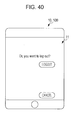
- FIG. 40 illustrates a logout screen displayed on a display screen of a client device.
- FIG. 1 is a schematic view illustrating the overall configuration of a print system 100 according to an exemplary embodiment of the invention.
- the print system 100 includes self-mobile printers 20 .
- a self-mobile printer 20 in response to a print instruction from a user, goes to the location of this user, conducts user authentication, and then performs printing.
- the print system 100 includes plural notebook personal computers (hereinafter simply referred to as “notebook PCs”) 10 A and mobile terminal devices (hereinafter simply referred to as “mobile terminals”) 10 B.
- the notebook PCs 10 A and the mobile terminals 10 B each form a client device 10 on its own, or a notebook PC 10 A and a mobile terminal 10 B synchronized with each other by the same user as a pair form a client device 10 .
- a user may input a print instruction by using a certain client device 10 .
- Each mobile terminal 10 B includes a touch-panel display screen 11 , and a user touches the display screen 11 with a finger so as to input an instruction into the mobile terminal 10 B.
- the print system 100 includes three self-mobile printers 20 .
- the self-mobile printer 20 corresponds to a mobile printer according to an exemplary embodiment of the invention.
- Each self-mobile printer 20 includes an IC card reader (not shown), and receives a print instruction from a user, moves to the desk of this user, conducts user authentication by using an IC card, and then performs printing.
- Each self-mobile printer 20 includes a camera 21 , and is capable of moving with the camera 21 facing its moving direction while avoiding obstacles ahead by constantly monitoring and judging whether or not it can pass through a certain space on its way to a user.
- a self-mobile printer 20 A has a faster print speed than the other two self-mobile printers 20 B and is suitable for printing relatively in large quantities.
- the size of the self-mobile printer 20 A is larger than the other two self-mobile printers 20 B.
- the self-mobile printer 20 A can move by itself, it can only pass through relatively wide spaces. Accordingly, the self-mobile printer 20 A is not a handy type.
- the other two self-mobile printers 20 B are small printers and are capable of passing through relatively narrow spaces, unlike the self-mobile printer 20 A.
- the print speed of the self-mobile printers 20 B is slow, and they are not suitable for printing in large quantities, but for printing in small quantities.
- the three self-mobile printers 20 store only A4-size sheets therein and are not capable of printing on another size of sheet.
- the three self-mobile printers 20 do not have post-processing functions, such as punching and stapling functions.
- the print system 100 also includes a stationary multifunction device 30 .
- the multifunction device 30 has multiple functions, such as a scanner function and a copy function, in addition to a print function.
- the print speed of the multifunction device 30 is even faster than that of the above-described large self-mobile printer 20 A.
- the multifunction device 30 stores a large number of sheets and is more suitable for printing in larger quantities than the large self-mobile printer 20 A.
- the multifunction device 30 stores various sizes of sheets in addition to A4-size sheets and has post-processing functions. That is, the multifunction device 30 is designed to be able to satisfy various requests from users.
- the multifunction device 30 corresponds to an example of a stationary printer according to an exemplary embodiment of the invention.
- the multifunction device 30 also includes an IC card reader (not shown). When performing printing by using the multifunction device 30 , the user is required to pass the user's IC card over the IC card reader so as to cause the multifunction device 30 to conduct user authentication. In this exemplary embodiment, however, the self-mobile printer 20 may conduct user authentication on behalf of the multifunction device 30 , which will be discussed later.
- the print system 100 also includes a server device 40 .
- the server device 40 receives a print instruction from each client device 10 , assigns the print instruction to one of the three self-mobile printers 20 or the multifunction device 30 , and transfers a file to be printed to the assigned self-mobile printer 20 or multifunction device 30 . If the print instruction is assigned to a self-mobile printer 20 , the server device 40 specifies a destination (location) where the self-mobile printer 20 is supposed to go and instructs it to go to this destination and perform printing.
- the server device 40 constantly monitors the up-to-date congestion state of the multifunction device 30 . More specifically, the server device 40 constantly monitors a queue of print instructions (jobs) of the multifunction device 30 , estimates the time taken to execute processing of each job in the queue, and detects which job will start at what time. If a new print instruction (job) is received, the server device 40 detects at what time the processing of this job will start.
- the server device 40 also constantly monitors the up-to-date state of each self-mobile printer 20 . That is, the server device 40 monitors which self-mobile printer 20 is currently located where and is executing which job, or whether or not they are in the standby state.
- the server device 40 also constantly monitors a queue of print instructions (jobs) of each self-mobile printer 20 , estimates the time taken to execute processing of each job in the queue, and detects which job will start at what time. If a new print instruction (job) is received, the server device 40 detects at what time the processing of this job will start.
- jobs print instructions
- the client devices 10 , the self-mobile printers 20 , the multifunction device 30 , and the server device 40 shown in FIG. 1 are connected to one another by a wireless local area network (LAN) 101 so that they can communicate with one another.
- LAN wireless local area network
- the client devices 10 , the self-mobile printers 20 , the multifunction device 30 , and the server device 40 shown in FIG. 1 each have a processor function of executing programs, and execute processing or operation in accordance with a program.
- the print system 100 shown in FIG. 1 is located, for example, in an office having the following layout.
- FIG. 2 is a schematic view illustrating the layout of an office 60 .
- the three self-mobile printers 20 shown in FIG. 1 are located.
- the positions of the self-mobile printers 20 shown in FIG. 2 are their standby positions in the office 60 .
- a recharging facility (not shown) is equipped in each of the standby positions. When the self-mobile printers 20 return to the standby positions, they are charged by the recharging facilities, and are able to move and perform printing by the charged energy.
- the multifunction device 30 shown in FIG. 1 is also installed in the office 60 .
- the layout of the entire office 60 is stored as data. If necessary, the data or an instruction based on the data is sent to a self-mobile printer 20 from the server device 40 .
- this office 60 employs the following system. Even though a user is authorized to use the office 60 , a specific seat (chair 62 ) is not assigned to the user. Each user simply takes an available seat (chair 62 ) when entered the office 60 and does their work. When entering the office 60 , each user follows certain procedures at the entrance (not shown) of the office 60 , and a user ID which is valid only on that day is given to each user. The user receives an IC card having the user ID recorded thereon and enters the office 60 . This user ID is, not only recorded on the IC card, but also sent to the server device 40 (see FIG. 1 ) and is registered in association with the user. The user carries the IC card and returns it when leaving the office 60 .
- the print system 100 installed in the office 60 when the user starts working and gives a print instruction by operating the user's client device 10 (notebook PC 10 A or mobile terminal 10 B), unless the multifunction device 30 performs printing, the self-mobile printer 20 comes to the user's seat, conducts user authentication, and then performs printing. If the multifunction device 30 performs printing, the user is required to go to the location at which the multifunction device 30 is installed.
- FIG. 3 is a flowchart illustrating processing executed by the client device 10 when performing a login operation.
- FIG. 4 illustrates a login screen
- the mobile terminal 10 B is used as the client device 10 . It is obvious that the user may use the notebook PC 10 A and that the user may selectively use both of the notebook PC 10 A and the mobile terminal 10 B depending on the situation. Accordingly, attention is not particularly paid to the difference in the operations between the notebook PC 10 A and the mobile terminal 10 B.
- the user After going through the certain procedures at the entrance, the user enters the office 60 shown in FIG. 2 and takes one of the available seats (chairs 62 ) in the office 60 . Then, the user operates the client device 10 and performs a login operation to start using the print system 100 installed in the office 60 .
- the user Before performing the login operation, the user first starts an application program for using the print system 100 . Then, the login screen shown in FIG. 4 is displayed on the display screen 11 of the client device 10 (in this case, the mobile terminal 10 B).
- step S 101 of FIG. 3 the user name, password, and seat number are input on the login screen shown in FIG. 4 by a user operation.
- step S 102 when the user presses the OK button on the login screen, information concerning the user name, password, and seat number is sent to the server device 40 (see FIG. 1 ).
- step S 103 a user ID received together with this message is registered in the client device 10 in step S 104 .
- the login operation has been completed. If a message indicating that the login operation has been rejected is received from the server device 40 in step S 103 , information is input again on the login screen shown in FIG. 4 in step S 101 .
- FIG. 5 is a flowchart illustrating processing executed by the server device 40 when receiving login information from the client device 10 .
- step S 301 the server device 40 receives login information sent from the client device 10 .
- the server device 40 has a user database in which the user names of all users authorized to use the office 60 and their passwords are stored in association with each other.
- the user IDs assigned to the users when they entered the office 60 are also stored in association with the user names.
- the server device 40 When receiving the login information in step S 301 , the server device 40 verifies the user name and the password indicated by the login information against the user name and the password registered in the user database. The server device 40 then determines in step S 302 whether or not the user is an authorized user to use the office 60 . If the user is an authorized user, in step S 303 , the server device 40 registers the seat number indicated by the login information in the database in association with the user name. Then, in step S 304 , the server device 40 sends a message indicating that the login operation has been accepted to the client device 10 . Then, in step S 305 , the server device 40 sends the user ID of the user stored in the user database to the client device 10 .
- the server device 40 determines in step S 302 based on the login information that the user is not an authorized user, it sends a message indicating that the login operation has been rejected to the client device 10 in step S 306 .
- Processing to be executed in the client device 10 when receiving a message that the login operation has been accepted or rejected has been discussed above (see FIG. 3 ).
- FIG. 6 is a flowchart illustrating processing executed by the client device 10 when giving a print instruction.
- FIG. 7 illustrates a print instruction screen displayed on the display screen 11 of the client device 10 .
- step S 111 when giving a print instruction, the user operates the client device 10 so as to display the print instruction screen shown in FIG. 7 on the display screen. The user then inputs certain items of information into the fields “file”, “the number of copies”, “sheet”, “post-processing”, and “output printer” on the print instruction screen.
- a data file which stores data such as image data and character data to be printed is specified.
- the number of copies the number of print copies of this file is specified.
- “1” is set.
- the size of a sheet to be printed is specified.
- “A4” is set.
- post-processing the user specifies whether to perform punching or stapling.
- “not performed” indicating that no post-processing will be performed is set.
- output printer the user specifies whether the print job will be executed by the self-mobile printer 20 or the multifunction device 30 .
- “Robot” is a nickname of the self-mobile printer 20 .
- the server device 40 instructs the self-mobile printer 20 or the multifunction device 30 to perform printing according to the situation. Even if the user specifies “robot” or “multifunction device” as the output printer, the print operation may not be performed as specified, which will be discussed later.
- step S 112 the items of information are sent to the server device 40 together with the user ID.
- FIG. 8 is a flowchart illustrating part of processing executed by the server device 40 when receiving a print instruction from a client device 10 .
- step S 311 the server device 40 receives a print instruction (job) from the client device 10 .
- step S 312 the server device 40 first checks the seat number of the user on the basis of the user ID received together with the print instruction.
- step S 313 the server device 40 determines, regardless of the output printer selected by the user on the print instruction screen shown in FIG. 7 , whether this job is best suited to be executed by the robot (self-mobile printer 20 ) or by the multifunction device 30 (recommended level) and whether this job can be executed only by the multifunction device 30 (required level).
- the server device 40 determines that the job will be executed by the multifunction device 30 (recommended level). If the size other than the A4 size is specified in the field of “sheet” in FIG. 7 , or if “punching” or “stapling” is specified as “post-processing” in FIG. 7 , only the multifunction device 30 can handle this job. Thus, the server device 40 determines that the job will be executed by the multifunction device 30 (required level).
- the judgement concerning whether the job is best suited to be executed by the robot (self-mobile printer 20 ) or by the multifunction device 30 (recommended level) is also influenced by the status of the job congestion in each of the self-mobile printer 20 and the multifunction device 30 at the time when this judgement is made.
- the server device 40 performs the optimal job assigning at the present time.
- step S 313 If it is determined in step S 313 that the job is best suited to be executed by the robot (self-mobile printer 20 ), the server device 40 proceeds to step S 314 .
- step S 314 the server device 40 estimates the wait time in the multifunction device 30 . That is, the server device 40 estimates, if the job from the user (client device 10 ) is sent to the multifunction device 30 , how long the user has to wait before the job will start. The estimated wait time will be used in steps S 317 , S 322 , and S 326 in this processing.
- step S 315 determines in step S 315 whether the user has selected “not specified”, “robot”, or “multifunction device” as “output printer”. If it is determined in step S 315 that the user has selected “not specified”, the server device 40 proceeds to step S 316 .
- step S 316 the server device 40 compares the distance between the user's seat corresponding to the client device 10 which has given the print instruction (job) and the multifunction device 30 with a predetermined threshold, and determines whether or not the user's seat is near the multifunction device 30 .
- a list in which the seat numbers of the chairs 62 (see FIG. 2 ) located near the multifunction device 30 are registered may be created in advance, and then, the server device 40 may determine whether or not the user's seat is near the multifunction device 30 according to whether or not the user's seat is registered in this list.
- step S 316 If it is determined in step S 316 that the user's seat is near the multifunction device 30 , the server device 40 proceeds to step S 317 to determine whether or not the wait time in the multifunction device 30 estimated in step S 314 is equal to or greater than a predetermined threshold. If it is determined in step S 317 that the wait time is equal to or greater than the predetermined threshold or if it is determined in step S 316 that the user's seat is not near the multifunction device 30 , the server device 40 sends the message shown in FIG. 9 to the client device 10 in step S 318 . The server device 40 then proceeds to the processing shown in FIG. 18 for allocating this job to one self-mobile printer 20 or plural self-mobile printers 20 , which will be discussed later.
- FIG. 9 illustrates a message screen displayed on the display screen 11 of the client device 10 which has received the message in step S 318 .
- step S 316 if it is determined in step S 316 that the user's seat is near the multifunction device 30 and if it is determined in step S 317 that the wait time in the multifunction device 30 is smaller than the predetermined threshold, the server device 40 sends the message shown in FIG. 10 to the client device 10 in step S 319 . Then, the server device 40 sends the print instruction to the multifunction device 30 in step S 320 .
- FIG. 10 illustrates a message screen displayed on the display screen 11 of the client device 10 which has received the message in step S 319 .
- step S 315 If it is determined in step S 315 that the user has specified “robot” (self-mobile printer 20 ) as “output printer”, the server device 40 determines in step S 321 whether or not the user's seat is near the multifunction device 30 . If the user's seat is near the multifunction device 30 , the server device 40 determines in step S 322 whether or not the wait time in the multifunction device 30 is equal to or greater than the predetermined threshold. If it is determined in step S 321 that the user's seat is not near the multifunction device 30 or if it is determined in step S 322 that the wait time is equal to or greater than the predetermined threshold, the server device 40 proceeds to the processing shown in FIG.
- step S 321 If it is determined in step S 321 that the user's seat is near the multifunction device 30 and if it is determined in step S 322 that the wait time is smaller than the predetermined threshold, the server device 40 sends the query message shown in FIG. 11 to the client device 10 in step S 323 .
- FIG. 11 illustrates a query message screen displayed on the display screen 11 of the client device 10 which has received the query message in step S 323 .
- a query message that the multifunction device 30 is located just near the user and that the user is recommended to use the multifunction device 30 is displayed.
- illustrations of the self-mobile printer 20 and the multifunction device 30 are shown, and two buttons, that is, a robot button and a multifunction device button, are displayed.
- the cancel button is also displayed on this query message screen, and is used for canceling the print instruction, as discussed above.
- step S 324 if it is determined in step S 324 that the robot button has been pressed, the server device 40 proceeds to the processing shown in FIG. 18 . If it is determined in step S 324 that the multifunction device button has been pressed, the server device 40 sends the print instruction to the multifunction device 30 in step S 325 .
- step S 315 If it is determined in step S 315 that the user has specified “multifunction device” as “output printer”, the server device 40 determines in step S 326 whether or not the wait time in the multifunction device 30 is equal to or greater than the predetermined threshold. If it is determined in step S 326 that the wait time is smaller than the predetermined threshold, in step S 329 , the server device 40 sends the print instruction to the multifunction device 30 as the user has specified. If it is determined in step S 326 that the wait time is equal to or greater than the predetermined threshold, the server device 40 sends the query message shown in FIG. 12 to the client device 10 in step S 327 .
- FIG. 12 illustrates a query message screen displayed on the display screen 11 of the client device 10 which has received the query message in step S 327 .
- a query message that the user has to wait for a long time to print out by using the multifunction device 30 and is recommended to use a robot (self-mobile printer 20 ) is displayed.
- illustrations and buttons similar to those shown in FIG. 11 are displayed.
- step S 328 if it is determined in step S 328 that the robot button has been pressed, the server device 40 proceeds to the processing shown in FIG. 18 . If it is determined in step S 328 that the multifunction device button has been pressed, the server device 40 sends the print instruction to the multifunction device 30 in step S 329 .
- FIG. 13 is a flowchart illustrating processing executed by the server device 40 when it is determined in step S 313 that the job is best suited to be executed by the multifunction device 30 (recommended level).
- step S 330 It is determined in step S 330 whether the user has selected “not specified”, “robot”, or “multifunction device” as “output printer”. If it is determined in step S 330 that the user has selected “not specified”, the server device 40 sends a message “Your file will be printed out in the multifunction device,” shown in FIG. 10 , to the client device 10 in step S 331 . Then, in step S 332 , the server device 40 sends the print instruction to the multifunction device 30 .
- step S 333 If it is determined in step S 330 that the user has selected “robot” as “output printer”, it is determined in step S 333 whether or not the user's seat corresponding to the client device 10 is near the multifunction device 30 . If the user's seat is near the multifunction device 30 , the server device 40 sends the query message shown in FIG. 14 to the client device 10 in step S 334 .
- FIG. 14 illustrates a query message screen displayed on the display screen 11 of the client device 10 which has received the query message in step S 334 .
- a query message that the multifunction device 30 is located just near the user and the user is recommended to use the multifunction device 30 because the user can print out more quickly by using the multifunction device 30 than by using the self-mobile printer 20 is displayed.
- illustrations and buttons similar to those shown in FIG. 11 are displayed.
- the server device 40 has determined in step S 313 that the job is best suited to be executed by the multifunction device 30 (recommended level). Accordingly, even if it is determined in step S 333 that the user's seat is not near the multifunction device 30 , the server device 40 sends the query message shown in FIG. 15 to the client device 10 in step S 335 .
- FIG. 15 illustrates a query message screen displayed on the display screen 11 of the client device 10 which has received the query message in step S 335 .
- a query message that the user is recommended to use the multifunction device 30 because the user can print out more quickly by using the multifunction device 30 than by using the self-mobile printer 20 is displayed.
- illustrations and buttons similar to those shown in FIGS. 11 and 14 are displayed.
- step S 336 if it is determined in step S 336 that the robot button has been pressed, the server device 40 proceeds to the processing shown in FIG. 18 . If it is determined in step S 336 that the multifunction device button has been pressed, the server device 40 sends the print instruction to the multifunction device 30 in step S 337 .
- step S 330 If it is determined in step S 330 that the user has selected “multifunction device” as “output printer”, the server device 40 sends the print instruction to the multifunction device 30 in step S 338 .
- FIG. 16 is a flowchart illustrating processing executed by the server device 40 when it is determined in step S 313 that the job is best suited to be executed by the multifunction device 30 (required level).
- step S 340 It is determined in step S 340 whether the user has selected “not specified”, “robot”, or “multifunction device” as “output printer”. If it is determined in step S 340 that the user has selected “not specified”, the server device 40 sends a message “Your file will be printed out in the multifunction device,” shown in FIG. 10 to the client device 10 in step S 341 . In step S 343 , the server device 40 sends the print instruction to the multifunction device 30 .
- step S 340 If it is determined in step S 340 that the user has specified “robot” as “output printer”, the server device 40 sends the message shown in FIG. 17 to the client device 10 in step S 342 . In step S 343 , the server device 40 sends the print instruction to the multifunction device 30 .
- FIG. 17 illustrates a message screen displayed on the display screen 11 of the client device 10 which has received the query message in step S 342 .
- step S 340 If it is determined in step S 340 that the user has specified “multifunction device”, the server device 40 sends the print instruction to the multifunction device 30 in step S 343 .
- FIG. 18 is a flowchart illustrating the beginning part of processing for allocating print instructions (jobs) to the self-mobile printers 20 .
- the processing shown in FIG. 18 branches off in step S 350 according to the number of print pages indicated in a print job.
- FIG. 19 is a table indicating the association between the number of print pages in a print job and the self-mobile printer 20 to which the print job is assigned.
- the table shown in FIG. 19 indicates the following associations.
- step S 350 branches off only by the number of print pages. However, step S 350 may branch off also depending on the time required for making preparations for printing, such as the conversion of image data, as discussed above.
- step S 350 if it is determined in step S 350 that the number of print pages is smaller than N1, the server device 40 proceeds to the processing shown in FIG. 20 .
- FIG. 20 is a flowchart illustrating processing to be executed when it is determined in step S 350 of FIG. 18 that the number of print pages of the print job is smaller than N1.
- This print job is a job requiring printing in small quantities. Basically, printing is performed by one small self-mobile printer 20 B, as indicated in the table of FIG. 19 .
- step S 351 it is first checked whether or not there is a small self-mobile printer 20 B in the standby state (that is, a small self-mobile printer 20 B is available for use). If there is a small self-mobile printer 20 B in the standby state, the server device 40 instructs this small self-mobile printer 20 B to take charge of printing in step S 353 . If it is found in step S 351 that both of the small self-mobile printers 20 B are in the standby state, the small self-mobile printer 20 B located nearer the user's seat will take charge of printing.
- step S 352 If it is found in step S 351 that there is no small self-mobile printer 20 B in the standby state (all of them are in the operating state), it is checked in step S 352 whether or not the large self-mobile printer 20 A is available. If the large self-mobile printer 20 A is available, the server device 40 instructs the large self-mobile printer 20 A to take charge of printing in step S 354 .
- the server device 40 instructs one of the two small self-mobile printers 20 B to take charge of printing in step S 353 .
- this small self-mobile printer 20 B is in the operating state, it inputs this print instruction (job) in the queue, and after executing the previous print jobs in the queue, it executes this print job.
- FIG. 21 is a flowchart illustrating processing to be executed when it is determined in step S 350 of FIG. 18 that the number of print pages of the print job is N1 to N2.
- printing is performed by one large self-mobile printer 20 A or two small self-mobile printers 20 B, as indicated in the table of FIG. 19 .
- step S 361 it is first checked whether or not the large self-mobile printer 20 A is available (that is, it is in the standby state). If the large self-mobile printer 20 A is available, the server device 40 instructs the large self-mobile printer 20 A to take charge of printing in step S 364 . If it is found in step S 361 that the large self-mobile printer 20 A is not available, it is then checked in step S 362 whether or not the two small self-mobile printers 20 B are available. If the two small self-mobile printers 20 B are available, the server device 40 instructs the small self-mobile printers 20 B to take charge of printing in step S 366 .
- the server device 40 divides the print instruction (job) into two instructions (jobs).
- job The performance of the two small self-mobile printers 20 B is the same.
- the server device 40 divides the print job into two jobs so that the number of pages to be printed by the two small self-mobile printers 20 B will be roughly the same. For example, if the number of print copies is one and one copy includes many pages, the server device 40 divides the pages into the first part and the second part. If the number of print copies is more than one (for example, four), the two small self-mobile printers 20 B may each print out two copies. If it takes time to make preparations for printing, such as the conversion of image data, the pages of one copy, even if multiple copies are printed, may be divided so that the time required to make preparations can be distributed over both of the small self-mobile printers 20 B.
- step S 362 If it is found in step S 362 that neither of the two small self-mobile printers 20 B is available or that only one of the small self-mobile printers 20 B is available, it is checked in step S 363 whether or not one small self-mobile printer 20 B is available. If one small self-mobile printer 20 B is available, the server device 40 instructs this small self-mobile printer 20 B to take charge of printing in step S 365 . Since this print job involves printing in rather large quantities (N1 to N2), it will take a rather long time to perform printing by using the single small self-mobile printer 20 B. However, since only one small self-mobile printer 20 B is available under the present operating conditions, this self-mobile printer 20 B performs printing.
- step S 363 If it is found in step S 363 that neither of the small self-mobile printers 20 B is available, the server device 40 instructs the large self-mobile printer 20 A to take charge of printing in step S 364 . Although the large self-mobile printer 20 A is in the operating state, it inputs this print instruction (job) in the queue, and after executing the previous print jobs in the queue, it executes this print job.
- FIG. 22 is a flowchart illustrating processing to be executed when it is determined in step S 350 of FIG. 18 that the number of print pages of the print job is N2 to N3.
- printing is performed by one large self-mobile printer 20 A and one small self-mobile printer 20 B, as indicated in the table of FIG. 19 .
- step S 371 it is first checked whether or not the large self-mobile printer 20 A is available. If the large self-mobile printer 20 A is available, it is found in step S 372 whether or not there is any small self-mobile printer 20 B available. If there is a small self-mobile printer 20 B available, the server device 40 instructs the large self-mobile printer 20 A and this small self-mobile printer 20 B to take charge of printing in step S 373 .
- the algorithm for distributing the job over the large self-mobile printer 20 A and the small self-mobile printer 20 B is not particularly restricted to a specific one. However, the job is distributed over the large self-mobile printer 20 A and the small self-mobile printer 20 B according to their performance so that they can finish printing almost at the same time.
- step S 372 If it is found in step S 372 that there is no small self-mobile printer 20 B available, the server device 40 instructs the large self-mobile printer 20 A to take charge of printing in step S 374 .
- step S 371 If it is found in step S 371 that the large self-mobile printer 20 A is not available, it is found in step S 375 whether or not two small self-mobile printers 20 B are available. If two small self-mobile printers 20 B are available, the server device 40 instructs the two small self-mobile printers 20 B to take charge of printing in step S 376 .
- step S 375 If it is found in step S 375 that neither of the two small self-mobile printers 20 B is available or that only one of the small self-mobile printers 20 B is available, the server device 40 sends the following query message to the client device 10 in step S 377 .
- FIG. 23 illustrates a query message screen displayed on the display screen 11 of the client device 10 which has received the query message in step S 377 .
- step S 380 If the answer from the client device 10 received in step S 378 in response to the query message sent in step S 377 indicates that the user has selected “robot” (that is, the user has not accepted the recommendation), it is checked in step S 380 whether or not one small self-mobile printer 20 B is available. If one small self-mobile printer 20 B is available, the server device 40 instructs this small self-mobile printer 20 B to take charge of printing in step S 381 . This print job involves printing in large quantities (N2 to N3), and it will take a long time to perform printing. In this case, however, one small self-mobile printer 20 B performs printing by respecting user's instruction.
- step S 380 If it is found in step S 380 that neither of the small self-mobile printers 20 B is available, the server device 40 instructs the large self-mobile printer 20 A in the operating state to take charge of printing in step S 374 .
- the large self-mobile printer 20 A inputs this print instruction (job) in the queue, and after executing the previous print jobs in the queue, it executes this print job.
- step S 378 If the answer from the client device 10 received in step S 378 indicates that the user has selected “multifunction device” (that is, the user has accepted the recommendation), the server device 40 instructs the multifunction device 30 to take charge of printing in step S 379 .
- FIG. 24 is a flowchart illustrating processing to be executed when it is determined in step S 350 of FIG. 18 that the number of print pages of the print job is greater than N3.
- This print job is a job involving printing in extremely large quantities, and is basically performed by one large self-mobile printer 20 A and two small self-mobile printers 20 B, as indicated in the table of FIG. 19 .
- step S 391 it is first checked whether or not the large self-mobile printer 20 A is available. If the large self-mobile printer 20 A is available, it is found in step S 392 whether or not both of the small self-mobile printers 20 B are available. If both of the small self-mobile printers 20 B are available, the server device 40 instructs the large self-mobile printer 20 A and the two small self-mobile printers 20 B to take charge of printing in step S 393 . In this case, the job is distributed over the large self-mobile printer 20 A and the two small self-mobile printers 20 B according to their performance so that they can finish printing almost at the same time.
- step S 392 If it is found in step S 392 that neither of the two small self-mobile printers 20 B is available or that only one of the small self-mobile printers 20 B is available, it is found in step S 394 whether or not one small self-mobile printer 20 B is available. If one small self-mobile printer 20 B is available, the server device 40 instructs the large self-mobile printer 20 A and this small self-mobile printer 20 B to take charge of printing in step S 395 . If one small self-mobile printer 20 B is not available, the server device 40 instructs the large self-mobile printer 20 A to take charge of printing in step S 396 .
- step S 391 If it is found in step S 391 that the large self-mobile printer 20 A is not available, it is found in step S 397 whether or not both of the small self-mobile printers 20 B are available. If both of the small self-mobile printers 20 B are available, the server device 40 instructs the two small self-mobile printers 20 B to take charge of printing in step S 398 .
- step S 397 If it is found in step S 397 that neither of the two small self-mobile printers 20 B is available or that only one of the small self-mobile printers 20 B is available, the server device 40 sends the query message shown in FIG. 23 to the client device 10 in step S 399 .
- the server device 40 instructs the large self-mobile printer 20 A in the operating state to take charge of printing in step S 401 , regardless of whether or not one small self-mobile printer 20 B is available. If printing is performed only by one small self-mobile printer 20 B, it will take too much time, and this small self-mobile printer 20 B will be occupied for a long time only by this job. Because of this reason, the server device 40 does not allow only one small self-mobile printer 20 B to execute the print job.
- the large self-mobile printer 20 A in the operating state inputs this print instruction (job) in the queue, and after executing the previous print jobs in the queue, it executes this print job.
- step S 400 If the answer from the client device 10 received in step S 400 indicates that the user has selected “multifunction device”, the server device 40 instructs the multifunction device 30 to take charge of printing in step S 402 .
- Job distribution among the plural self-mobile printers 20 has been discussed above. Another aspect of the print system 100 of this exemplary embodiment will be described below.
- Each self-mobile printer 20 forming the print system 100 of this exemplary embodiment constantly monitors its own self-mobile printer 20 . If any irregular situation where printing has to be interrupted, such as paper out, ink (toner) out, and a paper jam, arises, the self-mobile printer 20 detects the occurrence of such a situation and reports it to the server device 40 . In this case, progress information concerning the progress of a print job indicating how far printing has correctly been performed, such as until which page of which copy in the job has correctly been printed, is also supplied to the server device 40 .
- FIG. 25 is a flowchart illustrating processing executed by the server device 40 when receiving a report from a self-mobile printer 20 that printing is interrupted.
- the server device 40 Upon receiving a report that printing is interrupted in step S 410 , the server device 40 checks in step S 411 whether or not there is a self-mobile printer 20 available (that is, the self-mobile printer 20 is in the standby state). If there is a self-mobile printer 20 available, in step S 412 , the server device 40 sends the message shown in FIG. 26 to the client device 10 which has sent the report. Then, in step S 413 , the server device 40 sends an instruction to take over the print job to the self-mobile printer 20 in the standby state, together with the above-described progress information. If there are other jobs in the queue of the self-mobile printer 20 which has sent the report, the server device 40 instructs the self-mobile printer 20 in the standby state also to take over these jobs.
- FIG. 26 illustrates a message screen displayed on the display screen 11 of the client device 10 which has received the message in step S 412 .
- step S 411 if it is found in step S 411 that there is no self-mobile printer 20 in the standby state, the server device 40 sends the query message shown in FIG. 27 to the client device 10 in step S 414 .
- FIG. 27 illustrates a message screen displayed on the display screen 11 of the client device 10 which has received the query message in step S 414 .
- step S 415 If the answer from the client device 10 received in step S 415 in response to the query message sent in step S 414 indicates that the user has selected “robot”, the server device 40 instructs another self-mobile printer 20 in the operating state to take over the print job in step S 413 . If the answer from the client device 10 indicates that the user has selected “multifunction device”, the server device 40 instructs the multifunction device 30 to take over the print job in step S 416 .
- the processing shown in FIG. 25 is executed without considering whether it is the large self-mobile printer 20 A or a small self-mobile printer 20 B that has sent a report that printing is interrupted.
- the server device 40 may perform control, depending on whether it is the large self-mobile printer 20 A or a small self-mobile printer 20 B that has sent such a report. If the large self-mobile printer 20 A has sent a report, the number of remaining pages that have not been printed and jobs in the queue of the large self-mobile printer 20 A are checked.
- the server device 40 determines that the burden on a small self-mobile printer 20 B will be too heavy if the small self-mobile printer 20 B takes over the job, the server device 40 sends a query message similar to that sent in step S 414 to the client device 10 and recommends that the client device 10 select the multifunction device 30 to take over the job. Alternatively, the server device 40 may simply instruct the multifunction device 30 to take over the job without asking the user, by sending a message that the multifunction device 30 will take over the job to the client device 10 .
- one print job received from a client device 10 may be transferred from one self-mobile printer 20 to another self-mobile printer 20 or to the multifunction device 30 .
- Job transfer from one self-mobile printer 20 to another self-mobile printer 20 or to the multifunction device 30 in another situation will be discussed below.
- each self-mobile printer 20 forming the print system 100 of this exemplary embodiment is equipped with the above-described camera 21 and is capable of moving while avoiding obstacles in its moving direction by constantly monitoring a space ahead. If the self-mobile printer 20 finds it impossible to avoid an obstacle on its way and to move further ahead, it searches for another route to reach the user. If the self-mobile printer 20 still finds it impossible to reach the user, it reports such a situation to the server device 40 .
- FIG. 28 is a flowchart illustrating processing executed by the server device 40 when receiving a report from a self-mobile printer 20 that the self-mobile printer 20 has been blocked on its way to a user.
- step S 421 the server device 40 receives a report from a self-mobile printer 20 that the self-mobile printer 20 is blocked on its way to a user. Then, the server device 40 checks in step S 422 whether or not there is a self-mobile printer 20 in the standby state. If there is a self-mobile printer 20 in the standby state, the server device 40 sends the message shown in FIG. 29 to the client device 10 of this user in step S 423 . Then, in step S 424 , the server device 40 instructs this self-mobile printer 20 to take over the print job to perform printing.
- the standby positions (see FIG. 2 ) of the plural self-mobile printers 20 are different.
- the server device 40 does not instruct another self-mobile printer 20 to take over such jobs. This is because the self-mobile printer 20 which has been blocked on its way to a specific user may be able to reach another user who has sent a job in the queue.
- FIG. 29 illustrates a message screen displayed on the display screen 11 of the client device 10 which has received the message in step S 423 .
- step S 422 If it is found in step S 422 that there is no self-mobile printer 20 in the standby state, the server device 40 sends the query message shown in FIG. 30 to the client device 10 in step S 425 .
- FIG. 30 illustrates a message screen displayed on the display screen 11 of the client device 10 which has received the query message in step S 425 .
- step S 426 If the answer from the client device 10 received in step S 426 in response to the query message sent in step S 425 indicates that the user has selected “robot”, the server device 40 instructs another self-mobile printer 20 to take over the print job to perform printing in step S 427 . If the answer from the client device 10 indicates “multifunction device”, the server device 40 instructs the multifunction device 30 to take over the print job to perform printing in step S 428 .
- the processing shown in FIG. 28 is executed without considering whether it is the large self-mobile printer 20 A or a small self-mobile printer 20 B that has been blocked on its way to a user.
- the server device 40 may perform control, depending on whether it is the large self-mobile printer 20 A or a small self-mobile printer 20 B that has been blocked on its way to the user. If the large self-mobile printer 20 A has been blocked, the number of remaining pages that have not been printed is checked. If the server device 40 determines that the burden on a small self-mobile printer 20 B is too heavy if the small self-mobile printer 20 B takes over the job, it checks whether or not two small self-mobile printers 20 B are available.
- the server device 40 may distribute the print job over the two small self-mobile printers 20 B. Alternatively, by sending a query message similar to that sent in step S 426 , the server device 40 may recommend that the user select the multifunction device 30 to take over the job. Alternatively, the server device 40 may simply instruct the multifunction device 30 to take over the job without asking the user, by sending a message that the multifunction device 30 will take over the job to the client device 10 .
- FIG. 31 is a flowchart illustrating processing executed by the server device 40 when checking the progress of processing executed by the multifunction device 30 .
- the processing shown in FIG. 31 is repeatedly executed at short intervals, for example, every ten seconds.
- step S 451 the server device 40 first checks the queue of the multifunction device 30 to find out whether or not there is a job that will start immediately (within a predetermined threshold time). If there is neither of a job in execution nor jobs in the queue, or if there is no job in the queue other than a job in execution, the processing is terminated.
- step S 451 If it is found in step S 451 that although there is a job in the queue, this job will start much later (in a time greater than the predetermined threshold time) since another job is in execution, it is checked in step S 452 whether or not the message shown in FIG. 32 has already been sent. If the message has not been sent, in step S 453 , the message shown in FIG. 32 is sent to the client device 10 which has sent the job.
- step S 454 It is then checked in, step S 454 whether or not all the jobs in the queue are subjected to steps S 452 and S 453 . In other words, steps S 452 and S 453 are repeated for each of the jobs in the queue.
- FIG. 32 illustrates a message screen displayed on the display screen 11 of the client device 10 which has received the message in step S 453 .
- step S 451 If it is found in step S 451 that there is a job in the queue that will start immediately (within the predetermined threshold time), it is checked in step S 455 whether or not there is a self-mobile printer 20 in the standby state. If there is a self-mobile printer 20 in the standby state, in step S 456 , the server device 40 sends the query message shown in FIG. 33 to the client device 10 which has sent the print job to be executed in the multifunction device 30 .
- FIG. 33 illustrates a message screen displayed on the display screen 11 of the client device 10 which has received the query message in step S 456 .
- step S 457 If the answer from the client device 10 received in step S 457 in response to the query message sent in step S 456 indicates that the user has selected “robot”, the server device 40 instructs the self-mobile printer 20 in the standby state to go to the user and to conduct authentication for the multifunction device 30 in step S 458 . If the answer from the client device 10 indicates that the user has selected “multifunction device”, the server device 40 terminates this processing.
- step S 455 If it is found in step S 455 that there is no self-mobile printer 20 in the standby state, the server device 40 sends the message shown in FIG. 34 to the client device 10 in step S 459 , and then terminates the processing.
- FIG. 34 illustrates a message screen displayed on the display screen 11 of the client device 10 which has received the message in step S 459 .
- the self-mobile printer 20 conducting authentication in response to the instruction received in step S 458 , if authentication has succeeded, the self-mobile printer 20 reports the success of authentication to the server device 40 .
- FIG. 35 is a flowchart illustrating processing executed by the server device 40 when receiving a report from a self-mobile printer 20 that authentication has succeeded.
- step S 461 the server device 40 receives a report from a self-mobile printer 20 that authentication for a print job on behalf of the multifunction device 30 has succeeded. Then, in step S 462 , the server device 40 estimates the time to be taken before the print job can start. This job may require a considerably long time to make preparations for printing, such as the conversion of image data. The time estimated in step S 462 is a time required for making preparations.
- step S 463 It is then checked in step S 463 whether or not printing can immediately start without requiring a long time for making preparations. If it will not take time to make preparations, the server device 40 sends the message shown in FIG. 36 to the client device 10 in step S 464 .
- FIG. 36 illustrates a message screen displayed on the display screen 11 of the client device 10 which has received the message in step S 464 .
- the server device 40 Upon receiving information that the OK button has been pressed on the message screen shown in FIG. 36 in step S 465 , the server device 40 starts a timer and checks whether the time is up in step S 466 . If the time is up, the server device 40 instructs the multifunction device 30 to start printing in step S 467 .
- the reason why the server device 40 starts the timer after receiving information that the OK button has been pressed is that the server device 40 is required to measure the time elapses from the time point when the user has recognized that the user has to go to the multifunction device 30 immediately.
- the reason why printing does not start until the time is up in the timer is that it is necessary to secure the time for the user to go to the multifunction device 30 .
- the time to be set in the timer in step S 465 may be different depending on the distance between the user's seat and the installation place of the multifunction device 30 .
- step S 463 If it is found in step S 463 that it will take time to make preparations for printing, the server device 40 sends the message shown in FIG. 37 to the client device 10 in step S 468 .
- FIG. 37 illustrates a message screen displayed on the display screen 11 of the client device 10 which has received the message in step S 468 .
- the server device 40 Upon receiving information that the OK button has been pressed on the message screen shown in FIG. 37 in step S 469 , the server device 40 instructs the multifunction device 30 to start printing in step S 470 . Upon receiving this instruction, the multifunction device 30 starts to make preparations for printing.
- the server device 40 starts a timer and checks whether the time is up in step S 471 . If the time is up, the server device 40 sends a message to the client device 10 again in step S 472 .
- the server device 40 starts the timer to measure the time ((the time required for making preparations for printing) ⁇ (the time required for the user to go to the multifunction device 30 )). With this time given, printing does not start before the user reaches the multifunction device 30 , and printing starts immediately after the user reaches the multifunction device 30 .
- FIG. 38 illustrates a message screen displayed on the display screen 11 of the client device 10 which has received the message in step S 472 .
- step S 472 a message that the preparations for printing will finish very soon and printing will start soon is displayed.
- This message is displayed in step S 472 at a time before printing actually starts by the amount of time required for the user to reach the multifunction device 30 . If printing starts before the user reaches the multifunction device 30 , security problems may arise.
- the user Upon receiving the message shown in FIG. 38 , the user starts to go to the multifunction device 30 immediately.
- the self-mobile printer 20 conducts authentication on behalf of the multifunction device 30 .
- the user does not have to wait for a long time at the multifunction device 30 , thereby enhancing user convenience.
- FIG. 39 is a flowchart illustrating processing executed by the server device 40 when performing a logout operation.
- FIG. 40 illustrates a logout screen displayed on the display screen 11 of the client device 10 .
- the user When the user finishes work in the office 60 (see FIG. 2 ) on that day, the user performs the logout operation by using the client device 10 .
- the user first starts the logout screen shown in FIG. 40 and presses the logout button on the logout screen.
- step S 481 the server device 40 receives information that the logout button has been pressed. Then, the server device 40 deletes the user's seat number in step S 482 , and deletes the user ID assigned to the user when entering the office 60 in step S 483 . After finishing the logout operation, the user returns the IC card at the reception and leaves the office 60 .
- the self-mobile printers 20 work together and the self-mobile printers 20 and the multifunction device 30 also work together in various manners. It is thus possible to improve user services and to implement the efficient operation of the self-mobile printers 20 .
- print services are provided at the user's seat unless a print job is transferred to the multifunction device 30 , and at the time when the user sends a print instruction, the self-mobile printer 20 starts to move to the user's seat.
- the user may specify a location where printing is performed (for example, a meeting table or a meeting room). The user may also specify the time at which printing is performed.
- the user receives an IC card having a user ID recorded thereon which is valid only on that day when entering the office 60 , and returns this IC card when leaving the office 60 .
- an IC card having a unique user ID may be given to the user, and the user may keep this IC card even after leaving the office 60 .
- the server device 40 when it receives a print instruction from a client device 10 , it may send a one-time password which is valid for only one transaction (printing) to the client device 10 , and may instruct the client device 10 to input this one-time password when conducting authentication before performing printing.
- biometric information concerning the user such as the face and fingerprint, may be registered, and user authentication may be conducted by using the biometric information.
- the print system 100 shown in FIG. 1 includes the server device 40 .
- the present invention may be applicable to a system without the server device 40 in which client devices 10 , a self-mobile printer 20 , and a multifunction device 30 directly communicate with each other and to a system without the server device 40 in which client devices 10 and plural self-mobile printers 20 directly communicate with each other.
- the functions of the server device 40 may be provided to the self-mobile printer 20 or the multifunction device 30 .
- the functions of the server device 40 may be provided to one of the self-mobile printers 20 or may be distributed over the plural self-mobile printers 20 .
- a small print system including only two printers, such as two self-mobile printers 20 or one self-mobile printer 20 and a multifunction device 30 is suitably used. It is obvious that the print system 100 of the above-described exemplary embodiment is easily modified into a system without the server device 40 . Thus, an explanation of such a system will be omitted here.
Landscapes
- Engineering & Computer Science (AREA)
- Multimedia (AREA)
- Signal Processing (AREA)
- Aviation & Aerospace Engineering (AREA)
- Radar, Positioning & Navigation (AREA)
- Remote Sensing (AREA)
- Physics & Mathematics (AREA)
- General Physics & Mathematics (AREA)
- Automation & Control Theory (AREA)
- Accessory Devices And Overall Control Thereof (AREA)
- Printers Characterized By Their Purpose (AREA)
- Control Of Position, Course, Altitude, Or Attitude Of Moving Bodies (AREA)
Abstract
Description
-
- If the number of print pages is smaller than N1, printing is performed by one small self-mobile printer 20B.
- If the number of print pages is N1 to N2, printing is performed by one large self-
mobile printer 20A or two small self-mobile printers 20B. - If the number of print pages is N2 to N3, printing is performed by one large self-
mobile printer 20A and one small self-mobile printer 20B. - If the number of print pages is greater than N3, printing is performed by one large self-
mobile printer 20A and two small self-mobile printers 20B, that is, all the three self-mobile printers 20 included in theprint system 100 shown inFIG. 1 .
Claims (7)
Applications Claiming Priority (2)
| Application Number | Priority Date | Filing Date | Title |
|---|---|---|---|
| JP2016063096A JP2017177328A (en) | 2016-03-28 | 2016-03-28 | Printing system, server device, printer selection program, and printing instruction distribution program |
| JP2016-063096 | 2016-03-28 |
Publications (2)
| Publication Number | Publication Date |
|---|---|
| US20170280008A1 US20170280008A1 (en) | 2017-09-28 |
| US9800757B2 true US9800757B2 (en) | 2017-10-24 |
Family
ID=59898296
Family Applications (1)
| Application Number | Title | Priority Date | Filing Date |
|---|---|---|---|
| US15/249,969 Expired - Fee Related US9800757B2 (en) | 2016-03-28 | 2016-08-29 | Print system |
Country Status (2)
| Country | Link |
|---|---|
| US (1) | US9800757B2 (en) |
| JP (1) | JP2017177328A (en) |
Cited By (4)
| Publication number | Priority date | Publication date | Assignee | Title |
|---|---|---|---|---|
| US11338576B2 (en) | 2019-09-13 | 2022-05-24 | Dusty Robotics, Inc. | Mobile robot printing with wind protection |
| US11577397B2 (en) | 2019-08-12 | 2023-02-14 | Dusty Robotics, Irc. | Position accuracy robotic printing system |
| US12296459B2 (en) | 2018-11-21 | 2025-05-13 | Dusty Robotics, Inc. | Mobile printing robot and related methods |
| US12363103B2 (en) * | 2021-08-24 | 2025-07-15 | Canon Kabushiki Kaisha | Mobile terminal, control method, and storage medium |
Families Citing this family (3)
| Publication number | Priority date | Publication date | Assignee | Title |
|---|---|---|---|---|
| CN108364413A (en) * | 2018-02-08 | 2018-08-03 | 江西博纳思信息工程有限公司 | A kind of Multi-functional convenience service terminal |
| JP7119439B2 (en) * | 2018-03-12 | 2022-08-17 | 富士フイルムビジネスイノベーション株式会社 | Mobile device, handout providing system and program |
| JP2023136582A (en) * | 2022-03-17 | 2023-09-29 | 富士フイルムビジネスイノベーション株式会社 | Information processing device, information processing system and information processing program |
Citations (13)
| Publication number | Priority date | Publication date | Assignee | Title |
|---|---|---|---|---|
| JP2001125646A (en) | 1999-10-26 | 2001-05-11 | Honda Motor Co Ltd | Mobile printer and printed matter delivery method |
| JP2003110779A (en) | 2001-09-27 | 2003-04-11 | Kyocera Mita Corp | Self-propelled copier |
| US20060058921A1 (en) * | 2004-09-13 | 2006-03-16 | Tamao Okamoto | Mobile robot |
| US20080297830A1 (en) * | 2005-02-22 | 2008-12-04 | Xerox Corporation | Printer with outsourcing capability for color copies |
| US20090043502A1 (en) * | 2007-08-10 | 2009-02-12 | Cisco Technology, Inc. | System and Method for Navigating Using Multiple Modalities |
| US20100023252A1 (en) * | 2008-07-25 | 2010-01-28 | Mays Joseph P | Positioning open area maps |
| US20110178668A1 (en) * | 2008-09-16 | 2011-07-21 | Murata Machinery, Ltd. | Environmental map correction device and autonomous mobile device |
| US20130116880A1 (en) * | 2010-07-13 | 2013-05-09 | Murata Machinery, Ltd. | Autonomous mobile body |
| US20130190963A1 (en) * | 2011-03-18 | 2013-07-25 | The Raymond Corporation | System and Method for Gathering Video Data Related to Operation of an Autonomous Industrial Vehicle |
| US20140309835A1 (en) * | 2013-04-16 | 2014-10-16 | Fuji Xerox Co., Ltd. | Path finding device, self-propelled working apparatus, and non-transitory computer readable medium |
| US20140365060A1 (en) * | 2013-06-07 | 2014-12-11 | Fuji Xerox Co., Ltd. | Self-propelled work apparatus, method, and computer-readable medium |
| US20150378652A1 (en) * | 2014-06-30 | 2015-12-31 | Fuji Xerox Co., Ltd. | Information processing apparatus, non-transitory computer readable medium, and mobile apparatus control system |
| US9348337B2 (en) * | 2014-05-14 | 2016-05-24 | Swissray Asia Healthcare Co., Ltd. | Environment recognition guide system for movable medical equipment and method |
-
2016
- 2016-03-28 JP JP2016063096A patent/JP2017177328A/en active Pending
- 2016-08-29 US US15/249,969 patent/US9800757B2/en not_active Expired - Fee Related
Patent Citations (13)
| Publication number | Priority date | Publication date | Assignee | Title |
|---|---|---|---|---|
| JP2001125646A (en) | 1999-10-26 | 2001-05-11 | Honda Motor Co Ltd | Mobile printer and printed matter delivery method |
| JP2003110779A (en) | 2001-09-27 | 2003-04-11 | Kyocera Mita Corp | Self-propelled copier |
| US20060058921A1 (en) * | 2004-09-13 | 2006-03-16 | Tamao Okamoto | Mobile robot |
| US20080297830A1 (en) * | 2005-02-22 | 2008-12-04 | Xerox Corporation | Printer with outsourcing capability for color copies |
| US20090043502A1 (en) * | 2007-08-10 | 2009-02-12 | Cisco Technology, Inc. | System and Method for Navigating Using Multiple Modalities |
| US20100023252A1 (en) * | 2008-07-25 | 2010-01-28 | Mays Joseph P | Positioning open area maps |
| US20110178668A1 (en) * | 2008-09-16 | 2011-07-21 | Murata Machinery, Ltd. | Environmental map correction device and autonomous mobile device |
| US20130116880A1 (en) * | 2010-07-13 | 2013-05-09 | Murata Machinery, Ltd. | Autonomous mobile body |
| US20130190963A1 (en) * | 2011-03-18 | 2013-07-25 | The Raymond Corporation | System and Method for Gathering Video Data Related to Operation of an Autonomous Industrial Vehicle |
| US20140309835A1 (en) * | 2013-04-16 | 2014-10-16 | Fuji Xerox Co., Ltd. | Path finding device, self-propelled working apparatus, and non-transitory computer readable medium |
| US20140365060A1 (en) * | 2013-06-07 | 2014-12-11 | Fuji Xerox Co., Ltd. | Self-propelled work apparatus, method, and computer-readable medium |
| US9348337B2 (en) * | 2014-05-14 | 2016-05-24 | Swissray Asia Healthcare Co., Ltd. | Environment recognition guide system for movable medical equipment and method |
| US20150378652A1 (en) * | 2014-06-30 | 2015-12-31 | Fuji Xerox Co., Ltd. | Information processing apparatus, non-transitory computer readable medium, and mobile apparatus control system |
Cited By (5)
| Publication number | Priority date | Publication date | Assignee | Title |
|---|---|---|---|---|
| US12296459B2 (en) | 2018-11-21 | 2025-05-13 | Dusty Robotics, Inc. | Mobile printing robot and related methods |
| US11577397B2 (en) | 2019-08-12 | 2023-02-14 | Dusty Robotics, Irc. | Position accuracy robotic printing system |
| US11338576B2 (en) | 2019-09-13 | 2022-05-24 | Dusty Robotics, Inc. | Mobile robot printing with wind protection |
| US12151473B2 (en) | 2019-09-13 | 2024-11-26 | Dusty Robotics, Inc. | Mobile robot printing with wind protection |
| US12363103B2 (en) * | 2021-08-24 | 2025-07-15 | Canon Kabushiki Kaisha | Mobile terminal, control method, and storage medium |
Also Published As
| Publication number | Publication date |
|---|---|
| JP2017177328A (en) | 2017-10-05 |
| US20170280008A1 (en) | 2017-09-28 |
Similar Documents
| Publication | Publication Date | Title |
|---|---|---|
| US9800757B2 (en) | Print system | |
| JP4530793B2 (en) | Image forming apparatus, information processing apparatus, information processing system, authentication method, authentication program, and recording medium | |
| CN107315549B (en) | Mobile device, service providing system, and control method | |
| US7187462B2 (en) | Proximity-based print queue adjustment | |
| US11714587B2 (en) | Image forming apparatus using print setting values and controlling method of image forming apparatus | |
| JP2015174299A (en) | Image forming apparatus, information processing method, and program | |
| US20170230536A1 (en) | System, apparatus and method for easy access to casual or guest printing | |
| JP5747885B2 (en) | Printing system, server and computer program | |
| CN108614672B (en) | Image forming apparatus, system, and control method | |
| US9280735B2 (en) | Data processing apparatus that processes information based on data processing in connection with user information | |
| US8279463B2 (en) | Printing via kickstart function | |
| US8643900B2 (en) | Image forming apparatus and computer-readable storage medium for computer program | |
| US10257373B2 (en) | Non-transitory computer-readable recording medium and conference system | |
| JP2017041870A (en) | Image processing apparatus, image processing apparatus control method, and program | |
| JP6060537B2 (en) | Image forming apparatus, control program for image forming apparatus, and image forming system | |
| CN107229433B (en) | Service providing system, mobile device, server device, and service providing method | |
| JP6206435B2 (en) | Print management apparatus, print management program, print management system, and image forming apparatus | |
| JP6421419B2 (en) | Apparatus, information processing system, information processing method, and program | |
| JP6361118B2 (en) | Information processing system and information processing program | |
| JP6428427B2 (en) | Print management apparatus, print management program, print management system, and image forming apparatus | |
| JP6337753B2 (en) | Printing system | |
| JP2022128157A (en) | Printing control apparatus and program |
Legal Events
| Date | Code | Title | Description |
|---|---|---|---|
| AS | Assignment |
Owner name: FUJI XEROX CO., LTD., JAPAN Free format text: ASSIGNMENT OF ASSIGNORS INTEREST;ASSIGNORS:FUJIMOTO, HIDEKI;KOBAYASHI, TETSUYA;MIYAZAKI, MARIKO;AND OTHERS;REEL/FRAME:039565/0573 Effective date: 20160815 |
|
| STCF | Information on status: patent grant |
Free format text: PATENTED CASE |
|
| MAFP | Maintenance fee payment |
Free format text: PAYMENT OF MAINTENANCE FEE, 4TH YEAR, LARGE ENTITY (ORIGINAL EVENT CODE: M1551); ENTITY STATUS OF PATENT OWNER: LARGE ENTITY Year of fee payment: 4 |
|
| AS | Assignment |
Owner name: FUJIFILM BUSINESS INNOVATION CORP., JAPAN Free format text: CHANGE OF NAME;ASSIGNOR:FUJI XEROX CO., LTD.;REEL/FRAME:058287/0056 Effective date: 20210401 |
|
| FEPP | Fee payment procedure |
Free format text: MAINTENANCE FEE REMINDER MAILED (ORIGINAL EVENT CODE: REM.); ENTITY STATUS OF PATENT OWNER: LARGE ENTITY |
|
| LAPS | Lapse for failure to pay maintenance fees |
Free format text: PATENT EXPIRED FOR FAILURE TO PAY MAINTENANCE FEES (ORIGINAL EVENT CODE: EXP.); ENTITY STATUS OF PATENT OWNER: LARGE ENTITY |
|
| STCH | Information on status: patent discontinuation |
Free format text: PATENT EXPIRED DUE TO NONPAYMENT OF MAINTENANCE FEES UNDER 37 CFR 1.362 |
|
| FP | Lapsed due to failure to pay maintenance fee |
Effective date: 20251024 |