US12237199B2 - System for dynamically provisioning cyber training environments - Google Patents
System for dynamically provisioning cyber training environments Download PDFInfo
- Publication number
- US12237199B2 US12237199B2 US18/116,443 US202318116443A US12237199B2 US 12237199 B2 US12237199 B2 US 12237199B2 US 202318116443 A US202318116443 A US 202318116443A US 12237199 B2 US12237199 B2 US 12237199B2
- Authority
- US
- United States
- Prior art keywords
- mission
- plugin
- click
- objective
- missions
- Prior art date
- Legal status (The legal status is an assumption and is not a legal conclusion. Google has not performed a legal analysis and makes no representation as to the accuracy of the status listed.)
- Active
Links
Images




Classifications
-
- G—PHYSICS
- G06—COMPUTING OR CALCULATING; COUNTING
- G06N—COMPUTING ARRANGEMENTS BASED ON SPECIFIC COMPUTATIONAL MODELS
- G06N3/00—Computing arrangements based on biological models
- G06N3/004—Artificial life, i.e. computing arrangements simulating life
- G06N3/006—Artificial life, i.e. computing arrangements simulating life based on simulated virtual individual or collective life forms, e.g. social simulations or particle swarm optimisation [PSO]
-
- H01L21/681—
-
- A—HUMAN NECESSITIES
- A63—SPORTS; GAMES; AMUSEMENTS
- A63F—CARD, BOARD, OR ROULETTE GAMES; INDOOR GAMES USING SMALL MOVING PLAYING BODIES; VIDEO GAMES; GAMES NOT OTHERWISE PROVIDED FOR
- A63F13/00—Video games, i.e. games using an electronically generated display having two or more dimensions
- A63F13/50—Controlling the output signals based on the game progress
- A63F13/53—Controlling the output signals based on the game progress involving additional visual information provided to the game scene, e.g. by overlay to simulate a head-up display [HUD] or displaying a laser sight in a shooting game
- A63F13/533—Controlling the output signals based on the game progress involving additional visual information provided to the game scene, e.g. by overlay to simulate a head-up display [HUD] or displaying a laser sight in a shooting game for prompting the player, e.g. by displaying a game menu
-
- B—PERFORMING OPERATIONS; TRANSPORTING
- B25—HAND TOOLS; PORTABLE POWER-DRIVEN TOOLS; MANIPULATORS
- B25J—MANIPULATORS; CHAMBERS PROVIDED WITH MANIPULATION DEVICES
- B25J9/00—Program-controlled manipulators
- B25J9/16—Program controls
- B25J9/1679—Program controls characterised by the tasks executed
- B25J9/1692—Calibration of manipulator
-
- G—PHYSICS
- G06—COMPUTING OR CALCULATING; COUNTING
- G06N—COMPUTING ARRANGEMENTS BASED ON SPECIFIC COMPUTATIONAL MODELS
- G06N20/00—Machine learning
-
- G—PHYSICS
- G09—EDUCATION; CRYPTOGRAPHY; DISPLAY; ADVERTISING; SEALS
- G09B—EDUCATIONAL OR DEMONSTRATION APPLIANCES; APPLIANCES FOR TEACHING, OR COMMUNICATING WITH, THE BLIND, DEAF OR MUTE; MODELS; PLANETARIA; GLOBES; MAPS; DIAGRAMS
- G09B5/00—Electrically-operated educational appliances
- G09B5/08—Electrically-operated educational appliances providing for individual presentation of information to a plurality of student stations
- G09B5/12—Electrically-operated educational appliances providing for individual presentation of information to a plurality of student stations different stations being capable of presenting different information simultaneously
-
- G—PHYSICS
- G09—EDUCATION; CRYPTOGRAPHY; DISPLAY; ADVERTISING; SEALS
- G09B—EDUCATIONAL OR DEMONSTRATION APPLIANCES; APPLIANCES FOR TEACHING, OR COMMUNICATING WITH, THE BLIND, DEAF OR MUTE; MODELS; PLANETARIA; GLOBES; MAPS; DIAGRAMS
- G09B7/00—Electrically-operated teaching apparatus or devices working with questions and answers
-
- G—PHYSICS
- G09—EDUCATION; CRYPTOGRAPHY; DISPLAY; ADVERTISING; SEALS
- G09B—EDUCATIONAL OR DEMONSTRATION APPLIANCES; APPLIANCES FOR TEACHING, OR COMMUNICATING WITH, THE BLIND, DEAF OR MUTE; MODELS; PLANETARIA; GLOBES; MAPS; DIAGRAMS
- G09B9/00—Simulators for teaching or training purposes
- G09B9/003—Simulators for teaching or training purposes for military purposes and tactics
-
- H01L21/67288—
-
- H01L23/544—
-
- H—ELECTRICITY
- H10—SEMICONDUCTOR DEVICES; ELECTRIC SOLID-STATE DEVICES NOT OTHERWISE PROVIDED FOR
- H10P—GENERIC PROCESSES OR APPARATUS FOR THE MANUFACTURE OR TREATMENT OF DEVICES COVERED BY CLASS H10
- H10P72/00—Handling or holding of wafers, substrates or devices during manufacture or treatment thereof
- H10P72/06—Apparatus for monitoring, sorting, marking, testing or measuring
- H10P72/0616—Monitoring of warpages, curvatures, damages, defects or the like
-
- H—ELECTRICITY
- H10—SEMICONDUCTOR DEVICES; ELECTRIC SOLID-STATE DEVICES NOT OTHERWISE PROVIDED FOR
- H10P—GENERIC PROCESSES OR APPARATUS FOR THE MANUFACTURE OR TREATMENT OF DEVICES COVERED BY CLASS H10
- H10P72/00—Handling or holding of wafers, substrates or devices during manufacture or treatment thereof
- H10P72/50—Handling or holding of wafers, substrates or devices during manufacture or treatment thereof for positioning, orientation or alignment
- H10P72/53—Handling or holding of wafers, substrates or devices during manufacture or treatment thereof for positioning, orientation or alignment using optical controlling means
-
- H—ELECTRICITY
- H10—SEMICONDUCTOR DEVICES; ELECTRIC SOLID-STATE DEVICES NOT OTHERWISE PROVIDED FOR
- H10W—GENERIC PACKAGES, INTERCONNECTIONS, CONNECTORS OR OTHER CONSTRUCTIONAL DETAILS OF DEVICES COVERED BY CLASS H10
- H10W46/00—Marks applied to devices, e.g. for alignment or identification
-
- A—HUMAN NECESSITIES
- A63—SPORTS; GAMES; AMUSEMENTS
- A63F—CARD, BOARD, OR ROULETTE GAMES; INDOOR GAMES USING SMALL MOVING PLAYING BODIES; VIDEO GAMES; GAMES NOT OTHERWISE PROVIDED FOR
- A63F13/00—Video games, i.e. games using an electronically generated display having two or more dimensions
- A63F13/70—Game security or game management aspects
- A63F13/75—Enforcing rules, e.g. detecting foul play or generating lists of cheating players
-
- A—HUMAN NECESSITIES
- A63—SPORTS; GAMES; AMUSEMENTS
- A63F—CARD, BOARD, OR ROULETTE GAMES; INDOOR GAMES USING SMALL MOVING PLAYING BODIES; VIDEO GAMES; GAMES NOT OTHERWISE PROVIDED FOR
- A63F2300/00—Features of games using an electronically generated display having two or more dimensions, e.g. on a television screen, showing representations related to the game
- A63F2300/80—Features of games using an electronically generated display having two or more dimensions, e.g. on a television screen, showing representations related to the game specially adapted for executing a specific type of game
- A63F2300/8064—Quiz
-
- A—HUMAN NECESSITIES
- A63—SPORTS; GAMES; AMUSEMENTS
- A63F—CARD, BOARD, OR ROULETTE GAMES; INDOOR GAMES USING SMALL MOVING PLAYING BODIES; VIDEO GAMES; GAMES NOT OTHERWISE PROVIDED FOR
- A63F2300/00—Features of games using an electronically generated display having two or more dimensions, e.g. on a television screen, showing representations related to the game
- A63F2300/80—Features of games using an electronically generated display having two or more dimensions, e.g. on a television screen, showing representations related to the game specially adapted for executing a specific type of game
- A63F2300/8094—Unusual game types, e.g. virtual cooking
-
- G—PHYSICS
- G06—COMPUTING OR CALCULATING; COUNTING
- G06N—COMPUTING ARRANGEMENTS BASED ON SPECIFIC COMPUTATIONAL MODELS
- G06N3/00—Computing arrangements based on biological models
- G06N3/02—Neural networks
- G06N3/04—Architecture, e.g. interconnection topology
- G06N3/042—Knowledge-based neural networks; Logical representations of neural networks
-
- H01L2223/54433—
-
- H01L2223/54493—
-
- H—ELECTRICITY
- H10—SEMICONDUCTOR DEVICES; ELECTRIC SOLID-STATE DEVICES NOT OTHERWISE PROVIDED FOR
- H10W—GENERIC PACKAGES, INTERCONNECTIONS, CONNECTORS OR OTHER CONSTRUCTIONAL DETAILS OF DEVICES COVERED BY CLASS H10
- H10W46/00—Marks applied to devices, e.g. for alignment or identification
- H10W46/201—Marks applied to devices, e.g. for alignment or identification located on the periphery of wafers, e.g. orientation notches or lot numbers
-
- H—ELECTRICITY
- H10—SEMICONDUCTOR DEVICES; ELECTRIC SOLID-STATE DEVICES NOT OTHERWISE PROVIDED FOR
- H10W—GENERIC PACKAGES, INTERCONNECTIONS, CONNECTORS OR OTHER CONSTRUCTIONAL DETAILS OF DEVICES COVERED BY CLASS H10
- H10W46/00—Marks applied to devices, e.g. for alignment or identification
- H10W46/401—Marks applied to devices, e.g. for alignment or identification for identification or tracking
Definitions
- the present invention relates to novel systems and methods for generating or creating cyber training environments and missions.
- Current training systems are built with the specific target for training in mind and dedicated to staff and students as such. For example, some of these targets may include healthcare, finance, power grid network infrastructure, etc.
- Current training systems are customized with hardware, software, and built to satisfy the training needs of the targeted industry.
- Present day systems are generally static in nature and configured once for the targeted industry, then modified manually as training needs and technology changes.
- training systems are not flexible and provide limited training benefits.
- existing training systems are designed to implement fixed training sessions. That is, these training systems include one or more predesigned or fixed training applications. The training system simply implements that single fixed training application or selects from one of a small set of fixed training applications. Thus, students see the same training environments over and over. If the operator desires to present students with a different training session or environment, an entirely new training application must be built and loaded into the training system.
- This “select from fixed training sessions” configuration is consistent with the goal of existing training sessions: to create a training session in which a student practices or implements one or more specific tasks.
- the training is used to train the student on a particular task and to increase their proficiency in implementing the task.
- each cyber threat is very different.
- a student's ability to perform a particular designated task is insufficient in helping the student understand when to perform the task or how to use it in conjunction with other tasks or techniques in order to address a cyber threat.
- a dynamic, virtual network training system and method are needed to provide an isolated and controlled network environment with the level of complexity needed to train experts how to rapidly respond to cyber-attacks, terrorism, and cyber-crime, and how to stop them.
- a method and system are needed to generate a plurality of varied or variable training missions, such as having different environments and objectives.
- Embodiments of the invention comprise methods and systems which allow a user or operator to easily create cyber-training environments for use in a cyber-training system, and preferably methods and systems for designing and configuring specific training mission hardware and software environments.
- the environments are configured as missions.
- the missions may have a plurality of features, such as training objectives, a mission storyline, a mission order and mission objectives, relative to a mission environment.
- the mission environment comprises a virtual environment, such as defined by a virtual network having virtual machines or devices.
- aspects of the invention comprise hardware and software which are uniquely configured to automate the creating of such cyber-training environments or missions, thus solving problems with and providing advantages over existing technology which requires cyber training platforms to be custom design or configured with a static configuration.
- FIG. 1 illustrates a graphic user interface according to embodiments of the present invention.
- FIG. 2 illustrates a system architecture according to embodiments of the present invention.
- FIG. 3 illustrates how a controller will operate in different states according to embodiments of the present invention.
- FIG. 4 A illustrates a block diagram of a system according to embodiments of the present invention.
- FIG. 4 B illustrates a software architecture according to embodiments of the present invention.
- FIGS. 5 A, 5 B and 5 C illustrate changing plug-in states when switching to a different mission according to embodiments of the present invention.
- FIG. 6 illustrates communication between a user and the server using Webswing according to embodiments of the present invention.
- FIG. 7 illustrates a create new mission top level graphic according to embodiments of the present invention.
- FIG. 8 illustrates a graphic user interface for creating new missions according to embodiments of the present invention.
- FIG. 9 illustrates a graphic user interface for opening an existing mission according to embodiments of the present invention.
- FIG. 10 illustrates a save changes dialog according to embodiments of the present invention.
- FIG. 11 illustrates a graphic user interface for copying a mission according to embodiments of the present invention.
- FIG. 12 illustrates an advanced mission setting dialog according to embodiments of the present invention.
- FIG. 13 illustrates an export mission summary dialog according to embodiments of the present invention.
- FIG. 14 illustrates an export files created interface according to embodiments of the present invention.
- FIG. 15 illustrates a storyline video or text according to embodiments of the present invention.
- FIG. 16 illustrates a storyline interface according to embodiments of the present invention.
- FIG. 17 illustrates a mission orders interface in a game environment according to embodiments of the present invention.
- FIG. 18 illustrates a define mission order dialog according to embodiments of the present invention.
- FIG. 19 illustrates a situation editor according to embodiments of the present invention.
- FIG. 20 illustrates a mission order page settings dialog according to embodiments of the present invention.
- FIG. 21 illustrates a mission objectives interface according to embodiments of the present invention.
- FIG. 22 A illustrates a mission objectives graphic user interface or tab according to embodiments of the present invention.
- FIG. 22 B illustrates a search for skill interface according to embodiments of the present invention.
- FIG. 23 illustrates a skills interface according to embodiments of the present invention.
- FIG. 24 illustrates an umpire check dialog according to embodiments of the present invention.
- FIG. 25 illustrates a solutions and hints user interface according to embodiments of the present invention.
- FIG. 26 illustrates a screenshot defining solutions and hints according to embodiments of the present invention.
- FIG. 27 illustrates a define solution interface according to embodiments of the present invention.
- FIG. 28 illustrates an add hint interface according to embodiments of the present invention.
- FIG. 29 illustrates a network map screenshot according to embodiments of the present invention.
- FIG. 30 illustrates a network map options interface according to embodiments of the present invention.
- FIG. 31 illustrates a screenshot of key terrain according to embodiments of the present invention.
- FIG. 32 illustrates a screenshot of a rubberband zoom according to embodiments of the present invention.
- FIGS. 33 A and 33 B illustrate icons that can be added to the network map according to embodiments of the present invention.
- FIG. 34 illustrates a mouseover feedback interface according to embodiments of the present invention.
- FIG. 35 illustrates editable properties dialogs according to embodiments of the present invention.
- FIG. 36 A illustrates an arrange item interface according to embodiments of the present invention.
- FIG. 36 B illustrates lock item interface according to embodiments of the present invention.
- FIG. 37 illustrates a network graph map area according to embodiments of the present invention.
- FIG. 38 A illustrates a defining events interface according to embodiments of the present invention.
- FIG. 38 B illustrates an add events interface according to embodiments of the present invention.
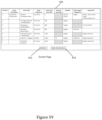
- FIG. 39 illustrates a step for id dialog according to embodiments of the present invention.
- FIG. 40 A- 40 D illustrates quizzes interfaces according to embodiments of the present invention.
- FIG. 41 illustrates a checklist tab or interface according to embodiments of the present invention.
- FIG. 42 illustrates a define mission dialog according to embodiments of the present invention.
- FIG. 43 illustrates a mission verification summary dialog according to embodiments of the present invention.
- FIG. 44 illustrates an advanced mission settings dialog according to embodiments of the present invention.
- FIG. 45 illustrates an export summary dialog according to embodiments of the present invention.
- FIG. 46 illustrates a mission development methodology walkthrough according to embodiments of the present invention.
- FIG. 47 illustrates a mission development methodology walkthrough according to embodiments of the present invention.
- FIG. 48 illustrates a welcome page according to embodiments of the present invention.
- FIG. 49 illustrates a user pre-requisite skills interface according to embodiments of the present invention.
- FIG. 50 illustrates a key terrain interface according to embodiments of the present invention.
- FIG. 51 illustrates a mission characteristics interface according to embodiments of the present invention.
- FIG. 52 illustrates a training outcomes interface according to embodiments of the present invention.
- FIG. 53 illustrates an associated mission files interface according to embodiments of the present invention.
- FIG. 54 illustrates a mission order page interface according to embodiments of the present invention.
- FIG. 55 illustrates a mission objectives interface according to embodiments of the present invention.
- FIG. 56 illustrates a solutions and hints interface according to embodiments of the present invention.
- FIG. 57 illustrates an edit text hint interface according to embodiments of the present invention.
- FIG. 58 illustrates a network map page interface according to embodiments of the present invention.
- FIG. 59 illustrates an events interface according to embodiments of the present invention.
- FIG. 60 illustrates a questions and answers interface according to embodiments of the present invention.
- FIG. 61 illustrates a quizzes page interface according to embodiments of the present invention.
- FIG. 62 illustrates a mission library interface according to embodiments of the present invention.
- FIG. 63 illustrates a cyber range backbone of Internet services, user emulation, and auto-inject mission modules that support the training environment according to embodiments of the present invention.
- FIG. 64 illustrates a small core mission module for eight teams that support the training environment according to embodiments of the present invention.
- FIG. 65 illustrates a medium core mission module that support the training environment according to embodiments of the present invention.
- Embodiments of the invention comprise methods and system for creating or generating cyber environments, and preferably methods and systems for designing and configuring specific training mission hardware and software environments.
- FIG. 1 illustrates one embodiment of aspects of the present invention, wherein the invention is referred to as the “Orion” system or tool.
- a mission design methodology In one embodiment, this methodology is an iterative, collaborative process embodied in the tool that defines everything for a complete cyber training environment.
- Network templates The templates define a baseline environment complete with working definitions of the network services/protocols and unique overlays (#3) to include variation and threat actor (it creates full orchestration to support dynamic provisioning).
- Ability to define variability (services_0) layer as part of the design process.
- Event driven process for two-sided training events (offense v defense).
- the system comprises an Orion controller 48 , such as associated with a server 40 , and one or more clients 41 , such as implemented at computing devices such as laptop or desktop computers or the like.
- the system is preferably configured so that standalone clients will run on any machine that supports Java8, so that the server components will run on any machine that supports Java, so that the web client will run on any machine that support a modern browser, and wherein the system tool is implemented as a state machine (such as to simplify the design process and allow a global logger to be maintained).
- the system could be configured to operate in other environments.
- the system may, as described in more detail below, implement a global logger 42 , include a plurality of plug-ins 44 , include one or more memory devices for storing machine-readable code for execution by the Orion controller 48 (for implementing various of the functionality described herein), and include one or more databases, such as a mission database 46 for storing missions or mission information.
- the plug-ins 44 may include a storyline plugin, a mission setup plugin, a mission order plugin, a solution plugin, a network map plugin, an events plugin, an Athena Questions and answers plugin, a quizzes plugin and a mission library plugin.
- the system server(s) 40 are preferably configured to communicate with one or more client devices 41 .
- the client devices 41 may display one or more user interfaces, such as the one or more graphical user interfaces described below, such as to provide information to a user and receiving information from a user, including in configuring the various parameters of a mission, etc.
- the mission database 46 can include a plurality of preconfigured missions as well as missions that have been saved by mission developers, such that the mission database 46 may grow over time.
- a mission designer can design a mission from scratch or start from one of the preconfigured or saved missions and use that mission without change or after modifying the mission.
- the Orion system is a cyber mission builder and provides the capability for creating and editing of a new cyber scenario or mission that can be used in a training environment or platform. For example, using the system, a user can create scenarios involving how to defend a bank's network from a financial attack using ransomware or a scenario where a hacker tries to steal credit card data. Orion is used to develop new missions and content. It is used by mission designers, not end users of cyber training.
- FIG. 2 depicts the system of the invention and how it fits within the larger ecosystem of a gamified training system, such as a game system referred to as “Ares”.
- a gamified training system such as a game system referred to as “Ares”.
- an Ares gaming system 22 has the components of a game environment, a cyber security domain, an artificial intelligence (AI) components, and a virtualized network.
- the virtualized network comprises a virtual environment of virtual machines, plus software tools and the like.
- Ares starts a game in a phase I where the user selects a specific mission, skill level, learns the mission objectives and uses the interface to perform any necessary mission preparation including taking proficiency quizzes. The game then proceeds to a phase II where the user is immersed in the game trying to accomplish the mission objectives. After the mission play is over, the game transitions to the assessment phase where the player learns what happened and what they did (strengths/weaknesses). This process includes a complete walk through of an after-action report covering the
- the Ares game system may include an automated advisor, such as an automated artificial intelligence advisor (such as under the name “Athena”). This advisor may, for example, be capable of providing a player assistance during a game, such as by answering player questions or providing hints, among other things.
- the Ares game system may also include an “umpire” (which may be implemented as part of the advisor, or separately therefrom). The umpire may, for example, score the player based upon their actions (and/or inactions) during the mission.
- the Orion system of the present invention preferably allows an operator to create or generate different missions (e.g., objective-based assignments within a defined environment, such as a cyber environment which includes a virtualized network).
- missions e.g., objective-based assignments within a defined environment, such as a cyber environment which includes a virtualized network.
- the high-level architecture of the system is a plugin paradigm using a state-machine life-cycle.
- Each plugin 44 is an independent wizard for adding/modifying one aspect of the mission.
- the plugins 44 are maintained by a controller which messages state changes with each plugin. There is a general method for communications between plugins.
- a global logger 42 is maintained.
- a top-level state machine is implemented that supports the mission building guidelines.
- the purpose of the TLSM is to provide a concrete implementation of the guidelines. It will provide a means to collect and store artifacts that are produced outside of the Orion environment (e.g., mission video, adversary attack motivations, mission art, . . . )
- the status of the TLSM is maintained by the Orion controller and is visible in a panel on the graphical user interface (GUI).
- GUI graphical user interface
- the Orion or system controller 48 provides the glue for the application—keeping track of what is going on and communicating to individual plugins 44 as needed.
- Table 1 describes the Orion System Controller States. FIG. 3 and Table 1 illustrate how the controller 48 will operate within these states.
- Orion has some data which is “shared” among the plugins.
- the data is preferably maintained by a (set of) global data singleton(s). In one embodiment, the following data is included:
- the master data is preferably read in when the singleton is instantiated. At this time, the singleton will check to see if there are updates to the master from the mission design databases and use those.
- Any data which may be editable within Orion is accessed in a synchronized manner.
- each plugin tab 12 indicates the state of that plugin, such as shown in table 2. These plugin states are used when switching to a different mission to determine action needed, such as illustrated in FIGS. 5 a , 5 b , and 5 c (wherein dark gray boxes indicate that a dialog box is invoked).
- the plugins are instantiated by the Orion controller when a mission is opened or created.
- READY_DIRTY Plugin has all the data it Green Flashing needs, but it has unsaved changes.
- READY_CLEAN Plugin has all the data it Green Solid needs, no save needed.
- NOT_READY_DIRTY Plugin does not have all Red Flashing the data it needs, and it has unsaved changes.
- NOT_READY_CLEAN Plugin does not have all Red Solid the data it needs, but no save is needed.
- plugin to plugin communication is provided.
- this communication is a messaging mechanism similar to a post office.
- One plugin posts a message (e.g., mission objectives when objective added) and other plugin(s) gets the post and processes it as appropriate (e.g., solution and hints to add another page for the new objective).
- a message e.g., mission objectives when objective added
- other plugin(s) gets the post and processes it as appropriate (e.g., solution and hints to add another page for the new objective).
- the processing may use threads with a behind-the-scenes wait-notify mechanism.
- messages are not received on the GUI thread, so no direct drawing occurs as a result.
- the PluginMessage class provides the structure for the message to be sent.
- a message consists of: (1) Source (the plugin that sent the message); (2) Source Name (the name on the plugin tab; (3) Message ID (defined in PluginMessageType enum); and (4) Payload (any object to send—simple or complex).
- processMessage is called on a separate (non-GUI) thread.
- FIG. 6 depicts the communications between the user and the server using Webswing.
- Mission Difficulty Enter the desired Organization Prefix, Mission Name, Mission Description, Mission Number and choose a Mission Difficulty.
- a folder is created in the selected folder titled ⁇ prefix>_mission_ ⁇ number>_ ⁇ difficulty> (e.g. XYZ_mission_1_Easy).
- the Save Changes dialog 100 When switching to another mission (either by creating a new mission or opening a different existing mission) or exiting the Orion application when unsaved changes exist, the Save Changes dialog 100 , such as illustrated in FIG. 10 , may be displayed.
- control parameters for executing the Orion mission are defaulted to typical values and can be modified by the Mission Designer.
- Default Location If you have multiple locations where your virtual machines (VMs) are stored, you can select which location by numeric value here.
- Athena Q&A defined in this mission (Mission_Questions.txt, General_Questions.txt, Athena_Questions.txt)
- Mission parameters (vem.yaml, vsphere.yaml)
- the Export Summary dialog 130 is displayed upon completion of export indicating the status of each component.
- the appropriate file(s) is created in the export folder under the main mission folder as illustrated in FIG. 14 .
- the storyline component or backstory of the system may include a video 140 as depicted in FIG. 15 and/or text which describes the background for the mission as the introduction when the mission is selected.
- the storyline gives the context for the mission in the form of introductory video and or text depicted in FIG. 16 .
- the Video Player area is where the mission video can be viewed.
- the Now Playing area provides information about the location/size/duration of the video.
- the Mission Order component may define the following areas for the mission as depicted in the mission orders menu 160 of FIG. 17 and the dialog 170 of FIG. 18 :
- Mission Order Page Settings provides access to settings for the Mission Order page. Currently the Image Type may be set.
- the Mission Objectives component defines the objectives for the mission and associated badges/skills and umpire checks along with relative scoring.
- Mission objectives may be viewed in the game environment while playing the game as shown in the mission objectives interface of FIG. 21 . Points are associated with each objective/skill.
- the objective name may be edited at any time in the Objective field at the top of the tab.
- the current objective number is shown above the field.
- Each skill that matches the entered text is outlined as shown in FIG. 23 .
- Umpire checks form the basis of automated scoring and are required for each mission objective.
- Each umpire check whose description and/or name matches the entered text is outlined as shown in FIG. 24 .
- the Solutions and Hints component defines the solution and associated hint(s) for each mission objective.
- the solution walks the player through the objective.
- the hints provide multiple statements to lead the player to the solution.
- Solutions and Hints tab When the Solutions and Hints tab is selected, the items under the Solution and Hints Menu at the top of the page are available.
- the interface of FIG. 26 may be available, which allows scrolling through hints.
- Hint Initially there is a “blank” Hint shown for which text can be entered as illustrated in FIG. 28 .
- To add another Hint click the Add Hint button.
- a Hint header is added to the hint editing area. Type the desired text in for the hint.
- the Network Map component shown in FIG. 29 defines the network to be used for the mission.
- the Network is one of the main components which needs to be solved.
- To access the Network Map click on the Network Map tab of FIG. 1 .
- Checkmark indicates the feature is turned on as shown in FIG. 30 .
- Show OS Type view the operating system (OS) for the node(s) on the network map.
- Show Simple Name view the name assigned to the node(s) on the network map.
- Control IP Address view the control IP Address assigned to the node(s) on the network map (“Control:” is prepended to the address).
- Show Services view the service(s) assigned to the node(s) on the network map.
- the Select icon is the default and allows for selections on the network map.
- the Camera icon provides a means to capture and save an image of the current network map. Click this icon to bring up a Save dialog. Browse to desired location, name the file and click the OK button. Click the Cancel button to close the dialog without saving.
- the Rubberband Zoom icon shown in FIG. 32 provides a means to zoom in to a specific desired area, see FIG. 32 . Click this icon, then click on the network map, hold and drag the cursor to desired rectangular area and release. Network map is zoomed to view only this area.
- the Zoom In icon increases the size of displayed items viewed on the network map.
- the Zoom Out icon decreases the size of displayed items viewed on the network map.
- the Undo Previous Zoom icon reverses the last zoom action performed.
- the Panning icon provides a means to manually move the viewing area of the network map. Click on this icon and then click and hold on the map while moving the cursor to desired viewing area.
- the Re-center icon provides a means to manually center the viewing area of the network map at a particular point. Click on this icon and then click on desired center point on the network map.
- the Restore Original Zoom icon resets the zoom level of the network map to the default size.
- the Refresh icon redraws the page.
- the Node Box icon provides a means to encapsulate a set of node(s) within a defining box. Click this icon, then click on the network map, hold and drag to enclose desired node(s) and release (the box can be renamed).
- the Connector icon provides a means to connect two items (nodes or boxes) on the network map with a straight line. Click this icon, then click the first item to be connected on the network map and click the second item to be connected. A straight-line connector is shown between the two items.
- the Elbow Connector icon provides a means to connect two items (nodes or boxes) on the network map with a right-angled connector. Click this icon, then click the first item to be connected on the network map and click the second item to be connected. A right-angled set of line segments is show between the two items (if the two items are in line with each other—horizontally or vertically—a straight line is shown).
- the Delete icon deletes any selected items on the network map. If a selected item has connector(s), the connector(s) will also be deleted.
- the left panel of the Network Map tab provides elements to define and identify information for items on the network map.
- the Nodes palette as shown in FIG. 33 A provides icons depicting the various types of nodes which may be added to the network map. Click on one of the icons and then click on network map at desired location. The node is added to the network map.
- the Attributes palette shown in FIG. 33 B provides (changing) icons depicting types of attributes which may be assigned to a node on the network map.
- the Services icon is the first icon in the set.
- the Key Terrain icon is the second icon in the set.
- the Operating System icon is the third icon in the set.
- the Mouseover Feedback area shown in FIG. 34 displays all of the current attributes/properties/connections/boxes for the network map item over which the cursor is currently “hovering” whether or not the Network Map ⁇ Options menu item is checked for that property.
- the Editable Properties area shown in FIG. 35 provides the means to edit the properties (such as name, addresses, operating system) appropriate to an item selected on the network map. Enter values in appropriate fields.
- This section describes the various actions which can be taken on the Network Map Graph Area while defining the network.
- Nodes and Boxes may be moved on the network map.
- Nodes and Boxes may be arranged in a specified order for viewing. This is important when two or more items overlap because it determines which one(s) are in front or back.
- Nodes and Boxes may be “locked” so that they cannot be selected, edited or moved within the network map.
- the Events component include a list of various events for the mission.
- the Delete button 262 will show the Event ID of the row selected.
- the Duplicate button 264 will show the Event ID of the row selected.
- Steps field Click in the Steps field for the event to be defined/changed. This will bring up the Steps for id dialog 270 as shown in FIG. 39 with the Event ID shown in the title.
- Event ID table header For the list.
- the events are sorted in ascending alphabetic order. Click the header again to sort in descending alphabetic order.
- the Quizzes as shown in FIG. 40 A define a set of questions to be used in “qualifying” for the mission.
- the questions are multiple choice in nature, may be associated with multiple missions, and optionally provide Key Words.
- Question Content (a string of text to be found in the question)
- Answer Content a string of text to be found in any answer field—correct, wrong options, or detailed answer
- Mission(s) specific mission(s) for which question(s) may have been tagged.
- Skill Content (a string of text to be found in any skill associated with the question(s)).
- the Quizzes tab 290 as illustrated in FIG. 40 D is divided into the following areas and described below.
- the question difficulty may be chosen at any time by selecting the desired value from the Difficulty drop down. If the question could apply to multiple difficulty levels, choose “Any”.
- the Checklists tab 300 as shown in FIG. 41 provides a convenient look at what is left to do in order to construct a complete mission.
- the checklist on the left shows each of the Orion components with their status(es).
- the java application is a single window with a tabbed pane, one tab for each key item (plugin).
- the title contains the name of the current mission.
- the main menu may include one or more of the following elements:
- File ⁇ New Mission . . . brings up a dialog shown in FIG. 42 where the user can define the basic information for the mission, such as one or more of:
- a subdirectory named ⁇ ORG>_Mission_ ⁇ Difficulty Level> is created with data directories underneath for each plugin and for exporting the mission to game environment.
- File ⁇ Open Mission . . . brings up a file selector dialog to browse to and select the desired mission.
- FIG. 43 is one example of how the dialog 320 may appear.
- File ⁇ Export Mission for game environment writes out the appropriate mission files in format for the target game environment.
- the user is then presented with a dialog 340 as depicted in FIG. 45 indicating the success of the export.
- Mission Development Methodology Walkthru pane showing in FIG. 46 the order of how to develop a mission correctly.
- the pane is always available with status of where the mission designer is for each step.
- the pane is also able to be hidden.
- FIG. 47 An example of what the Mission Development Walkthru may look like is shown in FIG. 47 .
- This panel is the Orion implementation of the Mission Design process.
- Red/Green lights indicate the status of each step.
- the arrow icon to the right of the pane allows the pane to be “hidden” (collapsed). While collapsed the arrow icon allows the pane to be displayed (expanded) again.
- the main “Welcome” page as depicted in FIG. 48 for Orion provides help information overview as well as detailed information on each of the plugins. This information is maintained as html files for each item (overview/plugin).
- Mission Setup Plugin has several tabs allowing the mission designer to define various aspects of the mission, such as one or more of:
- Print Mission Setup brings up a print dialog with available printer(s) and print text to selected printer.
- Mission 1 The purpose of Mission 1 is to have a basic offensive mission where early users can get used to Athena and how the game environment works. They will learn skills applicable to Certified Ethical hacking (CEH).
- CEH Certified Ethical
- This subtab 350 shown in FIG. 49 allows the mission designer to select which skills a player should have prior to playing the mission.
- a search capability is provided for finding skills in the list.
- This subtab 360 shown in FIG. 50 provides for entry of data which define the key terrain of the mission.
- This subtab 370 shown in FIG. 51 provides for entry of data which define the general characteristics of the mission.
- This tab 380 shown in FIG. 52 allows the mission designer to define training outcomes for the mission.
- This tab 390 shown in FIG. 53 allows the mission designer to associate file(s) with the mission. Some files are known/required while others are optional information.
- the Mission Order Plugin provides the capability to define information for the mission, such as one or more of:
- the Mission Order plugin tab 400 provides a styled editor depicted in FIG. 54 for entering the various components of the Mission Order as “Pages” within the tab.
- the mission designer is able to switch between the pages by selecting the desired page to be displayed.
- a styled editor is implemented to provide tools to edit/format the text for the Mission Order.
- Capabilities include:
- the Mission Objectives plugin provides the capability to define Mission Objectives, associated badges/skills and umpire detections.
- Orion Objective Scoring and GAME ENVIRONMENT Objective Game Points are two separate entities.
- Orion Objective Scores for “normal” Missions need to be a percentage of total game points (adding up to 100%). This total number plus the Objective % points is used to determine the game points for the objective.
- objective game points (percentage_points*total_game_points)/100
- Hint/Solution points is determined based on a total hint percentage—the percentage of points of objective that would be lost if ALL hints for that objective were taken.
- hint score ((hint_percentage*objective game points)/100)/number of hints for that objective
- the Mission Objectives plugin tab 410 shown in FIG. 55 provides the capability to add, delete, or reorder mission objectives in a list.
- the list of current Objective(s) with associated skill(s) is displayed separately on the left side of the plugin tab to allow for easy viewing/switching between objectives.
- the mission designer is able to assign score points based on mission type (see below).
- a list of available skills is displayed.
- the mission designer selects skill(s) from the master database list (see Orion—Database IDD) and assign their score (between 1-10).
- the mission designer selects Umpire Detection(s) to associate with the objective and assign values to it (see below).
- Mission scoring is based on the Mission Type.
- Mission The Objective score is relative. The sum of all Objective scores in the mission must add up to 100%. If the user slides one up, the score(s) is adjusted to re-equal 100%.
- the mission designer is able to define the Umpire Check associated with the Objective.
- a callback function to be called with the return of any detection events is defined in Orion—Database IDD.
- Add Detection by clicking Add Detection button 412 . This will bring up a selection list of all detections currently NOT associated with this objective.
- Edit a detection event by selecting the detection in the list of current detections and clicking the Edit Detection button 416 .
- the Mission Solutions and Hints Plugin provides the capability to define the mission solution and associated hint(s) for each objective.
- the hints provide multiple statements to lead the player to the solution.
- the solution walks the player through the objective.
- Mission Solutions and Hints plugin tab 420 depicted in FIG. 56 provide the selection of objective and then defining the solution and associated hints for that objective using a styled editor.
- a styled editor is implemented to provide tools to edit/format the text for the Objective Solution/Hint.
- Capabilities include:
- Hint(s) For Hint(s), a list of current hint(s) with first part of the text of the hint are displayed.
- the mission designer is able to add a hint as follows:
- dialog 430 such as shown in FIG. 57 is used:
- click OK or Cancel to close dialog without saving any changes
- the Network Map Plugin will provide the capability to define the network for the mission.
- Snap Size (provide choice of size—e.g. 1 mm-10 mm)
- This report is a file of network map node information including:
- the Network Map plugin tab 440 shown in FIG. 58 provides tools to
- Manage the network map layout select item(s), zoom control, panning control, refresh, delete item(s), move item(s) on the map).
- nodes are icons representing the type of node (e.g. server, firewall, printer . . . ).
- OS Operating System
- Game View view only mode showing just the nodes which will also be shown in the Game environment Game UI
- the mission designer is able to indicate whether a node is an adversary.
- the mission designer is able to manage the service(s) associated with a node on the map.
- Add . . . brings up the selection list of those services NOT associated with this node yet and they can pick ONE to add (or cancel out of process)
- Display field(s) for service from master service database) and allow user to fill in/edit based on “type” of data for each field.
- Delete brings up the selection list of those which ARE associated with this node and they can pick multiple and delete (with “are you sure? confirmation)
- the mission designer is able to manage the network interfaces for a network on the map. This is a key step because the system configures the network and sets up interfaces and IP addresses through this process.
- a dialog displaying network interface fields is displayed for the mission designer to define.
- the mission designer is able to manage which tool(s) are installed for a node on the map.
- the system sets up all the installation configuration for that to be completely installed.
- the mission designer is able to associate a Key Terrain value for a node on the map.
- the Events Plugin provides the capability to define the various events for a mission.
- the Events plugin tab 450 as shown in FIG. 59 provides tools to define the various events for a mission.
- the tab displays the list in time order and provide capability to Add, Edit, Delete events in the list
- Event Technique dropdown is populated with corresponding values from the master list, select value
- Target(s) field Click on the Target(s) field to bring up Select Target(s) dialog and choose the desired target(s) from list of appropriate(??) network map nodes and any existing event targets emitted by earlier Delivery events.
- the Athena Q&A Plugin provides the capability to define questions and answers for the Artificial Intelligence (AI) in-game Advisor for Game environment (ATHENA).
- AI Artificial Intelligence
- ATHENA Artificial Intelligence
- the types of Q&A include
- the Athena Q&A plugin tab 460 shown in FIG. 60 provides the capability to Add/Delete/Edit questions of each category type.
- Data for each Q&A include:
- the Quizzes Plugin provides the capability to pull existing questions from the master quiz database and to define new quiz questions for the mission.
- the questions are multiple choice in nature, may be associated with multiple missions, and optionally provide Key Words, and a Source for the information.
- the Quizzes plugin tab 470 shown in FIG. 61 provides the capability to Add/Delete/Edit quiz questions.
- skills earned for the question may be selected from list of Badges/Skills.
- the list of current Quiz Question(s) with associated skill(s) is displayed separately to allow for easy viewing/switching between questions.
- the Mission Library plugin 480 shown in FIG. 62 allows the mission designer to check in/out any of the mission associated files from the repo.
- File(s) may be selected on the local file system and drag/dropped into the appropriate field.
- a file may also be selected on this page and drag/dropped onto the local file system.
- Mission Info is for optional file(s) which the mission designer may want included/saved with the mission. Multiple files may be selected.
- Battle Rooms are places where players can do small technical tasks and reinforce their knowledge in different areas.
- Missions are end-to-end scenarios where players need to be able to figure out how to solve a problem with a set of tools. As such, Battle Rooms need to be handled differently in some areas. They do not require some of the mission complexity.
- the blueprint.yaml file depicted in Table 3 outlines all virtual machines (VMs) to be created by the VEM.
- the following table shows how/where Orion gets data to write this out.
- the mission definition.yaml file depicted in Table 4 contains the high-level mission data for the mission.
- missionCharacteristics playType missionCharacteristics
- missionCharacteristics Mission Setup - Mission Characteristics
- missionParameters missionType missionParameters Create Mission/Save Mission As . . . Dialog trainingType missionParameters Create Mission/Save Mission As . . .
- the Mission network.yaml file depicted in Table 5 lists the networks (both static and random) for the mission.
- the Mission objectives.yaml file depicted by Table 6 provides the objectives with their skills/scores/hints solutions and umpire check detections for the mission.
- a set of assign variables may be created for each “choice” of the variable chosen for the hint with the value being the text for that choice (e.g. ssh_hint, vnc_hint, telnet_hint). [value(s)] ⁇ assign> Handled by the add/edit capability. random_string variables Handled by the add/edit capability. ⁇ random_var> random_string Handled by the add/edit capability. [value(s)] ⁇ random_var> Handled by the add/edit capability. random_choice variables Handled by the add/edit capability. ⁇ choose> random_choice Handled by the add/edit capability.
- Orion will automatically create the user and trainer ids based on a starting UID for users/trainers
- the Orion users will also have the ability to add a random user to a node/host ⁇ vmName> users Name of the Orion node.
- Trainer node floats just like random services and ????? ⁇ user> ⁇ vmName>
- User is able to assign the UID for random users uid ⁇ user> See above configurations — Top level tag is included from Orion.
- the serviceName sub tags are added automatically by Orion when the user adds a service to a node on Network Map.
- ⁇ serviceName> configurations Default name comes from the service database and assigned to a node. Multiple nodes can use one configuration.
- ⁇ transformblock> transform See above salt ⁇ serviceName> Comes from the services database. Values within the salt block is filled in by popping up a dynamic dialog box.
- ⁇ saltblock> salt See above services — Contains a list of network nodes that the user has placed on the Network Map. Only nodes that have a service at the corresponding level is included in this list ⁇ vmName> services See above ⁇ serviceName> ⁇ vmName> List of services that the user associated with the node on Network Map Originated from the services database groups — Yaml files authored by Orion will only include groups for random services. (Orion will put in an entry for each node that uses a static service.) Random Services is added as a floating node on the map.
- Base level services.yaml: loaded into the VEM cache at startup—any services w/o variables or random information
- Level 1 services_0.yaml: loaded into VEM at Mission Game startup—any services with variables or random information
- the Mission vem.yaml file depicted in Table 8 is the data fixture file which contains basic metadata for the mission.
- Mission vsphere.yaml file depicted in Table 9 is the data fixture file for the virtualization model. It describes and includes the data necessary for the virtualization implementation.
- the output of the Orion or mission builder system creates a single training mission that may train one or more users.
- the training mission may be reused and added to a library of other missions for use by students to learn key concepts.
- created missions may be grouped into a cyber training or exercise event in order to create a realistic virtual world or cyber range complete with simulated users, simulated mission systems, simulated data and emulated adversaries—all connected to a simulated Internet.
- Cyber ranges may begin as racks of computer hardware that can be reconfigured into various network topologies and overlaid with different baseline network services and traffic profiles to coincide with the business or mission of the enterprise environment. Cyber ranges operate in a closed loop environment as a necessity to introduce malware safely and prevent damage to live networks. The cyber range provides for network routing, defensive tools, mission applications and an overlay of virtual users that automatically perform the activities of real users to generate realistic simulated network traffic.
- many mission designer users could create, for example, an ICS mission, a radar mission, a military range mission, and other required missions to meet their training objectives.
- No coordination is required when each mission designer or student latches on to the cyber range, which interconnects all users just like in the real world.
- This approach supports key training objectives such as trust relationships while creating a single plane from which the exercise support teams, like the opposing force, can operate using the cyber range across many teams at once.
- scenarios involving multi-team echelon reporting can be easily exercised.
- entire virtual e-cities can be configured for training in a straightforward and tractable problem.
- key features of the cyber range embodiment where created missions are used for training may include: (1) the unique ability to “swing and latch” on to networks via the configuration of a single interface for each add-on environment; (2) a uniquely small footprint but is able to handle a large traffic volume and dynamically sets up routes to new environments; (3) scaling to different sizes, such as 2, 8, 16, and 28 mission networks; and (4) quick deployment due to the modular design.
- the approach supports event configurations across multiple game training systems, meaning, it can be launched in one cyber training system and connected to an entirely different system as long as the physical switches that connect the two clusters or systems has the swing network (a virtual local area network distribution identification or “VLANID”) defined.
- VLANID virtual local area network distribution identification
- These clusters “could” be geographically different as long as the layer 2 traffic on each end of the WAN connection is unscathed.
- multiple cyber ranges might even be connected.
- the cyber range can be latched on to user emulation modules, Internet corpus modules, management and monitoring modules, and opposition forces (live and automated) modules.
- a port is tagged (perhaps in the blueprint.yaml) as an INTER-MISSION network as well as in the CORE (a baseline or background routing for Internet services) module.
- the Virtual Environment Manager (VEM) then creates a VLAN to work between the mission modules (Each key aspect of the system has a port tagged for Intermission of communications).
- BGP Border Gateway Protocol
- Each content server and infrastructure device is configured to redistribute the routes of all the interfaces configured. If a new sub-interface is created with a new IP address that has new web content, for example, that IP address is automatically injected into the BGP route table for client consumption.
- This dynamic routing capability facilitates content, traffic, and purpose flexibility into the product. Any and all valid IP space can be used in the virtual environment resulting in the ability to present regions of the world based on IP address.
- the routing flexibility and solution design makes it very robust, such as a red team adversary emulation mission training platform.
- Adversary presence using the cyber range embodiment for training missions is simple, flexible, and realistic.
- a red team can control and distribute Domain Name System (DNS) and route characteristics into the cyber range much like today's adversaries have demonstrated.
- DNS Domain Name System
- FIG. 63 illustrates a cyber range backbone of Internet services, user emulation, and auto-inject mission modules that support the training environment. All missions created by the system hang off of the configured cyber range and are playable using missions developed with the Orion/mission builder system of the invention along with activities interjected by a live-inject mission module used as an opposing force (“OPFOR”) or adversary training ground.
- OPFOR opposing force
- INET-NNW, NW, WNW, W, etc routers act essentially as “ISP's” “ISP” for each mission.
- the teams are able to share the “Internet Corpus” module which contains DNS, NTP, SMTP, FTP, and all the browsable websites for Lariat and/or other user traffic generators.
- the teams can also share the “User Emulation” module, which is a customized Lariat setup to support the teams in some capacity. Then there are two other pick-offs; the “Live Inject” module, and the “Auto-Inject” module.
- the “Live Inject” module is for a Red (OPFOR) team to work from with access to all the teams via the Cyber Range.
- the “Auto-Inject” module is for any automated attacks/objectives we put into the game that can be scripted and scored automatically.
- This embodiment of the system provides the ability to modularize many of the disparate functions typically used in training exercises where the prior art used manual configuration. For example, one set of users can be responsible for maintaining the “Internet Corpus” module with updated websites, patches and updates, and added functionality if required and do releases of that module for use in the cyber range. This same approach can be used with the “User Emulation,” “Live Inject,” and “Auto-Inject modules.” These features of the cyber range embodiment allow the mission designers to pick from a catalog of things needed for an interconnected training exercise. All the routing is automatic for each mission provided.
Landscapes
- Engineering & Computer Science (AREA)
- Theoretical Computer Science (AREA)
- Physics & Mathematics (AREA)
- General Physics & Mathematics (AREA)
- Educational Technology (AREA)
- Educational Administration (AREA)
- Business, Economics & Management (AREA)
- Software Systems (AREA)
- Computing Systems (AREA)
- Mechanical Engineering (AREA)
- Data Mining & Analysis (AREA)
- Evolutionary Computation (AREA)
- Multimedia (AREA)
- Robotics (AREA)
- Artificial Intelligence (AREA)
- General Engineering & Computer Science (AREA)
- Mathematical Physics (AREA)
- Biomedical Technology (AREA)
- Biophysics (AREA)
- Life Sciences & Earth Sciences (AREA)
- Health & Medical Sciences (AREA)
- Computational Linguistics (AREA)
- Molecular Biology (AREA)
- Computer Vision & Pattern Recognition (AREA)
- Medical Informatics (AREA)
- Optics & Photonics (AREA)
- General Health & Medical Sciences (AREA)
- Management, Administration, Business Operations System, And Electronic Commerce (AREA)
Abstract
Description
| TABLE 1 | |
| State | Actions |
| Start | The application is started. The main window is created. |
| The Controller and Logger are instantiated. The environment | |
| is probed (username, machine name, OS, etc). Command | |
| arguments are processed. | |
| Discover | Appropriate directories are searched for wizard plugin class |
| files. | |
| Initialize | Each plugin is instantiated with a reference to the Controller, |
| a reference to the global Logger, a reference to the main menu | |
| bar, and a graphical container for it to display its content. | |
| A tab is generated for the plugin on the main window as in | |
| FIG. 1. | |
| Idle | There are no pending user commands to process at the main |
| window or main menu level. | |
| Open | Open an existing mission |
| Create | Create a new mission. The controller will create a data |
| directory for each plugin under the main mission directory. | |
| Save | The loaded mission is being saved. This requires integrating |
| the saves of each plugin | |
| Cleanup | The application is shutting down |
| Error | An unrecoverable error has occurred |
Global Data Singleton
-
- (1) Master Services List from database
- (2) Master Detections List from database
- (3) Master Umpire Check Callback Functions from database
- (4) Master Service Events from database
- (5) Master Adversary Events from database
- (6) Master Malware List from database
- (7) Master Badges/Skills List from database
- (8) Master Quiz Questions List from database
- (9) Master Virtual Machine (VM) Templates from database
- (10) Master Tools List from database
- (11) Current Mission Objectives and associated Umpire Detections
- (12) Current Mission Network Diagram Node Information
- (13) Current Mission service/detection variable data
| TABLE 2 | ||
| PLUGIN STATE | COMMENT | TAB LED |
| READY_DIRTY | Plugin has all the data it | Green Flashing |
| needs, but it has unsaved | ||
| changes. | ||
| READY_CLEAN | Plugin has all the data it | Green Solid |
| needs, no save needed. | ||
| NOT_READY_DIRTY | Plugin does not have all | Red Flashing |
| the data it needs, and it | ||
| has unsaved changes. | ||
| NOT_READY_CLEAN | Plugin does not have all | Red Solid |
| the data it needs, but | ||
| no save is needed. | ||
Inter-Plugin Communication
| @Override | ||
| public void processMessage(PluginMessage message) { | ||
| switch(message.getType( ) { | ||
| case objectives: | ||
| dosomething(message.getPayload( ); | ||
| break; | ||
| case (whatever) | ||
| break; | ||
| } | ||
| } | ||
-
- (1) Organization
- (2) Mission Name
- (3) Mission Description
- (4) Mission Number as a unique identifier when combined with an organization
- (5) Mission Level of Difficulty
-
- (1) Situation—Describe overall scenario and threat intelligence information
- (2) Mission—Describe the specific mission and skills or core competencies required to go on mission
- (3) Execution—Describe the purpose, key tasks, end state and concept of operations to include user credentials and tools
- (4) Sustainment—Describe how long the mission should take and any requirements on the end of the mission
- (5) Command and Control (C&C)—Describe who commands this mission above the Team Lead and any reporting requirements
- (6) Rules of Engagement (ROE)—Describe any rules about the virtual environment to include out-of-bounds list, tools, traffic generation and key services that must be maintained
- (7) References—for each mission objective or task in the Execution description above, provide a list of references that players should read.
-
- (1) Select the desired objective in the list of objectives. The list of skills available are displayed in the skills interface 230 of
FIG. 23 . - (2) Click the
Select checkbox 232 next to desired skill(s) OR click in the associated skill text field. The associated skill is highlighted and the score selection box is enabled. - (3) Select the desired
Skill Score 234 from the list (how hard is this skill on a scale of 1 to 10?).
- (1) Select the desired objective in the list of objectives. The list of skills available are displayed in the skills interface 230 of
-
- (1) Select the desired objective in the list of objectives in
FIG. 24 . The list of umpire checks available are displayed in theumpire check dialog 240. - (2) Click the
Select checkbox 242 next to desired umpire check OR click in one of the associated umpire check text fields. The associated umpire check is highlighted.
- (1) Select the desired objective in the list of objectives in
-
- (1) File
- (2) New Mission . . . (to create a new mission—define organization, title, description, number, level of difficulty)
- (3) Open Mission . . . (to open an existing mission)
- (4) Save Mission (to save all data for the currently selected mission)
- (5) Save Mission As . . . (to save the currently selected mission as a different mission allowing change of the parameters similar to New Mission . . . )
- (6) Verify Mission Data . . . (to verify completion status of mission data)
- (7) Advanced Mission Settings . . . (to maintain various mission settings not specific to a plugin)
- (8) Export Mission for game environment (saves mission and then exports all available mission data in game environment format to export folder under the mission)
- (9) View Orion Users Guide (provide link to view user's guide)
- (10) About Orion . . . (provide Orion version/licensing information)
- (11) Quit (exit the application)
- (12) Menu items for each plugin (only accessible when the tab for that plugin is selected)—see individual plugins for details.
Defining a New Mission
-
- (1) Organization
- (2) Mission Name
- (3) Mission Number
- (4) Operation
- (5) Mission Level of Difficulty (Easy, Medium, or Hard)—default=Easy
- (6) Mission Type (Offensive, Defensive, Battle Room)—default=Defensive
-
- Total Game Points—default to 1000 for Easy, 2000 for Medium, 3000 for Hard
- Hint Points—default to 20%
- Default Location—default to 1
- Boot Timeout—default to 20 minutes
- Publish Timeout—default to 40 minutes
- Time Limit—default to 480 minutes
- Tooltips is provided for each item.
-
- (1) User Pre-requisites
- (2) Key Terrain
- (3) Mission Characteristics
- (4) Training Outcomes
- (5) Associate Mission Related File(s)
Mission Setup Menu Items
-
- Name: Disable Botnet
- Number: 1
- Operation: Goatherd
- Difficulty: Easy
Type: Offensive
-
- Mission Storyline: Mission_1_Storyline.docx
- Mission Video: Mission1_intro.mp4
- Mission Thumbnail: mission1.thumb
- Mission Coin: GoatherdInsignia.png
- Other Mission Info:
-
- Mission_1_Easy_Solution.docx
-
- Computer Languages
- Command Line Interface
Key Terrain:
- Command Line Interface
- Cyber Key Terrain: Maravian National Bank
- Protocols: telnet, vnc, ssh
- Systems/Data: Command and Control Server
- Baseline Flows:
- Defensive Posture:
Mission Characteristics:
- Computer Languages
-
- Certification: CEH
- Domain: Commercial
- Type of Play: One-Sided
- Number of Players: One or more Players
- Max Players: 10
- Max Trainers: 5
- Network Size: Small (˜10 VMs)
- Network Complexity: Basic
- Location: 23.3790 N/113.7633 E
Training Outcomes: - Learn about password cracking techniques
- Manage firewall rules
- Identify Industrial Control Systems (“ICS”)
Mission Setup Plugin Tab
-
- Domain—Critical Infrastructure
- Type of Play—Two-sided
- Number of Players—One or More Players
- Max Players—5/Max Trainers—3
- Tactics—Offensive
- Network Size—Small
- Training Outcomes Tab
-
- (1) Situation (overall scenario and threat intelligence information)
- (2) Mission Core Competencies (required to go on mission)
- (3) Execution Instructions: User Credentials and Tools
- (4) Sustainment (how long mission should take and requirements on the end of the mission)
- (5) Command & Control (who commands the mission above the Team Lead and any reporting requirements)
- (6) Rules of Engagement (ROE)
- (7) References
Mission Order Menu Items
-
- Basic operations: cut, copy, paste, undo, redo
- Lists: bulleted and numbered lists
- Hyperlinks: insert/edit/delete a hyperlink
- Paragraph styles
- Character styling: Bold, Italic, Underline, Color
Mission Objectives Plugin
objective game points=(percentage_points*total_game_points)/100
objective game points=(battle_room_score*total_game_points)/sum(all battle_room_score)
hint score=((hint_percentage*objective game points)/100)/number of hints for that objective
-
- tag: objective1
- description: Gather credentials
- percentage_points: 20
- points: 200
- coreskills:
- points: 1
- name: Command_Line_Interface
- points: 1
- name: O/S_Differences(Windows|Linux_methods)
- points: 2
- name: Offensive_Tools
- points: 1
- name: Network_Services_and_Communication
- points: 1
- name: Pentesting
- hints:
- points: 8
- text: “You may or may not see an IP address . . . \n”
- points: 8
- text: “You can use nmap to find open ports . . . \n”
- points: 8
- text: “You may be awarded
Objective 2 early . . . \n” - points: 8
- text: “For ssh, use one of these commands . . . \n”
- points: 8
- text: “For vnc: Use one of these commands . . . \n”
- points: 8
- text: “For telnet, you can use the following . . . \n”
- tag: objective2
- description: Gain access to C2 server
- percentage_points: 30
- points: 300
- coreskills:
- points: 20
- name: Command_Line_Interface
- points: 20
- name: System_Administration
- points: 20
- name: Network Tools
- hints:
- points: 0
- text: “Login to the C2 server . . . \n”
- tag: objective3
- description: Kill Web Service to disable botnet
- percentage_points: 50
- points: 500
- coreskills:
- points: 2
- name: Command_Line_Interface
- points: 2
- name: System_Administration
- hints:
- points: 50
- text: “To verify that this machine is acting . . . \n”
Battle Room Mission Example
-
- tag: objective1
- description: From the Kali client, use the ping program/utility . . .
- points: 60
- battle_room_score: 3
- prompt: 900
- category: Reconnaissance
- coreskills:
- name: Command_Line_Interface
- points: 1
- name: Core_Cybersecurity_Tools
- points: 1
- name: Network Tools
- points: 1
- name: O/S_Knowledge_and_Commands
- points: 1
- hints:
- points: 6
- text: ping is the program used to send ICMP diagnostic messages, . . .
- points: 6
- text: ping LinuxServerlP
- tag: objective2
- description: From the Windows client, use the ping program/utility to . . .
- points: 40
- battle_room_score: 2
- prompt: 900
- category: Reconnaissance
- coreskills:
- name: Command_Line_Interface
- points: 1
- name: Core_Cybersecurity_Tools
- points: 1
- name: Network Tools
- points: 1
- name: O/S_Knowledge_and_Commands
- points: 1
- hints:
- points: 4
- text: ping is the program used to send ICMP diagnostic messages, . . .
- points: 4
- text: ping LinuxServerIP
Mission Objectives Plugin Tab
-
- Basic operations: cut, copy, paste, undo, redo
- Lists: bulleted and numbered lists
- Hyperlinks: insert/edit/delete a hyperlink
- Paragraph styles
- Character styling: Bold, Italic, Underline, Color
-
- click on the text area (which will display the first part of existing text for the hint) to bring up the styled editor
| TABLE 3 | ||
| yaml tag | parent tag | Orion Source |
| serial_id | — | yymmdd<##> when file is to be written out |
| base_vapp | — | Derived from information on New |
| Mission/Save Mission As . . . Dialog | ||
| <ORG>_mission_<#>_<Difficulty> | ||
| vapp | — | Version for this mission |
| base_vapp_<##> - start at 00 then | ||
| check/increment when this | ||
| mission is “deployed” | ||
| vms | — | Network Map |
| <vmName> | vms | Network Map |
| template | <vmName> | Network Map |
| startOrder | <vmName> | Default to 1 for Master-C7 and 2 for other |
| VMs - modifiable by user | ||
| ram | <vmName> | Default to template value - modifiable by |
| user | ||
| cpu | <vmName> | Default to template value - modifiable by |
| user | ||
| core | <vmName> | Default to template value - modifiable by |
| user | ||
| networks | <vmName> | |
| <network> | networks | |
| type | <network> | |
| ip | <network> | |
| mask | <network> | |
| mappable | <network> | |
| adapter | <network> | |
| nodeMeta | <network> | |
| location | nodeMeta | |
| type | location | |
| x | location | |
| y | location | |
| services | Deprecated | |
| mirror | <vmName> | |
| <mirror id> | mirror | |
| vm | <mirror id> | |
| src | <mirror id> | |
| dst | <mirror id> | |
| credentials | <vmName> | From template - not modifiable by user |
| user | credentials | From template - not modifiable by user |
| password | credentials | From template - not modifiable by user |
| connections | — | |
| from | connections | |
| to | connections | |
| points | connections | |
| x | points | |
| y | points | |
Mission Definition
| TABLE 4 | ||
| yaml tag | parent tag | Orion Source |
| serial_id | — | yymmdd<##> when file is to be written out |
| missionCharacteristics | — | |
| playType | missionCharacteristics | Mission Setup - Mission Characteristics |
| networkSize | missionCharacteristics | Mission Setup - Mission Characteristics |
| networkComplexity | missionCharacteristics | Mission Setup - Mission Characteristics |
| numberPlayers | missionCharacteristics | Mission Setup - Mission Characteristics |
| numberTrainers | missionCharacteristics | Mission Setup - Mission Characteristics |
| missionParameters | — | |
| missionType | missionParameters | Create Mission/Save Mission As . . . Dialog |
| trainingType | missionParameters | Create Mission/Save Mission As . . . Dialog |
| (for regular mission - offensive or defensive) | ||
| operation | missionParameters | Create Mission/Save Mission As . . . Dialog |
| missionNumber | missionParameters | Create Mission/Save Mission As . . . Dialog |
| missionTitle | missionParameters | Create Mission/Save Mission As . . . Dialog |
| (name) | ||
| description | missionParameters | Create Mission/Save Mission As . . . Dialog |
| difficulty | missionParameters | Create Mission/Save Mission As . . . Dialog |
| totalGamePoints | missionParameters | Advanced Settings Dialog |
| hintPercentage | missionParameters | Advanced Settings Dialog |
| thumbnail | missionParameters | Mission Setup - Mission Files |
Network
| TABLE 5 | ||
| yaml tag | parent tag | Orion Source |
| serial_id | — | yymmdd<##> when file |
| is to be written out | ||
| networks | — | |
| network | networks | |
| routes | networks | |
| dest | route | |
| gateway | route | |
| static | network | |
| <ip> | Static | |
| domain_name | network | |
| servers | ||
| <ip> | domain_name_servers | |
| dhcp | network | |
| domain_name | dhcp | |
| servers | ||
| <ip> | domain_name_servers | |
| range | dhcp | |
| <from_ip> | range | |
| <to_ip> | range | |
| routers | dhcp | |
| <ip> | routers | |
| random_networks | — | |
| network | random_networks | |
| routes | random_networks | |
| dest | route | |
| gateway | route | |
| members | random_networks | |
| <vmName> | members | |
| policies | — | |
| <domain> | policies | |
| members | <domain> | |
| <vmName> | members | |
| domain_name | <domain> | |
| servers | ||
| <ip> | domain_name_servers | |
Objectives
| TABLE 6 | ||
| yaml tag | parent tag | Orion source |
| serial_id | — | yymmdd<##> when file is to be written out |
| objectives | — | Mission Objectives |
| coreskills | objective | Mission Objectives |
| name | coreskills | Mission Objectives |
| points | coreskills | Mission Objectives |
| description | objective | Mission Objectives |
| points | objective | (calculated based on total game points from Advanced |
| Settings Dialog) | ||
| percentagePoints | objective | Mission Objectives (mission) |
| battleRoomScore | objective | Mission Objectives (battle room) |
| hints | objective | Solution and Hints |
| points | hint | (calculated based on objective points and % hint points |
| from Advanced Settings Dialog) | ||
| text | hint | Solution and Hints |
| For a Variable Hint - put text as (((hint<#>_obj<#>))) - | ||
| matching the assignment.assign_extend variable (see | ||
| Services yaml section) | ||
| isSummary | hint | (set when exporting the solution) |
| tag | objective | Mission Objectives (set to Objective<#>) |
| umpire | — | |
| <umpiretag> | umpire | Matches objective tag |
| description | <umpiretag> | not required - Orion will not generate |
| type | <umpiretag> | Mission Objectives - Umpire Detections |
| require | <umpiretag> | Mission Objectives - Umpire Detections |
| <umpireCheckTag> | require | Umpire Detections - dialog to pick from other existing |
| <umpiretag>(s) | ||
| callback | <umpiretag> | Mission Objectives - Umpire Detections |
| persist | <umpiretag> | Mission Objectives - Umpire Detections |
| detection | <umpiretag> | Mission Objectives - Umpire Detections |
| name | detection | Umpire Detections - pick from list of existing detections |
| in detection library | ||
| type | detection | From detection library |
| target | detection | Associated from Network Map OR picked in Mission |
| Objectives - Umpire Detections | ||
| persist | detection | Umpire Detections |
| args | detection | Umpire Detection Configuration dialog |
Services
| TABLE 7 | ||
| yaml tag | parent tag | Orion Source |
| serial_id | — | yymmdd<##> when file is to be written out |
| variables | — | Added when a Service is added to the network Diagram |
| or a detection is added to an Objective. | ||
| A master list is kept and is editable from the network | ||
| diagram or objective plugin | ||
| The services/detection database will need to store the | ||
| “type” (random_choice, machine_ip, . . .) of the variables | ||
| used in the service/detection definition | ||
| The implication is that there is a list of Variable Types | ||
| available. | ||
| assign | variables | Handled by the add/edit capability. |
| <assign> | assign | Handled by the add/edit capability. |
| For “Variable Hint” - a set of assign variables may be | ||
| created for each “choice” of the variable chosen for the | ||
| hint with the value being the text for that choice (e.g. | ||
| ssh_hint, vnc_hint, telnet_hint). | ||
| [value(s)] | <assign> | Handled by the add/edit capability. |
| random_string | variables | Handled by the add/edit capability. |
| <random_var> | random_string | Handled by the add/edit capability. |
| [value(s)] | <random_var> | Handled by the add/edit capability. |
| random_choice | variables | Handled by the add/edit capability. |
| <choose> | random_choice | Handled by the add/edit capability. |
| [value(s)] | <choose> | Handled by the add/edit capability. |
| machine_ips | variables | Handled by the add/edit capability. |
| <server> | machine_ips | Handled by the add/edit capability. |
| [value(s)] | <server> | Handled by the add/edit capability. |
| random_ip | variables | Handled by the add/edit capability. |
| <net_sim> | random_ip | Handled by the add/edit capability. |
| [value(s)] | <net_sim> | Handled by the add/edit capability. |
| assignments | — | Unclear need better definition from Ryan |
| assign_extend | assignments | See above |
| <assign> | assign_extend | See above |
| For “Variable Hint” an assign_extend is created named | ||
| hint<#>_obj<#> with <part1> being the variable | ||
| associated with the hint and <part2> being “hint” | ||
| <part1> | <assign> | See above |
| <part2> | <assign> | See above |
| assign_service | assignments | See above |
| <service> | assign_service | See above |
| <name> | <service> | See above |
| users | — | List of users and trainers that can log into a system |
| The Orion users will only specify the # of users/trainers. | ||
| Orion will automatically create the user and trainer ids | ||
| based on a starting UID for users/trainers | ||
| The Orion users will also have the ability to add a random | ||
| user to a node/host | ||
| <vmName> | users | Name of the Orion node. |
| Trainer node floats just like random services and ????? | ||
| <user> | <vmName> | User is able to assign the UID for random users |
| uid | <user> | See above |
| configurations | — | Top level tag is included from Orion. |
| The serviceName sub tags are added automatically by | ||
| Orion when the user adds a service to a node on Network | ||
| Map. | ||
| <serviceName> | configurations | Default name comes from the service database and |
| assigned to a node. Multiple nodes can use one | ||
| configuration. | ||
| name | <serviceName> | Assumed to be preconfigured in the services database - |
| no user input is required - Orion will “copy” if it exists | ||
| service | <serviceName> | Assumed to be preconfigured in the services database - |
| no user input is required - Orion will “copy” if it exists | ||
| type | <serviceName> | Assumed to be preconfigured in the services database - |
| no user input is required - Orion will “copy” if it exists | ||
| event | <serviceName> | When service type = event - must select an event (name |
| is in event block) | ||
| Events come from events database | ||
| Values within the event block is filled in by popping up | ||
| a dynamic (?) dialog box. | ||
| <eventblock> | <serviceName> | See above |
| stage | <serviceName> | Assumed to be preconfigured in the services database - |
| no user input is required - Orion will “copy” if it exists | ||
| ssh | <serviceName> | User is presented with a dialog box asking for the user |
| passwd and sudo subtags | ||
| Defaults is supplied in the services database | ||
| user | ssh | See above |
| passwd | ssh | See above |
| sudo | ssh | See above |
| description | <serviceName> | Assumed to be preconfigured in the services database - |
| no user input is required - Orion will “copy” if it exists | ||
| reset | <serviceName> | Assumed to be preconfigured in the services database - |
| no user input is required - Orion will “copy” if it exists | ||
| transform | <serviceName> | Comes from the services database |
| Values within the transform block is filled in by popping | ||
| up a dynamic dialog box. | ||
| <transformblock> | transform | See above |
| salt | <serviceName> | Comes from the services database. |
| Values within the salt block is filled in by popping up a | ||
| dynamic dialog box. | ||
| <saltblock> | salt | See above |
| services | — | Contains a list of network nodes that the user has placed |
| on the Network Map. | ||
| Only nodes that have a service at the corresponding level | ||
| is included in this list | ||
| <vmName> | services | See above |
| <serviceName> | <vmName> | List of services that the user associated with the node on |
| Network Map | ||
| Originated from the services database | ||
| groups | — | Yaml files authored by Orion will only include groups |
| for random services. (Orion will put in an entry for each | ||
| node that uses a static service.) | ||
| Random Services is added as a floating node on the map. | ||
| Users is able to add a service to random list of hosts | ||
| (nodes) | ||
| and the ability to specify how many hosts in the list will | ||
| get the random service. | ||
| <group> | groups | See above |
| hosts | <group> | See above |
| <vmName> | hosts | See above |
| services | <group> | See above |
| <serviceName> | <group> | See above |
| random | <group> | See above |
| <serviceName> | random | See above |
| TABLE 8 | ||
| yaml tag | parent tag | Orion Source |
| fields | — | |
| boot_timeout | fields | Advanced Settings Dialog |
| default_location | fields | Advanced Settings Dialog |
| description | fields | Derived from mission number |
| on New Mission/Save Mission | ||
| As . . . Dialog | ||
| name | fields | Derived from mission number/ |
| difficulty level on New Mission/Save | ||
| Mission As . . . Dialog | ||
| networking | fields | Static text |
| polymorphic_ctype | fields | Static text |
| publish_timeout | fields | Advanced Settings Dialog |
| timelimit | fields | Advanced Settings Dialog |
| base_services | fields | Static text |
| services | fields | Static text |
| objectives | fields | Static text |
| mission_parameters | fields | Static text |
| model | — | Static text |
| pk | — | Derived from information on New |
| Mission/Save Mission | ||
| As . . . Dialog | ||
| <ORG>_mission_<#>_<Difficulty> | ||
| serial_id | — | yymmdd<##> when file is to be written |
| out | ||
| TABLE 9 | ||
| yaml tag | parent tag | Orion Source |
| fields | — | |
| blueprint | fields | Static text |
| model | — | Static text |
| pk | — | Derived from information on New Mission/Save |
| Mission As . . . Dialog | ||
| <ORG>_mission_<#>_<Difficulty> | ||
| serial_id | — | yymmdd<##> when file is to be written out |
Cyber Ranges
Claims (22)
Priority Applications (2)
| Application Number | Priority Date | Filing Date | Title |
|---|---|---|---|
| US18/116,443 US12237199B2 (en) | 2015-09-24 | 2023-03-02 | System for dynamically provisioning cyber training environments |
| US19/061,714 US20250259876A1 (en) | 2015-09-24 | 2025-02-24 | System for dynamically provisioning cyber training environments |
Applications Claiming Priority (9)
| Application Number | Priority Date | Filing Date | Title |
|---|---|---|---|
| US201562232423P | 2015-09-24 | 2015-09-24 | |
| US15/274,096 US10056005B2 (en) | 2015-09-24 | 2016-09-23 | Mission-based, game-implemented cyber training system and method |
| US15/466,833 US10238948B2 (en) | 2015-09-24 | 2017-03-22 | Mission-based, game-implemented cyber training system and method |
| US201762549779P | 2017-08-24 | 2017-08-24 | |
| US16/056,892 US10515564B2 (en) | 2015-09-24 | 2018-08-07 | Mission-based, game-implemented cyber training system and method |
| US16/109,430 US10672289B2 (en) | 2015-09-24 | 2018-08-22 | System for dynamically provisioning cyber training environments |
| US15/930,590 US11056017B2 (en) | 2015-09-24 | 2020-05-13 | System for dynamically provisioning cyber training environments |
| US17/357,354 US12148646B2 (en) | 2021-06-24 | 2021-06-24 | Aligner apparatus |
| US18/116,443 US12237199B2 (en) | 2015-09-24 | 2023-03-02 | System for dynamically provisioning cyber training environments |
Related Parent Applications (2)
| Application Number | Title | Priority Date | Filing Date |
|---|---|---|---|
| US17/357,354 Continuation US12148646B2 (en) | 2015-09-24 | 2021-06-24 | Aligner apparatus |
| US17/357,534 Continuation US11600198B2 (en) | 2015-09-24 | 2021-06-24 | System for dynamically provisioning cyber training environments |
Related Child Applications (1)
| Application Number | Title | Priority Date | Filing Date |
|---|---|---|---|
| US19/061,714 Continuation US20250259876A1 (en) | 2015-09-24 | 2025-02-24 | System for dynamically provisioning cyber training environments |
Publications (2)
| Publication Number | Publication Date |
|---|---|
| US20230335425A1 US20230335425A1 (en) | 2023-10-19 |
| US12237199B2 true US12237199B2 (en) | 2025-02-25 |
Family
ID=88307978
Family Applications (1)
| Application Number | Title | Priority Date | Filing Date |
|---|---|---|---|
| US18/116,443 Active US12237199B2 (en) | 2015-09-24 | 2023-03-02 | System for dynamically provisioning cyber training environments |
Country Status (1)
| Country | Link |
|---|---|
| US (1) | US12237199B2 (en) |
Families Citing this family (1)
| Publication number | Priority date | Publication date | Assignee | Title |
|---|---|---|---|---|
| CN120301931B (en) * | 2025-06-11 | 2025-08-29 | 南京赛宁信息技术有限公司 | A method and system for unifying topological data structures and operations across services in a network range |
Citations (37)
| Publication number | Priority date | Publication date | Assignee | Title |
|---|---|---|---|---|
| US20030046689A1 (en) | 2000-09-25 | 2003-03-06 | Maria Gaos | Method and apparatus for delivering a virtual reality environment |
| US20050192870A1 (en) | 2000-06-21 | 2005-09-01 | Applied Systems Intelligence, Inc. | Method and system for providing an intelligent goal-oriented user interface to data and services |
| US20070066403A1 (en) * | 2005-09-20 | 2007-03-22 | Conkwright George C | Method for dynamically adjusting an interactive application such as a videogame based on continuing assessments of user capability |
| US20080108021A1 (en) | 2004-11-24 | 2008-05-08 | Dynamic Animation Systems, Inc. | Instructor-lead training environment and interfaces therewith |
| US7474429B2 (en) | 2003-06-17 | 2009-01-06 | Canon Kabushiki Kaisha | Information processing apparatus for controlling a print job using a virtual printer |
| KR20090015421A (en) | 2007-08-08 | 2009-02-12 | 소프트포럼 주식회사 | Record carrier recording phishing game operating system and method and program for executing the same |
| US20090208910A1 (en) * | 2008-02-19 | 2009-08-20 | Architecture Technology Corporation | Automated execution and evaluation of network-based training exercises |
| US20090254842A1 (en) | 2008-04-05 | 2009-10-08 | Social Communication Company | Interfacing with a spatial virtual communication environment |
| US20090298038A1 (en) * | 2008-05-27 | 2009-12-03 | Chocdog Pty Ltd | Method and System for Scenario Based Training with Consequences |
| US20090320137A1 (en) | 2008-06-18 | 2009-12-24 | Eads Na Defense Security And Systems Solutions Inc. | Systems and methods for a simulated network attack generator |
| US7837543B2 (en) | 2004-04-30 | 2010-11-23 | Microsoft Corporation | Reward-driven adaptive agents for video games |
| US8005879B2 (en) | 2005-11-21 | 2011-08-23 | Sap Ag | Service-to-device re-mapping for smart items |
| US20110257961A1 (en) | 2010-04-14 | 2011-10-20 | Marc Tinkler | System and method for generating questions and multiple choice answers to adaptively aid in word comprehension |
| US8099272B2 (en) | 2007-12-12 | 2012-01-17 | Verizon Patent And Licensing Inc. | Multi-layered model for survivability analysis of network services |
| US20120058829A1 (en) | 2010-09-02 | 2012-03-08 | Konami Digital Entertainment Co., Ltd. | Game device, control method for game device, and information storage medium |
| US20120084242A1 (en) | 2010-10-04 | 2012-04-05 | Mind Over Matter Ai, Llc. | Coupling of rational agents to quantum processes |
| US20120124671A1 (en) * | 2010-11-16 | 2012-05-17 | Booz, Allen & Hamilton | Systems and methods for identifying and mitigating information security risks |
| US8266320B1 (en) | 2005-01-27 | 2012-09-11 | Science Applications International Corporation | Computer network defense |
| US20130014264A1 (en) | 2005-01-27 | 2013-01-10 | Scott Cruickshanks Kennedy | Systems and Methods For Implementing and Scoring Computer Network Defense Exercises |
| US8554536B2 (en) | 2006-05-24 | 2013-10-08 | Verizon Patent And Licensing Inc. | Information operations support system, method, and computer program product |
| US20130288788A1 (en) | 2012-04-30 | 2013-10-31 | Microsoft Corporation | Gaming challenges |
| JP2013236687A (en) | 2012-05-11 | 2013-11-28 | We Are Engineering Kk | Computer game |
| US20140120993A1 (en) | 2011-06-14 | 2014-05-01 | Konami Digital Entertainment Co., Ltd. | Game device, game device control method, program, and information storage medium |
| US20140199663A1 (en) * | 2011-04-08 | 2014-07-17 | Wombat Security Technologies, Inc. | Method and system for controlling context-aware cybersecurity training |
| US20150040033A1 (en) | 2004-10-14 | 2015-02-05 | Cerulean Studios, Llc | System and method for intergrating advanced multimedia features within an instant messaging environment |
| US20150050623A1 (en) * | 2011-09-01 | 2015-02-19 | L-3 Communications Corporation | Adaptive training system, method and apparatus |
| US20150143374A1 (en) | 2010-05-28 | 2015-05-21 | Bromium, Inc. | Securing an internet endpoint using fine-grained operating system virtualization |
| KR101534194B1 (en) | 2014-12-08 | 2015-07-08 | 한국인터넷진흥원 | cybersecurity practical training system and method that reflects the intruder behavior patterns |
| US20150229664A1 (en) * | 2014-02-13 | 2015-08-13 | Trevor Tyler HAWTHORN | Assessing security risks of users in a computing network |
| US20150231502A1 (en) | 2014-02-19 | 2015-08-20 | International Business Machines Corporation | Game adjustments through crowdsourcing |
| US20170032694A1 (en) * | 2015-07-28 | 2017-02-02 | Architecture Technology Corporation | Real-time monitoring of network-based training exercises |
| US20170103783A1 (en) | 2015-10-07 | 2017-04-13 | Google Inc. | Storyline experience |
| US20170140663A1 (en) * | 2011-04-08 | 2017-05-18 | Wombat Security Technologies, Inc. | Context-aware cybersecurity training systems, apparatuses, and methods |
| US20170140660A1 (en) | 2015-09-24 | 2017-05-18 | Circadence Corporation | Mission-based, game-implemented cyber training system and method |
| US9697355B1 (en) | 2015-06-17 | 2017-07-04 | Mission Secure, Inc. | Cyber security for physical systems |
| US20170244746A1 (en) * | 2011-04-08 | 2017-08-24 | Wombat Security Technologies, Inc. | Assessing Security Risks of Users in a Computing Network |
| US20170304707A1 (en) | 2015-09-24 | 2017-10-26 | Circadence Corporation | Mission-based, game-implemented cyber training system and method |
-
2023
- 2023-03-02 US US18/116,443 patent/US12237199B2/en active Active
Patent Citations (45)
| Publication number | Priority date | Publication date | Assignee | Title |
|---|---|---|---|---|
| US20050192870A1 (en) | 2000-06-21 | 2005-09-01 | Applied Systems Intelligence, Inc. | Method and system for providing an intelligent goal-oriented user interface to data and services |
| US20030046689A1 (en) | 2000-09-25 | 2003-03-06 | Maria Gaos | Method and apparatus for delivering a virtual reality environment |
| US7474429B2 (en) | 2003-06-17 | 2009-01-06 | Canon Kabushiki Kaisha | Information processing apparatus for controlling a print job using a virtual printer |
| US7837543B2 (en) | 2004-04-30 | 2010-11-23 | Microsoft Corporation | Reward-driven adaptive agents for video games |
| US20150040033A1 (en) | 2004-10-14 | 2015-02-05 | Cerulean Studios, Llc | System and method for intergrating advanced multimedia features within an instant messaging environment |
| US20080108021A1 (en) | 2004-11-24 | 2008-05-08 | Dynamic Animation Systems, Inc. | Instructor-lead training environment and interfaces therewith |
| US20140186801A1 (en) | 2004-11-24 | 2014-07-03 | Dynamic Animation Systems, Inc. | Instructor-lead training environment and interfaces therewith |
| US8266320B1 (en) | 2005-01-27 | 2012-09-11 | Science Applications International Corporation | Computer network defense |
| US20130014264A1 (en) | 2005-01-27 | 2013-01-10 | Scott Cruickshanks Kennedy | Systems and Methods For Implementing and Scoring Computer Network Defense Exercises |
| US20070066403A1 (en) * | 2005-09-20 | 2007-03-22 | Conkwright George C | Method for dynamically adjusting an interactive application such as a videogame based on continuing assessments of user capability |
| US8005879B2 (en) | 2005-11-21 | 2011-08-23 | Sap Ag | Service-to-device re-mapping for smart items |
| US8554536B2 (en) | 2006-05-24 | 2013-10-08 | Verizon Patent And Licensing Inc. | Information operations support system, method, and computer program product |
| KR20090015421A (en) | 2007-08-08 | 2009-02-12 | 소프트포럼 주식회사 | Record carrier recording phishing game operating system and method and program for executing the same |
| US8099272B2 (en) | 2007-12-12 | 2012-01-17 | Verizon Patent And Licensing Inc. | Multi-layered model for survivability analysis of network services |
| US9076342B2 (en) | 2008-02-19 | 2015-07-07 | Architecture Technology Corporation | Automated execution and evaluation of network-based training exercises |
| US20090208910A1 (en) * | 2008-02-19 | 2009-08-20 | Architecture Technology Corporation | Automated execution and evaluation of network-based training exercises |
| US20090254842A1 (en) | 2008-04-05 | 2009-10-08 | Social Communication Company | Interfacing with a spatial virtual communication environment |
| US20090298038A1 (en) * | 2008-05-27 | 2009-12-03 | Chocdog Pty Ltd | Method and System for Scenario Based Training with Consequences |
| US9246768B2 (en) | 2008-06-18 | 2016-01-26 | Camber Corporation | Systems and methods for a simulated network attack generator |
| US8751629B2 (en) | 2008-06-18 | 2014-06-10 | Camber Defense Security And Systems Solutions, Inc. | Systems and methods for automated building of a simulated network environment |
| US20090320137A1 (en) | 2008-06-18 | 2009-12-24 | Eads Na Defense Security And Systems Solutions Inc. | Systems and methods for a simulated network attack generator |
| US20110257961A1 (en) | 2010-04-14 | 2011-10-20 | Marc Tinkler | System and method for generating questions and multiple choice answers to adaptively aid in word comprehension |
| US20150143374A1 (en) | 2010-05-28 | 2015-05-21 | Bromium, Inc. | Securing an internet endpoint using fine-grained operating system virtualization |
| US20120058829A1 (en) | 2010-09-02 | 2012-03-08 | Konami Digital Entertainment Co., Ltd. | Game device, control method for game device, and information storage medium |
| US20120084242A1 (en) | 2010-10-04 | 2012-04-05 | Mind Over Matter Ai, Llc. | Coupling of rational agents to quantum processes |
| US20120124671A1 (en) * | 2010-11-16 | 2012-05-17 | Booz, Allen & Hamilton | Systems and methods for identifying and mitigating information security risks |
| US20140199663A1 (en) * | 2011-04-08 | 2014-07-17 | Wombat Security Technologies, Inc. | Method and system for controlling context-aware cybersecurity training |
| US20170244746A1 (en) * | 2011-04-08 | 2017-08-24 | Wombat Security Technologies, Inc. | Assessing Security Risks of Users in a Computing Network |
| US20170140663A1 (en) * | 2011-04-08 | 2017-05-18 | Wombat Security Technologies, Inc. | Context-aware cybersecurity training systems, apparatuses, and methods |
| US20140120993A1 (en) | 2011-06-14 | 2014-05-01 | Konami Digital Entertainment Co., Ltd. | Game device, game device control method, program, and information storage medium |
| US20150050623A1 (en) * | 2011-09-01 | 2015-02-19 | L-3 Communications Corporation | Adaptive training system, method and apparatus |
| US20130288788A1 (en) | 2012-04-30 | 2013-10-31 | Microsoft Corporation | Gaming challenges |
| JP2013236687A (en) | 2012-05-11 | 2013-11-28 | We Are Engineering Kk | Computer game |
| US20150229664A1 (en) * | 2014-02-13 | 2015-08-13 | Trevor Tyler HAWTHORN | Assessing security risks of users in a computing network |
| US20150231502A1 (en) | 2014-02-19 | 2015-08-20 | International Business Machines Corporation | Game adjustments through crowdsourcing |
| KR101534194B1 (en) | 2014-12-08 | 2015-07-08 | 한국인터넷진흥원 | cybersecurity practical training system and method that reflects the intruder behavior patterns |
| US9697355B1 (en) | 2015-06-17 | 2017-07-04 | Mission Secure, Inc. | Cyber security for physical systems |
| US20170032694A1 (en) * | 2015-07-28 | 2017-02-02 | Architecture Technology Corporation | Real-time monitoring of network-based training exercises |
| US20170140660A1 (en) | 2015-09-24 | 2017-05-18 | Circadence Corporation | Mission-based, game-implemented cyber training system and method |
| US20170304707A1 (en) | 2015-09-24 | 2017-10-26 | Circadence Corporation | Mission-based, game-implemented cyber training system and method |
| AU2016327973A1 (en) | 2015-09-24 | 2018-04-26 | Circadence Corporation | Mission-based, game-implemented cyber training system and method |
| US10056005B2 (en) | 2015-09-24 | 2018-08-21 | Circadence Corporation | Mission-based, game-implemented cyber training system and method |
| US10238948B2 (en) | 2015-09-24 | 2019-03-26 | Circadence Corporation | Mission-based, game-implemented cyber training system and method |
| US10518162B2 (en) | 2015-09-24 | 2019-12-31 | Circadence Corporation | Mission-based, game implemented cyber training system and method |
| US20170103783A1 (en) | 2015-10-07 | 2017-04-13 | Google Inc. | Storyline experience |
Non-Patent Citations (4)
| Title |
|---|
| Brien Posey, "Create Outlook 2007 rules to organize email", 2010, techtarget.com, pp. 1-2, at https://searchwindowsserver.techtarget.com/tip/Create-Outlook-2007-rules-to-organize-email, (last visited Aug. 11, 2020). (Year: 2010). |
| Ernits et al., i-tee: A fully automated Cyber Defense Competition for Students, Copyright 2015, 2 pages. |
| International Search Report and Written Opinion for International Application No. PCT/US2018/47509 dated Oct. 29, 2018, 14 pages. |
| Price et al., Asset Criticality in Mission Reconfigurable Cyber Systems and its Contribution to Key Cyber Terrain, Proceedings of the 50th Hawaii International Conference on System Sciences, Jan. 2017, retrieved from https://scholarspace.manoa.hawaii.edu/handle/10125/41893, 1 page. |
Also Published As
| Publication number | Publication date |
|---|---|
| US20230335425A1 (en) | 2023-10-19 |
Similar Documents
| Publication | Publication Date | Title |
|---|---|---|
| US11600198B2 (en) | System for dynamically provisioning cyber training environments | |
| Balon et al. | Cybercompetitions: A survey of competitions, tools, and systems to support cybersecurity education | |
| US11666817B2 (en) | Mission-based, game-implemented cyber training system and method | |
| Leitner et al. | AIT cyber range: flexible cyber security environment for exercises, training and research | |
| WO2019040613A1 (en) | System for dynamically provisioning cyber training environments | |
| US10872539B1 (en) | Real-time monitoring of network-based training exercises | |
| KR102113587B1 (en) | Mission-based game-implemented cyber education system and method | |
| Ficco et al. | Leaf: An open-source cybersecurity training platform for realistic edge-IoT scenarios | |
| US10803766B1 (en) | Modular training of network-based training exercises | |
| Taylor et al. | {CTF}:{State-of-the-Art} and Building the Next Generation | |
| WO2018175551A1 (en) | Mission-based, game-implemented cyber training system and method | |
| Grimaldi et al. | Toward next-generation cyber range: A comparative study of training platforms | |
| Weitl-Harms et al. | A Systematic Mapping Study on Gamification Applications for Undergraduate Cybersecurity Education. | |
| US20230335425A1 (en) | System for dynamically provisioning cyber training environments | |
| Guerrero et al. | Tectonic: An academic cyber range | |
| US20250258975A1 (en) | System and method for cyber training | |
| Podnar et al. | Foundation of cyber ranges | |
| Zouahi | Gamifying Cybersecurity Education: A CTF-based Approach to Engaging Students in Software Security Laboratories | |
| Edwards | Cyber automated red team tool | |
| Lee et al. | The design of NetSecLab: a small competition-based network security lab | |
| Cruzeiro | Inven! RA-Platform for authoring and tracking of Inventive Activity Plans | |
| Davis | The Art of Network Penetration Testing: How to take over any company in the world | |
| Sánchez et al. | Methodology for automating attacking agents in cyber range training platforms | |
| Cowling et al. | Piloting mixed reality in ICT networking to visualize complex theoretical multi-step problems | |
| Mavridis et al. | FGAWeb: a web platform for administrating flexible games in education |
Legal Events
| Date | Code | Title | Description |
|---|---|---|---|
| FEPP | Fee payment procedure |
Free format text: ENTITY STATUS SET TO UNDISCOUNTED (ORIGINAL EVENT CODE: BIG.); ENTITY STATUS OF PATENT OWNER: SMALL ENTITY |
|
| FEPP | Fee payment procedure |
Free format text: ENTITY STATUS SET TO SMALL (ORIGINAL EVENT CODE: SMAL); ENTITY STATUS OF PATENT OWNER: SMALL ENTITY |
|
| AS | Assignment |
Owner name: CIRCADENCE CORPORATION, COLORADO Free format text: ASSIGNMENT OF ASSIGNORS INTEREST;ASSIGNOR:PROUTY, RAYMOND C.;REEL/FRAME:064055/0714 Effective date: 20201214 Owner name: CIRCADENCE CORPORATION, COLORADO Free format text: ASSIGNMENT OF ASSIGNORS INTEREST;ASSIGNORS:LEE, LAURA;KOWTKO, JOSEPH T.;SIGNING DATES FROM 20181111 TO 20181115;REEL/FRAME:064055/0628 Owner name: CIRCADENCE CORPORATION, COLORADO Free format text: ASSIGNMENT OF ASSIGNORS INTEREST;ASSIGNOR:PRESSLEY, RYAN;REEL/FRAME:064055/0656 Effective date: 20181116 |
|
| STPP | Information on status: patent application and granting procedure in general |
Free format text: DOCKETED NEW CASE - READY FOR EXAMINATION |
|
| STPP | Information on status: patent application and granting procedure in general |
Free format text: NON FINAL ACTION MAILED |
|
| STPP | Information on status: patent application and granting procedure in general |
Free format text: RESPONSE TO NON-FINAL OFFICE ACTION ENTERED AND FORWARDED TO EXAMINER |
|
| STPP | Information on status: patent application and granting procedure in general |
Free format text: NOTICE OF ALLOWANCE MAILED -- APPLICATION RECEIVED IN OFFICE OF PUBLICATIONS |
|
| STCB | Information on status: application discontinuation |
Free format text: ABANDONED -- FAILURE TO PAY ISSUE FEE |
|
| STCF | Information on status: patent grant |
Free format text: PATENTED CASE |
|
| STPP | Information on status: patent application and granting procedure in general |
Free format text: WITHDRAW FROM ISSUE AWAITING ACTION |
|
| FEPP | Fee payment procedure |
Free format text: PETITION RELATED TO MAINTENANCE FEES GRANTED (ORIGINAL EVENT CODE: PTGR); ENTITY STATUS OF PATENT OWNER: SMALL ENTITY |
|
| STPP | Information on status: patent application and granting procedure in general |
Free format text: DOCKETED NEW CASE - READY FOR EXAMINATION |
|
| STPP | Information on status: patent application and granting procedure in general |
Free format text: NOTICE OF ALLOWANCE MAILED -- APPLICATION RECEIVED IN OFFICE OF PUBLICATIONS |
|
| STPP | Information on status: patent application and granting procedure in general |
Free format text: PUBLICATIONS -- ISSUE FEE PAYMENT VERIFIED |
|
| STCF | Information on status: patent grant |
Free format text: PATENTED CASE |
|
| AS | Assignment |
Owner name: RUNWAY GROWTH FINANCE CORP. FKA RUNWAY GROWTH CREDIT FUND INC., ILLINOIS Free format text: SECURITY INTEREST;ASSIGNOR:CIRCADENCE CORPORATION;REEL/FRAME:075149/0792 Effective date: 20181220 |