US11803689B2 - System and method for dossier creation with responsive view handling for free-form layout - Google Patents
System and method for dossier creation with responsive view handling for free-form layout Download PDFInfo
- Publication number
- US11803689B2 US11803689B2 US16/985,412 US202016985412A US11803689B2 US 11803689 B2 US11803689 B2 US 11803689B2 US 202016985412 A US202016985412 A US 202016985412A US 11803689 B2 US11803689 B2 US 11803689B2
- Authority
- US
- United States
- Prior art keywords
- visualization
- platform
- data containers
- report
- multiple data
- Prior art date
- Legal status (The legal status is an assumption and is not a legal conclusion. Google has not performed a legal analysis and makes no representation as to the accuracy of the status listed.)
- Active
Links
Images




Classifications
-
- G—PHYSICS
- G06—COMPUTING OR CALCULATING; COUNTING
- G06F—ELECTRIC DIGITAL DATA PROCESSING
- G06F40/00—Handling natural language data
- G06F40/10—Text processing
- G06F40/103—Formatting, i.e. changing of presentation of documents
- G06F40/106—Display of layout of documents; Previewing
-
- G—PHYSICS
- G06—COMPUTING OR CALCULATING; COUNTING
- G06F—ELECTRIC DIGITAL DATA PROCESSING
- G06F16/00—Information retrieval; Database structures therefor; File system structures therefor
- G06F16/20—Information retrieval; Database structures therefor; File system structures therefor of structured data, e.g. relational data
- G06F16/26—Visual data mining; Browsing structured data
-
- G06T11/206—
-
- G—PHYSICS
- G06—COMPUTING OR CALCULATING; COUNTING
- G06T—IMAGE DATA PROCESSING OR GENERATION, IN GENERAL
- G06T11/00—Two-dimensional [2D] image generation
- G06T11/20—Drawing from basic elements
- G06T11/26—Drawing of charts or graphs
-
- G—PHYSICS
- G06—COMPUTING OR CALCULATING; COUNTING
- G06T—IMAGE DATA PROCESSING OR GENERATION, IN GENERAL
- G06T11/00—Two-dimensional [2D] image generation
- G06T11/60—Creating or editing images; Combining images with text
-
- G—PHYSICS
- G06—COMPUTING OR CALCULATING; COUNTING
- G06T—IMAGE DATA PROCESSING OR GENERATION, IN GENERAL
- G06T2200/00—Indexing scheme for image data processing or generation, in general
- G06T2200/24—Indexing scheme for image data processing or generation, in general involving graphical user interfaces [GUIs]
Definitions
- the present invention generally relates to a method and system for displaying data, and more particularly to a method and system for creating a business analytic report having a free-form, responsive layout to visualize data.
- reporting systems such as decision support systems, business intelligence systems and on-line analytical processing (OLAP) systems
- data sorting and extraction are used to retrieve and present data in an efficient manner. Additionally, the reporting systems provide a means for a user to clearly and creatively present an interactive visualization of the relevant data.
- OLAP on-line analytical processing
- dossier building systems and programs or report system services documents exists in which users can create a dashboard or canvas having one more datasets displayed in different containers.
- the data sets in each container display an interactive visualization of user selected data (e.g., a table, graph, pie chart, etc.).
- a RSD contains datasets from one or more reports.
- the data is positioned and formed into a single visual representation of the data that can be presented to a user.
- the datasets can be displayed in a document or a RSD dashboard.
- the user specifies the data that appears.
- the user can control the layout, formatting and grouping of the data.
- the dossiers or dashboards can be difficult to build and require precise positioning of the elements of the dashboard/canvas (i.e., the containers). That is, in current report or dashboard building systems the containers are all connected such that a change to one container will initiate a change in the other containers on the dashboard. For example, if a user changes a size or location of one of the containers, the size or location of the other containers will also change. Thus, current report or dashboard building systems lack sufficient flexibility in report creation.
- the report or dashboard when a user creates a report or dashboard on one platform or device, the report or dashboard is not easily formatted to other platforms or devices. For example, if a user creates a report or dashboard on a laptop computer and formats the report or dashboard to the dimensions of the display of the laptop computer, the report or dashboard will not be properly displayable on another device with different dimensions (e.g., a mobile telephone, tablet, etc.).
- an exemplary feature of the present invention is to provide a method and system for generating reports, which maintains the responsiveness of the canvass layout while increasing the flexibility of design of the layout.
- the present method and system will have the ability to position items in a dossier exactly how the user desires while retaining a responsive view of the dossier across different platforms.
- a method includes retrieving a dataset from a database, creating, on a first platform, a report including a visual representation of the dataset, automatically formatting the report to a second platform and displaying the report on a graphical user interface of the second platform.
- a non-transitory computer processor-readable storage medium storing instructions is configured for execution by a computer for retrieving a dataset from a database, creating, on a first platform, a report including a visual representation of the dataset, automatically formatting the report to a second platform and displaying the report on a graphical user interface of the second platform.
- a system in a third, exemplary, non-limiting aspect of the present invention, includes a database storing a dataset, a first platform comprising a processor configured to create a report including a visual representation of the dataset, and a second platform comprising a graphical user interface configured to display the report, wherein the report is automatically formatted to the second platform when displayed on the second platform.
- a method and system are provided in which the dossier creation can mimic the flexible formatting capabilities of RSDs. That is, the canvas will be completely open and visualizations can be organized in anyway the user desires. Furthermore, a dossier created on a first platform will be completely responsive such that the dossier, when viewed on a second platform, will be automatically formatted to the dimensions of the second platform for proper display.
- the current method and system will provide dossiers that provide both flexibility in authorizing and responsiveness in displaying.
- FIG. 1 illustrates a system 100 according to certain exemplary embodiments of the present invention
- FIG. 2 illustrates a system 200 according to certain exemplary embodiments of the present invention
- FIG. 3 illustrates a method 300 according to certain exemplary embodiments of the present invention
- FIG. 4 illustrates a method 400 according to certain exemplary embodiments of the present invention
- FIG. 5 illustrates an exemplary report generated by the system and method of the present invention
- FIGS. 6 - 9 C illustrate a dossier being created according to certain exemplary aspects of the present invention
- FIG. 10 illustrates a side-by-side comparison of a dossier formatted and displayed on two different platforms according to certain exemplary aspects of the present invention.
- FIGS. 11 - 20 illustrate a dossier being formatted from a first platform to a second platform according to certain exemplary aspects of the present invention.
- FIGS. 1 - 20 there are shown exemplary embodiments of the method and structures according to the present invention.
- FIG. 1 is a block diagram illustrating a system 100 according certain exemplary aspects of the invention.
- the system 100 is configured to create reports/documents/dossiers including a visualization of one or more datasets.
- the system 100 includes a CPU 102 having a user interface 104 (e.g., mouse, keyboard, touch screen, etc.).
- the CPU 102 is connected to a memory 106 , storing an operating system, file system and computer system modules configured to perform the method of the present invention (e.g., process data and generate reports), and a database 108 , storing one or more datasets, by a system bus 110 .
- the system 100 includes a graphical user interface (GUI) 112 configured to receive and display a generated report.
- GUI graphical user interface
- FIG. 2 further defines elements of the system in accordance with certain exemplary embodiments of the present invention.
- FIG. 2 is a block diagram illustrating a system 200 by which a variety of data resources may be accessed for business analytic, report generation and other intelligence purposes according to an embodiment of the invention.
- the system 200 may comprise an online analytical processing (OLAP) decision support system (DSS).
- OLAP online analytical processing
- DSS decision support system
- FIG. 2 may comprise a portion of the Microstrategy platform, which provides a preferred system in which the present invention may be implemented.
- analysts, managers and other users may query or interrogate a plurality of databases or database arrays to extra demographic, sales and/or financial data and information and other patterns from records stored in such databases or database arrays to identify strategic trends.
- the strategic trends may not be discernable without processing the queries and treating the results of the data extraction according to the techniques performed by the systems and methods of the invention. This is in part because the size and complexity of some data portfolios stored in such databases or database arrays may mask those trends.
- system 200 may enable the creation of reports or services that are processed according to a schedule. Users may then subscribe to the service, provide personalization criteria and have the information automatically delivered to the user.
- a business, government, user or other organization may access the resources of the system 200 using a user engine 202 .
- the user engine 202 may include a query input module 216 to accept a plurality of searches, queries or other requests, via a query box or on a graphical user interface (GUI) or another similar interface.
- the user engine 202 may communicate with an analytical engine 204 .
- the analytical engine 204 may include a set of extensible modules to run a plurality of statistical analyses, to apply filtering criteria, to perform a neural net technique or another technique to condition and treat data extracted from data resources hosted in the system 200 , according to a query received from the user engine 202 .
- the analytical engine 204 may communicate with a query engine 206 , which in turn interfaces to one or more data storage devices 208 a , 208 b . . . 208 n (where n is an arbitrary number).
- the data storage devices 208 a , 208 b . . . 208 n may include or interface to a relational database or another structured database stored on a hard disk, an optical disk, a solid state device or another similar storage media.
- 208 n may include or interface to, for example, an OracleTM relational database such as sold commercially by Oracle Corporation, an IBM InformixTM database, a Database 2 (DB2) database, a Teradata database, or another data storage device or query format, platform or resource such as an OLAP format, a Standard Query Language (SQL) format, a storage area network (SAN), or a Microsoft AccessTM database.
- an OracleTM relational database such as sold commercially by Oracle Corporation
- DB2 Database 2
- Teradata database or another data storage device or query format, platform or resource such as an OLAP format, a Standard Query Language (SQL) format, a storage area network (SAN), or a Microsoft AccessTM database.
- SQL Standard Query Language
- SAN storage area network
- Microsoft AccessTM database Microsoft AccessTM database
- any of the user engine 102 , the analytical engine 104 and the query engine 106 or other resources of the system 100 may include or interface to or be supported by computing resources, such as one or more associated servers.
- the server may include, for instance, a workstation running a macOS operating system, a WindowsTM 10 operating system, a Unix operating system, or a Linux operating system, or a server running an Oracle SolarisTM operating system, a macOS, Red Hat, Ubuntu or other Linux-based server operating systems.
- the analytical engine 304 and the query engine 306 may comprise elements of an intelligence server 303 .
- the data storage devices 208 a , 208 b . . . 208 n may be supported by a server or another resource and may, in some embodiments, include redundancy, such as a redundant array of independent disks (RAID), for data protection.
- the storage capacity of any one or more of the data storage devices 208 a , 208 b . . . 208 n may be of various sizes, from relatively small datasets to very large database (VLDB)-scale datasets, such as warehouses holding terabytes of data or more.
- VLDB very large database
- the fields and types of data stored within the data storage devices 208 a , 208 b . . . 208 n may also be diverse, and may include, for instance, financial, personal, news, marketing, technical, addressing, governmental, military, medical or other categories of data or information.
- the query engine 206 may mediate one or more queries or information requests from those received from the user at the user engine 202 to parse, filter, format and otherwise process such queries to be submitted against the data contained in the data storage devices 208 a , 208 b . . . 208 n .
- a user at the user engine 202 may submit a query requesting information in SQL format, or have the query translated to SQL format.
- the submitted query is then transmitted via the analytical engine 204 to the query engine 206 .
- the query engine 206 may determine, for instance, whether the transmitted query may be processed by one or more resources of the data storage devices 208 a , 208 b . . . 208 n in its original format. If so, the query engine 206 may directly transmit the query to one or more of the resources of the data storage devices 208 a , 208 b . . . 208 n for processing.
- the query engine 206 may perform a translation of the query from an original syntax to a syntax compatible with one or more of the data storage devices 208 a , 208 b . . . 208 n by invoking a syntax module 218 to conform the syntax of the query to standard SQL, DB2, IBM InformixTM, Teradata formats or to other data structures, syntax or logic.
- the query engine 206 may likewise parse the transmitted query to determine whether it includes any invalid formatting or to trap other errors included in the transmitted query, such as a request for sales data for a future year or other similar types of errors. Upon detecting an invalid or an unsupported query, the query engine 206 may pass an error message back to the user engine 202 to await further user input.
- the query engine 206 may pass the query to one or more of the data storage devices 208 a , 208 n . . . 208 n for processing.
- the query may be processed for one or more hits against one or more databases in the data storage devices 208 a , 208 b . . . 208 n .
- a manager of a restaurant chain, a retail vendor or another similar user may submit a query to view gross sales made by the restaurant chain or retail vendor in the State of New York for the year 1999.
- the data storage devices 208 a , 208 b . . . 208 n may be searched for one or more fields corresponding to the query to generate a set of results 214 .
- the results 214 may be generated from querying any one or more of the databases of the data storage devices 208 a , 208 b . . . 208 n , depending on which of the data resources produce hits from processing the search query.
- the results 214 may be maintained on one or more of the data storage devices 208 a , 208 b . . . 208 n to permit one or more refinements, iterated queries, joinders or other operations to be performed on the data included in the results 214 before passing the information included in the results 214 back to the analytical engine 204 and other elements of the system 200 .
- the results 214 may be transmitted to the analytical engine 204 via the query engine 206 .
- the analytical engine 204 may then perform statistical, logical or other operations on the results 214 for presentation to the user. For instance, in the State of New York reached $1 M in sales at the earliest time in the year 2019. Or, the user may submit a query asking for an average, a mean and a standard deviation of an account balance on a portfolio of credit or other accounts.
- the analytical engine 204 may process such queries to generate a quantitative report 210 , which may include a table or other output indicating the results 214 extracted from the data storage devices 208 a , 208 b . . . 208 n .
- the report 210 may be presented to the user via the user engine 202 , and, in some embodiments, may be temporarily or permanently stored on the user engine 202 , a client machine or elsewhere, or printed or otherwise output.
- the report 210 or other output may be transmitted to a transmission facility 212 , for transmission to a set of personnel via an email, an instant message, a text-to-voice message, a video or via another channel or medium.
- the transmission facility 212 may include or interface to, for example, a personalized broad-cast platform or service.
- more than one user engine 202 or other client resource may permit multiple users to view the report 210 , such as, for instance, via a corporate intranet or over the Internet using a Web browser.
- Various authorization and access protocols may be employed for security purposes to vary the access permitted users to such report 210 in such embodiments.
- an administrative level user may create a report as part of a service. Subscribers/users may then receive access to reports through various types of data delivery devices including telephones, email, wireless communication devices, mobile phones, tablets, and many others. In addition, subscribers may specify trigger conditions so that the subscriber receives a report only when that condition has been satisfied.
- the platform of FIG. 2 may have many other uses, as described in detail with respect to the MicroStrategy platform, the details of which will be appreciated by one of ordinary skill in the reporting and decision support system art.
- FIG. 3 illustrates a basic flow chart of a method 300 for generating a report according to certain exemplary embodiments of the invention.
- the system receives a request from a user for selecting one or more specific datasets from the database/data storage devices.
- the user selects a report layout 304 .
- the system generates and displays the report based on the selected layout and selected dataset(s).
- the user formats the layout and specific containers included in the layout.
- step 402 the method 400 begins.
- step 404 the user may supply input, such as a query or a request for information, via the user engine 202 .
- the user input query may be preliminarily processed, for instance, to determine whether it includes valid fields and for other formatting and error-flagging issues.
- step 408 any error conditions may be trapped and an error message presented to the user, for correction of the error conditions.
- step 410 if a query is in a valid format, the query may then be transmitted to the analytical engine 204 .
- the analytical engine 204 may further process the input query as appropriate to ensure the intended results 214 may be generated to apply the desired analytics.
- the query engine 206 may further filter, format and otherwise process the input query to ensure that the query is in a syntax compatible with the syntax of the data storage devices 208 a , 208 b . . . 208 n .
- one or more appropriate databases or other resources within the data storage devices 208 a , 208 b . . . 208 n may be identified to be accessed for the given query.
- the query may be transmitted to the data storage devices 208 a , 208 b . . . 208 n and the query may be processed for hits or other results 214 against the content of the data storage devices 208 a , 208 b . . . 208 n .
- the results 214 of the query may be refined, and intermediate or other corresponding results 214 may be stored in the data storage devices 208 a , 208 b . . . 208 n .
- the final results 214 of the processing of the query against the data storage devices 208 a , 208 b . . . 208 n the final results 214 of the processing of the query against the data storage devices 208 a , 208 b . . .
- 208 n may be transmitted to the analytical engine 204 via the query engine 206 .
- a plurality of analytical measures, filters, thresholds, statistical or other treatments may be run on the results 214 .
- a report 210 may be generated. The report 210 , or other output of the analytic or other processing steps, may be presented to the user via the user engine 202 .
- the method 400 ends.
- FIG. 5 illustrates a report 500 generated by the system and method according to certain exemplary embodiments of the present invention.
- the report 500 includes one or more containers 502 a , 502 b , 502 c , 502 d . . . 502 n (where n is an integer greater than or equal to 1).
- the containers or frames each include a visualization. Some of the containers include visualizations of data while other containers include text or images.
- the report includes a container 502 a including a graph, a container 502 b including a pie chart, a container 502 c including a key performance indictor (KPI) visualization (KPI widget), a container 502 d including text and a container 502 e including a logo or image.
- the containers may be placed and arranged in the dossier 500 automatically by the system or manually by the user.
- the user can add an object (i.e., container) simply by a drag-drop-function.
- an object i.e., container
- the user can drag an image 504 a from an image gallery 504 into the data container 502 e in the dossier 500 .
- the dossier 500 includes a visualization gallery 506 .
- the user can drag visualizations including, for example, a KPI, pie chart, graph, etc. from the visualization gallery into the canvas 501 of the dossier 500 .
- each object has a standard size. The user can adjust the size of the object and position the object anywhere in the canvas 501 simply my dragging the object.
- the system When positioning the objects in the canvas 501 , the system will automatically correct placement issues. For example, if the user adds an object to a position that overlaps or partially overlaps an existing object, the system will automatically resize the new object to fit within an open space in the canvas. That is, as is illustrated in FIGS. 6 A and 6 B , the user has placed a new object/visualization 502 b which overlaps with the existing container 502 a including a graph. As is illustrated in FIG. 6 B , the system automatically resizes the new object/visualization 502 b to fit an open space in the canvas and not overlap with the existing container 502 a including the graph.
- the new object/visualization 502 b is added to an area of the canvas 501 having limited space and overlaps an existing container (e.g., see FIG. 6 C ), then the object will remain in the position where the user dropped the new object/visualization 502 b .
- the new object/visualization 502 b will then overlap the existing container 502 a including the graph.
- the object that was added most recently (the new object/visualization 502 b in FIG. 6 C ) will remain, by default, the top most layer.
- the user can elect to leave the objects in the data containers 502 a / 502 b overlapping or the user can manually resize and/or replace either or all of the existing objects.
- the alignment guidelines include align left, align center, align right, align top, align middle and align bottom, which appear as lines on the dossier (e.g., 503 a in FIG. 6 D and 503 b in FIG. 6 E ).
- the user can select any of the above alignments from a drop down menu 514 .
- the specific alignment e.g., align left, align center, align right, align top, align middle and align bottom
- the corresponding alignment guidelines will be displayed.
- the system will stop the object/visualization from further resizing. For example, as is illustrated in FIG. 6 E , as the user increases the size of the container 502 b including the pie chart, once the container 502 b including the pie chart contacts the container 502 a including the graph the system will stop the user from further increasing the size of the container 502 b including the pie chart.
- the user can continue to resize the container 502 b but when the container 502 b impacts or reaches another container, for example container 502 a , there is a stop-moment and the system displays a guideline (e.g., 503 b in FIG. 6 E ) to the let the user know that that container has reached an edge of another container. The user can then still continue to resize the container 502 b , but it would overlap with the other container and the red line would be removed.
- the user is able to freely move the placed objects/visualizations within the canvas by simply dragging the object/visualizations. For example, as is illustrated in FIGS.
- FIG. 7 A and 7 B if the user wishes to swap the position of the container 502 a including a graph, a container 502 b including a pie chart, as initially positioned in FIG. 5 , the user can simply first drag one of the objects/visualizations (e.g., in FIG. 7 A the container 502 b including the pie chart) from its initial position to a new position (i.e., in FIG. 7 A the initial position of the container 502 a including the graph) and then drag the other object/visualization (e.g., in FIG. 7 B the container 502 a including the graph) from its initial position to a new position (i.e., in FIG. 7 B the initial position of the container 502 b including the pie chart).
- the system allows the user to freely move any of the object(s)/visualization(s) within the canvas 501 by simply dragging the object(s)/visualization(s).
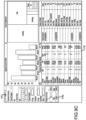
- the user can select the group as a whole by a single click (e.g., as illustrated in FIG. 8 A ) or select only one of the objects/visualizations within the group (i.e., the object/visualization on which the cursor is currently hovering) by a double click (e.g., as illustrated in FIG. 8 B ). That is, the user can select multiple containers and group them together. To access this group function, the user needs to hold on the command button and select the desired containers. The user can then right mouse click to access the drop down menu 514 illustrated in FIG. 8 C , which includes a group option 514 a . When the user clicks on the group option 514 a , the selected containers will be grouped.
- the method and system also allows a user to layer objects/visualizations. That is, if a user wants to add an object/visualization on top of another object, then the objects/visualizations will be layered and auto-grouped. When layered, the lower layers may still be visible, depending on the size of the containers and the degree of transparency of the higher layer.
- the container 502 b including the pie chart is layered with a container 502 f including a graph.
- the relative position of objects/visualizations can be set in a format panel 516 .
- the format panel 516 includes an option 516 a for defining the position and size of a selected container.
- the user has selected a data container 518 displaying “Employee Expense Ranking.”
- the user can define the position of the container by setting X and Y axis coordinates and the use can define the size of the container by setting a width and height of the container.
- the user can right-mouse-click on the top-most object/layer (e.g., in FIG. 9 A the container 502 b including the pie chart is the top-most layer) to trigger a context menu 508 as illustrated in FIG. 9 B .
- the context menu 508 includes a “Select Layer” option 510 .
- the user selects the “Select Layer” option 510 , a list 512 of layered objects is provided and the user can select one of the layered objects/visualizations from the list 512 .
- multiple containers are overlapped, there is chance that some containers cannot be easily selected.
- the user can pick the lower layers and do further manipulations (e.g., add data, format the container, etc.).
- the hidden object will be anchored (i.e., selected) and illustrated as transparent.
- the dossier creation method and system in accordance with certain exemplary embodiments of the present invention, is responsive across different platforms. That is, if a user creates a dossier on a first platform having a first format/size (e.g., on a desktop or laptop computer), the dossier, when viewed on a second platform having a second format/size (e.g., a tablet device, handheld device or mobile telephone, etc.), will be automatically formatted to the format/size of the second platform for easy and proper viewing.
- a first format/size e.g., on a desktop or laptop computer
- a second platform having a second format/size e.g., a tablet device, handheld device or mobile telephone, etc.
- FIG. 10 illustrates a side-by-side comparison of a dossier formatted and displayed on two different platforms having different dimensions.
- the first dossier 1002 is displayed on, for example, a laptop or desktop computer on which the dossier was designed.
- the first dossier 1002 includes a plurality of objects/visualizations arranged horizontally or in an array.
- the second dossier 1004 is displayed on, for example, a tablet, mobile telephone or other handheld device.
- the second dossier 1004 is identical to the first dossier 1002 except that it has been automatically formatted to fit the dimensions of the second platform.
- the objects/visualizations in the second dossier 1004 are arranged vertically.
- the manner in which the objects/visualizations are reformatted and arranged on the second platform are determined by one or more of the following exemplary formatting rules. For example, if there is no group relationship between the containers (objects/visualizations) in the dossier, then the system will treat each container as one separate bounding box and display the containers one by one. As long as there is overlap between multiple containers and 100% of the area of the smaller container is overlapped in the larger container, then the system will maintain the overlap relationship on the responsive view. This is evident in FIG. 10 . FIG. 11 further illustrates this concept. FIG. 11 illustrates the first dossier 1002 and the second dossier 1004 , of FIG. 10 , in a simplified format in accordance with the responsive view feature of the present invention.
- each data container (object/visualization) is a separate container and the dossier does not include any groupings.
- the data containers 1 , 2 , 3 and 4 are arranged in an array in the original dossier 1002
- the data containers 1 , 2 , 3 and 4 are arranged in a vertical stack when the dossier 1004 is displayed on the second platform, which has smaller dimensions than the first platform.
- the container should be the first container when vertically stacked in the dossier 1004 and the order should be container 1 , container 4 , container 2 and container 3 .
- the system places the containers in the vertical stack from left to right and then from top to bottom from the top-left corner.
- containers that are grouped are treated differently than the single containers, as discussed with respect to FIGS. 10 and 11 . That is, if two or more containers overlap in area more than 50% of the area of the smallest container, then the containers will be treated as one group. If the multiple containers are grouped, then they are treated as one bounding box, including any spacing area between the grouped containers, and are formatted to the dimensions of the second, smaller, platform by width ratio.
- FIG. 12 illustrates a simplified, side-by-side comparison of a dossier 1202 displayed on a first platform (e.g., a desktop or laptop computer) and the same dossier 1204 formatted and displayed on a second platform (e.g., a mobile telephone or other handheld device) in accordance with the responsive view feature of the present invention.
- the objects/visualizations are merely illustrated as four data containers numbered 1 , 2 , 3 and 4 .
- the four data containers 1 , 2 , 3 and 4 are arranged in an initial array.
- the data containers 1 , 2 and 3 are grouped and contained within a group bounding box 1206 .
- the data containers 1 , 2 , 3 and 4 are arranged in a vertical stack when the dossier 1204 is displayed on the second platform, which has smaller dimensions than the first platform.
- the grouped data containers 1 , 2 and 3 maintain their grouped arrangement in the dossier 1204 on the second platform, and the non-grouped data container 4 is stacked, vertically below the grouped data containers 1 , 2 and 3 .
- the width of the data containers 1 , 2 and 3 is reduced such that the group containers can be properly fit to the smaller display of the second platform while maintaining their grouping.
- the dossier 1202 in FIG. 13 includes a single data container including an image 1214 , a single data container including a text image 1212 , a single data container including a ring chart 120 and a group of data containers 1208 including a first KPI 1208 a , a second KPI 1208 b and a graph 1208 c .
- the single containers are all stacked vertically.
- the group of data containers 1208 are maintained as a group and the first KPI 1208 a , the second KPI 1208 b and the graph 1208 c in the group 1208 maintain their relative positions.
- the width of the containers in the group 1208 is reduced to fit the dimensions of the second platform.
- a “fit to content height” rule is applied inside the bounding group and the bounding box height is expanded correspondingly to fully display the content of the data container(s) while fitting the dossier to the dimensions of the second platform. That is, as is illustrated in FIG. 14 , the text, image and KPI objects/containers are grouped into a data container group 1402 in the first platform 1404 (e.g., desktop computer). In the platforms having smaller dimensions (e.g., laptop computer 1406 and mobile telephone 1408 ), the grouping is maintained.
- the height of the bounding box for the group 1402 is increased to accommodate all of the data containers in the group 1402 while also fitting to the dimensions of the smaller platforms (e.g., laptop computer 1406 and mobile telephone 1408 ). More specifically, if there are two containers in the same row and they are extended to a different height, the height of the shorter of the data containers is enlarged to match the height of the taller of the data containers so that the data containers can be maintained in a same row of the dossier.
- the system allows a user to double tap a container or group of containers to maximize the containers, as illustrated in FIG. 15 .
- the containers 1 , 2 and 3 are grouped as a group container.
- the group container will adapt to a full screen mode, with more space to display content and data. If the containers are not in a group, the double tap will only maximize the single container.
- the user can continue to double tap on one container in the group maximize mode to view the maximized visualization. For example, in the case illustrated in FIG. 14 , there is a nested group having data containers 1 , 2 , 3 and 4 .
- Data containers 1 , 2 and 3 are contained in a group and data container 4 is a single container.
- the system will only maximize container 4 .
- the system will treat them as one bounding box and maximize the group.
- the method and system of the present invention uses one or more formatting rules for formatting a dossier created on a first platform (e.g., a desktop computer) to fit on a second platform (e.g., a mobile telephone).
- a dossier 1602 was created on a desktop computer.
- the dossier includes a plurality of containers 1604 arranged in an array selected by the dossier author.
- the dossier 1604 has the same layout and arrangement of containers 1604 , but the aspect ratio is adjusted.
- the aspect ratio in the dossier 1604 on the tablet device is set at 1024*768.
- the heights of the containers can be adjusted, with a maximum height of any one container being 0.8H, where H is the height of the device display.
- H is the height of the device display.
- the containers 1604 are placed one-by-one vertically, according to their position in the original dossier 1602 from left to right and top to bottom.
- the dimensions (e.g., width) of the data containers is adjusted to fit the dimensions of the display 1610 of the hand-held mobile device.
- not all of the data containers in the vertical stack may be displayed at a same time due to the dimensions of the hand-held mobile device. For example, in FIG.
- the method and system of the present invention applies specific formatting rules for each visualization content type.
- the specific rules are designed to ensure that all content types are sufficiently readable when a dossier is read on, for example, a hand-held mobile device.
- the dossier 1702 illustrated in FIG. 17 includes a first data container 1704 including text and a second data container 1706 including some other form of content/visualization.
- the general mapping rule described above is followed such that the data containers 1704 and 1706 are stacked vertically.
- the text 1705 or container 1704 must then be adjusted. For example, if the height of the container ( 1708 a ) after mapping is shorter than the height of the paragraph of text, then the height of the paragraph of text is used and the height of the data container is adjusted to meet the height of the paragraph of text.
- the container height ( 1708 b ) after mapping is higher than the height of the paragraph of text
- the height of the data container is adjusted to meet the height of the paragraph of text. Furthermore, if it is possible to display all of the text within the container, then the container height is set as the height of the paragraph of text plus a padding space above and below the paragraph of text. Alternatively, if the height of the paragraph excess 0.8H, then not all of the text will be initially displayed and the user will need to scroll on the display of the hand-held mobile device to view all of the text.
- a user can select either a “fit to container option” or a “fill container option.”
- the “fit to container option” or a “fill container option” may be selected by the user in a drop down menu in the original dossier.
- FIG. 18 illustrates the “fit to container option.” Indeed, as is illustrated in FIG. 18 , the “MicroStrategy” image 1806 is included in a top container 1804 in the dossier 1802 .
- the general container mapping rules are applied and the image 1806 is scaled to fit the new container 1812 .
- FIG. 19 illustrates the “fill container option.”
- the data containers 1904 and 1906 in the original dossier 1902 are mapped to the display 1908 on the hand-held device according to the general mapping rule. Then, the image in the image data container 1904 is horizontally and/or vertically cropped to fill the new data container 1910 .
- FIG. 20 illustrates an example of a dossier 2002 having a first data container 2004 and a second data container 2006 .
- the first data container 2004 includes a KPI widget 2008 .
- the general mapping rule is applied.
- the vertical space of the KPI widget 2008 is then reduced to fit the content of the KPI widget 2008 to the new data container 2012 . If, after the KPI widget 2008 is resized, the width of the container is not sufficient to display all of the text in the KPI widget 2008 , then the system will resize the font size to display the entire KPI widget 2008 .
- the present invention provides a report building system and method for business analytics that maintains responsiveness, can accommodate constantly updating data while increasing user flexibility in layout design.
- the desktop designed dossiers can be easily converted, automatically, to fit and be properly viewed on another platform (e.g., on a smaller display screen of a mobile telephone) in an easy, flexible and responsive manner.
- the designer merely needs to design the dossier on a desktop computer and the same dossier can then be properly displayed across all platforms without any additional work by the designer.
- the system (and method) of the present invention would all of the responsive views to fit all other platforms.
Landscapes
- Engineering & Computer Science (AREA)
- Theoretical Computer Science (AREA)
- Physics & Mathematics (AREA)
- General Physics & Mathematics (AREA)
- General Engineering & Computer Science (AREA)
- Databases & Information Systems (AREA)
- Artificial Intelligence (AREA)
- Audiology, Speech & Language Pathology (AREA)
- Computational Linguistics (AREA)
- General Health & Medical Sciences (AREA)
- Health & Medical Sciences (AREA)
- Data Mining & Analysis (AREA)
- User Interface Of Digital Computer (AREA)
- Information Retrieval, Db Structures And Fs Structures Therefor (AREA)
Abstract
Description
Claims (17)
Priority Applications (1)
| Application Number | Priority Date | Filing Date | Title |
|---|---|---|---|
| US16/985,412 US11803689B2 (en) | 2020-08-05 | 2020-08-05 | System and method for dossier creation with responsive view handling for free-form layout |
Applications Claiming Priority (1)
| Application Number | Priority Date | Filing Date | Title |
|---|---|---|---|
| US16/985,412 US11803689B2 (en) | 2020-08-05 | 2020-08-05 | System and method for dossier creation with responsive view handling for free-form layout |
Publications (2)
| Publication Number | Publication Date |
|---|---|
| US20220043960A1 US20220043960A1 (en) | 2022-02-10 |
| US11803689B2 true US11803689B2 (en) | 2023-10-31 |
Family
ID=80115189
Family Applications (1)
| Application Number | Title | Priority Date | Filing Date |
|---|---|---|---|
| US16/985,412 Active US11803689B2 (en) | 2020-08-05 | 2020-08-05 | System and method for dossier creation with responsive view handling for free-form layout |
Country Status (1)
| Country | Link |
|---|---|
| US (1) | US11803689B2 (en) |
Families Citing this family (2)
| Publication number | Priority date | Publication date | Assignee | Title |
|---|---|---|---|---|
| IL308026B2 (en) * | 2021-05-28 | 2026-04-01 | Imply Data Inc | Dynamic query engine for data visualization |
| US20240402891A1 (en) * | 2023-06-05 | 2024-12-05 | Apple Inc. | Techniques for placing user interface objects |
Citations (36)
| Publication number | Priority date | Publication date | Assignee | Title |
|---|---|---|---|---|
| US20040225962A1 (en) * | 2003-03-12 | 2004-11-11 | Seiko Epson Corporation | Layout system, layout program, and layout method |
| US20080109740A1 (en) * | 2006-11-03 | 2008-05-08 | Business Objects, S.A. | Apparatus and method for displaying a variety of visualizations linked to one or more data source queries |
| US20090089660A1 (en) * | 2007-10-01 | 2009-04-02 | Atkins C Brian | Arranging graphic objects on a page with relative position based control |
| US20090183080A1 (en) * | 2008-01-14 | 2009-07-16 | Microsoft Corporation | Techniques to automatically manage overlapping objects |
| US20090210820A1 (en) * | 2006-05-11 | 2009-08-20 | Takao Adachi | Display object layout changing device |
| US20110074710A1 (en) * | 2009-09-25 | 2011-03-31 | Christopher Douglas Weeldreyer | Device, Method, and Graphical User Interface for Manipulating User Interface Objects |
| US20130019175A1 (en) * | 2011-07-14 | 2013-01-17 | Microsoft Corporation | Submenus for context based menu system |
| US20130024757A1 (en) * | 2011-07-21 | 2013-01-24 | Flipboard, Inc. | Template-Based Page Layout for Hosted Social Magazines |
| US8539342B1 (en) * | 2008-10-16 | 2013-09-17 | Adobe Systems Incorporated | Read-order inference via content sorting |
| US20130259377A1 (en) * | 2012-03-30 | 2013-10-03 | Nuance Communications, Inc. | Conversion of a document of captured images into a format for optimized display on a mobile device |
| US20130305145A1 (en) * | 2012-05-09 | 2013-11-14 | Ni Group Limited | A Method of Publishing Digital Content |
| US20130332869A1 (en) * | 2012-06-06 | 2013-12-12 | Ken Ferry | Graphical user interface layout |
| US20140071168A1 (en) * | 2012-09-13 | 2014-03-13 | Carl Fredrik Alexander BERGLUND | Method for automatically generating presentation slides containing picture elements |
| US20140157165A1 (en) * | 2012-12-04 | 2014-06-05 | Timo Hoyer | Electronic worksheet with reference-specific data display |
| US20140208191A1 (en) * | 2013-01-18 | 2014-07-24 | Microsoft Corporation | Grouping Fixed Format Document Elements to Preserve Graphical Data Semantics After Reflow |
| US20150074516A1 (en) * | 2013-09-12 | 2015-03-12 | Wixpress Ltd. | System and method for automated conversion of interactive sites and applications to support mobile and other display environments |
| US20150154164A1 (en) * | 2013-09-12 | 2015-06-04 | Wix.Com Ltd. | System for comparison and merging of versions in edited websites and interactive applications |
| US20150153918A1 (en) * | 2013-12-04 | 2015-06-04 | General Electric Company | System and method for dashboard software maintained by an end user |
| US20150248781A1 (en) * | 2014-03-03 | 2015-09-03 | The Boeing Company | Automatic window placement |
| US20150310124A1 (en) * | 2014-04-29 | 2015-10-29 | Wix.Com Ltd. | System and method for the creation and use of visually-diverse high-quality dynamic layouts |
| US20150347432A1 (en) * | 2014-06-03 | 2015-12-03 | Go Daddy Operating Company, LLC | System and methods for auto-aligning website elements |
| US20160048305A1 (en) * | 2014-08-14 | 2016-02-18 | Microsoft Corporation | Group-Based User Interface Rearrangement |
| US20160239163A1 (en) * | 2015-02-17 | 2016-08-18 | Microsoft Technology Licensing, Llc | Control of Item Arrangement in a User Interface |
| US20160292134A1 (en) * | 2015-04-02 | 2016-10-06 | Apple Inc. | Rearranging Layouts for Different Displays |
| US20160335740A1 (en) * | 2015-05-15 | 2016-11-17 | Sap Se | Zoomable web-based wall with natural user interface |
| US20160364398A1 (en) * | 2015-06-10 | 2016-12-15 | Undelay Inc. | Generation and dynamic serving of device-dependent web content |
| US20170235706A1 (en) * | 2016-02-12 | 2017-08-17 | Microsoft Technology Licensing, Llc | Effecting multi-step operations in an application in response to direct manipulation of a selected object |
| US20180004401A1 (en) * | 2016-06-29 | 2018-01-04 | Adobe Systems Incorporated | Objects Alignment and Distribution Layout |
| US20180088783A1 (en) * | 2016-09-28 | 2018-03-29 | Rockwell Automation Technologies, Inc. | System and method for previewing a dashboard display on various form factors |
| US20180218523A1 (en) * | 2017-01-27 | 2018-08-02 | Adobe Systems Incorporated | Snapping Line Generation |
| US20190005694A1 (en) * | 2017-06-29 | 2019-01-03 | Salesforce.Com, Inc. | Presentation Collaboration with Various Electronic Devices |
| US20190304060A1 (en) * | 2018-03-29 | 2019-10-03 | Owned Outcomes Inc. | System and method for scaling content across multiple form factors |
| US20190317980A1 (en) * | 2018-04-17 | 2019-10-17 | Adobe Inc. | Glyph Aware Snapping |
| US20190332861A1 (en) * | 2018-04-25 | 2019-10-31 | Adobe Inc. | Digital Content Automated Layout System |
| US20200089397A1 (en) * | 2018-09-18 | 2020-03-19 | Salesforce.Com, Inc. | Slide grid snapping and comment anywhere for presentation slides in a cloud collaboration platform |
| US20200160572A1 (en) * | 2018-11-16 | 2020-05-21 | Cimpress Schweiz Gmbh | Technology for managing graphic design using metadata relationships |
-
2020
- 2020-08-05 US US16/985,412 patent/US11803689B2/en active Active
Patent Citations (36)
| Publication number | Priority date | Publication date | Assignee | Title |
|---|---|---|---|---|
| US20040225962A1 (en) * | 2003-03-12 | 2004-11-11 | Seiko Epson Corporation | Layout system, layout program, and layout method |
| US20090210820A1 (en) * | 2006-05-11 | 2009-08-20 | Takao Adachi | Display object layout changing device |
| US20080109740A1 (en) * | 2006-11-03 | 2008-05-08 | Business Objects, S.A. | Apparatus and method for displaying a variety of visualizations linked to one or more data source queries |
| US20090089660A1 (en) * | 2007-10-01 | 2009-04-02 | Atkins C Brian | Arranging graphic objects on a page with relative position based control |
| US20090183080A1 (en) * | 2008-01-14 | 2009-07-16 | Microsoft Corporation | Techniques to automatically manage overlapping objects |
| US8539342B1 (en) * | 2008-10-16 | 2013-09-17 | Adobe Systems Incorporated | Read-order inference via content sorting |
| US20110074710A1 (en) * | 2009-09-25 | 2011-03-31 | Christopher Douglas Weeldreyer | Device, Method, and Graphical User Interface for Manipulating User Interface Objects |
| US20130019175A1 (en) * | 2011-07-14 | 2013-01-17 | Microsoft Corporation | Submenus for context based menu system |
| US20130024757A1 (en) * | 2011-07-21 | 2013-01-24 | Flipboard, Inc. | Template-Based Page Layout for Hosted Social Magazines |
| US20130259377A1 (en) * | 2012-03-30 | 2013-10-03 | Nuance Communications, Inc. | Conversion of a document of captured images into a format for optimized display on a mobile device |
| US20130305145A1 (en) * | 2012-05-09 | 2013-11-14 | Ni Group Limited | A Method of Publishing Digital Content |
| US20130332869A1 (en) * | 2012-06-06 | 2013-12-12 | Ken Ferry | Graphical user interface layout |
| US20140071168A1 (en) * | 2012-09-13 | 2014-03-13 | Carl Fredrik Alexander BERGLUND | Method for automatically generating presentation slides containing picture elements |
| US20140157165A1 (en) * | 2012-12-04 | 2014-06-05 | Timo Hoyer | Electronic worksheet with reference-specific data display |
| US20140208191A1 (en) * | 2013-01-18 | 2014-07-24 | Microsoft Corporation | Grouping Fixed Format Document Elements to Preserve Graphical Data Semantics After Reflow |
| US20150074516A1 (en) * | 2013-09-12 | 2015-03-12 | Wixpress Ltd. | System and method for automated conversion of interactive sites and applications to support mobile and other display environments |
| US20150154164A1 (en) * | 2013-09-12 | 2015-06-04 | Wix.Com Ltd. | System for comparison and merging of versions in edited websites and interactive applications |
| US20150153918A1 (en) * | 2013-12-04 | 2015-06-04 | General Electric Company | System and method for dashboard software maintained by an end user |
| US20150248781A1 (en) * | 2014-03-03 | 2015-09-03 | The Boeing Company | Automatic window placement |
| US20150310124A1 (en) * | 2014-04-29 | 2015-10-29 | Wix.Com Ltd. | System and method for the creation and use of visually-diverse high-quality dynamic layouts |
| US20150347432A1 (en) * | 2014-06-03 | 2015-12-03 | Go Daddy Operating Company, LLC | System and methods for auto-aligning website elements |
| US20160048305A1 (en) * | 2014-08-14 | 2016-02-18 | Microsoft Corporation | Group-Based User Interface Rearrangement |
| US20160239163A1 (en) * | 2015-02-17 | 2016-08-18 | Microsoft Technology Licensing, Llc | Control of Item Arrangement in a User Interface |
| US20160292134A1 (en) * | 2015-04-02 | 2016-10-06 | Apple Inc. | Rearranging Layouts for Different Displays |
| US20160335740A1 (en) * | 2015-05-15 | 2016-11-17 | Sap Se | Zoomable web-based wall with natural user interface |
| US20160364398A1 (en) * | 2015-06-10 | 2016-12-15 | Undelay Inc. | Generation and dynamic serving of device-dependent web content |
| US20170235706A1 (en) * | 2016-02-12 | 2017-08-17 | Microsoft Technology Licensing, Llc | Effecting multi-step operations in an application in response to direct manipulation of a selected object |
| US20180004401A1 (en) * | 2016-06-29 | 2018-01-04 | Adobe Systems Incorporated | Objects Alignment and Distribution Layout |
| US20180088783A1 (en) * | 2016-09-28 | 2018-03-29 | Rockwell Automation Technologies, Inc. | System and method for previewing a dashboard display on various form factors |
| US20180218523A1 (en) * | 2017-01-27 | 2018-08-02 | Adobe Systems Incorporated | Snapping Line Generation |
| US20190005694A1 (en) * | 2017-06-29 | 2019-01-03 | Salesforce.Com, Inc. | Presentation Collaboration with Various Electronic Devices |
| US20190304060A1 (en) * | 2018-03-29 | 2019-10-03 | Owned Outcomes Inc. | System and method for scaling content across multiple form factors |
| US20190317980A1 (en) * | 2018-04-17 | 2019-10-17 | Adobe Inc. | Glyph Aware Snapping |
| US20190332861A1 (en) * | 2018-04-25 | 2019-10-31 | Adobe Inc. | Digital Content Automated Layout System |
| US20200089397A1 (en) * | 2018-09-18 | 2020-03-19 | Salesforce.Com, Inc. | Slide grid snapping and comment anywhere for presentation slides in a cloud collaboration platform |
| US20200160572A1 (en) * | 2018-11-16 | 2020-05-21 | Cimpress Schweiz Gmbh | Technology for managing graphic design using metadata relationships |
Non-Patent Citations (1)
| Title |
|---|
| Bridget Winds Cogley, "Tips for creating mobile dashboards with new automatic layouts for Tableau" (May 20, 2019), Tableau, Resources, https://www.tableau.eom/about/blog/2019/5/tips-creating-mobile-dashboards-new-automatic-layouts-tableau-107490, Accessed Dec. 22, 2020 (Year: 2019). * |
Also Published As
| Publication number | Publication date |
|---|---|
| US20220043960A1 (en) | 2022-02-10 |
Similar Documents
| Publication | Publication Date | Title |
|---|---|---|
| US11847299B2 (en) | Building a view of a dataset incrementally according to data types of user-selected data fields | |
| US12488052B2 (en) | System and method for visually analyzing row-level calculations for data visualizations across multiple data tables including displaying separate tabs for the row-level calculations and visual data marks summary | |
| US5742836A (en) | Graphical programming system and methods with user interface | |
| US8874502B2 (en) | Real time datamining | |
| US12169504B2 (en) | Data analysis and visualization using structured data tables and nodal networks | |
| US10445417B2 (en) | Entry of values into multiple fields of a form using touch screens | |
| US20250335471A1 (en) | Data analysis and visualization using structured data tables and nodal networks | |
| US20140181134A1 (en) | Push-down of authority check within query engine | |
| US11315061B2 (en) | System and method for dossier creation with responsive visualization | |
| US11803689B2 (en) | System and method for dossier creation with responsive view handling for free-form layout | |
| US20240412009A1 (en) | Using Semantic Models Determined based on Data Source and Context in a Natural Language Interface for Visual Data Analysis | |
| US12141175B2 (en) | System and method for dossier creation with free-form layout | |
| US9031900B2 (en) | System and methods for integrating software layers for OLAP | |
| US8280896B2 (en) | Reporting row structure for generating reports using focus areas | |
| US12189664B2 (en) | Using an object model to view data associated with data marks in a data visualization | |
| US12216646B2 (en) | Data retreival framework and use thereof | |
| US20210271538A1 (en) | System and method for dossier creation with attribute and metric selectors | |
| GB2231420A (en) | Insurance rating | |
| US20210333951A1 (en) | System and method for dossier creation with linking dossiers and context passing | |
| US20020078021A1 (en) | Method and system for organizing information into visually distinct groups based on user input | |
| US12554705B2 (en) | User interface models providing dynamic analytical capability | |
| US8370327B2 (en) | Book of business mechanism | |
| CA2709507A1 (en) | System and method for visualizing multi-dimensional data using shape attributes | |
| WO2024123356A1 (en) | Computing technologies for benchmarking |
Legal Events
| Date | Code | Title | Description |
|---|---|---|---|
| FEPP | Fee payment procedure |
Free format text: ENTITY STATUS SET TO UNDISCOUNTED (ORIGINAL EVENT CODE: BIG.); ENTITY STATUS OF PATENT OWNER: LARGE ENTITY |
|
| AS | Assignment |
Owner name: MICROSTRATEGY INCORPORATED, VIRGINIA Free format text: ASSIGNMENT OF ASSIGNORS INTEREST;ASSIGNORS:JIANG, WEI;GUAN, MENGYUAN;ZHANG, YIQI;REEL/FRAME:053466/0001 Effective date: 20200804 |
|
| AS | Assignment |
Owner name: U.S. BANK NATIONAL ASSOCIATION, AS COLLATERAL AGENT, MASSACHUSETTS Free format text: SECURITY INTEREST;ASSIGNOR:MICROSTRATEGY INCORPORATED;REEL/FRAME:056647/0687 Effective date: 20210614 |
|
| STPP | Information on status: patent application and granting procedure in general |
Free format text: RESPONSE TO NON-FINAL OFFICE ACTION ENTERED AND FORWARDED TO EXAMINER |
|
| STPP | Information on status: patent application and granting procedure in general |
Free format text: FINAL REJECTION MAILED |
|
| STPP | Information on status: patent application and granting procedure in general |
Free format text: ADVISORY ACTION MAILED |
|
| STPP | Information on status: patent application and granting procedure in general |
Free format text: NON FINAL ACTION MAILED |
|
| STPP | Information on status: patent application and granting procedure in general |
Free format text: RESPONSE TO NON-FINAL OFFICE ACTION ENTERED AND FORWARDED TO EXAMINER |
|
| STPP | Information on status: patent application and granting procedure in general |
Free format text: NOTICE OF ALLOWANCE MAILED -- APPLICATION RECEIVED IN OFFICE OF PUBLICATIONS |
|
| STPP | Information on status: patent application and granting procedure in general |
Free format text: PUBLICATIONS -- ISSUE FEE PAYMENT VERIFIED |
|
| STCF | Information on status: patent grant |
Free format text: PATENTED CASE |
|
| AS | Assignment |
Owner name: MICROSTRATEGY SERVICES CORPORATION, VIRGINIA Free format text: TERMINATION AND RELEASE OF PATENT SECURITY AGREEMENT AT REEL/FRAME: 056647/0687, REEL/FRAME: 057435/0023, REEL/FRAME: 059256/0247, REEL/FRAME: 062794/0255 AND REEL/FRAME: 066663/0713;ASSIGNOR:U.S. BANK TRUST COMPANY, NATIONAL ASSOCIATION, AS SUCCESSOR IN INTEREST TO U.S. BANK NATIONAL ASSOCIATION, IN ITS CAPACITY AS COLLATERAL AGENT FOR THE SECURED PARTIES;REEL/FRAME:069065/0539 Effective date: 20240926 Owner name: MICROSTRATEGY INCORPORATED, VIRGINIA Free format text: TERMINATION AND RELEASE OF PATENT SECURITY AGREEMENT AT REEL/FRAME: 056647/0687, REEL/FRAME: 057435/0023, REEL/FRAME: 059256/0247, REEL/FRAME: 062794/0255 AND REEL/FRAME: 066663/0713;ASSIGNOR:U.S. BANK TRUST COMPANY, NATIONAL ASSOCIATION, AS SUCCESSOR IN INTEREST TO U.S. BANK NATIONAL ASSOCIATION, IN ITS CAPACITY AS COLLATERAL AGENT FOR THE SECURED PARTIES;REEL/FRAME:069065/0539 Effective date: 20240926 |