US10713422B2 - Method of editing document in mobile terminal and mobile terminal using the same - Google Patents
Method of editing document in mobile terminal and mobile terminal using the same Download PDFInfo
- Publication number
- US10713422B2 US10713422B2 US14/523,699 US201414523699A US10713422B2 US 10713422 B2 US10713422 B2 US 10713422B2 US 201414523699 A US201414523699 A US 201414523699A US 10713422 B2 US10713422 B2 US 10713422B2
- Authority
- US
- United States
- Prior art keywords
- data
- input
- control unit
- sensed
- attached
- Prior art date
- Legal status (The legal status is an assumption and is not a legal conclusion. Google has not performed a legal analysis and makes no representation as to the accuracy of the status listed.)
- Active, expires
Links
Images




Classifications
-
- G—PHYSICS
- G06—COMPUTING OR CALCULATING; COUNTING
- G06F—ELECTRIC DIGITAL DATA PROCESSING
- G06F3/00—Input arrangements for transferring data to be processed into a form capable of being handled by the computer; Output arrangements for transferring data from processing unit to output unit, e.g. interface arrangements
-
- G—PHYSICS
- G06—COMPUTING OR CALCULATING; COUNTING
- G06F—ELECTRIC DIGITAL DATA PROCESSING
- G06F40/00—Handling natural language data
- G06F40/10—Text processing
- G06F40/166—Editing, e.g. inserting or deleting
-
- G—PHYSICS
- G06—COMPUTING OR CALCULATING; COUNTING
- G06F—ELECTRIC DIGITAL DATA PROCESSING
- G06F3/00—Input arrangements for transferring data to be processed into a form capable of being handled by the computer; Output arrangements for transferring data from processing unit to output unit, e.g. interface arrangements
- G06F3/01—Input arrangements or combined input and output arrangements for interaction between user and computer
- G06F3/048—Interaction techniques based on graphical user interfaces [GUI]
- G06F3/0487—Interaction techniques based on graphical user interfaces [GUI] using specific features provided by the input device, e.g. functions controlled by the rotation of a mouse with dual sensing arrangements, or of the nature of the input device, e.g. tap gestures based on pressure sensed by a digitiser
- G06F3/0488—Interaction techniques based on graphical user interfaces [GUI] using specific features provided by the input device, e.g. functions controlled by the rotation of a mouse with dual sensing arrangements, or of the nature of the input device, e.g. tap gestures based on pressure sensed by a digitiser using a touch-screen or digitiser, e.g. input of commands through traced gestures
-
- G—PHYSICS
- G06—COMPUTING OR CALCULATING; COUNTING
- G06F—ELECTRIC DIGITAL DATA PROCESSING
- G06F3/00—Input arrangements for transferring data to be processed into a form capable of being handled by the computer; Output arrangements for transferring data from processing unit to output unit, e.g. interface arrangements
- G06F3/01—Input arrangements or combined input and output arrangements for interaction between user and computer
- G06F3/048—Interaction techniques based on graphical user interfaces [GUI]
- G06F3/0484—Interaction techniques based on graphical user interfaces [GUI] for the control of specific functions or operations, e.g. selecting or manipulating an object, an image or a displayed text element, setting a parameter value or selecting a range
-
- G—PHYSICS
- G06—COMPUTING OR CALCULATING; COUNTING
- G06F—ELECTRIC DIGITAL DATA PROCESSING
- G06F3/00—Input arrangements for transferring data to be processed into a form capable of being handled by the computer; Output arrangements for transferring data from processing unit to output unit, e.g. interface arrangements
- G06F3/01—Input arrangements or combined input and output arrangements for interaction between user and computer
- G06F3/048—Interaction techniques based on graphical user interfaces [GUI]
- G06F3/0487—Interaction techniques based on graphical user interfaces [GUI] using specific features provided by the input device, e.g. functions controlled by the rotation of a mouse with dual sensing arrangements, or of the nature of the input device, e.g. tap gestures based on pressure sensed by a digitiser
- G06F3/0488—Interaction techniques based on graphical user interfaces [GUI] using specific features provided by the input device, e.g. functions controlled by the rotation of a mouse with dual sensing arrangements, or of the nature of the input device, e.g. tap gestures based on pressure sensed by a digitiser using a touch-screen or digitiser, e.g. input of commands through traced gestures
- G06F3/04883—Interaction techniques based on graphical user interfaces [GUI] using specific features provided by the input device, e.g. functions controlled by the rotation of a mouse with dual sensing arrangements, or of the nature of the input device, e.g. tap gestures based on pressure sensed by a digitiser using a touch-screen or digitiser, e.g. input of commands through traced gestures for inputting data by handwriting, e.g. gesture or text
-
- G—PHYSICS
- G06—COMPUTING OR CALCULATING; COUNTING
- G06F—ELECTRIC DIGITAL DATA PROCESSING
- G06F9/00—Arrangements for program control, e.g. control units
- G06F9/06—Arrangements for program control, e.g. control units using stored programs, i.e. using an internal store of processing equipment to receive or retain programs
- G06F9/44—Arrangements for executing specific programs
Definitions
- the present disclosure relates to a method of editing a document in a mobile terminal and a mobile terminal using the same and, more particularly, to a method of editing a document in a mobile terminal and a mobile terminal using the same, wherein data stored in a clipboard is selectively attached in response to a user input.
- Recent mobile terminals have been equipped with complex functions, such as photographing of photographs or moving images, playback of music files or moving image files, gaming, reception of broadcasting, and support of wireless Internet, and have been implemented in the form of complex multimedia players. Accordingly, recent mobile terminals have been developed in a new form from hardware and software viewpoints in order to satisfy user needs and also to enhance portability and convenience.
- a user may demand a function with improved convenience that is capable of selecting desired data in various ways and storing the selected data in a clipboard or selectively attaching the stored data.
- the present disclosure may further provide a method of editing a document in a mobile terminal and a mobile terminal using the same, wherein data is stored in a clipboard and part of the stored data is selectively attached in response to a user input.
- an electronic device includes an input unit for sensing a user input, a memory unit for storing data, a display unit for displaying data, and a control unit for storing data corresponding to a copying event in the memory unit and attaching at least part of the data, corresponding to an input for attaching the data, when the input for attaching the data is sensed through the input unit.
- FIG. 1 is a block diagram of a mobile terminal in accordance with the present disclosure.
- FIG. 2 is a flowchart illustrating a method of editing a document in the mobile terminal in accordance with various embodiments of the present disclosure.
- FIG. 3 is a diagram illustrating an example of data that is copied to a clipboard in accordance with various embodiments of the present disclosure.
- FIGS. 4 to 7 are diagrams illustrating examples in which part of data is attached in accordance with various embodiments of the present disclosure.
- FIG. 8 is a flowchart illustrating a method of editing a document in the mobile terminal in accordance with various embodiments of the present disclosure.
- FIG. 9 is a diagram illustrating an example in which part of data is attached in succession in accordance with one of various embodiments of the present disclosure.
- FIG. 10 is a flowchart illustrating a method of editing a document in the mobile terminal in accordance with various embodiments of the present disclosure.
- FIGS. 11 to 12 are diagrams illustrating examples in which part of data is attached based on the attributes of data in accordance with various embodiments of the present disclosure.
- FIGS. 1 through 12 discussed below, and the various embodiments used to describe the principles of the present disclosure in this patent document are by way of illustration only and should not be construed in any way to limit the scope of the disclosure. Those skilled in the art will understand that the principles of the present disclosure may be implemented in any suitably arranged electronic device. The present embodiment may be applied in order to control a mobile terminal which provides a document editing function.
- the mobile terminal providing the document editing function may include common electronic terminals, such as a smart phone, a portable terminal, a mobile terminal, a Personal Digital Assistant (PDA), a Portable Multimedia Player (PMP) terminal, a note pad, a Wibro terminal, and a tablet PC, and all devices which provide document editing functions.
- common electronic terminals such as a smart phone, a portable terminal, a mobile terminal, a Personal Digital Assistant (PDA), a Portable Multimedia Player (PMP) terminal, a note pad, a Wibro terminal, and a tablet PC, and all devices which provide document editing functions.
- PDA Personal Digital Assistant
- PMP Portable Multimedia Player
- FIG. 1 is a block diagram of a mobile terminal in accordance with the present disclosure.
- the mobile terminal 100 in accordance with the present disclosure may be configured to include an input unit 110 , a control unit 120 , a memory unit 130 , and a display unit 140 .
- the input unit 110 detects a user input and transfers an input signal corresponding to the user input to the control unit 120 .
- the input unit 110 may be configured to include a key pad, a dome switch, a touch pad (resistive/capacitive), a jog wheel, a jog switch, a finger mouse, or a wheel.
- the input unit 110 may be configured to include a touch sensor, a proximity sensor, an electromagnetic sensor, a pressure sensor, and so on.
- the input unit 110 can sense a user's touch input or proximity input through a sensor.
- the input unit 110 may be configured as an input pad in which a sensor is attached to a pad in a film form or a sensor is combined with a pad in a panel form.
- the input unit 110 may be configured as an input pad which uses an Electro Magnetic Resonance (EMR) method or an Electro Magnetic Interference (EMI) method using an electromagnetic sensor.
- EMR Electro Magnetic Resonance
- EMI Electro Magnetic Interference
- the input unit 110 may form a layer structure together with the display unit 140 and operate as an input screen.
- the input unit 110 may include an input pad equipped with a touch sensor and may be configured as a Touch Screen Panel (TSP) combined with the display unit 140 .
- TSP Touch Screen Panel
- the input unit 110 that forms a layer structure with the display unit 140 may also be called a touch screen.
- the input unit 110 can sense a user input for writing and editing a document. More particularly, the input unit 110 can sense an input for copying data that forms a document or an input for attaching data to a document.
- the control unit 120 can control the elements in order to perform the overall operation of the mobile terminal 100 .
- the control unit 120 can control the elements so that the elements perform operations related to the display, writing, and editing of a document through an application, a program, service, etc., which provide a document viewer or a document editing function.
- control unit 120 can store data, corresponding to a copying event, in the memory unit 130 when the copying event is sensed. Furthermore, the control unit 120 can attach data, stored in the memory unit 130 , to a document when an attachment input is sensed. Here, the control unit 120 may attach only part of data, corresponding to the attachment input, to the document. Furthermore, the control unit 120 can delete part of the attached data from the stored data. When an additional input for attachment is sensed, the control unit 120 may successively attach data from which part of the attached data has already been removed to the document.
- control unit 120 The operation of the control unit 120 is described in more detail later.
- the memory unit 130 can store programs or commands for the mobile terminal 100 .
- the control unit 120 can perform programs or commands stored in the memory unit 130 .
- the memory unit 130 may include at least one of various storage media, such as a flash memory type, a hard disk type, a multimedia card micro type, card type memory (e.g., SD or XD memory), Random Access Memory (RAM), Static Random Access Memory (SRAM), Read-Only Memory (ROM), Electrically Erasable Programmable Read-Only Memory (EEPROM), Programmable Read-Only Memory (PROM), magnetic memory, a magnetic disk, and an optical disk.
- various storage media such as a flash memory type, a hard disk type, a multimedia card micro type, card type memory (e.g., SD or XD memory), Random Access Memory (RAM), Static Random Access Memory (SRAM), Read-Only Memory (ROM), Electrically Erasable Programmable Read-Only Memory (EEPROM), Programmable Read-Only Memory (PROM), magnetic memory, a magnetic disk, and an optical disk.
- the memory unit 130 can store one or more data corresponding to a copying event.
- the data may be stored in a space of the memory unit 130 , which has been allocated as a clipboard.
- the memory unit 130 can store the one or more data in association with information about the attributes of the data.
- the attributes of the data may include, for example, the alphabet, figures, numbers, and special symbols.
- the display unit 140 displays (or outputs) information processed by the mobile terminal 100 .
- the display unit 140 can display information about a document along with a User Interface (UI) or a Graphic User Interface (GUI) in a document viewer or a document editing mode.
- UI User Interface
- GUI Graphic User Interface
- the display unit 140 may be implemented in the form of a touch screen.
- the touch screen can function to display information and receive a user input for displayed information.
- the touch screen may include a touch panel that is attached to an image display device as an adhesive layer.
- the image display device outputs an image and may include a Liquid Crystal Display (LCD) device, a Plasma Display Panel (PDP), electroluminescence (EL), or a Cathode Ray Tube (CRT).
- the touch panel senses touch coordinates for the hand of a user or the input of an object.
- the touch panel may use various methods, such as a resistive type, a capacitive type, an electromagnetic type, a Surface Acoustic Wave (SAW) type, and an infrared type. If a capacitive type is used in the touch panel, the touch panel can sense an input using an electronic pen, including conductive materials or a coil that generates electrostatic induction, in addition to the human body. In an implementation, the touch panel may sense a proximity input within a specific distance of a touch screen.
- FIG. 1 the elements of FIG. 1 are not essential and the mobile terminal 100 including a smaller or larger number of elements may be implemented.
- a document editing method of the mobile terminal 100 in accordance with the present disclosure is described in more detail below.
- FIG. 2 is a flowchart illustrating a method of editing a document in the mobile terminal in accordance with various embodiments of the present disclosure.
- control unit 120 may operate in a document writing mode at operation 210 .
- control unit 120 may control an application, a program, or a service for providing the document writing function.
- the application, program, or service for providing the document writing function may be an application, a program, or a service for providing functions related to a memo pad, a text message, e-mail, SNS service, a diary, and an E-book, for example.
- control unit 120 can sense user inputs for input, editing, and deletion and perform operations corresponding to the user inputs.
- control unit 120 can determine whether or not a copying event is sensed at operation 220 .
- the copying event may be an event for requesting specific data to be temporarily or permanently stored in the memory unit 130 .
- the copying event may be generated in response to an application, program, or service or may be generated in response to a user input.
- the input unit 110 can sense a user input and transfer a control signal, corresponding to the sensed user input, to the control unit 120 .
- the control unit 120 can determine whether or not a user input for copying has been sensed by analyzing the received control signal.
- the user input that generates the copying event may be a long press input, a touch input, a double touch input, a touch & drag input, a hovering input, a copying menu input, or an icon selection input, for example.
- control unit 120 stores data corresponding to the copying event at operation 230 .
- control unit 120 can obtain information about the object to be copied in response to an application or a control signal corresponding to a user input, that is, information about data corresponding to the copying event.
- the data corresponding to the copying event forms a document that is being written, and the data may be the alphabet, an image, etc.
- a user may generate a long press input to the first alphanumeric data of data to be copied and then generate a drag input up to the last letter of the data to be copied.
- the control unit 120 senses the copying event in response to the user input and stores the data corresponding to the event. In the embodiment of FIG. 3 , the control unit 120 can determine that a copying input to letter data reading ‘The US and EU are . . . we will not recognize it”.’ within a document that is being written has occurred.
- the control unit 120 can extract the data corresponding to the copying event and store the extracted data in the memory unit 130 temporarily or permanently.
- the data may be stored in a space of the memory unit 130 which is allocated for a clipboard.
- control unit 120 may temporarily store the letter data ‘The US and EU are . . . we will not recognize it”.’ in the clipboard.
- control unit 120 determines whether or not an attachment input is sensed at operation 240 .
- the input unit 110 can sense a user input, generate a control signal corresponding to the sensed user input, and transfer the control signal to the control unit 120 .
- the control unit 120 can determine whether or not an attachment input has been sensed by analyzing the received control signal.
- the attachment input may be a long press input, a touch input, a double touch input, a touch & drag input, a hovering input, an attachment menu input, or an icon selection input, for example.
- the control unit 120 attaches at least part of the data corresponding to the attachment input at operation 250 .
- the control unit 120 can obtain input attribute information, including information about the position where the attachment input was generated, information about the direction of the attachment input, information about the length of the attachment input, and information about a shape of the attachment input, from an application or a control signal corresponding to a user input. For example, if the attachment input is a touch & drag input, the control unit 20 can obtain information about the position where a touch has occurred and the direction and length of a drag. The control unit 120 can determine the position to which data will be attached and at least part of data to be attached based on the information about the attachment input.
- the control unit 120 attaches at least part of the data, corresponding to the attachment input, to the position where the attachment input was sensed.
- the control unit 120 can extract part of the data to be attached based on input attributes including at least one of the position, direction, length, and shape of the attachment input.
- Part of the data may be part of all alphanumeric data that form the data or part of an image.
- the control unit 120 can attach part of data in a specific unit. For example, if data includes alphabetic data, the control unit 120 can attach part of the data in each letter unit, each letter unit, each sentence unit, or each paragraph unit.
- the control unit 120 may cancel (i.e., delete) part of the attached data in response to an input.
- the control unit 120 may attach some letters corresponding to the length of the input, from among all letters that form data, in a letter unit. For example, referring to FIG. 4 , when an input in the rightward direction is sensed, the control unit 120 may attach at least one letter corresponding to the length of the input, from the data copied in the embodiment of FIG. 3 , to the position where the input was generated.
- the control unit 120 can sequentially attach letters one by one, that is, in single units, while the input moves in the rightward direction. The control unit 120 sequentially attaches letters until the release of the input is sensed. Accordingly, when the input is released, part of data corresponding to the length of the input is attached.
- the control unit 120 may attach some letters corresponding to the length of the input, from among all letters that form data, in a multiple letter unit. For example, referring to FIG. 5 , when an input in a downward direction is sensed, the control unit 120 may attach at least one letter corresponding to the length of the input, from the data copied in the embodiment of FIG. 3 , to the position where the input was generated. Here, the control unit 120 can attach letters in a multiple letter unit while the input moves in the downward direction.
- the multiple unit may include a specific number (that may correspond to the number of bytes or bits) of letters depending on a layout of a document that is being written (e.g., the horizontal/vertical lengths of a document), the input attributes (e.g., a font and a letter size) of a document, and so on.
- the control unit 120 attaches letters in a multiple letter unit until the release of the input is sensed. When the input is released, part of data corresponding to the length of the input is attached.
- the control unit 120 may delete part of attached data corresponding to the input.
- the third direction may be opposite to the first direction or the second direction in which the data was attached.
- the control unit 120 may delete copied data in single letter units as shown in FIG. 6B .
- the control unit 120 may delete copied data in a multiple letter unit.
- control unit 120 may modify part of the data according to the input attributes of the position where part of the data is attached and attach the modified data to the position. For example, the control unit 120 may modify the size, color, and visual effects of a letter or an image based on a font, a letter size, a letter color, letter effects, and a layout at the position where the letter or image will be attached and attach the modified letter or image.
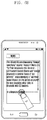
- a user does not attach data to be attached at once, but may selectively attach only a desired part of the data using various inputs. Accordingly, a user can easily modify data to be attached partially. If copied data is attached at once, a user can copy the entire data, move a cursor to the position where data will be modified, and modify a document. If only part of data is selected and attached as in the present disclosure, a user can modify a specific part of a document conveniently by selectively attaching only part of data that does not need to be modified, as shown in FIG. 7 .
- data including letters has been described as an example in connection with the attachment operation, but the data may include an image. If data includes an image, the aforementioned embodiments may be replaced with an operation of attaching a specific region of the image corresponding to a user input.
- control unit 120 can determine whether or not a document writing termination request has occurred at operation 260 .
- the document writing termination request may be generated in response to a user input.
- the document writing termination request may be generated when a menu or icon corresponding to ‘close’, ‘store’, or ‘end’ is selected.
- the control unit 120 determines whether or not the document writing termination request has occurred in response to a control signal received through the input unit 110 .
- control unit 120 terminates the document editing method in accordance with the present disclosure.
- the control unit 120 can perform a corresponding operation, such as the automatic storage of a document or the termination of an application, in response to the document writing termination request.
- control unit 120 If a document writing termination request is not generated, the control unit 120 returns to the document writing mode and repetitively performs the document editing method in accordance with the present disclosure.
- control unit 120 can delete part of data that has been attached from the memory unit 130 in response to a user input. Furthermore, when a subsequent additional input for attachment is sensed, the control unit 120 may attach the remaining parts of data remaining in the memory unit 130 successively. Such an embodiment is described in more detail below.
- FIG. 8 is a flowchart illustrating a method of editing a document in a mobile terminal in accordance with various embodiments of the present disclosure.
- control unit 120 determines whether or not an attachment input is sensed at operation 310 .
- the input unit 110 senses a user input, generates a control signal corresponding to the sensed user input, and transfers the control signal to the control unit 120 .
- the control unit 120 can determine whether or not the attachment input has been sensed by analyzing the received control signal.
- the attachment input may be, for example, a long press input, a touch input, a double touch input, a touch & drag input, a hovering input, an attachment menu input, or an icon selection input.
- the control unit 120 attaches at least part of data corresponding to the attachment input at operation 320 .
- the control unit 120 can obtain input attribute information, including information about the position where the attachment input was generated, information about the direction of the attachment input, information about the length of the attachment input, and information about a shape of the attachment input, from an application or a control signal corresponding to a user input. For example, if the attachment input is a touch & drag input, the control unit 20 can obtain information about the position where a touch has occurred and the direction and length of a drag. The control unit 120 can determine the position to which data will be attached and at least part of data to be attached based on the information about the attachment input.
- the control unit 120 attaches at least part of the data, corresponding to the attachment input, to the position where the attachment input was sensed.
- the control unit 120 can extract part of the data to be attached based on input attributes including at least one of the position, direction, length, and shape of the attachment input.
- Part of the data may be part of all letters that form the data or part of an image.
- the control unit 120 can attach part of data in a specific unit. For example, if data includes alphabetic data, the control unit 120 can attach part of the data in each letter unit, each letter unit, each sentence unit, or each paragraph unit.
- the control unit 120 may cancel (i.e., delete) part of the attached data in response to an input.
- control unit 120 determines whether or not the attachment input is released at operation 330 .
- the control unit 120 may determine that the attachment input has been released if a control signal is no longer received from the input unit 110 or a control signal corresponding to the release of the attachment input is received.
- control unit 120 deletes part of the attached data from the attached data at operation 340 .
- the control unit 120 deletes part of the attached data from the memory unit 130 in response to an input. For example, if the data stored in FIG. 3 is stored in the memory unit 130 and part of the data corresponding to a user input, that is, ‘The US and EU are . . . . In a keynote speech’, has been attached to a document as shown in FIG. 6 , the control unit 120 can delete the part from the memory unit 130 . In such a case, the remaining parts from which the attached part has been deleted, that is, ‘later, . . . we will not recognize it”.’, may be stored in the memory unit 130 .
- control unit 120 determines whether or not the entire data has been attached at operation 350 .
- the control unit 120 determines whether or not the stored data has been completely attached to the document in response to an input. That is, the control unit 120 may determine whether or not a letter (or image) to be attached is no longer present because the copied data has been completely attached.
- control unit 120 may terminate the attachment operation even though a user input is sensed, because data to be attached is not present. In such a case, if an input corresponds to the deletion of data that has been attached, the control unit 120 may delete the attached data.
- control unit 120 continues to attach part of the data corresponding to an input at operation 320 .
- control unit 120 After deleting part of the attached data from the attached data, the control unit 120 can determine whether or not a document writing termination request has occurred at operation 360 .
- the document writing termination request may be generated in response to a user input.
- the document writing termination request may be generated when selecting a menu or an icon corresponding to ‘close’, ‘store’, or ‘end’.
- the document writing termination request may be generated in response to a new input for copying data.
- the control unit 120 determines whether or not the document writing termination request has occurred based on a control signal received through the input unit 110 .
- control unit 120 terminates the document editing method in accordance with the present disclosure.
- the control unit 120 can perform a corresponding operation, such as the automatic storage of a document or the termination of an application, in response to the document writing termination request.
- control unit 120 repeatedly determines whether or not the attachment input is sensed at operation 310 .
- the control unit 120 attaches at least part of data corresponding to the additional input for attachment, from the data from which already attached data has been deleted.
- the control unit 120 deletes part of the attached data from the memory unit 130 in response to an input. For example, as shown in FIGS. 6A and 6B , if a part corresponding to a user input, that is, ‘The US and EU are . . . . In a keynote speech’, is attached to a document, the attached part is deleted from data, and an additional input for attachment is sensed, the control unit 120 attaches the remaining parts from which the attached data was deleted, that is, a part corresponding to the additional input for attachment, as shown in FIG. 9 .
- control unit 120 may store one or more data in association with their attributes and control the elements so that one or more data corresponding to the input attributes of the position where an input for attachment is sensed can be selectively attached based on the input attributes. Such an embodiment is described in more detail below.
- control unit 120 may delete part of attached data from the memory unit 130 in response to a user input. Furthermore, when an additional input for attachment is sensed, the control unit 120 may attach the remaining parts of data, remaining in the memory unit 130 , in succession. Such an embodiment is described in more detail below.
- FIG. 10 is a flowchart illustrating a method of editing a document in a mobile terminal in accordance with various embodiments of the present disclosure.
- control unit 120 can store data along with their attributes.
- the attributes of the data may include, for example, letters, images, numbers, and special letters.
- the control unit 120 can store data in association with information indicating that the attributes of the data are ‘letters’ in the embodiment of FIG. 3 .
- control unit 120 determines whether or not an attachment input is sensed at operation 410 .
- the input unit 110 senses a user input, generates a control signal corresponding to the sensed user input, and transfers the control signal to the control unit 120 .
- the control unit 120 can determine whether or not the attachment input is sensed by analyzing the received control signal.
- the attachment input may be, for example, a long press input, a touch input, a double touch input, a touch & drag input, a hovering input, an attachment menu input, or an icon selection input.
- control unit 120 determines the attributes of data corresponding to the position where the attachment input was sensed at operation 420 .
- the control unit 120 determines the position where the attachment input was sensed.
- the position where the attachment was sensed may correspond to a specific input space in a document that is being written.
- the input space may have input attributes so that data, such as letters or images, can be inputted depending on the type of document, a document writing mode, a user setting state, etc.
- the control unit 120 can determine the attributes of data corresponding to the position where the attachment input was sensed, that is, input attributes. Accordingly, the control unit 120 can determine whether or not a letter can be input and an image can be input at the position where the attachment input was sensed.
- the attributes of data corresponding to the position where an input is sensed may be ‘letters’.
- attributes corresponding to the position where an input is sensed may include both ‘letters’ and ‘images’.
- control unit 120 may determine that the attributes of data corresponding to the position where the input was sensed correspond to ‘letters’.
- control unit 120 may determine that the attributes of data corresponding to the position where the input was sensed correspond to an ‘image’.
- control unit 120 displays one or more data associated with the determined attributes at operation 430 .
- the control unit 120 extracts data, corresponding to the attributes of the data corresponding to the position where the attachment input was sensed, from data stored in association with attribute information. In the example of FIG. 11 , the control unit 120 extracts data having ‘letters’ as data attributes. In the example of FIG. 12 , the control unit 120 extracts data having an ‘image’ as data attributes.
- the control unit 120 controls the display unit 140 so that the extracted data is displayed.
- the control unit 120 may display the extracted data in a list form and may display the extracted data at the position where the attachment input was sensed, in an additional list window, or near an input region in which the attachment input was sensed.
- control unit 120 can display one or more letter data, extracted in a drop box form, on the lower side of an account number entry window, that is, the position where an input was sensed. Furthermore, referring to FIG. 12 , the control unit 120 may display one or more image data, extracted using an additional clipboard list window, on the lower side.
- control unit 120 determines whether or not an attachment input is sensed again at operation 440 .
- the control unit 120 determines whether or not an input for selecting data to be attached is sensed in the list of the displayed data.
- the input for selecting data to be attached may be, for example, a long press input, a touch input, a double touch input, a touch & drag input, or a hovering input to specific data in the list of the displayed data.
- an input for attachment input may be a touch & drag input to “123-4-567-890”, that is, at least part to be copied, in “Deposit 50,000 Korean Won at Kim Sam-sung Siti 123-4-567-890” that is specific letter data on a list.
- the input for selecting data to be attached may be a touch & drag input that forms a closed space for at least part of specific image data in a list which will be copied.
- the control unit 120 may sense an input for selecting data to be attached in the list of displayed data as described above and sense an input to a region where data will be attached.
- An input for a region on which attachment will be performed may be a long press input, a touch input, a double touch input, a touch & drag input, or a hovering input for an attachment start position, an attachment middle position, or an attachment end position.
- An input to a region on which attachment will be performed may be a touch & drag input that forms a closed space for at least part of an input region.
- the closed space may be a rectangular space that is formed in response to a drag input in a specific direction after a touch input for an attachment start position.
- the control unit 120 can obtain input attribute information, including information about the position where the input was generated, information about the direction of the input, information about the length of the input, and information about a shape of the input, from an application or a control signal corresponding to a user input. For example, if the input for selecting data to be attached is a touch & drag input, the control unit 20 can obtain information about the position where a touch has occurred and the direction and length of a drag. The control unit 120 can determine specific data corresponding to an input, the position where data will be attached, and at least part of data to be attached based on information about the input.
- the control unit 120 attaches at least part of data, corresponding to an input for selecting data to be attached, to the position where the input was sensed.
- the control unit 120 can extract part of the data to be attached based on input attributes including at least one of the position, direction, length, and shape of the input.
- Part of the data may be part of all letters that form the data or part of an image.
- the control unit 120 can attach part of data in a specific unit. For example, if data includes alphabet data, the control unit 120 can attach part of the data in each letter unit, each sentence unit, or each paragraph unit.
- the control unit 120 may cancel (i.e., delete) part of the attached data in response to an input.
- control unit 120 can attach “123-4-567-890”, corresponding to a user input, to the account number entry window where an input was generated.
- control unit 120 can attach part (e.g., a facial part) of an image, corresponding to a user input, to a specific position of a note at which an input was generated.
- part e.g., a facial part
- control unit 120 may delete an attached part from the memory unit 130 or attach a part, corresponding to an additional input, from specific data that has been partially deleted, in response to an additional input for attachment.
- a user can edit a document in various ways by copying various data to a clipboard and attaching selected data, if necessary.
Landscapes
- Engineering & Computer Science (AREA)
- Theoretical Computer Science (AREA)
- General Engineering & Computer Science (AREA)
- Physics & Mathematics (AREA)
- General Physics & Mathematics (AREA)
- Human Computer Interaction (AREA)
- Software Systems (AREA)
- Computational Linguistics (AREA)
- General Health & Medical Sciences (AREA)
- Health & Medical Sciences (AREA)
- Audiology, Speech & Language Pathology (AREA)
- Artificial Intelligence (AREA)
- User Interface Of Digital Computer (AREA)
Abstract
Description
Claims (12)
Applications Claiming Priority (2)
| Application Number | Priority Date | Filing Date | Title |
|---|---|---|---|
| KR1020130128076A KR102208628B1 (en) | 2013-10-25 | 2013-10-25 | Method for editing a document and mobile terminal using the method |
| KR10-2013-0128076 | 2013-10-25 |
Publications (2)
| Publication Number | Publication Date |
|---|---|
| US20150121208A1 US20150121208A1 (en) | 2015-04-30 |
| US10713422B2 true US10713422B2 (en) | 2020-07-14 |
Family
ID=51690828
Family Applications (1)
| Application Number | Title | Priority Date | Filing Date |
|---|---|---|---|
| US14/523,699 Active 2034-12-19 US10713422B2 (en) | 2013-10-25 | 2014-10-24 | Method of editing document in mobile terminal and mobile terminal using the same |
Country Status (3)
| Country | Link |
|---|---|
| US (1) | US10713422B2 (en) |
| EP (1) | EP2866133A1 (en) |
| KR (1) | KR102208628B1 (en) |
Citations (11)
| Publication number | Priority date | Publication date | Assignee | Title |
|---|---|---|---|---|
| US5801693A (en) * | 1996-07-03 | 1998-09-01 | International Business Machines Corporation | "Clear" extension to a paste command for a clipboard function in a computer system |
| US6309305B1 (en) * | 1997-06-17 | 2001-10-30 | Nokia Mobile Phones Limited | Intelligent copy and paste operations for application handling units, preferably handsets |
| US20030014382A1 (en) * | 1997-11-13 | 2003-01-16 | Tsuyoshi Iwamoto | Apparatus and method for carrying out data linkage among a plurality of applications |
| US20040119762A1 (en) | 2002-12-24 | 2004-06-24 | Fuji Xerox Co., Ltd. | Systems and methods for freeform pasting |
| US20050149848A1 (en) * | 2001-06-29 | 2005-07-07 | Microsoft Corporation | Automated document formatting tool |
| US20090140998A1 (en) * | 2007-12-03 | 2009-06-04 | Samsung Electronics Co., Ltd. | Mobile terminal having touch screen and method for inputting characters through the same |
| KR20090128294A (en) | 2008-06-10 | 2009-12-15 | 현찬용 | Specific memory operation method to perform multiple copy / cut / paste in several editing programs |
| US20110125970A1 (en) * | 2009-11-25 | 2011-05-26 | International Business Machines Corporation | Automated Clipboard Software |
| EP2511810A2 (en) | 2011-04-13 | 2012-10-17 | Sony Mobile Communications Japan, Inc. | Information processing control device |
| US20130290889A1 (en) * | 2012-04-28 | 2013-10-31 | International Business Machines Corporation | Data pasting method and apparatus |
| US20150015604A1 (en) * | 2013-07-09 | 2015-01-15 | Samsung Electronics Co., Ltd. | Apparatus and method for processing information in portable terminal |
-
2013
- 2013-10-25 KR KR1020130128076A patent/KR102208628B1/en active Active
-
2014
- 2014-10-01 EP EP20140187350 patent/EP2866133A1/en not_active Ceased
- 2014-10-24 US US14/523,699 patent/US10713422B2/en active Active
Patent Citations (14)
| Publication number | Priority date | Publication date | Assignee | Title |
|---|---|---|---|---|
| US5801693A (en) * | 1996-07-03 | 1998-09-01 | International Business Machines Corporation | "Clear" extension to a paste command for a clipboard function in a computer system |
| US6309305B1 (en) * | 1997-06-17 | 2001-10-30 | Nokia Mobile Phones Limited | Intelligent copy and paste operations for application handling units, preferably handsets |
| US20030014382A1 (en) * | 1997-11-13 | 2003-01-16 | Tsuyoshi Iwamoto | Apparatus and method for carrying out data linkage among a plurality of applications |
| US20050149848A1 (en) * | 2001-06-29 | 2005-07-07 | Microsoft Corporation | Automated document formatting tool |
| US20040119762A1 (en) | 2002-12-24 | 2004-06-24 | Fuji Xerox Co., Ltd. | Systems and methods for freeform pasting |
| US20090140998A1 (en) * | 2007-12-03 | 2009-06-04 | Samsung Electronics Co., Ltd. | Mobile terminal having touch screen and method for inputting characters through the same |
| KR20090128294A (en) | 2008-06-10 | 2009-12-15 | 현찬용 | Specific memory operation method to perform multiple copy / cut / paste in several editing programs |
| US20110125970A1 (en) * | 2009-11-25 | 2011-05-26 | International Business Machines Corporation | Automated Clipboard Software |
| EP2511810A2 (en) | 2011-04-13 | 2012-10-17 | Sony Mobile Communications Japan, Inc. | Information processing control device |
| US20120293427A1 (en) * | 2011-04-13 | 2012-11-22 | Sony Ericsson Mobile Communications Japan Inc. | Information processing control device |
| US8854324B2 (en) | 2011-04-13 | 2014-10-07 | Sony Corporation | Information processing control device |
| US20140333567A1 (en) | 2011-04-13 | 2014-11-13 | Sony Mobile Communications, Inc. | Information processing control device |
| US20130290889A1 (en) * | 2012-04-28 | 2013-10-31 | International Business Machines Corporation | Data pasting method and apparatus |
| US20150015604A1 (en) * | 2013-07-09 | 2015-01-15 | Samsung Electronics Co., Ltd. | Apparatus and method for processing information in portable terminal |
Non-Patent Citations (1)
| Title |
|---|
| Extended European Search Report dated Feb. 25, 2015 in connection with European Patent Application No. 14187350.5; 7 pages. |
Also Published As
| Publication number | Publication date |
|---|---|
| KR102208628B1 (en) | 2021-01-28 |
| US20150121208A1 (en) | 2015-04-30 |
| EP2866133A1 (en) | 2015-04-29 |
| KR20150047960A (en) | 2015-05-06 |
Similar Documents
| Publication | Publication Date | Title |
|---|---|---|
| CN104428736B (en) | Portable terminal using touch pen and handwriting input method using the same | |
| US12093523B2 (en) | Handwriting entry on an electronic device | |
| US10503255B2 (en) | Haptic feedback assisted text manipulation | |
| EP2770422A2 (en) | Method for providing a feedback in response to a user input and a terminal implementing the same | |
| KR20140111497A (en) | Method for deleting item on touch screen, machine-readable storage medium and portable terminal | |
| CN105164714A (en) | User terminal device and controlling method thereof | |
| CN104007925B (en) | Method and apparatus for generating content by written input on a touch screen | |
| CN104850254A (en) | Method and apparatus for making contents through writing input on touch screen | |
| MX2014002955A (en) | Formula entry for limited display devices. | |
| JP6439266B2 (en) | Text input method and apparatus in electronic device with touch screen | |
| JP2015510172A (en) | Page display method and apparatus for portable device | |
| CN109656435B (en) | Display control device and recording medium | |
| US20150106706A1 (en) | Electronic device and method for controlling object display | |
| US10691333B2 (en) | Method and apparatus for inputting character | |
| US10019423B2 (en) | Method and apparatus for creating electronic document in mobile terminal | |
| JP7365935B2 (en) | display device | |
| US20130298068A1 (en) | Contents display method and mobile terminal implementing the same | |
| KR20160055552A (en) | Method and Device for displaying memo | |
| US10713422B2 (en) | Method of editing document in mobile terminal and mobile terminal using the same | |
| KR102278213B1 (en) | Portable apparatus and a screen control method thereof |
Legal Events
| Date | Code | Title | Description |
|---|---|---|---|
| AS | Assignment |
Owner name: SAMSUNG ELECTRONICS CO., LTD, KOREA, REPUBLIC OF Free format text: ASSIGNMENT OF ASSIGNORS INTEREST;ASSIGNORS:HAN, YOUNGEUN;HAN, GYUHEE;REEL/FRAME:034033/0770 Effective date: 20140605 |
|
| STPP | Information on status: patent application and granting procedure in general |
Free format text: RESPONSE AFTER FINAL ACTION FORWARDED TO EXAMINER |
|
| STPP | Information on status: patent application and granting procedure in general |
Free format text: ADVISORY ACTION MAILED |
|
| STPP | Information on status: patent application and granting procedure in general |
Free format text: NON FINAL ACTION MAILED |
|
| STPP | Information on status: patent application and granting procedure in general |
Free format text: RESPONSE TO NON-FINAL OFFICE ACTION ENTERED AND FORWARDED TO EXAMINER |
|
| STPP | Information on status: patent application and granting procedure in general |
Free format text: FINAL REJECTION MAILED |
|
| STPP | Information on status: patent application and granting procedure in general |
Free format text: RESPONSE AFTER FINAL ACTION FORWARDED TO EXAMINER |
|
| STPP | Information on status: patent application and granting procedure in general |
Free format text: PUBLICATIONS -- ISSUE FEE PAYMENT VERIFIED |
|
| STCF | Information on status: patent grant |
Free format text: PATENTED CASE |
|
| MAFP | Maintenance fee payment |
Free format text: PAYMENT OF MAINTENANCE FEE, 4TH YEAR, LARGE ENTITY (ORIGINAL EVENT CODE: M1551); ENTITY STATUS OF PATENT OWNER: LARGE ENTITY Year of fee payment: 4 |