US10691320B2 - Simulation of cloud platform integration testing in a visual interface - Google Patents
Simulation of cloud platform integration testing in a visual interface Download PDFInfo
- Publication number
- US10691320B2 US10691320B2 US15/710,843 US201715710843A US10691320B2 US 10691320 B2 US10691320 B2 US 10691320B2 US 201715710843 A US201715710843 A US 201715710843A US 10691320 B2 US10691320 B2 US 10691320B2
- Authority
- US
- United States
- Prior art keywords
- integration
- flow
- segment
- testing
- sequence
- Prior art date
- Legal status (The legal status is an assumption and is not a legal conclusion. Google has not performed a legal analysis and makes no representation as to the accuracy of the status listed.)
- Active, expires
Links
Images




Classifications
-
- G—PHYSICS
- G06—COMPUTING OR CALCULATING; COUNTING
- G06F—ELECTRIC DIGITAL DATA PROCESSING
- G06F3/00—Input arrangements for transferring data to be processed into a form capable of being handled by the computer; Output arrangements for transferring data from processing unit to output unit, e.g. interface arrangements
- G06F3/01—Input arrangements or combined input and output arrangements for interaction between user and computer
- G06F3/048—Interaction techniques based on graphical user interfaces [GUI]
- G06F3/0484—Interaction techniques based on graphical user interfaces [GUI] for the control of specific functions or operations, e.g. selecting or manipulating an object, an image or a displayed text element, setting a parameter value or selecting a range
- G06F3/04847—Interaction techniques to control parameter settings, e.g. interaction with sliders or dials
-
- G—PHYSICS
- G06—COMPUTING OR CALCULATING; COUNTING
- G06F—ELECTRIC DIGITAL DATA PROCESSING
- G06F30/00—Computer-aided design [CAD]
-
- G06F11/3664—
-
- G—PHYSICS
- G06—COMPUTING OR CALCULATING; COUNTING
- G06F—ELECTRIC DIGITAL DATA PROCESSING
- G06F11/00—Error detection; Error correction; Monitoring
- G06F11/36—Prevention of errors by analysis, debugging or testing of software
- G06F11/3668—Testing of software
- G06F11/3672—Test management
- G06F11/3684—Test management for test design, e.g. generating new test cases
-
- G—PHYSICS
- G06—COMPUTING OR CALCULATING; COUNTING
- G06F—ELECTRIC DIGITAL DATA PROCESSING
- G06F11/00—Error detection; Error correction; Monitoring
- G06F11/36—Prevention of errors by analysis, debugging or testing of software
- G06F11/3698—Environments for analysis, debugging or testing of software
-
- G—PHYSICS
- G06—COMPUTING OR CALCULATING; COUNTING
- G06F—ELECTRIC DIGITAL DATA PROCESSING
- G06F3/00—Input arrangements for transferring data to be processed into a form capable of being handled by the computer; Output arrangements for transferring data from processing unit to output unit, e.g. interface arrangements
- G06F3/01—Input arrangements or combined input and output arrangements for interaction between user and computer
- G06F3/048—Interaction techniques based on graphical user interfaces [GUI]
- G06F3/0481—Interaction techniques based on graphical user interfaces [GUI] based on specific properties of the displayed interaction object or a metaphor-based environment, e.g. interaction with desktop elements like windows or icons, or assisted by a cursor's changing behaviour or appearance
- G06F3/04817—Interaction techniques based on graphical user interfaces [GUI] based on specific properties of the displayed interaction object or a metaphor-based environment, e.g. interaction with desktop elements like windows or icons, or assisted by a cursor's changing behaviour or appearance using icons
-
- G—PHYSICS
- G06—COMPUTING OR CALCULATING; COUNTING
- G06F—ELECTRIC DIGITAL DATA PROCESSING
- G06F3/00—Input arrangements for transferring data to be processed into a form capable of being handled by the computer; Output arrangements for transferring data from processing unit to output unit, e.g. interface arrangements
- G06F3/01—Input arrangements or combined input and output arrangements for interaction between user and computer
- G06F3/048—Interaction techniques based on graphical user interfaces [GUI]
- G06F3/0484—Interaction techniques based on graphical user interfaces [GUI] for the control of specific functions or operations, e.g. selecting or manipulating an object, an image or a displayed text element, setting a parameter value or selecting a range
- G06F3/04842—Selection of displayed objects or displayed text elements
-
- G—PHYSICS
- G06—COMPUTING OR CALCULATING; COUNTING
- G06F—ELECTRIC DIGITAL DATA PROCESSING
- G06F30/00—Computer-aided design [CAD]
- G06F30/20—Design optimisation, verification or simulation
-
- G—PHYSICS
- G06—COMPUTING OR CALCULATING; COUNTING
- G06F—ELECTRIC DIGITAL DATA PROCESSING
- G06F8/00—Arrangements for software engineering
- G06F8/30—Creation or generation of source code
- G06F8/34—Graphical or visual programming
Definitions
- Illustrated embodiments generally relate to data processing, and more particularly cloud platform integration testing in a graphical user interface.
- Integration testing requires information about the end systems such as a source system and a destination system, and list of steps to perform the integration testing.
- the source system and the destination system are required to be working or in live mode.
- time taken to replicate the issue may span for a few days. Therefore, it is challenging to perform integration testing quickly and efficiently.
- FIG. 1 is a block diagram illustrating architecture of cloud platform integration testing environment, according to one embodiment.
- FIG. 2 is a block diagram illustrating user interface of a web editor, according to one embodiment.
- FIG. 3 is a block diagram illustrating a graphical user interface of an integration flow in a web editor, according to one embodiment.
- FIG. 4A illustrates identifying start and end point in an integration flow, according to one embodiment.
- FIG. 4B illustrates simulating an integration flow segment, according to one embodiment.
- FIG. 4C illustrates simulating an integration flow segment, according to one embodiment.
- FIG. 5A shows result of execution of integration flow, according to one embodiment.
- FIG. 5B shows result of execution of integration flow, according to one embodiment.
- FIG. 6 shows architecture of cloud platform integration testing in a graphical user interface, according to one embodiment.
- FIG. 7A shows a code snippet of integration flow in a project, according to one embodiment.
- FIG. 7B shows a segment of code snippet corresponding to extracted integration flow in a project, according to one embodiment.
- FIG. 8 is sequence diagram illustrating cloud platform integration testing in a graphical user interface, according to one embodiment.
- FIG. 9 is a flow chart illustrating process of cloud platform integration testing in a graphical user interface, according to one embodiment.
- FIG. 10 is a block diagram of an exemplary computer system, according to one embodiment.
- Embodiments of techniques of cloud platform integration testing in a graphical user interface are described herein.
- numerous specific details are set forth to provide a thorough understanding of the embodiments.
- a person of ordinary skill in the relevant art will recognize, however, that the embodiments can be practiced without one or more of the specific details, or with other methods, components, materials, etc.
- well-known structures, materials, or operations are not shown or described in detail.
- FIG. 1 is a block diagram illustrating architecture of cloud platform integration testing environment, according to one embodiment.
- Cloud platform integration supports end-to-end integration process across cloud-based and on-premise applications.
- Cloud platform integration seamlessly integrates heterogeneous applications and systems.
- Cloud platform integration 102 integrates source systems 104 such as system A 106 , application A 108 , etc., with destination systems 110 such as system B 112 , cloud solution B 114 , application B 116 , etc.
- the cloud platform integration 102 between the source systems 104 and the destination systems 110 is also referred to as middleware 130 .
- system A 106 may be an on-premise system
- application A 108 may be an enterprise resource planning (ERP) system or cloud solution
- system B 112 may be a customer relationship management (CRM) system
- cloud solution B 114 may be an enterprise cloud solution
- application B 116 may be an enterprise application, etc.
- the source systems and the destination systems may be a combination of specialized/proprietary hardware and proprietary software with custom processing speed and memory.
- An integration process between the source systems 104 and the destination systems 110 is stored in an artifact named integration flow.
- the integration flow defines how a message is processed between the source systems 104 and the destination systems 110 .
- Integration flows are used to specify integration patterns referred to as mapping or routing between source systems and destination systems.
- the integration flow between the source systems 104 and the destination systems 110 is stored in a file format such as extensible markup language (XML).
- Cloud platform integration includes various integration components.
- Various integration components such as integration component A 118 , integration component B 120 , integration component C 122 , integration component D 124 , integration component E 126 , and integration component N 128 are available in the cloud platform integration 102 in middleware.
- An individual integration component may perform a specific function and, in some cases, may invoke additional scripts or program logic to perform the specific function. In some scenarios, there may be multiple integration components in the cloud platform integration 102 .
- Integration testing is performed in the cloud platform integration 102 using a visual interface.
- a web integration development environment (IDE) or web editor application displayed in a graphical user interface provides a visual interface.
- the web integration development environment (IDE) or web editor is an integrated development tool that enables building, debugging, testing, deploying, etc., applications.
- Web editor enables modeling and testing integration flows, configure attributes for the integration flows and deploy them for execution.
- the message flow in the sequence of integration components may be displayed in the web editor. For example, the integration flow from the system A 106 to the integration components such as integration component A 118 , integration component B 120 , integration component C 122 and the system B 112 is displayed in the web editor.
- sequence flow 132 The flow from the integration component A 118 to the integration component B 120 is sequential, and the connectivity between the integration component A 118 and the integration component B 120 is referred to as sequence flow 132 .
- sequence flow 134 the flow from the integration component B 120 to the integration component C 122 is sequential referred to as sequence flow 134 .
- an individual sequence flow connects individual integration components.
- FIG. 2 is a block diagram illustrating user interface of a web editor, according to one embodiment.
- Web editor 200 shows package 202 with various projects such as project A 204 , project B 206 , project C 208 , etc.
- the individual projects represent a use case for which integration flows between the source systems, integration components and the destination systems are modeled.
- the integration flow is displayed in the web editor 300 as shown in FIG. 3 .
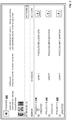
- FIG. 3 is a block diagram illustrating a graphical user interface of an integration flow in a web editor, according to one embodiment. Integration flow is graphically represented showing source system 302 , middleware 304 and destination system 306 .
- Various integration components include start 308 , content modifier 310 , gateway 312 , script 314 , content modifier 316 , mapping 318 , end 320 , content modifier 322 , encoder 324 , decoder 326 , and end 328 .
- Sequence flow 330 connects the start 308 with the content modifier 310
- sequence flow 332 connects the content modifier 310 with the gateway 312 .
- sequence flows connect various integration components in a sequence.
- integration content/message may be delivered from the source system 302 such as an online shopping portal to the destination system 306 such as an enterprise warehouse application.
- the integration flow depicts the content/message transfer from source system 302 through the integration components in a sequence/logical flow to the destination system 306 .
- the use case may vary depending on requirements from customers.
- various functions may be associated with the integration components.
- the integration component content modifier 310 may have functions provided in the web editor or may be an external function invoked from the web editor. With the provided input, the function performs specific logic and provides the output.
- the integration component mapping 318 may map or convert the input, for example, currency from one format to another format.
- the currency conversion function may be an external application invoked from the web editor.
- the use case may also follow more than one sequence depending on the functionality of the use case.
- the message may flow from gateway 312 to script 314 , or gateway 312 to content modifier 322 .
- Message flow from integration component script 314 to end 320 may form a particular sequence, and message flow from the content modifier 322 to end 328 may form a difference sequence depending on the criteria associated with the gateway.
- Visual representation of integration components 304 in the web editor enables users to visually test the message flow from the source system 302 to the destination system 306 .
- the message flow from the source system 302 to the destination system 306 may depict the complete integration flow.
- User may choose to test the complete integration flow.
- there is also a possibility to test a section or segment of the integration flow such as a segment from the integration component script 314 to mapping 318 .
- An identified segment of integration flow is referred to as integration flow segment.
- Various integration flow segments may be visually tested in the web editor.
- FIGS. 4A, 4B and 4C in combination illustrate simulation of integration flow, according to one embodiment.
- FIG. 4A illustrates identifying start and end point in an integration flow, according to one embodiment.
- the integration flow is displayed in a web editor in a graphical user interface.
- a start point is identified, and a start point icon is placed before an integration component from where the integration testing should start.
- the start point icon may be placed at a visual proximity to the integration component. For example, start point icon from popup window 402 is selected and placed as start point 404 at a visual proximity before the integration component content modifier 406 .
- the end point icon from the popup window 402 is selected and placed as the end point 408 at a visual proximity after the integration component mapping 410 .
- the segment of integration flow identified between the start point 404 to the end point 408 is referred to as integration flow segment.
- the simulated integration testing is performed on the identified integration flow segment as explained in FIG. 4B and FIG. 4C .
- FIG. 4B illustrates simulating an integration flow segment, according to one embodiment.
- a simulated integration testing is performed on the integration flow segment.
- popup window 414 is displayed to receive a test payload as input for the simulated integration testing.
- the integration flow segment may be tested.
- the test payload ‘input A’ 416 may be provided, and test button 418 is clicked.
- simulated integration testing of the integration flow segment is explained in FIG. 4C .
- FIG. 4C illustrates simulating an integration flow segment, according to one embodiment.
- simulation of the integration flow is performed as shown in FIG. 4C .
- the simulation of integration flow may be visually represented as simulation in progress 420 .
- the results of simulation may be displayed in a web editor as shown in FIG. 5A .
- FIG. 5A shows result of execution of integration flow, according to one embodiment.
- the result of simulation is shown in FIG. 5A and FIG. 5B in a web editor.
- a visual representation such as an envelope icon holding messages may be displayed corresponding to individual sequence flow between integration components.
- envelope icon 506 is displayed corresponding to sequence flow 512
- envelope icon 510 is displayed corresponding to sequence flow 514 .
- the visual display of envelope icon indicates that the result of integration testing is available in the web editor.
- the input message 516 to the integration component mapping 508 may be displayed in the web editor.
- Envelope icon 506 and the envelope icon 510 merely indicate that the simulation of integration testing was performed successfully and the results are available.
- FIG. 5B shows result of execution of integration flow, according to one embodiment.
- user may validate the input provided to the mapping 508 .
- code segment 518 in FIG. 5B user may validate the output from the mapping 508 .
- it can be determined if the integration component is functioning as expected or is there an error to be considered and fixed.
- senderId ‘XX’ and receiverId ‘YY’ is mapped in the mapping 508
- the output ‘XXYY’ is shown in code segment 518 .
- analysis may be performed on the individual sequence flows from the start point 502 to the end point 504 , to test whether the individual integration components within the start point 502 and the end point 504 is functioning as expected or not. Since the input and output are visually simulated in real time, it is simple and easy for user to view the input and output at individual sequence flow, and analyze. Thus user is able to simulate and perform integration testing on various segments of the integration flow, and the complete integration flow as well. Thus result of integration testing is displayed in a graphical user interface such as web editor as explained above.
- FIG. 6 shows architecture 600 of cloud platform integration testing in a graphical user interface, according to one embodiment.
- Cloud integration refers to integration nodes that execute on the cloud platform, where an individual integration node is a virtual machine instance. These integration nodes may be management nodes or worker nodes. Management nodes supervise the functioning of the worker nodes by ensuring that the worker nodes are up and running. Management node stores integration deployment artifacts such as integration flows. The worker node hosts' integration runtime engine and is responsible for message processing in the integration flows. User 602 may select a project including an integration flow corresponding to a use case. User 602 interacts with web editor 604 to simulate the integration flow displayed in the web editor 604 .
- the user may select and drop start point icon and end point icon to select a segment of integration flow for simulation and testing.
- a request 606 to simulate the segment of integration flow is received at the web editor 604 in the management node 608 .
- simulation is initiated 610 at the content handler 612 .
- the content handler 612 is an interface responsible for handling content in a user's context. The content handler 612 receives the request to perform simulation along with information such as the start point, the end point and the input payload.
- the content handler 612 identifies the selected project and provides code snippet such as an extensible markup language (XML) file 614 of the selected project to simulation analyzer 616 .
- code snippet such as an extensible markup language (XML) file 614 of the selected project
- the simulation analyzer 616 traverses through the complete XML file of the project, and extracts a code segment such as a segment of XML file between the start point and end point specified in the web editor.
- the simulation analyzer 616 extracts XML segment 618 , and provides to content generator 620 .
- the content generator 620 generates runtime artifact 622 based on the received XML segment 618 .
- Deployment handler 624 deploys the runtime artifact 622 on content processor 626 in worker node 628 .
- the content processor 626 is based on tracer 630 which records/logs payload information at the different steps in the integration flow segment.
- the content processor 626 executes the runtime artifact.
- Deploy task polling agent 632 polls result of execution of the runtime artifact and provides the result of execution to the web editor 604 .
- the result of execution includes payload output 634 at the different steps in the integration flow segment.
- the result of simulated execution integration testing is sent to the web editor 604 .
- the web editor 604 displays the payload output corresponding to the individual steps in the integration flow segment.
- FIG. 7A shows a code snippet of integration flow in a project, in an embodiment.
- the code snippet may be XML file 700 A corresponding to the selected project as shown in FIG. 7A .
- the complete integration flow is represented in the XML file.
- the XML file includes identifiers and names of individual integration components along with their sequence. For example, start 308 in FIG. 3 is represented in line 702 in XML 700 A with identifier ‘startevent 1’ and name ‘start’.
- the next integration component content modifier 310 in FIG. 3 next to start 308 is represented in line 704 in XML file 700 with identifier ‘callactivity 1’ and name ‘content modifier’.
- start event 308 with content modifier 310 is represented in line 706 in XML 700 with sequence flow identifier ‘sequenceflow 2’, source ref ‘startevent 1’ and targetref ‘callactivity 1’.
- the line 706 indicates that sequenceflow 2 connects start 308 in FIG. 3 and content modifier 310 .
- the XML file 700 A represents the complete list of integration components along with the sequence in which they are connected with each other. Using the XML file 700 A, the integration flow can be reproduced in the same sequence and position in the web editor as shown in FIG. 3 .
- the lines 708 in the XML file 700 A show the functioning of the gateway.
- FIG. 7B shows a segment of code snippet corresponding to extracted integration flow in a project, in an embodiment.
- a segment of integration flow was identified between a start point and an end point.
- 700 B represents a code segment such as a XML segment corresponding to the segment of integration flow identified between the start point and the end point.
- the corresponding XML segment is extracted from the complete XML file 700 A, and is shown in 700 B. Rest of integration flow other than the selected XML segment are not considered in the XML segment 700 B.
- Extracted XML segment 700 B is a lightweight code segment in comparison to the complete XML file 700 A.
- FIG. 8 is a sequence diagram illustrating cloud platform integration testing in a graphical user interface, according to one embodiment.
- an integration flow corresponding to a use case is displayed.
- the use case corresponds to the integration flow in a project.
- User 804 may provide input in the integration flow 806 in the web editor 802 .
- Input may be in the form of identifying a start point and end point in the integration flow, and as show in 808 correspondingly placing the start point icon and end point icon in the integration flow. After placing the start point icon and end point icon in the integration flow, a segment of integration flow between the start point icon and the end point icon is identified as an integration flow segment.
- Payload/test payload 812 is provided as test input to the initiated simulation of the integration flow segment. After receiving payload 812 , simulation is initiated 814 in the web editor 802 .
- the complete integration flow is represented in a code snippet such as a XML file.
- the XML file includes identifiers and names of individual integration components along with the sequence of connection among them.
- the XML file referred to as integration content is read 816 by content handler in management node 818 , and provided to a simulation analyzer 820 .
- the simulation analyzer 820 extracts a XML segment corresponding to a portion of integration flow identified between the placed start point and the end point.
- Content generator 822 generates a runtime artifact based on the XML segment.
- Deployment handler 824 deploys the generated runtime artifact in worker node 826 .
- execution of the runtime artifact is initiated.
- Execution of the runtime artifact implies execution of the use case with the provided payload 830 since the use case corresponds to the integration flow in the project.
- the generated output or result of simulated integration testing is collected and sent to handler 834 in the management node 818 .
- Handler 834 is responsible for monitoring the result of deployment of the runtime artifact. Individual deployment runtime artifacts are associated with a task identifier or taskId 836 to track them.
- Status of deployment of task ID is requested 838 from the handler 834 on a periodic basis, and the results of the simulated integration testing are displayed in the integration flow in the graphical user interface 840 in the web editor 802 . Polling the task status continues until the task status is complete. If polling the task status is complete, the results of the simulated integration testing are displayed in the integration flow in the graphical user interface 840 .
- Examples illustrated above with respect to FIG. 1 to FIG. 8 explain simulation of cloud platform integration testing in a visual interface.
- Simulation of cloud platform integration testing provides user with a simulated environment to simulate the issue or error with ease in a visual interface without having to actually replicate these source and destination systems with live hardware systems.
- ERP enterprise resource planning
- a source system may be integrated with a destination system such as a banking system for monthly salary disbursement for employees.
- the integration of ERP system to the banking system may be through various integration components such as national electronic funds transfer (NEFT), etc. It is not practically possible to test this integration scenario by transferring test salary to employees by integrating the live ERP system and the banking system.
- NEFT national electronic funds transfer
- the ERP system and the banking system may be a combination of specialized hardware and software systems with specialized processors.
- Simulation of cloud platform integration testing enables simulating and testing the monthly salary disbursement for employees without live/production systems. It is also possible to test a segment in the integration between the ERP system and the banking system, such as NEFT. Simulation of cloud platform integration testing may be performed in milliseconds or microseconds in comparison to manually trying to test the integration components that may take a few days/hours, or trying to configure a replica of live systems for a few days/hours and test. During the development cycle, using simulation of cloud platform integration testing increases developer efficiency and decreases the development time significantly. Simulation of cloud platform integration testing in a visual interface is quick and efficient, since user is able to visually analyze the test results and identify the issues/problems instantaneously, and act on them.
- FIG. 9 is flow chart illustrating process 900 of cloud platform integration testing in a graphical user interface, according to one embodiment.
- an integration flow segment is identified by receiving a start point and an end point in an integration flow in a web editor in a graphical user interface. For example, as shown in FIG. 4A , receiving the start point 404 and the end point 410 identifies the integration flow segment.
- the integration testing is simulated for the integration flow segment by providing a test payload in the web editor. For example, as shown in FIG. 4B , providing the test payload as input in a popup window 414 simulates the integration flow segment.
- a code segment corresponding to the integration flow segment is extracted.
- a segment of code snippet 700 B shown in FIG. 7B is the code segment corresponding to the integration flow segment.
- a runtime artifact is generated for deployment. For example, as explained in FIG. 6 , content generator 616 generates a runtime artifact based on a received XML segment.
- the runtime artifact is deployed in a worker node hosting an integration runtime engine. For example, as explained in FIG. 6 , deployment handler 618 deploys the runtime artifact in content processor 620 in worker node 622 .
- the runtime artifact is loaded in a volatile memory corresponding to the worker node.
- the runtime artifact with the test payload is executed in a worker node.
- the worker node hosts the integration runtime engine.
- content processor 620 executes the runtime artifact.
- the results of simulated integration testing are sent to the web editor.
- result of execution includes payload output 626 at the different steps in the integration flow segment.
- the result of simulated execution integration testing is sent to the web editor 604 .
- the runtime artifact is unloaded from the volatile memory.
- results of the simulated integration testing are displayed at a visual proximity to sequence flows in the integration flow segment in the web editor. For example, as explained in FIG. 6 , the web editor 604 displays the payload output corresponding to the individual steps in the integration flow segment.
- Some embodiments may include the above-described methods being written as one or more software components. These components, and the functionality associated with each, may be used by client, server, distributed, or peer computer systems. These components may be written in a computer language corresponding to one or more programming languages such as functional, declarative, procedural, object-oriented, lower level languages and the like. They may be linked to other components via various application programming interfaces and then compiled into one complete application for a server or a client. Alternatively, the components maybe implemented in server and client applications. Further, these components may be linked together via various distributed programming protocols. Some example embodiments may include remote procedure calls being used to implement one or more of these components across a distributed programming environment.
- a logic level may reside on a first computer system that is remotely located from a second computer system containing an interface level (e.g., a graphical user interface).
- interface level e.g., a graphical user interface
- first and second computer systems can be configured in a server-client, peer-to-peer, or some other configuration.
- the clients can vary in complexity from mobile and handheld devices, to thin clients and on to thick clients or even other servers.
- the above-illustrated software components are tangibly stored on a computer readable storage medium as instructions.
- the term “computer readable storage medium” should be taken to include a single medium or multiple media that stores one or more sets of instructions.
- the term “computer readable storage medium” should be taken to include any physical article that is capable of undergoing a set of physical changes to physically store, encode, or otherwise carry a set of instructions for execution by a computer system which causes the computer system to perform any of the methods or process steps described, represented, or illustrated herein.
- Examples of computer readable storage media include, but are not limited to: magnetic media, such as hard disks, floppy disks, and magnetic tape; optical media such as CD-ROMs, DVDs and holographic devices; magneto-optical media; and hardware devices that are specially configured to store and execute, such as application-specific integrated circuits (ASICs), programmable logic devices (PLDs) and ROM and RAM devices.
- Examples of computer readable instructions include machine code, such as produced by a compiler, and files containing higher-level code that are executed by a computer using an interpreter. For example, an embodiment may be implemented using Java, C++, or other object-oriented programming language and development tools. Another embodiment may be implemented in hard-wired circuitry in place of, or in combination with machine readable software instructions.
- FIG. 10 is a block diagram of an exemplary computer system 1000 .
- the computer system 1000 includes a processor 1005 that executes software instructions or code stored on a computer readable storage medium 1055 to perform the above-illustrated methods.
- the computer system 1000 includes a media reader 1040 to read the instructions from the computer readable storage medium 1055 and store the instructions in storage 1010 or in random access memory (RAM) 1015 .
- the storage 1010 provides a large space for keeping static data where at least some instructions could be stored for later execution.
- the stored instructions may be further compiled to generate other representations of the instructions and dynamically stored in the RAM 1015 .
- the processor 1005 reads instructions from the RAM 1015 and performs actions as instructed.
- the computer system 1000 further includes an output device 1025 (e.g., a display) to provide at least some of the results of the execution as output including, but not limited to, visual information to users and an input device 1030 to provide a user or another device with means for entering data and/or otherwise interact with the computer system 1000 .
- an output device 1025 e.g., a display
- an input device 1030 to provide a user or another device with means for entering data and/or otherwise interact with the computer system 1000 .
- Each of these output devices 1025 and input devices 1030 could be joined by one or more additional peripherals to further expand the capabilities of the computer system 1000 .
- a network communicator 1035 may be provided to connect the computer system 1000 to a network 1050 and in turn to other devices connected to the network 1050 including other clients, servers, data stores, and interfaces, for instance.
- the modules of the computer system 1000 are interconnected via a bus 1045 .
- Computer system 1000 includes a data source interface 1020 to access data source 1060 .
- the data source 1060 can be accessed via one or more abstraction layers implemented in hardware or software.
- the data source 1060 may be accessed by network 1050 .
- the data source 1060 may be accessed via an abstraction layer, such as a semantic layer.
- Data sources include sources of data that enable data storage and retrieval.
- Data sources may include databases, such as relational, transactional, hierarchical, multi-dimensional (e.g., OLAP), object oriented databases, and the like.
- Further data sources include tabular data (e.g., spreadsheets, delimited text files), data tagged with a markup language (e.g., XML data), transactional data, unstructured data (e.g., text files, screen scrapings), hierarchical data (e.g., data in a file system, XML data), files, a plurality of reports, and any other data source accessible through an established protocol, such as Open Data Base Connectivity (ODBC), produced by an underlying software system (e.g., ERP system), and the like.
- Data sources may also include a data source where the data is not tangibly stored or otherwise ephemeral such as data streams, broadcast data, and the like. These data sources can include associated data foundations, semantic layers, management systems, security systems and
Landscapes
- Engineering & Computer Science (AREA)
- Theoretical Computer Science (AREA)
- General Engineering & Computer Science (AREA)
- Physics & Mathematics (AREA)
- General Physics & Mathematics (AREA)
- Computer Hardware Design (AREA)
- Human Computer Interaction (AREA)
- Software Systems (AREA)
- Evolutionary Computation (AREA)
- Geometry (AREA)
- Quality & Reliability (AREA)
- Debugging And Monitoring (AREA)
Abstract
Description
Claims (18)
Priority Applications (1)
| Application Number | Priority Date | Filing Date | Title |
|---|---|---|---|
| US15/710,843 US10691320B2 (en) | 2017-09-21 | 2017-09-21 | Simulation of cloud platform integration testing in a visual interface |
Applications Claiming Priority (1)
| Application Number | Priority Date | Filing Date | Title |
|---|---|---|---|
| US15/710,843 US10691320B2 (en) | 2017-09-21 | 2017-09-21 | Simulation of cloud platform integration testing in a visual interface |
Publications (2)
| Publication Number | Publication Date |
|---|---|
| US20190087075A1 US20190087075A1 (en) | 2019-03-21 |
| US10691320B2 true US10691320B2 (en) | 2020-06-23 |
Family
ID=65719285
Family Applications (1)
| Application Number | Title | Priority Date | Filing Date |
|---|---|---|---|
| US15/710,843 Active 2038-05-08 US10691320B2 (en) | 2017-09-21 | 2017-09-21 | Simulation of cloud platform integration testing in a visual interface |
Country Status (1)
| Country | Link |
|---|---|
| US (1) | US10691320B2 (en) |
Cited By (1)
| Publication number | Priority date | Publication date | Assignee | Title |
|---|---|---|---|---|
| US12468643B2 (en) | 2024-02-09 | 2025-11-11 | Oracle International Corporation | System integrations based on intelligent monitoring |
Families Citing this family (15)
| Publication number | Priority date | Publication date | Assignee | Title |
|---|---|---|---|---|
| CN107766424B (en) * | 2017-09-13 | 2020-09-15 | 深圳市宇数科技有限公司 | Data exploration management method and system, electronic equipment and storage medium |
| US10783063B2 (en) * | 2018-10-23 | 2020-09-22 | Salesforce.Com, Inc. | Systems and methods for testing a customer environment |
| US11334472B2 (en) * | 2018-12-14 | 2022-05-17 | NextWorld, LLC | Automated testing for metadata-driven custom applications |
| US12253938B2 (en) | 2018-12-14 | 2025-03-18 | NextWorld, LLC | Automated testing for metadata-driven custom applications |
| US10776254B1 (en) * | 2019-04-22 | 2020-09-15 | Sap Se | Executing integration scenario regression tests in customer landscapes |
| CN111026500B (en) * | 2019-11-14 | 2021-03-30 | 网联清算有限公司 | Cloud computing simulation platform, and creation method, device and storage medium thereof |
| US11586530B2 (en) * | 2020-02-13 | 2023-02-21 | ForgeRock, Inc. | Methods and systems for correctly assembling component sequences |
| CN111414170A (en) * | 2020-03-05 | 2020-07-14 | 莱诺斯科技(北京)股份有限公司 | Device and method for visually arranging test process |
| US11824837B2 (en) * | 2020-07-15 | 2023-11-21 | Sap Se | End user creation of trusted integration pathways between different enterprise systems |
| USD1108443S1 (en) * | 2021-04-13 | 2026-01-06 | Palantir Technologies Inc. | Display screen or portion thereof with graphical user interface |
| US12106072B2 (en) * | 2022-03-29 | 2024-10-01 | International Business Machines Corporation | Integration flow workload distribution |
| CN115309310B (en) * | 2022-08-31 | 2024-02-02 | 安世亚太科技股份有限公司 | Simulation graphic display method and device and electronic equipment |
| US12361112B2 (en) | 2023-04-25 | 2025-07-15 | Ping Identity International, Inc. | Access prediction service receiving authentication journey characteristics for supervised learning |
| US12452282B2 (en) | 2023-04-25 | 2025-10-21 | Ping Identity International, Inc. | Access prediction service serving explainable risk scores |
| GB2630639A (en) * | 2023-06-02 | 2024-12-04 | Ibm | Providing integration flows between endpoint systems |
Citations (13)
| Publication number | Priority date | Publication date | Assignee | Title |
|---|---|---|---|---|
| US20020059054A1 (en) * | 2000-06-02 | 2002-05-16 | Bade Stephen L. | Method and system for virtual prototyping |
| US20040098689A1 (en) * | 2002-11-20 | 2004-05-20 | Dan Weed | Rapid chip management system |
| US20080263512A1 (en) * | 2007-04-20 | 2008-10-23 | Dellas Christina M | Statechart Development Environment with Embedded Graphical Data Flow Code Editor |
| US20090300585A1 (en) * | 2004-03-15 | 2009-12-03 | Ramco Systems Limited | Method and system for testing a software development activity |
| US8694958B1 (en) * | 2007-09-14 | 2014-04-08 | The Mathworks, Inc. | Marking up objects in code generation |
| US20140244570A1 (en) * | 2013-02-28 | 2014-08-28 | Hewlett-Packard Development Company, L.P. | Optimizing and managing execution of hybrid flows |
| US20140344817A1 (en) * | 2013-05-17 | 2014-11-20 | Hewlett-Packard Development Company, L.P. | Converting a hybrid flow |
| US20150205706A1 (en) * | 2005-01-07 | 2015-07-23 | John Joseph Michelsen | Graphical model for test case viewing, editing, and reporting |
| US20160092059A1 (en) * | 2014-09-29 | 2016-03-31 | Enping Tu | Web-based user interface dataflow editor |
| US20170242780A1 (en) * | 2016-02-08 | 2017-08-24 | Vtool Ltd. | Graphical Sequence Builder |
| US20180060456A1 (en) * | 2016-08-26 | 2018-03-01 | Hitachi, Ltd. | Simulation including multiple simulators |
| US9922340B1 (en) * | 2014-04-10 | 2018-03-20 | Google Llc | Evaluating attribution models based on simulated activity streams |
| US20180293158A1 (en) * | 2017-04-07 | 2018-10-11 | International Business Machines Corporation | Integration times in a continuous integration environment based on statistical modeling |
-
2017
- 2017-09-21 US US15/710,843 patent/US10691320B2/en active Active
Patent Citations (13)
| Publication number | Priority date | Publication date | Assignee | Title |
|---|---|---|---|---|
| US20020059054A1 (en) * | 2000-06-02 | 2002-05-16 | Bade Stephen L. | Method and system for virtual prototyping |
| US20040098689A1 (en) * | 2002-11-20 | 2004-05-20 | Dan Weed | Rapid chip management system |
| US20090300585A1 (en) * | 2004-03-15 | 2009-12-03 | Ramco Systems Limited | Method and system for testing a software development activity |
| US20150205706A1 (en) * | 2005-01-07 | 2015-07-23 | John Joseph Michelsen | Graphical model for test case viewing, editing, and reporting |
| US20080263512A1 (en) * | 2007-04-20 | 2008-10-23 | Dellas Christina M | Statechart Development Environment with Embedded Graphical Data Flow Code Editor |
| US8694958B1 (en) * | 2007-09-14 | 2014-04-08 | The Mathworks, Inc. | Marking up objects in code generation |
| US20140244570A1 (en) * | 2013-02-28 | 2014-08-28 | Hewlett-Packard Development Company, L.P. | Optimizing and managing execution of hybrid flows |
| US20140344817A1 (en) * | 2013-05-17 | 2014-11-20 | Hewlett-Packard Development Company, L.P. | Converting a hybrid flow |
| US9922340B1 (en) * | 2014-04-10 | 2018-03-20 | Google Llc | Evaluating attribution models based on simulated activity streams |
| US20160092059A1 (en) * | 2014-09-29 | 2016-03-31 | Enping Tu | Web-based user interface dataflow editor |
| US20170242780A1 (en) * | 2016-02-08 | 2017-08-24 | Vtool Ltd. | Graphical Sequence Builder |
| US20180060456A1 (en) * | 2016-08-26 | 2018-03-01 | Hitachi, Ltd. | Simulation including multiple simulators |
| US20180293158A1 (en) * | 2017-04-07 | 2018-10-11 | International Business Machines Corporation | Integration times in a continuous integration environment based on statistical modeling |
Cited By (1)
| Publication number | Priority date | Publication date | Assignee | Title |
|---|---|---|---|---|
| US12468643B2 (en) | 2024-02-09 | 2025-11-11 | Oracle International Corporation | System integrations based on intelligent monitoring |
Also Published As
| Publication number | Publication date |
|---|---|
| US20190087075A1 (en) | 2019-03-21 |
Similar Documents
| Publication | Publication Date | Title |
|---|---|---|
| US10691320B2 (en) | Simulation of cloud platform integration testing in a visual interface | |
| US9792203B2 (en) | Isolated testing of distributed development projects | |
| US9021438B2 (en) | Automatic framework for parallel testing on multiple testing environments | |
| US8683433B2 (en) | Adaptive change management in computer system landscapes | |
| US9672140B1 (en) | Processing special requests at dedicated application containers | |
| US8584079B2 (en) | Quality on submit process | |
| US9614730B2 (en) | Performing customized deployment scenarios in shared environments | |
| CN112860260B (en) | Web-based cross-platform application construction tool and method in college scene | |
| US20170329506A1 (en) | Visual workflow model | |
| US8898643B2 (en) | Application trace replay and simulation systems and methods | |
| US9697104B2 (en) | End-to end tracing and logging | |
| US20070240118A1 (en) | System, method, and software for testing a software application | |
| US10339039B2 (en) | Virtual service interface | |
| JP6986536B2 (en) | A web-based application platform that applies lean manufacturing methods to system delivery tests | |
| US11163668B2 (en) | Determine errors and anomalies in a flow process integration instance that integrates services | |
| US20140123114A1 (en) | Framework for integration and execution standardization (fiesta) | |
| US20120078809A1 (en) | Integrating sub-processes in business process modeling notation processes | |
| US10067859B2 (en) | Constructing test-centric model of application | |
| US20170220324A1 (en) | Data communication accelerator system | |
| US20140136668A1 (en) | Real-time self-optimizing system for multitenant based cloud infrastructure | |
| US7925977B2 (en) | Architecture solution map builder | |
| US20110137820A1 (en) | Graphical model-based debugging for business processes | |
| KR101888472B1 (en) | Do It Yourself system of Internet of Thinks based on Business Process Model and Its Implementation Method | |
| US20060020931A1 (en) | Method and apparatus for managing complex processes | |
| EP2395468A1 (en) | Semantic user interface data assembling |
Legal Events
| Date | Code | Title | Description |
|---|---|---|---|
| FEPP | Fee payment procedure |
Free format text: ENTITY STATUS SET TO UNDISCOUNTED (ORIGINAL EVENT CODE: BIG.); ENTITY STATUS OF PATENT OWNER: LARGE ENTITY |
|
| STPP | Information on status: patent application and granting procedure in general |
Free format text: DOCKETED NEW CASE - READY FOR EXAMINATION |
|
| AS | Assignment |
Owner name: SAP SE, GERMANY Free format text: ASSIGNMENT OF ASSIGNORS INTEREST;ASSIGNORS:DHAYANITHI, VISHNUPRASATH;MEHTA, BHUVAN;R, KARTHIKEYAN;AND OTHERS;REEL/FRAME:044579/0218 Effective date: 20170920 |
|
| STPP | Information on status: patent application and granting procedure in general |
Free format text: NON FINAL ACTION MAILED |
|
| STPP | Information on status: patent application and granting procedure in general |
Free format text: RESPONSE TO NON-FINAL OFFICE ACTION ENTERED AND FORWARDED TO EXAMINER |
|
| STPP | Information on status: patent application and granting procedure in general |
Free format text: FINAL REJECTION MAILED |
|
| STPP | Information on status: patent application and granting procedure in general |
Free format text: DOCKETED NEW CASE - READY FOR EXAMINATION |
|
| STPP | Information on status: patent application and granting procedure in general |
Free format text: NOTICE OF ALLOWANCE MAILED -- APPLICATION RECEIVED IN OFFICE OF PUBLICATIONS |
|
| STPP | Information on status: patent application and granting procedure in general |
Free format text: PUBLICATIONS -- ISSUE FEE PAYMENT VERIFIED |
|
| STCF | Information on status: patent grant |
Free format text: PATENTED CASE |
|
| MAFP | Maintenance fee payment |
Free format text: PAYMENT OF MAINTENANCE FEE, 4TH YEAR, LARGE ENTITY (ORIGINAL EVENT CODE: M1551); ENTITY STATUS OF PATENT OWNER: LARGE ENTITY Year of fee payment: 4 |