US10564912B2 - System and method of multiple display control - Google Patents
System and method of multiple display control Download PDFInfo
- Publication number
- US10564912B2 US10564912B2 US15/588,252 US201715588252A US10564912B2 US 10564912 B2 US10564912 B2 US 10564912B2 US 201715588252 A US201715588252 A US 201715588252A US 10564912 B2 US10564912 B2 US 10564912B2
- Authority
- US
- United States
- Prior art keywords
- display
- level
- configuration data
- attribute
- control unit
- Prior art date
- Legal status (The legal status is an assumption and is not a legal conclusion. Google has not performed a legal analysis and makes no representation as to the accuracy of the status listed.)
- Active, expires
Links
Images




Classifications
-
- G—PHYSICS
- G06—COMPUTING OR CALCULATING; COUNTING
- G06F—ELECTRIC DIGITAL DATA PROCESSING
- G06F3/00—Input arrangements for transferring data to be processed into a form capable of being handled by the computer; Output arrangements for transferring data from processing unit to output unit, e.g. interface arrangements
- G06F3/14—Digital output to display device ; Cooperation and interconnection of the display device with other functional units
- G06F3/1423—Digital output to display device ; Cooperation and interconnection of the display device with other functional units controlling a plurality of local displays, e.g. CRT and flat panel display
-
- G—PHYSICS
- G06—COMPUTING OR CALCULATING; COUNTING
- G06F—ELECTRIC DIGITAL DATA PROCESSING
- G06F3/00—Input arrangements for transferring data to be processed into a form capable of being handled by the computer; Output arrangements for transferring data from processing unit to output unit, e.g. interface arrangements
- G06F3/14—Digital output to display device ; Cooperation and interconnection of the display device with other functional units
- G06F3/1454—Digital output to display device ; Cooperation and interconnection of the display device with other functional units involving copying of the display data of a local workstation or window to a remote workstation or window so that an actual copy of the data is displayed simultaneously on two or more displays, e.g. teledisplay
-
- G—PHYSICS
- G09—EDUCATION; CRYPTOGRAPHY; DISPLAY; ADVERTISING; SEALS
- G09G—ARRANGEMENTS OR CIRCUITS FOR CONTROL OF INDICATING DEVICES USING STATIC MEANS TO PRESENT VARIABLE INFORMATION
- G09G5/00—Control arrangements or circuits for visual indicators common to cathode-ray tube indicators and other visual indicators
-
- G—PHYSICS
- G09—EDUCATION; CRYPTOGRAPHY; DISPLAY; ADVERTISING; SEALS
- G09G—ARRANGEMENTS OR CIRCUITS FOR CONTROL OF INDICATING DEVICES USING STATIC MEANS TO PRESENT VARIABLE INFORMATION
- G09G2320/00—Control of display operating conditions
- G09G2320/06—Adjustment of display parameters
- G09G2320/0606—Manual adjustment
-
- G—PHYSICS
- G09—EDUCATION; CRYPTOGRAPHY; DISPLAY; ADVERTISING; SEALS
- G09G—ARRANGEMENTS OR CIRCUITS FOR CONTROL OF INDICATING DEVICES USING STATIC MEANS TO PRESENT VARIABLE INFORMATION
- G09G2320/00—Control of display operating conditions
- G09G2320/06—Adjustment of display parameters
- G09G2320/0626—Adjustment of display parameters for control of overall brightness
-
- G—PHYSICS
- G09—EDUCATION; CRYPTOGRAPHY; DISPLAY; ADVERTISING; SEALS
- G09G—ARRANGEMENTS OR CIRCUITS FOR CONTROL OF INDICATING DEVICES USING STATIC MEANS TO PRESENT VARIABLE INFORMATION
- G09G2320/00—Control of display operating conditions
- G09G2320/06—Adjustment of display parameters
- G09G2320/066—Adjustment of display parameters for control of contrast
-
- G—PHYSICS
- G09—EDUCATION; CRYPTOGRAPHY; DISPLAY; ADVERTISING; SEALS
- G09G—ARRANGEMENTS OR CIRCUITS FOR CONTROL OF INDICATING DEVICES USING STATIC MEANS TO PRESENT VARIABLE INFORMATION
- G09G2320/00—Control of display operating conditions
- G09G2320/06—Adjustment of display parameters
- G09G2320/0673—Adjustment of display parameters for control of gamma adjustment, e.g. selecting another gamma curve
-
- G—PHYSICS
- G09—EDUCATION; CRYPTOGRAPHY; DISPLAY; ADVERTISING; SEALS
- G09G—ARRANGEMENTS OR CIRCUITS FOR CONTROL OF INDICATING DEVICES USING STATIC MEANS TO PRESENT VARIABLE INFORMATION
- G09G2320/00—Control of display operating conditions
- G09G2320/06—Adjustment of display parameters
- G09G2320/0686—Adjustment of display parameters with two or more screen areas displaying information with different brightness or colours
Definitions
- This disclosure relates generally to information handling systems and more particularly to controlling multiple displays.
- An information handling system generally processes, compiles, stores, and/or communicates information or data for business, personal, or other purposes thereby allowing users to take advantage of the value of the information.
- information handling systems may also vary regarding what information is handled, how the information is handled, how much information is processed, stored, or communicated, and how quickly and efficiently the information may be processed, stored, or communicated.
- the variations in information handling systems allow for information handling systems to be general or configured for a specific user or specific use such as financial transaction processing, airline reservations, enterprise data storage, or global communications.
- information handling systems may include a variety of hardware and software components that may be configured to process, store, and communicate information and may include one or more computer systems, data storage systems, and networking systems.
- information handling systems may include a variety of hardware and software components that may be configured to process, store, and communicate information and may include one or more computer systems, data storage systems, and networking systems.
- many users are using multiple monitors. Increasing the number of monitors, users adjust the settings on each monitor to have a consistent experience.
- one or more systems, methods, and/or processes described herein may display a graphical user interface via a display of multiple displays and receive first user input, via the graphical user interface, from a user that indicates altering an attribute of a first display and a second display of the multiple displays.
- the attribute may be determined from the user input.
- the attribute may include a brightness level, a contrast level, an output level of a backlight, a red level, a green level, a blue level, a cyan level, a magenta level, a cyan level, a key of black level, a sharpness level, a gamma level, a resolution, or a refresh rate, among others.
- First configuration data based on the attribute, may be provided to a first control unit of the first display, and second configuration data, based on the first configuration data and based on characteristic information of the second display, may be provided to a second control unit of the second display.
- a modification of the first configuration data, for utilization by the second display, based on the characteristic information of the second display may be based on a relative change of a level.
- the first control unit may adjust the first display based on the first configuration data
- the second control unit may adjust the second display based on the second configuration data.
- the first control unit adjusting the first display based on the first configuration data and the second control unit adjusting the second display based on the second configuration data appear simultaneous to the user.
- FIG. 1 illustrates an exemplary information handling system, according to one or more embodiments
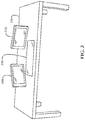
- FIGS. 2A and 2B illustrate displays coupled to an information handling system, according to one or more embodiments
- FIG. 3 illustrates a configuration of displays, according to one or more embodiments
- FIG. 4 illustrates a graphical user interface, according to one or more embodiments
- FIG. 5 illustrates a method of operating one or more displays, according to one or more embodiments.
- FIG. 6 illustrates another method of operating one or more displays, according to one or more embodiments.
- device ‘ 12 A’ refers to an instance of a device class, which may be referred to collectively as devices ‘ 12 ’ and any one of which may be referred to generically as a device ‘ 12 ’.
- a user may control one or more settings on multiple monitors via making adjustments on one monitor.
- the user may control brightness, color settings, gamut, contrast, etc. on all displays using one interface.
- a backchannel communication across the multiple displays may be utilized.
- events may be provided from one or more of a display and an information handling system to one or more other displays via the backchannel communication.
- a control unit e.g., a scalar in each display may receive a display adjustment command and adjust the display in accordance with the command.
- relative adjustments may be performed.
- an adjustment such as brightness
- adjusting a brightness of a first display may cause a relative adjustment of a brightness on a second display, different from the first display, while maintaining any brightness difference between the first display and the second display.
- a graphical user interface may be utilized in performing adjustments on multiple displays.
- each display of the multiple displays may be selectable. For instance, respective settings of the multiple displays may be available for respective individual adjustment.
- a synchronous option may permit settings of the multiple displays to be adjusted simultaneously.
- simultaneously adjusting the multiple displays may include adjusting the multiple displays in a fashion where any adjustment applied to the multiple displays appears to be simultaneous to a user.
- adjusting the multiple displays may be performed in serial fashion, where any adjustment applied to the multiple displays, in a serial fashion, appears to be simultaneous to a user.
- adjusting the multiple displays may be performed in parallel fashion, where any adjustment applied to the multiple displays, in a parallel fashion, appears to be simultaneous to a user.
- adjusting the multiple displays may be performed in parallel and serial fashion, where any adjustment applied to the multiple displays, in a parallel and serial fashion, appears to be simultaneous to a user.
- An information handling system (IHS) 110 may include a hardware resource or an aggregate of hardware resources operable to compute, classify, process, transmit, receive, retrieve, originate, switch, store, display, manifest, detect, record, reproduce, handle, and/or utilize various forms of information, intelligence, or data for business, scientific, control, entertainment, or other purposes, according to one or more embodiments.
- IHS 110 may be a personal computer, a desktop computer system, a laptop computer system, a server computer system, a mobile device, a personal digital assistant (PDA), a consumer electronic device, an electronic music player, an electronic camera, an electronic video player, a network storage device, or another suitable device and may vary in size, shape, performance, functionality, and price.
- components of IHS 110 may include one or more storage devices, one or more communications ports for communicating with external devices as well as various input and output (I/O) devices, such as a keyboard, a mouse, and a video display, among others.
- IHS 110 may include one or more buses operable to transmit communication between or among two or more hardware components.
- a bus of IHS 110 may include one or more of a memory bus, a peripheral bus, and a local bus, among others.
- a bus of IHS 110 may include one or more of a Micro Channel Architecture (MCA) bus, an Industry Standard Architecture (ISA) bus, an Enhanced ISA (EISA) bus, a Peripheral Component Interconnect (PCI) bus, HyperTransport (HT) bus, an inter-integrated circuit (I 2 C) bus, a serial peripheral interface (SPI) bus, a low pin count (LPC) bus, a universal serial bus (USB), a system management bus (SMBus), and a Video Electronics Standards Association (VESA) local bus, among others.
- MCA Micro Channel Architecture
- ISA Industry Standard Architecture
- EISA Enhanced ISA
- PCI Peripheral Component Interconnect
- HT HyperTransport
- I 2 C inter-integrated circuit
- SPI serial peripheral interface
- LPC low pin count
- USB universal serial bus
- SMBs system management bus
- IHS 110 may include firmware that controls and/or communicates with one or more hard drives, network circuitry, one or more memory devices, one or more I/O devices, and/or one or more other peripheral devices.
- firmware may include software embedded in an IHS component utilized to perform tasks.
- firmware may be stored in non-volatile memory, such as storage that does not lose stored data upon loss of power.
- firmware associated with an IHS component may be stored in non-volatile memory that is accessible to one or more IHS components.
- firmware associated with an IHS component may be stored in non-volatile memory that may be dedicated to and includes part of that component.
- an embedded controller may include firmware that may be stored via non-volatile memory that may be dedicated to and includes part of the embedded controller.
- IHS 110 may include a processor 120 , a volatile memory medium 150 , non-volatile memory media 160 and 170 , an I/O subsystem 175 , and a network interface 180 .
- volatile memory medium 150 , non-volatile memory media 160 and 170 , I/O subsystem 175 , and network interface 180 may be communicatively coupled to processor 120 .
- one or more of volatile memory medium 150 , non-volatile memory media 160 and 170 , I/O subsystem 175 , and network interface 180 may be communicatively coupled to processor 120 via one or more buses, one or more switches, and/or one or more root complexes, among others.
- one or more of volatile memory medium 150 , non-volatile memory media 160 and 170 , I/O subsystem 175 , and network interface 180 may be communicatively coupled to processor 120 via one or more PCI-Express (PCIe) root complexes.
- PCIe PCI-Express
- one or more of an I/O subsystem 175 and a network interface 180 may be communicatively coupled to processor 120 via one or more PCIe switches.
- term “memory medium” may mean a “storage device”, a “memory”, a “memory device”, “tangible computer readable storage medium”, and/or “computer-readable medium”.
- computer-readable media may include, without limitation, storage media such as a direct access storage device (e.g., a hard disk drive, a floppy disk, etc.), a sequential access storage device (e.g., a tape disk drive), a compact disk (CD), a CD-ROM, a digital versatile disc (DVD), a random access memory (RAM), a read-only memory (ROM), an electrically erasable programmable read-only memory (EEPROM), and/or a flash memory, a solid state drive (SSD), or any combination of the foregoing, among others.
- direct access storage device e.g., a hard disk drive, a floppy disk, etc.
- sequential access storage device e.g., a tape disk drive
- CD compact disk
- CD-ROM compact disk
- one or more protocols may be utilized in transferring data to and/or from a memory medium.
- the one or more protocols may include one or more of small computer system interface (SCSI), Serial Attached SCSI (SAS) or another transport that operates with the SCSI protocol, advanced technology attachment (ATA), serial ATA (SATA), advanced technology attachment packet interface (ATAPI), serial storage architecture (SSA), integrated drive electronics (IDE), or any combination thereof, among others.
- SCSI small computer system interface
- SAS Serial Attached SCSI
- ATA advanced technology attachment
- SATA serial ATA
- ATAPI advanced technology attachment packet interface
- SSA serial storage architecture
- IDE integrated drive electronics
- Volatile memory medium 150 may include volatile storage such as, for example, RAM, DRAM (dynamic RAM), EDO RAM (extended data out RAM), SRAM (static RAM), etc.
- One or more of non-volatile memory media 160 and 170 may include nonvolatile storage such as, for example, a read only memory (ROM), a programmable ROM (PROM), an erasable PROM (EPROM), an electrically erasable PROM, NVRAM (non-volatile RAM), ferroelectric RAM (FRAM), a magnetic medium (e.g., a hard drive, a floppy disk, a magnetic tape, etc.), optical storage (e.g., a CD, a DVD, a BLU-RAY disc, etc.), flash memory, a SSD, etc.
- a memory medium can include one or more volatile storages and/or one or more nonvolatile storages.
- network interface 180 may be utilized in communicating with one or more networks and/or one or more other information handling systems.
- network interface 180 may enable IHS 110 to communicate via a network utilizing a suitable transmission protocol and/or standard.
- network interface 180 may be coupled to a wired network.
- network interface 180 may be coupled to an optical network.
- network interface 180 may be coupled to a wireless network.
- network interface 180 may be communicatively coupled via a network to a network storage resource.
- the network may be implemented as, or may be a part of, a storage area network (SAN), personal area network (PAN), local area network (LAN), a metropolitan area network (MAN), a wide area network (WAN), a wireless local area network (WLAN), a virtual private network (VPN), an intranet, an Internet or another appropriate architecture or system that facilitates the communication of signals, data and/or messages (generally referred to as data).
- SAN storage area network
- PAN personal area network
- LAN local area network
- MAN metropolitan area network
- WAN wide area network
- WLAN wireless local area network
- VPN virtual private network
- intranet an Internet or another appropriate architecture or system that facilitates the communication of signals, data and/or messages (generally referred to as data).
- the network may transmit data utilizing a desired storage and/or communication protocol, including one or more of Fibre Channel, Frame Relay, Asynchronous Transfer Mode (ATM), Internet protocol (IP), other packet-based protocol, Internet SCSI (iSCSI), or any combination thereof, among others
- a desired storage and/or communication protocol including one or more of Fibre Channel, Frame Relay, Asynchronous Transfer Mode (ATM), Internet protocol (IP), other packet-based protocol, Internet SCSI (iSCSI), or any combination thereof, among others
- processor 120 may execute processor instructions in implementing one or more systems, flowcharts, methods, and/or processes described herein. In one example, processor 120 may execute processor instructions from one or more of memory media 150 - 170 in implementing one or more systems, flowcharts, methods, and/or processes described herein. In another example, processor 120 may execute processor instructions via network interface 180 in implementing one or more systems, flowcharts, methods, and/or processes described herein.
- processor 120 may include one or more of a system, a device, and an apparatus operable to interpret and/or execute program instructions and/or process data, among others, and may include one or more of a microprocessor, a microcontroller, a digital signal processor (DSP), an application specific integrated circuit (ASIC), and another digital or analog circuitry configured to interpret and/or execute program instructions and/or process data, among others.
- processor 120 may interpret and/or execute program instructions and/or process data stored locally (e.g., via memory media 150 - 170 and/or another component of IHS 110 ).
- processor 120 may interpret and/or execute program instructions and/or process data stored remotely (e.g., via a network storage resource).
- I/O subsystem 175 may represent a variety of communication interfaces, graphics interfaces, video interfaces, user input interfaces, and/or peripheral interfaces, among others.
- I/O subsystem 175 may include one or more of a touch panel and a display adapter, among others.
- a touch panel may include circuitry that enables touch functionality in conjunction with a display that is driven by a display adapter.
- non-volatile memory medium 160 may include an operating system (OS) 162 , and applications (APPs) 164 - 168 .
- OS 162 and APPs 164 - 168 may include processor instructions executable by processor 120 .
- processor 120 may execute processor instructions of one or more of OS 162 and APPs 164 - 168 via non-volatile memory medium 160 .
- one or more portions of the processor instructions of the one or more of OS 162 and APPs 164 - 168 may be transferred to volatile memory medium 150 , and processor 120 may execute the one or more portions of the processor instructions of the one or more of OS 162 and APPs 164 - 168 via volatile memory medium 150 .
- non-volatile memory medium 170 may include information handling system firmware (IHSFW) 172 .
- IHSFW 172 may include processor instructions executable by processor 120 .
- IHSFW 172 may include one or more structures and/or functionalities of one or more of a basic input/output system (BIOS), an Extensible Firmware Interface (EFI), a Unified Extensible Firmware Interface (UEFI), and an Advanced Configuration and Power Interface (ACPI), among others.
- BIOS basic input/output system
- EFI Extensible Firmware Interface
- UEFI Unified Extensible Firmware Interface
- ACPI Advanced Configuration and Power Interface
- processor 120 may execute processor instructions of IHSFW 172 via non-volatile memory medium 170 .
- one or more portions of the processor instructions of IHSFW 172 may be transferred to volatile memory medium 150 , and processor 120 may execute the one or more portions of the processor instructions of IHSFW 172 via volatile memory medium 150 .
- processor 120 and one or more components of IHS 110 may be included in a system-on-chip (SoC).
- SoC may include processor 120 and a platform controller hub (not specifically illustrated).
- displays coupled to an information handling system are illustrated, according to one or more embodiments.
- displays 210 A- 210 C may be coupled to IHS 110 .
- IHS 110 may include display 210 A.
- displays 210 A- 210 C may include respective control units 220 A- 220 C.
- control units 220 A- 220 C may include respective scalars.
- control unit 220 may control one or more attributes of display 220 .
- the one or more attributes may include one or more of a brightness level, a contrast level, an output level of a backlight, a red level, a green level, a blue level, a cyan level, a magenta level, a cyan level, a key of black level, a sharpness level, a gamma level, a resolution, and a refresh rate, among others.
- one or more of displays 210 A- 210 C and IHS 110 may be communicatively coupled to one another in a wired fashion.
- one or more of displays 210 A- 210 C and IHS 110 may be communicatively coupled to one another via one or more of VGA (video graphics array), DVI (digital video interface), HDMI (high-definition multimedia interface), DisplayPort, Thunderbolt, LVDS (low-voltage differential signaling), PCIe, Ethernet, displayport AUX channel, a USB, a consumer electronics control (CEC) bus, an I 2 C bus, and a SPI bus, among others.
- VGA video graphics array
- DVI digital video interface
- HDMI high-definition multimedia interface
- DisplayPort Thunderbolt
- LVDS low-voltage differential signaling
- PCIe PCIe
- Ethernet displayport AUX channel
- USB universal serial port
- CEC consumer electronics control
- I 2 C bus I 2 C bus
- SPI bus SPI bus
- one or more of displays 210 A- 210 C and IHS 110 may be communicatively coupled to one another in a wireless fashion.
- one or more of displays 210 A- 210 C and IHS 110 may be communicatively coupled to one another via one or more WiFi, Wireless Ethernet, Bluetooth, IEEE (Institute of Electrical and Electronics Engineers) 802.15, and ZigBee, among others.
- displays 210 A- 210 C may lay on a surface 310 .
- surface 310 may be or include a surface of a table.
- surface 310 may be or include a surface of a desk.
- display 210 A may be integrated into surface 310 .
- display 210 may be or include a touch screen.
- display 210 may be or include a resistive touch screen.
- display 210 may be or include a capacitive touch screen.
- a stylus may be utilized with display 210 .
- a graphical user interface is illustrated, according to one or more embodiments.
- GUI graphical user interface
- a display of displays 210 A- 210 C may display GUI 410 .
- one or more of IHS 110 and displays 210 A- 210 C may be utilized in receiving user input via GUI 410 .
- GUI 410 may display one or more current configurations of one or more of displays 210 A- 210 C.
- IHS 110 may query one or more of displays 210 A- 210 C for respective one or more configurations, one or more of displays 210 A- 210 C may provide the respective one or more configurations, and IHS 110 may receive the respective one or more configurations.
- an application (APP) of APPs 164 - 168 may utilize and/or include GUI 410 and may display, via GUI 410 , the respective one or more current configurations of one or more of displays 210 A- 210 C received from one or more of displays 210 A- 210 C.
- APP application
- GUI 410 may include selectable icons 420 A- 420 C.
- a selectable icon of selectable icons 420 A- 420 C may be utilized to control a respective display of displays 210 A- 210 C.
- two or more displays may be simultaneously controlled.
- two of more of selectable icons 420 A- 420 C may be utilized to control two respective displays of displays 210 A- 210 C.
- GUI 410 may include, a selectable icon 430 .
- selectable icon 430 may be utilized to control all displays 210 A- 210 C, simultaneously.
- selectable icon 430 may be utilized to control all of displays 210 A- 210 C, simultaneously.
- GUI 410 may include selectable icons 440 A- 440 G.
- selectable icons 440 A- 440 G may be utilized in controlling and/or setting one or more attributes of one or more of displays 210 A- 210 C.
- GUI 410 may include level adjustors 450 A and 450 B.
- one or more of level adjustors 450 A and 450 B may be utilized in adjusting one or more levels.
- level adjustor 450 A may be utilized in adjusting a brightness level.
- level adjustor 450 B may be utilized in adjusting a contrast level.
- GUI 410 may include selectable icons 460 A and 460 B.
- one or more selectable icons 460 A and 460 B may be utilized in selecting one or more levels indicated by one or more of level adjustors 450 A and 450 B.
- selectable icon 460 A may be selected to select and/or set a level from level adjustor 450 A.
- selectable icon 460 B may be selected to select and/or set a level from level adjustor 450 B.
- one or more of IHS 110 and displays 210 A- 210 C may be utilized in determining an attribute indicated via the user input.
- the attribute may include a brightness, a contrast, an output level of a backlight, a red level, a green level, a blue level, a cyan level, a magenta level, a cyan level, a key of black level, a sharpness level, a gamma level, a resolution, or a refresh rate, among others.
- the attribute may include a level.
- the level may include an amount.
- configuration data may be determined based on the attribute.
- configuration data may be determined for two or more displays.
- the configuration data may be applicable to the two or more displays.
- configuration data may be determined for each of the two or more displays.
- first configuration data may be determined for a first display of the two or more displays
- second configuration data different from the first configuration data
- one or more of IHS 110 and displays 210 A- 210 C may determine the configuration data, based on the attribute, for the two or more displays.
- the configuration data may be provided to one or more of displays 210 A- 210 C.
- IHS 110 may provide the configuration data to one or more of displays 210 A- 210 C.
- IHS 110 may utilize a device driver to provide the configuration data to one or more of displays 210 A- 210 C.
- a display of displays 210 A- 120 C may provide the configuration data to one or more other displays of displays 210 A- 210 C.
- one or more of IHS 110 and displays 210 A- 210 C may modify the configuration data, based on the attribute, for one or more of the two or more displays.
- the configuration data may be modified before the configuration data is provided to one or more of displays 210 A- 210 C.
- the first display may be different from the second display. For instance, a level of the attribute may be applicable for the first display and may be scaled and/or translated for the second display.
- same configuration data may be provided to the two or more displays, and a display of the two or more displays may modify the configuration data.
- control unit 220 when a display performs an operation and/or task, a control unit of the display may be utilized in performing the operation and/or the task.
- control unit 220 may be utilized in determining the configuration data, based on the attribute, for the two or more displays.
- control unit 220 may be utilized in modifying the configuration data, based on the attribute, for one or more of the two or more displays.
- control unit 220 may be utilized in receiving the configuration data and may be utilized in modifying the configuration data, based on the attribute, for display 210 , after the configuration data is received.
- control unit 220 may be utilized in adjusting display 210 based on a modification from modifying the configuration information.
- multiple configurations may be determined based on the attribute.
- each configuration of the multiple configurations is another configuration of the multiple configurations.
- at least one configuration is different from another of the multiple configurations.
- at least one configuration is different from at least two configurations of the multiple configurations.
- configuration data may be determined from and/or be based on a configuration.
- first configuration data may be may be determined from and/or be based on a first configuration
- second configuration data may be may be determined from and/or be based on a second configuration
- third configuration data may be may be determined from and/or be based on a third configuration.
- the first configuration data may be different from the second configuration data when the first configuration is different from the second configuration.
- the first configuration data may be the second configuration data when the first configuration is the second configuration.
- third configuration data may be different from at least the first configuration data and the second configuration data when the third configuration is different from at least the first configuration and the second configuration.
- multiple displays may be similar or same, and two or more displays of the multiple displays may utilize different configuration data based on two or more respective modes of the two or more displays.
- a first display of the two or more displays may utilize a CMYK (cyan, magenta, yellow and key) mode and a second display of the two or more displays may utilize a RGB (red, green, and blue) mode.
- the first display may utilize first configuration data
- the second display may utilize second configuration data, different from the first configuration data.
- configuration data may not alter a calibration of a display.
- configuration data that alters a brightness of the display may alter a backlight of the display.
- the configuration data that alters the brightness of the display may not alter one or more of red, green, and blue configurations and/or calibrations of the display.
- each display of multiple displays may be configured. For example, a user may separately configure each of displays 210 A- 210 C.
- utilizing one or more previously selected configurations as one or more baseline configurations may include querying one or more displays and receiving respective one or more configurations from the one or more displays.
- IHS 110 may query one or more of displays 210 A- 210 C for respective one or more configurations, one or more of displays 210 A- 210 C may provide the respective one or more configurations, and IHS 110 may receive the respective one or more configurations.
- a configuration change may be indicated via user input. For instance, the configuration change may be indicated via GUI 410 . If a configuration change has not been indicated, the method may proceed to 520 . If a configuration change has been indicated, respective configurations of the multiple displays may be modified at 530 . For example, respective configurations of displays 210 A- 210 C may be modified. In one or more embodiments, the method may proceed to 510 .
- modifying respective configurations of the multiple displays may include modifying respective baseline configurations of the multiple displays.
- a configuration of display 210 B may include a brightness level of thirty percent (30%)
- a configuration of display 210 C may include a brightness level of sixty percent (60%).
- the brightness may be increased by ten percent (10%), where the configuration of display 210 B may be altered, increasing the brightness level to forty (40%), and where the configuration of display 210 C may be altered, increasing the brightness level to eighty (80%) percent (e.g., a relative level change of a one-third (1 ⁇ 3) increase in the brightness level of display 210 C).
- the brightness may be increased by fifteen percent (15%), where the configuration of display 210 B may be altered, increasing the brightness level to forty-five (45%), and where the where the configuration of display 210 C may be altered, increasing the brightness level to seventy-five (75%) (e.g., an absolute increase in the brightness level of display 210 C).
- other attributes may be altered in a same or a similar fashion.
- a configuration based on an attribute may be modified based on characteristic configuration information of a display.
- the characteristic configuration information may include a baseline configuration of the display.
- a baseline configuration of display 210 B may include a brightness level of thirty percent (30%).
- a baseline configuration of display 210 C may include a brightness level of sixty percent (60%).
- the characteristic configuration information may include information associated with hardware and/or firmware of the display. For instance, configuration data may be modified based on information associated with hardware and/or firmware of the display.
- a graphical user interface may be displayed.
- GUI 410 may be displayed.
- display 210 may display GUI 410 .
- an application of APPs 164 - 168 may include GUI 410 .
- IHS 110 may provide and/or display GUI 410 via display 210 .
- user input may be received, via the graphical user interface, from a user that indicates altering an attribute of a first display and a second display of multiple displays.
- user input may be received, via GUI 410 , that indicates altering an attribute of a first display and a second display of displays 210 A- 210 C.
- receiving the user input may include receiving the user input via a touch screen that displays GUI 410 .
- receiving the user input may include receiving the user input via a pointing device (e.g., a mouse, a trackball, a trackpad, etc.).
- the attribute may be determined. For example, an attributed of a brightness, a contrast, an output level of a backlight, a red level, a green level, a blue level, a cyan level, a magenta level, a cyan level, a key of black level, a sharpness level, a gamma level, a resolution, or a refresh rate, among others, may be determined.
- first configuration data based on the attribute, may be provided to a first control unit of the first display. For example, first configuration data, based on the attribute, may be provided to control unit 220 A of display 210 A.
- providing configuration data to a display may include providing the configuration data to the display via one or more of a displayport AUX channel, a USB, a CEC bus, an I 2 C bus, one or more WiFi signals, and one or more Ethernet signals, among others.
- providing configuration data to the display may include providing the configuration data to a control unit of the display via one or more of a displayport AUX channel, a USB, a CEC bus, an I 2 C bus, one or more WiFi signals, and one or more Ethernet signals, among others.
- the first configuration data may be modified, for utilization by the second display, based on characteristic information of the second display.
- the first configuration data may be modified based on characteristic configuration information of the second display.
- the characteristic configuration information may include a baseline configuration of the second display.
- the characteristic configuration information may include a baseline configuration of display 210 B.
- the characteristic configuration information may include information associated with hardware and/or firmware of the second display.
- the characteristic configuration information may include information associated with hardware and/or firmware of display 210 B.
- IHS 110 may modify the first configuration data for utilization by the second display.
- IHS 110 may modify the first configuration data for utilization by display 210 B.
- the first display may modify the first configuration data for utilization by the second display.
- display 210 A may modify the first configuration data for utilization by display 210 B.
- the second configuration data may be produced from the first configuration data by modifying the first configuration data with the characteristic information of the second display.
- the second configuration data may be produced from the first configuration data by modifying the first configuration data with the characteristic information of display 210 B.
- second configuration data based on the first configuration data and based on the characteristic information of the second display, may be provided to a second control unit of the second display.
- second configuration data based on the first configuration data and based on the characteristic information of the second display, may be provided to control unit 220 B of display 210 B.
- the first control unit may adjust the first display based on the first configuration data.
- control unit 220 A may adjust display 210 A based on the first configuration data.
- the second control unit may adjust the second display based on the second configuration data.
- control unit 220 B may adjust display 210 B based on the second configuration data.
- two or more of method elements 625 - 645 may be performed in a fashion that appears to be simultaneous to a user. In one example, two or more of method elements 625 - 645 may be performed in a serial fashion that appears to be simultaneous to the user. In a second example, two or more of method elements 625 - 645 may be performed in a parallel fashion that appears to be simultaneous to the user. In another example, two or more of method elements 625 - 645 may be performed in a combination of a parallel fashion and a serial fashion that appears to be simultaneous to the user.
- one or more of the method and/or process elements and/or one or more portions of a method and/or processor elements may be performed in varying orders, may be repeated, or may be omitted.
- additional, supplementary, and/or duplicated method and/or process elements may be implemented, instantiated, and/or performed as desired, according to one or more embodiments.
- one or more of system elements may be omitted and/or additional system elements may be added as desired, according to one or more embodiments.
- a memory medium may be and/or may include an article of manufacture.
- the article of manufacture may include and/or may be a software product and/or a program product.
- the memory medium may be coded and/or encoded with processor-executable instructions in accordance with one or more flowcharts, systems, methods, and/or processes described herein to produce the article of manufacture.
Landscapes
- Engineering & Computer Science (AREA)
- Theoretical Computer Science (AREA)
- Physics & Mathematics (AREA)
- General Physics & Mathematics (AREA)
- General Engineering & Computer Science (AREA)
- Human Computer Interaction (AREA)
- Computer Hardware Design (AREA)
- Controls And Circuits For Display Device (AREA)
Abstract
Description
Claims (20)
Priority Applications (1)
| Application Number | Priority Date | Filing Date | Title |
|---|---|---|---|
| US15/588,252 US10564912B2 (en) | 2017-05-05 | 2017-05-05 | System and method of multiple display control |
Applications Claiming Priority (1)
| Application Number | Priority Date | Filing Date | Title |
|---|---|---|---|
| US15/588,252 US10564912B2 (en) | 2017-05-05 | 2017-05-05 | System and method of multiple display control |
Publications (2)
| Publication Number | Publication Date |
|---|---|
| US20180321891A1 US20180321891A1 (en) | 2018-11-08 |
| US10564912B2 true US10564912B2 (en) | 2020-02-18 |
Family
ID=64013674
Family Applications (1)
| Application Number | Title | Priority Date | Filing Date |
|---|---|---|---|
| US15/588,252 Active 2037-10-26 US10564912B2 (en) | 2017-05-05 | 2017-05-05 | System and method of multiple display control |
Country Status (1)
| Country | Link |
|---|---|
| US (1) | US10564912B2 (en) |
Families Citing this family (1)
| Publication number | Priority date | Publication date | Assignee | Title |
|---|---|---|---|---|
| CN114020223B (en) * | 2021-09-27 | 2025-10-28 | 联想(北京)有限公司 | Method, device and computer-readable medium for adjusting display parameters of a display screen |
Citations (5)
| Publication number | Priority date | Publication date | Assignee | Title |
|---|---|---|---|---|
| US20040036697A1 (en) * | 2002-08-22 | 2004-02-26 | Lg Electronics Inc. | Apparatus and method of driving the various LCD in a computer system |
| US20110004839A1 (en) * | 2009-07-02 | 2011-01-06 | Derek Cha | User-customized computer display method |
| US20120013635A1 (en) * | 2009-04-30 | 2012-01-19 | Ed Beeman | Accurate Color Display Device |
| US20120236045A1 (en) * | 2011-03-18 | 2012-09-20 | Fujitsu Limited | Display control apparatus and display control method |
| US20150109460A1 (en) * | 2013-10-22 | 2015-04-23 | Canon Kabushiki Kaisha | Image display system, method for controlling image display system, image display device and method for controlling image display device |
-
2017
- 2017-05-05 US US15/588,252 patent/US10564912B2/en active Active
Patent Citations (5)
| Publication number | Priority date | Publication date | Assignee | Title |
|---|---|---|---|---|
| US20040036697A1 (en) * | 2002-08-22 | 2004-02-26 | Lg Electronics Inc. | Apparatus and method of driving the various LCD in a computer system |
| US20120013635A1 (en) * | 2009-04-30 | 2012-01-19 | Ed Beeman | Accurate Color Display Device |
| US20110004839A1 (en) * | 2009-07-02 | 2011-01-06 | Derek Cha | User-customized computer display method |
| US20120236045A1 (en) * | 2011-03-18 | 2012-09-20 | Fujitsu Limited | Display control apparatus and display control method |
| US20150109460A1 (en) * | 2013-10-22 | 2015-04-23 | Canon Kabushiki Kaisha | Image display system, method for controlling image display system, image display device and method for controlling image display device |
Non-Patent Citations (8)
| Title |
|---|
| "Design Guidelines for DisplayPort and HDMI Interfaces," Altera Corporation, 20 pgs, Nov. 2, 2015. |
| "DisplayPort Update and Overview," Genesis Display Perfection, 31 pgs, Oct. 15, 2007. |
| Computerwurld; https://www.youtube.com/watch?v=ar6xvWF3Od4 Aug, 2012. * |
| Dyndor; https://www.youtube.com/watch?v=UsFLDOzHKNE 2016. * |
| F1shard https://www.youtube.com/watch?v=GBsyUjcSaTE (Year: 2012). * |
| PangoBright https://web.archive.org/web/20101017210754/http://www.pangobright.com:80/ (Year: 2010). * |
| Wiley, Craig, "DisplayPort Technical Overview," IEEE International Conference on Consumer Electronics, Advances & Challenges in HD Interconnects, 40 pgs, Jan. 10, 2011. |
| Yip, Ada, "DisplayPort AUX Channel Application," Pericom Semiconductor Corp., Rev. 1.0, 4 pgs, Nov. 13, 2008. |
Also Published As
| Publication number | Publication date |
|---|---|
| US20180321891A1 (en) | 2018-11-08 |
Similar Documents
| Publication | Publication Date | Title |
|---|---|---|
| US8706275B2 (en) | Systems and methods for application sound management | |
| US20160034086A1 (en) | Variable pressure touch system | |
| US8443297B1 (en) | Dimming a window that is out of focus | |
| US20210150659A1 (en) | Systems And Methods For Providing Universal Support For Multiple Types Of Graphics Processing Units | |
| US20150113181A1 (en) | Seamless Switching of USB Devices Connected to a Monitor Hub | |
| US20140149931A1 (en) | Information processing apparatus and display control method | |
| KR20090008045A (en) | Display device, host device and control method thereof | |
| US20170374178A1 (en) | Dynamically surfacing ui controls | |
| US20140157173A1 (en) | Electronic apparatus and method of controlling the same | |
| US20160210769A1 (en) | System and method for a multi-device display unit | |
| US9262042B2 (en) | File transfer applications | |
| KR20160097050A (en) | Method and apparatus for displaying composition screen by composing the OS screens | |
| US9842027B1 (en) | Intelligent application optimized backups | |
| US10748505B1 (en) | System and method of determining colors of a user interface | |
| US8259120B2 (en) | Seamless switching between graphics controllers | |
| US10564912B2 (en) | System and method of multiple display control | |
| US10460649B2 (en) | Automatically selecting a set of parameter values that provide a higher link score | |
| CN113553024A (en) | Volume configuration method of split screen window, storage medium and terminal equipment | |
| US10096299B2 (en) | Adaptive brightness control for dark display content | |
| KR20210073911A (en) | Electronic device and control method thereof | |
| US20150358554A1 (en) | Proactively Selecting a Multisource Video Presentation Mode of Operation | |
| US10552110B2 (en) | System and method of video multiplexing | |
| US11210112B1 (en) | System and method of utilizing graphical user interface profiles | |
| CN102945123B (en) | A kind of system resource condition presentation device and system resource condition methods of exhibiting | |
| US11673046B2 (en) | System and method of utilizing a multiplayer game |
Legal Events
| Date | Code | Title | Description |
|---|---|---|---|
| AS | Assignment |
Owner name: DELL PRODUCTS L.P., TEXAS Free format text: ASSIGNMENT OF ASSIGNORS INTEREST;ASSIGNORS:YILDIZ, YAGIZ CAN;FILES, JACE WILLIAM;STONE, LAWRENCE;SIGNING DATES FROM 20170504 TO 20170505;REEL/FRAME:042259/0001 |
|
| STPP | Information on status: patent application and granting procedure in general |
Free format text: NON FINAL ACTION MAILED |
|
| AS | Assignment |
Owner name: THE BANK OF NEW YORK MELLON TRUST COMPANY, N.A., T Free format text: SECURITY AGREEMENT;ASSIGNORS:CREDANT TECHNOLOGIES, INC.;DELL INTERNATIONAL L.L.C.;DELL MARKETING L.P.;AND OTHERS;REEL/FRAME:049452/0223 Effective date: 20190320 Owner name: THE BANK OF NEW YORK MELLON TRUST COMPANY, N.A., TEXAS Free format text: SECURITY AGREEMENT;ASSIGNORS:CREDANT TECHNOLOGIES, INC.;DELL INTERNATIONAL L.L.C.;DELL MARKETING L.P.;AND OTHERS;REEL/FRAME:049452/0223 Effective date: 20190320 |
|
| STPP | Information on status: patent application and granting procedure in general |
Free format text: RESPONSE TO NON-FINAL OFFICE ACTION ENTERED AND FORWARDED TO EXAMINER |
|
| STPP | Information on status: patent application and granting procedure in general |
Free format text: FINAL REJECTION MAILED |
|
| STPP | Information on status: patent application and granting procedure in general |
Free format text: RESPONSE AFTER FINAL ACTION FORWARDED TO EXAMINER |
|
| STPP | Information on status: patent application and granting procedure in general |
Free format text: ADVISORY ACTION MAILED |
|
| STPP | Information on status: patent application and granting procedure in general |
Free format text: NOTICE OF ALLOWANCE MAILED -- APPLICATION RECEIVED IN OFFICE OF PUBLICATIONS |
|
| STPP | Information on status: patent application and granting procedure in general |
Free format text: PUBLICATIONS -- ISSUE FEE PAYMENT RECEIVED |
|
| STCF | Information on status: patent grant |
Free format text: PATENTED CASE |
|
| AS | Assignment |
Owner name: THE BANK OF NEW YORK MELLON TRUST COMPANY, N.A., TEXAS Free format text: SECURITY AGREEMENT;ASSIGNORS:CREDANT TECHNOLOGIES INC.;DELL INTERNATIONAL L.L.C.;DELL MARKETING L.P.;AND OTHERS;REEL/FRAME:053546/0001 Effective date: 20200409 |
|
| AS | Assignment |
Owner name: DELL MARKETING L.P. (ON BEHALF OF ITSELF AND AS SUCCESSOR-IN-INTEREST TO CREDANT TECHNOLOGIES, INC.), TEXAS Free format text: RELEASE OF SECURITY INTEREST IN PATENTS PREVIOUSLY RECORDED AT REEL/FRAME (053546/0001);ASSIGNOR:THE BANK OF NEW YORK MELLON TRUST COMPANY, N.A., AS NOTES COLLATERAL AGENT;REEL/FRAME:071642/0001 Effective date: 20220329 Owner name: DELL INTERNATIONAL L.L.C., TEXAS Free format text: RELEASE OF SECURITY INTEREST IN PATENTS PREVIOUSLY RECORDED AT REEL/FRAME (053546/0001);ASSIGNOR:THE BANK OF NEW YORK MELLON TRUST COMPANY, N.A., AS NOTES COLLATERAL AGENT;REEL/FRAME:071642/0001 Effective date: 20220329 Owner name: DELL PRODUCTS L.P., TEXAS Free format text: RELEASE OF SECURITY INTEREST IN PATENTS PREVIOUSLY RECORDED AT REEL/FRAME (053546/0001);ASSIGNOR:THE BANK OF NEW YORK MELLON TRUST COMPANY, N.A., AS NOTES COLLATERAL AGENT;REEL/FRAME:071642/0001 Effective date: 20220329 Owner name: DELL USA L.P., TEXAS Free format text: RELEASE OF SECURITY INTEREST IN PATENTS PREVIOUSLY RECORDED AT REEL/FRAME (053546/0001);ASSIGNOR:THE BANK OF NEW YORK MELLON TRUST COMPANY, N.A., AS NOTES COLLATERAL AGENT;REEL/FRAME:071642/0001 Effective date: 20220329 Owner name: EMC CORPORATION, MASSACHUSETTS Free format text: RELEASE OF SECURITY INTEREST IN PATENTS PREVIOUSLY RECORDED AT REEL/FRAME (053546/0001);ASSIGNOR:THE BANK OF NEW YORK MELLON TRUST COMPANY, N.A., AS NOTES COLLATERAL AGENT;REEL/FRAME:071642/0001 Effective date: 20220329 Owner name: DELL MARKETING CORPORATION (SUCCESSOR-IN-INTEREST TO FORCE10 NETWORKS, INC. AND WYSE TECHNOLOGY L.L.C.), TEXAS Free format text: RELEASE OF SECURITY INTEREST IN PATENTS PREVIOUSLY RECORDED AT REEL/FRAME (053546/0001);ASSIGNOR:THE BANK OF NEW YORK MELLON TRUST COMPANY, N.A., AS NOTES COLLATERAL AGENT;REEL/FRAME:071642/0001 Effective date: 20220329 Owner name: EMC IP HOLDING COMPANY LLC, TEXAS Free format text: RELEASE OF SECURITY INTEREST IN PATENTS PREVIOUSLY RECORDED AT REEL/FRAME (053546/0001);ASSIGNOR:THE BANK OF NEW YORK MELLON TRUST COMPANY, N.A., AS NOTES COLLATERAL AGENT;REEL/FRAME:071642/0001 Effective date: 20220329 |
|
| MAFP | Maintenance fee payment |
Free format text: PAYMENT OF MAINTENANCE FEE, 4TH YEAR, LARGE ENTITY (ORIGINAL EVENT CODE: M1551); ENTITY STATUS OF PATENT OWNER: LARGE ENTITY Year of fee payment: 4 |