US10310795B1 - Pass-through control in interactive displays - Google Patents
Pass-through control in interactive displays Download PDFInfo
- Publication number
- US10310795B1 US10310795B1 US15/870,829 US201815870829A US10310795B1 US 10310795 B1 US10310795 B1 US 10310795B1 US 201815870829 A US201815870829 A US 201815870829A US 10310795 B1 US10310795 B1 US 10310795B1
- Authority
- US
- United States
- Prior art keywords
- video
- tactile input
- input
- source
- determining
- Prior art date
- Legal status (The legal status is an assumption and is not a legal conclusion. Google has not performed a legal analysis and makes no representation as to the accuracy of the status listed.)
- Expired - Fee Related
Links
Images




Classifications
-
- H—ELECTRICITY
- H04—ELECTRIC COMMUNICATION TECHNIQUE
- H04N—PICTORIAL COMMUNICATION, e.g. TELEVISION
- H04N21/00—Selective content distribution, e.g. interactive television or video on demand [VOD]
- H04N21/40—Client devices specifically adapted for the reception of or interaction with content, e.g. set-top-box [STB]; Operations thereof
- H04N21/41—Structure of client; Structure of client peripherals
- H04N21/422—Input-only peripherals, i.e. input devices connected to specially adapted client devices, e.g. global positioning system [GPS]
- H04N21/42204—User interfaces specially adapted for controlling a client device through a remote control device; Remote control devices therefor
-
- G—PHYSICS
- G06—COMPUTING OR CALCULATING; COUNTING
- G06F—ELECTRIC DIGITAL DATA PROCESSING
- G06F3/00—Input arrangements for transferring data to be processed into a form capable of being handled by the computer; Output arrangements for transferring data from processing unit to output unit, e.g. interface arrangements
- G06F3/14—Digital output to display device ; Cooperation and interconnection of the display device with other functional units
- G06F3/1423—Digital output to display device ; Cooperation and interconnection of the display device with other functional units controlling a plurality of local displays, e.g. CRT and flat panel display
-
- G—PHYSICS
- G06—COMPUTING OR CALCULATING; COUNTING
- G06F—ELECTRIC DIGITAL DATA PROCESSING
- G06F3/00—Input arrangements for transferring data to be processed into a form capable of being handled by the computer; Output arrangements for transferring data from processing unit to output unit, e.g. interface arrangements
- G06F3/01—Input arrangements or combined input and output arrangements for interaction between user and computer
- G06F3/048—Interaction techniques based on graphical user interfaces [GUI]
- G06F3/0481—Interaction techniques based on graphical user interfaces [GUI] based on specific properties of the displayed interaction object or a metaphor-based environment, e.g. interaction with desktop elements like windows or icons, or assisted by a cursor's changing behaviour or appearance
-
- G—PHYSICS
- G06—COMPUTING OR CALCULATING; COUNTING
- G06F—ELECTRIC DIGITAL DATA PROCESSING
- G06F3/00—Input arrangements for transferring data to be processed into a form capable of being handled by the computer; Output arrangements for transferring data from processing unit to output unit, e.g. interface arrangements
- G06F3/01—Input arrangements or combined input and output arrangements for interaction between user and computer
- G06F3/048—Interaction techniques based on graphical user interfaces [GUI]
- G06F3/0481—Interaction techniques based on graphical user interfaces [GUI] based on specific properties of the displayed interaction object or a metaphor-based environment, e.g. interaction with desktop elements like windows or icons, or assisted by a cursor's changing behaviour or appearance
- G06F3/0482—Interaction with lists of selectable items, e.g. menus
-
- G—PHYSICS
- G06—COMPUTING OR CALCULATING; COUNTING
- G06F—ELECTRIC DIGITAL DATA PROCESSING
- G06F3/00—Input arrangements for transferring data to be processed into a form capable of being handled by the computer; Output arrangements for transferring data from processing unit to output unit, e.g. interface arrangements
- G06F3/14—Digital output to display device ; Cooperation and interconnection of the display device with other functional units
- G06F3/1423—Digital output to display device ; Cooperation and interconnection of the display device with other functional units controlling a plurality of local displays, e.g. CRT and flat panel display
- G06F3/1446—Digital output to display device ; Cooperation and interconnection of the display device with other functional units controlling a plurality of local displays, e.g. CRT and flat panel display display composed of modules, e.g. video walls
-
- H—ELECTRICITY
- H04—ELECTRIC COMMUNICATION TECHNIQUE
- H04N—PICTORIAL COMMUNICATION, e.g. TELEVISION
- H04N21/00—Selective content distribution, e.g. interactive television or video on demand [VOD]
- H04N21/40—Client devices specifically adapted for the reception of or interaction with content, e.g. set-top-box [STB]; Operations thereof
- H04N21/41—Structure of client; Structure of client peripherals
- H04N21/4104—Peripherals receiving signals from specially adapted client devices
- H04N21/4126—The peripheral being portable, e.g. PDAs or mobile phones
- H04N21/41265—The peripheral being portable, e.g. PDAs or mobile phones having a remote control device for bidirectional communication between the remote control device and client device
-
- H—ELECTRICITY
- H04—ELECTRIC COMMUNICATION TECHNIQUE
- H04N—PICTORIAL COMMUNICATION, e.g. TELEVISION
- H04N21/00—Selective content distribution, e.g. interactive television or video on demand [VOD]
- H04N21/40—Client devices specifically adapted for the reception of or interaction with content, e.g. set-top-box [STB]; Operations thereof
- H04N21/41—Structure of client; Structure of client peripherals
- H04N21/414—Specialised client platforms, e.g. receiver in car or embedded in a mobile appliance
- H04N21/41415—Specialised client platforms, e.g. receiver in car or embedded in a mobile appliance involving a public display, viewable by several users in a public space outside their home, e.g. movie theatre, information kiosk
-
- H—ELECTRICITY
- H04—ELECTRIC COMMUNICATION TECHNIQUE
- H04N—PICTORIAL COMMUNICATION, e.g. TELEVISION
- H04N21/00—Selective content distribution, e.g. interactive television or video on demand [VOD]
- H04N21/40—Client devices specifically adapted for the reception of or interaction with content, e.g. set-top-box [STB]; Operations thereof
- H04N21/41—Structure of client; Structure of client peripherals
- H04N21/422—Input-only peripherals, i.e. input devices connected to specially adapted client devices, e.g. global positioning system [GPS]
- H04N21/42204—User interfaces specially adapted for controlling a client device through a remote control device; Remote control devices therefor
- H04N21/42206—User interfaces specially adapted for controlling a client device through a remote control device; Remote control devices therefor characterized by hardware details
- H04N21/42224—Touch pad or touch panel provided on the remote control
-
- H04N5/4403—
-
- G—PHYSICS
- G06—COMPUTING OR CALCULATING; COUNTING
- G06F—ELECTRIC DIGITAL DATA PROCESSING
- G06F2203/00—Indexing scheme relating to G06F3/00 - G06F3/048
- G06F2203/048—Indexing scheme relating to G06F3/048
- G06F2203/04803—Split screen, i.e. subdividing the display area or the window area into separate subareas
-
- G—PHYSICS
- G06—COMPUTING OR CALCULATING; COUNTING
- G06F—ELECTRIC DIGITAL DATA PROCESSING
- G06F2203/00—Indexing scheme relating to G06F3/00 - G06F3/048
- G06F2203/048—Indexing scheme relating to G06F3/048
- G06F2203/04808—Several contacts: gestures triggering a specific function, e.g. scrolling, zooming, right-click, when the user establishes several contacts with the surface simultaneously; e.g. using several fingers or a combination of fingers and pen
-
- G—PHYSICS
- G09—EDUCATION; CRYPTOGRAPHY; DISPLAY; ADVERTISING; SEALS
- G09G—ARRANGEMENTS OR CIRCUITS FOR CONTROL OF INDICATING DEVICES USING STATIC MEANS TO PRESENT VARIABLE INFORMATION
- G09G2350/00—Solving problems of bandwidth in display systems
-
- G—PHYSICS
- G09—EDUCATION; CRYPTOGRAPHY; DISPLAY; ADVERTISING; SEALS
- G09G—ARRANGEMENTS OR CIRCUITS FOR CONTROL OF INDICATING DEVICES USING STATIC MEANS TO PRESENT VARIABLE INFORMATION
- G09G2354/00—Aspects of interface with display user
-
- H04N2005/443—
Definitions
- the disclosed subject matter relates to systems, methods and computer readable media for pass-through control in interactive displays.
- such applications are based on a centralized system architecture whereby the displayed data is stored in a content server and the user is limited in requesting existing data by interacting with the display.
- the interactive display system remains content centralized and allocates users with a dedicated portion of the interactive display.
- Touchscreen input devices whether integrated with or overlaid on top of a display configuration, typically have been limited to a one-to-one relationship with a PC or screen. These touch input devices typically have one physical USB connection that is connected to one PC at a time. The connected PC's video signal is shown full-screen on the display, and touch input is passed to the PC over the USB connection using the HID protocol for a given PC's operating system.
- An example system includes one or more display screens configured to receive and display a video signal and one or more input devices coupled to the one or more display screens and configured to receive at least one input, which may be tactile, voice, verbal, algorithmic, an alternate method, or some combination thereof.
- a tactile input can be a touch, tap or any other suitable input by a user.
- the system also includes a plurality of video sources configured to generate a plurality of video signals and one or more video processors coupled to one or more of the plurality of video sources and the one or more display screens.
- the video processor is configured to determine whether a video source from the video sources is associated with the at least one input, and upon such determination, generate a combined video signal based, at least in part, on the at least one input and the plurality of video signals and transmit the combined video signal to the one or more display screens.
- Example methods include receiving, at a video processor, at least one tactile, voice, verbal, algorithmic, or alternate input from one or more touch-input devices, and determining whether a video source from a plurality of video sources coupled to the video processor is associated with the at least one input. Upon said determination, one or more commands associated with the at least one input are transmitted to the video source, and a video signal associated with the video source is received for display on one or more display screens coupled to the video processor.
- FIG. 1 is a block diagram of an example system for pass-through control in interactive displays.
- FIG. 2 is a block diagram of an alternate system for pass-through control.
- FIG. 3 illustrates an example process for pass-through control in interactive displays.
- FIG. 4 is a block diagram of an alternate system for pass-through control in interactive displays.
- FIG. 5 illustrates an example process in reference to the system of FIG. 4 for pass-through control in interactive displays.
- FIGS. 6A-6B illustrate an example process for processing user interactivity for pass-through control in interactive displays.
- FIG. 7 illustrates an example process for transmitting user interactivity for pass-through control in interactive displays.
- FIG. 8 illustrates an example process for synchronizing user interactivity for pass-through control in interactive displays.
- FIG. 9 illustrates an example touchscreen system data flow.
- FIG. 10 illustrates an example software host algorithm.
- FIG. 11 illustrates an example method for touch or alternate input device processing.
- FIG. 12 illustrates an example method for video processor source synchronization.
- FIG. 13 illustrates an example method for touch or alternate input grouping.
- FIG. 14 illustrates an example method for touch or alternate input group processing.
- FIG. 15 illustrates an example popup menu input selection.
- FIG. 16 illustrates an example method for gesture detection.
- systems, methods and computer readable media are presented herein for pass-through control in interactive displays.
- the systems presented herein can be used for allowing the display and interaction of distributed content from various sources to one or more displays.
- the disclosed systems include one or more display screens that are coupled to respective interactive input devices, including, but not limited to, touch screens, touch overlays, voice inputs, text inputs, or some combination thereof.
- the disclosed systems are configured to be coupled to a plurality of video sources such as computers, mobile devices, tablets or any other suitable device that are capable of furnishing one or more video signals for displaying on to the one or more display screens.
- the processing and controlling of such video signals can be accomplished by a video processor and/or a pass-through control device coupled to the plurality of video sources and the one or more displays.
- a pass-through controller device can be coupled to the plurality of video sources using a wired and/or wireless connection.
- an example system for pass-through control in interactive display devices includes one or more display screens, one or more touch or alternate input devices, a plurality of video sources and a video processor that includes a control module.
- the one or more display devices are configured to receive and display a video signal.
- the video signal can be displayed on a portion of the display or the entire surface area of the display.
- the one or more displays can be coupled to one or more touch or alternate input devices and configured to receive at least one tactile or alternate input from one or more users.
- a tactile input can be a touch, tap or any other suitable input
- an alternate input can be a text, voice, or algorithmic input.
- Such tactile inputs can, for example, be performed sequentially and/or simultaneously causing the one or more displays to provide different content e.g., audio, image, video from a plurality of video sources.
- the video sources can generate a plurality of video signals and include a suitable device such as a personal computer, laptop, tablet, mobile device etc.
- one or more video processors are coupled to one or more of the plurality of video sources and the one or more display screens.
- the video processor can determine, among other things, whether a video source from the plurality of video sources is associated with the tactile inputs, and upon such determination, synchronize and generate a combined video signal based, at least in part, on the at least one tactile input and the different video signals and transmit the combined video signal to the one or more display screens.
- system 100 is shown having video sources 102 .
- video sources 102 can include laptop 102 , mobile device 102 and/or tablet 102 or any suitable combination thereof capable of generating and/or transmitting a video signal.
- video sources 102 can generate multiple multimedia signals e.g., audio, image, video etc. and can be associated to a single or multiple users.
- system 100 can include one or more touch or alternate-input device(s) 104 and display screen(s) 106 .
- touch or alternate-input device 104 can be embedded into display screen 106 or electrically coupled to using any suitable connector such as electrodes, an LED matrix, pins or any suitable combination thereof.
- touch or alternate-input device 104 can be manufactured using a suitable input technology such as Infrared (IR), capacitive sensing and/or inductive sensing.
- input device 104 is a touch-input device that incorporates a display.
- display screen 106 can be any suitable flat screen such as light-emitting diode (LED), organic LED (OLED), plasma screen or any other suitable screen capable of displaying video signals.
- System 100 also includes video processor 108 .
- video processor 108 can be a general purpose computer, server and/or a special-purpose hardware processor or any suitable combination thereof.
- video processor 108 can include a control module 110 .
- Control module 110 can include application specific hardware, specialized software and/or any suitable combination thereof. Specifically, in some embodiments, video processor 108 and control module 110 receive one or more video signals from video sources 102 , synchronize those signals, and generate a combined video signal using different permutations and layouts onto a single continuous raster.
- the video processor 108 can be a separate hardware device and/or can be embedded into the one or more display screens. As illustrated in system 100 , video sources 102 and video processor 108 are coupled using network 112 in order to transmit, receive and subsequently control the display of the one or more video signals originating from video sources 102 .
- network 112 can be any suitable wired or wireless network, including, but not limited to, LAN, WLAN, WiFi, Bluetooth, Ethernet, Near Field Communication (NFC) or any suitable combination thereof.
- touch-input device 104 , display screen 106 and video processor 108 can be coupled using wired connections, including, but not limited to, HDMI, DVI or any other suitable video connector.
- one or more of video sources 102 , touch-input device 104 , display screen 106 and video processor 108 can be connected directly via wired connections.
- video processor 108 can be connected directly to one or more video sources 102 using any suitable connector such as USB, VGA, HDMI or any suitable combination thereof.
- FIG. 2 shows a block diagram for an alternate embodiment of system 200 for pass-through control in interactive displays.
- system 200 includes video sources 102 (e.g., Video Source 1, . . . Video Source N) adapted for generating one or more video signals for display onto touch or alternate-input devices 104 (e.g., Input Device 1, . . . Input Device N).
- video sources 102 e.g., Video Source 1, . . . Video Source N
- touch or alternate-input devices 104 e.g., Input Device 1, . . . Input Device N
- one or more of input devices 104 are touch-input devices that can sense, measure and transform a user's tactile input into a command such as a request for content from one of the video sources 102 .
- the video signals from video sources 102 and tactile input from touch-input devices 104 is processed at video processor 108 , for example within control module 110 , in order to determine and synchronize the video signals with the tactile input
- determining that an input is a tactile input that corresponds to requesting a video signal from video source 102 can cause the control module 108 within video processor 108 to transmit gesture information to controller 202 in order to provide pass-through control to the video source 102 .
- the video processor 108 determines that the tactile input does not correspond to video source 102 then the video processor 108 can activate one or more system commands displayed onto displays 106 .
- controller 202 can be a hardware device such as a Human-Interaction Device (HID) controller or any other suitable microcontroller capable of receiving tactile or alternate input and generating data structures associated with the tactile or alternate input, including, as a non-limiting example, gesture reports.
- controller 202 can be integrated into video sources 102 .
- FIG. 3 showing an example process 300 for performing pass-through control in interactive displays.
- one or more users can interact with input device 104 by providing a tactile or alternate input e.g., tap, touch, text, voice etc.
- the input device 104 creates an initial gesture report providing information regarding the tactile input, at 304 .
- information can include coordinates of the tactile input, intensity, pressure level or any other suitable information regarding the user's tactile input.
- the gesture reports are received at the video processor 108 in order for control module 110 to determine whether the user's tactile input corresponds to an existing signal, including, but not limited to, an already displayed video signal originating from video source 102 . If, at 308 , video processor 108 determines that an input is attributed to a video source 102 (e.g., “YES” at 308 ) then the video processor 108 transmits reports to controller 202 , at 310 .
- a video source 102 e.g., “YES” at 308
- controller 202 Upon receiving gesture reports, controller 202 activates pass-through control of video source 102 at 312 and transmits the corresponding video signal to the video processor 108 at 314 in order for video processor 108 to generate a combined video signal and create a continuous raster that is transmitted and displayed on the display screen 106 , at 316 .
- video processor 108 determines, at 308 , that the input is not associated with any video source 102 (e.g., “NO” at 308 ) then video processor 108 identifies and activates system commands at 318 that provide control of video processor 108 through multi-touch, at 320 .
- system commands can include displaying an options menu, configuration menu or any other suitable system menu.
- system commands can be applied using zooming, panning, pinching, scaling and/or any other suitable gesture applied, through input device 104 , on objects displayed on display screens 106 .
- FIG. 4 shows a block diagram of an alternate system in accordance with some embodiments of the disclosed subject matter.
- system 400 includes input device 104 such that one or more users can provide a tactile or alternate input in order to display one or more video signals originating from video sources 102 .
- System 400 includes pass-through control device 402 connected to video source 102 and controller 202 .
- pass-through control device can be a general purpose and/or specialized hardware processor capable of processing and synchronizing one or more video signals originating from video sources 102 .
- pass-through control device 402 can determine whether a user's tactile or alternate input is associated with one or more video sources 102 and provides synchronization information based on the determination, to controller 202 and video processor 108 .
- Video processor 108 retrieves and/or stores the incoming video signals from video sources 102 and subsequently transmits the video signals to input device 104 .
- providing a pass-through control device 402 allows for applying pass-through control on a multitude of existing interactive displays without necessitating additional hardware and/or software changes and updates, thus providing system flexibility and effectiveness.
- process 500 can be employed using video processor 108 including control module 110 .
- pass-through control device 402 receives one or more gesture reports including parameters of users tactile inputs.
- reports may include text, voice, algorithmic, or other inputs.
- such parameters can include coordinated inputs, gesture identification, text or voice identification, and/or any other suitable parameter.
- the gesture reports are converted into TCP/IP packets for transmission through network 112 and placed in a queue.
- the gesture reports are ordered in the queue based on the timing of the interaction and the number of tactile inputs.
- the pass-through control device 402 determines, through the gesture reports, whether there were multiple simultaneous gestures employed onto one or more interactive displays.
- pass-through control device 402 determines at 507 whether the multiple simultaneous inputs are within a region of a video source on the touch-input display. If the pass-through control device 402 determines that the gestures or alternate inputs are within a source region (e.g., “YES” at 507 ) then it determines a mapping of the inputs in the gesture reports to the one or more video sources 102 , at 508 . Subsequently, at 510 , pass-through control device 402 synchronizes video sources 510 by generating and/or updating the gesture reports indicating the synchronization.
- the synchronized gesture reports are transmitted to the controller 202 that can subsequently transmit control commands to video sources 102 based on the synchronized gesture reports. If, at 507 the pass-through control device 402 determines that the simultaneous gestures or alternate inputs are not within a region on the touchscreen display that corresponds to a video source (e.g., “NO” at 507 ) then pass-through control device 402 activates system commands at 516 .
- system commands can include displaying an options menu, configuration menu or any other suitable system menu.
- system commands can be triggered using zooming, panning, pinching and/or any other suitable gesture applied, through touch-input display 104 , on objects displayed on touch-input display 104 and/or display screen 106 .
- pass-through control device 402 determines that there are no simultaneous gestures applied on the interactive display (e.g., “NO” at 506 ) then a determination is made, at 514 , by pass-through control device 402 to ascertain whether the user's tactile or alternate input, including, but not limited to, gesture, text, or voice, is within a region of the display screen where a video signal from video source 102 is displayed. If pass-through control device 402 determines that the user's input is within a source's display region (e.g., “YES” at 514 ) then pass-through control device 402 transmits the gesture report to controller 202 .
- a source's display region e.g., “YES” at 514
- pass-through control device 402 determines that the user's tactile or alternate input falls outside a source's display region then pass-through control device 402 activates system commands at 516 .
- system commands can include displaying an options menu, configuration menu or any other suitable system menu.
- system commands can be triggered using zooming, panning, pinching, text, voice, and/or any other suitable input applied, through input display 104 , on objects displayed on input display 104 and/or display screen 106 .
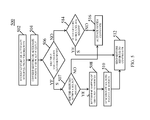
- FIGS. 6A-6B showing an example process for performing touch or alternate input processing by determining and associating a user's tactile or alternate input with one or more video sources 102 as shown in reference to FIG. 5 (element 514 ), in accordance with some embodiments of the disclosed subject matter.
- process 600 shown in FIGS. 6A-6B can be achieved using video processor 108 , pass-through control device 402 or by integration of pass-through control device 402 into video processor 108 .
- FIG. 6A shows at 602 pass-through control device 402 receiving and reading an incoming tactile input e.g., gesture such as zooming, panning, pinching, scaling and/or any other suitable gesture and removing the last item on the gesture report queue.
- the incoming tactile input includes coordinates indicating the point of interaction on the surface of display screen 106 .
- pass-through control device 402 proceeds to convert the relative coordinates into absolute coordinates.
- the relative position of a user's tactile input refers to the position on the video source 102
- the absolute position of a user's tactile input refers to the position on the display screen 106 .
- pass-through control device 402 requests from video processor 108 a list of video sources 102 connected to display screen 106 . Following the request from the video processor, in certain embodiments at 608 pass-through control device 402 calculates for a video source 102 a horizontal coordinate, x and stores it as x min .
- pass-through control device 402 calculates for a video source 102 a vertical coordinate, y and stores it as y min .
- pass-through control device 402 makes a logic determination to ascertain whether the user's tactile or alternate input falls within a video source's region on the display screen 106 . In other embodiments, the system may rely on alternative calculations, computations, coordinates, and/or logic determinations.
- pass-through control device 402 achieves this by evaluating the following logic expression at 618 :
- pass-through control device 402 determines that the logical expression is false (e.g., “FALSE” at 618 ) and thus the user's tactile or alternate input does not fall within a region of display of video source 102 , then it proceeds to determine whether there are additional video sources 102 obtained from video processor 108 at 606 . If, at 620 , pass-through control device 402 determines that there are additional video sources 102 listed (e.g., “YES” at 620 ) then process 600 returns to 608 in order to calculate the relative coordinates.
- the logical expression e.g., “FALSE” at 618
- pass-through control device 402 determines that there are additional video sources 102 listed (e.g., “YES” at 620 ) then process 600 returns to 608 in order to calculate the relative coordinates.
- pass-through control device 402 processes other system commands at 622 . Subsequently, if pass-through control device 402 determines that the logical expression is true (e.g., “TRUE” at 618 ) and thus the user's tactile or alternate input does fall within a region of display of video source 102 , then it proceeds to create a relative report data structure at 624 (shown in FIG. 6B ). Subsequently, pass-through control device 402 sets the horizontal coordinate, x of video source 102 as the relative coordinate, at 626 , and stores it in the relative data structure.
- the logical expression e.g., “TRUE” at 618
- pass-through control device 402 sets the vertical coordinate, y of video source 102 as the relative coordinate and stores it in the relative data structure. Moreover, at 630 , pass-through control device 402 appends the relative report data structure to the outgoing gesture queue that will be received by controller 202 .
- FIG. 7 shows a process 700 illustrating the processing and communication between video processor 108 and/or pass-through control device 402 and controller 202 for providing pass-through control in interactive displays in accordance with some embodiments of the disclosed subject matter.
- video processor 108 reads the oldest item from the outgoing gesture report queue.
- video processor 108 removes the oldest item from the outgoing gesture report queue and generates packets from gesture report at 706 in order to facilitate transmission of the gesture report through network 112 .
- video processor 108 transmits the packets to controller 202 and at 710 it determines whether there are additional items in the outgoing gesture report.
- process 700 determines that there are additional items in the gesture report (e.g., “YES” at 710 ) then process 700 returns to 702 to read the oldest item from the outgoing gesture report. If, however, video processor 108 determines that there are no additional items in the gesture report (e.g., “NO” at 710 ) then process 700 terminates since tactile inputs in the outgoing gesture report has been processed.
- FIG. 8 showing an example process for synchronizing video sources 102 using video processor 108 and/or pass-through control device 402 .
- pass-through control device 402 requests video source information from video processor 108 .
- the video processor 108 generates an active source data structure.
- such data structure can include information such as a unique identifier, top-left coordinates, width, height, z-index and any other suitable parameter associated with a video source.
- pass-through control device 402 appends the source identification of the first video source provided by video processor 108 at 802 to the active sources data structure.
- pass-through control device 402 determines whether the new set is empty. If the new set is empty (e.g., “YES” at 810 ) then the source identification is added as a new source in the source database. If, however, the new set is not empty (e.g., “NO” at 810 ) then the source database is updated to reflect the existing source.
- pass-through control device 402 determines whether there are additional listed sources received from the video processor 108 . If there are more sources listed (e.g., “YES” at 816 ) then process 800 returns to 806 and appends the new source identification to the active source data structure.
- pass-through control device 402 requests from the video processor 108 a list of sources excluded from the active sources data structure and stores it in a temporary set, M.
- pass-through control device 402 appends the source identification of video source 102 listed in the temporary set M to a list of inactive sources.
- pass-through control device 402 determines whether there are more inactive sources, including, but not limited to, a source listed in the temporary set M. If pass-through control device 402 determines that the set is not empty (e.g., “YES” at 822 ) then process 800 returns to 820 . If, however, pass-through control device 402 determines that there are no more inactive sources (e.g., “NO” at 822 ) then process 800 returns to 802 in order to request source information from the video processor 108 .
- synchronizing video sources 102 is achieved by determining whether active video sources can be grouped together.
- touch input grouping is performed in order to group several tactile inputs on touch input display 104 based on the spatial distance between the tactile or alternate inputs and any other suitable parameter, including, but not limited to, relative display coordinates, size of human digits and/or hands, voice or text-related parameters other parameters, or combinations thereof.
- a touch input group can be a circle of radius r centered around a coordinate of the first tactile input assigned to the group or any other suitable formation.
- touch or alternate input grouping can be used to determine the number of users interacting with input device 104 .
- An input system according to the present invention can be comprised of some or all of the following components:
- Display(s) One or more displays, manufactured using a display technology, including, but not limited to, Liquid Crystal Display (LCD), Laser Phosphor Display (LPD), Liquid Crystal on Silicon (LCoS), Digital Light Processing (DLP), or Cathode Ray Tube (CRT).
- the display will be a touchscreen display.
- a touchscreen display can be a front or rear throw projector in combination with a light reflecting screen, or assembled into a backlit panel, as in most televisions.
- the input system can be activated, as non-limiting examples, through audio, text, or other alternate methods.
- Input Device(s) One or more input devices, either assembled with, or overlaid on top of a Display.
- the input devices will be a touch-input device.
- the systems described herein can support any available touch-input technology such as Infrared (IR), which is used on large video walls to large-format displays, or Capacitive Sensing, which is used in most smartphones and tablets.
- IR Infrared
- Capacitive Sensing which is used in most smartphones and tablets.
- the input system will permit alternate methods, including, but not limited to, voice or text-input technology.
- the input system will combine touch, voice, text, and other methods.
- a Touchscreen is a Touch Input Device associated with one or more Touchscreen Displays.
- Some Touchscreens are a single display panel with a Touch Input Device assembled permanently onto the display.
- several display panels are mounted in an array with a single Touch Input Device overlay bounding the entire display array. This relationship is specified in the Software Host during setup and configuration of the system.
- a system can include several discrete Touchscreens, together or in combination with alternate input devices. operating simultaneously.
- Video Processor Either a general purpose computer or purpose-built device that receives video signals as input and outputs those video signals in different combinations and layouts onto a single continuous raster.
- Multimedia Devices One or more general purpose video output devices including laptops, desktops, tablets, and mobile phones, etc. Some devices that run software Operating Systems (OSs) that implement the HID protocol that can, in certain embodiments, be used to control the device. Multimedia devices that are PCs are also referred to herein as Source PCs.
- OSs Operating Systems
- Software Host Executes the software algorithms that enable Pass-through Touch Control for Source PCs and dynamic control of the Video Processor through multi-touch.
- HID Controller Communicates the pass-through touch control HID reports to a specific Source PC. There can be as many HID Controllers as Source PCs in a given system.
- the HID Controller can be either an external plug-and-play hardware device or a software client application hosted on a Source PC.
- Video signals from the Multimedia Devices are connected as inputs to the Video Processor using appropriate video cables and/or adapters, or using a wireless video system including, as a non-limiting example, an AirPlay receiver or other wireless video system.
- those videos signals are subsequently dynamically combined onto a single raster by the Video Processor, and shown on the Touchscreen Displays.
- HID Human Interface Device
- the Software Host synchronizes with the Video Processor through the processor's API as described elsewhere herein.
- the API calls can be implemented using many communication protocols including network protocols such as http or telnet, and/or integrated within the Software Host software itself using a provided software development kit (SDK).
- SDK software development kit
- the Software Host processes the touch or alternate input and determines what action should be taken. This functionality is described in detail elsewhere herein. For example, a user can perform a touch gesture or provide a voice or text input to open a system menu of commands somewhere on the raster.
- the menu of commands includes a feature to add a video source to the Touchscreen raster. Selecting the option to add a chosen video source initiates a Video Processor API call made by the Software Host that adds a window to the Video Processor output raster and the window contains a Multimedia Device's output video signal.
- the user can use a single finger to touch within the Multimedia Device's window to control the device through touch.
- a HID Controller either hardware or software, as described elsewhere herein can be used to facilitate this functionality. Other possibilities for control of devices is described elsewhere herein.
- the different components of the Input System including, but not limited to, a Touchscreen System described elsewhere herein are physically implemented in different configurations based on feasibility of the different components available for purchase through commercial channels.
- configurations of the system use a set of Touchscreen Displays mounted in an array that has an overlaid Touch Input Device bounding the sides of the array.
- configurations call for a single Touchscreen Display with a single Touchscreen Input Device assembled over the display by the manufacturer.
- Video processors such as, for example, the Datapath VSN & iolite series, or other computers that are assembled with video capture input and graphics output cards, can serve as home to the Software Host applications. These types of video processors run on widely available operating systems that can also execute the Software Host applications described below. In certain instances, the Video Processor and Software Host hardware can be combined to save on upfront and maintenance costs of the hardware.
- Video Processor and Software Host hardware can be separated.
- One example configuration can include the Christie Digital Spyder X20 Video Processor or the RGB Systems line of video processors such as the Media Wall series.
- the Software Host can be on a separate general computing device.
- video source inputs can be shown in different layout configurations. For instance, a single source can be shown full-screen; the display can show two sources simultaneously side-by-side; or in some cases four sources can be shown simultaneously in a quad-view layout. Even more source-to-layout configurations can be implemented by displays.
- the display can then be controlled through a RS232 or ethernet interface.
- this control interface can be used to control basic functionality such as volume and channel control, and it can also be used to control what sources/layouts the display is showing.
- source layouts and control can be considered a subset of the functionality of most Video Processors.
- Using a Display as the Video Processor in the Touchscreen System described herein can save upfront and maintenance costs versus using a separate piece of Video Processor hardware.
- Displays can be integrated with general computing devices, or provide the ability to add after-market general computing devices to the display.
- the Open Pluggable Specification is an initiative by Intel to provide a common interface between a computer and a display.
- the Touchscreen System components may have a single piece of equipment that serves as four of the components of the system: the Touchscreen Display, the Touch Input Device, the Video Processor, and the Software Host.
- the Software Host uses processing threads, as shown in FIG. 10 , to continuously update and react to new touch or alternate inputs. Example threads are described.
- the Input Device Processing thread in embodiments related to Touch Inputs, reads incoming HID reports from the Touch Input Devices over USB or serial.
- One or more Touch Input Devices can have an associated queue of Active Touch Points that is continually updated by this thread.
- one or more touch points are represented by a unique identifier given by the Touch Input Device, and an associated pair of (x,y) coordinates representing where the touch occurred within the Touch Input Device's frame.
- one or more touch points in the HID reports are either added or updated within the Active Touch Points queue for that device as shown in FIG. 11 .
- the video processor synchronization algorithm is responsible tracking source information in real-time in a datastore.
- An example method for video processor source synchronization is illustrated in FIG. 12 .
- Sources can have a unique identifier, a top-left starting position kept in (x,y) coordinate pair, width, height, and z-index attributes to represent the relative positions of the source window display within the larger raster.
- the Video Processor provides information about its sources and if a source has been added to the raster, the algorithm will add a corresponding source in its datastore and update a source if necessary. When a source is removed from the raster, it is removed from the datastore.
- the Touch Input Grouping thread scans the Active Touch Points Queues to group touch inputs based on the time and spatial distance between the touch points.
- the invention described herein uses this approach as a heuristic to group inputs by the approximate size of a hand. In alternate embodiments, inputs will be grouped based, as a non-limiting example, on time between the points
- the user can enter the physical dimensions in inches or meters of the Touchscreen's area.
- Grouping can be used to ignore unintentional gestures or inputs of two or more people interacting with a given Multimedia Device window at a time.
- a Touchscreen is 120′′ inches in its diagonal, with one Source PC window full screen on the Touchscreen. Two adults can easily stand in front of the display and interact with the PC at the same time. If one of the two users touch with one finger, then move towards the other on a diagonal, a system without Touch Input Grouping would recognize this gesture as a pinch gesture and might make the window smaller, even though that was unintended by the users.
- a Touch Input Group can be defined as a set of touch points that are within a certain geometrical boundary on the screen and that takes into consideration additional parameters such as the relative screen coordinates, the physical measurements of the screen and the size of the human digits and/or hands.
- a touch input group can include a circle with radius r, centered around the first touch point that creates the group.
- a group can include one or more touch points. The radius r is specified in real measurement based on the physical dimensions (i.e. inches or meters instead of pixels) of the Touchscreen system, which is configurable by a user.
- the Touch Input Grouping process is shown in FIG. 13 .
- the Touch Input Grouping thread will first check to see if t is already in a group. If so, the group will be flagged for processing as described elsewhere herein.
- the algorithm will determine the t's (x,y) coordinates lie within a previously created group, and if that group was created within a timeout z in milliseconds, typically 50 milliseconds, from when the group was first seen by the Touch Input Grouping thread.
- t will be added to that group and that group will be flagged for processing. If not, the thread will create a new group centered around t, with radius r, and will note the time the group is created.
- An Input Group which may, in certain embodiments, be a Touch Input Group, can be processed as shown in FIG. 14 .
- Basic hit detection is used to determine whether the input is trying to interact with a popup menu of options, a video source window on the Video Processor output, or with the background canvas.
- Example popup menu functionality is shown in FIG. 15 .
- the popup menu application is implemented as a separate application running alongside the Software Host and shares several resources with the Software Host to coordinate behavior between the two applications.
- the menu disappears and dispatches a message to the Software Host to carry out the action the user selected. Also, the Software Host dictates which options are available in the menu when it appears.
- a touch group hits within a window, a user is trying to interact with that window. If the window is not in multitouch mode, the user's input is analyzed using the gesture detection algorithm in FIG. 16 to determine what actions, if any, should be performed.
- touch input within the window will be passed through to control the multimedia device.
- Multitouch Mode ON for a source window or with either a Single Finger Input or Single-point Tap gesture a user can control the Multimedia Device through touch with the system.
- a source is associated with a particular Control Interface class or subclass, which interprets the gestures from the Touchscreen and in turn executes some command to control on the Multimedia device.
- a new Multimedia Device to be controlled in the system can utilize a new Control Interface subclass, based in whole or in part on similar command communication structures as described elsewhere herein. For instance, many devices use an Internet Protocol (IP) Control Interface, while one or more of the devices can have its own unique functionality and IP based commands to execute to control the device.
- IP Internet Protocol
- Source PCs are typically controlled through a HID Control Interface, paired with a HID Controller connected to the Source PC as described elsewhere herein.
- the Software Host's HID Control Interface is responsible for communicating the HID reports to the HID Controller, through TCP/IP to eventually be executed on the Source PC as actual HID reports.
- the Software Host translates the touch or alternate point coordinates from the larger Touchscreen or alternate input system to the appropriate relative coordinates where someone is touching or alternate inputs within the Source PC's window on the Touchscreen.
- the window may be anywhere on the larger Touchscreen, but the appropriate coordinate to pass to the Source PC would be (0,0).
- the HID Controllers can be configured to work on most modern Operating Systems including: Windows, macOS, Linux, Android, and other devices.
- Video players such as Blu-Ray, DVD, Laserdisc, etc. are controlled through an Infrared (IR) Control Interface, wherein an IR emitter is integrated into the Software Host's hardware and emits commands as controlled by one of the many Software Host's Infrared Control Interface subclasses based on the device.
- IR Infrared
- Cameras are another example multimedia devices that can be used in the system, typically in control room environments. These devices are controlled through an Internet Protocol (IP) Control Interface.
- IP Internet Protocol
- a user touching a PTZ (point, tilt, zoom) camera's source window can dynamically control the direction the camera is pointing.
- a user touching a point within the camera's output display will move the camera in the direction where the user is touching, relative to the center of the window. When that user double taps on a point, the camera zooms in on that point.
- Video Conferencing Codec Another multimedia device used in the system is a Video Conferencing Codec. These devices will show a video conferencing video signal and the device can be controlled through an IP interface. For example, a user can start or stop a call by tapping within the window.
- the Software HID Controller is a user-space application that communicates with a virtual device in a given Source PC's operating system.
- the virtual device is implemented differently at the kernel level to communicate the pass-through touch HID reports to the operating system.
- the user space application functions as a server listening for TCP/IP packets of containing HID report information from the Software Host. Then the application translates that TCP/IP data into actual HID reports that is passed to its virtual device to perform the HID commands on the Source PC just as a physical device would.
- the Hardware HID Controller can be a general purpose computing device that has two primary connection interfaces, incoming and outgoing.
- the incoming interface can be implemented using ethernet or USB hardware. It receives data representing HID reports from the Software Host.
- the HID Controller can be connected to the same public or private ethernet network as the Software Host's hardware.
- the network connections should where possible be implemented using TCP/IP protocol for correctness but can also be implemented using UDP as well.
- the incoming HID reports are represented by TCP/IP packets and can be converted to into actual HID reports by the HID Controllers CPU to be sent through the HID Controller's outgoing interface.
- the HID Controller When the incoming interface of the HID Controller is implemented in USB hardware, translation of network packets to is not required. However, the HID Controller can be directly connected to the Software Host's hardware using a USB cable.
- the outgoing interface can be implemented using a USB chipset.
- the chipset functions as a USB Device and not as a USB Host.
- Many, if not all HID devices including keyboards, mice, and Touch Input Devices are built using USB Device chips.
- a hardware HID Controller is implemented using an IBoard Ex chicken board that uses an Atmel ATMega32U4 RISC-based microcontroller as its CPU.
- the Atmel chip has a USB controller integrated into the chip that can act as a USB Device or USB Host.
- the board can be configured so that the Atmel chip acts as USB Device.
- the system uses the IBoard's WizNET ethernet port to receive TCP/IP packets that are processed by the microcontroller using custom software we have written for the HID Controller's incoming interface.
- the TCP/IP packets are translated and sent as HID reports through the outgoing interface on the IBoard's USB Device connection to a Source PC.
- the Hardware HID Controller is powered by the same USB connection to the Source PC using a USB A-to-B mini cable.
- the disclosed subject matter is also directed to other embodiments having any other possible combination of the features disclosed and claimed herein.
- the particular features presented herein can be combined with each other in other manners within the scope of the disclosed subject matter such that the disclosed subject matter includes any suitable combination of the features disclosed herein.
- the embodiments described herein can employ various computer-implemented operations involving data stored in computer systems. For example, these operations can require physical manipulation of physical quantities; usually, though not necessarily, these quantities can take the form of electrical or magnetic signals, where they or representations of them are capable of being stored, transferred, combined, compared, or otherwise manipulated. Further, such manipulations are often referred to in terms, such as producing, yielding, identifying, determining, or comparing. Any operations described herein that form part of one or more embodiments of the disclosure can be useful machine operations. In addition, one or more embodiments of the disclosure also relate to a device or an apparatus for performing these operations.
- the apparatus can be specially constructed for specific required purposes, or it can be a general purpose computer selectively activated or configured by a computer program stored in the computer.
- various general purpose machines can be used with computer programs written in accordance with the teachings herein, or it can be more convenient to construct a more specialized apparatus to perform the required operations.
Landscapes
- Engineering & Computer Science (AREA)
- Theoretical Computer Science (AREA)
- General Engineering & Computer Science (AREA)
- Human Computer Interaction (AREA)
- Multimedia (AREA)
- Signal Processing (AREA)
- Physics & Mathematics (AREA)
- General Physics & Mathematics (AREA)
- User Interface Of Digital Computer (AREA)
Abstract
Description
|X|≥X MIN&|X|≤X MAX&|Y|≥Y MIN&|Y|≤Y MAX (1)
Claims (19)
Priority Applications (1)
| Application Number | Priority Date | Filing Date | Title |
|---|---|---|---|
| US15/870,829 US10310795B1 (en) | 2017-02-23 | 2018-01-12 | Pass-through control in interactive displays |
Applications Claiming Priority (2)
| Application Number | Priority Date | Filing Date | Title |
|---|---|---|---|
| US201762462666P | 2017-02-23 | 2017-02-23 | |
| US15/870,829 US10310795B1 (en) | 2017-02-23 | 2018-01-12 | Pass-through control in interactive displays |
Publications (1)
| Publication Number | Publication Date |
|---|---|
| US10310795B1 true US10310795B1 (en) | 2019-06-04 |
Family
ID=66673511
Family Applications (1)
| Application Number | Title | Priority Date | Filing Date |
|---|---|---|---|
| US15/870,829 Expired - Fee Related US10310795B1 (en) | 2017-02-23 | 2018-01-12 | Pass-through control in interactive displays |
Country Status (1)
| Country | Link |
|---|---|
| US (1) | US10310795B1 (en) |
Citations (4)
| Publication number | Priority date | Publication date | Assignee | Title |
|---|---|---|---|---|
| US20060031889A1 (en) * | 2002-12-11 | 2006-02-09 | Bennett James D | Video processing system with simultaneous multiple outputs each with unique formats |
| US8381245B2 (en) * | 2007-12-19 | 2013-02-19 | Verizon Patent And Licensing Inc. | Program guide image objects for media content access systems and methods |
| US8510780B2 (en) * | 2006-12-21 | 2013-08-13 | Verizon Patent And Licensing Inc. | Program guide navigation tools for media content access systems and methods |
| US8893184B2 (en) * | 2011-07-15 | 2014-11-18 | Intel Corporation | Mechanism for facilitating multiple multimedia viewing planes in media display systems |
-
2018
- 2018-01-12 US US15/870,829 patent/US10310795B1/en not_active Expired - Fee Related
Patent Citations (4)
| Publication number | Priority date | Publication date | Assignee | Title |
|---|---|---|---|---|
| US20060031889A1 (en) * | 2002-12-11 | 2006-02-09 | Bennett James D | Video processing system with simultaneous multiple outputs each with unique formats |
| US8510780B2 (en) * | 2006-12-21 | 2013-08-13 | Verizon Patent And Licensing Inc. | Program guide navigation tools for media content access systems and methods |
| US8381245B2 (en) * | 2007-12-19 | 2013-02-19 | Verizon Patent And Licensing Inc. | Program guide image objects for media content access systems and methods |
| US8893184B2 (en) * | 2011-07-15 | 2014-11-18 | Intel Corporation | Mechanism for facilitating multiple multimedia viewing planes in media display systems |
Similar Documents
| Publication | Publication Date | Title |
|---|---|---|
| US20140223490A1 (en) | Apparatus and method for intuitive user interaction between multiple devices | |
| US9477436B2 (en) | Interactive display system, operation method thereof, and image intermediary apparatus | |
| EP2953341B1 (en) | Mobile device, system including the same, and image quality matching method thereof | |
| US20170185269A1 (en) | Display management solution | |
| US20220269465A1 (en) | Device manager that utilizes physical position of display devices | |
| US11614912B2 (en) | Dual-system device and writing method and apparatus thereof, and interactive intelligent tablet | |
| EP3267303B1 (en) | Multi-touch display panel and method of controlling the same | |
| US11243737B2 (en) | Method and system for remote collaboration | |
| CN101551739B (en) | Switcher and screen display system and method | |
| US8184065B2 (en) | Efficient mode switching in a video processor system | |
| WO2021072926A1 (en) | File sharing method, apparatus, and system, interactive smart device, source end device, and storage medium | |
| US20150077357A1 (en) | Display apparatus and control method thereof | |
| CN108027699A (en) | Control multi-user touch screen equipment | |
| CN113110906B (en) | A display control method and electronic device | |
| US20170228137A1 (en) | Local zooming of a workspace asset in a digital collaboration environment | |
| CN105280145A (en) | Display device and mobile terminal | |
| US11126396B2 (en) | Audio output device selection | |
| JP2017182109A (en) | Display system, information processing apparatus, projector, and information processing method | |
| US20090213067A1 (en) | Interacting with a computer via interaction with a projected image | |
| JP2016167250A (en) | Method for detecting operation event, system and program | |
| CN111880759A (en) | Control method and device for multi-split screen display picture, display and storage medium | |
| TW201546656A (en) | Gesture identification system in tablet projector and gesture identification method thereof | |
| US12526385B2 (en) | Information handling system camera with direct access settings and automated presentation positioning | |
| CN115243082A (en) | Display device and terminal control method | |
| US10310795B1 (en) | Pass-through control in interactive displays |
Legal Events
| Date | Code | Title | Description |
|---|---|---|---|
| FEPP | Fee payment procedure |
Free format text: ENTITY STATUS SET TO UNDISCOUNTED (ORIGINAL EVENT CODE: BIG.); ENTITY STATUS OF PATENT OWNER: SMALL ENTITY |
|
| FEPP | Fee payment procedure |
Free format text: ENTITY STATUS SET TO SMALL (ORIGINAL EVENT CODE: SMAL); ENTITY STATUS OF PATENT OWNER: SMALL ENTITY |
|
| FEPP | Fee payment procedure |
Free format text: PETITION RELATED TO MAINTENANCE FEES GRANTED (ORIGINAL EVENT CODE: PTGR); ENTITY STATUS OF PATENT OWNER: SMALL ENTITY |
|
| STCF | Information on status: patent grant |
Free format text: PATENTED CASE |
|
| FEPP | Fee payment procedure |
Free format text: MAINTENANCE FEE REMINDER MAILED (ORIGINAL EVENT CODE: REM.); ENTITY STATUS OF PATENT OWNER: SMALL ENTITY |
|
| LAPS | Lapse for failure to pay maintenance fees |
Free format text: PATENT EXPIRED FOR FAILURE TO PAY MAINTENANCE FEES (ORIGINAL EVENT CODE: EXP.); ENTITY STATUS OF PATENT OWNER: SMALL ENTITY |
|
| STCH | Information on status: patent discontinuation |
Free format text: PATENT EXPIRED DUE TO NONPAYMENT OF MAINTENANCE FEES UNDER 37 CFR 1.362 |
|
| FP | Lapsed due to failure to pay maintenance fee |
Effective date: 20230604 |