EP3872611A1 - Multi-screen interaction method and apparatus, and storage medium - Google Patents
Multi-screen interaction method and apparatus, and storage medium Download PDFInfo
- Publication number
- EP3872611A1 EP3872611A1 EP20188582.9A EP20188582A EP3872611A1 EP 3872611 A1 EP3872611 A1 EP 3872611A1 EP 20188582 A EP20188582 A EP 20188582A EP 3872611 A1 EP3872611 A1 EP 3872611A1
- Authority
- EP
- European Patent Office
- Prior art keywords
- terminal
- interface
- detected
- responsive
- file
- Prior art date
- Legal status (The legal status is an assumption and is not a legal conclusion. Google has not performed a legal analysis and makes no representation as to the accuracy of the status listed.)
- Granted
Links
Images



Classifications
-
- G—PHYSICS
- G06—COMPUTING OR CALCULATING; COUNTING
- G06F—ELECTRIC DIGITAL DATA PROCESSING
- G06F3/00—Input arrangements for transferring data to be processed into a form capable of being handled by the computer; Output arrangements for transferring data from processing unit to output unit, e.g. interface arrangements
- G06F3/01—Input arrangements or combined input and output arrangements for interaction between user and computer
- G06F3/048—Interaction techniques based on graphical user interfaces [GUI]
- G06F3/0487—Interaction techniques based on graphical user interfaces [GUI] using specific features provided by the input device, e.g. functions controlled by the rotation of a mouse with dual sensing arrangements, or of the nature of the input device, e.g. tap gestures based on pressure sensed by a digitiser
- G06F3/0488—Interaction techniques based on graphical user interfaces [GUI] using specific features provided by the input device, e.g. functions controlled by the rotation of a mouse with dual sensing arrangements, or of the nature of the input device, e.g. tap gestures based on pressure sensed by a digitiser using a touch-screen or digitiser, e.g. input of commands through traced gestures
-
- G—PHYSICS
- G06—COMPUTING OR CALCULATING; COUNTING
- G06F—ELECTRIC DIGITAL DATA PROCESSING
- G06F3/00—Input arrangements for transferring data to be processed into a form capable of being handled by the computer; Output arrangements for transferring data from processing unit to output unit, e.g. interface arrangements
- G06F3/01—Input arrangements or combined input and output arrangements for interaction between user and computer
- G06F3/048—Interaction techniques based on graphical user interfaces [GUI]
- G06F3/0484—Interaction techniques based on graphical user interfaces [GUI] for the control of specific functions or operations, e.g. selecting or manipulating an object, an image or a displayed text element, setting a parameter value or selecting a range
- G06F3/04845—Interaction techniques based on graphical user interfaces [GUI] for the control of specific functions or operations, e.g. selecting or manipulating an object, an image or a displayed text element, setting a parameter value or selecting a range for image manipulation, e.g. dragging, rotation, expansion or change of colour
-
- H—ELECTRICITY
- H04—ELECTRIC COMMUNICATION TECHNIQUE
- H04M—TELEPHONIC COMMUNICATION
- H04M1/00—Substation equipment, e.g. for use by subscribers
- H04M1/72—Mobile telephones; Cordless telephones, i.e. devices for establishing wireless links to base stations without route selection
- H04M1/724—User interfaces specially adapted for cordless or mobile telephones
- H04M1/72403—User interfaces specially adapted for cordless or mobile telephones with means for local support of applications that increase the functionality
- H04M1/72409—User interfaces specially adapted for cordless or mobile telephones with means for local support of applications that increase the functionality by interfacing with external accessories
-
- G—PHYSICS
- G06—COMPUTING OR CALCULATING; COUNTING
- G06F—ELECTRIC DIGITAL DATA PROCESSING
- G06F3/00—Input arrangements for transferring data to be processed into a form capable of being handled by the computer; Output arrangements for transferring data from processing unit to output unit, e.g. interface arrangements
- G06F3/01—Input arrangements or combined input and output arrangements for interaction between user and computer
- G06F3/048—Interaction techniques based on graphical user interfaces [GUI]
- G06F3/0481—Interaction techniques based on graphical user interfaces [GUI] based on specific properties of the displayed interaction object or a metaphor-based environment, e.g. interaction with desktop elements like windows or icons, or assisted by a cursor's changing behaviour or appearance
- G06F3/04817—Interaction techniques based on graphical user interfaces [GUI] based on specific properties of the displayed interaction object or a metaphor-based environment, e.g. interaction with desktop elements like windows or icons, or assisted by a cursor's changing behaviour or appearance using icons
-
- G—PHYSICS
- G06—COMPUTING OR CALCULATING; COUNTING
- G06F—ELECTRIC DIGITAL DATA PROCESSING
- G06F3/00—Input arrangements for transferring data to be processed into a form capable of being handled by the computer; Output arrangements for transferring data from processing unit to output unit, e.g. interface arrangements
- G06F3/01—Input arrangements or combined input and output arrangements for interaction between user and computer
- G06F3/048—Interaction techniques based on graphical user interfaces [GUI]
- G06F3/0484—Interaction techniques based on graphical user interfaces [GUI] for the control of specific functions or operations, e.g. selecting or manipulating an object, an image or a displayed text element, setting a parameter value or selecting a range
- G06F3/0486—Drag-and-drop
-
- G—PHYSICS
- G06—COMPUTING OR CALCULATING; COUNTING
- G06F—ELECTRIC DIGITAL DATA PROCESSING
- G06F3/00—Input arrangements for transferring data to be processed into a form capable of being handled by the computer; Output arrangements for transferring data from processing unit to output unit, e.g. interface arrangements
- G06F3/14—Digital output to display device ; Cooperation and interconnection of the display device with other functional units
- G06F3/1454—Digital output to display device ; Cooperation and interconnection of the display device with other functional units involving copying of the display data of a local workstation or window to a remote workstation or window so that an actual copy of the data is displayed simultaneously on two or more displays, e.g. teledisplay
-
- H—ELECTRICITY
- H04—ELECTRIC COMMUNICATION TECHNIQUE
- H04M—TELEPHONIC COMMUNICATION
- H04M1/00—Substation equipment, e.g. for use by subscribers
- H04M1/72—Mobile telephones; Cordless telephones, i.e. devices for establishing wireless links to base stations without route selection
- H04M1/724—User interfaces specially adapted for cordless or mobile telephones
- H04M1/72403—User interfaces specially adapted for cordless or mobile telephones with means for local support of applications that increase the functionality
- H04M1/72409—User interfaces specially adapted for cordless or mobile telephones with means for local support of applications that increase the functionality by interfacing with external accessories
- H04M1/72412—User interfaces specially adapted for cordless or mobile telephones with means for local support of applications that increase the functionality by interfacing with external accessories using two-way short-range wireless interfaces
-
- H—ELECTRICITY
- H04—ELECTRIC COMMUNICATION TECHNIQUE
- H04M—TELEPHONIC COMMUNICATION
- H04M1/00—Substation equipment, e.g. for use by subscribers
- H04M1/72—Mobile telephones; Cordless telephones, i.e. devices for establishing wireless links to base stations without route selection
- H04M1/724—User interfaces specially adapted for cordless or mobile telephones
- H04M1/72469—User interfaces specially adapted for cordless or mobile telephones for operating the device by selecting functions from two or more displayed items, e.g. menus or icons
-
- H—ELECTRICITY
- H04—ELECTRIC COMMUNICATION TECHNIQUE
- H04N—PICTORIAL COMMUNICATION, e.g. TELEVISION
- H04N21/00—Selective content distribution, e.g. interactive television or video on demand [VOD]
- H04N21/40—Client devices specifically adapted for the reception of or interaction with content, e.g. set-top-box [STB]; Operations thereof
- H04N21/43—Processing of content or additional data, e.g. demultiplexing additional data from a digital video stream; Elementary client operations, e.g. monitoring of home network or synchronising decoder's clock; Client middleware
- H04N21/4302—Content synchronisation processes, e.g. decoder synchronisation
- H04N21/4307—Synchronising the rendering of multiple content streams or additional data on devices, e.g. synchronisation of audio on a mobile phone with the video output on the TV screen
- H04N21/43076—Synchronising the rendering of multiple content streams or additional data on devices, e.g. synchronisation of audio on a mobile phone with the video output on the TV screen of the same content streams on multiple devices, e.g. when family members are watching the same movie on different devices
-
- G—PHYSICS
- G09—EDUCATION; CRYPTOGRAPHY; DISPLAY; ADVERTISING; SEALS
- G09G—ARRANGEMENTS OR CIRCUITS FOR CONTROL OF INDICATING DEVICES USING STATIC MEANS TO PRESENT VARIABLE INFORMATION
- G09G2354/00—Aspects of interface with display user
-
- G—PHYSICS
- G09—EDUCATION; CRYPTOGRAPHY; DISPLAY; ADVERTISING; SEALS
- G09G—ARRANGEMENTS OR CIRCUITS FOR CONTROL OF INDICATING DEVICES USING STATIC MEANS TO PRESENT VARIABLE INFORMATION
- G09G2370/00—Aspects of data communication
- G09G2370/04—Exchange of auxiliary data, i.e. other than image data, between monitor and graphics controller
-
- G—PHYSICS
- G09—EDUCATION; CRYPTOGRAPHY; DISPLAY; ADVERTISING; SEALS
- G09G—ARRANGEMENTS OR CIRCUITS FOR CONTROL OF INDICATING DEVICES USING STATIC MEANS TO PRESENT VARIABLE INFORMATION
- G09G2370/00—Aspects of data communication
- G09G2370/16—Use of wireless transmission of display information
Definitions
- the present disclosure relates to the technical field of electronic devices, and more particularly, to a multi-screen interaction method and apparatus, and a storage medium.
- the present disclosure provides a multi-screen interaction method and apparatus, and a storage medium.
- a multi-screen interaction method applied to a first terminal which may include that:
- the operation of responding to, responsive to the first operation on the first object in the first interface is detected, the first operation on the first object in the first terminal may include that:
- the first object is stored in the first terminal.
- the display screen may further include one or more second objects displayed outside the first interface.
- the method may further include that:
- the first object may be a file or a program.
- the operation of responding to, responsive to the first operation on the first object in the first interface is detected, the first operation on the first object in the first terminal may include that: responsive to the first operation of opening the first object in the first interface is detected, the first object is opened in the first terminal.
- the first object may be a file.
- the operation of responding to, responsive to the first operation on the first object in the first interface is detected, the first operation on the first object in the first terminal may include that:
- the first object may be a link address.
- the operation of responding to, responsive to the first operation on the first object in the first interface is detected, the first operation on the first object in the first terminal may include that: responsive to the first operation acting on the link address in the first interface is detected, the first terminal opens a page connected to the link address according to the link address.
- the first object may include an interface added control.
- the operation of responding to, responsive to the first operation on the first object in the first interface is detected, the first operation on the first object in the first terminal may include that: responsive to the first operation acting on the interface added control is detected, a second interface of the second terminal is projected on the display screen of the first terminal.
- the second interface may include a desktop of the second terminal.
- the method may further include that: responsive to a third operation of dragging an icon of a target application on the desktop out of the desktop is detected, a third interface of the target application is projected on the display screen of the first terminal.
- the method may further include that:
- the first interface may include a message prompt interface
- the interface added control may include a message display control.
- the operation of projecting, responsive to the first operation acting on the interface added control is detected, a second interface of the second terminal on the display screen of the first terminal may include that: responsive to the first operation acting on the message display control in the message prompt interface is detected, a message display interface of the second terminal is projected on the display screen of the first terminal.
- a multi-screen interaction method applied to a second terminal which may include that:
- the operation that the first operation detected by the first terminal on the first object in the first interface is responded may include that: responsive to that the first operation is detected by the first terminal to drag the first object in the first interface out of the first interface, the first object is sent to the first terminal.
- the method may further include that:
- the first object may be a file.
- the operation that the first operation detected by the first terminal on the first object in the first interface is responded may include that:
- the first object may be an interface added control.
- the operation that the first operation detected by the first terminal on the first object in the first interface is responded may include that: responsive to the first operation is detected by the first terminal to act on the interface added control, a second interface is projected to the display screen of the first terminal.
- the second interface may include a desktop of the second terminal.
- the method may further include that: responsive to the first operation is a third operation detected by the first terminal for dragging an icon of a target application on the desktop out of the desktop, a third interface of the target application is projected to the display screen of the first terminal.
- the method may further include that:
- the first interface may include a message prompt interface
- the interface added control may include a message display control.
- the operation that the second interface is projected to the display screen of the first terminal responsive to the first operation is detected by the first terminal to act on the interface added control may include that:
- a message display interface is projected to the display screen of the first terminal.
- the method may further include that:
- the fourth object may include a silence setting control.
- the operation of responding to, responsive to the fifth operation on a fourth object in the screen projection control interface is detected, the fifth operation may include that: responsive to the fifth operation on the silence setting control is detected, the second terminal is set as a silent mode.
- a multi-screen interaction apparatus applied to a first terminal which may include:
- the first response module may be specifically configured to store, responsive to the first operation of dragging the first object in the first interface out of the first interface is detected, the first object in the first terminal.
- the display screen may further include one or more second objects displayed outside the first interface.
- the apparatus may further include:
- the first object may be a file.
- the first response module may be specifically configured to: responsive to the first operation of editing the file is detected, open and edit the file in the first terminal; and send the edited file to the second terminal.
- the first object may be a link address
- the first response module may be specifically configured to open, responsive to the first operation acting on the link address in the first interface is detected, a page connected to the link address according to the link address by the first terminal.
- the first object may include an interface added control.
- the first response module may be specifically configured to project, responsive to the first operation acting on the interface added control is detected, a second interface of the second terminal on the display screen of the first terminal.
- the second interface may include a desktop of the second terminal.
- the apparatus may further include: a second projection module, configured to project, responsive to a third operation of dragging an icon of a target application on the desktop out of the desktop is detected, a third interface of the target application on the display screen of the first terminal.
- the apparatus may further include: a second sending module, configured to: send, responsive to the first operation of dragging the first object from the first interface to the third interface is detected, a first object copying instruction to the second terminal, the first object copying instruction being configured to instruct the second terminal to copy the first object from the first interface to the third interface; and send, responsive to a fourth operation of dragging a third object from the third interface to the first interface is detected, a third object copying instruction to the second terminal, the third object copying instruction being configured to instruct the second terminal to copy the third object from the third interface to the first interface.
- a second sending module configured to: send, responsive to the first operation of dragging the first object from the first interface to the third interface is detected, a first object copying instruction to the second terminal, the first object copying instruction being configured to instruct the second terminal to copy the first object from the first interface to the third interface.
- the first interface may include a message prompt interface
- the interface added control may include a message display control
- the second projection module may be specifically configured to project, responsive to the first operation acting on the message display control in the message prompt interface is detected, a message display interface of the second terminal on the display screen of the first terminal.
- a multi-screen interaction apparatus applied to a second terminal which may include:
- the second response module may be specifically configured to send, responsive to that the first operation is detected by the first terminal to drag the first object in the first interface out of the first interface, the first object to the first terminal.
- the apparatus may further include:
- the first object may be a file
- the second response module may be specifically configured to: receive an edited file from the first terminal, the edited file being a file stored in the second terminal and opened in the first terminal; and save the edited file.
- the first object may be an interface added control.
- the second response module may be configured to project, responsive to the first operation is detected by the first terminal to act on the interface added control, a second interface to the display screen of the first terminal.
- the second interface may include a desktop of the second terminal.
- the apparatus may further include: a fourth projection module, configured to project, responsive to the first operation is a third operation detected by the first terminal for dragging an icon of a target application on the desktop out of the desktop, a third interface of the target application to the display screen of the first terminal.
- the apparatus may further include:
- the first interface may include a message prompt interface
- the interface added control may include a message display control
- the fourth projection module may be specifically configured to project, responsive to the first operation is detected by the first terminal to act on the interface display control in the message prompt interface, a message display interface to the display screen of the first terminal.
- the apparatus may further include:
- the fourth object may include a silence setting control.
- the third response module may be specifically configured to set, responsive to the fifth operation on the silence setting control is detected, the second terminal as a silent mode.
- a multi-screen interaction apparatus which may include:
- the processor may be configured to perform the multi-screen interaction method in the first aspect or the second aspect.
- a storage medium is provided.
- the computer When instructions in the storage medium is executed by a processor of a computer, the computer may be caused to perform the multi-screen interaction method in the first aspect or the second aspect.
- a first interface of a second terminal may be projected on a display screen of a first terminal; the first terminal may detect a first operation acting on the first interface; and responsive to the first operation on the first object in the first interface is detected, the first terminal may respond to the first operation on the first object.
- a first terminal can receive the sharing from a second terminal, and the second terminal can be controlled directly by an operation detected by the first terminal on a first interface displayed by the first terminal.
- An interactive user operation between the first terminal and the second terminal is simplified, and it is favorable for selecting the first terminal and/or the second terminal which are/is more suitable for a present application scenario based on an operation input by a user to perform corresponding operations, thereby upgrading the user experience and improving the intelligence of multi-screen interaction.
- FIG. 1 is a flowchart 1 showing a multi-screen interaction method according to an embodiment of the present disclosure. As shown in FIG. 1 , a multi-screen interaction method applied to a first terminal includes the following operations.
- a first interface of a second terminal is projected on a display screen of the first terminal.
- the first terminal may be a notebook computer, a tablet computer, a television terminal, or the like.
- the first terminal may be a terminal device with a screen larger than that of the second terminal.
- the second terminal may be a mobile phone or a tablet computer.
- the first terminal is a tablet computer or a tablet/PC two-in-one computer
- the second terminal may be a mobile phone or a wearable device.
- a wired connection may be established between the first terminal and the second terminal.
- the wired connection may include but is not limited to a universal serial bus (USB) connection or a serial port connection.
- a wireless connection may also be performed between the first terminal and the second terminal.
- a wireless connection may be established through Bluetooth communication or near field communication (NFC).
- the wireless connection may also include a device to device (D2D) wireless connection, a wireless fidelity (Wi-Fi) direct connection, and the like.
- D2D device to device
- Wi-Fi wireless fidelity
- the first broadcast information sent by the first terminal may carry user account information of the first terminal, and the user account information may include, for example, an account name of a user.
- the second terminal in the same local area network may display the user account information included in the first broadcast information on a display screen of the second terminal.
- the second terminal may receive a connection confirmation instruction sent by the user based on the user account information and send a first connection request to the first terminal.
- the first terminal may establish a connection with the second terminal according to the first connection request.
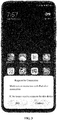
- FIG. 2 and FIG. 3 are schematic diagrams of establishing a connection between a first terminal and a second terminal by sending and receiving broadcast information in an embodiment of the present disclosure.
- a notebook computer sends broadcast information carrying its own user identification information
- multiple nearby terminals that receive the broadcast information may be displayed.
- the second terminal may display connection prompt information including user identification information of a first terminal device.
- the connection prompt information including user identification information of a first terminal device.
- the second terminal may establish a connection with the first terminal.
- the second terminal may establish a connection with the first terminal after a user clicks on a "connection" control.
- the first terminal may broadcast a connection signal to establish a direct connection between the first terminal and the second terminal without need of transit through a router, thus reducing information leakage caused by the router transit, and improving the safety of interaction between the first terminal and the second terminal.
- the login link information may include device identification information of the first terminal.
- the second terminal may scan the QR code to parse and obtain the device identification information of the first terminal, and send a second connection request to the first terminal based on the device identification information.
- the first terminal may establish a connection with the second terminal based on the second connection request.
- the device identification information may be, for example, a physical address (media access control (MAC) address) of the device.
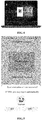
- FIG. 4 and FIG. 5 are example diagrams of establishing a connection by code-scanning login in an embodiment of the present disclosure.
- a desktop of the first terminal (notebook computer) displays QR code information for establishing a connection.
- the second terminal (mobile phone) establishes a connection with the first terminal after scanning a code based on, for example, a code-scanning function in a camera, and displays a prompt message that the connection is successful on a display interface of the mobile phone.
- the second terminal may also upload its own user account information to the first terminal, so that the first terminal may save the user account information.
- the user account information may include an account name of a user, and may also include a password that matches the account name of the user.
- the second terminal may upload user account information to the first terminal based on the user's permission.
- the display interface of the mobile phone displays prompt information indicating whether to synchronize a user account (user account information) to a computer device. Based on a synchronous confirmation operation of a user, the mobile phone may send the user account to a notebook computer.
- the first terminal may send second broadcast information.
- the second broadcast information may carry the MAC address of the first terminal and stored user account information of the second terminal.
- the second terminal that receives the second broadcast information determines that the user account information carried in the second broadcast information is consistent with its own user account information, a connection with the first terminal can be established automatically through the MAC address of the first terminal in the second broadcast information. It can be understood that automatic connection establishment based on user account information brings convenience to the screen projection of the first terminal and the second terminal, and a user is not required to manually operate during each screen projection to achieve the connection, thereby improving the use experience.
- the first terminal may project a first interface of the second terminal on the display screen based on operation S 11.
- the first interface of the second terminal may be a desktop of the first terminal, a setting interface of the second terminal, or an application interface of an application presently being displayed by the second terminal, which is not limited in the embodiments of the present disclosure.
- the layout of the first interface displayed on the display screen of the first terminal may be consistent with the layout in the second terminal.
- the size of the first interface displayed on the display screen of the first terminal may be the same as the size of the second terminal. In some other embodiments, the size of the first interface displayed on the display screen of the first terminal may be scaled appropriately according to the size of the display screen of the first terminal, but the aspect ratio consistent with the display screen of the second terminal may be maintained to reduce the strangeness of a user caused by the change in proportion, thereby improving the use experience.
- the first terminal may detect a first operation acting on the first interface in operation S12 based on the displayed first interface of the second terminal.
- the first operation may be a mouse-based click operation or a keyboard-based input operation, or the first operation may also be a voice-based voice control operation, which is not limited in the embodiments of the present disclosure.
- the first object may be an icon of an application program on the desktop, a file in an application interface, or a control in a setting interface, which is not limited in the embodiments of the present disclosure.
- a first terminal can receive the sharing of a second terminal, and the second terminal can be controlled.
- An interactive user operation between the first terminal and the second terminal is simplified, and it is favorable for selecting the first terminal and/or the second terminal which are/is more suitable for a present application scenario based on an operation input by a user to perform corresponding operations, thereby upgrading the user experience and improving the intelligence of multi-screen interaction.
- the first terminal is a computer
- the second terminal is a mobile phone.
- the shared content may be displayed on a display screen of the computer. Since the display screen is larger than the mobile phone, the visual experience of a user can be improved.
- the user-based first operation may be responded in the computer, and the hardware processing capacity in the computer is typically better than that of the mobile phone. Therefore, the response speed of the first operation can be increased, thereby improving the use experience.
- operation S13 includes that: responsive to the first operation of dragging the first object in the first interface out of the first interface is detected, the first object is stored in the first terminal.
- the first interface may be an interface of an audio file list in a mobile phone or a smart speaker with a display screen, and the first object may be one of audio files.
- the first interface may be an interface of a picture file list in the mobile phone, and the first object may be an image file.
- the second terminal may send the first object to the first terminal, so that the first terminal can store the first object locally.
- the first operation may be click dragging based on a mouse connected to a computer, or touch dragging of a user on a tablet computer.
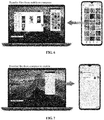
- FIG. 6 is an example diagram 1 of a screen projection application in an embodiment of the present disclosure.
- the first operation refers to that a mobile phone sends a dragged picture to a notebook computer when a picture in a picture list interface of the mobile phone is dragged to a picture list interface (that is, out of the first interface) of a notebook computer using a mouse, and the dragged picture is displayed in the picture list interface of the notebook computer.
- the first terminal may store the first object locally by detecting the first operation of dragging the first object in the first interface out of the first interface, thereby realizing the function of transmitting files from the second terminal to the first terminal.
- the file transmission function can be completed only by the first terminal detecting the first operation on the display screen of the first terminal, which reduces the number of terminals operated by a user and the number of operations of the user.
- the operation is a simple dragging operation without an additional memory operation of the user, so it has the characteristics of friendly interaction.
- the display screen may further include one or more second objects displayed outside the first interface.
- the screen projection method applied to a first terminal may further include that:
- a second object may also be displayed on the display screen of the first terminal.
- the second object may be a document file on the desktop of the first terminal, or may be a picture file in an image list interface.
- the first terminal may send the second object to the second terminal, so that the second terminal can store the second object.
- FIG. 7 is an example diagram 2 of a screen projection application in an embodiment of the present disclosure.
- the second operation is that when a document on the desktop of the notebook computer is dragged to a WeChat chat interface (that is, in the first interface) of the mobile phone in the notebook computer, the notebook computer may send the dragged document to the mobile phone, so that the user of the mobile phone can send the document through the WeChat chat interface. It is to be noted that the document can only be sent after it is saved in the mobile phone.
- the second terminal when the first terminal detects the second operation of dragging the second object outside the first interface into the first interface, the second terminal may send the second object, so that the second object can be saved for use, thereby realizing the function of transmitting files from the first terminal to the second terminal.
- the intelligence of a screen projection application is further improved, and the use experience is improved.
- the first object may be a file or a program.
- Operation S13 may include that: responsive to the first operation of opening the first object in the first interface is detected, the first object is opened in the first terminal.
- the first object may be, for example, a word document, a music file or a picture file, or the like, or a music application program in the second terminal.
- the first operation may be an opening operation on the file or the program, namely, the first object can be opened directly in the first terminal.
- the file sent by the second terminal may be received and opened using a tool in the first terminal.
- the first object may be a word document
- the first terminal may use its own Microsoft office Word tool to open the document.
- the first terminal may automatically download and install the corresponding tool to open the file.
- the first object is a program and when the first terminal detects an opening operation on the program, it can be determined in advance whether the program of the same version as that of the second terminal is installed in the first terminal. If installed, the program installed in the first terminal may be directly opened.
- the first terminal may be a PC
- the second terminal may be a tablet computer
- the program may be a game program.
- the first terminal also can automatically download and install the program and then open the program.
- the embodiment on one hand, since a user pays more attention to the first terminal when projecting the first interface of the second terminal to the first terminal, there is no need for the user to open a file or a program using the second terminal, thereby providing convenience to the user.
- the display screen of the first terminal may be larger than that of the second terminal, the visual experience of the user can be improved.
- the hardware processing capacity of the first terminal is better than that of the second terminal. Therefore, the response speed of the first operation can be increased, thereby improving the use experience.
- the file or the program may be automatically installed and opened, which has the characteristics of intelligence.
- the first object when the first object is opened in the first terminal, the first object may not need to be opened in the second terminal synchronously, thereby saving the power consumption of the second terminal.
- the first object may be a file.
- the operation of responding to, responsive to the first operation on the first object in the first interface is detected, the first operation on the first object in the first terminal may include that:
- the first terminal when the first terminal detects the first operation of editing the file, for example, the first terminal detects a modification operation on a word document, or a modification of a Microsoft Office PowerPoint (PPT) file or a modification of a picture file, the first terminal may use a tool to open the file and perform the editing operation. For example, for a picture file, the Photoshop tool may be used to perform the image editing operation. After finishing editing the file, the first terminal may automatically send the edited file to the second terminal.
- PPT Microsoft Office PowerPoint
- FIG. 8 is an example diagram 3 of a screen projection application in an embodiment of the present disclosure.
- the notebook computer may open a word document in a file list interface from the mobile phone on the display screen of the notebook computer, and make edition in the word document.
- the first terminal can not only open the file in the second terminal, but also use its own tools to edit the file, which not only provides convenience to a user, but also enhances the visual experience of the user.
- the hardware processing capability of the first terminal may be further utilized to increase the response speed of the file editing operation, thereby improving the use experience.
- after the first terminal edits the file there is no need to receive a dragging operation of the user and send the file to the second terminal based on a file dragging operation without automatically sending the edited file, and the convenience of file return is improved.
- the first object is a link address.
- Operation S13 may include that: responsive to the first operation acting on the link address in the first interface is detected, the first terminal opens a page connected to the link address according to the link address.
- the link address when the first object is a link address, the link address may be a web address in a WeChat dialog interface, or a web address associated with news title information in a news interface.
- the first terminal detects the first operation acting on the link address, such as a click operation, the first terminal may open a page connected to the link address.
- FIG. 9 is an example diagram 4 of a screen projection application in an embodiment of the present disclosure. As shown in FIG. 9 , when the notebook detects a click operation of a mouse on a second news title in the projected news interface, a page connected to the news title may be opened by a browser of the notebook.
- the first terminal is used to open the page connected to the link address, which can not only improve the visual experience of a user, but also further increase the page opening speed, thereby improving the use experience.
- the first object may include an interface added control.
- Operation S13 may include that: responsive to the first operation acting on the interface added control is detected, a second interface of the second terminal is projected on the display screen of the first terminal.
- the first interface may further include an interface control.
- the interface control may include an interface added control, and may further include an interface close control and the like.
- the interface control may be hidden from the display screen of the first terminal, and displayed on the display screen based on the user's operation detected by the first terminal. For example, when the first terminal detects a sliding operation of the mouse near a first interface region, the interface control may be displayed. Further, when the first terminal detects the first operation acting on the interface added control, a second interface of the second terminal may be projected on the display screen of the first terminal.
- the first operation may be, for example, a click operation on the interface added control.
- the second interface may also be any interface of the second terminal, for example, a desktop of the second terminal, a Hiboard desktop, or a setting interface.
- FIG. 10 is an example diagram 5 of a screen projection application in an embodiment of the present disclosure.
- the first interface may be a WeChat chat interface, which also includes some controls on the right side of the chat interface.
- the first control on the top right that is displayed as "+" is the interface added control.
- the notebook computer detects the click operation of the mouse on the interface added control, the desktop of the mobile phone may be projected.
- a second interface of the second terminal may be projected on the display screen of the first terminal, so that the first terminal may receive multiple shared tasks of the second terminal, which further provides convenience for the first terminal to operate multiple tasks in the second terminal.
- the second interface may include a desktop of the second terminal.
- the method may further include that: responsive to a third operation of dragging an icon of a target application on the desktop out of the desktop is detected, a third interface of the target application may be projected on the display screen of the first terminal.
- the second interface may be a desktop of the second terminal.
- a third interface of the target application may be projected on the display screen of the first terminal.
- the third interface may be a chat interface of a WeChat application.
- the target application is a video application
- the third interface may be a home page of the video application.
- FIG. 11 is an example diagram 6 of a screen projection application in an embodiment of the present disclosure.
- the second interface may be the desktop of a mobile phone.
- a notebook computer detects a third operation of dragging an icon of a WeChat application projected to the display screen from the desktop of the mobile phone to a region outside the desktop of the mobile phone, a chat interface of the WeChat application may be projected on the display screen of the notebook computer.
- a third interface of the target application may be projected on the display screen of the first terminal.
- the user needs to open a new application during the screen projection process, there is no need to open the target application in the second terminal and then project the interface to the first terminal, but an icon of the target application can be directly dragged in the first terminal. It has the characteristics of intelligence.
- the display screen of the first terminal may display a picture based on a click operation on a picture in a picture list interface (first interface) of the second terminal, or may display a message received in a WeChat chat interface (third interface) on the display screen of the first terminal.
- the method may further include that:
- different interfaces may interact based on an interaction operation detected by the first terminal.
- a first object copying instruction may be sent to the second terminal, so that the second terminal may copy the first object from the first interface to the third interface according to the first object copying instruction.
- a third object copying instruction may be sent to the second terminal, so that the second terminal may copy the third object from the third interface to the first interface according to the third object copying instruction.
- FIG. 12 is an example diagram 7 of a screen projection application in an embodiment of the present disclosure.
- the first interface displayed on the display screen of the notebook computer may be a picture list interface in the mobile phone
- the third interface may be a WeChat chat interface in the mobile phone.
- the notebook computer detects that a picture in the picture list interface is dragged to the WeChat chat interface, the dragged picture may be copied to the WeChat chat interface.
- the first terminal may control the information interaction between different interfaces, so that the screen projection application of the first terminal is more intelligent, a user does not need to operate on the second terminal when there is an information copying need while paying more attention to the first terminal.
- the first interface may include a message prompt interface
- the interface added control may include a message display control
- the operation of projecting, responsive to the first operation acting on the interface added control is detected, a second interface of the second terminal on the display screen of the first terminal may include that: responsive to the first operation acting on the message display control in the message prompt interface is detected, a message display interface of the second terminal is projected on the display screen of the first terminal.
- the first interface projected on the first terminal may be a message prompt interface of the second terminal, and there may be a message display control on the message prompt interface.
- the first terminal detects the first operation acting on the message display control, for example, a click operation on the message display control detected by the first terminal
- the message display interface of the second terminal may be projected on the display screen of the first terminal.
- FIG. 13 is an example diagram 8 of a screen projection application in an embodiment of the present disclosure.
- the first interface displayed on the display screen of the notebook computer may be a message prompt interface in the mobile phone, and there may be a "new window open" control on the message prompt interface, which is a message display control.
- the notebook computer detects the click operation on the message display control, the message display interface of the mobile phone may be displayed in the second terminal.
- the first terminal may also project a message prompt interface when the second terminal receives the message. Based on the operation in the first terminal, a user may project the message display interface of the second terminal on the first terminal. There is no need for the user to operate on the second terminal when the second terminal receives a message while paying more attention to the first terminal, which improves the use experience.
- FIG. 14 is a flowchart 2 showing a multi-screen interaction method according to an embodiment of the present disclosure. As shown in FIG. 14 , a multi-screen interaction method applied to a second terminal includes the following operations.
- a first interface is projected to a display screen of a first terminal.
- the second terminal may be a smart phone or other smart devices with a display screen, such as a smart speaker.
- the second terminal may be connected to the first terminal in various ways. Moreover, after the first connection, the second terminal and the first terminal may also be automatically connected based on user account information to improve the use experience.
- the second terminal may project the first interface to the first terminal based on operation S21.
- the first interface may be a desktop, a setting interface, or an application interface of an application presently being displayed, which is not limited in the embodiments of the present disclosure.
- the second terminal may respond to the first operation on the first object in the first interface detected by the first terminal in operation S22.
- the second terminal can not only actively share its own first interface, but also respond to the first operation detected by the first terminal on the first object in the first interface. Through cooperation between the second terminal and the first terminal, the multi-screen interaction is more interactive.
- the operation that a first operation detected by the first terminal for a first object in the first interface is responded may include that: responsive to that the first operation is detected by the first terminal to drag the first object in the first interface out of the first interface, the first object is sent to the first terminal.
- the second terminal may send the first object to the first terminal, so that the first terminal can store the first object locally.
- the first object may be sent to the first terminal based on the first operation of the second terminal responding to the drag, and the function of transmitting files from the second terminal to the first terminal is realized.
- the method may further include that:
- the second object may also be displayed on the display screen of the first terminal.
- the second object may be a document file on the desktop of the first terminal, or may be a picture file in an image list interface.
- the first terminal may send the second object to the second terminal, and the second terminal may store the second object based on the received second object.
- the second terminal can not only send out an object, but also receive the second object from the first terminal, thereby realizing the function of receiving a file by the second terminal.
- the first object may be a file.
- Operation S22 may include that:
- the first terminal may use a tool in the first terminal to open the file and perform the editing operation. After finishing editing the file, the first terminal may automatically send the edited file to the second terminal.
- the file may come from the second terminal, for example, a picture file projected by the second terminal on the picture list interface of the first terminal.
- the second terminal may receive and save the edited file sent by the first terminal, the file editing operation becomes more convenient due to good hardware processing capability of the first terminal. Based on the automatic transmission of the first terminal, the convenience of file return is improved.
- the first object may be an interface added control.
- the operation that a first operation detected by the first terminal for a first object in the first interface is responded may include that: responsive to the first operation is detected by the first terminal to act on the interface added control, a second interface is projected to the display screen of the first terminal.
- the first interface may further include an interface control.
- the interface control may include an interface added control, and may further include an interface close control and the like.
- the interface control may be hidden from the display screen of the first terminal, and displayed on the display screen based on the user's operation detected by the first terminal. For example, when the first terminal detects a sliding operation of a mouse near a first interface region, the interface control may be displayed. Further, when the first operation is a first operation detected by the first terminal and acting on the interface added control, the second terminal may project a second interface to the display screen of the first terminal.
- the second interface may also be any interface of the second terminal, for example, a desktop of the second terminal, a Hiboard desktop, or a setting interface.
- the second terminal may continuously project the second interface, so that the first terminal may receive multiple shared tasks from the second terminal, which further provides convenience for the first terminal to operate multiple tasks in the second terminal.
- the second interface may include a desktop of the second terminal.
- the method may further include that: responsive to the first operation is a third operation detected by the first terminal for dragging an icon of a target application on the desktop out of the desktop, a third interface of the target application is projected to the display screen of the first terminal.
- the second interface may be a desktop of the second terminal.
- the first operation is a third operation detected by the first terminal for dragging an icon of a target application on the desktop to a region outside the desktop
- the second terminal may project a third interface of the target application on the display screen of the first terminal.
- the third interface may be a chat interface of a WeChat application.
- the target application is a video application
- the third interface may be a home page of the video application.
- the second terminal may open an application in the first terminal according to an icon dragging operation detected by the first terminal. It has the characteristics of intelligence.
- the method may further include that:
- different interfaces may interact based on an interaction operation detected by the first terminal.
- the second terminal may receive a first object copying instruction from the first terminal, and copy the first object from the first interface to the third interface according to the first object copying instruction.
- the second terminal may also copy the third object from the third interface to the first interface according to a received third object copying instruction.
- the second terminal may control the information interaction between different interfaces according to the copying instruction of the first terminal, so that the screen projection application of the first terminal is more intelligent, a user does not need to operate on the second terminal when there is an information copying requirement while paying more attention to the first terminal.
- the first interface may include a message prompt interface
- the interface added control may include a message display control
- the operation of projecting, responsive to the first operation is detected by the first terminal to act on the interface added control, a second interface to the display screen of the first terminal may include that: responsive to the first operation is detected by the first terminal to act on the interface display control in the message prompt interface, a message display interface is projected to the display screen of the first terminal.
- the first interface projected on the first terminal may be a message prompt interface of the second terminal, and there may be a message display control on the message prompt interface.
- the first operation is a first operation detected by the first terminal and acting on the message display control
- the second terminal may project a message display interface to the display screen of the first terminal.
- the second terminal can directly project the message display interface to the display screen of the first terminal in response to the operation of the first terminal, which improves the use experience.
- the screen projection method applied to a second terminal may further include that:
- a screen projection control interface may be displayed on the display screen of the first terminal.
- the screen projection control interface may include multiple fourth objects, for example, multiple controls, which may enable a user to implement different functions based on the fifth operation on different controls.
- FIG. 15 is an example diagram 9 of a screen projection application in an embodiment of the present disclosure.
- a screen projection control interface may be displayed on the display screen of the mobile phone.
- the screen projection control interface may include a control capable of controlling file transmission, a control capable of controlling disconnection of screen projection, and a control capable of controlling silence of a mobile phone.
- a screen projection control interface may be displayed on the display screen of the second terminal, and user operations on a fourth object on the screen projection control interface may be received, so as to meet the control requirements of customers on the screen projection application. For example, targeted control operations may be performed to respond to different application requirements, so that the use experience can be improved.
- the first terminal may only display the screen projection control interface during the screen projection process. For example, when the first object is opened in the first terminal, a file or an application program may be opened, the first object may not need to be opened in the second terminal synchronously, thereby saving the power consumption of the second terminal.
- the fourth object may include a silence setting control.
- the operation of responding to the fifth operation responsive to the fifth operation on a fourth object in the screen projection control interface is detected may include that: responsive to the fifth operation on the silence setting control is detected, the second terminal is set as a silent mode.
- the fourth object may be a silence setting control on the screen projection control interface.
- a control displaying "mobile phone silence” is the silence setting control.
- the second terminal detects a fifth operation on the control, for example, a click operation, the second terminal may be set as a silent mode. In the silent mode, when the second terminal has a notification for example, there may be no ring and/or vibration to remind the user.
- a message prompt interface may be displayed in the first terminal, and a message display interface may also be opened based on the first operation of the user. It can be understood that in the embodiment, when the second terminal receives the fifth operation of a user on the silence setting control, the second terminal may be set as the silent mode, so that the user can concentrate on the first terminal, and when there is, for example, a notification message, the notification message may be viewed directly on the first terminal, which provides convenience to the user.
- FIG. 16 is an interaction flowchart of a multi-screen interaction method performed by a multi-screen interaction system according to an embodiment of the present disclosure.
- the multi-screen interaction system includes a first terminal and a second terminal. As shown in FIG. 16 , the multi-screen interaction method applied to the first terminal and the second terminal includes the following operations.
- the second terminal projects a first interface on a display screen of the first terminal.
- the first terminal detects a first operation acting on the first interface.
- the second terminal responds to the first operation detected by the first terminal on a first object in the first interface.
- a first terminal can receive the sharing of a second terminal, and the second terminal can be controlled directly by an operation detected by the first terminal on a first interface displayed by the first terminal.
- An interactive user operation between the first terminal and the second terminal is simplified, and it is favorable for selecting the first terminal and/or the second terminal which are/is more suitable for a present application scenario based on an operation input by a user to perform corresponding operations, thereby upgrading the user experience and making multi-screen interaction more intelligent.
- FIG. 17 is a diagram 1 illustrating a multi-screen interaction apparatus according to an exemplary embodiment.
- the multi-screen interaction apparatus is applied to a first terminal, and includes:
- the first response module 103 is specifically configured to store, responsive to the first operation of dragging the first object in the first interface out of the first interface is detected, the first object in the first terminal.
- the display screen may further include one or more second objects displayed outside the first interface.
- the apparatus may further include:
- the first object may be a file or a program.
- the first response module 103 may be specifically configured to open, responsive to the first operation of opening the first object in the first interface is detected, the first object in the first terminal.
- the first object may be a file.
- the first response module 103 may be specifically configured to, responsive to the first operation of editing the file is detected, open and edit the file in the first terminal, and send the edited file to the second terminal.
- the first object may be a link address.
- the first response module 103 may be specifically configured to open, responsive to the first operation acting on the link address in the first interface is detected, a page connected to the link address according to the link address by the first terminal.
- the first object may include an interface added control.
- the first response module 103 may be specifically configured to project, responsive to the first operation acting on the interface added control is detected, a second interface of the second terminal on the display screen of the first terminal.
- the second interface may include a desktop of the second terminal.
- the apparatus may further include: a second projection module 106, configured to project, responsive to a third operation of dragging an icon of a target application on the desktop out of the desktop is detected, a third interface of the target application on the display screen of the first terminal.
- the apparatus may further include: a second sending module 107, configured to: send, responsive to the first operation of dragging the first object from the first interface to the third interface is detected, a first object copying instruction to the second terminal, the first object copying instruction being configured to instruct the second terminal to copy the first object from the first interface to the third interface; and send, responsive to a fourth operation of dragging a third object from the third interface to the first interface is detected, a third object copying instruction to the second terminal, the third object copying instruction being configured to instruct the second terminal to copy the third object from the third interface to the first interface.
- a second sending module 107 configured to: send, responsive to the first operation of dragging the first object from the first interface to the third interface is detected, a first object copying instruction to the second terminal, the first object copying instruction being configured to instruct the second terminal to copy the first object from the first interface to the third interface.
- the first interface may include a message prompt interface
- the interface added control may include a message display control
- the second projection module 106 may be specifically configured to project, responsive to the first operation acting on the message display control in the message prompt interface is detected, a message display interface of the second terminal on the display screen of the first terminal.
- FIG. 18 is a diagram 2 illustrating a multi-screen interaction apparatus according to an exemplary embodiment.
- the multi-screen interaction apparatus is applied to a second terminal, and includes:
- the second response module 202 may be specifically configured to send, responsive to that the first operation is detected by the first terminal to drag the first object in the first interface out of the first interface, the first object to the first terminal.
- the apparatus may further include:
- the first object may be a file
- the second response module 202 may be specifically configured to: receive an edited file from the first terminal, the file being a file stored in the second terminal and opened in the first terminal; and save the edited file.
- the first object may be an interface added control.
- the second response module 202 may be configured to project, responsive to the first operation is detected by the first terminal to act on the interface added control, a second interface to the display screen of the first terminal.
- the second interface may include a desktop of the second terminal.
- the apparatus may further include: a fourth projection module 205, configured to project, responsive to the first operation is a third operation detected by the first terminal for dragging an icon of a target application on the desktop out of the desktop, a third interface of the target application to the display screen of the first terminal.
- the apparatus may further include:
- the first interface may include a message prompt interface
- the interface added control may include a message display control
- the fourth projection module 205 may be specifically configured to project, responsive to the first operation is detected by the first terminal to act on the interface display control in the message prompt interface, a message display interface to the display screen of the first terminal.
- the apparatus may further include:
- the fourth object may include a silence setting control.
- the third response module 210 may be specifically configured to set, responsive to the fifth operation on the silence setting control is detected, the second terminal as a silent mode.
- FIG. 19 is a block diagram of an apparatus 800 according to an exemplary embodiment.
- the apparatus 800 may be a first terminal and may also be a second terminal.
- the first terminal is a computer
- the second terminal is a mobile phone.
- the apparatus 800 may include one or more of the following components: a processing component 802, a memory 804, a power component 806, a multimedia component 808, an audio component 810, an input/output (I/O) interface 812, a sensor component 814, and a communication component 816.
- a processing component 802 a memory 804, a power component 806, a multimedia component 808, an audio component 810, an input/output (I/O) interface 812, a sensor component 814, and a communication component 816.
- the processing component 802 typically controls overall operations of the apparatus 800, such as the operations associated with display, telephone calls, data communications, camera operations, and recording operations.
- the processing component 802 may include one or more processors 820 to execute instructions to perform all or part of the operations in the above described methods.
- the processing component 802 may include one or more modules which facilitate the interaction between the processing component 802 and other components.
- the processing component 802 may include a multimedia module to facilitate the interaction between the multimedia component 808 and the processing component 802.
- the memory 804 is configured to store various types of data to support the operation of the apparatus 800. Examples of such data include instructions for any applications or methods operated on the apparatus 800, contact data, phonebook data, messages, pictures, video, etc.
- the memory 804 may be implemented using any type of volatile or non-volatile memory devices, or a combination thereof, such as a static random access memory (SRAM), an electrically erasable programmable read-only memory (EEPROM), an erasable programmable read-only memory (EPROM), a programmable read-only memory (PROM), a read-only memory (ROM), a magnetic memory, a flash memory, a magnetic or optical disk.
- SRAM static random access memory
- EEPROM electrically erasable programmable read-only memory
- EPROM erasable programmable read-only memory
- PROM programmable read-only memory
- ROM read-only memory
- magnetic memory a magnetic memory
- flash memory a flash memory
- magnetic or optical disk a magnetic or optical
- the power component 806 is configured to provide power to various components of the apparatus 800.
- the power component 806 may include a power management system, one or more power sources, and any other components associated with the generation, management, and distribution of power in the apparatus 800.
- the multimedia component 808 may include a screen providing an output interface between the apparatus 800 and the user.
- the screen may include a liquid crystal display (LCD) and a touch panel (TP). If the screen includes the TP, the screen may be implemented as a touch screen to receive an input signal from the user.
- the TP includes one or more touch sensors to sense touches, swipes and gestures on the TP. The touch sensors may not only sense a boundary of a touch or swipe action but also detect a duration and pressure associated with the touch or swipe action.
- the multimedia component 808 includes a front camera and/or a rear camera. The front camera and/or the rear camera may receive external multimedia data when the apparatus 800 is in an operation mode, such as a photographing mode or a video mode. Each of the front camera and the rear camera may be a fixed optical lens system or have focusing and optical zooming capabilities.
- the audio component 810 is configured to output and/or input audio signals.
- the audio component 810 includes a microphone (MIC) configured to receive an external audio signal when the apparatus 800 is in an operation mode, such as a call mode, a recording mode, and a voice recognition mode.
- the received audio signal may be further stored in the memory 804 or transmitted via the communication component 816.
- the audio component 810 may further include a speaker to output audio signals.
- the I/O interface 812 is configured to provide an interface between the processing component 802 and peripheral interface modules, such as a keyboard, a click wheel, buttons, and the like.
- the buttons may include, but are not limited to, a home button, a volume button, a starting button, and a locking button.
- the sensor component 814 may include one or more sensors to provide status assessments of various aspects of the apparatus 800. For instance, the sensor component 814 may detect an on/off status of the apparatus 800 and relative positioning of components, such as a display and small keyboard of the apparatus 800, and the sensor component 814 may further detect a change in a position of the apparatus 800 or a component of the apparatus 800, presence or absence of contact between the user and the apparatus 800, orientation or acceleration/deceleration of the apparatus 800 and a change in temperature of the apparatus 800.
- the sensor component 814 may include a proximity sensor configured to detect presence of an object nearby without any physical contact.
- the sensor component 814 may also include a light sensor, such as a complementary metal oxide semiconductor (CMOS) or charge coupled device (CCD) image sensor, configured for use in an imaging application.
- CMOS complementary metal oxide semiconductor
- CCD charge coupled device
- the sensor component 814 may also include an acceleration sensor, a gyroscope sensor, a magnetic sensor, a pressure sensor or a temperature sensor.
- the communication component 816 is configured to facilitate communication, wired or wirelessly, between the apparatus 800 and other devices.
- the apparatus 800 may access a wireless network based on a communication standard, such as Wi-Fi, 2G, or 3G, or a combination thereof.
- the communication component 816 receives a broadcast signal or broadcast associated information from an external broadcast management system via a broadcast channel.
- the communication component 816 may further include an NFC module to facilitate short-range communications.
- the NFC module may be implemented based on a radio frequency identification (RFID) technology, an infrared data association (IrDA) technology, an ultra-wideband (UWB) technology, a Bluetooth (BT) technology, and other technologies.
- RFID radio frequency identification
- IrDA infrared data association
- UWB ultra-wideband
- BT Bluetooth
- the apparatus 800 may be implemented with one or more application specific integrated circuits (ASICs), digital signal processors (DSPs), digital signal processing devices (DSPDs), programmable logic devices (PLDs), field programmable gate arrays (FPGAs), controllers, micro-controllers, microprocessors, or other electronic components, for performing the above described methods.
- ASICs application specific integrated circuits
- DSPs digital signal processors
- DSPDs digital signal processing devices
- PLDs programmable logic devices
- FPGAs field programmable gate arrays
- controllers micro-controllers, microprocessors, or other electronic components, for performing the above described methods.
- non-transitory computer readable storage medium including instructions, such as included in the memory 804, executable by the processor 820 in the apparatus 800, for performing the above-described methods.
- the non-transitory computer-readable storage medium may be a ROM, a random access memory (RAM), a CD-ROM, a magnetic tape, a floppy disc, an optical data storage device and the like.
- a non-transitory computer-readable storage medium is provided.
- the first terminal can be caused to perform a control method.
- the method includes that:
- a non-transitory computer-readable storage medium is provided.
- the second terminal can be caused to perform a control method.
- the method includes that:
Landscapes
- Engineering & Computer Science (AREA)
- Theoretical Computer Science (AREA)
- General Engineering & Computer Science (AREA)
- Human Computer Interaction (AREA)
- Physics & Mathematics (AREA)
- General Physics & Mathematics (AREA)
- Computer Networks & Wireless Communication (AREA)
- Signal Processing (AREA)
- Multimedia (AREA)
- User Interface Of Digital Computer (AREA)
Abstract
Description
- The present disclosure relates to the technical field of electronic devices, and more particularly, to a multi-screen interaction method and apparatus, and a storage medium.
- With the development of cross-device connection, the transmission between mobile phones and computers has been widely valued in the industry. The functions such as airdrop and Handoff developed by Apple and the products such as nearby sharing developed by Microsoft all establish a technical basis for the connection between mobile phones and computers of users. On the basis of these technologies, mobile phones and computers have more possibilities for interaction.
- The present disclosure provides a multi-screen interaction method and apparatus, and a storage medium.
- According to a first aspect of the embodiments of the present disclosure, a multi-screen interaction method applied to a first terminal is provided, which may include that:
- a first interface of a second terminal is projected on a display screen of the first terminal;
- detection is performed on a first operation acting on the first interface; and
- responsive to the first operation on a first object in the first interface is detected, the first operation on the first object is responded in the first terminal.
- Optionally, the operation of responding to, responsive to the first operation on the first object in the first interface is detected, the first operation on the first object in the first terminal may include that:
- responsive to the first operation of dragging the first object in the first interface out of the first interface is detected, the first object is stored in the first terminal.
- Optionally, the display screen may further include one or more second objects displayed outside the first interface.
- The method may further include that:
- detection is performed on a second operation acting on a region outside the first interface; and
- responsive to the second operation of dragging the second object into the first interface is detected, the second object is sent to the second terminal.
- Optionally, the first object may be a file or a program. The operation of responding to, responsive to the first operation on the first object in the first interface is detected, the first operation on the first object in the first terminal may include that:
responsive to the first operation of opening the first object in the first interface is detected, the first object is opened in the first terminal. - Optionally, the first object may be a file. The operation of responding to, responsive to the first operation on the first object in the first interface is detected, the first operation on the first object in the first terminal may include that:
- responsive to the first operation of editing the file is detected, the file is opened in the first terminal, and the file is edited; and
- the edited file is sent to the second terminal.
- Optionally, the first object may be a link address. The operation of responding to, responsive to the first operation on the first object in the first interface is detected, the first operation on the first object in the first terminal may include that:
responsive to the first operation acting on the link address in the first interface is detected, the first terminal opens a page connected to the link address according to the link address. - Optionally, the first object may include an interface added control. The operation of responding to, responsive to the first operation on the first object in the first interface is detected, the first operation on the first object in the first terminal may include that:
responsive to the first operation acting on the interface added control is detected, a second interface of the second terminal is projected on the display screen of the first terminal. - Optionally, the second interface may include a desktop of the second terminal. The method may further include that:
responsive to a third operation of dragging an icon of a target application on the desktop out of the desktop is detected, a third interface of the target application is projected on the display screen of the first terminal. - Optionally, the method may further include that:
- responsive to the first operation of dragging the first object from the first interface to the third interface is detected, a first object copying instruction is sent to the second terminal, the first object copying instruction being configured to instruct the second terminal to copy the first object from the first interface to the third interface; and
- responsive to a fourth operation of dragging a third object from the third interface to the first interface is detected, a third object copying instruction is sent to the second terminal, the third object copying instruction being configured to instruct the second terminal to copy the third object from the third interface to the first interface.
- Optionally, the first interface may include a message prompt interface, and the interface added control may include a message display control. The operation of projecting, responsive to the first operation acting on the interface added control is detected, a second interface of the second terminal on the display screen of the first terminal may include that:
responsive to the first operation acting on the message display control in the message prompt interface is detected, a message display interface of the second terminal is projected on the display screen of the first terminal. - According to a second aspect of the embodiments of the present disclosure, a multi-screen interaction method applied to a second terminal is provided, which may include that:
- a first interface is projected to a display screen of a first terminal; and
- a first operation detected by the first terminal on a first object in the first interface is responded.
- Optionally, the operation that the first operation detected by the first terminal on the first object in the first interface is responded may include that:
responsive to that the first operation is detected by the first terminal to drag the first object in the first interface out of the first interface, the first object is sent to the first terminal. - Optionally, the method may further include that:
- a second object sent by the first terminal is received, the second object being sent after the first terminal detects a second operation of dragging the second object outside the first interface into the first interface; and
- the second object is saved.
- Optionally, the first object may be a file. The operation that the first operation detected by the first terminal on the first object in the first interface is responded may include that:
- an edited file sent by the first terminal is received, the edited file being a file stored in the second terminal and opened in the first terminal; and
- the edited file is saved.
- Optionally, the first object may be an interface added control. The operation that the first operation detected by the first terminal on the first object in the first interface is responded may include that:
responsive to the first operation is detected by the first terminal to act on the interface added control, a second interface is projected to the display screen of the first terminal. - Optionally, the second interface may include a desktop of the second terminal. The method may further include that:
responsive to the first operation is a third operation detected by the first terminal for dragging an icon of a target application on the desktop out of the desktop, a third interface of the target application is projected to the display screen of the first terminal. - Optionally, the method may further include that:
- a first object copying instruction or a third object copying instruction is received, wherein the first object copying instruction is sent after the first terminal detects the first operation of dragging the first object from the first interface to the third interface, and the third object copying instruction is sent after the first terminal detects a fourth operation of dragging a third object from the third interface to the first interface;
- the first object in the first interface is copied to the third interface according to the first object copying instruction; or,
- the third object in the third interface is copied to the first interface according to the third object copying instruction.
- Optionally, the first interface may include a message prompt interface, and the interface added control may include a message display control. The operation that the second interface is projected to the display screen of the first terminal responsive to the first operation is detected by the first terminal to act on the interface added control may include that:
- responsive to the first operation is detected by the first terminal to act on the interface display control in the message prompt interface, a message display interface is projected to the display screen of the first terminal.
- Optionally, the method may further include that:
- a screen projection control interface is displayed;
- detection is performed on a fifth operation acting on the screen projection control interface; and
- responsive to the fifth operation on a fourth object in the screen projection control interface is detected, the fifth operation is responded.
- Optionally, the fourth object may include a silence setting control. The operation of responding to, responsive to the fifth operation on a fourth object in the screen projection control interface is detected, the fifth operation may include that:
responsive to the fifth operation on the silence setting control is detected, the second terminal is set as a silent mode. - According to a third aspect of the embodiments of the present disclosure, a multi-screen interaction apparatus applied to a first terminal is provided, which may include:
- a first projection module, configured to project a first interface of a second terminal on a display screen of the first terminal;
- a first detection module, configured to detect a first operation acting on the first interface; and
- a first response module, configured to respond to, responsive to the first operation on a first object in the first interface is detected, the first operation on the first object in the first terminal.
- Optionally, the first response module may be specifically configured to store, responsive to the first operation of dragging the first object in the first interface out of the first interface is detected, the first object in the first terminal.
- Optionally, the display screen may further include one or more second objects displayed outside the first interface.
- The apparatus may further include:
- a second detection module, configured to detect a second operation acting on a region outside the first interface; and
- a first sending module, configured to send, responsive to the second operation of dragging the second object into the first interface is detected, the second object to the second terminal.
- Optionally, the first object may be a file or a program; the first response module may be specifically configured to open, responsive to the first operation of opening the first object in the first interface is detected, the first object in the first terminal.
- Optionally, the first object may be a file. The first response module may be specifically configured to: responsive to the first operation of editing the file is detected, open and edit the file in the first terminal; and send the edited file to the second terminal.
- Optionally, the first object may be a link address, and the first response module may be specifically configured to open, responsive to the first operation acting on the link address in the first interface is detected, a page connected to the link address according to the link address by the first terminal.
- Optionally, the first object may include an interface added control. The first response module may be specifically configured to project, responsive to the first operation acting on the interface added control is detected, a second interface of the second terminal on the display screen of the first terminal.
- Optionally, the second interface may include a desktop of the second terminal. The apparatus may further include:
a second projection module, configured to project, responsive to a third operation of dragging an icon of a target application on the desktop out of the desktop is detected, a third interface of the target application on the display screen of the first terminal. - Optionally, the apparatus may further include:
a second sending module, configured to: send, responsive to the first operation of dragging the first object from the first interface to the third interface is detected, a first object copying instruction to the second terminal, the first object copying instruction being configured to instruct the second terminal to copy the first object from the first interface to the third interface; and send, responsive to a fourth operation of dragging a third object from the third interface to the first interface is detected, a third object copying instruction to the second terminal, the third object copying instruction being configured to instruct the second terminal to copy the third object from the third interface to the first interface. - Optionally, the first interface may include a message prompt interface, and the interface added control may include a message display control.
- The second projection module may be specifically configured to project, responsive to the first operation acting on the message display control in the message prompt interface is detected, a message display interface of the second terminal on the display screen of the first terminal.
- According to a fourth aspect of the embodiments of the present disclosure, a multi-screen interaction apparatus applied to a second terminal is provided, which may include:
- a third projection module, configured to project a first interface to a display screen of a first terminal; and
- a second response module, configured to respond to a first operation detected by the first terminal on a first object in the first interface.
- Optionally, the second response module may be specifically configured to send, responsive to that the first operation is detected by the first terminal to drag the first object in the first interface out of the first interface, the first object to the first terminal.
- Optionally, the apparatus may further include:
- a first receiving module, configured to receive a second object from the first terminal, the second object being sent after the first terminal detects a second operation of dragging the second object outside the first interface into the first interface; and
- a first saving module, configured to save the second object.
- Optionally, the first object may be a file, and the second response module may be specifically configured to: receive an edited file from the first terminal, the edited file being a file stored in the second terminal and opened in the first terminal; and save the edited file.
- Optionally, the first object may be an interface added control. The second response module may be configured to project, responsive to the first operation is detected by the first terminal to act on the interface added control, a second interface to the display screen of the first terminal.
- Optionally, the second interface may include a desktop of the second terminal. The apparatus may further include:
a fourth projection module, configured to project, responsive to the first operation is a third operation detected by the first terminal for dragging an icon of a target application on the desktop out of the desktop, a third interface of the target application to the display screen of the first terminal. - Optionally, the apparatus may further include:
- a second receiving module, configured to receive a first object copying instruction or a third object copying instruction, wherein the first object copying instruction is sent after the first terminal detects the first operation of dragging the first object from the first interface to the third interface, and the third object copying instruction is sent after the first terminal detects a fourth operation of dragging a third object from the third interface to the first interface; and
- a copying module, configured to copy, according to the first object copying instruction, the first object from the first interface to the third interface; or, copy, according to the third object copying instruction, the third object from the third interface to the first interface.
- Optionally, the first interface may include a message prompt interface, and the interface added control may include a message display control.
- The fourth projection module may be specifically configured to project, responsive to the first operation is detected by the first terminal to act on the interface display control in the message prompt interface, a message display interface to the display screen of the first terminal.
- Optionally, the apparatus may further include:
- a display module, configured to display a screen projection control interface;
- a second detection module, configured to detect a fifth operation acting on the screen projection control interface; and
- a third response module, configured to respond to the fifth operation, responsive to the fifth operation on a fourth object in the screen projection control interface is detected.
- Optionally, the fourth object may include a silence setting control.
- The third response module may be specifically configured to set, responsive to the fifth operation on the silence setting control is detected, the second terminal as a silent mode.
- According to a fifth aspect of the embodiments of the present disclosure, a multi-screen interaction apparatus is provided, which may include:
- a processor; and
- a memory configured to store instructions executable by the processor.
- The processor may be configured to perform the multi-screen interaction method in the first aspect or the second aspect.
- According to a sixth aspect of the embodiments of the present disclosure, a storage medium is provided.
- When instructions in the storage medium is executed by a processor of a computer, the computer may be caused to perform the multi-screen interaction method in the first aspect or the second aspect.
- The technical solutions provided by the embodiments of the present disclosure may include the following beneficial effects.
- In the embodiments of the present disclosure, a first interface of a second terminal may be projected on a display screen of a first terminal; the first terminal may detect a first operation acting on the first interface; and responsive to the first operation on the first object in the first interface is detected, the first terminal may respond to the first operation on the first object. In such a manner, a first terminal can receive the sharing from a second terminal, and the second terminal can be controlled directly by an operation detected by the first terminal on a first interface displayed by the first terminal. An interactive user operation between the first terminal and the second terminal is simplified, and it is favorable for selecting the first terminal and/or the second terminal which are/is more suitable for a present application scenario based on an operation input by a user to perform corresponding operations, thereby upgrading the user experience and improving the intelligence of multi-screen interaction.
- It is to be understood that the above general descriptions and detailed descriptions below are only exemplary and explanatory and not intended to limit the present disclosure.
- The accompanying drawings, which are incorporated in and constitute a part of this specification, illustrate embodiments consistent with the present disclosure and, together with the description, serve to explain the principles of the present disclosure.
-
FIG. 1 is a flowchart 1 showing a multi-screen interaction method according to an embodiment of the present disclosure. -
FIG. 2 is a schematic diagram of establishing a connection between a first terminal and a second terminal by sending and receiving broadcast information in an embodiment of the present disclosure. -
FIG. 3 is a schematic diagram of establishing a connection between a first terminal and a second terminal by sending and receiving broadcast information in an embodiment of the present disclosure. -
FIG. 4 is an example diagram of establishing a connection by code-scanning login in an embodiment of the present disclosure. -
FIG. 5 is an example diagram of establishing a connection by code-scanning login in an embodiment of the present disclosure. -
FIG. 6 is an example diagram 1 of a screen projection application in an embodiment of the present disclosure. -
FIG. 7 is an example diagram 2 of a screen projection application in an embodiment of the present disclosure. -
FIG. 8 is an example diagram 3 of a screen projection application in an embodiment of the present disclosure. -
FIG. 9 is an example diagram 4 of a screen projection application in an embodiment of the present disclosure. -
FIG. 10 is an example diagram 5 of a screen projection application in an embodiment of the present disclosure. -
FIG. 11 is an example diagram 6 of a screen projection application in an embodiment of the present disclosure. -
FIG. 12 is an example diagram 7 of a screen projection application in an embodiment of the present disclosure. -
FIG. 13 is an example diagram 8 of a screen projection application in an embodiment of the present disclosure. -
FIG. 14 is a flowchart 2 showing a multi-screen interaction method according to an embodiment of the present disclosure. -
FIG. 15 is an example diagram 9 of a screen projection application in an embodiment of the present disclosure. -
FIG. 16 is an interaction flowchart of a multi-screen interaction method performed by a multi-screen interaction system according to an embodiment of the present disclosure. -
FIG. 17 is a diagram 1 illustrating a multi-screen interaction apparatus according to an exemplary embodiment. -
FIG. 18 is a diagram 2 illustrating a multi-screen interaction apparatus according to an exemplary embodiment. -
FIG. 19 is a block diagram illustrating a first terminal or a second terminal according to an embodiment of the present disclosure. - Reference may now be made in detail to exemplary embodiments, examples of which are illustrated in the accompanying drawings. The following description refers to the accompanying drawings in which the same numbers in different drawings represent the same or similar elements unless otherwise represented. The implementations set forth in the following description of exemplary embodiments do not represent all implementations consistent with the present disclosure. Instead, they are merely examples of apparatuses and methods consistent with aspects related to the present disclosure as recited in the appended claims.
- Terms used in the present disclosure are only adopted for the purpose of describing specific embodiments but not intended to limit the present disclosure. "A/an" and "the" in a singular form in the present disclosure and the appended claims are also intended to include a plural form, unless other meanings are clearly denoted throughout the present disclosure. It is also to be understood that term "and/or" used in the present disclosure refers to and includes one or any or all possible combinations of multiple associated items that are listed.
- It is to be understood that "first", "second" and similar terms used in the specification and claims of the present application are not to represent any sequence, number or importance but only to distinguish different parts. Likewise, similar terms such as "one" or "a/an" also do not represent a number limit but represent "at least one" . Unless otherwise pointed out, terms like "front", "rear", "lower" and/or "upper" are only for convenient description but not limited to a position or a spatial orientation. Terms like "include" or "contain" refer to that an element or object appearing before "include" or "contain" covers an element or object and equivalent thereof listed after "include" or "contain" and does not exclude another element or object. Similar terms such as "connect" or "interconnect" are not limited to physical or mechanical connection, and may include electrical connection, either direct or indirect.
-
FIG. 1 is a flowchart 1 showing a multi-screen interaction method according to an embodiment of the present disclosure. As shown inFIG. 1 , a multi-screen interaction method applied to a first terminal includes the following operations. - In S11, a first interface of a second terminal is projected on a display screen of the first terminal.
- In S12, detection is performed on a first operation acting on the first interface.
- In S13, responsive to the first operation on the first object in the first interface is detected, the first operation on the first object is responded in the first terminal.
- In the embodiments of the present disclosure, the first terminal may be a notebook computer, a tablet computer, a television terminal, or the like.
- In some embodiments, the first terminal may be a terminal device with a screen larger than that of the second terminal. For example, when the first terminal is a personal computer (PC), the second terminal may be a mobile phone or a tablet computer. In some other embodiments, when the first terminal is a tablet computer or a tablet/PC two-in-one computer, the second terminal may be a mobile phone or a wearable device.
- In the embodiments of the present disclosure, a wired connection may be established between the first terminal and the second terminal. The wired connection may include but is not limited to a universal serial bus (USB) connection or a serial port connection. In addition, a wireless connection may also be performed between the first terminal and the second terminal. For example, a wireless connection may be established through Bluetooth communication or near field communication (NFC). The wireless connection may also include a device to device (D2D) wireless connection, a wireless fidelity (Wi-Fi) direct connection, and the like.
- For the wireless connection, In an embodiment:
- the first terminal may send first broadcast information, and the first broadcast information may carry user account information of the first terminal;
- a first connection request fed back by the second terminal based on the user account information may be received; and
- a connection with the second terminal may be established according to the first connection request.
- In this connection mode, the first broadcast information sent by the first terminal may carry user account information of the first terminal, and the user account information may include, for example, an account name of a user. After receiving the first broadcast information, the second terminal in the same local area network may display the user account information included in the first broadcast information on a display screen of the second terminal. The second terminal may receive a connection confirmation instruction sent by the user based on the user account information and send a first connection request to the first terminal. The first terminal may establish a connection with the second terminal according to the first connection request.
-
FIG. 2 andFIG. 3 are schematic diagrams of establishing a connection between a first terminal and a second terminal by sending and receiving broadcast information in an embodiment of the present disclosure. As shown inFIG. 2 , after a notebook computer sends broadcast information carrying its own user identification information, multiple nearby terminals that receive the broadcast information may be displayed. As shown inFIG. 3 , the second terminal may display connection prompt information including user identification information of a first terminal device. After detecting a user confirmation feedback to the connection prompt information, the second terminal may establish a connection with the first terminal. For example, the second terminal may establish a connection with the first terminal after a user clicks on a "connection" control. - In this connection mode, the first terminal may broadcast a connection signal to establish a direct connection between the first terminal and the second terminal without need of transit through a router, thus reducing information leakage caused by the router transit, and improving the safety of interaction between the first terminal and the second terminal.
- For the wireless connection, in another embodiment:
- a QR code including login link information is displayed on a display screen of the first terminal;
- a second connection request fed back by the second terminal based on the QR code is received; and
- a connection with the second terminal is established according to the second connection request.
- In this connection mode, the login link information may include device identification information of the first terminal. The second terminal may scan the QR code to parse and obtain the device identification information of the first terminal, and send a second connection request to the first terminal based on the device identification information. The first terminal may establish a connection with the second terminal based on the second connection request. The device identification information may be, for example, a physical address (media access control (MAC) address) of the device.
-
FIG. 4 and FIG. 5 are example diagrams of establishing a connection by code-scanning login in an embodiment of the present disclosure. As shown inFIG. 4 , a desktop of the first terminal (notebook computer) displays QR code information for establishing a connection. As shown inFIG. 5 , the second terminal (mobile phone) establishes a connection with the first terminal after scanning a code based on, for example, a code-scanning function in a camera, and displays a prompt message that the connection is successful on a display interface of the mobile phone. - It is to be noted that in the embodiments of the present disclosure, after the connection is established by code-scanning login for the first time, the second terminal may also upload its own user account information to the first terminal, so that the first terminal may save the user account information. The user account information may include an account name of a user, and may also include a password that matches the account name of the user. Generally, when the second terminal and the first terminal belong to the same user, the second terminal may upload user account information to the first terminal based on the user's permission.
- As shown in
FIG. 5 , the display interface of the mobile phone displays prompt information indicating whether to synchronize a user account (user account information) to a computer device. Based on a synchronous confirmation operation of a user, the mobile phone may send the user account to a notebook computer. - When the connection is subsequently established, the first terminal may send second broadcast information. The second broadcast information may carry the MAC address of the first terminal and stored user account information of the second terminal. When the second terminal that receives the second broadcast information determines that the user account information carried in the second broadcast information is consistent with its own user account information, a connection with the first terminal can be established automatically through the MAC address of the first terminal in the second broadcast information. It can be understood that automatic connection establishment based on user account information brings convenience to the screen projection of the first terminal and the second terminal, and a user is not required to manually operate during each screen projection to achieve the connection, thereby improving the use experience.
- Based on the connection established with the second terminal, the first terminal may project a first interface of the second terminal on the display screen based on
operation S 11. It is to be noted that the first interface of the second terminal may be a desktop of the first terminal, a setting interface of the second terminal, or an application interface of an application presently being displayed by the second terminal, which is not limited in the embodiments of the present disclosure. In addition, the layout of the first interface displayed on the display screen of the first terminal may be consistent with the layout in the second terminal. - In some embodiments, the size of the first interface displayed on the display screen of the first terminal may be the same as the size of the second terminal. In some other embodiments, the size of the first interface displayed on the display screen of the first terminal may be scaled appropriately according to the size of the display screen of the first terminal, but the aspect ratio consistent with the display screen of the second terminal may be maintained to reduce the strangeness of a user caused by the change in proportion, thereby improving the use experience.
- The first terminal may detect a first operation acting on the first interface in operation S12 based on the displayed first interface of the second terminal. When the second terminal is a device that may be connected to a mouse and a keyboard, such as a notebook computer, the first operation may be a mouse-based click operation or a keyboard-based input operation, or the first operation may also be a voice-based voice control operation, which is not limited in the embodiments of the present disclosure.
- In
S 13, when the first terminal detects the first operation on a first object in the first interface, the first operation on the first object is responded in the first terminal, that is, the second terminal can be controlled in the first terminal. - In the embodiment, the first object may be an icon of an application program on the desktop, a file in an application interface, or a control in a setting interface, which is not limited in the embodiments of the present disclosure.
- It can be understood that in the embodiment, a first terminal can receive the sharing of a second terminal, and the second terminal can be controlled. An interactive user operation between the first terminal and the second terminal is simplified, and it is favorable for selecting the first terminal and/or the second terminal which are/is more suitable for a present application scenario based on an operation input by a user to perform corresponding operations, thereby upgrading the user experience and improving the intelligence of multi-screen interaction. In addition, for example, the first terminal is a computer, and the second terminal is a mobile phone. The shared content may be displayed on a display screen of the computer. Since the display screen is larger than the mobile phone, the visual experience of a user can be improved. In addition, the user-based first operation may be responded in the computer, and the hardware processing capacity in the computer is typically better than that of the mobile phone. Therefore, the response speed of the first operation can be increased, thereby improving the use experience.
- In an embodiment, operation S13 includes that:
responsive to the first operation of dragging the first object in the first interface out of the first interface is detected, the first object is stored in the first terminal. - In the embodiment, for example, the first interface may be an interface of an audio file list in a mobile phone or a smart speaker with a display screen, and the first object may be one of audio files. For another example, the first interface may be an interface of a picture file list in the mobile phone, and the first object may be an image file.
- In the embodiments of the present disclosure, when the first terminal detects the first operation of dragging the first object in the first interface out of the first interface, the second terminal may send the first object to the first terminal, so that the first terminal can store the first object locally. For example, the first operation may be click dragging based on a mouse connected to a computer, or touch dragging of a user on a tablet computer.
-
FIG. 6 is an example diagram 1 of a screen projection application in an embodiment of the present disclosure. As shown inFIG. 6 , the first operation refers to that a mobile phone sends a dragged picture to a notebook computer when a picture in a picture list interface of the mobile phone is dragged to a picture list interface (that is, out of the first interface) of a notebook computer using a mouse, and the dragged picture is displayed in the picture list interface of the notebook computer. - It can be understood that in the embodiment, the first terminal may store the first object locally by detecting the first operation of dragging the first object in the first interface out of the first interface, thereby realizing the function of transmitting files from the second terminal to the first terminal. The file transmission function can be completed only by the first terminal detecting the first operation on the display screen of the first terminal, which reduces the number of terminals operated by a user and the number of operations of the user. Moreover, the operation is a simple dragging operation without an additional memory operation of the user, so it has the characteristics of friendly interaction.
- In an embodiment, the display screen may further include one or more second objects displayed outside the first interface.
- The screen projection method applied to a first terminal may further include that:
- detection is performed on a second operation acting on a region outside the first interface; and
- responsive to the second operation of dragging the second object into the first interface is detected, the second object is sent to the second terminal.
- In the embodiments of the present disclosure, a second object may also be displayed on the display screen of the first terminal. For example, the second object may be a document file on the desktop of the first terminal, or may be a picture file in an image list interface. When the first terminal detects the second operation of dragging the second object into the first interface, the first terminal may send the second object to the second terminal, so that the second terminal can store the second object.
-
FIG. 7 is an example diagram 2 of a screen projection application in an embodiment of the present disclosure. The second operation is that when a document on the desktop of the notebook computer is dragged to a WeChat chat interface (that is, in the first interface) of the mobile phone in the notebook computer, the notebook computer may send the dragged document to the mobile phone, so that the user of the mobile phone can send the document through the WeChat chat interface. It is to be noted that the document can only be sent after it is saved in the mobile phone. - It can be understood that in the embodiment, when the first terminal detects the second operation of dragging the second object outside the first interface into the first interface, the second terminal may send the second object, so that the second object can be saved for use, thereby realizing the function of transmitting files from the first terminal to the second terminal.
- In the embodiments of the present disclosure, based on a mutual file transmission function as provided, the intelligence of a screen projection application is further improved, and the use experience is improved.
- In an embodiment, the first object may be a file or a program. Operation S13 may include that:
responsive to the first operation of opening the first object in the first interface is detected, the first object is opened in the first terminal. - In the embodiment, the first object may be, for example, a word document, a music file or a picture file, or the like, or a music application program in the second terminal. When the first object is a file or a program, the first operation may be an opening operation on the file or the program, namely, the first object can be opened directly in the first terminal.
- It is to be noted that in the embodiments of the present disclosure, when the first object is a file and when the first terminal detects an opening operation on the file, the file sent by the second terminal may be received and opened using a tool in the first terminal. For example, the first object may be a word document, the first terminal may use its own Microsoft office Word tool to open the document. When a corresponding tool is not installed in the first terminal to open the file, the first terminal may automatically download and install the corresponding tool to open the file.
- When the first object is a program and when the first terminal detects an opening operation on the program, it can be determined in advance whether the program of the same version as that of the second terminal is installed in the first terminal. If installed, the program installed in the first terminal may be directly opened. For example, the first terminal may be a PC, the second terminal may be a tablet computer, and the program may be a game program. When the program of the same version as that of the second terminal is not installed in the first terminal, the first terminal also can automatically download and install the program and then open the program.
- It can be understood that in the embodiment, on one hand, since a user pays more attention to the first terminal when projecting the first interface of the second terminal to the first terminal, there is no need for the user to open a file or a program using the second terminal, thereby providing convenience to the user. On the other hand, since the display screen of the first terminal may be larger than that of the second terminal, the visual experience of the user can be improved. In addition, the hardware processing capacity of the first terminal is better than that of the second terminal. Therefore, the response speed of the first operation can be increased, thereby improving the use experience. Moreover, in the embodiment, when a tool capable of opening a file or a program is not installed in the first terminal, the file or the program may be automatically installed and opened, which has the characteristics of intelligence.
- It is to be noted that in the embodiments of the present disclosure, when the first object is opened in the first terminal, the first object may not need to be opened in the second terminal synchronously, thereby saving the power consumption of the second terminal.
- In an embodiment, the first object may be a file. The operation of responding to, responsive to the first operation on the first object in the first interface is detected, the first operation on the first object in the first terminal may include that:
- responsive to the first operation of editing the file is detected, the file is opened in the first terminal, and the file is edited; and
- the edited file is sent to the second terminal.
- In the embodiment, when the first terminal detects the first operation of editing the file, for example, the first terminal detects a modification operation on a word document, or a modification of a Microsoft Office PowerPoint (PPT) file or a modification of a picture file, the first terminal may use a tool to open the file and perform the editing operation. For example, for a picture file, the Photoshop tool may be used to perform the image editing operation. After finishing editing the file, the first terminal may automatically send the edited file to the second terminal.
-
FIG. 8 is an example diagram 3 of a screen projection application in an embodiment of the present disclosure. As shown inFIG. 8 , the notebook computer may open a word document in a file list interface from the mobile phone on the display screen of the notebook computer, and make edition in the word document. - It can be understood that in the embodiment, the first terminal can not only open the file in the second terminal, but also use its own tools to edit the file, which not only provides convenience to a user, but also enhances the visual experience of the user. The hardware processing capability of the first terminal may be further utilized to increase the response speed of the file editing operation, thereby improving the use experience. In addition, after the first terminal edits the file, there is no need to receive a dragging operation of the user and send the file to the second terminal based on a file dragging operation without automatically sending the edited file, and the convenience of file return is improved.
- In an embodiment, the first object is a link address. Operation S13 may include that:
responsive to the first operation acting on the link address in the first interface is detected, the first terminal opens a page connected to the link address according to the link address. - In the embodiment, when the first object is a link address, the link address may be a web address in a WeChat dialog interface, or a web address associated with news title information in a news interface. When the first terminal detects the first operation acting on the link address, such as a click operation, the first terminal may open a page connected to the link address.
-
FIG. 9 is an example diagram 4 of a screen projection application in an embodiment of the present disclosure. As shown inFIG. 9 , when the notebook detects a click operation of a mouse on a second news title in the projected news interface, a page connected to the news title may be opened by a browser of the notebook. - It can be understood that in the embodiment, the first terminal is used to open the page connected to the link address, which can not only improve the visual experience of a user, but also further increase the page opening speed, thereby improving the use experience.
- In an embodiment, the first object may include an interface added control. Operation S13 may include that:
responsive to the first operation acting on the interface added control is detected, a second interface of the second terminal is projected on the display screen of the first terminal. - In the embodiment, the first interface may further include an interface control. The interface control may include an interface added control, and may further include an interface close control and the like. The interface control may be hidden from the display screen of the first terminal, and displayed on the display screen based on the user's operation detected by the first terminal. For example, when the first terminal detects a sliding operation of the mouse near a first interface region, the interface control may be displayed. Further, when the first terminal detects the first operation acting on the interface added control, a second interface of the second terminal may be projected on the display screen of the first terminal. The first operation may be, for example, a click operation on the interface added control. It is to be noted that the second interface may also be any interface of the second terminal, for example, a desktop of the second terminal, a Hiboard desktop, or a setting interface.
-
FIG. 10 is an example diagram 5 of a screen projection application in an embodiment of the present disclosure. As shown inFIG. 10 , the first interface may be a WeChat chat interface, which also includes some controls on the right side of the chat interface. For example, the first control on the top right that is displayed as "+" is the interface added control. When the notebook computer detects the click operation of the mouse on the interface added control, the desktop of the mobile phone may be projected. - It can be understood that in the embodiment, when the first terminal detects the first operation acting on the interface added control, a second interface of the second terminal may be projected on the display screen of the first terminal, so that the first terminal may receive multiple shared tasks of the second terminal, which further provides convenience for the first terminal to operate multiple tasks in the second terminal.
- In an embodiment, the second interface may include a desktop of the second terminal. The method may further include that:
responsive to a third operation of dragging an icon of a target application on the desktop out of the desktop is detected, a third interface of the target application may be projected on the display screen of the first terminal. - In the embodiment, the second interface may be a desktop of the second terminal. When the first terminal detects a third operation of dragging an icon of a target application on the desktop out of the desktop, a third interface of the target application may be projected on the display screen of the first terminal. For example, when the target application is a WeChat application, the third interface may be a chat interface of a WeChat application. For another example, when the target application is a video application, the third interface may be a home page of the video application.
-
FIG. 11 is an example diagram 6 of a screen projection application in an embodiment of the present disclosure. As shown inFIG. 11 , the second interface may be the desktop of a mobile phone. When a notebook computer detects a third operation of dragging an icon of a WeChat application projected to the display screen from the desktop of the mobile phone to a region outside the desktop of the mobile phone, a chat interface of the WeChat application may be projected on the display screen of the notebook computer. - It can be understood that in the embodiment, when the first terminal detects a third operation of dragging an icon of a target application on the desktop to a region outside the desktop, a third interface of the target application may be projected on the display screen of the first terminal. In this way, when the user needs to open a new application during the screen projection process, there is no need to open the target application in the second terminal and then project the interface to the first terminal, but an icon of the target application can be directly dragged in the first terminal. It has the characteristics of intelligence.
- It is to be noted that in the embodiments of the present disclosure, when multiple interfaces of the second terminal are displayed on the display screen of the first terminal, operations on any interface may be responded in the first terminal. For example, the display screen of the first terminal may display a picture based on a click operation on a picture in a picture list interface (first interface) of the second terminal, or may display a message received in a WeChat chat interface (third interface) on the display screen of the first terminal.
- In an embodiment, the method may further include that:
- responsive to the first operation of dragging the first object from the first interface to the third interface is detected, a first object copying instruction is sent to the second terminal, the first object copying instruction being configured to instruct the second terminal to copy the first object from the first interface to the third interface; and
- responsive to a fourth operation of dragging a third object from the third interface to the first interface is detected, a third object copying instruction is sent to the second terminal, the third object copying instruction being configured to instruct the second terminal to copy the third object from the third interface to the first interface.
- In the embodiment, different interfaces may interact based on an interaction operation detected by the first terminal. When the first terminal detects the first operation of dragging a first object from the first interface to the third interface, a first object copying instruction may be sent to the second terminal, so that the second terminal may copy the first object from the first interface to the third interface according to the first object copying instruction. When the first terminal detects the fourth operation of dragging a third object from the third interface to the first interface, a third object copying instruction may be sent to the second terminal, so that the second terminal may copy the third object from the third interface to the first interface according to the third object copying instruction.
-
FIG. 12 is an example diagram 7 of a screen projection application in an embodiment of the present disclosure. As shown inFIG. 12 , the first interface displayed on the display screen of the notebook computer may be a picture list interface in the mobile phone, and the third interface may be a WeChat chat interface in the mobile phone. When the notebook computer detects that a picture in the picture list interface is dragged to the WeChat chat interface, the dragged picture may be copied to the WeChat chat interface. - It can be understood that in the embodiment, the first terminal may control the information interaction between different interfaces, so that the screen projection application of the first terminal is more intelligent, a user does not need to operate on the second terminal when there is an information copying need while paying more attention to the first terminal.
- In an embodiment, the first interface may include a message prompt interface, and the interface added control may include a message display control.
- The operation of projecting, responsive to the first operation acting on the interface added control is detected, a second interface of the second terminal on the display screen of the first terminal may include that:
responsive to the first operation acting on the message display control in the message prompt interface is detected, a message display interface of the second terminal is projected on the display screen of the first terminal. - In the embodiment, the first interface projected on the first terminal may be a message prompt interface of the second terminal, and there may be a message display control on the message prompt interface. When the first terminal detects the first operation acting on the message display control, for example, a click operation on the message display control detected by the first terminal, the message display interface of the second terminal may be projected on the display screen of the first terminal.
-
FIG. 13 is an example diagram 8 of a screen projection application in an embodiment of the present disclosure. As shown inFIG. 13 , the first interface displayed on the display screen of the notebook computer may be a message prompt interface in the mobile phone, and there may be a "new window open" control on the message prompt interface, which is a message display control. When the notebook computer detects the click operation on the message display control, the message display interface of the mobile phone may be displayed in the second terminal. - It can be understood that in the embodiment, the first terminal may also project a message prompt interface when the second terminal receives the message. Based on the operation in the first terminal, a user may project the message display interface of the second terminal on the first terminal. There is no need for the user to operate on the second terminal when the second terminal receives a message while paying more attention to the first terminal, which improves the use experience.
-
FIG. 14 is a flowchart 2 showing a multi-screen interaction method according to an embodiment of the present disclosure. As shown inFIG. 14 , a multi-screen interaction method applied to a second terminal includes the following operations. - In S21, a first interface is projected to a display screen of a first terminal.
- In S22, a first operation detected by the first terminal on a first object in the first interface is responded.
- In the embodiments of the present disclosure, the second terminal may be a smart phone or other smart devices with a display screen, such as a smart speaker.
- As described in the first terminal section, the second terminal may be connected to the first terminal in various ways. Moreover, after the first connection, the second terminal and the first terminal may also be automatically connected based on user account information to improve the use experience.
- Based on the connection established with the first terminal, the second terminal may project the first interface to the first terminal based on operation S21. The first interface may be a desktop, a setting interface, or an application interface of an application presently being displayed, which is not limited in the embodiments of the present disclosure.
- Based on the projected first interface, the second terminal may respond to the first operation on the first object in the first interface detected by the first terminal in operation S22.
- It can be understood that in the embodiment, the second terminal can not only actively share its own first interface, but also respond to the first operation detected by the first terminal on the first object in the first interface. Through cooperation between the second terminal and the first terminal, the multi-screen interaction is more interactive.
- In an embodiment, the operation that a first operation detected by the first terminal for a first object in the first interface is responded may include that:
responsive to that the first operation is detected by the first terminal to drag the first object in the first interface out of the first interface, the first object is sent to the first terminal. - In the embodiments of the present disclosure, when the first operation is dragging the first object in the first interface out of the first interface, the second terminal may send the first object to the first terminal, so that the first terminal can store the first object locally.
- It can be understood that in the embodiment, the first object may be sent to the first terminal based on the first operation of the second terminal responding to the drag, and the function of transmitting files from the second terminal to the first terminal is realized.
- In an embodiment, the method may further include that:
- a second object sent by the first terminal is received, the second object being sent after the first terminal detects a second operation of dragging a second object outside the first interface into the first interface; and
- the second object is saved.
- In the embodiments of the present disclosure, the second object may also be displayed on the display screen of the first terminal. For example, the second object may be a document file on the desktop of the first terminal, or may be a picture file in an image list interface. When the first terminal detects that the second object is dragged into the first interface, the first terminal may send the second object to the second terminal, and the second terminal may store the second object based on the received second object.
- It can be understood that in the embodiment, the second terminal can not only send out an object, but also receive the second object from the first terminal, thereby realizing the function of receiving a file by the second terminal.
- In an embodiment, the first object may be a file. Operation S22 may include that:
- an edited file sent by the first terminal is received, the file being a file stored in the second terminal and opened in the first terminal; and
- the edited file is saved.
- In the embodiment, the first terminal may use a tool in the first terminal to open the file and perform the editing operation. After finishing editing the file, the first terminal may automatically send the edited file to the second terminal. The file may come from the second terminal, for example, a picture file projected by the second terminal on the picture list interface of the first terminal.
- It can be understood that in the embodiment, after the first terminal edits the file from the second terminal, the second terminal may receive and save the edited file sent by the first terminal, the file editing operation becomes more convenient due to good hardware processing capability of the first terminal. Based on the automatic transmission of the first terminal, the convenience of file return is improved.
- In an embodiment, the first object may be an interface added control. The operation that a first operation detected by the first terminal for a first object in the first interface is responded may include that:
responsive to the first operation is detected by the first terminal to act on the interface added control, a second interface is projected to the display screen of the first terminal. - In the embodiment, the first interface may further include an interface control. The interface control may include an interface added control, and may further include an interface close control and the like. The interface control may be hidden from the display screen of the first terminal, and displayed on the display screen based on the user's operation detected by the first terminal. For example, when the first terminal detects a sliding operation of a mouse near a first interface region, the interface control may be displayed. Further, when the first operation is a first operation detected by the first terminal and acting on the interface added control, the second terminal may project a second interface to the display screen of the first terminal. It is to be noted that the second interface may also be any interface of the second terminal, for example, a desktop of the second terminal, a Hiboard desktop, or a setting interface.
- It can be understood that in the embodiment, when the first operation is the first operation detected by the first terminal and acting on the interface added control, the second terminal may continuously project the second interface, so that the first terminal may receive multiple shared tasks from the second terminal, which further provides convenience for the first terminal to operate multiple tasks in the second terminal.
- In an embodiment, the second interface may include a desktop of the second terminal. The method may further include that:
responsive to the first operation is a third operation detected by the first terminal for dragging an icon of a target application on the desktop out of the desktop, a third interface of the target application is projected to the display screen of the first terminal. - In the embodiment, the second interface may be a desktop of the second terminal. When the first operation is a third operation detected by the first terminal for dragging an icon of a target application on the desktop to a region outside the desktop, the second terminal may project a third interface of the target application on the display screen of the first terminal. For example, when the target application is a WeChat application, the third interface may be a chat interface of a WeChat application. For another example, when the target application is a video application, the third interface may be a home page of the video application.
- It can be understood that in the embodiment, when a user needs to open a new application during a screen projection process, there is no need to open a target application in the second terminal and then project the interface to the first terminal, but the second terminal may open an application in the first terminal according to an icon dragging operation detected by the first terminal. It has the characteristics of intelligence.
- In an embodiment, the method may further include that:
- a first object copying instruction or a third object copying instruction is received; the first object copying instruction may be sent after the first terminal detects the first operation of dragging a first object from the first interface to the third interface, and the third object copying instruction may be sent after the first terminal detects a fourth operation of dragging a third object from the third interface to the first interface;
- the first object in the first interface is copied to the third interface according to the first object copying instruction; or,
- the third object in the third interface is copied to the first interface according to the third object copying instruction.
- In the embodiment, different interfaces may interact based on an interaction operation detected by the first terminal. When the first terminal detects the first operation of dragging the first object from the first interface to the third interface, the second terminal may receive a first object copying instruction from the first terminal, and copy the first object from the first interface to the third interface according to the first object copying instruction. Similarly, the second terminal may also copy the third object from the third interface to the first interface according to a received third object copying instruction.
- It can be understood that in the embodiment, the second terminal may control the information interaction between different interfaces according to the copying instruction of the first terminal, so that the screen projection application of the first terminal is more intelligent, a user does not need to operate on the second terminal when there is an information copying requirement while paying more attention to the first terminal.
- In an embodiment, the first interface may include a message prompt interface, and the interface added control may include a message display control.
- The operation of projecting, responsive to the first operation is detected by the first terminal to act on the interface added control, a second interface to the display screen of the first terminal may include that:
responsive to the first operation is detected by the first terminal to act on the interface display control in the message prompt interface, a message display interface is projected to the display screen of the first terminal. - In the embodiment, the first interface projected on the first terminal may be a message prompt interface of the second terminal, and there may be a message display control on the message prompt interface. When the first operation is a first operation detected by the first terminal and acting on the message display control, the second terminal may project a message display interface to the display screen of the first terminal.
- It can be understood that in the embodiment, it is not necessary for a user who is paying more attention to the first terminal to operate on the second terminal when the second terminal receives a message on the premise. The second terminal can directly project the message display interface to the display screen of the first terminal in response to the operation of the first terminal, which improves the use experience.
- In an embodiment, the screen projection method applied to a second terminal may further include that:
- a screen projection control interface is displayed;
- a fifth operation acting on the screen projection control interface is detected; and
- responsive to the fifth operation on a fourth object in the screen projection control interface is detected, the fifth operation is responded.
- In the embodiment, after the second terminal may establish a connection with the first terminal, a screen projection control interface may be displayed on the display screen of the first terminal. The screen projection control interface may include multiple fourth objects, for example, multiple controls, which may enable a user to implement different functions based on the fifth operation on different controls.
-
FIG. 15 is an example diagram 9 of a screen projection application in an embodiment of the present disclosure. As shown inFIG. 15 , a screen projection control interface may be displayed on the display screen of the mobile phone. The screen projection control interface may include a control capable of controlling file transmission, a control capable of controlling disconnection of screen projection, and a control capable of controlling silence of a mobile phone. - It can be understood that in the embodiment, when the second terminal performs a screen projection application, a screen projection control interface may be displayed on the display screen of the second terminal, and user operations on a fourth object on the screen projection control interface may be received, so as to meet the control requirements of customers on the screen projection application. For example, targeted control operations may be performed to respond to different application requirements, so that the use experience can be improved. In addition, the first terminal may only display the screen projection control interface during the screen projection process. For example, when the first object is opened in the first terminal, a file or an application program may be opened, the first object may not need to be opened in the second terminal synchronously, thereby saving the power consumption of the second terminal.
- In an embodiment, the fourth object may include a silence setting control. The operation of responding to the fifth operation responsive to the fifth operation on a fourth object in the screen projection control interface is detected may include that:
responsive to the fifth operation on the silence setting control is detected, the second terminal is set as a silent mode. - In the embodiment, the fourth object may be a silence setting control on the screen projection control interface. As shown in
FIG. 15 , a control displaying "mobile phone silence" is the silence setting control. When the second terminal detects a fifth operation on the control, for example, a click operation, the second terminal may be set as a silent mode. In the silent mode, when the second terminal has a notification for example, there may be no ring and/or vibration to remind the user. - As mentioned above, a message prompt interface may be displayed in the first terminal, and a message display interface may also be opened based on the first operation of the user. It can be understood that in the embodiment, when the second terminal receives the fifth operation of a user on the silence setting control, the second terminal may be set as the silent mode, so that the user can concentrate on the first terminal, and when there is, for example, a notification message, the notification message may be viewed directly on the first terminal, which provides convenience to the user.
-
FIG. 16 is an interaction flowchart of a multi-screen interaction method performed by a multi-screen interaction system according to an embodiment of the present disclosure. The multi-screen interaction system includes a first terminal and a second terminal. As shown inFIG. 16 , the multi-screen interaction method applied to the first terminal and the second terminal includes the following operations. - In S31, the second terminal projects a first interface on a display screen of the first terminal.
- In S32, the first terminal detects a first operation acting on the first interface.
- In S33, when the first terminal detects the first operation on a first object in the first interface, the first operation on the first object is responded in the first terminal.
- In S34, the second terminal responds to the first operation detected by the first terminal on a first object in the first interface.
- It can be understood that in the embodiments of the present disclosure, a first terminal can receive the sharing of a second terminal, and the second terminal can be controlled directly by an operation detected by the first terminal on a first interface displayed by the first terminal. An interactive user operation between the first terminal and the second terminal is simplified, and it is favorable for selecting the first terminal and/or the second terminal which are/is more suitable for a present application scenario based on an operation input by a user to perform corresponding operations, thereby upgrading the user experience and making multi-screen interaction more intelligent.
-
FIG. 17 is a diagram 1 illustrating a multi-screen interaction apparatus according to an exemplary embodiment. Referring toFIG. 17 , the multi-screen interaction apparatus is applied to a first terminal, and includes: - a
first projection module 101, configured to project a first interface of a second terminal on a display screen of the first terminal; - a
first detection module 102, configured to detect a first operation acting on the first interface; and - a
first response module 103, configured to respond to, responsive to the first operation on a first object in the first interface is detected, the first operation on the first object in the first terminal. - Optionally, the
first response module 103 is specifically configured to store, responsive to the first operation of dragging the first object in the first interface out of the first interface is detected, the first object in the first terminal. - Optionally, the display screen may further include one or more second objects displayed outside the first interface.
- The apparatus may further include:
- a second detection module 104, configured to detect a second operation acting on a region outside the first interface; and
- a first sending module 105, configured to send, responsive to the second operation of dragging the second object into the first interface is detected, the second object to the second terminal.
- Optionally, the first object may be a file or a program.
- The
first response module 103 may be specifically configured to open, responsive to the first operation of opening the first object in the first interface is detected, the first object in the first terminal. - Optionally, the first object may be a file.
- The
first response module 103 may be specifically configured to, responsive to the first operation of editing the file is detected, open and edit the file in the first terminal, and send the edited file to the second terminal. - Optionally, the first object may be a link address.
- The
first response module 103 may be specifically configured to open, responsive to the first operation acting on the link address in the first interface is detected, a page connected to the link address according to the link address by the first terminal. - Optionally, the first object may include an interface added control.
- The
first response module 103 may be specifically configured to project, responsive to the first operation acting on the interface added control is detected, a second interface of the second terminal on the display screen of the first terminal. - Optionally, the second interface may include a desktop of the second terminal. The apparatus may further include:
a second projection module 106, configured to project, responsive to a third operation of dragging an icon of a target application on the desktop out of the desktop is detected, a third interface of the target application on the display screen of the first terminal. - Optionally, the apparatus may further include:
a second sending module 107, configured to: send, responsive to the first operation of dragging the first object from the first interface to the third interface is detected, a first object copying instruction to the second terminal, the first object copying instruction being configured to instruct the second terminal to copy the first object from the first interface to the third interface; and send, responsive to a fourth operation of dragging a third object from the third interface to the first interface is detected, a third object copying instruction to the second terminal, the third object copying instruction being configured to instruct the second terminal to copy the third object from the third interface to the first interface. - Optionally, the first interface may include a message prompt interface, and the interface added control may include a message display control.
- The second projection module 106 may be specifically configured to project, responsive to the first operation acting on the message display control in the message prompt interface is detected, a message display interface of the second terminal on the display screen of the first terminal.
-
FIG. 18 is a diagram 2 illustrating a multi-screen interaction apparatus according to an exemplary embodiment. Referring toFIG. 18 , the multi-screen interaction apparatus is applied to a second terminal, and includes: - a
third projection module 201, configured to project a first interface to a display screen of a first terminal; and - a
second response module 202, configured to respond to a first operation detected by the first terminal on a first object in the first interface. - Optionally, the
second response module 202 may be specifically configured to send, responsive to that the first operation is detected by the first terminal to drag the first object in the first interface out of the first interface, the first object to the first terminal. - Optionally, the apparatus may further include:
- a first receiving module 203, configured to receive a second object from the first terminal, the second object being sent after the first terminal detects a second operation of dragging the second object outside the first interface into the first interface; and
- a first saving module 204, configured to save the second object.
- Optionally, the first object may be a file, and the
second response module 202 may be specifically configured to: receive an edited file from the first terminal, the file being a file stored in the second terminal and opened in the first terminal; and save the edited file. - Optionally, the first object may be an interface added control. The
second response module 202 may be configured to project, responsive to the first operation is detected by the first terminal to act on the interface added control, a second interface to the display screen of the first terminal. - Optionally, the second interface may include a desktop of the second terminal. The apparatus may further include:
a fourth projection module 205, configured to project, responsive to the first operation is a third operation detected by the first terminal for dragging an icon of a target application on the desktop out of the desktop, a third interface of the target application to the display screen of the first terminal. - Optionally, the apparatus may further include:
- a second receiving module 206, configured to receive a first object copying instruction or a third object copying instruction; the first object copying instruction may be sent after the first terminal detects the first operation of dragging the first object from the first interface to the third interface, and the third object copying instruction may be sent after the first terminal detects a fourth operation of dragging a third object from the third interface to the first interface; and
- a copying module 207, configured to copy, according to the first object copying instruction, the first object from the first interface to the third interface; or, copy, according to the third object copying instruction, the third object from the third interface to the first interface.
- Optionally, the first interface may include a message prompt interface, and the interface added control may include a message display control.
- The fourth projection module 205 may be specifically configured to project, responsive to the first operation is detected by the first terminal to act on the interface display control in the message prompt interface, a message display interface to the display screen of the first terminal.
- Optionally, the apparatus may further include:
- a display module 208, configured to display a screen projection control interface;
- a second detection module 209, configured to detect a fifth operation acting on the screen projection control interface; and
- a third response module 210, configured to respond to, responsive to the fifth operation on a fourth object in the screen projection control interface is detected, the fifth operation.
- Optionally, the fourth object may include a silence setting control.
- The third response module 210 may be specifically configured to set, responsive to the fifth operation on the silence setting control is detected, the second terminal as a silent mode.
- With regard to the apparatus in the above embodiments, the specific manner in which the respective modules perform the operations has been described in detail in the embodiment relating to the method, and will not be explained in detail herein.
-
FIG. 19 is a block diagram of anapparatus 800 according to an exemplary embodiment. For example, theapparatus 800 may be a first terminal and may also be a second terminal. For example, the first terminal is a computer, and the second terminal is a mobile phone. - Referring to
FIG. 19 , theapparatus 800 may include one or more of the following components: aprocessing component 802, amemory 804, apower component 806, amultimedia component 808, anaudio component 810, an input/output (I/O)interface 812, asensor component 814, and acommunication component 816. - The
processing component 802 typically controls overall operations of theapparatus 800, such as the operations associated with display, telephone calls, data communications, camera operations, and recording operations. Theprocessing component 802 may include one ormore processors 820 to execute instructions to perform all or part of the operations in the above described methods. Moreover, theprocessing component 802 may include one or more modules which facilitate the interaction between theprocessing component 802 and other components. For example, theprocessing component 802 may include a multimedia module to facilitate the interaction between themultimedia component 808 and theprocessing component 802. - The
memory 804 is configured to store various types of data to support the operation of theapparatus 800. Examples of such data include instructions for any applications or methods operated on theapparatus 800, contact data, phonebook data, messages, pictures, video, etc. Thememory 804 may be implemented using any type of volatile or non-volatile memory devices, or a combination thereof, such as a static random access memory (SRAM), an electrically erasable programmable read-only memory (EEPROM), an erasable programmable read-only memory (EPROM), a programmable read-only memory (PROM), a read-only memory (ROM), a magnetic memory, a flash memory, a magnetic or optical disk. - The
power component 806 is configured to provide power to various components of theapparatus 800. Thepower component 806 may include a power management system, one or more power sources, and any other components associated with the generation, management, and distribution of power in theapparatus 800. - The
multimedia component 808 may include a screen providing an output interface between theapparatus 800 and the user. In some embodiments, the screen may include a liquid crystal display (LCD) and a touch panel (TP). If the screen includes the TP, the screen may be implemented as a touch screen to receive an input signal from the user. The TP includes one or more touch sensors to sense touches, swipes and gestures on the TP. The touch sensors may not only sense a boundary of a touch or swipe action but also detect a duration and pressure associated with the touch or swipe action. In some embodiments, themultimedia component 808 includes a front camera and/or a rear camera. The front camera and/or the rear camera may receive external multimedia data when theapparatus 800 is in an operation mode, such as a photographing mode or a video mode. Each of the front camera and the rear camera may be a fixed optical lens system or have focusing and optical zooming capabilities. - The
audio component 810 is configured to output and/or input audio signals. For example, theaudio component 810 includes a microphone (MIC) configured to receive an external audio signal when theapparatus 800 is in an operation mode, such as a call mode, a recording mode, and a voice recognition mode. The received audio signal may be further stored in thememory 804 or transmitted via thecommunication component 816. In some embodiments, theaudio component 810 may further include a speaker to output audio signals. - The I/
O interface 812 is configured to provide an interface between theprocessing component 802 and peripheral interface modules, such as a keyboard, a click wheel, buttons, and the like. The buttons may include, but are not limited to, a home button, a volume button, a starting button, and a locking button. - The
sensor component 814 may include one or more sensors to provide status assessments of various aspects of theapparatus 800. For instance, thesensor component 814 may detect an on/off status of theapparatus 800 and relative positioning of components, such as a display and small keyboard of theapparatus 800, and thesensor component 814 may further detect a change in a position of theapparatus 800 or a component of theapparatus 800, presence or absence of contact between the user and theapparatus 800, orientation or acceleration/deceleration of theapparatus 800 and a change in temperature of theapparatus 800. Thesensor component 814 may include a proximity sensor configured to detect presence of an object nearby without any physical contact. Thesensor component 814 may also include a light sensor, such as a complementary metal oxide semiconductor (CMOS) or charge coupled device (CCD) image sensor, configured for use in an imaging application. In some embodiments, thesensor component 814 may also include an acceleration sensor, a gyroscope sensor, a magnetic sensor, a pressure sensor or a temperature sensor. - The
communication component 816 is configured to facilitate communication, wired or wirelessly, between theapparatus 800 and other devices. Theapparatus 800 may access a wireless network based on a communication standard, such as Wi-Fi, 2G, or 3G, or a combination thereof. In one exemplary embodiment, thecommunication component 816 receives a broadcast signal or broadcast associated information from an external broadcast management system via a broadcast channel. In one exemplary embodiment, thecommunication component 816 may further include an NFC module to facilitate short-range communications. For example, the NFC module may be implemented based on a radio frequency identification (RFID) technology, an infrared data association (IrDA) technology, an ultra-wideband (UWB) technology, a Bluetooth (BT) technology, and other technologies. - In exemplary embodiments, the
apparatus 800 may be implemented with one or more application specific integrated circuits (ASICs), digital signal processors (DSPs), digital signal processing devices (DSPDs), programmable logic devices (PLDs), field programmable gate arrays (FPGAs), controllers, micro-controllers, microprocessors, or other electronic components, for performing the above described methods. - In exemplary embodiments, there is also provided a non-transitory computer readable storage medium including instructions, such as included in the
memory 804, executable by theprocessor 820 in theapparatus 800, for performing the above-described methods. For example, the non-transitory computer-readable storage medium may be a ROM, a random access memory (RAM), a CD-ROM, a magnetic tape, a floppy disc, an optical data storage device and the like. - A non-transitory computer-readable storage medium is provided. When instructions in the storage medium are executed by a processor of a first terminal, the first terminal can be caused to perform a control method. The method includes that:
- a first interface of a second terminal is projected on a display screen of the first terminal;
- detection is performed on a first operation acting on the first interface; and
- responsive to the first operation on a first object in the first interface is detected, the first operation on the first object is responded in the first terminal.
- A non-transitory computer-readable storage medium is provided. When instructions in the storage medium are executed by a processor of a second terminal, the second terminal can be caused to perform a control method. The method includes that:
- a first interface is projected to a display screen of a first terminal; and
- a first operation detected by the first terminal on a first object in the first interface is responded.
- Other embodiments of the invention will be apparent to those skilled in the art from consideration of the specification and practice of the present disclosure disclosed here. The present disclosure is intended to cover any variations, uses, or adaptations of the present disclosure following the general principles thereof and including such departures from the present disclosure as come within known or customary practice in the art. It is intended that the specification and examples be considered as exemplary only, with a true scope and spirit of the present disclosure being indicated by the following claims.
- It can be appreciated that the present disclosure is not limited to the exact construction that has been described above and illustrated in the accompanying drawings, and that various modifications and changes can be made without departing from the scope thereof. It is intended that the scope of the present disclosure only be limited by the appended claims.
Claims (15)
- A method for multi-screen interaction, implemented by a first terminal, characterized by the method comprising:projecting (S11) a first interface of a second terminal on a display screen of the first terminal;detecting (S12) a first operation acting on the first interface; andresponding to (S13) the first operation on a first object in the first terminal responsive to the first operation on the first object in the first interface is detected.
- The method according to claim 1, wherein responding to, responsive to the first operation on the first object in the first interface is detected, the first operation on the first object in the first terminal comprises:
storing the first object in the first terminal responsive to the first operation of dragging the first object in the first interface out of the first interface is detected. - The method according to claim 1, wherein the display screen further comprises one or more second objects displayed outside the first interface;
the method further comprises:detecting a second operation acting on a region outside the first interface; andsending, responsive to the second operation of dragging the second object into the first interface is detected, the second object to the second terminal. - The method according to claim 1, wherein the first object is a file or a program; and
responding to the first operation on the first object in the first terminal responsive to the first operation on the first object in the first interface is detected comprises:
opening, responsive to the first operation of opening the first object in the first interface is detected, the first object in the first terminal. - The method according to claim 4, wherein when the first object is a file, responding to the first operation on the first object in the first terminal responsive to the first operation on the first object in the first interface is detected comprises:responsive to the first operation of editing the file is detected, opening and editing the file in the first terminal; andsending the edited file to the second terminal.
- The method according to claim 1, wherein the first object is a link address; and
responding to the first operation on the first object in the first terminal responsive to the first operation on the first object in the first interface is detected comprises:
opening a page connected to the link address according to the link address by the first terminal responsive to the first operation acting on the link address in the first interface is detected. - The method according to claim 1, wherein the first object comprises an interface added control; and
responding to the first operation on the first object in the first terminal responsive to the first operation on the first object in the first interface is detected comprises:
projecting a second interface of the second terminal on the display screen of the first terminal responsive to the first operation acting on the interface added control is detected. - The method according to claim 7, wherein the second interface comprises a desktop of the second terminal, the method further comprises:
projecting, responsive to a third operation of dragging an icon of a target application on the desktop out of the desktop is detected, a third interface of the target application on the display screen of the first terminal. - The method according to claim 8, further comprising:sending, responsive to the first operation of dragging the first object from the first interface to the third interface is detected, a first object copying instruction to the second terminal, wherein the first object copying instruction is configured to instruct the second terminal to copy the first object from the first interface to the third interface; andsending, responsive to a fourth operation of dragging a third object from the third interface to the first interface is detected, a third object copying instruction to the second terminal, wherein the third object copying instruction is configured to instruct the second terminal to copy the third object from the third interface to the first interface.
- The method according to claim 7, wherein the first interface comprises a message prompt interface, and the interface added control comprises a message display control; and
projecting, responsive to the first operation acting on the interface added control is detected, the second interface of the second terminal on the display screen of the first terminal comprises:
projecting, responsive to the first operation acting on the message display control in the message prompt interface is detected, a message display interface of the second terminal on the display screen of the first terminal. - A method for multi-screen interaction, implemented by a second terminal, characterized by the method comprising:projecting (S21) a first interface to a display screen of a first terminal; andresponding to (S22) a first operation detected by the first terminal on a first object in the first interface.
- The method according to claim 11, wherein responding to the first operation detected by the first terminal on the first object in the first interface comprises:
sending, responsive to that the first operation is detected by the first terminal to drag the first object in the first interface out of the first interface, the first object to the first terminal. - The method according to claim 11, further comprising:receiving a second object from the first terminal, wherein the second object is sent after the first terminal detects a second operation of dragging the second object outside the first interface into the first interface; andsaving the second object.
- The method according to claim 11, further comprising:displaying a screen projection control interface;detecting a fifth operation acting on the screen projection control interface; andresponding to the fifth operation responsive to the fifth operation on a fourth object in the screen projection control interface is detected.
- An apparatus for multi-screen interaction, comprising:a processor; anda memory configured to store instructions executable by the processor,wherein the processor is configured to perform the method for multi-screen interaction according to any one of claims 1 to 10 or configured to perform the method for multi-screen interaction according to any one of claims 11 to 14.
Priority Applications (1)
| Application Number | Priority Date | Filing Date | Title |
|---|---|---|---|
| EP26163319.2A EP4730817A2 (en) | 2020-02-25 | 2020-07-30 | Multi-screen interaction method and apparatus, and storage medium |
Applications Claiming Priority (1)
| Application Number | Priority Date | Filing Date | Title |
|---|---|---|---|
| CN202010117281.4A CN111327769B (en) | 2020-02-25 | 2020-02-25 | Multi-screen interactive method and device, and storage medium |
Related Child Applications (2)
| Application Number | Title | Priority Date | Filing Date |
|---|---|---|---|
| EP26163319.2A Division EP4730817A2 (en) | 2020-02-25 | 2020-07-30 | Multi-screen interaction method and apparatus, and storage medium |
| EP26163319.2A Division-Into EP4730817A2 (en) | 2020-02-25 | 2020-07-30 | Multi-screen interaction method and apparatus, and storage medium |
Publications (2)
| Publication Number | Publication Date |
|---|---|
| EP3872611A1 true EP3872611A1 (en) | 2021-09-01 |
| EP3872611B1 EP3872611B1 (en) | 2026-04-29 |
Family
ID=71171127
Family Applications (2)
| Application Number | Title | Priority Date | Filing Date |
|---|---|---|---|
| EP26163319.2A Pending EP4730817A2 (en) | 2020-02-25 | 2020-07-30 | Multi-screen interaction method and apparatus, and storage medium |
| EP20188582.9A Active EP3872611B1 (en) | 2020-02-25 | 2020-07-30 | Multi-screen interaction method and apparatus, and storage medium |
Family Applications Before (1)
| Application Number | Title | Priority Date | Filing Date |
|---|---|---|---|
| EP26163319.2A Pending EP4730817A2 (en) | 2020-02-25 | 2020-07-30 | Multi-screen interaction method and apparatus, and storage medium |
Country Status (3)
| Country | Link |
|---|---|
| US (1) | US11604572B2 (en) |
| EP (2) | EP4730817A2 (en) |
| CN (1) | CN111327769B (en) |
Families Citing this family (31)
| Publication number | Priority date | Publication date | Assignee | Title |
|---|---|---|---|---|
| CN112527221A (en) * | 2019-09-18 | 2021-03-19 | 华为技术有限公司 | Data transmission method and related equipment |
| CN114115629B (en) | 2020-08-26 | 2025-01-10 | 华为技术有限公司 | Interface display method and device |
| CN111880757A (en) * | 2020-06-30 | 2020-11-03 | 北京小米移动软件有限公司 | Screen projection method, screen projection device and storage medium |
| CN113946302B (en) * | 2020-07-07 | 2022-10-25 | 华为技术有限公司 | Method and device for opening file |
| CN117891369A (en) | 2020-07-29 | 2024-04-16 | 华为技术有限公司 | A cross-device object dragging method and device |
| CN114764298B (en) | 2020-07-29 | 2023-03-03 | 华为技术有限公司 | Cross-device object dragging method and device |
| CN112261466A (en) * | 2020-08-18 | 2021-01-22 | 北京京东尚科信息技术有限公司 | Screen projection method and device, electronic equipment and storage medium |
| CN114115770B (en) * | 2020-08-31 | 2024-06-25 | 华为终端有限公司 | Display control method and related device |
| CN115480670A (en) * | 2020-09-07 | 2022-12-16 | 华为技术有限公司 | Navigation bar display method, navigation bar display method and first electronic equipment |
| CN114237779A (en) * | 2020-09-09 | 2022-03-25 | 华为技术有限公司 | Method for displaying window, method for switching window, electronic equipment and system |
| CN112202965B (en) * | 2020-09-23 | 2021-06-22 | 广州华欣电子科技有限公司 | Communication equipment control method, apparatus, system and storage medium |
| CN112181272A (en) * | 2020-10-12 | 2021-01-05 | Oppo广东移动通信有限公司 | Information display method, apparatus, electronic device, and computer-readable storage medium |
| CN112333474B (en) * | 2020-10-28 | 2022-08-02 | 深圳创维-Rgb电子有限公司 | Screen projection method, system, equipment and storage medium |
| CN112365346B (en) * | 2020-10-30 | 2024-11-01 | 北京数秦科技有限公司 | Stock exchange order judgment and display method, device and storage medium |
| US11157160B1 (en) * | 2020-11-09 | 2021-10-26 | Dell Products, L.P. | Graphical user interface (GUI) for controlling virtual workspaces produced across information handling systems (IHSs) |
| CN112383803B (en) * | 2020-11-16 | 2023-04-11 | Oppo广东移动通信有限公司 | Information processing method and related device |
| CN112698770B (en) * | 2020-12-28 | 2022-08-16 | 北京小米移动软件有限公司 | Information processing method and device, and storage medium |
| USD1003319S1 (en) * | 2021-02-07 | 2023-10-31 | Huawei Technologies Co., Ltd. | Display screen or portion thereof with graphical user interface |
| WO2022166618A1 (en) * | 2021-02-08 | 2022-08-11 | 华为技术有限公司 | Screen projection method and electronic device |
| CN113282548A (en) * | 2021-05-20 | 2021-08-20 | Oppo广东移动通信有限公司 | File saving method and device, electronic equipment and storage medium |
| CN115509476A (en) * | 2021-06-23 | 2022-12-23 | 华为技术有限公司 | Screen sharing method and system and virtual display equipment |
| CN113885759B (en) * | 2021-06-25 | 2022-08-26 | 荣耀终端有限公司 | Notification message processing method, device, system and computer readable storage medium |
| CN115835409B (en) * | 2021-09-17 | 2025-06-27 | 荣耀终端股份有限公司 | Collaborative window processing method, system and electronic device |
| CN113986417B (en) * | 2021-10-11 | 2024-07-19 | 深圳康佳电子科技有限公司 | Application program screen-throwing control method and device, terminal equipment and storage medium |
| CN113905217B (en) * | 2021-12-08 | 2022-04-01 | 荣耀终端有限公司 | Screen projection method, device and storage medium |
| CN116263649A (en) * | 2021-12-13 | 2023-06-16 | 华为技术有限公司 | A display method and electronic device |
| CN116033157B (en) * | 2022-05-30 | 2023-10-20 | 荣耀终端有限公司 | Screen projection method and electronic equipment |
| CN115793846A (en) * | 2022-10-21 | 2023-03-14 | 北京小米移动软件有限公司 | Device interaction method, device interaction apparatus and storage medium |
| CN115981531A (en) * | 2023-02-17 | 2023-04-18 | 维沃移动通信有限公司 | Page control method, device and electronic equipment |
| CN120640050A (en) * | 2024-03-11 | 2025-09-12 | 瑞昱半导体股份有限公司 | Method and circuit system for displaying content in split windows |
| CN121531167A (en) * | 2024-08-13 | 2026-02-13 | 华为技术有限公司 | A method and device for screen mirroring |
Citations (3)
| Publication number | Priority date | Publication date | Assignee | Title |
|---|---|---|---|---|
| EP2657830A2 (en) * | 2012-04-24 | 2013-10-30 | Samsung Electronics Co., Ltd | Portable apparatus comprising touch screens for browsing information displayed on screen of external apparatus and method for browsing information thereof |
| CN110515576A (en) * | 2019-07-08 | 2019-11-29 | 华为技术有限公司 | Display control method and device |
| CN110618970A (en) * | 2019-09-12 | 2019-12-27 | 联想(北京)有限公司 | File transmission method and electronic equipment |
Family Cites Families (52)
| Publication number | Priority date | Publication date | Assignee | Title |
|---|---|---|---|---|
| US5801700A (en) | 1996-01-19 | 1998-09-01 | Silicon Graphics Incorporated | System and method for an iconic drag and drop interface for electronic file transfer |
| US6219669B1 (en) | 1997-11-13 | 2001-04-17 | Hyperspace Communications, Inc. | File transfer system using dynamically assigned ports |
| US7031004B1 (en) | 1999-08-26 | 2006-04-18 | Xerox Corporation | Web print submission from within an application |
| US7266776B2 (en) | 2002-11-25 | 2007-09-04 | Aol Llc | Facilitating communications between computer users across a network |
| US8090844B2 (en) * | 2004-10-08 | 2012-01-03 | Truecontext Corporation | Content management across shared, mobile file systems |
| US20060083187A1 (en) | 2004-10-18 | 2006-04-20 | Mobile (R&D) Ltd. | Pairing system and method for wirelessly connecting communication devices |
| US7783985B2 (en) | 2006-01-04 | 2010-08-24 | Citrix Systems, Inc. | Systems and methods for transferring data between computing devices |
| KR101200300B1 (en) | 2006-10-25 | 2012-11-12 | 삼성전자주식회사 | Presentation apparatus with broadcasting function and method using the same |
| US20080307367A1 (en) | 2007-06-07 | 2008-12-11 | John Michael Garrison | Method and apparatus for a drag and drop operation implementing a hierarchical path name |
| JP4453738B2 (en) | 2007-10-18 | 2010-04-21 | ソニー株式会社 | File transfer method, apparatus, and program |
| US20100005138A1 (en) | 2008-04-21 | 2010-01-07 | Topia Technology | Electronic file sharing |
| US8375336B2 (en) | 2008-05-23 | 2013-02-12 | Microsoft Corporation | Panning content utilizing a drag operation |
| JP2010092455A (en) | 2008-09-10 | 2010-04-22 | Ricoh Co Ltd | System for managing file, and program |
| US8321802B2 (en) | 2008-11-13 | 2012-11-27 | Qualcomm Incorporated | Method and system for context dependent pop-up menus |
| US20100223563A1 (en) * | 2009-03-02 | 2010-09-02 | Apple Inc. | Remotely defining a user interface for a handheld device |
| EP2239696A1 (en) * | 2009-04-08 | 2010-10-13 | Research In Motion Limited | System and method for silencing notifications for a message thread |
| TWI554076B (en) * | 2009-09-04 | 2016-10-11 | 普露諾洛股份有限公司 | Remote phone manager |
| US20110112819A1 (en) * | 2009-11-11 | 2011-05-12 | Sony Corporation | User interface systems and methods between a portable device and a computer |
| CN101834937A (en) | 2010-03-19 | 2010-09-15 | 宇龙计算机通信科技(深圳)有限公司 | Method, device and terminal for information interaction between terminals |
| WO2012020864A1 (en) * | 2010-08-13 | 2012-02-16 | 엘지전자 주식회사 | Mobile terminal, display device, and method for controlling same |
| KR101738527B1 (en) * | 2010-12-07 | 2017-05-22 | 삼성전자 주식회사 | Mobile device and control method thereof |
| TWI477114B (en) | 2011-02-25 | 2015-03-11 | Univ Nat Chiao Tung | Method for file transfer based on augmented reality and cloud computing |
| US9210213B2 (en) * | 2011-03-03 | 2015-12-08 | Citrix Systems, Inc. | Reverse seamless integration between local and remote computing environments |
| US20120289290A1 (en) * | 2011-05-12 | 2012-11-15 | KT Corporation, KT TECH INC. | Transferring objects between application windows displayed on mobile terminal |
| KR101832370B1 (en) | 2011-07-14 | 2018-02-28 | 엘지전자 주식회사 | Mobile Terminal |
| JP5172997B2 (en) | 2011-07-15 | 2013-03-27 | シャープ株式会社 | Information processing apparatus, operation screen display method, control program, and recording medium |
| US20130125009A1 (en) * | 2011-11-16 | 2013-05-16 | International Business Machines Corporation | Remote desktop localized content sharing |
| WO2012092896A2 (en) | 2012-02-06 | 2012-07-12 | 华为技术有限公司 | Method and device for data transmission |
| US8558790B2 (en) * | 2012-03-04 | 2013-10-15 | Lg Electronics Inc. | Portable device and control method thereof |
| CN102707880B (en) | 2012-04-24 | 2015-01-07 | 华为终端有限公司 | File transmission method and terminal |
| CN102830906B (en) | 2012-07-04 | 2016-08-03 | 华为终端有限公司 | Method and the terminal unit of file process is carried out based on user interface |
| US9743017B2 (en) * | 2012-07-13 | 2017-08-22 | Lattice Semiconductor Corporation | Integrated mobile desktop |
| CN103577089A (en) | 2012-08-10 | 2014-02-12 | 中兴通讯股份有限公司 | File transmission method and touch screen terminal |
| CN102984393B (en) | 2012-12-12 | 2015-06-17 | 努比亚技术有限公司 | Method for file transmission between mobile terminals and mobile terminal |
| KR102064952B1 (en) * | 2013-07-12 | 2020-01-10 | 삼성전자주식회사 | Electronic device for operating application using received data |
| CN103731186B (en) | 2013-12-23 | 2018-05-01 | 上海斐讯数据通信技术有限公司 | A kind of method and transmission terminal for transmitting file |
| US10248363B2 (en) | 2014-02-13 | 2019-04-02 | Hewlett-Packard Development Company, L.P. | Accessory modules |
| CN104053249A (en) | 2014-06-18 | 2014-09-17 | 广州三星通信技术研究有限公司 | Device, method and system for transmitting data between electronic terminals |
| CN104468741B (en) | 2014-11-21 | 2019-01-25 | 中兴通讯股份有限公司 | Cloud desktop processing method and device |
| KR102390082B1 (en) * | 2015-07-14 | 2022-04-25 | 삼성전자주식회사 | Method for operating electronic apparatus and electronic apparatus |
| WO2017016525A1 (en) | 2015-07-29 | 2017-02-02 | 腾讯科技(深圳)有限公司 | Service data group sending method, terminal and server |
| CN106603823A (en) * | 2016-11-28 | 2017-04-26 | 努比亚技术有限公司 | Content sharing method and device and terminal |
| CN107066172B (en) * | 2017-02-16 | 2020-07-10 | 北京小米移动软件有限公司 | File transmission method and device for mobile terminal |
| CN108803958B (en) | 2017-04-26 | 2022-12-16 | 腾讯科技(深圳)有限公司 | Interactive method and device for realizing uploading in file loading control and cloud storage application |
| CN109739450B (en) * | 2018-04-08 | 2020-03-27 | 北京字节跳动网络技术有限公司 | Interaction method and device |
| US10783012B2 (en) * | 2018-04-20 | 2020-09-22 | CopyBucket, Inc. | Systems and methods for efficient inter-device data exchange |
| CN114895861B (en) * | 2018-12-29 | 2025-09-26 | 华为技术有限公司 | A message processing method, related device and system |
| US11416205B2 (en) * | 2019-04-16 | 2022-08-16 | Apple Inc. | Systems and methods for initiating and interacting with a companion-display mode for an electronic device with a touch-sensitive display |
| CN110221798A (en) * | 2019-05-29 | 2019-09-10 | 华为技术有限公司 | A kind of throwing screen method, system and relevant apparatus |
| CN115629730A (en) * | 2019-07-23 | 2023-01-20 | 华为技术有限公司 | Display method and related device |
| CN115357178B (en) * | 2019-08-29 | 2023-08-08 | 荣耀终端有限公司 | Control method applied to screen-throwing scene and related equipment |
| CN110618971B (en) * | 2019-09-12 | 2022-09-23 | 联想(北京)有限公司 | Information interaction method and electronic equipment |
-
2020
- 2020-02-25 CN CN202010117281.4A patent/CN111327769B/en active Active
- 2020-07-21 US US16/934,904 patent/US11604572B2/en active Active
- 2020-07-30 EP EP26163319.2A patent/EP4730817A2/en active Pending
- 2020-07-30 EP EP20188582.9A patent/EP3872611B1/en active Active
Patent Citations (3)
| Publication number | Priority date | Publication date | Assignee | Title |
|---|---|---|---|---|
| EP2657830A2 (en) * | 2012-04-24 | 2013-10-30 | Samsung Electronics Co., Ltd | Portable apparatus comprising touch screens for browsing information displayed on screen of external apparatus and method for browsing information thereof |
| CN110515576A (en) * | 2019-07-08 | 2019-11-29 | 华为技术有限公司 | Display control method and device |
| CN110618970A (en) * | 2019-09-12 | 2019-12-27 | 联想(北京)有限公司 | File transmission method and electronic equipment |
Also Published As
| Publication number | Publication date |
|---|---|
| US11604572B2 (en) | 2023-03-14 |
| US20210263642A1 (en) | 2021-08-26 |
| CN111327769B (en) | 2022-04-08 |
| EP4730817A2 (en) | 2026-04-22 |
| EP3872611B1 (en) | 2026-04-29 |
| CN111327769A (en) | 2020-06-23 |
Similar Documents
| Publication | Publication Date | Title |
|---|---|---|
| EP3872611B1 (en) | Multi-screen interaction method and apparatus, and storage medium | |
| EP4336950B1 (en) | Multi-device cooperation method, electronic device and related product | |
| EP3174027B1 (en) | Method and apparatus for connecting with controlled smart device, computer program and recording medium | |
| CN105159672A (en) | Remote assistance method and client | |
| CN112905089B (en) | Device control method and device | |
| CN112162716A (en) | A file transmission method, device, terminal and storage medium | |
| EP3046352A1 (en) | Method by which portable device displays information through wearable device, and device therefor | |
| CN105739857A (en) | Mobile terminal control method and apparatus | |
| US11678391B2 (en) | Communication methods and electronic devices | |
| JP2017513416A (en) | Data transmission method, apparatus, facility, program, and recording medium | |
| CN111866571A (en) | Method, device and storage medium for editing content on a smart TV | |
| CN106657585A (en) | Method and device for regulating frequency of intercom | |
| EP3185515B1 (en) | Method and device for inputting information | |
| CN116301484A (en) | Data sharing method and device, electronic equipment and storage medium | |
| US11016660B2 (en) | Method and apparatus for responding to gesture operation and storage medium | |
| CN115701576A (en) | Information processing method, device, electronic equipment and storage medium | |
| US12457535B2 (en) | Connection method and apparatus for wireless smart wearable device and storage medium | |
| CN113885986B (en) | Data transmission method and device and electronic equipment | |
| CN112954596B (en) | Data sharing method, device, equipment and storage medium | |
| EP4020247B1 (en) | Method and device for information processing, and storage medium | |
| KR20130081800A (en) | Method for receiving and transmitting image | |
| CN112698770B (en) | Information processing method and device, and storage medium | |
| CN116301516A (en) | An application sharing method and device, electronic equipment, and storage medium | |
| EP4579420A1 (en) | Prompting method based on task processing, and electronic device | |
| CN119496775A (en) | Information processing method and device, electronic device, and storage medium |
Legal Events
| Date | Code | Title | Description |
|---|---|---|---|
| PUAI | Public reference made under article 153(3) epc to a published international application that has entered the european phase |
Free format text: ORIGINAL CODE: 0009012 |
|
| STAA | Information on the status of an ep patent application or granted ep patent |
Free format text: STATUS: THE APPLICATION HAS BEEN PUBLISHED |
|
| AK | Designated contracting states |
Kind code of ref document: A1 Designated state(s): AL AT BE BG CH CY CZ DE DK EE ES FI FR GB GR HR HU IE IS IT LI LT LU LV MC MK MT NL NO PL PT RO RS SE SI SK SM TR |
|
| STAA | Information on the status of an ep patent application or granted ep patent |
Free format text: STATUS: REQUEST FOR EXAMINATION WAS MADE |
|
| 17P | Request for examination filed |
Effective date: 20220117 |
|
| RBV | Designated contracting states (corrected) |
Designated state(s): AL AT BE BG CH CY CZ DE DK EE ES FI FR GB GR HR HU IE IS IT LI LT LU LV MC MK MT NL NO PL PT RO RS SE SI SK SM TR |
|
| STAA | Information on the status of an ep patent application or granted ep patent |
Free format text: STATUS: EXAMINATION IS IN PROGRESS |
|
| 17Q | First examination report despatched |
Effective date: 20221202 |
|
| GRAP | Despatch of communication of intention to grant a patent |
Free format text: ORIGINAL CODE: EPIDOSNIGR1 |
|
| STAA | Information on the status of an ep patent application or granted ep patent |
Free format text: STATUS: GRANT OF PATENT IS INTENDED |
|
| INTG | Intention to grant announced |
Effective date: 20251223 |
|
| RIC1 | Information provided on ipc code assigned before grant |
Ipc: G06F 3/0488 20130101AFI20251215BHEP Ipc: G06F 3/0486 20130101ALI20251215BHEP Ipc: G06F 3/14 20060101ALI20251215BHEP Ipc: H04M 1/72412 20210101ALI20251215BHEP Ipc: H04N 21/43 20110101ALI20251215BHEP |
|
| GRAS | Grant fee paid |
Free format text: ORIGINAL CODE: EPIDOSNIGR3 |
|
| GRAA | (expected) grant |
Free format text: ORIGINAL CODE: 0009210 |
|
| STAA | Information on the status of an ep patent application or granted ep patent |
Free format text: STATUS: THE PATENT HAS BEEN GRANTED |
|
| AK | Designated contracting states |
Kind code of ref document: B1 Designated state(s): AL AT BE BG CH CY CZ DE DK EE ES FI FR GB GR HR HU IE IS IT LI LT LU LV MC MK MT NL NO PL PT RO RS SE SI SK SM TR |
|
| REG | Reference to a national code |
Ref country code: CH Ref legal event code: F10 Free format text: ST27 STATUS EVENT CODE: U-0-0-F10-F00 (AS PROVIDED BY THE NATIONAL OFFICE) Effective date: 20260429 |