EP3690629B1 - Display management method and system of mobile terminal - Google Patents
Display management method and system of mobile terminal Download PDFInfo
- Publication number
- EP3690629B1 EP3690629B1 EP20166310.1A EP20166310A EP3690629B1 EP 3690629 B1 EP3690629 B1 EP 3690629B1 EP 20166310 A EP20166310 A EP 20166310A EP 3690629 B1 EP3690629 B1 EP 3690629B1
- Authority
- EP
- European Patent Office
- Prior art keywords
- intermediate image
- execution screen
- application
- image
- display
- Prior art date
- Legal status (The legal status is an assumption and is not a legal conclusion. Google has not performed a legal analysis and makes no representation as to the accuracy of the status listed.)
- Active
Links
Images


Classifications
-
- H—ELECTRICITY
- H04—ELECTRIC COMMUNICATION TECHNIQUE
- H04B—TRANSMISSION
- H04B1/00—Details of transmission systems, not covered by a single one of groups H04B3/00 - H04B13/00; Details of transmission systems not characterised by the medium used for transmission
- H04B1/38—Transceivers, i.e. devices in which transmitter and receiver form a structural unit and in which at least one part is used for functions of transmitting and receiving
- H04B1/40—Circuits
-
- G—PHYSICS
- G06—COMPUTING OR CALCULATING; COUNTING
- G06F—ELECTRIC DIGITAL DATA PROCESSING
- G06F3/00—Input arrangements for transferring data to be processed into a form capable of being handled by the computer; Output arrangements for transferring data from processing unit to output unit, e.g. interface arrangements
- G06F3/01—Input arrangements or combined input and output arrangements for interaction between user and computer
- G06F3/048—Interaction techniques based on graphical user interfaces [GUI]
- G06F3/0487—Interaction techniques based on graphical user interfaces [GUI] using specific features provided by the input device, e.g. functions controlled by the rotation of a mouse with dual sensing arrangements, or of the nature of the input device, e.g. tap gestures based on pressure sensed by a digitiser
- G06F3/0488—Interaction techniques based on graphical user interfaces [GUI] using specific features provided by the input device, e.g. functions controlled by the rotation of a mouse with dual sensing arrangements, or of the nature of the input device, e.g. tap gestures based on pressure sensed by a digitiser using a touch-screen or digitiser, e.g. input of commands through traced gestures
-
- G—PHYSICS
- G06—COMPUTING OR CALCULATING; COUNTING
- G06F—ELECTRIC DIGITAL DATA PROCESSING
- G06F3/00—Input arrangements for transferring data to be processed into a form capable of being handled by the computer; Output arrangements for transferring data from processing unit to output unit, e.g. interface arrangements
- G06F3/01—Input arrangements or combined input and output arrangements for interaction between user and computer
- G06F3/048—Interaction techniques based on graphical user interfaces [GUI]
- G06F3/0481—Interaction techniques based on graphical user interfaces [GUI] based on specific properties of the displayed interaction object or a metaphor-based environment, e.g. interaction with desktop elements like windows or icons, or assisted by a cursor's changing behaviour or appearance
- G06F3/0482—Interaction with lists of selectable items, e.g. menus
-
- H—ELECTRICITY
- H04—ELECTRIC COMMUNICATION TECHNIQUE
- H04W—WIRELESS COMMUNICATION NETWORKS
- H04W88/00—Devices specially adapted for wireless communication networks, e.g. terminals, base stations or access point devices
- H04W88/02—Terminal devices
-
- A—HUMAN NECESSITIES
- A01—AGRICULTURE; FORESTRY; ANIMAL HUSBANDRY; HUNTING; TRAPPING; FISHING
- A01D—HARVESTING; MOWING
- A01D41/00—Combines, i.e. harvesters or mowers combined with threshing devices
- A01D41/12—Details of combines
- A01D41/127—Control or measuring arrangements specially adapted for combines
-
- G—PHYSICS
- G03—PHOTOGRAPHY; CINEMATOGRAPHY; ANALOGOUS TECHNIQUES USING WAVES OTHER THAN OPTICAL WAVES; ELECTROGRAPHY; HOLOGRAPHY
- G03B—APPARATUS OR ARRANGEMENTS FOR TAKING PHOTOGRAPHS OR FOR PROJECTING OR VIEWING THEM; APPARATUS OR ARRANGEMENTS EMPLOYING ANALOGOUS TECHNIQUES USING WAVES OTHER THAN OPTICAL WAVES; ACCESSORIES THEREFOR
- G03B17/00—Details of cameras or camera bodies; Accessories therefor
- G03B17/38—Releasing-devices separate from shutter
- G03B17/40—Releasing-devices separate from shutter with delayed or timed action
-
- G—PHYSICS
- G06—COMPUTING OR CALCULATING; COUNTING
- G06Q—INFORMATION AND COMMUNICATION TECHNOLOGY [ICT] SPECIALLY ADAPTED FOR ADMINISTRATIVE, COMMERCIAL, FINANCIAL, MANAGERIAL OR SUPERVISORY PURPOSES; SYSTEMS OR METHODS SPECIALLY ADAPTED FOR ADMINISTRATIVE, COMMERCIAL, FINANCIAL, MANAGERIAL OR SUPERVISORY PURPOSES, NOT OTHERWISE PROVIDED FOR
- G06Q10/00—Administration; Management
- G06Q10/10—Office automation; Time management
-
- G—PHYSICS
- G06—COMPUTING OR CALCULATING; COUNTING
- G06T—IMAGE DATA PROCESSING OR GENERATION, IN GENERAL
- G06T13/00—Animation
Definitions
- the present invention relates to a mobile terminal and, in particular, to a display management method and system of a mobile terminal for switching between user interfaces of applications.
- Mobile terminals are provided with various types of input interfaces.
- One example of a mobile phone includes a keypad arranged on a side of its casing to allow a user to input alphanumeric characters.
- a touchscreen is becoming the substitution of the keypad.
- the touchscreen allows the user to execute applications and displays the execution screens of the application interactively.
- the user can be aware of the foreground running application with the application execution screen and input a command by touching an object on the touchscreen.
- KR 2008 0010734 A relates to application switching control for a mobile device.
- a method for controlling changing of an application of a mobile terminal is provided to enhance user convenience by changing a screen image between applications by manipulating a hot key one time, quickly react to a user request, and provide a response feedback. It is detected whether or not a particular key assigned for an application change is inputted.
- a screen image is changed to one of a plurality of applications according to the detect results.
- An operation state (active or idle) is previously set with respect to inactivated applications among the plurality of applications.
- a basic operation state of the inactivated applications is set as an idle state.
- the particular key assigned for the application change is assigned as a hot key.
- the application change is sequentially made according to a key input.
- US 2007/0250787 A1 relates to application management on a device with a small screen. It discloses a mobile device with display and discloses that when a request to display a new application is received a currently-running application window is shrunk and slanted to make space for the interrupting application window.
- US 2003/0117440 A1 relates to a method and system for switching between multiple computer applications. It discloses a processing unit and display which may be in a handheld device. If user input indicative of a desire to navigate between open windows is received, a navigation display is displayed with a preview of the next window in the activation hierarchy along with icons for all other open windows. The user then selects the desired window and the navigation display is closed.
- EP 1 491 990 A2 relates to a graphical user interface system and method of displaying objects in a graphical user interface.
- a computer-human interface provides a mechanism to manage the available space of a computer display in a manner that facilitates navigation among multiple windows that are overlaid upon one another.
- the interface includes a user-selectable mode in which the windows are rearranged, and resized if necessary, so that all open windows can be simultaneously viewed within the area of the display, thereby enabling any one of the windows to be easily selected for access.
- the presentation of the windows is "flattened" so that all windows appear at the same virtual depth, rather than overlapping one another.
- the conventional touchscreen-enabled mobile terminal has a drawback in that, when multiple applications are running (e.g. multitasking) in the device simultaneously, only the execution screen of the foreground running application is displayed without any indications of other background running applications. As a consequence, the user is likely to be unaware of the background running applications.
- the display management method and system of a mobile terminal is capable of providing the user with the indications of the currently running application in an intuitive and revealing manner when switching between a foreground running application and a user-selected background running application, whereby the user can perceive information about the running states of the applications and predict the future operations.
- FIG. 1 is a flowchart illustrating a display management method of a mobile terminal according to an exemplary embodiment of the present invention.
- the mobile terminal initializes its configuration and displays a predetermined idle mode screen on a display unit (S101).
- the mobile terminal can be configured to display the idle mode screen when it turns on from a sleep mode. If the display unit turns on, the mobile terminal activates a touch panel to detect a touch event occurring thereon.
- the mobile terminal executes a first application in response to a user command as provided on the touch panel, for example, and displays the execution screen of the first application (S103).
- a menu item or an icon designated as a phonebook application may be selected and an execution command is input by the user, wherein the mobile terminal executes the phonebook application and displays, on the display, the execution screen corresponding to the phonebook application stored by the user or received from another terminal or a server.
- the mobile terminal While displaying the execution screen of the first application, the mobile terminal monitors the input means to detect an input command for activating a task window (S105). If no input command is detected, the mobile terminal returns the procedure to step S103 to maintain displaying the execution screen of the first application. If an input command is detected but it is not the task window activation command, the mobile terminal can perform a function indicated by the input command (S106).
- the function can be a call function, messaging function, email function, and data edit function.
- the mobile terminal displays a task window (S107) on the screen in response to the task window activation command.
- the touch event can be a double tapping or a long tapping.
- the task window can be a window presenting the first application screen displayed at step 103 in the form of a reduced-size image (hereinafter called downsized first application image). In case that no task window activation command is input, step 107 can be skipped.
- the user can input an execution command for executing a second application after any of steps S103 and S107 (S109). That is, the user can execute the second application by means of a menu item or a hot key while the first application screen or the task window is displayed. If the execution command for executing the second application is detected, the mobile terminal executes the second application in response to the execution command and displays the execution screen of the second application (S111).
- the mobile terminal monitors the input means to detect a user command (S113). If no user command is detected, the mobile terminal returns the procedure to step S111 to maintain displaying the second application execution screen. If a user command for controlling the second application is detected at step S113, the mobile terminal controls the second application in response to the control command and presents the control result with the second application screen.
- the mobile terminal If a user command for selecting the first application is detected at step S113, the mobile terminal performs an execution screen switching process (S115) and then displays the first application screen on the display in response to the first application selection command (S117).
- the execution screen switching process is described in detail with reference to FIGs. 2 to 5 .
- FIG. 2 is a flowchart illustrating steps of the execution screen switching process of FIG. 1 .
- the mobile terminal processes the second application execution screen into a downsized image according to a preset downsized proportion and displays the downsized second application image on the display (S201).
- the mobile terminals can downsize all of the objects included in the second application execution screen in identical proportion and then display the downsized second application image for a predetermined time interval or create the downsized second application image based on the second application execution screen and display the downsized second application image for a predetermined time interval in replacement of the second application execution screen.
- the mobile terminal controls such that the downsized second application image disappear from the display (S203).
- the mobile terminal controls the processing such that the task window appears on the display for a predetermined time interval (S205).
- the mobile terminal controls the processing such that the downsized first application image appears on the display for a predetermined time interval (S207).
- the mobile terminal controls processing such that the first application execution screen is displayed on the display at step S117.
- the predetermined time intervals can be set to the same time length about a few milliseconds or a few seconds.
- the time interval can be changed in length depending on the system design or a user's settings.
- the mobile terminal can be configured to skip at least one of steps S201 to S207 depending on the system design or user's settings. For instance, the mobile terminal can skip step S205 so as to display the downsized first application image at step S207 right after the downsized second application image appears at step S203. Also, the mobile terminal can skip steps S203 and S207 so as to display the first application execution screen at step S117 after the downsized first application and the task window are displayed at steps S201 and S205 in series.
- the mobile terminal displays the task window in the middle of transitioning from the first application execution screen to the second application execution screen in order to advice the user of all of the applications that are currently running. Since the first and second application execution screens are displayed in the form of downsized application images within the task window, the user is made aware of the running applications in an intuitive and revealing manner in which the execution screen of the deactivated application is diminished into the downsized application image and the downsized application image of the activated application is enlarged into the application execution screen.
- the mobile terminal controls processing such that the execution screen of the newly activated application is displayed after the presentation of its downsized application image according to a predetermined setting rather than abruptly right after the disappearance of the execution screen of the deactivated application and the execution screen of deactivated application disappears after the presentation of its downsized application image
- the user experiences a smooth switching between application execution screens of the activated and deactivated applications.
- the user can collect the revealing information about visual transitions and perceive the progression of the transition of applications between the foreground and the background.
- the user can have the pre-perception on the information to acquire and erase from the memory through the animation effect of the stepwise appearance and disappearance of the application execution screens with the task window showing the downsized application images, resulting in flexibility of information collection and understanding.
- FIG. 3 is a diagram illustrating screenshots associated with steps of the execution screen switching process of a mobile terminal according to an exemplary embodiment of the present invention.
- the mobile terminal can control the processing to activate an application (e.g. text messaging application) running in the background in response to a user's menu selection or key input.
- an application e.g. text messaging application
- the user can activate the text messaging application (first application) running in the background by selecting an incoming message indication icon or a menu item designated for activating the text messaging application presented on the display screen.
- the mobile terminals activates the text messaging application in response to the user command and displays the text messaging application execution screen (first application execution screen), i.e. the incoming message window, as denoted by reference numeral 310.
- the mobile terminal can activate the calendar application (second application) and display the calendar application execution screen (second application execution screen) as denoted by reference numeral 350 in the foreground in response to a user command.
- another application e.g. calendar application
- the mobile terminal can be configured to receive the user command input in different ways.
- the user can input a quick application switching command by using a specific key (e.g. home key) of the mobile terminal. That is, the user can input the quick application switching command by double tapping the home key allocated to a specific area of the touchscreen (home key double tapping).
- the mobile terminal is equipped with a motion sensor, and the user inputs the quick application switching command with a specific motion of the mobile terminal that is designated for quick application switching.
- a hot key is designated for the quick application switching
- the user can input the quick application switching command by means of the hot key. The user can input the quick application switching command by taking one of the actions designated for the quick application switching operation.
- the mobile terminal displays a series of transition screens 320, 330, and 340 and the second application execution screen 350 in stepwise manner.
- the mobile terminal captures the first application execution screen as a first application execution screen image 101 and reduces the first application execution screen image 101 into an intermediate image 103 as shown in the first transition screen 320.
- the mobile terminal can control processing such that the first application execution screen image 101 is reduced into the intermediate image 103 which is a predetermined portion of the overall display area.
- the mobile terminal can control processing to create the intermediate image 103 through a separate process, e.g. a background process, which removes the first application execution image 101, and displays the intermediate image 103.
- a separate process e.g. a background process
- the mobile terminal can control processing such that the intermediate image appears for a predetermined time (e.g. a few milliseconds to a few seconds) and then is replaced by the task window 301 as denoted by reference numeral 330.
- the task window 301 is the window for displaying all of the applications running in both the foreground and background in the form of thumbnail images. The user can be aware of the applications running on both the foreground and background through the task window.
- the thumbnail images presented on the task window are smaller than the intermediate images of the corresponding application execution screen images and vary in size according to the number of the currently running applications.
- the mobile terminal divides the task window into a plurality of frames according to the number of the currently running applications.
- the mobile terminal divides the task window into two frames and displays the thumbnail images of the two applications in the respective frames.
- the mobile terminal can divide the task window into a predetermined number of frames regardless of the number of the currently running applications such that the thumbnail images fill the frames in order the order of their execution. For example, if the mobile terminal is configured to divide the task window into four frames and if two applications are running currently, the two thumbnail images of the applications are presented in the first two frames while the other two frames remain empty, as illustrated.
- the mobile terminal can be configured such that the intermediate image 103 of the first application execution screen 310 moves from the center to the left or right edge of the screen to disappear out of the screen and then the task window screen 330 replaces the first application execution screen 310. Also, the mobile terminal can be configured such that an intermediate task window is created in the same size as the intermediate image 103, while the intermediate image 103 moves in a direction to disappear from of the screen. The intermediate task window is displayed at the center of the screen for a predetermined time and then is replaced by a full screen task window as shown in the task window screen 330.
- the task window 301 disappears from the screen after the predetermined time has elapsed.
- the mobile terminal controls processing such that the intermediate image 203 of the second application execution screen is displayed at an area on the display as denoted by reference numeral 340.
- the mobile terminal can display the intermediate image 203 of the second application execution screen along with a partial exposure of the background image.
- the mobile terminal also can control processing such that the intermediate image 203 of the second application execution screen emerges from an edge to the center of the screen or appears at the center as a dot and enlarges gradually to a predetermined size.
- the mobile terminal can perform the process for displaying the intermediate image 203 of the second application execution screen in the intermediate image screen 340 in association with a process for displaying the task window 301 in the task window screen 330. That is, the mobile terminal is configured such that an intermediate task window having the same size as the intermediate image 203 of the second application execution screen is created, while the intermediate image 203 moves in a direction to disappear, and emerges while moving in the same direction as the intermediate image 203.
- the intermediate task window can be identical with the intermediate image 203 in size.
- the mobile terminal After displaying the intermediate image of the second application execution screen image 203 for a predetermined time interval, the mobile terminal displays the second application execution screen image 201 as denoted by reference numeral 350.
- the user By presenting the intermediate image 203 and the second application execution screen image 201 of the second application execution screen in series, the user can perceive a zoom-in effect.
- the mobile terminal displays the intermediate images of the execution screens of the applications switching between foreground and background modes and the task window presenting the thumbnail images of the currently running applications in the middle of switching between two applications, whereby the user can perceive the information about each of the running applications while switching the applications between foreground and background.
- FIG. 4 is a diagram illustrating screenshots associated with steps of the execution screen switching process of a mobile terminal according to another exemplary embodiment of the present invention.
- the mobile terminal can control processing to activate an application (e.g. text messaging application) in response to a user's menu selection or key input. For example, when an incoming message is received while a specific application in running in the foreground, the user can activate the text messaging application running in the background by selecting an incoming message indication icon or a menu item designated for activating the text messaging application presented on the display screen. If the user command for activating the text messaging application is detected, the mobile terminals activates the text messaging application in response to the user command and displays the text messaging application execution screen, i.e. the incoming message window, as denoted by reference numeral 310.
- an application e.g. text messaging application
- the mobile terminals activates the text messaging application in response to the user command and displays the text messaging application execution screen, i.e. the incoming message window, as denoted by reference numeral 310.
- the mobile terminal can activate the calendar application and display the calendar application execution screen (second application execution screen) as denoted by reference numeral 350 in the foreground in response to a user command.
- another application e.g. calendar application
- the user can input a command in various manners.
- the user can input a quick application switching command by using a specific key (e.g. home key) of the mobile terminal. That is, the user can input the quick application switching command by double tapping the home key allocated to a specific area of the touchscreen (home key double tapping).
- the mobile terminal is equipped with a motion sensor, and the user inputs the quick application switching command with a specific motion of the mobile terminal that is designated for quick application switching.
- a hot key is designated for the quick application switching
- the user can input the quick application switching command by means of the hot key.
- the user can input the quick application switching command by taking one of the actions designated for the quick application switching operation.
- the mobile terminal displays a series of transition screens as denoted by reference numerals 320 and 340 in stepwise manner and then displays the second application execution screen as denoted by reference numeral 350.
- the mobile terminal captures the first application execution screen as a first application execution screen image 101 and reduces the first application execution screen image 101 into an intermediate image 103 as shown in the transition screen 320. Accordingly, the intermediate image 103 is displayed along with a partially exposed background image as shown in the screen 320.
- the mobile terminal can control processing such that the intermediate image 103 moves in a direction, e.g. left direction, to disappear from of the screen while changing from the transition screen 320 to the transition screen 340.
- the mobile terminal can control the processing to display an intermediate image 203 of the second application execution screen (calendar application execution screen) (see screen 340).
- the mobile terminal can control the processing such that the intermediate image 203 of the second application execution screen emerges from an edge to the center of the screen.
- the mobile terminal controls such that the intermediate image 203 of the second application execution screen appears from an edge to the center right after the intermediate image 103 of the first application execution screen disappears in a predetermined direction. Also, the mobile terminal can control the processing such that the intermediate image 203 of the second application execution screen emerges at the center of the screen as a dot and enlarges gradually to a predetermined size. Accordingly, the intermediate image 203 displayed along with a partially exposed background image as shown in the transition screen 340.
- the mobile terminal displays the transition screen 340 for a predetermined time interval and, after the predetermined time interval has elapsed, the second application execution screen as denoted by reference numeral 350 is displayed.
- the transmission screen 340 presenting the intermediate image 203 and the second application execution screen 350 presenting the full screen image 201 in series, the user can perceive a zoom-in effect.
- the mobile terminal displays the intermediate images of the execution screens of the applications switching between the foreground and the background, whereby the user can perceive the information on the activation and deactivation of the applications.
- FIG. 5 is a diagram illustrating screenshots associated with the steps of the execution screen switching process of a mobile terminal according to an exemplary embodiment of the present invention.
- the mobile terminal can control the processing to activate an application (e.g. text messaging application) in response to a user's menu selection or key input. For example, when an incoming message is received while a specific application in running in the foreground, the user can activate the text messaging application running in the background by selecting an incoming message indication icon or a menu item designated for activating the text messaging application presented on the display screen. If the user command for activating the text messaging application is detected, the mobile terminals activates the text messaging application in response to the user command and displays the text messaging application execution screen, i.e. the incoming message window, as denoted by reference numeral 310.
- an application e.g. text messaging application
- the mobile terminals activates the text messaging application in response to the user command and displays the text messaging application execution screen, i.e. the incoming message window, as denoted by reference numeral 310.
- the mobile terminal can activate the calendar application and display the calendar application execution screen (second application execution screen) as denoted by reference numeral 350 in the foreground in response to a user command.
- another application e.g. calendar application
- the mobile terminal can activate the calendar application and display the calendar application execution screen (second application execution screen) as denoted by reference numeral 350 in the foreground in response to a user command.
- the user can input a command in various manners.
- the user can input a quick application switching command by using a specific key (e.g. home key) of the mobile terminal. That is, the user can input the quick application switching command by double tapping the home key allocated to a specific area of the touchscreen (home key double tapping).
- the mobile terminal is equipped with a motion sensor, and the user inputs the quick application switching command with a specific motion of the mobile terminal that is designated for quick application switching.
- a hot key is designated for the quick application switching
- the user can input the quick application switching command by means of the hot key.
- the user can input the quick application switching command by taking one of the actions designated for the quick application switching operation.
- the mobile terminal displays a transition screen 330 on the display as a replacement of the first application execution screen 310.
- the mobile terminal controls the processing such that the first application execution screen image 101 disappears and the transition screen 330, having a task window 301, is displayed on the display for a predetermined time interval.
- the task window is the window presenting the thumbnail images of the execution screens of at least one currently running application. The user is thus made aware of the applications running in both the foreground and background through the task window.
- the thumbnail image is smaller than the aforementioned intermediate image of the application execution screen and can be changed in size according to the number of the currently running applications.
- the mobile terminal divides the task window into a plurality of frames according to the number of the currently running applications.
- the mobile terminal divides the task window into two frames and displays the thumbnail images of the two applications in the respective frames.
- the mobile terminal can divide the task window into a fixed number of frames regardless of the number of the currently running applications such that the thumbnail images are filled the frames in order. For example, in the illustrated embodiment shown, if the mobile terminal is configured to divide the task window into four frames and if two applications are running currently, the two thumbnail images of the applications are presented in the first two frames while the other two frames remain empty.
- the mobile terminal can control the processing to display the transition screen 330 presenting the task window 301 for a predetermined time interval and, after the predetermined time has elapsed, the second application execution screen 350 corresponding to the second application (calendar application) is displayed.
- the display management methods according to some exemplary embodiments of the present invention have been described with reference to exemplary screen images of a mobile terminal hereinabove. A description is made of the structure of the mobile terminal for supporting the display management method according to the embodiments of the present invention hereinafter.
- FIG. 6 is a block diagram illustrating the configuration of a mobile terminal according to an exemplary embodiment of the present invention.
- the mobile terminal includes a Radio Frequency (RF) unit 110, an input unit 120, an audio processing unit 130, a touchscreen 140, a storage unit 150, and a control unit 160.
- the touch screen 140 includes a display 141 and a touch panel 143.
- the mobile terminal executes at least one of the applications stored within the storage unit 150 in response to a user command.
- One of executed application is running in the foreground according to the user's selection while other executed applications are running in the background. If an application switching command is input by the user to activate one of the background running applications while the execution screen of the foreground running application is displayed on the display 141, the execution screens of the foreground running application and the selected background running application are processed into full-screen execution screen images and intermediate image that are smaller than the full-screen execution screen images such that the full-screen execution screen image and intermediate image of the foreground running application and the intermediate image and full-screen execution screen image of the selected background running application are displayed in stepwise manner.
- a task window presenting the thumbnail images of the applications running on the foreground and background can be displayed.
- the internal function blocks of the mobile terminal are described hereinafter in relation with this application switching operation between the foreground and the background.
- the RF unit 110 is responsible for establishing a radio channel for voice and data communication under the control of the control unit 160. That is, the RF unit 110 establishes a voice, data, or video communication channel with a mobile communication system.
- the RF unit 110 includes an RF transmitter for up-converting and amplifying transmission radio signals and an RF receiver for low noise amplifying and down-converting received radio signals.
- the RF unit 110 operates under the control of the control unit 160 in response to the user command input by means of the touch panel 143.
- the RF unit 110 can be configured to be activated under control of the control unit 160 when a user-requested function screen, such as a phonebook screen, a message composition screen, an email composition screen, a communication log screen, and a messenger screen is displayed.
- a user-requested function screen such as a phonebook screen, a message composition screen, an email composition screen, a communication log screen, and a messenger screen is displayed.
- the input unit 120 is provided with a plurality of alphanumeric keys (not shown) for receiving alphabetic and numeric data and function keys for setting and executing various functions of the mobile terminal.
- the function keys can include navigations keys, side keys, and shortcut keys.
- the input unit 120 generates a key sequence for setting and controlling the functions of the mobile terminal and transfers the key sequence to the control unit 160.
- the input unit can be implemented with one of a QWERTY keypad, a 3*4 keypad, and a 4*3 keypad.
- the key section of the input unit 120 can be replaced by the touchscreen 140.
- the input unit 120 can be configured to generate a key sequence for the quick application switching in response to a user input while multiple applications are running in the mobile terminal and transfers the key sequence to the control unit 160.
- the mobile terminal is equipped with at least one of an acceleration sensor, a tilting sensor, a gyro sensor, a pressure sensor, and an approach sensor, these sensors can be included in the input unit 120. In this case, the sensing result of each sensor is transferred to the control unit 160 and can be used as the quick application switching command.
- the audio processing unit 130 includes a speaker (SPK) for outputting the incoming and outgoing audio data of the a voice call in the form of audible sound wave and a microphone (MIC) for converting sound such as user voice to the audio data.
- the audio processing unit 130 can be configured to output a sound effect for indicating the quick application switching operation of the mobile terminal. For example, when the full-screen application execution screen image of the foreground running application is replaced by the corresponding intermediate image, the audio processing unit 130 can output a sound effect preset for this image changing event. Also, when the intermediate image of the selected background running application is replaced by the corresponding full-screen application execution screen image, the audio processing unit 130 can output a sound effect preset for this image changing event. Also, when the task window is presented on the display, the audio processing unit 130 can output a sound effect preset for the task window presentation event.
- SPK speaker
- MIC microphone
- the touchscreen 140 includes a display 141 and a touch panel 143.
- the touchscreen 140 can be implemented by laminating the touch panel 143 on the front surface of the display.
- the size of the touchscreen 140 can be determined by the size of the touch panel 143.
- the display 141 displays the menus for manipulating the mobile terminal, data input by the user, and information indicating operation status of the mobile terminal. That is, the display 141 displays various screens associated with the operations of the mobile terminal such as idle mode screen, menu screen, message composition screen, and call progress screen. Particularly in an exemplary embodiment of the present invention, the display 141 can display the execution screen of the foreground running application, the transition screen presenting the intermediate image of the foreground running application which is downsized in a predetermined proportion, and the task window presenting the thumbnail images of the applications running in the mobile terminal. The display 141 also can display the progression of change from the full-screen application execution screen image to the intermediate image or from the intermediate image to the full-screen application execution screen image during the quick application switching operation, as previously shown.
- the display 141 also can display the task window between the presentations of the intermediate images of the foreground running application and background running application.
- the display 141 can be implemented with a Liquid Crystal Display (LCD) or an Organic Light Emitted Diode (OLED).
- the display 141 can be smaller than the touch panel 143 in size and arranged below the touch panel 143.
- the touch panel 143 is arranged to cover the surface of the display 141 and generates a touch event when a contact or an approach of an object is detected thereon.
- the touch event is transferred to the control unit 160.
- the touch panel 143 is implemented in the form of a matrix such that, when a touch event is detected, it transfers the information regarding the location and type of the touch event to the control unit 160.
- the touch events include a touch-down event which occurs by making a contact on the touch panel 143, a touch-up event which occurs by lifting the contact, a touch movement or touch drag event which occurs by moving the contact, and a flick event which occurs by moving the contact in a direction with an acceleration motion.
- the control unit 160 checks the location and type of the touch event based on the signal transmitted by the touch panel 143 and the image mapped to the location on the display and executes a function (application) linked to the image.
- the storage unit 150 stores the application programs for implementing the display management method according to exemplary embodiments of the present invention and key maps and menu maps for the touchscreen.
- the key maps and menu maps can be implemented in various forms.
- the key maps include a keyboard map, a 3*4 key map, a QWERTY key map, and a control key map for controlling the currently running application.
- the menu maps include the control menu map for controlling the currently running application and a hierarchical menu map composed of various menu items associated with the functions of the mobile terminal.
- the storage unit 150 can include a program region and a data region.
- the program region stores the Operating System (OS) for booting the mobile terminal and managing and coordinating the operations of the application programs, such as a call application for making a call, a web browsing application for accessing a web server, a MP3 application for playing audio file, a image processing application for presenting still images, such as photos, and video playback application for playing motion pictures.
- OS Operating System
- the storage unit 150 stores a touchscreen control application which detects a touch event for the quick application switching command and transfers the touch event to the control unit 160.
- the program region also stores the task management control routine for supporting the task window.
- the task management control routine allows creating thumbnail images of the execution screens of the currently running applications and arranges the thumbnail images in the task window. If a specific user input, e.g.
- the task management routing controls the processing such that the task window is presented for a predetermined time interval.
- the program region can store an image processing routine.
- the image processing routine can include a foreground application screen removal routine, a foreground application intermediate image presentation routine, a foreground intermediate image removal routine, a selected background application intermediate image presentation routine, and a selected background application screen.
- the image processing routine can control processing to present the task window having the thumbnail image of the currently running applications in cooperation with the task management routine.
- the data region stores the application and user data such as phonebook data, icons representing widgets and applications, and various multimedia contents.
- the data region can store the user commands input by means of the touchscreen 140.
- the data storage also can store the full-screen images and intermediate images of the currently running applications and a task window image having the thumbnail images of the currently running applications and supplies theses images to the display 141 under the control of the control unit 160.
- the control unit 160 which includes a processor (not shown) controls a power supplied to the illustrated internal function blocks to initialize their functions and controls signaling among the function blocks for supporting the quick application switching operation of the mobile terminal.
- the control unit 160 controls the creation of the execution screen images of the running applications according to the image processing routing and task management control routine stored in the program regions of the storage unit 150 to provide the graphic user interface related to the quick application switching operation.
- the above-described methods according to the present invention can be realized in hardware or as software or computer code that can be stored in a recording medium such as a CD ROM, an RAM, a floppy disk, a hard disk, or a magneto-optical disk or downloaded over a network (i.e., The computer program can be provided from an external source which is electronically downloaded over a network, e.g., Internet, POTS), so that the methods described herein can be rendered in such software using a general purpose computer, or a special processor or in programmable or dedicated hardware, such as an ASIC or FPGA.
- the computer, the controller, processor or the programmable hardware includes memory components, e.g., RAM, ROM, Flash, etc.
- the computer, controller, processor or dedicated hardware may be composed of at least one of a single processor, a multi-processor, and a multi-core processor.
Landscapes
- Engineering & Computer Science (AREA)
- General Engineering & Computer Science (AREA)
- Theoretical Computer Science (AREA)
- Human Computer Interaction (AREA)
- Physics & Mathematics (AREA)
- General Physics & Mathematics (AREA)
- Computer Networks & Wireless Communication (AREA)
- Signal Processing (AREA)
- User Interface Of Digital Computer (AREA)
- Telephone Function (AREA)
- Controls And Circuits For Display Device (AREA)
Description
- The present invention relates to a mobile terminal and, in particular, to a display management method and system of a mobile terminal for switching between user interfaces of applications.
- With the portability and extended usability features mobile terminals are becoming increasingly popular. Mobile terminals are provided with various types of input interfaces. One example of a mobile phone includes a keypad arranged on a side of its casing to allow a user to input alphanumeric characters. In another example, in order to secure a relatively large display area on the size-constrained mobile terminal, a touchscreen is becoming the substitution of the keypad.
- In the current touchscreen-enabled mobile terminals, the touchscreen allows the user to execute applications and displays the execution screens of the application interactively. The user can be aware of the foreground running application with the application execution screen and input a command by touching an object on the touchscreen.
-
KR 2008 0010734 A -
US 2007/0250787 A1 relates to application management on a device with a small screen. It discloses a mobile device with display and discloses that when a request to display a new application is received a currently-running application window is shrunk and slanted to make space for the interrupting application window. -
US 2003/0117440 A1 relates to a method and system for switching between multiple computer applications. It discloses a processing unit and display which may be in a handheld device. If user input indicative of a desire to navigate between open windows is received, a navigation display is displayed with a preview of the next window in the activation hierarchy along with icons for all other open windows. The user then selects the desired window and the navigation display is closed. -
EP 1 491 990 A2 relates to a graphical user interface system and method of displaying objects in a graphical user interface. A computer-human interface provides a mechanism to manage the available space of a computer display in a manner that facilitates navigation among multiple windows that are overlaid upon one another. The interface includes a user-selectable mode in which the windows are rearranged, and resized if necessary, so that all open windows can be simultaneously viewed within the area of the display, thereby enabling any one of the windows to be easily selected for access. In effect, the presentation of the windows is "flattened" so that all windows appear at the same virtual depth, rather than overlapping one another. With this approach, there is no need to minimize windows in order to access one that is overlaid by another, thereby enabling the user to keep the content of all windows visible and accessible. Subsets of windows can be repositioned in the same manner, or all windows can be removed from the display area for access to desktop objects. - However, the conventional touchscreen-enabled mobile terminal has a drawback in that, when multiple applications are running (e.g. multitasking) in the device simultaneously, only the execution screen of the foreground running application is displayed without any indications of other background running applications. As a consequence, the user is likely to be unaware of the background running applications.
- The scope of protection conferred is determined from the claims.
- As described above, the display management method and system of a mobile terminal according to the present invention is capable of providing the user with the indications of the currently running application in an intuitive and revealing manner when switching between a foreground running application and a user-selected background running application, whereby the user can perceive information about the running states of the applications and predict the future operations.
- The above and other objects, features and advantages of the present invention will be more apparent from the following detailed description in conjunction with the accompanying drawings, in which:
-
FIG. 1 is a flowchart illustrating a display management method of a mobile terminal according to an exemplary embodiment of the present invention; -
FIG. 2 is a flowchart illustrating steps of the execution screen switching process ofFIG. 1 ; -
FIG. 3 is a diagram illustrating screenshots associated with steps of the execution screen switching process of a mobile terminal according to an exemplary embodiment of the present invention; -
FIG. 4 is a diagram illustrating screenshots associated with steps of the execution screen switching process of a mobile terminal according to another exemplary embodiment of the present invention; -
FIG. 5 is a diagram illustrating screenshots associated with the steps of the execution screen switching process of a mobile terminal according to an exemplary embodiment of the present invention; and -
FIG. 6 is a block diagram illustrating the configuration of a mobile terminal according to an exemplary embodiment of the present invention. - Exemplary embodiments of the present invention are described in detail with reference to the accompanying drawings. The same reference numbers are used throughout the drawings to refer to the same or like parts. Detailed descriptions of well-known functions and structures incorporated herein may have been omitted to avoid obscuring the subject matter of the present invention.
-
FIG. 1 is a flowchart illustrating a display management method of a mobile terminal according to an exemplary embodiment of the present invention. - Referring to
FIG. 1 , once the power is on, the mobile terminal initializes its configuration and displays a predetermined idle mode screen on a display unit (S101). The mobile terminal can be configured to display the idle mode screen when it turns on from a sleep mode. If the display unit turns on, the mobile terminal activates a touch panel to detect a touch event occurring thereon. - Next, the mobile terminal executes a first application in response to a user command as provided on the touch panel, for example, and displays the execution screen of the first application (S103). For example, a menu item or an icon designated as a phonebook application may be selected and an execution command is input by the user, wherein the mobile terminal executes the phonebook application and displays, on the display, the execution screen corresponding to the phonebook application stored by the user or received from another terminal or a server.
- While displaying the execution screen of the first application, the mobile terminal monitors the input means to detect an input command for activating a task window (S105). If no input command is detected, the mobile terminal returns the procedure to step S103 to maintain displaying the execution screen of the first application. If an input command is detected but it is not the task window activation command, the mobile terminal can perform a function indicated by the input command (S106). The function can be a call function, messaging function, email function, and data edit function.
- If the task window activation command (input by a touch event on a link image assigned to an area of the display unit or stroking a specific key of a keypad) is detected at step S105, the mobile terminal displays a task window (S107) on the screen in response to the task window activation command. Here, the touch event can be a double tapping or a long tapping. The task window can be a window presenting the first application screen displayed at
step 103 in the form of a reduced-size image (hereinafter called downsized first application image). In case that no task window activation command is input,step 107 can be skipped. - The user can input an execution command for executing a second application after any of steps S103 and S107 (S109). That is, the user can execute the second application by means of a menu item or a hot key while the first application screen or the task window is displayed. If the execution command for executing the second application is detected, the mobile terminal executes the second application in response to the execution command and displays the execution screen of the second application (S111).
- After displaying the second application execution screen, the mobile terminal monitors the input means to detect a user command (S113). If no user command is detected, the mobile terminal returns the procedure to step S111 to maintain displaying the second application execution screen. If a user command for controlling the second application is detected at step S113, the mobile terminal controls the second application in response to the control command and presents the control result with the second application screen.
- If a user command for selecting the first application is detected at step S113, the mobile terminal performs an execution screen switching process (S115) and then displays the first application screen on the display in response to the first application selection command (S117). The execution screen switching process is described in detail with reference to
FIGs. 2 to 5 . -
FIG. 2 is a flowchart illustrating steps of the execution screen switching process ofFIG. 1 . - Referring to
FIG. 2 , if the first application selection command is detected atstep 113 ofFIG. 1 , the mobile terminal processes the second application execution screen into a downsized image according to a preset downsized proportion and displays the downsized second application image on the display (S201). At this time, the mobile terminals can downsize all of the objects included in the second application execution screen in identical proportion and then display the downsized second application image for a predetermined time interval or create the downsized second application image based on the second application execution screen and display the downsized second application image for a predetermined time interval in replacement of the second application execution screen. - After the predetermined time interval has elapsed, the mobile terminal controls such that the downsized second application image disappear from the display (S203). Next, the mobile terminal controls the processing such that the task window appears on the display for a predetermined time interval (S205). After the predetermined time interval has elapsed, the mobile terminal controls the processing such that the downsized first application image appears on the display for a predetermined time interval (S207). After the predetermined time interval has elapsed, the mobile terminal controls processing such that the first application execution screen is displayed on the display at step S117.
- The predetermined time intervals can be set to the same time length about a few milliseconds or a few seconds. The time interval can be changed in length depending on the system design or a user's settings.
- In an example not according to the claimed invention, the mobile terminal can be configured to skip at least one of steps S201 to S207 depending on the system design or user's settings. For instance, the mobile terminal can skip step S205 so as to display the downsized first application image at step S207 right after the downsized second application image appears at step S203. Also, the mobile terminal can skip steps S203 and S207 so as to display the first application execution screen at step S117 after the downsized first application and the task window are displayed at steps S201 and S205 in series.
- As described above, when a command for activating a first application running in the background is detected while a second application is running in the foreground, the mobile terminal displays the task window in the middle of transitioning from the first application execution screen to the second application execution screen in order to advice the user of all of the applications that are currently running. Since the first and second application execution screens are displayed in the form of downsized application images within the task window, the user is made aware of the running applications in an intuitive and revealing manner in which the execution screen of the deactivated application is diminished into the downsized application image and the downsized application image of the activated application is enlarged into the application execution screen.
- Since the mobile terminal controls processing such that the execution screen of the newly activated application is displayed after the presentation of its downsized application image according to a predetermined setting rather than abruptly right after the disappearance of the execution screen of the deactivated application and the execution screen of deactivated application disappears after the presentation of its downsized application image, the user experiences a smooth switching between application execution screens of the activated and deactivated applications. As a consequence, the user can collect the revealing information about visual transitions and perceive the progression of the transition of applications between the foreground and the background. Also, the user can have the pre-perception on the information to acquire and erase from the memory through the animation effect of the stepwise appearance and disappearance of the application execution screens with the task window showing the downsized application images, resulting in flexibility of information collection and understanding.
-
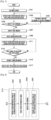
FIG. 3 is a diagram illustrating screenshots associated with steps of the execution screen switching process of a mobile terminal according to an exemplary embodiment of the present invention. - Referring to
FIG. 3 , the mobile terminal can control the processing to activate an application (e.g. text messaging application) running in the background in response to a user's menu selection or key input. For example, when an incoming message is received while a specific application is running on the foreground, the user can activate the text messaging application (first application) running in the background by selecting an incoming message indication icon or a menu item designated for activating the text messaging application presented on the display screen. If the user command for activating the text messaging application is detected, the mobile terminals activates the text messaging application in response to the user command and displays the text messaging application execution screen (first application execution screen), i.e. the incoming message window, as denoted byreference numeral 310. - While reading the content of the incoming message, the user may need to activate another application (e.g. calendar application) for checking schedules. Assuming that the calendar application (second application) is not activated but running in the background, the mobile terminal can activate the calendar application (second application) and display the calendar application execution screen (second application execution screen) as denoted by
reference numeral 350 in the foreground in response to a user command. - The mobile terminal can be configured to receive the user command input in different ways. For example and not according to the claimed invention, the user can input a quick application switching command by using a specific key (e.g. home key) of the mobile terminal. That is, the user can input the quick application switching command by double tapping the home key allocated to a specific area of the touchscreen (home key double tapping). In accordance with the invention the mobile terminal is equipped with a motion sensor, and the user inputs the quick application switching command with a specific motion of the mobile terminal that is designated for quick application switching. Also not according to the claimed invention, in case that a hot key is designated for the quick application switching, the user can input the quick application switching command by means of the hot key. The user can input the quick application switching command by taking one of the actions designated for the quick application switching operation.
- If the quick application switching command is detected while the first
application execution screen 310, the mobile terminal displays a series of transition screens 320, 330, and 340 and the secondapplication execution screen 350 in stepwise manner. - In more detail, if the quick application switching command is detected while the
first application screen 310 is displayed, the mobile terminal captures the first application execution screen as a first applicationexecution screen image 101 and reduces the first applicationexecution screen image 101 into anintermediate image 103 as shown in thefirst transition screen 320. At this time, the mobile terminal can control processing such that the first applicationexecution screen image 101 is reduced into theintermediate image 103 which is a predetermined portion of the overall display area. Also, the mobile terminal can control processing to create theintermediate image 103 through a separate process, e.g. a background process, which removes the firstapplication execution image 101, and displays theintermediate image 103. By presenting the first applicationexecution screen image 101 and theintermediate image 103 of the first application execution screen in series, the user can perceive a zoom-out effect. Accordingly, theintermediate image 103 is displayed along with a partially exposed background image as shown in thescreen 320. - Also, the mobile terminal can control processing such that the intermediate image appears for a predetermined time (e.g. a few milliseconds to a few seconds) and then is replaced by the
task window 301 as denoted byreference numeral 330. Thetask window 301 is the window for displaying all of the applications running in both the foreground and background in the form of thumbnail images. The user can be aware of the applications running on both the foreground and background through the task window. The thumbnail images presented on the task window are smaller than the intermediate images of the corresponding application execution screen images and vary in size according to the number of the currently running applications. The mobile terminal divides the task window into a plurality of frames according to the number of the currently running applications. For example, if two applications are running currently, the mobile terminal divides the task window into two frames and displays the thumbnail images of the two applications in the respective frames. Also, in an example not according to the claimed invention, the mobile terminal can divide the task window into a predetermined number of frames regardless of the number of the currently running applications such that the thumbnail images fill the frames in order the order of their execution. For example, if the mobile terminal is configured to divide the task window into four frames and if two applications are running currently, the two thumbnail images of the applications are presented in the first two frames while the other two frames remain empty, as illustrated. - The mobile terminal can be configured such that the
intermediate image 103 of the firstapplication execution screen 310 moves from the center to the left or right edge of the screen to disappear out of the screen and then thetask window screen 330 replaces the firstapplication execution screen 310. Also, the mobile terminal can be configured such that an intermediate task window is created in the same size as theintermediate image 103, while theintermediate image 103 moves in a direction to disappear from of the screen. The intermediate task window is displayed at the center of the screen for a predetermined time and then is replaced by a full screen task window as shown in thetask window screen 330. - The
task window 301 disappears from the screen after the predetermined time has elapsed. Next, the mobile terminal controls processing such that theintermediate image 203 of the second application execution screen is displayed at an area on the display as denoted byreference numeral 340. At this time, the mobile terminal can display theintermediate image 203 of the second application execution screen along with a partial exposure of the background image. The mobile terminal also can control processing such that theintermediate image 203 of the second application execution screen emerges from an edge to the center of the screen or appears at the center as a dot and enlarges gradually to a predetermined size. - The mobile terminal can perform the process for displaying the
intermediate image 203 of the second application execution screen in theintermediate image screen 340 in association with a process for displaying thetask window 301 in thetask window screen 330. That is, the mobile terminal is configured such that an intermediate task window having the same size as theintermediate image 203 of the second application execution screen is created, while theintermediate image 203 moves in a direction to disappear, and emerges while moving in the same direction as theintermediate image 203. Here, the intermediate task window can be identical with theintermediate image 203 in size. - After displaying the intermediate image of the second application
execution screen image 203 for a predetermined time interval, the mobile terminal displays the second applicationexecution screen image 201 as denoted byreference numeral 350. By presenting theintermediate image 203 and the second applicationexecution screen image 201 of the second application execution screen in series, the user can perceive a zoom-in effect. - As described above, the mobile terminal according to an exemplary embodiment of the present invention displays the intermediate images of the execution screens of the applications switching between foreground and background modes and the task window presenting the thumbnail images of the currently running applications in the middle of switching between two applications, whereby the user can perceive the information about each of the running applications while switching the applications between foreground and background.
-
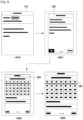
FIG. 4 is a diagram illustrating screenshots associated with steps of the execution screen switching process of a mobile terminal according to another exemplary embodiment of the present invention. - Referring to
FIG. 4 , the mobile terminal can control processing to activate an application (e.g. text messaging application) in response to a user's menu selection or key input. For example, when an incoming message is received while a specific application in running in the foreground, the user can activate the text messaging application running in the background by selecting an incoming message indication icon or a menu item designated for activating the text messaging application presented on the display screen. If the user command for activating the text messaging application is detected, the mobile terminals activates the text messaging application in response to the user command and displays the text messaging application execution screen, i.e. the incoming message window, as denoted byreference numeral 310. - While reading the content of the incoming message, the user may need to activate another application (e.g. calendar application) for checking schedules. Assuming that the calendar application (second application) is not activated but running in the background, the mobile terminal can activate the calendar application and display the calendar application execution screen (second application execution screen) as denoted by
reference numeral 350 in the foreground in response to a user command. - The user can input a command in various manners. For example and not according to the claimed invention, the user can input a quick application switching command by using a specific key (e.g. home key) of the mobile terminal. That is, the user can input the quick application switching command by double tapping the home key allocated to a specific area of the touchscreen (home key double tapping). In accordance with the invention the mobile terminal is equipped with a motion sensor, and the user inputs the quick application switching command with a specific motion of the mobile terminal that is designated for quick application switching. Also not according to the claimed invention, in case that a hot key is designated for the quick application switching, the user can input the quick application switching command by means of the hot key. The user can input the quick application switching command by taking one of the actions designated for the quick application switching operation.
- If the quick application switching command is detected while the first application execution screen is displayed as denoted by
reference numeral 310, the mobile terminal displays a series of transition screens as denoted byreference numerals reference numeral 350. - In more detail, if the quick application switching command is detected while the
first application screen 301 is displayed, the mobile terminal captures the first application execution screen as a first applicationexecution screen image 101 and reduces the first applicationexecution screen image 101 into anintermediate image 103 as shown in thetransition screen 320. Accordingly, theintermediate image 103 is displayed along with a partially exposed background image as shown in thescreen 320. - Also, the mobile terminal can control processing such that the
intermediate image 103 moves in a direction, e.g. left direction, to disappear from of the screen while changing from thetransition screen 320 to thetransition screen 340. Right after the disappearance of theintermediate image 103 of the first application execution screen (text messaging application execution screen), the mobile terminal can control the processing to display anintermediate image 203 of the second application execution screen (calendar application execution screen) (see screen 340). At this time, the mobile terminal can control the processing such that theintermediate image 203 of the second application execution screen emerges from an edge to the center of the screen. That is, the mobile terminal controls such that theintermediate image 203 of the second application execution screen appears from an edge to the center right after theintermediate image 103 of the first application execution screen disappears in a predetermined direction. Also, the mobile terminal can control the processing such that theintermediate image 203 of the second application execution screen emerges at the center of the screen as a dot and enlarges gradually to a predetermined size. Accordingly, theintermediate image 203 displayed along with a partially exposed background image as shown in thetransition screen 340. - The mobile terminal displays the
transition screen 340 for a predetermined time interval and, after the predetermined time interval has elapsed, the second application execution screen as denoted byreference numeral 350 is displayed. By displaying thetransmission screen 340 presenting theintermediate image 203 and the secondapplication execution screen 350 presenting thefull screen image 201 in series, the user can perceive a zoom-in effect. - As described above, the mobile terminal according to an exemplary embodiment of the present invention displays the intermediate images of the execution screens of the applications switching between the foreground and the background, whereby the user can perceive the information on the activation and deactivation of the applications.
-
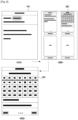
FIG. 5 is a diagram illustrating screenshots associated with the steps of the execution screen switching process of a mobile terminal according to an exemplary embodiment of the present invention. - Referring to
FIG. 5 , the mobile terminal can control the processing to activate an application (e.g. text messaging application) in response to a user's menu selection or key input. For example, when an incoming message is received while a specific application in running in the foreground, the user can activate the text messaging application running in the background by selecting an incoming message indication icon or a menu item designated for activating the text messaging application presented on the display screen. If the user command for activating the text messaging application is detected, the mobile terminals activates the text messaging application in response to the user command and displays the text messaging application execution screen, i.e. the incoming message window, as denoted byreference numeral 310. - While reading the content of the incoming message, the user may need to activate another application (e.g. calendar application) for checking schedules. Assuming that the calendar application (second application) is running in the background, the mobile terminal can activate the calendar application and display the calendar application execution screen (second application execution screen) as denoted by
reference numeral 350 in the foreground in response to a user command. - The user can input a command in various manners. For example and not according to the claimed invention, the user can input a quick application switching command by using a specific key (e.g. home key) of the mobile terminal. That is, the user can input the quick application switching command by double tapping the home key allocated to a specific area of the touchscreen (home key double tapping). In accordance with the invention the mobile terminal is equipped with a motion sensor, and the user inputs the quick application switching command with a specific motion of the mobile terminal that is designated for quick application switching. Also not according to the claimed invention, in case that a hot key is designated for the quick application switching, the user can input the quick application switching command by means of the hot key. The user can input the quick application switching command by taking one of the actions designated for the quick application switching operation.
- If the quick application switching command is detected while the first
application execution screen 310 is displayed, the mobile terminal displays atransition screen 330 on the display as a replacement of the firstapplication execution screen 310. - In more detail, if the quick application switching command is detected while the first
application execution screen 310 is displayed, the mobile terminal controls the processing such that the first applicationexecution screen image 101 disappears and thetransition screen 330, having atask window 301, is displayed on the display for a predetermined time interval. The task window is the window presenting the thumbnail images of the execution screens of at least one currently running application. The user is thus made aware of the applications running in both the foreground and background through the task window. Preferably, the thumbnail image is smaller than the aforementioned intermediate image of the application execution screen and can be changed in size according to the number of the currently running applications. The mobile terminal divides the task window into a plurality of frames according to the number of the currently running applications. For example, if two applications are running currently, the mobile terminal divides the task window into two frames and displays the thumbnail images of the two applications in the respective frames. Also, in an example not according to the claimed invention, the mobile terminal can divide the task window into a fixed number of frames regardless of the number of the currently running applications such that the thumbnail images are filled the frames in order. For example, in the illustrated embodiment shown, if the mobile terminal is configured to divide the task window into four frames and if two applications are running currently, the two thumbnail images of the applications are presented in the first two frames while the other two frames remain empty. - The mobile terminal can control the processing to display the
transition screen 330 presenting thetask window 301 for a predetermined time interval and, after the predetermined time has elapsed, the secondapplication execution screen 350 corresponding to the second application (calendar application) is displayed. - The display management methods according to some exemplary embodiments of the present invention have been described with reference to exemplary screen images of a mobile terminal hereinabove. A description is made of the structure of the mobile terminal for supporting the display management method according to the embodiments of the present invention hereinafter.
-
FIG. 6 is a block diagram illustrating the configuration of a mobile terminal according to an exemplary embodiment of the present invention. - As shown in
FIG. 6 , the mobile terminal includes a Radio Frequency (RF)unit 110, aninput unit 120, anaudio processing unit 130, atouchscreen 140, astorage unit 150, and acontrol unit 160. Thetouch screen 140 includes adisplay 141 and atouch panel 143. - The mobile terminal executes at least one of the applications stored within the
storage unit 150 in response to a user command. One of executed application is running in the foreground according to the user's selection while other executed applications are running in the background. If an application switching command is input by the user to activate one of the background running applications while the execution screen of the foreground running application is displayed on thedisplay 141, the execution screens of the foreground running application and the selected background running application are processed into full-screen execution screen images and intermediate image that are smaller than the full-screen execution screen images such that the full-screen execution screen image and intermediate image of the foreground running application and the intermediate image and full-screen execution screen image of the selected background running application are displayed in stepwise manner. Between the presentations of the intermediate image of the foreground running application and the intermediate image of the selected background running application, a task window presenting the thumbnail images of the applications running on the foreground and background can be displayed. The internal function blocks of the mobile terminal are described hereinafter in relation with this application switching operation between the foreground and the background. - The
RF unit 110 is responsible for establishing a radio channel for voice and data communication under the control of thecontrol unit 160. That is, theRF unit 110 establishes a voice, data, or video communication channel with a mobile communication system. For this purpose, theRF unit 110 includes an RF transmitter for up-converting and amplifying transmission radio signals and an RF receiver for low noise amplifying and down-converting received radio signals. TheRF unit 110 operates under the control of thecontrol unit 160 in response to the user command input by means of thetouch panel 143. Particularly in an exemplary embodiment of the present invention, theRF unit 110 can be configured to be activated under control of thecontrol unit 160 when a user-requested function screen, such as a phonebook screen, a message composition screen, an email composition screen, a communication log screen, and a messenger screen is displayed. - The
input unit 120 is provided with a plurality of alphanumeric keys (not shown) for receiving alphabetic and numeric data and function keys for setting and executing various functions of the mobile terminal. The function keys can include navigations keys, side keys, and shortcut keys. Theinput unit 120 generates a key sequence for setting and controlling the functions of the mobile terminal and transfers the key sequence to thecontrol unit 160. The input unit can be implemented with one of a QWERTY keypad, a 3*4 keypad, and a 4*3 keypad. In case that thetouchscreen 140 of the mobile terminal is implemented in the form of a full touch screen, the key section of theinput unit 120 can be replaced by thetouchscreen 140. Particularly in an exemplary embodiment of the present invention, theinput unit 120 can be configured to generate a key sequence for the quick application switching in response to a user input while multiple applications are running in the mobile terminal and transfers the key sequence to thecontrol unit 160. In case that the mobile terminal is equipped with at least one of an acceleration sensor, a tilting sensor, a gyro sensor, a pressure sensor, and an approach sensor, these sensors can be included in theinput unit 120. In this case, the sensing result of each sensor is transferred to thecontrol unit 160 and can be used as the quick application switching command. - The
audio processing unit 130 includes a speaker (SPK) for outputting the incoming and outgoing audio data of the a voice call in the form of audible sound wave and a microphone (MIC) for converting sound such as user voice to the audio data. Theaudio processing unit 130 can be configured to output a sound effect for indicating the quick application switching operation of the mobile terminal. For example, when the full-screen application execution screen image of the foreground running application is replaced by the corresponding intermediate image, theaudio processing unit 130 can output a sound effect preset for this image changing event. Also, when the intermediate image of the selected background running application is replaced by the corresponding full-screen application execution screen image, theaudio processing unit 130 can output a sound effect preset for this image changing event. Also, when the task window is presented on the display, theaudio processing unit 130 can output a sound effect preset for the task window presentation event. - The
touchscreen 140 includes adisplay 141 and atouch panel 143. Thetouchscreen 140 can be implemented by laminating thetouch panel 143 on the front surface of the display. The size of thetouchscreen 140 can be determined by the size of thetouch panel 143. - The
display 141 displays the menus for manipulating the mobile terminal, data input by the user, and information indicating operation status of the mobile terminal. That is, thedisplay 141 displays various screens associated with the operations of the mobile terminal such as idle mode screen, menu screen, message composition screen, and call progress screen. Particularly in an exemplary embodiment of the present invention, thedisplay 141 can display the execution screen of the foreground running application, the transition screen presenting the intermediate image of the foreground running application which is downsized in a predetermined proportion, and the task window presenting the thumbnail images of the applications running in the mobile terminal. Thedisplay 141 also can display the progression of change from the full-screen application execution screen image to the intermediate image or from the intermediate image to the full-screen application execution screen image during the quick application switching operation, as previously shown. Thedisplay 141 also can display the task window between the presentations of the intermediate images of the foreground running application and background running application. Thedisplay 141 can be implemented with a Liquid Crystal Display (LCD) or an Organic Light Emitted Diode (OLED). Thedisplay 141 can be smaller than thetouch panel 143 in size and arranged below thetouch panel 143. - The
touch panel 143 is arranged to cover the surface of thedisplay 141 and generates a touch event when a contact or an approach of an object is detected thereon. The touch event is transferred to thecontrol unit 160. Thetouch panel 143 is implemented in the form of a matrix such that, when a touch event is detected, it transfers the information regarding the location and type of the touch event to thecontrol unit 160. The touch events include a touch-down event which occurs by making a contact on thetouch panel 143, a touch-up event which occurs by lifting the contact, a touch movement or touch drag event which occurs by moving the contact, and a flick event which occurs by moving the contact in a direction with an acceleration motion. Thecontrol unit 160 checks the location and type of the touch event based on the signal transmitted by thetouch panel 143 and the image mapped to the location on the display and executes a function (application) linked to the image. - The
storage unit 150 stores the application programs for implementing the display management method according to exemplary embodiments of the present invention and key maps and menu maps for the touchscreen. The key maps and menu maps can be implemented in various forms. The key maps include a keyboard map, a 3*4 key map, a QWERTY key map, and a control key map for controlling the currently running application. The menu maps include the control menu map for controlling the currently running application and a hierarchical menu map composed of various menu items associated with the functions of the mobile terminal. Thestorage unit 150 can include a program region and a data region. - The program region stores the Operating System (OS) for booting the mobile terminal and managing and coordinating the operations of the application programs, such as a call application for making a call, a web browsing application for accessing a web server, a MP3 application for playing audio file, a image processing application for presenting still images, such as photos, and video playback application for playing motion pictures. Particularly in an exemplary embodiment of the present invention, the
storage unit 150 stores a touchscreen control application which detects a touch event for the quick application switching command and transfers the touch event to thecontrol unit 160. The program region also stores the task management control routine for supporting the task window. The task management control routine allows creating thumbnail images of the execution screens of the currently running applications and arranges the thumbnail images in the task window. If a specific user input, e.g. quick application switching command, is detected, the task management routing controls the processing such that the task window is presented for a predetermined time interval. In an exemplary embodiment of the present invention, the program region can store an image processing routine. The image processing routine can include a foreground application screen removal routine, a foreground application intermediate image presentation routine, a foreground intermediate image removal routine, a selected background application intermediate image presentation routine, and a selected background application screen. The image processing routine can control processing to present the task window having the thumbnail image of the currently running applications in cooperation with the task management routine. - The data region stores the application and user data such as phonebook data, icons representing widgets and applications, and various multimedia contents. In case that the
touchscreen 140 is used as a part of theinput unit 120, the data region can store the user commands input by means of thetouchscreen 140. Particularly in an exemplary embodiment of the present invention, the data storage also can store the full-screen images and intermediate images of the currently running applications and a task window image having the thumbnail images of the currently running applications and supplies theses images to thedisplay 141 under the control of thecontrol unit 160. - The
control unit 160, which includes a processor (not shown) controls a power supplied to the illustrated internal function blocks to initialize their functions and controls signaling among the function blocks for supporting the quick application switching operation of the mobile terminal. Thecontrol unit 160 controls the creation of the execution screen images of the running applications according to the image processing routing and task management control routine stored in the program regions of thestorage unit 150 to provide the graphic user interface related to the quick application switching operation. - The above-described methods according to the present invention can be realized in hardware or as software or computer code that can be stored in a recording medium such as a CD ROM, an RAM, a floppy disk, a hard disk, or a magneto-optical disk or downloaded over a network (i.e., The computer program can be provided from an external source which is electronically downloaded over a network, e.g., Internet, POTS), so that the methods described herein can be rendered in such software using a general purpose computer, or a special processor or in programmable or dedicated hardware, such as an ASIC or FPGA. As would be understood in the art, the computer, the controller, processor or the programmable hardware includes memory components, e.g., RAM, ROM, Flash, etc. that may store or receive software or computer code that when accessed and executed by the computer, processor or hardware implement the processing methods described herein. The code when loaded into a general purpose computer transformed the general purpose computer into a special purpose computer that may in part be dedicated to the processing shown herein. In addition, the computer, controller, processor or dedicated hardware may be composed of at least one of a single processor, a multi-processor, and a multi-core processor.
- Although exemplary embodiments of the present invention have been described in detail hereinabove, it should be clearly understood that many variations and/or modifications of the basic inventive concepts herein taught which may appear to those skilled in the present art will still fall within the scope of the present invention, as defined in the appended claims. For example, while the embodiment of the invention described herein, refers to transition of the screen images by directing one image to a screen edge and the second image from the screen edge to the center, it would be recognized that other transition features, such as fade out/fade in, image replacement and a scrolling function may also be incorporated without altering the scope of the invention.
Claims (14)
- A method, performed by a mobile terminal comprising a motion sensor, the method characterized by:displaying (S103) a first execution screen (201) of a first application on a display unit (141) of the mobile terminal;while the first execution screen (201) is displayed on the display unit (141), detecting (S109) a user command for selecting a second application;in response to detecting the user command for selecting the second application, executing (S111) the second application and displaying, on the display unit (141), a second execution screen (101) of the second application;while the second execution screen (101) is displayed on the display unit (141), when a motion of the mobile terminal corresponds to a designated motion detected through the motion sensor, performing (S115) an execution screen switching process,wherein the execution screen switching process is performed in a sequential order and comprises:removing the second execution screen (101) from the display unit (141) and presenting (S201), on the display unit (141), a first intermediate image (103) which corresponds to a downsized image of the second execution screen (101);removing (S203) the first intermediate image (103) from the display unit (141) and presenting (S205), on the display unit (141), a task window having a first thumbnail image corresponding to the second execution screen (101) which is smaller than the first intermediate image (103) and a second thumbnail image corresponding to the first execution screen (201) of the first application, wherein presenting the task window comprises dividing the task window into a plurality of frames according to a number of currently running applications, and displaying the first thumbnail image and the second thumbnail image in a respective frame of the plurality of frames;removing the task window from the display unit (141) and presenting (S207), on the display unit (141), a second intermediate image (203) which corresponds to a downsized image of the first execution screen (201) which is larger than the second thumbnail image of the first execution screen (201); andremoving the second intermediate image (203) from the display unit (141) and presenting (S117), on the display unit (141), the first execution screen (201);wherein the method further comprises displaying, if a task window activation command is detected while displaying the first execution screen (201), a task window on the display unit (141), the task window presenting the first execution screen (201) in the form of a reduced-size image.
- The method of claim 1, wherein presenting (S201) the first intermediate image (103) comprises presenting the first intermediate image (103) along with a background image around the first intermediate image (103).
- The method of any preceding claim, wherein removing (S203) the first intermediate image (103) comprises moving the first intermediate image (103) to an edge of the display to disappear from the display.
- The method of claim 3, wherein moving the first intermediate image (103) to an edge of the display to disappear from the display comprises moving the first intermediate image (103) from the center to the left edge of the display.
- The method of any preceding claim, wherein presenting (S207) the second intermediate image (203) comprises at least one of:
moving the second intermediate image (203) from an edge of the display to a center of the display, and presenting the second intermediate image (203) along with a background image exposed around the second intermediate image (203). - The method of any preceding claim, wherein removing the task window comprises removing the task window after a predetermined time interval.
- The method of any preceding claim, wherein removing (S203) the first intermediate image (103) comprises removing the first intermediate image (103) after a predetermined time interval; and
wherein removing the second intermediate image (203) comprises removing the second intermediate image (203) after a predetermined time interval. - A mobile terminal comprising:a display unit (141);an input unit (120);a motion sensor;a touchscreen (140); anda control unit (160) configured to:display a first execution screen (201) of a first application on the display unit (141);while the first execution screen (201) is displayed on the display unit (141), detect an input command for selecting a second application;in response to detecting the user command for selecting the second application, execute the second application and display, on the display unit (141), a second execution screen (101) of the second application;while the second execution screen (101) is displayed on the display unit (141), when a motion of the mobile terminal corresponds to a designated motion detected through the motion sensor, perform an execution screen switching process,wherein the execution screen switching process is performed in a sequential order and comprises:remove the second execution screen (101) from the display unit (141) and present, on the display unit (141), a first intermediate image (103) which corresponds to a downsized image of the second execution screen (101);remove the first intermediate image (103) from the display unit (141) and present, on the display unit (141), a task window having a first thumbnail image corresponding to the second execution screen (101) which is smaller than the first intermediate image (103) and a second thumbnail image corresponding to the first execution screen (201) of the first application, wherein the task window is divided into a plurality of frames according to a number of currently running applications, and the first thumbnail image and a the second thumbnail image are displayed in a respective frame of the plurality of frames;remove the task window and present, on the display unit (141), a second intermediate image (203) which corresponds to a downsized image of the first execution screen (201) which is larger than the second thumbnail image of the first execution screen (201); andremove the second intermediate image (203) from the display unit (141) and present, on the display unit (141), the first execution screen (201);wherein the control unit (160) is further configured to display, if a task window activation command is detected while displaying the first execution screen (201), a task window on the display unit (141), the task window presenting the first execution screen (201) in the form of a reduced-size image.
- The mobile terminal of claim 8, wherein presenting the first intermediate image (103) comprises presenting the first intermediate image (103) along with a background image around the first intermediate image (103).
- The mobile terminal of claim 8 or 9, wherein removing the first intermediate image (103) comprises moving the first intermediate image (103) to an edge of the display to disappear from the display.
- The mobile terminal of claim 10, wherein moving the first intermediate image (103) to an edge of the display to disappear from the display comprises moving the first intermediate image (103) from the center to the left edge of the display.
- The mobile terminal of any of claims 8 to 11, wherein presenting the second intermediate image (203) comprises at least one of:
moving the second intermediate image (203) from an edge of the display to a center of the display, and presenting the second intermediate image (203) along with a background image exposed around the second intermediate image (203). - The mobile terminal of any of claims 8 to 12, wherein removing the task window comprises removing the task window after a predetermined time interval.
- The mobile terminal of any of claims 8 to 13, wherein removing the first intermediate image (103) comprises removing the first intermediate image (103) after a predetermined time interval; and
wherein removing the second intermediate image (203) comprises removing the second intermediate image (203) after a predetermined time interval.
Applications Claiming Priority (3)
| Application Number | Priority Date | Filing Date | Title |
|---|---|---|---|
| KR1020090043442A KR101601040B1 (en) | 2009-05-19 | 2009-05-19 | A screen display method of a portable terminal and a portable terminal supporting the same |
| EP10777891.2A EP2433370A4 (en) | 2009-05-19 | 2010-04-26 | METHOD AND SYSTEM FOR DISPLAYING MANAGEMENT OF A MOBILE TERMINAL |
| PCT/KR2010/002602 WO2010134704A2 (en) | 2009-05-19 | 2010-04-26 | Display management method and system of mobile terminal |
Related Parent Applications (1)
| Application Number | Title | Priority Date | Filing Date |
|---|---|---|---|
| EP10777891.2A Division EP2433370A4 (en) | 2009-05-19 | 2010-04-26 | METHOD AND SYSTEM FOR DISPLAYING MANAGEMENT OF A MOBILE TERMINAL |
Publications (3)
| Publication Number | Publication Date |
|---|---|
| EP3690629A1 EP3690629A1 (en) | 2020-08-05 |
| EP3690629C0 EP3690629C0 (en) | 2024-10-23 |
| EP3690629B1 true EP3690629B1 (en) | 2024-10-23 |
Family
ID=43125378
Family Applications (2)
| Application Number | Title | Priority Date | Filing Date |
|---|---|---|---|
| EP10777891.2A Ceased EP2433370A4 (en) | 2009-05-19 | 2010-04-26 | METHOD AND SYSTEM FOR DISPLAYING MANAGEMENT OF A MOBILE TERMINAL |
| EP20166310.1A Active EP3690629B1 (en) | 2009-05-19 | 2010-04-26 | Display management method and system of mobile terminal |
Family Applications Before (1)
| Application Number | Title | Priority Date | Filing Date |
|---|---|---|---|
| EP10777891.2A Ceased EP2433370A4 (en) | 2009-05-19 | 2010-04-26 | METHOD AND SYSTEM FOR DISPLAYING MANAGEMENT OF A MOBILE TERMINAL |
Country Status (6)
| Country | Link |
|---|---|
| US (1) | US9471217B2 (en) |
| EP (2) | EP2433370A4 (en) |
| JP (1) | JP5730289B2 (en) |
| KR (1) | KR101601040B1 (en) |
| CN (1) | CN102439861B (en) |
| WO (1) | WO2010134704A2 (en) |
Families Citing this family (100)
| Publication number | Priority date | Publication date | Assignee | Title |
|---|---|---|---|---|
| JP5096380B2 (en) | 2006-03-09 | 2012-12-12 | ウッドウェルディング・アクチェンゲゼルシャフト | Mechanical vibration deflection |
| US9772751B2 (en) | 2007-06-29 | 2017-09-26 | Apple Inc. | Using gestures to slide between user interfaces |
| US8698845B2 (en) | 2010-01-06 | 2014-04-15 | Apple Inc. | Device, method, and graphical user interface with interactive popup views |
| US8621380B2 (en) | 2010-01-06 | 2013-12-31 | Apple Inc. | Apparatus and method for conditionally enabling or disabling soft buttons |
| US9715332B1 (en) | 2010-08-26 | 2017-07-25 | Cypress Lake Software, Inc. | Methods, systems, and computer program products for navigating between visual components |
| US8780130B2 (en) * | 2010-11-30 | 2014-07-15 | Sitting Man, Llc | Methods, systems, and computer program products for binding attributes between visual components |
| US10397639B1 (en) | 2010-01-29 | 2019-08-27 | Sitting Man, Llc | Hot key systems and methods |
| US9367205B2 (en) | 2010-02-19 | 2016-06-14 | Microsoft Technolgoy Licensing, Llc | Radial menus with bezel gestures |
| US9823831B2 (en) | 2010-04-07 | 2017-11-21 | Apple Inc. | Device, method, and graphical user interface for managing concurrently open software applications |
| US9513801B2 (en) | 2010-04-07 | 2016-12-06 | Apple Inc. | Accessing electronic notifications and settings icons with gestures |
| US9052926B2 (en) | 2010-04-07 | 2015-06-09 | Apple Inc. | Device, method, and graphical user interface for managing concurrently open software applications |
| WO2011135894A1 (en) * | 2010-04-27 | 2011-11-03 | 日本電気株式会社 | Information processing terminal and control method thereof |
| US20110307778A1 (en) * | 2010-06-10 | 2011-12-15 | Acer Incorporated | Mobile electronic apparatus and method of switching application programs thereof |
| WO2011163519A2 (en) * | 2010-06-25 | 2011-12-29 | Dexcom, Inc. | Systems and methods for communicating sensor data between communication devices |
| JP5436676B2 (en) | 2010-07-28 | 2014-03-05 | 京セラ株式会社 | Portable electronic device, screen control method and additional display program |
| JP5635850B2 (en) * | 2010-09-16 | 2014-12-03 | 任天堂株式会社 | Information processing apparatus, information processing program, information processing system, and information processing method |
| US9141285B2 (en) | 2010-11-05 | 2015-09-22 | Apple Inc. | Device, method, and graphical user interface for manipulating soft keyboards |
| US8587547B2 (en) | 2010-11-05 | 2013-11-19 | Apple Inc. | Device, method, and graphical user interface for manipulating soft keyboards |
| US20120144331A1 (en) * | 2010-12-03 | 2012-06-07 | Ari Tolonen | Method for Arranging Application Windows on a Display |
| US9244606B2 (en) | 2010-12-20 | 2016-01-26 | Apple Inc. | Device, method, and graphical user interface for navigation of concurrently open software applications |
| KR20120071670A (en) * | 2010-12-23 | 2012-07-03 | 엘지전자 주식회사 | Mobile terminal and method for controlling the same |
| US9250798B2 (en) | 2011-01-24 | 2016-02-02 | Apple Inc. | Device, method, and graphical user interface with a dynamic gesture disambiguation threshold |
| US9436381B2 (en) | 2011-01-24 | 2016-09-06 | Apple Inc. | Device, method, and graphical user interface for navigating and annotating an electronic document |
| CN102609168B (en) * | 2011-01-25 | 2017-04-19 | 联想(北京)有限公司 | Processing method for application object and electronic device |
| US11249619B2 (en) | 2011-02-11 | 2022-02-15 | Samsung Electronics Co., Ltd. | Sectional user interface for controlling a mobile terminal |
| US9104290B2 (en) * | 2011-02-11 | 2015-08-11 | Samsung Electronics Co., Ltd. | Method for controlling screen of mobile terminal |
| JP5654114B2 (en) * | 2011-02-23 | 2015-01-14 | 京セラ株式会社 | Electronic device with touch sensor |
| DE112012002190B4 (en) * | 2011-05-20 | 2016-05-04 | Mitsubishi Electric Corporation | information device |
| KR101841590B1 (en) * | 2011-06-03 | 2018-03-23 | 삼성전자 주식회사 | Method and apparatus for providing multi-tasking interface |
| CN102301331B (en) * | 2011-07-06 | 2013-09-11 | 华为技术有限公司 | Interacting method and device for electronic equipment |
| US9417754B2 (en) * | 2011-08-05 | 2016-08-16 | P4tents1, LLC | User interface system, method, and computer program product |
| DE102011110974A1 (en) | 2011-08-18 | 2013-02-21 | Volkswagen Aktiengesellschaft | Method and device for operating an electronic device and / or applications |
| US8806369B2 (en) | 2011-08-26 | 2014-08-12 | Apple Inc. | Device, method, and graphical user interface for managing and interacting with concurrently open software applications |
| KR101846447B1 (en) | 2011-12-08 | 2018-04-06 | 엘지전자 주식회사 | Mobile terminal and control method for mobile terminal |
| KR102006470B1 (en) * | 2011-12-28 | 2019-08-02 | 삼성전자 주식회사 | Method and apparatus for multi-tasking in a user device |
| KR101921276B1 (en) | 2012-02-03 | 2018-11-22 | 삼성전자주식회사 | Device and method for performing multi_tasking in wireless terminal |
| US9433376B2 (en) * | 2012-03-16 | 2016-09-06 | Dexcom, Inc. | Systems and methods for processing analyte sensor data |
| KR101419852B1 (en) * | 2012-04-03 | 2014-07-15 | 삼성전자주식회사 | Method for bookmark function applicable in messenger applicaton and an electronic device thereof |
| KR101452038B1 (en) * | 2012-04-26 | 2014-10-22 | 삼성전기주식회사 | Mobile device and display controlling method thereof |
| CN109298789B (en) | 2012-05-09 | 2021-12-31 | 苹果公司 | Device, method and graphical user interface for providing feedback on activation status |
| CN107977084B (en) | 2012-05-09 | 2021-11-05 | 苹果公司 | Method and apparatus for providing haptic feedback for operations performed in a user interface |
| WO2013169865A2 (en) | 2012-05-09 | 2013-11-14 | Yknots Industries Llc | Device, method, and graphical user interface for moving a user interface object based on an intensity of a press input |
| EP2847660B1 (en) | 2012-05-09 | 2018-11-14 | Apple Inc. | Device, method, and graphical user interface for selecting user interface objects |
| WO2013169849A2 (en) | 2012-05-09 | 2013-11-14 | Industries Llc Yknots | Device, method, and graphical user interface for displaying user interface objects corresponding to an application |
| WO2013169843A1 (en) | 2012-05-09 | 2013-11-14 | Yknots Industries Llc | Device, method, and graphical user interface for manipulating framed graphical objects |
| JP6273263B2 (en) | 2012-05-09 | 2018-01-31 | アップル インコーポレイテッド | Device, method, and graphical user interface for displaying additional information in response to user contact |
| WO2013169842A2 (en) | 2012-05-09 | 2013-11-14 | Yknots Industries Llc | Device, method, and graphical user interface for selecting object within a group of objects |
| WO2013169875A2 (en) | 2012-05-09 | 2013-11-14 | Yknots Industries Llc | Device, method, and graphical user interface for displaying content associated with a corresponding affordance |
| JP6002836B2 (en) | 2012-05-09 | 2016-10-05 | アップル インコーポレイテッド | Device, method, and graphical user interface for transitioning between display states in response to a gesture |
| WO2013169845A1 (en) | 2012-05-09 | 2013-11-14 | Yknots Industries Llc | Device, method, and graphical user interface for scrolling nested regions |
| WO2013169851A2 (en) | 2012-05-09 | 2013-11-14 | Yknots Industries Llc | Device, method, and graphical user interface for facilitating user interaction with controls in a user interface |
| WO2013169882A2 (en) | 2012-05-09 | 2013-11-14 | Yknots Industries Llc | Device, method, and graphical user interface for moving and dropping a user interface object |
| KR101960061B1 (en) * | 2012-05-21 | 2019-03-19 | 삼성전자주식회사 | The method and apparatus for converting and displaying between executing screens of a plurality of applications being executed on a device |
| CN102819416B (en) * | 2012-08-13 | 2016-12-21 | 华为终端有限公司 | A method and device for displaying component content |
| KR20140035038A (en) * | 2012-09-13 | 2014-03-21 | 삼성전자주식회사 | Method and apparatus for displaying icons on mobile terminal |
| CN102968248A (en) * | 2012-12-04 | 2013-03-13 | 周万荣 | Method and terminal capable of supporting multi-process operation through start key |
| EP4213001B1 (en) * | 2012-12-06 | 2025-07-30 | Samsung Electronics Co., Ltd. | Display device and method of controlling the same |
| US8914832B2 (en) * | 2012-12-14 | 2014-12-16 | Sony Corporation | Information processing apparatus, information processing method, and program |
| CN103076961A (en) * | 2012-12-21 | 2013-05-01 | 广东欧珀移动通信有限公司 | A method and system for quickly switching applications |
| WO2014105275A1 (en) | 2012-12-29 | 2014-07-03 | Yknots Industries Llc | Device, method, and graphical user interface for forgoing generation of tactile output for a multi-contact gesture |
| CN105144057B (en) | 2012-12-29 | 2019-05-17 | 苹果公司 | Apparatus, method, and graphical user interface for moving a cursor based on changes in appearance of a control icon having simulated three-dimensional features |
| JP6158947B2 (en) | 2012-12-29 | 2017-07-05 | アップル インコーポレイテッド | Device, method and graphical user interface for transitioning between relationships from touch input to display output |
| KR101742808B1 (en) | 2012-12-29 | 2017-06-01 | 애플 인크. | Device, method, and graphical user interface for navigating user interface hierachies |
| EP2939096B1 (en) | 2012-12-29 | 2019-08-28 | Apple Inc. | Device, method, and graphical user interface for determining whether to scroll or select contents |
| KR102087395B1 (en) * | 2013-01-16 | 2020-03-10 | 삼성전자주식회사 | Method and apparatus for executing application prograom in an electronic device |
| KR102133410B1 (en) | 2013-01-31 | 2020-07-14 | 삼성전자 주식회사 | Operating Method of Multi-Tasking and Electronic Device supporting the same |
| EP2767896B1 (en) * | 2013-02-14 | 2019-01-16 | LG Electronics Inc. | Mobile terminal and method of controlling the mobile terminal |
| WO2014157893A1 (en) | 2013-03-27 | 2014-10-02 | Samsung Electronics Co., Ltd. | Method and device for providing a private page |
| US10229258B2 (en) | 2013-03-27 | 2019-03-12 | Samsung Electronics Co., Ltd. | Method and device for providing security content |
| US9996246B2 (en) | 2013-03-27 | 2018-06-12 | Samsung Electronics Co., Ltd. | Device and method for displaying execution result of application |
| WO2014157897A1 (en) | 2013-03-27 | 2014-10-02 | Samsung Electronics Co., Ltd. | Method and device for switching tasks |
| WO2014157886A1 (en) | 2013-03-27 | 2014-10-02 | Samsung Electronics Co., Ltd. | Method and device for executing application |
| KR102127925B1 (en) * | 2013-04-29 | 2020-06-29 | 엘지전자 주식회사 | Mobile terminal and control method thereof |
| US20140351729A1 (en) * | 2013-05-21 | 2014-11-27 | Samsung Electronics Co., Ltd. | Method of operating application and electronic device implementing the same |
| USD752617S1 (en) * | 2013-10-23 | 2016-03-29 | Ares Trading S.A. | Display screen with graphical user interface |
| CN104571797B (en) * | 2013-10-28 | 2018-08-31 | 联想(北京)有限公司 | A kind of information processing method and electronic equipment |
| KR102148948B1 (en) * | 2013-12-06 | 2020-08-27 | 삼성전자주식회사 | Multi tasking method of electronic apparatus and electronic apparatus thereof |
| JP5846190B2 (en) | 2013-12-17 | 2016-01-20 | コニカミノルタ株式会社 | Portable information terminal and program |
| TWI616803B (en) * | 2013-12-27 | 2018-03-01 | Acer Incorporated | Screen zooming and operation method, device and computer program product |
| JP6340949B2 (en) * | 2014-06-23 | 2018-06-13 | 富士通株式会社 | Telephone terminal device, information processing method, and information processing system |
| KR102391772B1 (en) | 2014-08-28 | 2022-04-28 | 삼성전자 주식회사 | Electronic device including touch sensitive display and method for operating the same |
| US10095396B2 (en) | 2015-03-08 | 2018-10-09 | Apple Inc. | Devices, methods, and graphical user interfaces for interacting with a control object while dragging another object |
| US9645732B2 (en) | 2015-03-08 | 2017-05-09 | Apple Inc. | Devices, methods, and graphical user interfaces for displaying and using menus |
| US10048757B2 (en) | 2015-03-08 | 2018-08-14 | Apple Inc. | Devices and methods for controlling media presentation |
| US9785305B2 (en) | 2015-03-19 | 2017-10-10 | Apple Inc. | Touch input cursor manipulation |
| JP6452538B2 (en) * | 2015-03-20 | 2019-01-16 | キヤノン株式会社 | Information processing apparatus and program |
| US20170045981A1 (en) | 2015-08-10 | 2017-02-16 | Apple Inc. | Devices and Methods for Processing Touch Inputs Based on Their Intensities |
| US20180164980A1 (en) | 2015-04-13 | 2018-06-14 | Huawei Technologies Co., Ltd. | Method, Apparatus, and Device for Enabling Task Management Interface |
| US9674426B2 (en) | 2015-06-07 | 2017-06-06 | Apple Inc. | Devices and methods for capturing and interacting with enhanced digital images |
| US9860451B2 (en) | 2015-06-07 | 2018-01-02 | Apple Inc. | Devices and methods for capturing and interacting with enhanced digital images |
| US10782765B2 (en) * | 2016-01-13 | 2020-09-22 | Samsung Electronics Co., Ltd | Method and electronic device for outputting image |
| KR102507787B1 (en) * | 2016-01-13 | 2023-03-09 | 삼성전자주식회사 | Method and electronic device for outputting images |
| CN108958936B (en) * | 2018-06-28 | 2023-05-05 | 山东正龙万誉信息科技有限公司 | Application program switching method, mobile terminal and computer readable storage medium |
| US11016643B2 (en) | 2019-04-15 | 2021-05-25 | Apple Inc. | Movement of user interface object with user-specified content |
| WO2020248751A1 (en) * | 2019-06-12 | 2020-12-17 | Guangdong Oppo Mobile Telecommunications Corp., Ltd. | Mobile terminal for managing one or more recently used applications, and a method for same |
| KR102080524B1 (en) * | 2019-07-26 | 2020-05-27 | 삼성전자 주식회사 | Method and apparatus for multi-tasking in a user device |
| CN110855539B (en) * | 2019-11-18 | 2021-11-23 | 北京小米移动软件有限公司 | Device discovery method, device and storage medium |
| CN111399959B (en) * | 2020-03-17 | 2024-08-16 | Oppo广东移动通信有限公司 | Multitasking operation method, device, electronic device and storage medium |
| US20240236389A9 (en) * | 2021-03-02 | 2024-07-11 | Lg Electronics Inc. | Media data processing method and media data processing apparatus |
| CN113888674B (en) * | 2021-09-29 | 2025-01-21 | 北京达佳互联信息技术有限公司 | Image processing method and device |
Citations (1)
| Publication number | Priority date | Publication date | Assignee | Title |
|---|---|---|---|---|
| US20080109753A1 (en) * | 2006-11-03 | 2008-05-08 | Karstens Christopher K | Most-Recently-Used Task Switching among Parent and Child Windows |
Family Cites Families (84)
| Publication number | Priority date | Publication date | Assignee | Title |
|---|---|---|---|---|
| GB1595964A (en) * | 1977-03-17 | 1981-08-19 | Micro Consultants Ltd Tv | Special effects generator |
| GB8909079D0 (en) * | 1989-04-21 | 1989-06-07 | Abekas Video Systems | Digital video special effect system |
| JPH0844253A (en) * | 1994-07-27 | 1996-02-16 | Canon Inc | Image forming device |
| US5644737A (en) * | 1995-06-06 | 1997-07-01 | Microsoft Corporation | Method and system for stacking toolbars in a computer display |
| US5767850A (en) * | 1996-06-24 | 1998-06-16 | Intel Corporatoin | Relocatable menu icon for accessing an application in a graphical user interface |
| JP3509060B2 (en) | 1998-05-28 | 2004-03-22 | 松下電器産業株式会社 | Display control device and method |
| US6295647B1 (en) * | 1998-10-08 | 2001-09-25 | Philips Electronics North America Corp. | Context life time management of a user interface in a digital TV broadcast |
| EP1028570B1 (en) * | 1999-02-11 | 2004-11-17 | Sony International (Europe) GmbH | Terminal for wireless telecommunication and method for displaying icons on a display of such a terminal |
| JP4464572B2 (en) * | 2000-03-28 | 2010-05-19 | オリンパス株式会社 | Endoscopic image recording apparatus and endoscopic image recording method |
| US6756999B2 (en) * | 2000-04-06 | 2004-06-29 | Microsoft Corporation | Method and system for clustering and grouping taskbar buttons |
| US20020163545A1 (en) * | 2001-05-01 | 2002-11-07 | Hii Samuel S. | Method of previewing web page content while interacting with multiple web page controls |
| KR100393489B1 (en) * | 2001-05-16 | 2003-08-19 | 엘지전자 주식회사 | Multi function display method in a mobile phone |
| US6990534B2 (en) * | 2001-07-20 | 2006-01-24 | Flowfinity Wireless, Inc. | Method for a proactive browser system for implementing background frame maintenance and asynchronous frame submissions |
| US20090040184A9 (en) * | 2001-10-04 | 2009-02-12 | Infogation Corporation | Information entry mechanism |
| KR100438208B1 (en) | 2001-10-31 | 2004-07-02 | 주식회사 팬택앤큐리텔 | Method of Display Realization/Conversion for Multitasking in Mobile Telecommunication Terminal |
| US7346855B2 (en) | 2001-12-21 | 2008-03-18 | Microsoft Corporation | Method and system for switching between multiple computer applications |
| US20070128899A1 (en) * | 2003-01-12 | 2007-06-07 | Yaron Mayer | System and method for improving the efficiency, comfort, and/or reliability in Operating Systems, such as for example Windows |
| US20080177994A1 (en) * | 2003-01-12 | 2008-07-24 | Yaron Mayer | System and method for improving the efficiency, comfort, and/or reliability in Operating Systems, such as for example Windows |
| KR20040110116A (en) * | 2003-06-18 | 2004-12-31 | 에스케이 텔레콤주식회사 | Method for executing application of wireless terminal |
| EP1491990B1 (en) * | 2003-06-20 | 2010-02-17 | Apple Inc. | Graphical user interface system and method of displaying objects in a graphical user interface |
| US8127248B2 (en) * | 2003-06-20 | 2012-02-28 | Apple Inc. | Computer interface having a virtual single-layer mode for viewing overlapping objects |
| US20070150810A1 (en) | 2003-06-27 | 2007-06-28 | Itay Katz | Virtual desktop |
| US7036088B2 (en) * | 2003-07-24 | 2006-04-25 | Sap Ag | Multi-modal method for application swapping |
| IL157156A0 (en) * | 2003-07-29 | 2004-08-31 | Rafael Armament Dev Authority | Predictive display for system having delayed feedback of a command issued |
| EP1510911A3 (en) | 2003-08-28 | 2006-03-22 | Sony Corporation | Information processing apparatus, information processing method, information processing program and storage medium containing information processing program |
| JP4479952B2 (en) * | 2003-08-28 | 2010-06-09 | ソニー株式会社 | Information processing apparatus, information processing method, storage medium storing information processing program, information processing program |
| JP4381761B2 (en) * | 2003-09-26 | 2009-12-09 | キヤノンソフトウェア株式会社 | Display control apparatus, display control method, program, and recording medium |
| US7370284B2 (en) * | 2003-11-18 | 2008-05-06 | Laszlo Systems, Inc. | User interface for displaying multiple applications |
| JP2005258762A (en) | 2004-03-11 | 2005-09-22 | Murata Mach Ltd | Window display |
| JP5055684B2 (en) * | 2004-05-13 | 2012-10-24 | ソニー株式会社 | Image folder switching device |
| US7115824B2 (en) * | 2004-08-03 | 2006-10-03 | Kam Chun Lo | Tilt switch and system |
| US20060088105A1 (en) * | 2004-10-27 | 2006-04-27 | Bo Shen | Method and system for generating multiple transcoded outputs based on a single input |
| KR100703690B1 (en) * | 2004-11-19 | 2007-04-05 | 삼성전자주식회사 | User interface and method for using skin images to manage icons by group |
| US20060121939A1 (en) * | 2004-12-03 | 2006-06-08 | Picsel Research Limited | Data processing devices and systems with enhanced user interfaces |
| JP4494196B2 (en) * | 2004-12-27 | 2010-06-30 | 京セラ株式会社 | Image display device |
| KR100695080B1 (en) | 2005-03-22 | 2007-03-14 | 에스케이 텔레콤주식회사 | Mobile communication terminal with screen division function |
| US7673255B2 (en) * | 2005-04-22 | 2010-03-02 | Microsoft Corporation | Interface and system for manipulating thumbnails of live windows in a window manager |
| US20060248471A1 (en) * | 2005-04-29 | 2006-11-02 | Microsoft Corporation | System and method for providing a window management mode |
| US20060282679A1 (en) * | 2005-06-10 | 2006-12-14 | Microsoft Corporation | Secure rapid navigation and power control for a computer |
| US8483765B2 (en) | 2005-08-26 | 2013-07-09 | Kt Corporation | User terminal for performing a plurality of applications simultaneously |
| JP2009025848A (en) | 2005-11-08 | 2009-02-05 | Panasonic Corp | DISPLAY DEVICE HAVING INPUT UNIT, INFORMATION DEVICE DEVICE HAVING THE SAME, AND METHOD FOR DRIVING DISPLAY DEVICE HAVING INPUT UNIT |
| US7614012B1 (en) * | 2005-12-22 | 2009-11-03 | Adobe Systems Incorporated | Methods and apparatus for graphical object implementation |
| KR100792295B1 (en) | 2005-12-29 | 2008-01-07 | 삼성전자주식회사 | Content navigation method and its content navigation device |
| US8514244B2 (en) * | 2006-01-23 | 2013-08-20 | Nokia Corporation | Mobile communication terminal and method therefore |
| US8745526B2 (en) * | 2006-03-14 | 2014-06-03 | Blackberry Limited | Screen display in application switching |
| US20070250787A1 (en) | 2006-04-21 | 2007-10-25 | Hideya Kawahara | Enhancing visual representation and other effects for application management on a device with a small screen |
| US7783990B2 (en) * | 2006-05-05 | 2010-08-24 | Microsoft Corporation | Association of display elements |
| KR100772909B1 (en) * | 2006-05-30 | 2007-11-05 | 삼성전자주식회사 | Image search method and device |
| JP2006323850A (en) | 2006-06-01 | 2006-11-30 | Sony Corp | Application software display switching method and portable communication device |
| KR20080010734A (en) * | 2006-07-28 | 2008-01-31 | 엘지전자 주식회사 | Application switching control method of the mobile terminal |
| US9021375B2 (en) * | 2006-08-15 | 2015-04-28 | International Business Machines Corporation | Notification of state transition of an out-of-focus application |
| US8564544B2 (en) * | 2006-09-06 | 2013-10-22 | Apple Inc. | Touch screen device, method, and graphical user interface for customizing display of content category icons |
| US8736557B2 (en) * | 2006-09-11 | 2014-05-27 | Apple Inc. | Electronic device with image based browsers |
| US8564543B2 (en) * | 2006-09-11 | 2013-10-22 | Apple Inc. | Media player with imaged based browsing |
| KR101335842B1 (en) * | 2006-11-01 | 2013-12-02 | 엘지전자 주식회사 | Method of performing a visible multitask and mobile communication terminal thereof |
| US20080282160A1 (en) * | 2007-04-06 | 2008-11-13 | James Ian Tonnison | Designated screen capturing and automatic image exporting |
| CN101316402A (en) * | 2007-06-01 | 2008-12-03 | 德信无线通讯科技(北京)有限公司 | Method for managing task on mobile phone |
| US20080307350A1 (en) * | 2007-06-09 | 2008-12-11 | Alessandro Francesco Sabatelli | Method and Apparatus for Improved Desktop Arrangement |
| US9335912B2 (en) * | 2007-09-07 | 2016-05-10 | Apple Inc. | GUI applications for use with 3D remote controller |
| US8214760B2 (en) * | 2008-01-16 | 2012-07-03 | Microsoft Corporation | Window minimization trigger |
| US8490019B2 (en) * | 2008-01-29 | 2013-07-16 | Microsoft Corporation | Displaying thumbnail copies of each running item from one or more applications |
| US20090228922A1 (en) * | 2008-03-10 | 2009-09-10 | United Video Properties, Inc. | Methods and devices for presenting an interactive media guidance application |
| US9280255B2 (en) * | 2008-05-28 | 2016-03-08 | Qualcomm Incorporated | Structured displaying of visual elements |
| JP5537044B2 (en) * | 2008-05-30 | 2014-07-02 | キヤノン株式会社 | Image display apparatus, control method therefor, and computer program |
| WO2010007765A1 (en) * | 2008-07-15 | 2010-01-21 | パナソニック株式会社 | Mobile terminal and method for identifying position of the mobile terminal |
| US20100039381A1 (en) * | 2008-08-12 | 2010-02-18 | Apple Inc. | Rotatable input device |
| KR101472021B1 (en) * | 2008-09-02 | 2014-12-24 | 엘지전자 주식회사 | Mobile terminal equipped with flexible display and controlling method thereof |
| JP5291792B2 (en) * | 2009-03-11 | 2013-09-18 | パナソニック株式会社 | Digital broadcast receiving apparatus and video display method |
| US8589374B2 (en) * | 2009-03-16 | 2013-11-19 | Apple Inc. | Multifunction device with integrated search and application selection |
| KR101649098B1 (en) * | 2009-06-30 | 2016-08-19 | 삼성전자주식회사 | Apparatus and method for rendering using sensor in portable terminal |
| WO2011033460A1 (en) * | 2009-09-17 | 2011-03-24 | Time To Know Establishment | Device, system, and method of educational content generation |
| US8766928B2 (en) * | 2009-09-25 | 2014-07-01 | Apple Inc. | Device, method, and graphical user interface for manipulating user interface objects |
| KR101620058B1 (en) * | 2009-11-23 | 2016-05-24 | 삼성전자주식회사 | Apparatus for switching screen between virtual machines and method thereof |
| US9268466B2 (en) * | 2009-12-09 | 2016-02-23 | Citrix Systems, Inc. | Methods and systems for updating a dock with a user interface element representative of a remote application |
| US8698845B2 (en) * | 2010-01-06 | 2014-04-15 | Apple Inc. | Device, method, and graphical user interface with interactive popup views |
| US9052926B2 (en) * | 2010-04-07 | 2015-06-09 | Apple Inc. | Device, method, and graphical user interface for managing concurrently open software applications |
| EP3734449B1 (en) * | 2010-06-18 | 2023-07-12 | Sweetlabs, Inc. | Systems and methods for integration of an application runtime environment into a user computing environment |
| JP5724230B2 (en) * | 2010-07-07 | 2015-05-27 | ソニー株式会社 | Display control apparatus, display control method, and program |
| US9141285B2 (en) * | 2010-11-05 | 2015-09-22 | Apple Inc. | Device, method, and graphical user interface for manipulating soft keyboards |
| US8806369B2 (en) * | 2011-08-26 | 2014-08-12 | Apple Inc. | Device, method, and graphical user interface for managing and interacting with concurrently open software applications |
| US10074345B2 (en) * | 2012-02-20 | 2018-09-11 | Pantech Inc. | Mobile terminal having a multifaceted graphical object and method for performing a display switching operation |
| CN110308853B (en) * | 2013-06-09 | 2022-07-15 | 苹果公司 | Apparatus, method and graphical user interface for moving user interface objects |
| KR20150000632A (en) * | 2013-06-25 | 2015-01-05 | 엘지전자 주식회사 | Portable device and controlling method thereof |
| US20150022558A1 (en) * | 2013-07-18 | 2015-01-22 | Eric Li | Orientation Control For a Mobile Computing Device Based On User Behavior |
-
2009
- 2009-05-19 KR KR1020090043442A patent/KR101601040B1/en active Active
-
2010
- 2010-04-26 EP EP10777891.2A patent/EP2433370A4/en not_active Ceased
- 2010-04-26 WO PCT/KR2010/002602 patent/WO2010134704A2/en not_active Ceased
- 2010-04-26 CN CN201080022359.9A patent/CN102439861B/en active Active
- 2010-04-26 JP JP2012511751A patent/JP5730289B2/en active Active
- 2010-04-26 US US12/766,984 patent/US9471217B2/en active Active
- 2010-04-26 EP EP20166310.1A patent/EP3690629B1/en active Active
Patent Citations (1)
| Publication number | Priority date | Publication date | Assignee | Title |
|---|---|---|---|---|
| US20080109753A1 (en) * | 2006-11-03 | 2008-05-08 | Karstens Christopher K | Most-Recently-Used Task Switching among Parent and Child Windows |
Also Published As
| Publication number | Publication date |
|---|---|
| WO2010134704A2 (en) | 2010-11-25 |
| EP2433370A2 (en) | 2012-03-28 |
| JP2012530385A (en) | 2012-11-29 |
| KR20100124440A (en) | 2010-11-29 |
| WO2010134704A3 (en) | 2011-01-27 |
| US20100299597A1 (en) | 2010-11-25 |
| EP2433370A4 (en) | 2016-01-20 |
| EP3690629A1 (en) | 2020-08-05 |
| EP3690629C0 (en) | 2024-10-23 |
| JP5730289B2 (en) | 2015-06-10 |
| KR101601040B1 (en) | 2016-03-09 |
| US9471217B2 (en) | 2016-10-18 |
| CN102439861B (en) | 2014-10-08 |
| CN102439861A (en) | 2012-05-02 |
Similar Documents
| Publication | Publication Date | Title |
|---|---|---|
| US9471217B2 (en) | Display management method and system of mobile terminal | |
| EP3572920B1 (en) | Mobile device and method for editing pages used for a home screen | |
| US10936153B2 (en) | Method and apparatus for providing a user interface on a device enabling selection of operations to be performed in relation to content | |
| US10698567B2 (en) | Method and apparatus for providing a user interface on a device that indicates content operators | |
| US9081498B2 (en) | Method and apparatus for adjusting a user interface to reduce obscuration | |
| EP3324279B1 (en) | Selective hibernation of activities in an electronic device | |
| CA2821093C (en) | Mobile device with user interface | |
| US20130227490A1 (en) | Method and Apparatus for Providing an Option to Enable Multiple Selections | |
| US20130227413A1 (en) | Method and Apparatus for Providing a Contextual User Interface on a Device | |
| US20140235222A1 (en) | Systems and method for implementing multiple personas on mobile technology platforms | |
| US20130227454A1 (en) | Method and Apparatus for Providing an Option to Undo a Delete Operation | |
| US20130167093A1 (en) | Display apparatus for releasing locked state and method thereof | |
| JP2010152859A (en) | Method for displaying and operating user interface and electronic device | |
| US7865215B2 (en) | Magnification of currently selected menu item | |
| US20100138765A1 (en) | Indicator Pop-Up | |
| CA2532123C (en) | Magnification of currently selected menu item | |
| HK1091008B (en) | Magnification of currently selected menu item |
Legal Events
| Date | Code | Title | Description |
|---|---|---|---|
| PUAI | Public reference made under article 153(3) epc to a published international application that has entered the european phase |
Free format text: ORIGINAL CODE: 0009012 |
|
| STAA | Information on the status of an ep patent application or granted ep patent |
Free format text: STATUS: THE APPLICATION HAS BEEN PUBLISHED |
|
| AC | Divisional application: reference to earlier application |
Ref document number: 2433370 Country of ref document: EP Kind code of ref document: P |
|
| AK | Designated contracting states |
Kind code of ref document: A1 Designated state(s): AT BE BG CH CY CZ DE DK EE ES FI FR GB GR HR HU IE IS IT LI LT LU LV MC MK MT NL NO PL PT RO SE SI SK SM TR |
|
| STAA | Information on the status of an ep patent application or granted ep patent |
Free format text: STATUS: REQUEST FOR EXAMINATION WAS MADE |
|
| 17P | Request for examination filed |
Effective date: 20210202 |
|
| RBV | Designated contracting states (corrected) |
Designated state(s): AT BE BG CH CY CZ DE DK EE ES FI FR GB GR HR HU IE IS IT LI LT LU LV MC MK MT NL NO PL PT RO SE SI SK SM TR |
|
| STAA | Information on the status of an ep patent application or granted ep patent |
Free format text: STATUS: EXAMINATION IS IN PROGRESS |
|
| 17Q | First examination report despatched |
Effective date: 20220301 |
|
| RIC1 | Information provided on ipc code assigned before grant |
Ipc: H04B 1/40 20150101ALI20240410BHEP Ipc: H04W 88/02 20090101ALI20240410BHEP Ipc: G06Q 10/10 20120101ALI20240410BHEP Ipc: G06F 3/0482 20130101ALI20240410BHEP Ipc: G06F 3/0488 20130101AFI20240410BHEP |
|
| GRAP | Despatch of communication of intention to grant a patent |
Free format text: ORIGINAL CODE: EPIDOSNIGR1 |
|
| STAA | Information on the status of an ep patent application or granted ep patent |
Free format text: STATUS: GRANT OF PATENT IS INTENDED |
|
| INTG | Intention to grant announced |
Effective date: 20240521 |
|
| GRAS | Grant fee paid |
Free format text: ORIGINAL CODE: EPIDOSNIGR3 |
|
| GRAA | (expected) grant |
Free format text: ORIGINAL CODE: 0009210 |
|
| STAA | Information on the status of an ep patent application or granted ep patent |
Free format text: STATUS: THE PATENT HAS BEEN GRANTED |
|
| AC | Divisional application: reference to earlier application |
Ref document number: 2433370 Country of ref document: EP Kind code of ref document: P |
|
| AK | Designated contracting states |
Kind code of ref document: B1 Designated state(s): AT BE BG CH CY CZ DE DK EE ES FI FR GB GR HR HU IE IS IT LI LT LU LV MC MK MT NL NO PL PT RO SE SI SK SM TR |
|
| REG | Reference to a national code |
Ref country code: GB Ref legal event code: FG4D |
|
| REG | Reference to a national code |
Ref country code: CH Ref legal event code: EP |
|
| REG | Reference to a national code |
Ref country code: DE Ref legal event code: R096 Ref document number: 602010069550 Country of ref document: DE |
|
| REG | Reference to a national code |
Ref country code: IE Ref legal event code: FG4D |
|
| U01 | Request for unitary effect filed |
Effective date: 20241030 |
|
| U07 | Unitary effect registered |
Designated state(s): AT BE BG DE DK EE FI FR IT LT LU LV MT NL PT RO SE SI Effective date: 20241111 |
|
| PG25 | Lapsed in a contracting state [announced via postgrant information from national office to epo] |
Ref country code: HR Free format text: LAPSE BECAUSE OF FAILURE TO SUBMIT A TRANSLATION OF THE DESCRIPTION OR TO PAY THE FEE WITHIN THE PRESCRIBED TIME-LIMIT Effective date: 20241023 Ref country code: IS Free format text: LAPSE BECAUSE OF FAILURE TO SUBMIT A TRANSLATION OF THE DESCRIPTION OR TO PAY THE FEE WITHIN THE PRESCRIBED TIME-LIMIT Effective date: 20250223 |
|
| PG25 | Lapsed in a contracting state [announced via postgrant information from national office to epo] |
Ref country code: ES Free format text: LAPSE BECAUSE OF FAILURE TO SUBMIT A TRANSLATION OF THE DESCRIPTION OR TO PAY THE FEE WITHIN THE PRESCRIBED TIME-LIMIT Effective date: 20241023 |
|
| PG25 | Lapsed in a contracting state [announced via postgrant information from national office to epo] |
Ref country code: NO Free format text: LAPSE BECAUSE OF FAILURE TO SUBMIT A TRANSLATION OF THE DESCRIPTION OR TO PAY THE FEE WITHIN THE PRESCRIBED TIME-LIMIT Effective date: 20250123 |
|
| PG25 | Lapsed in a contracting state [announced via postgrant information from national office to epo] |
Ref country code: GR Free format text: LAPSE BECAUSE OF FAILURE TO SUBMIT A TRANSLATION OF THE DESCRIPTION OR TO PAY THE FEE WITHIN THE PRESCRIBED TIME-LIMIT Effective date: 20250124 |
|
| PG25 | Lapsed in a contracting state [announced via postgrant information from national office to epo] |
Ref country code: PL Free format text: LAPSE BECAUSE OF FAILURE TO SUBMIT A TRANSLATION OF THE DESCRIPTION OR TO PAY THE FEE WITHIN THE PRESCRIBED TIME-LIMIT Effective date: 20241023 |
|
| U20 | Renewal fee for the european patent with unitary effect paid |
Year of fee payment: 16 Effective date: 20250423 |
|
| PG25 | Lapsed in a contracting state [announced via postgrant information from national office to epo] |
Ref country code: SM Free format text: LAPSE BECAUSE OF FAILURE TO SUBMIT A TRANSLATION OF THE DESCRIPTION OR TO PAY THE FEE WITHIN THE PRESCRIBED TIME-LIMIT Effective date: 20241023 |
|
| PG25 | Lapsed in a contracting state [announced via postgrant information from national office to epo] |
Ref country code: SK Free format text: LAPSE BECAUSE OF FAILURE TO SUBMIT A TRANSLATION OF THE DESCRIPTION OR TO PAY THE FEE WITHIN THE PRESCRIBED TIME-LIMIT Effective date: 20241023 |
|
| PG25 | Lapsed in a contracting state [announced via postgrant information from national office to epo] |
Ref country code: CZ Free format text: LAPSE BECAUSE OF FAILURE TO SUBMIT A TRANSLATION OF THE DESCRIPTION OR TO PAY THE FEE WITHIN THE PRESCRIBED TIME-LIMIT Effective date: 20241023 |
|
| PLBE | No opposition filed within time limit |
Free format text: ORIGINAL CODE: 0009261 |
|
| STAA | Information on the status of an ep patent application or granted ep patent |
Free format text: STATUS: NO OPPOSITION FILED WITHIN TIME LIMIT |
|
| 26N | No opposition filed |
Effective date: 20250724 |
|
| REG | Reference to a national code |
Ref country code: CH Ref legal event code: H13 Free format text: ST27 STATUS EVENT CODE: U-0-0-H10-H13 (AS PROVIDED BY THE NATIONAL OFFICE) Effective date: 20251125 |
|
| PG25 | Lapsed in a contracting state [announced via postgrant information from national office to epo] |
Ref country code: MC Free format text: LAPSE BECAUSE OF FAILURE TO SUBMIT A TRANSLATION OF THE DESCRIPTION OR TO PAY THE FEE WITHIN THE PRESCRIBED TIME-LIMIT Effective date: 20241023 |
|
| PG25 | Lapsed in a contracting state [announced via postgrant information from national office to epo] |
Ref country code: CH Free format text: LAPSE BECAUSE OF NON-PAYMENT OF DUE FEES Effective date: 20250430 |
|
| PGFP | Annual fee paid to national office [announced via postgrant information from national office to epo] |
Ref country code: GB Payment date: 20260324 Year of fee payment: 17 |
|
| PG25 | Lapsed in a contracting state [announced via postgrant information from national office to epo] |
Ref country code: IE Free format text: LAPSE BECAUSE OF NON-PAYMENT OF DUE FEES Effective date: 20250426 |