EP3454195A1 - Display control method and device for side sliding interface, terminal and storage medium - Google Patents
Display control method and device for side sliding interface, terminal and storage medium Download PDFInfo
- Publication number
- EP3454195A1 EP3454195A1 EP17792387.7A EP17792387A EP3454195A1 EP 3454195 A1 EP3454195 A1 EP 3454195A1 EP 17792387 A EP17792387 A EP 17792387A EP 3454195 A1 EP3454195 A1 EP 3454195A1
- Authority
- EP
- European Patent Office
- Prior art keywords
- sliding
- speed
- preset
- animation
- button
- Prior art date
- Legal status (The legal status is an assumption and is not a legal conclusion. Google has not performed a legal analysis and makes no representation as to the accuracy of the status listed.)
- Ceased
Links
Images


Classifications
-
- G—PHYSICS
- G06—COMPUTING OR CALCULATING; COUNTING
- G06F—ELECTRIC DIGITAL DATA PROCESSING
- G06F3/00—Input arrangements for transferring data to be processed into a form capable of being handled by the computer; Output arrangements for transferring data from processing unit to output unit, e.g. interface arrangements
- G06F3/01—Input arrangements or combined input and output arrangements for interaction between user and computer
- G06F3/048—Interaction techniques based on graphical user interfaces [GUI]
- G06F3/0484—Interaction techniques based on graphical user interfaces [GUI] for the control of specific functions or operations, e.g. selecting or manipulating an object, an image or a displayed text element, setting a parameter value or selecting a range
- G06F3/04847—Interaction techniques to control parameter settings, e.g. interaction with sliders or dials
-
- G—PHYSICS
- G06—COMPUTING OR CALCULATING; COUNTING
- G06F—ELECTRIC DIGITAL DATA PROCESSING
- G06F3/00—Input arrangements for transferring data to be processed into a form capable of being handled by the computer; Output arrangements for transferring data from processing unit to output unit, e.g. interface arrangements
- G06F3/01—Input arrangements or combined input and output arrangements for interaction between user and computer
- G06F3/048—Interaction techniques based on graphical user interfaces [GUI]
- G06F3/0481—Interaction techniques based on graphical user interfaces [GUI] based on specific properties of the displayed interaction object or a metaphor-based environment, e.g. interaction with desktop elements like windows or icons, or assisted by a cursor's changing behaviour or appearance
- G06F3/0482—Interaction with lists of selectable items, e.g. menus
-
- G—PHYSICS
- G06—COMPUTING OR CALCULATING; COUNTING
- G06F—ELECTRIC DIGITAL DATA PROCESSING
- G06F3/00—Input arrangements for transferring data to be processed into a form capable of being handled by the computer; Output arrangements for transferring data from processing unit to output unit, e.g. interface arrangements
- G06F3/01—Input arrangements or combined input and output arrangements for interaction between user and computer
- G06F3/048—Interaction techniques based on graphical user interfaces [GUI]
- G06F3/0481—Interaction techniques based on graphical user interfaces [GUI] based on specific properties of the displayed interaction object or a metaphor-based environment, e.g. interaction with desktop elements like windows or icons, or assisted by a cursor's changing behaviour or appearance
- G06F3/0483—Interaction with page-structured environments, e.g. book metaphor
-
- G—PHYSICS
- G06—COMPUTING OR CALCULATING; COUNTING
- G06F—ELECTRIC DIGITAL DATA PROCESSING
- G06F3/00—Input arrangements for transferring data to be processed into a form capable of being handled by the computer; Output arrangements for transferring data from processing unit to output unit, e.g. interface arrangements
- G06F3/01—Input arrangements or combined input and output arrangements for interaction between user and computer
- G06F3/048—Interaction techniques based on graphical user interfaces [GUI]
- G06F3/0484—Interaction techniques based on graphical user interfaces [GUI] for the control of specific functions or operations, e.g. selecting or manipulating an object, an image or a displayed text element, setting a parameter value or selecting a range
-
- G—PHYSICS
- G06—COMPUTING OR CALCULATING; COUNTING
- G06F—ELECTRIC DIGITAL DATA PROCESSING
- G06F3/00—Input arrangements for transferring data to be processed into a form capable of being handled by the computer; Output arrangements for transferring data from processing unit to output unit, e.g. interface arrangements
- G06F3/01—Input arrangements or combined input and output arrangements for interaction between user and computer
- G06F3/048—Interaction techniques based on graphical user interfaces [GUI]
- G06F3/0484—Interaction techniques based on graphical user interfaces [GUI] for the control of specific functions or operations, e.g. selecting or manipulating an object, an image or a displayed text element, setting a parameter value or selecting a range
- G06F3/0485—Scrolling or panning
-
- G—PHYSICS
- G06—COMPUTING OR CALCULATING; COUNTING
- G06F—ELECTRIC DIGITAL DATA PROCESSING
- G06F3/00—Input arrangements for transferring data to be processed into a form capable of being handled by the computer; Output arrangements for transferring data from processing unit to output unit, e.g. interface arrangements
- G06F3/01—Input arrangements or combined input and output arrangements for interaction between user and computer
- G06F3/048—Interaction techniques based on graphical user interfaces [GUI]
- G06F3/0487—Interaction techniques based on graphical user interfaces [GUI] using specific features provided by the input device, e.g. functions controlled by the rotation of a mouse with dual sensing arrangements, or of the nature of the input device, e.g. tap gestures based on pressure sensed by a digitiser
- G06F3/0488—Interaction techniques based on graphical user interfaces [GUI] using specific features provided by the input device, e.g. functions controlled by the rotation of a mouse with dual sensing arrangements, or of the nature of the input device, e.g. tap gestures based on pressure sensed by a digitiser using a touch-screen or digitiser, e.g. input of commands through traced gestures
-
- G—PHYSICS
- G06—COMPUTING OR CALCULATING; COUNTING
- G06F—ELECTRIC DIGITAL DATA PROCESSING
- G06F3/00—Input arrangements for transferring data to be processed into a form capable of being handled by the computer; Output arrangements for transferring data from processing unit to output unit, e.g. interface arrangements
- G06F3/01—Input arrangements or combined input and output arrangements for interaction between user and computer
- G06F3/048—Interaction techniques based on graphical user interfaces [GUI]
- G06F3/0487—Interaction techniques based on graphical user interfaces [GUI] using specific features provided by the input device, e.g. functions controlled by the rotation of a mouse with dual sensing arrangements, or of the nature of the input device, e.g. tap gestures based on pressure sensed by a digitiser
- G06F3/0488—Interaction techniques based on graphical user interfaces [GUI] using specific features provided by the input device, e.g. functions controlled by the rotation of a mouse with dual sensing arrangements, or of the nature of the input device, e.g. tap gestures based on pressure sensed by a digitiser using a touch-screen or digitiser, e.g. input of commands through traced gestures
- G06F3/04883—Interaction techniques based on graphical user interfaces [GUI] using specific features provided by the input device, e.g. functions controlled by the rotation of a mouse with dual sensing arrangements, or of the nature of the input device, e.g. tap gestures based on pressure sensed by a digitiser using a touch-screen or digitiser, e.g. input of commands through traced gestures for inputting data by handwriting, e.g. gesture or text
-
- G—PHYSICS
- G06—COMPUTING OR CALCULATING; COUNTING
- G06T—IMAGE DATA PROCESSING OR GENERATION, IN GENERAL
- G06T13/00—Animation
- G06T13/80—Two-dimensional [2D] animation, e.g. using sprites
Definitions
- the present disclosure relates to computer technology, and more particularly relates to display control method and device of a side sliding interface, a terminal and a storage medium.
- a menu navigation can be set on a menu page by a user and the menu page can be hidden or shown such as by side sliding a main page or clicking on an avatar. It should be understood that the menu navigation refers to a navigation containing menu items such as personal information, settings, and the like.
- a conventional method when user performs a side sliding operation, it usually controls whether displaying a subordinate menu page of the main page by controlling a movement of the main page. In addition, when controlling the main page to slide, it usually determines how to move the main page according to an ending position of a final side sliding operation.
- the side sliding interface has a low controllability.
- a display control method of a side sliding interface, a terminal, and a storage medium are provided.
- a display control method of a side sliding interface includes:
- a display control device of a side sliding interface includes:
- a terminal includes a memory and a processor, wherein the memory is stored with instructions, which, when executed by the processor causes the processor to perform following steps of:
- One or more non-transitory readable storage medium stores computer-executable instructions that, when executed by one or more processors, cause the one or more processors to perform following steps of:
- a terminal is provided, on which applications can be installed.
- the terminal can be a cell phone, a tablet, a laptop, a desktop computer, and the like.
- the terminal includes a processor, an internal storage, a non-transitory storage medium, a network interface, a display screen, and an input device connected through a system bus.
- the processor is used for providing computing and control capabilities to support an operation of the entire terminal.
- the non-transitory storage medium of the terminal stores an operating system and computer-executable instructions.
- the computer-executable instructions can be executed by the processor to implement a display control method of a side sliding interface provided in various embodiments below.
- the internal storage in the terminal provides an environment for operations of the operating system and computer-executable instructions in the non-transitory storage medium.
- the network interface is used for connecting to a network for communication.
- the display screen of the terminal can be a liquid crystal display, an electronic ink display, and the like. In this embodiment, the display screen is served as an output device of the terminal for displaying various interfaces such as a menu page or a main page.
- the input device can be a touch layer covered on the display screen, buttons, a trackball or a touchpad provided on a shell of an electronic device, an external keyboard, touchpad, mouse, and the like for a user to input various instructions, for example, in this embodiment, for the user to input instructions of sliding operation.
- FIG. 1 is merely a block diagram of a part of structures related to a solution of the present application and does not constitute a limitation on the terminal to which the solution of the present application is applied.
- a specific terminal can include more or less components than that in the illustrated figures, combine some components, or have a different component arrangement.
- a display control method of a side sliding interface is provided.
- the method applied to the terminal illustrated in FIG. 1 is taken as an example for description, and includes the following steps.
- a first sliding velocity of a slide touch control point is acquired in real time.
- the slide touch control point can act on arbitrary position of a side sliding interface.
- the first sliding velocity includes a first sliding speed and a first sliding direction.
- a user performs a sliding operation on the side sliding interface displayed on the terminal. Specifically, the user generates a slide touch control point for a sliding operation by touching arbitrary position of the side sliding interface of the terminal.
- the side sliding interface is used for indicating an interface displayed on the display screen of the terminal when performing the sliding operation.
- the side sliding interface can be a main page which is starting to receive a side sliding operation but has not displayed any portion of a menu page yet, or a combined interface of the menu page and the main page displayed after side sliding the menu page out.
- the menu page refers to a page which contains a menu bar and can be controlled to be hidden or displayed via side sliding operation.
- the main page refers to a page that is used for displaying main business content.
- the side sliding interface Assuming that a vertex angle of the display screen of the terminal is a coordinate origin (0, 0). Coordinates of arbitrary other points on the display screen are (x, y), and values of x and y can be default positive numbers when combining with an actual situation. And a maximum coordinate on the screen is (x max , y max ). When conducting a side sliding operation, the side sliding interface is an interface displayed from the coordinate origin (0, 0) to the coordinate (x max , y max ) throughout the entire display screen.
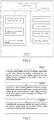
- FIG. 3 it shows a side sliding interface after side sliding the menu page out.
- Fixed point P 1 (0, 0) is a coordinate origin
- a coordinate of a vertex P 2 is (x max , y max )
- a screen display area surrounded by a dotted line frame is the side sliding interface I .
- a left portion of the dividing line l div of the side sliding interface is the menu page I 1
- a right portion thereof is the main page I 2 .
- the slide touch control point can act on arbitrary position of the side sliding interface I .
- the terminal acquires the first sliding velocity of the generated slide touch control point in real time.
- the first sliding velocity here includes the first sliding speed and the first sliding direction
- the first sliding speed refers to a sliding speed of the slide touch control point
- the first sliding direction refers to a sliding direction of the slide touch control point.
- the terminal calls an API (application programming interface) to acquire the first sliding speed and the first sliding direction of the slide touch control point in real time through a gesture processor.
- step S204 a second sliding speed of the menu page and a third sliding speed of the main page are calculated according to the first sliding speed, and a side sliding direction of the menu page and the main page is determined according to a first sliding direction.
- step S206 the menu page and the main page are controlled to slide at the second sliding speed and the third sliding speed respectively along the side sliding direction.
- the terminal calculates the second sliding speed of the menu page and the third sliding speed of the main page according to the first sliding speed.
- the second sliding speed and the third sliding speed respectively have a ratio relationship with the first sliding speed.
- the second sliding speed can be acquired according to a product of the first sliding speed and a first preset constant
- the third sliding speed can be acquired according to a product of the first sliding speed and a second preset constant. It should be noted that both of the first preset constant and the second preset constant are positive numbers.
- the first preset constant can be less than the second preset constant.
- the first preset constant is a positive number less than 1
- the second preset constant is equal to 1.
- the first preset constant can be equal to the second preset constant.
- the terminal further determines the side sliding direction of the menu page and the main page according to the first sliding direction.
- the side sliding direction refers to a direction sliding along a horizontal leftward or rightward of a current display interface with reference to a perspective of the user, and a direction presented by the current display interface is consistent with the perspective of the user.
- a horizontal sub-direction of the first sliding direction can be served as the side sliding direction of the menu page and the main page.
- the side sliding direction of the menu page and the main page is determined to be horizontal leftward
- the horizontal sub-direction of the first sliding direction is horizontal rightward
- the side sliding direction of the menu page and the main page is determined to be horizontal rightward. It can be understood that when there is no horizontal sub-direction of the first sliding direction, then no side sliding direction is generated, and the main page and the menu page do not slide correspondingly.
- the menu page and the main page are controlled to slide at the second sliding speed and the third sliding speed respectively along the side sliding direction. That is, the menu page is controlled to slide at a second sliding speed along the side sliding direction, and the main page is controlled to slide at the third sliding speed along the side sliding direction.
- FIG. 4 shows a side sliding interface for performing a side sliding operation in one embodiment.
- a horizontal sub-direction of the direction D1 is determined as direction H1
- a second sliding speed V2 of the menu page and athird sliding speed V3 of the main page are calculated according to the first sliding speed V1
- the menu page is controlled to slide at the second sliding speed V2 along the horizontal sub-direction H1
- the main page is controlled to slide at the third sliding speed V3 along the horizontal sub-direction H1.
- the slide touch control point can act on arbitrary position of the side sliding interface to enlarge a controllable area of the side sliding interface and enhance a controllability of the side sliding interface.
- the first sliding velocity of the slide touch control point is acquired in real time
- the second sliding speed of the menu page and the third sliding speed of the main page are calculated according to the first sliding speed of the first sliding velocity
- the side sliding direction of the menu page and the main page is determined according to the first sliding direction
- the menu page and the main page are controlled to slide at the second sliding speed and the third sliding speed respectively along the side sliding direction.
- a real-time sliding of the slide touch control point and a sliding of the menu page and main page of the side sliding interface are combined via controlling the sliding speed and sliding direction of the menu page and the main page according to the real-time sliding velocity of the slide touch control point, therefore further enhancing controllability of the side sliding interface and fluency of displaying contents on the side sliding interface.
- the method further includes acquiring a horizontal sub-direction corresponding to the first sliding direction, and determining whether an angle of the first sliding direction with respect to the horizontal sub-direction is within a preset range. If the angle of the first sliding direction with respect to the horizontal sub-direction is within the preset range, the step S204 is performed, otherwise, the side sliding operation caused by the slide touch control point is not executed. By setting the preset range, unwanted side sliding operation caused by misjudgment can be effectively reduced, thereby saving processing resources.
- the main page includes animation, and after the step of acquiring the first sliding velocity of the slide touch control point in real time, steps of calculating a motion parameter of the animation according to the first sliding velocity, and performing the animation according to the motion parameter are further included.
- the main page includes the animation
- the number of the included animation can be one or more.
- the terminal After acquiring the first sliding velocity of the slide touch control point in real time, calculates the motion parameter of the animation included in the main page according to the first sliding velocity, and performs the animation according to the calculated motion parameter to show an animation effect.
- the motion parameter include a motion velocity.
- the motion velocity includes a motion speed and a motion direction.
- the motion parameter of the animation in the main page is calculated according to the first sliding velocity of the slide touch control point, so that during the side sliding, execution and display of the animation of the main page are controlled by the first sliding velocity of the slide touch control point, thus enhancing controllability and fluency of the display of the animation in the side sliding interface.
- the animation in the main page includes a first animation
- the first animation includes a virtual turntable.
- the step of calculating the motion parameter of the animation according to the first sliding velocity includes: acquiring a first calculation parameter; and calculating a rotation speed and a rotation direction of the virtual turntable according to the first calculation parameter and the first sliding velocity.
- the animation in the main page includes the first animation
- the first animation includes the virtual turntable.
- the virtual turntable can be a three-dimensional virtual turntable or a two-dimensional virtual turntable.
- the terminal acquires the first calculation parameter set in advance, and calculates the rotation speed and the rotation direction of the virtual turntable according to the first calculation parameter and the first sliding velocity. That is, the rotation speed of the virtual turntable is calculated according to the first sliding speed of the first sliding velocity and the first calculation parameter, and the rotation direction of the virtual turntable is determined according to the first sliding direction of the first sliding velocity.
- the rotation direction of the virtual turntable corresponding to the first sliding direction of the slide touch control point is determined according to a preset corresponding relationship between the horizontal sub-direction of the first sliding direction and the rotating direction of the virtual turntable. For example, when the horizontal sub-direction of the first sliding direction is horizontal leftward, the rotation direction of the virtual turntable is clockwise, and when the horizontal sub-direction of the first sliding direction is horizontal rightward, the rotation direction of the virtual turntable is counterclockwise. It can be understood that in another embodiment when the horizontal sub-direction of the first sliding direction is horizontal leftward, the rotation direction of the virtual turntable can be counterclockwise.
- a specific corresponding relationship between the horizontal sub-direction of the first sliding direction and the rotation direction of the virtual turntable is not limited in the embodiments of the present disclosure, as long as that there is a corresponding relationship between the horizontal sub-direction of the first sliding direction and the rotation direction of the virtual turntable.
- FIG. 5 it shows a side sliding interface when performing a side sliding operation in one embodiment.
- the user acts on the side sliding interface through the slide touch control point, slides at the first sliding speed V 1 along direction D 2 , the horizontal sub-direction of the direction D 2 is determined as H 2 , and then the rotation direction of the virtual turntable T corresponding to H 2 is determined as counterclockwise E 2 according to the corresponding relationship between the horizontal sub-direction of the first sliding direction and the rotation direction of the virtual turntable T .
- the rotation speed and the rotation direction of the virtual turntable in the first animation is calculated according to the first sliding velocity of the slide touch control point and the first calculation parameter, so that during the side sliding, the rotation of the virtual turntable in the first animation of the main page is controlled by the first sliding velocity of the slide touch control point, therefore enhancing controllability and fluency of the rotation of the virtual turntable in the first animation of the side sliding interface.
- a step of calculating the first calculation parameter is further included, which includes: acquiring a perimeter of the virtual turntable and a maximum width of preset menu page; and calculating the first calculation parameter according to a ratio of the perimeter of the virtual turn table to the maximum width of preset menu page.
- the terminal can acquire a pre-stored perimeter of the virtual turntable immediately, or acquire a radius of the virtual turntable and calculate the perimeter of the virtual turntable according to the radius.
- the terminal acquires the maximum width of preset menu page (hereinafter referred to as maximum width), and calculates the first calculation parameter according to the ratio of the perimeter of the virtual turntable to the maximum width.
- the maximum width of preset menu page refers to a maximum width of the menu page that can be displayed. For example, when a current displayed width of the menu page is less than the maximum width, a leftward or rightward side sliding operation can be performed. When the current displayed width of the menu page is equal to the maximum width, the terminal performs the side sliding operation only when the side sliding operation is a leftward side sliding operation. If the side sliding operation is a continuously rightward side sliding operation, then the terminal does not perform the side sliding operation.
- the virtual turntable completes the rotation of exactly one cycle, thereby enhancing relevance and integrity of the side sliding operation and the first animation, and further enhancing controllability and fluency of the rotation of the virtual turntable in the first animation of the side sliding interface.
- the ratio of the perimeter of the virtual turntable to the maximum width can be preset as other ratio to acquire the first calculation parameter, which is not limited in the embodiments of the present disclosure, as long as that the first calculation parameter is calculated according to the ratio of the perimeter of the virtual turntable to the preset maximum width.
- the animation in the main page includes a second animation
- the second animation includes a first button.
- the step of calculating the motion parameter of the animation according to the first sliding velocity further includes: acquiring a second calculation parameter, and calculating a moving speed and a moving direction of the first button according to the second calculation parameter and the first sliding velocity.
- the animation in the main page includes the second animation
- the second animation includes at least one first buttons.
- the at least one first buttons can be icon buttons, text buttons, or icon-text combined buttons. It can be understood that when there are multiple first buttons, types of the first buttons can be same or different, and specific types of the buttons in the embodiments of the present disclosure are not limited.
- the at least one first buttons can be arranged according to a preset rule and displayed on the main page.
- the terminal acquires the second calculation parameter set in advance, and calculates the moving speed and the moving direction of the at least one first buttons according to the second calculation parameter and the first sliding velocity. That is, the moving speed of at least one first buttons is calculated according to the first sliding speed of the first sliding velocity and the second calculation parameter, and the moving direction of at least one first button is determined according to the first sliding direction of the first sliding velocity.
- the moving direction of the first button corresponding to the first sliding direction of the slide touch control point is determined according to a preset corresponding relationship between the horizontal sub-direction of the first sliding direction and the moving direction of the first button. For example, when the horizontal sub-direction of the first sliding direction is horizontal leftward, the first button moves downward based on the current display interface, and when the horizontal sub-direction of the first sliding direction is horizontal rightward, the first button moves upward based on the current display interface. It can be understood that in other embodiment the first button can move upward based on the current display interface when the horizontal sub-direction of the first sliding direction is horizontal leftward.
- specific corresponding relationship between the horizontal sub-direction of the first sliding direction and the moving direction of the first button is not limited, as long as there is a corresponding relationship between the horizontal sub-direction of the first sliding direction and the moving direction of the first button.
- FIG. 6 it shows a side sliding interface for performing a side sliding operation in one embodiment.
- the user acts on the side sliding interface through the slide touch control point and slides at the first sliding speed V 1 along the direction D 2 .
- the horizontal sub-direction of the direction D 2 is determined as direction H 2 .
- the moving direction of the first buttons B 11 , B 12 , and B 13 corresponding to the direction H2 is determined downward F 2 according to the corresponding relationship between the horizontal sub-direction of the first sliding direction and the moving direction of the first button.
- the moving speed and the moving direction of the first button in the second animation is calculated according to the first sliding speed of the slide touch control point and the second calculation parameter, so that during the side sliding operation a movement of the first button in the second animation of the main page is controlled by the first sliding velocity of the slide touch control point, thereby enhancing controllability and fluency of the movement of the first button in the second animation of the side sliding interface.
- a step of calculating the second calculation parameter is further included, which includes: acquiring at least one preset moving range corresponding to the first button; determining a movement difference according to the preset moving range; acquiring the maximum width of preset menu page; and calculating the second calculation parameter according to a ratio of the movement difference to the maximum width of preset menu page.
- the terminal acquires the at least one preset moving range of the first button along the moving direction.
- the preset moving range of the first button is from y 1 to y 2
- y 2 indicates a maximum movement value
- y 1 indicates a minimum movement value.
- the movement difference is determined according to the preset moving range, and the movement difference is a difference between the maximum movement value and the minimum movement value in the moving range. In combination with the above example, the movement difference is equal to y 2 minus y 1 .
- the maximum width of preset menu page is acquired, and the second calculation parameter is calculated according to the ratio of the movement difference to the preset maximum width (hereinafter simply referred to as maximum width) of the menu page.
- the first button completes the movement of exactly one cycle, thereby enhancing relevance and integrity of the side sliding operation and the second animation, and further enhancing controllability and fluency of the movement of the first button in the second animation of the side sliding interface.
- the ratio of the movement difference to the maximum width can be preset as other ratio to acquire the second calculation parameter, which is not limited in the embodiments of the present disclosure, as long as that the second calculation parameter is calculated according to the ratio of the movement difference to the maximum width.
- the main page can include both of the first animation and the second animation at the same time, only include the first animation, or only include the second animation.
- the virtual turntable includes a second button
- the method further includes a step of adjusting a size of the second button, which includes the following steps.
- step S702 a angle of the second button is acquired in real time, the angle of the second button is an angle which is centered on a center of the virtual turntable and is formed by a horizontal straight line passing through the center of the virtual turntable rotating to further passing through a center of the second button.
- the virtual turntable includes at least one second buttons. Position of the second button changes accordingly with the rotation of the virtual turntable. When there are multiple second buttons, relative positions of centers of adjacent second buttons keep unchanged.
- the at least one second buttons can be icon buttons, text buttons, or icon-text combined buttons. It can be understood that when there are multiple second buttons, types of the second buttons can be same or different, and specific types of the second buttons in the embodiments of the present disclosure are not limited.
- the at least one second buttons can be distributed on a ring of the virtual turntable according to a preset rule and displayed on the main page. A distribution of the at least one second buttons can be an average distribution or a non-average distribution, which is not limited in the embodiments of the present disclosure.
- the terminal acquires the angle of the at least one second button in real time.
- the angle of the second button is centered on the center of the virtual turntable and is formed by a horizontal straight line passing through the center of the virtual turntable rotating to further passing through a center of the second button with reference to the current displayed interface which is consistent with perspective of the user.
- FIG. 8 it shows a currently displayed side sliding interface consistent with the perspective of the user.
- the center of the virtual turntable is served as a center of a circle
- the horizontal line l 1 passing through the center of the virtual turntable is served as a starting edge of a rotation.
- step S704 the size of the second button is adjusted according to the angle of the second button and a preset maximum retraction value.
- the terminal presets the maximum retraction value.
- the maximum retraction value is equal to a difference between a maximum value and a minimum value of size characterization parameter of the second button.
- the size characterization parameter of the second button refers to a parameter which is used for characterizing the size of the second button.
- the size characterization parameter of the second button can be a side length of the second button, or a measurement parameter such as a radius, a diameter, or a diagonal of the second button, or the like that can characterize and adjust the size of the second button.
- a boundary shape of the second button can be a regular graphic, such as a circle, an ellipse, a regular polygon, or the like.
- the size characterization parameter of the second button can be a radius, a diameter, a side length or the like.
- the boundary shape of the second button can be various irregular shapes.
- the size characterization parameter of the second button can be any number of side lengths, diagonals, or the like. Specific boundary shape of the second button in the embodiments of the present disclosure is not limited.
- the type of the size characterization parameter of the second button is not limited, as long as the size characterization parameter can characterize and adjust the size of the second button.
- the size of the second button is adjusted according to the angle of the second button and the maximum retraction value.
- the size of the at least one second buttons can be adjusted according to the angle of the second button, the preset maximum retraction value, and the size characterization parameter of the second button.
- n indicates the angle of the second button
- M_PI indicates pi
- M min indicates the minimum value of the size characterization parameter of the second button
- c indicates the maximum retraction value
- c M max ⁇ M min , wherein M max indicates the maximum value of the size characterization parameter of the second button.
- the size of the second button is adjusted according to the characterization parameter M' of the adjusted second button.
- the boundary shape of the second button can be a circle, and the size characterization parameter of the second button is a radius or a diameter. Assuming that the size characterization parameter of the second button is a radius, the size of the second button can be adjusted according to the angle of the second button, the preset maximum retraction value, and the minimum radius of the second button.
- the step of adjusting the size of the second button according to the angle of the second button and the maximum retraction value includes: acquiring the size characterization parameter of the second button before the side slide operation; and adjusting the size of the second button according to the size characterization parameter of the second button acquired before the side slide operation, the angle of the second button, and the maximum retraction value.
- the angle of the second button is acquired in real time, and the size of the second button is adjusted according to the angle of the second button.
- the real-time angle of the second button is determined indirectly by the rotation position of the second button which is determined by the first sliding speed of the slide touch control point, therefore achieving controlling the adjustment of the size of the second button according to the first sliding speed of the slide touch control point which enhances the controllability of the side sliding interface.
- fluency of displaying the contents on the side sliding interface is improved.
- the method further includes a step of completing a maximum sliding distance, which includes the following steps.
- step S902 when a slide stop instruction is received, a slid distance of the main page from a beginning of the sliding to the time receiving the slide stop instruction is calculated.
- the slide stop instruction is generated when the user stops the side sliding operation acting on the slide touch control point.
- the terminal calculates the slid distance of the main page from the beginning of the sliding to the time receiving the slide stop instruction.
- the terminal can call the API, calculate a slid distance of the slide touch control point via the gesture processor, and then calculate the slid distance of the main page according to the ratio of the first sliding speed of the slide touch control point to the third sliding speed of the main page.
- the terminal can acquire a position of the main page in the current display interface when receiving the slide stop instruction, and compare the current position with a position at the beginning of the sliding to obtain the slid distance of the main page.
- step S904 when the slid distance is no less than a preset critical distance, a remaining time required for the main page to complete a preset maximum sliding distance is acquired.
- the preset critical distance is acquired.
- the calculated slid distance is compared with the preset critical distance.
- the remaining time for the main page to complete the preset maximum sliding distance (hereinafter simply referred to as remaining time) is acquired.
- the preset maximum sliding distance is actually the maximum width of the menu page (hereinafter simply referred to as the maximum width), that is, a preset maximum displayable width of the menu page.
- a difference between the maximum width and the slid distance is calculated, which is a remaining distance required for the main page to complete the maximum sliding distance (hereinafter simply referred to as remaining distance).
- the required remaining time is calculated according to the ratio of the remaining distance to the maximum width. It can be understood that the ratio of the remaining distance to the preset width of the menu page can be set as 1:1 to acquire the remaining time.
- t indicates the required remaining time
- W_s indicates the slid distance
- W indicates the maximum width
- W-W_s indicates the remaining distance
- t c indicates the time adjustment parameters.
- the required remaining time is preset in the terminal, when the slid distance is no less than the preset critical distance, the preset required remaining time is acquired. Further, a corresponding relationship between the slid distance and the required remaining time is preset in the terminal. Different slid distances correspond to different required remaining time. Then the preset required remaining time corresponding to the slid distance can be acquired according to the corresponding relationship.
- step S906 a first initial speed of the main page is determined according to the third sliding speed or the first preset speed, and a first acceleration of the main page is calculated according to the remaining time required for the main page to complete the preset maximum sliding distance and the first initial speed.
- the terminal acquires the first initial speed of the main page.
- the third sliding speed can be served as the first initial speed, or the first preset speed can be acquired to be served as the first initial speed.
- the third sliding speed can be served as the first initial speed if the third sliding speed is not zero, alternatively the first preset speed can be acquired to be served as the first initial speed.
- the first preset speed is served as the first initial speed.
- the corresponding relationship between the slid distance and the first preset speed is preset in the terminal.
- the first preset speed of the slid distance can be acquired to be the first initial speed according to the corresponding relationship.
- the terminal calculates the first acceleration of the main page according to the required remaining time and the first initial speed. Specifically, the terminal determines a first distance, and calculates the first acceleration of the main page according to the first distance, the required remaining time, and the first initial speed. It should be noted that, the terminal can serve the remaining distance required for the main page to complete the maximum sliding distance as the first distance when receiving the side stop instruction, or acquire a preset acceleration calculation distance to be served as the first distance, which is not limited in this embodiments of the present disclosure.
- the preset acceleration calculation distance is no less than a difference between the maximum width of preset menu page and the preset critical distance.
- the first acceleration can be calculated according to the following formula.
- V start1 indicates the first initial speed
- S 1 indicates the first distance
- t indicates the required remaining time
- the first acceleration can be calculated according to the first initial speed, the remaining distance, and the time required for the main page to complete the remaining distance.
- the speed of the main page decreases to zero enhancing a transition of the sliding of the main page to make the sliding of the main page transiting more naturally, therefore avoiding a burden of the display interface caused by a leaping transition or a quickly sliding.
- step S908 the main page is controlled to slide deceleratedly at the first initial speed and the first acceleration along the side sliding direction to complete the preset maximum sliding distance.
- the terminal controls the main page to slide deceleratedly at the first initial speed and the first acceleration along the side sliding direction to complete the preset maximum sliding distance.
- the terminal controls the main page to slide deceleratedly at the first initial speed and the first acceleration along the side sliding direction until the remaining distance is completely slid to make the main page complete the preset maximum sliding distance.
- an interface that the user wants to display is indicated to a large extent, and according to the sliding operation the interface that the user wants to display is an interface that requires the main page to complete the maximum sliding distance.
- the current interface of the side sliding interface is the entire main page, and the menu page has not been displayed, then when the user side slides to a distance that exceeds the preset critical distance, it indicates that the user wants to display the menu page, in that case the main page is controlled to complete the maximum sliding distance to display the menu page at the maximum width. It does not need the user to slide to the edge of the display screen to display the menu page at the maximum width, therefore saving the operation cost of the user and accordingly saving the sliding detection resource cost for monitoring excessive side-sliding operations of the user.
- the sliding of the main page is decelerated which makes the transition of the sliding of the main page more naturally and avoids the burden of the display interface caused by the leaping transition or the quickly sliding.
- the main page in steps S902 to S908 can be replaced by the menu page to realize control of the menu page when the slide stop instruction is received and the slid distance is no less than the preset critical distance.
- the main page when the slid distance is less than the preset critical distance, the main page is controlled to return to a position before the sliding operation. Specifically, a preset return time and a return initial speed of the main page can be acquired, a return acceleration of the main page is calculated according to the preset return time, the return initial speed, and the slid distance of the main page, and the main page is controlled to slide deceleratedly at the return initial speed and the return acceleration along a corresponding opposite direction of the side sliding direction to the position before the sliding operation.
- the sliding operation instruction when the sliding operation instruction is received and the slid distance is less than the preset critical distance, it largely indicates that the user does not want to perform the side sliding operation, such as a misoperation of the user. At this point, the main page is controlled to return to an original position before the sliding operation, avoiding waste of resources caused by misoperation.
- the return sliding of the main page is decelerated, which makes the transition of the return-sliding of the main page more naturally and avoids the burden of the display interface caused by the leaping transition or the quickly sliding.
- the main page of this embodiment can be replaced by the menu page to realize control of the menu page when the slide stop instruction is received and the slid distance is less than the preset critical distance.
- the animation in the main page is controlled to return to a display state before the sliding operation according to the preset return time.
- the method further includes steps of : determining a second initial speed of the animation according to the motion parameter of the animation or a second preset speed, calculating a second acceleration of the animation according to the remaining time required for the main page to complete the preset maximum sliding distance and the second initial speed, and decleratedly performing a remaining animation in one cycle according to the second acceleration and the second initial speed.
- the motion parameter of the animation include the moving speed of the animation.
- the terminal After acquiring the remaining time required for the main page to complete the maximum sliding distance (hereinafter simply referred to as the remaining time), the terminal acquires the second initial speed of the animation.
- the moving speed of the animation can be served as the second initial speed, or the second preset speed can be acquired to be served as the second initial speed.
- the moving speed of the animation can be served as the second initial speed
- the second preset speed can be acquired to be served as the second initial speed.
- the terminal presets a corresponding relationship between a distance parameter of an already performed animation in one cycle and the second preset speed.
- the second acceleration of the animation is calculated according to the required remaining time and the second initial speed.
- the terminal determines a second distance, and calculates the second acceleration of the animation according to the second distance, the required remaining time, and the second initial speed.
- the second distance can be referred to a remaining distance of the animation in one cycle when the slide stop instruction is received.
- the second distance can be calculated according to a difference between a total distance of the animation in one cycle and the distance of the already performed animation in one cycle. It can be understood that the second distance can be a straight distance or a curved distance.
- the second distance can be a preset arbitrary distance
- the second acceleration can be calculated according to the preset arbitrary distance.
- the animation is controlled to be performed deceleratedly and gradually at the second acceleration and the second initial speed until the second initial speed decreases to zero.
- the remaining time required for the main page to complete the preset maximum sliding distance is acquired, and the remaining animation is controlled to be performed according to a same time as to control the movement of the main page, therefore enhancing correlation between performance of the animation and the sliding of the main page and improving integration and integrity of the animation and the main page.
- the animation includes a first animation.
- the second initial speed is an initial speed of the virtual turntable and the initial speed of the virtual turntable is determined according to the rotation speed of the virtual turntable or the second preset speed.
- the second acceleration of the animation is calculated according to the remaining time required for the main page to complete the preset maximum sliding distance and the second initial speed.
- the step of performing the remaining animation in one cycle deceleratedly according to the second acceleration and the second initial speed includes: calculating a rotated arc length of the virtual turntable; calculating the acceleration of the virtual turntable according to the rotated arc length of the virtual turntable, the remaining time required for the main page to complete the preset maximum sliding distance, and the initial speed of the turntable; and performing a remaining rotation operation of the virtual turntable in one cycle deceleratedly according to the acceleration of the virtual turntable and the initial speed of the virtual turntable.
- the animation includes the first animation
- the terminal acquires the rotated arc length of the virtual turntable from a start of the rotation of the virtual turntable to the time that the slide stop instruction is received, and the remaining arc length of the rotation of the virtual turntable in one cycle is calculated according to the rotated arc length.
- the acceleration of the virtual turntable is calculated according to the remaining arc length of the rotation of the virtual turntable in one cycle, the initial speed of the virtual turntable, and the required remaining time.
- the acceleration a rotation of the virtual turntable can be calculated according to the following formula: V Cstart t + 0 .
- V Cstart indicates the initial speed of the virtual turntable
- t indicates the required remaining time
- R indicates the radius of the virtual turntable
- L indicates the rotated arc length
- V Cstart can be the rotation speed of the virtual turntable, or the second preset speed. Further, if the rotation speed of the virtual turntable is not zero when the slide stop instruction is received, the rotation speed of the virtual turntable can be served as the initial speed of the virtual turntable, alternatively the second preset speed can be acquired to be served as the initial speed of the virtual turntable. If the rotation speed of the virtual turntable is zero when the slide stop instruction is received, the second preset speed is acquired to be served as the initial speed of the virtual turntable.
- the corresponding relationship between the rotated arc length and the second preset speed is preset in the terminal.
- the second preset speed is going to be served as the initial speed of the virtual turntable
- the second preset speed corresponding to the rotated arc length can be acquired according to the corresponding relationship to be served as the initial speed of the to virtual turntable.
- a reference point on the virtual turntable can be selected at the beginning of the rotation
- a rotated central angle of the virtual turntable can be calculated by comparing the position of the reference point at the beginning and a position of the reference point when the slide stop instruction is received.
- the rotated arc length is calculated according to the central angle of the virtual turntable.
- the rotated arc length can be calculated according to a product of a rotated arc and the radius of the virtual turntable.
- the remaining time required for the main page to complete the preset maximum slide distance is acquired, and the remaining rotation of the virtual turntable in one cycle is controlled according to a same time of the control of the movement of the main page, therefore enhancing the relevance of the performance of the animation and the sliding of the main page, and improving the integration and the integrity of the animation and the main page.
- the size of the second button in the virtual turntable can be adjusted according to the real-time rotation of the virtual turntable while controlling the virtual turntable to complete the rotation in the remaining cycle.
- the specific adjustment manner is same as the adjustment manner of the second button when the virtual turntable is controlled by the slide touch control point described in above embodiment, that is, the angle of the second button is acquired in real time, the angle of the second button is centered on the center point of the virtual turntable, and the size of the second button is adjusted according to the angle of the second button and the maximum retraction value, which is not described in detail any more in this embodiment.
- the method further includes: acquiring a current second button in the virtual turntable; acquiring the at least one first button corresponding to the current second button according to the corresponding relationship between the second button and the at least one first button; and performing the at least one first button.
- the current second button in the virtual turntable is acquired.
- the current second button refers to the second button in a currently selected state and a size characterization parameter of the current second button is at the maximum value M max .
- a corresponding relationship between the second button and the at least one first button is preset in the terminal, according to the corresponding relationship, the at least one first button corresponding to the current second button is acquired, and the corresponding at least one button is performed. Further, the corresponding relationship between the first button and the second button is used for characterizing that the first button is a corresponding sub-button of the second button. That is, the first button indicates various details of the content represented by the second button.
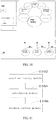
- FIG. 10 it is a display interface of a main page in a side sliding interface according to one embodiment.
- the content of the current second button is "top picks”
- the contents of the first buttons corresponding to the current second button are B 11 "health checkup”, B 12 “onsite claim”, and B 13 "property payment”
- the corresponding first buttons B 11 , B 12 , and B 13 are performed. It should be understood that B 11 "health checkup”, B 12 “onsite claim”, and B 13 "property payment” are various details of "top picks”.
- the first animation and the second animation are associated through the first button and the second button, which is equivalent to that a large animation is formed according to the first animation and the second animation, therefore increasing a diversity of display content in a limited display area and improving a display utilization of the screen.
- the step of performing the corresponding at least one first button includes: determining a third initial speed of the first button according to the moving speed of the first button or a third preset speed; and controlling the first button to simulate an elastic movement at the third initial speed until stopping at a preset final stop area along a direction of the elastic movement.
- the terminal determines the third initial speed of the first button. Specifically, the moving speed of the first button or the third preset speed is served as the third initial speed of the first button. Further, reference can be made to the foregoing method to determine when the third preset speed or the moving speed of the first button can be served as the third initial speed, which will not go into details any more in this step.
- the final stop area is preset in the direction of the elastic movement in the terminal.
- the final stop area can be a location range.
- the terminal controls the first button to simulate the elastic movement at the third initial speed and controls the first button to stop at the preset final stop area in the direction of the elastic movement after the simulated elastic movement.
- the simulated elastic movement refers to that the first button is controlled to be performed in a form of elastic movement. That is, the first button is controlled to move between at least one direction reversal positions.
- the direction reversal position refers to a position that a moving direction of the first button is reversed when the position is reached.
- the moving direction is vertically downward
- the moving direction is reversed and becomes vertically upward
- the first button moves from the direction reversal position Y 2 to a next direction reversal position Y 3 along a vertically upward direction, and so on, and finally the first button is controlled to stop at the preset final stop area in the direction of the elastic movement.
- a decrease of the moving speed can be achieved according to acquiring a preset distance between the preset previous direction reversal position and the next direction reversal position and an acceleration thereof, thereby realizing the simulated elastic movement.
- the simulated elastic movement makes the transition therebetween more fluent and more in line with the mechanics of nature, and is capable of reducing burden on the display as compared to displaying directly or abruptly.
- the first button corresponding to the current second button can be rendered directly from scratch at the final stop area.
- the first button can be controlled to move to the preset final stop area along a preset path of a straight movement or a curve movement, which is not limited in this embodiment of the present disclosure.
- a display control device of a side sliding interface includes: a speed monitoring module 1102, which is used for acquiring a first sliding velocity of a sliding touch point in real time, the sliding touch point acts on arbitrary position of the side sliding interface, the first sliding speed includes a first sliding speed and a first sliding direction; a calculating module 1104, which is used for calculating a second sliding speed of a menu page and a third sliding speed of a main page according to the first sliding speed, and determining a side sliding direction of the menu page and the main page according to the first sliding direction; and a sliding control module 1106, which is used for controlling the menu page and the main page to slide at the second sliding speed and the third sliding speed respectively along the side sliding direction.
- a speed monitoring module 1102 which is used for acquiring a first sliding velocity of a sliding touch point in real time, the sliding touch point acts on arbitrary position of the side sliding interface, the first sliding speed includes a first sliding speed and a first sliding direction
- a calculating module 1104 which is used for calculating a
- the main page includes animation.
- the calculating module 1104 is further used for calculating a motion parameter of the animation according to the first sliding velocity.
- the device further includes an animation performing module which is used for performing the animation according to the motion parameter.
- the animation includes a first animation and/or a second animation.
- the first animation includes a virtual turntable.
- the second animation includes a first button.
- the calculating module is further used for acquiring a first calculation parameter, and calculating a rotation speed and a rotation direction of the virtual turntable according to the first calculation parameter and the first sliding velocity; and/or acquiring a second calculation parameter and calculating a moving speed and a moving direction of the first button according to the second calculation parameter and the first sliding velocity.
- the calculating module 1104 is further used for acquiring a perimeter of the virtual turntable and a maximum width of preset menu page, and calculating the first calculation parameter according to a ratio of the perimeter of the virtual turntable to the maximum width of the menu page.
- the calculating module 1104 is further used for acquiring at least one preset moving range of the first button, determining a moving difference according to the preset moving range, acquiring the maximum width of the preset menu page, and calculating a second calculation parameter according to a ratio of the moving difference to the maximum width of the menu page.
- the virtual turntable includes a second button
- the device further includes: a corresponding angle determining module which is used for acquiring an angle of the second button in real time, the angle of the second button is an angle which is centered on a center of the virtual turntable and is formed by a horizontal straight line passing through the center of the virtual turntable rotating to further passing through a center of the second button; and an adjusting module which is used for adjusting a size of the second button according to the angle of the second button and a preset maximum retraction value.
- the calculating module 1104 is further used for calculating a slid distance of the main page from a beginning of the sliding to the time when receiving a slide stop instruction.
- the device further includes: an acquiring module which is used for acquiring a remaining time required for the main page to complete a preset maximum sliding distance when the slid distance is no less than a preset critical distance.
- the calculating module 1104 is further used for determining a first initial speed of the main page according to the third sliding speed or a first preset speed and calculating a first acceleration of the main page according to the remaining time required for the main page to complete the preset maximum sliding distance and the first initial speed.
- the sliding control module 1106 is further used for controlling the main page to slide deceleratedly at the first initial speed and the first acceleration along the side sliding direction to complete the preset maximum sliding distance.
- the acquiring module is further used for determining a second initial speed of the animation according to a motion speed in the motion parameter of the animation or a second preset speed.
- the calculating module 1104 is further used for calculating a second acceleration according to the remaining time required for the main page to complete the preset maximum sliding distance and the second initial speed.
- the animation performing module is further used for performing a remaining animation in one cycle deceleratedly according to the second acceleration and the second initial speed.
- Each module of the above-described display control device of the side sliding interface can be implemented in whole or in part by software, hardware, or a combination thereof.
- Each of the above modules can be of hardware form embedded in or separately from a processor, or be of software form stored in a memory of the base station, so that the processor can be executed to perform operations corresponding to above modules.
- the processor can be a central processing unit (CPU), a microprocessor, a microcontroller, or the like.
- the computer program can be stored in a computer-readable storage medium, and when executed includes the processes of the method in foregoing embodiment.
- the storage medium can be a magnetic disk, an optical disk, a read-only memory (ROM), a random access memory (RAM), or the like.
Landscapes
- Engineering & Computer Science (AREA)
- Theoretical Computer Science (AREA)
- General Engineering & Computer Science (AREA)
- Physics & Mathematics (AREA)
- General Physics & Mathematics (AREA)
- Human Computer Interaction (AREA)
- User Interface Of Digital Computer (AREA)
Abstract
Description
- The present application claims priority of China Patent Application No.
2016102971061 - The present disclosure relates to computer technology, and more particularly relates to display control method and device of a side sliding interface, a terminal and a storage medium.
- With the development of science and technology, more and more contents can be displayed and handled by an interface of a mobile terminal, and requirements of screen utilization are getting higher and higher. In this era background, a side sliding menu arises as the times require. A menu navigation can be set on a menu page by a user and the menu page can be hidden or shown such as by side sliding a main page or clicking on an avatar. It should be understood that the menu navigation refers to a navigation containing menu items such as personal information, settings, and the like.
- In a conventional method, when user performs a side sliding operation, it usually controls whether displaying a subordinate menu page of the main page by controlling a movement of the main page. In addition, when controlling the main page to slide, it usually determines how to move the main page according to an ending position of a final side sliding operation. Thus, when side sliding in the conventional method, the side sliding interface has a low controllability.
- According to various embodiments of the present disclosure, a display control method of a side sliding interface, a terminal, and a storage medium are provided.
- A display control method of a side sliding interface includes:
- acquiring a first sliding velocity of a sliding touch point in real time, wherein the sliding touch point acts at arbitrary position on a side sliding interface, the first sliding velocity includes a first sliding speed and a first sliding direction;
- calculating a second sliding speed of a menu page and a third sliding speed of a main page according to the first sliding speed, and determining a side sliding direction of the menu page and the main page according to the first sliding direction; and
- controlling the menu page and the main page to slide at the second sliding speed and the third sliding speed respectively along the side sliding direction.
- A display control device of a side sliding interface includes:
- a speed monitoring module configured to acquire a first sliding velocity of a sliding touch point in real time, wherein the sliding touch point acts at arbitrary position on a side sliding interface, the first sliding velocity includes a first sliding speed and a first sliding direction;
- a calculating module configured to calculate a second sliding speed of a menu page and a third sliding speed of a main page according to the first sliding speed, and determine a side sliding direction of the menu page and the main page according to the first sliding direction; and
- a sliding control module configured to control the menu page and the main page to slide at the second sliding speed and the third sliding speed respectively along the side sliding direction.
- A terminal includes a memory and a processor, wherein the memory is stored with instructions, which, when executed by the processor causes the processor to perform following steps of:
- acquiring a first sliding velocity of a sliding touch point in real time, wherein the sliding touch point acts at arbitrary position on a side sliding interface, the first sliding velocity includes a first sliding speed and a first sliding direction;
- calculating a second sliding speed of a menu page and a third sliding speed of a main page according to the first sliding speed, and determining a side sliding direction of the menu page and the main page according to the first sliding direction; and
- controlling the menu page and the main page to slide at the second sliding speed and the third sliding speed respectively along the side sliding direction.
- One or more non-transitory readable storage medium stores computer-executable instructions that, when executed by one or more processors, cause the one or more processors to perform following steps of:
- acquiring a first sliding velocity of a sliding touch point in real time, wherein the sliding touch point acts at arbitrary position on a side sliding interface, the first sliding velocity includes a first sliding speed and a first sliding direction;
- calculating a second sliding speed of a menu page and a third sliding speed of a main page according to the first sliding speed, and determining a side sliding direction of the menu page and the main page according to the first sliding direction; and
- controlling the menu page and the main page to slide at the second sliding speed and the third sliding speed respectively along the side sliding direction.
- Details of one or more embodiments of the present application are set forth in accompanying drawings and description below. Other features, objects, and advantages of the present application will become apparent upon review of the following specification, drawings, and claims.
- In order to describe the technical solutions in the embodiments of the present application or in the prior art more clearly, the following briefly introduces the accompanying drawings required for describing the embodiments or the prior art. Apparently, the accompanying drawings in the following description merely show some embodiments of the present application. For those of ordinary skill in the art, other drawings can be acquired based on these drawings without any creative work.
-
FIG. 1 is a block diagram of a terminal in accordance with an embodiment; -
FIG. 2 is a flowchart of a display control method of a side sliding interface in accordance with an embodiment; -
FIG. 3 is a schematic diagram of a side sliding interface in accordance with an embodiment; -
FIG. 4 is a schematic diagram of an interface for describing a display control method of a side sliding interface in accordance with an embodiment; -
FIG. 5 is a schematic diagram of an interface for describing a display control method of a side sliding interface in accordance with another embodiment; -
FIG. 6 is a schematic diagram of an interface for describing a display control method of a side sliding interface in accordance with a still another embodiment; -
FIG. 7 is a flowchart of a method for adjusting size of a second button in accordance with an embodiment; -
FIG. 8 is a schematic diagram of a side sliding interface for describing an angle corresponding to the second button in accordance with an embodiment; -
FIG. 9 is a flowchart of a method for completing a maximum sliding distance in accordance with an embodiment; -
FIG. 10 is a schematic diagram of an interface for describing a display control method of a side sliding interface in accordance with one more another embodiment; and -
FIG. 11 is a block diagram of a display control device of a side sliding interface in accordance with an embodiment. - In order to make the objects, technical solutions and advantages of the present disclosure more comprehensible, the present disclosure will be further described in detail with reference to the accompanying drawings and embodiments. It should be understood that the specific embodiments described herein are only used to explain the present disclosure, and are not intended to limit the present disclosure.
- In one embodiment, a terminal is provided, on which applications can be installed. The terminal can be a cell phone, a tablet, a laptop, a desktop computer, and the like. Referring to
FIG. 1 , the terminal includes a processor, an internal storage, a non-transitory storage medium, a network interface, a display screen, and an input device connected through a system bus. The processor is used for providing computing and control capabilities to support an operation of the entire terminal. The non-transitory storage medium of the terminal stores an operating system and computer-executable instructions. The computer-executable instructions can be executed by the processor to implement a display control method of a side sliding interface provided in various embodiments below. The internal storage in the terminal provides an environment for operations of the operating system and computer-executable instructions in the non-transitory storage medium. The network interface is used for connecting to a network for communication. The display screen of the terminal can be a liquid crystal display, an electronic ink display, and the like. In this embodiment, the display screen is served as an output device of the terminal for displaying various interfaces such as a menu page or a main page. The input device can be a touch layer covered on the display screen, buttons, a trackball or a touchpad provided on a shell of an electronic device, an external keyboard, touchpad, mouse, and the like for a user to input various instructions, for example, in this embodiment, for the user to input instructions of sliding operation. - It is understood for those skilled in the art that the structures illustrated in
FIG. 1 is merely a block diagram of a part of structures related to a solution of the present application and does not constitute a limitation on the terminal to which the solution of the present application is applied. A specific terminal can include more or less components than that in the illustrated figures, combine some components, or have a different component arrangement. - Referring to
FIG. 2 , in one embodiment, a display control method of a side sliding interface is provided. The method applied to the terminal illustrated inFIG. 1 is taken as an example for description, and includes the following steps. - In step S202, a first sliding velocity of a slide touch control point is acquired in real time. The slide touch control point can act on arbitrary position of a side sliding interface. The first sliding velocity includes a first sliding speed and a first sliding direction.
- In this embodiment, a user performs a sliding operation on the side sliding interface displayed on the terminal. Specifically, the user generates a slide touch control point for a sliding operation by touching arbitrary position of the side sliding interface of the terminal. The side sliding interface is used for indicating an interface displayed on the display screen of the terminal when performing the sliding operation. The side sliding interface can be a main page which is starting to receive a side sliding operation but has not displayed any portion of a menu page yet, or a combined interface of the menu page and the main page displayed after side sliding the menu page out.
- In addition, the menu page refers to a page which contains a menu bar and can be controlled to be hidden or displayed via side sliding operation. The main page refers to a page that is used for displaying main business content.
- Further explanation of the side sliding interface is provided. Assuming that a vertex angle of the display screen of the terminal is a coordinate origin (0, 0). Coordinates of arbitrary other points on the display screen are (x, y), and values of x and y can be default positive numbers when combining with an actual situation. And a maximum coordinate on the screen is (xmax, ymax). When conducting a side sliding operation, the side sliding interface is an interface displayed from the coordinate origin (0, 0) to the coordinate (xmax, ymax) throughout the entire display screen.
- Referring to
FIG. 3 , it shows a side sliding interface after side sliding the menu page out. Fixed point P1 (0, 0) is a coordinate origin, a coordinate of a vertex P2 is (xmax, ymax), and a screen display area surrounded by a dotted line frame is the side sliding interface I. A left portion of the dividing line ldiv of the side sliding interface is the menu page I1 , and a right portion thereof is the main page I2. The slide touch control point can act on arbitrary position of the side sliding interface I. - The terminal acquires the first sliding velocity of the generated slide touch control point in real time. It should be understood that the first sliding velocity here includes the first sliding speed and the first sliding direction, the first sliding speed refers to a sliding speed of the slide touch control point, and the first sliding direction refers to a sliding direction of the slide touch control point. Specifically, the terminal calls an API (application programming interface) to acquire the first sliding speed and the first sliding direction of the slide touch control point in real time through a gesture processor.
- In step S204, a second sliding speed of the menu page and a third sliding speed of the main page are calculated according to the first sliding speed, and a side sliding direction of the menu page and the main page is determined according to a first sliding direction.
- In step S206, the menu page and the main page are controlled to slide at the second sliding speed and the third sliding speed respectively along the side sliding direction.
- Specifically, the terminal calculates the second sliding speed of the menu page and the third sliding speed of the main page according to the first sliding speed.
- The second sliding speed and the third sliding speed respectively have a ratio relationship with the first sliding speed. Specifically, the second sliding speed can be acquired according to a product of the first sliding speed and a first preset constant, and the third sliding speed can be acquired according to a product of the first sliding speed and a second preset constant. It should be noted that both of the first preset constant and the second preset constant are positive numbers.
- The first preset constant can be less than the second preset constant. In one embodiment, the first preset constant is a positive number less than 1, and the second preset constant is equal to 1. By presetting the first preset constant to be less than the second preset constant, the second sliding speed of the menu page is set to be less than the third sliding speed of the main page. During a side sliding, a display control between the main page and the menu page is gradient and cohesive to make display of the entire side sliding interface much more fluently.
- It should be understood that the first preset constant can be equal to the second preset constant.
- In addition, the terminal further determines the side sliding direction of the menu page and the main page according to the first sliding direction. It can be understood that the side sliding direction refers to a direction sliding along a horizontal leftward or rightward of a current display interface with reference to a perspective of the user, and a direction presented by the current display interface is consistent with the perspective of the user.
- It should be noted that in all embodiments of the present application, description of directions such as a horizontal direction, a horizontal sub-direction, left, right, up, down, and the like are established with reference to the perspective of the user, and the direction presented by the current display interface is consistent with the perspective of the user.
- Specifically, a horizontal sub-direction of the first sliding direction can be served as the side sliding direction of the menu page and the main page. For example, when the horizontal sub-direction of the first sliding direction is horizontal leftward, then the side sliding direction of the menu page and the main page is determined to be horizontal leftward, and when the horizontal sub-direction of the first sliding direction is horizontal rightward, then the side sliding direction of the menu page and the main page is determined to be horizontal rightward. It can be understood that when there is no horizontal sub-direction of the first sliding direction, then no side sliding direction is generated, and the main page and the menu page do not slide correspondingly.
- In addition, the menu page and the main page are controlled to slide at the second sliding speed and the third sliding speed respectively along the side sliding direction. That is, the menu page is controlled to slide at a second sliding speed along the side sliding direction, and the main page is controlled to slide at the third sliding speed along the side sliding direction.
- Referring to
FIG. 4 for further description, it shows a side sliding interface for performing a side sliding operation in one embodiment. Assuming that the user acts on the side sliding interface through a slide touch control point P and slides along a direction D1 at a first sliding speed V1, then a horizontal sub-direction of the direction D1 is determined as direction H1, a second sliding speed V2 of the menu page and athird sliding speed V3 of the main page are calculated according to the first sliding speed V1, and the menu page is controlled to slide at the second sliding speed V2 along the horizontal sub-direction H1 and the main page is controlled to slide at the third sliding speed V3 along the horizontal sub-direction H1. - In this embodiment, the slide touch control point can act on arbitrary position of the side sliding interface to enlarge a controllable area of the side sliding interface and enhance a controllability of the side sliding interface. In addition, the first sliding velocity of the slide touch control point is acquired in real time, the second sliding speed of the menu page and the third sliding speed of the main page are calculated according to the first sliding speed of the first sliding velocity, the side sliding direction of the menu page and the main page is determined according to the first sliding direction, and the menu page and the main page are controlled to slide at the second sliding speed and the third sliding speed respectively along the side sliding direction. That is, a real-time sliding of the slide touch control point and a sliding of the menu page and main page of the side sliding interface are combined via controlling the sliding speed and sliding direction of the menu page and the main page according to the real-time sliding velocity of the slide touch control point, therefore further enhancing controllability of the side sliding interface and fluency of displaying contents on the side sliding interface.
- In an embodiment, prior to step S204, the method further includes acquiring a horizontal sub-direction corresponding to the first sliding direction, and determining whether an angle of the first sliding direction with respect to the horizontal sub-direction is within a preset range. If the angle of the first sliding direction with respect to the horizontal sub-direction is within the preset range, the step S204 is performed, otherwise, the side sliding operation caused by the slide touch control point is not executed. By setting the preset range, unwanted side sliding operation caused by misjudgment can be effectively reduced, thereby saving processing resources.
- In one embodiment, the main page includes animation, and after the step of acquiring the first sliding velocity of the slide touch control point in real time, steps of calculating a motion parameter of the animation according to the first sliding velocity, and performing the animation according to the motion parameter are further included.
- Specifically, the main page includes the animation, and the number of the included animation can be one or more. After acquiring the first sliding velocity of the slide touch control point in real time, the terminal calculates the motion parameter of the animation included in the main page according to the first sliding velocity, and performs the animation according to the calculated motion parameter to show an animation effect. The motion parameter include a motion velocity. In addition, the motion velocity includes a motion speed and a motion direction.
- In this embodiment, the motion parameter of the animation in the main page is calculated according to the first sliding velocity of the slide touch control point, so that during the side sliding, execution and display of the animation of the main page are controlled by the first sliding velocity of the slide touch control point, thus enhancing controllability and fluency of the display of the animation in the side sliding interface.
- In one embodiment, the animation in the main page includes a first animation, and the first animation includes a virtual turntable. The step of calculating the motion parameter of the animation according to the first sliding velocity includes: acquiring a first calculation parameter; and calculating a rotation speed and a rotation direction of the virtual turntable according to the first calculation parameter and the first sliding velocity.
- In this embodiment, the animation in the main page includes the first animation, and the first animation includes the virtual turntable. The virtual turntable can be a three-dimensional virtual turntable or a two-dimensional virtual turntable.
- In addition, the terminal acquires the first calculation parameter set in advance, and calculates the rotation speed and the rotation direction of the virtual turntable according to the first calculation parameter and the first sliding velocity. That is, the rotation speed of the virtual turntable is calculated according to the first sliding speed of the first sliding velocity and the first calculation parameter, and the rotation direction of the virtual turntable is determined according to the first sliding direction of the first sliding velocity.
- Specifically, the rotation direction of the virtual turntable corresponding to the first sliding direction of the slide touch control point is determined according to a preset corresponding relationship between the horizontal sub-direction of the first sliding direction and the rotating direction of the virtual turntable. For example, when the horizontal sub-direction of the first sliding direction is horizontal leftward, the rotation direction of the virtual turntable is clockwise, and when the horizontal sub-direction of the first sliding direction is horizontal rightward, the rotation direction of the virtual turntable is counterclockwise. It can be understood that in another embodiment when the horizontal sub-direction of the first sliding direction is horizontal leftward, the rotation direction of the virtual turntable can be counterclockwise. A specific corresponding relationship between the horizontal sub-direction of the first sliding direction and the rotation direction of the virtual turntable is not limited in the embodiments of the present disclosure, as long as that there is a corresponding relationship between the horizontal sub-direction of the first sliding direction and the rotation direction of the virtual turntable.
- Referring to
FIG. 5 , it shows a side sliding interface when performing a side sliding operation in one embodiment. The user acts on the side sliding interface through the slide touch control point, slides at the first sliding speed V1 along direction D2, the horizontal sub-direction of the direction D2 is determined as H2, and then the rotation direction of the virtual turntable T corresponding to H2 is determined as counterclockwise E2 according to the corresponding relationship between the horizontal sub-direction of the first sliding direction and the rotation direction of the virtual turntable T. - In this embodiment, the rotation speed and the rotation direction of the virtual turntable in the first animation is calculated according to the first sliding velocity of the slide touch control point and the first calculation parameter, so that during the side sliding, the rotation of the virtual turntable in the first animation of the main page is controlled by the first sliding velocity of the slide touch control point, therefore enhancing controllability and fluency of the rotation of the virtual turntable in the first animation of the side sliding interface.
- In one embodiment, prior to the step of acquiring the first calculation parameter, a step of calculating the first calculation parameter is further included, which includes: acquiring a perimeter of the virtual turntable and a maximum width of preset menu page; and calculating the first calculation parameter according to a ratio of the perimeter of the virtual turn table to the maximum width of preset menu page.
- Specifically, the terminal can acquire a pre-stored perimeter of the virtual turntable immediately, or acquire a radius of the virtual turntable and calculate the perimeter of the virtual turntable according to the radius. In addition, the terminal acquires the maximum width of preset menu page (hereinafter referred to as maximum width), and calculates the first calculation parameter according to the ratio of the perimeter of the virtual turntable to the maximum width.
- The maximum width of preset menu page refers to a maximum width of the menu page that can be displayed. For example, when a current displayed width of the menu page is less than the maximum width, a leftward or rightward side sliding operation can be performed. When the current displayed width of the menu page is equal to the maximum width, the terminal performs the side sliding operation only when the side sliding operation is a leftward side sliding operation. If the side sliding operation is a continuously rightward side sliding operation, then the terminal does not perform the side sliding operation.
- In addition, the ratio of the perimeter of the virtual turntable to the maximum width can be preset as 1: 1 to acquire the first calculation parameter, then the first calculation parameter K1 = 2M_PI * R, and M_PI indicates pi, R indicates the radius of the virtual turntable, and W indicates the maximum width of the menu page. In this embodiment, when the menu page and the main page are slid to the maximum width of one menu page, the virtual turntable completes the rotation of exactly one cycle, thereby enhancing relevance and integrity of the side sliding operation and the first animation, and further enhancing controllability and fluency of the rotation of the virtual turntable in the first animation of the side sliding interface.
- It should be understood that the ratio of the perimeter of the virtual turntable to the maximum width can be preset as other ratio to acquire the first calculation parameter, which is not limited in the embodiments of the present disclosure, as long as that the first calculation parameter is calculated according to the ratio of the perimeter of the virtual turntable to the preset maximum width.
- In one embodiment, the animation in the main page includes a second animation, and the second animation includes a first button. The step of calculating the motion parameter of the animation according to the first sliding velocity (simply referred to as motion parameter calculation step) further includes: acquiring a second calculation parameter, and calculating a moving speed and a moving direction of the first button according to the second calculation parameter and the first sliding velocity.
- In this embodiment, the animation in the main page includes the second animation, and the second animation includes at least one first buttons. The at least one first buttons can be icon buttons, text buttons, or icon-text combined buttons. It can be understood that when there are multiple first buttons, types of the first buttons can be same or different, and specific types of the buttons in the embodiments of the present disclosure are not limited. In addition, the at least one first buttons can be arranged according to a preset rule and displayed on the main page.
- The terminal acquires the second calculation parameter set in advance, and calculates the moving speed and the moving direction of the at least one first buttons according to the second calculation parameter and the first sliding velocity. That is, the moving speed of at least one first buttons is calculated according to the first sliding speed of the first sliding velocity and the second calculation parameter, and the moving direction of at least one first button is determined according to the first sliding direction of the first sliding velocity.
- Specifically, the moving direction of the first button corresponding to the first sliding direction of the slide touch control point is determined according to a preset corresponding relationship between the horizontal sub-direction of the first sliding direction and the moving direction of the first button. For example, when the horizontal sub-direction of the first sliding direction is horizontal leftward, the first button moves downward based on the current display interface, and when the horizontal sub-direction of the first sliding direction is horizontal rightward, the first button moves upward based on the current display interface. It can be understood that in other embodiment the first button can move upward based on the current display interface when the horizontal sub-direction of the first sliding direction is horizontal leftward. In the embodiments of the present disclosure, specific corresponding relationship between the horizontal sub-direction of the first sliding direction and the moving direction of the first button is not limited, as long as there is a corresponding relationship between the horizontal sub-direction of the first sliding direction and the moving direction of the first button.
- Referring to
FIG. 6 , it shows a side sliding interface for performing a side sliding operation in one embodiment. The user acts on the side sliding interface through the slide touch control point and slides at the first sliding speed V1 along the direction D2. The horizontal sub-direction of the direction D2 is determined as direction H2. The moving direction of the first buttons B11, B12, and B13 corresponding to the direction H2 is determined downward F2 according to the corresponding relationship between the horizontal sub-direction of the first sliding direction and the moving direction of the first button. - In this embodiment, the moving speed and the moving direction of the first button in the second animation is calculated according to the first sliding speed of the slide touch control point and the second calculation parameter, so that during the side sliding operation a movement of the first button in the second animation of the main page is controlled by the first sliding velocity of the slide touch control point, thereby enhancing controllability and fluency of the movement of the first button in the second animation of the side sliding interface.
- In one embodiment, prior to the step of acquiring the second calculation parameter, a step of calculating the second calculation parameter is further included, which includes: acquiring at least one preset moving range corresponding to the first button; determining a movement difference according to the preset moving range; acquiring the maximum width of preset menu page; and calculating the second calculation parameter according to a ratio of the movement difference to the maximum width of preset menu page.
- In this embodiment, the terminal acquires the at least one preset moving range of the first button along the moving direction. For example, when the first button moves upward along a Y direction, that is, a vertical direction, the preset moving range of the first button is from y1 to y2 , and y2 indicates a maximum movement value, and y1 indicates a minimum movement value. In addition, the movement difference is determined according to the preset moving range, and the movement difference is a difference between the maximum movement value and the minimum movement value in the moving range. In combination with the above example, the movement difference is equal to y2 minus y1 .
- In addition, the maximum width of preset menu page is acquired, and the second calculation parameter is calculated according to the ratio of the movement difference to the preset maximum width (hereinafter simply referred to as maximum width) of the menu page.
- In addition, the ratio of the movement difference to the maximum width is preset as 1: 1 to acquire the second calculation parameter, then the second calculation parameter K2 = (y2 - y1) / W, and y2 indicates the maximum movement value, y1 indicates the minimum movement value, y2 - y1 indicates the movement difference, and W indicates the maximum width. In this embodiment, when the menu page and the main page are slid to the maximum width of one menu page, the first button completes the movement of exactly one cycle, thereby enhancing relevance and integrity of the side sliding operation and the second animation, and further enhancing controllability and fluency of the movement of the first button in the second animation of the side sliding interface.
- It should be understood that the ratio of the movement difference to the maximum width can be preset as other ratio to acquire the second calculation parameter, which is not limited in the embodiments of the present disclosure, as long as that the second calculation parameter is calculated according to the ratio of the movement difference to the maximum width.
- It can be understood that the main page can include both of the first animation and the second animation at the same time, only include the first animation, or only include the second animation.
- Referring to
FIG. 7 , in one embodiment, the virtual turntable includes a second button, and the method further includes a step of adjusting a size of the second button, which includes the following steps. - In step S702, a angle of the second button is acquired in real time, the angle of the second button is an angle which is centered on a center of the virtual turntable and is formed by a horizontal straight line passing through the center of the virtual turntable rotating to further passing through a center of the second button.
- In this embodiment, the virtual turntable includes at least one second buttons. Position of the second button changes accordingly with the rotation of the virtual turntable. When there are multiple second buttons, relative positions of centers of adjacent second buttons keep unchanged. In addition, the at least one second buttons can be icon buttons, text buttons, or icon-text combined buttons. It can be understood that when there are multiple second buttons, types of the second buttons can be same or different, and specific types of the second buttons in the embodiments of the present disclosure are not limited. In addition, the at least one second buttons can be distributed on a ring of the virtual turntable according to a preset rule and displayed on the main page. A distribution of the at least one second buttons can be an average distribution or a non-average distribution, which is not limited in the embodiments of the present disclosure.
- In addition, the terminal acquires the angle of the at least one second button in real time. The angle of the second button is centered on the center of the virtual turntable and is formed by a horizontal straight line passing through the center of the virtual turntable rotating to further passing through a center of the second button with reference to the current displayed interface which is consistent with perspective of the user. For example, referring to
FIG. 8 , it shows a currently displayed side sliding interface consistent with the perspective of the user. The center of the virtual turntable is served as a center of a circle, the horizontal line l1 passing through the center of the virtual turntable is served as a starting edge of a rotation. When the line l1 rotates to a position further passing through the center of second button B21, an angle α is formed, and then the angle of the second button B21 is α. When the line l1 rotates to a position further passing through the center of second button B22, an angle β is formed, and then the angle of the second button B22 is β. - It can be understood that during the rotation of the virtual turntable, the angle of the second button changes accordingly with the rotation.
- In step S704, the size of the second button is adjusted according to the angle of the second button and a preset maximum retraction value.
- In this embodiment, the terminal presets the maximum retraction value. The maximum retraction value is equal to a difference between a maximum value and a minimum value of size characterization parameter of the second button. The size characterization parameter of the second button refers to a parameter which is used for characterizing the size of the second button. In addition, the size characterization parameter of the second button can be a side length of the second button, or a measurement parameter such as a radius, a diameter, or a diagonal of the second button, or the like that can characterize and adjust the size of the second button.
- It should be noted that, a boundary shape of the second button can be a regular graphic, such as a circle, an ellipse, a regular polygon, or the like. In this case, the size characterization parameter of the second button can be a radius, a diameter, a side length or the like. In addition, the boundary shape of the second button can be various irregular shapes. In this case, the size characterization parameter of the second button can be any number of side lengths, diagonals, or the like. Specific boundary shape of the second button in the embodiments of the present disclosure is not limited. Similarly, the type of the size characterization parameter of the second button is not limited, as long as the size characterization parameter can characterize and adjust the size of the second button.
- In addition, the size of the second button is adjusted according to the angle of the second button and the maximum retraction value. Specifically, in one embodiment, the size of the at least one second buttons can be adjusted according to the angle of the second button, the preset maximum retraction value, and the size characterization parameter of the second button. Furthermore, the size characterization parameter M' of the adjusted second button can be calculated according to following formula:

- wherein n indicates the angle of the second button, M_PI indicates pi, Mmin indicates the minimum value of the size characterization parameter of the second button, c indicates the maximum retraction value, and

wherein Mmax indicates the maximum value of the size characterization parameter of the second button. In addition, the size of the second button is adjusted according to the characterization parameter M' of the adjusted second button. - In addition, in one embodiment, the boundary shape of the second button can be a circle, and the size characterization parameter of the second button is a radius or a diameter. Assuming that the size characterization parameter of the second button is a radius, the size of the second button can be adjusted according to the angle of the second button, the preset maximum retraction value, and the minimum radius of the second button. The adjusted radius r' of the second button can be calculated by following formulas:

wherein n indicates the angle of the second button, M_PI indicates pi, c indicates the preset maximum retraction value, rmax indicates the maximum radius value of the second button, and rmin indicates the minimum radius value of the second button. Then the size of the second button is adjusted according to the adjusted radius of the second button. - In another embodiment, the step of adjusting the size of the second button according to the angle of the second button and the maximum retraction value, includes: acquiring the size characterization parameter of the second button before the side slide operation; and adjusting the size of the second button according to the size characterization parameter of the second button acquired before the side slide operation, the angle of the second button, and the maximum retraction value.
- In this embodiment, the angle of the second button is acquired in real time, and the size of the second button is adjusted according to the angle of the second button. The real-time angle of the second button is determined indirectly by the rotation position of the second button which is determined by the first sliding speed of the slide touch control point, therefore achieving controlling the adjustment of the size of the second button according to the first sliding speed of the slide touch control point which enhances the controllability of the side sliding interface. At the same time, fluency of displaying the contents on the side sliding interface is improved.
- As shown in
FIG. 9 , in one embodiment, the method further includes a step of completing a maximum sliding distance, which includes the following steps. - In step S902: when a slide stop instruction is received, a slid distance of the main page from a beginning of the sliding to the time receiving the slide stop instruction is calculated.
- In this embodiment, the slide stop instruction is generated when the user stops the side sliding operation acting on the slide touch control point. The terminal calculates the slid distance of the main page from the beginning of the sliding to the time receiving the slide stop instruction. Specifically, in one embodiment, the terminal can call the API, calculate a slid distance of the slide touch control point via the gesture processor, and then calculate the slid distance of the main page according to the ratio of the first sliding speed of the slide touch control point to the third sliding speed of the main page. In another embodiment, the terminal can acquire a position of the main page in the current display interface when receiving the slide stop instruction, and compare the current position with a position at the beginning of the sliding to obtain the slid distance of the main page.
- In step S904, when the slid distance is no less than a preset critical distance, a remaining time required for the main page to complete a preset maximum sliding distance is acquired.
- Specifically, the preset critical distance is acquired. The calculated slid distance is compared with the preset critical distance. When the slid distance is no less than the preset critical distance, the remaining time for the main page to complete the preset maximum sliding distance (hereinafter simply referred to as remaining time) is acquired. It can be understood that the preset maximum sliding distance is actually the maximum width of the menu page (hereinafter simply referred to as the maximum width), that is, a preset maximum displayable width of the menu page.
- In one embodiment, a difference between the maximum width and the slid distance is calculated, which is a remaining distance required for the main page to complete the maximum sliding distance (hereinafter simply referred to as remaining distance). The required remaining time is calculated according to the ratio of the remaining distance to the maximum width. It can be understood that the ratio of the remaining distance to the preset width of the menu page can be set as 1:1 to acquire the remaining time. Alternatively, a preset time adjustment parameter tc is acquired, and the required remaining time can be calculated according to the preset time adjustment parameter tc and the ratio of the remaining distance to the maximum distance. Specifically, the calculation satisfies the following formula:

- Wherein t indicates the required remaining time, W_s indicates the slid distance, W indicates the maximum width, W-W_s indicates the remaining distance, tc indicates the time adjustment parameters. By setting the time adjustment parameter, different sliding effects can be displayed by changing the time adjustment parameter without changing the preset width of the menu page. And changing the time adjustment parameter is more efficient and saves more operation cost and resource cost when compared with changing the preset width of the menu page which reacts the interface ratio.
- In another embodiment, the required remaining time is preset in the terminal, when the slid distance is no less than the preset critical distance, the preset required remaining time is acquired. Further, a corresponding relationship between the slid distance and the required remaining time is preset in the terminal. Different slid distances correspond to different required remaining time. Then the preset required remaining time corresponding to the slid distance can be acquired according to the corresponding relationship.
- In step S906: a first initial speed of the main page is determined according to the third sliding speed or the first preset speed, and a first acceleration of the main page is calculated according to the remaining time required for the main page to complete the preset maximum sliding distance and the first initial speed.
- The terminal acquires the first initial speed of the main page. Specifically, the third sliding speed can be served as the first initial speed, or the first preset speed can be acquired to be served as the first initial speed. Further, when the slide stop instruction is received, the third sliding speed can be served as the first initial speed if the third sliding speed is not zero, alternatively the first preset speed can be acquired to be served as the first initial speed. When the slide stop instruction is received and the third sliding speed is zero, then the first preset speed is served as the first initial speed. Furthermore, the corresponding relationship between the slid distance and the first preset speed is preset in the terminal. The first preset speed of the slid distance can be acquired to be the first initial speed according to the corresponding relationship.
- Then, the terminal calculates the first acceleration of the main page according to the required remaining time and the first initial speed. Specifically, the terminal determines a first distance, and calculates the first acceleration of the main page according to the first distance, the required remaining time, and the first initial speed. It should be noted that, the terminal can serve the remaining distance required for the main page to complete the maximum sliding distance as the first distance when receiving the side stop instruction, or acquire a preset acceleration calculation distance to be served as the first distance, which is not limited in this embodiments of the present disclosure. The preset acceleration calculation distance is no less than a difference between the maximum width of preset menu page and the preset critical distance.
- Further, the first acceleration can be calculated according to the following formula. Vstart1 indicates the first initial speed, S1 indicates the first distance, t indicates the required remaining time, and then the first acceleration a1 can be calculated according to the formula:

- It can be understood that when the first distance is the remaining distance and the first initial speed is the third sliding speed of the main page, the formula changes to:

- wherein W indicates the maximum width, W_s indicates the slid distance, W-W_s indicates the remaining distance, V3 indicates the third sliding speed, and t indicates the required remaining time. In this embodiment, the first acceleration can be calculated according to the first initial speed, the remaining distance, and the time required for the main page to complete the remaining distance. In this case, when the main page exactly slides to the maximum sliding distance, the speed of the main page decreases to zero enhancing a transition of the sliding of the main page to make the sliding of the main page transiting more naturally, therefore avoiding a burden of the display interface caused by a leaping transition or a quickly sliding.
- In step S908, the main page is controlled to slide deceleratedly at the first initial speed and the first acceleration along the side sliding direction to complete the preset maximum sliding distance.
- Specifically, the terminal controls the main page to slide deceleratedly at the first initial speed and the first acceleration along the side sliding direction to complete the preset maximum sliding distance. In other words, the terminal controls the main page to slide deceleratedly at the first initial speed and the first acceleration along the side sliding direction until the remaining distance is completely slid to make the main page complete the preset maximum sliding distance.
- In this embodiment, when the sliding operation instruction is received and the slid distance is no less than the preset critical distance, an interface that the user wants to display is indicated to a large extent, and according to the sliding operation the interface that the user wants to display is an interface that requires the main page to complete the maximum sliding distance. For example, when the user operates a side sliding, the current interface of the side sliding interface is the entire main page, and the menu page has not been displayed, then when the user side slides to a distance that exceeds the preset critical distance, it indicates that the user wants to display the menu page, in that case the main page is controlled to complete the maximum sliding distance to display the menu page at the maximum width. It does not need the user to slide to the edge of the display screen to display the menu page at the maximum width, therefore saving the operation cost of the user and accordingly saving the sliding detection resource cost for monitoring excessive side-sliding operations of the user.
- In addition, by generating the acceleration, the sliding of the main page is decelerated which makes the transition of the sliding of the main page more naturally and avoids the burden of the display interface caused by the leaping transition or the quickly sliding.
- It can be understood that in one embodiment, the main page in steps S902 to S908 can be replaced by the menu page to realize control of the menu page when the slide stop instruction is received and the slid distance is no less than the preset critical distance.
- In one embodiment, when the slid distance is less than the preset critical distance, the main page is controlled to return to a position before the sliding operation. Specifically, a preset return time and a return initial speed of the main page can be acquired, a return acceleration of the main page is calculated according to the preset return time, the return initial speed, and the slid distance of the main page, and the main page is controlled to slide deceleratedly at the return initial speed and the return acceleration along a corresponding opposite direction of the side sliding direction to the position before the sliding operation.
- In this embodiment, when the sliding operation instruction is received and the slid distance is less than the preset critical distance, it largely indicates that the user does not want to perform the side sliding operation, such as a misoperation of the user. At this point, the main page is controlled to return to an original position before the sliding operation, avoiding waste of resources caused by misoperation.
- In addition, by generating the return acceleration, the return sliding of the main page is decelerated, which makes the transition of the return-sliding of the main page more naturally and avoids the burden of the display interface caused by the leaping transition or the quickly sliding.
- It should be understood that, in other embodiments, the main page of this embodiment can be replaced by the menu page to realize control of the menu page when the slide stop instruction is received and the slid distance is less than the preset critical distance.
- Further, the animation in the main page is controlled to return to a display state before the sliding operation according to the preset return time.
- In one embodiment, after the step of acquiring the remaining time required for the main page to be completed the maximum sliding distance, the method further includes steps of : determining a second initial speed of the animation according to the motion parameter of the animation or a second preset speed, calculating a second acceleration of the animation according to the remaining time required for the main page to complete the preset maximum sliding distance and the second initial speed, and decleratedly performing a remaining animation in one cycle according to the second acceleration and the second initial speed.
- In this embodiment, the motion parameter of the animation include the moving speed of the animation.
- After acquiring the remaining time required for the main page to complete the maximum sliding distance (hereinafter simply referred to as the remaining time), the terminal acquires the second initial speed of the animation. Specifically, the moving speed of the animation can be served as the second initial speed, or the second preset speed can be acquired to be served as the second initial speed.
- Further, when the slide stop instruction is received and the moving speed of the animation is not zero, then the moving speed of the animation can be served as the second initial speed, alternatively the second preset speed can be acquired to be served as the second initial speed. When the slide stop instruction is received and the moving speed of the animation is zero, the second preset speed is acquired to be served as the second initial speed. Furthermore, the terminal presets a corresponding relationship between a distance parameter of an already performed animation in one cycle and the second preset speed. When the second preset speed is served as the second initial speed, the second preset speed of the distance parameter of the already performed animation in one cycle is acquired according to the corresponding relationship to be served as the second initial speed.
- In addition, the second acceleration of the animation is calculated according to the required remaining time and the second initial speed. Specifically, the terminal determines a second distance, and calculates the second acceleration of the animation according to the second distance, the required remaining time, and the second initial speed. The second distance can be referred to a remaining distance of the animation in one cycle when the slide stop instruction is received. In other words, the second distance can be calculated according to a difference between a total distance of the animation in one cycle and the distance of the already performed animation in one cycle. It can be understood that the second distance can be a straight distance or a curved distance.
- Further, a calculation of the second acceleration can be performed according to the following formula, wherein Vstart2 indicates the second initial speed, S2 indicates the second distance, and t indicates the required remaining time, then the second acceleration a2 can be calculated according to the formula:

- In other embodiments, the second distance can be a preset arbitrary distance, and the second acceleration can be calculated according to the preset arbitrary distance. The animation is controlled to be performed deceleratedly and gradually at the second acceleration and the second initial speed until the second initial speed decreases to zero.
- In this embodiment, the remaining time required for the main page to complete the preset maximum sliding distance is acquired, and the remaining animation is controlled to be performed according to a same time as to control the movement of the main page, therefore enhancing correlation between performance of the animation and the sliding of the main page and improving integration and integrity of the animation and the main page.
- In one embodiment, the animation includes a first animation. When the first animation includes a virtual turntable, the second initial speed is an initial speed of the virtual turntable and the initial speed of the virtual turntable is determined according to the rotation speed of the virtual turntable or the second preset speed. In this embodiment, the second acceleration of the animation is calculated according to the remaining time required for the main page to complete the preset maximum sliding distance and the second initial speed. The step of performing the remaining animation in one cycle deceleratedly according to the second acceleration and the second initial speed includes: calculating a rotated arc length of the virtual turntable; calculating the acceleration of the virtual turntable according to the rotated arc length of the virtual turntable, the remaining time required for the main page to complete the preset maximum sliding distance, and the initial speed of the turntable; and performing a remaining rotation operation of the virtual turntable in one cycle deceleratedly according to the acceleration of the virtual turntable and the initial speed of the virtual turntable.
- In this embodiment, the animation includes the first animation, and when the first animation includes the virtual turntable, the terminal acquires the rotated arc length of the virtual turntable from a start of the rotation of the virtual turntable to the time that the slide stop instruction is received, and the remaining arc length of the rotation of the virtual turntable in one cycle is calculated according to the rotated arc length. In addition, the acceleration of the virtual turntable is calculated according to the remaining arc length of the rotation of the virtual turntable in one cycle, the initial speed of the virtual turntable, and the required remaining time. Specifically, the acceleration arotation of the virtual turntable can be calculated according to the following formula:

wherein VCstart indicates the initial speed of the virtual turntable, t indicates the required remaining time, R indicates the radius of the virtual turntable, and L indicates the rotated arc length. - Wherein, VCstart can be the rotation speed of the virtual turntable, or the second preset speed. Further, if the rotation speed of the virtual turntable is not zero when the slide stop instruction is received, the rotation speed of the virtual turntable can be served as the initial speed of the virtual turntable, alternatively the second preset speed can be acquired to be served as the initial speed of the virtual turntable. If the rotation speed of the virtual turntable is zero when the slide stop instruction is received, the second preset speed is acquired to be served as the initial speed of the virtual turntable.
- Further, the corresponding relationship between the rotated arc length and the second preset speed is preset in the terminal. When the second preset speed is going to be served as the initial speed of the virtual turntable, the second preset speed corresponding to the rotated arc length can be acquired according to the corresponding relationship to be served as the initial speed of the to virtual turntable.
- It can be understood that a reference point on the virtual turntable can be selected at the beginning of the rotation, a rotated central angle of the virtual turntable can be calculated by comparing the position of the reference point at the beginning and a position of the reference point when the slide stop instruction is received. The rotated arc length is calculated according to the central angle of the virtual turntable. Alternatively, the rotated arc length can be calculated according to a product of a rotated arc and the radius of the virtual turntable.
- In this embodiment, the remaining time required for the main page to complete the preset maximum slide distance is acquired, and the remaining rotation of the virtual turntable in one cycle is controlled according to a same time of the control of the movement of the main page, therefore enhancing the relevance of the performance of the animation and the sliding of the main page, and improving the integration and the integrity of the animation and the main page.
- It should be understood that in other embodiments, the size of the second button in the virtual turntable can be adjusted according to the real-time rotation of the virtual turntable while controlling the virtual turntable to complete the rotation in the remaining cycle. The specific adjustment manner is same as the adjustment manner of the second button when the virtual turntable is controlled by the slide touch control point described in above embodiment, that is, the angle of the second button is acquired in real time, the angle of the second button is centered on the center point of the virtual turntable, and the size of the second button is adjusted according to the angle of the second button and the maximum retraction value, which is not described in detail any more in this embodiment.
- In one embodiment, after the step of performing the remaining rotation operation of the virtual turntable in one cycle according the acceleration of the virtual turntable and the initial speed of the virtual turntable, the method further includes: acquiring a current second button in the virtual turntable; acquiring the at least one first button corresponding to the current second button according to the corresponding relationship between the second button and the at least one first button; and performing the at least one first button.
- In this embodiment, after the step of performing the remaining rotation operation of the virtual turntable in one cycle according to the acceleration of the virtual turntable and the initial speed of the virtual turntable, the current second button in the virtual turntable is acquired. The current second button refers to the second button in a currently selected state and a size characterization parameter of the current second button is at the maximum value Mmax.
- In addition, a corresponding relationship between the second button and the at least one first button is preset in the terminal, according to the corresponding relationship, the at least one first button corresponding to the current second button is acquired, and the corresponding at least one button is performed. Further, the corresponding relationship between the first button and the second button is used for characterizing that the first button is a corresponding sub-button of the second button. That is, the first button indicates various details of the content represented by the second button.
- As shown in
FIG. 10 , it is a display interface of a main page in a side sliding interface according to one embodiment. The content of the current second button is "top picks," the contents of the first buttons corresponding to the current second button are B11 "health checkup", B12 "onsite claim", and B13 "property payment", and the corresponding first buttons B11, B12, and B13 are performed. It should be understood that B11 "health checkup", B12 "onsite claim", and B13 "property payment" are various details of "top picks". - In this embodiment, the first animation and the second animation are associated through the first button and the second button, which is equivalent to that a large animation is formed according to the first animation and the second animation, therefore increasing a diversity of display content in a limited display area and improving a display utilization of the screen.
- In one embodiment, the step of performing the corresponding at least one first button, includes: determining a third initial speed of the first button according to the moving speed of the first button or a third preset speed; and controlling the first button to simulate an elastic movement at the third initial speed until stopping at a preset final stop area along a direction of the elastic movement.
- In this embodiment, the terminal determines the third initial speed of the first button. Specifically, the moving speed of the first button or the third preset speed is served as the third initial speed of the first button. Further, reference can be made to the foregoing method to determine when the third preset speed or the moving speed of the first button can be served as the third initial speed, which will not go into details any more in this step.
- Further, the final stop area is preset in the direction of the elastic movement in the terminal. The final stop area can be a location range. The terminal controls the first button to simulate the elastic movement at the third initial speed and controls the first button to stop at the preset final stop area in the direction of the elastic movement after the simulated elastic movement.
- Herein, the simulated elastic movement refers to that the first button is controlled to be performed in a form of elastic movement. That is, the first button is controlled to move between at least one direction reversal positions. The direction reversal position refers to a position that a moving direction of the first button is reversed when the position is reached. For example, during the first button moves from a previous direction reversal position Y1 to a next direction reversal position Y2, the moving direction is vertically downward, when the direction reversal position Y2 is reached, the moving direction is reversed and becomes vertically upward, then the first button moves from the direction reversal position Y2 to a next direction reversal position Y3 along a vertically upward direction, and so on, and finally the first button is controlled to stop at the preset final stop area in the direction of the elastic movement.
- In the simulated elastic movement, a decrease of the moving speed can be achieved according to acquiring a preset distance between the preset previous direction reversal position and the next direction reversal position and an acceleration thereof, thereby realizing the simulated elastic movement. The simulated elastic movement makes the transition therebetween more fluent and more in line with the mechanics of nature, and is capable of reducing burden on the display as compared to displaying directly or abruptly.
- It can be understood that in other embodiments, the first button corresponding to the current second button can be rendered directly from scratch at the final stop area. Alternatively, the first button can be controlled to move to the preset final stop area along a preset path of a straight movement or a curve movement, which is not limited in this embodiment of the present disclosure.
- As shown in
FIG. 11 , in one embodiment, a display control device of a side sliding interface is provided. The display control device includes: aspeed monitoring module 1102, which is used for acquiring a first sliding velocity of a sliding touch point in real time, the sliding touch point acts on arbitrary position of the side sliding interface, the first sliding speed includes a first sliding speed and a first sliding direction; a calculatingmodule 1104, which is used for calculating a second sliding speed of a menu page and a third sliding speed of a main page according to the first sliding speed, and determining a side sliding direction of the menu page and the main page according to the first sliding direction; and a slidingcontrol module 1106, which is used for controlling the menu page and the main page to slide at the second sliding speed and the third sliding speed respectively along the side sliding direction. - In one embodiment, the main page includes animation. The calculating
module 1104 is further used for calculating a motion parameter of the animation according to the first sliding velocity. - The device further includes an animation performing module which is used for performing the animation according to the motion parameter.
- In one embodiment, the animation includes a first animation and/or a second animation. The first animation includes a virtual turntable. The second animation includes a first button. In this embodiment, the calculating module is further used for acquiring a first calculation parameter, and calculating a rotation speed and a rotation direction of the virtual turntable according to the first calculation parameter and the first sliding velocity; and/or acquiring a second calculation parameter and calculating a moving speed and a moving direction of the first button according to the second calculation parameter and the first sliding velocity.
- In one embodiment, the calculating
module 1104 is further used for acquiring a perimeter of the virtual turntable and a maximum width of preset menu page, and calculating the first calculation parameter according to a ratio of the perimeter of the virtual turntable to the maximum width of the menu page. - In one embodiment, the calculating
module 1104 is further used for acquiring at least one preset moving range of the first button, determining a moving difference according to the preset moving range, acquiring the maximum width of the preset menu page, and calculating a second calculation parameter according to a ratio of the moving difference to the maximum width of the menu page. - In one embodiment, the virtual turntable includes a second button, the device further includes: a corresponding angle determining module which is used for acquiring an angle of the second button in real time, the angle of the second button is an angle which is centered on a center of the virtual turntable and is formed by a horizontal straight line passing through the center of the virtual turntable rotating to further passing through a center of the second button; and an adjusting module which is used for adjusting a size of the second button according to the angle of the second button and a preset maximum retraction value.
- In one embodiment, the calculating
module 1104 is further used for calculating a slid distance of the main page from a beginning of the sliding to the time when receiving a slide stop instruction. - In this embodiment, the device further includes: an acquiring module which is used for acquiring a remaining time required for the main page to complete a preset maximum sliding distance when the slid distance is no less than a preset critical distance.
- The calculating
module 1104 is further used for determining a first initial speed of the main page according to the third sliding speed or a first preset speed and calculating a first acceleration of the main page according to the remaining time required for the main page to complete the preset maximum sliding distance and the first initial speed. - The sliding
control module 1106 is further used for controlling the main page to slide deceleratedly at the first initial speed and the first acceleration along the side sliding direction to complete the preset maximum sliding distance. - In an embodiment, the acquiring module is further used for determining a second initial speed of the animation according to a motion speed in the motion parameter of the animation or a second preset speed.
- The calculating
module 1104 is further used for calculating a second acceleration according to the remaining time required for the main page to complete the preset maximum sliding distance and the second initial speed. - The animation performing module is further used for performing a remaining animation in one cycle deceleratedly according to the second acceleration and the second initial speed.
- Each module of the above-described display control device of the side sliding interface can be implemented in whole or in part by software, hardware, or a combination thereof. Each of the above modules can be of hardware form embedded in or separately from a processor, or be of software form stored in a memory of the base station, so that the processor can be executed to perform operations corresponding to above modules. The processor can be a central processing unit (CPU), a microprocessor, a microcontroller, or the like.
- A person of ordinary skill in the art could understand that all or part processes of the method in the foregoing embodiments can be implemented by relevant hardware instructed by a computer program. The computer program can be stored in a computer-readable storage medium, and when executed includes the processes of the method in foregoing embodiment. The storage medium can be a magnetic disk, an optical disk, a read-only memory (ROM), a random access memory (RAM), or the like.
- Each technical feature in foregoing embodiments can be combined casually. In order to make the description simple, all other possible combinations of the technical features in the foregoing embodiments are not described. However, as long as there is no conflict between the technical features of the embodiments in other possible combinations, they should be considered as the scope of this manual.
- The above-mentioned embodiments merely present several embodiments of the present disclosure, which are described specifically and in detail but should not be interpreted as limit to the scope of the present disclosure. It should be noted that those skilled in the art may make various modifications and improvements without departing from the concept of the present disclosure, all of which fall in the protection scope of the present disclosure. Therefore, the protection scope of the present disclosure shall be subject to the appended claims.
Claims (25)
- A display control method of a side sliding interface, comprising:acquiring a first sliding velocity of a sliding touch point in real time, wherein the sliding touch point acts at an arbitrary position on a side sliding interface, the first sliding velocity comprises a first sliding speed and a first sliding direction;calculating a second sliding speed of a menu page and a third sliding speed of a main page according to the first sliding speed, and determining a side sliding direction of the menu page and the main page according to the first sliding direction; andcontrolling the menu page and the main page to slide at the second sliding speed and the third sliding speed respectively along the side sliding direction.
- The method according to claim 1, wherein the main page comprises animation, and after acquiring the first sliding velocity of the sliding touch point in real time, the method further comprises:calculating a motion parameter of the animation according to the first sliding velocity; and performing the animation according to the motion parameter.
- The method according to claim 2, wherein the animation comprises a first animation and/or a second animation, the first animation comprises a virtual turntable, the second animation comprises a first button; wherein the calculating the motion parameter of the animation according to the first sliding velocity comprises:acquiring a first calculation parameter, and calculating a rotation speed and a rotation direction of the virtual turntable according to the first calculation parameter and the first sliding velocity; and/oracquiring a second calculation parameter, and calculating a moving speed and a corresponding moving direction of the first button according to the second calculation parameter and the first sliding velocity.
- The method according to claim 3, wherein before acquiring the first calculation parameter, the method further comprises:acquiring a perimeter of the virtual turntable and a maximum width of the preset menu page; andcalculating the first calculation parameter according to a ratio of the perimeter of the virtual turntable to the maximum width of the preset menu page.
- The method according to claim 3, wherein before acquiring the second calculation parameter, the method further comprises:acquiring at least one preset moving range corresponding to the first button, determining a movement difference according to the preset moving range;acquiring a maximum width of preset menu page; andcalculating the second calculation parameter according to a ratio of the movement difference to the maximum width of preset menu page.
- The method according to claim 3, wherein the virtual turntable comprises a second button, the method further comprises:acquiring an angle of the second button in real time, wherein the angle of the second button is an angle which is centered on a center of the virtual turntable and is formed by a horizontal straight line passing through the center of the virtual turntable rotating to further passing through a center of the second button; andadjusting a size of the second button according to the angle of the second button and a preset maximum retraction value.
- The method according to claim 1, further comprising:when receiving a slide stop instruction, calculating a slid distance of the main page from a beginning of the sliding to the time receiving the slide stop instruction;when the slid distance is no less than a preset critical distance, acquiring a remaining time required for the main page to complete a preset maximum sliding distance;determining a first initial speed of the main page according to the third sliding speed or the first preset speed, and calculating a first acceleration of the main page according to the remaining time required for the main page to complete the preset maximum sliding distance and the first initial speed; andcontrolling the main page to slide at the first initial velocity and decelerate at the first acceleration along the side sliding direction to complete the preset maximum sliding distance.
- The method according to claim 7, wherein after acquiring the remaining time required for the main page to complete the preset maximum sliding distance, the method further comprises:determining a second initial speed of the animation according to a motion speed of the motion parameter of the animation or a second preset speed; andcalculating a second acceleration according to the remaining time required for the main page to complete the preset maximum sliding distance and the second initial speed, and deceleratingly performing a remaining animation in one cycle.
- A display control device of a side sliding interface, comprising:a speed monitoring module configured to acquire a first sliding velocity of a sliding touch point in real time, wherein the sliding touch point acts at an arbitrary position on a side sliding interface, the first sliding velocity comprises a first sliding speed and a first sliding direction;a calculating module configured to calculate a second sliding speed of a menu page and a third sliding speed of a main page according to the first sliding speed, and determine a side sliding direction of the menu page and the main page according to the first sliding direction; anda sliding control module configured to control the menu page and the main page to slide at the second sliding speed and the third sliding speed respectively along the side sliding direction.
- The device according to claim 9, wherein the main page comprises animation, the calculating module is further configured to calculate a motion parameter of the animation according to the first sliding velocity; and the device further comprises an animation performing module configured to perform the animation according to the motion parameter.
- The device according to claim 10, wherein the animation comprises a first animation and/or a second animation, the first animation comprises a virtual turntable, the second animation comprises a first button; and
the calculating module is further configured to acquire a first calculation parameter, and calculate a rotation speed and a rotation direction of the virtual turntable according to the first calculation parameter and the first sliding velocity; and/or
acquire a second calculation parameter, and calculate a moving speed and a corresponding moving direction of the first button according to the second calculation parameter and the first sliding velocity. - The device according to claim 11, wherein the calculating module is further configured to acquire a perimeter of the virtual turntable and a maximum width of preset menu page; and calculate the first calculation parameter according to a ratio of the perimeter of the virtual turntable to the maximum width of preset menu page.
- The device according to claim 11, wherein the calculating module is further configured to acquire at least one preset moving range corresponding to the first button; determine a movement difference according to the preset moving range; acquire a maximum width of preset menu page; and calculate the second calculation parameter according to a ratio of the movement difference to the maximum width of preset menu page.
- The device according to claim 11, wherein the virtual turntable comprises a second button, the device further comprises:an angle determining module configured to acquire an angle of the second button in real time, wherein the angle of the second button is an angle which is centered on a center of the virtual turntable and is formed by a horizontal straight line passing through the center of the virtual turntable rotating to further passing through a center of the second button; andan adjusting module configured to adjust a size of the second button according to the angle of the second button and a preset maximum retraction value.
- The device according to claims 9 or 10, wherein when receiving a slide stop instruction, the calculating module is further configured to calculate a slid distance of the main page from a beginning of the sliding to receiving the slide stop instruction; and the device further comprises:an acquiring module configured to acquire a remaining time required for the main page to complete a preset maximum sliding distance when the slid distance is no less than a preset critical distance;the calculating module is further configured to determine a first initial speed of the main page according to the third sliding speed or the first preset speed, and calculate a first acceleration of the main page according to the remaining time required for the main page to complete the preset maximum sliding distance and the first initial speed; andthe sliding control module is further configured to control the main page to slide at the first initial velocity and decelerate at the first acceleration along the side sliding direction to complete the preset maximum sliding distance.
- The device according to claim 15, wherein the acquiring module is further configured to determine a second initial speed of the animation according to a motion speed of the motion parameter of the animation or a second preset speed;
the calculating module is further configured to calculate a second acceleration according to the remaining time required for the main page to complete the preset maximum sliding distance and the second initial speed; and
the animation performing module is further configured to deceleratingly perform a remaining animation in one cycle. - A terminal, comprising:a processor; anda memory storing instructions, which, when executed by the processor cause the processor to perform following steps of:acquiring a first sliding velocity of a sliding touch point in real time, wherein the sliding touch point acts at arbitrary position on a side sliding interface, the first sliding velocity comprises a first sliding speed and a first sliding direction;calculating a second sliding speed of a menu page and a third sliding speed of a main page according to the first sliding speed, and determining a side sliding direction of the menu page and the main page according to the first sliding direction; andcontrolling the menu page and the main page to slide at the second sliding speed and the third sliding speed respectively along the side sliding direction.
- The terminal according to claim 17, wherein the main page comprises animation, and after acquiring the first sliding velocity of the sliding touch point in real time, the processor further executes following steps:calculating a motion parameter of the animation according to the first sliding velocity; and performing the animation according to the motion parameter.
- The terminal according to claim 18, wherein the animation comprises a first animation and/or a second animation, the first animation comprises a virtual turntable, the second animation comprises a first button;
wherein the calculating motion parameter of the animation according to the first sliding velocity executed by the processor comprises:acquiring a first calculation parameter, and calculating a rotation speed and a rotation direction of the virtual turntable according to the first calculation parameter and the first sliding velocity; and/oracquiring a second calculation parameter, and calculating a moving speed and a corresponding moving direction of the first button according to the second calculation parameter and the first sliding velocity. - The terminal according to claim 19, wherein before acquiring the first calculation parameter, the processor further executes following steps:acquiring a perimeter of the virtual turntable and a maximum width of preset menu page; and calculating the first calculation parameter according to a ratio of the perimeter of the virtual turn table to the maximum width of preset menu page.
- The terminal according to claim 19, wherein before acquiring the second calculation parameter, the processor further executes following steps:acquiring at least one preset moving range corresponding to the first button, determining a movement difference according to the preset moving range;acquiring a maximum width of preset menu page; andcalculating the second calculation parameter according to a ratio of the movement difference to the maximum width of preset menu page.
- The terminal according to claim 19, wherein the virtual turntable comprises a second button, the processor further executes following steps:acquiring an angle of the second button in real time, wherein the angle of the second button is an angle which is centered on a center of the virtual turntable and is formed by a horizontal straight line passing through the center of the virtual turntable rotating to further passing through a center of the second button; andadjusting a size of the second button according to the angle of the second button and a preset maximum retraction value.
- The terminal according to claim 17, wherein the processor further executes following steps:when receiving a slide stop instruction, calculating a slid distance of the main page from a beginning of the sliding to receiving the slide stop instruction;when the sliding distance is no less than a preset critical distance, acquiring a remaining time required for the main page to complete a preset maximum sliding distance;determining a first initial speed of the main page according to the third sliding speed or the first preset speed, and calculating a first acceleration of the main page according to the remaining time required for the main page to complete the preset maximum sliding distance and the first initial speed; andcontrolling the main page to slide at the first initial velocity and decelerate at the first acceleration along the side sliding direction to complete the preset maximum sliding distance.
- The terminal according to claim 23, wherein after acquiring the remaining time required for the main page to complete the preset maximum sliding distance, the processor further executes following steps:determining a second initial speed of the animation according to a motion speed of the motion parameter of the animation or a second preset speed; andcalculating a second acceleration according to the remaining time required for the main page to complete the preset maximum sliding distance and the second initial speed, and deceleratingly performing a remaining animation in one cycle.
- One or more non-transitory readable storage medium storing computer-executable instructions that, when executed by one or more processors, cause the one or more processors to perform following steps of:acquiring a first sliding velocity of a sliding touch point in real time, wherein the sliding touch point acts at arbitrary position on a side sliding interface, the first sliding velocity comprises a first sliding speed and a first sliding direction;calculating a second sliding speed of a menu page and a third sliding speed of a main page according to the first sliding speed, and determining a side sliding direction of the menu page and the main page according to the first sliding direction; andcontrolling the menu page and the main page to slide at the second sliding speed and the third sliding speed respectively along the side sliding direction.
Applications Claiming Priority (2)
| Application Number | Priority Date | Filing Date | Title |
|---|---|---|---|
| CN201610297106.1A CN105975181B (en) | 2016-05-06 | 2016-05-06 | The display control method and device at sideslip interface |
| PCT/CN2017/077547 WO2017190560A1 (en) | 2016-05-06 | 2017-03-21 | Display control method and device for side sliding interface, terminal and storage medium |
Publications (2)
| Publication Number | Publication Date |
|---|---|
| EP3454195A1 true EP3454195A1 (en) | 2019-03-13 |
| EP3454195A4 EP3454195A4 (en) | 2020-02-05 |
Family
ID=56991309
Family Applications (1)
| Application Number | Title | Priority Date | Filing Date |
|---|---|---|---|
| EP17792387.7A Ceased EP3454195A4 (en) | 2016-05-06 | 2017-03-21 | Display control method and device for side sliding interface, terminal and storage medium |
Country Status (8)
| Country | Link |
|---|---|
| US (1) | US20190073104A1 (en) |
| EP (1) | EP3454195A4 (en) |
| JP (1) | JP6549796B2 (en) |
| KR (1) | KR102215712B1 (en) |
| CN (1) | CN105975181B (en) |
| AU (1) | AU2017259235B2 (en) |
| SG (1) | SG11201805502WA (en) |
| WO (1) | WO2017190560A1 (en) |
Cited By (1)
| Publication number | Priority date | Publication date | Assignee | Title |
|---|---|---|---|---|
| CN108984096A (en) * | 2018-07-04 | 2018-12-11 | Oppo广东移动通信有限公司 | Touch operation method, device, storage medium and electronic device |
Families Citing this family (39)
| Publication number | Priority date | Publication date | Assignee | Title |
|---|---|---|---|---|
| US9591339B1 (en) | 2012-11-27 | 2017-03-07 | Apple Inc. | Agnostic media delivery system |
| US9774917B1 (en) | 2012-12-10 | 2017-09-26 | Apple Inc. | Channel bar user interface |
| US10200761B1 (en) | 2012-12-13 | 2019-02-05 | Apple Inc. | TV side bar user interface |
| US9532111B1 (en) | 2012-12-18 | 2016-12-27 | Apple Inc. | Devices and method for providing remote control hints on a display |
| US10521188B1 (en) | 2012-12-31 | 2019-12-31 | Apple Inc. | Multi-user TV user interface |
| US12149779B2 (en) | 2013-03-15 | 2024-11-19 | Apple Inc. | Advertisement user interface |
| AU2015280256A1 (en) | 2014-06-24 | 2016-10-13 | Apple Inc. | Column interface for navigating in a user interface |
| KR102773445B1 (en) | 2014-06-24 | 2025-02-27 | 애플 인크. | Input device and user interface interactions |
| CN105975181B (en) * | 2016-05-06 | 2019-01-04 | 平安科技(深圳)有限公司 | The display control method and device at sideslip interface |
| DK201670582A1 (en) | 2016-06-12 | 2018-01-02 | Apple Inc | Identifying applications on which content is available |
| US11966560B2 (en) | 2016-10-26 | 2024-04-23 | Apple Inc. | User interfaces for browsing content from multiple content applications on an electronic device |
| CN106502514B (en) * | 2016-11-04 | 2019-09-17 | 上海传英信息技术有限公司 | The control method and user terminal of sideslip menu |
| CN107450911A (en) * | 2017-07-05 | 2017-12-08 | 口碑(上海)信息技术有限公司 | Player method, device and the electronic equipment of animated element |
| CN109814781B (en) * | 2017-11-22 | 2023-09-08 | 腾讯数码(天津)有限公司 | Page sliding method and device |
| US12307082B2 (en) | 2018-02-21 | 2025-05-20 | Apple Inc. | Scrollable set of content items with locking feature |
| CN110321042B (en) * | 2018-03-30 | 2022-08-05 | 阿里巴巴集团控股有限公司 | Interface information display method and device and electronic equipment |
| AU2019100574B4 (en) | 2018-06-03 | 2020-02-20 | Apple Inc. | Setup procedures for an electronic device |
| CN108845750A (en) * | 2018-06-08 | 2018-11-20 | 北京奇虎科技有限公司 | A kind of method and terminal device starting control |
| CN108845756B (en) * | 2018-07-04 | 2021-02-02 | Oppo广东移动通信有限公司 | Touch operation method and device, storage medium and electronic equipment |
| CN108897489B (en) * | 2018-07-25 | 2020-11-06 | 上海携程商务有限公司 | Interactive method, system, device and storage medium for page return |
| US11962836B2 (en) | 2019-03-24 | 2024-04-16 | Apple Inc. | User interfaces for a media browsing application |
| US11683565B2 (en) | 2019-03-24 | 2023-06-20 | Apple Inc. | User interfaces for interacting with channels that provide content that plays in a media browsing application |
| CN113711169A (en) * | 2019-03-24 | 2021-11-26 | 苹果公司 | User interface including selectable representations of content items |
| US11467726B2 (en) | 2019-03-24 | 2022-10-11 | Apple Inc. | User interfaces for viewing and accessing content on an electronic device |
| US11863837B2 (en) | 2019-05-31 | 2024-01-02 | Apple Inc. | Notification of augmented reality content on an electronic device |
| WO2020243645A1 (en) | 2019-05-31 | 2020-12-03 | Apple Inc. | User interfaces for a podcast browsing and playback application |
| CN110471594B (en) * | 2019-08-22 | 2022-02-22 | 北京字节跳动网络技术有限公司 | Page adjusting method, device, equipment and medium |
| CN112860141A (en) * | 2019-11-28 | 2021-05-28 | 华为技术有限公司 | Method and device for operating screen icon |
| CN111290691A (en) * | 2020-01-16 | 2020-06-16 | 北京京东振世信息技术有限公司 | Method, apparatus, computer device, and readable storage medium for operating a page |
| US11843838B2 (en) | 2020-03-24 | 2023-12-12 | Apple Inc. | User interfaces for accessing episodes of a content series |
| US11899895B2 (en) | 2020-06-21 | 2024-02-13 | Apple Inc. | User interfaces for setting up an electronic device |
| KR102867141B1 (en) | 2020-11-13 | 2025-10-10 | 삼성전자주식회사 | Electronic device including flexible display and method for controlling the same |
| CN112782998B (en) * | 2020-12-31 | 2023-07-07 | 追觅科技(上海)有限公司 | Curtain control method, device and storage medium |
| CN114764357B (en) * | 2021-01-13 | 2024-05-03 | 华为技术有限公司 | Frame inserting method in interface display process and terminal equipment |
| US11934640B2 (en) | 2021-01-29 | 2024-03-19 | Apple Inc. | User interfaces for record labels |
| CN114465969B (en) * | 2021-12-23 | 2023-07-04 | 珠海格力电器股份有限公司 | Method, device, equipment and storage medium for managing communication message group |
| EP4411520A4 (en) * | 2022-01-12 | 2025-02-12 | Samsung Electronics Co., Ltd. | METHOD AND ELECTRONIC DEVICE FOR PROCESSING TOUCH INPUTS |
| US12001655B2 (en) * | 2022-05-11 | 2024-06-04 | Supercell Oy | Synchronizing user actions to account for data delay |
| CN115225418A (en) * | 2022-06-20 | 2022-10-21 | 广东好太太智能家居有限公司 | Curtain adjusting method, system, device and medium |
Family Cites Families (19)
| Publication number | Priority date | Publication date | Assignee | Title |
|---|---|---|---|---|
| US8028250B2 (en) * | 2004-08-31 | 2011-09-27 | Microsoft Corporation | User interface having a carousel view for representing structured data |
| US7747968B2 (en) * | 2006-09-11 | 2010-06-29 | Apple Inc. | Content abstraction presentation along a multidimensional path |
| DE102007039442A1 (en) * | 2007-08-21 | 2009-02-26 | Volkswagen Ag | Method for displaying information in a vehicle and display device for a vehicle |
| US20120262462A1 (en) * | 2011-04-18 | 2012-10-18 | Johan Montan | Portable electronic device for displaying images and method of operation thereof |
| JP2015508357A (en) * | 2012-01-09 | 2015-03-19 | エアビクティ インコーポレイテッド | User interface for mobile devices |
| KR101895818B1 (en) * | 2012-04-10 | 2018-09-10 | 삼성전자 주식회사 | Method and apparatus for providing feedback associated with e-book in terminal |
| US20130290116A1 (en) * | 2012-04-27 | 2013-10-31 | Yahoo! Inc. | Infinite wheel user interface |
| KR102126292B1 (en) * | 2012-11-19 | 2020-06-24 | 삼성전자주식회사 | Method for displaying a screen in mobile terminal and the mobile terminal therefor |
| CN103135929A (en) * | 2013-01-31 | 2013-06-05 | 北京小米科技有限责任公司 | Method and device for controlling application interface to move and terminal device |
| KR20260055514A (en) * | 2013-03-15 | 2026-04-23 | 애플 인크. | Device, method, and graphical user interface for managing concurrently open software applications |
| US20140344755A1 (en) * | 2013-05-16 | 2014-11-20 | Avaya, Inc. | Method and system for rotational list based user interface |
| WO2014200729A2 (en) * | 2013-06-09 | 2014-12-18 | Apple Inc. | Device, method, and graphical user interface for managing concurrently open software applications |
| KR20150025635A (en) * | 2013-08-29 | 2015-03-11 | 삼성전자주식회사 | Electronic device and method for controlling screen |
| KR101522468B1 (en) * | 2013-12-05 | 2015-05-28 | 네이버 주식회사 | Video transition method and video transition system |
| CN103838510A (en) * | 2014-02-27 | 2014-06-04 | 北京六间房科技有限公司 | Interface control device |
| US10019146B2 (en) * | 2014-09-04 | 2018-07-10 | Home Box Office, Inc. | Snap points including ranges |
| CN104793843B (en) * | 2015-03-26 | 2018-04-13 | 小米科技有限责任公司 | desktop display method and device |
| US10871868B2 (en) * | 2015-06-05 | 2020-12-22 | Apple Inc. | Synchronized content scrubber |
| CN105975181B (en) * | 2016-05-06 | 2019-01-04 | 平安科技(深圳)有限公司 | The display control method and device at sideslip interface |
-
2016
- 2016-05-06 CN CN201610297106.1A patent/CN105975181B/en active Active
-
2017
- 2017-03-21 EP EP17792387.7A patent/EP3454195A4/en not_active Ceased
- 2017-03-21 JP JP2018519722A patent/JP6549796B2/en not_active Expired - Fee Related
- 2017-03-21 KR KR1020187018398A patent/KR102215712B1/en active Active
- 2017-03-21 WO PCT/CN2017/077547 patent/WO2017190560A1/en not_active Ceased
- 2017-03-21 SG SG11201805502WA patent/SG11201805502WA/en unknown
- 2017-03-21 AU AU2017259235A patent/AU2017259235B2/en active Active
- 2017-03-21 US US16/075,314 patent/US20190073104A1/en not_active Abandoned
Cited By (1)
| Publication number | Priority date | Publication date | Assignee | Title |
|---|---|---|---|---|
| CN108984096A (en) * | 2018-07-04 | 2018-12-11 | Oppo广东移动通信有限公司 | Touch operation method, device, storage medium and electronic device |
Also Published As
| Publication number | Publication date |
|---|---|
| AU2017259235B2 (en) | 2020-04-02 |
| CN105975181A (en) | 2016-09-28 |
| CN105975181B (en) | 2019-01-04 |
| AU2017259235A1 (en) | 2018-07-05 |
| EP3454195A4 (en) | 2020-02-05 |
| SG11201805502WA (en) | 2018-07-30 |
| JP2018530837A (en) | 2018-10-18 |
| KR20190003454A (en) | 2019-01-09 |
| WO2017190560A1 (en) | 2017-11-09 |
| KR102215712B1 (en) | 2021-02-17 |
| JP6549796B2 (en) | 2019-07-24 |
| US20190073104A1 (en) | 2019-03-07 |
Similar Documents
| Publication | Publication Date | Title |
|---|---|---|
| AU2017259235B2 (en) | Display control method and device for side sliding interface, terminal and storage medium | |
| US10866730B2 (en) | Touch screen-based control method and apparatus | |
| US10042547B2 (en) | User interface control based on pinch gestures | |
| US20160202887A1 (en) | Method for managing application icon and terminal | |
| US10628022B2 (en) | Method and system for prototyping graphic user interface | |
| US10901587B2 (en) | Widget area adjustment method and apparatus | |
| EP3133481B1 (en) | Terminal device display method and terminal device | |
| US20150186004A1 (en) | Multimode gesture processing | |
| JP2018503209A (en) | Method for selecting available items in a graphical user interface of a mobile computer system | |
| US10042539B2 (en) | Dynamic text control for mobile devices | |
| CN107704154A (en) | navigation bar transition method and system | |
| US20140289672A1 (en) | Graph display apparatus, graph display method and storage medium having stored thereon graph display program | |
| CN110060328B (en) | Method for defining a drawing plane for the design of a 3D object | |
| US9304650B2 (en) | Automatic cursor rotation | |
| US11328693B2 (en) | Image display device, method, medium and electronic device based on mobile terminal | |
| EP3555735A1 (en) | Termination of animation | |
| CN106897321A (en) | The method and device of show map data | |
| US11630571B2 (en) | Graphic display method and apparatus | |
| CN104166508B (en) | A kind of touch-control implementation method and device | |
| US9128604B2 (en) | Systems and methods for positioning a cursor | |
| US20250103142A1 (en) | Map display adjustment method and apparatus | |
| US9519367B2 (en) | Display apparatus and computer-readable non-transitory recording medium with display control program recorded thereon | |
| CN103279304B (en) | A method, device and mobile device for displaying selected icons | |
| CN106293312B (en) | Method and device for displaying movable control of terminal | |
| CN112817507A (en) | Control adaptation method and device, electronic equipment and storage medium |
Legal Events
| Date | Code | Title | Description |
|---|---|---|---|
| STAA | Information on the status of an ep patent application or granted ep patent |
Free format text: STATUS: THE INTERNATIONAL PUBLICATION HAS BEEN MADE |
|
| PUAI | Public reference made under article 153(3) epc to a published international application that has entered the european phase |
Free format text: ORIGINAL CODE: 0009012 |
|
| STAA | Information on the status of an ep patent application or granted ep patent |
Free format text: STATUS: REQUEST FOR EXAMINATION WAS MADE |
|
| 17P | Request for examination filed |
Effective date: 20180620 |
|
| AK | Designated contracting states |
Kind code of ref document: A1 Designated state(s): AL AT BE BG CH CY CZ DE DK EE ES FI FR GB GR HR HU IE IS IT LI LT LU LV MC MK MT NL NO PL PT RO RS SE SI SK SM TR |
|
| AX | Request for extension of the european patent |
Extension state: BA ME |
|
| DAV | Request for validation of the european patent (deleted) | ||
| DAX | Request for extension of the european patent (deleted) | ||
| RIC1 | Information provided on ipc code assigned before grant |
Ipc: G06F 3/0482 20130101AFI20191220BHEP Ipc: G06F 3/0488 20130101ALI20191220BHEP Ipc: G06F 3/0483 20130101ALI20191220BHEP Ipc: G06F 3/0485 20130101ALI20191220BHEP |
|
| A4 | Supplementary search report drawn up and despatched |
Effective date: 20200109 |
|
| STAA | Information on the status of an ep patent application or granted ep patent |
Free format text: STATUS: EXAMINATION IS IN PROGRESS |
|
| 17Q | First examination report despatched |
Effective date: 20210413 |
|
| REG | Reference to a national code |
Ref country code: DE Ref legal event code: R003 |
|
| STAA | Information on the status of an ep patent application or granted ep patent |
Free format text: STATUS: THE APPLICATION HAS BEEN REFUSED |
|
| 18R | Application refused |
Effective date: 20231014 |