EP3396967A1 - Method of previewing video playback progress and device - Google Patents
Method of previewing video playback progress and device Download PDFInfo
- Publication number
- EP3396967A1 EP3396967A1 EP16877207.7A EP16877207A EP3396967A1 EP 3396967 A1 EP3396967 A1 EP 3396967A1 EP 16877207 A EP16877207 A EP 16877207A EP 3396967 A1 EP3396967 A1 EP 3396967A1
- Authority
- EP
- European Patent Office
- Prior art keywords
- frame
- video
- progress
- difference value
- user
- Prior art date
- Legal status (The legal status is an assumption and is not a legal conclusion. Google has not performed a legal analysis and makes no representation as to the accuracy of the status listed.)
- Granted
Links
Images



Classifications
-
- H—ELECTRICITY
- H04—ELECTRIC COMMUNICATION TECHNIQUE
- H04N—PICTORIAL COMMUNICATION, e.g. TELEVISION
- H04N21/00—Selective content distribution, e.g. interactive television or video on demand [VOD]
- H04N21/60—Network structure or processes for video distribution between server and client or between remote clients; Control signalling between clients, server and network components; Transmission of management data between server and client, e.g. sending from server to client commands for recording incoming content stream; Communication details between server and client
- H04N21/65—Transmission of management data between client and server
- H04N21/658—Transmission by the client directed to the server
- H04N21/6587—Control parameters, e.g. trick play commands, viewpoint selection
-
- H—ELECTRICITY
- H04—ELECTRIC COMMUNICATION TECHNIQUE
- H04N—PICTORIAL COMMUNICATION, e.g. TELEVISION
- H04N21/00—Selective content distribution, e.g. interactive television or video on demand [VOD]
- H04N21/40—Client devices specifically adapted for the reception of or interaction with content, e.g. set-top-box [STB]; Operations thereof
- H04N21/47—End-user applications
- H04N21/472—End-user interface for requesting content, additional data or services; End-user interface for interacting with content, e.g. for content reservation or setting reminders, for requesting event notification, for manipulating displayed content
- H04N21/47217—End-user interface for requesting content, additional data or services; End-user interface for interacting with content, e.g. for content reservation or setting reminders, for requesting event notification, for manipulating displayed content for controlling playback functions for recorded or on-demand content, e.g. using progress bars, mode or play-point indicators or bookmarks
-
- G—PHYSICS
- G11—INFORMATION STORAGE
- G11B—INFORMATION STORAGE BASED ON RELATIVE MOVEMENT BETWEEN RECORD CARRIER AND TRANSDUCER
- G11B27/00—Editing; Indexing; Addressing; Timing or synchronising; Monitoring; Measuring tape travel
- G11B27/10—Indexing; Addressing; Timing or synchronising; Measuring tape travel
- G11B27/102—Programmed access in sequence to addressed parts of tracks of operating record carriers
-
- G—PHYSICS
- G11—INFORMATION STORAGE
- G11B—INFORMATION STORAGE BASED ON RELATIVE MOVEMENT BETWEEN RECORD CARRIER AND TRANSDUCER
- G11B27/00—Editing; Indexing; Addressing; Timing or synchronising; Monitoring; Measuring tape travel
- G11B27/10—Indexing; Addressing; Timing or synchronising; Measuring tape travel
- G11B27/34—Indicating arrangements
-
- H—ELECTRICITY
- H04—ELECTRIC COMMUNICATION TECHNIQUE
- H04N—PICTORIAL COMMUNICATION, e.g. TELEVISION
- H04N21/00—Selective content distribution, e.g. interactive television or video on demand [VOD]
- H04N21/20—Servers specifically adapted for the distribution of content, e.g. VOD servers; Operations thereof
- H04N21/23—Processing of content or additional data; Elementary server operations; Server middleware
- H04N21/234—Processing of video elementary streams, e.g. splicing of video streams or manipulating encoded video stream scene graphs
- H04N21/23418—Processing of video elementary streams, e.g. splicing of video streams or manipulating encoded video stream scene graphs involving operations for analysing video streams, e.g. detecting features or characteristics
-
- H—ELECTRICITY
- H04—ELECTRIC COMMUNICATION TECHNIQUE
- H04N—PICTORIAL COMMUNICATION, e.g. TELEVISION
- H04N21/00—Selective content distribution, e.g. interactive television or video on demand [VOD]
- H04N21/40—Client devices specifically adapted for the reception of or interaction with content, e.g. set-top-box [STB]; Operations thereof
- H04N21/43—Processing of content or additional data, e.g. demultiplexing additional data from a digital video stream; Elementary client operations, e.g. monitoring of home network or synchronising decoder's clock; Client middleware
- H04N21/442—Monitoring of processes or resources, e.g. detecting the failure of a recording device, monitoring the downstream bandwidth, the number of times a movie has been viewed, the storage space available from the internal hard disk
- H04N21/44213—Monitoring of end-user related data
- H04N21/44222—Analytics of user selections, e.g. selection of programmes or purchase activity
-
- H—ELECTRICITY
- H04—ELECTRIC COMMUNICATION TECHNIQUE
- H04N—PICTORIAL COMMUNICATION, e.g. TELEVISION
- H04N21/00—Selective content distribution, e.g. interactive television or video on demand [VOD]
- H04N21/40—Client devices specifically adapted for the reception of or interaction with content, e.g. set-top-box [STB]; Operations thereof
- H04N21/47—End-user applications
- H04N21/472—End-user interface for requesting content, additional data or services; End-user interface for interacting with content, e.g. for content reservation or setting reminders, for requesting event notification, for manipulating displayed content
- H04N21/47202—End-user interface for requesting content, additional data or services; End-user interface for interacting with content, e.g. for content reservation or setting reminders, for requesting event notification, for manipulating displayed content for requesting content on demand, e.g. video on demand
Definitions
- This disclosure generally relates to the technical field of network video, and more particularly relates to a method and a device for previewing video playback progress.
- the method for previewing video playback progress proposed by this disclosure includes:
- the exemplary embodiment of the present disclosure further provides a device for previewing video playback progress, the device includes:
- the present disclosure provides a method and a device for previewing o playback progress, user's adjusting of progress position to a target video is detected, to acquire the adjusted progress section; the corresponding progress position range is matched according to the progress section; a frame difference value corresponding to each of the video frames contained in the frame position range is searched out from a pre-established database, and the pre-configured number of frame difference values which are relatively higher are selected from the frame difference values; the multiple video frames corresponding to the searched and pre-configured number of frame difference values are displayed to user in the preview form. Therefore, the problem of that in existing technology it is unable to rapidly locate to the interesting video content when watching the network video is solved, and previewing the representative video frame is realized, as such user can rapidly locate to the interesting video content, to satisfy user's requirement.
- the mainly technical solution of the exemplary embodiment of the present disclosure is: detecting user's adjusting of progress position to a target video, and acquiring an adjusted progress section; matching corresponding frame position range according to the progress section; searching a frame difference value corresponding to each of the video frames contained in the frame position range from a pre-established database, and selecting a pre-configured number of frame difference values which are relatively higher from the frame difference values; displaying the multiple video frames corresponding to the pre-configured number of frame difference values searched to user in a preview form. Therefore, the problem of that in existing technology it is unable to rapidly locate to the interesting video content when watching the network video is solved, and previewing the representative video frame is realized, as such user can rapidly locate to the interesting video content, to satisfy user's requirement.
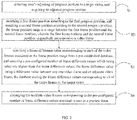
- the first exemplary embodiment of the present disclosure provides a method for previewing video playback progress, which includes: Step S1, detecting user's adjusting of progress position to a target video, and acquiring an adjusted progress section;
- the executive body of the method in the disclosure can be a data processing device or a server, the exemplary embodiment takes the server as an example, and other multimedia data processing devices which are able to preview the video playback progress are not limited.
- server detects user's adjusting of progress position to the target video, and acquires the adjusted progress section.
- user can adjust the target video's playback progress position by dragging the target video's playback progress bar, key operation, or another operation modes which can adjust the playback progress position, so as to realize the adjustment to the target video's progress position.
- server acquires a progress section corresponding to the adjustment to the target video's progress position, and records the progress positions before and after adjustment.
- the progress section in the present disclosure can be a progress position range between a first progress position at the beginning of triggering and a second progress position at the ending of triggering which are operated by user, or a progress position range between target video's playback start position and a second progress position at the ending of triggering.
- Step S2 matching a corresponding frame position range according to the progress section.
- server After server successfully detects user's adjusting of progress position to the target video, and acquires the adjusted progress section, server matches out the corresponding frame position range according to the progress section.
- server matches out the frame position corresponding to the progress position according to the progress positions before and after adjustment, and then a frame position range corresponding to the progress section obtained by user's adjustment to the video progress is match out.
- the realization mode for matching the corresponding frame position range according to the progress section can be:
- the frame position range is calculated.
- Step S3 searching a frame difference value corresponding to each of the video frames contained in the frame position range from a pre-established database, and selecting a pre-configured number of frame difference values which are relatively higher from the frame difference values, the frame difference value is a difference value between any one video frame and its adjacent video frame, the database stores the frame difference values corresponding to all of the video frames in the target video.
- server searches the frame difference value corresponding to each of the video frames contained in the frame position range from the pre-established database, and selects the pre-configured number of frame difference values which are relatively higher from the frame difference values.
- the preset database can be an array, a table, or other storing structures having other formats
- the exemplary embodiment takes the single array as example to illustrate.
- the frame difference value is defined as a difference value between any one video frame and a previous and adjacent video frame in the target video
- the value of the frame difference value can be used for presenting frame difference degree of the two adjacent video frame, the frame difference value is larger, the frame difference degree is bigger, and the frames are more representative; the frame difference value is smaller, the frame difference degree is also smaller.
- server acquires the total frames of the video frames contained in the target video, to establish an linear array having an initialization of null and a length equal to the total frames of the video frames, the linear array can be used for storing the frame difference values corresponding to all of the video frames contained in the target video; when user plays the target video, server acquires a buffered video frame sequence, and then calculates an image difference value between two adjacent video frames contained in the buffered video frame sequence, finally calculates the variance of the image difference value of the two adjacent video frames to obtain the frame difference value.
- the length of the array Label is limited, after every value of the array Label is assigned with a value, the video similarity learning process of the server ends.
- server when user starts to play the target video, server will detect that the array Label is a null frame; at this time, server will send the frame number to user randomly; after user receives the frame number, when user buffers the target video subsequently, server would detect whether the sent frame number is contained in, if yes, the frame difference value corresponding to the video frame is calculated according to the above method for calculating the frame difference value, and then the frame difference value is stored in corresponding position in the array Label.
- server selects a pre-configured number of frame difference values which are relatively higher from the preset array, according to the frame position corresponding to the matched progress position, and the number of frame difference values selected by server which are relatively higher can be set by user own-self and according to user's preference, or can also be pre-set by server.
- the progress of the target video can be adjusted by user from the first progress position P1 to the second progress position P2, and the frame position corresponding to the first progress position P1 is defined as F1, the frame position corresponding to the second progress position P2 is defined as F2.
- the frame position corresponding to the start progress position P0 of the target video is defined as F0; the number of highest frame difference values set by user own-self is n.
- Step S4 displaying the multiple video frames corresponding to the pre-configured number of frame difference values searched to user in the preview form.
- server displays the plurality of searched video frames corresponding to the pre-configured number of frame difference values to user in the preview form.
- server matches out corresponding video frames from the database according to the acquired pre-configured number of frame difference values, and then displays the corresponding video frames in the form of preview box
- the display form of preview box can be a matrix form of the multi-square form, or the horizontal or vertical alignment form of the card form, or other preview display forms which can preview the multiple video frames simultaneously.
- the do-gong number of the matrix form of the multi-square form can be confirmed according to the value of the preset n, such as, if n is lesser than or equal to 4, a four do-gong matrix is displayed; if n is greater than 4, and lesser than or equal to 9, a nine do-gong matrix is displayed; if n is greater than 9, and lesser than or equal to 16, a sixteen do-gong matrix is displayed.
- the target video jumps to and displays from the progress position corresponding to the video frame.
- server when user selects one previewed video frame, server further previews the video frames in a topology structure mode, through the above form for previewing the video frames.
- the progress position of the video frame selected from the video frames in the preview box is defined as P3, and the frame position corresponding to the first progress position P1 is defined as F1, the frame position corresponding to the second progress position P2 is defined as F2, the frame position corresponding to the progress position P3 of the video frame selected by user is defined as F3.
- the frame position corresponding to the start progress position P0 of the target video is defined as F0; the number of highest frame difference values set by user own-self is n.
- n frame difference values which are higher from Label[F0] to Label[F3] in the preset array Label, according to the frame position F3 corresponding to the progress position P3 of the video frame selected by user and the frame position F0 corresponding to the start progress position P0; then the n video frames corresponding to the acquired frame difference values are previewed.
- n frame difference values which are higher from Label[F1] to Label[F3] in the preset array Label, according to the frame position F1 corresponding to the first progress position P1 and the frame position F3 corresponding to the progress position P3 of the video frame selected by user; then the n video frames corresponding to the acquired frame difference values are previewed.
- n frame difference values which are higher from Label[F3] to Label [F2] in the preset array Label, according to the frame position F3 corresponding to the progress position P3 of the video frame selected by user and the frame position F2 corresponding to the second progress position P2; then the n video frames corresponding to the acquired frame difference values are previewed.
- the form for further previewing the video frame through the topology structure mode can be, a new multi-square matrix preview box which is generated near to the original multi-square matrix preview box; or, a new horizontal or vertical card preview box which is generated near to the horizontal or vertical card preview box.
- the present disclosure provides a method for previewing the video through the video frame difference, and previewing the representative video frame is realized, as such user can rapidly locate to the interesting video content, to satisfy user's requirement.
- the embodiment further includes: Step S21, a first frame position is matched out according to the first progress position, and a second frame position is matched out according to the second progress position, the frame position range is a range between the first frame position and the second frame position, and the first frame position and the second frame position respectively correspond to one video frame.
- server After server successfully detects user's adjusting of progress position to the target video, and acquires the adjusted progress section, server matches out the first frame position according to the first progress position, and matches out the second frame position according to the second progress position, so as to match out the frame position range corresponding to the progress section acquired by user's adjustment to the video progress.
- server acquires a pre-configured number of frame difference values which are relatively higher from the preset database, according to the first frame position and the second frame position which are obtained through matching.
- the progress of the target video can be adjusted by user from the first progress position P1 to the second progress position P2, and the frame position corresponding to the first progress position P1 is defined as F1, the frame position corresponding to the second progress position P2 is defined as F2.
- the number of highest frame difference values set by user own-self is n.
- server acquires n frame difference values which are higher from Label[F1] to Label[F2] in the preset array Label, according to the frame position F1 corresponding to the first progress position P1 and the frame position F2 corresponding to the second progress position P2.
- the present disclosure provides a method for previewing the video through the video frame difference, and previewing the representative video frame is realized much better, as such user can rapidly locate to the interesting video content, to satisfy user's requirement.
- FIG. 2 which is another embodiment of the exemplary embodiment of the present disclosure, based on the first exemplary embodiment, the embodiment further includes:
- Step S22 a start frame position is matched out according to the playback start position, and a second frame position is matched out according to the second progress position, the frame position range is a range between the start frame position and the second frame position, and the start frame position and the second frame position respectively correspond to one video frame.
- server After server successfully detects user's adjusting of progress position to the target video, and acquires the adjusted progress section, server matches out the start frame position according to the playback start position, and matches out the second frame position according to the second progress position, so as to match out the frame position range corresponding to the progress section acquired by user's adjustment to the video progress.
- server acquires a pre-configured number of frame difference values which are relatively higher from the preset database, according to the start frame position and the second frame position which are obtained through matching.
- the progress of the target video can be adjusted by user from the first progress position P1 to the second progress position P2, and the frame position corresponding to the second progress position P2 is defined as F2.
- the number of highest frame difference values set by user own-self is n.
- server acquires n frame difference values which are higher from Label[F0] to Label[F2] in the preset array Label, according to the start frame position F0 corresponding to the playback start position P0 and the frame position F2 corresponding to the second progress position P2.
- the present disclosure provides a method for previewing the video through the video frame difference, and previewing the representative video frame is realized much better, as such user can rapidly locate to the interesting video content, to satisfy user's requirement.
- a method for previewing video playback progress of the present disclosure before based on the step S1 of the first exemplary embodiment shown in FIG. 1 , further includes: Step S5, the database corresponding to the target video is established, the database can be a linear array, the length of the linear array is the total frames of the video frames contained in the target video.
- server establishes the corresponding database for the target video
- the database is a linear array
- the length of the linear array is the total frames of the video frames contained in the target video.
- server acquires the total frames of the video frames contained in the target video, to establish an linear array having an initialization of null and a length equal to the total frames of the video frames, the linear array can be used for storing the frame difference values corresponding to all of the video frames contained in the target video; when user plays the target video, server acquires a buffered video frame sequence, and then calculates an image difference value between two adjacent video frames contained in the buffered video frame sequence, finally calculates the variance of the image difference value of the two adjacent video frames to obtain the frame difference value.
- the length of the array Label is limited, after every value of the array Label is assigned with a value, the video similarity learning process of the server ends.
- server when user starts to play the target video, server will detect that the array Label is a null frame; at this time, server will send the frame number to user randomly; after user receives the frame number, when user buffers the target video subsequently, server would detect whether the sent frame number is contained in, if yes, the frame difference value corresponding to the video frame is calculated according to the above method for calculating the frame difference value, and then the frame difference value is stored in corresponding position in the array Label.
- the present disclosure provides a method for previewing the video through the video frame difference, and previewing the representative video frame is realized much better, as such user can rapidly locate to the interesting video content, to satisfy user's requirement.
- FIG. 5 is an embodiment of establishing corresponding database for the target video in the exemplary embodiment of the present disclosure, which includes:
- Step S51 acquiring the total frames of the video frames contained in the target video, establishing a linear array having an initialization of null and a length equal to the total frames of the video frames.
- server acquires the total frames of the video frames contained in the target video, and establishes the linear array, and the initialization of the linear array is null, and the length of the linear array is the total frames of the video frames contained in the target video.
- the array can be defined as Label, and sets the length of the array Label as the total frames of the video frames, and the initialization of the array Label is null;
- Step S52 acquiring the buffered video frame sequence in the target video at the beginning of user playing the target video.
- server acquires the buffered video frame sequence in the target video.
- Step S53 successively calculating an image difference value between each of the video frames and its adjacent video frame in the buffered video frame sequence
- server After successfully acquiring the buffered video frame sequence in the target video, server calculates an image difference value between two adjacent video frames contained in the buffered video frame sequence.
- the video frame sequence is defined as V[10]; when calculating the frame difference value of the i th frame, V[i] can be used to subtract V[i], so as to obtain the image difference value.
- Step S54 calculating the variance of the image difference value to obtain the corresponding frame difference value, and storing the frame difference value in the linear array.
- server After successfully calculating the image difference value between two adjacent video frames contained in the buffered video frame sequence, server calculates the variance of the image difference value between two adjacent video frames, to obtain the frame difference value.
- Step S55 determining whether the frame difference value corresponding to each of the video frames in the target video is stored in the linear array; if no, executing the step of calculating the frame difference value repeatedly; if yes, ending the step of establishing corresponding database for the target video.
- server determines that whether the frame difference value corresponding to each of the video frames in the target video is stored in the linear array, if no, the step of calculating the frame difference value is executed again; if yes, the step of establishing corresponding database for the target video ends.
- server determines that the frame difference value corresponding to each of the video frames in the target video is not stored in the linear array, go to the step S53; if server determines that the frame difference value corresponding to each of the video frames in the target video has been stored in the linear array, go to the step S56, the step of establishing corresponding database for the target video ends.
- server determines that whether user's using environment and the calculating amount would cause the timeout. If no, the step of allotting a preset array to the target video is executed, if yes, the allotting step is not executed; the above user's using environment includes external environmental factors, such as, temperature, humidity, etc., which would affect the device used for displaying the video.
- the present disclosure provides a method for previewing the video through the video frame difference, and previewing the representative video frame is realized much better, as such user can rapidly locate to the interesting video content, to satisfy user's requirement.
- the embodiment of displaying the multiple video frames corresponding to the pre-configured number of frame difference values searched to user in a preview form includes:
- Step S41 displaying the multiple video frames corresponding to the pre-configured number of frame difference values searched to user in a multi-square preview form or a card preview form.
- server displays the plurality of searched video frames corresponding to the pre-configured number of frame difference values to user in the multi-square preview form or the card preview form
- server matches out corresponding video frames from the database according to the acquired pre-configured number of frame difference values, and then displays the corresponding video frames in the form of preview box
- the display form of preview box can be a matrix form of the multi-square form, or the horizontal or vertical alignment form of the card form, or other preview display forms which can preview the multiple video frames simultaneously.
- the target video jumps to and displays from the progress position corresponding to the video frame.
- server when user selects one previewed video frame, server further previews the video frames in a topology structure mode, through the above form for previewing the video frames.
- the progress position of the video frame selected from video frames displayed in the preview box is defined as P3, and the frame position corresponding to the first progress position P1 is defined as F1, the frame position corresponding to the second progress position P2 is defined as F2, the frame position corresponding to the progress position P3 of the video frame selected by user is defined as F3.
- the frame position corresponding to the start progress position P0 of the target video is defined as F0; the number of highest frame difference values set by user own-self is n.
- n frame difference values which are higher from Label[F0] to Label[F3] in the preset array Label, according to the frame position F3 corresponding to the progress position P3 of the video frame selected by user and the frame position F0 corresponding to the start progress position P0; then the n video frames corresponding to the acquired frame difference values are previewed.
- n frame difference values which are higher from Label[Fl] to Label[F3] in the preset array Label, according to the frame position F1 corresponding to the first progress position P1 and the frame position F3 corresponding to the progress position P3 of the video frame selected by user; then the n video frames corresponding to the acquired frame difference values are previewed.
- n frame difference values which are higher from Label[F3] to Label[F2] in the preset array Label, according to the frame position F3 corresponding to the progress position P3 of the video frame selected by user and the frame position F2 corresponding to the second progress position P2; then the n video frames corresponding to the acquired frame difference values are previewed.
- the form for further previewing the video frame through the topology structure mode can be, a new multi-square matrix preview box which is generated near to the original multi-square matrix preview box; or, a new horizontal or vertical card preview box which is generated near to the horizontal or vertical card preview box.
- the present disclosure provides a method for previewing the video through the video frame difference, and previewing the representative video frame is realized, as such user can rapidly locate to the interesting video content, to satisfy user's requirement.
- the present disclosure also provides a device for previewing video playback progress.
- the device for previewing video playback progress includes:
- the present disclosure provides a device for previewing the video through the video frame difference, and previewing the representative video frame is realized, as such user can rapidly locate to the interesting video content, to satisfy user's requirement.
- the matching module 200 is further configured to match a first frame position according to the first progress position, and match a second frame position according to the second progress position, the frame position range is a range between the first frame position and the second frame position, and the first frame position and the second frame position respectively correspond to a video frame.
- the matching module 200 is further configured to match a start frame position according to the playback start position, and match a second frame position according to the second progress position, the frame position range is a range between the start frame position and the second frame position, and the start frame position and the second frame position respectively correspond to a video frame.
- the device for previewing video playback progress further includes: a database module 500, which is configured to establish corresponding database for the target video, the database is a linear array, the length of the linear array is total frames of the video frames contained in the target video.
- the database module 500 includes:
- the displaying module 400 is further configured to display the multiple video frames corresponding to the pre-configured number of frame difference values searched to user in a multi-square preview form or a card preview form.
- Each module in the device for previewing the video playback progress correspond to one step in the method embodiment, each function and realizing process are not need to be repeated again.
Landscapes
- Engineering & Computer Science (AREA)
- Multimedia (AREA)
- Signal Processing (AREA)
- Databases & Information Systems (AREA)
- Health & Medical Sciences (AREA)
- General Health & Medical Sciences (AREA)
- Social Psychology (AREA)
- Human Computer Interaction (AREA)
- Computer Networks & Wireless Communication (AREA)
- Television Signal Processing For Recording (AREA)
- Two-Way Televisions, Distribution Of Moving Picture Or The Like (AREA)
Abstract
Description
- This disclosure generally relates to the technical field of network video, and more particularly relates to a method and a device for previewing video playback progress.
- With the development of the internet technology, network videos are more and more widely played, watching network videos through the internet has gradually become a kind of network video lifestyle of leisure and entertainment.
- When watching the plurality of network videos, in order to selectively watch the interesting contents, user would frequently adjust the video playback progress. In the existing technology, user may sometimes miss the interesting video contents if frequently adjusting the video playback progress, which causes that user has to repeatedly adjust the video playback progress, to locate to the interesting video contents. In addition, when in a bad condition of the network, repeatedly adjusting the network video playback progress may cause the video being repeatedly loaded, as such user will wait for a long time, thus resulting an undesirable user experience.
- It is therefore one main object of this disclosure to provide a preview method and device for video playback progress, which aims to realize that representative video frames are previewed, as such user can rapidly locate to the interesting video content, thus satisfying user's requirement.
- In order to achieve the above object, the method for previewing video playback progress proposed by this disclosure includes:
- detecting user's adjusting of progress position to a target video, acquiring an adjusted progress section, and the progress section is a progress position range between a first progress position at the beginning of triggering and a second progress position at the ending of triggering, or the progress section is a progress position range between a target video's playback start position and a second progress position at the ending of triggering;
- matching a first frame position according to the first progress position, and matching a second frame position according to the second progress position, the frame position range is a range between the first frame position and the second frame position, and the first frame position and the second frame position respectively correspond to a video frame, or, matching a start frame position according to the playback start position, and matching a second frame position according to the second progress position, the frame position range is a range between the start frame position and the second frame position, and the start frame position and the second frame position respectively correspond to a video frame;
- searching a frame difference value corresponding to each of the video frames contained in the frame position range from a pre-established database, and selecting a pre-configured number of frame difference values which are relatively higher from the frame difference values, the frame difference value being a difference value between any one video frame and its adjacent video frame, the database storing the frame difference values corresponding to all of the video frames in the target video;
- displaying the multiple video frames corresponding to the pre-configured number of frame difference values searched to user in a multi-square preview form or a card preview form.
- the pre-configured number of frame difference values searched to user The exemplary embodiment of the present disclosure further provides a method for previewing video playback progress which includes:
- detecting user's adjusting of progress position to a target video, and acquiring an adjusted progress section;
- matching a corresponding progress position range according to the progress section;
- searching a frame difference value corresponding to each of the video frames contained in the frame position range from a pre-established database, and selecting a pre-configured number of frame difference values which are relatively higher from the frame difference values, the frame difference value being a difference value between any one video frame and its adjacent video frame, the database storing the frame difference values corresponding to all of the video frames in the target video;
- displaying the multiple video frames corresponding to the pre-configured number of frame difference values searched to user in a preview form.
- The exemplary embodiment of the present disclosure further provides a device for previewing video playback progress, the device includes:
- a detecting module, configured to detect user's adjusting of progress position to a target video, and acquiring an adjusted progress section;
- a matching module, configured to match a corresponding progress position range according to the progress section;
- a searching module, configured to search a frame difference value corresponding to each of the video frames contained in the frame position range from a pre-established database, and select a pre-configured number of frame difference values which are relatively higher from the frame difference values, in which the frame difference value is a difference value between any one video frame and its adjacent video frame, the database stores the frame difference values which correspond to all of the video frames in the target video; and
- a displaying module, configured to display the multiple video frames corresponding to the pre-configured number of frame difference values searched to user in a preview form.
- The present disclosure provides a method and a device for previewing o playback progress, user's adjusting of progress position to a target video is detected, to acquire the adjusted progress section; the corresponding progress position range is matched according to the progress section; a frame difference value corresponding to each of the video frames contained in the frame position range is searched out from a pre-established database, and the pre-configured number of frame difference values which are relatively higher are selected from the frame difference values; the multiple video frames corresponding to the searched and pre-configured number of frame difference values are displayed to user in the preview form. Therefore, the problem of that in existing technology it is unable to rapidly locate to the interesting video content when watching the network video is solved, and previewing the representative video frame is realized, as such user can rapidly locate to the interesting video content, to satisfy user's requirement.
-
-
FIG. 1 is a flow chart of a method for previewing video playback progress of the present disclosure according to a first exemplary embodiment; -
FIG. 2 is a flow chart of a first embodiment in the exemplary embodiment of the present disclosure; -
FIG. 3 is a flow chart of a second embodiment in the exemplary embodiment of the present disclosure; -
FIG. 4 is a flow chart of a method for previewing video playback progress of the present disclosure according to a second exemplary embodiment; -
FIG. 5 is a flow chart of establishing corresponding database for the target video in the exemplary embodiment of the present disclosure; -
FIG. 6 is a flow chart of displaying the multiple video frames corresponding to the pre-configured number of frame difference values searched to user in a preview form in the exemplary embodiment of the present disclosure; -
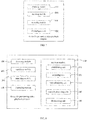
FIG. 7 is a functional module diagram of a device for previewing video playback progress of the present disclosure according to a first exemplary embodiment; -
FIG. 8 is a functional module diagram of a device for previewing video playback progress of the present disclosure according to a second exemplary embodiment; - Various implementations, functional features, and advantages of this disclosure will now be described in further detail in connection with some illustrative embodiments and the accompanying drawings.
- It is to be understood that, the described embodiments are only some exemplary embodiments of the present disclosure, and the present disclosure is not limited to such embodiments.
- The mainly technical solution of the exemplary embodiment of the present disclosure is: detecting user's adjusting of progress position to a target video, and acquiring an adjusted progress section; matching corresponding frame position range according to the progress section; searching a frame difference value corresponding to each of the video frames contained in the frame position range from a pre-established database, and selecting a pre-configured number of frame difference values which are relatively higher from the frame difference values; displaying the multiple video frames corresponding to the pre-configured number of frame difference values searched to user in a preview form. Therefore, the problem of that in existing technology it is unable to rapidly locate to the interesting video content when watching the network video is solved, and previewing the representative video frame is realized, as such user can rapidly locate to the interesting video content, to satisfy user's requirement.
- Referring to
FIG. 1 , the first exemplary embodiment of the present disclosure provides a method for previewing video playback progress, which includes:
Step S1, detecting user's adjusting of progress position to a target video, and acquiring an adjusted progress section; - The executive body of the method in the disclosure can be a data processing device or a server, the exemplary embodiment takes the server as an example, and other multimedia data processing devices which are able to preview the video playback progress are not limited.
- In detail, server detects user's adjusting of progress position to the target video, and acquires the adjusted progress section.
- And, user can adjust the target video's playback progress position by dragging the target video's playback progress bar, key operation, or another operation modes which can adjust the playback progress position, so as to realize the adjustment to the target video's progress position.
- And, when user's adjusting of progress position to the target video is detected, server acquires a progress section corresponding to the adjustment to the target video's progress position, and records the progress positions before and after adjustment.
- The progress section in the present disclosure can be a progress position range between a first progress position at the beginning of triggering and a second progress position at the ending of triggering which are operated by user, or a progress position range between target video's playback start position and a second progress position at the ending of triggering.
- Step S2, matching a corresponding frame position range according to the progress section.
- In detail, after server successfully detects user's adjusting of progress position to the target video, and acquires the adjusted progress section, server matches out the corresponding frame position range according to the progress section.
- And, server matches out the frame position corresponding to the progress position according to the progress positions before and after adjustment, and then a frame position range corresponding to the progress section obtained by user's adjustment to the video progress is match out.
- When the progress section is a progress position range between the first progress position at the beginning of triggering and the second progress position at the ending of triggering which are operated by user, the realization mode for matching the corresponding frame position range according to the progress section can be:
- a. when user plays the target video, server detects that user adjusts the progress of the target video from the first progress position to the second progress position, respectively records the first progress position as P1, and the second progress position as P2;
- b. a first frame position F1 is matched out according to the first progress position P1, and a second frame position F2 is matched out according to the second progress position P2, the frame position range is a range between the first frame position F1 and the second frame position F2, for example: server can use a proportional relation formula between the progress position and the total time of video:
- Similarly, when the progress section is a progress position range between target video's playback start position and a second progress position at the ending of triggering, the frame position range is calculated.
- Step S3, searching a frame difference value corresponding to each of the video frames contained in the frame position range from a pre-established database, and selecting a pre-configured number of frame difference values which are relatively higher from the frame difference values, the frame difference value is a difference value between any one video frame and its adjacent video frame, the database stores the frame difference values corresponding to all of the video frames in the target video.
- In detail, after the corresponding frame position range is successfully matched out according to the progress section, server searches the frame difference value corresponding to each of the video frames contained in the frame position range from the pre-established database, and selects the pre-configured number of frame difference values which are relatively higher from the frame difference values.
- And, the preset database, can be an array, a table, or other storing structures having other formats, the exemplary embodiment takes the single array as example to illustrate.
- And, the frame difference value, is defined as a difference value between any one video frame and a previous and adjacent video frame in the target video, the value of the frame difference value can be used for presenting frame difference degree of the two adjacent video frame, the frame difference value is larger, the frame difference degree is bigger, and the frames are more representative; the frame difference value is smaller, the frame difference degree is also smaller.
- And, server acquires the total frames of the video frames contained in the target video, to establish an linear array having an initialization of null and a length equal to the total frames of the video frames, the linear array can be used for storing the frame difference values corresponding to all of the video frames contained in the target video; when user plays the target video, server acquires a buffered video frame sequence, and then calculates an image difference value between two adjacent video frames contained in the buffered video frame sequence, finally calculates the variance of the image difference value of the two adjacent video frames to obtain the frame difference value.
- The following mode can be adopted when carrying out the embodiment:
- a. server acquires the total frames of the video frames contained in the target video, and allots the target video a linear array, the array can be defined as Label, and sets the length of the array Label as the total frames of the video frames, and the initialization of the array Label is null;
- b. when user plays the target video, server acquires the buffered video frame sequence in the current target video, and the buffered video frame sequence is defined V;
- c. server calculates the image difference values between all two adjacent video frames in the video frame sequence V;
- d. server calculates the variance of the image difference value between two adjacent video frames to obtain the corresponding frame difference value;
- e. server stores the calculated frame difference values in corresponding position in the array.
- Such as, the total frames of the target video is 1000 frames, and the length of the array Label is 1000, and the initialization is null; and, if assuming the buffered video frame sequence is 10 frames, and the video frame sequence is defined as V[10]; when calculating the frame difference value of the ith frame, V[i] can be used to subtract V[i], so as to obtain the image difference value first, and then the variance of the image difference value is calculated to obtain the frame difference value M of the ith frame; the ith frame is set at the Fth frame position in the target video, and the frame difference value M is stored at the corresponding position Label[F], that is, Label[F]=M.
- And, the length of the array Label is limited, after every value of the array Label is assigned with a value, the video similarity learning process of the server ends.
- And, taking as a special case, when user starts to play the target video, server will detect that the array Label is a null frame; at this time, server will send the frame number to user randomly; after user receives the frame number, when user buffers the target video subsequently, server would detect whether the sent frame number is contained in, if yes, the frame difference value corresponding to the video frame is calculated according to the above method for calculating the frame difference value, and then the frame difference value is stored in corresponding position in the array Label.
- And, server selects a pre-configured number of frame difference values which are relatively higher from the preset array, according to the frame position corresponding to the matched progress position, and the number of frame difference values selected by server which are relatively higher can be set by user own-self and according to user's preference, or can also be pre-set by server.
- The following mode can be adopted when carrying out the embodiment:
- The progress of the target video can be adjusted by user from the first progress position P1 to the second progress position P2, and the frame position corresponding to the first progress position P1 is defined as F1, the frame position corresponding to the second progress position P2 is defined as F2.
- At the same time, the frame position corresponding to the start progress position P0 of the target video is defined as F0; the number of highest frame difference values set by user own-self is n.
- Server acquires n frame difference values which are higher from Label[F0] to Label[F2] in the preset array Label, according to the frame position F2 corresponding to the second progress position P2 and the frame position F0 corresponding to the start progress position P0.
- Server acquires n frame difference values which are higher from Label[F1] to Label[F2] in the preset array Label, according to the frame position F1 corresponding to the first progress position P1 and the frame position F2 corresponding to the second progress position P2.
- Step S4, displaying the multiple video frames corresponding to the pre-configured number of frame difference values searched to user in the preview form.
- In detail, after the pre-configured number of frame difference values which are relatively higher and contained in the frame difference values corresponding to the video frames in the frame position range , are successfully selected from the preset database, server displays the plurality of searched video frames corresponding to the pre-configured number of frame difference values to user in the preview form.
- And, server matches out corresponding video frames from the database according to the acquired pre-configured number of frame difference values, and then displays the corresponding video frames in the form of preview box, the display form of preview box can be a matrix form of the multi-square form, or the horizontal or vertical alignment form of the card form, or other preview display forms which can preview the multiple video frames simultaneously.
- And, the do-gong number of the matrix form of the multi-square form, can be confirmed according to the value of the preset n, such as, if n is lesser than or equal to 4, a four do-gong matrix is displayed; if n is greater than 4, and lesser than or equal to 9, a nine do-gong matrix is displayed; if n is greater than 9, and lesser than or equal to 16, a sixteen do-gong matrix is displayed.
- And, when user selects one video frame displayed in the preview box, the target video jumps to and displays from the progress position corresponding to the video frame.
- And, when user selects one previewed video frame, server further previews the video frames in a topology structure mode, through the above form for previewing the video frames.
- The following mode can be adopted when carrying out the embodiment:
- After the progress of the target video can be adjusted by user from the first progress position P1 to the second progress position P2, the progress position of the video frame selected from the video frames in the preview box is defined as P3, and the frame position corresponding to the first progress position P1 is defined as F1, the frame position corresponding to the second progress position P2 is defined as F2, the frame position corresponding to the progress position P3 of the video frame selected by user is defined as F3.
- At the same time, the frame position corresponding to the start progress position P0 of the target video is defined as F0; the number of highest frame difference values set by user own-self is n.
- Server acquires n frame difference values which are higher from Label[F0] to Label[F3] in the preset array Label, according to the frame position F3 corresponding to the progress position P3 of the video frame selected by user and the frame position F0 corresponding to the start progress position P0; then the n video frames corresponding to the acquired frame difference values are previewed.
- Server acquires n frame difference values which are higher from Label[F1] to Label[F3] in the preset array Label, according to the frame position F1 corresponding to the first progress position P1 and the frame position F3 corresponding to the progress position P3 of the video frame selected by user; then the n video frames corresponding to the acquired frame difference values are previewed.
- Server acquires n frame difference values which are higher from Label[F3] to Label [F2] in the preset array Label, according to the frame position F3 corresponding to the progress position P3 of the video frame selected by user and the frame position F2 corresponding to the second progress position P2; then the n video frames corresponding to the acquired frame difference values are previewed.
- And, the form for further previewing the video frame through the topology structure mode can be, a new multi-square matrix preview box which is generated near to the original multi-square matrix preview box; or, a new horizontal or vertical card preview box which is generated near to the horizontal or vertical card preview box.
- Through the above technical solution, the present disclosure provides a method for previewing the video through the video frame difference, and previewing the representative video frame is realized, as such user can rapidly locate to the interesting video content, to satisfy user's requirement.
- Furthermore, in order to realize the previewing the video through the video frame difference much better, referring to
FIG. 2 , which is an embodiment of the exemplary embodiment of the present disclosure, based on the first exemplary embodiment, the embodiment further includes:
Step S21, a first frame position is matched out according to the first progress position, and a second frame position is matched out according to the second progress position, the frame position range is a range between the first frame position and the second frame position, and the first frame position and the second frame position respectively correspond to one video frame. - In detail, after server successfully detects user's adjusting of progress position to the target video, and acquires the adjusted progress section, server matches out the first frame position according to the first progress position, and matches out the second frame position according to the second progress position, so as to match out the frame position range corresponding to the progress section acquired by user's adjustment to the video progress.
- The following mode can be adopted when carrying out the embodiment:
- a. when user plays the target video, server detects that user adjusts the progress of the target video from the first progress position to the second progress position, respectively records the first progress position as P1, and the second progress position as P2;
- b. a first frame position F1 is matched out according to the first progress position P1, and a second frame position F2 is matched out according to the second progress position P2, the frame position range is a range between the first frame position F1 and the second frame position F2, for example: server can use a proportional relation formula between the progress position and the total time of video:
- Based on the implementing of Step S21, after the first frame position and the second frame position are successfully matched out, server acquires a pre-configured number of frame difference values which are relatively higher from the preset database, according to the first frame position and the second frame position which are obtained through matching.
- The following mode can be adopted when carrying out the embodiment:
- The progress of the target video can be adjusted by user from the first progress position P1 to the second progress position P2, and the frame position corresponding to the first progress position P1 is defined as F1, the frame position corresponding to the second progress position P2 is defined as F2.
- At the same time, the number of highest frame difference values set by user own-self is n.
- At this time, server acquires n frame difference values which are higher from Label[F1] to Label[F2] in the preset array Label, according to the frame position F1 corresponding to the first progress position P1 and the frame position F2 corresponding to the second progress position P2.
- Through the above technical solution, the present disclosure provides a method for previewing the video through the video frame difference, and previewing the representative video frame is realized much better, as such user can rapidly locate to the interesting video content, to satisfy user's requirement.
- Furthermore, in order to realize the previewing the video through the video frame difference much better, referring to
FIG. 2 , which is another embodiment of the exemplary embodiment of the present disclosure, based on the first exemplary embodiment, the embodiment further includes: - Step S22, a start frame position is matched out according to the playback start position, and a second frame position is matched out according to the second progress position, the frame position range is a range between the start frame position and the second frame position, and the start frame position and the second frame position respectively correspond to one video frame.
- In detail, after server successfully detects user's adjusting of progress position to the target video, and acquires the adjusted progress section, server matches out the start frame position according to the playback start position, and matches out the second frame position according to the second progress position, so as to match out the frame position range corresponding to the progress section acquired by user's adjustment to the video progress.
- The following mode can be adopted when carrying out the embodiment:
- a. when user plays the target video, server detects that user adjusts the progress of the target video from the first progress position to the second progress position, respectively records the start progress position as P0, and the second progress position as P2;
- b. a start frame position F0 is matched out according to the start progress position P0, and a second frame position F2 is matched out according to the second progress position P2, the frame position range is a range between the first frame position F1 and the second frame position F2, for example: server can use a proportional relation formula between the progress position and the total time of video:
- Based on the implementing of Step S22, after the start frame position and the second frame position are successfully matched out, server acquires a pre-configured number of frame difference values which are relatively higher from the preset database, according to the start frame position and the second frame position which are obtained through matching.
- The following mode can be adopted when carrying out the embodiment:
- The progress of the target video can be adjusted by user from the first progress position P1 to the second progress position P2, and the frame position corresponding to the second progress position P2 is defined as F2.
- At the same time, the number of highest frame difference values set by user own-self is n.
- At this time, server acquires n frame difference values which are higher from Label[F0] to Label[F2] in the preset array Label, according to the start frame position F0 corresponding to the playback start position P0 and the frame position F2 corresponding to the second progress position P2.
- Through the above technical solution, the present disclosure provides a method for previewing the video through the video frame difference, and previewing the representative video frame is realized much better, as such user can rapidly locate to the interesting video content, to satisfy user's requirement.
- Referring to
FIG. 4 , a method for previewing video playback progress of the present disclosure according to a second exemplary embodiment, before based on the step S1 of the first exemplary embodiment shown inFIG. 1 , further includes:
Step S5, the database corresponding to the target video is established, the database can be a linear array, the length of the linear array is the total frames of the video frames contained in the target video. - In detail, server establishes the corresponding database for the target video, the database is a linear array, the length of the linear array is the total frames of the video frames contained in the target video.
- And, server acquires the total frames of the video frames contained in the target video, to establish an linear array having an initialization of null and a length equal to the total frames of the video frames, the linear array can be used for storing the frame difference values corresponding to all of the video frames contained in the target video; when user plays the target video, server acquires a buffered video frame sequence, and then calculates an image difference value between two adjacent video frames contained in the buffered video frame sequence, finally calculates the variance of the image difference value of the two adjacent video frames to obtain the frame difference value.
- The following mode can be adopted when carrying out the embodiment:
- a. server acquires the total frames of the video frames contained in the target video, and allots the target video a linear array, the array can be defined as Label, and sets the length of the array Label as the total frames of the video frames, and the initialization of the array Label is null;
- b. when user plays the target video, server acquires the buffered video frame sequence in the current target video, and the buffered video frame sequence is defined V;
- c. server calculates the image difference values between all two adjacent video frames in the video frame sequence V;
- d. server calculates the variance of the image difference value of two adjacent video frames to obtain the corresponding frame difference value;
- e. server stores the calculated frame difference values in corresponding position in the array.
- Such as, the total frames of the target video is 1000 frames, and the length of the array Label is 1000, and the initialization is null; and, if assuming the buffered video frame sequence is 10 frames, and the video frame sequence is defined as V[10]; when calculating the frame difference value of the ith frame, V[i] can be used to subtract V[i], so as to obtain the image difference value first, and then the variance of the image difference value is calculated to obtain the frame difference value M of the ith frame; the ith frame is set at the Fth frame position in the target video, and the frame difference value M is stored at the corresponding position Label[F], that is, Label[F]=M.
- And, the length of the array Label is limited, after every value of the array Label is assigned with a value, the video similarity learning process of the server ends.
- And, taking as a special case, when user starts to play the target video, server will detect that the array Label is a null frame; at this time, server will send the frame number to user randomly; after user receives the frame number, when user buffers the target video subsequently, server would detect whether the sent frame number is contained in, if yes, the frame difference value corresponding to the video frame is calculated according to the above method for calculating the frame difference value, and then the frame difference value is stored in corresponding position in the array Label.
- Through the above technical solution, the present disclosure provides a method for previewing the video through the video frame difference, and previewing the representative video frame is realized much better, as such user can rapidly locate to the interesting video content, to satisfy user's requirement.
- Furthermore, in order to realize the previewing the video through the video frame difference much better, referring to
FIG. 5 , which is an embodiment of establishing corresponding database for the target video in the exemplary embodiment of the present disclosure, which includes: - Step S51, acquiring the total frames of the video frames contained in the target video, establishing a linear array having an initialization of null and a length equal to the total frames of the video frames.
- In detail, server acquires the total frames of the video frames contained in the target video, and establishes the linear array, and the initialization of the linear array is null, and the length of the linear array is the total frames of the video frames contained in the target video.
- The following mode can be adopted when carrying out the embodiment:
- Server acquires the total frames of the video frames contained in the target video, and allots the target video a linear array, the array can be defined as Label, and sets the length of the array Label as the total frames of the video frames, and the initialization of the array Label is null;
- Step S52, acquiring the buffered video frame sequence in the target video at the beginning of user playing the target video.
- In detail, after the linear array is successfully established, and the initialization of the linear array is null, and the length of the linear array is the total frames of the video frames contained in the target video, server acquires the buffered video frame sequence in the target video.
- Step S53, successively calculating an image difference value between each of the video frames and its adjacent video frame in the buffered video frame sequence;
- In detail, after successfully acquiring the buffered video frame sequence in the target video, server calculates an image difference value between two adjacent video frames contained in the buffered video frame sequence.
- The following mode can be adopted when carrying out the embodiment:
- It is set that the buffered video frame sequence has 10 frames, the video frame sequence is defined as V[10]; when calculating the frame difference value of the ith frame, V[i] can be used to subtract V[i], so as to obtain the image difference value.
- Step S54, calculating the variance of the image difference value to obtain the corresponding frame difference value, and storing the frame difference value in the linear array.
- In detail, after successfully calculating the image difference value between two adjacent video frames contained in the buffered video frame sequence, server calculates the variance of the image difference value between two adjacent video frames, to obtain the frame difference value.
- The following mode can be adopted when carrying out the embodiment:
The variance of the image difference value is calculated to obtain the frame difference value M of the ith frame; the ith frame is set at the Fth frame position in the target video, and the frame difference value M is stored in the corresponding position Label[F], that is, Label[F]=M. - Step S55, determining whether the frame difference value corresponding to each of the video frames in the target video is stored in the linear array; if no, executing the step of calculating the frame difference value repeatedly; if yes, ending the step of establishing corresponding database for the target video.
- In detail, after the frame difference values are successfully stored, server determines that whether the frame difference value corresponding to each of the video frames in the target video is stored in the linear array, if no, the step of calculating the frame difference value is executed again; if yes, the step of establishing corresponding database for the target video ends.
- And, if server determines that the frame difference value corresponding to each of the video frames in the target video is not stored in the linear array, go to the step S53; if server determines that the frame difference value corresponding to each of the video frames in the target video has been stored in the linear array, go to the step S56, the step of establishing corresponding database for the target video ends.
- In addition, before executing the calculating step, server determines that whether user's using environment and the calculating amount would cause the timeout. If no, the step of allotting a preset array to the target video is executed, if yes, the allotting step is not executed; the above user's using environment includes external environmental factors, such as, temperature, humidity, etc., which would affect the device used for displaying the video.
- Through the above technical solution, the present disclosure provides a method for previewing the video through the video frame difference, and previewing the representative video frame is realized much better, as such user can rapidly locate to the interesting video content, to satisfy user's requirement.
- Furthermore, in order to preview the video by the video frame difference much better, referring to
FIG. 6 , the embodiment of displaying the multiple video frames corresponding to the pre-configured number of frame difference values searched to user in a preview form, which is in an exemplary embodiment of the present disclosure, includes: - Step S41, displaying the multiple video frames corresponding to the pre-configured number of frame difference values searched to user in a multi-square preview form or a card preview form.
- In detail, based on the implementing of the above method, after the pre-configured number of frame difference values, which are relatively higher and contained in the frame difference values corresponding to the video frames in the frame position range, are successfully selected from the preset database, server displays the plurality of searched video frames corresponding to the pre-configured number of frame difference values to user in the multi-square preview form or the card preview form
- And, server matches out corresponding video frames from the database according to the acquired pre-configured number of frame difference values, and then displays the corresponding video frames in the form of preview box, the display form of preview box can be a matrix form of the multi-square form, or the horizontal or vertical alignment form of the card form, or other preview display forms which can preview the multiple video frames simultaneously.
- And, when user selects one video frame displayed in the preview box, the target video jumps to and displays from the progress position corresponding to the video frame.
- And, when user selects one previewed video frame, server further previews the video frames in a topology structure mode, through the above form for previewing the video frames.
- The following mode can be adopted when carrying out the embodiment:
- After the progress of the target video can be adjusted by user from the first progress position P1 to the second progress position P2, the progress position of the video frame selected from video frames displayed in the preview box is defined as P3, and the frame position corresponding to the first progress position P1 is defined as F1, the frame position corresponding to the second progress position P2 is defined as F2, the frame position corresponding to the progress position P3 of the video frame selected by user is defined as F3.
- At the same time, the frame position corresponding to the start progress position P0 of the target video is defined as F0; the number of highest frame difference values set by user own-self is n.
- Server acquires n frame difference values which are higher from Label[F0] to Label[F3] in the preset array Label, according to the frame position F3 corresponding to the progress position P3 of the video frame selected by user and the frame position F0 corresponding to the start progress position P0; then the n video frames corresponding to the acquired frame difference values are previewed.
- Server acquires n frame difference values which are higher from Label[Fl] to Label[F3] in the preset array Label, according to the frame position F1 corresponding to the first progress position P1 and the frame position F3 corresponding to the progress position P3 of the video frame selected by user; then the n video frames corresponding to the acquired frame difference values are previewed.
- Server acquires n frame difference values which are higher from Label[F3] to Label[F2] in the preset array Label, according to the frame position F3 corresponding to the progress position P3 of the video frame selected by user and the frame position F2 corresponding to the second progress position P2; then the n video frames corresponding to the acquired frame difference values are previewed.
- And, the form for further previewing the video frame through the topology structure mode can be, a new multi-square matrix preview box which is generated near to the original multi-square matrix preview box; or, a new horizontal or vertical card preview box which is generated near to the horizontal or vertical card preview box.
- Through the above technical solution, the present disclosure provides a method for previewing the video through the video frame difference, and previewing the representative video frame is realized, as such user can rapidly locate to the interesting video content, to satisfy user's requirement.
- The present disclosure also provides a device for previewing video playback progress.
- Referring to
FIG. 7 , the device for previewing video playback progress according to the first exemplary embodiment of the present disclosure, includes: - a detecting
module 100, which is configured to detect user's adjusting of progress position to a target video, and acquire an adjusted progress section; - The progress section in the disclosure is a progress position range between a first progress position at the beginning of triggering and a second progress position at the ending of triggering by user, or the progress section is a progress position range between target video's playback start position and a second progress position at the ending of triggering.
- a
matching module 200, which is configured to match a corresponding progress position range according to the progress section; - a searching
module 300, which is configured to search a frame difference value corresponding to each of the video frames contained in the frame position range from a pre-established database, and select a pre-configured number of frame difference values which are relatively higher from the frame difference values, the frame difference value is a difference value between any one video frame and its adjacent video frame, the database storinges the frame difference values corresponding to all of the video frames in the target video. - a displaying
module 400, which is configured to display the multiple video frames corresponding to the pre-configured number of frame difference values searched to user in a preview form. - Through the above technical solution, the present disclosure provides a device for previewing the video through the video frame difference, and previewing the representative video frame is realized, as such user can rapidly locate to the interesting video content, to satisfy user's requirement.
- Furthermore, in order to preview the video by the video frame difference much better, as an embodiment, the
matching module 200 is further configured to match a first frame position according to the first progress position, and match a second frame position according to the second progress position, the frame position range is a range between the first frame position and the second frame position, and the first frame position and the second frame position respectively correspond to a video frame. - Furthermore, in order to preview the video by the video frame difference much better, as an embodiment, the
matching module 200 is further configured to match a start frame position according to the playback start position, and match a second frame position according to the second progress position, the frame position range is a range between the start frame position and the second frame position, and the start frame position and the second frame position respectively correspond to a video frame. - Referring to
FIG. 8 , based on the device of the first exemplary embodiment shown inFIG. 7 , the device for previewing video playback progress according to the second exemplary embodiment of the present disclosure, further includes:
adatabase module 500, which is configured to establish corresponding database for the target video, the database is a linear array, the length of the linear array is total frames of the video frames contained in the target video. - Furthermore, in order to preview the video by the video frame difference much better, as an embodiment, the
database module 500 includes: - an establishing
unit 510, which is configured to acquire the total frames of the video frames contained in the target video, establishing a linear array having an initialization of null and a length equal to the total frames of the video frames; - an acquiring
unit 520, which is configured to acquire a buffered video frame sequence at the beginning of user playing the target video;; - a first calculating
unit 530, which is configured to successively calculate an image difference value between each of the video frames and its adjacent video frame in the buffered video frame sequence; - a
second calculating unit 540, which is configured to calculate the variance of the image difference value to obtain the corresponding frame difference value, and storing the frame difference value in the linear array; and - a determining
unit 550, which is configured to determine whether the frame difference value corresponding to each of the video frames in the target video is stored in the linear array; if no, g back to the acquiring unit to calculate the frame difference value repeatedly until the linear array stores the frame difference value corresponding to each of the video frames in the target video. - Furthermore, in order to preview the video by the video frame difference much better, as an embodiment, the displaying
module 400 is further configured to display the multiple video frames corresponding to the pre-configured number of frame difference values searched to user in a multi-square preview form or a card preview form. - Each module in the device for previewing the video playback progress correspond to one step in the method embodiment, each function and realizing process are not need to be repeated again.
- The foregoing merely portrays some exemplary embodiments of this disclosure and therefore is not intended to limit the patentable scope of the disclosure. Under the inventive concept of this disclosure, any equivalent structural changes based on the specification and accompanying drawings of the disclosure and any direct/indirect applications of the disclosure on other related technical fields shall all be compassed within the patentable scope of protection of the present disclosure.

to calculate, so as to obtain the first frame position F1 corresponding to the first progress position P1 and the second frame position F2 corresponding to the second progress position P2, the frame position range is the range between the first frame position F1 and the second frame position F2.

to calculate, so as to obtain the first frame position F1 corresponding to the first progress position P1 and the second frame position F2 corresponding to the second progress position P2, the frame position range is the range between the first frame position F1 and the second frame position F2.

to calculate, so as to obtain the start frame position F0 corresponding to the start progress position P0 and the second frame position F2 corresponding to the second progress position P2, the frame position range is the range between the first frame position F1 and the second frame position F2.
Claims (13)
- A method for previewing video playback progress, comprising:detecting user's adjusting of progress position to a target video, and acquiring an adjusted progress section, wherein the progress section is a progress position range between a first progress position at the beginning of triggering and a second progress position at the ending of triggering, or the progress section is a progress position range between a target video's playback start position and a second progress position at the ending of triggering;matching a first frame position according to the first progress position, and matching a second frame position according to the second progress position, the frame position range being a range between the first frame position and the second frame position, wherein the first frame position and the second frame position respectively correspond to a video frame, or, matching a start frame position according to the playback start position, and matching a second frame position according to the second progress position, the frame position range being a range between the start frame position and the second frame position, wherein the start frame position and the second frame position respectively correspond to a video frame;searching a frame difference value corresponding to each of the video frames contained in the frame position range from a pre-established database, and selecting a pre-configured number of frame difference values which being relatively higher from the frame difference values, the frame difference value being a difference value between any one video frame and its adjacent video frame, the database storing the frame difference values corresponding to all of the video frames in the target video; anddisplaying the multiple video frames corresponding to the pre-configured number of frame difference values searched to user in a multi-square preview form or a card preview form.
- The method according to claim 1, wherein before the step of detecting user's adjusting of progress position to a target video, and acquiring the adjusted progress section, further comprises:
establishing corresponding database for the target video, the database is a linear array, the length of the linear array is the total frames of the video frames contained in the target video. - The method according to claim 2, wherein the step of establishing corresponding database for the target video comprises:acquiring the total frames of the video frames contained in the target video, establishing a linear array having an initialization of null and a length equal to the total frames of the video frames;acquiring a buffered video frame sequence at the beginning of user playing the target video;successively calculating an image difference value between each of the video frames and its adjacent video frame in the buffered video frame sequence;calculating the variance of the image difference value to obtain a corresponding frame difference value, and storing the frame difference value in the linear array; anddetermining whether the frame difference value corresponding to each of the video frames in the target video is stored in the linear array; if no, executing the step of calculating the frame difference value repeatedly; if yes, ending the step of establishing corresponding database for the target video.
- A method for previewing video playback progress, comprising:detecting user's adjusting of progress position to a target video, and acquiring an adjusted progress section;matching a corresponding progress position range according to the progress section;searching a frame difference value corresponding to each of the video frames contained in the frame position range from a pre-established database, and selecting a pre-configured number of frame difference values which being relatively higher from the frame difference values, the frame difference value being a difference value between any one video frame and its adjacent video frame, the database storing the frame difference values corresponding to all of the video frames in the target video;displaying the multiple video frames corresponding to the pre-configured number of frame difference values searched to user in a preview form.
- The method according to claim 4, wherein the progress section is a progress position range between a first progress position at the beginning of triggering and a second progress position at the ending of triggering by user, or the progress section is a progress position range between a target video's playback start position and a second progress position at the ending of triggering; and
the step of matching the corresponding progress position range according to the progress section comprises:
matching a first frame position according to the first progress position, and matching a second frame position according to the second progress position, the frame position range is a range between the first frame position and the second frame position, wherein the first frame position and the second frame position respectively correspond to a video frame, or, matching a start frame position according to the playback start position, and matching a second frame position according to the second progress position, the frame position range is a range between the start frame position and the second frame position, wherein the start frame position and the second frame position respectively correspond to a video frame. - The method according to claim 4, wherein before the step of detecting user's adjusting of progress position to the target video, and acquiring the adjusted progress section, further comprises:
establishing corresponding database for the target video, the database is a linear array, the length of the linear array is total frames of the video frames contained in the target video. - The method according to claim 6, wherein the step of establishing corresponding database for the target video comprises:acquiring the total frames of the video frames contained in the target video, establishing a linear array having an initialization of null and a length equal to the total frames of the video frames;acquiring a buffered video frame sequence at the beginning of user playing the target video;successively calculating an image difference value between each of the video frames and its adjacent video frame in the buffered video frame sequence;calculating the variance of the image difference value to obtain a corresponding frame difference value, and storing the frame difference value in the linear array; anddetermining whether the frame difference value corresponding to each of the video frames in the target video is stored in the linear array; if no, executing the step of calculating the frame difference value repeatedly; if yes, ending the step of establishing corresponding database for the target video.
- The method according to claim 4, wherein the step of displaying the plurality of video frames corresponding to the pre-configured number of frame difference values searched to user in the preview form comprises:
displaying the multiple video frames corresponding to the pre-configured number of frame difference values searched to user in a multi-square preview form or a card preview form. - A device for previewing video playback progress, comprising:a detecting module, configured to detect user's adjusting of progress position to a target video, and acquire an adjusted progress section;a matching module, configured to match a corresponding progress position range according to the progress section;a searching module, configured to search a frame difference value corresponding to each of the video frames contained in the frame position range from a pre-established database, and select a pre-configured number of frame difference values which being relatively higher from the frame difference values, the frame difference value being a difference value between any one video frame and its adjacent video frame, the database storing the frame difference values corresponding to all of the video frames in the target video; anda displaying module, configured to display the multiple video frames corresponding to the pre-configured number of frame difference values searched to user in a preview form.
- The device according to claim 9, wherein the progress section is a progress position range between a first progress position at the beginning of triggering and a second progress position at the ending of triggering by user, or the progress section is a progress position range between target video's playback start position and a second progress position at the ending of triggering; and
the matching module, further configured to match a first frame position according to the first progress position, and match a second frame position according to the second progress position, the frame position range is a range between the first frame position and the second frame position, wherein the first frame position and the second frame position respectively correspond to a video frame, or, match a start frame position according to the playback start position, and match a second frame position according to the second progress position, the frame position range is a range between the start frame position and the second frame position, wherein the start frame position and the second frame position respectively correspond to a video frame. - The method according to claim 9, wherein the device further comprises: a database module, configured to establish corresponding database for the target video, the database is a linear array, the length of the linear array is total frames of the video frames contained in the target video.
- The method according to claim 11, wherein the database module comprises:an establishing unit, configured to acquire the total frames of the video frames contained in the target video, establish a linear array having an initialization of null and a length equal to the total frames of the video frames;an acquiring unit, configured to acquire a buffered video frame sequence at the beginning of user playing the target video;;a first calculating unit, configured to successively calculate an image difference value between each of the video frames and its adjacent video frame in the buffered video frame sequence;a second calculating unit, configured to calculate the variance of a image difference value to obtain the corresponding frame difference value, and store the frame difference value in the linear array; anda determining unit, configured to determine whether the frame difference value corresponding to each of the video frames in the target video is stored in the linear array; if no, executing the step of calculating the frame difference value repeatedly; if yes, ending the step of establishing corresponding database for the target video.
- The device according to claim 9, wherein
the displaying module, further configured to display the multiple video frames corresponding to the pre-configured number of frame difference values searched to user in a multi-square preview form or a card preview form.
Applications Claiming Priority (2)
| Application Number | Priority Date | Filing Date | Title |
|---|---|---|---|
| CN201510979025.5A CN105516818B (en) | 2015-12-23 | 2015-12-23 | The method for previewing and device of video playing progress |
| PCT/CN2016/084853 WO2017107394A1 (en) | 2015-12-23 | 2016-06-04 | Method of previewing video playback progress and device |
Publications (3)
| Publication Number | Publication Date |
|---|---|
| EP3396967A1 true EP3396967A1 (en) | 2018-10-31 |
| EP3396967A4 EP3396967A4 (en) | 2019-05-15 |
| EP3396967B1 EP3396967B1 (en) | 2025-12-24 |
Family
ID=55724403
Family Applications (1)
| Application Number | Title | Priority Date | Filing Date |
|---|---|---|---|
| EP16877207.7A Active EP3396967B1 (en) | 2015-12-23 | 2016-06-04 | Method of previewing video playback progress and device |
Country Status (4)
| Country | Link |
|---|---|
| US (1) | US10893335B2 (en) |
| EP (1) | EP3396967B1 (en) |
| CN (1) | CN105516818B (en) |
| WO (1) | WO2017107394A1 (en) |
Families Citing this family (7)
| Publication number | Priority date | Publication date | Assignee | Title |
|---|---|---|---|---|
| CN105516818B (en) * | 2015-12-23 | 2019-01-01 | 深圳Tcl数字技术有限公司 | The method for previewing and device of video playing progress |
| CN110971956A (en) * | 2018-09-30 | 2020-04-07 | 广州优视网络科技有限公司 | Video frame preview method and device |
| CN110324717B (en) * | 2019-07-17 | 2021-11-02 | 咪咕文化科技有限公司 | A video playback method, device and computer-readable storage medium |
| CN111818393B (en) * | 2020-08-07 | 2022-11-18 | 联想(北京)有限公司 | Video progress adjusting method and device and electronic equipment |
| CN112040324A (en) * | 2020-09-10 | 2020-12-04 | Tcl通讯(宁波)有限公司 | Playing progress adjusting method and device, storage medium and terminal |
| CN112752138B (en) * | 2020-12-29 | 2023-05-05 | 深圳开立生物医疗科技股份有限公司 | Medical image previewing method and device, electronic equipment and storage medium |
| CN113423009B (en) * | 2021-08-23 | 2021-12-24 | 北京拓课网络科技有限公司 | Video progress adjusting method and device and electronic equipment |
Family Cites Families (14)
| Publication number | Priority date | Publication date | Assignee | Title |
|---|---|---|---|---|
| KR100731378B1 (en) | 2005-07-18 | 2007-06-21 | 엘지전자 주식회사 | Image display device having recording information providing function and control method thereof |
| KR101437653B1 (en) | 2007-01-26 | 2014-09-12 | 삼성전자주식회사 | Method for providing GUI for converting view time and video apparatus thereof |
| CN101478680B (en) * | 2008-12-31 | 2014-03-12 | 深圳市同洲电子股份有限公司 | Generation method, system and multimedia device for fast forwarding and rewinding video file |
| CN101840435A (en) * | 2010-05-14 | 2010-09-22 | 中兴通讯股份有限公司 | Method and mobile terminal for realizing video preview and retrieval |
| WO2013056311A1 (en) | 2011-10-20 | 2013-04-25 | The University Of Sydney | Keypoint based keyframe selection |
| KR101976178B1 (en) * | 2012-06-05 | 2019-05-08 | 엘지전자 주식회사 | Mobile terminal and method for controlling of the same |
| CN102905190A (en) * | 2012-10-10 | 2013-01-30 | 广东欧珀移动通信有限公司 | Method and system for quickly previewing video |
| CN103606158A (en) | 2013-11-29 | 2014-02-26 | 深圳市龙视传媒有限公司 | Preprocessing method and terminal for video clipping |
| CN104717571A (en) * | 2013-12-13 | 2015-06-17 | 中国移动通信集团公司 | Key playing time point determination method, video playing method and related device |
| CN104918120B (en) * | 2014-03-12 | 2019-03-29 | 联想(北京)有限公司 | A kind of playback progress adjusting method and electronic equipment |
| CN105100692B (en) * | 2014-05-14 | 2018-10-26 | 杭州海康威视系统技术有限公司 | Video broadcasting method and its device |
| CN104754415B (en) * | 2015-03-30 | 2018-02-09 | 北京奇艺世纪科技有限公司 | A kind of video broadcasting method and device |
| CN105100961B (en) * | 2015-07-23 | 2018-03-13 | 华为技术有限公司 | Video thumbnail generation method and generating means |
| CN105516818B (en) | 2015-12-23 | 2019-01-01 | 深圳Tcl数字技术有限公司 | The method for previewing and device of video playing progress |
-
2015
- 2015-12-23 CN CN201510979025.5A patent/CN105516818B/en not_active Expired - Fee Related
-
2016
- 2016-06-04 WO PCT/CN2016/084853 patent/WO2017107394A1/en not_active Ceased
- 2016-06-04 US US16/061,488 patent/US10893335B2/en active Active
- 2016-06-04 EP EP16877207.7A patent/EP3396967B1/en active Active
Also Published As
| Publication number | Publication date |
|---|---|
| EP3396967B1 (en) | 2025-12-24 |
| EP3396967A4 (en) | 2019-05-15 |
| CN105516818B (en) | 2019-01-01 |
| US20200267452A1 (en) | 2020-08-20 |
| US10893335B2 (en) | 2021-01-12 |
| CN105516818A (en) | 2016-04-20 |
| WO2017107394A1 (en) | 2017-06-29 |
Similar Documents
| Publication | Publication Date | Title |
|---|---|---|
| US10893335B2 (en) | Method and device for previewing video playback progress | |
| US12400683B2 (en) | Generating a video presentation to accompany audio | |
| CN107534796B (en) | Video processing systems and digital video distribution systems | |
| US8291452B1 (en) | Interface for watching a stream of videos | |
| US20170075550A1 (en) | Video display for displaying a series of representative images for video | |
| AU2018304058B2 (en) | Identifying previously streamed portions of a media title to avoid repetitive playback | |
| GB2588711A (en) | Multi-panel, multi-communication video wall and system and method for seamlessly isolating one or more panels for individual use interaction | |
| US20130132298A1 (en) | Map topology for navigating a sequence of multimedia | |
| WO2016095384A1 (en) | Live comment display method and system | |
| US20130191869A1 (en) | TV Social Network Advertising | |
| JP5868978B2 (en) | Method and apparatus for providing community-based metadata | |
| US12155904B2 (en) | Systems and methods for recommending content using progress bars | |
| US10938871B2 (en) | Skipping content of lesser interest when streaming media | |
| US10602211B2 (en) | Method and apparatus for automatic second screen engagement | |
| US10528208B2 (en) | Instantaneous preview of a data stream with non-linear time warping | |
| US11055294B2 (en) | Communication terminal, content server, content recommendation system, control device, and control method | |
| KR101580944B1 (en) | Video play apparatus with search bar including event image and non-event image and operation method thereof | |
| TW201724864A (en) | Method, device and arrangement for summarizing and browsing video content | |
| CN106488299B (en) | Video file display method and system | |
| US20190206445A1 (en) | Systems and methods for generating highlights for a video | |
| US20120131624A1 (en) | Apparatus and Method for Multi-User Construction of Tagged Video Data | |
| JP2006217046A (en) | Video index image generator and generation program | |
| KR20210051048A (en) | Electronic apparatus and control method thereof | |
| US20240170024A1 (en) | Information processing apparatus, information processing method, and non-transitory computer-readable storage medium | |
| US20100318909A1 (en) | Container display control device and program for the same |
Legal Events
| Date | Code | Title | Description |
|---|---|---|---|
| STAA | Information on the status of an ep patent application or granted ep patent |
Free format text: STATUS: THE INTERNATIONAL PUBLICATION HAS BEEN MADE |
|
| PUAI | Public reference made under article 153(3) epc to a published international application that has entered the european phase |
Free format text: ORIGINAL CODE: 0009012 |
|
| STAA | Information on the status of an ep patent application or granted ep patent |
Free format text: STATUS: REQUEST FOR EXAMINATION WAS MADE |
|
| 17P | Request for examination filed |
Effective date: 20180626 |
|
| AK | Designated contracting states |
Kind code of ref document: A1 Designated state(s): AL AT BE BG CH CY CZ DE DK EE ES FI FR GB GR HR HU IE IS IT LI LT LU LV MC MK MT NL NO PL PT RO RS SE SI SK SM TR |
|
| AX | Request for extension of the european patent |
Extension state: BA ME |
|
| RIN1 | Information on inventor provided before grant (corrected) |
Inventor name: ZHANG, XIA Inventor name: ZHANG, YINGANG |
|
| DAV | Request for validation of the european patent (deleted) | ||
| DAX | Request for extension of the european patent (deleted) | ||
| A4 | Supplementary search report drawn up and despatched |
Effective date: 20190412 |
|
| RIC1 | Information provided on ipc code assigned before grant |
Ipc: H04N 21/6587 20110101ALI20190408BHEP Ipc: H04N 21/472 20110101AFI20190408BHEP Ipc: G11B 27/28 20060101ALI20190408BHEP Ipc: H04N 21/234 20110101ALI20190408BHEP |
|
| STAA | Information on the status of an ep patent application or granted ep patent |
Free format text: STATUS: EXAMINATION IS IN PROGRESS |
|
| 17Q | First examination report despatched |
Effective date: 20210129 |
|
| GRAP | Despatch of communication of intention to grant a patent |
Free format text: ORIGINAL CODE: EPIDOSNIGR1 |
|
| STAA | Information on the status of an ep patent application or granted ep patent |
Free format text: STATUS: GRANT OF PATENT IS INTENDED |
|
| INTG | Intention to grant announced |
Effective date: 20250911 |
|
| GRAS | Grant fee paid |
Free format text: ORIGINAL CODE: EPIDOSNIGR3 |
|
| GRAA | (expected) grant |
Free format text: ORIGINAL CODE: 0009210 |
|
| STAA | Information on the status of an ep patent application or granted ep patent |
Free format text: STATUS: THE PATENT HAS BEEN GRANTED |
|
| P01 | Opt-out of the competence of the unified patent court (upc) registered |
Free format text: CASE NUMBER: UPC_APP_0010523_3396967/2025 Effective date: 20251021 |
|
| AK | Designated contracting states |
Kind code of ref document: B1 Designated state(s): AL AT BE BG CH CY CZ DE DK EE ES FI FR GB GR HR HU IE IS IT LI LT LU LV MC MK MT NL NO PL PT RO RS SE SI SK SM TR |
|
| REG | Reference to a national code |
Ref country code: CH Ref legal event code: F10 Free format text: ST27 STATUS EVENT CODE: U-0-0-F10-F00 (AS PROVIDED BY THE NATIONAL OFFICE) Effective date: 20251224 Ref country code: GB Ref legal event code: FG4D |
|
| REG | Reference to a national code |
Ref country code: DE Ref legal event code: R096 Ref document number: 602016094407 Country of ref document: DE |
|
| REG | Reference to a national code |
Ref country code: LT Ref legal event code: MG9D |
|
| PG25 | Lapsed in a contracting state [announced via postgrant information from national office to epo] |
Ref country code: NO Free format text: LAPSE BECAUSE OF FAILURE TO SUBMIT A TRANSLATION OF THE DESCRIPTION OR TO PAY THE FEE WITHIN THE PRESCRIBED TIME-LIMIT Effective date: 20260324 |
|
| PG25 | Lapsed in a contracting state [announced via postgrant information from national office to epo] |
Ref country code: FI Free format text: LAPSE BECAUSE OF FAILURE TO SUBMIT A TRANSLATION OF THE DESCRIPTION OR TO PAY THE FEE WITHIN THE PRESCRIBED TIME-LIMIT Effective date: 20251224 Ref country code: HR Free format text: LAPSE BECAUSE OF FAILURE TO SUBMIT A TRANSLATION OF THE DESCRIPTION OR TO PAY THE FEE WITHIN THE PRESCRIBED TIME-LIMIT Effective date: 20251224 |
|
| PG25 | Lapsed in a contracting state [announced via postgrant information from national office to epo] |
Ref country code: RS Free format text: LAPSE BECAUSE OF FAILURE TO SUBMIT A TRANSLATION OF THE DESCRIPTION OR TO PAY THE FEE WITHIN THE PRESCRIBED TIME-LIMIT Effective date: 20260324 |
|
| PG25 | Lapsed in a contracting state [announced via postgrant information from national office to epo] |
Ref country code: LV Free format text: LAPSE BECAUSE OF FAILURE TO SUBMIT A TRANSLATION OF THE DESCRIPTION OR TO PAY THE FEE WITHIN THE PRESCRIBED TIME-LIMIT Effective date: 20251224 |
|
| REG | Reference to a national code |
Ref country code: NL Ref legal event code: MP Effective date: 20251224 |
|
| PG25 | Lapsed in a contracting state [announced via postgrant information from national office to epo] |
Ref country code: BG Free format text: LAPSE BECAUSE OF FAILURE TO SUBMIT A TRANSLATION OF THE DESCRIPTION OR TO PAY THE FEE WITHIN THE PRESCRIBED TIME-LIMIT Effective date: 20251224 |
|
| REG | Reference to a national code |
Ref country code: AT Ref legal event code: MK05 Ref document number: 1871917 Country of ref document: AT Kind code of ref document: T Effective date: 20251224 |
|
| PG25 | Lapsed in a contracting state [announced via postgrant information from national office to epo] |
Ref country code: NL Free format text: LAPSE BECAUSE OF FAILURE TO SUBMIT A TRANSLATION OF THE DESCRIPTION OR TO PAY THE FEE WITHIN THE PRESCRIBED TIME-LIMIT Effective date: 20251224 |
|
| PG25 | Lapsed in a contracting state [announced via postgrant information from national office to epo] |
Ref country code: LT Free format text: LAPSE BECAUSE OF FAILURE TO SUBMIT A TRANSLATION OF THE DESCRIPTION OR TO PAY THE FEE WITHIN THE PRESCRIBED TIME-LIMIT Effective date: 20251224 |
|
| PG25 | Lapsed in a contracting state [announced via postgrant information from national office to epo] |
Ref country code: SM Free format text: LAPSE BECAUSE OF FAILURE TO SUBMIT A TRANSLATION OF THE DESCRIPTION OR TO PAY THE FEE WITHIN THE PRESCRIBED TIME-LIMIT Effective date: 20251224 |
|
| PG25 | Lapsed in a contracting state [announced via postgrant information from national office to epo] |
Ref country code: ES Free format text: LAPSE BECAUSE OF FAILURE TO SUBMIT A TRANSLATION OF THE DESCRIPTION OR TO PAY THE FEE WITHIN THE PRESCRIBED TIME-LIMIT Effective date: 20251224 |
|
| PG25 | Lapsed in a contracting state [announced via postgrant information from national office to epo] |
Ref country code: PL Free format text: LAPSE BECAUSE OF FAILURE TO SUBMIT A TRANSLATION OF THE DESCRIPTION OR TO PAY THE FEE WITHIN THE PRESCRIBED TIME-LIMIT Effective date: 20251224 |
|
| PG25 | Lapsed in a contracting state [announced via postgrant information from national office to epo] |
Ref country code: IT Free format text: LAPSE BECAUSE OF FAILURE TO SUBMIT A TRANSLATION OF THE DESCRIPTION OR TO PAY THE FEE WITHIN THE PRESCRIBED TIME-LIMIT Effective date: 20251224 |
|
| PGFP | Annual fee paid to national office [announced via postgrant information from national office to epo] |
Ref country code: DE Payment date: 20260622 Year of fee payment: 11 |
|
| PG25 | Lapsed in a contracting state [announced via postgrant information from national office to epo] |
Ref country code: AT Free format text: LAPSE BECAUSE OF FAILURE TO SUBMIT A TRANSLATION OF THE DESCRIPTION OR TO PAY THE FEE WITHIN THE PRESCRIBED TIME-LIMIT Effective date: 20251224 |
|
| PG25 | Lapsed in a contracting state [announced via postgrant information from national office to epo] |
Ref country code: EE Free format text: LAPSE BECAUSE OF FAILURE TO SUBMIT A TRANSLATION OF THE DESCRIPTION OR TO PAY THE FEE WITHIN THE PRESCRIBED TIME-LIMIT Effective date: 20251224 |
|
| PG25 | Lapsed in a contracting state [announced via postgrant information from national office to epo] |
Ref country code: IS Free format text: LAPSE BECAUSE OF FAILURE TO SUBMIT A TRANSLATION OF THE DESCRIPTION OR TO PAY THE FEE WITHIN THE PRESCRIBED TIME-LIMIT Effective date: 20260424 Ref country code: PT Free format text: LAPSE BECAUSE OF FAILURE TO SUBMIT A TRANSLATION OF THE DESCRIPTION OR TO PAY THE FEE WITHIN THE PRESCRIBED TIME-LIMIT Effective date: 20260424 |
|
| PG25 | Lapsed in a contracting state [announced via postgrant information from national office to epo] |
Ref country code: CZ Free format text: LAPSE BECAUSE OF FAILURE TO SUBMIT A TRANSLATION OF THE DESCRIPTION OR TO PAY THE FEE WITHIN THE PRESCRIBED TIME-LIMIT Effective date: 20251224 |
|
| REG | Reference to a national code |
Ref country code: DE Ref legal event code: R081 Ref document number: 602016094407 Country of ref document: DE Owner name: MAXELL, LTD., OYAMAZAKI, JP Free format text: FORMER OWNER: SHENZHEN TCL DIGITAL TECHNOLOGY LTD., SHENZHEN, GUANGDONG, CN |
|
| PG25 | Lapsed in a contracting state [announced via postgrant information from national office to epo] |
Ref country code: SK Free format text: LAPSE BECAUSE OF FAILURE TO SUBMIT A TRANSLATION OF THE DESCRIPTION OR TO PAY THE FEE WITHIN THE PRESCRIBED TIME-LIMIT Effective date: 20251224 |
|
| PG25 | Lapsed in a contracting state [announced via postgrant information from national office to epo] |
Ref country code: SE Free format text: LAPSE BECAUSE OF FAILURE TO SUBMIT A TRANSLATION OF THE DESCRIPTION OR TO PAY THE FEE WITHIN THE PRESCRIBED TIME-LIMIT Effective date: 20251224 |