EP3096211A1 - Interface operation method and terminal - Google Patents
Interface operation method and terminal Download PDFInfo
- Publication number
- EP3096211A1 EP3096211A1 EP15736987.7A EP15736987A EP3096211A1 EP 3096211 A1 EP3096211 A1 EP 3096211A1 EP 15736987 A EP15736987 A EP 15736987A EP 3096211 A1 EP3096211 A1 EP 3096211A1
- Authority
- EP
- European Patent Office
- Prior art keywords
- interface
- touchscreen
- inclined state
- terminal
- user
- Prior art date
- Legal status (The legal status is an assumption and is not a legal conclusion. Google has not performed a legal analysis and makes no representation as to the accuracy of the status listed.)
- Granted
Links
Images




Classifications
-
- G—PHYSICS
- G06—COMPUTING OR CALCULATING; COUNTING
- G06F—ELECTRIC DIGITAL DATA PROCESSING
- G06F3/00—Input arrangements for transferring data to be processed into a form capable of being handled by the computer; Output arrangements for transferring data from processing unit to output unit, e.g. interface arrangements
- G06F3/01—Input arrangements or combined input and output arrangements for interaction between user and computer
- G06F3/048—Interaction techniques based on graphical user interfaces [GUI]
- G06F3/0484—Interaction techniques based on graphical user interfaces [GUI] for the control of specific functions or operations, e.g. selecting or manipulating an object, an image or a displayed text element, setting a parameter value or selecting a range
-
- G—PHYSICS
- G06—COMPUTING OR CALCULATING; COUNTING
- G06F—ELECTRIC DIGITAL DATA PROCESSING
- G06F1/00—Details not covered by groups G06F3/00 - G06F13/00 and G06F21/00
- G06F1/16—Constructional details or arrangements
- G06F1/1613—Constructional details or arrangements for portable computers
- G06F1/1626—Constructional details or arrangements for portable computers with a single-body enclosure integrating a flat display, e.g. Personal Digital Assistants [PDAs]
-
- G—PHYSICS
- G06—COMPUTING OR CALCULATING; COUNTING
- G06F—ELECTRIC DIGITAL DATA PROCESSING
- G06F1/00—Details not covered by groups G06F3/00 - G06F13/00 and G06F21/00
- G06F1/16—Constructional details or arrangements
- G06F1/1613—Constructional details or arrangements for portable computers
- G06F1/1633—Constructional details or arrangements of portable computers not specific to the type of enclosures covered by groups G06F1/1615 - G06F1/1626
- G06F1/1684—Constructional details or arrangements related to integrated I/O peripherals not covered by groups G06F1/1635 - G06F1/1675
- G06F1/1694—Constructional details or arrangements related to integrated I/O peripherals not covered by groups G06F1/1635 - G06F1/1675 the I/O peripheral being a single or a set of motion sensors for pointer control or gesture input obtained by sensing movements of the portable computer
-
- G—PHYSICS
- G06—COMPUTING OR CALCULATING; COUNTING
- G06F—ELECTRIC DIGITAL DATA PROCESSING
- G06F3/00—Input arrangements for transferring data to be processed into a form capable of being handled by the computer; Output arrangements for transferring data from processing unit to output unit, e.g. interface arrangements
- G06F3/01—Input arrangements or combined input and output arrangements for interaction between user and computer
- G06F3/03—Arrangements for converting the position or the displacement of a member into a coded form
- G06F3/033—Pointing devices displaced or positioned by the user, e.g. mice, trackballs, pens or joysticks; Accessories therefor
- G06F3/0346—Pointing devices displaced or positioned by the user, e.g. mice, trackballs, pens or joysticks; Accessories therefor with detection of the device orientation or free movement in a three-dimensional [3D] space, e.g. 3D mice, 6-DOF [six degrees of freedom] pointers using gyroscopes, accelerometers or tilt-sensors
-
- G—PHYSICS
- G06—COMPUTING OR CALCULATING; COUNTING
- G06F—ELECTRIC DIGITAL DATA PROCESSING
- G06F3/00—Input arrangements for transferring data to be processed into a form capable of being handled by the computer; Output arrangements for transferring data from processing unit to output unit, e.g. interface arrangements
- G06F3/01—Input arrangements or combined input and output arrangements for interaction between user and computer
- G06F3/048—Interaction techniques based on graphical user interfaces [GUI]
- G06F3/0487—Interaction techniques based on graphical user interfaces [GUI] using specific features provided by the input device, e.g. functions controlled by the rotation of a mouse with dual sensing arrangements, or of the nature of the input device, e.g. tap gestures based on pressure sensed by a digitiser
- G06F3/0488—Interaction techniques based on graphical user interfaces [GUI] using specific features provided by the input device, e.g. functions controlled by the rotation of a mouse with dual sensing arrangements, or of the nature of the input device, e.g. tap gestures based on pressure sensed by a digitiser using a touch-screen or digitiser, e.g. input of commands through traced gestures
- G06F3/04886—Interaction techniques based on graphical user interfaces [GUI] using specific features provided by the input device, e.g. functions controlled by the rotation of a mouse with dual sensing arrangements, or of the nature of the input device, e.g. tap gestures based on pressure sensed by a digitiser using a touch-screen or digitiser, e.g. input of commands through traced gestures by partitioning the display area of the touch-screen or the surface of the digitising tablet into independently controllable areas, e.g. virtual keyboards or menus
-
- G—PHYSICS
- G06—COMPUTING OR CALCULATING; COUNTING
- G06F—ELECTRIC DIGITAL DATA PROCESSING
- G06F3/00—Input arrangements for transferring data to be processed into a form capable of being handled by the computer; Output arrangements for transferring data from processing unit to output unit, e.g. interface arrangements
- G06F3/01—Input arrangements or combined input and output arrangements for interaction between user and computer
- G06F3/048—Interaction techniques based on graphical user interfaces [GUI]
- G06F3/0487—Interaction techniques based on graphical user interfaces [GUI] using specific features provided by the input device, e.g. functions controlled by the rotation of a mouse with dual sensing arrangements, or of the nature of the input device, e.g. tap gestures based on pressure sensed by a digitiser
- G06F3/0489—Interaction techniques based on graphical user interfaces [GUI] using specific features provided by the input device, e.g. functions controlled by the rotation of a mouse with dual sensing arrangements, or of the nature of the input device, e.g. tap gestures based on pressure sensed by a digitiser using dedicated keyboard keys or combinations thereof
- G06F3/04897—Special input arrangements or commands for improving display capability
Definitions
- a size of an interface displayed on a screen of a mobile touchscreen device increases along with a size of the screen.
- a user holds a mobile phone with a single hand or holds a tablet device (such as an iPAD) with both hands, it is generally difficult for a finger to reach, on one interface, operable interface content beyond a movement range of a holding hand.
- the operable interface content can be arranged, if possible, at a lower part of the interface during interface design, so as to reduce a possibility that operable interface content at an upper part of the interface cannot be reached.
- a case in which partial operable interface content is located beyond the movement range of the holding hand still exists, and consequently, the user cannot conveniently and efficiently operate the partial operable interface content.
- the second interface includes an interface obtained after the part or all of the first interface is moved, and a third interface presented by space vacated on the screen after the part or all of the first interface is moved; and the receiving an operation performed by the user on the second interface includes at least one of the following:
- the second interface is specifically an interface obtained after the part or all of the first interface is moved.
- an embodiment of the present invention provides a terminal, where the terminal includes:
- the second interface includes an interface obtained after the part or all of the first interface is moved, and a third interface presented by space vacated on the screen after the part or all of the first interface is moved; and that the processor is configured to receive an operation performed by the user on the second interface includes at least one of the following:
- the inclined state of the touchscreen is inclined leftward, inclined rightward, inclined upward, inclined downward, inclined upward-leftward, inclined downward-leftward, inclined upward-rightward, or inclined downward-rightward.
- two cases may be included.
- the terminal can automatically restore the moved part or all of the first interface to the position prior to the movement.
- the terminal restores the moved part or all of the first interface to the position prior to the movement according to a state change of the touchscreen of the terminal detected by the gravity sensor or the gyroscope in the terminal (for example, after completing the operation on the second interface, the user rotates the mobile phone, so that the mobile phone is restored from a previous inclined state to an original non-inclined state).
- the part of the first interface is a part or all of operable interface content on the first interface, where the operable interface content includes at least one of an icon, a button, or a user selection button.
- a position of the entire interface or a position of partial content on the interface is adjusted according to the inclined state of the touchscreen, so that the user can more conveniently perform an operation on operable interface content that is originally beyond a movement range of a holding hand.
- an adjusted interface is restored to the unadjusted interface, so that the user can continue to comfortably view the accustomed interface in a way with which the user is previously familiar. Ease of viewing the interface by the user and convenience of performing an operation on the interface by the user are both considered, which improves user-friendliness of a terminal interface and user experience.
- the inclined state of the touchscreen may be inclined leftward, inclined rightward, inclined upward, inclined downward, inclined upward-leftward, inclined downward-leftward, inclined upward-rightward, or inclined downward-rightward.
- a user may tilt a mobile phone upward/downward/leftward/rightward, so that a touchscreen of the mobile phone is in an inclined upward/downward/leftward/rightward state.
- a user may swing a mobile phone leftward/rightward, so that a touchscreen of the mobile phone is in an inclined leftward/rightward state.
- the second interface may be specifically an interface obtained after the part or all of the first interface is moved. After the position of the part or all of the first interface is adjusted, the second interface is obtained. The user performs an operation on the second interface, and after the user completes the operation on the second interface, the terminal restores the moved part or all of the first interface to the position prior to the movement.
- step 102 can be replaced with step 202.
- the moving, based on a predefined rule according to the inclined state of the touchscreen, a part or all of a first interface that is currently displayed to the user and is on a screen of the touchscreen includes: when the inclined state of the touchscreen is inclined upward/downward/leftward/rightward, calculating, based on a predefined formula, a distance by which the part or all of the first interface on the screen should be moved upward/downward/leftward/rightward, and move the part or all of the first interface upward/downward/leftward/rightward based on the distance obtained by calculation.
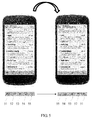
- the mobile phone when a right-handed user cannot reach a toolbar icon, such as an icon 51, close to a left edge of a toolbar of a mobile phone, the mobile phone may be tilted rightward (that is, a left side is high, and a right side is low), or swung rightward, so that an icon (which may be understood as the part of the first interface) on the toolbar on a first interface that the mobile phone currently displays is shifted rightward by a particular distance. As shown in FIG.
- a toolbar (the toolbar may be understood as the first interface, or when an interface currently displayed in an entire screen area of the mobile phone is understood as a first interface, the toolbar may be understood as a part of the first interface) at a lower part of the interface, or a part or all of icons included in the toolbar may be shifted rightward by a particular distance.
- icons 54 and 55 are invisible on the interface, and icons 51, 52, and 53 are shifted rightward as a whole by a particular distance, so that the icon 51 enters an operable range of the user's right hand.
- shifted toolbar icons are restored to original positions, for example, the icons 51, 52, 53, 54, and 55 may be displayed again.
- a part or all of icons (which may be understood as a part of the first interface) on a toolbar may be shifted rightward by a particular distance.
- icons 51, 52, 53, 54 and 55 are still visible on the interface, and a spacing between icons becomes smaller, so that the icon 51 enters an operable range of the user's right hand.
- shifted toolbar icons are restored to original positions, for example, the icons 51, 52, 53, 54, and 55 with an original spacing may be displayed again.
- a toolbar icon such as, an icon 51
- the mobile phone may be tilted rightward (that is, a left side is high, and a right side is low), or swung rightward, so that a first interface (an interface currently displayed in an entire screen area of the mobile phone may be understood as the first interface) that the mobile phone currently displays is shifted rightward as a whole by a particular distance.
- a first interface an interface currently displayed in an entire screen area of the mobile phone may be understood as the first interface
- the first interface may be shifted rightward as a whole by a particular distance. After being shifted, a right half part of the first interface including icons 54 and 55 is invisible on the interface, and a left half part of the first interface including icons 51, 52, and 53 is shifted rightward as a whole by a particular distance, so that the icon 51 enters an operable range of the user's right hand. After the user completes a finger tap operation, shifted toolbar icons are restored to original positions, for example, the first interface may be restored for display, so that the icons 51, 52, 53, 54, and 55 are displayed again. For another example, as shown in FIG. 9 , a fourth interface displayed in a screen area of a mobile phone shown in FIG.
- FIG. 9A may be a previous interface or a next interface of a first interface shown in FIG. 9B . That the fourth interface is the previous interface of the first interface is used an example for description herein.
- an icon such as an icon 95, close to a left edge, the mobile phone may be tilted rightward (that is, a left side is high, and a right side is low), or swung rightward, so that the first interface that the mobile phone currently displays is shifted rightward as a whole by a particular distance.
- an icon such as an icon 95
- the second interface includes an interface obtained after a part or all of the first interface is moved, and a third interface presented by space vacated on the screen after the part or all of the first interface is moved, where the third interface may be a part or all of the fourth interface, and the third interface shown in FIG. 9C is a part of the fourth interface.
- the user may perform an interactive operation between the third interface and the interface obtained after the part or all of the first interface is moved.
- an icon may be dragged from one interface to another interface, for example, the icon 95 may be dragged to the third interface, which makes it convenient for the user to implement an interactive operation between two interfaces, provides a new implementation manner of an interactive operation between two interfaces, enriches functions of a terminal, and improves user experience.
- the inclined state of the touchscreen may be inclined leftward, inclined rightward, inclined upward, inclined downward, inclined upward-leftward, inclined downward-leftward, inclined upward-rightward, or inclined downward-rightward.
- a user may tilt a mobile phone upward/downward/leftward/rightward, so that a touchscreen of the mobile phone is in an inclined upward/downward/leftward/rightward state.
- a user may swing a mobile phone leftward/rightward, so that a touchscreen of the mobile phone is in an inclined leftward/rightward state.
- operable interface content on the first interface may be a virtual keyboard.
- the operable interface content on the first interface may be an input window.
- This embodiment of the present invention imposes no limitation on an application scenario of the virtual keyboard and the input window application. For example, in a dialing interface shown in FIG.
- the virtual keyboard when it is detected that the inclined state of the touchscreen of the terminal is inclined leftward, the virtual keyboard is shrunk according to the inclined state of the touchscreen, a distance by which the virtual keyboard on the first interface on the screen is to be moved leftward is calculated based on the predefined formula, and the virtual keyboard is moved leftward based on the distance obtained by calculation to obtain the second interface.
- the touchscreen When it is detected that the touchscreen is inclined leftward, generally, the user operates with the left hand. As shown in FIG.
- the terminal shrinks a virtual dialing keyboard, and moves the virtual dialing keyboard leftward based on a distance calculated by the predefined formula; the shrunk virtual dialing keyboard is displayed close to a left side of the screen, and the user may perform a one-hand operation with the left hand, which improves one-hand operation efficiency of the user.
- a coverage area of the original virtual dialing keyboard on the first interface on the screen may include a rightward pointing arrow, where the rightward pointing arrow may be used to indicate that the user can tap the rightward pointing arrow to implement restoration of the virtual dialing keyboard, that is, the adjusted virtual dialing keyboard is extended for display, and the virtual dialing keyboard is presented in the coverage area of the original virtual dialing keyboard.
- the virtual keyboard when it is detected that the inclined state of the touchscreen of the terminal is inclined rightward, the virtual keyboard is shrunk according to the inclined state of the touchscreen, a distance by which the virtual keyboard on the first interface on the screen is to be moved rightward is calculated based on the predefined formula, and the virtual keyboard is moved rightward based on the distance obtained by calculation to obtain the second interface.
- the touchscreen When it is detected that the touchscreen is inclined rightward, generally, the user operates with the right hand. As shown in FIG.
- the terminal shrinks a virtual dialing keyboard, and moves the virtual dialing keyboard rightward based on a distance calculated by the predefined formula; the shrunk virtual dialing keyboard is displayed close to a right side of the screen, and the user may perform a one-hand operation with the right hand, which improves one-hand operation efficiency of the user.
- a coverage area of an original virtual dialing keyboard on the first interface on the screen may include a leftward pointing arrow, where the leftward pointing arrow may be used to indicate that the user can tap the leftward pointing arrow to implement restoration of the virtual dialing keyboard, that is, the adjusted virtual dialing keyboard is extended for display, and the virtual dialing keyboard is presented in the coverage area of the original virtual dialing keyboard.
- the virtual keyboard may be an input window, that is, when it is detected that the inclined state of the touchscreen of the terminal is inclined rightward, a distance by which the input window on the first interface on the screen is to be moved rightward is calculated based on the predefined formula according to the inclined state of the touchscreen, and the input window is moved rightward based on the distance obtained by calculation to obtain the second interface. After the input window is moved rightward, it is convenient for the user to modify editing content in the input window with a single hand, which improves one-hand operation efficiency.
- the first interface includes both a virtual keyboard and an input window, when the terminal detects that the inclined state of the touchscreen is inclined rightward, the terminal can move the virtual keyboard and the input window rightward at the same time.
- the terminal When the first interface includes both a virtual keyboard and an input window, and the terminal detects that the inclined state of the touchscreen is inclined upward, the terminal can move the virtual keyboard and the input window downward at the same time, which makes it convenient for the user to perform a one-hand operation at a lower part on the screen.
- the terminal can restore the virtual keyboard and/or the input window to a position prior to the movement.
- a user can restore the virtual keyboard and/or the input window to a position prior to the movement by using a corresponding operation on the second interface. For example, as shown in FIG. 11 or FIG. 12 , the user can tap a small arrow near the virtual keyboard to complete position restoration of the virtual keyboard.
- the second interface includes an interface obtained after the part or all of the first interface is moved, and a third interface presented by space vacated on the screen after the part or all of the first interface is moved; and the receiving an operation performed by the user on the second interface includes at least one of the following:
Landscapes
- Engineering & Computer Science (AREA)
- Theoretical Computer Science (AREA)
- General Engineering & Computer Science (AREA)
- Human Computer Interaction (AREA)
- Physics & Mathematics (AREA)
- General Physics & Mathematics (AREA)
- Computer Hardware Design (AREA)
- User Interface Of Digital Computer (AREA)
- Input From Keyboards Or The Like (AREA)
- Controls And Circuits For Display Device (AREA)
- Telephone Function (AREA)
Abstract
Description
- The present invention relates to the terminal field, and in particular, to an interface operation method and a terminal.
- Currently, a size of an interface displayed on a screen of a mobile touchscreen device increases along with a size of the screen. When a user holds a mobile phone with a single hand or holds a tablet device (such as an iPAD) with both hands, it is generally difficult for a finger to reach, on one interface, operable interface content beyond a movement range of a holding hand. Currently, the operable interface content can be arranged, if possible, at a lower part of the interface during interface design, so as to reduce a possibility that operable interface content at an upper part of the interface cannot be reached. However, a case in which partial operable interface content is located beyond the movement range of the holding hand still exists, and consequently, the user cannot conveniently and efficiently operate the partial operable interface content.
- Embodiments of the present invention provide an interface operation method and a terminal, which may make it convenient for a user to perform, in a case in which a screen of a terminal is relative large, an operation on operable interface content that is on the screen and originally beyond a movement range of a holding hand.
- According to an aspect, an embodiment of the present invention provides an interface operation method, where the method includes:
- detecting whether a touchscreen of a terminal is in an inclined state by using a gravity sensor or a gyroscope in the terminal, where the being in an inclined state includes having an inclined angle in a preset range in a preset direction, or having acceleration or displacement in a preset range in a preset direction;
- moving, based on a predefined rule according to the inclined state of the touchscreen, a part or all of a first interface that is currently displayed to a user and is on a screen of the touchscreen to obtain a second interface when it is detected that the touchscreen of the terminal is in the inclined state, where the second interface is an interface obtained according to the movement of the part or all of the first interface, and the moving, based on a predefined rule according to the inclined state of the touchscreen, a part or all of a first interface that is currently displayed to a user and is on a screen of the touchscreen includes: interchanging display positions of partial operable interface content on the first interface based on the predefined rule according to the inclined state of the touchscreen; and
- receiving an operation performed by the user on the second interface, and after the user completes the operation on the second interface, restoring the moved part or all of the first interface to a position prior to the movement;
- With reference to the first aspect, in a first implementation manner of the first aspect, the second interface is specifically an interface obtained after the part or all of the first interface is moved.
- With reference to the first aspect or the first implementation manner of the first aspect, in a second implementation manner of the first aspect, the inclined state of the touchscreen is inclined leftward, inclined rightward, inclined upward, inclined downward, inclined upward-leftward, inclined downward-leftward, inclined upward-rightward, or inclined downward-rightward.
- According to a second aspect, an embodiment of the present invention provides an interface operation method, where the method includes:
- detecting whether a touchscreen of a terminal is in an inclined state by using a gravity sensor or a gyroscope in the terminal, where the being in an inclined state includes having an inclined angle in a preset range in a preset direction, or having acceleration or displacement in a preset range in a preset direction;
- moving, based on a predefined rule according to the inclined state of the touchscreen, a part or all of a first interface that is currently displayed to a user and is on a screen of the touchscreen to obtain a second interface when it is detected that the touchscreen of the terminal is in the inclined state, where the second interface is an interface obtained according to the movement of the part or all of the first interface, and the moving, based on a predefined rule according to the inclined state of the touchscreen, a part or all of a first interface that is currently displayed to a user and is on a screen of the touchscreen includes: when the inclined state of the touchscreen is inclined upward/downward/leftward/rightward, calculating, based on a predefined formula, a distance by which the part or all of the first interface on the screen should be moved upward/downward/leftward/rightward, and moving the part or all of the first interface upward/downward/leftward/rightward based on the distance obtained by calculation; and
- receiving an operation performed by the user on the second interface, and after the user completes the operation on the second interface, restoring the moved part or all of the first interface to a position prior to the movement;
- With reference to the second aspect, in a first implementation manner of the second aspect, the operable interface content on the first interface includes a virtual keyboard, and the moving, based on a predefined rule according to the inclined state of the touchscreen, a part or all of a first interface that is currently displayed to a user and is on a screen of the touchscreen to obtain a second interface when it is detected that the touchscreen of the terminal is in the inclined state includes at least one of the following cases:
- when it is detected that the inclined state of the touchscreen of the terminal is inclined leftward, shrinking the virtual keyboard according to the inclined state of the touchscreen, calculating, based on the predefined formula, a distance by which the virtual keyboard on the first interface on the screen is to be moved leftward, and moving the virtual keyboard leftward based on the distance obtained by calculation to obtain the second interface;
- when it is detected that the inclined state of the touchscreen of the terminal is inclined rightward, shrinking the virtual keyboard according to the inclined state of the touchscreen, calculating, based on the predefined formula, a distance by which the virtual keyboard on the first interface on the screen is to be moved rightward, and moving the virtual keyboard rightward based on the distance obtained by calculation to obtain the second interface;
- when it is detected that the inclined state of the touchscreen of the terminal is inclined upward, calculating, according to the inclined state of the touchscreen based on the predefined formula, a distance by which the virtual keyboard on the first interface on the screen is to be moved upward, and moving the virtual keyboard upward based on the distance obtained by calculation to obtain the second interface; or
- when it is detected that the inclined state of the touchscreen of the terminal is inclined downward, calculating, according to the inclined state of the touchscreen based on the predefined formula, a distance by which the virtual keyboard on the first interface on the screen is to be moved downward, and moving the virtual keyboard downward based on the distance obtained by calculation to obtain the second interface.
- With reference to the second aspect, in a second implementation manner of the second aspect, the operable interface content on the first interface includes an input window, and the moving, based on a predefined rule according to the inclined state of the touchscreen, a part or all of a first interface that is currently displayed to a user and is on a screen of the touchscreen to obtain a second interface when it is detected that the touchscreen of the terminal is in the inclined state includes at least one of the following cases:
- when it is detected that the inclined state of the touchscreen of the terminal is inclined leftward, calculating, according to the inclined state of the touchscreen based on the predefined formula, a distance by which the input window on the first interface on the screen is to be moved leftward, and moving the input window leftward based on the distance obtained by calculation to obtain the second interface;
- when it is detected that the inclined state of the touchscreen of the terminal is inclined rightward, calculating, according to the inclined state of the touchscreen based on the predefined formula, a distance by which the input window on the first interface on the screen is to be moved rightward, and moving the input window rightward based on the distance obtained by calculation to obtain the second interface;
- when it is detected that the inclined state of the touchscreen of the terminal is inclined upward, calculating, according to the inclined state of the touchscreen based on the predefined formula, a distance by which the input window on the first interface on the screen is to be moved upward, and moving the input window upward based on the distance obtained by calculation to obtain the second interface; or
- when it is detected that the inclined state of the touchscreen of the terminal is inclined downward, calculating, according to the inclined state of the touchscreen based on the predefined formula, a distance by which the input window on the first interface on the screen is to be moved downward, and moving the input window downward based on the distance obtained of calculation to obtain the second interface.
- With reference to the second aspect or either of the first implementation manner of the second aspect and the second implementation manner of the second aspect, in a third implementation manner of the second aspect, the second interface includes an interface obtained after the part or all of the first interface is moved, and a third interface presented by space vacated on the screen after the part or all of the first interface is moved; and
the receiving an operation performed by the user on the second interface includes at least one of the following: - receiving an operation performed by the user on an interface obtained after the part or all of the first interface is moved; or
- receiving an operation performed by the user on the third interface; or
- receiving an interactive operation performed by the user between an interface obtained after the part or all of the first interface is moved and the third interface.
- With reference to the second aspect, the first implementation manner of the second aspect, the second implementation manner of the second aspect, or the third implementation manner of the second aspect, in a fourth implementation manner of the second aspect, the inclined state of the touchscreen is inclined leftward, inclined rightward, inclined upward, inclined downward, inclined upward-leftward, inclined downward-leftward, inclined upward-rightward, or inclined downward-rightward.
- According to a third aspect, an embodiment of the present invention provides a terminal, where the terminal includes:
- a touchscreen, configured to present an interface on a screen of the touchscreen;
- a gravity sensor or a gyroscope, configured to detect whether the touchscreen is in an inclined state, where the being in an inclined state includes having an inclined angle in a preset range in a preset direction, or having acceleration or displacement in a preset range in a preset direction; and
- a processor, configured to move, based on a predefined rule according to the inclined state of the touchscreen, a part or all of a first interface that is currently displayed to a user and is on a screen of the touchscreen to obtain a second interface when the gravity sensor or the gyroscope detects that the touchscreen of the terminal is in the inclined state, where the second interface is an interface obtained according to the movement of the part or all of the first interface, and that the processor is configured to move, based on a predefined rule according to the inclined state of the touchscreen, a part or all of a first interface that is currently displayed to a user and is on a screen of the touchscreen is specifically that:
- the processor is configured to interchange display positions of partial operable interface content on the first interface based on the predefined rule according to the inclined state of the touchscreen; and
- the processor is further configured to receive an operation performed by the user on the second interface, and after the user completes the operation on the second interface, restore the moved part or all of the first interface to a position prior to the movement;
- With reference to the third aspect, in a first implementation manner of the third aspect, the second interface is specifically an interface obtained after the part or all of the first interface is moved.
- With reference to the third aspect or the first implementation manner of the third aspect, in a second implementation manner of the third aspect, the inclined state of the touchscreen is inclined leftward, inclined rightward, inclined upward, inclined downward, inclined upward-leftward, inclined downward-leftward, inclined upward-rightward, or inclined downward-rightward.
- According to a fourth aspect, an embodiment of the present invention provides a terminal, where the terminal includes:
- a touchscreen, configured to present an interface on a screen of the touchscreen;
- a gravity sensor or a gyroscope, configured to detect whether the touchscreen is in an inclined state, where the being in an inclined state includes having an inclined angle in a preset range in a preset direction, or having acceleration or displacement in a preset range in a preset direction; and
- a processor, configured to move, based on a predefined rule according to the inclined state of the touchscreen, a part or all of a first interface that is currently displayed to a user and is on a screen of the touchscreen to obtain a second interface when the gravity sensor or the gyroscope detects that the touchscreen of the terminal is in the inclined state, where the second interface is an interface obtained according to the movement of the part or all of the first interface, and that the processor is configured to move, based on a predefined rule according to the inclined state of the touchscreen, a part or all of a first interface that is currently displayed to a user and is on a screen of the touchscreen is specifically that:
- the processor is configured to: when the inclined state of the touchscreen is inclined upward/downward/leftward/rightward, calculate, based on a predefined formula, a distance by which the part or all of the first interface on the screen should be moved upward/downward/leftward/rightward, and move the part or all of the first interface upward/downward/leftward/rightward based on the distance obtained by calculation; and
- the processor is further configured to receive an operation performed by the user on the second interface, and after the user completes the operation on the second interface, restore the moved part or all of the first interface to a position prior to the movement;
- With reference to the fourth aspect, in a first implementation manner of the fourth aspect, the operable interface content on the first interface includes a virtual keyboard, and that the processor is configured to move, based on a predefined rule according to the inclined state of the touchscreen, a part or all of a first interface that is currently displayed to a user and is on a screen of the touchscreen to obtain a second interface when the gravity sensor or the gyroscope detects that the touchscreen of the terminal is in the inclined state includes:
- the processor is configured to: when the gravity sensor or the gyroscope detects that the inclined state of the touchscreen of the terminal is inclined leftward, shrink the virtual keyboard according to the inclined state of the touchscreen, calculate, based on the predefined formula, a distance by which the virtual keyboard on the first interface on the screen is to be moved leftward, and move the virtual keyboard leftward based on the distance obtained by calculation to obtain the second interface; or
- the processor is configured to: when the gravity sensor or the gyroscope detects that the inclined state of the touchscreen of the terminal is inclined rightward, shrink the virtual keyboard according to the inclined state of the touchscreen, calculate, based on the predefined formula, a distance by which the virtual keyboard on the first interface on the screen is to be moved rightward, and move the virtual keyboard rightward based on the distance obtained by calculation to obtain the second interface; or
- the processor is configured to: when the gravity sensor or the gyroscope detects that the inclined state of the touchscreen of the terminal is inclined upward, calculate, according to the inclined state of the touchscreen based on the predefined formula, a distance by which the virtual keyboard on the first interface on the screen is to be moved upward, and move the virtual keyboard upward based on the distance obtained by calculation to obtain the second interface; or
- the processor is configured to: when the gravity sensor or the gyroscope detects that the inclined state of the touchscreen of the terminal is inclined downward, calculate, according to the inclined state of the touchscreen based on the predefined formula, a distance by which the virtual keyboard on the first interface on the screen is to be moved downward, and move the virtual keyboard downward based on the distance obtained by calculation to obtain the second interface.
- With reference to the fourth aspect, in a second implementation manner of the fourth aspect, the operable interface content on the first interface includes an input window, and that the processor is configured to move, based on a predefined rule according to the inclined state of the touchscreen, a part or all of a first interface that is currently displayed to a user and is on a screen of the touchscreen to obtain a second interface when the gravity sensor or the gyroscope detects that the touchscreen of the terminal is in the inclined state includes:
- the processor is configured to: when the gravity sensor or the gyroscope detects that the inclined state of the touchscreen of the terminal is inclined leftward, calculate, according to the inclined state of the touchscreen based on the predefined formula, a distance by which the input window on the first interface on the screen is to be moved leftward, and move the input window leftward based on the distance obtained by calculation to obtain the second interface; or
- the processor is configured to: when the gravity sensor or the gyroscope detects that the inclined state of the touchscreen of the terminal is inclined rightward, calculate, according to the inclined state of the touchscreen based on the predefined formula, a distance by which the input window on the first interface on the screen is to be moved rightward, and move the input window rightward based on the distance obtained by calculation to obtain the second interface; or
- the processor is configured to: when the gravity sensor or the gyroscope detects that the inclined state of the touchscreen of the terminal is inclined upward, calculate, according to the inclined state of the touchscreen based on the predefined formula, a distance by which the input window on the first interface on the screen is to be moved upward, and move the input window upward based on the distance obtained by calculation to obtain the second interface; or
- the processor is configured to: when the gravity sensor or the gyroscope detects that the inclined state of the touchscreen of the terminal is inclined downward, calculate, according to the inclined state of the touchscreen based on the predefined formula, a distance by which the input window on the first interface on the screen is to be moved downward, and move the input window downward based on the distance obtained of calculation to obtain the second interface.
- With reference to the fourth aspect, the first implementation manner of the fourth aspect, or the second implementation manner of the fourth aspect, in a third implementation manner of the fourth aspect, the second interface includes an interface obtained after the part or all of the first interface is moved, and a third interface presented by space vacated on the screen after the part or all of the first interface is moved; and
that the processor is configured to receive an operation performed by the user on the second interface includes at least one of the following: - the processor is configured to receive an operation performed by the user on an interface obtained after the part or all of the first interface is moved; or
- the processor is configured to receive an operation performed by the user on the third interface; or
- the processor is configured to receive an interactive operation performed by the user between an interface obtained after the part or all of the first interface is moved and the third interface.
- With reference to the fourth aspect, the first implementation manner of the fourth aspect, the second implementation manner of the fourth aspect, or the third implementation manner of the fourth aspect, in a fourth implementation manner of the fourth aspect, the inclined state of the touchscreen is inclined leftward, inclined rightward, inclined upward, inclined downward, inclined upward-leftward, inclined downward-leftward, inclined upward-rightward, or inclined downward-rightward.
- Compared with the prior art, the embodiments of the present invention have the following advantageous effects:
- According to a method and a terminal provided in the embodiments of the present invention, when a gravity sensor or a gyroscope in a terminal detects that a touchscreen of the terminal is in an inclined state, a position of an entire interface or a position of partial content on the interface is adjusted according to the inclined state of the touchscreen, so that a user can more conveniently perform an operation on operable interface content that is originally beyond a movement range of a holding hand. After the user completes the operation, an adjusted interface is restored to the interface prior to the adjustment, so that the user can continue to comfortably view the interface. Ease of viewing the interface by the user and convenience of performing an operation on the interface by the user are both considered, which improves user-friendliness of a terminal interface and user experience.
- To describe the technical solutions in the embodiments of the present invention more clearly, the following briefly introduces the accompanying drawings required for describing the embodiments or the prior art. Apparently, the accompanying drawings in the following description show merely some embodiments of the present invention, and a person of ordinary skill in the art may still derive other drawings from these accompanying drawings without creative efforts.
-
FIG. 1 is a flowchart of an interface operation method according to an embodiment of the present invention; -
FIG. 2 is a flowchart of another interface operation method according to an embodiment of the present invention; -
FIG. 3 is a schematic diagram of detecting an inclined angle in an interface operation method according to an embodiment of the present invention; -
FIG. 4 is a schematic structural diagram of a terminal according to an embodiment of the present invention; -
FIG. 5 is a schematic diagram of an effect of an interface operation method according to an embodiment of the present invention; -
FIG. 6 is a schematic diagram of an effect of another interface operation method according to an embodiment of the present invention; -
FIG. 7 is a schematic diagram of an effect of still another interface operation method according to an embodiment of the present invention; -
FIG. 8 is a schematic diagram of an effect of yet another interface operation method according to an embodiment of the present invention; -
FIG. 9 is a schematic diagram of an effect of still yet another interface operation method according to an embodiment of the present invention; -
FIG. 10 is a schematic diagram of an effect of a further interface operation method according to an embodiment of the present invention; -
FIG. 11 is a schematic diagram of an effect of a still further interface operation method according to an embodiment of the present invention; and -
FIG. 12 is a schematic diagram of an effect of a yet further interface operation method according to an embodiment of the present invention. - The following clearly and completely describes the technical solutions in the embodiments of the present invention with reference to the accompanying drawings in the embodiments of the present invention. Apparently, the described embodiments are merely some but not all of the embodiments of the present invention. All other embodiments obtained by a person of ordinary skill in the art based on the embodiments of the present invention without creative efforts shall fall within the protection scope of the present invention.
- As shown in
FIG. 1 , in an embodiment of an interface operation method provided in the present invention, the method may include the following steps: - 101. Detect whether a touchscreen of a terminal is in an inclined state by using a gravity sensor or a gyroscope in the terminal, where the being in an inclined state includes having an inclined angle in a preset range in a preset direction (which may be implemented, for example, when a user tilts a mobile phone), or having acceleration or displacement in a preset range in a preset direction (which may be implemented, for example, when a user moves or swings a mobile phone).
The preset direction may be upward/downward/leftward/rightward/upward-leftward/downward-leftward/upward-ri ghtward/downward-rightward, and a reference object for the preset direction may include one or more of the following: the mobile phone, a plane on which a touchscreen of the mobile phone is located, a horizontal plane, a vertical plane, an X-axis/a Y-axis of the horizontal plane, an X-axis/a Y-axis of the plane on which the touchscreen of the mobile phone is located, and the like. A specific preset direction and reference object may be selected and understood according to an actual situation. In this specification, for other content related thereto, refer to the description herein, and details are not described. - 102. When it is detected that the touchscreen of the terminal is in the inclined state, move, based on a predefined rule according to the inclined state of the touchscreen, a part or all of a first interface that is currently displayed to the user and is on a screen of the touchscreen to obtain a second interface, where the second interface is an interface obtained according to the movement of the part or all of the first interface.
The moving, based on a predefined rule according to the inclined state of the touchscreen, a part or all of a first interface that is currently displayed to the user and is on a screen of the touchscreen includes: interchanging display positions of partial operable interface content on the first interface based on the predefined rule according to the inclined state of the touchscreen. For example, as shown inFIG. 5 , when a right-handed user cannot reach a toolbar icon, such as anicon 51, close to a left edge of a toolbar of a mobile phone, the mobile phone may be made in a preset inclined state by tilting the mobile phone (such as tilting leftward or tilting rightward, swinging the mobile phone (such as swinging leftward or swinging rightward), or the like, so that display positions of icons (the icons may be understood as a part of the first interface) on the toolbar on the first interface that the mobile phone currently displays are interchanged. For example, the mobile phone may be tilted rightward or swung rightward, so that display positions oftoolbar icons toolbar icons toolbar icons toolbar icons FIG. 5 ,toolbar icons icons icon 53 is located in a middle position of the interface, a position of theicon 53 may not be adjusted, which may also be understood as follows: A display position of theicon 53 after adjustment is the same as an original display position. Then, thetoolbar icon 51, which is originally close to the left edge of toolbar of the mobile phone, enters an operable range of the user's right hand. Shifted toolbar icons are restored to original positions after the user completes a finger tap operation, that is, the icons are displayed as theicons
When the display positions of the toolbar icons are interchanged, the display positions of theicons icons icons icons icons icon 51 originally located on the leftmost can be displayed, after adjustment of display positions, on a position close to the middle of the interface, and theicon 51 enters the operable range of the user's right hand, which makes it more convenient and comfortable for the user to tap theicon 51 using the right hand. - 103. Receive an operation performed by the user on the second interface, and after the user completes the operation on the second interface, restore the moved part or all of the first interface to a position prior to the movement.
- Specifically, two cases may be included. In a first case, after the user completes the operation on the second interface, the terminal can automatically restore the moved part or all of the first interface to the position prior to the movement. In a second case, the terminal restores the moved part or all of the first interface to the position prior to the movement according to a state change of the touchscreen of the terminal detected by the gravity sensor or the gyroscope in the terminal (for example, after completing the operation on the second interface, the user rotates the mobile phone, so that the mobile phone is restored from a previous inclined state to an original non-inclined state). Generally, after the user completes the finger tap operation, the terminal is generally restored by the user to a predefined angle range of the non-inclined state, so that the terminal may restore the shifted toolbar icons to the original positions according to the state change of the touchscreen of the terminal detected by the gravity sensor or the gyroscope in the terminal, or even if the terminal is still in a predefined angle range of the inclined state, the user generally has completed the operation on the first interface, and then the terminal can automatically restore the shifted toolbar icons to the original positions. Both the two cases can help the user continue to comfortably view the interface. Ease of viewing the interface by the user and convenience of performing an operation on the interface by the user are both considered. The two cases can be selected for use according to an actual requirement.
- The part of the first interface is a part or all of operable interface content on the first interface, where the operable interface content includes at least one of an icon, a button, or a user selection button.
- A position of the entire interface or a position of partial content on the interface is adjusted according to the inclined state of the touchscreen, so that the user can more conveniently perform an operation on operable interface content that is originally beyond a movement range of a holding hand. After the user completes the operation, an adjusted interface is restored to the unadjusted interface, so that the user can continue to comfortably view the accustomed interface in a way with which the user is previously familiar. Ease of viewing the interface by the user and convenience of performing an operation on the interface by the user are both considered, which improves user-friendliness of a terminal interface and user experience.
- Specifically, the inclined state of the touchscreen may be inclined leftward, inclined rightward, inclined upward, inclined downward, inclined upward-leftward, inclined downward-leftward, inclined upward-rightward, or inclined downward-rightward. For example, specifically, a user may tilt a mobile phone upward/downward/leftward/rightward, so that a touchscreen of the mobile phone is in an inclined upward/downward/leftward/rightward state. For another example, specifically, a user may swing a mobile phone leftward/rightward, so that a touchscreen of the mobile phone is in an inclined leftward/rightward state.
- In this embodiment, the second interface may be specifically an interface obtained after the part or all of the first interface is moved. After the position of the part or all of the first interface is adjusted, the second interface is obtained. The user performs an operation on the second interface, and after the user completes the operation on the second interface, the terminal restores the moved part or all of the first interface to the position prior to the movement.
- In another embodiment of the present invention, as shown in
FIG. 2 , step 102 can be replaced withstep 202. The moving, based on a predefined rule according to the inclined state of the touchscreen, a part or all of a first interface that is currently displayed to the user and is on a screen of the touchscreen includes: when the inclined state of the touchscreen is inclined upward/downward/leftward/rightward, calculating, based on a predefined formula, a distance by which the part or all of the first interface on the screen should be moved upward/downward/leftward/rightward, and move the part or all of the first interface upward/downward/leftward/rightward based on the distance obtained by calculation. For example, as shown inFIG. 6 orFIG. 7 , when a right-handed user cannot reach a toolbar icon, such as anicon 51, close to a left edge of a toolbar of a mobile phone, the mobile phone may be tilted rightward (that is, a left side is high, and a right side is low), or swung rightward, so that an icon (which may be understood as the part of the first interface) on the toolbar on a first interface that the mobile phone currently displays is shifted rightward by a particular distance. As shown inFIG. 6 , a toolbar (the toolbar may be understood as the first interface, or when an interface currently displayed in an entire screen area of the mobile phone is understood as a first interface, the toolbar may be understood as a part of the first interface) at a lower part of the interface, or a part or all of icons included in the toolbar may be shifted rightward by a particular distance. After being shifted,icons icons icon 51 enters an operable range of the user's right hand. After the user completes a finger tap operation, shifted toolbar icons are restored to original positions, for example, theicons FIG. 7 , a part or all of icons (which may be understood as a part of the first interface) on a toolbar (the toolbar may be understood as the first interface, or when an interface currently displayed in an entire screen area of the mobile phone may be understood as a first interface, the toolbar is understood as a part of the first interface) at a lower part of the interface may be shifted rightward by a particular distance. After being shifted,icons icon 51 enters an operable range of the user's right hand. After the user completes a finger tap operation, shifted toolbar icons are restored to original positions, for example, theicons FIG. 8 , when a right-handed user cannot reach a toolbar icon such as, anicon 51, close to a left edge of a toolbar of a mobile phone, the mobile phone may be tilted rightward (that is, a left side is high, and a right side is low), or swung rightward, so that a first interface (an interface currently displayed in an entire screen area of the mobile phone may be understood as the first interface) that the mobile phone currently displays is shifted rightward as a whole by a particular distance. As shown inFIG. 8 , the first interface may be shifted rightward as a whole by a particular distance. After being shifted, a right half part of the firstinterface including icons interface including icons icon 51 enters an operable range of the user's right hand. After the user completes a finger tap operation, shifted toolbar icons are restored to original positions, for example, the first interface may be restored for display, so that theicons FIG. 9 , a fourth interface displayed in a screen area of a mobile phone shown inFIG. 9A may be a previous interface or a next interface of a first interface shown inFIG. 9B . That the fourth interface is the previous interface of the first interface is used an example for description herein. When a right-handed user cannot reach, on the first interface (an interface currently displayed in an entire mobile phone screen area may be understood as the first interface) that is shown inFIG. 9B and that the mobile phone currently displays, an icon, such as anicon 95, close to a left edge, the mobile phone may be tilted rightward (that is, a left side is high, and a right side is low), or swung rightward, so that the first interface that the mobile phone currently displays is shifted rightward as a whole by a particular distance. As shown inFIG. 9C , the first interface may be shifted rightward as a whole by a particular distance. After being shifted, a right half part of the firstinterface including icons interface including icons icon 95 enters an operable range of the user's right hand. After the user completes a finger tap operation, a shifted interface or icons are restored to original positions, for example, the first interface may be restored for display, including that display positions of theicons FIG. 9C , the second interface includes an interface obtained after a part or all of the first interface is moved, and a third interface presented by space vacated on the screen after the part or all of the first interface is moved, where the third interface may be a part or all of the fourth interface, and the third interface shown inFIG. 9C is a part of the fourth interface. When the third interface and the interface obtained after the part or all of the first interface is moved is presented on the screen of the mobile phone at the same time, the user may perform an interactive operation between the third interface and the interface obtained after the part or all of the first interface is moved. For example, an icon may be dragged from one interface to another interface, for example, theicon 95 may be dragged to the third interface, which makes it convenient for the user to implement an interactive operation between two interfaces, provides a new implementation manner of an interactive operation between two interfaces, enriches functions of a terminal, and improves user experience. - Specifically, the inclined state of the touchscreen may be inclined leftward, inclined rightward, inclined upward, inclined downward, inclined upward-leftward, inclined downward-leftward, inclined upward-rightward, or inclined downward-rightward. For example, specifically, a user may tilt a mobile phone upward/downward/leftward/rightward, so that a touchscreen of the mobile phone is in an inclined upward/downward/leftward/rightward state. For another example, specifically, a user may swing a mobile phone leftward/rightward, so that a touchscreen of the mobile phone is in an inclined leftward/rightward state.
- In some embodiments of the present invention, as shown in
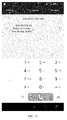
FIG. 10 , operable interface content on the first interface may be a virtual keyboard. In some embodiments of the present invention, the operable interface content on the first interface may be an input window. This embodiment of the present invention imposes no limitation on an application scenario of the virtual keyboard and the input window application. For example, in a dialing interface shown inFIG. 10 , the virtual keyboard may be a digital virtual keyboard; in a text editing interface, such as in an SMS message editing interface or a WeChat editing interface, the virtual keyboard may be a Pinyin/letter virtual keyboard, or may be a special symbol virtual keyboard; the input window may be a text input window corresponding to the virtual keyboard, or may be an input window, such as a text input window or a voice input window, preset on the first interface by the terminal. - In an implementation manner in this embodiment of the present invention, when it is detected that the inclined state of the touchscreen of the terminal is inclined leftward, the virtual keyboard is shrunk according to the inclined state of the touchscreen, a distance by which the virtual keyboard on the first interface on the screen is to be moved leftward is calculated based on the predefined formula, and the virtual keyboard is moved leftward based on the distance obtained by calculation to obtain the second interface. When it is detected that the touchscreen is inclined leftward, generally, the user operates with the left hand. As shown in
FIG. 11 , in this case, the terminal shrinks a virtual dialing keyboard, and moves the virtual dialing keyboard leftward based on a distance calculated by the predefined formula; the shrunk virtual dialing keyboard is displayed close to a left side of the screen, and the user may perform a one-hand operation with the left hand, which improves one-hand operation efficiency of the user. Preferably, after the virtual keyboard is shrunk and moved leftward, a coverage area of the original virtual dialing keyboard on the first interface on the screen may include a rightward pointing arrow, where the rightward pointing arrow may be used to indicate that the user can tap the rightward pointing arrow to implement restoration of the virtual dialing keyboard, that is, the adjusted virtual dialing keyboard is extended for display, and the virtual dialing keyboard is presented in the coverage area of the original virtual dialing keyboard. Optionally, in this implementation manner, the virtual keyboard may be an input window, that is, when it is detected that the inclined state of the touchscreen of the terminal is inclined leftward, a distance by which the input window on the first interface on the screen is to be moved leftward is calculated based on the predefined formula according to the inclined state of the touchscreen, and the input window is moved leftward based on the distance obtained by calculation to obtain the second interface. After the input window is moved leftward, it is convenient for the user to modify editing content in the input window with a single hand, which improves one-hand operation efficiency. Optionally, if the first interface includes both a virtual keyboard and an input window, when the terminal detects that the inclined state of the touchscreen is inclined leftward, the terminal can move the virtual keyboard and the input window leftward at the same time. - In an implementation manner in this embodiment of the present invention, when it is detected that the inclined state of the touchscreen of the terminal is inclined rightward, the virtual keyboard is shrunk according to the inclined state of the touchscreen, a distance by which the virtual keyboard on the first interface on the screen is to be moved rightward is calculated based on the predefined formula, and the virtual keyboard is moved rightward based on the distance obtained by calculation to obtain the second interface. When it is detected that the touchscreen is inclined rightward, generally, the user operates with the right hand. As shown in
FIG. 12 , in this case, the terminal shrinks a virtual dialing keyboard, and moves the virtual dialing keyboard rightward based on a distance calculated by the predefined formula; the shrunk virtual dialing keyboard is displayed close to a right side of the screen, and the user may perform a one-hand operation with the right hand, which improves one-hand operation efficiency of the user. Preferably, after the virtual dialing keyboard is shrunk and moved rightward, a coverage area of an original virtual dialing keyboard on the first interface on the screen may include a leftward pointing arrow, where the leftward pointing arrow may be used to indicate that the user can tap the leftward pointing arrow to implement restoration of the virtual dialing keyboard, that is, the adjusted virtual dialing keyboard is extended for display, and the virtual dialing keyboard is presented in the coverage area of the original virtual dialing keyboard. Optionally, in this implementation manner, the virtual keyboard may be an input window, that is, when it is detected that the inclined state of the touchscreen of the terminal is inclined rightward, a distance by which the input window on the first interface on the screen is to be moved rightward is calculated based on the predefined formula according to the inclined state of the touchscreen, and the input window is moved rightward based on the distance obtained by calculation to obtain the second interface. After the input window is moved rightward, it is convenient for the user to modify editing content in the input window with a single hand, which improves one-hand operation efficiency. Optionally, if the first interface includes both a virtual keyboard and an input window, when the terminal detects that the inclined state of the touchscreen is inclined rightward, the terminal can move the virtual keyboard and the input window rightward at the same time. - In an implementation manner in this embodiment of the present invention, when it is detected that the inclined state of the touchscreen of the terminal is inclined upward, a distance by which the virtual keyboard on the first interface on the screen is to be moved upward is calculated based on the predefined formula according to the inclined state of the touchscreen, and the virtual keyboard is moved upward based on the distance obtained by calculation to obtain the second interface, where the virtual keyboard may be replaced with an input window. In this implementation manner, the virtual keyboard or the input window is arranged in the middle or at a lower part of the first interface. When the first interface includes both a virtual keyboard and an input window, and the terminal detects that the inclined state of the touchscreen is inclined upward, the terminal can move the virtual keyboard and the input window upward at the same time, which makes it convenient for the user to perform a one-hand operation at an upper part on the screen.
- In an implementation manner in this embodiment of the present invention, when it is detected that the inclined state of the touchscreen of the terminal is inclined downward, a distance by which the virtual keyboard on the first interface on the screen is to be moved downward is calculated based on the predefined formula according to the inclined state of the touchscreen, and the virtual keyboard is moved downward based on the distance obtained by calculation to obtain the second interface. Optionally, the virtual keyboard may be replaced with an input window. In this implementation manner, the virtual keyboard or the input window is arranged in the middle or at an upper part of the first interface. When the first interface includes both a virtual keyboard and an input window, and the terminal detects that the inclined state of the touchscreen is inclined upward, the terminal can move the virtual keyboard and the input window downward at the same time, which makes it convenient for the user to perform a one-hand operation at a lower part on the screen.
- In the foregoing embodiment of the present invention, after the user completes an operation on the virtual keyboard and/or in the input window, for example, the terminal detects that a call is made, a message is sent, or notepad editing is completed, the terminal can restore the virtual keyboard and/or the input window to a position prior to the movement. Alternatively, when a second interface is generated by the terminal, a user can restore the virtual keyboard and/or the input window to a position prior to the movement by using a corresponding operation on the second interface. For example, as shown in
FIG. 11 orFIG. 12 , the user can tap a small arrow near the virtual keyboard to complete position restoration of the virtual keyboard. Optionally, the user can restore the virtual keyboard and/or the input window to a position prior to the movement by tilting the terminal. For example, as shown inFIG. 11 , after the terminal detects that the terminal is inclined leftward, and a second interface is generated, when the terminal detects that the terminal is inclined rightward, the terminal can restore the virtual keyboard to a position prior to the movement. - Certainly, some preferred implementation manners are merely provided in the foregoing embodiment of the present invention. In actual execution, a corresponding tilt operation may be executed according to selection of a user. For example, setting options of a tilting action and a virtual keyboard/an input window are provided by a terminal, so that a user sets a correspondence between the tilting action and the virtual keyboard/the input window. For example, a user may set a rightward tilt of a terminal device to be corresponding to moving "a virtual keyboard and/or an input window" leftward, and set a leftward tilt of a terminal device to be corresponding to moving "a virtual keyboard and/or an input window" rightward, which is not limited herein.
- In this embodiment of the present invention, the second interface includes an interface obtained after the part or all of the first interface is moved, and a third interface presented by space vacated on the screen after the part or all of the first interface is moved; and
the receiving an operation performed by the user on the second interface includes at least one of the following: - receiving an operation performed by the user on an interface obtained after the part or all of the first interface is moved, where in this case, it can be convenient for the user to perform an operation on operable interface content that is on the first interface and beyond a movement range of a holding hand; or
- receiving an operation performed by the user on the third interface, where in this case, the third interface presented by space vacated on the screen is originally hidden under the first interface that is currently displayed to the user; after the part or all of the first interface is moved, the third interface is revealed, which makes it convenient for the user to perform an operation on operable interface content on an interface under the current interface; or
- receiving an interactive operation performed by the user between an interface obtained after the part or all of the first interface is moved and the third interface, where in this case, it can be convenient for the user to perform an operation on operable interface content that is on the first interface and beyond a movement range of a holding hand, and it is also convenient for the user to perform an operation on operable interface content on an interface hidden under the current interface. Compared with the prior art, the present invention provides a new manner of performing an interactive operation between the two interfaces by the user, enriches functions of a terminal, and improves user experience. The interactive operation may be that an icon is dragged from one interface to another interface.
- The third interface may be specifically a part or all of a previous interface or a next interface of the first interface.
- In an embodiment of an interface operation method provided in the present invention, the following manner of detecting whether a terminal is in an inclined state and moving a part or all of an interface according to an inclined angle is provided. Content related thereto in other embodiments may be implemented with reference to the following content, or implemented in another manner. Details are as follows.
- In
FIG. 3 , A, B, C, and D are respectively midpoints on a left edge, a right edge, an upper edge, and a lower edge of a terminal device. - 1. When a single-handed tilting operation function is enabled, a gyroscope may be used to detect a position and an angle of a terminal in space, and separately record an angle α between an AB line of the terminal and an XY plane and an angle β between a CD line and the XY plane.
- 2. That α is greater than a preset value α0, or β is greater than a preset value β0 may be referred to as an inclined state.
- 3. When the terminal is in the inclined state, movement displacement of interface content on a screen is calculated based on the following formulas according to the foregoing recorded angle α and/or β:

- when 90 > α > α0,
Movement coefficient 1 = (α - α0)/(90 - α0); - when α ≥ 90,
Movement coefficient 1 = 1;

- when 90 > β > β0,
Movement coefficient 2 = (β - β0)/(90 - β0); - when β ≥ 90,
Movement coefficient 2 = 1.
For different design schemes, a value of the preset maximummovable range
The following formulas are merely exemplary, and specifically, the formulas may be preset or adjusted according to an actual requirement. - when 90 > α > α0,
- 4. Interface content on a screen of a terminal is moved to a corresponding position according to the calculated displacement. According to different designs, some content on the interface may need to be moved, and some other content does not need to be moved.
- An embodiment of the present invention provides a terminal.
FIG. 4 shows an embodiment of the terminal provided in the present invention. In this embodiment, the terminal 300 includes: - a
touchscreen 310, configured to present an interface on a screen of thetouchscreen 310; - a gravity sensor or a
gyroscope 320, configured to detect whether thetouchscreen 310 is in an inclined state, where the being in an inclined state includes having an inclined angle in a preset range in a preset direction (which may be implemented, for example, when a user tilts a mobile phone), or having acceleration or displacement in a preset range in a preset direction (which may be implemented, for example, when a user moves or swings a mobile phone); and - a
processor 330, configured to move, based on a predefined rule according to the inclined state of thetouchscreen 310, a part or all of a first interface that is currently displayed to a user and is on a screen of thetouchscreen 310 to obtain a second interface when the gravity sensor or thegyroscope 320 detects that thetouchscreen 310 of the terminal is in the inclined state, where the second interface is an interface obtained according to the movement of the part or all of the first interface, and theprocessor 330 is further configured to receive an operation performed by the user on the second interface, and after the user completes the operation on the second interface, restore the moved part or all of the first interface is restored to a position prior to the movement. - Specifically, two cases may be included. In a first case, after the user completes the operation on the second interface, the
processor 330 in the terminal 300 can automatically restore the moved part or all of the first interface to the position prior to the movement. In a second case, the terminal 300 restores the moved part or all of the first interface to the position prior to the movement according to a state change of thetouchscreen 310 of the terminal 300 detected by the gravity sensor or thegyroscope 320 in the terminal 300 (for example, after completing the operation on the second interface, the user rotates the terminal 300 such as a mobile phone, so that the mobile phone is restored from a previous inclined state to an original non-inclined state). Generally, after the user completes the finger tap operation, the terminal is generally restored by the user to a predefined angle range of the non-inclined state, so that the terminal may restore the shifted toolbar icons to the original positions according to the state change of the touchscreen of the terminal detected by the gravity sensor or the gyroscope in the terminal, or even if the terminal is still in a predefined angle range of the inclined state, the user generally has completed the operation on the first interface, and then the terminal can automatically restore the shifted toolbar icons to the original positions. Both the two cases can help the user continue to comfortably view the interface. Ease of viewing the interface by the user and convenience of performing an operation on the interface by the user are both considered. The two cases can be selected for use according to an actual requirement. - The part of the first interface is a part or all of operable interface content on the first interface, where the operable interface content includes at least one of an icon, a button, or a user selection button.
- In an implementation manner in this embodiment of the present invention, the operable interface content on the first interface includes a virtual keyboard; the processor 330 may be configured to: when the gravity sensor or the gyroscope detects that the inclined state of the touchscreen of the terminal is inclined leftward, shrink the virtual keyboard according to the inclined state of the touchscreen, calculate, based on the predefined formula, a distance by which the virtual keyboard on the first interface on the screen is to be moved leftward, and move the virtual keyboard leftward based on the distance obtained by calculation to obtain the second interface; or the processor 330 may be configured to: when the gravity sensor or the gyroscope detects that the inclined state of the touchscreen of the terminal is inclined rightward, shrink the virtual keyboard according to the inclined state of the touchscreen, calculate, based on the predefined formula, a distance by which the virtual keyboard on the first interface on the screen is to be moved rightward, and move the virtual keyboard rightward based on the distance obtained by calculation to obtain the second interface; or the processor 330 may be configured to: when the gravity sensor or the gyroscope detects that the inclined state of the touchscreen of the terminal is inclined upward, calculate, according to the inclined state of the touchscreen based on the predefined formula, a distance by which the virtual keyboard on the first interface on the screen is to be moved upward, and move the virtual keyboard upward based on the distance obtained by calculation to obtain the second interface; or the processor 330 may be configured to: when the gravity sensor or the gyroscope detects that the inclined state of the touchscreen of the terminal is inclined downward, calculate, according to the inclined state of the touchscreen based on the predefined formula, a distance by which the virtual keyboard on the first interface on the screen is to be moved downward, and move the virtual keyboard downward based on the distance obtained by calculation to obtain the second interface.
- In an implementation manner in this embodiment of the present invention, the operable interface content on the first interface includes an input window, and the processor 330 may be configured to: when the gravity sensor or the gyroscope detects that the inclined state of the touchscreen of the terminal is inclined leftward, calculate, according to the inclined state of the touchscreen based on the predefined formula, a distance by which the input window on the first interface on the screen is to be moved leftward, and move the input window leftward based on the distance obtained by calculation to obtain the second interface; or the processor 330 may be configured to: when the gravity sensor or the gyroscope detects that the inclined state of the touchscreen of the terminal is inclined rightward, calculate, according to the inclined state of the touchscreen based on the predefined formula, a distance by which the input window on the first interface on the screen is to be moved rightward, and move the input window rightward based on the distance obtained by calculation to obtain the second interface; or the processor 330 may be configured to: when the gravity sensor or the gyroscope detects that the inclined state of the touchscreen of the terminal is inclined upward, calculate, according to the inclined state of the touchscreen based on the predefined formula, a distance by which the input window on the first interface on the screen is to be moved upward, and move the input window upward based on the distance obtained by calculation to obtain the second interface; or the processor 330 may be configured to: when the gravity sensor or the gyroscope detects that the inclined state of the touchscreen of the terminal is inclined downward, calculate, according to the inclined state of the touchscreen based on the predefined formula, a distance by which the input window on the first interface on the screen is to be moved downward, and move the input window downward based on the distance obtained by calculation to obtain the second interface.
- Specifically, the inclined state of the
touchscreen 310 is inclined leftward, inclined rightward, inclined upward, inclined downward, inclined upward-leftward, inclined downward-leftward, inclined upward-rightward, or inclined downward-rightward. For example, specifically, a user may tilt a mobile phone upward/downward/leftward/rightward, so that a touchscreen of the mobile phone is in an inclined upward/downward/leftward/rightward state. For another example, specifically, a user may swing a mobile phone leftward/rightward, so that a touchscreen of the mobile phone is in an inclined leftward/rightward state (the mobile phone may have acceleration in a leftward/rightward direction). - In an embodiment of the terminal provided in the present invention, that the
processor 330 is configured to move, based on the predefined rule according to the inclined state of thetouchscreen 310, a part or all of the first interface that is currently displayed to the user and is on the screen of thetouchscreen 310 is specifically that: - the
processor 330 is configured to interchange display positions of partial operable interface content on the first interface based on the predefined rule according to the inclined state of thetouchscreen 310. - In this embodiment, the second interface may be specifically an interface obtained after the part or all of the first interface is moved.
- In another embodiment of the terminal provided in the present invention, that the
processor 330 is configured to move, based on the predefined rule according to the inclined state of thetouchscreen 310, a part or all of the first interface that is currently displayed to the user and is on the screen of thetouchscreen 310 is specifically that: - the
processor 330 is configured to: when the inclined state of thetouchscreen 310 of the terminal is inclined upward/downward/leftward/rightward, calculate, based on the predefined formula, a distance by which the part or all of the first interface on the screen should be moved upward/downward/leftward/rightward, and move the part or all of the first interface upward/downward/leftward/rightward based on the distance obtained by calculation. - In this embodiment, the second interface may include an interface obtained after the part or all of the first interface is moved, and a third interface presented by space vacated on the screen after the part or all of the first interface is moved; and
that theprocessor 330 is configured to receive an operation performed by the user on the second interface includes at least one of the following: - the
processor 330 is configured to receive an operation performed by the user on an interface obtained after the part or all of the first interface is moved; or - the
processor 330 is configured to receive an operation performed by the user on the third interface; or - the
processor 330 is configured to receive an interactive operation performed by the user between an interface obtained after the part or all of the first interface is moved and the third interface. - For a specific working process of the foregoing terminal, refer to a corresponding process in the foregoing method embodiments, and details are not described.
- It should be noted that, "inclined upward" or "inclined downward" in the inclined state of the touchscreen may include: a user tilts a mobile phone, so that the mobile phone is tilted upward or downward by a particular angle with respect to a plane on which the touchscreen of the mobile phone is located, or with respect to a horizontal plane; or a user moves or swings a mobile phone, so that the mobile phone has particular acceleration or displacement in a forward or backward direction with respect to the mobile phone, or with respect to a Y-axis of a plane on which the touchscreen of the mobile phone is located, where a value of the acceleration or displacement may be in a preset range. For another inclined state, refer to the foregoing descriptions, and the another inclined state is understood according to an actual situation.
- It should further be noted that in this specification, relational terms such as first and second are only used to distinguish one entity or operation from another, and do not necessarily require or imply that any actual relationship or sequence exists between these entities or operations. Moreover, the terms "include", "include", or their any other variant is intended to cover a non-exclusive inclusion, so that a process, a method, an article, or a device that includes a list of elements not only includes those elements but also includes other elements that are not expressly listed, or further includes elements inherent to such a process, method, article, or device. An element preceded by "includes a ..." does not, without more constraints, preclude the presence of additional identical elements in the process, method, article, or device that includes the element.
- A person of ordinary skill in the art may understand that all or some of the steps of the methods in the embodiments may be completed by a program instructing relevant hardware. The program may be stored in a readable storage medium of a terminal. When the program runs, all or some of the foregoing steps are performed. Examples of the storage medium are FLASH, EEPROM, and the like.
- In the foregoing specific implementation manners, the objectives, technical solutions, and benefits of the present invention are further described in detail. It should be understood that different embodiments may be combined, and the foregoing descriptions are merely specific implementation manners of the present invention, but are not intended to limit the protection scope of the present invention. Any combination, modification, equivalent replacement, improvement, or the like made without departing from the spirit and principle of the present invention shall fall within the protection scope of the present invention.
Claims (14)
- An interface operation method, wherein the method comprises:detecting whether a touchscreen of a terminal is in an inclined state by using a gravity sensor or a gyroscope in the terminal, wherein the being in an inclined state comprises having an inclined angle in a preset range in a preset direction, or having acceleration or displacement in a preset range in a preset direction;moving, based on a predefined rule according to the inclined state of the touchscreen, a part or all of a first interface that is currently displayed to a user and is on a screen of the touchscreen to obtain a second interface when it is detected that the touchscreen of the terminal is in the inclined state, wherein the second interface is an interface obtained according to the movement of the part or all of the first interface, and the moving, based on a predefined rule according to the inclined state of the touchscreen, a part or all of a first interface that is currently displayed to a user and is on a screen of the touchscreen comprises: interchanging display positions of partial operable interface content on the first interface based on the predefined rule according to the inclined state of the touchscreen; andreceiving an operation performed by the user on the second interface, and after the user completes the operation on the second interface, restoring the moved part or all of the first interface to a position prior to the movement;wherein the part of the first interface is a part or all of operable interface content on the first interface, wherein the operable interface content comprises at least one of an icon, a button, or a user selection button.
- The method according to claim 1, wherein the second interface is specifically an interface obtained after the part or all of the first interface is moved.
- An interface operation method, wherein the method comprises:detecting whether a touchscreen of a terminal is in an inclined state by using a gravity sensor or a gyroscope in the terminal, wherein the being in an inclined state comprises having an inclined angle in a preset range in a preset direction, or having acceleration or displacement in a preset range in a preset direction;moving, based on a predefined rule according to the inclined state of the touchscreen, a part or all of a first interface that is currently displayed to a user and is on a screen of the touchscreen to obtain a second interface when it is detected that the touchscreen of the terminal is in the inclined state, wherein the second interface is an interface obtained according to the movement of the part or all of the first interface, and the moving, based on a predefined rule according to the inclined state of the touchscreen, a part or all of a first interface that is currently displayed to a user and is on a screen of the touchscreen comprises: when the inclined state of the touchscreen is inclined upward/downward/leftward/rightward, calculating, based on a predefined formula, a distance by which the part or all of the first interface on the screen should be moved upward/downward/leftward/rightward, and moving the part or all of the first interface upward/downward/leftward/rightward based on the distance obtained by calculation; andreceiving an operation performed by the user on the second interface, and after the user completes the operation on the second interface, restoring the moved part or all of the first interface to a position prior to the movement;wherein the part of the first interface is a part or all of operable interface content on the first interface, wherein the operable interface content comprises at least one of an icon, a button, or a user selection button.
- The method according to claim 3, wherein the operable interface content on the first interface comprises a virtual keyboard, and the moving, based on a predefined rule according to the inclined state of the touchscreen, a part or all of a first interface that is currently displayed to a user and is on a screen of the touchscreen to obtain a second interface when it is detected that the touchscreen of the terminal is in the inclined state comprises at least one of the following cases:when it is detected that the inclined state of the touchscreen of the terminal is inclined leftward, shrinking the virtual keyboard according to the inclined state of the touchscreen, calculating, based on the predefined formula, a distance by which the virtual keyboard on the first interface on the screen is to be moved leftward, and moving the virtual keyboard leftward based on the distance obtained by calculation to obtain the second interface;when it is detected that the inclined state of the touchscreen of the terminal is inclined rightward, shrinking the virtual keyboard according to the inclined state of the touchscreen, calculating, based on the predefined formula, a distance by which the virtual keyboard on the first interface on the screen is to be moved rightward, and moving the virtual keyboard rightward based on the distance obtained by calculation to obtain the second interface;when it is detected that the inclined state of the touchscreen of the terminal is inclined upward, calculating, according to the inclined state of the touchscreen based on the predefined formula, a distance by which the virtual keyboard on the first interface on the screen is to be moved upward, and moving the virtual keyboard upward based on the distance obtained by calculation to obtain the second interface; orwhen it is detected that the inclined state of the touchscreen of the terminal is inclined downward, calculating, according to the inclined state of the touchscreen based on the predefined formula, a distance by which the virtual keyboard on the first interface on the screen is to be moved downward, and moving the virtual keyboard downward based on the distance obtained by calculation to obtain the second interface.
- The method according to claim 3, wherein the operable interface content on the first interface comprises an input window, and the moving, based on a predefined rule according to the inclined state of the touchscreen, a part or all of a first interface that is currently displayed to a user and is on a screen of the touchscreen to obtain a second interface when it is detected that the touchscreen of the terminal is in the inclined state comprises at least one of the following cases:when it is detected that the inclined state of the touchscreen of the terminal is inclined leftward, calculating, according to the inclined state of the touchscreen based on the predefined formula, a distance by which the input window on the first interface on the screen is to be moved leftward, and moving the input window leftward based on the distance obtained by calculation to obtain the second interface;when it is detected that the inclined state of the touchscreen of the terminal is inclined rightward, calculating, according to the inclined state of the touchscreen based on the predefined formula, a distance by which the input window on the first interface on the screen is to be moved rightward, and moving the input window rightward based on the distance obtained by calculation to obtain the second interface;when it is detected that the inclined state of the touchscreen of the terminal is inclined upward, calculating, according to the inclined state of the touchscreen based on the predefined formula, a distance by which the input window on the first interface on the screen is to be moved upward, and moving the input window upward based on the distance obtained by calculation to obtain the second interface; orwhen it is detected that the inclined state of the touchscreen of the terminal is inclined downward, calculating, according to the inclined state of the touchscreen based on the predefined formula, a distance by which the input window on the first interface on the screen is to be moved downward, and moving the input window downward based on the distance obtained of calculation to obtain the second interface.
- The method according to any one of claims 3 to 5, wherein the second interface comprises an interface obtained after the part or all of the first interface is moved, and a third interface presented by space vacated on the screen after the part or all of the first interface is moved; and
the receiving an operation performed by the user on the second interface comprises at least one of the following:receiving an operation performed by the user on an interface obtained after the part or all of the first interface is moved; orreceiving an operation performed by the user on the third interface; orreceiving an interactive operation performed by the user between an interface obtained after the part or all of the first interface is moved and the third interface. - The method according to any one of claims 1 to 6, wherein the inclined state of the touchscreen is inclined leftward, inclined rightward, inclined upward, inclined downward, inclined upward-leftward, inclined downward-leftward, inclined upward-rightward, or inclined downward-rightward.
- A terminal, wherein the terminal comprises:a touchscreen, configured to present an interface on a screen of the touchscreen;a gravity sensor or a gyroscope, configured to detect whether the touchscreen is in an inclined state, wherein the being in an inclined state comprises having an inclined angle in a preset range in a preset direction, or having acceleration or displacement in a preset range in a preset direction; anda processor, configured to move, based on a predefined rule according to the inclined state of the touchscreen, a part or all of a first interface that is currently displayed to a user and is on a screen of the touchscreen to obtain a second interface when the gravity sensor or the gyroscope detects that the touchscreen of the terminal is in the inclined state, wherein the second interface is an interface obtained according to the movement of the part or all of the first interface, and that the processor is configured to move, based on a predefined rule according to the inclined state of the touchscreen, a part or all of a first interface that is currently displayed to a user and is on a screen of the touchscreen is specifically that:wherein the part of the first interface is a part or all of operable interface content on the first interface, wherein the operable interface content comprises at least one of an icon, a button, or a user selection button.the processor is configured to interchange display positions of partial operable interface content on the first interface based on the predefined rule according to the inclined state of the touchscreen; andthe processor is further configured to receive an operation performed by the user on the second interface, and after the user completes the operation on the second interface, restore the moved part or all of the first interface to a position prior to the movement;
- The terminal according to claim 7, wherein the second interface is specifically an interface obtained after the part or all of the first interface is moved.
- A terminal, wherein the terminal comprises:a touchscreen, configured to present an interface on a screen of the touchscreen;a gravity sensor or a gyroscope, configured to detect whether the touchscreen is in an inclined state, wherein the being in an inclined state comprises having an inclined angle in a preset range in a preset direction, or having acceleration or displacement in a preset range in a preset direction; anda processor, configured to move, based on a predefined rule according to the inclined state of the touchscreen, a part or all of a first interface that is currently displayed to a user and is on a screen of the touchscreen to obtain a second interface when the gravity sensor or the gyroscope detects that the touchscreen of the terminal is in the inclined state, wherein the second interface is an interface obtained according to the movement of the part or all of the first interface, and that the processor is configured to move, based on a predefined rule according to the inclined state of the touchscreen, a part or all of a first interface that is currently displayed to a user and is on a screen of the touchscreen is specifically that:wherein the part of the first interface is a part or all of operable interface content on the first interface, wherein the operable interface content comprises at least one of an icon, a button, or a user selection button.the processor is configured to: when the inclined state of the touchscreen is inclined upward/downward/leftward/rightward, calculate, based on a predefined formula, a distance by which the part or all of the first interface on the screen should be moved upward/downward/leftward/rightward, and move the part or all of the first interface upward/downward/leftward/rightward based on the distance obtained by calculation; andthe processor is further configured to receive an operation performed by the user on the second interface, and after the user completes the operation on the second interface, restore the moved part or all of the first interface to a position prior to the movement;
- The terminal according to claim 10, wherein the operable interface content on the first interface comprises a virtual keyboard, and that the processor is configured to move, based on a predefined rule according to the inclined state of the touchscreen, a part or all of a first interface that is currently displayed to a user and is on a screen of the touchscreen to obtain a second interface when the gravity sensor or the gyroscope detects that the touchscreen of the terminal is in the inclined state comprises:the processor is configured to: when the gravity sensor or the gyroscope detects that the inclined state of the touchscreen of the terminal is inclined leftward, shrink the virtual keyboard according to the inclined state of the touchscreen, calculate, based on the predefined formula, a distance by which the virtual keyboard on the first interface on the screen is to be moved leftward, and move the virtual keyboard leftward based on the distance obtained by calculation to obtain the second interface; orthe processor is configured to: when the gravity sensor or the gyroscope detects that the inclined state of the touchscreen of the terminal is inclined rightward, shrink the virtual keyboard according to the inclined state of the touchscreen, calculate, based on the predefined formula, a distance by which the virtual keyboard on the first interface on the screen is to be moved rightward, and move the virtual keyboard rightward based on the distance obtained by calculation to obtain the second interface; orthe processor is configured to: when the gravity sensor or the gyroscope detects that the inclined state of the touchscreen of the terminal is inclined upward, calculate, according to the inclined state of the touchscreen based on the predefined formula, a distance by which the virtual keyboard on the first interface on the screen is to be moved upward, and move the virtual keyboard upward based on the distance obtained by calculation to obtain the second interface; orthe processor is configured to: when the gravity sensor or the gyroscope detects that the inclined state of the touchscreen of the terminal is inclined downward, calculate, according to the inclined state of the touchscreen based on the predefined formula, a distance by which the virtual keyboard on the first interface on the screen is to be moved downward, and move the virtual keyboard downward based on the distance obtained by calculation to obtain the second interface.
- The terminal according to claim 10, wherein the operable interface content on the first interface comprises an input window, and that the processor is configured to move, based on a predefined rule according to the inclined state of the touchscreen, a part or all of a first interface that is currently displayed to a user and is on a screen of the touchscreen to obtain a second interface when the gravity sensor or the gyroscope detects that the touchscreen of the terminal is in the inclined state comprises:the processor is configured to: when the gravity sensor or the gyroscope detects that the inclined state of the touchscreen of the terminal is inclined leftward, calculate, according to the inclined state of the touchscreen based on the predefined formula, a distance by which the input window on the first interface on the screen is to be moved leftward, and move the input window leftward based on the distance obtained by calculation to obtain the second interface; orthe processor is configured to: when the gravity sensor or the gyroscope detects that the inclined state of the touchscreen of the terminal is inclined rightward, calculate, according to the inclined state of the touchscreen based on the predefined formula, a distance by which the input window on the first interface on the screen is to be moved rightward, and move the input window rightward based on the distance obtained by calculation to obtain the second interface; orthe processor is configured to: when the gravity sensor or the gyroscope detects that the inclined state of the touchscreen of the terminal is inclined upward, calculate, according to the inclined state of the touchscreen based on the predefined formula, a distance by which the input window on the first interface on the screen is to be moved upward, and move the input window upward based on the distance obtained by calculation to obtain the second interface; orthe processor is configured to: when the gravity sensor or the gyroscope detects that the inclined state of the touchscreen of the terminal is inclined downward, calculate, according to the inclined state of the touchscreen based on the predefined formula, a distance by which the input window on the first interface on the screen is to be moved downward, and move the input window downward based on the distance obtained of calculation to obtain the second interface.
- The terminal according to any one of claims 10 to 12, wherein the second interface comprises an interface obtained after the part or all of the first interface is moved, and a third interface presented by space vacated on the screen after the part or all of the first interface is moved; and
that the processor is configured to receive an operation performed by the user on the second interface comprises at least one of the following:the processor is configured to receive an operation performed by the user on an interface obtained after the part or all of the first interface is moved; orthe processor is configured to receive an operation performed by the user on the third interface; orthe processor is configured to receive an interactive operation performed by the user between an interface obtained after the part or all of the first interface is moved and the third interface. - The terminal according to any one of claims 8 to 14, wherein the inclined state of the touchscreen is inclined leftward, inclined rightward, inclined upward, inclined downward, inclined upward-leftward, inclined downward-leftward, inclined upward-rightward, or inclined downward-rightward.
Priority Applications (1)
| Application Number | Priority Date | Filing Date | Title |
|---|---|---|---|
| EP19158721.1A EP3557393A1 (en) | 2014-01-16 | 2015-01-07 | Interface operation method and terminal |
Applications Claiming Priority (3)
| Application Number | Priority Date | Filing Date | Title |
|---|---|---|---|
| CN201410020478.0A CN103927075A (en) | 2014-01-16 | 2014-01-16 | Method and terminal for operating interfaces |
| CN201410428739.2A CN104793880A (en) | 2014-01-16 | 2014-08-27 | Interface operation method and terminal |
| PCT/CN2015/070284 WO2015106647A1 (en) | 2014-01-16 | 2015-01-07 | Interface operation method and terminal |
Related Child Applications (2)
| Application Number | Title | Priority Date | Filing Date |
|---|---|---|---|
| EP19158721.1A Division EP3557393A1 (en) | 2014-01-16 | 2015-01-07 | Interface operation method and terminal |
| EP19158721.1A Division-Into EP3557393A1 (en) | 2014-01-16 | 2015-01-07 | Interface operation method and terminal |
Publications (4)
| Publication Number | Publication Date |
|---|---|
| EP3096211A1 true EP3096211A1 (en) | 2016-11-23 |
| EP3096211A4 EP3096211A4 (en) | 2017-02-22 |
| EP3096211B1 EP3096211B1 (en) | 2019-04-24 |
| EP3096211B8 EP3096211B8 (en) | 2019-06-12 |
Family
ID=53542392
Family Applications (2)
| Application Number | Title | Priority Date | Filing Date |
|---|---|---|---|
| EP19158721.1A Withdrawn EP3557393A1 (en) | 2014-01-16 | 2015-01-07 | Interface operation method and terminal |
| EP15736987.7A Active EP3096211B8 (en) | 2014-01-16 | 2015-01-07 | Interface operation method and terminal |
Family Applications Before (1)
| Application Number | Title | Priority Date | Filing Date |
|---|---|---|---|
| EP19158721.1A Withdrawn EP3557393A1 (en) | 2014-01-16 | 2015-01-07 | Interface operation method and terminal |
Country Status (7)
| Country | Link |
|---|---|
| US (1) | US20160349991A1 (en) |
| EP (2) | EP3557393A1 (en) |
| JP (1) | JP2017513081A (en) |
| KR (1) | KR20160110453A (en) |
| CN (1) | CN104793880A (en) |
| ES (1) | ES2731398T3 (en) |
| WO (1) | WO2015106647A1 (en) |
Families Citing this family (19)
| Publication number | Priority date | Publication date | Assignee | Title |
|---|---|---|---|---|
| CN105824590B (en) * | 2015-08-31 | 2019-11-22 | 维沃移动通信有限公司 | A split-screen processing method and device in mobile equipment |
| CN105511588B (en) * | 2015-11-30 | 2019-07-05 | 上海斐讯数据通信技术有限公司 | A kind of electronic equipment and its screen display method of application |
| US20170177203A1 (en) * | 2015-12-18 | 2017-06-22 | Facebook, Inc. | Systems and methods for identifying dominant hands for users based on usage patterns |
| CN107037944A (en) * | 2016-02-04 | 2017-08-11 | 阿里巴巴集团控股有限公司 | The input method and mobile terminal of mobile terminal |
| JP6508122B2 (en) * | 2016-05-11 | 2019-05-08 | 京セラドキュメントソリューションズ株式会社 | Operation input device, portable terminal and operation input method |
| USD804508S1 (en) * | 2016-10-26 | 2017-12-05 | Apple Inc. | Display screen or portion thereof with graphical user interface |
| CN107145285B (en) * | 2017-05-12 | 2019-12-03 | 维沃移动通信有限公司 | An information extraction method and terminal |
| CN107066176A (en) * | 2017-05-23 | 2017-08-18 | 珠海市魅族科技有限公司 | A kind of control method and device of the singlehanded pattern of terminal |
| CN107992194B (en) * | 2017-11-24 | 2020-05-08 | 曾良军 | Display method and device and terminal equipment |
| CN107526451A (en) * | 2017-09-04 | 2017-12-29 | 惠州Tcl移动通信有限公司 | Control method, storage medium and the mobile terminal of mobile terminal input method soft keyboard |
| JP2019096182A (en) * | 2017-11-27 | 2019-06-20 | シャープ株式会社 | Electronic device, display method, and program |
| CN107943367B (en) * | 2017-11-30 | 2021-04-27 | 努比亚技术有限公司 | Interface display method of double-screen terminal, double-screen terminal and computer storage medium |
| JP7069887B2 (en) * | 2018-03-15 | 2022-05-18 | 京セラドキュメントソリューションズ株式会社 | Display control method for mobile terminal devices and mobile terminal devices |
| CN108600528A (en) * | 2018-04-09 | 2018-09-28 | 网易(杭州)网络有限公司 | Interaction control method and device, electronic equipment, storage medium |
| USD968436S1 (en) | 2019-01-08 | 2022-11-01 | Sleep Number Corporation | Display screen or portion thereof with graphical user interface |
| CN109814974A (en) * | 2019-01-31 | 2019-05-28 | 维沃移动通信有限公司 | Application Program Interface method of adjustment and mobile terminal |
| USD916745S1 (en) | 2019-05-08 | 2021-04-20 | Sleep Number Corporation | Display screen or portion thereof with graphical user interface |
| CN111049971A (en) * | 2019-11-15 | 2020-04-21 | 深圳传音控股股份有限公司 | Single-hand mode switching method, terminal and computer storage medium |
| CN111142679A (en) * | 2019-12-25 | 2020-05-12 | 维沃移动通信有限公司 | Display processing method and electronic equipment |
Family Cites Families (22)
| Publication number | Priority date | Publication date | Assignee | Title |
|---|---|---|---|---|
| US9582049B2 (en) * | 2008-04-17 | 2017-02-28 | Lg Electronics Inc. | Method and device for controlling user interface based on user's gesture |
| KR101481556B1 (en) * | 2008-09-10 | 2015-01-13 | 엘지전자 주식회사 | A mobile terminal and a method for displaying an object using the same |
| US8645871B2 (en) * | 2008-11-21 | 2014-02-04 | Microsoft Corporation | Tiltable user interface |
| US8274536B2 (en) * | 2009-03-16 | 2012-09-25 | Apple Inc. | Smart keyboard management for a multifunction device with a touch screen display |
| KR101740439B1 (en) * | 2010-12-23 | 2017-05-26 | 엘지전자 주식회사 | Mobile terminal and method for controlling thereof |
| KR101880968B1 (en) * | 2011-10-27 | 2018-08-20 | 삼성전자주식회사 | Method arranging user interface objects in touch screen portable terminal and apparatus therof |
| TWI571790B (en) * | 2011-11-10 | 2017-02-21 | 財團法人資訊工業策進會 | Method and electronic device for changing coordinate values of icons according to a sensing signal |
| JP5927872B2 (en) * | 2011-12-01 | 2016-06-01 | ソニー株式会社 | Information processing apparatus, information processing method, and program |
| US8954877B2 (en) * | 2012-04-27 | 2015-02-10 | Blackberry Limited | Portable electronic device including virtual keyboard and method of controlling same |
| KR101680059B1 (en) * | 2012-05-02 | 2016-11-28 | 삼성전자주식회사 | Method for moving screen and an electronic device thereof |
| JP5565450B2 (en) * | 2012-05-22 | 2014-08-06 | パナソニック株式会社 | Input/Output Devices |
| KR20140009713A (en) * | 2012-07-12 | 2014-01-23 | 삼성전자주식회사 | Method and apparatus for adjusting the size of touch input window in portable terminal |
| CN102750107A (en) * | 2012-08-02 | 2012-10-24 | 深圳市经纬科技有限公司 | Single-hand operation method of large-screen handheld electronic device and device |
| CN102890558B (en) * | 2012-10-26 | 2015-08-19 | 北京金和软件股份有限公司 | The method of mobile hand-held device handheld motion state is detected based on sensor |
| CN103049184A (en) * | 2012-12-11 | 2013-04-17 | 中兴通讯股份有限公司 | Method and device for adjusting display region of displayed contents in screen |
| US9235326B2 (en) * | 2012-12-20 | 2016-01-12 | International Business Machines Corporation | Manipulation of user interface controls |
| CN103064597A (en) * | 2012-12-28 | 2013-04-24 | 鸿富锦精密工业(深圳)有限公司 | Display control system and display control method |
| JP5514922B1 (en) * | 2013-01-31 | 2014-06-04 | グリー株式会社 | User operation control program, portable device, and user operation control method |
| CN104049859A (en) * | 2013-03-15 | 2014-09-17 | 青岛海尔电子有限公司 | Intelligent terminal and display control method of soft control interface thereof |
| CN103425430B (en) * | 2013-07-24 | 2017-06-27 | 广州三星通信技术研究有限公司 | The method and apparatus for supporting one-hand text input in the terminal |
| CN103440082A (en) * | 2013-07-29 | 2013-12-11 | 宇龙计算机通信科技(深圳)有限公司 | Mobile terminal operation method and mobile terminal |
| CN103927075A (en) * | 2014-01-16 | 2014-07-16 | 华为终端有限公司 | Method and terminal for operating interfaces |
-
2014
- 2014-08-27 CN CN201410428739.2A patent/CN104793880A/en active Pending
-
2015
- 2015-01-07 KR KR1020167022124A patent/KR20160110453A/en not_active Ceased
- 2015-01-07 EP EP19158721.1A patent/EP3557393A1/en not_active Withdrawn
- 2015-01-07 JP JP2016546994A patent/JP2017513081A/en active Pending
- 2015-01-07 EP EP15736987.7A patent/EP3096211B8/en active Active
- 2015-01-07 WO PCT/CN2015/070284 patent/WO2015106647A1/en not_active Ceased
- 2015-01-07 US US15/112,026 patent/US20160349991A1/en not_active Abandoned
- 2015-01-07 ES ES15736987T patent/ES2731398T3/en active Active
Also Published As
| Publication number | Publication date |
|---|---|
| ES2731398T3 (en) | 2019-11-15 |
| EP3557393A1 (en) | 2019-10-23 |
| EP3096211B8 (en) | 2019-06-12 |
| JP2017513081A (en) | 2017-05-25 |
| EP3096211B1 (en) | 2019-04-24 |
| EP3096211A4 (en) | 2017-02-22 |
| WO2015106647A1 (en) | 2015-07-23 |
| CN104793880A (en) | 2015-07-22 |
| US20160349991A1 (en) | 2016-12-01 |
| KR20160110453A (en) | 2016-09-21 |
Similar Documents
| Publication | Publication Date | Title |
|---|---|---|
| EP3096211B1 (en) | Interface operation method and terminal | |
| EP2827233B1 (en) | Device and method for filtering messages using sliding touch input | |
| CN102243561B (en) | The modification method of input information and device | |
| CN103488419B (en) | The operating method and communication terminal of communication terminal | |
| US20170262149A1 (en) | Touch screen device, method, and graphical user interface for moving on-screen objects without using a cursor | |
| US10074345B2 (en) | Mobile terminal having a multifaceted graphical object and method for performing a display switching operation | |
| EP3644171A1 (en) | Methods and graphical user interfaces for editing on a multifunction device with a touch screen display | |
| US10007375B2 (en) | Portable apparatus and method for controlling cursor position on a display of a portable apparatus | |
| WO2017185459A1 (en) | Method and apparatus for moving icons | |
| TW200910149A (en) | Electronic device display adjustment interface | |
| US9244564B2 (en) | Information processing apparatus touch panel display and control method therefor | |
| CN104182154B (en) | Method, device and mobile device for avoiding misoperation by holding touch screen | |
| CN103092412A (en) | Mobile terminal and mobile terminal operation object display method | |
| CN105630294A (en) | Method and device for adjusting virtual keys of mobile terminal and mobile terminal | |
| US10289293B2 (en) | Method and apparatus for adjusting a graphical object according to operator preference | |
| WO2012146122A1 (en) | Method and device for displaying date | |
| CN105511772A (en) | Method, device and mobile terminal using gesture operation to trigger touch screen button | |
| EP3457269B1 (en) | Electronic device and method for one-handed operation | |
| JP6047066B2 (en) | Portable device, control program, and control method in portable device | |
| JP5993802B2 (en) | Portable device, control program, and control method in portable device | |
| JP5738162B2 (en) | Portable terminal device, program, and display control method | |
| CN104572602A (en) | Method and device for displaying message | |
| CN105068729A (en) | Touch typing input method and system for mobile device with touch screen | |
| EP2796979B1 (en) | Method and apparatus for adjusting a graphical object according to operator preference | |
| GB2458881A (en) | Interface control using motion of a mobile device |
Legal Events
| Date | Code | Title | Description |
|---|---|---|---|
| PUAI | Public reference made under article 153(3) epc to a published international application that has entered the european phase |
Free format text: ORIGINAL CODE: 0009012 |
|
| 17P | Request for examination filed |
Effective date: 20160720 |
|
| AK | Designated contracting states |
Kind code of ref document: A1 Designated state(s): AL AT BE BG CH CY CZ DE DK EE ES FI FR GB GR HR HU IE IS IT LI LT LU LV MC MK MT NL NO PL PT RO RS SE SI SK SM TR |
|
| AX | Request for extension of the european patent |
Extension state: BA ME |
|
| A4 | Supplementary search report drawn up and despatched |
Effective date: 20170123 |
|
| RIC1 | Information provided on ipc code assigned before grant |
Ipc: G06F 3/048 20130101AFI20170117BHEP |
|
| DAX | Request for extension of the european patent (deleted) | ||
| STAA | Information on the status of an ep patent application or granted ep patent |
Free format text: STATUS: EXAMINATION IS IN PROGRESS |
|
| 17Q | First examination report despatched |
Effective date: 20171005 |
|
| RAP1 | Party data changed (applicant data changed or rights of an application transferred) |
Owner name: HUAWEI DEVICE (DONGGUAN) CO., LTD. |
|
| GRAP | Despatch of communication of intention to grant a patent |
Free format text: ORIGINAL CODE: EPIDOSNIGR1 |
|
| STAA | Information on the status of an ep patent application or granted ep patent |
Free format text: STATUS: GRANT OF PATENT IS INTENDED |
|
| INTG | Intention to grant announced |
Effective date: 20181116 |
|
| GRAS | Grant fee paid |
Free format text: ORIGINAL CODE: EPIDOSNIGR3 |
|
| GRAA | (expected) grant |
Free format text: ORIGINAL CODE: 0009210 |
|
| STAA | Information on the status of an ep patent application or granted ep patent |
Free format text: STATUS: THE PATENT HAS BEEN GRANTED |
|
| AK | Designated contracting states |
Kind code of ref document: B1 Designated state(s): AL AT BE BG CH CY CZ DE DK EE ES FI FR GB GR HR HU IE IS IT LI LT LU LV MC MK MT NL NO PL PT RO RS SE SI SK SM TR |
|
| REG | Reference to a national code |
Ref country code: GB Ref legal event code: FG4D |
|
| REG | Reference to a national code |
Ref country code: CH Ref legal event code: EP |
|
| RAP2 | Party data changed (patent owner data changed or rights of a patent transferred) |
Owner name: HUAWEI DEVICE CO., LTD. |
|
| REG | Reference to a national code |
Ref country code: AT Ref legal event code: REF Ref document number: 1124909 Country of ref document: AT Kind code of ref document: T Effective date: 20190515 Ref country code: IE Ref legal event code: FG4D |
|
| REG | Reference to a national code |
Ref country code: DE Ref legal event code: R096 Ref document number: 602015028888 Country of ref document: DE |
|
| REG | Reference to a national code |
Ref country code: DE Ref legal event code: R081 Ref document number: 602015028888 Country of ref document: DE Owner name: HUAWEI DEVICE CO., LTD., DONGGUAN, CN Free format text: FORMER OWNER: HUAWEI DEVICE (DONGGUAN) CO., LTD., DONGGUAN, GUANGDONG, CN |
|
| REG | Reference to a national code |
Ref country code: CH Ref legal event code: PK Free format text: BERICHTIGUNG B8 |
|
| REG | Reference to a national code |
Ref country code: NL Ref legal event code: HC Owner name: HUAWEI DEVICE CO., LTD.; CN Free format text: DETAILS ASSIGNMENT: CHANGE OF OWNER(S), CHANGE OF OWNER(S) NAME; FORMER OWNER NAME: HUAWEI DEVICE (DONGGUAN) CO., LTD. Effective date: 20190514 |
|
| REG | Reference to a national code |
Ref country code: NL Ref legal event code: FP |
|
| REG | Reference to a national code |
Ref country code: LT Ref legal event code: MG4D |
|
| PG25 | Lapsed in a contracting state [announced via postgrant information from national office to epo] |
Ref country code: LT Free format text: LAPSE BECAUSE OF FAILURE TO SUBMIT A TRANSLATION OF THE DESCRIPTION OR TO PAY THE FEE WITHIN THE PRESCRIBED TIME-LIMIT Effective date: 20190424 Ref country code: HR Free format text: LAPSE BECAUSE OF FAILURE TO SUBMIT A TRANSLATION OF THE DESCRIPTION OR TO PAY THE FEE WITHIN THE PRESCRIBED TIME-LIMIT Effective date: 20190424 Ref country code: SE Free format text: LAPSE BECAUSE OF FAILURE TO SUBMIT A TRANSLATION OF THE DESCRIPTION OR TO PAY THE FEE WITHIN THE PRESCRIBED TIME-LIMIT Effective date: 20190424 Ref country code: NO Free format text: LAPSE BECAUSE OF FAILURE TO SUBMIT A TRANSLATION OF THE DESCRIPTION OR TO PAY THE FEE WITHIN THE PRESCRIBED TIME-LIMIT Effective date: 20190724 Ref country code: PT Free format text: LAPSE BECAUSE OF FAILURE TO SUBMIT A TRANSLATION OF THE DESCRIPTION OR TO PAY THE FEE WITHIN THE PRESCRIBED TIME-LIMIT Effective date: 20190824 Ref country code: AL Free format text: LAPSE BECAUSE OF FAILURE TO SUBMIT A TRANSLATION OF THE DESCRIPTION OR TO PAY THE FEE WITHIN THE PRESCRIBED TIME-LIMIT Effective date: 20190424 Ref country code: FI Free format text: LAPSE BECAUSE OF FAILURE TO SUBMIT A TRANSLATION OF THE DESCRIPTION OR TO PAY THE FEE WITHIN THE PRESCRIBED TIME-LIMIT Effective date: 20190424 |
|
| PG25 | Lapsed in a contracting state [announced via postgrant information from national office to epo] |
Ref country code: BG Free format text: LAPSE BECAUSE OF FAILURE TO SUBMIT A TRANSLATION OF THE DESCRIPTION OR TO PAY THE FEE WITHIN THE PRESCRIBED TIME-LIMIT Effective date: 20190724 Ref country code: GR Free format text: LAPSE BECAUSE OF FAILURE TO SUBMIT A TRANSLATION OF THE DESCRIPTION OR TO PAY THE FEE WITHIN THE PRESCRIBED TIME-LIMIT Effective date: 20190725 Ref country code: PL Free format text: LAPSE BECAUSE OF FAILURE TO SUBMIT A TRANSLATION OF THE DESCRIPTION OR TO PAY THE FEE WITHIN THE PRESCRIBED TIME-LIMIT Effective date: 20190424 Ref country code: LV Free format text: LAPSE BECAUSE OF FAILURE TO SUBMIT A TRANSLATION OF THE DESCRIPTION OR TO PAY THE FEE WITHIN THE PRESCRIBED TIME-LIMIT Effective date: 20190424 Ref country code: RS Free format text: LAPSE BECAUSE OF FAILURE TO SUBMIT A TRANSLATION OF THE DESCRIPTION OR TO PAY THE FEE WITHIN THE PRESCRIBED TIME-LIMIT Effective date: 20190424 |
|
| REG | Reference to a national code |
Ref country code: AT Ref legal event code: MK05 Ref document number: 1124909 Country of ref document: AT Kind code of ref document: T Effective date: 20190424 |
|
| PG25 | Lapsed in a contracting state [announced via postgrant information from national office to epo] |
Ref country code: IS Free format text: LAPSE BECAUSE OF FAILURE TO SUBMIT A TRANSLATION OF THE DESCRIPTION OR TO PAY THE FEE WITHIN THE PRESCRIBED TIME-LIMIT Effective date: 20190824 |
|
| REG | Reference to a national code |
Ref country code: DE Ref legal event code: R097 Ref document number: 602015028888 Country of ref document: DE |
|
| PG25 | Lapsed in a contracting state [announced via postgrant information from national office to epo] |
Ref country code: EE Free format text: LAPSE BECAUSE OF FAILURE TO SUBMIT A TRANSLATION OF THE DESCRIPTION OR TO PAY THE FEE WITHIN THE PRESCRIBED TIME-LIMIT Effective date: 20190424 Ref country code: RO Free format text: LAPSE BECAUSE OF FAILURE TO SUBMIT A TRANSLATION OF THE DESCRIPTION OR TO PAY THE FEE WITHIN THE PRESCRIBED TIME-LIMIT Effective date: 20190424 Ref country code: SK Free format text: LAPSE BECAUSE OF FAILURE TO SUBMIT A TRANSLATION OF THE DESCRIPTION OR TO PAY THE FEE WITHIN THE PRESCRIBED TIME-LIMIT Effective date: 20190424 Ref country code: CZ Free format text: LAPSE BECAUSE OF FAILURE TO SUBMIT A TRANSLATION OF THE DESCRIPTION OR TO PAY THE FEE WITHIN THE PRESCRIBED TIME-LIMIT Effective date: 20190424 Ref country code: AT Free format text: LAPSE BECAUSE OF FAILURE TO SUBMIT A TRANSLATION OF THE DESCRIPTION OR TO PAY THE FEE WITHIN THE PRESCRIBED TIME-LIMIT Effective date: 20190424 Ref country code: DK Free format text: LAPSE BECAUSE OF FAILURE TO SUBMIT A TRANSLATION OF THE DESCRIPTION OR TO PAY THE FEE WITHIN THE PRESCRIBED TIME-LIMIT Effective date: 20190424 |
|
| PG25 | Lapsed in a contracting state [announced via postgrant information from national office to epo] |
Ref country code: SM Free format text: LAPSE BECAUSE OF FAILURE TO SUBMIT A TRANSLATION OF THE DESCRIPTION OR TO PAY THE FEE WITHIN THE PRESCRIBED TIME-LIMIT Effective date: 20190424 |
|
| PLBE | No opposition filed within time limit |
Free format text: ORIGINAL CODE: 0009261 |
|
| STAA | Information on the status of an ep patent application or granted ep patent |
Free format text: STATUS: NO OPPOSITION FILED WITHIN TIME LIMIT |
|
| PG25 | Lapsed in a contracting state [announced via postgrant information from national office to epo] |
Ref country code: TR Free format text: LAPSE BECAUSE OF FAILURE TO SUBMIT A TRANSLATION OF THE DESCRIPTION OR TO PAY THE FEE WITHIN THE PRESCRIBED TIME-LIMIT Effective date: 20190424 |
|
| 26N | No opposition filed |
Effective date: 20200127 |
|
| PG25 | Lapsed in a contracting state [announced via postgrant information from national office to epo] |
Ref country code: SI Free format text: LAPSE BECAUSE OF FAILURE TO SUBMIT A TRANSLATION OF THE DESCRIPTION OR TO PAY THE FEE WITHIN THE PRESCRIBED TIME-LIMIT Effective date: 20190424 |
|
| PG25 | Lapsed in a contracting state [announced via postgrant information from national office to epo] |
Ref country code: MC Free format text: LAPSE BECAUSE OF FAILURE TO SUBMIT A TRANSLATION OF THE DESCRIPTION OR TO PAY THE FEE WITHIN THE PRESCRIBED TIME-LIMIT Effective date: 20190424 |
|
| REG | Reference to a national code |
Ref country code: CH Ref legal event code: PL |
|
| REG | Reference to a national code |
Ref country code: BE Ref legal event code: MM Effective date: 20200131 |
|
| PG25 | Lapsed in a contracting state [announced via postgrant information from national office to epo] |
Ref country code: LU Free format text: LAPSE BECAUSE OF NON-PAYMENT OF DUE FEES Effective date: 20200107 |
|
| PG25 | Lapsed in a contracting state [announced via postgrant information from national office to epo] |
Ref country code: CH Free format text: LAPSE BECAUSE OF NON-PAYMENT OF DUE FEES Effective date: 20200131 Ref country code: LI Free format text: LAPSE BECAUSE OF NON-PAYMENT OF DUE FEES Effective date: 20200131 Ref country code: BE Free format text: LAPSE BECAUSE OF NON-PAYMENT OF DUE FEES Effective date: 20200131 |
|
| PG25 | Lapsed in a contracting state [announced via postgrant information from national office to epo] |
Ref country code: IE Free format text: LAPSE BECAUSE OF NON-PAYMENT OF DUE FEES Effective date: 20200107 |
|
| PG25 | Lapsed in a contracting state [announced via postgrant information from national office to epo] |
Ref country code: MT Free format text: LAPSE BECAUSE OF FAILURE TO SUBMIT A TRANSLATION OF THE DESCRIPTION OR TO PAY THE FEE WITHIN THE PRESCRIBED TIME-LIMIT Effective date: 20190424 Ref country code: CY Free format text: LAPSE BECAUSE OF FAILURE TO SUBMIT A TRANSLATION OF THE DESCRIPTION OR TO PAY THE FEE WITHIN THE PRESCRIBED TIME-LIMIT Effective date: 20190424 |
|
| PG25 | Lapsed in a contracting state [announced via postgrant information from national office to epo] |
Ref country code: MK Free format text: LAPSE BECAUSE OF FAILURE TO SUBMIT A TRANSLATION OF THE DESCRIPTION OR TO PAY THE FEE WITHIN THE PRESCRIBED TIME-LIMIT Effective date: 20190424 |
|
| P01 | Opt-out of the competence of the unified patent court (upc) registered |
Effective date: 20230510 |
|
| PGFP | Annual fee paid to national office [announced via postgrant information from national office to epo] |
Ref country code: GB Payment date: 20251204 Year of fee payment: 12 |
|
| PGFP | Annual fee paid to national office [announced via postgrant information from national office to epo] |
Ref country code: FR Payment date: 20251208 Year of fee payment: 12 Ref country code: NL Payment date: 20251215 Year of fee payment: 12 |
|
| PGFP | Annual fee paid to national office [announced via postgrant information from national office to epo] |
Ref country code: ES Payment date: 20260212 Year of fee payment: 12 |
|
| PGFP | Annual fee paid to national office [announced via postgrant information from national office to epo] |
Ref country code: DE Payment date: 20251203 Year of fee payment: 12 |
|
| PGFP | Annual fee paid to national office [announced via postgrant information from national office to epo] |
Ref country code: IT Payment date: 20251219 Year of fee payment: 12 |