EP2990905A1 - Method and device for displaying image - Google Patents
Method and device for displaying image Download PDFInfo
- Publication number
- EP2990905A1 EP2990905A1 EP15179177.9A EP15179177A EP2990905A1 EP 2990905 A1 EP2990905 A1 EP 2990905A1 EP 15179177 A EP15179177 A EP 15179177A EP 2990905 A1 EP2990905 A1 EP 2990905A1
- Authority
- EP
- European Patent Office
- Prior art keywords
- screen
- displacement
- target image
- component
- determining
- Prior art date
- Legal status (The legal status is an assumption and is not a legal conclusion. Google has not performed a legal analysis and makes no representation as to the accuracy of the status listed.)
- Granted
Links
Images


Classifications
-
- G—PHYSICS
- G06—COMPUTING OR CALCULATING; COUNTING
- G06F—ELECTRIC DIGITAL DATA PROCESSING
- G06F3/00—Input arrangements for transferring data to be processed into a form capable of being handled by the computer; Output arrangements for transferring data from processing unit to output unit, e.g. interface arrangements
- G06F3/01—Input arrangements or combined input and output arrangements for interaction between user and computer
- G06F3/048—Interaction techniques based on graphical user interfaces [GUI]
- G06F3/0484—Interaction techniques based on graphical user interfaces [GUI] for the control of specific functions or operations, e.g. selecting or manipulating an object, an image or a displayed text element, setting a parameter value or selecting a range
-
- G—PHYSICS
- G06—COMPUTING OR CALCULATING; COUNTING
- G06F—ELECTRIC DIGITAL DATA PROCESSING
- G06F1/00—Details not covered by groups G06F3/00 - G06F13/00 and G06F21/00
- G06F1/16—Constructional details or arrangements
- G06F1/1613—Constructional details or arrangements for portable computers
- G06F1/1633—Constructional details or arrangements of portable computers not specific to the type of enclosures covered by groups G06F1/1615 - G06F1/1626
- G06F1/1684—Constructional details or arrangements related to integrated I/O peripherals not covered by groups G06F1/1635 - G06F1/1675
- G06F1/1694—Constructional details or arrangements related to integrated I/O peripherals not covered by groups G06F1/1635 - G06F1/1675 the I/O peripheral being a single or a set of motion sensors for pointer control or gesture input obtained by sensing movements of the portable computer
-
- G—PHYSICS
- G06—COMPUTING OR CALCULATING; COUNTING
- G06F—ELECTRIC DIGITAL DATA PROCESSING
- G06F3/00—Input arrangements for transferring data to be processed into a form capable of being handled by the computer; Output arrangements for transferring data from processing unit to output unit, e.g. interface arrangements
- G06F3/01—Input arrangements or combined input and output arrangements for interaction between user and computer
- G06F3/048—Interaction techniques based on graphical user interfaces [GUI]
- G06F3/0481—Interaction techniques based on graphical user interfaces [GUI] based on specific properties of the displayed interaction object or a metaphor-based environment, e.g. interaction with desktop elements like windows or icons, or assisted by a cursor's changing behaviour or appearance
-
- G—PHYSICS
- G06—COMPUTING OR CALCULATING; COUNTING
- G06F—ELECTRIC DIGITAL DATA PROCESSING
- G06F3/00—Input arrangements for transferring data to be processed into a form capable of being handled by the computer; Output arrangements for transferring data from processing unit to output unit, e.g. interface arrangements
- G06F3/01—Input arrangements or combined input and output arrangements for interaction between user and computer
- G06F3/048—Interaction techniques based on graphical user interfaces [GUI]
- G06F3/0484—Interaction techniques based on graphical user interfaces [GUI] for the control of specific functions or operations, e.g. selecting or manipulating an object, an image or a displayed text element, setting a parameter value or selecting a range
- G06F3/04842—Selection of displayed objects or displayed text elements
-
- G—PHYSICS
- G06—COMPUTING OR CALCULATING; COUNTING
- G06F—ELECTRIC DIGITAL DATA PROCESSING
- G06F3/00—Input arrangements for transferring data to be processed into a form capable of being handled by the computer; Output arrangements for transferring data from processing unit to output unit, e.g. interface arrangements
- G06F3/01—Input arrangements or combined input and output arrangements for interaction between user and computer
- G06F3/048—Interaction techniques based on graphical user interfaces [GUI]
- G06F3/0484—Interaction techniques based on graphical user interfaces [GUI] for the control of specific functions or operations, e.g. selecting or manipulating an object, an image or a displayed text element, setting a parameter value or selecting a range
- G06F3/04845—Interaction techniques based on graphical user interfaces [GUI] for the control of specific functions or operations, e.g. selecting or manipulating an object, an image or a displayed text element, setting a parameter value or selecting a range for image manipulation, e.g. dragging, rotation, expansion or change of colour
-
- G—PHYSICS
- G06—COMPUTING OR CALCULATING; COUNTING
- G06F—ELECTRIC DIGITAL DATA PROCESSING
- G06F3/00—Input arrangements for transferring data to be processed into a form capable of being handled by the computer; Output arrangements for transferring data from processing unit to output unit, e.g. interface arrangements
- G06F3/01—Input arrangements or combined input and output arrangements for interaction between user and computer
- G06F3/048—Interaction techniques based on graphical user interfaces [GUI]
- G06F3/0484—Interaction techniques based on graphical user interfaces [GUI] for the control of specific functions or operations, e.g. selecting or manipulating an object, an image or a displayed text element, setting a parameter value or selecting a range
- G06F3/0486—Drag-and-drop
-
- G—PHYSICS
- G06—COMPUTING OR CALCULATING; COUNTING
- G06F—ELECTRIC DIGITAL DATA PROCESSING
- G06F2200/00—Indexing scheme relating to G06F1/04 - G06F1/32
- G06F2200/16—Indexing scheme relating to G06F1/16 - G06F1/18
- G06F2200/163—Indexing scheme relating to constructional details of the computer
- G06F2200/1637—Sensing arrangement for detection of housing movement or orientation, e.g. for controlling scrolling or cursor movement on the display of an handheld computer
-
- G—PHYSICS
- G06—COMPUTING OR CALCULATING; COUNTING
- G06F—ELECTRIC DIGITAL DATA PROCESSING
- G06F2203/00—Indexing scheme relating to G06F3/00 - G06F3/048
- G06F2203/048—Indexing scheme relating to G06F3/048
- G06F2203/04806—Zoom, i.e. interaction techniques or interactors for controlling the zooming operation
Definitions
- the invention generally relates to the field of computer technology, and more particularly, to a method and a device for displaying an image.
- mobile terminals have become more and more multifunctional, and have become one kind of the most indispensable tools in the daily work and life. Users usually browse various types of information, such as, texts, pictures, videos and the like, on mobile terminals.
- the actual size of the picture often exceeds the display range of the screen, for example, in a case where a photo is taken by panoramic photography or a picture is displayed after being zoomed-in.
- the user may perform a swipe operation on the screen using his fingers, such that different parts of the picture are translated on the screen. In this way, the user may browse different parts of the picture.
- the invention provides a method and a device for displaying an image.
- the technical solutions are as follows.
- a method for displaying an image comprises steps of :
- the step of determining a direction of the displacement comprises a step of:
- the method further comprises a step of :
- the step of determining a direction component of the displacement along a plane where the screen is located as a first direction comprises a step of :
- the step of determining a direction component of the displacement along a plane where the screen is located as a first direction comprises a step of:
- the step of determining, if an image zooming function is enabled, a direction component of the displacement perpendicular to the screen as a second direction comprises a step of:
- the step of zooming the displayed target image according to the second direction comprises steps of:
- the method before the step of determining a direction of the displacement, the method further includes steps of :
- a device for displaying an image comprising a determining module configured to detect that a target image is displayed on a screen and the screen is subjected to a displacement, the device comprises:
- the determining module is configured to:
- processing module is further configured to:
- the determining module is configured to:
- the determining module is configured to:
- the determining module is configured to:
- the processing module is configured to:
- the device further includes:
- a device for displaying an image includes:
- a computer program is provided according to a fourth aspect of the invention.
- the computer program performs the steps of the method for displaying an image when this program is executed by a computer.
- This program can use any programming language and take the form of source code, object code or a code intermediate between source code and object code, such as a partially compiled form, or any other desirable form.
- the invention is also directed to a computer-readable information medium containing instructions of the computer program as described above.
- the information medium can be any entity or device capable of storing the program.
- the support can include storage means such as a ROM, for example a CD ROM or a microelectronic circuit ROM, or magnetic storage means, for example a diskette (floppy disk) or a hard disk.
- the information medium can be an integrated circuit in which the program is incorporated, the circuit being adapted to execute the method in question or to be used in its execution.
- a direction of the displacement is determined, and the target image is translated on the screen according to the direction of the displacement.
- different parts of the target image may be displayed on the screen by moving the mobile terminal.
- An embodiment of the invention provides a method for displaying an image, wherein a target image is displayed on a screen and the screen is subjected to a displacement.
- the processing procedure in the method may include the following steps:
- step 101 a direction of the displacement is determined.
- step 102 the target image is translated on the screen according to the direction of the displacement.
- the term “translate” refers to: if the entire image is displayed on a screen, moving the image on the screen; if some parts of an image are not displayed on a screen (for example because the size of the image exceeds the size of the screen), displaying a non-displayed part of the image on the screen.
- a direction of the displacement is determined, and the target image is translated on the screen according to the direction of the displacement.
- different parts of the target image may be displayed on the screen by moving the mobile terminal.
- An embodiment of the present invention provides a method for displaying a picture.
- the method may be applied to a terminal, such as a mobile phone, a tablet computer, or other mobile terminals.
- a target image may be a content that can be displayed, such as a picture, a document, or the like.
- the technical solution is described in detail with an example in which the method is applied in a mobile phone for displaying a picture as the target image, and the solution is similar for other cases which will not be repeated herein.
- FIG. 1 The processing procedure as illustrated in FIG. 1 is described in detail hereinafter with reference to specific embodiments, wherein a target image is displayed on a screen and the screen is subjected to a displacement.
- step 101 a direction of the displacement is determined.
- the size of the target image may exceed the size of the screen.
- the target image may be a photo that is taken by panoramic photography or a photo or document that is displayed after being zoomed in.
- a user may install an application program for browsing pictures on the terminal.
- the user may start the application program, and click an icon corresponding to the picture in a picture list provided by the application program, such that the picture is displayed on the screen of the terminal.
- the size of the picture may be greater than the size of the screen. In this way, a part of the picture may be displayed on the screen.
- the terminal may detect a signal sent by a corresponding sensor (for example, a gyroscope, an acceleration sensor, or the like), and thus determine that the terminal is subjected to a displacement.
- a corresponding sensor for example, a gyroscope, an acceleration sensor, or the like
- the terminal may further determine the direction of the displacement. For example, when the user opens a panoramic photograph on the terminal and brows the panoramic photograph, the user moves the terminal to the right, then the terminal may detect that it is subjected to a displacement, and may further determine the direction of the displacement as to the right.
- the terminal may determine a direction component of the displacement along a plane where the screen is located; and correspondingly the process in step 101 may be: determining a direction component of the displacement along a plane where the screen is located as a first direction.
- the user may move the terminal in any direction.
- the user may, instead of moving the terminal exactly within the plane where the screen is located, for example, move the terminal in the right forward direction of the screen.
- the terminal may determine, according to a signal from the sensor, the direction component of the displacement along the plane where the screen is located. For example, in a case where the user holds and moves the terminal in the right forward direction of the screen, upon detecting that the terminal is subjected to this displacement, the terminal may determine that the direction component of the displacement along the plane where the screen is located is to the right.
- the terminal may also acquire a distance component of the displacement along the plane where the screen is located; and correspondingly the process in step 101 may be: determining a direction component of the displacement along a plane where the screen is located as a first direction and determining a distance component of the displacement along the plane where the screen is located as a first distance.
- the terminal may determine the direction component of the displacement along the plane where the screen is located and determine the distance component of the displacement along the plane where the screen is located. For example, when the user holds the terminal and moves it in the right forward direction of the screen by 1.414cm at a 45 degree angle with the plane where the screen is located, upon detecting that the terminal is subjected to this displacement, the terminal may determine that the direction component of the displacement along the plane where the screen is located is to the right, and the distance component of the displacement along the plane where the screen is located is 1cm.
- the terminal may enable a sensor configured to detect a displacement of the terminal, and the terminal may enable again the sensor configured to detect a displacement of the screen when displaying an image having a large size; and correspondingly, prior to step 101, the following process may be performed: when it is detected that the full size of the target image displayed on the screen exceeds the size of the screen, enabling a sensor configured to detect a displacement of the screen.
- the terminal when the terminal detects that a picture is displayed on the screen of the terminal, the terminal may detect the full size of the picture, and compare the full size of the picture with the size of the screen. If the full size of the picture is greater than the size of the screen, the terminal enables the sensor (for example, a gyroscope, an acceleration sensor, or the like), to acquire information regarding the displacement of the terminal. If the full size of the picture is less than the size of the screen, the terminal keeps the sensor disabled. For example, when the user opens a picture on the terminal, the terminal displays the picture in a default size. When the terminal detects that the default size of the picture does not exceed the size of the screen, the terminal does not enable the sensor.
- the sensor for example, a gyroscope, an acceleration sensor, or the like
- the terminal may detect the full size of the zoomed-in picture.
- the terminal may enable the sensor. In this way, power consumption of the terminal may be reduced.
- the terminal may provide a plurality of display control functions, for example, an image translation function and an image zooming function.
- the terminal may perform the process in this procedure in a state where the image translation function is enabled.
- the process in step 101 may be: determining, if an image translation function is enabled, a direction component of the displacement along a plane where the screen is located as a first direction.
- both the image translation function and the image zooming function may be enabled, and manners for enabling these two functions may be provided.
- the image zooming function may be set as enabled when the screen is touched, and correspondingly, the image translation function may be enabled when the screen is not touched.
- the terminal may determine the direction component of the displacement along the plane where the screen is located upon detecting that the terminal is subjected to the displacement.
- the terminal may determine that the direction component of the displacement along the plane where the screen is located is to the right.
- step 102 the target image is translated on the screen according to the direction of the displacement.
- the terminal may translate the picture on the screen in a direction opposite to the direction of the displacement according to a preset displacement speed, and cease translating the picture on the screen when detecting that the displacement of the screen ceases.
- the process in step 102 may be: translating the target image on the screen in a direction opposite to the first direction.
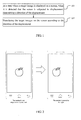
- the terminal may translate the picture on the screen in a direction opposite to the first direction. For example, as illustrated in FIG. 2 , upon determining that the direction component of the displacement along the plane where the screen is located is to the right, the terminal translates the picture on the screen in the left direction.
- a condition for ceasing the translation may be defined; and correspondingly, the process in step 102 may be: when it is detected that a boundary of the target image in the first direction coincides with a boundary of the screen in the first direction, ceasing translating the target image.
- the terminal may translate the picture on the screen in a direction opposite to the first direction, until the boundary of the picture in the first direction coincides with the boundary of the screen in the first direction. For example, if the direction component of the displacement along the plane where the screen is located is determined as to the right, the terminal translates the picture on the screen in the left direction, until the right boundary of the picture coincides with the right boundary of the screen.
- the process in step 102 may be: translating the target image on the screen in a direction opposite to the first direction according to the first distance.
- the terminal may be configured with a linear relationship (for example, the translation distance is 1.5 or 2 times the first distance, or the like) between the translation distance of the picture and the first distance.
- a linear relationship for example, the translation distance is 1.5 or 2 times the first distance, or the like.
- the terminal upon determining that the direction component of the displacement along the plane where the screen is located is to the right, and the distance component of the displacement along the plane where the screen is located is 1cm, the terminal translates the picture displayed on the screen to the left by 2cm.
- an image zooming function may also be provided; and correspondingly, in a state where the image zooming function is enabled, the terminal may perform the following steps.
- step 1 in a state where a target image is displayed on a screen and an image zooming function is enabled, when it is detected that the screen is subjected to a displacement, a direction component of the displacement perpendicular to the screen is determined as a second direction.
- both the image translation function and the image zooming function may be provided, and manners for enabling these two functions may be provided.
- the target zooming function may be set as enabled when the screen is touched, and correspondingly the image translation function may be set as enabled when the screen is not touched.
- the user may touch the screen with his or her finger. In this way, the terminal may detect that the screen is touched, and thus enable the image zooming function.
- the terminal may determine the direction component of the displacement perpendicular to the screen upon detecting that the terminal is subjected to the displacement.
- the terminal may detect that the screen is touched, and then enables the image zooming function; when the user holds the terminal and moves it in the right forward direction of the screen, the terminal may determine that the direction component of the displacement perpendicular to the screen is the forward direction of the screen upon detecting that the terminal is subjected to the displacement.
- the terminal may determine how to zoom the picture with reference to the direction component and distance component of the displacement perpendicular to the screen; and correspondingly, the process in step 1 may be: in a state where a target image is displayed on the screen and the image zooming function is enabled, when it is detected that the screen is subjected to a displacement, determining a direction component of the displacement perpendicular to the screen as a second direction, and determining a distance component of the displacement perpendicular to the screen as a second distance.
- the terminal may determine the direction component (i.e., the second direction) of the displacement perpendicular to the screen, and the distance component (i.e., the second distance) of the displacement perpendicular to the screen. For example, when the user holds the terminal and moves it in the right forward direction of the screen by 1.414cm at a 45 degree angle with a plane where the screen is located, upon detecting that the terminal is subjected to the displacement, the terminal may determine that the direction component of the displacement perpendicular to the screen is in the forward direction of the screen, and the distance component of the displacement perpendicular to the screen is 1cm.
- the direction component i.e., the second direction
- the distance component i.e., the second distance
- step 2 the displayed target image is zoomed according to the second direction.
- the terminal may be configured with a zooming factor for the zooming process; and in a state where the image zooming function is enabled, upon determining the direction component of the displacement perpendicular to the screen as the second direction, the terminal zooms in or zooms out the picture according to the zooming factor, as illustrated in FIG. 3 .
- the terminal may zoom in or zoom out the picture according to the corresponding zooming factor.
- the terminal may be configured with a correspondence relationship between the second direction and the zooming process; and correspondingly, the process in step 2 may be: zooming in the target image if the second direction is in the forward direction of the screen, and zooming out the target image if the second direction is in the backward direction of the screen.
- the process in step 2 may be: determining a zooming factor corresponding to the second direction and the second distance according to a pre-stored correspondence relationship among directions, distances and zooming factors; and zooming the displayed target image according to the determined zooming factor.
- the terminal may be configured with a correspondence relationship among directions, distances and zooming factors.
- the correspondence relationship if the direction component of the displacement perpendicular to the screen is in the forward direction of the screen, there is a first linear relationship between the distance and the zooming factor.
- the first linear relationship may be that a zoom-in factor is increased by 0.5 each time the distance component of the displacement perpendicular to the screen is increased by 1cm.
- the second linear relationship may be that a zoom-out factor is reduced by 0.01 each time the distance component of the displacement perpendicular to the screen is increased by 1cm.
- the terminal may determine a linear relationship (the first linear relationship or the second linear relationship) corresponding to the second direction, and hence further determine a zooming factor according to the second distance and the determined linear relationship. For example, upon determining that the direction component of the displacement perpendicular to the screen is in the forward direction of the screen, the terminal may determine that a linear relationship corresponding to the direction is the first linear relationship.
- the zoom-in factor is 1.5 (i.e.
- the terminal may determine that a linear relationship corresponding to the direction is the second linear relationship.
- the zoom-out factor is 0.99 (i.e. reduced by 1*0.01); and if the distance component of the displacement perpendicular to the screen is 2cm, the zoom-out factor is 0.98 (i.e. reduced by 2*0.01).
- a direction of the displacement is determined, and the target image is translated on the screen according to the direction of the displacement.
- different parts of the target image may be displayed on the screen by moving the terminal.
- an embodiment of the invention further provides a device for displaying an image.
- the device includes a determining module 410 and a processing module 420.
- the determining module 410 is configured to: in a state where a target image is displayed on a screen, when it is detected that the screen is subjected to a displacement, determine a direction of the displacement.
- the processing module 420 is configured to translate the target image on the screen according to the direction of the displacement.
- the determining module 410 is configured to:
- the processing module 420 is configured to:
- processing module 420 is configured to:
- the determining module 410 is configured to:
- the processing module 420 is configured to:
- the determining module 410 is configured to:
- the determining module 410 is configured to:
- the processing module 420 is configured to:
- the determining module 410 is configured to:
- the processing module 420 is configured to:
- processing module 420 is configured to:
- the device further includes:
- a direction of the displacement is determined, and the target image is translated on the screen according to the direction of the displacement.
- different parts of the target image may be displayed on the screen by moving the terminal.
- the devices are described by using division of the above functional modules as examples.
- the functions may be assigned to different functional modules for implementation as required.
- the internal structure of the device is divided into different functional modules to implement all or part of the above-described functions.
- the devices for displaying an image according to the above embodiments are based on the same inventive concept as the methods for displaying an image according to the embodiments of the invention. The specific implementation is elaborated in the method embodiments, which is not be described herein any further.
- An embodiment of the invention further illustrates a schematic structural diagram of a terminal 800.
- the terminal 800 may be a mobile phone or the like.
- the device 800 may include one or more of the following components: a processing component 802, a memory 804, a power component 806, a multimedia component 808, an audio component 810, an input/output (I/O) interface 812, a sensor component 814, and a communication component 816.
- a processing component 802 a memory 804, a power component 806, a multimedia component 808, an audio component 810, an input/output (I/O) interface 812, a sensor component 814, and a communication component 816.
- the processing component 802 typically controls overall operations of the device 800, such as the operations associated with display, telephone calls, data communications, camera operations, and recording operations.
- the processing component 802 may include one or more processors 820 to execute instructions to perform all or part of the steps in the above described methods.
- the processing component 802 may include one or more modules which facilitate the interaction between the processing component 802 and other components.
- the processing component 802 may include a multimedia module to facilitate the interaction between the multimedia component 808 and the processing component 802.
- the memory 804 is configured to store various types of data to support the operation of the device 800. Examples of such data include instructions for any applications or methods operated on the device 800, contact data, phonebook data, messages, pictures, video, etc.
- the memory 804 may be implemented using any type of volatile or non-volatile memory devices, or a combination thereof, such as a static random access memory (SRAM), an electrically erasable programmable read-only memory (EEPROM), an erasable programmable read-only memory (EPROM), a programmable read-only memory (PROM), a read-only memory (ROM), a magnetic memory, a flash memory, a magnetic or optical disk.
- SRAM static random access memory
- EEPROM electrically erasable programmable read-only memory
- EPROM erasable programmable read-only memory
- PROM programmable read-only memory
- ROM read-only memory
- magnetic memory a magnetic memory
- flash memory a flash memory
- magnetic or optical disk a magnetic or optical
- the power component 806 provides power to various components of the device 800.
- the power component 806 may include a power management system, one or more power sources, and any other components associated with the generation, management, and distribution of power in the device 800.
- the multimedia component 808 includes a screen providing an output interface between the device 800 and the user.
- the screen may include a liquid crystal display (LCD) and a touch panel (TP). If the screen includes the touch panel, the screen may be implemented as a touch screen to receive input signals from the user.
- the touch panel includes one or more touch sensors to sense touches, swipes, and gestures on the touch panel. The touch sensors may not only sense a boundary of a touch or swipe action, but also sense a period of time and a pressure associated with the touch or swipe action.
- the multimedia component 808 includes a front camera and/or a rear camera. The front camera and the rear camera may receive an external multimedia datum while the device 800 is in an operation mode, such as a photographing mode or a video mode. Each of the front camera and the rear camera may be a fixed optical lens system or have focus and optical zoom capability.
- the audio component 810 is configured to output and/or input audio signals.
- the audio component 810 includes a microphone ("MIC") configured to receive an external audio signal when the device 800 is in an operation mode, such as a call mode, a recording mode, and a voice recognition mode.
- the received audio signal may be further stored in the memory 804 or transmitted via the communication component 816.
- the I/O interface 812 provides an interface between the processing component 802 and peripheral interface modules, such as a keyboard, a click wheel, buttons, and the like.
- the buttons may include, but are not limited to, a home button, a volume button, a starting button, and a locking button.
- the sensor component 814 includes one or more sensors to provide status assessments of various aspects of the device 800. For instance, the sensor component 814 may detect an open/closed status of the device 800, relative positioning of components, e.g., the display and the keypad, of the device 800, a change in position of the device 800 or a component of the device 800, a presence or absence of user contact with the device 800, an orientation or an acceleration/deceleration of the device 800, and a change in temperature of the device 800.
- the sensor component 814 may include a proximity sensor configured to detect the presence of nearby objects without any physical contact.
- the sensor component 814 may also include a light sensor, such as a CMOS or CCD image sensor, for use in imaging applications.
- the sensor component 814 may also include an accelerometer sensor, a gyroscope sensor, a magnetic sensor, a pressure sensor, or a temperature sensor.
- the communication component 816 is configured to facilitate communication, wired or wirelessly, between the device 800 and other devices.
- the device 800 can access a wireless network based on a communication standard, such as WiFi, 2G, or 3G, or a combination thereof.
- the communication component 816 receives a broadcast signal or broadcast associated information from an external broadcast management system via a broadcast channel.
- the communication component 816 further includes a near field communication (NFC) module to facilitate short-range communications.
- the NFC module may be implemented based on a radio frequency identification (RFID) technology, an infrared data association (IrDA) technology, an ultra-wideband (UWB) technology, a Bluetooth (BT) technology, and other technologies.
- RFID radio frequency identification
- IrDA infrared data association
- UWB ultra-wideband
- BT Bluetooth
- the device 800 may be implemented with one or more application specific integrated circuits (ASICs), digital signal processors (DSPs), digital signal processing devices (DSPDs), programmable logic devices (PLDs), field programmable gate arrays (FPGAs), controllers, micro-controllers, microprocessors, or other electronic components, for performing the above described methods.
- ASICs application specific integrated circuits
- DSPs digital signal processors
- DSPDs digital signal processing devices
- PLDs programmable logic devices
- FPGAs field programmable gate arrays
- controllers micro-controllers, microprocessors, or other electronic components, for performing the above described methods.
- non-transitory computer-readable storage medium including instructions, such as included in the memory 804, executable by the processor 820 in the device 800, for performing the above-described methods.
- the non-transitory computer-readable storage medium may be a ROM, a RAM, a CD-ROM, a magnetic tape, a floppy disc, an optical data storage device, and the like.
- a non-transitory computer-readable storage medium is provided.
- the terminal When instructions stored in the storage medium are executed by a processor of a terminal, the terminal is caused to perform a method for displaying an image, wherein the method includes:
- determining a direction of the displacement includes:
- Translating the target image on the screen according to the direction of the displacement includes:
- the method further includes:
- determining a direction component of the displacement along a plane where the screen is located as a first direction includes:
- Translating the target image on the screen in a direction opposite to the first direction includes:
- determining a direction component of the displacement along a plane where the screen is located as a first direction includes:
- the method further includes:
- determining a direction component of the displacement perpendicular to the screen as a second direction includes:
- Zooming the displayed target image according to the second direction includes:
- zooming the displayed target image according to the second direction includes:
- the method further comprises the step of:
- a direction of the displacement is determined, and the target image is translated on the screen according to the direction of the displacement.
- different parts of the target image may be displayed on the screen by moving the terminal.
Landscapes
- Engineering & Computer Science (AREA)
- Theoretical Computer Science (AREA)
- General Engineering & Computer Science (AREA)
- Human Computer Interaction (AREA)
- Physics & Mathematics (AREA)
- General Physics & Mathematics (AREA)
- Computer Hardware Design (AREA)
- User Interface Of Digital Computer (AREA)
- Controls And Circuits For Display Device (AREA)
- Digital Computer Display Output (AREA)
- Transforming Electric Information Into Light Information (AREA)
- Apparatus For Radiation Diagnosis (AREA)
Abstract
Description
- The invention generally relates to the field of computer technology, and more particularly, to a method and a device for displaying an image.
- With development of the mobile terminal technology, mobile terminals have become more and more multifunctional, and have become one kind of the most indispensable tools in the daily work and life. Users usually browse various types of information, such as, texts, pictures, videos and the like, on mobile terminals.
- When a picture is displayed on a mobile terminal, the actual size of the picture often exceeds the display range of the screen, for example, in a case where a photo is taken by panoramic photography or a picture is displayed after being zoomed-in. When browsing such a picture, the user may perform a swipe operation on the screen using his fingers, such that different parts of the picture are translated on the screen. In this way, the user may browse different parts of the picture.
- In the implementation of the invention, the inventors have identified that at least the following defects exist in the prior art:
- When browsing a picture, users may only swipe on the screen using fingers to browse different parts of the picture. However, such a browsing method is cumbersome and has poor operational flexibility.
- To overcome the defects in the prior art, the invention provides a method and a device for displaying an image. The technical solutions are as follows.
- According to a first aspect of embodiments of the invention, a method for displaying an image is provided. The method, wherein a target image is displayed on a screen and it is detected that the screen is subjected to a displacement, comprises steps of :
- determining a direction of the displacement; and
- translating the target image on the screen according to the direction of the displacement.
- In a particular embodiment, the step of determining a direction of the displacement comprises a step of:
- determining a direction component of the displacement along a plane where the screen is located as a first direction; and
- the step of translating the target image on the screen according to the direction of the displacement comprises a step of:
- translating the target image on the screen in a direction opposite to the first direction.
- In a particular embodiment, the method further comprises a step of :
- when it is detected that a boundary of the target image in the first direction coincides with a boundary of the screen in the first direction, ceasing translating the target image.
- In a particular embodiment, the step of determining a direction component of the displacement along a plane where the screen is located as a first direction comprises a step of :
- determining a distance component of the displacement along the plane where the screen is located as a first distance; and
- the step of translating the target image on the screen in a direction opposite to the first direction comprises a step of:
- translating the target image on the screen in a direction opposite to the first direction according to the first distance.
- In a particular embodiment, the step of determining a direction component of the displacement along a plane where the screen is located as a first direction comprises a step of:
- determining, if an image translation function is enabled, a direction component of the displacement along a plane where the screen is located as a first direction; and
the method further comprises steps of:- determining, if an image zooming function is enabled, a direction component of the displacement perpendicular to the screen as a second direction; and
- zooming the displayed target image according to the second direction.
- In a particular embodiment, the step of determining, if an image zooming function is enabled, a direction component of the displacement perpendicular to the screen as a second direction comprises a step of:
- determining a distance component of the displacement perpendicular to the screen as a second distance; and
- the step of zooming the displayed target image according to the second direction comprises steps of:
- determining a zooming factor corresponding to the second direction and the second distance according to a pre-stored correspondence relationship among directions, distances and zooming factors; and
- zooming the displayed target image according to the determined zooming factor.
- In a particular embodiment, the step of zooming the displayed target image according to the second direction comprises steps of:
- zooming in the target image if the second direction is in the forward direction of the screen; and
- zooming out the target image if the second direction is in the backward direction of the screen.
- In a particular embodiment, before the step of determining a direction of the displacement, the method further includes steps of :
- when it is detected that a full size of the target image displayed on the screen exceeds a size of the screen, enabling a sensor for detecting displacement of the screen.
- According to a second aspect of embodiments of the invention, a device for displaying an image is provided. The device comprising a determining module configured to detect that a target image is displayed on a screen and the screen is subjected to a displacement, the device comprises:
- the determining module, configured to determine a direction of the displacement; and
- a processing module, configured to translate the target image on the screen according to the direction of the displacement.
- In a particular embodiment, the determining module is configured to:
- determine a direction component of the displacement along a plane where the screen is located as a first direction; and
- the processing module is configured to:
- translate the target image on the screen in a direction opposite to the first direction.
- In a particular embodiment, the processing module is further configured to:
- when it is detected that a boundary of the target image in the first direction coincides with a boundary of the screen in the first direction, cease translating the target image.
- In a particular embodiment, the determining module is configured to:
- determine a distance component of the displacement along the plane where the screen is located as a first distance; and
- the processing module is configured to:
- translate the target image on the screen in a direction opposite to the first direction according to the first distance.
- In a particular embodiment, the determining module is configured to:
- determine, if an image translation function is enabled, a direction component of the displacement along a plane where the screen is located as a first direction;
- the determining module is configured to:
- determine, if an image zooming function is enabled, a direction component of the displacement perpendicular to the screen as a second direction; and
- the processing module is further configured to:
- zoom the displayed target image according to the second direction.
- In a particular embodiment, the determining module is configured to:
- determine a distance component of the displacement perpendicular to the screen as a second distance; and
- the processing module is configured to:
- determine a zooming factor corresponding to the second direction and the second distance according to a pre-stored correspondence relationship among directions, distances and zooming factors; and
- zoom the displayed target image according to the determined zooming factor.
- In a particular embodiment, the processing module is configured to:
- zoom in the target image if the second direction is in the forward direction of the screen; and
- zoom out the target image if the second direction is in the backward direction of the screen.
- In a particular embodiment, the device further includes:
- an enabling module, configured to: when it is detected that the full size of the target image displayed on the screen exceeds the size of the screen, enable a sensor for detecting a displacement of the screen.
- According to a third aspect of embodiments of the invention, a device for displaying an image is provided. The device includes:
- a processor; and
- a memory for storing instructions executable by the processor;
- wherein the processor is configured to:
- in a state where a target image is displayed on a screen, when it is detected that the screen is subjected to displacement, determine a direction of the displacement; and
- translate the target image on the screen according to the direction of the displacement.
- A computer program is provided according to a fourth aspect of the invention. The computer program performs the steps of the method for displaying an image when this program is executed by a computer.
- This program can use any programming language and take the form of source code, object code or a code intermediate between source code and object code, such as a partially compiled form, or any other desirable form.
- The invention is also directed to a computer-readable information medium containing instructions of the computer program as described above.
- The information medium can be any entity or device capable of storing the program. For example, the support can include storage means such as a ROM, for example a CD ROM or a microelectronic circuit ROM, or magnetic storage means, for example a diskette (floppy disk) or a hard disk.
- Alternatively, the information medium can be an integrated circuit in which the program is incorporated, the circuit being adapted to execute the method in question or to be used in its execution.
- The technical solutions provided in the embodiments of the invention may achieve the following beneficial effects:
- According to embodiments of the invention, in a state where a target image is displayed on a screen, when it is detected that the screen is subjected to a displacement, a direction of the displacement is determined, and the target image is translated on the screen according to the direction of the displacement. In this way, different parts of the target image may be displayed on the screen by moving the mobile terminal. As such, the browsing method may be simplified and operational flexibility may be improved.
- It is to be understood that both the foregoing general description and the following detailed description are exemplary and explanatory only and are not restrictive of the invention.
- The accompanying drawings, which are incorporated in and constitute a part of this specification, illustrate embodiments consistent with the invention and, together with the description, serve to explain the principles of the invention, in which:
-
FIG. 1 is a flowchart of a method for displaying an image according to an exemplary embodiment of the invention; -
FIG. 2 is a schematic diagram of a displayed interface according to an exemplary embodiment of the invention; -
FIG. 3 is a schematic diagram of a displayed interface according to an exemplary embodiment of the invention; -
FIG. 4 is a block diagram of a device for displaying an image according to an exemplary embodiment of the invention; and -
FIG. 5 is a block diagram of a terminal according to an exemplary embodiment of the invention. - The above drawings are used for illustrating the embodiments of the invention given hereinafter, and more details will be given hereinafter. These drawings and textual descriptions are not intended to limit the scope defined in the invention in any way, but intended to describe the inventive concept of the invention, through specific embodiments, for a person skilled in the art.
- Reference will now be made in detail to exemplary embodiments, examples of which are illustrated in the accompanying drawings. The following description refers to the accompanying drawings in which the same numbers in different drawings represent the same or similar elements unless otherwise represented. The implementations set forth in the following description of exemplary embodiments do not represent all implementations consistent with the invention. Instead, they are merely examples of devices and methods consistent with aspects related to the invention as recited in the appended claims.
- An embodiment of the invention provides a method for displaying an image, wherein a target image is displayed on a screen and the screen is subjected to a displacement. As illustrated in
FIG. 1 , the processing procedure in the method may include the following steps: - In
step 101, a direction of the displacement is determined. - In
step 102, the target image is translated on the screen according to the direction of the displacement. - In this document, the term "translate" refers to: if the entire image is displayed on a screen, moving the image on the screen; if some parts of an image are not displayed on a screen (for example because the size of the image exceeds the size of the screen), displaying a non-displayed part of the image on the screen.
- According to this embodiment of the invention, in a state where a target image is displayed on a screen, when it is detected that the screen is subjected to a displacement, a direction of the displacement is determined, and the target image is translated on the screen according to the direction of the displacement. In this way, different parts of the target image may be displayed on the screen by moving the mobile terminal. As such, the browsing method may be simplified and operational flexibility may be improved.
- An embodiment of the present invention provides a method for displaying a picture. The method may be applied to a terminal, such as a mobile phone, a tablet computer, or other mobile terminals. A target image may be a content that can be displayed, such as a picture, a document, or the like. In this embodiment, the technical solution is described in detail with an example in which the method is applied in a mobile phone for displaying a picture as the target image, and the solution is similar for other cases which will not be repeated herein.
- The processing procedure as illustrated in
FIG. 1 is described in detail hereinafter with reference to specific embodiments, wherein a target image is displayed on a screen and the screen is subjected to a displacement. - In
step 101, a direction of the displacement is determined. - In the embodiment, the size of the target image may exceed the size of the screen. For example, the target image may be a photo that is taken by panoramic photography or a photo or document that is displayed after being zoomed in.
- In the implementation, a user may install an application program for browsing pictures on the terminal. When the user needs to browse a picture (i.e., the target image), the user may start the application program, and click an icon corresponding to the picture in a picture list provided by the application program, such that the picture is displayed on the screen of the terminal. The size of the picture may be greater than the size of the screen. In this way, a part of the picture may be displayed on the screen. When the user desires to change the part of the picture which is to be displayed on the screen, the user may move the terminal. In this case, the terminal may detect a signal sent by a corresponding sensor (for example, a gyroscope, an acceleration sensor, or the like), and thus determine that the terminal is subjected to a displacement. In this way, the terminal may further determine the direction of the displacement. For example, when the user opens a panoramic photograph on the terminal and brows the panoramic photograph, the user moves the terminal to the right, then the terminal may detect that it is subjected to a displacement, and may further determine the direction of the displacement as to the right.
- Optionally, the terminal may determine a direction component of the displacement along a plane where the screen is located; and correspondingly the process in
step 101 may be: determining a direction component of the displacement along a plane where the screen is located as a first direction. - In implementation, the user may move the terminal in any direction. The user may, instead of moving the terminal exactly within the plane where the screen is located, for example, move the terminal in the right forward direction of the screen. Upon detecting that the terminal is subjected to this displacement, the terminal may determine, according to a signal from the sensor, the direction component of the displacement along the plane where the screen is located. For example, in a case where the user holds and moves the terminal in the right forward direction of the screen, upon detecting that the terminal is subjected to this displacement, the terminal may determine that the direction component of the displacement along the plane where the screen is located is to the right.
- Optionally, the terminal may also acquire a distance component of the displacement along the plane where the screen is located; and correspondingly the process in
step 101 may be: determining a direction component of the displacement along a plane where the screen is located as a first direction and determining a distance component of the displacement along the plane where the screen is located as a first distance. - In the implementation, upon detecting that the terminal is subjected to a displacement, the terminal may determine the direction component of the displacement along the plane where the screen is located and determine the distance component of the displacement along the plane where the screen is located. For example, when the user holds the terminal and moves it in the right forward direction of the screen by 1.414cm at a 45 degree angle with the plane where the screen is located, upon detecting that the terminal is subjected to this displacement, the terminal may determine that the direction component of the displacement along the plane where the screen is located is to the right, and the distance component of the displacement along the plane where the screen is located is 1cm.
- Optionally, before it is detected that the terminal is subjected to a displacement, the terminal may enable a sensor configured to detect a displacement of the terminal, and the terminal may enable again the sensor configured to detect a displacement of the screen when displaying an image having a large size; and correspondingly, prior to step 101, the following process may be performed: when it is detected that the full size of the target image displayed on the screen exceeds the size of the screen, enabling a sensor configured to detect a displacement of the screen.
- In the implementation, when the terminal detects that a picture is displayed on the screen of the terminal, the terminal may detect the full size of the picture, and compare the full size of the picture with the size of the screen. If the full size of the picture is greater than the size of the screen, the terminal enables the sensor (for example, a gyroscope, an acceleration sensor, or the like), to acquire information regarding the displacement of the terminal. If the full size of the picture is less than the size of the screen, the terminal keeps the sensor disabled. For example, when the user opens a picture on the terminal, the terminal displays the picture in a default size. When the terminal detects that the default size of the picture does not exceed the size of the screen, the terminal does not enable the sensor. If the user zooms in the displayed picture, the terminal may detect the full size of the zoomed-in picture. When the terminal detects that the full size of the picture exceeds the size of the screen, the terminal may enable the sensor. In this way, power consumption of the terminal may be reduced.
- Optionally, the terminal may provide a plurality of display control functions, for example, an image translation function and an image zooming function. Hence, the terminal may perform the process in this procedure in a state where the image translation function is enabled. Correspondingly, the process in
step 101 may be: determining, if an image translation function is enabled, a direction component of the displacement along a plane where the screen is located as a first direction. - In the implementation, in the above exemplary application program, both the image translation function and the image zooming function may be enabled, and manners for enabling these two functions may be provided. For example, the image zooming function may be set as enabled when the screen is touched, and correspondingly, the image translation function may be enabled when the screen is not touched. When the user desires to translate the picture, the user may keep his or her finger not to touch the screen. In this way, the terminal does not detect that screen is touched, and thus enables the image translation function. When the user holds the terminal and moves it, the terminal may determine the direction component of the displacement along the plane where the screen is located upon detecting that the terminal is subjected to the displacement. For example, if the user does not touch the screen, the terminal does not detect that the screen is touched, and thus enables the image translation function; and when the user holds the terminal and moves it in the right forward direction, the terminal may determine that the direction component of the displacement along the plane where the screen is located is to the right.
- In
step 102, the target image is translated on the screen according to the direction of the displacement. - In the implementation, upon determining the direction of the displacement, the terminal may translate the picture on the screen in a direction opposite to the direction of the displacement according to a preset displacement speed, and cease translating the picture on the screen when detecting that the displacement of the screen ceases.
- Optionally, in a case where the direction component of the displacement along the plane where the screen is located is determined as the first direction; and correspondingly, the process in
step 102 may be: translating the target image on the screen in a direction opposite to the first direction. - In the implementation, upon determining the direction component of the displacement along the plane where the screen is located as the first direction, the terminal may translate the picture on the screen in a direction opposite to the first direction. For example, as illustrated in
FIG. 2 , upon determining that the direction component of the displacement along the plane where the screen is located is to the right, the terminal translates the picture on the screen in the left direction. - Optionally, a condition for ceasing the translation may be defined; and correspondingly, the process in
step 102 may be: when it is detected that a boundary of the target image in the first direction coincides with a boundary of the screen in the first direction, ceasing translating the target image. - In the implementation, upon determining the direction component of the displacement along the plane where the screen is located as the first direction, the terminal may translate the picture on the screen in a direction opposite to the first direction, until the boundary of the picture in the first direction coincides with the boundary of the screen in the first direction. For example, if the direction component of the displacement along the plane where the screen is located is determined as to the right, the terminal translates the picture on the screen in the left direction, until the right boundary of the picture coincides with the right boundary of the screen.
- Optionally, in a case where the distance component of the displacement along the plane where the screen is located as the first distance; and correspondingly, the process in
step 102 may be: translating the target image on the screen in a direction opposite to the first direction according to the first distance. - In the implementation, the terminal may be configured with a linear relationship (for example, the translation distance is 1.5 or 2 times the first distance, or the like) between the translation distance of the picture and the first distance. Upon determining the direction component of the displacement along the plane where the screen is located as the first direction and determining the distance component of the displacement along the plane where the screen is located as the first distance, the terminal translates the picture in a direction opposite to the first direction, and the translation distance is determined by the first distance and the linear relationship. For example, if a linear relationship between the translation distance and the first distance is 2:1, upon determining that the direction component of the displacement along the plane where the screen is located is to the right, and the distance component of the displacement along the plane where the screen is located is 1cm, the terminal translates the picture displayed on the screen to the left by 2cm.
- In the embodiments of the invention, corresponding to the image translation function, an image zooming function may also be provided; and correspondingly, in a state where the image zooming function is enabled, the terminal may perform the following steps.
- In step 1, in a state where a target image is displayed on a screen and an image zooming function is enabled, when it is detected that the screen is subjected to a displacement, a direction component of the displacement perpendicular to the screen is determined as a second direction.
- In the implementation, in the above exemplary application program, both the image translation function and the image zooming function may be provided, and manners for enabling these two functions may be provided. For example, the target zooming function may be set as enabled when the screen is touched, and correspondingly the image translation function may be set as enabled when the screen is not touched. When the user desires to zoom in or zoom out the picture, the user may touch the screen with his or her finger. In this way, the terminal may detect that the screen is touched, and thus enable the image zooming function. When the user holds the terminal and moves it, the terminal may determine the direction component of the displacement perpendicular to the screen upon detecting that the terminal is subjected to the displacement. For example, when the user touches the screen with his or her finger, the terminal may detect that the screen is touched, and then enables the image zooming function; when the user holds the terminal and moves it in the right forward direction of the screen, the terminal may determine that the direction component of the displacement perpendicular to the screen is the forward direction of the screen upon detecting that the terminal is subjected to the displacement.
- Optionally, the terminal may determine how to zoom the picture with reference to the direction component and distance component of the displacement perpendicular to the screen; and correspondingly, the process in step 1 may be: in a state where a target image is displayed on the screen and the image zooming function is enabled, when it is detected that the screen is subjected to a displacement, determining a direction component of the displacement perpendicular to the screen as a second direction, and determining a distance component of the displacement perpendicular to the screen as a second distance.
- In the implementation, in a state where the image zooming function is enabled, upon detecting that the terminal is subjected to a displacement, the terminal may determine the direction component (i.e., the second direction) of the displacement perpendicular to the screen, and the distance component (i.e., the second distance) of the displacement perpendicular to the screen. For example, when the user holds the terminal and moves it in the right forward direction of the screen by 1.414cm at a 45 degree angle with a plane where the screen is located, upon detecting that the terminal is subjected to the displacement, the terminal may determine that the direction component of the displacement perpendicular to the screen is in the forward direction of the screen, and the distance component of the displacement perpendicular to the screen is 1cm.
- In step 2, the displayed target image is zoomed according to the second direction.
- In the implementation, the terminal may be configured with a zooming factor for the zooming process; and in a state where the image zooming function is enabled, upon determining the direction component of the displacement perpendicular to the screen as the second direction, the terminal zooms in or zooms out the picture according to the zooming factor, as illustrated in
FIG. 3 . For example, if the terminal is configured with a zooming factor (of the size of a zoomed-in picture to the size of the original picture) that is 3:1, and configured with a zooming factor (of the size of a zoomed-out picture to the size of the original picture) that is 1:4, the terminal may zoom in or zoom out the picture according to the corresponding zooming factor. - Optionally, in a case where the direction component of the displacement perpendicular to the screen is determined as the second direction, the terminal may be configured with a correspondence relationship between the second direction and the zooming process; and correspondingly, the process in step 2 may be: zooming in the target image if the second direction is in the forward direction of the screen, and zooming out the target image if the second direction is in the backward direction of the screen.
- Optionally, in a case where the distance component of the displacement perpendicular to the screen is determined as the second distance, the process in step 2 may be: determining a zooming factor corresponding to the second direction and the second distance according to a pre-stored correspondence relationship among directions, distances and zooming factors; and zooming the displayed target image according to the determined zooming factor.
- In the implementation, the terminal may be configured with a correspondence relationship among directions, distances and zooming factors. In the correspondence relationship, if the direction component of the displacement perpendicular to the screen is in the forward direction of the screen, there is a first linear relationship between the distance and the zooming factor. For example, the first linear relationship may be that a zoom-in factor is increased by 0.5 each time the distance component of the displacement perpendicular to the screen is increased by 1cm. In the correspondence relationship, if the direction component of the displacement perpendicular to the screen is in the backward direction of the screen, there is a second linear relationship between the distance and the zooming factor. For example, the second linear relationship may be that a zoom-out factor is reduced by 0.01 each time the distance component of the displacement perpendicular to the screen is increased by 1cm.
- Upon determining that the direction component of the displacement perpendicular to the screen as the second direction, and determining that the distance component of the displacement perpendicular to the screen as the second distance, the terminal may determine a linear relationship (the first linear relationship or the second linear relationship) corresponding to the second direction, and hence further determine a zooming factor according to the second distance and the determined linear relationship. For example, upon determining that the direction component of the displacement perpendicular to the screen is in the forward direction of the screen, the terminal may determine that a linear relationship corresponding to the direction is the first linear relationship. By reusing the above example, if the distance component of the displacement perpendicular to the screen is 1cm, the zoom-in factor is 1.5 (i.e. increased by 1*0.5); and if the distance component of the displacement perpendicular to the screen is 2cm, the zoom-in factor is 2 (i.e. increased by 2*0.5). Upon determining that the direction component of the displacement perpendicular to the screen is in the backward direction of the screen, the terminal may determine that a linear relationship corresponding to the direction is the second linear relationship. By reusing the above example, if the distance component of the displacement perpendicular to the screen is 1cm, the zoom-out factor is 0.99 (i.e. reduced by 1*0.01); and if the distance component of the displacement perpendicular to the screen is 2cm, the zoom-out factor is 0.98 (i.e. reduced by 2*0.01).
- According to embodiments of the invention, in a state where a target image is displayed on a screen, when it is detected that the screen is subjected to a displacement, a direction of the displacement is determined, and the target image is translated on the screen according to the direction of the displacement. In this way, different parts of the target image may be displayed on the screen by moving the terminal. As such, the browsing method may be simplified and operational flexibility may be improved.
- Based on the same technical concept, an embodiment of the invention further provides a device for displaying an image. As illustrated in
FIG. 4 , the device includes a determiningmodule 410 and aprocessing module 420. - The determining
module 410 is configured to: in a state where a target image is displayed on a screen, when it is detected that the screen is subjected to a displacement, determine a direction of the displacement. - The
processing module 420 is configured to translate the target image on the screen according to the direction of the displacement. - Optionally, the determining
module 410 is configured to: - in a state where a target image is displayed on a screen, when it is detected that the screen is subjected to a displacement, determine a direction component of the displacement along a plane where the screen is located as a first direction.
- The
processing module 420 is configured to: - translate the target image on the screen in a direction opposite to the first direction.
- Optionally, the
processing module 420 is configured to: - when it is detected that a boundary of the target image in the first direction coincides with a boundary of the screen in the first direction, cease translating the target image.
- Optionally, the determining
module 410 is configured to: - in a state where a target image is displayed on a screen, when it is detected that the screen is subjected to a displacement, determine a direction component of the displacement along a plane where the screen is located as a first direction, and determine a distance component of the displacement along the plane where the screen is located as a first distance.
- The
processing module 420 is configured to: - translate the target image on the screen in a direction opposite to the first direction according to the first distance.
- Optionally, the determining
module 410 is configured to: - in a state where a target image is displayed on a screen and an image translation function is enabled, when it is detected that the screen is subjected to a displacement, determine a direction component of the displacement along a plane where the screen is located as a first direction.
- The determining
module 410 is configured to: - in a state where a target image is displayed on a screen and an image zooming function is enabled, when it is detected that the screen is subjected to a displacement, determine a direction component of the displacement perpendicular to the screen as a second direction.
- The
processing module 420 is configured to: - zoom the displayed target image according to the second direction.
- Optionally, the determining
module 410 is configured to: - in a state where a target image is displayed on a screen and an image zooming function is enabled, when it is detected that the screen is subjected to a displacement, determine a direction component of the displacement perpendicular to the screen as a second direction, and determine a distance component of the displacement perpendicular to the screen as a second distance.
- The
processing module 420 is configured to: - determine a zooming factor corresponding to the second direction and the second distance according to a pre-stored correspondence relationship among directions, distances and zooming factors; and
- zoom the displayed target image according to the determined zooming factor.
- Optionally, the
processing module 420 is configured to: - zoom in the target image if the second direction is in the forward direction of the screen; and
- zoom out the target image if the second direction is in the backward direction of the screen.
- Optionally, the device further includes:
- an enabling module, configured to: when it is detected that the full size of the target image displayed on the screen exceeds the size of the screen, enable a sensor configured to detect a displacement of the screen.
- According to embodiments of the invention, in a state where a target image is displayed on a screen, when it is detected that the screen is subjected to a displacement, a direction of the displacement is determined, and the target image is translated on the screen according to the direction of the displacement. In this way, different parts of the target image may be displayed on the screen by moving the terminal. As such, the browsing method may be simplified and operational flexibility may be improved.
- With respect to the devices in the above embodiment, the specific implementations of operations executed by various modules thereof have been in detail described in the embodiments illustrating the methods, which are not described herein any further.
- It should be noted that, during the displaying of a picture by the devices for displaying an image according to the above embodiments, the devices are described by using division of the above functional modules as examples. In practice, the functions may be assigned to different functional modules for implementation as required. To be specific, the internal structure of the device is divided into different functional modules to implement all or part of the above-described functions. In addition, the devices for displaying an image according to the above embodiments are based on the same inventive concept as the methods for displaying an image according to the embodiments of the invention. The specific implementation is elaborated in the method embodiments, which is not be described herein any further.
- An embodiment of the invention further illustrates a schematic structural diagram of a terminal 800. The terminal 800 may be a mobile phone or the like.
- Referring to Fig. 8, the
device 800 may include one or more of the following components: aprocessing component 802, amemory 804, apower component 806, amultimedia component 808, anaudio component 810, an input/output (I/O)interface 812, asensor component 814, and acommunication component 816. - The
processing component 802 typically controls overall operations of thedevice 800, such as the operations associated with display, telephone calls, data communications, camera operations, and recording operations. Theprocessing component 802 may include one ormore processors 820 to execute instructions to perform all or part of the steps in the above described methods. Moreover, theprocessing component 802 may include one or more modules which facilitate the interaction between theprocessing component 802 and other components. For instance, theprocessing component 802 may include a multimedia module to facilitate the interaction between themultimedia component 808 and theprocessing component 802. - The
memory 804 is configured to store various types of data to support the operation of thedevice 800. Examples of such data include instructions for any applications or methods operated on thedevice 800, contact data, phonebook data, messages, pictures, video, etc. Thememory 804 may be implemented using any type of volatile or non-volatile memory devices, or a combination thereof, such as a static random access memory (SRAM), an electrically erasable programmable read-only memory (EEPROM), an erasable programmable read-only memory (EPROM), a programmable read-only memory (PROM), a read-only memory (ROM), a magnetic memory, a flash memory, a magnetic or optical disk. - The
power component 806 provides power to various components of thedevice 800. Thepower component 806 may include a power management system, one or more power sources, and any other components associated with the generation, management, and distribution of power in thedevice 800. - The
multimedia component 808 includes a screen providing an output interface between thedevice 800 and the user. In some embodiments, the screen may include a liquid crystal display (LCD) and a touch panel (TP). If the screen includes the touch panel, the screen may be implemented as a touch screen to receive input signals from the user. The touch panel includes one or more touch sensors to sense touches, swipes, and gestures on the touch panel. The touch sensors may not only sense a boundary of a touch or swipe action, but also sense a period of time and a pressure associated with the touch or swipe action. In some embodiments, themultimedia component 808 includes a front camera and/or a rear camera. The front camera and the rear camera may receive an external multimedia datum while thedevice 800 is in an operation mode, such as a photographing mode or a video mode. Each of the front camera and the rear camera may be a fixed optical lens system or have focus and optical zoom capability. - The
audio component 810 is configured to output and/or input audio signals. For example, theaudio component 810 includes a microphone ("MIC") configured to receive an external audio signal when thedevice 800 is in an operation mode, such as a call mode, a recording mode, and a voice recognition mode. The received audio signal may be further stored in thememory 804 or transmitted via thecommunication component 816. - The I/
O interface 812 provides an interface between theprocessing component 802 and peripheral interface modules, such as a keyboard, a click wheel, buttons, and the like. The buttons may include, but are not limited to, a home button, a volume button, a starting button, and a locking button. - The
sensor component 814 includes one or more sensors to provide status assessments of various aspects of thedevice 800. For instance, thesensor component 814 may detect an open/closed status of thedevice 800, relative positioning of components, e.g., the display and the keypad, of thedevice 800, a change in position of thedevice 800 or a component of thedevice 800, a presence or absence of user contact with thedevice 800, an orientation or an acceleration/deceleration of thedevice 800, and a change in temperature of thedevice 800. Thesensor component 814 may include a proximity sensor configured to detect the presence of nearby objects without any physical contact. Thesensor component 814 may also include a light sensor, such as a CMOS or CCD image sensor, for use in imaging applications. In some embodiments, thesensor component 814 may also include an accelerometer sensor, a gyroscope sensor, a magnetic sensor, a pressure sensor, or a temperature sensor. - The
communication component 816 is configured to facilitate communication, wired or wirelessly, between thedevice 800 and other devices. Thedevice 800 can access a wireless network based on a communication standard, such as WiFi, 2G, or 3G, or a combination thereof. In one exemplary embodiment, thecommunication component 816 receives a broadcast signal or broadcast associated information from an external broadcast management system via a broadcast channel. In one exemplary embodiment, thecommunication component 816 further includes a near field communication (NFC) module to facilitate short-range communications. For example, the NFC module may be implemented based on a radio frequency identification (RFID) technology, an infrared data association (IrDA) technology, an ultra-wideband (UWB) technology, a Bluetooth (BT) technology, and other technologies. - In exemplary embodiments, the
device 800 may be implemented with one or more application specific integrated circuits (ASICs), digital signal processors (DSPs), digital signal processing devices (DSPDs), programmable logic devices (PLDs), field programmable gate arrays (FPGAs), controllers, micro-controllers, microprocessors, or other electronic components, for performing the above described methods. - In exemplary embodiments, there is also provided a non-transitory computer-readable storage medium including instructions, such as included in the
memory 804, executable by theprocessor 820 in thedevice 800, for performing the above-described methods. For example, the non-transitory computer-readable storage medium may be a ROM, a RAM, a CD-ROM, a magnetic tape, a floppy disc, an optical data storage device, and the like. - A non-transitory computer-readable storage medium is provided. When instructions stored in the storage medium are executed by a processor of a terminal, the terminal is caused to perform a method for displaying an image, wherein the method includes:
- in a state where a target image is displayed on a screen, when it is detected that the screen is subjected to a displacement, determining a direction of the displacement; and
- translating the target image on the screen according to the direction of the displacement.
- Optionally, in a state where a target image is displayed on a screen, when it is detected that the screen is subjected to a displacement, determining a direction of the displacement includes:
- in a state where a target image is displayed on a screen, when it is detected that the screen is subjected to a displacement, determining a direction component of the displacement along a plane where the screen is located as a first direction.
- Translating the target image on the screen according to the direction of the displacement includes:
- translating the target image on the screen in a direction opposite to the first direction.
- Optionally, the method further includes:
- when it is detected that a boundary of the target image in the first direction coincides with a boundary of the screen in the first direction, ceasing translating the target image.
- Optionally, in a state where a target image is displayed on a screen, when it is detected that the screen is subjected to a displacement, determining a direction component of the displacement along a plane where the screen is located as a first direction includes:
- in a state where a target image is displayed on a screen, when it is detected that the screen is subjected to a displacement, determining a direction component of the displacement along a plane where the screen is located as a first direction, and determining a distance component of the displacement along the plane where the screen is located as a first distance.
- Translating the target image on the screen in a direction opposite to the first direction includes:
- translating the target image on the screen in a direction opposite to the first direction according to the first distance.
- Optionally, in a state where a target image is displayed on a screen, when it is detected that the screen is subjected to a displacement, determining a direction component of the displacement along a plane where the screen is located as a first direction includes:
- in a state where a target image is displayed on a screen and an image translation function is enabled, when it is detected that the screen is subjected to a displacement, determining a direction component of the displacement along a plane where the screen is located as a first direction;
- The method further includes:
- in a state where a target image is displayed on a screen and an image zooming function is enabled, when it is detected that the screen is subjected to a displacement, determining a direction component of the displacement perpendicular to the screen as a second direction; and
- zooming the displayed target image according to the second direction.
- Optionally, in a state where a target image is displayed on a screen and an image zooming function is enabled, when it is detected that the screen is subjected to a displacement, determining a direction component of the displacement perpendicular to the screen as a second direction includes:
- in a state where a target image is displayed on a screen and an image zooming function is enabled, when it is detected that the screen is subjected to a displacement, determining a direction component of the displacement perpendicular to the screen as a second direction, and determining a distance component of the displacement perpendicular to the screen as a second distance.
- Zooming the displayed target image according to the second direction includes:
- determining a zooming factor corresponding to the second direction and the second distance according to a pre-stored correspondence relationship among directions, distances and zooming factors; and
- zooming the displayed target image according to the determined zooming factor.
- Optionally, zooming the displayed target image according to the second direction includes:
- zooming in the target image if the second direction is in the forward direction of the screen; and
- zooming out the target image if the second direction is in the backward direction of the screen.
- Optionally, in a state where a target image is displayed on a screen, when it is detected that the screen is subjected to a displacement, before the determining a direction of the displacement, the method further comprises the step of:
- when it is detected that the full size of the target image displayed on the screen exceeds the size of the screen, enabling a sensor for detecting a displacement of the screen.
- According to embodiments of the invention, in a state where a target image is displayed on a screen, when it is detected that the screen is subjected to a displacement, a direction of the displacement is determined, and the target image is translated on the screen according to the direction of the displacement. In this way, different parts of the target image may be displayed on the screen by moving the terminal. As such, the browsing method may be simplified and operational flexibility may be improved.
- Other embodiments of the invention will be apparent to those skilled in the art from consideration of the specification and practice of the invention disclosed here. This application is intended to cover any variations, uses, or adaptations of the invention following the general principles thereof and including such departures from the invention as come within known or customary practice in the art. It is intended that the specification and examples be considered as exemplary only, with a true scope and spirit of the invention being indicated by the following claims.
- It will be appreciated that the present invention is not limited to the exact construction that has been described above and illustrated in the accompanying drawings, and that various modifications and changes can be made without departing from the scope thereof. It is intended that the scope of the invention only be limited by the appended claims.
Claims (15)
- A method for displaying an image, wherein a target image is displayed on a screen and it is detected that the screen is subjected to a displacement, characterized in that, the method comprises steps of:determining (101) a direction of the displacement; andtranslating (102) the target image on the screen according to the direction of the displacement.
- The method according to claim 1, wherein, the step (101) of determining a direction of the displacement comprises a step of:determining a direction component of the displacement along a plane where the screen is located as a first direction; andthe step (102) of translating the target image on the screen according to the direction of the displacement comprises a step of:translating the target image on the screen in a direction opposite to the first direction.
- The method according to claim 2, wherein, the method further comprises a step of :when it is detected that a boundary of the target image in the first direction coincides with a boundary of the screen in the first direction, ceasing translating the target image.
- The method according to claim 2 or 3, wherein, the step of determining a direction component of the displacement along a plane where the screen is located as a first direction comprises a step of :determining a distance component of the displacement along the plane where the screen is located as a first distance; andthe step of translating the target image on the screen in a direction opposite to the first direction comprises a step of :translating the target image on the screen in a direction opposite to the first direction according to the first distance.
- The method according to claim 2 or 3, wherein, the step of determining a direction component of the displacement along a plane where the screen is located as a first direction comprises a step of :determining, if an image translation function is enabled, a direction component of the displacement along a plane where the screen is located as a first direction; andthe method further comprises steps of :determining, if an image zooming function is enabled, a direction component of the displacement perpendicular to the screen as a second direction; andzooming the displayed target image according to the second direction.
- The method according to claim 5, wherein, the step of determining, if an image zooming function is enabled, a direction component of the displacement perpendicular to the screen as a second direction comprises a step of :determining a distance component of the displacement perpendicular to the screen as a second distance; andthe step of zooming the displayed target image according to the second direction comprises steps of :determining a zooming factor corresponding to the second direction and the second distance according to a pre-stored correspondence relationship among directions, distances and zooming factors; andzooming the displayed target image according to the determined zooming factor.
- The method according to claim 5 or 6, wherein, the step of zooming the displayed target image according to the second direction comprises steps of :zooming in the target image if the second direction is in the forward direction of the screen; andzooming out the target image if the second direction is in the backward direction of the screen.
- A device for displaying an image comprising a determining module (410) configured to detect that a target image is displayed on a screen and the screen is subjected to a displacement, characterized in that, the device comprises:the determining module (410), configured to determine a direction of the displacement; anda processing module (420), configured to translate the target image on the screen according to the direction of the displacement.
- The device according to claim 8, wherein, the determining module (410) is configured to:determine a direction component of the displacement along a plane where the screen is located as a first direction; andthe processing module (420) is configured to:translate the target image on the screen in a direction opposite to the first direction.
- The device according to claim 9, wherein, the processing module (420) is further configured to:when it is detected that a boundary of the target image in the first direction coincides with a boundary of the screen in the first direction, cease translating the target image.
- The device according to any one of claims 8-10, wherein, the determining module (410) is configured to:determine a distance component of the displacement along the plane where the screen is located as a first distance; andthe processing module (420) is configured to:translate the target image on the screen in a direction opposite to the first direction according to the first distance.
- The device according to any one of claims 8-11, wherein, the determining module (410) is configured to:determine, if an image translation function is enabled, a direction component of the displacement along a plane where the screen is located as a first direction;the determining module (410) is configured to:determine, if an image zooming function is enabled, a direction component of the displacement perpendicular to the screen as a second direction; andthe processing module (420) is further configured to:zoom the displayed target image according to the second direction.
- The device according to claim 12, wherein, the determining module (410) is configured to:determine a distance component of the displacement perpendicular to the screen as a second distance; andthe processing module (420) is configured to:determine a zooming factor corresponding to the second direction and the second distance according to a pre-stored correspondence relationship among directions, distances and zooming factors; andzoom the displayed target image according to the determined zooming factor.
- A computer program including instructions for executing the steps of a method for displaying an image according to any one of claims 1 to 7 when said program is executed by a computer.
- A recording medium readable by a computer and having recorded thereon a computer program including instructions for executing the steps of a method for displaying an image according to any one of claims 1 to 7.
Applications Claiming Priority (1)
| Application Number | Priority Date | Filing Date | Title |
|---|---|---|---|
| CN201410429471.4A CN104216634A (en) | 2014-08-27 | 2014-08-27 | Method and device for displaying manuscript |
Publications (2)
| Publication Number | Publication Date |
|---|---|
| EP2990905A1 true EP2990905A1 (en) | 2016-03-02 |
| EP2990905B1 EP2990905B1 (en) | 2018-10-24 |
Family
ID=52098188
Family Applications (1)
| Application Number | Title | Priority Date | Filing Date |
|---|---|---|---|
| EP15179177.9A Active EP2990905B1 (en) | 2014-08-27 | 2015-07-30 | Method and device for displaying image |
Country Status (9)
| Country | Link |
|---|---|
| US (1) | US20160062581A1 (en) |
| EP (1) | EP2990905B1 (en) |
| JP (1) | JP2016539438A (en) |
| KR (1) | KR20160034838A (en) |
| CN (1) | CN104216634A (en) |
| BR (1) | BR112015006217A2 (en) |
| MX (1) | MX367579B (en) |
| RU (1) | RU2623725C2 (en) |
| WO (1) | WO2016029636A1 (en) |
Families Citing this family (7)
| Publication number | Priority date | Publication date | Assignee | Title |
|---|---|---|---|---|
| CN104216634A (en) * | 2014-08-27 | 2014-12-17 | 小米科技有限责任公司 | Method and device for displaying manuscript |
| CN104699439B (en) * | 2015-03-30 | 2019-03-12 | 三星电子(中国)研发中心 | Screen display method, device and mobile terminal for mobile terminal |
| CN106371696A (en) * | 2016-08-31 | 2017-02-01 | 珠海市魅族科技有限公司 | Interface display method and device |
| CN108399041B (en) * | 2018-02-12 | 2021-06-04 | 阿里巴巴(中国)有限公司 | Picture display method and device, computing equipment and storage medium |
| CN112445552B (en) * | 2019-08-27 | 2023-06-06 | 珠海金山办公软件有限公司 | Terminal display adjusting method and device and terminal |
| CN113342237B (en) * | 2020-03-02 | 2025-06-10 | 腾讯科技(深圳)有限公司 | Image display method, device, computer equipment and computer readable storage medium |
| KR20250076283A (en) * | 2023-11-22 | 2025-05-29 | 삼성메디슨 주식회사 | Method for providing user interface and ultrasound imaging apparatus thereof |
Citations (4)
| Publication number | Priority date | Publication date | Assignee | Title |
|---|---|---|---|---|
| JPH10333821A (en) * | 1997-05-29 | 1998-12-18 | Sony Corp | Coordinate input device |
| US20050001815A1 (en) * | 2003-06-09 | 2005-01-06 | Casio Computer Co., Ltd. | Electronic appliance having magnifying-glass display function, display controlling method, and display control program |
| US20080048980A1 (en) * | 2006-08-22 | 2008-02-28 | Novell, Inc. | Detecting movement of a computer device to effect movement of selected display objects |
| US20120026197A1 (en) * | 2010-07-27 | 2012-02-02 | Qualcomm Innovation Center, Inc. | Method and Apparatus for Viewing Content on a Mobile Computing Device |
Family Cites Families (28)
| Publication number | Priority date | Publication date | Assignee | Title |
|---|---|---|---|---|
| JPH07271505A (en) * | 1994-03-29 | 1995-10-20 | Toshiba Corp | Image display controller |
| US6288704B1 (en) * | 1999-06-08 | 2001-09-11 | Vega, Vista, Inc. | Motion detection and tracking system to control navigation and display of object viewers |
| FI20001506A7 (en) * | 1999-10-12 | 2001-04-13 | Myorigo Oy | Handheld device operating method |
| US6466198B1 (en) * | 1999-11-05 | 2002-10-15 | Innoventions, Inc. | View navigation and magnification of a hand-held device with a display |
| FI117488B (en) * | 2001-05-16 | 2006-10-31 | Myorigo Sarl | Browse information on a screen |
| US7184020B2 (en) * | 2002-10-30 | 2007-02-27 | Matsushita Electric Industrial Co., Ltd. | Operation instructing device, operation instructing method, and operation instructing program |
| JP2008065837A (en) * | 2003-06-09 | 2008-03-21 | Casio Comput Co Ltd | Electronic device, display control method and program |
| US8300043B2 (en) * | 2004-06-24 | 2012-10-30 | Sony Ericsson Mobile Communications AG | Proximity assisted 3D rendering |
| US20060164382A1 (en) * | 2005-01-25 | 2006-07-27 | Technology Licensing Company, Inc. | Image manipulation in response to a movement of a display |
| CN1979399A (en) * | 2005-12-09 | 2007-06-13 | 英业达股份有限公司 | Display processing system and method |
| CN100429610C (en) * | 2006-01-19 | 2008-10-29 | 宏达国际电子股份有限公司 | Intuition type fluorescent screen controller |
| US20070268246A1 (en) * | 2006-05-17 | 2007-11-22 | Edward Craig Hyatt | Electronic equipment with screen pan and zoom functions using motion |
| CN101131694A (en) * | 2006-08-25 | 2008-02-27 | 佛山市顺德区顺达电脑厂有限公司 | Browsing system and its method |
| KR20070004466A (en) * | 2006-11-03 | 2007-01-09 | 희 한 | How to move the virtual screen and mouse cursor by moving the display of the small information terminal |
| CN101271369A (en) * | 2007-03-20 | 2008-09-24 | 鸿点科技股份有限公司 | Displacement control system and method thereof and electronic device comprising displacement control system |
| KR20090008976A (en) * | 2007-07-19 | 2009-01-22 | 삼성전자주식회사 | Map Scrolling Method in Navigation Terminal and Its Navigation Terminal |
| CN101836181A (en) * | 2007-10-25 | 2010-09-15 | 诺基亚公司 | Controlling information presentation by an apparatus |
| US8423076B2 (en) * | 2008-02-01 | 2013-04-16 | Lg Electronics Inc. | User interface for a mobile device |
| CN101727265A (en) * | 2008-10-31 | 2010-06-09 | 英华达股份有限公司 | Handheld electronic device and operation method thereof |
| US8351910B2 (en) * | 2008-12-02 | 2013-01-08 | Qualcomm Incorporated | Method and apparatus for determining a user input from inertial sensors |
| US20100315439A1 (en) * | 2009-06-15 | 2010-12-16 | International Business Machines Corporation | Using motion detection to process pan and zoom functions on mobile computing devices |
| TW201106210A (en) * | 2009-08-11 | 2011-02-16 | Mitac Int Corp | Large scale picture browsing apparatus and method thereof |
| KR101648747B1 (en) * | 2009-10-07 | 2016-08-17 | 삼성전자 주식회사 | Method for providing user interface using a plurality of touch sensor and mobile terminal using the same |
| US9696809B2 (en) * | 2009-11-05 | 2017-07-04 | Will John Temple | Scrolling and zooming of a portable device display with device motion |
| KR101915615B1 (en) * | 2010-10-14 | 2019-01-07 | 삼성전자주식회사 | Apparatus and method for controlling user interface based motion |
| CN102591550A (en) * | 2011-01-04 | 2012-07-18 | 中国移动通信集团公司 | Zoom control method and device of terminal interface contents |
| US9864500B2 (en) * | 2014-06-27 | 2018-01-09 | Mayank Sanganeria | Application for controlling auto scroll of content as a function of tilting the device |
| CN104216634A (en) * | 2014-08-27 | 2014-12-17 | 小米科技有限责任公司 | Method and device for displaying manuscript |
-
2014
- 2014-08-27 CN CN201410429471.4A patent/CN104216634A/en active Pending
-
2015
- 2015-01-22 JP JP2016544712A patent/JP2016539438A/en active Pending
- 2015-01-22 WO PCT/CN2015/071291 patent/WO2016029636A1/en not_active Ceased
- 2015-01-22 MX MX2015003760A patent/MX367579B/en active IP Right Grant
- 2015-01-22 BR BR112015006217A patent/BR112015006217A2/en not_active IP Right Cessation
- 2015-01-22 RU RU2015111000A patent/RU2623725C2/en active
- 2015-01-22 KR KR1020157007127A patent/KR20160034838A/en not_active Ceased
- 2015-06-25 US US14/749,916 patent/US20160062581A1/en not_active Abandoned
- 2015-07-30 EP EP15179177.9A patent/EP2990905B1/en active Active
Patent Citations (4)
| Publication number | Priority date | Publication date | Assignee | Title |
|---|---|---|---|---|
| JPH10333821A (en) * | 1997-05-29 | 1998-12-18 | Sony Corp | Coordinate input device |
| US20050001815A1 (en) * | 2003-06-09 | 2005-01-06 | Casio Computer Co., Ltd. | Electronic appliance having magnifying-glass display function, display controlling method, and display control program |
| US20080048980A1 (en) * | 2006-08-22 | 2008-02-28 | Novell, Inc. | Detecting movement of a computer device to effect movement of selected display objects |
| US20120026197A1 (en) * | 2010-07-27 | 2012-02-02 | Qualcomm Innovation Center, Inc. | Method and Apparatus for Viewing Content on a Mobile Computing Device |
Also Published As
| Publication number | Publication date |
|---|---|
| WO2016029636A1 (en) | 2016-03-03 |
| RU2623725C2 (en) | 2017-06-28 |
| US20160062581A1 (en) | 2016-03-03 |
| BR112015006217A2 (en) | 2017-07-04 |
| EP2990905B1 (en) | 2018-10-24 |
| KR20160034838A (en) | 2016-03-30 |
| MX367579B (en) | 2019-08-27 |
| CN104216634A (en) | 2014-12-17 |
| JP2016539438A (en) | 2016-12-15 |
| MX2015003760A (en) | 2017-03-10 |
| RU2015111000A (en) | 2016-10-20 |
Similar Documents
| Publication | Publication Date | Title |
|---|---|---|
| EP3382506B1 (en) | Method and apparatus for screen capture processing | |
| EP3125531B1 (en) | Control method and device for adjusting shooting function | |
| EP2990905B1 (en) | Method and device for displaying image | |
| US20180088764A1 (en) | Method, apparatus, and storage medium for sharing content | |
| EP3163411A1 (en) | Method, device and apparatus for application switching | |
| EP3121701A1 (en) | Method and apparatus for single-hand operation on full screen | |
| EP2983081B1 (en) | Method and device for list updating | |
| EP3163884A1 (en) | Image acquiring method and apparatus, computer program and recording medium | |
| EP3249514A1 (en) | Method and device for determining operation mode of terminal | |
| EP3232301B1 (en) | Mobile terminal and virtual key processing method | |
| EP3012725A1 (en) | Method, device and electronic device for displaying descriptive icon information | |
| EP2921969A1 (en) | Method and apparatus for centering and zooming webpage and electronic device | |
| CN110968364B (en) | Methods, devices and smart devices for adding shortcut plug-ins | |
| EP2897370A1 (en) | Method and apparatus for operating television application | |
| EP3147802B1 (en) | Method and apparatus for processing information | |
| US20170052693A1 (en) | Method and device for displaying a target object | |
| US10705729B2 (en) | Touch control method and apparatus for function key, and storage medium | |
| EP3249575A1 (en) | Pressure detection method and apparatus | |
| EP3015968B1 (en) | Method for image deletion and device thereof | |
| CN105205093A (en) | Method and device for image processing in gallery | |
| EP3104282A1 (en) | Search method and search apparatus | |
| EP3731078B1 (en) | Method and apparatus for responding to gesture operation and storage medium | |
| CN107832112B (en) | Wallpaper setting method and device | |
| CN105975188B (en) | Picture position adjusting method and device | |
| EP3176740A1 (en) | Information processing method and apparatus, computer program and recording medium |
Legal Events
| Date | Code | Title | Description |
|---|---|---|---|
| PUAI | Public reference made under article 153(3) epc to a published international application that has entered the european phase |
Free format text: ORIGINAL CODE: 0009012 |
|
| AK | Designated contracting states |
Kind code of ref document: A1 Designated state(s): AL AT BE BG CH CY CZ DE DK EE ES FI FR GB GR HR HU IE IS IT LI LT LU LV MC MK MT NL NO PL PT RO RS SE SI SK SM TR |
|
| AX | Request for extension of the european patent |
Extension state: BA ME |
|
| 17P | Request for examination filed |
Effective date: 20160819 |
|
| RBV | Designated contracting states (corrected) |
Designated state(s): AL AT BE BG CH CY CZ DE DK EE ES FI FR GB GR HR HU IE IS IT LI LT LU LV MC MK MT NL NO PL PT RO RS SE SI SK SM TR |
|
| STAA | Information on the status of an ep patent application or granted ep patent |
Free format text: STATUS: EXAMINATION IS IN PROGRESS |
|
| 17Q | First examination report despatched |
Effective date: 20170823 |
|
| GRAP | Despatch of communication of intention to grant a patent |
Free format text: ORIGINAL CODE: EPIDOSNIGR1 |
|
| STAA | Information on the status of an ep patent application or granted ep patent |
Free format text: STATUS: GRANT OF PATENT IS INTENDED |
|
| INTG | Intention to grant announced |
Effective date: 20180713 |
|
| GRAS | Grant fee paid |
Free format text: ORIGINAL CODE: EPIDOSNIGR3 |
|
| GRAA | (expected) grant |
Free format text: ORIGINAL CODE: 0009210 |
|
| STAA | Information on the status of an ep patent application or granted ep patent |
Free format text: STATUS: THE PATENT HAS BEEN GRANTED |
|
| AK | Designated contracting states |
Kind code of ref document: B1 Designated state(s): AL AT BE BG CH CY CZ DE DK EE ES FI FR GB GR HR HU IE IS IT LI LT LU LV MC MK MT NL NO PL PT RO RS SE SI SK SM TR |
|
| REG | Reference to a national code |
Ref country code: CH Ref legal event code: EP |
|
| REG | Reference to a national code |
Ref country code: IE Ref legal event code: FG4D |
|
| REG | Reference to a national code |
Ref country code: AT Ref legal event code: REF Ref document number: 1057428 Country of ref document: AT Kind code of ref document: T Effective date: 20181115 |
|
| REG | Reference to a national code |
Ref country code: DE Ref legal event code: R096 Ref document number: 602015018590 Country of ref document: DE |
|
| REG | Reference to a national code |
Ref country code: NL Ref legal event code: MP Effective date: 20181024 |
|
| REG | Reference to a national code |
Ref country code: LT Ref legal event code: MG4D |
|
| REG | Reference to a national code |
Ref country code: AT Ref legal event code: MK05 Ref document number: 1057428 Country of ref document: AT Kind code of ref document: T Effective date: 20181024 |
|
| PG25 | Lapsed in a contracting state [announced via postgrant information from national office to epo] |
Ref country code: NL Free format text: LAPSE BECAUSE OF FAILURE TO SUBMIT A TRANSLATION OF THE DESCRIPTION OR TO PAY THE FEE WITHIN THE PRESCRIBED TIME-LIMIT Effective date: 20181024 |
|
| PG25 | Lapsed in a contracting state [announced via postgrant information from national office to epo] |
Ref country code: FI Free format text: LAPSE BECAUSE OF FAILURE TO SUBMIT A TRANSLATION OF THE DESCRIPTION OR TO PAY THE FEE WITHIN THE PRESCRIBED TIME-LIMIT Effective date: 20181024 Ref country code: BG Free format text: LAPSE BECAUSE OF FAILURE TO SUBMIT A TRANSLATION OF THE DESCRIPTION OR TO PAY THE FEE WITHIN THE PRESCRIBED TIME-LIMIT Effective date: 20190124 Ref country code: NO Free format text: LAPSE BECAUSE OF FAILURE TO SUBMIT A TRANSLATION OF THE DESCRIPTION OR TO PAY THE FEE WITHIN THE PRESCRIBED TIME-LIMIT Effective date: 20190124 Ref country code: LT Free format text: LAPSE BECAUSE OF FAILURE TO SUBMIT A TRANSLATION OF THE DESCRIPTION OR TO PAY THE FEE WITHIN THE PRESCRIBED TIME-LIMIT Effective date: 20181024 Ref country code: IS Free format text: LAPSE BECAUSE OF FAILURE TO SUBMIT A TRANSLATION OF THE DESCRIPTION OR TO PAY THE FEE WITHIN THE PRESCRIBED TIME-LIMIT Effective date: 20190224 Ref country code: AT Free format text: LAPSE BECAUSE OF FAILURE TO SUBMIT A TRANSLATION OF THE DESCRIPTION OR TO PAY THE FEE WITHIN THE PRESCRIBED TIME-LIMIT Effective date: 20181024 Ref country code: ES Free format text: LAPSE BECAUSE OF FAILURE TO SUBMIT A TRANSLATION OF THE DESCRIPTION OR TO PAY THE FEE WITHIN THE PRESCRIBED TIME-LIMIT Effective date: 20181024 Ref country code: PL Free format text: LAPSE BECAUSE OF FAILURE TO SUBMIT A TRANSLATION OF THE DESCRIPTION OR TO PAY THE FEE WITHIN THE PRESCRIBED TIME-LIMIT Effective date: 20181024 Ref country code: HR Free format text: LAPSE BECAUSE OF FAILURE TO SUBMIT A TRANSLATION OF THE DESCRIPTION OR TO PAY THE FEE WITHIN THE PRESCRIBED TIME-LIMIT Effective date: 20181024 Ref country code: LV Free format text: LAPSE BECAUSE OF FAILURE TO SUBMIT A TRANSLATION OF THE DESCRIPTION OR TO PAY THE FEE WITHIN THE PRESCRIBED TIME-LIMIT Effective date: 20181024 |
|
| PG25 | Lapsed in a contracting state [announced via postgrant information from national office to epo] |
Ref country code: PT Free format text: LAPSE BECAUSE OF FAILURE TO SUBMIT A TRANSLATION OF THE DESCRIPTION OR TO PAY THE FEE WITHIN THE PRESCRIBED TIME-LIMIT Effective date: 20190224 Ref country code: AL Free format text: LAPSE BECAUSE OF FAILURE TO SUBMIT A TRANSLATION OF THE DESCRIPTION OR TO PAY THE FEE WITHIN THE PRESCRIBED TIME-LIMIT Effective date: 20181024 Ref country code: SE Free format text: LAPSE BECAUSE OF FAILURE TO SUBMIT A TRANSLATION OF THE DESCRIPTION OR TO PAY THE FEE WITHIN THE PRESCRIBED TIME-LIMIT Effective date: 20181024 Ref country code: GR Free format text: LAPSE BECAUSE OF FAILURE TO SUBMIT A TRANSLATION OF THE DESCRIPTION OR TO PAY THE FEE WITHIN THE PRESCRIBED TIME-LIMIT Effective date: 20190125 Ref country code: RS Free format text: LAPSE BECAUSE OF FAILURE TO SUBMIT A TRANSLATION OF THE DESCRIPTION OR TO PAY THE FEE WITHIN THE PRESCRIBED TIME-LIMIT Effective date: 20181024 |
|
| REG | Reference to a national code |
Ref country code: DE Ref legal event code: R097 Ref document number: 602015018590 Country of ref document: DE |
|
| PG25 | Lapsed in a contracting state [announced via postgrant information from national office to epo] |
Ref country code: IT Free format text: LAPSE BECAUSE OF FAILURE TO SUBMIT A TRANSLATION OF THE DESCRIPTION OR TO PAY THE FEE WITHIN THE PRESCRIBED TIME-LIMIT Effective date: 20181024 Ref country code: CZ Free format text: LAPSE BECAUSE OF FAILURE TO SUBMIT A TRANSLATION OF THE DESCRIPTION OR TO PAY THE FEE WITHIN THE PRESCRIBED TIME-LIMIT Effective date: 20181024 Ref country code: DK Free format text: LAPSE BECAUSE OF FAILURE TO SUBMIT A TRANSLATION OF THE DESCRIPTION OR TO PAY THE FEE WITHIN THE PRESCRIBED TIME-LIMIT Effective date: 20181024 |
|
| PG25 | Lapsed in a contracting state [announced via postgrant information from national office to epo] |
Ref country code: EE Free format text: LAPSE BECAUSE OF FAILURE TO SUBMIT A TRANSLATION OF THE DESCRIPTION OR TO PAY THE FEE WITHIN THE PRESCRIBED TIME-LIMIT Effective date: 20181024 Ref country code: SM Free format text: LAPSE BECAUSE OF FAILURE TO SUBMIT A TRANSLATION OF THE DESCRIPTION OR TO PAY THE FEE WITHIN THE PRESCRIBED TIME-LIMIT Effective date: 20181024 Ref country code: RO Free format text: LAPSE BECAUSE OF FAILURE TO SUBMIT A TRANSLATION OF THE DESCRIPTION OR TO PAY THE FEE WITHIN THE PRESCRIBED TIME-LIMIT Effective date: 20181024 Ref country code: SK Free format text: LAPSE BECAUSE OF FAILURE TO SUBMIT A TRANSLATION OF THE DESCRIPTION OR TO PAY THE FEE WITHIN THE PRESCRIBED TIME-LIMIT Effective date: 20181024 |
|
| PLBE | No opposition filed within time limit |
Free format text: ORIGINAL CODE: 0009261 |
|
| STAA | Information on the status of an ep patent application or granted ep patent |
Free format text: STATUS: NO OPPOSITION FILED WITHIN TIME LIMIT |
|
| 26N | No opposition filed |
Effective date: 20190725 |
|
| PG25 | Lapsed in a contracting state [announced via postgrant information from national office to epo] |
Ref country code: SI Free format text: LAPSE BECAUSE OF FAILURE TO SUBMIT A TRANSLATION OF THE DESCRIPTION OR TO PAY THE FEE WITHIN THE PRESCRIBED TIME-LIMIT Effective date: 20181024 |
|
| PG25 | Lapsed in a contracting state [announced via postgrant information from national office to epo] |
Ref country code: MC Free format text: LAPSE BECAUSE OF FAILURE TO SUBMIT A TRANSLATION OF THE DESCRIPTION OR TO PAY THE FEE WITHIN THE PRESCRIBED TIME-LIMIT Effective date: 20181024 |
|
| REG | Reference to a national code |
Ref country code: CH Ref legal event code: PL |
|
| PG25 | Lapsed in a contracting state [announced via postgrant information from national office to epo] |
Ref country code: TR Free format text: LAPSE BECAUSE OF FAILURE TO SUBMIT A TRANSLATION OF THE DESCRIPTION OR TO PAY THE FEE WITHIN THE PRESCRIBED TIME-LIMIT Effective date: 20181024 |
|
| REG | Reference to a national code |
Ref country code: BE Ref legal event code: MM Effective date: 20190731 |
|
| PG25 | Lapsed in a contracting state [announced via postgrant information from national office to epo] |
Ref country code: CH Free format text: LAPSE BECAUSE OF NON-PAYMENT OF DUE FEES Effective date: 20190731 Ref country code: LU Free format text: LAPSE BECAUSE OF NON-PAYMENT OF DUE FEES Effective date: 20190730 Ref country code: BE Free format text: LAPSE BECAUSE OF NON-PAYMENT OF DUE FEES Effective date: 20190731 Ref country code: LI Free format text: LAPSE BECAUSE OF NON-PAYMENT OF DUE FEES Effective date: 20190731 |
|
| PG25 | Lapsed in a contracting state [announced via postgrant information from national office to epo] |
Ref country code: IE Free format text: LAPSE BECAUSE OF NON-PAYMENT OF DUE FEES Effective date: 20190730 |
|
| PG25 | Lapsed in a contracting state [announced via postgrant information from national office to epo] |
Ref country code: CY Free format text: LAPSE BECAUSE OF FAILURE TO SUBMIT A TRANSLATION OF THE DESCRIPTION OR TO PAY THE FEE WITHIN THE PRESCRIBED TIME-LIMIT Effective date: 20181024 |
|
| PG25 | Lapsed in a contracting state [announced via postgrant information from national office to epo] |
Ref country code: MT Free format text: LAPSE BECAUSE OF FAILURE TO SUBMIT A TRANSLATION OF THE DESCRIPTION OR TO PAY THE FEE WITHIN THE PRESCRIBED TIME-LIMIT Effective date: 20181024 Ref country code: HU Free format text: LAPSE BECAUSE OF FAILURE TO SUBMIT A TRANSLATION OF THE DESCRIPTION OR TO PAY THE FEE WITHIN THE PRESCRIBED TIME-LIMIT; INVALID AB INITIO Effective date: 20150730 |
|
| PG25 | Lapsed in a contracting state [announced via postgrant information from national office to epo] |
Ref country code: MK Free format text: LAPSE BECAUSE OF FAILURE TO SUBMIT A TRANSLATION OF THE DESCRIPTION OR TO PAY THE FEE WITHIN THE PRESCRIBED TIME-LIMIT Effective date: 20181024 |
|
| REG | Reference to a national code |
Ref country code: DE Ref legal event code: R082 Ref document number: 602015018590 Country of ref document: DE Representative=s name: CBDL PATENTANWAELTE GBR, DE Ref country code: DE Ref legal event code: R082 Ref document number: 602015018590 Country of ref document: DE Representative=s name: CBDL PATENTANWAELTE EGBR, DE |
|
| P01 | Opt-out of the competence of the unified patent court (upc) registered |
Effective date: 20230523 |
|
| PGFP | Annual fee paid to national office [announced via postgrant information from national office to epo] |
Ref country code: DE Payment date: 20250722 Year of fee payment: 11 |
|
| PGFP | Annual fee paid to national office [announced via postgrant information from national office to epo] |
Ref country code: GB Payment date: 20250722 Year of fee payment: 11 |
|
| PGFP | Annual fee paid to national office [announced via postgrant information from national office to epo] |
Ref country code: FR Payment date: 20250725 Year of fee payment: 11 |