EP2784650A1 - A calling method for application object and its mobile terminal - Google Patents
A calling method for application object and its mobile terminal Download PDFInfo
- Publication number
- EP2784650A1 EP2784650A1 EP12879395.7A EP12879395A EP2784650A1 EP 2784650 A1 EP2784650 A1 EP 2784650A1 EP 12879395 A EP12879395 A EP 12879395A EP 2784650 A1 EP2784650 A1 EP 2784650A1
- Authority
- EP
- European Patent Office
- Prior art keywords
- mobile terminal
- application
- shortcut
- inclination angle
- current interface
- Prior art date
- Legal status (The legal status is an assumption and is not a legal conclusion. Google has not performed a legal analysis and makes no representation as to the accuracy of the status listed.)
- Withdrawn
Links
Images




Classifications
-
- G—PHYSICS
- G06—COMPUTING OR CALCULATING; COUNTING
- G06F—ELECTRIC DIGITAL DATA PROCESSING
- G06F3/00—Input arrangements for transferring data to be processed into a form capable of being handled by the computer; Output arrangements for transferring data from processing unit to output unit, e.g. interface arrangements
- G06F3/01—Input arrangements or combined input and output arrangements for interaction between user and computer
- G06F3/017—Gesture based interaction, e.g. based on a set of recognized hand gestures
-
- G—PHYSICS
- G06—COMPUTING OR CALCULATING; COUNTING
- G06F—ELECTRIC DIGITAL DATA PROCESSING
- G06F1/00—Details not covered by groups G06F3/00 - G06F13/00 and G06F21/00
- G06F1/16—Constructional details or arrangements
- G06F1/1613—Constructional details or arrangements for portable computers
- G06F1/1633—Constructional details or arrangements of portable computers not specific to the type of enclosures covered by groups G06F1/1615 - G06F1/1626
- G06F1/1684—Constructional details or arrangements related to integrated I/O peripherals not covered by groups G06F1/1635 - G06F1/1675
- G06F1/1694—Constructional details or arrangements related to integrated I/O peripherals not covered by groups G06F1/1635 - G06F1/1675 the I/O peripheral being a single or a set of motion sensors for pointer control or gesture input obtained by sensing movements of the portable computer
-
- G—PHYSICS
- G06—COMPUTING OR CALCULATING; COUNTING
- G06F—ELECTRIC DIGITAL DATA PROCESSING
- G06F3/00—Input arrangements for transferring data to be processed into a form capable of being handled by the computer; Output arrangements for transferring data from processing unit to output unit, e.g. interface arrangements
- G06F3/01—Input arrangements or combined input and output arrangements for interaction between user and computer
- G06F3/048—Interaction techniques based on graphical user interfaces [GUI]
- G06F3/0487—Interaction techniques based on graphical user interfaces [GUI] using specific features provided by the input device, e.g. functions controlled by the rotation of a mouse with dual sensing arrangements, or of the nature of the input device, e.g. tap gestures based on pressure sensed by a digitiser
Definitions
- the present invention relates to the field of communication technologies, and in particular, to a method for calling an application object and a mobile terminal.
- buttons such as a multitask button and a menu button, disposed on an enclosure of the mobile terminal, which are not visual and not convenient and cause poor user experience.
- buttons such as a multitask button and a menu button, disposed on an enclosure of the mobile terminal, which are not visual and not convenient and cause poor user experience.
- hard buttons tend to be gradually no longer used, for example, an exit button is no longer used at a lower part of a screen of an iPhone mobile phone, and four functional buttons are no longer used at a lower part of a screen of an Android mobile phone. In this case, how to quickly switch an application and call an application object has become a very important factor that affects user experience.
- Embodiments of the present invention provide a method for calling an application object and a mobile terminal, which are used to quickly call an application object and improve user experience.
- a method for calling an application object includes:
- a mobile terminal includes:
- a state change of a mobile terminal is considered as a conscious operation of a user, and whether an application object needs to be called is determined according to a motion state and an inclination angle of the mobile terminal. This is convenient and efficient and easy to operate, thereby improving user experience.
- Embodiments of the present invention provide a method for calling an application object and a mobile terminal, which are used to quickly call an application object and improve user experience.
- FIG. 1 is a flowchart of a method for calling an application object according to an embodiment of the present invention, where the method includes:
- An executor of the method may be a mobile terminal.
- the application setting in application objects may be volume size setting, font size setting, and the like;
- the operating parameter may be a chatting record, a browsing record, a song lyric, and the like;
- the application shortcut may be one or a combination of multiple of a browser shortcut, a microblog shortcut, a game shortcut, a shortcut of an application running on the background, an information shortcut, a keyboard shortcut, a contact shortcut, and the like. This is not specifically limited herein.
- a state change of a mobile terminal is considered as a conscious operation of a user, and whether an application object needs to be called is determined according to a motion state and an inclination angle of the mobile terminal. This is convenient and efficient and easy to operate, thereby improving user experience.
- judging whether a motion state and an inclination angle of the mobile terminal meet a preset condition may include: when it is determined that an acceleration of the mobile terminal is smaller than or equal to a preset threshold and it is determined that the inclination angle of the mobile terminal meets a preset inclination range, determining that the motion state and the inclination angle of the mobile terminal meet the preset condition.
- step 12 may include:
- an acceleration sensor may be used to determine whether the acceleration of the mobile terminal is smaller than or equal to the preset threshold.
- the acceleration sensor whose English name is acceleration sensor is a sensor that can sense the acceleration and can convert the acceleration into an available output signal.
- the acceleration sensor utilizes an internal feature that crystal deformation occurs due to an acceleration. Because this deformation generates voltage, the acceleration can be converted into a voltage output so long as a relationship between the generated voltage and the imposed acceleration is computed.
- the mobile terminal if it is determined that the acceleration of the mobile terminal is smaller than or equal to a preset threshold, it can be considered that the mobile terminal is in a relatively stable state, where the relatively stable state may include, for example, that the mobile terminal stands still on a desktop, that the user holds the mobile terminal without doing large amplitude motions, and that the user carries the mobile terminal or places the mobile terminal in a car moving at a constant speed.
- the relatively stable state may include, for example, that the mobile terminal stands still on a desktop, that the user holds the mobile terminal without doing large amplitude motions, and that the user carries the mobile terminal or places the mobile terminal in a car moving at a constant speed.
- the acceleration of the mobile terminal is greater than the preset threshold
- the mobile terminal may maintain a current motion state, be used according to a user need, or the like. This is not specifically limited in this embodiment of the present invention.
- an acceleration sensor includes three axes, an X axis, a Y axis, and a Z axis.
- the output acceleration value of the acceleration sensor is 0, that is, a sum of the acceleration vectors on the X axis, the Y axis, and the Z axis should be equal to 0. It may be understood that 0 is only a theoretical reference value. In actual operations, because errors of the acceleration sensor and temperature changes affect measurement precision, a preset threshold may be used to make determination and avoid wrong triggering.
- the acceleration information of the acceleration sensor can be used to acquire the motion state of the mobile terminal.
- the method may further include:
- a gyroscope sensor may be used to determine whether the inclination angle of the mobile terminal meets a preset inclination range.
- the gyroscope sensor is an instrument that can accurately determine a position of a moving object.
- a working principle of the gyroscope sensor is as follows: When a pointing direction of a rotation axis of a rotating object is not affected by an external force, the rotation axis of the rotating object remains unchanged; the gyroscope sensor maintains the direction according to this principle, then reads the pointing direction of the axis, and automatically transmits a data signal to a control system.
- the gyroscope sensor can detect an angle of 360 degrees, and determine whether an inclination angle meets a preset inclination range. It is found through practices that optionally, the preset inclination range may be set to an inclination angle ranging from 15 degrees to 75 degrees, that is, when the inclination angle of the mobile terminal is 15 degrees to 75 degrees, it can be considered that the inclination angle meets the preset inclination range, and then an application object is called.
- the gyroscope sensor includes three axes, an X axis, a Y axis, and a Z axis, and output data of the gyroscope sensor is angular velocities rotating around the foregoing three axes.
- the vertical screen direction is the Y axis direction of the gyroscope sensor.
- the gyroscope sensor can perform time integration on an angular velocity rotating around the Y axis to acquire an angular displacement when the mobile terminal is inclined to the left or right, where the angular displacement refers to a radian of inclining to the left or inclining to the right when the mobile terminal is placed vertically, that is, the inclination angle. Therefore, by using this feature of the gyroscope sensor, a motion state of inclining to the left or right can be identified when the mobile terminal is placed vertically.
- the method may further include:
- the application object when it is determined that the acceleration of the mobile terminal is smaller than or equal to the preset threshold and it is determined that the inclination angle of the mobile terminal meets the preset inclination range, it can be determined that the motion state and the inclination angle of the mobile terminal meet the preset condition, and then the application object is called.
- the application object may include at least one of application setting, operating parameter setting, and an application shortcut.
- a user may set the called application object according to different scenarios and applications.
- calling application setting may be calling volume size setting or font size setting
- calling an operating parameter may be calling a chatting record, a browsing record, and a song lyric
- a called program shortcut may be one or a combination of multiple of a browser shortcut, a microblog shortcut, a game shortcut, a shortcut of an application running on the background, an information shortcut, a keyboard shortcut, and a contact shortcut.
- the inclination angle of the mobile terminal does not meet the preset inclination angle, that is, if the inclination angle does not meet the preset condition, it can be considered that the user does not have the intention or need to call the application object.
- an application or a task currently running on the mobile terminal may be maintained. This is not specifically limited in this embodiment of the present invention.
- an information shortcut, a contact shortcut, a dial-up shortcut, and a browser shortcut may be disposed at a lower part of the interface for a user to select.
- an acceleration sensor and a gyroscope sensor are used to determine a state of a mobile terminal; because the acceleration sensor and the gyroscope sensor are relatively sensitive, it can be accurately determined that a motion state and an inclination angle of the mobile terminal meet a preset condition, so that an application object is called, which simplifies user operations and improves user experience.
- the method may further include:
- the step of determining whether the inclination angle of the mobile terminal meets the preset inclination range is triggered.
- the method may further include:
- the mobile terminal may automatically call an application object corresponding to the application.
- the application running on the current interface refers to a running application displayed on the current interface and does not include an application which is not closed by the user and is still running on the background.
- An optional implementation manner of calling an application object corresponding to the application is as follows: The mobile terminal searches, according to the acquired application running on the current interface, a preset correspondence table between applications and application objects to acquire and call an application object corresponding to the application.
- the correspondence table between applications and application objects is preset in the mobile terminal.
- the application object may include at least one of application setting, operating parameter setting, and an application shortcut.
- correspondence information between applications and application objects may also be recorded by using an Extensible Markup Language (Extensible Markup Language, XML) configuration file, which is not specifically limited herein.
- Extensible Markup Language Extensible Markup Language, XML
- the calling the application object may specifically include:
- step 12-3-1, step 12-3-2, or step 12-3-3 may be executed, that is, the application setting, the operating parameter setting, or the shortcut may be called, which is not specifically limited herein.
- step 12-3-1 when the acquired application running on the current interface is ebook browsing, calling the application setting corresponding to ebook browsing may be calling one or a combination of multiple of the following application settings: adding favorite, adjusting brightness, displaying section, and adjusting font size; corresponding to step 12-3-2, when the acquired application running on the current interface is webpage browsing, calling an operating setting corresponding to webpage browsing may be calling a thumbnail image of a browsed webpage; corresponding to step 12-3-3, when the acquired application running on the current interface is video playing, video playing is paused, and calling an application shortcut corresponding to video playing may be calling one or a combination of multiple of an information shortcut, a keyboard shortcut, a contact shortcut, a browser shortcut, and a shortcut of an application running on the background.
- an application object when an application object is called, an application running on a current interface of a mobile terminal is first acquired, and then an application object corresponding to the application is called according to the application, where the application object may be preset by a user, so that the called application object is more pertinent and meets user requirements better, which greatly improves user experience.
- the method provided in this embodiment of the present invention is analyzed and described by using a few specific application scenarios in the following.
- the mobile terminal is a mobile phone.
- the screen of the mobile phone is an interface displaying a video in a full-screen manner.
- the user needs to send a short message at this time, the user only needs to incline the mobile phone to a certain angle, and the inclination angle meets a preset inclination angle range; if the preset inclination angle range is 15 degrees to 75 degrees, a video image is automatically paused and meanwhile a set application object is displayed on the screen; if the application object is an application shortcut, the application shortcut may include one or a combination of multiple of an information shortcut, a keyboard shortcut, a contact shortcut, a browser shortcut, and a shortcut of an application running on the background. At this time, the user only needs to click the information shortcut on the screen of the mobile phone to edit a short message.
- the application object may also be set to one or more other common program shortcuts according to user requirements.
- the screen of the mobile phone may be set to going back to the video interface automatically.
- the screen of the mobile phone is an interface displaying webpage content in a full-screen manner. If the user wants to view a previously opened webpage interface, the user only needs to incline the mobile phone to a certain angle, and the inclination angle meets a preset inclination angle range. In this case, the screen displays a thumbnail image of a browsed webpage. At this time, the user only needs to click the thumbnail image of the webpage to enter the webpage that needs to be opened.
- thumbnail image of the browsed webpage may be considered as operating parameter setting corresponding to the application (that is, webpage browsing) running on the current interface of the mobile phone.
- the screen of the mobile phone is an interface displaying content of the ebook in a full-screen manner. If the user wants to add a favorite, the user only needs to incline the mobile phone to a certain angle, and the inclination angle meets a preset inclination angle range. In this case, the screen displays a set application object. If the application object is application setting corresponding to ebook browsing, the application setting may include one or a combination of multiple of adding favorite, adjusting brightness, displaying section, and adjusting font size. At this time, the user only needs to click an Add Favorite icon on the screen of the mobile phone to enter an Add Favorite interface.
- the mobile terminal may be set to going back to the ebook browsing interface automatically.
- a state change of a mobile terminal is considered as a conscious operation of a user, and whether an application object is called is determined according to the state of the mobile terminal, which is convenient and efficient and easy to operate; and an application can be switched quickly without using any hard button, which improves user experience and conforms to development requirements of mobile terminals with a full-sized screen.
- a user may preset content displayed by different applications in an inclined state, which is a new human-computer interaction model.
- an embodiment of the present invention also provides a related apparatus configured to implement the foregoing method. Meanings of terms in this embodiment are the same as those in the foregoing method. For specific implementation details, reference may be made to the descriptions in the method embodiments.
- FIG. 6 is a schematic structural diagram of a mobile terminal according to an embodiment of the present invention, where the mobile terminal includes:
- the application setting in application objects may be volume size setting, font size setting, and the like;
- the operating parameter may be a chatting record, a browsing record, a song lyric, and the like;
- the application shortcut may be one or a combination of multiple of a browser shortcut, a microblog shortcut, a game shortcut, a shortcut of an application running on the background, an information shortcut, a keyboard shortcut, and a contact shortcut, which is not specifically limited herein.
- a state change of the mobile terminal is considered as a conscious operation of a user, and whether an application object needs to be called is determined according to a motion state and an inclination angle of the mobile terminal. This is convenient and efficient and easy to operate, thereby improving user experience.
- the acceleration sensor 61 is specifically configured to determine that an acceleration of the mobile terminal is smaller than or equal to a preset threshold; the gyroscope sensor 62 is specifically configured to determine that the inclination angle of the mobile terminal meets a preset inclination range; and the controller 63 is specifically configured to, when the acceleration acquired by the acceleration sensor 61 is smaller than or equal to the preset threshold and the inclination angle acquired by the gyroscope sensor 62 meets the preset inclination range, determine that the motion state and the inclination angle of the mobile terminal meet the preset condition, and call the application object.
- the controller 63 is further configured to, before the gyroscope sensor 62 determines that the inclination angle of the mobile terminal meets the preset inclination range, determine that the mobile terminal is in an unlocked state.
- the controller 63 is further configured to acquire an application running on a current interface; after acquiring the application running on the current interface, the controller 53 calls application setting corresponding to the application running on the current interface of the mobile terminal, or operating parameter setting corresponding to the application running on the current interface of the mobile terminal, or an application shortcut corresponding to the application running on the current interface of the mobile terminal.
- the controller 63 controls pausing of the video playing; the display 64 is configured to display one or a combination of multiple of an information shortcut, a keyboard shortcut, a contact shortcut, a browser shortcut, and a shortcut of an application running on the background.
- the display 64 is configured to display a thumbnail image of a browsed webpage.
- the display 64 is configured to display one or a combination of multiple of the following application settings: adding favorite, adjusting brightness, displaying section, and adjusting font size.
- a state change of the mobile terminal is considered as a conscious operation of a user, and whether an application object needs to be called is determined according to the state of the mobile terminal, which is convenient and efficient and easy to operate.
- An acceleration sensor and a gyroscope sensor are used to determine the state of the mobile terminal, which can accurately determine that a motion state and an inclination angle of the mobile terminal meet a preset condition.
- an application object when an application object is called, an application running on a current interface of the mobile terminal is first acquired, and then an application object corresponding to the application is called according to the application, where the application object may be preset by a user, so that the called application object is more pertinent and meets user requirements better, which greatly improves user experience.
- the program may be stored in a computer readable storage medium and includes several instructions for instructing a computer device (which may be a personal computer, a server, or a network device) to perform all or a part of the steps of the methods described in the embodiments of the present invention.
- the foregoing storage medium includes: any medium that can store program code, such as a USB flash drive, a removable hard disk, a read-only memory (Read-Only Memory, ROM), a random access memory (Random Access Memory, RAM), a magnetic disk, or an optical disc.
Landscapes
- Engineering & Computer Science (AREA)
- Theoretical Computer Science (AREA)
- General Engineering & Computer Science (AREA)
- Human Computer Interaction (AREA)
- Physics & Mathematics (AREA)
- General Physics & Mathematics (AREA)
- Computer Hardware Design (AREA)
- User Interface Of Digital Computer (AREA)
- Telephone Function (AREA)
Abstract
Description
- This application claims priority to Chinese Patent Application No.
201210207105.5 - The present invention relates to the field of communication technologies, and in particular, to a method for calling an application object and a mobile terminal.
- With the rapid development of mobile communications, abundant applications are running on all current mobile terminals. In addition, a lot of applications provide various application objects for a user to select, where application objects refer to application setting, operating parameter setting, and application shortcuts.
- However, it is found during actual operations that when the user switches an application, certain physical buttons need to be provided for the user to select, where the physical buttons are buttons such as a multitask button and a menu button, disposed on an enclosure of the mobile terminal, which are not visual and not convenient and cause poor user experience. In addition, with the emerging and development of full touch-screen mobile terminals, it is not difficult to notice that hard buttons tend to be gradually no longer used, for example, an exit button is no longer used at a lower part of a screen of an iPhone mobile phone, and four functional buttons are no longer used at a lower part of a screen of an Android mobile phone. In this case, how to quickly switch an application and call an application object has become a very important factor that affects user experience.
- Embodiments of the present invention provide a method for calling an application object and a mobile terminal, which are used to quickly call an application object and improve user experience.
- In view of this, the embodiments of the present invention provide the following:
- A method for calling an application object includes:
- acquiring a motion state and an inclination angle of a mobile terminal; and
- when the motion state and the inclination angle of the mobile terminal meet a preset condition, calling an application object, where the application object includes at least one of application setting, operating parameter setting, and an application shortcut.
- A mobile terminal includes:
- an acceleration sensor, configured to acquire a motion state of the mobile terminal;
- a gyroscope sensor, configured to acquire an inclination angle of the mobile terminal;
- a controller, configured to, when the motion state acquired by the acceleration sensor and the inclination angle acquired by the gyroscope sensor meet a preset condition, control calling of an application object, where the application object includes at least one of application setting, operating parameter setting, and an application shortcut; and
- a display, configured to display the called application object.
- As can be seen from the foregoing technical solution, according to the method for calling an application object and the mobile terminal provided in the embodiments of the present invention, a state change of a mobile terminal is considered as a conscious operation of a user, and whether an application object needs to be called is determined according to a motion state and an inclination angle of the mobile terminal. This is convenient and efficient and easy to operate, thereby improving user experience.
- To describe the technical solutions in the embodiments of the present invention more clearly, the following briefly introduces the accompanying drawings required for describing the embodiments. Apparently, the accompanying drawings in the following description show merely some embodiments of the present invention, and a person of ordinary skill in the art may still derive other drawings from these accompanying drawings without creative efforts.
-
FIG. 1 is a flowchart of a method for calling an application object according to an embodiment of the present invention; -
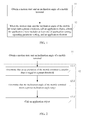
FIG. 2 is a flowchart of another method for calling an application object according to an embodiment of the present invention; -
FIG. 3a andFIG. 3b are schematic processes of a method for calling an application object according to an embodiment of the present invention; -
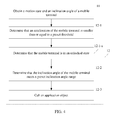
FIG. 4 is a flowchart of another method for calling an application object according to an embodiment of the present invention; -
FIG. 5 is a flowchart of another method for calling an application object according to an embodiment of the present invention; and -
FIG. 6 is schematic structural diagram of a mobile terminal according to an embodiment of the present invention. - Embodiments of the present invention provide a method for calling an application object and a mobile terminal, which are used to quickly call an application object and improve user experience.
- The following clearly and completely describes the technical solutions in the embodiments of the present invention with reference to the accompanying drawings in the embodiments of the present invention. Apparently, the described embodiments are merely a part rather than all of the embodiments of the present invention. All other embodiments obtained by a person of ordinary skill in the art based on the embodiments of the present invention without creative efforts shall fall within the protection scope of the present invention.
- The following describes each of the embodiments of the present invention in detail.
- Referring to
FIG. 1, FIG. 1 is a flowchart of a method for calling an application object according to an embodiment of the present invention, where the method includes: - Step 11: Acquire a motion state and an inclination angle of a mobile terminal.
- Step 12: When the motion state and the inclination angle of the mobile terminal meet a preset condition, call an application object, where the application object includes at least one of application setting, operating parameter setting, and an application shortcut.
- An executor of the method may be a mobile terminal.
- It may be understood that in actual operations, the application setting in application objects may be volume size setting, font size setting, and the like; the operating parameter may be a chatting record, a browsing record, a song lyric, and the like; and the application shortcut may be one or a combination of multiple of a browser shortcut, a microblog shortcut, a game shortcut, a shortcut of an application running on the background, an information shortcut, a keyboard shortcut, a contact shortcut, and the like. This is not specifically limited herein.
- As can be seen from the above, in the method for calling an application object provided in this embodiment of the present invention, a state change of a mobile terminal is considered as a conscious operation of a user, and whether an application object needs to be called is determined according to a motion state and an inclination angle of the mobile terminal. This is convenient and efficient and easy to operate, thereby improving user experience.
- Optionally, as shown in
FIG. 2 , which is a flowchart of another method for calling an application object according to an embodiment of the present invention, judging whether a motion state and an inclination angle of the mobile terminal meet a preset condition may include: when it is determined that an acceleration of the mobile terminal is smaller than or equal to a preset threshold and it is determined that the inclination angle of the mobile terminal meets a preset inclination range, determining that the motion state and the inclination angle of the mobile terminal meet the preset condition. - Optionally, in some implementation manners, that the acceleration of the mobile terminal is smaller than or equal to a preset threshold may be first determined; and then the inclination angle of the mobile terminal is determined. Based on this scenario,
step 12 may include: - Step 12-1: Determine that the acceleration of the mobile terminal is smaller than or equal to a preset threshold.
- Optionally, in this implementation manner, an acceleration sensor may be used to determine whether the acceleration of the mobile terminal is smaller than or equal to the preset threshold.
- It may be understood that the acceleration sensor whose English name is acceleration sensor is a sensor that can sense the acceleration and can convert the acceleration into an available output signal. Generally, the acceleration sensor utilizes an internal feature that crystal deformation occurs due to an acceleration. Because this deformation generates voltage, the acceleration can be converted into a voltage output so long as a relationship between the generated voltage and the imposed acceleration is computed.
- In this method embodiment of the present invention, if it is determined that the acceleration of the mobile terminal is smaller than or equal to a preset threshold, it can be considered that the mobile terminal is in a relatively stable state, where the relatively stable state may include, for example, that the mobile terminal stands still on a desktop, that the user holds the mobile terminal without doing large amplitude motions, and that the user carries the mobile terminal or places the mobile terminal in a car moving at a constant speed. On the contrary, if it is determined that the acceleration of the mobile terminal is greater than the preset threshold, it is considered that the mobile terminal is not in a relatively stable state. In this case, the mobile terminal may maintain a current motion state, be used according to a user need, or the like. This is not specifically limited in this embodiment of the present invention.
- In the prior art, it may be considered that an acceleration sensor includes three axes, an X axis, a Y axis, and a Z axis. When the mobile terminal is in a relatively stable state, the output acceleration value of the acceleration sensor is 0, that is, a sum of the acceleration vectors on the X axis, the Y axis, and the Z axis should be equal to 0. It may be understood that 0 is only a theoretical reference value. In actual operations, because errors of the acceleration sensor and temperature changes affect measurement precision, a preset threshold may be used to make determination and avoid wrong triggering. That is to say, if the acceleration value is smaller than or equal to the preset threshold, it can be considered that the mobile terminal is in a relatively stable state; and on the contrary, if the acceleration value is greater than the preset threshold, it can be considered that the mobile terminal is not in a relatively stable state. Therefore, the acceleration information of the acceleration sensor can be used to acquire the motion state of the mobile terminal.
- Further, after it is determined that the acceleration of the mobile terminal is smaller than or equal to the preset threshold (step 12-1), the method may further include:
- Step 12-2: Determine that the inclination angle of the mobile terminal meets a preset inclination angle range.
- Optionally, in this implementation manner, a gyroscope sensor may be used to determine whether the inclination angle of the mobile terminal meets a preset inclination range.
- It may be understood that the gyroscope sensor is an instrument that can accurately determine a position of a moving object. A working principle of the gyroscope sensor is as follows: When a pointing direction of a rotation axis of a rotating object is not affected by an external force, the rotation axis of the rotating object remains unchanged; the gyroscope sensor maintains the direction according to this principle, then reads the pointing direction of the axis, and automatically transmits a data signal to a control system.
- In actual operations, the gyroscope sensor can detect an angle of 360 degrees, and determine whether an inclination angle meets a preset inclination range. It is found through practices that optionally, the preset inclination range may be set to an inclination angle ranging from 15 degrees to 75 degrees, that is, when the inclination angle of the mobile terminal is 15 degrees to 75 degrees, it can be considered that the inclination angle meets the preset inclination range, and then an application object is called.
- It may also be considered that the gyroscope sensor includes three axes, an X axis, a Y axis, and a Z axis, and output data of the gyroscope sensor is angular velocities rotating around the foregoing three axes. When the mobile terminal is placed vertically, the vertical screen direction is the Y axis direction of the gyroscope sensor. When the mobile terminal is inclined to the left or right, and then put in a normal position, the gyroscope sensor can perform time integration on an angular velocity rotating around the Y axis to acquire an angular displacement when the mobile terminal is inclined to the left or right, where the angular displacement refers to a radian of inclining to the left or inclining to the right when the mobile terminal is placed vertically, that is, the inclination angle. Therefore, by using this feature of the gyroscope sensor, a motion state of inclining to the left or right can be identified when the mobile terminal is placed vertically.
- Further, after it is determined that the inclination angle of the mobile terminal meets the preset inclination range (step 12-2), the method may further include:
- Step 12-3: Call the application object.
- Optionally, when it is determined that the acceleration of the mobile terminal is smaller than or equal to the preset threshold and it is determined that the inclination angle of the mobile terminal meets the preset inclination range, it can be determined that the motion state and the inclination angle of the mobile terminal meet the preset condition, and then the application object is called.
- The application object may include at least one of application setting, operating parameter setting, and an application shortcut. A user may set the called application object according to different scenarios and applications. For example, calling application setting may be calling volume size setting or font size setting; calling an operating parameter may be calling a chatting record, a browsing record, and a song lyric; and a called program shortcut may be one or a combination of multiple of a browser shortcut, a microblog shortcut, a game shortcut, a shortcut of an application running on the background, an information shortcut, a keyboard shortcut, and a contact shortcut. On the contrary, if it is determined that the inclination angle of the mobile terminal does not meet the preset inclination angle, that is, if the inclination angle does not meet the preset condition, it can be considered that the user does not have the intention or need to call the application object. In this case, an application or a task currently running on the mobile terminal may be maintained. This is not specifically limited in this embodiment of the present invention.
- In this method embodiment of the present invention, as shown in
FIG. 3a , it is assumed that the mobile terminal ismobile phone 1. Generally, when an interface ofmobile phone screen 2 is a main interface, an information shortcut, a contact shortcut, a dial-up shortcut, and a browser shortcut may be disposed at a lower part of the interface for a user to select. Whenmobile phone 1 is in a relatively stable state, that is, when it is determined that an acceleration of the mobile phone is smaller than or equal to a preset threshold and it is determined that an inclination angle ofmobile phone 1 meets a preset inclination range, it can be considered that changing this state is a conscious operation of the user, so thatpreset application object 3 is called quickly, where the calledapplication object 3 may be some commonly used application shortcuts, as shown inFIG. 3b . It may be understood that the user may preset the calledapplication object 3 according to different scenarios and needs, which is easy to operate and not specifically limited herein. - As can be seen from the above, in the method for calling an application object provided in this embodiment of the present invention, an acceleration sensor and a gyroscope sensor are used to determine a state of a mobile terminal; because the acceleration sensor and the gyroscope sensor are relatively sensitive, it can be accurately determined that a motion state and an inclination angle of the mobile terminal meet a preset condition, so that an application object is called, which simplifies user operations and improves user experience.
- Optionally, as shown in
FIG. 4 , which is a flowchart of another method for calling an application object according to an embodiment of the present invention, before it is determined that the inclination angle of the mobile terminal meets a preset inclination range (step 12-2), the method may further include: - Step 12-1-a: Determine that the mobile terminal is in an unlocked state.
- If it is determined that the mobile terminal is in an unlocked state, the step of determining whether the inclination angle of the mobile terminal meets the preset inclination range is triggered.
- It may be understood that if it is determined that the mobile terminal is in a locked state, it can be considered that the user does not have an intention or need to operate the mobile terminal, because the user needs to operate the mobile terminal when the mobile terminal is in an unlocked state. After it is determined that the mobile terminal is in an unlocked state, whether the inclination angle of the mobile terminal meets the preset inclination range is determined.
- Optionally, as shown in
FIG. 5 , before the application object is called (step 12-3), the method may further include: - Step 12-2-a: Acquire an application running on a current interface of the mobile terminal.
- In this implementation manner of the present invention, after it is determined that the motion state and the inclination angle of the mobile terminal meet the preset condition and an application running on the current interface is acquired, the mobile terminal may automatically call an application object corresponding to the application. It should be noted that the application running on the current interface refers to a running application displayed on the current interface and does not include an application which is not closed by the user and is still running on the background.
- An optional implementation manner of calling an application object corresponding to the application is as follows: The mobile terminal searches, according to the acquired application running on the current interface, a preset correspondence table between applications and application objects to acquire and call an application object corresponding to the application.
- It may be understood that the correspondence table between applications and application objects is preset in the mobile terminal. In this implementation manner, the application object may include at least one of application setting, operating parameter setting, and an application shortcut.
- In addition, in this embodiment of the present invention, correspondence information between applications and application objects may also be recorded by using an Extensible Markup Language (Extensible Markup Language, XML) configuration file, which is not specifically limited herein.
- In this implementation manner, after step 12-2-a, the calling the application object (step 12-3) may specifically include:
- Step 12-3-1: Call application setting corresponding to the application running on the current interface of the mobile terminal.
- Step 12-3-2: Call operating parameter setting corresponding to the application running on the current interface of the mobile terminal.
- Step 12-3-3: Call an application shortcut corresponding to the application running on the current interface of the mobile terminal.
- It should be noted that after the application running on the current interface is acquired (step 12-2-a), step 12-3-1, step 12-3-2, or step 12-3-3 may be executed, that is, the application setting, the operating parameter setting, or the shortcut may be called, which is not specifically limited herein.
- It may be understood that corresponding to step 12-3-1, when the acquired application running on the current interface is ebook browsing, calling the application setting corresponding to ebook browsing may be calling one or a combination of multiple of the following application settings: adding favorite, adjusting brightness, displaying section, and adjusting font size; corresponding to step 12-3-2, when the acquired application running on the current interface is webpage browsing, calling an operating setting corresponding to webpage browsing may be calling a thumbnail image of a browsed webpage; corresponding to step 12-3-3, when the acquired application running on the current interface is video playing, video playing is paused, and calling an application shortcut corresponding to video playing may be calling one or a combination of multiple of an information shortcut, a keyboard shortcut, a contact shortcut, a browser shortcut, and a shortcut of an application running on the background.
- As can be seen from the above, in the method for calling an application object provided in this embodiment of the present invention, when an application object is called, an application running on a current interface of a mobile terminal is first acquired, and then an application object corresponding to the application is called according to the application, where the application object may be preset by a user, so that the called application object is more pertinent and meets user requirements better, which greatly improves user experience.
- To make the technical solution of the present invention more comprehensible, the method provided in this embodiment of the present invention is analyzed and described by using a few specific application scenarios in the following. In the described application scenarios, it is assumed that the mobile terminal is a mobile phone.
- In one application scenario of this embodiment of the present invention, when the acquired application running on a current interface of the mobile phone is video playing, that is, a user is watching a video by using the mobile phone, the screen of the mobile phone is an interface displaying a video in a full-screen manner. If the user needs to send a short message at this time, the user only needs to incline the mobile phone to a certain angle, and the inclination angle meets a preset inclination angle range; if the preset inclination angle range is 15 degrees to 75 degrees, a video image is automatically paused and meanwhile a set application object is displayed on the screen; if the application object is an application shortcut, the application shortcut may include one or a combination of multiple of an information shortcut, a keyboard shortcut, a contact shortcut, a browser shortcut, and a shortcut of an application running on the background. At this time, the user only needs to click the information shortcut on the screen of the mobile phone to edit a short message.
- It may be understood that the application object may also be set to one or more other common program shortcuts according to user requirements. After the editing and sending of the short message are complete, the screen of the mobile phone may be set to going back to the video interface automatically.
- In another application scenario of this embodiment of the present invention, when the acquired application running on a current interface of the mobile phone is webpage browsing, that is, a user is browsing a webpage by using the mobile phone, the screen of the mobile phone is an interface displaying webpage content in a full-screen manner. If the user wants to view a previously opened webpage interface, the user only needs to incline the mobile phone to a certain angle, and the inclination angle meets a preset inclination angle range. In this case, the screen displays a thumbnail image of a browsed webpage. At this time, the user only needs to click the thumbnail image of the webpage to enter the webpage that needs to be opened.
- It may be understood that in this implementation manner, the thumbnail image of the browsed webpage may be considered as operating parameter setting corresponding to the application (that is, webpage browsing) running on the current interface of the mobile phone.
- In another application scenario of this embodiment of the present invention, when the acquired application running on a current interface is ebook browsing, that is, a user is browsing an ebook by using the mobile phone, the screen of the mobile phone is an interface displaying content of the ebook in a full-screen manner. If the user wants to add a favorite, the user only needs to incline the mobile phone to a certain angle, and the inclination angle meets a preset inclination angle range. In this case, the screen displays a set application object. If the application object is application setting corresponding to ebook browsing, the application setting may include one or a combination of multiple of adding favorite, adjusting brightness, displaying section, and adjusting font size. At this time, the user only needs to click an Add Favorite icon on the screen of the mobile phone to enter an Add Favorite interface.
- It may be understood that after the adding a favorite is complete, the mobile terminal may be set to going back to the ebook browsing interface automatically.
- As can be seen from the above, according to the method for calling an application object and the mobile terminal provided in the embodiments of the present invention, a state change of a mobile terminal is considered as a conscious operation of a user, and whether an application object is called is determined according to the state of the mobile terminal, which is convenient and efficient and easy to operate; and an application can be switched quickly without using any hard button, which improves user experience and conforms to development requirements of mobile terminals with a full-sized screen. In addition, a user may preset content displayed by different applications in an inclined state, which is a new human-computer interaction model.
- To better implement the technical solutions provided in the embodiments of the present invention, an embodiment of the present invention also provides a related apparatus configured to implement the foregoing method. Meanings of terms in this embodiment are the same as those in the foregoing method. For specific implementation details, reference may be made to the descriptions in the method embodiments.
- Referring to
FIG. 6, FIG. 6 is a schematic structural diagram of a mobile terminal according to an embodiment of the present invention, where the mobile terminal includes: - an
acceleration sensor 61, configured to acquire a motion state of the mobile terminal; - a
gyroscope sensor 62, configured to acquire an inclination angle of the mobile terminal; - a
controller 63, configured to, when the motion state acquired by theacceleration sensor 61 and the inclination angle acquired by thegyroscope sensor 62 meet a preset condition, control calling of an application object, where the application object includes at least one of application setting, operating parameter setting, and an application shortcut; and - a
display 64, configured to display the application object called by thecontroller 63. - It may be understood that in actual operations, the application setting in application objects may be volume size setting, font size setting, and the like; the operating parameter may be a chatting record, a browsing record, a song lyric, and the like; the application shortcut may be one or a combination of multiple of a browser shortcut, a microblog shortcut, a game shortcut, a shortcut of an application running on the background, an information shortcut, a keyboard shortcut, and a contact shortcut, which is not specifically limited herein.
- As can be seen from the above, according to the mobile terminal provided in the embodiment of the present invention, a state change of the mobile terminal is considered as a conscious operation of a user, and whether an application object needs to be called is determined according to a motion state and an inclination angle of the mobile terminal. This is convenient and efficient and easy to operate, thereby improving user experience.
- Optionally, the
acceleration sensor 61 is specifically configured to determine that an acceleration of the mobile terminal is smaller than or equal to a preset threshold; thegyroscope sensor 62 is specifically configured to determine that the inclination angle of the mobile terminal meets a preset inclination range; and thecontroller 63 is specifically configured to, when the acceleration acquired by theacceleration sensor 61 is smaller than or equal to the preset threshold and the inclination angle acquired by thegyroscope sensor 62 meets the preset inclination range, determine that the motion state and the inclination angle of the mobile terminal meet the preset condition, and call the application object. - Optionally, the
controller 63 is further configured to, before thegyroscope sensor 62 determines that the inclination angle of the mobile terminal meets the preset inclination range, determine that the mobile terminal is in an unlocked state. - Optionally, before controlling the calling of the application object, the
controller 63 is further configured to acquire an application running on a current interface; after acquiring the application running on the current interface, the controller 53 calls application setting corresponding to the application running on the current interface of the mobile terminal, or operating parameter setting corresponding to the application running on the current interface of the mobile terminal, or an application shortcut corresponding to the application running on the current interface of the mobile terminal. - Optionally, when the application running on the current interface and acquired by the
controller 63 is video playing, thecontroller 63 controls pausing of the video playing; thedisplay 64 is configured to display one or a combination of multiple of an information shortcut, a keyboard shortcut, a contact shortcut, a browser shortcut, and a shortcut of an application running on the background. - When the application running on the current interface and acquired by the
controller 63 is webpage browsing, thedisplay 64 is configured to display a thumbnail image of a browsed webpage. - When the application running on the current interface and acquired by the
controller 63 is ebook browsing, thedisplay 64 is configured to display one or a combination of multiple of the following application settings: adding favorite, adjusting brightness, displaying section, and adjusting font size. - It may be understood that in the mobile terminal provided in this embodiment of the present invention, functions of the functional modules may be specifically implemented according to the methods in the foregoing method embodiments. For details about a specific implementation process, reference may be made to the related descriptions of the foregoing method embodiments, which is not further described herein.
- As can be seen from the above, according to the mobile terminal provided in this embodiment of the present invention, a state change of the mobile terminal is considered as a conscious operation of a user, and whether an application object needs to be called is determined according to the state of the mobile terminal, which is convenient and efficient and easy to operate. An acceleration sensor and a gyroscope sensor are used to determine the state of the mobile terminal, which can accurately determine that a motion state and an inclination angle of the mobile terminal meet a preset condition. In addition, when an application object is called, an application running on a current interface of the mobile terminal is first acquired, and then an application object corresponding to the application is called according to the application, where the application object may be preset by a user, so that the called application object is more pertinent and meets user requirements better, which greatly improves user experience.
- It can be clearly understood by a person skilled in the art that, for convenience and brevity of description, for details about specific working processes of the foregoing apparatus and units or modules in the apparatus, reference may be made to corresponding processes in the foregoing method embodiments, which is not further described herein.
- A person of ordinary skill in the art can understand that all of a part of the steps of the method embodiments may be implemented by a program instructing relevant hardware. The program may be stored in a computer readable storage medium and includes several instructions for instructing a computer device (which may be a personal computer, a server, or a network device) to perform all or a part of the steps of the methods described in the embodiments of the present invention. The foregoing storage medium includes: any medium that can store program code, such as a USB flash drive, a removable hard disk, a read-only memory (Read-Only Memory, ROM), a random access memory (Random Access Memory, RAM), a magnetic disk, or an optical disc.
- A method for calling an application object and a mobile terminal provided in the present invention have been described in detail above. A person skilled in the art can make modifications to the specific implementation mode and application scope according to the idea of the embodiments of the present invention. Therefore, content of this specification should not be understood as a limitation on the present invention.
Claims (14)
- A method for calling an application object, comprising:acquiring a motion state and an inclination angle of a mobile terminal; andwhen the motion state and the inclination angle of the mobile terminal meet a preset condition, calling an application object, wherein the application object comprises at least one of application setting, operating parameter setting, and an application shortcut.
- The method according to claim 1, wherein determining whether the motion state and the inclination angle of the mobile terminal meet a preset condition comprises:when determining that an acceleration of the mobile terminal is smaller than or equal to a preset threshold and determining that the inclination angle of the mobile terminal meets a preset inclination range, determining that the motion state and the inclination angle of the mobile terminal meet the preset condition.
- The method according to claim 2, wherein before the determining that the inclination angle of the mobile terminal meets a preset inclination range, the method further comprises:determining that the mobile terminal is in an unlocked state.
- The method according to any one of claims 1 to 3, wherein:before the calling the application object, the method further comprises:acquiring an application running on a current interface of the mobile terminal; andthe calling the application object specifically comprises:calling application setting corresponding to the application running on the current interface of the mobile terminal, or operating parameter setting corresponding to the application running on the current interface of the mobile terminal, or an application shortcut corresponding to the application running on the current interface of the mobile terminal.
- The method according to claim 4, wherein:when the acquired application running on the current interface is video playing, pausing the video playing and calling one or a combination of multiple of an information shortcut, a keyboard shortcut, a contact shortcut, a browser shortcut, and a shortcut of an application running on the background.
- The method according to claim 4, wherein:when the acquired application running on the current interface is webpage browsing, calling a thumbnail image of a browsed webpage.
- The method according to claim 4, wherein:when the acquired application running on the current interface is ebook browsing, calling one or a combination of multiple of the following application settings: adding favorite, adjusting brightness, displaying section, and adjusting font size.
- A mobile terminal, comprising:an acceleration sensor, configured to acquire a motion state of the mobile terminal;a gyroscope sensor, configured to acquire an inclination angle of the mobile terminal;a controller, configured to, when the motion state acquired by the acceleration sensor and the inclination angle acquired by the gyroscope sensor meet a preset condition, control calling of an application object, wherein the application object comprises at least one of application setting, operating parameter setting, and an application shortcut; anda display, configured to display the called application object.
- The mobile terminal according to claim 8, wherein:the acceleration sensor is specifically configured to determine that an acceleration of the mobile terminal is smaller than or equal to a preset threshold;the gyroscope sensor is specifically configured to determine that the inclination angle of the mobile terminal meets a preset inclination range; andthe controller is specifically configured to, when the acceleration acquired by the acceleration sensor is smaller than or equal to a preset threshold and the inclination angle acquired by the gyroscope sensor meets the preset inclination range, determine that the motion state and the inclination angle of the mobile terminal meet a preset condition, and call the application object.
- The mobile terminal according to claim 9, wherein:the controller is further configured to, before the gyroscope sensor determines that the inclination angle of the mobile terminal meets the preset inclination range, determine that the mobile terminal is in an unlocked state.
- The mobile terminal according to any one of claims 8 to 10, wherein:before controlling the calling of the application object, the controller is further configured to acquire an application running on a current interface; and after acquiring the application running on the current interface, the controller calls application setting corresponding to the application running on the current interface of the mobile terminal, or operating parameter setting corresponding to the application running on the current interface of the mobile terminal, or an application shortcut corresponding to the application running on the current interface of the mobile terminal.
- The mobile terminal according to claim 11, wherein:when the application running on the current interface and acquired by the controller is video playing, the controller controls pausing the video playing; andthe display is configured to display one or a combination of multiple of an information shortcut, a keyboard shortcut, a contact shortcut, a browser shortcut, and a shortcut of an application running on the background.
- The mobile terminal according to claim 11, wherein:when the application running on the current interface and acquired by the controller is webpage browsing, the display is configured to display a thumbnail image of a browsed webpage.
- The mobile terminal according to claim 11, wherein:when the application running on the current interface and acquired by the controller is ebook browsing, the display is configured to display one or a combination of multiple of the following application settings: adding favorite, adjusting brightness, displaying section, and adjusting font size.
Applications Claiming Priority (2)
| Application Number | Priority Date | Filing Date | Title |
|---|---|---|---|
| CN2012102071055A CN102799361A (en) | 2012-06-21 | 2012-06-21 | Method for calling application object out and mobile terminal |
| PCT/CN2012/086083 WO2013189155A1 (en) | 2012-06-21 | 2012-12-06 | A calling method for application object and its mobile terminal |
Publications (2)
| Publication Number | Publication Date |
|---|---|
| EP2784650A1 true EP2784650A1 (en) | 2014-10-01 |
| EP2784650A4 EP2784650A4 (en) | 2015-10-07 |
Family
ID=47198478
Family Applications (1)
| Application Number | Title | Priority Date | Filing Date |
|---|---|---|---|
| EP12879395.7A Withdrawn EP2784650A4 (en) | 2012-06-21 | 2012-12-06 | A calling method for application object and its mobile terminal |
Country Status (6)
| Country | Link |
|---|---|
| US (1) | US20140313127A1 (en) |
| EP (1) | EP2784650A4 (en) |
| JP (1) | JP2015526777A (en) |
| KR (1) | KR20140112514A (en) |
| CN (1) | CN102799361A (en) |
| WO (1) | WO2013189155A1 (en) |
Cited By (2)
| Publication number | Priority date | Publication date | Assignee | Title |
|---|---|---|---|---|
| CN105049635A (en) * | 2015-08-21 | 2015-11-11 | 上海众人网络安全技术有限公司 | Mobile terminal and function trigger method thereof, and fast commodity address acquisition system |
| CN105163157A (en) * | 2015-06-30 | 2015-12-16 | 北京奇艺世纪科技有限公司 | Display method and device for bullet screen contents |
Families Citing this family (33)
| Publication number | Priority date | Publication date | Assignee | Title |
|---|---|---|---|---|
| CN102799361A (en) * | 2012-06-21 | 2012-11-28 | 华为终端有限公司 | Method for calling application object out and mobile terminal |
| CN103902196B (en) * | 2012-12-28 | 2017-02-08 | 联芯科技有限公司 | Screen display system and method and electronic display equipment |
| CN103941966B (en) * | 2013-01-21 | 2017-12-26 | 联想(北京)有限公司 | The method and electronic equipment of application control |
| CN103176694A (en) * | 2013-03-05 | 2013-06-26 | 广东欧珀移动通信有限公司 | Method and device for automatic font adjustment of mobile terminal |
| CN103135792B (en) * | 2013-03-12 | 2015-12-02 | 广东欧珀移动通信有限公司 | A kind of utilize gravity sensing principle to carry out terminal unlocking method and device |
| CN104123083A (en) * | 2013-04-24 | 2014-10-29 | 中兴通讯股份有限公司 | Method and device for generating shortcut buttons and mobile equipment |
| CN104142791A (en) * | 2013-05-09 | 2014-11-12 | 腾讯科技(深圳)有限公司 | Resource replacing method, device and terminal |
| CN104516495A (en) * | 2013-09-30 | 2015-04-15 | 中兴通讯股份有限公司 | Method and terminal for quickly entering terminal application |
| CN104574073A (en) * | 2013-10-18 | 2015-04-29 | 阿里巴巴集团控股有限公司 | Matching method and system for electronic equipment |
| CN104754111A (en) * | 2013-12-31 | 2015-07-01 | 北京新媒传信科技有限公司 | Control method for mobile terminal application and control device |
| CN103777890B (en) * | 2014-02-21 | 2017-07-25 | 联想(北京)有限公司 | A kind of information processing method and device |
| CN104866086B (en) * | 2014-02-26 | 2019-06-25 | 联想(北京)有限公司 | Information processing method and electronic equipment |
| JP6334256B2 (en) * | 2014-05-19 | 2018-05-30 | オリンパス株式会社 | Imaging display device and imaging display method |
| KR102318519B1 (en) * | 2014-10-30 | 2021-10-28 | 삼성전자 주식회사 | Method for operating communication and electronic device supporting the same |
| KR101626489B1 (en) * | 2014-11-12 | 2016-06-13 | 엘지전자 주식회사 | Mobile terminal and method for controlling the same |
| CN105022490A (en) * | 2015-07-28 | 2015-11-04 | 广东欧珀移动通信有限公司 | Application program control method of smart watch and smart watch |
| CN105183172A (en) * | 2015-09-28 | 2015-12-23 | 联想(北京)有限公司 | Information processing method and electronic equipment |
| CN105279417B (en) * | 2015-11-03 | 2017-10-24 | 广东欧珀移动通信有限公司 | A kind of method for controlling application starting and user terminal |
| CN105530529B (en) * | 2015-12-09 | 2019-04-23 | 深圳Tcl数字技术有限公司 | Quick application control method and device |
| CN105739863A (en) * | 2016-01-29 | 2016-07-06 | 维沃移动通信有限公司 | Method for mobile terminal to start application, and mobile terminal |
| CN106201245A (en) * | 2016-06-28 | 2016-12-07 | 周奇 | The application control method of a kind of terminal and system |
| CN106060612A (en) * | 2016-06-29 | 2016-10-26 | 乐视控股(北京)有限公司 | Video playing method and video playing device |
| CN106502756B (en) * | 2016-12-06 | 2019-03-15 | 武汉斗鱼网络科技有限公司 | Application control method and device |
| CN107170414B (en) * | 2017-06-08 | 2019-01-08 | 北京小米移动软件有限公司 | The adjusting method and device of display backlight brightness |
| US20190007536A1 (en) * | 2017-07-03 | 2019-01-03 | Essential Products, Inc. | Handheld writing implement form factor mobile device |
| US10462345B2 (en) | 2017-08-11 | 2019-10-29 | Essential Products, Inc. | Deformable structure that compensates for displacement of a camera module of a camera accessory |
| CN107608540B (en) * | 2017-09-04 | 2021-08-10 | 惠州Tcl移动通信有限公司 | Fingerprint control method based on gyroscope, mobile terminal and storage medium |
| CN109550246B (en) * | 2017-09-25 | 2022-03-25 | 腾讯科技(深圳)有限公司 | Game client control method, device, storage medium and electronic device |
| WO2019071619A1 (en) * | 2017-10-13 | 2019-04-18 | 华为技术有限公司 | Application management method and terminal |
| CN108421254B (en) * | 2018-03-23 | 2021-12-14 | 网易(杭州)网络有限公司 | Method and device for controlling rearview mirror in game |
| CN111049908A (en) * | 2019-12-12 | 2020-04-21 | 中国建设银行股份有限公司 | Data pre-caching method and device for mobile equipment |
| KR102290800B1 (en) * | 2020-02-06 | 2021-08-17 | 정남호 | Method for providing a platform that the simple running of the app using a motion sensor of the mobile terminal |
| JP7754064B2 (en) * | 2022-11-18 | 2025-10-15 | トヨタ自動車株式会社 | Mobile Control System |
Family Cites Families (38)
| Publication number | Priority date | Publication date | Assignee | Title |
|---|---|---|---|---|
| US7289102B2 (en) * | 2000-07-17 | 2007-10-30 | Microsoft Corporation | Method and apparatus using multiple sensors in a device with a display |
| JP2005292893A (en) * | 2004-03-31 | 2005-10-20 | Nec Access Technica Ltd | Portable information terminal device |
| US7262761B1 (en) * | 2004-04-21 | 2007-08-28 | Danger, Inc. | User interface for detecting a data entry mode |
| US7221559B1 (en) * | 2004-08-18 | 2007-05-22 | Danger, Inc. | Multipurpose bumper system for a data processing apparatus |
| JP4503480B2 (en) * | 2005-04-01 | 2010-07-14 | 三菱電機株式会社 | Rollover judgment device |
| US7886233B2 (en) * | 2005-05-23 | 2011-02-08 | Nokia Corporation | Electronic text input involving word completion functionality for predicting word candidates for partial word inputs |
| US8046030B2 (en) * | 2005-07-29 | 2011-10-25 | Sony Ericsson Mobile Communications Ab | Methods, devices and computer program products for operating mobile devices responsive to user input through movement thereof |
| US20080195664A1 (en) * | 2006-12-13 | 2008-08-14 | Quickplay Media Inc. | Automated Content Tag Processing for Mobile Media |
| US8462109B2 (en) * | 2007-01-05 | 2013-06-11 | Invensense, Inc. | Controlling and accessing content using motion processing on mobile devices |
| JP4853302B2 (en) * | 2007-01-19 | 2012-01-11 | 日本電気株式会社 | Command input device for portable terminal and command input method for portable terminal |
| US20080229255A1 (en) * | 2007-03-15 | 2008-09-18 | Nokia Corporation | Apparatus, method and system for gesture detection |
| US20080293450A1 (en) * | 2007-05-21 | 2008-11-27 | Ryan Thomas A | Consumption of Items via a User Device |
| US9030418B2 (en) * | 2008-06-24 | 2015-05-12 | Lg Electronics Inc. | Mobile terminal capable of sensing proximity touch |
| US8587515B2 (en) * | 2008-08-05 | 2013-11-19 | Apple Inc. | Systems and methods for processing motion sensor generated data |
| US20100064255A1 (en) * | 2008-09-05 | 2010-03-11 | Apple Inc. | Contextual menus in an electronic device |
| US20100079508A1 (en) * | 2008-09-30 | 2010-04-01 | Andrew Hodge | Electronic devices with gaze detection capabilities |
| US20100138766A1 (en) * | 2008-12-03 | 2010-06-03 | Satoshi Nakajima | Gravity driven user interface |
| US20100146437A1 (en) * | 2008-12-04 | 2010-06-10 | Microsoft Corporation | Glanceable animated notifications on a locked device |
| KR101565768B1 (en) * | 2008-12-23 | 2015-11-06 | 삼성전자주식회사 | Apparatus and method for unlocking a locking mode of portable terminal |
| US9174123B2 (en) * | 2009-11-09 | 2015-11-03 | Invensense, Inc. | Handheld computer systems and techniques for character and command recognition related to human movements |
| US10528221B2 (en) * | 2009-12-31 | 2020-01-07 | International Business Machines Corporation | Gravity menus for hand-held devices |
| CN101788851A (en) * | 2010-02-22 | 2010-07-28 | 中国电信股份有限公司 | Method and system for simulating motion of handle |
| JP5464349B2 (en) * | 2010-02-26 | 2014-04-09 | 日本電気株式会社 | Mobile terminal device and its return control method from display power saving state |
| US8874129B2 (en) * | 2010-06-10 | 2014-10-28 | Qualcomm Incorporated | Pre-fetching information based on gesture and/or location |
| KR101672212B1 (en) * | 2010-06-15 | 2016-11-04 | 엘지전자 주식회사 | Mobile terminal and operation method thereof |
| EP2416544B1 (en) * | 2010-08-06 | 2015-04-29 | BlackBerry Limited | Electromagnetic Shielding and an Acoustic Chamber for a Microphone in a Mobile Electronic Device |
| US9007304B2 (en) * | 2010-09-02 | 2015-04-14 | Qualcomm Incorporated | Methods and apparatuses for gesture-based user input detection in a mobile device |
| JP5664036B2 (en) * | 2010-09-07 | 2015-02-04 | ソニー株式会社 | Information processing apparatus, program, and control method |
| US20120120000A1 (en) * | 2010-11-12 | 2012-05-17 | Research In Motion Limited | Method of interacting with a portable electronic device |
| CN102135850A (en) * | 2010-12-06 | 2011-07-27 | 华为终端有限公司 | Handheld terminal equipment and automatic unlocking method thereof |
| CN102156555A (en) * | 2011-03-08 | 2011-08-17 | 惠州Tcl移动通信有限公司 | Page browsing method and electronic equipment using same |
| KR101517459B1 (en) * | 2011-06-23 | 2015-05-04 | 후아웨이 디바이스 컴퍼니 리미티드 | Method for automatically switching user interface of handheld terminal device, and handheld terminal device |
| US9086794B2 (en) * | 2011-07-14 | 2015-07-21 | Microsoft Technology Licensing, Llc | Determining gestures on context based menus |
| CN102413442B (en) * | 2011-11-10 | 2015-01-21 | 惠州Tcl移动通信有限公司 | Method for preventing loss of mobile phone and mobile phone |
| KR101680059B1 (en) * | 2012-05-02 | 2016-11-28 | 삼성전자주식회사 | Method for moving screen and an electronic device thereof |
| CN102799361A (en) * | 2012-06-21 | 2012-11-28 | 华为终端有限公司 | Method for calling application object out and mobile terminal |
| KR102028119B1 (en) * | 2012-11-28 | 2019-11-04 | 삼성전자주식회사 | Method for displaying for application an electronic device thereof |
| US20150193061A1 (en) * | 2013-01-29 | 2015-07-09 | Google Inc. | User's computing experience based on the user's computing activity |
-
2012
- 2012-06-21 CN CN2012102071055A patent/CN102799361A/en active Pending
- 2012-12-06 WO PCT/CN2012/086083 patent/WO2013189155A1/en not_active Ceased
- 2012-12-06 JP JP2015514319A patent/JP2015526777A/en active Pending
- 2012-12-06 EP EP12879395.7A patent/EP2784650A4/en not_active Withdrawn
- 2012-12-06 KR KR1020147019795A patent/KR20140112514A/en not_active Ceased
-
2014
- 2014-07-03 US US14/323,552 patent/US20140313127A1/en not_active Abandoned
Cited By (3)
| Publication number | Priority date | Publication date | Assignee | Title |
|---|---|---|---|---|
| CN105163157A (en) * | 2015-06-30 | 2015-12-16 | 北京奇艺世纪科技有限公司 | Display method and device for bullet screen contents |
| CN105163157B (en) * | 2015-06-30 | 2018-08-03 | 北京奇艺世纪科技有限公司 | A kind of display methods and device of barrage content |
| CN105049635A (en) * | 2015-08-21 | 2015-11-11 | 上海众人网络安全技术有限公司 | Mobile terminal and function trigger method thereof, and fast commodity address acquisition system |
Also Published As
| Publication number | Publication date |
|---|---|
| JP2015526777A (en) | 2015-09-10 |
| WO2013189155A1 (en) | 2013-12-27 |
| KR20140112514A (en) | 2014-09-23 |
| EP2784650A4 (en) | 2015-10-07 |
| CN102799361A (en) | 2012-11-28 |
| US20140313127A1 (en) | 2014-10-23 |
Similar Documents
| Publication | Publication Date | Title |
|---|---|---|
| US20140313127A1 (en) | Method for Calling Application Object and Mobile Terminal | |
| KR102879953B1 (en) | How to share, shared devices and electronic devices | |
| JP6816858B2 (en) | How to control the display of multiple objects by operation-related input to the mobile terminal and the mobile terminal | |
| US8863041B1 (en) | Zooming user interface interactions | |
| KR102222732B1 (en) | Autoscroll regions | |
| US8739074B2 (en) | User interface generation apparatus for generating user interfaces of mobile terminals | |
| US9898180B2 (en) | Flexible touch-based scrolling | |
| US9918138B2 (en) | Method for controlling multimedia playing, apparatus thereof and storage medium | |
| KR101885131B1 (en) | Method and apparatus for screen scroll of display apparatus | |
| US8726158B2 (en) | User interface generation apparatus | |
| US9508322B2 (en) | Text box resizing | |
| JP2022031339A (en) | Display method and device | |
| US20170347153A1 (en) | Method of zooming video images and mobile terminal | |
| EP2741202A2 (en) | Display device and method of controlling the same | |
| WO2020063091A1 (en) | Picture processing method and terminal device | |
| US20210200431A1 (en) | Sidebar Interaction Method, Device, and Computer-readable Storage Medium | |
| CN106201166A (en) | A kind of multi-screen display method and terminal | |
| KR20160035447A (en) | Display apparatus and Method for displaying UI thereof | |
| EP3141997A1 (en) | Mobile terminal and method for controlling the same | |
| KR20160141807A (en) | Adaptive user interface pane manager | |
| US20150301991A1 (en) | Webapp startup method and device | |
| CN104102419A (en) | Page display method and device and terminal equipment | |
| US20140181726A1 (en) | Method and electronic device for providing quick launch access and storage medium | |
| US20100333016A1 (en) | Scrollbar | |
| KR102351634B1 (en) | Terminal apparatus, audio system and method for controlling sound volume of external speaker thereof |
Legal Events
| Date | Code | Title | Description |
|---|---|---|---|
| PUAI | Public reference made under article 153(3) epc to a published international application that has entered the european phase |
Free format text: ORIGINAL CODE: 0009012 |
|
| 17P | Request for examination filed |
Effective date: 20140623 |
|
| AK | Designated contracting states |
Kind code of ref document: A1 Designated state(s): AL AT BE BG CH CY CZ DE DK EE ES FI FR GB GR HR HU IE IS IT LI LT LU LV MC MK MT NL NO PL PT RO RS SE SI SK SM TR |
|
| DAX | Request for extension of the european patent (deleted) | ||
| RA4 | Supplementary search report drawn up and despatched (corrected) |
Effective date: 20150904 |
|
| RIC1 | Information provided on ipc code assigned before grant |
Ipc: G06F 3/01 20060101ALI20150831BHEP Ipc: G06F 3/0487 20130101AFI20150831BHEP Ipc: G06F 1/16 20060101ALI20150831BHEP |
|
| 17Q | First examination report despatched |
Effective date: 20170913 |
|
| RAP1 | Party data changed (applicant data changed or rights of an application transferred) |
Owner name: HUAWEI DEVICE (DONGGUAN) CO., LTD. |
|
| STAA | Information on the status of an ep patent application or granted ep patent |
Free format text: STATUS: THE APPLICATION HAS BEEN WITHDRAWN |
|
| 18W | Application withdrawn |
Effective date: 20190130 |