EP2757449A1 - System and method for creating folder quickly - Google Patents
System and method for creating folder quickly Download PDFInfo
- Publication number
- EP2757449A1 EP2757449A1 EP12831372.3A EP12831372A EP2757449A1 EP 2757449 A1 EP2757449 A1 EP 2757449A1 EP 12831372 A EP12831372 A EP 12831372A EP 2757449 A1 EP2757449 A1 EP 2757449A1
- Authority
- EP
- European Patent Office
- Prior art keywords
- touch
- file icons
- touch event
- icons
- long
- Prior art date
- Legal status (The legal status is an assumption and is not a legal conclusion. Google has not performed a legal analysis and makes no representation as to the accuracy of the status listed.)
- Ceased
Links
Images

Classifications
-
- G—PHYSICS
- G06—COMPUTING OR CALCULATING; COUNTING
- G06F—ELECTRIC DIGITAL DATA PROCESSING
- G06F3/00—Input arrangements for transferring data to be processed into a form capable of being handled by the computer; Output arrangements for transferring data from processing unit to output unit, e.g. interface arrangements
- G06F3/01—Input arrangements or combined input and output arrangements for interaction between user and computer
- G06F3/048—Interaction techniques based on graphical user interfaces [GUI]
- G06F3/0481—Interaction techniques based on graphical user interfaces [GUI] based on specific properties of the displayed interaction object or a metaphor-based environment, e.g. interaction with desktop elements like windows or icons, or assisted by a cursor's changing behaviour or appearance
- G06F3/04817—Interaction techniques based on graphical user interfaces [GUI] based on specific properties of the displayed interaction object or a metaphor-based environment, e.g. interaction with desktop elements like windows or icons, or assisted by a cursor's changing behaviour or appearance using icons
-
- G—PHYSICS
- G06—COMPUTING OR CALCULATING; COUNTING
- G06F—ELECTRIC DIGITAL DATA PROCESSING
- G06F3/00—Input arrangements for transferring data to be processed into a form capable of being handled by the computer; Output arrangements for transferring data from processing unit to output unit, e.g. interface arrangements
- G06F3/01—Input arrangements or combined input and output arrangements for interaction between user and computer
- G06F3/048—Interaction techniques based on graphical user interfaces [GUI]
- G06F3/0487—Interaction techniques based on graphical user interfaces [GUI] using specific features provided by the input device, e.g. functions controlled by the rotation of a mouse with dual sensing arrangements, or of the nature of the input device, e.g. tap gestures based on pressure sensed by a digitiser
- G06F3/0488—Interaction techniques based on graphical user interfaces [GUI] using specific features provided by the input device, e.g. functions controlled by the rotation of a mouse with dual sensing arrangements, or of the nature of the input device, e.g. tap gestures based on pressure sensed by a digitiser using a touch-screen or digitiser, e.g. input of commands through traced gestures
Definitions
- the present invention relates to a file creation technology, and more particularly, to a system and method for creating a folder quickly in a mobile terminal through multi-touch operations.
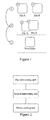
- FIG. 1 is a schematic diagram illustrating an example for creating a folder in a mobile terminal through single-touch operations.
- a mobile terminal such as an iphone
- the two files are respectively file A and file B.
- a specific marker X will occur on the icon, which represents that a long-touch mode is entered, as indicated by 1 of figure 1 .
- examples of the present invention provide a system for creating a folder quickly in a mobile terminal through multi-touch operations and a method for creating a folder quickly in a mobile terminal through multi-touch operations, which can improve the scheme for creating a folder with touch technology.
- the system for creating a folder quickly in a mobile terminal through multi-touch operations includes: a first determining unit, a second determining unit and a folder creating unit; the first determining unit is configured to obtain a touch event; when the touch event is a multi-touch event, obtain coordinates of touch points and coordinates of locations of file icons, and determine whether the touch points are respectively located on the locations of the file icons; the second determining unit is configured to, when the first determining unit determines that the touch points are respectively located on the locations of the file icons, determine whether the touch event is a long-touch event by calculating the duration from the time when fingers touch and hold the file icons to the time when the fingers are taken off the file icons; the folder creating unit is configured to, when the second determining unit determines that the touch event is long-touch event, activate a long-touch sliding mode of the file icons; when the file icons are slid by a user toward each other under the long-touch sliding mode, obtain coordinates of locations of the slid file icons; when
- the method for creating a folder quickly in a mobile terminal through multi-touch operations includes:
- a touch event is obtained, when the touch event is a multi-touch event, coordinates of touch points and coordinates of locations of file icons are obtained, and whether the touch points are respectively located on the locations of the file icons is determined; when it is determined that the touch points are respectively located on the locations of the file icons, whether the touch event is a long-touch event by calculating the touch duration is determined; when it is determined that the touch event is long-touch event, a long-touch sliding mode of the file icons is activated; when the file icons are slid toward each other under the long-touch sliding mode, coordinates of locations of the slid file icons is obtained; when it is determined that the location distance between the file icons is less than or equal to a predetermined second threshold, the long-touch event is released, a new folder creation mode is activated, and a new folder is automatically created based on the file icons under the new folder creation mode.
- a folder may be created through multi-touch technology.
- the touch technology based on a touch screen, especially multi-touch technology is increasingly favored by users, files and application programs in a mobile terminal may be quickly and easily managed using the touch technology.
- a scheme for creating a folder in a mobile terminal based on a multi-touch technology is provided by examples of the present disclosure.
- the scheme for creating a folder in a mobile terminal with touch technology is improved, and a user may create a folder quickly with the scheme.
- Figure 2 is a schematic diagram illustrating a system for creating a folder in a mobile terminal through multi-touch operations according to an example of the present disclosure. As shown in figure 2 , the system includes a first determining unit, a second determining unit and a folder creating unit.
- the first determining unit is configured to detect a touch event; when the touch event is a multi-touch event, obtain coordinates of touch points and coordinates of locations of file icons, and determine whether the touch points are respectively located on the locations of the file icons.
- the second determining unit is configured to, when the first determining unit determines that the touch points are respectively located on the locations of the file icons, determine whether the touch event is a long-touch event by calculating the duration from the time when fingers touch and hold the file icons to the time when the fingers are taken off the file icons.
- Whether the touch event is a long-touch event may be determined according to the followings.
- the touch duration the duration from the time when fingers touch and hold the file icons to the time when the fingers are taken off the file icons
- a finger-release event is triggered, it is determined that the touch event is not a long-touch event.
- the touch duration reaches the first threshold (i.e. the touch duration is greater than or equal to the first threshold)
- a finger-release event is triggered, it is determined that the touch event is a long-touch event.
- the folder creating unit is configured to, when the second determining unit determines that the touch event is a long-touch event, activate a long-touch sliding mode of the file icons; when the file icons are slid toward each other under the long-touch sliding mode, obtain coordinates of locations of the slid file icons; when determining that the location distance between the file icons is less than or equal to a predetermined second threshold, release the long-touch event, activate a new folder creation mode, and automatically create a new folder based on the file icons under the new folder creation mode.
- the function modules of the system for creating a folder in a mobile terminal may be the following.
- the first determining unit is configured to obtain a touch event; when the touch event is a two-point touch event, obtain coordinates of two touch points and coordinates of locations of two file icons, and determine whether the touch points are respectively located on the locations of the file icons.
- the second determining unit is configured to, when the first determining unit determines that the touch points are respectively located on the locations of the file icons, determine whether the touch event is a long-touch event by calculating the duration from the time when fingers tap and hold the file icons to the time when the fingers are taken off the file icons.
- a finger-release event is triggered, it is determined that the touch event is not a long-touch event.
- the duration from the time when fingers tap and hold the file icons to the time when the fingers are taken off the file icons reaches the first threshold, a finger-release event is triggered, it is determined that the touch event is a long-touch event.
- the folder creating unit is configured to, when the second determining unit determines that the touch event is a long-touch event, activate a long-touch sliding mode of the file icons; when the two file icons are slid toward each other under the long-touch sliding mode, obtain abscissas of locations of the two slid file icons; when determining that the abscissa distance ⁇ x between the locations of the two file icons is less than or equal to a preset second threshold D, release the long-touch event, activate a new folder creation mode, and automatically create a new folder based on the file icons under the new folder creation mode.
- the two file icons are contained in the new folder.
- the new folder creation based on the file icons may include the followings.
- the two file icons namely icons of file A and file B
- the new folder is directly created.
- the two file icons namely icons of file A and file B
- the new folder is created after locations of source files of the application programs, namely file A and file B, are obtained according to the shortcuts.
- the new folder creation may further include the following. It is prompted that whether to rename the created new folder, or name the created new folder "New Folder" by default.
- the new folder creation may further include the following.
- the created new folder is instantly named according to an obtained file name, or is named after the prompt is skipped.
- OnTouchEvent Because there is no multi-point long-touch event, namely OnLongClik, to be captured for Android platform, then it is needed to capture a touch event first.
- OnTouchEvent callback function is configured to active a touch event
- MotionEvent.getPointerCount function is configured to active the determination that whether the touch event is a two-point touch event.
- Coordinates of locations of the two touch points may be obtained according to MotionEvent.getX(PointerId) function and MotionEvent.getY(PointerId) function, whether the two touch points are respectively located on locations of icons of the two files.
- MotionEvent.getX(PointerId) function and MotionEvent.getY(PointerId) function are configured respectively to obtain horizontal coordinate x and vertical coordinate y of the two touch points.
- C. OnLongClick implementation for the Android platform may be simulated.
- a thread of CheckForLongPress function is started with postDelayed function, it is determined that whether a finger-release event (which may be ACTION_UP for the Android platform) occurs within a time period T (a preset first threshold), when no ACTION_UP occurs, a two-finger long press mode is activated, the special effects of pulling up icons of the two files may be generated. Furthermore, the special effects of shaking the icons of the two files may be generated by calling Vibrator.vibrator function at the same time.
- the postDelayed function is configured to calculate the time duration from the time when fingers touch and hold the file icons to the time when the fingers are taken off the file icons.
- the CheckForLongPress function is configured to detect whether the touch event is a long-touch event.
- the Vibrator.vibrator function is configured to active a shaking event.
- the two-finger long press mode is a mode of the long-touch event.
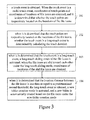
- Figure 3 is a flowchart illustrating a method for creating a folder in a mobile terminal through multi-touch operations according to an example of the present disclosure.
- the method may include the following processes.
- a touch event is obtained.
- the touch event is a multi-touch event
- coordinates of touch points and coordinates of locations of file icons are obtained, and it is determined that whether the touch points are respectively located on the locations of the file icons.
- whether the touch event is a long-touch event is determined by calculating the duration from the time when fingers touch and hold the file icons to the time when the fingers are taken off the file icons.
- Whether the touch event is a long-touch event may be determined according to the followings.
- the touch duration the duration from the time when fingers touch and hold the file icons to the time when the fingers are taken off the file icons
- a finger-release event is triggered, it is determined that the touch event is not a long-touch event.
- the touch duration reaches the first threshold (i.e. the touch duration is greater than or equal to the first threshold)
- a finger-release event is triggered, it is determined that the touch event is a long-touch event.
- a long-touch sliding mode of the file icons is activated; when the file icons are slid toward each other under the long-touch sliding mode, coordinates of locations of the slid file icons are obtained.
- the new folder creation based on the file icons may include the followings.
- the two file icons, namely icons of file A and file B are icons of application programs themselves
- the new folder is directly created.
- the two file icons, namely icons of file A and file B are icons of shortcuts of application programs
- the new folder is created after locations of source files of the application programs, namely file A and file B, are obtained according to the shortcuts.
- the new folder creation may further include the following. It is prompted that whether to rename the created new folder, or name the created new folder "New Folder" by default. Furthermore, after the prompt, the new folder creation may further include the following. The created new folder is instantly named according to an obtained file name, or is named after the prompt is skipped.
- Figure 4 is a schematic diagram illustrating the process for creating a folder in a mobile terminal with a multi-touch technology according to an example of the present disclosure.
- the process may include the followings.
Landscapes
- Engineering & Computer Science (AREA)
- General Engineering & Computer Science (AREA)
- Theoretical Computer Science (AREA)
- Human Computer Interaction (AREA)
- Physics & Mathematics (AREA)
- General Physics & Mathematics (AREA)
- User Interface Of Digital Computer (AREA)
- Information Retrieval, Db Structures And Fs Structures Therefor (AREA)
Abstract
Description
- The present invention relates to a file creation technology, and more particularly, to a system and method for creating a folder quickly in a mobile terminal through multi-touch operations.
- In mobile terminal field, at present, the touch technology based on a touch screen is increasingly favored by users. Files and application programs in a mobile terminal may be quickly and easily managed utilizing the touch technology.
Figure 1 is a schematic diagram illustrating an example for creating a folder in a mobile terminal through single-touch operations. As shown infigure 1 , there are two files on a screen of a mobile terminal, such as an iphone, and the two files are respectively file A and file B. When an icon of one of the two files is long pressed, a specific marker Ⓧ will occur on the icon, which represents that a long-touch mode is entered, as indicated by ① offigure 1 . When the icon of one of the two files is pressed and held and dragged over the icon of the other file, as indicated by ② offigure 1 , and when the icon which is pressed and held is released, a new folder will be created automatically. File A and file B are contained in the new folder, as indicated by ③ offigure 1 . - Because of the limitation of screen size of a mobile terminal, more strict requirements are needed to achieve a quick and convenient management of files and programs, especially for folder management. With the introduction of the multi-touch technology, the scheme for creating a folder with touch technology needs to be further improved.
- In view of above, examples of the present invention provide a system for creating a folder quickly in a mobile terminal through multi-touch operations and a method for creating a folder quickly in a mobile terminal through multi-touch operations, which can improve the scheme for creating a folder with touch technology.
- The system for creating a folder quickly in a mobile terminal through multi-touch operations provided by examples of the present invention includes: a first determining unit, a second determining unit and a folder creating unit;
the first determining unit is configured to obtain a touch event; when the touch event is a multi-touch event, obtain coordinates of touch points and coordinates of locations of file icons, and determine whether the touch points are respectively located on the locations of the file icons;
the second determining unit is configured to, when the first determining unit determines that the touch points are respectively located on the locations of the file icons, determine whether the touch event is a long-touch event by calculating the duration from the time when fingers touch and hold the file icons to the time when the fingers are taken off the file icons;
the folder creating unit is configured to, when the second determining unit determines that the touch event is long-touch event, activate a long-touch sliding mode of the file icons; when the file icons are slid by a user toward each other under the long-touch sliding mode, obtain coordinates of locations of the slid file icons; when determining that the location distance between the file icons is less than or equal to a predetermined second threshold, release the long-touch event, activate a new folder creation mode, and automatically create a new folder based on the file icons under the new folder creation mode. - The method for creating a folder quickly in a mobile terminal through multi-touch operations provided by examples of the present invention includes:
- obtaining a touch event; when the touch event is a multi-touch event, obtaining coordinates of touch points and coordinates of locations of file icons, and determining whether the touch points are respectively located on the locations of the file icons;
- when determining that the touch points are respectively located on the locations of the file icons, determining whether the touch event is a long-touch event by calculating the duration from the time when fingers touch and hold the file icons to the time when the fingers are taken off the file icons;
- when determining that the touch event is long-touch event, activate a long-touch sliding mode of the file icons; when the file icons are slid toward each other under the long-touch sliding mode, obtaining coordinates of locations of the slid file icons; when determining that the location distance between the file icons is less than or equal to a predetermined second threshold, releasing the long-touch event, activating a new folder creation mode, and automatically creating a new folder based on the file icons under the new folder creation mode.
- As can be seen, in the present disclosure, a touch event is obtained, when the touch event is a multi-touch event, coordinates of touch points and coordinates of locations of file icons are obtained, and whether the touch points are respectively located on the locations of the file icons is determined; when it is determined that the touch points are respectively located on the locations of the file icons, whether the touch event is a long-touch event by calculating the touch duration is determined; when it is determined that the touch event is long-touch event, a long-touch sliding mode of the file icons is activated; when the file icons are slid toward each other under the long-touch sliding mode, coordinates of locations of the slid file icons is obtained; when it is determined that the location distance between the file icons is less than or equal to a predetermined second threshold, the long-touch event is released, a new folder creation mode is activated, and a new folder is automatically created based on the file icons under the new folder creation mode. By adopting the technical solutions of the present disclosure, a folder may be created through multi-touch technology.
-
-
Figure 1 is a schematic diagram illustrating an example for creating a folder in a mobile terminal with a single-touch technology; -
Figure 2 is a schematic diagram illustrating a system for creating a folder in a mobile terminal through multi-touch operations according to an example of the present disclosure; -
Figure 3 is a flowchart illustrating a method for creating a folder in a mobile terminal through multi-touch operations according to an example of the present disclosure; -
Figure 4 is a schematic diagram illustrating the process for creating a folder in a mobile terminal with a multi-touch technology according to an example of the present disclosure. - Examples of the present disclosure will be described in detail hereinafter with reference to accompanying drawings.
- The touch technology based on a touch screen, especially multi-touch technology, is increasingly favored by users, files and application programs in a mobile terminal may be quickly and easily managed using the touch technology. A scheme for creating a folder in a mobile terminal based on a multi-touch technology is provided by examples of the present disclosure. The scheme for creating a folder in a mobile terminal with touch technology is improved, and a user may create a folder quickly with the scheme.
-
Figure 2 is a schematic diagram illustrating a system for creating a folder in a mobile terminal through multi-touch operations according to an example of the present disclosure. As shown infigure 2 , the system includes a first determining unit, a second determining unit and a folder creating unit. - The first determining unit is configured to detect a touch event; when the touch event is a multi-touch event, obtain coordinates of touch points and coordinates of locations of file icons, and determine whether the touch points are respectively located on the locations of the file icons.
- The second determining unit is configured to, when the first determining unit determines that the touch points are respectively located on the locations of the file icons, determine whether the touch event is a long-touch event by calculating the duration from the time when fingers touch and hold the file icons to the time when the fingers are taken off the file icons.
- Whether the touch event is a long-touch event may be determined according to the followings. When the touch duration (the duration from the time when fingers touch and hold the file icons to the time when the fingers are taken off the file icons) does not reach a predetermined first threshold, a finger-release event is triggered, it is determined that the touch event is not a long-touch event. When the touch duration reaches the first threshold (i.e. the touch duration is greater than or equal to the first threshold), a finger-release event is triggered, it is determined that the touch event is a long-touch event.
- The folder creating unit is configured to, when the second determining unit determines that the touch event is a long-touch event, activate a long-touch sliding mode of the file icons; when the file icons are slid toward each other under the long-touch sliding mode, obtain coordinates of locations of the slid file icons; when determining that the location distance between the file icons is less than or equal to a predetermined second threshold, release the long-touch event, activate a new folder creation mode, and automatically create a new folder based on the file icons under the new folder creation mode.
- For example, if the multi-touch event is a two-point touch event, the function modules of the system for creating a folder in a mobile terminal may be the following.
- The first determining unit is configured to obtain a touch event; when the touch event is a two-point touch event, obtain coordinates of two touch points and coordinates of locations of two file icons, and determine whether the touch points are respectively located on the locations of the file icons.
- The second determining unit is configured to, when the first determining unit determines that the touch points are respectively located on the locations of the file icons, determine whether the touch event is a long-touch event by calculating the duration from the time when fingers tap and hold the file icons to the time when the fingers are taken off the file icons. When the duration from the time when fingers tap and hold the file icons to the time when the fingers are taken off the file icons does not reach a preset first threshold T, a finger-release event is triggered, it is determined that the touch event is not a long-touch event. When the duration from the time when fingers tap and hold the file icons to the time when the fingers are taken off the file icons reaches the first threshold, a finger-release event is triggered, it is determined that the touch event is a long-touch event.
- The folder creating unit is configured to, when the second determining unit determines that the touch event is a long-touch event, activate a long-touch sliding mode of the file icons; when the two file icons are slid toward each other under the long-touch sliding mode, obtain abscissas of locations of the two slid file icons; when determining that the abscissa distance Δx between the locations of the two file icons is less than or equal to a preset second threshold D, release the long-touch event, activate a new folder creation mode, and automatically create a new folder based on the file icons under the new folder creation mode. The two file icons are contained in the new folder.
- Specifically, the new folder creation based on the file icons may include the followings. When the two file icons, namely icons of file A and file B, are icons of application programs themselves, the new folder is directly created. When the two file icons, namely icons of file A and file B, are icons of shortcuts of application programs, the new folder is created after locations of source files of the application programs, namely file A and file B, are obtained according to the shortcuts.
- In addition, the new folder creation may further include the following. It is prompted that whether to rename the created new folder, or name the created new folder "New Folder" by default.
- Furthermore, after the prompt, the new folder creation may further include the following. The created new folder is instantly named according to an obtained file name, or is named after the prompt is skipped.
- It should be noted that, when the examples of the present disclosure are implemented based on the Android platform, the process of function call based on above system examples may include the followings.
- A. Because there is no multi-point long-touch event, namely OnLongClik, to be captured for Android platform, then it is needed to capture a touch event first. When two fingers touch the screen simultaneously, a callback function OnTouchEvent will be triggered, whether the touch event is a two-point touch event may be determined according to the MotionEvent.getPointerCount function in the OnTouchEvent function. OnTouchEvent callback function is configured to active a touch event, MotionEvent.getPointerCount function is configured to active the determination that whether the touch event is a two-point touch event.
- B. Coordinates of locations of the two touch points may be obtained according to MotionEvent.getX(PointerId) function and MotionEvent.getY(PointerId) function, whether the two touch points are respectively located on locations of icons of the two files. MotionEvent.getX(PointerId) function and MotionEvent.getY(PointerId) function are configured respectively to obtain horizontal coordinate x and vertical coordinate y of the two touch points.
- C. OnLongClick implementation for the Android platform may be simulated. A thread of CheckForLongPress function is started with postDelayed function, it is determined that whether a finger-release event (which may be ACTION_UP for the Android platform) occurs within a time period T (a preset first threshold), when no ACTION_UP occurs, a two-finger long press mode is activated, the special effects of pulling up icons of the two files may be generated. Furthermore, the special effects of shaking the icons of the two files may be generated by calling Vibrator.vibrator function at the same time. The postDelayed function is configured to calculate the time duration from the time when fingers touch and hold the file icons to the time when the fingers are taken off the file icons. The CheckForLongPress function is configured to detect whether the touch event is a long-touch event. The Vibrator.vibrator function is configured to active a shaking event. The two-finger long press mode is a mode of the long-touch event.
- D. During the process of sliding the two fingers, whether the distance between icons of the two files A and B becomes smaller is determined by OnTouchEvent function. When the distance between icons of the two files A and B is less than or equal to D (the preset second threshold), a desktop folder is created, icons of the two files are putted in the created folder, simultaneously icons of the two files are removed from the desktop.
-
Figure 3 is a flowchart illustrating a method for creating a folder in a mobile terminal through multi-touch operations according to an example of the present disclosure. The method may include the following processes. - In
block 101, a touch event is obtained. When the touch event is a multi-touch event, coordinates of touch points and coordinates of locations of file icons are obtained, and it is determined that whether the touch points are respectively located on the locations of the file icons. - In
block 102, when it is determined that the touch points are respectively located on the locations of the file icons, whether the touch event is a long-touch event is determined by calculating the duration from the time when fingers touch and hold the file icons to the time when the fingers are taken off the file icons. - Whether the touch event is a long-touch event may be determined according to the followings. When the touch duration (the duration from the time when fingers touch and hold the file icons to the time when the fingers are taken off the file icons) does not reach a predetermined first threshold, a finger-release event is triggered, it is determined that the touch event is not a long-touch event. When the touch duration reaches the first threshold (i.e. the touch duration is greater than or equal to the first threshold), a finger-release event is triggered, it is determined that the touch event is a long-touch event.
- In
block 103, when it is determined that the touch event is a long-touch event, a long-touch sliding mode of the file icons is activated; when the file icons are slid toward each other under the long-touch sliding mode, coordinates of locations of the slid file icons are obtained. - In
block 104, when it is determined that the location distance between the file icons is less than or equal to a predetermined second threshold, the long-touch event is released, a new folder creation mode is activated, and a new folder is automatically created based on the file icons under the new folder creation mode. - The new folder creation based on the file icons may include the followings. When the two file icons, namely icons of file A and file B, are icons of application programs themselves, the new folder is directly created. When the two file icons, namely icons of file A and file B, are icons of shortcuts of application programs, the new folder is created after locations of source files of the application programs, namely file A and file B, are obtained according to the shortcuts.
- In addition, the new folder creation may further include the following. It is prompted that whether to rename the created new folder, or name the created new folder "New Folder" by default. Furthermore, after the prompt, the new folder creation may further include the following. The created new folder is instantly named according to an obtained file name, or is named after the prompt is skipped.
- It should be noted that, when the examples of the present disclosure are implemented based on the Android platform, the process of function call based on above system examples may include the followings.
-
Figure 4 is a schematic diagram illustrating the process for creating a folder in a mobile terminal with a multi-touch technology according to an example of the present disclosure. The process may include the followings. - 1) There are two file icons, which are respectively icons of file A and file B, on the screen of a mobile terminal, as indicated by ① of
figure 4 . - 2) When the time duration for pressing the icons of file A and file B simultaneously by two fingers reaches T, a specific mode, namely the multi-point long-touch mode, is activated (the method for activate the specific mode includes but is not limited to the two-finger long-press method). After the specific mode is activated, the icons of file A and file B are drugged and slid toward each other by the two fingers, as indicated by ② of
figure 4 . - When the straight-line distance between the icons of file A and file B is less than or equal to D, the long-touch event is released, and a new folder are created automatically for file A and file B, and the new folder contains the icons of file A and file B, as indicated by ③ of
figure 4 . - The foregoing description is only preferred embodiments of the present invention and is not used for limiting the protection scope thereof. Any modification, equivalent substitution, or improvement made without departing from the spirit and principle of the present invention should be covered by the protection scope of the present invention.
Claims (9)
- A system for creating a folder quickly, comprising: a first determining unit, a second determining unit and a folder creating unit;
the first determining unit is configured to obtain a touch event; when the touch event is a multi-touch event, obtain coordinates of touch points and coordinates of locations of file icons, and determine whether the touch points are respectively located on the locations of the file icons;
the second determining unit is configured to, when the first determining unit determines that the touch points are respectively located on the locations of the file icons, determine whether the touch event is a long-touch event by calculating the duration from the time when fingers touch and hold the file icons to the time when the fingers are taken off the file icons;
the folder creating unit is configured to, when the second determining unit determines that the touch event is a long-touch event, activate a long-touch sliding mode of the file icons; when the file icons are slid by a user toward each other under the long-touch sliding mode, obtain coordinates of locations of the slid file icons; when determining that the location distance between the file icons is less than or equal to a predetermined second threshold, release the long-touch event, activate a new folder creation mode, and automatically create a new folder based on the file icons under the new folder creation mode. - The system according to claim 1, wherein the second determining unit is configured to, when the duration from the time when fingers touch and hold the file icons to the time when the fingers are taken off the file icons does not reach a predetermined first threshold, a finger-release event is triggered, determine that the touch event is not a long-touch event; and when the duration from the time when fingers touch and hold the file icons to the time when the fingers are taken off the file icons reaches the first threshold, a finger-release event is triggered, determine that the touch event is a long-touch event.
- The system according to claim 1, wherein the file creating unit is configured to, when to create a new folder based on the file icons, when the two file icons are icons of application programs themselves, directly create the new folder; when the two file icons are icons of shortcuts of application programs, create the new folder after first locations of source files of the application programs are obtained according to the shortcuts.
- The system according to any one of claims 1 to 3, wherein the multi-touch event is two-point touch event; wherein
the first determining unit is configured to obtain a touch event; obtain coordinates of two touch points and coordinates of locations of two file icons, and determine whether the two touch points are respectively located on the locations of the two file icons;
the second determining unit is configured to, when the first determining unit determines that the two touch points are respectively located on the locations of the two file icons, determine whether the touch event is a long-touch event by calculating the duration from the time when fingers tap and hold the file icons to the time when the fingers are taken off the file icons; when the duration from the time when fingers tap and hold the file icons to the time when the fingers are taken off the file icons does not reach a preset first threshold, a finger-release event is triggered, determine that the touch event is not a long-touch event; when the duration from the time when fingers tap and hold the file icons to the time when the fingers are taken off the file icons reaches the first threshold, a finger-release event is triggered, determine that the touch event is a long-touch event;
the folder creating unit is configured to, when the second determining unit determines that the touch event is long-touch event, activate a long-touch sliding mode of the file icons; when the two file icons are slid toward each other under the long-touch sliding mode, obtain abscissas of locations of the two slid file icons; when determining that the abscissa distance between the locations of the two file icons is less than or equal to a preset second threshold, release the long-touch event, activate a new folder creation mode, and automatically create a new folder based on the file icons under the new folder creation mode. - A method for creating a folder quickly, comprising:obtaining a touch event; when the touch event is a multi-touch event, obtaining coordinates of touch points and coordinates of locations of file icons, and determining whether the touch points are respectively located on the locations of the file icons;when determining that the touch points are respectively located on the locations of the file icons, determining whether the touch event is a long-touch event by calculating the duration from the time when fingers touch and hold the file icons to the time when the fingers are taken off the file icons;when determining that the touch event is a long-touch event, activate a long-touch sliding mode of the file icons; when the file icons are slid toward each other under the long-touch sliding mode, obtaining coordinates of locations of the slid file icons; when determining that the location distance between the file icons is less than or equal to a predetermined second threshold, releasing the long-touch event, activating a new folder creation mode, and automatically creating a new folder based on the file icons under the new folder creation mode.
- The method according to claim 5, wherein determining whether the touch event is a long-touch event comprises:when the duration from the time when fingers touch and hold the file icons to the time when the fingers are taken off the file icons does not reach a predetermined first threshold, a finger-release event is triggered, determining that the touch event is not a long-touch event;when the duration from the time when fingers touch and hold the file icons to the time when the fingers are taken off the file icons reaches the first threshold, a finger-release event is triggered, determining that the touch event is a long-touch event.
- The method according to claim 6, wherein creating a new folder based on the file icons comprises:when the two file icons are icons of application programs themselves, directly creating the new folder;when the two file icons are icons of shortcuts of application programs, creating the new folder after obtaining locations of source files of the application programs according to the shortcuts.
- The method according to claim 7, when creating a new folder based on the file icons, the method further comprising: prompting whether to rename the created new folder, or name the created new folder "New Folder" by default.
- The method according to claim 8, after the prompt, further comprising:instantly naming the created new folder according to an obtained file name, or naming the created new folder after the prompt is skipped.
Applications Claiming Priority (2)
| Application Number | Priority Date | Filing Date | Title |
|---|---|---|---|
| CN2011102760477A CN102999286A (en) | 2011-09-16 | 2011-09-16 | System and method for quickly creating folder |
| PCT/CN2012/078505 WO2013037239A1 (en) | 2011-09-16 | 2012-07-11 | System and method for creating folder quickly |
Publications (2)
| Publication Number | Publication Date |
|---|---|
| EP2757449A1 true EP2757449A1 (en) | 2014-07-23 |
| EP2757449A4 EP2757449A4 (en) | 2014-10-01 |
Family
ID=47882591
Family Applications (1)
| Application Number | Title | Priority Date | Filing Date |
|---|---|---|---|
| EP20120831372 Ceased EP2757449A4 (en) | 2011-09-16 | 2012-07-11 | System and method for creating folder quickly |
Country Status (6)
| Country | Link |
|---|---|
| US (1) | US20140344734A1 (en) |
| EP (1) | EP2757449A4 (en) |
| JP (1) | JP2014531073A (en) |
| KR (1) | KR101669106B1 (en) |
| CN (1) | CN102999286A (en) |
| WO (1) | WO2013037239A1 (en) |
Families Citing this family (16)
| Publication number | Priority date | Publication date | Assignee | Title |
|---|---|---|---|---|
| JP5502943B2 (en) * | 2012-06-29 | 2014-05-28 | 楽天株式会社 | Information processing apparatus, authentication apparatus, information processing method, and information processing program |
| USD721731S1 (en) * | 2012-09-12 | 2015-01-27 | Apple Inc. | Display screen or portion thereof with graphical user interface |
| CN103218161B (en) * | 2013-03-22 | 2020-03-10 | Oppo广东移动通信有限公司 | Mobile terminal operation method and system based on multi-point touch |
| JP5916037B2 (en) * | 2013-03-22 | 2016-05-11 | 株式会社ソニー・インタラクティブエンタテインメント | Information processing apparatus, information processing method, program, and information storage medium |
| US10044650B1 (en) | 2013-06-03 | 2018-08-07 | Groupon, Inc. | Dynamic customized electronic message content generation |
| JP2014238725A (en) * | 2013-06-07 | 2014-12-18 | シャープ株式会社 | Information processing device and control program |
| CN103425392A (en) * | 2013-08-13 | 2013-12-04 | 广东欧珀移动通信有限公司 | Method and system for creating a new folder on a touch screen terminal |
| JP2015041220A (en) * | 2013-08-21 | 2015-03-02 | シャープ株式会社 | Image forming apparatus |
| JP6445777B2 (en) * | 2014-04-15 | 2018-12-26 | キヤノン株式会社 | Information processing apparatus for managing objects and control method therefor |
| CN105404439B (en) * | 2014-09-11 | 2020-08-07 | 南京中兴新软件有限责任公司 | Folder creating method and device |
| WO2016039570A1 (en) * | 2014-09-12 | 2016-03-17 | Samsung Electronics Co., Ltd. | Method and device for executing applications through application selection screen |
| CN106469015A (en) * | 2015-08-18 | 2017-03-01 | 阿里巴巴集团控股有限公司 | interface object classifying method and device |
| CN106484213B (en) * | 2015-08-31 | 2019-11-01 | 深圳富泰宏精密工业有限公司 | Application icon operating system and method |
| CN106896974A (en) * | 2015-12-18 | 2017-06-27 | 阿里巴巴集团控股有限公司 | The method and apparatus that data are sorted out |
| CN105760058A (en) * | 2016-02-26 | 2016-07-13 | 广州品唯软件有限公司 | Script program classified management method and device |
| US11605242B2 (en) * | 2018-06-07 | 2023-03-14 | Motorola Mobility Llc | Methods and devices for identifying multiple persons within an environment of an electronic device |
Family Cites Families (9)
| Publication number | Priority date | Publication date | Assignee | Title |
|---|---|---|---|---|
| KR100694111B1 (en) * | 2005-05-21 | 2007-03-12 | 삼성전자주식회사 | Method and device for creating folder of image forming apparatus with storage unit and method and device for data storage using |
| US8279180B2 (en) * | 2006-05-02 | 2012-10-02 | Apple Inc. | Multipoint touch surface controller |
| CN101075235A (en) * | 2006-05-18 | 2007-11-21 | 明基电通股份有限公司 | Method for managing files in digital device |
| JP2010020608A (en) * | 2008-07-11 | 2010-01-28 | Olympus Imaging Corp | Electronic apparatus, camera, object selection method and object selection program |
| KR101586627B1 (en) * | 2008-10-06 | 2016-01-19 | 삼성전자주식회사 | A method for controlling of list with multi touch and apparatus thereof |
| CN102033710B (en) * | 2010-04-07 | 2015-03-11 | 苹果公司 | Method for managing file folder and related equipment |
| US9170708B2 (en) * | 2010-04-07 | 2015-10-27 | Apple Inc. | Device, method, and graphical user interface for managing folders |
| KR20120012541A (en) * | 2010-08-02 | 2012-02-10 | 삼성전자주식회사 | Method and device for operating folder in touch device |
| TWI483171B (en) * | 2011-03-10 | 2015-05-01 | Chi Mei Comm Systems Inc | File management system and method |
-
2011
- 2011-09-16 CN CN2011102760477A patent/CN102999286A/en active Pending
-
2012
- 2012-07-11 WO PCT/CN2012/078505 patent/WO2013037239A1/en not_active Ceased
- 2012-07-11 EP EP20120831372 patent/EP2757449A4/en not_active Ceased
- 2012-07-11 KR KR1020147009851A patent/KR101669106B1/en active Active
- 2012-07-11 JP JP2014530080A patent/JP2014531073A/en active Pending
- 2012-07-11 US US14/344,281 patent/US20140344734A1/en not_active Abandoned
Non-Patent Citations (2)
| Title |
|---|
| "Create Folders and Organize Apps on the iPad", , 12 November 2010 (2010-11-12), XP054975495, Retrieved from the Internet: URL:http://www.youtube.com/watch?v=wdMCGQ7G0_k [retrieved on 2014-08-27] * |
| See also references of WO2013037239A1 * |
Also Published As
| Publication number | Publication date |
|---|---|
| CN102999286A (en) | 2013-03-27 |
| WO2013037239A1 (en) | 2013-03-21 |
| JP2014531073A (en) | 2014-11-20 |
| US20140344734A1 (en) | 2014-11-20 |
| EP2757449A4 (en) | 2014-10-01 |
| KR20140079406A (en) | 2014-06-26 |
| KR101669106B1 (en) | 2016-10-25 |
Similar Documents
| Publication | Publication Date | Title |
|---|---|---|
| EP2757449A1 (en) | System and method for creating folder quickly | |
| AU2013408031B2 (en) | Method for opening file in folder and terminal | |
| CN103118159B (en) | A kind of mobile terminal method of operation and device | |
| EP2835729A1 (en) | Method for controlling position of floating window and terminal | |
| WO2011079749A1 (en) | Method for touch processing and mobile terminal | |
| CN103699405B (en) | Intelligent terminal method and device for quickly upgrading application program | |
| CN102929706A (en) | Method for combining files | |
| CN102609144A (en) | Touch screen damage protection adaption method and electronic equipment | |
| WO2014201936A1 (en) | Window moving method of mobile device and apparatus thereof | |
| RU2015111172A (en) | USER INTERFACE DEVICE IN THE USER TERMINAL AND METHOD OF ITS SUPPORT | |
| CN104850341A (en) | Mobile terminal and application icon display method thereof | |
| WO2013178192A2 (en) | Touchscreen single-point control method, device and mobile terminal | |
| CN103777875A (en) | Human-machine interaction method and device and electronic device thereof | |
| CN103616994A (en) | Method and device for controlling electronic device | |
| CN103425392A (en) | Method and system for creating a new folder on a touch screen terminal | |
| CN103970434B (en) | Respond the method and electronic equipment of operation | |
| CN105447399B (en) | icon hiding method and device | |
| CN104182154B (en) | Method, device and mobile device for avoiding misoperation by holding touch screen | |
| CN103024133A (en) | Display setting method and display setting device for standby wallpaper of touch screen | |
| CN103543918A (en) | Method and system for calling application program and mobile terminal | |
| CN106354246A (en) | Control method, device and terminal of terminal display | |
| US20170325079A1 (en) | SMS Message Processing Method for Mobile Terminal and Mobile Terminal | |
| CN105335090B (en) | A kind of display packing and electronic equipment | |
| CN103984486A (en) | Method and system for adding functions of application program | |
| CN103440098B (en) | Open method and the mobile terminal thereof of application program |
Legal Events
| Date | Code | Title | Description |
|---|---|---|---|
| PUAI | Public reference made under article 153(3) epc to a published international application that has entered the european phase |
Free format text: ORIGINAL CODE: 0009012 |
|
| 17P | Request for examination filed |
Effective date: 20131223 |
|
| AK | Designated contracting states |
Kind code of ref document: A1 Designated state(s): AL AT BE BG CH CY CZ DE DK EE ES FI FR GB GR HR HU IE IS IT LI LT LU LV MC MK MT NL NO PL PT RO RS SE SI SK SM TR |
|
| A4 | Supplementary search report drawn up and despatched |
Effective date: 20140903 |
|
| RIC1 | Information provided on ipc code assigned before grant |
Ipc: G06F 3/0488 20130101AFI20140828BHEP |
|
| DAX | Request for extension of the european patent (deleted) | ||
| STAA | Information on the status of an ep patent application or granted ep patent |
Free format text: STATUS: EXAMINATION IS IN PROGRESS |
|
| 17Q | First examination report despatched |
Effective date: 20180108 |
|
| REG | Reference to a national code |
Ref country code: DE Ref legal event code: R003 |
|
| STAA | Information on the status of an ep patent application or granted ep patent |
Free format text: STATUS: THE APPLICATION HAS BEEN REFUSED |
|
| 18R | Application refused |
Effective date: 20191202 |