EP2104035A1 - Interface Homme Machine basée sur le langage XAML - Google Patents
Interface Homme Machine basée sur le langage XAML Download PDFInfo
- Publication number
- EP2104035A1 EP2104035A1 EP09154733A EP09154733A EP2104035A1 EP 2104035 A1 EP2104035 A1 EP 2104035A1 EP 09154733 A EP09154733 A EP 09154733A EP 09154733 A EP09154733 A EP 09154733A EP 2104035 A1 EP2104035 A1 EP 2104035A1
- Authority
- EP
- European Patent Office
- Prior art keywords
- human
- application program
- machine interface
- communication
- equipment
- Prior art date
- Legal status (The legal status is an assumption and is not a legal conclusion. Google has not performed a legal analysis and makes no representation as to the accuracy of the status listed.)
- Withdrawn
Links
Images
Classifications
-
- G—PHYSICS
- G06—COMPUTING OR CALCULATING; COUNTING
- G06F—ELECTRIC DIGITAL DATA PROCESSING
- G06F9/00—Arrangements for program control, e.g. control units
- G06F9/06—Arrangements for program control, e.g. control units using stored programs, i.e. using an internal store of processing equipment to receive or retain programs
- G06F9/44—Arrangements for executing specific programs
- G06F9/451—Execution arrangements for user interfaces
-
- G—PHYSICS
- G06—COMPUTING OR CALCULATING; COUNTING
- G06F—ELECTRIC DIGITAL DATA PROCESSING
- G06F8/00—Arrangements for software engineering
- G06F8/30—Creation or generation of source code
- G06F8/38—Creation or generation of source code for implementing user interfaces
-
- G—PHYSICS
- G06—COMPUTING OR CALCULATING; COUNTING
- G06F—ELECTRIC DIGITAL DATA PROCESSING
- G06F9/00—Arrangements for program control, e.g. control units
- G06F9/06—Arrangements for program control, e.g. control units using stored programs, i.e. using an internal store of processing equipment to receive or retain programs
- G06F9/46—Multiprogramming arrangements
- G06F9/50—Allocation of resources, e.g. of the central processing unit [CPU]
- G06F9/5005—Allocation of resources, e.g. of the central processing unit [CPU] to service a request
-
- G—PHYSICS
- G06—COMPUTING OR CALCULATING; COUNTING
- G06F—ELECTRIC DIGITAL DATA PROCESSING
- G06F9/00—Arrangements for program control, e.g. control units
- G06F9/06—Arrangements for program control, e.g. control units using stored programs, i.e. using an internal store of processing equipment to receive or retain programs
- G06F9/46—Multiprogramming arrangements
- G06F9/54—Interprogram communication
- G06F9/541—Interprogram communication via adapters, e.g. between incompatible applications
-
- G—PHYSICS
- G06—COMPUTING OR CALCULATING; COUNTING
- G06F—ELECTRIC DIGITAL DATA PROCESSING
- G06F9/00—Arrangements for program control, e.g. control units
- G06F9/06—Arrangements for program control, e.g. control units using stored programs, i.e. using an internal store of processing equipment to receive or retain programs
- G06F9/46—Multiprogramming arrangements
- G06F9/54—Interprogram communication
- G06F9/542—Event management; Broadcasting; Multicasting; Notifications
-
- G—PHYSICS
- G06—COMPUTING OR CALCULATING; COUNTING
- G06F—ELECTRIC DIGITAL DATA PROCESSING
- G06F9/00—Arrangements for program control, e.g. control units
- G06F9/06—Arrangements for program control, e.g. control units using stored programs, i.e. using an internal store of processing equipment to receive or retain programs
- G06F9/46—Multiprogramming arrangements
- G06F9/54—Interprogram communication
- G06F9/545—Interprogram communication where tasks reside in different layers, e.g. user- and kernel-space
-
- H—ELECTRICITY
- H04—ELECTRIC COMMUNICATION TECHNIQUE
- H04L—TRANSMISSION OF DIGITAL INFORMATION, e.g. TELEGRAPHIC COMMUNICATION
- H04L67/00—Network arrangements or protocols for supporting network services or applications
- H04L67/01—Protocols
- H04L67/02—Protocols based on web technology, e.g. hypertext transfer protocol [HTTP]
-
- H—ELECTRICITY
- H04—ELECTRIC COMMUNICATION TECHNIQUE
- H04L—TRANSMISSION OF DIGITAL INFORMATION, e.g. TELEGRAPHIC COMMUNICATION
- H04L67/00—Network arrangements or protocols for supporting network services or applications
- H04L67/01—Protocols
- H04L67/02—Protocols based on web technology, e.g. hypertext transfer protocol [HTTP]
- H04L67/025—Protocols based on web technology, e.g. hypertext transfer protocol [HTTP] for remote control or remote monitoring of applications
-
- G—PHYSICS
- G06—COMPUTING OR CALCULATING; COUNTING
- G06F—ELECTRIC DIGITAL DATA PROCESSING
- G06F2209/00—Indexing scheme relating to G06F9/00
- G06F2209/54—Indexing scheme relating to G06F9/54
- G06F2209/544—Remote
-
- G—PHYSICS
- G06—COMPUTING OR CALCULATING; COUNTING
- G06F—ELECTRIC DIGITAL DATA PROCESSING
- G06F2209/00—Indexing scheme relating to G06F9/00
- G06F2209/54—Indexing scheme relating to G06F9/54
- G06F2209/545—Gui
Definitions
- the present invention relates to a method for implementing a human-machine interface application program, which is intended to be executed in a human-machine interface equipment to provide monitoring, visualization, control, configuration or programming of one or more automation equipment connected to the human-machine interface equipment via an IP network.
- human-machine interface equipment hereinafter will be referred to indifferently as an individual computer-type device, a mobile phone, a device of the PDA (Personal Digital Assistant) type, a dialogue terminal, a programming station of automation equipment or any other computer equipment equipped with visualization and input means (for example keyboard screen).
- Such human-machine interface equipment comprises means of connection to at least one automation equipment via an IP network and a processing unit capable of executing at least one Human Machine Interface application program.
- IP network capable of executing a program for controlling, controlling and / or monitoring an automation application or process.
- Such automation equipment can be used in any automation application belonging particularly in the field of industrial automation, building automation and infrastructure, control / control of electrical distribution networks.
- HMI human-machine interface
- a computer program capable of executing in a human-machine interface equipment will be designated below, to offer one or more monitoring, visualization, control, configuration or programming functions for at least one automation equipment.
- Such an application program may for example be of the type RIA (Rich Internet Applications) executable on a WEB browser, or type RDA (Rich Desktop Application) that does not require a WEB browser.
- IP Internet Protocol
- an automation equipment can integrate a WEB server so as to be able to exchange data via an IP communication network with a WEB client, such as a browser, integrated in a remote human-machine interface equipment. .
- a WEB client such as a browser
- the data relating to the automation equipment is then formatted and sent by the web server, for example in the form of HTML or XML pages (eXtended Markup Language).
- a WEB server of automation equipment to load software components, such as an "applet”, a "plug-in”, an "ActiveX” control, etc. WEB client, which then executes these components so as to exchange with the web server of the automation equipment requests carried by the IP protocol.
- such a software component may include Extensible Application Markup Language (XAML) applications, i.e., applications that include a XAML-compliant description and associated code.
- XAML Extensible Application Markup Language
- XAML is a language for describing user interfaces and is based on the eXtended Markup Language (XML).
- XAML separates the user interface build from the underlying code and also includes features for manipulating 3D objects or animations.
- the possibilities of automatic scaling of the vector images offered by the XAML language allow a user of a human-machine interface equipment to be able to resize graphics of the computer application program at will without any effect of staircase. This faculty is interesting to adapt the graphics to the size of the screens of the Human-Machine interface equipment, for example.
- Machine conforms to the XAML language. Indeed, an automation equipment could thus communicate with a human-machine interface equipment, by via XAML-compliant user interface controls and developed separately from the development tools of the world of automation, thus opening up the areas of automation to the Internet domain.
- the Human Machine Interface application program comprises several different user interface controls that are able to read and / or write variables of one or more automation equipment, according to one or more communication protocols. It is therefore important to optimize these data exchanges.
- the invention describes a method for implementing a human-machine interface application program in a human-machine interface equipment for providing monitoring, visualization, control, configuration or programming one or more automation equipment connected to the human-machine interface equipment via an IP network, the human-machine interface application program comprising several user interface controls which are provided with a description in XAML and which are associated with objects of the automation equipment
- the method comprises a step of creating a communication singleton intended to establish a communication between the human-machine interface application program and the automation equipment (s) via the IP network, a subscription step of the control controls.
- user interface to the communication singleton, so that the user interface controls use the same communication singleton, a communication singleton execution step enabling the user interface controls to communicate with said associated objects of the at least one user automation.
- an object of an automation equipment is defined by a variable of the automation equipment and by a communication protocol allowing a user interface control to access said variable.
- the step of creating the communication singleton is performed at the time of the subscription step of a first user interface control.
- the human-machine interface application program is developed with a user interface creation tool that is compliant with the XAML language and instantiates UI controls in the application program.
- the communication singleton explores subscriber user interface controls, so as to optimize the communication requests allowing access to the objects of the automation equipment or devices.
- the human-machine interface application program is stored in a WEB server integrated in automation equipment and is downloaded into the human-machine interface equipment by a Web browser which contains a Microsoft® environment Silverligh TM to run the application program.
- the invention also relates to a human-machine interface equipment capable of implementing a human-machine interface application program according to such a method.
- an automation equipment 10 is intended to execute a program, called the automation application program, which makes it possible to control, control and / or monitor an automation application, such as a process to be automated (not shown in the figures). ) by means in particular of inputs / outputs.
- the automation equipment 10 is connected to an IP network 50 so as to communicate with a human-machine interface equipment 30.
- the human-machine interface equipment 30 is capable of executing a computer program, called a program Application of Human Machine Interface 20.
- This application program 20 provides a user 6 with one or more functions for monitoring, visualization, control, configuration or programming of the automation equipment 10 or of several pieces of equipment. automation connected on the IP 50 network.
- the automation equipment 10 comprises a WEB server 11, such as a HyperText Transfer Protocol (HTTP) server and / or an FTP (File Transfer Protocol) server, as well as a communication interface 12 enabling the equipment automation to communicate on the IP network 50 according to a communication protocol 18.
- WEB server 11 such as a HyperText Transfer Protocol (HTTP) server and / or an FTP (File Transfer Protocol) server
- HTTP HyperText Transfer Protocol
- FTP File Transfer Protocol
- the figure 1 also presents a computer equipment 40, for example PC-type, connected to the IP network 50.
- This computer equipment 40 is used by a designer 5 to create a human-machine interface application program 20 (build-time).
- application programs 20 generated by the designer 5 can thus be sent via the IP network 50 and stored in the WEB server 11 of the automation equipment 10.
- a human-machine interface application program 20 stored in the WEB server 11 can then be downloaded via the IP network 50 into the human-machine interface equipment 30, so that this application program 20 executes in Human-Machine interface equipment 30 (run-time). During its execution, the application program 20 communicates in real time with different variables 13 of the automation equipment 10.
- an application program 20 could be downloaded into the Human Machine Interface Equipment 30 directly from the computer equipment 40 without going through such a WEB server 11.
- the computer equipment 40 uses a user interface creation tool 42 which allows the designer 5 to create a human machine interface application program 20.
- the term user interface creation tool 42 designates a professional design tool for creating next generation Human Machine Interface application programs.
- the user interface creation tool 42 is for example Microsoft® Expression Blend TM which is a tool for creating computer applications or user interface controls that take advantage of Microsoft technology.
- Microsoft® Expression Blend TM is a tool for creating computer applications or user interface controls that take advantage of Microsoft technology.
- WPF Windows Presentation Foundation
- Microsoft® Windows Presentation Foundation (WPF) technology is a new technology that gives users access to a new generation of RDA-based applications. It supports Microsoft® .NET 3.0 graphical user interfaces and supports all user interfaces, as well as user-machine interactions. This includes 2D and 3D graphics, audio interfaces, voice recognition, video, animations, and multimedia features. Its main component is XAML (Extensible Application Markup Language).
- the human machine interface application program 20 comprises several user interface controls 22.
- a user interface control 22 designates a basic component of a graphical interface with which a user 6 of the human-to-human interface equipment Machine 30 can interact (for example: an animated object such as a command button or indicator light, a list or a text box, etc.).
- a user interface control 22 includes a description portion of the graphic component that is written in XAML, as well as a program code portion that is written for example in a programming language such as: VB.NET, C #, Managed JScript, IronPython or IronRuby and which describes the behaviors of the graphic component (interactions with the user 6, communication with automation objects).
- the user interface controls 22 are created and instantiated using the user interface creation tool 42, either directly by a designer 5 or from existing graphic libraries. Once assembled, these user interface controls 22 form the complete graphical interface of the application program 20.
- a user interface control 22 may be associated with one or more automation objects of one or more automation equipment 10.
- An object of an automation equipment is defined by a variable 13 of an equipment device.
- automation such as inputs (connected to sensors, etc ...), outputs (connected to actuators, etc %), internal data, registers, etc ..., and by a protocol of communication 18 allowing a user interface control 22 to access this variable 13.
- the variables 13 of the automation objects are accessible in reading and / or writing from the IP network 50 according to one or more communication protocols 18 through the communication interface 12 of the automation equipment 10.
- the same automation equipment 10 has several communication interfaces 12 for accessing variables 13 of this automation equipment 10 via several different communication protocols 18.
- the association between the user interface control 22 and one or more automation objects is performed by a designer 5 during the instantiation of this user interface control 22 in the application program 20 using the tool 42.
- This association therefore consists in defining one or more associated automation equipment variables and in defining the communication protocol 18 to access these variables.
- This information is integrated in the XAML description part of the user interface control 22, so that, when executing the application program 20, exchanges with these variables.
- the communication protocol 18 is chosen from protocols that are used in automation equipment, such as for example the PROFInet, EtherNet / IP and MODBUS / TCP protocols, etc., or among protocols that are used in the control system. and the WEB, such as Simple Object Access Protocol (SOAP), Asynchronous JavaScript and XML (AJAX), Really Simple Syndication (RSS), Representational State Transfer (REST), Windows Communication Foundation (WCF), JSON ( JavaScript Object Notation), WEB Services, Plain Old XML (POX), XML (eXtended Markup Language), Transmission Control Protocol (TCP), User Datagram Protocol (UDP), Hypertext Transfer Protocol (HTTP), and Hypertext Transfer Protocol Secured (HTTPS) ), etc ...
- SOAP Simple Object Access Protocol
- AJAX Asynchronous JavaScript and XML
- RSS Really Simple Syndication
- REST Representational State Transfer
- WCF Windows Communication Foundation
- JSON JavaScript Object Notation
- WEB Services Plain Old XML (POX),
- the human-machine interface application program 20 runs in a human-machine interface equipment 30 from a web browser in a Microsoft® Silverlight TM 32 environment. According to another embodiment, the application program 20 can also run in a Human Machine Interface Equipment 30 from a WPF 32 environment, without thereby requiring the use of a web browser.
- the WEB browser When launching an HTML page by a user 6, the WEB browser loads the Human Machine Interface application program corresponding to this HTML page into the human-machine interface equipment 30, for example from the server. WEB 11, then run this application program 20.
- the execution of the human-machine interface application program 20 in the human-machine interface equipment 30 comprises a step of creating a communication singleton 24 which is intended to establish a communication between the human-machine interface application program 20 and the automation equipment or 10 via the IP network 50.
- the singleton term of communication 24 designates a design pattern (or design pattern in English) the purpose of which is to create a single communication object, which will be used by all user interface controls 22.
- the singleton The single communication system 24 is advantageously used to coordinate and optimize all communications of the application program 20 with one or more automation equipment 10, according to the communication protocol or protocols 18 associated with the user interface controls 22.
- Singleton 24 includes a subscriber list, i.e. a reference list of user interface controls 22. Subscription of a user interface control 22 consists in particular of adding a new reference to this list.
- the method includes a step of executing the communication singleton 24. This step then allows the user interface controls 22 to communicate with each other. the associated objects of the automation equipment 10.
- the communication singleton 24 explores all subscriber user interface controls 22 and issues the requests allowing it to access the various automation objects associated with the controls. user interface 22 (variables and communication protocol). By exploring all subscriber user interface controls 22, the communication singleton 24 can optimize the number and type of communication requests to be sent to the automation equipment (s) 10.
- the step of creating the communication singleton 24 is performed at the time of the subscription step of a first user interface control 22.
- the communication singleton 24 is implemented by writing a class containing a method that creates an instance of the communication singleton 24 only if there is not yet one. Otherwise it returns a reference to the singleton object 24 which is already instantiated.
- a user interface control 22 wants to subscribe to the communication singleton 24
- the communication singleton 24 is for example able to notify the program code of a user interface control 22 any change in value of an automation object that is associated with this user interface control 22.
- the method using a communication singleton 24 makes it possible to greatly simplify the human-machine interface application program 20 and the communication between the human-machine interface equipment 30 and the automation equipment 10. In effect, without this method, it would be necessary to continuously analyze the XAML file of the application program 20, to search for and identify the various user interface controls 22 and to initiate the exchanges corresponding to these controls 22. This would be inefficient and would require important resources of the central unit Human Machine Interface Equipment 30.
Landscapes
- Engineering & Computer Science (AREA)
- Software Systems (AREA)
- Theoretical Computer Science (AREA)
- General Engineering & Computer Science (AREA)
- Physics & Mathematics (AREA)
- General Physics & Mathematics (AREA)
- Human Computer Interaction (AREA)
- Computer Networks & Wireless Communication (AREA)
- Signal Processing (AREA)
- Multimedia (AREA)
- Stored Programmes (AREA)
Abstract
L'invention concerne une méthode de mise en oeuvre d'un programme application HMI (20) dans un équipement HMI (30) pour surveiller, visualiser, commander, configurer ou programmer un ou plusieurs équipements d'automatisme (10) connectés à l'équipement HMI (30) via un réseau IP (50), le programme application HMI (20) comprenant plusieurs contrôles d'interface utilisateur (22) dotés d'une description en langage XAML et associés à des objets de l'équipement d'automatisme (10). La méthode comporte une étape de création d'un singleton de communication (24) destiné à établir une communication entre le programme application HMI (20) et l'équipement d'automatisme (10), une étape d'abonnement des contrôles (22) au singleton (24) de sorte que les contrôles (22) utilisent le même singleton (24), une étape d'exécution du singleton (24) permettant aux contrôles (22) de communiquer avec lesdits objets associés de l'équipement d'automatisme (10).
Description
- La présente invention se rapporte à une méthode de mise en oeuvre d'un programme application d'interface Homme-Machine, lequel est destiné à être exécuté dans un équipement d'interface Homme-Machine pour fournir des fonctions de surveillance, de visualisation, de contrôle, de configuration ou de programmation d'un ou plusieurs équipements d'automatisme connectés à l'équipement d'interface Homme-Machine via un réseau IP.
- Sous le terme équipement d'interface Homme-Machine, on désignera ci-après indifféremment un appareil de type ordinateur individuel, un téléphone portable, un appareil de type PDA (Personal Digital Assistant), un terminal de dialogue, une station de programmation d'un équipement d'automatisme ou tout autre équipement informatique équipé de moyens de visualisation et de saisie (par exemple écran-clavier). Un tel équipement d'interface Homme-Machine comporte des moyens de connexion à au moins un équipement d'automatisme via un réseau IP et une unité de traitement capable d'exécuter au moins un programme application d'Interface Homme-Machine.
- Sous le terme équipement d'automatisme, on désignera ci-après un automate programmable, une commande numérique, une station de contrôle/commande mais aussi tout équipement ou module d'automatisme possédant au moins une unité de traitement, capable de se connecter sur un réseau IP, et capable d'exécuter un programme pour piloter, commander et/ou surveiller une application ou process d'automatisme. On inclura ainsi dans cette définition un module métier ou un module d'entrées/sorties d'un automate programmable, un variateur de vitesse, etc.... Un tel équipement d'automatisme peut s'utiliser dans toute application d'automatisme appartenant notamment au domaine des automatismes industriels, des automatismes du bâtiment et des infrastructures, du contrôle/commande des réseaux électriques de distribution.
- Sous le terme programme application d'Interface Homme-Machine (IHM ou HMI - Human-Machine Interface), on désignera ci-après un programme informatique capable de s'exécuter dans un équipement d'interface Homme-Machine, pour offrir une ou plusieurs fonctions de surveillance, de visualisation, de commande, de configuration ou de programmation pour au moins un équipement d'automatisme. Un tel programme application peut par exemple être du type RIA (Rich Internet Applications) exécutable sur un navigateur WEB, ou du type RDA (Rich Desktop Application) qui ne nécessite pas un navigateur WEB.
- Sous le terme réseau IP (Internet Protocol), on désignera ci-après un réseau global de type Internet, Intranet ou Extranet conforme notamment à la norme TCP/IP ou à la norme UDP/IP.
- Il est connu qu'un équipement d'automatisme puisse intégrer un serveur WEB de façon à pouvoir échanger des données via un réseau de communication IP avec un client WEB, tel qu'un navigateur, intégré dans un équipement d'interface Homme-Machine distant. Ces fonctionnalités sont décrites notamment dans les documents
WO9913418 US6061603 etUS5805442 . Les données relatives à l'équipement d'automatisme sont alors mises en forme et expédiées par le serveur WEB, par exemple sous forme de pages HTML ou XML (eXtended Markup Language). Il est également possible qu'un serveur WEB d'un équipement d'automatisme puisse charger des composants logiciels, comme par exemple un "applet", un "plug-in", un contrôle "ActiveX", etc..., dans le client WEB, lequel exécute ensuite ces composants de façon à échanger avec le serveur WEB de l'équipement d'automatisme des requêtes transportées par le protocole IP. - Par ailleurs, le document
EP1710639A2 décrit qu'un tel composant logiciel peut inclure des applications XAML (extensible Application Markup Language), c'est-à-dire des applications qui comportent une description conforme au langage XAML et du code associé. - Le langage XAML est un langage qui permet de décrire des interfaces utilisateur et qui est basé sur le langage XML (eXtended Markup Language). XAML permet de séparer la construction de l'interface utilisateur du code sous-jacent et inclut également des fonctionnalités pour manipuler des objets ou des animations en trois dimensions (3D). En particulier, les possibilités de mise à l'échelle automatique des images vectorielles offertes par le langage XAML permettent à un utilisateur d'un équipement d'interface Homme-Machine de pouvoir redimensionner des graphismes du programme application informatique à volonté sans aucun effet d'escalier. Cette faculté est intéressante pour adapter les graphismes à la taille des écrans des équipements d'interface Homme-Machine, par exemple.
- Il serait intéressant pour un concepteur d'utiliser des outils de création d'interface utilisateur de plus en plus répandus sur le marché comme par exemple l'outil Microsoft® Expression Blend™ pour la création d'un programme application informatique d'Interface Homme-Machine conforme au langage XAML. En effet, un équipement d'automatisme pourrait ainsi communiquer avec un équipement d'interface Homme-Machine, par l'intermédiaire de contrôles d'interfaces utilisateur conformes au langage XAML et développés séparément des outils de développement du monde de l'automatisme, ouvrant ainsi largement les domaines des automatismes au domaine de l'Internet.
- Cependant, l'utilisation de tels outils risque de compliquer les échanges de données entre le programme application d'Interface Homme-Machine et le ou les équipements d'automatisme. En effet, le programme application d'Interface Homme-Machine comporte plusieurs contrôles d'interfaces utilisateur différents qui sont susceptibles de lire et/ou écrire des variables d'un ou plusieurs équipements d'automatisme, selon un ou plusieurs protocoles de communication. Il est donc important d'optimiser ces échanges de données.
- C'est pourquoi l'invention décrit une méthode de mise en oeuvre d'un programme application d'interface Homme-Machine dans un équipement d'interface Homme-Machine pour fournir des fonctions de surveillance, de visualisation, de commande, de configuration ou de programmation d'un ou plusieurs équipements d'automatisme connectés à l'équipement d'interface Homme-Machine via un réseau IP, le programme application d'interface Homme-Machine comprenant plusieurs contrôles d'interface utilisateur qui sont dotés d'une description en langage XAML et qui sont associés à des objets du ou des équipements d'automatisme
- La méthode comporte une étape de création d'un singleton de communication destiné à établir une communication entre le programme application d'interface Homme-Machine et le ou les équipements d'automatisme via le réseau IP, une étape d'abonnement des contrôles d'interface utilisateur au singleton de communication, de sorte que les contrôles d'interface utilisateur utilisent le même singleton de communication, une étape d'exécution du singleton de communication permettant aux contrôles d'interface utilisateur de communiquer avec lesdits objets associés du ou des équipements d'automatisme.
- Selon une caractéristique, un objet d'un équipement d'automatisme est défini par une variable de l'équipement d'automatisme et par un protocole de communication permettant à un contrôle d'interface utilisateur d'accéder à ladite variable.
- Selon une autre caractéristique, l'étape de création du singleton de communication est réalisée au moment de l'étape d'abonnement d'un premier contrôle d'interface utilisateur.
- Selon une autre caractéristique, le programme application d'interface Homme-Machine est développé avec un outil de création d'interface utilisateur qui est conforme au langage XAML et qui instancie des contrôles d'interface utilisateur dans le programme application.
- Selon une autre caractéristique, le singleton de communication explore les contrôles d'interface utilisateur abonnés, de façon à optimiser les requêtes de communication permettant d'accéder aux objets du ou des équipements d'automatisme.
- Selon une autre caractéristique, le programme application d'interface Homme-Machine est mémorisé dans un serveur WEB intégré dans un équipement d'automatisme et est téléchargé dans l'équipement d'interface Homme-Machine par un navigateur Web lequel contient un environnement Microsoft® Silverligh™ pour exécuter le programme application.
- L'invention concerne également un équipement d'interface Homme-Machine apte à mettre en oeuvre un programme application d'interface Homme-Machine selon une telle méthode.
- D'autres caractéristiques et avantages vont apparaître dans la description détaillée qui suit en se référant à un mode de réalisation donné à titre d'exemple et représenté par les dessins annexés sur lesquels :
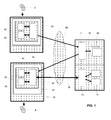
- la
figure 1 représente un exemple d'une architecture simplifiée montrant l'environnement d'un équipement d'interface Homme-Machine conforme à l'invention. - En référence à la
figure 1 , un équipement d'automatisme 10 est destiné à exécuter un programme, appelé programme application d'automatisme, qui permet de piloter, commander et/ou surveiller une application d'automatisme, tel qu'un process à automatiser (non représenté sur les figures) au moyen notamment d'entrées/sorties. L'équipement d'automatisme 10 est connecté à un réseau IP 50 de façon à communiquer avec un équipement d'interface Homme-Machine 30. L'équipement d'interface Homme-Machine 30 est capable d'exécuter un programme informatique, appelé programme application d'Interface Homme-Machine 20. Ce programme application 20 fournit à un utilisateur 6 une ou plusieurs fonctions de surveillance, de visualisation, de commande, de configuration ou de programmation de l'équipement d'automatisme 10 ou de plusieurs équipements d'automatisme connectés sur le réseau IP 50. - L'équipement d'automatisme 10 comporte un serveur WEB 11, tel qu'un serveur HTTP (HyperText Transfer Protocol) et/ou un serveur FTP (File Transfer Protocol), ainsi qu'une interface de communication 12 permettant à l'équipement d'automatisme de communiquer sur le réseau IP 50 selon un protocole de communication 18.
- La
figure 1 présente également un équipement informatique 40, par exemple de type ordinateur PC, relié au réseau IP 50. Cet équipement informatique 40 est utilisé par un concepteur 5 pour créer un programme application d'Interface Homme-Machine 20 (build-time). Plusieurs programmes application 20 générés par le concepteur 5 peuvent ainsi être envoyés via le réseau IP 50 et mémorisés dans le serveur WEB 11 de l'équipement d'automatisme 10. - Un programme application d'interface Homme-Machine 20 mémorisé dans le serveur WEB 11 peut ensuite être téléchargé via le réseau IP 50 dans l'équipement d'interface Homme-Machine 30, de façon à ce que ce programme application 20 s'exécute dans l'équipement d'interface Homme-Machine 30 (run-time). Durant son exécution, le programme application 20 communique en temps réel avec différentes variables 13 de l'équipement d'automatisme 10.
- Alternativement, un programme application 20 pourrait être téléchargé dans l'équipement d'interface Homme-Machine 30 directement à partir de l'équipement informatique 40, sans passer par un tel serveur WEB 11.
- L'équipement informatique 40 utilise un outil de création d'interface utilisateur 42 qui permet au concepteur 5 de créer programme application d'Interface Homme-Machine 20.
- Le terme outil de création d'interface utilisateur 42 désigne un outil de design professionnel servant à créer des programmes application d'Interface Homme-Machine de nouvelle génération. Dans le cadre de la présente invention, l'outil de création d'interface utilisateur 42 est par exemple Microsoft® Expression Blend™ qui est un outil permettant de créer des applications informatiques ou des contrôles d'interfaces utilisateur qui tirent partie de la technologie Microsoft® Silverligh™ pour les applications de type RIA ou qui tirent partie de la technologie Microsoft® Windows Presentation Foundation (WPF) pour les applications de type RDA.
- La technologie Microsoft® Silverlight™ est une nouvelle technologie de présentation WEB capable de s'exécuter sur diverses plates-formes. Elle permet aux utilisateurs d'accéder, sur Internet, à une nouvelle génération d'expériences multimédias et d'applications de type RIA. Elle active la création d'environnements riches, attractifs et interactifs exécutables dans divers navigateurs WEB. Elle améliore les présentations à base de contenus riches (2D, 3D, animation, dessin vectoriel, vidéo et audio) en complément du code HTML. La technologie Microsoft® Silverlight™ est en cohérence avec WPF (Windows Presentation Foundation) et XAML (extensible Application Markup Language). La technologie Microsoft® Silverligh™ intègre une version du Framework
- NET avec un CLR (Common Language Runtime) et un DLR (Dynamic Language Runtime) qui permet donc d'exécuter des applications informatiques développées avec des langages de programmation conforme au langage JavaScript ou aux langages portés sous .NET comme langages de programmation tel que : VB.NET, C#, Managed JScript, IronPython ou IronRuby tous conformes avec une machine virtuelle de type .NET.
- La technologie Microsoft® Windows Presentation Foundation (WPF) est une nouvelle technologie permettant aux utilisateurs d'accéder, à une nouvelle génération d'applications de type RDA. Elle gère les interfaces graphiques de Microsoft® .NET 3.0 et prend en charge l'ensemble des interfaces utilisateur, ainsi que les interactions entre l'utilisateur et la machine. Cela comprend le graphisme 2D et 3D, les interfaces audio, la reconnaissance vocale, la vidéo, les animations, et les fonctionnalités multimédias. Son principal composant est XAML (extensible Application Markup Language).
- Le programme application d'Interface Homme-Machine 20 comprend plusieurs contrôles d'interface utilisateur 22. Un contrôle d'interface utilisateur 22 désigne un composant de base d'une interface graphique avec lequel un utilisateur 6 de l'équipement d'interface Homme-Machine 30 peut interagir (par exemple : un objet animé tel qu'un bouton de commande ou un voyant lumineux, une liste ou une zone de texte, etc...). Un contrôle d'interface utilisateur 22 comporte une partie description du composant graphique qui est écrite en langage XAML, ainsi qu'une partie code programme qui est écrit par exemple dans un langage de programmation tel que : VB.NET, C#, Managed JScript, IronPython ou IronRuby et qui décrit les comportements du composant graphique (interactions avec l'utilisateur 6, communication avec des objets d'automatisme).
- Les contrôles d'interface utilisateur 22 sont créés et instanciés à l'aide de l'outil de création d'interface utilisateur 42, soit directement par un concepteur 5, soit à partir de bibliothèques graphiques existantes. Une fois assemblés, ces contrôles d'interfaces utilisateur 22 forment l'interface graphique complète du programme application 20.
- Un contrôle d'interface utilisateur 22 peut être associé à un ou plusieurs objets d'automatisme d'un ou plusieurs équipements d'automatisme 10. Un objet d'un équipement d'automatisme est défini par une variable 13 d'un équipement d'automatisme, comme par exemple des entrées (reliées à des capteurs, etc...), des sorties (reliées à des actionneurs, etc...), des données internes, des registres, etc..., et par un protocole de communication 18 permettant à un contrôle d'interface utilisateur 22 d'accéder à cette variable 13. En effet, les variables 13 des objets d'automatisme sont accessibles en lecture et/ou écriture depuis le réseau IP 50 selon un ou plusieurs protocoles de communication 18 grâce à l'interface de communication 12 du ou des équipements d'automatisme 10. De même, on pourrait envisager qu'un même équipement d'automatisme 10 possède plusieurs interfaces de communication 12 permettant d'accéder à des variables 13 de cet équipement d'automatisme 10 via plusieurs protocoles de communication 18 distincts.
- L'association entre le contrôle d'interface utilisateur 22 et un ou plusieurs objets d'automatisme est réalisée par un concepteur 5 lors de l'instanciation de ce contrôle d'interface utilisateur 22 dans le programme application 20 à l'aide de l'outil 42. Cette association consiste donc à définir une ou plusieurs variables d'équipement d'automatisme associées et à définir le protocole de communication 18 pour accéder à ces variables. Ces informations sont intégrées dans la partie description en XAML du contrôle d'interface utilisateur 22, de façon à pouvoir, lors de l'exécution du programme application 20, faire des échanges avec ces variables.
- Le protocole de communication 18 est choisi parmi des protocoles qui sont utilisés dans des équipements d'automatisme, tels que par exemple les protocoles PROFInet, EtherNet/IP et MODBUS/TCP etc..., ou parmi des protocoles qui sont utilisés dans l'informatique et le WEB, tels que par exemple les protocoles SOAP (Simple Object Access Protocol), AJAX (Asynchronous JavaScript and XML), RSS (Really Simple Syndication), REST (Representational State Transfer), WCF (Windows Communication Foundation), JSON (JavaScript Object Notation), les Services WEB, POX (Plain Old XML), XML (eXtended Markup Language), TCP (Transmission Control Protocol), UDP (User Datagram Protocol), HTTP (Hypertext Transfer Protocol) et HTTPS (Hypertext Transfer Protocol Secured), etc...
- Le programme application d'interface Homme-Machine 20 s'exécute dans un équipement d'interface Homme-Machine 30 à partir d'un navigateur WEB dans un environnement Microsoft® Silverlight™ 32. Selon un autre mode de réalisation, le programme application 20 peut aussi s'exécuter dans un équipement d'interface Homme-Machine 30 à partir d'un environnement WPF 32, sans nécessiter ainsi l'utilisation d'un navigateur WEB.
- Lors du lancement d'une page HTML par un utilisateur 6, le navigateur WEB charge le programme application d'Interface Homme-Machine 20 correspondant à cette page HTML dans l'équipement d'interface Homme-Machine 30, par exemple à partir du serveur WEB 11, puis exécute ce programme application 20.
- Selon l'invention, l'exécution du programme application d'Interface Homme-Machine 20 dans l'équipement d'interface Homme-Machine 30 comporte une étape de création d'un singleton de communication 24 qui est destiné à établir une communication entre le programme application d'interface Homme-Machine 20 et le ou les équipements d'automatisme 10 via le réseau IP 50.
- Le terme singleton de communication 24 désigne un modèle de conception (ou un patron de conception - design pattern en anglais) dont le but est de créer un unique objet de communication, qui sera utilisé par tous les contrôles d'interfaces utilisateur 22. Le singleton de communication 24 unique est avantageusement utilisé pour coordonner et optimiser toutes les communications du programme application 20 avec un ou plusieurs équipements d'automatisme 10, selon le ou les protocoles de communications 18 associés aux contrôles d'interfaces utilisateur 22.
- Une fois que le singleton de communication 24 est créé, tous les contrôles d'interfaces utilisateur 22 du programme application 20 s'abonnent automatiquement à ce singleton de communication 24 durant une étape d'abonnement. Le singleton 24 comporte une liste d'abonnés, c'est-à-dire une liste de références des contrôles d'interfaces utilisateur 22. L'abonnement d'un contrôle d'interface utilisateur 22 consiste en particulier à ajouter une nouvelle référence à cette liste.
- Puis, une fois que tous les contrôles d'interfaces utilisateur 22 se sont abonnés au singleton de communication 24, la méthode comprend une étape d'exécution du singleton de communication 24. Cette étape permet alors aux contrôles d'interface utilisateur 22 de communiquer avec les objets associés du ou des équipements d'automatisme 10. Pour cela, le singleton de communication 24 explore l'ensemble des contrôles d'interface utilisateur 22 abonnés et émet les requêtes lui permettant d'accéder aux différents objets d'automatisme associés aux contrôles d'interface utilisateur 22 (variables et protocole de communication). Grâce à l'exploration de l'ensemble des contrôles d'interface utilisateur 22 abonnés, le singleton de communication 24 peut optimiser le nombre et le type de requêtes de communication à envoyer vers le ou les équipements d'automatisme 10.
- Préférentiellement, l'étape de création du singleton de communication 24 est réalisée au moment de l'étape d'abonnement d'un premier contrôle d'interface utilisateur 22. On implémente le singleton de communication 24 en écrivant une classe contenant une méthode qui crée une instance du singleton de communication 24 uniquement s'il n'en existe pas encore une. Sinon elle renvoie une référence vers l'objet singleton 24 qui est déjà instancié. Donc, lorsqu'un contrôle d'interface utilisateur 22 veut s'abonner au singleton de communication 24, on regarde d'abord si un singleton 24 a déjà été instancié. Si oui, le contrôle d'interface utilisateur 22 s'abonne à ce singleton 24; sinon, une instance du singleton 24 est d'abord créée avant que le contrôle d'interface utilisateur 22 ne s'y abonne.
- Ainsi, le singleton de communication 24 est par exemple capable de notifier au code programme d'un contrôle d'interface utilisateur 22 tout changement de valeur d'un objet d'automatisme qui est associé à ce contrôle d'interface utilisateur 22.
- La méthode utilisant un singleton de communication 24 permet de simplifier largement le programme application d'interface Homme-Machine 20 et la communication entre l'équipement d'interface Homme-Machine 30 et l'équipement d'automatisme 10. En effet, sans cette méthode, il faudrait en permanence analyser le fichier XAML du programme application 20, rechercher et identifier les différents contrôles d'interface utilisateur 22 et lancer les échanges correspondants à ces contrôles 22. Cela serait peu performant et nécessiterait des ressources importantes de l'unité centrale de l'équipement d'interface Homme-Machine 30.
- Il est bien entendu que l'on peut, sans sortir du cadre de l'invention, imaginer d'autres variantes et perfectionnements de détail et de même envisager l'emploi de moyens équivalents.
Claims (11)
- Procédé de mise en oeuvre d'un programme application d'interface Homme-Machine (20) dans un équipement d'interface Homme-Machine (30) pour fournir des fonctions de surveillance, de visualisation, de commande, de configuration ou de programmation d'un ou plusieurs équipements d'automatisme (10) connectés à l'équipement d'interface Homme-Machine (30) via un réseau IP (50), le programme application d'interface Homme-Machine (20) comprenant plusieurs contrôles d'interface utilisateur (22) qui sont dotés d'une description en langage XAML et qui sont associés à des objets du ou des équipements d'automatisme (10), caractérisé en ce que le procédé comporte :- une étape de création d'un singleton de communication (24) destiné à établir une communication entre le programme application d'interface Homme-Machine (20) et le ou les équipements d'automatisme (10) via le réseau IP,- une étape d'abonnement des contrôles d'interface utilisateur (22) au singleton de communication (24), de sorte que les contrôles d'interface utilisateur (22) utilisent le même singleton de communication (24),- une étape d'exécution du singleton de communication (24) permettant aux contrôles d'interface utilisateur (22) de communiquer avec lesdits objets associés du ou des équipements d'automatisme (10).
- Procédé selon la revendication 1, caractérisé en ce qu'un objet d'un équipement d'automatisme (10) est défini par une variable (13) dudit équipement d'automatisme (10) et par un protocole de communication (18) permettant à un contrôle d'interface utilisateur (22) d'accéder à ladite variable.
- Procédé selon la revendication 1, caractérisé en ce que l'étape de création du singleton de communication (24) est réalisée au moment de l'étape d'abonnement d'un premier contrôle d'interface utilisateur (22).
- Procédé selon la revendication 1, caractérisé en ce que le programme application d'interface Homme-Machine (20) est développé avec un outil de création (42) d'interface utilisateur qui est conforme au langage XAML et qui instancie des contrôles d'interface utilisateur (22) dans le programme application (20).
- Procédé selon la revendication 4, caractérisé en ce que le programme application d'interface Homme-Machine (20) est développé avec l'outil de création (42) Microsoft® Expression Blend™.
- Procédé selon la revendication 1, caractérisé en ce que le programme application d'interface Homme-Machine (20) s'exécute dans un environnement Microsoft® Silverligh™ (32).
- Procédé selon la revendication 1, caractérisé en ce que le programme application d'interface Homme-Machine (20) s'exécute dans un environnement Microsoft® Windows Presentation Foundation (WPF) (32).
- Procédé selon la revendication 1, caractérisé en ce que le singleton de communication (24) explore les contrôles d'interface utilisateur (22) abonnés, de façon à optimiser les requêtes de communication permettant d'accéder aux objets du ou des équipements d'automatisme (10).
- Procédé selon la revendication 1, caractérisé en ce que le programme application d'interface Homme-Machine (20) est mémorisé dans un serveur WEB (11) intégré dans un équipement d'automatisme (10).
- Procédé selon la revendication 9, caractérisé en ce que le programme application d'interface Homme-Machine (20) est téléchargé dans l'équipement d'interface Homme-Machine (30) par un navigateur Web lequel contient un environnement Microsoft® Silverligh™ (32) pour exécuter le programme application (20).
- Equipement d'interface Homme-Machine (30), caractérisé en ce qu'il est destiné à mettre en oeuvre un programme application d'interface Homme-Machine (20) au moyen d'un procédé selon l'une des revendications précédentes.
Applications Claiming Priority (1)
| Application Number | Priority Date | Filing Date | Title |
|---|---|---|---|
| FR0851717A FR2928756B1 (fr) | 2008-03-17 | 2008-03-17 | Interface homme machine basee sur le langage xaml |
Publications (1)
| Publication Number | Publication Date |
|---|---|
| EP2104035A1 true EP2104035A1 (fr) | 2009-09-23 |
Family
ID=40037099
Family Applications (1)
| Application Number | Title | Priority Date | Filing Date |
|---|---|---|---|
| EP09154733A Withdrawn EP2104035A1 (fr) | 2008-03-17 | 2009-03-10 | Interface Homme Machine basée sur le langage XAML |
Country Status (2)
| Country | Link |
|---|---|
| EP (1) | EP2104035A1 (fr) |
| FR (1) | FR2928756B1 (fr) |
Cited By (1)
| Publication number | Priority date | Publication date | Assignee | Title |
|---|---|---|---|---|
| CN115509524A (zh) * | 2022-09-22 | 2022-12-23 | 广东中鹏热能科技有限公司 | 基于xaml的ui图像显示方法、终端以及存储介质 |
Citations (4)
| Publication number | Priority date | Publication date | Assignee | Title |
|---|---|---|---|---|
| US5805442A (en) | 1996-05-30 | 1998-09-08 | Control Technology Corporation | Distributed interface architecture for programmable industrial control systems |
| WO1999013418A1 (fr) | 1997-09-10 | 1999-03-18 | Square D Company | Interface web pour controleur programmable |
| FR2813471A1 (fr) * | 2000-08-31 | 2002-03-01 | Schneider Automation | Systeme de communication d'un equipement d'automatisme base sur le protocole soap |
| EP1710639A2 (fr) | 2005-04-01 | 2006-10-11 | Rockwell Automation Technologies, Inc. | Systèmes et procédés d'interface d'automatisation industrielle |
-
2008
- 2008-03-17 FR FR0851717A patent/FR2928756B1/fr active Active
-
2009
- 2009-03-10 EP EP09154733A patent/EP2104035A1/fr not_active Withdrawn
Patent Citations (5)
| Publication number | Priority date | Publication date | Assignee | Title |
|---|---|---|---|---|
| US5805442A (en) | 1996-05-30 | 1998-09-08 | Control Technology Corporation | Distributed interface architecture for programmable industrial control systems |
| WO1999013418A1 (fr) | 1997-09-10 | 1999-03-18 | Square D Company | Interface web pour controleur programmable |
| US6061603A (en) | 1997-09-10 | 2000-05-09 | Schneider Automation Inc. | System for remotely accessing an industrial control system over a commercial communications network |
| FR2813471A1 (fr) * | 2000-08-31 | 2002-03-01 | Schneider Automation | Systeme de communication d'un equipement d'automatisme base sur le protocole soap |
| EP1710639A2 (fr) | 2005-04-01 | 2006-10-11 | Rockwell Automation Technologies, Inc. | Systèmes et procédés d'interface d'automatisation industrielle |
Non-Patent Citations (6)
| Title |
|---|
| ANNEROSE BRAUNE ET AL: "XML-based monitoring and operating for Web Services in automation", 1 July 2007, INDUSTRIAL INFORMATICS, 2007 5TH IEEE INTERNATIONAL CONFERENCE ON, IEEE, PI, PAGE(S) 797 - 802, ISBN: 978-1-4244-0850-4, XP031161890 * |
| BEPPERLING A ET AL: "A Framework for Development and Implementation of Web service-Based Intelligent Autonomous Mechatronics Components", INDUSTRIAL INFORMATICS, 2006 IEEE INTERNATIONAL CONFERENCE ON, IEEE, PI, 1 August 2006 (2006-08-01), pages 341 - 347, XP031003375, ISBN: 978-0-7803-9700-2 * |
| ESCH M ET AL: "The SEMPA prototype - using XAML and web services for rich interactive Peer-to-Peer applications", COLLABORATIVE COMPUTING: NETWORKING, APPLICATIONS AND WORKSHARING, 2007. COLLABORATECOM 2007. INTERNATIONAL CONFERENCE ON, IEEE, PISCATAWAY, NJ, USA, 12 November 2007 (2007-11-12), pages 271 - 277, XP031279265, ISBN: 978-1-4244-1318-8 * |
| FRANCOIS JAMMES ET AL: "Service-Oriented Device Communications Using the Devices Profile for Web services", ADVANCED INFORMATION NETWORKING AND APPLICATIONS WORKSHOPS, 2007, AINAW '07. 21ST INTERNATIONAL CONFERENCE ON, IEEE, PISCATAWAY, NJ, USA, 1 May 2007 (2007-05-01), pages 947 - 955, XP031110233, ISBN: 978-0-7695-2847-2 * |
| JAMMES F ET AL: "Service-Oriented Paradigms in Industrial Automation", IEEE TRANSACTIONS ON INDUSTRIAL INFORMATICS, IEEE SERVICE CENTER, NEW YORK, NY, US, vol. 1, no. 1, 1 February 2005 (2005-02-01), pages 62 - 70, XP011128769, ISSN: 1551-3203 * |
| REINHARD LANGMANN: "Web-based Remote Control by LiveConnect", NTERNATIONAL JOURNAL OF ONLINE ENGINEERING (IJOE), vol. 1, no. 1, 2005, XP002509081, Retrieved from the Internet <URL:http://www.ijoe.org/ojs/viewarticle.php?id=10&layout=abstract> [retrieved on 20081222] * |
Cited By (1)
| Publication number | Priority date | Publication date | Assignee | Title |
|---|---|---|---|---|
| CN115509524A (zh) * | 2022-09-22 | 2022-12-23 | 广东中鹏热能科技有限公司 | 基于xaml的ui图像显示方法、终端以及存储介质 |
Also Published As
| Publication number | Publication date |
|---|---|
| FR2928756B1 (fr) | 2016-02-12 |
| FR2928756A1 (fr) | 2009-09-18 |
Similar Documents
| Publication | Publication Date | Title |
|---|---|---|
| EP2336885B1 (fr) | Procédé pour afficher dans un navigateur web le rendu produit par une application | |
| Lanham | Learn ARCore-Fundamentals of Google ARCore: Learn to build augmented reality apps for Android, Unity, and the web with Google ARCore 1.0 | |
| US20140258970A1 (en) | Collaborative application development environment using a connected device | |
| EP1531580A2 (fr) | Systèmes et méthodes utilisant la technologie "Scalable Vector Graphics" pour fournir par l'intermédiaire du Web une visualisation d'un équipement | |
| US10719303B2 (en) | Graphics engine and environment for encapsulating graphics libraries and hardware | |
| CN110058907B (zh) | 呈现增强现实界面 | |
| EP1193947A2 (fr) | Système de communication basé sur le langage WSDL | |
| EP3861432B1 (fr) | Procédé pour générer une liaison entre une bibliothèque c/c++ et un langage interprété, et mise en oeuvre de ce procédé pour la transformation d'un modèle tridimensionnel (3d) | |
| CN115131470B (zh) | 一种图文素材合成方法、装置、电子设备和存储介质 | |
| EP2652585A2 (fr) | Ingénierie inverse de maquettes d'interface utilisateur à partir de logiciels fonctionnels | |
| EP3356932A1 (fr) | Système et procédé pour utiliser des variantes de nuanceurs globaux sans prétraiter de macros | |
| US9008466B2 (en) | Sharing or applying digital image editing operations | |
| US8775518B2 (en) | Cloud-connected, interactive application shared through a social network | |
| EP2187321B1 (fr) | Procédé et dispositif d'édition d'un objet représenté dans une page web | |
| FR2928756A1 (fr) | Interface homme machine basee sur le langage xaml | |
| CN119762716A (zh) | 基于扩展现实设备的场景渲染方法、装置及电子设备 | |
| WO2002056595A1 (fr) | Procede et equipement pour la gestion des interactions dans la norme mpeg-4 | |
| Firmenich et al. | A platform for web augmentation requirements specification | |
| Gracia et al. | Integrated 3D web application for structural analysis software as a service | |
| EP2575327B1 (fr) | Procédé de partage d'une application web entre plusieurs terminaux informatiques reliés à un réseau de communication | |
| WO2014090514A1 (fr) | Procédé de création de simulateur de configuration client | |
| Korchi et al. | Classification of existing mobile cross-platform approaches and proposal of decision support criteria | |
| FR3090941A1 (fr) | Procédé d’interaction d’un utilisateur avec un environnement de réalité virtuelle | |
| JP7111309B2 (ja) | 情報処理装置、学習装置、認識装置、静止画の生産方法、およびプログラム | |
| Gorny et al. | Cinder Creative Coding Cookbook |
Legal Events
| Date | Code | Title | Description |
|---|---|---|---|
| PUAI | Public reference made under article 153(3) epc to a published international application that has entered the european phase |
Free format text: ORIGINAL CODE: 0009012 |
|
| AK | Designated contracting states |
Kind code of ref document: A1 Designated state(s): AT BE BG CH CY CZ DE DK EE ES FI FR GB GR HR HU IE IS IT LI LT LU LV MC MK MT NL NO PL PT RO SE SI SK TR |
|
| AX | Request for extension of the european patent |
Extension state: AL BA RS |
|
| AKX | Designation fees paid | ||
| REG | Reference to a national code |
Ref country code: DE Ref legal event code: 8566 |
|
| STAA | Information on the status of an ep patent application or granted ep patent |
Free format text: STATUS: THE APPLICATION IS DEEMED TO BE WITHDRAWN |
|
| 18D | Application deemed to be withdrawn |
Effective date: 20100324 |