EP1335321A2 - Knowledge management system - Google Patents
Knowledge management system Download PDFInfo
- Publication number
- EP1335321A2 EP1335321A2 EP03250111A EP03250111A EP1335321A2 EP 1335321 A2 EP1335321 A2 EP 1335321A2 EP 03250111 A EP03250111 A EP 03250111A EP 03250111 A EP03250111 A EP 03250111A EP 1335321 A2 EP1335321 A2 EP 1335321A2
- Authority
- EP
- European Patent Office
- Prior art keywords
- persons
- query
- database
- recipient
- enabling
- Prior art date
- Legal status (The legal status is an assumption and is not a legal conclusion. Google has not performed a legal analysis and makes no representation as to the accuracy of the status listed.)
- Withdrawn
Links
Images



Classifications
-
- G—PHYSICS
- G06—COMPUTING OR CALCULATING; COUNTING
- G06Q—INFORMATION AND COMMUNICATION TECHNOLOGY [ICT] SPECIALLY ADAPTED FOR ADMINISTRATIVE, COMMERCIAL, FINANCIAL, MANAGERIAL OR SUPERVISORY PURPOSES; SYSTEMS OR METHODS SPECIALLY ADAPTED FOR ADMINISTRATIVE, COMMERCIAL, FINANCIAL, MANAGERIAL OR SUPERVISORY PURPOSES, NOT OTHERWISE PROVIDED FOR
- G06Q10/00—Administration; Management
- G06Q10/10—Office automation; Time management
-
- G—PHYSICS
- G06—COMPUTING OR CALCULATING; COUNTING
- G06N—COMPUTING ARRANGEMENTS BASED ON SPECIFIC COMPUTATIONAL MODELS
- G06N5/00—Computing arrangements using knowledge-based models
-
- G—PHYSICS
- G06—COMPUTING OR CALCULATING; COUNTING
- G06Q—INFORMATION AND COMMUNICATION TECHNOLOGY [ICT] SPECIALLY ADAPTED FOR ADMINISTRATIVE, COMMERCIAL, FINANCIAL, MANAGERIAL OR SUPERVISORY PURPOSES; SYSTEMS OR METHODS SPECIALLY ADAPTED FOR ADMINISTRATIVE, COMMERCIAL, FINANCIAL, MANAGERIAL OR SUPERVISORY PURPOSES, NOT OTHERWISE PROVIDED FOR
- G06Q10/00—Administration; Management
- G06Q10/40—Business processes related to social networking or social networking services
-
- G—PHYSICS
- G06—COMPUTING OR CALCULATING; COUNTING
- G06Q—INFORMATION AND COMMUNICATION TECHNOLOGY [ICT] SPECIALLY ADAPTED FOR ADMINISTRATIVE, COMMERCIAL, FINANCIAL, MANAGERIAL OR SUPERVISORY PURPOSES; SYSTEMS OR METHODS SPECIALLY ADAPTED FOR ADMINISTRATIVE, COMMERCIAL, FINANCIAL, MANAGERIAL OR SUPERVISORY PURPOSES, NOT OTHERWISE PROVIDED FOR
- G06Q10/00—Administration; Management
- G06Q10/40—Business processes related to social networking or social networking services
- G06Q10/42—Determination of affinities or common interests between users
-
- G—PHYSICS
- G06—COMPUTING OR CALCULATING; COUNTING
- G06Q—INFORMATION AND COMMUNICATION TECHNOLOGY [ICT] SPECIALLY ADAPTED FOR ADMINISTRATIVE, COMMERCIAL, FINANCIAL, MANAGERIAL OR SUPERVISORY PURPOSES; SYSTEMS OR METHODS SPECIALLY ADAPTED FOR ADMINISTRATIVE, COMMERCIAL, FINANCIAL, MANAGERIAL OR SUPERVISORY PURPOSES, NOT OTHERWISE PROVIDED FOR
- G06Q10/00—Administration; Management
- G06Q10/40—Business processes related to social networking or social networking services
- G06Q10/46—Determination of level of influence of users within social networking services
Definitions
- This invention relates to a method and apparatus for managing knowledge. More specifically, the invention is concerned with managing a tacit knowledge network within an organisation or other group of persons.
- the object of the invention is to provide an improved technical solution to the technical problem of managing such tacit knowledge in an automated manner.
- a computer-implemented knowledge management method comprises:
- the form includes further options, to allow the recipient to recommend themselves, or to respond that they are unable to help.
- Figure 1 shows a knowledge management system comprising a server computer 10, which includes conventional webserver software.
- the server has access to a knowledge database 11 for holding details of persons and their areas of expertise.
- the database includes a number of tables, as shown in figure 7.
- the server may also have access to a number of legacy databases, such as a CV database 12 and a projects database 13, which hold pre-existing details of persons and their areas of expertise.
- the knowledge database 11 may be initially created by processing the databases 12, 13 to extract information.
- the server can be accessed by a number of user computers 14 over a network 15, such as the Internet or an in-house intranet.
- a network 15 such as the Internet or an in-house intranet.
- Each of the user computers 14 includes a conventional web-browser program, allowing it to access web pages stored on the server 10.
- the myGuruFinder home page includes three tabs, labelled "Query”, “My Queries” and “My Knowledge”.
- the "Query” tab contains a form including a number of text boxes. This allows the user to define a query by entering one or more keywords. In the example shown, the user has entered the keywords "BizTalk” and "Retail”. The user can then click on a "Submit” button, which causes the query to be submitted to the server.
- the server When the server receives this query, it searches the knowledge database 11, looking for experts, i.e. persons whose areas of expertise match the keywords in the query. This involves searching the RequestResponse table in the database, to find records that contain the keywords. The results of the search are returned to the user's browser. As shown in figure 3, the results consist of a list of experts, giving their names, telephone numbers, and a recommendation rating indicating the number of times this person has been recommended as having expertise in connection with these keywords. The recommendation rating for each person is obtained by counting the number of records in the RequestResponse table that link that person to the particular keyword. Each entry in the list may also include a number of icons representing different ways of contacting the person; for example e-mail or a messaging service such as Microsoft's Windows Messenger.
- the system may also search the legacy databases (i.e. the CV database and projects database), looking for persons with the required expertise, and the results of these searches are also listed.
- legacy databases i.e. the CV database and projects database
- a Messenger Buddy status icon next to the expert's name may indicate that the expert is online now, and so the user can instantly start a Messenger conversation with them.
- the user can phone the expert using the listed phone number, or send an e-mail by clicking on an e-mail icon.
- the form also includes a check list, allowing the user to select one or more persons to send the query to.
- the check list includes a list of users the user already has a relationship with and has previously identified as knowing, for example the user's Windows Messenger "Buddy list”.
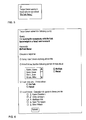
- the query is then sent to all the selected persons. For example, if Microsoft Alerts is used to deliver the message, each recipient will see a message as shown in figure 5.
- the query is automatically forwarded to the specified persons. This process may then repeat through further stages, with these other persons further forwarding the query or making further recommendations, and so on.
- the server uses the recipient's response automatically to maintain and update the knowledge database 11. If the recipient recommends another person as having knowledge relevant to a particular keyword, a new record is created in the RequestResponse table, linking that person to this keyword. This increases that person's recommendation rating in relation to that keyword.
- the system also sends an alert back to the user who made the query, with a link to a results page summarising all the responses to the query.
- a user may click on the "My Queries" tab at the top of the myGuruFinder page.
- This form shows the user all the previous queries that they have raised so a user can check the results and click through them.
- the user looks at a previous query they will see the same report screen as the previous search results screen.
- the system re-runs the searches, and so the user can see any changes made since the search was first carried out (i.e. this is not a cached page; it is regenerated every time the report is run).
- the "My Knowledge” tab on the myGuruFinder home page displays a list of existing recommendations that the user has received from other users. It allows a user to remove any existing recommendations if they feel the system incorrectly represents their knowledge. It also allows a user to specify or amend the areas in which they have expertise, by entering keywords; in other words, it allows users to recommend themselves. The system uses this information to update and maintain the knowledge database.
- Figure 7 shows the database schema for the knowledge database 11.
- the database comprises five tables as shown.
- Query table A new record is created in this table for each query raised by a user.
- the Raising User ID field refers to the user who raised the query.
- Keyword table Each record in the Keyword table holds details of a keyword, or knowledge topic, e.g. "BizTalk” or "Retail”.
- QueryKeyword table Each record in the QueryKeyword table relates a particular keyword to a particular query. Multiple records can be created in this table to relate multiple keywords to one query.
- Each record in the User table holds details of a person registered as a user of the system.
- RequestResponse table Each record in the RequestResponse table relates a user to a particular keyword or knowledge topic - e.g. "Fred knows about BizTalk".
- the Query ID field refers to the query in which this item of knowledge was identified.
- the Keyword ID field refers to the keyword in question.
- the Knowledge Owner ID field refers to the user who possesses knowledge of the keyword.
- the Responder ID field refers to the user who identified the knowledge owner. This could be the person who responded to a forwarded query or the knowledge owner themself if they submitted the knowledge item using the myKnowledge page.
- the Status field identifies one of the following request response states:
- the system provides a convenient way for users to locate experts on specified topics by emulating the human process of solving a problem by going from one person to another based on personal recommendations. It also automatically over time builds up a database defining a tacit knowledge network, based on recommendations. This tacit knowledge network gives a picture of the capabilities and connections within an organisation which grows as the system is used.
- this tacit knowledge network as a way of controlling the distribution of information to users.
- it would allow people with a strong recommendation to get more (or more detailed) information sent to them, while people with weaker recommendations would get less (or more appropriate) knowledge distributed to them.
- the tacit knowledge network provides a picture of the capabilities and connections within an organisation. It can therefore be used to automatically rate an organisation or a person's capabilities. For example:
- the RequestResponse table may include a Rating field, allowing users to specify rating (or weight) values for their recommendations.
- the recommendation rating for a particular person and topic could be derived by taking the average of the rating values in the RequestResponse table over those records that match that particular person and topic.
Landscapes
- Engineering & Computer Science (AREA)
- Business, Economics & Management (AREA)
- Theoretical Computer Science (AREA)
- Strategic Management (AREA)
- Entrepreneurship & Innovation (AREA)
- Human Resources & Organizations (AREA)
- General Physics & Mathematics (AREA)
- Physics & Mathematics (AREA)
- Operations Research (AREA)
- Tourism & Hospitality (AREA)
- Quality & Reliability (AREA)
- General Business, Economics & Management (AREA)
- Marketing (AREA)
- Economics (AREA)
- Data Mining & Analysis (AREA)
- Artificial Intelligence (AREA)
- Computational Linguistics (AREA)
- Evolutionary Computation (AREA)
- Computing Systems (AREA)
- General Engineering & Computer Science (AREA)
- Mathematical Physics (AREA)
- Software Systems (AREA)
- Information Retrieval, Db Structures And Fs Structures Therefor (AREA)
- Information Transfer Between Computers (AREA)
Abstract
Description
The server has access to a
Each of the
For example, a Messenger Buddy status icon next to the expert's name may indicate that the expert is online now, and so the user can instantly start a Messenger conversation with them. Alternatively, the user can phone the expert using the listed phone number, or send an e-mail by clicking on an e-mail icon.
- Indicating that the recipient cannot answer the query.
- Recommending another person as having some or all of the expertise requested in the query.
- Indicating that the recipient has some or all of the expertise requested in the query.
- Forwarding the query to one or more other persons who have not received the query but may be able to help answer the query.
This increases that person's recommendation rating in relation to that keyword.
- No reply yet
- Don't know
- Recommendation (Knowledge Owner ID points to user with knowledge in that keyword)
- It's me (Knowledge Owner ID points to same user as Responder ID)
- Forwarded to other users.
- It can be used to rate a person's value as a connected node within the network.
- It can be used to understand the depth and breath of understanding within the network in certain areas of expertise (e.g. how many people have been recommended or have made recommendations for a particular keyword).
- It can be used to understand where information is retained in an organisation (e.g. which parts of the organisation the top ten people for a particular topic work in, and whether there is a commonality to them.)
Claims (10)
- A computer-implemented knowledge management method comprising:(a) enabling a user to send a query on one or more specified topics to a selected group of persons; and(b) enabling each recipient of the query to view a form, the form including selectable options enabling the recipient to respond to the query in one of the following ways:(i) by replying, recommending one or more persons as being an expert on one or more of the specified topics, or(ii) by forwarding the query to another group of persons; and(c) automatically updating a searchable database of persons and their areas of expertise, on the basis of the responses to the form.
- A method according to claim 1 wherein the step of automatically updating the database comprises creating a record linking a person with a particular topic.
- A method according to claim 2 including the steps of:(a) searching said database to find records linking persons to a specified topic; and(b) displaying a list of persons linked to said specified topic, along with a rating for each person based on the number of records linking that person to the specified topic.
- A method according to any preceding claim wherein the response form includes a selectable option enabling a recipient of the query to respond by stating that they themselves have expertise in one or more of the selected topics.
- A method according to any preceding claim wherein the response form includes a selectable option enabling a recipient of the query to respond by replying, stating that they are unable to help.
- A method according to any preceding claim, including enabling persons to manually modify entries in the database relating to themselves.
- A method according to any preceding claim, including using the database to control distribution of information.
- A method according to any preceding claim, including using the database to rate an organisation or to rate a person's capabilities.
- A computer-implemented knowledge management method comprising:(a) maintaining a database of persons and their areas of expertise;(b) creating a query relating to a specified topic and specifying a group of persons to whom the query is to be addressed;(c) sending an alert message containing a link to each of the specified group of persons;(d) when a recipient of the alert message activates the link, displaying a response form, enabling the recipient to recommend one or more persons as being expert on one or more of the specified topics, and to specify other persons to whom the query should be forwarded;(e) updating the database in view of any recommendation in the response form; and(f) forwarding the alert message to any other persons specified in the response form.
- A computer apparatus comprising:(a) means for enabling a user to send a query on one or more specified topics to a selected group of persons; and(b) enabling each recipient of the query to view a form, the form including selectable options enabling the recipient to respond in one of the following ways:(i) by replying, recommending one or more persons as being an expert on one or more of the specified topics, or(ii) by forwarding the query to other persons; and(c) means for automatically updating a searchable database of persons and their areas of expertise, on the basis of the responses to the form.
Applications Claiming Priority (2)
| Application Number | Priority Date | Filing Date | Title |
|---|---|---|---|
| GB0202916A GB2385160A (en) | 2002-02-08 | 2002-02-08 | Knowledge management system |
| GB0202916 | 2002-02-08 |
Publications (2)
| Publication Number | Publication Date |
|---|---|
| EP1335321A2 true EP1335321A2 (en) | 2003-08-13 |
| EP1335321A3 EP1335321A3 (en) | 2010-07-21 |
Family
ID=9930637
Family Applications (1)
| Application Number | Title | Priority Date | Filing Date |
|---|---|---|---|
| EP03250111A Withdrawn EP1335321A3 (en) | 2002-02-08 | 2003-01-08 | Knowledge management system |
Country Status (3)
| Country | Link |
|---|---|
| US (1) | US20030158747A1 (en) |
| EP (1) | EP1335321A3 (en) |
| GB (1) | GB2385160A (en) |
Cited By (3)
| Publication number | Priority date | Publication date | Assignee | Title |
|---|---|---|---|---|
| WO2005059777A1 (en) * | 2003-12-16 | 2005-06-30 | Joon-Soo Youn | Real-time knowledge information search system using wired/wireless networks, method for searching knowledge information in real time, and method for registering/managing knowledge information in real time |
| WO2013010240A1 (en) * | 2011-07-21 | 2013-01-24 | Universidade Federal De Minas Gerais - Ufmg | Tacit knowledge management methodologies |
| NL2013800A (en) * | 2014-11-14 | 2016-09-13 | Thinkin B V | Computer program for answering a question from a first user by a group of other users, computer-readable medium provided with it and corresponding system. |
Families Citing this family (12)
| Publication number | Priority date | Publication date | Assignee | Title |
|---|---|---|---|---|
| US7444323B2 (en) * | 2004-09-02 | 2008-10-28 | International Business Machines Corporation | System and method for focused routing of content to dynamically determined groups of reviewers |
| US8935229B1 (en) | 2005-01-12 | 2015-01-13 | West Services, Inc. | System for determining and displaying legal-practice trends and identifying corporate legal needs |
| EP1873700A1 (en) * | 2006-06-28 | 2008-01-02 | Océ-Technologies B.V. | Method, system and software product for locating competence in a group of users connected to an electronic communications network |
| WO2008011454A2 (en) * | 2006-07-18 | 2008-01-24 | Chacha Search, Inc. | Anonymous search system using human searchers |
| TW200923807A (en) * | 2007-11-23 | 2009-06-01 | Inst Information Industry | Method and system for searching knowledge owner in network community |
| US20090210907A1 (en) * | 2008-02-14 | 2009-08-20 | At&T Knowledge Ventures, L.P. | Method and system for recommending multimedia content |
| US8271516B2 (en) * | 2008-06-12 | 2012-09-18 | Microsoft Corporation | Social networks service |
| US20100106536A1 (en) * | 2008-10-16 | 2010-04-29 | Mehmet Yildiz | Facilitating electronic knowledge transfer in organizations |
| US8560482B2 (en) * | 2009-12-07 | 2013-10-15 | Alphaport, Inc. | Avatar-based technical networking system |
| US9928375B2 (en) * | 2011-06-13 | 2018-03-27 | International Business Machines Corporation | Mitigation of data leakage in a multi-site computing infrastructure |
| US10963492B2 (en) | 2018-06-14 | 2021-03-30 | Google Llc | Generation of domain-specific models in networked system |
| CN109858873A (en) * | 2018-07-17 | 2019-06-07 | 柳州钢铁股份有限公司 | Knowledge base building method |
Family Cites Families (6)
| Publication number | Priority date | Publication date | Assignee | Title |
|---|---|---|---|---|
| US6070143A (en) * | 1997-12-05 | 2000-05-30 | Lucent Technologies Inc. | System and method for analyzing work requirements and linking human resource products to jobs |
| US6556974B1 (en) * | 1998-12-30 | 2003-04-29 | D'alessandro Alex F. | Method for evaluating current business performance |
| US6223165B1 (en) * | 1999-03-22 | 2001-04-24 | Keen.Com, Incorporated | Method and apparatus to connect consumer to expert |
| US20010032244A1 (en) * | 1999-11-15 | 2001-10-18 | Neustel Michael S. | Internet based help system |
| US6505166B1 (en) * | 1999-11-23 | 2003-01-07 | Dimitri Stephanou | System and method for providing expert referral over a network |
| AU3463100A (en) * | 1999-11-23 | 2001-06-04 | Joonsoo Youn | Knowledge management system |
-
2002
- 2002-02-08 GB GB0202916A patent/GB2385160A/en not_active Withdrawn
-
2003
- 2003-01-08 EP EP03250111A patent/EP1335321A3/en not_active Withdrawn
- 2003-01-13 US US10/340,986 patent/US20030158747A1/en not_active Abandoned
Cited By (3)
| Publication number | Priority date | Publication date | Assignee | Title |
|---|---|---|---|---|
| WO2005059777A1 (en) * | 2003-12-16 | 2005-06-30 | Joon-Soo Youn | Real-time knowledge information search system using wired/wireless networks, method for searching knowledge information in real time, and method for registering/managing knowledge information in real time |
| WO2013010240A1 (en) * | 2011-07-21 | 2013-01-24 | Universidade Federal De Minas Gerais - Ufmg | Tacit knowledge management methodologies |
| NL2013800A (en) * | 2014-11-14 | 2016-09-13 | Thinkin B V | Computer program for answering a question from a first user by a group of other users, computer-readable medium provided with it and corresponding system. |
Also Published As
| Publication number | Publication date |
|---|---|
| GB2385160A (en) | 2003-08-13 |
| GB0202916D0 (en) | 2002-03-27 |
| EP1335321A3 (en) | 2010-07-21 |
| US20030158747A1 (en) | 2003-08-21 |
Similar Documents
| Publication | Publication Date | Title |
|---|---|---|
| US7747648B1 (en) | World modeling using a relationship network with communication channels to entities | |
| KR101021413B1 (en) | A method for managing e-mail and alert messages, a computer control device, a method and system for managing an alert subscription, and a computer readable recording medium | |
| KR101150068B1 (en) | Method, system, and computer-readable storage medium for creating a knowledge interchange profile | |
| US7000194B1 (en) | Method and system for profiling users based on their relationships with content topics | |
| KR101150095B1 (en) | Method, system, apparatus, and computer-readable storage medium for maintaining user privacy in a knowledge interchange system | |
| KR101201067B1 (en) | Method, system, apparatus, and computer-readable storage medium for receiving and responding to knowledge interchange queries | |
| US6385620B1 (en) | System and method for the management of candidate recruiting information | |
| US6785679B1 (en) | Method and apparatus for sending and tracking resume data sent via URL | |
| US6745178B1 (en) | Internet based method for facilitating networking among persons with similar interests and for facilitating collaborative searching for information | |
| US6546387B1 (en) | Computer network information management system and method using intelligent software agents | |
| US5909679A (en) | Knowledge-based moderator for electronic mail help lists | |
| US20050060283A1 (en) | Content management system for creating and maintaining a database of information utilizing user experiences | |
| US20120221596A1 (en) | Method and System for Automated Search for, and Retrieval and Distribution of, Information | |
| EP1335321A2 (en) | Knowledge management system | |
| JP2006012197A (en) | Method and system of database query and information delivery | |
| US20210168110A1 (en) | Digital conversation management | |
| US20060074843A1 (en) | World wide web directory for providing live links | |
| US20250078055A1 (en) | Digital data processing systems and methods for commerce-related digital content retrieval and generation | |
| US20230016460A1 (en) | Multi-bot digital content retrieval and generation systems | |
| EP2181406A1 (en) | Method of operating an information retrieval system | |
| US20240303438A1 (en) | Digital data processing systems and methods for multi-domain digital content retrieval and generation with dead-end prevention | |
| WO2002093418A1 (en) | Personal document system and method | |
| WO2005029281A2 (en) | Content management system for creating and maintaining a database of information utilizing user experiences | |
| JP5009858B2 (en) | Display control apparatus and display control method | |
| Maier et al. | Knowledge Services |
Legal Events
| Date | Code | Title | Description |
|---|---|---|---|
| PUAI | Public reference made under article 153(3) epc to a published international application that has entered the european phase |
Free format text: ORIGINAL CODE: 0009012 |
|
| AK | Designated contracting states |
Designated state(s): AT BE BG CH CY CZ DE DK EE ES FI FR GB GR HU IE IT LI LU MC NL PT SE SI SK TR |
|
| AX | Request for extension of the european patent |
Extension state: AL LT LV MK RO |
|
| PUAL | Search report despatched |
Free format text: ORIGINAL CODE: 0009013 |
|
| AK | Designated contracting states |
Kind code of ref document: A3 Designated state(s): AT BE BG CH CY CZ DE DK EE ES FI FR GB GR HU IE IT LI LU MC NL PT SE SI SK TR |
|
| AX | Request for extension of the european patent |
Extension state: AL LT LV MK RO |
|
| 17P | Request for examination filed |
Effective date: 20110110 |
|
| AKX | Designation fees paid |
Designated state(s): AT BE BG CH CY CZ DE DK EE ES FI FR GB GR HU IE IT LI LU MC NL PT SE SI SK TR |
|
| 17Q | First examination report despatched |
Effective date: 20110331 |
|
| STAA | Information on the status of an ep patent application or granted ep patent |
Free format text: STATUS: THE APPLICATION IS DEEMED TO BE WITHDRAWN |
|
| 18D | Application deemed to be withdrawn |
Effective date: 20110810 |