CN116171422A - Apparatus, method and graphical user interface for providing computer-generated experience - Google Patents
Apparatus, method and graphical user interface for providing computer-generated experience Download PDFInfo
- Publication number
- CN116171422A CN116171422A CN202180062620.6A CN202180062620A CN116171422A CN 116171422 A CN116171422 A CN 116171422A CN 202180062620 A CN202180062620 A CN 202180062620A CN 116171422 A CN116171422 A CN 116171422A
- Authority
- CN
- China
- Prior art keywords
- user
- viewpoint
- hand
- movement
- dimensional environment
- Prior art date
- Legal status (The legal status is an assumption and is not a legal conclusion. Google has not performed a legal analysis and makes no representation as to the accuracy of the status listed.)
- Pending
Links
Images




Classifications
-
- G—PHYSICS
- G06—COMPUTING OR CALCULATING; COUNTING
- G06F—ELECTRIC DIGITAL DATA PROCESSING
- G06F3/00—Input arrangements for transferring data to be processed into a form capable of being handled by the computer; Output arrangements for transferring data from processing unit to output unit, e.g. interface arrangements
- G06F3/01—Input arrangements or combined input and output arrangements for interaction between user and computer
- G06F3/048—Interaction techniques based on graphical user interfaces [GUI]
- G06F3/0481—Interaction techniques based on graphical user interfaces [GUI] based on specific properties of the displayed interaction object or a metaphor-based environment, e.g. interaction with desktop elements like windows or icons, or assisted by a cursor's changing behaviour or appearance
- G06F3/04815—Interaction with a metaphor-based environment or interaction object displayed as three-dimensional [3D], e.g. changing the user viewpoint with respect to the environment or object
-
- G—PHYSICS
- G06—COMPUTING OR CALCULATING; COUNTING
- G06F—ELECTRIC DIGITAL DATA PROCESSING
- G06F3/00—Input arrangements for transferring data to be processed into a form capable of being handled by the computer; Output arrangements for transferring data from processing unit to output unit, e.g. interface arrangements
- G06F3/01—Input arrangements or combined input and output arrangements for interaction between user and computer
- G06F3/011—Arrangements for interaction with the human body, e.g. for user immersion in virtual reality
- G06F3/013—Eye tracking input arrangements
-
- G—PHYSICS
- G06—COMPUTING OR CALCULATING; COUNTING
- G06F—ELECTRIC DIGITAL DATA PROCESSING
- G06F3/00—Input arrangements for transferring data to be processed into a form capable of being handled by the computer; Output arrangements for transferring data from processing unit to output unit, e.g. interface arrangements
- G06F3/01—Input arrangements or combined input and output arrangements for interaction between user and computer
- G06F3/017—Gesture based interaction, e.g. based on a set of recognized hand gestures
-
- G—PHYSICS
- G06—COMPUTING OR CALCULATING; COUNTING
- G06F—ELECTRIC DIGITAL DATA PROCESSING
- G06F3/00—Input arrangements for transferring data to be processed into a form capable of being handled by the computer; Output arrangements for transferring data from processing unit to output unit, e.g. interface arrangements
- G06F3/01—Input arrangements or combined input and output arrangements for interaction between user and computer
- G06F3/03—Arrangements for converting the position or the displacement of a member into a coded form
-
- G—PHYSICS
- G06—COMPUTING OR CALCULATING; COUNTING
- G06F—ELECTRIC DIGITAL DATA PROCESSING
- G06F3/00—Input arrangements for transferring data to be processed into a form capable of being handled by the computer; Output arrangements for transferring data from processing unit to output unit, e.g. interface arrangements
- G06F3/01—Input arrangements or combined input and output arrangements for interaction between user and computer
- G06F3/048—Interaction techniques based on graphical user interfaces [GUI]
- G06F3/0481—Interaction techniques based on graphical user interfaces [GUI] based on specific properties of the displayed interaction object or a metaphor-based environment, e.g. interaction with desktop elements like windows or icons, or assisted by a cursor's changing behaviour or appearance
- G06F3/0482—Interaction with lists of selectable items, e.g. menus
-
- G—PHYSICS
- G06—COMPUTING OR CALCULATING; COUNTING
- G06F—ELECTRIC DIGITAL DATA PROCESSING
- G06F3/00—Input arrangements for transferring data to be processed into a form capable of being handled by the computer; Output arrangements for transferring data from processing unit to output unit, e.g. interface arrangements
- G06F3/01—Input arrangements or combined input and output arrangements for interaction between user and computer
- G06F3/048—Interaction techniques based on graphical user interfaces [GUI]
- G06F3/0484—Interaction techniques based on graphical user interfaces [GUI] for the control of specific functions or operations, e.g. selecting or manipulating an object, an image or a displayed text element, setting a parameter value or selecting a range
- G06F3/04842—Selection of displayed objects or displayed text elements
-
- G—PHYSICS
- G06—COMPUTING OR CALCULATING; COUNTING
- G06F—ELECTRIC DIGITAL DATA PROCESSING
- G06F3/00—Input arrangements for transferring data to be processed into a form capable of being handled by the computer; Output arrangements for transferring data from processing unit to output unit, e.g. interface arrangements
- G06F3/01—Input arrangements or combined input and output arrangements for interaction between user and computer
- G06F3/048—Interaction techniques based on graphical user interfaces [GUI]
- G06F3/0484—Interaction techniques based on graphical user interfaces [GUI] for the control of specific functions or operations, e.g. selecting or manipulating an object, an image or a displayed text element, setting a parameter value or selecting a range
- G06F3/04845—Interaction techniques based on graphical user interfaces [GUI] for the control of specific functions or operations, e.g. selecting or manipulating an object, an image or a displayed text element, setting a parameter value or selecting a range for image manipulation, e.g. dragging, rotation, expansion or change of colour
-
- G—PHYSICS
- G06—COMPUTING OR CALCULATING; COUNTING
- G06T—IMAGE DATA PROCESSING OR GENERATION, IN GENERAL
- G06T19/00—Manipulating three-dimensional [3D] models or images for computer graphics
- G06T19/006—Mixed reality
-
- H—ELECTRICITY
- H04—ELECTRIC COMMUNICATION TECHNIQUE
- H04N—PICTORIAL COMMUNICATION, e.g. TELEVISION
- H04N7/00—Television systems
- H04N7/14—Systems for two-way working
- H04N7/15—Conference systems
-
- G—PHYSICS
- G06—COMPUTING OR CALCULATING; COUNTING
- G06F—ELECTRIC DIGITAL DATA PROCESSING
- G06F2203/00—Indexing scheme relating to G06F3/00 - G06F3/048
- G06F2203/048—Indexing scheme relating to G06F3/048
- G06F2203/04806—Zoom, i.e. interaction techniques or interactors for controlling the zooming operation
Landscapes
- Engineering & Computer Science (AREA)
- General Engineering & Computer Science (AREA)
- Theoretical Computer Science (AREA)
- Physics & Mathematics (AREA)
- General Physics & Mathematics (AREA)
- Human Computer Interaction (AREA)
- Computer Graphics (AREA)
- Computer Hardware Design (AREA)
- Software Systems (AREA)
- Multimedia (AREA)
- Signal Processing (AREA)
- User Interface Of Digital Computer (AREA)
- Position Input By Displaying (AREA)
- Processing Or Creating Images (AREA)
Abstract
在显示三维环境的对应于第一视点的第一视图时,计算机系统结合检测指向三维环境中的相应位置的注视输入来检测用户手部的抓握到第一预定义抓握的变化。如果该相应位置是第一位置,则该计算机系统将该第一视图替换为该三维环境的第二视图,该三维环境的第二视图对应于根据该用户手部的相应移动和该三维环境中的该第一位置而选择的第二视点;并且如果该相应位置是第二位置,则该计算机系统将该第一视图替换为该三维环境的第三视图,该三维环境的第三视图对应于根据该用户手部的相应移动和该三维环境中的该第二位置而选择的第三视点。

While displaying a first view of the three-dimensional environment corresponding to a first viewpoint, the computer system detects a change in the grip of the user's hand to a first predefined grip in conjunction with detecting a gaze input directed to a corresponding location in the three-dimensional environment. If the corresponding position is the first position, the computer system replaces the first view with a second view of the three-dimensional environment corresponding to the corresponding movement of the user's hand and the corresponding position in the three-dimensional environment. and if the corresponding position is the second position, the computer system replaces the first view with a third view of the three-dimensional environment, the third view of the three-dimensional environment corresponding to A third viewpoint selected according to the corresponding movement of the user's hand and the second position in the three-dimensional environment.
Description
相关专利申请Related Patent Applications
本申请是2021年9月14日提交的美国专利申请17/475,036的部分继续申请,该美国专利申请17/475,036要求2020年9月15日提交的美国临时专利申请62/706,881的优先权,这些申请中的每一者均全文以引用方式并入。This application is a continuation-in-part of U.S. Patent Application 17/475,036, filed September 14, 2021, which claims priority to U.S. Provisional Patent Application 62/706,881, filed September 15, 2020, which Each of the applications is incorporated by reference in its entirety.
技术领域technical field
本公开整体涉及具有一个或多个显示生成部件和提供计算机生成的体验的一个或多个输入设备(包括但不限于经由一个或多个显示器提供虚拟现实和混合现实体验的电子设备)的计算机系统。This disclosure generally relates to computer systems having one or more display generating components and one or more input devices that provide computer-generated experiences, including but not limited to electronic devices that provide virtual reality and mixed reality experiences via one or more displays .
背景技术Background technique
近年来,用于虚拟现实和增强现实的计算机系统的发展显著增加。示例增强现实环境包括至少一些替换或增强物理世界的表示的虚拟元素。示例虚拟现实环境包括具有模拟物理环境中的空间关系的空间关系的虚拟元素。用于计算机系统和其他电子计算设备的输入设备(诸如相机、控制器、操纵杆、触敏表面和触摸屏显示器)用于与虚拟/增强现实环境进行交互。示例性虚拟元素包括虚拟三维对象、数字图像、视频、文本、图标、控制元素(诸如按钮)以及其他图形。In recent years, the development of computer systems for virtual reality and augmented reality has increased significantly. An example augmented reality environment includes at least some virtual elements that replace or augment representations of the physical world. An example virtual reality environment includes virtual elements having spatial relationships that simulate spatial relationships in a physical environment. Input devices for computer systems and other electronic computing devices, such as cameras, controllers, joysticks, touch-sensitive surfaces, and touch-screen displays, are used to interact with virtual/augmented reality environments. Exemplary virtual elements include virtual three-dimensional objects, digital images, video, text, icons, control elements (such as buttons), and other graphics.
但用于与包括至少一些虚拟元素的环境(例如,应用程序、增强现实环境、混合现实环境和虚拟现实环境)进行交互的方法和界面麻烦、低效且受限。例如,提供用于执行与虚拟对象相关联的动作的不足反馈的系统、需要一系列输入来在增强现实环境中实现期望结果的系统,以及虚拟对象操纵复杂、繁琐且容易出错的系统,会给用户造成巨大的认知负担,并且减损虚拟/增强现实环境的用户体验感。此外,这些方法花费比所需时间更长的时间,从而浪费能量。这后一考虑在电池驱动的设备中是特别重要的。此外,提供虚拟现实和/或混合现实体验的许多系统使用头戴式显示设备,这些头戴式显示设备将用户的面部与其周围环境物理地阻隔开来,并且在用户参与虚拟现实和混合现实体验时阻碍社交互动和与外部世界的信息交换。But methods and interfaces for interacting with environments that include at least some virtual elements (eg, applications, augmented reality environments, mixed reality environments, and virtual reality environments) are cumbersome, inefficient, and limited. For example, systems that provide insufficient feedback for performing actions associated with virtual objects, systems that require a range of inputs to achieve a desired result in an augmented reality environment, and systems in which manipulation of virtual objects is complex, cumbersome, and error-prone, will give The user creates a huge cognitive load and detracts from the user experience of the virtual/augmented reality environment. Additionally, these methods take longer than necessary, wasting energy. This latter consideration is particularly important in battery-operated devices. Additionally, many systems that provide virtual reality and/or mixed reality experiences use head-mounted display devices that physically isolate the user's face from its surroundings and Sometimes hinders social interaction and information exchange with the outside world.
发明内容Contents of the invention
因此,需要具有改进的方法和界面的计算机系统来向用户提供计算机生成的体验,从而使得用户与计算机系统的交互对用户来说更有效且更直观。此类方法和界面任选地补充或替换用于向用户提供计算机生成的现实(CGR)体验的常规方法。此类方法和界面通过帮助用户理解所提供的输入与设备对这些输入的响应之间的联系,减少了来自用户的输入的数量、程度和/或性质,从而形成了更有效的人机界面。此类方法和界面还例如通过以下方式改善用户的体验:当用户参与计算机系统所提供的虚拟现实体验和/或混合现实体验时,减少错误、打断和时间延迟。Accordingly, there is a need for a computer system with an improved method and interface for providing a computer-generated experience to a user so that the user's interaction with the computer system is more efficient and intuitive for the user. Such methods and interfaces optionally supplement or replace conventional methods for providing computer-generated reality (CGR) experiences to users. Such methods and interfaces reduce the amount, degree, and/or nature of input from a user by helping the user understand the link between provided input and the device's response to those inputs, resulting in a more effective human-machine interface. Such methods and interfaces also improve a user's experience, for example, by reducing errors, interruptions, and time delays when a user engages in a virtual reality experience and/or a mixed reality experience provided by a computer system.
具体地,当与在虚拟三维环境中具有不同形状、尺寸、空间范围和位置的虚拟对象和表面的三维环境交互时,用户可能希望相对于虚拟对象或空间在三维环境内导航,以实现相对于所选虚拟对象的期望观察位置、观察视角和/或交互距离。对于一些场景,用户可能希望朝向虚拟对象导航,而对于其他场景,用户可能希望使虚拟对象更接近当前视点。对于不同的虚拟对象,合适的观察距离可能是不同的,例如以便于检查、欣赏、操纵和/或对应于不同虚拟对象的其他目的。Specifically, when interacting with a 3D environment that has virtual objects and surfaces of different shapes, sizes, spatial extents, and positions in the virtual 3D environment, a user may wish to navigate within the 3D environment relative to the virtual objects or spaces in order to achieve relative The desired viewing position, viewing angle and/or interaction distance of the selected virtual object. For some scenarios, the user may wish to navigate towards the virtual object, while for other scenarios the user may wish to bring the virtual object closer to the current viewpoint. Suitable viewing distances may be different for different virtual objects, eg, for inspection, appreciation, manipulation, and/or other purposes corresponding to different virtual objects.
因此,在一些实施方案中,公开了用于实现三维环境内的移动的系统和方法,其中响应于检测到选择目的地位置或锚定位置的用户输入并结合用户手部的物理移动来执行朝向三维环境中的所选目的地位置或锚定位置的移动,同时手部保持预设姿势或抓握(例如,预设姿势或抓握的形成发信号通知用户在三维环境内移动的意图,并且用户手部以预设姿势或抓握的移动导致执行朝向所选目的地位置或锚定位置的移动)。通过根据用户手部在物理环境中的移动将三维环境的当前显示视图的视点移向所选目的地位置或锚定位置来实现朝向所选目的地位置的移动。在一些实施方案中,使用注视输入来为移动请求选择目的地位置或锚定位置并且响应于用户手部的移动而移动视点(例如,在视觉上表示为三维环境的变化视图),而不是用户头部或人作为整体的移动,使得虚拟三维环境内的移动更快、更容易且更高效。大的虚拟距离可响应于单个输入或几个输入而快速行进。此外,输入的物理特性还允许用户以更直观和物理的方式体验虚拟移动,而不需要用户在提供输入时耗费大量能量。此外,用户可使用注视(例如,通过在三维环境中查看或注视特定位置)来容易地选择目的地位置或锚定位置,并且使用手部的相同物理移动来在三维环境中在不同方向上行进不同距离量。在一些实施方案中,通过改变其手部以预设手部姿势或抓握移动的移动特征,向用户提供对运动的速度和距离的控制。Accordingly, in some embodiments, systems and methods are disclosed for enabling movement within a three-dimensional environment, wherein orientation towards Movement of a selected destination location or anchor location in the three-dimensional environment while the hand maintains a preset pose or grip (e.g., formation of the preset pose or grip signals the user's intent to move within the three-dimensional environment, and Movement of the user's hand in a preset pose or grip results in the execution of a movement towards a selected destination location or anchor location). Movement toward the selected destination location is accomplished by moving the viewpoint of the currently displayed view of the three-dimensional environment toward the selected destination location or anchor location according to the movement of the user's hand in the physical environment. In some embodiments, gaze input is used to select a destination or anchor location for a movement request and to move the viewpoint (e.g., visually represented as changing views of a three-dimensional environment) in response to movement of the user's hand, rather than the user's Movement of the head or person as a whole makes movement within the virtual 3D environment faster, easier and more efficient. Large virtual distances can be traveled quickly in response to a single input or several inputs. Furthermore, the physical nature of the input also allows the user to experience virtual movement in a more intuitive and physical way without requiring the user to expend a lot of energy in providing the input. Furthermore, a user can easily select a destination location or an anchor location using gaze (e.g., by viewing or gazing at a particular location in the 3D environment), and use the same physical movement of the hand to navigate in different directions in the 3D environment different distances. In some embodiments, the user is provided with control over the speed and distance of the movement by altering the movement characteristics of their hand moving in a preset hand pose or grip.
此外,在一些实施方案中,计算机系统基于在用户手部移动期间保持的抓握或手部姿势的类型来消除用户手部移动的歧义。根据各种实施方案,基于手指在相应手上的位置、相应手的取向、形成抓握的手的数量、形成抓握的手的相对位置和取向或以上两者或更多者的组合等来区分抓握或手部姿势的类型。在一些实施方案中,一旦选择了目的地位置或锚定位置,如果在目的地位置或锚定位置处存在可移动虚拟对象,则如果用户手部在手部移动期间处于第一抓握类型,那么计算机系统将用户手部移动识别为相对于三维环境(以及相对于用户的虚拟位置或三维环境的当前显示视图的视点)移动虚拟对象的请求;并且如果用户手部处于不同于第一抓握类型的第二抓握类型,那么计算机系统将用户手部移动识别为相对于虚拟对象(以及相对于三维环境)移动视点的请求。在一些实施方案中,如果用户手部处于第三抓握类型,则计算机系统相对于锚定位置重新取向整个三维环境,同时保持锚定位置与视点之间的固定空间关系。在一些实施方案中,如果没有选择锚定位置,或者如果在注视位置处没有可移动对象,则计算机系统相对于用户的虚拟位置或视点重新取向整个三维环境(包括包含在其中的所有虚拟对象)。在一些实施方案中,如果所选锚定位置是不可移动的虚拟对象(例如,虚拟山、虚拟墙等),则计算机系统相对于用户的虚拟位置或视点移动和/或重新取向整个三维环境。使用所选虚拟对象或位置的性质以及在用户手部移动期间所保持的用户手部抓握来确定是移动虚拟对象还是移动视点或者移动整个三维环境减少了需要由用户记忆和掌握的输入的数量,并且使得与三维环境的交互对用户来说更有效且更直观。Additionally, in some implementations, the computer system disambiguates the user's hand movement based on the type of grip or hand gesture maintained during the user's hand movement. According to various embodiments, based on the location of the fingers on the corresponding hand, the orientation of the corresponding hand, the number of hands forming the grip, the relative positions and orientations of the hands forming the grip, or a combination of two or more of the above, etc. Distinguish between types of grip or hand posture. In some embodiments, once the destination location or the anchor location is selected, if there is a movable virtual object at the destination location or the anchor location, if the user's hand is in the first grip type during the hand movement, The computer system then recognizes the user's hand movement as a request to move the virtual object relative to the three-dimensional environment (and relative to the user's virtual position or viewpoint of the currently displayed view of the three-dimensional environment); and if the user's hand is in a position other than the first grip type, the computer system recognizes the user's hand movement as a request to move the viewpoint relative to the virtual object (and relative to the three-dimensional environment). In some embodiments, if the user's hand is in the third grip type, the computer system reorients the entire three-dimensional environment relative to the anchor position while maintaining a fixed spatial relationship between the anchor position and the viewpoint. In some embodiments, if no anchor location is selected, or if there are no movable objects at the gaze location, the computer system re-orients the entire three-dimensional environment (including all virtual objects contained therein) relative to the user's virtual location or viewpoint . In some embodiments, if the selected anchor location is an immovable virtual object (eg, a virtual mountain, virtual wall, etc.), the computer system moves and/or reorients the entire three-dimensional environment relative to the user's virtual location or viewpoint. Using the properties of the selected virtual object or location and the user's hand grip maintained during the user's hand movement to determine whether to move the virtual object or the viewpoint or the entire 3D environment reduces the amount of input that needs to be memorized and mastered by the user , and make the interaction with the 3D environment more efficient and intuitive for the user.
此外,在一些实施方案中,当已选择了用于移动请求的导航目标时,计算机系统不是简单地响应于移动请求来将视点移动到所选导航目标,而是基于导航目标的除了导航目标位置之外的一个或多个特征(例如,导航目标的中心位置、表面或边界框上的位置等)来执行关于在何处移动视点的更细致确定。在一些实施方案中,导航目标的特征包括导航目标的大小、空间范围、视觉内容、类型、目的、可用交互模式(例如,直接操纵、远程操纵等)等。基于目的地目标的特征来选择目的地目标与移动结束时的视点位置之间的不同距离有助于在移动完成之后便于更好地观察和/或更容易地与目的地目标交互。Additionally, in some embodiments, when a navigation target has been selected for a move request, the computer system does not simply move the viewpoint to the selected navigation target in response to the move request, but instead One or more features (e.g., center position of a navigation target, position on a surface or bounding box, etc.) In some embodiments, the characteristics of the navigation object include the size, spatial extent, visual content, type, purpose, available interaction modes (eg, direct manipulation, remote manipulation, etc.) of the navigation object, and the like. Selecting different distances between the destination object and the viewpoint position at the end of the movement based on the characteristics of the destination object facilitates better viewing and/or easier interaction with the destination object after the movement is complete.
根据一些实施方案,在包括显示生成部件和一个或多个输入设备的计算机系统处执行一种方法。该方法包括:由显示生成部件显示三维环境的至少一部分的对应于第一视点的第一视图;在显示三维环境的至少该部分的第一视图时,结合检测指向三维环境的该部分中的相应位置的注视输入来检测用户手部的抓握的变化,其中用户手部的抓握的变化得到第一预定义手部抓握;在用户手部保持第一预定义手部抓握时,检测用户手部的相应移动;以及响应于在用户手部保持第一预定义手部抓握时检测到用户手部的相应移动:根据确定相应位置是第一位置并且相应移动包括第一移动量,将三维环境的至少该部分的对应于第一视点的第一视图替换为三维环境的至少该部分的对应于不同于第一视点的第二视点的第二视图,其中根据用户手部的相应移动和三维环境中的第一位置来选择第二视点;以及根据确定相应位置是不同于第一位置的第二位置并且相应移动包括第一移动量,将三维环境的至少该部分的对应于第一视点的第一视图替换为三维环境的至少该部分的对应于第三视点的第三视图,其中根据用户手部的相应移动和三维环境中的第二位置来选择第三视点,并且第三视点不同于第一视点和第二视点。According to some embodiments, a method is performed at a computer system that includes a display generation component and one or more input devices. The method includes: displaying, by the display generation component, a first view corresponding to a first viewpoint of at least a portion of the three-dimensional environment; when displaying the first view of at least the portion of the three-dimensional environment, in combination with detecting a corresponding view pointing to the portion of the three-dimensional environment Gaze input of the position to detect a change in the grip of the user's hand, wherein the change in the grip of the user's hand results in a first predefined hand grip; when the user's hand maintains the first predefined hand grip, detection a corresponding movement of the user's hand; and in response to detecting the corresponding movement of the user's hand while the user's hand maintains the first predefined hand grip: based on determining that the corresponding location is a first location and that the corresponding movement includes a first amount of movement, replacing a first view of at least the portion of the three-dimensional environment corresponding to a first viewpoint with a second view of at least the portion of the three-dimensional environment corresponding to a second viewpoint different from the first viewpoint, wherein according to a corresponding movement of the user's hand and a first location in the three-dimensional environment to select a second point of view; and based on determining that the corresponding location is a second location different from the first location and the corresponding movement includes a first amount of movement, at least the portion of the three-dimensional environment corresponding to the first The first view of the viewpoint is replaced with a third view of at least the portion of the three-dimensional environment corresponding to a third viewpoint, wherein the third viewpoint is selected according to a corresponding movement of the user's hand and the second position in the three-dimensional environment, and the third viewpoint Different from the first viewpoint and the second viewpoint.
根据一些实施方案,在包括显示生成部件和一个或多个输入设备的计算机系统处执行一种方法。该方法包括:经由显示生成部件显示三维环境的至少一部分的对应于第一视点的视图;在显示三维环境的至少该部分的对应于第一视点的视图时,检测相应用户输入,包括检测用户的一只手或两只手在物理环境中的移动;以及响应于检测到相应用户输入:根据确定相应用户输入满足第一标准,其中第一标准包括当在检测到用户的一只手或两只手的第一类型移动的同时一只手或两只手保持第一抓握时满足的第一标准,根据一只手或两只手在物理环境中的移动而相对于三维环境移动三维环境中的虚拟对象;以及根据确定相应用户输入满足不同于第一标准的第二标准,其中第二标准包括当在检测到用户的一只手或两只手的第二类型移动的同时一只手或两只手保持不同于第一抓握的第二抓握时满足的第二标准,将三维环境的至少该部分的对应于第一视点的视图替换为三维环境的至少该部分的对应于不同于第一视点的第二视点的视图。According to some embodiments, a method is performed at a computer system that includes a display generation component and one or more input devices. The method includes: displaying a view corresponding to a first viewpoint of at least a portion of a three-dimensional environment via a display generating component; while displaying a view of at least the portion of the three-dimensional environment corresponding to a first viewpoint, detecting a corresponding user input, including detecting a user's movement of the one or both hands in the physical environment; and in response to detecting the corresponding user input: based on determining that the corresponding user input satisfies a first criterion, wherein the first criterion includes when the user's one or both hands is detected A first criterion satisfied when one or both hands maintain a first grip while the first type of movement of the hand moves relative to the three-dimensional environment according to the movement of the one or both hands in the physical environment in the three-dimensional environment and based on determining that the corresponding user input satisfies a second criterion different from the first criterion, wherein the second criterion includes when a second type of movement of one or both hands of the user is detected while one or both hands A second criterion satisfied when both hands are held in a second grip different from the first grip, replacing the view of at least the portion of the three-dimensional environment corresponding to the first viewpoint with a view of at least the portion of the three-dimensional environment corresponding to a different The view of the second viewpoint from the first viewpoint.
根据一些实施方案,在包括显示生成部件和一个或多个输入设备的计算机系统处执行一种方法。该方法包括:由显示生成部件显示三维环境的至少一部分的对应于第一视点的第一视图;在显示三维环境的至少该部分的对应于第一视点的第一视图时,检测指定位于三维环境中的相应位置处的导航目标的一个或多个第一用户输入的集合并触发朝向导航目标的导航操作;以及响应于检测到一个或多个第一用户输入的集合,由显示生成部件显示三维环境的至少该部分的对应于不同于第一视点的第二视点的更新视图,其中第二视点比第一视点更靠近导航目标的相应位置,但与导航目标的相应位置间隔开,并且根据导航目标的预定义特征并结合导航目标的相应位置来选择第二视点。According to some embodiments, a method is performed at a computer system that includes a display generation component and one or more input devices. The method includes: displaying a first view corresponding to a first viewpoint of at least a part of a three-dimensional environment by a display generating part; a set of one or more first user inputs to a navigation target at a corresponding location in and trigger a navigation operation towards the navigation target; an updated view of at least the portion of the environment corresponding to a second viewpoint different from the first viewpoint, wherein the second viewpoint is closer to the corresponding location of the navigation target than the first viewpoint, but spaced apart from the corresponding location of the navigation goal, and according to the navigation The predefined features of the target are combined with the corresponding position of the navigation target to select the second viewpoint.
根据一些实施方案,一种计算机系统包括一个或多个显示生成部件(例如,包封在相同外壳或不同外壳中的一个或多个显示器、投影仪、头戴式显示器等)、一个或多个输入设备(例如,一个或多个相机、触敏表面、用于检测与触敏表面的接触强度的任选的一个或多个传感器)、任选的一个或多个触觉输出发生器、一个或多个处理器以及存储一个或多个程序的存储器;一个或多个程序被配置为由一个或多个处理器执行,并且一个或多个程序包括用于执行或引起执行本文所述方法中的任一种方法的操作的指令。根据一些实施方案,一种非暂态计算机可读存储介质具有存储在其中的指令,当这些指令由具有一个或多个显示生成部件、一个或多个输入设备和任选一个或多个触觉输出发生器的计算机系统执行时,使得设备执行或导致执行本文所述的方法中的任一种方法的操作。根据一些实施方案,在具有一个或多个显示生成部件、一个或多个输入设备、任选的一个或多个触觉输出发生器、存储器和用于执行存储在存储器中的一个或多个程序的一个或多个处理器的计算机系统上的图形用户界面包括在本文所述方法中的任一种方法中显示的元素中的一个或多个元素,这些元素响应于输入而被更新,如在本文所述方法中的任一种方法中所述。根据一些实施方案,一种计算机系统包括:一个或多个显示生成部件、一个或多个输入设备和任选的一个或多个触觉输出发生器;以及用于执行或导致执行本文所述的方法中的任一种方法的操作的装置。根据一些实施方案,一种在具有一个或多个显示生成部件、一个或多个输入设备和任选的一个或多个触觉输出发生器的计算机系统中使用的信息处理装置包括用于执行或导致执行本文所述的方法中的任一种方法的操作的装置。According to some embodiments, a computer system includes one or more display generating components (e.g., one or more displays, projectors, head-mounted displays, etc. enclosed in the same housing or different housings), one or more An input device (e.g., one or more cameras, a touch-sensitive surface, optionally one or more sensors for detecting the intensity of contact with the touch-sensitive surface), optionally one or more tactile output generators, one or more A plurality of processors and a memory storing one or more programs; the one or more programs are configured to be executed by the one or more processors, and the one or more programs include instructions for performing or causing performance of the methods described herein Instructions for the operation of either method. According to some embodiments, a non-transitory computer-readable storage medium has stored therein instructions that when generated by a device with one or more display generating components, one or more input devices, and optionally one or more haptic output The computer system of the generator, when executed, causes the apparatus to perform or cause the performance of any of the methods described herein. According to some embodiments, in a system having one or more display generating components, one or more input devices, optionally one or more tactile output generators, memory, and for executing one or more programs stored in memory A graphical user interface on a computer system of one or more processors includes one or more of the elements displayed in any of the methods described herein, which elements are updated in response to input, as described herein described in any one of the methods. According to some embodiments, a computer system includes: one or more display generating components, one or more input devices, and optionally one or more tactile output generators; and for performing or causing to perform the methods described herein means of operation in either method. According to some embodiments, an information processing apparatus for use in a computer system having one or more display generating components, one or more input devices, and optionally one or more tactile output generators includes means for performing or causing An apparatus for performing the operations of any of the methods described herein.
因此,为具有一个或多个显示生成部件的计算机系统提供了改进的方法和界面来向用户提供计算机生成的体验,从而使得与计算机系统的交互对用户来说更有效且更直观。还为这些计算机系统提供了改进的方法和界面来向用户提供计算机生成的体验,从而在用户参与各种虚拟现实和混合现实体验时促进更好的社交互动、礼仪和与周围环境的信息交换。此类方法和界面任选地补充或替换用于向用户提供计算机生成的现实(CGR)体验的常规方法。此类方法和界面通过帮助用户理解所提供的输入与设备对这些输入的响应之间的联系,减少了来自用户的输入的数量、程度和/或性质,从而形成了更有效的人机界面。此类方法和界面还例如通过以下方式改善用户的体验:当用户参与计算机系统所提供的虚拟现实体验和/或混合现实体验时,减少由于对于用户和存在于相同物理环境中的他人而言缺少社会线索和视觉信息而引起的错误、打断和时间延迟。Accordingly, improved methods and interfaces are provided for computer systems having one or more display generating components to provide a computer-generated experience to a user, thereby making interaction with the computer system more efficient and intuitive for the user. Improved methods and interfaces are also provided for these computer systems to provide computer-generated experiences to users, thereby facilitating better social interaction, etiquette, and information exchange with the surrounding environment as users engage in various virtual reality and mixed reality experiences. Such methods and interfaces optionally supplement or replace conventional methods for providing computer-generated reality (CGR) experiences to users. Such methods and interfaces reduce the amount, degree, and/or nature of input from a user by helping the user understand the link between provided input and the device's response to those inputs, resulting in a more effective human-machine interface. Such methods and interfaces also improve the user's experience, for example, by reducing the lack of Errors, interruptions, and time delays due to social cues and visual information.
需注意,上述各种实施方案可与本文所述任何其他实施方案相结合。本说明书中描述的特征和优点并不全面,具体来说,根据附图、说明书和权利要求书,许多另外的特征和优点对本领域的普通技术人员将是显而易见的。此外,应当指出,出于可读性和指导性目的,在原则上选择了本说明书中使用的语言,并且可以不这样选择以描绘或界定本发明的主题。Note that the various embodiments described above may be combined with any of the other embodiments described herein. The features and advantages described in this specification are not exhaustive, and in particular, many additional features and advantages will be apparent to those of ordinary skill in the art from the drawings, specification, and claims. Furthermore, it should be noted that the language used in this specification has in principle been chosen for readability and instructional purposes, and may not have been so chosen to delineate or define the subject matter of the invention.
附图说明Description of drawings
为了更好地理解各种所述实施方案,应结合以下附图参考下面的具体实施方式,其中类似的附图标号在所有附图中指示对应的部分。For a better understanding of the various described embodiments, reference should be made to the following detailed description in conjunction with the following drawings, wherein like reference numerals indicate corresponding parts throughout.
图1是示出根据一些实施方案的用于提供CGR体验的计算机系统的操作环境的框图。1 is a block diagram illustrating an operating environment of a computer system for providing a CGR experience, according to some embodiments.
图2是示出根据一些实施方案的计算机系统的被配置为管理和协调用户的CGR体验的控制器的框图。2 is a block diagram illustrating a controller of a computer system configured to manage and coordinate a user's CGR experience, according to some embodiments.
图3是示出根据一些实施方案的计算机系统的被配置为向用户提供CGR体验的视觉组成部分的显示生成部件的框图。3 is a block diagram illustrating display generation components of a computer system configured to provide a visual component of a CGR experience to a user, according to some embodiments.
图4是示出根据一些实施方案的计算机系统的被配置为捕获用户的手势输入的手部跟踪单元的框图。4 is a block diagram illustrating a hand tracking unit of a computer system configured to capture gesture input by a user, according to some embodiments.
图5是示出根据一些实施方案的计算机系统的被配置为捕获用户的注视输入的眼睛跟踪单元的框图。5 is a block diagram illustrating an eye tracking unit of a computer system configured to capture a user's gaze input, according to some embodiments.
图6是示出根据一些实施方案的闪光辅助的注视跟踪管线的流程图。6 is a flow diagram illustrating a flash-assisted gaze tracking pipeline, according to some embodiments.
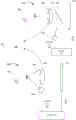
图7A至图7D示出了根据一些实施方案的选择导航目标并根据物理手势导航到导航目标。7A-7D illustrate selecting a navigation target and navigating to the navigation target according to physical gestures, according to some embodiments.
图7E至图7I示出了根据一些实施方案的基于在用户输入序列期间所保持的用户手部抓握来选择性地相对于三维环境(和视点)移动虚拟对象或相对于三维环境(和三维环境内的所有虚拟对象)移动视点。7E-7I illustrate selectively moving a virtual object relative to a three-dimensional environment (and viewpoint) or relative to a three-dimensional environment (and a three-dimensional All virtual objects in the environment) move the viewpoint.
图7J至图7O示出了根据一些实施方案的响应于移动请求将视点移向所选导航目标,其中基于导航目标的位置以及导航目标的一个或多个其他特征来选择视点在移动结束时的位置。7J-7O illustrate moving a viewpoint to a selected navigation object in response to a movement request, where the position of the viewpoint at the end of the movement is selected based on the location of the navigation object and one or more other characteristics of the navigation object, according to some embodiments. Location.
图8是根据一些实施方案的方法8000的流程图,该方法用于选择导航目标并根据物理手势导航到导航目标。FIG. 8 is a flowchart of a
图9是根据一些实施方案的方法9000的流程图,该方法用于基于在用户输入序列期间所保持的用户手部抓握来选择性地相对于三维环境(和视点)移动虚拟对象或相对于三维环境(和三维环境内的所有虚拟对象)移动视点。9 is a flowchart of a
图10是根据一些实施方案的方法10000的流程图,该方法用于响应于移动请求将视点移向所选导航目标,其中基于导航目标的位置以及导航目标的一个或多个其他特征来选择视点在移动结束时的位置。10 is a flowchart of a
具体实施方式Detailed ways
根据一些实施方案,本公开涉及用于向用户提供计算机生成的现实(CGR)体验的用户界面。According to some implementations, the present disclosure relates to a user interface for providing a computer-generated reality (CGR) experience to a user.
图1至图6提供了对用于向用户提供CGR体验的示例性计算机系统的描述。图7A至图7D示出了根据一些实施方案的选择导航目标并根据物理手势导航到导航目标。图7E至图7I示出了根据一些实施方案的基于在用户输入序列期间所保持的用户手部抓握来选择性地相对于三维环境(和视点)移动虚拟对象或相对于三维环境(和三维环境内的所有虚拟对象)移动视点。图7J至图7O示出了根据一些实施方案的响应于移动请求将视点移向所选导航目标,其中基于导航目标的位置以及导航目标的一个或多个其他特征来选择视点在移动结束时的位置。图8是根据一些实施方案的方法的流程图,该方法用于选择导航目标并根据物理手势导航到导航目标。图9是根据一些实施方案的方法的流程图,该方法用于基于在用户输入序列期间所保持的用户手部抓握来选择性地相对于三维环境(和视点)移动虚拟对象或相对于三维环境(和三维环境内的所有虚拟对象)移动视点。图10是根据一些实施方案的方法的流程图,该方法用于响应于移动请求将视点移向所选导航目标,其中基于导航目标的位置以及导航目标的一个或多个其他特征来选择视点在移动结束时的位置。图7A至图7O中的用户界面分别用于示出图8至图10中的过程。1-6 provide a description of an example computer system for providing a CGR experience to a user. 7A-7D illustrate selecting a navigation target and navigating to the navigation target according to physical gestures, according to some embodiments. 7E-7I illustrate selectively moving a virtual object relative to a three-dimensional environment (and viewpoint) or relative to a three-dimensional environment (and a three-dimensional All virtual objects in the environment) move the viewpoint. 7J-7O illustrate moving a viewpoint to a selected navigation object in response to a movement request, where the position of the viewpoint at the end of the movement is selected based on the location of the navigation object and one or more other characteristics of the navigation object, according to some embodiments. Location. 8 is a flow diagram of a method for selecting a navigation target and navigating thereto based on physical gestures, according to some embodiments. 9 is a flow diagram of a method for selectively moving a virtual object relative to a three-dimensional environment (and viewpoint) or relative to a three-dimensional The environment (and all virtual objects within the 3D environment) move the viewpoint. 10 is a flow diagram of a method for moving a viewpoint toward a selected navigation object in response to a move request, wherein the viewpoint is selected based on the location of the navigation object and one or more other characteristics of the navigation object in accordance with some embodiments. The position at the end of the move. The user interfaces in FIGS. 7A-7O are used to illustrate the processes in FIGS. 8-10 , respectively.
在一些实施方案中,如图1所示,经由包括计算机系统101的操作环境100向用户提供CGR体验。计算机系统101包括控制器110(例如,便携式电子设备或远程服务器的处理器)、一个或多个显示生成部件120(例如,包封在相同外壳中并面向不同方向或者包封在单独外壳中的一个或多个头戴式设备(HMD)、具有内部显示器和外部显示器的HMD、一个或多个显示器、一个或多个投影仪、一个或多个触摸屏等)、一个或多个输入设备125(例如,眼睛跟踪设备130、手部跟踪设备140、其他输入设备150)、一个或多个输出设备155(例如,扬声器160、触觉输出发生器170和其他输出设备180)、一个或多个传感器190(例如,图像传感器、光传感器、深度传感器、触觉传感器、取向传感器、接近传感器、温度传感器、位置传感器、运动传感器、速度传感器等),以及任选的一个或多个外围设备195(例如,家用电器、可穿戴设备等)。在一些实施方案中,输入设备125、输出设备155、传感器190和外围设备195中的一者或多者与显示生成部件120集成(例如,在头戴式设备中(例如,HMD的外壳或HMD的面向外的显示器上)或手持式设备中)。In some embodiments, as shown in FIG. 1 , a CGR experience is provided to a user via an
在描述CGR体验时,各种术语用于区别地指代用户可以感测并且/或者用户可以与其进行交互(例如,利用由生成CGR体验的计算机系统101检测到的输入进行交互,这些输入使得生成CGR体验的计算机系统生成与提供给计算机系统101的各种输入对应的音频、视觉和/或触觉反馈)的若干相关但不同的环境。以下是这些术语的子集:In describing the CGR experience, various terms are used to refer differently to what the user can sense and/or with which the user can interact (e.g., interact with inputs detected by the
物理环境:物理环境是指人们在没有电子系统帮助的情况下能够感测和/或交互的物理世界。物理环境诸如物理公园包括物理物品,诸如物理树木、物理建筑物和物理人。人们能够诸如通过视觉、触觉、听觉、味觉和嗅觉来直接感测物理环境和/或与物理环境交互。Physical Environment: The physical environment refers to the physical world that people can sense and/or interact with without the help of electronic systems. A physical environment such as a physical park includes physical objects such as physical trees, physical buildings, and physical people. People are able to directly sense and/or interact with the physical environment, such as through sight, touch, hearing, taste and smell.
计算机生成的现实:相反地,计算机生成的现实(CGR)环境是指人们经由电子系统进行感测和/或交互的完全或部分模拟环境。在CGR中,跟踪人的物理运动的子集或其表示,并且作为响应,以符合至少一个物理定律的方式调节在CGR环境中模拟的一个或多个虚拟对象的一个或多个特征。例如,CGR系统可以检测人的头部转动,并且作为响应,以与此类视图和声音在物理环境中变化的方式类似的方式调节呈现给人的图形内容和声场。在一些情况下(例如,出于可达性原因),对CGR环境中虚拟对象的特征的调节可以响应于物理运动的表示(例如,声音命令)来进行。人可以利用其感觉中的任一者来感测CGR对象和/或与之交互,包括视觉、听觉、触觉、味觉和嗅觉。例如,人可以感测音频对象和/或与音频对象交互,音频对象创建(3D)或空间音频环境,三维或空间音频环境提供3D空间中点音频源的感知。又如,音频对象可以使能音频透明度,该音频透明度在有或者没有计算机生成的音频的情况下选择性地引入来自物理环境的环境声音。在某些CGR环境中,人可以感测和/或只与音频对象交互。Computer Generated Reality: Conversely, a Computer Generated Reality (CGR) environment refers to a fully or partially simulated environment that people sense and/or interact with via electronic systems. In CGR, a subset or representation of a person's physical motion is tracked, and in response, one or more characteristics of one or more virtual objects simulated in a CGR environment are adjusted in a manner consistent with at least one law of physics. For example, a CGR system can detect a person's head rotation and, in response, adjust the graphical content and sound field presented to the person in a manner similar to how such views and sounds change in the physical environment. In some cases (eg, for accessibility reasons), adjustments to characteristics of virtual objects in a CGR environment may be made in response to indications of physical motion (eg, voice commands). A human can sense and/or interact with a CGR object using any of its senses, including sight, hearing, touch, taste, and smell. For example, a human can sense and/or interact with audio objects, audio objects create (3D) or spatial audio environments that provide perception of point audio sources in 3D space. As another example, an audio object may enable audio transparency that selectively introduces ambient sounds from the physical environment with or without computer-generated audio. In some CGR environments, a human can sense and/or only interact with audio objects.
CGR的示例包括虚拟现实和混合现实。Examples of CGR include virtual reality and mixed reality.
虚拟现实:虚拟现实(VR)环境是指被设计成对于一个或多个感官完全基于计算机生成的感官输入的模拟环境。VR环境包括人可以感测和/或交互的多个虚拟对象。例如,树木、建筑物和代表人的化身的计算机生成的图像是虚拟对象的示例。人可以通过在计算机生成的环境内人的存在的模拟和/或通过在计算机生成的环境内人的物理移动的一个子组的模拟来感测和/或与VR环境中的虚拟对象交互。Virtual Reality: A virtual reality (VR) environment refers to a simulated environment designed to be based entirely on computer-generated sensory input for one or more senses. A VR environment includes multiple virtual objects that a person can sense and/or interact with. For example, trees, buildings, and computer-generated images representing human avatars are examples of virtual objects. A person may sense and/or interact with virtual objects in a VR environment through simulation of the person's presence within the computer-generated environment and/or through simulation of a subset of the person's physical movement within the computer-generated environment.
混合现实:与被设计成完全基于计算机生成的感官输入的VR环境相比,混合现实(MR)环境是指被设计成除了包括计算机生成的感官输入(例如,虚拟对象)之外还引入来自物理环境的感官输入或其表示的模拟环境。在虚拟连续体上,混合现实环境是完全物理环境作为一端和虚拟现实环境作为另一端之间的任何状况,但不包括这两端。在一些MR环境中,计算机生成的感官输入可以对来自物理环境的感官输入的变化进行响应。另外,用于呈现MR环境的一些电子系统可以跟踪相对于物理环境的位置和/或取向,以使虚拟对象能够与真实对象(即,来自物理环境的物理物品或其表示)交互。例如,系统可以导致移动使得虚拟树木相对于物理地面看起来是静止的。Mixed Reality: In contrast to VR environments, which are designed to be based solely on computer-generated sensory input, mixed reality (MR) environments are those designed to include computer-generated sensory input (e.g., virtual objects) from physical The sensory input of the environment or the simulated environment it represents. On the virtual continuum, a mixed reality environment is any situation between, but not including, a fully physical environment at one end and a virtual reality environment at the other end. In some MR environments, computer-generated sensory input can respond to changes in sensory input from the physical environment. Additionally, some electronic systems for rendering MR environments may track position and/or orientation relative to the physical environment to enable virtual objects to interact with real objects (ie, physical items or representations thereof from the physical environment). For example, the system can cause movement so that the virtual tree appears stationary relative to the physical ground.
混合现实环境的示例包括增强现实和增强虚拟环境。Examples of mixed reality environments include augmented reality and augmented virtual environments.
增强现实:增强现实(AR)环境是指其中一个或多个虚拟对象叠加在物理环境或物理环境的表示上方的模拟环境。例如,用于呈现AR环境的电子系统可具有透明或半透明显示器,人可以透过该显示器直接查看物理环境。该系统可以被配置为在透明或半透明显示器上呈现虚拟对象,使得人利用该系统感知叠加在物理环境之上的虚拟对象。另选地,系统可以具有不透明显示器和一个或多个成像传感器,该成像传感器捕获物理环境的图像或视频,这些图像或视频是物理环境的表示。系统将图像或视频与虚拟对象组合,并在不透明显示器上呈现组合物。人利用系统经由物理环境的图像或视频而间接地查看物理环境,并且感知叠加在物理环境之上的虚拟对象。如本文所用,在不透明显示器上显示的物理环境的视频被称为“透传视频”,意味着系统使用一个或多个图像传感器捕获物理环境的图像,并且在不透明显示器上呈现AR环境时使用那些图像。进一步另选地,系统可以具有投影系统,该投影系统将虚拟对象投射到物理环境中,例如作为全息图或者在物理表面上,使得人利用该系统感知叠加在物理环境之上的虚拟对象。增强现实环境也是指其中物理环境的表示被计算机生成的感官信息进行转换的模拟环境。例如,在提供透传视频中,系统可以对一个或多个传感器图像进行转换以施加与成像传感器所捕获的视角不同的选择视角(例如,视点)。又如,物理环境的表示可以通过图形地修改(例如,放大)其部分而进行转换,使得经修改部分可以是原始捕获图像的代表性的但不是真实的版本。再如,物理环境的表示可以通过以图形方式消除其部分或将其部分进行模糊处理而进行转换。Augmented Reality: An augmented reality (AR) environment refers to a simulated environment in which one or more virtual objects are superimposed on top of a physical environment or a representation of a physical environment. For example, an electronic system for rendering an AR environment may have a transparent or translucent display through which a person can directly view the physical environment. The system can be configured to present virtual objects on a transparent or translucent display such that a person using the system perceives virtual objects superimposed on top of the physical environment. Alternatively, the system may have an opaque display and one or more imaging sensors that capture images or videos of the physical environment that are representations of the physical environment. The system combines images or video with virtual objects and presents the composition on an opaque display. A person utilizes the system to indirectly view the physical environment via images or videos of the physical environment and perceive virtual objects superimposed on the physical environment. As used herein, video of the physical environment displayed on an opaque display is referred to as "pass-through video," meaning that the system uses one or more image sensors to capture images of the physical environment and uses those when rendering the AR environment on the opaque display. image. Further alternatively, the system may have a projection system that projects virtual objects into the physical environment, for example as a hologram or on a physical surface, such that a person using the system perceives the virtual object superimposed on top of the physical environment. An augmented reality environment also refers to a simulated environment in which a representation of the physical environment is transformed by computer-generated sensory information. For example, in providing pass-through video, the system may transform one or more sensor images to impose a selected viewing angle (eg, point of view) different than that captured by the imaging sensor. As another example, a representation of a physical environment may be transformed by graphically modifying (eg, zooming in on) portions of it such that the modified portions may be representative but not true versions of the originally captured image. As another example, a representation of a physical environment can be transformed by graphically removing or obfuscating parts of it.
增强虚拟:增强虚拟(AV)环境是指其中虚拟环境或计算机生成环境结合了来自物理环境的一项或多项感官输入的模拟环境。感官输入可以是物理环境的一个或多个特性的表示。例如,AV公园可以具有虚拟树木和虚拟建筑物,但人的脸部是从对物理人拍摄的图像逼真再现的。又如,虚拟对象可以采用一个或多个成像传感器所成像的物理物品的形状或颜色。再如,虚拟对象可以采用符合太阳在物理环境中的定位的阴影。Augmented Virtual: An augmented virtual (AV) environment refers to a simulated environment in which a virtual or computer-generated environment incorporates one or more sensory inputs from the physical environment. Sensory input may be a representation of one or more characteristics of the physical environment. For example, an AV park may have virtual trees and virtual buildings, but people's faces are realistically reproduced from images taken of physical people. As another example, a virtual object may take the shape or color of a physical item imaged by one or more imaging sensors. As another example, a virtual object may adopt a shadow that matches the position of the sun in the physical environment.
硬件:有许多不同类型的电子系统使人能够感测各种CGR环境和/或与各种CGR环境进行交互。示例包括头戴式系统、基于投影的系统、平视显示器(HUD)、集成有显示能力的车辆挡风玻璃、集成有显示能力的窗户、被形成为被设计用于放置在人眼睛上的透镜的显示器(例如,类似于隐形眼镜)、耳机/听筒、扬声器阵列、输入系统(例如,具有或没有触觉反馈的可穿戴或手持控制器)、智能电话、平板电脑、和台式/膝上型计算机。头戴式系统可以具有一个或多个扬声器和集成的不透明显示器。另选地,头戴式系统可以被配置成接受外部不透明显示器(例如,智能电话)。头戴式系统可以结合用于捕获物理环境的图像或视频的一个或多个成像传感器、和/或用于捕获物理环境的音频的一个或多个麦克风。头戴式系统可以具有透明或半透明显示器,而不是不透明显示器。透明或半透明显示器可以具有媒介,代表图像的光通过该媒介被引导到人的眼睛。显示器可以利用数字光投影、OLED、LED、uLED、硅基液晶、激光扫描光源或这些技术的任意组合。媒介可以是光学波导、全息图媒介、光学组合器、光学反射器、或它们的任意组合。在一个实施方案中,透明或半透明显示器可被配置为选择性地变得不透明。基于投影的系统可以采用将图形图像投影到人的视网膜上的视网膜投影技术。投影系统也可以被配置为将虚拟对象投影到物理环境中,例如作为全息图或在物理表面上。在一些实施方案中,控制器110被配置为管理和协调用户的CGR体验。在一些实施方案中,控制器110包括软件、固件和/或硬件的合适组合。下文参考图2更详细地描述控制器110。在一些实施方案中,控制器110是相对于场景105(例如,物理设置/环境)处于本地或远程位置的计算设备。例如,控制器110是位于场景105内的本地服务器。又如,控制器110是位于场景105之外的远程服务器(例如,云服务器、中央服务器等)。在一些实施方案中,控制器110经由一个或多个有线或无线通信通道144(例如,蓝牙、IEEE 802.11x、IEEE 802.16x、IEEE 802.3x等)与显示生成部件120(例如,包围在相同外壳中或不同外壳中的一个或多个HMD、显示器、投影仪、触摸屏等)通信地耦接。在另一个示例中,控制器110包括在显示生成部件120(例如,HMD或包括显示器和一个或多个处理器的便携式电子设备等)、输入设备125中的一个或多个输入设备、输出设备155中的一个或多个输出设备、传感器190中的一个或多个传感器和/或外围设备195中的一个或多个外围设备的壳体(例如,物理外壳)内,或者与上述设备中的一者或多者共享相同的物理壳体或支撑结构。Hardware: There are many different types of electronic systems that enable a person to sense and/or interact with various CGR environments. Examples include head-mounted systems, projection-based systems, heads-up displays (HUDs), vehicle windshields with integrated display capabilities, windows with integrated display capabilities, Displays (eg, similar to contact lenses), headphones/earpieces, speaker arrays, input systems (eg, wearable or handheld controllers with or without haptic feedback), smartphones, tablets, and desktop/laptop computers. Head-mounted systems may have one or more speakers and an integrated opaque display. Alternatively, the head-mounted system may be configured to accept an external opaque display (eg, a smartphone). A head-mounted system may incorporate one or more imaging sensors for capturing images or video of the physical environment, and/or one or more microphones for capturing audio of the physical environment. Head-mounted systems may have transparent or translucent displays instead of opaque ones. Transparent or translucent displays may have a medium through which light representing an image is directed to the human eye. Displays can utilize digital light projection, OLED, LED, uLED, liquid crystal on silicon, laser scanning light sources, or any combination of these technologies. The media can be optical waveguides, holographic media, optical combiners, optical reflectors, or any combination thereof. In one embodiment, a transparent or translucent display can be configured to selectively become opaque. Projection-based systems may employ retinal projection techniques that project graphic images onto a person's retina. The projection system may also be configured to project virtual objects into a physical environment, for example as a hologram or onto a physical surface. In some embodiments, the
在一些实施方案中,显示生成部件120中的至少一个显示生成部件被配置为向用户提供CGR体验(例如,至少CGR体验的视觉组成部分)。在一些实施方案中,显示生成部件120包括软件、固件和/或硬件的合适组合。下文相对于图3更详细地描述了显示生成部件120的示例。在一些实施方案中,控制器110的功能由显示生成部件120提供和/或与该显示生成部件组合。In some embodiments, at least one of
根据一些实施方案,在用户虚拟地和/或物理地存在于场景105内时,显示生成部件120中的至少一个显示生成部件向用户提供CGR体验。According to some embodiments, at least one of
在一些实施方案中,显示生成部件穿戴在用户身体的一部分上(例如,他/她的头部上、他/她的手部上等)。因此,显示生成部件120中的至少一个显示生成部件包括被提供用于显示CGR内容的一个或多个CGR显示器。例如,在各种实施方案中,显示生成部件120中的至少一个显示生成部件显示用户的视场(例如,从用户的视点的视场)。在一些实施方案中,显示生成部件120中的至少一个显示生成部件是被配置为呈现CGR内容的手持式设备(诸如智能电话或平板电脑),并且用户以显示器朝向用户的视场且相机朝向场景105的方式保持设备。在一些实施方案中,手持式设备被任选地放置在穿戴在用户的头部上的壳体内。在一些实施方案中,手持式设备被任选地放置在用户前面的支撑件(例如,三脚架)上。在一些实施方案中,显示生成部件120中的至少一个显示生成部件是被配置为呈现CGR内容的CGR室、壳体或房间,其中用户不穿戴或保持显示生成部件120。参考用于显示CGR内容的一种类型的硬件(例如,手持式设备或三脚架上的设备)描述的许多用户界面可以在用于显示CGR内容的另一种类型的硬件(例如,HMD或其他可穿戴计算设备)上实现。例如,示出基于发生在手持式设备或三脚架安装的设备前面的空间中的交互而触发的与CGR内容的交互的用户界面可以类似地用HMD来实现,其中交互发生在HMD前面的空间中,并且对CGR内容的响应经由HMD来显示。类似地,示出基于手持式设备或三脚架安装的设备相对于物理环境(例如,场景105或用户身体的一部分(例如,用户的眼睛、头部或手部))的移动而触发的与CGR内容的交互的用户界面可以类似地用HMD来实现,其中移动是由HMD相对于物理环境(例如,场景105或用户身体的一部分(例如,用户的眼睛、头部或手部))的移动引起的。In some embodiments, the display generating component is worn on a portion of the user's body (eg, on his/her head, on his/her hands, etc.). Accordingly, at least one of the
尽管在图1中示出了操作环境100的相关特征,但本领域的普通技术人员将从本公开中认识到,为了简洁起见并且为了不模糊本文所公开的示例性实施方案的更多相关方面,未示出各种其他特征。Although pertinent features of the operating
图2是根据一些实施方案的控制器110的示例的框图。尽管示出了一些具体特征,但本领域的技术人员将从本公开中认识到,为简洁起见并且为了不使本文所公开的实施方案的更多相关方面晦涩难懂,未示出各种其他特征。为此,作为非限制性示例,在一些实施方案中,控制器110包括一个或多个处理单元202(例如,微处理器、专用集成电路(ASIC)、现场可编程门阵列(FPGA)、图形处理单元(GPU)、中央处理单元(CPU)、处理内核等)、一个或多个输入/输出(I/O)设备206、一个或多个通信接口208(例如,通用串行总线(USB)、FIREWIRE、THUNDERBOLT、IEEE 802.3x、IEEE 802.11x、IEEE 802.16x、全球移动通信系统(GSM)、码分多址(CDMA)、时分多址(TDMA)、全球定位系统(GPS)、红外(IR)、蓝牙、ZIGBEE以及/或者类似类型的接口)、一个或多个编程(例如,I/O)接口210、存储器220以及用于互连这些部件和各种其他部件的一条或多条通信总线204。FIG. 2 is a block diagram of an example of a
在一些实施方案中,一条或多条通信总线204包括互连和控制系统部件之间的通信的电路。在一些实施方案中,一个或多个I/O设备206包括键盘、鼠标、触控板、操纵杆、一个或多个麦克风、一个或多个扬声器、一个或多个图像传感器、一个或多个显示器等中的至少一种。In some embodiments, one or
存储器220包括高速随机存取存储器,诸如动态随机存取存储器(DRAM)、静态随机存取存储器(SRAM)、双倍数据速率随机存取存储器(DDR RAM)或者其他随机存取固态存储器设备。在一些实施方案中,存储器220包括非易失性存储器,诸如一个或多个磁盘存储设备、光盘存储设备、闪存存储器设备或其他非易失性固态存储设备。存储器220任选地包括远离一个或多个处理单元202定位的一个或多个存储设备。存储器220包括非暂态计算机可读存储介质。在一些实施方案中,存储器220或者存储器220的非暂态计算机可读存储介质存储下述程序、模块和数据结构或者它们的子集,其中包括任选的操作系统230和CGR体验模块240。Memory 220 includes high-speed random access memory, such as dynamic random access memory (DRAM), static random access memory (SRAM), double data rate random access memory (DDR RAM), or other random access solid-state memory devices. In some embodiments, memory 220 includes non-volatile memory, such as one or more magnetic disk storage devices, optical disk storage devices, flash memory devices, or other non-volatile solid-state storage devices. Memory 220 optionally includes one or more storage devices located remotely from one or more processing units 202 . Memory 220 includes non-transitory computer-readable storage media. In some embodiments, memory 220 or a non-transitory computer-readable storage medium of memory 220 stores programs, modules, and data structures, or subsets thereof, including optional operating system 230 and CGR experience module 240 .
操作系统230包括用于处理各种基础系统服务和用于执行硬件相关任务的指令。在一些实施方案中,CGR体验模块240被配置为管理和协调一个或多个用户的单重或多重CGR体验(例如,一个或多个用户的单重CGR体验,或一个或多个用户的相应群组的多重CGR体验)。为此,在各种实施方案中,CGR体验模块240包括数据获取单元242、跟踪单元244、协调单元246和数据传输单元248。The operating system 230 includes instructions for handling various basic system services and for performing hardware-related tasks. In some embodiments, the CGR experience module 240 is configured to manage and coordinate one or more users' single or multiple CGR experiences (e.g., one or more users' single or multiple CGR experiences, or one or more users' corresponding Multiple CGR experience for groups). To this end, in various embodiments, the CGR experience module 240 includes a data acquisition unit 242 , a tracking unit 244 , a coordination unit 246 , and a data transmission unit 248 .
在一些实施方案中,数据获取单元242被配置为从图1的显示生成部件120中的至少一个或多个显示生成部件,以及任选地从输入设备125、输出设备155、传感器190和/或外围设备195中的一者或多者获取数据(例如,呈现数据、交互数据、传感器数据、位置数据等)。出于该目的,在各种实施方案中,数据获取单元242包括指令和/或用于指令的逻辑以及启发法和用于启发法的元数据。In some embodiments, data acquisition unit 242 is configured to generate displays from at least one or more of
在一些实施方案中,跟踪单元244被配置为映射场景105,并且跟踪显示生成部件120中的至少一个或多个显示生成部件相对于图1的场景105并任选地相对于输入设备125、输出设备155、传感器190和/或外围设备195中的一者或多者的位置/定位。出于该目的,在各种实施方案中,跟踪单元244包括指令和/或用于指令的逻辑以及启发法和用于启发法的元数据。在一些实施方案中,跟踪单元244包括手部跟踪单元244和/或眼睛跟踪单元243。在一些实施方案中,手部跟踪单元244被配置为跟踪用户的手部的一个或多个部分的位置/定位,以及/或者用户的手部的一个或多个部分相对于图1的场景105的、相对于显示生成部件120中的至少一个显示生成部件和/或相对于坐标系(该坐标系是相对于用户的手部定义的)的运动。下文相对于图4更详细地描述了手部跟踪单元244。在一些实施方案中,眼睛跟踪单元243被配置为跟踪用户注视(或更广泛地,用户的眼睛、面部或头部)相对于场景105(例如,相对于物理环境和/或相对于用户(例如,用户的手部))或相对于经由显示生成部件120中的至少一个显示生成部件显示的CGR内容的位置或移动。下文相对于图5更详细地描述了眼睛跟踪单元243。In some embodiments, the tracking unit 244 is configured to map the scene 105 and track at least one or more of the
在一些实施方案中,协调单元246被配置为管理和协调由显示生成部件120中的至少一个显示生成部件,以及任选地由输出设备155和/或外围设备195中的一者或多者呈现给用户的CGR体验。出于该目的,在各种实施方案中,协调单元246包括指令和/或用于指令的逻辑以及启发法和用于启发法的元数据。In some embodiments, coordination unit 246 is configured to manage and coordinate presentation by at least one of
在一些实施方案中,数据传输单元248被配置为将数据(例如,呈现数据、位置数据等)传输到显示生成部件120中的至少一个显示生成部件,并且任选地传输到输入设备125、输出设备155、传感器190和/或外围设备195中的一者或多者。出于该目的,在各种实施方案中,数据传输单元248包括指令和/或用于指令的逻辑以及启发法和用于启发法的元数据。In some embodiments, the data transfer unit 248 is configured to transfer data (e.g., presentation data, location data, etc.) to at least one of the
尽管数据获取单元242、跟踪单元244(例如,包括眼睛跟踪单元243和手部跟踪单元244)、协调单元246和数据传输单元248被示为驻留在单个设备(例如,控制器110)上,但应当理解,在其他实施方案中,数据获取单元242、跟踪单元244(例如,包括眼睛跟踪单元243和手部跟踪单元244)、协调单元246和数据传输单元248的任何组合可以位于单独计算设备中。Although data acquisition unit 242, tracking unit 244 (e.g., including eye tracking unit 243 and hand tracking unit 244), coordination unit 246, and data transmission unit 248 are shown as residing on a single device (e.g., controller 110), It should be understood, however, that in other embodiments, any combination of data acquisition unit 242, tracking unit 244 (e.g., including eye tracking unit 243 and hand tracking unit 244), coordination unit 246, and data transmission unit 248 may reside on a single computing device middle.
此外,图2更多地用作可以存在于特定具体实施中的各种特征的功能描述,与本文所述的实施方案的结构示意图不同。如本领域的普通技术人员将认识到的,单独显示的项目可以组合,并且一些项目可以分开。例如,图2中单独示出的一些功能模块可在单个模块中实现,并且单个功能块的各种功能可在各种实施方案中通过一个或多个功能块来实现。模块的实际数量和特定功能的划分以及如何在其中分配特征将根据具体实施而变化,并且在一些实施方案中,部分地取决于为特定具体实施选择的硬件、软件和/或固件的特定组合。Furthermore, Figure 2 serves more as a functional description of various features that may be present in a particular implementation, as opposed to a structural schematic of the embodiments described herein. As one of ordinary skill in the art will recognize, items shown separately may be combined, and some items may be separated. For example, some functional blocks shown individually in FIG. 2 may be implemented in a single module, and various functions of a single functional block may be implemented by one or more functional blocks in various embodiments. The actual number of modules and division of specific functions and how features are distributed among them will vary from implementation to implementation and, in some embodiments, depends in part on the particular combination of hardware, software, and/or firmware chosen for a particular implementation.
图3是根据一些实施方案的显示生成部件120中的至少一个显示生成部件的示例的框图。尽管示出了一些具体特征,但本领域的技术人员将从本公开中认识到,为简洁起见并且为了不使本文所公开的实施方案的更多相关方面晦涩难懂,未示出各种其他特征。为此,作为非限制性示例,在一些实施方案中,包括显示生成部件120的计算机系统(例如,HMD)还包括相同外壳中的一个或多个处理单元302(例如,微处理器、ASIC、FPGA、GPU、CPU、处理核心等)、一个或多个输入/输出(I/O)设备及传感器306、一个或多个通信接口308(例如,USB、FIREWIRE、THUNDERBOLT、IEEE 802.3x、IEEE 802.11x、IEEE 802.16x、GSM、CDMA、TDMA、GPS、IR、蓝牙、ZIGBEE以及/或者类似类型的接口)、一个或多个编程(例如,I/O)接口310、一个或多个CGR显示器312、一个或多个任选的面向内部和/或面向外部的图像传感器314、存储器320以及用于互连这些部件和各种其他部件的一条或多条通信总线304。3 is a block diagram of an example of at least one of
在一些实施方案中,一条或多条通信总线304包括用于互连和控制各系统部件之间的通信的电路。在一些实施方案中,一个或多个I/O设备及传感器306包括惯性测量单元(IMU)、加速度计、陀螺仪、温度计、一个或多个生理传感器(例如,血压监测仪、心率监测仪、血液氧传感器、血糖传感器等)、一个或多个传声器、一个或多个扬声器、触觉引擎以及/或者一个或多个深度传感器(例如,结构光、飞行时间等)等。In some embodiments, one or
在一些实施方案中,一个或多个CGR显示器312被配置为向用户提供CGR体验和任选与CGR体验相关的状态信息。在一些实施方案中,一个或多个CGR显示器312对应于全息、数字光处理(DLP)、液晶显示器(LCD)、硅上液晶(LCoS)、有机发光场效应晶体管(OLET)、有机发光二极管(OLED)、表面传导电子发射显示器(SED)、场发射显示器(FED)、量子点发光二极管(QD-LED)、微机电系统(MEMS)以及/或者类似的显示器类型。在一些实施方案中,一个或多个CGR显示器312对应于衍射、反射、偏振、全息等波导显示器。例如,HMD包括单个CGR显示器。在另一个示例中,HMD包括用于用户的每只眼睛的CGR显示器。在一些实施方案中,一个或多个CGR显示器312能够呈现MR和VR内容。在一些实施方案中,一个或多个CGR显示器312能够呈现MR或VR内容。在一些实施方案中,HMD包括在HMD被放置在用户的头部上时面向用户眼睛的一个或多个CGR显示器以及背对用户眼睛(例如,朝向外部环境)的一个或多个CGR显示器。在一些实施方案中,计算机系统是CGR房间或CGR壳体,并且CGR房间或CGR壳体在内部包括向CGR房间或壳体内的用户提供CGR内容的CGR显示器,并任选地在外部包括显示与CGR内容和内部用户的状态相关的状态信息的一个或多个外围显示器。In some embodiments, one or more CGR displays 312 are configured to provide the user with the CGR experience and optionally status information related to the CGR experience. In some embodiments, the one or more CGR displays 312 correspond to holographic, digital light processing (DLP), liquid crystal display (LCD), liquid crystal on silicon (LCoS), organic light emitting field effect transistor (OLET), organic light emitting diode ( OLED), Surface Conduction Electron Emission Display (SED), Field Emission Display (FED), Quantum Dot Light Emitting Diode (QD-LED), Micro Electro Mechanical System (MEMS), and/or similar display types. In some embodiments, one or more CGR displays 312 correspond to diffractive, reflective, polarizing, holographic, etc. waveguide displays. For example, an HMD includes a single CGR display. In another example, the HMD includes a CGR display for each eye of the user. In some embodiments, one or more CGR displays 312 are capable of presenting MR and VR content. In some embodiments, one or more CGR displays 312 are capable of presenting MR or VR content. In some embodiments, the HMD includes one or more CGR displays facing the user's eyes and one or more CGR displays facing away from the user's eyes (eg, toward the external environment) when the HMD is placed on the user's head. In some embodiments, the computer system is a CGR room or CGR enclosure, and the CGR room or CGR enclosure internally includes a CGR display that provides CGR content to users within the CGR room or enclosure, and optionally includes externally a display with One or more peripheral displays of CGR content and internal user status related status information.
在一些实施方案中,一个或多个图像传感器314被配置为获取与用户面部的包括用户的眼睛的至少一部分对应的图像数据(并且可被称为眼睛跟踪相机)。在一些实施方案中,一个或多个图像传感器314被配置为获取与用户的手部以及任选地用户的手臂的至少一部分对应的图像数据(并且可被称为手部跟踪相机)。在一些实施方案中,一个或多个图像传感器314被配置为面向前方,以便获取与在不存在显示生成部件120的情况下用户将会看到的场景对应的图像数据(并且可被称为场景相机)。一个或多个任选图像传感器314可包括一个或多个RGB相机(例如,具有互补金属氧化物半导体(CMOS)图像传感器或电荷耦合器件(CCD)图像传感器)、一个或多个红外(IR)相机以及/或者一个或多个基于事件的相机等。In some implementations, the one or
存储器320包括高速随机存取存储器,诸如DRAM、SRAM、DDR RAM或其他随机存取固态存储器设备。在一些实施方案中,存储器320包括非易失性存储器,诸如一个或多个磁盘存储设备、光盘存储设备、闪存存储器设备或其他非易失性固态存储设备。存储器320任选地包括远离一个或多个处理单元302定位的一个或多个存储设备。存储器320包括非暂态计算机可读存储介质。在一些实施方案中,存储器320或者存储器320的非暂态计算机可读存储介质存储下述程序、模块和数据结构或者它们的子集,其中包括任选的操作系统330和CGR呈现模块340。Memory 320 includes high-speed random access memory, such as DRAM, SRAM, DDR RAM, or other random access solid-state memory devices. In some embodiments, memory 320 includes non-volatile memory, such as one or more magnetic disk storage devices, optical disk storage devices, flash memory devices, or other non-volatile solid-state storage devices. Memory 320 optionally includes one or more storage devices located remotely from one or more processing units 302 . Memory 320 includes non-transitory computer-readable storage media. In some embodiments, memory 320 or a non-transitory computer-readable storage medium of memory 320 stores programs, modules, and data structures, or subsets thereof, including optional operating system 330 and CGR rendering module 340 .
操作系统330包括用于处理各种基础系统服务和用于执行硬件相关任务的过程。在一些实施方案中,CGR呈现模块340被配置为经由一个或多个CGR显示器312向用户呈现CGR内容。为此,在各种实施方案中,CGR呈现模块340包括数据获取单元342、CGR呈现单元344、CGR映射生成单元346、数据传输单元348以及任选用于显示与用户和CGR内容相关的状态信息的其他操作单元。The operating system 330 includes processes for handling various basic system services and for performing hardware-related tasks. In some embodiments, the CGR presentation module 340 is configured to present CGR content to the user via the one or more CGR displays 312 . To this end, in various embodiments, the CGR presentation module 340 includes a data acquisition unit 342, a CGR presentation unit 344, a CGR map generation unit 346, a data transmission unit 348, and optionally a display unit for displaying status information related to the user and the CGR content. other operating units.
在一些实施方案中,数据获取单元342被配置为至少从图1的控制器110获取数据(例如,呈现数据、交互数据、传感器数据、位置数据等)。出于所述目的,在各种实施方案中,数据获取单元342包括指令以及/或者用于指令的逻辑以及启发法和用于启发法的元数据。In some embodiments, the data acquisition unit 342 is configured to acquire data (eg, presentation data, interaction data, sensor data, location data, etc.) from at least the
在一些实施方案中,CGR呈现单元344被配置为经由一个或多个CGR显示器312呈现CGR内容和相关联的状态信息。出于所述目的,在各种实施方案中,CGR呈现单元344包括指令以及/或者用于指令的逻辑以及启发法和用于启发法的元数据。In some embodiments, the CGR presentation unit 344 is configured to present CGR content and associated status information via the one or more CGR displays 312 . For such purposes, in various embodiments, the CGR rendering unit 344 includes instructions and/or logic for the instructions as well as heuristics and metadata for the heuristics.
在一些实施方案中,CGR映射生成单元346被配置为基于媒体内容数据生成CGR映射图(例如,混合现实场景的3D映射图或可以在其中放置计算机生成对象的物理环境以生成计算机生成现实的映射图)。出于所述目的,在各种实施方案中,CGR映射生成单元346包括指令以及/或者用于该指令的逻辑以及启发法和用于该启发法的元数据。In some embodiments, the CGR map generation unit 346 is configured to generate a CGR map (e.g., a 3D map of a mixed reality scene or a physical environment in which computer-generated objects can be placed to generate a computer-generated reality map) based on the media content data. picture). For that purpose, in various embodiments, the CGR map generation unit 346 includes instructions and/or logic for the instructions as well as heuristics and metadata for the heuristics.
在一些实施方案中,数据传输单元348被配置为将数据(例如,呈现数据、位置数据等)传输到至少控制器110,以及任选地输入设备125、输出设备155、传感器190和/或外围设备195中的一者或多者。出于所述目的,在各种实施方案中,数据传输单元348包括指令以及/或者用于指令的逻辑以及启发法和用于启发法的元数据。In some embodiments, data transfer unit 348 is configured to transfer data (eg, presence data, location data, etc.) to at
尽管数据获取单元342、CGR呈现单元344、CGR映射生成单元346和数据传输单元348被示出为驻留在单个设备(例如,图1的显示生成部件120)上,但应当理解,在其他实施方案中,数据获取单元342、CGR呈现单元344、CGR映射生成单元346和数据传输单元348的任何组合可位于单独计算设备中。Although data acquisition unit 342, CGR rendering unit 344, CGR map generation unit 346, and data transfer unit 348 are shown as residing on a single device (e.g.,
此外,图3更多地用作可能存在于特定实施方案中的各种特征的功能描述,与本文所述的实施方案的结构示意图不同。如本领域的普通技术人员将认识到的,单独显示的项目可以组合,并且一些项目可以分开。例如,图3中单独示出的一些功能模块可在单个模块中实现,并且单个功能块的各种功能可在各种实施方案中通过一个或多个功能块来实现。模块的实际数量和特定功能的划分以及如何在其中分配特征将根据具体实施而变化,并且在一些实施方案中,部分地取决于为特定具体实施选择的硬件、软件和/或固件的特定组合。Furthermore, FIG. 3 serves more as a functional description of various features that may be present in a particular embodiment, as opposed to a schematic structural representation of the embodiments described herein. As one of ordinary skill in the art will recognize, items shown separately may be combined, and some items may be separated. For example, some functional blocks shown individually in FIG. 3 may be implemented in a single module, and various functions of a single functional block may be implemented by one or more functional blocks in various embodiments. The actual number of modules and division of specific functions and how features are distributed among them will vary from implementation to implementation and, in some embodiments, depends in part on the particular combination of hardware, software, and/or firmware chosen for a particular implementation.
图4是手部跟踪设备140的示例性实施方案的示意性图解。在一些实施方案中,手部跟踪设备140(图1)由手部跟踪单元244控制(图2)来跟踪用户的手部的一个或多个部分的位置/定位,以及/或者用户的手部的一个或多个部分相对于图1的场景105(例如,相对于用户周围的物理环境的一部分、相对于显示生成部件120中的至少一个显示生成部件,或者相对于用户的一部分(例如,用户的面部、眼睛或头部),以及/或者相对于坐标系(该坐标系是相对于用户的手部定义的))的运动。在一些实施方案中,手部跟踪设备140是显示生成部件120中的至少一个显示生成部件的一部分(例如,嵌入与显示生成部件相同的外壳中或附接到该外壳(例如,在头戴式设备中))。在一些实施方案中,手部跟踪设备140与显示生成部件120分开(例如,位于单独的外壳中或者附接到单独的物理支撑结构)。FIG. 4 is a schematic illustration of an exemplary embodiment of a
在一些实施方案中,手部跟踪设备140包括捕获至少包括人类用户的手部406的三维场景信息的图像传感器404(例如,一个或多个IR相机、3D相机、深度相机和/或彩色相机等)。图像传感器404以足够的分辨率捕获手部图像,以使手指及其相应位置能够被区分。图像传感器404通常捕获用户身体的其他部分、还或可能捕获身体的所有部分的图像,并且可以具有缩放能力或具有增大放大率的专用传感器以用期望分辨率捕获手部的图像。在一些实施方案中,图像传感器404还捕获手部406的2D彩色视频图像和场景的其他元素。在一些实施方案中,图像传感器404与其他图像传感器结合使用以捕获场景105的物理环境,或者用作捕获场景105的物理环境的图像传感器。在一些实施方案中,以将图像传感器404或其一部分的视场用于限定交互空间的方式相对于用户或用户的环境定位图像传感器,在该交互空间中,由图像传感器捕获的手部移动被视为到控制器110的输入。In some embodiments, the
在一些实施方案中,图像传感器404将包含3D映射数据(以及此外,可能的彩色图像数据)的帧序列输出到控制器110,该控制器从映射数据提取高级信息。该高级信息通常经由应用程序接口(API)提供给在控制器上运行的应用程序,该应用程序相应地驱动显示生成部件120。例如,用户可以通过移动他的手部408并改变他的手部姿势来与在控制器110上运行的软件交互。In some embodiments,
在一些实施方案中,图像传感器404将斑点图案投影到包含手部406的场景上并且捕获所投影图案的图像。在一些实施方案中,控制器110基于图案中斑点的横向偏移来通过三角测量计算场景中的点(包括用户的手部的表面上的点)的3D坐标。这种方法是有利的,因为该方法不需要用户握持或穿戴任何种类的信标、传感器或其他标记。该方法给出了场景中的点在距图像传感器404的特定距离处相对于预先确定的参考平面的深度坐标。在本公开中,假设图像传感器404限定x轴、y轴、z轴的正交集合,使得场景中的点的深度坐标对应于由图像传感器测量的z分量。另选地,手部跟踪设备440可基于单个或多个相机或其他类型的传感器而使用其他3D映射方法,诸如立体成像或飞行时间测量。In some implementations,
在一些实施方案中,手部跟踪设备140在用户移动他的手部(例如,整个手部或一根或多根手指)时捕获并处理包含用户的手部的深度映射图的时间序列。在图像传感器404和/或控制器110中的处理器上运行的软件处理3D映射数据以提取这些深度映射图中手部的图像块描述符。软件可基于先前的学习过程将这些描述符与存储在数据库408中的图像块描述符匹配,以便估计每个帧中手部的位姿。位姿通常包括用户的手部关节和手指尖端的3D位置。In some embodiments, the
软件还可以分析手部和/或手指在序列中的多个帧上的轨迹以识别手势。本文所述的位姿估计功能可以与运动跟踪功能交替,使得每两个(或更多个)帧仅执行一次基于图像块的位姿估计,而跟踪用于找到在剩余帧上发生的位姿的变化。经由上述API向在控制器110上运行的应用程序提供位姿、运动和手势信息。该程序可以例如响应于位姿和/或手势信息而移动和修改呈现在显示生成部件120上的图像,或者执行其他功能。The software can also analyze the trajectory of the hand and/or fingers over multiple frames in the sequence to recognize gestures. The pose estimation function described in this paper can be alternated with the motion tracking function, so that the patch-based pose estimation is performed only once every two (or more) frames, and the tracking is used to find the pose occurring on the remaining frames. The change. Pose, motion, and gesture information is provided to applications running on the
在一些实施方案中,软件可以例如通过网络以电子形式下载到控制器110,或者可以另选地在有形非暂态介质诸如光学、磁性或电子存储器介质上提供。在一些实施方案中,数据库408同样存储在与控制器110相关联的存储器中。另选地或除此之外,计算机的所描述的功能中的一些或全部可以在专用硬件(诸如,定制或半定制集成电路或可编程数字信号处理器(DSP))中实现。尽管在图4中示出了控制器110,但是举例来说,作为与图像传感器440分开的单元,控制器的处理功能中一些或全部可以由合适的微处理器和软件或由手部跟踪设备402的外壳内的专用电路或与图像传感器404相关联的其他设备执行。在一些实施方案中,这些处理功能中的至少一些处理功能可由与显示生成部件120(例如,在电视机、手持式设备或头戴式设备中)集成或与任何其他合适的计算机化设备(诸如,游戏控制台或媒体播放器)集成的合适处理器执行。图像传感器404的感测功能同样可以集成到将由传感器输出控制的计算机或其他计算机化装置中。In some embodiments, the software may be electronically downloaded to the
图4还包括根据一些实施方案的由图像传感器404捕获的深度映射图410的示意图。如上所述,深度图包括具有相应深度值的像素的矩阵。与手部406对应的像素412已经从该映射图中的背景和手腕分割出来。深度映射图410内的每个像素的亮度与其深度值(例如,测量的距图像传感器404的z距离)成反比,其中灰色阴影随着深度的增加而变得更暗。控制器110处理这些深度值以便识别和分割图像的具有人类手部特征的组成部分(例如,一组相邻像素)。这些特征可包括例如总体大小、形状和从深度映射图序列中的帧到帧的运动。FIG. 4 also includes a schematic diagram of a
图4还示意性地示出了根据一些实施方案的控制器110最终从手部406的深度映射图410提取的手部骨骼414。在图4中,骨骼414叠加在已经从原始深度映射图分割出来的手部背景416上。在一些实施方案中,手部的以及任选地在连接到手部的手腕或手臂上的关键特征点(例如,与指关节、手指尖端、手掌中心、手部的连接到手腕的端部等对应的点)被识别并位于手部骨骼414上。在一些实施方案中,控制器110使用这些关键特征点在多个图像帧上的位置和移动来根据一些实施方案确定由手部执行的手势或手部的当前状态。FIG. 4 also schematically illustrates the
图5示出了眼睛跟踪设备130(图1)的示例性实施方案。在一些实施方案中,眼睛跟踪设备130由眼睛跟踪单元243(图2)控制来跟踪用户注视相对于场景105或相对于经由显示生成部件120中的至少一个显示生成部件显示的CGR内容的位置和移动。在一些实施方案中,眼睛跟踪设备130与显示生成部件120中的至少一个显示生成部件集成。例如,在一些实施方案中,当显示生成部件120是头戴式设备(诸如,头戴式耳机、头盔、护目镜或眼镜)或放置在可穿戴框架中的手持式设备的一部分时,该头戴式设备包括生成CGR内容以供用户观看的部件以及用于跟踪用户相对于CGR内容的注视的部件两者。在一些实施方案中,眼睛跟踪设备130与显示生成部件120分开。例如,当显示生成部件由手持式设备或CGR室提供时,眼睛跟踪设备130任选地是与手持式设备或CGR室分开的设备。在一些实施方案中,眼睛跟踪设备130是头戴式设备或头戴式设备的一部分。在一些实施方案中,头戴式眼睛跟踪设备130任选地与也是头戴式的显示生成部件中的至少一个显示生成部件或不是头戴式的显示生成部件中的至少一个显示生成部件结合使用。在一些实施方案中,眼睛跟踪设备130不是头戴式设备,并且任选地与头戴式显示生成部件结合使用。在一些实施方案中,眼睛跟踪设备130不是头戴式设备,并且任选地是非头戴式显示生成部件的一部分。FIG. 5 illustrates an exemplary embodiment of eye-tracking device 130 (FIG. 1). In some embodiments, eye-tracking
在一些实施方案中,显示生成部件120中的至少一个显示生成部件使用显示机构(例如,左近眼显示面板和右近眼显示面板)来在用户眼睛前面显示包括左图像和右图像的帧,从而向用户提供3D虚拟视图。例如,头戴式显示生成部件可包括位于显示器和用户眼睛之间的左光学透镜和右光学透镜(在本文中被称为眼睛透镜)。在一些实施方案中,显示生成部件120中的至少一个显示生成部件可包括或耦接到一个或多个外部摄像机,该一个或多个外部摄像机捕获用户的环境的视频以用于显示。在一些实施方案中,头戴式显示生成部件可具有透明或半透明显示器,并且在该透明或半透明显示器上显示虚拟对象,用户可以透过该透明或半透明显示器直接观看物理环境。在一些实施方案中,显示生成部件120中的至少一个显示生成部件将虚拟对象投影到物理环境中。虚拟对象可例如被投影在物理表面上或作为全息图被投影,使得个体使用系统观察叠加在物理环境上方的虚拟对象。在这种情况下,可能不需要用于左眼和右眼的单独的显示面板和图像帧。In some embodiments, at least one of the
如图5中所示,在一些实施方案中,注视跟踪设备130包括至少一个眼睛跟踪相机(例如,红外(IR)或近红外(NIR)相机),以及朝向用户眼睛发射光(例如,IR或NIR光)的照明源(例如,IR或NIR光源,诸如LED的阵列或环)。眼睛跟踪相机可指向用户眼睛以接收光源直接从眼睛反射的IR或NIR光,或者另选地可指向位于用户眼睛和显示面板之间的“热”镜,这些热镜将来自眼睛的IR或NIR光反射到眼睛跟踪相机,同时允许可见光通过。注视跟踪设备130任选地捕获用户眼睛的图像(例如,作为以每秒60帧-120帧(fps)捕获的视频流),分析这些图像以生成注视跟踪信息,并将注视跟踪信息传送到控制器110。在一些实施方案中,用户的两只眼睛通过相应的眼睛跟踪相机和照明源来单独地跟踪。在一些实施方案中,通过相应的眼睛跟踪相机和照明源来跟踪用户的仅一只眼睛。As shown in FIG. 5 , in some embodiments, the
在一些实施方案中,使用设备特定的校准过程来校准眼睛跟踪设备130以确定用于特定操作环境100的眼睛跟踪设备的参数,例如LED、相机、热镜(如果存在的话)、眼睛透镜和显示屏的3D几何关系和参数。在将AR/VR装备递送给终端用户之前,可以在工厂或另一个设施处执行设备特定的校准过程。设备特定的校准过程可以是自动校准过程或手动校准过程。根据一些实施方案,用户特定的校准过程可以包括对特定用户的眼睛参数的估计,例如瞳孔位置、中央凹位置、光轴、视轴、眼睛间距等。根据一些实施方案,一旦针对眼睛跟踪设备130确定了设备特定参数和用户特定参数,就可以使用闪光辅助方法来处理由眼睛跟踪相机捕获的图像,以确定当前视轴和用户相对于显示器的注视点。In some embodiments, eye-tracking
如图5中所示,眼睛跟踪设备130(例如,130A或130B)包括眼睛透镜520和注视跟踪系统,该注视跟踪系统包括定位在用户面部的被执行眼睛跟踪的一侧上的至少一个眼睛跟踪相机540(例如,红外(IR)或近红外(NIR)相机),以及朝向用户眼睛592发射光(例如,IR或NIR光)的照明源530(例如,IR或NIR光源,诸如NIR发光二极管(LED)的阵列或环)。眼睛跟踪相机540可指向位于用户眼睛592和显示器510(例如,头戴式显示器的左显示面板或右显示面板、头戴式设备的内部显示器或手持式设备的显示器、投影仪等)之间的镜子550(这些镜子反射来自眼睛592的IR或NIR光,同时允许可见光通过)(例如,如图5的顶部部分所示),或者另选地可指向用户眼睛592以接收来自眼睛592的反射IR或NIR光(例如,如图5的底部部分所示)。As shown in FIG. 5 , eye tracking device 130 (eg, 130A or 130B) includes an
在一些实施方案中,控制器110渲染AR或VR帧562(例如,用于左显示面板和右显示面板的左帧和右帧)并且将帧562提供给显示器510。控制器110将来自眼睛跟踪相机540的注视跟踪输入542用于各种目的,例如用于处理帧562以用于显示。控制器110任选地基于使用闪光辅助方法或其他合适的方法从眼睛跟踪相机540获取的注视跟踪输入542来估计用户在显示器510上的注视点。根据注视跟踪输入542估计的注视点任选地用于确定用户当前正在看向的方向。In some implementations, the
以下描述了用户当前注视方向的几种可能的使用案例,并且不旨在进行限制。作为示例性使用案例,控制器110可以基于所确定的用户注视的方向不同地渲染虚拟内容。例如,控制器110可以在根据用户当前注视方向确定的中央凹区域中以比在外围区域中的分辨率更高的分辨率生成虚拟内容。作为另一个示例,控制器可至少部分地基于用户当前注视方向来在视图中定位或移动虚拟内容。作为另一个示例,控制器可至少部分地基于用户当前注视方向来在视图中显示特定虚拟内容。作为AR应用程序中的另一个示例性使用案例,控制器110可引导用于捕获CGR体验的物理环境的外部相机在所确定方向上聚焦。然后,外部相机的自动聚焦机构可以聚焦于显示器510上用户当前正看向的环境中的对象或表面上。作为另一个示例性使用案例,眼睛透镜520可以是可聚焦透镜,并且控制器使用注视跟踪信息来调整眼睛透镜520的焦点,使得用户当前正看向的虚拟对象具有适当的聚散度以匹配用户眼睛592的会聚。控制器110可以利用注视跟踪信息来引导眼睛透镜520调整焦点,使得用户正看向的靠近的对象出现在正确距离处。The following describe several possible use cases for the user's current gaze direction and are not intended to be limiting. As an exemplary use case, the
在一些实施方案中,眼睛跟踪设备是头戴式设备的一部分,该部分包括安装在可穿戴外壳中的显示器(例如,显示器510)、两个眼睛透镜(例如,眼睛透镜520)、眼睛跟踪相机(例如,眼睛跟踪相机540),以及光源(例如,光源530(例如,IR或NIR LED))。光源朝向用户眼睛592发射光(例如,IR或NIR光)。在一些实施方案中,光源可围绕透镜中的每个透镜布置成环或圆圈,如图5中所示。在一些实施方案中,例如,八个光源530(例如,LED)围绕每个透镜520布置。然而,可使用更多或更少的光源530,并且可使用光源530的其他布置和位置。In some embodiments, the eye-tracking device is part of a head-mounted device that includes a display (e.g., display 510), two eye lenses (e.g., eye-lens 520), an eye-tracking camera mounted in a wearable housing. (eg, eye tracking camera 540), and a light source (eg, light source 530 (eg, IR or NIR LED)). The light source emits light (eg, IR or NIR light) toward the user's
在一些实施方案中,显示器510发射可见光范围内的光,并且不发射IR或NIR范围内的光,并且因此不会在注视跟踪系统中引入噪声。需注意,眼睛跟踪相机540的位置和角度以举例的方式给出,并且不旨在进行限制。在一些实施方案中,单个眼睛跟踪相机540位于用户面部的每一侧上。在一些实施方案中,可在用户面部的每一侧上使用两个或更多个NIR相机540。在一些实施方案中,可在用户面部的每一侧上使用具有较宽视场(FOV)的相机540和具有较窄FOV的相机540。在一些实施方案中,可在用户面部的每一侧上使用以一个波长(例如,850nm)操作的相机540和以不同波长(例如,940nm)操作的相机540。In some embodiments,
如图5中所示的注视跟踪系统的实施方案可以例如用于计算机生成的现实(例如,包括虚拟现实和/或混合现实)应用程序,以向用户提供计算机生成的现实(例如,包括虚拟现实、增强现实和/或增强虚拟)体验。Embodiments of a gaze tracking system as shown in FIG. 5 may, for example, be used in computer-generated reality (e.g., including virtual reality and/or mixed reality) applications to provide users with computer-generated reality (e.g., including virtual reality). , augmented reality and/or augmented virtual) experience.
图6示出了根据一些实施方案的闪光辅助的注视跟踪管线。在一些实施方案中,注视跟踪管线通过闪光辅助的注视跟踪系统(例如,如图1和图5中所示的眼睛跟踪设备130)来实现。闪光辅助的注视跟踪系统可保持跟踪状态。最初,跟踪状态为关闭或“否”。当处于跟踪状态时,当分析当前帧以跟踪当前帧中的瞳孔轮廓和闪光时,闪光辅助的注视跟踪系统使用来自先前帧的先前信息。当未处于跟踪状态时,闪光辅助的注视跟踪系统尝试检测当前帧中的瞳孔和闪光,并且如果成功,则将跟踪状态初始化为“是”并且在跟踪状态下继续下一个帧。Figure 6 illustrates a flash-assisted gaze tracking pipeline, according to some embodiments. In some embodiments, the gaze tracking pipeline is implemented by a flash-assisted gaze tracking system (eg,
如图6中所示,注视跟踪相机可捕获用户左眼和右眼的左图像和右图像。然后将所捕获的图像输入到注视跟踪管线以用于在610处开始处理。如返回到元素600的箭头所指示的,注视跟踪系统可例如以每秒60至120帧的速率继续捕获用户眼睛的图像。在一些实施方案中,可以将每组所捕获的图像输入到管线以用于处理。然而,在一些实施方案中或在一些条件下,不是所有所捕获的帧都由管线处理。As shown in Figure 6, the gaze tracking camera may capture left and right images of the user's left and right eyes. The captured images are then input to the gaze tracking pipeline for processing beginning at 610 . As indicated by the arrow back to element 600, the gaze tracking system may continue to capture images of the user's eyes, for example, at a rate of 60 to 120 frames per second. In some implementations, each set of captured images can be input to a pipeline for processing. However, in some implementations or under some conditions, not all captured frames are processed by the pipeline.
在610处,对于当前所捕获的图像,如果跟踪状态为是,则方法前进到元素640。在610处,如果跟踪状态为否,则如620处所指示的,分析图像以检测图像中的用户瞳孔和闪光。在630处,如果成功检测到瞳孔和闪光,则方法前进到元素640。否则,方法返回到元素610以处理用户眼睛的下一个图像。At 610 , if the tracking status is yes for the currently captured image, the method proceeds to
在640处,如果从元素410前进,则分析当前帧以部分地基于来自先前帧的先前信息来跟踪瞳孔和闪光。在640处,如果从元素630前进,则基于当前帧中检测到的瞳孔和闪光来初始化跟踪状态。检查元素640处的处理结果以验证跟踪或检测的结果可以是可信的。例如,可检查结果以确定是否在当前帧中成功跟踪或检测到用于执行注视估计的瞳孔和足够数量的闪光。在650处,如果结果不可能是可信的,则跟踪状态被设置为否,并且方法返回到元素610以处理用户眼睛的下一个图像。在650处,如果结果是可信的,则方法前进到元素670。在670处,跟踪状态被设置为YES(如果尚未为是),并且瞳孔和闪光信息被传递到元素680以估计用户的注视点。At 640, if proceeding from
图6旨在用作可用于特定具体实施的眼睛跟踪技术的一个示例。如本领域普通技术人员所认识到的,根据各种实施方案,在用于向用户提供CGR体验的计算机系统101中,当前存在或未来开发的其他眼睛跟踪技术可用于取代本文所述的闪光辅助的眼睛跟踪技术或与该闪光辅助的眼睛跟踪技术组合使用。Figure 6 is intended to be used as one example of eye tracking techniques that may be used in a particular implementation. As will be appreciated by those of ordinary skill in the art, other eye-tracking technologies, currently existing or developed in the future, may be used in place of the flash assist described herein, according to various embodiments, in the
在本公开中,相对于与计算机系统的交互来描述各种输入方法。当使用一个输入设备或输入方法来提供示例,并且使用另一个输入设备或输入方法来提供另一个示例时,应当理解,每个示例可与相对于另一个示例描述的输入设备或输入方法兼容并且任选地利用该输入设备或输入方法。类似地,相对于与计算机系统的交互来描述各种输出方法。当使用一个输出设备或输出方法来提供示例,并且使用另一个输出设备或输出方法来提供另一个示例时,应当理解,每个示例可与相对于另一个示例描述的输出设备或输出方法兼容并且任选地利用该输出设备或输出方法。类似地,相对于通过计算机系统与虚拟环境或混合现实环境进行的交互来描述各种方法。当使用与虚拟环境的交互来提供示例时,并且使用混合现实环境来提供另一个示例时,应当理解,每个示例可与相对于另一个示例描述的方法兼容并且任选地利用这些方法。因此,本公开公开了作为多个示例的特征的组合的实施方案,而无需在每个示例性实施方案的描述中详尽地列出实施方案的所有特征。In this disclosure, various input methods are described with respect to interaction with a computer system. When an example is provided using one input device or input method and another example is provided using another input device or input method, it should be understood that each example is compatible with the input device or input method described with respect to the other example and Optionally utilizing the input device or input method. Similarly, various output methods are described with respect to interaction with a computer system. When an example is provided using one output device or output method, and another example is provided using another output device or output method, it should be understood that each example is compatible with the output device or output method described with respect to the other example and The output device or output method is optionally utilized. Similarly, various methods are described with respect to interacting with a virtual or mixed reality environment through a computer system. When an example is provided using interaction with a virtual environment, and another example is provided using a mixed reality environment, it should be understood that each example is compatible with, and optionally utilizes, the methods described with respect to the other example. Accordingly, the present disclosure discloses embodiments as combinations of several exemplary features without exhaustively listing all features of an embodiment in the description of each exemplary embodiment.
用户界面和相关联的过程User Interface and Associated Processes
现在将注意力转向可在具有一个或多个显示生成部件、一个或多个输入设备以及(任选)一个或多个相机的计算机系统(诸如,便携式多功能设备或头戴式设备)上实现的用户界面(“UI”)和相关联过程的实施方案。Turning attention now to a computer system (such as a portable multifunction device or a head-mounted device) having one or more display generating components, one or more input devices, and (optionally) one or more cameras An implementation of a user interface ("UI") and associated processes for the .
图7A至图7D示出了根据一些实施方案的包括至少第一显示生成部件(例如,显示器7100)的计算机系统(例如,图1中的计算机系统101或图4中的计算机系统140等),其中计算机系统经由第一显示生成部件(例如,显示器7100)向用户显示计算机生成的内容。在一些实施方案中,如图7A所示,第一显示生成部件是放置在用户前方并且不由用户身体支撑或不附接到用户身体的显示器(例如,显示器7100)。在一些实施方案中,显示生成部件具有面向用户面部和眼睛的显示侧并且显示计算机生成的内容。在一些实施方案中,显示生成部件具有透明或半透明部分(例如,显示侧的整个区域、显示侧的一部分等),通过该部分,面向显示生成部件的显示侧的用户可以看到显示生成部件后面的物理环境。在一些实施方案中,显示生成部件显示因显示生成部件的存在而变模糊的物理环境的一部分的相机视图,使得面向显示生成部件的显示侧的用户可以看见物理环境的该部分的相机视图,任选地一起看见覆盖在物理环境的该部分的相机视图的至少一部分上的虚拟内容、阻挡至少该部分的视图和/或替换至少该部分的显示。在一些实施方案中,显示生成部件将虚拟内容的图像投影到用户的眼睛中,使得用户可以在视觉上感知虚拟内容。在一些实施方案中,显示生成部件将虚拟内容的图像投影到物理表面上,并且通过显示生成部件的半透明部分或透明部分观察虚拟内容连同物理环境。在一些实施方案中,显示生成部件是附接到用户的头部、面部、耳朵、肩部和/或鼻子和/或由用户的头部、面部、耳朵、肩部和/或鼻子支撑的头戴式显示器,并且头戴式显示器的显示侧面向用户的眼睛并且与用户的眼睛具有基本上固定的空间关系。在一些实施方案中,显示生成部件具有平坦的显示侧。在一些实施方案中,显示生成部件具有弯曲并部分或完全环绕用户头部或身体的显示侧。在一些实施方案中,显示生成部件显示完整的虚拟环境(例如,虚拟游戏环境、虚拟办公室等),而不并行地显示物理环境的表示(例如,用户物理环境的穿透视图(例如,通过显示器的透明部分,或通过相机视图),用户物理环境的相机视图的记录等)。在一些实施方案中,显示生成部件显示虚拟内容连同物理环境的表示,其中虚拟内容显示在相对于物理环境的表示的各种位置处,其中各种位置在物理环境中具有对应的物理位置。在一些实施方案中,物理环境中的空间关系与经由显示生成部件显示的混合现实和/或增强现实环境中的空间关系相关,使得虚拟对象看起来相对于混合现实和/或增强现实环境中的物理环境定位和/或移动。虽然附图示出了一种类型的显示生成部件作为示例,但要强调的是,在各种实施方案中,本文所公开的技术也适用于其他类型的显示生成部件,并且可证明对于其他类型的显示生成部件(例如,头戴式显示器、阻挡用户对物理环境的观察的显示器等)更有利。7A-7D illustrate a computer system (e.g.,
图7A至图7D示出了根据一些实施方案的如何响应于用户请求来执行和可视化虚拟三维环境内的导航或移动。在一些实施方案中,虚拟三维环境占据由显示生成部件提供的整个视场。在一些实施方案中,虚拟三维环境占据由显示生成部件提供的视场的一部分(例如,与物理环境的表示并行地显示的虚拟入口或窗口(例如,覆盖在物理环境的表示的一部分上、替换该部分的显示或阻挡该部分的视图))。图7A至图7D用于示出下文描述的过程,包括图8至图10中的过程。7A-7D illustrate how navigation or movement within a virtual three-dimensional environment is performed and visualized in response to user requests, according to some embodiments. In some embodiments, the virtual three-dimensional environment occupies the entire field of view provided by the display generation component. In some embodiments, the virtual three-dimensional environment occupies a portion of the field of view provided by the display generation component (e.g., a virtual portal or window displayed in parallel with the representation of the physical environment (e.g., overlaid on a portion of the representation of the physical environment, replacing display of the section or block the view of the section)). 7A-7D are used to illustrate the processes described below, including the processes in FIGS. 8-10 .
如图7A所示,第一显示生成部件(例如,显示器7100)在虚拟三维环境中的不同位置处显示包括各种虚拟对象(例如,具有连接到虚拟树干7128的虚拟树顶7120的虚拟树、虚拟山丘7108等)和/或表面(例如,虚拟对象、虚拟墙、虚拟地面等的表面)的虚拟三维环境(例如,虚拟三维环境7102)。例如,在图7A中,虚拟树顶7120在虚拟三维环境中与虚拟树干7218具有第一空间关系(例如,虚拟树顶7120定位在虚拟树干7128上方,其底表面附接到虚拟树干7128的顶部)。虚拟树与虚拟山丘7108具有第二空间关系(例如,虚拟树干7128的底部附接到虚拟山丘7108的倾斜前表面)。虚拟树与对应于虚拟三维环境的当前视图7205的第一视点具有第三空间关系。虚拟山丘7108与对应于虚拟三维环境的当前视图7205的第一视点具有第四空间关系。例如,虚拟树在与对应于虚拟三维环境7102的当前视图7205的第一视点相距第一距离(例如,30米)的位置处;并且,与虚拟树相比,虚拟山丘7108跨越在山丘底部的高度和距离上更靠近第一视点并且在山丘顶部的距离上更远并且高度上更低的范围。在一些实施方案中,对应于三维环境的当前显示视图的视点是指虚拟三维环境中的虚拟位置、有利位置和/或观察视角,从该虚拟位置、有利位置和/或观察视角来看,放置在虚拟位置、有利位置和/或观察视角的虚拟观察者(例如,他/她的眼睛或头部在虚拟位置、站在虚拟位置、坐在虚拟位置等)将看到当前显示视图。在一些实施方案中,对应于虚拟三维环境的当前显示视图的视点根据处于观察经由第一显示生成部件显示的内容的位置的用户的头部的移动(例如,旋转和/或平移等)(例如,头部相对于躯干的移动、由于躯干的移动而导致的头部的移动等)在虚拟三维环境中移动。在一些实施方案中,用户或其一部分在物理环境中的位置在虚拟三维环境中具有对应位置(例如,对应于虚拟三维环境的当前显示视图的视点的虚拟位置),并且在物理环境中用户作为整体或其一部分(例如,用户头部和/或躯干)的移动(例如,旋转和/或平移等)任选地导致虚拟三维环境的当前显示视图的视点的对应移动(例如,旋转和/或平移等)。在一些实施方案中,在物理环境中用户作为整体的移动或用户头部的移动与视点的移动之间的对应性允许用户以更物理且更真实的方式体验虚拟三维环境中的空间关系。然而,在许多情况下,在物理环境中物理地来回移动对于一些用户来说是耗时、麻烦且困难的,因此需要一种在虚拟三维环境内导航并且体验虚拟三维环境中的空间关系的更有效且更轻量级的方式。虽然在虚拟环境中,从一个场景到另一场景的输入和/或导航可以是即时的、离散的和突然的,但与用户的物理体验完全分离的此类突然输入和转换可能使用户混淆,引起用户错误,减损由虚拟三维环境提供的沉浸体验,并且不能充分利用用户对其物理移动的控制的全部丰富性和复杂性。如本文所公开,在一些实施方案中,除了用户的头部或躯干在物理环境中的物理移动之外的用户物理输入(例如,手部手势、手指手势、手臂移动、手腕移动、注视输入、上述的各种组合等)被识别为对三维环境中的移动的请求(例如,移动视点(例如,将三维环境的一部分呈现给用户的虚拟位置或有利点))并且使得三维环境的不同视图被显示给用户(例如,由于视点相对于虚拟三维环境的移动而改变视图(例如,将视点移动得更靠近虚拟对象、远离虚拟对象、围绕虚拟对象等))。As shown in FIG. 7A , a first display generation component (for example, a display 7100) displays various virtual objects (for example, a virtual tree with a
在一些实施方案中,如图7A所示,第一显示生成部件是放置在用户前方并且不由用户身体支撑或不附接到用户身体的显示器。在一些实施方案中,显示器是头戴式显示器,其具有面向用户面部和眼睛的显示侧,并且在用户在物理环境中移动其头部或身体时不相对于用户面部或眼睛移动。在一些实施方案中,当头戴式显示器用作显示生成部件时,物理环境的当前显示视图的视点的虚拟位置对应于(例如,具有预设空间关系、具有恒定空间关系、与之重叠、靠近等)用户眼睛或头部在虚拟三维环境中的虚拟位置。在图7A至图7D所示的示例中,根据一些实施方案,用户作为整体相对于物理环境静止。在一些实施方案中,用户作为整体可在物理环境中移动,但不基于用户作为整体在物理环境中的移动来更新视点。在一些实施方案中,用户作为整体或用户的头部可在物理环境中移动,这导致视点的移动,该移动独立于由使用用户手部在物理环境中的移动(例如,结合用户的注视,并且当处于第一预设手部抓握时)发出的移动请求所导致的视点的移动并且作为其的补充。In some embodiments, as shown in Figure 7A, the first display generating component is a display placed in front of the user and not supported by or attached to the user's body. In some embodiments, the display is a head-mounted display that has a display side that faces the user's face and eyes and does not move relative to the user's face or eyes as the user moves his head or body in the physical environment. In some embodiments, when a head-mounted display is used as a display generating component, the virtual position of the viewpoint of the currently displayed view of the physical environment corresponds to (e.g., with a preset spatial relationship, with a constant spatial relationship, overlapping with, close to etc.) the virtual position of the user's eyes or head in the virtual three-dimensional environment. In the examples shown in FIGS. 7A-7D , according to some embodiments, the user as a whole is stationary relative to the physical environment. In some implementations, the user as a whole may move in the physical environment, but the viewpoint is not updated based on the movement of the user as a whole in the physical environment. In some embodiments, the user as a whole or the user's head can move in the physical environment, which results in a movement of the point of view that is independent of movement in the physical environment caused by the use of the user's hands (e.g., in conjunction with the user's gaze, and When in the first preset hand grip) the movement of the viewpoint is caused by and complemented by the movement request issued.
在一些实施方案中,如图7A所示,计算机系统检测指向虚拟三维环境的相应部分的注视输入(例如,注视输入7206)。在一些实施方案中,随着用户眼睛在其面向第一显示生成部件的显示侧时四处移动,计算机系统跟踪用户眼睛的移动并确定用户的视线和用户的焦点在三维环境中的位置。例如,在一些实施方案中,根据确定用户的视线和焦点已定位在三维环境中的第一位置的阈值区域内至少阈值时间量,检测注视输入;并且存在于第一位置的虚拟对象任选地被识别为注视输入的目标。在一些实施方案中,计算机系统显示视觉标记(例如,视觉标记7122)以示出注视输入(例如,注视输入7206)的当前位置。在一些实施方案中,根据确定注视输入的目标已在注视输入的位置处被识别来显示视觉标记。在一些实施方案中,根据确定注视输入已满足预设标准(例如,保持在虚拟位置的阈值区域内至少阈值时间量(例如,用于检测注视输入的阈值时间量(例如,注视检测阈值),在检测到注视输入之后的另一阈值时间量(例如,停留时间阈值))等)来显示视觉标记。在一些实施方案中,视觉标记显示为仅指示用户的视线和/或焦点的移动,并且不一定意味着用户的注意力聚焦在视觉标记的位置处。在一些实施方案中,如果视觉标记用于仅指示视线或焦点的移动,则当检测到注视输入时和/或当检测到注视输入的目标对象时(例如,根据单独的注视输入,或根据结合另一用户输入检测到的注视输入等)提供其他视觉反馈。在图7A中,视觉标记7122显示在虚拟三维环境7102的第一视图7205中的虚拟树顶7120上的位置处,以指示用户当前正在查看经由第一显示生成部件(例如,显示器7100)显示的虚拟树顶7120。在该示例中,虚拟树顶7120上的注视输入7206选择虚拟树顶7120作为结合注视输入7206检测到的另一用户输入(例如,语音输入、手势输入、触摸输入等)的目标。In some embodiments, as shown in FIG. 7A , the computer system detects a gaze input (eg, gaze input 7206 ) directed at a corresponding portion of the virtual three-dimensional environment. In some embodiments, as the user's eyes move around as they face the display side of the first display generating component, the computer system tracks the movement of the user's eyes and determines the location of the user's line of sight and the user's focus in the three-dimensional environment. For example, in some embodiments, detecting a gaze input is based on determining that the user's line of sight and focus have been positioned within a threshold area of a first location in the three-dimensional environment for at least a threshold amount of time; and a virtual object present at the first location optionally Recognized as a target for gaze input. In some implementations, the computer system displays a visual marker (eg, visual marker 7122) to show the current location of the gaze input (eg, gaze input 7206). In some embodiments, the visual marker is displayed upon determining that a target of the gaze input has been recognized at the location of the gaze input. In some embodiments, based on determining that a gaze input has met a preset criterion (e.g., remaining within a threshold area of a virtual location for at least a threshold amount of time (e.g., a threshold amount of time for detecting a gaze input (e.g., a gaze detection threshold), The visual marker is displayed another threshold amount of time (eg, a dwell time threshold), etc.) after the gaze input is detected. In some embodiments, a visual marker is displayed to merely indicate movement of the user's line of sight and/or focus, and does not necessarily mean that the user's attention is focused on the location of the visual marker. In some embodiments, if the visual marker is used to indicate only the movement of line of sight or focus, when a gaze input is detected and/or when a target object of the gaze input is detected (for example, according to a separate gaze input, or according to a combination Gaze input detected by another user input, etc.) provides other visual feedback. In FIG. 7A, a visual indicia 7122 is displayed at a location on the
在图7A中,在三维环境7102的视图7205中示出了用户手部(例如,手部7202)的表示(例如,表示7202')。在一些实施方案中,用户手部的表示是用户手持在用户身体前方的相机视图。例如,在一些实施方案中,用户手部从相机视图中识别出并进行分割,然后叠加或显示在三维环境中对应于用户在三维环境中的虚拟位置的位置处(例如,任选地基于当前显示视图的视点的虚拟位置来确定手部的适当虚拟位置)。在一些实施方案中,用户手部的表示是用户手部的程式化图形表示,其任选地移动和/或变化以示出用户手部在物理环境中的移动和/或变化姿势。在一些实施方案中,用户手部的表示不显示在三维环境的当前显示视图中。例如,在一些实施方案中,用户手部在由第一显示生成部件提供的用户视场之外。在一些实施方案中,用户手部处于用户前方的位置,但如果用户前方不存在第一显示生成部件,该位置原本将在用户的视场中(例如,用户手部的视图被第一显示生成部件阻挡,并且经由第一显示生成部件不显示用户手部的表示)。换句话讲,在一些实施方案中,用户手部在物理环境中执行手势或移动,该手势或移动被捕获为导致三维环境中的变化的输入,即使用户手部的手势和移动没有经由用户手部在三维环境的视图中的表示显示给用户。在一些实施方案中,不是单只手,而是使用用户的两只手来提供用于请求虚拟三维环境内的移动的所需用户输入,并且任选地,在虚拟三维环境的视图中可视地表示两只手。In FIG. 7A , a representation (eg,
在图7A之后的图7B中,当在三维环境7102的第一视图7205中的虚拟树顶7120上的位置处检测到注视输入7206时,计算机系统检测用户手部7202在物理环境中的移动(例如,对应于手部抓握的变化的用户手部移动)。根据确定用户手部的移动对应于手指和/或手腕的移动以形成第一预设手部姿势(例如,形成拳头、完全或部分地闭合手、其中多根手指朝向手掌卷曲并最终搁置在手掌上、将多根手指捏合在一起等)。在一些实施方案中,第一预设手部姿势对应于手部的抓握、抓持、握持和/或多指捏合等。在一些实施方案中,第一预设手部姿势要求手部具有相对于用户的第一预设取向(例如,手掌侧朝向用户面部、朝向上和/或朝向侧面等)。在一些实施方案中,用户手部的移动包括两只手朝向彼此的移动并形成第一预设手部姿势或抓握(例如,两只手的手指彼此锁定、一只手包裹闭合的拳头中的另一只手、两只手扣紧在一起等)。如本文所用,所需的手部姿势任选地包括所需的手部抓握、手部的所需取向、手部的不同部分之间的所需的相对空间关系,两只手或两只手的不同部分的所需的相对位置,和/或上述两者或多者的组合。在一些实施方案中,用于请求移动的标准包括所需的手部抓握,而没有对形成所需手部抓握的手的数量、手的取向和/或手的位置的另外要求。在一些实施方案中,请求移动的标准包括所需的手部抓握以及形成所需的手部抓握的手的数量、手的取向和/或手的位置。在一些实施方案中,计算机系统结合(例如,并发地、在其阈值时间窗口内等)在虚拟三维环境的第一部分(例如,虚拟树顶7120)上检测注视输入7206来检测用户手部的用以形成第一预设手部姿势或抓握的移动;并且作为响应,计算机系统选择虚拟树顶7120或整个虚拟树(例如,包括虚拟树顶7120和虚拟树干7128)作为导航的目标位置或锚定位置。在一些实施方案中,计算机系统显示视觉反馈7124(例如,突出显示、轮廓显示、视觉区分等)以指示对三维环境内用于移动的目标位置或锚定位置的选择(例如,用轮廓或聚光灯突出显示整个虚拟树、使虚拟树周围的区域变暗等)。在一些实施方案中,响应于检测到注视输入移动到和/或停留在某个位置或对象上,同时用户手部已形成并保持第一预设手部姿势或抓握,计算机系统选择该位置或对象作为移动的目标位置或锚定位置。In FIG. 7B following FIG. 7A , when a
如图7B之后的图7C和图7D所示,当用户手部保持第一预定义手部姿势或抓握(例如,抓持抓握、捏合抓握、两只手抓握等)时,计算机系统检测用户手部朝向用户的移动(例如,移动7130、移动7132等)(例如,用户手部朝向用户身体的平移(例如,由于连接到手部的用户手臂围绕肘部或肩部的移动、围绕连接到手部的手腕的旋转移动、或两者等))。任选地,检测用户手部以第一预定义手部姿势或抓握进行移动的开始,同时将注视输入7206保持在用于移动的所选目标位置或锚定位置处。在图7C中,响应于检测当用户手部保持第一预定义手部姿势或抓握时用户手部的移动,根据确定用于移动的所选目标位置或锚定位置是第一位置(例如,虚拟树)并且相应移动包括(或就是)第一移动量(例如,表示手部以此方式能够进行的全部移动范围的第一部分的移动7130(例如,围绕手腕旋转、围绕肘部旋转、围绕肩部旋转等)),计算机系统将虚拟三维环境的对应于第一视点(例如,对应于虚拟三维环境中的第一虚拟位置的视点)的第一视图7205替换为虚拟三维环境的对应于第二视点(例如,对应于三维环境中不同于第一虚拟位置的第二虚拟位置的视点)的第二视图7207。如图7B至图7C所示,根据用户手部移动和由注视输入7206选择的目标位置或锚定位置来选择第二视点。作为三维环境的当前显示视图的视点的移动(例如,从第一虚拟位置移动到第二虚拟位置)的结果,虚拟树看起来更靠近用户,就好像用户已向上移动虚拟山丘7108并且到达在三维环境中更高并更靠近虚拟树的虚拟位置的有利点一样。在一些实施方案中,只要用户手部保持第一预定义手部姿势或抓握,则可重复手部的类似移动以将视点移动得更靠近所选目标位置或锚定位置。在一些实施方案中,虚拟三维环境中的视点的移动模拟或模仿由用户手部围绕锚定在虚拟三维环境中的所选目标位置或锚定位置处的虚拟滑轮抓持和拉动不可见橡皮筋或拉紧绳而产生的用户的虚拟位置的移动。在一些实施方案中,在重复朝向用户身体的移动以引起虚拟三维环境中视点的进一步移动之前,用户手部放松并重新形成第一预定义手部姿势或抓握和/或整个手部恢复到中性起始位置(例如,手臂或手腕延伸回到用户前方的中性放松位置)。在一些实施方案中,不要求注视输入在手部移动的后续重复期间保持在所选目标位置或锚定位置上,前提是在初始手部移动之后以足够高的频率重复移动(例如,每次重复落在前一个重复的阈值时间窗口内,在预设时间窗口内存在多于预设次数的重复等)以指示它是用于相同目的的连续输入序列的一部分(例如,朝向所选目标位置或锚定位置导航、在相同方向上导航等)。在一些实施方案中,保持指示所选目标位置或锚定位置的视觉反馈(例如,视觉反馈7124),前提是使用具有第一预定义手部姿势或抓握的重复手部移动以导致朝向所选目标位置或锚定位置的移动的时间窗口仍然开启。As shown in FIGS. 7C and 7D following FIG. 7B , when the user's hand maintains a first predefined hand posture or grip (e.g., grasping grip, pinching grip, two-handed grip, etc.), the computer The system detects movement of the user's hand toward the user (e.g.,
图7D在图7C之后,示出了用户手部移动的继续(例如,朝向用户躯干或头部的移动)。响应于检测到用户手部移动的继续(例如,以此方式表示手部移动的整个范围的较大部分的移动7132),将三维环境的当前显示视图的视点(例如,图7D中的视图7210)移动得更靠近所选目标位置或锚定位置(例如,从第二虚拟位置移动到比第二虚拟位置更靠近所选目标位置或锚定位置的第三虚拟位置),虚拟树出现在用户的正前方,就好像用户已向上移动虚拟山丘并且到达虚拟树的正前方的有利点一样。在一些实施方案中,计算机系统将视点右移到目标位置或锚定位置,并且用户将在虚拟树顶的表面处观察虚拟树顶。在一些实施方案中,计算机系统选择合适的观察位置和距离,用于观察不直接在虚拟树的表面上的虚拟树(例如,在树顶下方并邻近树干的位置、在空中距离树顶几英尺的位置等)。基于虚拟对象的性质为虚拟对象选择合适的观察位置的更多细节结合图7J至图7O和图10进行描述。FIG. 7D follows FIG. 7C and shows a continuation of the user's hand movement (eg, movement toward the user's torso or head). In response to detecting a continuation of the user's hand movement (e.g.,
在一些实施方案中,为了触发三维环境内的移动,用户手部的移动不需要朝向用户,并且可在相对于用户的其他方向上。例如,在一些实施方案中,用户手部向用户的左侧或右侧或相对于用户头部向上或向下移动,同时处于第一预设手部姿势或抓握,这将导致视点在三维环境中的对应移动。更具体地,在一些实施方案中,当用户手部移动到用户身体的右侧时,视点在虚拟三维环境中相对于所选锚定位置向左移动;并且当用户手部移动到用户身体的左侧时,视点在虚拟三维环境中相对于所选锚定位置向右移动。在另一个示例中,当用户手部相对于用户身体的移动向下时,视点在虚拟三维环境中相对于所选锚定位置向上移动;并且当用户手部相对于用户身体的移动向上时,视点在虚拟三维环境中相对于所选锚定位置向下移动。在另一个示例中,当用户手部的移动是顺时针时,视点相对于所选锚定位置逆时针旋转;并且当用户手部的移动是逆时针时,视点相对于所选锚定位置顺时针旋转。在一些实施方案中,视点的移动方向相对于上述方向反转。用户可如何使三维环境的当前显示视图的视点相对于三维环境移动的更多细节结合图7E至图7I进行描述,其中预设手部姿势和/或抓握用于确定是相对于三维环境(以及相对于其中包含的虚拟对象)移动视点还是相对于三维环境(以及相对于视点)移动虚拟对象。In some embodiments, to trigger movement within the three-dimensional environment, the movement of the user's hand need not be toward the user, and may be in other directions relative to the user. For example, in some embodiments, the user's hand is moved to the user's left or right, or up or down relative to the user's head, while in a first preset hand pose or grip, which will cause the viewpoint to move in three dimensions. Corresponding movement in the environment. More specifically, in some embodiments, when the user's hand moves to the right side of the user's body, the viewpoint moves to the left in the virtual three-dimensional environment relative to the selected anchor position; and when the user's hand moves to the right side of the user's body When left, the viewpoint moves to the right in the virtual 3D environment relative to the selected anchor position. In another example, when the movement of the user's hand relative to the user's body is downward, the viewpoint moves upward relative to the selected anchor position in the virtual three-dimensional environment; and when the movement of the user's hand relative to the user's body is upward, The viewpoint moves downward in the virtual 3D environment relative to the chosen anchor position. In another example, when the user's hand movement is clockwise, the viewpoint rotates counterclockwise relative to the selected anchor position; and when the user's hand movement is counterclockwise, the viewpoint rotates clockwise relative to the selected anchor position. The hour hand rotates. In some implementations, the direction of movement of the viewpoint is reversed relative to the directions described above. Further details of how the user can move the viewpoint of the currently displayed view of the 3D environment relative to the 3D environment are described in connection with FIGS. and relative to the virtual object contained therein) or moving the virtual object relative to the 3D environment (and relative to the viewpoint).
在一些实施方案中,如果在另一个位置(例如,虚拟山顶7108)处结合检测到形成第一预定义手部姿势或抓握的用户手部检测到注视输入,则选择所述另一个位置(例如,虚拟山顶7108)作为用于移动的目标位置或锚定位置。例如,根据确定所选目标位置或锚定位置是虚拟山顶7180,对于用户手部保持第一预定义手部姿势或抓握时的手部的相同移动量,计算机系统将第一视图7205替换为对应于在对应于第一视图7205的第一视点与虚拟山顶7108之间选择的虚拟位置处的视点的不同视点(例如,比虚拟树更高并且离第一视点更远的虚拟位置)。例如,对于用户手部的移动7130,计算机系统将显示示出比图7C所示的视图更靠近视场并且更靠近视场中的右侧的虚拟树的视图;并且对于用户手部的移动7132,计算机系统将从虚拟山丘的顶部示出视图,而虚拟树不存在于视场中(例如,此时虚拟树将位于视点的虚拟位置之后)。In some embodiments, another location (e.g., virtual hilltop 7108) is selected if a gaze input is detected at the other location (e.g., virtual hilltop 7108) in conjunction with detection of the user's hand forming a first predefined hand pose or grip ( For example, a virtual hilltop 7108) serves as a target or anchor location for movement. For example, upon determining that the selected target location or anchor location is a virtual hilltop 7180, for the same amount of movement of the user's hand while maintaining a first predefined hand pose or grip, the computer system replaces the
在一些实施方案中,如图7B至图7D所示,响应于用户手部以第一预定义手部姿势或抓握进行的移动,在视点的移动期间,计算机系统保持指示当前所选目标位置或锚定位置的视觉反馈(例如,视觉反馈7124)的显示(例如,应用在视觉上强调用于移动的所选目标位置或锚定位置的视觉效果(例如,虚拟树周围的高亮或轮廓))。In some embodiments, as shown in FIGS. 7B-7D , during the movement of the viewpoint, the computer system keeps indicating the currently selected target location in response to movement of the user's hand in a first predefined hand pose or grip. or display of visual feedback (e.g., visual feedback 7124) of the anchor position (e.g., applying a visual effect (e.g., a highlight or outline around a virtual tree) that visually emphasizes the selected target position for movement or the anchor position )).
在一些实施方案中,在开始手部以第一预定义姿势或抓握进行移动之前,用户具有通过将注视输入移动到三维环境中的不同位置来选择不同目标位置或锚定位置的选项。例如,可在用户手部形成第一预定义手部姿势或抓握之前选择第一目标位置或锚定位置;并且在用户手部形成第一预定义手部姿势或抓握之后,用户将注视移动到另一个位置,同时保持第一预定义手部姿势或抓握;因此,选择了新目标位置或锚定位置,并且施加到第一目标位置或锚定位置的视觉效果停止显示在第一目标位置或锚定位置上,而是施加到新目标位置或锚定位置。在一些实施方案中,目标位置或锚定位置由注视输入单独选择(例如,在形成第一预定义手部姿势或抓握之前),并且随着用户将其注视从一个位置移动到另一个位置,当前所选目标位置或锚定位置随着注视输入的移动而变化,并且视觉效果也随着注视输入的移动而移动。In some embodiments, the user has the option to select a different target location or anchor location by moving the gaze input to a different location in the three-dimensional environment before starting hand movement in the first predefined pose or grip. For example, a first target position or anchor position may be selected before the user's hand forms a first predefined hand pose or grip; and after the user's hand forms the first predefined hand pose or grip, the user will gaze at Move to another position while maintaining the first predefined hand pose or grip; thus, a new target position or anchor position is selected and visual effects applied to the first target position or anchor position stop appearing at the first Target position or anchor position, but applied to the new target position or anchor position. In some embodiments, the target location or anchor location is selected individually by gaze input (e.g., prior to forming a first predefined hand pose or grasp), and as the user moves their gaze from one location to another , the currently selected target position or anchor position changes as the gaze input moves, and the visual effect also moves as the gaze input moves.
在一些实施方案中,根据注视输入做出的目标位置或锚定位置的选择可通过另外的更细粒度的输入来进一步调整,诸如用户手指在触敏表面上、在空气中或相对于用户手部的其他部分的移动等。在一些实施方案中,基于注视输入的位置(例如,在基于注视输入而选择目标位置或锚定位置之后,在检测到用户手部抓握的变化之前,和/或当用户手部保持第一预定义手部抓握时等),计算机系统检测包括用户手部第一部分相对于用户手部第二部分的预定义移动的手势(例如,用户拇指摩擦用户食指、移动一根或多根手指等,同时保持第一预定义手部姿势或抓握)。响应于检测到手势,计算系统将所选目标位置或锚定位置移动小预设量(例如,相对于注视输入的位置),并且还偏移视觉效果的相应应用位置。在一些实施方案中,基于手势的方向、速度和/或幅度来确定视觉效果的应用位置的移动的方向和量。例如,在形成预定义手部姿势或抓握之前或在保持预定义手部姿势或抓握时,可使用同一只手来执行一个或多个微调手势,以将由注视输入所选择的目标位置从虚拟树顶7120的顶部微调到虚拟树顶7120的中部,之后使用手部以预定义手部姿势或抓握进行的移动来将视点移向与目标位置相关联的预设视点的虚拟位置(例如,目标位置本身、用于观察目标位置处的对象的适当视点等)。例如,当注视输入在虚拟树顶7120的中间部分上时,聚光灯显示在整个树上,并且对应于目标位置的视点(例如,在保持第一预定义手部姿势或抓握时,具有手部的全部移动范围)在虚拟树的前方(例如,在虚拟树顶7120的下方并且在树干7128的前方,如图7D所示)。如果用户在保持第一预定义手部姿势或抓握(例如,全手抓持抓握、两只手抓握等)时相对于同一只手的食指的侧面向前(例如,远离用户)轻扫其拇指,则聚光灯移动到虚拟树顶7120的顶部,并且对应于目标位置的视点(例如,在保持第一预定义手部姿势或抓握时,具有手部的全部移动范围)将在虚拟树的顶部上方(例如,好像用户站在虚拟树的顶部上观察三维环境一样)。In some embodiments, the selection of a target location or anchor location based on gaze input may be further adjusted by additional, finer-grained inputs, such as the presence of a user's finger on a touch-sensitive surface, in the air, or relative to the user's hand. The movement of other parts of the department, etc. In some embodiments, the location based on gaze input (e.g., after selecting a target or anchor location based on gaze input, before detecting a change in the grip of the user's hand, and/or when the user's hand is held in the first predefined hand grips, etc.), the computer system detects a gesture that includes a predefined movement of a first part of the user's hand relative to a second part of the user's hand (e.g., rubbing the user's thumb against the user's index finger, moving one or more fingers, etc. , while maintaining a first predefined hand pose or grip). In response to detecting the gesture, the computing system moves the selected target location or anchor location by a small preset amount (eg, relative to the location of the gaze input), and also offsets the corresponding application location of the visual effect. In some implementations, the direction and amount of movement of the application location of the visual effect is determined based on the direction, speed, and/or magnitude of the gesture. For example, the same hand may be used to perform one or more fine-tuning gestures prior to forming a predefined hand pose or grip or while maintaining a predefined hand pose or grip to move a target location selected by a gaze input from The top of the
在一些实施方案中,检测用户手部移动到第一预定义手部姿势或抓握包括检测一只手或一只手的一根或多根手指(例如,食指、食指和中指一起等)移动以接触并保持与其预设部分的另一只手(例如,闭合拳头中的手、张开的手的手掌、闭合的手腕、张开的手的手腕等)的接触。In some embodiments, detecting movement of the user's hand to a first predefined hand pose or grip includes detecting movement of a hand or one or more fingers of a hand (e.g., index finger, index and middle fingers together, etc.) To contact and maintain contact with its intended portion of the other hand (eg, hand in a closed fist, palm of an open hand, closed wrist, wrist of an open hand, etc.).
在一些实施方案中,视点经过的移动量是基于相对于人类用户典型的手腕旋转的最大程度而发生的手腕旋转量来确定的(例如,在通过手腕旋转来执行手部移动的情况下)。在一些实施方案中,当确定由手部的相应移动导致的移动量时,不考虑由于用户手臂或人的移动而导致的手部的横向移动。在一些实施方案中,当确定由手部的相应移动导致的移动量时,不考虑由于用户手臂的移动而导致的手部围绕肘部的旋转移动。在一些实施方案中,视点经过的移动量是根据相对于人类用户典型的肘部旋转的全部范围而发生的肘部旋转量来确定的(例如,在通过用硬手腕进行肘部旋转来执行手部移动的情况下)。在一些实施方案中,视点经过的移动量是根据相对于人类用户典型的肩部旋转的全部范围而发生的肩部旋转量来确定的(例如,在通过用硬手腕和肘部进行肩部旋转来执行手部移动的情况下)。In some embodiments, the amount of movement through which the viewpoint is determined is based on the amount of wrist rotation that occurs relative to the maximum degree of typical wrist rotation of a human user (eg, where hand movement is performed by wrist rotation). In some embodiments, lateral movement of the hand due to movement of the user's arm or person is not considered when determining the amount of movement caused by the corresponding movement of the hand. In some embodiments, rotational movement of the hand about the elbow due to movement of the user's arm is not considered when determining the amount of movement caused by the corresponding movement of the hand. In some embodiments, the amount of movement through which the viewpoint is moved is determined based on the amount of elbow rotation that occurs relative to the full range of elbow rotation typical of a human user (e.g., when performing hand motion by elbow rotation with a stiff wrist). in the case of movement). In some embodiments, the amount of movement through which the eye is moved is determined based on the amount of shoulder rotation that occurs relative to the full range of shoulder rotation typical of a human user (e.g. to perform hand movement).
在一些实施方案中,视点的移动响应于轻击输入(例如,当手部7202处于闭合拳头时由手部7202的拇指执行的轻击输入,在处于闭合拳头的第一只手上由第二只手执行的轻击输入等)而触发。例如,在一些实施方案中,第一预定义姿势或抓握是具有可移动拇指的闭合手部抓握,并且导致移动的手部的移动包括拇指在闭合手部的表面上(例如,在同一只手的食指的一侧上,在同一只手的其他手指的后侧上等)的轻击移动,而整只手在闭合手部抓握中没有移动。In some embodiments, the viewpoint moves in response to a tap input (e.g., a tap input performed by the thumb of
在一些实施方案中,视点的移动响应于轻扫输入(例如,当手部7202处于抓握姿势时由手部7202的拇指执行的轻扫,在处于闭合姿势的第一只手上由第二只手执行的轻扫输入等)而触发。例如,在一些实施方案中,第一预定义姿势或抓握是具有可移动拇指的闭合手部抓握,并且导致移动的手部的移动包括拇指在闭合手部上(例如,在同一只手的食指的一侧上,在同一只手的其他手指的后侧上等)的轻扫移动,而整只手在闭合手部抓握中没有移动。在一些实施方案中,轻扫方向确定视点和锚定位置的相对移动方向。例如,拇指在闭合手部上的向左轻扫导致视点相对于锚定位置向左(或在一些实施方案中向右)移动;拇指在闭合手部上的向前轻扫导致视点向前朝向(或在一些实施方案中向后远离)锚定位置移动;拇指在闭合手部上的向右轻扫导致视点相对于锚定位置向右(或在一些实施方案中向左)移动;并且拇指在闭合手部上的向后轻扫导致视点向后远离(或在一些实施方案中向前朝向)锚定位置移动,等等。In some embodiments, the viewpoint moves in response to a swipe input (e.g., a swipe performed by the thumb of the
在一些实施方案中,当手部保持第一预定义手部姿势或抓握(例如,手部7202处于抓握姿势)并释放手部(例如,放松手腕、展开肘部、释放第一预定义手部姿势等)时,视点的移动响应于手部的回拉(例如,手部围绕同一只手的手腕旋转,同一只手的臂围绕肘部旋转等)而被触发。In some embodiments, when the hand maintains a first predefined hand pose or grip (e.g.,
在一些实施方案中,代替在保持第一预定义手部姿势或抓握时基于由用户手部执行的移动量来控制由视点执行的移动量或作为其的补充,视点的其他移动特征任选地由手部的移动特征来控制。例如,在一些实施方案中,基于已被执行以导致手部移动的手腕或肘部旋转的量来确定视点的移动速率。在一些实施方案中,用于导致视点移动的其他手势(例如,轻击输入、轻扫输入等)的特征(例如,方向、速度等)用于控制视点的移动特征(例如,方向、速度等)。在一些实施方案中,计算机系统显示对应于开始视点(例如,对应于以第一预定义手部姿势或抓握开始手部移动之前的初始视点的视点)与最终视点(例如,最接近所选目标位置或锚定位置的视点,移动结束时的视点等)之间的中间视点序列的中间视图序列,其中中间视点序列对应于根据用户手部以第一预定义姿势或抓握进行的移动而从虚拟位置移动通过三维环境来看的变化观察视角。在一些实施方案中,虚拟位置的移动特征(例如,方向、速度、距离等)基于用户手部移动特征(例如,手部围绕手腕、围绕肘部等的旋转速度、旋转量、其组合;轻击速度、轻击持续时间、轻扫速度,轻扫距离等)。In some embodiments, instead of or in addition to controlling the amount of movement performed by the viewpoint based on the amount of movement performed by the user's hand while maintaining a first predefined hand pose or grip, other movement characteristics of the viewpoint are optionally The ground is controlled by the movement characteristics of the hands. For example, in some implementations, the rate of movement of the viewpoint is determined based on the amount of wrist or elbow rotation that has been performed to cause the hand to move. In some embodiments, characteristics (e.g., direction, velocity, etc.) of other gestures (e.g., tap input, swipe input, etc.) ). In some embodiments, the computer system displays a view corresponding to the starting viewpoint (e.g., the viewpoint corresponding to the initial viewpoint before beginning hand movement with the first predefined hand pose or grip) and the final viewpoint (e.g., the closest to the selected target position or anchor position viewpoint, viewpoint at the end of movement, etc.), wherein the intermediate viewpoint sequence corresponds to the movement according to the user's hand in the first predefined pose or grip. The changing perspective of viewing from a virtual location moving through a three-dimensional environment. In some embodiments, the movement characteristics (e.g., direction, speed, distance, etc.) of the virtual location are based on the characteristics of the user's hand movement (e.g., the speed of rotation of the hand around the wrist, around the elbow, etc., the amount of rotation, combinations thereof; tap speed, tap duration, swipe speed, swipe distance, etc.).
在一些实施方案中,当三维环境的显示视图随着视点的移动而变化时,视图的外围部分在视觉上淡化(例如,变模糊、以降低分辨率或清晰度显示等)以模拟运动模糊。在一些实施方案中,在视点的移动期间在视觉上淡化三维环境的当前显示视图的外围部分有助于防止和减轻用户在计算机生成的环境内经历移动时所经历的晕动症。In some embodiments, when the displayed view of the three-dimensional environment changes as the viewpoint moves, peripheral portions of the view are visually faded (eg, blurred, displayed at reduced resolution or clarity, etc.) to simulate motion blur. In some embodiments, visually fading out peripheral portions of the currently displayed view of the three-dimensional environment during movement of the viewpoint helps to prevent and alleviate motion sickness experienced by a user when experiencing movement within the computer-generated environment.
在一些实施方案中,计算机系统基于存在于注视输入的位置处的对象的性质来确定是移动三维环境的当前显示视图的视点还是移动三维环境中的虚拟对象。例如,如果在注视输入的位置处存在可移动虚拟对象(例如,虚拟应用程序窗口、虚拟球、用户界面对象等),则该虚拟对象被选择为目标对象并且响应于用户手部以第一预定义手部姿势或抓握进行的移动而朝向视点的虚拟位置移动。如果在注视输入的位置处不存在可移动对象(例如,该位置不具有任何虚拟对象,或在该位置处存在的虚拟对象模仿在物理环境中通常不可移动的东西(例如,虚拟树、虚拟房屋、虚拟墙、虚拟山丘、虚拟云等)等),则计算机系统将用户手部以第一预定义手部姿势或抓握进行的移动解释为移动视点的请求(例如,在三维环境中执行移动)。In some implementations, the computer system determines whether to move the viewpoint of the currently displayed view of the three-dimensional environment or to move a virtual object in the three-dimensional environment based on properties of objects present at the location of the gaze input. For example, if there is a movable virtual object (e.g., a virtual application window, a virtual ball, a user interface object, etc.) at the position of the gaze input, the virtual object is selected as the target object and responds to the user's hand with a first preset Defines the movement of the hand pose or grip to move towards the virtual position of the viewpoint. If there is no movable object at the location of the gaze input (e.g., the location does not have any virtual objects, or a virtual object exists at the location that mimics something that is not normally movable in the physical environment (e.g., a virtual tree, a virtual house) , a virtual wall, a virtual hill, a virtual cloud, etc.), the computer system interprets the movement of the user's hand in a first predefined hand pose or grip as a request to move the viewpoint (e.g., in a three-dimensional environment to perform move).
图7E至图7I示出了根据一些实施方案的与三维环境的交互,该交互导致视点相对于虚拟对象或虚拟三维环境的移动(例如,模拟用户相对于虚拟对象或虚拟三维环境的移动),或导致虚拟对象相对于视点或三维环境的移动。7E-7I illustrate interactions with a three-dimensional environment that result in movement of a viewpoint relative to a virtual object or virtual three-dimensional environment (e.g., simulating user movement relative to a virtual object or virtual three-dimensional environment), according to some embodiments, Or cause movement of virtual objects relative to the viewpoint or 3D environment.
图7E至图7I示出了根据一些实施方案的包括至少第一显示生成部件(例如,显示器7100)的计算机系统(例如,图1中的计算机系统101或图4中的计算机系统140等),其中计算机系统经由第一显示生成部件(例如,显示器7100)向用户显示计算机生成的内容。在一些实施方案中,如图7E所示,第一显示生成部件是放置在用户前方并且不由用户身体支撑或不附接到用户身体的显示器(例如,显示器7100)。在一些实施方案中,显示生成部件具有面向用户面部和眼睛的显示侧并且显示计算机生成的内容。在一些实施方案中,显示生成部件具有透明或半透明部分(例如,显示侧的整个区域、显示侧的一部分等),通过该部分,面向显示生成部件的显示侧的用户可以看到显示生成部件后面的物理环境。在一些实施方案中,显示生成部件显示因显示生成部件的存在而变模糊的物理环境的一部分的相机视图,使得面向显示生成部件的显示侧的用户可以看见物理环境的该部分的相机视图,任选地一起看见覆盖在物理环境的该部分的相机视图的至少一部分上的虚拟内容、阻挡至少该部分的视图和/或替换至少该部分的显示。在一些实施方案中,显示生成部件将虚拟内容的图像投影到用户的眼睛中,使得用户可以在视觉上感知虚拟内容。在一些实施方案中,显示生成部件将虚拟内容的图像投影到物理表面上,并且通过显示生成部件的半透明部分或透明部分观察虚拟内容连同物理环境。在一些实施方案中,显示生成部件是附接到用户的头部、面部、耳朵、肩部和/或鼻子和/或由用户的头部、面部、耳朵、肩部和/或鼻子支撑的头戴式显示器,并且头戴式显示器的显示侧面向用户的眼睛并且与用户的眼睛具有基本上固定的空间关系。在一些实施方案中,显示生成部件具有平坦的显示侧。在一些实施方案中,显示生成部件具有弯曲并部分或完全环绕用户头部或身体的显示侧。在一些实施方案中,显示生成部件显示完整的虚拟环境(例如,虚拟游戏环境、虚拟办公室等),而不并行地显示物理环境的表示(例如,用户物理环境的穿透视图(例如,通过显示器的透明部分,或通过相机视图),用户物理环境的相机视图的记录等)。在一些实施方案中,显示生成部件显示虚拟内容连同物理环境的表示,其中虚拟内容显示在相对于物理环境的表示的各种位置处。各种位置任选地在物理环境中具有对应的位置。在一些实施方案中,物理环境中的空间关系与经由显示生成部件显示的虚拟现实、混合现实和/或增强现实环境中的空间关系相关。虽然附图示出了一种类型的显示生成部件作为示例,但要强调的是,在各种实施方案中,本文所公开的技术也适用于其他类型的显示生成部件,并且可证明对于其他类型的显示生成部件(例如,头戴式显示器、阻挡用户对物理环境的观察的显示器等)更有利。7E-7I illustrate a computer system (e.g.,
图7E至图7G示出了根据一些实施方案的响应于第一类型的用户输入的虚拟对象相对于三维环境(例如,当视点相对于三维环境保持静止时)的移动(例如,虚拟对象的旋转、虚拟对象的平移等)。图7E之后的图7H至图7I示出了根据一些实施方案的响应于第二类型的用户输入的视点相对于三维环境(例如,当虚拟对象相对于三维环境保持静止时)的移动(例如,视点的旋转、视点的平移等)。在图7E至图7I所示的示例中,计算机系统基于在用户输入期间保持的手部姿势或抓握来消除用户输入的歧义。图7E至图7I用于示出下文描述的过程,包括图8至图10中的过程。7E-7G illustrate movement of a virtual object (e.g., rotation of a virtual object) relative to a three-dimensional environment (e.g., when the viewpoint remains stationary relative to the three-dimensional environment) in response to a first type of user input, according to some embodiments. , translation of virtual objects, etc.). 7H-7I , which follow FIG. 7E , illustrate movement of the viewpoint relative to the three-dimensional environment (e.g., when the virtual object remains stationary relative to the three-dimensional environment) in response to a second type of user input (e.g., Viewpoint rotation, viewpoint translation, etc.). In the example shown in FIGS. 7E-7I , the computer system disambiguates user input based on hand gestures or grips maintained during user input. FIGS. 7E-7I are used to illustrate the processes described below, including the processes in FIGS. 8-10 .
在一些实施方案中,三维环境是没有环绕用户的物理环境的任何表示的虚拟环境。在一些实施方案中,三维环境包括与物理环境具有空间对应性的虚拟环境(例如,包括在对应于物理环境中的墙的物理位置的位置处的虚拟墙)。在一些实施方案中,虚拟环境的各部分是透明的,以在对应于虚拟环境的各部分的虚拟位置的位置处展现物理环境的各部分。例如,即使虚拟环境遮蔽了物理环境的视图的大部分,虚拟窗也可包括于在对应于虚拟环境中的虚拟窗的位置的位置处展现物理环境的一部分的虚拟环境中。在一些实施方案中,由相对于虚拟环境中的所选锚定位置移动视点而导致的视图变化与由相对于三维环境中的当前视点的虚拟位置平移和/或重新取向包括包含在其中的所有虚拟对象的整个三维环境而导致的视图变化相同。在一些实施方案中,虚拟三维环境占据由显示生成部件提供的整个视场。在一些实施方案中,虚拟三维环境占据由显示生成部件提供的视场的一部分(例如,能够通过与物理环境的表示并行地显示的虚拟入口或窗口(例如,覆盖在物理环境的表示的一部分上、替换该部分的显示或阻挡该部分的视图)观察虚拟环境)。In some embodiments, the three-dimensional environment is a virtual environment without any representation of the physical environment surrounding the user. In some embodiments, the three-dimensional environment includes a virtual environment that has a spatial correspondence to the physical environment (eg, includes a virtual wall at a location that corresponds to the physical location of a wall in the physical environment). In some embodiments, portions of the virtual environment are transparent to reveal portions of the physical environment at locations corresponding to the virtual locations of the portions of the virtual environment. For example, a virtual window may be included in the virtual environment that presents a portion of the physical environment at a location corresponding to the location of the virtual window in the virtual environment, even though the virtual environment obscures a substantial portion of the view of the physical environment. In some embodiments, the change in view resulting from moving the viewpoint relative to a selected anchor location in the virtual environment is the same as translation and/or reorientation from the virtual location relative to the current viewpoint in the three-dimensional environment including all objects contained therein. View changes are the same for the virtual object's entire 3D environment. In some embodiments, the virtual three-dimensional environment occupies the entire field of view provided by the display generation component. In some embodiments, the virtual three-dimensional environment occupies a portion of the field of view provided by the display generation component (e.g., through a virtual portal or window that can be displayed in parallel with the representation of the physical environment (e.g., overlaid on a portion of the representation of the physical environment) , replace the display of the part or block the view of the part) observe the virtual environment).
如图7E所示,第一显示生成部件(例如,显示器7100)显示虚拟三维环境(例如,虚拟三维环境7104),该虚拟三维环境包括位于虚拟三维环境中的不同位置处的各种虚拟对象(例如,虚拟墙7134上的虚拟对象7140、虚拟地面7136上的虚拟桌子7142、垂直于虚拟墙7134和虚拟地面7136并与它们相交的虚拟墙7138等)和/或表面(例如,虚拟对象7140和7142、虚拟墙7134和7138、虚拟地面7136的表面等)。在一些实施方案中,虚拟对象与另一虚拟对象之间的空间关系由它们在虚拟三维环境中的相对位置和相对取向来限定。例如,虚拟墙7314和虚拟墙7318在三维环境中是垂直的或竖直的,而虚拟地面7136在三维环境中是水平的。虚拟对象7140是平坦的并平行于虚拟墙7134,并且虚拟桌子7142是平坦的并平行于虚拟地面7136。相对于三维环境具有不同位置和取向的其他虚拟对象也是可能的。相应虚拟对象或表面在虚拟三维环境中具有可以是静态的或可以随时间变化(例如,响应于用户输入和/或根据预编程指令等)的对应位置、空间范围、形状和/或取向。在一些实施方案中,对应于虚拟三维环境的当前显示视图的视点是指虚拟三维环境中的虚拟位置、有利位置和/或观察视角,从该虚拟位置、有利位置和/或观察视角来看,放置在虚拟位置、有利位置和/或观察视角的虚拟观察者(例如,他/她的眼睛或头部在虚拟位置、站在虚拟位置、坐在虚拟位置等)将看到当前显示视图。在一些实施方案中,对应于虚拟三维环境的当前显示视图的视点根据处于观察经由第一显示生成部件显示的内容的位置的用户的头部的移动(例如,头部相对于躯干的移动、由于躯干的移动而导致的头部的移动等)在虚拟三维环境中移动。在一些实施方案中,用户或其一部分在物理环境中的位置在虚拟三维环境中具有对应位置(例如,对应于虚拟三维环境的当前显示视图的视点的虚拟位置),并且在物理环境中用户作为整体的移动或其预设部分(例如,用户头部和/或躯干)的移动任选地导致虚拟三维环境的当前显示视图的视点的对应移动。在一些实施方案中,用户头部或躯干在物理环境中的移动与视点的移动之间的对应性允许用户以更物理且更真实的方式体验虚拟三维环境中的空间关系。在一些实施方案中,如本文所公开,除了用户的头部或躯干在物理环境中的物理移动之外的用户物理输入(例如,手部手势、手指手势、手臂移动、手腕移动、注视输入、上述的各种组合等)用于相对于虚拟三维环境中的虚拟对象移动视点(例如,将三维环境的一部分呈现给用户的虚拟位置或有利点)(例如,将视点移动得更靠近虚拟对象、远离虚拟对象、围绕虚拟对象等)。在一些实施方案中,视点的移动在视觉上表示为将对应于第一虚拟位置处的第一视点的第一视图替换为对应于第二虚拟位置处的第二视点的第二视图,并且任选地显示对应于第一虚拟位置与第二虚拟位置之间的虚拟位置处的中间视点序列(例如,沿当前显示视图的视点的虚拟移动路径的虚拟位置,在观察经由显示生成部件显示的内容的位置中的用户的虚拟位置的移动路径等)的中间视图序列。As shown in FIG. 7E, the first display generation component (for example, a display 7100) displays a virtual three-dimensional environment (for example, a virtual three-dimensional environment 7104), which includes various virtual objects ( For example,
在一些实施方案中,如图7E所示,第一显示生成部件是放置在用户前方的不由用户身体支撑或不附接到用户身体的显示器。在一些实施方案中,显示器是头戴式显示器,其具有面向用户面部和眼睛的显示侧,并且在用户在物理环境中移动其头部或身体时不相对于用户面部或眼睛移动。在一些实施方案中,当头戴式显示器用作显示生成部件时,物理环境的当前显示视图的视点的虚拟位置对应于(例如,具有预设空间关系、具有恒定空间关系、与之重叠、靠近等)用户眼睛或头部在虚拟三维环境中的虚拟位置。在图7E至图7I所示的示例中,根据一些实施方案,用户作为整体相对于物理环境静止。在一些实施方案中,用户作为整体可在物理环境中移动,但不基于用户作为整体在物理环境中的移动来更新视点。在一些实施方案中,用户作为整体可在物理环境中移动并且导致视点的移动,该视点的移动独立于由除了用户作为整体在物理环境中的移动之外的物理输入导致的视点的移动并且作为其的补充。In some embodiments, as shown in Figure 7E, the first display generating component is a display placed in front of the user that is not supported by or attached to the user's body. In some embodiments, the display is a head-mounted display that has a display side that faces the user's face and eyes and does not move relative to the user's face or eyes as the user moves his head or body in the physical environment. In some embodiments, when a head-mounted display is used as a display generating component, the virtual position of the viewpoint of the currently displayed view of the physical environment corresponds to (e.g., with a preset spatial relationship, with a constant spatial relationship, overlapping with, close to etc.) the virtual position of the user's eyes or head in the virtual three-dimensional environment. In the examples shown in FIGS. 7E-7I , according to some embodiments, the user as a whole is stationary relative to the physical environment. In some implementations, the user as a whole may move in the physical environment, but the viewpoint is not updated based on the movement of the user as a whole in the physical environment. In some embodiments, the user as a whole can move in the physical environment and cause a movement of the viewpoint that is independent of and as part of the movement of the viewpoint caused by physical input other than the movement of the user as a whole in the physical environment. supplement.
在图7E中,在三维环境7104的第一视图中示出了用户手部(例如,手部7202)的表示(例如,表示7202')和用户的另一只手(例如,手部7204)的表示(例如,表示7204')。在该示例中,第一视点位于三维环境中的第一虚拟位置处,该第一虚拟位置在虚拟桌子7142的与虚拟墙7134相对的一侧上,并且在虚拟墙7138的右侧上,并且在虚拟地面7136的上方。虚拟桌子具有两个部分7142-1和7142-2,并且第一虚拟位置更靠近虚拟桌子7142的阴影部分7142-2而更远离非阴影部分7142-1。在一些实施方案中,用户手部的表示是用户手持在用户身体前方的相机视图。例如,用户手部从相机视图中识别出并进行分割,然后叠加或显示在三维环境中对应于用户在三维环境中的虚拟位置的位置处(例如,任选地基于当前显示视图的视点的虚拟位置(例如,第一虚拟位置)来确定手部的适当虚拟位置)。在一些实施方案中,用户手部的表示是用户手部的程式化图形表示,其任选地移动和/或变化以示出用户手部在物理环境中的移动和/或变化姿势。在一些实施方案中,用户手部的表示不显示在三维环境的当前显示视图中或在其中不可见。例如,在一些实施方案中,用户手部在由第一显示生成部件提供的用户视场之外。在一些实施方案中,用户手部位于用户前方,但如果用户前方不存在第一显示生成部件,手部原本将在用户的视场中(例如,用户手部的视图被第一显示生成部件阻挡,并且经由第一显示生成部件不显示用户手部的表示)。换句话讲,在一些实施方案中,用户手部在物理环境中执行手势或移动,该手势或移动被捕获为导致三维环境中的变化的输入,即使用户手部的手势和移动没有经由用户手部在三维环境的视图中的表示来显示。在一些实施方案中,代替两只手,使用用户的单只手来提供用于相对于三维环境移动虚拟对象和/或移动视点所需的用户输入。In FIG. 7E, a representation (e.g., representation 7202') of a user's hand (e.g., hand 7202) and the user's other hand (e.g., hand 7204) are shown in a first view of three-dimensional environment 7104 A representation of (for example,
在图7E至图7F中,当显示三维环境7104的第一视图时,计算机系统检测用户手部7202和7204的移动,该移动形成第一类型的手部姿势或抓握(例如,一只手或两只手完全闭合成拳,手指在一只手或两只手上朝向同一只手的手掌卷曲等)。在一些实施方案中,第一类型的手部姿势或抓握要求用户的两只手具有相对于用户或物理环境的第一预定义取向(例如,两只手面向彼此、两只手面向相同方向(例如,向上、朝向用户等)等)。在一些实施方案中,计算机系统仅要求用户的单只手来形成用于所需输入的第一类型的手部姿势或抓握。在一些实施方案中,计算机系统仅要求用户的单只手来具有用于所需输入的相对于用户或物理环境的第一预定义取向。在图7F中,在计算机系统检测到用户手部保持第一类型的手部姿势或抓握之后,计算机系统检测到用户手部在保持第一类型的手部姿势或抓握时执行第一类型移动(例如,两只手围绕公共中心旋转、两只手在相反方向上移动、两只手在相同方向上移动、一只手围绕所选锚定位置旋转、一只手相对于预选锚定位置平移等)。图7F之后的图7G示出了响应于检测到用户手部移动,根据确定用户手部在保持第一类型的手部姿势或抓握时进行了第一类型移动,计算机系统将用户手部移动识别为用户请求在三维环境中(例如,围绕其自身的中心轴、围绕视点等)旋转虚拟对象(例如,同时保持视点的虚拟位置在三维环境中静止)。应当注意,虽然在一些场景中可以响应于用户头部在物理环境中的移动而触发视点的移动,但由于用户头部的移动而导致的视点的移动将独立于如本文所述的由用户手部移动导致的变化并且作为其的补充。In FIGS. 7E-7F , while displaying the first view of the three-
如图7G所示,选择了虚拟桌子7142作为用户请求相对于三维环境旋转和/或平移虚拟对象的目标(例如,基于用户手部的位置、用户注视的位置和/或基于在三维环境中哪些对象是可移动的等来进行选择)。在一些实施方案中,被选择作为用户请求旋转或平移的目标的对象(例如,虚拟桌子7142)相对于三维环境在视觉上强调(例如,通过视觉效果7144(例如,聚光灯、轮廓、动画等),或淡化所选目标的周围环境的视觉效果等)。在一些实施方案中,计算机系统检测指向虚拟三维环境的相应部分的注视输入,并且基于在接近用户手部形成第一类型的手部姿势或抓握时的时刻的注视输入的位置来选择目标。在一些实施方案中,随着用户眼睛在其面向第一显示生成部件的显示侧时四处移动,计算机系统跟踪用户眼睛的移动并确定用户的视线和用户的焦点在三维环境中的位置。例如,在一些实施方案中,根据确定用户的视线和焦点已定位在三维环境中的第一位置的阈值区域内至少阈值时间量,检测注视输入;并且存在于第一位置的虚拟对象任选地被识别为注视输入的目标。在一些实施方案中,计算机系统显示视觉标记以示出注视输入的当前位置。在一些实施方案中,根据确定注视输入的目标已在注视输入的位置处被识别来显示视觉标记。在一些实施方案中,根据确定注视输入已满足预设标准(例如,保持在阈值区域内至少阈值时间量(例如,用于检测注视输入的阈值时间量(例如,注视检测阈值),在检测到注视输入之后的另一阈值时间量(例如,停留时间阈值))等)来显示视觉标记。在一些实施方案中,视觉标记显示为仅指示用户的视线和/或焦点的移动,并且不一定意味着用户的注意力聚焦在视觉标记的位置处。在一些实施方案中,如果视觉标记用于仅指示视线或焦点的移动,则当检测到注视输入时和/或当检测到注视输入的目标对象时(例如,根据单独的注视输入,或根据结合用户手部形成第一类型的手部姿势或抓握检测到的注视输入等)提供其他视觉反馈(例如,视觉效果7144)。在一些实施方案中,当使用注视来选择用户请求旋转或平移虚拟对象的目标时,用户可使用其手来旋转或平移远离视点的虚拟位置的虚拟对象。As shown in FIG. 7G , virtual table 7142 has been selected as the target for user requests to rotate and/or translate virtual objects relative to the three-dimensional environment (e.g., based on the position of the user's hands, the position of the user's gaze, and/or based on which Objects are movable etc. for selection). In some embodiments, an object selected as the target of a user-requested rotation or translation (e.g., a virtual table 7142) is visually accentuated (e.g., by visual effects 7144 (e.g., spotlights, silhouettes, animations, etc.) , or fade the visual effect of the surrounding environment of the selected target, etc.). In some embodiments, the computer system detects a gaze input directed at a corresponding portion of the virtual three-dimensional environment, and selects a target based on the location of the gaze input at a time near when the user's hand forms a first type of hand gesture or grip. In some embodiments, as the user's eyes move around as they face the display side of the first display generating component, the computer system tracks the movement of the user's eyes and determines the location of the user's line of sight and the user's focus in the three-dimensional environment. For example, in some embodiments, detecting a gaze input is based on determining that the user's line of sight and focus have been positioned within a threshold area of a first location in the three-dimensional environment for at least a threshold amount of time; and a virtual object present at the first location optionally Recognized as a target for gaze input. In some implementations, the computer system displays a visual marker to show the current location of the gaze input. In some embodiments, the visual marker is displayed upon determining that a target of the gaze input has been recognized at the location of the gaze input. In some embodiments, upon detecting a gaze input based on determining that a gaze input has met a preset criterion (e.g., remaining within a threshold region for at least a threshold amount of time (e.g., a threshold amount of time for detecting a gaze input (e.g., a gaze detection threshold)) Gaze at another threshold amount of time after the input (eg, dwell time threshold), etc.) to display the visual marker. In some embodiments, a visual marker is displayed to merely indicate movement of the user's line of sight and/or focus, and does not necessarily mean that the user's attention is focused on the location of the visual marker. In some embodiments, if the visual marker is used to indicate only the movement of line of sight or focus, when a gaze input is detected and/or when a target object of the gaze input is detected (for example, according to a separate gaze input, or according to a combination The user's hand forms a first type of hand gesture or grasps a detected gaze input, etc.) to provide other visual feedback (eg, visual effects 7144). In some implementations, when gaze is used to select a target for which the user requests to rotate or translate the virtual object, the user may use their hands to rotate or translate the virtual object at a virtual location away from the viewpoint.
在一些实施方案中,随着用户手部在物理环境中移动,计算机系统根据用户手部执行的移动量(例如,相对于锚定位置(例如,两只手的中心)的旋转移动量、相对于用户躯干的平移移动量等)来确定将由虚拟对象执行的相对于三维环境的对应移动量(例如,相对于虚拟对象的轴线或中心或另一锚定轴线或位置的旋转量、相对于虚拟对象的初始位置的平移量等)。在一些实施方案中,计算机系统根据在保持第一类型的手部姿势或抓握时由用户手部执行的移动方向(例如,顺时针、逆时针、向前、向后、向上、向下、向左、向右等)来确定将由虚拟对象执行的移动方向(例如,顺时针、逆时针、向前、向后、向上、向下、向左、向右等)。在一些实施方案中,计算机系统根据在保持第一类型的手部姿势或抓握时用户手部的移动特征(例如,速度、加速度、距离、方向,路径等)来确定虚拟对象的移动特征(例如,速度、加速度、距离、方向、路径等)。在一些实施方案中,在用户手部已停止移动和/或不再保持第一类型的手部姿势或抓握之后,计算机系统继续虚拟对象的移动(例如,旋转、平移等),以模拟惯性矩、角动量守恒和其他物理定律对于虚拟对象的表现。In some embodiments, as the user's hand moves through the physical environment, the computer system based on the amount of movement performed by the user's hand (e.g., amount of rotational movement relative to an anchor location (e.g., the center of the hands), relative to translational movement of the user's torso, etc.) to determine the corresponding amount of movement to be performed by the virtual object relative to the three-dimensional environment (e.g., the amount of rotation relative to the virtual object's axis or center or another anchor axis or position, The translation amount of the initial position, etc.). In some embodiments, the computer system based on the direction of movement performed by the user's hand while maintaining a first type of hand gesture or grip (e.g., clockwise, counterclockwise, forward, backward, up, down, left, right, etc.) to determine the direction of movement to be performed by the virtual object (eg, clockwise, counterclockwise, forward, backward, up, down, left, right, etc.). In some embodiments, the computer system determines the movement characteristics (e.g., velocity, acceleration, distance, direction, path, etc.) of the virtual object based on the movement characteristics (e.g., velocity, acceleration, distance, direction, path, etc.) For example, velocity, acceleration, distance, direction, path, etc.). In some embodiments, the computer system continues movement (e.g., rotation, translation, etc.) of the virtual object after the user's hand has stopped moving and/or is no longer maintaining the first type of hand pose or grip, simulating inertia The behavior of moments, conservation of angular momentum, and other laws of physics for virtual objects.
在图7F和图7G所示的示例中,选择了虚拟桌子7142作为用户请求相对于三维环境旋转虚拟对象的目标。在另一个示例中,如果(例如,根据在接近用户手部形成第一类型的手部姿势或抓握的时刻的用户注视输入的位置,根据在用户手部形成第一类型的手部姿势或抓握之前检测到的指向手势的位置等)选择了不同的虚拟对象(例如,虚拟墙7134上的虚拟对象7140)作为用户请求相对于三维环境旋转虚拟对象的目标,则用户手部在处于第一类型的手部姿势或抓握时的相同移动将导致不同的虚拟对象在三维环境中移动。在一些实施方案中,虚拟对象的移动受三维环境中虚拟对象的类型和/或位置的约束。例如,虚拟桌子7142被任选地限制为围绕垂直轴线旋转并在虚拟地面7136上方的水平平面中移动,而虚拟对象7140被任选地限制为在虚拟墙7134的垂直平面中移动并围绕垂直于虚拟墙7134的水平轴线旋转。在一些实施方案中,用户手部的相同类型移动可任选地导致虚拟对象的不同类型移动(例如,移动期间的不同旋转方向、不同移动方向、不同取向等),具体取决于虚拟对象的类型和施加在虚拟对象上的移动限制。In the example shown in FIGS. 7F and 7G , virtual table 7142 has been selected as the target of the user's request to rotate the virtual object relative to the three-dimensional environment. In another example, if (e.g., based on the location of the user's gaze input near the moment the user's hand forms the first type of hand gesture or grip, based on where the user's hand forms the first type of hand gesture or position of the pointing gesture detected before grasping) selects a different virtual object (for example, the
在图7H至图7I中,与图7F至图7G中所示的场景形成对比,在显示三维环境7104的第一视图时,计算机系统检测形成不同于第一类型的手部姿势或抓握的第二类型的手部姿势或抓握的用户手部7202和7204的移动(例如,一只手或两只手的多根手指形成捏合手势、手指在一只手或两只手上从同一只手的手掌伸出、拇指在一只手或两只手上放在同一只手的食指侧面等)。在一些实施方案中,第二类型的手部姿势或抓握要求用户的两只手具有相对于用户或物理环境的第二预定义取向(例如,与第一预定义取向相同、与第一预定义取向不同等)(例如,两只手面向彼此、两只手面向相同方向(例如,向上、朝向用户等)等)。在一些实施方案中,计算机系统仅要求用户的单只手来形成用于所需输入的第二类型的手部姿势或抓握。在一些实施方案中,计算机系统仅要求用户的单只手来具有用于所需输入的相对于用户或物理环境的第二预定义取向。在图7H中,在计算机系统检测到用户手部保持第二类型的手部姿势或抓握之后,计算机系统检测到用户手部在保持第二类型的手部姿势或抓握时执行第二类型移动(例如,两只手围绕公共中心旋转、两只手在相反方向上移动、两只手在相同方向上移动、一只手围绕所选锚定点旋转、一只手相对于预选锚定点平移等)。图7H之后的图7I示出了响应于检测到用户手部移动,根据确定用户手部在保持第二类型的手部姿势或抓握时进行了第二类型移动(例如,与第一类型移动相同、与第一类型移动不同等),计算机系统将用户手部移动识别为用户请求在保持虚拟对象在三维环境中静止时相对于三维环境旋转和/或平移视点。应当注意,虽然在一些场景中可以响应于用户头部在物理环境中的移动而触发视点的移动,但由于用户头部的移动而导致的视点的移动将独立于如本文所述的由用户手部移动导致的变化并且作为其的补充。In FIGS. 7H-7I , in contrast to the scenarios shown in FIGS. 7F-7G , while displaying the first view of the three-
如图7H所示,虚拟桌子7142不被选择为用户请求的目标,因为该请求针对相对于三维环境移动视点。在一些实施方案中,视点的移动是围绕所选锚定点(例如,虚拟桌子7142)或围绕视点的虚拟位置锚定的旋转移动(例如,纯旋转,不平移视点)。在一些实施方案中,当选择了不同于视点的虚拟位置的锚定位置时,计算机系统基于用户手部的位置、用户注视的位置和/或其他较早输入来选择锚定位置。在一些实施方案中,被选择作为用于视点的旋转或平移的锚定件的对象相对于三维环境在视觉上强调。在一些实施方案中,整个环境在外观上变化以指示与特定虚拟对象相对的视点将响应于用户手部以第二类型的手部姿势或抓握进行的移动而被旋转或平移。As shown in Figure 7H, the virtual table 7142 is not selected as the target of the user request because the request is for moving the viewpoint relative to the three-dimensional environment. In some embodiments, the movement of the viewpoint is a rotational movement anchored around a selected anchor point (eg, virtual table 7142 ) or around the virtual position of the viewpoint (eg, pure rotation, no translation of the viewpoint). In some embodiments, when an anchor location is selected that is different from the virtual location of the point of view, the computer system selects the anchor location based on the location of the user's hand, the location of the user's gaze, and/or other earlier inputs. In some embodiments, objects selected as anchors for rotation or translation of the viewpoint are visually accentuated relative to the three-dimensional environment. In some embodiments, the overall environment changes in appearance to indicate that the viewpoint relative to the particular virtual object will be rotated or translated in response to movement of the user's hand in the second type of hand gesture or grip.
在一些实施方案中,随着用户手部在物理环境中移动,计算机系统根据由用户手部执行的移动量(例如,相对于锚定位置(例如,两只手的中心)的旋转移动量、相对于用户躯干的平移移动量等)来确定将由视点执行的相对于三维环境的对应移动量(例如,相对于锚定位置或轴线(例如,穿过所选虚拟对象或视点的当前虚拟位置的位置或轴线等)的旋转量、相对于视点的初始位置的平移移动量)。在一些实施方案中,计算机系统根据在保持第二类型的手部姿势或抓握时由用户手部执行的移动方向(例如,顺时针、逆时针、向前、向后、向上、向下、向左、向右等)来确定将由当前显示视图的视点执行的移动方向(例如,顺时针、逆时针、向前、向后、向上、向下、向左、向右等)。在一些实施方案中,计算机系统根据在保持第二类型的手部姿势或抓握时用户手部的移动特征(例如,速度、加速度、距离、方向,路径等)来确定视点的移动特征(例如,速度、加速度、距离、方向、路径等)。在一些实施方案中,在用户手部已停止移动和/或不再保持第二类型的手部姿势或抓握之后,计算机系统继续视点的移动(例如,旋转、平移等),以模拟惯性矩、角动量守恒和其他物理定律对于三维环境中的用户的表现。In some embodiments, as the user's hand moves through the physical environment, the computer system based on the amount of movement performed by the user's hand (e.g., the amount of rotational movement relative to an anchor location (e.g., the center of the two hands), relative The amount of translational movement of the user's torso, etc.) or axis, etc.), translational movement relative to the initial position of the viewpoint). In some embodiments, the computer system determines the direction of movement performed by the user's hand while maintaining a second type of hand gesture or grip (e.g., clockwise, counterclockwise, forward, backward, up, down, left, right, etc.) to determine the direction of movement to be performed by the viewpoint of the currently displayed view (eg, clockwise, counterclockwise, forward, backward, up, down, left, right, etc.). In some embodiments, the computer system determines movement characteristics of the viewpoint (e.g., , speed, acceleration, distance, direction, path, etc.). In some embodiments, after the user's hand has stopped moving and/or is no longer maintaining the second type of hand pose or grip, the computer system continues movement (e.g., rotation, translation, etc.) of the viewpoint to simulate a moment of inertia , conservation of angular momentum, and other laws of physics for users in a three-dimensional environment.
在图7H和图7I所示的示例中,旋转了虚拟桌子7142作为用户请求相对于三维环境旋转三维环境的当前显示视图的视点的锚定件。响应于用户手部移动,视点从虚拟桌子7142上与虚拟墙7134相对并且更靠近虚拟桌子的阴影部分7142-2的虚拟位置移动到虚拟桌子7142上与另一个虚拟墙7150(与虚拟墙7134相邻)相对的另一个虚拟位置。就好像用户的虚拟位置已围绕虚拟桌子在对应于用户手部移动方向(例如,顺时针、逆时针等)的方向(例如,顺时针、逆时针等)上移动(例如,旋转)一样。因此,如图7I所示,计算机系统现在显示了三维环境的对应于第二视点的视图,该第二视点在虚拟桌子的与虚拟墙7150相对的一侧上,在虚拟墙7134的与虚拟桌子7142相同的一侧上,并且在虚拟地面7136上方,这些与图7H所示的视图形成对比。在另一个示例中,如果(例如,根据在接近用户手部形成第二类型的手部姿势或抓握的时刻的用户注视输入的位置,根据在用户手部形成第二类型的手部姿势或抓握之前检测到的指向手势的位置等)选择了不同的虚拟对象或位置作为用于视点的旋转或平移移动的锚定件,则用户手部在处于第二类型的手部姿势或抓握时的相同移动将导致视点围绕三维环境中的不同位置旋转或相对于三维环境中的不同位置平移。在一些实施方案中,视点的旋转移动被限制为例如仅围绕垂直轴线。例如,在一些实施方案中,用户不能使三维环境在其一侧翻转或倒置。In the example shown in FIGS. 7H and 7I , virtual table 7142 is rotated as an anchor for the user's request to rotate the viewpoint of the currently displayed view of the three-dimensional environment relative to the three-dimensional environment. In response to the user's hand movement, the viewpoint moves from a virtual position on the virtual table 7142 opposite the
在一些实施方案中,第一类型的手部姿势或抓握是相对于三维环境和视点在三维环境中移动虚拟对象的全手抓握(例如,所有手指朝向同一只手的手掌卷曲)。在一些实施方案中,第二类型的手部姿势或抓握是在三维环境中移动视点的多指抓握(例如,两根或更多根手指彼此接触,而不是同一只手的手掌),使得用户可从不同观察视角观察三维环境。在一些实施方案中,全手抓握包括用户的相应手(例如,每只手、第一只手、第二只手、第一只手和第二只手等)的第一组手指(例如,后三个或四个手指、所有手指等)保持与相应手的手掌接触。全手抓握可涉及通过闭合整个手部(例如,类似于一只手或两只手的闭合拳头)来抓握,并且在保持全手抓握时手部的第二类型移动导致三维环境中的对象相对于三维环境移动。在一些实施方案中,多指抓握包括相应手(例如,每只手、第一只手、第二只手、第一只手和第二只手等)的一组手指(例如拇指)保持与相应手的另一组手指(例如,食指和/或中指等)接触。多指抓握可涉及通过闭合拇指和另一手指(例如,一只手或两只手的手指)来抓握,并且在保持多指抓握时手部围绕共同旋转中心的第一类型移动(例如,旋转)导致用户在三维环境中的虚拟位置(例如,视点)相对于三维环境移动。在一些实施方案中,第一类型的手部姿势或抓握和第二类型的手部姿势或抓握的功能颠倒,并且一只手或两只手在保持第二类型的手部姿势或抓握时的移动导致三维环境中的对象相对于三维环境移动,并且一只手或两只手在保持第一类型的手部姿势或抓握时的移动导致三维环境中的用户虚拟位置(例如,视点)相对于三维环境移动。In some embodiments, the first type of hand gesture or grip is a full-hand grip (eg, all fingers curling toward the palm of the same hand) that moves a virtual object in a three-dimensional environment relative to the three-dimensional environment and viewpoint. In some embodiments, the second type of hand gesture or grip is a multifingered grip that moves the viewpoint in a three-dimensional environment (e.g., two or more fingers touching each other rather than the palm of the same hand), such that Users can observe the 3D environment from different viewing angles. In some embodiments, the full-hand grasp includes a first set of fingers (eg, each hand, first hand, second hand, first hand and second hand, etc.) , the last three or four fingers, all fingers, etc.) remain in contact with the palm of the corresponding hand. A full-hand grip can involve grasping by closing the entire hand (e.g., similar to a closed fist with one or both hands), and a second type of movement of the hand while maintaining the full-hand grip results in a three-dimensional environment The object moves relative to the 3D environment. In some embodiments, a multifingered grasp includes a set of fingers (e.g., thumbs) of respective hands (e.g., each hand, first hand, second hand, first hand and second hand, etc.) Contact with another set of fingers (eg, index and/or middle fingers, etc.) of the corresponding hand. A multi-fingered grasp may involve grasping by closing the thumb and another finger (e.g., fingers of one or both hands) and a first type of movement of the hand about a common center of rotation while maintaining the multi-fingered grip ( For example, rotation) causes the user's virtual position (eg, viewpoint) in the three-dimensional environment to move relative to the three-dimensional environment. In some embodiments, the functions of the first type of hand position or grip and the second type of hand position or grip are reversed, and one or both hands are held while maintaining the second type of hand position or grip. Movement while gripping causes objects in the 3D environment to move relative to the 3D environment, and movement of one or both hands while maintaining a first type of hand pose or grip causes a virtual position of the user in the 3D environment (e.g., Viewpoint) moves relative to the 3D environment.
在一些实施方案中,第一类型的手部姿势或抓握是单只手姿势或抓握,而第二类型的手部姿势或抓握是两只手姿势或抓握。在一些实施方案中,第一类型的手部姿势或抓握是两只手姿势或抓握,而第二类型的手部姿势或抓握是单只手姿势或抓握。In some embodiments, the first type of hand gesture or grasp is a one-hand gesture or grasp and the second type of hand gesture or grasp is a two-hand gesture or grasp. In some embodiments, the first type of hand gesture or grasp is a two-hand gesture or grasp, and the second type of hand gesture or grasp is a single-hand gesture or grasp.
在一些实施方案中,第一类型的手部姿势或抓握是单只手姿势或抓握,并且用户手部在保持单只手姿势或抓握时的移动导致所选虚拟对象相对于三维环境(例如,也相对于三维环境的当前显示视图的视点)移动(例如,就好像虚拟对象根据用户手部移动相对于用户在三维环境中的虚拟位置移动一样)。在一些实施方案中,第二类型的手部姿势或抓握是两只手姿势或抓握,并且用户手部在保持两只手姿势或抓握时的移动导致视点相对于三维环境移动(例如,就好像用户根据用户手部移动相对于三维环境移动一样)。In some embodiments, the first type of hand gesture or grasp is a single-hand gesture or grasp, and movement of the user's hand while maintaining the single-hand gesture or grasp causes the selected virtual object to move relative to the three-dimensional environment. (eg, also relative to the viewpoint of the currently displayed view of the 3D environment) (eg, as if the virtual object moves relative to the user's virtual position in the 3D environment according to the user's hand movement). In some embodiments, the second type of hand gesture or grasp is a two-handed gesture or grasp, and movement of the user's hand while maintaining the two-handed gesture or grasp causes the viewpoint to move relative to the three-dimensional environment (e.g. , as if the user moves relative to the 3D environment based on the user's hand movements).
在一些实施方案中,当从显示对应于第一视点的视图切换到显示对应于第二视点的视图时,计算机系统在视点的移动路径上显示对应于中间视点序列的中间视图序列,其中路径是基于用户手部在保持第二类型的手部姿势或抓握时的移动路径来确定的。In some embodiments, when switching from displaying a view corresponding to a first viewpoint to displaying a view corresponding to a second viewpoint, the computer system displays a sequence of intermediate views corresponding to a sequence of intermediate viewpoints on a movement path of the viewpoint, wherein the path is Determined based on the movement path of the user's hand while maintaining the second type of hand gesture or grip.
在一些实施方案中,用户手部在保持单只手抓握时的移动导致所选虚拟对象在三维环境中相对于视点移动,而用户手部在保持两只手抓握时的移动导致视点在三维环境中(例如,相对于所选虚拟对象)移动。例如,在一些实施方案中,如果用户在保持单只手抓握时将其手移向其自己,则计算机系统在三维环境的对应于第一视点的第一视图中将所选虚拟对象移向其自己,并且如果用户在手部保持两只手抓握时将其两只手移向其自己,则计算机系统将三维环境的当前显示视图的视点移向三维环境中的所选锚定位置(例如,移动到所选虚拟对象、移动到用于观察所选虚拟对象的最近合适视点等)。In some embodiments, movement of the user's hand while maintaining a one-handed grip causes the selected virtual object to move relative to the viewpoint in the three-dimensional environment, while movement of the user's hand while maintaining a two-handed grip causes the viewpoint to move in the three-dimensional environment. Move within a 3D environment (eg, relative to a selected virtual object). For example, in some embodiments, if the user moves his hand toward him while maintaining a single-handed grip, the computer system moves the selected virtual object toward itself, and if the user moves his two hands toward himself while the hands remain in a two-handed grip, the computer system moves the viewpoint of the currently displayed view of the three-dimensional environment toward the selected anchor position in the three-dimensional environment ( For example, moving to the selected virtual object, moving to the nearest suitable viewpoint for viewing the selected virtual object, etc.).
在一些实施方案中,在三维环境中移动虚拟对象包括围绕对应于第一视点的虚拟位置在三维环境中旋转虚拟对象(例如,使得虚拟对象在三维环境中围绕用户的虚拟位置旋转而不更靠近用户的虚拟位置,并且任选地,在虚拟对象的旋转期间在三维环境的第一视图中向用户示出虚拟对象的同一侧)。在一些实施方案中,在三维环境中移动虚拟对象包括围绕穿过虚拟对象的虚拟轴线在三维环境中旋转虚拟对象(例如,使得虚拟对象的不同侧面向用户而不更靠近或更远离用户的虚拟位置)。在一些实施方案中,将三维环境的当前显示视图的视点从第一视点移动到第二视点包括以相对于第一视点的预定空间关系(例如,位于第一视点的位置前方)围绕锚定位置(例如,虚拟对象的位置)旋转视点(例如,使得用户可从另一角度看到目标位置处的虚拟对象,而无需在三维环境中移动虚拟对象)。例如,在一些实施方案中,当用户围绕水平圆顺时针或逆时针将其手移向其自己时,如果在手部的移动期间手部保持第一类型的抓握,则计算机系统围绕其自身的中心轴线旋转位于所选目标位置处的虚拟对象,使得虚拟对象的远侧在三维环境的对应于第一视点的第一视图中朝向用户的虚拟位置移动,并且如果在手部的移动期间手部保持第二类型的抓握,则计算机系统将三维环境的当前显示视图的视点沿围绕锚定点的圆形轨道移动到三维环境中的所选目标位置(例如,目标位置处的虚拟对象、或没有虚拟对象的位置等)的不同侧。In some embodiments, moving the virtual object in the three-dimensional environment includes rotating the virtual object in the three-dimensional environment about a virtual location corresponding to the first point of view (e.g., causing the virtual object to rotate in the three-dimensional environment about the user's virtual location without moving closer to the user and optionally, the same side of the virtual object is shown to the user in the first view of the three-dimensional environment during the rotation of the virtual object). In some embodiments, moving the virtual object in the three-dimensional environment includes rotating the virtual object in the three-dimensional environment about a virtual axis passing through the virtual object (e.g., so that different sides of the virtual object face the user and are not closer or further away from the user's virtual location). ). In some embodiments, moving the viewpoint of the currently displayed view of the three-dimensional environment from the first viewpoint to the second viewpoint includes surrounding the anchor location in a predetermined spatial relationship relative to the first viewpoint (e.g., in front of the position of the first viewpoint) (eg, the position of the virtual object) rotate the viewpoint (eg, so that the user can see the virtual object at the target location from another angle without moving the virtual object in the three-dimensional environment). For example, in some embodiments, when a user moves his hand toward him clockwise or counterclockwise around a horizontal circle, the computer system circles itself The central axis of rotates the virtual object at the selected target position so that the far side of the virtual object moves towards the user's virtual position in a first view of the three-dimensional environment corresponding to the first point of view, and if during the movement of the hand the hand If the grip of the second type is not maintained, the computer system moves the viewpoint of the currently displayed view of the 3D environment along a circular orbit around the anchor point to a selected target location in the 3D environment (e.g., a virtual object at the target location, or different sides without the location of virtual objects, etc.).
在一些实施方案中,计算机系统要求用户的两只手之间的距离在保持第一类型的手部姿势或抓握和/或第二类型的手部姿势或抓握时在两只手的移动期间变化不超过阈值量,以便将手部移动识别为用于移动虚拟对象的请求或用于相对于三维环境移动视点的请求。在一些实施方案中,如果计算机系统检测到用户的两只手之间的距离在保持第一类型的手部姿势或抓握和/或第二类型的手部姿势或抓握时在两只手的移动期间变化大于阈值量,则计算机系统将手部移动识别为调整虚拟对象的尺寸或改变虚拟对象的形状的请求。In some embodiments, the computer system requires that the distance between the user's two hands be equal to the distance between the movement of the hands while maintaining the first type of hand posture or grip and/or the second type of hand posture or grip. The period does not vary by more than a threshold amount such that the hand movement is recognized as a request to move the virtual object or to move the viewpoint relative to the three-dimensional environment. In some embodiments, if the computer system detects that the distance between the user's two hands is within the distance between the two hands while maintaining the first type of hand posture or grip and/or the second type of hand posture or grip The change in duration of the movement is greater than a threshold amount, the computer system identifies the hand movement as a request to resize or change the shape of the virtual object.
在一些实施方案中,根据确定用户手部在执行第三类型移动时(例如,两只手的协调移动,诸如将两只手相互分开或朝向彼此移动)保持第三类型的手部姿势或抓握(例如,第一类型的手部姿势或抓握或第二类型的手部姿势或抓握,或不同于第一类型和第二类型的手部姿势和抓握的手部姿势或抓握类型等),计算系统根据两只手在物理环境中的移动(例如,两只手的相对移动)相对于三维环境调整三维环境中的所选虚拟对象(例如,虚拟桌子7142、虚拟对象7140等)的尺寸。在一些实施方案中,虚拟对象的尺寸变化与物理环境中两只手之间距离的变化成比例或以其他方式相关,该变化从两只手第一次形成第三类型的手部姿势或抓握时开始。In some embodiments, based on determining that the user's hand maintains a third type of hand posture or grip while performing a third type of movement (e.g., a coordinated movement of two hands, such as moving the hands apart or toward each other), Grip (e.g., a first type of hand posture or grip or a second type of hand posture or grip, or a hand posture or grip different from the first and second types of hand postures and grips type, etc.), the computing system adjusts the selected virtual object in the three-dimensional environment (e.g., virtual table 7142,
在一些实施方案中,根据确定用户手部在执行第四类型移动时(例如,两只手的协调移动,诸如将两只手彼此分开或朝向彼此移动)保持不同于第三类型的手部姿势或抓握的第四类型的手部姿势或抓握(例如,第一类型的手部姿势或抓握或第二类型的手部姿势或抓握,或不同于第一类型和第二类型的手部姿势或抓握的手部姿势或抓握类型等),计算系统根据手部在物理环境中的移动(例如,两只手的相对移动)调整三维环境以及任选的三维环境内的所有虚拟对象的尺寸。在一些实施方案中,三维环境作为整体的尺寸的变化与物理环境中两只手之间距离的变化成比例或以其他方式相关,该变化从两只手第一次形成第四类型的手部姿势或抓握时开始。In some embodiments, based on determining that the user's hand maintains a different hand posture than the third type when performing a fourth type of movement (e.g., a coordinated movement of two hands, such as moving the two hands away from each other or toward each other) or a fourth type of hand posture or grip of the grip (for example, a first type of hand posture or grip or a second type of hand posture or grip, or a hand posture or grip different from the first type and the second type hand pose or grip type, etc.), the computing system adjusts the 3D environment and optionally all the Dimensions of the virtual object. In some embodiments, the change in size of the three-dimensional environment as a whole is proportional to or otherwise related to the change in the distance between the two hands in the physical environment from the two hands that first form the fourth type of hand Start in pose or grip.
在一些实施方案中,计算机系统基于在可移动虚拟对象上或在三维环境的不存在可移动虚拟对象的部分(例如,存在虚拟对象或表面但虚拟对象或表面不可移动或为空)上是否检测到注视输入来确定是否移动虚拟对象或视点。例如,如果用户注视在虚拟桌子上的虚拟花瓶上,则用户手部移动(例如,在保持预设手部抓握时)被识别为相对于三维环境和视点移动虚拟对象的请求;并且如果用户注视在虚拟墙上,则用户手部移动(例如,在保持预设手部抓握时)被识别为相对于三维环境移动视点的请求。在一些实施方案中,如果由虚拟对象模拟的物理对象能够由用户物理地移动(例如,可旋转、可重新定位等)(例如,基于其中等尺寸和重量、基于其是固定物还是物体等可移动),则虚拟对象是可移动的。In some embodiments, the computer system detects a virtual object based on whether it is on a movable virtual object or on a portion of the three-dimensional environment where no movable virtual object exists (e.g., a virtual object or surface is present but the virtual object or surface is immovable or empty). to gaze input to determine whether to move the virtual object or viewpoint. For example, if the user is gazing at a virtual vase on a virtual table, the user's hand movement (e.g., while maintaining a preset hand grip) is recognized as a request to move the virtual object relative to the three-dimensional environment and viewpoint; and if the user Looking at the virtual wall, user hand movement (eg, while maintaining a preset hand grip) is recognized as a request to move the viewpoint relative to the three-dimensional environment. In some embodiments, if the physical object simulated by the virtual object can be physically moved (e.g., rotatable, repositionable, etc.) Move), the virtual object is movable.
在一些实施方案中,响应于两只手挠曲手势(例如,当手部彼此平行地朝向或远离用户的躯干移动时,两只手都处于各自的抓握中),计算机系统根据用户手部移动来改变所选虚拟对象的高度。例如,随着用户的两只手在用户前方一起抬起或放下时(例如,通过在手臂在用户前方向前延伸时围绕他们各自手腕向上弯曲手部,或通过在肘部在用户前方或靠近用户的侧面静止时在用户前方围绕肘部向上或向下旋转前臂,或通过在前臂向上卷曲或伸出时在用户前方围绕肩关节向上或向下旋转整个手臂等),计算系统根据手部的挠曲移动来调节虚拟对象在三维环境中的高度。在一些实施方案中,对象的高度随着每次挠曲移动而保持增大。在一些实施方案中,对象的高度在手部向上移动时增大,并且在手部向下移动时减小。In some embodiments, in response to a two-hand flex gesture (e.g., both hands are in respective grips when the hands are moved parallel to each other toward or away from the user's torso), the computer system Move to change the height of the selected virtual object. For example, as the user's hands are raised or lowered together in front of the user (e.g., by bending the hands up around their respective wrists as the arms extend forward in front of the user, or by by rotating the forearm up or down in front of the user around the elbow while the user's side is at rest, or by rotating the entire arm up or down in front of the user around the shoulder joint while the forearm is curled up or extended, etc.), the computing system calculates the Flexure moves to adjust the height of virtual objects in a 3D environment. In some embodiments, the height of the object keeps increasing with each deflection movement. In some embodiments, the height of the object increases when the hand is moved up and decreases when the hand is moved down.
图7J至图7O示出了根据一些实施方案的响应于接收到用于导航到三维环境中的目标对象或位置的用户请求而选择用于观察目标对象或位置的合适视点。例如,响应于检测到对应于发起针对三维环境中的所选虚拟对象的移动的请求的手部移动,计算机不是简单地将视点移动到所选虚拟对象的位置或移动到距所选虚拟对象的固定距离,而是基于所选虚拟对象的一个或多个预设特征移动到用于所选虚拟对象的适当观察位置。换句话讲,取决于被选择作为导航目标的虚拟对象,视点可从所选虚拟对象移动到对象特定距离和/或视角。根据一些实施方案,如果第一虚拟对象和第二虚拟对象的预设特性不同,则在选择第一虚拟对象作为导航目标时与选择第二虚拟对象作为导航目标时之间,导航目标与朝向导航目标的移动结束时的视点位置之间的所得空间关系不同。7J-7O illustrate selection of a suitable viewpoint for viewing a target object or location in response to receiving a user request for navigating to the target object or location in a three-dimensional environment, according to some embodiments. For example, in response to detecting a hand movement corresponding to a request to initiate movement for a selected virtual object in a three-dimensional environment, the computer does not simply move the viewpoint to the location of the selected virtual object or to a distance from the selected virtual object. Instead, move to an appropriate viewing position for the selected virtual object based on one or more preset characteristics of the selected virtual object. In other words, depending on the virtual object selected as a navigation target, the viewpoint may move from the selected virtual object to an object specific distance and/or viewing angle. According to some embodiments, if the preset characteristics of the first virtual object and the second virtual object are different, between when the first virtual object is selected as the navigation target and when the second virtual object is selected as the navigation target, the navigation target and the heading navigation The resulting spatial relationship between the viewpoint positions at the end of the target's movement is different.
图7J至图7K、图7L至图7M和图7N至图7O示出了根据一些实施方案的三种不同场景,其中选择不同的虚拟对象作为响应于用户请求而执行的移动的导航目标。在图7J至图7K、图7L至图7M和图7N至图7O所示的示例中,使用相同类型的用户输入(例如,注视输入7208连同具有预定义手部姿势或抓握的手部移动等)来选择导航目标并发起朝向导航目标的移动。在一些实施方案中,用户输入包括多个用户输入的序列(例如,在保持所需的手部姿势或抓握时多次重复的手部移动),该序列对应于使朝向所选导航目标的最大程度移动成为可能的请求。在每个示例中示出,所请求的移动结束时的视点比移动开始之前更接近导航目标的相应位置,但仍然与导航目标的相应位置间隔开,并且根据被选择作为导航目标的虚拟对象的一个或多个预定义特征(例如,特征包括虚拟对象的大小、尺寸和/或性质等等)并结合虚拟对象的相应位置来旋转视点的最终位置。在一些实施方案中,可选择虚拟位置作为导航目标,并且根据确定在被选择作为导航目标的虚拟位置处不存在虚拟对象,计算机系统将视点移动到该虚拟位置(例如,没有从该虚拟位置的位移或偏移)。在一些实施方案中,不要求使用选择导航目标和提出移动请求的单一方式;而是可使用选择导航目标和提出移动请求的不同方式来触发朝向相同对象或朝向不同对象的移动。7J-7K, 7L-7M, and 7N-7O illustrate three different scenarios in which different virtual objects are selected as navigation targets for movements performed in response to user requests, according to some embodiments. In the examples shown in FIGS. 7J-7K, 7L-7M, and 7N-7O, the same type of user input is used (e.g., gaze
图7J、图7L和图7N示出了根据一些实施方案的包括至少第一显示生成部件(例如,显示器7100)的计算机系统(例如,图1中的计算机系统101或图4中的计算机系统140等),其中计算机系统经由第一显示生成部件(例如,显示器7100)向用户显示计算机生成的内容。在一些实施方案中,如图7J、图7L和图7N所示,第一显示生成部件是放置在用户前方并且不由用户身体支撑或不附接到用户身体的显示器(例如,显示器7100)。在一些实施方案中,显示生成部件具有面向用户面部和眼睛的显示侧并且显示计算机生成的内容。在一些实施方案中,显示生成部件具有透明或半透明部分(例如,显示侧的整个区域、显示侧的一部分等),通过该部分,面向显示生成部件的显示侧的用户可以看到显示生成部件后面的物理环境。在一些实施方案中,显示生成部件显示因显示生成部件的存在而变模糊的物理环境的一部分的相机视图,使得面向显示生成部件的显示侧的用户可以看见物理环境的该部分的相机视图,任选地一起看见覆盖在物理环境的该部分的相机视图的至少一部分上的虚拟内容、阻挡至少该部分的视图和/或替换至少该部分的显示。在一些实施方案中,显示生成部件将虚拟内容的图像投影到用户的眼睛中,使得用户可以在视觉上感知虚拟内容。在一些实施方案中,显示生成部件将虚拟内容的图像投影到物理表面上,并且通过显示生成部件的半透明部分或透明部分观察虚拟内容连同物理环境。在一些实施方案中,显示生成部件是附接到用户的头部、面部、耳朵、肩部和/或鼻子和/或由用户的头部、面部、耳朵、肩部和/或鼻子支撑的头戴式显示器,并且头戴式显示器的显示侧面向用户的眼睛并且与用户的眼睛具有基本上固定的空间关系。在一些实施方案中,显示生成部件具有平坦的显示侧。在一些实施方案中,显示生成部件具有弯曲并部分或完全环绕用户头部或身体的显示侧。在一些实施方案中,显示生成部件显示完整的虚拟环境(例如,虚拟游戏环境、虚拟办公室等),而不并行地显示物理环境的表示(例如,用户物理环境的穿透视图(例如,通过显示器的透明部分,或通过相机视图),用户物理环境的相机视图的记录等)。在一些实施方案中,显示生成部件显示虚拟内容连同物理环境的表示,其中虚拟内容显示在相对于物理环境的表示的各种位置处。在一些实施方案中,各种位置在物理环境中具有对应的位置。在一些实施方案中,物理环境中的空间关系与经由显示生成部件显示的混合现实和/或增强现实环境中的空间关系相关,使得虚拟对象看起来相对于混合现实和/或增强现实环境中的物理环境定位和/或移动。虽然附图示出了一种类型的显示生成部件作为示例,但要强调的是,在各种实施方案中,本文所公开的技术也适用于其他类型的显示生成部件,并且可证明对于其他类型的显示生成部件(例如,头戴式显示器、阻挡用户对物理环境的观察的显示器等)更有利。7J, 7L, and 7N illustrate a computer system (e.g.,
在一些实施方案中,三维环境是没有环绕用户的物理环境的任何表示的虚拟环境。在一些实施方案中,三维环境包括与物理环境具有空间对应性的虚拟环境(例如,包括在对应于物理环境中的墙的物理位置的位置处的虚拟墙)。在一些实施方案中,虚拟环境的各部分是透明的,以在对应于虚拟环境的各部分的虚拟位置的位置处展现物理环境的各部分。例如,即使虚拟环境遮蔽了物理环境的视图的大部分,虚拟窗也可包括于在对应于虚拟环境中的虚拟窗的虚拟位置的位置处展现物理环境的一部分的虚拟环境中。在一些实施方案中,由相对于虚拟环境中的所选锚定位置移动视点而导致的视图变化与由相对于三维环境中的视点的虚拟位置平移和/或重新取向包括包含在其中的所有虚拟对象的整个三维环境而导致的视图变化相同。在一些实施方案中,虚拟三维环境占据由显示生成部件提供的用户的整个视场。在一些实施方案中,虚拟三维环境占据由显示生成部件提供的用户的视场的一部分(例如,与物理环境的表示并行地显示的虚拟入口或窗口(例如,覆盖在物理环境的表示的一部分上、替换该部分的显示或阻挡该部分的视图))。In some embodiments, the three-dimensional environment is a virtual environment without any representation of the physical environment surrounding the user. In some embodiments, the three-dimensional environment includes a virtual environment that has a spatial correspondence to the physical environment (eg, includes a virtual wall at a location that corresponds to the physical location of a wall in the physical environment). In some embodiments, portions of the virtual environment are transparent to reveal portions of the physical environment at locations corresponding to the virtual locations of the portions of the virtual environment. For example, a virtual window may be included in the virtual environment that presents a portion of the physical environment at a location corresponding to the virtual location of the virtual window in the virtual environment, even though the virtual environment obscures a substantial portion of the view of the physical environment. In some embodiments, the change in view resulting from moving the viewpoint relative to a selected anchor location in the virtual environment is the same as translation and/or reorientation from the virtual location relative to the viewpoint in the three-dimensional environment including all virtual objects contained therein. The change in view is the same for the entire 3D environment of the object. In some embodiments, the virtual three-dimensional environment occupies the entire field of view of the user provided by the display generating component. In some embodiments, the virtual three-dimensional environment occupies a portion of the user's field of view provided by the display generation component (e.g., a virtual portal or window displayed in parallel with the representation of the physical environment (e.g., overlaid on a portion of the representation of the physical environment) , replace the display of that part or block the view of that part)).
如图7J、图7L和图7N所示,第一显示生成部件(例如,显示器7100)显示虚拟三维环境(例如,虚拟三维环境7106),该虚拟三维环境包括位于虚拟三维环境中不同位置处的各种虚拟对象(例如,虚拟墙7134上的虚拟相框7152、同一虚拟墙7134上位于虚拟相框7152旁边的虚拟窗7154、虚拟地面7136,垂直于并相交于虚拟墙7134和虚拟地面7136的虚拟墙7138、虚拟窗7154外面的虚拟山丘7160、虚拟窗7154外面并且位于虚拟山丘7160上的虚拟树7156、虚拟窗7154的虚拟格栅7158等)和/或表面(例如,虚拟相框7152的表面和虚拟窗7154的表面、虚拟墙7134和7138、虚拟地面7136、虚拟格栅7158的表面等)。在一些实施方案中,虚拟对象与另一虚拟对象之间的空间关系由它们在虚拟三维环境中的相对位置和相对取向来限定。例如,虚拟墙7314和虚拟墙7318在三维环境中是垂直的或竖直的,而虚拟地面7136在三维环境中是水平的。虚拟相框7152和虚拟窗7154是平坦的并且位于平行于虚拟墙7134的同一平面中。虚拟格栅7158与虚拟窗7154距视点的虚拟位置相同的深度,而虚拟树7156和虚拟山丘7160比虚拟窗7158距视点的虚拟位置远得多。在该示例中,虚拟相框7152和虚拟窗7154距图7J、图7L和图7N所示的三维环境的第一视图的视点的虚拟位置相同的距离。相应虚拟对象或表面在虚拟三维环境中具有可以是静态的或可以随时间变化(例如,响应于用户输入和/或根据预编程指令等)的对应位置、空间范围、形状和/或取向。在一些实施方案中,对应于虚拟三维环境的当前显示视图的视点是指虚拟三维环境中的虚拟位置、有利位置和/或观察视角,从该虚拟位置、有利位置和/或观察视角来看,放置在虚拟位置、有利位置和/或观察视角的虚拟观察者(例如,他/她的眼睛或头部在虚拟位置、站在虚拟位置、坐在虚拟位置等)将看到当前显示视图。在一些实施方案中,对应于虚拟三维环境的当前显示视图的视点根据处于观察经由第一显示生成部件显示的内容的位置的用户的头部的移动(例如,头部相对于躯干的移动、由于躯干的移动而导致的头部的移动等)在虚拟三维环境中移动。在一些实施方案中,用户或其一部分在物理环境中的位置在虚拟三维环境中具有对应位置(例如,对应于虚拟三维环境的当前显示视图的视点的虚拟位置),并且用户作为整体或其一部分(例如,用户头部和/或躯干)在物理环境中的移动任选地导致虚拟三维环境的当前显示视图的视点的对应移动。在一些实施方案中,用户头部或躯干在物理环境中的移动与视点的移动之间的对应性允许用户以更物理且更真实的方式体验虚拟三维环境中的空间关系。在一些实施方案中,如本文所公开,除了用户的头部或躯干在物理环境中的物理移动之外的用户物理输入(例如,手部手势、手指手势、手臂移动、手腕移动、注视输入、上述的各种组合等)用于相对于虚拟三维环境中的虚拟对象移动视点(例如,将视点移动得更靠近虚拟对象、远离虚拟对象、围绕虚拟对象等)。在一些实施方案中,视点的移动被可视地表示为将对应于第一虚拟位置处的第一视点的第一视图替换为对应于第二虚拟位置处的第二视点的第二视图。在一些实施方案中,计算机系统显示对应于第一虚拟位置与第二虚拟位置之间的虚拟位置处的中间视点序列(例如,沿当前显示视图的视点的虚拟移动路径的虚拟位置、用户虚拟位置的移动路径等)的中间视图序列。在图7J至图7K、图7L至图7M和图7N至图7O中,根据一些实施方案,将视点移向三维环境中由用户选择作为移动请求的导航目标的不同虚拟对象。在图7J至图7K、图7L至图7M和图7N至图7O所示的三个示例场景中,基于被选择作为导航目标的虚拟对象的位置以及被选择作为导航目标的虚拟对象的性质和特征两者来选择视点的最终位置,使得在根据用户的请求执行的移动结束时,可从三维环境的最终视图中的适当距离观察被选择作为导航目标的虚拟对象。As shown in FIG. 7J, FIG. 7L and FIG. 7N, the first display generation component (for example, display 7100) displays a virtual three-dimensional environment (for example, virtual three-dimensional environment 7106), which includes objects located at different positions in the virtual three-dimensional environment. Various virtual objects (e.g., a
在一些实施方案中,如图7J至图7O所示,第一显示生成部件是放置在用户前方的不由用户身体支撑或不附接到用户身体的显示器。在一些实施方案中,显示器是头戴式显示器,其具有面向用户面部和眼睛的显示侧,并且在用户在物理环境中移动其头部或身体时不相对于用户面部或眼睛移动。在一些实施方案中,当头戴式显示器用作显示生成部件时,物理环境的当前显示视图的视点的虚拟位置对应于(例如,具有预设空间关系、具有恒定空间关系、与之重叠、靠近等)用户眼睛或头部在虚拟三维环境中的虚拟位置。在图7J至图7O所示的示例中,根据一些实施方案,用户作为整体相对于物理环境静止。在一些实施方案中,用户作为整体可在物理环境中移动,但不基于用户作为整体在物理环境中的移动来更新视点。在一些实施方案中,用户作为整体可在物理环境中移动,并且基于用户作为整体在物理环境中的移动来更新视点,但响应于针对相应虚拟对象做出的用户移动请求,对视点的更新补充并独立于视点的移动。In some embodiments, as shown in FIGS. 7J-7O , the first display generating component is a display placed in front of the user that is not supported by or attached to the user's body. In some embodiments, the display is a head-mounted display that has a display side that faces the user's face and eyes and does not move relative to the user's face or eyes as the user moves his head or body in the physical environment. In some embodiments, when a head-mounted display is used as a display generating component, the virtual position of the viewpoint of the currently displayed view of the physical environment corresponds to (e.g., with a preset spatial relationship, with a constant spatial relationship, overlapping with, close to etc.) the virtual position of the user's eyes or head in the virtual three-dimensional environment. In the examples shown in FIGS. 7J-7O , according to some embodiments, the user as a whole is stationary relative to the physical environment. In some implementations, the user as a whole may move in the physical environment, but the viewpoint is not updated based on the movement of the user as a whole in the physical environment. In some embodiments, the user as a whole is movable in the physical environment, and the viewpoint is updated based on the movement of the user as a whole in the physical environment, but in response to user movement requests made for corresponding virtual objects, updates to the viewpoint are supplemented and Movement independent of viewpoint.
在图7J至图7K、图7L至图7M和图7N至图7O中,计算机系统检测指向虚拟三维环境的相应部分的注视输入(例如,注视输入7208)。例如,在图7J至图7K中,注视输入7208-a指向到虚拟墙7134上的虚拟相框7152。在图7L至图7M中,注视输入7208-b指向虚拟窗7154的虚拟格栅7158上的点。在图7N至图7O中,注视输入7208-c指向虚拟窗7154之外的虚拟树7156。在一些实施方案中,随着用户眼睛在其面向第一显示生成部件的显示侧时四处移动,计算机系统跟踪用户眼睛的移动并确定用户的视线和用户的焦点在三维环境中的位置。例如,在一些实施方案中,根据确定用户的视线和焦点已定位在三维环境中的第一位置的阈值区域内至少阈值时间量,检测注视输入,并且任选地将存在于第一位置处的虚拟对象识别为注视输入的目标。在一些实施方案中,计算机系统显示视觉标记以示出注视输入的当前位置。在一些实施方案中,根据确定注视输入的目标已在注视输入的位置处被识别来显示视觉标记。在一些实施方案中,根据确定注视输入已满足预设标准(例如,保持在阈值区域内至少阈值时间量(例如,用于检测注视输入的阈值时间量(例如,注视检测阈值),在检测到注视输入之后的另一阈值时间量(例如,停留时间阈值))等)来显示视觉标记。在一些实施方案中,视觉标记显示为仅指示用户的视线和/或焦点的移动,并且不一定意味着用户的注意力聚焦在视觉标记的位置处。在一些实施方案中,如果视觉标记用于仅指示视线或焦点的移动,则当检测到注视输入时和/或当检测到注视输入的目标对象时(例如,根据单独的注视输入,或根据结合另一用户输入检测到的注视输入等)提供其他视觉反馈。根据一些实施方案,参照图7A至图7D中所示的示例更详细地描述目标对象的选择。In FIGS. 7J-7K , 7L-7M, and 7N-7O, the computer system detects a gaze input (eg, gaze input 7208 ) directed at a corresponding portion of the virtual three-dimensional environment. For example, in FIGS. 7J-7K , gaze input 7208 - a is directed to
在图7J至图7K、图7L至图7M和图7N至图7O中,在三维环境的视图7106中示出了用户手部(例如,手部7202)的表示(例如,表示7202')。在一些实施方案中,用户手部的表示是用户手持在用户身体前方的相机视图。例如,用户手部从相机视图中识别出并进行分割,然后叠加或显示在三维环境中对应于用户在三维环境中的虚拟位置的位置处(例如,任选地基于当前显示视图的视点的虚拟位置来确定手部的适当虚拟位置)。在一些实施方案中,用户手部的表示是用户手部的程式化图形表示,其任选地移动和/或变化以示出用户手部在物理环境中的移动和/或变化姿势。在一些实施方案中,用户手部的表示不显示在三维环境的当前显示视图中。例如,在一些实施方案中,用户手部在由第一显示生成部件提供的用户视场之外。在一些实施方案中,用户手部处于用户前方的位置,但如果用户前方不存在第一显示生成部件,该位置原本将在用户的视场中(例如,用户手部的视图被第一显示生成部件阻挡,并且经由第一显示生成部件不显示用户手部的表示)。换句话讲,在一些实施方案中,用户手部在物理环境中执行手势或移动,该手势或移动被捕获为导致三维环境中的变化的输入,即使用户手部的手势和移动没有经由用户手部在三维环境的视图中的表示来显示。在一些实施方案中,不是单只手,而是使用用户的两只手来提供用于虚拟三维环境内的导航的所需用户输入,并且任选地,在虚拟三维环境的视图中可视地表示两只手。In FIGS. 7J-7K , 7L-7M, and 7N-7O, a representation (eg, representation 7202') of a user's hand (eg, hand 7202) is shown in view 7106 of the three-dimensional environment. In some implementations, the representation of the user's hand is a camera view of the user's hand held in front of the user's body. For example, the user's hand is identified and segmented from the camera view, then superimposed or displayed at a location in the 3D environment that corresponds to the user's virtual location in the 3D environment (e.g., optionally based on a virtual location of the viewpoint of the currently displayed view). position to determine the proper virtual position of the hand). In some embodiments, the representation of the user's hand is a stylized graphical representation of the user's hand that optionally moves and/or changes to illustrate the movement and/or changing poses of the user's hand in the physical environment. In some implementations, the representation of the user's hand is not displayed in the currently displayed view of the three-dimensional environment. For example, in some embodiments, the user's hand is outside the user's field of view provided by the first display generating component. In some embodiments, the user's hand is at a location in front of the user that would otherwise be in the user's field of view if the first display generating component were not in front of the user (e.g., the view of the user's hand is generated by the first display component blocks, and the representation of the user's hand is not displayed via the first display generating component). In other words, in some embodiments, a user's hand performs a gesture or movement in the physical environment that is captured as an input that causes a change in the three-dimensional environment, even though the gesture and movement of the user's hand is not transmitted by the user. A representation of the hand in the viewport of the 3D environment is displayed. In some embodiments, instead of one hand, both hands of the user are used to provide the required user input for navigation within the virtual three-dimensional environment, and optionally, visually in the view of the virtual three-dimensional environment Indicates two hands.
在图7J之后的图7K中,当在三维环境的第一视图7206-1中的虚拟相框7152上的位置处检测到注视输入7208-a时,计算机系统检测用户手部7202在物理环境中的移动(例如,对应于手部抓握的变化的用户手部移动)。根据确定用户手部的移动对应于手指和/或手腕的移动以形成第一预设手部姿势或抓握(例如,形成拳头、完全或部分地闭合手、其中多根手指朝向手掌卷曲并最终搁置在手掌上、将多根手指捏合在一起等)。在一些实施方案中,第一预设手部姿势或抓握对应于手部的抓持、握持、多指捏合等。在一些实施方案中,第一预设手部姿势或抓握要求手部具有相对于用户的第一预设取向(例如,手掌侧朝向用户面部、朝向上和/或朝向侧面等)。在一些实施方案中,用户手部的移动包括两只手朝向彼此的移动并形成第一预设手部姿势或抓握(例如,两只手的手指彼此锁定、一只手包裹闭合的拳头中的另一只手、两只手扣紧在一起等)。在一些实施方案中,计算机系统结合(例如,并发地、在其阈值时间窗口内等)在虚拟三维环境的第一部分(例如,虚拟相框7152)上检测注视输入7208-a来检测用户手部的用以形成第一预设手部姿势或抓握的移动;并且作为响应,计算机系统选择虚拟相框7152作为后续移动请求的导航目标。在一些实施方案中,计算机系统显示视觉反馈(例如,突出显示、轮廓显示、视觉区分等)以指示选择了哪个位置或虚拟对象作为三维环境内的导航目标(例如,用轮廓或聚光灯突出显示虚拟相框、使虚拟树周围的区域变暗等)。在一些实施方案中,响应于检测到注视输入移动到和/或停留在某个位置或虚拟对象上,同时用户手部已形成并保持第一预设手部姿势或抓握,计算机系统选择该虚拟位置或虚拟对象作为移动的导航目标。在一些实施方案中,选择导航目标的其他方法是可能的。例如,用户可使用指针或控制设备来选择导航目标,或使用轻击输入或点击输入并结合某个位置或虚拟对象上的注视输入来选择该位置或虚拟对象作为后续移动请求的导航目标。In Figure 7K following Figure 7J, the computer system detects the position of the user's
如图7J之后的图7K所示,当用户手部保持第一预定义手部姿势或抓握(例如,抓持抓握、捏合抓握、两只手抓握等)时,计算机系统检测用户手部朝向用户的移动(例如,移动7162)(例如,用户手部朝向用户身体的平移(例如,由于连接到手部的用户手臂围绕肘部或肩部的移动、围绕连接到手部的手腕的旋转移动、或两者等))。任选地,检测用户手部以第一预定义手部姿势或抓握进行移动的开始,同时将注视输入7208-a保持在用于移动的所选导航目标处。在图7K中,响应于检测当用户手部保持第一预定义手部姿势或抓握时用户手部的移动,根据确定所选导航目标是虚拟相框7152并且相应移动包括(或就是)第一移动量(例如,表示手部以此方式能够进行的全部移动范围的移动7162(例如,围绕手腕旋转、围绕肘部旋转、围绕肩部旋转等)),计算机系统将虚拟三维环境的对应于第一视点(例如,对应于虚拟三维环境中的第一虚拟位置的视点)的第一视图7106-1替换为虚拟三维环境的对应于第二视点(例如,对应于三维环境中不同于第一虚拟位置的第二虚拟位置的视点)的第二视图7106-2。如图7K所示,根据被选择为导航目标的虚拟对象(即虚拟相框7152)的位置以及虚拟相框7152的预设特征(例如,其大小、可用视觉细节的量、内容的性质等)来选择第二视点。例如,视点任选地沿直线路径在移动请求开始时在朝向被选择作为导航目标的虚拟对象的视点的初始虚拟位置之间移动,但在距被选择作为导航目标的虚拟对象第一距离处停止,其中第一距离基于虚拟对象的特征被选择作为用于观察虚拟对象的适当观察距离(例如,将其作为整体观察和/或具有最大量的细节和清晰度等)。作为三维环境的当前显示视图的视点的移动(例如,从第一虚拟位置移动到第二虚拟位置)的结果,虚拟相框7152看起来更靠近用户,就好像用户已朝向虚拟相框7152移动成更靠近虚拟墙7134一样。在一些实施方案中,可在注视输入保持在虚拟相框7152上时重复手部的类似移动,但视点将不会移动成更靠近虚拟相框7152,因为已到达适于观察虚拟相框7152的最近观察位置。在一些实施方案中,虚拟三维环境中的视点的移动模拟或模仿由用户手部围绕锚定在虚拟三维环境中的所选导航目标处的虚拟滑轮抓持和拉动不可见橡皮筋或拉紧绳而产生的用户的虚拟位置的移动。在一些实施方案中,使用其他类型的输入来选择导航目标并触发朝向被选择作为导航目标的虚拟对象或位置的移动,诸如结合图7A至图7I和图8至图9描述的那些。As shown in Figure 7K following Figure 7J, the computer system detects when the user's hand maintains a first predefined hand posture or grip (e.g., gripping grip, pinching grip, two-handed grip, etc.), Movement of the hand toward the user (e.g., movement 7162) (e.g., translation of the user's hand toward the user's body (e.g., due to movement of the user's arm attached to the hand about the elbow or shoulder, rotation about the wrist attached to the hand) move, or both, etc.)). Optionally, the onset of movement of the user's hand in a first predefined hand pose or grip is detected while maintaining the gaze input 7208-a at the selected navigation target for movement. In FIG. 7K , in response to detecting movement of the user's hand while the user's hand maintains a first predefined hand pose or grip, upon determining that the selected navigation target is
与图7J至图7K形成对比,图7L之后的图7M示出了根据一些实施方案的朝向不同导航目标的导航。如图7L至图7M所示,当在三维环境的第一视图7206-1中的虚拟格栅7158上的位置处检测到注视输入7208-b时,计算机系统检测用户手部7202在物理环境中的移动(例如,对应于手部抓握的变化的用户手部移动)。根据确定用户手部的移动对应于手指和/或手腕的移动以形成第一预设手部姿势或抓握(例如,形成拳头、完全或部分地闭合手、其中多根手指朝向手掌卷曲并最终搁置在手掌上、将多根手指捏合在一起等)。在一些实施方案中,第一预设手部姿势或抓握对应于手部的抓持、握持、多指捏合等。在一些实施方案中,第一预设手部姿势或抓握要求手部具有相对于用户的第一预设取向(例如,手掌侧朝向用户面部、朝向上和/或朝向侧面等)。在一些实施方案中,用户手部的移动包括两只手朝向彼此的移动并形成第一预设手部姿势或抓握(例如,两只手的手指彼此锁定、一只手包裹闭合的拳头中的另一只手、两只手扣紧在一起等)。在一些实施方案中,计算机系统结合(例如,并发地、在其阈值时间窗口内等)在虚拟三维环境的第二部分(例如,虚拟窗7154的虚拟格栅7158)上检测注视输入7208-b来检测用户手部的用以形成第一预设手部姿势或抓握的移动;并且作为响应,计算机系统选择虚拟格栅7158作为后续移动请求的导航目标。在一些实施方案中,计算机系统显示视觉反馈(例如,突出显示、轮廓显示、视觉区分等)以指示选择了哪个位置或对象作为三维环境内的导航目标(例如,用轮廓或聚光灯突出显示虚拟格栅、使虚拟树周围的区域变暗等)。在一些实施方案中,响应于检测到注视输入移动到和/或停留在某个虚拟位置或对象上,同时用户手部已形成并保持第一预设手部姿势或抓握,计算机系统选择该虚拟位置或对象作为移动的导航目标。在一些实施方案中,选择导航目标的其他方法是可能的。例如,用户可使用指针或控制设备来选择导航目标,或使用轻击输入或点击输入并结合某个虚拟位置或对象上的注视输入来选择该虚拟位置或对象作为后续移动请求的导航目标。In contrast to FIGS. 7J-7K , FIG. 7M , following FIG. 7L , illustrates navigation toward a different navigation goal, according to some embodiments. As shown in FIGS. 7L-7M , when a gaze input 7208-b is detected at a location on the
如图7L之后的图7M所示,当用户手部保持第一预定义手部姿势或抓握(例如,抓持抓握、捏合抓握、两只手抓握等)时,计算机系统检测用户手部朝向用户的移动(例如,移动7162)(例如,用户手部朝向用户身体的平移(例如,由于连接到手部的用户手臂围绕肘部或肩部的移动、围绕连接到手部的手腕的旋转移动、或两者等))。任选地,检测用户手部以第一预定义手部姿势或抓握进行移动的开始,同时将注视输入7208-b保持在用于移动的所选导航目标处。在图7M中,响应于检测当用户手部保持第一预定义手部姿势或抓握时用户手部的移动,根据确定所选导航目标是虚拟格栅7158并且相应移动包括(或就是)第一移动量(例如,表示手部以此方式能够进行的全部移动范围的移动7162(例如,围绕手腕旋转、围绕肘部旋转、围绕肩部旋转等)),计算机系统将虚拟三维环境的对应于第一视点(例如,对应于虚拟三维环境中的第一虚拟位置的视点)的第一视图7106-1替换为虚拟三维环境的对应于第三视点(例如,对应于三维环境中不同于第一虚拟位置的第二虚拟位置的视点)的第三视图7106-3。如图7M所示,根据被选择为导航目标的虚拟对象(即虚拟格栅7158)的位置以及虚拟格栅7158的特征(例如,其大小、可用视觉细节的量、内容的性质等)来选择第三视点。例如,视点任选地沿直线路径在移动请求开始时在朝向被选择作为导航目标的虚拟对象的视点的初始虚拟位置之间移动,但在距被选择作为导航目标的虚拟对象第二距离处停止,其中第二距离基于虚拟对象的特征被选择作为用于观察虚拟对象的适当观察距离(例如,将其作为整体观察和/或具有最大量的细节和清晰度等)。作为三维环境的当前显示视图的视点的移动(例如,从第一虚拟位置移动到第二虚拟位置)的结果,虚拟格栅7158看起来更靠近用户;就好像用户已朝向虚拟格栅7158移动成更靠近虚拟墙7134一样。在一些实施方案中,可在注视输入保持在虚拟格栅7158上时重复手部的类似移动,但视点将不会移动成更靠近虚拟格栅7158,因为已到达适于观察虚拟格栅7158的最近观察位置。在一些实施方案中,虚拟三维环境中的视点的移动模拟或模仿由用户手部围绕锚定在虚拟三维环境中的所选导航目标处的虚拟滑轮抓持和拉动不可见橡皮筋或拉紧绳而产生的用户的虚拟位置的移动。在一些实施方案中,使用其他类型的输入来选择导航目标并触发朝向被选择作为导航目标的虚拟对象或位置的移动,诸如结合图7A至图7I和图8至图9描述的那些。As shown in FIG. 7M following FIG. 7L , the computer system detects when the user's hand maintains a first predefined hand pose or grip (e.g., grasping grip, pinching grip, two-handed grip, etc.). Movement of the hand toward the user (e.g., movement 7162) (e.g., translation of the user's hand toward the user's body (e.g., due to movement of the user's arm attached to the hand about the elbow or shoulder, rotation about the wrist attached to the hand) move, or both, etc.)). Optionally, the onset of movement of the user's hand in a first predefined hand pose or grip is detected while maintaining the gaze input 7208-b at the selected navigation target for movement. In FIG. 7M , in response to detecting movement of the user's hand while the user's hand maintains a first predefined hand pose or grip, upon determining that the selected navigation target is a
在图7K和图7M中,被选择为用于观察所选导航目标的适当距离的距离是不同的。在图7K中,导航目标是虚拟相框7154,并且在给定虚拟相框7154的尺寸的情况下,合适的观察距离大约是臂长。在第二视点位于距虚拟相框7154第一距离(例如,臂长)的情况下,虚拟相框7154的整个图片位于由第一显示生成部件提供的视场的中心,并且虚拟相框7154内的图片以全分辨率和完整细节呈现。可能分散用户注意力的其他对象在由第一显示生成部件提供的视场之外。在图7M中,导航目标是具有感兴趣细节7161的虚拟格栅7158,该细节在对应于第一视点的第一视图7106-1中(图7L中所示)不完全可见或没有呈现有足够的细节。响应于导航到虚拟格栅7158的移动请求,在给定虚拟格栅7158上的细节7161的尺寸的情况下,将视点移动到约15英寸的适当观察距离。在第三视点位于距虚拟格栅7158第二距离(例如,十五英寸)的情况下,虚拟格栅7158上的特定视觉特征7161在由第一显示生成部件提供的视场的中心,并且视觉特征7161以及虚拟格栅7158在用户的焦点处以全分辨率和完整细节呈现。虚拟格栅7158不完全包括在移动结束时由第一显示生成部件提供的视场内,因为虚拟格栅的外部部分没有尚未由虚拟格栅在视场内的部分表示的附加视觉特征。在一些实施方案中,视场的其他部分包括由于它们距第三视点的虚拟位置的距离而任选地失焦的虚拟山丘7160和虚拟树7156的底部。In FIG. 7K and FIG. 7M, the distance selected as the appropriate distance for viewing the selected navigation target is different. In Figure 7K, the navigation target is a
在图7N之后的图7O中,示出了根据一些实施方案的与图7J至图7K和图7L至图7M中所示类似的交互。在该示例中,当用户手部形成第一预定义手部姿势或抓握时,在虚拟窗7154外部的虚拟树7156上检测注视输入7208-c。通过用户输入,选择虚拟树7156作为导航目标。响应于导航到虚拟树7156的移动请求(例如,当处于第一预定义手部姿势或抓握时的手部移动7162、或对应于移动请求的其他类型的用户输入等),在给定虚拟树7156的尺寸和高度的情况下,将视点移动到位于虚拟山丘7160上方约十英尺(例如,在虚拟树的根部站立的地方)并且距虚拟树顶的表面十英尺的适当观察距离(例如,第三距离)。对于在距虚拟树7156的根部和顶部第三距离(例如,十英尺、一些其他合适距离等)处的第四视点(例如,移动结束时的视点),虚拟树7156的树顶在由第一显示生成部件提供的视场的中心,并且树顶以及树干的一部分以全分辨率和完整细节呈现。虚拟树干的底部不完全包括在由第一显示生成部件提供的视场内,因为焦点是树顶,并且为了呈现树顶的全部细节,距离例如不能距树顶超过十英尺。在一些实施方案中,视场的其他部分包括由于它们距第四视点的虚拟位置的距离而任选地失焦的虚拟山丘7160。在一些实施方案中,任选地从视场中移除位于视点与导航目标的虚拟位置之间的其他虚拟对象。在一些实施方案中,任选地使用虚拟三维环境中存在的其他限制来确定用于导航目标的适当观察距离。例如,在一些实施方案中,在图7N至图7O所示的示例中,第四视点可位于虚拟窗7154的透明部分的右侧,以模拟观察者正在虚拟窗7154的右侧观察虚拟树,因为观察者不能在三维环境中移动超出虚拟窗。In FIG. 7O , following FIG. 7N , interactions similar to those shown in FIGS. 7J-7K and 7L-7M are shown, according to some embodiments. In this example, gaze input 7208-c is detected on
在一些实施方案中,指定位于三维环境中的相应位置处的导航目标并触发朝向导航目标的导航操作的输入与图7J至图7O中示出的输入不同。例如,在一些实施方案中,当控制器指向物理环境中对应于预期导航目标的相应位置的相应位置时,通过点击物理环境中的控制器来选择导航目标。在一些实施方案中,使用可通过触敏表面上的触摸输入移动的指针来选择导航目标。在一些实施方案中,可基于注视输入(例如,难以将注视保持在精确位置一段时间)来选择大致区域,并且可使用后续触摸输入或手势输入来微调到接近大致区域或在大致区域内的选择器的位置,以选择大致区域内的导航目标。In some embodiments, the inputs that designate a navigation target located at a corresponding location in the three-dimensional environment and trigger a navigation operation toward the navigation target differ from the inputs shown in FIGS. 7J-70 . For example, in some embodiments, the navigation target is selected by clicking the controller in the physical environment when the controller points to a corresponding location in the physical environment that corresponds to a corresponding location of the intended navigation target. In some implementations, the navigation target is selected using a pointer that can be moved by touch input on the touch-sensitive surface. In some embodiments, an approximate area can be selected based on gaze input (e.g., difficulty maintaining gaze at a precise location for a period of time), and subsequent touch or gesture inputs can be used to fine-tune selections close to or within the approximate area position of the sensor to select a navigation target within an approximate area.
在一些实施方案中,基于导航目标的大小来选择移动结束时视点的适当位置,具体地是选择将导航目标的位置与移动结束时朝向导航目标的视点的虚拟位置分开的适当观察距离。例如,在某些情况下,较大尺寸的导航目标要求相应较大的观察距离。在一些实施方案中,所选观察距离将视点置于导航目标的最小边界框之外并与其分开(例如,不在导航目标的表面上、分开根据被选择为导航目标的虚拟对象的特征而选择的有限距离等)。在一些实施方案中,如果导航目标不是虚拟对象而是仅是空的空间中的某个位置,则观察距离将是零并且视点直接移动到所选目标位置。In some embodiments, the selection of an appropriate location for the viewpoint at the end of the movement is based on the size of the navigation object, specifically selecting an appropriate viewing distance separating the location of the navigation object from the virtual location of the viewpoint toward the navigation object at the end of the movement. For example, in some cases, larger sized navigation objects require correspondingly larger viewing distances. In some embodiments, the selected viewing distance places the viewpoint outside the minimum bounding box of the navigation target and is separated from it (e.g., not on the surface of the navigation target, separated by a feature selected based on the characteristics of the virtual object selected as the navigation target). limited distance, etc.). In some embodiments, if the navigation target is not a virtual object but simply a location in empty space, the viewing distance will be zero and the viewpoint moves directly to the selected target location.
在一些实施方案中,基于导航目标的性质(例如,其意图是在导航目标内或附近被探索,还是作为整体被观察和欣赏等)来选择移动结束时视点的位置,具体地是选择将导航目标的位置与移动结束时朝向导航目标的视点的虚拟位置分开的适当观察距离。例如,当所选导航目标是从远处观察的虚拟博物馆时,在移动结束时,视点在虚拟博物馆的门的前方并且仅博物馆建筑的部分视图在用户的视场内。当所选导航目标是从远处观察的虚拟灯箱时,在移动结束时,视点在提供虚拟灯箱的完整视图的一定距离处。在一些实施方案中,基于导航目标的对象类型来选择移动结束时视点的虚拟位置。例如,为建筑物或地标选择的视点高于虚拟地面(例如,高于地面十英尺或更高)并且相对远离建筑物或地标,使得在给定用户视场的有限角跨度的情况下,可将其视为整体。相反,为街道标志、旗杆、公园入口等选择的视点低于虚拟地面(例如,对于一般用户而言大约是眼睛高度)并且接近所选导航目标(例如,离街道标志、旗杆或公园入口几英尺等)。这是与导航目标的尺寸(例如,宽度和高度)不同的独立考虑因素。In some embodiments, the location of the point of view at the end of the movement is selected based on the nature of the navigation goal (e.g., whether it is intended to be explored within or near the navigation goal, or to be viewed and appreciated as a whole, etc.), specifically the location of the viewpoint that will be navigated The appropriate viewing distance to separate the target's position from the virtual position of the viewpoint towards the navigation target at the end of the move. For example, when the selected navigation target is a virtual museum viewed from a distance, at the end of the movement, the viewpoint is in front of the door of the virtual museum and only a partial view of the museum building is within the user's field of view. When the selected navigation target is a virtual light box viewed from a distance, at the end of the movement the viewpoint is at a distance providing a full view of the virtual light box. In some embodiments, the virtual location of the viewpoint at the end of the movement is selected based on the object type of the navigation target. For example, a viewpoint chosen for a building or landmark is above the virtual ground (e.g., ten feet or more above ground) and relatively far away from the building or landmark such that given the limited angular span of the user's field of view, Think of it as a whole. Instead, choose a viewpoint for a street sign, flagpole, park entrance, etc. that is below the virtual ground (e.g., about eye level for the average user) and close to the chosen navigation target (e.g., a few feet from the street sign, flagpole, or park entrance). wait). This is a separate consideration from the dimensions of the navigation target (eg, width and height).
在一些实施方案中,计算机系统显示包括三维环境的对应于起始视点(例如,当前显示视点在起始位置时的视点)与移动之后的最终视点(例如,当前显示视点在最终位置的视点)之间的视点序列的中间视图序列的动画过渡,其中中间视图的外围部分相对于中间视图的中心部分在视觉上淡化(例如,变模糊和/或变暗等)以模拟视点移动期间的渐晕效果。In some embodiments, the computer system displays a three-dimensional environment that corresponds to a starting viewpoint (e.g., the viewpoint when the currently displayed viewpoint is at the starting position) and a final viewpoint after the movement (e.g., the viewpoint where the currently displayed viewpoint is at the final position) Animated transitions of intermediate view sequences between viewpoint sequences in which peripheral portions of the intermediate view are visually faded (e.g., blurred and/or darkened, etc.) relative to the central portion of the intermediate view to simulate vignetting during viewpoint movement Effect.
在一些实施方案中,模拟渐晕效果基于视点的移动速度而变化。在一些实施方案中,视点的移动速度取决于各种因素,诸如移动之前视点的开始位置与移动结束时视点的最终位置之间的距离、触发和/或保持移动的用户输入的移动速度和/或幅度等。在一些实施方案中,应用于相应中间视图的外围部分的第一组显示属性的变化量(例如,模糊度、模糊区域的大小、模糊半径、去饱和的量、变暗程度、变暗区域的大小等)根据由中间视图序列表示的过渡速率(例如,如动画中所示的当前显示视图的视点的移动速度等)来调整。例如,对于在移动期间视点的较快移动,中间视点的更大外围部分相对于中间视点的中心部分变模糊和/或变暗;并且,对于在移动期间视点的较慢移动,中间视点的更小外围部分相对于中间视点的中心部分变模糊和/或变暗。在一些实施方案中,视点的移动速度通过在示出第一位置处的视点的帧与示出第二位置处的视点的帧之间显示的每秒帧数来测量,第二位置更靠近导航目标并且是距第一位置的单位距离。In some implementations, the simulated vignetting effect varies based on the speed of movement of the viewpoint. In some embodiments, the speed of movement of the viewpoint depends on various factors, such as the distance between the starting position of the viewpoint before the movement and the final position of the viewpoint at the end of the movement, the speed of movement of the user input that triggers and/or maintains the movement, and/or or magnitude etc. In some embodiments, the amount of change (e.g., blurriness, size of the blurred region, blur radius, amount of desaturation, degree of darkening, dimmed region) of the first set of display properties applied to the peripheral portion of the corresponding intermediate view Size, etc.) are adjusted according to the transition rate represented by the intermediate view sequence (eg, the speed of movement of the viewpoint of the currently displayed view as shown in the animation, etc.). For example, for faster movement of the viewpoint during movement, a larger peripheral portion of the intermediate viewpoint is blurred and/or darkened relative to the central portion of the intermediate viewpoint; and, for slower movement of the viewpoint during movement, a larger portion of the intermediate viewpoint is The small peripheral portions are blurred and/or darkened relative to the central portion of the intermediate viewpoint. In some embodiments, the speed of movement of the viewpoint is measured by the number of frames per second displayed between a frame showing the viewpoint at a first location and a frame showing the viewpoint at a second location, the second location being closer to the navigation target and is the unit distance from the first position.
在一些实施方案中,在移动期间渐渐增大渐晕量。例如,在一些实施方案中,相对于中间视图的中心部分在视觉上淡化的中间视图的外围部分的大小在中间视图序列的至少一个子序列期间(例如,在中间视图序列的开始子序列中)逐渐增大。In some implementations, the amount of vignetting is gradually increased during the movement. For example, in some embodiments, the size of the peripheral portion of the intermediate view that is visually faded relative to the central portion of the intermediate view is during at least one subsequence of the intermediate view sequence (e.g., in the beginning subsequence of the intermediate view sequence) Gradually increase.
在一些实施方案中,根据一些实施方案,在本文所述的各种示例和实施方案中使用的输入手势任选地包括离散的小运动手势(这些离散的小运动手势通过将用户的手指相对于用户的手部的其他手指或部分移动来执行),而任选地,不需要主要移动用户的整个手部或手臂使其远离其自然位置和姿势来在进行用于与虚拟或混合现实环境进行交互的手势之前或期间立即执行操作。In some embodiments, according to some embodiments, the input gestures used in the various examples and embodiments described herein optionally include discrete small motion gestures (these discrete small motion gestures movement of other fingers or parts of the user's hand), and optionally, without the need to primarily move the user's entire hand or arm away from its natural position and posture for use in a virtual or mixed reality environment Perform an action immediately before or during an interactive gesture.
在一些实施方案中,输入手势通过分析由传感器系统(例如,传感器190,图1;图像传感器314,图3)捕获的数据或信号来检测。在一些实施方案中,传感器系统包括一个或多个成像传感器(例如,一个或多个相机,诸如运动RGB相机、红外相机、深度相机等)。例如,该一个或多个成像传感器是计算机系统(例如,图1中的计算机系统101(例如,便携式电子设备7100或HMD))的部件或者向该计算机系统提供数据,该计算机系统包括显示生成部件(例如,图1、图3和图4中的显示生成部件120(例如,用作显示器和触敏表面的触摸屏显示器、立体显示器、具有透传部分的显示器等))。在一些实施方案中,该一个或多个成像传感器在设备的与设备的显示器相反的一侧上包括一个或多个后向相机。在一些实施方案中,由头戴式系统的传感器系统(例如,包括立体显示器的VR头戴式耳机,该立体显示器为用户的左眼提供左图像并为用户的右眼提供右图像)检测输入手势。例如,为头戴式系统的部件的一个或多个相机安装在该头戴式系统的前部和/或下侧上。在一些实施方案中,一个或多个成像传感器位于其中使用头戴式系统的空间中(例如,在房间中的各个位置中围绕头戴式系统排列),使得成像传感器捕获该头戴式系统和/或该头戴式系统的用户的图像。在一些实施方案中,由平视设备(诸如,平视显示器、具有显示图形的能力的汽车挡风玻璃、具有显示图形的能力的窗户、具有显示图形的能力的透镜)的传感器系统检测输入手势。例如,一个或多个成像传感器附接到汽车的内部表面。在一些实施方案中,传感器系统包括一个或多个深度传感器(例如,传感器阵列)。例如,该一个或多个深度传感器包括一个或多个基于光的(例如,红外)传感器和/或一个或多个基于声音的(例如,超声)传感器。在一些实施方案中,传感器系统包括一个或多个信号发射器,诸如光发射器(例如,红外发射器)和/或声音发射器(例如,超声发射器)。例如,在光(例如,来自具有预先确定图案的红外光发射器阵列的光)被投影到手部(例如,手部7200)上时,由该一个或多个相机捕获在光的照明下的手部的图像,并且所捕获的图像被分析以确定手部的位置和/或构造。使用来自指向手部的图像传感器的信号来确定输入手势,而不是使用触敏表面或其他直接接触机构或基于接近的机构的信号,允许用户自由选择在利用他/她的手部提供输入手势时是执行大幅运动还是保持相对静止,而不经受由特定输入设备或输入区域施加的限制。In some embodiments, input gestures are detected by analyzing data or signals captured by a sensor system (eg,
在一些实施方案中,微轻击输入是用户的手部的拇指在食指上方(例如,在与拇指相邻的食指的一侧上)的轻击输入。在一些实施方案中,在不需要将拇指从食指的该侧面抬起的情况下检测轻击输入。在一些实施方案中,根据确定拇指的向下移动之后是拇指的向上移动来检测轻击输入,其中拇指与食指的该侧接触小于阈值量的时间。在一些实施方案中,根据确定拇指从抬起位置移动到触压位置并且保持在触压位置至少第一阈值量的时间(例如,轻击时间阈值或长于轻击时间阈值的另一个时间阈值)来检测轻击-保持输入。在一些实施方案中,计算机系统要求手部作为整体在位置中保持基本上静止达至少第一阈值量的时间,以便检测拇指在食指上进行的轻击-保持输入。在一些实施方案中,在不需要手部作为整体保持基本上静止(例如,手部作为整体可以在拇指搁置在食指的该侧上时移动)的情况下检测触摸保持输入。在一些实施方案中,当拇指触压食指的该侧并且手部作为整体在拇指搁置在食指的该侧上时移动时检测轻击-保持-拖动输入。In some implementations, the micro-tap input is a tap input of the user's hand with the thumb over the index finger (eg, on the side of the index finger adjacent to the thumb). In some implementations, a tap input is detected without the need to lift the thumb from that side of the index finger. In some implementations, the tap input is detected based on determining that the downward movement of the thumb is followed by the upward movement of the thumb, wherein the thumb is in contact with the side of the index finger for less than a threshold amount of time. In some embodiments, based on determining that the thumb has moved from the lifted position to the pressed position and remained in the pressed position for at least a first threshold amount of time (e.g., a tap time threshold or another time threshold longer than the tap time threshold) to detect tap-hold input. In some embodiments, the computer system requires the hand as a whole to remain substantially stationary in the position for at least a first threshold amount of time in order to detect a tap-and-hold input of the thumb on the index finger. In some implementations, a touch hold input is detected without requiring the hand as a whole to remain substantially stationary (eg, the hand as a whole may move when the thumb rests on that side of the index finger). In some implementations, a tap-hold-drag input is detected when the thumb touches the side of the index finger and the hand as a whole moves with the thumb resting on the side of the index finger.
在一些实施方案中,微轻弹手势是通过拇指跨食指(例如,从食指的手掌侧到背侧)的移动进行的推动或轻弹输入。在一些实施方案中,拇指的伸展移动伴随着远离食指的该侧的向上移动,例如,如在由拇指进行的向上轻弹输入中。在一些实施方案中,在拇指的向前移动和向上移动期间,食指在与拇指的方向相反的方向上移动。在一些实施方案中,通过拇指从伸展位置移动到回缩位置来执行反向轻弹输入。在一些实施方案中,在拇指的向后移动和向下移动期间,食指在与拇指的方向相反的方向上移动。In some embodiments, the micro-flick gesture is a push or flick input by movement of the thumb across the index finger (eg, from the palm side to the back side of the index finger). In some embodiments, the extended movement of the thumb is accompanied by an upward movement away from the side of the index finger, eg, as in an upward flick input by the thumb. In some embodiments, during the forward and upward movements of the thumb, the index finger moves in a direction opposite to that of the thumb. In some embodiments, the reverse flick input is performed by moving the thumb from the extended position to the retracted position. In some embodiments, during the backward and downward movement of the thumb, the index finger moves in a direction opposite to that of the thumb.
在一些实施方案中,微轻扫手势是通过拇指沿着食指(例如,沿着与拇指相邻或手掌的该侧上的食指的一侧)的移动进行的轻扫输入。在一些实施方案中,食指任选地处于伸展状态(例如,基本上笔直)或卷曲状态。在一些实施方案中,在轻扫输入手势中拇指的移动期间,食指在伸展状态和卷曲状态之间移动。In some embodiments, the micro-swipe gesture is a swipe input by movement of the thumb along the index finger (eg, along the side of the index finger adjacent to the thumb or on that side of the palm). In some embodiments, the index finger is optionally in an extended state (eg, substantially straight) or a curled state. In some implementations, during movement of the thumb in the swipe input gesture, the index finger moves between the extended state and the curled state.
在一些实施方案中,各种手指的不同的指骨对应于不同的输入。拇指在各种手指(例如,食指、中指、无名指,以及任选地,小拇指)的各种指骨上方的微轻击输入任选地映射到不同操作。类似地,在一些实施方案中,不同的推动或点击输入可由拇指跨不同手指和/或手指的不同部分执行,以在相应用户界面上下文中触发不同操作。类似地,在一些实施方案中,由拇指沿着不同手指和/或在不同方向上(例如,朝向手指的远侧端部或近侧端部)执行的不同轻扫输入在相应用户界面上下文中触发不同操作。In some embodiments, different phalanges of various fingers correspond to different inputs. Micro-tap inputs of the thumb over the various phalanxes of the various fingers (eg, index, middle, ring, and optionally pinky) are optionally mapped to different operations. Similarly, in some embodiments, different push or click inputs may be performed by the thumb across different fingers and/or different parts of fingers to trigger different operations in the corresponding user interface context. Similarly, in some embodiments, different swipe inputs performed by the thumb along different fingers and/or in different directions (e.g., toward the distal end or the proximal end of the finger) are displayed in corresponding user interface contexts. trigger different actions.
在一些实施方案中,计算机系统基于拇指的移动类型而将轻击输入、轻弹输入和轻扫输入视为不同类型的输入。在一些实施方案中,计算机系统将具有被拇指轻击、触摸或轻扫的不同手指位置的输入视为给定输入类型(例如,轻击输入类型、轻弹输入类型、轻扫输入类型等)的不同子输入类型(例如,近侧、中间、远侧子类型,或者食指、中指、无名指或小拇指子类型)。在一些实施方案中,通过移动手指(例如,拇指)执行的移动量和/或与手指的移动相关联的其他移动度量(例如,速度、初始速度、结束速度、持续时间、方向、移动模式等)用于定量地影响通过手指输入触发的操作。In some implementations, the computer system treats tap, flick, and swipe inputs as different types of inputs based on the type of movement of the thumb. In some implementations, the computer system considers input with different finger positions that are thumb-tapped, touched, or swiped as a given input type (e.g., tap input type, flick input type, swipe input type, etc.) Different subtypes of input (for example, proximal, middle, distal subtypes, or index, middle, ring, or pinky subtypes). In some embodiments, the amount of movement performed by moving a finger (e.g., thumb) and/or other movement metrics (e.g., speed, initial speed, ending speed, duration, direction, movement pattern, etc.) ) is used to quantitatively affect actions triggered by finger input.
在一些实施方案中,计算机系统识别组合输入类型,这些组合输入类型组合由拇指进行的一系列移动,诸如轻击-轻扫输入(例如,拇指在手指上的触压,然后是沿着手指的该侧的轻扫)、轻击-轻弹输入(例如,拇指在手指上方的触压,紧接着是跨手指从手指的手掌侧到背侧的轻弹)、双击输入(例如,在大约相同位置处在手指的该侧上的两次连续轻击)等。In some embodiments, the computer system recognizes combination input types that combine a series of movements made by the thumb, such as a tap-swipe input (e.g., a touch of the thumb on the finger followed by a movement along the finger). side swipe), tap-flick input (e.g., a touch of the thumb over the finger, followed by a flick across the fingers from the palm side to the back side of the finger), double-tap input (e.g., at about the same two consecutive taps positioned on that side of the finger), etc.
在一些实施方案中,手势输入由食指而不是拇指执行(例如,食指在拇指上执行轻击或轻扫,或者拇指和食指朝向彼此移动以执行捏合手势等)。在一些实施方案中,与不具有通过手腕移动进行的修改输入的手指移动输入相比,手腕移动(例如,手腕在水平方向或竖直方向上的轻弹)紧接在手指移动输入之前执行,紧接在手指移动输入之后(例如,在阈值量的时间内)执行或与手指移动输入同时执行,以在当前用户界面上下文中触发附加操作、不同操作或经修改操作。在一些实施方案中,用面向用户面部的用户手掌执行的手指输入手势被视为与用背对用户面部的用户手掌执行的手指输入手势不同类型的手势。例如,与响应于用背对用户面部的用户手掌执行的轻击手势而执行的操作(例如,相同操作)相比,用面向用户的用户手掌执行的轻击手势执行的操作具有增加(或减少)的隐私保护。In some embodiments, the gesture input is performed by the index finger instead of the thumb (eg, the index finger performs a tap or swipe on the thumb, or the thumb and index finger move toward each other to perform a pinch gesture, etc.). In some embodiments, a wrist movement (e.g., a flick of the wrist in a horizontal or vertical direction) is performed immediately prior to a finger movement input, as compared to a finger movement input without a modification input by wrist movement, Executed immediately after (eg, within a threshold amount of time) or concurrently with the finger movement input to trigger additional, different, or modified operations in the current user interface context. In some embodiments, a finger-input gesture performed with the user's palm facing the user's face is considered a different type of gesture than a finger-input gesture performed with the user's palm facing away from the user's face. For example, there is an increase (or decrease) in the operation performed with a tap gesture performed with the user's palm facing away from the user's face compared to an operation performed in response to a tap gesture performed with the user's palm facing away from the user's face (e.g., the same operation). ) privacy protection.
尽管在本公开中提供的示例中,可以使用一种类型的手指输入来触发某种类型的操作,但是在其他实施方案中,其他类型的手指输入任选地用于触发相同类型的操作。Although in the examples provided in this disclosure, one type of finger input may be used to trigger a certain type of operation, in other embodiments other types of finger input are optionally used to trigger the same type of operation.
下文参考结合下面的图8至图10描述的方法8000、9000和10000提供了关于图7A至图7O的附加描述。Additional description regarding FIGS. 7A-70 is provided below with reference to
图8是根据一些实施方案的方法8000的流程图,该方法用于选择导航目标并根据物理手势导航到导航目标。FIG. 8 is a flowchart of a
在一些实施方案中,在计算机系统(例如,图1中的计算机系统101)处执行方法8000,该计算机系统包括第一显示生成部件(例如,图7A至图7O中的显示器7100、HMD的内部显示器等)和一个或多个输入设备(例如,相机、控制器、触敏表面、操纵杆、按钮、手套、手表、运动传感器、取向传感器等)。在一些实施方案中,第一显示生成部件是平视显示器、头戴式显示器(HMD)、显示器、触摸屏、投影仪等。在一些实施方案中,第一显示生成部件是面向用户的显示部件并且向用户提供CGR体验。在一些实施方案中,第一显示生成部件是双面显示设备(例如,双面HMD)的内显示器,该双面显示设备在对应于第一显示生成部件的第一侧上显示第一用户界面并且在对应于第二显示生成部件的第二侧上显示第二用户界面。在一些实施方案中,计算机系统是集成设备,该集成设备具有包封在与第一显示生成部件相同的外壳中的一个或多个处理器和存储器以及一个或多个输入设备中的至少一些输入设备。在一些实施方案中,计算机系统包括计算部件(例如,服务器、移动电子设备诸如智能电话或平板设备、可穿戴设备诸如手表、腕带或听筒、台式计算机、膝上型计算机等),该计算部件包括与显示生成部件和/或一个或多个输入设备分开的一个或多个处理器和存储器。在一些实施方案中,显示生成部件以及一个或多个输入设备被集成并包围在相同外壳中。在一些实施方案中,方法8000通过存储在非暂态计算机可读存储介质中并由计算机系统的一个或多个处理器(诸如计算机系统101的一个或多个处理器202)(例如,图1A中的控制单元110)执行的指令来管理。方法8000中的一些操作任选地被组合,并且/或者一些操作的次序任选地被改变。In some embodiments,
在一些实施方案中,在计算系统处执行方法8000,该计算系统包括第一显示生成部件(例如,平视显示器、HMD、显示器、触摸屏、投影仪等)和一个或多个输入设备(例如,相机、控制器、触敏表面、操纵杆、按钮等)。计算系统通过显示生成部件显示(8002)三维环境(例如,虚拟环境)的对应于第一视点的至少一部分的第一视图(例如,图7A所示的第一视图7205)。在显示三维环境的至少该部分的第一视图时,计算系统检测(8004)用户手部(例如,图7A中的手部7202)的抓握变化(例如,通过一个或多个输入设备检测用户的拇指、手指、手腕、手等的移动)并结合(例如,在检测注视输入的同时或在阈值时间量内(例如,之前或之后)等)检测指向三维环境的该部分中的相应位置(例如,图7A中的虚拟树顶7120)的注视输入(例如,图7A中的注视输入7206)(例如,通过使用一个或多个输入设备跟踪用户的眼睛移动并且当眼睛在阈值时间量期间(例如,眼睛注视满足预设的稳定性阈值)以小于阈值移动量聚焦在虚拟三维环境中的某个位置上时计算眼睛注视的目标位置来检测注视输入),其中用户手部的抓握变化得到第一预定义手部抓握(例如,完全抓握手势、抓持手势、捏合手势等)(例如,当注视输入指向相应位置时、或在阈值时间量内(例如,之前或之后)等)。当用户手部保持第一预定义手部抓握(例如,图7B中所示的手部抓握)时(例如,当用户手部的所有手指向上卷曲以形成拇指在其他手指上方闭合的完全抓握时形成第一预定义手部抓握,并且在手指向上卷曲之后用户手部保持处于完全抓握手势),计算系统检测(8006)用户手部的相应移动(例如,图7C中的手部7202的移动7130)(例如,朝向用户身体的横向移动(例如,由于连接到手部的用户手臂的移动),或围绕连接到手部的手腕的旋转移动)(例如,整只手以完全抓握手势进行的移动,任选地,同时注视输入保持在相应位置)。响应于当用户手部保持第一预定义手部抓握时(例如,如图7C所示)检测到(8008)用户手部的相应移动:根据确定相应位置是第一位置(例如,图7B中的虚拟桌子7120)并且相应移动包括(或就是)第一移动量(例如,图7C中的移动7130是图7D中的移动7132的全部范围的一部分),计算系统将三维环境的至少该部分的对应于第一视点的第一视图(例如,图7B中的视图7205)替换为(8010)三维环境的至少该部分的对应于第二视点的第二视图(例如,图7C中的视图7207),第二视点不同于第一视点,其中第二视点的选择根据用户手部的相应移动(例如,移动7130)和三维环境中的第一位置(例如,响应于当手部保持第一预定义手部抓握时的手部移动,用户移动成更靠近三维环境中眼睛注视所指向的第一位置);并且根据确定相应位置是不同于第一位置的第二位置(例如,虚拟山顶7108)并且相应移动包括(或就是)第一移动量(例如,移动7130),计算系统将三维环境的至少该部分的对应于第一视点的第一视图替换为(8012)三维环境的至少该部分的对应于第三视点的第三视图,其中根据用户手部的相应移动和三维环境中的第二位置来选择第三视点,并且第三视点不同于第一视点和第二视点(例如,响应于当手部保持第一预定义手部抓握时的手部相应移动,用户移动成更靠近三维环境中眼睛注视所指向的第二位置)。In some embodiments,
在一些实施方案中,响应于当用户手部保持第一预定义手部抓握时检测到用户手部的相应移动:根据确定相应位置是第一位置并且相应移动包括(或就是)不同于第一移动量的第二移动量(例如,图7D中的移动7132),计算系统将三维环境的至少该部分的对应于第一视点的第一视图(例如,图7A中的视图7205)替换为三维环境的至少该部分的对应于第四视点的第四视图(例如,图7D中的7210),其中根据用户手部的相应移动和三维环境中的第一位置来选择第四视点,并且第四视点不同于第一视点和第二视点(例如,如果第二移动量小于第一移动量,则第四视点在第一视点和第二视点之间;如果第二移动量大于第一移动量,则第二视点在第一视点和第四视点之间);并且根据确定相应位置是第二位置并且相应移动包括(或就是)第二移动量,计算系统将三维环境的至少该部分的对应于第一视点的第一视图替换为三维环境的至少该部分的对应于第五视点的第五视图,其中根据用户手部的相应移动和三维环境中的第二位置来选择第五视点,并且第五视点不同于第一视点、第三视点和第四视点(例如,如果第二移动量小于第一移动量,则第五视点在第一视点和第三视点之间;如果第二移动量大于第一移动量,则第三视点在第一视点和第五视点之间)。根据确定相应位置是第一位置并且相应移动包括不同于第一移动量的第二移动量,将三维环境的至少该部分的对应于第一视点的第一视图替换为根据用户手部的相应移动而选择的三维环境的至少该部分的对应于第四视点的第四视图,以及根据确定相应位置是第二位置并且相应移动包括第二移动量,将三维环境的至少该部分的对应于第一视点的第一视图替换为根据用户手部的相应移动和三维环境中的第二位置而选择的三维环境的至少该部分的对应于第五视点的第五视图,提供附加控件选项,但不会使具有附加显示的控件(例如,用于替换第一视图的附加显示的控件、用于在第三视点和第四视点之间进行选择的附加显示的控件等)的UI混乱。提供附加控件选项但不会使具有附加显示的控件的UI混乱增强了设备的可操作性,这又通过使用户能够更快速且有效地使用设备而减少了电力使用并且延长了设备的电池寿命。In some embodiments, in response to detecting a corresponding movement of the user's hand while the user's hand maintains a first predefined hand grip: based on determining that the corresponding location is the first location and the corresponding movement includes (or is) different from the first For a second amount of movement (e.g.,
在一些实施方案中,响应于检测到指向三维环境的部分中的相应位置(例如,相应位置是第1、第2、第3、第4或第5位置等)的注视输入,计算系统在相应位置处应用视觉效果(例如,图7A中的虚拟树7120上的视觉标记7122)以在三维环境中在视觉上将相应位置与其周围区域区分开(例如,在相应位置上或在相应位置处的对象上显示聚光灯,其中聚光灯突出显示注视输入所指向的相应位置以指示注视输入在三维环境中的当前位置)。响应于检测到指向三维环境的部分中的相应位置的注视输入,在相应位置处应用视觉效果以在三维环境中在视觉上将相应位置与其周围区域区分开,从而向用户提供改进的视觉反馈(例如,计算机系统已检测到指向三维环境的部分中的相应位置的用户的注视输入的改进的视觉反馈、标识相应位置的改进的视觉反馈等)。提供改进的反馈增强了设备的可操作性,这又通过使用户能够更快速且有效地使用设备而减少了电力使用并且延长了设备的电池寿命。In some embodiments, in response to detecting a gaze input directed at a corresponding location in the portion of the three-dimensional environment (e.g., the corresponding location is the 1st, 2nd, 3rd, 4th, or 5th location, etc.), the computing system A visual effect is applied at the location (e.g., a visual marker 7122 on the
在一些实施方案中,在检测到得到第一预定义手部抓握的用户手部的抓握变化之前,计算系统检测在三维环境中不同于相应位置的第三位置处的注视输入。响应于检测到第三位置处的注视输入,计算系统在三维环境中的第三位置处应用视觉效果以在三维环境中在视觉上将第三位置与其周围区域区分开。在三维环境中的第三位置处显示视觉效果时,计算系统检测注视输入在三维环境中从第三位置到相应位置的移动。响应于检测到注视输入从第三位置到相应位置的移动,计算系统停止在第三位置处应用视觉效果并且将视觉效果应用于相应位置(例如,根据注视输入在三维环境的至少该部分中的移动(例如,沿循与注视输入相同的路径),在三维环境将聚光灯从第三位置移动到相应位置)。响应于检测到第三位置处的注视输入,在三维环境中的第三位置处应用视觉效果以在三维环境中在视觉上将第三位置与其周围区域区分开,并且响应于检测到注视输入从第三位置移动到相应位置,停止在第三位置处应用视觉效果并将视觉效果应用于相应位置,从而向用户提供改进的视觉反馈(例如,关于注视输入从第三位置移动到相应位置的改进的视觉反馈)。提供改进的反馈增强了设备的可操作性,这又通过使用户能够更快速且有效地使用设备而减少了电力使用并且延长了设备的电池寿命。In some implementations, the computing system detects a gaze input at a third location in the three-dimensional environment different from the corresponding location prior to detecting the change in grip of the user's hand resulting in the first predefined hand grip. In response to detecting the gaze input at the third location, the computing system applies a visual effect at the third location in the three-dimensional environment to visually distinguish the third location from surrounding areas in the three-dimensional environment. While displaying the visual effect at a third location in the three-dimensional environment, the computing system detects movement of the gaze input from the third location to a corresponding location in the three-dimensional environment. In response to detecting movement of the gaze input from the third position to the corresponding position, the computing system stops applying the visual effect at the third position and applies the visual effect to the corresponding position (e.g., in at least the portion of the three-dimensional environment according to the gaze input). Move (eg, follow the same path as the gaze input, move the spotlight from a third position to a corresponding position in the 3D environment). In response to detecting a gaze input at a third location, applying a visual effect at a third location in the three-dimensional environment to visually distinguish the third location from its surrounding area in the three-dimensional environment, and in response to detecting the gaze input from The third position moves to the corresponding position, stops applying the visual effect at the third position and applies the visual effect to the corresponding position, thereby providing improved visual feedback to the user (for example, an improved movement of the gaze input from the third position to the corresponding position visual feedback). Providing improved feedback enhances the operability of the device, which in turn reduces power usage and extends the battery life of the device by enabling the user to use the device more quickly and efficiently.
在一些实施方案中(例如,在检测到用户手部的抓握变化之前,在用户手部保持第一预定义手部抓握时等),计算系统检测相应手势,该手势包括用户手部的第一部分相对于用户手部的第二部分的预定义移动(例如,将用户的拇指摩擦用户的食指、在保持第一预定义手部抓握时移动一根或多根手指等),并且响应于检测到相应手势,计算系统根据相应姿手在三维环境的视图的部分中偏移视觉效果的相应应用位置(例如,基于相应手势的方向、速度和/或幅度来选择视觉效果的应用位置的移动方向和量)。例如,在形成预定义手部抓握之前或在保持预定义手部抓握时,可使用同一只手来执行一个或多个手势,以微调由注视输入所选择的目标位置,之后使用手部移动朝向与目标位置相关联的预设视点导航视点(例如,目标位置本身、用于观察目标位置处的对象的适当视点等)。检测包括用户手部的第一部分相对于用户手部的第二部分的预定义移动的相应手势,以及根据相应手势在三维环境的视图的部分中偏移视觉效果的相应应用位置,提供附加控件选项,但不会使具有附加显示的控件(例如,用于偏移视觉效果的相应应用位置的附加显示的控件)的UI混乱。提供附加控件选项但不会使具有附加显示的控件的UI混乱增强了设备的可操作性,这又通过使用户能够更快速且有效地使用设备而减少了电力使用并且延长了设备的电池寿命。In some embodiments (e.g., before detecting a change in the grip of the user's hand, while the user's hand maintains a first predefined hand grip, etc.), the computing system detects a corresponding gesture that includes a movement of the user's hand. A predefined movement of the first part relative to a second part of the user's hand (e.g., rubbing the user's thumb against the user's index finger, moving one or more fingers while maintaining a first predefined hand grip, etc.), and responding Upon detecting the corresponding gesture, the computing system shifts the corresponding application location of the visual effect in the portion of the view of the three-dimensional environment according to the corresponding gesture (e.g., selects the application location of the visual effect based on the direction, speed, and/or magnitude of the corresponding gesture. direction and amount of movement). For example, the same hand may be used to perform one or more gestures to fine-tune a target location selected by a gaze input before forming a predefined hand grip or while maintaining a predefined hand grip, and then use the hand The movement navigates the viewpoint toward a preset viewpoint associated with the target location (eg, the target location itself, an appropriate viewpoint for viewing objects at the target location, etc.). Detecting a corresponding gesture comprising a predefined movement of a first portion of the user's hand relative to a second portion of the user's hand, and offsetting a corresponding applied position of the visual effect in accordance with the corresponding gesture in the portion of the view of the three-dimensional environment, providing additional control options , but without cluttering the UI with additionally displayed controls (eg, additionally displayed controls for offsetting the corresponding application position of a visual effect). Providing additional control options without cluttering the UI with additionally displayed controls enhances the operability of the device, which in turn reduces power usage and extends the battery life of the device by enabling the user to use the device more quickly and efficiently.
在一些实施方案中,在保持第一预定义手部抓握时检测用户手部的相应移动包括在多根手指(例如,所有手指、四根手指)保持与手掌接触(例如,用户保持闭合的拳头或完全抓握)时检测用户手部的移动(例如,当连接到手腕的手臂保持静止或基本上静止(例如,小于阈值移动量)时手腕的旋转移动、或将手臂与手腕一起朝向用户移动等)。响应于在保持第一预定义手部抓握时检测到用户手部的相应移动,将三维环境的至少该部分的对应于第一视点的第一视图替换为分别根据用户手部相应移动和第一位置或第二位置而选择的第二视图或第三视图,还包括检测在多根手指保持与手掌接触时用户手部的移动,提供附加控件选项,但不会使具有附加显示的控件(例如,用于将第一视图替换为第二视图或第三视图的附加显示的控件、用于选择第二视图或第三视图的附加显示的控件等)的UI混乱。提供附加控件选项但不会使具有附加显示的控件的UI混乱增强了设备的可操作性,这又通过使用户能够更快速且有效地使用设备而减少了电力使用并且延长了设备的电池寿命。In some embodiments, detecting a corresponding movement of the user's hand while maintaining the first predefined hand grip includes maintaining contact with the palm of the hand when multiple fingers (e.g., all fingers, four fingers) remain in contact (e.g., the user maintains a closed hand grip). fist or full grip) (e.g., rotational movement of the wrist when the arm attached to the wrist remains stationary or substantially stationary (e.g., less than a threshold amount of movement), or brings the arm together with the wrist toward the user move, etc.). Responsive to detecting a corresponding movement of the user's hand while maintaining the first predefined hand grip, replacing the first view of at least the portion of the three-dimensional environment corresponding to the first point of view with a corresponding movement according to the user's hand and the second view respectively. A second view or a third view selected from the first position or the second position, also includes detecting the movement of the user's hand while multiple fingers remain in contact with the palm, provides additional control options, but does not enable controls with additional displays ( For example, the UI for replacing the first view with an additionally displayed control for the second or third view, for selecting an additionally displayed control for the second or third view, etc.) is cluttered. Providing additional control options without cluttering the UI with additionally displayed controls enhances the operability of the device, which in turn reduces power usage and extends the battery life of the device by enabling the user to use the device more quickly and efficiently.
在一些实施方案中,根据手部的相应移动来选择第二视点或第三视点包括基于在手部的相应移动中手部围绕附接到手部的手腕的旋转量来选择第二视点或第三视点。在一些实施方案中,当确定由手部的相应移动导致的移动量时,不考虑由于用户手臂或人的移动而导致的手部的横向移动。在一些实施方案中,当确定由手部的相应移动导致的移动量时,不考虑由于用户手臂的移动而导致的手部围绕肘部的旋转移动。基于在手部的相应移动中手部围绕附接到手部的手腕的旋转量来选择第二视点或第三视点提供附加控件选项,但不会使具有附加显示的控件(例如,用于在第二视点与第三视点之间选择或选取的附加显示的控件)的UI混乱。提供附加控件选项但不会使具有附加显示的控件的UI混乱增强了设备的可操作性,这又通过使用户能够更快速且有效地使用设备而减少了电力使用并且延长了设备的电池寿命。In some embodiments, selecting the second viewpoint or the third viewpoint based on the corresponding movement of the hand includes selecting the second viewpoint or the third viewpoint based on an amount of rotation of the hand about a wrist attached to the hand in the corresponding movement of the hand. viewpoint. In some embodiments, lateral movement of the hand due to movement of the user's arm or person is not considered when determining the amount of movement caused by the corresponding movement of the hand. In some embodiments, rotational movement of the hand about the elbow due to movement of the user's arm is not considered when determining the amount of movement caused by the corresponding movement of the hand. Selecting a second viewpoint or a third viewpoint based on the amount of rotation of the hand about the wrist attached to the hand in the corresponding movement of the hand provides additional control options, but does not enable controls with additional displays (e.g., for Additional displayed controls for selecting or picking between second and third viewpoints) UI confusion. Providing additional control options without cluttering the UI with additionally displayed controls enhances the operability of the device, which in turn reduces power usage and extends the battery life of the device by enabling the user to use the device more quickly and efficiently.
在一些实施方案中,根据手部的相应移动来选择第二视点或第三视点包括基于在手部的相应移动中手部围绕(例如,通过前臂和手腕)附接到手部的肘部的旋转量来选择第二视点或第三视点。在一些实施方案中,当确定由手部的相应移动导致的移动量时,不考虑由于用户手臂或人的移动而导致的手部的横向移动。在一些实施方案中,当确定由手部的相应移动导致的移动量时,不考虑手部围绕手腕的旋转移动。基于在手部的相应移动中手部围绕附接到手部的肘部的旋转量来选择第二视点或第三视点提供附加控件选项,但不会使具有附加显示的控件(例如,用于在第二视点与第三视点之间选择或选取的附加显示的控件)的UI混乱。提供附加控件选项但不会使具有附加显示的控件的UI混乱增强了设备的可操作性,这又通过使用户能够更快速且有效地使用设备而减少了电力使用并且延长了设备的电池寿命。In some embodiments, selecting the second viewpoint or the third viewpoint based on the corresponding movement of the hand includes based on the rotation of the hand about an elbow attached to the hand (e.g., via the forearm and wrist) in the corresponding movement of the hand amount to select Second Viewpoint or Third Viewpoint. In some embodiments, lateral movement of the hand due to movement of the user's arm or person is not considered when determining the amount of movement caused by the corresponding movement of the hand. In some embodiments, the rotational movement of the hand about the wrist is not considered when determining the amount of movement caused by the corresponding movement of the hand. Selecting a second viewpoint or a third viewpoint based on the amount of rotation of the hand about the elbow attached to the hand in the corresponding movement of the hand provides additional control options, but does not enable controls with additional displays (e.g., for The additionally displayed controls for selecting or picking between the second view and the third view) cluttered the UI. Providing additional control options without cluttering the UI with additionally displayed controls enhances the operability of the device, which in turn reduces power usage and extends the battery life of the device by enabling the user to use the device more quickly and efficiently.
在一些实施方案中,当根据手部的相应移动来选择第二视点或第三视点时,用户手部围绕附接到手部的手腕的全范围旋转移动导致导航到对应于注视输入所指向的相应位置(例如,相应位置本身、用于观察相应位置处的物体的最近合适视点)的相应(例如,预选)视点,并且小于用户手部围绕手腕的全范围旋转移动的用户手部围绕手腕的不同旋转移动量导致朝向对应于注视输入所指向的相应位置的相应视点的不同导航量(例如,与旋转移动量正相关)。在一些实施方案中,不同导航量与不同旋转移动量成比例。在一些实施方案中,使用对应于注视选择的目的地的旋转移动量与朝向预选视点的导航量之间的不同映射(例如,对数映射、指数映射等)。根据手部的相应移动选择第二视点或第三视点,其中用户手部围绕附接到手部的腕部的全范围旋转移动导致导航到对应于注视输入所指向的相应位置的相应视点,并且小于用户手部围绕腕部的全范围旋转移动的用户手部围绕腕部的不同旋转移动量导致朝向对应于注视输入所指向的相应位置的相应视点的不同导航量,提供附加控件选项,但不会使具有附加显示的控件(例如,用于在第二视点与第三视点之间选择或选取的附加显示的控件、用于选择朝向相应视点的导航量的附加显示的控件)的UI混乱。提供附加控件选项但不会使具有附加显示的控件的UI混乱增强了设备的可操作性,这又通过使用户能够更快速且有效地使用设备而减少了电力使用并且延长了设备的电池寿命。In some embodiments, the full range of rotational movement of the user's hand around the wrist attached to the hand results in navigating to the corresponding view point corresponding to where the gaze input is pointing when the second viewpoint or the third viewpoint is selected according to the corresponding movement of the hand. A corresponding (e.g., preselected) viewpoint for a location (e.g., the corresponding location itself, the closest suitable viewpoint for viewing an object at the corresponding location), and less than the difference of the user's hand around the wrist for a full range of rotational movement of the user's hand The amount of rotational movement results in a different amount of navigation (eg, positively correlated with the amount of rotational movement) toward the respective viewpoint corresponding to the respective location at which the gaze input is directed. In some implementations, different amounts of navigation are proportional to different amounts of rotational movement. In some implementations, different mappings (eg, logarithmic, exponential, etc.) between the amount of rotational movement corresponding to the gaze-selected destination and the amount of navigation toward the preselected viewpoint are used. The second viewpoint or the third viewpoint is selected according to the corresponding movement of the hand, wherein the full range of rotational movement of the user's hand around the wrist attached to the hand results in navigating to the corresponding viewpoint corresponding to the corresponding location to which the gaze input is directed, and less than Different amounts of rotational movement of the user's hand around the wrist for a full range of rotational movement of the user's hand result in different amounts of navigation toward the respective viewpoint corresponding to the respective location to which the gaze input is pointing, providing additional control options but not Confusing the UI with additionally displayed controls (eg, additionally displayed controls for selecting or choosing between a second viewpoint and a third viewpoint, additionally displayed controls for selecting an amount of navigation toward a respective viewpoint). Providing additional control options without cluttering the UI with additionally displayed controls enhances the operability of the device, which in turn reduces power usage and extends the battery life of the device by enabling the user to use the device more quickly and efficiently.
在一些实施方案中,在用户手部保持第一预定义手部抓握时检测用户手部的相应移动还包括检测由用户手部执行的一个或多个轻击手势(例如,随着用户在保持预定义手部抓握时轻击手部,第一视图变为对应于不同视点的视图)。在一些实施方案中,视图中的变化的一个或多个特征(例如,第一视点与后续视点之间的距离、第一视点变为不同视点的速率等)取决于轻击手势的一个或多个特征(例如,快速轻击导致视图之间的更快导航,而较慢轻击导致视图之间的较慢导航)。在一些实施方案中,轻击手势是例如当其他手指相对于手掌向上卷曲时由同一只手的另一部分(例如,在食指的一侧、在中指的一侧等)上的手指(例如,拇指)执行的微手势。在一些实施方案中,每个轻击对应于朝向所选目标位置的固定导航量(例如,由注视输入所选择,并且任选地由在轻击手势之前检测到的预定微手势调整),并且重复的轻击引起朝向所选目标位置的渐进导航。在一些实施方案中,手部上的轻击手势在手指落在同一只手的另一部分上时开始,并且在保持手部上的接触时继续;并且导航量基于保持接触的持续时间。在一些实施方案中,随着接触的持续时间超过阈值持续时间,导航速度从第一速度增加到第二速度。在一些实施方案中,基于轻击手势的加速度和/或速度来生成第一视图与后续视图之间的动画过渡。响应于在保持第一预定义手部抓握时检测到用户手部的相应移动,将三维环境的至少该部分的对应于第一视点的第一视图替换为分别根据用户手部相应移动和第一位置或第二位置而选择的第二视图或第三视图,还包括检测由用户手部执行的一个或多个轻击手势,提供附加控件选项,但不会使具有附加显示的控件(例如,用于将第一视图替换为第二视图或第三视图的附加显示的控件、用于选择第二视图或第三视图的附加显示的控件等)的UI混乱。提供附加控件选项但不会使具有附加显示的控件的UI混乱增强了设备的可操作性,这又通过使用户能够更快速且有效地使用设备而减少了电力使用并且延长了设备的电池寿命。In some embodiments, detecting corresponding movement of the user's hand while the user's hand maintains the first predefined hand grip further includes detecting one or more tap gestures performed by the user's hand (e.g., Tapping the hand while maintaining the predefined hand grip, the first view changes to a view corresponding to a different viewpoint). In some embodiments, one or more characteristics of the change in view (e.g., the distance between a first viewpoint and subsequent viewpoints, the rate at which a first viewpoint changes to a different viewpoint, etc.) depend on one or more aspects of the tap gesture. characteristics (e.g., fast taps lead to faster navigation between views, while slower taps lead to slower navigation between views). In some embodiments, the tap gesture is, for example, a finger (e.g., thumb) on another part of the same hand (e.g., on the side of the index finger, on the side of the middle finger, etc.) while the other fingers are curled upward relative to the palm. ) to perform micro-gestures. In some embodiments, each tap corresponds to a fixed amount of navigation toward a selected target location (e.g., selected by a gaze input, and optionally adjusted by a predetermined micro-gesture detected prior to the tap gesture), and Repeated taps cause incremental navigation towards the selected target location. In some embodiments, a tap gesture on the hand begins when a finger lands on another part of the same hand and continues while maintaining contact on the hand; and the amount of navigation is based on the duration of maintaining contact. In some embodiments, the navigation speed increases from the first speed to the second speed as the duration of the contact exceeds the threshold duration. In some implementations, the animated transition between the first view and subsequent views is generated based on the acceleration and/or velocity of the tap gesture. Responsive to detecting a corresponding movement of the user's hand while maintaining the first predefined hand grip, replacing the first view of at least the portion of the three-dimensional environment corresponding to the first point of view with a corresponding movement according to the user's hand and the second view respectively. A second view or a third view selected from a position or a second position, also includes detection of one or more tap gestures performed by the user's hand, provides additional control options, but does not enable controls with additional displays (such as , controls for replacing the first view with an additional display of the second or third view, controls for selecting an additional display of the second or third view, etc.) UI clutter. Providing additional control options without cluttering the UI with additionally displayed controls enhances the operability of the device, which in turn reduces power usage and extends the battery life of the device by enabling the user to use the device more quickly and efficiently.
在一些实施方案中,在用户手部保持第一预定义手部抓握时检测用户手部的相应移动还包括在保持预定义手部抓握时检测由用户手部执行的一个或多个轻扫手势(例如,在保持预定义手部抓握(例如,四根手指相对于手掌向上卷曲)时用户向前(或向后)轻扫(例如,在食指的侧面上或沿食指的侧面轻扫手的拇指等)),并且作为响应,将第一视图变为对应于不同视点的视图。在一些实施方案中,视图中的变化的一个或多个特征(例如,第一视点与后续视点之间的距离、第一视点变为不同视点的速率等)取决于轻扫手势的一个或多个特征(例如,快速轻扫导致视图之间的更快导航,而较慢轻扫导致视图之间的较慢导航)。在一些实施方案中,轻扫手势是例如当其他手指相对于手掌向上卷曲时由同一只手的另一部分(例如,在食指的一侧、在中指的一侧等)上的手指(例如,拇指)执行的微手势。在一些实施方案中,每个轻扫对应于朝向所选目标位置的固定导航量(例如,由注视输入所选择,并且任选地由在轻击手势之前检测到的预定微手势调整),并且重复的轻扫引起朝向所选目标位置的渐进导航。在一些实施方案中,手部上的轻扫手势在手指落在同一只手的另一部分上时开始,并且在保持手部上的接触时继续;并且导航量基于在保持接触时手指在手部上的移动量。在一些实施方案中,基于轻扫手势的加速度和/或速度来生成第一视图与后续视图之间的动画过渡。响应于在保持第一预定义手部抓握时检测到用户手部的相应移动,将三维环境的至少该部分的对应于第一视点的第一视图替换为分别根据用户手部相应移动和第一位置或第二位置而选择的第二视图或第三视图,还包括检测由用户手部执行的一个或多个轻扫手势,提供附加控件选项,但不会使具有附加显示的控件(例如,用于将第一视图替换为第二视图或第三视图的附加显示的控件、用于选择第二视图或第三视图的附加显示的控件等)的UI混乱。提供附加控件选项但不会使具有附加显示的控件的UI混乱增强了设备的可操作性,这又通过使用户能够更快速且有效地使用设备而减少了电力使用并且延长了设备的电池寿命。In some embodiments, detecting a corresponding movement of the user's hand while maintaining the first predefined hand grip further includes detecting one or more taps performed by the user's hand while maintaining the predefined hand grip. A swipe gesture (e.g., a user swipe forward (or backward) while maintaining a predefined hand grip (e.g., four fingers curled up relative to the palm) (e.g., on or along the side of the index finger) Sweeping thumb, etc.)), and in response, changing the first view to a view corresponding to a different viewpoint. In some embodiments, one or more characteristics of the change in view (e.g., the distance between the first viewpoint and subsequent viewpoints, the rate at which the first viewpoint changes to a different viewpoint, etc.) depend on one or more aspects of the swipe gesture. characteristics (for example, a fast swipe results in faster navigation between views, while a slower swipe results in slower navigation between views). In some embodiments, the swipe gesture is, for example, a finger (e.g., thumb) on another part of the same hand (e.g., on the side of the index finger, on the side of the middle finger, etc.) while the other fingers are curled upward relative to the palm. ) to perform micro-gestures. In some embodiments, each swipe corresponds to a fixed amount of navigation toward a selected target location (e.g., selected by a gaze input, and optionally adjusted by a predetermined micro-gesture detected prior to the tap gesture), and Repeated swipes cause progressive navigation toward the selected target location. In some embodiments, the swipe gesture on the hand begins when the finger lands on another part of the same hand and continues while maintaining contact on the hand; the amount of movement on the In some implementations, the animated transition between the first view and subsequent views is generated based on the acceleration and/or velocity of the swipe gesture. Responsive to detecting a corresponding movement of the user's hand while maintaining the first predefined hand grip, replacing the first view of at least the portion of the three-dimensional environment corresponding to the first point of view with a corresponding movement according to the user's hand and the second view respectively. A second view or a third view selected from a position or a second position, also includes detection of one or more swipe gestures performed by the user's hand, provides additional control options, but does not enable controls with additional displays (such as , controls for replacing the first view with an additional display of the second or third view, controls for selecting an additional display of the second or third view, etc.) UI clutter. Providing additional control options without cluttering the UI with additionally displayed controls enhances the operability of the device, which in turn reduces power usage and extends the battery life of the device by enabling the user to use the device more quickly and efficiently.
在一些实施方案中,在用户手部保持第一预定义手部抓握时检测用户手部的相应移动还包括检测在保持第一预定义手部抓握时用户手部朝向用户的移动(例如,对应于作为“弹弓运动”的第一部分的“拉回”手势);以及在用户手部朝向用户移动之后(例如,对应于作为“弹弓运动”的第二部分的释放手势),停止保持第一预定义手部抓握。在一些实施方案中,在检测到释放运动时(例如,第一预定义手部抓握的停止),计算机系统开始从三维环境的第一视图导航到后续视图。在一些实施方案中,第一视点与后续视点之间的距离基于手部在第一预定义手部抓握停止之前的移动距离(例如,成比例、以其他方式正相关等)。在一些实施方案中,视图从第一视点变为后续视点的变化多快基于用户在弹弓运动的第一部分中将手部拉回多远(例如,成比例、以其他方式正相关等)。响应于在保持第一预定义手部抓握时检测到用户手部的相应移动,将三维环境的至少该部分的对应于第一视点的第一视图替换为分别根据用户手部相应移动和第一位置或第二位置而选择的第二视图或第三视图,还包括检测在保持第一预定义手部抓握时用户手部朝向用户的移动以及在用户手部朝向用户移动之后停止保持第一预定义手部抓握,提供附加控件选项,但不会使具有附加显示的控件(例如,用于将第一视图替换为第二视图或第三视图的附加显示的控件、用于选择第二视图或第三视图的附加显示的控件等)的UI混乱。提供附加控件选项但不会使具有附加显示的控件的UI混乱增强了设备的可操作性,这又通过使用户能够更快速且有效地使用设备而减少了电力使用并且延长了设备的电池寿命。In some embodiments, detecting a corresponding movement of the user's hand while maintaining the first predefined hand grip further includes detecting movement of the user's hand toward the user while maintaining the first predefined hand grip (e.g. , corresponding to the "pull back" gesture as the first part of the "slingshot movement"); and after the user's hand moves toward the user (for example, corresponding to the release gesture as the second part of the "slingshot movement"), stop holding the second A predefined hand grip. In some embodiments, upon detection of a release motion (eg, cessation of a first predefined hand grasp), the computer system begins navigating from a first view to a subsequent view of the three-dimensional environment. In some implementations, the distance between the first viewpoint and the subsequent viewpoint is based on (eg, proportional to, otherwise positively related to, etc.) the distance the hand moved before the first predefined hand grip ceased. In some implementations, how quickly the view changes from a first viewpoint to a subsequent viewpoint is based on (eg, proportional, otherwise positively related, etc.) how far the user pulls the hand back in the first portion of the slingshot motion. Responsive to detecting a corresponding movement of the user's hand while maintaining the first predefined hand grip, replacing the first view of at least the portion of the three-dimensional environment corresponding to the first point of view with a corresponding movement according to the user's hand and the second view respectively. A second view or a third view selected for a position or a second position, further comprising detecting movement of the user's hand toward the user while maintaining the first predefined hand grip and stopping holding the second hand grip after the user's hand has moved toward the user A predefined hand grip that provides options for additional controls, but does not enable controls with additional displays (e.g. controls for additional displays that replace the first view with the second or third view, for selecting the second view Additional displayed controls for the second or third view, etc.) UI clutter. Providing additional control options without cluttering the UI with additionally displayed controls enhances the operability of the device, which in turn reduces power usage and extends the battery life of the device by enabling the user to use the device more quickly and efficiently.
在一些实施方案中,计算系统显示对应于第一视点与第二视点或第三视点之间的中间视点序列的中间视图序列,其中中间视点序列对应于三维环境中的虚拟观察者的移动,该移动基于用户手部的相应移动(例如,第一移动量或第二移动量)的一个或多个移动特征(例如,手部围绕手腕、围绕肘部等的旋转速度、旋转量或其组合;轻击速度、轻击持续时间、轻扫速度、轻扫距离等)(例如,成比例、以其他方式正相关等)。显示对应于第一视点与第二或第三视点之间的中间视点序列的中间视图序列,其中中间视点序列对应于三维环境中的虚拟观察者的基于用户手部的相应移动的一个或多个移动特征的移动,向用户提供改进的视觉反馈(例如,关于用户手部的相应移动的一个或多个移动特征的改进的视觉反馈)。提供改进的反馈增强了设备的可操作性,这又通过使用户能够更快速且有效地使用设备而减少了电力使用并且延长了设备的电池寿命。In some embodiments, the computing system displays a sequence of intermediate views corresponding to a sequence of intermediate viewpoints between the first viewpoint and the second viewpoint or the third viewpoint, wherein the sequence of intermediate viewpoints corresponds to movement of a virtual observer in the three-dimensional environment, the sequence of intermediate viewpoints The movement is based on one or more movement characteristics (e.g., speed of rotation of the hand around the wrist, around the elbow, etc., amount of rotation, or a combination thereof) based on a corresponding movement (e.g., a first amount of movement or a second amount of movement) of the user's hand; tap speed, tap duration, swipe speed, swipe distance, etc.) (eg, proportionally, otherwise positively related, etc.). displaying a sequence of intermediate views corresponding to a sequence of intermediate viewpoints between the first viewpoint and the second or third viewpoint, wherein the sequence of intermediate viewpoints corresponds to one or more of a corresponding movement of a virtual observer in the three-dimensional environment based on a user's hand Movement of the movement feature, providing improved visual feedback to the user (eg, improved visual feedback of one or more movement features with respect to a corresponding movement of the user's hand). Providing improved feedback enhances the operability of the device, which in turn reduces power usage and extends the battery life of the device by enabling the user to use the device more quickly and efficiently.
在一些实施方案中,在将三维环境的至少该部分的对应于第一视点的第一视图替换为根据注视输入的相应位置而选择的三维环境的至少该部分的对应于更靠近目标位置的后续视点(例如,第二视点、第三视点、第四视点或第五视点等)的后续视图(例如,第二视图、第三视图、第四视图或第五视图等)时,计算系统显示第一视图与后续视图之间的动画过渡,同时在第一视图与后续视图之间的动画过渡期间在视觉上淡化(例如,变模糊、变暗、去饱和等)用户的进入三维空间的视场的外围部分(例如,随着第一视图过渡为后续视图,外围视场被遮挡以减轻向用户造成的晕动症)。显示第一视图与后续视图之间的动画过渡,同时在动画过渡期间在视觉上淡化用户视场的进入三维环境的外围部分,向用户提供改进的视觉反馈(例如,计算机系统正将第一视图替换为后续视图的改进的视觉反馈)。提供改进的反馈增强了设备的可操作性,这又通过使用户能够更快速且有效地使用设备而减少了电力使用并且延长了设备的电池寿命。In some embodiments, after replacing the first view of at least the portion of the three-dimensional environment corresponding to the first point of view with the corresponding location of at least the portion of the three-dimensional environment selected according to the corresponding position of the gaze input When a subsequent view (for example, second view, third view, fourth view, or fifth view, etc.) of a viewpoint (for example, second viewpoint, third viewpoint, fourth viewpoint, or fifth viewpoint, etc.), the computing system displays the Animated transitions between a view and subsequent views while visually fading (e.g., blurring, darkening, desaturating, etc.) the user's field of view into three-dimensional space during the animated transition between the first view and subsequent views (eg, as the first view transitions to subsequent views, the peripheral field of view is occluded to reduce motion sickness to the user). Displaying an animated transition between the first view and subsequent views while visually fading out the peripheral portion of the user's field of view entering the three-dimensional environment during the animated transition, providing improved visual feedback to the user (e.g., that the computer system is rendering the first view replaced with improved visual feedback for subsequent views). Providing improved feedback enhances the operability of the device, which in turn reduces power usage and extends the battery life of the device by enabling the user to use the device more quickly and efficiently.
在一些实施方案中,将第一视图替换为三维环境的对应于不同于第一视点的视点(例如,第二视点、第三视点等)的另一视图(例如,第二视图、第三视图等)是根据确定注视输入所指向的相应位置对应于不可移动对象(例如,物理对象的表示、固定到三维环境的虚拟对象等)的位置来执行的。响应于在用户手部保持第一预定义手部抓握时检测到用户手部的相应移动,并且根据确定在三维环境的至少该部分中的相应位置对应于可移动对象(例如,未固定在虚拟环境中的虚拟对象)的位置:计算系统保持三维环境的至少该部分的第一视图的显示;并且计算系统将可移动对象从相应位置朝向第一视点移动(例如,用户看起来在虚拟环境内是静止的,并且仅对象相对于用户移动)。根据确定对三维环境的至少该部分中的相应位置对应于可移动对象的位置,保持三维环境的至少该部分的第一视图的显示并将可移动对象从相应位置朝向第一视点移动,在无需进一步的用户输入的情况下已满足一组条件时移动可移动对象(而不是第一视图)(例如,进一步的用户输入以选择并移动可移动对象,进一步的用户输入以在移动第一视图或移动第一可移动对象等之间进行选择等)。在无需进一步的用户输入的情况下已满足一组条件时执行操作增强了设备的可操作性,这又通过使用户能够更快速并有效地使用设备而减少了电力使用并且改善了设备的电池寿命。In some embodiments, the first view is replaced with another view (e.g., second view, third view, etc.) of the three-dimensional environment corresponding to a different viewpoint (e.g., second viewpoint, third viewpoint, etc.) etc.) is performed upon determining that the corresponding location at which the gaze input is directed corresponds to the location of an immovable object (eg, a representation of a physical object, a virtual object fixed to a three-dimensional environment, etc.). Responsive to detecting a corresponding movement of the user's hand while the user's hand maintains a first predefined hand grip, and according to the determination that the corresponding position in at least the portion of the three-dimensional environment corresponds to a movable object (e.g., not fixed in the position of a virtual object in the virtual environment): the computing system maintains a display of a first view of at least the portion of the three-dimensional environment; and the computing system moves the movable object from the corresponding position toward the first viewpoint (e.g., the user appears to be in the virtual environment inside is stationary, and only the object moves relative to the user). Maintaining display of the first view of at least the portion of the three-dimensional environment and moving the movable object from the corresponding position toward the first viewpoint based on determining that the corresponding position in at least the portion of the three-dimensional environment corresponds to the position of the movable object, without requiring Move the movable object (rather than the first view) if a set of conditions have been met in case of further user input (e.g. further user input to select and move the movable object, further user input to move the first view or Move the first movable object etc. to choose between etc). Performing an action when a set of conditions have been met without further user input enhances the operability of the device, which in turn reduces power usage and improves the battery life of the device by enabling the user to use the device more quickly and efficiently .
应当理解,对图8中的操作进行描述的具体次序仅仅是示例,并非旨在表明所述次序是可以执行这些操作的唯一次序。本领域的普通技术人员会想到多种方式来对本文所述的操作进行重新排序。另外,应当注意,本文相对于本文所述的其他方法(例如,方法9000和10000)所述的其他过程的细节同样以类似的方式适用于上文相对于图8所述的方法8000。例如,上面参考方法8000描述的手势、导航目标、锚定位置、目标位置、虚拟对象、视图、视点、视点的虚拟位置、移动请求、手部姿势、手部抓握、注视输入、物理对象、用户界面对象、中间视图、对象类型和/或动画任选地具有参考本文所述的其他方法(例如,方法9000和10000)描述的手势、导航目标、锚定位置、目标位置、虚拟对象、视图、视点、视点的虚拟位置、移动请求、手部姿势、手部抓握、注视输入、物理对象、用户界面对象、中间视图、对象类型和/或动画的特征中的一者或多者。为了简明起见,此处不再重复这些细节。It should be understood that the specific order in which the operations in FIG. 8 are described is an example only, and is not intended to suggest that the described order is the only order in which these operations may be performed. There are many ways to reorder the operations described herein will occur to those of ordinary skill in the art. Additionally, it should be noted that details of other processes described herein with respect to other methods described herein (eg,
图9是根据一些实施方案的方法9000的流程图,该方法用于基于在用户输入序列期间所保持的手部抓握来选择性地相对于三维环境(和视点)移动虚拟对象或相对于三维环境(和三维环境内的所有虚拟对象)移动视点。9 is a flowchart of a
在一些实施方案中,在计算机系统(例如,图1中的计算机系统101)处执行方法9000,该计算机系统包括第一显示生成部件(例如,图7A至图7O中的显示器7100、HMD的内部显示器等)和一个或多个输入设备(例如,相机、控制器、触敏表面、操纵杆、按钮、手套、手表、运动传感器、取向传感器等)。在一些实施方案中,第一显示生成部件是平视显示器、头戴式显示器(HMD)、显示器、触摸屏、投影仪等。在一些实施方案中,第一显示生成部件是面向用户的显示部件并且向用户提供CGR体验。在一些实施方案中,第一显示生成部件是双面显示设备(例如,双面HMD)的内显示器,该双面显示设备在对应于第一显示生成部件的第一侧上显示第一用户界面并且在对应于第二显示生成部件的第二侧上显示第二用户界面。在一些实施方案中,计算机系统是集成设备,该集成设备具有包封在与第一显示生成部件相同的外壳中的一个或多个处理器和存储器以及一个或多个输入设备中的至少一些输入设备。在一些实施方案中,计算机系统包括计算部件(例如,服务器、移动电子设备诸如智能电话或平板设备、可穿戴设备诸如手表、腕带或听筒、台式计算机、膝上型计算机等),该计算部件包括与显示生成部件和/或一个或多个输入设备分开的一个或多个处理器和存储器。在一些实施方案中,显示生成部件以及一个或多个输入设备被集成并包围在相同外壳中。在一些实施方案中,方法8000通过存储在非暂态计算机可读存储介质中并由计算机系统的一个或多个处理器(诸如计算机系统101的一个或多个处理器202)(例如,图1A中的控制单元110)执行的指令来管理。方法9000中的一些操作任选地被组合,并且/或者一些操作的次序任选地被改变。In some embodiments,
在一些实施方案中,在计算系统处执行方法9000,该计算系统包括第一显示生成部件(例如,平视显示器、HMD、显示器、触摸屏、投影仪等)和一个或多个输入设备(例如,相机、控制器、触敏表面、操纵杆、按钮等)。计算系统经由显示生成部件显示(9002)三维环境(例如,虚拟环境)的至少一部分的对应于第一视点的视图(例如,图7E、图7F和图7H中所示的视图)。在显示三维环境的至少该部分的对应于第一视点的视图(例如,图7E、图7F和图7H中所示的视图)时,计算系统检测(9004)相应用户输入,包括检测用户的一只手或两只手在物理环境中的移动(例如,整只手围绕用户的手腕、肘部和/或肩部的移动)(例如,单只手两指捏合姿势、单只手全手抓握、两只手处于两指捏合姿势、两只手处于全手抓握等)。在一些实施方案中,检测相应用户输入还包括结合用户的一只手或两只手的移动来检测三维环境中目标位置的选择(例如,在此之前、在此同时或在此之后的一个时间窗口内检测指向目标位置的注视输入)。响应于检测到(9006)相应用户输入:根据确定相应用户输入满足第一标准(例如,一只手或两只手采用全手抓握)(如图7F和图7G所示),其中第一标准包括当在检测到用户的一只手或两只手的第一类型移动(例如,在围绕虚拟对象或虚拟环境中的位置顺时针或逆时针移动时两只手各自保持两指捏合姿势或完全抓握姿势,或在侧向或朝向用户移动时单只手保持两指捏合姿势或完全抓握姿势等)的同时一只手或两只手保持第一抓握(例如,两指捏合姿势、或完全抓握姿势等)时满足的第一标准,计算系统根据一只手或两只手在物理环境中的移动(在保持第一视点时)(例如,在3D环境和用户保持静止时(例如,如从第一观察位置观察)虚拟对象移动)在三维环境中相对于三维环境移动(9008)虚拟对象(例如,图7F和图7G中的虚拟桌子7142)(例如,位于由结合用户手部移动检测到的注视输入所选择的目标位置处的虚拟对象)。在一些实施方案中,虚拟对象可基于手部移动(例如,扔掉)而移动到3D环境的部分之外。响应于检测到相应用户输入并且根据确定相应用户输入满足不同于第一标准(例如,一只手或两只手采用全手抓握)的第二标准(例如,如图7H至图7I中所示)(例如,一只手或两只手采用用户抓握),其中第二标准包括当在检测到用户的两只手中的一只手的第二类型移动(例如,在围绕虚拟对象或虚拟环境中的位置顺时针或逆时针移动时两只手各自保持两指捏合姿势或完全抓握姿势,或在侧向或朝向用户移动单只手保持两指捏合姿势或完全抓握姿势等)的同时一只手或两只手保持不同于第一抓握(例如,完全抓握姿势、或两指捏合姿势等)的第二抓握时满足的第二标准,计算系统将三维环境的至少该部分的对应于第一视点的视图替换为(9010)三维环境的至少该部分的对应于不同于第一视点的第二视点(例如,对应于所选目标位置的视点)的视图(例如,图7I中所示的视图)(例如,响应于手部的移动,用户移动成三维环境中更靠近眼睛注视所指向的位置;或用户围绕由注视输入或手部的起始位置选择的锚定位置或锚定对象移动等)(例如,虚拟对象在虚拟环境内保持静止,并且用户在虚拟环境内的位置(例如,如对应于虚拟环境的当前视图的视点所反映)根据手部移动而移动)。In some embodiments,
在一些实施方案中,检测用户的一只手或两只手正保持第一抓握包括检测用户的一只手或两只手中的相应手(例如,每只手、第一只手、第二只手、第一只手和第二只手等)的第一组手指(例如,后三根或后四根手指、所有手指等)保持与相应手的手掌接触(例如,全手抓握可涉及通过闭合整只手来抓握(例如,类似于一只手或两只手的闭合拳头),并且在保持全手抓握时手部的第二类型移动导致三维环境中的对象相对于三维环境移动),并且检测用户的一只手或两只手正保持第二抓握包括检测一只手或两只手中的相应手(例如,每只手、第一只手、第二只手、第一只手和第二只手)的第三组手指(例如,拇指)保持与一只手或两只手中的相应手的第四组手指(例如,食指和/或中指等)接触(例如,两指抓握可涉及通过闭合(例如,一只手或两只手的)拇指和另一手指来抓握,并且在保持两指抓握时手部围绕共同旋转中心的第一类型移动(例如,旋转)导致用户在三维环境中的位置(例如,视点)相对于三维环境移动)。在一些实施方案中,第一抓握和第二抓握的功能颠倒,并且一只手或两只手在保持第二抓握时的移动导致三维环境中的对象相对于三维环境移动,并且一只手或两只手在保持第一抓握时的移动导致三维环境中的用户位置(例如,视点)相对于三维环境变化。根据确定相应用户输入满足要求用户的一只手或两只手中的相应手的第一组手指保持与相应手的手掌接触的第一标准而相对于三维环境移动三维环境中的虚拟对象,以及根据确定相应用户输入满足要求一只手或两只手中的相应手的第三组手指保持与一只手或两只手中的相应手的第四组手指接触而将三维环境的至少该部分的对应于第一视点的视图替换为三维环境的至少该部分的对应于不同于第一视点的第二视点的视图,提供附加控件选项,但不会使具有附加显示的控件(例如,用于移动虚拟对象和/或替换三维环境的至少该部分的对应于第一视点的视图的附加显示的控件)的UI混乱。提供附加控件选项但不会使具有附加显示的控件的UI混乱增强了设备的可操作性,这又通过使用户能够更快速且有效地使用设备而减少了电力使用并且延长了设备的电池寿命。In some embodiments, detecting that one or both hands of the user are holding the first grip includes detecting corresponding hands (e.g., each hand, the first hand, the second hand) in the user's one or both hands. hand, first hand and second hand, etc.) maintain contact with the palm of the corresponding hand with the first set of fingers (e.g., last three or four fingers, all fingers, etc.) Grip by closing the entire hand (e.g., similar to a closed fist with one or both hands), and the second type of movement of the hand while maintaining the full-hand grip results in objects in the 3D environment relative to the 3D environment movement), and detecting that one or both hands of the user are holding the second grip includes detecting corresponding hands in one or both hands (e.g., each hand, first hand, second hand, second hand The third set of fingers (e.g., thumb) of one hand and the second hand) remains in contact with the fourth set of fingers (e.g., index and/or middle fingers, etc.) of the corresponding hand in one or both hands (e.g., A two-fingered grip may involve grasping by closing the thumb and fingers (e.g., of one or both hands) together, and a first type of movement of the hand about a common center of rotation (e.g., , rotation) causes the user's position in the 3D environment (eg, viewpoint) to move relative to the 3D environment). In some embodiments, the functions of the first and second grips are reversed, and movement of one or both hands while maintaining the second grip causes objects in the three-dimensional environment to move relative to the three-dimensional environment, and a Movement of the hand or hands while maintaining the first grip causes the user's position (eg, viewpoint) in the three-dimensional environment to change relative to the three-dimensional environment. moving the virtual object in the three-dimensional environment relative to the three-dimensional environment based on determining that the corresponding user input satisfies a first criterion requiring a first set of fingers of the corresponding hand in one or both hands of the user to maintain contact with the palm of the corresponding hand, and based on Determining that the corresponding user input satisfies the requirement that a third set of fingers of the corresponding hand of the one or both hands remain in contact with a fourth set of fingers of the corresponding hand of the hand or both hands while at least the portion of the three-dimensional environment corresponding to The view from the first point of view is replaced with a view of at least the portion of the three-dimensional environment corresponding to a second point of view different from the first point of view, providing additional control options without enabling controls with additional displays (e.g., for moving virtual objects and/or replacing at least the portion of the three-dimensional environment corresponding to additionally displayed controls of the view of the first point of view) UI clutter. Providing additional control options without cluttering the UI with additionally displayed controls enhances the operability of the device, which in turn reduces power usage and extends the battery life of the device by enabling the user to use the device more quickly and efficiently.
在一些实施方案中,当在检测到用户的单只手的第一类型移动的同时单只手保持第一抓握时,满足第一标准。在一些实施方案中,当在检测到用户的单只手的第二类型移动的同时单只手保持第二抓握时,满足第二标准。根据确定相应用户输入满足要求在检测到用户的单只手的第一类型移动时单只手保持第一抓握的第一标准而相对于三维环境移动三维环境中的虚拟对象,以及根据确定相应用户输入满足要求在检测到用户的单只手的第二类型移动时单只手保持第二抓握的第二标准而将三维环境的至少该部分的对应于第一视点的视图替换为三维环境的至少该部分的对应于不同于第一视点的第二视点的视图,提供附加控件选项,但不会使具有附加显示的控件(例如,用于移动虚拟对象和/或替换三维环境的至少该部分的对应于第一视点的视图的附加显示的控件)的UI混乱。提供附加控件选项但不会使具有附加显示的控件的UI混乱增强了设备的可操作性,这又通过使用户能够更快速且有效地使用设备而减少了电力使用并且延长了设备的电池寿命。In some implementations, the first criterion is met when the single hand of the user maintains the first grip while detecting the first type of movement of the single hand of the user. In some embodiments, the second criterion is met when the single hand of the user maintains the second grip while detecting the second type of movement of the single hand of the user. Moving the virtual object in the three-dimensional environment relative to the three-dimensional environment based on determining that the corresponding user input satisfies a first criterion requiring the single hand to maintain the first grip when a first type of movement of the user's single hand is detected, and based on determining the corresponding replacing at least the portion of the view of the three-dimensional environment corresponding to the first viewpoint with the three-dimensional environment by the user input satisfying a second criterion requiring the single hand to maintain a second grip when a second type of movement of the user's single hand is detected A view corresponding to a second viewpoint different from the first viewpoint of at least the portion, providing additional control options, but does not enable controls with additional displays (e.g., at least the Part of the additionally displayed controls corresponding to the view of the first point of view) the UI is cluttered. Providing additional control options without cluttering the UI with additionally displayed controls enhances the operability of the device, which in turn reduces power usage and extends the battery life of the device by enabling the user to use the device more quickly and efficiently.
在一些实施方案中,第一类型移动与第二类型移动相同(例如,用户手部在保持不同抓握时的相同移动导致虚拟对象相对于三维环境和用户在三维环境中的虚拟位置的移动,或导致用户的虚拟位置在三维环境中的移动)。In some embodiments, the first type of movement is the same as the second type of movement (e.g., the same movement of the user's hand while maintaining a different grip results in movement of the virtual object relative to the three-dimensional environment and the user's virtual position in the three-dimensional environment, or cause the user's virtual position to move in a three-dimensional environment).
在一些实施方案中,根据一只手或两只手在物理环境中的移动来移动三维环境中的虚拟对象包括根据在用户的单只手保持第一抓握(例如,全手抓握)时单只手在物理环境中的移动(例如,侧向移动、围绕手腕或肘部朝向或远离用户的旋转移动等)来移动三维环境中的虚拟对象(例如,平移、围绕内部轴线的旋转、围绕外部轴线的旋转等)。In some embodiments, moving the virtual object in the three-dimensional environment based on the movement of one or both hands in the physical environment includes based on Movement of a single hand in the physical environment (e.g., lateral movement, rotational movement around the wrist or elbow toward or away from the user, etc.) to move a virtual object in a three-dimensional environment (e.g., translation, rotation about an internal axis, rotation of the external axis, etc.).
在一些实施方案中,将对应于第一视点的视图替换为对应于第二视点的视图包括显示动画过渡,该动画过渡对应于根据在用户的单只手保持第二抓握(例如,用户抓握)时单只手在物理环境中的移动(侧向移动、围绕手腕或肘部朝向或远离用户的旋转移动等)将三维环境的当前显示视图的视点(例如,对应于用户的虚拟位置的视点)从第一视点移动(例如,平移、旋转等)到第二视点。根据在用户的单只手保持第一抓握时单只手的移动而相对于三维环境移动三维环境中的虚拟对象,以及根据在用户的单只手保持第二抓握时单只手的移动而将三维环境的至少该部分的对应于第一视点的视图替换为三维环境的至少该部分的对应于不同于第一视点的第二视点的视图,提供附加控件选项,但不会使具有附加显示的控件(例如,用于发起和/或停止移动虚拟对象和/或替换三维环境的至少该部分的对应于第一视点的视图的附加显示的控件)的UI混乱。提供附加控件选项但不会使具有附加显示的控件的UI混乱增强了设备的可操作性,这又通过使用户能够更快速且有效地使用设备而减少了电力使用并且延长了设备的电池寿命。In some embodiments, replacing the view corresponding to the first point of view with the view corresponding to the second point of view includes displaying an animated transition corresponding to the user's single hand holding the second grasp (e.g., the user grasps movement of a single hand in the physical environment (sideways movement, rotational movement around the wrist or elbow toward or away from the user, etc.) Viewpoint) moves (eg, translates, rotates, etc.) from a first viewpoint to a second viewpoint. moving a virtual object in the three-dimensional environment relative to the three-dimensional environment based on movement of the single hand while the single hand of the user maintains a first grip, and based on movement of the single hand while the single hand of the user maintains a second grip Instead, replacing the view of at least the portion of the three-dimensional environment corresponding to a first viewpoint with a view of at least the portion of the three-dimensional environment corresponding to a second viewpoint different from the first viewpoint provides additional control options without enabling additional The UI of the displayed controls (eg, controls for initiating and/or stopping moving the virtual object and/or replacing additional display of a view corresponding to the first viewpoint of at least the portion of the three-dimensional environment) is cluttered. Providing additional control options without cluttering the UI with additionally displayed controls enhances the operability of the device, which in turn reduces power usage and extends the battery life of the device by enabling the user to use the device more quickly and efficiently.
在一些实施方案中,在三维环境中移动虚拟对象包括根据在单只手保持第一抓握时单只手的移动相对于对应于第一视点的位置在三维环境中平移虚拟对象。在一些实施方案中,将三维环境的当前显示视图的视点从第一视点移动到第二视点包括根据在单只手保持第二抓握时单只手的移动来平移视点。例如,在一些实施方案中,用户将其手移向其自己,并且因此,如果手部的移动期间手部保持第一抓握,则计算机系统在三维环境的对应于第一视点的第一视图中将位于所选目标位置处的虚拟对象线性地移向其自己,并且如果在手部的移动期间手部保持第二抓握,则计算机系统将三维环境的当前显示视图的视点移向三维环境中的所选目标位置(例如,移动到目标位置、移动到对应于所选目标位置的最近合适视点等)。根据在单只手保持第一抓握时单只手的移动而相对于对应于第一视点的位置在三维环境中平移虚拟对象,并且根据在单只手保持第二抓握时单只手的移动而平移视点,提供附加控件选项,但不会使具有附加显示的控件(例如,用于平移虚拟对象的附加显示的控件、用于平移视点的附加显示的控件、用于在平移虚拟对象或视点等之间进行选择的附加显示的控件)的UI混乱。提供附加控件选项但不会使具有附加显示的控件的UI混乱增强了设备的可操作性,这又通过使用户能够更快速且有效地使用设备而减少了电力使用并且延长了设备的电池寿命。In some embodiments, moving the virtual object in the three-dimensional environment includes translating the virtual object in the three-dimensional environment based on movement of the single hand relative to a location corresponding to the first viewpoint while the single hand maintains the first grip. In some implementations, moving the viewpoint of the currently displayed view of the three-dimensional environment from the first viewpoint to the second viewpoint includes translating the viewpoint according to movement of the single hand while the single hand maintains the second grip. For example, in some embodiments, the user moves his hand towards him, and thus, if the hand maintains the first grip during the movement of the hand, the computer system's first view of the three-dimensional environment corresponding to the first point of view linearly moves the virtual object at the selected target position toward itself, and if the hand maintains the second grip during the movement of the hand, the computer system moves the viewpoint of the currently displayed view of the three-dimensional environment toward the three-dimensional environment The selected target position in (eg, move to the target position, move to the closest suitable viewpoint corresponding to the selected target position, etc.). Translating the virtual object in the three-dimensional environment relative to a position corresponding to the first viewpoint based on the movement of the single hand while the single hand holds the first grip, and based on the movement of the single hand while the single hand holds the second grip Moving while panning the viewpoint provides additional control options, but does not enable controls with additional displays (for example, controls for additional displays for panning the dummy, controls for additional displays for panning the viewpoint, controls for Additional displayed controls to choose between viewpoints, etc.) UI clutter. Providing additional control options without cluttering the UI with additionally displayed controls enhances the operability of the device, which in turn reduces power usage and extends the battery life of the device by enabling the user to use the device more quickly and efficiently.
在一些实施方案中,在三维环境中移动虚拟对象包括围绕对应于第一视点的位置在三维环境中旋转虚拟对象(例如,使得虚拟对象在三维环境中围绕用户的虚拟位置旋转而不更靠近用户的虚拟位置,并且在虚拟对象的旋转期间在三维环境的第一视图中向用户示出虚拟对象的同一侧)。在一些实施方案中,将三维环境的当前显示视图的视点从第一视点移动到第二视点包括以相对于第一视点的预定空间关系(例如,位于第一视点的位置前方)围绕锚定位置旋转视点(例如,使得用户可从另一角度看到目标位置处的虚拟对象,而无需在三维环境中移动虚拟对象)。例如,在一些实施方案中,用户围绕水平圆顺时针或逆时针将其手移向其自己时,并且因此,如果在手部的移动期间手部保持第一抓握,则计算机系统围绕其自身的中心轴线旋转位于所选目标位置处的虚拟对象,使得虚拟对象的远侧在三维环境的对应于第一视点的第一视图中朝向用户移动,并且如果在手部的移动期间手部保持第二抓握,则计算机系统将三维环境的当前显示视图的视点沿围绕锚定点的圆形轨道移动到三维环境中的所选目标位置的不同侧。根据在单只手保持第一抓握时单只手的移动而围绕对应于第一视点的位置在三维环境中旋转虚拟对象,并且根据在单只手保持第二抓握时单只手的移动而以相对于第一视点的预定空间关系围绕锚定位置旋转视点,提供附加控件选项,但不会使具有附加显示的控件(例如,用于旋转虚拟对象的附加显示的控件、用于旋转视点的附加显示的控件、用于在旋转虚拟对象或视点等之间进行选择的附加显示的控件)的UI混乱。提供附加控件选项但不会使具有附加显示的控件的UI混乱增强了设备的可操作性,这又通过使用户能够更快速且有效地使用设备而减少了电力使用并且延长了设备的电池寿命。In some embodiments, moving the virtual object in the three-dimensional environment includes rotating the virtual object in the three-dimensional environment about a position corresponding to the first point of view (e.g., causing the virtual object to rotate in the three-dimensional environment about the user's virtual position without being closer to the user's virtual position, and the same side of the virtual object is shown to the user in the first view of the three-dimensional environment during the rotation of the virtual object). In some embodiments, moving the viewpoint of the currently displayed view of the three-dimensional environment from the first viewpoint to the second viewpoint includes surrounding the anchor location in a predetermined spatial relationship relative to the first viewpoint (e.g., in front of the position of the first viewpoint) Rotate the viewpoint (eg, so that the user can see the virtual object at the target location from another angle without moving the virtual object in the three-dimensional environment). For example, in some embodiments, when a user moves his hand toward him clockwise or counterclockwise around a horizontal circle, and thus, if the hand maintains the first grip during the movement of the hand, the computer system circles itself Rotate the virtual object located at the selected target position on the central axis of the virtual object so that the far side of the virtual object moves toward the user in a first view of the three-dimensional environment corresponding to a first viewpoint, and if the hand remains at the first point of view during the movement of the hand two-grasp, the computer system moves the viewpoint of the currently displayed view of the three-dimensional environment to a different side of the selected target location in the three-dimensional environment along a circular orbit around the anchor point. Rotating the virtual object in the three-dimensional environment about a location corresponding to a first viewpoint based on movement of the single hand while maintaining the first grip, and based on movement of the single hand while maintaining the second grip Instead, rotating the viewpoint around an anchor position in a predetermined spatial relationship relative to the first viewpoint provides additional control options, but does not enable controls with additional displays (e.g., controls for rotating a virtual object, controls for rotating the viewpoint, etc.) The additionally displayed controls for the , additionally displayed controls for choosing between rotating the dummy or the viewpoint, etc.) have a confusing UI. Providing additional control options without cluttering the UI with additionally displayed controls enhances the operability of the device, which in turn reduces power usage and extends the battery life of the device by enabling the user to use the device more quickly and efficiently.
在一些实施方案中,当在检测到用户的两只手的第一类型移动的同时用户的两只手保持第一抓握时,满足第一标准。在一些实施方案中,当在检测到用户的两只手的第二类型移动的同时用户的两只手保持第二抓握时,满足第二标准。根据确定相应用户输入满足要求在检测到用户的两只手的第一类型移动时用户的两只手保持第一抓握的第一标准而相对于三维环境移动三维环境中的虚拟对象,以及根据确定相应用户输入满足要求在检测到用户的两只手的第二类型移动时用户的两只手保持第二抓握的第二标准而将三维环境的至少该部分的对应于第一视点的视图替换为三维环境的至少该部分的对应于不同于第一视点的第二视点的视图,提供附加控件选项,但不会使具有附加显示的控件(例如,用于移动虚拟对象和/或替换三维环境的至少该部分的对应于第一视点的视图的附加显示的控件)的UI混乱。提供附加控件选项但不会使具有附加显示的控件的UI混乱增强了设备的可操作性,这又通过使用户能够更快速且有效地使用设备而减少了电力使用并且延长了设备的电池寿命。In some embodiments, the first criterion is met when the user's two hands maintain the first grip while the first type of movement of the user's two hands is detected. In some embodiments, the second criterion is met when the user's hands maintain the second grip while the second type of movement of the user's hands is detected. moving the virtual object in the three-dimensional environment relative to the three-dimensional environment based on determining that the corresponding user input satisfies a first criterion requiring the user's hands to maintain a first grip when a first type of movement of the user's hands is detected, and based on Determining that the corresponding user input satisfies a second criterion requiring the user's hands to maintain a second grip when a second type of movement of the user's hands is detected and the view of at least the portion of the three-dimensional environment corresponding to the first viewpoint Replacing at least the portion of the three-dimensional environment with a view corresponding to a second viewpoint different from the first viewpoint provides additional control options, but does not enable controls with additional displays (e.g., for moving virtual objects and/or replacing three-dimensional The additionally displayed controls of at least the portion of the environment corresponding to the view of the first point of view) are cluttered. Providing additional control options without cluttering the UI with additionally displayed controls enhances the operability of the device, which in turn reduces power usage and extends the battery life of the device by enabling the user to use the device more quickly and efficiently.
在一些实施方案中,第一类型移动与第二类型移动相同。在一些实施方案中,根据一只手或两只手在物理环境中的移动而在三维环境中移动虚拟对象包括根据在一只手或两只手保持第一抓握时用户的一只手或两只手在物理环境中的移动而围绕虚拟对象的轴线(例如,x轴、y轴或z轴)旋转虚拟对象(例如,在两只手保持第一抓握时两只手的相对移动,诸如旋转虚拟轮,致使所选目标位置处的虚拟对象围绕其自身轴线旋转,使得虚拟对象的另一侧面向用户)。在一些实施方案中,将对应于第一视点的视图替换为应于第二视点的视图包括显示动画过渡,该动画过渡示出根据在一只手或两只手保持第二抓握时用户的一只手或两只手在物理环境中的移动,用户在三维环境中的虚拟位置围绕虚拟对象的轴的旋转(例如,在两只手保持第二抓握时两只手的相对移动致使三维环境(或三维环境中用户的面向方向)围绕对象的轴线旋转,使得用户可从不同的观察角度看到虚拟对象和三维环境)。根据在用户的两只手保持第一抓握时两只手在物理环境中的移动而相对于三维环境移动三维环境中的虚拟对象,以及根据在用户的两只手保持第二抓握时两只手的移动而将三维环境的至少该部分的对应于第一视点的视图替换为三维环境的至少该部分的对应于不同于第一视点的第二视点的视图,提供附加控件选项,但不会使具有附加显示的控件(例如,用于发起和/或停止移动虚拟对象和/或替换三维环境的至少该部分的对应于第一视点的视图的附加显示的控件)的UI混乱。提供附加控件选项但不会使具有附加显示的控件的UI混乱增强了设备的可操作性,这又通过使用户能够更快速且有效地使用设备而减少了电力使用并且延长了设备的电池寿命。In some embodiments, the first type of movement is the same as the second type of movement. In some embodiments, moving the virtual object in the three-dimensional environment based on the movement of the one or both hands in the physical environment includes based on the user's one or both hands while the one or both hands maintain the first grip. The movement of only one hand in the physical environment rotates the virtual object about its axis (e.g., x-axis, y-axis, or z-axis) (e.g., the relative movement of the two hands while maintaining the first grip, such as Rotating the virtual wheel causes the virtual object at the selected target location to rotate about its own axis so that the other side of the virtual object faces the user). In some embodiments, replacing the view corresponding to the first point of view with the view corresponding to the second point of view includes displaying an animated transition showing Movement of one or both hands in the physical environment, rotation of the user's virtual position in the 3D environment about the axis of the virtual object (e.g., relative movement of the two hands while maintaining a second grip causes a 3D The environment (or the user's facing direction in a 3D environment) rotates around the object's axis so that the user can see the virtual object and the 3D environment from different viewing angles). Moving a virtual object in the three-dimensional environment relative to the three-dimensional environment based on the movement of the user's two hands in the physical environment while the user's two hands maintain the first grip, and based on the two hands while the user's two hands maintain the second grip. replacing the view of at least the portion of the three-dimensional environment corresponding to a first viewpoint with a view of at least the portion of the three-dimensional environment corresponding to a second viewpoint different from the first viewpoint, providing additional control options, but not A UI with additionally displayed controls (eg, controls for initiating and/or stopping additional display of moving the virtual object and/or replacing a view of at least the portion of the three-dimensional environment corresponding to the first viewpoint) may be cluttered. Providing additional control options without cluttering the UI with additionally displayed controls enhances the operability of the device, which in turn reduces power usage and extends the battery life of the device by enabling the user to use the device more quickly and efficiently.
在一些实施方案中,响应于检测到相应用户输入并且根据确定相应用户输入满足第三标准,其中第三标准包括当在检测到用户的两只手的第三类型移动(例如,两只手的协调移动,诸如将两只手彼此分开或朝向彼此移动)的同时两只手保持第三抓握(例如,第一抓握或第二抓握、或不同于第一抓握和第二抓握的抓握类型、指向所选目标位置等)时满足的第三标准,计算系统根据两只手在物理环境中的移动(例如,两只手的相对移动),相对于三维环境调整三维环境中的虚拟对象的尺寸(例如,虚拟对象尺寸的变化与从两只手在三维环境中的表示第一次形成第三抓握时的时间开始在物理环境中两只手之间的距离变化成比例或以其他方式相关)。根据用户的两只手在物理环境中的移动来相对于三维环境调整三维环境中的虚拟对象的尺寸,其中在检测到两只手的第三类型移动时用户的两只手保持第三抓握,提供附加控件选项,但不会使具有附加显示的控件(例如,用于调整虚拟对象的尺寸的附加显示的控件)的UI混乱。提供附加控件选项但不会使具有附加显示的控件的UI混乱增强了设备的可操作性,这又通过使用户能够更快速且有效地使用设备而减少了电力使用并且延长了设备的电池寿命。In some embodiments, in response to detecting the corresponding user input and based on determining that the corresponding user input satisfies a third criterion, wherein the third criterion includes when a third type of movement of the user's two hands is detected (eg, movement of the two hands Coordinated movement, such as moving the hands apart from each other or toward each other) while both hands maintain a third grip (e.g., a first grip or a second grip, or a different grip than the first and second grips) grip type, pointing at a selected target location, etc.), the computing system adjusts the three-dimensional environment relative to the three-dimensional environment based on the movement of the two hands in the physical environment (eg, the relative movement of the two hands). The size of the virtual object (e.g., the change in size of the virtual object is proportional to the change in the distance between the two hands in the physical environment from the time when the representations of the two hands in the three-dimensional environment first form a third grip or otherwise related). Resizing the virtual object in the three-dimensional environment relative to the three-dimensional environment based on movement of the user's two hands in the physical environment, wherein the user's two hands maintain a third grip when a third type of movement of the two hands is detected , providing additional control options without cluttering the UI with additionally displayed controls (eg, additionally displayed controls for resizing virtual objects). Providing additional control options without cluttering the UI with additionally displayed controls enhances the operability of the device, which in turn reduces power usage and extends the battery life of the device by enabling the user to use the device more quickly and efficiently.
在一些实施方案中,检测相应用户输入包括结合检测用户的两只手在三维环境中的移动来检测指向三维环境的一部分的注视输入。在一些实施方案中,响应于检测到相应用户输入:根据确定相应用户输入满足第四标准(例如,手部采用预定义抓握并且注视输入指向三维环境中的目标位置),其中第四标准包括当在检测到用户的两只手的第四类型移动的同时用户的两只手保持第四抓握并且三维环境的部分对应于可移动虚拟对象的位置时满足的第四标准,计算系统在三维环境中旋转可移动虚拟对象(例如,围绕其自身轴线、相对于三维环境中的其他对象等);并且根据确定相应用户输入满足第五标准,其中第五标准包括当在检测到用户的两只手的第五类型移动的同时用户的两只手保持第五抓握(例如,第五抓握可与第四抓握相同或不同)并且三维环境的部分不对应于可移动虚拟对象(例如,第二位置对应于三维环境中的未占用区域或三维环境中的不可移动对象等)时满足的第一标准,计算系统围绕用户在三维环境中的虚拟位置(例如,当前视点的虚拟位置)旋转三维环境(例如,连同三维环境中的所有虚拟对象)。例如,在一些实施方案中,动画过渡示出对应于一个视点序列的中间视图序列,该视点序列具有当前视点的相同虚拟位置,但围绕当前视点的虚拟位置旋转地逐渐变化观察方向。根据确定在检测到用户的两只手的第四类型移动并且三维环境的部分对应于可移动虚拟对象的位置时用户的两只手保持第四抓握,在三维环境中旋转可移动虚拟对象,以及根据确定在检测到用户的两只手的第五类型移动时用户的两只手保持第五抓握,围绕用户在三维环境中的虚拟位置旋转三维环境,提供附加控件选项,但不会使具有附加显示的控件(例如,用于旋转虚拟对象的附加显示的控件、用于围绕用户的虚拟位置旋转三维环境的附加显示的控件、用于在旋转虚拟对象或三维环境等之间进行选择的附加显示的控件)的UI混乱。提供附加控件选项但不会使具有附加显示的控件的UI混乱增强了设备的可操作性,这又通过使用户能够更快速且有效地使用设备而减少了电力使用并且延长了设备的电池寿命。In some implementations, detecting the corresponding user input includes detecting a gaze input directed at a portion of the three-dimensional environment in conjunction with detecting movement of the user's two hands in the three-dimensional environment. In some embodiments, in response to detecting the corresponding user input: based on determining that the corresponding user input satisfies a fourth criterion (e.g., the hand adopts a predefined grip and the gaze input is directed to a target location in the three-dimensional environment), wherein the fourth criterion includes When a fourth criterion is met when the user's two hands maintain a fourth grip while a fourth type of movement of the user's two hands is detected and the portion of the three-dimensional environment corresponds to the position of the movable virtual object, the computing system in three dimensions rotating the movable virtual object in the environment (e.g., about its own axis, relative to other objects in the three-dimensional environment, etc.); and based on determining that the corresponding user input meets a fifth criterion, wherein the fifth criterion includes when two Both hands of the user maintain a fifth grip (e.g., the fifth grip may or may not be the same as the fourth grip) while the fifth type of hand moves and parts of the three-dimensional environment do not correspond to movable virtual objects (e.g., When the second position corresponds to an unoccupied area in the 3D environment or a non-movable object in the 3D environment, the first criterion is met), the computing system rotates around the user's virtual position in the 3D environment (e.g., the virtual position of the current viewpoint) The three-dimensional environment (eg, along with all virtual objects in the three-dimensional environment). For example, in some embodiments, an animated transition shows a sequence of intermediate views corresponding to a sequence of viewpoints having the same virtual position of the current viewpoint but with a gradual change in viewing direction that rotates about the virtual position of the current viewpoint. Rotating the movable virtual object in the three-dimensional environment based on determining that the user's two hands maintain a fourth grip when a fourth type of movement of the user's two hands is detected and the portion of the three-dimensional environment corresponds to a location of the movable virtual object, and based on determining that the user's hands maintain a fifth grip when a fifth type of movement of the user's hands is detected, rotating the three-dimensional environment about the user's virtual position in the three-dimensional environment, providing additional control options, but not enabling Controls with additional displays (e.g., controls for rotating virtual objects, additional displays for rotating the 3D environment around the user's virtual position, controls for selecting between rotating virtual objects or 3D environments, etc. additionally displayed controls) the UI is cluttered. Providing additional control options without cluttering the UI with additionally displayed controls enhances the operability of the device, which in turn reduces power usage and extends the battery life of the device by enabling the user to use the device more quickly and efficiently.
在一些实施方案中,响应于检测到相应用户输入并且根据确定相应用户输入满足第六标准,其中第六标准包括当在检测到用户的两只手的挠曲移动(例如,通过在手臂在用户前方向前延伸时围绕其相应手腕向上弯曲手部,或在肘部在用户前方或靠近用户侧面静止时围绕用户前方的肘部向上旋转前臂,或在检测到前臂向上卷曲时围绕肩关节在用户前方向上旋转整个手臂,用户的两只手在用户前方一起抬高或放低)的同时两只手保持第六抓握(例如,可以是第一抓握至第五抓握中的任一者,或不同的抓握)时满足的第六标准,计算系统根据两只手的挠曲移动来调整三维环境中的虚拟对象的高度(例如,随着挠曲移动的继续,或在每次挠曲移动时,对象的高度保持增大)。根据两只手的挠曲移动来调整三维环境中的虚拟对象的高度提供附加控件选项,但不会使具有附加显示的控件(例如,用于调整虚拟对象的高度的附加显示的控件)的UI混乱。提供附加控件选项但不会使具有附加显示的控件的UI混乱增强了设备的可操作性,这又通过使用户能够更快速且有效地使用设备而减少了电力使用并且延长了设备的电池寿命。In some embodiments, in response to detecting the corresponding user input and based on determining that the corresponding user input satisfies a sixth criterion, wherein the sixth criterion includes when flexural movement of the user's hands is detected (for example, by moving the user's hands between the arms Upward flexion of the hand around its corresponding wrist when the front is extended forward, or upward rotation of the forearm around the elbow in front of the user when the elbow is stationary in front of the user or close to the user's side, or around the shoulder joint when an upward curl of the forearm is detected The entire arm is rotated upwards in the forward direction, both hands of the user are raised or lowered together in front of the user) while both hands are held in a sixth grip (e.g., can be any of the first through fifth grips , or different grips), the computing system adjusts the height of the virtual object in the 3D environment according to the flexure movement of the two hands (e.g., as the flexure movement continues, or after each flexure movement As the curve moves, the height of the object keeps increasing). Adjusting the height of a virtual object in a three-dimensional environment based on the flexural movement of both hands provides additional control options, but does not make the UI with additional displayed controls (eg, for adjusting the height of the virtual object) confusion. Providing additional control options without cluttering the UI with additionally displayed controls enhances the operability of the device, which in turn reduces power usage and extends the battery life of the device by enabling the user to use the device more quickly and efficiently.
在一些实施方案中,响应于检测到相应用户输入并且根据确定相应用户输入满足第七标准,其中第七标准包括当在检测到用户的单只手的挠曲移动的同时单只手保持第七抓握(例如,可以是第一抓握至第六抓握中的任一者,或不同的抓握)时满足的第七标准,计算系统将三维环境中的虚拟对象朝向用户在三维环境中的虚拟位置移动(例如,虚拟对象在每次挠曲移动时保持更靠近第一视点)。根据确定相应用户输入满足要求在检测单只手的挠曲移动时用户的单只手保持第七抓握的第七标准,将三维环境中的虚拟对象朝向用户在三维环境中的虚拟位置移动,提供附加控件选项,但不会使具有附加显示的控件(例如,用于移动虚拟对象的附加显示的控件、用于选择移动虚拟对象的方向的附加显示的控件等)的UI混乱。提供附加控件选项但不会使具有附加显示的控件的UI混乱增强了设备的可操作性,这又通过使用户能够更快速且有效地使用设备而减少了电力使用并且延长了设备的电池寿命。In some embodiments, in response to detecting the corresponding user input and based on determining that the corresponding user input satisfies a seventh criterion, wherein the seventh criterion includes when the user's single hand holds the seventh A seventh criterion that is satisfied when grasping (e.g., any of the first through sixth grasps, or a different grasp), the computing system orients the virtual object in the three-dimensional environment toward the user in the three-dimensional environment The virtual position of the moves (eg, the virtual object stays closer to the first viewpoint with each flexure move). moving the virtual object in the three-dimensional environment toward the user's virtual position in the three-dimensional environment based on determining that the corresponding user input satisfies a seventh criterion requiring the user's single hand to maintain a seventh grip while detecting the flexural movement of the single hand, Additional control options are provided without cluttering the UI with additionally displayed controls (eg, additionally displayed controls for moving a virtual object, additionally displayed controls for selecting a direction to move a virtual object, etc.). Providing additional control options without cluttering the UI with additionally displayed controls enhances the operability of the device, which in turn reduces power usage and extends the battery life of the device by enabling the user to use the device more quickly and efficiently.
应当理解,对图9中的操作进行描述的具体次序仅仅是示例,并非旨在表明所述次序是可以执行这些操作的唯一次序。本领域的普通技术人员会想到多种方式来对本文所述的操作进行重新排序。另外,应当注意,本文相对于本文所述的其他方法(例如,方法8000和10000)所述的其他过程的细节同样以类似的方式适用于上文相对于图9所述的方法9000。例如,上面参考方法9000描述的手势、导航目标、锚定位置、目标位置、虚拟对象、视图、视点、视点的虚拟位置、移动请求、手部姿势、手部抓握、注视输入、物理对象、用户界面对象、中间视图、对象类型和/或动画任选地具有参考本文所述的其他方法(例如,方法8000和10000)描述的手势、导航目标、锚定位置、目标位置、虚拟对象、视图、视点、视点的虚拟位置、移动请求、手部姿势、手部抓握、注视输入、物理对象、用户界面对象、中间视图、对象类型和/或动画的特征中的一者或多者。为了简明起见,此处不再重复这些细节。It should be understood that the specific order in which the operations in FIG. 9 are described is an example only, and is not intended to suggest that the described order is the only order in which these operations may be performed. There are many ways to reorder the operations described herein will occur to those of ordinary skill in the art. Additionally, it should be noted that details of other processes described herein with respect to other methods described herein (eg,
图10是根据一些实施方案的方法10000的流程图,该方法用于响应于移动请求将视点移向所选导航目标,其中基于导航目标的位置以及导航目标的一个或多个其他特征来选择视点的位置。10 is a flowchart of a
在一些实施方案中,在计算机系统(例如,图1中的计算机系统101)处执行方法10000,该计算机系统包括第一显示生成部件(例如,图7A至图7O中的显示器7100、HMD的内部显示器等)和一个或多个输入设备(例如,相机、控制器、触敏表面、操纵杆、按钮、手套、手表、运动传感器、取向传感器等)。在一些实施方案中,第一显示生成部件是平视显示器、头戴式显示器(HMD)、显示器、触摸屏、投影仪等。在一些实施方案中,第一显示生成部件是面向用户的显示部件并且向用户提供CGR体验。在一些实施方案中,第一显示生成部件是双面显示设备(例如,双面HMD)的内显示器,该双面显示设备在对应于第一显示生成部件的第一侧上显示第一用户界面并且在对应于第二显示生成部件的第二侧上显示第二用户界面。在一些实施方案中,计算机系统是集成设备,该集成设备具有包封在与第一显示生成部件相同的外壳中的一个或多个处理器和存储器以及一个或多个输入设备中的至少一些输入设备。在一些实施方案中,计算机系统包括计算部件(例如,服务器、移动电子设备诸如智能电话或平板设备、可穿戴设备诸如手表、腕带或听筒、台式计算机、膝上型计算机等),该计算部件包括与显示生成部件和/或一个或多个输入设备分开的一个或多个处理器和存储器。在一些实施方案中,显示生成部件以及一个或多个输入设备被集成并包围在相同外壳中。在一些实施方案中,方法8000通过存储在非暂态计算机可读存储介质中并由计算机系统的一个或多个处理器(诸如计算机系统101的一个或多个处理器202)(例如,图1A中的控制单元110)执行的指令来管理。方法10000中的一些操作任选地被组合,并且/或者一些操作的次序任选地被改变。In some embodiments,
在一些实施方案中,在计算系统处执行方法10000,该计算系统包括第一显示生成部件(例如,平视显示器、HMD、显示器、触摸屏、投影仪等)和一个或多个输入设备(例如,相机、控制器、触敏表面、操纵杆、按钮等)。计算系统经由显示生成部件显示(10002)三维环境(例如,虚拟环境)的至少一部分的对应于第一视点的第一视图(例如,图7J、图7L和图7N中所示的视图)。在显示三维环境的至少该部分的对应于第一视点的第一视图时,计算系统检测(10004)指定位于三维环境中的相应位置处的导航目标的一个或多个第一用户输入的集合并触发朝向导航目标的导航操作(例如,注视输入7208和在图7K、图7M和图7O中检测到的手势)(例如,当控制器指向物理环境中对应于相应目标位置的相应位置时,通过点击物理环境中的控制器来选择相应目标位置;或使用注视来选择虚拟环境中的虚拟对象或位置作为目标对象或位置,并且执行手势来触发朝向目标虚拟对象或目标位置的导航等)。响应于检测到一个或多个第一用户输入的集合,计算系统通过显示生成部件来显示(10006)三维环境的至少该部分的对应于不同于第一视点的第二视点的更新视图(例如,图7K、图7M和图7O中所示的视图),其中第二视点比第一视点更靠近导航目标的相应位置,但与导航目标的相应位置间隔开,并且根据导航目标(例如,虚拟相框7152、虚拟格栅7158、虚拟树7156等)的预定义特征(例如,无论是虚拟对象或位置还是虚拟对象或位置的尺寸、维度、性质等)并结合导航目标的相应位置(例如,第二视点比第一视点更靠近导航目标的相应位置,但以基于导航目标的预定义特征的方式从相应位置偏移)来选择第二视点。In some embodiments,
在一些实施方案中,根据导航目标的预定义特征并结合导航目标的相应位置来选择第二视点包括:根据确定导航目标具有第一尺寸,在距导航目标的相应位置第一距离的第一位置处选择第二视点;以及根据确定导航目标具有不同于第一尺寸的第二尺寸,在距导航目标的相应位置第二距离的第二位置处选择第二视点,其中第二距离不同于第一距离。在一些实施方案中,第一距离和第二距离大于由目标对象的边界框定义的距离,并且不一定与目标对象的尺寸线性相关。在一些实施方案中,响应于导航到大型对象(诸如树、房屋、建筑物等)的请求,所选视点与大型对象的相应位置(例如,中心或边缘)之间的距离可与大型对象的大小相当(例如,是大型对象的大小的0.2倍至2倍);并且响应于导航到位于与大型对象距用户的虚拟位置相同距离处的小型对象(例如,苹果、标志、昆虫等)的请求,所选视点与小型对象的相应位置之间的距离可与小型对象的大小相当(例如,是小型对象的大小的1倍至5倍)。根据确定导航目标具有第一尺寸,在距导航目标的相应位置第一距离的第一位置处选择第二视点,以及根据确定导航目标具有不同于第一尺寸的第二尺寸,在距导航目标的相应部分不同于第一距离的第二距离的第二位置处选择第二视点,在无需进一步的用户输入(例如,进一步的用户输入以调整第二位置与导航目标的相应视点之间的距离以便进行舒适的观察)的情况下已满足一组条件时,在适当的位置处选择第二视点(例如,用于观察,基于导航目标的大小)。在无需进一步的用户输入的情况下已满足一组条件时执行操作增强了设备的可操作性,这又通过使用户能够更快速并有效地使用设备而减少了电力使用并且改善了设备的电池寿命。In some embodiments, selecting the second viewpoint based on the predefined characteristics of the navigation object in combination with the corresponding location of the navigation object includes: based on determining that the navigation object has a first size, at the first location at a first distance from the corresponding location of the navigation object and selecting a second viewpoint at a second location at a second distance from a corresponding location of the navigation object based on determining that the navigation object has a second size different from the first size, wherein the second distance is different from the first distance. In some embodiments, the first distance and the second distance are greater than the distance defined by the bounding box of the target object and are not necessarily linearly related to the size of the target object. In some embodiments, in response to a request to navigate to a large object (such as a tree, house, building, etc.), the distance between the selected viewpoint and the corresponding location (e.g., center or edge) of the large object may be compared to the distance between the large object's Comparable in size (e.g., 0.2x to 2x the size of the large object); and responding to requests to navigate to a small object (e.g., apple, sign, insect, etc.) located at the same distance from the user's virtual location as the large object The distance between the selected viewpoint and the corresponding position of the small object may be comparable to the size of the small object (eg, 1 to 5 times the size of the small object). Selecting a second viewpoint at a first location at a first distance from a corresponding location of the navigation object based on determining that the navigation object has a first size, and based on determining that the navigation object has a second size different from the first size at a distance from the navigation object selecting a second viewpoint at a second location at a second distance corresponding to a portion of the first distance, without requiring further user input (e.g., further user input to adjust the distance between the second location and the corresponding viewpoint of the navigation target so that A second viewpoint is selected at an appropriate location (for example, for viewing, based on the size of the navigation target) when a set of conditions has been met for comfortable viewing). Performing an action when a set of conditions have been met without further user input enhances the operability of the device, which in turn reduces power usage and improves the battery life of the device by enabling the user to use the device more quickly and efficiently .
在一些实施方案中,根据导航目标的预定义特征并结合导航目标的相应位置来选择第二视点包括:根据确定导航目标对应于第一类型的虚拟对象(例如,导航目标是诸如建筑物、山脉等的地标对象),在对应于相对于导航目标的相应位置的第一有利点的第三位置处选择第二视点;以及根据确定导航目标对应于不同于第一类型的第二类型的虚拟对象(例如,导航目标是诸如树、街道标牌、汽车等的小型对象),在对应于相对于导航目标的相应位置的第二有利点的第二位置处选择第二视点,其中第一有利点不同于第二有利点(例如,第一位置和第二位置任选地距目标对象的相应位置具有相同距离;或第一位置和第二位置距目标对象的相应位置具有不同距离,等等)。例如,在一些实施方案中,如果目标对象是需要从远处欣赏的大型景色(例如,山脉、农场、湖等)的一部分,则第二视点被选择为具有在高处并在建筑物或房间的界限之外的有利点(例如,从建筑物的顶部向外看);并且如果目标对象是需要目视检查的对象(例如,正在行驶的汽车、标牌、人等),则第二视点被选择为具有足够接近以便于目视检查的有利点(例如,从窗户向下看)。根据确定导航目标对应于第一类型的虚拟对象在对应于相对于导航目标的相应位置的第一有利点的第三位置处选择第二视点,以及根据确定导航目标对应于不同于第一类型的第二类型的虚拟对象在对应于不同于第一有利点的第二有利点的第二位置处选择第二视点,由此在无需进一步的用户输入(例如,进一步的用户输入以选择有利位置)的情况下已满足一组条件时选择适当的有利位置(例如,基于虚拟对象的类型)。在无需进一步的用户输入的情况下已满足一组条件时执行操作增强了设备的可操作性,这又通过使用户能够更快速并有效地使用设备而减少了电力使用并且改善了设备的电池寿命。In some embodiments, selecting the second viewpoint based on predefined characteristics of the navigation target in combination with the corresponding location of the navigation target includes: determining that the navigation target corresponds to a first type of virtual object (e.g., the navigation target is a virtual object such as a etc.), selecting a second viewpoint at a third location corresponding to a first vantage point relative to the corresponding location of the navigation goal; and based on determining that the navigation goal corresponds to a virtual object of a second type different from the first type (e.g., the navigation object is a small object such as a tree, a street sign, a car, etc.), a second viewpoint is selected at a second location corresponding to a second vantage point relative to the corresponding location of the navigation object, where the first vantage point is different at a second vantage point (eg, the first location and the second location optionally have the same distance from the corresponding location of the target object; or the first location and the second location have different distances from the corresponding location of the target object, etc.). For example, in some embodiments, if the target object is part of a larger view (e.g., a mountain, a farm, a lake, etc.) vantage point outside the bounds of the building (e.g., looking out from the top of a building); and if the target object is an object requiring visual inspection (e.g., a moving car, sign, person, etc.), the second viewpoint is Choose to have a vantage point close enough for visual inspection (for example, looking down from a window). Selecting a second viewpoint at a third location corresponding to a first vantage point relative to the corresponding location of the navigation object based on determining that the navigation object corresponds to a virtual object of the first type, and based on determining that the navigation object corresponds to a virtual object of a different type than the first type The virtual object of the second type selects a second viewpoint at a second location corresponding to a second vantage point different from the first vantage point, whereby no further user input is required (e.g., further user input to select a vantage point) An appropriate vantage point is selected when a set of conditions have been met (eg, based on the type of virtual object). Performing an action when a set of conditions have been met without further user input enhances the operability of the device, which in turn reduces power usage and improves the battery life of the device by enabling the user to use the device more quickly and efficiently .
在一些实施方案中,计算系统通过显示生成部件显示包括三维环境的至少该部分的对应于第一视点与第二视点之间的视点序列的中间视图序列的动画过渡,其中三维环境的至少该部分的中间视图序列的相应中间视图的外围部分相对于中间视图序列的相应中间视图的中心部分在视觉上淡化(例如,变模糊和/或变暗等)(例如,在从第一视点到第二视点的转变期间模拟渐晕效果)。显示包括三维环境的至少该部分的对应于第一视点与第二视点之间的视点序列的中间视图序列的动画过渡,其中中间视图序列的相应中间视图的外围部分相对于中间视图序列的相应中间视图的中心部分在视觉上淡化,向用户提供改进的视觉反馈(例如,计算机系统正在朝向导航目标执行导航操作的改进的视觉反馈、计算机系统正在显示三维环境的至少该部分的更新视图的改进的视觉反馈、关于第一视点和第二视点的改进的视觉反馈等)。提供改进的反馈增强了设备的可操作性,这又通过使用户能够更快速且有效地使用设备而减少了电力使用并且延长了设备的电池寿命。In some embodiments, the computing system displays, via the display generation component, an animated transition comprising at least the portion of the three-dimensional environment corresponding to a sequence of intermediate views of the sequence of views between the first viewpoint and the second viewpoint, wherein at least the portion of the three-dimensional environment Peripheral portions of corresponding intermediate views of the intermediate view sequence of the intermediate view sequence are visually faded (e.g., blurred and/or darkened, etc.) relative to central portions of corresponding intermediate views of the intermediate view sequence (e.g. simulates a vignetting effect during transitions of the viewpoint). displaying an animated transition comprising at least the portion of the three-dimensional environment corresponding to a sequence of intermediate views of the sequence of viewpoints between the first viewpoint and the second viewpoint, wherein peripheral portions of respective intermediate views of the intermediate view sequence are relative to respective intermediate portions of the intermediate view sequence A central portion of the view is visually faded to provide improved visual feedback to the user (e.g., improved visual feedback that the computer system is performing a navigation operation toward a navigation goal, improved visual feedback that the computer system is displaying an updated view of at least the portion of the three-dimensional environment visual feedback, improved visual feedback on first and second viewpoints, etc.). Providing improved feedback enhances the operability of the device, which in turn reduces power usage and extends the battery life of the device by enabling the user to use the device more quickly and efficiently.
在一些实施方案中,应用于相应中间视图的外围部分的第一组显示属性的变化量(例如,模糊度、模糊区域的大小、模糊半径、去饱和量、变暗程度、变暗区域的大小等)根据由中间视图序列表示的转变速率(例如,如动画中所示的当前显示视图的视点的移动速度等)来调整。例如,在一些实施方案中,当视点的移动速度慢(例如,用两千帧来显示一英里的移动距离)时,将第一变化量应用于中间视点的外围部分的第一组显示属性,而当视点的移动速度快(例如,用五百帧来显示一英里的移动距离)时,将大于第一变化量的第二变化量应用于中间视点的外围部分的第一组显示属性。显示包括三维环境的至少该部分的对应于第一视点与第二视点之间的视点序列的中间视图序列的动画过渡,其中中间视图序列的相应中间视图的外围部分相对于中间视图序列的相应中间视图的中心部分在视觉上淡化,以及显示根据由中间视点序列表示的转变速率应用于相应中间视图的外围部分的第一组显示属性的变化量,向用户提供改进的视觉反馈(例如,计算机系统正在朝向导航目标执行导航操作的改进的视觉反馈、计算机系统正在显示三维环境的至少该部分的更新视图的改进的视觉反馈、关于第一视点和第二视点的改进的视觉反馈等)。提供改进的反馈增强了设备的可操作性,这又通过使用户能够更快速且有效地使用设备而减少了电力使用并且延长了设备的电池寿命。In some embodiments, the amount of variation of the first set of display properties (e.g., blurriness, size of blurred region, blur radius, amount of desaturation, degree of darkening, size of darkened region) applied to the peripheral portion of the corresponding intermediate view etc.) are adjusted according to the transition rate represented by the intermediate view sequence (eg, the speed of movement of the viewpoint of the currently displayed view as shown in the animation, etc.). For example, in some embodiments, when the movement speed of the viewpoint is slow (e.g., two thousand frames are used to display a movement distance of one mile), a first amount of variation is applied to the first set of display attributes for the peripheral portion of the intermediate viewpoint, And when the moving speed of the viewpoint is fast (for example, five hundred frames are used to display a moving distance of one mile), the second variation greater than the first variation is applied to the first set of display attributes of the peripheral portion of the middle viewpoint. displaying an animated transition comprising at least the portion of the three-dimensional environment corresponding to a sequence of intermediate views of the sequence of viewpoints between the first viewpoint and the second viewpoint, wherein peripheral portions of respective intermediate views of the intermediate view sequence are relative to respective intermediate portions of the intermediate view sequence The central portion of the view is visually faded, and the amount of change in the first set of display properties applied to the peripheral portion of the corresponding intermediate view according to the transition rate represented by the sequence of intermediate viewpoints is displayed, providing improved visual feedback to the user (e.g., a computer system Improved visual feedback that the navigation operation is being performed toward the navigation goal, that the computer system is displaying an updated view of at least the portion of the three-dimensional environment, improved visual feedback about the first viewpoint and the second viewpoint, etc.). Providing improved feedback enhances the operability of the device, which in turn reduces power usage and extends the battery life of the device by enabling the user to use the device more quickly and efficiently.
在一些实施方案中,相对于相应中间视图的中心部分在视觉上淡化的相应中间视图的外围部分的大小在中间视图序列的至少一个子序列期间(例如,在中间视图序列的开始子序列中)增大。在中间视图序列的至少一个子序列期间增大相应中间视图的外围部分的大小向用户提供改进的视觉反馈(例如,关于动画过渡的进展的改进的视觉反馈、通过增大相应中间视图的外围部分的大小而改进的视觉反馈等)。提供改进的反馈增强了设备的可操作性,这又通过使用户能够更快速且有效地使用设备而减少了电力使用并且延长了设备的电池寿命。In some embodiments, the size of the peripheral portion of the corresponding intermediate view that is visually faded relative to the central portion of the corresponding intermediate view is during at least one subsequence of the intermediate view sequence (e.g., in the beginning subsequence of the intermediate view sequence) increase. Increasing the size of the peripheral portion of the corresponding intermediate view during at least one sub-sequence of the intermediate view sequence provides improved visual feedback to the user (e.g., improved visual feedback about the progress of the animation transition, by increasing the size of the peripheral portion of the corresponding intermediate view size and improved visual feedback, etc.). Providing improved feedback enhances the operability of the device, which in turn reduces power usage and extends the battery life of the device by enabling the user to use the device more quickly and efficiently.
在一些实施方案中,检测一个或多个第一用户输入的集合包括在响应于一个或多个第一用户输入的集合的开始部分而触发朝向导航目标的导航操作之后,检测一个或多个第一用户输入的集合的连续部分,其中朝向导航目标的导航操作的进展对应于一个或多个第一用户输入的集合的连续部分的进展。例如,包括对应于第一视点与第二视点的视图之间的中间视图的动画过渡是根据用户手部的连续移动(例如,朝向用户的手腕挠曲)生成的。检测一个或多个第一用户输入的集合的连续部分,并且触发朝向导航目标的导航操作,其中导航操作朝向导航目标的进展对应于一个或多个第一用户输入的集合的连续部分的进展,提供附加控件选项,但不会使具有附加显示的控件(例如,用于控制导航操作的进展的附加显示的控件、用于停止导航操作的附加显示的控件(例如,如果用户错误地执行一个或多个第一用户输入)等)的UI混乱。提供附加控件选项但不会使具有附加显示的控件的UI混乱增强了设备的可操作性,这又通过使用户能够更快速且有效地使用设备而减少了电力使用并且延长了设备的电池寿命。In some embodiments, detecting a set of one or more first user inputs includes detecting one or more first set of user inputs after triggering a navigation operation toward a navigation goal in response to the beginning of the set of one or more first user inputs. A successive portion of a set of user inputs, wherein the progression of the navigation operation toward the navigation goal corresponds to the progression of the successive portions of the set of one or more first user inputs. For example, an animated transition including an intermediate view between views corresponding to a first viewpoint and a second viewpoint is generated based on continuous movement of the user's hand (eg, flexing toward the user's wrist). detecting successive portions of a set of one or more first user inputs, and triggering a navigation operation towards a navigation goal, wherein progress of the navigation operation toward the navigation goal corresponds to progression of successive portions of the set of one or more first user inputs, Provides the option of additional controls, but does not make controls with additional displays (for example, controls for controlling the progress of a navigation operation, controls for additional displays for stopping a navigation operation (for example, if the user mistakenly executes one or multiple first user inputs) etc.) the UI is cluttered. Providing additional control options without cluttering the UI with additionally displayed controls enhances the operability of the device, which in turn reduces power usage and extends the battery life of the device by enabling the user to use the device more quickly and efficiently.
应当理解,对图10中的操作进行描述的具体次序仅仅是示例,并非旨在表明所述次序是可以执行这些操作的唯一次序。本领域的普通技术人员会想到多种方式来对本文所述的操作进行重新排序。另外,应当注意,本文相对于本文所述的其他方法(例如,方法8000和9000)所述的其他过程的细节同样以类似的方式适用于上文相对于图10所述的方法10000。例如,上面参考方法10000描述的手势、导航目标、锚定位置、目标位置、虚拟对象、视图、视点、视点的虚拟位置、移动请求、手部姿势、手部抓握、注视输入、物理对象、用户界面对象、中间视图、对象类型和/或动画任选地具有参考本文所述的其他方法(例如,方法8000和9000)描述的手势、导航目标、锚定位置、目标位置、虚拟对象、视图、视点、视点的虚拟位置、移动请求、手部姿势、手部抓握、注视输入、物理对象、用户界面对象、中间视图、对象类型和/或动画的特征中的一者或多者。为了简明起见,此处不再重复这些细节。It should be understood that the specific order in which the operations in FIG. 10 are described is an example only, and is not intended to suggest that the described order is the only order in which these operations may be performed. There are many ways to reorder the operations described herein will occur to those of ordinary skill in the art. Additionally, it should be noted that details of other processes described herein with respect to other methods described herein (eg,
以上参考图8、图9和图10所述的操作任选地由图1至图6中所描绘的部件来实施。在一些实施方案中,方法8000、9000和10000的方面/操作可在这些方法之间互换、替换和/或添加。为了简明起见,此处不再重复这些细节。The operations described above with reference to FIGS. 8 , 9 and 10 are optionally implemented by components depicted in FIGS. 1-6 . In some embodiments, aspects/operations of
出于解释的目的,前面的描述是通过参考具体实施方案来描述的。然而,上面的例示性论述并非旨在是穷尽的或将本发明限制为所公开的精确形式。根据以上教导内容,很多修改形式和变型形式都是可能的。选择和描述实施方案是为了最佳地阐明本发明的原理及其实际应用,以便由此使得本领域的其他技术人员能够最佳地使用具有适合于所构想的特定用途的各种修改的本发明以及各种所描述的实施方案。The foregoing description, for purposes of explanation, has been described with reference to specific embodiments. However, the illustrative discussions above are not intended to be exhaustive or to limit the invention to the precise forms disclosed. Many modifications and variations are possible in light of the above teaching. The embodiment was chosen and described in order to best explain the principles of the invention and its practical application, to thereby enable others skilled in the art to best utilize the invention with various modifications as are suited to the particular use contemplated. and various described embodiments.
Claims (61)
Priority Applications (1)
| Application Number | Priority Date | Filing Date | Title |
|---|---|---|---|
| CN202310689565.4A CN116719415A (en) | 2020-09-15 | 2021-09-15 | Devices, methods, and graphical user interfaces for providing computer-generated experiences |
Applications Claiming Priority (5)
| Application Number | Priority Date | Filing Date | Title |
|---|---|---|---|
| US202062706881P | 2020-09-15 | 2020-09-15 | |
| US62/706,881 | 2020-09-15 | ||
| US17/475,036 | 2021-09-14 | ||
| US17/475,036 US11599239B2 (en) | 2020-09-15 | 2021-09-14 | Devices, methods, and graphical user interfaces for providing computer-generated experiences |
| PCT/US2021/050503 WO2022060864A1 (en) | 2020-09-15 | 2021-09-15 | Devices, methods, and graphical user interfaces for providing computer-generated experiences |
Related Child Applications (1)
| Application Number | Title | Priority Date | Filing Date |
|---|---|---|---|
| CN202310689565.4A Division CN116719415A (en) | 2020-09-15 | 2021-09-15 | Devices, methods, and graphical user interfaces for providing computer-generated experiences |
Publications (1)
| Publication Number | Publication Date |
|---|---|
| CN116171422A true CN116171422A (en) | 2023-05-26 |
Family
ID=78212626
Family Applications (2)
| Application Number | Title | Priority Date | Filing Date |
|---|---|---|---|
| CN202310689565.4A Pending CN116719415A (en) | 2020-09-15 | 2021-09-15 | Devices, methods, and graphical user interfaces for providing computer-generated experiences |
| CN202180062620.6A Pending CN116171422A (en) | 2020-09-15 | 2021-09-15 | Apparatus, method and graphical user interface for providing computer-generated experience |
Family Applications Before (1)
| Application Number | Title | Priority Date | Filing Date |
|---|---|---|---|
| CN202310689565.4A Pending CN116719415A (en) | 2020-09-15 | 2021-09-15 | Devices, methods, and graphical user interfaces for providing computer-generated experiences |
Country Status (4)
| Country | Link |
|---|---|
| US (3) | US11599239B2 (en) |
| EP (1) | EP4182779A1 (en) |
| CN (2) | CN116719415A (en) |
| WO (1) | WO2022060864A1 (en) |
Families Citing this family (64)
| Publication number | Priority date | Publication date | Assignee | Title |
|---|---|---|---|---|
| DK180639B1 (en) | 2018-06-01 | 2021-11-04 | Apple Inc | DISABILITY OF ATTENTION-ATTENTIVE VIRTUAL ASSISTANT |
| US12175010B2 (en) | 2019-09-28 | 2024-12-24 | Apple Inc. | Devices, methods, and graphical user interfaces for interacting with three-dimensional environments |
| EP4495750A3 (en) | 2020-03-27 | 2025-03-26 | Apple Inc. | Devices, methods, and graphical user interfaces for gaze-based navigation |
| US12328530B1 (en) * | 2020-09-14 | 2025-06-10 | mmhmm inc. | Anchors and interactive forms for asynchronous video presentations with immersive viewers |
| US11599239B2 (en) | 2020-09-15 | 2023-03-07 | Apple Inc. | Devices, methods, and graphical user interfaces for providing computer-generated experiences |
| WO2022067342A2 (en) | 2020-09-25 | 2022-03-31 | Apple Inc. | Methods for interacting with virtual controls and/or an affordance for moving virtual objects in virtual environments |
| KR102833872B1 (en) | 2020-09-25 | 2025-07-15 | 애플 인크. | Methods for manipulating objects in an environment |
| KR102959016B1 (en) | 2020-09-25 | 2026-04-28 | 애플 인크. | Methods for adjusting and/or controlling immersion associated with user interfaces |
| CN116670627A (en) | 2020-12-31 | 2023-08-29 | 苹果公司 | Methods for Grouping User Interfaces in Environments |
| US11995230B2 (en) | 2021-02-11 | 2024-05-28 | Apple Inc. | Methods for presenting and sharing content in an environment |
| KR20250127178A (en) | 2021-04-13 | 2025-08-26 | 애플 인크. | Methods for providing an immersive experience in an environment |
| US20220345591A1 (en) * | 2021-04-22 | 2022-10-27 | David Shau | Underwater Camera Operations |
| US20220358670A1 (en) * | 2021-05-04 | 2022-11-10 | Varjo Technologies Oy | Tracking method for image generation, a computer program product and a computer system |
| WO2023283934A1 (en) * | 2021-07-16 | 2023-01-19 | Huawei Technologies Co.,Ltd. | Devices and methods for gesture-based selection |
| EP4392853A1 (en) | 2021-08-27 | 2024-07-03 | Apple Inc. | System and method of augmented representation of an electronic device |
| US12236540B2 (en) | 2021-09-24 | 2025-02-25 | Apple Inc. | Devices, methods, and graphical user interfaces for interacting with three-dimensional environments |
| KR102903963B1 (en) | 2021-09-25 | 2025-12-26 | 애플 인크. | Devices, methods, and graphical user interfaces for presenting virtual objects in virtual environments |
| US12456271B1 (en) | 2021-11-19 | 2025-10-28 | Apple Inc. | System and method of three-dimensional object cleanup and text annotation |
| CN118871875A (en) | 2022-01-12 | 2024-10-29 | 苹果公司 | Methods for displaying, selecting, and moving objects and containers in the environment |
| EP4466593A1 (en) * | 2022-01-19 | 2024-11-27 | Apple Inc. | Methods for displaying and repositioning objects in an environment |
| US11726578B1 (en) | 2022-02-11 | 2023-08-15 | Meta Platforms Technologies, Llc | Scrolling and navigation in virtual reality |
| US12272005B2 (en) | 2022-02-28 | 2025-04-08 | Apple Inc. | System and method of three-dimensional immersive applications in multi-user communication sessions |
| US12541280B2 (en) | 2022-02-28 | 2026-02-03 | Apple Inc. | System and method of three-dimensional placement and refinement in multi-user communication sessions |
| WO2023196258A1 (en) | 2022-04-04 | 2023-10-12 | Apple Inc. | Methods for quick message response and dictation in a three-dimensional environment |
| US12619316B1 (en) | 2022-04-08 | 2026-05-05 | Meta Platforms Technologies, Llc | Ultra low friction gestural interface for artificial reality |
| WO2023200813A1 (en) * | 2022-04-11 | 2023-10-19 | Apple Inc. | Methods for relative manipulation of a three-dimensional environment |
| WO2023205362A1 (en) | 2022-04-20 | 2023-10-26 | Apple Inc. | Obstructed objects in a three-dimensional environment |
| EP4511723A1 (en) | 2022-04-21 | 2025-02-26 | Apple Inc. | Representations of messages in a three-dimensional environment |
| US12283020B2 (en) | 2022-05-17 | 2025-04-22 | Apple Inc. | Systems, methods, and user interfaces for generating a three-dimensional virtual representation of an object |
| US12394167B1 (en) | 2022-06-30 | 2025-08-19 | Apple Inc. | Window resizing and virtual object rearrangement in 3D environments |
| US12321509B2 (en) | 2022-07-14 | 2025-06-03 | Samsung Electronics Co., Ltd. | Layout of XR content in XR space |
| CN115129204B (en) * | 2022-07-26 | 2023-09-19 | 惠科股份有限公司 | Display screen adjustment method, display panel and computer storage medium |
| US12456263B2 (en) | 2022-09-09 | 2025-10-28 | Snap Inc. | Cursor functionality for augmented reality content in messaging systems |
| US12380925B2 (en) | 2022-09-09 | 2025-08-05 | Snap Inc. | Auto trimming for augmented reality content in messaging systems |
| US12633061B2 (en) | 2022-09-09 | 2026-05-19 | Snap Inc. | Gestures to enable menus using augmented reality content in a messaging system |
| US11995780B2 (en) | 2022-09-09 | 2024-05-28 | Snap Inc. | Shooting interaction using augmented reality content in a messaging system |
| US11948266B1 (en) | 2022-09-09 | 2024-04-02 | Snap Inc. | Virtual object manipulation with gestures in a messaging system |
| US12374055B2 (en) | 2022-09-09 | 2025-07-29 | Snap Inc. | Trigger gesture for selection of augmented reality content in messaging systems |
| JP2025534239A (en) | 2022-09-14 | 2025-10-15 | アップル インコーポレイテッド | A method for reducing depth conflicts in three-dimensional environments |
| US12112011B2 (en) | 2022-09-16 | 2024-10-08 | Apple Inc. | System and method of application-based three-dimensional refinement in multi-user communication sessions |
| US12148078B2 (en) * | 2022-09-16 | 2024-11-19 | Apple Inc. | System and method of spatial groups in multi-user communication sessions |
| WO2024063786A1 (en) * | 2022-09-21 | 2024-03-28 | Apple Inc. | Devices, methods, and graphical user interfaces for displaying shadow and light effects in three-dimensional environments |
| CN117784919A (en) * | 2022-09-21 | 2024-03-29 | 北京字跳网络技术有限公司 | Display method, device, electronic device and storage medium of virtual input device |
| US12461640B2 (en) | 2022-09-21 | 2025-11-04 | Apple Inc. | Devices, methods, and graphical user interfaces for displaying shadow and light effects in three-dimensional environments |
| US12099653B2 (en) | 2022-09-22 | 2024-09-24 | Apple Inc. | User interface response based on gaze-holding event assessment |
| CN120469584A (en) | 2022-09-23 | 2025-08-12 | 苹果公司 | Methods for manipulating virtual objects |
| US12405704B1 (en) | 2022-09-23 | 2025-09-02 | Apple Inc. | Interpreting user movement as direct touch user interface interactions |
| CN120266083A (en) | 2022-09-24 | 2025-07-04 | 苹果公司 | Methods for attention-based interaction with user interfaces |
| US20240104836A1 (en) | 2022-09-24 | 2024-03-28 | Apple Inc. | Methods for time of day adjustments for environments and environment presentation during communication sessions |
| US12535931B2 (en) | 2022-09-24 | 2026-01-27 | Apple Inc. | Methods for controlling and interacting with a three-dimensional environment |
| US11704014B1 (en) * | 2022-11-01 | 2023-07-18 | Dell Products L.P. | Supporting micro swipes for generating custom user interface responses |
| US12443323B2 (en) * | 2022-12-30 | 2025-10-14 | Atlassian Pty Ltd. | Issue tracking system having a virtual meeting system for facilitating a virtual meeting in a three-dimensional virtual environment |
| CN121165940A (en) | 2023-01-30 | 2025-12-19 | 苹果公司 | Devices, methods, and graphical user interfaces for displaying multiple sets of controls in response to gaze and/or gesture input |
| US12108012B2 (en) | 2023-02-27 | 2024-10-01 | Apple Inc. | System and method of managing spatial states and display modes in multi-user communication sessions |
| US20240306113A1 (en) * | 2023-03-08 | 2024-09-12 | Qualcomm Incorporated | Virtual positioning reference unit for positioning |
| US12657958B2 (en) | 2023-03-31 | 2026-06-16 | Apple Inc. | Pinch recognition and rejection |
| WO2024226681A1 (en) | 2023-04-25 | 2024-10-31 | Apple Inc. | Methods for displaying and rearranging objects in an environment |
| US12443286B2 (en) | 2023-06-02 | 2025-10-14 | Apple Inc. | Input recognition based on distinguishing direct and indirect user interactions |
| US12118200B1 (en) | 2023-06-02 | 2024-10-15 | Apple Inc. | Fuzzy hit testing |
| US12099695B1 (en) | 2023-06-04 | 2024-09-24 | Apple Inc. | Systems and methods of managing spatial groups in multi-user communication sessions |
| US20250078420A1 (en) | 2023-06-04 | 2025-03-06 | Apple Inc. | Methods for managing overlapping windows and applying visual effects |
| CN119916927A (en) * | 2023-10-31 | 2025-05-02 | 北京字跳网络技术有限公司 | Electronic device control method, device, electronic device and storage medium |
| US20250321630A1 (en) * | 2024-04-10 | 2025-10-16 | Meta Platforms Technologies, Llc | Single-Handed Mode for an Artificial Reality System |
| US20250378645A1 (en) | 2024-06-09 | 2025-12-11 | Apple Inc. | Methods of interacting with content in a virtual environment |
Family Cites Families (7)
| Publication number | Priority date | Publication date | Assignee | Title |
|---|---|---|---|---|
| US8793620B2 (en) * | 2011-04-21 | 2014-07-29 | Sony Computer Entertainment Inc. | Gaze-assisted computer interface |
| US8994718B2 (en) * | 2010-12-21 | 2015-03-31 | Microsoft Technology Licensing, Llc | Skeletal control of three-dimensional virtual world |
| WO2012107892A2 (en) * | 2011-02-09 | 2012-08-16 | Primesense Ltd. | Gaze detection in a 3d mapping environment |
| US20140258942A1 (en) * | 2013-03-05 | 2014-09-11 | Intel Corporation | Interaction of multiple perceptual sensing inputs |
| EP3118722B1 (en) | 2015-07-14 | 2020-07-01 | Nokia Technologies Oy | Mediated reality |
| US10268266B2 (en) * | 2016-06-29 | 2019-04-23 | Microsoft Technology Licensing, Llc | Selection of objects in three-dimensional space |
| US11599239B2 (en) | 2020-09-15 | 2023-03-07 | Apple Inc. | Devices, methods, and graphical user interfaces for providing computer-generated experiences |
-
2021
- 2021-09-14 US US17/475,036 patent/US11599239B2/en active Active
- 2021-09-15 EP EP21794049.3A patent/EP4182779A1/en active Pending
- 2021-09-15 CN CN202310689565.4A patent/CN116719415A/en active Pending
- 2021-09-15 CN CN202180062620.6A patent/CN116171422A/en active Pending
- 2021-09-15 WO PCT/US2021/050503 patent/WO2022060864A1/en not_active Ceased
-
2023
- 2023-02-08 US US18/107,369 patent/US11853527B2/en active Active
- 2023-09-14 US US18/368,532 patent/US12086379B2/en active Active
Also Published As
| Publication number | Publication date |
|---|---|
| US20220083197A1 (en) | 2022-03-17 |
| WO2022060864A1 (en) | 2022-03-24 |
| US20230185426A1 (en) | 2023-06-15 |
| US11853527B2 (en) | 2023-12-26 |
| US11599239B2 (en) | 2023-03-07 |
| US20240004513A1 (en) | 2024-01-04 |
| EP4182779A1 (en) | 2023-05-24 |
| US12086379B2 (en) | 2024-09-10 |
| CN116719415A (en) | 2023-09-08 |
Similar Documents
| Publication | Publication Date | Title |
|---|---|---|
| US12086379B2 (en) | Devices, methods, and graphical user interfaces for providing computer-generated experiences | |
| US12455670B2 (en) | Devices, methods, and graphical user interfaces for interacting with three-dimensional environments | |
| US12566532B2 (en) | Methods for interacting with virtual controls and/or an affordance for moving virtual objects in virtual environments | |
| US20240420435A1 (en) | Methods for moving objects in a three-dimensional environment | |
| CN116324680A (en) | Methods for manipulating objects in the environment | |
| US20240103712A1 (en) | Devices, Methods, and Graphical User Interfaces For Interacting with Three-Dimensional Environments | |
| JP2025124679A (en) | Device, method and graphical user interface for interaction with a three-dimensional environment | |
| EP4738090A2 (en) | Devices, methods, and graphical user interfaces for interacting with three-dimensional environments | |
| WO2024064231A1 (en) | Devices, methods, and graphical user interfaces for interacting with three-dimensional environments | |
| CN117957581A (en) | Device, method and graphical user interface for interacting with a three-dimensional environment | |
| WO2024063786A1 (en) | Devices, methods, and graphical user interfaces for displaying shadow and light effects in three-dimensional environments |
Legal Events
| Date | Code | Title | Description |
|---|---|---|---|
| PB01 | Publication | ||
| PB01 | Publication | ||
| SE01 | Entry into force of request for substantive examination | ||
| SE01 | Entry into force of request for substantive examination |